Hi there! I'm setting up custom VR hands on Oculus and I'm having some issues. I have the right hand skeletal mesh and I need to implement the left one, so they would share the mechanics. I can't just scale the skeleton by -1 bc while it looks okay on the surface, the left hand's behaviour in the project is chaotic and wrong. Would anyone have any suggestions and/or articles to check? Thank you!
#virtual-reality
1 messages · Page 241 of 1
 zinc flare
 tired tree
@zinc flare you can scale it if you account for the scale with everything you do, its a bit of a hassle
though with simulation there is an engine bug yet unfixed to do with inversely scaled skeletal meshes
zinc flare
tired tree
<@!538709719448027167> you can scale it if you account for the scale with everyt...
Yeah, we've been rolling with the scaled version, but its behaviour is wrong and not acceptable, unfortunately
tired tree
regarding what exactly?
attachment?
I had hands seperated for my users for a long time but that ended up being too much of a hassle for them so took the annoying task of fixing them scaled.
it is entirely doable
but a little roundabout
otherwise to keep things streamlined you are going to end up needing to mirror animations to the other hand
zinc flare
tired tree
attachment?
Sorry for the delay
Yeah, the attachment
tired tree
@zinc flare really easy workaround for that is to have a proxy component that attaches instead and the hand can stay attached to that proxy. If you were getting times when the hand would shift position as the object rotated it is because of a bad transform calculation that the engine performs when updating inversely scaled children. This works around it, I have a couple of bug reports submitted for these but they aren't merged yet.
if you want to use seperated hands, its not difficult to do, can share the same base class, same everything, you just have to figure out how you want to handle animation / poses with them
If your project has source I have an opensource hand socket component that will auto mirror transform and animations to the other hand (for full body meshes or seperated hands) and even lets you live pose on the object. You could rip the class out and incorporate or reference it @zinc flare
zinc flare
tired tree
If your project has source I have an opensource hand socket component that will ...
Would you be so kind and share the link?
tired tree
@zinc flare i'll pm it to you as its a few sorce files on github and tutorial page on ym documentation website
 foggy brook
can anyone give tips on the best way to set up through blueprints:
- turning raytracing on if on desktop and RTX card detected
- off if no RTX card detected OR in a VR HMD ?
would r.raytracing.ForceAllRayTracingEffects 0 be sufficient for 'disabling' raytracing or could that still crash VR ?
 stable sedge
Hi am newer to unreal development esp to AR but I would like to develop a game in unreal, since I am not heavy based in programming more in design the same goes for my coworker, i wanted to ask you if there is a good guide for the whole setup in the beginning, or recommendation on what i should keep in mind from the beginning.... What Unreal Version with which AR-Core (SDK, NDK) version to use e.t.c. what to consider for cross plattform compatiblity... is it even compatible....
i hope the questions aren't too nooby and apologies in forward if I oversaw any FAQ or Quickstart Guide...
 rancid bolt
Anyone know where I could find a ready-made VR unreal game WITH the scene (not just the .exe)? I want to practice sound integration
foggy brook
The new VR Template in 4.27
 distant nest
@quaint mango Did you resolve the controller offset issue? I notice that in a packaged deployment for Quest and when using Link in PIE that the controllers have an incorrect offset with OpenXR.
I thought OpenXR was going to let me get rid of all these per-device shenannagins.
 quaint mango
distant nest
<@!517473273877889038> Did you resolve the controller offset issue? I notice tha...
quaint mango
distant nest
<@!517473273877889038> Did you resolve the controller offset issue? I notice tha...
Nope, I think it's an OpenXR issue. Controller poses are a mess, since it depends on both the controller and runtime. A bunch of people trying out OpenXR with Unity are having the same issue (search for "offset"): https://forum.unity.com/threads/unity-support-for-openxr-in-preview.1023613/page-8. I'm just ignoring it for now. Hopefully the folks at Kronos will find a solution.
Unity Forum
I use Unity 2020.3.11, Oculus XR Plugin 1.9.1, OpenXR Plugin 1.2.2, XR Interaction Toolkit 1.0.0-pre.4 and XR Plugin Management 4.0.6.
I get the...
distant nest
Yeah I've noticed that the default transform of the motion controller component is completely different in 4.27. Forward vector has pitch rotated by 65-ish degrees
 hallow knoll
distant nest
<@!517473273877889038> Did you resolve the controller offset issue? I notice tha...
hallow knoll
distant nest
<@!517473273877889038> Did you resolve the controller offset issue? I notice tha...
Did you use the new controller models that we shipped in 4.27? You need controller models with a model origin that's designed for the OpenXR "GripPosition/Rotation". If you enable "Device Visualization" on the Motion Controller component it'll automatically use models for OpenXR
distant nest
hallow knoll
Did you use the new controller models that we shipped in 4.27? You need controll...
Yeah, I have it set to OpenXR
The OpenXR versions are offset in X (local forward) and rotation is off
I only have a Quest 1 to test with here, but it is definitely wrong when set to OpenXR
hallow knoll
Quest 2 and Vive are, that's known and logged. But we're talking ~1cm here, not 65° like you reported
distant nest
The 65 degrees mentioned is when using the non-OpenXR, the old models from 4.26
With the OpenXR models, it's more like 5 degrees
hallow knoll
That's expected since they were designed for Oculus SDK which had a different "origin"
Yes, the Quest 2 models as well as Vive controllers are slightly offset. The Vendors haven't provided new updated meshes and the WebXR library was the closest thing we could put together. It was either that, or no controllers 🙂
Hopefully we'll have the render model OpenXR extension soon and then we don't need to reference any models at all
This was an intermediate solution until that extension becomes available (however always good to have a backup until all of the runtimes return render models)
distant nest
Understood, I poked around and don't see any offset options defined anywhere, so the interim solution is just literally adding a local transform every frame
per-device
hallow knoll
You can export, move origin, and reimport - that's what I'm doing for the next update
distant nest
true true, first I need to chimp the transforms though
hallow knoll
If you get to that before I do please do let me know what a good offset is 😄
distant nest
I'll let you know for Quest 1 shortly
distant nest
hallow knoll
If you get to that before I do please do let me know what a good offset is 😄
So in UE4 coordinates, left Quest 1 controller needs to be pitched -17 degrees and offset (3, 0, -2) in local space. Another issue I discovered is that the right_OculusTouch_v2Controller included in the OpenXR content folder is actually the left controller.
 dawn lark
is there PLATFORM_xxx macro for VR such like oculus quest2 ? use GEngine->XRSystem->GetHMDDevice()->IsHMDEnabled is not that convinient as macro because GEngine cannot use in constructer
 elfin stirrup
Is there a way to do the same thing?https://youtu.be/wBVmYkLJuok

First glimpse of testing AR apps in PIE by streaming the AR data to the editor
 north tapir
My thumbstick up, down, left and right events for Oculus Quest is not working on 4.27. Is this a known issue? (Only with OpenXR)
 neon geyser
@hallow knoll any news about the VR preview issue?
 sage gulch
use the oculus xr plugin as well maybe
can UE4 do 120fps over Link to Quest2? I'm topping out at 90fps
hallow knoll
We're working on updating it but I can't say when that'll go out - I'll update this thread when the updated plugin is on Main and can be cherry picked
hallow knoll
neon geyser
<@!531923466799284244> any news about the VR preview issue?
You mean for Play as Client? I've logged it and let's hope it gets fixed for 4.27.1 👍
hallow knoll
rancid bolt
Anyone know where I could find a ready-made VR unreal game WITH the scene (not j...
It would be great to see a demo of good sound integration in the VR Template. There's plenty of interactions that you can add it to, and the Google Resonance plugin as the HRTF solution is already enabled
 loud mountain
Hey, I accidentally screwed up my Android SDK, and now I can't build for the Oculus Quest 2.
As far as I can tell, I am correctly pointing to the android SDK, NDK, and JRE folders
However, building returns an error "Unable to find a valid SDK for Android. Must be between r21a and r23a"
 chilly ocean
Bump. Please see my message below yours. I never got a full answer on Quest support past 4.25 and what has changed for optimization purposes then
hallow knoll
chilly ocean
Bump. Please see my message below yours. I never got a full answer on Quest supp...
I can't answer when I don't know 🙂 We've moved to Vulkan as the standard, and Oculus has done numerous updates, but what that means in numbers I can't tell you
 unborn swift
Is there a recommended source that describes optimization steps for Oculus Quest?
distant nest
north tapir
My thumbstick up, down, left and right events for Oculus Quest is not working on...
They're 100% broken in 4.27. None of the discrete thumbstick events fire in OpenXR.
north tapir
distant nest
They're 100% broken in 4.27. None of the discrete thumbstick events fire in Open...
Can confirm this happens in 4.26 too for OpenXR. OculusVR and SteamVR works fine
There was a weird prerequisite for 2D axis inputs in StemaVR. Their input mapping had to end with _X and _Y to work. Anybody knows if its the case for OpenXR too?
 zenith ingot
Anyone know if I need to animate at 90 fps in maya for a VR project?
or will 30 fps work as well?
distant nest
north tapir
There was a weird prerequisite for 2D axis inputs in StemaVR. Their input mappin...
In UE4 they flag these as EKeyFlags::ButtonAxis // Analog 1D axis emulating a digital button press. E.g. Gamepad right stick up. The gamepad equivalents work fine.
sage gulch
use the controller XR plugins
you can't even see the G2 inputs unless you enable the HP XR plugin and restart.. fortunately they don't get wiped if you disable the plugin for other builds
 silent cliff
Hello, 3D Artist here that is super new to Unreal. I'm performing just a test with Virtual Reality in Unreal and have two questions:
-
How can I simulate playing the game in VR without a headset on? Really all I need is to look through the eyes of the camera to see the left and right eye view as well as a combined view.
-
How can I make the entirety of a player's view with the headset on an image plane (more specifically, so that it can be an animated JPEG sequence). In the end goal I want to play a pre-rendered 3D video as a sort of cutscene (yes, I know about motion sickness and camera movement) and want to either just play one rendered video file in a player's eyes or have a left and right eye render separately to create some depth.
 summer geode
silent cliff
Hello, 3D Artist here that is super new to Unreal. I'm performing just a test wi...
summer geode
silent cliff
Hello, 3D Artist here that is super new to Unreal. I'm performing just a test wi...
use this launch command -game -emulatestereo -res=2160x1200
 tribal lintel
Do the menu buttons in 4.27 work for the index? I cant get the menu buttons to work, and even when I set the hand menu to trigger it wont show anywhere
tribal lintel
Suddenly my 4.26 will not work on any projects. The action manifest wont generate and I can't open the bindings dashboard. 4.27 works, SteamVRHome works, where do I start getting 4.26 to work again? I'm currently trying to verify my installation
 shut ermine
Dumb question, but... are there any default VR hands in UE? When I made the VR template I kind of expected some hands, probably in the style of the white robot in the 3rd person template, but, I don't see anything like that in the template.
 iron pine
shut ermine
Dumb question, but... are there any default VR hands in UE? When I made the VR t...
iron pine
shut ermine
Dumb question, but... are there any default VR hands in UE? When I made the VR t...
VR hands are included in 4.16-4.26
shut ermine
iron pine
VR hands are included in 4.16-4.26
Ah. I have tried 5.0 and 4.27. Do you think I'd be able to download the 4.26 editor, make a VR template project, then migrate the hands to my 4.27 project?
iron pine
@shut ermine Im not 100% sure I guess give it a try but if it doesn't work you can just export the hand mesh from a 4.26 project and then just re import it in a 4.27 or ue5 project
shut ermine
iron pine
<@!190378412311838720> Im not 100% sure I guess give it a try but if it doesn't ...
The hand mesh is the part I care about the least 🙂 Mostly I wanted to snag whatever is in there re: positioning the hands where the motion controllers are (e.g. I assume they are oriented correctly regardless of whether somebody has a vice or index or oculus. etc..) and secondarily the logic for doing different gestures, etc..Anyway, I'll give it a shot; thanks.
stable sedge
Hi am newer to unreal development esp to AR but I would like to develop a game in unreal, since I am not heavy based in programming more in design the same goes for my coworker, i wanted to ask you if there is a good guide for the whole setup in the beginning, or recommendation on what i should keep in mind from the beginning.... What Unreal Version with which AR-Core (SDK, NDK) version to use e.t.c. what to consider for cross plattform compatiblity... is it even compatible....
i hope the questions aren't too nooby and apologies in forward if I oversaw any FAQ or Quickstart Guide...
 steady shoal
I need to tilt the camera(s) x amount of degrees for a certain period of time in VR. Is that possible? Can`t seem to access the right data anywhere.
steady shoal
I ended up tilting the entire pawn instead. Seemed to do the job!
 trail shale
I'm having the most baffling bug with 3D widget interaction and collision - I've discovered an actor that contains volumes and they seem to be blocking the laser pointer from doing widget interaction - everything else works - and if I remove the actor, the widget interaction from the laser pointer motion controller works fine -
I can even make the volumes visible and move the controller in and out of the volume and see how it breaks the widget interaction - this is extremely frustrating
The linetrace that my laser pointer uses takes in an actors to ignore - I've confirmed that I have correctly added the Offending Actor to that list - but I'm not sure if I need to do something about "components" to ignore, or if ignore actor will ignore everything on that actor (these are volumes that exists but are resized via the construction script - but they are still components)
You can see that the laser hit is returning the actual Laptop Actor, but it's not hitting the widget interaction -

but if I lower this volume , the widget interaction works again -

when I set the box collision to ignore trace/camera, it works too - is UI widget interaction collision handled on those?
distant nest
trail shale
when I set the box collision to ignore trace/camera, it works too - is UI widget...
Why don't you set your widget interaction components to use a unique trace channel that only your screens have? The default is to trace visibility channel.
trail shale
distant nest
Why don't you set your widget interaction components to use a unique trace chann...
I only just realized that - I suppose I could but I'm trying to understand what ignoring the trace channel does, in terms of my collision boxes
foggy brook
has anyone had a multiplayer app that worked fine sideloaded but no longer worked in multiplayer when downloaded through App Lab ?
sage gulch
turned on Virtual Textures. How much loathing shall ensue?
 lucid glade
Hey Guys.
I am trying to run the ARTemplate in 4.26.2 with a google pixel 5 with android 11. I am able to launch the app on the phone but when the template calls start ar session, the session never seems to start and I get a black screen
anyone get something similar any ideas?
I get this error code in the adb log
D/UE4 : [2021.08.27-17.31.22:730][ 48]LogGoogleARCoreAPI: Error: ArSession_create returns with error: -2
Trying 4.27 I also can't seem to initialize arcore.
If I print out the status of my session I get the following:
ARCore Status: FatalError
Addtional Info: Failed to create ARCore session with error status: -2
If anyone can help with help with this I can pay. thanks
trail shale
what does ARCore session with error status: -2 google show you, what type of error is -2?
@lucid glade
lucid glade
"An internal error occured that the application should not attempt to recover from" is the comment in EGoogleARCoreAPIStatus
I get the same error in 4.27 after calling "Begin Scan" in the template
what's weird is that it did work on the Pixel at some point
I did a factory reset to the phone to see if it would fix it, no dice
 hoary dagger
Hi guys
I'm noticing that the fps in the unreal vr template are 72 from the start.
i am using an oculus quest 2 with the link cable.
aren't they a little few?
I also created the executable to see if it wasn't the editor's fault, but nothing has changed.
do you know if there are any solutions, or if that's okay ?!
 odd garnet
Heyya, why does "deproject mouse to world" work in 2D but not in VR?
I'm getting a HUGE offset in VR even tho my mouse position reads 0,0
it's slightly centered and cuttoff non uniformly on the bottom and sides
distant nest
Anyone else tried out the new OpenXR loading screen functionality in 4.27? I'm getting vulkan crashes when using it, looks like due to a null texture.
sage gulch
@hoary dagger set fps in oculus
 sturdy coral
@odd garnet there are two eyes and also VR overrides the projection matrix in a way it probably isn't aware of
what is your use case, someone clicking something in game world through the mirror window while the user plays in VR, or someone using the mouse while in VR?
 twin elm
Hey all!
does anyone know how to fix the AR Blank Screen problem,
when I use [add runtime candidate image] to the AR config file,
I am getting Blank Screen,
if anyone knows how to solve this, please let me know.
any help, Tutorial, Reference, Documentation much appreciate.
Thanks in advance for your help, time and efforts.
 steep jasper
hey devs,
does any one ever got an issue where begin overlap and end overlap are executing at once?
like i am adding some guns to vr project with custom hands, and whenever i am gripping the barrel of the gun then there is a begin overlap node i getting called but the problem is at the same time end overlap is all getting called even if there is not end overlap and this issue is breaking my mechanics ...
any solution ?
tribal lintel
trail shale
I'm having the most baffling bug with 3D widget interaction and collision - I've...
I just went through this earlier. In my case, I am tracing from the motion controller inside my pawn, so I needed to set Trace Channel from 3D widget, to pawn
 hoary dagger
sage gulch
<@578575566052130847> set fps in oculus
hoary dagger
sage gulch
<@578575566052130847> set fps in oculus
hi and thanks!
At this point, however, I have a big doubt: I have always heard that if a vr experience goes less than 90 frames per second, it causes motion sickness.
I have never suffered from motion sickness so I don't know ..
but if the vr template, without anything else goes to 72 fps, how can it be done?
do I have to care?
in the device preferences I can set the refresh rate, not the frames per second.
surely they will be connected but even putting at 120 hz the fps do not increase and the device heats up more ... it does not seem the solution ..
unborn swift
Oculus Quest defaults to 72 fps
unborn swift
There is a way to have 90 fps
You can set it using the oculus api somehow
Dont remember the excat call
But honestly
72 is fine in most cases
All major games use 72
Its difficult to push the FPS to a 90 anyway unless you dial back on visual fidelity and optimize a lot
Set Display Frequency is the name of the blueprint node in case you wonder
Quest 2 supports 60, 72 and 90 hz
There is also an experimental 120hz but you have to enbale that in your device settings
hoary dagger
thanks a lot! I did it ..
just set the refresh rate to 120hz in the graphics settings of the device in the oculus application on the pc.
unfortunately at 120 hz it seems to me that airlink does not work, but using the link cable I had no problems
 tired tree
@odd garnet because the viewport is zone doesn't follow the split rendering
trail shale
tribal lintel
I just went through this earlier. In my case, I am tracing from the motion contr...
THANK YOU
 dreamy orbit
I am very new to UE and am trying to setup a test for a 'ride' experinece in VR. I have loaded a basic VR tamplate and then created a super simple box that follows a spline. I want to put the VR player 'ON' the box so that your headset moves with the box. Is there any easy way to just make the VR player HMD a child of the box?
 deep quiver
Needing help. My HP Reverb G2 controllers will not work with the VR template in UE5. I have enabled the plugins, mapped the axis and buttons on the controllers but still when running the template there is no interaction. Just can wave them around but that is it
 elder token
Hello! I have a problem. I'm using the VRExpansion plugin to ease VR development. When I move my character my gripped item location is messed up. I made a video about it.

I'm using this blueprint to move

Maybe somebody has an idea on how to start debugging this? I already tried updating the gripped objects location to the VRRootReference location every tick but that is not working.
trail shale
What's the trick to making this not occlude as it comes closer - I need to have it take up the whole screen, but even if I scale it, it will be culled as it comes closer? any ideas?
 sonic lake
dreamy orbit
I am very new to UE and am trying to setup a test for a 'ride' experinece in VR....
sonic lake
dreamy orbit
I am very new to UE and am trying to setup a test for a 'ride' experinece in VR....
For such a use case you want your box to be a pawn and have the player possess it. Doesn’t mean the player will be controlling it, may just be carried along, but the camera/HMD will follow automatically since it is part of it.
tribal lintel
trail shale
What's the trick to making this not occlude as it comes closer - I need to have ...
Project Settings -> General Settings, there is a Near Clip Plane that you can change, previous UEs had bugs when settings this to 0, don't set it to 0, set it to 0.01 or something
dreamy orbit
sonic lake
For such a use case you want your box to be a pawn and have the player possess i...
Thanks so much @sonic lake I made my box a Pawn and attached a camera. (Super simple, put a box in the Viewport as well as a camera.) I am a beginner, so this might be out of the scope of a Discord chat, but how would one go about having the player posses the CartPawn I just created?
sonic lake
dreamy orbit
Thanks so much <@!399916238098137098> I made my box a Pawn and attached a camera...
There is an option inside the pawn settings called Autopossess. Set it to Player 0.
Then Play in VR, you should be now seeing the world through the camera you set inside your cube pawn.
trail shale
tribal lintel
Project Settings -> General Settings, there is a Near Clip Plane that you can ch...
Thanks for the tip - I think you are right btw - it seemed to still clip (that or I need to make my material two sided
getting there - need to make it a bit tighter and shorten the clip but it's coming along at least
wish I could turn off the shakiness somehow
looks like the person is afraid to put on the headset
dreamy orbit
sonic lake
Then Play in VR, you should be now seeing the world through the camera you set i...
That worked! Thanks so much. It's exactly what I was trying to achieve. Really appreciate the assistance.
trail shale
@sonic lake any idea how to stop steam VR from always muting the mic when I restart computer or steam VR? (i need to record audio and can't figure out a way to turn it on from inside the editor)
sonic lake
trail shale
<@!399916238098137098> any idea how to stop steam VR from always muting the mic ...
I tend to stay away from SteamVR as much as possible. I don’t know what may cause that issue. I googled it and it seems to be happening to others as well. Someone recommended uninstalling and installing again OpenVR Advanced Settings.
deep quiver
with the template, I have GrabComponent that will grab the object and orient it properly. I want to modify it to have 2 "Grabcomponents" for a two hand hold
when I do this it releases the other grab component. Any way to make it held in both places at once?
 reef willow
how can i migrate a level and all assets related to that level from the ux tools examples plugin into an unreal project and replace all references with ux tools plugin?
dreamy orbit
@sonic lake Thanks again for your help. I have my camera moving along with my Spline.
My issue now is player input. What I am trying to achieve is keeping the same interactivity that the VR Template provides (picking up the guns, interacting with the cubes, etc) but while in motion on my spline.
I tried setting AUTO RECEIVE INPUT to player 0 in the hopes that it would give back control.
Any thoughts?
sage gulch
@trail shale abuse a camera spring
sonic lake
dreamy orbit
<@!399916238098137098> Thanks again for your help. I have my camera moving alon...
VR interaction doesn’t work out of the box like that. There is quite some code involved in hand movements, picking up objects and so on. Have a look at the pawn setup within the standard VR template, that is a good starting point to learn about it.
Once you understand it a bit more, you can start to copy over some of the functionality to your pawn.
dreamy orbit
Got it. I’ll keep at it. Thanks again for your help @sonic lake
sonic lake
dreamy orbit
Got it. I’ll keep at it. Thanks again for your help <@!399916238098137098>
You can also check the many internet tutorials explaining how to set up a VR project from scratch.
 summer cloud
Hi there : ) Just wondering is anyone using OpenXR on 4.27 for VR projects and if you think it's good to start a new project on 4.27 for it? I'm about to start a new VR project ideally working with Oculus Rift S, Quest and HTC Vive (sorry I know it's a bit ambitious but it's what our team would prefer), but I'm not sure if I should start on 4.26, or 4.27 with OpenXR. May I ask if anyone has any recommendation on best practices of building for multiple platforms? Thank you!
 sturdy timber
Won't help you that much but just started the VR Template on 4.27 to check it out, and unreal crashed 2mn laters while compiling shaders (I did not do anything expect opening the plugins tab).
You could also check the issue tracker and see if some broken stuff is better "solved" in one version or another
summer cloud
Ouch, sorry to hear it crashed...
Thanks Lnaej! I'll check out the issue tracker : )
sturdy timber
theoretically 4.27 should be better for targeting multiple hardware, but as each new version, expect stability problems and as it is just out, we don't have a lot of feedback about it (and everyone is checking out unreal 5 now haha)
sturdy timber
summer cloud
Ouch, sorry to hear it crashed...
haha np, it was just to give a feedback on stability, although it does not mean much
(aaaand another crash)
summer cloud
oh nooo
sturdy timber
from D3D11, I have an old 970GTX so maybe it's just that. Althought it worked fine on previous versions
summer cloud
Thanks Lnaej! I should have checked out new VR template before I asked haha, gonna try it out now : )
sturdy timber
no problem, good luck 🙂
summer cloud
Thanks! : D
dawn lark
what FPS is best for VR, the higher the better? or 20-30 fps? or 50-60 fps?
 modest kestrel
dawn lark
what FPS is best for VR, the higher the better? or 20-30 fps? or 50-60 fps?
modest kestrel
dawn lark
what FPS is best for VR, the higher the better? or 20-30 fps? or 50-60 fps?
Every platform has their minimun (for publishing) and max (set by the hardware screen refresh rate limit), Quest is 72fps min and 120max, HTC vive and Oculus Rift CV1 have a max of 90hz refresh rate. Rift S has a max of 80hz. Valve index has a max of 120hz with a 144hz option
Generally speaking, anything below 60fps would be uncomfortable for the player and could cause motion sickness.
dawn lark
ok, Thanks. That's quite higher than 20-30 on PC
Quest2 is also 72 minFPS?
is there any good reference show that which tech of rendering is comsuming on Quest2 and better not use
all the Postprocess is better not to use in VR(Oculus Quest 2)? TAA, MotionBlur, Bloom, Godray, etc.
modest kestrel
dawn lark
Quest2 is also 72 minFPS?
Yes, for quest 2 the minimum is 72fps as well
modest kestrel
dawn lark
is there any good reference show that which tech of rendering is comsuming on Qu...
This is a little outdated, but is a good starting point:

Virtual reality (VR) refers to an interactive experience where the user's real-world environment is replaced by a virtual environment through a wearable device.
dawn lark
ok, Thanks. is there default HUD which can dynamically change the settings of Rendering Tech in game? so it's able to check each tech in game dynamically
modest kestrel
That I wouldn't know 🙂
dawn lark
ok, thanks
 vast arrow
Hello! When launching the new VR template in 4.27, my Oculus Quest 2 with Live Link gets proper controller meshes and movement, but buttons are unresponsive. Any idea what I haven't enabled? I deleted the Player Start and dragged in the VR Pawn instead, set it to posess player 0.
Also added "auto receive input" to "player 0" in the VRPawn
 rich canopy
Does anyone know of good ways to do fade in and out on quest with openxr?
 polar valve
After updating to 4.26 I can't open my game anymore on a Quest with v28. It just says "Device update in progress. This app requires the latest Oculus Software version." Anyone know a way to get around that other than updating the headset?
sonic lake
@vast arrow are you wearing the HMD or did you bypass the proximity sensor with the Oculus Debug Tool or Dev App?
vast arrow
Wearing it. It worked now. Not sure why, though. I set up the input bindings manually according to the VRPawn BP. Thanks for responding, though 🙂
 jade kettle
More of a general VR exhibition, but does anyone have a method of matching Vive calibration between two set ups in the same space?
rancid bolt
Looking for someone to teach one or two private online classes in Unreal VR. Paid contract. DM if interested
hallow knoll
jade kettle
More of a general VR exhibition, but does anyone have a method of matching Vive ...
Yah just grab this file and copy it to the other machine: steam/config/chaperoneinfo.vrchap
 mighty carbon

just fyi @hallow knoll
I don't know if it's Epic's issue or Oculus issue
it happened during setup

 mortal spire
Struggling to fix this error wwhen trying to launch on the oculus,
error: cannot find symbol

powerManager.addThermalStatusListener(getMainExecutor(), new PowerManager.OnThermalStatusChangedListener() {
   symbol:   class OnThermalStatusChangedListener
   location: class PowerManager```
I've tried a few solutions on the web, nothing seems to work yet.
Any ideas what I need todo?

**EDIT:** upgrade android studio to Android 10 (API version 29)are we not supposed to be on steamVR beta for 4.27? with index im having the weirdest issue with I think OpenXR where its like trying to smooth the movement of my headset. in the blank template, or blank project with default pawn in vr preview. I have a video of the issue, and the same footage without the issue, but its very hard to see whats going on from the video. the only way to describe it is, I can look at my steamVR play area lines, and hold still, the lines are moving in the world when my headset is not, like a slight smooth perlin noise. restarting steamVR fixes this
should we be on nvidia studio or game drivers? i've always stayed on game since i've always had such good luck with it
rich canopy
@hallow knoll would you know of an equivalent method in openxr to do fade in? I was using set color scale and offset with oculus plugin library previously
tribal lintel
rich canopy
<@531923466799284244> would you know of an equivalent method in openxr to do fad...
you probs shouldn't tag Victor, hes helping here on his own time, and one of the rules here is not to tag epic staff or anyone unless they are replying to you.
that said, have you tried the camera fade function in the player camera manager?
 rich canopy
Oh okie sorry about that
Thanks I will try that
I rmbed that we didn’t use it cos start camera fade require use of Mobile HDR which is bad on quest
sonic lake
@rich canopythere is the old trick of enclosing the camera in a sphere with a dynamic material and change its transparency as needed.
rich canopy
Do we really have to go back to that hacky method haha
jade kettle
hallow knoll
Yah just grab this file and copy it to the other machine: steam/config/chaperone...
Thanks!
sonic lake
@rich canopyif nothing else works, this does 😉
dawn lark
what are the Performance-killer for VR(eg.OculusQuest2)? all postprocess, all screen-space? all works on the full-screen RenderTarget?
so,
SSAO, SSR, SSDO, etc…
Bloom, MotionBlur, ColorGrading, etc…
dawn lark
what tool do you use to Capture or Profile OculusQuest2? the renderDoc oculus provided not work...
sonic lake
@dawn lark a lot of your questions are covered by the official documentation: https://developer.oculus.com/documentation/unreal/
dawn lark
ok,thanks. i'm reading
dawn lark
ok, thanks. i've tried RenderDoc oculus provided for their unreal4.26 branch, but fail to CaptureFrame on OculusQuest2. i'll check if they provide new exe.
 real needle
if I disable hmd mirroring is my game going to render faster?
 eager pine
Anyone know why i cant change a tracker to a controller in steamvr?
Ive tried to manage the tracker to become held in hand
but its still recognized as a tracker in livelink
tired tree
@tribal lintel did you leave a BP open? 4.26+ leaving bps open tanked engine perf, but in 4.27 its causing noticable wobble and weirdness in headset as well
with openXR
mighty carbon
@hallow knoll Oculus said it's really not their issue since those files are being pulled from Epic's CDN, but I am guessing it's not critical ?
 mortal spire
My game launched on the Oculus looks terrible, but on the preview port it looks completely different. Is there a way I can fix this?
mortal spire

 arctic saddle
I'm on 4.26 and have tried everything to set the rotation of the player to face the correct way. For more like an auto teleport destination driving by a sequence. But for whatever reason, using control rotation didn't work, player pawn, player controller, player camera manager, etc set actor rotation and teleport ignores rotation.
 heavy bloom
I'm very new to game dev, but Ive always wanted to make something like Boneworks. I really want to get the player movement out of the way so i can focus on other aspects. It seems like hexabody would be a good choice but i have 0 idea on how to do it. Does anybody have maybe a youtube video or a ue4 test project that I can look at?
 wary thunderBOT
:no_entry_sign: ☭Ulanneche☭#0300 was banned.
 urban ruin
hi may i ask, how do ppl make a loading screen in vr?
sturdy timber
if you want a splash screen with a picture, stereo layers are the way to go I would say
 spare yew
android 11
vast arrow
Hi. I'm using the Oculus Quest 2 in Live Link mode to VR Preview my stuff in UE4. It works for a while, but then the Live Link stuff becomes too taxing for my graphics card, and things start tearing. Disabling "Home" helped, but I still have to restart the whole thing in order to get a somewhat decent framerate. Any tips on this?
rancid bolt
Sup yall! Does anyone know what nodes I should add if I want media to play when I look at the plane for a certain time?
Current node graph :

My goal is to play video in VR when HMD points at it for more than a sec
 arctic saddle
rancid bolt
My goal is to play video in VR when HMD points at it for more than a sec
arctic saddle
rancid bolt
My goal is to play video in VR when HMD points at it for more than a sec
You'dd need a line trace event that targets the actor by name or tag or something and then use a timer by event.
Or trigger event works too
rancid bolt
Thank you for giving me a guideline
dawn lark

Unreal Engine Forums
what are the Performance-killer for VR(eg.OculusQuest2)? all postprocess, all screen-space? all works on the full-screen RenderTarget? so, SSAO, SSR, SSDO, etc… Fog, Depth of Field, Bloom, MotionBlur, Tonemapping, ColorGrading, Auto Exposure, Channel Mixer, Chromatic Aberration, Grain, Lens Distortion, Panini Projection, Vignette, White Balan...
 keen prawn
in the old template i was able to use my rift w/o cameras and it would fall back on gyro i think, in 4.27 if the camera doesnt see my headset i get some weird 2d screen
modest kestrel
keen prawn
in the old template i was able to use my rift w/o cameras and it would fall back...
Following on this, similar thing happens with the rift cv1 controllers, if they are not being seen by the cameras, they snap back to player origin in the floor
keen prawn
yea i think controllers really need the camera tho
modest kestrel
They also have gyro, so it would be nice if they would stay at their last seen position and fall back to gyro instead of snaping to the floor
I think the weird 2d camera of the helmet might be the same thing
when the helmet is not seen anymore, maybe it's placing it at the player origin
 nimble edge
My guess is this is an OpenXR thing?
mighty carbon
Having major issue with 4.27 and skeletal meshes - they don't render on Quest 2
what's even more weird, I have one skeletal mesh that uses master pose and that one renders fine
my project worked just fine on 4.26.2
also everything works in SM5 in PIE
@hallow knoll has anyone reported this for 4.27 and Quest 2 ?
btw, skeletal mesh has 71 bones, so it should work just fine on mobile
hallow knoll
The pistols in the VR Template are Skeletal, no issues there
mighty carbon
pistol has like what, 5 bones ?
hallow knoll
nimble edge
My guess is this is an OpenXR thing?
Yah I don't think there's support for 3dof Fallback
Oculus mightcould implement that in their extension
sage gulch
even inside out hmds can lose sight of the controllers tho.. from any manufacturer...
hallow knoll
I'm unable to find a mention of 3dof in the specification: https://www.khronos.org/registry/OpenXR/specs/1.0/html/xrspec.html
It's a good question though and I can see it being part of the standard
mighty carbon
hallow knoll
The pistols in the VR Template are Skeletal, no issues there
I suspect it might have something to do with 26 joint limit per OpenXR specs, but that's for skel hand tracking.. Not sure if that somehow spilled over to any skeletal mesh.
I gotta compare Oculus fork vs Epic's launcher release and see which one works
vast arrow
Hello. Oculus Quest 2 headset spawns on floor after compiling (running in Oculus Link mode, from a win 64 exe). When VR previewing in editor the height above floor in the HMD is picked up correctly. I'm using the new VR stuff in 4.27. Player start marked by the PlayerStart capsule, and the map is running in VRGameMode. Motion controllers work, as do teleportation. I suppose I could put the capsule at a certain height, but it is of course preferable to get he actual height of the HMD. Any and all tips would be most welcome, I'm running out of things to try.
I migrated the project to a fresh one for packaging, and there's something I'm forgetting.... Player start is set to auto recieve input from player 0, what could it be?
 rocky condor
vast arrow
Hello. Oculus Quest 2 headset spawns on floor after compiling (running in Oculus...
rocky condor
vast arrow
Hello. Oculus Quest 2 headset spawns on floor after compiling (running in Oculus...
the default project, with no edits, is loading you in the floor when you play to device?
vast arrow
rocky condor
the default project, with no edits, is loading you in the floor when you play to...
Hey, thanks for reaching out. When packaging the VR Template project it also spawns the HMD on the ground.
vast arrow
Turns out I hadn't activated the correct plugin.
 dusky moon
Hey guys, Is it possible to keep Ray tracing by default On but disable it on runtime ?!
For my VR project I want to use pathtracing (for screenshots) that needs raytracing enabled. and for my VR project I don't need raytracing but want to avoid switching back and forth all the time and re-compile all shaders.
 worthy quest
dusky moon
Hey guys, Is it possible to keep Ray tracing by default On but disable it on run...
worthy quest
dusky moon
Hey guys, Is it possible to keep Ray tracing by default On but disable it on run...
r.RayTracing 0 Disables raytracing - not sure if it's a good idea though
 rugged river
Hey guys, anyone using ARCore here?
I am using 4.26 and looks like it is impossible to make a app with it that can be published on the Google Play Store
Resuming the problem, looks like any Android 10+ doesn't have the ARCore compatibility when Targeting SDK 30... I changed the source code of the Unreal to use ARCore 1.19 already, but still can't make it work with an ABB on Google Play...
 uneven juniper
Hello, I'm using UE 4.27 with a Oculus Quest 2. I'm on the OculusOpenXR plugin integration and would like to try to change the refresh rate of the HMD. I can find all functions used with the previous Oculus plugin but nothing with the OpenXR one. Does anyone tried this ?
 fiery crow
Was wondering if anyone knows how to collect data after a user has played a game? Ok so context, I am working for a university creating a simulation using Quest 2 developing with unreal/blueprints. The people I am working with want to collect some data: how long the person is using the sim, how often they move there head, if they completed it, etc. Anyone know where to look for help on adding this to the simulation?
 radiant garden
fiery crow
Was wondering if anyone knows how to collect data after a user has played a game...
radiant garden
fiery crow
Was wondering if anyone knows how to collect data after a user has played a game...
You have some very specific use cases that depend a lot on context. You'll need to figure out how to actually track the events of interest yourself, but once you have that part down you just need to write the data to a human readable format. If I were doing it, I would do "CSV". That stands for comma separated values. It's a format that is easily imported into spreadsheets. A quick google search found this question about CSVs. I didn't watch the whole video to see if there are any problems with this approach: https://answers.unrealengine.com/questions/973300/can-i-export-data-table-to-csv-file-using-blueprin.html
rancid bolt
Anyone know how to get NavMesh onto this surface without increasing overall AgentHeight?

 wintry crow
rancid bolt
Anyone know how to get NavMesh onto this surface without increasing overall Agen...
wintry crow
rancid bolt
Anyone know how to get NavMesh onto this surface without increasing overall Agen...
I'm not a navmesh expert, so i may be way off, but I did a quick test and bumped up the Cell Size by 1 and it seems to help, at least with the default floor.

 eager pine
Anyone else had issues getting the pogo pins input into ue4? We seem to loose it frequently and its hard to debug what happends, then it suddenly works again
I do the setup, everything works, i restart steamvr and it stops getting input

And i get input on testing the controller

 modest gust
why is running vr preview on oculus link so slow
tribal lintel
tired tree
<@!702271954245124127> did you leave a BP open? 4.26+ leaving bps open tanked en...
Yes I did, but I've also experienced this without leaving any BP editors open. Wobble and weirdness is exactly whats happening. Are you on nvidia game or studio drivers? do you have steam VR beta or standard? Im on nvidia game and steam beta
I've restarted unreal and steam vr and re opened previous open editors, and the issue was fixed with BP editors and other stuff open, its after running preview a few times. Haven't tested with standalone and package yet
tired tree
@tribal lintel my users have been reporting that its in editor only, and random things fix it for them. I had rendering issues before I forced the oculus runtime to be the OpenXR default (when testing with linked quest2) but also still had some weirdness with BPs open even after that
sage gulch
If you have routines on tick and that bp is open & fronted in editor it kills fps, same if epic launcher is running
modest gust
sage gulch
If you have routines on tick and that bp is open & fronted in editor it kills fp...
I have the same problem but nothing is fixing it
dawn lark
when should i change the Display Refresh Rates?
Oculus Quest: Set Display Refresh Rates: Unreal | Oculus Developers(https://developer.oculus.com/documentation/unreal/unreal-change-display-refresh-rate/)
default value is 72HZ, so it means the default MAX FPS is 72, right?
so if the higher FPS is wanted, is it able to change the Display Refresh Rates to 80, 90, 120?
sage gulch
you have to minimize those editor windows when you PIE
otherwise it's trying to draw the graph evaluations on tick and it bogs the gpu
and kill epic launcher via the process manager or whatever
modest gust
ok i will try that
sage gulch
good luck 🙂
dawn lark
the default MaxFPS of Quest2 is 72fps? is it able to enable the MaxFPS to a larger value than 72 ?
 lament sedge
Quest2 has a 90fp max
dawn lark
lament sedge
Quest2 has a 90fp max
do you know how to enable this in UE4.27.0? i just tried the SetDisplayFrequency in Blueprint, but the MAX fps is fixed to 72, no matter how big value i set to the DispalyFrequency
dusky moon
Guys is it safe to enable the Fixed foveated rendering for VR in 4.27 ?! any known issues ?!
dawn lark
dusky moon
Guys is it safe to enable the Fixed foveated rendering for VR in 4.27 ?! any kno...
ru afraid of crash?
dusky moon
dawn lark
ru afraid of crash?
exactly - or artifacts ?!
dawn lark
cannot give the answer until test
dawn lark
'stat gpu' shows nothing on Quest2...RenderDoc for Oculus's ProfilingMode not work...is there another to profile Quest2?
 coral swallow
Anyone know a reason as to why rotation teleport was removed in the new VR Template?
polar valve
After updating to 4.26(Oculus version) I can't open my game anymore on a Quest with v28. It just says "Device update in progress. This app requires the latest Oculus Software version." I'm able to open it on v32
sage gulch
set q2 fps in driver
 valid pine
Hello all. What would be the most efficient way to learn VR development for ue4
lament sedge
dawn lark
do you know how to enable this in UE4.27.0? i just tried the SetDisplayFrequency...
Unfortunately I don't sorry, we have only done a Quest2 game with Unity, about 4 months ago we updated a Quest1 game with the extra FPS mode for Quest2. I unfortunately don't have time right now to look into it.
 paper epoch
enabling movable point lights is giving me a crash on quest 2. Any settings I am missing?
dawn lark
is it forbidden to use Translucency material in VR? hit perf very much? is there efficient way if want Translucent effect?
for Quest2, the count of Material is better NOT to lager than?
stable sedge
valid pine
Hello all. What would be the most efficient way to learn VR development for ue4
I'd be surprised if anyone answer, most here dont give a damn about new starters
stable sedge
valid pine
Hello all. What would be the most efficient way to learn VR development for ue4
Its generally my experience, if you go on asking programmers for help, its like some anti social ish in their brain preventing them from helping you , while when you ask in the blender community (artists) they more then happy to aid. Thus why i assume if unreal didnt have certain features it wouldve lost the battle with unity, due to lack on tutorials and the communitys willingness to make them or even to answer basic questions....
stable sedge
valid pine
Hello all. What would be the most efficient way to learn VR development for ue4
(Maybe i could provoke an answer for you) gL bro
sonic lake
@valid pine first you need to learn a bit of Unreal because how you do VR develpment is specific to each engine. There are good free resources at learn.unrealengine.com. Of course the standard documentation for the engine also contains some chapters about VR and how to set up a VR project.
Second you need to learn specifically about VR development. There are some tutorials on YouTube which you can lookup (e.g. getting started with Unreal VR). Some of them may look a bit outdated, but the basics are still the same. Feel free to have a look into my tutorials as well. Here the link to the playlist: https://www.youtube.com/playlist?list=PLdJTb2JHbl1AGqCh-OUxtArBm49NcNAWP

YouTube
If you prefer to read, there are also some books. For example:

Last but not least, you can play with the standard VR template which ships with Unreal and that has been revamped recently. It contains some good example on how to handle some of the VR dynamics (e.g. locomotion, grabbing objects, ...)
You can also study the template, modify it and see what you achieve/learn through the process.
@stable sedgethat worked! 😉 Out of joke, I think there is plenty of people willing to share, but when the question is very generic it may take some time to come up with a comprehensive answer.
 warped mesa
Hey 🙂 Is this the channel I go to when I have questions about VR and UE5?
TL;DR; is that vr mode won't launch for me on my quest 2 using oculus link. It just keeps showing the "Loading UnrealEditor" dialog in link
 rustic cargo
Hi all, just released my app into the wild (on applabdb.com) - https://www.oculus.com/experiences/quest/4385310621483433/ - Made with Unreal of course. Happy to discuss or take feedback (don't be afraid to @ me!)

Oculus
A novel plant virus threatens the world's vegetation. As the new assistant to a top botanist, you step up to save the day while avoiding the clutches of an evil agribusiness.
valid pine
@sonic lake thankyou I will look into it
@stable sedge what would you mean by provoke an answer. I appreciate your help
urban ruin
hey guys, is there a tutorial on how to change the hands mesh for vr?
foggy brook
Anyone know the simplest way to add smooth locomotion to the OpenXR VR Template in 4.27 / 5.0 ?
modest kestrel
urban ruin
hey guys, is there a tutorial on how to change the hands mesh for vr?
I did it on my Gamejam VR submission in the 4.27 VR template, should be as simple as changing the mesh inside the VR Pawn, if you want a skeletal mesh that animates with your grip you should be able to add a skeletal mesh as a new component at attach it to the MotionControllera as well
 urban ruin
strange my vr pawn only has camera n origin point. do we have to add them ourselves?
my engine ver is 4.26
modest kestrel
Mm, I haven't seen the old template in a while, maybe the hands are their own actors and are not inside the VR Pawn?
If so, then the mesh should be changed inside those actors
urban ruin
hmm, if i simply add component of the motion controllers will they work tho. since im rushing for deadline lol
modest kestrel
I'm not sure, but you could try and see if it works (hopefully it does)
urban ruin
hopefully
urban ruin
can somebody explains to me the matching problem, bcoz this is the first time i open this bp n it has this bug. how do i fix this
 sonic lake
@urban ruinmore a question for #blueprint, but here you go. That On Component Hit event is specific to a component called Controller Mesh. If there is no such component in your hierarchy (check on the left) the event doesn't know how to trigger.
urban ruin
oh i see, thought this belongs in vr anyway thx marco
do i need to add it or juz leave it be?
bcoz i dun see it in my add component
sonic lake
@urban ruin if you don't have that component but still need to detect the hit, you need to use another component
Select the component you want to use in the hierarchy on the left, then under Details on the right scroll down to the bottom. You will see some green buttons to add events to the Event Graph. One of them is the OnComponent Hit.
Click on it and the event will appear, then replace the one above with the new one you just created and connect everything as shown above.
twin elm
hey!
I am developing an AR Experience and come across this webpage: https://medium.com/@joe.j.graf/a-preview-of-persistent-and-shared-ar-experiences-in-ue4-4-21-c47b3331a4b1
I need to see the project that Autoher is using, Author saying that he can't share the project, but it's available on the Perforce.
does anyone know how I can get access to this perforce directory or this project?
Thanks in advance for your help.
Medium
ARKit 2.0 added support for persistent and shared AR experiences. In the persistent case, you scan an area of the world that will be saved…
dawn lark
Translucent and Additive are all semi-transparent, and all should be forbiden in VR?
worthy quest
twin elm
hey!
I am developing an AR Experience and come across this webpage: https://medi...
The author says that there's also no samples on github nor perforce but it has the underlying c++ support.
twin elm
worthy quest
The author says that there's also no samples on github nor perforce but it has t...
Author Replayed to Tom Trailer on the First Comment(Last in the list)
Zak and myself had a series of biz trips that delayed their release. If you have perforce access, they are available there.
worthy quest

Steps for connecting to the source code repository and downloading the latest build of Unreal Engine.

You need to be an UE licensee to get perforce access
What is preventing you from recreating the project through the steps in that article?
twin elm
worthy quest
What is preventing you from recreating the project through the steps in that art...
There are some steps missing from the article and Autrter had just posted a screenshot of variables names so it's hard to guess what type there are from their color.
some steps are missing like Object that is placing on the world, what that types of new variables and functions it has, it's just an overview from 10000 miles up.
polar valve
dawn lark
Translucent and Additive are all semi-transparent, and all should be forbiden in...
additive/modulate are preferred over translucent but you can use any in VR. Even on the Quest. Just need to be careful with performance.
twin elm
worthy quest
But How?
polar valve
polar valve
additive/modulate are preferred over translucent but you can use any in VR. Even...
Overdraw is the main variable, and the percentage of your screen that the materials take up
worthy quest
twin elm
But How?
Contacting epic games and paying I'd imagine 🙂
foggy brook
Anyone know how to do a Position/Orientation reset using @hallow knoll 's OpenXR Template ? The 'Reset Orientation and Position' node doesn't seem to work with OpenXR
 formal ridge
Hey folks, I started encountering an issue with the way my Axis mapping was done for Oculus Quest 2, for full information, I use Virtual Desktop > SteamVR > UE Editor
So basically I had it setup to directly use the Oculus Touch Thumbsticks for movement forward / right
Now that I've update my BP on my player character for Axis Mappings using MotionController Y/X etc. the player camera when the title starts slowly rotates to the floor upside down and stays there, there is also no input from the controllers, I'd like to ask for any suggestions for a solution? It's a really strange issue to run into at this stage of development, and a huge hindrance. :/

** 4.26
Additional Information I missed: I tested mapping the buttons for Axis movement such as Oculus Touch (R) B Press, A Press etc and they work to move so it's just thumbstick related
modest kestrel
formal ridge
Hey folks, I started encountering an issue with the way my Axis mapping was done...
Not sure what could be causing the issue, but something I noticed in the BP is that the first branch will only be true if the value is 0, so you could replace those <= and >= for a single =0 node, and if I'm not mistaken, even that could be deleted because the Nearly Equal node would already return true if you are at 0 or near 0 by a margin of 0.1 so the first branch would be unnecessary
 bronze raven
any idea why point lights on 4.26 would make the app crash on Oculus Quest?
dawn lark
which is more efficient? combine all the logic of materials into 1 big material then use the instances of it? or directly use the many materials and its instance?
dawn lark
how to efficiently add Fog in VR? eg. Quest2
paper epoch
modest kestrel
Mm, I haven't seen the old template in a while, maybe the hands are their own ac...
yes that is how it is. Our VR controller is based off it
paper epoch
dawn lark
how to efficiently add Fog in VR? eg. Quest2
https://www.artstation.com/blogs/lisavettas/1A1W/fake-volumetric-fog-tricks-for-ue4
I have tested the spherical one in quest. Just make sure to turn on full precision in the shaders

A little tutorial about fake volumetric fog in UE4.
urban ruin
Hey guys, I have a problem. It seems like my VR Pawn's hands mesh are not centered in front of player.
paper epoch
urban ruin
Hey guys, I have a problem. It seems like my VR Pawn's hands mesh are not center...
which template are you using
urban ruin
VR template, exports into oculus quest.
dawn lark
Tanslucent UI also cost much and should forbid to use in VR?
what’s the preferred setting values for ‘Build’ lightmap for Quest2? Take test and the smaller resolution the better?
paper epoch
urban ruin
VR template, exports into oculus quest.
your hand is scaled negative for left for hand actor that could be one of the culprits if your hand pivots are messed up. I would recommend adjsting your skeletal mesh in the motion controller. Try it on rift with editor first tho.
urban ruin
haha i only have quest, plus i dunno if i should do this but i deleted player start. seems not that useful once u got motion controller on
urban ruin
paper epoch
your hand is scaled negative for left for hand actor that could be one of the cu...
u said scaled negative?? even tho i nvr touched it b4?
paper epoch
urban ruin
haha i only have quest, plus i dunno if i should do this but i deleted player st...
use oculus link to use your quest like a rift. Do you have a thunderbolt port?
paper epoch
urban ruin
u said scaled negative?? even tho i nvr touched it b4?
it happens in code for the left hand. I made a child bp for left and right for more control. Are you using custom hands here?
urban ruin
yeah, boxing fists. no need animated, as long as they can click buttons
neon geyser
No one has issues when using "Play as client" with the VR preview?
It has been reported to the devs but I saw no one else complaining about it, so I start wondering if its not related to me only
paper epoch
urban ruin
yeah, boxing fists. no need animated, as long as they can click buttons
yep you have to check the mesh placements. Try and get oculus link working so you can test more often first.
urban ruin
urgh, sad days of my life
paper epoch
urban ruin
urgh, sad days of my life
ikr. I am a full time VR dev and I face bs like this daily and I cannot complain as they pay me too well for it
urban ruin
oh u're a professional dev
cool, im abt to graduate in this major n ready to eat dust ngl lol. no offense but vr is not for everyone lol
paper epoch
urban ruin
cool, im abt to graduate in this major n ready to eat dust ngl lol. no offense b...
tbh it can pay much more for non gaming purposes on starting out at least. I am just 22 btw.
It is new tech for a lot and investment is pretty good.
urban ruin
23 here, trying to graduate. yes it's cool and high potential i gotta admit
paper epoch
yep benifit of doubt in my case as they expect us to give them new tech ideas which both a pro and con.
I would say have knowledge about the engine in general as smaller studios normally dont have a technical artist and there will be importing issue with assets once in a while. The standards for VR are pretty low and whats out there in the market is mostly crappy quality except few. I do prefer non vr gaming tho no tech limitations and all
dawn lark
how to add Fog is the most effient way in VR?
paper epoch
dawn lark
how to add Fog is the most effient way in VR?
did you check out the link I sent you?
dawn lark

How to make a post-process material to create layered, multi-colored fog as seen in games like Firewatch and Journey. Topics covered: Post-process materials, material blueprints, scene depth.
CONTACT:
Twitch - https://www.twitch.tv/bevd0g
Discord - https://discord.gg/27xAR5j
ArtStation - https://www.artstation.com/artbybeven
email - jack.beve...
this one?
Mobile -> Disable vertex fogging in mobile shaders, This option must be Unchecked in settings for VR?
paper epoch
paper epoch
https://www.artstation.com/blogs/lisavettas/1A1W/fake-volumetric-fog-tricks-for-...
this
paper epoch
dawn lark
is this efficient than ExponentialHeightFog in VR?
yep the author legit says this is usable in VR kinda hacky way like how older games faked fog
Is depth testing for stereo layers still broken?
formal ridge
I’d suggest doing a plane > fog vector for maximum optimization
And for reduction of performance requirements don’t forget to get 360 angle screenshot of your background mesh/actors and apply high res screen shots
 daring igloo
Hey guys!
I'm looking for a freelance VR dev to quote me for project. Please react to this message if you're interested and I'll DM you the details
quaint mango
Does anyone know how to get the Oculus Touch Thumbstick Up/Down/Left/Right keys to work in action mappings with OpenXR? Seems like only the Thumbstick X/Y axis works. I took a look at Unity's OpenXR input system as well, and it seems like it only supports axis mappings (Vector2) for the thumbstick. Does OpenXR require you to manually read the axis values and call the actions?
 ember pumice
How did you guys implement dynamic capsule height?
I am changing the capsule height to match the HMD relative location height. This is somehow causing the HMD display to flicker.
void AVRCharacter::SetHMDCapsuleHeight()
{
    // Find the HMD height.
    float HalfDistance = VRCamera->GetRelativeLocation().Z * 0.5f;
    GetCapsuleComponent()->SetCapsuleHalfHeight(FMath::Min(HalfDistance, PlayerHeight*0.5f));

    // After the height update is done, fix the DeviceScene location as well.
    DeviceScene->SetRelativeLocation(FVector(DeviceScene->GetRelativeLocation().X, DeviceScene->GetRelativeLocation().Y, GetCapsuleComponent()->GetScaledCapsuleHalfHeight() * -1));
}```AR Development with Unreal Engine 4.27,
Tutorial 01 Getting Started With AR Development

[ PROJECT FILES ARE AVAILABLE ON PATREON ]
For more great content like this, head over to my Patreon page,
Where you will find some of the greatest stuff on the internet.
Patreon Link: https://www.patreon.com/oceangames
AR Tutorial 01
Unreal Engine 4.27
"Sappheiros - Dawn" is under a Creative Commons license (CC BY 3.0)
Music promoted by Break...
dawn lark
how to show Vertex/Triangle Count in Quest2?
 ivory juniper
Has anyone been able to hook into the quit app event for the Oculus Quest? I've tried the Game Mode Logout, Game Instance Shutdown, and PlayerState Pawnleaving game. They seem to fire fine in editor, but never in APK.
twin elm
Does anyone know the SaveARWorld node work for ARCore Android as well?
I am trying to use it in android, but I am getting OnFaild Pin Execution.
OR is there any way to check if it's valid for ARCore?
paper epoch
ivory juniper
Has anyone been able to hook into the quit app event for the Oculus Quest? I've ...
quit the app right? Just use Quit Game.
 wintry veldt
Hello, does anyone know how to make mirror in VR android? (try to achieve like a mirror) Thankyou^^
paper epoch
wintry veldt
Hello, does anyone know how to make mirror in VR android? (try to achieve like a...
try using scene capture 2d and place the plane to simulate lateral inversion. Keep a check on render resolution for performance (turn off all checkboxes in Rendering >VR for this to work ).
wintry veldt
Is it decreasing the quality if i turn off all that checkboxes?
 olive ferry
Do someone know if there is any way to know when the headset had been removed from head ? Works perfect on Quest/RiftS but not on Vive HMD
paper epoch
olive ferry
Do someone know if there is any way to know when the headset had been removed fr...
might wanna check if vive sdk has anything in this aspect. Hmd worn state does seeem to give this tho is that what you are using?
ivory juniper
paper epoch
quit the app right? Just use Quit Game.
No, that quits the game by command. I’m talking about external sources closing the app (i.e oculus menu shutting down the app) and running some cleanup code when that happens
paper epoch
ivory juniper
No, that quits the game by command. I’m talking about external sources closing t...
I have heard game instance has in shutdown for this. Never tried tho. Maybe ask the cpp guys for any other delegates
 idle osprey
I'm in UE 4.27.0 (Epic Launcher). I've got the following defined: ```
ANDROID_HOME=/Users/corysia/Library/Android/sdk
NDKROOT=/Users/corysia/Library/Android/sdk/ndk/21.4.7075529
NDK_ROOT=/Users/corysia/Library/Android/sdk/ndk/21.4.7075529
JAVA_HOME=/Applications/Android Studio.app/Contents/jre/jdk/Contents/Home
I've a 4.26.4 project up on github at <http://github.com/Corysia/MiniVR> and I can import that to 4.27 and it it starts up fine on my Quest and Quest 2.

Today, I've spent most of the day trying to make a brand new from scratch C++ project like MiniVR in 4.27, and I cannot get past the three dots in the Quest or the Quest 2.  I've compared every setting I can think of.

Mobile HDR is off. Mobile Multiview is on.  Forward rendering is on. Antialiasing is set to MSAA.  MSAA is set to 4x.  Min and Max SDK are both 25.  SteamVR and Oculus VR are disabled.  OpenXR is enabled. KitKat fullscreen is on.  Quest and Quest 2 are added to Oculus devices.  Oculus Signatures are removed.  Instanced stereo is enabled.  I'm set for arm7 and ES3.1

If I make a blueprint project from the VR Template, it runs fine. But I need a C++ project. What am I doing wrong??And this fails to make a working Quest build on a Mac and Windows -- I've tried both. Everything compiles, it just won't start.
paper epoch
idle osprey
I'm in UE 4.27.0 (Epic Launcher). I've got the following defined: ```
ANDROID_H...
try arm 64 and sdk at 23, try turning off instanced stereo. Is start in VR on?
Anything in device output log?
idle osprey
I don't see anything in the device logs that jump out at me as an obvious problem. .....it could be the arm64, now that you mention it. I'll try that next. Lowering to min23 didn't help. Just turned off instanced stereo and shaders are recompiling.
No, changing those settings hasn't helped. 😦 Still just 3 dots.
valid pine
hello all, new to vr and having an issue where my motion controller hands are not rendering in game. i created a player controller and a game mode
also transferred the default pawn class to the character class
could anyone advise
paper epoch
idle osprey
No, changing those settings hasn't helped. 😦 Still just 3 dots.
remember getting it on Thursday this week. Try re assigning the levels included in build? You must be getting a black screen after the dots right?
paper epoch
valid pine
hello all, new to vr and having an issue where my motion controller hands are no...
Are you sure it is spawning the VR pawn? try putting a debug or something to check
idle osprey
So the level is extremely simple. It's just a blank empty project. I saved it as Empty and set the project to open Empty as the default level, both as the game level and the editor level.
If I create a blueprint VR Template project, it works. But I need a C++ project, ultimately.
I don't think it's getting as far as the pawn. I'm not entirely sure how to tell as I'm launching on to the Quest, not doing a VR Preview.
I didn't used to run in to this in 4.24 or 4.25.
paper epoch
idle osprey
So the level is extremely simple. It's just a blank empty project. I saved it a...
your android build settings?
might wanna put screenshots of the rendering settings and android settings


 paper epoch
idle osprey
paper epoch
idle osprey
turn off atmospheric fog and any movable light sources. I remember getting crashes from it. Also arm64 worked better for us as the same build could run on quest 1 as well
idle osprey
Thanks, I'll give that a try tomorrow morning.
kinda fried now
But I just checked and those (fog and lights) are on in the VR Template, which works. 🤔
Ugh...yeah, ...going to fight with it more tomorrow. Night.
paper epoch
idle osprey
Ugh...yeah, ...going to fight with it more tomorrow. Night.
good luck dm if any issues
hallow knoll
idle osprey
I'm in UE 4.27.0 (Epic Launcher). I've got the following defined: ```
ANDROID_H...
If you add an empty C++ class to the VR Template project it’ll convert to a C++ project (Blueprints will stay the same)
 minor pagoda
hallow knoll
If you add an empty C++ class to the VR Template project it’ll convert to a C++ ...
minor pagoda
hallow knoll
If you add an empty C++ class to the VR Template project it’ll convert to a C++ ...
Oh really? So to make our project ready for dedicated servers, we don't have to rewrite all of our blueprints in C++? (Because I saw in the documentation that the project should be C++ to be able to run on dedicated servers)
idle osprey
hallow knoll
If you add an empty C++ class to the VR Template project it’ll convert to a C++ ...
I tried that and I'm unable to compile. Whenever I press the Compile button in Unreal, I just get Warning: RebindPackages not possible (no packages specified). I tried restarting the editor, but I don't see my sources in the editor, either.
radiant garden
idle osprey
I'm in UE 4.27.0 (Epic Launcher). I've got the following defined: ```
ANDROID_H...
I ran into this a lot on 4.27 during the game jam. I had to delete all my intermediate folders for each build or it wouldn't launch consistently after deploying to the Quest
MordenTral also told me yesterday that the Quest 2 needs min SDK of 29 due to some thermal readings it takes.
Also, swap your build from Armv7 to Arm64. Oculus requires it for submissions, so might as well test on it: https://developer.oculus.com/blog/quest-submission-policy-update-64-bit-by-default/

Learn more about the recent policy update, now requiring all Quest APKs to be compiled for ARM64
valid pine
@paper epoch absolutely certain because i have the functionality
the motion controllers still wont show up

do i have to set a mesh for the hands
valid pine
nvm i got it
but now im trying to implement hand tracking
i followed this video and for some reason i did everything he said to do and its not working
could anyone please advise
idle osprey
radiant garden
Also, swap your build from Armv7 to Arm64. Oculus requires it for submissions, s...
If you scroll up, you can see a github repo I have for an app called MiniVR. There is a 4.26 branch on it builds and runs on a Quest and Quest 2. It'll import right in to 4.27, without changes, compile and run (after the pain of shaders, of course). For the life of me, I cannot recreate that project in 4.27 from scratch.
paper epoch
radiant garden
Also, swap your build from Armv7 to Arm64. Oculus requires it for submissions, s...
plus the same build is campatible on quest 1 and 2 remember testing it a few months ago
quaint mango
idle osprey
If you scroll up, you can see a github repo I have for an app called MiniVR. Th...
I also ran into this issue (stuck on 3 dots on Quest 2) trying to create a VR project from scratch with 4.27 and OpenXR. Tried to match the exact settings with the VR template, but it still wouldn't work. I noticed that when opening the VR template project, it'll startup my PC VR headset. But with the project created from scratch, it doesn't. So the issue might be the OpenXR plugin isn't properly launching. I made sure that only the OpenXR plugin is enabled and also disabled SteamVR and OculusVR, but maybe they're still enabled somehow? I just ended up using the VR template and deleting all of the stuff I didn't need.
hallow knoll
quaint mango
I also ran into this issue (stuck on 3 dots on Quest 2) trying to create a VR pr...
OculusOpenXR plugin is required to run OpenXR on Quest (it’s enabled by default in the VR Template)
quaint mango
hallow knoll
OculusOpenXR plugin is required to run OpenXR on Quest (it’s enabled by default ...
I also enabled that.
idle osprey
hallow knoll
OculusOpenXR plugin is required to run OpenXR on Quest (it’s enabled by default ...
Actually, it isn't. At least not in 4.26.2. I've run with purely OpenXR, built on OSX and then deployed to the Quest and Quest 2.
quaint mango
Weird, it gets stuck on the 3 dots when deploying the 4.27 VR template to the Quest 2 when the OculusOpenXR plugin isn't enabled for me.
idle osprey
I had to go this route because Epic removed Mac VR support n 4.26, breaking the VR Template for SteamVR on the Mac by removing the Chaperone bounds, etc. With Mystfit's help, I was able to get a blank BP or C++ project working on a Quest using a Mac to build from.
And the Oculus VR libs never compiled on the Mac anyway.
idle osprey
quaint mango
Weird, it gets stuck on the 3 dots when deploying the 4.27 VR template to the Qu...
I can't get a non BP-based, non VR Template-based version to work on either the Quest or the Quest 2 in 4.27. I can import my 4.26 project in to 4.27 and it works fine. Which I just can't figure out.
quaint mango
idle osprey
I can't get a non BP-based, non VR Template-based version to work on either the ...
Yeah, I'm pretty stumped as well. Any blank project I start in 4.27 gets stuck on the 3 dots when deploying to Quest 2. Spent a day on it, and just decided to use the VR template instead.
idle osprey
A BP-based project that I add C++ classes to won't work for me. Unless I'm missing something, by going that route, I lose access to the options to wrap my C++ classes in BPs for level designers, etc. The C++ classes aren't visible like they are in a project you start as a C++ class. Maybe someone knows a way around that -- but I haven't figured it out.
paper epoch
is it possible to use movable point lights in vr (no shadows). I am getting crashes in builds
 violet musk
Somebody know the directory of where to put additional media files that are too big for packaging? On a Quest 2 I have them in Android\data\com.example.example\files\UE4Game\MyProject\MyProject\Content\Movies and that doesn't work.
sonic lake
violet musk
I have googled for almost a day and that is one of the things I also saw, unfortunately that's not it.
The videos do play, it's an old project from 4.23 (now 4.27). But only if I package them. Meaning, packaging some videos for testing works. But once I exclude the movies and copy them separately it doesn't.
I have 7 GB of videos that need to be included.
Alternatively, what would be the correct path for Open URL? Experimenting with that right now.
worthy quest
Hi guys, can anyone recommend some tech to track an estimated area of 100mx50m with any accuracy of roughly 1m ? I would only need to trace the path of a user through that space over time.
sonic lake
@violet musk pretty sure it can be done, but I need to check on my dev machine. Did you get any hint from the log file? Any folder it is trying to access but doesn't work?
 ashen vector
Any suggestions on how to improve antialiasing on the oculus quest 2?
I am using msaa x4 (x8 is not working, it shows a black screen) but on some edges with specular or reflective surfaces the edges looks pretty bad, also far away edges jumps a lot and doesn't look crisp enough.
I am doing an architectural experience, so quality should be as good as positible, but I can't find a solution to that. Hope someone can give advice.
Thank you.
 dreamy ivy
Does anyone here know where the Valve Index / other controller meshes are located within the open xr 4.27 template. I need to add sockets to the meshes but cant find them anywhere.
Specifically the models loaded in from the motion controller components.
Never mind, found them after some digging. But they dont show up if you try searching for them. you haft to go through the files.
 violet musk
sonic lake
<@!94208716009648128> pretty sure it can be done, but I need to check on my dev ...
violet musk
sonic lake
<@!94208716009648128> pretty sure it can be done, but I need to check on my dev ...
I'm not properly set up right now. The whole issue started with different UE and Android SDK versions, ugh :/
Uploading the video on a webserver and playing it from there worked. But I still can't find the right path. Tried file:///scdcard/ , file:///storage/emulated/0 and file:///mnt/sdcard/. The first one to be confirmed working on quest not working for me. I've tried to find the absolute path with all kinds of directory and root nodes from UE4 and the LE plugins. But while those work on Windows, I always get stuff like file://../../../MyProject/Content/Movies/MyVideo.mp4 I've tried to derive which directory that should be, but nothing has worked.
sonic lake
@violet musknot sure you need the file:/// thing. /mnt/sdcard/videos should be enough
I cannot test it now, away from my VR headset
violet musk
sonic lake
<@!94208716009648128>not sure you need the file:/// thing. /mnt/sdcard/videos sh...
Thank you, I'll try that
violet musk
sonic lake
<@!94208716009648128>not sure you need the file:/// thing. /mnt/sdcard/videos sh...
Yeah, I can't get that to work either. I would be very grateful if you could check it once you get to your headset. I've also had no luck with "Open File". Only "Open URL" on the webserver link worked. I only have tomorrow left, so I'll have to start thinking about an alternative solution later.
quaint mango
violet musk
Yeah, I can't get that to work either. I would be very grateful if you could che...
You can get the root directory on Android/Quest by placing this in your cpp file:
#if PLATFORM_ANDROID
extern FString GFilePathBase;
#endif
Try using GFilePathBase to generate the path to your video.
violet musk
quaint mango
You can get the root directory on Android/Quest by placing this in your cpp file...
The project is blueprint only right now, which cpp file do you mean otherwise?
quaint mango
Any cpp file that needs access to the root directory. You can create a blueprint function to retrieve the string, but I think you need to convert your project to cpp. It's not too difficult, just add a c++ class in the editor.
violet musk
Alright, I'll see how far I get lol.
ashen vector
ashen vector
Any suggestions on how to improve antialiasing on the oculus quest 2?
I am usin...
pumping a little this post, hoping to get some advice... thank you.
violet musk
ashen vector
pumping a little this post, hoping to get some advice... thank you.
Can you show a screenshot?
violet musk
quaint mango
Any cpp file that needs access to the root directory. You can create a blueprint...
Thanks, it worked to get the string, which is
/storage/emulated/0
But unfortunately I'm still unable to play the file. It also still returns false.

I've been wondering what OpenFile() actually does, but looking into the code that's too much for me.
Idk where the function ends up starting, really.
quaint mango
violet musk
Thanks, it worked to get the string, which is
/storage/emulated/0
But unfortunat...
Do you have the correct android permissions? I think you need android.permission.READ_EXTERNAL_STORAGE in the android project settings.
violet musk
Yeah, I do have Read, Write and Internet (which is why OpenURL works for the webserver hosted file)
ashen vector
violet musk
Can you show a screenshot?
will take one as soon as I can..
violet musk
I also have to say that initially, in 4.23 anyways, things were saved in the UE4Game folder. Now it seems to be Android -> data. And there it was possible to simply paste in the .mp4 in the project directory.
Just that Android data doesn't work either for me.
But that was anyways with Media Source files and OpenSource()
quaint mango
If I remember correctly, I couldn't get the video to play by manually entering the path. I had to concat the file with GFilePathBase. I'll test it out later today and see if I can get videos to play.
quaint mango
like, make a new FString with GFilePathBase + "File Name"
with "/" to separate directories
violet musk
Would be very appreciated if you could check, I'll try tomorrow again. It's midnight now.
Also I feel like this is a pretty basic thing.. 🤔
Idk, but it's weird not to find an answer anywhere. Maybe my Google searches are shit.
Thanks to you guys and see ya.
quaint mango
violet musk
Would be very appreciated if you could check, I'll try tomorrow again. It's midn...
I was able to get the videos to play on the Quest 2 by using "Open File" with the path "/storage/emulated/0/Movies/MovieName.mp4" (or by concatenating it with GFilePathBase, which produces the same results). Are you placing the videos in the "Movies" folder in the root Quest 2 directory (the one you see when you open the Quest 2's internal shared storage on PC)? The root directory isn't the directory of your game folder, which would be in the UE4Game folder instead.
UE4's video playback performance is pretty terrible, though. I thought the Quest 2 should be able to handle 8k videos. I wonder if UE4's android media player isn't using hardware accelerated decoding.
violet musk
quaint mango
I was able to get the videos to play on the Quest 2 by using "Open File" with th...
Hey, thank you very much for testing. I've tried both throughout Monday and Friday. But especially yesterday I was talking about the Movies (or other) directories in the actual root, since my thought was that if the project folder doesn't work I'll try to play them from a general directory. Which would be nice anyways, cause for reasons I'll have the final project with slight changes multiple times on the device (simplicity for the customer).
Are you saying that the directory used even with /storage/emulated/0/ is the game folder?
And is that then in
Dieser PC\Quest 2\Internal shared storage\Android\data\com.mycompany.myproject\files\UE4Game\MyProject\MyProject\Content\Movies
?
No success for:
files/UE4Game/Movies
files/UE4Game/MyProject/Movies
files/UE4Game/MyProject/MyProject/Movies
files/UE4Game/MyProject/MyProject/Content/Movies
violet musk
files/UE4Game/Movies
files/UE4Game/MyProject/Movies
files/UE4Game/MyProject/MyProject/Movies
files/UE4Game/MyProject/MyProject/Content/Movies
cache/Movies
/Movies
files/Movies
And additionally, this is the old folder, which is now only used for Editor test/startup from what I can tell:
root/UE4Game/Movies
root/UE4Game/
root/UE4Game/MyProject/Movies
root/UE4Game/MyProject/MyProject/Movies
root/UE4Game/MyProject/MyProject/Content/Movies
violet musk
I've tried a new setup in the 4.27 VR Template. Same problem. Open Source works, Open File doesn't.
It's just a media player with a newly created media texture, assigned to a material, assigned to a plane, in an actor that has a media player variable and the plane with the material. Open Source works (with video packed), Open File doesn't.

The file location of the video is the same structure again as above, in the installed apk location of the com.epicgames.testvr app.
violet musk
Okay, so.
When I use the Project Launcher it works. As in, it uses /storage/emulated/0/Movies/video.mp4 in the very root.
But when I package the .apk it does not work.
I kind of can't "install" the different Quest devices one by one over the Project Launcher tho.
The Project Launcher also creates the root/Android/data/com.app.name/ folder as well as the root/UE4Game/MyProject folder.
violet musk
An .apk from a shipping build through the Project Launcher has the same problem again and the videos don't work.
mighty carbon
@hallow knoll do you happen to know (if not, could you please find out) if software occlusion culling culls triangles and not the whole meshes as other culling methods do on mobile (Quest, using Vulkan) ?
quaint mango
violet musk
Are you saying that the directory used even with /storage/emulated/0/ is the gam...
Sorry for the late response (different time zone). /storage/emulated/0/ corresponds to the "Internal shared storage" drive you see when you open the Quest 2 storage on PC. It's not the game folder. In the "Internal shared storage" drive, you'll immediately see a "Movies" folder. That's where I placed my videos. I wouldn't place the videos into the "UE4Game" folder or the com.mycompany.myproject folder, because you might need to delete those folders when reinstalling the app.
Both launching the project from the editor to the Quest 2 and packaging the shipping build and installing the apk worked for me. I'm using the VRTemplate in UE4.27 as a base with OpenXR and OculusOpenXR enabled.
 manic pawn
Im having difficulties with a small AR Setup I made,
Im working in 4.26.2, i did manage to launch it over my phone successfully, now the problem is that my tracked image when on screen is not showing AR,
I know that the problem could probably be anywhere from blueprint to something not connected, does someone know how I can find out?
The Tutorial I mostly followed
https://www.youtube.com/watch?v=yQKJkGenTnA&t=5322s
worthy quest
manic pawn
Im having difficulties with a small AR Setup I made,
Im working in 4.26.2, i di...
You'd need to provide more info on what you're doing and what isn't working as expected together with some screenshots of your blueprints/code
 viscid sonnet
Hi, I would like to create configuration files for several platforms. However, I faced a problem relative to r.MobileHDR.
I have to turn off r.MobileHDR for Android build and turn on the same setting for a PC build.
I put "r.MobileHDR=False" setting into
"..Project\Config\Android\AndroidEngine.ini" but I have got a crash while starting. When I added "r.MobileHDR=False" into "..Project\Config\DefaultEngine.ini" the build was run successfully. However, if "r.MobileHDR" platform setting differs from "DefaultEngine.ini" setting I will get a crash.
So, I can't change "r.MobileHDR" for each platform. Can anyone help me understand why this happens?
 neat fulcrum
Begging for help on an issues that is a strange request. I am using Unreal 4.26 and I am developing for the Oculus Quest 1/2.
I would like to have a button in my app open a website. Can you tell me if there is any way to Gerry rig this to be a possibility? The website I would like to open is my Oculus Portfolio. I really am not trying to advertise here, but I think it helps to know what I am trying to open and why. It doesn’t seem like it should be an impossible task, but I can’t find anyone to help me with it. It is really impossible, and why?
https://creator.oculus.com/community/109816967492217/

I have been obsessed with the magic of the 360 world for 4 years. I feel like it transports me back to those places I love so that I can enjoy them over and over again. So often 2D photos just don't do a place justice, and I feel the VR 360 experience is amazing for it transports you there! You can check out more of my 360 work on my blog www...
violet musk
quaint mango
Sorry for the late response (different time zone). /storage/emulated/0/ correspo...
Thank you for the additional info. I've tried all of those variations for sure. With "Internal shared storage" as root as well.
I'm actually using the same setup for my test (UE 4.27 VR Template, OpenXR and OculusOpenXR). I will have to look into why packaging doesn't work for me some other time. It almost feels like something might be wrong with the read permission after all, but it looks correct. As a workaround I managed to simply package all the content into different .obb patch files amounting to 9 GB lol. But thank you for being so responsive.
 manic pawn
worthy quest
You'd need to provide more info on what you're doing and what isn't working as e...
manic pawn
worthy quest
You'd need to provide more info on what you're doing and what isn't working as e...
When I'm launching my AR I expect it to show a part of a minecraft world on top of my Physical Image, my phone uses the camera but when held on the image nothing happens
https://blueprintue.com/blueprint/p0_3dcv2/
My level BP
https://blueprintue.com/blueprint/9tntzng8/
My Pawn
The ARCandidateImage has a texture and the Ar Session has in its array ARCandidateImage
A PlayerStart and a Directional light in my MainLevel are existent
BP_Pawn has a Camera

No description provided
No description provided
ashen vector
Any advice on how to match colors from the editor to the running app on the oculus quest 2?
On the editor colors looks fairly well, but when running the app on the oculus everything looks reddish and a bit darker.. I cant share much of the images (NDA) but this one is the editor colors and the next images will be a screenshot from the device.

 violet musk
quaint mango
Sorry for the late response (different time zone). /storage/emulated/0/ correspo...
violet musk
quaint mango
Sorry for the late response (different time zone). /storage/emulated/0/ correspo...
I have looked a bit into the video playback performance and the Quest 2 is only using around 60% CPU and GPU on playback. So you were probably right about the hardware acceleration not being a thing.
quaint mango
violet musk
I have looked a bit into the video playback performance and the Quest 2 is only ...
I think UE4's android media player is using the default media player in android. I'm not sure if it supports hardware accelerated decoding, especially for h265 videos. I'm looking into how to implement the android exoplayer instead. Seems pretty complicated, but my project can't move forward without fast decoding of high res videos.
violet musk
I see. I'm a little bit surprised by it, because this project I'm having here is still running on Quest 1's. And I don't remember only getting like 25-30 FPS. It's not a huge deal as long as there is nothing but the video happening (no other point of reference). But it's still daunting.
I just tested one of the old devices I've gotten today. Buttery smooth on the Quest 1 (4.23). What the hell.
violet musk
quaint mango
I think UE4's android media player is using the default media player in android....
Do you actually know what happened to the "Oculus VR" plugin options when using Oculus OpenXR?
quaint mango
violet musk
Do you actually know what happened to the "Oculus VR" plugin options when using ...
I'm not sure I understand. Are you trying to use both the Oculus VR plugin and the OculusOpenXR plugin? I think you're only supposed to choose one. I don't know what happens when using both. The OculusOpenXR plugin is still in beta, so maybe it's causing performance issues. The last time I worked on mobile VR development was over a year ago with the Oculus Go, and I remember the video playback performance was much better than I'm getting in 4.27.
violet musk
quaint mango
I'm not sure I understand. Are you trying to use both the Oculus VR plugin and t...
I'm talking about the options to choose GPU/CPU level etc right in the editor plugin. There were other options like splash screen and FFR
For a while I remember having to use the Oculus UE4 source builds, but they did implement that properly at some point into the regular UE4 releases. It also shows with the Oculus VR plugin active in 4.27, but not with the Oculus Open XR one.
Welp. I never knew there was an extra setup for OpenXR outside of the plugin... -_-
That is probably it and will explain why the controllers are broken, and only gaze controls work, fml.
Inb4 that fixes the video access..............
quaint mango
violet musk
I'm talking about the options to choose GPU/CPU level etc right in the editor pl...
I couldn't find any docs that reference the Oculus OpenXR plugin on Oculus' developer website. Doesn't seem there are options to set the splash screen or FFR. Maybe it's safer to just use the OculusVR plugin instead? Seems like the OpenXR in UE4 is only fully supported for PC applications right now.
The Oculus OpenXR plugin specifically says to disable the OculusVR plugin, though.
violet musk
That honestly sounds like the best idea.
Does "OpenXR" (or whatever it would be caleld) show up as a plugin for you in the Project Settings?
this list
 quaint mango
It doesn't, but that probably just means there aren't any extra settings exposed through the plugin.
violet musk
Yeah, possibly.
Learn how to install the OpenXR runtime and set up your projects for OpenXR.

The only thing I saw now. Which didn't change anything.
But yeah.
quaint mango
Yeah, I'm not sure about the correct setup steps myself. I'm assuming that 4.27 supports OpenXR out of the box (as compared to 4.26), and the Oculus OpenXR plugin should have you covered. I mean, it mostly works for me already without any extra steps.
violet musk
It didn't recognize the controller inputs for me.
I'm wondering if that has something to do with it.
quaint mango
The thumbstick up/down/left/right actions don't work in OpenXR. The other buttons actions do work for me, though. To get the thumbstick to work, you'll need to use thumbstick x/y.
Do none of the controller buttons work? Is it actually tracking for you?
violet musk
Nothing of this works for me.

The tracking works, yeah.
I'll build now with the OpenXR setup possibly fixing it. Otherwise I'm going back to the Oculus VR plugin and try the input there.
Last friday I didn't wanna use an old Android SDK (needed for this project) to not break another very important project in the process. Now I'm doubting if it was the right decision to just change versions real quick, yikes. On the other hand, maybe it would have broken the other setup (which was a bit specific and synched with another company)
quaint mango
Yeah, doesn't seem like there are many ppl working with VR on 4.27 yet, so it's difficult figuring out how to get things to work properly.
violet musk
That prerequisites page I linked is the same for 4.27 btw. In regards to integrated.
Yeah. That was dumb of me tbh.
Idk why I thought it would be stable and stuff. Maybe because of the OpenXR and VR Template ads ;P
quaint mango
violet musk
That prerequisites page I linked is the same for 4.27 btw. In regards to integra...
Thanks for pointing that out. I'm thinking the Oculus OpenXR runtime mentioned there might be specifically for the Rift (PC). If anyone knows the proper steps for setting up OpenXR for both PC and Quest development, let me know. It seems to work on my PC without any extra steps.
shut ermine
Probably a dumb question, but if I want to add VR hands and have them positioned+oriented "correctly" given the position of my controllers, is there a standard best way to do that?I can just take hand models and attach them to the controller in UE, but they end up in a weird location and orientation. I can, through trial and error, put some offsets or carefully position sockets, etc., so that the hand transforms feel right, but I won't be able to make it controller-agnostic (as I only have one set of controllers - I won't be able to test on index/rift controllers, for example).
I assume this is a solved problem already though?
hallow knoll
@quaint mango @violet musk OculusOpenXR isn't yet up-to-par with all of Oculus' OculusVR-Plugin features. They're still working on that, and some of the features has to be implemented as OpenXR extensions.
hallow knoll
shut ermine
Probably a dumb question, but if I want to add VR hands and have them positioned...
If you're using OpenXR you can make one "offset" agnostic by aligning it to GripPosition and GripRotation, which is equal to MotionController Location and Rotation.
Prior to OpenXR each controller would have to use individual offsets
shut ermine
hallow knoll
If you're using OpenXR you can make one "offset" agnostic by aligning it to Grip...
Ah, cool - so OpenXR's GripPosition and GripRotation are roughly the same w/r/t one's hand position regardless of the controller? That is exactly what I'm looking for - thanks.
hallow knoll
shut ermine
Ah, cool - so OpenXR's GripPosition and GripRotation are roughly the same w/r/t ...
Yes each runtime is supposed to return a value for Grip Position/Rotation that's aligned with the hand that's gripping the controller
In Unreal we use GripPosition for MotionControllerComponent Location, and GripRotation for MotionControllerComponent Rotation
And if you didn't know about that, there's also "AimPosition" and "AimRotation" which is also returned by the Runtime and can be used as data that works across different controllers. I talk about it a bit in the OpenXR VR Template livestream!
shut ermine
hallow knoll
And if you didn't know about that, there's also "AimPosition" and "AimRotation" ...
Is this the livestream you're talking about? https://www.youtube.com/watch?v=C98Dyx8h-H0
shut ermine
Ah yeah, talked about at ~58 minutes. Awesome - I should watch the whole thing - I didn't know about this video. Super helpful. Thank you!
violet musk
@quaint mango Okay, I just made a pretty nice discovery. In a way. The builds were crashing on the Quest 1 at startup because of Vulkan. Once I went back to ES3.1 things worked again on the Quest 1 and also with much better performance. I tried the same build without Vulkan on the Quest 2 and got the same result. I'm getting stable 72 FPS with 4096x2048 videos again. That's not 8k, but much better than the 25-30 I got with Vulkan.
quaint mango
violet musk
<@!517473273877889038> Okay, I just made a pretty nice discovery. In a way. The ...
Thanks for the info. I tried disabling vulkan, but my Quest 2 gets stuck on the 3 dot loading screen. Wonder if I need to delete my intermediates folder, but I don't want to wait for all the shaders to compile again.
violet musk
Maybe some extra info: Also using armv7 and Min/Target SDK is 25/25 (23/25 worked too)
I didn't need to delete the intermediate personally, but yeah.
quaint mango
Yeah, I had it on arm64. Trying to deploy with arm7 right now.
quaint mango
violet musk
Maybe some extra info: Also using armv7 and Min/Target SDK is 25/25 (23/25 worke...
Unfortunately, couldn't get past the 3 dots with vulkan disabled. There's definitely something weird going on with my system. Going to try updating to Visual Studio 2019 (I'm still on 2017) and maybe reinstall my android SDKs.
violet musk
Hm, alright.
https://www.youtube.com/watch?v=4SY2Za6j7UY This is the setup I have currently

Unreal Engine 4.25.1 Tutorial: How to package your Project for Android in 4.25.1
Want to see more? Subscribe!
Need help with your game? Hire me on upwork!
https://www.upwork.com/o/profiles/use...
and if you find these tutorials helpful, please consider donating! https://paypal.me/vic3vers4/1
And I still mainly only have API 30 installed
 dawn lark
anyone met whole edge of viewport Distorted(like the whole edge Streched...) in unreal with VR?
what kind of problem it might be?
urban ruin
hey guys, I have a VR project that needs help. I modeled an not animated fist n trying to replace the hand mesh but it doesn't allow me to change the hand mesh, can anyone help?
quaint mango
violet musk
<@!517473273877889038> Okay, I just made a pretty nice discovery. In a way. The ...
I was able to finally get OpenGL ES3.1 working by switching to the OculusVR plugin. Videos play perfectly smooth now, even 8k videos and 10bit videos. Seems like Vulkan and Oculus OpenXR causes performance and compatibility issues, so I'm sticking to OpenGL ES3.1 and the OculusVR plugin instead (arm64 works fine for me with this setup). Thanks for sharing your discovery!
Btw, I also figured out that if you're using OpenXR and the Oculus OpenXR plugin, you need to enable the "Start in VR" option in the project settings, else it'll just show 3 dots (that's why the VR template was working for me, but not a blank project).
violet musk
quaint mango
I was able to finally get OpenGL ES3.1 working by switching to the OculusVR plug...
Nice, happy it works for you now! And thanks for the extra info. Maybe just as some extra info that came out on top of this, since I never tried to play the videos directly again and just packaged them. The patch/overflow .obb options saved me here, since I install everything by hand for only a couple devices.
Idk what the limit for these files is, but if overflow goes up to 4 GB as well, it's at least 12 GB of files:

apk off and these obb options

In my case i also have 7 versions of the same project with different movie files and I only needed to add the needed ones in my Editor Content/Movies folder to package them (and flip an Enum that would handle my other settings)
This will (ofc) leave out all the missing movie files and I don't need all the projects to be 9 GB in size.
idle osprey
I'm wanting to support Left-handed and Right-handed controls. I'm currently doing c++ void AVRCharacter::SetupPlayerInputComponent(UInputComponent *PlayerInputComponent) { Super::SetupPlayerInputComponent(PlayerInputComponent); PlayerInputComponent->BindAxis(TEXT("Forward"), this, &AVRCharacter::MoveForward); PlayerInputComponent->BindAxis(TEXT("Right"), this, &AVRCharacter::MoveRight); }
Where Forward and Right are mapped in Inputs to my left-hand motion controller. Is there a way to change the Input mapping? Or do I need to change the bindings to something like ForwardLeftHand and somehow unbind and rebind to ForwardRightHand?
quaint mango
idle osprey
I'm wanting to support Left-handed and Right-handed controls. I'm currently doi...
You can use add/remove action mapping and add/remove axis mapping. Here's a forum thread on how to do it in blueprints: https://forums.unrealengine.com/t/mini-tutorial-the-new-blueprint-support-for-runtime-key-binds-controls-remapping-action-mapping/108777
For c++: https://www.gamedev.net/blogs/entry/2265817-unreal-engine-4-dynamically-changing-input-bindings/
You can create a bind Left-hand function and a bind Right-hand function that removes and adds the correct actions/input mapping. Make sure to save the key mappings.

Unreal Engine Forums
A few months ago Blueprints gained the ability to fully support Unreal’s user-remappable controls (keybinding) system, but almost everything I found on Google still predates this and suggests C or a plugin is the only way. So I thought I’d post a quick overview of these new(ish) tools in case any others were like me under the impression that BP ...
idle osprey
Great, thanks!
 prime plover
Hi guys, I'm trying to get a basic UE5EA Google Cardboard VR project running on Android 10, but without luck. I'm getting the following crash exception:
java.lang.NoSuchFieldError: No static field ui_settings_button_holder of type I in class Lcom/google/vr/cardboard/R$id; or its superclasses (declaration of 'com.google.vr.cardboard.R$id' appears in /data/app/com.epicgames.cardboardVR
What I've found so far:
- https://forums.unrealengine.com/t/googlevr-crash-opening-application-on-device/119777
- https://issues.unrealengine.com/issue/UE-65983
Configuration:
UE: UE5EA
Android API: 28-31
Build tools: 29.0.2(tried with v31 as well)
Target and minimum SDK: 29
NDK: latest
SDK:matchndk
Any directions how to get this running with UE5EA? I had no luck with 4.25 either.
Unreal Engine Forums
After compiling in UE4.21 application crash on startup.In UE4.20 everything worked.What could be the reason? Device: Xiaomi Mi5s Plus (Android 7.0) Error log: java.lang.NoSuchFieldError: No field ui_settings_button_holder of type I in class Lcom/google/vr/cardboard/R$id; or its superclasses (declaration of ‘com.google.vr.cardboard.R$id’ appea...

Unreal Engine
Welcome to the Unreal Engine Issue and Bug Tracker. You can check the status of an issue and search for existing bugs. See latest bug fixes too.
dawn lark
when FPS is very low, while rotate HMD & head the edge at the direction which turning to streched like this...anyone know what's the reason might cause this?

timewarp, spacewarp, or other reasons?
quest2 does not strech the pixel at the edge, but is black there and that's good and which is the result here wanted.
 gray bane
Hi, any ideas if destructibles are supported on VR/mobile devices or not? I have been trying to make it work for Quest 2, but it doesn't seems to work.
urban ruin
hey guys, this is my L&R motion controllers, is there anyway to help me separate them to appropriate locations?
 violet musk
dawn lark
when FPS is very low, while rotate HMD & head the edge at the direction which tu...
violet musk
dawn lark
when FPS is very low, while rotate HMD & head the edge at the direction which tu...
Would be good to know what HMD that happens for, that isn't the Quest 2.
violet musk
gray bane
Hi, any ideas if destructibles are supported on VR/mobile devices or not? I have...
https://www.youtube.com/watch?v=EVGnYpFog9Q There is a 5 year old comment here that mentions having to use a source build to do some code changes in APEX for mobile and then building it manually. But there are no details. You could alternatively make a normal mesh and one that is multiple destroyed pieces and replace the normal mesh once it's supposed to be destructed.
violet musk
urban ruin
hey guys, this is my L&R motion controllers, is there anyway to help me separate...
Not exactly sure what I'm looking at here.
urban ruin
uhh those are boxing gloves. they basically too close to each others. i tried separate them but not works as expected
mighty carbon
@hallow knoll @magic mango folks, by chance, is Epic going to fix VTs packaging for Android in any of the upcoming 4.27 hot fixes? Not only I can't use VTs, I can't even use UDIMs for Quest project only because UE4 fails to packages VTs (streaming VTs that is, not RVTs).
gray bane
violet musk
https://www.youtube.com/watch?v=EVGnYpFog9Q There is a 5 year old comment here t...
I will try this. What we want is breaking of chunks from walls or wood when player shoots at them. I didn't find anything more feasible then using destruction. Alternatively, we could go towards render targets and pre-made meshes
Have you ever tried building PhysX from the NVidia githib repos?
violet musk
No, I haven't used destructibles on mobile so far.
 fringe blaze
Has anyone gotten this error before when installing to a Quest 2?
adb: error: failed to copy 'main.1.com.VSC.SO.obb' to '/obb/com.VSC.SO/main.1.com.VSC.SO.obb': remote secure_mkdirs failed: Read-only file system
Google literally returns no results.
Apparently, %STORAGE% is an empty string.
dawn lark
violet musk
Would be good to know what HMD that happens for, that isn't the Quest 2.
no, it's not. what does this problem belong to? Timewarp?
 wheat wyvern
Hi. i have an archaelogical project of mine running in VR (oculus desktop). I also use it quite often to shoot demo in game but head movements can be quite annoying in the video itself. I'd like to know if it's possible to simulate a steadycam attached to my pawn instead of the default camera so I can benefit of a stabilized in-game image (and thus enabling me to "film" in game)
radiant garden
wheat wyvern
Hi. i have an archaelogical project of mine running in VR (oculus desktop). I al...
There are some options for setting up Spectators. If I'm not mistaken you can also setup an alternative camera to render to the desktop. I'm not very familiar with the details on either of these two techniques, but you might be able to use one to attach an an actor to your player that does camera smoothing.
wheat wyvern
@radiant garden thanks, i'll check this
 sterile pulsar
On 4.27 I can't use the built in water features at all. With instanced stereo rendering on I get the weird quad flickering, and with it off only one eye is rendering correctly and the other one is all kinds of messed up. Any one get water working in UE4?
 clever iron
Launching to Oculus Quest on UE4.26.2, have Vulkan render enabled and everything looks dandy in the editor with Android preview enabled. If I launch it on the Quest it has almost no lighting on anything, all super dim, super laggy, and almost like there's a point light emanating from the headset that shows a light gradient on the floor. Even tried bumping the directional light from 40 to 10000lux and it does like nothing
all of my lights are static per the documentation
anyone know why deploying does this to my lighting?
sterile pulsar
If Instanced Stereo Rendering is disabled for 4.26 the water works. Real confused. Maybe it's because of the open XR implementation?
sterile pulsar
If you disable Instanced Stereo and Mobile Multi-View it works in 4.27!
 wheat holly
I don't think removing Instanced Stereo is worth it for most projects over water though.
If you can get away with it you could also just use a simple self made material.
For the next few weeks, we're going to be making a water shader in the Unreal 4 Material Editor. This week, we're going to focus on creating the ripples on the water surface. Then in the following week's we'll create the depth opacity and color, and the reflection and refraction. For the surface ripples, we sample a ripple normal map several ...
I was for example making a simple tower defence set on an island, so I used the help of that series to create the water and was still able to use Instanced Stereo Rendering 😄
 quick kiln
Hello, I've downloaded the VR demo. What the WidgetInteractionLeft and Right does? Without those the game seems to work just fine, and those seems not used anywhere. Do you have an idea?
sterile pulsar
@wheat holly . It's just a simple game for now about VR and boats. Was gonna be a quick prototype to see if sea sickness translates into VR sickness (and how to mitigate it.). We probably will use custom water later but the quick implementation with waves and buoyancy is nice, since I'm not too experienced with Unreal. Thanks for the tut tho!
There's almost zero documentation on the buoyancy component so it's kind of daunting to figure out where exactly it gets wave height (since water custom body doesn't work with it out of the box) and I didn't wanna get bigger down remaking buoyancy quite yet.
idle osprey
Where should I file a bug against 4.27? I have a recipe for making a blank VR project that seems to be only abut 25% successful in deploying and properly starting on a Quest/Q2. It's 100% successful in 4.26.2.
ashen vector
Hi guys,
I am having some issues trying to bring some textures as decals on the walls for a VR presentation on oculus, I want to do it with decals to get a nice resolution on the drawings but they are not showing I followed a few tutorials with no luck, not sure if it is possible to have them working on VR.
if anyone has a recommendation or a method to get it working I appreciate if you can share it. I am on version 4.6 and deploying to oculus quest 2.
urban ruin
Hi guys, I have a problem here. I dunno how to explain it but only showing u some pictures
This is my location of VR Pawn

But my friend tested with his Quest 2, this is what it shows. the circles are the location of hand meshs. Can anyone explains how this happens? Thx in advance
 ashen vector
urban ruin
But my friend tested with his Quest 2, this is what it shows. the circles are th...
ashen vector
urban ruin
But my friend tested with his Quest 2, this is what it shows. the circles are th...
you need to poses the player 0 controls.
select this on your pawn settings
 tribal lintel
does anyone use some kind of tool to disable display inputs? having multiple monitors can really tank performance for VR, would really like an easier way to "unplug" monitors without needing to physically unplug them from the PC. Maybe there is something solid someone can vouch for
clever iron
clever iron
Launching to Oculus Quest on UE4.26.2, have Vulkan render enabled and everything...
Still haven't been able to figure this out
tribal lintel
<@&213101288538374145>
 prisma igloo
blue, you do it
wary thunderBOT
:no_entry_sign: andrea#7086 was banned.
prisma igloo
:p
 grizzled elk
😅
fringe blaze
When I package my game for the Quest 2, I just get the three loading dots and a black screen 😦
I've checked out the Android SDK stuff, and I have no idea what to try, or how to get logs from the Quest 2
Actually, I can view the logs now, and nothing seems weird. I can't get to the menu in the Quest to quit the program.
fringe blaze
The map loads; I added a PrintString node to the level blueprint and it shows in the log.
 timid dust
Does anyone know a function I can use to check whether I am playing in VR or standard? UHeadMountedDisplayFunctionLibrary::IsHeadMountedDisplayEnabled() did not work nor did IsHeadMountedDisplayConnected
urban ruin
ashen vector
select this on your pawn settings
is it normal that my preview juz totally stuck n not able to move? i mean general preview not vr preview
ashen vector
urban ruin
is it normal that my preview juz totally stuck n not able to move? i mean genera...
yes, if you press the play button you are not using any player controller, so nothing happens actually. you must posses a player controller to be able to move. if you want to preview it on the pc you must create another player controller, but it is just extra work.
urban ruin
hope u dun mind my friend request, anyway my friend tested and problem fixed. I'm relief, thx alot mate
ashen vector
fringe blaze
The map loads; I added a PrintString node to the level blueprint and it shows in...
make sure you have mobile HDR disable if you are using mobile multi-view. you can´t have both enabled.
 quick kiln
Do you know where to download the UE4 VR hand? My template project doesn't includes it.
timid dust
quick kiln
Do you know where to download the UE4 VR hand? My template project doesn't inclu...
If you have Engine versions below 4.27 you can create a VR Template project where I believe they still had the VR hands and migrate the hand mesh to your project then delete the template
urban ruin
that sounds complex
fringe blaze
I have Mobile HDR disabled. The Pawn is spawned and possessed, but input doesn't seem to work (I have log statements that are logged when the user grips).
I still just get the loading dots with a black screen.
ashen vector
sorry, that is as far as I can advice you.
fringe blaze
ashen vector
sorry, that is as far as I can advice you.
That's okay 🙂 someone else will have advice...hopefully 😆
It's promising that the game is still loading everything
I'm using VRE with OpenXR and PhysX. I'm gonna try to use the new Chaos branch of VRE and hope that it was affecting thing somehow.
 abstract forum
Facebook hardware announcements in 11 hours
See posts, photos and more on Facebook.
 delicate isle
abstract forum
Facebook hardware announcements in 11 hours
delicate isle
abstract forum
Facebook hardware announcements in 11 hours
Would've thought they'd wait until FB connect to announce the Quest Pro
Unrelated note, anyone have any idea if it's possible to get per-frame motion vectors on the Quest 2?
There's the motion estimation OpenGL extension from Qualcomm on the XR2 but there's nothing for Vulkan yet. https://developer.qualcomm.com/blog/improving-vr-performance-using-motion-estimation-opengl-extensions

Qualcomm Developer Network
Co-written by Jonathan Wicks and Sam Holmes XR presents many challenges, with its high framerate requirements, high resolution, and low latency, all within a small power and thermal budget. One foundational technology that can be used to counter the workload increase in such an environment is motion estimation – the process of calculating the mo...
I know that VR Desktop uses it for their Synchronous Spacewarp implementation
FB have published a bunch of new OpenXR extensions including ones that will perform Async Spacewarp if you feed the OpenXR runtime some per-frame motion vector buffers but I was under the impression that Unreal calculates these in post-processing which we shouldn't be using on mobile
jade kettle
Hi guys, I'm using an Oculus Quest connected to the computer with a Link cable. I want to use some SteamVR features in my UE4 project but I'm running into the issue that whenever I play in VR, the UE4 projects seems to bypass SteamVR and runs via the Oculus Link platform
Anyway to have it use SteamVR
 limpid widget
Just out of curiosity. Did someone try implementing FSR into 4.27 or 4.26 and using it with VR?
 jovial hamlet
jade kettle
Anyway to have it use SteamVR
jovial hamlet
jade kettle
Anyway to have it use SteamVR
Disabling the oculus plugin might do it
jovial hamlet
jade kettle
Anyway to have it use SteamVR
does it not use steamvr if you open steamvr first and then launch your game?
jade kettle
@jovial hamlet Thanks for the tip, I'm doing a different task atm but I'll check in later
What's going on right now, I've got the project running in VR and then I can switch to SteamVR Home via the Oculus environment (example attached). Which seems to indiciate to me that the project isn't running via SteamVR.
 jovial hamlet
jade kettle
What's going on right now, I've got the project running in VR and then I can swi...
jovial hamlet
jade kettle
What's going on right now, I've got the project running in VR and then I can swi...
running the game with -hmd=SteamVR command line argument seems to do the trick. Also should be possible to change the hmd plugin priority in ini files as per https://answers.unrealengine.com/questions/1014650/is-there-a-way-to-tell-unreal-which-vr-system-to-u.html
jade kettle
Thank you very much!
radiant garden
fringe blaze
I have Mobile HDR disabled. The Pawn is spawned and possessed, but input doesn'...
I've observed similar with 4.27. It's not everytime I start the game. It also seems to be primarily when I run packaged builds. I haven't observed the issue when launching directly from the editor into the quest. I've noticed when the input doesn't work, the hands are also positioned wrong. Tracking is on, but the offsets are incorrect. This makes me suspect it's a problem with the OpenXR plugin. I haven't had time to further test it though.
tired tree
@fringe blaze there is a current issue with oculus and openXR where for "some" people binding to the X button will cause input to not correctly be loaded
i reported it to epic and they are currently saying its an issue with the oculus runtime
it works fine for me, but multiple of my users have no input as long as the X button is bound to anything
paper epoch
is it possible to have a movable point light in oculus quest 2 without shadows? My build is crashing with it
wheat holly
There’s a “Cast Shadow” property on lights yes, I don’t think there are any games with dynamic shadow casting lights on Quest in the first place, seems like a performance disaster 🙂
sage gulch
90fps in forward shading really isn't the same thing as 90fps in deferred rendering, right? lower motion-to-photon latency in forward shading being what it is, does it mean the output frames are tied closer to tick events, that deferred rendering can do the 'same' fps count but lagging the game delta time by a larger amount, or what?
tired tree
@sage gulch render thread in ue4 is always at least a frame behind game thread
intentionally
which is why late updates keep a three frame buffer of positions to apply whenever a frame hits the render stage
its using old game thread data
sage gulch
Hmm right but how does deferred do it?
The name implies it might be rendering more than one tick/frame behind, but I've never really checked.
Tryin to be able to compare the relative cost of draw calls, texture lookup, etc in one mode vs the other
ashen vector
quick question:
Will reducing texture sizes give me more FPS on the quest 2? or will it just use less memory?
sage gulch
They draw faster
ashen vector
cool thanks... do you know the factor? for example a 2k vs 1k texture will be twice the time or 4 times the draw times?
sage gulch
Well its 4x the data to process but probably depend on size and shader etc
ashen vector
thank you. that helps.
abstract forum
Not sure if this is allowed but oculus is running a promotion on the Quest 2

Virtual reality is best when shared. So we’re gonna help you share it. For a limited time, buy a Quest 2 and get a second for $100 off. Terms and conditions apply. https://t.co/3y3VqotU9T
 Twitter
·
Twitter
·
For those who want to get a second one this might be a great time to pick one up
dawn lark
how to implement TimeWarp while SingleView(not MultiView)?
 sudden glade
Hey, guys, is anyone know how should i get dynamic shadow in AR with UE4.26.2?
I search some old info and tried, but it's not works, right now i had the plane is transparent but there is no shadow cast to the plane, i think might only about one checkbox i didn't checked, that makes the shadow not work, is anyone can help me about this? Thanks in advance
jade kettle
Has anyone experienced that the Vive Trackers are a bit jittery compared to the headset? Like literally tenths of millimeters but it's disturbing enough for virtual production still shots
tired tree
@jade kettle always been the case, its best to run some smoothing on them
low pass filter the location to cut out small changes, ect
idle osprey
@fringe blazeI've been fighting the 3 dots issue for a couple of weeks now in 4.27
fringe blaze
idle osprey
<@!457540796657303553>I've been fighting the 3 dots issue for a couple of weeks ...
Glad to know it's not just me. I'm building an MVP right now which doesn't need to run on the Quest 2, so I won't be able to help unfortunately.
Just gonna do regular PC input and PC VR for now, then try things out again when Unreal 5 leaves Early Access.
idle osprey
I've had lousy luck with anything related to the Quest since 4.26 came out.
fringe blaze
I got some builds of a basic project to build for the Quest in 4.26 with VRE
Between OpenXR and Chaos...I'm expecting some weirdness for a little bit. Very strange to me that the final version of Unreal 4 is the first to use a new API
idle osprey
I have a project I did in 4.25 that I can build in 4.26 and 4.27 and it will deploy and run on the Quest every time, no trouble. I cannot make that project from scratch in 4.26 or 4.27 or UE5EA2
fringe blaze
Weird
sage gulch
so does that mean flipbooks and animated textures are extra expensive in forward rendering, because it's doing not just an extra texture lookup or drawcall or whatever, but doing it for 3 frames of the animation for each frame of the game drawn through late updates?
maybe it could read a single frame from 3 frames ahead and keep it in a buffer.. anyone know how that breaks down, lmk
sturdy coral
@sage gulch no, deferred isn't any more frames behind that forward (your earlier question)
deferred puts material info into a gbuffer an then later lights it, forward does material stuff and lighting both at once
both may also have a separate depth prepass
the 3 frames thing is separate from forward/deferred and related to pipelined game+rendering thread
sage gulch
interesting
does that mean it's only pulling a single frame in non-vr builds, for any given flipbook?
 vast thunder
Anyone here with valve index/htc/anything not oculus willing to help me test game
3 gb download on steam, just need to test controls
manic pawn
where could I find an working example for an AR imagetracker in 4.26.2? Im getting weird results: The Cube i put on the image flickers every few seconds and spins around in an invisible circle way up, any help would be greatly appreciated!
https://blueprintue.com/blueprint/cj3fsutw/
Here the corresponding BP if interested
No description provided
 fierce shoal
Hello, opening an APK file on the Quest , results in this picture. Can not open it. It closes immediatly to home .I did already a complete reinstall reset on the oculus Quest. My previous project file did work on this Quest. Does someone has an idee what to do? I searched for days but no working solution.
 paper epoch
wheat holly
There’s a “Cast Shadow” property on lights yes, I don’t think there are any game...
paper epoch
wheat holly
There’s a “Cast Shadow” property on lights yes, I don’t think there are any game...
shadows are off in my setup but it still crashes
 sonic lake
@urban ruin what is your use case for that cast? In other words, what are you trying to achieve to be needing that cast?
urban ruin
oh hi marco, i cast it for makin the Mcontroller destroying the other actor. now i try using a variable i created to test out the result.
bcoz its logic is simple yes, however when it comes to vr thingy i got lost
sonic lake
@urban ruin is it that you are touching another actor with the motion controller and you want to destroy it? And you are checking if the actor was touched by a BP_MotionController? In that case you can get the overlapping actor from an overlap event and use it into your cast
urban ruin
yeah ady, but my only obstacle was the cast node. bcoz i have to cast something to make it work. otherwise compile failed
n now i got worse problem happened. My score Ui gone, hand meshes get further away from user
sonic lake
@urban ruin that's not related to the cast, it is very likely another problem
urban ruin
Hmm I still have time to identify the problem, but now it proves my way works. Lucky then
tired tree
@sage gulch non vr games are where it generally can hit the 3 frame difference
vr games actually have a cvar check to try and enforce 1 frame difference if possible
they buffer 3 in case of hitches
need at least two late update samples, last and current to avoid threading conflicts, then they added a third just to handle cases where the difference it more latent.
generally VR is almost always around 1 frame
sage gulch
oof, that means it bogs down harder the closer you run to the edge, haha
very interesting
didn't realize that non-vr games do late updates as well
tired tree
they dont
they just let the render vs game thread difference get a little higher
i just measured late updates a lot when debugging things and they sample between the two threads
also read through where they set a cvar to clamp VR to a frame
sage gulch
I see, thanks for the info!
quick kiln
timid dust
If you have Engine versions below 4.27 you can create a VR Template project wher...
Thanks!!
idle osprey
Well, I'm a little further along on my 3 dot issue. If I package and deploy to the Quest, then start the app in the Quest, I see my error "Unable to start VR"

and suddenly, it's working! WTF?!?! This is driving me NUTS!
hallow knoll
@idle osprey you don't need to call "Enable HMD" if Start in VR is checked in project settings
idle osprey
What I'm finding is that it inconsistently works. I have Start in VR checked. I'm finding that if I deploy via packaging and then running the batch files, it's a little more successful than if I use Launch, pointing to my Quest.
I'm also finding that if I go with the VR Template, my FPS are slower. Even creating a new blank level, my FPS drop to 25 if I look down at the ground plane if the project started as a VR Template project. My own project (when it works) stays at 72 fps.
I'm using OVRMetrics to measure.
mighty carbon
idle osprey
What I'm finding is that it inconsistently works. I have Start in VR checked. ...
you should use Oculus tools (ODH in particular) to deploy to the device, instead of using .bat files.
idle osprey
The Epic bat files clean up extra UE data in /sdcard/UE4Game and /sdcard/UnrealGame
The bat files simply wrap the adb calls. Everything uses adb under the covers.
And...I use ODH a lot, just not for deploying, typically. Mostly for cleaning up, metrics, disabling guardian and proximity, rebooting, etc.
 eternal widget
Hello! I'm trying to go from VR to flatscreen during runtime. I use the blueprint node "Enable HMD" with "Enable" set to false.
It transitions fine [Tested in Standalone mode], but freezes the game for 30 seconds before resuming play and displays this error in the log:
"LogHMD: Error: FOculusHMDModule::GetPluginWrapper().WaitToBeginFrame 115 failed (-1000)"
Was wondering if anyone else ran into this issue.
I'm using Oculus, but have the SteamVR plugin turned on as well. Could that have anything to do with it or am I off-base?
radiant garden
I've never seen anyone try to toggle VR like that
Would a spectator camera work for your use case?
eternal widget
Hmm, I've never used a spectator camera before. What is it usually used for?
For our game, the plan is to set up a level using an FPS character (flatscreen), transition to VR to play the level with a VR pawn, and then transition back to a flatscreen pawn when play ends.
radiant garden
There have been some games with asymmetric play where the flat screen is always showing something, and the VR pawn is showing something different
I believe Gorn offered a mode where you can have the headset player vs the desktop player, for example
I've not done it exactly myself, just read about it, so I can't recall exactly how it's done
But basically you can have an alternative camera feed for the desktop screen than the VR screen
During the portions the player is supposed to be in VR, you could attach the camera to the VR pawn
Though I think it might be awkward to put on and take off the headset during a game.
I think trying to enable / disable the HMD multiple times throughout the game is going to be a rough time
eternal widget
Ah, I see. Setting up two pawns and then possessing them when needed does sound like a good solution.
I'll also take a look at Gorn for that; thanks for the reference.
As far as taking the headset on and off, I do agree it's awkward, but it may be a good dev tool in the beginning for us to set up levels quickly. Time will tell on that one, but thanks for the feedback.
eternal widget
radiant garden
I think trying to enable / disable the HMD multiple times throughout the game i...
Yeah, I'm already having troubles as it is! 😅 Thanks again for your advice; I appreciate it.
radiant garden
eternal widget
Ah, I see. Setting up two pawns and then possessing them when needed does sound...
For VR dev, I've been using a non-vr game mode or a non-vr pawn to develop the stuff that is not necessarily needed for VR
The VR Expansion Plugin has a game mode setup where it will detect if you have VR, and instantiate a non-vr pawn if you don't
If you want a reference
It's the "SteamVR_GM" if you decide to get the plugin and check it out
There's a lot in that plugin so it can be overwhelming
Though I highly recommend it
And I'm talking about the VR Expansion Plugin EXAMPLE project
For simplicity, you could always just change the GM on the level when doing non-vr work
eternal widget
Yes! I'm currently using the VR expansion plugin, but didn't know about that. I'll take a look at that logic in the example project.
Yeah, probably took the more complicated route rather than just swapping things out in the editor, haha.
gray bane
Hello. Can someone help me figure out what is causing the crash here?
 idle osprey
eternal widget
Hello! I'm trying to go from VR to flatscreen during runtime. I use the bluepri...
idle osprey
eternal widget
Hello! I'm trying to go from VR to flatscreen during runtime. I use the bluepri...
I have been trying to learn how to do the same thing. Are you also enabling/disabling stereo with a console command?
Honestly, I am thinking the best way is to just require a restart and use startup parameters for whether to start in VR or 3D.
eternal widget
Yeah, I tried that too. Followed this post's recommendation, but it seems to still hitch on "Enable HMD" (BP node or console command):
https://answers.unrealengine.com/questions/569987/toggle-vrpc-mode.html
Thing I was shooting for was similar to Star Wars: Squadrons where you can click a button to toggle between VR and flatscreen in the menu.
idle osprey
What I want to do is to offer a 1st/3rd person character in 3D, full body IK in VR. But I haven't figured out how to be able to get the right game mode in a multiplayer instance.
I've only seen Elite:Dangerous' solution, which is a 3D screen in VR for the non-VR supported gameplay. 😦
eternal widget
Hmm, so you're planning to have something like a mix of VR and non-VR players in a multiplayer environment?
sage gulch
gray bane
Hello. Can someone help me figure out what is causing the crash here?
watch for the first red error when compiling and stop as soon as you see it, you need to fix all red errors
wheat holly
Is the original rift not supported any more when using OpenXR?
Also known as the Rift CV1.
vast thunder
Anyone here have a htc or index
I need someone to download my free game (safezonevr) on steam and see if you can move on main menu using joystick controls
trail shale
I've spent a good chunk of the day trying to get Spectator VR Screen Working again - I've got decent experience with this but if someone else uses it, please reach out to me and see if you can help! https://www.unrealengine.com/marketplace/en-US/product/vr-spectator-control-window

Unreal Engine
Want to be able to use Unreal Engine UMG together with the spectator view in your VR apps? You can now do so with our Spectator Control Window plugin!
idle osprey
wheat holly
Is the original rift not supported any more when using OpenXR?
Rift should be fine.
tired tree
@trail shale I actually have an in mirror window widget in progress btw
I know you have been fighting with that for a year or more
trail shale
tired tree
I know you have been fighting with that for a year or more
It's so close - like I had a real working UI and everything and it was only because I noticed multiple instances of the widgets that I looked deeper
it's like they are widgets but they aren't - so I can't figure out how to destroy them
mighty carbon

Something I have been pushing on for years is going to come to pass soon:
We are going to make available an unlocked OS build for the Oculus Go headset that can be side loaded to get full root access.
Retweets
156
Likes
1364
Twitter
·
sturdy coral
@idle osprey I switch at runtime
GEngine->XRSystem->GetStereoRenderingDevice()->EnableStereo(false);```@eternal widget
I just have a vr enabled property on pawn that I send to server too so it knows whether to do IK or not, I think with vr expansion you would have to respawn with their 2d pawn though
before I went to automatically switching I used to do it based on how it was launched, you can send a url parameter when joining a server
and I would add like ?VR=true, then in gamemode login it would pick the vr pawn vs 2d pawn
idle osprey
I'd sure love to see an example mini-project. Right now, I'm trying to track down why one project is 72fps on my quest, and the other is 25-40fps.
Same code...has to be in the project settings, but I can't find it.
sturdy coral
in the engine you can find somewhere where they do it for spectators
they pass in bWantsSpectator into the join url or something
and get spawned a spectator pawn instead of a normal one
eternal widget
Thanks! I had tried that in BP and was getting a freeze when the headset disabled. Though, I haven't tried calling it from code yet.
I found a workaround that when the VR headset loses focus, I can disable it with no problems. Wound up checking when it loses focus and then disable HMD after.
Appreciate the help! 😁
sturdy coral
@eternal widget for steamvr you need this for broken focus changes, probably not your exact issue though: https://github.com/EpicGames/UnrealEngine/pull/7002
they closed out all the steamvr pull requests since they are moving fully to openxr so maybe not worth bothering with that though and just make sure it works right in openxr
eternal widget
@sturdy coral Thanks, will definitely look into this. Was frustrating having it work for Oculus and not for Steam headsets.
sturdy coral
@idle osprey in GameModeBase they do:
APlayerController* AGameModeBase::SpawnPlayerController(ENetRole InRemoteRole, const FString& Options)
{
// calling the deprecated functions for backward compatibility, should call SpawnPlayerControllerCommon directly in the future.
PRAGMA_DISABLE_DEPRECATION_WARNINGS
    if (Options.Contains(FString(TEXT("SpectatorOnly=1"))) && ReplaySpectatorPlayerControllerClass != nullptr)
    {
        return SpawnReplayPlayerController(InRemoteRole, FVector::ZeroVector, FRotator::ZeroRotator);
    }

    return SpawnPlayerController(InRemoteRole, FVector::ZeroVector, FRotator::ZeroRotator);
PRAGMA_ENABLE_DEPRECATION_WARNINGS
}
you can add a check for "VRPawn=1" in your derived gamemode, I can't remember the exact place you pass it in then though on the join session side
somewhere should have a "url" or "options" fstring where you can put it in, if joining from the console or without a session I think you just do "join 127.0.0.1?VRPawn=1"
idle osprey
I'd be joining with a session, yeah
Thank you, I'll see if I can wrap my tiny brain around this. 😋 I've been having so much trouble lately with Quest builds, I need to concentrate on something else for a bit.
sturdy coral
there is definitely a way to do it in the session workflow because I was doing it with shootergame and it uses them
but I can't remember where
@idle osprey it is through ulocalplayer:
                if (LocalPlayer)
                {
                    // Send the player nickname if available
                    FString OverrideName = LocalPlayer->GetNickname();
                    if (OverrideName.Len() > 0)
                    {
                        PartialURL.AddOption(*FString::Printf(TEXT("Name=%s"), *OverrideName));
                    }

                    // Send any game-specific url options for this player
                    FString GameUrlOptions = LocalPlayer->GetGameLoginOptions();
                    if (GameUrlOptions.Len() > 0)
                    {
                        PartialURL.AddOption(*FString::Printf(TEXT("%s"), *GameUrlOptions));
}```other stuff like player name comes through there by benig injected into the url thing too
looks like you override:
    /**
     * Retrieves any game-specific login options for this player
     * if this function returns a non-empty string, the returned option or options be added
     * passed in to the level loading and connection code.  Options are in URL format,
     * key=value, with multiple options concatenated together with an & between each key/value pair
     *
     * @return URL Option or options for this game, Empty string otherwise
     */
virtual FString GetGameLoginOptions() const { return TEXT(""); }```It's 2021 - I've been working on this VR thing for years and we still don't have a real viable spectator interface
Why the fuck did he not include anyway to remove his stupid widgets from memory -
 tired tree
@sturdy coral the 2d pawn is a child of the VR one, can actually convert in place with the normal one
gray bane
sage gulch
watch for the first red error when compiling and stop as soon as you see it, you...
There are no compile time errors. This occurs when i run the build on Quest 2. The app crashes as soon as it starts
sage gulch
ah I see
idle osprey
sturdy coral
other stuff like player name comes through there by benig injected into the url ...
Thanks! I'll dig in to this later tonight.
abstract forum
Did anyone see the Quest Pro leak?
radiant garden
@abstract forum Where did you see them? I was thinking of buying a couple quest 2 with the sale you shared, but I'm going to wait if the quest pro is coming out soon.
abstract forum
radiant garden
<@334934512758947841> Where did you see them? I was thinking of buying a couple ...
One sec.
https://www.reddit.com/r/OculusQuest/comments/ptgyxh/ready_for_the_hypetrain_leaked_oculus_seacliff/
https://www.reddit.com/r/OculusQuest/comments/psiyad/any_guesses_are_we_getting_quest_news/hdqf8n4/?context=3

reddit
1 vote and 87 comments so far on Reddit
reddit
648 votes and 167 comments so far on Reddit
Also thrillseeker uploaded a video about this and posted some images to his twitter.


Anyway - I Will stop posting for a bit. I am spamming the channel.
 sacred jolt
stop media sound doesn't work in packaged oculus quest 2 game, any idea how to fix that?
gray bane
sage gulch
ah I see
What I found after searching is it's a memory allocation problem. I can't really find out what's causing it
neat fulcrum
I watched an Unreal live stream about importing Stereoscopic 3D video, but the steps didn’t work on my 4.26 version, and I have top to bottom footage not side by side. Anyone know of any sources I can use to figure importing 3D images and videos, or do I need to spend the $250 on the plug-in?
radiant garden
plugin?
 frozen coral
does anyone have any tips or a starter guide to learn VR with blueprints. I have been using bps for about a year or two now and I know replication but I don't know where to start on VR. I play on quest 2 and would like to end up making something with a fullbody like boneworks or population one but just a sandbox to play with my friends. Any info is appreciated (The goal is to learn VR with parkour and weapons so idk if that changes anything)
neat fulcrum
@radiant garden

 lofty iris
Guys, how would you go about map change in VR, open level or level streaming?
lofty iris
nevermind, I think I use a mixture of both.
summer cloud
Is anyone developing for Oculus Quest/S using 4.27 and OpenXR? If so, how do you feel about it? : )
manic pawn
Does anyone know on how to get started making this kind of window/tunneling effect for Augmented reality in Unreal?
https://www.youtube.com/watch?v=FbP4I_dQ1oI
Any kind of advice would be highly appreciated!
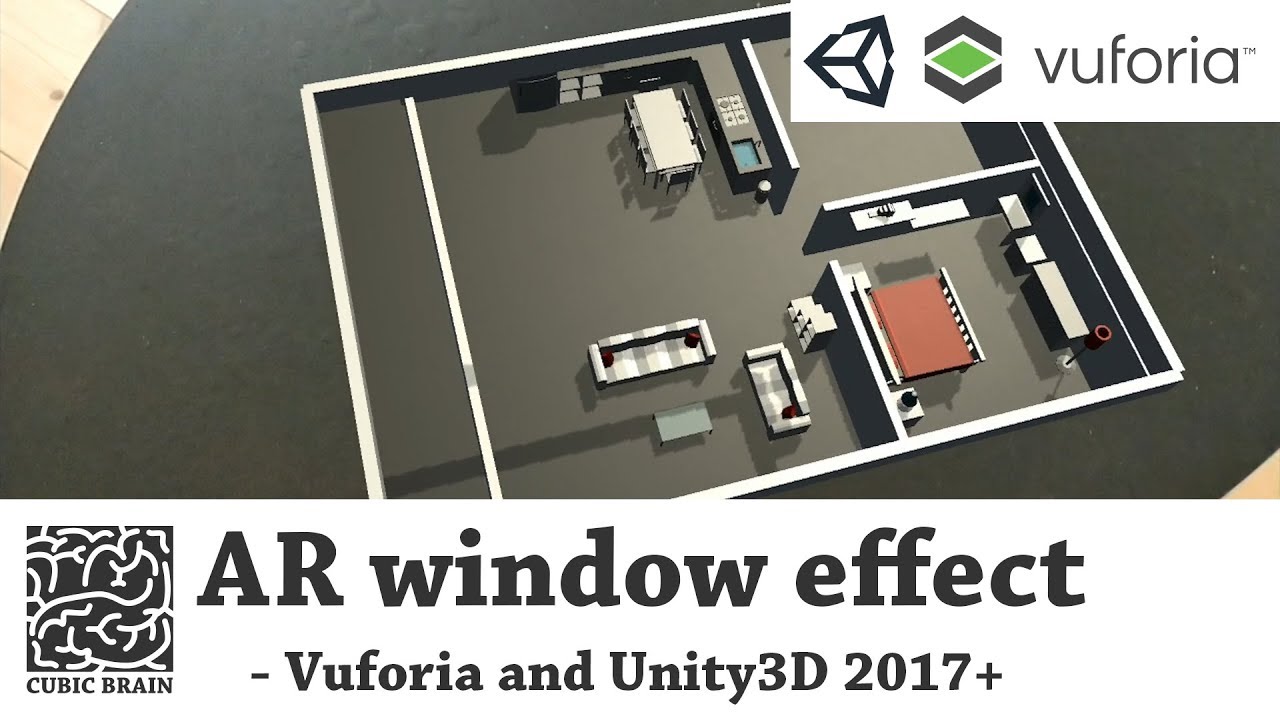
Learn how to create a window or portal effect in unity3D using Vuforia Augmented Reality
How to create an AR portal effect
 tribal osprey
frozen coral
does anyone have any tips or a starter guide to learn VR with blueprints. I have...
tribal osprey
frozen coral
does anyone have any tips or a starter guide to learn VR with blueprints. I have...
I'm going through the same process myself (except I'm a madman and I am learning UE, bp, and vr all at the same time with no experience) I'd recommend this video covering the OpenXR template https://youtu.be/C98Dyx8h-H0

With Unreal Engine 4.27 OpenXR is now production-ready, and there’s a new VR Template designed for it! This week on Inside Unreal, we’ll explore the Blueprint framework that makes up the functionality of the template and how you can customize it for your own experiences.
ANNOUNCEMENT POST
https://forums.unrealengine.com/t/inside-unreal-explorin...
They cover the openXR template in very great detail, and explain a few steps to how you might structure your VR systems.
Once you watch this though, I'd recommend immediately jumping in and messing with the API a bit. few people explain the nitty gritty details, and it can take some exploring to understand how some of it works.
 restive loom
summer cloud
restive loom
summer cloud
Has anyone encountered that the teleport point fall through landscape so that the teleport does not work with landscape at all? 😓
lofty iris
Put a box at the spawnlocation under the landscape in the persistent level. it just loads to long also block the playermovement so the person is not walking around until everything is loaded.
steep jasper
hey can any one tell me why this is happening? whenever i am ticking simulate physics the gun just fly, all other guns are working fine but don't know why this one is not working
 silver brook
steep jasper
hey can any one tell me why this is happening? whenever i am ticking simulate ph...
silver brook
steep jasper
hey can any one tell me why this is happening? whenever i am ticking simulate ph...
How many bones/collider are on that weapon? My guess is two overlapping collisions causing it to wig out
steep jasper
there are no bones, and for the colliders they are the mag, hand grip, bolt and barrel hold, only these 4
silver brook
Show the collision boxes on it
If they are not overlapping amongst themselves then probably have the gun too close to the box collider it’s supposed to sit on
Trying lifting it up and see if it still happens
steep jasper
silver brook
Show the collision boxes on it
if i put it in the air and then its doing the same when touching the ground
steep jasper
silver brook
Show the collision boxes on it
 silver brook
Try turning on CCD
And show me the collision settings for at least one of the colliders

 steep jasper
silver brook
Try turning on CCD
steep jasper
silver brook
Try turning on CCD
ccd didn't worked 😦
steep jasper
silver brook
Show me the phys material too please
 steep jasper
silver brook
Are all the other colliders set to overlap?
steep jasper
silver brook
Are all the other colliders set to overlap?
yup
steep jasper
silver brook
Are all the other colliders set to overlap?
oh this one solved the issue, actually one was set to block...
thanks a lot for the help 😁
silver brook
steep jasper
oh this one solved the issue, actually one was set to block...
thanks a lot for ...
It happens was going to ask you to stream because I was stumped beyond that
steep jasper
that collision was just slipping right through my eyes 😅
 hollow oak
Hello guys, there any way to use a "swtich" button to active the VR Mode on a packaged project?
 warm rain
I can't find an answer to this online. UE4 4.27 I want a sword to "hit" characters and deal damage to them. It works in simulate if I just drag the sword into enemies.
However, hit only works if the sword has physics turned on I guess, and the default "GrabComponent" will turn physics off when you grab an item (like my sword.)
Any idea how to maintain hit while also holding something in VR?
zenith ingot
could have something parented to the sword that is the same size and have that be the thing with physics on it
I'm having trouble creating a Get User Profile node that I see is in someone else's blueprint. Anyone have any ideas why that node isn't showing up? (I'm trying to find the player's hieght)
ashen vector
Hi I am having an issue with the app crashing on the oculus quest 2 after trying to open a level by name with blue prints.. not sure if I am doing something wrong or what... If I play it on the editor all works as intended, but if I deploy then it will crash.
Any advice on how to open a level or why is crashing?
idle osprey
ashen vector
Hi I am having an issue with the app crashing on the oculus quest 2 after trying...
Any info on the crash?
You could get some logs with adb or ...it's easier with Oculus Developer Hub
ashen vector
idle osprey
Any info on the crash?
thanks again... its happening at random now will try to check the logs.
not sure how to retrieve that tho.
idle osprey
ashen vector
not sure how to retrieve that tho.
https://developer.oculus.com/downloads/package/oculus-developer-hub-win/ or Mac...whatever you're using.
It's the easiest tool I know of to tail live logs or capture them.
ashen vector
idle osprey
It's the easiest tool I know of to tail live logs or capture them.
cool, thanks. will check that.
oh, I have the hub installed, but I don't know a lot of it uses, will try to read more about it.
idle osprey
When your quest is plugged in, you can get device logs. You can filter the verbosity as well as search for keywords
ashen vector
I just found the button.. I am doing testing this week so I may come again with more questions. Thanks a lot for the advice, I am sure this will help me a lot.
ashen vector
mhm.. I am getting the crash again more consistently but no error shows in the logs.
ashen vector
mm looks like it has something to do with the pawn. I created a new pawn and now it crashes every time.. if I use the default pawn form the VR template it works fine. :/
 kindred girder
Is therer a way to hide an Unreal based app from the Oculus library? I have a software which I don't want to be displayed there and I was wondering if there was a way to prevent it from appearing (maybe a command line option to be used when opening the .exe of the app, or something like that)
(using the Rift S here, so with a desktop)
 haughty pewter
Hey there good people, I need help with setting up this "Foot IK" for VR in blueprints. Background information is, I download this project https://github.com/kvoeten/ExampleIK I copied the blueprint nodes exactly for the "BP_PlayerPawn" and for it's Animation Blueprint and it works except for 1 feature which is the "Foot IK". In the exampleIK project when you crouch IRL so does the pawn and if you move to the side the character walks to where you moved IRL. In my game the only difference is that my character is C++ created and in the "ExampleIK" the character is purely blueprint made. Why isn't my Foot IK working?? can someone please help i've been stuck on this for days
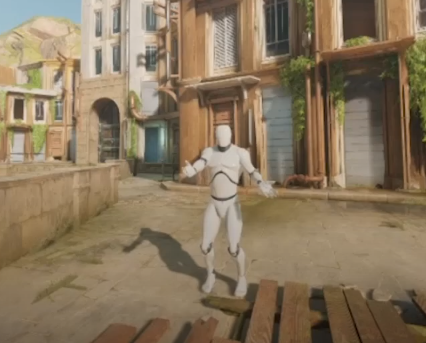
GitHub
Sample project of a full-IK VR setup for Vive on UE4 - GitHub - kvoeten/ExampleIK: Sample project of a full-IK VR setup for Vive on UE4
 trail basalt
Using the UXTools plugin for Hololens 2, does anyone know how to limit one-handed manipulation to only rotate (no location movement)?
urban ruin
so my pause menu doesn't trigger the event after my hand meshes overlapped, does anyone have any idea what's wrong?

these are the box colliders

did i miss anything?
mighty carbon
I wonder what happened here https://github.com/EpicGames/UnrealEngine/commit/cdb681bd6751032d706491d67c7a8dddaef84a65
ashen vector
ashen vector
mm looks like it has something to do with the pawn. I created a new pawn and no...
I had a lot of crashes yesterday with no reason, I was testing with ETC2 but it crashed when trying to open the next level or when trying to return to the first level. I switched to ASTC and it is slower to load but crashes won´t happen as far as I tested..
Any insights on what is happening? why it crashes with ESC2 and not on ASTC? will it crash at random again with ASTC too at some point?
what about DXT? is it better?
just made a package with ASTC and it won´t load on the oculus q2, just the 3 dots forever. 😦
mighty carbon
use Oculus fork of UE4
(although I built apk with launcher version of UE 4.27 and it worked fine on Q2)
 civic brook
urban ruin
did i miss anything?
civic brook
urban ruin
did i miss anything?
Take some time to check over Collision and Overlap Channels, might want to read the docs on them. The colliders on the controller and on the buttons have to both have the correct settings to trigger an overlap
urban ruin
so are u sayin that i have to apply the same overlap event on the hands too?
ashen vector
mighty carbon
use Oculus fork of UE4
not sure what is that.
great, now my app is stuck at loading screen no matter what I do. totally random, yesterday was working fine. 😦
mighty carbon
@ashen vector https://github.com/Oculus-VR/UnrealEngine/tags
you have to build it from source
but it might have some improvements and fixes stock UE4 doesn't have (yet), plus it has most recent integration from Oculus
ashen vector
mm is it hard to build it? never done that.
civic brook
urban ruin
so are u sayin that i have to apply the same overlap event on the hands too?
Not events. Click the collider and look through its properties on the right side, you'll find collision channels.
Read up: https://docs.unrealengine.com/4.27/en-US/InteractiveExperiences/Physics/Collision/
All about collision, collision responses, and collision presets.
ashen vector
I used the shipping option for the packaging and now it is working.. I hate inconsistency.
 coral rampart
I can't get motion tracking to work with the valve index. I followed the guide https://docs.unrealengine.com/4.27/en-US/SharingAndReleasing/XRDevelopment/VR/VRHowTos/MotionController/ but the hands stay at 0,0 and Is Tracking returns false
Information on how to setup Motion Controllers for VR interaction.
ashen vector
Client is unhappy with the visual quality of the experience, and he is comparing it to a PCVR while I was asked to make a stand alone experience on the quest 2.
I would like to kwon your opinions. unfortunately I can't share screen shots of the app I am building, but it looks fairly good considering is for mobile.
jovial hamlet
ashen vector
Client is unhappy with the visual quality of the experience, and he is comparing...
Are we talking "robo recall unplugged" good or "gorilla tag" good? Quest games can look pretty decent, but top tier pcvr games would of course be better. But yeah, should probably set realistic expectations before starting the project.
Is the client unhappy about something in particular (lighting, level of detail, post process etc) or just the overall feel?
ashen vector
It is an archviz experience, the one they are showing as a sample of quality is not even that good, it just have post processes effects and better reflections on materials.
mighty carbon
did you show them PC VR first and said it will work on standalone ?
I see this all over the place on social media - people show PC VR stuff (and what's worse, in SM5 instead of mobile quality) and add hashtag OculusQuest..
ashen vector
mighty carbon
did you show them PC VR first and said it will work on standalone ?
No, I told them that it won´t look anything near that (they showed that to me).. and it actually looks close, just not the things I mentioned before..
any way, any recommendation on migrating from mobile to a PC version file, what should I consider? or is there a way to transform the current file to work on a PC?
thinking to migrate to 4.27 from 4.26 and Raytrace the shi* out of them. :p
ashen vector
if someone can point me in the right direction to setup a PCVR project, I will greatly appreciate that.
mighty carbon
ashen vector
thinking to migrate to 4.27 from 4.26 and Raytrace the shi* out of them. :p
probably won't work in VR, unless you have 3-way SLI with 3090 😛
ashen vector
hehe I know. I was just mad.
fringe blaze
Calling "Enable HMD" in my blueprint causes FPlatformMisc::RequestExit to be called 😦
Calling "Execute Console Command" with vr.bEnableHMD 0 does the same thing!
urban ruin
hi guys, my pause menu resume button is not working. this is not a good script yes but i juz want it work

i use overlap collision to trigger the button
urban ruin
i see, so how do i make a delay resume so the player can prepare themselves back into the game. Fyi im making a rhythm game
 worldly geode
Hi all, I'm using an oculus headset with vive trackers which works for the most part
however when i try to load UE4 it always loads the headset in the oculus API which makes the vive trackers unavailable
is there a way to force steamvr mode?
neon geyser
Hello @hallow knoll, the vr preview is completely broken, do you know if they plan to fix that soon? It's becoming very complicated to debug a vr game
trail shale
I've got to figure out a way to trick the engine into think a key has been pressed (the simulate keypress from Victory Plugin doesn't work for me) - so the game will listening for a ON Key Release event - (I'm using a special plugin for a VR application that makes a popup game window that you can use to have a widget, but if you click in the screen, it will temporarily interrupt input for the VR user. So if the VR user is holding down a key and the instructor presses a single mouse click into this other game window, it will immediately drop input (and fire an OnRelease Key Event) - I can put logic into it that can bypass whatever action would be applied to a REAL OnRelease event, but I can't make the system go back to Listening for the OnRelease event again, the VR user literally will have to hit the button again
This is the product I use for my windows - https://www.unrealengine.com/marketplace/en-US/product/vr-spectator-control-window - I've talked iwth the developer numerous times but neither of us know of a workaround - (I had tried some boolean logic to bypass the "on release event" but that's only half the solution) -
TLDR _
- VR application, with special popup boxes for the instructor to run someone through VR experience
- Clicking in special popup box immediately steals input, causing VR Player input to drop for a second (which fires OnRelease Events)
- Input immediately goes back, so VR player doesn't necessarily release
- Can't figure out a way to make the game engine listen for OnRelease event again, to bypass the original input dropping
In my application, someone is holding down a radio button and its the main "gameplay" so it's a big deal
and if you click into the popup window they stop transmitting
Unreal Engine
Want to be able to use Unreal Engine UMG together with the spectator view in your VR apps? You can now do so with our Spectator Control Window plugin!
 alpine sapphire
I'm working on my first VR test world in Unreal Engine 5 and I'm noticing that when I view it in VR the shadows on large distant objects change as I move my head. I googled around and set the auto exposure settings to manual (with a post process volume with infinite extents) I can post a video if my description isn't clear. Anyone have ideas for what might be going on there? Looks normal when I look at it in the editor, the shadows only start moving once I have the headset on. Thanks in advance!
trail shale
alpine sapphire
I'm working on my first VR test world in Unreal Engine 5 and I'm noticing that w...
tag me please when you get this answer too, I've had similar issues for particles/sprites, I'm sure there is a solution just don't know it
alpine sapphire
I actually ran into a thread related to particles but not meshes @trail shale
that thread may be of use to you
trail shale
alpine sapphire
I actually ran into a thread related to particles but not meshes <@!273265779175...
you have distance fields on I'm assuming
alpine sapphire
nope - apologies brand new
trail shale
I don't use UE5 as of yet, but in UE4 it's an editor/project settings, just search for it - note you will have to recompile all your shaders in your project I believe
alpine sapphire
awesome I'll take a look into that, thanks
trail shale
so if you have a lot, you shouldn't "test this" just now
and I could be totally off base - distance fields could have nothing to do with it - check #graphics though replies might take awhile
alpine sapphire
haha well with my vague description I'm happy to get any answer at all
I'll try that first and then check #graphics if that doesn't work. Much appreciated
hallow knoll
neon geyser
Hello <@!531923466799284244>, the vr preview is completely broken, do you know i...
If you're referring to VR Preview "as client" - it's been logged, you can vote on it here to drive momentum: https://issues.unrealengine.com/issue/UE-122229
neon geyser
hallow knoll
If you're referring to VR Preview "as client" - it's been logged, you can vote o...
It should be a priority, it's completely broken and its slowing us down a lot.
I discover new issues since:
- run 2 clients crash half of the time
- printing logs on 2 clients, print all of them on one client and the texts are superimposed
And yes the first issue which make debug impossible, we have to make a dedicated server everytime to be able to debug
Those kinds of bugs should definitely not be in an official release
hallow knoll
@trail shale it would be difficult to solve your problem, since there's an entire separate window used for that "control window". You can't use that window and have the VR Player provide input at the same time, since the VR preview is required to be "in focus" for input to work. Did you look into how I built a menu for the VR Spectator Camera? There's an example in the VR Spectator sample project I uploaded for the livestream I did in 2019, you can find the project download on the Forum Announcement Post: https://forums.unrealengine.com/unreal-engine/events/1586143
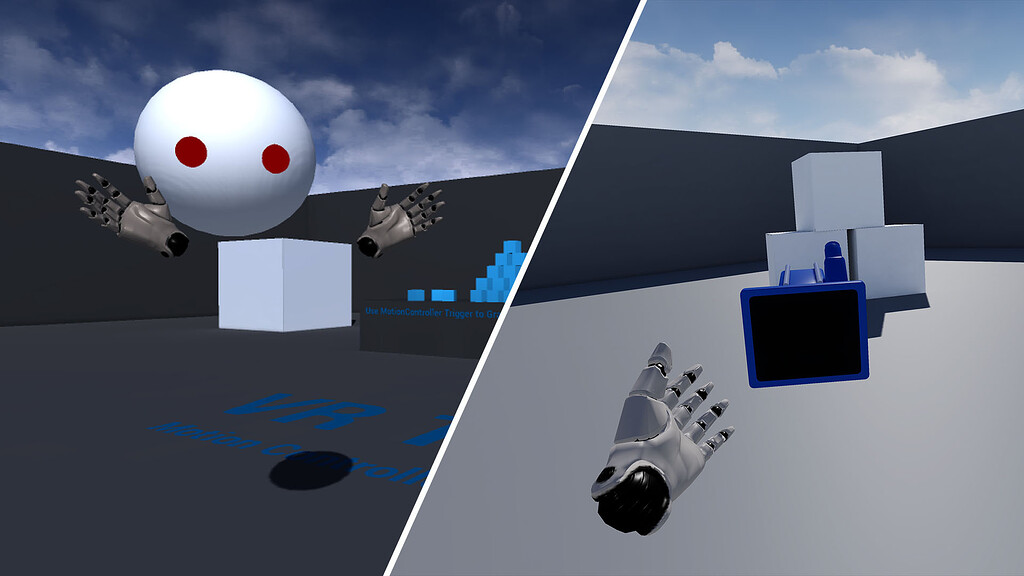
Unreal Engine Forums
WHAT On this week’s livestream, learn how to create a project agnostic, VR spectator camera in your UE4 project. Our team will also demonstrate how it can be used to record trailers for VR games, or to create local asymmetrical multiplayer games. Make sure you have 4.21 installed if you want to follow along! WHEN Thursday, Feb 21 @ 2:00PM ET ...
trail shale
hallow knoll
<@!273265779175194624> it would be difficult to solve your problem, since there'...
I did this a few years ago but the implementation is extremely wonky for a true interface - for example, if I want to have the instructor enter some text in a field, I'm literally having to make a text input actor enter in characters via key events, like this:

This window has an event that the developer used that will immediately send back the input to the VR player - since a mouse click is just a quick event, the control window doesn't need to keep the input
and since Windows itself will naturally give input to the new control window, the problem is half-solved
Really, I just need to have a way to tell the engine to "Relisten" to a hardware event, OnRelease
Because when input is sent back to Unreal, the player is physically, STILL HOLDING the button down, but when they actually release, the OnRelease event never fires, because the engine already fired it when the input was lost switching to the control window
I've got the problem half-solved, I can ignore the "OnRelease Event" if it is fired from losing input (just make a small delay on it and check for a boolean that is set on the Control Window when you click it, ("JustClicked) - if that is set to true, don't fire the OnRelease event
hallow knoll
trail shale
I did this a few years ago but the implementation is extremely wonky for a true ...
I feel you on the "ugh" comment 😄
@neon geyser I can't reproduce "- run 2 clients crash half of the time"
I can't reproduce "printing logs on 2 clients, print all of them on one client and the texts are superimposed" either
trail shale
hallow knoll
I feel you on the "ugh" comment 😄
I've had like three different interfaces the very first one which I might still return to was using the unreal web server but I had to create my interface out of HTML and Java code and that's a big UGH
tired tree
@hallow knoll some of the new virtual production code framework can actually be re-used for true spectator screen widgets
have a half finished class for it currently
neon geyser
hallow knoll
I can't reproduce "printing logs on 2 clients, print all of them on one client a...

reproduced on a new project
Run the VR Preview, as client, with 2 clients
But yes, can't reproduce the crash, its a shared pointer crash that seems linked to my project
I thought it was the engine, because it never happened with a single client
hallow knoll
neon geyser
how are you calling that print string logic? I can't reproduce it
 hallow knoll
Oh VR Preview
neon geyser
yes
dreamy ivy
Hey everyone I'm currently doing a live stream showing how to work with UMG inside UE4 for VR. Come check it out.

#UnrealEngine #VR #Blender
Hey everyone, during this stream, I'm going to go over everything I know about UMG (Unreal Motion Graphics) widgets for VR and show you how to make them easier to work with.
► Description
Hey everyone Unreal just announced the new Unreal Engine 5 so I thought we could take a look into it.
If you're new to VR and w...
trail shale
dreamy ivy
Hey everyone I'm currently doing a live stream showing how to work with UMG insi...
These are all -in game right? Not the hallowed Spectator Umg?
quaint mango
trail shale
I've got to figure out a way to trick the engine into think a key has been press...
Maybe when the window loses focus, check for the axis value of the button instead? The axis value gets checked every tick, so when the axis value goes to 0 when the user releases the button, just manually call your on release function.
trail shale
That's.... A pretty good idea.... If I make the button events tied to an axis I can make the event happen when the axis is nearly zero but not when it is zero - the player would never know, I'll play around with it and report my findings - I know the index controller has a bunch of different access settings even for the things like the trigger and the face buttons have some sensitivity to them hopefully I can use those without having to change it in my case it's the A or b button on the index controller
It will be kind of tricky getting the timing and the ranges involved I'm not sure if when the game comes back to focus when the controller gains input again if it just rapidly rises from zero to the same number again - so for simple numbers as an example 10 is holding down the key completely and zero is letting go completely, I would make my tick event fire so that when button sensitivity equals 8, activate IsHoldingDown event - and also on tick when sensitivity equals zero, check to see if is holding down is set to true, if it is, ignore it... I'll check #blueprint because there is a way to do this axis logic now that you mention it
It's almost like measuring the slope of something and not taking anything that is over a certain limit like a straight line would be
What's the current best practice for detecting movement from the controller the actual tracking of it inside the game? I was using get controller velocity I think but I don't believe I was doing it correctly
quaint mango
trail shale
It will be kind of tricky getting the timing and the ranges involved I'm not sur...
Have you considered creating a separate game for the instructor to use, and it communicates with the VR application through something like network sockets?
For controller movements, I just read the position/rotation of the motion controller component every frame. Not sure if that would be best for what you're trying to achieve, though.
trail shale
quaint mango
Have you considered creating a separate game for the instructor to use, and it c...
Actually I had, years ago - I think 2018 maybe? I had used the Unreal Web Server to communicate to a webpage, loaded on any phone/tablet - It worked "okay" but it had to be built, on the fly, using HTML/JavaCSS, which made updating it, really making any changes, a royal pain -
reef willow
If I setup Unreal from Source, how do I set install options, to enable targeted platform Hololens2, etc.
 sturdy coral
trail shale
Because when input is sent back to Unreal, the player is physically, STILL HOLDI...
sturdy coral
trail shale
Because when input is sent back to Unreal, the player is physically, STILL HOLDI...
Unreal Engine Forums
As time has passed, it may not be necessary anymore … When focus lost UGameViewportClient :: LostFocus() is called. At that time, APlayerController :: FlushPressedKeys () called and the inputs are erased. You can do this by overrideing this function so that it does not clear the key.