#virtual-reality
1 messages · Page 238 of 1
 sturdy timber
 delicate isle
How close are you trying to match first person drone racing
 mystic tinsel
I talked to some of them a few weeks ago on a discord channel and they said they didn't really get any sickness
the only thing from my perspective is maybe it feels different to the brain since what it's seeing is slightly different.
delicate isle
Why limit yourself to their limitations though when you're in VR
You could constrain what the user sees to a view in front of them, but you should still allow the head to rotate
mystic tinsel
Because when you're flying a drone at high speed, there isn't much benefit in turning your head. It's just going to cause you to crash and get disoriented. It's why they fly them with a fixed camera.
delicate isle
This is less about moving your head drastically, and more allowing for the slightest motion of moving your head at all
You could still face forwards and have your racing view fill most of the field of vision
As if you were in a little cockpit inside the drone itself
mystic tinsel
https://youtu.be/mHB1Hu85pto?t=41 this is what they see in the helmet.
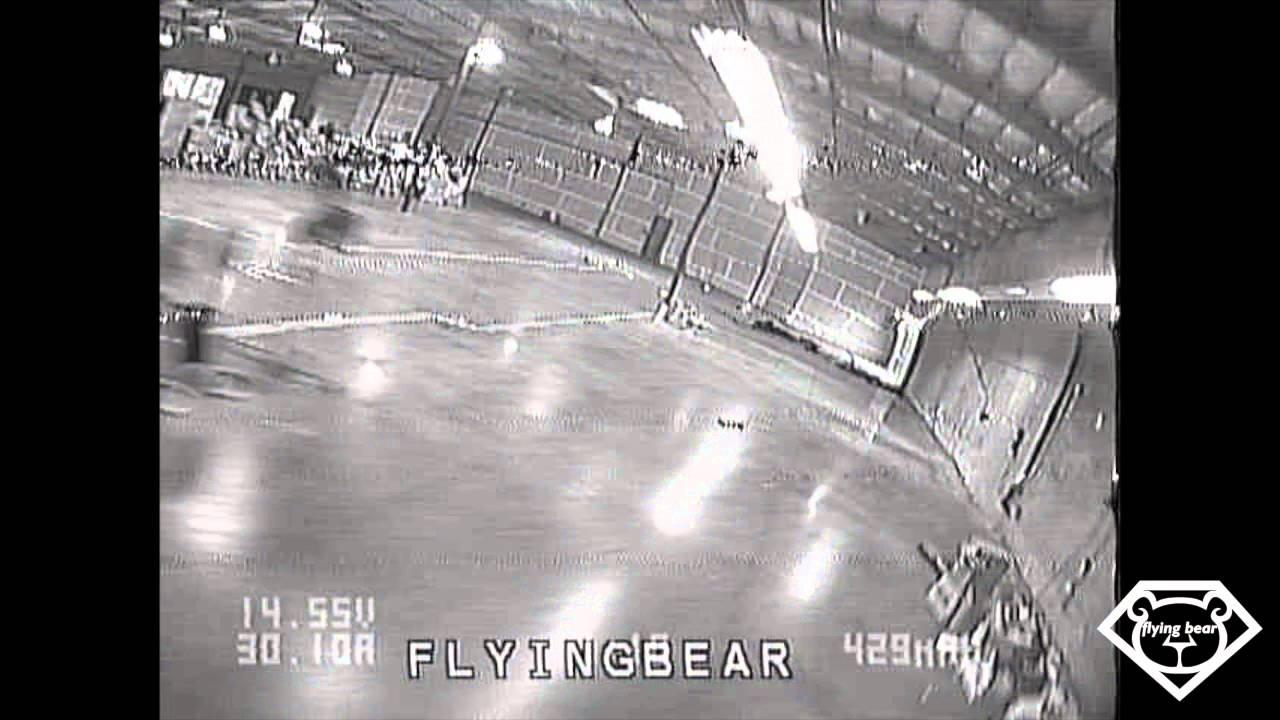
The first person view video that drone pilots see is currently a low resolution analog video feed. Why not an HD digital feed? Digital feeds require more processing to reduce latency. For an aerial videography drone only flying 20 miles per an hour, some latency is acceptable. However, for a racing drone traveling 60mph around a tight racetr...
maybe the lower quality helps the sickness
we could always throw a crappy post process over it.
delicate isle
I would say so yeah, you would dissociate from the movement
The fisheye lens as well would help to reduce the feeling
And most FPV pilots would not be flying using a stereoscopic camera
A good rule of thumb in VR is do not take control of the user's head rotation control away from them, and if you do - do it slowly and over time
From my experience at least
I've seen some top-down game experiences where the camera slowly drifts behind at a slow enough speed that rotations don't cause an issue, but fast flying combined with a fixed view that is stereoscopic and I'm assuming a lot of fast acceleration/deceleration will add up towards motion sickness
If you can ground the user with something that is local to them, within a meter or so of distance then they can use it as their local frame of reference - like when driving a vehicle your frame of reference is both you relative to the vehicle, then the vehicle relative to the environment
Here's a somewhat older article that explains why locking the camera doesn't work well for driving sims in VR - https://www.paradigmshiftracing.com/racing-basics/racing-sims-default-settings-can-cause-vr-sickness-how-to-fix-it#/

Paradigm Shift Driver Development
RACING SIMS' DEFAULT SETTINGS CAN CAUSE VR SICKNESS & HOW TO FIX IT.
sturdy timber
did not thought about the fact that FPV was not stereo
delicate isle
I've wanted to build a stereoscopic FPV drone for a while that would feed into a VR environment
And have the stereo feed sitting inside of a VR cockpit that I could still look around in
Then abuse the fact that the brain just fills in your peripheral vision to smear the edge pixels from the unwarped video to increase the effective FOV from the footage
Maybe try and capture each camera with a fisheye and then unwarp it so that I can turn my head a little bit
 surreal lark
so, i have followed this (https://www.youtube.com/watch?v=bG6V-AAdfLU) ctutorial for actual head movement. i eddited the blueprint a bit (to make it functional, before it would just yeet me to the moon)
now my problem: when existing / walking around, it sometimes just bugs out. why?
edit: it appears that it just glitches me into one direction and then back. i am even more confused now.

 frail bear
surreal lark
so, i have followed this (https://www.youtube.com/watch?v=bG6V-AAdfLU) ctutorial...
frail bear
surreal lark
so, i have followed this (https://www.youtube.com/watch?v=bG6V-AAdfLU) ctutorial...
Why don't you use AddMovementInput?
surreal lark
frail bear
Why don't you use AddMovementInput?
that would be a good idea if i needed to move the character as a whole, but i just want to move the collision to the head.
as far as i know AddMovementInput has no output for how far it actualy moved, so therfore it is useless for this job.
frail bear
surreal lark
that would be a good idea if i needed to move the character as a whole, but i ju...
for head only collision I use a different collision object like adding a sphere component in the head area
frail bear
surreal lark
that would be a good idea if i needed to move the character as a whole, but i ju...
I would guess the problem you are having is because of component hierarchy causing things to change in ways you are not expecting so that's the area I would look at if you want to use the functions to change it. If its just collision you're worried about then use a different collision object like I mentioned. If you don't want full body character collision then you can make a pawn without the capsule component
 tired tree
@surreal lark moving the capsule to the head IS moving the character as a whole
the capsule is the root component of the character, so its location is the actors location
also this type of head correction is not network friendly with how characters work, it should work in a general sense for single player apps (can cause issues with some collision setups) but will fail entirely when networked.
you can actually use movement input to sync by scaling the input by the max movement speed to match the hmds movement, but that will also fail when locomoting at max movespeed so you would have to keep an overhead buffer of extra speed.
surreal lark
ok, i have tried a few more things.
surreal lark
frail bear
Why don't you use AddMovementInput?
because it is even more buggier.
surreal lark
frail bear
for head only collision I use a different collision object like adding a sphere ...
using a different collision sphere does not work, because i use an character, and this ignores everything exept the main collider. (i might have missed something there tho.)
surreal lark
frail bear
I would guess the problem you are having is because of component hierarchy causi...
it is not about having things collide with the player, but i need colliders for movement.
also, here's my scene structure:
 surreal lark
tired tree
also this type of head correction is not network friendly with how characters wo...
surreal lark
tired tree
also this type of head correction is not network friendly with how characters wo...
i am aware of that, but i am not planning on adding any multiplayer.
 mighty carbon
you know what drives me crazy? Seeing a list of unresolved XR issues for 4.27 that doesn't get updated (and not seeing any of the fixes landing on GitHub)
 real needle
Are any d3/disguise users working in XR industry out here?
mighty carbon
d3?
frail bear
surreal lark
it is not about having things collide with the player, but i need colliders for ...
I think the problem from that original blueprint you shared is that when you change your VR Origin it needs to be moved with the negative of the vector of camera and capsule and you're doing that with the capsule instead
 sturdy coral
ue5.. congrats! @hallow knoll will VR work with nanite in the preview? On the end of year wrapup stream I think someone mentioned it might not be fully ready yet in the first preview
real needle
mighty carbon
d3?
This d3 - https://www.disguise.one/
 rustic cargo
https://docs.unrealengine.com/5.0/en-US/RenderingFeatures/Nanite/#supportedfeaturesofnanite "Stereo rendering" listed as not supported for Nanite......
Overview of Unreal Engine 5's virtualized geometry system to achieve pixel scale detail and high object counts.
 hallow knoll
@sturdy coral Yes I tested it but there was an artifact in the right eye on non-nanite meshes which I don't know if it has been fixed yet
sturdy coral
nice! if nanite works that is a good sign
hallow knoll
I only gave it a cursory test in the new VR Template - but it's easy to do, just enable the "Nanite" checkbox in the details panel of the Static Mesh in the Static Mesh Editor
Also do check out the new VR Template and give me all of your feedback, I designed it 
FYI - You have to disable Lumen, it's supposed to be off by default. Will get fixed.
mighty carbon

 limpid widget
So did you also test an Environment we saw in the video in VR? How well do they perform in VR?
hallow knoll
Valley of the Ancient is using Ray Tracing and Dynamic GI which doesn't perform in stereo, so that project is not a good test
 somber marsh
will VR projects take a FPS performance hit when migrating to UE5?
limpid widget
I guess there will be a lot of changes needed to make a vr project work in UE5 (as it is released now), specially not using forward rendering and stereo rendering. So I'm not sure how much of a performance boost that is
 somber marsh
dam, blueprint nativization will be removed in UE5, our code will be slower now?
hallow knoll
@limpid widget Supported != working. You can do VR in UE5 EA
mighty carbon
@hallow knoll is it safe to say none of the new goodies will work on Quest 2 ?
hallow knoll
@mighty carbon Rendering goodies, no, but Data Layers, Fullbody IK etc should
limpid widget
How's the OpenXR implementation in UE5EA? Is it now the only way? Does it also support handtracking yet?
 maiden willow
Hand tracking has been supported. OpenXR should be the new format in the new VR template
hallow knoll
limpid widget
How's the OpenXR implementation in UE5EA? Is it now the only way? Does it also s...
The VR Template was designed for OpenXR but you can disable it and still use OculusVR/SteamVR
sturdy coral
I got handtracking working with it on 4.26
hallow knoll
I don't remember if I tried hand tracking in UE5 EA... but I tested it extensively in 4.26/4.27 soo... it should? 😄
sturdy coral
valve also just added this extension for openxr and I think it is getting support soon in engine:
lets it support the natural hand pose vs the controller related pose (social gestures vs matching to buttons/joysticks)
I actually remembered that wrong, I got leap working on 4.26 openxr just for moving hands but I don't remember if it was animated for fingers, and instead I started using a leap steamvr wrapper driver for animating it, so not openxr
mighty carbon
will there be 4.28 @hallow knoll ? Or 4.27 is pretty much the last one for UE4 ?
hallow knoll
@sturdy coral Oculus Quest and OpenXR hand tracking doesn't work yet
I was referring to OculusVR and Quest hand tracking
hallow knoll
mighty carbon
will there be 4.28 <@!531923466799284244> ? Or 4.27 is pretty much the last one ...
I can't answer that right now
 dusky moon
I'm wondering how far off we are from having Lumen to work in stereo ?! I assume lots of these rendering features require tons of work to actually support stereo. hope it goes smooth and we're not left out 😄
limpid widget
hallow knoll
<@!223705852412952578> Oculus Quest and OpenXR hand tracking doesn't work yet
Thats the answer to my question^^ Alright
mighty carbon
as exciting as UE5 is, I think I am gonna have to stay with UE4 since I mostly dev for Oculus Quest
hallow knoll
@dusky moon Very unlikely - it's screenspace
sturdy coral
part of lumen is SSGI so it may always have some artifacts in VR (unless they can maybe trace against both eyes' depth)
hallow knoll
Well, I say very unlikely, but that's relative to time
As charles mentioned, there are ways to do it, but Dynamic GI is expensive, so tough to commercialize it for VR
 paper steeple
@hallow knoll What do you think will be the best features that come in UE5 for VR devs?
hallow knoll
@paper steeple OpenXR
dusky moon
hallow knoll
<@!220541732171939850> Very unlikely - it's screenspace
Yeah makes sense actually - looking forward to test SS
sturdy coral
@dusky moon from what they said last year it is a combination of voxel gi for really far away, distance field GI, and SSGI
dusky moon
sturdy coral
<@!220541732171939850> from what they said last year it is a combination of voxe...
Cool - I mean I'm not too much bothered about GI - Nanite is already magic to have enabled for VR
I just hope that Stereo render issues with Niagara effects and Volumetric clouds at least gets fixed
 dreamy ivy
Hey @everyone , im streaming the brand new UE5 right now over on my YouTube channel. why not drop by. Looking at VR

#UnrealEngine #VR #Blender
► Description
Hey everyone Unreal just announced the new Unreal Engine 5 so I thought we could take a look into it.
If you're new to VR and want to get started with Oculus Quest development, I recommend watching these videos first.
- Installing UE4 from Source code (contains more up to date Quest features)
https:...
sturdy coral
@dusky moon I fixed an issue with volumetric fog that made it into 4.26 I think, clouds may be a similar fix
the fix was only needed for instanced stereo though, do clouds work in VR without instanced stereo?
dusky moon
sturdy coral
the fix was only needed for instanced stereo though, do clouds work in VR withou...
Ahh I haven't tested it lately but remember with 4.26 instanced stereo on I had a weird artefact on my Right eye. should test again in 4.26.2
limpid widget
Got a non-UE5 related question.
With 4.26, the the right controller of a tester is shaking and sometimes disappears due to no tracking. Weirdly this happens with index and valve controller for him and it works in other games.
Did anyone have this issue too or know what might cause this?
 pearl tangle
Haven't popped back in here for at least a year now and good to see its still all the same people hanging around 😄
dusky moon
@hallow knoll Is it possible to switch to Lumen in-game ?! I have a VR project that supports non-VR users too. was wondering if I can set it to lumen for the non-VR player
hallow knoll
dusky moon
<@!531923466799284244> Is it possible to switch to Lumen in-game ?! I have a VR ...
That should work afaik, but I haven't tested it
 nimble edge
The new template is looking sharp @hallow knoll ! Can't wait for my shaders to finish compiling so I can give it a real spin.
nimble edge
@hallow knoll the grab system seems inspired by/similar to the VRExpansion plugin - any chance of adding maintaining phsyics on held objects?
hallow knoll
@nimble edge Mainly inspired by Robo Recall actually 🙂
nimble edge
Ahhh. I can see that. I haven't looked at that system in awhile...
hallow knoll
@nimble edge For VR Content Examples Sample project yes! I'll be working on that next 🙂
nimble edge
Awesome!
hallow knoll
One of the design philosophies for the new VR Template was that it should be the go to for 95% of new VR projects, so it's intentionally bare bones
nimble edge
Love it. I'm loving the way motion controllers are part of the pawn now, instead of being spawned. And getting spectator textures working in Open XR. YAY!
hallow knoll
@nimble edge Unfortunately the Spectator Texture doesn't work in UE5 EA for OpenXR, but it does in 4.27 and UE5 Main...
Also, make sure you disable Lumen when you create a new VR Template - it's default in UE5 now but there's no "check" for that when a new template project is created (and the VR Template is the only one that can't use it atm)
nimble edge
Looking forward to 4.27. My current project I had to ship without the score/leaderboard on the spectator screen because we have to use OpenXR.
Thanks. I was wondering why the lighting was so ... bad.
hallow knoll
Yeah it makes me a bit sad but it is what it is ^^
sturdy coral

In this video I show you a review of the HTC Vive Pro 2 VR glasses. I will answer the question of whether HTC is back in the race and present you with the tough truth.
💥 Please don't forget your thumb 👍 and a subscription with 🔔!
🔗 Relevant links to the content shown
https://www.vive.com/en/product/
⏰ Timestamps
00:00 intro
00:49 Design
03:11 ...
I guess vive pro 2 review embargo drops tomorrow?
mighty carbon
@hallow knoll will UE5 release have BP nativization or did it go on the chopping block ?
hallow knoll
@mighty carbon chop chop
mighty carbon
ugh
did you guys make BPs more performant or will they go chop-chop too at some point ? @hallow knoll
 storm hare
from my testing, seems like nanite is not supported/working
it's defaulting to the proxy mesh on the nanite settings
(using the default vr template)
does nanite need deferred to work or it's just not implemented yet?
dusky moon
storm hare
from my testing, seems like nanite is not supported/working
I think it's not working under VR template settings. but it does in example project so guess it's something to do with render settings
storm hare
it works if you turn off the forward shading
mighty carbon
storm hare
it works if you turn off the forward shading

hopefully UE5 will have deferred setup for PC VR so not only it performs as well as forward (or better), but also has crisp AA close to what MSAA provides
^^ is it something we can count on? @hallow knoll
it would be nice if Epic can go over UE5 and VR (both mobile and desktop) in tomorrow's stream https://forums.unrealengine.com/t/inside-unreal-welcome-to-unreal-engine-5-early-access/231165/1

Unreal Engine Forums
WHAT With the release of Unreal Engine 5 Early Access, we’ll be hosting a series of in-depth live presentations on Inside Unreal over the coming weeks, but first, we’d like to introduce you to Unreal Engine 5! We invite you to join us as, together with Epic’s engineering directors, we’ll take a look at what’s new, what’s changed, and what’s to ...
storm hare
even on deferred, in vr nanite meshes only appear on left eye

 sullen moon
For me it flickers like crazy on left eye and dont render at all on right
hallow knoll
mighty carbon
did you guys make BPs more performant or will they go chop-chop too at some poin...
Blueprints aren't going anywhere 🙂
We won't be covering VR specifically tomorrow
 covert hazel
:(
 frigid kite
hallow knoll
We won't be covering VR specifically tomorrow
frigid kite
hallow knoll
We won't be covering VR specifically tomorrow
Not surprising... but still disappointing
sullen moon
Whats the plan for VR in the future? Can we expect Nanite to work with VR?
frigid kite
Fortnite really needs a VR mode 🤔
storm hare
frigid kite
Fortnite really needs a VR mode 🤔
one can dream... VR would never be the same if epic actively worked on it
mighty carbon
frigid kite
Not surprising... but still disappointing
 frigid kite
Indeed - for my project (vermillion-vr.com) I'm dreaming of switching to Unreal to get Meta Humans and beautiful real time GI for painting portraits and landscapes, but as it stands that's just not going to happen 😦
mighty carbon
not because of UE5 particularly
4.27 XR issues section is full of spider webs
I just hope some of them will get resolved.. I don't even dream of UE5 being usable in VR any time soon
a rumor has it that Epic has whole ... one guy working in XR department 🥲
storm hare
that guy is my hero
mighty carbon
yep, he is everyone's hero
 serene ridge
Does anyone know how to make it so that when the game doesn't have focus, controller input still works?
 solid thorn
storm hare
even on deferred, in vr nanite meshes only appear on left eye
solid thorn
storm hare
even on deferred, in vr nanite meshes only appear on left eye
So Nanite doesn't work with VR? Is it planned for it to work in VR?
hallow knoll
@solid thorn Yes but Nanite doesn't fair well with baked lighting. The lightmaps you'd end up baking would be huge. So if you can afford dynamic lighting, then you can use it. I had rendering artifacts in the right eye when I tested it, but those are just bugs due to limited test coverage and will be fixed.
If you look at Valley of The ancient - you can see that there's only a directional light, and a skylight in there. You need a GI solution (like Lumen) for a scene like that, and Lumen is a screen space effect which doesn't fair well in stereo.
somber marsh
does that mean lumen won't work for VR for quite some time?
mighty carbon
I bet when it comes to VR (mobile VR in particular), UE5 will be like UE4, assets and lighting wise.
 lethal kiln
How do you guys share apks? I’m doing a university project and we are trying to share apks to quest users but quest labs takes forever to get reviewed. Anyway to make the apk install easier for less experienced users?
hallow knoll
somber marsh
does that mean lumen won't work for VR for quite some time?
Correct
mighty carbon
lethal kiln
How do you guys share apks? I’m doing a university project and we are trying to ...
SideQuest
 rigid lion
On the Nanite topic: I've been away from developing for vr for a while so excuse me if I'm rambling.
If I could bake my lighting into the vertex color of my assets, would that be a solution to using high resolution meshes in VR.
mystic tinsel
Is head mounted displayed enabled working in a packaged game right? I've got my main menu and everything working fine now, in the editor. On start it detects if the HMD Is enabled (we have both VR and non-vr versions) and it should make the player possess a pawn depending on the status. In editor works fine, menu pawn or vr menu pawn, great. In a pacakged one, it shows up in VR, but seems to run all the non-vr stuff on the player and doesn't put it in the VR pawn.
 wispy cradle
Pretty gutted to feel like there's almost nothing I'm interested in VR wise in UE5. I think if we can at least get Nanite working that could solve a big issue in VR where meshes just lack fine detail up when seen as closely as you do them in VR, fingers crossed for that support to be coming. I understand Lumen won't work though, its tanking performance for everyone even in 2D so not holding my breath for that until we get some kind of real eye-tracked foveated rendering solution.
rigid lion
wispy cradle
Pretty gutted to feel like there's almost nothing I'm interested in VR wise in U...
I hear you dude.. When I saw the ue5 demmo last year, my first reaction was:" this solves the bumpmap problem in VR"
 plush sky
wispy cradle
Pretty gutted to feel like there's almost nothing I'm interested in VR wise in U...
plush sky
wispy cradle
Pretty gutted to feel like there's almost nothing I'm interested in VR wise in U...
I feel you man, bit of a let-down that all the pretty things don't work (yet) or probably won't be feasible for VR
tired tree
you guys are really doom and gloom here
considering the heavy focus on physics in VR you should take a look at what chaos offers over the engines physx implementation
when chaos is stable enough, its going to be a dream
also they stated that most of ue5s features are VR targeted eventually, but that is one of the harder problems to solve so will take time
and OpenXR being the default platform now is also great news
wispy cradle
Fair enough, I'm definitely excited for chaos to work properly and I'm super interested to see what you'll do with Chaos in your plugin which I'm using. If we can get Nanite working then I'll be happy camper, I just feel like the gap between UE for VR grows whenever Epic is not working on something VR related so I'm hoping they'll start working on something like a robo recall 2.
 open condor
Love the UE5 potential... super stoked to see how it ports over to VR/AR... To be a bit of a bore though, I was curious if anyone has successfully saved files from a packaged unreal project on the hololen2 (and accessed them from the device portal (see below). I've seen instructions in C# with "Windows.Storage..." and "KnownFolders" but haven't yet figured out how to get it to work for a UE-Hololens project.
 sturdy coral
wispy cradle
Fair enough, I'm definitely excited for chaos to work properly and I'm super int...
sturdy coral
wispy cradle
Fair enough, I'm definitely excited for chaos to work properly and I'm super int...
Graphically I think it will be a big boon for VR with hybrid baked lighting. Something like Gears 5 lighting setup seems ideal for it. Baked everywhere, with your bright non-moving lights set to movable and modified to bounce into indirect and to affect volumetric lightmap from indirect and direct and to cast shadow map shadows.
Then the new virtual shadow caching lets the shadows be basically free except for characters that move into them having to get drawn composited in (like doom 2016; I think existing ue4 shadow caching rerenders all the statics when a moveable moves through, this would hold the static cached and recomposite each time). However that's not in for early access yet: but will be added later:
Beyond Early Access, caching should improve in the following ways:
Caching static geometry in pages separately from dynamic geometry so that a single moving object does not require re-rendering all of the static geometry in the pages that it covers.
https://docs.unrealengine.com/5.0/en-US/RenderingFeatures/VirtualShadowMaps/
And then layed on top of that you can also have gear sized-ish outdoor areas with a movable directional but baked directional bounce, and get all the new directional shadow caching too, which gears 5 wasn't able to get (they had to do mostly things like turn off shadows of small static objects in static areas, and turn off shadows for high detail stuff to sub in lowdetail shadow from an hlod cluster with some self-shadowing artifacts resulting)
@tired tree
You won't be able to get the crazy object counts of the ancient demo stuff just due to the disk size of all the indirect lighting maps, but it should open up a lot more scene complexity to VR
fully dynamic setups that were way too prohibitive before should be enabled by all this too, just not with global illumination. the changes to virtual shadow maps are huge. it was a huge bottleneck before
but I think hybrid baked close to gears 5 setup will be the sweet spot
sturdy coral
hallow knoll
<@!232267706265632768> Yes but Nanite doesn't fair well with baked lighting. The...
just on this point, with the gears 5 setup they were able to use much lower res lightmaps due to only needing them for indirect and not for shadow borders, since shadow borders show the resolution much more quickly. It would be nice if the engine itself could be updated to make that an official workflow instead of needing a patch (letting 'movable' lights that aren't intended to move or change much in color/intensity feed bounce into lightmap and direct into volumetric lightmap, at bake time)
 weary swallow
basic question with haptics/rumble for quest 2- the haptics work for VR template for overlapping an object, but when I call the RumbleController event in another blueprint I cannot get the controllers to rumble when triggered from a branch condition within another actor BP. Any fix that comes off the top of someone's mind?
hallow knoll
sturdy coral
just on this point, with the gears 5 setup they were able to use much lower res ...
Would love for you to write this up on the forums so that I can pass it on to the devs - the tech is a bit over my head
sturdy coral
@hallow knoll will do. I'll look around github a bit first, someone may have already made a pull request after that gears 5 talk
 jagged mesa
wispy cradle
jagged mesa
wispy cradle
unlikely, just too expensive to be feasible
Does anyone know if the rendertarget tanking performance bug is still in 4.26.2? I'm having trouble with my packaged game running worse than vr preview again...
 violet spear
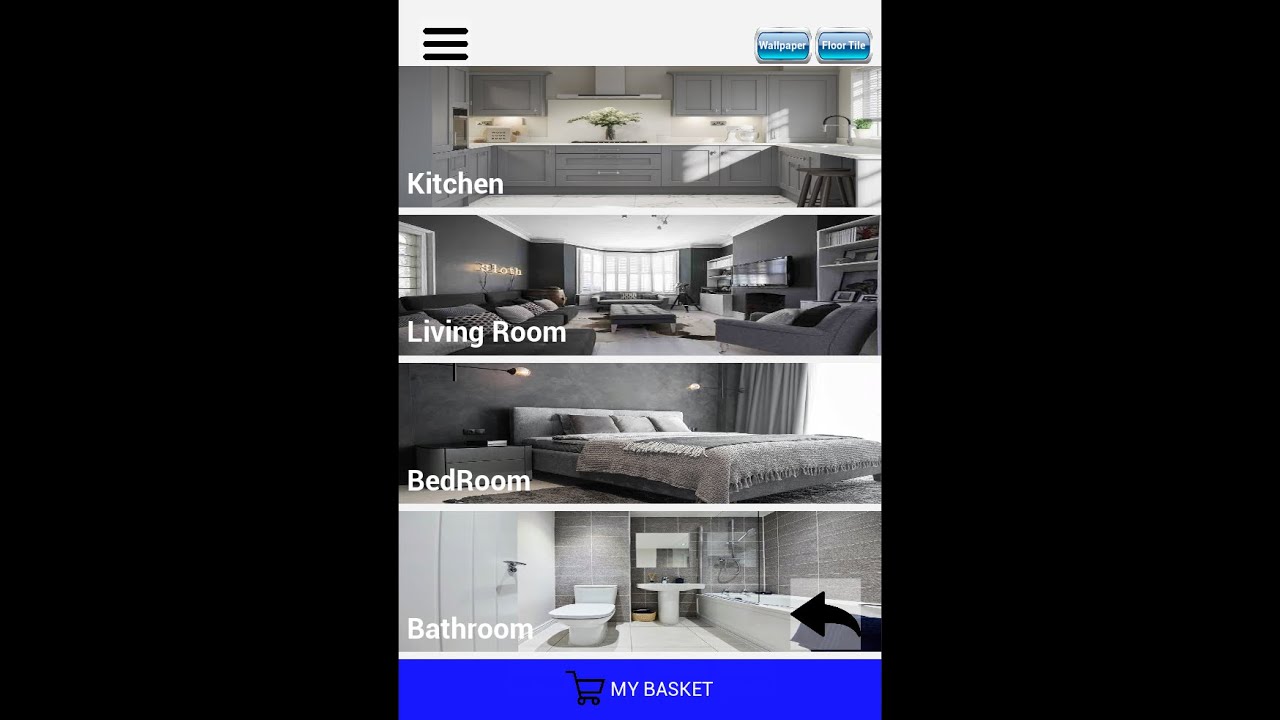
In this video, we are scanning the floor tile of a room and measure the distance between two points 1st part
Also, Paint the scanned floor with some textures.
In 2nd part we're Placing some Furniture into Real World and use some features like movement, Rotation, also Scale
3rd- after scanning the wall we change the wallpaper of the room
Hope ...
 proven epoch
Im making a quest build and on empty map my build is running at 72fps
What could be the source of that?
delicate isle
@proven epoch If it's a flat 72hz then that's what the Quest has defaulted to as its refresh rate. I think you can change the value in either the Oculus plugin settings for your project or calling the Oculus blueprint nodes for enumerating and setting the headset refresh rate higher
 vocal aurora
Does anyone have experience with SteamVR input bindings? I upgraded my project to 4.24 and even though my steamVR bindings look correct, my game is inconsistent with what controls are working.
I changed the project's input bindings to the updated vive controllers and most things work but for example; grabbing stopped working and the day before it was working. Also menu selection works for the right hand but not the left
(keep in mind, in the previous version (ue4 4.23) all my input was working correctly) so I know its related to the new Steam VR input stuff
 desert rivet
@cursive pagoda I have just spent the last few days fighting with SteamVR bindings, but eventually managed to get it to work. Are you setting things up in the Input tab of UE or using the steamVR dashboard? I was originally developing with my Oculus and the steam dashboard button didn't show up so I assumed setting it up in UE4 Inputs tab would work, but it didn't. Once I set up my Index things got a lot easier to work with.
vocal aurora
I'm using both actually, I setup my bindings in UE input and then re-generated everything, then I look in the dashboard and the default bindings look correct.
desert rivet
One of the mistakes I made was not saving over the default bindings so it worked in UE but not in a build
vocal aurora
yea, I imagine I'll run into that but even in editor this is happening at the moment
desert rivet
I seem to remember something changed between 2.3 and 2.4. It sucks, but have you tried deleting all the bindings and setting it up again in 2.4?
vocal aurora
Yea I tried deleting the SteamVR bindings folder but I might try what you said and completely nuking the ue4 inputs
the change from what I see from 4.23 to 4.24 is the SteavVR input layer with the bindings dashboard.
 sullen vortex
tired tree
when chaos is stable enough, its going to be a dream
sullen vortex
tired tree
when chaos is stable enough, its going to be a dream
Morden do you know if those implementations are gonna be available in 4.27 / + or they will keep it separated on the UE5 branch?
tired tree
The ue5 branch if anything is behaving worse than the 4.26 chaos branch, not sure it is actually fully up to date with recent chaos improvements
 graceful pivot
@sullen vortex Epic has declared that UE 4.27 won't have an upgrade path to UE5. However, UE 4.26 and UE5 will remain compatible. Also UE 4.27 is the end of the UE 4 branch, there won't be another version after that. Edit: Well it'll have an update path after 2022...
tired tree
@graceful pivot the release documentation literally states that 4.27 will be compatible eventually...
but this version of ue5 branched off of 4.26 so its directly compatible
pearl tangle
@graceful pivot 4.27 wont be up-gradable to early access, but it will be able to upgrade to 5.0 when it releases
graceful pivot
@real needle why not just call 4.26 the end of the ue4 line, seems simpler
pearl tangle
Because we have tonnes of updates in 4.27?
Nothing forcing you to update to 27 though, majority of the new features in there are around enterprise use cases except for the new VR and AR templates
Oh I got changed to staff now
 iron pine
Does anyone know how to get the rotation of a motion controller along one axis no matter where it is in world space? I want to use this for rotating the hand on some grips with the motion controller
graceful pivot
pearl tangle
Because we have tonnes of updates in 4.27?
Let us behavior tree this. Developer #1 is on UE4.26 moves to 4.27 asap, is trapped in 4.27 for a year until UE5 releases and 4.27 gets merged back in. Developer #2 is on UE4.26 and stays on 4.26. A few months from now Developer #1 is still trapped. Developer #2 decides they feel the UE5 branch is worth moving to, and starts migrating without issue. Developer #2 gets all the 4.27 features when UE5 merges with it.... I guess what I'm saying is that if you had more features to merge it might have been better to base UE5EA on 4.27 and end the line there. Or, call it and end it on 4.26. I get that it is a choice left up to me as a dev to decide which version to remain on. But, there's bound to be some devs that don't clearly see this conundrum and end up getting themselves trapped in something they will regret later. IMHO
hallow knoll
graceful pivot
Let us behavior tree this. Developer #1 is on UE4.26 moves to 4.27 asap, is trap...
UE5 EA isn't for production, no one should migrate their main projects and work there
graceful pivot
Except a lot of people are, because it's the new tech.
And, if you aren't planning on releasing soon it isn't a bad thing to do.
hallow knoll
We weren't going to leave UE4 behind without important updates that the team has worked on
It was either that, or no UE5 EA. In a perfect world I agree with you, but that wasn't an option.
graceful pivot
What is done is done I just think it's going to be confusing and extra work for someone somewhere ;p
You're going to have a version that's incompatible with the ue5 tree for a year, there's no whitewashing it
But, thank you for releasing UE5 early! 😄 I get that there's a pencils down situation and there wasn't much to be done but make a choice
It's really awesome
hallow knoll
We had to rebuild the entire VR Template in UE5 EA because it was developed in 4.27 so I know the pain
graceful pivot
One thing that is a disadvantage to the 4.27 being offered is that a lot of plugin devs don't see that this is the end of line and aren't willing to migrate over to UE5 yet so you're going to have a lot of plugins out of date for a long time.
Really they need to realize that 4.26 is basically it and start migrating their plugins... i know that -some- are, but there are a lot that have explicitly stated they won't until 2022
When really they should take advantage of having access to ue5 to start the migration
For example MAWI has their packs working on UE5 but won't migrate until 2022 because of 4.27 being offered as being compatible in 2022
But, they're already working, they just won't give them out yet.. mildly infuriating if you're using their packs...
^ this is the kind of thing it is causing.. maybe epic needs to be more clear with plugin devs that it's safe to start migrating to ue5..
Caution is fine but having most of your plugin devs turn your new platform a blind eye for a year is a big yikes moment
</rant> 😄
Epic should make a big blog post saying "UE 4.26 is the spiritual end of UE4, plugin devs should target UE 4.26 -> UE5" ok now i won't talk about it anymore ;p
graceful pivot
Also, ue5 is solid as hell, great release 🙂 Loving the cleaner UI and all the new features. cheers!
 flat shoal
hallow knoll
We had to rebuild the entire VR Template in UE5 EA because it was developed in 4...
flat shoal
hallow knoll
We had to rebuild the entire VR Template in UE5 EA because it was developed in 4...
Are there any pages with info regarding what improvements in VR UE5 brings? I saw there's a new AA method for Nanite... can it be used in VR to finally get non-blurry deferred? Or is the performance hit in deferred in UE5 still too big to be feasible?
I really hope 4.27 delivers HP Reverb G2 controller support...
sturdy coral
@flat shoal it is more improvements on the gen 5 TAAU in introduced in 4.26 I think
delicate isle
Anyone have different tonemapper settings in VR when bringing a UE4 project over to UE5?
The same scene is much darker in UE5 OpenXR on the Quest2 than UE4.26 OpenXR
UE5 Quest 2 OpenXR is darker

UE4.26 Quest2 OpenXR is lighter
 pearl tangle
just FYI @graceful pivot we dont expect people to update their plugins for UE5EA because there is a very good chance that they wont work by the time UE5 actually comes out.
The main reason to update to 4.27 is if you are working in virtual production/ ICVFX actually. https://portal.productboard.com/epicgames/1-unreal-engine-public-roadmap/tabs/24-unreal-engine-4-27-summer-2021 for reference in case people haven't seen it
Product roadmap and feature requests. Welcome to our product portal.
sturdy coral
for anyone doing IK stuff, the valley demo has a control rig for automating twist correctives (I've seen a lot of people's IK get this wrong):

should be able to back port that to UE4 and use on the mannequin
graceful pivot
pearl tangle
just FYI <@!509488674229059624> we dont expect people to update their plugins fo...
big yikes
pearl tangle
hah that is the point of early access, plugins dont get release for preview builds normally either. It's just that 5 has super awesome stuff in it so everybody is really excited :p
Would be great to see people start adopting control rig like this for some proper VR IK rigs for sure @sturdy coral . Combined with the new animation features as well should be able to get much smoother setups going on
graceful pivot
that's making me rethink using ue5 now for sure
i'll let pask know he might want to hold off on porting acf / ats plugins then, he was in the middle of it
 harsh otter
Anyone have any resources on how to get valve index finger tracking set up?
iron pine
@harsh otter https://youtu.be/fZrwG296hzg

This video aims to show you how to easily implement the valve index finger tracking in to your unreal games. Please note that the Steam Input plugin is required: https://www.unrealengine.com/marketplace/en-US/slug/steamvr-input-for-unreal
harsh otter
iron pine
<@132982718907678720> https://youtu.be/fZrwG296hzg
Yeah I saw that, but I can't seem to find the hand model anymore
it doesn't come with the vr demo anymore
Managed to find it in an older version of the engine I had downloaded
harsh otter
Get Skeletal State is always returning false even though I have my valve index controllers attached
sullen vortex
graceful pivot
Let us behavior tree this. Developer #1 is on UE4.26 moves to 4.27 asap, is trap...
so, after the all reading, i think i´m just gonna stay in 4.25.4 😂 and hopefully we can migrate our project to ue5 when is stable enough for production
pearl tangle
when are you targeting to release @sullen vortex ?
harsh otter
more questions about finger tracking haha, how do I make it so that the fully closed state is a fist like in the steamvr input demo as opposed to a slightly closed hand
this is in my project:
https://gyazo.com/4212a994eeaa7a0269da79fca88168dd

this is in the steamvr input sample project https://gyazo.com/5ab5a67280b249c74607a474a1cc6e36
 wispy cradle
@hallow knoll Just saw that there's a spatial audio plugin example in 4.27. Is there any special reasoning behind Google Resonance? I found it kinda hard to figure out what the current state of most of the steam audio, oculus audio and google spatial audio was, some seemed to not be supported anymore. Did you go for Resonance because its not tied to Oculus / Steam or did it work the best in your tests?
sullen vortex
pearl tangle
when are you targeting to release <@!310970043548827648> ?
I already released an early alpha, hopefully in the next months i got in beta stage 🙏
sullen vortex
guys do you know if there{s a way to run an unknown source app in multiple Quest with the same facebook account? cause i found this on oculus blog, but dont know if it applies for store apps or everything else "You can still log in to multiple devices at the same time. However, you will not be able to use the same account to run the same app across multiple devices simultaneously. Different accounts can concurrently access a shared app on multiple headsets, keeping in mind that you can only enable App Sharing on a single device at the moment."
 rich canopy
Prob just store apps and even then you can just turn off wifi to play your game
lethal kiln
Yeah I'd be surprised if it disabled APKS you installed locally etc.
 honest temple
Hey all, I seem to be having the worst luck trying to package an app for oculus quest! Seems no matter what I try the entitlement check fails every time. If I test entitlement on a Rift app it works perfectly, but on a quest app it fails everytime. Does anyone have any helpful insight on this? (Using UE4.26 and Oculus Platform SDK 28.0)
 brittle geyser
My VR mode is grayed out only in one level, I can use it on ANY other level, but the one i'm working on.. which is very inconvenient, since it was working.
I've reloaded, disabled plugins, enabled them again. restarted Oculus client, steam client, I'm using airlink with a quest2, So i can use either, It works on old vr levels, new ones i just create, just not the one I'm working on.
made sure it was up and running before I started the editor, restarted computer stopped all processes, loaded them up again. Remember when we were kids like.. I want to make games, it would be so fun.. I would say.
More like.. have issues everyday, constantly bumbling around trying to find that one little toggle or box I checked on accident. sigh.. rant finished.
 wind yacht
Does anyone have info on how to make a proper Augmented Reality Passthrough material for 4.26?
There's little to no clarity on the subject, and everyone who has worked with it dosn't have sufficient info to help :/
delicate isle
wind yacht
There's little to no clarity on the subject, and everyone who has worked with it...
Like a shadow matte for AR?
If you just want to hide 3D geometry then a material that manipulates the stencil buffer to hide some of the pixels of your model could work
If it has to be translucent then I don't know
https://answers.unrealengine.com/questions/853473/ar-passthrough-material.html does this help at all?
 modest cliff
wind yacht
Does anyone have info on how to make a proper Augmented Reality Passthrough mate...
modest cliff
wind yacht
Does anyone have info on how to make a proper Augmented Reality Passthrough mate...
I can help you on that 👍
There are premade Materials in the AR Utilities Plugin folder which essentially get you there. You can also use the platform specific ones in the AR Kit and AR Core folders which are quiet similar in 4.26 to use.
And most importantly they work with the newer iOS devices too
wind yacht
@modest cliff Awesome! Thanks for the input! I'll give it a go later today 😄
I'm trying to convert my Android AR project to iOS and, as expected, is a huge pain
to add to that the project is 4.23 and I am strongly considering upgrading it to 4.26
modest cliff
wind yacht
I'm trying to convert my Android AR project to iOS and, as expected, is a huge p...
This is definitely easier with the solution of 4.26
I had to actually because iOS doesn't allow any uploads with the older SDKs
wind yacht
ok cool thanks, yeah I know they mainlined it all to be more unified, but was having FPS problems on the initial 4.26 release
wind yacht
ok great
modest cliff
We already shipped three projects but this is only true for iOS though (fps problems I mean)
wind yacht
I am having Metal render issues with packaging as well, and am expecting them to be fixed with 4.26
modest cliff
They are if your users are using newer iOS devices (starting from maybe 2019 I'd say)
Also Mobile Ambient Occlusion worked pretty well on iOS too
wind yacht
I was getting FPS problems on android with the example AR project
modest cliff
What can help with that is to set SyncTickWithoutCameraImage in AR Config
They changed AR Core to only run with 30fps and if it's set to sync then the whole application only runs with 30fps
By changing that only the invisible parts of AR Core are running with 30fps and should drastically improve perceived performance
Also worth mentioning: All iOS devices prior to 2018 aren't supported anymore by AR Kit 3.0 which is the default with 4.26.
@wind yacht Also before I can let you jump at the AR pass-through part some things worth mentioning:
- You need to differentiate between pass-through in post process or geometry (based on that you need to pick another base material)
- On Android you need to use the material instances which have "UseExternalCameraImage" set to true on iOS it's the opposite
- You need to do this in Tick in order to properly update the camera image on the materials

For Geometry pass-through you would use "MI_PassthroughCameraExternalTexture" and for post process "MI_ScreenSpacePassthroughCameraExternalTexture" from the ARUtilities Plugin Content folder. For iOS essentially the same but without "UseExternalTexture" set to true on the material instances which means you could use the parent versions of these.
wind yacht
@modest cliff perfect this is invaluable. massive thank you
it kinda bums me the official docs don't have this or updated info for AR
even release notes are vague
modest cliff
I know how hard it can be to get some proper information on AR development and therefore wish we as a AR developer community can somewhat help each other out, especially because of the reasons you mentioned
But at least I am very happy about the fact that mobile AR got some love in the recent engine updates, and also some more in 4.27
wind yacht
Yeah, since starting on 4.23 I dove in deep, then needed updates and waited for the fixes in 4.24... then 4.25... now 4.26 seems to fix most problems, BUT has minimal documentation
modest cliff
I get constant war like flashbacks when thinking about that journey ^^
wind yacht
I can't even imagine, even thinking what i've had to do 0_0
plus solo dev dosn't help either
modest cliff
It was always one step forward two steps back..with each update
modest cliff
wind yacht
plus solo dev dosn't help either
Yeah same for me here (at least on the programming side of things)
wind yacht
You've helped me with past problems so massive thanks
I think I shared it with you a while ago: https://play.google.com/store/apps/details?id=com.InteractiveInitiative.TropiFL&hl=en_US&gl=US

Go out explore, find, and collect South Florida made art in the real world!
modest cliff
Ah now I remember 😂
wind yacht
yeah I think your name is already in the credits lol
wind yacht
iOS is giving me headaches, but I think the jump to 4.26 may fix my issues
we got additional funding for it, and the app will be expanding, but iOS is a must to reach our target audiences
modest cliff
Yeah for the most part (besides the whole development setup) it's pretty much the same for us on the implementation end. Some special cases of course like screenshots and all that jazz but the AR side pretty similar.
wind yacht
The benefit you likely have over me is that my background is in the visual arts (with a visual scripting focus in my practice) where you are more likely familiar with digging further than my experience will let me
an art degree only gets you so far >_<
modest cliff
Haha actually I started with an art degree as well but really got intro programming during my studies and since we started our own company I was finally able to mainly focus on the technical / programming side
wind yacht
lol awesome. I have a masters in Fine Art with a focus on Art + Technology
modest cliff
But I would argue it takes more time to get good at art than decent enough at programming so it's not the worst starting point ^^
wind yacht
Would you be open to, if the project becomes too large of a headache in some capacity, to getting paid to help port it over to iOS? negotiable of course
mostly depends on if I hit too many walls
i wouldnt want to take away from your current prjects though
modest cliff
Yeah sure why not and even if it's just a paid "training session" or something. We surely will be able to sort things out 👍
wind yacht
cool, I'll let you know if my side of the world begins to burn too much lol
modest cliff
Yeah sure, I've sent you a friend request so we don't spam this channel too much ^^
wind yacht
cool. thanks again.
I copied and psted all your advice into a doc so when I get home I'll give it a test
 cedar folio
Hey guys I'm getting this error when cooking "Ensure condition failed: GetSuperClass()"
The stack trace isn't really helpful in tracking down where the problem is, but more importantly I'm not really sure what the problem is either.
I assume my blueprint is being cast to a base class that it isnt?
dreamy ivy
Hey guys, Im currently streaming and having a look at the new Meta Sound plugin for VR development. https://youtu.be/WRILIG0h_3k

#UnrealEngine #VR #Blender
► Description
Hey everyone Unreal just announced the new Unreal Engine 5 so I thought we could take a look into it.
If you're new to VR and want to get started with Oculus Quest development, I recommend watching these videos first.
- Installing UE4 from Source code (contains more up to date Quest features)
https:...
sturdy timber
pearl tangle
The main reason to update to 4.27 is if you are working in virtual production/ I...
OpenXR production ready also seems to be a reason to migrate to 4.27
 tacit quest
Hey guys, I am working on multiple projects with multiple devices. primarily the hololens2 and quest2.
my hololens projects were fine (4.25/4.26)
and then I had to get my environment setup to build to android for the quest 2. I went through all the stuff and got it building to quest, but now all of my hololens projects just continuously spew out this message

I can't even tell where this message is coming from, I can't find it in logs, and google is turning up nothing, any ideas?
99% sure it's from setting up android development environment, the other people on the hololens project didn't move with me to the quest2 project and they dont have this problem
 elfin needle
Has anyone successfully used Bluetooth Gatt on Oculus quest 2?
 brave trellis
colleagues, I recently bought a very cool asset in the store of Unreal VR Immersive Hands v2_3. In this asset there are a lot of good and useful things for me, but I cannot figure out how it is possible to replace the hands of a manikin with other, human hands in it. I have little knowledge and bad English. (But don’t think, I’m learning ..))) If anyone knows where in this asset the hands are replaced, please tell me if it doesn’t make it difficult?
honest temple
Hey all, I'm trying to create an Oculus Quest app using the OSS matchmaking. Though the new Quest App Labs seems to deny entitlement until an app is submitted and approved for the quest store. Any other devs ran into this issue?
maiden willow
brave trellis
colleagues, I recently bought a very cool asset in the store of Unreal VR Immers...
Check out the author's Discord to get assistance directly
https://discord.gg/XTGNXTAjnU
 north tapir
brave trellis
colleagues, I recently bought a very cool asset in the store of Unreal VR Immers...
north tapir
brave trellis
colleagues, I recently bought a very cool asset in the store of Unreal VR Immers...
Hey there @brave trellis, please reach out to me at our Discord as @maiden willow suggested. We have a tutorial for replacing the hand on our Docs.
 raw mural
Heyo people, does anyone here have any knowledge within VR on unreal engine? Just got a question
 sonic lake
@raw muraljust ask
raw mural
so bit of a long shot and not entirely sure if this is possible, but I’m wanting to know if there is a way that unreal engine can track specific movements via the hands. For example if I create a circle a spell certain spell will emit, if I create a line a different one will spawn. So and all fourth. I’m thinking of the engine only looking for these movements when a button is pressed at the same time
sonic lake
@raw muralsure it can, but not out of the box. The VR Expansion plugin by Mordentral has an example of that. Another source I am familiar with is the VR Gesture Tracker asset on the Marketplace.
raw mural
Ah perfect so it is possible for this to work, I’ll look into these to see how possible thank you
sonic lake
It is actually called Gesture Tracker VR, I think you got the name anyway
raw mural
Perfect, thank you very much
tacit quest
just a bump on my question yesterday. ever since i setup my development environment for the Quest 2, all of my Hololens applications are spitting out an error non-stop. Any Ideas how to disable whatever it's doing for my hololens applications?
 frigid kite
Oh dear, trying to get a 4.26 RTX project to work for a client, but all Unreal does is crash every time I hit VR preview >_>
Even with raytracing disabled
AFAIK ray tracing is supposed to work with instanced stereo is off, right?
sturdy coral
Not all features I think
frigid kite
But more than just crashing on start
Luckily, the scene seems to look just as great on DX11 with good old raster
harsh otter
Alright I'm going fuckin crazy and maybe I'm just not looking in the right places, but what include path do I use to get the functions from SteamVRInputDeviceFunctionLibrary.h
sonic lake
@harsh otteryou need to check within the API documentation

If you use the include path from there but the compiler still complains, it may mean you have forgotten to included the related module in your build.cs file. Once you fix that, build your project files and you should be good to go.
 celest basin
is there a known trick to getting the UE5 vr template working with quest 2?
It's playing on my monitor but I'm not getting anything loading in the headset
sonic lake
celest basin
It's playing on my monitor but I'm not getting anything loading in the headset
You need to enable Oculus Link and click VR Preview or Launch it to the device by selecting the Launch option.
sonic lake
In the first case the Quest acts just as a VR display device, in the second case the application is built for Android and deployed directly to the device.
celest basin
Does UE5 now just go directly through oculus link? (i.e. not needing steam vr anymore?)
frigid kite
UE4 does that as well
sonic lake
Steam VR was never needed to run Oculus
delicate isle
Only if your project is using the OpenXR plugin
sonic lake
Correct.
delicate isle
Actually no wait I'm wrong
and the Oculus plugin
Though OpenXR is now the recommended path forwards
celest basin

 sonic lake
Oculus plugin + oculus link + Oculus server
celest basin
Oculus Server???
celest basin
UE5 + Link but not steam
celest basin
Godammit
delicate isle
SteamVR plugin -> SteamVR -> Oculus link
SteamVR if you want to only make PCVR titles that will work on any tethered Oculus device
OpenXR if you want it to run on anything
delicate isle
I haven't tried the UE5 template yet but it's OpenXR as far as I know
celest basin
Steam VR starts up automatically as well
I put my headset on, it turns on and registers with steam vr
I click Play VR preview in UE5, and the window opens on my monitor, it moves with my head I have sound in my headset
But in my headset I only see the Steam VR dark pink mountain panorama thingy
And yes, link is running
also, I'm wired not wireless
delicate isle
Ah, I have an idea
I was playing around with UE4->OpenXR plugin->SteamVR as the OpenXR runtime-> Oculus link
I had the same thing happen
I think that your system is using the SteamVR OpenXR runtime when it should find the Oculus one
You can either set an environment variable or muck about with the registry - I recommend the former
Set an environment variable XR_RUNTIME_JSON to C:\Program Files\Oculus\Support\oculus-runtime\oculus_openxr_64.json
celest basin
hmmm... system or user variable?
guess it doesn't matter, I'm the only user here
I'm guessing that means I have to have the Oculus OpenXR plugin enabled?
Yay! Good work 🙂
Man I never woulda figured that out!
 woeful sundial
modest cliff
woeful sundial
modest cliff
@wind yacht no need to SetTextureParamter every Tick. There is the function "Update Camera Texture Param" (part of ARUtilities). Call it once and it will keep everything updated, at least on iOS, not tested on Android.
maiden willow
celest basin
Man I never woulda figured that out!
One thing to remember too is that you need to have your headset connected and running (Either Oculus Desktop App or SteamVR) prior to launching your project. Otherwise that Play in VR button is grayed out
celest basin
The really difficult decision for me is stepping back to UE4 to do my VR game
All these new goodies are so nice but I don't want to just go into a holding pattern waiting for them for six to twelve months.
mighty carbon
It's still the same
celest basin
The base gameplay is not so much the problem, it's all the plugins I can use to speed things up
mighty carbon
3 pages of unfixed VR bugs in the issue tracker for 4.27
celest basin
😦
tired tree
those are mostly just long term promoted bugs
celest basin
Evening MordenTral 🙂
wind yacht
woeful sundial
<@367476351827181569> no need to SetTextureParamter every Tick. There is the fun...
Awesome, thanks! I did set it up in tick, but I'll likely switch to the function
I'll run tests on Android with it later today to see how it goes
woeful sundial
@wind yacht welcome. can i ask you: i was checking your game on that play store link. The AR camera footage has a contrast, that crushes dark areas to black and blows bright areas to white. This is a bug even Epic has in it's screenshots. Did you notice this problem with 4.26?
wind yacht
woeful sundial
<@!367476351827181569> welcome. can i ask you: i was checking your game on that...
I'm still converting the project to 4.26 (have to reestablish a wide number of plugins that changed between versions) and have yet to launch it on my device, so I'll let you know once I have it running proper
woeful sundial
wind yacht
I'm still converting the project to 4.26 (have to reestablish a wide number of p...
Thank you very much!
harsh otter
sonic lake
<@!132982718907678720>you need to check within the API documentation
Where did you find that documentation, because I was looking for that
nvm managed to find it, Thank you!
 ember pumice
Does steamVR account for Oculus quest? Since it uses openxr now
mighty carbon
I guess someone at Epic got tired of my pointing out 3 pages of unresolved XR bugs and now it only shows 1 unresolved bug for 4.27 (not 1 page, 1 bug)
lol
 spice mural
Is it possible to add some launch command to stop launching vr on an already packaged game , that has vr plugins enabled?
mighty carbon
oh, my bad - they migrated into UE 5.0 😆
WTF https://issues.unrealengine.com/issue/search?q=fix%3A4.27&resolution=wont_fix&component=xr&sort=

Unreal Engine
Welcome to the Unreal Engine Issue and Bug Tracker. You can check the status of an issue and search for existing bugs. See latest bug fixes too.
Unreal Engine
Welcome to the Unreal Engine Issue and Bug Tracker. You can check the status of an issue and search for existing bugs. See latest bug fixes too.
Hierarchical instanced static mesh LOD is not consistent between eyes
is there any way to know why "won't fix" @hallow knoll ?
sonic lake
spice mural
Is it possible to add some launch command to stop launching vr on an already pac...
Try with -nohmd
It may crash though
spice mural
Worth a shot. Thanks !
dusky moon
Curious if it's possible to detect if user is on quest+link or Rift in BPs ?! get HMD name I remember was only giving Oculus HMD right ?!
I'm just trying to detect if it's quest and try to use the hand tracking with a different motion controller orientation offset
 uneven python
hello, i want to match a scene i have modeled based on a real space to that same real space. it doesnt exactly fit there seems to be a scaling issue, seems i can fix this most of the times with trial and error. but what is the proper workflow to match levels to spaces for various vr headsets? is there one or is it always trial and error?
sturdy coral
@uneven python all headsets have the same scale; IPD adjustments can change apparent scale some, but all track movement through the same scale
You should be able to just make your stuff measure to real-world units or if you're using photogrammetry add a reference object of known size
uneven python
@sturdy coral thats strange, so you say that if i model real size it should match the real world? this is what i did with a room and objects in it and everything looks a bit smaller than in reality and i have to mess with vr world scale in world settings for things to match.
sturdy coral
yeah, it should be unless IPD is set wrong, did you adjust IPD slider? how far off were things? unreal is in cm
uneven python
oh that, where is this IPD setting?
uneven python
@sturdy coral i dont know where that ipd setting is. this could be the problem
sturdy coral
@uneven python which headset?
uneven python
oculus quest 2
sturdy coral
just search it but it is usually a knob or slider at the bottom and will pop up a display as you adjust it
I think quest 2 just has 3 IPD options
uneven python
oh yes you mean adjust ipd in headset?
sturdy coral
yeah, that should feed back into unreal and space out the cameras more
which will do similar to world to meters scale
except not distort positional tracking
uneven python
so if ipd setting doesnt match my true ipd i experience scale issues?
sturdy coral
yes, in proportion to how much it doesn't match
uneven python
ok i see. i have it set to max, but its not close to my true ipd
ok that makes sense though
sturdy coral
world to meters could compensate some, but will end up scaling other things like reach etc. in an unrealistic way
and head movements
things should be expected to be off as the ratio between your real ipd and 68mm (their max setting)
uneven python
cool, makes sense. the important things you gave me a possible reason for that scaling mismatch im experiencing
sturdy coral
if you are seeing a much bigger mismatch then it could be something else
there is a brain/optical illusion that happens if you play seated while character is at standing height
that will make your brain think the world is a different scale
uneven python
yes no thats not the case
sturdy coral
it is a weird combination of optical illusion and proprioception or something
It may be similar but less severe if your floor isn't set up right
uneven python
can i manually separate the two cameras?
sturdy coral
I don't think you can easily
you'd have to look through the code though
there might be a function for it
uneven python
ok cool, tried a bit with different IPD, didnt notice much difference but will try again tomorrow, thanks a lot @sturdy coral for the info
sturdy coral
np, try creating some standard size shapes like a coke can cylinder, etc. too maybe
just to see how off it feels
 viscid moat
Note to self: Running UE5 and VR previewing UE4 at the same time causes frame lag, imagine that 😄
serene ridge
How do I get audio to come out of the VR headset instead of the PC in 4.25?
I found one post about this, which says it used to be handled by UE in 4.24. Is there an option to enable it somewhere? https://forums.unrealengine.com/t/question-no-audio-through-rift/152338/2

Unreal Engine Forums
Sounds like its working as intended? By default, your PC shouldnt be piping audio to the HMD unless Windows has the HMD set as the desired audio output device. If you leave Windows to ‘default’ audio device, it might not automatically trigger the change to HMD once it’s worn. You could also check in the Oculus app, click ‘Devices’ and then click...
Some things are saying the fix is to upgrade to 4.26...
and yep this works in 4.26...
ember pumice
Will using a character class for VR cause any issues in the future?
I've always worked with pawns but I want to try the character class as well now
viscid moat
I currently use a Character class for VR just fine
Fully body IK etc
I haven't really noticed any issues to speak of
tired tree
depends on if you account for roomscale
its something you can work around so in that context it "won't cause issues" but if you don't work around roomscale then sure, it will cause a ton of issues for you
 kindred moon
Hi everyone, I´m new to UE
Does anybody knows how to add a Post Process Material to camera and set its Parameters with Blueprints?
 serene bloom
Yo I have a project that was working fine with my HP Reverb G2 for a long time and then all of a sudden it no longer picks up my motion controllers in the editor?! Other projects still do but this project that has been working all of a sudden will not detect my motion controllers any idea?
viscid moat
Where does the majority of performance loss come from for VR vs flatscreen? Is it because you are having to render to such a high resolution twice (when connected to a non mobile HMD)? It seems like 4k gaming should be around the same performance, but I believe even then you can keep on more effects and quality options when going from one to the other with the same graphics card.
And to add to that, does stereo rendering basically level the playing field? It just really irks me how badly you have to dumb down settings to get things at 90fps on VR all the time.
kindred moon
kindred moon
Hi everyone, I´m new to UE
Does anybody knows how to add a Post Process Materia...
I manage to solve this but now I'm trying to get the camera texture during an AR Session in order to use it in my post process material
Anybody knows how to get the camera texture?
ember pumice
Are there any examples I can take a look at about VR hands/hmd replication?
 twin elm
Hey Everyone!
Can anyone provide basic information about OpenXR or can direct me to any good resource to learn basic about OpenXR.
like how it's work or what it is.
ok so in my best understanding what I understand about OpenXR is that it's a specification that is managed by the khronos group.
what that means is that the Khronos group defines some rules and functions for game developers and hardware wanders, like this function exist and it's do this, now it's up to hardware wanders to implement that functionality and provide the correct output.
Please correct me if I am wrong.
sturdy coral
@twin elm yeah, it is similar to opengl and vulkan, also managed by them
it has a vendor extension mechanism so companies can experiment with stuff before it makes it into the full standard
companies need standardization comittees like that to avoid issues with anticompetive/collusion laws etc., if they go through a formal process with mostly technical scope instead of letting business scope creep in most stuff is shielded from any accusations of that that
twin elm
okay, Thanks for the info
sorry for the nob question, I am just starting out development in VR field, so I don't have much information about VR Development
but I like to know where to start OpenXR Development?
sturdy coral
for unreal or something different?
twin elm
for unreal
sturdy coral
you should be able to just enable the openxr plugin and disable oculus / steam / WMR specific plugins
twin elm
ok, basically if I enable openxr plugin and disable other plugins, then when I packeged the project it will use openxr?
sturdy coral
yeah, there is also a way to configure the priority of them, but I had issues with it in 4.26 (maybe only if openxr hand tracking was turned on too, I can't remember)
twin elm
don't laugh, I have a very basic question
what is the matter if I use steam plugin or openxr plugins to build a game, in the end it's going to be .exe file right, why all this headache?
sturdy coral
It doesn't matter, but everyone might not have the steamvr runtime and openxr works on everything
and there might be a performance penalty in some cases from hopping through steamvr to the other runtimes
but I think that is generally pretty minimal
the steamvr/openvr api is pretty much legacy now though and I think all new stuff will go through openxr and extensions
eye tracking is probably a good example, you have to use custom apis for every implementation to use it on steamvr, but openxr has an eye tracking extension, so if everything just targets that going forward things should be a lot smoother
there is a hand tracking extension too, but steamvr has some support for that as well
twin elm
okay
thanks, now I think that dots are started to connect in my mind.
Hey muchcharles!
thank you so much for your help,
no questings are coming up on my mind right now,
can I DM you in the future if I had some queries or questins?
 amber gust
guys im having super nightmares with trying to get vr working with livelink xr. looked all over the web and it seems it either just works or it just doesnt. diffrent combinations of having the openxr and steamvr plugin running, no joy. livelinkxr source just says no data.
i'd be happy to try things without livelink , imma push in that direction now, but has anyone got ideas on how to get things working? i have an index, im in the steamvr beta, im working on a clean project on 4.26.2
also im still unclear - if im going for openxr, should i be disabling the steamvr plugin? i do get vrpreview with just the openxr plugin running
all i want to do is have a scene running in PIE and be able to control an object with a motion controller. im now at the stage where i have only openxr running, and i can get hmd camera and the motioncontroller components are working, so thats something
so i guess my next question is - that input only seems to run in vr preview - how can i get the motion controller input when not in vr preview mode?
sturdy timber
hello, does anyone know if the Oculus branch of Unreal has gpu tracing with Unreal Insight working? Just to know if it's worth it to dl + compile from source just for this purpose
 nocturne wraith
Hi, i can't see Oculus VR plugin in Plugins section, just oculus audio. I want to confirm hand tracking. Is there anyone who have expirience with this? I use 4.26.2 . Thank you all
sturdy timber
using 4.26.2 from launcher and no problem I have the plugin @nocturne wraith
 barren sierra
Hi chaps. I want to create a HUD for VR and my plan was to derive a class from UUserWidget and then have a UStereoLayerComponent as a property
Does that approach sound stupid or....less stupid?
sturdy timber
the way I do it is having a UserWidget in a widget component rendering behind the player, ticking when offscreen checked, then having a stereo layer component locked to head set to live texture, and I use the texture from the widget component to feed the the stereo layer
if interaction is needed, I don't remember how it's done, but basically you put the widget component at the same position than the stereo layer, and then there is a trick so the widget component is not rendered but still feed the stereo layer texture that I can't remember
won't work if the stereo layer is not flat though (or at least won't be precise)
nocturne wraith
sturdy timber
using 4.26.2 from launcher and no problem I have the plugin <@!84070461621036649...
Did you mean build 4.26.2 from source code? I can allow the plugin when i go to plugins. But can't configure in project setup because isn't there.
sturdy timber
No no no need to build from source. After enabling the plugin, restart the editor and then in project Settings in the bottom of the left menu you will have an Oculus entry
nocturne wraith
No, don't work for me. I was trying to disable seatm vr and re-enable all oculus plugins. I still only see oculus audio.
steam
sturdy timber
That is very strange
 coral swallow
anyone know how to call SetTrackingOrigin in c++
sonic lake
@coral swallow one of the biggest advantages of working with UE4 is that you have access to the full source code of the engine, so you can always check how the engine does something.
void UHeadMountedDisplayFunctionLibrary::SetTrackingOrigin(TEnumAsByte<EHMDTrackingOrigin::Type> InOrigin)
{
    if (GEngine->XRSystem.IsValid())
    {
        EHMDTrackingOrigin::Type Origin = EHMDTrackingOrigin::Eye;
        switch (InOrigin)
        {
        case EHMDTrackingOrigin::Eye:
            Origin = EHMDTrackingOrigin::Eye;
            break;
        case EHMDTrackingOrigin::Floor:
            Origin = EHMDTrackingOrigin::Floor;
            break;
        case EHMDTrackingOrigin::Stage:
            Origin = EHMDTrackingOrigin::Stage;
            break;
        default:
            break;
        }
        GEngine->XRSystem->SetTrackingOrigin(Origin);
    }
}```so I just call it as a function?
sonic lake
You call it as shown in the last line
coral swallow
oh right sorry i didnt see that
delicate isle
sonic lake
<@!241149394722750465> one of the biggest advantages of working with UE4 is that...
Anyone know what the correct Tracking Origin needs to be set to for the Hololens 2?
mystic tinsel
Anyone have a way to remap VR buttons? Key selectors don't really work in VR. You can set up a widget interactor to trigger them, but when they're waiting for input, they don't seem to capture the input from the controllers.
frigid kite
Are the Oculus hands supposed to have a default material? I'm just getting the grey checkerboard, and even setting the material override does not change that
frigid kite
Wait, the hand tracking via link only works in the editor, and not in a packaged build? What is this craziness
 sudden glade
Hi everyone!
Does anybody knows how to use AR Occlusion with IOS devices in UE4.26.2? I try to do this function, but it can't work
dusky moon
Heyy I'm looking for UE4 animated logo intro - seems like they took it from the branding page :/
https://www.unrealengine.com/en-US/branding

Unreal Engine
Unreal Engine Branding Guidelines and Trademark Usage
real needle
Hey how cast shadows of dynamic object in vr?
sonic lake
@dusky moonguess they are redoing it with the new UE5 look.
 paper epoch
When I launch my app on quest it flickers for a second and then stablizes. Any way I can prevent that?
mighty carbon
There are some other checkpoints for ShouldRenderScreenSpaceDiffuseIndirect, but they don't trigger ensures. It would be nice to move the multi-view check to ShouldRenderScreenSpaceDiffuseIndirect, but this is probably safer for 4.27.
Also, nobody had tried SSGI with VR until this??```lol
coral swallow
What would be the best way to grab a disc object sorta like how its done in echo vr where it grabs in the spin direction the disc was relative to the player
 steady shoal
Hey guys & gals! Does anyone know how I can attach my vr pawn to an object that is animated with sequencer. I know about the attach possibilities in the sequencer itself, but afaik, there is no way to attach the player to anything.
 glossy jackal
Hi everybody! I've been really frustrated in the past few weeks and wanted to share my experience with you to see if anyone else has had a similar experience. I have a completed VR project on 4.17 which worked fine. I migrated my project to 4.25 to take advantage of the updated key mapping and resolution settings. However, for some reason when moving my head the view stutters (no fps drop). No matter what I did I couldn't figure out the reason behind it and am completely lost. There was no such issue with 4.17. I can't go back to 4.17 because changing resolution per HMD and key mapping is a mess but on the other hand the stuttering I'm experiencing in 4.25 is nauseating and completely unacceptable. Has anyone experienced something similar between 4.17 and later versions?
 cobalt jackal
Hello i need help with lighting, when i do for deskpot work but for mobile (apk for quest) it broke everything
ember pumice
Deskpot lol
@cobalt jackal When building on quest you need to optimize your scene and project for the quest
Describes the advantages of using the Forward Shading Renderer.
dusky moon
Hey guys, I'm wondering if I set V-sync enabled does it affect VR too ?! I want it to be enabled for my non-VR users but if it doesn't matter for VR can I just set it on begin play ?
mighty carbon
Unreal Engine Forums
Preview 1 of the upcoming 4.27 release is available now on the Launcher and GitHub. We are making this Preview available so you can try our new features and help us catch issues before the final release. As fixes are implemented, we will release updated previews throughout the development cycle. Please be aware that preview releases are not ful...
not bad
viscid moat
So 4.27 isn't going to update to UE5? Would really like to get the improvements they have and allow for compatibility to be later updated to UE5
 quick dirge
viscid moat
So 4.27 isn't going to update to UE5? Would really like to get the improvements ...
quick dirge
viscid moat
So 4.27 isn't going to update to UE5? Would really like to get the improvements ...
You'll be able to migrate a 4.27 project to 5.0, but not to 5EA. Only 4.26 can migrate to 5EA.
tired tree
big ole PITA porting to both at once
viscid moat
Thanks for the clarification. I assume EA means all the way until it's released next year? Or will there be an interim version that isn't full release but also isn't EA anymore
mighty carbon
 viscid moat
Yea one can only hope. Think I'm going to remain on 4.26 until I know otherwise, but def would like to get onto 4.27 if that means upgrading to UE5 before release.
proven epoch
I have an 3D widget for menu but its translucent and because of that theres an fps drop
Is there a way to hack/optimize it or do I have to make every part as separate widget?
mighty carbon
oh I am definitely going to 4.27 when VRE gets an update and when Oculus release fork with integration
I wouldn't be surprised if 4.28 will also come out before UE 5.0 release
dusky moon
If I stick to 4.25 until UE5 comes out would it be a good idea ?! in terms of migration hassles.
I don't particularly miss any features of 4.26/4.27
mighty carbon
are you devving for Oculus platform at all ?
 safe hemlock
Hi guys! I'm new to VR development but was hoping to make a realistic-looking VR game on my own. Would it be better to use Unity or Unreal for this? (The platform I'm aiming for is Oculus)
dusky moon
mighty carbon
are you devving for Oculus platform at all ?
yes it's for oculus
mighty carbon
then yes, you are missing out on a lot of performance improvements
that's if you are using Oculus fork
(which you should)
dusky moon
Ah no I'm not using oculus fork cuz I want to scale it to steam VR later on
mighty carbon
eeh, SteamVR isn't cut out from Oculus fork.. You can still use it for Steam VR 100%
dusky moon
Hmmm that's a good point actually lol
mighty carbon
you are not losing SteamVR by using Oculus fork, but you are losing performance improvements (and QOL fixes/enhancement for Oculus platform) by NOT using Oculus fork
dusky moon
Second question is - if I migrate now to Oculus fork, would it be a messy one ?! 😄
mighty carbon
not really
I'd first convert project to 4.25 OC fork, then from there go to 4.26 OC fork
dusky moon
yeah that's a good point!
Need to check OC fork release notes to get excited about it more
@mighty carbon last thing I'm worried about using OC fork was - I'm using few marketplace plugins like Substance Plugin, Twitch works, etc. will they potentially work right off in the fork you assume ?
mighty carbon
yeah, they should (but since you are building engine from source, you'd probably have to recompile those)
dusky moon
Thanks so much for help!
mighty carbon

Learn what to expect from the UE5 Early Access program.
Amazon.com: KIWI design Silicone Grip Cover for Oculus Quest 2 Accessories, Protector with Knuckle Straps (Black, 1 Pair)
has anyone tried these ?
maiden willow
I have the ones from VRCover and love them
 keen prawn
do oculus remotes come in white?
i have a whole bunch of black stripes on my wall here 😦
where i happen to hit it a lil bit
mighty carbon
keen prawn
do oculus remotes come in white?
what remotes ?
keen prawn
the controller thingys
they leave black marks on my wall
its a roof goin down in an angle so kinda hard to set a perfect whats it called guard area
i basically set it so i dont walk into it with my face
but i still hit it sometimes with my controller and it leaves black marks
maiden willow
Quest 1 controllers are black, Quest 2 are white
 keen prawn
hmm guess ill check if i can pick up some white ones than
maiden willow
I"m not sure the Quest 2 controllers work with the Quest 1
keen prawn
got a rift..
maiden willow
oh ....
wind yacht
So I'm running into the issue I had long ago again: my AR session starts fine on first boot, but when while still running my game I load it again and I get a black screen, even when it's setup like this:

any solutions to prevent this?
 elfin stirrup
Is it possible to get depth with Arkit4? Is it still not supported in 4.27?
 mossy cloud
I have a problem where a VR project is suddenly only displaying one eye after packaging. I'm a novice here so I don't have a clue where to begin. Is there a silly setting I messed up somewhere that would cause it to be monocular
oh and it's displaying both eyes just through the left, so there is a ghosted double image in my left eye, only in packaged (not in PIE)
mystic tinsel
How exactly should a pawn be possessed so that the VR player is put into the pawn and doesn't immediately make it rotate. For example, you finish a map, with rotation 250, on the new map, the pawn is spawned at rotation 0 and then you're told to posses it, but since you were at 250 before you transitioned, it seems like it rotates the pawn to the 250 to match the HMD rotation.
sonic lake
@mystic tinseltry calling Reset Orientation and Position after the VR Pawn is active in the new map, that should fix it.
mystic tinsel
What exactly does that reset it to?
In my game mode, I spawn the pawn, and then tell the controller to possess it. It checks if the player is using an HMD and activates the appropriate camera. The pawn is used by bother VR players and non-vr players.
the pawn doesn't normally follow the HMD rotation.
It only seems to happen after server travel vs the initial join of a map.
sonic lake
Basically it re-aligns the orientation of the camera to the orientation of the player (through the HMD), but if your Pawn does not follow the orientation of the HMD it's may not be what you need.
In that case you can simply define a landing orientation for the player in the new level (using a target for example) and ensure the player (and the camera) is aligned to that direction.
mystic tinsel
Hmm okay, I'll try that and see if it helps. I have a second, possibly related issue. if I have a pawn with a mesh, and I've attached a scene component to that mesh called my "VRRoot" and then attached a camera to that. Is there a simple way to have the HMD to always stay lined up with that camera or at least on possession? Right now I'm taking an offest in the main menu and then when the player gets into a map I'm setting that offset to line it up, but if the player moves significantly (like sinks down into their chair or sits up) it's not necessarily easy to try and "reset" them. I guess I could do some more math and calculate an offset from their offset and then subtract that to get them back into position.
sonic lake
@mystic tinselyou can always access the "raw" tracking of the HMD and align manually to it.
Get Orientation and Position
mystic tinsel
okay thanks, I'll try that too. Appreciate it
 wispy surge
hey guys! do any of you guys know if distance fields work if quest 2?
 reef plaza
Can someone tell me what wrong with this piece of code??
 ember pumice
You don't have motion controllers or your references are null pointers
Meaning you didn't assign the spawned controllers to MotionController_L and _R
 random walrus
How do i force a packaged game to start on the Oculus rift?
I was used to do it in the good old days of the dk2, but now I can't find a way to do it.
 sweet lion
Has anyone managed to setup the HP reverb G2 in UE4 ? It does not seem to work for me, the controllers are not recognised correctly. I am connecting the headset through the HP plugin in 4.26.
 errant slate
sweet lion
Has anyone managed to setup the HP reverb G2 in UE4 ? It does not seem to work f...
errant slate
sweet lion
Has anyone managed to setup the HP reverb G2 in UE4 ? It does not seem to work f...
We're working on the same thing with a Reverb2. We've had success getting it to work using the OpenXR plugins
sweet lion
could you please specify the plugins needed for OpenXR ?
errant slate
we've currently got the OpenXR and HP Motion Controller plugins enabled
We also have OculusVR and SteamVR enabled, as we're supporting multiple headsets
sweet lion
thanks, I am also having the same plugins + the mixed reality one, but does not seem to work. Even the VR mode
errant slate
Has anyone tried to load a Metahuman onto a Quest (1 or2)? I've already removed the Groom elements, which cause an immediate crash. Now I'm dealing with what appears to be a skeletal mesh limitation? The head and torso dont render at all. Googling tells me that this is likely because the mobile engine can't handle skeletal meshes that have vertexes with more than 4 influences?
wispy cradle
Has anyone done some profiling with the fixed foveated rendering in 4.27? I'm a little confused on the wording, is it eye-tracked foveated rendering only?
errant slate
errant slate
Has anyone tried to load a Metahuman onto a Quest (1 or2)? I've already removed ...
Found the answer to my own question. In the docs (https://docs.unrealengine.com/4.26/en-US/Resources/Showcases/MetaHumans/) there is this note about mobile settings:
You'll need to add Compat.Max_GPUSKIN_BONES=75 to the DefaultEngine.ini configuration file located in your Project's Config folder. This command needs to be added under the [/Script/Engine.RendererSettings] section.
An in-depth look at what makes up a MetaHuman character, and how you can use these in your own projects
sonic lake
random walrus
How do i force a packaged game to start on the Oculus rift?
I was used to do it ...
You need to check the Start in VR flag within Project Settings
random walrus
sonic lake
You need to check the Start in VR flag within Project Settings
i did that, but still doesn't work 😕
sonic lake
random walrus
i did that, but still doesn't work 😕
In your project did you call Enable HMD with the stereo flag checked?
random walrus
sonic lake
In your project did you call Enable HMD with the stereo flag checked?
I will double check that in the morning 🙂
Thanks for the help
mossy cloud
I have a problem packaging for VR. The materials are all changing and I don't know why. I'm a novice coming from Unity so it's pretty confusing how the materials are set up. Something to do with the depth fade here. Is there a world scale setting, a material setting, a shader compilation at package time setting I'm missing? This is what it's supposed to look like:

and here's what I get in the packaged build in Quest 2
 errant slate
mossy cloud
I have a problem packaging for VR. The materials are all changing and I don't k...
errant slate
mossy cloud
I have a problem packaging for VR. The materials are all changing and I don't k...
Are you previewing your shaders? by default UE will show you the desktop SM5, but Oculus (Android) will use ES3.1, which has different limitations
mossy cloud
errant slate
Are you previewing your shaders? by default UE will show you the desktop SM5, bu...
Thank you for taking a look. Am in the Material's preview window right now
do i change the feature level
errant slate
it's a global editor option that will apply to all your windows, here's how to change it in the editor : https://docs.unrealengine.com/4.26/en-US/SharingAndReleasing/Mobile/Previewer/
Previewing your games inside the UE4 Editor is based on the selected Mobile Platforms.
mossy cloud
ah, so this asset has a depth fade that is incompatible with the shader model on quest you reckon?
and I need to recreate using nodes that are compatible with 3.1
errant slate
that'd be my first guess yea. changing the preview won't solve your problem, but it should help you find it
mossy cloud
ok thanks will try that. Appreciate your time
errant slate
you might also try looking at the post processing, that also has things that will silently not work on mobile (auto-exposure, which was a surprise to me)
mossy cloud
There are no ppv's in any of the maps, afaik, but will double check
Oh I think I know what is going on, but I don't know how to fix. It looks like the player world position drives the lerp to the background color
in editor, this value is being driven fine, in a package, it's not
is there a setting that affects the connection to the player controller in package only
this is so dumb because this is roomscale and the bg fade happens like 50m away, I should just make it a constant
trying it as a constant
i figure the difference in the fade happening for a roomscale player actually seeing the pixels 50m away fading out a teeny bit when they move away from it is pointless
errant slate
any reason not to use some fog? https://docs.unrealengine.com/4.26/en-US/BuildingWorlds/FogEffects/HeightFog/
Guide to creating height-based, distant fog in levels.
mossy cloud
errant slate
any reason not to use some fog? https://docs.unrealengine.com/4.26/en-US/Buildin...
VR compatible?
errant slate
not sure
mossy cloud
ok will check after this experiement
ok trying to package (looks absolutely the same in editor)
 mossy cloud
no luck, back to digging
mossy cloud
still not working. preview shows it fine... I'm getting frustrated. Is there a setting for like material flags per platform? I might not be using right terminology, again new to UE
mossy cloud
Does HDR have to be enabled for emissive materials to work?
ember pumice
Anyone have problems with steamVR showing left controller model where it shouldve been right?
The right controller has the left controller model
 nocturne wraith
mossy cloud
still not working. preview shows it fine... I'm getting frustrated. Is there a...
nocturne wraith
mossy cloud
still not working. preview shows it fine... I'm getting frustrated. Is there a...
Hi, don't know if help you. I found this https://www.youtube.com/watch?v=Yb5yjUgt7o0

Thanks to the advanced technology of Unreal engine 4 ( UE4 ) creating a fog in mobile games is no longer an issue . in this video I will show you how to easily add fog component into your scene in Unreal engine 4
random walrus
sonic lake
In your project did you call Enable HMD with the stereo flag checked?
Is this in the Level Blueprint enough?
Doesn't seem to work for now.
 dusky moon
random walrus
Is this in the Level Blueprint enough?
Doesn't seem to work for now.
dusky moon
random walrus
Is this in the Level Blueprint enough?
Doesn't seem to work for now.
Try this too
 sonic lake
@dusky moonEnable HMD does both, enables the HMD and enables the Stereo mode (applying the same Enable flag to both). I think the name/effect of that function is a bit misleading.
 compact dock
@sonic lakeThanks a lot for your tuto on youtube. may i ask right now, is there any perfect solution for VR body which is perfect both from VR's own view and from another player's view(so the VR body is just a charactor as normal). Thanks!
anyone use PowerIK in VR, esp. Oculus Quest 2? fail to launch it in Quest2...the PowerIKDemoProject doesnot support Android by default...
sonic lake
@compact dockYou are welcome. For VR impersonation you need two elements: 1. proper handling of room scale, assuming the player can move around IRL; 2. proper Inverse Kinematic so the impersonated player looks "realistic" when seen by others
compact dock
and is it a good idea to combine PowerIK with Mr.Marco's method or similar methods, to get a solution like DeepMotion which have a good looking full-body while using VR
IRL = in reallife?
sonic lake
yes In Real Life
sonic lake
meaning they move, turn, crouch etc. within the play area
compact dock
do you know this site? looks good for VR full-body
sonic lake
considering that most VR systems only track the head and the hands, coming up with a good full body representation based only on such information is not easy
a lot of recent systems use Deep Learning to match the VR tracking to motion capture data and provide a full body representation which looks realistic
compact dock
PowerIK is good and popular, right? and there is 3-point VR Tracking in it's example. so i am trying to combine your method with it, in order to get a similar VR full-body like deepmotion.
is there any free solution or tuto?
deepmotion is not free. and i know little about DL, is it possible to use it in VR game?
sonic lake
of course it is possible, but you need quite some knowledge and a decent training data set for that to work
This tutorial expands my technique to room scale

In this video I explain my process in creating an IK body for VR in unreal engine. You can follow along or skip to any of the chapters if you're simply curious about how I've tackled a specific component:
00:00 Introduction
00:17 1.0 Setup
02:47 2.0 Body - Pawn Setup
04:03 2.1 Body - Basic Logic Explained
05:05 2.2 Body - Distances
07:25 2.3 Bo...
compact dock
@sonic lakeThanks, DL is impossible for my situation. I'll look at your new video first, thank you so much!
sonic lake
@compact dockfor clarity, the video above is not mine, but the author seems to do a good job in expending my technique to room scale
 clear night
Hello everyone, are there any guidelines on how to connect the HP reverb G2 headset to work with the default project (4.1)? Although the hmd is connected and I can see around, the controllers are not connected correctly and are not registering to input. I am using 4.26 and I tried both the openXR and HP plugins as well as setting up through steam VR.
compact dock
@sonic lakeok. Thanks so much anyway
compact dock
@sonic lakePowerIK seems not support Android, do you know any other free plugin including 3-point VR Tracking, and even Full-body IK ?
sonic lake
I am not aware of any free full-body IK solution
maiden willow
compact dock
<@!399916238098137098>PowerIK seems not support Android, do you know any other f...
UBIK Solver is also free - though I cannot confirm support of mobile/Android.
https://github.com/JonasMolgaard/UBIKSolver
https://www.youtube.com/watch?v=TKpO5x6X8pg

GitHub
Upper Body IK is an implementation inspired by Mathias Parger's Master thesis. - JonasMolgaard/UBIKSolver

I've converted the BP version into an easy to use Plugin. Thanks to Marco Ghislanzoni (channel: https://www.youtube.com/user/marcoghislanzoni)
for c++ technical assistance, bugfixing, troubleshooting and general moral support.
In this video i show how it's used in a minimal setup and what comes with the plugin. Download from repository: https:/...
sonic lake
Yes UBIK works also on mobile
I understood he needed a full-body IK, that's why I didn't mention it.
tired tree
some people are using UBIK for upper and other things for lower
and DragonIK has a solver in progress
engine itself is supposed to have one in works eventually as well
viscid moat
That will be a sad day when they outdo what I have implemented for full body IK. So much time and work, but you end up learning a lot.
dreamy ivy
IT'S FRIDAY!!!!!, So here is a brand new tutorial for those playing around with their VR projects this weekend.
I've been asked a lot lately how to create a wrist-mounted menu for a VR project. I thought it's about time I made it. It covers, spawning and destroying UMG, setting up UMG interactions, creating an options menu, UMG optimization and more.
https://youtu.be/yS8-vJd3YrM
#UnrealEngine #UMG#VirtualReality
► Description
Creating a VR Wrist mounted menu is super easy and I show you how to do exactly that in this video and a load more as well from:
- Setting up widget interactions
- Creating and spawning widgets.
- Switching Between Widgets
- Creating a settings menu
- Optimizing UMG for Mobile Performance
If you'...
ember pumice
Has anyone done arm swing locomotion?
I was playing Stride the other day and it was really hard for me to both push the analog stick forward and swing my arms at the same time.
So I started developing a free swing motion where you can can only walk if your hands are wide open.
Though my motion looks very bad, I check if the hands are moving up, down, or towards behind the player to capture the arm swing motion. But it is very choppy and not smooth as I want it to be. Are there any tutorials or example code you guys have?
coral swallow
ember pumice
Has anyone done arm swing locomotion?
I was playing Stride the other day and it...
you could possibly get the magnitude of each arm, get the greatest value of each or the average and set that as a current forward movement velocity based on hmd forward vector
ember pumice
I have a function that actively corrects capsule and camera location. I think that is messing up with the arm motion
I tried fixing it but created more problems, I'll continue tomorrow
delicate isle
maiden willow
UBIK Solver is also free - though I cannot confirm support of mobile/Android.
h...
I'm using UBIK on Android (Quest and Quest 2). It works well but I need to implement legs at some point
tired tree
@ember pumice it shouldn't if you are sampling velocity in relative space for the hands
Also andecent low pass filter setup removes the need for a button for arm swing and run in place entirely
I have examples of all of that too btw
ember pumice
@tired tree I used get component velocity. So world space. But it makes sense to have it relative, I'll try that when I'm on the pc
 fallow lantern
Hello, i am trying to switch between a normal Character Like the FirstPersonShooterCharacter (Template) and the MotionControllerPawn at Runtime. Tried different instructions i found on the Web but none did work. The Project is always crashing.
In one of these options it crashed when ever i was calling the "enable HMD" Blueprint
Did anyone here already did that and knows how to switch beween VR and a normal monitor game?
Thanks in advance
 pale phoenix
Is there any resource around as a good example for velocity based sound for ie sword swings?
 modest gust
LogPlayLevel: Error: Z:\app\src\main\java\com\epicgames\ue4\GameActivity.java:3531: error: cannot find symbol - Hi, I am trying to package my app for Oculus Quest and facing this error. Any workaround?
ember pumice
@tired tree What class is the code for the arm motion?
tired tree
@ember pumice all movement implementation is done in bp in my examples so that the majority of end users can change any aspect of it at will
Don't control any of the movement control logic in the plugin itself
ember pumice
Alrigh thanks for all the help
delicate isle
Anyone had any luck with StereoLayers in OpenXR yet? Things like rendering a cubemap in the compositor or UI in the foreground, that sort of thing.
I'm trying to implement the OpenXR extensions relating to compositor layers (drawing cubemaps and HUD cylinders, that sort of thing)
From what I can tell, I think so preliminary work is happening on it in the UE5 main branch
ember pumice
@tired tree I might just use your plugin instead, very nicely done thank you.
I have a question though. I would like to be able to run my project on oculus quest devices as well as pcvr devices. Will the plugin handle input and packaging for those platforms if I just start developing?
ember pumice
That's cool
ember pumice
It seems like the capsule doesn't follow my movement. But I can fall down the map so I'm not sure if there's a different capsule that is being used?
 tired tree
@ember pumice sounds like you have two pawns spawned
ember pumice
tired tree
<@!493054495291342849> sounds like you have two pawns spawned
Yes it does spawn two pawns for some reason
tired tree
@ember pumice the player controller in that template spawns one already, it chooses the FPS testing pawn or the VR one based on if the editor mode is vr preview or not
so there is no default pawn in the game mode in the template, you must have one
ember pumice
I'm using the steamvr_gm with a player start
So the player start creates an extra one
No that wasn't the case, it spawns duplicate again
Oh I see what you mean
I fixed it thank you
compact dock
@maiden willowthanks so much
DragonIK is not free, right. and anyone know where is the PowerIK source code right now, i want to compile it for Anrdoid. Thanks!
compact dock
delicate isle
I'm using UBIK on Android (Quest and Quest 2). It works well but I need to imple...
have you tried PoweIK on Quest 2 ? seems possible if compiled by ourselves
 drifting notch
I am struggling to get a decent framerate
In a level that's just my weapon selection/main menu area
Have forward rendering on, turned off auto exposure, MSAA is on at 2x, basically all post processing is turned off
I know what's doing it--I have some high quality gun models and when I look at them, the performance tanks
But I even put LODs on, and even when they're blocky AF from across the room, looking at them still cuts performance in half
Not sure what else I should be doing to optimize here, seems like something is wrong
On Valve Index
I assumed it'd be due to mesh complexity, but even turning the LODs down to this:

Resulted in no appreciable difference
So I'm kind of at a loss
delicate isle
@drifting notch Might be shader complexity.
drifting notch
Sounds probable; except I set them all to an unlit black material
no change
Dynamic shadows off
delicate isle
You said this was on the Index?
delicate isle
hmm
drifting notch
I'm on a 1070Ti, I don't usually have any issues
Not the best card, but there's like.. not much in this scene

It's just a menu for weapon selection
delicate isle
Try replacing the gun static mesh on the actor with some other mesh and check
Just to verify if it is the mesh or the actor
drifting notch
Would setting the BP to hide in game be the same as that, or?
delicate isle
I think so.
drifting notch
As soon as I set them to hide in game, the framerate bounces back
delicate isle
Again, try a different mesh
Also, you have a lot of weapons in one space
Are they meant to pickuppable?
drifting notch
No; they're a BP actor with different static mesh assigned
They're basically all black if they're still locked
And as you unlock them you see more of them
delicate isle
So you won't be able to merge the meshes with hlod then
drifting notch
I'm not sure what that means
These all store a reference to the class of the weapon type they are
So they're not the actual shootable gun in question
Just a menu option with the static mesh for visual purposes
Is there a way to edit LOD groups?
ie; I have them all tagged as "smallprop"
Is there a way to make new groupings, or define those settings?
So I can really crank the LOD down on them when you're even a foot away or something?
Because they are definitely very detailed models
delicate isle
You'd need to specify a new LOD group for all of them. I'm surprised the PC is struggling thought this sounds like it would be more if a mobile VR issue.
However consider that each model is a separate drawcallz and each weapon has I am assuming multiple textures per material
it is adding up
If all the models were merged into one mesh with HLOD then that would reduce your drawcalls
If these meshes need to be individually modified though to represent unlocks, then that might be an issue
delicate isle
One different material per gun
delicate isle
that's still a lot of different materials
drifting notch
It's chugging even when they're all set to black unlit
delicate isle
Try and not put them all in one spot. Spread them out over a larger distance
You want to remove the scenario of having the player be close enough to all the guns at once so they load their highest LOD
drifting notch
I'm fine to just set them to a worse LOD
But that didn't really help
As in the screenshot above
I turned them down until they were like
mud quality
and still huge framerate drops
delicate isle
perhaps have 5 or so per cabinet
And lowest lod plus a black material was the same problem?
drifting notch
Yep.
Well actually
I was using a normal material with low LOD
But even still
That means when things are unlocked
It'll still be choppy and bad
I'm just going to make it so you have a primary and a secondary
and load them in with left and right arrows or something
delicate isle
the problem right now is trying to establish what part of the gun is the bottleneck
Material or poly count
delicate isle
Could lower the source texture size or quality
Can also look at using RenderDoc to troubleshoot this
Capture a frame and figure out how long the GPU is taking to render each gun
drifting notch
I'll try renderDoc then
delicate isle
Take a look at how Zero Caliber does their gun range as well. They have a similar idea to yours but the guns are spread out between multiple shelves
that probably helps with occukding some of the guns and reducing things that need to be drawn
drifting notch
Yeah
I need to edit the LOD distance group
Or how that grouping works
Because I don't think it's reaching the lower LODs until I'm 10+ feet away
Does the lighting quality build make a difference during actual gameplay?
I'm assuming not as it's pre-rendered
I'm also a little confused
Because I have built the lighting, but I'm still able to move point lights around and have it update in real time?
I usually use entirely dynamic lighting
So that seems odd to me? I thought the whole point was not being able to do that, and that's why I'm baking the lighting
No fuckin way
So one of the shotgun models had some type of lightmap error
Turning it off fixes everything.
It has lightmap UV overlaps
Or it's something to do with a single point light I deleted?
idfk
But I went from not getting enough frames at 80 refresh
to doing completely fine at 144
paper epoch
is vritual textures for lightmaps production ready for mobile VR?
clear night
Hello guys! I am a new developer for UE4. I am working on a vr project and i have a silly question. I have a widget interaction component in my pawn. It works fine. I made a 3d model like a tablet and i want to make it as a virtual keyboard. But my widget interaction component's ray is bigger and i didn't manage to find where i can scale it. Could anyone tell me where to find it? Thanks for your time
 delicate isle
drifting notch
to doing completely fine at 144
delicate isle
drifting notch
to doing completely fine at 144
Awesome!
 marble frost
Has anyone developed for Pico Neo 2? My app runs fine but I am having issues with audio. Sometimes it repeats the last 2-3 seconds of the audio after the audio finishes playing on the Neo 2 headset. Interestingly the same app, when built for Quest 1,2 and HTC Focus Plus works perfectly fine without any audio issues. Has anyone run into this issue on Pico Neo 2?
 pallid dagger
clear night
Hello guys! I am a new developer for UE4. I am working on a vr project and i hav...
pallid dagger
clear night
Hello guys! I am a new developer for UE4. I am working on a vr project and i hav...
Hello @clear night The widget interaction ray you speak of is simply a debug visualization. You could use it as is, but I believe it's intended to be set to visible 'false' and used in conjunction with another component (e.g. a particle system with a line trace) to create a laser beam or parabolic for example.
drifting notch
Thanks for all the help @delicate isle
hallow knoll
@clear night, @pallid dagger is correct. The line won't show up in a Shipping build, you'll have to design something different. I suggest using Niagara, or a simple mesh with a laser-ish material (you can find one in the Engine Content). That said, you can reduce the size of the Debug Line in the Details panel of the Widget Interaction Component:
 marble frost
@hallow knoll I think you meant to tag @clear night 🙂
hallow knoll
Woops, sure did
 modest kestrel
Hi Everyone! We are developing a Quest title and we are having a nasty crash that looks like it's related to streaming assets at runtime, I was able to repro a similar behaviour in the VR template, after testing, I figured out it only happens when streaming NavMesh Modifiers/bounds (in the VR template). However in my project, moving all of the navmesh to the Persistent level didn't solve it. Has anyone had this, or a similar issue by any chance?
mighty carbon
Are you using stock UE4 or Oculus fork @modest kestrel ?
if you are developing for Oculus, use Oculus fork. Also worth testing crashes like that in both Epic's and Oculus' forks and file bug report with both if crashes on both.
modest kestrel
We have two branches, and I was able to replicate it in both
The Oculus Branch and the Epic branch
mighty carbon
it's most likely Epic's bug then.
The only thing you can do is filing bug report with Epic and keep your fingers crossed (and NOT hope it will be fixed 😆 )
what version of UE4 btw ?
4.26.2 ?
modest kestrel
mighty carbon
The only thing you can do is filing bug report with Epic and keep your fingers c...
haha got it, thanks!
modest kestrel
mighty carbon
4.26.2 ?
4.26.1 in both branches
mighty carbon
I'd update to 4.26.2 and see if maaaaybe it was fixed.. There were quite a few fixes in 4.26.2
also, maybe don't stream nav mesh ?
modest kestrel
yeah, we were thinking on upgrading to see if the issue is fixed, but we don't see that specific bug in the release notes so we were checking to see if there were other options
modest kestrel
mighty carbon
also, maybe don't stream nav mesh ?
Yeah that's the weird thing, in the VR template that fixes the crash, but in our project it doesn't
mighty carbon
I had streaming levels, but my nav mesh is in the persistent level and I didn't have any issues
project could be corrupt
I had quite a few instances where UE4 just ruthlessly f#cked up my project and I had to make a new one.
modest kestrel
oh wao, I tried erasing all the intermediate folders and recompiling the project, do you think that would be enough if the project is corrupt?
pale phoenix
is there a page with a couple examples of VR stuff like melee items and stuff like that?
modest kestrel
modest kestrel
oh wao, I tried erasing all the intermediate folders and recompiling the project...
Or we would have to make a new one and report?
pale phoenix
mainly looking in the direction of velocity sound
mighty carbon
modest kestrel
oh wao, I tried erasing all the intermediate folders and recompiling the project...
I don't really know exactly what's going on, but with Epic, if you can't repro the issue on clean template, it's not engine's issue
(and I am saying this because of experience)
modest kestrel
I see, thanks! I can repro it on the clean VR template so I think If the upgrade doesn't work, I'll try to report it. Thank you very much!
mighty carbon
 ember pumice
pale phoenix
is there a page with a couple examples of VR stuff like melee items and stuff li...
ember pumice
pale phoenix
is there a page with a couple examples of VR stuff like melee items and stuff li...
I've been learning a lot from Mordentral's vr plugin
compact dock
how to compile to VR(default 1stPerson view) & Mobile(3rdPerson view) from one same project and source code ?
hallow knoll
@compact dock You'd want to manually decide which Pawn to spawn and not rely on the GameMode to spawn the Pawn for you. Use something like IsHMDEnabled or GetPlatformName to figure out which platform/device it is and have EnableHMD=True/False on Begin Play for the different Pawns
ember pumice
How can I get the motion controller mesh to appear in the blueprint viewport?


It didn't display it because the controller wasnt on :/
 tribal lintel
suddenly in my project, and even when starting a new project, I can't see the console in game anymore, I was able to see it just a few minutes ago, pressing console twice will no longer put the small console window in the screenspace of the headset. also stat fps doesn't show up anymore, I've tried resizing my vr preview window just so I at least see it on my PC, no luck. anyone encounter the same issue? should I just make my own console output window?
 tribal lintel
vr.PixelDensity doesn't change the position of the console canvas, and shouldn't be something I need to change just to see stat anything
viscid moat
This might be an extremely unusual ask, but has anyone ever attempted to get cinematics to work while playing in VR? I can’t find any kind of good documentation for it and every time I hit play my HMD throws off the cine camera position in sequencer. There must be some kind of tutorial out there?
delicate isle
@viscid moat You're not trying to control the VR camera in a cinematic are you?
That could induce motion sickness
Are you just trying to play a cinematic around the player?
viscid moat
delicate isle
<@!180369380658511873> You're not trying to control the VR camera in a cinematic...
No ai’m not. I’m simply trying to record a cinematic with depth of field etc with cameras on tracks while I’m in play mode. So a camera outside of the hmd one recording what I am doing.
delicate isle
Oh ok
I'm assuming those are recording to their own render targets then?
If the sequence is targeting the main camera, then the HMD rotation will most likely always be applied. If the cine cameras are meant to be recording independently of the HMD then I'm assuming you play those recordings back through something like a virtual screen in the HMD?
viscid moat
I don’t know if you have ever used sequencer before but it creates separate cinema cameras. They aren’t attached to the hmd. I dont seem to be able to play a sequence with camera movements after hitting play in VR. That’s really all I am trying to accomplish. Otherwise i have to build my own cinematic system and I’d rather not
I’m missing some small piece of information
delicate isle
I haven't touched sequencer yet, no. Just spitballing some ideas
So if you're in VR mode, these sequencer cameras ARE meant to control where the HMD is looking?
CineCameraActors?
viscid moat
No. They are supposed to act on their own. I actually haven’t seen any tuts that let you play with sequencer during a simulate session so it might not be possible. Two pronged problem really.
Sequencer creates cinema camera actors yea
delicate isle
Considering that is possible to have a spectator camera in VR, I'd imaging something similar could be done regarding cinematic cameras
If you are in VR mode and you are wanting to move other cameras around, but you're not meant to look through those cameras, then I can only think of going down the SceneCapture2D road. If this is for designing cinematics that will be captured and played back on a flat surface in the headset then that's one solution.
If these cameras are meant to act on their own and you're not supposed to see through them in the HMD, how/when are you expecting to display the sequencer output?
Just trying to get some context surrounding your problem 🙂
viscid moat
I’m making a promo video of my VR game. I need full VR controls while a cinema camera captures what I am doing. Sequencer gives you amazing controls over a series of cameras and panning sequences but I’ve never seen anyone use it during a VR play session. That’s all I’m trying to accomplish.
I have a spectator camera that spits out another perspective to a render target for the spectator view but that’s not a powerful cinematic tool
Sequencer takes care of camera moves and advanced stuff
If I built sequencer into a camera component i’d be selling it on the marketplace because rebuilding sequencer’s functionality is not a small task
@hallow knoll could you weigh in? Is this even possible or has this never been done.
compact dock
hallow knoll
<@!551696259455647755> You'd want to manually decide which Pawn to spawn and not...
Thank you so much!
mighty carbon
@modest kestrel have you figured out the issue ?
sudden glade
Hey,guys, is anyone know why the 4.26.2 ARKit for some devices keeps black? Any hints will be appreciated
modest cliff
sudden glade
Hey,guys, is anyone know why the 4.26.2 ARKit for some devices keeps black? An...
Which devices stay black in your case? Never seen that on iOS before that's why I'm asking.
woeful sundial
sudden glade
Hey,guys, is anyone know why the 4.26.2 ARKit for some devices keeps black? An...
with 4.26 AR is only supported on Apple Devices with A11 chips or later.
(technical reason: the gpu must support 1024 threads per group.)
Epic writes in it’s documentation ARKit Prerequisite is a device with A12 Bionic or later.
But for some reason 4.27 and 5 preview do work with older devices, so not a limitation by Apple.
sudden glade
@modest cliff iphone 6s plus, ipad pro and still have one more, i forgot which one
modest cliff
woeful sundial
with 4.26 AR is only supported on Apple Devices with A11 chips or later.
(techni...
Hm that's indeed actually interesting...it was Apple themselves who mentioned with AR Kit 3.0 older devices won't be supported anymore if I remember that correctly. But actually that would be good news.
sudden glade
@woeful sundial Thanks for your information, from my understanding it because epic update the ARKit version on 4.26.2 for AR Occluision, but right now i don't really know how to use that function, but it works with ARCore
woeful sundial
lowend arkit capable devices can be updated to iOS 14, so will support ARKit4, just not able to use all features
sudden glade
I just checked the code today, Unreal deprecated materials from old engine, after i change and re-compile the source code , for the default project from UE4, it actually works.
Do you guys know how to use AR Occlusion in UE4.26.2 or newer version?
modest cliff
sudden glade
I just checked the code today, Unreal deprecated materials from old engine, aft...
Yes can help you with that.
But I need to go to a call. So if @woeful sundial has the instructions ready it's maybe quicker. Otherwise I will come back to you afterwards 👍
woeful sundial
for ARKit:
enable in the AR session config. choose "generate geometry" and so on. It will only have planes and people occlusion. The complexer occlusion/collision that devices with lidar-sensors can have is not in UE4 available.
You can work with occlusion material yourself in the plugins folder /ARUtilities. have a look in that folder. Or create your own Occlusion Material. To make it work, run in BP the function "get ar texture" and input to "update camera texture param"

but not sure if the same way works for Android
modest cliff
It's actually pretty much the same for Android but I needed to use "ExternalCameraImage"
 fervent copper
I have a question
is it possible to make a vr game based on parallel worlds but with a mirror that when your vr hand goes in the mirror, the mirror bends backwards like water and bends like as if it flings back to normal shape around such hand?
If you have watched the amazon movie called parallel u know what mirror im on about
maiden willow
like a portal but at the mirror point?
sudden glade
@modest cliff @woeful sundial Thanks, guys, i'm going to try it today.
@woeful sundial For android, it actually works after enabled UseSceneDepthForOcclusion and modified EnableSeesonTrackingFeature to SceneDepth in ARSessionConfig, although it's looks kind of weird
paper epoch
is there any way of doing a screen fade on the stereo layer in cpp?
modest cliff
sudden glade
<@!431764258330771456> For android, it actually works after enabled UseSceneDept...
But this will probably only work on devices which support Googles Depth API. Not generally a problem but something to keep in mind 👍
The occlusion setup with the materials from AR utilities supports a broader variety of devices
delicate isle
paper epoch
is there any way of doing a screen fade on the stereo layer in cpp?
@paper epoch For which platform? OpenXR has a ColorScale extension that multiplies each pixel of a layer in the compositor by a colour which you can use to do a fade
The Oculus plugin has https://developer.oculus.com/documentation/unreal/unreal-color-functions/
Describes color characteristics of Unreal apps.
Which I think is what got ported over to OpenXR since some Oculus devs are on the credited author list for XR_KHR_composition_layer_color_scale_bias
Dunno about SteamVR
I've written a plugin to implement that OpenXR extension if that's the runtime you're using, I can send it over if you want
sudden glade
@modest cliff Impressive, could you help me with that when you have time? I don't really know how to do that, even with the instruction from @woeful sundial, i didn't succeed to achieve that.
modest cliff
sudden glade
<@!372081628291268619> Impressive, could you help me with that when you have tim...
Sure I will get back to you soon. Currently I'm teaching ^^
sudden glade
Yes, sure, take your time.
modest cliff
@sudden glade Actually check this out: #virtual-reality message
I've already have written down the instructions here
sudden glade
@modest cliff Got it, i'm going to check and try, thank a lot.
pale phoenix
ember pumice
I've been learning a lot from Mordentral's vr plugin
thanks for the tip but it doesn't have anything regarding the stuff I'm looking for 😦 maybe I shouldn't be focusing on VR itself
friend of mine is also looking for a better method, he made this lightsaber https://streamable.com/eqfk1h but as you can hear the sound playing isn't great and too repetitive/obvious
 ember pumice
@pale phoenix create a "sound cue" from your sound file
Go into the sound cue and add modulator->random pitch
pale phoenix
 ember pumice
Idk how you might do it but if sound cue's support input from outside, you can get the velocity and increase the pitch based on velocity
pale phoenix
thats what he has atm , I'm just trying to help him and get better reference
but yeah I think we need to increase pitch based off velocity + play/blend some additional sound maybe
 floral otter
Is open xr like the VR expansion pack plugin?
paper epoch
delicate isle
<@!428266140385411075> For which platform? OpenXR has a ColorScale extension tha...
The color scale does seem to do the trick but is this cross platform? Our team works on Quest and HTC vive
paper epoch
pale phoenix
but yeah I think we need to increase pitch based off velocity + play/blend some ...
maybe do it based on the difference of location of your controllers as Im not sure if there will be velocity in this case.
pale phoenix
https://streamable.com/u1ic32 he just tried some things and it does sound better I think, the glow is a fake glow since the game he made it as a mod for a game that doesnt support bloom
 drifting notch
I'm using the standard project for VR in UE4.26, but I notice when I turn on the controllers/headset or have them tracked after the game is playing, they're never recognized. Anyone run into that?
Using a Valve Index
ie if the controllers aren't already on and in a trackable position when I hit play in the editor, they'll never get recognized
Wondering if there's some additional check or event I should pass in
delicate isle
paper epoch
The color scale does seem to do the trick but is this cross platform? Our team w...
The Oculus color scale node is not cross platform - Oculus plugin only. If you're using OpenXR then the XR_KHR_composition_layer_color_scale_bias extension does the same thing but it needs to be implemented by the headset runtime that you're using and I don't think it's implemented for SteamVR yet.
The only cross-platform solution I can think of is putting an inverted normal sphere over the top of the VR camera and animating a translucent material instance from fully transparent to fully opaque. It's more expensive during the fade since it would double the pixel fill requirements for the frame.
On an unrelated note, I've been trying to implement the cylinder and equirect stereo layer types for OpenXR using the new OpenXR stereo layer support in 4.27 Preview 1 and thought that a crash on launch for the Quest was due to my engine code changes, but it was a completely unrelated bug 🙄
That's a few hours of debugging down the drain lol
hallow knoll
@delicate isle Did you disable OculusVR and enabled OculusOpenXR? That's the required combination of plugins atm for using OpenXR on Quest since OculusVR isn't 100% compatible yet
delicate isle
Yep
hallow knoll
We've fixed quite a couple since Preview 1
delicate isle
I'm using OpenXR, OculusOpenXR, a modified OpenXRHandTracking (so I can compile it on Macs) and my own OpenXRExtensions plugin
ifdef'd out some platform specific stuff
I teach a VR course in a Mac lab and we push to Quests
hallow knoll
@paper epoch Is the requirement for the fade to happen on the stereo layer? There are lots of ways to do a fade that works cross platform/device otherwise
hallow knoll
delicate isle
I teach a VR course in a Mac lab and we push to Quests
From Macs huh
delicate isle
I've implemented a bunch of OpenXRExtensions now that I've been meaning to send a pull request for
Yep - not my choice lol
So far I have OpenXR implementations more or less complete for:
XR_KHR_COMPOSITION_LAYER_COLOR_SCALE_BIAS,
XR_FB_COLOR_SPACE_EXTENSION,
XR_FB_DISPLAY_REFRESH_RATE_EXTENSION,
XR_EXT_PERFORMANCE_SETTINGS_EXTENSION
I'm working on these extensions at the moment:
XR_KHR_ANDROID_THREAD_SETTINGS_EXTENSION,
XR_KHR_COMPOSITION_LAYER_CUBE_EXTENSION,
XR_KHR_COMPOSITION_LAYER_CYLINDER_EXTENSION,
XR_KHR_COMPOSITION_LAYER_EQUIRECT_EXTENSION
My crash on launch for the Quest was related to a bug in EnumerateViews in OpenXRHMD.cpp relating to textures with a size of 0 that's been fixed for a week. Since I was on the older preview 1 branch and I was technically mucking around with textures for the stereolayers I thought it was my fault
mighty carbon
has anyone here used 4.26.2 Oculus fork AND worked with PhAT ?
delicate isle
Is that the Physics Asset Tool?
mighty carbon
yessir
delicate isle
I've been using it on the 4.26.2 master, not the Oculus fork
mighty carbon
I am having major rendering glitch in it and people in #legacy-physics claim they don't have it in their 4.26.2
mighty carbon
I wiped DerivedCache, Saved and Intermediate and still have issues


physics mess aside, see that purple translucent mess? That's basically solid bodies separated and offset from wireframes
somehow wireframes render where they should - around the character and the solid part follows camera :/