#virtual-reality
1 messages · Page 234 of 1
 real needle
I don't know if Steam VR is useful in this case ?
I Can run my PC Oculus soft in the Helm. I Can launch the Steam Room too
 tawny halo
you have to use the drop down menu and pick play in vr
and I think there is an option inside project settings to start in vr
real needle
With the Oculus Plugin Enabled I imagine
So. It Can be done, wich is a good news for now
 maiden willow
Keep in mind @real needle that this will show you how the game/app will play using your PC's specs and not how it will look and perform on the Quest 2
 wheat holly
It finally works! Although it feels pretty weird, I think I should add a force to the rotation instead of directly setting the rotation equal to the controller rotation. Then when hitting an object it should flat out on the surface instead of keeping the rotation.
https://gyazo.com/14bf7a3edb295ea8f1727e7e4cc9bb57
And a second issue is that it doesn't snap back to the controller when not having a direct line of sight with the cube and the matching controller. (As you can see at 4 seconds in the GIF)
Although I suspect maybe real games do that as well to prevent weird ways of having to teleport it and then suddenly allowing users to go through objects.
real needle
maiden willow
Keep in mind <@456226577798135808> that this will show you how the game/app will...
Thank You, so what is the good way to work to develop for the OQ2 ?
maiden willow
Functionality can always be tested in the Preview mode - does the logic work kind of thing. But performance will always have to be tested by launching or packaging for the Quest 2
 blissful bear
It's a very good idea to implement a desktop pawn for your project that you can use to test and iterate without having to put on your HMD (as much.) Trust me, it will speed up dev no end and you can explore the option of having a desktop mode in your final product (it can make sense for arch viz n stuff)
 balmy scarab
Is anyone else having issues getting quest 2 to work on 4.26?
I have crashes on open level, doesn't seem to matter what level...
 short laurel
@balmy scarab Yes - there has been a standing bug with Open Level for a while now. Some people have had luck using ARM7 instead of Arm64. There is some discussion on Oculus forums and UDN
balmy scarab
oh man I think I recall seeing that mentioned
short laurel
I think I am having the same issue opening sublevels on Oculus 4.25 branch currently
balmy scarab
I cant sign into UDN the 2fa email gets to me after it expires, haha
short laurel
yeah - signing into udn is always flaky for me too
balmy scarab
I tried Oculus branch, couldnt get marketplace plugins to work with source, apparently its a thing too
short laurel
i have a few plugins working - try copying them to the project instead of engine
probably depends on the plugin though
balmy scarab
they work in editor but will not package
short laurel
that is annoying - are they compile errors or literal packaging errors?
balmy scarab
they "skip loading" during packaging because they are made with 4.25.0 and not 4.25.4, even though I dl and installed to launcher engine 4.25.4. Launcher happily packages them...
The warning/error when I launch project: "The 'xxx' plugin was designed for build 4.25.0. Attempt to load it anyway?"
And when I package the log warning: LogPluginManager: Warning: Plugin 'xxx' is not compatible with the current engine version (4.25.0) LogPluginManager: Display: Skipping load of 'xxx'.
and then packaging fails because it can't find the plugins
short laurel
yeah - try moving the pluging to the project/plugins directory maybe?
balmy scarab
i have not tried that, maybe it will force it to package as its IN the project?
short laurel
btw - the open level crash is caused by an ensure failure (ensure(Scene->GetShadingPath() != EShadingPath::Mobile);) triggering a callstack walk which android disallows
balmy scarab
yeah i am looking at that right now
short laurel
if you copy to project, you can edit it more easily
balmy scarab
is the open level bug in oculus branch too?
short laurel
yeah
short laurel
i think you could comment out the ensure failure to get past the XOM stuff...but not sure if there is another underlying problem
balmy scarab
2 point something
short laurel
to be clear - i had the issue on the oculus branch from around october
not 100% when it was last updated
lemme check the version
balmy scarab
pretty sure thats still the one they are on
4.26.0 is 1.51.0
latest oculus 2.something
short laurel
1.55.0 and 4.25.4
balmy scarab
hmmm
I think I heard a rumor UE4 has new engine version in a few weeks
maybe oculus will have new sdk in that
and all this will be a bad dream
I will try arm7
balmy scarab
arm7 does work, also vulkan works again in 4.26.0 which is nice
I feel like every other version vulkan on quest gets broken.
balmy scarab
My understanding is that it is. I am not seeing any issues atm though.
Last time I made an AR app in unity, arm7 was awful performance, basically unplayable. arm64 fixed it
that was on a pixel 1...
trying the plugins in project, UE4 didn't like that so gonna have to do a rebuild I suspect.
Ideally I would prefer to be on latest sdk if it gives me arm64
 celest spade
Are there any example VR projects using the OpenXR plugin? I've done a bit of VR dev in Unity (which recently added an OpenXR plugin) and wanted to take a look at Unreal, but it seems like the default VR scene relies on using SteamVR components, and I can't find a single thing in the documentation about how the OpenXR plugin works
the page for developing in VR doesn't seem to have been updated in a while either
short laurel
@balmy scarab Assuming its a c++ project, just copy the plugins from engine into /projectname/plugins. then generateprojectfiles.bat. Having plugins in project or engine is definitely 100% supported configuration
In order for Plugins to be found, they must be located in one of the search paths for Plugins, either in your project, or in the Engine itself.
 trail shale
If you set a widget texture the special spectator screen, that's not really any more performance loss since it's already being rendered to the spectator screen itself right? you aren't doing a 2D render target or anything
trail shale
celest spade
the page for developing in VR doesn't seem to have been updated in a while eithe...
I heard the new steam VR beta works with OpenXR
balmy scarab
short laurel
<@!334627894221602817> Assuming its a c++ project, just copy the plugins from en...
I am sure they will work in editor, whether they package or not is the question
still get the warning launching the project...
short laurel
ahh gotcha - misunderstood thought u meant they didnt work in project
 gusty cedar
anyone know why im just seeing a brick wall when I try to launch on quest 2?
what version is best for vr dev
seems like everytime I run into a crash and google it is "Ah yea that happens on 4.x"
 sonic lake
@gusty cedar I would stick to 4.25 right now. 4.26 is relatively "new" and you can expect still some issues with it.
To your other question, is that wall part of your level? Are you possessing your VR pawn properly? Otherwise what you see may be the standard fall-back pawn placed in a "random" location in your level.
 gritty ledge
My Action Manifest does not seem to be generated correctly. As I understand it unreal should have also
automatically generated a vector 2 otherwise I can't bind the Thumstick position with the seamvr overlay. Did I maybe do something wrong with the naming convention of the axis names? I am using unreal Engine 4.26.0. Thanks for any help I can get.
gritty ledge
Same problem with Unreal Engine 4.25.4
 sturdy coral
@gritty ledge name them the same
it looks for an x and y suffix
so instead of backward y and right x, name them 'Move_Y" and "Move_X"
the prefix before _X _Y has to be the same
for them to get combined into one 2d axis
gritty ledge
Works now thanks 😃 👍
sturdy coral
np
 marsh ether
celest spade
Are there any example VR projects using the OpenXR plugin? I've done a bit of VR...
marsh ether
celest spade
Are there any example VR projects using the OpenXR plugin? I've done a bit of VR...
This mentions OpenXR, as well as MMR, Oculus, Steam, etc:
Seems generic and not too old (Nov 2020?)
https://www.unrealengine.com/en-US/onlinelearning-courses/getting-started-in-vr-with-unreal-engine
I'm about halfway through and it is - admittedly - oculus heavy.

Unreal Engine
In this three-part course, you’ll learn how to create a virtual reality game. First, learn how to create a flexible template you can use in all your VR projects.
celest spade
marsh ether
This mentions OpenXR, as well as MMR, Oculus, Steam, etc:
Seems generic and not ...
Thanks, taking a look at it now
 tired tree
OpenXR is still early stages
its getting there, but it has some issues in engine still
gusty cedar
sonic lake
To your other question, is that wall part of your level? Are you possessing your...
nope that wall does not exist anywhere in my level i don't even know where that brick texture came from
This is what my texture is supposed to look like:
this is what it looks like in vr:
I don't like how saturated that green is, anyone know why that's the case?
 celest basin
Aight
Anyone here devving on an Oculus Quest 2?
I'm considering buying one depending on how it works with UE4
 paper epoch
Hey guys I am using an Oculus quest 2 with a live link cable to use like a Rift S. My current project is giving me 3 FPS only while giving a good fps in non VR. What could be the problem here?
blissful bear
celest basin
Anyone here devving on an Oculus Quest 2?
Q2 works great with Unreal. Or at least it used to! There are some teething troubles with the latest versions of UE but you shouldn't let that put you off.
celest basin
Just watching a youtube about it... seems to be very android focused
prolly not that interested in mobile dev tbh, would just want it for doing (making) PC VR
blissful bear
You can use a link cable that lets play and dev PC VR too. It works great.
celest basin
Sweet, so with the cable it's pretty much(ish) like with a vive?
blissful bear
Yes!
celest basin
Still adjusting to the idea of being cavity searched by facebook everytime I want to use my VR headset
celest basin
Those two lines seem to sum up everything I've been able to find out about it so far
Good to know that the PC side works but, ta 🙂
blissful bear
np
celest basin
How do you find the battery life on the controllers?
Had a HP MXR for a while, burned through batteries in a night... (a big night, but a night)
blissful bear
I've not had to replace them since I got it when they were first released... Good I'd say
celest basin
Sweet, I'd say that puts me one and a half feet over the finish line then
blissful bear
You only need the 64GB version unless you plan on having a game library. It's good value for money
celest basin
oh sh#t, forgot about that
don't really matter but, only really interested in PC VR
blissful bear
I'd recommend choosing a good 6m Link cable and you need a fast USB 3.x port on your PC
celest basin
I should just get the one from oculus no?
blissful bear
Yes, that's prolly safest but not cheapest solution.
While I'm recommending stuff, you should have a look into using the VR Expansion plugin for doing UE VR dev if you're not already aware of it.
celest basin
I played with that last year (on a vive from work)
Got out of my depth pretty quickly
And my hobby project is planetary terrain in C++ in UE4
blissful bear
Good stuff! You know that the new 4.26 sky, cloud and water system doesn't (yet) work in VR. Might be a problem?
blissful bear
I'm not sure tbh. You'll have to choose between deferred rendering (awful AA but more features) or forward render (great AA but no fancy stuff) which probably matters for volume fog. You'll have to try!
celest basin
Aight, I'll do me some more googling... thanks @blissful bear
blissful bear
Good luck man!
tawny halo
Has anyone worked with multiplayer on Oculus Quest? Does Oculus provide some Online Services? Is the device even capable of running a listen server or are dedicated servers required?
tired tree
@gusty cedar that brick texture shows up as the default when shaders aren't fully compiled.
 quaint steppe
I can't seam to get "Is Guardian Configured" to run true on Q2 with link. Is it rift only?
oculus subsystem is enabled
paper epoch
Guys I need some help. I am getting very low fps in VR in the editor but it runs fine in the build. Why could this be happening?
maiden willow
@paper epoch have you tried running just the default VR Template to compare? You may have too many triangles in the scene, or your materials may be too expensive, or your textures are too big, or any number of project specific settings. The broadness of your question leaves much for interpretation and no one would be able to assist directly and precisely. Start with the blank template and then add from your current project until you find the issue unless you get someone to actually look at your project
paper epoch
maiden willow
<@!428266140385411075> have you tried running just the default VR Template to co...
yes I did same issue
The exe runs fine and I checked shader complexity and its almost completely green
I used to work on my friend's rift S on the same hardware and faced no issues. I am currently using a quest 2 with a type C cable, my older builds , builds for the older version of the project I am working on and the current version work fine
disabling HMD via console also makes the lag stop
maiden willow
are you using 4.26?
paper epoch
25
maiden willow
I'm not sure then, I know others have advised issues with 4.26 and VR. There shouldn't be any difference between using a Rift S and a Quest 2 with LINK.
paper epoch
I know
I have a 15 Jan deadline and I cannot test the app in VR which is important as all I was supposed to do was integrate REST API into a project which was worked on by another dev 😦 with crappy coding and a lot of junk files
gusty cedar
celest basin
Still adjusting to the idea of being cavity searched by facebook everytime I wan...
I created a facebook account just for my quest lol
 sudden glade
Hey, guys, is anyone know why i opened the ARScene& ARPawn, everything is works, but the camera is keeps black? I'm using source code 4.25.1(ARCore on android)
 real breach
Is anyone able to help me with Robo Recall mods?
 hallow knoll
@real breach It's better to ask your question rather than just asking for help - if someone decides to browse the channel and they know the answer they can then respond
real breach
Why do some of my mods crash in game?
I have the Z saber mod and it crashes the game every time I load a stage.
sonic lake
real breach
I have the Z saber mod and it crashes the game every time I load a stage.
If there is a crash there should also be a crash log. Did you look into it?
real breach
I always closed out
Lemme grab it then
And the lightsaber mod doesn't activate the lightsaber, I can't seem to fix it
real breach
Wait nvm Z Saber works
celest basin
Welp. I'm officially a brand new owner of a Quest 2
Take a week or two to get here of course
 abstract forum
Nice
 tame lynx
Hey guys! Running into an issue where Render Targets are showing as Black on Quest (android). My google-fu has showed me that other people are definitely experiencing this problem, but that it isn't solved yet.
Does anyone have any wise words?
It was apparently an issue in 4.9, and 4.11, and they've fixed it twice now. But it looks like 4.25 broke it again.
I've come to understand its busted on all android decides -not just the Oculus Quest.
 abstract girder
tawny halo
Has anyone worked with multiplayer on Oculus Quest? Does Oculus provide some Onl...
abstract girder
tawny halo
Has anyone worked with multiplayer on Oculus Quest? Does Oculus provide some Onl...
Yep, I've done it in the past. I've only done it over the local network though. There's an Oculus online subsystem, I've not used it though. It can run a listen server just fine, I was hosting on the quest and connecting with other windows/android devices.
tawny halo
Thanks, thats good to hear
real needle
Hey, i have a 2d render target and it works great in ES3.1 simulation mode but on my quest 2 it renders upside down somehow
I haven't been able to find much information about this issue with google, im on 4.25.4
tame lynx
Hey @real needle I'm facing similar issue too -see my message just above this.
As far as I can tell, render targets aren't really well supported on Android, and keep breaking.
This doc has some interesting info: https://answers.unrealengine.com/questions/955665/mobile-vr-multiview-render-to-texture-is-black.html
I am looking into MultiView now
real needle
I was able to get around my issue with pre flipping the texture, but this isn't the most ideal solution
I'm using forward render and nothing else, because as I understand multiview, forward rendering, hdr and instanced stereo break each other, so you can try using one at a time
tame lynx
Are you sure the plane isn't just flipped upside down
real needle
it works great in the editor
 shy merlin
What SDK and NDK versions are you guys using for deploying to Quest 2 in 4.25 oculus branch?
shy merlin
I switch to SDK 29 and now my app is building to black
real needle
@shy merlin with quest 2 you should set target sdk to 25 and im using ndk-19
 fair cairn
I am buying a quest 2 for our studio. It's main use will be gamdev for our current project, but it'll also be used for some beatsaber when we erm..... feel like erm.... researching? yeah let's go with that.
Anyway, as gamedev studio, which version should we go for, 64 gigs or 256? For personal use I'd for sure take the 64gb version, but idk how space intensive vr dev is for untethered headsets.
blissful bear
64 GB is plenty of room for dev and taking movies/screenshots of your projects. It's Android mobile based and a 10 GB packaged install on the device would be a huge project.
fair cairn
blissful bear
64 GB is plenty of room for dev and taking movies/screenshots of your projects. ...
Thanks!
sudden glade
Hey, guys, is anyone know why it's not create "UE4Game" folder in some Android devices but works on other devices ?
This is something very strange when i install the AR App on the Android? Is anyone ever meet this kind of problem?
 reef lily
I recently got a hp reverb g2.Now I have an issue where my project only seems to run at 45fps capped instead of the 90 the headset is supposed to handle
The scene is super simple and it doesn't matter what settings I turn down, it always stays at 45fps
Previously it ran at 90 on my oculus CV1
I don't know if it has to do with UE4 or SteamVR? Heard mentions of reprojection in SteamVR doing that, but can't even find the settings for reprojection in SteamVR. Not sure if they've removed that as an option
Only way I can get 90 fps is to go into project settings and check "use fixed frame rate" and set it to 90
But that doesn't seem ideal
If someone has a vive it will be lowered from 120 to 90 for them
Okay even then it's just the in-game fps monitor I made that reports 90. It feels just like 45 if I wave my hands around
shy merlin
Has anyone encountered this crash with audio? Or see me doing something blatantly wrong with audio caching? https://answers.unrealengine.com/questions/1006202/quest-2-apk-crashes-from-sound-cue-with-random-nod.html
 mighty carbon
Has anyone figured out how to use Quest 2 with UE4 wirelessly via VD? (so that when VR Preview button is pressed in the Editor, the project runs on HMD)
 gritty elk
hey im very new to unreal engine and i have a problem that i cant seem to fix. im working on a vr project and my hand controllers dont seem to be working and i cant figure out why. i dont know if i did something to make them like that but idk
 sour charm
Hello, we are trying to get networking to work in a VR game and whenever the client joins the listen server, the host can no longer move. We've paid for a couple networking blueprints and have searched for solutions online, but nothing seems to point to what the problem is. Anyone have any ideas? (Sorry if this is the wrong place to post this.)
sour charm
gritty elk
hey im very new to unreal engine and i have a problem that i cant seem to fix. i...
they don't work at all or is the issue only when you package the game?
gritty elk
sour charm
they don't work at all or is the issue only when you package the game?
when im working on a project and go to test how it works in vr mode my hands wont be near me and i cant pick up anything or move around
sour charm
gritty elk
when im working on a project and go to test how it works in vr mode my hands won...
if you create a new VR project, is it still an issue?
gritty elk
sour charm
if you create a new VR project, is it still an issue?
yeah it still wont work
 formal peak
I have imported a 3d model into a vr game, and it does not show up while launching the game. It does show up when I press play in the veiwport though. Does anyone know why this is happening?
sonic lake
@gritty elk which HMD are you using?
wheat holly
I feel like such an idiot, I just figured out that I can pause the game when in VR and then look at all actors etc. xd
 tepid fossil
Hey guys, has anyone succeeded in making XR loading screen work in 4.26 - 4.24?
 proper anvil
hi guys, how's it going? I'd like to switch off my monitor while the HMD is on. Does anyone know the cmd for it? Thanks
gritty elk
sonic lake
<@!277253146038894594> which HMD are you using?
i have an oculus rift s
sonic lake
gritty elk
i have an oculus rift s
Does it work at all out of Unreal? Are the controller batteries fully charged?
 opaque gorge
Does anybody know how to have AI perception work with a Blackboard? This has been a thorn in my side for well over a month and I can't seem to have the AI see my VR character
gritty elk
sonic lake
Does it work at all out of Unreal? Are the controller batteries fully charged?
yeah everything works outside of unreal
sonic lake
gritty elk
yeah everything works outside of unreal
Is the oculus plugin active and all the other VR plugins not active?
gritty elk
sonic lake
Is the oculus plugin active and all the other VR plugins not active?
i think theyre both active
opaque gorge
I'm going to go ahead and wait in line for a bit
gritty elk
sonic lake
Is the oculus plugin active and all the other VR plugins not active?
actually only oculus and steam vr are active
sonic lake
gritty elk
actually only oculus and steam vr are active
You should try disabling SteamVR
opaque gorge
@sonic lake
Hello good sir can you help me with something
gritty elk
sonic lake
You should try disabling SteamVR
it looks like i have to have steam vr enabled. when i did it i couldnt load anything vr
sonic lake
@opaque gorge please ask your question here someone will help you
@gritty elk do you have the Oculus software installed? It should work without SteamVR and just with the OculusVR plugin
 sly elk
I'm not seeing any of the cosmos bindings in 4.25.3. Were they added in 4.26? I can also manually type out the steamVR json but that will be cumbersome
gritty elk
sonic lake
<@277253146038894594> do you have the Oculus software installed? It should work ...
i should have everything for the oculus installed
sly elk
@gritty elk You are doing PIE through the "play this level in VR" button, right?
if so, when you are in the game without working hands, and you press the home button, do your controllers suddenly work in home?
gritty elk
sly elk
if so, when you are in the game without working hands, and you press the home bu...
yeah im running it throught that. and yeah my controllers work outside of it as well.
i can double check
im thinking that im missing something with the vr pawn
because my controllers work in the vr editor
@sly elk
sly elk
I haven't made a VR template project since like 4.16ish but it should work unless you edited the pawn
or the motion controller BP
Do you have anything in the logs?
gritty elk
i think i mightve on accident and not realize what i did or that i did anything \
but idk how to check the logs
 naive fox
Hey guys, I am working on a roomscale VR setup, and there are certain parts of the real world, which I want to line up with the vr world. I need a way to accurately align these through some kind of calibration step in vr. There is a table in the room, so I am thinking of maybe placing the controllers on 2 of the corners of the table. But how would I then move/rotate the player to line up?
(in BP preferably)
If its possible to do it just with the headset, e.g putting the headset down on the corner of the table, that would be good since I hope to use hand tracking
or maybe there is a way to align it with hand tracking?
short laurel
Maybe just position the table to the controllers? ( as the headset is already calibrated)
naive fox
I thought that yeah, but there is a lot going on in the game so it would be quite complex to offset everything.
tepid fossil
Hey guys, has anyone succeeded in making XR loading screen work in 4.26 - 4.24?
 urban igloo
@naive fox Having player start line up with the calibration point irl isn't enough?
formal peak
Is there a way to change the maximum number of bones allowed in a mesh
urban igloo
@formal peak Doesn't sound like a vr question. You'll find anwers easier in a different channel
urban igloo
Tried 4.26 anisotropy with a pimax headset, but only the right eye gets aniso shading. The left eye sees normal highlights. Send help.
naive fox
urban igloo
<@!770201271209689099> Having player start line up with the calibration point ir...
Putting on the headset means that the calibration point can't be an accurate point.
 spiral oasis
does anyone know if there was a weird change with UMRMeshComponent no longer allowing you to change collision profile (or object type?) on 4.26? it worked on 4.25, but setting the collision profile in OnAddTrackedGeometry is breaking collisions on 4.26.
the custom collision settings are working fine with regular meshes. it's only when testing on device with UMRMeshComponent that it's broken. leaving the default collision settings works as expected, but we need the custom collision settings.
just tested the same custom collision profile setup on a new project - same results. no collisions after setting up the profiles and applying it to the UMRMeshComponent.
sudden glade
Hey, guys, is anyone know what's going on about this? I package the package for windows, there is no problem but also showing this message when i open it, and i didn't find that “GoogleARCoreCameraOverlayMaterialLoader”, is anyone can give me any advice to clear this one will be very appeciate
sudden glade
Oh, it might because the source engine 4.25.1, cause when i i try to open this "xxxloader", i can't find this file the explorer
urban igloo
Someone, please try:
1- Opening collabviewer in 4.26
2- then connect a 0.8 scalar to Anisotropy
3- with a vector of 1,0,0 connected to tangent
urban igloo
this will cause the highlight to appear only in the right lens, but you can use Instanced Stereo to force it on both
blissful bear
Get a 64GB Quest 2
It's the best value for money and does everything you need for dev.
Get a Link cable also for PC VR dev with it.
I also have a Vive but the Q2 made it obsolete.
blissful bear
That's a WMR headset? Good luck with that although I hear it has upcoming support for SteamVR maybe. It seems twice the price also and doesn't work without a PC.
Once your clients try wireless Quest 2 VR they will want builds that work that way, it's a much more client friendly product but presents dev challenges to optimise for the native mobile hw
tired tree
he is talking about editor tools
WMR if fine and a good price point for devving on that
he won't need standalone
blissful bear
Standalone is a bonus for 'free' but you are right it's not required. I've come across plenty of forum posts highlighting problems with WMR but I defer to your superior knowledge. SteamVR support must have improved since I last looked.
One thing that the HP has going for it is that no FB login is required, so there is that.
Sorry? I was agreeing with Mordentral
No problem. Good luck man!
Hey man no bother. I can be clumsy with replies, I'll try and improve. Let us know how you get on with whatever hw you decide to get!
 clever iron
You also don't need to by a link cable, the 2.0 cable that comes with the oculus to charge also works as a link, been deving just fine with it.
short laurel
@small grove Thought I'd toss in my two cents - I've got both a Quest 2 and a Valve Index. Both are pretty awesome. Can easily recommend either one. I typically use the Index for any PC VR .. the link cable / Wifi Virtual Desktop, while impressive, still not quite as good in terms of latency imo. But untethered the Quest 2 is simply awesome.
sly elk
Index grip input appears to have changed in 4.26..
getting my index setup now. Anything I should know?
tired tree
They just renamed the button
Have to replace it though, old binding crashes the engine
 jade kettle
Is there support for the Index controllers in 4.24?
sly elk
not really
VR input totally changed in 4.25
Has anyone here set up vive cosmos controllers? We don't have any to test with but I am trying to come up with inputs for our VR players. Setting up binds is easy enough, it looks like a rift controller. What im not sure about is the controller angle. It looks like a rift controller but does it have the same origin transform?
 somber storm
Hi there, I'm new here. Are there any VR emulator for Unreal? I wanna learn to develop for VR but I don't have a headset.
 gentle hamlet
I got this error when launching to Oculus Quest using UE4.25.
I have support for Vulkan, Multiview ON, and using MSAA.
The same project settings works fine in 4.24.
Anyone get any idea about this?
sonic lake
@somber storm short answer: no, there is no VR emulator in the engine. However if you need to build a VR environment you can do it with the regular tools and explore it using a regular (2D) pawn. Eventually though you will need to test using a real VR headset and motion controllers.
Long answer: a VR experience has 3 main components to it:
- being able to watch the world you are in by turning your head or moving it in any direction.
- interacting with the world using the motion controllers (or bare hands), for example picking up and throwing objects.
- moving inside the world (with teleportation or other ways) or moving in real life and expecting the same movement within the virtual world (room scale).
I think you can easily reproduce (1) by controlling a regular camera with your mouse or a gamepad. (3) you could also emulate to a certain extent by "faking" it with the keyboard or other controls. (2) is really difficult because you would need to emulate 2 hands each one with 6 DOF, plus the grab/release controls. It can be done but I would not call it a VR emulator.
 worthy quest
Hi, is someone here using Azure Spatial Anchors for AR? I'm curious to know how to update to version 2.7 as the current version apparently won't work after February.
 rich canopy
somber storm
Hi there, I'm new here. Are there any VR emulator for Unreal? I wanna learn to d...
rich canopy
somber storm
Hi there, I'm new here. Are there any VR emulator for Unreal? I wanna learn to d...
If you need one, do apply for the oculus start program. They will send you one of their refurbished headsets for development purpose. Might take a while to get delivered to you but you will get it.
real needle
Im trying to use AZure Spatial Anchors. Im not sure about the update. I do have question in regards to having anchors found through the watcher. it seems that after a ASAAnchor Located Delegate is activated and a watcher is created, the watcher is not located the saved Cloud Anchor. If anyone has insight please let me know. the bound event to the Delegate dosen't seem to do anything.
 mortal surge
I'm also trying to get Azure Spatial Anchors to work (on Hololens). The node "config session" changed to "config session 2" and behaves differently and I can't get it to work? Anyone know if there is a different method with this new node?
worthy quest
What exactly doesn’t work?
mortal surge
When I try to save a pin to the cloud it says "constructCloudAnchorFailed"
worthy quest
I‘m writing a thesis about it and have thus worked with ASAs quite a bit now. I can send you a working example if you want. It‘s however untested with the hololens
mortal surge
That would be great thanks, that way I could at least see the correct method and check mine against it
worthy quest
I‘m at work right now but you can hit me up later today or tomorrow 👍
tame lynx
Does anybody know how I can minimize the VR Spectator Screen?
The best I can do is set it to a black texture.
mortal surge
worthy quest
I‘m at work right now but you can hit me up later today or tomorrow 👍
Thanks will do!
 nimble edge
I have most headsets, and if you are looking for a tethered PC headset, the G2 is really nice. The resolution is really good. I haven't had any problems using it with SteamVR. I still prefer to use my Index as my daily driver because of the 144hz refresh rate - It makes a big difference in comfort for me.
 modest cliff
[ARKit/IOS] Could someone from Epic or the mods please verify that only Apple devices with the A12 Bionic Chip or newer are supported with engine version 4.26 when using AR Kit?
I wasn't able to get our previously well working Apps running with 4.26 on older Apple devices and would be happy to spare the time trying to get it to work, when it's not possible in the first place.
 quiet swan
someone please HELP! I think 4.26 BROKE VR. I am working on a VR game and saw my character wasnt moving in client mode, now it turns out unreal did something with the way the VR is played back on multiplayer! For example, they told me to put this code in the tick of the character to see if it updates and it did NOT update in client mode.
as you can see it does NOT update for the second picture which was taken in client mode. the numbers stay as x =-50.000 y=0.000 z = 170.00. They said unreal did something with this 4.26 and broke things in VR. So I need to know, is 4.25 going to be the last working VR engine?? what a nightmare if it is, as we wont get the updates anymore
tired tree
@quiet swan ???? its working fine in 4.26
engine doesn't handle multiplayer vr at all anyway
quiet swan
@tired tree does VR in 4.26 use editor window and not stand alone window?
tired tree
it uses its own launch still, but you should be able to test local multiplayer with it
local multiplayer with vr straight up didn't work before 4.26 anyway
aside from dedicated server emulation tick
quiet swan
I dont understand, I have been testing VR in client mode in 4.25. I would just play as client and test in the editor to see if things were replicating, but in 4.26 my character is stuck in client mode
 white gulch
What's the best way to load a packaged game on an all-in-one headset? Is there a "best headset" for this sort of thing?
trail shale
How do I murder steamvrtours.exe?
 arctic saddle
Is there still no good way in detecting if the user has the headset on or not? It causes problems if the user already has the headset on sometimes, and it doesn't switch scenes to a idle 2d screen half the time when the headset is not on somebody.
I've tried, worn state, vr vocus, and valid tracking. None seems to be working consistently... I have it setup to check every 30 seconds or so if the headset is on or not via tick. if state has changed, go to idle screen. in the idle screen it just detects if the headset is on without delay, as soon as they have the headset on or moves, it goes back to main menu. But it seems it's not as easy as it seems...
trail shale
@arctic saddle have you tried getting the velocity of the HMD
arctic saddle
@trail shale How does one do that? Never thought about that way funny enough. Would it be the forward vector?
I'd assume that would be the velocity of the VROrigin/Camera itself?
trail shale
@trail shale sorry, I was thinking this the actual motion controllers - I remember I needed them to be detected movement or not, not the HMD
@arctic saddle
arctic saddle
Hmm. Ya. Not so much help with controllers. But I do like your idea of maybe the pawn velocity itself. I wonder if that would work the same way? GetMotionController()->GetVelocity() kind of deal and have it within a small margin
 kind echo
Does anyone here have any tips on how to get dynamic shadows posably Modulated shadows working with mobile VR and Vulkan?
clever iron
I would caution that dynamic shadows are super intensive for mobile VR. Superhot has a video about how they handled shadows just to get their game working under 72fps
er, above 72fps*
but besides that, no tips
kind echo
I only want it for one or two objects but I'll keep trying to figure it out, thanks.
 proper cedar
Hi, I have been programming for years on VR with htc vive but I would also like to take an oculus quest 2.
Can I also program without the oculus link cable?
And what changes if I have it instead?
blissful bear
Yes you can. You need to package for Android and be aware that you are now running on mobile hw rather than pc. You may need to optimise your scenes. 4.26 has problems currently, hopefully fixed in 4.26.1. Good luck
If you have a cable then your projects may work as is under SteamVR but you'll need some changes due to controller differences etc
proper cedar
blissful bear
If you have a cable then your projects may work as is under SteamVR but you'll n...
OK thank you very much!
 willow trail
My post process material has stopped showing on both eyes (now only on the right one).
Anyone knows why that could be? It's been working fine for a while, but after switching to 4.26 and attempting to use GPULightmass (turning on raytracing and virtual texture, and then turning them off again when I realized GPULightmass doesn't work with forward rendering at all), one eye just stopped working (solid black). I had to disable instanced stereo to have both eyes again, but the post process remains broken
quiet swan
can someone tell me which node is causing the issue? When I click the branch at the end of the error it brings me another area of the code of the is valid
it takes me to this node
 rocky nexus
is there a way to make stat unit and friends be sorta usable in vr? especially on Q1 its quite hard to read :/
 daring pasture
@trail shale steamtours is steamvr home. Disable home in steam vr settings and it will stop opening automatically.
 viscid moat
@willow trail if you can reproduce that in a fresh project I would submit a bug ticket for them to try and get the fix in for 4.26.1 if possible.
viscid moat
Here to save some people some time/headache with an unknown crash in 4.26 when switching off the "Run Under One Process" in editor settings. You will need to go to your DefaultGame.ini and change "bStartInVR=True" to false. Reported this issue to epic in a bug ticket I had opened a month or two ago.
The crash would occur when testing multiplayer with 2 clients
 pastel pendant
Hey all! Im learning VR Dev and I am hoping you guys can help me grasp what makes VR different from flatscreen (besides the obvious). For example, can a sniper asset for flatscreen work for the player in VR? If not, can it be converted to a VR asset? How does the CG/modeling differ in flatscreen to VR? How does rigging change? How to optimize these assets for VR (besides your normal low poly)? Thanks!
rocky nexus
pastel pendant
Hey all! Im learning VR Dev and I am hoping you guys can help me grasp what make...
the way i see it, its not very different than regular flatscreen 3d dev. main difference is the way you interact with the world, assuming first person game. dunno what a 'sniper asset' is. for vr you need to run at very high refresh rate and resolution. you need to use every possible trick to get stuff running as efficiently as possible, especially for mobile vr
pastel pendant
rocky nexus
the way i see it, its not very different than regular flatscreen 3d dev. main di...
Sniper as in a gun. So your saying you could use a very well optimized wall asset, for example, for both a VR and nonvr game?
rocky nexus
both are 3d
not a whole lot difference between regular first person 3d and vr, but one can run at 30fps and other minimum 72
as far as the sniper rifle goes, you can probably use the model. but you need a way to hold it with controllers and reload it and stuff like that
it cant just float in front of the camera
pastel pendant
rocky nexus
it cant just float in front of the camera
right so you would just have to attach it to a socket on the player hand and rig it for a reload animation or something. I only wonder how you would blueprint when you put the clip close to the gun to play the animation... I can think on that later though. Thanks!
rocky nexus
most likely all of that should be physics based
play with https://vreue4.com/
and some actual games :p
quiet swan
is it possible to test VR games playing as listen server? I can test with 2 players, but if I add 3 or 4 it crashes,
I have 1 headset
for example I am trying to see what happens when 2 VR players spawn in the game, as they keep spawning in different places
is this something that can be tested this way?
celest basin
So... I've installed the VRE plugin... migrated the Vive_PawnCharacter and Steam_VR_Player_Controller into my project
Setup all the action and axis mapping
But when I play the head movement is all wrong
Goes in reverse direction, can't turn all around... it's almost like it's loosely tethered in one direction
Where do I find the bit that controls the camera/head rotation to check it?
When I play the VREP demo project it's all fine
Mmm... something funky through my game mode, ditched that and it came right

 nova sequoia
hello, I have a problem with the navigation of the controller, it is as if the teleportation cursor does not go more than 1 meter
agent radius is at 50, collisions seem ok to me. I just don't understand what it is
celest basin
Welp that was a fun night. UE4 VR stubbornly refused to let me stand any taller than a freaking hobbit.
Would love to know why you can't just edit your height in VR
 twin elm
@nova sequoia did you check your navigation bound volume?
nova sequoia
Risolved whit new box geometry
twin elm
Ok
tired tree
@celest basin sounds like your tracked devices root component it too far down
And yeah if you a newish to ue4 or ue4 vr than vee is likely going to be a bit difficult
 obsidian maple
Hey i m new in VR is any tutorial how to setup first Vr project? i musing oculus quest 2
maiden willow
obsidian maple
Hey i m new in VR is any tutorial how to setup first Vr project? i musing oculus...

#UnrealEngine #VR #OculusQuest2
► Description
An updated video showing the Unreal settings you should use when launching your project to your Oculus Quest 2 headset. If you're using the Quest 1 DISABLE MOBILE HDR. By using Armv7 you will stop the level open/stream crash which happens with Armv64. I also show how to fix some other errors which mi...
 twin heart
Hi Guys, i work with a fullbody mesh vr character. The Problem is i see trough his head... how i can make the head invisible for me but not for other multiplayer?
viscid moat
twin heart
Hi Guys, i work with a fullbody mesh vr character. The Problem is i see trough h...
If you had a separate mesh for the head you simply check OwnerNoSee to true so that you can't see it yourself. If it's all one big mesh you can scale the head bone down to (0, 0, 0) and that should work as well.
Or you could have two meshes one with a head and one without and do OwnerNoSee on the one with.
twin heart
Ah nice i try the second one, bit how i can apply 2 meshes to a player pawn?
viscid moat
Attach two skeletal meshes to the character capsule and set them as regular and headless mesh
Then click owner no see on the full one
Or you can attach the headless one as a subcomponent of the regular mesh
twin heart
Thanks that should work 👍🏼
obsidian maple
anyone know this error?
i mjust follow fdocumentation

GitHub
SteamVR Input Unreal Plugin - Documentation at: https://github.com/ValveSoftware/steamvr_unreal_plugin/wiki Sample project (UE4.15-4.23): https://github.com/ValveSoftware/steamvr_unreal_pl...
iddownloaded plugin fro mit
GitHub
SteamVR Input Unreal Plugin - Documentation at: https://github.com/ValveSoftware/steamvr_unreal_plugin/wiki Sample project (UE4.15-4.23): https://github.com/ValveSoftware/steamvr_unreal_pl...
 grave wren
Hello,
I am having issues with the Index Output.
On the oculus there is no lag at all with the HMD but on the index it seems to be an issue that the head movement lags.
Any help is appreciated thank you
 dense tendon
Hi all,
I'm trying to display stereo camera as passthrough cam in unreal engine, the stream is in 720p SBS output. I don't know how to post process and split the output and display the corresponding image on corresponding eyes. Google gives me old technic and I'm sure there is all optimized and simplified functions in unreal. Thank you for your attention.
wheat holly
grave wren
Hello,
I am having issues with the Index Output.
On the oculus there is no lag...
Do you know how much frames the Index you use needs? I believe the Index can be set to for example display 120 frames per second. Oculus can't reach that amount, so are you sure the PC you're using can handle the amount of frames the index needs?
grave wren
PC specs are:
i7-9700k 3.6 GHz
16Gb Ram
and an RTX 2080 Super
So personally that should handle 120fps without a problem
Within editor 120 fps are reached as well
 limber plank
Quick q: How can I tell whether the player is using HTC Vive or Valve Index? As far as I know, there's a function called "GetHMDDeviceName" but it returns the platform (SteamVR), not the device
 quiet scaffold
I followed a Full body VR setup, and everything works except for the position of the hands, they are not exactly where my motion controllers are. I'm guessing it's something with the IK setup, but not really sure how to go about troubleshooting that position. Any ideas?
quiet scaffold
It looks like the IK setup has the wrist as the point for the motion controller where it actually is from the knuckles. So there's another joint in there that I have to solve. Some progress, just not sure how to do the double joint in the IK now.
Taking a break for now, if anyone has any experience with this, feel free to ping me.
 marble kiln
Looking to hire an experienced Unreal VR artist for consultation / lessons one hour a week for $50.
sturdy coral
@limber plank if (GEngine->XRSystem->GetVersionString().Contains(TEXT("holographic"), ESearchCase::IgnoreCase))
that will tell if it is wmr (if using steamvr, not sure what it would return for wmr via wmr native driver or openxr)
first determine plugin (oculus, steamvrro, wmr, openxr) through GetHMDDeviceName which actually returns plugin name
then use GetVersionString at least for steamvr to determine headset type
for openxr and others GetVersionString might not be the right thing, I haven't tested
GEngine->XRSystem->GetVersionString().Contains(TEXT("oculus"), ESearchCase::IgnoreCase) to test for oculus headset if forcing steamvr driver
you'll have to test if it distinguishes vive and index well, I'm not sure what strings they give. I just used it as a stopgap for WMR to guess controller type if the controllers aren't on yet
otherwise I look at controller model name, because it is possible to use e.g. index controllers with WMR
with openvr space calibrator
sturdy coral
ah nice
limber plank
sturdy coral
<@!213379015954792448> if (GEngine->XRSystem->GetVersionString().Contains(TEXT("...
I am using blueprints
sturdy coral
@limber plank it isn't exposed but I think we found some hacky round about way in the past through a different string you can query that also includes getversionstring
but you could use mordentral's plugin and get it through blueprint
@limber plank Private/HeadMountedDisplayFunctionLibrary.cpp 68:FString UHeadMountedDisplayFunctionLibrary::GetVersionString() 73: VersionString = GEngine->XRSystem->GetVersionString();
that should be exposed actually there
    /**
     * Returns name of tracking system specific version string.
     */
    UFUNCTION(BlueprintPure, Category = "HeadMountedDisplay")
static FString GetVersionString();```Considering Vive and Index have completely different controllers, I'm surprised there isn't a simpler/BPexposed method. This is helpful though. GetVersionString returns what, the device?
sturdy coral
the controllers aren't guaranteed to be different
and there is a different way for checking controller type
index can use vive controllers and vive can use index controllers
limber plank
I didn't know that. well then I'll need to know what controllers are being used
hmm
sturdy coral
getversionstring I think will have some kind of vendor driver info I can't remember exactly, it could distinguish wmr through steamvr from vive through steam vr, but I'm unsure if it can distinguish vive through steamvr from index through steamvr
I would use mordentral's methods as it is used by a lot of people and he has probably solved the biggest issues
for controller model I had to modify the engine a bit because old disconnected controllers will still show up and getting it from actions wasn't reliable and the engine's default stuff for distinguishing disconected vs not tracking is broken
I have a fix for that here:
https://github.com/EpicGames/UnrealEngine/pull/6990
limber plank
sturdy coral
I would use mordentral's methods as it is used by a lot of people and he has pro...
is this the plugin you mentioned? where can I get that
sturdy coral
sturdy coral
np
 placid spear
Anyone here have opinions about VR and 4.25 or 4.26 and engine stability? I’m thinking about updating, but I’m hearing more and more about editor crashing.
 dusky moon
Hey all, anyone uses OVRLipSync with 4.26 ?! seems like oculus is not updating the plugin anymore ?!
 opaque adder
Hey has anybody else had issues with bindings not working in the packaged version of a game? Not sure how to fix it. It works fine in the editor, but not in the build
opaque adder
My keyboard bindings are working as they should but there is no response from the controllers
They are tracking fine but no inputs
 obtuse spruce
@placid spear I abandoned upgrading a Quest hand-tracking project from 4.25 (the Oculus fork) to 4.26 (Epic release). Fixed a build error, then I started getting crashes during play I never managed to debug. Can't speak to any general consensus on whether upgrading to 4.26 is "safe"
placid spear
@obtuse spruce thanks for the feedback
wheat holly
Until now I've only heard bad things about 4.26 whenever I look in this channel to be honest 😅
sly elk
anyone here messed with raytracing in VR?
proper anvil
tried it in 4.25 ryzen 9 32gb and a gtx2060. it worked, but wasn't great, around 20 fps on avg. Oculus Rift
getting D3D crashes it both VR and RTX is on, but not too bad
just wondering, where do I find info about what headsets are supported by 4.25.1 by default?
sly elk
We have options for raytracing and some of them perform well enough on my 2070 super when DLSS is on. I can't get RTAO to work though and it is the one I am most interested in.
placid spear
@wheat holly same here. I’ve seen similar opinions in other channels and some think it’s due to due to relatively new features (chaos, etc).
urban igloo
@sly elk Do you use instanced stereo and forward shading?
I can't get my archviz scenes to perform above 30fps on a 2080ti
wheat holly
Depending on how large your scene is instanced stereo can from what I've heard make a pretty big difference. But the problem is that not everything works correctly with it. Such as Niagara 😔
urban igloo
@wheat holly That's interesting because I found anistropy would only have correct shading in the right eye, and only with Instanced would the shading work on both lens.
wheat holly
It wouldn't surprise me yeah, but in my little amount of experience I had issues with it being turned on. For example like I said Niagara, I had to revert my Niagara system to Cascade otherwise I couldn't use it. But issues the other way around wouldn't surprise me as well like I said 😅
Also question, does anyone know if it's intentional or maybe a bug that if you don't have your VR headset on your head regular controllers (like in my case a xbox-one controller) do not work? It only gives an input when I wear my headset, when I pull it off my head it disables the input for the device again. Any way to fix this?
urban igloo
@wheat holly Maybe it's HMD specific? I use a keyboard and I haven't noticed losing input with the hmd off.
wheat holly
Well that's the fun part, my keyboard works.
But I'm trying to support both regular controllers and keyboard as it's an asymmetrical multiplayer mode. So if people want to use keyboard, go ahead. More comfortable with a controller? Use that! Or it would even be possible to assist someone.
It's not the biggest issue, but it's a bit weird to test with. For people playing I would imagine it not being an issue as you would need someone in VR anyway, otherwise you're not playing the game the right way xD
 violet spear

Low poly modeling in 3dsmax.
placing object in real world with mobile app by using ue4 AR template and changing couple of materials in real time.
sly elk
@urban igloo no we are on deferred. We do run instanced stereo.
viscid moat
@wheat holly niagara issues are resolved in 4.26. I reported them a while ago and they fixed it
wheat holly
You sure? The issue page says it's target fix will be for 4.27 and is still unresolved https://issues.unrealengine.com/issue/UE-78764
Also then there's still the issue that many other problems seem to be in 4.26 compared to 4.25.

Unreal Engine
Welcome to the Unreal Engine Issue and Bug Tracker. You can check the status of an issue and search for existing bugs. See latest bug fixes too.
 opal prawn
Hey is there an easy way to switch from first person blueprint to VR? There's no VR character so I'm a tad confused...
Like the First Person Character BP has VR options
urban igloo
@opal prawn Check the Collaborative Viewer sample scene. That has what you want. It's gotten a bit bloated though.
opal prawn
Awesome will do! thanks!
viscid moat
@wheat holly that's a different issue than the niagara issue I submitted. If stretching is an issue then that's something I haven't yet experienced and I am running a lot of niagara particle effects.
wheat holly
viscid moat
<@!158195342158987266> that's a different issue than the niagara issue I submitt...
But do you have Instanced Stereo on?
Also that issue was an example, there are more issues. Translucency for example didn't work for me.
viscid moat
Ok well then I guess there are a lot more things than what I reported. I just haven’t run into any of them. And yes I do believe I have it turned on.
 shadow radish
anyone try out distance field shadows in VR? I have a directional light with some short range dynamic shadows that seems to do okay for performance, but for longer range shadows into big caves I was thinking of trying distance fields
wondering if that is a viable option or if I should just make caves a separate level with static lighting instead
opal prawn
Is the index not supported by UE4?
I can't seem to get collab view to work with my headset
oh wait I got a runtime error
opal prawn
@urban igloo collab viewer is absolutely brilliant. You're right, it's got a ton of junk in it - but I've gotten my old project to go into VR mode easy. And I think I might actually understand casting slightly better now! Thanks!
 visual steppe
ANybody Around Here
I have a problem when I spawn in my VR
The controllers are always offset from where my actual controller is
I cannot find the fix online
It worked the first time
then jumped back in and its always offset now
must be an easy fix
Please
Pretty Please
visual steppe
I guess restarting fixed it.
 crystal ingot
Hi everyone! I'm having some pretty annoying problems with VR in my project. I've made a post in regard:
To sum it up: I'm setting up the starting location of the player. Everything works fine in Editor, but when I make a packaged of the game, the starting position is completely off. Anyone have any idea what is going on?
Unreal Engine Forums
Hello! I'm having some issues with a VR project. I'm setting up the start location of the Player, and everything seems to work fine in Editor. However, when I package the game, the start location is completely wrong.
Here's the situation in Editor. Floor level, indicated by the red sphere, and height looks fine.
And here's
 spiral marlin
I am looking to have dozens of explosions briefly light up the surrounding area (they do not need to cast shadows). I know this is not feasible in forward rendering. Is there a way to achieve this? Perhaps something that fakes a dynamic light? It doesn't need to be high quality or "correct", as it is a momentary light that flickers with an explosion or bullet.
Desired result: https://youtu.be/97NVvWgRNCA?t=7

A-10 サンダーボルト Warthog Thunderbolt CRAM シウス ARMA3 アーマ3 チャンネル登録をお願いします♪♪♪
Subscribe to my channel ♪♪♪
obtuse spruce
@crystal ingot Unsure why that would be happening
Do you need to use a PlayerStart? Might be worth trying another way, like auto-possessing a pawn instance in the map, instead to see if that fixes the issue
crystal ingot
Ok, apparently the build decide NOT to use the game mode I set as the default one. I also set it in the level I'm currently interested in. But when I build, the game is being set with another game mode. How's so?
sturdy coral
@frosty osprey check maps and modes section of project settings
may have something different for editor vs packaged
otherwise make sure you aren't opening the level with '?game=[gamemode]' through something you've included
 real eagle
Is there any way to test a AR application on desktop? using the desktop cam or anything similar? Thanks
crystal ingot
sturdy coral
<@!420233171649560576> check maps and modes section of project settings
Already set that up, the mode is correct and I'm not opening any level using '?game=[gamemode]'
sonic lake
@crystal ingot is your startup map set correctly? that may be different from the editor map. Usually the log files contain some indications regarding to which map is being opened.
crystal ingot
yes, it's the correct map. After some attempts, I think that MAYBE I've found the solution. I say maybe because I'm not sure at all if this was actually the solution or if it's the right one, but apparently it work.
Despite the fact that the map was being included in the build, doing this fixed the problem. It was weird, because someone tried it on Oculus and it was working, but not on Vive, and now it work... I really don't know, I'll just remain blissfully ignorant and be happy that it's (apparently) fixed.
But then I have another issue to which I would like to bring your attention to, gentlemen:
It's about Occlusion Culling. In the video that I've posted you will be able to see the problem and maybe suggest me an alternative that is not straight up disabling Occlusion Culling
Unreal Engine Forums
Hi everyone! I'm experiencing a problem that I don't know how to fix. I've set up a teleport system that will move the player from a room to another when it cross a plane. Relative rotation, position and velocity are take in account, so the teleportation is seamless, but I'm having some annoying graphical artifacts that are
sonic lake
@crystal ingot Looks more like some kind of Z-fighting to me. Does it do it also with a different mesh as floor? Or with a different material on the original mesh?
crystal ingot
Not sure, I can try. I'm assuming it's Occlusion Culling because if I disable it, then problem it's fixed. But Occlusion Culling it's a nice thing to have since we are in VR, so I would really prefer not to disable it.
But I'll test my luck and see if changing mesh and material yield the same results
opaque adder
Hey guys, I have replaced the hands in the Motion Controllers Pawn with two gun models. However I can't seem to get them lined up right compared to my real world controllers. Any tips on how to do this properly?
crystal ingot
opaque adder
Hey guys, I have replaced the hands in the Motion Controllers Pawn with two gun ...
based on how you describe the situation, I would say just move the static mesh slightly off the center until it feels right.
real needle
Hi, I´ve realized that bloom doesn´t work on mobile-VR (Quest), but I´d really like to add this to my game. Does anyone know of another method to fake some kind of glow with a shader (on a separate doubled and slightly bigger mesh) ?
 chrome elk
Anyone have issues with VR preview being off center from what the headset is looking at? I thought I was going crazy so I added a cursor at the dead center of the HMD view and sure enough it's way off in VR preview:
oh that's terribly hard to see when it's shrunk
anyway, it does this both in-editor and in a production build
 thin lion
My VR input actions don't work for the Valve Index
I tested out the sample default VR project and they worked fine. Then I make a new level and pawn, and new action bindings, but the new action bindings don't work
trail shale
When I simulate, I hear my sound wav playing. When I hit VR preview, it does not play. This is stupid.
Why is this happening?
real eagle
Is there any way to test a AR application on desktop? using the desktop cam or anything similar? Thanks
 sudden lotus
Hey guys, I am having a issue with movement in VR. When i try to grab but nothing is around my movement gets all messed up any ideas why?
I haven't made any changes to the default pickup/grab function
 compact kayak
Hi everyone! 😃 Has anyone had any luck running a game in unlit mode on the Quest? Is it even possible? Thanks
wheat holly
chrome elk
Anyone have issues with VR preview being off center from what the headset is loo...
I believe the preview on a monitor is based off 1 eye, so it would make sense in that case to be off centred. I'm not entirely sure how badly you need it to be centred exactly in the middle?
chrome elk
That @wheat holly , that's the conclusion I landed on as well. It's not the end of the world, I think it was more jarring because I swear it wasn't like that in earlier versions of UE4
wheat holly
thin lion
I tested out the sample default VR project and they worked fine. Then I make a n...
Are you sure your pawn is having input? Have you tried binding it to a different button and just print a message to see if that works?
You can fix it, but that costs a ton of performance unfortunately.
chrome elk
and by 'that' I meant 'thanks.' Early morning I guess!
wheat holly
Haha no worries xD
In case you're curious, this is how you would do that. But since it's a complete different "camera" you're basically rendering another 30 / 60 or so frames on top of what the HMD is already rendering... So it's not worth it if you just want to fix it for being a bit off centre. https://docs.unrealengine.com/en-US/SharingAndReleasing/XRDevelopment/VR/DevelopVR/VRSpectatorScreen/index.html

This document provides an Overview of the Virtual Reality Spectator Screen in Unreal Engine 4.
Especially not when you've a bigger scene, then it's just really throwing away performance 😅
wheat holly
trail shale
When I simulate, I hear my sound wav playing. When I hit VR preview, it does no...
Are you sure that when you're in the VR preview your VR headset is selected as the audio device and not a different one, or that it at least sends the audio from your pc to your VR headset?
wheat holly
compact kayak
Hi everyone! 😃 Has anyone had any luck running a game in unlit mode on the Que...
I don't have a quest my self, but your question seems a bit vague. Do you mean having a material that is unlit?
 tame stream
I'm trying to get oculus mixed reality running for my game (rift s)... however i dont really know to activate it. is there anything more apart from this i need to do?
thin lion
@wheat holly My pawn does receive input, and I am trying to print to the screen. No luck
It seems like a major glitch
The default VR pawn works with print statements on the existing controls
But if I add new custom input mappings, none of the new mappings work. Even if I remove all the previous mappings, so I can be sure it's not a problem with consuming inputs
But keyboard mappings DO work, so the mapping are updated, and the pawn does receive input
It's so strange
wheat holly
Is it possible to share some screenshots of the code or blueprints and of the bindings?
thin lion
Yeah, SteamVR
What manifest file are you referring to?
@wheat holly I will come up with a simple re-producible example
compact kayak
wheat holly
I don't have a quest my self, but your question seems a bit vague. Do you mean h...
Appreciate you replying @wheat holly. The PCVR version of the game runs in unlit mode. That means that it calls the console command "viewmode unlit" on beginplay and I've also added "r.ForceDebugViewModes=1" to the [/Script/Engine.RendererSettings] section in the DefaultEngine.ini. For some reason this doesn't work when I package it for the Quest. Any idea what could be going on?
 weary swallow
I am having issues creating a VR interactable object that only translates and rotates on a single axis. I am using a linear physics joint on the BP that is like the BP_PickupCube but the movement is diffferent than expected
tired tree
@thin lion in project settings under steamvr they have some buttons for Regenerate manifest and regenerate bindings, hit the manifest and then the bindings
there is also the option to show those as a button at the top of the toolbar there
sonic lake
@weary swallow if you are doing it from scratch there are a number of tutorials on YouTube which can put you on the right track
My preferred approach is to track the hand but not link it directly to the interactable
In this way the interactable enforces its own movement and limits
weary swallow
@sonic lake So i found a reddit comment about creating an interface and then breaking apart the Xpos and Xrot, then putting them per frame to the pawn
sonic lake
I have a tutorial on a pushbutton, you can start with that one
weary swallow
@sonic lake that would be awesome thank you
sonic lake
It shows the basic approach: https://www.youtube.com/watch?v=l9hjb7kt854

Learn how to create a VR push-button from scratch. Ideal for VR beginners seeking to learn more about VR interactables.
Link to the FBX asset used in this tutorial: https://drive.google.com/open?id=1xkyjcSPEcore88sJ_59jXTah4uLXGqeW
#vr #tutorial #unrealengine4
weary swallow
@sonic lake thank you! really appreciate it!
sonic lake
You are welcome!
sly elk
Is the unreal engine VR template now a mobile project?
looking at the settings, it seems like a bunch of mobile stuff is configed
weary swallow
@sonic lake That tutorial is awesome! Thank you for pointing me in the right direction. I was able to get some results for that pretty quickly!
@sonic lake If I were to change the interaction from BeginOverlap to Grip button pressed would I have to make an interface in the motion controller BP with a branch for IsOverlappingComonent?
sonic lake
@weary swallow you can have the button check on overlap if the motion controller has the grip button checked before reacting to it
Check GripState if I remember properly
hallow knoll
@compact kayak For Quest I have Unlit materials on all of the models, I don't think viewmode wil work, and is a bit of a strange way to do it. Much better to just change all of the materials to be Unlit.
trail shale
wheat holly
Are you sure that when you're in the VR preview your VR headset is selected as t...
I'm listening audio due to attenutation - the same sound plays in VR preview if I remove attenutation - somehow the VR system or steam audio changes the distances - I understand how the attenuation works but VR throws a wrench in it
 desert rivet
I just had a friend test my VR project on his Vive Cosmos and he said none of the buttons on the controllers work. The motion controller move ok and he can see his hands, but no input from the sticks or buttons. Any thoughts on how to trouble shoot this? I personally have a oculus and a Index, which it works fine on
desert rivet
Ah, I just noticed the WMR plug-in which isn't loaded by default. If the Vive Comos is classed as WMR, then I think I found the problem
 mental shell
Anyone know how to get ue4 to work with the Rift S?
 delicate phoenix
Trying to change the IPD without changing the world to meters scale, any ideas?
 outer hearth
Hi guys. Anyone successfully deploy an AR app to an iPad or iPhone? How do I get started? Trying to build a configuration app in AR. Should I switch to Unity instead?
sudden glade
@outer hearth I think might be you can try with the default project about ar, it works on ipad& iphone, but it need arkit, a plugin inside
 little scaffold
is 4.26 stable enough for AR projects on Iphone and Android or should I go with 4.25?
celest basin
Hey everyone, bit stuck, nagging everywhere till I can find someone who can help
I got this here VR Pawn and an ALSv4 Character
I want to use the ALSv4 dude as an IK body for the VR Pawn
But if I put him in the same place as the VR Pawn it kills him
Don't want to possess him because when I teleport I want him to run to the teleport point first then jump the VR pawn to it
reef lily
@celest basin You just need to make sure their collision volumes don't react to eachother then
Right now I guess both are set to Pawn, and Pawns collide with eachother
Dang... I spent like the whole of yesterday getting a Fade Screen to work in my UGameViewportClient, but now when I actually tried the project in my HMD it seems UGameViewportClient doesn't even run in VR.
None of the breakpoints trigger
 polar valve
Are the Vive trackers suitable for enterprise use? For a turnkey system. Seems quite finnicky so far.
 gusty plume
I'm building for Oculus Quest. I used the reccomended settings for the renderer but the build i'm getting is so aliased and the fps is too low. I'm not sure where or how to start for doing optimization. Is there a good source you can recommend?
wheat holly
gusty plume
I'm building for Oculus Quest. I used the reccomended settings for the renderer ...
Do you already have an entire scene, or just an "empty" one with perhaps a couple of things?
polar valve
gusty plume
I'm building for Oculus Quest. I used the reccomended settings for the renderer ...
Mobile MSAA on, Mobile HDR off, forward shading on,mobile multi-view on, instanced stereo on?

The introduction of standalone means the arrival of more approachable devices and, for developers, a broader range of consumers to target. The good news is you’re already ready. A stable of universal techniques and best practices can help reduce draw calls and hit perf without sacrificing fidelity. We’ll start with an overview of the device and ...
From that video:
gusty plume
polar valve
Mobile MSAA on, Mobile HDR off, forward shading on,mobile multi-view on, instanc...
Oh ,man! thank you! Just realized that Forwarrd shading was off.
gusty plume
wheat holly
Do you already have an entire scene, or just an "empty" one with perhaps a coupl...
Problem solved. Thank you!
celest basin
Aight, this works for me 🙂
I had been trying to use set actor location and target rotation
 trail iron
Hello 🙂 I have a question about building for the oculus quest 2. Video content (Media textures) sometimes don't work (after building), and if they don't work it's just a black material. Any ideas?
weary swallow
@sonic lake Thanks for the help on this! Now I just have to figure out a better fix for the physics because the ball behaves unexpectedly half the time
sonic lake
@weary swallow VR fussball, nice! 🙂
Come to the #legacy-physics channel to sort out the ball issues. Probably you need to turn on CCD or enable physics sub-stepping.
opaque adder
Hey does anyone know how to disable SteamVR Input and use the old input system? I'm using 4.25.4 and my games won't work with SteamVR Input
 languid narwhal
So like i wanna make a vr game but when i go to Program Files(×86) > Epic games > launcher then i dont see the extra's folder?
compact kayak
hallow knoll
<@!739787479661412383> For Quest I have Unlit materials on all of the models, I ...
My materials are all unlit, the difference is the bottom image is the default forward rendering passes and the top image is the Unlit viewmode/ignoring all lighting pass data. I can't get it to look like the top image in a packaged game for the Quest. Any suggestions?
tired tree
@opaque adder you can't
its built in with the new input setup
legacy input is gone
you need to remap to the steamvr action manifest now
opaque adder
@tired tree I'm having issues with the inputs not working in the packaged build. Not sure whats happening, but I cant progress at all until this has been solved. I have posted to the Valve Software Github page https://github.com/ValveSoftware/steamvr_unreal_plugin/issues/178
tired tree
@opaque adder is your config/steamvr directory packaging out?
also its fairly easy to load up the steam input overlay and check out what is actually bound and what isnt
opaque adder
Thats the wierd part. When I open the "Show bindings on controllers" menu everything is mapped right
this happens in the default Motion Controllers Map too
clean project
works in the editor but not in build
tired tree
when you open it in packaged?
opaque adder
yes
tired tree
yeah thats strange
opaque adder
I want to reset all locally saved input profiles in the SteamVR app, if I've accidentally messed something up there
 brittle crown
Im trying to capture audio via a vive internal mic. I'm getting blank wave files. I'm having trouble finding any documentation on audio submixs
 ember pumice
Can I use the steam VR plugin with my oculus quest?
I'm not sure what the plugin does
maiden willow
ember pumice
Can I use the steam VR plugin with my oculus quest?
You would only want to use the Steam VR plugin if you will be using the Quest as PCVR. If you are developing a native Quest app you would not want to use it.
reef lily
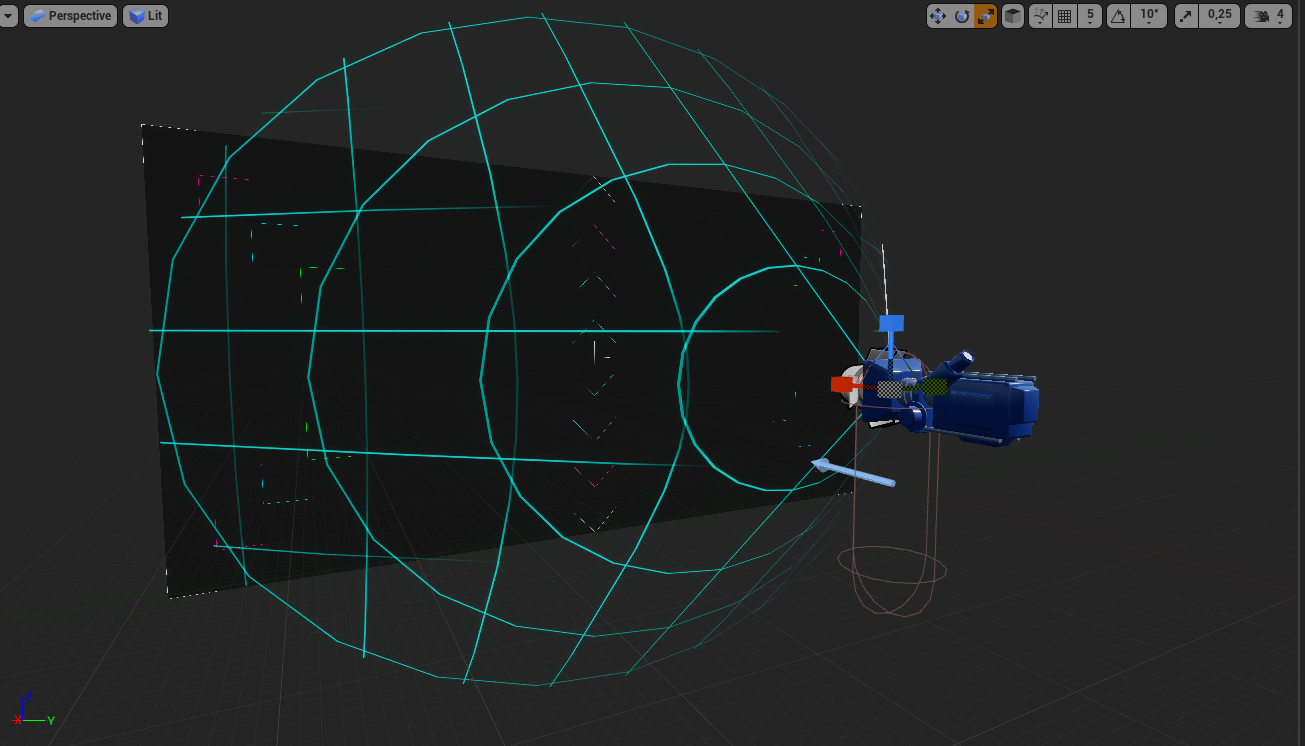
Trying to figure out the correct aspect and resolution for a VR hud. It's pretty dang hard. 😮
Especially when different HMDs have different resolutions and FOVs
And it depends on the depth at which you render the 3d widget
wheat holly
@reef lily I had to do that but for an asymmetrical game and then to be more specific the PC player UI, since you can't use widgets on the screen it self. I found a topic on the forums with someone who made some functions to get the width and height from the camera at a certain distance. It's C++ code though, not sure if you're using Blueprints. https://forums.unrealengine.com/development-discussion/vr-ar-development/1579732-how-to-measure-frustum-at-a-given-distance-from-camera
Unreal Engine Forums
Is there a way to get the bounds / frustum coordinates of a UE4 scenecap2d at a given focal distance?
I'm not seeing a way of getting either 6 vectors for the
reef lily
@wheat holly Ah nice! I'll check it out
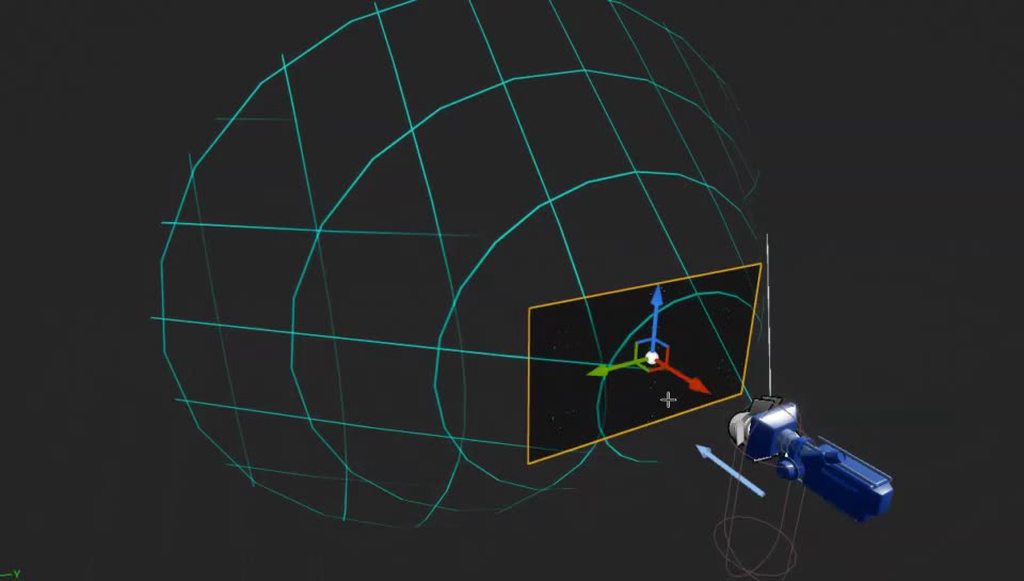 wheat holly
reef lily
https://imgur.com/jXJRSIv
wheat holly
reef lily
https://imgur.com/jXJRSIv
Glad I could help :D
reef lily
An oddity is that you'd think that you should make the HUD at 4320x2160 for the Reverb G2, as that is the official resolution
but with that aspect ratio it stretches pretty properly to the sides but leaves top and bottom
So you need to stretch the vertical by around 1.5x for it to be the correct aspect ratio
so the HUD resolution should be like 4320x3240
sly elk
Did anything change in 4.26 with touchpad inputs? we get a hard crash on vive when clicking the touchpad now
and I think it has to do with code we had before to click inputs
quiet swan
@sly elk 4.26 broke VR for me, my body for VR doesnt work anymore in 4.26 like it did in 4.25, over all I heard 4.26 is the worst update for unreal, and it doesnt look good for VR moving forward, at least thats what they said on the unreal forums
tired tree
Whoever said that is too reactionary and flat wrong
quiet swan
I dont know I asked on the forums and it didnt seem like 4.26 was that good for VR, I know it broke my set up, maybe another update will fix it, me I have to stay on 4.25, I am not happy but what can I do
sly elk
We resolved out 4.26 input issues. Overally, VR has been minimally impacted for us
the touch click actions being removed were part of the issue
 gaunt pumice
Anyone else having issues with the three dots loading screen in the oculus quest after installing an apk vom unreal?
Not sure why, but every time I have to delete some folders inside the UE project folder before packing to make it work...
reef lily
Anyone figured out a clever way to do interactive loading screens? Where the player can still look around and move about in a small area or something while a map is loading?
VRChat has one that displays tips while a map is downloading for example
viscid moat
I believe you just make a transition map
reef lily
I'm thinking level streaming should be great for this. But I'm not too keen on having the entire game in one persistent level
@viscid moat sure, but the game would stutter horribly while loading the new map on the main thread I reckon
If even playable at all
viscid moat
I mean you could technically put the player in the map they are supposed to be in, put a white box around them and fade them into it and do whatever you want in that box, then fade again when ready and hide the box.
viscid moat
If it works for you would love to see the result! GL
 wary thunderBOT
:triangular_flag_on_post: Grey flamE#2085 received strike 1. As a result, they were muted for 10 minutes.
reef lily
@viscid moat your method worked out pretty darn well! This is just a mockup of the actual implementation, everything placeholder and only fake loading with delays instead of streaming, but should work in theory!
 grand kiln
does anyone have an good tutorial on how to make a physics based ik for vr in unreal engine?
grand kiln
who?
reef lily
He's done a fair number of videos of physics based IK for Unity
But I don't know of anyone who's achieved it in UE4
grand kiln
oh )=
viscid moat
reef lily
<@!180369380658511873> your method worked out pretty darn well! This is just a m...
Awesome! I have to do this myself, so good to know thanks
Oh wow it didn’t load the gif at first that looks amazing!
reef lily
I just spawned a hollow sphere with a collision box floor at (0,0,-50000) in the BeginPlay of the new map, SetActorLocation the player there, then sublevel with all the maps assets would begin streaming, then once that's done, tp player to the PlayerStart in the map and get rid of the loading sphere.
along with some PlayerCameraManager->FadeScreen and delays
Preferably I'd like the loading sphere to be at the PlayerStart and then just dissolve once done, rather than fade to black and fade in again, but I don't yet know a way to make that happen without the map floor and other close objects poking through the sphere
sonic lake
@reef lily consider that you do not need the loading pawn to be the same as the playing pawn. You can create a dedicated one for the loading phase (without the possibility to move or collision handling for example) and then switch to the complete playing pawn once the level has loaded.
In this way there is a lot you can simplify in the process.
tame stream
i'm currently trying to use the oculus mixed reality capture. when i start my game using the command line parameter -mixedreality however, the application crashes with a fatal error. here's the log:
[2021.01.31-12.59.45:146][ 3]LogThreadingWindows: Error: Runnable thread RenderThread 3 crashed. [2021.01.31-12.59.45:146][ 3]LogWindows: Error: === Critical error: === [2021.01.31-12.59.45:146][ 3]LogWindows: Error: [2021.01.31-12.59.45:146][ 3]LogWindows: Error: Assertion failed: (GIsCriticalError || !NumMarks) [File:Runtime\Core\Public\Misc/MemStack.h] [Line: 89] [2021.01.31-12.59.45:146][ 3]LogWindows: Error: [2021.01.31-12.59.45:146][ 3]LogWindows: Error: [2021.01.31-12.59.45:146][ 3]LogWindows: Error: [2021.01.31-12.59.45:146][ 3]LogWindows: Error: [2021.01.31-12.59.45:146][ 3]LogWindows: Error: Crash in runnable thread RenderThread 3
has someone managed to run this successfully? or does someone know what i'm doing wrong...
reef lily
@sonic lake Good point. I probably want the main menu avatar to be different from the in-game avatar (like just a pair of flying hands or something). Though the main point of all this loading shenanigans is that I want the transition to be as seamless as possible (especially between game levels). So keeping the pawn then and just toggling if locomotion is allowed etc would be ideal.
sonic lake
reef lily
<@!399916238098137098> Good point. I probably want the main menu avatar to be di...
If you fade the camera to black then posses the new pawn and finally fade back the transition with be totally seamless for the user. Just something to keep in mind.
sly elk
chrome elk
Anyone have issues with VR preview being off center from what the headset is loo...
We are seeing weird stuff with the cursor being offset in desktop play modes. Might be related
sly elk
Has anyone else ever had issues getting unreal to generate steamVR input jsons with all the inputs in them? Most of them generate correctly but vive cosmos is essentially empty:
We don't have a vive cosmos and are trying to set these up kind of blind. I can't edit them in the steamVR tool without the controllers
reef lily
Anyone know if there's a place to get hold of the mesh representations for various VR controllers? Can't find the ones for the HP Reverb G1 and G2 controllers
And the plugin for Oculus VR only had static meshes for the quest controllers rather than skeletal meshes
Also can't find meshes for the Knuckles 😛
Hmm, found a lot of controllers in .obj in the SteamVR folder. They're cut up though, so like buttons and triggers are their own objs. Have to recombine them into skeletal meshes I suppose
celest basin
Still trying to move my VR pawn inside a mannequin after it ran to a teleport but UE4 just won't let me
It's really really annoying
Is there "Just effing go where I effing told you to go you effing ef" node?
sonic lake
@celest basin can you share a bit more about what you tried and what is happening instead? Do you get any error? Unreal doesn't do what I want is not enough information to try helping you out...
sonic lake
@reef lily usually you can find them in the content of the various plugins, but most of them are just static meshes. For Oculus you can find animated ones in the demo projects on their Github.
@celest basin good to hear! Yes, collisions may interfere with spawning and teleporting.
celest basin
If I want to see the navmesh in VR, is that just a command line thing?
celest basin
Cos I got it so the dude runs to teleport, when he get's there I teleport there too
But the navmesh is terrible, so there's lots of places he can't get to
sonic lake
Try with Execute Console Command "show navigation"
celest basin
that's via nose typing yah?
sonic lake
That with a Blueprint Node called Execute Console Command
celest basin
ooh 🙂
celest basin
Ok, I make video, cos it's sort of cool even if it's still pretty clunky
cos dude has ik hands too (when not moving)
sonic lake
sure, show it
celest basin
which is going to be a whole new bucket of pain to fine tune
sonic lake
You need IK with constraints to do it properly
celest basin
yah, that part is actually surprisingly easy
that'll be a trickier design issue trying to calibrate the mannequins joint positions with different players
sonic lake
I wish I knew upper body IK was so easy before we worked on a dedicated plugin for it... 😉
sonic lake
Dunno. I don't use OBS.
celest basin
Aight
This is pretty rough (it's my first time recording VR)
But you can see what I'm trying to do...
c'mon youtube
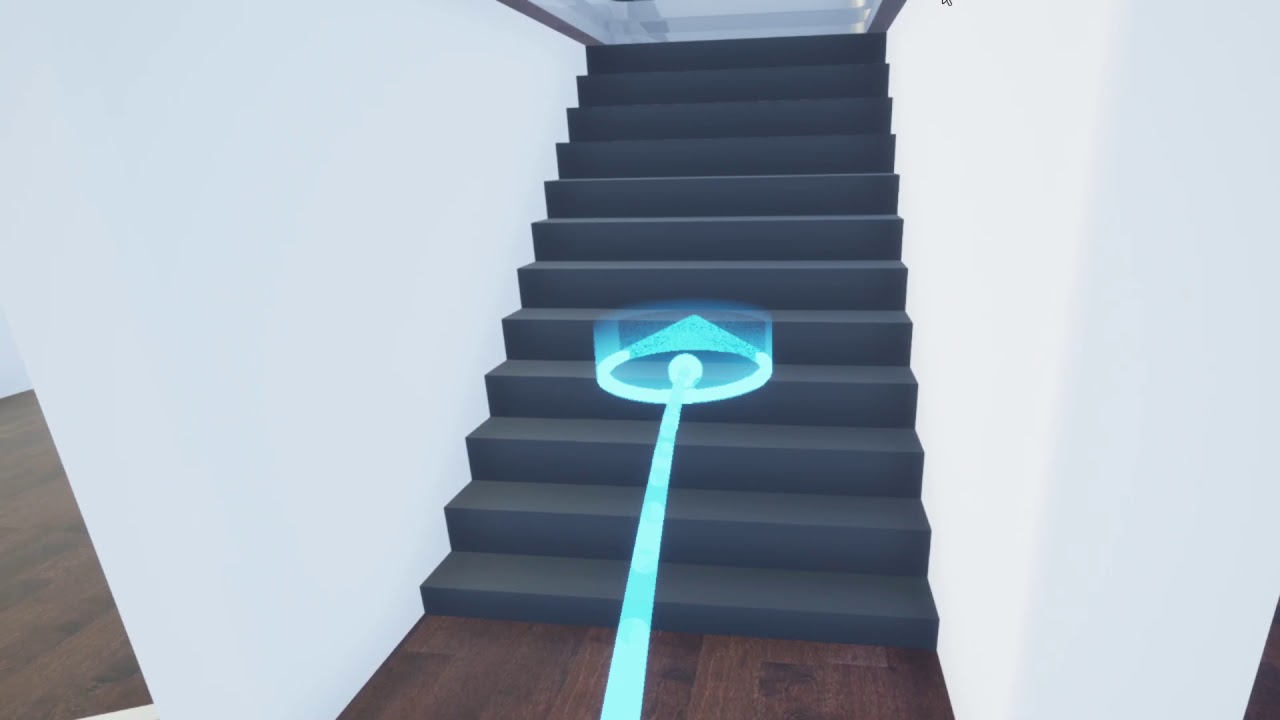
Pretty rough sorry, first VR video recording.
Need to learn to keep my head movements much smoother...
I think with a bit of tweaking it might a playable form of navigation
tired tree
@celest basin yeah I have that as an exampled movement mode, and so far no-one really has used it in their projects
VRChat uses it as their sickness reducing mode and its fairly common in there at least
celest basin
yah I can't handle sliding 🙂
But I played (way too much) skyrim in teleport mode and... well, you're basically the flash
I figure this is the best of both worlds
You'll be happy to know I finally got my head around room space VR @tired tree 😛
My brain was stuck in seated VR thinking
reef lily
Has anyone tried locomotion where it's like free movement but also teleportation? So you press the stick forward, and every, oh lets say 1-2 seconds you tp forward an appropriate amount
And if you let go of forward after holding it 1/2 sec it just teleports you 1/2 of the way
tired tree
@reef lily pavlov has something kind of like that
celest basin
hmmm interesting...
tired tree
its not the best
tired tree
in the end a lot of people are going to have more issues with disorienting blinks than not
some people actually can't handle teleporting due to it confusing their spacial recognition
"some"
reef lily
Yeah, I'm fine with sliding unless it's done poorly with lots of up and down or acceleration
celest basin
she tried to say we couldn't use any red or green cos of colorblind people
reef lily
In what kind of work?
celest basin
visualizations
reef lily
Could be a valid constraint if it's important, like government, stuff
celest basin
trick is to have multiple indicators
so you can still use red and green
as long as there's also something indicating diff (i.e icons)
<something else>
tired tree
more options is always better
though dash teleport is generally preferred over staccato blinks
celest basin
What's your opinion on snap turning in room space?
tired tree
nessecary for many
reef lily
Funnily enough something that... while it doesn't nauseate me, it really really drops the immersion factor, is edge fading
tired tree
though a lot prefer smooth, offer both, for some reason smooth turn is the only VR movement that i can't handle
reef lily
Yeah, snap turning is mandatory if you use Oculus Rift or Vive or anything with basestations
reef lily
Smooth turn is as MordenTral described in the VRE demo, barf machine 😛
reef lily
I'm trying to make sense of making good multidevice-capbale input mapping. It shouldn't be this complicated. Reading up on OpenXR right now and how it works with UE4, but still clueless as to whether it's ready for use yet and if I can use it in conjunction with SteamVR Bindings and what will happen with my Action and Axis bindings etc... so many question marks in this area.
tired tree
steamvr copied the openXR input methodology
reef lily
I just figured I'd set up my action bindings correctly and that'd make it work with multiple forms of controllers, so I don't understand the need for OpenXR and all that...
tired tree
they work hand in hand
when the engine switches to openxr fully it will "mostly" work as is
reef lily
So I don't need the OpenXR plugin then? Or does it handle more things than just the input?
tired tree
the steamvrinput module has some auto generation quirks, so a lot of the time you will need to finish mappings in the steamvr overlay, but that won't be any different in full openXR
openXR is going to be the engines default soon
and you should totally use it (when finished and stable)
bit early still though
reef lily
Just wish there was some documentation on all this outside of hour long Epic youtube videos
tired tree
well mostly right now its just putting different controller keys in actions
steamvr has such complex bindings that you just need to finalize them in overlay
can't imagine that being any different down the line, so worth getting used too
reef lily
Oh wow
"Epic will exclusively support OpenXR with Unreal Engine 5 in the official download version. The native interfaces like Oculus, SteamVR, Hololens etc. will be available for a while, but only via self-compliant versions, not in the official version. Epic explicitly recommends OpenXR as an interface."
reef lily
Always feels like I'm working with tech that is gonna be finished a month from now 😛 Same with replicated physics
Perpetually one more month
tired tree
what part of replicated physics?
its generally stable in engine for most uses
though the chaos version is better
reef lily
Well that's the thing, it feels like it's on the cusp of being 1.0. You can technically use it right now with the plugin, but there's only sparse documentation and examples and not super battle-tested yet
Same with Chaos
So you're on the bleeding edge if you use it
tired tree
chaos itself isn't ready
but engine default physics replication is functional for most uses
and recently was improved
sonic lake
Chaos is a bit a case on its own, if you think about it replacing an established physics engine is not an easy task, but eventually it will get there.
Yes, still few gaps but it is going in the right direction.
tired tree
chaos doesn't even change the core replication, its the same system, they added a sync system on top of it for easier directed movement and force syncing
also though, having fixed tick is going to help a lot
reef lily
@sonic lake Definitely. I just wish they'd focus more on those things over things like live video, keying etc. I may be wrong or biased but it feels like those features only benefit a tiny subset of users, while things like Chaos would benefit many more
Though maybe that part of the market pays more, I don't know
sonic lake
@tired tree did you also look into the NetworkPrediction plugin?
@reef lily in general the overall engine documentation may benefit from some dedication. I believe they have hired extra people to take care of it recently.
reef lily
"Oculus OpenXR" plugin. Uhm. Isn't this just the sort of thing that OpenXR is meant to combat?
sonic lake
That should be meant as the OpenXR implementation on the Oculus side.
So you can "talk" to an Oculus device using OpenXR, while internally they take care of bridging OpenXR to the Oculus API.
reef lily
Yeah that is what confuses me. I thought that you only would need to add the OpenXR plugin, and then it would have all the functions built-in to speak to devices from all manufacturers. So working in UE4 I would just have to do OpenXR->IsStickPressed() for example and it would convert that into checking that for an Oculus controller if one was active
But I'll look into it more until I understand!
I have like 10 tabs with the stuff, so the info is out there. Just have to find and compile it. 😛
sonic lake
Yes that is the case. But it is the same with other standards like Bluetooth. Internally each device works differently, but from the outside you can talk to them with a standard language.
The device manufacturer guarantees that the device "talks" OpenXR and you, as a developer, take advantage of it.
tired tree
@sonic lake yeah that is what i was talking about
also pretty sure the oculus openxr plugin is temp
sonic lake
Yes eventually any VR device specific plugin should disappear from the engine.
 spare crown
Hey guys, i'm having a problem with multiplayer spawn. I'm trying to have 2 players spawn on 2 playerstart. When i use a defaultPawn or a character everything is fine but as soon as i set my pawn to be a vr character from VR expansion plugin, my two players start to randomly spawn on the same playerStart. I guess i'm missing something. Does anyone have an idea ?
brittle crown
@spare crown have you looked at the Collab View template?
Players spawn at separate locations, I've been using it as a jumping off point for some really entry level VR stuff - that's the most help I can really provide unfortunately.
tired tree
@spare crown you didn't port the example game mode over did you?
also that may be the collision check
spare crown
@brittle crown i will look it up thanks !
@tired tree by "example game mode", do you mean the game mode from your VRPluginExample project ?
tired tree
yeah, the player controller from that selects a random player start
but if you didn't, then its spawn collision not firing off since the collision is wherever the roomscale is
spare crown
@tired tree I tried putting a second playerstart in your VRPluginExample project and spawning 2 players and they sometime spawn at the same location
spare crown
oh ok
tired tree
it checks if it should be an FPS pawn or a vr one
spawns the player, and selects a random start
its not a game so it doesn't matter in there
spare crown
So i should use the spawn collision to change the targeted playerstart ?
spare crown
tired tree
but if you didn't, then its spawn collision not firing off since the collision i...
That sounded like it was already implemented but i can't find where. Am i misunderstanding ?
tired tree
in the player controller
spare crown
i can see the random start in the player controller but no spawn collision handling and i feel like that's what you said before by saying "yeah its entirely random in there, i don't bother to check proximity".
But then i don't understand how using that player controller would help me avoiding a double spawn on a single player start which is what i understood when you said "but if you didn't, then its spawn collision not firing off since the collision is wherever the roomscale is".
tired tree
@spare crown you can literally just capsule overlap check at the start
that is what player starts do anyway, but they hard code off of the actor origination
i'll just pm you
brittle crown
Hey my main menu is taking up the whole screen when I'm using VR
The level it's sitting in is completely empty. I want to use it to enter in a Username and then enter the VR enviroment, the explanation I keep seeing is to pull the widget away from the pawn camera - but the menu still appears the same via the headset but looks normal in the viewport
brittle crown
maiden willow
are you spawning the UI attached to the VR Pawn? You may need to adjust there rather than the editor view
brittle crown
Yeah the part of the widget stays stuck
but its weird It's like fixed to the screen moving around the menu remains in place
I'm using the Collab Viewer Template as my base
maiden willow
brittle crown
Yeah the part of the widget stays stuck
It doesn't push the widget out if you change the value on the Place Component in front of VR?
brittle crown
@maiden willow Nope
 latent ferry
have any of you guys got any favourite examples of how to handle players moving their HMD through in game geometry like walls? Not sure what the best approach is?
 tribal lintel
latent ferry
have any of you guys got any favourite examples of how to handle players moving ...
tribal lintel
latent ferry
have any of you guys got any favourite examples of how to handle players moving ...
Check out some gameplay of budget cuts, and half life alyx. Half life they put sphere over the players head, and use a material to show the direction you entered the wall in. budget cuts 1 has a much simpler system, both have been great approaches, HLA is probably best, you can then press the movement/teleport stick to snap back to where you were before you entered the wall. IMO whatever you do, don't enable collision on the HMD so that putting your face into a wall pushes you back, I absolutely hate that
Also, it looks like there is no VR C++ template for 4.26, correct?
viscid moat
Yes, that is correct.
tribal lintel
viscid moat
Yes, that is correct.
Cheers!
latent ferry
@tribal lintel Cheers I like the sphere Idea but found the orange of HL Alyx a bit much. I think I'll try the head sphere with black and the exit direction prompt + a bit of fade in when you are getting close to the geometry. Thanks again, just mentioning the head sphere has put me on the right path I think.
tired tree
@tribal lintel the push back is getting to be the most common method now, and you can still darken / blur or point out the vector to get away from it with
ember pumice
What I did was
When your head is inside a wall
Theres a sphere that shows the direction you came from
If you go the opposite direction the sphere goes smaller until it just prompts you to teleport back to your location
celest basin
Aight
I've got my character dude running around in VR now, but the navmesh stuff seems really flaky
i.e. I got this corridor leading down to the bridge on my ship
all hooks up
but when I try to send my dude to points on it, sometimes he'll just run down it normal, other times (randomly) he'll try to run the other way out of the ship : /
here's the navmesh with the ship hidden:
Is this normal behaviour for navmesh? Can you tell it to take the shortest path somehow?
Also, is there a better channel I should be asking this in? I just assumed cos I'm doing it in VR
polar valve
@celest basin It's possible the navmesh is too thin in places so your ai can't reach it. Probably more relevant to the ai or blueprint channel.
celest basin
ooh, AI, didn't see that 🙂
 quick salmon
Hi all can anyone recommend VR videos or references to trigger objects when looking at them with HMD?
I’m stuck
And I need help
polar valve
Long shot but can anyone confirm if delta time works on the Pico Neo 2? Using 4.25 and it's just fixed to 13.8ms regardless of FPS. Not using framerate smoothing or fixed framerate. Does work on the Quest.
quick salmon
Nice thank you I will look into it

 obtuse spruce
edit: I am fake news
@quick salmon The VRExpansionPlugin has a component for gaze interaction, if ya don’t want to make it from scratch. It was bugged when I used it ~1yr ago, which I patched over w/ BP code — don’t know if that was ever fixed
obtuse spruce
@tired tree And just who are you to correct me on this? 😉
Must have been thinking of the Runeberg VR plugin
tired tree
@obtuse spruce the author of the VRExpansionPlugin?
oh sorry, winky face ;p
long day
 idle osprey
Does anyone with Epic 4.26.1 on Win64 have time to test something simple for me? I'm on a Mac right now. In 4.26.0, I was having trouble with the vanilla VR Blueprint template compiling. It was choking in the BP_MotionController with the SteamVR Chaperone and GetBounds. I just want to know if that basic template compiles now. Or if this is an OSX issue they introduced in the 4.26 series.
obtuse spruce
Haha, no worries m8 👌🏻
 untold knoll
reef lily
<@!180369380658511873> your method worked out pretty darn well! This is just a m...
untold knoll
reef lily
<@!180369380658511873> your method worked out pretty darn well! This is just a m...
sorry I am kinda late for this one but I have been facing thee exact same problem. I don't want to do level streaming. i am trying to understand what you did here. what exactly are you fading out? the material of the box?
 hoary talon
Anyone ever done a grab and hold onto a physics actor and have it pull you wherever its going? be it via physics or other?
quick salmon
So guys I've been testing the gaze interaction which worked for doing a rotation of an object after 5 seconds, what i'm trying to do is to display a widget after with an image, and I'm inside the VRPawn trying to delay between rotating the object and spawning the image based widget, any ideas how can I get a delay node?
The node needs to be placed where the white small comment is
if I connect the two functions, the time and the image gets displayed together
quick salmon
guys any ideas please?
polar valve
Create a custom event in your pawn and put the delay and the rest of the code there? @quick salmon
sonic lake
@quick salmon or use a timer
quick salmon
polar valve
Create a custom event in your pawn and put the delay and the rest of the code th...
so do I collapse the code and make a custom event in my event graph and connected to the collapsed function with a delay node?
quick salmon
sonic lake
<@!677969780258504714> or use a timer
set a timer between the variable and the isvalid node
?
also when i use set timer, I get many of them, do you know whats the exact name of the node? or under which category ?
polar valve
quick salmon
so do I collapse the code and make a custom event in my event graph and connecte...
yes
polar valve
sonic lake
<@!677969780258504714> or use a timer
Is there a specific reason you'd use a timer instead of a delay or is it just preference?
polar valve
quick salmon
also when i use set timer, I get many of them, do you know whats the exact name ...
I assume he means this
sonic lake
A How To Guide for Using Timers for Gameplay in Unreal Engine 4.
With a timer you have much more control of the flow. There may be cases in which the player starts and action then wants to stop it. A Delay won't allow you that. A Timer can always be reset.
Especially with gaze selection/interaction you have to give the player some time to confirm their choice. It should not be immediate.
Typically it goes like this:
- overlap detected with the gaze interaction system --> start timer
- overlap ends --> reset the timer
- timer completes --> run interaction code and reset the timer
polar valve
Right, I didn't really pay attention to the context. If you need to cancel it then it should be a timer. I personally prefer to use delays for simple scenarios when I can. For clarity
sonic lake
Agreed. Also Delay has not equivalent in C++ while Timers have, so when you try to port your BP code to C++ you have to solve that anyway.
quick salmon
sonic lake
With a timer you have much more control of the flow. There may be cases in which...
Thank you Macro I will look into the link
quick salmon
polar valve
I assume he means this
Thank you Joost I will check
polar valve
You can also use this if you don't want to use a custom event. But I'm not a big fan of manually typing in a function name.
quick salmon
polar valve
You can also use this if you don't want to use a custom event. But I'm not a big...
I tried this but didnt work 😦
polar valve
I'll show you an example
quick salmon
polar valve
I'll show you an example
Please
idle osprey
urban igloo
<@!183445035696652288> It works fine for me
Thanks. Looks like it's just OSX. 😞
polar valve
quick salmon
polar valve
The first one is inside the function and the second one is inside the eventgraph?
polar valve
yep
quick salmon
polar valve
yep
Am I doing it correctly? its not doing anything in the scene
Even this is not working
polar valve
What event are you calling?
You also shouldn't give functions and custom events the same name btw
Also I'd try to make your function names more descriptive
quick salmon
So I am trying to delay the good sign from the loading bar that executes rotation
this is the code that is responsible for you to gaze on the object, get the loading bar
I wanted to add the widget afterwards
[4:44 PM]
but they are presenting together and when they are gone they are gone together
tired tree
@sonic lake one caveat with timers is that if the trigger time is too fast when compared to framerate, it can trigger multiple times in one "frame"
I always bring that up when talking to people about timers vs tick/delay/timelines
lots of people read the fluff about tick and throw low duration timers on everything and end up screwing their logic
sonic lake
@tired tree Fair point. The max resolution of a timer is capped by Delta Time anyway. I don't think it matters in this case since I understand the time span is in the order of 2-3 seconds.
tired tree
yeah, just see a lot of newer people try and timer to 100htz or something when hitting 60 fps, then getting multiple triggers
sonic lake
that would be physics sub-stepping for the poor man (which doesn't work anyway) 😉
 keen oasis
Looking for guidance on how to use setup an Oculus in UE4 without using Touch Controllers. Struggling to find anything online that doesn't rely on them.
maiden willow
keen oasis
Looking for guidance on how to use setup an Oculus in UE4 without using Touch Co...

YouTube
urban igloo
If I use CollabViewer and include a planar reflection, it seems "owner no see" is not applied to the reflection. which means I see filckering reflection on the name plate. Anyone seen this?
I don't even want a solution. Just tell me I'm not crazy.
keen oasis
maiden willow
https://www.youtube.com/playlist?list=PLbgD2Tk2QUnkYVdDN-EMSiinyKpWXRpIR
Thanks this looks v cool and I’ll check it out in the future. For this project though I only have access to an oculus rift, one sensor, a remote and Xbox controller. Looking to purchase touch controllers soon but for now I just want to setup a camera for the headset without controllers
maiden willow
Ahh I apoloize I assumed when you said no Touch Controllers that you were talking about hand tracking. You should be able to map the Xbox controller just as you would any other project though.
 long citrus
Can I have more than one actionset in steamvr input plugin ? I know I can add more by editing manifest but it doesn't seems to be handled by plugin.
tired tree
@long citrus no it doesn't support multiple action sets or switching between them
ember pumice
I'm developing for the oculus quest and I've enabled forward rendering
And so I have mobile hdr disabled.
Is there a way I can have post process materials using forward rendering?
Because they aren't working
 covert ferry
Hi guys,
I want to record some mixed reality footage of my app.
Is this something I have to enable in unreal engine ?
If so, how ?
keen oasis
maiden willow
Ahh I apoloize I assumed when you said no Touch Controllers that you were talkin...
No worries! Ok I’ll keep searching around thanks!
 hushed nova
Hey, does DrawDebugString not work properly in VR? It always displays the message some place other than what I specified and with the wrong duration
 upbeat marsh
Hi all,
Anyone knows how can I switch between hand and controller meshes?
The auto switch for quest hands/touch controllers works great, but the controllers are empty (don't get the mesh that the oculus hands do).
How can I make the meshes appear on the controllers as well?
upbeat marsh
ember pumice
And so I have mobile hdr disabled.
Is there a way I can have post process materi...
@ember pumice
PP doesn't have work in Forward, as most.
There's a good table with detailed info: "Supported Rendering Features | Unreal Engine Documentation" https://docs.unrealengine.com/en-US/RenderingAndGraphics/SupportedRenderingFeatures/index.html
Detailing which rendering features are supported on which platforms.
long citrus
tired tree
<@!123544355393896449> no it doesn't support multiple action sets or switching b...
That's very sad and annoying. Thanks for answer.
reef lily
untold knoll
sorry I am kinda late for this one but I have been facing thee exact same proble...
Sorry for being late too, I never saw a mention! :S
I am in fact using level streaming, but it's not a persistent level from the main menu to the game map. I have each game map be a completely empty persistent game map, apart from the loading box/sphere far below 0 on the z axis. That map will load instantly from the main menu with a normal Open command. Then while the player is in the box I stream in the sub level for the map with all the content. Once that's done I tp him to the normal start position for the map.
As for the fades, I simply use GetPlayerCameraManager->StartCameraFade
reef lily
@tired tree I'm still trying to figure out the right way to set up input mappings that will be future proof with OpenXR (or at least easily portable), and I'm looking through your VR Expansion Plugin, but there's so many things that are commented out or in a TODO state, and I know this field is evolving so fast right now that things from just a few months ago can be terribly outdated, so I was wondering if you think it's still a good idea to use your plugin example as a guide for how to set up the input or if there's any better way now?
I still can't find a good definitive guide for how input should be set up for the OpenXR plugin
The Oculus Connect talks etc I saw regarding it and UE are outdated and have a now non-existing preferences submenu and use actionbindings "that/look/like/this", which I think now is something they are trying to move away from?
tired tree
@reef lily I don't handle input anymore really since the engine ported to the openXR methodology, you should be pretty safe in just using the engine itself as of 4.25+. I originally handled custom per controller mapping to prep people for OpenXR but now that the engine has per controller bindings I commented that code out (left for reference for now).
I assume that is what you meant for the commented out code, there isn't much commented in the plugin otherwise.
I still have some controller realignment code in there, but when OpenXR is standard, they use a palm origination for the default tracking that should be controller agnostic, so that won't be required anymore.
viscid moat
Oh god I really hope they do that. I’m tired of having custom offsets.
brittle crown
So I'm trying to set up an audio capture component that responds to vive trigger inputs, the trigger input actions I have on my Pawn work - but my audio capture BP doesn't seem to recognize them. If I set audio capture to start and stop using the spacebar its fine though.
tired tree
@viscid moat its already done when running openXR
everyone is going to have to refactor their hand setups
ember pumice
Are you saying if I map the inputs to my own controller xr will handle remapping inputs to every other controller?
tired tree
you need to put the seperate buttons down for each controller
and for steamvr at least, some effort is going to have to be made cleaning up the auto bindings due to the complexity of options
viscid moat
When is it expected that OpenXR will be full released for UE4 to start doing such updates? I heard it's still not quite ready.
 opal compass
How do I get openXR working in my project?
I got it booted up and it is rendering my sight onto the screen
but not into the HMD
tribal lintel
Sorry for the ping, but my searches in this discord brought me here. If you were offering to share your C++ code, I would really love to see your implementation for reference, as I am currently in this same boat, and had a little different approach but yours makes much more sense. If not no worrries. Cheers!
nimble edge
opal compass
I got it booted up and it is rendering my sight onto the screen
I have the same issue. When using OpenXR the spectator screen pulls up but the HMD stays black. I'd love to know how to get this working.
tired tree
with oculus right? they should have fixed that in 4.26.1
sudden lotus
In 4.25 are you unable to pick a an object that you dropped if it has a scene component as it’s root component?
ember pumice
Hello, I need some advice.
- I have an Oculus Quest and I've been fiddling around developing as a hobby for some time.
- I have just got a job as a VR developer/programmer and I'm looking to buy myself a budget friendly/mid tier headset that won't need all the hassle the oculus quest needs.
I've been looking at the HTC Vive and the Oculus Rift S, which seems to have a reasonable price.
What do you guys think?
polar valve
Rift S is alright but it's pretty annoying if you have to take it off and put it on often (which is the case when you're developing for VR). I'd consider a Quest 2.
Don't really see any reason to buy a Vive anymore.
sonic lake
@ember pumice you can use the Quest with Oculus Link, basically it acts like the Rift S (which is being discontinued btw)
ember pumice
My oculus quest always has connection problems, I guess that's special to my device?
Also I would rather have something with less screen door effect
short laurel
ember pumice
My oculus quest always has connection problems, I guess that's special to my dev...
Ive got a Quest 2 and Valve Index... Both are pretty awesome. Quest 2 works great - untethered is really sweet. I am really impressed with some of the native titles. The Wireless Virtual Desktop works well too. That being said, for PC VR gaming I still prefer the Index. It has higher refresh rate and is more comfortable. The Knuckles are amazing. Overall, both work great for UE development. Quest 2 is definitely the better value for your money.
ember pumice
I want to get the index once I have the spare money haha
Thanks everyone for the help
 cosmic shoal
the quest2 has almost no screendoor
What I like about the vive is the robustness of it all, playspace is hardly ever lost, the tracking still the best and they seem less fragile
ember pumice
I realized I can't find any vive with a good price though
covert ferry
Has anyone here set their project up for mixed reality capture before that can advise me on how I should do it ?
 winged ridge
Hi I’m new to development. Anyways my Entitlement passes but guardian isn’t showing as configured in unreal engine. I’m using an oculus quest 2 with link and have configured my guardian in the app but nothing seems to be working. Any ideas?
Essentially I want the quest 2 to act like a rift via link cable but can’t seem to get it working with guardian configuration
nimble edge
ember pumice
Hello, I need some advice.
- I have an Oculus Quest and I've been fiddling aroun...
I love developing with my Rift S. I removed the entire Halo band so it's easy to simply hold it up to my face with one hand.
The Reverb G2 is a good headset. The resolution is best I've used, but the facial interface is a little too small/tight for my glasses.
The Index is my go-to for actual use, still. The frame rate and wide FOV do a lot for my comfort.
ember pumice
Haha I do that too but I haven't took out the strap
Does the rift s have any advantage over the quest 2?
nimble edge
I haven't used the Quest 2, I've moved away from FB products.
But the idea of a little USB C connector seems like a failure point.
 frail hemlock
Anyone here with ARKit experience? I'm having issues with how the SetAlignmentDeltaTransform works and could use some help understanding it.
 marble junco
After painstakingly porting an AR Project line by line from 4.22 to 4.26 because it didn't start up in 4.26 (it actually did, but defaulted to a black screen and an error "GetAndOrCreateGraphicsPipelineState RenderTarget check failed with: 185") and after some 40h of work I was left with the conclusion that it wasn't actually a problem with my code, but rather with the Pawn used. Well okay.. Time wasted.. But what I don't get is.. why? They are the same. Every single setting and component are identical, they use the same Pawn class as parent class, they are placed in the same plugin folder, yet my Pawn from 4.22 does not work while a newly (in 4.26) created pawn does work. Does anyone have any idea on what happend here so I don't run into this kind of thing again?
tribal lintel
I'm having trouble finding if unreal supports Vive Cosmos controllers. the cosmos controller has a joystick instead of a trackpad, but in the input there is only options for trackpad under the vive category. I have a different headset so I can't test this, does anyone with a cosmos know if the vive trackpad binding will work with the cosmos joystick?
proper anvil
hey, how's it going guys?
I keep getting d3d errors using my Oculus headset, even if I disconnect my 2nd monitor. I remember there is a cvar or a config file setting, which I can use to give more time for the GPU to respond, to prevent crashes, but I don't remember the name of it.
Tried setting rhi to dx11, and followed steps from here too. https://docs.unrealengine.com/en-US/SharingAndReleasing/XRDevelopment/VR/DevelopVR/ContentSetup/index.html
Information about developing for VR.
 humble spoke
Are there any easy solutions for Locomotion + Roomscale? Basically I want the functionality of a "Character" class, but when you do this, your can move around in real life which naturally brings you outside the capsule making it's collision useless.
reef lily
@humble spoke Not that I'm aware of. That kind of problem/exploit is something that a lot of VR games have, and just something that you have to decide how to best tackle for your game
If it's a singleplayer game, who cares, really. Let the users exploit if they want to
Or you can fade the view if they poke their head through a wall etc
Or shove them back in worst case, but that can cause nausea
wheat holly
Tons of games have that fixed on a horizontal level though.
As in, when you collide with a wall you get indeed for example pushed back.
reef lily
HL: Alyx doesn't ever shove you unless you move the thumbstick
You can walk right through walls otherwise
wheat holly
However you are definitely going to need to be creative when it comes down to height, some games snap you into a certain height. Others try to do all kind of crazy stuff to get you back, Budget Cuts for example changes your vision with all kind of different colours on different objects, which indicates you should not stick your head through the roof xD
reef lily
If it's roomscale, I think the height is not an issue. It will always reset to the users real height (if it's configured correctly in the Oculus/Steam software)