#virtual-reality
1 messages · Page 233 of 1
 tropic kestrel
 dire lion
Any Mac users here? Is it possible to Play using Oculus Link instead of having to compile each time?
 maiden willow
I could be wrong but I've heard you have to dual boot into Windows
 knotty igloo
Looks like an issue with UX Tools, perhaps file an issue on the GitHub repo? https://github.com/microsoft/MixedReality-UXTools-Unreal

GitHub
UX tools and components for developing Mixed Reality applications in UE4. - microsoft/MixedReality-UXTools-Unreal
tropic kestrel
tropic kestrel
Hmmm, I'm having troubles launching to Quest 2 on 4.26, Anybody know what proble...
Welp, the issue was with the "OculusOpenXR" plugin, I guess it has something that causes funkiness with stock OpenXR
Goodbye 4 hours of my life
 idle osprey
dire lion
Any Mac users here? Is it possible to Play using Oculus Link instead of having t...
idle osprey
dire lion
Any Mac users here? Is it possible to Play using Oculus Link instead of having t...
I'm a Mac User. Yes, for VR Preview, you need to use Boot camp.
dire lion
@idle osprey thanks! so sad to see it go with the introduction of M1
idle osprey
Yep...tho I am told it works with Parallels.
I cannot vouch for that, tho. I bought a new PC laptop. :(
dire lion
@idle osprey unfortunately windows for ARM has a different license agreement that prohibits it
so unless they change the license its not going to happen (legally)
 shadow radish
has anyone had issues where the rotation of the teleport controllers (and subsequently hands) changes between running in oculus and steamVR?
I am finding that on steamVR the rotation of my controllers is all screwed up, but on oculus it is fine
can't seem to find the cause
 willow trail
Hey all, I got some animation sequences I made for the right hand on the default SteamVR hands, and I'd like to create a mirrored version targeting the left hand model. In the default project both hands are completely separate, with different animation sequences and all.
Is there a straightforward way to do this, without having to manually create each pose (and future ones) for each hand individually? https://puu.sh/GWt1S/2dac4f1de0.png

(I don't know how much that screenshot really helps, but I'm trying to mirror over the two animation sequences (static poses, really) pointed to by the green arrows)
 sonic lake
@willow trail not sure it is possible within the editor to take an animation made for a skeleton and apply it to a mirrored skeleton. You can try to retarget it from right to left, but very likely it won't work. In the standard VR template the left hand is just visually mirrored, but the skeleton and animations are still those of the right hand.
You probably need to implement the workflow in your DCC tool of choice.
willow trail
@sonic lake Hmm, yeah sorry I'm using the SteamVR template, not the default VR template, guess they do things differently
Can't afford to lose too much more time on this, guess I'll go and manually repose 😕 I can't imagine just using the retargeting tool would work
sonic lake
Yep, you would probably end up with a left hand with the fingers curling in the wrong direction.
 short laurel
@willow trail There are some mirror plugins on marketplace like https://www.unrealengine.com/marketplace/en-US/product/mirror-animation-system or https://www.unrealengine.com/marketplace/en-US/product/rmamirroranimation

Unreal Engine
Mirror character animations using this plugin

Unreal Engine
RMAMirrorAnimation offers an easy way to mirror animations without coding.
 steady sparrow
Hi there, I have some issues with the launch of "Play in VR".
I have the plugin oculusVR and SteamVR activated in my project (I would like to propose the two api on steam in order to be able to satisfy a maximum of users and possibly add the live HTC one in the future).
Is there a control console allowing me to choose on which SDK I want to launch my game? Or an option can be chosen as long as it works.
If i disable OculusVR in runs on Steam then, but it's the only way I've found. I don't think it's the right way ...
steady sparrow
This answer from two years ago seems to be close to what I am looking for, however it has no effect when I am in the editor. I would like to test both api in my tests.
Thank you in advance for your answers !
 sturdy coral
@steady sparrow did you launch the editor itself with that option, or just try to put it on pie launch parameters?
steady sparrow
On pie launch parameters. But i notice some time after that it concerns only standalone game.
I will try to launch the editor itself with that option to see how it works
If i launch editor with hmd=steamVR, then VR preview will be steamvr ?
 tardy thorn
Hello
Just joining and been thinking about trying this out. I have a friend that's wrote a book and working on another, so I thought of possibly trying to put it into a game as an RPG. I havent played with Unreal in a long time. Any tips?
steady sparrow
@tardy thorn I would personally recommend you not to start by starting a VR project. I begin mine more then two years ago and we are two engeneer
It's my first video game and there are already enough complications to add to it with virtual reality. Try to make a simple and not too long project to start with (why not a very simple platformer ?) and already meet all the difficulties you'll face on this little project from creation to packaging and then decide whether or not to go for it.
I started without having enough knowledge at the beginning with no idea that RV would slow me down, that multiplayer would slow me down and that physics with networking is even more difficult.
So now I'm paying the price.
Don't make the same mistake.
tardy thorn
@steady sparrow thank you for the insight on that. I know it's not going to be easy, but I also wanted something that had more of a polish, but I understand. So my first task is to understand and develop my skills in organizing my assets, packages, and other backside of the project more than jumping into the whole story side of things
steady sparrow
@sturdy coral Btw is there a newer version of Steam VR plugin ? I have the same since 2 Y and don't find any information about downloading a new one 😮
tardy thorn
@steady sparrow of you need a tester, I'm a good critic lol
The only real issue I have in the side of the VR is just the damn adb crap
steady sparrow
@tardy thorn What I want to say above all is that learning everything at the same time will be very time-consuming.
UE4 / 3D modelling (if you have to) / Texturing / Skletal Mesh animation / Programming / VR
It's a lot of information to find and assimilate. And I warn you right away, there is documentation, but it will often be incomplete and you will have to search by yourself on the forums or for example on this discord (Something I still don't have a good knowledge i think... ).
adb is for android ?
tardy thorn
@steady sparrow almost everything I've been trying to learn over the past 2 years the document always seems to leave stuff out LOL. well I don't plan on designing everything from scratch I know for a fact he will probably be dumping some money in to help with other assets he's already been talking to a few software engineers. I'm a truck driver and a full-time college student and just try to find something to learn to keep my mind going and so I figured I'd give this a try since I have been learning a few different languages and linux, I didn't have any real goals or projects to focus on until he brought up his book. So now I have something to put my mind into
steady sparrow
It's a nice project in itself. And I think that video game programming is really the programming I like.
But it's hard, it's a reality for me.
Maybe for others it's easier, but personally with late planning and stress I don't always sleep very well.
That's why I advise you to try to test your skills in a small project before embarking on a long term commitment.
But you should listen to the opinions of others if they respond to you. Like I said I'm only two years ahead of you, there are guys here who have 15 years of experience there I guess.
 proven epoch
Im using Oculus Hand (R) Index Pinch in input project settings
and it doesnt fire once I pinch
does anyone know why it might be?
 solar schooner
anyone happen to know where i can get some good vr hands? 😄
 ember forum
im used to developing with Oculus VR and recently decided to support Steam VR... is it just me or does steam VR have all these extra annoying steps like setting up the inputs on the steam vr developer settings? Do these settings then get past onto other users or do I need to export these settings and have them import it?
proven epoch
Have anyone here experienced the open level reopening current level on android devices? On PC it opens the correct one
 cobalt jackal
Hello, i m begginer in unreal, but i've worked so many years in Blender, and i m looking for someone who can help me to develop VR and AR project, and see how much "photorealism" is possible to achieve. i'm focus on product design and archviz so i need something very good
 arctic saddle
Is the Positional Tracking function for headsets that are inside out tracking?
tardy thorn
I would say so just the other day my Oculus running away from me and I was standing still
 real needle
Hello there, iam developing an app for the oculus quest. Since some time a have a problem running my app on the device, after a very long loading period the screen just stays black. Since i did a lot of changes iam struggling to find the error source. Is there some kind of log on the device that might help to localize the error ? Today it compiled roughly 9000 shaders, maybe some shaders cause the problems. Any advise is appreciated, thx in advance!
 supple lotus
Hi!
I hope someone can help us out here. We are testing out the AR stuff on iPhones and iPad, and world tracking runs perfectly fine. However we are running into a "slight" issue with Image Tracking.
When using World Tracking, we place an object on a tracked plane, and we can move around just fine. However, if we use Image Tracking, the object is spawned on the image, but appears "stuck" to the camera. Even though we can see the tracked image visualisation in the correct position and scale as we move around, the object is stuck to the camera, not the tracked image.
A post mentioned to add a gamemode and pawn to the level, we did that but no changes at all.
Trying to modify the original AR example template.
Quick vid to show the issue
 granite idol
When using Widget Interaction, sometimes it works with the button, sometimes it doesn't. What gives man....When I first load in fresh, it works, I can interact with my main menu no sweat. I choose a level, del my char, load in, spawn char. Once Im in the level I click button, spawn BP with Widget Component. I try to interact with it and nothing. Bloody nothing unless I button spam...sometimes
Any tips?
The only thing I can think of it's a bad pointer somewhere and destroying a old pawn and spawning a new one mucked with it
OR is there a widget visibility setting im fucking up on?
granite idol
For anyone wondering, I fixed it by switching from OnClicked to OnPressed. Stupid but there it is
ember forum
I have an issue with SteamVR input where an index controller will show up and work in game, but wont show up or work in a packaged build
wondering what is amiss
 wind yacht
Ok so ever since upgrading my 4.23 AR project to 4.26, I am curios as to what material to use for the pass through camera. I see there is a new component for updating the pass through, which I have on my player pawn, but don't have a clue on what exactly to do
Also, I am now getting a ton of slowdown only when running AR that was never there originally
(note my project uses a modified version of the AR template)
wind yacht
I realized that the template project also runs at a lower framerate, so it dosn't seem like its a problem only on my end.
 rustic cargo
proven epoch
Have anyone here experienced the open level reopening current level on android d...
rustic cargo
proven epoch
Have anyone here experienced the open level reopening current level on android d...
try specifying maps that you want to package (it's in an 'advanced settings' dropdown in packaging settings)
 atomic mirage
hello! having some issues getting instanced static mesh component to work in both eyes on the HoloLens2. I think it would also apply to anything that has two eyes or an HMD. Some of my meshes will work in both eyes but most of them are spawning and then only work with only one eye. I have seen a few posts about this and have tried disabling the Instanced Stereo in Project Settings but that didn't seem to do anything. Any help would be greatly appreciated. thanks!
 urban ruin
https://www.youtube.com/watch?v=SWWjvbdH01I
Hi everyone, may I ask have anyone actually tried to create similar game mechanic like the shrinking vision in gameplay when user head moves abruptly.
Gameplay for Ubisoft's Eagle Flight on the Oculus Rift. Such a beautiful relaxing game! Be sure to pick this one up!
EAGLE FLIGHT - VR Gameplay - Oculus Rift (Beautiful Game)
Patreons:
BringerOfDarkness: https://www.youtube.com/channel/UCy9UeAYYvvGd8DYD5gNrNmg
Shuda7: https://www.youtube.com/user/Shuda7
-~--~-~~-~-
Please watch: "Hitman 2...
 bitter perch
Hi everybody! Does somebody knows why my Post Process materials are visible only in my right eye? Any fix? Thank you
---- 4.26 / Vive / 1080ti --
tropic kestrel
Hey, anybody know why I would get "Game keeps Stopping" crash on Quest 2 and how to debug it?
sonic lake
@tropic kestrel you need to collect the log files from the device and see what is causing it.
 royal plume
Does anyone know of a way to get the HMD orientation and position directly (not just having a camera tied to the hmd and using get transform)?
and possibly how to set a camera to only be tied to rotation and not position or vice versa?
 magic bridge
wind yacht
Ok so ever since upgrading my 4.23 AR project to 4.26, I am curios as to what ma...
magic bridge
wind yacht
Ok so ever since upgrading my 4.23 AR project to 4.26, I am curios as to what ma...
I would like to know this too
sonic lake
@royal plume https://docs.unrealengine.com/en-US/BlueprintAPI/Input/HeadMountedDisplay/GetOrientationandPosition/index.html
Get Orientation and Position
You can unlock the camera from the HMD and handle it manually. By doing so you lose the low latency updates though.
royal plume
sonic lake
<@!274224838472761344> https://docs.unrealengine.com/en-US/BlueprintAPI/Input/He...
Thanks!
wind yacht
@magic bridge It's rough to get going on AR with 4.26 since there's near no to zero documentation on a majority of items to get it going. I think I got my project up to where it needed to be mostly by looking outside the docs 😦
magic bridge
yeah it's most unfortunate 😦
tropic kestrel
sonic lake
<@!135008082466963456> you need to collect the log files from the device and see...
will give that a go, tah
wind yacht
I submitted a big report regarding the slowdown in AR for 4.26
bitter perch
Edit: Post-Process works as intended on 4.25, only one eye on 4.26 so might be a 4.26 bug
 urban igloo
Anyone tried out Raytracing + VR? My small bathroom scene has 17ms being used by RTX reflections. Just wondering what others are experiencing.
royal plume
Does anyone have any advice on how to create a system that checks for certain motion controller gestures like swinging arms back and forth to trigger an event? My initial thought is to use colliders and checking to see if they're being triggered in the correct order for the event
urban igloo
@royal plume Save yourself the effort and look for one of plugins/marketplace assets.
royal plume
urban igloo
<@!274224838472761344> Save yourself the effort and look for one of plugins/mark...
Honestly, this is probably the right answer lol, thank you
urban igloo
@royal plume It's tempting, but we don't need to reinvent the wheel. I haven't actually tried any gestures in VR, so you might end up having to do it yourself anyway.
royal plume
yeah, after doing some searching I can see some plugins that would do what I would want from the looks of it
 tired tree
really depends on what you are trying to do with the motion, locomotion threshold or just checking actual gestures, but its conceptually fairly easy for one, and harder for the other
@royal plume
royal plume
tired tree
really depends on what you are trying to do with the motion, locomotion threshol...
I'm trying to get a character to enter a sprint when they start swinging their arms in a running motion, how would you tackle that?
tired tree
@royal plume sample the velocity over time and low pass filter / average it on Z axis generally
set a threshold where it starts to take effect
royal plume
so this approach checks against a velocity pattern instead of a positional one?
tired tree
@royal plume velocity over time lets you get the ramping motion, also lets you scale speed by the movement
 barren snow
Hello all, I replaced the bsp I was using as the ground by a mesh of 400 by 400, and I modified the material (Ground Grass starter content) to have a consistent scale. In the editor it's ok, in vulkan preview too, but when I launch or package on android (oculus quest to be precise) using ES3 or vulkan, it's completely pixelated. I'm out of ideas, what do you think of this ?
 pure depot
Has anyone here had issues opening a packaged build on 4.25 for quest?
 viscid aurora
hi everyone ,
i am packaging my game from unreal to android ASTC and the problem is colors looks different in quest then in unreal
does anyone have any idea about that please help
thanks
and this one is in quest2
 wary coral
Maybe the mobile tonemapper might be doing something different that you're not seeing in editor? There's also some slight image changes going from DX to Android ES2, but you can preview that in editor https://docs.unrealengine.com/en-US/SharingAndReleasing/Mobile/Previewer/index.html

Previewing your games inside the UE4 Editor is based on the selected Mobile Platforms.
 modest cliff
@wind yacht I can help you with the passthrough setup if you're still having issues
 candid viper
@viscid aurora Quest and Quest 2 by default run in a different colour space which over saturates. There is an Oculus function SetClientColorDesc - if you set rec709 that is very close to sRGB and things will about match. IIRC Oculus have exposed it to BP in last couple of plugin releases but you'll likely still need to use the Oculus UE4 version.
wind yacht
@modest cliff That'd be awesome! Any input would be great.
modest cliff
@wind yacht Could you elaborate a little bit more on what solution you previously used? As far as I'm aware there are two different ways to go about occlusion in 4.26 and depending on your previous solution one or the other would be better suited.
I was trying to use the new component at first, but realized that it's dependent on the device supporting it. On the Google AR Core side of things you would need to check which devices support the depth API. But since this decreases the possible target devices drastically I instead used the new occlusion materials directly (as a material on my meshes) instead of said component.
You can find them (depending on the platform) in the Plugins folder (make sure you have show engine & plugin content enabled) called "AppleARKit Content" or "ARUtilities Content" respectively
For Android I used "MI_ScreenSpacePassthroughCameraExternalTexture" and made sure "bUseExternalTexture" is set to true.
Then make sure you properly update said "External Texture" with a setup like this. Where the new "GetARTexture" node did the trick.
You would only need the last to nodes to be run in Tick
Yeah that's about it. Hope that helps 👍
wind yacht
Awesome this is exactly the info I needed.
I was originally using the now depreciated passthrough material for arcore
I'm wondering, are you getting any slowdown in your AR project(s) with 4.26?
My projects (even the base AR template) are receiving huge frame drops
modest cliff
I didn't notice that specifically (tested on Samsung Tab S4, Huawei P20 Pro and a Xiaomi Poccophone F1)
wind yacht
I'm running on a Galaxy S10
modest cliff
Maybe there is a setting somewhere related to mobile graphics which is now different by default (I was building with 4.26 Preview 5 or 6) the last time
Hm, I don't see anything too funky
What SDK version have you been using?
wind yacht
Let me check
I am using 29. I'll update to 30 and see if that fixes things
Also, for the material you posted, are your nodes running in one single blueprint, level blueprint, or pawn? or is it multiple BPs that are using the texture (which I doubt but wanted to check)?
Thx for the help btw
 rigid bear
I am currently running into an issue where the "vive press trackpad left" and "vive press trackpad right" action event bindings get triggered by pressing anywhere on the trackpad(not just in the designated area). is this a bug with ue 4.25?
modest cliff
wind yacht
Also, for the material you posted, are your nodes running in one single blueprin...
This needs to run on each actor
But it depends on your setup actually. I only have one large mesh which is used for occlusion. But if you assign the same material to several meshes you just need to update that specific material.
Which you would actually do thinking about it ^^
Ah and I was on SDK 29 as well btw
wind yacht
I have multiple BPs that use the same passthrough, so I was thinking I could have only my player pawn update it on tick
modest cliff
That should work yes
wind yacht
I'm going to run a SDK 30 build and see if it fixes performance. I am going to guess it is something with rendering since I'm getting shading I never originally had on my meshes
wind yacht
I don't know what to fix for that though. I have a regular directional light, but should I be using an AR directional light instead?
modest cliff
I was using a regular one, but used the AR Sky Light
wind yacht
or i mean AR skylight
ok, I'll see if that fixes things
thx again, this is the most help I've had/found on 4.26 AR information
modest cliff
No problem my dude...I know how hard it can be to get useful information about AR development in UE
wind yacht
Yeah, I have a year long AR project I am trying to wrap up and UE4 AR info is abysmal
It's weird to say Hololens 2 seems to get better support than standard AR lol
modest cliff
wind yacht
It's weird to say Hololens 2 seems to get better support than standard AR lol
That's kinda true lol...but I would assume that in both cases the number of people actually working with it for some more advanced projects is minimal
wind yacht
Yeah I hold nothing against them, it's just hard to scrap for info when needed
I am very thankful it even is a thing in the engine
This is the project BTW if any interest is there: https://www.interactiveinitiative.org/tropi

Interactive Initiative
Tropi is an artists focused augmented reality mobile phone application showcasing local Florida artists' works at site-specific locations across South Florida. Our project allows us to fabricate artists' work into digital three-dimensional virtual pieces in real-world spaces with thoughtful consider
modest cliff
Thanks for sharing looks cool : )
wind yacht
I'm throwing your name in the special thanks credits since I think you've helped in the pas as well
modest cliff
Thank you very much appreciated
wind yacht
So the passthrough still isn't working :/
Circle is where passthrough should be
Made a lot of changes and still getting slowdown
Getting weird shadows that the meshes seem to be casting shadows on themselves
 nimble edge
With a worldpsace UMG widget (in a widget component on an actor) - I know about "sending pointer/key" info to the widget using a Widget Interaction component. But is there a simple way to maintain keyboard functionality? Like, set focus with the interaction widget and then let a physical/real keyboard type away like normal? Or am I going to have to rebuild text input basically from scratch?
Uh ... nevermind. just figured it out
 viscid moat
What was your solution? @nimble edge
nimble edge
I set up an event that when I "click" on the widget with the interaction component, it fires an event in widget blueprint that sets keyboard focus to the editable text field.
might not be working how I'd hoped...
 quiet swan
has anyone here ever had issues where if you walk up a slope the camera will tilt as you move upwards and not smooth?
 mighty carbon
so, was there any mention of VR in the Epic's stream today? I don't think I heard a word :/
rigid bear
I am currently running into an issue where the "vive press trackpad left" and "vive press trackpad right" action event bindings get triggered by pressing anywhere on the trackpad(not just in the designated area). is this a bug with ue 4.25?
 burnt quail
Has anyone ever developed HTC's vivefocus plus ?I have a question.How to control character movement is not teleportation ? 😫
 opaque gorge
This probably won't get answered but if anybody knows of a good tutorial on how to set up enemy AI. Before anyone ask yes I have looked at many tutorials and I'm at my breaking point right now. I keep running into the same bloody issue.
 iron pine
opaque gorge
This probably won't get answered but if anybody knows of a good tutorial on how ...
iron pine
opaque gorge
This probably won't get answered but if anybody knows of a good tutorial on how ...
What issue are you running in
 blissful bear
barren snow
Hello all, I replaced the bsp I was using as the ground by a mesh of 400 by 400,...
blissful bear
barren snow
Hello all, I replaced the bsp I was using as the ground by a mesh of 400 by 400,...
I get the same point-sampled texture effect on Quest 2 using ES2. I've played with texture filter modes to no avail. I'm using 4.22 and one of the reasons I had to upgrade to current version of UE was the fixing of this issue. Guess I'm out of luck...
I'll try the Oculus build of 4.26 when they fix it. Probably .3 or .4 who knows? I skipped 4.25 because of issues
 rich canopy
opaque gorge
This probably won't get answered but if anybody knows of a good tutorial on how ...
rich canopy
opaque gorge
This probably won't get answered but if anybody knows of a good tutorial on how ...
Yea enemy AI isn’t a Vr thing I think
barren snow
blissful bear
I'll try the Oculus build of 4.26 when they fix it. Probably .3 or .4 who knows?...
Thank you @blissful bear . I'm currently on 4.25. It seems using customised UV is the right way for mobile platform and will fix the issue, but I can't make it work yet, material just won't scale...🙄
blissful bear
Good luck @barren snow. If I find anything useful on this I'll post here.
barren snow
blissful bear
Good luck <@!207190573424050176>. If I find anything useful on this I'll post he...
By the way, the article for customUV : https://answers.unrealengine.com/questions/123709/mobile-material-texture-resolution-problem.html
blissful bear
I don't think this is the issue, at least in my case (I've been wrong before though!)
The problem is that the texture filter mode seems to be forced to point-sample rather than bilinear/trilinear interpolation. Hmmm...
barren snow
blissful bear
I don't think this is the issue, at least in my case (I've been wrong before tho...
wtf.. An issue has been reported on this ?
 empty fog
First big bug on 4.26 of AR mobile. The fps are fixed at 30. The same application on 4.25 is at 60 fps. It seems to be related to the activation of the camera. Has anyone been in the same situation?
blissful bear
barren snow
wtf.. An issue has been reported on this ?
I've yet to try 4.26, I'm waiting for the point release. I'd be very surprised if this has gone unnoticed until now, so it's probably something to do with our projects somehow.
 neon geyser
Hi guys, small question, in UE when you use VR preview instead of Launch, is it the computer that runs the computation?
I'd like to know if I can trust the framerates displayed when using "VR preview", as I want to know the performance on Quest2
I suppose that it's the computer who runs the game as there is no building process like when you use "Launch". Do there is a way to limit the performance to imitate the Quest2 if so?
 rose current
Yes, the computer is doing the calculations
@neon geyser I guess you intend to deploy your app as a standalone app to Quest2?
neon geyser
No, I'm just playing a bit with the Robo Recall mod kit, but the option to launch is not available, so the only way to play it in VR is the "VR Preview"
I'd like to understand a bit more how they reached such performances, but without the Quest2 to make the calculations I cannot really test anything
rose current
If you would like to simulate your computer hardware as quests hardware then it is not possible.
You can only profile the VR Preview then in your case.
neon geyser
Ok thank you! I'm fairly new to UE, by any chance do you have good resources about profiling?
rose current
There is a lot of knowledge in the ue4 docs and on youtube epics channel about that
How to identify performance problems and fix them.

YouTube
Welcome to the official Unreal Engine channel!
Unreal Engine 4 is a complete suite of real-time 3D tools made by developers, for developers. Create and take your content anywhere, from PC, console, mobile and VR games to cinematic experiences, visualizations and training applications. With Unreal Engine you get everything you need to start, shi...
royal plume
Howdy all, I was wondering if anyone had a vr charter setup similar to the one below, and how they solved the capsule being able to move and the camera being able to move (someone takes a step in the play environment), and keeping the capsule and camera lined up
neon geyser
rose current
There is a lot of knowledge in the ue4 docs and on youtube epics channel about t...
Thanks a lot, gonna study that
steady sparrow
Hi ! in a no-gravity environment with an IK full body, how would you suggest I handle the capsule?
I am using VR expension plugin.
I want to be able to move around with the joysticks as well as in real life.
I have set my hmd to floor level but if I don't tick the "centre on hmd" box the capsule does not follow the height I am at when I get up and get out of the capsule. On the other hand, it does follow me when I move around with the joysticks.
Problem is that if the player approaches the ceiling with the sticks and then decides to get up he will be able to put his head through the ceiling as long as the capsule does not block him.
There is a note on "center on hmd" " todo test in multiplayer". So I don't know if I'm allowed to use it online.
should i modify the position of the capsule so that it follows the hmd in height? and if i do that, it will surely be greedy in term of bandwidth, can it do it for a p2p game from 2 to 4 players? Thanks
tired tree
@steady sparrow you can use CenterOnHMD if its defaulted to true, its not fully multiplayer compatible in that if you live switch it there can be some roll back.
also you can resize the capsule height by hmd position, but that is expensive and i wouldn't do it if you want it to change a lot.
specifically on CenterOnHMD, that was added for someone that requested it for a low G game, so you are on the right track
opaque gorge
@iron pine @rich canopy
Honestly I really just want to know something involving ai and VR. I swear I've been trying to figure this out for a week and it's bothering me
tired tree
something what, you didn't specifically ask
is it targeting the HMD location instead of the pawn center?
viscid moat
@tired tree I have discovered that resizing the capsule on tick seems to be pretty expensive and cause issues, but I can't find a way around it if you wanted to prevent collision with say a low hanging object that you wanted to duck under. Is there any alternative to resizing the capsule that would allow you to achieve this still?
tired tree
@viscid moat not in a network safe way really, generally you would design around that. In singleplayer you coule capsule resize at 10htz or something low and it shouldn't be too expensive. The issue is that you can't scale capsule geometry without changing the cap radius, so it has to pretty much re-create it when you change the size.
viscid moat
tired tree
<@!180369380658511873> not in a network safe way really, generally you would des...
Interesting. Well then I guess I need to devise a plan to let the capsule remain unchanged unless it detects that there is something close to be ducked under. Maybe do a collision volume in the world that enables a slow tick change like that or a line trace.
tired tree
is this on quest
viscid moat
No. Index or vive.
tired tree
really shouldn't be a computational issue on desktop if you aren't doing it on tick
viscid moat
Oh ok. Well then in that case I won't worry too much. I was thinking networking wise would be the issue.
tired tree
i replicate capsule height if the option is set
its not going to be free, but depending on count should be managable
there is room for a more custom solution depending on gameplay, this is just setup for the standard character movement modes to not break them
neon geyser
Do there is a way to not make drawcalls for a model who is behind a wall? When I put a lot of skeletal models in my scene, my performances go down rapidly, but even when they are far and behind several walls (Not sure it has something to do with drawcalls tho)
steady sparrow
@tired tree Thank you. So for exemple if i want the capsule being a little bit over my head and cover my body to my knees, i have to center on hmd and apply offset on capsule to get desired collision covering ?
tired tree
@steady sparrow that should work yeah
steady sparrow
It makes me feel confident about my foot ik system as well. It should work properly if the capsule is fixed in relation to the hmd and always lets the same leg length underneath.
cool thx a lot
tired tree
@steady sparrow moving the capsule with that character doesn't actually move the actor
so that wouldn't be true regarding the IK
royal plume
is center on hmd a native feature or something specific to the vr expansion plugin
tired tree
specific to my plugin
royal plume
oh gotcha, I didn't know you made that plugin, that's awesome!
 trail shale
Trying to make a function where you hold binoculars to your face - so both motion controllers colliding with a collision of the VR pawn trigger it, but it is getting triggered too easily , so I put some collision capsules smaller than the controller (they had a rather large capsule collision) and then set them to a controller only collision channel - On my VR pawn, an overlap event from a capsule collision directly on the head of the player, triggers it ...is this a good way to do this? It SEEMS to work but I've thought I had this done right before, so I'm checking to make sure this is a good/best practice
 terse dust
Guys sorry for dumb question. I tried searching and cant find the solution. I am getting this error and its only when I use the water plugin on Oculus quest 2 packing. Can you point me in the right direction?
trail shale
looks like you need to rebuild your chaos_ascention.target
Missing receipt 'C:\Users\justi\OneDrive\Desktop\Unreal Projects\Chaos_Ascension\Binaries\Android\Chaos_Ascension.target'. Check that this target has been built.
terse dust
I used the launcher version and don't have visual studio. How would I rebuild it? Sorry for the noob question. Would I be better off getting the github version and compiling it?
trail shale
yeah but you will prob need VS for that
nimble edge
Is there are a WMR node that will set the headset to seated mode and reset the orientation?
nimble edge
Set Tracking Origin and Reset Orientation and Location nodes don't have any effect
 gaunt pumice
Anyone else here, who upgraded to 4.26 and got just a black screen after launching a basic project in the oculus quest?
trail shale
I can't believe Unreal can't do audio capture on the Valve Index...what a shitty engine
 twin heart
Quick question, does enhance 4.26 the performance of a vr game? Should i switch from 25 to 26?
 narrow bloom
heya all, does anyone know or have a tutorial on making stencils on quest 1 w/o a post processing volume?
quiet swan
@twin heart thats a good question...
neon geyser
Can we change the resolution of the game on Quest2? r.ScreenPercentage command doesn't seem to have any effect
sonic lake
@neon geyser https://developer.oculus.com/documentation/unreal/unreal-adaptive-viewport/?locale=en_US
Describes how to use Adaptive Pixel Density in Unreal applications.
neon geyser
sonic lake
<@!410384258142568459> https://developer.oculus.com/documentation/unreal/unreal-...
thanks, really interesting, but only for Rift currently
sonic lake
@neon geyser sorry you are right
my bad. I remember that was something similar also for the Quest. Let me check.
@neon geyser vr.pixeldensity should work also on the Quest/Quest2 but there are conflicts reported with the FFR settings
neon geyser
Oh cool, gonna check that now
neon geyser
Does someone have an idea of what happens here? I have 64 pawns in front of me, I run at 72 fps. Then I step back few meters and I start to have huge frame drop. There is nothing else on the map.
Is it because my field of view increase so both eyes have to render the 64 pawns?
But if I got closer I have 1 million tris, and if move further 300k. So my fps should increase when I go further, so why the inverse is happening?
Only draw calls increase
 spare yew
anyone else getting this error when trying to use scene depth in ARCore? I thought depth reconstruction support was added in 4.26?
This causes a hard crash on my Samsung S10+
GetAndOrCreateGraphicsPipelineState RenderTarget check failed with: 185 !
 twin zinc
question for you all. Is there a way to preview my VR world, but not have to put on my HMD? i.e. simple wasd and mouse control f8!
 wicked oak
@neon geyser pawns are calculating animation. I think some of the animation calcs are skipped if they are off-view
dont trust those counters much. Run unreal insights
it will instantly tell you what your bottleneck is
neon geyser
wicked oak
<@!410384258142568459> pawns are calculating animation. I think some of the anim...
Thank you, I'm gonna give it a try. For now I tried to scale down textures, remove some bones, remove animation. Nothing had an impact on performance.
wicked oak
with a lot of characters, unreal bottlenecks in animation and game thread
graphics is almost never the issue
if you are under reasonable drawcall/triangle counts
neon geyser
Yes definitely, I'll try to use Insights to see if it helps. But maybe I just reached the limit of the Quest 2, regarding skeletal meshes.
twin zinc
Question: if I'm a beginner developer who just wants to share his early tests with friends who have Oculus quests, what's the best way for me to accomplish that? Export and send apks? Side quest? Something on the Oculus store?
I thought I remembered reading something about how to upload private tests to the Oculus store, but I'm not coming across it at the moment
I could be insane too
sonic lake
@twin zinc you can package from UE4. It will generate an install/uninstall set you can send to your friends. They need ADB to complete the install and their Quest needs to be set in development mode.
twin zinc
Gotcha. I thought there was a way to keep my friends updated without having to send a new apk though.. Am I just making that up?
Like, right now I'm just developing for fun and I'm using a bunch of copyrighted material to make an homage to one of my favorite old NES games, but if it gets far enough in development and it's fun enough that I think I'd like to market it, I could reskin it and put it up for sale... Thing is, I don't know how well all that would read in that PDF that Oculus requires for project submissions
sonic lake
@twin zinc it should still be possible to upload to the Oculus Store as alpha/beta and have them test it from there.
twin zinc
Do you think I'd still have to submit a pitch presentation to have access to that?
I'm just not seeing where I'd upload without going through that whole process
twin zinc
When I go to create a new app, I end up at a prompt to upload my pitch presentation
sonic lake
@twin zinc true, works for the Rift, not for the Quest.
twin zinc
Interesting
sonic lake
I guess they changed their policy. Then packaging and sharing or SideQuest is probably your best option.
sonic lake
The only problem you may have is if you are using any Oculus online service, then they may not work, but having your friends try out your VR game by uploading it to their own devices should be no issues at all.
twin zinc
Oculus online service like if I've implemented multiplayer or something?
rich canopy
They have only ever allowed people to put their apps on the store when it’s approved. But that will be changing in 2021 in some ways.
 lavish flame
I am having some difficulties with building a project for oculus quest. I have an error log, but I don't really see anything that sticks out, and it tells me to re-run with --info or --debug to get more input. I've been building for quest installation through the "launch" GUI button. Is there another means of doing launch which allows command line inputs? I tried googling the error but didn't find the answers I expected. Attached log just in case.
twin zinc
Do you all have a preferred method of seeing a quick preview on screen if you're using a quest?
I see that VR Preview is only available on rift?
I'd really like to not have to spend all that time "launching" just to try out little changes
lavish flame
@twin zinc the only means I've seen is running on link, which is obviously not ideal if you're trying to put the mobile hardware through its paces. I've mostly been doing level design/geometry and gameplay feature testing through this method. Sorry I can't give a better answer.
twin zinc
I've got my quest wired in via usb-C, is that "link"? or is that something else? figured that out pretty quick
twin zinc
is there a way to play my level, but keep the perspective view I currently see, rather than the camera?
neon geyser
twin zinc
I see that VR Preview is only available on rift?
It's also available for Quest 1 and 2
twin zinc
@neon geyser would you mind elaborating on that?
neon geyser
If I understood correctly you're not able to use the Play in VR option with a Quest right?
twin zinc
I'm not able to do "VR Preview" with my quest
what I am able to do is either just click "play" using the selected viewport, and miss out on being able to control my pawn with my hmd and controllers
or I can "launch" it on my quest, which takes upwards of like 30 seconds
I'm sure I could build in some debugging stuff like restarting etc, but to update when I change something is a little bit of a slow process
neon geyser
To launch VR preview you need the Oculus app
And you need to launch it when you use unreal @twin zinc
twin zinc
Is that a PC application? Apologies if this is super basic stuff, I've been trying to research it, but my Google-fu may be lacking
Is that what you're talking about?
neon geyser

Download VR software on your PC to set up Oculus Rift S and Oculus Rift. Download the Oculus mobile app on your phone to set up Oculus Quest and Oculus Go.
there is a link "Download Software"
twin zinc
awesome! so if I run that, and my quest (1) is hooked up with the usb-c cable it came with, then as long as I have it running when I open unreal, I should be able to do a vr preview without that long "launch" process?
maiden willow
@twin zinc correct. If you have your Quest 1 or 2 connected via Link to the Oculus desktop app prior to opening your project you should then be able to do VR Preview In Editor.
maiden willow
Keep in mind though that this will always only show how your PC is performing and not how it will perform on the Quest natively
twin zinc
definitely good to keep in mind 👍
here's another question. I've been building in 4.24 because that's what a few tutorials said to do. Is it safe to build in 4.25? Looking at this video specifically
► Join the Discord: https://discord.gg/xw65fg7
► Patreon: https://www.patreon.com/GameDevXR
► Twitter: https://twitter.com/GameDevXR
► Instagram: https://www.instagram.com/gamedevxr/
--------------------------------------------------------...
at the moment, I'm really only interested in dev for quest 1, since I feel like I can be pretty sure that anything could handle what I throw at it if I optimize it for Q1, and it's what I've got available
maiden willow
That is a great baseline to follow. It honestly all depends on what you want to achieve, but these settings help you for that aim
 little marsh
feeengers
lavish flame
building on slunt's questions, is is possible to run builds directly on quest live from unreal on PC, or is it necessary to do the build process? I can use link, but I was more curious about doing the testing directly on the headset
sorry, performance testing on the headset I mean
maiden willow
Unfortunately, the only way to achieve this is to either build the APK and transfer it (ADB or SideQuest) or to launch it to the headset. Any previews are utilizing your PC's hardware
lavish flame
bummer. At least my build issue disappeared somehow
the computer is very confusing sometimes
 lone crypt
Not EXACTLY VR/AR, but we just added Unreal support to our Lightfield platform:
https://forums.leialoft.com/t/leia-unreal-sdk-v0-0-1-beta-released/847

3D Light field content creation and development forum by Leia
We’re excited to launch our first release of our Unreal SDK. Please note that this is a beta version with APIs that are subject to change as the product matures. **What dev machines does the Unreal SDK run on?** The LeiaLoft Unreal SDK has been tested with Unreal Engine 4.24 and 4.25 Development can be done from within Unreal Engine on a Mac...
real needle
I'm looking for a fun VR project to work on and have experience on projects such as Negative Atmosphere and some other currently under NDA titles yet to be released.
Here's some examples of my work:
https://www.instagram.com/jedi_ramen/
https://www.artstation.com/jediroman
https://my.bio/jedibroman

ArtStation
I have been artistically and technologically challenging myself from a very young age, building a very large skill set that shows in my work. I hope to find myself in a line of work that utilizes my range of abilities and tests me often.
Character & Environment Artist at Sunscorched Studios Ltd.
 vernal spear
hey folks just got my quest 2 and going to be creating a little unreal engine benchmark for it to see how hard i can reasonably hit it. if anybody has any ideas for what could be added to the bench suite let me know!
 trail pagoda
hey everyone! would someone have a clue on how to get started on the mechanics going on around 33 min into this vid ? https://m.youtube.com/watch?v=bszg0ITkxrg

Welcome to Gamertag VR! My names GT and you may of found the very best virtual reality gaming channel on youtube! Today we are checking out Let's Create! Pottery VR on Oculus Quest. So click subscribe, set your notifications to ALL and enjoy VR live streams, gameplay videos, a weekly podcast known as 'The VR Link' & much much more. Check out the...
looking to create BP for the oculus controllers modifying a mesh
oculus quest that is
granite idol
vernal spear
hey folks just got my quest 2 and going to be creating a little unreal engine be...
I would say how many dynamic lights you can have before the quest 2 taps out of it's max fps. That or how many verts per scene that bad boy can handle @vernal spear
@trail pagoda https://www.reddit.com/r/unrealengine/comments/7myjkv/how_to_deform_a_mesh_based_on_a_collision/

reddit
5 votes and 14 comments so far on Reddit
vernal spear
that makes the current list:
- number of dynamic lights in a room with a small number of triangles
- number of mannequins running animations
- raymarching tests
- vector field particle effects
- number of sphere collisions in a ball pit
- number of simultaneous morph targets
- estimates of reasonable numbers of triangles and shader complexities
granite idol
Also something with physics
Perhaps some sort of physics lab where you have a bunch of things go into rag doll mode or other physics heavy things like cloth
But yeah, solid list
vernal spear
i've been surprised to not have found an existing collection of unreal engine benchmarks
blissful bear
If you factor in different renderers and apis for the benchmarks eg forward or deferred render and ES3.1 or Vulkan you'll provide some useful data. Extend this across UE versions and it'll be very interesting.
You'll have your work cut out! Good luck.
vernal spear
luckily i've already been through the pain of building across multiple versions with scripts and all that. for now though, i'll be sticking with UE4.25 and 4.26 with forward and deferred rendering.
twin zinc
question for you all. I'm a beginner dev, and I understand that we can't use 4.26 yet for oculus rigs (I've got a quest 1).
A) is that accurate?
B) is the Oculus plugin always a version behind
C) If not, how can I best find out when 4.26 functionality becomes available?
rich canopy
You can, who says cannot?
blissful bear
Afaik 4.26 Quest 2 ES3.1 is broken and Vulkan is slow. None of the new features of 4.26 - Water, clouds etc work in VR (currently.)
trail pagoda
@granite idol thanks for the quick reply on mesh deformation! any leads on smth a bit newer as theese posts are allready 2 years old and UE changed so Quick :/ Merry Christmas btw!
tropic kestrel
Anybody know the main advantages of using the Oculus branch of the engine? From what i've heard, Foveated Rendering is the main incentive?
 tribal sky
Anyone know if the oculus rift s works with unreal engine?
tribal sky
or what I need to build vr games?
rich canopy
@tribal sky yup of course haha
neon geyser
tribal sky
or what I need to build vr games?
You can build a game for every popular platforms with unreal
I'm running into a networking dilemma, I have a timer updating every second (Event tick with a delay) in my game state. I need to replicate the timer across the hud of all players (A Character class with a widget component)
neon geyser
Never mind, my solution works actually
 keen prawn
event tick with a delay?
royal plume
Does anybody know if the VR Expansion Plugin supports movement made by the player (walking in the play-space) and movement made by the character (joystick movement) simultaneously?
tropic kestrel
royal plume
Does anybody know if the VR Expansion Plugin supports movement made by the playe...
yes it does 🙂
I believe the setting for that is on Parent Relative Attachment
 mystic edge
hey so i just bought a vr headset but its not here yet, i wanted to start working on some things for fun. isnt there a way to work on the vr set up without the need for vr
even just temporarily, and if so how again
tropic kestrel
anybody have any success launching to Quest 2 on 4.26?
or is it just completely borked
royal plume
tropic kestrel
yes it does 🙂
Thanks!
tired tree
@royal plume @tropic kestrel not in PRC no, its handled with the root capsule and by entirely recording the character movement component to use an offset transform. The PRC is there to let you attach inventories or something.
tropic kestrel
Ah!
royal plume
tired tree
<@!274224838472761344> <@!135008082466963456> not in PRC no, its handled with th...
So it does allow for it, just not in the way previously described?
mystic edge
does anyone know how to use pc controls to prototype vr stuff?
trail shale
Does playing with Set World Scale Meters not work anymore?
trail shale
mystic edge
does anyone know how to use pc controls to prototype vr stuff?
Depends on what you want to prototype?
 cursive tangle
hello guys, any VR system suggestion for new developer? something not to expensive, but not too old aswell? I can't make an idea on the ocean of informations I find in internet.. any suggestion appreciated. thanks
 neon light
Is it possible to author animations with control rig in vr?
iron pine
@cursive tangle I'm a relatively new developer and I recommend buying an oculus rift
blissful bear
@cursive tangle I'm an experienced dev and I recommend a Quest 2. It can't be beat for the price.
short laurel
Quest 2 APK launches to a black screen.... log doesnt say anything wrong.... . Using Oculus 4.25.3..... Any ideas?
blissful bear
Try using Vulkan instead of GL3.1 maybe. I'm still using 4.22 for Quest 2 because of reported problems with 4.25 and 4.26.
short laurel
its weird - I have another project, same engine, same settings, and it launches fine
Is Vulkan slower?
blissful bear
Do you have default map set correctly? Vulkan is slower, apparently, not tested myself in anger..
short laurel
Default map is set.. log indicates it is loaded
blissful bear
I've heard that some UMG widgets can cause problems on Quest... Isn't UE dev just the best fun ever?
short laurel
lol
whats an obb file?
when installing, it unistalls the old, and cant find obb file
still says Installation Successful
looks like it grants read and write to obb fine though
blissful bear
It's the game package for Android, roughly speaking. Ignore the error, its spurious. I get it too.
short laurel
kk
its gotta be some obscure setting i am missing
gonna try the latest oculus integration - the one i am using is from oct
blissful bear
Good luck! I'm on the lookout for success stories using 4.26 for Quest 2. I expect we may have to wait until 4.26.1 at least. I have to move away from 4.22 at some point soon. Let us know how you fare!
short laurel
yeah i tried 4.26 - got error launching
blissful bear
Yeah. It a wee bit of a mess...
short laurel
4.26 has Oculus plugin 1.51 and I think Quest 2 requires 1.52 or later?
or maybe 1.51 is enough?
so confusing
blissful bear
Maybe. I use launcher 4.22 and it works spectacularly well for Quest 2 using ES2. They are some oddities that I guess may get fixed by using a later version but from reports I've read I'm in the happier place compared to .25 and .26
vernal spear
is there still a sample of tapppy chicken somewhere?
having a bitch of a time building a small apk for oculus quest 2
blissful bear
I've got PC projects using 4.25 features too. I wanna have the latest UE but the time isn't right if you need to meet deadlines.
@vernal spear UE has a really hard time getting down to really small apk sizes. Unity is better if that is your primary consideration.
vernal spear
nope definitely using unreal
i'm ok with a big apk, i just need it to actually load on quest 😄
seems like if the apk exceeds 240MB or so it won't even launch
blissful bear
Make sure 'Package game data inside .apk' is unticked in Platforms - Android - APK Packaging and also tick 'allow large OBB files'
Good luck!
vernal spear
will post a list of what i've done...
Set up Android platform and add to platforms
SDK version to 23
Enable fullscreen immersion
Start in VR
Add Oculus Quest 2 and remove Daydream
Set the maps both to MotionControllerMap
Only include the one level in package list
Switch to forward rendering
Set up 4x MSAA
Disable Mobile HDR
Create compressed cooked packages
Exclude editor content
Doing all this, you get a 200MB APK and 32MB OBB.
blissful bear
If you do what I say you should get a 32MB apk and 200MB obb.
vernal spear
double checking settings!
package game data inside apk is unchecked
ticking large obb and repackaging 🙂
blissful bear
Ahhh, you are using 4.25 or 4.26?
vernal spear
thanks for the help! appreciate it, first time working with android
4.26. had same issue on 4.25 so i upgraded
blissful bear
I think using OpenGL3.1 on 4.26 causes launch problems (don't quote me though!)
I'm using 4.22 for these reasons as I was just saying to another chap.
I think your problems may be related to this rather than the packaging. Possibly?
vernal spear
i'll give it a try this afternoon
blissful bear
All the best my friend!
vernal spear
also asked about it on udn, so we'll see if they have a solution for 4.26
 dreamy ivy
Hey guys, I had some spare time recently to edit and upload some video tutorials based on questions often asked in my personal discord channel. So I thought i'd share them both here as it could be helpful as well.
#UnrealEngine #VR #VirtualReality
► Description
Hey everyone, a question that pops up occasionally in the Discord channel (https://discord.gg/xw65fg7) is how to share and send applications to others for them to try out on there Quest. In this video, I show you how to do that.
If you're new to VR and want to get started with Oculus Quest devel...

#UnrealEngine #VR #VirtualReality
► Description
Hey everyone, We had a couple of questions in the discord about setting up navigation for level switching as people were haveing difficulty getting it to work so I put together this video to show how you can get it to work.
If you're new to VR and want to get started with Oculus Quest developmen...
blissful bear
Is it using 4.26?
vernal spear
perfect, i'll give those a look too!
i thought android and stuff would be about the same as for desktop platform. i was wrong 😆
blissful bear
Ha, wait until you try iOS!!!!!!!!!
vernal spear
oh man did a little demo about 2 years ago where people could customise a tree on an ipad and plant it in a forest running on a big display powered by a pc. show in 2 weeks? no problem, it'll be easy! it was not. 😅
there's a certain developer pride and idiocy of saying "it'll be easy!" over and over and over and never quite learning your lesson when it isn't
blissful bear
You are right. I've learned to be quite risk averse when developing for mobile platforms. Hence my reluctance to leave 4.22. I hate Apple
dreamy ivy
These videos currently use 4.25.4 i believe as i'm currently waiting for 4.26 to be released on the Oculus Git hub since there seams to be a crazy amount of issues with the epic launcher version. These tutorials should still work with 4.26 though.
vernal spear
looks like opengl vs vulkan may make a significant difference, @blissful bear
will know more soon
surprised there isn't more about this across forums, will write up what i end up finding
blissful bear
Great stuff buddy! Onwards...
dreamy ivy
@vernal spear I have a video on my channel showing my Quest 2 settings and also how to set up UE4 for Quest Dev. Maybe of help if you still need it. https://youtu.be/nd9p8R7OOoA

#UnrealEngine #VR #OculusQuest2
► Description
An updated video showing the Unreal settings you should use when launching your project to your Oculus Quest 2 headset. If you're using the Quest 1 DISABLE MOBILE HDR. By using Armv7 you will stop the level open/stream crash which happens with Armv64. I also show how to fix some other errors which mi...
vernal spear
beauty! and a patreon link, great
short laurel
So i got it working!!! somehow I had Minimum APK set to 23. Should have been 25. This is for Oculus integration with OVRPlugin 1.52
vernal spear
hmm... armv7 with all those settings still results in a 243MB apk with a 47MB obb. what on earth is going on here 😄
short laurel
@vernal spear in ue4 you can use the SizeMap to see if any assets are using some unforeseen references. Can also use Reference Viewer to track down offenders
dreamy ivy
@vernal spear I've got a video for that as well which might help you reduce your file size. https://youtu.be/-nbAxnPnMJI

This video shows you how I reduce the size of a built project and bring the build time down a considerable amount.
short laurel
so there is some weirdness with packaging... like I added a material with WPO to test, apk hangs with dots.... deleted that material, repackaged... still hung with dots.... switched to vulkan it worked.... added back it apk hangs again... removed... still hangs
nothing in logs
just the 3 dots....
intermittant -
gah
[FIXED] So looks like another setting I was missing was ""package game data inside .apk" . not sure why it worked intermittantly without that... but seems to be working consistently again with that checked
vernal spear
Trying it in just a bit. Also been running into weird issues on my end trying to reduce it. Maybe the size isn't the problem though...
Online links suggest you can get a template project down to like 40MB. Looks like a no can do for Quest! But can't hurt to try some more
mystic edge
@trail shale i wanted to do some really simle stuff if i could figure it out
vernal spear
have created a new template uproject on github here as a reference for optimal build settings. still working out kinks, but when building for development 88% of the apk for a nearly empty project is libUE4 now.
@short laurel did you end up getting a good grasp on what was causing the apk hanging?

GitHub
Template project design to serve as a reference for developing on the Oculus Quest 2 - calben/UnrealOculusQuest2Template
my development apk is 245MB and shipping apk is 237MB so there's definitely something fucky going on, but i'm beginning to think it's just my machine 😄
short laurel
I did! in summary just have to get all the 10 million settings correct... I never got 4.26 working, but was able to deploy to device using Oculus Integration (1.52 and the latest 1.55)
Some key things - Use Vulkan, enable "package game data inside .apk", use minimum apk 25
vernal spear
what's your apk size?
vernal spear
that's the shipping or development build?
vernal spear
🧐
would you be so kind as to upload your config directory as a zip?
no problem if you don't want to- totally fair
short laurel
lemme look at it
yeah lemme zip it
here u go
ooo here is an interesting window - on the oulus plugin settings there is a "Performance Window Dialog"
Describes an easy way to make some initial project settings.
vernal spear
good stuff in there yup!
i have a feeling the guys on udn will have some ideas too. i always learn some esoteric thing whenever i go there 😄
short laurel
how big is the apk you are cooking?
vernal spear
240MB!
short laurel
do you have a lot of levels/assets or is that an empty one?
vernal spear
building that blank template for which i just uploaded the github link. has just the virtualrealitybp
using all the settings we talked about, not seeing anything significant in diff 😕
something with my machine setup...
short laurel
which oculus engine are you using
lemme see how big my other one is from oct
So using the earlier Oculus integration (OVRPLugin 1.52):
ARM64 is 153MB
vernal spear
armv7
short laurel
yeah - you can grab latest from oculus github
the latest one has Phase Sync
which sure is a cool sounding name
vernal spear
funny thing is it seems to be my ue4lib is massive- the vast majority of my apk.
short laurel
supposedly reduces latency
vernal spear
maybe i set some build flags somewhere a while back
short laurel
its worth getting latest and doing a clean engine build... only downside is it takes a bit
the more cores you have the better
trail shale
I'm happy with the way this looks - problem is, on the inside, you can't see the shattered part - mainly because the shattered glass is one material (it's transparent) and what you are seeing is the regular, unshattered glass on the OTHER side) ....how best to go about this? (note, the glass material is part of a master material is and is very complicated)
short laurel
assuming you checked "two sided" on the material and it doesnt work on inside?
trail shale
if it were two sided then i would lose the blend affect of the two DIFFERENT materials
short laurel
ah
vernal spear
is the shattered glass material a dynamic instance?
trail shale
not dynamic but an instance @vernal spear
kinda got it but now it's not security glass like where you can't see thorugh it on the outside
basically that same opaque shiny black look, I need to i guess make a new material that multiplies those two different materials? how do I want to go about doing this?
vernal spear
translucency is a bit of a rough spot since most of the translucency features depend on deferred rendering as i understand it
maybe that's changed in the last few years
short laurel
just discovered the ovrmetrics tool : https://developer.oculus.com/documentation/tools/tools-ovrmetricstool
Describes how to use OVR Metrics Tool (OVRMetricsTool), including installation, Report Mode, Performance HUD, remote device management.
nice little hud
vernal spear
@trail shale i'd probably end up using decals
tropic kestrel
you can use separate translucency pass with forward renderer
but probs not something u'd wanna do on quest 2 hardware
trail shale
oh crap, didn't realize I was in VR still @vernal spear
well see, I can run this decently enough - but I have an industrial use case so there are much higher hardware allotted so I can get away with stuff
 midnight plinth
L have a big problem l have start my project using firstpersonshooot starter content and now l need help to export my game on vr android l dont think l have set even the controllers who can help me ?
vernal spear
@midnight plinth gonna need more background info than that! what hardware do you have? what is the end result you're attempting to achieve? what have you tried?
vernal spear
i have managed to change the file size of my APK without changing the content of the project. now instead of 250MB APK i get a 450MB APK 😄
short laurel
is that a debug build?
vernal spear
yeah both are debug builds. shipping is 180MB
short laurel
development, debug , shipping
vernal spear
oh sorry, both are development builds
short laurel
the sizes I gave are development
vernal spear
i'm 99% sure there's a bug in the packaging process since i can't unzip the 450MB apk file.
are you using the oculus github unreal?
oh yeah apk is screwed 😅 looks like i'm stumbling on a legitimate packaging error.
short laurel
So have you tried just pulling latest oculus github from unreal and creating a brand new project?
 inland acorn
Is there any official SDK to inplement Multiplayer in Oculus games? I know how this was done for steam VR using the Steam SDKs. But I don#t have a clue for oculus...
ah git ut
got it 🙂 never mind. Matchmaking pools in the dashboard...
 chilly pasture
hey, i am having a weird issue with widget Interaction.
Whenever i send Backspace , Enter and space bar, as press and release event on keyboard it does not work inside Ouclus, on PC it works fine, but on quest, backspace = C , Spacebar = > and Enter = B.
Anyone have any idea about this
 tough silo
So is there a better way to enable VR than using Stereo On console command in a BeginPlay node of some Actor? Seems like something that I should do in my C++ UGameInstance Init() function or something.
tough silo
Annnd now I see the "Start in VR" checkbox. lol.
 sullen vortex
chilly pasture
hey, i am having a weird issue with widget Interaction.
Whenever i send Backspac...
sullen vortex
chilly pasture
hey, i am having a weird issue with widget Interaction.
Whenever i send Backspac...
Maybe you can try this: Hey, I wanted to pop in and say that if anyone is using this on Android platform, the easiest way to fix the Spacebar and Backspace is to send Key "1" for Backspace and Key "D" for Spacebar from the function "Use Modifier Button".
 jaunty stag
Hey, does anyone know why the live GPU profiler wouldn't show information for mobile/VR (Quest) ? It shows practically nothing for that platform.
running stat gpu only shows:
Mobile Scene Render
Slate 3D
Slate UI
Shadow Depths
Prepass
but nothing else is shown
it should show Basepass, Postprocessing, Reflection Environment, etc.
proven epoch
Basically I have an open level that opens for sure a valid level with a valid path in project settings. In oculus build it reopens current level instead of selected level. The selected level was previously moved straight to Content folder and it fixed this problem but now it reapeared. Does anyone know how to fix this stupid bug?
 stray patrol
What the basic equipment needed to start VR development?
viscid moat
Two eyes, two hands, a VR headset with two controllers, and lots and lots of patience.
stray patrol
what's the general VR headset people use?
viscid moat
Unfortunately there are many. I have a vive and an index but a lot of people now have the quest.
They are all very similar it’s just the controls that differ slightly and now with mobile headsets like the quest, less performance in some cases.
 sterile nimbus
stray patrol
what's the general VR headset people use?
sterile nimbus
stray patrol
what's the general VR headset people use?
I use Oculus Go and Quest
blissful bear
Get a 64GB Quest 2 and a link cable. You'll be able to dev on your PC and leverage your gpu and cpu to run things over the link cable to the Quest. You can play SteamVR and Oculus store games this way. Advanced: You can also produce an Android build that runs on the Quest native without any cables. This is where it's at imho! Lower performance and recent versions of UE however make this sometimes difficult to build and deploy.
The Quest 2 is an amazing bit of HW for the price, great display and tracking. You have to hold your nose when it FORCES you to login to Facebook however.
real needle
Hi, I´m looking for help with placing objects / actors in VR and keeping their simulated position. I´ve tried VR Preview, VR mode and know about the "Keep Simulation Changes" option, but it´s not working in VR (nor preview or VRmode). Does anyone know if it´s possible to script this in Blueprint ? Can anyone help me with this ?
 marsh ether
Has anyone tried to make a new home environment?
I’m looking to create a tableaux environment in UE4 as a practice session, and as a bonus would like to compile for Quest 2.
https://creator.oculus.com/blog/introducing-oculus-home-user-created-spaces/?locale=en_US
Any hints and suggestions would be much appreciated.
I’d also like to compare taking a high end scene and then creating a lower more performant version, and this seems like a good test.
twin heart
Hi! 👋🏼 how i can make a Skeletal Mesh, a character grab(able) in VR? I just want to grab dead enemies up
inland acorn
twin heart
Hi! 👋🏼 how i can make a Skeletal Mesh, a character grab(able) in VR? I just wa...
Activate physics on the body you want to pick up and do a trace for the nearest bone. Attach that bone to your controller. Voila.
twin heart
Ah i see, similar to hitboxes right? Which Tracetype is it? Sorry still new to it
twin heart
@inland acorn
vernal spear
this includes a lot of fluff but it has the info you need @twin heart https://www.youtube.com/watch?v=DNXQO8ifR-M

Discord Server: https://discord.gg/PyNzH7N
Hi guys, today I show you how to apply damage based on which bone we hit, so you can have a totally accurate damage system based on which part of the body you applied the damage.
 hollow tiger
does anyone have any good links for tutorials on how to spawn items from a catalogue, similar to how you can in the steam lounge thing?
inland acorn
twin heart
<@223550737378967552>
Back again. did you get it working?
vernal spear
@hollow tiger should be pretty straightforward, but I don't know of any tutorials. I would set up a widget with a panel and child buttons where each child button broadcasts an event with an asset reference. A catalogue manager actor can be subscribed to that event and calls spawn actor from the asset reference at the desired location. Use a catalogue manager actor in case later on you want an effect like being able to drag and drop the actors or delete all spawned catalogue items or change them as a unit. If you need to do it dynamically this gets a little more complicated with reading an asset registry. I have some old c++ code that is related to the topic of listing and loading assets dynamically if you're using c++
 naive fox
I'm trying to line up a VR environment with a real world environment that matches. What I am thinking of doing is placing the controllers in two real world locations which correspond to locations in the unreal editor, and then somehow making it align me based on that. How would I do that?
short laurel
Has anybody supported a laying down VR experience? Trying to hook into Reset orienting correctly in a recliner
 tawdry bough
Do you think VR could be good for marketing?
vernal spear
@naive fox yes, doable. i'd recommend using a controller and the headset itself. the user starts in a specific location. this location is the origin, player start. then one controller is used to calculate a more accurate forward vector. you're going to run into problems with the forward vector, not with the start location. start location a few centimeters off? who cares. forward vector off by a couple degrees? big oof as you get further away from the origin. end result for me was to put down two stickers. please stand here and place one controller here. one you have the origin and the forward vector, you're good to go.
expanding on that a bit, you're not going to try to map these to locations in the world. you're going to use that "stand here" sticker and put it exactly where player start is. then you're going to put the "place controller here" sticker in front of it to establish the forward vector for player start.
@tawdry bough what sort of marketing?
real needle
yo does anyone know the fix for the valve index controllers offset?
like when im playing my ue4 game with the Knuckles the hands rotation is like 45 degrees off, its super weird
vernal spear
@tawdry bough surprisingly difficult to do. you need to sanitise the headsets between people using them. also, the general public tends to find it extremely challenging to put on virtual reality headsets...
tawdry bough
To put on?
vernal spear
yup. like to physically grab the device and put it on their faces.
oh happy new years everyone 🙂
 hushed socket
Is there a way to switch between HMD and not modes in a packaged game? Optimally i'd like to just press a button and move the game back to normal windowed/fullscreen play. (game works with/without VR because it's a vehicle game)
tawdry bough
DOES ANYONE AT ALL KNOW HOW TO MAKE A NORMAL FUNCTIONING LEVER!?!?
SOME KIND OF TUTORIAL OR ANYTHING!?
I'm mad because nothing I've looked at or copied so far works, and whenever I try it myself there always seems to be something wrong
and it doesn't seem to work properly with the Pick Up blueprint interface
iron pine
@tawdry bough Did you ty this: https://www.youtube.com/watch?v=u9xJhtJGy9g
twin zinc
I'm having a hell of a time getting unreal and the oculus software to play nice. Is there a particular order I need to open things/run things in to get smooth performance in unreal while oculus is running?
vernal spear
@tawdry bough what's your example of good functioning lever in vr?
 abstract forum
twin zinc
I'm having a hell of a time getting unreal and the oculus software to play nice....
abstract forum
twin zinc
I'm having a hell of a time getting unreal and the oculus software to play nice....
From my limited understanding you have to have the oculus software running first before you open Unreal 4.
Try that
If Unreal opens Oculus you should be ok tho.
and make sure your device is turned on
tawdry bough
vernal spear
<@!250049164988252161> what's your example of good functioning lever in vr?
A lever where you can grab it, move it around whichever way you want, and let go anytime without any hiccups.
vernal spear
so if i let go of the lever halfway between an off and on it should stay there?
tawdry bough
Well it doesn’t have to
Just behave how a lever would work irl
My current problem with the lever I made from scratch is when the other hand overlaps it, for some reason it switches to that hand as the one controlling it
What also sucks is that I’m having problems with turning it on a single axis, for so,e reason it only works if I’m allow free rotation
I’ll show you the code for it tomorrow if it helps
vernal spear
yeah upload a codeshare or something.
for the other hand, most implementations i know keep a pointer to the hand currently grabbing the lever. if another hand attempts to grab it, the pointer is checked and allows a grab only if null
that pointer is also used to get the location of the center of the hand and then sets the rotation of the base of the level component.
i've seen some implementations that try to use the physics system, but there are a lot of edge cases for that. if you just want a lever that behaves nicely when grabbed, create a base and a lever. set the rotation of the lever using the vector between the lever base and the hand, setting only the rotation in one direction. set "on" and "off" when thresholds are met on the rotator.
also people have a tendency to jerk their hands just a little bit when they're grabbing or letting go with the controllers. you may find the lever feels more accurate if you use the hand position from 50ms or so ago (4 or 5 frames) when letting go.
that or maybe it's that people don't let go before they start moving their hand away... hard to say. doesn't seem to be as much of an issue with more experienced vr users.
hushed socket
does anyone know offhand why when testing my project in the editor VR is disabled every other time i use the "play in vr button", like i need to close and reopen it twice for it to load on the headset
short laurel
@hushed socket When you launch UE4 editor, it should detect if VR HMD connected and enable button? Does button get disabeld after you play?
hushed socket
It detects fine. What happens is you press preview once, it works fine, press it again, it's non-VR, press it again, works fine, again, non-vr
i found a few answerhub questions of people asking the same thing but there are no solutions attached to them
Basically means when iterating on VR i have to open a preview and close it then open another one every time i want to preview, bit of a pain
short laurel
hmmm - so using the dropdown arrow next to the Play button and selecting VR Preview is periodically disabled or does it just run regular PIE?
tired tree
@tawdry bough if you know how to read c++ my plugins github has a lever component that handles any axis and even multi axis movements with different release settings that you can reference.
I also have a bp example but it uses my gripping system so some of it is hard to translate to the std epic template
hushed socket
short laurel
hmmm - so using the dropdown arrow next to the Play button and selecting VR Prev...
the button works fine. it just enters the preview out of vr
vernal spear
the answer to my apk size problems was indeed go back to 4.25. after that, download and use the oculusvr version from github to reduce it even just a little further. looks like there's a bug with 4.26.
tropic kestrel
^^ Ye
I went with Oculus-VR branch from source
all my problems went away
just worked out of the box for me
 paper radish
Hello guys. Is possible publish a vr game at the epic store? I don't see the vr category.
tropic kestrel
paper radish
Hello guys. Is possible publish a vr game at the epic store? I don't see the vr ...
It is, but they don't technically have VR Compatibility so you have to use somebody else's Platform
(most likely steam vr)
either that or people can't use their knuckles controllers
You can do keyboard / gamepad + HMD easily, OpenXR lets you do that
but the platform specific hardware like controllers makes it a pain
vernal spear
Anybody find that on the OculusVR source build if you wipe all the intermediate data for a project and package,everything works fine, but if you make a small change (like deleting an object from a scene) and repackage the app doesn't boot?
@paper radish when launching your title on Epic Games, users will need to choose a launch option. the epic games store makes this reasonably easy to do.
twin heart
About OPTIMIZATION for VR.. drawcalls shown in editor is it aswell for vr or di need to double them in head because of STEREO?
vernal spear
ehhh it gets weird. it's usually not quite going to be double
but if you're looking for a rule of thumb, i don't think that's going to be a problematic estimate for the most part
twin heart
Well i have in my lvls mostly 800 average where it bumps up sometimes to 1300 drawcalls.. i target a pc vr online game. How deeply i am in trouble there?@vernal spear?
twin heart
Ah yes read it now with both eyes , well its little confusing about optimisation.
Thats the Situation
vernal spear
you might have issues with lower end machines there due to the large texture memory
optimisation is a touchy feely subject. at least, that's how i approach it. a lot of people get started trying to optimise their game and go "this is too many draw calls, this texture memory is too high, i need to remove translucency drawing, etc. etc."
twin heart
Absolutely but its at least post optimisation... but yeah when players gonna move i don’t know what happens
vernal spear
i think you're gonna be ok as long as players have reasonably strong gpus. have a pretty good gpu is a general requirements of vr, so you're probably ok 😄
twin heart
Yes i am a noob still so its very confusing at all .
paper radish
vernal spear
Anybody find that on the OculusVR source build if you wipe all the intermediate ...
thx you
twin heart
Yes that’s true sounds nice maybe you find the time to test it one day? It at least womt look bad😄
vernal spear
i've had a pretty complicated scene with something like 1600 draw calls and it wasn't a huge problem
twin heart
On vr?
vernal spear
yup
twin heart
I can’t feel the lowe end gpus... i develope on a 3080 probably not so clever... the gpu can run run half of tokyo while having seizures
vernal spear
i gotta admit though i've never developed for a marketplace. i've always known exactly the hardware on which my application was going to run. trying to guess how your appliction is going to run on someone else's computer or a computer with random specs is an impossible task.
yeah, trying to guess those low end gpu's is not a great time 😄
vernal spear
a nice thing about unreal is downgrading assets as you go is pretty easy. used to be you had to figure out as early as possible what the machine could handle because your model was somewhat set in stone. i approach optimisation as a lastish step now after some sanity tests.
having said all that, your scene looks nice behind all those numbers!
twin heart
Yes i got you , well i keep trying to get some extra pounds out of it...
Thanks commander
vernal spear
as a bit of an aside if you were rendering something relatively simple i wonder how many raw draw calls you could make before it really does become problematic... 5000? 8000?
sturdy coral
@hushed socket which headset and which plugin?
hushed socket
steamvr, vive
 sage gulch
are Index joystick inputs broken on all 4.24.x builds or just some certain subversion or c++ based projects or what
vernal spear
@sage gulch are you using the steamvr plugin manual binding?
sage gulch
mmmmaybe
I have the plugin enabled and mapped the inputs in Prefs, if that's what you mean 🙂
but I don't have Index here to test with
so it's possible this will work.. was trying to add Vive, Knuckles, and WMR mappings on top of Oculus and was searching around for any compatibility issues and saw this
https://github.com/ValveSoftware/steamvr_unreal_plugin/issues/142
not sure if that affects all 4.24 projects or what...

GitHub
Using Unreal Engine 4.24.3. Currently cannot replicate any functionality for Thumbsticks on the Valve Index controllers. I've tried my best to follow the guidelines outlines in on this gith...
 finite wind
Hi guys. Is it possible to preview vr in viewport instead of standalone so I can eject the controller and do viewport debugging? or not supported?
trail shale
How important to use these
sturdy coral
@finite wind not supported, but the vr editor lets you run simulate on its own I think
real needle
Does any of you have any clue on why SetActorTransform does nothing for me, while if i use Add Controller Yaw Input it does work, however i don't want to use latter method as it makes character rotate smoothly which is not ideal for VR
I am trying to create two rotation methods, smooth rotation and snap rotation, and i'm having problems implementing latter
And i'm using FirstPersonCharacter blueprint as base for my VR controller
blissful bear
real needle
And i'm using FirstPersonCharacter blueprint as base for my VR controller
You need to set UseControllerRotationYaw to False on your pawn for that to work.
real needle
blissful bear
You need to set UseControllerRotationYaw to False on your pawn for that to work.
Thank you so much, i spent so much time on this 😅
real needle
I have small question though, now when that is set to false, my players collision capsule seems to be a bit off, as i can walk through physical objects and then my player is blocked and starts pushing those physical objects when i am like 5m past it
blissful bear
I recommend you use the VRExpansion plugin to do proper roomscale VR for Characters. Problems like the one you described are one of the reasons it exists I think!
chilly pasture
Hey, anyone using sceneCapture inside Quest, i am getting black screen using OpenGl and black spots using Vulkan ?
supple lotus
HI! Anyone has experience lighting AR environment? Especially casting shadows to "real world objects" ? Older solutions that worked perfectly fine pre-4.18 are now just simply wrong.
marsh ether
Looking for some help setting up a quest.
Following this:
https://developer.oculus.com/documentation/native/android/mobile-device-setup/
Describes how to set up Oculus Quest and Oculus Quest 2 for running, debugging, and testing applications. Includes information on how to join or create an organization, how to enable developer mode, and how to install the Oculus ADB drivers.
But - I don't get the "allow USB debugging" dialog.

Everything falls flat after that.
I've set up the Unreal Project to test, but can't see the hmd as a device.
I get the "use sync cable" or "enable rift" or whatever, but not the USB Debugging.
I've setup in developer mode, but when I go to launch on the device, it's not showing up.

There is a hardware suggestion on the oculus site which says "open the command shell and type adb devices" but my command prompt does not recognize "adb" as a thing.
 carmine yoke
you need to install the android SDK mate
How to set up your Android development environment for Unreal 4.25 and later
Which will install adb
make sure to put your quest oculus in developer mode also
@marsh ether
 stable shadow
Hello guys,
Anybody knows how to run & play using the robo recall editor & HTC VIVE?
It was working two or three years ago, but it seems now they changed something and the play in VR button is disabled!!
carmine yoke
Follow this @marsh ether https://developer.oculus.com/documentation/unreal/unreal-quick-start-guide-quest/
Describes a quick start for Oculus Quest development in Unreal.
marsh ether
carmine yoke
Follow this <@!154315374702100480> https://developer.oculus.com/documentation/un...
That's where I've been following.
😢
When you follow this step
https://gyazo.com/396827c6eddb4b17b2f7d7c3f4e477c9

Your're taken to this page:
Describes how to set up Oculus Quest and Oculus Quest 2 for running, debugging, and testing applications. Includes information on how to join or create an organization, how to enable developer mode, and how to install the Oculus ADB drivers.
I've enabled developer mode, but don't get this dialog box:

I've kept going, but when I get to the Unreal part, there's no device listed to launch on to.
So, without USB debugging, as far as I can tell, no device is available.
short laurel
@marsh ether Did you follow the stuff at the bottom and install the Oculus ADB Drivers for Windows?
marsh ether
short laurel
<@!154315374702100480> Did you follow the stuff at the bottom and install the Oc...
I thought I did, but it's just a right click and "install" and the message returns "successful", but I'm not convinced.
 short laurel
if you open a cmd prompt and type adb devices is anything listed?
 short laurel
 short laurel
ahh u need the android sdk setup in the path
short laurel
lemme get link
marsh ether
But no description on "how to install" them

The oculus link is a bare naked download link
short laurel
How to set up your Android development environment for Unreal 4.25 and later
 short laurel
yeah - the whole android toolchain stuff has alot of steps
still cant beleive there isnt a better way than manually adding environment variables and paths
marsh ether
Say, @short laurel Do you suggest that I stick to the listed version (3.5.3) https://docs.unrealengine.com/en-US/SharingAndReleasing/Mobile/Android/Setup/AndroidStudio/index.html
How to set up your Android development environment for Unreal 4.25 and later
or update to more recent?
short laurel
lemme check
 short laurel
mine is working with 3.5.3
short laurel
when you get it working and are trying to deploy to device, u may need to set min apk to :
otherwise, after deploying it launches to a black screen
marsh ether
Ah - cool!
Thanks!
Yes I believe I saw that in one of the guides, as well.
The main frustration is just not being able to launch successfully.

Thanks for the help.
marsh ether
💩
How to set up your Android development environment for Unreal 4.25 and later
I get to
3. Setting Up Unreal to Use Android NDK r21b
- Inside this directory, run the SetupAndroid...
And I don't get the SDK Licence and no NDK.
So I fail at step 4
 trail shale
I want to make an easy way to trigger things when the player looks at them - I was thinking a custom collision channel trigger from the player's camera/pawn object basically - I thought about using an interface but then it can only affect actors and I'd have to add other implementation as well - what's a good method to achieving this? (a lot of it is just enabling physics on otherwise static objects )
marsh ether
Great Gravy, I have no idea what I did, still can't be sure I have the SDK installed correctly, and pretty sure there's no NDK, but I can see the device!

I can't figure out how to launch to it, tho'...
So - definitely don't have the NDK, as this seems to be causing build failure:
ERROR: NDKROOT is not specified; cannot use Android toolchain.
💩
carmine yoke
trail shale
I want to make an easy way to trigger things when the player looks at them - I w...
Why not trace?
short laurel
@marsh ether This might help https://www.youtube.com/watch?v=nd9p8R7OOoA&feature=youtu.be
#UnrealEngine #VR #OculusQuest2
► Description
An updated video showing the Unreal settings you should use when launching your project to your Oculus Quest 2 headset. If you're using the Quest 1 DISABLE MOBILE HDR. By using Armv7 you will stop the level open/stream crash which happens with Armv64. I also show how to fix some other errors which mi...
short laurel
Has anyone used level streaming with Quest 2? I keep getting a crash anytime I add a sublevel set to initially loaded and visible
blissful bear
Yes, level streaming works fine on Quest 2. Am using 4.22
short laurel
I get a crash using the oculus 4.25.4 branch as soon as I add a sublevel 😦
Like an empty sublevel with a single cube in it
blissful bear
I see lots of problems with .25 and .26 on Quest 2. I decided to stick with the last version that supported ES2 and it works great. Try it for comparison. Good luck!
short laurel
yeah - that is smart... is there a way to attach a debugger to device?
starts googling
blissful bear
You can use logcat to see what the device is doing. One way to use is from Sidequest which you should install.
short laurel
yeah ive been able to get logs with adb monitor - but I would like to attach visual studio on a breakpoint
blissful bear
I don't think you can. I'd like to know how if possible too!
short laurel
this has a section on GDB Debugging: https://developer.oculus.com/documentation/unreal/unreal-debug-android/?locale=en_US
Performance recommendations for the Oculus Quest
blissful bear
No details really. Good luck playing with that!
short laurel
yeah all it has is :
Enable remote port forwarding to link your target mobile port to a PC port: adb forward tcp:$port tcp:$port
Set your device to Developer Mode, as described in Device Setup - Oculus Quest.
Launch the application you wish to debug.
Start gdbserver on the mobile device with the following Unreal console command: gdbserver $port where $port is your port number. You application should freeze, and will now be ready for debugging.
Launch the ndk-gdb client from the command line on your computer with the command gdb.exe. When it launches, type target remote :$port in the GDB command line to attach to your mobile device.```I feel your pain in getting the latest UE working properly on Quest 2. It fills me with dread as I can't stay on 4.22 forever.
short laurel
.... do you think those steps integrate with Visual Studio?
blissful bear
No, but I've not looked into it...
marsh ether
@short laurel Thanks! I'll have a go. I've discovered how to use Android Studio to force install the NDK, but I'm only allowed 22(side-by-side) not r21 as suggested by the Unreal page. I'll watch your video next!
😢
Now that I've installed the NDK, Unreal can't see the device at all! (again...)
Le sigh.
Gonna restart everything and try again.
 lofty oar
hey im starting out creating a game which can be played on flat screen AND vr. Are there things to keep in mind for the beginning that would save me trouble down the line or will it be relatively easy
short laurel
@lofty oar You can use a single project - but chaning certain things is annoying - eg if Desktop is Deferred Rendering and VR is Forward Rendering then everytime you switch it has to recompile all shaders.... I ended up using seperate projects and migrating assets between the two.
 gloomy fossil
So from trying a couple times I have found that splash screens can be a little tricky. I’m using oculus rift s and from the docs oculus has to be handled differently that other sets. Am I right on that? Different libraries and you need to check what system/set is being used?
marsh ether
Getting a little further but Whisky Tango Foxtrot?

3500 shaders to compile?
In a project with one simple model and two materials?
Does this mean anything to anyone?
LogPlayLevel: > Task :app:packageDebug FAILED
LogPlayLevel: FAILURE: Build failed with an exception.
LogPlayLevel: * What went wrong:
LogPlayLevel: Execution failed for task ':app:packageDebug'.
LogPlayLevel: > A failure occurred while executing com.android.build.gradle.internal.tasks.Workers$ActionFacade
LogPlayLevel: > Entry name 'META-INF/android.arch.lifecycle_extensions.version' collided
LogPlayLevel: * Try:
LogPlayLevel: Run with --stacktrace option to get the stack trace. Run with --info or --debug option to get more log output. Run with --scan to get full insights.
LogPlayLevel: * Get more help at https://help.gradle.org
LogPlayLevel: BUILD FAILED in 12s
LogPlayLevel: 57 actionable tasks: 2 executed, 55 up-to-date
LogPlayLevel: Error: ERROR: cmd.exe failed with args /c "C:\Users\Adam\Documents\Unreal Projects\TeaHouseVRTest01\Intermediate\Android\armv7\gradle\rungradle.bat" :app:assembleDebug
LogPlayLevel: (see C:\Users\Adam\AppData\Roaming\Unreal Engine\AutomationTool\Logs\D+EpicGames+UE_4.26\Log.txt for full exception trace)
LogPlayLevel: AutomationTool exiting with ExitCode=1 (Error_Unknown)
LogPlayLevel: Completed Launch On Stage: Build Task, Time: 22.550392
LogPlayLevel: BUILD FAILED
PackagingResults: Error: Launch failed! Unknown Error

 maiden willow
That is about right for the default template, even more shaders if you've included starter content
real needle
I have a problem, whenever i move irl or with play space mover, my player is not moving in game as well as its collision capsule

What would be the best way to solve it?
rustic cargo
marsh ether
Does this mean anything to anyone?
delete your intermediate folder
also, just because shaders in engine are compiled for PC does not mean they are compiled for Android
 bitter temple
Anyone doing dev with Q2? Just ordered one, planning on using VD instead of Link. Will that work?
trail shale
Is 4.26 more or less stable? Trying to anticipate programs with upgrading, and in the past, I usually don't realize it until much later
I just asked in general but I know VR sometimes gets the update hammer of bugs too
viscid moat
More for VR imo. There were two bugs in 4.25 for niagara particles and landscape glitches that were driving me mad that got fixed in 4.26. You can't do multiplayer with two standalone clients or it crashes in 4.26 but that will hopefully get patched in 4.26.1. I think it's a very solid version overall.
blissful bear
real needle
I have a problem, whenever i move irl or with play space mover, my player is not...
Did you check out the VR Expansion plugin? This is a solved problem.
marsh ether
maiden willow
That is about right for the default template, even more shaders if you've includ...
As I'm new to Unreal, moving over from Unity, do you have any idea why it seems that Unreal recompiles all the shaders each time I launch the level on a device?
Shouldn't these compile and then get saved or cached until a setting changes the parameters the shader was compiled for (eg: platform or other render setting)?
marsh ether
rustic cargo
delete your intermediate folder
also, just because shaders in engine are compil...
Re: the shader, so I'm I understanding that since the project is being build on windows that every deploy it needs to recompile for android mobile?
😕
So that means that Unreal doesn't maintain a cache of any sort for build targets?
marsh ether
rustic cargo
delete your intermediate folder
also, just because shaders in engine are compil...
Yeah - deleting the intermediate folder did the trick. I missed this step in the video suggested by @short laurel ... I did that and I also removed the cache and daemon folders from the .gradle folder.
I can now see the device and deploy to it.
Step 1 down.
The level runs for all of about 5 second before crashing and it seems that the Quest 2 thinks I'm expecting a resolution of 90 x 50 for some god-forsaken reason. This causes the software to try and fix it... and then it crashes.
Now that I can connect the HMD, I guess I need to know how to build a level for VR.
willow trail
Is there any way to use 4.26 GPU lightmass with the forward renderer? I've enabled raytracing and set the default RHI to DX12, but I get this message. I have a feeling it's because I'm using forward rendering, but not sure
maiden willow
marsh ether
As I'm new to Unreal, moving over from Unity, do you have any idea why it seems ...
Normally the shaders are compiled once when opening the project (or being added to a project) and then the heaviest for the first time you launch to the device. Each subsequent launch should not take as long as the first unless you've added a lot of assets.
marsh ether
maiden willow
Normally the shaders are compiled once when opening the project (or being added ...
Hum... it could be that I've been making critical changes as I chase trying to get this scene to work, so it appears that it's recompiling for no reason.
Also, I'm using a default VR project, so there's a lot of useless garf and felgercarb in the project, and even tho' I'm only deploying the one level to headset, it seems to be recompiling the entire project.
I'll get this under my skin as I use Unreal more.
rustic cargo
I'm getting a crash on launch with 4.26 as well (along with several others) . There's a forum thread on it, but no solid solution as far as I can tell. I'd give 4.25 a shot to see if 4.26 is the problem
tired tree
@trail shale lots of performance issue reports on 4.26
trail shale
marsh ether
Hum... it could be that I've been making critical changes as I chase trying to g...
Might not be the issue but I had an issue where I somehow set some of my project folders, like intermediate, to be version controlled in Perforce, so some shaders would compile but not be able to be written to whatever file they normally did. I could test this, literally open unreal, wait for them to compile. Then I'd cleanly exit Unreal. Wait for it to cleanly empty memory (you can task manager and see that just because the window is gone, Unreal is still in memory unloading, can even take several minutes to unload too) - Then I would start Unreal up again and the same shaders recompiled. Went away as soon as I removed those folders from Version control and restore write privileges to them
Also AFAIK Unreal also stores shader compilations in Users/LocalData,etc or whatever it is called
trail shale
tired tree
<@!273265779175194624> lots of performance issue reports on 4.26
I knew it! Thanks for the heads up
mighty carbon
lol at https://issues.unrealengine.com/issue/search?q=fix%3A4.27&resolution=unresolved&component=xr&sort=

Unreal Engine
Welcome to the Unreal Engine Issue and Bug Tracker. You can check the status of an issue and search for existing bugs. See latest bug fixes too.
most of those issues keep being pushed away for the next release, never getting fixed 😦
 pine anchor
I need help with something
I have a game that’s in vr that I want to play but whenever it opens it crashes
It says Access Violation and repeats the win64 shipping exe file then talks about something else
The game was built on nividia cards but amd is not working
trail shale
Surely this problem has occured for every VR dev here, no point in reinventing the wheel - I need a debug camera, just to see what is happening in the world, and I'm not putting on my headset everytime, most of the time, it's just hanging on a hook
I have a debug camera that moves the VR pawn to the location of the debut actor and I'm trying to basically frame up the same view as the debug camera -
I'm getting there and I can tweak the settings but I'd like to be able to adjust for the position of the VR headset and have it just recenter there
@tired tree basically I'm backwards from where I should be
Clearly there is a relationship, an offset, I need to consider in this
The fact the headset is pointing DOWN, I need to put that in there, so the idea was to adjust the pitch, but I'd love to hear what others have done for this
tired tree
this is just for when the headset is off?
why not just turn off the camera tracking the hmd or run out of vr mode
trail shale
nope, headset is still on
togglign VR seems to lead to other issues
turning off tracking would work but I don't really need to, it's not moving
and I'd still have to figure out the difference in orientation
trail shale
tired tree
this is just for when the headset is off?
How do you actually stop the tracking? before I was just ticking the VR pawn's cameras rotation to the actor whose view I wanted it to have
tired tree
ah well you set the actor rotation to account for the HMDs relative rotation
trail shale
it is the yaw that i'm trying to figure out, I can hardcode it and I guess that will work for debugging purpose
tired tree
IE: target rotation - inverse of relative camera location, or even if you want to use only ZY you could use the LookAtRotation from camera forward vector to the forward vector of the target orientation
full camera yaw needs to be normalized if you only want yaw, otherwise head tilt is going to effect it
trail shale
This seems to work but I think I figured out why it wasn't matching
marsh ether
Just a weird Q re: placement of the MotionControllerSpawn (everytime I see that name I can only thing of shooting multi-pass on models...)
Do you set the spawns transform to a height of 0 relative to the ground or, say, 185cm? Is height adjusted? Or set?
Also, when I'm using the default values (add pawn, set "Auto Possess Player" to 0) the entire scene seems ...
... too small.
I have a floor made of 90x180 cm tiles and just looking at them they seem almost half the size I'd expect them to feel, and the room feels about half size, or 3/4's size as well.
Is this a FoV issue?
I know when creating a lot of game styles, perceptive scene design is key and many buildings are ridiculously oversized for the characters (WoW, etc.)...
... I would have thought this not true with VR, however.
trail shale
tired tree
full camera yaw needs to be normalized if you only want yaw, otherwise head tilt...
so this puts it on the same direction facing as the debug camera - weirdly, my debug movement controls have flipped axis - so forward and back go up and down
That makes sense, if my headset is facing down, the forward vector is going to be -1
tired tree
you don't really want to hardcode an offset when you can make it generic
for when the headset is somewhere else
trail shale
tired tree
you don't really want to hardcode an offset when you can make it generic
I agree but I can't spend a lot of time on this an 99% of my time, it's hanging where it is
if you can tell me a simple way to set the rotation of it to match the debug camera, regardless of it it's orientation, I'd be all ears
marsh ether
I don't know BP or CPP, but in C# I'd just say myCameraTransform == debugCamera.transform;
Can't you just brute force it every fame?
That shouldn't have any impact.
Do you have a valid reference to the debugCamera? You should (and I know I'm using Unity terms here) grab the value of its transform.
Then just assign it every frame to the camera you need.
@trail shale ^
 wheat brook
Hey, Anyone have any project ideas for ar/vr ?
 cosmic shoal
none that I'm willing to share 🙂
trail shale
ideas are just a multiplier for execution
marsh ether
wheat brook
Hey, Anyone have any project ideas for ar/vr ?
Slinky Simulator.
You need to be able to shift your hand and have the slinky move from one palm to the other... but don't let it out of your grip!
wheat brook
marsh ether
Slinky Simulator.
I need it for a college project can you elaborate more on this?
trail shale
marsh ether
You need to be able to shift your hand and have the slinky move from one palm to...
OMG
No, but someone send me a slinky spline thingie and I'll do that, just want to put it on stop of a million stairs like this

Jim Carrey as we know him.
Btw this is my very first upload and I do know it's already on the site, but I just wanted to check if my programs are working fine and the quality makes the clip worth watching.
Enjoy!
My instincts tell me if you wanted a slinky, make a spline mesh of a ring, (flat, cut in half and connected opposite ends with slight Z offset) then move and rotate down
Back to basics here, trying to take your advice - why does it keep the same orientation of the my previous VR pawn? @tired tree
I just want to switch to a new pawn that's fresh
Well you won't be here for long I think
Wtf, is this Xbox live or something?
 wary thunderBOT
:no_entry_sign: ritvik jaiswal#4564 was banned.
cosmic shoal
I'll never understand trolls. Just a random attack, had never seen the guy. 🤷🏻♂️
maiden willow
Go Manny!
trail shale
Guys this is baffling me, how can I not setup a simple debug camera, I've been at thisfor 90 minutes
the view always comes in slanted
this is my view
This is what it should be
I've been trying to be a VR dev for 3 years but maybe I'm just a dumb Firefighter - Why does this not work?
marsh ether
@trail shale Why do you need a custom debug camera? I'm not following your case very closely... can you just use the scene view camera?
marsh ether
I'm confused by your use case... What are you debugging?
trail shale
I don't want to put the headset on everytime just to check on if a light function or an static mesh is placed correctly
bad examples I guess
but i keep the HMD on a hook and it is pointing down
viscid moat
I think he's trying to still use VR simulation mode in editor while having the headset on his desk but not be looking straight down.
trail shale
yes
viscid moat
I myself have modified my code to be able to run in non vr mode so that the camera operates with a mouse
trail shale
this is ridiculously UNintuitive - I have to remind myself to not take this personal because if I don't ,it's like someone is punishing me for not knowing obscure things
WHY does this not work perfectly? What key concept am I missing?
roll, yaw, I don't care what the headset is doing, if you are locking it to an event tick
 clever iron
I found it easier to just implement UE4s first person actor in my VR project and use that for testing when I don't want to put on a headset
trail shale
but WHY did you find it easier?
Why doesn't this work, I'm going to throw my headset out the goddamn window
clever iron
because I can choose between first person keyboard movement or VR headset test before I run it everytime
viscid moat
I've never tried to do what you're doing but I would assume that since the camera is affected by the rotation of the HMD that you would want to simply modify the rotation by subtracting the HMD rotation.
trail shale
You missed my question - I know practically why you did it, but why should you have HAD TO?
viscid moat
No matter where the HMD rotates, it will subtract that back to be a normal straight forward rotation
Then you can apply the location and rotation of the debug camera? Maybe?
trail shale
But the spot I would measure that from is the place I change it
clever iron
It's just the first method I tried, it did a good enough job of answering the burning VR question on how to reduce product test time due to headset utilization
trail shale
would you send my your BP of your first person character and show me your code so I can just murder this time vampire and move on
viscid moat
Have you tried disabling the HMD?
UHeadMountedDisplayFunctionLibrary::EnableHMD(false);
Could disable it for a time and then put the camera how you want it
Then reenable when you want to go back to using it
None of this is tested I'm just riffing.
clever iron
you just include the first person starter content in your project, then edit your gamemode bp to include a selector between spawning each
Actually Xero's suggestion is really the way it's done, just pick between VR test and non-vr test, and setup a movement pawn for WASD
trail shale
You can't disable the HMD
viscid moat
Not sure what you mean? That appears to be disabling it and says success = true
clever iron
npnp
trail shale
clever iron
npnp
How do I install those pawns after the fact of my project without makign a new one and migrating them over?
clever iron
I don't remember the exact steps, pretty sure you can find them if you google enabling starter content in ue4 in an existing project or something. I may have also started a fp project and just migrated it over.
trail shale
christ jesus my pawn somehow manages to crash the editor, it happened again
Why does it not move in the world?
that print string fires off and changes, so I have input
but when I move a little bit, the entire editor crashes
it's the stupid spectator screen now
I've possess the first person character now but it is still zoomed in like it's in VR? i've set enabled HMD to false and stereoinstance to 0 as a console command. @tired tree can you please just show me how you possess a pawn on your end?
tired tree
what do you mean? I just possess it
trail shale
like this?
tired tree
when not in VR mode it just uses a normal camera in a child class of the VR character
trail shale
It's still using the VR preview so I'm trying to see if I can just undo whatever that vr preview does
marsh ether
So, following this video:

#UnrealEngine4 #Beginner #VR
One of the first things when creating a VR project is how to set up a New Level. This includes setting up your player character and adding navigation for teleport.
Discord: https://discord.gg/xw65fg7
And with just a MotionControlPawn, and a NavMesh, I'm trying to use teleport.
I get the contact point, but it won't "deploy" - it stays just under the hand.
And I have a ball in my hand.
Any hints?
I'd take a screenshot, but I've not figured out how, yet.
maiden willow
If you are on Windows, you can do the following hotkey: Windows button + Shift + s - then drag your mouse like a cropping tool
If you are in the Play In Editor (VR Preview) you can do: Windows button + g to bring up the game recording screen
urban igloo
Man, Pimax 8kx + 2080ti has been disappointing performance-wise. 35ms in a small statically lit scene with forward shading. Any tips 'n tricks? I can get to consistent 75fps with a pixel density of 0.5.
hmmm.... seems like removing a planar reflection brings it down to 17 ms average.
trail shale
@tired tree what were the specific performance concerns from 4.26 you mentioned yesterday?
rustic cargo
Just got word from METL director that they are still seeking developer candidates for the residency program
https://www.uncsa.edu/metl/residency-program/index.aspx
I was a resident last summer - made a hand-tracking based experience for Quest. Open to any questions!
 gusty cedar
How do you get the velocity of a VRPawn?
I tried Get velocity and it's 0,0,0. So i tried getting the camera and getting the component Velocity and that was also 0,0,0 even though I'm moving around.
trail shale
gusty cedar
I tried Get velocity and it's 0,0,0. So i tried getting the camera and getting t...
@gusty cedar Your VR pawn won't be moving ever normally, because you are doing things like teleport locomotion and everything - your motion controllers can though.
 obtuse spruce
@gusty cedar GetVelocity returns <0,0,0> by default unless the actor's root simulates physics or the actor has a MovementComponent
If you don't want to set up either of those things, you could brute-force it by adding a script to your pawn that calculates its instantaneous velocity on Tick (change in position / delta time)
gusty cedar
@obtuse spruce @trail shale okay does this look right?:
That's on tick. I'm trying to make mechanic where you are climbing, and if you pull yourself and let go of what you are holding, it will persevere your momentum so that you can "jump" and try to catch onto another grabbable climbing actor
So im trying to capture the velocity when I let go of the block, and combine that with my falling force so that the player can fling himself forward in a parabola
like this
Simple and lightning fast image sharing. Upload clipboard images with Copy & Paste and image files with Drag & Drop
This is the whole thing:
trail shale
gusty cedar
This is the whole thing:
It's good to learn this but you might have an easier time downloading a project where this is already done and modifying it for your purposes - @tired tree has a VR Expansion project that is free and they've solved a lot of these problems, you can open his example project and trying the climbing and tweak it how you need it
trail shale
gusty cedar
<@!273969392801415170> <@!273265779175194624> okay does this look right?:
You would be getting the velocity of the motion controller components
You don't need the to measure the camera's velocity for this, you should just actually drop the entire VR pawn down, and the camera will behave accordingly
At the risk of being redundant, you need to be extremely careful with movement in a VR pawn - you'll get rid of player base if done haphazardly
gusty cedar
yea that's what I do, but when I do get velocity of the vrpawn it's 0,0,0 like you were saying. So I move the VR Pawn itself, but I use the camera for getting the velocity.
trail shale
You need to get a reference to the motion controllers themselves
and get their velocity
gusty cedar
okay so I did that, do I get both and add them together?
trail shale
If you are using Steam VR, they have these function you can use
I'd ask #blueprint - once you are talking velocities and inertia, that's non-VR and just pure vector maths
gusty cedar
okay that's true
trail shale
That event is the time you actually use Event tick, although up there you can see I use .1 but I'm using it just to check if they have set the controllers down...play with it and tweak the numbers, you probably don't need to check it as much/fast as you might think
gusty cedar
@trail shale okay so if i did the velocity for the motion controllers. How would i inverse it? Beacuse when you are moving your arms to the left you should move to the right
is it as simple as * -1
trail shale
gusty cedar
<@!273265779175194624> okay so if i did the velocity for the motion controllers....
Not sure, you can try it - I'm not entirely sure because I rarely mess with that stuff, that is why I recommend the VR examples earlier, you are trying to reinvent what has already being invented.
gusty cedar
Yea I just feel like it's basic to someone who is comfortable with vector math, which I want to be. I want to know how it works. Not go looking for a plugin everytime the vector math equivalent of 2+2 shows up
 umbral flare
Hi hi, I am new to Oculus Quest development, but I am having a specific problem.
I am using the 4.25.3 version of the alpha branch from Oculus and a plugin called Quest Hands to get access to the hand tracking in blueprints. (Build settings: arm64/ES3.1/Vulkan)
The issue: Whenever I go inside passthrough mode and back into my application, my hands lag for a random amount of time and fix themselves after a while (can take up to 2 minutes.) The actual headset hand tracking works completely fine it only occurs to the hand components inside UE4.
Just discovered focus aware does get triggered, might somebody know a way to force update an component?
 dreamy storm
Where can i find the save files on Oculus quest?
If its a shipping build, i cant find it anywhere, if its a dev build, the save files can be found in the game folder.
 gritty ledge
Somehow the thumbstick control does not work, but the Keyboard control does. Any Idea how to solve this?
 tawny halo
Is there some magic trick to widgets in VR? I added a widget component to my character, set its location to be in front of it and bind a progress bar to it. Works fine in flat screen but in vr the widget is inside my character and the progress bar is empty. The code is in BeginPlay
flat screen
VR
marsh ether
Looking for a little guidance... this may need to be asked in a different section... but I'm having trouble with the default navmesh:
https://gyazo.com/e673c592901a4e0914321401f15464d1

I can't see why the navmesh is not allowing the ability to exit the building from the large spaces - and this affects the teleport function in the default VR Pawn.
Moreover... I have no clue why there's a huge wedge missing from the main floor:
https://gyazo.com/4af75a3d2481a254181e3b512ce4c20b


If you can help me know where to look for an answer, that would be great.
This may be related to the roof, but the nav mesh cube doesn't go that high:
https://i.gyazo.com/2c6bce7b130fd2e92ae5f48ae6201213.jpg
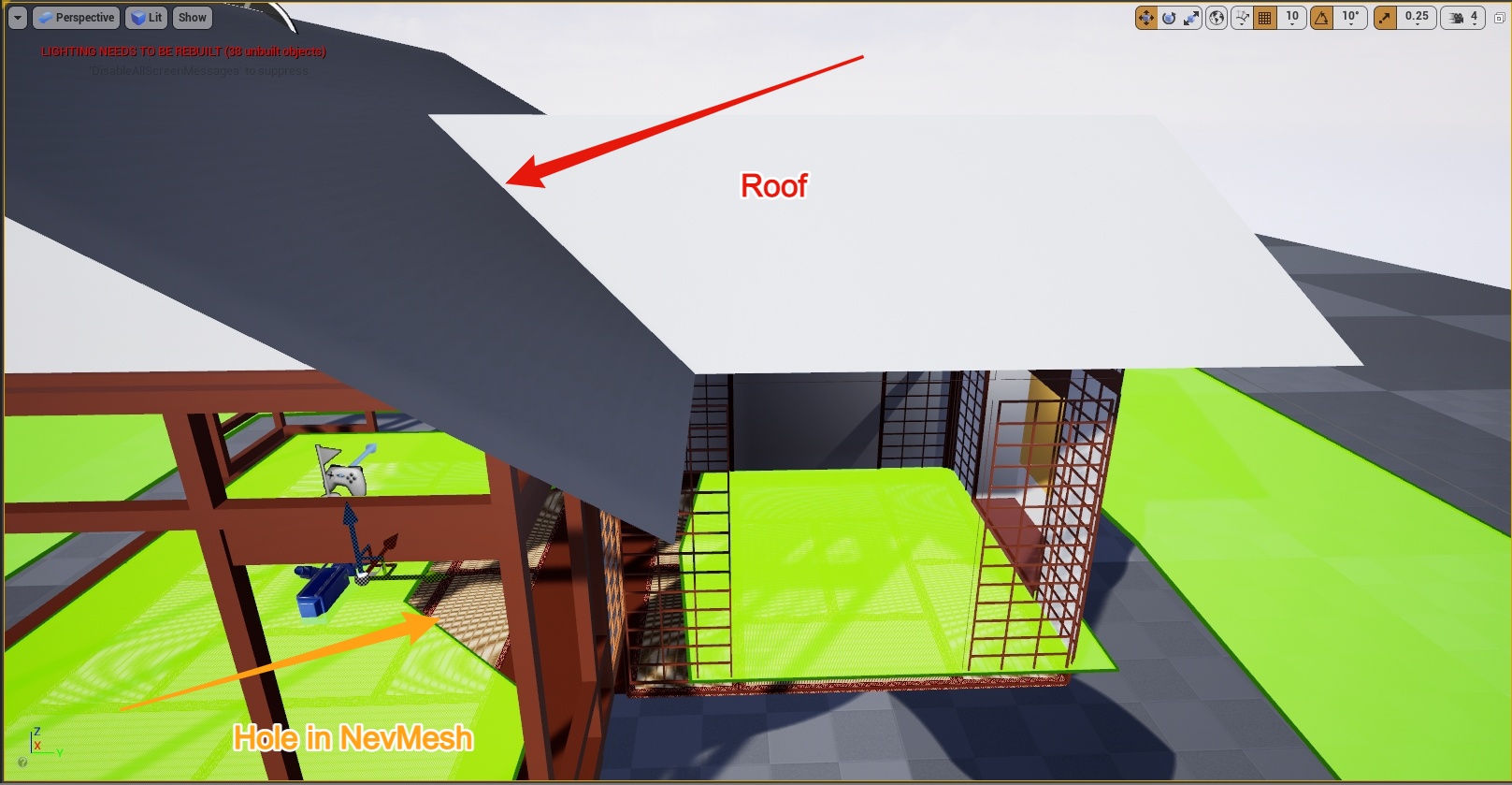
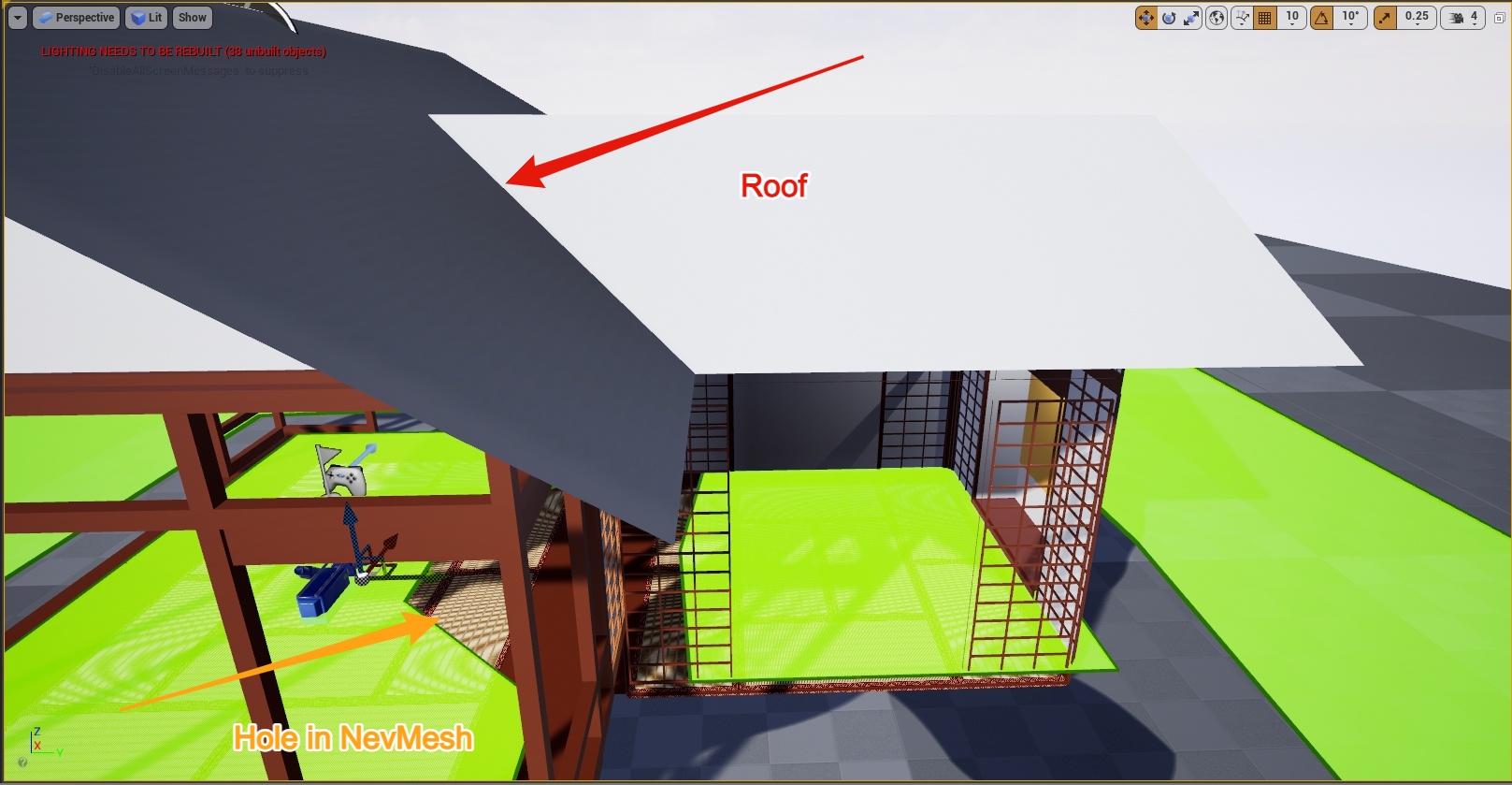 tired tree
@gritty ledge Assuming this is over SteamVR, add _Y and _X to the end of your action names
they require that naming convention to work around auto generation issues they have
gritty ledge
Yes Steam VR thx I will try that 👍
Assuming you men this, it does not work. Did I understand that correctly?
gritty ledge
tired tree
<@!322464192596541450> Assuming this is over SteamVR, add _Y and _X to the end o...
I guess that you are talking about what the note on the end of this page revers to but I have no idea how o solve it. https://docs.unrealengine.com/en-US/SharingAndReleasing/XRDevelopment/VR/SteamVR/HowTo/SteamVRInput/index.html
Setting up UE4 to work with the SteamVR Input system.
tired tree
you'll need to regenerate the manifest and bindings after changing that
gritty ledge
tired tree
you'll need to regenerate the manifest and bindings after changing that
I just started 2 days ago with unreal engine and have no idea what that means. I Compiled, hit the build button and restarted the unreal engine.
tired tree
@gritty ledge in project settings under steam input (or stemavr i forget the category and I can't pull up the editor right now) there are "Regenerate manifest" and "Regenerate bindings", hit them in that order, there is also an option to have it show on the toolbar at the main top of the editor, which normally isn't that useful.
also the auto bindings creation is flawed and will generate bindings that aren't exactly like you like, that is where loading the steamvr overlay comes in to re-map to exactly what you want.
umbral flare
tawny halo
Is there some magic trick to widgets in VR? I added a widget component to my cha...
This is what you are looking for:
https://www.youtube.com/watch?v=lxFqUDW5-fE&ab_channel=Mitch'sVRLab

Description: How to render UMG widgets into the resolution independent stereo layers while keeping the benefits of UMG such as interaction.
Epic Documentation: https://docs.unrealengine.com/latest/INT/Engine/UMG/HowTo/InWorldWidgetInteraction/
Book: https://www.amazon.com/Unreal-Engine-VR-Cookbook-Developing/dp/0134649176
UE4 Forum Thread : h...
tawny halo
Imma look into it, thanks
tawny halo
@umbral flare Projected the widget onto a stereo component like in the video, its still attached to my head
I want it to appear on top of my head
smth like the rpg/mmo hp bars
umbral flare
If you create the 3D widget as he does at 3:50. You can then attach that blueprint that holds the widget as child actor to your VRpawn and place it above your head. This should be with 3D worldspace and move with your character. The stereo part is if you want anti a on the widget
 wheat holly
Hi! Maybe that I'm just being silly, but is there no way to give a motion controller component collision? Everything I do seems to just go through collisions. I read about someone hiding the original controller and making a different actor follow it's position while checking for collision, while that seems easy enough is there no out of the box option for this?
tawny halo
@umbral flare Works like a charm, thanks a lot
tired tree
@wheat holly you wouldn't want the actual controller to "collide" anyway, its the reference state of the real world hand and the real world hand doesn't get blocked by things, generally sweeping another object to match or physically constraining something to it is the solution
tawny halo
@umbral flare Actually I was wrong 😦 it works if the widget is set to be in world space, in screen space the same thing happens
umbral flare
Well it needs to be set to world space because the widget is within the world right? It's attached to the actor holding the widget component.
tired tree
the stereo layer itself can be head locked if you dont want to interact with it
tawny halo
Is it possible to make it visible from any angle?
tired tree
@wheat holly HLAlyx did the constraint version, ie like this: https://youtu.be/54GYCSPt8T4?t=148
Playing with some welded body jointed hands while waiting for monday
@tawny halo stereo layers don't have back faces, they are a plane, you would have to rotate / flip it or use two
umbral flare
Or don't use a stereo layer but then it will not have anti a
tawny halo
I'm not using a stereo layer rn
umbral flare
so the edge will look pixelly
tawny halo
I guess i could rotate the widget at tick according to find look at rotation to player 0
umbral flare
Ah I see you can let the widget face the camera
tawny halo
but I'm just wondering if there is a simpler way
tired tree
stereo layers don't have AA
they just are rendered directly to the display on the api side
as for widget components, you can super scale their buffer and they shrink down better
umbral flare
tired tree
stereo layers don't have AA
I see my mistake I thought they had aa due to the sharpness increase
tired tree
if you want to use them without a stereo layer
tawny halo
achieved it like this
real needle
Hello everyone. I just want to know if it is possible to launch the VR mode inside Unreal Engine when I press the Play button