#virtual-reality
1 messages · Page 232 of 1
 trail shale
 shadow radish
I'll check on my index tomorrow, mine has been working as expected on 4.25
trail shale
although, I CAN control it, the rotation isn't perfect, it seems to correlate accurately but it doesn't feel right
shadow radish
did you recently change engine versions at all? which version are you on?
trail shale
4.25.4
but this has been since the move in the controls, I'm modifying this thing and I'm doing something wrong
shadow radish
what is the move in the controls sorry?
trail shale
before you used the trackpad to control that blue arror
and where it pointed, is the direction you were facing when you teleported
shadow radish
yeah
mine shows this for when it updates the teleport rotations
am I on an older update or something?
trail shale
and then an immediate jump, I SHOULD be facing the building, but I'm not
I'll try overriding what i have using what you are showing me, can you post it as a higher definition please? @shadow radish
shadow radish
trail shale
where is that drawing on a preview mesh?
shadow radish
I think this is just for controlling the blue portion though--so it's not necessarily for what you are facing
I don't know, it's just what I have for the UpdateTeleportRotations function on vive pawn character
trail shale
I need to also see inside those functions unless they are native
shadow radish
anyway I gotta go but I will try testing on index tomorrow, I haven't tested it since I updated to 4.25 so I'll let you know if I see any weirdness also
trail shale
okay thanks, please let me know! @shadow radish
yeah this baffles me
SOMETIMES it teleports you and you are facing the correct direction....most of the time it does, but sometimes, it just doesn't at all, you don't change rotation.....but I've overrode the teleport function to take just the rotation of the teleport arrow mesh - so it's not directly related to any potential deadzone issues
shadow radish
pay attention to where you are facing in the physical world, see if that has any clues for whether it fails or not
 lament lagoon
Im having issue using the vr mode with oculus quest, menus and icons are black, and no shortcut key to exit
google didn't help at all
trail shale
i'm teleporting based on the world rotation of that
well, you are seeing where the head is facing 🙂
trail shale
(that adjustment might be the problem?)
it just baffles me that I can get that arrow meshes world rotation and it not syncing up each time....let me see if I can screencap vid it
 tired tree
it sounds like the index is being used not as cap touch so when you let go of the stick its not registering right away so your teleport arrow has the wrong rotation when the teleport fires
don't know how that particular project handles the teleport exactly, but that was a problem with the default epic template at least last I checked
haven't looked at the standard template is a long long time though
trail shale
I posted some up top, standby
https://cdn.discordapp.com/attachments/221799478364078081/778716681828302918/unknown.png
https://cdn.discordapp.com/attachments/221799478364078081/778716929824784404/unknown.png
https://cdn.discordapp.com/attachments/221799478364078081/778717024938622986/unknown.png


damnit
Get thumbstick rotation function
Get the teleport destination function
and the actual teleport event -
The thumbstick rotation "feels" off, but even if it does, I should be able to take the world rotation of the blue arrow mesh I use, and assign my rotation to that
@tired tree It's a minute - the goal is obviously to face the direction that arrow is pointing - if this was off, it should be consistently off, but it's not - can you see the pattern?

 quiet swan
does anyone know if the rift s is touch sensative to the thumb stick?
 bitter oar
anyone here to talk to
 placid spear
I'm getting an infinite loop shutdown with a timeline when the VR hand overlaps a collision sphere in another blueprint. Does anyone have any thoughts on the solution I did in this picture? I put in a do once node and fed the Finished outpin from the timeline into the Reset pin on the Do Once node. This stopped the infinite loop error, but I'm wondering if this is correct usage.
 sonic lake
@quiet swan short answer: Yes. Long answer: https://developer.oculus.com/documentation/unreal/unreal-controller-input-mapping-reference/
Overview of the Unreal Touch input mappings.
@bitter oar just ask your question. If someone knows the answer/is willing to help they will reply to you.
 tawny halo
Anyone worked with vr multiplayer? How do controllers get created? When client joins me he only gets one controller(although he can still use the other one for input) and he sees the server having 2 left controllers. The server has controllers created correctly and he sees only one controller on the clients pawn
quiet swan
@tawny halo have you checked out the VRE plugin? https://vreue4.com/
 vagrant drift
First place id look is USceneComponent* VR_Right_Controller; declaration make sure a quick copy and paste didn't get overlooked.
of course you will have named your controller whatever
quiet swan
I have a rifts on mini display port and I have a free HDMI display port, I need to test multiplayer, could I use the same pc for 2 connections to test multiplayer this way? or do I need to pack the game?
can I use a vive on the hdmi?
and the rift on the midi display port?
and then pick 2 players and play as listen server and play as client to test things out?
vagrant drift
TBH never tried @quiet swan
quiet swan
really? does anyone know. I mean, its because I need to write code and want to see if it works
vagrant drift
I just verify replication quickly by having a second client pulled up on the second monitor and visually verify from there.
tawny halo
@quiet swan thanks, will look into it
vagrant drift
@quiet swan rereading that, my assumption would be you are plugging in two hmds? Are you trying to get each client to toggle between one HMD? I don't believe THAT will work but I could be wrong. I haven't however tried having a index and quest on a link cable on at the same time. I don't think SteamVR allows for it
 eager pine
Anyone tried the new live link XR plugin in ue4.26?
Im currently having issues related to it not working in ndisplay, and once ndisplay is exited, the live link subjects stop working and gets no data from source anymore.
Ive experienced similar issues regarding having steamVR activated. This is why i moved to VRPN devices instead. Maybe this is still the only solution?
 granite idol
Alright folks, I need some options.
I have a pilot station that I need to be interactable in VR. I rigged up the station in hopes that I could flip switches, turn knobs and move the joystick and such to control the ships mechanics. I have no idea how to go about this the right way. Any tips, tricks, research pointers?
So you can see it better
 viscid moat
Depends on how in depth you want the knob and switch interactions. You could make them actual physical levers or you could simply ensure the direction you are moving when you overlap a collision is correct. I believe VRE plugin has a good physical lever example.
 tall hedge
Anyone here using a HTC Cosmos to develop with? I am having issues with... controllers...I tried ArchVisVR asset off epic, I can enter the room but 0 controller.
tired tree
@viscid moat @granite idol actually he could keep it rigged like that and let those bones simulate and just run it all off of physical grips
granite idol
@tired tree Hey Morden, right now I am setting up some constraints but I have no clue what I'm doing haha. I assigned some custom constraint profile and trying to figure it all out
tired tree
you can have the constraints in the skeletal mesh itself
granite idol
tired tree
then grip with a physics handle or constraint on the hand
granite idol
Like that?!
tired tree
using the bone name of the lever or w/e
yeah
generally this would be handled seperated
but giving you options since you put so much into it being together already
granite idol
Cool, thing is, on Simulation the pilot station falls down and the levers get floppy haha
For sure, yeah man any input is good input
If you have time to maybe do a quick 10 min stream chat with me, might be able to save me hours of frustration ahah
If you have time, let me know @tired tree
 weary swallow
I am trying to create a laser that always connects between two movable pawns on a map, and if any enemy passes through the laser it takes damage. I got the beam particle to work, but can't figure out how to trigger damage- anyone have an idea?
 mighty carbon
Like with anything else, using collisions
mighty carbon
Or overlap
 sullen vortex
This how to covers using a Single Line Trace by Channel Blueprint node to return a the first Actor it hits that responds on the Visibility channel, and prints its name.
bitter oar
is it possible to use AI and machine learning to grab images and develop something recognisable and place it randomly within sequence of the VR setting
weary swallow
@sullen vortex Thank you! I will give that a try and see how it goes-
 storm crag
can anyone help me with vr characters?
i wanna use the ue4 mannican so when i move the head the head move with the hmd and i wanna set up the arms to work with the motion controller
sonic lake
@bitter oar I didn’t quite get what you want to do but there are free plugins which integrate OpenCV and Tensorflow into UE4 so that could be your starting point. There are also plugins implementing Q-Learning and reinforcement learning in general if that is closer to your needs.
sonic lake
@storm crag there are a couple of YouTube tutorials on the subject. This one is more recent and seems to cover also room scale movements:
https://www.youtube.com/watch?v=qBooEZnlAA4

In this video I explain my process in creating an IK body for VR in unreal engine. You can follow along or skip to any of the chapters if you're simply curious about how I've tackled a specific component:
00:00 Introduction
00:17 1.0 Setup
02:47 2.0 Body - Pawn Setup
04:03 2.1 Body - Basic Logic Explained
05:05 2.2 Body - Distances
07:25 2.3 Bo...
Then you have my "old" one: https://www.youtube.com/watch?v=EKR8ogonD68

This is the easiest way I found to get yourself a VR body with arm Inverse Kinematic (requires Motion Controllers) and full thumbstick locomotion. This step-by-step tutorial shows exactly how to do it. Note that room-scale movement is not supported and you will end up out of your VR body. Standing/walking in place works after the initial re-cent...
storm crag
@sonic lake i have this project but and running into problems and dont know how to beebug
sonic lake
@storm crag start by sharing what is your problem
storm crag
@sonic lake i downloaded the project file from the full body and room scale but and i try and combind the advanced movement vr video with the full body idk it makes me stop and it looks werid and the feet ik dont respond well with the ground
i like how they did there character on population one VR on steam
@sonic lake i am new to unreal and played games mostly now i wanna make them and this is my first step lol
@sonic lake i am also useing the windows mixed reality by samsung oddessy +
so i add a floating pawn movement to it and use the advanced vr movement on youtube
but it doesnt work out right
sonic lake
@storm crag if you are new to Unreal, VR is not the easiest entry point because it has a lot of potential pitfalls
The first step for you is to try out the standard VR template and make sure everything works as expected in it
storm crag
have u seen the population one game from facebook by oculus
i want that kind of VR character useing only head left arm and right arm with grabbing and chrouch kinda like a Pavlov VR Player
is that possable with unreal?
@sonic lake sorry if i dont sound well informed about this game creation is all new to me and i wanna create vr only games as starting out
it is probably out side my area of expertness but i learn fast the first way doing it right 🙂
sonic lake
@storm crag in Population One you just have hands and part of the arm if I am not mistaken
At least this is what is visible from the YouTube movies, I never played it
storm crag
does the left arm mirror the right arm
population one looks like full arm ik and head idk but i would love to have help making this VR character for my VR Game project just using the ue4 mannikin just so it adds the realistics part
sonic lake
@storm crag one option to consider is to use the UBIK plugin, which will do most of the work for you
storm crag
is that a free plugin ?
sonic lake
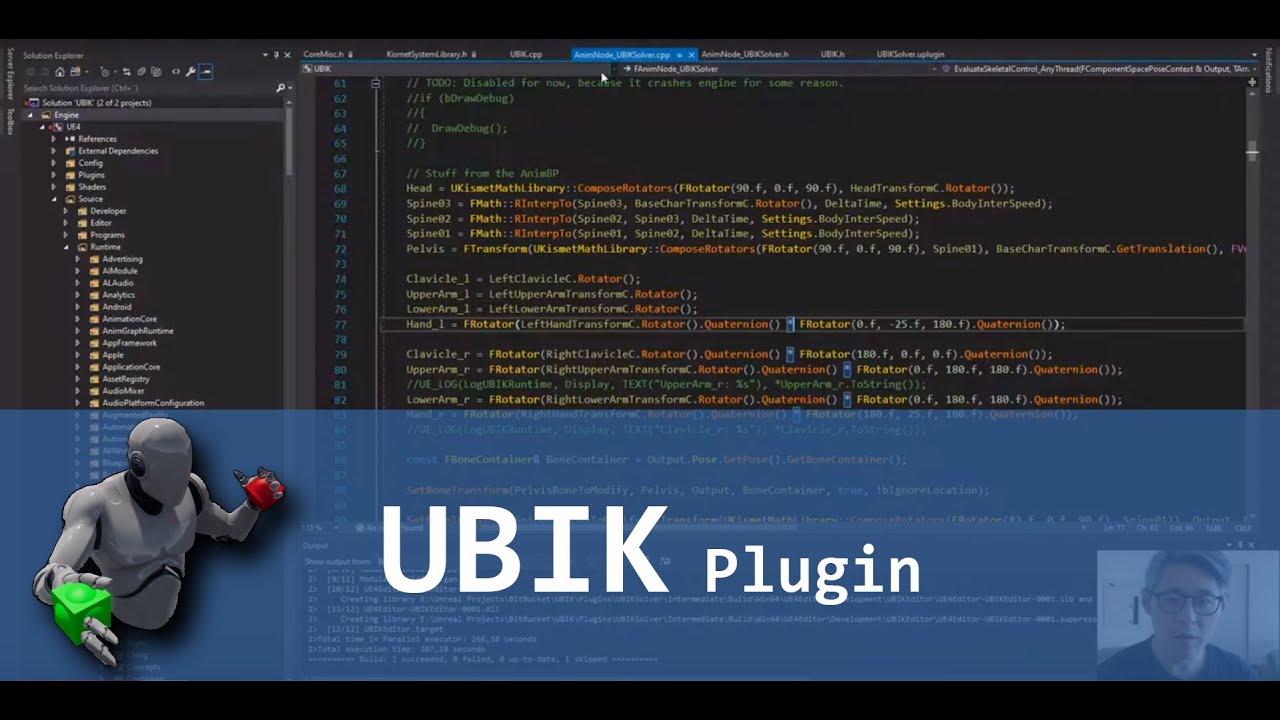
In this video i show how to setup a basic project using the plugin.
I also mention a current limitation regarding the skeleton the skeletal mesh must be rigged to.
Link to repository: https://bitbucket.org/jonas_molgaard/ubik/commits/branch/feature%2F4.23_Plugin
Feel free to donate via paypal if this is usefull: https://www.paypal.com/donate/?...
Yes totally free
The other option is to use the VR Expansion Plugin, also free, which has even more capabilities
storm crag
i wanna see if it is possable to do this with less cost of buying things do to covid being rampid im not very welthy it is only me working on my vr project
storm crag
and another thing is it better to make my vr game from source code?
sonic lake
are you asking if is better to program in C++ or Blueprints?
storm crag
well for the VR template there is only blueprint option tho
sonic lake
There is a port of the VR template to C++ as well
It depends on your knowledge
If you are familiar with C++ already and prefer to use it, you definitely can
sonic lake
C++ is the foundation of Unreal Engine 4 and you can do anything with it. Blueprints are a bit more limited in the programming area but more versatile for animations and other high level tasks.
sonic lake
Ok but you cannot make a VR game just like that. You first need to learn the engine, then VR.
So head to learn.unrealengine.com
storm crag
i read most of the documentation on unreals site
sonic lake
The documentation is not very well organized in learning tracks. The video courses on learn.unrealengine.com are better for that.
There are introductory courses to the Engine itself (Editor etc.), to Blueprints, to VR.
storm crag
I am going to look into this learn some more things here about this VR topic on here ty for this useful knowledge if i have any more questions ill just pop back in here
sonic lake
@storm crag perfect. Get yourself a good foundation on Unreal Engine, from there on everything will be simpler and it will be easy to tackle VR as well. Enjoy the learning! 🙂
storm crag
🙂
quiet swan
anyone else have issues using the rift s? I keep having connection issues with the headset
sonic lake
@quiet swan sometimes that is due to not enough power supply from the USB port
 tawny sandal
Hey guys, did anyone else do a VR flight experience using a spline? For some reason the movement is jerky when changing direction, I cannot get a smooth spline out there.. anyone else have the same problem?
 sharp shell
Anyone having an issue with 4.24 crashing when attempting to profilegpu during VRPIE (and only VRPIE)
Assertion failed: InRect.Width() <= TextureRHI->GetSizeXYZ().X >> InFlags.GetMip() [File:D:/Build/++UE4/Sync/Engine/Source/Runtime/Windows/D3D11RHI/Private/D3D11RenderTarget.cpp] [Line: 505] Provided rect width (4032), must be smaller or equal to the texture size requested Mip (3600)
 opaque sparrow
@tawny sandal Are you applying the movement in your actors tick func?
Make sure you have a tick dependency setup with whatever is ticking your movement + use the MoveComponent on the component you are moving, moving things just by doing SetActorLocation/Rotation is wonky
shadow radish
@storm crag I'd agree with Marco's advice, do some tutorials on blueprint and unreal first, I suggest trying the twin stick shooter tutorial and the c++ battery collector tutorial to start, then try getting the vr expansion plugin set up as a starting point--once you master those things, then look into getting more complex implementations like VRIK going. I bought Yuri's VR IK plugin and I'm really happy with it, but it is fairly expensive.
@tawny sandal you might consider checking out the DON flying AI plugin, I found using it I could build a pretty decent flying experience for flying on top of a dragon
it's for AI of course, but you can also use it for moving your controlled pawn and it generates the flight path for it to follow.
quiet swan
@sonic lake its a gaming laptop with a 2070. there is nothing connected to it but the rift s. It seems like its an issue as I see alot of people online saying there are connection issues but nothing to solve it. in my case, I was told to disable my on board graphics card, and it worked, then next day it did work and when I tried to do it again it didnt work.
@limber blaze then I tried to get new drivers, worked then it didnt work
im spending more time trying to connect my rift s then anything else.
@limber blaze do you know if the rift s will work with a usbc adapater?
 iron pine
I have added an IK system to my vr project and got it to work with the vr expansion plugin. My problem is that the hands and the body are separate, the character hands follow the grasping hands but im trying to get the character to have the grasping animation and just use the hands as invisible physics hands can someone help?
quiet swan
@iron pine you need to attach everything correclty in you character
iron pine
quiet swan
<@!521725198211350530> you need to attach everything correclty in you character
The hands of the character follow the grasping hands but they don't have any animations
quiet swan
when that happened me it was that I didnt have everything attached to the VR root correctly
I had to attach everything to it
iron pine
quiet swan
when that happened me it was that I didnt have everything attached to the VR roo...
wait I will send a picture of my problem
iron pine
iron pine
the second image shows the character hands don't have any grasping animations
Can someone help. I am trying to get the animations from the grasping hands onto the character hands (i am using the vr expansion plugin)
sonic lake
@quiet swan I know it works with an externally powered USB hub.
quiet swan
but im having display port issues
my usb 3 picks up fine
its not picking up the display port
sonic lake
Do you have one of those laptops with a built in Intel GPU and an NVidia GPU as secondary?
tired tree
@iron pine you have to copy the animbp logic from the grasping hands to the characters mesh animbo then
And make adjustments for it being full body, ie handling both hands
iron pine
tired tree
<@521725198211350530> you have to copy the animbp logic from the grasping hands ...
Im not exactly sure what you mean but what im trying now is to get the variables from the grasping hand graspinghandbp and doing what the hands would do in the character animbp. Is that what you meant?
tired tree
Yes, they have custom logic and collision zones that handle their animation
quiet swan
@limber blaze I think so I have the asus gl704gw
iron pine
tired tree
Yes, they have custom logic and collision zones that handle their animation
I tried it and it doesn't work I don't know why, I copied everything from the GraspAnimBP but it still won't work here are some screenshots of what I added to my character AnimBP
Is there something I missed or that I did wrong
 daring pasture
Where are the curl values being set?
iron pine
daring pasture
Where are the curl values being set?
in the third picture
daring pasture
Is it returning valid the hand ref?
iron pine
daring pasture
Is it returning valid the hand ref?
yes I checked it with a print string
daring pasture
Is your blendspace for the character setup?
iron pine
daring pasture
Is your blendspace for the character setup?
what do you mean
daring pasture
The curl values update the bone rotations through the blendspace.
You need a blendspace for the character itself,I dont think you can use the hands blendspace
iron pine
daring pasture
The curl values update the bone rotations through the blendspace.
You need a ble...
Yes it is just a bs of a grip and open hand animation
and it is all set up
quiet swan
Does anyone know if we can install our game on a quest headset and these it out that way?
 opal kiln
Search "Getting Started With Quest Development"\
Anyone heard if the quest 2 "infinite office" keyboard will be accessible within vr apps?
iron pine
I have added an IK system to my vr project and got it to work with the vr expansion plugin. My problem is that the hands and the body are separate, the character hands follow the grasping hands but im trying to get the character to have the grasping animation from the grasping hands and just use the hands as invisible physics hands can someone help?
sonic lake
@iron pine couldn't you rig a body with no hands and connect it to the grasping hands at the wrist?
iron pine
sonic lake
<@!521725198211350530> couldn't you rig a body with no hands and connect it to t...
Yes but I prefer them to be in the same character mesh
I tried copying the grasping hand anim bp but for some reason it doesn't do anything
 meager mica
I’m thinking of buying a Quest. I really want to harness the hand grasping system it has. Does anyone know if there’s a hook to drive that (like opening and closing fingers) from BP/CPP instead of the Quest live input?
sonic lake
@meager mica you still have the traditional Motion Controllers as input devices. Hand recognition is something you can switch on and off on a need basis.
meager mica
Does the motion controller and pose recognition use the same “grasp contact” method? Is it physics based or line trace based?
I was under the impression hand tracking had some fancy hand size and pose estimator ML under the hood. Do you know if that’s the case?
quiet swan
I just got a used quest can this be used wirelessly to connect to unreal?
tired tree
@meager mica pose recognition is really simple and doesn't need ML at all, it's threshold checking fingertip locations. Hand poses plus motion is more complicated and could make use of that sure
The hand traki g is currently really limited, unsure how much better it will be in the near futurr
iron pine
I am using the VRExpansionPlugin and I am trying to add a character ik system I got everything to work but I am still having trouble getting the animations form the grasping hands (which are the hands that handle the physics) to show on the character I got the grasping hand animations to work on the character's right hand but it doesn't work for the left hand can someone help (I think the reason for the problem might be that the grasping hand left is a child actor of the grasping hand right)
iron pine
iron pine
I am using the VRExpansionPlugin and I am trying to add a character ik system I ...
I figured it out for the left hand I had it move the right hand bones
 junior grove
How are people doing collision for smooth movement in VR? Is there a simple way to get a AddActorWorldOffset Sweep or similar to accept a collider that isn't the root?
iron pine
junior grove
How are people doing collision for smooth movement in VR? Is there a simple way ...
What do you mean
junior grove
AddActorWorldoffset only considers the root component for collision checks
but that really doesn't work with roomscale since you need the collider to move with you
quiet swan
how can I get the oculus quest to play my packed game so I wont need the cable anymore??
junior grove
Hard to google this too, everyone is just saying to use a plugin
quiet swan
do you own a quest @junior grove
junior grove
Nope
quiet swan
what you working o n
junior grove
Index
quiet swan
do you know if I pack for the quest, can they join servers from someone who connected from a PC using the .exe?
if I can Ill go buy another quest right now
but I want to see how my game plays on quest
if it can
sonic lake
You can have a Quest join a session hosted by a PC
You need to package the game for the Quest and install it to it
quiet swan
@limber blaze thanks
quiet swan
@limber blaze do you know of any good videos that show you how ? I was going to ask, I was using the steam method to connect and test will I be able to do it like this for the quest using just the mobile headset (no cable to PC)?
im using the steam_appid 480 method now
quiet swan
yeah because I need to place a steam_appid480 file in my binary folder now for the exe, you only tried using LAN? is there a way to test using the steam 480 method on quest?
sonic lake
Do the steam online services work on Android? That I don’t know
quiet swan
does anyone here know or have tried to use the steam method to connect to quest users?
sonic lake
Considering the Quest only uses the Oculus store I don’t know whether it would work
quiet swan
can 2 quest be connected to 1 PC?
 opaque gorge
Does anybody here know how to attach a laser sight to a vr weapon? I have a video of me failing to do that.
 upbeat eagle
@opaque gorge it should be pretty straight forward. Whats the issue you are having
opaque gorge
Believe me there's nothing to straightforward when I'm involved. Lol
I believe it to be a gravity issue but after tampering with the gravity For over an hour and even messing with the collision. Didn't yield any results besides a little bit of funny 0 gravity.
I'm thinking I might have to Take the blueprint I currently have For the laser sight and just added on to the weapon blueprint itself. Shouldn't take that long to jury rig but still advice is good.
bitter oar
@sonic lake Thanks very much for that bit of info, I have been trying my luck with tensor flow and trying to come up with something
upbeat eagle
@opaque gorge ill pm you
sonic lake
@quiet swan yes you can connect two Quests to a PC. You can also have one Quest be the listen server and the other one be the client
@bitter oar I didn’t quite understand what you are trying to achieve but the plugin I recommended do work well
quiet swan
@limber blaze say I been working on my VR game, I see that packing to the oculus means I need tp pack to android, will the entire game need to be optimized for android or can I just pack and it should work?
 ashen dome
Anyone set up room scale movement? from HMD location
 thick cove
I want to start with ar and vr what resources should I refer to I have no previous knowledge about them except the basic difference between both.
 reef dagger
thick cove
I want to start with ar and vr what resources should I refer to I have no previo...
reef dagger
thick cove
I want to start with ar and vr what resources should I refer to I have no previo...
probably the best way to start is to crack open some existing vr/ar projects, start to have an idea of what you're trying to build, and learn how those specific things work!
Lots of resources on youtube about how to set up basic movement. If you're looking for multiplayer you may need to use somethign like VRExpansionPlugin, which does some of the motion tracking replication for you (for vr)
very broad question, but use google of course, and ask specific questions, understand what you're trying to build, ask questions about specific things you're trying to do... (rather than vague ones like "where do I start". Hard for anyone to help you with that.)
opal kiln
Anyone know any vr projects that implement the thing where you move the camera slightly differently from how the person moves to make them turn instead of walking straight?
storm crag
how do i grabing to this conscept-------------->https://www.youtube.com/watch?v=qBooEZnlAA4&ab_channel=KazVoeten
In this video I explain my process in creating an IK body for VR in unreal engine. You can follow along or skip to any of the chapters if you're simply curious about how I've tackled a specific component:
00:00 Introduction
00:17 1.0 Setup
02:47 2.0 Body - Pawn Setup
04:03 2.1 Body - Basic Logic Explained
05:05 2.2 Body - Distances
07:25 2.3 Bo...
add grabbing for hands?
sonic lake
@storm crag in the same way it is done in the standard VR template. You add an overlap sphere to the motion controller and check if it overlaps with a grabbable actor. If so, you tell the grabbale actor to attach to the motion controller. Then you need to adjust the pose of the hand to a grab pose.
storm crag
is there a video ? on this or ?
 brisk spade
i have a problem spawning a cube direct in front of me. i thought getting the CameraWorldLocation+ ForwardVector would do the trick, but although my result vector is changing the position of my spawned cube switches between two positions :/
maybe my spawning method is wrong?
i drag and drop the cube from my content browser in my blueprint and attach the above result into the relative location of my spawn
reef dagger
Hey Kano. So if you're trying to get a point right infront of the camera, (i.e. where the player is looking) is should be as easy as something like:
brisk spade
@reef dagger thank you, i quit for today. i will try it tomorrow thank you 🙂
i was looking for that. does it make a difference, if i use getCameraManager in my LevelMap? i want to spawn an object, that stays in the world
reef dagger
GetPlayerCameraManager(int) should pretty much be referencing the same camera, should be the same thing.
Hey I'm not 100% sure if this is the best place to post, but does anyone happen to know if the Forward Shader & ISR is supposed to work with niagara in vr? I'm on snapshot 4.26 preview 7 and I'm seeing niagara particles only in one eye. I was tracking issue https://issues.unrealengine.com/issue/UE-61777 , think it may not be resolved with ISR & Forward shader. Does anyone know if this is intended, or a bug?
shadow radish
on ue 4.25, is there a way anyone can recommend for detecting the controller someone is using? I need to differentiate between if the user is using the index or the original vive controller
I saw this but was wondering if there's a better way
shadow radish
I am yes--thanks @tired tree was looking in engine and didn't see it
this is perfect
 wooden elbow
Anyone looking in to Handheld AR at the moment? The camera textures are rendering black while the tracking seem to work as expected(its detecting planes and feature points)
This is happening even for the default template 👆
Platform: iOS
Device: iPhone 7 Plus
Unreal Version: 4.26 Preview 7
 fringe blaze
I cannot get my WidgetInteraction component to click and I am losing my mind.
I'm not sure what else to try. I tried changing the pointer index and trace channel. I also tried "Receive Hardware Input".
It hovers, but won't click.
viscid moat
Show your setup
fringe blaze
It finally prints "True"! But still doesn't click.
The buttons on the widget are set up to Print their own message, and they don't print.
fringe blaze
Actually, I've decided to use the interaction component as a finger tip thing, so I only need OnHover, which works.
viscid moat
Yea I use interaction component as well and it works nicely
 viscid aurora
Hi everyone
we are working on VR project for Quest 2
In unreal play editor mode it shows fine but as soon as we packaged and run in quest 2 these wall turn black .
Any help would be highly appreciated.
thanks
 forest ginkgo
Hey, i am wondering if someone could help or give advice, i an looking for a way to implement AR into use for Construction work. I have a plan of a room. And wanted to try to use AR to see all the places for outlets lights and pipes.
forest ginkgo
I would need the possibility to show ar elements in life size, walls and other stuff.
I probably would need a one reference point that aligns the object to real life pozition.
 candid viper
@viscid aurora Oculus have a version of RenderDoc customised for Quest. Get that, grab captures from both and see what is different in the packaged version and go from there.
viscid aurora
@candid viper right now we are using oculus casting for quest and yes i will look into RenderDoc and then see if there is any difference or not , thank you for your suggestion, will let you if problem resolved or not .
thanks.
storm crag
hey guys im making the worlds best VR game 🙂
this is going to be better then gta 5 VR and Minecraft VR
iron pine
storm crag
hey guys im making the worlds best VR game 🙂
Do you want help im also interested in making a amazing vr game
shadow radish
I'm having some trouble understanding completely configuring steamvr input with unreal 4.25
my input settings look like this for example, and when I go to edit it, it gives me a warning that they've been adjusted outside of the editor
I can open the steam vr input bindings outside the editor, but it doesn't seem to reflect at all where I added the last entry "valve index controller thumbstick"
the documentation here is not very straight forward to me
Setting up UE4 to work with the SteamVR Input system.
if anyone has some experience and can share what they did (specifically in 4.25 or above, since this deprecates the steamvr input plugin) please let me know. I feel like i've adjusted my steamvr input like 50 times by now over the course of this project and all the engine updates..
@split steeple sorry to ping you all the time, but pinging you since I know you had some involvement with this. If you can give any advice for sharing these bindings between two machines for source control, please let me know also as I'll need to copy them between machines. \
shadow radish
I am having a further issue as I try to dig into this
I am not seeing my actions I defined from input settings
I tried clicking all the buttons here
and I tried restarting ue4 and steam vr
and deleting those lines from the cache
and nothing works
every time I edit from input settings, I get this prompt popping up.
I click yes to all of course, but sharing this in case it helps
I am using source control with perforce
in case there's any thought that maybe I don't have a file checked out that behind the scenes it is trying to make changes to, let me know if that's a possibilityh
shadow radish
ok I am seeing my new actions--either my issue was not having all my config files checked out on perforce (made sure to check out the whole folder) or my issue was "reload actions manifest" and "regenerate controller bindings" made it sound to me like it was going FROM ue4--to the steamVR bindings. I kept hitting these before launching, and I guess what it was actually doing was overwriting my input settings.
 obtuse spruce
@viscid aurora I've run into stuff like that in Quest dev before. Might be the material not being configured properly for ES3.1, which you can check in the mat BP editor using Preview Nodes -> ES3.1. If it's not that, I'd search your logs for clues
viscid aurora
@obtuse spruce thank you for your reply, the issue get resolved, the problem was very silly and small, it's because of uv overlapping which wasn't showing in logs but it resolved now.
Thanks for your time and suggestions.
 split steeple
shadow radish
<@!220457870695596032> sorry to ping you all the time, but pinging you since I k...
split steeple
shadow radish
<@!220457870695596032> sorry to ping you all the time, but pinging you since I k...
Hi @shadow radish - common issue is having steamvr_ue_editor_app.json in source control, you can delete this safely and should be added to your p4ignore:
https://github.com/ValveSoftware/steamvr_unreal_plugin/issues/143#issuecomment-625991948

GitHub
I can see the correct actions in steamvr_manifest.json, but cannot assign them in the browser ui because they are not listed :-( Thanks for any help
shadow radish
split steeple
Hi <@!303041970161451011> - common issue is having steamvr_ue_editor_app.json in...
thanks! My issue was not having things checked out. Do you have any documentation on what the differences are between "regenerate action manifest" and "reload action manifest" on the steam vr plugin buttons?
split steeple
"Regenerate Action Manifest" - re-creates the steamvr_manifest.json file (action manifest)
"Reload Action Manifest" - Registers the action manifest to SteamVR
these are convenient functions for OpenVR API calls exposed to UE, detailed docs on SteamVR input and manifests, binding json file descriptions, etc can be found here:
https://github.com/ValveSoftware/openvr/wiki/SteamVR-Input
GitHub
OpenVR SDK. Contribute to ValveSoftware/openvr development by creating an account on GitHub.
in the quickstart you'll find further documentation on the plugin itself and the toolbar functions:
https://github.com/ValveSoftware/steamvr_unreal_plugin/wiki/Quickstart
GitHub
SteamVR Input Unreal Plugin - Documentation at: https://github.com/ValveSoftware/steamvr_unreal_plugin/wiki Sample project (UE4.15-4.23): https://github.com/ValveSoftware/steamvr_unreal_pl...
 urban ruin
https://www.youtube.com/watch?v=kqk2qWtTL1U
Hey guys, I'm terribly sorry keep for posting this clip. I got a college project that needs to know about how is this done. the game mechanic, custom events, etc.
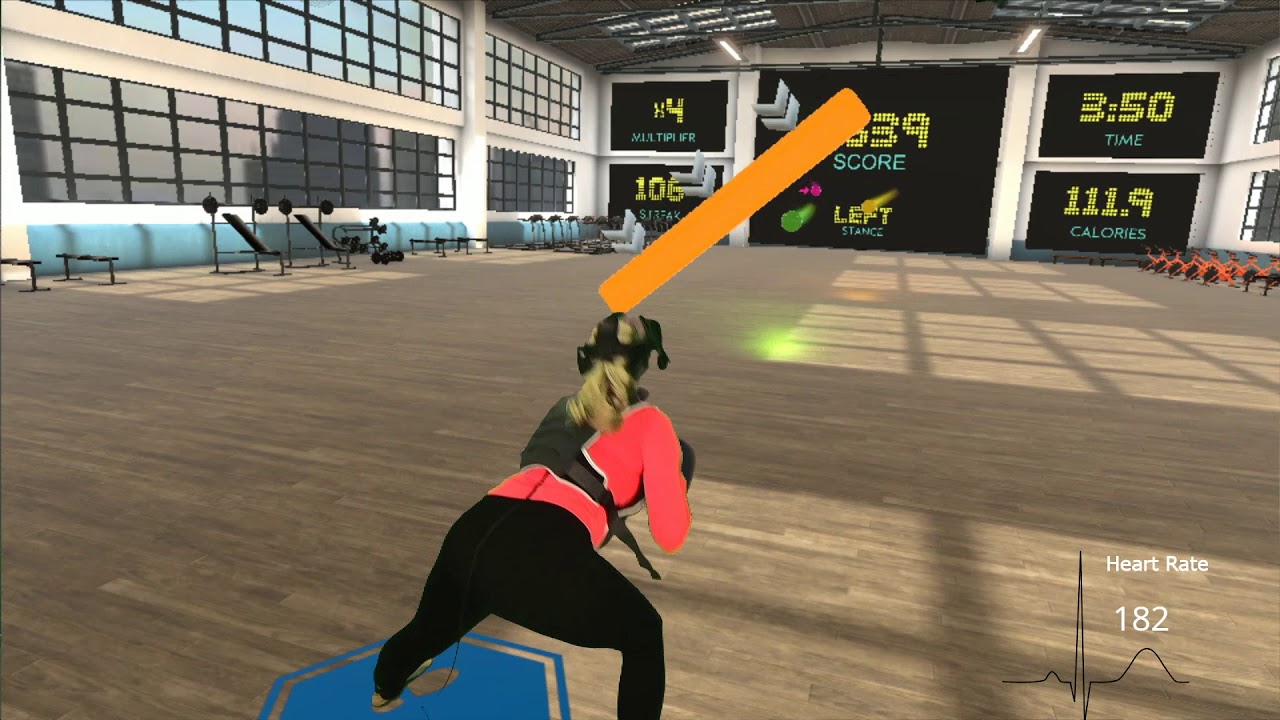
The workout "Quad Watch" in BOXVR is a great way to get some lower body exercise. Push it to the next level by adding modified movements along with a weighted vest and ankle weights to maximize your results in each workout.
This video was take 7 so her heart rate was pretty high to start with. We were trying to get it perfect. She's wearing a 1...
viscid aurora
Hey, can anyone help me with this issue "vr teleportation not working on dedicated server , it is working at start but when we join server its not working " .i am using default vr template ,
after adding replication to run on server , it shows this error "Accessed None trying to read property K2Node_CustomEvent_MotionController"
if anyone have any idea or solution to this please let me know
thanks
sonic lake
@urban ruin the base game mechanic should not be too difficult to reproduce. Just have a collision sphere attached to each motion controller component and make sure it generates overlap events. Shoot some target spheres toward the player which are also set to overlap. Once you get an overlap event from the collision sphere in the motion controller you know you have hit an incoming target sphere and you can count a point.
For the double hit, you will get an overlap from both controllers and you will check that they have occurred at pretty much the same time (maybe few frames of difference is allowed).
The beam that makes you crouch works in the same way, but this time the collider is attached to the head (aka VR Camera / HMD).
urban ruin
I see, so there's one more thing about the UI design. I know rhythm games has accuracy in tapping the button(like bad, good,etc) I don't see much tutorial about it. So how's it made of?
Also, swiping in VR. I don't see any tutorial in youtube about it as well so I wonder how's it done too
Sorry for so many questions, I just changed from Unity to UE4
storm crag
im not smart enough for this vr character ik setup XD or im looking at this all wrong i have no idea
sonic lake
@urban ruin if you do not consider physics sub-stepping, your lowest resolution is Delta Time (time between one frame and the next). In VR this is typically in the range of 10-30ms, which is good enough to measure reaction time or time synch with another event.
What do you mean with swiping? For collision detection?
urban ruin
sonic lake
What do you mean with swiping? For collision detection?
Well I get this idea from maimai arcade machine, the players swipe on screen. So I'm just asking the possibility to input this mechanic idea into the game
sonic lake
@urban ruin ok I had to Google what a Maimai arcade machine is 😉
Yes it should be doable. If I understand correctly it is about swiping in a certain direction or following a pattern.
urban ruin
Sorry man, I just get to know that too lol. N I just realized looks like substepping is important for game physic lol
urban ruin
sonic lake
Yes it should be doable. If I understand correctly it is about swiping in a cert...
Yes exactly
sonic lake
Few days ago there was a discussion about gesture recognition etc. You may want to scroll up and read it
sonic lake
@storm crag where are you stuck at?
storm crag
i guess all of it i have no idea lol
 real needle
When i play my vr game, the audio is played through my headset and not the oculus headset. how can i fix this in UE?
I can use windows audio settings and make them play all audio in the oculus headset but thats not really a fix as i plan to release the game on steam and cant force people to do that
shadow radish
@real needle I think it's just down to people's settings on windows or within the vr specific software. SteamVR for example has specific settings you can use for where the sound plays and whether you want it mirrored as well to play through the default speakers
I could be wrong, but that's my impression of it--I didn't implement any special settings within UE for where to play the sound from
real needle
@shadow radish okay thanks for your answer.
trail shale
well shit
junior grove
Whomever did the SteamVR anim stuff needs a raise
literally one node and you get fingertracking
viscid moat
@junior grove i've had a lot of issues with that node in past versions including 4.25. I would save, exit unreal, then reopen and the node vanishes magically. I opened a ticket but it never got resolved so I did everything myself with custom logic.
viscid moat
Well do let me know if something similar happens to you. If not, I'll have to give it one more shot
tired tree
it should be mostly functional, it would remove itself if you turned off the steam vr module
@junior grove the main downside of that node though is that it is hard coding everything, its non functional outside of singleplayer
other than that, should be good
junior grove
Like it doesn't work at all for other players or just that the finger movements don't replicate?
It's kind of shit if you can't get the finger positions etc out of it
quiet swan
has anyone here packed a game for andriod?
 rose current
yes, just ask the question
quiet swan
ok so I have a VR game and I wanted to pack to android for oculus. Is it as simple as just packing the game and if its not to expensive it should work? or do you need to redo everything before you pack to android? Or is the way they do it for android a more powerful method and you dont need to change much
rose current
They are doing some kind of optimization already on the packaging process, but it is not that much
And the packaging is the same process after you do some initial setup
You need to setup your Android SKD and then the packaging is the same
How to set up your Android development environment for Unreal 4.25 and later
But generally the whole optimization part for Android is on your shoulders
trail shale
looks like one of my Index trackers died - I'm waiting to hear back from steam's RMA process - but I can sub in an Old Vive Tracker can't I? (I still have two just sitting around doing nothing)
tired tree
@junior grove that node hard reads the local values, so no, no replication possible with it. You can replicate the finger curl values and use those as a cheaper remote proxy though
 oak ridge
anyone have experience adding candidateimages to an ARApp (ARCore)
I have one image which works fine, camera initalizes in the app when it's added
but another image which doesnt work. ARSession will not start and camera wont switch on
 frigid kite
@trail shale You'll have to use both Vive base stations, since the Index uses SteamVR tracking 2.0, and it's not backwards compatible with 1.0 base stations
junior grove
You just need the old lighthouses
Index works with the 1.0 but not the other way around
trail shale
vr.RoundRobinOcclusion=1 I just discovered this - does it work well and play nice with Steam VR?
 tacit quest
anyone know anything about speech mappings for hololens 2? we added a speech mapping and it seems to have introduced a variable lag when opening any map. on my computer it is only 1-5 seconds, but a colleague in a rural area is getting like 1second - 2minute lag. he lives in a rural area, so i am taking a guess it might be trying to connect to something online...any ideas?
trail shale
is it a native speech, like the sphinx plugin from years ago? @tacit quest
if it is using a google speech api call or something like that, then yeah, it's going to basically compress the audio of his speech and send it to a centralized server; unless for some reason you have a local speech engine but he just has a godawful computer
tacit quest
it's the native ue4 one in the project input settings. i believe it might have been added for hololens
trail shale
if you want to know for sure, just disconnect from the internet and try to get it to work on your machine
if it stops working, your suspicions were correct
seems odd though, if it's only on lvl loading
tacit quest
on hololens device settings you can disable internet dependency for voice commands, and the lag was introduced when i added the command to ue4 input and nothing else.
i can't disconnect from the internet because the hololens streaming app requires internet connection apparently
trail shale
i can't disconnect from the internet because the hololens streaming app requires internet connection apparently lol, now you know why
tacit quest
?
trail shale
It's probably directly related
are you able to tick through it and see what's happening? like have you tried looking at the stack in VS?
tacit quest
we've been using the streaming app this whole time, the lag is introduced when i add a speech mapping to defaultinput.ini, nothing else
trail shale
wonder if that's a bug
tacit quest
i am diving into the source right now, i just wanted to ask here in case anyone had any experience with it
it may be, it seems like a lot of the hololens stuff is just up and running, but not too advanced
trail shale
I guess if you had to you could make a work around that just used traditional mic input and then didn't bother using the hololens speech input on the defaultinput.ini, but you made it process that audio
tacit quest
ya, we have a couple options, for development to unstick my colleague can probably just map a keybinding too so he can unmap the speech command while he's working
that's prob the simplest solution i guess
thanks @trail shale appreciate the input
quiet swan
@limber blaze you said we could use 2 rifts to test out on unreal? how can we do this? I am testing out if animation is replication correctly and it would help if I could do it in the editor?
sonic lake
@quiet swan I think you keep pinging another Marco, not sure he is happy about it! 😉 You can create a LAN session between the editor (running with a Rift S) and a Quest (standalone), the first acting as listen server and the other as client.
granite idol
How many verts in a scene would be considered "expensive" for a VR game for the Oculus Quest 1
granite idol
Also, can I sell my game on the oculus store AND steam?
I heard you can only sell on one or the other, but not both for some reason
 polar valve
@granite idol Oculus recommends 50-100k triangles
granite idol
Aye, thanks, do you know about selling on the oculus store and steam store rules?
polar valve
There are several games which sell on both so I don't think it's an issue? I'd hope so anyway.
granite idol
Yeah maybe that intel I had was wrong. Good to know. I think for my first VR game I should release it on steam, then I can for Oculus
 tawdry bough
DOESN'T ANYONE KNOW HOW TO MAKE A VR LEVER?!!?
 queen kestrel
Hello, I'm trying to follow the instructions to setup the Quest 2 with unreal (https://developer.oculus.com/documentation/unreal/unreal-quick-start-guide-quest/)
I'm trying to "Open Advanced APKPackaging and click the + next to Package for Oculus Mobile Devices. From the drop-down select Oculus Quest and Oculus Quest 2."
I'm only getting Quest and not Quest 2 in the Oculus Mobile Devices option. Any idea how I can add Quest 2 to unreal?
 indigo rampart
Quest 2 is only supported in OVR 1.52 and above which requires pulling down a special version of Unreal
https://developer.oculus.com/documentation/unreal/unreal-compatibility-matrix/
per the release notes here,
https://developer.oculus.com/documentation/unreal/unreal-release-archive/
@queen kestrel
A note of caution it works but is slightly buggy, check the issues tab on github to be aware of what features only partially work. https://github.com/Oculus-VR/UnrealEngine/tree/oculus-4.25.3-release-1.52.1-v20.1
Overview of the Unreal editor configuration and components.
Provides a summary and links to release notes for Unreal Engine
queen kestrel
@indigo rampart Thank you.
storm crag
@prime basin
 prime basin
@storm crag ?
 fickle veldt
queen kestrel
Hello, I'm trying to follow the instructions to setup the Quest 2 with unreal (h...
fickle veldt
queen kestrel
Hello, I'm trying to follow the instructions to setup the Quest 2 with unreal (h...
Krish - I've built, packaged and ran basic VR app on Quest and Quest 2 using the "Quest" option from the regular downloadable version of UE. Using 4.25.4 atm .
queen kestrel
fickle veldt
Krish - I've built, packaged and ran basic VR app on Quest and Quest 2 using the...
that's really useful to know - doing it from source might be a bit beyond my capabilities. Really appreciate your response!
 arctic saddle
I have not been able to find a solid solution or answer in regards to how to detect if the user is wearing the VR headset or not.
I have tried two styles. Input Settings with an input called HeadsetOn using the SteamVR HMD Proximity (sensor).
And the GetHMDWornState function. The state in which it reports is too slow causing delays or skipping branch statements.
I just want to simply make an idle screen so when the user is not in the headset, a 2D movie is playing (Trailer style) before the next user puts the headset on.
 ivory magnet
Anyone with a Quest know why 4.25 APK wont install via SideQuest?
it says successful but I can't find it where it usually installed in 4.24
quiet swan
hey I am trying to port and packing for quest and was wondering the tutorial says to turn off movie HDR will this mess up the VR project im working on? Do I need to turn this back on after?
fickle veldt
ivory magnet
Anyone with a Quest know why 4.25 APK wont install via SideQuest?
hi, I had struggles with Quest 2 where it seemed to take a few minutes to show up but that may have just been me. In the screenshot select the apps icon (1), upper right corner scroll down to Unknown Sources (2 and 3), and then your apps should show in the list (4) . btw, installed via UE batch, not SideQuest for these 2
fickle veldt
ivory magnet
it says successful but I can't find it where it usually installed in 4.24
Sorry, I should have asked a couple of questions: 1) if you load the APK via the UE batch file installer do they show up? 2) do other sidequest'ed APK's show up OK?
fickle veldt
queen kestrel
that's really useful to know - doing it from source might be a bit beyond my cap...
You can test pretty easily by using the default VR template but remember to set the project to open in the MotionController Map for both editor and - simply set both Editor Startup Map, and Game Default Map to this map. Then package for Android and install to your Quest 2. I've used the same APK on both Quest and Quest 2. I'm likely missing features but what I've tried so far works the same on both headsets
quiet swan
does anyone know how to install an APK to oculus quest? I see 3 files, but I dont know what to do
do I sidequest the apk or the OBB?
trail shale
VR devs, who must learn to optimize because of the increased requirements - SOMEONE here must know about the HLOD system - WHY is this happening - I just spent 3 hours building HLODS, saved everything, closed unreal and gave it's process time to exit cleanly.
When I open up to the exact same map, there are like **hundreds of HLOD's that need to be rebuilt and when i rebuild them, they refuse to save (they save fine but when you reopen the editor, they need to be built again) **- and I have already tested that building a single one, or all at the same time, doesn't affect the process. I've tried to vary up the cluster/mesh generation settings, but there is little practical info beyond the descriptions given by the tooltips. I moved out of my own home away from my wife/kids to work fulltime on this, when I'm not at the fire dept, so if you read this and have any idea WHO WOULD EVEN KNOW THIS STUFF, please consider reaching out. Not to be dramatic but if I don't get some of these systems working in the right amount of time, I'm going to lose my family. (This isn't a violation of any server rules, and if you have problem with it, do an @trail shale search with the subphrase HLOD to see, that I have been asking for information on this particularly system and mainly, troubleshooting it, for nearly 3 years.)
I've got some meshes that animated because of their materials but nothing in the docs says that's a no go - it DOES generate the LOD actor and you can see the mesh in there, with its normally animated texture obviously baked, but that's what LOD's are for
so this exists, and it is fine now but when I exit the editor and return, this actor doesn't exist anymore -
I get the less than helpful, ungoogable phrase " Failed to Import for Static Mesh: 0_HLOD_0_DrivewayEdge175" referenced by export StaticMeshComponent" except a few hundreds times - mind you, **this is just me starting up the editor and opening that map, i'm not trying to import anything **
I even duplicated and asset and renamed it, and it's gone (but I can see it in the windows explorer of that content folder)
ivory magnet
@fickle veldt Nah the APK isn't even being loaded by BAT or SideQuest, I didn't follow the setup for android sdk on 4.25 so I tried that but SetupAndroid.bat always fails
sonic lake
@trail shale when I get stuck on something I usually try it out on a minimalistic project to understand whether it is a bug or maybe I am doing it wrong.
This gives me a fresh start and it helps to overcome the challenge of trying it out on a very large project.
trail shale
I know what's wrong but I can't find the information or who knows about it
those hedges in that picture - they seem to be the problem, when I remove them and rebuild the proxy mesh, it works - now they have a "swaying in the wind" material that is animated - but if that was the problem, why does the LOD actor build just fine, you can see it obviously baked whatever material it had and I'm fine with the result but that doesn't explain why it doesn't load
@sonic lake
sonic lake
The spirit of using HLOD is to simplify the rendering of distant actors and cluster them, so you should ensure the materials are also as simple as possible.
Swaying in the wind materials use vertex displacement and such effect is not really visible at far distance.
Did you try without that material?
trail shale
why does it work though
it bakes it into an LOD actor, you saw in that screenshot
whatever workaround the system had to do with that material, however it handled the vertex disp, it worked.... and any calculations should be after the fact, because a new material is generated and it's fine. So why doesn't it persist, why doesn't it load when the map does?
@sonic lake
sonic lake
There may be something invalid in the HLOD which prevents them from saving properly and reloading. Usually such errors or warnings are visible in the log. Any hint there?
trail shale
I'll check, there weren't any when I built them originally
only showed up when i OPENED the editor
sonic lake
That’s why I am suggesting to try on a fresh minimal project. It is easier to spot these issues as the log is also less extensive and polluted by other information.
trail shale
built this, here is one material
sonic lake
The creation doesn’t produce any warning or error?
trail shale
nope
that's why it's so frustrating, it defies traditional troubleshooting practices
sonic lake
But you get an error when loading, right?
trail shale
if you duplicate one of those LOD actors, even the duplicate gets deleted...even if you rename it to somethign entirely different - that doesn't make any sense
sonic lake
So also the creation has issues
But no errors in the log
I reiterate my recommendation to try the exact same procedure in a brand new project with only few elements and see if it works properly in it.
sonic lake
You want to make sure that it is not something in your current project which causes issues.
You need to check the output log
The message log doesn’t say much
trail shale
no error
LogProxyLODMeshReduction: Spatial Sampling Distance Scale used 4.874990, and the major axis for the object bbox was 2249.995605
LogProxyLODMeshReduction: Material Distance 29.249943 used to discover textures.
LogTexture: Display: Building textures: T_ModNeighborPack_OptimizedVersion_0_HLOD_0_Roof_Half_407_Diffuse (BGRA8, 1024X1024)
LogTexture: Display: Building textures: T_ModNeighborPack_OptimizedVersion_0_HLOD_0_Roof_Half_407_Normal (BGRA8, 1024X1024)
LogStaticMesh: Building static mesh SM_ModNeighborPack_OptimizedVersion_0_HLOD_0_Roof_Half_407...
LogStaticMesh: Built static mesh [0.07s] /Game/Maps/HLOD/ModNeighborPack_OptimizedVersion_0_HLOD.SM_ModNeighborPack_OptimizedVersion_0_HLOD_0_Roof_Half_407
LogStaticMesh: Display: Main thread blocked for 0.011s for async distance field build of SM_ModNeighborPack_OptimizedVersion_0_HLOD_0_Roof_Half_407 to complete!  This can happen if the mesh is rebuilt excessively.
LogSourceControl: Attempting 'p4 fstat -Or E:/LiveSimMainline/Content/Maps/HLOD/ModNeighborPack_OptimizedVersion_0_HLOD.uasset'
LogUObjectHash: Compacting FUObjectHashTables data took 4.34ms```I'll try saving it and check then
sonic lake
Are you using source control?
trail shale
I am but everything is writable source control is the first thing I checked
The only other thing I could think of is that maybe there's some temporary files that unreal uses that I'm not aware of but are right protected but then why do some of them save?
sonic lake
Just make a copy of your whole project out of the depot, set everything writeable and try on that one.
In other words, try without source control.
trail shale
Good idea thanks for your help
 urban igloo
3 out my 4 lighthouses flash red on start up. Am I that unlucky?
 dusky moon
Hey guys, is there any speculation about release date of 4.26 ?! 😛
 ancient sleet
Anyone have any idea how my team’s project could work correctly on one programmer’s Rift S but when it is shared on plastic, it does not work correctly on the headsets of other programmers using quest headsets? Video enclosed to illustrate
sonic lake
@ancient sleet is it my impression or you have shorter fingers on the Quest?
Not the thumb, but the others look shorter
ancient sleet
@sonic lake I honestly can’t tell. It’s possible? At times the fingers seem a bit shorter.
I’m using VRE with 4.25 and the quest is identified as “Oculus Touch” like a rift, so I don’t see any reason that would lead to the issue though.
sonic lake
Unless it is something you your animation system but that looks strange
Are those pre-made poses?
ancient sleet
Yes. Programmer is using gripping collisions made for VRE test objects and modifying them. The original VRE test objects like spears grip and work fine so it appears related to how the gripping was setup on the object
It’s mainly confusing why it works on one setup with a rift s and not on a quest
 cosmic shoal
it's like the quest is bending the fingers in a diferent way
ancient sleet
Yup exactly. I can’t find any resources to explain why a quest and rift would behave differently. I use my quest in link mode as a rift all the time.
All I can think to do for now are have my Rift programmer send me their full local project, to see if anything he has isn’t getting pushed to the server, and also have my programmer with a quest try to adjust the collision and see if they can get it to work like the demo VRE objects
In general am certainly concerned if the project could behave differently on different headsets though
junior grove
Is this normal for VR ? failing to hit the rendertime target but still not taxing GPU or CPU fully?
no CPU core is maxed out
unpackaged game, just playing in editor
rose current
@junior grove it depends on how well your game utilizes CPU and GPU
junior grove
it just seems that nothing is the bottleneck now which is odd to me
shouldn't something be at 100%?
rose current
no. You better check stat unit command and see what takes the most time of the frame then you would definitely know where is the bottleneck
junior grove
I'll check that as soon as this packaging finishes
rose current
I believe it is impossible to have 100% cpu utilization actually. All of your cores would have to be at 100% all the time.
junior grove
Oh yeah, but I checked the individual cores
expected one of them to be maxed out, but they all were very similar
rose current
unreal insights should also give you a nice overall view of what is happening and what could be optimized
junior grove
Stat unit says the game takes like 5 ms while the rendering is taking 16
GPU profiling isn't helping an awful lot either, seems the only things that take time is the basepass and my antialiasing
quiet swan
my VR character is not rotating as a client, does anyone know if I need to replicate anything else to get it to rotate as a client?
tired tree
@quiet swan read the character section of the vreue4.com documentation about client auth rotation
Though you can use a snap turn move action or a set rotation move action generally
Oh wait, is that not a plugin char?
The variable categories were identical
But the rest isnt
quiet swan
I used the project to get the grip scrip working on the character
all the variables are there
tired tree
Yeah so that's not a vrcharacter, you just imported the variables
In that case in multiplayer you need to set the control rotation as it's replicated
tired tree
Control rotation is off of the player controller
My initial advice was assuming that you were using a vrcharacter which has some custom shortcuts and utility functions
 clever iron
Anybody have issues with widgets attached to motioncontrollers in 4.25.3?
Particularly swapping 2dtextures, it's now just merging the old and new textures
quiet swan
my widgets wiggle alot attached to the weapon I have
it shows ammo and bullets but when I move it wiggles
clever iron
trying to roll back to oculus' 4.25.1 branch to see if that fixes it
quiet swan
how do I do that everything is already in the new version
clever iron
oh, I thought you were responding to my comment. disregard for your issues
rose current
@junior grove if it is a basepass then probably your scene is just to complex for VR. You could check draw calls amount and triangle count to see if it is not too much
also complicated shaders might be the issue there
junior grove
Any way to break down the base pass profiling further ?
rose current
@junior grove With RenderDoc for example then you will have everything laid out
 jade kettle
What's the correct workflow to run a UE4 project in a Oculus Quest via the Link cable
I got the Oculus Quest running in Desktop mode, I have the default VR template project open
I launched the project in a separate window and now the Quest says it's loading the UE4 editor
But it's taking a while
granite idol
@jade kettle You need to go into your quest and enable oculus link
Then once the link is established, play your project
granite idol
If you see your steam VR world or a white room with Oculus store front in your face then the link was established
 wispy snow
Hmm
granite idol
Yes, VR preview mode should do it
jade kettle
Thanks
granite idol
Did it work?
jade kettle
A quick restart fixed it yeah
jade kettle
Wooooo

 royal plume
In the Oculus Documentation (https://developer.oculus.com/documentation/unreal/unreal-quick-start-guide-rift/#oculus-source) on getting started with dev in UE4 it mentions you should build from source, is this actually necessary and does building from source have any benefit to using the public release ue4 builds?
Describes a quick start for Oculus Rift development in Unreal.
fickle veldt
@royal plume some here built from source and may afford more features, but the publicly available binaries from UE will build APKs to run on Quest and Quest 2. Try it out with the default VR template and it should work fine. I have a few simple test projects that run fine in this fashion. I'm sure there are advantages to the build from source approach but for my simple tests, the publicly available option works.
clever iron
If you're building for quest, oculus source is the only means of getting hand tracking and several oculus specific fixes for oculus headsets
royal plume
fickle veldt
<@!274224838472761344> some here built from source and may afford more features,...
Alright, thank you! kinda what I figured since the vr preview has worked fine for me in the past
royal plume
clever iron
If you're building for quest, oculus source is the only means of getting hand tr...
I didn't know that, thanks for the heads up!
 rustic cargo
@royal plume to correct @clever iron you can now do hand tracking in 4.26 preview ( https://www.youtube.com/watch?v=sSdpPtlEk20 )
royal plume
rustic cargo
<@!274224838472761344> to correct <@!143528890306920458> you can now do hand tra...
Oh, also good to know, thank you!
So it looks like epic does it's best to keep up to date with oculus exclusive features but if it's super new building from source might be your best bet
rustic cargo
Yeah, hand tracking is the only reason I've ever had to use Oculus branch, but that's where all the new new will be until plugin gets updated on UE side
ivory magnet
Anyone on oculus quest with 4.25.4?
I can't get my APK to load via sidequest or the bat file
4.24 worked great
I've reinstalled every piece of androidsdk, ndk, jdk multiple times and different versions
I've tried arm7 and arm64
 past kestrel
Hey yoo! Anyone have a Texel Density chart, or recommended numbers, for setting up textures on models?
jade kettle
@past kestrel You might have better luck asking that in the #graphics channel
Does anyone here have any experience in connecting a Vive Pro to an HP G2 VR backpack?
sullen vortex
@ivory magnet have you tried with 4.25.4 ?
 rich canopy
@jade kettle sup? I tried before I think
mighty carbon
Has anyone tried HISMs on Quest (with Vulkan) in 4.25.3/.4 ? How is performance? Any glitches ?
royal plume
Anyone have some experienced advice on developing a project for a high computation and low computation system concurrently (like making a game for the Valve Index and the Quest at the same time)?
opaque sparrow
I can't find any instance of UE4 passing the splash screen texture off to SteamVR in the source code, the only ones that actually implement the new SplashScreen API seem to be Oculus. SplashScreen's in 4.25 seem to be dead for SteamVR
EDIT: Nvm, uses IVROverlay::CreateOverlay now.
granite idol
I'm about to import my self made VR hands into Ue4, which way should I orient them for best results? Flat down or vertical, like a karate chop
royal plume
granite idol
I'm about to import my self made VR hands into Ue4, which way should I orient th...
I think it would depend on your approach for getting them working, but if you use something like ue4's control rig it won't matter since you can directly set the default starting rotation
granite idol
I suppose you're right. I could simply just add a scene component and rot that if need be at 0,0,0 or so
Cool
ivory magnet
@sullen vortex Oops I meant 4.25.4
 tepid flame
ashen dome
tepid flame
ashen dome
Trying to grab an actor at a components relative transform?
 spiral marlin
Is it possible to optionally boot the application NOT in vr (perhaps through a flag on the .exe)?
I'm trying to create a flat-screen and vr version
 sturdy coral
@spiral marlin yes, pass -nohmd parameter
you need this pull request too: https://github.com/EpicGames/UnrealEngine/pull/6980
spiral marlin
thank you @sturdy coral 🙂
sullen vortex
@ivory magnet sorry for the late reply, do you see your quest listed if you do adb devices? its running fine here on Quest & Quest 2 with UE_4.25.4
ivory magnet
Yeah I can put the OBB on the quest just fine
but it refuses to take the APK
It says successful on the aPK through sidequest or Bat file
but then its no where to be found
sullen vortex
can´t you just go all in the apk?
sullen vortex
ivory magnet
but then its no where to be found
are you sure you are checking in unknown sources right? sorry if sounds silly
i personally don´t use obb, i just package game data inside apk
jade kettle
rich canopy
<@259474121484795907> sup? I tried before I think
Hi, we've run into the issue of connecting the power between the Vive Pro linkbox and the HP G2 backpack. We found an HP component that should be able to connect the two but it's basically 100 euros for a dumb cable so I was wondering if anyone's jerry rigged a cable
rich canopy
Yea its really troublesome for pro cos the Backpack pc was designed for OG vive. You definitely can find a cheaper 3rd party solution for this. Just need to search around and test different cables to see if it works.
If you have a electronics store nearby just go over with the backpack pc and ask them for help to find a cable that can connect that way
jade kettle
That's not a bad idea
Because I have 0 experience with electric stuff
I think my boss has experience so I'll ask him to help me
Thanks!
rich canopy
HP connection would be 4mm and the link box would be 3.5mm
You can ask look for the sizes like these, might need to connect two together, depending on where you go. Or even custom make one that has a short length.
jade kettle
I couldn't find a 3.5mm but slightly smaller should do I think
rich canopy
Yea have to try
I can’t rmb but the short cable that came with the backpack pc
The 3 in 1
Does it work?
If you don’t mind the extra cables you can try use that to connect the backpack pc to the link box
Except for the hdmi of course
 high trench
Curious to know what everyone's opinion is of the impact of UE5 nanite specifically on VR. We're currently designing a VR multiplayer, but can only have small groups and have to carefully 'herd' players to ensure several areas of the map aren't being loaded at once for everyone. Nanite looks like it could potentially give us more flexibility in streaming map plots in/out, but I've heard varying opinions on whether this is the case. It seems a bit too good to be true!
trail shale
There is no way to optimize in Unreal for VR, that's why it hasn't taken off
high trench
Yeah, it's been a massive PITA so far. Very manual.
trail shale
HLOD's don't all stay saved. I save them and the HLOD fine
When I reload the map, they are "unbuilt"
mighty carbon
high trench
Curious to know what everyone's opinion is of the impact of UE5 nanite specifica...
VR probably won't even work in UE5 upon release 😆
ivory magnet
@sullen vortex Yes, I'll try only using APK
 worthy quest
Hey guys, does anyone know if there is a fix or workaround for the ARCore camera feed being really dark? I've read a lot about it in the forums but couldn't find an answer
sullen vortex
ivory magnet
<@!310970043548827648> Yes, I'll try only using APK
let me know if that helps!
ivory magnet
It did not 😢 I think I'll have to try the oculus source build
sullen vortex
you shouldn´t im working on epic´s source build
ivory magnet
I'm on binary 4.25
the project worked great in 4.24 without any issues besides some visual artifacts from vulkan
sullen vortex
it shouldn´t matter as long as you have Andorid set it up ok
ivory magnet
When I install the APK it acts like its installed but the folders it leaves are all empty
inside the headset
sullen vortex
are you sure you are on the correct ndk and your android project settings are ok?
ivory magnet
Yeah I've confirmed with my engineering team
sullen vortex
if you want lets go dm so we don´t bother here
ivory magnet
For sure
granite idol
In the MotionControllerPawn, by default, out of the box, does it have a any interfaces in it? same for BP_MotionController
As in, did Ue4 attach a interface to the pawn or controller? I had to delete a config file thanks to UE4's 39% loading bug
junior grove
Anyone know what Steamtours is and why it sometimes uses like 99% of my GPU while in the UE4 editor?
That's how the steamVR performance monitor normally looks while I have the editor open and the game isn't running
but sometimes it goes bonkers and just lags my machine to hell and back
daring pasture
@junior grove disable steamvr home. For whatever reason it seems to cause a memory leak sometimes with unreal.
junior grove
I'll try that thanks
 chilly ocean
Does the quest 2 still have gigantic ass loading times between levels like the quest and rift s did?
Specifically when doing an openlevel call in Unreal
 idle osprey
I am trying to resize my capsule based on whether I'm standing, kneeling, etc. I am pretty sure I understand the math for resizing the capsule, but I am not seeing how to determine the height of the Camera/HMD from the floor. Is the Z value from GetWorldPosition correct? It seems to me that would be incorrect the moment you, say, climbed stairs in the game world.
clever iron
Anyone have experience with Oculus Online Subsystem and AWS? Thinking through it before diving in, I think I can use the Oculus OSS to create sessions for use on an AWS fleet yea?
 short laurel
@mighty carbon Did you get HISM working? I tried using a plugin I hadthat uses ISM and got a crash rendering - tbh not sure if it was the ism or not. moved on to something else but curious if hism/ism works
sonic lake
@idle osprey you need to line trace down from the HMD location to the floor (direction 0,0,-1)
tired tree
@sonic lake @idle osprey could be entirely done with the tracking space height of the HMD
since its relative to the capsule already
 old olive
hey folks, been out of the loop on this for a while, but I'm guessing it comes up all the time... is Niagara working in both eyes yet? Also, I noticed the Sky Atmosphere renders differently in each eye, is there a fix for that?
Something to do with Instanced Rendering? I guess I'm just wondering, what's the current best method for particle effects in VR?
daring pasture
Niagara is working properly with VR now.
old olive
Cool, I'm seeing that instanced rendering is an issue, tho. I'm guessing that's why my Sky Atmosphere broke too... hopefully it's not a huge performance hit
old olive
huh well... instanced rendering isn't the problem w the Sky Atmosphere. That's still wonky :/
I'm not seeing anything on google about that, if anyone's got it looking nice, pls ping me ❤️
mighty carbon
just probably not supported
idle osprey
tired tree
<@!399916238098137098> <@!183445035696652288> could be entirely done with the tr...
That's what I was hoping to do, but I can't find the methods to call. I wanted to avoid a line trace if I could get ahold of the HMD's tracking info. I just can't find it. My google fu is weak today.
tired tree
@idle osprey https://docs.unrealengine.com/en-US/BlueprintAPI/Input/HeadMountedDisplay/GetOrientationandPosition/index.html you can also sample the relative transform of the camera if it is locked to the hmd
Get Orientation and Position
idle osprey
Ok, great, thanks! I found something else yesterday and didn't think it was the right node. I was right. 🙂
viscid moat
@daring pasture what version of UE4 is niagara working now? Im still on 4.25.3 and it has issues
daring pasture
Im on the same version, works fine for me
I'm also using deferred, I'm not sure about forward
viscid moat
If you check instanced stereo on and drop a niagara fountain in the level it doesn’t render differently in both eyes causing things to flash with both eyes open?
daring pasture
No. Are you on deferred or forward?
viscid moat
I don’t know what deferred and forward are. Can you explain?
daring pasture
Rendering, you're most likely using forward
viscid moat
Can you give me a tldr of the benefits/drawbacks of one over the other?
Seems strange that the default forward would have issues though and not deferred
daring pasture

Describes the advantages of using the Forward Shading Renderer.
viscid moat
Hmm so forward seems better overall. That’s silly if that is the reason why it breaks. Earlier versions worked fine for me.
 dense tendon
Hey all, I'm trying to run Locomotion Map sample on my Quest 2. I used 5 October Oculus sources from last built UE fork 4.25.3 (I followed very carefully the "unreal quick start guide quest") to set up the project template but when I launch the project on the Quest 2 from the project launcher I've blackout screen... Can you help me? 🙂
Update: the App is running well after the packaging process and a manual installation from the script but I don't know why it doesn't work from the Project Launcher :/ any idea about this issue?
dusky moon
I just installed 4.26 and tried the water plugin with VR. it crashes the editor when I go underwater. does it happen for you all ?!
Also the Volumetric clouds look super weird in VR the right eye image looks distorted
idle osprey
I'm getting closer. My capsule is resizing as I raise and lower the HMD, but the bottom of the capsule is also rising from the floor. ie, the center of the capsule isn't moving. I'm not sure how to keep the capsule grounded or re-ground it after sizing.
 maiden willow
This isn't a VR answer but it should work
I downloaded it, is there a way I can get you the zip file?
idle osprey
how big is it?
maiden willow
21.4mb
tired tree
@idle osprey Center of the capsule is the zero point of one, the entire character/pawn moves down to re-ground the capsule when you make it shorter
at least for default characters that is
idle osprey
Yeah, I discovered it's not quite working like I thought. If I put my controller on the ground, then stand straight, I can see it. As I crouch, I can see my capsule resize, but I can also see the ground is coming up, obscuring my controller. OOPS! Not quite what I want.
So it is actually grounding, like I expected it would originally. But I need to figure out the offset of the capsule height vs my eye/HMD height, I think. And scale accordingly?
The cool part is that it's working! I can come up to a short door, bend down and move forward and I don't collide.
viscid moat
@daring pasture not sure how your setup varies from mine but I rechecked and I do not have forward rendering enabled. In a blank project with instanced stereo enabled and dragging out a niagra fountain into the level in 4.25.3 shows two different simulations in both eyes during play. If anyone else can confirm or deny this it would be helpful for me.
viscid moat
For reference, this is what it looks like even in a fresh project when you ensure you tick instanced stereo in 4.25.3 and restart the editor with it ticked and drag out a fountain into the scene.
obtuse spruce
Made a 4.26 copy of a project using v19 of Oculus's fork, and get this error preventing packaging:
Z:\app\src\main\java\com\epicgames\ue4\GameActivity.java:3217: error: cannot find symbol
powerManager.addThermalStatusListener(getMainExecutor(), new PowerManager.OnThermalStatusChangedListener() {
ERROR: cmd.exe failed with args /c "[project path] 4.26\Intermediate\Android\armv7\gradle\rungradle.bat" :app:assembleDebug
(Where [project path] is the path and not that literal string)
Can anyone help me understand the error and how to fix it?
 plush mortar
Hello! Has anyone had experience in developing ar multiplayer games for ios? How well is ue supported now? Does anyone know examples of ar multiplayer games in the appstore released?
 neat prawn
so sdk's update automatically? arcore 1.18 is supported now, and i cant find a SDK for it
 steady shoal
Ok. So this is a bit strange. After updating from 4.26 preview 7 to 4.26 release, my apk has grown to 2x the size. Anyone know what`s up with that?
 trail pagoda
hey everyone! did some of you manage any post process volume stuff on the quest? im currently on 4.25.3
 sterile vault
obtuse spruce
Made a 4.26 copy of a project using v19 of Oculus's fork, and get this error pre...
sterile vault
obtuse spruce
Made a 4.26 copy of a project using v19 of Oculus's fork, and get this error pre...
Hi @obtuse spruce I'm getting exactly the same error but on the epic launcher build. It started happening with preview 7 and it's still there after the official release. Did you solve the problem?
tired tree
@sterile vault @obtuse spruce newer version of android NDK has that function
4.26 updated the NDK again to higher than 4.25
api level 29 is needed for that event listener
sterile vault
I see that will fix the error for sure thanks
 frank glade
Hi! im totally new to UE4 and i was watching a yt vid about the tutorial..i pretty much got the basic stuff..but while in the video ,there was a part of exporting a 3d grass asset from megascans to UE4 ..through quixel bridge..so i installed everything which were necessary..now when i imported a 3d plant asset..and used it in the Viewport in UE4 ..it was only mesh..without any material..there were the materials tho..but placing the grass in the viewport,it was completly blank..and also wired rectangular shaped..however in the yt video..he imported the grass easily..and said "Unreal automatically did the necessasy things...thats very cool" and there were no wiered shapes..it was also with full material.. any help?
this one..any help ?
junior grove
looks like you just need to apply the materials to the meshes
granite idol
Question: I made some VR hand animations, but they are mirroring from right hand to left, how do I not have the left hand mirror the rights animations?
mighty carbon
have a different AnimBP for it
granite idol
Yeeah, I was trying to avoid that if possible, might have to though
Fixed it by doing this, works like a charm 😛
 little marsh
Has anyone tried viewing the new waves and hair in VR? Is it a big performance hit?
mighty carbon
@granite idol I have separate hand models, each with its own mesh and animBP
I recall it was about some issues with physics when using mirrored skel mesh
granite idol
@mighty carbon Aye, that makes sense. Seems like I got this to work for now, if I need to to get more crazy with the animations I will
junior grove
Anyone know if the Oculus touch controllers grip is an axis?
shows up as one in UE4 but doesn't seem to work when my friend with one tries it
trying to find oculus documentation on this but it's all 404
idle osprey
I don't think grip is. Trigger is.
maiden willow
@junior grove https://developer.oculus.com/documentation/unreal/unreal-controller-input-mapping-reference/?locale=en_US
Overview of the Unreal Touch input mappings.
obtuse spruce
@tired tree Thanks for that!
I installed the latest version of android 10 (API level 29, revision 5), set SDK and NDK API levels in SDKConfig to "latest", and set min and target SDK version in APK Packaging to 29, but I still get the error 😓
I'm not sure what to do next (not an Android expert). This seems suspect:
Building Java with SDK API level 'android-28'
edit: Changed SDK API level from "latest" to "android-29". Gave a warning that android-29 wasn't installed (confusing), so gradle downloaded it. Error fixed!
junior grove
That's odd though since UE4 has an axis mapping for it
maiden willow
It may just be they followed suit across all controllers and buttons when they deprecated the single MotionController style
viscid moat
Welp... the bug ticket I submitted long ago about landscapes clipping in one eye for 4.25.3 looks to be fixed in 4.26, so I am very happy.
Will have to test out Niagara effects with instanced stereo on next
viscid moat
Eureka! All is good in the world now with 4.26
 dreamy ivy
For anyone who needs to make there own VR hands for the game jam.
https://youtu.be/XpAWcHwrXK0

#Hands #UE4 #VR
► Join the Discord: https://discord.gg/xw65fg7
► Patreon: https://www.patreon.com/GameDevXR
► Twitter: https://twitter.com/GameDevXR
► Instagram: https://www.instagram.com/gamedevxr/
► https://www.twitch.tv/gamedevxr
------...
oak ridge
hey, I need to somehow launch my VR project in editor VR preview without launching the oculus app (on quest2) anyone know how to do that?
basically my gpu is too old, and it can launch games like alyx/vrchat which seem to have a workaround, but if you try to launch PIE VR session in UE, it will launch the oculus launcher, which says the GPU is too old and interrupts it
 ember forum
is it just me or does VR crash in DX12 ocassionally (using a oculus rift)
idle osprey
@oak ridge Why don't you just Launch it on the Quest?
After the first 4000 shader build, it launches in just a few seconds to run natively on the Quest.
You can't do Preview mode, however. You deploy it to the Quest. The only way you'll get preview mode is with Link.
oak ridge
oh, its a pcvr game, I am using the quest2 to test it with
but the thing is it launches the oculus app, which prevents it from going into steamvr
oh sweet, I have it working, I just needed to disable the oculus plugin : D it uses the steamvr controller binds for Q2
 north tapir
Hey everyone, does anyone know how to identify different HMDs? GetHMDDeviceName only returns the platform. I use GetDeviceName from Oculus VR plugin to identify Oculus HMDs but I cant identify SteamVR HMDs
viscid aurora
hi everyone , can anyone help me out please - my video texture render perfectly in desktop mode but it won't run in oculus quest it shows black screen , video is in .mp4 ->h.264 format and have 50 mb of size
dreamy ivy
@viscid aurora I actually made a video on this.
https://youtu.be/pmt_v04sPh4
I'd recommend putting a delay before the play blueprint so your video has time to load. The quest isn't as fast as desktop so needs more time.
#UnrealEngine4 #360 #OculusQuest
This tutorial aims to show how you can add your own 360 footage to your Oculus Quest project using Unreal Engine 4, this also works with any other Virtual Reality headset.
The footage used in the video was downloaded from:
https://www.mettle.com/360vr-master-series-free-360-downloads-page/
Discord: https://di...
viscid aurora
@dreamy ivy thank you so much , your tutorial and my setup for blueprint is same except i am using only 2 sec of delay but still shows black , will try with more delay time . let see (learn lots of VR stuff from your channel ,thank you for that also )
may i ask which one of these are you using for media texture rendering -ES3.1 or Vulkan (does it even matter) ?
dreamy ivy
@viscid aurora I'm really pleased there being helpful lol. In this video I believe it's ES3.1 but I don't think it should really make a difference.
sonic lake
@dusky storm it should work just fine, make sure Oculus Link is not active. Which problem are you having?
 dusky storm
@sonic lake I have aproject that built fine on preview7, but once I updated to final 4.26, the project builds, but crashes immediately when started on the headset (link is off)
sonic lake
Did you clean all Intermediate, Saved, Build etc.?
dusky storm
yeah cleaned, all twice, even ripped out my android studio install and redid that as well
sonic lake
Did you check the project settings? Anything that may have reverted to default
dusky storm
no, not that I can see... all the usual settings are the same, and I'm not using vulkan either... just ES3.1
dusky storm
NDK is the same as suggest in the ue4 docs.. 21b if I remember correctly
I'm using the android setup script in engine/extra/android to set it up (in 4.26)
dusky storm
sonic lake
Did you pull the log file from the device?
Setting up a logcat in visual code now.. see if it can give me some more info, the output in ue4 doesnt reveal much
sonic lake
@dusky storm which version of the Oculus plugin is 4.26 showing?
I am recompiling 4.26 from source at the moment, I cannot check
dusky storm
Here is the log from the crash if you'd like to have a peek
Pastebin
Pastebin.com is the number one paste tool since 2002. Pastebin is a website where you can store text online for a set period of time.
I haven't built from source yet, using the binary release
the oculus plugin is 1.51.0
sonic lake
@dusky storm to log has no indications of a crash / error
sonic lake
It is working with the 4.25 Oculus branch
dusky storm
it was working with 4.25 and all the 4.26 preview builds yeah
viscid aurora
@dreamy ivy what if we are streaming a video through URL , what's the procedure for that
sonic lake
@dusky storm did you read through the Oculus dev forum?
dusky storm
I saw a few other guys having issues on the forums, but havent checked oculus forum yet.. will do now
ashen dome
Hi just thought I would leave this here for lols and to show off my VR dev work

Been researching Physical hands in VR a lot lately in my attempt to recreate a saints and sinners type VR interaction system. I Finally got a working prototype up and running , Just need to work on hand pose logic and clean up the arm pole vectors for better arm joint bending.
I had way to much fun making this video :)
dreamy ivy
@viscid aurora truthfully no idea. I haven't tried it. But if it's streaming I don't think there should be much of a problem as long as your using the correct web address.
iron pine
ashen dome
Hi just thought I would leave this here for lols and to show off my VR dev work
Did you mange getting physics just for the hands or the whole body
 vast thunder
I have a problem with my vr game, when I grab my flash light off the floor I think it collides with something and sends my player flying and changes view angle etvc
I think its colliding with my character so I tries to relocate, how do i fix?
 half rune
Hey, all. Recently my gf hasn't been able to use her vr headset due to steam vr and every game suddenly running at 11 frames. We pinpointed it to being a recent windows update, some people are having the issue while others, me included, are not. Does anyone have an idea for a fix for steam vr suddenly running at 11 frames?
Even in the default steam vr home.
Any help/suggestions is greatly heckin appreciated.
 stable shadow
Hello guys,
Any idea how to run the Robo Recall mod for the HTC VIVE... I could run the mod editor with HTC VIVE last year but after download and install it again the VR preview button is disabled.... I tried a few methods from the youtube tutorial but it seems they're out of date!!
iron pine
I added an IK system to the expansion plugin and im using the the grasping hands to handle the physics and the grasping animations they are not visible though the hand animations are sent to the IK system and blended with the rest of the body the problem is that sometimes the hands have an offset form the grasping hands where they are suppose to be. I think the problem is that the IK system is not perfect and has some problems at specific points this small offset occurs does anyone have any ideas on how to fix that
rustic cargo
dusky storm
<@!399916238098137098> I have aproject that built fine on preview7, but once I u...
Same problem here. (fine in preview 7, broken in full release) If you go to 'Window -> Developer Tools -> Device Output Log. (and select device)' - It will print crash from the Quest without having to dig for logs on device
 proud wave
 vagrant grove
Hi, a quick question about Quest and Rift. Can I preview the project on quest 2 by simulating a rift device on ue4 to avoid the slow packing?
opaque sparrow
I recently upgraded my engine forks OpenVR version to 1.15.14 and was thinking of cherry picking the changes and making a PR. Would anyone need this?
tired tree
they generally update it anyway each release to the last stable one at the start of the work on that release
though thats likely to die off as the engine will be going fully OpenXR
rustic cargo
@vagrant grove Yeah, just run the Quest in Oculus link mode before starting UE4
trail shale
WHY aren't these being registered???? I've hit regenerate action manifest, regen controller bindings, reload action manifest, and I"ve confirmed that the bindings config is not in source control ---whoever designed this steam VR input integration should be thrown in a dumpster
vagrant grove
@rustic cargo thx man.
 high socket
hi all, oculus quest 1 with a link cable:
4.26, i create a vr template project, play in vr preview. all that works is my hmd orientation, im completely handless, no motion controllers or buttons working. any ideas
mighty carbon
wait for 4.26.1 I guess (and report this issue to Epic meanwhile)
viscid moat
There are still lots of issues in 4.26
high socket
yea i appreciate the great new features but its very buggy, raytracing enabled cripples performance even with nothing being bounced
viscid aurora
dreamy ivy
<@539430429309140994> truthfully no idea. I haven't tried it. But if it's stream...
thank you for your response and time , it worked for single video file but for multiple video it didn't work .
 simple briar
How might I resolve this issue? (see ss)
I successfully merged a custom fork into 4.26 release. Nothing in the fork is related to SteamVR and SteamVR is updated/cache verified.
UE4 launched SteamVR (as it always does by default)
edit: i should probably wait for 4.26.1...
dusky storm
@rustic cargo Thanks for the tip, beats digging through the device logs yeah. Glad to see others having this issue and not just me... guess we have to wait for 4.26.1 then.
idle osprey
Is anyone else having trouble with the VR Template in 4.26.0 out of the box? I don't know if I'm having a Mac-ism or if something is broken. I created a simple BP project and selected the VR Template. No starter content. 2D/mobile. No code changes. And I'm choking on this error. https://cdn.discordapp.com/attachments/687729416004305027/785557943956930560/unknown.png. SteamVR plugin is enabled.
high socket
i had the same yesterday
idle osprey
Are you on Win or OSX?
high socket
win
idle osprey
ok, good. Then it's likely a .0 bug and not a Mac-ism.
high socket
didn't resolve it here. older vr projects of mine worked
idle osprey
I experimented with migrating my project from 4.25 and ran in to it, so I thought I'd try a brand new, clean one. Same problem. I'm not planning on really moving until a .2 release or so. But I wanted to be aware of any issues I might have.
I'm embarassed to say I'm still struggling with my resizing capsule code. 😦
tired tree
you really don't need that component
and its not cross platform anyway
the only thing that component does is show the roomscale rect when teleporting, which isn't really a thing that is used in games
idle osprey
Well, I know I don't, since I'm all Oculus. And on a Mac...so even not Oculus. 😛
I see. Yeah, I have stayed away from all the vendor specific stuff so far.
heehee, I just realized I'm considering starting a VRE project just so I can use the whiteboard to figure out what's wrong with my own project.
viscid moat
Always a good course of action to make fresh projects to troubleshoot your own.
 spiral oasis
any hololens 2 devs working with unreal 4.26?
after fixing a slew of issues after updating to 4.26, i can't get spatial mapping to work anymore. the events from AR Trackable Notify Component just aren't being called and everything looks right 😭
tired tree
@idle osprey which one? the capsule issue?
because you'll need to move your VRRoot as well when you shrink the capsule
idle osprey
Yeah, I need some paper to get this straight in my head and I don't have any. I just thought it'd be funny to be using your whiteboard example to fix my problem.
tired tree
vrroot should be 1/2 capsule full height in -Z
capsule half height should be camera Z/2
since capsules zero point is centerline
idle osprey
yeah, that's sort of the conclusion I had come to. My camera's parent is the VR Root. My capsule is at 88. My camera starts at 0. It's at some offset from the height of the HMD.
Hmmm, so my VR Origin starts at 0,0,-88. My camera starts at 0,0,-88, too. I'm not moving the Z of my VR Origin as I move around in roomscale, so maybe my problem is in there.
tired tree
tbh, if using a character it should actually be halfcapsuleheight + (2.15 uu) in - Z
characters float a bit, and that grounds the feet entirely
when falling and hitting the ground your view will jump a bit since falling doesn't have that offset, I had to fix that in my custom character
idle osprey
This is the BP version of my C++ code that handles roomscale. I'm wondering if that Z set to zero is shooting me in the foot.
tired tree
well yeah
it should be negative at the values I detailed above
in relative space, but could do it in world space off of the actor Z
oh nvm
thats during locomotion
no thats fine
is during capsule resize that it matters
though that add offset method doesn't work with character movement, which I thought you had said you were using
idle osprey
No, I am using Add Movement Input
tired tree
yeah
which a character
adding actor offset though ignores the character movement pathways
idle osprey
A lot of my code is right out of Sam's VR class at GameDev.tv
tired tree
unless this is flying movement component
idle osprey
If you use AddActorOffset, and step backwards against a wall, you climb it.
tired tree
that would be it depenetrating
you aren't sweeping that movement there
so its walking right into the wall before the character movement ticks and attempts to correct it
the faster you move the worse it would be
idle osprey
ah, I see, that's what sweep is for. I only had teleport on.
tired tree
I am not familier with that vr class so don't know what its intention or quality is
but at least sweep in this instance
and adding offset is very much not multiplayer friendly
so unsure if this is singleplayer or not
idle osprey
Eventually, I'd like it to be Multiplayer.
tired tree
it can also cause some bad interactions with clipping through floors, but it would be rare
and almost nonexistant with sweep
idle osprey
But I haven't even looked at multiplayer code. I'm just trying to get movement working.
tired tree
i'm saying that when you go to do multiplayer that this method straight up won't work
if trying to rely on the character movement to replicate things for you
I guess you could turn on client authority and just always trust the clients positioning
idle osprey
See, that I don't know. Coming from Unity, it's all based on the movement of RigidBody components. I don't know the Unreal equivalent.
tired tree
the playback and correction doesn't have that offset, or if it does, its at the wrong time in the play back
idle osprey
Well you have to do that for some things. Otherwise, if the server has to authenticate every move, you introduce a lot of lag.
tired tree
the client would be correctly constantly
and no, the server does auth all of the character movements, it plays them back and if it agrees then nothing happens
generally with well coded movement they don't disagree much
there is no lag, just corrections if they lose sync
idle osprey
ok, yeah, that's basically the way I was going to do it. Sort of like an I-Frame in video.
tired tree
anyway, i have to take off, good luck
idle osprey
Thanks. I'll try to get my pea of a brain around what you said up there and crack this.
I really appreciate the help. I really want to learn this stuff for myself, even tho it's slow for me.
old olive
curious if anyone has ever tried repositioning a seated view so that the user can lay down on their back and see a standing perspective? Any experience with better/worse for nauseous folk?
vast thunder
Hey guys!
Over the past two years I have been hard at work on my first big vrgame. I went through lots of bumps and bruises but finally have a first look into what I have been creating!
I would love if u guys could dm me some advice on the games current state!
Check out the video for yourself! https://youtu.be/puEesj4vK4A
I didn’t spend any time editing it or making it look fancy or adding music, this is complete raw gameplay at its current point. It has an expected 2-5 months of development left and will be released FREE to all vr platforms. The video was taken of editor so it is a little choppy (:
This is the first look at a game 2 years in the making. A horror vr game coming soon free to side quest and pc vr.
This video was recorded at a low quality for time purposes.
 harsh cedar
**nvm, fixed it. was a gpu issue
 knotty igloo
spiral oasis
after fixing a slew of issues after updating to 4.26, i can't get spatial mappin...
knotty igloo
spiral oasis
after fixing a slew of issues after updating to 4.26, i can't get spatial mappin...
The docs were pretty recently updated for 4.26- have you taken a look at the latest? https://docs.microsoft.com/en-us/windows/mixed-reality/develop/unreal/unreal-spatial-mapping

Guide to using spatial mapping in Unreal
spiral oasis
knotty igloo
The docs were pretty recently updated for 4.26- have you taken a look at the lat...
hi thanks, yeah i've been looking at the new docs
knotty igloo
spiral oasis
hi thanks, yeah i've been looking at the new docs
sounds good, feel free to DM me if you're still having issues- I can pass it along to one of the engineers on my team (I work on the mixed reality team at Microsoft)
spiral oasis
ohh nice, that could be helpful. basically i can't get the AR Trackable Notify Component or the ARBlueprintLibrary functions to trigger spatial mapping updates (have tried both BP and CPP in existing and fresh projects), and i can't tell if i'm missing a setting somewhere or hitting a bug - but it was working fine in earlier versions
knotty igloo
are you toggling ARCapture? (that's newly added in 4.26)
spiral oasis
indeed - being able to toggle spatial mapping is the main reason for updating 😄
we couldn't find a way to turn it off once it has been activated in 4.25 which has been a major thorn - if you know of a way maybe we can hold off on updating
knotty igloo
^a workaround in 4.25 is to pause/resume the AR session (since those functions only stop and resume spatial mapping)
spiral oasis
gotcha - we were looking into stop/start AR Session with different configs, but that didn't seem to work. will try the pause/resume way
thank you for helping out btw 😄
knotty igloo
I just checked with someone on my team and apparently toggleARcapture isn't actually hooked up for spatial mapping in 4.26 yet (only QR code and PVCamera) 🤦♂️ but we're working on getting the fix into 4.26.1. So for now I think this is your best bet. No problem!
spiral oasis
oh dang hah, that would explain some issues
iron pine
I'm having problems with oculus and steam. I'm using the vr expansion plugin and the finger tracking works with steam vr but most of the time even if I open steam vr the finger tracking doesn't work. It only works if steam vr understands that I have UE4 open is there a way to fix this btw im using the oculus touch controllers
 chrome quail
How to setup unreal for AR mobile?
 spiral ore
Can anyone make sense of these build errors? This is my first time building to the oculus.
obtuse spruce
@spiral ore Recently fixed that exact build error! The symbol it can't find is an event listener that doesn't exist in SDK API lvls below 29, so you just need to change to that version
spiral ore
thx
 dire lion
My Quest is listed in ADB devices and in device manager, but isnt showing up as a launch device...any thoughts? I followed the Oculus quick start line for line
sonic lake
@dire lion make sure you don't have Oculus Link enabled. If so, you should get the Play in VR option in the editor but not the Launch option.
real needle
How do i get inputs from htc cosmos for my unreal. I'm developing a VR project with a friend i got oculus and he got cosmos. before he just sends me his input file and then i got his inputs. but its not working any longer when i export the project
real needle
its theese i am missing when i dont have the headset connected to my pc
 elfin edge
Did you update to 4.26 @real needle ? I don't see the cosmos bindings any more in 4.26. All the other mapping are there. It might be a 4.26 bug.
Anyone else having transparency issues in 4.26? As in they only show in the left eye? (Forward renderer.)
real needle
@elfin edge no, i'm still using 4.25.4
Ive never had the cosmos bindings but my friend dose only difference is that he has a cosmos headset while i got oculus
elfin edge
If you can get a copy of your friends Config/DefaultInput.ini file you can probably copy paste over the cosmos lines into yours
It'll have lines like:
+AxisMappings=(AxisName="MotionControllerThumbLeft_X",Scale=1.000000,Key=Cosmos_Left_Thumbstick_X)
+AxisMappings=(AxisName="MotionControllerThumbLeft_Y",Scale=1.000000,Key=Cosmos_Left_Thumbstick_Y)
real needle
that was what we have been doing so far
but when i export the game now. trigger and grab buttons are working for him. but not x and a button touch. We have just added the pause function to the game and now if i export he cant use them. but if he exports it works fine
tired tree
@real needle those bindings exist in the steam input plugin that got merged into the engine in 4.25, they don't exist unless the module is active and its been buggy since introduction
the easiest work around is to just generate the JSON bindings directly in steamvr and keep them, the inputs in editor are only used for the auto generation anyway and they don't do that good of a job auto generating and require manual tweaks normally
real needle
okay thanks ill try and look into that then
royal plume
I'm sure I'm not the only one whose run into trying to use the character controller for vr and getting frustrated by the fact that the character capsule transform is centered rather then at the bottom which messes up the HMD locked camera position, how did you solve this?
tired tree
that is not the correct fix
keep floor level and set the VRRoot to -CapsuleHalfHeight.Z
if you want to get technical with it, move it down another 2.15 UU as well to account for character floor hovering
however just doing that won't fix the collision being centered
when walking around
royal plume
tired tree
that is not the correct fix
I tried what I think you're describing, but it doesn't seem to move the vr node at all?
wait a second
I think I see the error, some how the minus got disconnected 😅 Thanks mate for your help!
trail shale
What's a good way to detect if controllers are picked up (in motion) I want something to happen when they set down
viscid moat
I'd check velocity. Not sure there's a better way to check.
viscid moat
And if you print out the velocity, what is it
trail shale
guess threshold was too low
viscid moat
Yea, that's a very possible scenario
Print out your values constantly, try slight movement, then put the controllers down and see what the resting rate is at
Then if it never exceeds that threshold, start a sleep timer, if it stays that way for x amount of time then you can verify they have been set down.
 eternal swan
Anyone have an issue where just printing a string to Quest is crashing the app? If you disable print to screen it does not crash the app but it kind of defeats the purpose of it lol
 magic bridge
anyone here know how to get an ARCore passthrough camera to show up in a post process material?
 proven epoch
Basically things close to my player cam in oculus vr are darkened and I dont know the reason, things a bit further are ok
Does anyone know a solution to that?
Only happens in VR
like a sphere or a rectangle from the place I look onward that darkens a bit things in front of me
maybe it disables light there idk why
proven epoch
^ It was culling from project settings
 tropic kestrel
Anybody use the device manager in UE4 and Quest 2? I can't get my Quest to appear in the list of launchable devices, tried explicitly searching via mac address ect, Doesn't seem to wanna come up
maiden willow
Make sure you've enabled developer mode through the app and also that you are on 4.25.4+ (Epic Launcher) or the newest Oculus Repo version
tropic kestrel
@maiden willow Hmmm, I've done that, I have ODH installed also, Still no dice.
I'm on 4.26.0
sonic lake
@tropic kestrel can you see it with adb devices?
tropic kestrel
Yeah I just realised I didn't have adb installed
I'm installing Nvidia Codeworks now
sonic lake
Android Studio
idle osprey
not for 4.25+
tropic kestrel
oh yikes
idle osprey
sonic lake
Android Studio
What Marco said!
idle osprey
wrong NDK version
tropic kestrel
ah shieeeeet
idle osprey
If you've got it installed...you'll need to rip it out....including removing the environment variables it sets.
idle osprey
It's not that bad...just tedious.
idle osprey
open a cmd prompt, type echo %NDKHOME% and if you're lucky, it's blank.


 idle osprey
No...haha, no.
tropic kestrel
(╯°□°)╯︵ ┻━┻
I looked at the oculus documentation it doesn't say shit about any of this lul
idle osprey
After you've run Android Studio, check your env vars and see if it has any ANDROID_* variables set.
idle osprey
you're aiming for something like this: https://cdn.discordapp.com/attachments/765200535628152833/770131933711302676/unknown.png

 tropic kestrel
Am used to developing for SteamVR where everything sorta works out the box
idle osprey
You need to have ANDROID_HOME set.
tropic kestrel
ya sweet
idle osprey
Android Studio should do that for you.
tropic kestrel
aye, it's installing APKs ect atm
idle osprey
after that, cd to UE_4.25\Engine\Extras\Android and run SetupCommand.bat. I recommend opening a CMD window first, then running it so it doesn't suddenly close on you and you miss any error messages.
Once that works without errors, run the UpdateLinker.bat
tropic kestrel
ah fantastic! thank you 🙂
idle osprey
You might have to go in and tweak Android Studio...some people I've helped with this have needed to manually install the right SDK and NDK. You get to that from the main Android Studio startup screen, and selecting the SDK Manager. Actually, you don't even really need Android Studio...but it bundles all the build tools in to one place. You'll never directly use the editor. Anyway, this is the way you get to the SDK manager: https://cdn.discordapp.com/attachments/765200535628152833/770134270076518430/unknown.png


And then on both the SDK and NDK pages, you need to check that box in the lower right: https://cdn.discordapp.com/attachments/765200535628152833/770140351582175232/unknown.png

 tropic kestrel
ah man, you're a boss
idle osprey
Show Package Details...and then you get the view above.
idle osprey
I don't know if that's the right NDK anymore or if it's upgraded since I took that screenshot, but you get the idea. Just depend on the result of that Setup batchfile. Ping me if you need help and I'll try -- but I'm on a Mac right now, so it's very similar, but not exactly the same as Windows.
tropic kestrel
ya, I'l have a dig, ty man!
idle osprey
I've done this about 9 times now...so... kinda run the gambit of problems.
idle osprey
it's not that bad...capsule resizing is giving me PTSD, tho.
tropic kestrel
😄 ah yes
that old chestnut
Is there a way to know which is the currently used NDK ver for X editor ver
ah I see, says in the SetupAndroid batch actually
21.1.6352462 for 4.26 it looks like
idle osprey
They didn't QA any of these scripts... I found errors in the Mac version, using DOS-style variables.
tropic kestrel
ofc lmfao
tired tree
@tropic kestrel in 4.26 you want to meet API level 29
due to this event being used with oculus quest 2
tropic kestrel
ah ty
granite idol
I have a basic loading screen set up, seems like it decides to show sometimes and not other times, any tips
I set it and show it before I head out to OpenLevel but it seems to fail
spiral oasis
@granite idol just a thought but maybe game instance isn't always ready by the time begin play executes, so that cast sometimes fails? seems weird to me though
royal plume
I think I'm missing something fundamental here, why do we say that the UE4 Mannequin is 182uu tall but in the Object Viewer it says it's 283 tall?
 atomic mirage
Hello having some new and pretty random packaging issues for the HoloLens2. It has been packaging fine for the past month and now getting this, any help would be greatly appreciated! thanks
UATHelper: Packaging (HoloLens): LogPython: Error: '/Script/UXTools.EUxtPaginateResult' has an invalid 'ScriptName' meta-data value 'Failed, Concurrent Operation': Name contains ',' which is invalid for Python.
granite idol
@spiral oasis Aye, could be, but Game Instance is usually one of the first in line to go through the flow
My Game Mode also has None for Default Pawn
spiral oasis
yeah i'd expect game instance to be loaded before anything else, but there's no exec path coming off cast fail so that could account for mysterious failures
maybe throw up a big scary log if the cast fails
granite idol
I know it's not failing because the pawn spawns after the 5 seconds, so the code works, but the node for showing the loading screen dosn't
Also, it was working fine when I was using level streaming
I decided to ditch that and go with OpenLevel so the levels would start fresh
But yeah, seems like it's either bugger or not operational with OpenLevel
royal plume
This is where I'm getting 283 from, any help is greatly appreciated!