#virtual-reality
1 messages · Page 229 of 1
 ornate raptor
 minor hawk
Good to know @ornate raptor
 tired tree
sounds like a policy that needs to change soon considering they are dropping PCVR
ornate raptor
Well, they are adding a new method for devs to distribute for Quest. It just won't be actually on the Oculus store unless approved
Not ideal. But it's something
 mighty carbon
@tired tree they are not dropping PCVR.. You can still publish PC VR game as before. It's just people would be using Quest 2 + Link to play it.
It's just probably would be wiser to release on Steam instead, since Oculus PC VR space will shrink considerably IMO
tired tree
link isn't even currently good
and they will very likely not put much focus on that store
it will by far be the minority of users of quest
mighty carbon
I play with Link (or rather wirelessly, via VD) and it perfectly fine (granted, I haven't tried Index)
mighty carbon
I didn't notice
tired tree
you may not notice, but its a significant downgrade from actual PCVR
at least currently
and that also doesn't get away from the fact that by far the majority of their users will be standalone
mighty carbon
since I only used CV1, Quest + Link is a way better than CV1 🙂
tired tree
leaving the linked store fairly abandoned
mighty carbon
that's something I agree with
unless they bundle Link with Quest 2 or release wireless dongle
mighty carbon
or they stop making PCVR exclusives and start releasing those on Steam (but I am sure it's just easier to stop investing into PC VR titles)
tired tree
and the hardcore gaming PC owners will use other brands
mighty carbon
well, I am sure hardcore PC owners already invested in Index
tired tree
i assume they will drop the stringent requirements a bit eventually on the quest store, but I doubt entirely
mighty carbon
I don't think they will.. Especially that there will be a way to distribute in the store (using full platform support), but without being listed there
Basically, you can release your game anywhere and whoever gets it, will have it in their library on Quest
just don't know how payment processing will work .. yet
 devout compass
How to limit axis of translation without a physics constraint?
tired tree
@devout compass manually, with logic
devout compass
explain pls
tired tree
@devout compass well you would force it to stay in position and track the hand?
set its position manually
you can use the ignore parent rotation settings too on something, but it would still require to the manually handle differences that you want
devout compass
Ok. Im trying to do a slide. Im wondering if i could simply track the motion controller on only one axis when the slide is grabbed?
tired tree
yes, you sure can, get the relative transform of the hand to the object and track only on the axis that you want, making it relative means that you have an object space location to track
devout compass
So have a track forward vector? And then just say set local location to the hand and have a max and minimum y value?
tired tree
@devout compass would want to set local, the object shouldn't be attached generally
devout compass
Have an entirely separate bp for the slide vs the gun?
And i assume just a child actor in the main bp
devout compass
Por que no
Thats what i was thinking. I have a component as the slide
With its own grab code
tired tree
and yeah if you want a more generic slider than do its logic in its own body, otherwise you can do it on the gun
doing it on its own you can re-use it
and tweak it
irregardless of the weapons using it
devout compass
Good point. I can just make a new one from the class and just use it and change the mesh
But then would i have a child actor in the main bp for the slide?
tired tree
child component
again, generally i would steer away from child actors when possible
they have a lot of initialization issues
devout compass
By child component i assume you mean just having a skeletal mesh and having that attached to the body
tired tree
yeah you can run the logic entirely in that component if you override it
you can use a child actor if it is easier for you, i know that static mesh components don't actually have a component override accessible to BP only projects still
it just opens up some serialization issues that may occur if you start using save states or multiplayer
devout compass
Thats what i was thinking the whole time. I just import the slide separately, add it to the body and just add in a code for grabbing it
Then when its grabbed only track one axis and set the location to follow the hand on the y
 arctic saddle
Has anyone had the issue where you attempt to teleport to an invalid area and it "bounces" you to the world origin?
In my mind, it shouldn't do anything if no valid teleport spot was found. But it seems to me the logic is (invalid teleport == spawn to world origin) kind of deal. My first thought is there is something wrong in the motioncontroller template.
Any help would be appreciated. Thanks!
 sonic lake
@arctic saddle there shouldn't be any teleport to an invalid area as the destination location has to be within the navmesh. Unless you modified something of course. Or does this happen with the standard VR template?
arctic saddle
@sonic lake This is the VR Template. Only thing changed is adding a widget interaction pointer, some logic with that. Interaction with specific mesh components, and removing the rotation feature when teleporting so they are facing in the exact way of where they are already looking at.
It seems that when people teleport outside the navmesh, it just bounces them to 0,0,0
sonic lake
@arctic saddle how do you manage to teleport outside of the navmesh? As far as I recall the teleportation system only activates when you target a point within the navmesh, otherwise it is blocked. Cannot check right now but I am pretty sure there is a check function for that.
arctic saddle
@sonic lake Well, it doesn't technically teleport outside the navmesh. It's that if you are "trying" to teleport outside of the navmesh, it occasionally bounces you back to world origin. It shouldn't even do anything if an invalid area is found. It should just do nothing. When you attempt to teleport with the button, you'll see the arc as usual. If a valid area is found, you'll see the teleport circle (like the template circle) and it will go there, if it's not a valid area, it's just the arc with nothing to land on.
sonic lake
@arctic saddle I will check myself tomorrow. Never experience that so far. On the other hand I didn't specifically spend time trying to break the VR template. If that is the case, I am sure there is a fix which would prevent the teleport from happening if you are targeting an invalid area.
arctic saddle
@sonic lake Indeed. Our Alpha testers has shown some bugs i've never seen possible. Most of them are first time VR users and in their elder years. So they don't play games or use the VR teleportation or really aim in the way we think people would. haha. Thanks for checking if you do have time. I have to dive deep into the template to see what can be checked. I know people had checks for no teleporting to ceilings from a certain height and what not in other tutorials i've seen.
tired tree
@arctic saddle @sonic lake I ran into that before where the projection function would fail but return true. I don't honestly remember how I fixed it for my stuff, but yes it's an actual issue.
arctic saddle
@arctic saddle @sonic lake I ran into that before where the projection function would fail but return true. I don't honestly remember how I fixed it for my stuff, but yes it's an actual issue.
@tired tree Very weird. I wonder if adding invisible walls around the navmesh, rather than it just extending the arc infinitely out would "fix" the issue.
tired tree
I'll look around for the additional safety check I added to work around it and give you a as in a bit
Ss
arctic saddle
That would be great! Thanks. I have an idea to test as well for an additional check of maybe along the lines of (if invalid -> move pawn to the same location as it is currently) so the player transform is stored before every teleport. A last known location and new location to see maybe that would work too.
tired tree
@arctic saddle its just a check that it is != to a ZeroFVector
looking at thier function, it initializes an empty FVector so if it returns 0 but a valid bool, the function errored.
arctic saddle
@tired tree Hmm, interesting. Where in blueprint or c++ is this at? MotionController? Going to check this when I'm home.
tired tree
@arctic saddle their teleport controller, so yes
arctic saddle
@arctic saddle their teleport controller, so yes
@tired tree Alright. I'll try to find where it sets the FVector there. Thanks for the tip.
tired tree
now, in c++ that would be a larger problem as the FVector could be a garbage value, but in BP it should be zerod
 ivory magnet
How can I force a widget component in world space to face HMD
specifically im making usernames above player heads
sonic lake
@tired tree thanks! I will try to break it anyway because I have never experienced that bug. I am curious to find out how it happens.
arctic saddle
@tired tree thanks! I will try to break it anyway because I have never experienced that bug. I am curious to find out how it happens.
@sonic lake Definitely happens when we have spam teleports outside the navmesh. Or going way beyond of where the navmesh is in like an open world style with background elements. Even inside where you teleport to a wall.
Gotcha, ya, it's default to like .0001 right now
 brisk spade
does anyone has an idea to realise a waving flag? that is calling when i made a wave motion?
sonic lake
@brisk spade more a question for #animation or #graphics . Since you are asking here, I assume it is for VR, so considering performances you can use shaders or morph targets.
brisk spade
@sonic lake now i see, i was more interested in checking if the flag was moved
i dont have to do the cloth
sonic lake
@brisk spade do you mean something you can pick up, move with and expect it to react to physics?
brisk spade
i want to trigger an action, when the flag is waved, so it has to registrate some kind of motion
similar to waving a flag to start a race
should checking the velocity to be enough?
sonic lake
I think you can check the velocity and the direction of motion (also through the velocity vector)
Or if the position of the player waving the flag is defined, you can do a simple overlap check
brisk spade
it isnt defined
so checking the direction and the speed
im not familiar with the direction vector, but can i set a range in which the treshhold speed has to be over a certain amount?
sonic lake
If you want to check for direction, you can use the dot product between two direction vectors. If Flag direction DOT Expected direction > 0.8 then the flag is moving with a direction very close to the expected direction
0.8 is not carved in stone, you can try some other values between 0.5 and 1.0
with 0.5 it will be quite forgiving, with 1.0 it has to be the exact reference direction, which is almost impossible to match
To calculate the direction in which the flag is moving, you can place a SceneComponent on top of it and, On Tick, calculate Normalize( (Location Scene Component on this Tick - Location Scene Component on the previous Tick) / Delta Time)
If it doesn't need to be super precise you can also use a Timer for that.
@brisk spade
brisk spade
perfect thank you 😄 will try that later
 vagrant drift
Curious, anyone run across a solid reference for full body IK character implementation in C++?
brisk spade
@sonic lake is this a good attempt?
 trail shale
A map crashes editor (no crash log, weird overrun errors from engine core files). HAS anyone ever heard of a bug when something is opened up in non-vr (a vr project but I didn't have my VR stuff plugged in, was working without it) made some changes (NOT to the map) then when I went home it wouldn't load. I've already rolled back changes in Perforce and can't figure out why it won't load, so I'm looking at what I did differently when it was working fine. the VR being present (now) is one of the variables
Again, I can't understand why but there it is
 humble lagoon
So I got a Oculus Rift with Touch, trying to do some Unreal VR things. Used MotionControllerMap and already am stuck before I even started. The hands move perfectly however no buttons work, cannot teleport etc. What gives?
Answer for others: bindings weren't created by default. Imported an ini with input bindings, and voila, all working.
sonic lake
@brisk spade you have few issues in it, beside the fact that the code is not connected to Event Tick so it won't actually run. 1. Vector(0,0,0) is not a direction. You need a real direction. 0,0,1 is a direction (world Z), (1,0,0) is a direction (world X) but (0,0,0) doesn't represent any direction. 2. You are checking if the DOT product is in the range [0,1]. This means a 90 degrees angle of possible variation. Then you have another comparison with yet another direction, that means another 90 degrees of variation around it. I would do a DOT with only one direction with some variation around it. [0.5,1] should be enough honestly. 3 Last but not least, check if Get Component Velocity actually returns something useful. I believe it returns 0 for a non simulating component. If it does, you can always do as I suggested above with ( Location at this tick - Location at previous tick ) / Delta Time
brisk spade
@sonic lake i found a much simpler solution, but i wanna understand my first attempt. i will try to solve it with that tomorrow 🙂 thank you for your support.
i wasn't testing it in this state, i was just adding the comments to give a structure of my thoughts
working with absolute and relative vectors can be tricky, when you don't really think about it that often
 magic steppe
Has anyone incorporated the vr expansion plugin into aws game lift before?
 sturdy canyon
I took a break from SculptrVR Dev for a few months, but I'm back! I'm trying to update from UE4.24 to UE4.25 (on the Oculus Branch). I get this error:
09-22 20:25:27.064 3530 3530 E AndroidRuntime: java.lang.UnsatisfiedLinkError: dlopen failed: cannot locate symbol "fgets_unlocked" referenced by "/data/app/com.sculptrvrinc.sculptrvrapp-1/lib/arm64/libUE4.so"...
Some people seem to have fixed this by selecting NDK 19. I tried to do that, but no luck
How do I verify which NDK is being used?
Ok UBT outputs that it's using android-21 as the NDK
Bleh. I probably need to install the older one
 sly elk
anyone else here with a quest 2 devkit,can you DM me?
sturdy canyon
Mine should arrive this week, but I don't have it yet
 opaque gorge
I've been struggling to do this for A while. It's not really has easy as it sounds and my head when I try to attempt this feat. Currently I'm trying to make a VR video game and I need to add a full body character but it is not as easy as it seems with the VR template.
Can anybody give me any assistance . Also I'm using the latest version of unreal
I'm very confused
 steel crown
Question,
If you want to setup a Device Profile for Oculus Quest, which one of the current Device Profiles inside UE4 should you use? 🤔
 errant slate
@sturdy canyon I have a similar problem right now, I'm getting this out of logcat after isolating my project piece by piece and stripping code out to almost the default VR template:
java.lang.UnsatisfiedLinkError: dlopen failed: cannot locate symbol "bsd_signal" referenced by "/data/app/com.YourCompany.XNR_Test-1/lib/arm/libUE4.so"
It does have the appearance of on API being unable to talk to another API due to version incompatability
sturdy canyon
Yeah I found a thread online where people are fixing my particular problem by specifying NDK 'android-21'
if you do 'latest', the log during packaging is super suspect:
UATHelper: Packaging (Android (ASTC)): NDK toolchain: r21b, NDK version: 29, GccVersion: 4.9, ClangVersion: 9.0.8
UATHelper: Packaging (Android (ASTC)): Compiling Native 64-bit code with NDK API 'android-29'
NDK 29???
errant slate
welcome to the fuuuuuttrruuurreeeee
sturdy canyon
but when I do android-21, I still crash on start
errant slate
yea i have mine set to 'latest' right now
sturdy canyon
try out android-21
errant slate
do you at least get a different error? :p
sturdy canyon
nope
errant slate
huzzah, that fixed it for me, at least in my stripped-down project
sturdy canyon
Well.. Congratulations..
errant slate
did you try going back to 19 instead of 21?
sturdy canyon
Yeah
I tried going back to 14, since that's what I used in 4.24. But Android Studio doesn't install it
And the engine very much yells at you if you try to point it to an old NDK
errant slate
have you run the SetupAndroid.bat in the 4.25 directory?
sturdy canyon
I'll try install NDK 23, since that one is also supported
Yeah I ran the bat a few times
errant slate
Hmmm
sturdy canyon
I'm trying ES3.1 instead of Vulkan now
What minimum and target SDK are you using @errant slate ?
sturdy canyon
Nope. But I haven't tried min/target at 25 🤞
errant slate
What are you building for? I'm currently building for Quest
Crap, main project still crashes
sturdy canyon
Yeah this is Quest
Tomorrow I'll try a minimal project. And then if that fails, I'll try a fresh engine build..
errant slate
it seems rebooting the Quest helped... sort of
now it crashes after 10 seconds instead of 3 seconds 😐
and logcat spews so many logs it crashes with an EOF error and gives me a 20MB log file in about 30 seconds with mostly this :
09-23 18:21:48.430 714 2775 W [CT] : VIPER:LOCALIZER: Newest validation data in the buffer and the last computed pose are incompatible. (timestampOfLastPose - newestTimeStamp) = 226.164404999
mighty carbon
@sturdy canyon I use 4.25.1 + v19.0
had no issues with it
Min/Targ SDK is 25, NDK is 21
arm64 is a must for Vulkan
GLES3.1 is there, but buggy.. Use Vulkan.
 deft zenith
Hello guys! Question: I was wondering how can I create a AR project and package it in a way to integrate it to a already existing mobile application. I my case a client want to add a new "AR" mini-game into an existing IOS/Android app.
 sullen vortex
@mighty carbon so for using Vulkan i must activate arm64 right? Been using GLES3.1
minor hawk
@radiant garden @shy merlin @mighty carbon Finally got my answer and it's what I expected. Not sure I'm keen on targeting the Rift which is discontinued as per the response. I find that strange. The sideloading coming in 2021 has me thinking it's a bit like XLIG (XNA days). The response took about 1.5 days.
I'm moving this game to PC but I love VR dev so much that I'll do Oculus Start but for a different project. (It's fun and makes you a better developer as you really have to think outside the box)
Good luck with your projects. Let me know how you go!
mighty carbon
Good luck
mighty carbon
@minor hawk Rift S is still in the wild and will be supported. New PC VR gamers will use Quest 2 with Link for PC VR gaming. You don't need approval for Quest 2 to be in PC VR section of the store.
 radiant garden
@minor hawk Thanks for sharing that! Very informative and I will definitely adjust my strategy accordingly.
minor hawk
@mighty carbon I like how you always make me reconsider other possibilities 
mighty carbon
just saying 🙂
minor hawk
Do you think that platform still has legs for a bit longer?
opaque gorge
Alright since my 1st question wasn't Answered whatsoever. Is an by know how to add a Ik body into vr. I would like to see arms with my hands and the rest of the body.
mighty carbon
someone does, but not me @opaque gorge
@minor hawk who knows.. Some folks made money on Steam VR
minor hawk
As always thanks @mighty carbon
opaque gorge
@minor hawk
So what do you know good sir? C:
minor hawk
Not sure about IK in VR @opaque gorge It always seems so clunky which isn't surprising with the data point available. There are some tutorials on Youtube and packages in the marketplace. It's not something I've spent time looking into
opaque gorge
@minor hawk
There is a YouTube video about it but the problem is He uses a version of unreal that is roughly 3 years old. However that's not the main problem or really a problem it's just that everything has been... Rearranged with 4.25
The market place has one but that sucker's $85...o_O
That's why I am just thinking about trying to learn it for myself
https://youtu.be/EKR8ogonD68
I trust his work but Of all his tutorials. I ran into a snag in the first 3 minutes and couldn't find a work around.

This is the easiest way I found to get yourself a VR body with arm Inverse Kinematic (requires Motion Controllers) and full thumbstick locomotion. This step-by-step tutorial shows exactly how to do it. Note that room-scale movement is not supported and you will end up out of y...
minor hawk
It's possible to work with those tutorials but you need to pause a lot to find where things are by looking it up or fumbling your way around the new UI.
https://www.youtube.com/watch?v=EKR8ogonD68&list=RDTPsDgzOomoY&index=14 this one has a downloadable project which you could upgrade
This is the easiest way I found to get yourself a VR body with arm Inverse Kinematic (requires Motion Controllers) and full thumbstick locomotion. This step-by-step tutorial shows exactly how to do it. Note that room-scale movement is not supported and you will end up out of y...
opaque gorge
Lmao
minor hawk
ahh same one
hahaha
if you're not prepared to pay for it out of the box, you'll have to find a new tut or work out how to translate it over.
opaque gorge
Do you think it's just better if I work with the younger version of unreal for this one?
He used 4.18
minor hawk
nope, I'd try upgrading the provided project to 4.25.x
opaque gorge
So do it in the younger version and then update it to the newer one by opening it up in 4.25
minor hawk
yup I'd try that first, I've never tried upgrading that many versions behind but worth a shot
opaque gorge
Nothing ventured nothing gained. Lol I guess I'll go where no man has gone before...
You know I really wished that certain you tubers would update their videos or make a 5 minute retrace tutorial saying what to do with the latest version so they don't have to remake a video
minor hawk
That's it, go for it 🙂 On that note about updates, he did link to the forums with an improved AnimBP, I'd check that out
Updating\Redoing videos would probably take up all their time
opaque gorge
OK I can only install 4.18.3 not 4.18.2 But wish me luck space man.
That is true it would take a while but I figured the videos would be roughly 4 to 5 minutes long just showing where to click.
I'm going to check out the document because I believe it should work with the older version.
minor hawk
@mighty carbon @shy merlin ok you two convinced me. Oculus Start. Lets see where this goes. 
 shy merlin
Hell yeah!
minor hawk
Good luck to you!
shy merlin
Thanks mate, im gunna need it.
 wintry jewel
@minor hawk Let me know how the application goes! I'm interested myself
sonic lake
@opaque gorge @minor hawk I haven't had the chance to update that tutorial and I won't any time soon. Sorry about that, other priorities are in the way at the moment. This said, I don't see why that technique shouldn't work on 4.25.x. I will try myself to port the original project to 4.25 when I have some time. As an alternative, you can look at the free UBIK plugin by @eternal inlet and me. Jonas has a full walk-through and tutorial on his YouTube channel.
opaque gorge
@sonic lake
O_o
Thank you good sir. Honestly I didn't think I ranked That high to get a response from you in your greatness.
Could you please send me a link good sir.
sonic lake
@opaque gorge https://www.youtube.com/watch?v=cxVIBGg59-I
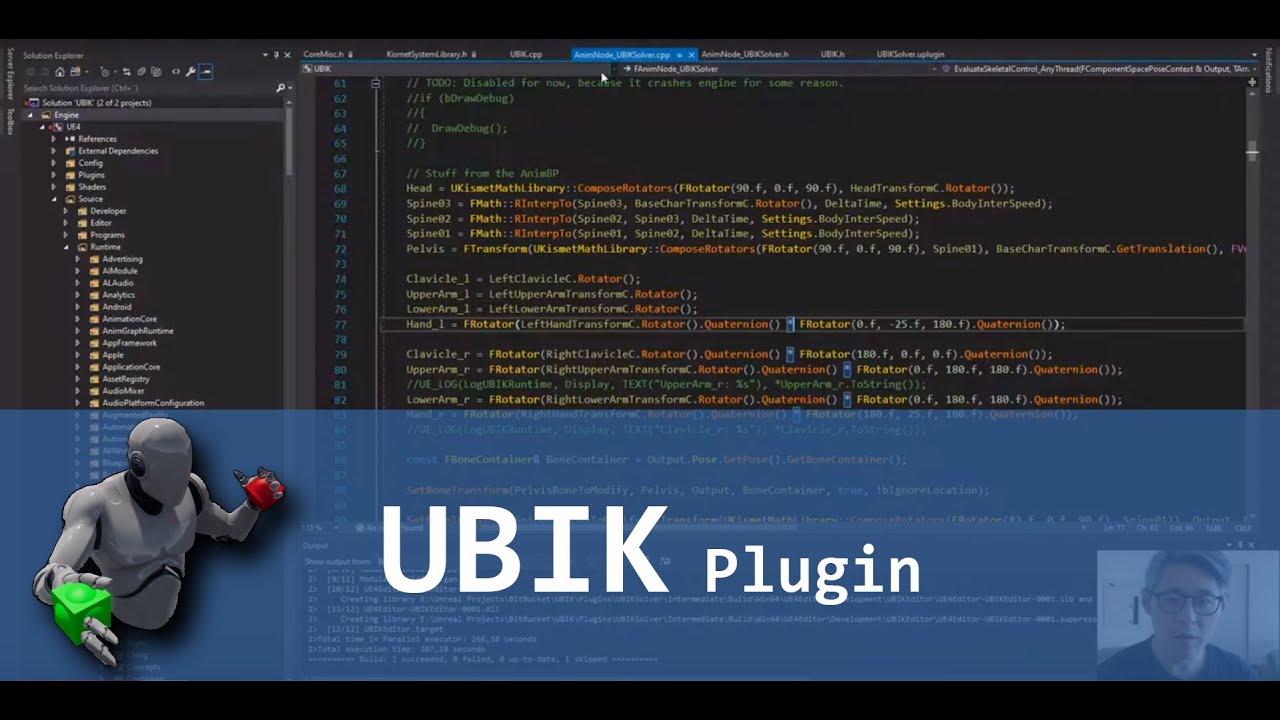
In this video i show how to setup a basic project using the plugin.
I also mention a current limitation regarding the skeleton the skeletal mesh must be rigged to.
Link to repository: https://bitbucket.org/jonas_molgaard/ubik/commits/branch/feature%2F4.23_Plugin
Feel free to...
opaque gorge
@sonic lake
Thank you good sir. To be honest you're the 1st person I have ever left a comment on in YouTube.
sonic lake
@opaque gorge I like to receive comments/questions to my tutorials. Is part of the reward for making them and it is good to know what people think or have problems with.
 polar valve
@sonic lake Does UBIK support android?
sonic lake
@polar valve like in "does it build for the Quest"? Yes, should be no problems at all.
polar valve
We tried it a few weeks ago and it was causing a crash. But I'll give it another shot
I just assumed it didn't support android
sonic lake
@polar valve then feel free to share the log / DM me, we can have a look together
polar valve
Thanks! Don't have the log anymore but if it happens again I'll get back to you
 lament hearth
Any idea why I am getting this error on my phone? I was able to run AR on my phone before without any issues.
 carmine yoke
Are you packaging with Vulkan? @lament hearth
carmine yoke
@lament hearth
Project settings > Android > Build
you want to support OpenGL ES3.1 and depending on the targetted cpu architecture armv7/arm64
lament hearth
Although I cant instal ar core on my phone from play store..it says that its not supported.
But..in the apst I used other vr projects from unreal and unity too.
carmine yoke
I've not worked with ARcore tbh but this does just seem like compatability issues
says you need 8.1 w/ API 27
that's most likely you're problem

Google Developers
lament hearth
Hmm..can this be avoided somehow, to use some older build?
carmine yoke
I guess so if the older ones supported it, but they're most likely deprecated
lament hearth
Oh I see. 😦
carmine yoke
Would also mean that if you published any older devices wouldn't be supported, so something to consider also
lament hearth
Gonna try on another phone ..I think my gf has newer phone than mine.
carmine yoke
Yeah, as I say, I've not used ARcore so I've not met this problem, read through that, you might find your answers
Not sure what floating render target support is, but your device doesn't support it
lament hearth
Thank you for the help..much appreciated. WIll try another phone to clear this one out.
carmine yoke
and I guess you need that for es 3.1?
no worries, sorry I couldn't be of more help, maybe someone else here who uses ARcore could steer you better
lament hearth
I found some software that emulates ES 3.1 on the phone, but it seems like it didnt work in my case.
My gf has android 10 version,,will try with her phone.
thanks again
carmine yoke
No prob
minor hawk
Thanks for the update @sonic lake I had a quick look at the tutorial, you do great work
@wintry jewel No worries, I'll let you know how the Oculus Start application goes.
humble lagoon
Suddenly I cannot teleport on my level even though I didn't change a thing to collission, navmesh shows properly. Getting the blue lightsaber effect.
Any ideas?
minor hawk
I don't use the VR template so there's not enough details here for me to suggest anything other than to step through the BP code on the teleport event.
humble lagoon
Whelp, it was a change in collision preset in the end. Fixed.
sturdy canyon
Thanks for sharing what worked for you @mighty carbon I think I probably just need to rebuild my engine.
Really wish I had a threadripper PC right about now 😛
mighty carbon
haha, that's why I am hesitant to build 4.25.3 when I know either 4.25.4 or 4.25.3 + new integration will be released shortly after and I'd have to spend time building it again
 sturdy coral
build before you go to sleep at night 😛
I would love a 64 core threadripper for builds.. I did get a 3950X and it makes it a lot more managable though
minor hawk
I used to build all the time but unless im making engine changes I find the debug symbols in the launcher built just as good. My 5 year old PC thanks me.
how quickly does a threadripper CPU build the engine source?
sturdy coral
my 3950 is around 30 or 40 minutes I think, the 64 core threadripper should hopefully be sub 10 minutes
sturdy canyon
The 64/128 threadripper with great ram and a PCI SSD can do it in ~7 minutes
carmine yoke
Jesus... imagine that ^
sturdy coral
there should be a new gen fairly soon hopefully and some of the pricing may get knocked down
 cosmic shoal
ThreadRippers are really insane, you know how GPU rendering is generally faster than CPU in blender? well the 64 core threadripper is faster than an RTX Titan.
minor hawk
damn i need to upgrade
mighty carbon
4.26p1 is out
minor hawk
Just saw that, and I laughed at the first release note
Fullbody IK Node (Experimental).
@opaque gorge ^ might be of use
sturdy canyon
Deprecated. Oculus Go, Touchpad Input, and 3DOF. (from the 4.26 notes)
opaque gorge
@minor hawk thanks man
minor hawk
Chaos ragdoll by default
 viscid moat
Damn that is super exciting
errant slate
One of our projects is for GO right now. It makes me sad 😦
Can't really change, they donated 100 of them to the university, so.....
minor hawk
OMG GPULightMass - perfect for my VR project
GPU Lightmass is now available through the Build menu. 
Forward Rendering on mobile devices - I assume that benefits Quest devs
errant slate
Water System (Experimental)
woot
viscid moat
Nice! That's super exciting indeed if they can pull off what they demoed for chaos physics.
 round helm
Hi, someone can help me ? i make a VR Project, when i start a dedicated server with 2 players to test replication on my project i have this error: (1 times this work, 2nd time don't work)
Assertion failed: IsValid() [File:D:\Build++UE4\Sync\Engine\Source\Runtime\Core\Public\Templates/SharedPointer.h] [Line: 851]
UE4Editor_Core
UE4Editor_UnrealEd
UE4Editor_UnrealEd
UE4Editor_UnrealEd
UE4Editor_BlueprintGraph
UE4Editor_GraphEditor
UE4Editor_GraphEditor
UE4Editor_Slate
UE4Editor_Slate
UE4Editor_Slate
UE4Editor_Slate
UE4Editor_Slate
UE4Editor_ApplicationCore
UE4Editor_ApplicationCore
UE4Editor_ApplicationCore
UE4Editor_ApplicationCore
user32
user32
UE4Editor_ApplicationCore
UE4Editor
UE4Editor
UE4Editor
UE4Editor
UE4Editor
kernel32
ntdll
KERNELBASE
UE4Editor_Core
UE4Editor_Core
UE4Editor_Core
UE4Editor_Core
UE4Editor_Core
UE4Editor_OculusHMD
UE4Editor_HeadMountedDisplay
UE4Editor_HeadMountedDisplay
UE4Editor_HeadMountedDisplay
UE4Editor_HeadMountedDisplay
UE4Editor_OculusHMD
UE4Editor_OculusHMD
UE4Editor_SlateRHIRenderer
UE4Editor_SlateRHIRenderer
UE4Editor_SlateRHIRenderer
UE4Editor_Core
UE4Editor_Core
UE4Editor_RenderCore
UE4Editor_RenderCore
UE4Editor_Core
UE4Editor_Core
kernel32
ntdll
it seems to crash mostly when i don't have the headset on my head
there is a way for pass throught it ?
tired tree
@viscid moat well....don't expect to load up P1 and test that
i've been porting off of the git version for a week or so now since I knew it would be a rough transtion, lots of chaos is still pretty much entirely broken
viscid moat
Yea, I'm definitely not planning on ripping out all of my implementations for it right off the bat. Definitely going to take a long, long time before they consider it production ready, but the intended effects of it actually doing what it's supposed to do will be amazing.
As a solo dev accomplishing what I'd like to do with the future of Chaos engine would be near impossible..
tired tree
mm, the largest thing is fixed physics tick rate being supported with it
viscid moat
I haven't delved into the realm of properly replicating my physics which is why I'm hoping by the time I get to it, I will have the necessary tools to make it work much better.
@tired tree Why is it that only when SteamVR is being used that we must use an entirely new library OpenVR?
viscid moat
I take it that's just what Steam uses to identify equipment?
tired tree
no, its their backend for handling the rendering and tracking
openXR is a wrapper around openVR
so when fully realized openXR can "mostly" be an agnostic front end for everything
it will be a universal front end for all XR platforms
viscid moat
Ok. I just thought it strange to require an entirely new HMD type when it's steam only to switch on and identify HMD and controllers
tired tree
@viscid moat there is no such thing as "headset type" generally, the engine only handles platforms
round helm
@tired tree with the VRtemplate i have the same problem
tired tree
what problem?
round helm
when i launch a dedicated server with 2 players
my project crash
1 times on 2
on editor
tired tree
there is no debugging on that paste you put above
its just an invalid shared ptr, doesn't state where or what
can't use it for anything
round helm
error
log when i launch and crash
have you a way to pass throught
on every project, same for a clean project, when i launch dedicated server with 2 player in vr -> crash
viscid moat
@tired tree I was more or less referring to I didn't understand why we don't just use the GetOpenVRHMDType to set the headset type and controllers instead of using it only if it's a SteamVR system:
tired tree
@viscid moat node doesn't exist without the OpenVR module enabled
it also doesn't do anything on incompatible platforms
both are there for people porting to quest or the oculus store where they force you to remove openVR references
viscid moat
So if I didn't need the controller models could I get away with not having the OpenVR specific stuff?
tired tree
yeah sure
but the different controllers are in different orientations and positions relative to the real life hand
and there is no handling for that in any API currently
viscid moat
Ahh, yea I don't have a ton of different sets to know and test that
tired tree
so it would be up to users to define something to alter for that
ie: pitch of the controlelr
viscid moat
Or something I had set up predefined for each controller
tired tree
i'm saying it would be up to them to pick the controller
as you wouldn't have a way of knowing it
i guess you can parse the console command, but it calls the same function
viscid moat
Yea I don't like that then. I wanted automatic detection functionality
So I guess I will indeed include the rest then
arctic saddle
Are loading screens for VR generally streamed in by a level through the main persistent level? Using OpenLevel is a hardware block so it's a noticeable "frozen/stuck" kind of deal until it is loaded. I haven't been able to simulate a loading screen like how Unity does it.
Idea is main menu, click UI button that switches to a loading circle, then loads the map in the background, then teleports. I also don't know if it's possible to set the "OnLoad -> SetVisible" can be stored after the fact and actually make it visible only after it's all loaded.
Right now, it is just is stuck for about 30 seconds, then teleports and loads the player like normal. Which works for now, but it isn't smooth.
sturdy canyon
Progress! I turned off about 30 plugins that were new in 4.25, and then the app didn't crash but told me to update my OS (my quest was still on version 19)
So I updated and now the app runs but just shows a silent black screen
Closer!
round helm
Someone have a tricks for testing replication on VR ?
sturdy coral
@round helm make a fake vr pawn so you can launch 2d instances of the game at the same time and test stuff
this pr can help run multiple PIE at once while using vr too: https://github.com/EpicGames/UnrealEngine/pull/6984
this one to fix launching in 2d if your project has bStartInVR == true: https://github.com/EpicGames/UnrealEngine/pull/6980
minor hawk
@wintry jewel @shy merlin @mighty carbon @carmine yoke
Got accepted into Oculus Start. Not sure if that's an achievement or not. My application did not contain a demo. I put my Quest pitch and linked to my various social media posts. Additionally described the game a bit more. Response took 1 day.
Thanks for the support and challenging me. 

Lets see where this goes...
shy merlin
Awesome news, i hope to be in soon.
carmine yoke
Congrats bud. Yeah I'm not sure how much this stuff means
But getting into the ecosystem is at least beneficial
minor hawk
Cheers! Feel free to hit me up directly anytime. Yeah that's it - foot in the door.
I have no doubt you'll get in @shy merlin
minor hawk
Can't wait for Oculus to see it
wintry jewel
@minor hawk I am amazed. They say you should have a working application and one already published game among other requirements. I might consider it myself
Really, nice job though
minor hawk
@wintry jewelI haven't heard that myself. But I looked into it some more and found this interesting Twitter post from their Director of Content - https://twitter.com/c_pruett/status/1235381054128525312 (found from https://uploadvr.com/facebook-quest-reject-oculus-start/). Key takeaway if you're rejected from the Quest - "These programs are made to nurture promising devs and to provide support and resources to grow their work."
Show your promise. I showed gameplay videos, documentation of consistent and thoughtful work and then highlighted achievements - previous VR jams, engine contributor badge on the forums, trusted to be sent to Toronto to set up and lead a team of devs. I have no idea if that's the formula but something in there showed promise.
Seems like not everyone gets in but it's pretty easy to get in. So yeah go for it and put your best foot forward. I get the impression they want to help you (which in turn helps them) even if you're not Quest material just yet. 

We designed Oculus Start/Launch Pad to incubate and support devs, which is why we sometimes recommend it to concepts we’ve declined. These programs are made to nurture promising devs and to provide support and resources to grow their work. https://t.co/3iqVATppgB
 Twitter

Oculus Director of Content Ecosystem Chris Pruett has a message for developers rejected for Oculus Quest store release: join the Oculus Start program.
wintry jewel
@minor hawk Funny that., I don't have any of that. I want to sign up to get a game out, but I can't without having previous work. I'm working from home, trying to develop some sample projects and little experiences, as well as participating in VR jams, but I don't know. What do you think would help me really stand out?
minor hawk
You can show promise with that. Start building your body of work and documenting it online now and at least once a week.
What's your skillset? I personally think standing out easily would be a unique and interesting idea with a basic prototype but that's pretty hard to think up.
Off the top of my head you can still show off what you have now to show promise.
- Youtube video blogs or just a normal written blog covering your VR experiments. Discuss design challenges, implementation details, re-implement an existing mechanic (eg SuperHot time moves when you do - pretty easy in UE4)
- Concept art of VR ideas
- Even iterating on an established idea with your own twist
hmm what else... the others here I'm sure would have more input
What have you developed so far? Do you have a game in mind?
I'm going to head to bed, 1:30am. I'll sleep on it and come back with additional thoughts based on your answers. Hopefully others chip in.
Start now. 
wintry jewel
@minor hawk I have only developed small experiences, most flat screen. I've been in one VR jam. Experimented many times but I've deleted most of mine, which was probably bad in hindsight. I am working through courses and building up my UE knowledge. Don't have a YT. I have a game in mind for the future, but I don't want to focus on that now.
Also, have a good sleep haha
round helm
Thanks @sturdy coral i will test soon
@sturdy coral, « Add IsHeadTrackingAllowedForWorld method to IXRTrackingSystem, to allow
distinguishing extra PIE worlds during VR Preview that don't have
tracking support. When VR is enabled, it will only return true for the
VR PIE world. »
i’ m working with blueprint, it is a condition branch to place on the begin play of my pawn ?
polar valve
Are the timings in Renderdoc accurate for Vulkan?
cosmic shoal
Occulus: "You should definitely use Vulkan. yeah it's in beta and it's missing some things.."
polar valve
For some reason my project has significantly worse performance on the Quest after updating to 4.25 from 4.23. 13ms on GPU to 20+. Happens with both OpenGL and Vulkan. Can't figure out why
 blissful bear
Was the 4.23 version using OpenGL 2 rather than 3.1 which is all 4.25 now uses. It was deprecated at some point but can't recall what version that was. I have Quest projects running OpenGL 2 using 4.22 and they run much slower when switching to 3.1.
polar valve
No, I was using 3.1 already
And I have 3 other projects which don't have this issue after migrating.
blissful bear
Don't you just love Unreal. Good luck finding the cause.
polar valve
😫
humble lagoon
Help needed!
I open a new VR template project. In VR preview everything works. I directly build it. I run the exe, it just shows a static screen, doesn't react to headset movement/controls.
What is the likely culprit?
humble lagoon
Oculus Rift CV1
humble lagoon
Oculus VR plugin is enabled. VR preview works perfect.
carmine yoke
Did you allow unknown sources on your oculus app?
carmine yoke
hmm
carmine yoke
Did you set your start map for packaged builds? sounds like its not loading the level
carmine yoke
yep that'd help
carmine yoke
no prob, glad you sorted it
humble lagoon
One last thing, the VRPawn camera and actually start view when spawned is 90 degrees off. What might be the issue?
carmine yoke
What do you mean? its 90 degree off compared to your hands or?
you can just turn the player start by 90 degrees if the whole pawn is off
humble lagoon
The VRPawn and the miniview is looking at point A. Once I click Preview, the view is 90 compared to what I set up.
minor hawk
Hey @wintry jewel how did you go? Did you make a start making a youtube or Itch devblog? Even putting up non VR work would have value. I think setup one of those and work on a prototype to show your potential.
 west bay
Hi all. Would like to provide a link here to download my VR game alpha build... still a long way to go but please take it for a spin if you'd like.
This is a VR Only game -and it should work for- Vive, Index, Windows Mixed reality, and Oculus Quest tethered to a PC(although I suspect quest controllers will be offset a bit funny). File size is about 10G zipped. Enjoy
http://www.randomfighter3.com/VMVR_Alpha_1_4.rar
viscid moat
@west bay do you have any videos of your game? I don't have time to download and play it but I'd like to watch some gameplay
west bay
I sure do
give me a few, may need to cut them down to size
or perhaps ill upload to my web
uploading now about 30min of gameplay from a previous build - quite a few less features - but should give you an idea of the play
played by someone who doesn't have much experience with the game so its somewhat raw 🙂
viscid moat
Great! Thanks
west bay
I just made some video of the current build, and uploading it now
so you will see that link shortly
@viscid moat
viscid moat
@west bay is it just taking forever to load? I go to those links and it's just a blank player with a loader/spinner
west bay
i am able to see them
was just verifying the second one
anyone else seeing the same thing as Xero?
viscid moat
viscid moat
Firefox
west bay
chrome browser
viscid moat
Maybe because it's trying to download/play a video file from an unsecure site?
Firefox may be preventing me from doing so
west bay
thats what I am thinking
havent tried FF yet
working for me on FF too
got other people in the US verifying they can see these videos
a co-worker just said it wasnt working, and he tried downloading it, which worked
🤷
viscid moat
I'll just download it then
How can I grab it from that link
Think I found a way, one sec.
west bay
🙂
I asked him as well
he said it just started working but only played 30 seconds... im not sure what that means
viscid moat
How big is the video file
viscid moat
Ok im at 600 mb
viscid moat
You betcha!
viscid moat
@west bay dang man! That looks like a super fun action RPG! You made great use of VRE I see. How long have you been working on that?
west bay
since about march - i decided to start learning unreal in January this year
and thank you
built right on top of VRE
viscid moat
Wow not even a year and you have all of that?
west bay
average probably 20 hrs a week
viscid moat
Yea that's not too bad. I think I average bout that but I am nowhere near as far as you haha
west bay
I have also made some games in the past using unity
and visual basic etc
I have a pretty decent process i suppose
but learning a new engine has been challenging
way more hours up front
in tutorials
and prototyping
the average in the march-may timeframe may be more like 30+ hrs per week
viscid moat
Do you work as well?
west bay
i do
I am a cybersecurity expert for a large ISP
working in engineering and network architecture
COVID gave me a lot more time at home
viscid moat
Yea I'm kinda in that same boat. I guess a lot more of my time has been spent making sure multiplayer works.
Is your game going to be multiplayer?
west bay
it will be yes.
will consider the game in beta once we're testing MP
theres some challenges with the large maps
in this case 20km x 20Km
minor hawk
@west bay downloaded the video (2.1gigs). It kind of reminds me Dark Messiah of Might and Magic - which is a really good thing.
west bay
the second video is a bit smaller - but comes from the actual build 1_4 that I linked.
appreciate the feedback. I hope you get a chance to try it out
minor hawk
downloading it now
wintry jewel
@minor hawk Not yet, I'm still investigating other ideas, but I will for sure
minor hawk
np @wintry jewel , have fun with it
 coral swallow
is there a way to detect if a quest user is using hand tracking or if they are playing with controllers, I want the system to be dynamic...
sonic lake
@coral swallow Is Hand Tracking Enabled
opaque gorge
@minor hawk
OK I really can't wait for a 4.26 if they're really going to add the experimental Ik set up. That is something I seriously would like to see and experiment around with.
Also with the awesome link. @eternal inlet I have used your plug in and it works like a charm. I'm going to have to figure out how to add the code for picking stuff up and basic VR stuff from the template but that shouldn't be too difficult... I hope. 😅
@sonic lake
I followed your instructions good sir. The plugin works like a charm. Going to start plugging in code so I can properly move around and everything. Also did you take a look at some of the Ik notes they might be pushing out for 4.26?
 rustic cargo
@coral swallow In 4.26p1 -- Project Settings -> Oculus VR there is now a 'Hand Tracking Support' drop down, and "Controllers and Hands" is an option. (I'm not sure the best way to switch dynamically though)
mighty carbon
@rustic cargo there is no way to switch dynamically ... yet
sonic lake
@mighty carbon the VR experience is asked to handle the switch between the motion controllers and the hand tracking, which is decided by the user through the Oculus settings
for a unified experience I don't think they want that to be switched in app
mighty carbon
not that they don't want - they don't have this functionality exposed to API ... yet
are you in Oculus Start @sonic lake ?
sonic lake
yes I am
mighty carbon
well, then you know we get to talk to Oculus team during office hours in he official Oculus Start discord 😉
sonic lake
you mean to the Facebook team 😉
mighty carbon
I asked about it and they didn't say "no, never".. So I still have hope they will introduce this functionality
Facebook Reality Lab team 😉 😉
rustic cargo
Well, I can imagine hacking a system to switch dynamically - "IF button is pressed on controllers, hide hands, switch to controllers -- IF controllers position do not change for x amount of time (as in someone put them down) then re-enable hand tracking
Is anyone else here experimenting with hand tracking in 4.26p1? It looks like it's working well (I had to make hand component a child of motion controller component, which seems counterintuitive - but It appears that 'Material Override' and 'System Gesture Material' do not work (I only see default material on hands
It's also curious to me that I cannot find the default hand mesh in content browser (Checked engine content and oculus plugin content)
 junior grove
Anyone know why the VR PIE window suddenly got super low res and zoomed in? Looks fine in the headset
west bay
@junior grove I thought I was the only one dealing with this issue. I dont know what causes it, but running in standalone is a workaround
west bay
are you sure you have your game window settings to 1920X1080 in editor settings?
@junior grove
mine did revert to some god awful resolution for some reason
junior grove
I'll give it a check
junior grove
setting it to 1920x1080 just gets me a fullsize PIE window that's still super low res
 eager olive
Just gonna place this out there, but what poly count would yall consider is fine for a detailed prop for a high end project using VR? Ideally the top end of Oculus Quest 2?
junior grove
Go stupid high for guns and whatnot that the player might want to stick in his/her face and lower for everything else
eager olive
Great that's as vague as I thought haha.
I am just doing an art test for a potential job and they didnt state any limits just "make these two things" so I am worried about doing it too optimised or not... but then again the shaders are far more expensive than the poly counts I've seen so far.
junior grove
This thing for example is 20k in LOD0
eager olive
@junior grove ah great. Well at least I feel good about my decisions now and only hope they feel the same.
Many thanks for the opinion and help.
west bay
@junior grove try hitting alt+enter when running in standalone if the resolution is still off
shy merlin
Pitch doc is about to go in fellows, wish me luck 🙏
minor hawk
Good luck @shy merlin !
shy merlin
@minor hawk thanks brotha
 abstract forum

reddit
14 votes and 1 comment so far on Reddit
eager olive
@abstract forum you have opinions on the NReal AR Glasses?
junior grove
@west bay Thanks, that worked
minor hawk
Very cool link @abstract forum
abstract forum
@eager olive I have not sadly
eager olive
@abstract forum just curious. They looked great but a few years old now. The ones you posted looked very good.
abstract forum
From what I can gather it has a 52 degree fov but I could be wrong
opaque gorge
@minor hawk
@sonic lake
Alright I tried to go where no man has gone before and send it to 4.25...
However it actually crashed.
minor hawk
Ahh that sucks. I've never upgraded with that large of a jump. Might be a dead end unless you can debug it. The time might be better spent porting it to a clean 4.25 project.
opaque gorge
. I'm going to try my best to rework it for 4.25...
 agile ridge
Is there a way to mimic the limitations of the oculus hardware?
mighty carbon
not really
there is budget and limitations published for mobile VR and UE4, so you could probably make PC VR game within that budget and limitations
Quest 2 is $299 though..
opaque gorge
@sonic lake
You're remarkable tutorial called VR arm Ik
opaque gorge
@sonic lake
Alright your tutorial in the latest up-to-date. Works like a charm butThere are a few things that should be noted that may throw a monkey wrench in a few things. All of these are in order
-
When moving the camera in place you have to use origin not follow camera. I don't know why they changed it but they did.
-
At the very end I might have to find a better way for movement because motion controllers no longer exist is an option in the engine - output.
That's pretty much it. Everything works like a charm.
@minor hawk
Well I did it thieriot gallo irritated with the camera but now I have a full body iK in 4.25
minor hawk
congrats @opaque gorge
sonic lake
@opaque gorge So you managed to make it work I guess. Well done!
I was going to try myself after having released my Chaos Vehicle tutorial
But I was confident it would work
west bay
 opaque gorge
@sonic lake
Believe me It Does's work but I'm going to have to figure out how to properly add some movement because the "motion controller" Where seemingly replace with every other type of controller you can think of.
sonic lake
Chaos doesn't like our BP_PickupCubes...
west bay
new unintended form of AI controller 😆
tired tree
@sonic lake yeah i put up a video a few days ago, had been tracking chaos in pre-preview for awhile since the port is going to be rough, P1 didn't fix anything that I saw in the first branches
really hope its a long series of previews
opaque gorge
Alright great gurus. I'm going to try to upload a VR body with Ik... Do you think it's a good idea if I put the hands in after the fact and have them be a separate entity so I can use finger stuff like I'm trying to grip on to a weapon or button
minor hawk
yeah I'm putting off the preview with Chaos in chaos
sonic lake
@tired tree did you also test with physics handles (physics constraints)? I tried porting from 4.24 to 4.26 a project which has physics hands but now the hands are just hanging from the controllers. I assume the constraint parameters need re-tweaking or the motor part is simply not working.
 real needle
you just go outside to a big field and then you can walk around 😄
games could procedurally create maps depending on where you drew you play area
in future you might have tiny drones which make a image of your flat, and then the game knows how to place what items and create a map 🙂 the game knows oh there is a table, so lets put something which has the same size but it doesnt need to be a table
tired tree
@sonic lake yeah I had to convert my grip system already, its not that the constraints aren't working, its that constraints don't "wake" bodies up that are asleep
and bodies are falling asleep instantly regardless of sleep settings when they stop moving
if you don't get another simulating body near them (not touching, just near enough to trigger the bounds checking) they won't react
also yeah, all parameters will need to change, the stiffness and damping settings are nowhere near 1:1 with physx
not entirely sure what unit of measure they even are, need to browse the source looking for that
sonic lake
@tired tree thanks! I have also been scanning the source code for clues. Apparently the Physics Handles are still tied to PhysX.
tired tree
@sonic lake they are not, they have both chaos and physx pathways in them
if you turn on the physx interface they will work with the old setup
a little confused actually why they don't use the physics interface more in there, you really don't need much physx/chaos specific code at all
another note, Chaos doesn't currently implement CCD either
sonic lake
@tired tree can you please point me to the Chaos implementation of the Physics Handle? I am browsing 4.26 on GitHub but I keep finding only the PhysX implementation.
tired tree
@sonic lake its the same file, they compile time it between the two interfaces
sent you a pm showing a section
sonic lake
thanks!
tired tree
i'll note also that chaos physics handles are ptrs, while physx are structs, and the chaos ptrs will be garbage by default
you have to specifically null them only on the chaos interface....
the actual actor handle that is, not the physics handle class
 dreamy ivy
Hey, everyone , I've been working on a tutorial series for "Creating & Implementing Custom Hand Animations For VR in ue4" No one wants to wait a week for the next part so I uploaded them all at the same time.
It's super easy to create and it's even easier to expand on. I hope you all find it useful.
Here's Part 1:

#Hands #UE4 #VR
► Join the Discord: https://discord.gg/xw65fg7
► Patreon: https://www.patreon.com/GameDevXR
► Twitter: https://twitter.com/GameDevXR
► Instagram: https:/...
 wheat holly
Awesome! 👍
dreamy ivy
Awesome! 👍
@wheat holly Your welcome.
 ember forum
how do you guys handle different controllers in VR, in 4.24 the general "motion controller" inputs got deprecated and now each device has its own input (oculus touch, index, vive, etc., windows mixed reality)
do you usually use some sort of plugin like steamVR to have some sort of global 1 size fits all input setup
or do you just add each individual "key" input for each device to the actions and axis in project settings
 daring pasture
Yeah, have to add each input per device
sly elk
There was some super weirdness around the analog inputs
sturdy coral
@ember forum the main thing a lot of people run into with the steamvr input one is your axis names for 2d things like joysticks and touchpads need to end in _X and _Y (like Move_X, Move_Y not MoveForward, MoveRight)
also, when editing the binding json files watch out that on the controllers name thumbsticks thumbstick and others name it joystick
it will generate it for you, but if you are copy pasting deadzone settings and stuff watch out for that
mighty carbon
Medium
Not knowing these could cost you big time when turning your vision into a reality
insightful
opaque gorge
You know I'm going to get serious brain damage if I keep getting all these brick walls...
OK every body I have a serious question. How many of you have Properly are even minorly send hands from blender to unreal
ember forum
lol @opaque gorge .. might not like my solution but.. took a whole character, chopped of his whole body and left the hands...
the upside to that, is you are left with the ue4 skeleton, so for replication purposes, you dont need to do anything different for 2 different skeletons..
opaque gorge
@ember forum
Honestly I just went into unreal and exported it. Then have to chop someone's hands off... just yet
ember forum
yeah i see you got the ue vr template right?
i really dislike that thing and the whole -1 scale for making a left hand...whats your issue though?
opaque gorge
I swear I'm going to need somebody to go into the general voice chat and do a Ted talk for me
Like I said I'm going to get brain damage if I keep getting brick walls
ember forum
you'll be fine, i think thats a big part of all of this, things in VR generally dont work on a first second try basis
i doubt i have your answers, just curious and if you express yourself others can help
opaque gorge
Well here's the thing I have no idea what I'm looking at. I don't properly know how the bones go over from one thing to the other. I have no idea how to import a skeleton because YouTube videos don't really do a good job at that if there is 1 please send it
All I really just want For Christmas is to understand...
And to get over this brain damage
ember forum
first of all, you want to import just that black hand?
welcome to game development my dude ✨
||this shit is hard||
opaque gorge
Believe me I have a degree in this stuff however I try VR because it was never properly explained.
Not really I want to understand what makes this hand function so I can just use my own that I 3-D modeled
ember forum
do you know how to rig skeletons?
opaque gorge
In blender of course. It takes a minute but believe it or not rather soothing. It's whenever I try to import that skeleton or a mess that has it that everything gets thrown out of whack
ember forum
pics of the outcome
and what you were expecting
?
what makes the hand function is the bones, and the anim bp that is based on the hand skeleton... you can make your own anim bp based on your own skeleton, or if you import a blender model with the exact same bone hierarchy you have the option of not creating a new skeleton and choosing the ue4 template hand skeleton
and in that case the anim bp will just work as well
the axis events on your motion controller drive the fingers anims... (yes motion controllers is no longer a input, you have to do it per device)
opaque gorge
So what you're telling me is... Wait a psychotic minute Are you telling me I could just probably take this hand and bloody delete The thing and just use my own hand
ember forum
yes
youd just copy the anim bp nodes onto your new anim bp based on your own hand/skeleton so that you still have the same functionality, literally copy pasta... but yeah you could have your own skeleton
you are by no means forced to use the ue4 skeletons
its just good practice if you are going to be using marketplace assets and such, for compability
opaque gorge
Any you would recommend. Also when it comes down to it I'm just slightly irritated because every time I try to find a video about how to properly set up a skeleton They tend to love to beat around the Bush
ember forum
oh yeah youtube tutorials are tough, you've already watched the best ones most likely... the vr marco ones
any what i would recommend, marketplace packs?
opaque gorge
yup
ember forum
i personally dont use any...
opaque gorge
I prefer to use add ons and just learn the thing myself
ember forum
because i took an entire character model, so that in multiplayer you can see my avatar and vice versa, and what i did was chop off the entire body, left the skeletons, left the hands, blocked off the holes in the hands
and now im just using the ue4 skeleton
for everything
instead of having a hand skeleton + body skeleton
do you want multiplayer, do you want avatar presence
if not yeah, just take some hands models
i saw some really nice ones, but its up to your project's vision🧑🎨
brisk spade
when i use this node my position is out of place and my motion controllers are not resetting :/ do i have to stand in the center of my playfield?
 silk ibex
I’ll get a ss of my repos
rustic cargo
Update on 4.26p1 hand tracking - be sure to enable bUsed with Skeletal Mesh in your hand material...
sturdy canyon
In the end I gave up on 4.25. I just ported the changed needed to get the Quest2 identifying correctly to 4.24
I have no idea what was crashing 😦
mighty carbon
ouch 😦
 obtuse spruce
@brisk spade Which HMD are you using? Last I checked, ResetOrientationAndPosition worked as expected for Rift, but was screwy for the Vive
 warped quail
i have a question about the vr expansion plugin - for some reason, the height of my blueprint character based off the vrcharacter class just stopped working all of a sudden. Now, the camera just sits on the floor, and I have no idea why. I am pretty sure that this problem was not caused by me - it just started suddenly. Would anyone be able to help me with this?
viscid moat
Have you tried rerunning room setup to calibrate its height?
warped quail
yes, I did. It still does not work. I had this same issue with the plugin in another project, the height just stopped working randomly
tired tree
@warped quail it has nothing to do with either plugin, if your hmd is not moving or is too low than it is either not tracking or is set to eye level. The camera moves in relative space to its attachment root.
warped quail
@tired tree I think my hmd is working properly, the height works properly with unreal's built in motion controller pawn
tired tree
@warped quail then you turned off lock to hmd by mistake or something
the camera itself tracks the headset
warped quail
alright, thank you. i will try to fix it
ivory magnet
how do I host a listen server on oculus quest
 hard relic
Hello! Sorry to disturb again. In my Oculus Quest, pushing the Oculus system Button do not pause my game anymore. It seems to have something to do with the last GUI changes of Quest. How do you detect that this button have been pushed? I do not have success with "'Has System Overlay Present" node i've put in the Level BP... Any idea?
sonic lake
@hard relic you need to check for Input Focus. here: https://developer.oculus.com/documentation/unreal/unreal-dash-overlays-focus/
Overview of the Unreal focus states, Oculus Dash and the Universal Menu.
 limber cape
Guys, my VR preview on desktop shows zoomed in version of what I'm seeing in VR
 bold crag
Bro i am using unreal engine 4.25.3 and i build for Android cardboard my app is crashing when i try to open i research and found that something is wong in google vr plugin
Do you have any fix for it try to build for cardboard
What version you are using
If you have 4.20 please can you give me an specific file ,4.20 google vr plugin folder
Plss help
Its been a week I am trying to get it work
hard relic
@sonic lake Thx!
hard relic
@sonic lakeI can't follow the way to do, because when my OVR Plugin is Enabled, i still can't see in the Project Settings to Set the overlay ON. Any idea? (U4.24.3)
@hard relic Tsss.... Enabling "Oculus Avatars Plugin" display Oculus VR Plugin again.. (U4.24.3 / Windows10)
hard relic
something wrong, i do not have the Focus Aware option in mobile section of OVR Plugin.
I can't "Edit > Project Settings > Plugins > Oculus VR > Mobile, and check Focus Aware"
sonic lake
@hard relic which version of the OVR Plugin is the engine reporting?
Look into the log on startup
hard relic
@sonic lake Sorry Marco, i can't see any log at startup...
could you explain how to display it?
- My message log is empty at startup.
my oculus version in U4.24.3 is 1.41.0. (They are talking about a v13 minimum, so i'm not sure here...)
 modest cliff
Hi all.
Has any of you guys got the Depth API for ARCore to work?
I checked that my device actually does support it and can only suggest that I did the setup right with no documentation at the moment
west bay
Guys, my VR preview on desktop shows zoomed in version of what I'm seeing in VR
@limber cape Same, started in 4.25 for me, run in standalone mode and hit alt+enter once the game is ready
hard relic
@sonic lake Hmm it may be my Oculus VR plugin that need to be updated...
Base on https://developer.oculus.com/documentation/unreal/unreal-compatibility-matrix/
My version is OVR 1.41.0 (it seems to be a U4.23.0) but i have installed a U4.23.4 that must come with a OVR 1.46.0 (v16)... Weird.... Where can i update the OVR Plugin only?
Overview of the Unreal editor configuration and components.
hard relic
I tried to drag to my install an OculusVR.uplugin from the UnrealEngine-oculus-4.24.3-release-1.48.0-v16.0 of the Gibhub ...
sonic lake
@hard relic regardless of the plugin, can you see the Has Input Focus node in your BP?
hard relic
sure
have done several tests but nothing seems to change when i push the Oculus System Menu Dash Button...
still no success... maybe that is not working in Level BP and need to be done in Game BP?
sonic lake
@hard relic is the code above what you used? With those unconnected nodes hanging around?
hard relic
Hehe that from several previous tests. None of that works...
errant slate
I'm learning about packaging and chunking to see if I can work around the 4Gb OBB limit for Oculus (this will never be on the app store). Anyone know if you can get UE to split OBBs out like it does PAK files when using PrimaryAssetLabels?
sonic lake
@hard relic so no matter what, Has Input Focus doesn't change its value when you leave the app to go to the Oculus menu?
hard relic
yep no matter, nothing happens.
sonic lake
@hard relic so what does it return? Always true or always false?
I would gladly test it myself but I don't have my Quest with me right now, only the Rift S.
hard relic
Too bad. I need help there. My head is broken now.
hard relic
@sonic lake always false
arctic saddle
has anyone run into the issue where oculus rift s doesn't start in the correct areas while all the others work? MR, Index, Valve, Oculus Rift CV1
using steamVR
@sonic lake the teleportation issue I was running into seemed to be fixed by setting the FVector to 0 like you said, but also adding invisible walls (nav modifiers) at the end of areas that aren't accessible anyway to prevent the arc from even reaching out too far. Seems it fixed it completely with a combination from those two.
daring pasture
@arctic saddle same thing happens with link. SteamVR has a reset position button on the dashboard now to correct it
arctic saddle
@daring pasture are you talking about the built into steamvr reset button? Is this only for the new version for steamvr? I will take look at that. Thanks! I figured it might have been an oculus position. Reset it several times and it didn't do anything.
daring pasture
Yeah its at the bottom right of the steam vr dashboard when you're in vr
sonic lake
@hard relic HasInputFocus and HasSystemOverlayPresent share the exact same code. Reasons for either of them to return false is that there is no valid reference to the OculusHMD or the HMD is not seen as active. Not sure how you are doing your tests, I guess you are wearing your Quest, logging the state in-app and then browsing through the log files afterwards?
hard relic
@sonic lake I'm not sure of my tests too... I'm not sure what's the way to do that. I can not find anything clear about that.
First, it's hard to see the result of the HMD activity or no activity.
Second, there is this OculusVR plugin that is not seen in my Project Settings. (It seems that's a bug several people reports.) (So, I'm not sure to have all activated correctly)
Another point is the version of that plugin and the way to update it. Something wrong in the doc: i do not have the version i must have.... mine seems to be a old one.
So, here, everything is done to complicate. I give up. I will wait a proper and confirmed way to go before attempt again.
real needle
I think this is right place to ask but I have followed this tutorial https://www.youtube.com/watch?v=EKR8ogonD68 To get a third person template with addition of VR
This is the easiest way I found to get yourself a VR body with arm Inverse Kinematic (requires Motion Controllers) and full thumbstick locomotion. This step-by-step tutorial shows exactly how to do it. Note that room-scale movement is not supported and you will end up out of y...
My issue are I can't seem to move around using left thumbstick and can't rotate using right thumbstick
also when i VRPreview the Camera seems to be correct roughly if I'm sat down but if I'm stood up the camera then is way above charactors head any ideas how I could solve this please thanks
sonic lake
@real needle which version of the engine are you on? Did you check the input settings?
sonic lake
Which HMD are you using?
sonic lake
Can you move your hands in VR? Do the hands and arms follow your movements?
real needle
yeah I have this set up to move the hands to the transform of the Motion controller
Which works when in VR Preview the hands move with the controller, there a little wierd because of the Camera height issue when stood up wearing the headset but sat down they move from with controllers
sonic lake
If you are available we can connect hand have a look
real needle
i'm avalible on hear not to connect unfortuantly but we can type chat via private message if you prefer and I can show you what I have set and where i might be having the issues
sonic lake
ok let's try that via DM
 sage gulch
I take it that it's possible to build for Quest with 4.24 but the current documentation is for 4.25 and mentions some changes to the environment, anyone doing this 'manually targeting' stuff show near the end of the page or is it better to use an older method? if so where is the old doc? thanks
https://docs.unrealengine.com/en-US/Platforms/Mobile/Android/Setup/AndroidStudio/index.html
How to set up your Android development environment for Unreal 4.25 and later
real needle
can anyone shed some light on why if i click on android tab under platforms in project settings I get the engine freeze and lock up can't click anything shows about 10% usage on cpu and not responsive
it's really annoying as I need to go onto this tab to set various things I believe
anyhelp would be appreciated
ember forum
so developing a pc vr game , i have a oculus rift , i wonder if theres any benefit to using the oculus branch of ue4 , like if theres any added debugging benefits, even if I plan on shipping for multiple pc vr headsets
sonic lake
@ember forum the Oculus branch has the latest version of the SDK integration and some useful assets/demo projects in it. For the rest it should be the same as the current release version on Epic's github.
shy merlin
Anyone have experience with destructable meshes? Is it better to just swap with a prebroken model, or to use an integrated fracture system?
ember forum
vr hands shaking
is it just on my end?
wonder if i just have to smooth it out on animation
silk ibex
I finally just worked out how to distinguish between the two hands.
Now I just need to work out how to correctly apply transforms between the two.
 real needle
So can anyone help to why I would get this error ?
the only tweak I made was this adding in a branch which checks if the object being grabbed has the tag CanClimb
sonic lake
@real needle right click on the get for Gripped Object and select at the bottom Validate Get
The reason you are getting the error is that the function is being called without checking if you are actually gripping an object, so Gripped Object is null
trail shale
Seems there were some updates I missed - is the best way to handle this to just create events that are then triggered by multiple VR platform keys, like a "Right trigger from Oculus, and a Right Trigger on Valve Index" both will trigger the same event?
I'm using Valve index but is the control mappings screwed up on it?
Beyond having the steam vr plugin enabled, i"m not sure what changed in 4.23 to 4.25
What's odd, the current build I have has the controls work fine...guess I need to check my input manager or something
I've always, always hated the way unreal handles input
trail shale
https://issues.unrealengine.com/issue/UE-86396 how do I regenerate the controller bindings?
daring pasture
Setting up UE4 to work with the SteamVR Input system.
trail shale
this is the most unclear system I've ever seen
I'm confusd - do I have to manually put these in here?
@daring pasture btw I love your name lol, how fitting for here
sturdy coral
@trail shale the editor can generate the binding file, but steam can write to it too (like if you adjust the deadzone, add choords, etc. in the steam overlay)
trail shale
this popping up everytime I go to make a change is getting very ....tedious
I'm just not sure why nothing works in thre
*there
sturdy coral
unreal always fully regenerates so will wipe out anything you did in steam, steam can modify what the engine generates so won't wipe out engine stuff
trail shale
the binding is all empty and I can't set the A or B keys in the steam overlay, they don't exist as an option
sturdy coral
unfortunately steam will reformat the whole json file though and sort it in different order
so you can't use merge tools easily
trail shale
What's the correct process then?
sturdy coral
use version control, make your initial bindings in editor, then tweak settings in a text editor or steam overlay
trail shale
oh jesus not perforce again
sturdy coral
then if you need more changes from the editor, manually merge them
trail shale
do you have a ini or json file for Valve Index that is just ready to go? I just want to be able to map the keys
I get there is some specialized settings involved the x/y of the thumbpads but I can't for the life of me figure out why the A key isn't enabled at all to be accessed like in the VIve in the past as "motion controller"
sturdy coral
I only map the keys and bypass all the action bindings, because they don't work if you have a complicated input setup and will cross trigger each other
trail shale
holy crap what did they do all this for?
the vive just "worked"
so can you please explain that a bit further - when I map the keys, am I doing that in unreal or steam overlay?
sturdy coral
I basically did bindings with stub actions to get it to work as it did before, those actions emit keys which I bind to other stuff and use the input stack, there is nothing built in to support it working this way
I have to manually remove some of the actions when generating bindings, then add them back
if your stuff isn't complicated, not using the input stack and stuff, you should probably just do it the way they want
trail shale
I'll try not to take it personal from valve or epic, whoever wants to make my life difficult
sturdy coral
there is an "EnhancedInput" plugin in 4.26 that may end up making a better solution easier, but I don't think it is tied in to openxr or steamvr yet
trail shale
I mean, I might use the input stack, I change controller blueprints around and set them enabled as input normally -
I just thought the input stack was the hierarchy for what most recently consumed input
sturdy coral
basically the input stack would be like: jump action jumps your character, but when you have a remote controller for a robot in your hand, jump action jumps the robot and shadows the input to your main character so it doesn't jump (or lets it pass through if set to not consume input)
trail shale
I use an input manager blueprint to handle the stack so all initial input from the motion controller gets sent there first
and then it's processed through whatever logic is needed
but from what you have been pointing to, i can't do that if I am using epic's suggested way?
is that link spoonfed gave me up to date?
sturdy coral
if all your logic is there you may be ok, just bind one action per button or axis
trail shale
it says 4.23
sturdy coral
"Index Controller A" action bound to Index Controller A key, etc. then push it all through your manager
trail shale
so just bind one here?
sturdy coral
yeah
trail shale
why does that popup come up every single time I do any single thing at all there? because steam vr is running?
then after i bind those actions, what do I need to do in the steam overlay?
sturdy coral
they put some kind of field in the json when it is editor by steamvr I think, and that will popup until you overwrite it from editor
they really should have done a self-referencing hash in the field or something, because if you edited it in a text editor instead of steamvr, the editor might wipe out your changes without that prompt
in the overlay you don't need to do anything, unless you want to adjust deadzones etc.
grip thresholds, and all that kind of thing
trail shale
ah, holy crap thanks for explaining that, that would have taken much longer to figure out without the help
what's this about - While SteamVR is stopped, you may also need to edit C:\Program Files (x86)\Steam\config\steamvr.vrsettings to remove the block caching the action manifest settings generated for the Unreal Editor.
sturdy coral
I'm not quite sure, they do some kind of thing in there to distinguish different ue4 projects from each other even if they use the same engine executable I think
trail shale
should i do that tip?
sturdy coral
I don't know, in what context was that tip given?
sturdy coral
I've had to remove the entry it talks about before due to some weird issue with an upgrade It hink, but I don't think I've ever had to when things are working normally
 toxic kelp
hey guys ... I am getting ready for my first VR headset.
Recently my PC became slow, such as opening a folder taking a while.
I have performed a check and the results are SHOCKINGLY poor ... but I do not know what needs replacing
I did try to overclock my CPU a while back but Satisfactory kept crashing so I reverted the settings
Here is my benchmark ... would LOVE if somebody could give me some tips:
 mighty carbon
I'll give you a tip - get Oculus Quest 2 @toxic kelp 🙂
mighty carbon
you need beefy PC for that
 ancient sleet
This is an Unreal 101 question, but what is the best way to move a character controller blueprint to a different folder without causing issues? I'm trying to move my VRE Vive_Pawn Character to another folder but get hit with a number of errors when I do. I tend to just avoid moving files since it tends to not be worth the risk of issues, but am feeling like I want to start more actively moving files around.
mighty carbon
UE4 should automatically rebuild references when moving files around (moving inside the Editor though, not in the Windows explorer)
I never attempted to mess with VRE files, but I move my BPs every now and then and I've had no issues
 autumn magnet
Hello, sorry to bother anyone, but I have a quick question about vr projects,
so basically I made a level in a first person template map, and migrated it to a vr project
however, the shadows and lighting in general seem to be slightly off in the vr project
I migrated the project to another first person and it was fine, but also tried migrating it to another fresh vr template and the shadows and lightly were once again also wonky
does anyone know why the vr template project would cause this to happen?
Thank you very much for anyone who has any input
sturdy coral
@autumn magnet look in Config folder for the vr template, it sets a bunch of scalability options
including something like single sample shadows I think
autumn magnet
thank you sir I will give that a try
Unfortunately the single sample shadows is not enabled on any meshes so that could not be the issue
ancient sleet
@mighty carbon hmm I tried again and was able to move my VRE character controller, so who knows
 copper zenith
Does anyone know how to work around UE 4.24 -4.25 getting stuck on compiling new VR template. From what I found online, people said it's compiling shaders, but other templates take seconds, while the VR template takes minutes to an hour depending on a system
my desktop is powerful enough to open it fast with brute force, but my 4 year old laptop that can run UE4 stays on 39% or 80% percent for hours
Tried opening it on my laptop from my project git clone, from a direct copy from my desktop and also tried making a fresh new project from the VR template. Same result
If anyone knows how to circumvent this issue, please let me know 🙂
modest cliff
@ancient sleet Just make sure you move your files in the engine and always fix the Redirectors after moving or renaming the files.
trail shale
HOW do I stop this message from popping up EVERY SINGLE TIME I do ANYTHING on the action bindings for my index? I've tried it without steam VR running and I still get it it -
@copper zenith you "MIGHT" be able to copy the same compiled shaders folder from your user/appdata folder
real needle
So this is my AI controller I'm having issue where the AI can't see player at all and that's confimred by the can see player being false when i'm moving around
trail shale
Can anyone recommend a good Index controller profile or pack? Are there any good simple solutions? I've used VR integrator for years but it
is too convoluted to use anymore
Trying to override functions with an input manager but while maintaining the core functionality of the VR pawn is becoming very frustrating...
tired tree
@trail shale the entire point of the new input system (OpenXR like) is that you define "actions" in the input settings, things like "LeftHandGrip, LeftHandUse" ect, then you can bind different buttons to each action depending on what controller is being used
directly referencing buttons was never a good solution to begin with
trail shale
How do I handle that with an input manager? I'd love to watch an epic livestream but there's nothing about best practices - I have a pawn that need some core functionality, but I also want an input manager in case I'm loading up a different game profile
Do I just keep the actions on the vr pawn and then send them to the input manager and make a 'psuedo -action' event that is called on the input manager? because right now my input manager is overriding the action events (kinda like what you mentioned, not a good thing to call the action events from two different places)
Or can I put the keybinds to directly fire multiple events? example - the grip activates a radio, but it also activates a door opening - so can I have the grip fire both action events (in the unreal bindings) and then those events fire on each radio/door blueprint, but just have logic on them to ignore (like, process the input event on the door but with an initial boolean that is set by whether they are overlapping the door with the player controller collision?)
I hope I explained that decently
ancient sleet
@modest cliff what is the best way to fix the redirectors? I do move in engine, but the fact that it sometimes works and sometimes doesn't makes me wonder if I'm not using redirectors properly.
modest cliff
@ancient sleet Just to be safe I always do it on the main folder. So right click on the Content folder - Fix Redirectors -> Save all
The reason why sometimes it works and sometimes it doesn't depends on the file being referenced somewhere or not
To see that right click an asset and then select "Reference Viewer" or hit CTRL+ALT+R. If there is something on the left side then the asset is referenced by a parent, therefore needs redirectors to be fixed when moved or renamed
Additional info: You can in fact display if there are any leftover redirectors in your project by activating the search filter.
See here
ancient sleet
Ah maybe that's it. I don't do it on the root folder, and might do individual folders. Thanks for all the info!
modest cliff
No probs man, it's a little weird until one get used to it
And it's absolutely crucial if you work with source control in a team
trail shale
@tired tree I guess it's too much to hope that this would actually work without the right trigger being consumed by one of these blueprints? I'm using the two different action events
tired tree
@trail shale specifically with re-using buttons in seperate actions, don't do it currently
it can trigger other random actions that contain the key
openXR supports "action sets" where you can change entire input profiles, but the engine doesn't support them yet (if ever)
that being said, if "open truck door" and "click item" are seperate actions for you
I think your input scheme is messed up
one way of handling it is to use gameplay tags or an interface to filter what the object wants to be interacted like
you can query which inputs it wants, or set an interaction type enum or something
you can also read input on actors by themselves but that obviously isn't as useful for intial
trail shale
Can you recommend a good resource for me looking into this, like the gameplay tags or interface? @tired tree I was just going to have all the main action mapping events triggered on my VR pawn, but also send out events from there to my input manager, which would then process the logic and trigger the events when they need to be triggered - I'm not sure how performant that would be but I don't think it should affect performance (as long as I get it to actually work, input-wise)
trail shale
Like, should I be concerned with these entries in my output log?
Mainly - LogSteamVRInputDevice: Error: [STEAMVR INPUT] Setting Action Manifest Path Result: IPC Error LogSteamVRInputDevice: Error: [STEAMVR INPUT] Setting main action set: Name Not Found
tired tree
your registration failed
unsure what is causing that
@trail shale a seperate input manager is kind of unorthodox though all things considered, normally if you want direct input on an object you would "Bind to input" inside of it, and it could manage it itself
trail shale
You mean set input enabled on it?
this is the only thing I could find in regards to that @tired tree
tired tree
@trail shale EnableInput, it lets you bind an actor to a given player controllers input stack and directly reference the events
then DisableInput when done
there is a large general case for enabling input on most actors you pick up to handle extra buttons if you want
trail shale
AH, so if I am trying to open a door, I can enable the input on that actor itself, when the overlap occurs, then disable it when it ends...
trail shale
How do I use the Force settings on a grip, for example, to control logic on events @tired tree
and is this still relevant/accurate ? https://medium.com/@runeberg/getting-started-on-the-new-steamvr-input-system-with-unreal-engine-4-21-7856a02f4b38#816c

Medium
SteamVR’s new Input System offers developers the ability to abstract key mechanics or “actions” of a VR Experience/Game and map them to…
Should I be using an axis? why does it let me put "Force Grip" grip on an action
tired tree
you are adding inputs to your "actions"
you can have multiple inputs to an action on the steamvr side of things
mighty carbon
it looks like 4.25.4 hotfix is coming before 4.26 release
trail shale
What is a reliable way to add logic for if you are working on your VR project and you Do NOT have a VR headset plugged in? HMD enabled?
shy merlin
@mighty carbon any preview of what theyll be including in the hotfix?
mighty carbon
@shy merlin they never do any preview for that kind of stuff. You can simply check on their github what was committed since 4.25.3
magic steppe
I'm developing a pc/vr multiplayer unreal project for an oculus device. I developed a test steam multiplayer game in pc but how do I get this to work on the oculus? I can't find any info on this
brisk spade
I need some help with a circular Menu around my player?
i set my inner circle to the rotation of my HMD Yaw and then select the right Menu Point depending on the degree
sly elk
@trail shale If you want, I can show you our index input config for wrench
mighty carbon
https://developer.oculus.com/downloads/package/unreal-engine-4-integration/20.1.0/
nice!
Bug Fixes: Fixed an out of bounds array access in OculusAudioMixer that was causing a runtime crash when using spatial audio.
and Quest 2 support was added
 chrome siren
Our game when packaged doesn't play sound to oculus rift headphones unless the game is paused in dash, it only plays to the main audio device. Does anyone know what could be causing the issue? it's related to https://developer.oculus.com/distribute/vrc-pc-audio-1/
Describes the Oculus Store requirement for Rift audio output.
this only tells you how to test, not how to fix
viscid moat
@tired tree where are the left and right hand motion controllers actually spawned in VRE? I see places in the event graph where it spawns a teleport controller, but I can't find where the left and right motion controllers are being spawned and set.
viscid moat
Got it. Thanks.
real needle
what is the relation between the OpenXR plugin and the Oculus VR Plugin?
I have an oculus quest and would like to be able to play my game also on other devices
sonic lake
@real needle you should watch this: https://www.youtube.com/watch?v=QckZyZyvlsM

Learn how to stop maintaining multiple versions of your application and let the runtime do the porting for you by taking advantage of the new OpenXR plugin in UE4.
real needle
@sonic lake i already did and i understood most of it. but e.g. a question is: do i need to enable both plugins for oculus quest development?
if i enable both i get a black screen
if i enable only one, i can only move 1 hand with the controller, buttons dont work
sonic lake
@real needle OpenXR offers an abstraction layer on top of the specific devices' plugins, so it is an alternative to them
Regarding the inputs, probably they are not mapped correctly
real needle
@sonic lake: so i dont need the oculusvr plugin if i enabled the openxr plugin?
sonic lake
@real needle exactly because in principle your game can be used with any compatible device which implements the OpenXR standard
real needle
@sonic lake: Thanks for the information! And do you have a hint why the buttons are not working and only one hand is visible in the vrtemplate project of unreal?
sonic lake
@real needle works fine on the Rift S. Just the hands are slightly rotated as the base transform of the controllers is different in OpenXR, but the grabbing and everything else works as expected.
Are you launching on the Quest or using it with Oculus Link?
real needle
i want to have both possibilities
so.. i think the quality of the 3d modell that i want to show is too high for the quest itself
but i want to have a wireless stream
do i need the steamvr plugin for this? 🙂
sorry but there is not a lot of information online @sonic lake
so every information is valuable
is openxr the right approach to my requirements?
sonic lake
@real needle yes, I am aware that there isn't much information online and that anything around OpenXR is still experimental (at least in UE4). My recommendation is the following. If this is for an important demo, I would stick to what is stable and well documented, which is the Oculus VR plugin with your Oculus Quest.
Wireless stream: meaning you want to show what the player is seeing? Or stream a PC game to the Quest?
real needle
pc game to the quest @sonic lake
its only a demo on a fixed pc, so i can experiment a bit
what would you recommend stream pc game to the quest?
which plugin
trail shale
Isn't there supposed to be a "Steam VR Plugin button here????"
It's totally enabled in my plugins
hard relic
Hi, I was using "Color Scale and Offset" to Fade my Camera to Black with success before... and now i just realize that is not displaying anymore. Do you know what can disable its process?
@trail shale don't think so. Never see it there.
tired tree
@trail shale doesn';t show unless you are running steam
there is also a visibility option for it in project settings under that plugins settings
real needle
the default motioncontroller blueprint does not compile for me.. does someone have a version that works with ue 4.26 preview 2?
sonic lake
@real needle if you disable the Steam VR you have to remove the first three nodes from the room scale setup function
otherwise it won't compile
real needle
@sonic lake where is the room scale setup function?
real needle
thank you!
carmine yoke
Alright fellas, I'm having an absolute wopper of a day. I just tried to change my previer renderer level to ES3.1, Ue4 crashed, and now won't reopen, I assume because the rendering level is still set to ES
I can't find any option in defaulteditor.ini or anything
Anyone got an Idea of how I can revert it?
ornate raptor
@carmine yoke In your project's Saved\Config\Windows folder, open up EditorPerProjectUserSettings.ini. Then change the following lines:
PreviewShaderFormatName=None
bPreviewFeatureLevelActive=False```@ornate raptor Absolute life saver there mate, it opened
thanks!
I thought it might be somewhere in the derived files
Was just looking through them
ornate raptor
No problem. That one took me forever to find
carmine yoke
So does this mean we can't use the preview level in 4.25 then?
ornate raptor
There was something on the Oculus branch GitHub about it being related to MSAA, if I recall
carmine yoke
hmm, I'm not even using oculus atm, that's annoying though
I've got a problem with some meshes appearing black in 4.25 when I'm in VR. They were fine in 4.24
Most (not all) are dynamically lit so it shouldn't be a baked lighting/UV problem
Was hoping to use the preview to help diagnose the problem, alas...
ornate raptor
I don't think it's an Oculus issue. That's just where I saw the mention of a possible cause
carmine yoke
sure
mighty carbon
I never use Android preview in UE4
I just turn off Tonemapping and all of PP effects and work in SM5 preview
looks almost identical to how it looks on the device
carmine yoke
yeah but I'm trying to diagnose my Black mesh problem @mighty carbon
@ornate raptor Nice, so if I turn off MSAA I should be able to use the preview
mighty carbon
probably need to tick "Static Lighting" checkbox in the material
carmine yoke
half of the meshes are dynamically lit though, also that's already ticked anyhow
yep preview worked turning of msaa
Preview doesn't show the black meshes.. I'm at a loss
I hate migrating projects...
mighty carbon
dynamically lit how? Volumetric lightmap on movable objects or dynamic lights ?
carmine yoke
volumetric movables ye
mighty carbon
hmm
mighty carbon
I assume you already tried rebuilding lightmaps ?
carmine yoke
so its not a blanket problem
Not a scooby what's going on
yep
the weird thing is that one of the objects has a movement thing going on. once It moves, it lights up
so its the initial setting of it, or something
not a clue
mighty carbon
when I had issues with lightmaps, I had to enable No Precomputed Lighting (or whatever it's called), rebuild lighting, save, quit, restart, re-enable lightmaps, rebuild.
mighty carbon
also, some meshes had issues with tangents and I had to re-export them from Blender without tangents
carmine yoke
hmmm
okay well I'll try both of those in one level and if it works I'll do them all
my dinners ready so I gotta dash but cheers for your help lads
 reef hill
Anyone have recommendations on a VR template in the marketplace or a tutorial on making VR combat? (i'm new to VR stuff so learning to make a player controller would be awesome)
sullen vortex
you could use VRE plugin, it also has an example project that might guide you @reef hill
viscid moat
I have never used Advanced Framework so I can't speak for it, but it has a lot of positive reviews. It's also very expensive so if your budget allows for it then why not I guess. VRE plugin is free and allows you to donate to the creator. It's all up to you basically. Do you want to pay a lot of money and try to use it as an "as-is" plugin? Do you want to try something for free instead? Do you want to just take pieces from both of them? I'd say you should start with VRE since it's free and go from there.
obtuse spruce
How do I get my BP child of VRCharacter from the VRExpansionPlugin to not fall through the floor? Assuming its something in the VRRoot or VRCharacterMovement comps
edit: My head was landing on the floor instead of my feet, so the VRRoot collision was working. I just forgot to set tracking to FloorLevel...
real needle
is it possible to calculate from my current fps how much i will have in 2160p?
lets say i have 100 fps in a game in 1080p, how much fps will i have in 2160p vr?
50 fps?
sturdy coral
@real needle 4K is 4x the pixels of 1080p
vr can have >2x the geometry too since it is two eyes and usually at higher FOV than 2d
real needle
._.-
tired tree
@obtuse spruce your floor must not be static geometry, change that or make your character capsule collide with whatever channel it is on
chrome siren
Our game when packaged doesn't play sound to oculus rift headphones unless the game is paused in dash, it only plays to the main audio device. Does anyone know what could be causing the issue? it's related to https://developer.oculus.com/distribute/vrc-pc-audio-1/
this only tells you how to test, not how to fix
Describes the Oculus Store requirement for Rift audio output.
I have tried migrating every single asset from the project into a different blank project with no configs or anything and the issue persists
also making a new VR project gives the same result, placing a looping ambient sound into the world will only play in the headset if you pause into oculus dash and stop playing if you unpause
 storm crag
anyone awake?
 digital lintel
timezones says yes
trail shale
What would cause steam vr to "encounter a critical error" every time I load the editor?
 little marsh
I get that when the headset is either not initially plugged in when the editor loads or I unplug it as the editor is loading.
real needle
im not really exited about g2
pls send help. im afraid my 2070s cant handle it in IRACING on ultra
iracing peps say my gpu cant do 90fps in ultra
sturdy coral
@trail shale current beta steamvr is bad, if you are on that
real needle
Do I need to enable the OpenXR Plugin alongside the VRExpansion Plugin?
sturdy canyon
Ok I finally got 4.25 working on Quest 2. I had to change "GearVRAppID" to "OculusAppID" in DefaultEngine.ini. Also I had to delete one particular actor in my default level and replace it with a new one.
Also each time you package, you need to have a cpp change or else it hangs at boot
My last remaining show-stopper is scene capture components. If I capture with a resolution higher than 1152x648, it crashes or severely bugs out the visuals
But in 4.24 I could capture 1080p
viscid moat
I'm having trouble with UMotionController components. Before, they were tracking just fine as components of an actor with the actor's Owner set to the character and then attaching that Actor to the Character as well. Now, I have gotten rid of the containing actor so that I can attach the UMotionController components directly to the character instead and the controllers no longer track. Is there some kind of missing step that I need to set the component's Owner somehow?
sturdy canyon
Anyone deal with scene capture component issues on 4.25 Quest?
@viscid moat for some reason I don't remember, I spawn motion controllers after begin play in my player pawn in C++.
Code looks like this:
            RightMotionControllerPtr->SetTrackingSource(EControllerHand::Right);
            RightMotionControllerPtr->RegisterComponent();
            RightMotionControllerPtr->AttachToComponent(RootComponent, FAttachmentTransformRules::SnapToTargetIncludingScale);

            LeftMotionControllerPtr = NewObject<UMotionControllerComponent>(this, TEXT("LeftController"));
            LeftMotionControllerPtr->SetTrackingSource(EControllerHand::Left);
            LeftMotionControllerPtr->RegisterComponent();
LeftMotionControllerPtr->AttachToComponent(RootComponent, FAttachmentTransformRules::SnapToTargetIncludingScale);```RegisterComponent might be my missing key? I will try to take it out of the constructor, but the VRE does it in the constructor just fine as well
sturdy canyon
It should be fine... I really don't remember why I do it this way
possible it dates back to when I still supported 3dof and 6dof in the same codebase
viscid moat
Tried your implementation.. still not even getting a sign of the MotionController in the blueprint. I see it as a component, but any kind of mesh I assign to it doesn't show up
*with my implementation which allows you to see the motion controllers in the character blueprint
sturdy canyon
I do some weird shit where I don't give the motion controller component a mesh. And I don't attach anything to them. I instead move stuff each frame towards the motion controller component after applying some strange smoothing
viscid moat
I've noticed an issue with the actual component itself inside of the blueprint. I type in model in the details search bar and the display device model check box is completely missing
Something is inherently wrong with my subclass I'm assuming
ancient sleet
Has anyone experimented with incorporating other VR unreal assets with VR Expansion? Like VR Immersive Hands. Not sure
if that ends up being a pain since VRE uses its own framework. https://www.unrealengine.com/marketplace/en-US/product/vr-immersive-hands

Unreal Engine
VR Immersive Hands is an optimized and easy to use system that adds immersiveness to VR applications.
sullen vortex
didnt have tried that, but i replaced VRE hands with others, you could use at least the skeletal meshes and the animations if thats what you are looking for
tired tree
@real needle no you don't, its not entirely compatible with all apis yet either and is still beta. VRE doesn't care which platform you use though aside from some platform specific extra functions for utility
@ancient sleet VRE doesn't use any "framework" for hands, just some sample stuff in BP. You should be able to freely merge in any content like that and just handle the grip events a little differently to make use of them