#virtual-reality
1 messages · Page 220 of 1
 mighty carbon
 sturdy coral
doom vfr is vr and idtech 7, but not mobile
mighty carbon
are you sure VFR was with Vulkan ?
sturdy coral
Ah I thought all were, I forgot they didn’t add it until later with original doom 2016 right?
 serene haven
Hi guys, does anyone know how I can switch from non VR mode to VR mode in blueprint?
I want to load a level and start it in VR.
I tried the ConsoleCommand node "open levelname -vr", but it didnt work
 warm lion
I Enable HMD and execute the fullscreen command
Just pull that off a begin play or something up front
serene haven
@warm lion Thanks I will try that.
One last question, does anyone know how to disable the SteamVR Input System?
I updated my project from 4.23 to 4.24 and the SteamVR automatically got activated.
@warm lion Thanks, your suggestion worked.
Strangely it only works in the packaged game but not in the Standalone version
warm lion
I rarely use standalone - sorry I don't know about that. I typically just use the vr preview and my builds.
serene haven
@warm lion yeah, seems I will follow your path here and only use VR Preview and the Build in the future
sturdy coral
@serene haven you should be able to switch to vr in standalone
there is one bug I have run into where if you enable VR on first game instance tick with the oculus plugin, things will crash
warm lion
@sturdy coral do you ever use set base position?
For offsetting the VR origin
When I runtStartLoc = PlayerRef->View->GetComponentLocation() - PlayerRef->Sphere_Collision->GetComponentLocation(); GEngine->XRSystem->SetBasePosition(FVector( -StartLoc.X, -StartLoc.Y, StartLoc.Z)); My vr origin is perfectly moved so that my RootComp, Scene Comp, and Camera, comp are all exactly where they should be, but the motion controllers attached to the middle scene comp do not move with the other comps. They stay where they were and inherit some relative offset that I can't tell where it's coming from
sturdy coral
@warm lion no I just move the vr root
warm lion
Oh well yeah you have one of those fancy capsule pawn
serene haven
Does anyone know how to disable the new SteamVR Input System?
 past tiger
Disable the SteamVR plugin?
serene haven
But if I disable the plugin, can I still use my HTC Vive?
 tired tree
@serene haven you can't
its the input setup for steamVR now natively
there is no longer any use of the legacy input system
serene haven
Everytime I package a project I cannot use my MotionControllers. Even when I generated the InputBindings and the SteamVR Input manifest. The SteamVR Menu allways opens when the game starts and tells me that the bindings are not mapped to the inputs. Is there a detailed tutorial how to do this?
 bleak tundra
Has anyone tried to stream graphics unreal from a PC to a smartphone that is in sync with the pose of the smartphone ( Maybe using ARKit or AR Core?) ?
Using Wifi maybe?
Would be gest to have NVIDIA RTX power for the AR graphics you display on a smartphone
I saw Cloud XR demonstrated October 21st but haven’t got access yet.
So a powerful RTX PC rendering AR graphics for a Smartphone could be a fallbacl
If anyone has tried Cloud XR from NVIDIA it woulf be great to hear about it
sturdy coral
@serene haven can't remember which file, but old versions of the plugin could have left something behind that needs to be cleared out
I think it is in one of the steamvr vrsettings files
serene haven
@sturdy coral I also tried with a clean new VR project, even there if I open the packaged game, it tells me to bind the actions to the buttons
 earnest cypress
Anyone can help me with my VR gun?
Its not shooting forward of my sphere collision that is connected to my gun
serene haven
@earnest cypress is the gun controlled with two hands?
earnest cypress
No, but I did fix it
mighty carbon

Etsy
Often you need to use your real hands and the Touch controllers get in the way when dangling from your wrist. Slip onto a pocket or thin belt so you can holster your VR weapon. Slips in easily if you turn your thumbs out while inserting and then rotating your thumbs in secures th...
It was bound to happen 🙂
mighty carbon

South Korean documentary ‘I Met You’ shows how VR technology is bringing the dead back to life. We’ve seen VR technology used in a variety of incredible ways, but nothing quite as extraordinary as bringing the dead back to life. This week South Korean-based television and radio n...
I had such idea a while back.. Running it by quite a few people revealed that some folks totally cool with it, but some reject the idea entirely :/
 rigid bear
does anybody know of a good way to reverse the camera vector in a material? i want to move the texture left when the camera goes right. any help is appreciated!
 subtle raft
do the ARKit Passthrough nodes work with the Quest?
or is that only for Android phones
 tulip wasp
@mighty carbon just don't have micro-transactions or loot boxes 😉
mighty carbon
hm?
tulip wasp
Sorry it was a bad joke on the whole bringing people back from the dead
 hollow tiger
Hi guys, relatively new to ue4 and vr. I’ve recently got the cosmos and everything works fine, apart from the gripping and teleporting. None of the buttons do anything. What am I missing?
 pallid osprey
Hi Guys, i am relatively new Unreal user. I have been experimenting with the AR handheld template and i wanted to know if there was any way to edit the blueprint so that the replaceable spawn actor is spawned only once in the scene instead of it being spawned with every touch. Any help would be greatly appreciated. Thank you.
 rare violet
cant remember the BP exactly @pallid osprey but basically u just find where the touch event is, and easiest is to put a DoOnce (or maybe its called RunOnce) blueprint before the stuff it does
 void raptor
how do i make the vr preview show my right eye?
 sturdy canyon
I updated to the latest Oculus 4.24.2 branch
Now I can't play in editor with an Oculus headset
it just sits in the oculus home waiting for the app to display
Another possible symptom: When I launch the editor with SteamVR running, I get taken out of SteamVR and sit in the oculus home waiting on UE4
The vr preview view pops up and the view is tracking my head, but inside the headset I just see Oculus Home waiting on my game
Also my hands aren't tracking in game
Hmmm.. I disabled the SteamVR plugin and no UE4 greys out play in VR. So it's just completely unaware of the Oculus runtime
I bet this is one of those reboot my PC to fix things
mighty carbon
update your Oculus software @sturdy canyon
I didn't update it and had same issues.. Updated it and everything is back to "normal"
sturdy canyon
Are you in the public test channel @mighty carbon ?
Hmmm where do I update?
Ok it found an update after opting into beta
I jumped from version 12 to version 14, lol
But yeah that fixed it. Thanks!
mighty carbon
nah, I don't do betas.. Have too much sh!t with releases already 😛
 magic bridge
anyone know what the ARplane geometry node "get subsumed by" does? can't find any real documentation on it
 lofty oar
Hey guys if I had a physical virtual camera a vr user could operate, how could i record the camera position when recording? The date would then be imported into things like C4D to be used as the comp camera
 woeful sundial
@magic bridge as the user moves his/her device, the AR system gets a better understanding of the real world environment over time. It eventually detects that two assumed plane-areas actually are one big plane, for example one big table, so these get merged together. One plane gets subsumed by another. In case you have a reference to a plane and later it is gone, you can find out by which plane it got subsumed by.
For AR work it is important to also check Apple ARKit or google ARCore documentation. The Apple talks at WWDC are very helpful, even if no XCode/Swift is used. These cover technical principles and guidelines for a good user experience.
Waiting for unreal to make a full documentation is hopeless. That is something our grand children might maybe witness.
magic bridge
@woeful sundial ah ok that was very helpful thanks
 obtuse condor
Hey, Im working on a Blueprint AR project and I was wondering if there is any way to get the scale of Detected AR Planes.
Please help!
Im trying to spawn a Plane whenever I detect an AR Plane. So I to match the scale of the plane that I spawn with the scale of the detected AR plane
magic bridge
there might be a better way to do this, since im kind of new to it, but the way I've done it is to get your tracked AR plane, and then from that you can get its extents and origin
if your plane is a pre-existing static mesh you'd have to do the math to scale your plane to the new size, otherwise if your plane can be procedurally generated, you could feed your AR tracked plane extents into a "Generate Box Mesh", which would feed into a "create mesh section"
woeful sundial
@obtuse condor yes, like @magic bridge writes. use get extents.
if your mesh is 1 squaremeter at component scale factor 1.0 like the one that comes with in the ue4editor, it is very easy to calculate sizes. just multiply the mesh scale with 100 to get it's actual size in cm (100cm x100cm).
@obtuse condor @magic bridge UE4.23 and later can actually do this automatically also with collision, occlusion material, nav mesh... (enable in the ARSession Config)
Too bad ARKit camera footage is broken and we still have to improvise with 4.22... 😒
 zealous vortex
I am working on a VR project and I need to get the position of one of the Eyes of the HMD (for camera placement) on C++. I have been looking at the tracking system, but I still couldn't get my head around on how to precisely get this position. It normally ends up with some strange offsets or overall incorrect world positions. Any ideas on how I can precisely get the position I need in world space?
Thanks in advance.
 real needle
Hey! Has anyone got Vive Cosmos Thumstick Axis Input working with the SteamVr plugin? Cheers 🙂
mighty carbon
quite important bug here to vote for https://issues.unrealengine.com/issue/UE-88447
rigid bear
when you join a VR multiplayer game and attach one object to the other and weld them, and a new player joins, what is the best way to replicate that attachment to the new player? we had problems where attached static meshes werent replicated as "attached" to clients that joined in later.
sturdy canyon
Are you using a dedicated server?
Make sure you set attached on server, not on a client
it shouuuuld be replicated
tired tree
yeah assuming the object is replicated it should just work
the caveat being that "weld" attachment doesn't replicate at all
so if its on a simulating object its not going to behave correctly
but the base attachment will still function
 marble frost
Are Instanced Static Meshes/Hierarchical Instanced Static Meshes supported on Quest? I have both of them in my project but they do not show up on Quest! Has anyone ran into this before?
 last knot
the recent Quest firmware update added the auto-switch between hands/controllers. I like it, but it's somewhat annoying in that i set down my controllers and HMD, edit some code, click launch, put on the headset and it hasn't launched but instead is at a screen saying "this app requires controllers to use. pick them up and click here." Short of totally turning the feature off, is there some way to indicate in your app that you don't actually need controllers? (which I don't for what I'm doing right now)
mighty carbon
I don't believe there is away to do that in the app right now
but, you can either disable autoswitch in the settings or make sure you controllers are active when you run the app
 hallow knoll
@marble frost Instanced Static Meshes are supported, I'm using them
last knot
yeah, i just disabled it. too much trouble for now. thanks @mighty carbon
hallow knoll
I vaguely remember something about having issues with HISMs though
 neat karma
i saw that 😛
mighty carbon
HISM is a no-go since Gear VR days.. It was never fixed and it doesn't perform well
last knot
stupid discord autocompletes @motors to @Moderators
neat karma
watching discord like a eagle 🦅
last knot
oh, nm, just always an option at the bottom of autocomplete. weird.
different Quest question. it appears that StreamMediaSource doesn't work on Quest. Am I wrong on that? is there some way to make it work?
mighty carbon
since you are working Quest @last knot care to upvote this one please https://issues.unrealengine.com/issue/UE-88447 ?
last knot
done, @mighty carbon
mighty carbon
thanks
last knot
np. if they would enter my bug instead of just going "i didn't reproduce it" and then ignoring all my followup emails, I'd give you one to vote on likewise 😦
and it's like, I'm pretty sure you can repro it. I gave the apk to a fellow developer, and they could see the blurriness on the textures, and there is only one Quest model at this point, so... 🤷♂️
mighty carbon
that's how it goes for me sometimes, but I make repro cases using blank project and after some back and forth, we manage to come to agreement 🙂 This one was quite painful to uncover.
marble frost
Thanks @hallow knoll , I will try again!
hallow knoll
@marble frost Make sure you check "Instanced Static Mesh" in the material
last knot
yeah, i gave them a blank project repro. went to the usual incredibly tedious steps. that's why it's so frustrating
marble frost
Ah okay! I think you solved it! Instanced Static Meshes were coming out completely black before, should work now
hallow knoll
Yes, that was your problem 🙂
last knot
this is the bug, which I put in the forums as well as sending in https://forums.unrealengine.com/development-discussion/vr-ar-development/1711945-quest-quest-native-specific-bug-with-texture-offset
Unreal Engine Forums
(Edit: I've submitted a bug report, since no one pointed out anything obviously wrong with my code.)
I'm running into an issue that I feel like may be a bug specific to UE on the Quest. Here's a simple project that exhibits it:
https://www.dropbox.com/s/2rynxhhhmf..._4_23.zip...
marble frost
Thank you!
last knot
i've discussed it here. it happens not just on image textures but also video as well
i spent half the day today making a clean repro of a different, non-VR bug where MediaTexture only works if it's an asset (breaks if you construct object from class). If they don't put that in the system, I may be done sending them bug reports.
oh, and fyi for anyone else, I did get the media stream working on the Quest. it was a 🤦♂️
mighty carbon
@last knot you might as well post screenshots from Quest showing the issue. Not everyone will download and run your apk.
last knot
i didn't just post an apk, but an entire project. but unfortunately, screenshots are a bit tricky. it's a subtle, but noticeable effect with the headset on. it's a "shimmeryness". my coworker definitely noticed it
i'm going to send it in again with a video texture instead of an image texture, because they pretty much ignored me saying it happened with both and told me to change mips settings
also that it didn't happen when using oculus link
last knot
I really wish UE would properly track when you add new assets (like video files) and copy them over to the headset when it deploys. At least, in something other than a haphazard manner. Sometimes, it just doesn't work.
last knot
@mighty carbon I figured out a good way to get some screenshots. Here's a screenshot where the left half is from the "normal" material, and the right half is from the buggy material that is taking the right-half of the video texture:
You can see that the left half looks like the native source, and the right half has had what looks like anti-aliasing added
mighty carbon
I am not sure.. Never seen such thing before (and I don't use video textures)
if you are using Oculus fork, report it to Oculus
warm lion
When I launch my VR game in steam vr (through a build added to steam) using an oculus rift s, the game launches but doesn't ever gain the focus in the HMD. I have to manually open my dash in oculus and then select the window from the dash. This is very problematic because the game runs in the background while this several second process goes on. Is it possible to get the steam vr game to acquire focus in the HMD?
last knot
@mighty carbon nah, just Epic binary
btw, here's the same app, run through Oculus Link
For whatever reason, it renders slightly different. But it's totally symmetrical
mighty carbon
could be issue with media framework for Android
warm lion
Trying to implement a pause so the user can at least get into the headset before the game starts running. Anyhow, After setting all the components, the pawn, and the pawn controller to SetTickableWhenPaused(true); My camera appears to move but will not rotate following the head. I can see my motion controllers are moving still but it's very awkward with the head only panning around with no rotation
last knot
@mighty carbon I can tell you that the Oculus Gallery app plays stereoscopic videos flawlessly, as far as I can tell.
last knot
ah, okay. Sorry, I thought you meant some of the base media libraries in android
obtuse condor
@magic bridge @woeful sundial
I need more info on this. I have enabled all the necessary settings in the AR Session Config file (settings under "World Mapping" section)
As of now, for each detected plane (Using "Get All AR Tracked Planes" node) im creating a new Procedural Mesh using "Get Extent" node as mentioned.
But that Procedural Mesh is larger than the Detected AR Plane. (Using "Debug Draw Tracked Geometry" node to visualise Tracked planes)
How can I fix this issue?
 stoic forum
Hey everyone, I am trying to deploy my ar app to iPhone but I am experiencing this error: "Failed to load optimized model at path '/Users/Whatever/Xcode.app/Contents/Applications/Instruments.app/Contents/Frameworks/InstrumentsPackaging.framework/Versions/A/Resources/XRPackageModel.momd/XRPackageModel 9.0.omo'
woeful sundial
@obtuse condor It is impossible to tell when not seeing your BP. Share a screenshot.
@stoic forum from the editor or packaged ipa file? maybe wrong xcode version. Which ue4 and xcode version are you using?
warm lion
Anyone know how I can detect when the user enters the HMD? For oculus I can use IHeadMountedDisplay->DoesAppHaveVRFocus but for Steam VR I don't think it works
last knot
does anyone know if there's actually a way to debug inside unreal engine (not android studio) when running an app on the Quest? I ask because another of our developers who uses unity has found there's a way to get unity to do involving some tricks with Oculus Link
 carmine yoke
@last knot depends what you're trying to do
 rustic cargo
Looks like a fix just went in for that diagonal screen-tearing that was happening with ARKit: https://issues.unrealengine.com/issue/UE-81611
carmine yoke
You can run session front end for example
If you're CPU bound session front end is great, you can put on and turn off stat commands through that too - directly to a Quest's dev build
GPU bound you'd need to use renderdoc or Qualcomm's debugger
Cant remember what qualcomms is called
@last knot
last knot
@carmine yoke I'm talking about setting breakpoints (inside blueprints or VS) and having the debugger hit them, like you would if you were debugging on the desktop. Only doing that on the Quest.
carmine yoke
Oh I see
What about them would you need them to running natively on quest though? You can do that with the link cable running through the editor?
I'm not sure if there's a way to run it natively on the quest whilst debugging unfortunately
woeful sundial
@rustic cargo great news! So this means they did not ditch mobile AR. Upcoming cautious optimism 😉 One more to go https://issues.unrealengine.com/issue/UE-85533 and then lets hope for ARCore fixes.
last knot
Things don't always run the same when you run it as a PC app over Link vs actually running it on the device as a mobile app
I figured. It was interesting that he got it to work with Unity, though. Looks like a bit of a hack, but apparently it works.
Of course, right now it's refusing to even hit breakpoints over Link. sigh
 hexed tartan
Hello,
quick question : is it possible to run 2 clients and a dedicated server in the editor, but only have one of the 2 pawns use the HMD? Right now when I do that, both clients camera are updated
If that's of any importance we're using the VR Expansion Plugin https://vreue4.com/
from my researches on the web I think that is not possible but maybe things have changed by now
serene haven
Since I use the SteamVR Input System, whenever I wanna launch a packaged game, it does not startr, any ideas?
hallow knoll
@hexed tartan Not possible without source edits. I debug with mouse+kb pawns in editor for replication testing
Dedicated + 1 VR Pawn works well
serene haven
Can anyone explain me what to do with the new SteamVR Input System?
In my packaged builds the inputs do no work.
What do I have to do?
hallow knoll
@serene haven You need to assign a default Action Manifest for your game. I've done it but don't remember the exact steps.
serene haven
I pressed all three options provided by this default SteamVR thing
Everything in the editor works fine, but in a packaged game only the HMD works but nothing with the controllers
Can I check if the menifest gets copied to the packaged game?
sturdy coral
@serene haven yeah, look for [packagedir]/[ProjectName]/Config/SteamVRBindings/
should see steamvr_manifest.json and the controller specific jsons in there
warm lion
Is there no way to check if the user is in the HMD while using Steam VR? XRSystem->IsTracking(0); seems to always return true so long as the HMD is plugged in. Also I'm using a Rift S so I don't know if that causes problems or not. For Oculus VR I can simply call VrHMD->DoesAppHaveVRFocus()
What about the proximity sensor, doesn't the vive have one too? Is there no method for interacting with this?
hexed tartan
@hallow knoll thats what I thought, and started to do. Thanks
serene haven
Is there a way to find out, why a packaged game (it is the vr sample project) does not want to start?
hallow knoll
@serene haven "does not want to start" isn't enough information for us to help you troubleshoot
Does the binary run? Does it display a black screen? etc
serene haven
I think I just found the issue, the Megascans plugin was the cause of the crash
But now I get the error: PackagingResults: Warning: Visual Studio 2019 is installed, but is missing the C++ toolchain. Please verify that the "VC++ 2019 toolset" component is selected in the Visual Studio 2019 installation options.
hexed tartan
@hallow knoll I was thinking I could update the GameMode to spawn a VR compatible pawn for the first player controller to login, and regular pawns for the other ones
hallow knoll
I was able to hack that together in 4.19, but it only worked 50% of the time.
I have a (owning client) check in the player controller that determines whether it should spawn a VR pawn or a Flat pawn. It's configured in a way that if I hit "PIE", it will spawn Flat pawns, and if I hit "Play in VR", it will spawn a VR Pawn.
hexed tartan
does PlayInVR belong to the WorldType enum?
 sage gulch
is there a way to get the controller battery level?
carmine yoke
Has anybody had any experience with the Pico Neo 2 headset? I would be very keen to talk to someone who has. DM me anytime.
warm lion
Is there anyway to refresh the motion controllers location after using "SetBasePosition" to offset the origin? When I move the origin the controllers do not update their location even though the component they are parented to does.
 rich canopy
@serene haven is yours pc or quest? I having some issues with packaging for quest too. It just shows a black screen for shipping build
obtuse condor
@woeful sundial I managed to solve the issue. But now, Im not able to visualise multiple AR Planes. The procedural mesh component works with only one plane.
So, is it possible to have multiple Procedural Mesh Component in the same Blueprint Actor? I think its supported
 brisk spade
Unreal does not recognize my controler, steamVR does
rich canopy
Yup sorta found a workaround
serene haven
@brisk spade What controller do you have?
brisk spade
Vive Controller
brisk spade
pro
serene haven
@brisk spade what do you mean with not recognise?
serene haven
@brisk spade did you try it with the default Virtual Reality example project?
brisk spade
yep that works
serene haven
@brisk spade you dont need all this, it is enough if you select the pawn and set "Auto Possess Player" to Player 0
brisk spade
im working on a level select sequencer so i will nedd player start later
serene haven
So something like au launcher?
I did that some days ago, where do you have problems exctly?
brisk spade
splashscreen in VR Main Menu - level
serene haven
Ok, but this is a new level right?
brisk spade
atm im setting it up, but i cant get any pawn to work
serene haven
SO you basicly want to start not in vr to select the level and then it should switch to vr?
brisk spade
@serene haven nope start in VR
it should auto assign the default pawn to my Player Start, shouldnt it?
ok it gets the right Pawn, but the controllers are still on the ground
woeful sundial
@obtuse condor yes, possible. But better to create different actors for each detected plane. if you have all proc.meshcomponents in one actor, that actor will have a very big bounding box. Disadvantage: it will always get rendered, because some part will always be visible. If instead you have several smaller actors, the ones that are not in the view don't have to get rendered, that's better.
Next problem with huge actors with widely spread components is, that if the Actor location moves a bit because the AR system corrected it's place in the real world, the farer away that component is the more it seems to move to another direction. study Apple or Google documentation to avoid these design mistakes, this is a good start: https://developer.apple.com/videos/play/wwdc2018/805/

Apple Developer
Engaging AR experiences are easy to start and navigate, persuasively realistic, and highly immersive. Learn best practices for...
obtuse condor
@woeful sundial Thanks for addressing my issue and for your assistance.
BTW, the video link is not working on Windows (using Firefox)
woeful sundial
BTW, the video link is not working on Windows (using Firefox)
@obtuse condor hmmm. weird. Maybe google the title.
obtuse condor
cool
brisk spade
I have absolutely no clue why my Pawn dosnt assign the controller?
obtuse condor
Are you talking about the Player Controller or VR Controllers?
serene haven
@brisk spade Do you try it inside the editor?
brisk spade
@serene haven restarting my pc fixed the problem
serene haven
oh lol 😉
brisk spade
yeah no idea what happened
the default VR template stoped working and after simply restarting it worked again
warm lion
Anyone here use SetBasePosition while calibrating their play space for players? I've finally got it so my pawn components are not being moved out of the way because the origin was too close. But now my motion controllers will not update their position even though the component they are attached too is in the correct location and the camera has since moved away they do not track where they should be.
I've already created an extended camera class to get the camera + origin where I want, it looks like I'm going to have to do the same for the motion controllers.
I can't even set their relative locations to zero they still just exist way out in space away from their parent
 old olive
heya folks, I'm trying to port the Soul City Slums map over to Pavlov... anyone know if Customized UVs or the TexCoord node are incompatible with VR?
 thin solstice
Hi, I'm pretty new to VR in Unreal (I'm using a Quest for development and a Rift for quick previews). My question is how can I apply gravity to the MotionControllerPawn? I've seen suggestions online to change the base class to Character. However, when I do that, my hands disappear and while I can still teleport, the teleportation controls are not originating from where my hands should be. How have you all handled gravity for your player?
sturdy coral
@thin solstice you may want to try something like mordentral's vr expansion plugin
it has a character class
thin solstice
I'll look for that, thanks!
mighty carbon
put down March 23 in the calendar - HL:A release date
sturdy canyon
Well I think 4.24.2 finally killed the Go for me
4.24.1 broke the input, but I was able to fix it. But 4.24.2 broke rendering. It seems like it's setting the head location to uninitialized memory somewhere, and I can't find it >:^U
hallow knoll
Documentation for the MotionController key deprecation (4.24 and onwards): https://docs.unrealengine.com/en-US/Platforms/VR/DevelopVR/MotionControllerKeyDeprecation/index.html
Overview of Motion Controller Key Deprecation and Migration
 keen nimbus
hallow knoll
Documentation for the MotionController key deprecation (4.24 and onwards): https...
serene haven
keen nimbus
hallow knoll
Documentation for the MotionController key deprecation (4.24 and onwards): https...
serene haven
Does anyone know how you should get the hand now from the motion ctontroller? I get this warning:
Get Hand : Usage of 'Get Tracking Source' has been deprecated. Please use the Motion Source property instead of Hand
This seems deprecated
last knot
well, @mighty carbon, you can finally vote for my bug 😄 https://issues.unrealengine.com/issue/UE-88736
mighty carbon
done
last knot
they did say it wasn't just VR but a general mobile/android bug
mighty carbon
ouch
well, 4.25 suppose to take mobile support to the new heights, so hopefully all those issues will get resolved
warm lion
I cannot for the life of me figure out why these motion controllers will not update their location after using SetBasePosition. It's like the motion controllers completely ignore the new position of the base. The camera moves and is updated but the controllers just stay behind.
sturdy coral
@serene haven try 'get motion source' instead of hand
serene haven
@sturdy coral thanks I found it 😉
 eager pine
doesnt the collab viewer work with htc vive?
I have currently tried to sett all the relatable pawns to vive like VR_Pawn, vr_pawn_vive and the index one
but the controllers doesnt show
 blissful bear
@last knot the bug you discovered has been updated to 'By Design' wtf?
last knot
yeaaaaaaaaah, @blissful bear I... I just don't know anymore
does it still allow you to vote for it, @blissful bear ?
mighty carbon
@last knot I wonder if you get pixelization if you use that texture on a stereo layer
last knot
i've actually found you get pixelization if you just take a regular video/image and you do this:
just trying to flip it horizontally
basically, doing ANY kind of transformation on the image causes it
or video
but only on the Quest. same project run on desktop (VR or not) is just fine
last knot
can you hold my hand a bit on that? I've not done anything with it, I think. I have used the ResolvedView.StereoPassIndex but I don't think that's what you mean
last knot
AN ANSWER:
By default mobile uses half precision in pixel shader calculations to improve performance. You an either perform the texture coordinate math using full precision by checking the "Use Full Precision" checkbox in the material (under Mobile), or by using a Customized UVs to perform the UV math in the vertex shader, which always uses full precision, and passing the result to the pixel shader. There's an extra nuance for external (media) textures which can make them use half precision even when using Customized UVs. If you notice this, use the Full Precision checkbox.
i don't know if they would have added that if I hadn't prodded them by email again. i'm going to try it right after I get back from an appointment and let you guys know
wound up having a little extra time. that fixed it! Geez. Not a bug, but a feature. I see the logic, but that's a hell of a gotcha
blissful bear
@last knot Spot on for finding the reason/solution to this.
mighty carbon
Here is another Quest (or perhaps XR in general) bug to vote for https://issues.unrealengine.com/issue/UE-88768
In the e-mail to me it was said that it's not a priority to be fixed 😦
as if Epic doesn't really have much love for Quest
tired tree
i mean..thats not really that high of a priority though....
there are muuuch worse VR bugs in general currently
mighty carbon
sure, but according to Oculus rendering non-mipmapped sky is a waste of computational resources, which aren't great on Quest to begin with (on PC it doesn't really matter)
in fact, they can just make it mandatory for every texture to have mips (I know Carmack was adamant about that)
so, it kinda is a bug in the critical spectrum for those who aiming to release on Quest through official store
mighty carbon
I think anyone who considering Quest development should brush through all those issues and upvote them. Strength in numbers 🙂
last knot
agreed
I feel like Quest has become the real gateway VR device. Our company has started doing outreach with VR demos, and it's a huge hit.
mighty carbon
not to Epic though 😛
last knot
yeah. but if they want to give people a reason to choose Unity, things like this are a big help 😄
mighty carbon
I don't think the pool of devs using UE4 for Quest and bringing in $$$$ in royalties big enough for Epic to care
and somehow Oculus doesn't seem to have same kind of relationship with Epic as they do with Unity
last knot
I'm talking more cross platform, or what to settle on as a shop
if we can't effectively do our Quest stuff on UE, then we'll just go unity for ALL our VR stuff
because people can get the best at one tool
mighty carbon
true, but what I am saying is that it's irrelevant to Epic IMO 🙂
last knot
I get that. I just think it would be shortsighted of them and have chain reactions that would be relevant. Unless they just want to cede the entire VR space to Unity
mighty carbon
nah, I think PC VR is supported quite well in UE4
last knot
i think you missed my point, though
i'm not saying PC VR isn't well supported in UE
I'm saying even if PC VR is well supported, if mobile VR (specifically Quest) isn't well supported, and mobile VR is the hot VR that shops are wanting to make products for (either by itself, in addition to the PC VR products they are making, and/or as ports/reimplementations of their existing PC VR products) and UE does NOT support it sufficiently, then shops will choose Unity because they can get things done on all platforms
hiring/training people in Unity instead of fragmenting it between UE and Unity (because they have to use unity to not suck on Quest)
sturdy coral
@last knot if/until oculus opens their store more broadly it doesn't make sense for epic to support everyone using quest, except the few studios that can pay for support contracts
because they are the only people likely to get accepted anyway
last knot
i get what you're saying, but you're focusing on Quest as if it's an island
our shop is getting into VR, and how well the engine works across all the devices is what's informing us trying to figure out which engine to standardize on
so far, I FAR prefer working in UE. But if I have to say "but it lags behind on quest when it comes to features and bug fixes", that's going to sway the decision to unity
sturdy coral
basically oculus should probably do all the engine support for quest, since unreal's indie model doesn't really even work with it as no one can get accepted, but I guess oculus already does the support to a big degree with their branch
 fair hearth
Doesn’t oculus have their own branch of unreal anyways? Does that have any quest specific features/bug fixes?
sturdy coral
yeah they do a good many fixes in there
mighty carbon
@fair hearth mostly their SDK related
 sly elk
Hey all. Does anyone know if the oculus store lets users opt into a beta branch? I'm not seeing it in the store interface
 quiet badger
do the techniques used for fortnights complete dynamic lighting set up work well in VR?
sly elk
Nope
It depends on your content
but most people here run forward rendering for VR to use MSAA. I think wrench is one of the few unreal VR games running deferred
quiet badger
i've worked on a few contracts in deferred, but they're baked
I'm looking for a decent lighting set up for an open world day night cycle
but obviously interiors need to be lit correctly
sly elk
I don't think all the distance field stuff even works in VR. Its been a while since I tested it since distance field shadows ended up being a bad choice for our content. Too many super small or thin parts that can't be represented well by distance fields
What kind of game is it?
quiet badger
kinda like saints and sinners but multiplayer
and a lot of ai
currently using synty assets so that low poly facetted look
kinda thinking thats more polys than needed though
https://cdn.discordapp.com/attachments/454862593622933514/582253171909328896/unknown.png https://cdn.discordapp.com/attachments/454862593622933514/582315703923900428/unknown.png


I've got the night time lighting how I want, but using a day night cycle just screws everything up
sturdy coral
yeah DFAO doesn't work
quiet badger
not using any AO here
sturdy coral
just referring to fortnite
sturdy coral
that should work fine in vr
quiet badger
anything else that would be fine for VR?
or suggestions for a day night cycle
i thought about blending LUT's over time, but then again I could just use a curve for that couldn't i
sturdy coral
@quiet badger you can blend cubemaps as well: https://www.youtube.com/watch?v=cHzt73Tn0L4

This video discusses a simple Blueprint scripting technique that allows you to blend through a series of cubemaps within a Skylight. This is useful for helping to simulate various lighting environments, such as for different times of day, especially if you've already captured ...
@ 26m05s
quiet badger
hmmm
so this is an open world game, I use world comp. Would there be anything that would make that a challenge lighting wise
sturdy coral
not that I know of
 desert shore
Is anyone here familiar with Proteus? Having a hell of a time getting it built
last knot
I wish UE had a project template between Blank and Virtual Reality. Just set up a LITTLE of the VR stuff, but not all the extra level stuff, the grabbing, etc.
blissful bear
Make your own!
https://docs.unrealengine.com/en-US/Engine/Basics/Projects/CreatingTemplates/index.html
Steps for converting an existing project to a template.
quiet badger
Atmospheric Fog does not handle MSAA correctly yet. forward renderer, has this been addressed yet?
@sturdy coral Ambient cube maps (HDRI) do not work in FR.
sturdy coral
@quiet badger not sure, thought you were wanting to use something close to fortnight though (uses deferred)
quiet badger
for VR
i suppose I could do deferred since the art style doesn't change the materials between both render version. Just not sure what I'd do to make deferred less taxing
sturdy coral
@quiet badger you probably do want forward, the main limitation with forward I have found for landscapes is that light functions don't work correctly for stationary directional lights, so things like cloud functions don't work right. but for fully movable I think it works
quiet badger
Bug Fix: Fixed lighting/volume fog rendering incorrectly with stereo-instancing enabled by ensuring the correct fog volume texture is referenced when sampling fog. fog got fixed in 4.24 for VR apparently
and thanks for the info
sturdy coral
volume fog is different
I've just been working on adding volume fog, right now I can't get it to work with VR in 4.24 because it seems to be flickery with dynamic resolution and seems to cause hitches with dynamic resolution
quiet badger
volumetric fog works for me since 4.19, but thats for my style
you could add some faking with this kind of thing

Bake real-time fluid simulation to flipbooks, materials and vector fields. Make your own VFX assets inside Unreal Editor. Ninja homepage: https://unrealengine.com/marketplace/fluidninja-vfx-tools
In this video: (1) Ninja workflow + (2) how to use Parallax Occlusion Mapping (P...
sturdy coral
that looks really cool
quiet badger
agreed, but then again is it something that works in vr
it's either this or ray marching I guess
magic bridge
is there a way to manually force an ARsession to reset tracking? I see the enabled flag in the session config but some times I find that the tracking goes haywire (tracked geometry zooms away from me/ it thinks my tracked floor is actually metres further away than it really is) and I'd like a way to manually reset it when I detect such cases
mighty carbon
A lot of stuff doesn't work in VR @quiet badger :(
Especially on Quest (but I guess you are doing PC VR)
quiet badger
@mighty carbon well i doubt quest will handle world comp scenarios so yeah
mighty carbon
No, it won't

Here is something I've been working on
for Quest
Oops, old video... Here is newer one https://drive.google.com/open?id=1eaGbFwf8-Wimb6yhGmCqOh7JaigrCfZi

Google Drive
@quiet badger ^^
last knot
looking good, @mighty carbon if you ever want to throw an apk/obb up anywhere, I'll give it a whirl
does anyone else consider taking off and on the HMD over and over and over through the course of a coding day one of the most annoying and sometimes headache inducing things they've ever done in coding?
at this point I REALLY want a fake HMD that can just be the tracking stuff with the wiring for the panels going out to a regular screen or something. SOMETHING. just where I can leave the damn thing on and code
I spend so much of my day trying to balance the quest on my head
mighty carbon
I am not quite there yet 😅
 mighty carbon
What about simply mirroring HMD to the screen?
last knot
ah, I have to do a bunch of Quest stuff, unfortunately 😄
And their casting... whew boy, that's just not stable.
mighty carbon
Or, develop using Link on PC
last knot
yeah, I have link, but it's just not a good representation, especially for a new develop that doesn't know what stuff might not work right on mobile. I've had SO MANY things that work fine over Link but not on mobile.
sturdy coral
check out roborecall mod kit for decent vr emulation from 2d too
last knot
Like that bug, for one. Or this thing I was just doing where all my textures wouldn't work, which I'm pretty sure is from trying to load too big of a movie texture in. Works fine on Link. Other stuff is super duper slow over Link
And even with Link, you still need the HMD on your head to have the motion controllers in the right orientation to manipulate stuff even if I was watching on a monitor
I can't look away from the damn animated gif @sturdy coral Curse you!
mighty carbon
Well, that's why I work on content first, figure out what works and what doesn't
Once I am done and onto the gameplay, I'll use Link
tired tree
testing in 2d is best
last knot
We're still in a pretty experimental learning phase. Learning both UE/Unity and what we can do, how to do it and what directions to go in as a company.
tired tree
final testing in vr
mighty carbon
@tired tree but how can you test motion controllers and interactions in 2d?
tired tree
?
most can be tested in 2d fine
depends on what you are doing
you never tried the 2d pawn in the template?
mighty carbon
Gestures, grabbing, poses
mighty carbon
Nah, never thought of trying it.. I thought it was for a non-VR game
tired tree
nah, just launch not in vr
and its the same pawn, but with the hands locked to your camera
for quick tests
then if you launch into vr its the VR version
last knot
it would probably help if I had a counterweight. coworker got a powervr and he says it works great for that.
makes it much easier to just leave it up on your head
mighty carbon
(While mirroring to PC)
last knot
sorry, VR Power
mighty carbon
What's that?
last knot
it's a little battery pack for the Quest that extends it out to 8 hours-ish. But the nice side effect is that it acts as a counterweight for Quest's front-heavy design
Which is a big part of why it's annoying to just leave on my head when coding. You really have to work at balancing it.
My coworker has been building stuff using the new quest hand tracking. Especially hard to do that in 2d 😄
tired tree
@mighty carbon yeah its a lot worse when you are just iterating over something initally
last knot
We're just doing a lot of learning. Ideally, we'd start on doing JUST PC stuff. But we're a company that lost our main business and now we're just throwing VR at the wall and seeing if we can pivot the company towards that before deciding whether or not to shut down.
So lots of pressure for something to show the boss that's actually in VR, and doing stuff that you uniquely need VR to do.
I've been coding for over a couple of decades, but never really touched a 3d engine in a serious way before last fall
Much less built anything for VR.
mighty carbon
Ouch 😕
last knot
Enh, it's not so bad. It means we get to take all the code we've been trying to staple features and bug fixes on for the last 20 years and fire it into the sun.
So there's some upside. 😄
mighty carbon
But if that doesn't work, you'll probably be out of job
last knot
Well, THIS job, yeah. But I'm not too worried about finding another.
mighty carbon
Cool 😅
last knot
It's a pretty good market here right now, especially for experienced coders. I'll probably not find as sweet of a setup as I have right now with a small company with a flat management structure that consists of one single boss that's the company owner, where I can telecommute every day. But I won't go hungry.
And I've always wanted to build some of the numerous game ideas I have had in mind, so I'm getting free work time to learn 3d engines for a few months at least. Will make that a lot easier to do.
I suspect I won't have anywhere near the skills to be useful in a job that's actually 3d/VR focused, though
Will probably have to go back to coding boring business apps
mighty carbon
That's where the money is in
last knot
My coworker will probably stay in VR, though. He's been hooked in from the early days, going to every single Oculus Connect, writing a few articles for uploadvr/roadtovr
Runs a big VR meetup and even managed to put on a VR convention
in a major city
sturdy coral
svvr?
last knot
He's what got my boss into trying VR before going out of business
nah, @sturdy coral in Houston.
sturdy coral
ah
last knot
We're trying to figure out how to actually run a business doing VR stuff. Not easy. Anyone know the answer? Anyone? 😄
We've done some really cool outreach to places like senior centers. They LOVE vr, btw! But hard to figure out how to pay the bills off that.
quiet badger
@last knot so you build a test character that doesn't need the headset, at the same time you could bounce off that character to make a non VR version of playing the game. Cross play if it's multiplayer.
doing this for End of Days
mighty carbon
End of Days... Is it that movie with Arnold?
 devout aurora
Quest MRC - Installed MRC on the Quest and Windows ✅ | Calibrated MRC and got file for OBS as well as plugin ✅ | Ran OBS plugin and entered the ip Address: Nothing happens, only green screen ❗ | Rand OVR plugin to se if MRC was enabled: Not enabled, But don't have a reference app that should have it enabled ⁉️
Anyone have any suggestions on a Mixed Reality Capture game or app for Quest?
woeful sundial
is there a way to manually force an ARsession to reset tracking? I see the enabled flag in the session config but some times I find that the tracking goes haywire
@magic bridge
yes, run StartARSession again, choose a session config that has the flag (reset tracking) enabled. This is normal workflow in swift for ARkit too: No need to stop the current session, just run again StartARSession with another ARconfig.
Best approach to avoid these bad tracking cases is to not start any game before GetARWorldMappingStatus returns "mapping, relocalizable" or "mapped". Current mobile AR tech requires communicating to the user to move around a bit at the beginning and find a well-lit space to play.
magic bridge
great tips thanks @woeful sundial
 narrow charm
Hi guys, I'm playing around with AR (ARCore) and I'm trying to get augmented images working, I've set everything up according to documentation ( I think) but as soon as I add the augmented images database to the config I don't see the passthrough image anymore, the camera seems to be working (I see correct planes and my image gets recognized). The passthrough camera works when I remove the database reference again. Does anyone know how to solve this issue?
mighty carbon
Yeah, let's disregard years of work HMD manufacturers and Epic put into VR solution and just roll out our own 🙄
mighty carbon
🥱
No thank you
Google Carboard is a gimmick
K
It's a gimmick due to hardware limitations
I enjoy PC VR with Oculus Link
Oculus is a first party VR solution
woeful sundial
@narrow charm maybe this AR bug here: https://issues.unrealengine.com/issue/UE-87102 One of many AR bugs in unreal: https://issues.unrealengine.com/issue/search?q=ar&resolution=open&component=&sort=
narrow charm
@narrow charm maybe this AR bug here: https://issues.unrealengine.com/issue/UE-87102 One of many AR bugs in unreal: https://issues.unrealengine.com/issue/search?q=ar&resolution=open&component=&sort=
@woeful sundial Yeah that seems to be related, I will try some more and otherwise wait for a fix. It's for a small side project anyway. Thanks!
 abstract forum
Commented on it @real needle 🙂
abstract forum
yes
mighty carbon
At first I was like... WTF
Then I looked at the calendar and realizes it's that time of the year again
carmine yoke
I'm so baffled tbh, not sure what's going on
I don't want to be involved
Who in this chat is anti VR......?
 digital musk
Can we get a mod to intervene? This is toxic and not accomplishing anything
carmine yoke
Just leave it alone
 fickle spruce
you usually want device specific treatments on the rendered image though
like applying inverse lens chromatic aberation
digital musk
I'm not interested in arguing, take it someplace else
Yes, your insistence on arguing is toxic and not accomplishing anything
carmine yoke
<@&213101288538374145> Can we get some help here please?
digital musk
I'm not against anybody....I am annoyed by your hijacking of this channel and therefore trying to end it
 prisma igloo
@real needle behave.
calling people stupid gets you on our shitlist quite fast
because you act toxic
you dont see it because of illusions of grandeur
fine, if you dont want to see it
digital musk
and to make you more upset, I am gonna post my idea on unreal engine forum too 😆
@real needle
prisma igloo


if you dont see that as toxic, please leave the channel
thats not here
so /care
what you say here matters
tired tree
to be serious, and maybe get the spam that isn't going anywhere off, @real needle go look up OpenXR, its a universal interface for VR that is extendable like OpenGL. Its the better solution and clears up your "driver" wish essentially.
fickle spruce
I don't even get what is your point really 😄
 neon egret
Good, then I can take a look at your there and remove you if you keep this up (:
digital musk
@fickle spruce Hi, are you from SA?
fickle spruce
SA?
 dry python
Thats a no : P
digital musk
South-Africa
fickle spruce
no
dry python
@digital musk u from SA?
digital musk
Your name means "Dust" in Afrikaans
fickle spruce
as long as it's not some profanity I'm ok with it 🙂
prisma igloo
@digital musk it does so in the Netherlands as well
tired tree
you wanted universal front end to a VR backend, that is what that provides, you don't need to answer me, i'm not going to engage in conversation
just giving you more to research before trying to post up what you currently...have
digital musk
@prisma igloo Afrikaans is derrived from Dutch, so should be very similar
neon egret
Yop dito. don't care about your idea.
prisma igloo
Exi, can I? :p
neon egret
Uff, one of a few thousands that doesn't understand how to properly behave.
I really don't mind loosing that.
prisma igloo

 prisma igloo
oh, as a vfx artist I like that one
 hybrid plume
Jeez
prisma igloo
ok, nothing to see here people, chat along :)
neon egret
Honestly, our Forum Mods are annoyed enough to deal with the person quickly. So w/e.
dry python
haha
tired tree
reminds me of some ue3 posters I remember
digital musk
carmine yoke
Cheers guys
digital musk
Apologies if I escalated that, just needed it the be over
I appreciate this channel and the attitude of the help provided here
dry python
So I came here to ask a potentially silly-ish question :/ about VR.
i've been growing more n more interested in VR. Im thinking of getting into it 'casually' but I am worried it requires LARGE sums of time and something you have to really commit yourself to. Is this true?or is it like learning any new skill as in nothing EXTREMELY difficult
I guess why i am worried is due to the lack of resources out there . I know decent C++ and pretty good BP. I know the real commitment to VR is purchasing the headset but i meant after that.
tired tree
it requires different through processes
and is more tedius to dev for
but as far as significantly harder than a normal game? In many instances it is much easier
rich canopy
Its fun to prototype if you are not making a game to sell
tired tree
if you set things up correctly you don't have to teach players to play, they just do, you can create natural interactions
once you have a framework, things just fall into place
I think your setup time is the most important investment with VR
mighty carbon
Damn, so many posts... what did I miss? 😅
dry python
@tired tree thats what I think is so cool about VR....natural interactions. Just the player doing their thing.
@rich canopy oh really? why do you say that? perhaps because not many people have VR headsets therefore its much harder to generate revenue from such games?
in regards to the headset. i'd do huge sums of research before committing to a particular headset. but yeh the dev part of VR is a little intimidating
rich canopy
Ya definitely. Also making something really polished to sell isn't a casual thing.
tired tree
again though
the polish expectations are still rising
its not a field with 40 years of prior expectation attached to it yet
if anything, indie games with good gameplay have a higher engagement in VR than out of it, though the market is far smaller
dry python
yeah i see. would you say that due to the limitations of VR, the 'gameplay' tends to be simpler? and the expectations are lower because the audience understands this? [not trying to belittle vr or idk make fun of it]
tired tree
there haven't been good enough games in VR yet to have the expectations of AAA 2d
we'll see post Alyx, Boneworks set some standards a bit higher for sandbox already
as new bars are raised the expectations go up as well
dry python
ah yes true those two games do look great
tired tree
Robo Recall had some effect there, but the ramp is a bit stilted, its not a linear increase as new milestones are reached
rich canopy
Also if you are slightly serious about development, sign up for oculus start!
dry python
@rich canopy reading their page now
rich canopy
@mighty carbon u missed the drama man hahaha. I glimpsed abit of it before it disappeared
 ornate scaffold
anyone here with on Oculus Quest could help me a bit? I got a level to install on the quest with Launch by building the apk, but the Play VR Preview is not mirroring onto the Quest and after a while I believe it has something to do with the wire, which is a USB-C to USB
apparently cannot find anyone else in the world of google with this problem
carmine yoke
You need to use Oculus Link to be able to use play VR preview
Is your cable compatible with Oculus link, needs to be 3.0 i believe
so does the port you're plugging into
Check that Oculus link works before trying to use it with UE4 also
ornate scaffold
ah damn, I'm reusing the cable for my OnePlus 7T lol, which seems to be USB-A
my motherboard has a USB-3.0 port, but it doesn't have a USB-C port
carmine yoke
I'm using a usb c to Usb 3.0 cable
Plug in your headset and open up the oculus dashboard, go to devices, it should say whether the cables compatible
Otherwise yeah, just buy a cable on amazon Your local cable supplier
ornate scaffold
yea the oculus desktop app says "X" when I plug it in but I've been ignoring it thus far xP but looks like you're right
the Oculus Link is not required, just any old USB-C to USB 3.0?
carmine yoke
Yep I'm not using the official one. (I also believe its currently sold out because Facebook are terrible at predicting demand)
Let me check what the one I'm using is 1 sec
Thats the one I'm using, but just check the reviews of similar ones I'm sure they say if it works with quest
ornate scaffold
yea they halted all sales of the Quest and the Link to the U.S., for reasons they cite to be the Coronavirus so I recently had to get (probably the last remaining one from an authorized retailer in my state) from a physical Microcenter store x.x
brilliant, thanks for the link - I'd prefer to get one that's proven to work with the Quest right off the bat, so much appreciated!
mighty carbon
I got Link in BestBuy, received it last Friday
Quest was sold out before coronavirus
they didn't halt anything specifically due to the outbreak
carmine yoke
Yeah the quest supply is dreadful
Getting Oculus for Business headsets is also backlogged heavily
They did say something about the corona that it may affect supply. But it woudn't surprise me if they just said that so people bother them less about supply
mighty carbon
Tesla for example is running production in China
ornate scaffold
yea this is where I read the reason they stopped sales https://www.roadtovr.com/facebook-oculus-quest-availability-coronavirus/
mighty carbon
heh, Link is sold out again in BestBuy .. I got lucky
ornate scaffold
I found an Anker USB C to USB 3 cable and it works perfectly after Oculus recognized it - it's 3 feet, and I have to get on my knees, but it works lol thanks again
mighty carbon
I got Anker, 6 ft, and it works but spotty
I don't know if it's mechanical issue (not enough friction to keep it in the Quest's port) or just faulty unit, but Link would keep disconnecting every now and then
carmine yoke
Tbh I have had some issues with the port
Having the clippy thing that attaches to the side of the headset is very helpful, same with have a right angled input
I'm really hoping they come up with a clip in system for Quest 2
ornate scaffold
I had someone else say that its always spotty for them, and their friend as well while using unofficial cables
last knot
you might try this one:
https://www.amazon.com/gp/product/B07D7NTJ1D/?th=1
a coworker and I both have the 10ft one (which is out of stock - I wonder why) and they've worked great with the Quest
he has the official Link cable as well, but switched to this one because the official one was so damn heavy
but if you use it, I'd suggest tying it down to the strap since there's no right angle on the port. So it puts a fair bit of wiggle on the port if you don't. I'd probably do the same with the official cables, though. It's not good for that part to be the one that gets a good bit of stress, which they will if you're a dev
mighty carbon
there is strain relief clip for the official Link
sly elk
I just got a vive pro setup
The track pads suck at registering button pressed near the edges
I googled it and this is common?
last knot
personally, I always hated using them (didn't program for them). they felt pretty inexact
hallow knoll
@sly elk The touchpad is one physical button, and once clicked it checks if the touchpad is touched, and if so, what the y/x value is. Fingers on the edge sometimes returns as no touch state :/
So it doesn't matter that you're actually "clicking" it at that point
sly elk
Doesn't that drive users crazy? Especially the down button, my natural inclination is to rest my thumb nera the edge
and im getting like a 30% click success rate
serene haven
Hi guys,
what is the correct way to get the left Motion Controller?
in Blueprint
I tried this but this gives me the error, that Motion Controller Pawn does not inherit from Player COntroller so the cast would allways fail
last knot
@serene haven I'm not sure how to find them later, but the Virtual Reality template captures them into variables when it spawns them:
that's in MotionControllerPawn
sturdy coral
@serene haven you should get pawn from controller and cast that instead of casting your controller
sly elk
Does the steam VR input plugin still break oculus plugin support?
mighty carbon
man, so much trouble with Oculus Link.. I am having CV1 flashbacks now 😛
(with official cable that is)
serene haven
@sturdy coral do you have an example
carmine yoke
@serene haven
 urban shell
does anyone happen to know off hand if 4.23 iOS image tracking is functional? i've had no issues with ARCore, but with ARKit, image tracking doesn't seem to work. surface tracking is fine, but image detection is not.
woeful sundial
@urban shell i can confirm for 4.22. That is the last usable version for ARKit anyway. 4.23 and later render a broken camera image on ios. https://issues.unrealengine.com/issue/UE-81611
urban shell
@woeful sundial thanks for chiming in on this. i'll roll back to 4.22 for another test. i have noticed the screen tearing as well, but didn't think that would impact image detection.
last knot
@mighty carbon what troubles you having?
this is the result of a bug in 4.23, but I kind of WANT to make my hands look like this...
https://gfycat.com/plushsardonicbufflehead
carmine yoke
@last knot Dude that looks like an ocular migraine to me
last knot
it's quite trippy when you're actually in the HMD
I felt I was in Lawnmower Man 3 or something
sly elk
Turning V sync on with my vive pro caps the framerate at 30fps. Is this a steamVR thing? Does steam VR always do strange stuff with V sync?
mighty carbon
@last knot not working.. Anker's worked fine, Oculus' doesn't work (maybe dongle is shit and works as USB 2.0 when plugged into USB 3.0)
last knot
sucks that the official one doesn't, given the stupid price and wait
mighty carbon
getting PCIe USB-C 3.1/3.2 gen 2 card tomorrow, hopefully that will do for Link cable
(my mobo has 1 port on the back, but it's so deep that I can't even plug Link into it)
last knot
I'm glad the cheapo amazonbasics cable has held up. I only bought it originally just to hook it up to code with.
mighty carbon
I am sure if Link had USB-A on one end, it would work fine.. But it's USB-C and I basically got nowhere to plug it into
last knot
oh, wait, the official Link one is C to C? I missed that
youch. the amazonbasics one i have is C to A
mighty carbon
yeah, C to C.. Anker I have is C to A


Boneworks inspired comfort helmet for #OculusQuest will eventually be 3D printed https://t.co/GQtMQFl4Zz
 Twitter
 distant spoke
hey guys my project is crashing everytime i click on VR mode.... anyone has a solution ?
using steam VR - valve index
halp D:
theres a bunch of .dll's missing n stuff
engine version : 4.24.1
last knot
I'm really beginning to loathe Oculus Gallery with every fiber of my being. Trying to view my video from my game there to double-check that it doesn't show the same artifacts. It decides to list every single resource from every single UE game on the machine (including every icon, etc.) Have to hold down on the stick for a minute to get to my video file. Open the file to play it. Change some settings and click on Go Back, thinking it meant Get Out of the 3d Settings, but no, it means close the movie and go back to the browse. Which is now back at the top. And the video I just opened doesn't show in Recent. *sigh* *holds down stick another 5 minutes*
last knot
Does anyone know of ANY sample stereoscopic videos that are side-by-side/over-under that are NOT 360 or 180 degrees? I'm trying to reproduce a bug and would love to have something that wasn't only quasi-legal to include in my test that I'd be sharing
(not that this is some pirated video player - it's for playing 360/180 degree videos but I'm trying to cut that out as part of the test case and just show it with a regular flat screen stereo video)
i can rip stuff off youtube, but that falls under the "quasi-legal" category
serene haven
This does not work anymore since the new VR Input update, how do you guys track how long a button is pressed?
 ionic jetty
Anyone had issues with switching pawns in VR before?
serene haven
Hi guys, Any Idea why this does work inside the engine but not if it is packaged?
This is the default VR Pickup actor interface
serene haven
When the game is packaged the Return Value of "Get Hand for Motion Source" is Count, which is not a valid enum
sturdy coral
@last knot you could use -emulatestereo (but requires a custom projection matrix to work well), or use two render targets to record one in ue4
last knot
@sturdy coral thanks. I found that there WAS a big buck bunny video for over-under, but unfortunately it didn't expose the same bug some other videos did.
it's weird, if I just display the top image, fine. if I just display the bottom image, fine. If I put them together and make a stereo image, each eye gets a different set of hotspots on some parts of some videos
like these red splotches
but it's not the video, since they plain fine in oculus gallery and pigasus. must be something in my code
rich canopy
Hmm I am using 4.24.2, the steamvr plugin is enabled but I don't see the button for steamvr input, is there anyway to make it appear?
rich canopy
Also for shipping build the steamvr bindings are not in (development build it is in the packaged folder), how do you publish to steam the developer bindings then?
brisk spade
is there a way to ask for the player heigth before starting a game?
i want my applicatio to be used by alot of different people
ok found it
 flat shoal
so how do I get bloom back after enabling the VR best practice system options?
Information about developing for VR.
it seems as if regardless of what I put the bloom sliders on, I either get bloom everywhere or nowhere... there's no in between
 winged patio
hey
everyone
so i wanna run everything on server
using rpc's
please remind me why it's bad
basically all the vr interactions
tired tree
kind of depends on what you mean by everything
last knot
@winged patio are you looking for a more vr-specific answer than "because latency"?
 violet musk
Somebody know how to change the blue editor color of the Oculus Branch?
last knot
why do all the right-angle usb 3.0 c-to-a cables have to come in a TWO pack??
mighty carbon
that's a sign - cheap sh!t
on the other hand, if one wears down, you have instant replacement
🤦♂️
last knot
yeah, or because shipping eats up a big part of the profit
anyone know of a 3rd-party 90 degree one that can be used for the Link?
it's getting REALLY irritating getting constant prompts for enabling Link/allowing drive access. I'm hoping it's the cable going bad, but I have a bad feeling it's the HMD port
last knot
well, I ordered this one:
https://www.amazon.com/dp/B07PHQR8P9/
will report on how well it works with my amazonbasics cable. there was at least a comment about it working well with Link for one person. this is the cheapest of that kind of adapter that I saw. of course, this won't help if it's the cable but I could order another one of those if so.
mighty carbon
I am getting my PCIe card today, will see if it works (it better!) later in the evening
 devout bison
hi,
im dealing with a problem here
i put my camera inside a pawn actor somewhere further, but when i spawn in that pawn, my vr view is always in 0 0 0 location
why is that? i cant find a reason
if i set 'lock to hmd' to off, i see a view from a proper position
sturdy coral
@flat shoal look in config for scalability.ini and turn bloom quality back up
last knot
okay, so I'm playing stereoscopic video, and I think I got everything right. The only oddity is that these artifacts keep showing up in 3d, but aren't in the video when you plan just the left or right channel.
this is on the Quest, btw. This is what the material looks like:
the artifacts are as if bits and pieces of the image are "ghosted", with the color shifted. so the red HARIBO logo gets some greenish yellow ghosting
and you can see it on various other parts, too
and you can scroll back a bit and see the other pic i posted showing the womans face with the red artifacts on it
sturdy coral
@last knot lerping between two texture reads is much more expensive than you would probably want for quest, instead take texcoord * [0.5, 1.0] + (stereoeye * [0.0, 0.5])
the way you have it is going to sample the texture twice
should also be able to make it an unlit material and instead of having base color
last knot
okay. but do you think either of these things is what's actually causing the artifacting?
sturdy coral
no, I don't think so
last knot
also, just to sanity check: for side-by-side, you mean texcoord * [0.5, 1.0] + (stereoeye * [0.5, 0.0]), right?
sturdy coral
yeah sorry
@last knot unlit shading model is in the left panel of the material editor:
better perf and it should also avoid some specular sheen on your screen if you are using it in a lit environment
last knot
okay, will try that out next. i'm still WAY behind on understand a lot of lighting stuff i really need to know
sturdy coral
@last knot do you always see the same artifacts on repeated plays of the same video?
as in, in the exact same places
last knot
got the tweak you suggested to get rid of the lerp. thanks again for that. I had zero idea how to get stereoscopic working and was following advice on answerhub or the forums
yeah, the artifacts are 100% repro
sturdy coral
@last knot maybe this is it: "Although Oculus Quest and Go can decode high-resolution video up to 5760x2880 / 30fps, some encoding workflows can result in the export of files that show visible corruption artifacts when played back in Oculus Gallery, especially when encoding in h.264 with long gaps between iFrames.
The reason for these artifacts is that motion vector range (mvrange) can exceed levels permissible by the h.264 level 5.2 specification, and video encoders can open mvrange to level 6 [-32768, 32767] when encoding video at the high resolutions that fit into level 6. While the video decoders in Oculus Quest and Go allow for resolutions exceeding the level 5.2 spec, they require that mvrange stay within level 5.2 compliance [-2048, 2047]. When encoding h.264 using libx264, ffmpeg allows for level 5.2 mvrange compliance by using the arguments, "-x264-params mvrange=511". mvrange needs to be under 512 to be in compliance."
last knot
oh, sorry, i didn't note this now but i did earlier: the videos play back fine in Gallery and in Pigasus
sturdy coral
ah
last knot
i have to check again, but i'm PRETTY sure i didn't get this artifacting on the SBS big buck bunny video. but I did on multiple other ones, including one we took with our 360 camera
HOLY BALLS! it was the lerp!
@sturdy coral 👏👏👏
it looks like a million freakin bucks now!
i gotta take some time and make a good post on the forums on how to do all this. it was WAY harder than I thought it would be
sturdy coral
np.. but that's strange, I don't think lerp should do anything like divide by zero etc. that may cause it
mighty carbon

With the latest @Oculus PC-runtime release of OculusMirror.exe, you can now dynamically adjust various presentation settings using the integrated menus as well as saving & loading said settings. No more fiddling with command-line parameters @vr_oasis.
Twitter
mighty carbon
alright, got Oculus Link up and running
had to buy this card https://www.amazon.com/dp/B0763TPXRL/
sturdy coral
it seems to take 3 different brands of pci-e usb card to run cv1, link, and kinect 2
assuming link doesn't work with the inateck
mighty carbon
it should, but then I saw charred power cable inateck comes with (in the comments on Amazon) and figured I would rather not buy it 😛
although some people say Link cable doesn't work with it
I went with Allegro because it doesn't need extra power, it provides highest amps and seems like more solid build
flat shoal
@sturdy coral quality? I've used the VR best practises to set quality... you mean there's no way to get any kind of bloom with the official best practices guide setting?
winged patio
@last knot hi , sure i would love to have a more specific answer.
 balmy surge
Trying to simulate this anyone done anything similar
violet musk
I'm not seeing any line traces or outlines of box collisions etc when I test my project on Oculus Quest. Anybody an idea what could be the cause?
violet musk
Another thing is that the OculusVR plugin is enabled, but it won't show up in Project Settings -> Plugins, in 4.24
violet musk
Well, for the plugin had to reinstall the Oculus Rift software
digital musk
@balmy surge which part of that are you trying to recreate? The ability to point at things and highlight where you are pointing? Or the teleport mechanic, i.e. point at area - click teleport button - be moved to location?
tired tree
likely the beam not going away when not on a teleportable surface, which is easy enough, you change the color, let it hit the impact instead of just not drawing it, and align the target to the impact surface normal.
violet musk
I have an Odyssey
balmy surge
@digital musk The teleport marker on the wall that changes depending on the thing it hits
@digital musk guess i use a line trace by channel and get the impact location and impact normal
mighty carbon
soo, I tried Stormland yesterday.. It wasn't too bad (although I only spent there 10 min at most), but why the f#ck would they make player character collide with all the rocks.. It's like constant bump up and down as you walk/glide along.
sturdy coral
@flat shoal did you try higher bloom quality to see? Don't blindly stick to a guide if you need a specific visual result. That may not be the problem though, but just try other values of it if between 0 and 5.
woeful sundial
in AR, GetLocaltoTrackingTransform and GetLocaltoWorldTransform return the same value. This should not be, bug, right? Anyone working with this? (No SetARAlignment or World origin rebasing was called.)
mighty carbon
lol, yet again, instead of fixing XR issues Epic simply moved them into 4.25
and will keep moving them
sturdy canyon
The alternative to slow down progress and delay the release of next engine versions
Epic strikes a reasonable balance. And once the fix goes into 4.25, you can try to port it back to 4.24
quiet badger
anyone else dealing with this?
Unreal Engine Forums
Hi, I'm new to Unreal VR development and having some trouble with motion controller positions. It was working for me in Unreal 4.24.1 but today when I upgraded to 4.24.2 the motion controllers are in the wrong place with respect to the HMD. They are consistently several feet b...
motion controllers are in the wrong place with respect to the HMD. They are consistently several feet behind and above the HMD's position. If I ResetSeatedPosition, the controllers again move to above and behind the HMD's new orientation.
mighty carbon
I don't believe I had this issue with Quest
mighty carbon
will Epic pull out in order not to put its employees in danger or not? 🤔
GDC in VR would be rad
woeful sundial
Honest concern or marketing stunt by Oculus? Non-gaming mainstream news would report about this step and possible VR live event. Free advertising for the brand and product.
 edgy pelican
I'm kind of with @woeful sundial , in that large companies have been more than happy to hold their own conferences in the past handful of years (<insert random Bender gif with blackjack here>).
mighty carbon
always see conspiracy theories... Can't they just be concerned with health and wellness ?
woeful sundial
A company trying to maximize profits is not a conspiracy theory. Common knowledge. In marketing this is not considered evil, usual business. People in these companies are under pressure. I worked in marketing, had to convince young people with ads they had symptoms they dont really have to make them buy pharma goods. Also is it’s parent company Facebook known to be concerned with people‘s well being? You don‘t follow news, it seems or a bit too young. @mighty carbon
@mighty carbon you can google Edward Bernays to learn more about these strategies.

 quiet swan
hey can someone please help im trying to use nvida to record my gameplay but when I make the unreal editor full scene it doesnt fill out the video
woeful sundial
meh, you flat-earther
@mighty carbon grow up kiddy
mighty carbon
I know a few folks who work at Fb. Before they got there, they hated the company, came up with same kind of line of thinking.. Now they think totally opposite.
woeful sundial
That has nothing to do with your disrespectful tone.
mighty carbon
better get used to it
flat shoal
Fb is very good at brainwashing people 😛
violet musk
@quiet badger I see something like that happen when the pawn isnt correctly possesed
otherwise no issues
quiet badger
the possession is correct. seems that part of the problem here has to do with reset position and orientation node. something went funky between 4.23 and 4.24. one user reported a difference between 4.24.1 and 4.24.2 but I haven't confirmed yet
@violet musk
 formal bloom
hi guys would anyone like to help me with a very basic project, I'm a student and have no experience in ue whatsoever
carmine yoke
@formal bloom #looking-for-talent
formal bloom
@carmine yoke how can i send a message there
carmine yoke
@formal bloom Check the pinned messages on that channel
formal bloom
thanks
 sly mesa
I'm new to Unreal, but have 4 years of C++ and 10+ years of C#.
Is there a good tutorial out there on getting debugging info to show in VR? I basically want a plane to put text on that always faces the HMD and is offset just above the controller's position.
I'm working on a driving game that supports Oculus Go. I want to rely on the controller's IMU for input more than the touchpad. I'm developing for the Go first since if it runs on a potato, it'll run on everything else. I'm on 4.24.2.
Edit: nevermind, found something that'll work - not dynamically positioned like I was thinking, but good enough.
In this video series I will show you how to create a 3D Console in VR to print your strings correctly.
I hope that helps.
sturdy canyon
I just made a class that pops up a message on my hand
I use it all over the place for debugging
It's not very self contained, so I can't share it, but it's probably not too hard to do similar
tired tree
there are two plugins on the marketplace that do it too
one of them uses my console reading code so it actually displays the full debug output too
 little scaffold
Hi there, anyone used the seurat plugin in Unreal? I'm looking into it but it seems only Unity people are using it and I'm asking myself if there is a reason or just no one showing it on the internet
thin solstice
@little scaffold I wonder that as well.
last knot
@tired tree do you recommend a specific one, and what's the name? and anyone else that recommends one, please share. Print statements are tedious when debugging the Quest
tired tree
not going to recommend either since I don't use them, wrote my own a long time ago
you'll have to talk to someone that does use them, or look into their showcases
thin solstice
Hello all, I'm moving over to Unreal from Unity, focusing on VR development (on the Quest). While I am still in the "learning" stages, I've gone through enough tutorials (and Blueprints Udemy class) that I want to create a small project for myself and to hopefully demo to some others. The project I want to create is a "scared of heights" simulator where the user climbs up ladders, etc., several stories tall, and maybe traverses a catwalk. I know there are some height simulators out there, but this is more for my learning experience. So here is where I'm a little stuck getting started: are there any good tutorials/courses out there on creating large scale environments which are also performant in VR like the Quest? I say "large scale" because when the user is climbing up, they need to be able to look down/around and feel as though they are above everything. Thanks for your help!
sturdy canyon
Rendering performance is determined by number of objects, total vertices, and shader complexity.
You can make things bigger by scaling them up and they will not cost more to render (except that they may take up larger screen space and thus require more pixel fill)
 hallow oxide
So I'm trying to use 3D Widgets to allow for a component to be tied to the player's left wrist in VR, and it's rendering more or less backwards (which I feel like is caused by the fact that the rotation of the widget is tied to the rotation of the wrist)
For reference, it's supposed to look like this; the widgets I want players to see will be smaller than this one of course, but they're all rendering backwards when they rotate to a direction visible by the player and I'm not sure how to fix it
sturdy coral
@hallow oxide one of the hands is mirrored in scale to turn it from left hand to right hand or vice versa, when you attach set attachment flag 'not including scale'
if it happens with both hands it is something else though
hallow oxide
How would I set that flag? @sturdy coral
sturdy coral
in cpp it is in FAttachmentRules, it is exposed to bp too somewhere
hallow oxide
I gave the left hand its widget actor using add component, and I was told by the project maintainer that the left hand (which the widget is attached to) mirrors the right
All of our project code is in BP
sturdy coral
@hallow oxide you can set manual attachment, then attach separately with the ignore scale rule
or just adjust scale of X, Y, Z until you find the one that flips it back the right way
(change each to -1 one by one until you find which one you need)
last knot
well, I got that 90 degree angle C to C connector and it's doing GREAT at keeping my cable from disconnecting and the Link prompts from popping up randomly
quiet swan
im having trouble trying to record gameplay in full screen is there something else I need to do?
I have used both OBS and geforce but they dont let me go full screen
 keen prawn
why does my monitor go in that weird VR mode when i use the VR editor?
if i put my hmd off i cant do anything anymore
and outlines only render in 1 eye
no idea how to exit VR mode w/o restarting the editor
VR auto entry doesnt seem to work
well it exits the VR editor now
obtuse condor
My app is not working in VR
Its playing as a 2D app on Quest
using UE 4.23
Help needed!
 nimble edge
I can't get any Valve Index Thumbstick or Trackpad Axis mappings to work in 4.24. Buttons are fine, but the Thumbsticks and Trackpads are always reading at 0. Is there something I need to do beyond setting up the bindings like in the screenshot?
past tiger
@spare lava There's finally a doc about it (see the pinned message). The last point is "For compatibility with SteamVR ensure all Thumbstick and Trackpad axes are suffixed with _Xand _Y corresponding to the horizontal and vertical axes. "
The axis mapping names have to be suffixed with _X and _Y.
nimble edge
Thanks! I also found I needed to have both defined. I couldn't have just _Y
 stone lynx
Hoping someone can point me in the right direction. I have something weird going on in my level. When I press the button and select a point to teleport, I am then teleported under the level floor. Not sure what to check. I check the navmeshbounds and that seemed ok.
stone lynx
nvm, fixed it. It was referencing an old setting for the headset.
sturdy coral
@stone lynx if you see something similar in packaged I’ve run into a bug with blueprint nativization that causes it with the vr template’s teleporter
hallow knoll
@obtuse condor Have you checked “Start in VR” in project settings?
obtuse condor
@hallow knoll yes
Even executed the console command to enable vr (ofcourse on Quest)
sturdy canyon
Did you add Quest as your one and only target hardware in the android settings @obtuse condor ?
Oh that might be a 4.24 thing
I honestly haven’t tried packaging to Quest from vanilla 4.23. I always used the oculus branch
stone lynx
@sturdy coral this issue was here https://puu.sh/FdJ1x/5f010e4803.png I had to add the pin of OcculusHMD. Thanks.
 hallow knoll
@obtuse condor the console command isn’t necessary, have you tried without it?
stone lynx
Can anyone help me understand what Auto Receive Input does in relation to VR? I get that it allows to pass events from a parent to child BP, right?
I have Pawn -> Motion controller -> Weapon when would I set and not set Auto Receive Input?
sturdy coral
@stone lynx auto receive input is similar to auto possess, it is mostly for quick and dirty stuff; you can do the same by calling EnableInput
obtuse condor
@sturdy canyon That option is not there in 4.23
@hallow knoll Yes, I have tried without. No luck
hallow knoll
@obtuse condor how are you testing on the PC? This was the talk I studied to get started: https://youtu.be/hEtu-ciPc7g

This Unreal Fest Europe 2019 presentation by Oclus VR's Software Engineer Loren McQuade shows how to configure, build, deploy, debug, and profile your UE4 project for Oculus Rift and Oculus Quest. This talk assumes you are familiar with PC development on UE4, and focuses on co...
obtuse condor
@hallow knoll Using a Vive to test on PC
Will go through the video, just in case I missed some obvious setting
hallow knoll
@outer bronze Ah, do you have SteamVR plugin enabled when you're packaging?
In my notes I've specifically noted to disable SteamVR when packaging for Quest, I think that might be your issue
Android Phone:
VR Plugins Disabled
Mobile Multi-View false

Quest:
Configure the AndroidManifest for deployment to Oculus Mobile true
OculusVRPlugin True
Mobile Multi-View true
Mobile Multi-View Direct true
SteamVRPlugin false

Windows:
SteamVR true
OculusVR true
(the rest doesn't matter)```@hallow knoll Could be, but I have packaged with the plugin before and it had worked.
Anyway, will give that a try as well
 queen kestrel
Hello,
I'm having an issue with Steam VR where the controller doesn't seem to be working for packaged game using Steam VR.
Everything works on my end (Oculus Rift S) however other players are not able to get their controllers working (even with Rift).
Specifically, they have head tracking, but their controllers are on the floor, just touching each other, palm to palm.
I have followed the Steam VR quick start as well as the Steam VR input guide:
https://docs.unrealengine.com/en-US/...art/index.html
https://docs.unrealengine.com/en-US/...put/index.html
Does anyone have an idea what might be happening here?
Thank you.
 quartz kite
Anyone has or know any demo project of infoarquitecture to try it on quest? To see how is optimized and if it runs good on the headset. I want to start developing and designing for ArchViz on Quest! Thanks! (:
last knot
I'm getting so tired of stubbing my toe on doing the right thing, but it doesn't work the same way (or correct way) on the Quest
Latest one, if anyone has any suggestions: if you have a MediaPlayer hooked up to a MediaTexture and Material, and that material assigned to some surface, you can play video on it just fine. But when you Close the video, in THEORY, if you have MediaTexture.AutoClear set to true, it will replace the last frame on the video with the ClearColor value. So you stop the video and instead of getting a freeze frame, you get that color. Works fine, over Link. Doesn't work at all on a native Quest app. 😦
Does anyone know if - like the issue with Materials not being full resolution on mobile unless you go out of your way to turn on a specific setting - there is some way to make this work properly on Quest?
mighty carbon
time to switch to Unity 🤖
last knot
Well, yet another detailed bug report submitted. I'm sure they'll handle this one without any problems unlike the other two.
 spare yew
@last knot Did you enable the android media player?
Also what do you mean by full resolution? What resolution textures are you trying to load?
real needle
How do I make an object pickable by the hands? I see other object referencing something called PickUpActorInterface
I want to know what exactly is the PickupActorInterface? All the functions in it are empty
Oh! I guess it's an empty class
I'm trying to make an item toggle pickup on the Vive. For example I need to toggle pickup the bow instead of having to keep holding the trigger to hold the bow.
I want to toggle holding with either the trigger or the grip and toggle drop using the grip button
 fluid cipher
Using the Oculus Quest and 2.23 Unreal Engine launcher version, using force feedback in the controllers makes the game crash no matter what. Has anyone solved this?
mighty carbon
using 2.23 UE ? Damn, it's time to update to 4.23 😉
fluid cipher
hahaha
keen prawn
those outlines that render only in 1 eye make the VR editor a terrible place
and i can only select items with collision
completely removing editor outlines did the trick
keen prawn
it actually didnt sequencer still has outlines
tried some other VR programs like quill/ blocks /tiltbrush i might actually like the VR editor more than all of those
but its kinda wonky 😦
obtuse condor
@hallow knoll I fixed the issue. I was missing the manifest option under Android settings.
Thank you!
keen prawn
any1 know how those outlines that only render in 1 eye go away in VR editor?
instanced stereo
offcourse
nope, still there
keen prawn
the checkbox for scale/rotate at the same time also doesnt work
and its kinda inconsistent with tyhe normal viewport, like i cant rotate objects w/o a mesh
lotta weird stuff
also the dual laser for rotating when just grabbing would work way better
keen prawn
sequencer window just goes black during simulate
devout aurora
Q: Is there any reason for why you would want the VR Motion controllers to be their own blueprint?
little scaffold
@devout aurora because it is easily replaceable, it seperate the code so you don't have a giant pawn blueprint
devout aurora
Makes sense.
little scaffold
I think you will soon understand as you dive into it that it is easier for readibility
devout aurora
Yeah, it makes total sense considering the amount of variations that are out there and how you might want to cater to different systems. Even if you don't reduction of complexity....etc...etc...like you said. Don't want to have a giant pawn blueprint.
carmine yoke
Anyone messed around with Widget Interaction? Is it possible to get the 'Mouse' Location on the widget?
I'm trying to make a drag/drop system but that's proving mildly difficult
hallow knoll
@obtuse condor Great! Glad I could help
last knot
@spare yew
@last knot Did you enable the android media player?
Also what do you mean by full resolution? What resolution textures are you trying to load?
Basically, by default on mobile, UE automatically downgrades the resolution on textures if you do any math on them. You have to turn on a setting in the material under Mobile to disable that "feature".
mighty carbon
@last knot what happens if you player video on a stereo layer ?
last knot
@mighty carbon Don't know, and considering that the fix is easy - you just set the Mobile->Use Full Precision flag on - I doubt I will test that
as they say, it's "by design"
mighty carbon
well, that's what stereo layers are for - Oculus advises using them for high quality images/videos in VR
Describes how to use VR compositor overlay layers in your Unreal app.
last knot
I might try it at some point, but really this project will wind up being throwaway
I tried to throw it away already, but the boss is obsessed with seeing his vision in reality. or virtual reality.
mighty carbon
"show your work I am paying you for!" sounds familiar 😒
last knot
yeah. we're flailing around trying to figure out our next steps as an accidental VR company. we have zero idea what we're going to be doing in 3 months. right now they're doing a lot of VR outreach, setting up VR demos at places like libraries and colleges. but the coders - and especially me since I'm a coder that works remotely - can't really do that so our job is just to learn and fiddle with stuff and make pretty demos
another coder is working on doing stuff with hand tracking. he's using unity. I haven't jumped into that yet with UE, and am unsure if I should just switch over to unity to collab with him or try to get it working in UE
Quest hand tracking, that is
anyone here mess with Quest hand tracking in UE? would be interested to hear your experiences
carmine yoke
I'm trying to make a drag/drop system but that's proving mildly difficult
Jesus, okay. I managed to make a drag and drop system for VR, (just a really simple one where you can drag and drop words on the widget around, no drop delegates) If anyone ever needs to do that, hmu, I'll explain how I did it.
@mighty carbon I use stereo layers alot now, I couldn't get it to work with a video though?
I didn't put alot of effort in tbh because a simple material looked fine for me, but I seem to remember I couldn't get the video's render target properly to plug into the stereo layer's texture input
spare yew
@last knot So does half precision only kick in when you plug math into the UV input on the texture sample or anywhere along the chain? (adding brightness or desaturation adjustments etc)
last knot
@spare yew yep. in my case, needing to do math to separate the left/right portions of side-by-side or over-under videos
spare yew
Which question did you answer yes to? I asked 2
anywhere along the chain or UV input only??
last knot
sorry, didn't realize it was a A or B question.Yeah, not entirely positive as I had to do the splitting part as the very first step
spare yew
Then follow the instructions in the links you posted and use customised UVs rather than plugging straight into the UV input
last knot
@spare yew i've already solved the problem, thanks
I wasn't asking, just mentioning that it was yet another place where they did stuff on mobile different than on desktop. Would be great to have a good place to find out all those changes ahead of time. Know any?
mighty carbon

Qualcomm today revealed new reference designs for VR and AR headsets powered by its new Snapdragon XR2 chip. Complete with hand-tracking, magnetic controller tracking, eye-tracking, and more, the Qualcomm reference designs are a glimpse of what’s to come in AR and VR over the ...
sturdy canyon


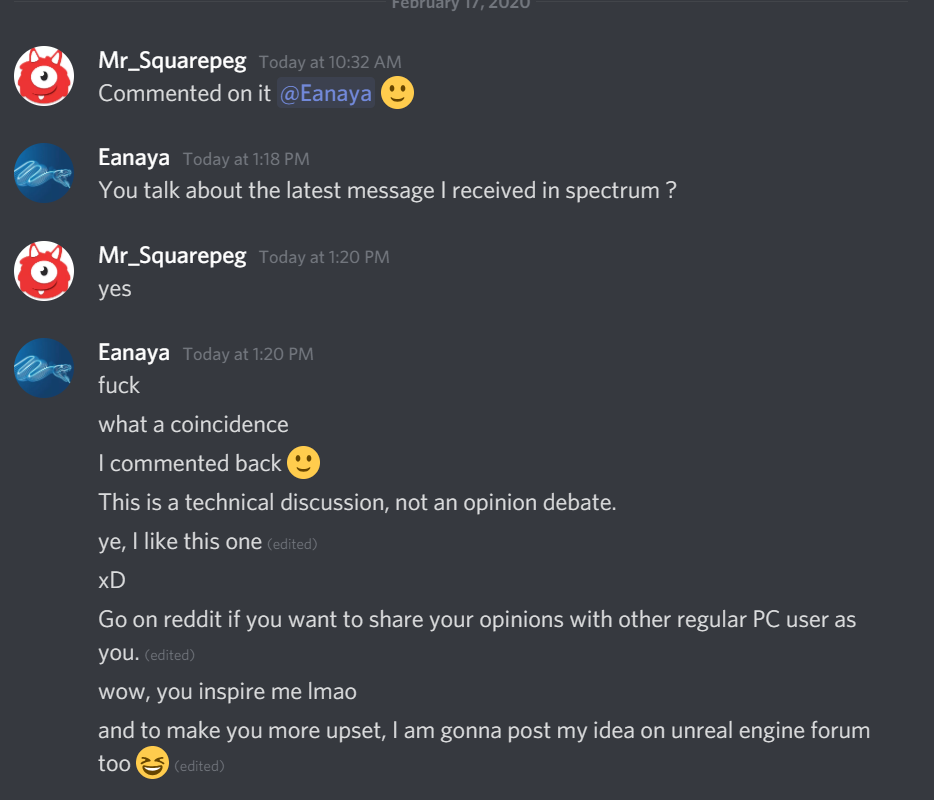

Here's my FPS comfort mode that enables smooth VR locomotion with zero discomfort! The camera perspective is smooth, but the VR perspective teleports.
In multiplayer, all players appear to be moving smoothly :-) https://t.co/kF5PJQlr0S
Twitter
Does anyone know how to render that gun-sight screen in stereo and render a different view to each eye?
hallow knoll
I tried to use two scene captures but without luck
The proper solution is to use a stencil mask, but I don't think I'm smart enough to figure that out
However, you can get good looking results with one scene capture and updating its location based on the relative loc/rot between the players camera and the render target plane
But that's more for portals/sniper scopes etc
spare yew
Does SteamVR support depth for stereo layers yet? I'm sure I saw that the SteamVR API was updated to support depth reading/writing but I don't recall seeing that updated in the SteamVR plugin for UE4. I also saw on the OpenVR repo that they were adding support for depth with stereo layers to other platforms too
dry python
Hey guys, I've been doing a lot of research on headsets/equipment for VR. This is what I've seen:
- Oculus Quest seems to be one of the better ones . no wires. sharp display. but has lower refresh rate. around $500
- HTC VIve . has external sensors. good quality. around $500
- **Oculus Go **. really cheap. apparently good for 'noobies' wanting to see if VR is worth it? around $150
- Oculus RIft S. seems to be around quite good? uses physical cables and has lower res than Quest.
In your opinions, which headsets do you think is good for UE4 devs like myself who are newcomers in the world of VR?
EDIT: Any info or resources would be appreciated
 slim karma
for developing I liked the Rift or Vive. I usually felt that the Rift offered a slightly better image quality while the Vive had superior tracking. But this is in regard to the original versions of either headset and overall the differences were minor. But if you have the space and the money, go with the Vive, or these days maybe the Index, but I haven't used that one so I can't give a good verdict on that. Overall I guess developing on headsets that are wired you'll have an easier time iterating though your problems, I think. Not sure how easy it is these days to test your project on a wireless or standalone headset.
Just my two cents and personal opinions based on the experiences I've made.
dry python
@slim karma thanks for your two cents : ) really appreciate it. I'll keep this in mind
The more cents i get on the subject the better 😅
slim karma
just take it with a grain of salt as some of it might be a bit dated, haven't been able to keep up with the newer tech 🙂
dry python
I understand 👍 🙂
mighty carbon
it's not about what HMD is good for UE4, it's what market you are aiming at @dry python
if you are going after enterprise, Index would probably be the HMD you want. If you are after consumer market, then Quest is the way to go.
also Quest is $399
and using Oculus Link can work as Rift S when connected to PC
dry python
@mighty carbon Wow thats such a good question, i am disappointed I didnt even consider this 😞
Yes, I'd definitely be going Consumer Market. "using Oculus Link can work as Rift S when connected to PC" -> Thats a good point!
I'd say since I am atm a hobbyist (although am considering a career in VR [not that there are an abundance of jobs lol]), i'll start with the quest
carmine yoke
@mighty carbon Depends on the enterprise, at scale index doesn't really work because of the effort of setting up the rooms, My company's moving toward quest/mobile VR just because of the ballache of setting up kits on site
dry python
@carmine yoke but you would also agree that Quest one of the better HMDs?
tired tree
its one of the better development HMDs, and also a very accessible platform
mighty carbon
@carmine yoke that's true, but you want more precise tracking that doesn't depend on lighting conditions, widest FOV and high resolution. Index offers that. Might not fit every single enterprise case, but mostly can cover a lot of ground so to speak
tired tree
"better" being subjective in other areas
dry python
Yeah I guess I mean one of the more all-rounded HDMs
tired tree
you'll need one regardless if you ever intend to target the platform, and its the largest user base outside of psvr
mighty carbon
@carmine yoke I think Rift S + backpack PC would be the best enterprise option where you need total freedom of moving around and quick setup (but then you are screwed if client has odd IPD ).
tired tree
eh?
even in that case why not quest
you can always cable link it to a backpack
can also run multiple setups, backpack and without
mighty carbon
@tired tree well, I've heard some folks say Rift S is more comfy than Quest (I haven't tried Rift S, so I can't say) and has higher resolution displays
tired tree
rift S is pretty bad fitting for me
not a fan of halo though
and doesn't quest actually have the higher res display? its just not ran at full
mighty carbon
oh, I see.. Yeah, I suppose Quest would be the "best" option then
mighty carbon
Best Buy had some yesterday, both 64Gb and 128Gb models
 cosmic shoal
cool
mighty carbon

Guy Godin rebuilt the wireless streaming feature Oculus Quest owners use to PC VR play games from their computer using Virtual Desktop.
cosmic shoal
to develop for VR I'd go with a RiftS, better screens and refresh rate, if you are gonna develop with the Quest you'll need the cable, a quality one costs around $70 otherwise you'll be compiling or streaming somehow.
carmine yoke
Yeah Absolutely @mighty carbon, we used to be on vive pro wireless, we're probably going to move to having a low end 'off the shelf' with the quest and a high end vive pro + kunckles so we can mess with the finger tracking
Scaling with VR is just such a problem
For niche cases, where you're doing everything in house and you want it to look and track amazingly yeah 100% go for vive pro/index with knuckles
I don't really see a use case for rift s/rift in business because you might aswell use the quest at that point tbh
mighty carbon
@cosmic shoal simply not true
I can't say I see too much difference between CV1's 90Hz and Quest's 72Hz in the same game (when using Link with Quest)
cosmic shoal
The quest is very portable and the setup is great, but unless you are are on a cable or streaming (both have dissadvantages) you'll have to use the on board processor/gpu that is about as fast as a mid range 2010 laptop.
mighty carbon
and so difference between 72Hz and 80Hz even less noticeable
carmine yoke
@dry python The quest is really good, accessible, and you can use the link for quick iteration and debugging. Getting an app on quest store would make it way more accessible to people too. Just bare in mind devving for the quest requires alot of optimisation/trade offs which aren't nearly as big a problem as devving for a high end desktop
mighty carbon
@cosmic shoal I doubt any hobbyst will be making something like Stormland or Lone Echo, so whatever they will be making might just work very well on "underpowered" Quest.
cosmic shoal
It totally depends on what you want to do
if you want to create something like job simulator, superhot, beat saber, sure. If you want to creat photorealistic arch-viz walkthroughs you'll suffer.
mighty carbon
$399, works as powerful mobile VR HMD and very good PC VR HMD (can develop and play for/on both platforms).. It's quite a no-brainer when it comes to choice between Quest and Rift S
carmine yoke
Plus there's gonna be a Quest 2 before we know it
carmine yoke
Yeah fine - but they already tried to make it with a better processor they just didn't get approval
Pico have one with a better processor, and eye tracking already
Just saying we'll see the technology jump at some point
cosmic shoal
I tried them both at OC6 and I could totally tell the difference between the riftS and quest even while using the $70 usd cable.
mighty carbon
Pico has no platform.. Tiny pool of devs too.
carmine yoke
I'm just being hopeful 🤷♂️
mighty carbon
@cosmic shoal well, maybe you are special.. Market numbers say Quest > Rift S..
cosmic shoal
If anybody asks me what headset to get I'll tell them Quest. (unless you have a good pc already)
but the experience is better in the Rift, just not as convenient/cheap
carmine yoke
@dry python Oh another thing you need to consider is ease of devving, I use quest at my desk with the link cable, with OG vive or rift you'd need sensors up, massive ballache
Rift s / cosmos (fuck the cosmos) you can use the inside out
dry python
@carmine yoke Your comment about devving for quest and optimisation/trade offs, isnt that for VR in general? Or are you saying specifically for the Quest in comparison to other HDMs?
in regards to the set up thats also a good point, i thought about it and i honestly didnt mind either option. as in I'd pick whichever HDM is more accessible/popular and is of higher quality whilst also not obliterating my bank account
btw i appreciate all this info! thank you
carmine yoke
Quest specifically, the power is so low compared to a high end PC, can't use post processing at all. Can only have 100k tris / 100 draw calls (give or take), Can't use complex shaders, gotta keep texture resolutions down. Some things straight up don't work on android because of bugs so you need to find ways around them. But that's only if you're devving for quest. If you're using quest to dev for PC then its irrelevant. You do need to keep your game optimised in general but there's alot more leway and choice compared to the Quest
tired tree
if you ever intend to dev for the quest you need one
so it with a link cable is the best dev headset
if you can only have one
tired tree
obviously, multiple headsets is better
i dev almost entirely on index
just because...its great
carmine yoke
Anyways, gotta get back to work, in a bit lads
cosmic shoal
I use a regular Rift at work and an Odyssey+ at home.
dry python
@carmine yoke ahhhh ok . I understand now. wow. i completely forgot that the Quest system doesn't need a PC . thanks for all the info. i'll def be devving for PC
last knot
and if you want to dev the same app for Quest and PC, starting with Quest and moving to PC will be easier than the reverse.
cosmic shoal
You should target the Quest market for sure, it is huge and growing. The developers of Superhot talk about how they optimized it for Quest https://www.youtube.com/watch?v=hr35o5R7EMA

Programmers Dr. Luke Thompson and Mark Schramm take you on a (mostly) chronological journey to get their award-winning VR game running on a standalone HMD, and making it the best version to date. This talk will include the technical hurdles, triumphs, hints, tips and mistakes ...
dry python
@cosmic shoal thanks for sharing. i'll take a look! 👍
last knot
Yeah, they basically had to rebuild it from the ground up. It's a lot easier to add features, code things the more "lazy" way, and add general bloat than it is to take any of that away.
sturdy canyon
I swapped out all my default lit pbr shaders for unlit ones with phong lighting
And I’m using Vulkan. So I can afford lots of tris and lots of draw calls
~350k tris on screen and 170 draw calls maybe
I haven’t measured draw calls lately
I actually should be able to afford a lot more triangles now too
A bunch of Vulkan perf bugs were fixed in the latest OS update
mighty carbon
that's you though.. Vulkan is shit on Quest with Oculus' UE4 fork.. It's sooo bad that I can't even do anything with it. ES3.1 on other hand is blazing fast.