#virtual-reality
1 messages · Page 214 of 1
 eternal inlet
@wary yoke that might be the issue, i would place two dummy actors in the level to act as "handlers" to the sequencer recorder to pick up movement data from
when the vrpawn initializes, look for those two dummy actors and make a reference to it, so u can transfer placement to them from tick (either in the dummy actor) or the vrpawn... either way it should work fine)
 wary yoke
@eternal inlet when i play in vr, i have 2 motion controller, but i canot them in the outliner
eternal inlet
@wary yoke do you know how you spawn those controllers? if not, i would look into that first
they may be components inside the pawn
wary yoke
i spawn those controller with pawn. I guess that is why it wont show up in outliner?
eternal inlet
yeah
u should spawn two actors from my_pawn and use them as transform-drivers for the sequencer
wary yoke
@eternal inlet i tried this and i get spawned actors but it does not have a transform properties
sorry i very new to ue4😬
eternal inlet
@wary yoke you say it does not have transform properties.. do you mean that it show up in the sequencer now, but don't have any keys recorded?
if so, then it's because now you need to set it's transform from Event Tick for the two controllers
wary yoke
@eternal inlet i mean it doesnt have transform property in the details pane
eternal inlet
hmm.. everything placed in a level has transforms, but why it's not visible, i don't know... do you see the transforms in the sequencer?
wary yoke
i changed it from actor to staticMeshActor and now it has transform. But its always 0,0,0 at the center.
i print string the getWorldTransform and i see it did have changing values
 sonic tide
is there a way to make the physics handle for grabbing not lag behind your hand when you move
wary yoke
@eternal inlet did exactly like yours but gives me errors. think im missing 😄
wary yoke
@eternal inlet did like this and still the spawned actor is at the center. I give up for now😂 . Will see more tutorial tomorow
thanks for your help anyway😀
eternal inlet
sonic tide
so is there a way to make physiscs handles not lag behind as you move
eternal inlet
not easily no
sonic tide
damn
eternal inlet
oh... by moving, do you mean locomotion?
sonic tide
yeah
eternal inlet
or waving the hands
sonic tide
i mean they move a tiny bibt when you move your hands but its barely noticable
bubt yeah the locomotion is the problem
instead of a physics handle should i set the location to my hand on tick or is that a bad idea
eternal inlet
can do that, but that creates other issues as well
edge cases though
can potentially drive the held item into another mesh ie.
 tired tree
@sonic tide a stronger stiffness and managing tick orders so that locomotion happens before you set the new target location for the object will fix all or most of that. Aside from late updates of course.
sonic tide
alright thx
 mild trail
I am trying to make mirrors look good in my Oculus Quest. Saw this video on Youtube with perfect mirror UE4 on Quest https://www.youtube.com/watch?v=9wmHp1wZjKc - Time "1:03" I followed a tutorial https://www.youtube.com/watch?v=1MbbNVVeQv8 to make good reflections but the mirror turns extremely blurry. Reflections looks great in the editor, but not in VR. Any help on this subject?

A short clip of a realistic interior scene running on the all new, fully portable Oculus Quest, now you can take your virtual showroom anywhere! We love the ...
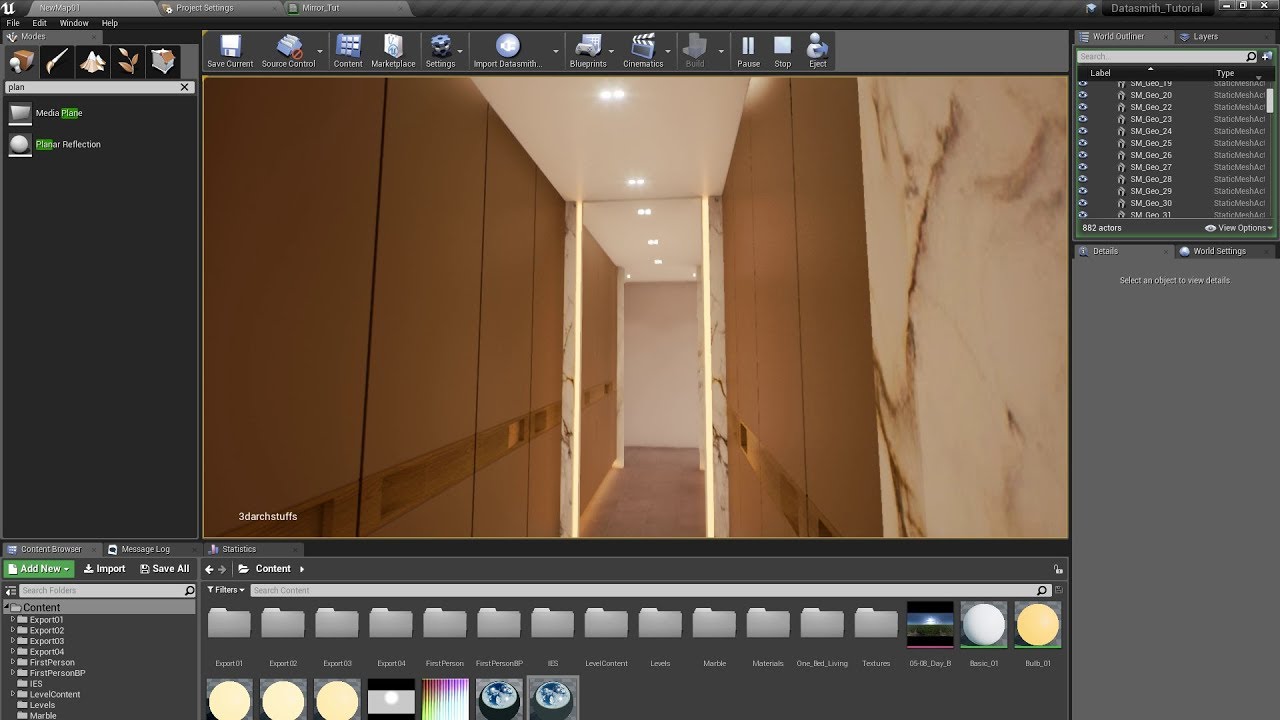
Visit https://3darchstuffs.com/ for more unreal arch-viz tutorials, Demo EXE and Unreal projects with source files. https://3darchstuffs.com/collections/tuto...
 crimson sapphire
Hey guys, quick question, is there anything else I need to modify or enable before being able to switch between vr mode and non vr mode apart from enable hmd and stereo rendering? (Oculus Rift) Right now I have a simple menu where I either go into vr or non vr mode. I have two different pawns. When I click vr I possess te vr one and turn on hmd and stereo rendering, but it simply doesn't work. The hmd turns on but its stuck on the loading screen.
 little scaffold
@crimson sapphire I think turning on and off stereo rendering in game is not allowed, by keeping stereo rendering always on you can switch from VR to non VR with enable hmd and vr.enablestereo I think
 dusky moon
Guys I'm trying to fix this frustrating issue. when I'm not wearing the headset (Oculus) it runs horribly slow. This gets worse when for instance for installations I tell them if you press R it will reset the experience but if they do it while headset is not on, it's gonna take ages to reload the level and in some cases it just gets frozen/crashes.
What shall I do ?!
 sturdy coral
@dusky moon have you tried with running oculus through steamvr?
the oculus plugin is too hard to understand since it uses that weird wrapper and not the real oculus sdk, always seems hard to figure out where things are going wrong
dusky moon
@sturdy coral good point I'm going to test with steamvr. will update
 carmine yoke
Ello people -
I'm having problems with my optimisation for Quest.
The floor / walls of my level seem to be lengthening my render thread substiatially
The materials are super simple - the meshes are super simple. I can't figure out why they're so much slower.
I used renderdoc and its 100% these 2 meshes which take the longest to render
Is it just because they take up the most space in the rendered image?
 mighty carbon
do you have dynamic lights ?
carmine yoke
I've specifically turned all of them off for debugging - doesn't help
I am using volumetric Lightmap though
carmine yoke
yep
4.22 though
1.40 to be precise
Tbh i'm considering just lowering the pixel density, it helps
But I'd much rather find the cause
dusky moon
@sturdy coral should I then disable Oculus plugin and enable only steamvr before packaging ?!
carmine yoke
I just changed my material to one with just a 3 point colour input... Seemed to help 🤔
Must be the metallic/reflection from that or something?
Was previously using reflection capture with it because supposefly its pretty free
sturdy coral
@dusky moon you can try just setting steamvr priority higher:
[HMDPluginPriority]
; Since SteamVR also works with the Oculus Rift and Windows Mixed Reality, give priority to the native Oculus and Windows Mixed Reality plugins before trying SteamVR
WindowsMixedRealityHMD=40
OpenXRHMD=30
OculusHMD=20
SteamVR=10```(BaseEngine.ini, can override in your project's defaultengine.ini)
the main issue you will run into is steamvr handles oculus axises and buttons a bit differently, but it will still be good for testing if it is an oculus plugin issue lowering the tick rate or cpu-priority or something else
 fleet plume
is it still recommended to use the oculus fork of ue4 (specifically for quest dev)?
i got a quest today and deployed a really simple project on it and it barely hits 50fps with no dynamic lights, disabled shadows, simple materials etc (using 4.23.1)
same project runs flawlessly on pixel 2 xl with same processor & gpu even with 4-6 times as much content displayed (locked to 60fps, forward renderer)
mighty carbon
yes
fleet plume
sorry for the simpleton question, but will it run stuff faster?
mighty carbon
Oculus forks always ran faster for me
fleet plume
i'am just wondering if it will run like 20fps faster in my case
my suspicion is that i have some configuration set that completely butchers quest performance
mighty carbon
dunno, my scenes always run at max fps on Go and Quest 🙂
fleet plume
i only get 72fps if i look down
mighty carbon
HDR is usually what butchers performance
fleet plume
that's disabled for me
mighty carbon
Care to share screenshot of your scene ?
fleet plume
yeah
fleet plume
i get 40fps for that on quest
@carmine yoke if it's disabled by default, then it's off
fleet plume
what about stereo instances?
fleet plume
i guess that's on the oculus branch? (FFR)
tired tree
its on the main engine
mighty carbon
@fleet plume landscape is what killing performance
fleet plume
yeah, figured that out too
there are other issues, but removing that one gave me huge fps boost
also wondering about the text components on some of the units and the widget component on another unit
mighty carbon
I've had render text components on my AI actors and player's hand and didn't have any performance issues.
fleet plume
so i enabled FFR at medium setting now and get 72fps even with (unoptimized) landscape
a much better starting point, but seems like everything needs to get a bit smaller now
thanks for helping @ all 🙂
tired tree
@mighty carbon @fleet plume yeah but he has a LOT of text components
and they aren't free
and a lot of them use transparency
 fervent sierra
Does anyone know how to make a shadow plane for arkit? I have been trying to use the AR camera image but I cant get the gamma right
 glad temple
I've got an easy question, im trying to make a knob that rotates with the controller in blueprints. However when i subtract the current rotator position from the controller rotator position the knob goes crazy. Any tutorials or ideas on the matter?
Subtracting rotators doesn't result in an expected result
carmine yoke
@glad temple use a physics constraint
 coarse shard
@glad temple the non physics approach is to store and use the initial rotation of the knob when it is grabbed rather than the current rotation.
little scaffold
@glad temple you don't add or substract rotators you combine them
crimson sapphire
Hey guys, I get a weird crash when switching between levels with open level while in vr mode. I transfer between levels with Open Level node (one level is vr, the other isn't). I must disable hmd right before transfering otherwise the game freezes but even so, I can transfer to another level fine a couple of times but if I do it too often or too fast I get this error. (while hmd is enabled)
 orchid schooner
try debugging
 real needle
hi guys im trying to make a loading screen with a widget blueprint and I can only see it like on the top corner of my left eye
I have no idea why that happens ..it would be great if anyone could take a look 🙂 ❤
little scaffold
@real needle Do you add it to the viewport?
real needle
yea i did ..and i increased the zorder to 1
mighty carbon
oh, this is interesting https://trello.com/c/l6pi3bkE
Improvements to graphics on mobile.
Labels
Rendering, Mobile
carmine yoke
^That's promising
I'm having an issue with instanced meshes, I get these massive green artefacts:
When it should look like this:
Its not got anything to do with the material - happens with all materials, regardless of settings
I think it's something to do with the lightmaps?
Also it happens with ES3.1 too before anyone says to switch
orchid schooner
@real needle if you want to see widget in 3d you should add it not to viewport, but to 3d as WidgetComponent
 topaz plank
@mild trail blurry render target is probably clamped texture lodbias. Did you check Android device profiles for TEXTUREGROUP_RenderTarget MaxLODSize?
mild trail
sounds advanced, how do I do that? :)@topaz plank
topaz plank
Do you have any DefaultDeviceProfiles.ini set up at all?
if not, then it probably also won't be your problem at all
default clamp size for textures I think is 8k
i haven't gone through the tutorial video you mentioned, but is there a property somewhere to set the render target resolution?
glad temple
@coarse shard That's how I have it, grab position + initial knob rotation = new knob rotation. However each time I grab the knob rotates 180 degrees.
sturdy coral
@glad temple you are setting a relative rotation based on a world rotation delta
you may be doing other things wrong there too, but that seems to be one
glad temple
@sturdy coral Both values im combining are relative though. What should be changed?
sturdy coral
@glad temple transform the world rotation and transform into the knob's space before taking the delta
even after that though I don't know if you can just take the roll component of a delta like that since it might be composed of several euler rotations; instead you should get the axis vector of the knob and ask for the rotation around that vector
glad temple
Hmm, I'm not quite sure I understand
coarse shard
@glad temple oh dm'd you cause i thought you post was buried in the #blueprint thread. let me know if that set up doesn't work out.
glad temple
Ok!
mighty carbon
nm, I found info on the forums
 sly elk
Anyone on here with a game being sold on the oculus store? Please DM me
fleet plume
trying out VRExpansionPlugin and the sample works fine
but when i subclass VRCharacter in a new project (4.23.1) the capsule's bottom sits perfect on ground, but so does the camera?
also the controllers are jittery (enabled default meshes in VRCharacter)
tempted to just migrate the character setup from the example if that's ok (didn't find a license) @tired tree
sturdy coral
@fleet plume oculus and vive have different default origins; just make sure to call Set Tracking Origin 'Floor' at startup and it may fix things
you should only use oculus's default (head) if doing something in a cockpit where you want to be able to recalibrate view origin
fleet plume
yeah i was just looking for something like that
had been using the runeberg vr plugin until now and there you had to do something similar
tired tree
@fleet plume yeah you need to set floor origin
otherwise it zeros to the HMD's location
granted in the cockpit setup, I have a seated mode that handles that kind of thing without head origin as well
as for jittery? no specific reason that would happen, unless you are comparing late updates to not
sturdy coral
Only reason I would suggest it for that is that the different runtimes have uis for resetting head origin
tired tree
or bad perf for some reason in your test
for a cockpit only game yeah
but at that point he wouldn't be using my character anyway
would be a big ole perf waste
sturdy coral
Yeah in my stuff I currently just always use floor even bough I have seated and standing, and recalibrate within my game, but I think it may confuse some people if they are seated and recalibrate through oculus or steamvr menu and it doesn’t work
tired tree
@fleet plume also yeah, the license is in the files, its MIT
you can do w/e
though the template is overdone for a game base
fair warning, people keep using it for that anyway
real needle
@orchid schooner oh i see, how would i do this ? haha sorry just saw your message 🙂
fleet plume
@tired tree yeah going through the example's BP's it's quite a lot to digest
tired tree
its multiplayer with per object key rebinding and a bunch of other stuff that most don't need
I use it to test implementations and bug check all of the features
fleet plume
the jitter was obviously a user error
had the project set to fixed 60fps so the system runs a bit more silent while in editor
the coil whine on my 1080 is pretty bad when it runs at the editor's default 120 fps
orchid schooner
@real needle by attaching WidgetCompinent to your vr actor as a little screen before camera
real needle
oh ok would have never thought of that ^^ ..it still doesnt work ..maybe could you take a look at my bp ?
orchid schooner
make WidgetComponent, add it to actor (world object or yourself), use it
Describes the Widget Component which is a 3D instance of a Widget Blueprint that can be interacted with in the world.
 digital marlin
Anyone use VR Trackers before ?
I'm having a confusing as hell time trying to get them to play nice in UE
 sour iris
Hi everyone! I want to add custom controllers actor(RED) (I attached it to MotionController component on the template) but what is causing the lag between a custom controller and the one being visualized(BLACK)?
in the picture i'm moving controller up but as you can see the red one lags behind.
any ideas? can it be fixed?
edit: childactor seems to have some sort of lag.. meshes seem to work fine. If anyone knows how to fix actors let me know? 😖 I want to have additional features that mesh can't provide..
real needle
@orchid schooner thank you ! i tried it ..but this blue default loading screen still pops up. is there a way to get rid of it entirely ?
 ember barn
Hey guys! Does anyone know how to disable those black parts on the screen which sort of simulate what a player in actual HMD can see? To be more specific: when you play in vr, you can still see the game going on the monitor, but the image has this "gas mask" textures shaped like vr around your eyes. I want to remove these.
btw, I am on UE4.22
sour iris
@ember barn as far as i know you can switch it to one eye only preview, then the blacks would disappear. Since each eye sees the picture a bit different they are trying to preview it with the black corners.
ember barn
@sour iris Good enough! How do I do that? Thank you a lot, btw
orchid schooner
you can try to change resolution of this mirror screen in DefaultEngine.ini
[SteamVR.Settings]
WindowMirrorBoundsWidth = 1024
WindowMirrorBoundsHeight = 768
but not sure it will works and help
tired tree
@sour iris with how it iterates through child components the late updates won't apply to child actors
force attach the root component of the child actor to the controller and it should
 brisk spade
i cant click a umg button with a widget interaction it stucks on pressed
tired tree
@brisk spade need to call button up as well
brisk spade
when my button is clicked it loads a new level
tired tree
you are moving the same widget over with it?
brisk spade
whats the difference between on click and on pressed?
so click needs both press and release pointer key?
sour iris
@ember barn https://wiki.unrealengine.com/VR_Console_Commands try vr.SpectatorScreenMode or google something similar to it.
brisk spade
ah ok my click isnt working
but when i try to pressa pointer key it pressed my button
tired tree
use on pressed
ember barn
Nevermind! Figured it out! Turns out that it's a known bug in 4.22. Updating my project to 4.23 fixed the problem completely
brisk spade
@tired tree when i use on pressed my pointer stays stuck on the button
sour iris
@tired tree "force attach the root component of the child actor to the controller" ?
can you explain to me how to force attach? 😅
tired tree
@sour iris call AttachTo..
on the component
granted, attached actors should work anyway
but child actors have all sorts of problems, and the child actor component is the attached
you need the actual actor attached to the motion controller
brisk spade
@tired tree ok my button doesnt release at all :/
tired tree
it should, its working for everyone else including me
brisk spade
my button stay pressed
tired tree
after releasing the mouse button? how are you handling the tracing?
real needle
hi guys 🙂 im trying to get a splash screen to work ..and it just doesnt work, all i see is the steamvr loading screen ..anyone knows how to solve this problem ? 😦
tired tree
@brisk spade you aren't releasing the key anymore in that screenshot
brisk spade
@tired tree when release it when i release the trigger its the same result
no it makes nothing
doesnt call my sound or print string
sour iris
@tired tree thanks for the heads up, i need to search about how to get the parent. Maybe i'll write to you later. :)
carmine yoke
I'm getting super strange Artefacts on my instanced meshes - like the lightmap is being shown on the mesh?
I'm thinking maybe its a mobile issue, it appears on both vulkan and es3.1
Also has nothing to do with the material
 quiet badger
Not sure I post here or VR because I'm trying to build ASTC for quest, but when I hit compile it just takes me to the freaking UE4 webpage for docs. I have code works set up, I have all the quest dependencies, and I have compiled the version in vis before attempting to compile in editor. what the heck am I missing?
carmine yoke
I'm not sure what you mean @quiet badger ?
You're trying to press compile?
Not launch or anything?
You're running a c++ project are you?#
 hybrid plume
You must mean “package” not compile?
If so, please check the output log for the specific error if it fails
carmine yoke
Yeah that's what I was thinking ^
mild trail
Got this problem with textures comming out perfect or pretty bad. The material is the same and both have noMipMaps on. Why do they act like this. This is shown in Oculus Quest.
in the editor it looks just fine
carmine yoke
@mild trail you can put on a previewer for your device to see what it will look like
The editor generally still uses some kind of post processing etc which you probably have off for quest
Usually that looks pretty like what I see on the quest
carmine yoke
hmm
mild trail
it seems totally random what items get the nice texture and which ones get the rubbish ones.
carmine yoke
Yeah - tbh I get similar problems, I just work around it by seeing how it looks then changing if necessary
Are they instanced?
carmine yoke
instanced? they'd be under an instanced static mesh component if they were
you would have done it yourself
Not a static mesh componenty
umm
Are they static? its not something to do with dynamic lighting?
mild trail
checked in 3ds max they were not isntanced there.
yes all is static mesh
all static light
you say you work around it by seeing how it looks and then changing if neccesary, what exactly do you change?
carmine yoke
Make the material a different colour for example
tbh it could be something to do with your material
Is it fully rough?
You might be getting some reflection
If i'm honest bud, Quest has so much dodgy stuff going on with it - I myself am constantly debugging this kind of random stuff and just trying to work with it - if method A doesn't work - fuck it I'll try method B.... Until things look good enough
mild trail
hehe
carmine yoke
It will get better in the next iterations of ue4/oculus fork but for now I'm just wading the storm
mild trail
Im still new to this stuff, so I still trying to learn the work arounds 🙂
I can remove roughness completely with no problem. Could that help?
carmine yoke
I'd make your material fully rough, then mess with the colour of your textures to try and get the output to look how you want
tick fully rough in the material settings, It's also just a useful thing for optimisation purposed
purposes*, means things won't reflect
skips a roughness pass
quiet badger
@carmine yoke package my bad and yes c++. also it's not failing it's refusing to do anything but open a webpage and tell me to read the documentation
mild trail
where do I find that fully rough?
carmine yoke
@quiet badger I reckon you're apk/ndk stuff isn't assigned properly
have you tried launching?
quiet badger
also iroh was the shit
carmine yoke
ye boi
quiet badger
my apk and nk are in default folders
carmine yoke
@mild trail one sec
quiet badger
nah you can help him, at work currently
quiet badger
2017
carmine yoke
and you've got all the ue4 prerequisites installed?
Sounds like you might be missing something
quiet badger
wouldn't know, doesn't tell me. that and I've compiled for android on there before
mild trail
Ok, found it. Gonna make a new build and then test it.
Do you recommend using Fully rough on all materials?
carmine yoke
I use fully rough on anything I don't care about reflecting
I had a problem where I didn't have it on my floors/walls and I just couldn't hit framerate
Putting everything fully roughed helped a tonne.
mild trail
Can I change that in matrix for all materials?
carmine yoke
I've still got it on things here and there to make things look good but
supposedly you can force fully rough in the project settings under vulkan/es3.1 respectively
but.... I swear that didn't work for me so if someone wants to explain that to me then please do
mild trail
🙂
carmine yoke
Now I'm just slowly making things fully rough if I'm not hitting framerate
fml I miss devving for the vive..
mild trail
how do I check framerate?
I only have the quest here it is our first VR in my company and it has been a huge succes.
Do you recommend the vive over the quest?
carmine yoke
When you're launched - go to session frontend, click on the mysessions tab on the left then type stat fps (or stat unit if you want to see your cpu gpu and draw calls too) into the cmd bar at the bottom
I wouldn't say that - just that quest has a host of optimisation problems atm because it's so new
Love the headset itself
mild trail
what is the difference of vulkan and es3.1? using es3.1 atm.
carmine yoke
From what I can tell (which honestly isn't alot, watch Remy's lecture from OC6 if you want in depth info) you just use vulkan instead if you're CPU bound
Its a CPU api
Vulkan I think will be WAY better in the future
for now you can stick with es3.1 if you don't need the extra cpu power
it'll slightly make your render thread worse if you switch to Vulkan
I need that extra cpu juice though
Comprises and that..
mild trail
I dont see vulcan on the list
carmine yoke
you using the oculus fork?
carmine yoke
the oculus branch of UE4
in any case it's probably because you haven't got vulkan on in the project settings
dw, stick with es3.1
yeah but now you can mess with your colour in the material to get it looking how you want, mult it by a 3 point colour till it looks right?
mild trail
okey thanks
one more question
when I draw my area to play on the floor
how do i explain...
My floor is 13 by 8 meter
but when I draw it is angled wrong
is it how my quest is alined to the floor in the first place that angles how I start drawing or what
do you understand?
sturdy coral
is there a way to distinguish connected motion controllers that lost tracking from turned off/disconnected motion controllers?
in UMotionControllerComponent I just see IsTracked, but maybe disconnected is available in the xr api?
quiet badger
@carmine yoke any other thoughts on building
sly elk
Having majoblr issues with rift at this event. Getting an Oculus dash fatal error on two different PC's with two different headsets
Happens when I try to set up tracking boundaries
Oculus
Join the Official Oculus Discussion Forums and talk about Oculus Rift, Oculus Touch, Samsung Gear VR, and virtual reality.
FML... Did Oculus break offline support the day before my event
Lol.. set up mobile WiFi hotspot and it works after 2 hours of trying to debug
carmine yoke
@quiet badger sorry, been out all eve. Can you launch a completely empty project to the quest?
real needle
h guys..in one of my levels the teleporting is rly weird. i have the xyz coordinates connected as the ground is a little bit hilly, but i always end up floating mid air when i try to teleport, in all the other lvls it works fine & im using the same pawn for all of them
anyone had a similar problem or knows how to solve this ?
quiet badger
@carmine yoke I don't have a quest, trying to build for one via just package
 lean basalt
Does anyone know how I make my Oculus Quest motion control work by pressing a button? Like a laser sight? I'm really lost in this part. Thanks for the help!!
 past tiger
Has anyone here done a packaged build after upgrading to 4.23.1? My framerate is getting capped at 60. This wasn't happening before.
past tiger
Oculus Rift. 4.23.1?
past tiger
Ah I found a way around the problem. The game was in full screen mode on the desktop. Changing that to windowed mode stopped the FPS in the headset from being capped.
 coral swallow
does anyone know a way i can make a bone / socket follow a motion controller component in blueprints without using IK
tired tree
@coral swallow physically simulate the bone chain and constrain it, but in most cases without significantly more tweaking than ik it's going to be rough.
coral swallow
I'm trying to do something similar to the bone works system and this guy is doing a similar thing in unity with physics and all that and I though he was using IK (because why wouldn't you really) but then he releases this video which is smart but has stumped me because I know there will be alot of work to get the physics working with ik but if I did something like him it world work from the start https://youtu.be/9IDhcrzJtY4

Join the Discord ► https://discord.gg/PPX5qcq Patreon ► https://www.patreon.com/nimsony Twitter ► https://twitter.com/nimSony Itch.io ► https://nimsony.itch....
tired tree
Bone works is using ik, just physically simulated ik
As for nimaony,you can do the same thing with ik as well, I think his was mostly because he didn't have an ik source that he went that direction. That or just for the experimention.
As for getting physics working with ik, it's actually not very hard, that is what physical animation was added to the engine for
coral swallow
So if I add a physical animation component and setup ik how I would normally I should be alright?
 runic cedar
Hello, i want to ask how to create locomotion (from thumbstick/joystick) Pawn/Character to walk with collision and gravity ?
Default pawn don't have the gravity.. And character have gravity and collision but collision capsule is not moving with HMD even when i tried to move (event tick) capsule location to the new camera headset location..
 white fern
Anyone here have experience using the HTC Hand Tracking SDK on the original Vive?
coral swallow
@runic cedar I know there is a Vr plugin that has a character class where the capsule follows the hmd but I can't remember the nam
runic cedar
@coral swallow thanks for reply, that one i think
https://www.unrealengine.com/marketplace/en-US/slug/vr-pawn-components-plugin

BP & C++ VR interaction functions (pre-configured VR Pawn & Grab/Push/Pull, Move, Teleport, Gaze, Gestures recording & recognition component) for your VR projects. Get up & running quickly with your UE-powered VR endeavor w/ this comprehensive plugin.
coral swallow
Yes that's the one
It does have a lot of useful things in it but I just used the character
runic cedar
yes camera are following the HMD but, it's have not a great gravity (like on character)
i checked it:)
all good but gravity (to fall down) is not good like on default character
tired tree
that one isn't actually a character
its a pawn
its missing most of the actual character class functionality
including replication'
runic cedar
Yea and it's not easy to do a locomotion VR movement (with gravity and collision) and with great algorithm when your head inside a mesh.
more easily add teleportation setup
tired tree
It's not that bad actually, to use a full character,there are multiple methods.
But that plugin would do for a simple setup
runic cedar
with default character in VR collision not following the HMD and you can walk in VR but your collision sphere will stay. In the plugin yes it's solved and did a great job for all VR development, but it's have not a great gravity (when i enable it i will fall through the mesh).
tired tree
That plugin isn't actually moving a character capsule
lean basalt
Hello everyone, these days I was behind a starting point for using the controls and interacting with the environment using oculus quest, and finally found a starting point, this package is helping me a lot: https://www.unrealengine.com/marketplace/en-US/slug/mobile-vr-manager

Short description: Mobile VR manager features are demonstrated on demo video: https://youtu.be/xeJMYtMj29w
Now does anyone have experience with Splash Screen? 🤔
https://developer.oculus.com/documentation/unreal/latest/concepts/unreal-blueprints-splash-screen-blueprints/
I can only see it all blurry only once when I choose to launch launch to quest .. then when I open my App via Quest it just starts on the map.
Unreal Blueprint Splash Screen Blueprint
runic cedar
@lean basalt https://developer.oculus.com/documentation/quest/latest/concepts/unreal-loading-screens/
This section describes how to add loading and splash screens to your Unreal app.
and also you can ask that on the Oculus forum >> development, coz it's their plugin
 honest mango
How do I go about attaching parts of a skeletal mesh to VR hands/camera? Like having the head turn the way I'm looking and using the mesh hands as my hands like in Raw Data for example
 twin sparrow
Hi guys, can i use my oculus rift to interact with objects withouts contollers? using only a target?
 outer mountain
hi i am trying to build 3D models of houses from their dwg maps files in real time that can be manipulated in VR environment i need help in this regard.I have built the VR environment in unreal for a pre built model but i dont know how can i generate a model from map files in real time . Any help would be appreciated. thanks
hybrid plume
@honest mango Hi. Simplest and most straightforward way would be to use the VR template that comes with UE4 and replacing the mannequin hand mesh with your own custom one
@twin sparrow yes, using gaze interactions
twin sparrow
Hi @hybrid plume i only need a target with, like cardboard interactions
where you look at something for some time, ande it triggers a click
hybrid plume
I believe you can find a good gaze mechanic in Runeberg's VR plugin, that would be your path of least resistance
twin sparrow
thank you man, i will see
dusky moon
any ideas for good looking smoke effects in VR ?! I'm thinking of having some smoke in close proximity to the user as they pass through it..
mighty carbon
not everything is going to look great in VR.. Sometimes you should just avoid certain scenarios.
or assume that players will suspend disbelief and you can just use particles for smoke 🙂
runic cedar
@twin sparrow
https://youtu.be/cghZCxOc7O0
Gaze setup in marketplace
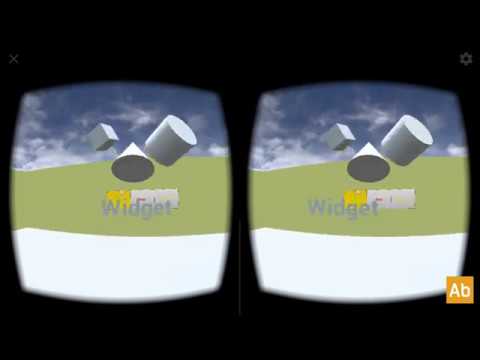
Gaze VR Manager is the native project for mobile cardboard platform. The full native project is a part of Mobile VR Manager in UE4 marketplace. https://www.u...
 trail forge
Im having some issue on working with Unreal & Oculus. Whenever I open the Unreal Editor, my Oculus Rift S looses head tracking, and then shuts down.
Im suspecting that I've got a resource bottleneck somewhere :
CPU: i7-8750 RAM : 16GB GPU : RTX 2070
Drivers and Software are all up to date.
I was suspecting possibly RAM but maybe before I blow $$ on 64GB of the stuff thought I would check to see if anyone have anything similar happen - or maybe there something that Im not doing?
 hoary kindle
Hi guys! I am working on an environment in VR for my thesis project. I am trying it out with the Oculus Rift but the VR pawn camera's height is too short. The last few times I tried it, it was fine, but now everything is messed up. In some parts I feel like an adult and in others I feel like a child looking up. I wanted to set a defined height, but it gets override with the height sensed by the Rift. Anyone have a tip on how I can do this?
past tiger
Are you using the setup from the UE4 VR Template?
hoary kindle
yes I am
past tiger
It sounds like it could be an issue with your sensors. Did they get moved?
hoary kindle
they get moved all the time because I get them borrowed from my university's equipment, but I always set them up in the same place at my home
However, since they will be moved a lot, I wanted to set a determined height so I don't have this problem in the future
past tiger
Note that the heads of the sensors can pivot. Maybe double check the angle they are pointing, and run the Oculus setup again.
hoary kindle
I will be working with the Quest as well in the next few weeks because I will be using the Quest in my final presentation
past tiger
The Oculus Rift uses the floor as the origin for tracking, so the calibration is important.
hoary kindle
I do not set the sensors of the rift on the floor, I set them up on a desk, and I usually check the sensors are not pivoted, but this was the first time this happened. And since I haven't tried with the Quest yet I don't know how it ill be with the Quest
That's why I wanted to try and set a fixed height on the vr pawn 😓
past tiger
Does the pawn need to travel along the ground, or could you make it fly around?
hoary kindle
it needs to travel along the ground, I am now using the teleport for people to be able to move around the environment
past tiger
If you just need to be able to look around in the level, that could be an easy solution.
Ah ok.
hoary kindle
it is like an european plaza, so people need to be able to move around with the teleport to go to the different sets
past tiger
I don't have a solution off hand. Maybe someone else can help out.
hoary kindle
Ok, thank you so much for your suggestions tho! 🙂
 solar mirage
HELLO ALL, THOSE WHO ARE FACING OCULUS UNREAL ISSUES PLEASE READ THIS ---- Use Steamvr plugin, in Unreal make sure you have turned of the oculus plugins and then turned on the Steam VR input plugins, everything will work as you want it !!
tired tree
in 4.24 the steamvr plugin is merged into the engine, it shouldn't have those conflicts anymore after that.
also that "work around" prevents native oculus useage on steam with that plugin.
brisk spade
i small problem when laoding my map the player spawns over the map when teleporting the height is normal?
i certain that i have to do some settings right
brisk spade
using my player pawn alone does work when i want to use player start it doesnt
@frigid kite
after the first teleport it goes back to normal heigh
normal height after teleportation
before teleportation
its a bit higher
twin sparrow
Hi guys, i wanted to build a bp to simple interaction with a target, but in don't find a "get positional tracking camera parameters", i'm using 4.21 version. Any idea for this?
twin sparrow
yes
twin sparrow
sorry, i asnwered the wrong question
tired tree
@brisk spade i meant base class, and if it isn't a base pawn, what is it
brisk spade
yeah then its a base class
tired tree
then it should be fine, player spawns are meant for them, the spawn itself it placed correctly?
brisk spade
player start has no collision if thats what you mean
twin sparrow
tired tree
@brisk spade the alternative is that you are teleporting wrong and have the hmd too high to begin with
teleport should be offset upwards by half the capsule height
brisk spade
so setting the hmd height lower?
@tired tree setting it up in the pawn or player start?
when i put my pawn in my scene it works perfectly
tired tree
your root component for your camera and controllers should be -HalfCapsuleHeight in Z
brisk spade
so setting it in my event begin play?
brisk spade
@tired tree i tested a bit, when i put my MotionControllerPawn into the scen it has the right height, but when i use my gamemode or the player start it doesnt set the height right
setting my camera manually doesnt change anything
sturdy coral
@brisk spade don't set the camera, it will just get erased next tick of the tracking; when you want to move things always move the component the camera is attached to
brisk spade
when starting my z value is 253 when teleported 158
when using my pawn in my scene its always 158
sturdy coral
my z value = z value of what? pawn? camera? vrroot?
brisk spade
@sturdy coral when i adapt my component camera scene it moves my camera -95 on the z axis to
yeah the camera component scene
sturdy coral
ok, yeah never move camera to try and move things, always move camera root
brisk spade
@sturdy coral this is my teleportion
my world setting do have my pawn as default
what i dont understand is why doesnt it happen when i use my pawn without a gamemode and player start
sturdy coral
@brisk spade ike mordentral mentioned, player start will put you at half of its capsule height:
92+158 = 250, the other 3cm might be coming from several possibilities
brisk spade
what do i have to do to resolve that?
tired tree
you don't
its correct
pawns zero point is the center of the capsule
you directly setting location at the trace location is not using teleport correctly
which also mean that your camera root is at 0,0,0
when it should be 0,0,-96 or someting
sturdy coral
not sure, I think they may have changed that, all pawns used to have a collision at root or something right?
tired tree
yes
sturdy coral
I placed on in editor and it had an empty scene component too, so maybe that changed
brisk spade
collision capsule i dont have one 🙂
tired tree
mm
sturdy coral
flying pawn must change it now the same way character does with that replace component thing
tired tree
that is actually a nice change
sturdy coral
or something
tired tree
makes their vr tutorial outdated though...
brisk spade
so what must i do?
brisk spade
motion controllers will be handled in a single bb later when i have time to refactor
tired tree
that is actually pretty weird, as it ruins player starts for default pawns though @sturdy coral
though they are working on making movement components root component agnostic
so its a good thing overall
sturdy coral
@brisk spade
    /** Called from RestartPlayerAtPlayerStart, can be used to initialize the start spawn actor */
    UFUNCTION(BlueprintNativeEvent, Category=Game)
void InitStartSpot(AActor* StartSpot, AController* NewPlayer);```so it isnt my mistake, just a problem of unreal 4.23?
sturdy coral
if you implement that event, it will get called when you start from a APlayerStart
and you can look at the startspot (cast it to APlayerStart and check that cast succeeded) and subtract half of it's capsule height from your pawn location
brisk spade
how do i implement that event using only blueprints, or can i use c++ in my pawnblueprint
have no experience with c++ files in a blueprint project
sturdy coral
@tired tree have you seen that thing they are adding for prediction/rollback? I think they are eventually moving character movement component over to it too
I can't remember what it is called
tired tree
yeah
they are decoupling it
so you can write a movement component with the same features from scratch without much effort
and without subclassing character movement
sturdy coral
@brisk spade just right click in pawn blueprint and search that event name, InitStartSpot
and add an implementation of it, not a call to it
tired tree
going to be a real PITA to move my modifications over to it likely, but glad they are doing it
sturdy coral
did they ever release what they are using for fortnite vehicles into the engine?
or is that based on it you think?
tired tree
no
they added the remote pawn possession
but its kind of broken
still using my custom version for that
as for the actual replication of it, still not working like fortnite
brisk spade
it doesnt find any events with that name(context sensitive off)
tired tree
likely not based on that since its very WIP and unformed
i'm willing to bet they are just smoothing location replication and using cars as is
sturdy coral
@brisk spade sorry it is in game mode
implement it in there
in there, you can cast StartSpot to APlayerStart and get the pawn from AController * NewPlayer, cast to your pawn, and if everthing casts ok, adjust the position
brisk spade
i have one
sturdy coral
yeah add it in that game mode's blueprint
tired tree
then open up the event graph for it there
brisk spade
sturdy coral
yeah, cast start spot to player start and ask new player for its pawn
and if both valid, adjust pawn position down by player start's capsule half height
sturdy coral
start spot is a plain actor, so you have to try casting it into a player start
sturdy coral
yeah
check that controlled pawn is valid too, it probably is guaranteed to be but just be safe
there are some cases where you have no pawn in a controller, but probably not ever at InitStartSpot
brisk spade
than i get the pawn location and down half capsule height
sturdy coral
yeah there is an add world location function too I think
just add negative player start half capsule height
brisk spade
AddActorWorldOffset?
sturdy coral
yeah that sounds right
or it may be better to set pawn world location to (player start actor's location - half capsule height), that might help with that extra 3cm that was coming from somewhere
unless your player start bottom just happened to be 3cm higher than the floor
sturdy coral
you can ask it for its capsule, it will be 2x half capsule height
96 was default half capsule height, so 192 is total height of player start, but it's actor location will be at 96cm over the floor if you placed it normally
you can hit 'end' on the keyboard too when moving it to snap it to the floor
brisk spade
so i moved my floor to z=0
for sure better
@sturdy coral i have problems getting the capsule from my playerstart cast
do i have to get all children first?
brisk spade
damn
sturdy coral
or just subtract 96 manually
brisk spade
sturdy coral
yeah that looks good
brisk spade
so when i call my player start it sets my height correctly
sturdy coral
select your player start in world and hit 'end' on your keyboard
it is probably up by a few cm
or maybe you already moved it when you moved floor
brisk spade
so then i have to call the function in my gamemode event beginn play?
sturdy coral
no, that function will be called in c++ when the player spawns
you can add a breakpoint to it just to be sure it gets called
or a print
brisk spade
yeah its called, but it hasnt changed anything
brisk spade
yep its valid
sturdy coral
uh oh, maybe it is spawned after that point:
as a hack you could add a delay 0 to fix it on next frame
sturdy coral
yeah either right at the beginning of it, or right after the is valid checks should be ok
brisk spade
nope
the new values are
camera root without initStartPlayer z = 112.2
with z = 208.2
after teleportation with both z = 20
so i guess its the wrong value -96
i substracted -(-96)
sturdy coral
instead of the delay, you could also add an APlayerStart variable to your pawn and set it after the is valid checks in 'InitStartSpot', then in your pawn's BeginPlay look if it is valid and if so offset location down there, that would be less prone to breakage but the delay is probably ok for what you are doing
brisk spade
if i use 99.8 it works
sturdy coral
you should prob stick to 96 and figure out why start spot is 3cm up
brisk spade
wait
sturdy coral
and just move it 3cm down
tired tree
@sturdy coral they could just replace the default root component with a capsule too
that was the old setup instructions that epic had
sturdy coral
ah yeah
brisk spade
i have time for finding the best solution 🙂 thank you for the support
sturdy coral
@brisk spade any reason you aren't using something like the standard vr template?
brisk spade
@sturdy coral i found MitchVr template on yt and it fits all my needs and then i adapted on it
tired tree
mitchs template is from 4.8 or .9 or something
brisk spade
i tried to rebuilt it for understanding purposes
tired tree
some of the things straight up don't work
brisk spade
yeah its old :/
tired tree
but yeah, it was blueprint and mostly is still functional
sturdy coral
yeah unfortunately it is mostly from before epic's template
maybe updated a bit right after they released theirs
brisk spade
i only have to handle interactive objects and teleportation
@sturdy coral is there any good tutorial for handeling basic VR Interaction post 20? or any good books you reccomend?
it works for now and thats great
sturdy coral
yeah it may be worth sticking to just since it is all blueprint you can look at
brisk spade
i think i can built on the interactor stuff alot
would you recommend to buy Mitch VR cookbook for a beginner?
sturdy coral
yeah I think it covers all the stuff from his template, it is from 4.13 or so I think so some stuff has definitely changed since then but I think he mentions the big thing that changed (widget interaction was added)
brisk spade
@winter wyvern his book is from 6. Februar 2017
tired tree
its not outdated enough to be useless at least, likely worth it for someone starting out
brisk spade
i found it online in germany for around 25€
sturdy coral
there was one change to physics handles or something that broke the way he was doing late update with physics, but I think he maybe got a fix out for that before he stopped working on the template
brisk spade
im still learning so understanding the base concept alone is a challenge
tired tree
his "fix" for late updates was kind of a problem
it was attaching and detaching them every frame
if i remember
tired tree
granted for physics objects, you don't generally want late updates anyway
it was more a problem prior to this last release where the steamVR controller delay was fixed
brisk spade
so you can call these days early beta testers?
i was using UE4 starting with Robo Recall 4.15 or 4.16?
sturdy coral
some things still feel beta, but we're like 3+ years into consumer release now
the main thing I'd like added is the ability to use an ejected editor viewport while playing in vr, like unity can do
so you could manipulate and inspect stuff in the world in editor to figure out what all is going wrong, while playing in vr
brisk spade
Yeah technically you could implement a second free moving camera :P
Can you have several output windows?
sturdy coral
Yeah, with that though you don’t get editor controls for clicking on and inspecting actors/components and stuff
brisk spade
Basically no more print out values for debugging
 tawdry bough
Can you download your own UE4 projects (probably packaged) onto an oculus Quest?
mighty carbon
probably
tawdry bough
Does anyone know how it works?
hybrid plume
@tawdry bough after all proper configurations and steps have been taken, you sideload .Apk & .Obb files onto your Quest
carmine yoke
@tawdry bough Package for ATSC, then once you've got adb and everything set up you just go into the package, right click the batch file
@tawdry bough https://developer.oculus.com/documentation/quest/latest/concepts/unreal-ide-guide-quest/
Describes how to debug or test your Oculus Quest app.
Under 'Building and Running Projects'
 sharp shell
@tired tree To your knowledge, is there any way to subscribe to a change in motion controller Current Tracking Status?
tired tree
@sharp shell not in the engine default controller you can always query if it's valid yourself though. I added an event in my subclass for convienance, just broadcasts if the positional query is invalid
You can also check IsDeviceTracking manually from headmounted library, but I remember it being a bit broken many engine versions ago on steam. May be working correctly now.
sharp shell
Will the motion controller component itself return invalid if it's not tracking? Or do you mean checking the current tracking status on the motion controller component
tired tree
Steamvr tends to report still tracking and just have the controller fly away instead of saying it has an invalid pose
sharp shell
I'm mainly trying to handle controller on/off states
I'm less concerned with loss of tracking, however "not tracked" is the only way I've found to reliably handle that
tired tree
Controller should leave the device array if it's invalid aside from steam which I think ghosts it
At that point is tracked would be the most reliable
tired tree
There are direct API calls with more granular information
But the generic interface inengineis a little limited
sharp shell
👍
tired tree
@sharp shell you might want to ask @sturdy coral though I think he has had more reason to dig into it on steam than I
sharp shell
Awesome, muchcharles if you get the @ and are so inclined let me know. Not going to double ping
sturdy coral
Ah yeah I was just asking about that the other day
It seems to combine untracked with disconnected at least in the motion controller component
sharp shell
Yeah I've been able to use the not tracked successfully. Just wondering if there was a better way
sturdy coral
Will need to modify engine to get at connected state I think
sturdy coral
I’m probably not going to bother until 4.24 now since runeberg/valve’s plug-in is being merged and may be moving to that
sharp shell
thanks for the follow up! I'll keep chuggin on with what I got
mild trail
So when I pick up the weight rod the weights and stuff are not attached to the rod. Was trying to add a component to it a static mesh, but I cant pick the right items.
 vocal phoenix
Anyone got a minute to point me in the right direction with some VR pickup functionality?
mild trail
@vocal phoenix https://www.youtube.com/watch?v=tY1wmjDqc9k
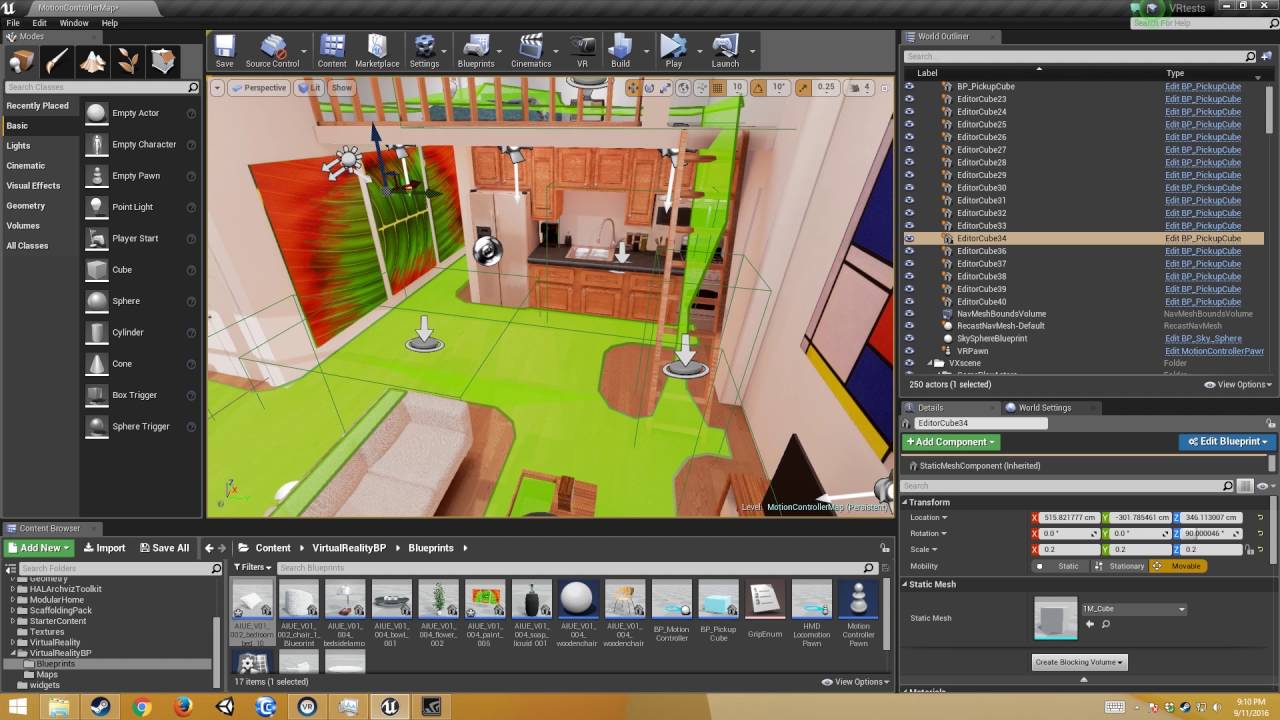
Alex Coulombe demonstrates how to use the new Unreal 4.13 VR template in a project to implement the Pickup Actor Interface, thereby making new objects pickup...
What this tutorial does not say is that you need to add collision to your object first.
vocal phoenix
I can pick my objects up fine, as I started with the VR template and been building from that
I just need the objects to still collide with other objects when Im holding them, as currently they phase through walls which isnt good
mild trail
add collision to the walls
vocal phoenix
there is, but the physics is turned off the object in the hand
If i turn it on, it collides with the hand itself and instantly detatches
Im not sure what node I can use to add an exclusion
thats all I need to know I think
mild trail
you got complex collision as simple?
vocal phoenix
you can only do that on static meshes cant you?
mild trail
It appears that I have the same problem as you with my scene 🙂
vocal phoenix
Yeah, it makes sense for most functionality
vocal phoenix
yeah
mild trail
just tested again, if I hold it in my hand it goes thru the wall. But if I throw it against the wall, it bounces.
vocal phoenix
Yeah its the same in my scene
I need it to push against the wall while its still in my hand though
mild trail
when I look at the pictures I can see that I really some better looking hands, it looks so computer game'ish - not suitable for presentation.
Anyone know how to get better looking hands?
hybrid plume
@vocal phoenix setup custom collision settings
@mild trail you can find different hand meshes in the UE marketplace
mild trail
@hybrid plume thanks, didnt think of that.
@hybrid plume No simple good looking hands for ArchViz - How about those blue see through hands from the intro on the Quest. Wonder if we can use them somehow.
carmine yoke
@mild trail Why use hands at all? I find that hands for any controller other than the knuckles breaks my immersion
I'm using a model of the controllers
mild trail
The architects like to see if they can reach the upper shelfs and such. Also grabbing things seem to help the illusion if there is hands to see.
Where did you get the model of the controllers?
carmine yoke
Are you using the Oculus fork of UE4? If so they're somewhere in the engine directory
hybrid plume
I’m of the opinion that looking and seeing hands doesn’t diminish immersion, rather increases it
Moreover that actual hand tracking is coming to the Quest very soon
 frigid kite
@vocal phoenix If you want carried objects to collide with the scene, you will need quite a bit of code. You should check out @tired tree 's VR expansion, it offers several types of collision modes for held items https://vreue4.com
carmine yoke
Yeah I'm looking forward to the Quest's hand tracking - but I can't imagine it's cheap to implement
tired tree
its pretty niche in usage
since you can't use controllers at the same time, you can't swap back and forth, and it has occlusion issues
still, its something that architectural firms and general "experiences" will benefit from. Don't see much use from it in game applications. At least not in its current state.
hybrid plume
Apparently it won’t be so expensive, at least according to the presentation at the connect conference
frigid kite
Yeah I definitely think it will be great for enterprise usage
And I don't doubt they will get a handle on hand-hand occlusion, just a question of more machine learning
tired tree
its not even hand on hand occlusion
its back of the hand, have to entirely guess what the fingers are doing occlusion
you won't be able to "fix" that to be super accurate unless you start reading tendon patterns or something on the hand
but good enough is likely ok there
mighty carbon
@tired tree Carmack said you can swap back and forth between hands and controllers within the same app/game.
mighty carbon
🙂
although I wouldn't be surprised if release would be limited to either hands or controllers without real time swapping
tired tree
yeah it was a direct quote saying that you couldn't? Maybe its been changed since then or that is his future plans?
hopefully though, its way more useful going back and forth
mighty carbon
I direct messaged him as soon as I found out about hands and he replied that it's no problem, just can't use it together (tracking both hands and controller at the same time)
mighty carbon
UE4.24p1 is out
hybrid plume
What’s new in .24?
mighty carbon
yeah, I wish they wrapped up 4.23.2 first
 granite jacinth
@tired tree I know right?
I just said that in #ue4-general
They barely fixed anything in 4.23
granite jacinth
hmmm
tired tree
hope this things in preview for awhile
granite jacinth
@tired tree Means easier to do things?
tired tree
gotta patch around some holes in that
its good that its merged, its bad that it is merged without changes
granite jacinth
By "steam vr" I assume you mean SteamVR Input
tired tree
yes
on the upside, i can drop an entire class now that I was only holding onto until this happened
 idle osprey
Does anyone know what Oculus plugin version is in this preview?
tired tree
@idle osprey Looks like 1.40.0
idle osprey
Thanks! Getting closer, at least.
 orchid pier
So when spawning objects in AR, they always appear maybe a foot above the plane
even with the arkit demo, does anyone know why? It works with the demo objects in the scene, but no other poly objects, even the ones included in the engine
And google tells me nothing, been struggling for days
mighty carbon
what engine scalability settings do you use for Quest ?
mighty carbon
also, how can I enable alpha to coverage in materials for Quest ?
(ES3.1 or Vulkan)
mild trail
My navigational mesh is above the floor even tho I have my cell height at 1.0. When I drop something it falls to the floor, but my controller can reach no further than my green navigation mesh. Any help?
brisk spade
How Long does normally to build UE4 project for oculus quest?
It sticks on launching
normal for first build?
carmine yoke
Yeah just let it do it's thing
Look t the output log and you can see what's going on
carmine yoke
Just leave it mate
Sometimes it take a while
Alternatively, if you make an astc package you can side load it instead
brisk spade
@carmine yoke its just the default VR template. does it really take forever to launch it?
carmine yoke
It can take a while yeah, unfortunately
frigid kite
Everything Unreal builds takes a long while to my experience
brisk spade
1h building?
frigid kite
Well maybe not quite that long
brisk spade
i tested it for 20-30 minutes
hybrid plume
@brisk spade default VR template shouldn’t take that long, are you seeing any yellow or red lines in the output log? Also, maybe clear your swarm agent
brisk spade
whats a swarma gent
no yellow lines
[2019.11.07-12.18.30:784][ 0]LogFileServer: Warning: Unreal Network File Server starting up... is yellow
LogCook: Warning: Connection tried to connect with incompatable version maybe there is a problem with 4.23?
hybrid plume
No I’ve deployed to Quest with 4.23 no issues
Double click this icon, it will break down how your system’s threads are compiling shaders and such
Awhile ago when my compile times were extremely slow it turned out that I had to clear the cache of this swarm agent
Try another thing, don’t build the project directly to quest connected to your PC, rather package an Android ASTC build to your PC and then side load the .APK & .OBB files to your Quest
brisk spade
@hybrid plume installing the APK. just shows me the 3 dots for loading
hybrid plume
How are you installing it?
brisk spade
adb install apk file
@hybrid plume now i can launch it, but when i want to open my app on the quest it tries to load and then sends me back to the hub
hybrid plume
Enjoy the videos and music you love, upload original content, and share it all with friends, family, and the world on YouTube.
This works best for me
brisk spade
having this for eternity
im using cmd to sideload my apk
@hybrid plume somehow sth worked. now i have to find out why 😄
hybrid plume
@brisk spade hey whatever works that’s great you got it going! First time I was pulling teeth myself trying to get it to work, then like everything else it becomes routine
hybrid plume
Hmmm did you watch the YouTube link about using side quest to side load the APK?
brisk spade
yep its the same result as if i use the cmd command
it keeps stucking in launching
or Running when i launch it
hybrid plume
So you were able to package ASTC successfully?
carmine yoke
@brisk spade wait I'm confused
the picture where it says running should mean that the game is running on the quest....
brisk spade
Ahhh
carmine yoke
You can put the headset on and play
brisk spade
It's also installed on my quest?
carmine yoke
Yeah
If you unplug it then you can go into library -> unknown sources and it should be there
It runs off the Quest at that point so it's not connected to the PC
you can do stuff with session frontend if you keep it connected to the pc
brisk spade
session frontend like? never used the phrase?
carmine yoke
Used for profiling
And if you want to send stat commands to the quest like stat fps then you can do it there
Was just making a point that it has to be plugged in to use it
brisk spade
ah yeah ofc
carmine yoke
but you can run the game on the quest without it being plugged in
brisk spade
its hard to transfer other data from built projects
@carmine yoke does project launcher do the same as launch?
is launching on "xxxxxxx" the same as running on since it stucked there when i tried to use project launcher
carmine yoke
Don't think so
tbh I had trouble when using the project launcher
but launch works fine for me
and Packaging also works fine
I think you can edit more settings like make the package by the book and stuff - not entirely sure what that means without looking into it
read the documentation if you like - https://docs.unrealengine.com/en-US/Engine/Deployment/ProjectLauncher/index.html
A reference for the Project Launcher used to deploy projects using in Unreal Engine 4.
brisk spade
just wanted to make sure its not the same
carmine yoke
I think it can be the same - depends on the settings you use in the launcher I think
don't quote me on that though
As long as you can launch and package I don't think there's a problem
brisk spade
yep should be enough
hybrid plume
👍
brisk spade
@hybrid plume i double checked and my APK doesn't work it shows in the hub bit loads indefinitely
Which android package should I use ACST?
But launching works 100%
hybrid plume
@brisk spade yes package to ASTC
idle osprey
If anyone's interested and builds from source, Oculus updated their UE4 source to 4.23.1 with Oculus Integration 1.42 yesterday.
brisk spade
Ja ibtried that, but with install adb install it doesn't load the app in the hub
carmine yoke
@idle osprey Where? I can't find it?
I literally just built 1.41 today fml
Still says 1.41 on here
I know the platform SDK is 1.42 now but I see nothing for ue4?
Damnit, I found it on their git.... I literally checked earlier 😰
idle osprey
Today is the 7th. Tag says the 6th
mighty carbon
it showed up on github today, around a way after lunch time PST
(and I yesterday I was told by Oculus it will be released on Thursday)
so I wouldn't trust tags - it wasn't on their github (publicly visible) on 6th
regardless, it's there and I am going to have to spent my only few hours on merging GPULightmass and compiling it 😓
idle osprey
Gee, so technical and precise. One would think that you are a coder. 😋
mighty carbon
maybe I was ... in a previous life 😛
idle osprey
xcodebuild -workspace UE4.xcworkspace -scheme UE4 and....off to have dinner.
idle osprey
** BUILD SUCCEEDED ** Happy Dance
coral swallow
Ive juyst set up ik for a vr character but its disregarding the physics constraints setup. If i add a physical animation component will it fix this problem?
solar mirage
Hello , Anyone has any idea on how we go on to add our own stuff like video or anything else in google lens AR mode
 long citrus
how do I enforce certain VR API from command line? I need to launch game with OculusVR but it launches with SteamVR in priority
little scaffold
@long citrus maybe disable steam VR plugin on your project
fleet plume
apart from that you could also set priorities in your DefaultEngine.ini
[HMDPluginPriority]
WindowsMixedRealityHMD=40
OculusHMD=20
SteamVR=10
OSVR=5
@little scaffold the game is already packaged and it is designed to run with steamvr or oculusvr
@fleet plume Thanks
mighty carbon
@fleet plume so the higher the number the higher the priority ? (in your example WMR HMD will load first?)
fleet plume
yes
carmine yoke
@mighty carbon Do you know anything that's changed for 1.42? /When the changelist is coming?
mighty carbon
I do not
probably next week or more.. or never..
I am sure they have all hands on deck for hand tracking and Link
fleet plume
are there any rumours with the timing on link?
also it's hard to find a good usb3 cable (usb-a to usb-c) on amazon
if you believe the reviews some burn, some break, some won't stay connected sigh
mighty carbon
allegedly 1.42 for PC already has Link code in it
carmine yoke
daamn
I really feel like this kind of stuff shouldn't make me so excited but by gosh it does
mighty carbon
I can't wait for Link.. This way I can play both Quest and PC games without having to buy yet another HMD
mighty carbon
why so negative ?
granite jacinth
negative?
mighty carbon
people still wear them
 wicked oak
@fleet plume oculus will sell a expensive USB 3 cable for link use
this cable will be much longer than normal usb 3 cables, and its fiber optic to allow enough data bandwidth
given the state of usb 3 cables in general (they are absolute shit 90% of them) i guess you gotta have to buy the link cable
fleet plume
yeah i know
but earliest in 2020
@wicked oak
i plan to try out link before that 😅
wicked oak
oh they aint doing it on launch? fuck
i was plannig on getting link because the longest usb 3 cable i have is half a meter
btw, link is Carmack Magic approved (R) so i have high hopes for it
tired tree
link is going to make quest the best UE4 dev headset
wicked oak
likely
fleet plume
yes
tired tree
for quick iteration without sacrificing much quality
fleet plume
no more spinning lighthouse sensors, accidentally moved cameras
fleet plume
also the smallest group of headsets
tired tree
not to mention, devving on link, de-coupling to test stand alone, taking the same headset for demos
sour iris
Ohh.. sounds promising! Quest has max 72Hz refresh rate though. Some people notice it, some don't. Wish i could try.
 sturdy canyon
When developing, I never really spend more than a minute or two continuous in headset
So Quest will be fiiiine
Currently compiling the 4.23.1 push by Oculus (even though I had zero known bugs on 4.23.0...)
I did have a bug on PS4, but I verified that 4.23.1 doesn't fix it 😕
sturdy coral
wmr is a pain for dev unless you change the timeout where it closes steamvr to something a lot longer
but also having to have a lot of bright light at night time sucks
tired tree
never liked the platform enough to attempt to dev with it as the main testing hmd instead of another headset
guess the samsung might be good enough
idle osprey
I just wish I could dev on my Mac with a Quest and Link...only because the MacBook is more convenient for me than the PC.
Our PC is in the "VR Room" and a bit harder to dev with
 hard relic
Hi, i'm new here. I'm 3D graphist and dev. I'm using Vive and Quest. Regards.
Any list of Quest limitations with Unreal somewhere?
mighty carbon
Not until you test your project on Quest
coarse shard
@hard relic https://docs.unrealengine.com/en-US/Engine/Rendering/SupportedRenderingFeatures/index.html https://developer.oculus.com/documentation/quest/latest/concepts/unreal-engine/
Detailing which rendering features are supported on which platforms.
Overview of development with the Unreal Engine.
coarse shard
i think the quest is mobile os so these categories in the chart apply: OpenGLES 3.1, iOS Metal, Vulkan Mobile
OpenGLES 2.0 w HDR Enabled
OpenGLES 2.0 w HDR Disabled
VR Forward Rendering
hard relic
@coarse shard Thank you great infos, great list.
mighty carbon
ES2 was removed from ue4.24
hard relic
Hmm, it's time to clean my Quest. What is the best way to remove an unreal project from the Unknow app directory of the Quest? Removing folder from Explorer do not seems to work... Thx
carmine yoke
Factory reset?
Or if you did it from a package, I think there's an unistall in the folder
Not sure how to get rid of a launched one tbh
hard relic
Oh! Thank you, i found Unknown sources uninstaller in the Storage managment.
mighty carbon
eeh?! how about adb uninstall <app name> ?
hard relic
I'm unable to understand what is the name of the project into <adb uninstall com.name.app> How do you spell your uninstall cmd?
mighty carbon
have you worked with cmd line before? used adb ?
hard relic
i'm aware of Ms-Dos, cmd, bat file. I'm new to adb. Used it only to check my device <adb devices>
mighty carbon
right
so, adb devices will show your Quest
"adb shell pm list packages -3" will show you installed packages as com.blah.blah
find your package in the list then do
adb uninstall com.your.package
where "com.your.package" is exact name from that list.
hard relic
perfect. thanx!
mighty carbon
👍
quiet badger
what do you guys think about the oculus quest 90hz refresh rate hack?
mighty carbon
never heard of it :/
 void root
Hi everybody! Is this the right place to ask for help with VR stuff?
carmine yoke
@void root yep
void root
oh thanks, but I may have figured out my problem
i'm sure I'll have some questions going forward though
as I am very new to vr
lean basalt
Hello everyone, I'm a little new to developing for oculus quest, but I've ventured into some tutorials and set up some test scenes! Reading the old messages and I've learned a lot 🤓
I have a question, is there any way to have the official hands of unity oculus kit in unreal? thanks for this help! ✌
hard relic
@lean basalt If the official hands of unity oculus exists in unity directories then it's possible to bring the FBX 3d model into Unreal. I just done exactly this operation for the Quest controllers that i just found into the last version of "Unity Oculus Integration package".
hard relic
I was unable to get Quest compatibility with Unreal 4.23. Some advanced APK Packaging options were different from the tutorial i was learning from. So I used 4.22.3. Anybody are using Quest with the last Unreal version?
hybrid plume
Yes Quest works fine in .23, what was your issue?
 violet musk
Any pointers as to how to do multiplayer on the Quest without using the Quest API? Done some multiplayer on Windows/Steam before. I'm currently looking into the ProteusTemplate, but I wonder if it can't be setup easier on a local network via WiFi.
mighty carbon
just regular Android multiplayer should work (assuming it doesn't require Google Services)
violet musk
Okay, thanks. Haven't done that before, just Steam. I don't think I need any Google Services, no. Do I still need to go through Google Play? I'll have a look around.
mighty carbon
you can't - Quest has bare bones Android and has no Google Play nor Google Services
lean basalt
Does anyone know tell me how to turn on the glow effect in Oculus Quest? I've searched the internet for this but without search success .. Thanks! 🤔
 hallow knoll
Mobile HDR is not supported on Quest atm
mighty carbon
and even if it was, it's performance taxing!
 nimble edge
So this is weird: I start a new 4.23 project, the blank starter map (sky sphere, grid floor), hit "Play in VR" and I'm getting 70fps/13ms. I used to hit 144fps/7ms.
If I do the same thing in 4.21 I get the expected 144/7ms.
Anyone else experiencing this?
nimble edge
Oi. Is that different than the default "play in vr" standalone window?
past tiger
That window could be running in either windowed mode or fullscreen mode (or fullscreen windowed mode)
When I force it to run in regular windowed mode, the issue goes away.
nimble edge
How do you force it to windowed mode? (and thanks for all the help)