#virtual-reality
1 messages · Page 211 of 1
 sharp shell
 hoary reef
If I do this, I need to pass the widget component down into each widget and I am trying to see if there is a way I can have like a class where they all share the same parent component so I only have to set it once. I could use fancy widget layouts to get around this, but I think figuring out how to do this cleaner would help later.
 flat shoal
even the HighDetail LOD group looks terrible in the HP Reverb, since it has such a high resolution screen compared to everything else
it's like 🙂 and 😦 at the same time
 severe tide
@flat shoal interesting, so you need an even higher detail mesh to get a satisfying experience?
flat shoal
yes, the screen percentage lod selection doesn't work on the Reverb
right now, I'm trying to nuke all auto generated lods... can't figure out how yet
 silk lodge
I'm looking for oculus quest controller models
and now I'm downloading them from the unity asset store lol
 mighty carbon
hah, doesn't Oculus integration have them ?
silk lodge
i don't think so
 white fern
Hey all. I noticed Oculus's update in July caused controller issues to sideload apps made with Unity and Unreal. I saw this https://forums.unrealengine.com/development-discussion/vr-ar-development/1646304-oculus-quest-update-controllers-broken and have made the appropriate manifest additions, yet my app is still showing only my left controller. Any additional thoughts on what I can do to fix this? Anyone else resolve this issue themselves?
Unreal Engine Forums
As per this Reddit thread:
https://www.reddit.com/r/OculusQuest/comments/chhjb6/oculus_quest_update_broke_sideloaded_apps/
'be aware that the latest Oculus
 sturdy canyon
If you're shipping to Quest I highly recommend using the Oculus branch of UE4
Vulkan on there is nice. And the two controller issue is fixed
The GPU gets hit with a 15% penalty on 4.22 right now, but that will be fixed in the near future in an OS update, I believe
There is a driver bug that causes 4xMSAA to actually be drawing 5 pixels?
 hallow knoll
@white fern Yeah I didn't have any problems implementing what's mentioned in that thread
Don't copy paste what's there, you have to use one of your lines, I noticed they can differ by a couple of numbers between projects
IE follow the first "fix" and don't copy paste the one further below
white fern
I didn't copy that one person's manifest @hallow knoll, but I did copy the android manifest from Intermediate/Android/APK to a newly created ManifestRequirementsOverride.txt in the project Build folder and added the line.
@sturdy canyon fortunately I'm not shipping on Quest, but I just migrated the project to Oculus's source build (where I actually have the dropdown in the settings for Oculus Mobile Devices) and am still experiencing the issue.
I'll keep looking. Maybe I missed some important information, I'll give it another try.
mighty carbon
4.23 is here
hallow knoll
@white fern We just released 4.23 and you can select between Go/Quest there as well
mighty carbon
@hallow knoll there is "Streaming Virtual Texturing" and "Runtime Virtual Texturing" in 4.23... Docs say the latter isn't supported on mobile (as you mentioned a while ago). Is it safe to assume the former is supported on mobile? (docs say nothing about it)
hallow knoll
Neither is atm, but there's already been work done there and we might see it in 4.24
mighty carbon
I see, cool..
 subtle raft
ya but what's now broken in 4.23? in like 4.20 they broke SteamVR integration, everytime you would end VR PIE the stereo layers would get stuck in SteamVR
 idle osprey
Just starting some Quest dev, so glad to see 4.23 out. 🙂
 tired tree
@subtle raft that specific bug is fixed
subtle raft
ya, but it was annoying for me at the time :(
mighty carbon
New: Added experimental support for auto-instancing on mobile, which is disabled by default. It can be enabled with the command "r.Mobile.SupportGPUScene" in DefaultEngine.ini. It requires Metal, Android Vulkan or OpenGL ES3.1
I wonder if it helps in VR
 ornate raptor
Anyone here with a Rift S? I'm looking for the string returned by the "Get Device Name" node from the Oculus plugin
Since the others are things like "Oculus Rift CV1" I'm assuming it's just "Oculus Rift S". But I'd like to be sure
 sly elk
ghosty hands are working quite well: https://www.youtube.com/watch?v=EVWLzdFZYXI&feature=youtu.be

we need to come up with a good solution for cable and wire physics but that will be later on.
@ornate raptor I think its always "OculusHMD" right?
i haven't looked at that in ages
but if they changed that string it would break a lot of games that rely on it
ornate raptor
@sly elk Nah, it's a different one. That's the "Get HMD Device Name" node, which will still return "OculusHMD"
"Get Device Name" is an Oculus specific node
Based on the other examples in that documentation, I'm pretty sure it'll return "Oculus Rift S". But it's not listed there... so I'm not 100% sure
 north verge
@sly elk Is the physics hand attached with a physics handle?
sly elk
Physics constraint
north verge
I see. I also made a similar system with physics constraints for the fake hands but the only problem that I can't seem to find a solution for is that the movement isn't one to one. Are your physics hands always being held by the constraint or only when holding something? I appreciate you taking the time to answer btw.
 ember forum
@ornate raptor you can always double click on the node, get into visual studio and check out the code, it will surely have the names there, (i know because i have done that, but am not at my station now)
 tawdry dragon
Yo guys. Anyone had any success of getting a Vive trackers transforms without having UE4 in VR mode?
I saw some python script that uses OpenVR and was wondering if I could make something from UE4 that reads that output
 heavy pine
@white fern The Quest controller tracking is working perfectly in the final release version of 4.23
 orchid schooner
just noticed what OpenVR in UE4 4.23.0 changed from version 1.0.16 to 1.5.17. any incompatibles found? whats new?
 finite field
hi, wich is the best method to connect cloud database service to android
 little scaffold
@finite field try firebase there is a great plugin made by gamedna
finite field
👌
mighty carbon
doesn't firebase require Google services, which are not on Go/Quest ?
little scaffold
He is saying that it is available on all platform even after a specific question for Go and Quest so I would say yes but I never tried it
mighty carbon
ah, I just looked up my PMs and the author added support for Firebase to run without Google Play services. The only downside is that there will be no offline mode if you run it like that.
little scaffold
ok thanks for the update
 chilly pasture
Hi guys , Need to help implementing a bluetooth controller for gear vr
finite field

Samsung hk_en
FAQ for Samsung Mobile Device. Find more about 'Connect Samsung Gear VR Controller via Bluetooth' with Samsung Support.
flat shoal
ok, proof that nobody uses WindowsMR: even the final release of 4.23 can't build a working project with it (you have to actually test run it to see it, though)
@hallow knoll ping 😛
orchid schooner
4.23 seems have some bugs with VR
imposible to create a new VR project, loading stopped at 45%
old project works, but something wrong with windowed mode
tired tree
@orchid schooner that is just it initializing, you need to sit on it for awhile when it is stuck at 45%
first loads of a new version do that often
then you'll have to sit through all of the shaders recompiling as well ;p
sharp shell
one way to check is open your task manager (windows), and check your CPU useage and if there are shader compile worker programs running under the editor exe. Usually mine sits at 45% with 100% PCU useage and like 8 shader compile workers running for a while
orchid schooner
hmm, okay, thanks, will try
orchid schooner
really, it works, after some time editor loaded. and it is runs in windowed preview
my program losing windowd mode in
GEngine->XRSystem = HMDModule->CreateTrackingSystem();
but it worked fine in 4.22.X
 raw jetty
@ornate raptor I have a RIFT S. Do you still require the device name info? I can check it out if you need it.
ornate raptor
@raw jetty that would be awesome! Thanks
sturdy canyon
Oculus pushed 1.40 integration August 29th on their GitHub fork.
For both 4.22 and 4.23
Last I checked Oculus 4.23 branch was still a few days behind the official 4.23.0 release, but I'm sure it will catch up soon (or maybe already has..)
mighty carbon
last commit was 8 days ago, so hasn't caught up yet
maybe they are fixing vulkan issues before releasing it
hallow knoll
@flat shoal There's nothing for me to go with there, at least send me an error log!
flat shoal
@hallow knoll just trying to run any WMR plugin built project should be enough, but I made an example project I can submit on Monday.
hallow knoll
A repro that's broken or one that works? I don't work with WMR so I can't help you myself unfortunately
flat shoal
A project that reproduces the bug, yes
hallow knoll
Thanks, appreciate that
Something that came to mind (no idea if it matters), did you disable SteamVR and Oculus?
flat shoal
Yes
hallow knoll
Have you tried with them enabled?
hallow knoll
What issues are you seeing?
flat shoal
.exe won’t run with an interop error that is listed as fixed in 4.21 changelog
hallow knoll
Fresh project yeah?
flat shoal
Both
hallow knoll
Cool, thanks for being thorough. That gives me something to go with, let me know when you've submitted the repro and I'll make sure we take a look at it
flat shoal
Sure. First thing when I get back into the office. 🙂
hallow knoll
@flat shoal Is this a binary or a source build?
raw jetty
@ornate raptor
GET HMDDevice Name is OculusHMD
Get Device Name is Oculus Rift CV1
sturdy canyon
🤦
mighty carbon
so, there is no distinction between CV1 and S ?
raw jetty
I've never had the original, only the S, but yeah I was a bit surprised it wasn't different.
I rechecked my box packaging lol, definitely says Rift S
raw jetty
No problem, any other values you'd like checked?
ornate raptor
Not at the moment. I was pretty hopeful that would work. I'll have to look into it more, I guess
raw jetty
Message me if you'd like me to test anything. Cheers.
ornate raptor
Will do. Thanks again!
raw jetty
Perhaps you can help me. I am just starting the programming side of VR. What is the best starting point to get something happening. I've seen about 5 or 6 ways to get started in a project and it is time consuming and confusing to know which path to take.
e.g. standard UE template, plugin available in forums x 2, and various tutes around the place
ornate raptor
Well, I started by making things and playing around. It is definitely time consuming and I'm not sure there really is a best way to go about it.. Probably just trying a lot of things and learning as you go.
Keep it interesting for yourself. It's a lot more fun to learn when it's engaging. For me, at least
raw jetty
Yeah I am trying things, but reluctant to take it much further until I decide the correct path. 🙂 Cheers. Yet to try the forum's plugin.
ornate raptor
Don't be reluctant. There's not really a correct path, in my opinion. That's the fun of it
You mean the VR expansion plugin? I haven't played with it much, because I don't need everything it does. The creator of it is in here, if you want to ask him anything about it specifically
raw jetty
yes i mean that. Initially I want to only use BP, and get an actual packaged exec. Failed doing that so far, but sure I will get there.
ornate raptor
Ah, right on. Yeah, you'll definitely get it. But you should probably wait until you're a bit more comfortable before adding any plugins
raw jetty
I have a spaceship flying across my scene, picking up an object and flying off (using sequencer, initiated by the rift controller trigger) and have that working, but not packaging. Now that I fiddled trying to get that going, it is only a black screen. (p.s. the hardware is so unreliable, spend more time resetting the thing.) Anyway, cheers. 😄
ornate raptor
👍
 smoky gazelle
sharp shell
smoky gazelle
sharp shell
TAA is more trouble than it's worth in VR
sly elk

Work in progress physics interactions between all parts.
 shadow radish
I might be late reacting to this--but has anyone else had to remap their controls after a steamVR patch for oculus?
I hadn't tested oculus but booted up with SteamVR in a while and all my stuff seems busted, one of the LIV plugin people mentioned there was some steam patch that screwed up some oculus contorls
looks like it is this patch

Update Highlights Improved Valve Index support with headset white-point adjustment, better USB stability, and other reliability improvements. (Some of these fixes require firmware updates.) Added thumbstick binding options, including auto-click, sticky-click, and double-click...
basically what seems to be happening for me is I previously had movement wired to oculus joystick cap touch and it was working
now it's only working if I click down on it
ember forum
deleted my comment above related to how to get position of hands relative to body, because i can just get the relative location (coffee wasnt strong enough)
 sonic lake
@sly elk did you end up using physjcs handles or physics constraints? Looks great. I like that the wheel has restitution and bounces around. 👍
sly elk
Just phys constraints
 dim quiver
Did anyone manage to successfully use Vulkan on Oculus Quest? I am porting a Vive experience to Quest, the feature set I need is supported only with Vulkan, the game ran once successfully, but I meddled with the settings one time, and now it crashes with Vulkan all the time, did not find the correct settings combination yet.
I doubt there is some conflicting settings but I can't figure it out
sturdy canyon
I am using Vulkan on Quest, yeah
Motorsep found out that gpu cascade particles will crash Vulkan. Possibly Niagara as well?
I don't use either
dim quiver
@sturdy canyon I use GPU cascade, I will check them out. Thanks!!
ember forum
@dim quiver I confirmed as well GPU particles crashing on quest using vulkan
 sturdy coral
I made a fix for DX12 support with SteamVR. Seems to work fine on my main scene but would like as many people to test as possible: https://github.com/EpicGames/UnrealEngine/pull/6183
it should cherry-pick cleanly to 4.23
and probably 4.22
mighty carbon
@dim quiver I have a repro case attached to my bug report on Oculus dev portal
 zinc rose
i havent looked at vr in UE4 in awhile.. i just tried now and when i play in editor on a project that used to work... the oculus screen just shows "ue4loading" and nothing happens. anyone have this before?
sly elk
Occasionally. Try a system reboot
also I think it does that if the oculus option to only use trusted sources is set
zinc rose
rebooted a bunch... was set to untrusted.
reinstalling all the oculus software now. :/
nvm.. im an idiot. was hitting play in editor.. not vr preview
shadow radish
PSA for vr devs
I never test oculus on steamvr, I always test on oculus
but I found out when integrating the LIV plugin my oculus controls on steam were totally borked
so to get good oculus controls now on steamVR, you need to use this plugin

GitHub
SteamVR Input Unreal Plugin - Documentation at: https://github.com/ValveSoftware/steamvr_unreal_plugin/wiki - ValveSoftware/steamvr_unreal_plugin
mighty carbon
Wouldn't you have both SteamVR and Oculus plugins always enabled for both Steam and Oculus release?
shadow radish
yes but SteamVR inputs are now broken from what I had before
like previously I had motion bound to "Motion controller L thumbstick X"--but thats no longer recognized
so instead it seems things need to be re-written for "steam vr oculus touch L joystick" otherwise all the old inputs I had set to motionController won't do anything
in terms of why bother doing this..it's because some things like the LIV plugin only work if the game is opened with SteamVR
shadow radish
@tired tree I ran into one problem with the plugin (or at least the older version I am using) that for teleporting, rotating the teleporter appears to reference the old x/y axis code and not the steamVR input stuff
I can update it for mine but just wanted to bring this to your attention and check with you if it's something you had already done on your latest versions of the vrexpansion plugin?
tired tree
@shadow radish i can't update it because that isn't part of the generic engine
should be assigning to a generic axis event is all
then re-binding in their version
also your inputs being "broken" are because you integrated their plugin
it doesn't use any of the generic events
shadow radish
@tired tree thanks for responding! I noticed it was broken actually before integrating the plugin

While playing VRChat perfectly for the last 2 months the update broke my controllers last night. I can still get the thumbsticks to work but now I can no longer use the touchpads to click for gestures (not touch) no matter who's custom community bindings I use or try to make ...
the guys at LIV told me it was in response to this update that some apps had their controls broken
Update Highlights Improved Valve Index support with headset white-point adjustment, better USB stability, and other reliability improvements. (Some of these fixes require firmware updates.) Added thumbstick binding options, including auto-click, sticky-click, and double-click...
I don't completely understand what you mean by generic engine sorry, but I think I can fix it anyway just by creating my own function to check the axis value
tired tree
if the axis isn't returning a value anymore then they don't have it on the legacy bindings
shadow radish
just to be clear too--it works perfectly in oculus
shadow radish
oculus with their platform
shadow radish
yeah
tired tree
they just missed a legacy binding
shadow radish
I'm just a solo dev I so don't know if they will end up updating that
for now I'm just going to integrate LIV for vive I guess to do some marketing videos and maybe ignore this problem for now--I dont know how many users who have an oculus but buy games on steam are adamant about using SteamVR instead of oculusVR
tired tree
usually its the other way around
shadow radish
yeah there are a lot of oculus exclusive games
tired tree
but that valve plugin has some issues if you leave the native one enabled and someone ever tries to run through steamVR
shadow radish
you mean leave the native oculus one enabled?
tired tree
yeah
shadow radish
yeah thats what I did--I had edited the priority in BaseEngine to prioritize it launching in SteamVR instead of oculus
I guess maybe I could try a liv build with no SteamVR Input plugin, no oculus plugin, and see if it works without having to remap controls
 urban shell
anyone familiar with graphics card stuff? trying to build for vr min-spec, but don't have a gtx970. will a gtx 1060-3gb be somewhat equivalent? was looking at gpu.benchmark tests, and not really sure based on results
mighty carbon
@urban shell 1060 6Gb is minimum for PC VR (from relatively newer cards). Better just get 2060 or 2070.
flat shoal
1080 is actually the stated minimum for HP Reverb (though it's the higest resolution HMD on the market)
urban shell
thanks @mighty carbon . i was trying to simulate the equivalent for min-spec to pass performance tests in oculus store. hard to find gtx 970's now, so the 1060 seems to be somewhat ok from tests so far. because it is not specifically a downgrade from the 970, i don't know if my frame drops would be the same, but have to assume so i guess for now.
i actually develop with a gtx 980 which is good enough for most stuff, but too powerful for min-spec tests.
 bronze raven
I made a project on ARCore and I now want to use that for IOS too. How will I do that?
bronze raven
does getting ar tracked planes etc work on both android and ios without changing the functions?
mighty carbon
@urban shell 1060 would be Oculus Rift only. I am sure Vive/Index require beefier GPU.
tired tree
@mighty carbon sure why?
vive is just fine on 1060
and index is a recommended 1070, so 1060 would be "low" but not out of the ballpark
mighty carbon
That's what I remember seeing online - people complained that hardware that was fine for Rift wasn't good enough for Vive
Maybe because Rift had better software tricks, like ASW
tired tree
depends on the experience really, being in ASW 24/7 isn't really the best. Regardless, yeah steam added several ASW like setups after initial launch.
 minor hawk
Anyone played with Choas desctruction in VR ? How does it run?
 fading shore
does anyone test Ray tracing in VR ?
fading shore
can anyone suggest best solution to track hands in VR . I need high precision for each finger
 grand zephyr
you'll need the Valve index for that @fading shore
Does anyone know what the "Get orientation and rotation" of the headset is based off?
tired tree
If he is looking for "high precision" then index isn't really the best
 celest thorn
@grand zephyr this is the function:
It just grabs the position vector of the headset as FVector and the rotation quaternion as FRotator
if you were to set the headset on the floor perfectly in the center of your playspace, the position should be (0,0,0) . rotation is based on whatever is set up as the rooms "forward"
grand zephyr
Thanks! @celest thorn
severe tide
I've used the leap motion before @fading shore, works very well. Not sure if they still market themselves towards vr headset use
 willow onyx
Hello, I'm getting a lot of aliasing in my default Unreal scene on the Oculus Quest. I have MSAA4x turned on and yet there's a lot of jitter (aliasing) in the scene. Am I doing something wrong? Please advise.
 whole tusk
hi
Antialiasing worked , but you have must minimum 30FPS, antialiasing is automatic disable for increase FPS
cheeck it FPS in Oculus Quset
but i have problem with VR 3D widget , i when click on buttons nothing will happen
i have oculus rift
willow onyx
Our FPS is always higher than 30FPS. In fact, I tried it out in a default scene with just a floor mesh. It was still quite bad.
whole tusk
Oculus Quest interior
here is my scene from oculus Quest
ue 4.23
mutp: do you have disable mobile HDR?
 placid spear
Anyone have thoughts about whether or not to include a VR level where a player is riding as a passenger in a vehicle assuming best practices are followed (ie no acceleration, no bumps, etc)? I picture some customers being unforgiving when experiencing motion sickness. Or maybe it’s best to give the players the option of skipping the level?
shadow radish
@placid spear I made flying on a dragon an optional feature in my game
I put a small tutorial panel also where I explain once they are on it, they can hold down both grip buttons for 5 seconds to eject
it's tough because riding in a vehicle is such a cool feature for most people, but imo I would try to make it optional if you can
I'd recommend trying the london heist on PSVR as well
really good implementation of being in a vehicle if it's something like a car
placid spear
Thanks for the input @shadow radish have you received any feedback from testers about whether they liked it?
Yeah, I was thinking about the London heist
shadow radish
I'm still pre-release but with friends and family they haven't had motion sickness. I limit the motion so it's not too jarring and i don't position the player exactly on the mesh
I position the player above the mesh so they don't move up and down as the mesh moves
one other small tip I would give you @placid spear that surprised me--setting a high deceleration value the user can control, did not in my experience cause motion sickness
placid spear
Really? Interesting
shadow radish
I thought allowing the player to stop themselves suddenly in the horizontal direction would make you feel like "WHOA" from your body not feeling the push forward
but I found it did the opposite and made me less motion sick when I could stop pretty abruptly
you have any links to what you are building?
here's a bit of my dragon flight system--I went for point and click controls in the end vs joystick controls
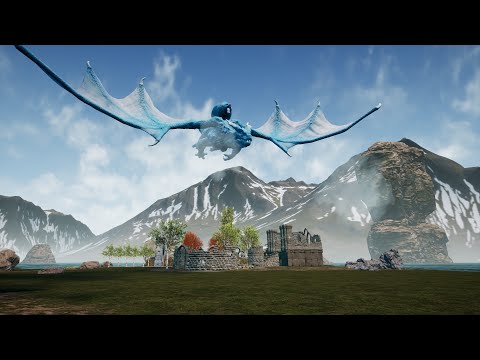
Small Video of Dragon Flight System Upgrades
I use the laser toggle on/off to set the goal actor basically for where it should go
placid spear
No links yet. I recently started and I’m still getting the logic in place. I’ll be sure to send you some footage for feedback once it’s implemented though
shadow radish
awesome! The london heist is imo one of the most under-rated vr experiences out there, it blew my mind and i don't understand why people don't talk about it more--looking forward to seeing what you build
placid spear
I feel the same way! I actually enjoyed the whole set of games including the lobby where you hit the floating orb around 🤣
placid spear
@shadow radish I’ll have to check out that video later today when I’m on wifi. I’m thinking maybe I’ll go ahead and make the level but warn players before it starts and give them the option to bypass both before and during
tired tree
@placid spear I have a car in my test template so have had some feedback, if you do it with a real vehicle with controls, use a non spring suspension. People mention sickness from the side to side springyness of the motion more than anything else regarding it (fixed point of referent on interior alleviates most of it).
the normal flat ground driving is generally fine
acceleration doesn't matter much with the fixed point of reference either
placid spear
@tired tree thanks for the tips 😀
chilly pasture
HI guys, Does Mobile Mutli view Works with oculus go.
?
My app crashes when use this
any idea and tips to increase performance for Oculus Go
mighty carbon
It absolute does (at least in 4.22.3 and Oculus integration, using ES3.1)
 cloud fossil
anyone using Face AR with 4.23?
 alpine oyster
quick question, how can i implement SteamVR's knukcles controller animations so that I can get finger tracking in my game?
documentation doesnt have much insight or it's possible i dont completely understand it
celest thorn
I've only given it a quick look so I can't give too much help, but make sure you look at the SteamVR Input plugin from Unreal Market
it has a sample project with blueprints you can look at to see exactly how they got the finger tracking to animate
 rich canopy
@alpine oyster you need to use the steamvr input plugin on the marketplace
alpine oyster
yeah I have been looking at it but it seems to have a couple different options. I can't seem to find any tutorial or documentation on the steamvr plugin
ornate raptor
GitHub
SteamVR Input Unreal Plugin - Documentation at: https://github.com/ValveSoftware/steamvr_unreal_plugin/wiki - ValveSoftware/steamvr_unreal_plugin
alpine oyster
yeah I read all that but there doesn't seem to any specifics, maybe I'm missing it?
ornate raptor
What are you having trouble with?
 mild trail
Was thinking, how much Archviz content would a Oculus Quest be able to handle. Got ex. this 8 mio polygon full static light/baked scene. Think it would be able to handle that?
mighty carbon
no
mild trail
simple answer 🙂 thanks
mighty carbon
I recall you still need to be within 100k tris and < 100 drawcalls in the view for Quest for smooth performance
"in the view" is the key here
your whole scene might be 8M tris, but as long as you get your culling right and at a given time you only see ~100k tris, you should be fine
8M tris for real time archviz in VR is overkill even for desktop VR imo
sturdy canyon
If you do simplest possible materials (emissive with just a vertex color, say), Quest can show about 400k triangles in view.
Lightmap baked scenes are not the simplest possible.
 supple drum
Is anybody else having problems with UE4.23 and ARKit? It keeps crashing whenever an ar session gets started
 abstract forum

All-new powerful PC VR with 88% higher resolution. Simplified setup with inside-out tracking. Customization via forward-thinking mods.
Looks like there will be a steam VR Tracking module
 potent gust
Does anyone know how to disable the android keyboard on the Oculus Go? Im clicking on a EditableTextBox and am unable to proceed because the original android dialog asking for text input pops up. Its not even in VR - just spread across the two eyes.
alpine oyster
I can't seem to get the animations for finger tracking on my hand mesh, and I can't seem to copy it
from the sample
flat shoal
Vive with a camera? Does SteamVR support that or how are they getting tracking?
abstract forum
@flat shoal The face plate can come off and be replaced 🙂
flat shoal
yes, but my question remains
 old olive
I'm having a problem with Index input not being recognized in the VR Editor ("VR Mode" to edit the level in VR)... it used to work fine, and the "VR Preview" works fine too, all my control bindings and the template bindings work, but I can't get the "VR Editor" input on any project... I can launch it in VR Editor mode, and look around, it has wands tracking my hands, but no buttons. It used to work just fine, not sure if this is because of 4.22.3?
Any help would be much appreciated, I found a post about this but no replies: https://answers.unrealengine.com/questions/916112/view.html?sort=oldest
old olive
Well I had to disable the SteamVR Input plugin for it to work in either 4.22 or 4.23, but there is no plugin ready for 4.23 so hopefully they can fix that in the plugin for this version
ornate raptor
There is a 4.23 version, but I think you'll have to get it from GitHub for now
I don't use the VR editor, so I can't be much help there, though
old olive
alrighty thanks for the tip
cloud fossil
is anyone here working on the Face AR stuff in ue4? I need to brainstorm with someone who has had success already with it. I think 4.22 and 4.23 broke something
sturdy coral
@cloud fossil #animation may be more likely to have people messing with that
cloud fossil
thnx!
sly elk
Has there been any news on quest streaming pc vr games?
ember forum
@sly elk its already doable with ALVR
i tried skyrim vr with it and felt like it was awful though(the experience worked, the controllers worked, but skyrim has these massive draw distances and past 10 meters in any direction the resolution is just really bad[starts scaling down by a lot], bad enough that it wasnt worth it for me)
do you mean like official oculus support?
idle osprey
I only saw that rumor video.
orchid schooner
[SteamVR.Settings]
WindowMirrorBoundsWidth = 1024
WindowMirrorBoundsHeight = 768
not works in 4.23
because of code -
bool FSteamVRHMD::EnableStereo(bool bStereo)
{
...
                uint32 Width, Height;
                if (VRSystem)
                {
                    VRSystem->GetRecommendedRenderTargetSize(&Width, &Height);
                    //Width is one eye so double it for window bounds
                    Width += Width;
                }
                else
                {
                    Width = WindowMirrorBoundsWidth;
                    Height = WindowMirrorBoundsHeight;
                }
how even can be EnableStereo() without VRSystem?
orchid schooner
shadow radish
hey @tired tree I've been doing more testing and it seems like the steamVR input plugin breaks a lot of stuff, at least for me
on my input settings, I tried removing all references to controller movement left and then regenerated the action bindings
but in game I still keep getting this debug message constantly appearing, seems to be on tick
when I tried assigning "steam vr vive controller l-trackpad Left--like from this screenshot
it wasn't responding with any movement
@split steeple looping you in here also, I am at a cross roads on what to do--if I don't support steamVR input plugin will all my stuff break moving forward? I've built my project fully on mordentral's plugin, and it works on vive without the steamVR plugin just fine, but when I add the plugin I am not able to get it to work. Have you two spoken at all? There are a lot of devs building with his plugin because it's better than the default unreal VR starter project stuff
shadow radish
I've been going through this documentation you wrote @tired tree , will update if I get it working. posting here for any other VR devs who run into this issue: https://vreue4.com/ovri-howto
one other question for you when you have some time--in this youtube video you link this fix but it seems to go a non existent page now
Fix can be found here for manually pulling into older engine versions: https://github.com/EpicGames/UnrealEngine/commit/93dff508620cf4f407546e3dcfe8c222d4c0259b
I can't update to 4.23 because I have a few plugins that don't support it yet but are critical to my game
little scaffold
@shadow radish you need to sign in to github to see the fix
tired tree
@shadow radish there are multiple users using both plugins at the moment
you are also not using my input controller right? it is a seperate module and is intended to be turned off when using valves plugin, it also is a specific download so unless you went looking for it you wouldn't have it.
for that matter, there were also recent changes to the SteamVRExpansion module to unlink entirely from the engines base SteamVR module. Valve input plugin breaks if pretty much anything references the base engine module.....
Also that how to is for my module, not the valve one, though the binding is in general the same
shadow radish
Hi Morden, yes I was not using your input controller previously, I just had an older version of your template
about the SteamVRExpansion module, I am not sure I understand
tired tree
older version of the template shouldn't matter, though you likely don't want to re-bind any keys with their plugin active
shadow radish
yeah ideally I'd like to keep the same bindings
tired tree
my plugin doesn't handle anything regarding input outside of that custom input module, which only exists until the base engine is corrected
the controller profiles won't do anything with valves plugin active, as they bypass the input stack and generated temp actions
you'll want to blank the controller profiles for steamVR out and use the steamVR bindings instead
controller profiles were intended to fix up OpenXR support until OpenXR was actually supported in engine anyway, when its more stable it likely won't have the re-binding anymore anyway and will jsut have the reorientation until the spec gets that added as an extension
shadow radish
there are a lot of different systems at play here so let me clarify with you please, thanks so much for helping
so steamVR bindings is where you set it up with this screen?
and controller profiles are these things which are part of the UE4 engine, which are ignored when steamVR input plugin is active?
 tired tree
no
those are standard input bindings
the controller profiles are under VRExpansionSettings in that menu
as far as your OnTick issue with that one event
seems like it is calling it from the trigger axis event somehow instead of the button press
shadow radish
so is your recommendation overall is I keep VR expansion plugin, download your openVR input plugin, disable the SteamVRInputControllerPlugin (that you wrote), use the official Valve plugin (named SteamVR Input Plugin), and then follow a process of generating a controller binding through the SteamVR bindings set up instead of specifying controls on the Input Settings (in UE4)?
tired tree
no
you don't need my openVR input at all unless you need specific features missing from the valve plugin
with Valves plugin you can still add keys in the input bindings as long as you use their new keys they added
and as long as you generate default bindings
otherwise you have to manually bind in the steamVR interface as you were doing
it looks like you likely have an old input config laying around getting i nthe way too
shadow radish
oh I never tried binding in the steamVR interface
I was trying to just add more button presses to "axis mappings"
because the default ones "motion controller R Face button 1" for example were not doing anything anymore
so what I tried to do was just add more button presses from UE4 input settings in the axis mappings category, and then I tried just regenerating control assignments from the steamVR input plugin
tired tree
you can do that
but you need to use their special keys
it looks like you were using their keys though
shadow radish
yeah, and I seemed to be getting no response
when I was trying to walk
I was still getting some responses though, like grip controls were working
tired tree
again, it shouldn't be showing those "temp action" bindings, I saw them being solved in their discord by deleting old input configs from the saved directory
they generate those live on the engine boot and it shouldn't save out
other than that, its not my plugin
and I don't use it much aside from testing against every now and then
would have to go through them
shadow radish
so as soon as I opened the project and enabled their input plugin
it seemed like it just automatically added those temp action binding things
tired tree
can't keep it active with native oculus or standard input so I can't leave it around my example template
shadow radish
and then movement doesnt work
right, the need for these different plugins makes it difficult for you to support a generic use case
it's hard for me because theres no official word from UE4 on this or I dont know how to find it
like I dont know if I should be just not using this plugin at all since it breaks things, and just use your openvr input instead?
tired tree
ue4 has a half finished version of the new input setup
shadow radish
or will that break going forward?
tired tree
I am maintaining a somewhat fixed version until they either finish it or deprecate it entirely for OpenXR
their main focus appears to be OpenXR currently, 4.23 is release version 1.0 of it
OpenXR is eventually the solution to all of this platform nonsense
shadow radish
that will be nice
[10/57] PCH.SteamVRInputController.cpp
2> [11/57] Module.SteamVRInputController.cpp
2>C:\Program Files (x86)\Epic Games\UE_4.20\Engine\Source\Runtime/OpenGLDrv/Private/Windows/OpenGLWindows.h(15): fatal error C1083: Cannot open include file: 'GL/glcorearb.h': No such file or directory
I just tried rebuilding with your openinput stuff and I got this error =/
 wispy cradle
How's OpenXR looking in 4.23 anyway? I haven't been able to look at it yet but I would love to get rid of all this platform specific nonsense
tired tree
non functional
the base systems have to support it
i think oculus is stepping there first? Unsure
wispy cradle
weird...valve and oculus committed to using it though right?
shadow radish
by the way when you said their discord, was that the steamVR discord?
tired tree
@wispy cradle yes, but they have to integrate it
think oculus has it in a preview version
don't know personally about steamVR's timeline
tired tree
anyway bear, I would stick with their plugin and get it sorted, you don't seem to need anything from my input module
 static snow
does UE 4.23 support rift s?
sly elk
Yes
static snow
I start a new VR template project and get in to MotionControllerMap and got a compile error
little scaffold
@static snow enable steam vr plugin
ember forum
https://imaginegames.itch.io/dragonx feedback highly appreciated, thanks all!
 mighty carbon
@ember forum soo, you released it outside of the store, for free ?
ember forum
its pre-alpha
just really want feedback at this stage
im also seeing ALOT of devs releasing on sidequest, but not just for free, lot of paid stuff there too.... beats having to wait for Oculus approval(or denial) while you develop your quest game
ember forum
what they do is they just link their pages to their itch channels, on the sidequest desktop app
 chrome mantle
@real needle
little scaffold
@ember forum the graphics looks better than what I saw last time, I wish I had the quest to test it...
static snow
Why is my UE use Occlus rift s trigger to grap instead of grab button in template level?
Also UE doesn't support Oculus sdk natively? It open steamvr.
mighty carbon
It's so weird that Oculus hasn't released 4.23 integration release :/
 urban igloo
Is anyone having issues with 4.23, steamvr, and dx12?
urban igloo
@tired tree Thanks, I halfway through submitting a bug
sturdy coral
@urban igloo let me know if you have any issues with that PR, and also how your performance compares against dx11
mighty carbon
@hallow knoll I already posted a question related to VR in your thread for VT stream for Thursday 😉
white fern
Anyone having issues testing Quest apps with the launcher 4.23 release? I had an app that was working on Oculus's 4.22 source build. After migrating it to the launcher 4.23 the app won't launch. The activity intent is launched but the app itself never starts (UE Logs never start appearing)
Any ideas?
It seems similar to this, but I already tried disabling mobile multi-view https://issues.unrealengine.com/issue/UE-77549
mighty carbon
wait for Oculus integration for 4.23 to be released
alpine oyster
looking at the steamvr sample map im still having trouble understanding the idea behind the animation blueprint of the skeletal hand possition, is there some kind of tutorial on this?
alpine oyster
specifically for index Controllers
sturdy coral
@alpine oyster I don't think there is a tutorial other than the quickstart guide:
https://github.com/ValveSoftware/steamvr_unreal_plugin/wiki/Quickstart
GitHub
SteamVR Input Unreal Plugin - Documentation at: https://github.com/ValveSoftware/steamvr_unreal_plugin/wiki - ValveSoftware/steamvr_unreal_plugin
which part are you having trouble with? what part of the anim blueprint?
alpine oyster
animation blueprint right now
I've been studying the sample and tbh there referencing some enumeration stuff that's way over my head
 languid night
Does anyone here have experience in the VR expansion plugin?
supple drum
does anybody know how to only track one augmented image with arcore at a time
the property in the session config does not do what it promises
shadow radish
@languid night I use the plugin and can help you with questions if you want, Mordentral here developed it but I've been using it the last year and a half. I'm not an expert like he is but can maybe help answer questions and protect his time for other stuff
languid night
@shadow radish oh that's awesome! I just have a newbie question about it.
How do I make a drawer/door where I can only grab the handle but not the the whole thing?
tired tree
@languid night make it an actor and the handle as a seperate component or a collision component around the handle area, only collide with the VR trace channel on that section
you could also do some funky things like the handle being a slider and the drawer attached to it, or checking against a collision zone and promoting a grip to the drawer instead
languid night
Thanks a million! I'll try those methods out.
little scaffold
Anyone here tried doing mutli user with the quest? Also is it possible to multi user across Quest, Rift and Vive?
little scaffold
great thanks Nathan, is the quest more limited in terms of Networking performances / latency?
sturdy canyon
I haven't noticed any issues
shadow radish
what kind of service do you use for servers/matchmaking @sturdy canyon ?
@languid night sorry I was busy working all day but if you have any other questions and mordentral isn't around you can dm me anytime, I highly recommend his plugin it's been really good to use
 odd garnet
mighty carbon
odd garnet
mighty carbon
Chaos ?
odd garnet
not yet
sturdy canyon
@shadow radish I use Oculus/Steam sessions now. I used to do dedicated servers
So now there's no easy cross play between SteamVR and Quest anymore :-/
But it's freeeeee
Oculus sessions are exceptionally broken in 4.22. I'll make a PR to fix them in 4.23 eventually
shadow radish
thanks @sturdy canyon , I'm very inspired by what you were able to build by the way, it's really impressive what you have accomplished
mighty carbon

Almost three and a half years after beating Facebook's Oculus Rift to market with more features, HTC is retiring the original room-scale HTC Vive.
 stark wyvern
Hey guys.Just wondering if there is any template for AR image tracking given which is relatively polished? I've looked at Joe Graf's blog post but that only does image detection. Any point to the right direction would be great!
 digital stag
@stark wyvern you can use arcore example published by Google
stark wyvern
@digital stag does that apply to ARKit as well? I’m currently working on a project using iOS so I’m not sure if it’s directly applicable.
digital stag
I'm not sure, I'm only using this on android device.
 willow trail
Oy, couldn't find a straightforward answer, but I'm gonna work on some industrial VR project very soon.
Can I use RTX raytracing support in VR?
It's gonna be a rather static setting, to visualize 3D models (with limited interaction) so I could work with quite a few limitations if need be
Also i'm only interested in a few features, I could probably bake shadows (or work with the usual dynamic shadows) and AO but it'd be nice for reflections
I've seen attemps with mixed/bad results in 4.22, but it looks like 4.23 added some notable raytracing improvements
silk lodge
@willow trail probably not because of the amount of gpu power you need to ray trace
Does anyone know how to set up the name of a package for the quest (sideloading? ) I've got the project name in bold and com.mycompany.myproject below that, but the project name is dumb and needs to be changed
 quiet badger
@willow trail if you have computer melting safeties in place
I haven't been able to get a straight answer about how to deal with certain vr world to meters scale concerns
So I'm trying to have some players be regular size and have one player be huge.
Not sure how to use this setting without it replicating
also not sure how to deal with tracked floor not seeming to be in the correct spot ( room boundaries/ chaperone/ playspace )
lastly not sure how this will effect replication positionally
willow trail
@quiet badger The thing I don't understand is that supposedly the RTX series has what, a ray budget of more than 10 per pixel per frame at 60fps 1080fps if I recall properly?
You don't need that many rays per pixel per frame to do decent reflections
It's dedicated silicon apparently, and just using them more sparsely should definitely for some reflection should be viable
Unless Nvidia's numbers were misleading/false
ember forum
@tired tree what I eventually did with the hands clipping is just put a collision volume on both hands and then use another one attached to the body in a way that if the hands ever overlap the body they get interpolated to a "fixed" position that is offset from the body, but maintains the Z and rotation of the hands and only on other people viewing your body, as you dont actually see your body yourself, that way you get full control of your hands and other players dont notice your hands going thru your body... and then vice-versa interpolate to the non-fixed position once they leave that collision area
tired tree
that works too
 dusky moon
I'm curious with 4.23 + Virtual texturing now we can have highly detailed landscape textures in VR right ?!
mighty carbon
they are having stream about VTs right now @dusky moon (unless it's already finished)
mighty carbon

Ultraleap puts the future of computing at your fingertips. No wearables. No controllers. Just natural interaction using hand tracking and virtual touch.
quiet badger
@willow trail didn't red matter or whatever it's called for quest use ray tracing for reflections/shadows?

https://uploadvr.com/red-matter-oculus-quest/ ------ 🎦Twitch: https://twitch.tv/UploadVR ⌨️ Discord: https://discord.gg/VNA7fWd 📘 Facebook: https://www.faceb...
yup, at that time stamp
subtle raft
anyone here played a game where you swim in VR or attempted to make a game like that
subtle raft
oh ya thats a good one
mighty carbon
@quiet badger nah, I am just posting news here 😉
ember forum
@subtle raft subnautica vr
but... not really swimming swimming
its more like 6dof movement in water mechanics, and im pretty sure the controls are straight up gamepad controls but with vr free look
willow trail
@quiet badger Huh, but the Oculus Quest has all the hardware embedded doesn't it?
Hmm I don't think there's any raytracing here
I don't even think the laser they show is really "raytraced", ray/ray proximity (what they probably use here) can be determined analytically
Very impressive work/demo thugh
dusky moon
Any1 here used a good unused asset cleaner tool in UE ?! asked it in #editor-scripting didn't get response
little scaffold
@willow trail I've heard they modified the engine to get these results so I would say a small amount of ray tracing with one bounce is what they did
willow trail
@little scaffold Oh alright, why not, but it won't be hardware accelerated raytracing though
Unless the Quest has raytracing hardware acceleration capabilities, which I'm not aware of
little scaffold
maybe it isn't hardware accelerated yes
mighty carbon
@hallow knoll is there any way https://forums.unrealengine.com/unreal-engine/events/1665760-unreal-engine-livestream-virtual-texturing-september-19-live-from-hq?p=1665824#post1665824 can be answered ?
Unreal Engine Forums
WHAT
With 4.23 we released Virtual Texturing which can reduce texture memory overhead and increase performance when using very large textures. Ben Ingram will
hallow knoll
AFAIK the workflows are the same, and neither Ben nor Jeremy does VR
mighty carbon
what about VTs over static/skeletal meshes ?
hallow knoll
I don't know, but I pointed them to the forum 🙂
mighty carbon
thanks 🙂
urban shell
anyone around that knows a thing or two about AR dev?
trying to figure out how to clear/reset tracked geometry during an AR session. a few answers in the forums seem to be extremely round-a-bout way, and also older posts, so i don't know if that's been improved
urban shell
ended up just using the solution posted here after all: https://answers.unrealengine.com/questions/825971/delete-or-clear-tracked-geometry-and-images-when-u.html
 clear ruin
Hey can someone help me make my FPS game vr compatible I haven’t tried or know what the work it takes but maybe someone can help me?
sonic lake
@clear ruin the first person template that comes with UE4 is already VR enabled. You can start by taking a look at it. VR however has many more requirements than just switching to stereo mode. E.g. User interaction can be very different, materials and meshes may need adjustments, screen space effects/post processing usually don't work as expected and kill performances, and so on.
There are good intro talks you can find on YouTube about developing for VR with UE4.

Announce Post: https://forums.unrealengine.com/showthread.php?142899 Zak Parrish is back on the livestream with even more info on getting started with you UE...
clear ruin
Hey @sonic lake I’ve gotten a bit sick so I will check it out someday soon but could you help me add a settings button that switches it from FPS to vr?
sonic lake
@clear ruin I am sure you can get help from me or from others on this channel.
 tribal coral
I need help, I want to be able to move objects in space and have them remain there (as seen in the image) but if I disable physics and gravity the objects start floating away. How can i make them remain in their position and rotation?
shadow radish
maybe zero out their velocity @tribal coral
there is a blueprint node called set velocity or something like that
does anyone have any tips for recording VR gameplay for trailers?
I started recording some footage with sequencer but without a player pawn, I'd like to record some in game footage of my in-game player playing in VR, I heard recorder is what I should learn about but just wondering if anyone has any general advice or problems they ran into when positioning a third person camera to record themselves playing in VR
ideally I'd like the camera to like follow around while I am moving/teleporting I guess as well--if anyone has any general tips please let me know--but I'll post what I learn as I research it this week
tribal coral
@shadow radish Cant you simply create another Camera component for your Pawn? It could have an offset so it also records the pawn itself
shadow radish
I can try that--I haven't researched recording from camera components yet in game
thanks for the tip!
did zeroing out velocity work for your problem?
tired tree
@tribal coral disabling physics wouldn't cause them to start floating away
you must have something wrong with that part of it
tribal coral
@tired tree Yea not sure what it could be. Physics & gravity off, collision on (default values) but I havent been able to try it yet @shadow radish
tired tree
@tribal coral with physics off they wouldn't move at all unless you have something specifically setting new location on them
tired tree
what do you mean floats away?
are you expecting it to stack close to you even if you move around?
tribal coral
Yea, once I grab and release it it slowly floats/rotates lol
tired tree
then you are releasing it to physics simulating on drop @tribal coral
abstract forum
https://www.kickstarter.com/projects/tiltfive/holographic-tabletop-gaming Tilt five goes live on Tuesday at 12:01 AM.

Kickstarter
Augmented Reality glasses that open up a whole new holographic game space.
odd garnet
ZA WARUDO
 sweet oracle
is there a way to stop the camera lag on spring arm on a certain axis? I don't like the lag when i move forward and backward
 topaz plank
Is there anyone with experience in optimizing renderer console commands for Quest? I'm barely getting 72fps with a really simple 75k tris setup, essentially just two characters and a few props on a floor with a skybox. Static lighting only, running on Vulkan. I'm wondering why that is? Would be happy to share experiences via DM or in separate chat.
 quaint frost
Hi guys, hope you don’t mind me sharing my VR project. Was wondering what you think of it

This is my VR demo of Cardiff Roman Fort. A year ago I'd just started using UE4 and had never been in VR let alone develop for it. The project is still in it...
 cold siren
@shadow radish I'm actually currently in the process of making a trailer for my VR game. I'm doing this in 2 ways. I am using the spectator screen (which is also a big part of my game, not just using it for trailer) and 2ndly by recording animations out of my VR pawn using sequencer. You could also record sesssions of game play by recording a demo of your session but that involves having your game replication ready I believe.
 granite jacinth
@quaint frost Make a 2-min trailer to show off what you got
Very few are going to want to watch 25-min video to figure out what the game is about
quaint frost
@granite jacinth sorry it’s so long. I opted to do a full video so that the schools who couldn’t get access to the VR project could still see & learn about the fort in class via YouTube. I’ve noticed that if you’re into historical reconstructions and like history then you’ll see the whole vid, if you’re just into VR then you’ll get the picture within the first few mins. Either way the user could always skip ahead if needed. At the end of the day it’s quite a big site and it takes that long to get about... I’m making a much shorter video for my website, that will be probably be around 2 mins, on the home page. I must admit you’ve pointed out a concern I’ve had... it’s a hell of a long vid. Oh, it’s not a game.. just a historical reconstruction in its first working prototype stage.
flat shoal
@quaint frost #work-in-progress
shadow radish
@cold siren thanks for the advice!
willow trail
Anyone have an idea on how to show (preview) the chaperone limits inside the editor?
I thought about using blutility to try and create some mesh to get it, but I can't seem to find how to create one. The experimental option I should activate (according to everything I've seen online) isn't available, and I can't find anything like it if it's been moved out of experimental
willow trail
I figured out my issue with blutility (it did get taken out of experimental), but I can't seem to access the boundaries (or any SteamVR component) outside of VR Preview/Play
So if anyone has any idea on how to get back the chaperone boundaries from within the editor, I'd be very thankful, don't have a clue myself
By the way, the reason I need to know the boundaries instead of just doing some more dynamic is because I'm working on industrial, fixed, setups where I want to manually fill the space as need. I'll potentially add existing furniture manually for example.
mighty carbon
@hallow knoll do you happen to know if SSGI in 4.24 will work in VR and forward shading ?
mighty carbon
has anyone tried POM material in VR ?
 steel crown
Just wondering if anybody here has implemented, or know an implementation, of fixed foveated rendering that can be used for PSVR, Oculus and HTC Vive?...
sturdy coral
@mighty carbon Pom works in vr, I think it can be better with temporalaa though because you can jitter how many iterations it does and it smooths out some stair stepping
There is some stuff in content examples you can check out with it
mighty carbon
oh, I see.. thanks @sturdy coral
topaz plank
@steel crown the OculusVR plugin supports it for mobile, although I honestly haven't noticed any difference in rendering or perf
mighty carbon
Oculus supports dynamic res on PC
actually, they have mask-based foveated rendering https://developer.oculus.com/documentation/unreal/latest/concepts/unreal-mbfr/
This section describes how to add Mask-Based Foveated Rendering Unreal Rift app.
I feel like people never bother checking Oculus docs nor dev blog
topaz plank
@mighty carbon this is only in the Oculus fork of the engine, though, right?
mighty carbon
I think so
steel crown
Thanks for the reply @topaz plank
I guess that option is for the oculus fork only, as is updated to Oculus plugin 1.4, but Epic fork still have 1.36 And I can't see a way to update ourself the plugin (tried, but it didn't compile).
mighty carbon
why can't you use Oculus fork ?
topaz plank
distributing a custom compiled engine may be a problem for some smaller teams working together mostly remotely (as is the case for me)
mighty carbon
anyone can compile UE4 from source, it's not a rocket science
it's one of the easiest engines to build (after DarkPlaces maybe)
topaz plank
not the compilation but the distribution is the problem that i mentioned
mighty carbon
how?
there are zero issues with releasing (distributing) UE4 game built with Oculus fork of UE4
topaz plank
well, sheer size of the engine for starters, as well as burdening artists and anyone else who might have access to the depot with local compilation, respectively setting up a build/binary distribution pipeline for them
mighty carbon
that's not how it works 🙂 Everyone who works with UE4 should have their own account with Epic and copy of the engine. You can't just build engine and send it to someone else who has no license
also, it doesn't affect artists at all - they can use stock UE4 when working on art assets
topaz plank
It is how it works if you want everyone to work with the same functionality (and thus the same engine version) that you do, as opposed to having artists work on an empty project on vanilla engine and needing someone with your custom built engine for integrating their assets into your project
You can't just build engine and send it to someone else who has no license
As long as their part of or working for your company, and your company has an appropriate license, you absolutely can.
mighty carbon
well, the solutions is there - find a way to work with it.
if they are part of your company, you can have them download and build source
after all, they work for you
sonic lake
@topaz plank @mighty carbon https://github.com/ryanjon2040/UE4-Binary-Builder/

GitHub
An application designed to create installed Unreal Engine builds (aka Rocket builds) from Unreal Engine GitHub source. - ryanjon2040/UE4-Binary-Builder
topaz plank
@sonic lake nice, didn't know about that one. Thanks!
mighty carbon
@sonic lake but why? Building from source as-is pretty simple
topaz plank
have you ever worked together with people who do not know how to do this? 😉
mighty carbon
I was one of those people. Didn't take long to learn how to compile source code.
topaz plank
It's still not necessary and an overhead on everybody involved, especially considering that recompiling an engine build takes ages on an average modern cpu
cold siren
@sonic lake thanks for this link!
sonic lake
@mighty carbon it's more a discussion for #engine-source , but I agree with @topaz plank . Requesting artists to build the engine from source also means they need to have Visual Studio, be comfortable with it, don't mess up with it, etc. Much easier to give them a Rocket build and that's it.
 grim prairie
Does anyone have experience with Oculus store Entitlement checks?
Need to find out how you do your entitlement check.
I am going insane here with their circular logic.
Oculus requires entitlement check within 10 seconds of starting. OK np
Add check to first line of code. If failed close game.
Oculus Review - Game not playable crash on load...
Not unless you failed entitlement check.
Ok fine move check to play game button. On fail turn button red and prevent level from loading but don't force close.
Oculus review - Game is not playable after pressing play.
Ok wtf oculus fine then move entitlement check back to start but no only print if passed or failed don't stop them playing the game.
Oculus review - You did not stop them playing the game on entitlement check fail....
WTF seriously. Circular logic makes me so mad. It hurts my head lol
ornate raptor
Have you used the Oculus VRC Validator tool? It can help you sort out those issues before submitting for review
grim prairie
Yes its legit an issue of how to stop the game without stopping the game. Or to implement that in the right way.
But the only 2 issues with our demo submission are the entitlement check and not pausing on hmd removal which is programmed just not firing not sure why. That's really not an issue since the demo is SP but the full game is multiplayer we don't require that feature in full release.
I can also see that its pushing out the updates and they are playable on my dev account which has entitlement without issues. I can not figure out why Oculus would fail the entitlement check.
When I add the quit node I am failed for stopping the game, when I remove the quit node I am failed for allowing them to play without entitlement.
New update downloads after pushing build to store channel
Play game from store with entitlement checks active... no issues for me
Submission rejected for stopping game on entitlement check fail
mighty carbon
https://developer.oculus.com/documentation/unreal/latest/concepts/unreal-blueprints-has-input-focus/
Unreal Blueprint Has Input Focus
no focus -> pause the game
grim prairie
Thanks that was a good option 🙂
steel crown
@mighty carbon in my case the PS4 files for UE4 aren't working with the UE4 from Oculus fork. 😦
mighty carbon
well, if you are devving for PS4, you don't need Oculus fork
that foveated stuff only works on Rift
grim prairie
Does Sony not have their own fork?
mighty carbon
it's not a fork, but bunch of extra files you dump into main source
it will probably change with platform extensions being introduced to UE4
either way, no point in using Oculus fork for PSVR
grim prairie
I put in a request to the start program to see if we can use one of our dev sessions to ask them about the stupid entitlement issue lol seems like a waste but it is what it is
standard support just sends back read the documentation. Like I did, it said stop the game and show message on fail but they wont let me do that.
Or I can just do what I had though in the begnining and put a track of me screaming at the top of my head "cheack failed" anbd loop it on fail lol
mighty carbon
are you making VR project for Go/Quest/Rift ?
grim prairie
Rift and Quest
mighty carbon
cuz you need that AppID and you don't have it, entitlement will always fail
grim prairie
It does not fail when I download the copy myself from the store
mighty carbon
and if you have ID for Rift, it's not the same as Quest
 obtuse spruce
Anyone know what the input event name is for the menu button on the Quest's left controller? Is it the same as on the Rift (Gamepad Special Right)?
grim prairie
Yes this is a Rift only release. Its only packaged for windows. No android version. That's just a compile and sign though. I am focusing my attention entirely on getting the Rift demo approved atm.
I just double checked inside of my Oculus Platform Tool and its all set correctly from the looks of it.
grim prairie
I just don't get why they would fail the entitlement test. The only way for them to trigger the security features is to not have proper entitlement when testing.
When I download the same build from the store, I can launch and play it without triggering the same entitlement check fails. It plays without issue.
When I push a new build to the store channel it automatically triggers my store to update and gives me the newest version with entitlement.
mighty carbon
so, then, it works?
grim prairie
It works for me, but Oculus fails me on
VRC.PC.Functional.5
The app must not leave the user stuck at any point in the experience.
TEST BLOCKER
Users are unable to progress past the start menu.
In the video they sent to me it clearly shows the button as red with the words ENTITLEMENT CHECK FAILED on it
mighty carbon
I don't think my local build worked with entitlement on - I had to push it to the store and then play it from the channel
grim prairie
They looks over at the button that says entitlement failed lmao
it did not center in view though
mighty carbon
well, I'd make a video showing them it doesn't fail for you (when playing from the store, not local build) and see what they have to say
mighty carbon
it would only fail if they don't "own" the game
and I am sure they have privileges that let them "own" all games
(unless it's a n00b testing it)
grim prairie
legit I seriously would be so mad ... days of development gone becasue they forgot to add entitlement when testing lmao
mighty carbon
tomorrow is OC6, I doubt they will dig into it.. Kinda bad timing submitting the game 😉
grim prairie
Yeah. I don't mind waiting until after. I put in my request and detached the exit nodes.
It runs the checks but just prints string after.
Qwnt back to working on the last few game play bugs I found. We released to our own site to get more testers and added a vive controller to that version. Plenty to work on while I wait on an answer :)
sturdy canyon
You are allowed to pop your game into demo mode when failing entitlement
It doesn't have to exit
 frigid kite
Does anyone here have experience with using the Rift S in a fixed installation, like a museum? The company we subcontract for unfortunately chose S'es as HMD's, and of course we are running into all kinds of reliability issues, as expected
One of the things is the Dash popping up at unexpected times - did anyone manage to completely block it?
sonic lake
@frigid kite the standard Oculus devices/software stack do not support kiosk mode and there is basically no way to prevent dash from popping up unless you physically block / disable the button. This is a deliberate choice they made for commercial reasons. You may want to inquire Oculus about their business licenses / agreement. Apparently they provide more flexibility for use case like the one you mention provided you are willing to pay the extra money.
frigid kite
@sonic lake The experience is entirely linear, the users don't even get the controllers
But the Dash sometimes pops up when mounting the HMD
sonic lake
@frigid kite To my knowledge there is no way to prevent it within the standard software stack. There used to be a way back in time for the CV1 but it doesn't work anymore.
frigid kite
That's what I thought 😦
grim prairie
The rift S has a setting called demo mode. Which locks out all apps except chosen ones. Maybe this would be helpful in this situation.
Settings > beta >demo mode
frigid kite
The demo mode also does not remove the Dash menu :/
grim prairie
It would restrict them to only the one app and show a blank library if triggered I believe. Would at least stop them jumping apps
Another thought I has was (and ive not tested it yet) but you could try setting the menu button to only activate on long press, then set a trigger in the game which does something else on press to distract them from holding the long press.
Would not stop it but might help prevent people opening it a bit more.
mighty carbon
@frigid kite have you tried contacting Oculus directly ? And tweeting @ Carmack ?
little scaffold
@tired tree do you voice chat in your VRExpansion plugin? I saw the VOIP talker component but I didn't investigate more
by the way thank you very much for what you put out there it really helps a lot
tired tree
@little scaffold its not enabled by default, but that is just either setting it to always on in the config or calling "StartNetworkedVoice" from blueprints if using the template
little scaffold
setting it to always on by using auto activate?
 tired tree
@little scaffold by default voip in engine is voice activated
 fleet plume
also hand-tracking
mighty carbon
yep
fleet plume
that's ... interesting
mighty carbon
I wonder if you can use hands + controllers
mighty carbon
well, once you grab controller, hands would not track.. It's just a bad idea to hold an imaginary gun for example (plus there is no force feedback without controllers)
tired tree
if you mean mixed, then likely yeah
mighty carbon
Passthrough+ on Quest
mixed reality for Quest
so basically can now make PC VR game and Quest people can play it in early access.
(assuming they have decent PC)
tired tree
not going to be much overlap early on for quest owners and high end pcs I wouldn't think
though It may drive people to get a pc for it eventually
mighty carbon
well, if my game is made for Quest, wouldn't it run on 1050Ti GPU at max fps if they use tethered Quest ?
It's only useful due to lack of early access on Quest
fleet plume
my only question is when we get a wireless adapter for quest now
mighty carbon
you don't need one - get VR Desktop and play wirelessly on PC VR games
(have to side load it)
fleet plume
what about latency though?
mighty carbon
depends on a game
fleet plume
yes and that should be gone
mighty carbon
there was a Google spreadsheet with stats
fleet plume
i have a vive + wireless adapter
mighty carbon
no one will buy another accessory
fleet plume
but obv it's a pain to use it for oculus store apps
mighty carbon
it's been already proven.. So Quest needs to stream via 5Ghz WiFi or WiFi 6
fleet plume
i guess that will be quest 2 then
fleet plume
yeah i'am pretty sure quest doesn't have support for the necessary wifi standard
theoretically the 835 supports fast (high bandwidth) wifi
 mighty carbon
sounds like Rift will be phased out


I've been working on @Oculus Link to make sure the visual fidelity of the images being rendered on the PC do justice to the high-res, high-contrast OLED panels in the Quest. Coming along nicely. Excite! https://t.co/wQwnSUSlAG
 Twitter
finally announcement of Respawn's project - WW II game 😦
I guess maybe Rift 2 next OC ?
tired tree
why would you assume rift2 ever?
they just announced tethering to their mobile offering
fleet plume
i think with the success of the quest and the possibility of tethering it, that they won't release pc-only headsets anymore
maybe quest and quest pro
mighty carbon
future looks exciting 🙂
I guess I better get Quest now
incredible
now I just wish Epic released 4.23.1 and Oculus updated it with their latest integration 😒
tawdry dragon
Im very excited about the hand tracking
Our b2b clients biggest issue has always been the controllers
Question is just when UE will have that integration 😄
topaz plank
@tawdry dragon probably worth integrating oneself as soon as the SDK is available, to have a headstart 😉
tawdry dragon
dont think my c++ is good enough to do that 🙂
alpine oyster
got my finger tracking working
but the animation blueprint just copies over two of the same unfortunately
so the right hand animations are also the left hand animations
I just cant seem to figure out the setting that seperates them without creating two instances of mesh
it works in the sample vr project steam offers
ember forum
wow that oculus link is interesting
can finally stop worrying about tripping over the wires
rich canopy
The oculus link with quest is nice to develop with. Provides power and also immediate preview just like using the rift.
frigid kite
On the topic of using Rift S in permanent installations, apparently it's possible to have Unreal render on top of Oculus's overlays. Anyone happen to have any experience with messing with the compositing?
dusky moon
@frigid kite you mean Oculus's passthrough ?
frigid kite
@dusky moon No, just making sure that your own application is rendered on top of the Dash, instead of the other way around
dusky moon
ah that I don't know. I only remember you could integrate dash on your UE package. you might be able to find that in Oculus's documentation.
but not sure if that integration means what you want
 alpine orchid
Hello guys,
Do you have any idea how to integrate DRM into blueprint only VR game?
I haven't done this before and unfortunately there is so little info regarding this.
frigid kite
No, integrating dash simply means that your application remains visible in the background while dash is open, it seems to be the default anyway for Unreal apps
You don't get control over it, which makes sense from Oculus' point of view of course
dusky moon
haha yeah indeed. its ridiculous how close their hardware is. also the passthrough access which is blocked hurts so much
frigid kite
They're going to make it user accessible on demand next year right? But yeah, probably still not open to developers
dusky moon
oh gosh I want a quest but don't want to pay for it :/ missing good ol' times (2016 dev kit grants)
rich canopy
@alpine orchid which drm?
alpine orchid
@rich canopy https://synthesisvr.com/producer-documentation/drm-unreal-engine-integration/# this one?

SynthesisVR is the most advanced software solution and management platform for vr arcades and location based virtual reality entertainment centers
I really don't have any idea how to do it. Please assist me 😦
there are some steps provided, but I don't know how to start. I am really sorry to bother you, but I don't know anything about DRMs
rich canopy
Oh we did for synthesis previously
In fact i think we were the first to implement it for synthesis using ue4 lol
Did you message the synthesis people directly? I think we left them some instructions previously
If not once im back at work next week, i can take a picture of the blueprint
You planning to sell your game on synthesis platform?
alpine orchid
@rich canopy I have contacted them but they told me that I have to run a C++ script before launching the game, but I am not sure how to do that.
I would really appreciate if you provide me a screenshot of the blueprint and the settings that I have to set.
Yes, I am planning to use their platform. 🙂
mighty carbon

Facebook says that Oculus Link will allow Quest owners to play Rift games not only on Oculus Home but also from Valve's SteamVR.
cool, so there is really no reason to buy Rift S now ?
mighty carbon
We're at Oculus Connect 6 this week where Oculus just announced a slew of new features coming to the Quest VR headset. We go hands-on with the Oculus Link, w...
 crude leaf
anyone have a clue why my pawn isn't tracking the headset
little scaffold
@crude leaf there is plenty of possiblities, you need to play VR preview and to connect the headset before opening the editor
at least then give some hints of what you have
crude leaf
yeah that's fine
it's when i package the game it doesn't work
it loads the character correctly and spawns the controllers and tracks them
just not the camera
little scaffold
use the console commands vr.enablestereo 1 and vr.benablehmd 1
maybe different spelling but it should be close
crude leaf
neither of those work and i can see that they are both already true
it's like the camera isn't locled in
 daring mural
Anyone else getting a crash on launch if Forward Rendering is enabled in 4.23 (source)?
crude leaf
@little scaffold no it works in VR preview mode it does work in PIE, standalone, or packaged games
little scaffold
you mean doesn't work in PIE, standalone or packaged games right?
 obsidian briar
So I was told to go here for my question but how would you make a turret look at a player in vr I’ve tried find look at rotation but it dosent seem to work when I use pawn sensing or get player character just rotates the turret to the ground
daring mural
@obsidian briar "Find LookAt Rotation" should work if your first input is the location of the turret and the second input is the location of the player (or the location of the player's HMD). Both locations must be in world space.
But this will give you a perfect tracking that will stay on the player. If you want the turret to have slower movement but still track the player, you'll have to set that rotation you get from LookAt to be the 'target' rotation and then lerp (on tick, for example) from Current rotation to Target rotation at a slower rate.
little scaffold
@crude leaf check in your project settings if you have start in VR enabled
little scaffold
What hardware is it?
obsidian briar
@daring mural how would I go about detecting the players location would I use get player character or like cast to and if I cast to it what bp would I cast to?
daring mural
@obsidian briar Is this a singleplayer game?
obsidian briar
Yes
daring mural
You can use Get Player Character in the turret on beginplay, cast to the specific player blueprint using that as the object input pin, set the player as a variable inside the turret using the return / output pin. Then you can use that variable (with an IsValid check) to get the world location for your LookAt Rotation math.
If your player dies, though, this variable will be null and you'll need to reset it (lots of different ways for that)
obsidian briar
@daring mural im fortunate that death won’t be a problem I will try that right now thank you
daring mural
sounds good. feel free to PM me if you get stuck @obsidian briar
obsidian briar
@daring mural i uh dont know what to do this is my failing blueprint
i used paperCharacter cause its like one of the only 3 things that get player character will cast to
daring mural
Try GetPlayerPawn instead of Character
obsidian briar
ok i will thanks
little scaffold
last hope would be the lock to HMD flag of the Camera of the pawn but I guess you have it set to true
otherwise I really don't know sorry
crude leaf
yeah i did
no worries
i can't even just make a pawn that has it from scratch
but i'll keep trying
interesting
in the VR template you can't play in vr without being in vr preview mode
crude leaf
ok @little scaffold the plot thickens. I've gotten it to load if i execute vr.bEnableStereo which isn't on by default for some reason
but the scetator screen bugs out if it's anything except for fullscreen
r.SetRes just doens't work and the window is huge
mighty carbon
well, it's either hand tracking or controller tracking on Quest 😦
mighty carbon
sounded that way
Carmack said they use different exposure for tracking hands vs controllers, so I don't know if you can or can not switch in real-time when running your game/app
tired tree
oh, yeah that would definitely change things if they have to change camera capture, makes sense though
mighty carbon
ah, Carmack told me that you can switch in real-time, just can't have them at the same time..
so one could holster controllers-guns and then use hands, then grab controllers-guns again.. Pretty cool
little scaffold
@crude leaf for enabling stereo by default I think you need to set it in the project settings, also if you want everything to be ok just start with the VR template project as a start, at least every setting will be good
It is known that you can only use the headset with vr preview
crude leaf
yeah everything else has already been written at this point
any clue why the vrspectator screen is messed up in windowed mode and wont respond to r.setres
little scaffold
Maybe try changing the spectator screen to undistorted or eye cropped to fill to see the difference
There is also a command line to change the spectator screen at runtime, see the unreal doc
crude leaf
no i have the mode right
it's really strange
ngl
if i put it in fullscreen then it's fine
but in windowed it's wonky
sturdy coral
@crude leaf 4.23 has done something weird to the VR preview window , I'm not sure exactly what is different but it runs bigger than my desktop resolution when windowed in 4.23 and never did that in 4.22
fullscreen with alt-enter fixes it for me too, not sure if you are seeing the same thing
crude leaf
yeah that's exactly it
i've added the following to my gamemode
    if (GEngine->XRSystem.IsValid() &&
        GEngine->XRSystem->GetStereoRenderingDevice().IsValid() &&
        GEngine->XRSystem->GetHMDDevice()->IsHMDConnected()) {
        GEngine->XRSystem->GetStereoRenderingDevice()->EnableStereo(true);
        UHeadMountedDisplayFunctionLibrary::SetSpectatorScreenMode(ESpectatorScreenMode::SingleEyeCroppedToFill);
        GEngine->GetGameUserSettings()->SetFullscreenMode(EWindowMode::Fullscreen);
    }
}```also that doesn't work either
i need to manually enter r.setres 1920x1080f
ever r.fullscreenmode does'nt change anything
sturdy coral
not sure if this is where they broke it, but they changed some stuff here from 4.22 to 4.23:
@@ -1343,9 +1343,18 @@ bool FSteamVRHMD::EnableStereo(bool bStereo)
                {
                        if( bStereo )
                        {
-                               int32 PosX, PosY;
                                uint32 Width, Height;
-                               GetWindowBounds( &PosX, &PosY, &Width, &Height );
+                               if (VRSystem)
+                               {
+                                       VRSystem->GetRecommendedRenderTargetSize(&Width, &Height);
+                                       //Width is one eye so double it for window bounds
+                                       Width += Width;
+                               }
+                               else
+                               {
+                                       Width = WindowMirrorBoundsWidth;
+                                       Height = WindowMirrorBoundsHeight;
+                               }
                                SceneVP->SetViewportSize(Width, Height);
bStereoEnabled = bStereoDesired;```yeah that seems strange
shouldn't it be ```if(VRSystem && (SpectatorScreenMode == ESpectatorScreenMode::Undistorded || SpectatorScreenMode == ESpectatorScreenMode::Distorted))
that way it opens if there are two eyes shown
subtle raft
wow thats truly amazing how Hands is Quest exclusive and the Link makes your Quest a Rift S
why did they even make the Rift S
Jeremy: “Doesn’t this make the S irrelevant”
Rubin: “We will let the consumers decide”

 worthy python
Wow, that makes me kind of glad I didn't try and sell my cv1 to try and get an s now
 warped sequoia
Has anyone tried to use nativization for oculus go? If so have you had success with it?
mighty carbon
hmm... Just saw on reddit a post that UE4 had no official presence at OC6, all master classes were Unity based.
granite jacinth
One class had something with unreal in it. Can't remember it right now though
It was very brief
Remember it because I could barely understand one of the presenters
Honestly. Unity is the engine of choice for VR
mighty carbon
UE4 works fine for me.. It's just not as hardly pushed forward as Unity
granite jacinth
VR in Unreal feels like it's just there to pad the wallet so to speak
Just like Paper 2D
mighty carbon
how so?
granite jacinth
Well, Paper2D is in a lot worse position imho
mighty carbon
right, but why do you say VR is in the same boat ?
I mean, it could be on par with Unity, but it's not that bad as Paper 2D
tired tree
VR is better supported in ue4?
at least on the back end
unity is a more approachable engine...
granted the support part goes away with openXR integration since the platforms merge somewhat
worthy python
I was under the impression that most of the high fidelity vr experiences were made in unreal, huh I guess I need to double check
tired tree
lots of them are
sturdy canyon
20% of the launch titles on Quest were UE4, I think
sturdy coral
I think unreal is very well positioned, with fortnite forcing so many optimizations to make that run well on mobile
with lod generation, mature hlod system, and now virtual texturing there are lots of knobs to turn to make things scale
 solar steeple
is there a page that shows how to package a project for Oculus Quest? I tried following this page, but it's not working at all: https://developer.oculus.com/documentation/unreal/latest/concepts/unreal-quick-start-guide-go/
Describes a quick start for Oculus Go development in Unreal.
when I try to package a project for Android, it simply launches this page: https://docs.unrealengine.com/en-US/Engine/Tutorial/Mobile/SettingUpAndroidTutorial.SettingUpAndroidTutorial/index.html
sturdy canyon
Did you install the Android ndk?
That happened to me with PS4 and it turned out I needed to update my sdk
solar steeple
I eventually got it working
part of it was not using the built-in SDK installer at first, part was that "accept sdk agreement" doesn't take the first time you do it
frigid kite
Anyone ever had a packaged build freeze completely when changing a level shortly after mounting the HMD?
dusky moon
@frigid kite I realized ue packaged project when HMD is active and when it's not behaves differently. when hmd is on, every thing loads smoothly but when it's off my head loadings take 10 times longer. (but havent frozen yet)
not sure if there's a workaround for it, I use oculus... maybe it behaves differently with Steam VR though
frigid kite
Hmm that kind of makes sense, it's probably using less processing power while the HMD is not mounted. In my case however, it's freezing entirely, the view inside the Rift S is just a very, very spacewarped frozen frame, with the hourglass rotating on the side
Consistently when changing the scene after mounting the HMD
dusky moon
ah yeah I get that spacewarp thingie too exactly. but if I give it some time (sometime takes longer) it eventually loads
@frigid kite oh and btw, do you have Event Driven Loader Enabled or Disabled ?
I remember long time ago I had some level streaming and level loading problems on packaged and disabling that helped
oh sorry I meant Enabling
frigid kite
It's enabled
dusky moon
Async is disabled ?
frigid kite
yes
dusky moon
hmmm. out of Idea I guess
frigid kite
I'll try disabling it
and disabling background level streaming
and the other way around
dusky moon
does it happen when you Open Level or Stream load level ?
frigid kite
Open level
dusky moon
It might be that it's a large level. worth a try to chunk the level to sublevels and load them one after another to make it less heavy to load in one chunk
I mean with level streaming
frigid kite
Alright, crashing seems to be fixed by turning off background level streaming, keeping event driven loading on, and enabling async loading
Another thing is that the position is not resetting correctly when mounting the HMD
I call it when the HMD is mounted, and the first time the HMD is worn, the player is often in just any random position
When unmounting and remounting the HMD a second time, the position is correct 🤔
fleet plume
looks like the oc6 talks from day 1 are online already

YouTube
Welcome to the official Oculus YouTube channel. Subscribe to get the latest game trailers and experiences on Oculus Rift and GearVR, as well as product updat...
sharp shell
Has anybody had an issue with SteamVR where you end play (VRPIE right now, haven't tested packaged), and there is a ghosted image of the last thing that was rendered that stay when you are back in the default steamvr environment? When you look away from the direction you were facing on end play it fades out but stays in your view (like it's attached), and if you look back in that direction if sometimes comes back full opacity. I'm on an Index...very odd
Also exiting the editor seems to remove the ghosted image
 blissful reef
Hi, is there a way to disable the spectator screen in VR editing mode?
I tried mode 0 but that crashes my rift-S/video card drivers
frigid kite
When resetting the orientation & position, it works fine in the editor, and it puts me in the floor in builds 😕
It's on Rift S, tracking origin is eye level because it's a linear experience where the camera height must be defined by the level
Unless you start the packaged build with the headset mounted, in which case the reset will also work correctly
tired tree
@frigid kite is the root for your camera offset upwards to eye heigh?
frigid kite
The pawns are positioned in the level with the correct eye height for the camera
tired tree
talking about the root of the camera
frigid kite
Inside the blueprint it's in the origin
little scaffold
Anyone tried using a web browser in the quest in 4.23?
tired tree
reset orientation and position sets the current location as the zero point @frigid kite
frigid kite
It works as expected in the editor
And also when the app starts with the HMD worn
whenever it's reset, it moves back to the position defined in the level
mighty carbon

We love Oculus Quest! It is our favorite headset on the market. Do we have any way to make it better? We guess yes! As you know Antilatency tracking system i...
I am guessing it's more for enterprise than for home use
 weak harbor
Not sure where would be the best place to ask, so I'll go for this channel.
We are trying to implement the SteamVR Input into our project. And it sort of works, at least for Index.
But when we play on vive it appears that the motion controllers are dead (not moving/visible).
Not sure why SteamVR would affect the motion controllers, and not sure why it works on Index and not on Vive.
Any ideas?
Had the same issues in 4.21, 4.22 and 4.23
mighty carbon
Subscribe to Synty Studios on YouTube - http://bit.ly/2YPlWRp Like Synty Studios on Facebook - https://www.facebook.com/syntystudios/ Unity Asset Store - htt...
enough content to make some The Walking Dead kinda game for Quest !
little scaffold
Hi there I got an app where I have a 360 video, 4K resolution playing at 60fps for VR but the headset seems to be lagging a bit. However the frame rate is still 90 and even with vr.pixeldensity at 0.5 it is lagging I think it might be some kind of texture streaming issue but I have no clue how to detect it do you guys have any lead on this?
sly elk
Aweosme news that quest is getting a tether
 ashen jungle
Hey guys, has anyone tried to play around with VR stereo layers on Oculus Quest? When i enable depth support, it becomes grey (uses default material). Any ideas if it can be fixed?
granite jacinth
@mighty carbon Yeah...and that price
mighty carbon
good price for the amount of content offered, IMO
granite jacinth
It's only good because fewer people will buy it
The bad part will be, they will take out some things in the UE4 version
languid night
Hey, I have some questions about developing for the Oculus Quest
Did any of you encounter invisible skelatal meshes and no playable audio?
These are some weird glitches.
 rugged loom
Hi. Has anyone tried in ARCore to load and pin entire level/scene on click?
solar steeple
I'm having quite the head-scratcher of a problem on Quest now
@languid night my issue might be related to yours somehow
basically, I followed this tutorial: https://www.youtube.com/watch?v=r1kR9frULOs

This is a tutorial of how to create arm swinger movement with collision in Unreal Engine 4 Link to the plugin: https://drive.google.com/file/d/1zXElI6n2vPqB0...
when I test it on my PC, it runs fine. but on the Quest, I get a bunch of errors during the cook step of the packaging process, apparently due to weird artifacts left in the plugin. if I fix those errors, it builds, but on the quest, you spawn under the floor (seemingly the floor is bugged out somehow), the hands are suddenly red, and there are strange artifacts everywhere
really, really strange-looking
on pc with vive, it looks like the VR template, no weird green artifacts or funky materials on the hands
but also on the quest, before I do that tutorial, if I export the app, it also runs and looks as expected
so I'm very much at a loss
languid night
I agree
@solar steeple From my experience on the GO it's a problem with textures/shaders
From the conversion from PC to Android
Did you mess with any camera positions?
solar steeple
so as soon as I wrote a whole answerhub post about it, I fixed a lot of my issues
I noticed that there was a "setup player height for various platforms" bit of blueprint code that the tutorial I linked kinda ignores. I copied that over to the replacement of the pawn that would normally possess player 0's controller and it worked
my input is still not working fully as expected, but the graphical glitches are completely gone
I also did move my spawn location to high enough in the air to fall a bit before hitting the ground, but I dunno if that actually made a difference now that I'm properly setting the tracking origin
languid night
Your character is no longer inside the floor?
solar steeple
correct
languid night
oh good
solar steeple
@languid night if it helps you, I was able to reproduce the glitchiness even after implementing the "fix" by standing far enough away from the center of the play space, towards the edge of the guardian, before starting the game
languid night
Oh that's odd
solar steeple
is it possible to receive button inputs from controllers that fall out of tracking range?
e.g. a hand behind your back on oculus quest?
blissful reef
Is there a way to use the HMD in standalone mode? I have start in vr checked, tried -vr, and Enable HMD after Event Begin Play but still nothing...
Oculus Rift-S
languid night
YES
There should be a "start in VR" box somewhere in the project settings
just type that in the search box on the top of your project settings
solar steeple
@blissful reef have you tried this? https://forums.unrealengine.com/development-discussion/vr-ar-development/1430391-vr-does-not-start-in-standalone-game
Unreal Engine Forums
My VR works fine in VR preview but it will not start in standalone game.
I toggle VR as per the following BP. Any ideas as to what I need to do to get VR to work.
blissful reef
Lol yes, I've been looking at that post all night long
I've tried the command line thing but I don't think I have the syntax correct and there are no examples anywhere.
As per what they have, the best I could come up with on my own was this :
UE4Editor.exe [D:\Unreal\Flying_1 4.23 - 2\Flying_1.uproject] [NewForVR_3.umap] -game
but it errors
It says "Failed to open descriptor file..."
I really wish you could just check "start in vr" and have it just work...
But there are forum posts going back to 2015 about this and it still seems like you can't use Rift in standalone
blissful reef
@languid night That was the first thing I mentioned that I tried.
Is there a reason why some of the console commands are purple, green, greyed out in the standalone game?
blissful reef
I've tried vr.bEnableHMD and vr.b.EnableStereo from the console directly but that doesn't do anything.
Weird, right clicking the project file and launching it just worked! But I tried that a lot already... oh well.
solar steeple
the last post in the thread I linked mentions that
but tbh, just yesterday I had an issue I resolved by repeating one of the first things I tried
UE4 is lowkey kinda wonky at times
you do a thing, and it just doesn't take til you do it a second or third time
orchid schooner
without "-vr" vr plugins just not loaded, and you can't turn on vr
it is possible to load plugins by hands, but it is very tricky
 chrome siren
upon adding SteamVR input to my project in Unreal Engine 4, my hands will no longer track in the game
they track fine in other games, just not in projects with the plugin added in the engine
this includes the example project that comes with the plugin
the inputs also work and I can see my hand grabbing and starting teleportation
tired tree
@chrome siren do you have Liv installed? Their plugin breaks with any other plugin that references the built in module and Liv does. It's actually a huge downside to the steam input plugin currently.
Reference the built in steamvr module that is
chrome siren
as far as I can tell, nope
tired tree
Make sure that your project or otherplugins you use don't reference it then. I had to rip it out of one of my utility modules recently to "patch" compatibility until they fix it.
chrome siren
from what I can tell, no plugins or anything reference it
unless the oculus plugin does? but I disabled it and it didn't help
chrome siren
just made a fresh copy of the example project it comes with and the hands are also refusing to track there
blissful reef
Hi guys, I'm running in vr and seem to have a frame rate limit capped at 12.50 ms for some reason... I've tried t.MaxFPS... sorry I double posted this in rendering as well.
mighty carbon
So, got my Oculus Quest 😅
 short aspen
so i have been trying to add a HUD widget to my character pawn but cant seem to get it to work as a 3d widget but when i add to viewport as you normally would it works fine any ideas?
 fossil anvil
Sometimes you create widget which has higher resolution that you are trying to use in 3d widget.
UMG Widget resolution = 1920x1080
3d widget resolution = 512x512.
try to increase 3d widget resolution.
willow trail
Anyone knows what could cause the UE4 SteamVR plugin template to not snap controllers to hands?
Often they just stay on the ground, and once it's happened once afaik the only way to fix it is to do a full system reboot 😦
(SteamVR recognizes them just fine, as shown when opening the menu)
Sorry, I'm using a Valve Index and UE4.23 on WIndows 10