#virtual-reality
1 messages · Page 184 of 1
 sly elk
Nevermind, figured it out. Had a console variable that was overriding my post process volume settings
 granite jacinth
Man, wrong chat. But I didn't know how much people would partake in our ideas with us being so open with our game's development. I guess this is a common thing. Never noticed it until now.
 idle heron
Does anyone know if 4.20 requires iOS 12 beta and XCode 10 beta in order to use ARKit? I'm somehow able to launch an ARKit app using 4.20, Xcode 9 and iOS 11 but it crashes at launch and can't find the reason in the logs.
granite jacinth
@idle heron hm, possible, since windows are forced with VS2017
Read the patch notes
 real needle
@sly elk Why are you doing screen space for VR?
 sturdy coral
@@real needle has toggle to 2d too, probably where his console command was coming from
 serene rivet
Anyone working with 4.20 AR and worked out how to extract the tracked geo plane details so you could say, scale a Plane actor to the exact same position? I can pin and track to touch points as per HandheldAR template but scale seems to always be returned as (1,1,1)
 mighty carbon
hmm... so many comments on 4.20 being a disastrous release :/
mighty carbon
no idea.. just seeing posts on the forums here and there about people having bunch of issues
I am waiting on hotfixes and Oculus updating their branch before I upgrade my project to 4.20
 warm lion
anyone know why I can't see line trace on mobile VR (Oculus Go)
mighty carbon
turn off multiview if you are using it
warm lion
It's compiling shaders now - had to restart. Is multi-view a big savings? I feel like it was recommended to be turned on during a getting started tutorial
mighty carbon
multiview is a must in mobile VR
however, not everything (debug stuff) is rendered when using multiview
warm lion
Ahh. So I need to turn back on when I package test builds
warm lion
Good to know, thanks!
Too bad someone hasn't made a marketplace non debug line drawer. I don't have Runtime Mesh Component plugin (it's not working for 4.19)
mighty carbon
that would require deep changes to debug draw rendering code
Fortnite doesn't run in mobile VR, so it won't happen any time soon 😛
warm lion
haha
mighty carbon
but really, you can test a lot of things in PIE
and without multiview on Go
once you sort the core mechanics out, then you won't need to run your project without multiview on the device
warm lion
okay good.
 eager pine
dont know if this is the right place to post this, but its in vr, trying to optimize a scene, and this is really bottlenecking it
is there a way to get a better understanding of what dynamic is?
 wicked oak
@eager pine thats just your basepass
look at shader complexity, and light complexity
also check "stat rhi" to see if you are on normal polygon/drawcalls
eager pine
well, we have taken consideration to the shader complexity and light complexity
and we use stat rhi to check drawcalls, but we are at around 1000-2000 now
level streaming we have, and we have done alot of optimizing, we hit about 70 fps at a 1070 and at a 970 gtx we hit 45
or with allow interleaved reprojection of at the 970 we hit 65
off*
wicked oak
whats your resolution?
PD 1 puts like 1600p wich is fucking brutal
also MSAA bumps it up a huge amount
eager pine
@wicked oak how can i check that
 glossy agate
Dope, you have video footage of it?
 fleet plume
would also love to see it in action
also the curved screen for viewers is pretty rad
wicked oak
no, no video footage
its a fairly simple beatsaber style music game, with some twists
glossy agate
Was about to ask that. Saw the red/blue bubbles in the back. Thought it may be an endless runner since it’s rebock
wicked oak
nope, they asked for a music game
i implemented every feature of every VR music game i could find
but at the end they decided on a very very simple beatsaber features
i had stuff like splines you had to follow with the hands and lasers to duck below
i prototyped all of those on unity
and then remade the whole thing in ue4
wicked oak
not really that good of an idea the music game
a ripoff of sprint vector would make so much more sense
i think its an advert for some sneakers after all
glossy agate
Exactly since they make running shoes haha
mighty carbon
you know what UE4 needs? An easy way to load user-generated content for packaged projects
(unless there is such a way and I am not aware of it)
wicked oak
doesnt asset manager help precisely with that?
might also want to look at the modding in current games
glossy agate
Mod support?
mighty carbon
not if end user has to sign up with Epic, install UE4, learn UE4, package an asset and then provide it for someone to use it
what people should be able to do is to make glTF file, drop it into a folder (or upload it somewhere) and it just pops into the game
Mod support implies for people to use UE4
that layer needs to not exist at all
I am not actually talking about mods. I am talking about skins/models/anims.
glossy agate
Fortnite is so big almost everyone who would be into this already has the launcher probably haha
And does gitf have the same materials setup as UE4? those would have to be made, and the models with anims would have to be setup in anim_BP, blendspaces ect, so doing it without UE4 would be impossible for now at least
mighty carbon
glTF (from Blender) has exact same material setup as UE4 - export, import and it's done.. No need in tweaking. Still, requires UE4.
if there was a standalone tool that loads glTF and spits our UE4 asset, that would be awesome.
but then I don't think UE4 can easy load, in runtime, external assets
I would be nice if UE4 could load external stuff like Quake 3 and Doom 3 did - a zip file with assets.
mighty carbon
except to make uassets you need to use UE4
a lot of people just want to paint a skin in a 2D app or make a model in 3D app and never even bother with UE4
wicked oak
my game uses json for a bunch of things
instead of curve assets or data assets
this way everything is easily editable
you can do that
its perfectly possible to write a gltf loader that loads a file into a 3d model to use for an object
gltf to custom mesh is really not that hard
im confident i could do it on a single day
bigger issue would be the materials
they are compiled down shaders. The only way i see it happening is with some kind of master gltf material and then adapting the file to that
mighty carbon
hmm.. I see
wicked oak
wasnt there a google plugin?
for their model library
wich was all gltf
that would be a good starting point
 distant lotus
Hey, I'm making an AR app using 4.19. Do you think 4.20 is stable enough to upgrade the project? I'm really interested in implementing the image recognition, has anyone had success with that yet?
mighty carbon
doesn't sound like 4.20 is good for AR (based on the questions people have been asking here and based on the forums' posts)
real needle
@mighty carbon There were plenty of problems in 4.19 as well 🤷
 tired tree
there always are
regardless, its still the most stable .0 i've ported to since like 4.16
distant lotus
So 4.19 is the most stable for AR right now?
So I'll probably stick with that. I might try upgrading just to see if I run into issues. I'll keep you posted.
mighty carbon
like I said, I went by the comments.. I don't know anything about AR and UE4 😄
 pearl tangle
@distant lotus I have done the image recognition 1's in google's fork which is now up to date on 4.20. Works fine for me
there is no image tracking available in 4.19 for arcore or arkit so you will need to upgrade
@wicked oak and @mighty carbon it's the Google Poly plugin that does the realtime gltf loading. 4.21 i think will also have that built in to handle runtime generation much better, not sure if it will make it in by then. but you can definitely modify the google poly plugin and point it somewhere else rather than to the poly library
mighty carbon
aye, interesting
I am not planning to do anything with that any time soon, but I was just brainstorming some ideas
sturdy coral
How do you guys set up your traces for audio occlusion? seems to default to visibillity, but the player's pwn character capsule blocks that by default
and if you turn off visibility on the capsule, that will interfere with AI perception stuff right?
mighty carbon
just add your AI actor to trace ignore list
also, I don't use AI Perception since I can't attach it to character's head (but you can do it in C++)
I guess for audio it might be different, I haven't tried it with hearing sense
@sturdy coral ^^ makes sense ?
sturdy coral
for occlusion you can't set the ignore list, the list seems to just default to the emitting actor
mighty carbon
@sturdy coral https://youtu.be/tVvKocG74kw?t=3m20s

We look into how to improve our vision check so that the agent's line of sight is broken when we are behind an obstacle.
sturdy coral
@mighty carbon I'm talking about this for audio occlusion for the player hearing things, not ai audio occlusion
AI was just a side concern if I changed the visibility response of pawn capsule
mighty carbon
probably similar deal
 wanton fog
Hey guyz I was trying to learn the code for the teleportation which is used in the steam VR home. If anyone know a site or tutorial of it, please let me know.
pearl tangle
@wanton fog Teleport is already built into the UE4 VR template?
wanton fog
@pearl tangle I know but I like the steam vr more
pearl tangle
@wanton fog what's the difference? Just get rid of the trail on there and it does pretty much the same thing right?
 remote spruce
hey, quick question, do you guys experience a performance drop when the default mirror screen is enabled?
I don´t understand why the mirror screen is affecting performance, it´s what the engine already rendered for one of the eyes
I´m using SingleEyeCroppedToFill mode
pearl tangle
@remote spruce because it is then rendering it on another screen as well. It takes performance to render something on another monitor, even if it's mirroring the display
remote spruce
But the scene is already rendered, the engine already created the frame for the left/right eye
I don´t see this kind of performance drop in unity for instance
but in UE4 it´s the differnce of running butter smooth and having constant reprojection
tired tree
@remote spruce it shouldn't cause that much of an issue, you are right it is a render target copy to the primary screen
what hardware are you on?
 wintry escarp
is there a new engine version? launcher says yes but I don't see it
 jaunty shell
@wintry escarp bug
wintry escarp
must have been a bug, restarted and now it doesnt
wintry escarp
ok, thanks
mighty carbon
I can see 4.20.0 there.. Just haven't installed it yet 😉
granite jacinth
Still waiting on 4.20.1
wicked oak
@granite jacinth we both need it for ps4
5.5 sdk and stuffs
but yeah, waiting for .1 at least
granite jacinth
@wicked oak what's wrong with 4.20 on PS$ now?
Also... If anyone is having issues in 4.19 with Oculus (in regards to SceneComp2d), you can set r.SceneRenderTargetResizeMethod=2 under [/Script/Engine.RendererSettings] in DefaultEngine.ini to fix it. https://issues.unrealengine.com/issue/UE-59090
mighty carbon
@granite jacinth is it a bug?
mighty carbon
Probably worth reporting to Oculus.. They fix VR-related bugs much quicker than Epic
granite jacinth
If you can do it, that would be awesome, never reported to them before ¯_(ツ)_/¯
 languid night
What would be the best texture resolution to use for Oculus GO?
mighty carbon
depends on your art style
you might want to mess with Infinity Blade and Paragon textures and see what works for looks and performance
 proper osprey
I'm trying to recreate the motion of the buttons of the touch with blueprints. I'm currently doing the thumbstick rotation motion using lerp to transform the axis value/rest rotation into a new rotation. UE gives me two input events X, Y axis. I'm setting the thumbstick rotation for each axis. But this wont work because each axis input has a different rotator. How can I combine them?
if I disable one of them they work fine in their own axis
but if i use them both, only one of them rotates
distant lotus
Thanks @pearl tangle. I haven't tried deploying on Android yet, I'm targeting iOS for now (but might do both platforms eventually). I'll definitely give 4.20 a try.
mighty carbon

A VR enthusiast Pavel Arapov has recently presented his custom hand controller for virtual and augmented reality.
sturdy coral
@proper osprey oculus has a built in example project with an animated controller and animated hands in their branch or on their github
mighty carbon

RADiCAL
RADiCAL detects and reconstructs human body motion in 3D from 2D consumer cameras for media, entertainment and AR/VR applications.
wicked oak
comically expensive
LOL THEY FUCKING REMOVED THE PRICING
now its "ask us" pricing
becouse it was comically terrible, so expensive you can literally hire professionals to animate the stuff for that price
mighty carbon
it's free now
v2 + FBX export
(and they are working on v3 which will be better of course and that will cost)
that's how I read it at least
@pearl tangle have you tried these https://epson.com/moverio-augmented-reality-smart-glasses-for-multi-users ?
The Epson Moverio BT-350 smart glasses are designed to be shared. Ideal for museum tours, amusement parks, or shared workplace applications.
wicked oak
well if i can record some anims with it.. could be useful
proper osprey
@sturdy coral Oh great! Thanks!
sturdy coral
@proper osprey it is here:
https://github.com/Oculus-VR/UnrealEngine/tree/4.20/Samples/Oculus/HandSample
sturdy coral
the way they are handling cinematics in Hellblade's VR version looks pretty sweet:
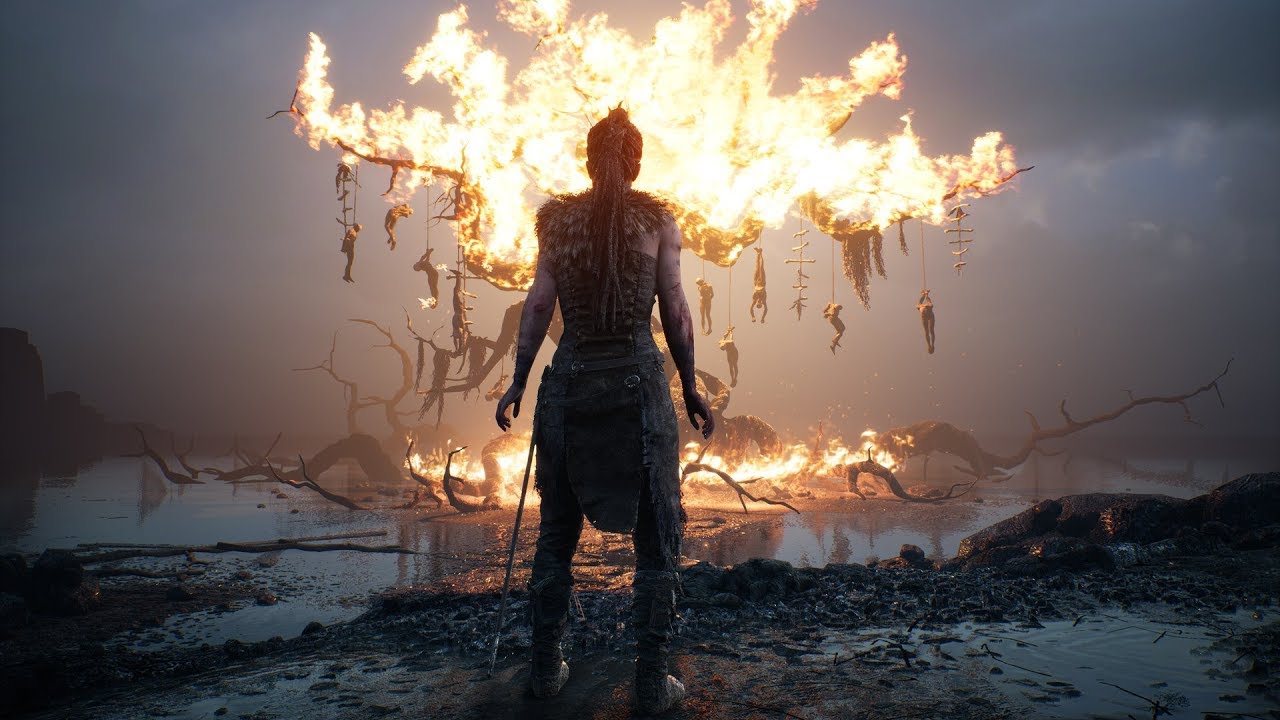
Ninja Theory, the minds behind BAFTA award-winning action-adventure game Hellblade: Senua’s Sacrifice (2017), are bringing the full, uncut game to Oculus Rif...
pearl tangle
@mighty carbon yeah i have tried them out a while back. Pretty basic information overlay type stuff. I call it suplemented reality rather than augmented reality. In a very similar style as google glass just more front of view rather than off to the side
pearl tangle
nah, they aren't environment aware
mighty carbon
I can't believe there are still no affordable AR glasses available 😦
I'd imagine Meta 2 with ARCore could be awesome
pearl tangle
maybe. It's not an easy thing to do well thats for sure
If google allows access to the raw camera feed from the lenovo mirage it will be the best developer device for proper AR for a while I think. Especially since it can already do 6dof tracking on controllers as well, and all the stuff running it is now just ARcore essentially too. Definitely not what you want for long term but as a dev device that's where I would be leaning
 balmy surge
https://www.youtube.com/watch?v=LvyzwN36PSw Anyone know how to replicate something like this?

This video demonstrates a novel bimanual technique for drawing on large wall-sized displays. The technique is exploits the skills used in a drawing technique...
 cosmic shoal
@pearl tangle There has't been any VR headsets with camera with real passthrough, my guess is that people have tried it and it's still not good. Meaning that the view of the outside that is captured looks bad inside the headset Be it from bad distortion, latency, resolution or the distance the camera lenses are from your eyes.
pearl tangle
@cosmic shoal Vive Pro does it, and vive focus as well. They just haven't publicly released it
cosmic shoal
The Vive lets you see a very distorted view in Mono, the new vive has two cameras so my guess is they have hopes of solving it.
heh
pearl tangle
they have already done hand tracking stuff with the focus and pro actually

HTC provided these clips showing basic hand tracking and 6 DoF controller tracking with the Vive Focus standalone VR headset. The features are planned as fut...
cosmic shoal
very cool
I have yet to see any AR in a VR headset tho.
the latency is aweful in the video tho
I don't know if latency is what killed the kinect but I lost interest in it immediatly when the feedback had such a large delay, it also bugged me in the Wii.
eager pine
anyone got any good tutorials or tips on how i could do a screw physics animation, like wrench example, where you can screw the screw with your hand
mighty carbon

UploadVR
A new video from a VR arcade operator shows six people using HTC Vive Pro headsets, tracked by four of the new SteamVR 2.0 base stations.
interesting
eager pine
whats up with vr splash screens and not allowing me to change them
currently have two splash screen textures and when trying to change them between different indexes, the first one remains
really weird, had to restart the project, then it was working
mighty carbon

UploadVR
Facebook CEO Mark Zuckerberg says that the Oculus Go headset is "off to a good start" after launching back in May 2018, but won't share sales data.
wicked oak
off to a good start with no sales means "meh"
if it was succesful they would mention that its sold X amount or whatever
mighty carbon
I doubt it's meh
Go gets sold out in minutes in China
It just needs solid game(s)
I mean, GAMES, not those little games from Gear VR
wicked oak
not gonna happen
mighty carbon
but Carmack pushes for stupid movies in VR and that's not gonna sell Go
wicked oak
games dont sell shit on mobile vr
becouse the audience expects free stuff or cheap stuff
i dont know of a single gearvr/mobilevr dev that has made more than ive made with DWVR on ps4 (around 50k)
mighty carbon
Go isn't mobile VR, since it doesn't really require phone.. So people are less likely to say "oh, but it's Android phone"
no, audience doesn't really expect free stuff on Go
wicked oak
the fact that oculus store is literally the worst thing in existence doesnt help either
its unbrowseable, so everything that isnt on the front page gets 0 sales
mighty carbon
yeah, that part sucks
fleet plume
@wicked oak does DWVR have multiplayer coop? or is that your new, unreleased project?
wicked oak
DWVR 2 would have multiplayer coop
DWVR 1 did plan it
but eventually i didnt add it
i wanted to add it to a patch
but no one gave a shit
so i stopped it

Direct gameplay video captured from one match of the WIP multiplayer mode of DWVR. This is from the First Multiplayer Test done December 21th 2016. Recently ...
this is from a multiplayer test i did
only skeletons due to simplicity
also PvP enabled lol
fleet plume
you'd use listen server for that, right?
i mean as indie ...
haha amazing
did you lift the guns from shootergame?
fleet plume
with dedicated server it's easy to fetch a player's state from db
but with listen server the guest actually has to send it?
or change playerState and replicate
depending on complexity i guess
tired tree
depends on what you mean by state
and you can poll from listen servers, but its not "safe"
wicked oak
ill do plenty of clientside stuff
like, damage and bullets will be clientside
i dont give a crap if its super trivial to hack
its a PvE game
who cares if you make yourself inmortal
fleet plume
interesting
tired tree
and it makes a LOT more sense in VR
wicked oak
@tired tree i mean things like client damage
a client needs to report when he got damaged
i need that so things like last second dodge and sword parrying works
tired tree
ah
that is more tolerable in VR too
considering the swing distance you can get (in any direction) across a frame or two
its not known like playing animations
but you can delay / rollback damage and keep past states too
likely far too complicated for what you are doing
but a large scale game wouldn't want to leave it like that
fleet plume
@tired tree your vr plugin comes with MP support IIRC
does it work with listen servers too?
wicked oak
yes
fleet plume
ah, you using it?
tired tree
listen servers and dedicated are functionally the same, minor caveats
mighty carbon
who wants to play wave shooters nowadays? No one.. That Marvel game that just came out is a wave shooter and while people are quite happy with another AAA game (with Marvel characters!) to be on Rift, a lot of people complain about it being wave shooter
tired tree
the marvel game is terrible looking tbh
there are better wave shooters in VR already, that require doing something other than holding a button down and pointing for minutes at a time
mighty carbon
I suppose, in a way.. But you can be Wolverine and Deadpool 😃
fleet plume
when having a listen server with host and guest, each having different player stats earned in single player mode: where is the best point for guest to tell host about it's stats?
tired tree
game instance
fleet plume
i already store it there
tired tree
and load from save
fleet plume
same
tired tree
rep to server on join
mighty carbon
I'd love to see that new game from Insomniac
mighty carbon
I hope it's more like Destiny (I am sure they won't make it like Lone Echo) than another wave shooter
fleet plume
virtual bool JoinSession(ULocalPlayer* LocalPlayer, int32 SessionIndexInSearchResults) { return false; } this one?
taken from GameInstance
tired tree
no
on join have the server request the info or have the player send it, this is the lowest form of offloading the data but you said you don't care about hacking
fleet plume
sry the line i posted doesn;t make any sense at all in this context
tired tree
you also have to realize though, with no external storage they can lose all progress on file corruption or deletion
fleet plume
i should've read it
yeah @ corruption of save game
this will be in a prototype state for some while
tired tree
if launching on steam you can hook up steam cloud
mighty carbon

UploadVR
You can now say "Flashlight On" to see the real world while wearing a Windows VR headset.
interesting
can folks with WMR HMDs tell us more about it and how it looks?
tired tree
well....its just a camera passthrough
Vive has had that since day1
though that looks like it is B&W
since it is their IR cameras
we knew the specs on WMR cameras before they came out, and they are fairly unusable for AR applications
mighty carbon
oh, I see
sturdy coral
I think they are b&w though they may not have IR filtering either so include IR too?
that would be good to know actually.. I could have some IR lights and not have to crank up my lights when using WMR at night 😛
granite jacinth
VR IS DEAD
Anyone read this? https://blog.vive.com/us/2018/07/26/think-vr-dying-just-getting-started/

VIVE Blog
Pardon us if we're not heeding the alarms. News of the so-called death of VR comes once a year and is greatly exaggerated.
sturdy coral
I read it as: we're making lots of money selling Vive Pro to businesses and high-end consumers
I wonder if the Samsung revenue share number is just Odyssey or if it is including Samsung being the screen supplier for Vive and Rift
mighty carbon
leading by revenue != leading by number of headsets and mind share
 restive blade
hey people
going insane here...
How can I stop stupid things like (elbow going behind body) using a 3 point vr setup here...
glossy agate
Use effectors to adjust the limits. I just use a plugin that helps with that, I just fine tune
Like elbow effectors
restive blade
which one plz
glossy agate
I use BIK. There is also ikinema, and one on the marketplace
restive blade
iknema is not affordable
that's full body
we have effecotors and target locations... we are trying to fix it....
mighty carbon
mighty carbon
well, why don't you show a video illustrating the issue ?
 mighty carbon
IK is finicky, even in 3D apps..
glossy agate
Ikinema Indi license is like <$150 isn’t it? Yeah don’t get the full thing, that’s thousands of dollars I think
restive blade
I never said this was indi
costs are massive man
for something that should be doable
mighty carbon
lol, if you don't have funding, then you are indie
so, get yourself indie license 😉
restive blade
We have funding.. just not stupid money funding
glossy agate
Is it less than $50k? I think that’s where the cutoff is
restive blade
no.. it's more then that... but they want something like... 50 k a year...
or more
and it's still not an out of the box system
still a craptone of work
glossy agate
Looks like it’s more of a skin weight issue on the wrist though that should be controlled by a rotator
restive blade
IKinema is not viable
sturdy coral
@glossy agate @restive blade yeah maybe not even a weight issue, you may just need to drive the twist bone if it is using something like the epic skeleton
glossy agate
Well they need the twist thing, can't remember the specific name but you have them in Maya, Epics skeleton should come with it with the ART tool
Even fading the weight like 4 polys down the forearm should hide a lot though
sturdy coral
I think it is shoulder twist corrective rotates 50% opposite of humerous, forearm rotates 100% with hand, both only on the bone axis
glossy agate
Yeah you are correct. Its like 50/50 on the actual skin though
Just tracking my tattoos to see what moves
sturdy coral
there is a forum post where an epic guy tells the values to use with epic skeleton
where forearm connects to hand should roll ~100% with hand and gradually blends back to 0% near elbow
says forearm 50%, upper arm -100%
glossy agate
Yeah they just need a better fade on it, but still maintain the ability to kink the wrist. I think a lot of games just use armor to hide it haha
mighty carbon
has anyone experienced an issue with re-importing animated FBX and not having new anims to be imported ?
no one can seem to answer in the #animation
glossy agate
Is it replacement or all new anims? I think reimport only replaces but doesn’t add. I could be completely wrong though
mighty carbon
some anims are the same, but updated.. Those import again fine. It's the additional new anims don't show up.
glossy agate
Maybe I am completely right then haha
mighty carbon
is it a bug?
glossy agate
I havnt tried doing that with anims yet. Didn’t work with textures though when I tried after importing the wrong format
I think it’s just the way it works. Probably looks for matching string on the name and reimports those, but doesn’t search for new names. Probably have to full on replace it
mighty carbon
well, the issue is that I have to rename skeleton in my scene in 3D app in order to be able to import FBX as new one
otherwise it uses existing skeleton
or errors out if I don't specify one (because then it tries to make a new skeleton with the name of the existing one)
mighty carbon
seems like Epic didn't think anyone would be adding anims as they develop their project 🙄
 abstract forum
Ok - managed to get a VR scene running at 120 FPS on at 1050 2GB card. 4.20 is really awesome
I am going to document this as I disabled allot of things
mighty carbon
4.20.1 is out
granite jacinth
hmm
wicked oak
this is exactly why i havent updated my games to it
also becouse engine tweaks and stuff
granite jacinth
@wicked oak ?
wicked oak
i actually need 4.20
wicked oak
its the current minimum version for PSVR
wicked oak
wait a bit
well, in your case its no issue
but i have tons of engine edits around
so porting those is a pain
wicked oak
just some other bugs/crashes
when i upgrade, that version is going to get my engine changes, and that version will be the one ill use to push a DWVR ps4 patch
eager pine
trying to rotate a statich mesh based on the hand rotation
but it keeps snapping back each time
is there something im forgetting?
prob a set something
im setting not adding
right
now im totally doing it wrong haha
its spinning crazy now
granite jacinth
Meh, can't even update anyway
all the plugins we are using
75% of them are still outdated
GS is still at 4.18, so dumb
(I compiled it myself for 4.19)
wicked oak
GS?
granite jacinth
GameSparks my bad
fleet plume
i'am actually tempted now
from 4.18.3
where patch versions always released this close to the minor?
mighty carbon
someone said 4.20.1 shows up as 4.20.1preview 5
wicked oak
WOO ive done it!!!!
DWVR At 120 FPS fully stable on PS4 pro
my latest high performance AI navigation has finally pushed me over the threshold and it now runs perfect
wicked oak
just inherited the character movement component and nuked the built in navmesh movement, then implemented my own NavWalking
wich is faster and i also have my own crowd separation
wich is also faster than the ue4 default crowd avoidance
fleet plume
the boid-based one?
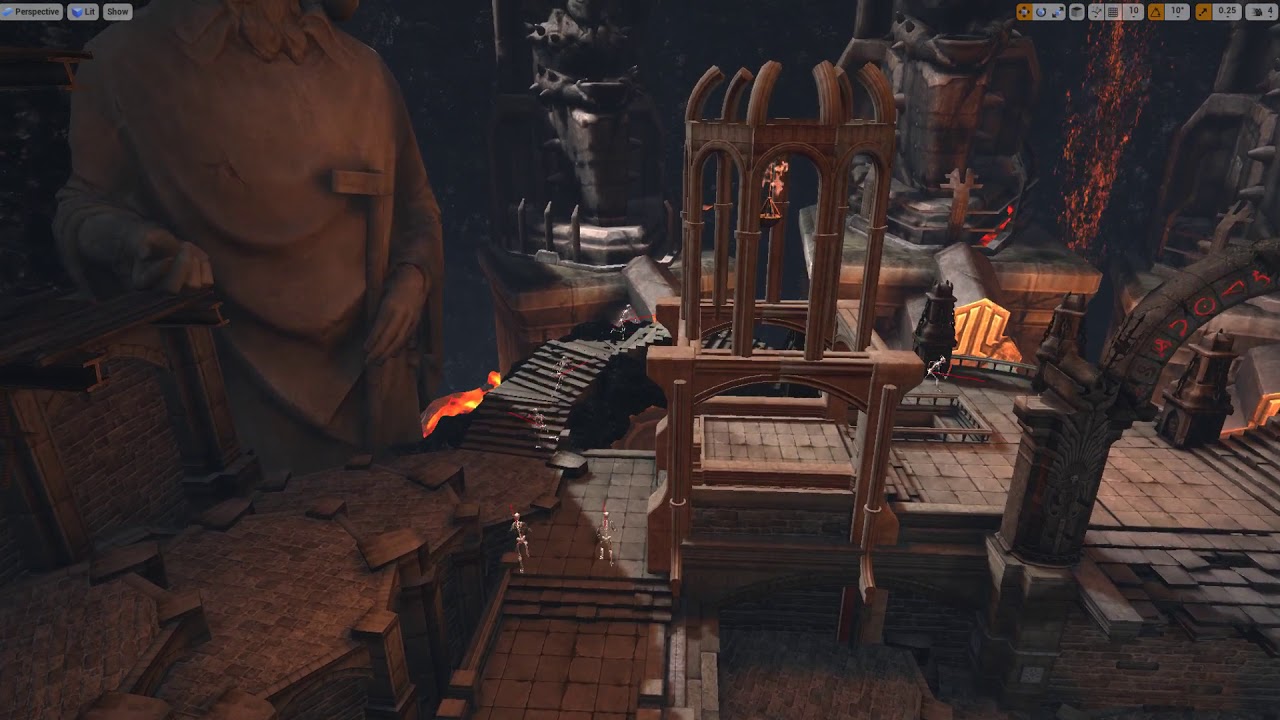 fleet plume
how are you moving the pawn?
wicked oak
i might also make them tick at 60 fps instead of 120 to save more perf
fleet plume
and what was that red semi-transparent plane?
wicked oak
damage screen
its a vr game, so when you get hit there is a transparent screen in front of you that gets red
fleet plume
because you're jumping around a lot in that vid
and it seems like it follows the mouse
wicked oak
its my chaos monkey
fleet plume
and looks for surface beneat it
wicked oak
its super basic
it inherits from the player pawn
but then disables the tracking
and essentially does a "teleport" (same teleport as the player) to a random location
and it aims and shoots to the closest enemy
wicked oak
no, that is an automated player
fleet plume
also did you upgrade the graphics?
fleet plume
it looks way better than some stuff you posted 1-2months ago
wicked oak
that other stuff is probably a different game
fleet plume
which looked flat shaded
fleet plume
hard to keep track as an outsider 😄
wicked oak
im working on a DWVR sequel
so i wanted to solidify the tech of DWVR itself
and do a BIG patch, improving a bunch of stuff
then use that patch announcement to announce the sequel
wich will be similar but working on multiplayer and cooperative
im really at the absolute limit
look at the "free space" on the frames
btw this is also using dynamic resolution
and TAA upscaling
fleet plume
the dynamic resolution feature epic add for fortnite?
wicked oak
yes
i forced it on
its not meant to be used for VR
but i dont give a fuck lol
just edited the code to force it on
fleet plume
impressive
wicked oak
nah its literally commenting out a "if is stereo" check
fleet plume
i meant all taken together
wicked oak
the main upgrade
is when i just nuked dynamic lighting from the engine
the forward renderer compute pass that calculates pointlight? gone
this saves me 1 full milisecond
this is how the frame looks
this was taken on a 4k screenshot
200% screen res at fullscreen
fleet plume
though
this makes me also sad
that it's actually necessary to remove dynamic lighting
to meet fps demand of VR
in UE4
wicked oak
bruh PSVR
120 fps
also the forward renderer light grid shader taking 1 ms when you have 0 lights on the screen is a terrible thing
fleet plume
GI or go home 😎
sturdy coral
@mighty carbon 4.20.1: Fixed! UE-62099 Namespaces are not removed when importing Skeletal Meshes from FBX, and breaks the importing of referenced Animations
that might effect the animation import thing you were seeing, not sure, maybe unrelated
mighty carbon
Aye, gotta test
wicked oak
playtesting dwvr on ps4 at 120
holy shit its smooth as silk
it is incredibly obvious on the controllers
sturdy coral
@wicked oak what kind of AA does DWVR use?
wicked oak
upscale TAA
fleet plume
i thought TAA was only usable with the deferred renderer
"The forward renderer supports both MSAA and Temporal Anti-Aliasing (TAA) ..."
i'am using nav mesh for teleportation and want to toggle some areas if it to allow/disallow teleportation to it
are navigation filters the way to go there?
wicked oak
those would probably work
fleet plume
blocking volumes seem a bit cumbersome as i'd have to destroy/spawn them
they also leave a hole inside them
ffs unreal 😭
wicked oak
https://www.reddit.com/r/oculus/comments/92fuau/lessons_learned_being_the_lead_programmer_on_an/ @granite jacinth

reddit
3 votes and 0 comments so far on Reddit
granite jacinth
@vblanco#709 let me know when you start doing them:)
wicked oak
@granite jacinth doing what?
granite jacinth
@wicked oak oh. Reddit posts!
Damn.
. My shit blew up
Better than my AMAs... ROFL
wicked oak
still continuing your very good marketing on reddit and forums
yeah i will do a post when i announce the patch
bunch of stuff needs to be fixed
and i need to pass review
i want to to a "comes tomorrow" type of announcement
and accompany it with a brag article about what the fuck i did to optimize DWVR from "barely 30 fps on ps4" to 120 fps stable
mostly talking about how to use the unreal tools, and other tools, to optimize, and what kind of things tends to hammer perf the most
granite jacinth
@wicked oak be careful how you word it. Most people reading it won't be in the technical side of things so you may lose them a bit.
wicked oak
this is definietly going to be an in-depth tech article
geared towards other gamedevs
ill see if i can rescue some older versions of DWVR to have some progress pics
 daring mural
30 to 120 on ps4 hardware
we already know how you did it
black magic
interested in this read, though 👌
wicked oak
most of it is cpu optimization
daring mural
did you modify the movement comp for DWVR?
granite jacinth
Hmmm
I will be going to https://www.orlandoix.com/
The Southeast's Largest Gathering of Creators in Virtual Reality, Video Games, and Digital Arts. Held August 17-18, 2018 in Orlando, Florida.
Anyone interested in free tickets? They gave me 8... And I won't be able to do shit since I will be the only one going, so I will need to attend to the booth.
Otherwise, I would be willing to share the booth :)
It's a VR one obviously
wicked oak
lil bit too far m8
 forest plover
@granite jacinth just gonna warn you, its a super small event...
at least last year when I went, it was pretty much a single room..
 alpine ore
@tired tree Hi, is your plugin available for Mac?
wicked oak
PS4 is just lit
benchmarking optimizations
15 enemies running around and shooting, with SUPER low overhead character movemnet (custom coded) and the bullets being done through async traces (to ship to other threads)...
7 ms CPU Tick Time
quite impressive to be this bad
gonna see if i can make them run around at 60 fps to save perf
damn, a naive implementation gave me great gains
its quite impressive to see just HOW SLOW "set actor transform" can be
wicked oak
doing hacky experiments
everything in the world set to half framerate
as an AActor itself feature
tired tree
@alpine ore if you compile it for it, I don't own one and can't generate the binaries
@wicked oak what exactly did you change on Phys_NavWalking? That movement mode barely has anything in it to begin with, its basically just a velocity projected to nav mesh and a falling check.
wicked oak
@tired tree bye falling check, could misbehave way too easily
bunch of random things removed
and the navmesh check done a bit more like my DWVR movement snippet
the main gain comes from the "no misbehaving"
tired tree
mmm
wicked oak
at the moment im experimenting with cutting Tick in half
tired tree
what do you mean by misbehave exactly?
there isn't much to go wrong there
it checks for gaps and enters falling state
wicked oak
i have added a system to FTickFunction that skips one of every 2 frames
randomized on the Actor initialize components function, so actors wont all trigger at once
tired tree
you can lower the tick rate of the character nativly
tired tree
aren't you manually caluclating projectile collisions?
wicked oak
yes
tired tree
you can move your enemies to during physics on tick then if they are manually calculating and not physics bodies
since you don't require sweeps
and save a shitload
wicked oak
uhmm, could try that
at the moment im cpu bottlenecked by just a tiiiiny bit
this is on a benchmark level that throws 15 enemies to you
instead of the normal 10
tired tree
yeah, move them to during physics
tired tree
99% of the ticks are pre-physics if they are primitives
or characters
for obvious reasons
wicked oak
have you ever done anything with the significance manager?
tired tree
no
wicked oak
i was eyeing it to control framerate of the enemies
becouse i found that 30 fps enemies (render is 120) work fine if they are past 10 meters
you dont see a difference
but if they are lower than 10 meters its SUPER obvios becouse they jitter around
i was thinking on making it so enemies behind you update at 30 fps, enemies past 10 meters update at 30 fps, and enemies that are close get 120 fps for the 2 closer and 60 fps for the rest
tired tree
update period or animations only?
wicked oak
animations are actually like 0.2 miliseconds for all 15 enemies
so its not even worth to bother
Tick in general
my goal is to lower overhead for 120 fps
the only other optimization i could try is to do multithreaded Tick like a fucking madman
but thats unfeasible
as it would bottleneck anyway
as of now im bottlenecking REALLY hard on moving objects
alpine ore
@tired tree Thanks for getting back to me, got it compiled for Mac ok
mighty carbon
https://uploadvr.com/htc-vive-pro-owners-need-to-buy-an-attach-kit-to-use-official-wireless-adapter/

UploadVR
Owners of the HTC Vive Pro will need to buy a separate attach kit to use the upcoming wireless adapter, a setup guide suggests.
 soft beacon
Anyone aware of a way to focus the android camera when making ARcore apps?
mighty carbon

WonderHowTo
In the lead up to the Magic Leap One launch, Magic Leap has been coy about what the actual field of view (FoV) is for its first commercial product. Now, the source code of the FoV documentation (published last month as a placeholder with the just the text "Coming soon on laun...
wicked oak
so a bit higher than hololens
mighty carbon
only vertically
soft beacon
dookie af
I used to shit on the Oculus Go and I ended up loving it, so maybe this will come through as well, but my grandma could do better with $4B
wicked oak
ive been using the Go a lot lately
to watch movies
its a bit hard on the eyes, so only 1 hour at a time more or less. but damn it is great to be laying around the sofa and watching a movie on a huge screen
plus the focus is far so better for the eyes
mighty carbon
😃
somehow my Go sucks when it comes to streaming movies. Maybe it's time for me to upgrade my WiFi router 🤔
@soft beacon kinda hard to justify spending $1k+ on something that might end up not loving
soft beacon
@mighty carbon I have watched Netflix without lag, it may be wifi
mighty carbon
well, I watch Netflix for like 20 min fine and then it goes to sh!t.. Also can't stream Amazon through the browser well for even a few minutes 😦
what's considered a decent wifi router nowadays ?
(mine is like 10 years old)
mighty carbon
what about this one https://www.newegg.com/Product/Product.aspx?item=9SIAD7H5CT6616 ?
soft beacon
yep, thats good too
mighty carbon
aye, thanks
sturdy coral
@mighty carbon not only vertically, hololens is 30° : 17.5° and ML appears to be 40° : 30°
it is a nice bump, just not enough yet
mighty carbon
I see
Meta 2 has 90 deg FOV
2.5K resolution, 60Hz refresh rate
I wonder why didn't they just buy out Meta and made it better
(unless Meta wasn't up for sale)
wicked oak
@mighty carbon i dont stream them
i just torrent the highest quality blu ray rip i can find and put it on the device
works like a charm for anime
mighty carbon
lol
wicked oak
recently watched the full Hellsing series (10 chapters of 50 mins each)
2 gigabytes per episode
mighty carbon
why not buy it and then rip it ?
wicked oak
becouse i actually cant buy it
i also have netflix on the thing, but also doesnt work that well for me
a few times ive actually torrented a show i could watch on netflix
mighty carbon
they don't sell Hellsing in Spain ?
wicked oak
no

MyAnimeList.net
There exist creatures of darkness and evil that plague the night, devouring any human unfortunate enough to be caught in their grasp. On the other side is Hellsing, an organization dedicated to destroying these supernatural forces that threaten the very existence of humanity....
this
also crunchyroll doesnt have the rights in spain
mighty carbon
well, buy it and then torrent it 😃
wicked oak
the state of global rights drives me mad
the best thing i had is when i had a program called Smartflix, wich tricked netflix servers into allowing you to watch any show, worldwide
it wasnt an vpn, just some kind of DNS trickery, so it used your normal internet (fast)
they found the trick and nuked it 😦
that thing was glorious, you had access to Global netflix, if a show isnt in your country you grab it from other
grab whatever anime you want from japanese netflix, or even bolywood flicks from indian netflix
awesome stuff
mighty carbon
https://en.wikipedia.org/wiki/Time_of_Eve << that anime went to Kickstarter to get English translation. I ordered special BR edition. Now none of the websites is functional, so I am not sure what happened. I am glad I got the official BR back then.

Time of Eve (イヴの時間, Ivu no Jikan) is a six-episode ONA anime series created by Yasuhiro Yoshiura. Produced by Studio Rikka and DIRECTIONS, Inc., the series streamed on Yahoo! Japan from August 1, 2008 to September 18, 2009, with simulcasts by Crunchyroll. A theatric...
wicked oak
i would gladly pay 40 dollars a month or similar to access that global netflix
normal netflix is 12
im kind of sad i cant pay for crunchyroll
a lot of the animes i watch are on there
but are on the USA version
spanish version has naruto + couple more
mighty carbon
what about Funimation ?
wicked oak
not availible whatsoever
wicked oak
and im for real
i do find interesting that netflix is adding more animes that arent dubbed to spanish
they used to have the spanish dubs of everything
but now they are adding some that have english/japanese and no spanish
thats something really rare, its super common that netflix has a worldwide show license, but it doesnt have a spanish dub and they dont bother to put it
mighty carbon
do you guys think 4.20.2 will be coming ?
Oculus hasn't updated their repo yet, so I am thinking they are waiting
sturdy coral
@mighty carbon there are enough reported bugs that I'm sure there will be a 4.20.2
jaunty shell
@wicked oak how dare you watch dubs 😬
 runic cedar
Hello i have a question: what is better cardboard or daydream on the Unreal engine ?
 solid elk
see for release do you have a seperate binary for VR?
runic cedar
nope
but i chose Gear VR and i will try to make teleport movements.
mighty carbon
so, has anyone tried Hellblade VR yet ?
mighty carbon

Our annual developer conference kicks off in less than two months, and it’s shaping up to be our biggest Oculus Connect yet. Today, we’re excited to unveil our first round of panels, tech talks, and interactive show floor sessions—and to announce that registration to at...
looks like Carmack isn't going to have a talk ?
For Pimax backers: https://www.kickstarter.com/projects/pimax8kvr/pimax-the-worlds-first-8k-vr-headset/posts/2252002

Hi Futurists,We have been working with M1 testers to improve the product for almost two months and over 400 games tested, the community contributed to the beta testing a lot as well. http://forum.pimaxvr.com/t/how-to-contribute-to-the-closed-beta/7173As planned, we are assemb...
fleet plume
Porting Your App to Project Santa Cruz Gabor Szauer, Oculus Developer Relations Engineer The introduction of standalone means the arrival of more approachable devices and, for developers, a broader range of consumers to target. The good news is you’re already ready. A stable of universal techniques and best practices can help reduce draw calls and hit perf without sacrificing fidelity. We’ll start with an overview of the device and basic considerations, and walk step by step through the process of reviewing and optimizing textures, scene geometry, and lighting. This session will also include a deep dive on engine profiling tools and specific Santa Cruz performance targets.
from the OC5 link above
so santa cruz will get at least into more dev hands next month?
otherwise that talk wouldn't make much sense, if only a handful of people would have an actual device
eager pine
any examples made on a umg widget that has an arrow controlled by the thumbstick?
on the hand
if that makes sense
mighty carbon
since it's in VR, why use arrow controlled by thumbstick when you can use "laser pointer", which is more comfortable and intuitive ?
eager pine
@mighty carbon its situation based, you have only 1 hand available during the situation
mighty carbon
well, hack it - make a hidden actor you move with stick and have interaction component on it, which will interact with UMG.. I think making arrow inside of the UMG was hacky in non-VR to begin with.
eager pine
well, wouldnt that persume the same logic as for using an umg? just asking 😛
mighty carbon
not really
eager pine
Its basically gonna be a meny you can select items, not really a need for an arrow
its going to be like max 4 items
mighty carbon
oh
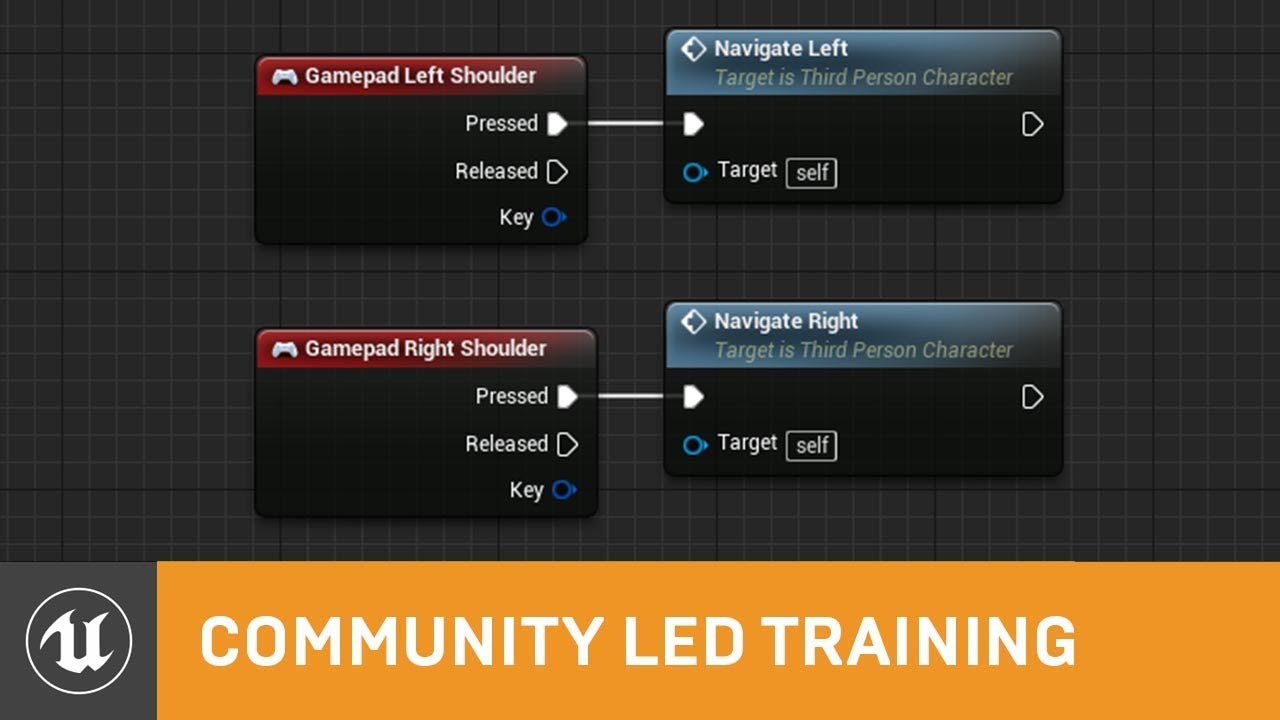
User Interfaces are an essential part of any game, and they should be intuitive and simple to navigate. Celeste returns to delve further into UMG development...
eager pine
I persume the arrow is unessecarry maybe
hate that links open internet explorer, is not even the default web browser O.o
ahh wow, you accualty reminded me. I have made a multiplayer game with playstation controllers as main controllers, so i could just use the same thumbstick logic there lol
thanks @mighty carbon
it was a pain in the ass the first time haha
Ill probably have to use that video as follow up, its like 2 years since i did that in unreal xD
eager pine
@mighty carbon We are working on a climbing simulator for a company thats going to use it for training 😃
mighty carbon
oh, I see
eager pine
We are trying to make the user experience as immersive as possible and easy, for first time VR experiencers to understand, but its hard sometimes 😛
without to much tutorial
fairly i have come across alot of bugs on the splash screen side, for example swapping splash screen between different actions or faults
its there a way to keep the player longer in the loading area between levels where the splash screens are?
glossy agate
You can set it manually to fire before the rest of the loading action takes place and just use a timer for how long you want it. When you set it the engine does the loading and unloading for you in default.
eager pine
well thats neat, that would prob work fine
mighty carbon
I wonder how many units of Go Oculus shipped total
and how many are now collecting dust
eager pine
no, this is just an umg, where i use the thumbstick to select images
im instead just changing the background color
trying to change anything in brush ends in crash
@mighty carbon she never showed how to do the event click on button stuff
thats what i really needed
 placid rampart
Hey, are you guys using SkeletalMeshes or Static meshes for guns?
I'm starting a basic pickup system from the ground up where i would like to expand in the future to guns.
tired tree
does it matter? if you want a fully fledged pickup system it should support both
placid rampart
Yeah, i guess you're right.
eager pine
anyone know why the thumbstick axises zeroes out when using the click event thumbstick?
Somehow, when pressing the yellow marked action mapping, the axis mapping for the thumbstick zeroes out
jaunty shell
@eager pine as in zeroes in the input edit window or zeros at runtime
jaunty shell
where are you touching/pressing your pad ?
if its in the center, then its bound to get zeroed :p
eager pine
it doesnt matter where, it zeroes out anyway
@jaunty shell sorry forgetting to tag
So when not pressing, the value is correct, but when clicking, it zeroes out
jaunty shell
wait
eager pine
then i calculate if its up or down, right or left, but when it zeroes out, it accualty goes to the value thats up
jaunty shell
you set the same variable for the left and right ?
jaunty shell
alright
eager pine
so it accualty goes for value zero, no matter what, but if both values == 0 it should output -1
but it outputs 0, which is up on the pad when pressing to the right
all values are correct and tested, so it shouldnt do that
I am doing something wrong here, but i cant pin point it
eager pine
well all the axises are confirmed to be right, when getting the axis value, as it seems it changes in a split millisecond to 0 when clicking
mighty carbon
Can someone please tell me the OD of the Rift sensor ?
I want to 3D print covers at work, while I have a chance 😃
mighty carbon
needs to be exact number - PLA filament isn't flexible
fleet plume
no precise measurement with a ruler
mighty carbon
got a caliper handy? 😃
tired tree
@mighty carbon surely thingiverse or another depot has plans for that
 prisma marlin
Hey are there devs who speak french here ?
mighty carbon
not at the moment @prisma marlin
@tired tree oddly enough they do not have a flip cover :/
based on one of the non-flip models, OD is 34.05146675mm
34mm
which is 1.340609 inches.. I am guessing I can make it 1-5/16" ID
mighty carbon
eeh, for that purpose it's fine.. I am not making gear box or a mechanism that needs precision
plus while PLA isn't too flexible, it flexes enough to allow a few mm play
if I were to mill it out of aluminum, then sure, I'd have to go +.005"/-.000" on the ID
still using freedom units nonetheless 😉
mighty carbon

renderhjs writes: This is my second Blender addon called 'FBX Bundle'. It splits selected objects into bundles and allow to export each bundle as its own FBX file. That's the core functionality, everything else is just to support that workflow. Features: Batch Export selected...
eager pine
has anyone tested the htc vive pro against a project in unreal?
mighty carbon

UploadVR
The Rift continues to gain ground across the developer community as recent data from an XRDC survey suggests more developers are looking to Oculu's platform over the HTC Vive.
eager pine
Just had a few question of precautions you have to take when moving a htc vive project to a htc vive pro project
mighty carbon

Unreal Engine
The Paragon character assets, available for free on the Unreal Engine Marketplace, have been updated to include animation Blueprints.
has anyone tried Paragon assets in VR ?
mighty carbon
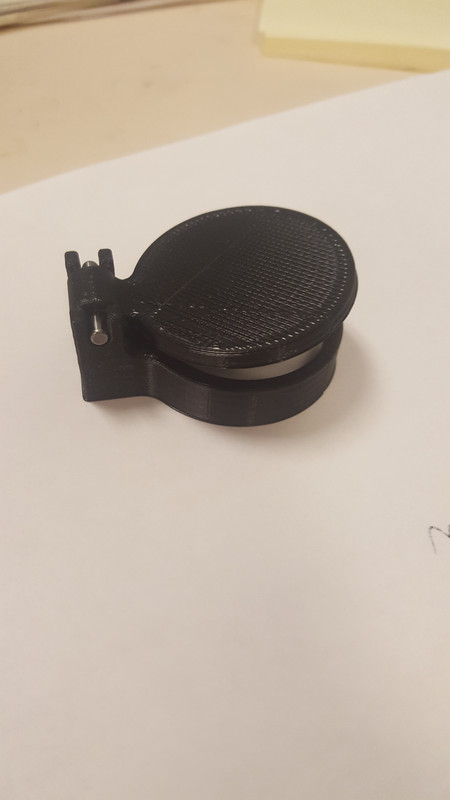

designed and 3D printed that cover 😃 Will test tonight and if it fits, will 3D print 2 more 😄
mighty carbon
please upvote - relevant to voice interactions and VoIP on Gear VR / Go and Santa Cruz
on the other note, wow, who would have thought ... https://www.tomshardware.com/news/pimax-8k-headset-gtx-1070,37538.html

Tom's Hardware
Pimax's latest backer update reveals that the company underestimated the GPU requirements to drive the Pimax 8K headset.
mighty carbon
yay, my 3D printed flippable cover worked !
 quiet swan
if I started a project as 3rd person and changed the camera to first so I can see my legs, but the world was created as 3rd person project.
can I latter on make this a VR game? or did I ruin the VR laws and code by starting it in 3rd person???
glossy agate
Does not matter where you start
mighty carbon
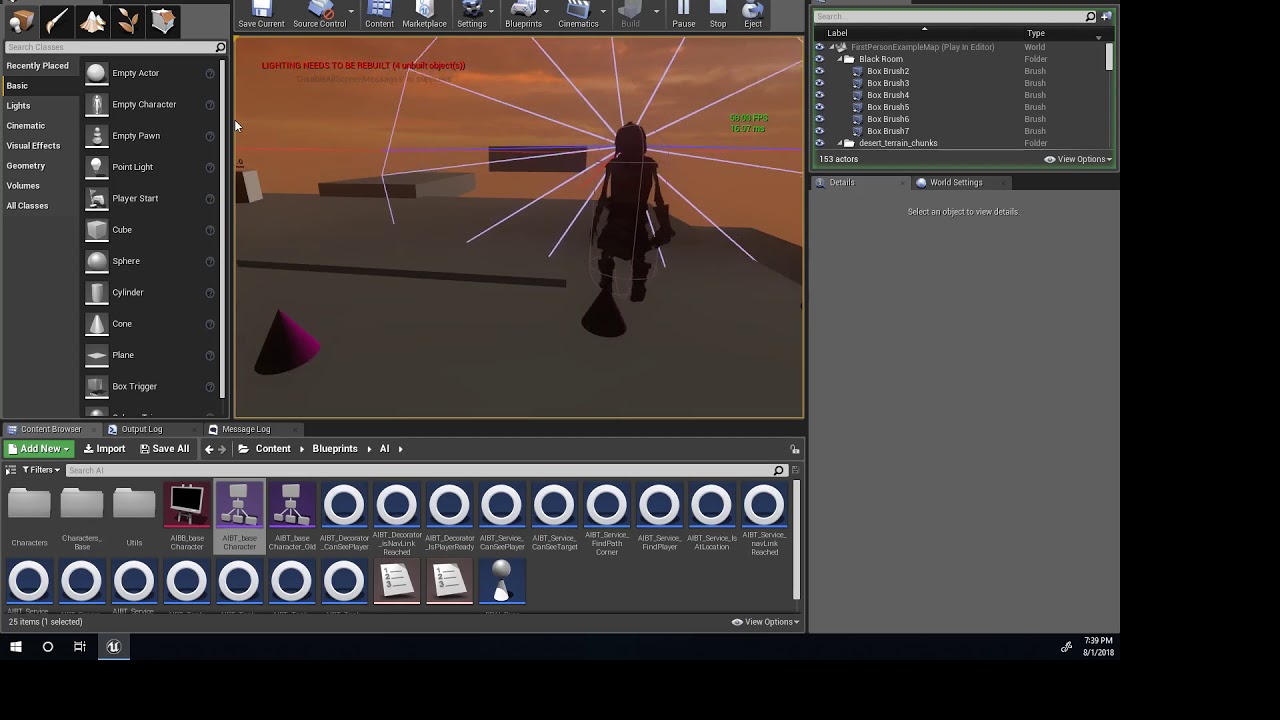
finally got some turning on the spot complimented with animation https://www.youtube.com/watch?v=7YarYiZb_gc 😃
 dusky moon
Does any know if 4.20 supports DynamicRes for SteamVR ?!
dusky moon
damn :/
fleet plume
@mighty carbon for some weird reason i thought you'd be printing wall mounts
the covers are so much better though
mind sharing the print model?
mighty carbon
@fleet plume sure.. I just gotta do some tweaks first.
fleet plume
cool!
mighty carbon
I am just gonna have to upload files to my G-Drive after work @fleet plume (~9 hrs from now)
fleet plume
hey no hurry
mighty carbon
And you need to get dowel pins 1/8" OD x 3/4" long (I think McMaster carries those) for the hinge
fleet plume
i've gotta find a printing service in GER first anyway
this is so much better then the usb3 hubs with power switches
mighty carbon
what do you mean?
mighty carbon
covers are for sensor lens protection and to avoid someone spying on you through sensors when you aren't doing VR 😃
fleet plume
exactly
mighty carbon
I usually just disconnect them from PC.. I never used switches on the sensors as it seems like it might interfere with the signal
fleet plume
same here with disconnecting; but it got on my nerves a bit recently
mighty carbon
Aye, got it
fleet plume
but also not happy with vive and spinning sensors so looking to dev on rift again
jaunty shell
@fleet plume why ?
fleet plume
i don't like the spinning sound from the base stations
mighty carbon
@fleet plume https://www.sculpteo.com/en/
Sculpteo offers everyone rapid online 3D printing services. Get your parts in a few days thanks to our professional 3D printers!
mighty carbon
sounds like German service
fleet plume
and takes gpu resources
jaunty shell
dunno my brain kinda muted it after a lot of usage hours
fleet plume
which speeds up fans
mighty carbon
here is another one https://i.materialise.com/en
i.materialise is an online 3D printing service, community and marketplace. Upload your 3D design and choose from over 100 different finishes and materials.
fleet plume
so i get twice the noise
jaunty shell
you can disable steamVR starting on app launch
jaunty shell
🤔
mighty carbon
np
cosmic shoal
I have yet to hear a single noise from my base stations
nor has anybody that has been at my house
warm lion
Anyone here working with the Oculus go? Are you experiencing the "back" button no staying pressed? When I print out the firing events for pressed and released for "Motion Controller (R) Face Button 1" I see both events fire when I press in and hold the button down. It doesn't wait for the button to release before firing the release event.
mighty carbon
@fleet plume I think I nailed it - everything fits nice and snug now (mostly was concerned with the hinge as on the first cover it was not as snug as I wanted for it to be)
fleet plume
@mighty carbon hype 😛
mighty carbon

As the fields of virtual and augmented reality continue to advance, researchers, developers, and content creators alike are tasked with finding ways to improve computer vision and graphics in their quest toward more immersive models of the world—whether real or imagined. Wh...
interesting
 rocky latch
Hey guys[
Has anybody here had problems with oculus Audio when passing thru OculusVRCValidator?
Mine says that audio won't be played thru oculus when windows defaultDevice is something else, although it says on oculus docs that enabling oculus plugin on UE4 should be enough to make that redirection automatically
warm lion
Anyone know hot to move the position of the oculus go controller/ gear vr? It acts as if it is attached to an elbows setup position on the right side. If I wanted to move the position of this elbow how would I do that? I don't see any functions that pull off of the motion controller component
mighty carbon
@warm lion you don't move it, the elbow that is. It's a virtual model of your arm to cope with 3DoF
warm lion
@mighty carbon There's no way to adjust it?
It seems like you should be able to allow the user to specify where they want that positioned and the length of it
Everyone has different sized arms
mighty carbon
maybe in C++, but I dot't think you can do it in BP (and I know nothing about C++)
also, it's 3DoF controller.. I don' think people care much if it matches their physical arm
warm lion
It's okay I'll look through the code. *there are other considerations besides location and length, for design purposes it is good to know the root location from where that is pivoting/ rotating
mighty carbon
IMO it's the last thing to think about 😃 More important is good content and performance considerations. You can perfectly match controller's location to physical arm and have crappy game/experience - people are not going to praise you for matching their arm, trust me 😄
sturdy coral
@frigid delta are you enabling VR after starting? You have to enable it prior to starting
check
bool FAudioDevice::CanUseVRAudioDevice()```

what it does is if the project or commandline didn't start the project in VR (bStartInVR in ini or -vr on commandline), it will initially return false and result in the system device being used@fleet plume there ya go https://drive.google.com/open?id=1BTQzi1AhE0S3iCdTF-p-JLl9adwRsofw
Google Docs
STL and Solidworks 2016 files
if anyone needs to 3D print Rift sensor covers (flippable; require you to press in 1/8" OD x 3/4" long dowel pin) - link is above
granite jacinth
Ah. Was wondering what you were all talking about with covers.
 north verge
I need help getting the VR template to work in my arch viz project. You can look around with the headset but the teleportation or the grabbing wont work. I am using an HTC vive and I tested it in the VR test level and it worked there but I don't understand why it won't work in my level. I set up a navigation volume and placed a motion controller pawn and the gamemode is default. What could be causing this? Thanks in advance.
daring mural
@north verge Not sure what you mean by 'game mode is default', as in you're using the same game mode used in the demo level?
Check the world settings details panel and set the game mode there to match the one set in the demo level just to be safe. Then, place down a 'Player Start' object instead of the pawn in the level.
north verge
By default I meant that I didn't the alter the gamemode to something else and yes, it is set to the same one as the demo. I did as you said, I removed the pawn and placed the Player Start, and it spawns in with no hands, just the HMD looking around. Ive tried copying the pawn directly from the demo and even that doesnt work so I have no idea why it is not working. I've been trying different things all day and have no idea what is causing it at this point.
fleet plume
@mighty carbon thanks a lot!
mighty carbon
Np 😊
 uncut silo
Guyz
How can I reset/teleport the camera to the specific X and Y?
Set world location of the camera component doesn't work
Reset Poisition and Orientation works BUT it sets Z to 0 so the camera stucks in the floor
placid rampart
@uncut silo are you trying to make a teleport functionality?
If so, you should teleport the owning actor, not the camera.
uncut silo
Nope, I'm trying to align the player's view with the avatar while he resets effectors transforms
I just want to move the camera to the center of the characters scene component without being reset to Z=0
And the camera is already the child of that scene component
 potent gust
@fleet veldt Did you manage to get your controller jitter issue resolved?
runic cedar
Hello I have a question
how can I create two mobile levels one mobile default level and another level Gear VR? And switch levels from default mobile and Gear VR? Coz I have trouble like black screen, camera seen on the mobile level, or when I start VR mode and with a black screen.
Maybe someone knows about it? How create a level and gear VR levels?
potent gust
How exactly are you planning on using a GearVR app on standard mobile?
runic cedar
I want to have level mobile and if the user wants to play VR mode then click on the button for VR and he could use Gear VR in that apk file.
or make project with AR and GearVR levels
mighty carbon
it doesn't work like that
sturdy coral
@uncut silo never move the camera directly, make a scene component parent and move that. Most people name it something like VRRoot
mighty carbon
Gear VR apps can only run in VR.. You can't have non-VR android app that switches to VR on the fly
mighty carbon
just make two projects, one for VR and one is for plain Android phone
controls are different, mechanics are most likely to be different, deploying to each platform requires different project settings
runic cedar
now i understand
mighty carbon
you can't just cram 2 entirely different platforms into one project
runic cedar
I realized very thank you, I spent a lot of time for this, thank you!
uncut silo
@sturdy coral I do that. The problem is I don’t know how to reset the camera position to the center of that scene component. Or you are talking about the scene with cam inside the root scene?
placid rampart
Yes
You set a SceneComponent as the root of the pawn and parent of the camera. Then you move this scene component, not the camera.
uncut silo
@placid rampart didn't thought about it that way, thanks! Will try it 😉
 fleet veldt
@potent gust I resolved it by going back to 4.19.x However I haven't tried in the actual non-preview release version of 4.20 to see if it's working there.
potent gust
@fleet veldt But i'm on 4.19.2 built from source from the Oculus source. Having the same issue
I've also checked their repo, seems like they havent updated anything post my download
fleet veldt
Oh o.O that's surprising.. though I will say I was on 4.19.2 binary from Epic so it would have slightly different (older) Oculus Plugin / API versions that the Oculus source 4.19.2
I think there's a table out there where they show the version of the Oculus API/Plugin in Epic's branch and Oculus branch
quiet swan
Ok I need advice. I have been working on a third person set up and made the camera first person. I did this so I could see the body of the character. I would like to also be able to make this a vr game. Should I just stop now and start all over in a vr mode set up with motion controllers or can I still make it vr?
mighty carbon
motivational story https://uploadvr.com/quivr-early-access-35000/

UploadVR
Archery game QuiVr recently emerged from Early Access after more than two years of development. During that time, the game sold roughly 35,000 copies on Steam.
granite jacinth
Never even heard of that game
potent gust
@fleet veldt Where exactly did you download from? The UE4 source at Epics github repo? Where did you get the oculus library from?
@quiet swan You can create 2 pawns, one for VR and one for PC. Posses the correct pawn in the player controller based on the platform.
You can migrate the VRPawn from the VR template as a template and use that if you feel it would be easier for you
wicked oak
@mighty carbon it did becouse quivr was one of the absolute first batch of games
and it started with a free demo
wich pretty much EVERYONE downloaded
35.000 sales, with that kind of launch, is an absolute disaster
wicked oak
ive sold 6.000-7000, dunno the exact number
the fact that ive sold a 5th of him is incredibly telling of how the pc market is
his game is way more popular than anything i make will ever be
it was everywhere, and nearly all people with a vive downloaded it
ffs it was one of the pioneers of bows and wave shooters, it eventually had tons of clones.
selling 35k is definitely way on the lower end i thought that game would sell
but honestly, raw data is 150k...
mighty carbon
$700,000 x .7 = $490,000 x .65 = $318,500 - $30,000 = $288,500 / 2 = $144,250 per person
I'd say it's quite good
and if he was the only dev, that would be even awesome
fleet plume
whats the .65 ?
fleet plume
72k/year after tax is not too bad
but
you'd have to invest it again for the next title
wicked oak
keep in mind this was one of the most popular vive games
of all
and frontpaged in steam essentially 24/7
mighty carbon
the point here is that 2 guys (technically one guy) made VR game and, despite that most here didn't even know about the game, made some decent money
I've never seen any PR for it
fleet plume
not trying to belittle their success
mighty carbon
I saw the game, but never really cared to buy it
fleet plume
they probably also not worked two straight years fulltime on it
mighty carbon
it's basically their supplemental income (unless the dev quit his day job)
fleet plume
if it was a side project, the "salary" would be amazing
though hard to judge from the outside
(haven't read the full article)
but if you invest 30k of your own money, it's most certainly more than a side project
mighty carbon
15k per person, they split the investment
mighty carbon
I don't know anyone with that kind of cash sitting in the bank o.O
placid rampart
Hey guys, sorry to interrupt but i have a question about hands.
Like, how do you guys implement the different size of object to hand animation?
Things like where the index finder should be on a gun, where different guns have different trigger location.
How do you guys work around that?
mighty carbon
oh, it's a tower defense game.. odd 😦
fleet veldt
@placid rampart if you're able to download the r
robo recall source under the moding section
you can see how they attach place holder controllers on objects where the hands should grip them.
then they do an invers transform and move the hands to those positions when the objects are "grabbed"
placid rampart
@fleet veldt will take a look at that. Thank you so much!
potent gust
@fleet veldt Where exactly did you download from? The UE4 source at Epics github repo? Where did you get the oculus library from?
granite jacinth
@mighty carbon @wicked oak It's definitely interesting. Especially considering his launch day sales
We were double his. Also, if the trend continues (without sales and major updates), and no psvr, we'll hit that in less than a year.
wicked oak
hey, HLOD clustering is like 9999% faster now
it just clustered my most complex level in 1 second
the last time i tried, back in the 4.14 days, it literally took 2 hours
becouse the upgrade to 4.19 fucking my HLODs
and its nuked my drawcall numbers
2500 drawcalls is too bad even for PS4
time to see how the new proxy lod tool looks
now gotta go play wow becouse this shit will be thinking for a couple hours