#virtual-reality
1 messages · Page 178 of 1
 daring mural
 sturdy coral
yep, you have to apply a fixup to the transform to bring them into line
it causes a crash or no?
 real needle
Here's a question that's kinda buggin me. How do I scroll through blueprints in VR?
 granite jacinth
breakpoints?
granite jacinth
Won't fix? Seriously? I wasted so much time trying to debug why this shit wasn't working in my project...
real needle
@granite jacinth Well, you can open the Overlay in VR?
And all the steam windows still works
granite jacinth
@magic mango @tawny patio Move you outta #fab for a sec 😃 Anyway we could get a reason why this isn't at all going to get fixed?
real needle
So you don't really need the overlay
granite jacinth
The problem is, I can't properly debug an issue with connecting to Steam using Standalone
Trying to get a SessionTicket
In another project it works just fine (non-vr)
But in my project (vr), doesn't work
It's just not connecting at all to Steam
(but obviously it is, because packaged works or else we wouldn't be playing Mutiplayer)
I can't package everytime to test out gamesparks or other implementation
(or launch game)
Waste of freaking time
@real needle Do you know if you're connected to Steam in Standalone in your project?
real needle
There are two kinds of standalone, do you mean in editor or through .uproject?
real needle
Mhm, but people refer to both as standalone
granite jacinth
Strange
real needle
I never use Standalone
granite jacinth
You should correct them with proper terminology next time
real needle
Only LaunchGame
granite jacinth
Meh
real needle
I know steam features don't work in editor
granite jacinth
Not that it's a bad thing, just more time wasted
real needle
So why try them there
granite jacinth
Steam Features do work in editor
via Standalone Game
Well, not in SteamVR it looks like
Just super annoying, feels like there's no quality of life with VR in UE4
After 2+ years doing UE4 VR dev work, still complete poop
real needle
You do multiplayer, so you must have two comps all the time. Why not keep editor open on one, and use the other to launch?
granite jacinth
That would mean I would have to submit changes all the time
And if shit doesn't work, revert
Again, waste of time
If standalone worked with SteamVR... no waste of time
It's no biggie, I'll do what I need to do
Just frustrated with the current workflow because Epic doesn't give a shit about VR anymore
real needle
So what if you turn off the SteamVR plug-in for this particular issuem
granite jacinth
Pretty sure VRExpansion requires it
So a whole bunch of compile issues in BP
Yeah, I guess I'll just have to basically waste 5-10x the amount of time I didn't have to
Because I remember this not being an issue with TheNest btw @real needle , so it's something they have broken
I mean... too bad they don't have any current games on Steam
They really just don't give a fuck that it affects anyone else but them
At least they finally fixed the leaderboard bug
for 4.20
10 years later
real needle
Well, gamesparks had a ton of issues in 4.16 so I had to get rid of the leaderboards. Which means I haven't used the ticket since
sturdy coral
@granite jacinth VR is treated like big picture, I don't think you can get the same kind of 2d overlay
if you need the 2d overlay while also using VR a work around is to use an oculus with the oculus plugin
but still use the steam online plugin
then you get the 2d overlay
granite jacinth
I'm not worried about the overlay exactly
It's just a confirmation if Steam gets spun up or not
StandealoneGame does not spin up Steam
LaunchGame does
But, this is only an issue with SteamVR it seems
No SteamVR and you can get the little popup
I said overlay this whole time, but I meant the little popup
sturdy coral
what is the difference in the two exact (standalonegame and launchgame)? standalone you mean as a non-editor build?
granite jacinth
Which states you can use the Overlay
StandaloneGame = In Editor
LaunchGame = uproject->right-click
sturdy coral
oh, are you sure the editor itself isn't already using the app id?
granite jacinth
?
sturdy coral
editor standalone game launches another process
granite jacinth
Of course it is
sturdy coral
but the editor itself is already using the app id
only one app can run at a time with the same app id right?
granite jacinth
On the same PC you mean?
sturdy coral
yeah
granite jacinth
If that were the case, then LaunchGame wouldn't work
I mean, yes you are correct though
But I think we're talking about two different things here
sturdy coral
so launchgame works if the editor is already open too?
granite jacinth
Aye
But, that's because In-Editor isn't calling Steam
Even though it should in Standalone
It does in another sample project I just did in 4.19 (NonVR)
And I am sure it worked before, because I worked on another VR project and used StandaloneGame to debug
sturdy coral
hmm, I'm not sure what I've seen, for standalone I usually launch from a shortcut
granite jacinth
The fact that it works in LaunchGame and not in StandaloneGame is an issue
But in LaunchGame it's in VR
I just don't see how I would be the only one to have wanted to debug Steam things in editor via Standalone in a VR project.
sturdy coral
I didn't know you could debug with standalone
granite jacinth
So, I am surprised there hasn't been more people affected
Yeah, you can in Non-VR
plugins disabled
It's faster than doing StandaloneGame all the time, but again, right now, I just need to get shit done, so if that's what I have to do, I'll just continue doing it and get used to it.
sturdy coral
@granite jacinth I just did standalone and I don't see any debug options on the blueprint windows
sturdy coral
you said you can debug in standalone in non-vr right?
granite jacinth
I meant that you could debug (using whatever means, like Print Strings in this case)
On Successful connection to Steam
I was trying to get a SessionTicket
And noticed it would fail on Standalone
Same logic works in LaunchGame
sturdy coral
but then why can't you debug the same way there?
(print strings, etc.)
when launching with -game
(or via uproject menu which I think does the same)
granite jacinth
Yeah, pretty sure it does. I can. Just inconvenient (in my head anyway), since if I LaunchGame, I am really launching a package-like game, so it starts where it supposed to in a build
Where-as StandaloneGame I can just test stuff in my test level
And not worry about messing up my Packaging Settings
Yeah, see, makes no sense.
sturdy coral
hmm, I'm not sure how packaging stuff is different between the two
but yeah it does launch you into whatever editor map is open I guess
granite jacinth
Oh wells, I will probably just make some damn GameMode just for my Steam testing
and make sure it's just a simple bool
sturdy coral
I don't know what mechanism it is using to do it, I thought it was just doing -game underneath so was the same thing
plus setting the map
granite jacinth
Hopefully I won't forget to uncheck it later
sturdy coral
does it actually bring in things like unsaved map changes?
granite jacinth
pretty sure it needs to be saved
Anythign that's saved currently in the project will Launch
Same for Standalone, but in Standalone it tells you to save stuff before anyway
Anyway, I just thought of a way to get around this a bit easier by just creating a new gamemode for my Steam tests and I'll go to whatever test map I want I guess. Or I could just OpenLevel it. Whatever. Again, in my eyes, completely unnecessary steps when they should just fix their shit.
I wouldn't have even noticed this issue had I not started working with GameSparks tonight
sturdy coral
@granite jacinth you may be able to do it all from commandline parameters
so the gamemode is different too?
granite jacinth
Nah, I don't care about the GM tbh
But I figured it would be easier to just set one up for me. Since I want to be in FPS so I can easily see the VRLogger
Yeah, that's what I'll just do, waste some time now and save myself some time later I think(since I have to do LaunchGame)
sturdy coral
I'm trying to find in the editor code what clicking standalone actually does
@granite jacinth ah here is part of it:
    // Disable the HMD device in the new process if present. The editor process owns the HMD resource.
    if (!bPlayUsingMobilePreview && !bPlayUsingVulkanPreview && GEngine->XRSystem.IsValid() && GEngine->XRSystem->GetHMDDevice() && GEngine->XRSystem->GetHMDDevice()->IsHMDConnected())
    {
        AdditionalParameters += TEXT(" -nohmd");
        UE_LOG(LogHMD, Warning, TEXT("Standalone game VR not supported, please use VR Preview."));
}```Aye
I see that message in Output Log all the time
But from reading it, it didn't tell me that Standalone Game doesnt' work at all
It just means that you can't use VR in Standalone Game
(this is how I am reading it and it's also true)
Because you can use Standalone Game, it just doesn't work in VR
sturdy coral
yeah, it seems to only be the case because it is forcing -nohmd, you could probably comment that out
I think it probably doesn't want to conflict if you do a VR PIE at the same time
what does launching with -debug do? it sets that too
is that just for loglevel?
granite jacinth
No clue TBH, never used it
sturdy coral
it is passing:
FString AdditionalParameters(TEXT(" -messaging -SessionName=\"Play in Standalone Game\""));
maybe that is interfering somehow?

it also passes -PIEVIACONSOLE, but I can't see any effect of that except UWorld::IsPlayInPreview() starts returning true, which nothing seems to ever check
 tired tree
@granite jacinth do you have steamVR Home enabled?
it fucks up a lot of things
unless you are launching from within steam itself (then home idles away when the app is launched)
 fleet plume

GitHub
ALVR - Air Light VR is an opensource remote VR display for Gear VR and Oculus Go. You can play SteamVR games in your standalone headset.
that looks interesting
curious about the latency though
 wicked oak
latency on rotation only is not that bad @fleet plume
thanks to timewarp type stuff
its absolutely horrid on positional tracking
fleet plume
he's using asynchronous timewarp
that's why i'am actually curious about perceived latency
when using ALVR
if it wouldn't do something in that direction, then latency would surely make you sick
😄
if only tpcast would finally release their new v2.0
 mighty carbon
@wicked oak so, have you tried that new glTF import plugin for UE4 ?
wicked oak
no
 sly elk
It would be awesome if santa cruz had support for playing games on PC
mighty carbon
then it will be more expensive as it's basically making Rift + Santa Cruz in one body
(and heavier)
mighty carbon
eeh, yeah, it would be more expensive that standalone Santa Cruz
 mighty carbon

Telexistence® is a concept of using a remote robot as his or her extended being, to release humans from space-time constraints. It was first proposed by Dr. ...
real?
sturdy coral
@tired tree no way, surely they filmed that robot in space
 mighty carbon
I mean, is it purely software experience or they actually aiming to make physical avatars (which would be pure sci-fi, since even Boston Dynamics is still quite far away from making easily walking robots, not to mention they don't even have human-like hands)
e.g. money grab, like Magic Leap
sturdy coral
hey does anyone know if the steam controller (not vive controller) menu button is supposed to pull up the steamvr overlay? it used to
but it isn't working for me now
sly elk
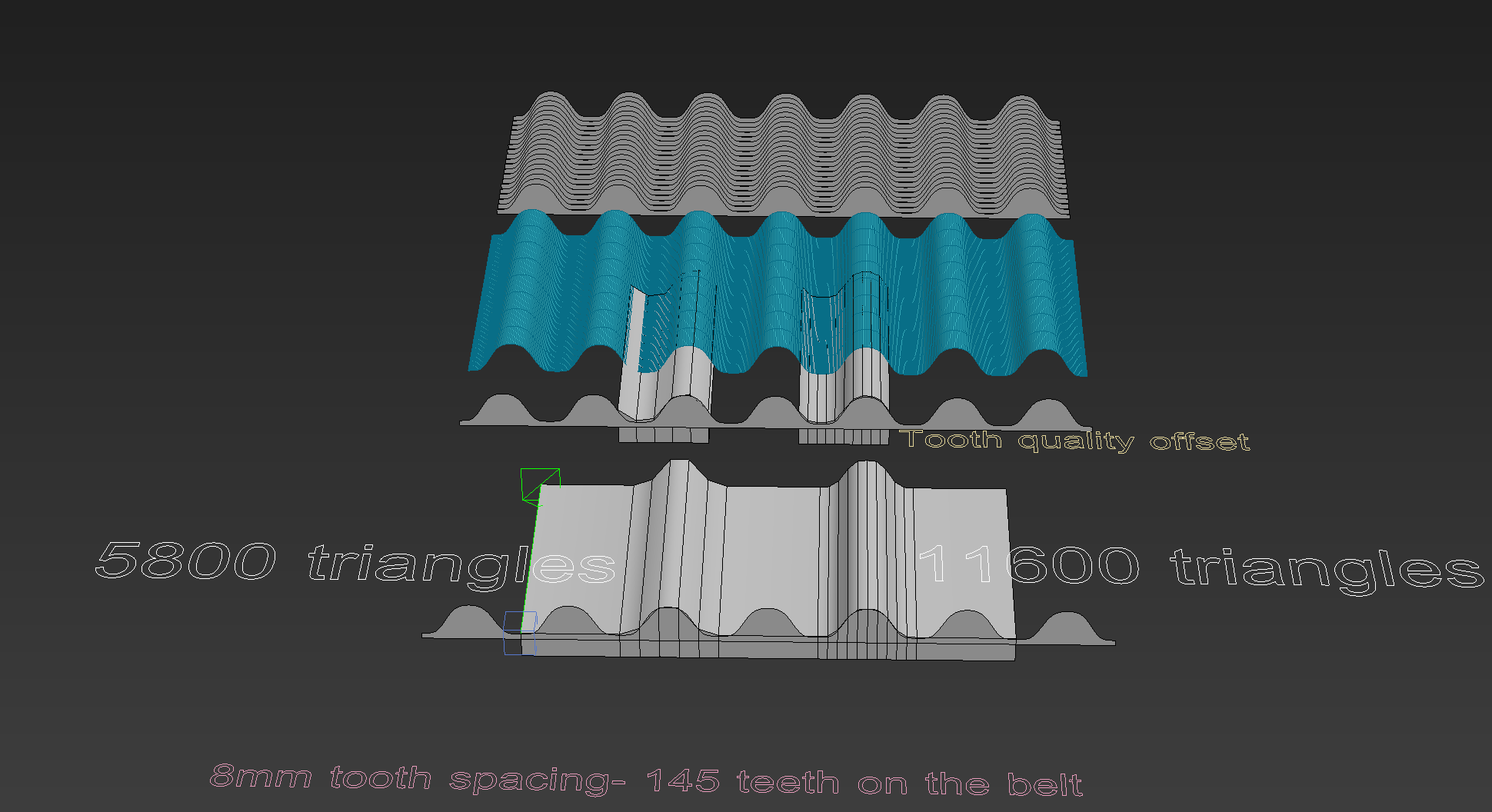
Figuring out how to do the timing belt so the teeth can be seen from the front, the belt can turn on gears, and also bend. I think its going to be displacement with a slightly rough mesh and the a an alpha test strip to refine the profile: https://i.imgur.com/fNBqN1D.png
 glossy agate
@sly elk I think that soul city free assets has a good example of a similar setup for gears without the belt if you want to save time
 eternal inlet
U guys think this will be cool? https://www.indiegogo.com/projects/vrfree-glove-system-vr

Indiegogo
Your first mobile VR gloves with full dexterity (DOF), integrated tracking and millimeter precision. | Check out 'VRfree glove system' on Indiegogo.
 tulip surge
so eh what would you guys use, dbuffer decals or the old method (mesh plane decal)? In forward rendering
mighty carbon
I know you folks hate Palmer, but this is useful info https://www.twitter.com/PalmerLuckey/status/1002012603781021696
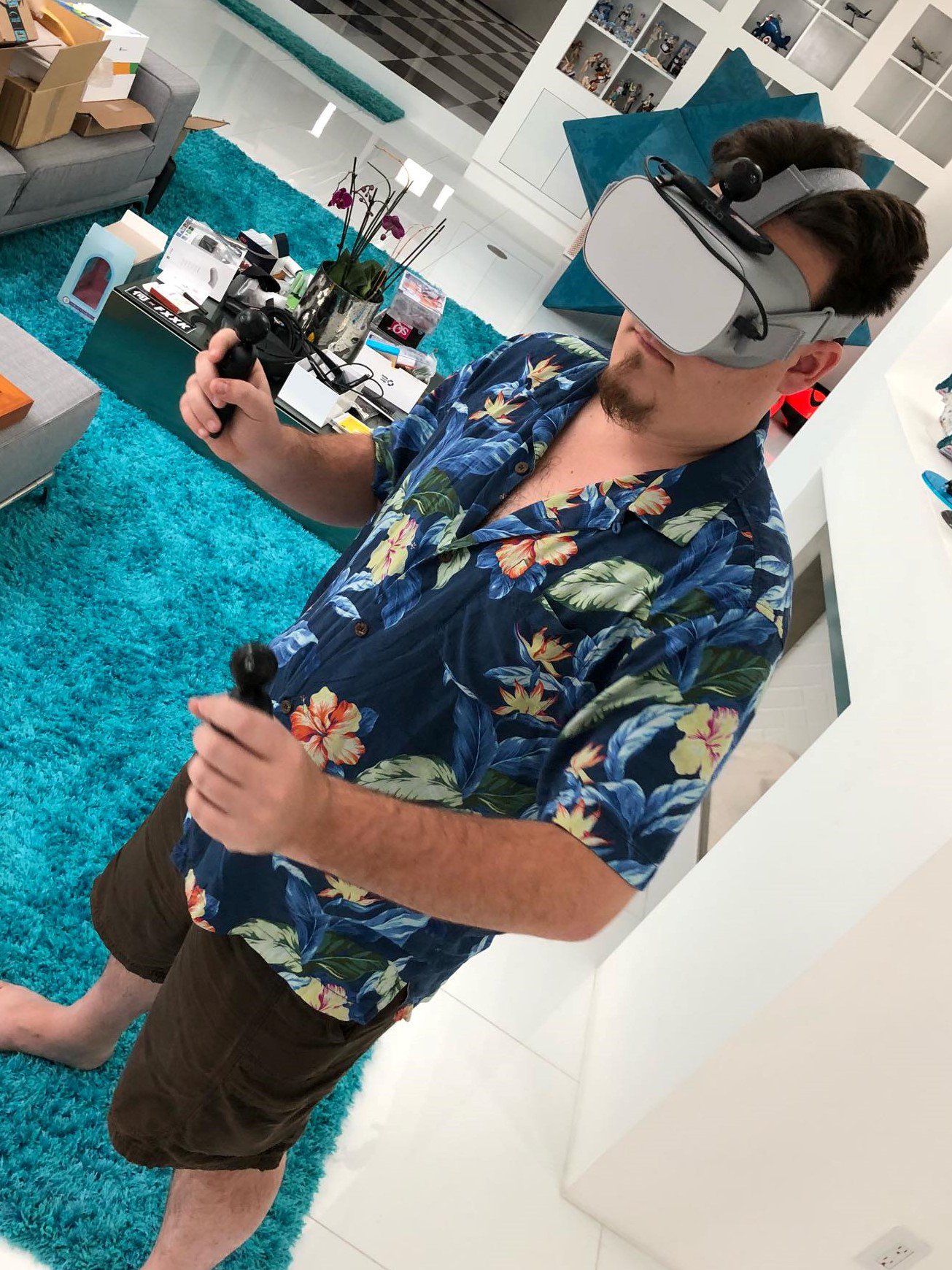
“Checking out @NOLO_VR 6DOF tracking system on my Go! Works well for content rendered on the device - it supports streaming SteamVR games as well, but the latency is significant. The tech is interesting, essentially Lighthouse-lite+ultrasonic.”
Latency is bad
 dusky moon
Just uploaded the 3rd Dev Diary episode. Been messing alot with UMG in the past weeks..
Watch >> https://youtu.be/JjN-0SgPBmE
In this episode, I'm going through the newly re-designed post-human kits and the Oprating system. the new OS can add layers of information and depth to the w...

 covert moth
I'm curious, anyone get volumetric lighting working in VR? It seems to be a tad inconsistent from one eye to the other
I have a bit of performance to spare in a small scene I'm working on and I can afford the cost of it, it just doesn't look right
real needle
@covert moth Do you mean Volumetric Fog using height fog?
covert moth
Yes, since there's no other way to enable volumetric fog
real needle
You specified Volumetric lighting, but anyway. Yes I don't have any issues with it
covert moth
It's weird, it's like what the two cameras see is offset
Volumetric lighting is the same thing, but yeah.
What I noticed is if I look at the sun, with the light partially occluded, there's actually a weird inconsistency between the eyes
I dunno, if you say you have no issues, I should give it another shot. Maybe it was just the lighting
Thanks
dusky moon
It also works fine for me in VR. just can't find out when/where to use it as it's super expensive to GPU
mighty carbon

UploadVR
Today Blueprint Reality is announcing the release of MixCast 2.0, which is now available for download.
The biggest barrier to more people recording and streaming amazing mixed reality videos like this Beat Saber one is the equipment cost. Setting up lighting sources, multiple...
tired tree
is that an unrelated comment or what? mix cast doesn't really have anything to do with that
mighty carbon
nah
my project runs fine when using Epic's launcher UE4
however, it crashes on the device when using Oculus' fork

somehow AI character is at fault
reported this to Oculus - they said they have nothing to do with this as they don't mess with non-rendering / non-VR stuff
tired tree
lol, its trying to load a package on the rendering thread?
regardless, its not oculus thing to fix, i agree with them
mighty carbon
same project, two different forks.. So I have no clue what's going on
well, how can Epic fix it if it works using Epic's build ?
tired tree
is it the exact same versioning?
mighty carbon
4.19.2
tired tree
pretty sure oculus shouldn't be touching anything related to that
 little oriole
So when I pick up an object, I'm using AttachToActor and welding the bodies, then disabling physics simulation. When I throw the object (detach, enable physics) there's a weird movement at the beginning and doesn't really register the velocity/angular velocity very well
tired tree
the weird movement is the late updates being removed
little oriole
Ah I see. Would you happen to know the best way to get it to behave appropriately?
tired tree
not using late updates, or somehow smoothing out of it
the offset is visual only, so when detached it snaps back to the game thread location
mighty carbon

reddit
0 votes and 9 so far on reddit
sturdy coral
I hope they put out something good.. I've got about $1100 riding on it 😛
mighty carbon
heh
mighty carbon
has anyone played this https://store.steampowered.com/app/690620/Downward_Spiral_Horus_Station/ ?

Downward Spiral: Horus Station takes players through a lost vessel abandoned by its crew with a complete focus on visual storytelling for single player or two player online co-op. Players will have to piece together the plot through observation and interpretation as they navi...
Price
$19.99
granite jacinth
@sturdy coral for your sake, I hope it goes well. But also ours. We need more competition
For improvements and price
daring mural
What's up with projectiles forcing enabled shadows? Won't let me disable
Oh I'm using an unlit mat, hmm 🤔
 charred portal
Anyone have experience with 2d blendspace direction calc in vr with controller orientation in the mix?
mighty carbon
like, when you have game's poster art with someone there pointing gun at you
mighty carbon
or leftists or liberals or whoever gets triggered about everything nowadays
daring mural
Inb4 they prohibit multiplayer shooters because people get shot
daring mural
no they aren't, just saying I wouldn't be surprised at this rate 😂
daring mural
from now on we all have to dev Lucky's Tale spin-offs
mighty carbon
I hope someone will make it possible to run Go games outside of Home, just in case we get that kind of level of censorship
mighty carbon
nah, still waiting for my "dev kit"
mighty carbon
should be getting it next month (hopefully)
I wanted to have dismemberment in my game (eventually), but now it's prohibited by new rules..
daring mural
of people or something else like zombies
mighty carbon
I wonder how non-VR game have a lot of stuff that is a no-no on Oculus Home now and no one is complaining
daring mural
pretty sure you could get through with zombies or non-human creatures (probably not animals)
these rules are unnecessary as long as you have content ratings and warnings, at least in-game
but Oculus doesn't use ESRB
at least not mandatory
mighty carbon
hmm.. and I don't have money to go through ESRB 😃
daring mural
it's free
mighty carbon
since when?
daring mural
no clue but I had to do it for Sony, as long as your title is digital you can do it for free + you get the certificate instantly after answering a questionnaire
only shitty thing is to apply for a login they want you to send them a piece of paper with some info physically by mail
old geezers
ESRB only covers NA though
still have to pay for EU and Japan if you want those as well
mighty carbon
I see, cool
little oriole
Anyone here implemented physically accurate throwing of things like knives? How did you implement it? I keep getting weird interactions after detaching from the actor and enabling physics simulation
daring mural
@little oriole What happens in your case?
P.S. does anyone know the correct Vive hmd display name?
granite jacinth
SteamVR
you're using VRE right?
just use the getter
GetHMDByType or something @daring mural
daring mural
@granite jacinth Yeah I have that set up but it bugs out when you try to use Oculus with a SteamVR launch option. It thinks you're using a Vive so I'm tryna re-work a part of it to re-assign it back to Oculus if HMD name = OculusHMD and if false, default to Vive
At least for now
granite jacinth
?
Pretty sure I have Oculus SDK on Steam as an option
Because pretty sure I used my Rift without SteamVR
Are you saying you have those options @daring mural ?
And when choosing the Oculus SDK option, it still calls SteamVR?
daring mural
@granite jacinth
Running it with Oculus SDK works fine
But if I run SteamVR with the Oculus HMD, it thinks I'm using a Vive
granite jacinth
Do you even need those arguments?
daring mural
Not sure.. you test yours without arguments?
granite jacinth
pretty sure you don't
This was Demo Release
And no one's complained about it
But, I could be wrong
But I doubt it, since it definitely works
daring mural
I'll test
granite jacinth
If I am on Oculus and choose Oculus SDK, Oculus Home opens up
And it's a better experience than SteamVR
daring mural
I agree. Some people prefer SteamVR for streaming, something to do with the mirror preview + it lets you customize the chap
I run Oculus though
tired tree
@daring mural its not that it bugs out, its that the SteamVR only touch controllers have a different offset from the Oculus API ones
you need to adjust the profile for them, that is the one I don't have one for
you also can't use the same input bindings
some are oculus module exclusive
also GetSteamVRHMD is a new node - in the plugin
splits it up more, the engines default HMD names are platform only
check the latest template, it sets all this up from when I made the default profiles
 subtle raft
anyone know how to get sleep status of mixed reality HMD
like when you take headset off the monitor turns off, apparently unreal still ticks
but some stuff doesn;t
and it breaks my timer I made
 latent bramble
Is somebody else experiencing missing input triggering with Oculus motion controllers?
cant get any button to work with input settings
using ue4.19.2
latent bramble
interesting, switching batteries fixed the problem 🤔
mighty carbon
Has anyone done IAP for Gear VR / Go using Blueprints only ?
sly elk
So my game has a ton of actors, and I use dynamic shadows (which will be user scaleable for low spec machines). Draw calls were too high but it turns out that like 85% of my parts are small things like bolts. Added an option so that small parts don't cast shadows when installed and draw calls dropped to half 😃
i think there will be a user setting for small parts just never cast shadows
 spare dagger
Hi everyone. Trying to create a surface in which will allow a user to draw on it in VR mode. Like a dry erase marker on a white board. Does anyone know of some good resources that could aid me with this project?
fleet plume
@spare dagger i'd google for render textures/render targets in ue4

Join the Patreon: https://www.patreon.com/bePatron?c=550670&rid=874324 Any questions? Heres my twitter: http://www.twitter.com/ward_reuben In this video we'l...
sturdy coral
@spare dagger there is a whiteboard example in mitch's vr content examples
spare dagger
Oh perfect! Thanks for the help.
 marble fable
New to unreal here, but is there a way to setup both Oculus and Vive in the same project (on the same pawn)? Following the documentation does not seem to allow for it.
marble fable
found the get hmdname thing
daring mural
@marble fable Yes. Would also recommend checking out MordenTral's VRExpansion plugin, it's a good starting point and handles the profiling for each HMD nicely
I think he recently added Windows MR support as well.
real needle
@granite jacinth How did you do that!? It's like 4 "ARE YO SURE!?"
granite jacinth
@real needle well... Release date was set to today(original date)
TBH, I think it may have been a fluke that it got up there without me pushing live
But. It did generate some buzz
As soon as I changed release date. It went away
sly elk
@marble fable just do checks for HMD name and make changes based on that
the main thing is input binding but for Wrench we are also changing hand orientation and then also the orientation of how tools sit in the hand for each headset
sturdy coral
@marble fable make sure to set HMD origin to floor, the default differs betwee the two plugins but as long as you always set floor you should be good
marble fable
even for a seated game?
marble fable
**Using the user’s eyes as the camera’s origin** means that you can control their height within the virtual world. This is useful for rendering virtual bodies that are a specific height and also for offering perspectives that differ from people’s real-world experience (for example, you can show people what the world looks like from the eyes of a child). However, by using the eye point as the origin, you no longer know where the physical floor is. This complicates interactions that involve ducking low or picking things up from the ground. Since you won't actually know the user’s height, you may wish to add a recentering step at the beginning of your app to accurately record the user’s real world height. ```I split up the origin in case I want to detect the boundaries later.
disconnected the height vector for now too, since it is set on floor level
mighty carbon
I have no issues with seated play sessions and camera being at standing height (Gear VR)
dusky moon
this seems helpful, haven't tried myself though:
https://forums.unrealengine.com/community/community-content-tools-and-tutorials/123688-tool-debugwidget-3d-widget-to-help-debugging-vr
Unreal Engine Forums
What is it?
A Plugin that provides an extendet WidgetComponent that helps to debug your game. Its main purpose is VR development, as on screen messages are not that
mighty carbon
Print String doesn't do it for you?
sturdy coral
@marble fable no, not for a fully seated game; they will usually expect to be able to use the system recalibrate menu for that and that won't work with floor origin
 obtuse spruce
@dusky moon A quick and easy way to get around that is to just print the same thing enough times for you to be able to see it more easily in the corner of your eye. If I want to print out two different things, I'll print the first eight or so times in one color, then the second eight or so times in another color. Not the best solution, but certainly quick to do.
mighty carbon
That's what I've been doing 😂
tired tree
@mighty carbon I have a physical "tablet" debug console in the template?
also there is a market place item that does mostly the same thing now
mighty carbon
@tired tree I do print string for Gear VR
tired tree
can attach the console to the hmd...
mighty carbon
(I am using my original project as base for my current one)
So, no console there :(
tired tree
like I said, there is also a marketplace item that does it now
mighty carbon
Also console would block view and Go/Gear VR controller doesn't have enough buttons to toggle it on and off
 torn charm
Right with UE4 anyone know how to have the grips activate hand animation but not the index finger using VR? I'm using oculus controllers and one thing that oculus is good at is the hand presence
sturdy coral
@torn charm maybe an animation slot that masks out the index
torn charm
I'll try it out thx
sturdy coral
@torn charm look into this too, I never tried their touch support but it might already have it:
Unreal Engine Forums
UVRF is ‘hand presence’ cross platform template including hands that are properly placed in space (per platform), properly animated, allows interaction with
@torn charm and Oculus has a template that already has hands animated for Touch as part of their branch
torn charm
Yeah, i have their demo project, howver i dont really like buying much stuff and i dont know how to set it up
 jovial vessel
Does anyone know how to detect when the dashboard (Overlay that appears when you press the system button) for the Vive has been opened? I want to pause the user's game automatically when he does that and automatically resume it if the dashboard is closed.
I was able to find this for the Oculus and it works for the Oculus just fine, but I haven't been able to find any equivalents for Vive yet: https://developer.oculus.com/documentation/unreal/latest/concepts/unreal-lifecycle/
Applications may query for status changes such as losing input focus or the presence of
system overlays and take appropriate action such as pausing. This is important in order to comply
with the VRC PC.input2 test.
 ornate creek
Does anyone know where the vr.PixelDensity gets called when you run the game?
For some reason, even if i set it on begin play, it gets overridden once everything else has loaded up.
sly elk
Timing belt works: https://www.youtube.com/watch?v=dYdlv-QQfyQ&feature=youtu.be
 wicked oak
thtas some awesome stuff @sly elk
 sharp pewter
Howdy!
I'm currently working on a simple VR game. I want to have a VR Camera in my PlayerController.
This kinda works: my camera is clearly receiving input from the HMD, however it's quickly rotating back to its original orientation.
What am I doing wrong?
sly elk
thanks. It only ended up being 7k triangles, which in my game is not a whole lot
 stable shadow
Hello guys, I want to create a base VR character from character class and not pawn class but when i spawn my class the camera height is't correct and it's very up from floor level... any idea or tutorial how to fix this problem? also when i move down my camera in blueprint class to the bottom of capsule after playing the game character start flying in air !
sturdy coral
@stable shadow character root is at center of character capsule; if you have your VR root rooted there, it will be halfway up from the floor
you can query scaled capsule half-height and lower the relative vr root attachment by that amount
also, the capsule itself sits an inch or so off the ground, so you may want to additionally lower it by a small amount
 hasty girder
So conveniently @sturdy coral is here, and I'm trying to migrate a VR project to 4.19; Specifically I'm trying to replace EHand with the new FString like you mentioned the other week, but for some reason FXRMotionControllerBase isn't being found. I've included "XRMotionControllerBase.h " and have the "HeadMountedDisplay" module added in my build.cs PublicDependencyModuleNames
sturdy coral
@hasty girder hmm, the only XR includes I have right now are:
12:#include "IXRTrackingSystem.h"
13:#include "XRMotionControllerBase.h"

Private/ShooterGameInstance.cpp
9:#include "IXRTrackingSystem.h"```and I have "HeadMountedDisplay" in PrivateDependencyModuleNames
PublicDependencyModuleNames should work too
hasty girder
Hmmm. Odd
OK. Not working on my end, but I'm using custom binaries; about to dig through my source to see if XRMotionControllerBase is included....
Thanks again @sturdy coral
sturdy coral
@hasty girder you need to be able to quickly search all your source with regexes or you will never get anywhere
And vs project search is too slow
hasty girder
Thanks for the headsup @sturdy coral
 primal sky
store.steampowered.com/app/864970/NIGHTSTAR_Alliance/
Boom.. steam page is up.. almost ready for launch.. follow us bros!
 digital marlin
Wasn't AR via unreal capable of multiplayer already?
daring mural
You guys experience issues with haptics being different on Oculus / Vive when using the same value?
@primal sky Looks sweet
sturdy coral
@daring mural I think @sly elk was working on measuring the differences
daring mural
Sent him a PM, thank you
 fallen wind
Recently I've been working on a CardboardVR app, and it works great. I recently got a GearVR, and want to try make a build for that too. However, I can't seem to get it to work... Disabled the GoogleVR plugin and enabled the OculusVR plugin (as mentioned in the GearVR quickstart in the UE4 docs), but when I make a mobile build it doesn't actually launch in VR, and if I try to plug the phone into the GearVR it automatically closes my app and opens the gearVR app. How would I go about making a GearVR build?
 sonic lake
@fallen wind Can you see your device under the Launch button?
sonic lake
Did you check this option in the project settings: Configure Android Manifest for Deployment to Gear VR
fallen wind
Not yet I think, I'll give that a try
 shrewd shuttle
hello! 😄
Is there any quick guide on how to set up a cross hair on google vr?what i am currently doing is taking the size of the viewport and finding the 1/4th and 3/4th along the x-axis to place the cross hair so that in VR the crosshair is supposed to be placed at the center of the camera but is instead it is displaced by a bit from the center. is there anyway i can get them to be aligned? i have tried using a 3D widget and attaching it to the camera as a child along with a stereo layer too but did not work! :/
sonic lake
@shrewd shuttle Using a 3D widget parented to the camera should do the job. What was the issue with it?
 fervent pumice
hey guys, did anyone of you successfully tried to use a full body 3dmodel as playable charakter? If yes, I would appreciate it if you tell me how you get it to work
 shell karma
@fervent pumice that'd require full body IK setup for the model and your pawn
there's a tutorial by @sonic lake over here https://forums.unrealengine.com/development-discussion/vr-ar-development/1402233-tutorial-super-easy-vr-body-with-arm-ik-and-thumbstick-locomotion-with-download
Unreal Engine Forums
I usually don't cross-post my tutorials here, but I thought I will make an exception for this one since some of you asked about it. Here is a super-easy way to get
fervent pumice
yeah, thanks for answering. but is this possible without the need of a third party tool?
shell karma
he also provides the project files so check i tout
fervent pumice
okay, i'll take a look
thx
isn't this Marco Ghislanzoni?
i've already tried this but it doesn't really work
the other thing is that he's using a tp template instead of a vr template
sonic lake
@fervent pumice Yes that's me. What didn't work for you? I started from the TP template because I needed the full body mannequin, but you can do it in any template as a matter of fact.
 olive ferry
Hi everyone, hope y'all having a great day. Did someone already use that node ? : https://api.unrealengine.com/INT/BlueprintAPI/Input/HeadMountedDisplay/GetVRFocusState/index.html
Get VR Focus State
shrewd shuttle
@sonic lake so this is my build with a sphere attached as a child to the camera. no widgets and stereo layers... the displacement seems to have increased :/ and also there is lag between the change in location of the sphere and the motion of the camera.....
olive ferry
I'm trying to know when the VR is still in use and when taken off it quit the game or whatever
fervent pumice
@sonic lake
Oh wow, nice to meet you here ^^ I've tried to implement your mechanics into the vr template and followed the instructions of your tutorial as good as possible but I failed. Then I've found a tutorial series by Jonas Mølgaard were he's working directly on the vr template but there he's using an another workflow and he also uses IKinema which is chargeable. So I tried to use the mechanics of his tutorial as far as possible. I could implement a 3d model to the MotionControllerPawn and also connect the controllers/hmd to the designated bones but the joints are going crazy and the viewpoint of my hmd is above and facing backwards to the pawn.
sonic lake
@fervent pumice Are you using the Epic Mannequin or a different skeleton?
fervent pumice
I'm using a 3d model made with Fuse, then I rigged it with Mixamo and then I converted it to the UE4 skeleton with the plugin Mixamoconv in Blender.
sonic lake
You may need to adjust the bone rotations in the AnimBP to make sure they align properly with the controllers.
fervent pumice
okay and maybe I have to look if there are some issues with the translation retargeting of the skeleton
I'll check it out
should the character look normal in the preview window when everything is set correctly?
sonic lake
No. You may see its arms in a weird position in front of the body.
sonic lake
Definitely something weird with the bone rotations. What happens if you set all rotations to 0 in the AnimBP? Are you also doing Head IK?
fervent pumice
This is what my Anim Graph in AnimBP looks like
sonic lake
Looks ok. Can you show how your skeletal mesh is oriented inside the Character BP?
fervent pumice
Do you mean this?
sonic lake
In the ViewPort
fervent pumice
I've tried to orient the mesh to the VROrigin but I can't do this beause the mesh is inherited
sonic lake
Where are your Motion Controller components?
fervent pumice
They didn't really work, so I deleted them. And Jonas Mølgaard doesn't use them in his tutorial so my second thought was that it also has to work differently. But if you want I can add them again
sonic lake
Well those components are providing the input to the FABRIK nodes for the arm IK, so without them the arms will not move.
@shrewd shuttle You should do it with a widget. There is no lag as long as it is parented to the VR Camera.
fervent pumice
Ok, I'll try it again and get in touch
sonic lake
@fervent pumice Ok. Make sure you follow one tutorial or the other, but don't mix them until you understand exactly how everything works.
fervent pumice
I also need to parent the VROrigin to the mesh, correct?
sonic lake
Yes correct.
fervent pumice
As I said before this wasn't possible. Do you know how to fix this?
Okay, please forget my last sentence
^^
Thank you for the time being for your help
sonic lake
You are welcome
fervent pumice
Thanks
shrewd shuttle
@sonic lake is there a difference between the camera that comes with the default character blueprint in unreal and the vr camera? is there i a different type of player character that i must be using?
sonic lake
There is no difference, they are the same camera.
Basically you create a new Widget Blueprint (BP_Crosshair), add an image widget to it and anchor it to the center. Load a semitransparent image to the image widget. Then add a Widget component to your Character. Parent it to the Camera and place it at some distance in front of it. Select the widget component you just created and set the widget class to BP_Crosshair. That's it.
shrewd shuttle
alright okay... i do have the widget blueprint set up... but i was adding it to the viewport. i will attach it as the child of the camera now and try it out 😄
sonic lake
Ok that explains it
 full ibex
Anybody had any troubles creating an Installed Build with the Google ArCore fork?
Developmented Editor seems to work fine, but not Installed Builds
fervent pumice
@sonic lake
So it's looking better now. Thanks again for your help. But I still have the issue with the camera view
sonic lake
@fervent pumice It may be linked to the way the head bone is rotated. Try with different transforms, see if you can have it look forward.
sly elk
So last week when we started looking at how to optimize drawcalls the engine was ~450 parts (and my environment isn't at all optimized, it is kit bashed so many extra draw calls there. With dynamic shadows on draw calls were ~2200. After this first pass at drawcall reduction they are down to 830 and we aren't even manually hiding internal parts yet. Turning off dynamic shadows, which will be a user config setting drops the draw call count down to 370.
sly elk
Yeah. So early Z pass is a killer for my project and MSAA is not a good fit for lots of shiny hard surface stuff
wicked oak
totally logical
sly elk
also can have more dynamic lights if I want
I think for the next optimization the direction light with shadows is going to be replaced with a large radius spot light, I'm thinking this will force a single shadow map for the scene
mighty carbon
I wish they come up with some VR friendly AA for deferred
sly elk
For my game, when shadows are on, most people will be triangle or drawcall bound
and have some fill rate to spare
so taa + screen space sharpen + some super sampling looks great
First test swapping out a directional light for a spot light, Shadowed draw calls dropped from 829 to 400
in vr
need to bake, and turn the shadow map resolution way up
 neon egret
Does anyone know what Rift and Vive are called in terms of "HMD DeviceName" node?
neon egret
Awesome, thanks a ton!
sly elk
Hoping this spotlight for the sun experiment works out. Thats pretty huge if it does. I will be paying less than 1 drawcall per part with shadows in VR
wicked oak
@sly elk sounds slightly impossible
at the bare minimum you will have 2 drawcalls. One for gbuffer render, and other for shadowmap
unless unreal engine batches shadowcasting geo or instances it
sly elk
there is other stuff going on
part instancing
shadow casting is disabled on all small parts
+visibility culling, which later on we can replace with some manual switches so it is more accruate
Basically, when small parts of the same type are installed they use instanced meshes. So 11 valve cover bolts turn into 1 drawcall. There is a lot of that kind of thing on the engine assembly. Later on we will be able to instance them as they come off and get added to inventory nodes
sturdy coral
@sly elk where is the difference from csm coming from? you only have one cascade right?
sly elk
The directional light seems to be doing shadows very differently.. Like splitting the level into multiple shadow maps
sturdy coral
hmm, if you lower the cascade count to 1 it shouldn't
but also you need to make sure inset shadows are off
I think they only normally apply to objects beyond the farthest cascade though
sly elk
I was using baked scene lighting with a directional light set to stationary
dynamic shadow distance -
0
sturdy coral
ah, what you might have seen then
was everything movable was inset shadows
you can have stationary with CSM
sly elk
mixed with baked lighting on static geo?
sturdy coral
hmm, sort of
static geo within the CSM will cast shadows in the cascade
but all the bounce lighting will be baked still
sly elk
oh okay, I will look at it more
sturdy coral
try dynamic shadow distance bigger than your room, num dynamic cascades to 1, disable inset shadows for movable
it should give you a bit better resolution than a spotlight approach because it will be view dependent instead of dependent on that light origin
sly elk
okay, i'll compare. thanks
sly elk
Switched back to the sattionary light, running CSM for about 5 meters
and isnet shadows off
csm resolution cranked up and one cascade. Much faster than before and drawcalls are down to 400 in VR with shadows
awesome
 sturdy coral
@sly elk cool, so without the csm it would have been using inset shadows for each part. the reason that is really expensive is each movable casting an inset shadow not only casts one, but also receives shadows from any static stuff in the environment (extra draw calls for each object that is within the inset frustum casting onto the movable, they also make it in the CSM, but only one time instead of ~once per movable)
there is some kind of setting on actors where you can combine inset shadows together for subcomponents, but apparently it is buggy
I think what I heard is it only works if the attached things are attached to the root, and not if through a hierarchy, or something like that
 frank island
I am trying to get a mirrored surface working on Gear VR. I selected High Quality Reflections and Planar Reflections (with a planar reflector in the scene) but it always turns out black.
Any clues?
sly elk
are they supported on mobile?
sturdy coral
@full junco with wmr it seems a lot of times the motion controllers don't get picked up, and once they aren't picked up it never picks them up until you restart the engine.. I think one time you mentioned fixing a bug related to that in the steamvr plugin?
it is usually when I turn them on late
sturdy coral
Alan Noon left Epic for Magic Leap? https://www.reddit.com/r/magicleap/comments/8ou7on/twitch_chat_ep_002_meet_magic_leap_onewednesday/

reddit
16 points and 17 comments so far on reddit
real needle
@sturdy coral @sly elk Bunch of great information in your discussion there, thanks
I've wanted to start doing dynamic shadowing as a base, and build with that performance cost in mind. Capsule shadows only works for skeletal(afaik?)
 manic ledge
Hey all, after setting the pawn actors location and using "Reset Orientation and Position" for the HMD, what's the best way to get the center of the tracked space (not their base position as it is no longer the center of the tracked VR space IRL)
This is for Oculus Rift if there is a platform specific function rather than a agnostic one
sonic lake
@manic ledge Did you try using GetPlayAreaPoints from the Oculus Boundary System? It returns the rectangle enclosed by the Guardian system. You can calculate the center of it as intersection of the two diagonals.
mighty carbon

The Chinese variant of the Oculus Go, sold by Xiaomi as the ‘Mi VR Standalone’, appears to be seeing strong launch demand, with the headset quickly selling out, in some cases within just minutes. XR intelligence firm Greenlight Insights estimates that 30,000 Mi VR Standa...
I wonder how many units it sold in the West
manic ledge
@sonic lake exactly what I'd implemented before seeing your message 😛 thanks anyways, good to know I went about it the right way
@sonic lake well at least a very similar implementation, just added all the play area points for a total, divided it by the number of points to get the central point, seems to work pretty well
sonic lake
Yes, averaging all coordinates across the points works as well (X1+X2+X3+X4)/4 etc.
mighty carbon
4.20p1 is out!!!!
 jaunty shell
stereo instanced rendering now supports translucency, noice
mighty carbon
I wonder if any of VR/mobile goodies in 4.20 relevant to Gear Vr / Go
wicked oak
@mighty carbon they all are
gearvr/go is not special, it runs the completely normal mobile rendering, but in stereo
mighty carbon
not if those features are for ES3.1
also instanced stereo rendering for transparencies could be PC only for now
 full junco
@sturdy coral I don't think I did anything specific to WMR controllers in SteamVR code?`
mighty carbon

UploadVR
Nvidia CEO Jensen Huang has said that the next generation of the company's GeForce graphics cards won't be revealed for "a long time".
ouch 😦
sturdy coral
@full junco it wasn't wmr specific; I remember it being something about the controller type being invalid, and then becoming valid later or something like that
maybe ETrackedDeviceClass or ETrackedControllerRole
maybe it was just for left and right hand getting swapped
if I am remembering right, you were looking at backporting a fix to 4.15 and you ended up fixing it in a better way
 stoic quiver
@sly elk There is no shadowcaster occlusion culling for directional lights in UE4. Depending on draw count/tri complexity ratio , overall camera motion and scene, having it might be beneficial. As you mentioned, using a spotlight instead of directional light would give you shadow caching benefits. Also worth noting that filtering defaults are pretty high too. Can safely half number of taps for highest quality setting without visual sacrifice.
mighty carbon
@stoic quiver Do you happen to know if modulated shadows supported in mobile VR ?
 sturdy coral
@stoic quiver will a spotlight actually cache a copy of the static scene and superimpose the movables on top (like doom 2016>? From what I remember the caching in ue4 will only work if there are no movables, and stops once there are some. So mainly useful for when you have lots of shadow casting lights but only a few have movables within frustum at any given time
The styling on magic leap reminds me of a 90s discman or something
And I mean on the hmd, not the belt pack, which really looks like one
stoic quiver
@sturdy coral UE4 caching works the same way, and will not re-render static primitives, unless light has moved.
shrewd shuttle
@sullen vortex can u describe more about ur problem?
 sullen vortex
yeap, sure. Simple gameplay, i have a desk in front of me, that has a paper, and a triggerbox. My intention is when i overlap with any of the controllers, a ball of paper spawns, so i could grab it and throw it
the above blueprint, is the level blueprint i made, but when i play i get an "inifinite loop error"
sly elk
Why is it in the level blueprint?
shrewd shuttle
hey can u try printing the object name
of the overlapped actor
and the other actor
if it is actually handling collision with the controller
full junco
@sturdy coral hm, I can't really remember what I did back then, it was about controllers switching left/right I think
that I only had to do because I was on 4.15
so in newer versions that shouldnt be needed any more
sonic lake
@sullen vortex you are using an overlap with the trigger box to spawn an actor inside the same trigger box, which creates another overlap with the same trigger box and so on so forth. Hence the infinite loop. Check if the overlapping actor is your pawn (cast to) and spawn the cube only in that case.
mighty carbon

Recently there's been a bunch of community discussion around what kind of games we're allowing onto the Steam Store. As is often the case, the discussion caused us to spend some time examining what we're doing, why we're doing it, and how we could be doing it better. Decision...
floodgate 2.0 ?
btw, can you folks please vote for this bug to be fixed https://issues.unrealengine.com/issue/UE-60065
sturdy coral
4.20 preview released; adds instanced stereo for translucency
(I didn't realize it didn't already apply to translucency)
might help if you have a lot of separate particle systems, @full junco like your torches
@mighty carbon dedicated RHI thread on android should help gearvr
mighty carbon
I see
full junco
@sturdy coral my torches are mostly masked though
and I don't even have instanced stereo enabled
sturdy coral
@full junco did you have worse perf with instanced?
full junco
@sturdy coral yes
it was a long time ago that I last tested it, and I found the GPU cost of it to be more significant than the reduced CPU cost of rendering
dusky moon
So Has any1 tried Product Viewer (Unreal Studio) on 4.20 with VR ?! when I press VR Preview all I see is blurred out ...
jaunty shell
@dusky moon dont forget to tick the "Spawn VR Play Editor" boolean in the productviewertools actor properties
mighty carbon
someone is getting their Pimax soon http://forum.pimaxvr.com/t/update-7-6-18-m1-tracking-info/6317

Pimax Forums
Two of the M1 prototypes are about to arrive! [image] [image] [image] The travel route of M1 testing units: Pimax factory -> Shanghai office -> Hong Kong -> M1 Testers
So, I reported a bug, gave Epic my project, told them explicitly not to share it to the public and guess what they f#cking did? They shared it to the public. I am never reporting bugs or sharing my projects, it's f#cking bullshit.
tired tree
you aren't exactly supposed to give them your entire project for bug reports.....
mighty carbon
well, I am not going to recreate my project step by step to hit the bug
the sucky part is that they isolated the issue and thus they could have just made a streaming level with nav mesh in it using UE4 template.. There is no need to use my project any longer after they isolated the issue.
I told them - I can provide my project if you ok with not sharing it outside of Epic.. They said sure thing. Because I've done it in the past and they never shared my projects, I went for it.
oh well, if I see Oculus Go project with my UI mechanics, I'll know how that could have happen (that's really the only part I am concerned with for now, since the rest it pretty generic)
sullen vortex
thanks @sonic lake appreciated!
 prime sonnet

YouTube
Breaking: Finally I can reveal that I am one of the Pimax 8K M1 testers! The unit arrived today, all the info in the livestream! Support my work on Patreon:...
mighty carbon

Experiences | Oculus
Moss™ is a single-player action-adventure puzzle game and new IP from Polyarc tailor-made for the VR platform. It takes classic components of a great game—such as compelling characters, gripping combat, and captivating world exploration—and combines them with the exciti...
mighty carbon

E3 2018 kicks off next week in Los Angeles, bringing together thousands of gamers, streamers, developers, and more to celebrate the best of the game industry. Today, we’re sharing your cheat sheet of where to find the latest and greatest from Oculus on the show floor.
nice
glossy agate
Can’t believe moss only has one review on steam. Looks like really high production value
mighty carbon
Steam is a dump
glossy agate
It only has one review on oculus too
wicked oak
there is no way in hell moss gets as many players in PC as it has on Ps4
mighty carbon
Defector looks like a cool game
this one looks super interesting https://variety.com/2018/gaming/features/stormland-insomniac-vr-1202831285/

“Stormland,” the next virtual reality game from the studio behind “Ratchet & Clank” and the upcoming “Spider-Man” game, is an open-world, narratively driven …

Visit https://ocul.us/Stormland to learn more about Insomniac Games and Oculus Studios’ next VR adventure, Stormland. Coming 2019, exclusively on Oculus Rift...
mighty carbon
btw, while Steam is a dump, it's cool that someone can put out uncensored VR game with sex and violence in it (within the legal margin).
 tawdry night
I have a strange issue that is occurring with a VR packaged game in engine version 4.19.2
This has mostly to do with what is being seen on the monitor while the VR application is playing. The application works just fine with Oculus but on Vive there is a strange aspect ratio flicker that is happening, it seems to be trying to adjust for a more stretched aspect ratio over the default one that the application starts with.
However when in a development build and I set the application to run through a different spectator viewing mode that is anything but the standard single eye letter-boxed it will be stable but the the image on the monitor is then set to one that is looking distorted.
Has anyone else come across this problem in 4.19.2 with a Vive build?(edited)
hasty girder
I'm getting an issue that UMotionControllerComponent->MotionSource and UMotionControllerComponent->PlayerIndex are not accessible as of 4.19. Anyone else run into this?
glossy agate
Well steam denied my page the first time due to capsule image being not kid friendly last week
So they still do some checks I guess
glossy agate
True haha
mighty carbon
has anyone watched 4.20 preview stream ?
I asked about geometry tools, but I am not sure if they mentioned it or not
 wraith sky
 pearl tangle
@mighty carbon pretty sure they still haven't cracked the new geometry tools yet, nothing about it in the notes
although the new mixed reality stuff is quite impressive, instantly picked up my webcam with the media framework without me doing anything
mighty carbon
I see
I wonder if multiview on mobile now supports translucency rendering. Or is it PC-only feature for now?
pearl tangle
most likely. You don't want to be doing any translucency on mobile at all
mighty carbon
sometimes you have to - masked materials for UI / text
pearl tangle
yeah doing masked is different to doing translucency though, you can also use additive as a fake translucency effect
and also the AA bug transparency that is used for edge blending is much more efficient
mighty carbon
hmm.. some box is coming my way from Oculus
daring mural
same @mighty carbon the devkit stuff probs
wicked oak
@mighty carbon its a tshirt
daring mural
@wicked oak box is 7kg and like 51cm long
fleet plume
US-sized tshirt
mighty carbon
😆
granite jacinth
Who else is getting or has gotten something from OculusStart?
I thought it was just the t-shirt, but then I noticed it weighed 48 lbs
That's a lot of t-shirts

Hey #OculusStart devs! A surprise shipment is headed your way very soon & we can’t wait to see your reactions! Share your unboxing pics and videos using the hashtags #OculusStart #Sponsored
Likes
125

 Twitter
tired tree
Twitter
tired tree
man, they shoved the entirety of the navigation system into its own module in 4.20, and it broke the client side navigation feature. Really hoping that is a temp issue and not a soon to be deprecated one.
its preeeeetty useful in VR
granite jacinth
@tired tree Did you report those issues you found already to them?
tired tree
yeah
making a big list of things to report
always do
already reported that particular one, since it makes it hard to test some of my features with them being unusable
mighty carbon
@granite jacinth I'll find out next week how many t-shirts they loaded into the box 😉
granite jacinth
Heh
Well, it's at least a t-shirt, but we'll see what else they sent
People are suspecting GOs, but that's not 48 lbs
mighty carbon
not everyone is getting 48lbs packages
Sinn's package is 7kg (48lbs ones are 21.x kg)
granite jacinth
hm
15lbs
So still more than just a t-shirt
that could be a Go
Maybe another Rift for me
but still, that's like 2 Rifts in weight
And that box doesn't seem that big
Maybe stacks of $100 bills
daring mural
@granite jacinth I asked that Rita chick which HMD I was getting and she said
"If you reply about the T-Shirt size, I'll send you both!" but looks like both might have been the default 😂
What if it's a santa cruz... 🙃
granite jacinth
@daring mural doubtful
But who knows
My package is bigger than yours
(insert "that's what she said joke")
daring mural
😂 Rita snaked
daring mural
@granite jacinth Wait mine's 15lb as well. I swear when we signed up for the program there was a feature to request hardware and it let you specify what you wanted
What'd you write?
 real needle
Hm maybe I missed on out something. I didn't participate in start because I thought devs that doesn't have hardware should get it, I have rifts and go's
daring mural
I only signed up to get stuff I didn't have but even then, no clue what they're sending us
santa cruz 🙌 🙌 🙌
real needle
If every oculus start member gets a Santa Cruz, then I will walk over to their office and just stand there until they give me one
Actually, I don't have time for that
I will send them a nice email 😃
daring mural
😂
i wouldn't be too surprised, it'd be a good way to get lots of content done before the cruz is available to consumers
but deep down i just wanna play with it haha
granite jacinth
Well
The fact that the weights are different for various people suggests that not everyone is getting the same thing. Right, logic.
The only thing I could think of, is if you checked off Go/Rift when signing up for Start
@daring mural What did you check off?
Other than the obvious hardware shipment, the only thing I can think of is Stacks of $100 bills ROFL
But seriously, who knows.
daring mural
LOL
I think I checked off the GO
But then again she said she'd send me "both", whatever that means
Probably GO and CV1, realistically
15lb? How much does a CV1 weigh
Those 2 together could probably = 15lb
You might be getting more than one of something
frank island
Does anyone know what could cause everything except the skybox to have a green tint when running on the Oculus Go?
daring mural
@frank island I ran into this before
But on CV1
It happened after I enabled forward shading, there's an option underneath the FS box about fog
Try ticking that to be opposite of what it is now
Are you using exponential fog?
frank island
Yes! Thank you so much!
daring mural
👌 Np
frank island
I actually removed the exponential height fog, the vertex fog setting is still checked and it works.
daring mural
Yeah not sure what the setting is all about but it did let me use expo height fog when I changed it without that green/blue tint. The tint kept appearing and disappearing on my floor based on the angle I viewed it at, really annoying.
 granite jacinth
Well
That's what I figured would be with the different weights
Minus the moleskene, whisky glass
mighty carbon
I still wonder if 2 Go's plus the rest of the goodies can weight 48lbs
A bag of cement at home depot weights 50 lbs
fleet plume

We go hands-on with a prototype of the Varjo virtual reality headset with "Bionic display", a hybrid system that combines a high-end display panel with an ul...
20/20 vision
so this thing is actually not vaporware
though it's targeted at industrial users and costs several HTC vive pro's 😦
granite jacinth
Bah, how do I get rid of the double vision going on in VR in 4.19
This wasn't an issue in 4.15
But all of the sudden I'm trying to set up a few polish items (FOV reduction, blindness, etc) and everything's rendering separately in each eye
 wary dome
Hello, I'm trying to make a VR-Game, but I'm facing few problems, the biggest is the player character. So I'm using a character not a pawn, and when ever I move irl, my camera moves off center of the character, and I have to reset the HMD position. Is there a way to do it where my character follows my cameras movement?
Second problem I have is the stuff I pick up like my sword, still collides with the character body. I cant turn off collision because i need it to apply damage etc. How can disable the collision only with the character?
If you guys can help me I appreciate it.
sonic lake
@wary dome have a look at Mordentral's VR Expansion plugin, it supports room-scale VR (your problem number 1). Regarding number 2, you can solve that by properly setting up your collisions. Depending on how you implemented your weapons, this may require creating a custom object channel for them and making sure they don't block your pawn/character.
eternal inlet
in 4.19, with pixeldensity, what values would you guys set on a slider to make it easy to grasp for the player that is "normal" and max?
1-1.4 seems not very user friendly
im thinking 100-200 converting internally to 1-2 => sqrt(1+that value) think that would make sense?
just not sure what to call such a setting other than Resolution
or still call it SuperSampling even though its not, but that's what most people are used to
real needle
@eternal inlet I like "resolution scale"
eternal inlet
ah yes that's a good name
and the scale 100-200?
would that make more sense than 0-100?
and convert into above values rather than 1-2 (pure pixeldensity values)
real needle
You shouldnt have to go higher than 1.5, that's above 200%
eternal inlet
true, 1.4 something i think it is
was thinking of letting the internal scale go from 1 -> sqrt(1+normalizedvalue)
1-1.4
@real needle so would you provide pixeldensity values below 1? if i allow changing between 1-1.4, i can hardly see any difference even though it should translate to between 100-200%
real needle
I don't, I try to make sure it runs at 1 on low end
130% is minimum for it to look good imo
wary dome
@sonic lake thanks for answering. Is did create a new object collision channel, it worked. As for the problem number 1, I looked into the plugin it does solve a lot of the problems but I can’t use it, in addition to the plugin using a pawn not a character, some of the core code that I need to control, I just can’t. So I would have to reconstruct the whole thing.
 lament mesa
Any idea where I can see more details about these changes in 4.20 ?
frank island
I am seeing a lot of jerkyness from the motion controller for the Oculus GO. Is anyone else experiencing this?
tired tree
@lament mesa its a beta plugin you have to enable
sly elk
I just flipped on SSAO as a test in my game (deferred renderer) and im not seeing any screen space noise like I used to
mighty carbon
@sly elk what about forward renderer ?
sly elk
im not running forward so im not sure. I am doing taa so that might be taking care of the noise.
lament mesa
@tired tree could you please guide me from where I can enable it ?
lament mesa
@tired tree I will check the plugin settings in 4.20
dusky moon
Hey! anyone knows a tuto or example where I can look at to make a simple mesh painting (like tiltbrush) in VR (Blueprints) ?!
eternal inlet
anyone can give me some pointers to, why my game suddenly lags like shit after migrating fromn 4.18 to 4.19? I used to run with SS=140 (Vive) and now i run with SS=100 and PD=1, isn't that supposed to be the same?
i used to have rock solid 90fps on my 1080ti, and now it jumps up and down
i suddenly get these CPU stalls, both on game and render thread
eternal inlet
hmm just did a visual comparison of the old version (4.18)
and the new (4.19)
is it me, or does the 4.19 seem like it's higher resolution?
fleet plume
the slider value looks sharper in the lower screenshot
hard to say for the rest
also UI panes seem to be less jaggy
sturdy coral
@eternal inlet not the same because valve released the auto resolution thing at almost the same time
eternal inlet
ok so its not just me, thx @fleet plume
sturdy coral
Check how much that thing is adding in steamvr settings
And it is linear to number of pixels there, squared in unreal
sturdy coral
Or sqrt rather
eternal inlet
😮
yeah, i set PD to squareroot of 2 when it's at max setting, but right now i run with PD=1
sturdy coral
@eternal inlet sort of, 2.0 there and 1.0 pd is about 170 or so under the old system
eternal inlet
i see
so even though 4.19 introduced the unified PD setting, SteamVR added this to screw with us?
lol
i never noticed that setting in steamvr, so i should default it to 1?
sturdy coral
Yeah it got added like the week of release of 4.19
eternal inlet
so this setting also overrides r.screenpercentage = 100?
which i run on game start
sturdy coral
I think the way you are expected to do it now is if your game is more demanding than average, lower pd, less, raise it, and assume users will have that steam setting auto set for their gpu.
But then you have to handle oculus sdk too
eternal inlet
right...
anyhow, now atleast it seems it runs smooth again, with a few glitches and some 4.19 introduced artefacts i can deal with
sly elk
SSAO with PD 2.0 in VR: https://www.youtube.com/watch?v=m6PBZzd0bwk&feature=youtu.be
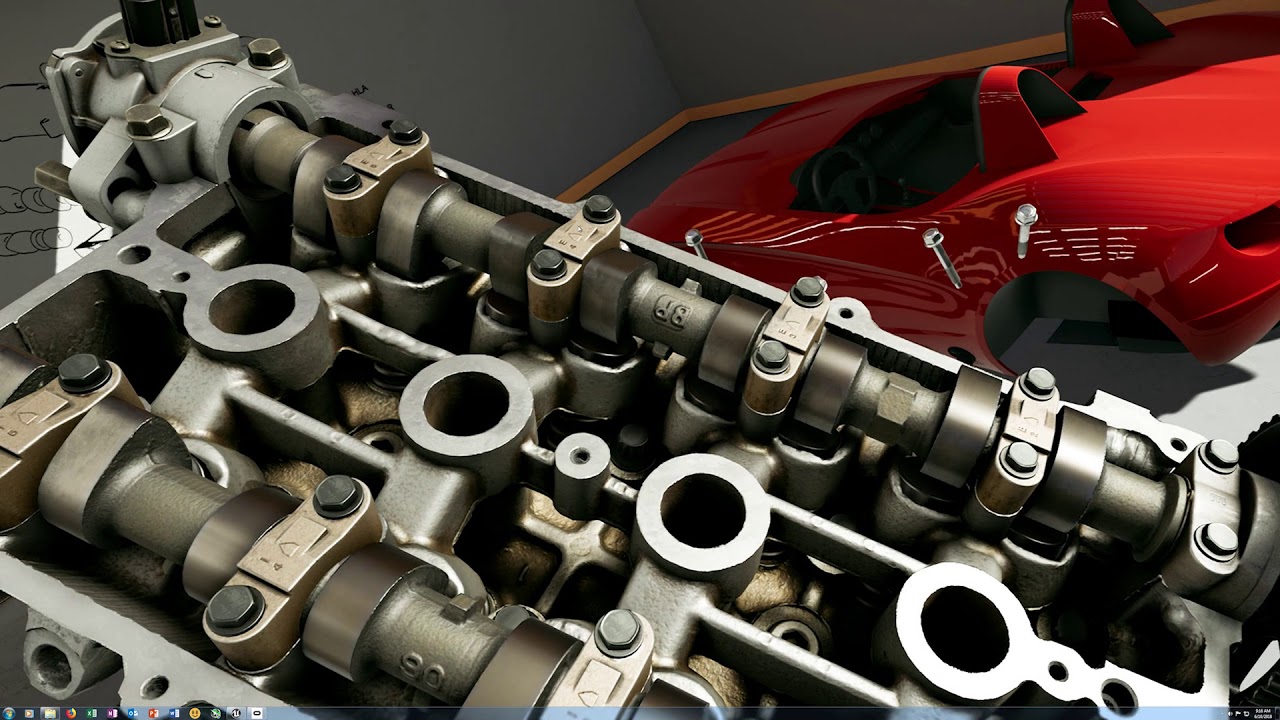
pd 2.0 isn't neccesary at all, but I wanted crisp viewport capture
Is there a way to run SSAO on a lower resolution? The last game I set up SSAO for high resolution screens for was in unity and the AO solution let you run the AO at half res.
eternal inlet
awsome, looks great with them moving parts
 wanton fog
Hey guyz can anyone give me some suggestion/idea what I can show in cactus adaption VR project?
fleet plume


Beat Saber just announced for @PlayStation VR! 🔥
Coming to PlayStation Store later this year. https://t.co/YkTHQK8GyO
Twitter
no surprise there 😄
sly elk
What is move tracking precision like?
fleet plume
calibration and balancing should fix that
calibration for the delay and balancing to be more forgiving for lower precision
wicked oak
it lacks the tracking space
like, playing beatsaber will be hard on the crappy tracking spac
mighty carbon
Has Bethesda already announced new games?
sly elk
can anyone help me find more info on what all the AO advanced settings do? The unreal documentation I found only has like 1/3 of the options in it
sturdy coral
@sly elk it already runs half res by default I think, if you turn off temporal aa you should see it does every other pixel every other frame in a dithered/checkerboard thing
sly elk
is it bad to encourage people to punch things in VR?
Im thinking this is how toggling cutaway model swaps will work: https://www.youtube.com/watch?v=vBL5zCXUVys&feature=youtu.be
 lament mesa
hey devs
did anyone managed to pass this error ? I have visual studio 2017 installed. ?
 woven imp
Question. If I want to develop a VR multiplayer game, seeing as it's so complicated, do you think it's a dumb idea to first build the game normally and then add VR later?
To avoid, for example, needing two headsets for testing etc
At least initially
granite jacinth
@woven imp Answer: you don't know what you're talking about , I don't disagree that it's a bit more of a challenge, but it's not "so complicated" or else there wouldn't be so many MP VR games having been created (even some during a 5-day game jam)
You don't need two headsets
And you definitely don't want to tack on MP later
It would be better to just start with MP and make sure that's working good if you have any plans for MP for your game
Use FPS pawns children of the VR Pawn to test MP
woven imp
@granite jacinth Definitely not saying "tacking on" MP or even VR, rather building the core of the game mechanics first (including MP, which I agree needs to be built in from the get-go,) and then starting to add the VR after that is at least somewhat solid.
mighty carbon
sooo, I take it as no VR for XB1X coming any time soon
covert moth
Looks like it. Next console it is then
mighty carbon
Bethesda just announced Prey VR game and Wolfenstein VR game
 quiet badger
shell karma
quiet badger
shell karma
@woven imp multiplayer imo it's not something you can add easily, all depends wheter you'll develop your game with single player in mind, with hopes of adding mp later, or start out with the development with mp in mind. Your design have to account for multiplayer, your game mechanics etc
if not, you'll simply run into a wall after a wall when replicating your mechanics and stuff
unless it's something crazy simple, the game design I mean
mighty carbon
I don't know where this is coming from about not being able to add MP later on
it's been done before and it can be done after the fact
(it's easier of course when one make single player game as multiplayer)
woven imp
@shell karma tomasto be clear, I'm really talking about if its easier to develop a multiplayer game as flat first and convert to VR, not build SP and convert to MP
Or quicker
real needle
Hi everyone 😄 Is someone of you experienced with VR and cockpit perspective? I'm struggling =/
jaunty shell
what kind of problem are you facing @real needle ?
real needle
@jaunty shell I have to put a VR player in a cockpit of a vehicle. We have a seat and other stuff like a steering wheel here as physical, working props. When I start as a VR Pawn and I want to possess the vehicle my perspective has a weird offset and I can't manage to get the camera into the right spot for a cockpit perspective
jaunty shell
got a screenshot ?
real needle
Not really. My boss probably doesn't like that I show screenshots of this project to other people ^^" That's why I am only asking this technical question =/
jaunty shell
urgh, kinda hard to figure out what the problem is exactly :/
is it a position offset ? a depth problem ?
real needle
offset I guess.
The center of my playarea is not where the seat is located
and I guess therefore I get this offset
jaunty shell
ah
you need to add an offset
I had this kind of problem with a custom teleportation system
where the user moved relatively to the play area instead of his position ON the play area
needs to do a bit of vector math for it to work 😉
tired tree
@real needle if it is roomscale grab the HMD position and offset the pawn to move the HMD into the seat center
if it is not roomscale, recentering after moving the actor there is enough
real needle
@tired tree yeah, it is roomscale (vive)
tired tree
relative position of the camera is current HMD location if already ticking, otherwise you can grab GetTrackedDevicePositionAndOrientation
and that will be the cameras eventual relative space location
I run it so that if they leave a set bounds from their starting location it blacks out and warns, they can either recenter to the new location or pull back then
mighty carbon
Oculus becomes really obnoxious to deal with when it comes to supporting their SDKs features in UE4 through Blueprint
"there is C++, nothing stops you from using it instead of Blueprints" << WTF would I even ask for Blueprints if I used C++ to begin with ...
Unity is treated as first class citizen and UE4 is treated as last
I think their mobile team is comprised of folks from Carmack days and Carmack is not fond of Blueprints.. PC team seems to be more contemporary, but there is no IAP for desktop..
mighty carbon
they still have to wrap it for C#
 wet ether
hello all!
sonic lake
Next-gen "Leap Motion" https://www.youtube.com/watch?time_continue=1&v=pHyNrYRhvSg
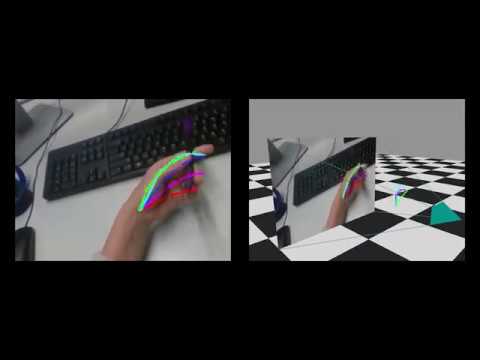
F. Mueller, F. Bernard, O. Sotnychenko, D. Mehta, S. Sridhar, D. Casas, C. Theobalt GANerated Hands for Real-Time 3D Hand Tracking from Monocular RGB We prop...
torn charm
So basically im doing this naruto vr project, but i cant get the shuriken to only rotate on the z axis (relative) when thrown and i cant get the shuriken to fly striaght (also my collision for these makes them stick to the object like a magnet (often hovering) rather then penetrating) if anyone thinks they could help me fix this let me know and ill forward the project to you
daring mural
@mighty carbon @granite jacinth You guys get your shipments yet? I missed mine today 😦 Slept through
mighty carbon
@daring mural tomorrow I suppose and it's better be left in the office as I don't think I will be able to be physically there to pick it up
yeah, looks like it's scheduled for tomorrow for me
daring mural
FedEx left a note saying "Unable to release: Business closed. Package will be returned to the sender if we do not receive further instructions"
I shit a brick
mighty carbon
o.O
daring mural
It's cool apparently it's a generic msg and they hold it for 5 days, re-try tomorrow
This feels like one of those eBay mystery boxes
granite jacinth
Nope
Amazon/UPS don't care
They just leave it at my door. Like this 🤖 I just got
🤖 vacuum
Hmm.. someone could make a lot of money
If they could control robot vacuum through VR
Or AR
mighty carbon
well, how does one get a package while at work during the day ? (with FedEx)
granite jacinth
Send it to business
Or FedEx pickup spot
Or have a standathome-partner
Or maid
Or VR-controlled Robot
 green ice
Any one played around with AR on Android S8? I've got it "working" but it seems to take ages to detect a surface, and when it does, the moment I move the phone all the planes move with it. Is there a way to bypass the planes and set an object to stay stationary in the world for me to look at?
pearl tangle
@green ice that sounds very odd that it would lose the things completely if you are in a decently lit environment and pointing at a table it should work fairly easily.
You don't have to spawn the thing on tap though anyway, you can just place the object into the world and 0,0,0 becomes where the phone is once tracking kicks in so the object would be relative to that point
green ice
MMm, I've tried placing it at 0,0,0 which seems to always be where the phone is in the world, and as I move around it moves with me. When looking at the world origin, I see it moving around as I move the camera. All of this though, only happens the few times tracking of a surface actually works. I had it track a surface first go about 20 min ago, tried it again a couple times in the same area but no tracking.
If I was to keep an object at 0,0,0 is it possible to stop the origin from moving, so a mesh would always be in the same position regardless of what the camera is looking at?
pearl tangle
the origin shouldn't move, it should be fixed in place. If you are using the example project you should be able to see from the debug menu if it's getting tracking or not?
green ice
Yeah, this is where I'm having trouble, I'm using the default AR Template, 4.19.2. If I'm debugging and looking at the origin, it'll stay still for a little bit, but as I move around (Slowly in a 2x2 meter area) the origin changes, and slides around.
jaunty shell
@sonic lake what the frick, and from one mono RGB stream ? O_o
oooh neural networks at it again
shell karma
@green ice I'm getting the same if in darkish room, it's just the way tracking works, got like one conference room in the office with big table where AR works like a charm, when in an open space, got issues with the tracking
hopefully 4.20 p2 will bring ARKit 2 and ARCore updates
sonic lake
@jaunty shell yes, Convolutional Neural Networks trained with a huge number of 2D examples mapped by hand to a 3D space.
jaunty shell
pretty sweet stuff
green ice
@shell karma Ahh, yeah that sounds like what I'm trying to work with, I'll try doing it on a clean table tomorrow and see how that works.
pearl tangle
4.2 doesn't have the 1.2 arcore in there yet, probably will for release though. You can just grab the google branch though. ARcore will be the way to go most likely since they have now made it also for iOS
eternal inlet
can someone explain to me why the gamethread is crapping out?
the renderthread and the tick time are both well within 11ms (most of the time)
i switched up to 4.19 recently when this started to happen, and i didnt have issues with it on 4.18
i run with PD=1 and SS=100 and made sure steam is set to 1 too
i dont have the GPU [Total] shown on my graph, but that is also well within 11ms, it's kinda hard to see, because the colors are similar
so related question... does RenderThreadCommands include "GPU [Total]" or are that added on top?
if it's added, that could maybe explain it?
even more strange is that i percieved a lot of lost frames in the HMD, but the FPS reports something else
usally this means its fine for me... but it seemeds like it was lagging like 45fps most of the time
mighty carbon

UploadVR
A new trailer for VR's Wolfenstein: Cyberpilot appears to have leaked online ahead of the E3 doors opening, and it looks pretty promising.
btw, looking at the commits to the Epic's repo, it seems that whole VR work is done around Magic Leap nowadays.. Almost exclusively
 sharp swan
sounds cool. now if only I could get hold of one ¬_¬
mighty carbon
Fixed! UE-59992 Missing mobile multi-view support for translucent objects.
in 4.20p2
 candid viper
@eternal inlet You need to dig into where the time is going on the gamethread. I'd start by looking at the spikes - there are a lot. They may be a case of syncing, may be something else.
stoic quiver
@eternal inlet Might be related to https://forums.unrealengine.com/unreal-engine/feedback-for-epic/1457519-4-19-0-editor-hangs-hiccups-constantly
Unreal Engine Forums
I searched for a similar thread and found none, sorry if this has been covered.
I have a good size map with a lot of BP that has been working perfectly in
granite jacinth
@mighty carbon @daring mural funnily enough. Guess they didn't require signature. Because they didn't even bother ringing my doorbell. They just dropped it off front door.
wicked oak
i got nothing
eternal inlet
@candid viper The spikes i saw are all due to syncing
wicked oak
and i still dont know if im actually in oculus start or not
granite jacinth
Fail
eternal inlet
the odd thing is i don't see why it should sync, and often i see sync on both the render and the gamethread in same frame
granite jacinth
@wicked oak
candid viper
@eternal inlet It has to sync because the game thread would run away from (or fall behind) the render thread. The spikes show that you're nearly okay on the game thread. So you're just running over on the game thread. Look at what it taking the time. I find UE's inbuilt profiler not great for this. VTune is better at showing what is happening when on which thread.
granite jacinth
ROFL
Well. It's still nice. But hopefully not everyone received a Refurbished Touch
sly elk
I hardly ever use the 1080ti as my primary card but I thought it owuld be fun to stress it in VR. 16 engines, SSAO, pixel density 1.5, dynamic shadows. About 3600 parts total: https://i.imgur.com/Hwn1nX7.jpg

Im probably just drawcall bound from my i7 4790
sonic lake
@sly elk Can you show a Stat Unit ?
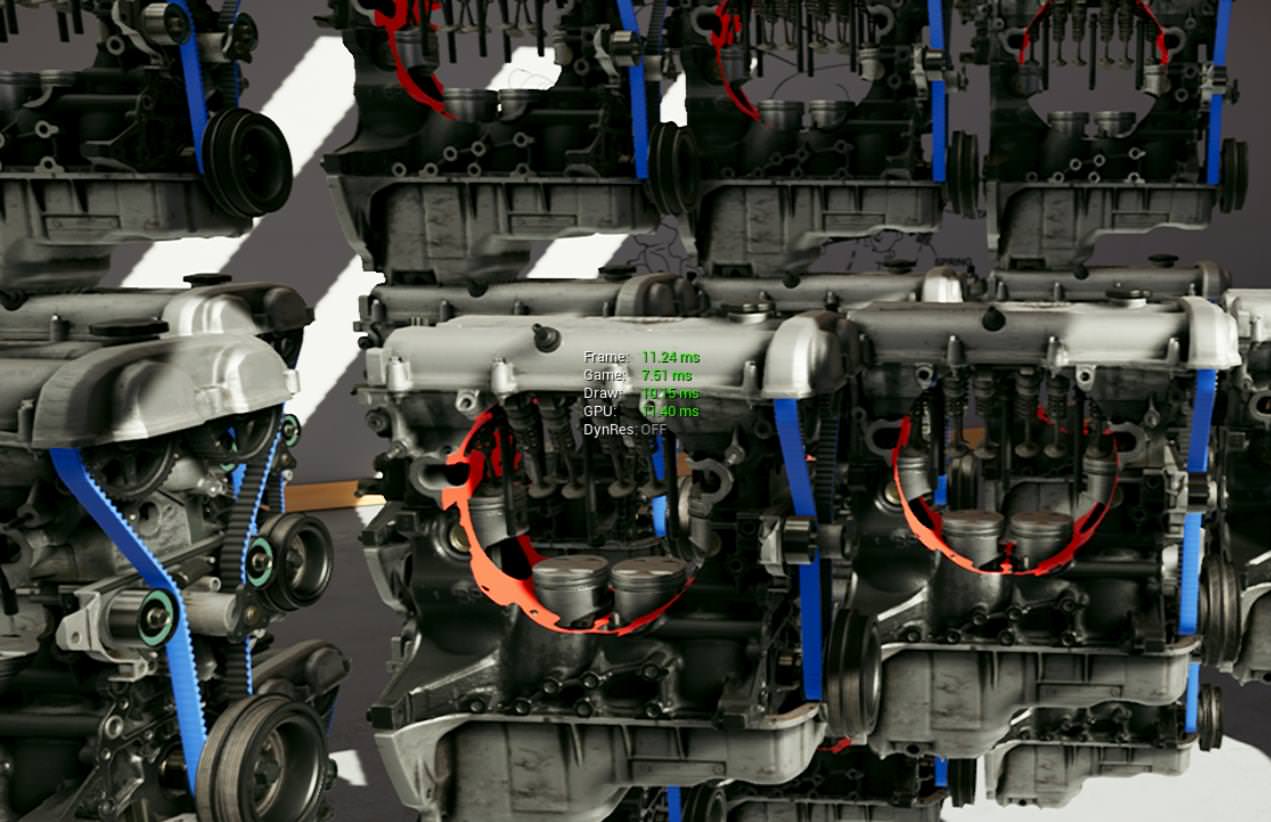


 sonic lake
You are good also from a CPU standpoint. There is still room in the Game Thread, your Draw Thread is the one taking most time.
For your fun you can do a stat unitgraph and move around in the scene, see how the different times change.
sly elk
yeah, Its at a density where it hits a limit for complexity there things either lod or occlude as you move around. That view is about the hardest stress test I could make
sonic lake
do you have a lot of quad overdraws?
sly elk
Its not something I usually test for. With my content workflow its not something I can or am really willing to optimize for
sonic lake
That may help to reduce the load on the GPU but at these levels you don't really need it.