#virtual-reality
1 messages · Page 17 of 1
 mint path
 solid tinsel
I have a project where I use a character mover to let me walk around. Due to another part of the project, I have a system that checks if the player is on the ground every tick and if they are not, it enables physics and lets them fall to the ground. I am attempting to add jumping, which I tried to do by having it enable physics and then add an upwards z velocity.
I'm having a weird issue where the first jump works as expected, but every jump afterwards does nothing. I know that character mover has a built in jump function, but I'm worried that it might conflict with my check that determines if the player is on the ground. Should I try switching to that?
 dusky arrow
I have a UE5.5.4/Meta project I am trying to optimise. I have a small amount of draw calls (2-300), within reccomended tri's (800,000) forward rendering, one or two simple materials etc, no PP. No major stuff/ticks going on in BP's But I cannot get my framerate above around 30/40 fps. I have tried almost every project setting/MetaXR setting I can and I just cannot get the framerate up to 72. I am wondering if there is some issue with 5.5.4 I am unaware of or some .ini setting I can try to try and get the framerate up - any thoughts? Have been pulling my hair out for a week trying everything.
 sturdy coral
dusky arrow
I have a UE5.5.4/Meta project I am trying to optimise. I have a small amount of ...
sturdy coral
dusky arrow
I have a UE5.5.4/Meta project I am trying to optimise. I have a small amount of ...
first see if you can hit 72 with a mostly empty test scene and low res
if you can run that ok , then add just your lights/shadow setup, make sure that still hits 72 at low res, then add your other fixed scene elements, if that goes over, remove them and add them in gradually over time testing to see where it goes over
 rocky nexus
Dont change anything, run insights on device
 last night
dusky arrow
I have a UE5.5.4/Meta project I am trying to optimise. I have a small amount of ...
last night
dusky arrow
I have a UE5.5.4/Meta project I am trying to optimise. I have a small amount of ...
have you disabled HDR? in the settings
that's a performance hit
also, have you baked the lighting?
dusky arrow
Yeah, baked lighting and HDR disabled
 silk lodge
dusky arrow
Yeah, baked lighting and HDR disabled
silk lodge
dusky arrow
Yeah, baked lighting and HDR disabled
try dropping the screen res to see if it's gpu or cpu bound.
 gloomy bloom
Maybe I misunderstood but isn’t the fps shown for vr doubled because of the split screens?
 paper trout
is it possible to add a widget overlay to the spectator camera?
i want to add a vhs static overlay to my spectator camera
last night
gloomy bloom
Maybe I misunderstood but isn’t the fps shown for vr doubled because of the spli...
depends if its stand alone or through pc
 waxen tartan
Hey can anyone know which login method is best suitable for oculus and also which plugin is good like eos or playfab ping me please
 idle osprey
When the VR Template gets updated, is there any documentation or tutorial on the changes? Or do most people just get in there and dissect it to see what's changed? That's what I've always done, but I was wondering if I'm missing out on something.
 noble stump
hi guys, i have a weird issue [probably knowledge/skill issue] - i use meta 5.3 with VRE plugin and while VRE things work as a separate objects [in different actors], when i put for example a VR lever component in my pawn [so basically in the same actor motion controllers are] it flies away on "Grip Component" event. Is there something i'm missing, or those things aren't supposed to be in the same actor?
 hallow knoll
idle osprey
When the VR Template gets updated, is there any documentation or tutorial on the...
hallow knoll
idle osprey
When the VR Template gets updated, is there any documentation or tutorial on the...
Our Minor release notes cover most of the changes. I usually add "VR Template" to the beginning of the commit message, so you can search for that to find the relevant changes and updates
dusky arrow
on my PCVR version of my game I use a 'shader compiler screen' plugin to preload textures/particles to avoid texture/Niagara popping in glitches - I have noticed some other Quest games preloading textures and wondering what the best method is for Android to avoid slow texture loads etc - have tried using the same system/plugin for my Quest version but it insta-crashes my builds every time?
silk lodge
dusky arrow
on my PCVR version of my game I use a 'shader compiler screen' plugin to preload...

Epic Games Developer
Step-by-step walkthrough for creating a bundled PSO cache for an Android device.
dusky arrow
silk lodge
https://dev.epicgames.com/documentation/en-us/unreal-engine/creating-bundled-pso...
Perfect - thankyou!
 brittle path
Hi all, trying to debug an app for Quest 3 with ADGE from Visual Studio. When I launch the debugger it says the build and apk packaging succeed, but then I get this error message

 wheat wyvern
Hi, I'm trying to add physics logic on doors in VR. So far, I can deal with the physics part to push the door itself but cannot add a door knob or handle which would allow to manipulate this door like in reality (which is annoying when the door is closed) - somehow like in half life alyx. I tried with a grab component and the hnadle and attched the handle to the door in a BP but obvisously the grab take over the all thing and I end up with door in my hand like any other throwable objects... Any help or idea ? of maybe a good tutorial ? Thanks in advance !
It seems it's physics handle I'd need but just do not know how to implement this ( i already have implemented a non physics method but the click to open I do not like... not natural even if it did the job so far It breaks immersion)
silk lodge
wheat wyvern
Hi, I'm trying to add physics logic on doors in VR. So far, I can deal with the ...
does the physics handle work with physics constraints? https://dev.epicgames.com/documentation/en-us/unreal-engine/physics-constraint-component-user-guide-in-unreal-engine

Epic Games Developer
A user guide on using the Physics Constraint Component in Blueprints.
gloomy bloom
Gotta say that depending on the game you may be better off just using the non physics method
Over immersion in vr is just a headache for players
wheat wyvern
gloomy bloom
Over immersion in vr is just a headache for players
On my case, it’s a product already used by guides in guides vr tours I based this thing on their demands 🙂
wheat wyvern
silk lodge
does the physics handle work with physics constraints? https://dev.epicgames.com...
I don’t know of it works with constraints indeed
These door things are a real headache with physics. Someone at valve talked about it in the past saying they hard a had Time implementing this
I have a look at the basement project but do not like the way they’ve handled this problem. Lacks fluidity
silk lodge
the hands in HLA don't follow your controllers 1:1 so they make it look better than it is. Start by solving the problem in a simulation without needing VR, and see where you end up
also consider not using physics
sturdy coral
@hallow knoll will Galaxy XR standalone be workable with Unreal in 5.7?
silk lodge
@sturdy coral does it already work just using openxr?
sturdy coral
silk lodge
<@223705852412952578> does it already work just using openxr?
I'm not sure, it does support openxr though
screen res won't be usable without foveated and stuff but I think the engine has that in base mobile openxr now
virtualdesktop is going to support the eye/face tracking for PCVR with it on day one too
silk lodge
I will try to install an unreal 5.4 openXR only app tomorrow perhaps
 native tiger
Hey, I was working on my Archviz VR project in UE 5.4.4. I had Lumen enabled for reflections and translucency, with baked lighting using GPU Lightmass. I had forward shading disabled, the AA method set to TAA, and instanced stereo amd mobile multiview disabled. Everything was working fine earlier, but suddenly the right eye started flickering. And no reflections were visible on right side I have no idea why this is happening
 solar loom
Hi,
I created a VR app based on the VR template for my Quest 3. I added hand tracking for OpenXR. Everything seems to work, but when I don't use the controllers the app seems to pause and I can't seem to find why that is.
Anyone have any clues for this?
 limpid widget
We are on 5.3 and we get crash reports with
"LowLevelFatalError [File:C:\Users...\Desktop\UnrealEngine-5.3\Engine\Plugins\Runtime\OpenXR\Source\OpenXRHMD\Private\OpenXRHMD_Swapchain.cpp] [Line: 93] Failed to wait on acquired swapchain image. This usually indicates a problem with the OpenXR runtime."
Is there anything we can do about this? Anyone experiended similiar crashes?
sturdy coral
silk lodge
I will try to install an unreal 5.4 openXR only app tomorrow perhaps
did you get one in already?
mines coming I think nov 3rd
limpid widget
I just posted on the forum for an issue or maybe missunderstanding regarding using OpenXR in 5.6 or 5.7 for Pico and Focus
https://forums.unrealengine.com/t/focus-3-and-pico-4-not-working-with-standard-vr-template-in-5-6/2668586
Summary: without vendor plugins it does not work in the hmds, unlike in other engines

Epic Developer Community Forums
Hey, Currently we are stuck on 5.3 due to the Focus 3 Plugin not supporting more newer versions. But as it is Openxr, it should work regardless with never engine versions. It does work with latest Godot and Unity versions and there is no need to manually update using the OpenXR / Khronos loader there. I saw that in 5.6 and 5.7, there is the ...
 plucky smelt
hello everyone. i have a question. are there any decent video tutorials on how to make a metaverse in UE? i've seen them for unity and i found a couple for UE but they're really old
i was just wondering if there were any updated tutorials i might have missed perhaps on udemy. i have searched but i havent really found anything. theres a metaverse builder for unity called sinescape but until atavism for UE is released i'm currently stuck in vr limbo as to how to start making one. I do have experience with UE i'm just in a bit of a bind on how to make something like VRC in UE. any pointers or suggestions would be appreciated
 raw siren
hey, is there anyone who use vive trackers in an unreal engine project ?
silk lodge
sturdy coral
did you get one in already?
A friend got one on Thursday ~ will attempt soon
silk lodge
raw siren
hey, is there anyone who use vive trackers in an unreal engine project ?
I did a long time ago
silk lodge
plucky smelt
i was just wondering if there were any updated tutorials i might have missed per...
You can start with the unreal multi user collab viewer

Epic Games Developer
Describes how to get started doing collaborative VR and desktop design reviews with the Collab Viewer Templates.
 worldly peak
After updating the meta forked engine from 5.5.1 to 5.5.4.... r.Mobile.TonemapSubpass 1 cause the screen to be black on the Quest.
Same project as before and these should be nothing that has changed in the project settings. Did anyone else have similar issues
rocky nexus
thats what happens when we upgrade, random stuff breaks 💀
 dense stag
Hi there! I've got a project build in UE 5.4 (Meta branch), since my Quest 3 updated to v81 this weekend looks like I have gained back all the performance lost since v76 (without changing anything, same APK), stable 90 fps again and no body tracking stutters, I think i want to cry 🥹
Anyone else noticed?
 timid talon
worldly peak
After updating the meta forked engine from 5.5.1 to 5.5.4.... r.Mobile.TonemapSu...
timid talon
worldly peak
After updating the meta forked engine from 5.5.1 to 5.5.4.... r.Mobile.TonemapSu...
Q2 or Q3? I've had that on 2 only
<@&213101288538374145> helpa
Thanks mr mod
worldly peak
timid talon
Q2 or Q3? I've had that on 2 only
Quest 3
timid talon
worldly peak
Quest 3
The only suggestion I have is to check if this happens with other render settings such as hdr, multiview etc. I haven't found a combination where all features work together as of 5.5.4
Due to a bunch of mistakes in the meta code
worldly peak
Yeah, right now im trying 5.6 which meta just released couple days ago.
If that does not work im going back to 5.5.1
timid talon
Haven't tested 5.6 yet but good luck
 amber tartan
Do these delegates not work in 5.4? ....

Im having issue with unreal reset position and orientation conflicting with the Meta recentering
Really pulling my hair over this T T
silk lodge
amber tartan
Do these delegates not work in 5.4? ....
this is the worst stuff to deal with atm! GL!
I think the workaround I had was something with anchors so we could keep a consistant position
worldly peak
worldly peak
After updating the meta forked engine from 5.5.1 to 5.5.4.... r.Mobile.TonemapSu...
Ok this is the stupidest engine bug of all time (in the meta fork).
In 5.5.4 and 5.6.0 in order to use the r.Mobile.TonemapSubpass 1... You need to have occlusion culling enabled and set r.Mobile.AdrenoOcclusionMode 1
If you don't do that, the screen will be black on Quest standalone
Such a stupid way to waste my time trying to figure that out
And also... It is kind of a problem because the performance is worse with culling enabled. I have distance culling already because of a fog I have in the game.
At least its fixed now
 crystal scarab
I am in need of a fully setup VR Multiplayer template as seen in Unity. Is there any option that people have used?
I really don't want to move to Unity for its Photon based free multiplayer template as I like using faster blueprint scripting.
Thanks
 carmine yoke
Has anyone tried to Set a user parameter on a niagara effect for use in Quest 3?
It updates fine in editor and PCVR but not on Android Quest 3.
Any ideas on a fix?
silk lodge
crystal scarab
I am in need of a fully setup VR Multiplayer template as seen in Unity. Is there...
 visual plinth
Hi, I'm testing water plugin for UE5.6 and VR. When I try to play in VR mode the editor its crashed and gave me this error Error: appError called: Assertion failed: !EnumHasAnyFlags(TextureDesc.Flags, ETextureCreateFlags::RenderTargetable | ETextureCreateFlags::ResolveTargetable) [File:D:\build++UE5\Sync\Engine\Source\Runtime\D3D12RHI\Private\D3D12Texture.cpp] [Line: 301] - How to resolve this problem?
gloomy bloom
Use cartoon water instead of?
gloomy bloom
visual plinth
Hi, I'm testing water plugin for UE5.6 and VR. When I try to play in VR mode the...
Did you start a new vr project or just add vr to an existing project?
visual plinth
@gloomy bloom add it ot existing.
gloomy bloom
Ocean or river ? @visual plinth
gloomy bloom
Ok I’m opening a new vr project and will add an ocean here in a moment and report results
Da fuq
 visual plinth
@gloomy bloom new empty scene then add vr template.
gloomy bloom
I’ll kill this bot if it’s the last thing I do !
visual plinth
ok
gloomy bloom
Killing time between shaders 🤣
visual plinth
take a coffee or something harder 😄
gloomy bloom
Already there
 visual plinth
its friday
gloomy bloom
Didn’t get the same error but I also didn’t get much worth even looking at, doesn’t seem like water is vr friendly at all
gloomy bloom
No crash but a definite fuck you i don’t wanna do this vibe
Water seemed to flicker a lot and everything was bogged down by the unnecessary expanse of water
visual plinth
I see.
crystal scarab
silk lodge
https://dev.epicgames.com/documentation/en-us/unreal-engine/collab-viewer-templa...
Thanks.
 ashen knot
did any one successfully manage to package for android (meta quest devices) on either 5.6.1 binary with meta xr plugin or the meta fork? I have been trying for days and only get "unknown error" thrown in the logs.
dusky arrow
How would I diagnose an app that is crashing on startup in META? - I upload my build to the headset and when started it instantly shuts down and I am struggling to find out why - the meta dev app logs are no use and doesn't indicate any reason why it is shutting down - annoyingly previous builds worked fine but they seemed to have stopped working since updating to MetaV81
dusky arrow
ashen knot
did any one successfully manage to package for android (meta quest devices) on e...
Do you use version control? I have found my build fails if any of the build/binaries folders are locked using VC/perforce for me
ashen knot
dusky arrow
Do you use version control? I have found my build fails if any of the build/bina...
no I did not, strictly followed the steps in the documantation as well, everything was done locally.
 charred trellis
Hey, does anyone know of a way to check if a user has the correct OpenXR runtime set? I find so many issues that come up are a result of that and it would be nice to be able to alert the player what is wrong.
Any ideas?
 buoyant zealot
dusky arrow
How would I diagnose an app that is crashing on startup in META? - I upload my b...
buoyant zealot
dusky arrow
How would I diagnose an app that is crashing on startup in META? - I upload my b...
if you start it from the project launcher in Unreal, you should see the console output on your PC, which should give you an idea of what's going on
dusky arrow
buoyant zealot
if you start it from the project launcher in Unreal, you should see the console ...
You mean PIE? The game runs in VRPreview ok and in ADB mode. I can also run the game fine in the Meta simulator but as soon as it goes on the headset it crashes. This is from the headset log and seems to be the culprit but I cant get to the bottom of what is causing this

 last estuary
/remove portfoloio 1435589631986110505
 sage gulch
Removed.
 coarse vigil
clothing skeletal meshes skinned to the metahuman rig is breaking in quest... any thoughts?
coarse vigil
May be bone limit lods?
coarse vigil
Maya export gets best results but slight errors still vs blender
 glad temple
Is Steam Frame supported? (First, also kidding)
paper trout
day 1 of asking for meta for 5.7 (jk)
 dreamy ivy
silk lodge
will it natively run apks for quest openxr? probably
dreamy ivy
silk lodge
will it natively run apks for quest openxr? probably
Yes it does. It's been confirmed you can side load android APK's to it. So steamOS will most likely translate controls to OpenXR.
paper trout
if the frame has mouth tracking id be so hype - obviously a niche thing but god i want to leave meta behind
silk lodge
there's a connection spot where you'd add that
 eternal widget
Is there a way to make Vive Cosmos controllers compatible with UE 4.27?
On their documentation page, says it's only available with version 2.0, which uses UE 5.
https://developer.vive.com/resources/openxr/unreal/unreal-tutorials/controller/
Was thinking to take the UE5 plugin and jerry rig it to work with UE4, but that would be a bit of work...
eternal widget
Looping back around. Seems to be another plugin called "Wave VR" Vive uses. Going to try using this to make it compatible:
https://hub.vive.com/storage/docs/en-us/UnrealPlugin/UnrealPlugin.html
 nocturne mesa
is anyone here good with vr? im trying to make a card game and snap the card into my hand via line trace kinda thing
silk lodge
do a trace to whatever collision channel you've got set for the card, and then have a place (perhaps an arrow) where the card will snap to, and perhaps offset it's rotation based on the number of cards in your hand @nocturne mesa
dusky arrow
Is there a way of getting the render target of a widget into a stereo layer? Struggling to work out how to do it. Stereo layer requires a texture 2d, but I cant work out how to get that from an existing widget?
sturdy coral
dusky arrow
Is there a way of getting the render target of a widget into a stereo layer? Str...
WidgetComponent.h

    /** Returns the render target to which the user widget is rendered */
    UFUNCTION(BlueprintCallable, Category=UserInterface)
    UMG_API UTextureRenderTarget2D* GetRenderTarget() const;```

Will that work for it? I think FLayerDec takes UTexture that it is a subclass of.Thanks - is there a BP node that does this? I see there is a 'Get Render target' node for the widget but not sure where I need to connect it to get it into the texture input of the Stereo Layer component (which is in another BP - the VRPlayer Pawn)
 random forge
Please help me fix the missing Starter Content.

 half geyser
Any standalone VR (eg;Quest3) lighting experts here? I could use some advice and may have some paid work available
sturdy coral
random forge
Please help me fix the missing Starter Content.
try verify files in the launcher
 wraith sky
Hello. I'm looking for a reason why GPU timestamps do not show up on my android unreal insights session, and found someone mention that Android does not support it. Is that true or the issue somewhere else?
 sullen vortex
Hi everyone, my scene has 4 floors, controlled by a NavMeshBoundVolume. i'm having an issue when trying to teleport on current floor if there is a floor underneath. Everytime i have a floor underneath it ends picking that floor instead of current floor. Any ideas?
 silk lodge
you need something to block the teleport raycast or however you're trying to set thatup
sullen vortex
yeah, tried using vav modifiers volume but didnt work
silk lodge
are you doing "find a point on a nav mesh" and reaching too far?
sullen vortex
i'm using VRE pawn with its teleport logic.
 silk lodge
@sullen vortex what's that get teleport destination node?
worldly peak
Does someone have experience getting the Meta Quest username
None of these methods seem to work.
Im using the Oculus login method on EOS

I got the permissions from meta for the data access
In AndroidEngine.ini I have this....
EIK is a plugin using EOS
DefaultPlatformService=EIK
NativePlatformService=Oculus

[OnlineSubsystemOculus]
bEnabled=true
OculusAppId=#MyAppIDIsHere#```Arready fixed it, found a function that contained a vector, forced Z to used a small unit and voila!
silk lodge
sullen vortex
Arready fixed it, found a function that contained a vector, forced Z to used a s...
Good catch! The find point on nav mesh node can easily reach too far in unexpected directions
 fair timber
Has anyone been able to get virtual scouting 2.0 working with multi-user? It's working great but only the most recent person to enter VR mode is able to see the UMG widgets
@hallow knoll ?
fair timber
Everyone else just gets blank pallet mesh
nocturne mesa
Hi there ppls, im working on a card game project in vr, the issue is not so much a vr but a bp thing. Someone please help or dm me so i can hop in a call and showcase the issues. Thank you for your time 😊😁
worldly peak
worldly peak
Does someone have experience getting the Meta Quest username
None of these meth...
This was the correct way to get the meta username

 maiden seal
Hi everyone !
Does anyone has good ressources for importing AAR files for android releases ?
I'm making a plugin that should use DLL library for windows releases and AAR library for android releases.
But rencently i tried updating my plugin to more recent UE Versions and i just can't make it to work. I tried switching from APL to UPL but ressources are few and i came to the conclusion that it should be better to just start anew instead of trying to update something that was designed 7 years ago (given both Android and Unreal have change so much and i am not the dev who originaly designed this library)
(I posted in #mobile but since my plugin is for VR games, i though this would be a good place to ask too)
hallow knoll
fair timber
Has anyone been able to get virtual scouting 2.0 working with multi-user? It's w...
I assume it was you that also posted on the Forums? We responded there: https://forums.unrealengine.com/t/xr-creative-framework/772455/22?u=victorlerp

Epic Developer Community Forums
Some good news. I have tracked the issue down and found it is because when you enter VR the CustomDepthStencil is being set. This is causing the widget component in the Avatar to get invalidated. There are two possible short term solutions. The first is to turn off MU transacting CVAR changes. You can do this from the Console Variable Editor: ...
hallow knoll
nocturne mesa
Hi there ppls, im working on a card game project in vr, the issue is not so much...
It's better to describe your issue in a post as it's unlikely that anyone will hop on a call when they don't know what the issue is
fair timber
hallow knoll
I assume it was you that also posted on the Forums? We responded there: https://...
Missed this!! Thank you so much to you and Richard. Absolute legends. Can't wait to get this going tomorrow.
 ebon scaffold
I know the Lyra template isn't technically supported for VR but I've been running it fine with my custom project until I upgraded to 5.7 engine and now I'm getting a fatal crash both in-game and while editing. I was not encountering this in 5.6, and I'm able to repro it in a vanilla fresh Lyra project too running in 5.7 if I add this render setting to the Engine config:
vr.InstancedStereo=True
The crash happens when I PIE into ShooterGym. I've narrowed it down to the Lyra HUD widget where even if I open it to edit I will get a crash as well -- my HMD isn't turned on nor even connected if that matters, since all I'm trying to do is edit the widget. Unsure how to fix, or what material / shader is the culprit so I could remove it from the HUD

 violet spear
Hi Devs
any Idea of how to solve this collision issue for rolling ball into the maze?
FYI, ball and maze are a different BP classes. ball is a physic actor and maze blocks it.
for maze I've used simple collision in the mesh editor and checked the use ccd for both of them!
substepping: checked - max substep: 10 - Max Substep Delta Time: 0.01
position iteration 1000 - VelocityIterations: 900 - Velocity Iterations: 900
Thx in advance


 ripe crypt
Hello anyone using Quest 3 with spatial anchors, i tried the sample and even after marking a single anchor the anchors drifts by about 2-3 cm almost immediately. If i save and load the anchor it loads at the correct location. Is there something that i might be doing incorrectly?
 jade kettle
Hey there, my colleague's been having a VR issue that affects specifically her computer. The first time she launches a VR preview, everything is ok, but attempts after that she gets a glitched VR display and these errors in the output log:
LogOutputDevice: Error: === Handled ensure: ===
LogOutputDevice: Error: Ensure condition failed: ((Result) >= 0)  [File:D:\build\++UE5\Sync\Engine\Plugins\Runtime\OpenXR\Source\OpenXRHMD\Private\OpenXRHMD.cpp] [Line: 3407]
LogOutputDevice: Error: OpenXR call failed with result XR_ERROR_RUNTIME_FAILURE
LogOutputDevice: Error: Stack:
LogOutputDevice: Error: [Callstack] 0x00007ff9fea207f5 UnrealEditor-OpenXRHMD.dll!UnknownFunction []
LogOutputDevice: Error: [Callstack] 0x00007ff9fea255ce UnrealEditor-OpenXRHMD.dll!UnknownFunction []
LogOutputDevice: Error: [Callstack] 0x00007ff9fca40480 UnrealEditor-D3D12RHI.dll!UnknownFunction []
LogOutputDevice: Error: [Callstack] 0x00007ff9fca3ff80 UnrealEditor-D3D12RHI.dll!UnknownFunction []
LogOutputDevice: Error: [Callstack] 0x00007ff9fca425cc UnrealEditor-D3D12RHI.dll!UnknownFunction []
LogOutputDevice: Error: [Callstack] 0x00007ffa3d6c3272 UnrealEditor-RHI.dll!UnknownFunction []
LogOutputDevice: Error: [Callstack] 0x00007ffa3d6c0a54 UnrealEditor-RHI.dll!UnknownFunction []
LogOutputDevice: Error: [Callstack] 0x00007ffa3d6aaf83 UnrealEditor-RHI.dll!UnknownFunction []
LogOutputDevice: Error: [Callstack] 0x00007ffa3d6c652c UnrealEditor-RHI.dll!UnknownFunction []
LogOutputDevice: Error: [Callstack] 0x00007ffa34641c9f UnrealEditor-Core.dll!UnknownFunction []
LogOutputDevice: Error: [Callstack] 0x00007ffa346422ae UnrealEditor-Core.dll!UnknownFunction []
LogOutputDevice: Error: [Callstack] 0x00007ffa3d93e4ff UnrealEditor-RenderCore.dll!UnknownFunction []
LogOutputDevice: Error: [Callstack] 0x00007ffa34c34e32 UnrealEditor-Core.dll!UnknownFunction []
LogOutputDevice: Error: [Callstack] 0x00007ffa34c28667 UnrealEditor-Core.dll!UnknownFunction []
LogOutputDevice: Error: [Callstack] 0x00007ffacb83e8d7 KERNEL32.DLL!UnknownFunction []
LogOutputDevice: Error: [Callstack] 0x00007ffacd1ec53c ntdll.dll!UnknownFunction []
LogStats:                SubmitErrorReport -  0.000 s
LogRHI: Error: Breadcrumbs 'RHIThread'
 light comet
First thing to do is install Debug Symbols
jade kettle
Right,
We managed to do a troubleshooting session. Every time a message from a Print String node appears, we get a severe FPS drop
This doesn't happen on the first VR session but it does on subsequent VR sessions
jade kettle
Ok it occurs on our Vive Focus 3 headset but not the Pico headset so
I have no idea what the hell is going on 🫠
sage gulch
violet spear
Hi Devs
any Idea of how to solve this collision issue for rolling ball into the ...
try with the default iterations but use Complex as Simple on the mesh[es]
violet spear
sage gulch
try with the default iterations but use Complex as Simple on the mesh[es]
Thx for the response
I'll try it and will let you know about the result on Saturday.
 bleak blade
My packaged game runs at 120 on PC but 28-32 on VR!? Is there a way I can get VR to 60 FPS? I know it renders twice and everything but this much of a difference seems a little much

 sage gulch
how's your quad overdraw cost and shader complexity in that scene? some rendering settings are better/worse, too
bleak blade
sage gulch
how's your quad overdraw cost and shader complexity in that scene? some renderin...

Doesn't seem bad at all.
sage gulch
is some of that Nanite?
sage gulch
well provided you've reviewed the rest of the suggested/relevant render settings, I'd say it must be something in your scene and start axing things until you can track it down, lighting or RVT stuff maybe? there are lots of stats you can check too but not sure how evident that might be without knowing what to look for..
bleak blade
I do use 2 RVT maps but I only use one for base color and the other for mask
Would that be the issue?
sage gulch
well the resolution will have an impact to some degree at least
bleak blade
Ill send pics of their settings


I thought I made them pretty optimized... I need the mask one 100% because I use it for my main game feature
And the landscape one Is to make my grass look good so I kinda need that one too
Makes the grass blend into the landscape
sage gulch
I haven't played with that stuff much myself but 32kiTexels might be a lot, anything over 1k textures can start to get problematic depending on the scene
bleak blade
Really? anything lower get a super low quality result
sage gulch
there's an endless amount of optimization tricks out there ymmv
make sure the grass isn't unoptimized, or toggle it for a quick test etc
sage gulch
forward shaded, stereo instancing, round robin occlusion?
bleak blade
Forward shading yes stereo instancing yes round robin occlusion no (Idk what that is should I have it)
sage gulch
it's generally recommended for VR yes
maybe check your lightmap resolution and/or light overlap as well? good luck
bleak blade
I don't use any lights besides the main sun light😭
sage gulch
I'm toying with that now, but avoided it in the past because of performance..
🤞
there are some settings in there relating to world size and scattering etc that might be the trick
bleak blade
Idk my game runs at 120 flatscreen so I know its not really my scene in general I dont think
This is all in a packaged build too
sage gulch
I hear ya
rocky nexus
check your vr resolution scale, see if it gets better when you reduce it
i had a fun issue in one of my materials once, used wrong texture compression and it was scalling super poorly with resolution
gotta run some insights to be sure, or even something like render doc
violet spear
sage gulch
try with the default iterations but use Complex as Simple on the mesh[es]
Negative
And you can't simulate physic a mesh with complex collision as simple! (5.2.1)
 tawdry swift
Great reaction to our Unreal VR game https://youtu.be/QWOZDyO3_w8?si=sB93t_Qdb3heR89b

I jumped right into this game knowing very little, and I loved it! As it is a fairly new game with an in-depth story, I only played the first two levels as I don't want to spoil it for you if you want to try it out, but do let me know if you want me to play more, and I'll do a little playthrough of it as it is such a fun and challenging experein...
silk lodge
bleak blade
Not a huge map either
did you check the frame timing? Run the game in editor, make sure the game window is in focus, and press ctrl + shift + , and then check what's eating you gpu. What gpu btw? What render resolution?
bleak blade
silk lodge
did you check the frame timing? Run the game in editor, make sure the game windo...
I figured out that it was my virtual desktop not being set to a high enough frame rate
game runs at 60 now
Witch is fine for me
silk lodge
tawdry swift
Great reaction to our Unreal VR game https://youtu.be/QWOZDyO3_w8?si=sB93t_Qdb3h...
are you fighting germs in that game inside a blood vessel? That's pretty creative!
tawdry swift
silk lodge
are you fighting germs in that game inside a blood vessel? That's pretty creativ...
Ha! I know it looks like it right? But it’s actually in what we call in the game the slipstream…. It connects different realities.
 hardy phoenix
Does anyone have any practical experience on high end headsets, etc. Apple Vision Pro?
Specifically looking for experience with Nanite and virtual texture workflow.
 hexed hull
using the Depth API in a meta quest app, i'm wondering whether anyone knows of a straightforward way to exclude the controller models from the depth-based occlusion. i'm using UXRDeviceVisualizationComponent so i don't think i have direct access to the materials they use. i would like the controller models to remain visible in passthrough, but when i StartEnvironmentDepth, the depth check for the player's hands and actual controllers causes them to partially render over the top of the controller models.
silk lodge
hexed hull
using the Depth API in a meta quest app, i'm wondering whether anyone knows of a...
if you're using the quest controllers you can download the art models and setup your own shaders perhaps?
hexed hull
i suppose the models and materials are there, i'd just lose the automatic device matching 🤔 do you happen to know what i would need to do in the material to exclude it from the depth occlusion?
silk lodge
hexed hull
i suppose the models and materials are there, i'd just lose the automatic device...
there's something like ignore depth pass in the material properties
hexed hull
hmm ok, I'll check that out. thanks for the response!
 desert rivet
Hi guys
I am a newbie, need help testing VR template without VR hardware. Whats the best way to create controls WSAD and Move Mouse for the VRPAWN, I tried (This HMD Simulator) plugin for 5.3.2 but for some reason it required rebuilding and after so many trials and building from source it aint working at all.
So I decided to just emulate VR hands and bind some controls to keyboard and mouse. Can some1 please help me ?
silk lodge
desert rivet
Hi guys
did you try the meta xr simulator? it's an openXR thing that let's you do about what you're saying
 sonic lake
This channel is not suited for self promotion. Please read the #rules . We have a job board to showcase and promote your capabilities. Kindly remove this and post there.
 quiet swan
Is anyone using 5.7.1 and notice any occlusion bugs with meshes popping in and out ?
 jovial grove
hexed hull
i suppose the models and materials are there, i'd just lose the automatic device...
jovial grove
hexed hull
i suppose the models and materials are there, i'd just lose the automatic device...
Never worked with the component, but unreal works on unreal, so you could find the material that the actual component uses and alter that
sage gulch
you have to make a material transparent and then there is a checkbox setting for depth checking
desert rivet
silk lodge
did you try the meta xr simulator? it's an openXR thing that let's you do about ...
U saved me, THANKS
silk lodge
desert rivet
U saved me, THANKS
Glad I could help! Have fun developing!
wraith sky
Hello. I wonder if there is a way to eject player in PIE ? Or debug/view/propagate changes from Editor view while in PIE?
jade kettle
So what's the state of the art for OpenXR actually? Do you basically still need to install each manufacturer's OpenXR plugin?
silk lodge
jade kettle
So what's the state of the art for OpenXR actually? Do you basically still need ...
you can do a lot just using unreal's openXR plugin
 jovial violet
Hey guys can a VR genius please take a look at my horrible situation here please?
https://forums.unrealengine.com/t/vr-lighting-issue-right-lens/2684236

Epic Developer Community Forums
please for the love of my own sanity guys why is this STILL an issue no matter what engine version I’m using. UE 5.6.1 - Forward Shading - Baked Lighting - Cast dynamic shadows: false (except for movable sky light/ sun) The left lens renders perfectly fine, zero issues. Right lens no matter the project is always like this. I’m so tired of...
I'm all out of ideas
silk lodge
jovial violet
Hey guys can a VR genius please take a look at my horrible situation here please...
do you see it in editor or just in quest? is it a quest specific issue?
jovial violet
silk lodge
do you see it in editor or just in quest? is it a quest specific issue?
Hey, I don't seem to see it in editor, not even in preview mode for android
I'm getting closer to figuring this out. It seems that maybe it's a lighting scenario issue that isn't loading lightmaps properly when doing level streaming to load levels.
If I load into the level itself without level streaming, lighting is fine
and no lens issue
silk lodge
that's crazy, lighting scenarios m ight fail with volumetric lightmaps
 opaque skiff
Hi everyone! I’m trying to pull off a hybrid (VR/non-VR) setup but not getting my head around the runtime switch thing. Something like in Substance Modeler where you put on the headset and switch to the VR mode, but otherwise you still play traditionally with a gamepad or kb+m. Any ideas on how to set something like this?
 polar basin
Hey everyone! Just wanted to share our PCVR project we made for a hackathon.
We made this using Unreal Engine 5.6 with MetaXR SDK.
Browse innovative hackathon projects, vote for your favorites by track, and celebrate the creativity of builders from around the world.

 open condor
So... 5.6.1... is android still broken? I'm getting
clang++ error linker command failed
and
LD.lld error undefined symbol..
I saw gdxr 's post from August but figured it was fixable by now... I've tried reinstalling Android and and sdk multiple times both manual and turnkey..if this is solved I'd greatly appreciate pointing me in the right direction. Thanks
open condor
open condor
So... 5.6.1... is android still broken? I'm getting
clang++ error linker command...
I found the answer right after posting:

Epic Developer Community Forums
I’m currently trying a test build out to Meta Quest/Android using last state of 5.6 source-built branch, and hit this linking issue. The provided src-patch seems to solve it. The problem seems to be it’s defined in the UE 5.6 source now, but it still won’t link in the Android build due to thread_local visibility issues, is my local guess....
 sonic gulch
open condor
I found the answer right after posting:
https://forums.unrealengine.com/t/missi...
sonic gulch
open condor
I found the answer right after posting:
https://forums.unrealengine.com/t/missi...
I also ran into this problem today as well when trying to build. Did you just add that to the module that the class falls under that is mad? I am using 5.7.1 and it also throws this error
sage gulch
it says it was fixed by moving the plugin to the engine.. presumably this means the Meta plugin
open condor
sonic gulch
I also ran into this problem today as well when trying to build. Did you just ad...
I created a new cpp file in my plugin and copy/pasted that code into the file. That was it. I presume you could put it into any plugin or your project source.
So I didn't need to move anything to the engine.
sonic gulch
I recently updated my project to 5.7.1 and for some reason I get this weird rendering issue in my builds. (PIE looks fine) Any ideas what could cause this? It renders in only a square and doesn't take up the entire POV. For some reason, I think translucent materials are unaffected
rocky nexus
wonders of updating stuff 🙁
jovial violet
Guys why don't translucent materials work on the quest 3? Does anyone know
native tiger
Hi guys, I need help. I'm using a cable component for a fire extinguisher model and facing a jittering issue with the cable. How do I fix this?
jovial grove
FFR doesnt seem to enable for me on Quest 2, UE5.6.1, anyone had to deal with that?
I see there's VRS and OXR foveation, trying to package with both at 4
nope, didnt help, F
sage gulch
afaik you need to use Meta branch for FFR to work
silk lodge
I have unreal 5.6.1 with FFR working not in the meta branch, upgraded from 543, didn't change anything for FFR, but did have to update the pixel density (now secondary screen percentage)
sage gulch
whoops you're right, my mistake, I was thinking about the option to change FFR window shape.. someone told me you can do it in Meta branch, though I don't see it in 5.4.4.. apparently in Godot you can define the shape via a texture

 trail trellis
Hi everyone,
I’ve created a Widget Blueprint in Unreal Engine 5 and added it to the viewport in my game. My goal is to have an image appear in the VR HMD exactly the same way it appears in the editor/monitor viewport (for example on Varjo OpenXR, HTC Vive, Oculus, etc.).
The challenge I’m facing is that the editor viewport and VR headsets have different resolutions and fields of view. Additionally, I want to support zoom in and zoom out functionality for the image inside the VR headset.
Since VR HMDs don’t truly use screen space, adding the widget to the viewport works fine on the monitor but does not behave correctly in the headset.
What would be the best approach to implement this functionality so that the display stays visually in sync between the editor viewport (monitor) and the VR HMD?
Any guidance or recommended workflows would be greatly appreciated. Thanks!
 atomic drum
HNY https://dev.epicgames.com/community/learning/tutorials/2KR1/unreal-engine-5-6-x-for-meta-quest-vr

Epic Games Developer
XR Meta Quest setup guide covering everything Unreal Engine 5.6.x
jovial violet
Hey everyone I'm having issues with my lightmaps having shadows and poor lighting in the quest 3 headset as an APK but the lightmaps in-engine and during VR preview look great. I don't know what's going on
has anyone had experience with this issue before?
silk lodge
atomic drum
HNY https://dev.epicgames.com/community/learning/tutorials/2KR1/unreal-engine-5-...
thanks, these guides are super helpful!
trail trellis
trail trellis
Hi everyone,
I’ve created a Widget Blueprint in Unreal Engine 5 and added it to ...
Anyone?
 sinful night
what do you do when vr preview only works for the left eye? right eye is just black but i can see debugs on it.
sonic gulch
sonic gulch
I recently updated my project to 5.7.1 and for some reason I get this weird rend...
Turns out this was due to distance fields turned on.. fixed the config and everything is back to normal
atomic drum
sinful night
what do you do when vr preview only works for the left eye? right eye is just bl...
Have a look in Project Settings, its always something fun.
trail trellis
sinful night
what do you do when vr preview only works for the left eye? right eye is just bl...
Did you find the solution ?
violet spear
atomic drum
HNY https://dev.epicgames.com/community/learning/tutorials/2KR1/unreal-engine-5-...
thanks for sharing.
worked for me👌🏻
anyone tried the https://github.com/oculus-samples/Unreal-InteractionSDK-Sample with 5.6.1
I can't open the sample project. it keeps showing me error ( attached it)


GitHub
Sample projects to showcase the Meta XR Interaction SDK plugin. - oculus-samples/Unreal-InteractionSDK-Sample
violet spear
sinful night
what do you do when vr preview only works for the left eye? right eye is just bl...
https://forums.unrealengine.com/t/meta-quest2-left-eye-turns-black-in-ue5-1/766957/5
check this out, it might be helpful
Epic Developer Community Forums
Awesome job, AA has been a root or secondary cause of a number of rendering issues so far in 5.1 so that tracks. Also Vic thanks for chiming in!
sinful night
trail trellis
Did you find the solution ?
nope, created new vr project then enabled all ray tracing stuff and no issues. some weird stuff.
happens if i add it to my project
 brittle salmon
Has anyone tried or does anyone know if its possible to do a regular android build for a phone on the meta branch? I tried deploying to an emulator phone and it couldnt launch.
the app is a multiplayer app that has one player in vr and another one on desktop, but we're trying out if the desktop player could be using a phone/tablet instead
the emulator phone had the same sdk version as the quest 3
currently using the latest 5.5 meta version
@ me here if you know anything
rocky nexus
that would be useful to know, ive attempted to run android build without any meta apis to run on pico, but it was not happy. didnt had the reason to investigate further
sonic gulch
brittle salmon
the app is a multiplayer app that has one player in vr and another one on deskto...
Didn't try it on the latest but I had a project that was both VR and android tablet on the 5.4.4 of meta branch. Only thing you really need to do is determine if in VR or not and then set CVars to switch to "normal" android. Don't remember them off the top of my head but it was only like 2 or 3. Just set up a PC to possess a different pawn based on if in VR or not.
brittle salmon
sonic gulch
Didn't try it on the latest but I had a project that was both VR and android tab...
if you remember the cvars it would help tons, good to hear its possible
i would assume its not much different in 5.5
brittle salmon
i'm guessing one of them is xr.DisableOpenXROnAndroidWithoutOculus
trying a build with that right now
brittle salmon
no luck so far
brittle salmon
ive tried all kinds of things, like only setting cvars and also disabling all meta related stuff, but nothing has worked so far
ive had it not crash but the game never starts and the screen stays black
rocky nexus
And what do the logs say?
 hybrid rapids
violet spear
thanks for sharing.
worked for me👌🏻
anyone tried the https://github.com/oculu...
hybrid rapids
violet spear
thanks for sharing.
worked for me👌🏻
anyone tried the https://github.com/oculu...
Hey I just set up a few sample projects and all the issues were related to MetaXR and related plugins were not installed to the sample proj.
So after cloning the repo you download the necessary plugins (far as i know all of them needs the standard MetaXR plugin) and paste them into the project's plugin folder.
Then Generate Visual Studio project files
Then open VS
In VS search for "YourProjectsName".Target.cs and "YourProjectsName"Editor.Target.cs
make sure that:
"DefaultBuildSettings = BuildSettingsVersion.V5;
IncludeOrderVersion = EngineIncludeOrderVersion.Unreal5_5;"
are set to your version of unreal.
Also make sure that your version of UNreal matches the version of Meta XR plugin (Meta v81 and v83 are for UE5.6; versions before work with UE5.5).
After this i could build and use the proj as intended.
Hope this helps
jade kettle
Ahh wonderful
I packaged my project for the Pico headset and it crashes on startup
Quickly revert to an oldre version I knew was working
Crashes too
hybrid rapids
Hey guys has anyone ever set up a Colocation multiplayer game With MEta XR? Im having trouble aligning players in a colocation session
ripe crypt
i am struggling to get input working on vision pro sample of UE5.6.1, does anyone know how to get the pinch gesture to work?
jade kettle
I've packaged a project for the Pico 4 Ultra Enterprise. Packaging goes well but it crashes on launch. I'm trying to figure out what's exactly happening but adb logcat is not really giving anything concrete
I'm using UE5.3, using SDK level 29
jade kettle
Righty ho, I found out that the Unrealed actually load properly but it crashes after launch because of a bad plugin
Because I found where logs are saved
Can someone go back in time and tell Monday morning Fragrag this?
 latent flume
Why does literally everything break down when I’m playing in VR rather than PC? Blueprints seems to take a vacation.
 shrewd crystal
Hiiii
I’m working on integrating custom SlimeVR trackers (ESP32 + MPU6050) with Unreal Engine 5 VR using OpenXR.
The trackers are:
Working correctly in SlimeVR Server
Visible and tracked properly in SteamVR
SteamVR is set as the OpenXR runtime
But these trackers are not showing anything in Unreal
In Unreal:
OpenXR and OpenXR Vive Tracker plugins are enabled
Motion Controller / Get Motion Controller Data does not work (expected, since these are body trackers, not hand controllers)
The issue is:
👉 I cannot find the Blueprint node “Get Vive Tracker Pose” (or any Vive/OpenXR tracker pose node) in Actor/Pawn Blueprints, even with Context Sensitive off and after restarting the editor.
I want to confirm:
Is this node renamed or removed in UE 5.4?
Is there a different recommended OpenXR node/API to read SlimeVR / Vive style body trackers in UE5?
Or is this supposed to be accessed only via C++ OpenXR APIs now?
Any guidance on the correct UE5 workflow for reading OpenXR body trackers would really help.
Thanks!
 daring pasture
shrewd crystal
Hiiii
I’m working on integrating custom SlimeVR trackers (ESP32 + MPU6050) with...
daring pasture
shrewd crystal
Hiiii
I’m working on integrating custom SlimeVR trackers (ESP32 + MPU6050) with...
Pretty sure there is a vive tracker plugin for openxr in engine now. May need to enable it.

Oh never mind you said its enabled. Maybe you need the live link xr enabled as well?
violet spear
hybrid rapids
Hey I just set up a few sample projects and all the issues were related to MetaX...
Hey Skulo
A bit late to respond cause I didn't have an internet connection!
but tbh I finally opened the plugin in another unreal c++ project which added an intermediate folder to that plugin (oculus interaction sample I guess) and copy pasted the plugin to the sample project then it worked
Thanks
hybrid rapids
violet spear
Hey Skulo
A bit late to respond cause I didn't have an internet connection!
but...
MetaXR is horrible tho. I’d recommend implementing everything through openxr if possible. Feel free to txt me tho if u get stuck.
violet spear
hybrid rapids
MetaXR is horrible tho. I’d recommend implementing everything through openxr if ...
Yes I felt it 2 weeks ago. Though they have documentation for it but it's not enough.
this project started with the meta XR but for the next ones I might check out open XR
Have you used it?
hybrid rapids
violet spear
Yes I felt it 2 weeks ago. Though they have documentation for it but it's not en...
yeah its pretty straight forward and the docs are way better + there are youtube tutorials for them (meta only has GDXR's tutorials which are nice but dont cover a lot)
also ai seems to know a lot more about openxr than meta
violet spear
hybrid rapids
yeah its pretty straight forward and the docs are way better + there are youtube...
Great. I don't know much about it, need to read the documentation to see the differences and the features it has.
Yeah I know him
violet spear
hybrid rapids
also ai seems to know a lot more about openxr than meta
Didn't expect to hear that
seems like you experienced them both
And which ai do you use?
hybrid rapids
violet spear
Didn't expect to hear that
seems like you experienced them both
And which ai ...
Gemini atm
shrewd crystal
daring pasture
Oh never mind you said its enabled. Maybe you need the live link xr enabled as w...
Thanks for your suggestion. @daring pasture
I actually tried enabling Live Link XR as well, but the trackers don’t show up in Live Link by default.
I found that I need to use the -xrtrackingonly command. When I use this command, the trackers do appear in Live Link. However, in that case my headset loses the Unreal game visuals.
I think this is expected behavior, because with -xrtrackingonly enabled, all XR hardware (headset, controllers, and trackers) works only as tracking devices rather than for rendering visuals.
 swift field
ohh Epic deprecated FXRMotionControllerData struct....
 swift field
Dose anyone know why my hands sticking on the ground?
 steep sorrel
Hello, 👋
I have a question about the MetaXR plugin.
Is it not yet possible to use MetaXR with Unreal Engine 5.7 as Meta's latest release is for 5.6?
swift field
basically yes , but you can easily adapt the latest MetaXR plugin to the latest UE by fixing some compiling errors
I integrated the latest MetaXR plugin with the latest UE-5.8 yesterday , it ran on my quest3s well , I'm currently studying this plugin more deeply
sullen vortex
hey everyone, quick question, has anyone tried baking lightmass with mobile HDR on, then packaging apk with that option disabled? I assume that renderer will clip those baked maps onto LDR, but wonder if the visual result is better than baking with that option off.
@daring pasture @hallow knoll @quiet badger any thoughts on this?
daring pasture
I only use dynamic lighting, won't be of much help for this
 north aurora
Hi guys, is anyone using the current version of the Meta Fork of Unreal from GitHub? I'm having trouble getting it to work. It compiles and starts, after a bit of work with errors with a couple of libraries due to a wrong version being targeted (there's an issue report on GitHub, you need to change the version number of a library in a couple of c# files).
Now I'm trying to test the MRTemplate, but passthrough doesn't seem to work. I read somewhere that passthrough inside the app (not just as en external feed) was only available on standalone builds, so I tried building, but the process fails with a couple of errors. Then I noticed the same errors are present in the output log even when start the project up in the editor (not PIE, just opening the project).
I tried messing with SDKs and NDKs, java, android... environment variables... but I can't seem to get it to work.
Any ideas?

I also had a couple of weird exceptions before, so I was a bit lost, but now I see only these errors. I'll try fixing each one individually, maybe it'll work... pray for me.
swift field
i am on latest UE source version and latest MetaXR SDK, i was able to convert all kind of template projects to be run on quest3s , i am now dive into a bit how the input devices (quest3s controller) work, after knowing how to handle input data properly , i will be able to create my own project on quest3s
silk lodge
sullen vortex
hey everyone, quick question, has anyone tried baking lightmass with mobile HDR ...
I don't think unreal stores light bakes in hdr (16bit) so that probably won't make a difference
 hidden lotus
Hi all! I’m developing an exciting mixed-reality project and I’m looking for a game dev/programmer to collaborate with. It’s built in Unreal Engine 5.6, and I’m on a tight deadline until the end of the month. If you’re interested, feel free to reach out.
 sharp dome
Hello All,
I am working on my first project in Unreal VR. Using 5.7.1.
I'm building out some core interactions to test the viability of my idea and am struggling with Smooth Locomotion and Turning.
I have followed multiple tutorials and using what I would consider a pretty basic approach, with my Smooth Locomotion working well.
However when I try to turn using the R Thumbstick X axis it seems to rotate around an invisible point a few feet behind me, which is not a pleasant experience.
Does anyone know how I can fix this? or is there a good tutorial out there to follow? I found some cryptic black magic methods on the Unreal Forums (https://forums.unrealengine.com/t/vr-camera-rotation-around-itself/459978) but haven't tested this out as it seems overly complicated for just rotating the player character.
I look forward to hearing your thoughts and suggestiongs. Thanks in Advance


Epic Developer Community Forums
Hi, I am looking for a solution to my problem with relative rotation. I am trying to reproduce camera rotation as in Pavlov VR where you use your thumbstick X axis to rotate around. I tried to add relative rotation to the camera in my pawn, but that did nothing. I think it is caused HMD rewriting location and rotation every frame. So I didn’t...
 trail pecan
Would switching from old lights (directional and skylight) into megalights be a good optimisation for VR?
 tulip fjord
trail pecan
Would switching from old lights (directional and skylight) into megalights be a ...
tulip fjord
trail pecan
Would switching from old lights (directional and skylight) into megalights be a ...
Nope. Megalights is for lumen/nanite which is not recommended for most VR projects.
sharp dome
For the record, I think I figured out the base issue I was running into, which was that even though smooth locomotion and turning was working, if I moved at all or turned my head irl the headset would become offset from the character location and collision box. So now I'm working on a system to reset that.
hallow knoll
sharp dome
Hello All,
I am working on my first project in Unreal VR. Using 5.7.1.
I'm buil...
You have to offset the rotation from the origin of the player Pawn. The camera is offset from the origin, which generally is the center of your room. That forum post is correct, and you can also find the solution in the VR Template if you want to look at how it's done there.
hallow knoll
trail pecan
Would switching from old lights (directional and skylight) into megalights be a ...
Megalights are primarily for Point, Spot, or Rect-lights. Not a replacement for Directional or Skylight.
sharp dome
hallow knoll
You have to offset the rotation from the origin of the player Pawn. The camera i...
Do you know where I can find that in the VR Template? I had been trying to see if they'd used it for their native snap turning but I couldn't find anything that looked like offsets.
It is seeming like I need to create some kind of system where I reset where the collision capsule is when the HMD moves in real space as well, do you think that may be affecting my results as well?
I am hoping to test a few adjustments after work
 tired tree
@sharp dome you can offset a root component of the hmd backwards to put it back at 0,0 (inverse of the hmds relative position) and then move the pawn itself by the difference. Then for snap turning its just rotating the actor. If you leave it offset you would just have to rotate around a pivot like that forum post has it.
This is all assuming you are writing your own movement, if you use a movement component there will be a ton of edge cases and incompatibilities with that method in multiplayer
if you are writing your own movement you don't need to touch the capsule with either method, as you can just run your own sweep commands to check for collision
sharp dome
I put a screen shot of my movement under "Smooth Locomotion" is that what you mean by writing your own movement?
tired tree
and/or use collision you attach at the hmd
no
that would be directly using the movement component
if this is single player its not the largest deal, with zeroing, you just have to accept that without more work it will have edge cases where the custom movement can throw off the movement component on corners and such
in multiplayer it straight up wouldn't work correctly
without custom work or injecting the hmd movement as part of the movement input
sharp dome
Interesting. This is all exactly what I am interested in learning about. "What solutions exist". So far I've been trying to cobble together parts from a variety of sources (YT video tutorials and forums) but I have yet to find a comprehensive one that gives satisfying results.
Do you have resources you would suggest for me to try to learn more?
I think what you referred to as injecting HMD movement into the Movement Input is the path I was headed down next. The solution I was considering was building some type of "reset tick" where every so often it would reset the player to where the HMD was.
I watched "Fix Capsule NOT Following Headset + Physical Crouching | Unreal Engine 5 [VR]" by Crow Gaming on YT last night and I was thinking that might be my solution.
tired tree
@sharp dome i'll dm you so things don't take up here too much, but i have a lot of reference material for you
sharp dome
You are a legend
hallow knoll
He is
trail pecan
Ah thanks
 carmine palm
question about the quest 2: is it possible to remove to boundary limit? im trying to make a 1:1 scene of my house
brittle salmon
I'm trying to move a project from meta branch 5.5.4 to vanilla 5.7, the game packages but doesnt launch in vr despite having start in vr checked. It does launch in quest 3 but it does so in pancake mode
specifically without meta xr plugin, as i saw that 5.7 should work fine without it (im not using ar or other meta specific features)
brittle salmon
nevermind, there was a checkbox for quest specifically in apk settings that was unchecked at some point
jade kettle
Not UE specific but on PCVR with SteamVR, is there an option to launch without the Steam panel

I don't always have my controller on hand to remove it
silk lodge
carmine palm
question about the quest 2: is it possible to remove to boundary limit? im tryin...
in dev settings you should be able to disable the boundary
visual plinth
Hi, is there monoscopic mode for vr or only stereoscopic?
silk lodge
visual plinth
Hi, is there monoscopic mode for vr or only stereoscopic?
only stereoscopic as far as I've seen
visual plinth
Does anyone know for dual gpu rendering for vr?
I found this from nvidia https://developer.nvidia.com/vrworks/graphics/vrsli

NVIDIA Developer
Can someone tell is there example scene file or something else.
north aurora
Hi guys, has anyone managed to access camera images with the latest meta fork? It seems to be implemented, I've tried nodes like ConstructTexture2D from the Passthrough Camera Access Subsystem and getARTexture, but with no luck. I can't find any guide or tutorial on how to do this.
silk lodge
visual plinth
I found this from nvidia https://developer.nvidia.com/vrworks/graphics/vrsli
I think they abandoned that tech, only a few games ever had it. I would have dual GPUs if they had supported it!
visual plinth
@silk lodge this is no good,I think dual gpu for vr have a good potantial.
silk lodge
visual plinth
<@134920891904557056> this is no good,I think dual gpu for vr have a good potan...
they removed SLI from modern gaming cards, so it would be harder to implement
 shadow nimbus
Hey, anyone has tips for metallic materials in standalone VR? My metallic texture looks like a faded grey, not metallic at all.
I do have a SphereReflectionCapture in my level. It looks good in PCVR but not in standalone.
I tried enabling HDR which makes it a bit better, but the perf cost is too much.
Do I just have wrong settings that cause this to happen, or is there some kind of trick to it?
 quiet mountain
How come so little Vr games allow the elbow to move like this? It took about an hour with FBIk https://dev.epicgames.com/documentation/en-us/unreal-engine/control-rig-full-body-ik-in-unreal-engine


Epic Games Developer
Build Full Body IK systems for your character.
sage gulch
quiet mountain
How come so little Vr games allow the elbow to move like this? It took about an ...
show a video
quiet mountain
sage gulch
show a video
buoyant zealot
FBIK wasn't always that good, and just got merged a "short" time ago (short in terms of dev cycles)
So i guess it just wasn't available to a lot of devs before 🤷
it was a paid plugin (PowerIK) before
quiet mountain
buoyant zealot
FBIK wasn't always that good, and just got merged a "short" time ago (short in t...
Good to know
violet spear
Hey devs
anyone worked with meta ISDK plugin?
I want to change tracked hand's color by normal, hover, select (grab) and disabled. I know where these are firing but changing that color is not possible or at least I couldn't find!
there is a component in the pawn ISDK called IsdkInteractableColorVisual and gives you the color states of these events ( grab...)
and there is node set color state(s), I used it but it don't change anything!
any idea or experince on it guys?


 wispy ibex
which version isdk are you on
wispy ibex
quiet mountain
wispy ibex
That's actually pretty cool. Also, how did you upload a video that's almost definitely more than 10 mb?
quiet mountain
I made a procedural grab system, though I have two separate hand meshes (one with the logic, and one with animations and control rig. It works more as the visual mesh), and I'm having some issues with aligning them when compensating for the the wrist being the point that I input into my control rig when making the visual hand follow an object, yet I need the hand to move to the object so the object is in the center of the fingers.
violet spear
wispy ibex
which version isdk are you on
Meta XR interaction SDK: v83
 tiny meadow
does anyone know why the landscape is pixelated? i want it to look smoother
 wispy ibex
violet spear
Meta XR interaction SDK: v83
wispy ibex
violet spear
Meta XR interaction SDK: v83
I tried to run InteractionSDKdemo with v85 on my quest3s , without any lucky yet , it just crashed for hand skeletons issues
wispy ibex
tiny meadow
does anyone know why the landscape is pixelated? i want it to look smoother
maybe MASS pixelated them , you would like to try Deferred Shading
tiny meadow
wispy ibex
maybe MASS pixelated them , you would like to try Deferred Shading
could it also be the fact i set it to scalable here?
 rocky nexus
try to set full float precision in material
violet spear
wispy ibex
I tried to run InteractionSDKdemo with v85 on my quest3s , without any lucky yet...
using 5.6.1 with v83 Meta Interaction SDK is working for me but can't change the tracked hand's color
wispy ibex
violet spear
using 5.6.1 with v83 Meta Interaction SDK is working for me but can't change the...
I only have UE-5.8 and v85 , i am building all samples from metaXR website , most of them run well except interactionSDKDemo and Discover
Discover crashing i think i haven't setup google play (or EOS ) correctly
 wide bough
does anyone manage to stream properly to a VR hmd on 5.6? I'm using steamvr open xr runtime with vive focus pro and vive hub. when I launch a level, it works fine. then teh second time performance reduces to 11FPS. empty scene, 60ms game thread, GPU is idle
rocky nexus
im having same issue in 5.5, works fine first time on VRD with Q3, second run its a slideshow. Works fine with psvr2 lol
wide bough
yeah works fine with 5.3 but the uassets i got sent don't get imported because they were exported form a higher version. this is going to be fun
daring pasture
If you are using steam vr switch to the beta, it was fixed by valve on Friday there
wide bough
yes that works thanks a bunch
 gaunt pumice
The Rotation of VR Motion Controllers are clamped from -180 to 180 degrees.
I am trying to attach an actor with smoothed position and rotations, but because -179.99 becomes 179.99 the smoothed rotation flips.
I am currently trying to compare previous ticks to check if there if a rotation > 180 degrees is happening. If so, a value of 360 is added/subtracted to compensate the flipping.
It’s a bit messy to set up because I need to do it for the motion controller as well as the attached and smoothed actor.
Does anyone if there is an easier/better way to do this?
Thx
tired tree
i would just clamp it and then smooth on shortest route to the destination
if you interpolate the transform to it and its not super slow you shouldn't even have to worry about it anyway though, i wouldn't manage it on a per axis's basis but rather just a blend from current to target
think you are overthinking it if it is just for smoothing
if it is just for smoothing, the final rotation is a blend of all axis's not them seperatly so you should just be interpolating the full quat
silk lodge
gaunt pumice
The Rotation of VR Motion Controllers are clamped from -180 to 180 degrees.
I a...
I submitted a bug about this a while back
the interp rotator or something was not using shortest path
 south sequoia
Helllo, i'm pretty new to unreal engine (and this discord, so sorry if this may be the wrong channel), i come from unity trying to get the best out of the graphics in ue5, but i am getting the issue of the OpenXR runtime not completly closing, and therefore allot of crashing, and a lock to ~8 fps via steamvr, on multiple devices and methods. The offical documentation (atleast what i have found) has not helped. Ty.
gaunt pumice
tired tree
think you are overthinking it if it is just for smoothing
Thx for your suggestion. Maybe I am still thinking too complicated… but when I attach an actor to the motion controller and rotating with the pawn, the attached actor flips its rotation axis. (Clamping would just limit it?) this becomes especially visible with smoothed rotations
I am currently using a setup similar to this:
 gaunt pumice
silk lodge
I submitted a bug about this a while back
gaunt pumice
silk lodge
I submitted a bug about this a while back
I think it’s a different issue? Shortest path wouldn’t fix the rotation flip. (As a understand it would calculate the shorter rotation direction…?)
silk lodge
@gaunt pumice this is what I'm doing, I believe the dynamic weighted moving average rotator is broken
 sharp dome
Hello All.
I have been banging my head against (what I thought would be) a simple issue for almost a month with no headway. I've been trying to build a simple environment with Smooth Locomotion and turning and have completed every tutorial I can find on YT and have attempted to use the VRExpansion example as a template, but I continue to run into the same problem. When I turn, the camera rotates around a point about 3 feet behind "me" and my collision capsule is also behind me.
I am stuck and feeling dumb and frustrated. Would anyone be willing to spend some time in a discord vc and help me troubleshoot this issue?
silk lodge
@sharp dome what happens if you walk 3' back in your room? Do you think the centeroid of turning is based on your tracking stage?
Here's a bit of math I use to totate around the player's HMD (camera)
 sharp dome
Thank you for the response! Yes moving in my physical space caused it to act erratically. I will be trying out a Rotate on Pivot function with the HMD as the pivot point when I get to my desk after work!
sharp dome
I'm trying to understand teh details behind this.
This is one of the best examples of the tutorials I've been following to implement Smooth turning but not one of them mentions setting up rotation on pivot (I've watched and worked through at least 6 different tutorials like this one). Why does it immediately work for him but I can't get it to work for me? (I'm using 5.7.3 if that matters)
https://www.youtube.com/watch?v=OIuQM7KHYwM
Back on February 2 I stumbled on this forum post but it seemed overly complicated and not related to what I was trying to do, so maybe in my ignorance I just ignored the answer from the beginning.
https://forums.unrealengine.com/t/vr-camera-rotation-around-itself/459978

Patreon for Project Files & Priority Tutorial Requests: https://patreon.com/JakePlayableDev
In this tutorial I show you how to make a custom character pawn blueprint for VR in Unreal Engine 5!
It Includes:
- Snap Turning
- Smooth Turning
- Smooth Locomotion
- Jumping
- Playspace Movement
- Wall & Obstacle Collision (scaled to the top of the p...
Epic Developer Community Forums
Hi, I am looking for a solution to my problem with relative rotation. I am trying to reproduce camera rotation as in Pavlov VR where you use your thumbstick X axis to rotate around. I tried to add relative rotation to the camera in my pawn, but that did nothing. I think it is caused HMD rewriting location and rotation every frame. So I didn’t...
silk lodge
in my example, you would apply the rotation to the root of the pawn, and use the transform to offset the pawn so the rotation would be hmd centric, not playspace origin centric - for me it's a 90degree snap turn, not continuous, but the math should be the same
sharp dome
I ended up getting it to work!

 silk lodge
@sharp dome Nice, if you take your headset off and back on in a different location do you have to reset it?
sharp dome
I wasn't able to break it. It seems like everything tracks the headset very nicely. No matter how I moved in physical space. I'm going to mess with some tweaks for it tomorrow evening but overall it is working exactly as I want
timid talon
sharp dome
I wasn't able to break it. It seems like everything tracks the headset very nice...
open a menu, walk in another spot and recenter, then go back in game, if that works you probably got all the edge cases tbh
that's been my standard way to test for this kind of issues for a while
sharp dome
Thank you for the suggestion! I'll test it that way this evening
gaunt pumice
anyone else experiencing some performance/visual issues with oculus quest 2 and UE5?
most apparent on a fast moving motion controller, which has some kind of stuttering/ghosting.
running UE 5.7.3 on a 4090 without any high end features on a usb3 cable and it happens even with low viewport scalability settings...
starting to wonder if this maybe a quest horizon pcvr issue...
gaunt pumice
gaunt pumice
anyone else experiencing some performance/visual issues with oculus quest 2 and ...
Ok I think I found the issue.
It looks like the editor viewport needs to have focus before starting VR-Preview.
Starting VR-Preview from anywhere else, blueprint window or anything causing an inactive viewport, leads to a very laggy performance.
quiet mountain
Does anybody know what I have to do to player sound effects in Vr? What I do know is working is…
The sound does play
The player is in range
The player does spawn
My computer output is connected to my headset
What I’m not sure of…
If there’s a sound input component or something similar that I need to add to my VrPawn
If there’s any known engine bugs in 5.6.3 with sound
If there’s anything else I need to do to hear in Vr
sage gulch
you have to have an appropriate profile for proper spatialization
sharp dome
Can anyone give me examples of blueprints for setting the HMD to the capsule component?
I've tried a multitude of set ups, This is my closest one, where the collision capsule moves relative to the HMD and the capsule height changes if I crouch, however, when first loading in there is like a 6 ft distance between the camera and the collision capsule.
I'm not understanding how to get them to lock together.

I have also successfully used this version on a separate test project and it worked perfectly, However, I CANNOT get it to work on my current project, when I implement it on Event Tick it causes me to float 25 feet in the air and 10 feet offset from the starting point, removes my hands and all my controls...
 shadow nimbus
Hello, anyone knows if Precomputed Visibility Volumes are supposed to work on Quest standalone?
I set them up, enabled them in World Settings, built them, I see the blue cubes when enabling their visibility, but after analyzing my frame with RenderDoc I notice that the nearby rooms that aren't supposed to be visible are still rendering.
Seemed like a great culling system for my "rooms connected via V-shaped hallways" level.
If not, are there any alternatives for standalone Quest?
(Using UE5.4)
 errant wave
shadow nimbus
Hello, anyone knows if Precomputed Visibility Volumes are supposed to work on Qu...
errant wave
shadow nimbus
Hello, anyone knows if Precomputed Visibility Volumes are supposed to work on Qu...
Yes, we use PCV on Quest. It’s certainly not an ideal culling solution but it does “work”
shadow nimbus
errant wave
Yes, we use PCV on Quest. It’s certainly not an ideal culling solution but it do...
Interesting, thanks for replying.
There's only little information about it online. Basically I set up one such volume per room so that they overlap a bit and also each go a bit beyond the room's walls/floor. Does that sound right?
 honest cairn
shadow nimbus
Interesting, thanks for replying.
There's only little information about it onlin...
honest cairn
shadow nimbus
Interesting, thanks for replying.
There's only little information about it onlin...
It does sound right. The thing to keep in mind though is that the generated PCV cells (blue cubes) often overlap walls and also include visibility information from adjacent cells (to minimize popping). This can result in you standing in the middle of a small room and still getting draws from geometry that is outside of it. This can be adjusted to some extent with Cell Size and Aggressiveness options in World Settings.
tiny meadow
pro tip: when you want your quest game to not lag while recording you can just switch to astc
worldly peak
tiny meadow
pro tip: when you want your quest game to not lag while recording you can just s...
? Isn't Android_ASTC the correct format always for a Quest game?
tiny meadow
worldly peak
? Isn't Android_ASTC the correct format always for a Quest game?
exactly
i used openxr before but it was lagging when i started using the meta quest screen recorder
ASTC works better
 echo geode
Hi! I want to write my own retargeter based on BodyState (UE5 Quest fork) and I start by just printing all the joints provided by Quest API, literally just:
for (const FOculusXRBodyJoint& Joint : BodyState.Joints)
{
      if (Joint.bIsValid)
      {
              DebugSnapshot.MetaHandJointLocations.Add(Joint.Position);
      }
}
And the tips just doesn't seem to be transform relative to their parents, when i bend my tip there is no movement on the BodyState side. Should i switch to other parts of the API or enable something? I currently I use HighFidelity and tracking V2.
(look at the two spheres at the fingertips just always bound to each other, no movement between them)
Any ideas to check?
I don't want to use the example retargeter, I need to write my own from scratch
shadow nimbus
So I recently asked about precomputed visibility culling that didn't work for me on Quest.
I found that upgrading from UE5.4 to UE5.6 (meta fork) caused it to suddenly start working.
My game perfs got hit a lot though for some reason, even though the fixed culling caused my rendered triangles count to go from ~120k to 50k, and draw calls at around 100, perfs are just way worse.
Due to this and some annoying plugin compatibility issues, I think I'll just revert to 5.4 and do without the extra culling.
Thought I'd post in case someone else searches for this.
hexed hull
seeing some strange issues with updating transforms for instanced static mesh components in 5.4 on a quest 3. the pink lights in the video are the instanced meshes.
- if i update a subset of the ISMC transforms, i get this flickering where the instances i didn't update seem to have garbage data in the transform, leading to this intermittent flickering and smearing.
- if i update all of the transforms for the ISMC i don't see the same issue
- if i only update transforms at the front of the list i don't see the same smearing (which, in the video, is the lights in two columns on the left hand side)
- this only happens on the headset. in editor, whether flat or vr preview via quest link, there is no issue.
fwiw, this is 100% c++ code spawning the actors, adding the instanced mesh components, finding and assigning the meshes and materials, etc.
does this look familiar to anyone?
quiet mountain
hexed hull
seeing some strange issues with updating transforms for instanced static mesh co...
Are you setting the transformer every tick when grabbed, or are you attaching the actor?
hexed hull
i am updating the transforms on tick while grabbing. they are relative to the transform of the actor being grabbed, but the ismc itself is attached to a separate manager actor that isn't moved.
quiet mountain
hexed hull
i am updating the transforms on tick while grabbing. they are relative to the tr...
In that case, I have no idea how to help you. Good luck!
hexed hull
ha, ok. thanks for trying!
sage gulch
you have to specify to apply the updates or it gets weird
 hexed hull
sage gulch
update all of them and then mark the state dirty
hexed hull
sage gulch
update all of them and then mark the state dirty
appreciate the response, but yeah, i am doing that. i'm collecting the per instance custom data and transform updates and then, if present, running the updates at the end of the frame and calling MarkRendeStateDirty. and that works great until it's running on the headset. on the headset, if i update only some of the transforms or only some of the data, the rest that i didn't update seem to get reset or corrupted or... something.
sage gulch
well, might be easier to just re-set the data on the ones that don't seem to need it, than to figure out why
sage gulch
you could also try converting them to world space instead of a relative transform, maybe that's part of the issue.. let us know how it works out @hexed hull
silk lodge
visual plinth
any work around for this
have you played with instanced stereo settings?
wraith sky
Does anyone know how to bypass "Switch to Controllers" popup when deploying to Quest?
visual plinth
@silk lodge instanced stereo on works but, lighting and black square appear in right eye.
 cinder narwhal
hello i am developing mixed reality and i am facing some issue with spowing any where but i want to spown on fixed location and want to real world mesh in unreal engine
silk lodge
@cinder narwhal can you teleport your player to a specific spot or do you need to align your player to a spot in the world
 full junco
hexed hull
appreciate the response, but yeah, i am doing that. i'm collecting the per insta...
full junco
hexed hull
appreciate the response, but yeah, i am doing that. i'm collecting the per insta...
make sure you don't accidentally have a negative scale or so on some instances
 graceful girder
after moving to UE5.6 I have crazy issues with shader compiling at startup, particularly on quest - any known solutions to mitigate this?
I know there's a crazy feedback loop by which you can get PSOs and put them back into your build but it seems so hacky
it's particularly bad because sometimes it seems to stall out and quest OS kills the app I think
worldly peak
graceful girder
after moving to UE5.6 I have crazy issues with shader compiling at startup, part...
I collect the PSO bundles and make the user wait for them to compile at the start
And on Quest I had to turn off r.PSOPrecaching for it to work
Works perfect, ofc it lags for few seconds when its compiling in the main menu only but nothing after that
worldly peak
graceful girder
I know there's a crazy feedback loop by which you can get PSOs and put them back...
Idk what you mean by hacky? Collecting the PSO's bundles the manual way and adding it to your build, is that what you mean by hacky.
 real charm
/
graceful girder
worldly peak
Idk what you mean by hacky? Collecting the PSO's bundles the manual way and addi...
yeah it just feels very "wrong" to have to just run every path of the software and make like a feedback loop
like.. if this is the method, you can't have reproducible or automated builds
in ue4 we didn't have to deal with anything like this at all, so I'm kind of shocked this is considered an acceptable workflow now
and if an artist decides to change a master shader you have to do it all again
worldly peak
graceful girder
yeah it just feels very "wrong" to have to just run every path of the software a...
I believe this is the standard way to do it. Most games do it, You see the compiling shaders in almost every game
graceful girder
yeah in ue5 games you do
worldly peak
graceful girder
yeah it just feels very "wrong" to have to just run every path of the software a...
You need to have 1 level where you have all the models, textures, materials you use
Then have a automated camera on a spline track
graceful girder
but on a decent gaming PC it compiles shaders pretty fast, an oculus quest 2 is a different matter
worldly peak
Rotating randomly and going along the spline
I have the gathering automated that way.
And you don't have to do it every time
You just do it when you add new graphics stuff
graceful girder
are you running that on a quest headset?
do you have to get different shaders for quest 2 and 3? or is it the same
worldly peak
graceful girder
but on a decent gaming PC it compiles shaders pretty fast, an oculus quest 2 is ...
Exactly so get to it and dont be lazy.
Its a mobile phone which renders at 4k, what do you expect
Same vulkan shaders for Q2 and Q3
graceful girder
ok
alright well thanks for the advice I will try it
it still feels very awkward to me though
tiny meadow
anyone knows why my game closes right after opening it? quest 2 btw
graceful girder
does it close after 15-20 seconds..?
with ue5? cuz that's exactly what I'm seeing
tiny meadow
graceful girder
does it close after 15-20 seconds..?
yeah i think its because unreal doesnt generate a configrules file
hexed hull
sage gulch
you could also try converting them to world space instead of a relative transfor...
ok, i have done some additional testing. i had kind of a complex setup with a custom manager actor managing multiple custom subclassed instanced mesh components. to rule out my setup i stripped everything back to just a single, vanilla ISMC attached to my actor and still saw the same issue. to rule out any weird thing i was running into doing everything in c++, i set things up via blueprint with a clean blueprint actor and new material and saw the same issue. i'm running 5.4.4 right now because of some issues with the OSC library in 5.5 when i first set this thing up, so i installed 5.7.4, got the VR template building and deployed to my headset, and migrated my basic blueprint test over. and guess what? it runs great! so i guess it must be some bug in 5.4.4. next step is to upgrade my actual project and see whether that fixes the issue.
sage gulch
interesting, thanks for the update
 storm smelt
Looking to add some AR features to my VR game, but passthrough seems to be very limited in UE4.27, so I'm looking to upgrade my project to UE5. Has anyone tried/recommend 5.7 for a VR/AR project? I noticed Meta only has a 5.6 branch on github, should I stick to that one instead?
sage gulch
I would use Meta branch yes
 near rampart
Hello, I am relatively new to Unreal Engine. I have previously used Unity for my VR projects and I am a Meta start partner. So far I have implemented a simple zero gravity thruster system to traverse through my project, however I have been up since 3AM trying to figure out how to be able to grab on to walls, etc to move around easier similar to games like Echo VR. Its now 9AM.... Please help if you have any suggestions!
 hidden crest
near rampart
Hello, I am relatively new to Unreal Engine. I have previously used Unity for my...
hidden crest
near rampart
Hello, I am relatively new to Unreal Engine. I have previously used Unity for my...
Have you looked at the VR Expansion Plugin? I'm not sure of the current state of things but it may have some of these capabilities, or make it easier to implement.
https://vreue4.com
glad temple
Any keyboard recommendations?
quiet mountain
glad temple
Any keyboard recommendations?
Not sure how it’s related to Vr, but personally I like the CoarseAir (not sure how it’s spelled, but they’re more known as a ram company) k100.
quiet mountain
near rampart
Hello, I am relatively new to Unreal Engine. I have previously used Unity for my...
I’m not entirely sure how you’d do that since I haven’t done it before, but personally I would use a physics constraint to attach the hand to the wall, then move the head towards it if the distance between where the shoulder would be and where the hand would be is greater than the arm length (you could just start with > 120 for now and change it if you don’t have a player body with IK).
glad temple
quiet mountain
Not sure how it’s related to Vr, but personally I like the CoarseAir (not sure h...
Sorry I meant *any VR keyboard recommendations
I can’t find any free ones
sage gulch
I pulled mine out of vreue4, linked above
 west sparrow
is there an easy way to get which input "profile" openxr is using? like MixedReality, OculusTouch, Vive, ValveIndex ect?
oh GetCurrentInteractionProfile()
 crisp scarab
Is there a good guide to how to dynamically customize UI based on which HMD is being used when using OpenXR? Ideally I'd like a method that automatically fetches button/controller glyphs, but I can't seem to find any documentation for that sort of thing.
 lucid forge
Hi, does anyone know anything about only one eye rendering in VR in UE 5.6, when using TAA/TSR?
FXAA/MSAA (on forward) works, but looks very ugly on foliage. Also, it doesn't seem like DLSS works without temporal AA, and we're trying to gain a lot from using DLSS too
crisp scarab
do you have Instanced Stereo enabled? Something seems to break with that in every other release.
 dense token
What is the status of VR support on MacOS? Specifically targeting the Apple vision pro. It's difficult to get a clear answer searching online
For context I build on windows mostly and use cloudXR to stream inside editor and packaged builds.
I'd like to use my macbook to run the same projects (all base on VR template) if that is supported
@hallow knoll
sturdy coral
lucid forge
Hi, does anyone know anything about only one eye rendering in VR in UE 5.6, when...
for foliage with MSAA you need to make sure you are using alpha to coverage on any masked materials
 midnight pollen
Any way to fix this? Only the left eye is rendered to
 crisp scarab
Turn off Instanced Stereo.
It doesn't work in the Vulkan RHI with deferred. Not sure about the DX12 RHI through proton, I'm testing that in my project right now.
midnight pollen
crisp scarab
Turn off Instanced Stereo.
Sorry for taking so long to reply, yes that fixed it thanks <3
crisp scarab
I can also confirm that (at least in 5.4) Windows binaries with instanced stereo enabled running on Linux through Proton 10 will render in both eyes correctly. Though Steam Link seems to run decidedly worse, despite my frametimes being in the ~20ms range. I'll have to try hooking my Index back up to see how that runs.
 crystal cloak
Hi guys, just hopping in here saying i just converted my pc/pcvr proto from lightmass to lumen and it freaking works the experience is mind-blowingly amazing.
But of course it's laggy on the headset so next step is optimisations, and i may ask your help here. Good day!
hallow knoll
dense token
What is the status of VR support on MacOS? Specifically targeting the Apple visi...
Depends what you mean by VR support. There are no OpenXR runtimes that works with XR hardware on MacOS, but Meta's simulator does. Apple Vision Pro has macOS Spatial Rendering which would let you stream from MacOS to AVP but we don't have support for this and it's not currently on our roadmap.
That said, you can build your XR projects for both OpenXR and AVP on MacOS and deploy to Android/visionOS. If there were OpenXR runtimes for MacOS, and drivers that would let you stream to standalone HMD's we would support VR Preview from editor.
dense token
hallow knoll
Depends what you mean by VR support. There are no OpenXR runtimes that works wit...
Clarifies a lot for me thank you!
atomic drum
humm, Meta says the Platform SDK is bundled within the Meta XR Integration plugin now, but I don't see it. I've made a 5.7.4 guide with hacks to get the Platform plugin working, or maybe I'm missing something?
atomic drum
Found it -the Meta website is linking to an old version of the Platform plugin (oopsy), I've added a way to download stuff using the Meta Hub app ...Meta Quest is fun. https://dev.epicgames.com/community/learning/tutorials/d60x/unreal-engine-5-7-x-for-meta-quest-vr

Epic Games Developer
XR Meta Quest setup guide covering everything Unreal Engine 5.7.x
graceful girder
tiny meadow
yeah i think its because unreal doesnt generate a configrules file
if you are still looking at that issue, I had something similar where the root issue was the verify OBB config option (it makes first time loading super slow)
silk lodge
atomic drum
Found it -the Meta website is linking to an old version of the Platform plugin (...
hey Ant, really appreciate the guides and all you do to make quest development less traumatic
 median idol
Hello everyone i got some Vive Trackers 3.0 to sell to anyone working with full body tracking is there any place better to announce this properly on this discord?
 uneven python
hello people, need your help.
If you have an Nvidia 50xx card and a Meta VR headset,
please download this project: https://mega.nz/file/Ek9WgSSS#qxgGrePO3atPuIdqE1pmtM-t3e53vMfJPPOc1tUx4x4
and tell me if you can see from both eyes properly.
thank you!

or, if you dont want to download the project, its the default 5.7.4 virtual reality project with:
- meta XR plugin enabled
- XR API set to "meta XR with OVRPlugin"
- Alpha Output enabled
quiet mountain
Is there an AMD GPU counterpart that would also need testing?
violet spear
Hi devs,
anyone tried to read a text file in runtime using quest?
I used to handle it with Load file to string and it was working before migrating to 5.6.1 and now seems like it is security issue which don't let me to access download folder! ( at the same time I can read the text file through the project folder in quest)
/storage/emulated/0/Android/data/YourProject/files/XR_SERIAL.txt
 sage gulch
that's a security feature of android/quest that was made mandatory a year or three ago
violet spear
sage gulch
that's a security feature of android/quest that was made mandatory a year or thr...
right. I think it is for a year ago
any idea how to handle it to be able read download folder?
west sparrow
violet spear
right. I think it is for a year ago
any idea how to handle it to be able read do...
you could try sticking android:requestLegacyExternalStorage="true" in your manifest xml.. that used to solve that issue
dunno if it does anymore
violet spear
west sparrow
you could try sticking ```android:requestLegacyExternalStorage="true"``` in your...
I'll absolutely try it
Thanks
violet spear
west sparrow
you could try sticking ```android:requestLegacyExternalStorage="true"``` in your...
Well, I checked the manifest xml and that command already was there.
I attached it
If you could take a look at it
 weak otter
Yo here, Im trying to bring an old retro to life which is well suited for VR. Much to do. For now I have climbing logic and full body. 2 questions:
- What is the best way to solve crouch logic? I dont want this in tick, maybe button only, but when player is crouched, the height should stay constant (ex. Crouch height, float) no matter I am crouching or staying. When hit button again (FLIP FLOP) then player returns to actual HMD height. This is need to be done to avoid ex. pushing head into ceiling
- Is it worth in your opinion to sub Aura?
 manic yoke
Hi! I would love some help with launching my VR project through Project Launcher. I get the Error_Unknown. I have a post about it on the Forum: https://forums.unrealengine.com/t/project-launcher-build-to-android-automationtool-exiting-with-exitcode-1-error-unknown/2721799?u=xxpiingyxx
Epic Developer Community Forums
▶ TL;DR Hello! I am trying to make a build to a PICO headset using the Project Launcher tool. However, I keep running into the following error: AutomationTool exiting with ExitCode=1 (Error_Unknown) BUILD FAILED My problem is a typical “it worked yesterday but not today and I don’t know what I did wrong”. and I don’t know what ...
 reef hedge
Hi, any PicoXR developer here? Is it possible to run in PCVR a Unreal VR app ?
For more context, I have to convert a Unity game to Unreal Engine, I was using SteamVR on Unity but it looks like it gets Deprecated a long time ago on Unreal (see this link)
 harsh pendant
just build your unreal app for android and set the flavor to OpenXR
reef hedge
harsh pendant
just build your unreal app for android and set the flavor to OpenXR
Yea but building an Android App will output a .apk file (exept if im wrong) ?
sullen vortex
reef hedge
Hi, any PicoXR developer here? Is it possible to run in PCVR a Unreal VR app ?
...
Yo have to use Pico XR plugin and remove any other Oculus * Open XR plugins arounf to make it work. It's not as easy as Quest though. Feel frree to DM me
 rotund bluff
🚀 Global Top 50: Forcing MX Ink to work in UE5 (ZERO official SDK)
Hey everyone! Our MR project, MaXangle XR, just hit the Global Top 50 in the Logitech Hackathon.
Since the MX Ink stylus had no official UE5 support, we engineered a strict hybrid architecture for the Quest 3. Wrote a custom C++ backend to handle 6DOF OpenXR tracking, legacy input mapping, and real-time spatial math, while isolating Blueprints purely for the UI. Hit a stable 90 FPS with sub-millimeter precision.
I wrote a full breakdown of the architecture and the hurdles we faced here:
👉 https://www.linkedin.com/posts/prajjawal-vaishya_unrealengine5-spatialcomputing-mixedreality-ugcPost-7460282278737260545-GwLL

LinkedIn
Building a sub-millimeter precision spatial STEM lab in Unreal Engine 5
I’m excited to share that our project, MaXangle XR, was selected as a Global Semi-Finalist in the Logitech DevStudio 2026 Hackathon🎉
⚡The Vision
Traditional STEM education still teaches deeply spatial concepts like geometry, trigonometry, and kinematics on flat 2D w...
 charred portal

Wild Ox Studios Patreon - https://www.patreon.com/WildOxStudios
Discord - https://discord.com/invite/JTBBm5bzUP
UE4.27-Plus-Meta-Frame Branch - https://github.com/uno1982/UnrealEngine/tree/4.27-plus-meta-frame
Fab Marketplace - https://www.fab.com/sellers/Wild Ox Studios
Join this channel to get access to perks:
https://www.youtube.com/ch...
Enjoy 🫶
reef hedge
sullen vortex
Yo have to use Pico XR plugin and remove any other Oculus * Open XR plugins arou...
thx, let me sleep tonight and i might comeback to you this morning!
timid talon
Has anyone ever spotted a modulated shadow bug like this? Happens on the right eye, 5.6.1, I've tried to go though all combinations of settings from GPUscene /instances stereo etc but none seems to be causing it
 quiet mountain
timid talon
Has anyone ever spotted a modulated shadow bug like this? Happens on the right e...
quiet mountain
timid talon
Has anyone ever spotted a modulated shadow bug like this? Happens on the right e...
I haven’t had anything like this before, but I recommend you should use baked lighting without player shadows anyways, (it’s a good way to cut performance, which you need to worry about since Vr uses two cameras, and you’re expected to run at a stable 90-120 fps on most devices), so in my opinion you don’t need to worry about it
timid talon
quiet mountain
I haven’t had anything like this before, but I recommend you should use baked li...
Turns out It's a bug in modulated shadows.
quiet mountain
Interesting
 shut tartan
Anyone has quality resources to learn how to dev VR manipulation of objects in blueprint? I have this asset which is akin to a box, with a lid that has hinges, and some containers inside that can be individually grabbed. I'm having trouble finding resources on this, as I am having many issues.
https://www.youtube.com/watch?v=A1dSofxs3_U
Here's where I'm at right now
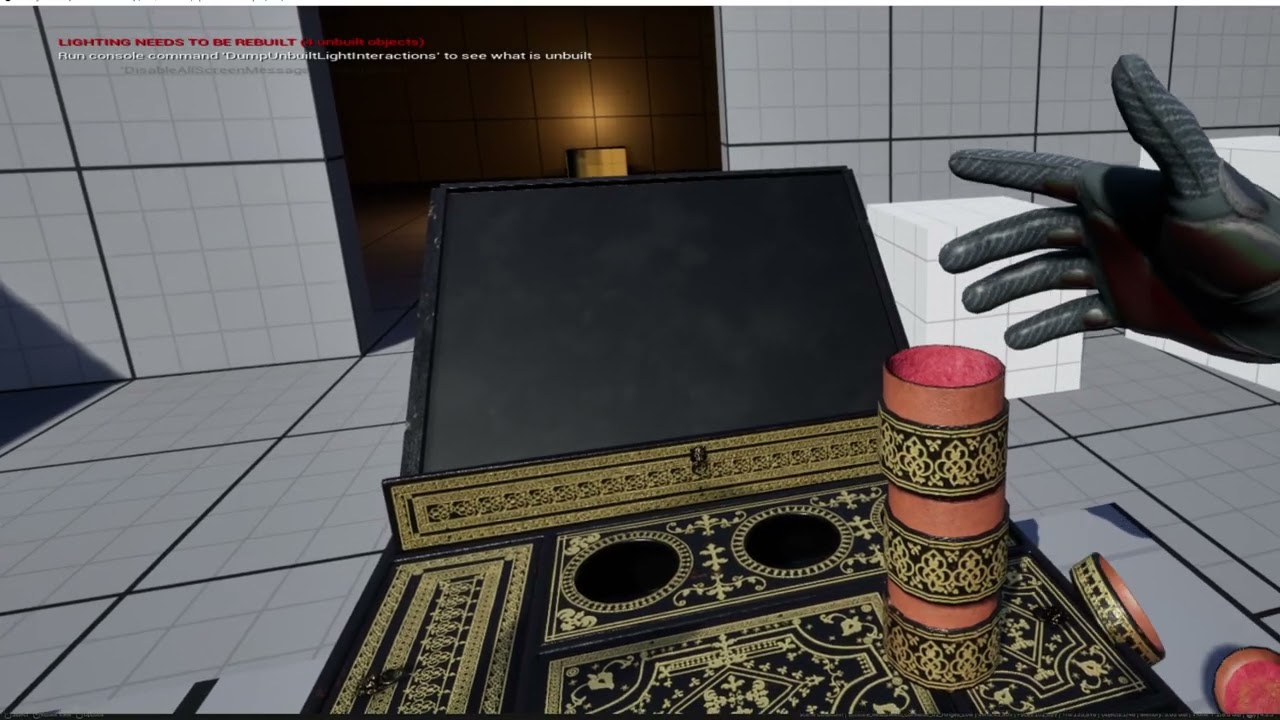 shut tartan
wispy ibex
meta offical demos is good start points
shut tartan
wispy ibex
meta offical demos is good start points
Thanks!
west sparrow
the oculus vr fork only changes stuff for android mobile right? would i be safe packaging a pc version on the oculus fork? dont have enough space for 2 engines 🙁
quiet mountain
west sparrow
the oculus vr fork only changes stuff for android mobile right? would i be safe ...
I’m haven’t had to deal with this yet, but I believe that it should be pretty simple to make work since they both use OpenXR
 pine yew
Hallo to everyone, I'm new here... I have an hardware question: I use UE mostly for archviz, I want to upgrade my graphic card to have a better pcvr experience (lumen + metaquest 3) do you think that a rtx 5070 is enough (12gb vram) or is it mandatory a 16bg vram card (4070 ti super). My projects are small ( 150 to 300 square meters) mostly interiors and I would save that extra 400 euros costs. Tnx
 frank bane
Is there any way I can test my VR project without a VR headset? I just want to test it and show it to my teacher. Any suggestions would be greatly appreciated.❤️
timid talon
frank bane
Is there any way I can test my VR project without a VR headset? I just want to t...
the Meta XR Simulator is an option
quiet mountain
frank bane
Is there any way I can test my VR project without a VR headset? I just want to t...
The YouTuber Quinn Kuslich has a tutorial on this that may be helpful.
frank bane
timid talon
the Meta XR Simulator is an option
Thank you❤️
frank bane
quiet mountain
The YouTuber Quinn Kuslich has a tutorial on this that may be helpful.
Yes thanks that helps a lot.❤️ Its working now.
quiet mountain
You’re welcome
west sparrow
quiet mountain
I’m haven’t had to deal with this yet, but I believe that it should be pretty si...
in case you're curious it seems to work fine lol
quiet mountain
Good to know.

 reef reef
Hi Guys!!!
 dusky moon
Phew ... I thought an apocalypse happened!
 neon egret
Nope, everyone still alive (:
 still marsh
Hey folks
 lean scarab
hello discord?
 boreal lily
so guys we need to brain storm some million dollar ideas...
i was thinking squirrel simulator... mixed with spyro the dragon
 mighty carbon
meep o/
 marble trail
 wintry escarp
hi, I'm told VR on iPhone sucks dong, anyone here tried it?
 fresh laurel

The Verge
Adi Robertson
Chip maker Qualcomm has revealed a reference platform for a standalone virtual reality headset, which it’s calling the Snapdragon VR820. The VR820 was created in partnership with Chinese...
 pearl tangle
@wintry escarp yep i have published a Google Cardboard 1 with the daydream/cardboard API on iOS last week

App Store
Read reviews, compare customer ratings, see screenshots, and learn more about Johnnie Walker Blue Label™ VR. Download Johnnie Walker Blue Label™ VR and enjoy it on your iPhone, iPad, and iPod touch.
There are still a number of bugs in there though and issues to work around. You will need to build it on a mac because it has to compile the plugin
mighty carbon
@fresh laurel It would be nice to see reviews (tracking, image quality, FOV, distortion, sweet spot size) and get UE4 supporting it 😃 If it's $800, I'd but it.
I just don't see any VR besides Oculus/Vive/Samsung getting anywhere
If Google releases Daydream device (iPod-like, just for VR), I can see it getting big
 abstract gale
im the coolest person in the land, just so everyone knows
wintry escarp
did you use a full HD iPhone? and is the experience ok or would an android be better for higher res
you did that for johnny walker? or you just really like the drink and decided to make it?
pearl tangle
hah no Johnnie Walker are my client
that works on iphone 5 and up but needs iOS 9.3 or higher. on 9.2 it doesn't work.
wintry escarp
my ipod has 9.3.5
pearl tangle
also if rotation lock is on then everything goes upside down, but iOS 10 fixes that. Seems like cardboard also has an issue setting up different headset profiles if you don't have Google Cardboard installed on it's own. But you don't actually need to have cardboard installed to make it work
i haven't tested on the iPod's. it's 64 bit only at the moment because there was issues publishing and I haven't had time to try and redo it since it takes like an hour to compile each time i make a change
wintry escarp
good grief, an hour?
pearl tangle
yeah if you switch the build version over yep. and then you have to upload it to app store before it tells you there is a problem. although the proper release of 4.13 has a new mobile build wizard which maybe solves that problem
i built against the master branch before 4.13 was released, but it was the first 1 to support Cardboard on iOS
wintry escarp
and it works fine? no extra hoops to jump through cos your using ios?
pearl tangle
yeah it goes ok
pearl tangle
yeah see that part is a little bit dodgy still. if you have cardboard setup beforehand then it doesn't matter. but you don't need to setup cardboard or have it installed for it to still work anyways
i think so. just wasn't sure what processor they are running in them to know if it worked or not
wintry escarp
supposed to be nearly as fast as 6
in that 5 mins it got very hot and battery dropped visibly
pearl tangle
yeah VR will do that
i turned off thermal throttling on android devices too so that performance stays high
pearl tangle
1136*640 it seems
maybe it can't handle the transparency very well. there is some particle effect videos playing in them must be too much
wintry escarp
so HD iPhone is almost 2x res?
might be enough, easiest answer is to take the cardboard to apple store and install your app onto one of their phones
has there been any say on whether or not ios will support daydream?
mighty carbon
it won't
wintry escarp
its supposed to be a big jump, better than gearvr
mighty carbon
how?
Look at Cardboard and Gear VR
Gear VR is like iPhone - no market fragmentation
from S6 to Note 7 - everyone can run your game at the same level of comfort and performance
wintry escarp
daydream has to be certified, min requirements
mighty carbon
so, there aren't any phones on the market
wintry escarp
none yet
mighty carbon
While there are already 1M+ users of Gear VR
wintry escarp
gearvr means buying a Samsung phone, don't fancy that
mighty carbon
if I just bought Note 7 (or iPhone 7), why on Earth will I fork over another $600+ for Daydream phone?
wintry escarp
daydream also has a controller that's visible in vr
mighty carbon
So, you are willing to buy HTC phone instead ?
wintry escarp
it would be either zte axon7, or the next google phone
mighty carbon
Wait till OC3 - there will be reveals of the Gear VR related stuff. Motion controller might be one of them.
lol
wintry escarp
OC3?
mighty carbon
so you are being political
pearl tangle
if you just bought a note 7 you need to send it back because they are exploding anyways
pearl tangle
there is a full recall on all note 7's. defective batteries
mighty carbon
you are willing to buy any Android phone, even if it's lower quality than Galaxy S7, just because it's not Samsung ?
wintry escarp
they reckon this could cost them upto $1billion
mighty carbon
forget about recall
pearl tangle
samsung is my client, but im getting the next nexus instead
not a fan of the samsung stuff
wintry escarp
reviews say Samsung skin make UI laggy, and Samsung wont do daydream despite having the required hardware level
mighty carbon
you are saying you'd buy Android phone for Daydream, as long as it's not Samsung
S7 is a solid phone
and is Gear VR compatible
pearl tangle
nah samsung is going to do daydream stuff next year
wintry escarp
but it doesn't do daydream
mighty carbon
and has a bunch of software already
no one does
please give a good rational reason to go with Daydream instead of Gear VR
wintry escarp
if it couldn't do daydream that would be 1 thing, but Samsung are choosing not to, to protect gearvr
pearl tangle
the nexus 6 is the only 1 that will currently do daydream but the sailfish will come with the controller and proper support and next years samsung devices will support daydream too
mighty carbon
so far to the date no one could make a good point
wintry escarp
daydream has a controller you can see in games
pearl tangle
daydream can work on a range of different devices and doesn't have a locked off ecosystem. with gear vr you can't use anything that isn't for sale in the Oculus store. it's like the apple of android
mighty carbon
that's not a good reason, especially if Samsung will release one for Gear VR
wintry escarp
also the note is £700
mighty carbon
S6 is $500
pearl tangle
i have 3 s7's, an s6 edge and all of the gear vr's along with a couple hundred cardboards
mighty carbon
so? It does Gear VR
pearl tangle
nah no devices currently released have the hardware to do it
mighty carbon
you keep repeating "daydream" as mantra
The only way I would even consider getting into Daydream is if Google releases standalone device
pearl tangle
daydream is an open ecosystem like vive will be. gear vr is locked in like oculus
wintry escarp
rift and vive are too expensive, both require a new gpu
mighty carbon
Openness breeds chaos. Look at what happened to Steam
pearl tangle
rift sales are also at zero too
mighty carbon
Rift owners tend to be on Oculus Store, not on Steam
pearl tangle
i have 4 vives and 2 rifts. rifts are useless without touch for stuff. controller 1s are pretty boring
mighty carbon
That I agree with
 zinc violet
unless it's some sim
pearl tangle
thats why the actual people still using the devices has plummeted.
wintry escarp
only vr ive ever seen is my cardboard on that lores ipod
zinc violet
you don't steer any vehicles with motion controllers
unless it's some wacky kinda sim
pearl tangle
would be great if elite dangerous let you mount your vive controllers and use as the joysticks
wintry escarp
I'm thinking more of marlin, not sailfish
mighty carbon
@wintry escarp you should visit Best Buy (or whatever analogy you have in your place) and try Gear VR
zinc violet
would they be accurate enough for that though?
wintry escarp
nowhere here has VR on display
mighty carbon
not even Samsung store ?
pearl tangle
the first steam VR lighthouse training session is in 2 weeks so i can start building a bunch of different peripherals
wintry escarp
ive never seen a Samsung store
pearl tangle
the field of view on the new gear vr is a bit better than the older 1s
mighty carbon
@pearl tangle Build something for Gear VR please 😄
pearl tangle
already did that johnnie walker 1 for Gear VR. but Oculus is so bloody annoying with support that we aren't releasing it
mighty carbon
no, I mean hardware 😃
pearl tangle
no point, you can't do anything with it unless you root the device
mighty carbon
I've been waiting for these guys https://twitter.com/VRTracker
The latest Tweets from VR Tracker (@VrTracker). VR Tracker is an Open Source 3D position tracker to improve Virtual Reality experiences
pearl tangle
it doesn't accept controller input or anything
mighty carbon
yes it does
pearl tangle
I had been trying to do something with Optitrack to do a roomscale experience with a basketball thats also tracked
wintry escarp
gearvr is a touch thing on the side isn't it
mighty carbon
folks on Reddit already hooked up keybpard and mouse to S7 via new Gear VR through USB-C
keyboard*
wintry escarp
it has a pass through?
pearl tangle
the only way I could make that work was to get the positional tracking information and have the game running as multiplayer and essentially just be sending positional information back and forth with all the processing happening on the server
its got the phone camera on there
wintry escarp
I liked the idea of the physical controller in daydream, its more vive/rift like
lots of stabby games
pearl tangle
its tracking wont be great though compared to vive
it works ok but its not brilliant since its just using accelerometer and gyro sensors pretty much what the phone already has. thats why you can use a spare phone as the controller to develop with at the moment
wintry escarp
I would actually prefer AR but there doesn't seem to be any affordable hardware that does a good job yet
pearl tangle
definitely better than nothing though but expect to use it more for gesture based things rather than millimetre accuracy like vive
i have a couple of holoLenses here at the moment im working with but they are definitely not cheap
 silk prism
accelorometers and gyros can be incredably accurate if they are made well
pearl tangle
also not worth it to buy at the moment anyways. FOV is way way too low and no actual proper hand tracking for manipulation of objects due to the low FOV cuts out any objects within 0.5m
pearl tangle
yeah videos are demonstrations of the capability of the tech, not the actual tech
wintry escarp
so theyre....lies
pearl tangle
the actual field of view is the same as holding your phone about 20cm from your face
wintry escarp
or 'marketting'
pearl tangle
yeah its marketing videos. the equipment is not ready for consumers yet
the magic leap 1s are much more full of shit since they show demos of something taking up an entire basketball court when the sensors can actually only track about 3-4m in front of you
wintry escarp
the axon7 phone looks good and cheapish, but its not in stock anywhere, may as well not exist
silk prism
would be nice to see a vr system come out that can use a full body motion tracking rig
pearl tangle
if you are looking for mobile VR then id either go for the s7 with a gear vr or wait for the next nexus 1s to come out
they are all capable of handling full body motion tracking. it's just a lot of work to put on a mocap suit to make it work. I have done full body motion tracking with a Gear VR using Perception Neuron before which is cool. Could walk around a CGI version of my office while in the office
couldn't see where people and chairs had moved to though hah
wintry escarp
i'll wait for marlin, reviews of Samsung phones put me off them
silk prism
they are a bitch if badly calibrated tho
mighty carbon
@wintry escarp Why so much hate toward Samsung ?
pearl tangle
yeah they work surprisingly well though for the price. the other gear I have used is full high end is costs like $40k to setup compared to the $1500 for perception
mighty carbon
especially if you will only use it for VR
pearl tangle
I don't personally like the samsung stuff either. I much prefer stock android
wintry escarp
they cost a fortune, so heavily skinned they can run slow, and new ones can explode and blow you up, like a small nuke
pearl tangle
they are decent devices for 90% of people though
mighty carbon
when you plug your phone into Gear VR, it doesn't even run stock Android. It runs barebone OS with VR software
wintry escarp
that might be a slight exageration
pearl tangle
im sure he would also be using it for an actual phone if he was going to bother spending that money on it
otherwise just wait for 1 of the dedicated VR android headsets that dont need a phone
mighty carbon
New PC + desktop VR costs fortune. S6 + Gear VR cost way less. Plus in many countries you don't pay for the phone upfront.
pearl tangle
bunch of them will be coming out next year
silk prism
for the cost of some of the higher end samsung phones you can actually buy a vive
wintry escarp
I also need a phone for normal use, lumia920 is getting a bit unsupported
pearl tangle
not paying up front doesn't change you still paying for it
mighty carbon
@silk prism sure, if you have powerful desktop.
pearl tangle
yeah over here in Singapore the Note 7 costs $1200 which is like $1000 USD
wintry escarp
i always pay , never contract
pearl tangle
most game developers already have pretty powerful PC's
wintry escarp
i thought i had a powerful pc, rift and vive told me its shit and to go away
mighty carbon
@pearl tangle It changes everything. If I couldn't get phone on the contract, I'd still be without VR as forking over $600 upfront is a no-no for me.
silk prism
i thought i had a decent pc but modelling told me otherwisse
pearl tangle
yeah the new AMD 480's or gtx 1060 are decently priced to get good enough performance with vr
wintry escarp
note7 is £700, way more than $600
mighty carbon
you still need CPU and RAM
pearl tangle
CPU is pretty irrelevant with VR stuff now. as long as you have any modern i5 it will be fine
mighty carbon
@wintry escarp I didn't suggest getting Note 7. Get S6 or S7.
pearl tangle
nah gtx 970 is bare minimum
silk prism
vr is gpu heavy because the bottleneck is resolution and the amount of frames it renders. both of these are things the gpu must do not the cpu
pearl tangle
but with changes to how we actually render content it will be enough quite soon
we will be able to do better quality in VR than on a desktop because we only need to render like 30% of the actual screen at high res with foveated rendering, instanced stereo and forward rendering also tune things a lot more. give it a few months and hardware requirements will drop a lot
mighty carbon
@pearl tangle I am still on AMD x3 2.2Ghz with DDR2 RAM, but with GF 670GTX. So, to get a decent PC I'd have to fork over ~$1000. Then get VR. Screw that 😃
wintry escarp
foveated rendering needs eye tracking, rift and vive don't have it
mighty carbon
none of that goodies are coming to UE4 any time soon
that's why most folks use Unity for mobile VR
wintry escarp
i can afford a rift or a gpu that can run it....not both
so i thought, i need a new phone anyway, get one that can do vr
mighty carbon
Well, like it's been said already, wait for October to come.
wintry escarp
i would anyway
mighty carbon
You'll get to see Google's stuff and Oculus/Gear VR stuff and make a choice
wintry escarp
new gear stuff is oct as well?
mighty carbon
At OC3 (Oculus Connect 3) they should announce something
whether it's positional tracking, motion controller or both
wintry escarp
awe, most likely they'll announce something new for next christmas
mighty carbon
I really hope Google announces dedicated Daydream device, HMD and controller
Otherwise I am not going to bother with Daydream
pearl tangle
google wont. other manufacturers already are
with eye tracking and inside out tracking
mighty carbon
Google will
wintry escarp
i hope rumours of new 'nexus' phones costing more are false
mighty carbon
There are several articles and claims on Reddit that Google will do it first
@wintry escarp Why? They will cost more. AMOLED screens aren't cheap.
wintry escarp
daydream is designed to work with eye tracking HMD?
i just wanted decent VR with an actual controller
mighty carbon
Well, it's a luxury and budding market. You either go all the way or you don't
you can't really have decent and cheap VR at this point
mighty carbon
and yet Samsung and Apple sell crap load of smartphones
wintry escarp
most on contract
mighty carbon
they aren't £300
sooo, that's why I am saying Samsung + Gear VR is the most affordable VR
with excellent technical specs
wintry escarp
if the new nexus is a bust i might consider Samsung if i can find it with a free gearvr
but surely google can build a decent android phone
mighty carbon
S6 + Gear VR is ~$600; if Samsung releases controller, +$100 which will totals to $700. You'd only pay upfront $200 and whatever you have to pay for your phone on contract
I bet you Daydream will either cost the same or more
wintry escarp
i don't do contract phones
mighty carbon
sorry mate, you are out of luck then
mighty carbon
get a loan then
or save up
I am just saying that Oculus or Google, it will cost you the same
wintry escarp
nexus phones have historically been a lot cheaper then Samsung, except once they offered contracts, and prices shot up
mighty carbon
But Oculus has scientific and engineering muscles behind their VR. Google doesn't. And Google has a poor track record when it comes to innovative products and their support.
wintry escarp
rumours are these phones will also be offered on contract
mighty carbon
they will not be cheaper, if they match specs / quality
and if they don't match specs, then why do you want crappy VR ?
wintry escarp
axon7 beats the s7 spec, costs $399
fresh laurel
@mighty carbon - Thanks for the heads up on VRTracker 😃
mighty carbon
sure thing @fresh laurel
wintry escarp
it just doesn't appear to actually be on sale anywhere which isn't much use
will see on oct 4
mighty carbon
Axon is 4-core, S7 is 8-core
wintry escarp
its same snapdragon820 chip
mighty carbon
My phone has Exynos
8-cores
and screens are different
Samsung has better screen
wintry escarp
who gets Exynos
mighty carbon
plus we don't know what IMU's Axon has
whole world gets Exynos, except CHina and US
wintry escarp
i wonder why they use different chips
mighty carbon
all will be known early October
or rather, when someone can compare Daydream vs Gear VR side by side
btw, when S8 is out, it will be ahead of any Daydream phone (and maybe will also support Daydream)
wintry escarp
s8 will be next year wont it, id like a phone soon, my current one is many years old
mighty carbon
so, in terms of market domination, I don't see how Daydream will get ahead
unless Samsung scraps Gear VR or Oculus will be sloppy and won't care for it as they did last year
wintry escarp
next year daydream will be the go to VR level for all androids except samsung
Samsung have gearvr but lock everyone else out
wintry escarp
sd820 is top end now, in a year it will be mid level
mighty carbon
yeah, we'll see
wintry escarp
my lumia920 is basically dead as a dev device
unity has half support and ue4 doesn't support it at all
pearl tangle
yeah nobody cares about windows phones
and samsung will have a standalone Daydream device nextyear. not on the S series
mighty carbon
my concern is how good/bad it will be
having Oculus/Samsung dominating mobile VR tells me it's not easy to get it done right
and Google couldn't get it done right in software for Cardboard at all
they could have picked several top phones and made HMD with sensors as Gear VR. Then polish software, and then go for Daydream
I still think Daydream is a big PR fart, just like Google Glass was
pearl tangle
google glass was a lot more important than people realise. it was the precursor to hololens and magic leap which google has now invested over $500million into
google did the software fine for a small demo piece to make VR work for the masses. there are shitloads more cardboards out in the market than gear vr
samsung itself in multiple markets has no interest in pushing gear vr at all, and I know this because samsung is my client, globally and VR is my focus
 granite jacinth
Google Glass wasn't all that tbh
pearl tangle
google glass was for the same people that the current HoloLens is for
granite jacinth
I don't think it had much affect imho
pearl tangle
it was always test dev hardware, never had a proper market for it. but now smartwatches are using all the principles that glass put in place
granite jacinth
affect or effect that is the question
FML English, why so hard
I missed out on the iPhone stuff today
But, seeing how I didn't hear anything about AR/VR
I was surprised
mighty carbon
has to do with screens
I didn't see anything about RAM or GPU, but otherwise iPhone 7 could be a much better VR device than S7 or any Daydream phone
granite jacinth
Well, AR would have to be cameras
And there aren't any specific AR cams
VR headset ala GearVR can still be done I suppose
pearl tangle
yeah AR on a device like a phone is very tough to do well. definitely need the tango style setup in them to have half a chance of working
granite jacinth
Is anyone doing the Seattle VR Hackathon next weekend?
granite jacinth
Any interesting VR games that have come out recently?
 tidal lotus
Me and @indigo solstice are going to the hackathon
granite jacinth
Sweet, you have any idea what you'll be doing @tidal lotus ?
I'm coming up to have some fun myself. It's going to be a crazy weekend 😉
Also, if you have some recommendations on restaurants, hook me up.
tidal lotus
We haven't really decided yet, almost certainly some sort of game, as we're both game devs. It should definitely be fun!
granite jacinth
Yeah, my first time in Seattle. Other than the airport.
But yeah, looks like I'll be the only actual UE4 dev on my team. I'll need to keep my scope pretty small.
tidal lotus
Restaurant recommendations are specialty. Let me know what you're looking for and how far you're willing to go to find it.
granite jacinth
Trying some things out tonight, and probably will do the jam this weekend with a Vive entry.
But I'll limit myself to 48 hours.
tidal lotus
What are your skills?
granite jacinth
Food: It'll have to be in the general vicinity to the hackathon.
Skills: Jack of all trades, master of none.
In UE4: Programming mainly. I've got some background in GameArt via SCAD. Motion Capture, Animations Blueprints, AI. I haven't gone too deep in rendering or sound though.
Which I think I may focus on this week.
I need to see what I can push that will be acceptable in VR.
tidal lotus
Din Tai Fung is kind of close and has insane dumplings (often a long wait at peak times though)
Have you worked much with VR before?
granite jacinth
Aye, since I got my Vive back in May I think
tidal lotus
Nice, I've been developing with it off and on since Oculus DK1, and then with Vive since last summer.
granite jacinth
Nice, never messed with Rift other than Bullet Train demo.
I don't think I'm missing much though
 real needle
Jam this weekend? Is it a Ue4 jam?
real needle
Ho nice, thanks.
For once I have a bit of time. Might throw an app together.
granite jacinth
You should
silk lodge
@tidal lotus I'm thinking about moving to seattle to do vr dev stuff!
@tidal lotus but I'll definitely be there the 11-14th to do some steam dev days & I'll be looking for seafood!
 split steeple
wish there's some VR Hackathons here in Berlin.... theres the FunHouse gamejam in Hamburg, but it seems to be a closed pre-selection.
 solemn wedge
same, would be good to have something open here in Hamburg or Berlin, I see a lot happening in Netherlands and Belgium but not much in this area
there was one last year in hamburg but haven't heard of anything recently
split steeple
@solemn wedge - you in Hamburg? there's the FunHouse end of this month, but it seems to be just pre-selected teams.. not sure how they did the pre-selection.
solemn wedge
yes I have no idea how they pre-selected, would be nice to have an open one at some point
I'll go and check the results on Monday after the hackaton, should be interesting
split steeple
which hackathon?
split steeple
ah yes. the funhouse vr mod jam though isnt until end of sep i think.
solemn wedge
yes, but on Monday after that weekend they'll be showing the results
split steeple
lol ok gotcha... will watch out for it too. 👍
solemn wedge
have to get a ticket thou, not sure how much interest there may be but these things can get full
split steeple
yeah, im sure it'll get sold out, i think it's only 15€ with a great unique venue for it... not sure yet for me if it's worth the travel up to just watch.
solemn wedge
yes it's always a risk, I was going to kaleidoscope vr last year in berlin but then they said it was likely that there would be long queues to try the demos and it makes no sense to travel so far not to be able to see the stuff or be stuck on a queue
split steeple
went to that one - wasnt keen on queueing as well but it was near my place so I gave it a go. Vive & Oculus queues were long but the GearVR was ok.
if you paid the VIP 100€ or so tix you get to the front of most queues.. which could be annoying for others who dont want to shell otu so much for an event (like myself) lol
solemn wedge
yes that's too much for me, makes no sense, specially if you have one of the hmds you know you will get to try the demos later
split steeple
yeah.. got the vive shortly after that event. but it was nice to see & mingle with other vr enthusiasts.
solemn wedge
yes, but wouldn't pay $100, i like the meetups always nice people and you get to try the new stuff, last time in Hamburg they had the hololens, haven't been to the one in Berlin yet but been meaning to
split steeple
You should (berlin meetup)... The VR Berlin is the biggest one and there's also the VR developers Meetup, they're mostly unity guys though but am trying to convert some to UE lol
It gets a bit lonely here in Berlin for UE VR devs, especially room scale.
solemn wedge
hah, yes I can imagine, same here in Hamburg I think most VR devs use unity
split steeple
will ping ya when there's an interesting meetup next and you can help us advocate heheheh 😉
solemn wedge
haha, yes would be nice to know someone over there when I go
I've met the organizers in other meetups, nice guys
so I actually have a VR question, does anyone know if it is possible to show pre-rendered stereoscopic images on the headset?
like the ones created for gearvr or the ones you can see with virtual desktop
 tawdry dragon
it is
We've made a custom GearVR viewer in unreal that uses stereoscopic images thats prerendered
It's actually pretty simple. We use the screenposition function inside a material to swap between left/right input.
split steeple
is it only for GearVR?
tawdry dragon
should work on everything
but we've only tested it on the Gear, as the Vive's abillity to move around ruins a stationary image 😃
solemn wedge
yes I'm trying to find a solution for vive
split steeple
lol. id like to test that - do you have link?
might try incorporating with the upcoming gamejam to test.
tawdry dragon
hang on, let me get the name of the function 😃
tawdry dragon
Just a quick setup
but we apply that to an inverted sphere mesh with 100% emmisive
and of course the left and right input are stereo textures
split steeple
cheers, will try it.
 barren rose
I have code thats now live in Raw Data whooo
split steeple
cool... with the latest release?.. which bit?
 hard light
morning folks - capturing footage from VR; how are people going about it?
tawdry dragon
as in stereoscopic footage?
hard light
nah, gameplay footage at a standard resolution
(using Vive, for the record, since Oculus has working mirror modes)
tawdry dragon
Hmm, doesn't UE also have a automatic mirror running when you launch a VR game?
hard light
yes, but it's not at a suitable resolution for recording gameplay footage and shows both eyes
if it shows just one eye, the aspect ratio is pretty off, so it's almost like it's coming out of a mobile phone held vertically
tawdry dragon
https://answers.unrealengine.com/questions/311721/vr-mirror-standard-output.html not sure if this is any help
ohh, read it a bit too fast. Ocolus only as you mention your self
hard light
yeah, therein lies the problem
tawdry dragon
just a quick google search before going to lunch, but seems like Steam VR it self has a mirror function https://i.imgur.com/z786sHC.png
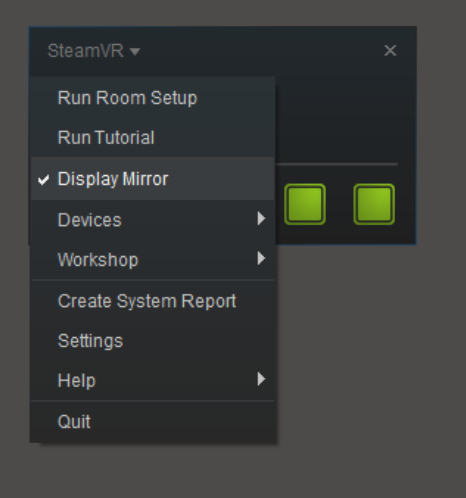 hard light
hmm, I don't think that's what I need, but I'll have a quick look into it
yeah, this just looks like enabling / disabling the mirror mode, but it'll still defer to the game's settings to display it
tawdry dragon
damn... Not sure I can be of much help then 😦
neon egret
Mirror mode will give you both or seperated eyes
But not one eye in like 1080p
That's what you want though, or? @hard light
hard light
yeah, something like a single eye
it's for footage that would be edited for promotional materials
neon egret
Sequencer for example could do that iirc
hard light
I'm not sure sequencer is an option
I mean, we're talking about playing a game, not just recording the location of a given couple of actors
neon egret
So, if you play a game, you normally have the game open on your screen too
hard light
yup
neon egret
And that should be in a normal resolution
so that can be captured with fraps, shadowplay, etc
hard light
it shows both eyes
hard light
yeah, they probably use Unity who have properly implemented mirror modes
(Unity's support for that stuff is really good, you can split players between screens for multiplayer and stuff, out of the box with just a couple of flags, it's quite good)


 hard light
Raw Data fixed the broken mirror modes themselves, I remember that being a thing they did
barren rose
@split steeple Im on raw datas platform team, aka calling players in the lobby even though they arent actually in your game
hard light
the really fun part is that I migrated the game in it's current state to 4.13 at the end of last week, and I don't even know if it's stable yet xD
neon egret
So you probably tried the console commands for the mirror mode @hard light
 graceful junco
The question about record vive gameplay has been asked here (well on slack) several times in the last few days. See here for one possible answer: https://forums.unrealengine.com/showthread.php?117032-Problem-about-monitor-resolution-display-in-vive-vr-mode&p=567157&viewfull=1#post567157
As displayed below, everytime I pack up the project, it always display in a vertical scale (960 x 1080)in monitor(not hmd).
How can I set the display resolution to (1920 x 1080), like other unity vr games (as below) do?
101916
hard light
mirror modes don't work on the Vive, if you try to change them, the game freezes and stops rendering entirely
neon egret
wow great
barren rose
Nah, that means you used the wrong command
Literally using the wrong command means it will int cast your string and go lolololol
No safety
I think proper command is
Hmd mirror 2
If not
Hmd mirrormode 2
neon egret
Forum thread says hmd mirror mode 0|1|2
barren rose
One will black screen, one wont
graceful junco
hmd mirror doesn't work for the vive