#virtual-reality
1 messages · Page 15 of 1
 hallow knoll
 rocky nexus
hallow knoll
Are you using an IES-texture? That's currently not supported, but on our todo li...
rocky nexus
hallow knoll
Are you using an IES-texture? That's currently not supported, but on our todo li...
no, unless spotlight uses one by default. vr template, check movable spotlights, add a spotlight to controller. thats all i did in that screenshot
hallow knoll
Seems to be Meta fork issue only. Let me know if you can repro in Vanilla UE
rocky nexus
this was in launcher 5.5 version, it is super busted in fork
hallow knoll
What's your shadow quality level set to?
rocky nexus
whatever the default in vr template is
hallow knoll
It shouldn't matter for left/right view, but just checking
Yeah default device profile for Quest is Medium. Try setting it to High.
That really shouldn't matter though if you're seeing shadows in one eye... so I'll double check. Thanks
rocky nexus
no problem, ill make a fresh build in a sec, but it would be weird indeed if it helped
rocky nexus
same with 3, tried with 0 for no shadows, so setting it does work, but they look pretty much the same with 1 and 3. perhaps some extra setup is needed
 hallow knoll
Do you have r.Mobile.EnableMovableSpotlightsShadow set to 1?
rocky nexus
yes, it is required for any kinds of mobile spotlight shadows, no?

is it working on your end?
hallow knoll
Sorry something else came up. Nope it's busted on device but works w. Vulkan Preview. We'll look into it thanks
 marsh salmon
Has anyone successfully used the SharedSpaces project as a template for a multiplayer build? Like, replacing the default character, game mode, etc with your own, packaging, and being able to connect over the internet?
rocky nexus
awesome, im sure many a dev would appreciate that working!
 paper trout
hey there - i've tried importing a level with a grass shader into a new vr project. normally on other projects the grass is obviously green but in gdxr it's black. i imagine this has to do with the lighting settings but i'm not quite sure which. does anyone know how i'd figure this out?
maybe something with the material?
 tranquil geode
im having trouble packaging my vr project. I have it down to one error and its and unknown error. I still have a bunch of warnings. can the warnings keep it from packaging?
 sage gulch
warnings won't stop it, but if you read back from unknown you can probably find information about what caused it; if it's gradle error then your android config/android studio environment is incorrect
sage gulch
paper trout
hey there - i've tried importing a level with a grass shader into a new vr proje...
nanite, lumen, round robin?
paper trout
sage gulch
nanite, lumen, round robin?
it turned out to be a combo of forward shading and virtual textures or something
i gotta figure out a forward shading solution to grass ig for vr performance
sage gulch
niagara?
rocky nexus
thats a common solution, with some some shrubs if you are lucky
 rocky nexus
hallow knoll
Sorry something else came up. Nope it's busted on device but works w. Vulkan Pre...
rocky nexus
hallow knoll
Sorry something else came up. Nope it's busted on device but works w. Vulkan Pre...
while i have your attention, there is one more thing that is broken in similar way. niagara dynamic beam from template, shape changed to tube. also broken in 5.4.4. Quest 3
 paper trout
hi there - i'm having an issue with virtual shadow maps causing this blocky / artifacting effect. i don't mind turning off virtual shadow maps for normal ones, but when i do that, the ground geometry starts looking crazy buggy in the headset. any advice would be appreciated!
i thought it could be the page overflow but im not sure it'd fix that
it kinda made it better actually but i'm wondering why the geometry is so buggy when shadow maps aren't virtual
 brisk sleet
Anyone able to call OpenLevel for VisionPro on UE v5.5. I get this issue:
BUG IN CLIENT: cp_frame_start_submission() was already called
sage gulch
Try calling it from a persistent level
sage gulch
paper trout
hi there - i'm having an issue with virtual shadow maps causing this blocky / ar...
that looks sorta like aliasing..
paper trout
sage gulch
that looks sorta like aliasing..
i have tsaa currently set but i was thinking that could be a possibility too
scene capture components don’t have separate AA do they?
sage gulch
MSAA is recommended, though everything always looks grainier in HMD / vulkan to me regardless
paper trout
sage gulch
MSAA is recommended, though everything always looks grainier in HMD / vulkan to ...
will give that a shot!
 river pulsar
does anyone know a good water that works for PCVR, other than the water plugin in Unreal or Aquatic Surface (which doesn't work properly)
 brittle salmon
are there any plugins for making minority report style 3d "widgets", like tooling for animation and such
not just menus on a flat plane is what i mean, but popping out and having depth with meshes
rocky nexus
dunno but they are kinda neat in batman, gotta make me some
paper trout
is there a way to make all meshes in a blueprint grabbable with the grab component? it seems to only work with the root mesh
rocky nexus
it works on the thing it is attached to, if you want to grab individual meshes in an actor you need to attach grab component to each of them
paper trout
gotcha thank you
paper trout
im having another issue where when i make a blank open world level the part of the world i spawn into has grid like black flashing along the landscape. turning off forward shading seems to fix this but is there another way to get this working with forward shading enabled?
it looks like this
 worldly peak
On quest standalone:
While using the most recent oculus fork of the UE5.4.4 or possibly any other version... Has anyone managed to get post processing materials to work. Even as simple as setting PostprocessInput0 straight to the emissive color or using any other shader will results into one of these: Turning the right eye black / right eye becomes a copy of the left eye / both eyes will become distorted & warped / only right eye becomes distorted & warped.
- Everything looks normal in the android vulkan preview.
- I think I have tested every possible combination of project settings and device profile settings but I have not found anything that would help. The most important settings ofc are the basic mobile HDR, mobile multiview, forward & deferred shading and anti aliasing... I tried all of them.
rocky nexus
no pp for you on quest
perhaps something could be done with vulkan subpasses, but thats above my paygrade
paper trout
is forward rendering still the go to for vr?
rocky nexus
for quest, certainly
paper trout
including desktop vr?
rocky nexus
people seem to use deferred there just fine, but vr support for fancy stuff seems to be last on the priority list. that is quite understandable, if annoying
i should probably check if it works since ive enabled that for pcvr lol
worldly peak
rocky nexus
perhaps something could be done with vulkan subpasses, but thats above my paygra...
yeah the the oculus fork has that exact thing and it gives very minor stuff like color grading so saturation most importantly.
I will just give up on the quest
I was trying to port a PCVR project to the quest
Performance is ok but the game has like 4 different PP shaders I need to use for the game to look good
rocky nexus
gotta pretend its year 2000 when doing quest stuff :d
rocky nexus
im sure PP is fixable, if someone cared to work on them shaders, but getting them to run on such a power constrained device is another matter
worldly peak
Optimizations for quest wasn't actually even the hard part, hard was installing all the android shit and trying to get the post processing to work
rocky nexus
it is quite a pita that android stuff first 20 times or so
afaik PP is working in unity for whats that worth, https://sidequestvr.com/app/8551/moon that thing is using it. or at least i would be stunned if that stuff wanst pp

Experience MOON a gripping musical journey through the unknowable cosmos. Built from the ground up, this VR experience will take you through eerie celestial environments guided by spatial audio and a surround sound adventure you wont forget. Fully realtime environments authored to capture nostalgic but forward looking art styles while trying to...
bloom turned to 11 etc
worldly peak
Damn, now there is 1 thing unity does better
I can't even do a basic scene depth fog for the quest
rocky nexus
vertex fogging is kinda a workaround for that, but a nicer one would be quite tricky i guess
i was surprised that scene depth was working few days ago when ive tested it, gotta use it for something soon
 lunar hedge
Man, I've been scratching my head on this one... Does anyone know why ScreenAlignedUVs with VR acts weird having both eyes misaligned? This is what the desktop sees which is expected- (Two planes which act as "seamless portals" and can see what the other window sees)

However in VR the eye distance is messed up so the result is... very disorienting- Here's a gif cycling between eyes for the left window.

A little bit of difference is expected, but the seperation is too much and results almost in a cross-eyed feel. Would anyone have any solutions for UE 5.0?
I've seen mention of "SceneCaptureComponentCube" but there is literally zero documentation about it that I cannot figure out how to implement it into my "portals"
rocky nexus
worldly peak
I can't even do a basic scene depth fog for the quest
this will work quite nicely for the jam game im working on, thanks for inspiration to give it a shot! lit/unlity/static/statnionary are the differences on the planes. with some wpo offsets it could look quite decent i guess
this is the material

now, time to play some metro!
worldly peak
rocky nexus
this will work quite nicely for the jam game im working on, thanks for inspirati...
That is cool
worldly peak
rocky nexus
this is the material
Oh shit yeah I can use depth fade in the normal material editor
Don't need PP
rocky nexus
gotta work with the limitations 😉
worldly peak
Here is the quest vs PCVR atm .. It could be fine like that I guess
Atm with height fog
rocky nexus
you can fake the bloom on the fire with unlit quad
worldly peak
ye
rocky nexus
ehh couldnt help myself and now its 1am :<
worldly peak
rocky nexus
this will work quite nicely for the jam game im working on, thanks for inspirati...
And btw I might be stupid but how do you get that OVR metric to actually show up
2am for me
Yesterday I stopped at 7am
rocky nexus
open it up and press the show overlay hud toggle

or use that from meta quest developer hud
rocky nexus
it worked when ive enabled it directly from the app last ive tried, but this is a bit more convienient to toggle it
added some noise based stuff
paper trout
if i was running pcvr in unreal, obviously the headset has a set resolution, but if i changed my display resolution to something lower would the game have better performance
worldly peak
paper trout
if i was running pcvr in unreal, obviously the headset has a set resolution, but...
It is mirrored from the left eye by default and it should not affect performance
paper trout
i do have a scene capture component but the resolution on the texture is pretty low
worldly peak
paper trout
i do have a scene capture component but the resolution on the texture is pretty...
Scene capture for the players POV?
paper trout
nah for the desktop monitor
worldly peak
yeah so player POV displayed to the normal monitor with probably a bigger FOV right?
Or do you use it for something else
Like...
Do you replace the left eye view to the texture
paper trout
player pov isn’t on the monitor the monitor displays a separate scene capture component
acting like a separate camera entirely
worldly peak
Well I would guess its the texture rended resolution instead of your whole "display resolution" that affects the performance
paper trout
cool cool thanks!
worldly peak
paper trout
cool cool thanks!
At least if its this method that im using it should be like that
 paper trout
yeah i’m doing that
sage gulch
rocky nexus
you can fake the bloom on the fire with unlit quad
oh?
sage gulch
you mean like with a transparent or additive sprite/plane or somesuch?
 quiet badger
lunar hedge
Man, I've been scratching my head on this one... Does anyone know why ScreenAlig...
quiet badger
lunar hedge
Man, I've been scratching my head on this one... Does anyone know why ScreenAlig...
eye index stuff has been borked for a bit now
lunar hedge
Ah yeah, I might've theorized a solution but gotten too busy to test it out unfortunately...
Essentially I'm thinking of making the material only render one camera per eye and manually IPD separate the cameras.
 lavish nacelle
hey guys
is there anyway to know what button is which in unreal for quest touch controller?
 lusty whale
I've just started to develop a VR game. I have a question: which are the buttons in a VR controller? How can I indentify it? By the way, I'm using OpenXR to develop it.
Thanks a lot!
I have found this for the one I have: https://www.vive.com/us/support/vive/category_howto/about-the-controllers.html
Use the controllers to interact with objects in the VR world.
There are no many buttons on the controllers.
 native tiger
I am trying to develop an MR application using the Meta XR Plugin and Meta XR Utility Kit. My application requires users to create a custom boundary to use the application as intended. However, I am currently stuck because I am unable to set a floor level similar to the initial Quest boundary setup. Additionally, I need guidance on creating a modular boundary system similar to the reference video
 jade kettle
I'm gettting this weird issue on a particular PC when running a packaged game
Oher computers don't have this issue
The right eye has this weird thing rendering
sage gulch
native tiger
I am trying to develop an MR application using the Meta XR Plugin and Meta XR Ut...
 sage gulch
jade kettle
The right eye has this weird thing rendering
sage gulch
jade kettle
The right eye has this weird thing rendering
what water system is that?
Check your nanite/lumen/round robin settings
jade kettle
sage gulch
what water system is that?
Check your nanite/lumen/round robin settings
I'll check it tomorrow. it's in a packaged build so it should have the same settings as the other computers?...
sage gulch
you could check for driver updates on the wonky system first
jade kettle
Decision: wipe and reset hte wonky system
It's my workstation so I've probably changed all kinds of settings over the years
 dreamy ivy
Has anyone else had issue with the widget component not rendering in the VR template buttons work but the component doesn't seam to be updated visually.
It looks like the widget component isn't updating at all visually in 5.5.1 either even with a fresh VR template.
lusty whale
sage gulch
Make sure the PIE window is frontmost and active
It's a VR game.
sage gulch
exactly
 mint path
anyone have luck building for quest android? launching the apk results in a blank "unreal engine" splash screen which then closes back to home. I'm on UE 5.4.4
Here's what I did (open xr only, no meta plugin enabled)
- new blank vr template project
- used built in menus to install android sdk
- successful apk build
- adb install QuestTest1-arm64.apk
- launch from "unknown sources", shows unreal splash and kicks back to home.
I also tried again, but this time with meta plugin enabled
- new blank vr template project
- install meta xr plugin to plugins/marketplace
- run the project setup tool, clicked 'fix all', and restarted project a few times until every issue was fixed
- successful apk build
- adb install QuestTest2-arm64.apk
- launch from "unknown sources", shows unreal splash and kicks back to home.
sage gulch
your develment toolchain is misconfigured somehow, check the docs for 5.4.4
lavish nacelle
hey guys,
i have a problem, when using cmc to do character locomotion i want to rotate the actor facing HMD direction thus although causes our character to indefinetly spin out when we tilt our head slightly left or right, anyone in here knows a workaround?
 idle osprey
mint path
anyone have luck building for quest android? launching the apk results in a blan...
idle osprey
mint path
anyone have luck building for quest android? launching the apk results in a blan...
Yes, I do it all the time. You should read your UE log on the Quest and see what it says is happening.
I'm working on a Full Body VR IK setup with Control Rig, animating the legs with a blendspace. I'm having an issue with rotations. If I use smooth or snap turning, the player is rotating correctly because I'm calling AddControllerYawInput(SnapTurnAngle); and AddControllerYawInput(SmoothRotationRate * AxisValue * GetWorld()->GetDeltaSeconds());. I think that my issue is that my HMD's rotation isn't being recorded while the thumbsticks are. I'd set up an 8-way blendspace to handle running backwards and strafing. And the movement of my legs are wonky! I realized that it's because they're not moving as they should according to the direction I'm facing. My mesh is rotating with the HMD, but that doesn't mean that the actual Character is, does it?
lavish nacelle
idle osprey
I'm working on a Full Body VR IK setup with Control Rig, animating the legs with...
is your anim bp fairly basic or do you lock the root in place some times?
maybe the issue resides in your blendspace set up and it snaps because of the quick rotation adjustment with snap turn or do you have similar issues in smooth adjustments
you can see similar issues in 3rd person setups where legs do snap when the blendspace is misconfigured you need some way of smoothing the input when doing directional changes, there is possibilities to tweak that inside the BS but it can reduce responsiveness
idle osprey
From what I can tell, if I don't physically turn my head and change my orientation, it works. If I use snap or smooth turning, it works. If I turn my head, I'm out of alignment because the character isn't turning with it. I've added some code to update the rotation of the character to match the rotation of the HMD at the beginning of the ABP execution. I haven't tested it yet.
lavish nacelle
idle osprey
From what I can tell, if I don't physically turn my head and change my orientati...
you can get your actor to rotate using your hmd in code
this if not properly handled although can cause unlimited spinning
what kind of game are you trying to make if i may ask
im actually looking to join a vr project, but im short on time and can only invest during the weekends
also i just started to barely scratch the surface for VR dev
        // Get current rotations
        FRotator CameraRotation = VRCamera->GetComponentRotation();
        FRotator ActorRotation = GetActorRotation();

        // Calculate how much we need to rotate the character to match HMD yaw
        float CurrentActorYaw = ActorRotation.Yaw;
        float CameraYaw = CameraRotation.Yaw;
        float YawDifference = FMath::FindDeltaAngleDegrees(CurrentActorYaw, CameraYaw);

        // Rotate the character by that difference
        FRotator NewRotation = ActorRotation;
        NewRotation.Yaw += YawDifference;
        SetActorRotation(NewRotation);

        VRRoot->SetWorldRotation(FRotator::ZeroRotator);
you could even smooth it out and have the torso lag behind but this here is your safest bet
since your root will be turning with the actor you will have to reset that one
mint path
idle osprey
Yes, I do it all the time. You should read your UE log on the Quest and see wha...
Where is the unreal log on the quest?
rocky nexus
 idle osprey
mint path
Where is the unreal log on the quest?
idle osprey
mint path
Where is the unreal log on the quest?
Unreal produces a log down in your project's installation directory. It's buried way down there. Since my project is called VR_Lab and my package name is games.shoebox.VR_Lab, my log is located in hollywood:/sdcard/Android/data/games.shoebox.VR_Lab/files/UnrealGame/VR_Lab/VR_Lab/Saved/Logs/VR_Lab.log
idle osprey
lavish nacelle
this if not properly handled although can cause unlimited spinning
Finally tested what I'm doing and yeah.... 🤢
 foggy brook
Hey all, hope to see you at Christmas Carol VR tonight or this weekend (our NYC matinees are Europe-friendly). It’s free for all Meta Quest users! xmascarolvr.com
https://www.meta.com/s/4PJgOxSX9


A Christmas Carol VR
A Christmas Carol VR’ is a live, real-time immersive adaptation of Dickens' classic, blending immersive theater with cutting-edge technology. Live actors with facial and motion capture perform on the streets of a virtual Victorian London.
 hazy crater
Did you ever find a fix for this? I'm using the VR Expansion Plugin and my left eye has shadow artifacts 😦
mint path
idle osprey
Unreal produces a log down in your project's installation directory. It's burie...
it looks like its empty
 rocky nexus
there wont be logs in shipping build, tho afaik there are some flags to enable that
mint path
i think it's set to development right now

i can try making it debug though
Looks like there's still no logs unfortunately. Thanks for the suggestion though
idle osprey
Are you sure you're looking in the right place?
The directory you're showing doesn't look anything like what I showed you.
open a command prompt, use adb.
rocky nexus
have some logs in one of my apps

maybe you need the storage permission or something
if you open your app and get nothing in device output there wont be a log either, most likely
mint path
idle osprey
The directory you're showing doesn't look anything like what I showed you.
There isn't sdcard, so i'm assuming internal shared storage is the equivalent for mine
 mint path
idle osprey
Unreal produces a log down in your project's installation directory. It's burie...
mint path
idle osprey
Unreal produces a log down in your project's installation directory. It's burie...
hollywood:/sdcard/Android/data/games.shoebox.VR_Lab/files/UnrealGame/VR_Lab/VR_Lab/Saved/Logs/VR_Lab.log
i interpret this as:
<device>/<drive>/Android/data/<appid>/files
in my setup I have this as the closest equivalent:
Quest 3\Internal shared storage\Android\data\com.YourCompany.QuestTest1\files
there isn't anything beyond files
data
media
obb

E:\AndroidBuilds\QuestTest1\02>adb shell ls sdcard/Android/data/com.YourCompany.QuestTest1/files```it looks empty in adb as well
idle osprey
I think you're right...no idea why you don't see anything there.
Have you run the game since this install?
rocky nexus
run the thing, see output in logcat, no output, no logs
mint path
is there a pipe or something i can read from or something
what should i open with logcat
oh i see, i've never used adb's logcat before
rocky nexus
its directly in unreal and its enough 99% of the time
mint path
logcat is great, i've been wondering how to see this kind of thing
hell yeah, thanks
anyway i'm gonna look through these messages but i'm seeing stuff that might be useful, like "<appname> requires google play store, but it is missing"
okay, so i used meta quest developer hub instead of adb install and that worked. i would rather not have to use meta's gui for pushing apk's. what do you like using for this?
idle osprey
I use the scripts UE builds.
mint path
awesome, thanks
idle osprey
I've actually got this documented on GitHub.
mint path
this is a bit random, but have you tried using a mac to develop unreal vr applications? (for quest)
idle osprey
GitHub
An example of VR from scratch in Unreal Engine 5.4 - Corysia/VR_Lab
Yes, I do all the time.
idle osprey
well, I prefer it, I've worked on Macs since 2007, so I'm more comfortable with the Mac keyboard layout and bash shell.
mint path
my pc is pretty old and i've been interested in the new mac mini
idle osprey
I gave up on Windows when Vista came out. I still have Windows, of course, you can't game without it. But I love the portability of my MacBook.
mint path
i have the m1 air. i really like its battery life. i've used it with unity and for sketching things out for vrchat in the past. but i would love to use one of the more powerful ones for more focused vr development.
it always felt awkward when apple stopped supporting vr in the few years before the vision pro though
i'm happy to hear there's a route to using one
mint path
idle osprey
https://github.com/Corysia/VR_Lab/
this is a very cool project, i'm going to take a look at it
idle osprey
There's a lot of problems with it. I'm going to be redoing it soon as a tutorial.
mint path
good luck! looking forward to seeing it when it comes out
idle osprey
hahaha, so do I! I have to fix this rotation bug.
idle osprey
lavish nacelle
you could even smooth it out and have the torso lag behind but this here is your...
Thanks, I'll give this a try after I recover my project. I failed to upgrade to 5.5, so had to back up and ...oops  I forgot to save my blendspace and animations. Ultimately, yes, I want to have the torso lag behind and not move until after the head crosses a threshold.
idle osprey
mint path
i'm happy to hear there's a route to using one
Be sure you talk to those over in #macos before you sink in to a mac mini. I am still on an intel mac and I don't know what compatibility issues still exist. I want to get a new Mac, but I'm not working anymore -- so I have to make a game that's going to earn enough for me to buy new hardware.
When 5.1 came out, I couldn't build for the Quest on a Mac anymore. They fixed it in 5.3, thankfully.
 quasi swift
Hey all, can someone help with my lighting issue. currently the Vulkan render does not render my stationary directional light. It's the only light in the scene with shadows enabled. the rest of the 3 lights are static with no casting shadows. not sure I started getting this issue in the middle of my project. thanks in advance
idle osprey
lavish nacelle
```cpp
// Get current rotations
FRotator CameraRotation = VRCame...
Unfortunately, no...this doesn't work, either.
lavish nacelle
idle osprey
Unfortunately, no...this doesn't work, either.
I had to compile and rewrite it 3 times before it worked🤣 you need to believe in it🤣🤣🤣
Not to mention the math always remained the same
Capsule>SceneRoot(VR)>HMD AND CONTROLLERS
idle osprey
Yes, I know that. But it's not working in my setup.
idle osprey
I think what I need to do is take my mesh's forward vector and convert that to an angle of direction.
idle osprey
That nearly worked, except I'm in world space and need it in local space.
rocky nexus
any idea if its possible to change to forward renderer via -flag of some sort? id like to use deferred for flat mode, but in vr a lot of stuff seems to be busted...
idle osprey
lavish nacelle
```cpp
// Get current rotations
FRotator CameraRotation = VRCame...
Ok, I'm a lot closer. I realized what I was really after was the Vector2D from the input, converted to a direction in degrees.
void AVRCharacter::Move(const FInputActionValue& Value)
{
    const FVector2D InputAxisVector = Value.Get<FVector2D>();
    Direction = FMath::RadiansToDegrees(atan2(InputAxisVector.X, InputAxisVector.Y));
    GEngine->AddOnScreenDebugMessage(-1, 1.0f, FColor::Green, FString::SanitizeFloat(Direction));
now I just need to take in to account the ForwardSource (hmd, or controller)
 stable flare
Any one know why Im getting these SteamVR spikes?
Here's what my map looks like:


If I set the refresh rate on my Index to be lower than 144, I don't get the spikes, but I have a 4090 GPU so I assumed I should be able to run an empty level at 144hz
lavish nacelle
idle osprey
Ok, I'm a lot closer. I realized what I was really after was the Vector2D from ...
void AVRPlayer::Move(const FInputActionValue& Value)
{

    FVector2D MovementInput = Value.Get<FVector2D>();


    if (AController* PlayerController = GetController())
    {
        AddMovementInput(VRCamera->GetForwardVector(), MovementInput.Y);
        AddMovementInput(VRCamera->GetRightVector(), MovementInput.X);
    }
}
thats how im doing it
 blissful tapir
stable flare
Any one know why Im getting these SteamVR spikes?
Here's what my map looks like:
blissful tapir
stable flare
Any one know why Im getting these SteamVR spikes?
Here's what my map looks like:
Yes, run UnrealInsights and it will tell you why.
idle osprey
lavish nacelle
```cpp
void AVRPlayer::Move(const FInputActionValue& Value)
{
FVector2D...
Mine's a bit more complicated because I allow you to use a controller as your forward source, if you prefer. https://github.com/Corysia/VR_Lab/blob/main/Source/VR_Lab/Private/VRCharacter.cpp#L369
The controller's forward vector can be screwed up, too, depending on the Oculus or OpenXR plugin. I had to calculate the "real" forward.
 idle osprey
https://www.youtube.com/watch?v=yhQIF29J-xY shows what I have working today. I just got strafing working. There's some foot ik going on and it shows how the cyan and yellow arrows react to how the controllers rotate. I forgot to calibrate at the start, tho, so the knees are a little bent.

Added 8-way movement. Turned on controllers to show how "forward" is calculated with the left-hand.
sage gulch
idle osprey
The controller's forward vector can be screwed up, too, depending on the Oculus ...
can't wait for another 2 controllers to come along with their own ideas about things (Deckard, AndroidXR) 😂
idle osprey
Yeah, no kidding. 🙄
lavish nacelle
idle osprey
https://www.youtube.com/watch?v=yhQIF29J-xY shows what I have working today. I ...
i wonder why games make it so you can control movement with your right hand, even when left handed you prefer the left hand to do movement, im pretty sure right handed people dont use right hand either to control your character
unnecessary feature since every xbox, ps, nitendo controller follows the same layout, apart from n64
lusty whale
Hey there!
I want to** show the controllers** that the player is using. I think I have to use the XRDevice Visualization Component. But what I don't know is where to find the static mesh of the controllers, and how to select the model depending on the device you are using.
How can I do it? I haven't found so much information about this component.
Thanks.
 tall dove
We're working in UE 5.3.2 with MetaXR. We are trying to make the WidgetComponents we have in the world look much better, and thus the Stereo Layer component seems to make widgets soooo much clearer. Only caveat we have right now is that Stereo Layers ONLY render on top of everything, even though putting on the "Supports Depth" flag is turned on. I am at a loss of how to get for instance my in game hands to render on top. Anyone that has experienced anything similar?
idle osprey
lavish nacelle
i wonder why games make it so you can control movement with your right hand, eve...
It depends on the game for me. If I'm using my KatWalk, I need it set to HMD. If I'm playing a game like Skyrim VR, I need it set to Right hand so I can swing my sword (I'm left handed). But most games are set for left-hand movement, so I've gotten used to using either and I am testing with what a right-handed person is used to.
idle osprey
lusty whale
I want to** show the controllers** that the player is using. I think I have to u...
If you're comfortable with C++, I show how to set up the visualizers here:
https://github.com/Corysia/VR_Lab/blob/main/Source/VR_Lab/Private/VRCharacter.cpp#L28C1-L31C72
And whether or not to display them here:
https://github.com/Corysia/VR_Lab/blob/main/Source/VR_Lab/Private/VRCharacter.cpp#L187C1-L190C52
And how to expose that setting to blueprint here:
https://github.com/Corysia/VR_Lab/blob/main/Source/VR_Lab/Public/VRCharacter.h#L134C1-L136C33
I'm using OpenXR and I don't need to set the models. The system automagically determines if I'm using a Rift, Quest 2, Quest 3, etc, and displays the right models for me.
 lavish nacelle
idle osprey
It depends on the game for me. If I'm using my KatWalk, I need it set to HMD. ...
lavish nacelle
idle osprey
It depends on the game for me. If I'm using my KatWalk, I need it set to HMD. ...
im left handed moving with left stick is more confortable for me
idle osprey
Well, that's why I have it set up as a choice for the player. 😊
lavish nacelle
although i can see problems when swinging a sword i just havent noticed yet
exposing to many settings for a game is being done in most vr games in ue cause most use https://github.com/mordentral/VRExpPluginExample and its convoluted since they trying to cover most of it and started wayback in ue4

GitHub
VRE Example Template. Contribute to mordentral/VRExpPluginExample development by creating an account on GitHub.
idle osprey
I disagree about "too many settings", I agree with you on that plugin. I never understood it and just think Mordentral is way smarter than me. 🤣
rocky nexus
fun plugin, but multi support and all them features make it quite complex
idle osprey
"too many settings" really comes down to what the player sees in their configuration dialog. Many settings that need to be exposed for the game designer may are never exposed to the player. That's an important boundary between C++ and Blueprint.
wow, I need ☕ ...
lusty whale
idle osprey
If you're comfortable with C++, I show how to set up the visualizers here:
<http...
Great! Thanks a lot!
idle osprey
The comment is wrong, tho. Since I went to full body VRIK, I don't show any hand meshes.
lusty whale
idle osprey
If you're comfortable with C++, I show how to set up the visualizers here:
<http...
Which component is this image from? I can't find it in the XRDevice Visualization Component.
idle osprey
That's my BP_VRCharacter.
idle osprey
lusty whale
Great! Thanks a lot!
Did you get it working?
quasi swift
does anyone know why a packaged quest 3 app has a way brighter color space similar to (gamma 2.2) compared to the vulkan preview I see on my pc? my Meta XR color setting is currently set to P3, tried all other option no changes still
idle osprey
I've never found that the PC simulates close enough to the actual device, which is why I have said to newer devs over and over, test on the device!
quasi swift
it was working good enough on previous versions I'm trying to figure what setting might have changed
sage gulch
lusty whale
I want to** show the controllers** that the player is using. I think I have to u...
afaik if it's set up right you don't set the mesh because the mesh would vary per platform
sage gulch
tall dove
We're working in UE 5.3.2 with MetaXR. We are trying to make the WidgetComponent...
I think you need depth for occlusions for hand tracking.. but there are a lot of combinations of settings possible. try looking at the meta demo
oh, I was scrolled back a way, whoops
tall dove
sage gulch
I think you need depth for occlusions for hand tracking.. but there are a lot of...
Even if the LayerSample example project I cannot get depth to work either :/
sage gulch
try the passthrough demo
tall dove
Issue right now that whatever project i try to install on the quest packages and installs fine, but when i try to open it on the quest, it closes down immediately. In the device logs it just says that it cant find the project. Reinstalled android studio +sdk/ndk, etc. also tried to use metas adb tool
lusty whale
idle osprey
Did you get it working?
I did it using this in the motion controller. Thank you for your interest.
 sage gulch
tall dove
Issue right now that whatever project i try to install on the quest packages and...
sage gulch
tall dove
Issue right now that whatever project i try to install on the quest packages and...
sometimes Sidequest can give you errors that MQDH does not report
https://dev.epicgames.com/documentation/en-us/unreal-engine/how-to-set-up-android-sdk-and-ndk-for-your-unreal-engine-development-environment?application_version=5.3
https://dev.epicgames.com/documentation/en-us/unreal-engine/android-development-requirements-for-unreal-engine?application_version=5.3

Epic Games Developer
How to set up your Android development environment for Unreal Engine

Epic Games Developer
Android development requirements including compatible hardware, software, and SDK information in Unreal Engine.
 polar junco
Would developping something with UE5 in VR for meta quest 3 be realistic ? I mean in term of power, Im not sure the headset can handle it
rocky nexus
unreal scales reasonably well, but you can forget about most of the advertised 5 features like lumen, nanite, vsm etc
polar junco
and would a free roaming experience development a possibility in your opinion ?
Im trying to compare unity to ue for that kind of development. The thing is, I would really like to add a touch of realism within the experience that only UE seems to be able to reach. But there would be a tons of optimisations to do.
rocky nexus
pretty sure AW2 is unreal, you could say it is realistic if stilized, and quite free roaming in nature
polar junco
AW2 ?
idle osprey
rocky nexus
pretty sure AW2 is unreal, you could say it is realistic if stilized, and quite...
Asgard's Wrath 2 is UE4.
I think there are a few games that are UE5, but not many. There's not much advantage to using UE5 over UE4 when it comes to VR except if you're after specific plugins.
lusty whale
@idle osprey Hi! I'm checking your VRCharacter class code (by the way, I'm learning a lot). On the code I have found this:TODO: Hand visualization should be handled by OpenXR. My question is: **How does OpenXR handle hand visualization? ** Thanks.
 native raven
Can anyone help me with stereo layers for quest headset? I can't wrap my head around why I can't destroy or hide stereo layers....
World tracked, with depth enabled
I've bound the stereolayer to widget and when the widget has no valid reference (destroyed). I want to destroy the stereo layer to, destroying the stereolayer component doest work.. SetVisibility doesnt work, setting texture to nullptr doesnt work (looks like clearcolor is black).. Calling DestroyLayer with its layerid doesnt work.... So how do I destroy it
idle osprey
lusty whale
<@183445035696652288> Hi! I'm checking your VRCharacter class code (by the way, ...
Magically. 🪄 I have no idea how it does it, but I had it working once in a UE4 project. Because I've been pursuing full body VRIK, I haven't really looked in to it for UE5.
marsh salmon
tall dove
Issue right now that whatever project i try to install on the quest packages and...
This sounds like it may also be an entitlement check fail? I was getting the same behavior when packaging the Shared spaces example without submitting my own app / id. Dunno what it leaves in the logs though
tall dove
marsh salmon
This sounds like it may also be an entitlement check fail? I was getting the sam...
I think you might be right that its in this ballpark somewhere. Because the project we are working on does package fine it seems. Logs were not super useful. Complaining about some fbpermissions when installing even though no facebook stuff should be required😵💫
lavish nacelle
any VR project looking for a Gameplay Animation Programmer eg. Technical Animator to work on a solution animating full body characters?
i was looking to achieve something rather special and high fidelity but i lack experience in OpenXR game development to get to my desired outcome, im having so many problems right now related to player height transform shifting and and and, where this journey and the lacking documentations makes it unbearable to work with
 cerulean lichen
Does anyone know how to assign a custom hand mesh for hand tracking when using the Meta Interaction SDK? I’ve got my hand interactions working grand using the IsdkHandRig, but can’t figure out how to replace the default ghost hands like could be done with the OculusXRHand component
 bleak blade
Whats this about?
 idle osprey
bleak blade
Whats this about?
idle osprey
bleak blade
Whats this about?
Looks like your configured for an older SDK
You should only need to edit your Android properties to use 33 instead of 32, but also be sure 33 is installed.
 polar basin
How do I switch between input interactions based on different levels?
Like one level will have free movement across the area and another one will have only teleport
 hexed willow
I've been looking at VR development and I keep seeing people say that "unity is ahead of unreal with vr development" but besides platform support, I dont see any actual things that are better?
or are missing from unreal at least. maybe its more presets or the asset store but idk
lusty whale
Hey there!
I'm developing with C++ a game with OpenXR. I get this warning: .uproject does not list plugin ‘XRBase’ as a dependency, but module ‘MyGame’ depends on ‘XRBase’. Have I done something wrong adding the modules in the Build.cs?
Thanks!
 sonic gulch
lusty whale
I'm developing with C++ a game with OpenXR. I get this warning: `.uproject does ...
sonic gulch
lusty whale
I'm developing with C++ a game with OpenXR. I get this warning: `.uproject does ...
It is just saying you need to add XRBase to your uproject file as a plugin dependency. Open the uproject file in a text editor and add it under the plugins to make the warning go away.
lusty whale
sonic gulch
It is just saying you need to add XRBase to your uproject file as a plugin depen...
Thanks. If I want to use C++, what do I need to add as PublicDependencyModuleNames to MyGame.Build.cs file?
Is there any documentation, video or tutorial about how to start developing VR with OpenXR and C++?
sonic gulch
I'd assume you have already added the correct module names to the build.cs since it gave you that warning. It's only required to add it to the build.cs for compilation.
lusty whale
Hello.
Do I need to set the Player Mappable Input in Unreal 5.4.4? I can't find the OpenXR Input in the project settings.
Thanks!
lusty whale
I've found it here, but without priority set:
 sonic gulch
lusty whale
Do I need to set the Player Mappable Input in Unreal 5.4.4? I can't find the Op...
sonic gulch
lusty whale
Do I need to set the Player Mappable Input in Unreal 5.4.4? I can't find the Op...
The Player Mappable Input Config for OpenXR should be under the OpenXR plugin section of the project settings.
lusty whale
sonic gulch
The Player Mappable Input Config for OpenXR should be under the OpenXR plugin s...
This is what we have in the Unreal 5.4.4 project settings (plugins section). The OpenXR Input section is gone.

In Unreal 5.3.2. we still have it:

I think this is because the Mappable Input Config is deprecated since version 5.3.
 loud patio
Hello! I’m working on a fix for adjusting the camera height based on inclines and elevation changes.
When it works: It works when using the teleport and joystick forms of movement.
When it doesn’t work: It fails to move the camera Z position on elevation changes when the movement is purely physical. I.E. the player walks across their room.
Current idea: I figure I could create a function that updates every few milliseconds that line traces downward and checks to see if it is equal to the initial camera height. If not, adjust the location until it does.
Is this a performative fix? Is there a better way to do this that I’m not seeing? Thanks in advance.
lusty whale
Hi!
I've just started to learn how to develop VR with Unreal Engine 5.4.4 and I have a question:
I'm trying to do my best with the Main Menu of my game, but I don't know where to put. I'm wondering some options:
- Always in front of the player, even when they turn their head.
- Static in some place of the level and the player has to turn their head to it.
- Other options?
How can I do it? Is there a guide or rules about where to put the main menu?
Thanks!
 lavish oracle
lusty whale
Hi!
I've just started to learn how to develop VR with Unreal Engine 5.4.4 and I...
lavish oracle
lusty whale
Hi!
I've just started to learn how to develop VR with Unreal Engine 5.4.4 and I...
Honestly I think it just comes down to how you prefer it. Most VR game I've seen use a stationary position for menus and such. Although I have also seen an instance or two where the widget follow the looking direction. Battle Talent uses this in their loading screen.
 limpid widget
To 1:
Generally people can get confused and some even sick when having something always in front of them. Also ruins the immersion.
On how to do it, just attach the widgetcomponent to the cameracomponent, then just reposition it properly. In the material of the UI, there is a way to disable depth check, so that it is always rendered in front.
2; This is my favorite, as it's more in-world, people still have the freedom to look around and enjoy your lobby.
This works just regularly having an actor with a widgetcomponent and place it in the world.
Also:
For PSVR2, you need to display a warning at the start of the game telling the player to be aware of their surrounding etc.
This HAS TO BE anchored to the player, or at least made it so that it's most of the time directly in front of the player.
Also it needs a button the player has to accept, and the player always has to see the text when he accepts the button, so if it's for the player doable to look away and press the button, you fail their verification.
Speaking from experience here. It's harsh.
limpid widget
lusty whale
This is what we have in the Unreal 5.4.4 project settings (plugins section). The...
is it now under OpenXR Settings?
lusty whale
limpid widget
is it now under OpenXR Settings?
No.

 blissful mist
Hello
I want to get into VR development with Unreal, but I currently don't have a VR headset. Need to know the following before deciding to buy.
I thought that the reason VR game graphics are so behind the industry, was because most VR games are developed to be played standalone in VR Headset, without connecting to PC or other device.
But I recently heard, that even if you connect the headset to PC, and run the game on the PC, there are still significant limitations, because VR needs to render 2 images (one for each eye), which heavily increases performance cost. Is this true?
TLDR: If a game runs smoothly on PC, will it run with the exact same performance on VR connected to PC?
 hot rampart
blissful mist
Hello
I want to get into VR development with Unreal, but I currently don't have...
hot rampart
blissful mist
Hello
I want to get into VR development with Unreal, but I currently don't have...
Yes, if the VR is connected to PC it will run smoothly with high graphics, check Half Life Alyx for example.
"if a game runs smoothly on PC, will it run with the exact same performance on VR connected to PC?"
No, if you are not using the main VR features and just the standard unreal features, you game will be about 50% if not less performance than normal PC.
blissful mist
hot rampart
Yes, if the VR is connected to PC it will run smoothly with high graphics, check...
I feel like your 2 statements contradict, but it's probably my lack of knowledge.
What are those features that prevent performance difference?
hot rampart
For example, in PC game case, you render the screen once every frame. However when you start the same game in VR, it will render each frame twice " for each eye" which will make your game slower 50%.
But if you use Instanced Stereo feature which is meant for VR, your scene will be rendered once and put on both eyes, so you gain a lot but just enabling this and so on.
You can achieve high quality in PC-VR games but you need to understand the VR features you need to achieve this.
blissful mist
hot rampart
For example, in PC game case, you render the screen once every frame. However wh...
Understood, and one last question.
Those features you mention, like Instanced Stereo, are accessible in Unreal Engine? Preferably without paid plugins.
hot rampart
Yes, those features are in Unreal by default, you just need to enable them and test them
blissful mist
Thanks for the responses. Have a good day and a Happy New Year!
hot rampart
Here is a link to some of them:
https://dev.epicgames.com/documentation/en-us/unreal-engine/vr-performance-features?application_version=4.27

Epic Games Developer
Information on different performance optmizations for VR.
lusty whale
limpid widget
is it now under OpenXR Settings?
But, it doesn't work on my project. It works the VR Template for Unreal 5.4.4, but not my project.
limpid widget
Let me check
limpid widget
lusty whale
But, it doesn't work on my project. It works the VR Template for Unreal 5.4.4, b...
I had to set my input mapping in the Character blueprint under input

But not sure if its because I am using VRE or it is generally like this now
lusty whale
limpid widget
I had to set my input mapping in the Character blueprint under input
Thanks. In Unreal 5.3.2. the VR Template used Player Mappable Input Config file which was set in the Project Settings, section OpenXR Input. In Unreal 5.4.4. that section no longer exists. In Unreal 5.4.4. all of the Input Mapping Context are set in the Project Settings, section Engine - Enhanced Input, Default Mapping Context. I'm still testing where is my problem because it doesn't work yet.
hexed willow
Yall got any ideas how to make a vr “gatling” gun similar to half life alyx’s final boss gun? Newbie to vr development, kinda confused how to make the rotation after grabbing some kind of handle rotate around an origin point and vr in unreal engine doesnt have the best documentation
limpid widget
the handle is the root, while the rotating part is a child mesh, and this you rotate? or its an animation of the mesh?
lusty whale
I've found my problem. I have a C++ class, which inherits from Pawn, to implement the VR Pawn. If I use a Blueprint class which inherits from this C++ class I can't see the movement of the controllers, and any input action fires. But, if I create a blueprint class inherinting from Pawn class, everything works fine. Always testing those classes in the same project.
idle osprey
hexed willow
I've been looking at VR development and I keep seeing people say that "unity is ...
Meta support, mostly. Honestly, I don't find it to be behind, either. Just fewer examples/tutorials.
Unity's XRITK also provides a ton of jumpstart stuff such as smooth/snap turning, smooth locomotion, teleportation, climbing, poke interactions, UI interaction, single and multi-hand grab, dynamic grabbing. Unreal doesn't have all of that out-of-the-box.
idle osprey
Is it still possible to level edit in VR with UE5?
hexed willow
idle osprey
Unity's XRITK also provides a ton of jumpstart stuff such as smooth/snap turning...
Yeah thats what I thought. Mostly just presets and stuff to start off from, + in some ways simpler coding language.
idle osprey
A problem I ran in to yesterday is Decals aren't supported on the Quest. Naturally, all the assets I selected are loaded with decals. No idea what I'm going to do now.
hexed willow
idle osprey
A problem I ran in to yesterday is Decals aren't supported on the Quest. Natura...
Oohh thats a bit of a problem. Might be a plugin somewhere that fixes it? That is a bit of a bad thing tho, especially considering how unreal is much more use the base systems and tools if they exist where as unity is more of writing new ones, if some of the unreal base stuff doesnt even work its… not good! Gonna go experiment now this is interesting
rocky nexus
there are tons of stuff that doesnt work on quest
 zealous torrent
idle osprey
A problem I ran in to yesterday is Decals aren't supported on the Quest. Natura...
zealous torrent
idle osprey
A problem I ran in to yesterday is Decals aren't supported on the Quest. Natura...
You can probably get around this by using mesh decals. Might just take a bit of setup
 celest basin
Hey, is there an easy way to get TeleportTrace to recognize anything with collision on it? (i.e. instead of requiring a navmesh)
I tried WorldStatic, WorldDynamic and PhysicsBody...
 celest basin
Ah, nvm... it's actually a problem I solved a year ago and just forgot xP
 hollow mountain
Hello, guys. I got UE 5.5. I installed Meta XR from official website, but then I get an error "The 'OculusXR' plugin was designed for build 5.4.0. Attempt to load it anyway?" If I click "yes" it won't open my project, if I click "no" it'll open project without Meta XR enabled. Does anyone know the solution?
rocky nexus
you either fix whatever errors happen during build or use 5.4 or wait till they update it
idle osprey
Don't use Meta XR? 😊 I always just use OpenXR.
idle osprey
zealous torrent
You can probably get around this by using mesh decals. Might just take a bit of ...
Mesh Decals aren't supported on Quest, either.
zealous torrent
idle osprey
Mesh Decals aren't supported on Quest, either.
Oh sorry I meant using a translucent or masked blend mode, not a decal blend mode haha
 buoyant zealot
hollow mountain
Hello, guys. I got UE 5.5. I installed Meta XR from official website, but then I...
buoyant zealot
hollow mountain
Hello, guys. I got UE 5.5. I installed Meta XR from official website, but then I...
https://github.com/truefranco/MetaXRv71 you have to compile it tho
but it has fixes to work with 5.5, no idea how well tho (haven't tested yet)
and in general if you use MetaXR you should wait with Engine updates until they got their sh.. together, which takes them weeks to months
celest basin
Hey Everyone, I been working all day getting VR going in a voxel plugin (2) planet thing... Down to the last issue (I think)
I'm using physically correct lighting (for the planetary atmosphere stuff) but it's killing the M_TeleportCylinder material
Is there a way to get a material with an unlit shader and additive blend mode working with sunsky?
ooh, got it:
https://forums.unrealengine.com/t/material-emission-in-half-shadow-during-sunlight/1152744/9

Epic Developer Community Forums
Wanted to drop an answer here because I was having similar issues with in-world waypoint markers using the sunsky actor, and came across both this thread and a solution to the problem today. Here’s what fixed the issue for me, as the post says, the EyeAdaptationInverse function is necessesary to make emissive light sources render properly whe...
posting in case this helps anyone else, been a doozy to fix
limpid widget
Anyone here owning a vive comos and can test something?
jade kettle
Groomed hair in VR, is that still an isue?
hollow mountain
Guys. still can't figure out how to customize LOOK AT in VR. here are my settings. at the moment absolutely nothing works. eyes don't move, stand still. even pupils I can't see. tried to change the settings axis, look at clamp, but still can't find a solution


 neon monolith
Hey everyone! I'm currently trying to work with Mobile Depth of Field on a Quest 3. The issue is that the right eye becomes dark, super greyed out, and slightly translucent—almost like someone turned the lights off on the right lens. However, the left eye works fine, including the DoF (though there are some artifacts, but that's not a big deal right now).
I just want to see if I can get it working properly on both eyes.
If anyone has any tips, that would be awesome! Thanks!
hallow knoll
hollow mountain
Guys. still can't figure out how to customize LOOK AT in VR. here are my setting...
Get the World Space location of the Camera component and set First Pers Cam Locat to it
hallow knoll
neon monolith
Hey everyone! I'm currently trying to work with Mobile Depth of Field on a Quest...
Mobile DOF is not supported on Quest 3
hallow knoll
idle osprey
Is it still possible to level edit in VR with UE5?
Yes, with the XR Creative Framework and the Virtual Scouting plugin
hallow knoll
lusty whale
I've found it here, but without priority set:
Priority is set at runtime in the Add Mapping Context function
 unkempt gyro
Has anyone encountered this before?
All I did was enable OpenXR and MetaXR on one of my existing projects. After about 10 seconds of launching the editor it will crash.
V 5.4.4
It happens in the VR Preview project as well

 ebon scaffold
unkempt gyro
Has anyone encountered this before?
All I did was enable OpenXR and MetaXR on on...
ebon scaffold
unkempt gyro
Has anyone encountered this before?
All I did was enable OpenXR and MetaXR on on...
I've not tried it yet but I don't think we can enable both OpenXR and MetaXR at the same time.
unkempt gyro
It's been a while since I've done it but I did have a 5.1 project that I would use for VR stuff and I could have sworn I needed both.
I switched to 5.3 and that crash doesn't occur anymore, but with MetaXR enabled it will not load in VR on the Quest 2 like it's not finding the HMD. Without it enabled it loads fine but is very shaky. Not laggy or poor FPS but unstable in the headset
unkempt gyro
So I figured it out after hours.
It's because I had OpenXR toolkit running on my PC so it was automatically enabled for UE and every project. Just disabled it and it's working splendid now 🔥
hollow mountain
hallow knoll
Get the World Space location of the Camera component and set First Pers Cam Loca...
isn't it right? what to change?
 hallow knoll
ebon scaffold
I've not tried it yet but I don't think we can enable both OpenXR and MetaXR at ...
hallow knoll
ebon scaffold
I've not tried it yet but I don't think we can enable both OpenXR and MetaXR at ...
That was a bug in 5.3. Depending on how you configure it, the MetaXR plugin can be supplemental to our Native OpenXR plugin, and once meta is no longer relying on their OVR backend, it will be entirely. Unless you're on 5.3 and have a version of the MetaXR plugin that has that issue, both plugins should be enabled. However, if you've been building your application without the MetaXR plugin for a while, and you start using it without changing Project Settings->Plugins->MetaXR->XR API setting to "Native OpenXR", you might come across some differences in behavior.
hallow knoll
hollow mountain
isn't it right? what to change?
Get Pawn->Get Camera Component->Get World Location->Set First Pers Cam Locat
 ocean willow
Hi, it seems FOnlineSubsystemOculus has been deprecated, what is the new alternative ?
hallow knoll
ocean willow
Hi, it seems `FOnlineSubsystemOculus` has been deprecated, what is the new alter...
Meta is distributing their platform SDK as a plugin: https://developers.meta.com/horizon/downloads/package/unreal-5-platform-sdk-plugin
ocean willow
Thanks !
 earnest compass
im having a problem when running vr preview, it stutters and lags in the headset and dont know how to fix it
earnest compass
fixed the issue(I think)
sage gulch
Passthrough in 5.4.4 seems to only work with opaque particles in Niagara, is there a trick or workflow to support transparent materials?
sage gulch
(and still have it respect Occlusions.. I forced a material to ignore depth and they are visible but not occluded)
 royal plume
Hey @hallow knoll does this comment (https://forums.unrealengine.com/t/how-to-game-development-best-practices-for-quest-3-using-unreal-engine-5/2056737/15) imply that in 5.4 that mobile tone mapping is ready to go for mobile VR? It was my understanding that Mobile HDR was not compatible with mobile VR?

Epic Developer Community Forums
We added a tonemap subpass in 5.4, which is enabled by checking Mobile HDR and setting r.mobile.tonemapsubpass to 1. In 5.5, if Mobile Multiview and Mobile HDR is enabled, r.mobile.tonemapsubpass is automatically set to 1
royal plume

Epic Games Developer
Overview of new and updated features in Unreal Engine 5.4
royal plume
royal plume
https://dev.epicgames.com/documentation/en-us/unreal-engine/unreal-engine-5.4-re...
I mean, it seems to work but the performance is unstable, sometimes I'm at 72 fps but then I'll move and more objects come into view and the performance drops to around 1 fps so it'd be nice to get some more info on this, if there are settings that aren't compatible, etc. Thanks in advance
 dusky arrow
I recently moved my project from 5.4 to 5.5 and I have found that any objects/lights using anything other than lighting channel 0 only render shadows in one eye - is anyone else finding this? Anyone know of a fix?
 ripe crypt
Anyone using quest passthrough with occlusion? Any suggestions/link on how to integrate it?
 open condor
Material/Packaging experts. Have an idea of how to fix the way the materials are rendering in the packaged project (Quest 3)?
Below is photo of the packaged vs in editor appearance. Notice the rectangluar bricking shape of the materials. Showing is datasmith autocreated material with textures from the starter content library but this also occurs with straight starter content material.... So me thinks this isn't a material problem per se...
Any help to point me in the direction to fix this would be greatly appreciated.

 blissful bear
Try Use Full Precision UVs in the material.
open condor
blissful bear
Try Use Full Precision UVs in the material.
Thanks for your suggestion. I do have "Use Full Precision UVs" already = True for the meshes in question already. So no dice there.
rocky nexus
its full precission floats in material and uvs in meshes, either might be the issue
open condor
rocky nexus
its full precission floats in material and uvs in meshes, either might be the is...
Hrmm... I saw an old forum post discussing that from 2016. The full UV precision option is already checked. Not sure if that can or should be modified for the overall material... Hrmm
rocky nexus
thats two different things
you absolutely have to change it in material, if stuff looks like that on quest
 short laurel
Trying to handle the Left controller menu button for PCVR. Oculus Touch (L) Menu works when using Quest Link. But Steam link seems to require using Valve Index inputs. But there is no left menu system on Valve Index to choose?

how to handle input for left menu button on Steam Link?
blissful bear
open condor
Material/Packaging experts. Have an idea of how to fix the way the materials are...
I think I may have confused my answer somewhat. I did mean the setting to use full precision floats in the material
It's been a while since I did Quest dev and was trying to recall how I fixed the same problem you are having from memory.
Good luck!
hallow knoll
royal plume
Hey <@531923466799284244> does this comment (https://forums.unrealengine.com/t/h...
It works but the feature is experimental and your mileage as far as performance goes will wary
hallow knoll
short laurel
Trying to handle the Left controller menu button for PCVR. Oculus Touch (L) Men...
The System buttons on Valve Index is reserved for the runtime and can't be bound. I'm not very familiar with the Steam Link runtime but in theory the OpenXR runtime should provide a matching or better interaction profile to the one provided.
The internet makes it seem that Quest's left menu button gets bound to Left System button in both SteamVR and Steam Link. I personally bind either A/B X/Y or Thumbstick Down for in-game menu as those buttons are available on all common controllers.
short laurel
hallow knoll
The internet makes it seem that Quest's left menu button gets bound to Left Syst...
Thanks Victor - I ended up using B 🙂
open condor
blissful bear
I think I may have confused my answer somewhat. I did mean the setting to use fu...
It worked! Huzzah. Here is a quick screen shot of that parameter. Located in the parent material, select the material attribute node. Under the details panel the parameter is Mobile>Float Precision Mode. Changing from Default to Use Full-precision for MaterialExpressions only fixed the packaged build appearance.
v

 plush mantle
hi
 proper charm
Hello everyone! Is there a way to change the Manifest to set the variable bUseExternalFilesDir to TRUE? Because i need to save game on Quest 3
 rocky nexus
you dont need it to save game, at least in release build
 scenic zodiac
Hello everyone! I'm new to this group. I'm looking to create a VR training simulation for maintenance in a warehouse. Can anyone help me to find the right tutorials to follow. I cannot find anything, probably I'm putting the wrong keywords... Thank you!
rocky nexus
that is most likely way too specific for tutorial to exist. if you never touched unreal, do some flat screen first person game tutorials, thats a decent start. vr adds quite a bit extra complexity on top of that
short laurel
I have an issue with the motion controller orientation being different whether I am playing the pckaged game using Quest Link or Steam Link? Do I have to somehow detect using GetHMDDeviceName and apply a manual correction? Thanks for any help
idle osprey
I found that there's a rotation difference between Meta XR and OpenXR drivers. I believe Victor mentioned it a year or so ago that there was a bug there. It's still there. Forward is not forward in OpenXR. This image is from OpenXR and you can see that the Red arrow is pointing in an odd direction.
 short laurel
idle osprey
I found that there's a rotation difference between Meta XR and OpenXR drivers. ...
short laurel
idle osprey
I found that there's a rotation difference between Meta XR and OpenXR drivers. ...
Thanks Corysia - In my case its extra annoying since I also have both a Stereo Layer Widget and Interaction Pointer attached to the hands. FWIW I ended up checking the result of GetHMDDeviceName, if it contains SteamVR I apply a corrective rotation.
rocky nexus
seems to match if you switch the default controller orientation in metaxr settings
short laurel
rocky nexus
seems to match if you switch the default controller orientation in metaxr settin...
Thank You! Setting the "Controller Pose Alignment" to Grip in MetaXR Project Settings seems to align to the steam settings!
 dire shoal
Hey cool cats, I asked this in another channel, but for the life of me could not find this one🤣
I'm a UX/UI designer. Any good links on VRbased UX/UI design systems?
And I was specific about UX/UI. I know they're not the same. I would just be happy for either🙏🏿
 crisp scarab
Has anyone had any luck with running builds for the HTC Vives with Mobile Multiview disabled? Every time I try it the application crashes immediately on launch, and logcat shows: Failed to find shader type FMobileMultiViewVertexShaderVS in Platform GLSL_ES3_1_ANDROID
This also occurs with Vulkan.
My understanding is that MSAA doesn't actually work with Mobile Multiview, and Mobile HDR DEFINITELY doesn't work with Mobile Multiview, so I'm stuck because I kinda need those.
I don't have a Quest, so I haven't been able to check if I run into the same thing there.
jade kettle
What auto exposure settings do you like to use with VR? I find Unreal's default to be a bit overzealous in maintaining brightness
If any that is
hallow knoll
crisp scarab
Has anyone had any luck with running builds for the HTC Vives with Mobile Multiv...
We don't support standalone XR on Android without MMV, and MobileHDR is not supported. You can enable a tonemap subpass that gives you some post-processing features w r.mobile.tonemapsubpass = 1 but it's not "true" MobileHDR
crisp scarab
That seems to be contradicting this thread from the forums: https://forums.unrealengine.com/t/ue5-4-mobile-hdr-for-quest-vr/1864067

Epic Developer Community Forums
Hello, I was utilizing Oculus Tone Mapping in my project. Details described here. In short, I had to use Oculus fork of UE for this feature to work. When reading through UE5.4 release logs, I came across following text: Added Vulkan custom resolve + tonemap subpass to support mobile hdr on Meta quest devices. Today I installed official U...
In particular: "In 5.4 we currently only support Tonemap Subpass w. HDR."
 whole radish
hey ! I want to run a 3D experience (aimation) on a high performance machine and experience it in VR using multiple headsets. There is no input action from the VR view, it's like watching a 3D movie simultaneously in different headsets running on one machine. please What would be the best way to achieve this 🙏 ? I've gone through VR pixel streaming but it's lag a lot(experimental).
sage gulch
crisp scarab
In particular: "In 5.4 we currently only support Tonemap Subpass w. HDR."
afaict this nomenclature is more of a reference to a setting name required to allow the mobile specific subpass changes, rather than describing actual mobile HDR support
crisp scarab
Yes. But crucially that setting doesn't work when Mobile Multiview is enabled. See the Unreal 5 docs here: https://dev.epicgames.com/documentation/en-us/unreal-engine/xr-performance-features-in-unreal-engine?application_version=5.0 and also the Vive docs here: https://hub.vive.com/storage/docs/en-us/UnrealPlugin/UnrealOptionalProjectSetting.html

Epic Games Developer
Information on different performance optmizations for XR.
I don't even want true HDR, I just want to be able to do more in post-process (primarily: changing the saturation), but I can't have that without enabling MobileHDR, and if MobileHDR is enabled while Mobile Multiview is enabled, nothing renders correctly.
crisp scarab
Okay, I figured it out. You can have MobileHDR and Mobile Multiview enabled at the same time, but if MobileHDR is enabled, the screenpercentage must be 100, otherwise the screenspace UV for the final VR composite gets scaled by the screenpercentage, so it doesn't actually line up with the lenses (this issue also happened with screenspace effects in PCVR in UE5.0-5.2, but was finally fixed in 5.3).
hollow mountain
Hi. did you find the solution?
Hey everyone,
I received a request from the Meta review team to fix an issue in my new app:
"The user's forward orientation is not reset when the Oculus Home button is long-pressed."
I tried adding the Remote Home button to my Input Mapping Context (IMC) as an Enhanced Input Action event, but it doesn’t work. It seems like the Home button has some restrictions on usage, because when I mapped reset orientation to another button on the controller (B), it worked correctly. However, when I try to do the same with the Home button, it doesn’t work.
I've attached screenshots of my current settings. Any ideas on how to fix this?

 rocky nexus
pretty sure that just works in fresh vr template, you dont need to do anything
hollow mountain
rocky nexus
pretty sure that just works in fresh vr template, you dont need to do anything
doesn't work
rocky nexus
you could add vrnotifications to your pawn or somewhere and recenter manually in the relevant delegate if for some reason you need to do that
i dont think you can listen for home button input directly
hallow knoll
hollow mountain
Hey everyone,
I received a request from the Meta review team to fix an issue in...
They're not checking for which OpenXR reference space (XrSpace) the application requests. The VR Template defaults to "Stage", which as per the specification should not recenter. I've brought this up w. Meta, but it doesn't seem like it's changed. I updated the VR Template to use the Local Floor XrSpace as that does give similar behavior to Stage, and the runtime will recenter when requested. But this was done after 5.5. For now, you can change Set Tracking Origin (in VRPawn on Begin Play) to Local Floor, which will get you past cert and shouldn't change how your app behaves.
You can read more about spaces on page 124, and XR_EXT_local_floor on page 486: https://registry.khronos.org/OpenXR/specs/1.0/pdf/xrspec.pdf
paper trout
hi there - does anyone know if there's a way to project my desktop in VR? as a render target?
limpid widget
same way you would get your desktop in a non VR game
Which I don't know how, but there would be no difference to an implementation for VR
In this video, I will show you how you can capture your Desktop using NDI to stream it to Unreal Engine. This works with both Unreal Engine 4 & 5.
🔴 Subscribe for more UE + VTubing videos! 😊
👉 https://www.youtube.com/c/rikkuvr?sub_confirmation=1
📷 Check me out on Twitch
👉 https://twitch.tv/rikku_vr
🤖 Join my Discord Server
👉 https://discord....
 west sparrow
does UE have a VR simulator like unitys XR Device simulator?
limpid widget
There is the Meta XR Simulator that can be used. If you install the MetaXR Plugin, it is directly added to the engine too
but there is no in built simulator
hallow knoll
We have XRScribe, but its primary function is to allow for automated testing, and not replacing the use of hardware. Meta XR simulator can be used without the MetaXR plugin as well, I haven't published the EDC guide yet but it's very straightforward to use:
Download the Meta XR Simulator UPM Package
Extract the .tgz
Extract the .tar
You should now have a folder called “package”
Create a new Windows environment variable, and name it XR_RUNTIME_JSON
Set the value to the location of “meta_openxr_simulator.json”: …/package/MetaXRSimulator/meta_openxr_simulator.json
Restart Windows
Create a new Unreal Engine project
Enable the OpenXR plugin and restart
You can now use the VR Preview Play option in Unreal, which will launch the MetaXR Simulator.
west sparrow
I’ll check it out. My quest 2 randomly stopped working with link 😦
 final flint
Hi everyone! I need some help: I had to modify an old unreal engine vr project i did a year ago and realized that i cannot detect the headset worn state anymore, even if my meta quest 3 lenses turn off when away from the proximity sensor, the hmd is still seen as worn. Dont rememberr to had this problem on previous meta updates. Any help would be appreciated 🙂
hallow knoll
final flint
Hi everyone! I need some help: I had to modify an old unreal engine vr project i...
I've tested this recently and it works as expected. Are you using the VRNotificationComponent's HMD Put on Head delegate?
final flint
hallow knoll
I've tested this recently and it works as expected. Are you using the VRNotifica...
Thank you for the answer:)
Yes i'm using both hdm put on head delegate and hdm removed from head delegate events of the vr notification component, and i cant manage to make it work 😦
I've tested it in both ue 5.1 and 5.5, also have tested it with a quest3, a 3s and a 2. The only thing i've saw in common is the software version, 71+
Can you tell me the situation in which you manage to make it work?
sage gulch
quest 3s does not have a proximity sensor
 neon geyser
is it your own implementation?
 daring pasture
neon geyser
is it your own implementation?
daring pasture
neon geyser
is it your own implementation?
It's ported from UE4 to work with the changes they made in 5.3 where rendering was moved to tasks
neon geyser
daring pasture
It's ported from UE4 to work with the changes they made in 5.3 where rendering w...
Cool, any plan to distribute it?
daring pasture
neon geyser
Cool, any plan to distribute it?
Probably not, as I don't have time to maintain it
neon geyser
daring pasture
Probably not, as I don't have time to maintain it
And if you have someone that can help there?
daring pasture
I've been wanting to move it into a clean engine fork, so I could submit a PR for it. But I don't have time currently. My fork is private and the occlusion changes are all over the place to just give a patch file
 atomic drum
Updated fun; https://dev.epicgames.com/community/learning/tutorials/PYP7/unreal-engine-5-5-x-for-meta-quest-vr

Epic Games Developer
XR Meta Quest setup guide covering everything

 jovial violet
atomic drum
Updated fun; https://dev.epicgames.com/community/learning/tutorials/PYP7/unreal-...
jovial violet
atomic drum
Updated fun; https://dev.epicgames.com/community/learning/tutorials/PYP7/unreal-...
Hey Ant quick question, do you know if the MetaXR plugin is a requirement for creating quest3 games in UE? Is it something the quest3 store requires for distribution? I've been using OpenXR for basically everything so far
limpid widget
jovial violet
Hey does anyone know why I can't check any of these:
If you have support vulkan checked, you cannot check or uncheck the others.
jovial violet
limpid widget
If you have support vulkan checked, you cannot check or uncheck the others.
I couldn't even uncheck Vulkan though lol
Thanks for getting back to me on this
atomic drum
jovial violet
Hey Ant quick question, do you know if the MetaXR plugin is a requirement for cr...
The MetaXR plugin isn’t required for Quest 3 games or store distribution. OpenXR works fine, but MetaXR offers extra features and optimizations.
jovial violet
atomic drum
The MetaXR plugin isn’t required for Quest 3 games or store distribution. OpenXR...
Thank you, are these features for the meta source build of UE only? And what is probably the best optimisation that it offers you can think of off the top of your head?
atomic drum
jovial violet
Thank you, are these features for the meta source build of UE only? And what is ...
You don’t need the source build, you add the plugin to your project and you’re good to go.
jovial violet
atomic drum
You don’t need the source build, you add the plugin to your project and you’re g...
Great, thanks 🙂
sage gulch
The Meta branch does have some additional optimizations and features
quasi swift
hey all, to anyone who's nerding out like me today. do you know how to fix the shadow issue? the lighting in the left eye is having weird shadows compared to my right eye.
Current settings,
shadows= shadow maps
nanite, ray tracing= off
forward shading = off
stereo foveation = medium -------> tried off as well
instanced stereo= ON -------> tried off as well
Anti Aliasing= MSAA
Appreciate the help

 low raptor
Hi all!
I have a question Lumen and Nanite conversation to traditional Bakes and LOD(s). I found a asset pack called British - City Pack which prefers to run with Unreal Engine 5's features. I am still new to Lumen and Nanite so I was wondering if you had to convert the asset pack to be useable for Android devices such as a VR device like PICO 4 or Meta Quest, what would be the main optimisation workflow process to start?
Here is the pack I am referring to:
https://www.fab.com/listings/cd93dec3-bb73-4a5e-b621-e420d66b1eb6

Fab.com
Documentation: British City Pack - DocumentationPresentation Video: [UE5] Cinematic * British City PackFeature Highlights: [UE5] British City Pack * Feature Highlights This pack contains a lot of high-quality realistic assets to build a beautiful and immersive British cityscape, including detailed buildings, props, roads, sidewalks, and more. Wi...
hallow knoll
quasi swift
hey all, to anyone who's nerding out like me today. do you know how to fix the s...
Which version of UE are you using? The only thing that stands out from the details you've given is that MSAA is not supported w. the deferred renderer, but that shouldn't affect lighting.
quasi swift
using 5.4 tried with TSA as well but still causing same issue
tried forward shading, might try migrating to 5.5 at this point.
 languid whale
is there a good tutorial series for VR in unreal that actually helps you understand VR, most just slap the base template or use plugins from other websites, are the plugins te best way to do it?
languid whale
very cryptic answer
worldly peak
hallow knoll
Which version of UE are you using? The only thing that stands out from the detai...
Huh? "MSAA is not supported w. the deferred renderer"
Isn't MSAA the one that is always recommended to use in VR. What are you supposed to use with deferred rendering then?
rocky nexus
 worldly peak
rocky nexus
worldly peak
rocky nexus
Doesn't support some post process shaders I need
hallow knoll
languid whale
is there a good tutorial series for VR in unreal that actually helps you underst...
I did a presentation that talks about the relationship between Unreal and OpenXR that might be useful: https://dev.epicgames.com/community/learning/talks-and-demos/jGVJ/unreal-engine-developing-for-openxr-with-ue5-unreal-fest-2023
hallow knoll
worldly peak
Huh? *"MSAA is not supported w. the deferred renderer"*
Isn't MSAA the one that ...
For Deferred the only "good" option is TSR, but it can be expensive
ocean willow
Hello, i tried the VRTemplate from Epic, it works in devlopment but not in shipping, does someone has an idea what could be the issue ?
rocky nexus
check package logs, run logs
ocean willow
rocky nexus
check package logs, run logs
I did but i didn't see anything special, also i found people having same issues talking about obb, may that be related ?
hallow knoll
ocean willow
I did but i didn't see anything special, also i found people having same issues ...
How are you deploying? And what do you mean by "is not working"? Does it crash, etc?
rocky nexus
in some other discord someone reported that they had to add all levels to be packaged, in 5.5 and didnt before
ocean willow
I'm in 5.4 so i guess it should be ok
hallow knoll
Check the device log
rocky nexus
sometimes there is something interesting in logcat that doesnt quite make it to unreals device output, if you are running on a quest or some such
ocean willow
That's the log i was checking yep
hallow knoll
To deploy shipping builds w. the .bat file you need these two settings checked. But you have to MAKE SURE you disable them for any .apk you share outside of your team:
 rocky nexus
really? pretty sure ive been deploying them without those two for last few years... i suppose its cus my game fits inside the apk size limit at this point?
sage gulch
you don't need those if you use MQDH or Sidequest etc
quiet badger
Was able to write a custom Tone mapper / Process for mobile LDR, intended for Meta Quest.
https://youtu.be/N1OqCdJTvUg

Using scene view extensions and render dependency graph, I wrote a custom tone mapper / post process intended for Meta Quest XR. This is with the mobile HDR flag off, meaning there is no engine post process running. This is fully custom and will work in the LDR space, which is the forward renderer.
I later intend to use this to create other ef...
hallow knoll
rocky nexus
really? pretty sure ive been deploying them without those two for last few years...
It's new since AFS became default
jade kettle
Can somebody settle a discussion between me and my colleague. When you play a PCVR title, is the image you see on the computer screen, is that a crop of what's being rendered on the headset or an extra third viewpoint being rendered
 silk lodge
Mosty likely: open steamVR screen mirror to see the uncropped version @jade kettle
rocky nexus
in my limited testing, changing the size of that window didnt affect performance in noticeable way, so it is probably a mirror, but would love to know for sure!
 half horizon
Hello everyone! I'm trying to build some lights in my scene, and on PC everything looks good enough. However, when I launch the build on the Oculus Quest 2, all the shadows are gone. I'm using the VR templates and these are the only settings I've changed. I'm not looking into any dynamic light, just some static lights that I want to build. Does anyone heave any idea why I can't see any shadow at all?


Lumen is disabled
 white gulch
Hi guys, VR development general question. If I want to develop and export for several headsets at once, what plugin would be best to utilize? Can OpenXR handle Meta, Vive, and VisionPro?
idle osprey
white gulch
Hi guys, VR development general question. If I want to develop and export for se...
Meta: Yes, Vive: Yes, VisionPro: I don't think so. In addition, if you're going to deploy to an Apple product, you have to build it on a Mac.
idle osprey
jade kettle
Can somebody settle a discussion between me and my colleague. When you play a PC...
Typically, it's the left eye.
jade kettle
Thanks for the answers y'all, I can't wait to rub it into his face Monday
 desert rivet
I recently upgraded Unreal from 5.4 to the latest 5.52 and now my game runs at about 50FPS while before it was getting 80 to 90 fps on a Quest 3.
Are there any new settings that need tweaking? Anyone else notice this?
 wide tendon
quasi swift
hey all, to anyone who's nerding out like me today. do you know how to fix the s...
wide tendon
quasi swift
hey all, to anyone who's nerding out like me today. do you know how to fix the s...
i had an issue that looks the same with just the default vr template in UE 5.4
I tried various tricks including playing with forward shading - but i gaave up and when i tried the VR template in 5.5 the issue was resolved.
 dawn raft
Hey guys, I'm trying to submit my VR supported game to Steam but the review told me that my game doesn't work with Vive controllers. I am developing on a Valve Index and don't have access to Vive at the moment, so I wonder if any of you have encountered a similar problem and have any idea what could be the case?
I am on UE5.4, OpenXR and all the relevant plugins are enabled, and my enhanced input bindings include Vive, same as the default VR template. I know it's a long shot, but I thought I might ask before I spend hundreds of $$$ on those controllers so I can debug it myself. Any ideas?
silk lodge
@dawn raft I have vive controllers and could testt he game
dawn raft
silk lodge
<@194093956471062528> I have vive controllers and could testt he game
Awesome! Can I add you as a friend? I will send you a steam playtest link once it gets approved (I removed the vive support from the page so it gets approved).
atomic drum
desert rivet
I recently upgraded Unreal from 5.4 to the latest 5.52 and now my game runs at a...
Probably the RHI thread fun, I'm not sure its be adjusted as yet
whole radish
Hey, each time i make a shipping build of my project in 5.4, I keep getting this error . please any idea ?

 ember breach
Hello Everyone! I use Meta fork UE.
After i upgraded the project from UE 5.3 to UE 5.4, the frame rate dropped exactly twice (from 72 to 36 fps).
I also found out that disabling the MetaXR plugin restores the normal FPS.
Has anyone encountered this problem?
limpid widget
the openxr runtime tries to keep a consistent framerate, which is usually set to 72 fps. If you cannot get 72 fps consistently, it will halven the framerate, so 36 fps, until you can get 72 fps consistently again.
So with metaxr plugin, it might be that either your cpu or gpu cannot reach 72 fps anymore, so try finding out if you are cpu or gpu bound and then using unreal insight or sth else try to improve the performance
desert rivet
atomic drum
Probably the RHI thread fun, I'm not sure its be adjusted as yet
Someone else suggested this same issue in anther group, so I added;
[SystemSettings]
r.RHICmdBypass=1
to my Config/DefaultEngine.ini and my frame rate is back to what it was with UE 5.4.
 compact matrix
Hello everyone i have question about vr projects in general. What is the best approach to structuring the architecture of a VR project in C++?
I'm planning to start with a base character as a Pawn. From what I understand, a good practice is to handle the hands as separate actors. My main question is about their implementation.
Should I create a HandBase class inheriting from Actor and place components like motion controllers, meshes, input handling, and grabbing logic inside it? Or is there a better way to structure these elements?
 worldly quest
UE 5.5 VDBs in VR is broken for anyone?
It's no longer rendering properly in both eyes, but was alright in 5.4
 flat shoal
Is it possible to add Quest 3 direct link support with controller support as well to an Unreal 4.27 project (which currently only supports HP Reverb), without installing anything from Meta? I prefer to not even have to purchase the bloody headset (a client bought one without asking us first).
silk lodge
compact matrix
Hello everyone i have question about vr projects in general. What is the best ap...
I'd recommend looking at how how https://vreue4.com/ does it!
silk lodge
flat shoal
Is it possible to add Quest 3 direct link support with controller support as wel...
it should run with any openXR game, I don't recall if unreal 4.27's openXR version works well enough for it
limpid widget
flat shoal
Is it possible to add Quest 3 direct link support with controller support as wel...
there is the meta xr simulator you csn use to emulate a headset
flat shoal
Thank you both for the information!
flat shoal
Hmm... the Quest 3 controller meshes aren't even included in Unreal Engine 5? I still only see the old Oculus controllers in the Engine folders...
Huh, not even in the XRVisualization plug-in, or am I looking in the wrong place? (Seems this hasn't been updated since 4.27...) EDIT: No, neither OculusOpenXR plugin nor XRVisualization plugin contains static meshes...
 flat shoal
And the official download from developers.meta.com of course isn't aligned for Unreal and has the wrong color. Guess I'll use the old OculusTouch controller included instead. Seems close enough save for that ring. EDIT: Hah, the OpenXR support doesn't even have a generic OpenXR controller input, but rather seems I have to hope the OculusTouch events get picked up by the Quest 3...
compact matrix
silk lodge
I'd recommend looking at how how https://vreue4.com/ does it!
thank you, I'm gonna check it out after work
flat shoal
Feedback from client is that it works but the teleportation beam seems to be rotated 90 degrees compared to the old headset they used. Fantastic, OpenXR controllers not even aligned between various vendors. 😑
 red grove
Hi, I have a question regarding rendering pipeline for oculus quest 3. Thank you in advance.
I have my rendering pipeline pretty much setup mostly from this (https://forums.unrealengine.com/t/how-to-game-development-best-practices-for-quest-3-using-unreal-engine-5/2056737) and it works well.
I have this specific problem where my render in Vulkan preview looks slightly different then my actual VR mobile build. Color red is slightly oversaturated and looks "pinkish"
I have mobile HDR enabled, I have tried to change frame buffer pixel format to 8bit rgba, I tried to put in post process and remove auto-exposure.
- Is there any way to have exactly same render in Vulkan Preview and Mobile VR build?
- If not, is it common to adjust tonemapping specifically to VR?
Thanks 🙂
 unkempt sky
I am getting a crash when running my app on quest2 on startup with
Assertion failed: Texture->Image != nullptr [File:./Runtime/VulkanRHI/Private/VulkanBarriers.cpp] [Line: 1035]
Any ideas on why this would happen?
paper trout
does anyone know if it's possible to use steamvr with meta pro face tracking in unreal? i'm trying to use my quest pro for face tracking while still accessing a vive tracker for positional tracking. i think this would require not using the oculus runtime
limpid widget
That is what openxr is for
 rapid tapir
anyone on 5.5 so far for PVCR? Looking for experience going from 5.4 to 5.5. Is it worth it? 😄
paper trout
limpid widget
That is what openxr is for
meta xr's runtime doesnt play nice with vive trackers and its required for face tracking
limpid widget
paper trout
meta xr's runtime doesnt play nice with vive trackers and its required for face ...
https://www.youtube.com/watch?v=hXnyWEvbhac&ab_channel=GDXR
This one does not use meta xr runtime but just openxr
#UnrealEngine #VR #VirtualReality
► Join the Discord: https://discord.gg/gdxr-415153324099371008
► Description
How to setup OpenXR Eye Tracking in Unreal Engine 5 for VR.
OpenXR Eye trackers for desktop (OpenXR)
https://github.com/mbucchia/OpenXR-Eye-Trackers/releases
--------------------------------------------------------------------------...
paper trout
oh cool i'll check that out! thank you
limpid widget
but its only eye, not the whole face ..
paper trout
yeah thats a bit problematic but if that can be exposed maybe other stuff can too
limpid widget
for sure that should be doable
 fathom patio
hey I'm working on a VR game, I migrated in my project the VR Pawn from VR Template of Unreal Engine 5.0.3, but it seems like triggers right/left are not recognized, I can't even see any logs when i press the triggers of my motion controllers in game, could you please tell me why? I need help please
paper trout
if i wanted to create a fall guys style hammer that sends a character flying but the hmd is controlling the characters movment, i'd need to toggle that off in a an on hit event for it to throw the character, correct?
or maybe i'd just add an on hit event that applies force to the character?
 half geyser
hey all,
I'm trying to optimise a scene for Vive Focus Vision

when trying to step down to medium, why is High still here / ticked yet greyed out?
paper trout
@agile sable
 agile sable
.
@paper trout Would you happen to know where this is

it came from this post on enhanced input actions being broken but i cant find it in my project settings https://forums.unrealengine.com/t/input-action-not-working/778939/16

Epic Developer Community Forums
Struggled with this for a day. I created a new IMC, IA, and even a new project. I could not get this to work at all. @useronym has the right answer almost. Even after adding a custom IMC to this VRTemplate, I was not able to get it to function correctly. If you are still having issues, after adding this IMC to the template, delete any cust...
paper trout
should probably be in project settings if i recall correctly
agile sable
paper trout
should probably be in project settings if i recall correctly
sadly i dont see it
paper trout
agile sable
sadly i dont see it
could be engine prefs
agile sable
paper trout
could be engine prefs
Would that be in the Editor or in the C++?
paper trout
agile sable
Would that be in the Editor or in the C++?
it should be in project settings > plugins > openxr input
if it's not there it will be in edit > editor preferences > plugins > openxr input
agile sable
paper trout
it should be in project settings > plugins > openxr input
sadly no again for either
or at least for my basic vr template, im even under 5.5.3
so i dont know
paper trout
agile sable
or at least for my basic vr template, im even under 5.5.3
do you have that plugin enabled?
 paper trout
agile sable
This is what i see
paper trout
agile sable
This is what i see
not entirely sure tbh
you could probably just do normal input settings or check this page out

Epic Games Developer
OpenXR runtimes provide controller emulation to support as many platforms as possible, and controller and hand poses to create immersive interactions.
sage gulch
you gotta redo part of it when merging
agile sable
paper trout
not entirely sure tbh
Welp, I just bought and downloaded the gdxr template and I'm going to scour it for an answer
paper trout
agile sable
Welp, I just bought and downloaded the gdxr template and I'm going to scour it f...
it’s a pretty fantastic template
agile sable
paper trout
it’s a pretty fantastic template
it looks like it, and i hope so for the price
or imma be poor for nothing
paper trout
agile sable
it looks like it, and i hope so for the price
jonathan puts the work in and it’s really worth it. he’s a pretty stand out guy considering how much he puts into helping folks
just be patient with the learning process
agile sable
I wont give up anytime soon so, he keep teaching ill keep learning
 hazy matrix
Heya! I cloned the Meta UE branch a while back and have had this issue since - I've been using OpenXR but would love to switch to the proper plugin.
Error LogOVRPlugin CreateFoveationProfile() failed: required extensions not enabled: XR_FB_foveation 0 (arvr\projects\integrations\OVRPlugin\Src\Util\CompositorOpenXR.cpp:12065)
I've tried the following:
- Testing with OpenXR plugin enabled + foveation on, and with it off
- Updating Link to the beta
- Disabling any foveation related entries in
DefaultEngine.ini
Something worth noting is this error is thrown even in a brand new Virtual Reality project template.
hazy matrix
FYI above error was a niche conflict with VIVE ^
paper trout
hey how are people usually hiding the character mesh head from the camera? my current method involves having the head and body as separate meshes, and hiding the head from the hmd camera - this works pretty great but i want to try causing a ragdoll to happen on a specific impact. doing so causes the head and body to kinda fly away from eachother when i simulate physics on them
 stark wyvern
Hey all. This is probably a really simple question (with probably a really simple answer) but why does my 360 image look more pixalated when I package a build for Quest 3 vs when I use the Quest Link? I've tried to remove. all compressions on my 8k 360 image rendered from Unreal Engine using the MRQ.
blissful bear
stark wyvern
Hey all. This is probably a really simple question (with probably a really simpl...
Have a play with the precision parameters in the material... #virtual-reality message
Good luck!
 proud basin
Having a weird issue with Meta's system gesture in UE 5.4. The recenter events work in editor but not in a build. Controller has no issues. Anybody encounter this before?
limpid widget
proud basin
Having a weird issue with Meta's system gesture in UE 5.4. The recenter events w...
Could be that you are using the wrong tracking origin
And also see mordentral comment a bit up there
UVRNotificationsComponent has a RecenterDelegate
proud basin
limpid widget
UVRNotificationsComponent has a RecenterDelegate
Yes, I'm using the VRNotifications Recentered Delegate. It will recognize the controller input for holding the meta button and recenter accordingly. And it will work correctly in editor with the hand tracking system gesture. But only the hand tracking system gesture won't trigger the event in a build.
proud basin
limpid widget
Yea then check your tracking origin
It did indeed appear to fix things! Thanks for pointing me in the right direction! The different behaviors between controller and hand tracking led me down the wrong path for such a simple fix.
 glad temple
For hand tracking poking widget component buttons seems to be inconsistent. Especially when doing quick presses. Has anyone found a good way to do finger button presses for widgets?
fathom patio
Hey there, I’m facing some issues in a function that returns the trace result hit of my motion controller: it seems that even if I point on what I would like to select (an actor in the scene for example), I don’t get anything, but if I aim towards another direction (like in the sky) it actually works selecting an actor of the scene (very badly, but works), it’s so strange..
Have you got any ideas about this? Thanks
limpid widget
Use debug functions of the trace to display it and see what is wrong? Maybe some transformation is not correct?
fathom patio
I solved the problem, actually I was using the UMotionControllerComponent trace instead of the UWidgetInteractionComponent, that’s why it didn’t work. At the same time I was calling snap turn function to turn the VRPawn in the scene, but it was not necessary
 woven dragon
Great, updated to 5.5.3 and now cannot open any projects with VR Template enabled. I sit at 0% initializing. I can make a third person game template fine, add the VR feature, restart, and stuck at 0%. Can't open VR projects I made in 5.5.1.
 dapper sparrow
hi, I'm attempting to create a piano object for a VR project I'm working on. I've successfully managed implement all the different mechanics I want on this piano now I'm thinking of the best way to detect collision
I was thinking about using a begin overlap node to detect when a key has been pressed, but doing this for every key seems a bit ridiculous and I'm wondering if there's some sort of node which does this for all children of an actor, or an array of components.
I was also considering creating a component bp which I attach to every key, but this also seems unnecessary, any help would be greatly appreciated, thanks!
I also need to know which of the children was touched and by what component. the component begin overlap node provides this information, but the actor begin overlap doesn't which is why I'm not using that one, but please let me know if I'm missing something!
sage gulch
you could just detect if the finger goes low enough and then mark the location on the X axis and scale/convert it to the appropriate note for that range, but if you actually wanted to make proper piano mechanics it's actually fairly complex
dapper sparrow
just to be clear, the mechanics on the piano already work, I made a working prototype that works exactly as I wanted it, but each key was an individual actor
now I've got an actual piano model that I'm trying to integrate this functionality into, but I seem to be running into issues with every way I try implement key presses
this specific part of the code from my prototype is all I'm struggling to recreate with the actual model

the component overlap node is great for prototyping a single key, but it doesn't scale all that well with 61 keys
tried using actor overlap, but I simply can't get enough info out of that node for it to work
right now I'm trying to use scene components, but that seems to have some limitations too
my only other option would be to make each key an individual actor, but that would require me to then rebuild the piano manually I think which is also not ideal, so I'm not really sure what to do
sage gulch
you could try to set up some funtionality within the individual key that allows it to be any key, once specified.. and then use a loop to iterate through and spawn them with a progressive note ID and specified frequency etc
lots of different ways to do it, but it does get complicated quick if you want to be realistic or expound upon that, given that each note in a real grand has a ton of parts.. which is to say nothing for additional control or visualization on top of all that
that's not to say you necessarily need all that extra superfluous complexity, though.. gl 🙂
cerulean lichen
Does anyone who's used the Meta XR Interaction SDK know if it's possible to setup multiple grab interactions on a single actor? I have an object with multiple sub-parts and currently using child actors but it's getting a bit messy
hallow knoll
woven dragon
Great, updated to 5.5.3 and now cannot open any projects with VR Template enable...
If you launch the editor with -log it might let you know where it's getting stuck. Works with Binary version and you don't need visual studio installed
 spare ginkgo
Hey guys !
I've been trying to use Pixel Streaming 2 in VR with the VR Template of UE 5.5.3.
It works ok, a bit laggy when rotating the head, but I have some settings to try to adjust.
The other issue I have is that the floor level is calibrated at HMD height when the connection to the stream is made. Meaning that, if I'm standing up, I get the eyes at floor level, and below that if I try to sit down or crouch. Tested with Quest 3.
Does anyone know how to fix it ?
woven dragon
hallow knoll
If you launch the editor with `-log` it might let you know where it's getting st...
I tried that. It stops with no error right after the XR plugins loading. It skips over a dozen or so it cannot find as “optional” then just stops logging.
 echo bane
Does anyone know any good YouTube channels or documentation for VR stuff? I'm looking forward to experimenting a bit.
 ripe lynx
why cant i package to quest 2 android
something always goes wrong
-# UATHelper: Packaging (Android (ASTC)): Fixing minSdkVersion; NDK level is 32 which is above minSdkVersion 25.
-# UATHelper: Packaging (Android (ASTC)): Creating rungradle.bat to work around commandline length limit (using unused drive letter Z:)
-# UATHelper: Packaging (Android (ASTC)): Making .apk with Gradle...
-# UATHelper: Packaging (Android (ASTC)): To honour the JVM settings for this build a single-use Daemon process will be forked. For more on this, please refer to https://docs.gradle.org/8.7/userguide/gradle_daemon.html#sec:disabling_the_daemon in the Gradle documentation.
-# UATHelper: Packaging (Android (ASTC)): Daemon will be stopped at the end of the build
-# UATHelper: Packaging (Android (ASTC)): FAILURE: Build failed with an exception.
-# UATHelper: Packaging (Android (ASTC)): * Where:
-# UATHelper: Packaging (Android (ASTC)): Build file 'Z:\app\build.gradle' line: 22
-# UATHelper: Packaging (Android (ASTC)): * What went wrong:
-# UATHelper: Packaging (Android (ASTC)): A problem occurred evaluating project ':app'.
-# UATHelper: Packaging (Android (ASTC)): > BUG! exception in phase 'semantic analysis' in source unit 'BuildScript' Unsupported class file major version 67
-# UATHelper: Packaging (Android (ASTC)): * Try:
-# UATHelper: Packaging (Android (ASTC)): > Run with --stacktrace option to get the stack trace.
-# UATHelper: Packaging (Android (ASTC)): > Run with --info or --debug option to get more log output.
-# UATHelper: Packaging (Android (ASTC)): > Run with --scan to get full insights.
-# UATHelper: Packaging (Android (ASTC)): > Get more help at https://help.gradle.org.
-# UATHelper: Packaging (Android (ASTC)): BUILD FAILED in 6s
-# UATHelper: Packaging (Android (ASTC)): cmd.exe failed with args /c "C:\Users\cococ\Documents\Unreal Projects\WaferVR\Intermediate\Android\arm64\gradle\rungradle.bat" :app:assembleDebug
-# UATHelper: Packaging (Android (ASTC)): (see C:\Users\cococ\AppData\Roaming\Unreal Engine\AutomationTool\Logs\E+Epik+UE_5.5\Log.txt for full exception trace)
-# UATHelper: Packaging (Android (ASTC)): AutomationTool executed for 0h 11m 50s
-# UATHelper: Packaging (Android (ASTC)): AutomationTool exiting with ExitCode=1 (Error_Unknown)
-# UATHelper: Packaging (Android (ASTC)): BUILD FAILED
-# LogStreaming: Display: FlushAsyncLoading(533): 1 QueuedPackages, 0 AsyncPackages
-# LogAudioDerivedData: Display: Building compressed audio format BINKA hash BINKA_SCVER_5028_R4DV_false_SR0_48000.000000_SR1_32000.000000_SR2_24000.000000_SR3_12000.000000_SR4_8000.000000_QMOD_1.000000_CQLT_-1_ASTH_0.000000_INLC_false_LCK1_0.000000_CSZE_65536_LCF_false_ZCS_256_MCSO_0_END wave CompileFailed...
-# PackagingResults: Error: Unknown Error
-# LogAudioDerivedData: Display: CompileFailed compressed to 14.18% (from 87KB to 12KB) with BINKA at Quality 80 with Quality Modifier 1.00
-# LogAudio: Display: Chunk stats for (SoundWave /Engine/EditorSounds/Notifications/CompileFailed.CompileFailed: Duration=0.00 secs, Channels=2), Settings(FirstChunkSize=4294967295 frames, InlineFirst=false, MaxChunkSize=262144), Chunks=2, Chunk0=28 bytes, Chunk1=12695 bytes, ChunkN=0)
-# LogEOSSDK: LogEOS: Updating Product SDK Config, Time: 2543.263184
-# LogEOSSDK: LogEOS: SDK Config Product Update Request Completed - No Change
-# LogEOSSDK: LogEOS: ScheduleNextSDKConfigDataUpdate - Time: 2543.362305, Update Interval: 345.719177

this is the tutorial i tried following https://www.youtube.com/watch?v=znvDJ9E-SFk

This is a complete how-to for building VR Projects for Meta (Oculus) Quest 2 projects using Unreal Engine 5.4.4, Windows, Java 17, and Flamingo.
I start with a fresh Windows install to ensure you see every step.
00:00 Installing Java 17
00:41 Installing Android Studio Flamingo 2022.2.1 Patch 2 May 24, 2023
08:41 Configuring Android Studio. Th...
UATHelper: Packaging (Android (ASTC)): FAILURE: Build failed with an exception.
UATHelper: Packaging (Android (ASTC)): * Where:
UATHelper: Packaging (Android (ASTC)): Build file 'Z:\app\build.gradle' line: 22
UATHelper: Packaging (Android (ASTC)): * What went wrong:
UATHelper: Packaging (Android (ASTC)): A problem occurred evaluating project ':app'.
UATHelper: Packaging (Android (ASTC)): > BUG! exception in phase 'semantic analysis' in source unit 'BuildScript' Unsupported class file major version 67
UATHelper: Packaging (Android (ASTC)): * Try:
UATHelper: Packaging (Android (ASTC)): > Run with --stacktrace option to get the stack trace.
UATHelper: Packaging (Android (ASTC)): > Run with --info or --debug option to get more log output.
UATHelper: Packaging (Android (ASTC)): > Run with --scan to get full insights.
UATHelper: Packaging (Android (ASTC)): > Get more help at https://help.gradle.org.
UATHelper: Packaging (Android (ASTC)): BUILD FAILED in 5s
UATHelper: Packaging (Android (ASTC)): cmd.exe failed with args /c "C:\Users\cococ\Documents\Unreal Projects\WaferVR\Intermediate\Android\arm64\gradle\rungradle.bat" :app:assembleDebug
UATHelper: Packaging (Android (ASTC)): (see C:\Users\cococ\AppData\Roaming\Unreal Engine\AutomationTool\Logs\E+Epik+UE_5.5\Log.txt for full exception trace)
UATHelper: Packaging (Android (ASTC)): AutomationTool executed for 0h 0m 53s
UATHelper: Packaging (Android (ASTC)): AutomationTool exiting with ExitCode=1 (Error_Unknown)
UATHelper: Packaging (Android (ASTC)): BUILD FAILED
PackagingResults: Error: Unknown Error
and i have no idea how to read this stuff
ripe lynx
i have no idea what im doing
atomic drum
ripe lynx
i have no idea what im doing
https://dev.epicgames.com/community/learning/tutorials/PYP7/unreal-engine-5-5-x-for-meta-quest-vr
Maybe this will help with setting everything up and your build fun.
Epic Games Developer
XR Meta Quest setup guide covering everything
Theres a version for 5.4.4 also
ripe lynx
okay
every tutorial thus far has been 👎
ok i fixed it after changing,.. nothing
i just uninstalled java and reinstalled it
time to try and launch the apk on my quest and throw myself off a building when it doesnt work 🤑
ripe lynx
omg
im abt to cry
it worked
now i need to find out how to turn on dynamic shadowss
a wall at every turn
sage gulch
Unbounded MR filters? Early development footage of various colorful visual filters running on Meta Quest 3 series compatible devices (3/3s, etc). More filters are in development!
Join the Discord for Updates and Chat: https://discord.gg/fUmcvsTVnX
All footage is directly captured in-HMD on Quest 3s, in real time. No additional processing or ef...
 worn lantern
spare ginkgo
Hey guys !
I've been trying to use Pixel Streaming 2 in VR with the VR Template ...
worn lantern
spare ginkgo
Hey guys !
I've been trying to use Pixel Streaming 2 in VR with the VR Template ...
It’s a known limitation of the system, unfortunately. It comes down to the way quest reports the height vs other systems like the vive. The only real way around it is to add a manual offset to the pawn so that it’s not in the floor
spare ginkgo
worn lantern
It’s a known limitation of the system, unfortunately. It comes down to the way q...
Ok. Thank you.
And about the stuttering when moving the head around, is there any fix or is it also a limitation of the system ?
worn lantern
spare ginkgo
Ok. Thank you.
And about the stuttering when moving the head around, is there an...
There might be two things at play here. Check the stream on a desktop to make sure the video itself isn’t stuttering. If the video is all good then it’s definitely headset tracking causing the issue and that is again a current limitation. Although, the frontend code is open source so it’s possible to add some sort of smoothing if you’re so inclined
spare ginkgo
worn lantern
There might be two things at play here. Check the stream on a desktop to make su...
The stream is good.
The web browser in the Quest 3 stream is also good. It's only present in HMD’s immersive VR mode, but not the HMD’s browser
worn lantern
spare ginkgo
The stream is good.
The web browser in the Quest 3 stream is also good. It's onl...
Sounds like HMD tracking and the predictive frame generation is the issue then
spare ginkgo
worn lantern
Sounds like HMD tracking and the predictive frame generation is the issue then
Ok.
I'll try with a Vive headset to see if I have the same issue or not.
If not, that will confirm it comes from a limitation with Quest HMDs.
Thanks.
worn lantern
spare ginkgo
Ok.
I'll try with a Vive headset to see if I have the same issue or not.
If not,...
You should be good for the height issue but stutters might still be a problem on the vive
spare ginkgo
worn lantern
You should be good for the height issue but stutters might still be a problem on...
Due to HMD tracking ? Because there's no frame generation on the Vive
worn lantern
My memory is vague but I’m quite confident that there was an unannounced update valve did to add that functionality, even on older headsets

Today we are introducing a new feature in SteamVR called Motion Smoothing. This feature enables more players on more PCs to play high-fidelity VR games and experiences. Motion Smoothing is currently available in SteamVR Beta. To opt in, right-click on SteamVR in ‘Library > Tools’, select the Betas tab, and choose ‘beta’ from the dropdown. How it...
spare ginkgo
worn lantern
My memory is vague but I’m quite confident that there was an unannounced update ...
At least, it can be deactivated
hallow knoll
woven dragon
I tried that. It stops with no error right after the XR plugins loading. It skip...
Which OpenXR runtime are you using? I expect it's a problem w. your runtime since this is the only report I've seen
woven dragon
hallow knoll
Which OpenXR runtime are you using? I expect it's a problem w. your runtime sinc...
It’s possible and I’ve considered that, but I’m using just the base UE VR template and it just enables the default plugins for it, I’m not choosing a runtime, I can’t even get the project to open after creating it. I’ll have a look at the project configuration file
I do have the quest 3 and Vive Pro 2 so maybe it’s caught up on the other runtimes
ripe lynx
boogly boogly boo!
does anyone know how to enable mixed shadows (like unity), im doing everything right as far as I know but clearly not because its not working
ripe lynx
i have no idea what im doing so if theres someone i could constantly pester in dm's that would be cool :3
also is there any way to make shadows darkerr
sage gulch
Try in #materials
ripe lynx
how do i adjust things like shadow quality and anti aliasing
im building in android for vr meta quest
hallow knoll
woven dragon
It’s possible and I’ve considered that, but I’m using just the base UE VR templa...
What I'm talking about is not related to the editor or the project. If you're using Vive you have their OpenXR API Layer installed which can cause problems. We implemented a check for that but make sure you have the Oculus Link runtime set as the active OpenXR runtime if you're using Quest, and SteamVR if you're using your Vive. You can check and set which runtime is the active OpenXR runtime w. OpenXR Explorer: https://github.com/maluoi/openxr-explorer

GitHub
A cross-platform OpenXR capabilities explorer and runtime switcher with a CLI and GUI. - maluoi/openxr-explorer
ripe lynx
ue5 makes shadows only in the left eye and it gives me a headache
silk lodge
ripe lynx
im abt to cry
Welcome to the force!
 real needle
Can i use Meta Quest 3S + Vive Tracker using SteamVR?, i tried this and VR Preview mode and Packaging Build are Okay but Standalone is not.(stuck with xrbeginframe)
unreal engine 5.3.2
 last night
ripe lynx
ue5 makes shadows only in the left eye and it gives me a headache
last night
ripe lynx
ue5 makes shadows only in the left eye and it gives me a headache
hmmm, that is odd, didn't happen to me....
last night
ripe lynx
how do i adjust things like shadow quality and anti aliasing
for shadow quality you might need to bump up the lightmas res on the meshes
but yeah, Unity does a much better job for lightbaking, than UE
rocky nexus
pretty sure the dynamic shadows are the issue in question
perhaps they will work in 5.6 :d
sage gulch
turn off Lumen and Nanite and check Round Robin and Stereo settings
 daring grove
Is it okay to have 100% GPU load and 20 fps on a blank project and high scalability settings? 🤔
I created a basic map and tried to launch vr preview
lusty whale
Hi!
I don't know if this is the right place, but maybe you can help me: What would be the specifications of a desktop computer for developing virtual reality games? Thanks in advance.
rocky nexus
the best you can get, vr is fairly demanding, especially if you want to target pc only
silk lodge
lusty whale
I don't know if this is the right place, but maybe you can help me: What would b...
4-8tb storage space, 32-128gb memory, 8-32 core cpu, rtx 3090-4090gpu, keyboard, mouse, monitor, 2000w peak subwoofer
lusty whale
silk lodge
4-8tb storage space, 32-128gb memory, 8-32 core cpu, rtx 3090-4090gpu, keyboard,...
And also a Ford Fiesta.
silk lodge
lusty whale
And also a Ford Fiesta.
I have said sub connected to my PC, but not a car. I could connect a car though I guess
hallow knoll
silk lodge
4-8tb storage space, 32-128gb memory, 8-32 core cpu, rtx 3090-4090gpu, keyboard,...
This is good information. I'd recommend a SubPac M2 as a replacement for the 2000w Subwoofer, it's also great for playing VR games (and works w. standalone HMD's).
silk lodge
I usually use a woojer vest edge. Really amps up minigolf
 jovial grove
lusty whale
I don't know if this is the right place, but maybe you can help me: What would b...
jovial grove
lusty whale
I don't know if this is the right place, but maybe you can help me: What would b...
I've developed for the Quest 2 with a gt640 and a 4-core CPU 😄
It really depends on what you're going for
lusty whale
jovial grove
I've developed for the Quest 2 with a gt640 and a 4-core CPU 😄
It really depend...
Thanks. I'm developing for the HTC Vive Pro 2.
jovial grove
lusty whale
Thanks. I'm developing for the HTC Vive Pro 2.
Biggest thing is being able to play your own game, and I'm assuming that, since you already own a headset, you're probably fine
Worst case scenario, you might have to package your game for the play tests to exclude editor overhead, but realistically, that's something you should regularly do anyway
lusty whale
jovial grove
Biggest thing is being able to play your own game, and I'm assuming that, since ...
I have the first HTC Vive headset, which runs using HDMI. But now, I want to get a HTC Vive Pro 2, which runs using DisplayPort. The problem is that my laptop doesn't have a DisplayPort. So, I need a new Desktop PC.
jovial grove
lusty whale
I have the first HTC Vive headset, which runs using HDMI. But now, I want to get...
Ahh, that makes sense
I thought you were asking whether you can get into devving for VR with your current setup, didnt realize you were trying to build one for developing VR
I built mine a couple of years ago now, 3070ti, Ryzen9 5900x, 64gb RAM, cost me around $2,000 at the time, you could probably build that at half the price nowadays
Of course, for any sort of gamedev, bigger = better
More RAM and better CPU means faster compile times, better GPU means better performance while in-editor and better performance from the new PCG, Niagara, Lumen, Nanite and other features
My build has been enough for me, and though I dev for the Quest 2 currently, I've not had issues running Half-Life Alyx, but it is probably dated at that point, so you might need a nicer GPU
Typically though, I don't think you particularly need that much of a beefier CPU for VR games, as compared to flat games, but a better GPU could probably win ya a lot of performance, given that VR has to literally render everything twice
lusty whale
@jovial grove Thank you very much for your help.
silk lodge
lusty whale
I have the first HTC Vive headset, which runs using HDMI. But now, I want to get...
It's worth noting that the Vive Pro 2 is my least favorite of all my headsets, and I have a dozen or so. It's hardest to get comfortable, and the view just isn't that great. Tracking is great... Bigscreen is my fav headset of the bunch. Also, I run 2 vive pro 2s for parties. 1x wireless, and 1x on a usb3 dp mode alt to display port adapter.
 neon egret
@spare hawk Please read the rules. No Discord Invite Links allowed. Also this probably fits better into any of the Community Creations Category Channels.
jovial grove
silk lodge
It's worth noting that the Vive Pro 2 is my least favorite of all my headsets, a...
What do you think about Quest 2, 3 and 3s?
I'm planning to upgrade from a Quest 2 relatively soon, and I'd like your opinion on how they compare, assuming you own either of them in your fleet 😄
 tame stream
using openxr, when I take off the headset, it seems to stop the audio that is currently playing. however, i want to have my audio run on external speakers persistently, no matter if the HMD is worn or not. anyone have an idea?
silk lodge
jovial grove
What do you think about Quest 2, 3 and 3s?
bigscreen > pimax 8kx > vive pro 2 / q3 > q3s > q2
the quest 3 might be better than the vive pro 2, but the wider fov is kinda nice.
I think the android XR headset is coming out this year, so it might be worth waiting to see what that's like
jovial grove
silk lodge
I think the android XR headset is coming out this year, so it might be worth wai...
From whom?
jovial grove
jovial grove
From whom?
Samsung and Google, found it. Interesting
jovial violet
Hi did you ever manage to solve this issue with your landscapes?
paper trout
hi all - if i wanted to make a shield that blocks projectiles and the shield is attached to the player, how would i get the projectile to recognize its not actually hitting the player? currently its set where if the projectile hits and the object == the player character, stuff happens which makes me think physically holding the shield would also count as the player character, is this correct?
sage gulch
Not necessarily.. depends on how you set it up
Each component or actor can have their own collision settings, including custom settings and adding project level collision 'layers'
stable flare
I'm trying to package for Quest 3 on UE 4.27. When I launch my app via ProjectLauncher, it'll work just fine. But when I package and then directly put it on the headset via Meta Quest Developer Hud, it won't even launch the app - I'll get a black screen for a couple of seconds and then it'll close. Does any one know what's happening?
 long roost
limpid widget
long roost
limpid widget
VRE uses the enhanced input system and is already setup for Quest 2
long roost
limpid widget
VRE uses the enhanced input system and is already setup for Quest 2
The one I downloaded from the main plugin repository (5.4) has nothing set up in the event graph for the VR Character, and there were no Oculus Touch inputs without downloading MetaXR first. Am I missing something?
limpid widget
Somewhere it should use a enhanced input mapping, there is also an input folder
sage gulch
stable flare
I'm trying to package for Quest 3 on UE 4.27. When I launch my app via ProjectLa...
Its not fully installed properly.. check all Android build config stuff. If you upload via Sidequest it can give additional error message info that MQDH does not report (sigh)
stable flare
sage gulch
Its not fully installed properly.. check all Android build config stuff. If you ...
I tried building just the blank VR template using the same Android settings and that did work. I’ll look into side quest, I haven’t heard of it/used it before (new to quest standalone dev)
sage gulch
Might be a problem with the obb file
stable flare
sage gulch
Might be a problem with the obb file
Discoverable thru side quest or something else I should try? Also, is this side quest? https://sidequest.en.softonic.com just a desktop app that I launch similar to Meta Dev Hub and Meta Link?
sage gulch
Install the Sidequest VR app directly onto your VR headset, desktop PC, or laptop. Getting SideQuest is the best way to discover new VR content, apps, and games—and the best way to access advanced settings found on your Meta Quest headset to improve your VR experience.
Yes PC app
stable flare
sage gulch
https://sidequestvr.com/setup-howto
Thanks! I’ll look into it
paper trout
sage gulch
Each component or actor can have their own collision settings, including custom ...
would these different layers still read as hit actor though?
or would i want to go for hit component

i'm basically trying to say if it hits the shield im holding, don't ragdoll the player character
sage gulch
You can use Print String to see what is going on, tho tbh I have seen the engine seemingly change its mind mid project about this stuff.. does it work?
Probably need to enable Overlap on the shield itself in order for the projectile to see it
stable flare
sage gulch
Its not fully installed properly.. check all Android build config stuff. If you ...
I used logcat in SideQuest and got this error right before the other error:
OpenXR call failed with result XR_ERROR_RUNTIME_FAILURE
LogOutputDevice: Error: === Handled ensure: ===
LogOutputDevice: Error: Ensure condition failed: ((Result) >= 0) [File:D:/Build/++UE4/Sync/Engine/Plugins/Runtime/OpenXR/Source/OpenXRHMD/Private/OpenXRHMD.cpp] [Line: 2593]
LogOutputDevice: Error: OpenXR call failed with result XR_ERROR_RUNTIME_FAILURE
LogOutputDevice: Error: [Callstack] 0x00000077AFFE32C0 libUE4.so(0x0000000007F432C0)![Unknown]()  []
LogOutputDevice: Error: [Callstack] 0x00000077B3A1CF2C libUE4.so(0x000000000B97CF2C)!FRendererModule::BeginRenderingViewFamily(FCanvas*, FSceneViewFamily*)  []
LogOutputDevice: Error: [Callstack] 0x00000077AFFD7264 libUE4.so(0x0000000007F37264)!FOpenXRHMD::OnBeginRendering_GameThread()  []
LogOutputDevice: Error: [Callstack] 0x00000077B4DB59C0 libUE4.so(0x000000000CD159C0)!UGameViewportClient::Draw(FViewport*, FCanvas*)  []
LogOutputDevice: Error: [Callstack] 0x00000077B4D4DBFC libUE4.so(0x000000000CCADBFC)!UGameEngine::RedrawViewports(bool)  []
LogOutputDevice: Error: [Callstack] 0x00000077B4D539D8 libUE4.so(0x000000000CCB39D8)!UGameEngine::Tick(float, bool)  []
LogOutputDevice: Error: [Callstack] 0x00000077AFF8263C libUE4.so(0x0000000007EE263C)!AndroidMain(android_app*)  []
LogOutputDevice: Error: [Callstack] 0x00000077AFF92104 libUE4.so(0x0000000007EF2104)!android_main()  []
LogOutputDevice: Error: [Callstack] 0x00000077AFF8AFE4 libUE4.so(0x0000000007EEAFE4)!FEngineLoop::Tick()  []
LogOutputDevice: Error: [Callstack] 0x00000077B5758BE4 libUE4.so(0x000000000D6B8BE4)!FViewport::Draw(bool)  []
LogOutputDevice: Error: [Callstack] 0x00000077AFFC15C8 libUE4.so(0x0000000007F215C8)![Unknown]()  []
LogOutputDevice: Error: [Callstack] 0x00000078BDFB3CEC libc.so(0x00000000000EFCEC)![Unknown]() []```Any thoughts on what might be causing this?
paper trout
sage gulch
Probably need to enable Overlap on the shield itself in order for the projectile...
will mess around w it!
sage gulch
stable flare
Any thoughts on what might be causing this?
Early/old 4.27 OpenXR? If you are just targeting quest you might do better with Meta native
¯_(ツ)_/¯
stable flare
sage gulch
Early/old 4.27 OpenXR? If you are just targeting quest you might do better with ...
Correct - UE 4.27.2. Im downloading the meta version of 4.27 now. Im using Open XR - can you still use OpenXR with meta's 4.27?
sage gulch
In theory, or in practice? 🤪
stable flare
Ofph 😄 we'll see how this goes then
sage gulch
You can set a priority if implementing multiple e.g. meta and steamvr
stable flare
Really all I need for this is meta, but I think were using openXR specific calls
stable flare
sage gulch
Early/old 4.27 OpenXR? If you are just targeting quest you might do better with ...
I switched to Meta's 4.27 branch and still had the issue, but if I build as shipping instead of dev, it stops crashing. So 🤷♀️ I guess that's what Im doing. Thanks for your help with this!
 sweet meadow
Does anyone use Nvidia dlss 4.0 for ue5.5 VR?
I get crashes from the streamline plugin
sage gulch
It will add latency
crisp scarab
Anybody have any ideas as to why MSAA looks so terrible on Mobile VR and any guidance on ways to fix it? On PC with the same MSAA settings it looks pretty good, but on Mobile it just looks like absolute crap.
rocky nexus
base mobile res is likely a lot lower, there is only so much you can do to clean that up
 sonic wasp
there's that, and the pixels per degree in VR means that lot of visual perception tricks that work okay on flat screens simply do not hold up
so, depending on if its truly brute-force MSAA or some kind of temporal upscaling technique, the perceptual quality of the output might be totally different in headset
crisp scarab
When I say 'PC' I'm referring to PCVR. PCVR MSAA looks okay, but Mobile VR MSAA looks extremely bad. And considering that the mobile headset I'm using has somewhat higher resolution than my PC headset, it feels like something is wrong with the MSAA implementation in the mobile forward stereo renderer.
paper trout
if i wanted to make something where player one controlled a character with the hmd and controllers and player two used a mouse and keyboard, how would i set that up?
 signal sundial
crisp scarab
When I say 'PC' I'm referring to PCVR. PCVR MSAA looks okay, but Mobile VR MSAA ...
signal sundial
crisp scarab
When I say 'PC' I'm referring to PCVR. PCVR MSAA looks okay, but Mobile VR MSAA ...
I noticed the lack of MSAA when using Exp Height fog on my scenes or any material with Depth fade. On PCVR this problem is not as visible for some reason, but on Mobile it's really bad. So it forced me to abandon using any Scene Depth effect for Quest 😭
atomic drum
Some stuff was improved in 5.3 for MSAA. I think it was for alpha coverage on transparent fun. Compared to Unity, the AA isn’t ideal 😢. It could be a checkbox we’re missing 🤷♂️.
paper trout
is local coop even possible in unreal? i don't see much on the topic tbh
rocky nexus
split fiction and thier prev game is unreal and that has local and online coop, though if you mean actual vr coop, then maybe vr + flat, afaiak you cant have 2 headsets at same time
 abstract forum

With our upcoming v74 SDK release, the built-in @OpenXR path for @Unity, @UnrealEngine and @godotengine will be the recommended path for development. #OpenXR enables you to build cross-platform and use Meta platform plugins to add unique HorizonOS features. Learn more below.👇
Well this is good to see
 viscid talon
Hi! Do you know if it's currently possible to enable Quest 2/3 passthrough with OpenXR plugin? Or is there any way to run OpenXR and Meta plugins both at the same time with UE5.3?
sage gulch
you might need to run Meta branch of UE, not sure
limpid widget
you can run the metaxr plugin with openxr, it just extends the functionality for quest headsets ..
Same thing as for vive or pico, they also have openxr plugins that extend them to allow things like passthrough
worldly peak
Any updates on getting Post-Process materials to work on quest standalone build in the oculus fork with mobile HDR? Or any other way with acceptable performance? Still doesn't seem to be possible right?
worldly peak
worldly peak
Any updates on getting Post-Process materials to work on quest standalone build ...
I made a bug report couple months ago about it to meta because it doesn't seem to work as intended on how it fucks up the rendering but the status of the report has been "investigating" for a while now so idk if they will fix it
sage gulch
if your game is lightweight you could conceivably run in deferred rendering
tranquil geode
I am trying to re build the base grab component in my project. I think i have everything built the same but it isnt working. My sphere trace is working and showing a hit in the debug. but the example actor never attaches to my hand. Does anyone have a good a good bit of experience with this mind helping me out?
crisp scarab
worldly peak
I made a bug report couple months ago about it to meta because it doesn't seem t...
I haven't tried on Quest, but I know on the Vive Focus if MobileHDR is enabled you have to force the ScreenPercentage to 100 or it'll scale the stereo composite weirdly and misalign it with the lenses. With MobileHDR disabled ScreenPercentage seems to be ignored entirely.
Also using any AA method other than MSAA will also break the rendering with MobileHDR enabled.
worldly peak
crisp scarab
I haven't tried on Quest, but I know on the Vive Focus if MobileHDR is enabled y...
So you experience the same issues like... turning the right eye black / right eye becomes a copy of the left eye / both eyes will become distorted & warped / only right eye becomes distorted & warped.
And you got it to work with ScreenPercentage 100
crisp scarab
yeah
worldly peak
Hmm ok thanks I will try that next time im figuring out my quest version of the game
 olive turtle
Hello KaiE,
Yes it works on Arcware Cloud, but the feature is still flagged as experimental.
Yes, it works on Arcware Cloud
 old cypress
does anyone know what to do when my vr app starts as a window mode inside my quest 3s? I already checked the start in vr, is working on another computer with a quest 2
silk lodge
might be the min android version mismatch
 stray tapir
How to pin and collide Chaos Fabric UE5 in VR ?
Question
Hello, I’m setting up for a vr game, and I use for now the default vr scene by unreal engine and I added a skeleton mesh and simulated it with chacos clothing, but when I add a grab component to it, I can grab or pin in, I want to be able to move it like to grab the part of the fabric I touch. Here is what I get, you can see the video on the YouTube link. Thanks everyone !
YouTube test link : https://youtube.com/shorts/YNjw9QaubJ0?si=BCSZ8ZfRuC6Yl8kX YouTube settings for the skeleton mesh : https://youtu.be/aR4IM4XJDGI?feature=shared

 tranquil geode
cant seem to get the grab component to work with a different character blue print. does anyone have experience with this?
 vital horizon
I seem to have a weird GPU bug
Anyone seen something like this before?
rocky nexus
vital horizon
I seem to have a weird GPU bug
Anyone seen something like this before?
it crashed, so the 3d view no longer updates. check the logs!
vital horizon
rocky nexus
it crashed, so the 3d view no longer updates. check the logs!
Thanks for the reply
the game still runs though
The cound continues to play - and if I wait a while it'll render another frame or two after in about a minute
rocky nexus
does that count as running though?
what does the log say? maybe something is suddenly eating all the available performance and it runs super badly?
vital horizon
rocky nexus
does that count as running though?
Logs dont give anything conclusive
I am trying to paste them into ChatGPT to help me find something
rocky nexus
that looks like regular android garbo thats in the logcat, you probably want unreal logs. using a development build is probably easiest to get those
worldly peak
crisp scarab
I haven't tried on Quest, but I know on the Vive Focus if MobileHDR is enabled y...
Doesn't seem to work on quest I set up ScreenPercentage 100 in
- Device profile
- Project settings as manual 100
- Console command at begin play
And anti-aliasing is off
paper trout
hey there - does anyone know how to improve the quality of the screen capture component? the anti-aliasing is crazy on it
more specifically can i get it to not lock at 1080 resolution?
worldly peak
Everything is very dark/dim and PP has no effect in the headset when using r.Mobile.TonemapSubpass 1
The screen is not black, the brightness is just very low and the post process changes do nothing
** Solved**, "Enable GPUScene on Mobile" = true was the cause of it, disabling that fixed it
 proper vale
using a quest 3 and a link, just trying to get started, are there known issues with openxr and ue5.5?
i have confirmed the quest is linked, but the vr start is persistently greyed out
does not seem to be working at all for me, tried pulling the plug, restarting the project, in various orders...
proper vale
got it, it's not detected like most devices would be, you need to enable it specifically in the link app, and then also that port was being treated as usb2.
limpid widget
I am also using Link and it works fine. I am using Airlink but for cable as you said, it needs to be usb 3 to be properly recognized.
But if its recognising the headset, vr preview should work in editor
limpid widget
If it is set to masked, then no
 tawdry sierra
I'm getting this "Loading Scene..." popup in front of my face on the Quest template and I'm so far unable to track down what is causing it. Anyone have tips on figuring out the object this is attached to?

 charred portal

Going over finally being at a production ready state with Unreal Engine 5 with DLSS and VR with Lumen Global Illumination.
Patreon - https://www.patreon.com/WildOxStudios
Discord - https://discord.gg/ZGxrJCMJwg
DLSS 5.5.4 Plugin DL - https://dlss.download.nvidia.com/uebinarypackages/2025.02.25_UE_5.5_Plugin_4.0.0.zip
UE5.3 FSR2.2 - https://yout...
Hope this finds you guys well…. Good luck and make something awesome 💯❤️
vital horizon
rocky nexus
that looks like regular android garbo thats in the logcat, you probably want unr...
Ah thanks
I did a development build and this is the error I get
[2025.03.17-15.44.42:855][120]LogRHI: Timed out while waiting for GPU to catch up on occlusion results. (0.5 s)

I have this checked on
 rocky nexus
gpu culling on quest is really trash in my experience, i would uncheck that and see if it helps. also go over small meshes and stuff in your level and disable use as occluder
gotta profile!
vital horizon
rocky nexus
gpu culling on quest is really trash in my experience, i would uncheck that and ...
Thanks
Seems to fix the issue, but my FPS goes from like 80-40 😦
Never knew about the use as occluder option
Thanks
Any other tips for profiling for a quest standalone game?
I dont think I can use the regular UE profiling
rocky nexus
vital horizon
Thanks
Seems to fix the issue, but my FPS goes from like 80-40 😦
Never knew abo...
you can, but it is a bit of a pain to use
vital horizon
rocky nexus
you can, but it is a bit of a pain to use
Do you have any links or pointers on how I might do that?
rocky nexus
vital horizon
Do you have any links or pointers on how I might do that?
this might be a start https://developers.meta.com/horizon/documentation/unreal/ts-unreal-insights/
Describes how to set up and get started with Unreal Insights for Meta Quest development.
vital horizon
rocky nexus
this might be a start https://developers.meta.com/horizon/documentation/unreal/t...
Great
Thanks!
lusty whale
Hi!
Which button on the controller would be appropriate to quit the game? I am finishing a prototype and would like to implement it without adding a menu to the level.
Thank you!
vital horizon
lusty whale
Hi!
Maybe holding down the menu button on the controller for 3 seconds quits the game?
rocky nexus
you can always just quit via the system menu, at least it is clear whats going on. you dont need a random quit button if you dont have a menu
 rocky latch
Hey, anybody had issues with 5.5 anim nodes only at quest?
I'm using a IK plugin for VR that stopped working only on quest (works on editor) going from 5.4 to 5.5
silk lodge
charred portal
https://youtu.be/EBeoyQV305k
that's great - he's running a 2080TI for 72fps on the quest link
charred portal
silk lodge
that's great - he's running a 2080TI for 72fps on the quest link
It’s easy in Foward but with lumen gi in deferred rendering it’s amazing honestly
silk lodge
@charred portal that your video?
charred portal
Yessir
silk lodge
nice! can you still hit high fps in complex nanite scenes?
charred portal
Yessir
As long as your aware of your vsm cache and WPO distance
And aren’t doing bad practices within nanite software rasterization workflow
Masked materials etc
silk lodge
interesting, I'm really interested in putting together a game from a 6" high perspective with high res scans and super detailed ground
charred portal
I prefer LOD and HLOD workflows with VR however I’ve consulted on some archvis projects at very high fidelity
5.3 with FSR 2.2 was the last video and pipeline I suggested
silk lodge
I want to mitigate aliasing and keep things real looking
charred portal
However as soon as FSR3 patches for 5.5.4 I’ll do a video covering it as well
DLSS4 is definitely very close to msaa
Edge clarity is the best I’ve seen in deferred
Way better than TSR on performance too
silk lodge
nice! I want to get as much reality in VR as I can
I put the dark ruins megascans demo into VR, but didn't optimize it. I will try to optimize it based on your video
lusty whale
vital horizon
Maybe holding down the menu button on the controller for 3 seconds quits the gam...
Yes!!! Great!! Thanks.
 slender wyvern
hello
Somebody pack for standalone VR? I just experienced weird problem, VR template pack fine (at least usable apk), Arch blank template fail? Why?
 near vault
You need to post a log or something, nobody can guess what the problem is 🙂
slender wyvern
InterchangeEditor.uplugin is referenced via XR_scena_arch.uproject with a mismatched 'SupportedTargetPlatforms' field. This will cause problems in packaged builds, because the .uplugin file will not be staged. Launch the editor to update references from your project file, or update references from other plugins manually.
BuildLogEventException: InterchangeEditor.uplugin is referenced via XR_scena_arch.uproject with a mismatched 'SupportedTargetPlatforms' field. This will cause problems in packaged builds, because the .uplugin file will not be staged. Launch the editor to update references from your project file, or update references from other plugins manually.
at UnrealBuildTool.UEBuildTarget.AddPlugin(PluginReferenceDescriptor Reference, String ReferenceChain, String[] ExcludeFolders, Dictionary2 NameToInstance, Dictionary2 NameToInfos, ILogger Logger) in D:\build++UE5\Sync\Engine\Saved\CsTools\Engine\Source\Programs\UnrealBuildTool\Configuration\UEBuildTarget.cs:line 4546
I mean Its written but I dont have a clue 🙂
near vault
easiest would be to find out what that plugin is doing and disable it if not needed. backup first
near vault
is that plugin enabled on the other project?
slender wyvern
yup its just one picoxr everything else is unchecked
all inputs, openxrr google unchecked
and it works, I switch template to be clean, it doesnt work
near vault
i don't think that is the pico plugin. interchange is an unreal framework. but you can edit your uproject file and check the supported platforms section

obviously you will be looking for the interchangeeditor
slender wyvern
oh boy when I see code I run 😄
let me try again with VR template
I will delete assets that I dont need and merge my assets
near vault
then you gonna be doing a lot of running
 slender wyvern
works fine
on vr template pico open xr although pico xr doesn't
but on clean one work both
on arch template work none 🙂
somebody work with pico ?
near vault
that plugin has nothing to do with pico, supportedplateforms most likely missing android.
slender wyvern
there are two PicoOpenXR and PicoXR, first one work with openxr, second one without. I found out PicoXR is better for my needs
near vault
i think you are dealing with different errors then
slender wyvern
meh, I will use their default scene, delete everything, leave pawn, and import my assets and close the deal
at least something work 🙂
slender wyvern
"SupportedTargetPlatforms": [
"Win64",
"Android"
slender wyvern
I think this is bug
It works on blank project templage Game
it doesnt work on blank project tamplate Arch
I see it call 5.4.2 and mine is 5.4.4, I dont see other reason why it should not work
 reef hearth
Hi folks,
How are you all ?
I came across this video : https://youtu.be/i2PIGChntIo?t=114 , and I was curios if anyone has been able to replicate the transparency, in VisionOS ?
In Unreal Engine 5.4, I am using 3 drawcall to bring trancluancy visual effect between real and virtual 3D objects.
Thanks
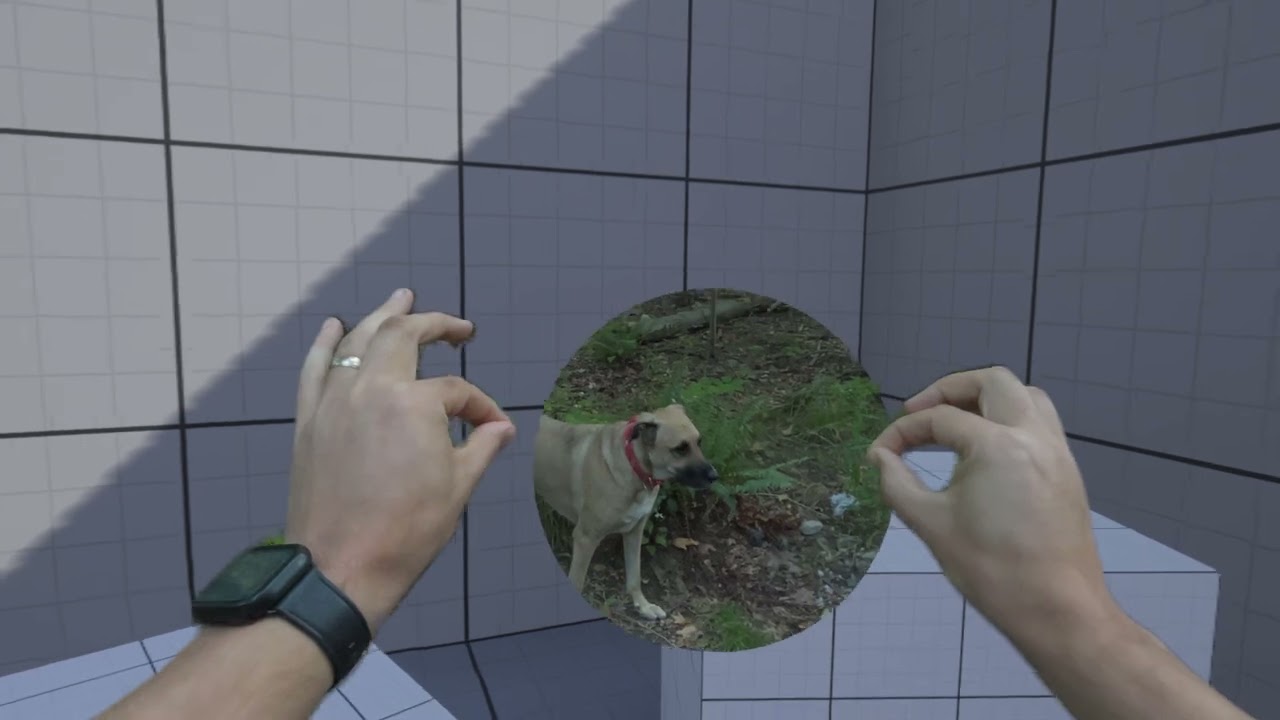
Two cool new updates:
- You can have a material that blends across the real world and virtual world as much or little as you want
- You can freely walk around without being kicked out of the map
slender wyvern
Guys I need help there is no shadow on right eye in VR?
sage gulch
search 'right eye' in this channel 😂
dapper sparrow
Hey everyone, I've recently implemented finger collisions in my VR project, but I seem to be running into some issues with collision accuracy and I was wondering if I could get some help with that
As you can see in this video, the collisions are following my hands perfectly, and yet it hits a completely different key on the piano for some reason
I'm displaying the collisions using an unreal command, so as far as I'm concerned the collision visualizer should be perfectly accurate, so I'm not sure why this is happening
sage gulch
you sure you aren't hitting it with the hand as opposed to single finger?
attach a single collider to a controller and see if it works correctly
dapper sparrow
sage gulch
you sure you aren't hitting it with the hand as opposed to single finger?
I'm very certain that's not the case
The root bone of the hand is actually the only collision that seems to be getting detected properly actually
The fingers are unreliable, will often pass through objects, and get detected when clearly not touching an object
As far as I'm concerned the hand and the fingers are set up in the exact same way, so I'm not sure where the discrepancy is coming from
dapper sparrow
sage gulch
attach a single collider to a controller and see if it works correctly
This is what I started with, and it worked just fine
abstract forum

After launching Bigscreen Beyond 1 in 2023, we're excited to announce Bigscreen Beyond 2 today, our breakthrough 2nd-gen VR headset packed with surprising improvements and innovation.
Follow us for updates:
Bigscreen Beyond Discord: https://discord.com/invite/bigscreenbeyond
X: https://x.com/BigscreenVR
slender wyvern
can somebody tell me what is the difference betweeen PicoOpenXR and PicoXR, and what is better to use? At the moment I have no need for cross platform.
silk lodge
abstract forum
https://www.youtube.com/watch?v=QBQzViR4xU4
looks really cool!
hallow knoll
abstract forum
https://www.youtube.com/watch?v=QBQzViR4xU4
Flip up 🙏
rocky nexus
if only you didnt need an index already 😦
hallow knoll
You can buy base stations and controllers separately though
rocky nexus
oh neat! Ill probably wait and see how will the rumored valve standalone headset work. Maybe it will use them too
limpid widget
slender wyvern
can somebody tell me what is the difference betweeen PicoOpenXR and PicoXR, and ...
PicoOpenXR works with the unreal openxr plugin and other openxr related Plugins. Also if you want to go Cross platform this is suggested.
PicoXR does use its own runtime, so it does not work with the openxr plugin or any other openxr runtime or headset Plugin.
PicoXR contains more exclusive Features for pico while picoopenxr is more generalized due to it being bssed on openxr
 dense spruce
Hi, do apple vision works with controller? Also it compatible for VR game?
slender wyvern
limpid widget
PicoOpenXR works with the unreal openxr plugin and other openxr related Plugins....
thanks that is why I crave for Picoxr, but I dont have functional VR Pawn and I am noob for blueprints. I am looking for older version sample on github but I need 2.4.0 Pico SDK and I cant find it...
Also I can pack both in VR template, but same scene in Arch template I cant pack.... Unreal is madness...
worldly peak
For quest standalone builds is there another way to debug a crash other than the device console in the developer hub
I can't seem to find any information on where to get any kind of crash logs
rocky nexus
you connect it to your pc and check the logs from dev build
paper trout
hi all - i'm using this logic to use my hmd / camera position to move my character around but i'm wanting to switch to a vive tracker to control my character's position.
when i switch to a vive tracker, the character mesh moves but the camera itself detatches. is there a way to lock my cameras location in place so the movement matches the vive tracker?
 worldly peak
I have tried to figure out why my Quest 3 build crashes randomly in between 5 - 60 seconds´
I ran a lot of log files through chatGPT and it seems to me that the **GPU/vulkan is crashing **
Here is a summary of it:
"Vulkan GPU Memory Issue → Your crash log shows "vk_devicememory" was already freed, meaning Vulkan is trying to write to freed GPU memory"
GPU Page Fault (Invalid Access) → The Quest Adreno GPU crashes when Unreal tries to access invalid memory, possibly from textures, shaders, or vertex buffers being released too early.
Random Timing Suggests Asynchronous Issue → Since crashes happen randomly (5s, 20s, 2min), it could be multithreading-related, where one thread frees GPU memory while another is still using it.
Has anyone had random crashes like that which are not related to the game code since
No issues on Windows
This shows up a lot
03-22 23:43:51.717 0 0 E kgsl-3d0: [4002730000-4002819000] (vk_devicememory) was already freed by pid 23459```VRAM: used about 600mb in the app i think, total was 1.15gb
RAM: about 4gb used 4gb free
slender wyvern
worldly peak
VRAM: used about 600mb in the app i think, total was 1.15gb
RAM: about 4gb used ...
do you know how to achive mirror reflections on Standalone VR like Quest and Pico
 shut flicker
worldly peak
For quest standalone builds is there another way to debug a crash other than the...
shut flicker
worldly peak
For quest standalone builds is there another way to debug a crash other than the...
Ive seen examples of debug builds decompiled in android studio and with added breakpoints to the stack trace of the crash. Never managed to get my android studio to do that successfully
worldly peak
shut flicker
Ive seen examples of debug builds decompiled in android studio and with added br...
I got all the logs I needed now but can't figure out the above mentioned issue
shut flicker
worldly peak
Has anyone had random crashes like that which are not related to the game code s...
Yeah tough one to debug. Could be badly memory managed actors referencing assets
worldly peak
shut flicker
Yeah tough one to debug. Could be badly memory managed actors referencing assets
Can't be because it only happens on android
 urban igloo
I need a quick sanity check. Can someone confirm that the 5.4 architect CollabViewer template can add bookmarks in VR mode? I can open the Bookmark manager window, type a name into the VR keyboard, but then the add button doesn't respond to clicks.
urban igloo
Looks like the VR keyboard isn't triggering OnTextChanged, so the Text variable never gets set.
 silver spear
Hey there, I am wondering what is the reason for using Meta specific features. In particular the Oculus XR Controller, as opposed to Unreal built in VR features. What's the advantage? Also is it future proof, or do you think Meta will drop this feature if its redundant.
https://developers.meta.com/horizon/documentation/unreal/unreal-controllers-getting-started/
rocky nexus
is it me or is there no replacement for online subsystem oculus in 5.5? lol
sage gulch
silver spear
Hey there, I am wondering what is the reason for using Meta specific features. I...
they'll change it whenever they see fit 🤪 😭
sage gulch
paper trout
hi all - i'm using this logic to use my hmd / camera position to move my charact...
afaik it can be tricky to manually adjust the HMD camera as UE treats it a bit differently than typical components.. I'm able to do this type of offset with the second node shown in your image, but the offset it applied to a node prior/'below' the VROrigin in the actor component hierarchy. fwiw, that node has physics enabled, and I'm not using a Character Movement component.. I also do another offset elsewhere that required modifying some c++. A couple of considerations; are you sure you need to perform this twice? I'm guessing you added the second offset in an attempt to get it working. You could try inserting a node in your hierarchy as mentioned; the node I offset is a Static Mesh component and not just a scene component. Alternatively, with some help I created a modified Base Pawn class as the actors parent class, inserting c++ offsets based on some of Mordentrals VRE code. In the first case the BP code works correctly, the c++ is kind of a hacky half baked fix that improves the experience but leaves some unresolved issues.
paper trout
sage gulch
afaik it can be tricky to manually adjust the HMD camera as UE treats it a bit d...
that’s really interesting! i’ll give it a shot!
sage gulch
lmk how it goes 😂
paper trout
sage gulch
lmk how it goes 😂
not going too hot! haha what im trying now. I'm basically trying to stop my character from sliding around when i move my head. originally i thought i could create some kind of range where if the camera rotates x degrees don't move but that solution causes jagged movement
like if there was a way to move my character actor based off the movement of the skeletal mesh or even just the pelvis bone i'd be in a great spot but i can't seem to get something like that functional
the issue when i try that seems to be me constantly moving backwards
 storm smelt
Heya, was wondering if anyone has any experience saving .png on a quest?
I'm trying to save screenshots (through scene capture) for save files, and so far it works on a PC. But on a quest it crashes, specifically on Export Render Target.
I'm guessing because on PC the directory I use works fine (screenshotdir) but in quest the APK doesn't have the same directories so it crashes trying to access a nonexistant directory.
Is there a specific directory path I should be using for quest?
 paper trout
sage gulch
lmk how it goes 😂
paper trout
sage gulch
lmk how it goes 😂
this is the setup im trying but i seem to move backwards constantly i imagine because the actor is being moved, thus moving the mesh which results in a loop of ever moving backward
 sage gulch
been there 😉
it's a bit hard to tell exactly what's going on without seeing the actor hierarchy or what's going on further to the right of that graph, plus your vive tracker, but you don't want to apply an actor offset I think, only to offset that Mesh component, which should be closer to root than the camera
paper trout
sage gulch
been there 😉
it's a bit hard to tell exactly what's going on without seeing th...
yeah one sec i'll get a shot of the heirarchy. i think the actor offset is so it can move the capsule collider to account for going up ramps and falling
sage gulch
UE basically allows the HMD to declare it's position and rotation in a manner that makes it difficult to adjust.. I've lost track of how many people were certain they could fix it easily (conceptually it should be easy, but there are some threads around that dig deeper into how it's implemented and you basically have limited options without getting into c++)..
paper trout
sage gulch
UE basically allows the HMD to declare it's position and rotation in a manner th...
yeah i've pretty much abandoned the vive tracker approach.
i have one more idea where i make a copy of the mesh with the same animation blueprint, but invisible, and i offset my character actor to match the character's hip bones
just to reduce sliding
sage gulch
break things apart and manipulate them separately maybe, because doing it to both the actor and a component within that actor is possibly going to conflict
paper trout
yeah no doubt. i wish the capsule component wasnt the character actor
 paper trout
sage gulch
definitely helps to have a strong stomach for this stuff 😂
paper trout
sage gulch
definitely helps to have a strong stomach for this stuff 😂
aint that the truth. this is what mine looks like


im offseting the actor to follow the camera, that way if i fall or go up a ramp the capsule moves everything with it
then offsetting the vrorigin to keep it organized
and this is how it looks on the character
you'll see when i move my head the character obviously slides as its following the camera
whereas the animation blueprint, head turning doesn't move the character because meta's ik setup is handling the root motion
so my thought process right now is if i have a separate actor with just the animation blueprint, i could grab its hip bone and use that's xy to offset my character actor, thus reducing the sliding effect
sage gulch
oof
paper trout
right??
sage gulch
I thought you meant sliding the hmd around through space, that can be nauseating
paper trout
nah thank god though some of my attempts did cause that
 echo rock
Hi everyone
Can we use 2D widgets without placing them in 3D world in VR? As I see almost all tutorials make a 2D widget place them in 3D world to interact with them.
sage gulch
it must be 3d
hallow knoll
rocky nexus
is it me or is there no replacement for online subsystem oculus in 5.5? lol
It's part of their Platform SDK now: https://developers.meta.com/horizon/downloads/package/unreal-5-platform-sdk-plugin
Use the Platform SDK to create social VR applications. Add Achievements, App Invites, Destinations, DLC, In-App purchases, Leaderboards, and more to your experience using the individual components of...
rocky nexus
hallow knoll
It's part of their Platform SDK now: https://developers.meta.com/horizon/downloa...
i see, thanks. From what I could tell OSSOculus already used that under the hood, so a bit inconvenient change... After poking at custom plugin for a bit, ive ended up with their old 5.4 one with few extra changes to make it work in 5.5
paper trout
sage gulch
it must be 3d
i think my best solution will be not using the character class, opting for a pawn with floating pawn movement for character movement and then having the capsule collision follow the player. then if the z's of the mesh and capsule don't equal one another, set the mesh z to the capsule z
suuuuper janky but it could be functional
paper trout
fr!
paper trout
sage gulch
every good project is required to include at least 10% jank
my janky method is working! the only thing that kind of sucks is i can't figure out how i'd set up collision in a way where i can't move through walls
paper trout
the way im setting it up is if i walk around the capsule follows me, and if the capsule's world z != the character world z it resets the character's world z to match, so i can fall and walk up stairs
the problem is that if the capsule is following the character and not the other way around, it obviously can't stop myself from walking through walls and stuff
sage gulch
Take the hmd world location, line trace from the capsule to the hmd, and if it hits a wall fade the world out, or show a message or indicator and disable input to the pawn until the line trace shows the user has returned
paper trout
sage gulch
Take the hmd world location, line trace from the capsule to the hmd, and if it h...
ooooohhh thats interesting great idea!
so it would be like on overlap for world static objects and if its one of those it disables input
what exactly would the line trace do?
ohhhh wait i get it so the line trace is the thing hitting something
hallow knoll
Step by step tutorial on how Survios did "dynamic lighting" for their latest Quest title through shaders, figured this might be useful for some folks here: https://www.youtube.com/watch?v=DGXKVz0B2lY

If you’ve ever developed a mobile project in Unreal, you know the pain: 4 movable lights (if you’re lucky), and no stationary lights, hard stop.
But what if you could math your way around that? What if you could have multiple stationary and movable lights for just 30 material instructions each?
That’s exactly what I ended up doing. Thro...
 nimble nacelle
Question does anyone happen to know why I have ShadingRateTarget = null in top left of my view port in blue text?
I have instanced stereo on
is this a bug or do I have a serious bug with my new gpu driver
 uneven vortex
Does anyone know if there's anything strange going on with the latest version of MetaHorizonOS for Meta Quest (v74) and Epic's Unreal Engine 5.5.4, native to Android? Could it be that VRTemplate has significantly lost performance since UE 5.2, or is there a bug?
I've tested and reviewed the Android installation recommended by Epic and several others, and while they all work without errors, the performance loss is so evident that on my Quest 2, GPU usage is maxed out, only giving me 60fps. On Quest 3, GPU usage drops to 60% for 72fps. I was doing much better on Meta Quest 2 with Unreal Engine version 5.2, without using a basic template, and with a style similar to Moss.
Of course, I've reinstalled all of Unreal Engine, Android Studio, etc., and even reset my Meta Quest to factory settings. I'm running the latest versions of everything.
Any ideas what it could be?
hallow knoll
uneven vortex
Does anyone know if there's anything strange going on with the latest version of...
r.NeverOcclusionTestDistance was lowered in 5.5 from 2000 to 200. Set it back to 2000 and you'll regain perf in VR Template, but you might have to tweak it for your app. In 5.6 we've implemented a PR from Meta that adds Adreno Occlusion Culling which is more efficient: https://github.com/EpicGames/UnrealEngine/commit/89ad6bff4c6762f89b60cd3ea7a8fbba33cbb64e
uneven vortex
hallow knoll
r.NeverOcclusionTestDistance was lowered in 5.5 from 2000 to 200. Set it back to...
I'll try it, thanks!
 amber tartan
Hi! This might be a dumb question but I keep getting this crash error everytime I try to run Unreal with the hand interaction sdk pawn I setup. I followed the meta documentation to a T but to no avail. I am using Unreal 5.4.4 and Interaction SDK 71.0.0 https://developers.meta.com/horizon/documentation/unreal/unreal-isdk-getting-started
LoginId:96dfe46d45fa068729ff929c285fb7d2
EpicAccountId:f2068f01feeb4d15b90044d3c8bd4ff1
Assertion failed: IsValid(TrackingData.GetObject()) [File:D:\MetaIsdk-release\HostProject\Plugins\OculusInteraction\Source\OculusInteractionPrebuilts\Private\Rig\IsdkTrackedDataSourceRigComponent.cpp] [Line: 176] No Subsystem exists that implements IIsdkITrackingDataSubsystem
UnrealEditor_OculusInteractionPrebuilts
UnrealEditor_OculusInteractionPrebuilts
UnrealEditor_OculusInteractionPrebuilts
UnrealEditor_Engine
UnrealEditor_Engine
UnrealEditor_Engine
UnrealEditor_Engine
UnrealEditor_Core
UnrealEditor_Core
UnrealEditor_Engine
UnrealEditor_Engine
UnrealEditor_Engine
UnrealEditor_Engine
UnrealEditor_UnrealEd
UnrealEditor_UnrealEd
UnrealEditor
UnrealEditor
UnrealEditor
UnrealEditor
UnrealEditor
UnrealEditor
kernel32
ntdll

Guide to using the Interaction SDK for Unreal Engine.
 sturdy coral
amber tartan
Hi! This might be a dumb question but I keep getting this crash error everytime ...
sturdy coral
amber tartan
Hi! This might be a dumb question but I keep getting this crash error everytime ...
what versions of engine and metaxr plugin and are you running in editor standalone game? older metaxr plugins break it
sage gulch
Any word on getting RGB camera access from Quest now that it's supported in the SDK and documented in Unity?
silk lodge
hallow knoll
r.NeverOcclusionTestDistance was lowered in 5.5 from 2000 to 200. Set it back to...
Will that bring back on quest headset Software Occlusion Culling?
sage gulch
GitHub
Provides software occlusion culling for Unreal Engine 5 - ArmainAP/Unreal-Engine-Software-Occlusion-Culling
 mighty carbon
Is it like Snow Occlusion culling plugin?
mighty carbon
oh, it's useless due to license incompatibility (AGPL isn't compatible with Epic's UE license)
 quick dirge
Why would anyone choose AGPL for an Unreal plugin? It doesn't make much sense...
limpid widget
well it is mentioned there that you can talk about another license
quick dirge
Yes I get that, and it's fair. It's just that I would have expected a standard GPL, so I'm wondering which weird use case they thought might require an AGPL, and the standard GPL wouldn't be enough. Or maybe I'm too old and the AGPL is now the standard for copyleft. Anyway, I'm realizing I'm way off topic, sorry.
 snow pilot
Anyone know what would cause screen space widgets to not show up in vr mode? If I run it without my headset connected, I can see the widget but when I go into vr mode with my headset connected, the widget doesn't show up. I am using a quest 3.
snow pilot
So weird this one particular one won't show up. I have another blueprint with a screen space widget that does show up but this one won't. Nothing in the blueprint is setting it to hidden, and when I set it to world space it shows up fine.
hallow knoll
snow pilot
Anyone know what would cause screen space widgets to not show up in vr mode? If ...
What are you using them for?
snow pilot
Displaying an 'objective marker' over an actor. The widget component is in the blueprint for the actor.
hallow knoll
Is it not difficult to focus on? Why would you use screen space over a 3d-widget?
snow pilot
For the marker itself, I could probably use a billboard but the progress bar itself would need to be a widget.
hallow knoll
Yes, on a Widget3D Component
snow pilot
You don't interact with it, it's just a visual cue. I'm not sure what a "3d widget" is
I was using screen space versus world space so it always shows up facing the player. If there's another way to do it, that would be awesome too.
Googling it seems to imply 3d widgets are the way to go for VR games, but not sure why I have other screen space widget components that work but this one doesn't.
hallow knoll
Try the 3DWidgetComponent and move on to the next problem 🙂
snow pilot
I'll give that a go. Does that work the same way as a normal widget component? I've never seen or heard of that component before.
Hmm, there doesn't appear to be a '3d widget'. All the references I can find say to use a 'widget component' in the blueprint, which I am doing.
rocky nexus
snow pilot
Hmm, there doesn't appear to be a '3d widget'. All the references I can find say...
You set the space to world on it
snow pilot
That doesn't make it face the character ? I need it to face the character at all times
And I'm assuming that also means it won't appear through objects like it does with screen space
rocky nexus
snow pilot
That doesn't make it face the character ? I need it to face the character at all...
You can parent it to the camera
And disable depth test in material, though id love to know a better way of doing that
snow pilot
It's attached to the actor blueprint, not the player. I can't believe screen space widgets don't work in vr. I guess I need to build in some logic on the widget to always rotate it towards the player. We did find out we don't actually need to be able to see it through objects but it at least needs to always face the character so that should be easy enough to do. Sort of annoying that it works differently for VR.
silk lodge
sage gulch
https://github.com/ArmainAP/Unreal-Engine-Software-Occlusion-Culling
haven't seen this before, does it work well on quest?
hallow knoll
snow pilot
It's attached to the actor blueprint, not the player. I can't believe screen spa...
The Menu in the VR Template has logic on tick that turns it towards the Player's camera at all times.
snow pilot
Thanks
sage gulch
silk lodge
haven't seen this before, does it work well on quest?
you can get Adreno culling now in Meta 5.4 fork fwiw
https://developers.meta.com/horizon/documentation/unreal/po-fork-engine-perf/#visibility-and-occlusion
Describes special engine performance improvement in the Oculus-VR Github Fork.
my build is 200gb+
silver spear
Hey there I am struggling with these issue. There's like a strobing effect on my left eye. If I close my left eye its fine. I've tried disabling instanced stereo and mobile multi view with no luck. I'm just running the demo scene with no changes. Any suggestions? I tried 5.3 and 5.5.4. I am working on meta quest 3

 alpine arrow
Hey does anybody know what to use in replacement for slate.DrawToVRRenderTarget? It seems to be gone for ue5.5. I tried copying over Widget Render Target to Spectator screen texture but im stuck on that method...
silk lodge
@sage gulch I heard that's going to be in main 5.6
 clever stone
Hey, does anyone know if its possible to use Vive ultimate trackers with the Oculus OpenXR runtime in UE5.5? without starting/ using SteamVR?
hallow knoll
sage gulch
you can get Adreno culling now in Meta 5.4 fork fwiw
https://developers.meta.co...
This is on UE5/Main already: https://github.com/EpicGames/UnrealEngine/commit/89ad6bff4c6762f89b60cd3ea7a8fbba33cbb64e
hallow knoll
clever stone
Hey, does anyone know if its possible to use Vive ultimate trackers with the Ocu...
No their runtime doesn't support the extension required for the vive trackers
silver spear
silver spear
Hey there I am struggling with these issue. There's like a strobing effect on my...
Any help around would be appreciated I have been stuck on this for a while 😰
sage gulch
I saw the comments ... what is the word on RGB camera access? Seeing videos going around, must be nice to be on Unity in some ways..
silver spear
silver spear
Hey there I am struggling with these issue. There's like a strobing effect on my...
Do you think I need to install the meta version of Unreal to fix this?
sage gulch
Instanced stereo and mobile multiview are typically fine afaik, make sure you have Lumen and Nanite disabled
@silver spear
clever stone
hallow knoll
No their runtime doesn't support the extension required for the vive trackers
oh that's unfortunate. Thanks for clarifying.
silver spear
I tried disabling Nanite, and Lumen still no luck.~~ I have both the Meta XR and the Open XR plugin enabled. Could that be the issue? I somewhat heard this could be an issue but that it was fixed in recent versions~~
silver spear
One detail that isn't quite visible in the video above is the the flashing region shows the perspective of a static camera that isn't tied to my head movement.
sage gulch
what happens if you remove that?
sage gulch
ah, hmm.. well idk, I have seen some rather odd rendering errors on q3s.. I take it you have the q3 in the device list in meta xr
if you have it on the prerelease os you could try to back off that, or update it if it's behind..
silver spear
Yeah I see quest 3 under available devices, this is how Im building it. I always applied metaquest3 reccomendations by the meta quest tool window
I just saw a spectator blueprint, im going to laugh if that's the issue 🤣
clever stone
Hello, has anyone experienced blurry rings on Quest 3 standalone apps? I have got these weird blurry rings that move with the camera and cant seem to figure out what's causing it.