#virtual-reality
1 messages · Page 12 of 1
 ashen dome
 faint portal
ashen dome
Its not a project , its a demo of a project , there is no editor. Its PCVR only....
faint portal
ashen dome
Its not a project , its a demo of a project , there is no editor. Its PCVR only....
i thought that was this link, the one i followed: https://dev.epicgames.com/community/learning/tutorials/3Vx6/unreal-engine-5-3-2-for-meta-quest-vr

Epic Developer Community
XR Meta Quest setup guide covering everything
ashen dome
Not me, this is mine https://basereality.itch.io/lyravr-demo
 faint portal
ashen dome
Not me, this is mine https://basereality.itch.io/lyravr-demo
faint portal
ashen dome
Not me, this is mine https://basereality.itch.io/lyravr-demo
dude! fast movement instead of teleportation! love it.
it's like darwinism culling out those with weak stomach 😆
ashen dome
HAHAH!. I have zero time for teleporter
ashen dome
faint portal
dude! fast movement instead of teleportation! love it.
Drop me some feedback when your done, what you like what you didnt, quality of the VR systems?
faint portal
ashen dome
Drop me some feedback when your done, what you like what you didnt, quality of ...
sure, it's a binary or a project?
ashen dome
BP Project
faint portal
from the video alone, the level of polish is crazy!
ashen dome
Its epics Lyra . But I just did a full VR conversion
faint portal
ashen dome
BP Project
i mean, a package, or the actual project
faint portal
ashen dome
Its epics Lyra . But I just did a full VR conversion
i'm not familiar with it, lm google

Epic Developer Community
Lyra Starter Game is a sample gameplay project built alongside Unreal Engine 5 development to serve as an excellent starting point for creating new game...
ashen dome
I added some extra weapon types and matche types, But ALL the VR stuff is ME
faint portal
ok so ill need steamvr i guess
ashen dome
QUEST 2/3 WILL BE JUST FINE . from PC ofc
faint portal
wild, i didn't even know you could have multiple stream in a build
ashen dome
its was developed using a quest 3 and also tested on Q2
ashen dome
need to be gripping to equip
ashen dome
grip and pass over a weapon spawner or one of the weapon drops
right hand!!
can only have 3 weapons in inventory at once, grip and cycle weapon button to swap weapons
This is the only way I could get VR to work with the original lyra inventory system
faint portal
unclear controls, too much noodle in the weapon physics
but damn! the polish is incredible
what's the dithering in the shadow area?
ashen dome
Give It another try victor , download the new version, Grip with right hand! and cycle weapons while gripping. or grip while passing over a weapon spawner or a weapon pickup will work fine 🙂
ashen dome
faint portal
what's the dithering in the shadow area?
Most likely a forward rendering thing, lyra natively runs lumen so it was a challenge to get it perfected for VR and the performance dialed in.
faint portal
yeah it's stuttering like hell on a 2060, bake the lighting and turn off lumen
ashen dome
I came from a 2060, but now on 4080, so I know the pain. what you thing of the VR avatar , Seen the procedural feet,?
faint portal
ashen dome
I came from a 2060, but now on 4080, so I know the pain. what you thing of the ...
oh yeah, i admired myself running in plastic spandex haha
Unreal baked lighting is wild, it's like using that valve SDF font trick so you don't see the pixels

 sturdy coral
faint portal
Unreal baked lighting is wild, it's like using that valve SDF font trick so you ...
sturdy coral
faint portal
Unreal baked lighting is wild, it's like using that valve SDF font trick so you ...
you can turn off SDFs and get better penumbras at the cost of needing more resolution
faint portal
sturdy coral
you can turn off SDFs and get better penumbras at the cost of needing more resol...
oh I love that look. Very crisp.
faint portal
sturdy coral
you can turn off SDFs and get better penumbras at the cost of needing more resol...
where's that setting? not found in project settings
sturdy coral
faint portal
where's that setting? not found in project settings
it's on the light itself:

"Use Area Shadows for Stationary Light"
you can choose per-light and mix and match I guess
faint portal
sturdy coral
"Use Area Shadows for Stationary Light"
the SDF setting
sturdy coral
faint portal
the SDF setting
area shadows on turns SDF off
with area shadows for stationary lights off, it uses SDF and the light map pixel values in the light map guide the shape with a cutoff threshold; with area shadows on it uses the values as intensity multipliers instead and can support varying penumbras with distance and looks a lot more realistic
within the different color channels of the light map, the same lightmap can have some lights with it turned on and some with it turned off, so I guess that's why it is a per-light setting
faint portal
sturdy coral
with area shadows for stationary lights off, it uses SDF and the light map pixel...
Ah I see, I thought the VR template used static lights.
Light Source Angle would normally increase the penumbra but it doesn't, might have been turned off elsewhere
sturdy coral
faint portal
Ah I see, I thought the VR template used static lights.
I dn't remember what the vr template does, but only stationary use SDF, since static lights need to bake in the color
faint portal
sturdy coral
I dn't remember what the vr template does, but only stationary use SDF, since st...
does it use SDF during realtime shadow mapping?
sturdy coral
I don't think so, there it just has depth info
they can get kind of fake penumbras there too by something like ray or cone tracing against the depth map at different mip levels to stay fast
there is separate 3D SDF stuff they can use too with the capsule shadow stuff or the other baked 3D SDF representation thing for cheaper shadows
but no 2d SDF there I don't think
 digital cave
@hallow knoll Are you / anyone at Epic VR aware of this quest 2 flickering eye issue? https://forums.unrealengine.com/t/vr-visual-bug-in-right-eye/1301105/8 https://forums.unrealengine.com/t/unreal-5-3-vr-only-one-eye-works-white-dots/1289324/20

Epic Developer Community Forums
Was switching to DX11/Vulcan the only way you resolved the issue? We have the same issue, and would like to keep DX12 support. One thing I have noticed is that changing the ScreenPercentage value the amount of visual distortion would change making it feel like a screen space effect that’s gone awry. Update: More digging and research, this hap...

Epic Developer Community Forums
Ahh that’s unfortunate! Hoping the reports we’ve made here will help determine what the issues are!
 foggy oxide
does anyone knows if on htc the system menu on handtracking gestures can be disabled or inhibited while in my app?
faint portal
sturdy coral
they can get kind of fake penumbras there too by something like ray or cone trac...
interesting, thanks
the mip trick might explain why there are abrupt changes in crispness here and there
 clever stone
Hello all,
I am trying to understand how to create post process material effect for VR which resembles a vignette effect but it is aligned towards a given vector. This is what Ive got so far and it works in the editor non-VR camera. But unfortunately it doesnt translate as expected in VR. Has anyone attempted something similar? any guidance is appreciated.

 lilac slate
Hello everyone, I am having issues with recentering in my build.
I have read previous posts about this and I am aware that there were some delegate issues, however in my case, I do get the delegate, I just can't reset the position and orientation.
I notice that the issue only occurs when I have a room spawned with the AnchorActorSpawner from the MRUtility kit. Is there a reason why having the room spawned would prevent me from recentering ?
Any help is greatly appreciated ! 🙏


 hallow knoll
digital cave
<@531923466799284244> Are you / anyone at Epic VR aware of this quest 2 flickeri...
hallow knoll
digital cave
<@531923466799284244> Are you / anyone at Epic VR aware of this quest 2 flickeri...
No we haven't seen this issue (and we test on Quest all the time). There's not enough information in that thread for me to reproduce it (something has to be different as we haven't seen the issue). If you have steps and a system configuration to provide, please update the thread and I'll take a look
I moved it to the XR Development category (it wasn't there which is why I haven't seen the post)
lilac slate
lilac slate
Hello everyone, I am having issues with recentering in my build.
I have read pr...
Additional information on this :
If I clear the room data, recenter and then rebuild the room, it works and I am able to recenter. That seems really inefficient though, I think there must be logic somewhere in the room that keeps the experience snapped to a position ?
foggy oxide
anyone has any idea how to make a video play. i went through a lot of docs but still cant make them work.
on the log it says its opening the media and right after that its closing the media. but i have no close function in my code. any idea ?
they're in the correct folder, i forced the android media player, the functions are being triggered, i have all the possible permissions including read external data
 bleak blade
Is there a tutorial for a gravity system for VR simillar to what VRGK had?
clever stone
clever stone
Hello all,
I am trying to understand how to create post process material effect...
If anyone else runs into this issue, I managed to figure out how to fix this. Set the material blendable location to Before Tonemapping.
ashen dome
Anyone here done Replicated roomscale movement, Im hitting a wall trying to get this to work, works great as standalone and listen server but If the player is client Its not able to work. how did you do it?
 scarlet mantle
ashen dome
Anyone here done Replicated roomscale movement, Im hitting a wall trying to get ...
scarlet mantle
ashen dome
Anyone here done Replicated roomscale movement, Im hitting a wall trying to get ...
Yeah 🙂 , you can look into VR Expansion Plugin (https://vreue4.com/ ReplicatedVRCameraComponent) or look into my VR plugin ( Head Mounted VR https://www.headmountedvr.com/)
 next crystal
Hi all I’m experiencing an issue with my quest 3 headset inside my scene. My scene runs great (50-60 fps) on my laptop with an RTX A3000 GPU but when I try viewing it in vr preview I get these black planes appearing on my peripherals and all around glitchy behaviour when moving my head around.
My first guess is that the fps can’t keep up with the head tracking? But my fps is good on the pc?
My next guess might be draw calls Or foliage throttling performance. I’m using megascan foliage so my trees are high poly. I also have a few thousand very low poly meshes that I’ve imported from Rhino so that may impact draw calls? (Although I’ve begun to merge these in the editor)
Is far less noticeable in an empty scene but I can still see it slightly if turn my head very fast. So not sure if it’s something to with the headset and my dev scene is exasperating it?
In any case would love to know if anyone has come across this and managed to resolve it. Would be super grateful for the advice.
next crystal
I should add that I experience similar behaviour when just inside the quest link default room as well but more inconsistently
next crystal
After merging my meshes and disabling my foliage I jump up to a stable 75-80 fps but I still experience the same issue. Starting to wonder if I has to do with the quest link itself.
 outer flicker
Did you ever resolve the missing debug lines/spheres etc in 5.3? I just upgraded from 5.1. and no matter what, I see no debug shapes in the quest. I even tried the default VR Template. No dice.
 buoyant zealot
outer flicker
Did you ever resolve the missing debug lines/spheres etc in 5.3? I just upgraded...
buoyant zealot
outer flicker
Did you ever resolve the missing debug lines/spheres etc in 5.3? I just upgraded...
no, also haven't bothered much about that
needed it for hand spell traces, so i've implemented some user visualization which they can turn on/off
outer flicker
thanks for the response ... this is a big enough issue where I may try the oculus/meta fork. I do a huge amount of debugging for prototype systems in VR
buoyant zealot
after messing with their plugin, their engine fork is the last thing i want to do to myself 😄
outer flicker
I know ... ugh
buoyant zealot
i would rather write my own debug methods with some visualizer
you could use niagara or whatever to indicate what happens
after all those might be handy methods anyways, since in VR often you may want to visualize what happens to give the user some feedback
outer flicker
I suppose it wouldnt be that bad to set up some shapes with some ISMs
loss of line trace debug is pretty gnarly tho
buoyant zealot
idk if they are even supposed to work outside of the editor
haven't used them in a desktop build yet
outer flicker
they've been working all through 4.27 to 5.1 on android (I jumped from 5.1 to 5.3 last week)
buoyant zealot
do you use passthrough?
outer flicker
no, I havent set it up yet, and debug shapes are missing in default VRTemplate in 5.3
buoyant zealot
ok, was just curious if that might be some issue related to another problem i had with passthrough
as additive materials didn't render there
outer flicker
I have my 5.1 build on the same quest, debug shapes work no prob. So its 100% something in 5.3 (or common to my and default VRTemplate)
Epic Developer Community Forums
Hi, I don’t understand why i don’t have the debug line when I package on android apk. On the VR preview, it’s ok. Can you help me ?
I'm shocked more people havent screamed bloody murder over this
buoyant zealot
may be worth to crawl a bit through the commits in the meta unreal fork, maybe they fixed it and it's easy enough to merge into the original engine branch
outer flicker
I'll give it a whirl, see if its still there and report back
hallow knoll
@outer flicker Known issue, we fixed it in 5.4
Debug shapes are drawn incorrectly in the right eye still, but traces works as intended. Should have that fixed on Main soon.
outer flicker
hallow knoll
Debug *shapes* are drawn incorrectly in the right eye still, but traces works as...
Awesome, thanks so much for the update!
 graceful girder
oddly enough I came in to ask about a similar issue.. I just want to render a raycast / laser pointer thing in ue4.27
but line batcher is broken in vr
I'm thinking of using a spline component.. which is dumb as hell, but that does seem like a working way to render dynamic lines in vr
 rocky nexus
graceful girder
oddly enough I came in to ask about a similar issue.. I just want to render a ra...
rocky nexus
graceful girder
oddly enough I came in to ask about a similar issue.. I just want to render a ra...
Use niagara ribbon renderer
graceful girder
particle stuff? that looks even more expensive than a spline
rocky nexus
You can have a ton of them, and easily get something more interesting than a spline
graceful girder
used a scaled cylinder to get the job done, but its ugly code
ashen dome
I just noticed while testing that other clients cant see my My characters arms moving in multiplayer. what do I need to do here? as All the movement is done in the animBP/CONTROLRIG
ashen dome
SO if my VR full body characters head is controlled by the camera and the hands by the Motion controllers How are we replicating this to other players , new to multiplayer!
 urban igloo
How does VR Preview know to use BP_VRpawn?
In 5.3.2 Collb viewer
They switched the way gamemode is set up. I can't quite tell how it's working now.
 glad ocean
I had a VR project for quest 2 in 4.26. I just updated to 5.2 and had to fix a few issues. I've got the apk back on the headset. But the hand tracking feature has stopped working. It appears that the motion controller component no longer works? Any ideas are greatly appreciated
 urban igloo
@glad ocean, I don't have a quest, but I believe you need a openXR plugin now
glad ocean
I've got both plugins
 urban igloo
lemme see if i can find the docs
glad ocean
If i try to uncheck openXR I get this message
 glad ocean
urban igloo
lemme see if i can find the docs
glad ocean
urban igloo
lemme see if i can find the docs
Thank you! This my current tab situation on chrome haha. It was a lot worse earlier

there is a hand tracking plugin, but I'm unsure if this is used in 5.2
 urban igloo

Epic Developer Community
Develop on head-mounted AR and VR devices with OpenXR in Unreal Engine.
check the "extending" section.
I'm on 5.3 with vive.
I think i'm leading you astray. 5.2 still has the oculus plugin, as you've shown.
glad ocean
Getting the correct version of the ndk and sdk for android studio was a nightmare, I dread having to do it again for 5.3
Nothing for hand tracking
 glad ocean
urban igloo
https://dev.epicgames.com/documentation/en-us/unreal-engine/developing-for-head-...
glad ocean
urban igloo
https://dev.epicgames.com/documentation/en-us/unreal-engine/developing-for-head-...
There doesn't appear to be any documentation for open XR from what I can see
urban igloo

Epic Developer Community
How you can develop for Oculus devices in Unreal Engine.
This is hand tracking for quest: https://dev.epicgames.com/documentation/en-us/unreal-engine/making-interactive-xr-experiences-in-unreal-engine?application_version=5.2#oculusquest

Epic Developer Community
Add user input to your AR and VR projects in Unreal Engine
glad ocean
urban igloo
This is hand tracking for quest: https://dev.epicgames.com/documentation/en-us/u...
I've done this, this morning. When I package my apk and upload through sidequest. When I load the game my hands are invisble. But a static mesh I have on the hands appears to be at 0, 0, 0
urban igloo
I had that happen with the VIVE, but it turns out the "helmet on" sensor was really sensitive. The hands wouldn't track unless the HMD was fully on.
glad ocean
The HMD is on my head when I click on the app to play. I can't see this being the issue could it?
I made a brand new project and when I package that. When I try to load it on the hmd, I get a pop up saying it's controller only. But I've specifed hand tracking in the plugin project settings
urban igloo
I was hoping I could save you some frustration, but someone with actual oculus experience will have to answer.
glad ocean
I appreciate your help mate. 99% of the time you just get ignored here haha
I might actually be getting somewhere. I enabled the open xr hand tracking plugin and repackaged. Now I can see the debug controller mesh. Slowly getting there haha
 light comet
Is there a reason you didn't just go straight to 5.3? They've changed quite a bit
glad ocean
light comet
Is there a reason you didn't just go straight to 5.3? They've changed quite a bi...
i have about 4-5 VR projects all running 4.26. My new projects use 5.2. So when I updated I just went with 5.2 again
I've now got the hand tracking working again. The issue is, the hands aren't visible. But the cubes I've attached to them are visible
I think I may have found what the issue is.
I add the Oculus Hand component to my motion controllers. But when I try to package it says the Oculus Hand component can't be found. If I then close and open my project, the components are removed from my blueprint. Why would this happen?

This is how it looks after I restart my project...
 rocky nexus
its probably oculusxrhand now, they added OculusXR to everything
glad ocean
rocky nexus
its probably oculusxrhand now, they added OculusXR to everything

I had the hand tracking plugin enabled too. I disabled it to see if it was conflicting with anything. But still getting an error
 rocky nexus
you probably want this one in 5


 rocky nexus
probably, oldes one seems to target 5.1 so its not all that new https://developer.oculus.com/downloads/package/unreal-engine-5-integration/50.0
perhaps they dont care to support older version on the marketplace
glad ocean
I'm loading a test project in 5.3 with the meta plugin
Hopefully I can get this working and then I can update it to my new project
rocky nexus
im updating 4.27 project to 5.3.2 right now and handtracking works
glad ocean
I had a nightmare finding the right settings for 5.2
Could you share your settings for 5.3.2 please

This is assuming your packaging an apk for quest for hand tracking?
rocky nexus
using this
 glad ocean
Thank you! What do you do for the SDK at the top? Or is that not required
glad ocean
Oh right, is that the one set in system environments in windows?
rocky nexus
yes

 violet spear
glad ocean
violet spear
glad ocean
Maybe your plugin version doesn't match with your unreal engine version!
What version are you using for both the unreal and meta xr plugin?
foggy oxide
glad ocean
Hi, have you ever come across this issue before?
those are just warnings. i come across them frequently. those are not the cause of the error below.
could anyone help me a bit playing a video on htc? i tried several things including using electra, smaller videos, different encodings, increasing verbosity of logs, still can't make it work.
 undone coral
Anyone found a glass material that works well in VR? Everything I try ends up with weird reflections or double vision, etc. PCVR. Have played with anti aliasing and stereo settings. Will pay for it if needed. Is there a good solution?
digital cave
undone coral
Anyone found a glass material that works well in VR? Everything I try ends up wi...
Have you tried the free glass materials on the marketplace ?Checkout Ben Cloward on YouTube for making your own.
undone coral
digital cave
Have you tried the free glass materials on the marketplace ?Checkout Ben Cloward...
Thank you @digital cave I found the cause. For anyone who stumbles on this in the future. I was using Lumen as a "Reflection method" in the projects settings. Changing this to "None" has saved me a lot of FPS and fixed all my glass/transparency issues (and a few other artefact issues too). It's recommended in the UE VR/XR guide. Use Reflection capture spheres instead if needed. I did find this free glass though: https://www.unrealengine.com/marketplace/en-US/product/advanced-glass-material-pack But ended up making "fake" glass as the cost is a lot less and looks almost identical (1670 instructions versus 263). Screenshot below if anyone is interested.

Cheap glass "like" material. The functions are there because I am using Ultra Dynamic Weather. You can ignore if you just want the glass style.

 vagrant path
Hi everyone,
My question is about geo referencing a level.
I am using the VR template, I followed the documentation but nothing shows on the screen when I drag the probe into the project scene nor on the headset.

 glad temple
Is there a way I can use a phone to see what my headset can see? I’ve been trying to use the virtual production tools for this, but I cannot seem to get it to work. It’ll run on the headset but I can’t connect my phone to it.
glad ocean
I finally got hand tracking working with the meta xr plugin in UE5.2
My new issue is hand collisions for box collisions. My hand doesn't trigger overlap events. Any ideas? I've done all of the checking trigger overlaps box etc
 lucid seal
Just curious What does XR Base Plugin do ?
foggy oxide
glad temple
Is there a way I can use a phone to see what my headset can see? I’ve been tryin...
maybe something like ivry or alvr ?
anyone knows how to pause the game when the system menu comes up?
 ashen jay
Hi everyone, is there anyone that is free for 5 minutes just to quickly help me resolve an issue with a rotation in 3d with VR inputs. I think it may be a simple issue but im having an issue with a rotation due to world rotations and the previous bone.
 jade kettle
glad temple
Is there a way I can use a phone to see what my headset can see? I’ve been tryin...
jade kettle
glad temple
Is there a way I can use a phone to see what my headset can see? I’ve been tryin...
Are you running on headset or PCVR?
glad temple
jade kettle
Are you running on headset or PCVR?
Magic Leap
 heady steppe
anyone here work with Pico neo for unreal? I am just trying to ensure I got my SDKs working - but when I compile I get an unknown error.
heady steppe
never mind - found the issue (it was that 5.3 wants JRE and JDK)
 sonic fjord
ashen jay
Hi everyone, is there anyone that is free for 5 minutes just to quickly help me...
sonic fjord
ashen jay
Hi everyone, is there anyone that is free for 5 minutes just to quickly help me...
are you're trying to match up IK bone transforms to the transforms of controllers & head?
ashen jay
Kinda, I’m trying to take an actors transforms and make the IK bone match them. However I’m having quite a few issues. As when I try transform modify bone, the bone before it causing alterations to the rotations.
glad ocean
Does anyone know how to fix this? I've looked at the uproject file and can see MetaHuman is missing the supported platforms, but when I add them my project will no longer open


 dreamy orbit
Has anyone been able to get Common UI working? I have a plugin that I want to use and it relys heavily on Common UI.
 proper oasis
hey guys, does anyone have experience with meta quests full body tracking? i wanna use it in my ue5.3 project and my headset is connected via air link.
as soon as i start the full body tracking (e.g., directly through the function OculusXRMovementFunctionLibrary::StartBodyTrackingByJointSet or if the tracking is activated in any other way, e.g., via Live Links "ApplyToClient") the framerate drops directly to 20-30 FPS, even without anything else happening in my sample project (no mannequin performing movements or anything).
I've observed this performance drop even in the sample project here: https://github.com/oculus-samples/Unreal-Movement
did anyone make the full body tracking from oculus work with 60+ fps?
highly appreciate any responses 🙏
 uncut silo
VIVE Focus 3 owners, need your help! How 4.26/4.27(I need those!) is friendly to this HMD? Can I package a VR game built on those to VIVE Focus 3 without OpenXR? What are the pitfalls from moving the game from Quest to Focus 3?
 paper trout
does anyone know how quickly after 5.3's release did Meta XR plugin get updated?
buoyant zealot
look at the release dates then you have the answer
jade kettle
uncut silo
VIVE Focus 3 owners, need your help! How 4.26/4.27(I need those!) is friendly to...
4.27? Hmmm, I think you won't find much OpenXR support
regardless
Will you be working for AIO?
uncut silo
jade kettle
Will you be working for AIO?
what is that?
uncut silo
Sorry, I dont follow
jade kettle
Will you be packaging your project and installing it on the headset itself?
uncut silo
jade kettle
4.27? Hmmm, I think you won't find much OpenXR support
Why not? The OpenXR plugin is there?
uncut silo
jade kettle
Will you be packaging your project and installing it on the headset itself?
Yep, for android
jade kettle
Let me double check but AFAIK not many Vive Focus 3 specific features have been ported for OpenXR at the time of 4.27
4.27 was in the middle of the period where the transition to OpenXR was in its early stages so it was kinda jank at times
Like some features were supported in the older (SteamVR) API that weren't available in the new OpenXR API
In any case
I can't directly link it, but if you Google VIVERSE Discord, that's the official VIVE Discord channel
And there's a sub-channel for Vive Focus 3 where there are some other devs who probabl know better than me
 quaint folio
Hi maybe you guys can help me on this one.
I am a cheap dude so i won´t buy a vr headseat for this one 😉
My goal is to be able to connect my smartphone with the PC as a motion (rotation) tracking device and at the same time as a "vr-headset" to view the scene.
I think i can achieve it like that:
- I want to stream my Rotation Data from my Phone via an UDP input Socket.
- And i would use the pixel Streaming function to stream the viewport onto my phones screen
Of course some things needs to be considered. For Example i cant really use the VirtualCamera Plugin because there is the UI from the app itself. I want to have a clean screen that i can adjust.
And of Course i will have to divide the viewport in two Stereo Layers, so can use it as "vr screen".
My Problem is that i am not a programmer, not even Blueprints.
So far I tried to establish a Connection over UDP, but i cant figure out how i can connect and transmit the gyroscopic Data from my Phone over onto an UDP Connection.
Btw i want to do it via UDP because i think it has less delay.
Are there better ways to do this (?) and if they weren't can someone help me with connecting my phone (?).
Then you very much! 😄🙏
foggy oxide
quaint folio
Hi maybe you guys can help me on this one.
I am a cheap dude so i won´t buy a v...
try alvr or ivry. alvr supports adding other cheap trackers too.
does anyone has any idea how to make movable spotlight shadows work on vr?
 hidden lotus
Hi folks, Im seeking a Mixed-Reality developer proficient in Unreal Engine for an easy gig. Pls, DM me if you're interested!
 wintry hedge
uncut silo
VIVE Focus 3 owners, need your help! How 4.26/4.27(I need those!) is friendly to...
wintry hedge
uncut silo
VIVE Focus 3 owners, need your help! How 4.26/4.27(I need those!) is friendly to...
Hi @uncut silo , there are two SDK for VIVE Focus 3, WaveVR(https://hub.vive.com/storage/docs/en-us/UnrealPlugin/UnrealPlugin.html#) and ViveOpenXR(https://developer.vive.com/resources/openxr/unreal/unreal-overview/). The current maintained version for both are in UE5. I recommend you to use ViveOpenXR SDK, the WaveVR SDK might be deprecated in a year except the features ViveOpenXR SDK offered is not fit your requirement. If UE4 without OpenXR is significant to you, get WaveVR SDK for UE4.27 here (https://developer.vive.com/resources/vive-wave/download/archive/5_4_0/). Unfortunately, we don't have the tutorial for moving from Quest to Focus3.
uncut silo
jade kettle
And there's a sub-channel for Vive Focus 3 where there are some other devs who p...
Thanks, mate!
uncut silo
wintry hedge
Hi <@319128649997746176> , there are two SDK for VIVE Focus 3, WaveVR(https://hu...
Got it, thank you!
jade kettle
uncut silo
Got it, thank you!
Yeah they managed to explain it much better than me 😂
wintry hedge
@jade kettle Thanks for your help~
 limpid widget
vrnotificationcomponent
Copyright Epic Games, Inc.
but remember that it's only if you're in LOCAL (what we call Eye in versions prior to 5.4) and LOCAL_FLOOR (implemented in 5.4)
quaint folio
foggy oxide
try alvr or ivry. alvr supports adding other cheap trackers too.
It worked, thank you!
 solid tinsel
My vr project has a custom player class. I am trying to use the "EnhancedInputAction IA" action events, but for some reason all of them are being ignored. Even if I put print statements as the first thing they do, nothing happens. How do I make a custom player class that uses motion controllers notice those events properly?
 finite sigil
hello guys
How powerful is current VR devices?
I read it's weaker than android mobile devices
buoyant zealot
they are pretty powerful for what they are, but for a good experience you got to meet a certain stable fps
also they usually render at way higher resolution than a mobile phone
 solid shell
Hi, I'm encountering an issue while submitting my Unreal Game to the Meta Quest store. The store verification process is throwing an error, specifically VRC.Quest.Functional.9, which states: 'The user's forward orientation is not reset when the Oculus Home button is long pressed.'
I can't find solution for this problem. Does the Engine and platform should do this by default or do I have to manually reset the position. If i have to do this manually, I'm unable to find how to bind to this event. Could you please assist me? I'm using Unreal Engine 5.3 with the MetaXR plugin.
This is not working in a fresh Unreal VR Project as well.
lucid seal
finite sigil
I read it's weaker than android mobile devices
Yes obviously. Have to render each scene twice ( Per Eye )
Although Single Pass Stereo rendering has been standard for a while. IDK about UE's current rendering state for VR. Haven't own VR Headset yet 😕
finite sigil
lucid seal
Yes obviously. Have to render each scene twice ( Per Eye )
Meta Quest 3 looks like a beefed up Android device. I wonder if it's worth porting my game there and if audience is big enough
rocky nexus
its most popular standalone vr hmd
makes no sense to not support it, unless you get paid not to or cant possibly fit on mobile
solid shell
solid shell
Hi, I'm encountering an issue while submitting my Unreal Game to the Meta Quest ...
Well, I found the solution. Basically, there is a bug in Unreal 5.3 that prevents the 'VRNotifications' component from triggering the event on the HMD Recentered Delegate. I was going mad trying to figure out what I did wrong, but in reality, it was a bug. It's working in 5.4. I've tested it myself.
 west sparrow
anyone ever mess with the shared spaces example project for meta quest?
 hot rampart
Hi everyone, hope you are doing good, check it my new dev vlog using Unreal Engine, It is a VR supermarket simulator demo that I am working on during my free time.
let me know what you think..
https://youtu.be/-YHLpk9Q3mQ

Showcase demo for a VR supermarket simulator personal project in Unreal Engine 5.
Contact me:
Email: Ali.Oweidah20@mail.com
Discord: discord.gg/3pYQQknUHZ
Artstation: https://www.artstation.com/aliowediah
 lusty whale
What is the UXRDeviceVisualizationComponent used for? To show the VR Controller mesh?
light comet
Yes
rocky nexus
one easy way to check what something does, is to open it up and examine its guts
lusty whale
rocky nexus
one easy way to check what something does, is to open it up and examine its guts
Yes, that's what I did. But there isn't any comment at the beginning of the class. The only clue I've found was that it inherits from UStaticMeshComponent.
#pragma once

#include "CoreMinimal.h"
#include "Components/StaticMeshComponent.h"
#include "IIdentifiableXRDevice.h" // for FXRDeviceId
#include "UObject/ObjectMacros.h"
#include "XRDeviceVisualizationComponent.generated.h"

class UMaterialInterface;
class UMotionControllerComponent;
class UStaticMesh;

UCLASS(Blueprintable, meta = (BlueprintSpawnableComponent), ClassGroup = MotionController)
class XRBASE_API UXRDeviceVisualizationComponent : public UStaticMeshComponent```stuff being commented is certainly not one of unreals strengths sadly. gotta check what functions it has and what they do
lusty whale
rocky nexus
stuff being commented is certainly not one of unreals strengths sadly. gotta che...
And guess what are their intention.
 real needle
so im working on a vr project to showcase parts of my university (labs, lecture halls, etc.) the issue im facing is that i want to make the project gamepad friendly but when i run the project and the steamvr window launches, the inputs are flushed and the gamepad doesn't work unless the viewport window is in focus
what do i do?
im using ue 5.3
and steamvr window has to be in focus for the vr headset to work (i built the vr headset myself by following open source vr project called relativity)
urban igloo
@real needle, The archvis Collab Viewer template has support for Desktop/VR switching. Have you looked through that?
real needle
no
i only want to run the project on vr but the thing is that my inputs are flushed when the steamvr window is in focus. In order for the vr preview to work, the steamvr window has to be in focus but for the gamepad/keyboard inputs to work, the unreal viewport window has to be in focus
rocky nexus
a vr game is a regular 3d game, make as much of it as possible to be played without vr
lusty whale
rocky nexus
a vr game is a regular 3d game, make as much of it as possible to be played with...
Thanks. I'm trying to test the vr controllers to interact with a menu.
rocky nexus
lusty whale
Thanks. I'm trying to test the vr controllers to interact with a menu.
controller interactions is something that will be difficult to test without controllers
lusty whale
Yes
 novel forge
is there a significant difference between ue4 and ue5 for vr projects? is performance any better/worse on ue5?
jade kettle
Performance wise, if you turn off nanite/lumen then there are no huge differences
However, UE5 has made huge strides in the transition towards OpenXR
And vendors are starting to drop support for UE4
No reason to go for UE4
novel forge
jade kettle
No reason to go for UE4
Alright, thank you!
sonic fjord
lusty whale
How do you debug VR games? Do I need to use the headset all the time?
most of the time. there are a few things you can build to assist debugging, but the vast majority of playtesting and systems debugging needs to be done in a headset, unless your game merely has VR tacked on as an afterthought.
limpid widget
lusty whale
How do you debug VR games? Do I need to use the headset all the time?
Make a Non-VR character where you can test most of your game without VR (For example: AI behavior, level transitions etc). For VR, there is the VR Preview, which also is quite fast to use and with later UE, it also works quite well and detects HMD connection without needing to restart the editor.
But something need to be tested with VR (like as you said interact with a menu). Luckily you can reduce this so that you don't need to always test it, sometimes only once if it does not change afterwards.
In the end it's just a UI which also works if you have a non-vr character. My Non-vr character spawns hands just like the VR character (They just dont move on their own, they are attached to the character and rotate with it), and those have a WidgetInteracter attached, so both use the same pipe. Now by pressind a button on the keyboard, either left or right hand simulates a click, just like it simulates a click when pressing the trigger on the vr controller. Thus I can test Menu Interactions without a headset.
lusty whale
@rocky nexus, @sonic fjord, @limpid widget Thank you.
jade kettle
Debugging is fun in VR
there are times we have playtests where my tall colleagues trigger bugs that I can't trigger
violet spear
can somebody tell what am I missing that I have such color difference between these two shots?
first one is in UE5 editor
second is in the oculus quest 2
I'll appreciated for any help
 violet spear
jade kettle
In-headset recording?
violet spear
jade kettle
In-headset recording?
yes
jade kettle
And it looks like that when you view through the headset too?
Colour spaces are a bitch everywhere but that looks like typical sRGB fuckery
violet spear
jade kettle
Colour spaces are a bitch everywhere but that looks like typical sRGB fuckery
yeah it's sRGB
 jade kettle
(what's that debug GUI element btw?)
violet spear
jade kettle
(what's that debug GUI element btw?)
jade kettle
Oh, Meta specific
uncut silo
Guys, help me with risk assessment please. What are the risks of sticking to 4.26 for standalone VR development(Quest, Pico, Vive Focus)?
limpid widget
In editor, try vulkan mobile preview.
https://dev.epicgames.com/documentation/en-us/unreal-engine/using-the-mobile-previewer-in-unreal-engine?application_version=5.3

Epic Developer Community
Previewing your games inside the Unreal Engine is based on the selected Mobile Platforms.
It should look similiar to the one below. Then you can check project settings or material changes to make the colors match.
limpid widget
uncut silo
Guys, help me with risk assessment please. What are the risks of sticking to 4.2...
Risk is lack of support by Meta,Pico,Vive (as they don't work on those versions anymore) aswell as lack of new features
Also harder to support newer headsets as you need to manually add and detect them, if you want to do different quality levels for headsets (Quest 2 vs Quest 3)
uncut silo
limpid widget
Risk is lack of support by Meta,Pico,Vive (as they don't work on those versions ...
My question is more about specifics I guess: Gradle deprecated features, newer target versions of Android that could conflict with 4.26 in any way?
 mighty carbon
violet spear
can somebody tell what am I missing that I have such color difference between th...
mighty carbon
violet spear
can somebody tell what am I missing that I have such color difference between th...
Turn off all post process effects in the viewport of UE and you'll get identical HMD picture
Also set Editor's color space to match HMD's
violet spear
limpid widget
It should look similiar to the one below. Then you can check project settings or...
Thx PuRe, that's exactly what I'm asking!
maybe I wasn't clear enough but changing to that vulkan preview is not the point. though, it doensn't change anything on my package
violet spear
mighty carbon
Turn off all post process effects in the viewport of UE and you'll get identical...
Thx but there is no post process in this level
limpid widget
Yea, I understood, I had the same issue but I forgot which setting fixed it, but in general I wanted to point you to the Mobile Preview there as then you can directly debug your changes without needing to package to quest
violet spear
mighty carbon
Also set Editor's color space to match HMD's
How?
mighty carbon
violet spear
Thx but there is no post process in this level
That's fine. The viewport still renders it.
Pp volume is for in-game, Editor viewport is different
Show > Post Process > unchecked everything
violet spear
limpid widget
Yea, I understood, I had the same issue but I forgot which setting fixed it, but...
Got it man. Thanks
we talked together months ago, it totally fixed most of levels but I still have some issues like this!!
violet spear
mighty carbon
Show > Post Process > unchecked everything
what do you mean by show?
mighty carbon
Look at the top left corner of the Viewport
violet spear
mighty carbon
Look at the top left corner of the Viewport
ouch, yeah got it
limpid widget
Damn this is keeping me awake, I had the same issue but I forgot the fix 😄
violet spear
mighty carbon
Look at the top left corner of the Viewport
did it! now the editor is same as vulkan preview. that was good...
so, don't you have any idea of how I can reach to that color (editor) in oculus 2?
limpid widget
violet spear
did it! now the editor is same as vulkan preview. that was good...
so, don't you...
Ah, with this the Editor looks like the Quest? Well that is one achievement.
In the Project Settings, somewhere there is a definition for post processes, you need to turn all of those off.
or alternatively, add a post processing volume to your level and make it so that everything is off
That could actually have been the fix for me too
mighty carbon
violet spear
did it! now the editor is same as vulkan preview. that was good...
so, don't you...
Project settings
violet spear
limpid widget
Damn this is keeping me awake, I had the same issue but I forgot the fix 😄
ahaha, think if you had anything just let me know
I'm almost sure this is related to rendering- Project setting but don't know what to tweak
violet spear
limpid widget
Ah, with this the Editor looks like the Quest? Well that is one achievement.
In...
not quest! vulkan preview!
limpid widget
First is to get everything to the level of Quest (so the washed out).
Then you can change settings or lighting to match the above screenshot.
Well, Vulkan Preview should match Quest Look
It's just easier to debug
violet spear
limpid widget
First is to get everything to the level of Quest (so the washed out).
Then you c...
can you say more?
violet spear
limpid widget
Well, Vulkan Preview should match Quest Look
not exaclty but it's near let me show you the difference
vulkan preview

 hearty herald
limpid widget
Risk is lack of support by Meta,Pico,Vive (as they don't work on those versions ...
hearty herald
limpid widget
Risk is lack of support by Meta,Pico,Vive (as they don't work on those versions ...
they are ditching ue 4.x that fast? even 4.27?
rocky nexus
ue5 released 2 years ago, 4.26 3,5. 4.27 will be on live support for a while probably still
novel forge
Any ideas why reflection capture is causing this pink look? version 5.3
 novel forge
Any ideas why reflection capture is causing this pink look? version 5.3
novel forge
novel forge
Any ideas why reflection capture is causing this pink look? version 5.3
SOLVED
Deleting intermediate folder and rebuilding lighting fixed it, and i have no idea why... And now some cubes are unlit green for some reason
jade kettle
Just Unreal things 😂
hearty herald
rocky nexus
ue5 released 2 years ago, 4.26 3,5. 4.27 will be on live support for a while pro...
yeah, but like 2 years too soon, the state of 5.0 was terrible, i would consider 5.3 the earliest usable version, this is how the engine should be at release time
 silver brook

We’re opening up the operating system that powers our Meta Quest devices to third-party hardware makers and making it easier for developers to build mixed reality apps that reach a wide audience.
rocky nexus
anyone got any ideas about this crash? Ensure condition failed: ((Result) >= 0) [File:E:\UE_5.meta\Engine\Plugins\Runtime\OpenXR\Source\OpenXRHMD\Private\OpenXRHMD_Swapchain.cpp] [Line: 44] OpenXR call failed with result XR_ERROR_CALL_ORDER_INVALID Stack: [Callstack] 0x00007ff794b39ab6 DartRacerDemo.exe!FOpenXRSwapchain::IncrementSwapChainIndex_RHIThread() [E:\UE_5.meta\Engine\Plugins\Runtime\OpenXR\Source\OpenXRHMD\Private\OpenXRHMD_Swapchain.cpp:44] [Callstack] 0x00007ff794b47b6c DartRacerDemo.exe!`FOpenXRHMD::CopyTexture_RenderThread'::`2'::<lambda_1>::operator()() [E:\UE_5.meta\Engine\Plugins\Runtime\OpenXR\Source\OpenXRHMD\Private\OpenXRHMD.cpp:3869] happens after map change, meta fork 5.3.2, with steamvr openxr runtime. oculus openxr works :/
OpenXR call failed with result XR_ERROR_CALL_ORDER_INVALID
``` also trips, same reason probably. perhaps steam runtime is more up to spec so it complains? charred portal
before you guys move from UE5.4 preview to UE5.4 be aware CSM in 5.4.0 is busted in forward rendering.
Update: set vr.InstancedStereo=False to work around this however it will drastically impact performance

 dreamy ivy
Hey everyone, I know 5.4 has been out less than a day. Im trying to get the default template to launch on my Quest pro, standalone APK However when i launch it on the headset, All i get is the Unreal Engine logo with the 3 loading dots. Anyone have an idea? I assume if my sdk and ndk were incorrect i wouldnt get this far.
im also using only OpenXR so its possible that we now need the Meta plugin to be updated. I'll keep looking though.
rocky nexus
didnt you check the logs? :p
dreamy ivy
I did, but im not seeing anything. It's like the load screen just wont hide.
west sparrow
do you have bPackageForMetaQuest=True set in your android platform settings?
lucid seal
jade kettle
Just Unreal things 😂
Nope ...... Droid thing
rocky nexus
rocky nexus
anyone got any ideas about this crash? ```Ensure condition failed: ((Result) >= ...
found a cause, if it spins -> crash. not cool
 bleak blade
When i grab a simulated skeletal mesh it makes it not simulate untill I let it go how do i keep it simulateing even when grabing?
 worldly peak
bleak blade
When i grab a simulated skeletal mesh it makes it not simulate untill I let it g...
worldly peak
bleak blade
When i grab a simulated skeletal mesh it makes it not simulate untill I let it g...
Look into physics constraint components
You can't attach it the normal way
 vague wadi
Has anyone managed to use GetGuardianPoints? I'm using the virtual reality template from 5.3.2 configured with MetaXR and packaged/installed onto a Quest 2 -the resulting array always returns 0.
 bleak blade
Why cant I add an input?

 mint path
anyone have a clue to why es3.2 can't be enabled in my project? targeting quest

 cursive swallow
mint path
anyone have a clue to why es3.2 can't be enabled in my project? targeting quest
cursive swallow
mint path
anyone have a clue to why es3.2 can't be enabled in my project? targeting quest
Quest (and Pico) standalone only supports vulkan rendering in UE5
dreamy ivy
west sparrow
do you have ```bPackageForMetaQuest=True``` set in your android platform setting...
i did, i migrated a project from 5.3 to 5.4 and that worked fine. so it's def a project setting somewhere.
paper trout
has anyone had luck porting the meta xr plugin to 5.4
mint path
cursive swallow
Quest (and Pico) standalone only supports vulkan rendering in UE5
maybe this error message is misleading then

i wonder why the application is complaining that vulkan is unsupported on the quest 3 here
 quiet swan
I heard on a GDXR live on YouTube that we can now have mobile HDR on 5.4 on quest? Is this true? Has anyone tried? Is it smooth or laggy ect
 atomic drum
paper trout
has anyone had luck porting the meta xr plugin to 5.4
atomic drum
paper trout
has anyone had luck porting the meta xr plugin to 5.4
You’ll have to wait for Meta and Epic to update it, it’ll happen at some point.
hot rampart
Hello everyone, A new Vlog on the VR Supermarket Simulator that I am working on in my personal time, let my guys know what you think...
https://youtu.be/a4-7-YR-g_A
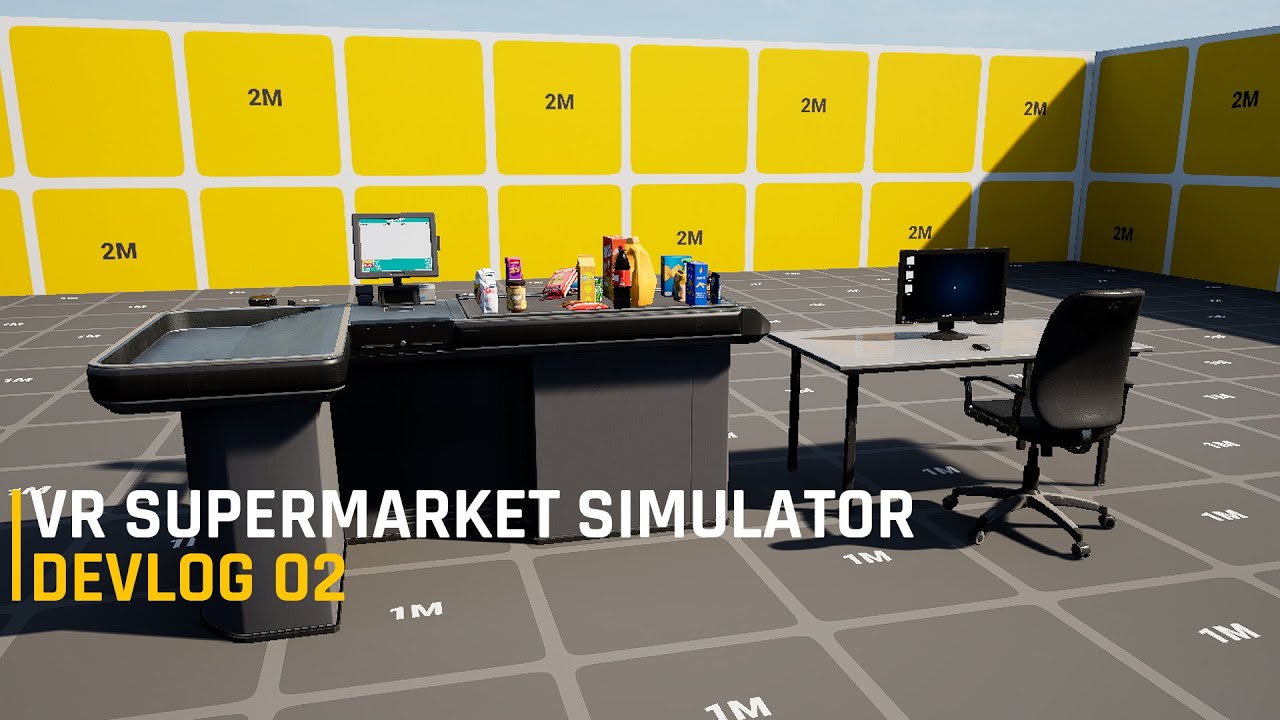
Showcase demo for a VR supermarket simulator personal project in Unreal Engine 5.
Contact me:
Email: Ali.Oweidah20@mail.com
Discord: discord.gg/3pYQQknUHZ
Artstation: https://www.artstation.com/aliowediah
I need you help as well with figuring out a fun system to place items on the shelves, I was thinking about player holding the package that contains the products in one hand and in the other hand he can pick the items and place it on the shelf but that would be tiring and boring since he will place like 100 and more items each day.
what do you guys suggest?

lusty whale
Hi!
I've got this warning mensage: LogHMD: Warning: No UPlayerMappableInputConfig provided in the OpenXR Input project settings, action bindings will not be visible to the OpenXR runtime. Action/Axis mappings from the Input configuration are deprecated for XR in favor of Enhanced Input.. Any idea? I'm using Enhanced Input.
I'm using Unreal 5.3.2.
Thanks.
I've found it here:

It uses something called "Player Mappable Input Config".
faint portal
i've tried setting up 5.3.2 and 4.27 to build to quest and failed. how did you guys do it?
 silk lodge
hot rampart
I need you help as well with figuring out a fun system to place items on the she...
silk lodge
hot rampart
I need you help as well with figuring out a fun system to place items on the she...
you could have a drag where you drag out the boundary from left to right to fit the products
 oak ridge
paper trout
has anyone had luck porting the meta xr plugin to 5.4
oak ridge
paper trout
has anyone had luck porting the meta xr plugin to 5.4
tried this, got it to build but a module wont load on project launch,think one of the changes I made was invalid, fixed up a bunch of signatures but there is a function to set the upscaler and needs some extra changes to a class
paper trout
oak ridge
tried this, got it to build but a module wont load on project launch,think one o...
i saw some guy had done it with 5.4 preview but haven’t tested it myself
oak ridge
oh awesome Ill check it
oak ridge
@paper trout I found the repo - looks like it does build for source 5.4.0 however need some changes to build it for launcher 5.4.0
https://github.com/truefranco/MetaXRv63/releases/tag/%23metaxrv63

GitHub
The binaries ready to use in Unreal Preview 5.4.
Just Unrar inside you Engine/Plugin/Marketplace folder.
if you want to use it on launcher 5.4 then make a C++ project, add the files to /Plugins in the project. Then you need to comment out a deprecated module in these 2 files:
OculusXROpenXRHMD.Build.cs:108
OculusXRHMD.Build.cs:102

then it should build for 5.4.0
I will try to update the v64 plugin and make launcher binaries later
paper trout
oak ridge
<@340320887326638080> I found the repo - looks like it does build for source 5.4...
wow!! you’re such a hero!!
saving this for later so excited to test it out
 novel nimbus
On windows, VOIP works as it should, but on vr (Oculus Quest 2), the microphone just doesn't want to work, despite the permissions I set (android.permission)
and changes in the ini files, unfortunately there is little information on the Internet (
for the test, I attached an Audio Capture to the pawn and it shows that the sound is being captured, but the OnBeginTalk event does not work in MyVOIPcomponent
I will be grateful for your help


 grizzled pewter
Hello everyone! This is my first post. I can't get a UE5.3.2 VR_Template (or any starter project) to run on an HTC Vive XR Elite. I'm running Windows 11 on a new computer at home and I have it building and installing on the headset. However, it shows up on the headset as a 2D game and will not run other than display a window stating that there is no 2D application (or something like that) and then exits. I've built dozens of applications for this headset using UE5.1 on my work Windows 10 laptop without issue. I have tried 3 different version of Android Studio. All build and produce the same result. However, if I build the example Vive VR project, it builds and deploys. I'm using the Vive OpenXR plugin. When I try and run it within UE, I get an error at launch time stating that the XRBase plugin can't load but I don't know if I have that workflow set up correctly. Anyway, I'm over 3 weeks into this and I can't get any template project from UE5.3 to run on a headset. HTC has been trying to help but they say they can build my project and deploy it just fine. They did say that they unpacked an APK I sent them as stated that the ViveOpenXR plugin wasn't enabled but I'm 100% sure it is enabled in the project. Anyone have any ideas or debug tools to suggest. I've spent thousands of dollars on this project and I'm at a dead end.
To add a little more information... I don't know how to get logs off the headset yet, but maybe I can figure that out. The only log I get is when I try and launch the project from the Unreal Editor is that the XRBase plugin can't load and things like this:
LogPlayLevel: Error: UAT: 04-26 17:33:29.555 8891 9015 D UE : LogAndroid: Error: === Critical error: ===
LogPlayLevel: Error: UAT: 04-26 17:33:29.555 8891 9015 D UE : LogAndroid: Error:
LogPlayLevel: Error: UAT: 04-26 17:33:29.555 8891 9015 D UE : LogAndroid: Error: Assertion failed: false [File:./Runtime/Launch/Private/Android/LaunchAndroid.cpp] [Line: 554]
Thanks!
 copper palm
grizzled pewter
Hello everyone! This is my first post. I can't get a UE5.3.2 VR_Template (or any...
copper palm
grizzled pewter
Hello everyone! This is my first post. I can't get a UE5.3.2 VR_Template (or any...
This snippet can't be helpful. Post full log
grizzled pewter
So sorry. Ran into character limit. I'll do a fresh build and run when I get home from work today. I'll attach the text files to a post.
 polar junco
Hello there, quick question: Let say I have 10 peoples in a room and I want them to enjoy a VR experience together with a quest 2. Would it be possible for each people to run their own instance of the game, but also see the people around them so they dont bump into each other ? Im trying to find documentation on such a system but cant find anything
copper palm
polar junco
Hello there, quick question: Let say I have 10 peoples in a room and I want the...
Sounds like #multiplayer stuff
polar junco
I wasnt sure as both are involved, but you are right, I m gonna ask there too, thanks 🙂
copper palm
polar junco
I wasnt sure as both are involved, but you are right, I m gonna ask there too, t...
And yes multiplayer is possible in VR
 light hull
do IA for gamepad transfer to quest when built? like if I make inputs for controllers and then connect a bluetooth device to the headset why doesn't it work?
 sonic sierra
Hey there, does anyone know why the Navmesh gets ignored on *.apk builds? Simple move actor to location works fine when the navigation mesh is active, and it works well on PC builds, however when building on Quest 2 and 3 apk it seems like it's not there at all. Anyone experienced such issue and if so have you found any solutions? Thank you for your time, hope to get a reply soon 🙂
grizzled pewter
Here are my build and run log files. I have not been able to get any new UE5.3 project to run on the HTC Vive. I have created a Blank project, 3 VR_Templates and have even created a VR_Template in UE5.1 and opened it in UE5.3 to see if that was the problem. I have been able to run the Vive example, but I have copied the VR content into that project and can't get it working. I even copied the settings within the DefaultEngine.ini file from the Vive example into my project (all but the project specific content like levels and maps) and that doesn't help. I can use the ViveOpeXR plugin or not and I get the same result. HTC suggested I use the Meta OpenXR plugin. So I tried that plugin and got the same result. Without the Vive and Meta OpenXR plugins enabled, I still get the same result. If those platform specific plugins are "required" then they must not be getting included in the build. Like I said, I have built dozens of working projects for the Vive XR Elite in UE5.1 on another computer without issues. It's probably something simple that I can't put my finger on. Thanks for the assist. I'm looking forward to learning!
sturdy coral
novel nimbus
On windows, VOIP works as it should, but on vr (Oculus Quest 2), the microphone ...
Test a plain android phone build to rule out something quest specific vs general android
copper palm
grizzled pewter
Here are my build and run log files. I have not been able to get any new UE5.3 p...
Live Link plugin causing issues. Try turn Off the plugin and try again. Clear Intermediate,binaries and DDC folders
Are you using Live Link in runtime ?

 primal skiff
hello guys , i have this issue with arm twist that i've been tweaking and editing and nothing worked ,
i used control ring and rotation constraint node to rotate my tiwst arm it works fine untill the hand is pass 180 degrees , and then the wrist will snap , i tried to hack it using blend space and have a twist poses i blend between them using rotation value taken from the bones using get socket transform , also has it's bad effects , but i think control ring is the way to go, but i couldn't find any resources about using it to implement arm twist for VR games , i hope someone here could point me to right direction , thanks in advanced
grizzled pewter
copper palm
Live Link plugin causing issues. Try turn Off the plugin and try again. Clear In...
Thank you for the response! I have tried this "trick" to get plugins to enable a number of times but I tried it again and it didn't fix my issue. LiveLink is required for hand tracking, at least that is what the Engine states when I disable it, and I will be using hand tracking in my applications. My main issue is that I can't get the UE5.3.2 VR_Template to install as a 3D game on the Vive XR Elite headset. It installs as a 2D game and then it will not run in the headset. I'm not sure if running inside the Engine is the best way to debug this but that is what I was trying. I have been in touch with support at HTC. After about 2 weeks, I suggested that they try using UE5.3.2, the VR_Template and their Vive OpenXR plugin and get it deployed and running in the headset. They initially had the same problem as me. They were finally able to get it to run as a 3D application by setting the Java SDK to jdk-11 (not the jbr within the sdk as specified in the Unreal documentation). So, they sent me their project and I installed the Java 11 sdk and tried it and that didn't work for me either. I have tried 3 different versions of Android Studio (4.0, Flamingo (specified in the UE5.3 docs) and Hedgehog (which is what HTC is using)), Java 11, Java 17 and jbr. All combinations build just fine. None of them install as a 2D game on the headset. I have built with UE5.1 on a Windows 10 computer and installed on this same headset dozens of times. My only thought at the moment is that since HTC could finally get things to work by tweaking their Android NDK/SDK/JDK setup that maybe there is a specific combination that I need. I have tried everything in the UE docs as well as many on-line variations. So far, nothing had worked on my Windows 11 computer using UE5.3.2. UE5.1 builds from my Windows 10 computer install and run just fine. Upgrading them to 5.3.2 doesn't work. Is there a better way to debug the APK other than running the project in the Editor? Thanks again!
copper palm
grizzled pewter
Thank you for the response! I have tried this "trick" to get plugins to enable a...
Meta provides emulator. I am not sure about htc providing emulator. Contact the team. Although strange issue
grizzled pewter
copper palm
Meta provides emulator. I am not sure about htc providing emulator. Contact the ...
I've contacted them about an emulator. Can anyone recommend a **definitive **guide to setting up Android in Unreal? I have followed the UE 5.3.2 documentation exactly (multiple times as I have changed Android Studio and I have also reinstalled UE 5.3.2) and it doesn't run for me. HTC is doing something different, (newer Android Studio, settings, etc.) so I tried that and that doesn't work for me. My HTC Headset is running Android 10 which the Device Manager in UE says requires SDK 29 and I honestly don't know where to set that and HTC set the NDK level to android-28, SDK to match the NDK, and the minimums to a much lower version. It seems that I can use "almost" any setting/version and the project will build, but not run. I have made sure to run SetupAndroid.bat every time I change the version of Android Studio, like the documentation states, but is that right? Unless UE 5.3.2 can't build for HTC Android headsets (which I don't think is the case) there must be an Android setting of some sort that is not right. UE 5.1.1 was SO MUCH easier.
rocky nexus
see what the setup android bat actually does. it just installs few things, no magic. for stuff to work on htc android hmd, it needs their plugin. if there is no plugin for 5.3 or whatever, good luck
eliminate variables, make 5.1 build on win11
sonic fjord
grizzled pewter
I've contacted them about an emulator. Can anyone recommend a **definitive **gui...
it's a fucking nightmare. one problem that's undocumented is that android build tools has to be a certain version. I forgot what the exact rules were for that, but you can google till you're blue in the face and not find any solution. just endless bullshit about reinstalling things for the billionth time.
if you're dealing with having to build 4.27 and 5.x on the same machine, good luck. usually have to uninstall/reinstall things or possibly set up a new windows user.
there it is
grizzled pewter
sonic fjord
if you're dealing with having to build 4.27 and 5.x on the same machine, good lu...
Agreed. UE 5.1.1 required Android Studio 4.0 an "supposedly" 5.3.2 uses Flamingo (a 2022 version) but HTC is using Hedgehog (a 2023 version) but they also have different SDKs installed because they also build with Unity. I have tried all 3. I would rather it fail building rather than build and not run without a way to effectively debug. I've spent a LOT of time on this. I'll research the link you provided. Thanks!
rocky nexus
sonic fjord
if you're dealing with having to build 4.27 and 5.x on the same machine, good lu...
all i had to do is swap jdk and ndk folders and it was happy
grizzled pewter
Was getting these errors during building:
UATHelper: Packaging (Android (ASTC)): Error [GENERAL | xrCreateInstance | OpenXR-Loader] : LoaderInstance::CreateInstance chained CreateInstance call failed
UATHelper: Packaging (Android (ASTC)): Error [GENERAL | xrCreateInstance | OpenXR-Loader] : xrCreateInstance failed
Uninstalled SteamVR and reinstalled it and those build errors went away. Still loads on the headset as a 2D application and will not run.
When I ran in the editor it first barked about XRBase plugin failing to load (disbled and re-enabled, restarted), Then it changed to LiveLink plugin, (disbled and re-enabled, restarted), Then it said hand tracking, (disbled and re-enabled, restarted). Now it says OpenXR failed to load because the OpenXRHMD module could not be found. Haven't and found a solution for this. UGH!
 sage gulch
How can I set the app name shown here? 4.26

 idle osprey
sonic fjord
if you're dealing with having to build 4.27 and 5.x on the same machine, good lu...
idle osprey
sonic fjord
if you're dealing with having to build 4.27 and 5.x on the same machine, good lu...
I control that with environment variables. I use a batch file to set the values before I start UE. Also, I start it on the command line with start MyProject.uproject in the same shell window, since the batch file changes are temporary and limited to that window. But, I do a lot of stuff CLI.
sonic fjord
I'll have to try that next time. I don't see env variables for build tools, might have to hunt down the docs and set it manually. I suppose a similar solution should work for Linux builds for referencing the correct version of clang.
idle osprey
I used to do it this way on my Mac, too, when you could still build an APK for a Quest on a Mac that would work. But Epic "broke" that in 5.2 or 5.1.
copper palm
grizzled pewter
Was getting these errors during building:
UATHelper: Packaging (Android (ASTC))...
Have you tried with VR template ?
If you don't find. Go to engine --> options and make sure templates and feature packs are checked

 grizzled pewter
copper palm
Have you tried with VR template ?
grizzled pewter
copper palm
Have you tried with VR template ?
Yes. Using the VR_Template in 5.3.2.
 coarse creek
hi guys ima newbie here ! is there any chance develop a game for meta quest 1 ?
sturdy coral
coarse creek
hi guys ima newbie here ! is there any chance develop a game for meta quest 1 ?
they are sunsetting quest 1 https://www.roadtovr.com/meta-discontinues-quest-1-apps-support/

Meta announced last year it was sunsetting the original Quest, which was first released in 2019. While many developers of new apps have since stopped including the nearly five year-old headset as a supported device, now the company says it’s taking choice out of the equation, as no new apps will be able to offer …
silk lodge
coarse creek
hi guys ima newbie here ! is there any chance develop a game for meta quest 1 ?
you can if you use sidequest and old versions of things
 stone lark
I'm having some odd issues with texture quality on Quest 2 builds. I'm using a rough geodesic sphere for a background. The sphere is unwrapped with each tri split into its own UV island. Player spawns near the center of it:

the texture is a 64x64 tile. For some reason it looks like it's downscaling the texture randomly depending on UV location.
Anyone have an idea what's going on here?
silk lodge
are you tiling the texture? Is it mip mapping? Did you do Customized UV channels? @stone lark
stone lark
yeah, I'm tiling it, it's using mips, no customized channels
 silk lodge
@stone lark I think you need to use custom uvs to get it to tile, or modify your UV map beyond 0-1 to get tiling effects
stone lark
I think the tiling is fine, it's the difference in res randomly across the mesh faces that I don't understand. I even tried disabling mips on that texture but it didn't fix it.
stone lark
unwrapping so each tri/island is centered at .5,.5 and scaled to fill the UV space as much as possible fixed this problem
 eager pine
Anyone know why im getting these crashes on a clean VR template map when im trying to launch with VR?
Ive tried increasing the cacher pool size to 10gb
Added tdrdelay and increased the page file

You can see that its not using anything when this crash is happening
silk lodge
what headset?
grizzled pewter
Hi again. Synopsis: UE 5.3.2 VR_Template will build, but shows up as a 2D game on Vive headset and will not run.
So, I think the reason why my 3D applications are deploying as 2D applications and not running on my HTC Vive XR Elite headset is that OpenXR isn't getting packaged/included in the application. I have the plugin enabled and if I disable it, UE barks at me. I have disabled/enabled it multiple times. Also, the kind folks at HTC pointed me to the AndroidManifest.xml file and we were able to verify that OpenXR was not being included. What a "valid" xml file contains:
  <intent-filter>
    <action android:name="android.intent.action.MAIN" />
    <category android:name="android.intent.category.LAUNCHER" />
    <category android:name="org.khronos.openxr.intent.category.IMMERSIVE_HMD" />
    <category android:name="com.oculus.intent.category.VR" />         -- this was a UE plugin that was disabled in this project
  </intent-filter>
What my xml file contains:
  <intent-filter>
    <action android:name="android.intent.action.MAIN" />
    <category android:name="android.intent.category.LAUNCHER" />
  </intent-filter>
My Build Log states the plugin Content folder is getting mounted, but then it's not mounted and being skipped:
UATHelper: Packaging (Android (ASTC)): LogPackageName: Display: FPackageName: Mount point added: 'D:/Unreal_Projects/Unreal Projects/VR_Template_5_1 5.3/Plugins/vive_openxr_plugin_UE_5.3/ViveOpenXR/Content/' mounted to '/ViveOpenXR/'
and then:
UATHelper: Packaging (Android (ASTC)): LogPackageUtilities: Warning: Engine.ini:[Core.System]:Paths entry 'D:/Unreal_Projects/Unreal Projects/VR_Template_5_1 5.3/Plugins/ViveOpenXRAndroid/Content' is not mounted. Skipping it.
Anyone have an idea what might be preventing OpenXR from getting put in my game? Maybe another software package that I have installed that could be blocking it, maybe?
Thanks!
 winged burrow
I also need this, did you receive it/ figure it out?
bleak blade
winged burrow
I also need this, did you receive it/ figure it out?
I think It got turned into a function idk what the function is call but it's something about getting hand
 lime crystal
Hi! I'm using Metaquest 3 + UE 5.3. I have a project I'm working on that needs to use spectator mode to be displayed on a stage screen while the player is on stage playing the actual science.
I have my spectator mode working when using the game in editor connected to the MQ in USB using Quest Link.
My question is: is there any way to cast the game running from the PC to the Quest, or the other way round, so that the player will be able to play and the spectator mode to be displayed on the screen?
Thanks!
 snow shale
Hi, may i ask something, so i have this VR project in unreal engine i finish it. how do i package it so i can play my project in my quest 2 individually without cable connected to my pc
lime crystal
snow shale
Hi, may i ask something, so i have this VR project in unreal engine i finish it....
Package for Android and upload it to the MQ with the Metaquest developer app. It's written in the answer hub Metaquest post
snow shale
lime crystal
Package for Android and upload it to the MQ with the Metaquest developer app. It...
can you send me link for the hub metaquest post?
lime crystal
snow shale
can you send me link for the hub metaquest post?
Epic Developer Community
XR Meta Quest setup guide covering everything
snow shale
ok thank youu i will give it a try
winged burrow
bleak blade
I think It got turned into a function idk what the function is call but it's som...
This one?
 bleak blade
winged burrow
This one?
bleak blade
winged burrow
This one?
I think so yes
grizzled pewter
grizzled pewter
Hi again. Synopsis: UE 5.3.2 VR_Template will build, but shows up as a 2D ...
After a ton of effort and investigation, I have solved this.
In UE5.3.2, I needed to add an empty C++ class to turn the project into a C++ project. Once I did this, OpenXR gets included in the APK and I can launch in the Headset.
This wasn't the case for UE5.1.1.
winged burrow
Hi guys, how can I rotate the player's view towards an object in VR?
Like, when the player collides with a trigger volume, he'll rotate towards a specific object
I've been trying to google that all day but I have no luck
This is what I made in UE 5.1 but in 5.3 it just doesn't work

 whole radish
winged burrow
Like, when the player collides with a trigger volume, he'll rotate towards a spe...
whole radish
winged burrow
Like, when the player collides with a trigger volume, he'll rotate towards a spe...
why did you decide to use "get all actor of class" for the VR Pawn? also does the object to face found in the same blueprint with the Trigger Volume ?
sonic fjord
coarse creek
hi guys ima newbie here ! is there any chance develop a game for meta quest 1 ?
aside from being unable to upload them to the Quest store (and having to use Sidequest or sideload directly), you can develop Quest 1 on 4.27. 5.1 and above has major issues with reflection capture probes, not sure about 5.0 but presumably also has these issues. you'll need to use the legacy Oculus plugin, which won't have most of the latest features.
with that said, you might be able to dig up an older version of the meta SDK plugin, that still has some features that made it to Quest 1, i.e. hand tracking, passthrough, and local spatial anchors, for example.
 shell warren
Hey everyone!
Does anyone else have the issue where the packaged app for quest 2 ( UE 5.4) does not have the virtual keyboard? Had no such issue in 5.3.
winged burrow
whole radish
why did you decide to use "get all actor of class" for the VR Pawn? also does t...
I'm fairly new to blueprint casting and I saw that a lot of people use this "get all actors of class" node when they want to do stuff that includes the player, is there something better I could use? Allnd the trigger volume is not in a blueprint, I just dragged it in the map
vagrant path
Problem with navigation
Now I am working on a project, navigation was working just perfect, suddenly when I am walking around the virtual environment I find myself on a highly level than the normal, maybe sometimes in different places I am under the ground, in some areas I can’t teleport even the green layer is working in these places
I have Geo referenced the virtual environment, and also added the sun sky
vagrant path
Why I am having this problem?
I changed the navigation mesh several times and it is always like this in this area there are 4 tall objects
No big collision , everything is normal, how to modify the navigation area here?
 rocky nexus
move the tall object, see if that helps. if it does, you have your culprit
vagrant path
@rocky nexus thank you! I add another Navmesh in this area, there was no solution than this so navigation works
 tardy storm
Can someone tell me how to make VR choppable trees?
sturdy coral
tardy storm
Can someone tell me how to make VR choppable trees?
Slice the ProceduralMeshComponent (including simple convex collision) using a plane.
that lets you slice procedural mesh components
you can convert your static mesh into a procedural mesh and then use that
 shadow nimbus
Hello! How can I edit the scene while in play mode in VR?
In flat mode I can just start in "Selected Viewport" mode and hit F8 to unpossess and edit objects, but it doesn't seem to work in VR because I can only play in "VR Preview" mode that doesn't seem to allow unpossess.
 rapid tapir
shadow nimbus
Hello! How can I edit the scene while in play mode in VR?
In flat mode I can jus...
rapid tapir
shadow nimbus
Hello! How can I edit the scene while in play mode in VR?
In flat mode I can jus...
I usually just press the window key and get back to the editor.
shadow nimbus
rapid tapir
I usually just press the window key and get back to the editor.
But the scene displayed in the editor is just the default scene, it doesn't actually show the game from the VR preview. Like if do things that affect the world in VR, that doesn't show in the viewport.
I'm trying to like adjust the positioning of some elements relative to the motion controllers, but motion controllers don't show in the viewport, I cannot inspect the position/rotations of the different elements of my character and so on.
rapid tapir
shadow nimbus
But the scene displayed in the editor is just the default scene, it doesn't actu...
hmm I can recommend you the VR exp plugin. That includes a FPS VR Player where you can play without a HMD.
shadow nimbus
rapid tapir
hmm I can recommend you the VR exp plugin. That includes a FPS VR Player where y...
that sounds interesting. i'm actually already using VRE, i'll check that out!
shell warren
shell warren
Hey everyone!
Does anyone else have the issue where the packaged app for quest 2...
Did anyone else run into this on 5.4?
 carmine oyster
UE 4.27.2 VR Template in the editor
I'm trying to increase the pixel density. I used the "vr.PixelDensity" console command and it made no difference even if i set the pixel density to 2, although when I use the "Get Pixel Density" node and print the output it shows what I entered. I tried the same command in 5.1.1 and it works fine.
 charred granite
Hey all, Im trying to port my 5.3 (focused on quest 2 and 3) vr app to 5.4 and I'im running into issues. I'm using VaRest and I need permissions ACCESS_NETWORK_STATE and INTERNET which I have added in the project settings "extra permissions" (DefaultEngine.ini) but they never make it to the android manifest xml file. So my app starts and terminates right away with the logs telling me I need ACCESS_NETWORK_STATE. Anyone managed to get it going on 5.4? Should we stick to 5.3 until a good tutorial for 5.4? @shell warren next I'll try the virtual keyboard 'cause I need it to! 😉
shell warren
charred granite
Hey all, Im trying to port my 5.3 (focused on quest 2 and 3) vr app to 5.4 and I...
My permissions seem to have no issues so far, but I do have Manifestoverride.
My guess is that we both need to wait on the Meta XR plugin.
Do let me know what you find on the matter of the virtual keyboard, I'll also double check permissions when I have the time
charred granite
@shell warren Ya, I just deleted all my intermediate folders (just left content and Config) and it now gets my permissions but still crashes later. Still investigating... btw, have you done the ManifestRequirementsOverride file trick for the virtual keyboard?
charred granite
Well turns out using the ManifestRequirementsOverride was messing up my Android permissions. That was the culprit. So maybe making sure that file is not there on 5.4 may fix my issue instead of deleting all the tmp folders. Or maybe that file needs to be reformatted. 🫤
sturdy coral
carmine oyster
UE 4.27.2 VR Template in the editor
I'm trying to increase the pixel density. I ...
not your issue, but they do cap pixeldensity to 2.0, you can raise it here:
--- a/Engine/Plugins/Runtime/XRBase/Source/XRBase/Public/HeadMountedDisplayBase.h
+++ b/Engine/Plugins/Runtime/XRBase/Source/XRBase/Public/HeadMountedDisplayBase.h
@@ -92,7 +92,7 @@ protected:

        // Sane pixel density values
        static constexpr float PixelDensityMin = 0.1f;
-       static constexpr float PixelDensityMax = 2.0f;
+       static constexpr float PixelDensityMax = 4.0f;
Interesting, glad you made some progress!
real needle
hello guys. with the 5.4 update now standalone packages are supporting rtx, lumen, nanite ?
rocky nexus
neat stuff, cant wait for quest 6 for them to be usable
shell warren
charred granite
Well turns out using the ManifestRequirementsOverride was messing up my Android ...
Did you get to try if the virtual keyboard works?
charred granite
@shell warren I have tries the virtual keyboard and same as you, it is not working. I get this in the quest dev hub logs: "16:28:55.637 31915 31915 E ThemeUtils : View class com.epicgames.unreal.GameActivity$VirtualKeyboardInput is an AppCompat widget that can only be used with a Theme.AppCompat theme (or descendant)." Dunno if its relevant though...
charred granite
Second issue I have with 5.4 is this one: https://forums.unrealengine.com/t/5-4-static-mesh-instantiation-broken-on-quest-2-or-android/1848611. Anyone got this??
charred granite
Well I found this: https://x.com/rms80/status/1784055258550771942 🙂
hmmm pretty substantial breaking C++ API changes in UE5.4 instanced mesh rendering...no deprecation and not mentioned in release notes, yikes.
 Twitter
·
shell warren
charred granite
<@280415268616798209> Ya, I just deleted all my intermediate folders (just left ...
Twitter
·
shell warren
charred granite
<@280415268616798209> Ya, I just deleted all my intermediate folders (just left ...
I did, changing and/or removing it did not solve the issue
hot rampart
Hi everyone, a new devlog on my supermarket simulator in VR is up, let me know what you think:
https://youtu.be/UtxSt0Swk10

Showcase demo for a VR supermarket simulator personal project in Unreal Engine 5.
Contact me:
Email: Ali.Oweidah20@mail.com
Discord: discord.gg/3pYQQknUHZ
Artstation: https://www.artstation.com/aliowediah
charred granite
shell warren
I did, changing and/or removing it did not solve the issue
For me, deleting the tmp folders just fix my permissions problems (probably by removing ManifestRequirementsOverride) but Im like you, still no virtual keyboard and my static mesh cmp instantiation is broken, supposably by a non documented api break… not going well 😢
 lone parcel
Hi folks,
This great paper is out for Unity. Has anyone seen something close to it developped in UE?
https://github.com/UPC-ViRVIG/MMVR
https://github.com/UPC-ViRVIG/MMVR/raw/main/docs/assets/img/teaser.jpg


GitHub
Repository for the SCA 2022 paper "Combining Motion Matching and Orientation Prediction to Animate Avatars for Consumer-Grade VR Devices" - UPC-ViRVIG/MMVR
 sonic fjord
^hmmm, I wonder if it's worth the time for me to try implementing that with IK rig. I'm using meta movement sdk at the moment, nice for getting upper chest rotation and elbow position, but everything else has been a PITA.
 tired tree
the arm positioning in that gif is tragic, but the mid to lower body looks great
polar junco
What would be the best way to connect two headsets (quest 2 and 3) to ue 5.3 simultaneously please ? Im looking for documentation but cant find anything
rocky nexus
you dont, you do multiplayer
polar junco
would not work to just add two vrSPAWN in the scene ?
 nimble nacelle
I have a quick question regarding height matching and best practices. I noticed some differences of my initial spawn height in editor vs a packaged game. I've looked at a couple tutorials and I am using the seated position (Eye level) as my VR Origin point. I am noticing height discrepancies between editor and packaged builds. Also when teleporting I'd like to match the height with an offset I am initially spawning with.
Any best practices to achieve a 1:1 relationship between the package build and the editor VR Preview? I was thinking to throwing debug logs to output offsets for both versions and maybe match them that way.
The end goal is to ensure when I am debugging in the VR Preview the player and movement height matches the packaged game.
 solid drift
I’m experiencing a notable issue in Unreal Engine 5 when playing videos using the Vulkan API, where the frame rate drops to around 20fps. Interestingly, the same video plays at a much higher frame rate of approximately 70fps in Unreal Engine 4.27, but this is achieved using OpenGL. Additionally, I’ve encountered a limitation in UE5 where it seems impossible to package projects using OpenGL. This discrepancy in performance and the lack of OpenGL support in UE5 is quite concerning, especially for projects transitioning from UE4.27 to UE5. Could you provide any insights or solutions to address this significant frame rate difference and the unavailability of OpenGL packaging in UE5?(Meta Quest3)
rocky nexus
profile and reduce stuff or dont upgrade, the required perf floor increased with 5.x sadly
sturdy coral
solid drift
I’m experiencing a notable issue in Unreal Engine 5 when playing videos using th...
which 5 version are you on and you see it with all codecs?
@solid drift
66:             if (GSupportsImageExternal && !FAndroidMisc::ShouldUseVulkan())```

probably doing extra copies or something worse when on vulkan, elsewhere:

```cpp
#if PLATFORM_ANDROID
    bUsesImageExternal = !Owner.NewStyleOutput && (!FAndroidMisc::ShouldUseVulkan() && GSupportsImageExternal);
#else
GL_OES_EGL_image_external is the extension on opengl, it does seem to avoid extra copies
VK_ANDROID_external_memory_android_hardware_buffer on vulkan
shell warren
Hey everyone!
Does anyone have any good pointers on how to package a VR app for Steam release (UE5.4)?
There is a course on Udemy but it seems quite outdated.
west sparrow
what would cause FPS to be locked at 36 FPS on a meta quest device? disabling VSync doesn't seem to help and I dont think its a performance issue as its locked to 36 solid, doesn't go up or down no matter whats on the screen
rocky nexus
Describes how App Spacewarp works, and how to measure it, in the Oculus OS.
west sparrow
oh thanks! looks like exactly whats going on
oof i have to use the oculus branch if i want it to work right huh
rocky nexus
dunno, might be enough to use the metaxr plugin
 native tiger
Which among these two TAA and TSR is best for Anti-Aliasing in a vr project for high quality light baking based application
And why
Does anyone know.?
sturdy coral
native tiger
Does anyone know.?
With baked lighting TSR is usually too expensive; with more expensive lighting like lumen etc. it can pay off; depends also what you mean by baked lighting, static or stationary (stationary is a bit more expensive)?
sturdy coral
very likely TSR is too expensive, but you can just test and visually compare at the same GPU load
with an optimized mostly staticly lit scene it will probably be over 50% frame time
one problem is the TSR/TAA passes don't use the hidden area mask, could be 10-20% faster
solid drift
sturdy coral
<@358468038888128522>
```AndroidMedia/Private/Player/AndroidMediaPlayer.cpp
66:...
Regardless of whether the engine version is 4 or 5, the issue persists whenever Vulkan is chosen as the graphics API.
I have learned that the Vulkan API version on the Meta Quest system is 1.1.x, and the operating system is Android 12. Notably, the official Vulkan API introduced video hardware acceleration in the Vulkan 1.3.x series.
I believe that if we are to continue using Unreal Engine with Android Vulkan, a solution would require either an upgrade of the Meta Quest system to Android 13, or an update from Meta Quest to support OpenGL ES 3.2 in UE5. Alternatively, using OpenGL ES 3.1 in UE4.27 could be considered. Even extending video decoding, in my view, would not resolve the issue. This problem appears to be fundamentally tied to the graphics API. Given our project's reliance on new features in UE5 and the latest SDK support updates from Meta Quest, reverting to version 4.27 is not feasible. This issue has been troubling me for two months, so I am eager to explore any viable solutions. I would be immensely grateful for any advice. Thank you for your response.
buoyant zealot
considering that they plan to support nanite/lumen on mobile vulkan, i guess that they are moving forward with the vulkan version in one of the next versions (not an immediate solution though as there is no date scheduled)
solid drift
buoyant zealot
considering that they plan to support nanite/lumen on mobile vulkan, i guess tha...
I believe that this issue cannot be resolved solely through updates to Unreal Engine. Meta Quest first needs to upgrade the Vulkan API to version 1.3.x. This means that they would need to update their system to Android 13 or higher. I can distinctly feel that when using the Vulkan API, software decoding is employed, which consumes a significant amount of CPU performance. In contrast, when using OpenGL, hardware decoding is utilized, which generally allows for full-frame rate performance. The video resolution is 8K.
sturdy coral
solid drift
I believe that this issue cannot be resolved solely through updates to Unreal En...
where are you getting the 1.3 requirement?
solid drift


The Khronos Group
In April 2021, the Vulkan® Working Group at Khronos® released a set of provisional extensions, collectively called ‘Vulkan Video’, for seamlessly integrating hardware-accelerated video compression and decompression into the Vulkan API. Today, Khronos is releasing finalized extensions that incorporate industry feedback and expose core and decode ...
 sturdy coral
solid drift
https://www.khronos.org/blog/khronos-finalizes-vulkan-video-extensions-for-accel...
sturdy coral
solid drift
https://www.khronos.org/blog/khronos-finalizes-vulkan-video-extensions-for-accel...
that's encoding
also decoding, but I think with that other extension you can already get textures from the hardware decoder right?
I don't think opengl exposes anything like that and just uses GL_OES_EGL_image_external right (which I think can be done with vulkan 1.1 VK_ANDROID_external_memory_android_hardware_buffer )?
solid drift
sturdy coral
that's encoding
Currently, I do not have the capability to handle the functionality of retrieving textures from the hardware decoder. Thank you for your valuable suggestion; I will look into it further.
sturdy coral
solid drift
Currently, I do not have the capability to handle the functionality of retrievin...
in my reply earlier I put some of the parts of the code where it is disabled for vulkan but not opengl, would take some engine changes
solid drift
sturdy coral
in my reply earlier I put some of the parts of the code where it is disabled for...
Alright, I will give it a try. I sincerely appreciate your response.
shell warren
shell warren
Hey everyone!
Does anyone have any good pointers on how to package a VR app for ...
Hey,
I managed to package and launch with steamVR but none of the inputs besides teleport seem to register.
Any ideas why?
whole radish
winged burrow
I'm fairly new to blueprint casting and I saw that a lot of people use this "get...
sorry for late reply a more better approach will be to add the object and a collision box in a blueprint and then call EventBeginOverlap with the. then implement your rotation toward the component(the mesh you want to look).
west sparrow
hmm is there any way to manually disable application space warp? oculus quest 2 seems to be forcing it on.. i only have the openxr plugin enabled
 amber trail
<@&213101288538374145> They did it in multiple channels
 compact matrix
Hey, is there any good c++ template / tutorial for pc vr project in ue 5.3 + ?
 neon geyser
Is anyone else experiencing flickering when launching a PCVR build on Windows? This issue persists until I put on my headset
ue4.27 oculus fork
sturdy coral
shell warren
Hey,
I managed to package and launch with steamVR but none of the inputs besides...
Did you port steamvr to 5.4 or switch to openxr (which can still run through steamvr runtime)?
shell warren
sturdy coral
Did you port steamvr to 5.4 or switch to openxr (which can still run through ste...
Thanks for replying, let me clarify.
I'm converting an originally android project, using openxr as steamvr doesn't seem to be available. I also found out that only a few inputs are not registered, for example: grip trigger and menu. Could the first two have something to do with input type? 1D axis?
sturdy coral
shell warren
Thanks for replying, let me clarify.
I'm converting an originally android projec...
Are you using the enhanced input stuff for bindings or the legacy ones?
shell warren
sturdy coral
Are you using the enhanced input stuff for bindings or the legacy ones?
Enhanced input
 proper oasis
hey, has anyone tried the meta movement sdk (full body tracking) so far and had good performance with it?
west sparrow
man its weird how oculus quest seems to force my game into using application spacewarp no matter what
rocky nexus
make it run better, than it wont
west sparrow
huh
neon geyser
west sparrow
man its weird how oculus quest seems to force my game into using application spa...
You must have a node somewhere triggering it, also check in project settings, you can disable it completely
west sparrow
thats the weird thing, i only have openxr plugin and no oculus plugins, so no settings or nodes that could.. but i am reading mixed messages on if Oculus auto kicks in AppSW when your rendering can't keep up
 pulsar coyote
Anyone have a good handle on where you can write files to the storage on a Quest 3 so the user can see it. I am not sure if its a permission thing but UE is reporting that the file has been written but i am having no luck seeing the file.
My preference would be to write it to the Documents directory but for the life of me I can't seem to get it to work.
 delicate nimbus
Hello, I was wondering if anyone knew how to recognize a button click from a Vive Tracker 3.0 in Unreal 5.3? I am able to use it as a Motion Controller Motion Source fairly easily and track its position. In 4.27, using SteamVR you could manage the button bindings and it would be recognized as a Vive Controller Trigger Click. UE 5.3 uses the new Enhanced Input, and it doesn't seem to recognize the tracker as a vive controller. Any advice here? Is it recognized as a different Input, or how to get it to recognize them as an input? I'm trying to recognize either the main power button press or a pogo pin, either one.
sturdy coral
lucid seal
Does vertex lighting a good choice for VR platforms ?
not really but I think red matter does some cool stuff substituting in for the desktop forward/deferred light grid with info about nearby lights on the vertices, the lighting itself is still per pixel though
 faint vapor
Guys, I was getting src\main\java\com\epicgames\unreal\GameActivity.java:797: error: cannot find symbol error and I found out that it was related with "Mobile Location Services" plugin.
I installed
latest Android Studio (2023.3.1 Jellyfish),
NDK 25.2.9519653
Latest command line tools
SDKs from 28 to 34
 neon quest
hi, I wonder if anyone has run into this white screen freezing issue with Meta XR simulator in the "Run As Client" Mode? The issue just occurs with 1 player, not with 2 players
My set-up:
- Meta XR Simulator version 64
- Meta XR plugin version 64
- Oculus fork UE build. [However, the issue happens with both UE 5.3.2 too]
- Play as client, 1 player.
The issue can be reproduced with the VR template in UE 5.3.2 too. Just create a VR template project, start the simulate in the Play As Client mode, 1 player and your app will freeze
 lucid seal
faint vapor
Guys, I was getting `src\main\java\com\epicgames\unreal\GameActivity.java:797: e...
lucid seal
faint vapor
Guys, I was getting `src\main\java\com\epicgames\unreal\GameActivity.java:797: e...
UE is stuborn with dependency modules so be particular according to docs. For 5.4 follow along https://dev.epicgames.com/documentation/en-us/unreal-engine/android-support-for-unreal-engine

Epic Developer Community
Learn how to build projects for Android devices.
faint vapor
lucid seal
UE is stuborn with dependency modules so be particular according to docs. For 5....
I prefer to disable just Location Services 👍
lucid seal
faint vapor
I prefer to disable just Location Services 👍
Is it wokring ?
faint vapor
lucid seal
Is it wokring ?
Yep.
lucid seal
neon quest
hi, I wonder if anyone has run into this white screen freezing issue with Meta X...
- After hitting play on the editor, the white screen will appear
- Using your mouse, click on the screen that the game is running, and after that hit “P” on our keyboard, and wait for some seconds;
- Probably the white screen will disappear, and you will see the game normally;
Please note the above solution is based on forums. I haven't tested out and I don't have VR headset
neon quest
lucid seal
Please note the above solution is based on forums. I haven't tested out and I do...
thanks much, unfortunately it doens't work. Clicking on the game window and pressing doesn't make any change. It seems that is a bug with the simulator
neon geyser
west sparrow
thats the weird thing, i only have openxr plugin and no oculus plugins, so no se...
never heard about that, is it in the official doc?
neon geyser
neon geyser
Is anyone else experiencing flickering when launching a PCVR build on Windows? T...
no one?
 fleet marsh
if I understand correctly, using OpenXR, you can build cross-platform for both AR handheld devices (ARCore/ARKit) and Meta Quest for example?
hallow knoll
delicate nimbus
Hello, I was wondering if anyone knew how to recognize a button click from a Viv...

Epic Developer Community Forums
Ok, Figured this out for those future googlers. This is my use case - it may be different if you have different needs: VR - not using controllers, but rather 2 Vive 3.0 Trackers to track an objects location and register inputs from either the “Power” button on the Vive Tracker or the POGO pin Trigger pin. Using UE 5.3.2 Clean project using t...
 cursive hill
Just so that I know whether I'm insane or not, does any one know if theres a version of the Meta XR plugin compatible with Unreal Engine version 5.0? I can only find version compatible back to 5.1. I'm trying to get eye tracking working with UE5.0 with the quest pro
 maiden fulcrum
Quick question. What would be the absolute cheapest way to make a day/night cycle?
buoyant zealot
i guess different prebaked lighting scenarios (you wont get a smooth cycle tho)
delicate nimbus
hallow knoll
https://forums.unrealengine.com/t/how-to-use-vive-trackers-in-ue-5-2-and-later-v...
Thanks @hallow knoll, I thought I had solved it, that's my forum post where I got it working. It was working for a day, however I'm finding that either UE or Steam or OpenXR wants to ignore the binding and overwrite it. I'll assign it as I set it up in the post, then if play in VR, something seems to overwrite my binding back to default, I view the C:\Program Files (x86)\Steam\config\openxr\system.generated.openxr.uts53.unrealeditor.exe_vive_tracker_right_foot_1_binding.json, and my bindings are not listed, if I add them in, save the file, hit play, view the file again, they are removed.
delicate nimbus
posting an update if anyone needs it. At the moment it seems that the role "right foot" doesn't seem to recognize the bindings - assigning the tracker the role of "Camera" it will recognize pogo pin input.
 white gulch
Anyone ever have issues getting the Meta XR project samples opened in Unreal 5.3? Documentation claims they were updated on the github repository, but when attempting to open them, I get the message saying they were built in an earlier version and need rebuilt. When I direct it to rebuild, it indicates that a number of the project's assets couldn't be rebuilt, and refuses to open.
sturdy coral
white gulch
Anyone ever have issues getting the Meta XR project samples opened in Unreal 5.3...
yeah I had that issue, the problem is their .target.cs build settings
sturdy coral
white gulch
Anyone ever have issues getting the Meta XR project samples opened in Unreal 5.3...
change it like this (or just .Latest instead of .V4 and .Unreal5_3):
index cb4fcdc..1c5175d 100644
--- a/Source/Phanto.Target.cs
+++ b/Source/Phanto.Target.cs
@@ -8,7 +8,9 @@ public class PhantoTarget : TargetRules
        public PhantoTarget(TargetInfo Target) : base(Target)
        {
                Type = TargetType.Game;
-               DefaultBuildSettings = BuildSettingsVersion.V2;
+               //DefaultBuildSettings = BuildSettingsVersion.V2;
+               DefaultBuildSettings = BuildSettingsVersion.V4;
+               IncludeOrderVersion = EngineIncludeOrderVersion.Unreal5_3;

                ExtraModuleNames.AddRange( new string[] { "Phanto" } );
        }
diff --git a/Source/PhantoEditor.Target.cs b/Source/PhantoEditor.Target.cs
index 6f33eb8..ea7190d 100644
--- a/Source/PhantoEditor.Target.cs
+++ b/Source/PhantoEditor.Target.cs
@@ -8,7 +8,9 @@ public class PhantoEditorTarget : TargetRules
        public PhantoEditorTarget(TargetInfo Target) : base(Target)
        {
                Type = TargetType.Editor;
-               DefaultBuildSettings = BuildSettingsVersion.V2;
+               //DefaultBuildSettings = BuildSettingsVersion.V2;
+               DefaultBuildSettings = BuildSettingsVersion.V4;
+               IncludeOrderVersion = EngineIncludeOrderVersion.Unreal5_3;

                ExtraModuleNames.AddRange( new string[] { "Phanto" } );
        }
oh wait that wqas a slightly different issue, where building them would cause a build loop (complete engine rebuild if you built one and then build another with different build settings, then would rebuild the entire engine again if you went back to the first one), but definitely something to watch out for as it will waste a lot of t ime
When I direct it to rebuild, it indicates that a number of the project's assets couldn't be rebuilt, and refuses to open.
try converting the ones that did that into source projects and then building, if they were pure blueprint. there is also an -allmodules and I think -allplugins command line option if building the whole engine from the command line that I think can help for similar errors, post the exact message
west sparrow
i wonder how long it will take meta to update their UE source fork to 5.4
 whole nimbus
lone parcel
Hi folks,
This great paper is out for Unity. Has anyone seen something close to...
whole nimbus
lone parcel
Hi folks,
This great paper is out for Unity. Has anyone seen something close to...
Of course its for unity...looks amazing. Did you happen across anything for UE?
 vocal musk
lone parcel
Hi folks,
This great paper is out for Unity. Has anyone seen something close to...
vocal musk
lone parcel
Hi folks,
This great paper is out for Unity. Has anyone seen something close to...
I've got a VR body system. I'm working on an update and already have it working with motion matching, the only problem is getting motion matching to pick up room-scale movement
solid tinsel
I'm having a problem where I'm trying to get the velocity vector of the controller in a VR project. For some reason Get Component Velocity just isn't working and always returns 0
Is there another way to do it?
solid tinsel
Ok nevermind I found a really stupid solution
buoyant zealot
iirc i had to use the delta of the LastFrameTransform and the currentFrameTransform
solid tinsel
buoyant zealot
iirc i had to use the delta of the LastFrameTransform and the currentFrameTransf...
I didn't end up doing that
I ended up getting linear velocity
For some reason that worked
 ebon scaffold
Any idea why my VR camera has black borders when looking around, almost like looking through a window that lags catching up?
The borders only show in the HMD, if I record desktop preview it doesn't occur there. I'm running vanilla Lyra project, enabled instanced stereo and OpenXR, hit play in VR and the issue occurs.
buoyant zealot
that sounds like lag, too low fps to keep up with the movement
ebon scaffold
buoyant zealot
that sounds like lag, too low fps to keep up with the movement
Game looks smooth on desktop and decent frame rate, hmd is showing the borders, would that still be performance related?
Here's a video, potato quality at start showing the border to the right in the right eye when I rotate hmd, then desktop view where everything looks fine with even more aggressive hmd shaking
solid tinsel
ebon scaffold
Game looks smooth on desktop and decent frame rate, hmd is showing the borders, ...
The borders are headset side
They have nothing to do with the game
ebon scaffold
I think you're referring to the playspace boundary grid, but that black sliding border on the right is what I'm calling out. It kind of resembles this but this one is framerate issue https://www.reddit.com/r/oculus/comments/15dk6pv/black_edges_in_vd_please_help_specs_in_post/
I'm not getting it in the UE VR template, just Lyra which makes me think some kind of space warp or FOV issue that's project specific 🤷
Reddit
Explore this post and more from the oculus community
hot rampart
Hi everyone, New Update on the market simulator I am working on.
I am showcasing the placement system which will allow players to create custom layouts for their own markets
let me guys know what you think
https://youtu.be/QQ-gzWU2Gtc

Showcase demo for a VR supermarket simulator personal project in Unreal Engine 5.
Contact me:
Email: Ali.Oweidah20@mail.com
Discord: discord.gg/3pYQQknUHZ
Artstation: https://www.artstation.com/aliowediah
lusty whale
Hi! I want to get an effect more or less like this, not exactly this, for VR. I think I can do it with Post-Process Volume, Convolution Bloom and using a convolutional kernel, but it could have a high impact in performance. Do you know another way to get this effect? Thanks.

I need a Glare effect.
 lusty whale
rocky nexus
lusty whale
rocky nexus
Thanks. What's this? An image?
rocky nexus
lusty whale
Thanks. What's this? An image?
sure, make or find one you like and show it on a plane as needed
rocky nexus
many ways to do something like that, i use something like that for sky material, when camera point at sun it gets bigger/brighter
lusty whale
Great! Thanks a lot, @rocky nexus
polar junco
Does someone would know why when I move my head the scne move too ? its a weird feeling
solid tinsel
polar junco
Does someone would know why when I move my head the scne move too ? its a weird ...
The entire world is moving around your head?
That shouldn't be happening
digital cave
polar junco
Does someone would know why when I move my head the scne move too ? its a weird ...
Are you using the wrong pawn? I have experienced what you are describing when I accidentally use a first person pawn instead of vr pawn
west sparrow
oculus quest link sometimes does that
hallow knoll
ebon scaffold
I think you're referring to the playspace boundary grid, but that black sliding ...
What you're seeing is the compositors attempt at reprojecting previous frames with the new HMD Pose transform. This feature exists to step in during performance drops, but you still need to hit 1/2 of your target framerate for reprojection to work well. It's entirely based on performance, and unless you've reconfigured Lyra heavily you're not going to get acceptable frame rates for VR
bleak blade
Does anyone know why my capsoul is on the side of my camera and not in the right place?
 weary swallow
silly question if anyone knows really quickly- when using the VRE, how do I lock the motion controller modes for the left and right stick (so the buttons don't cycle them) and how do I remove the caption too that shows up above the controllers in-game?
bleak blade
weary swallow
silly question if anyone knows really quickly- when using the VRE, how do I lock...
Its a widget delete it in the player controller blueprint
You should prob watch a vid on VRE to understand it.
weary swallow
@bleak blade thanks much!
bleak blade
weary swallow
<@732266368367329371> thanks much!
No problamo man 🙂
 scarlet glade
Has anyone here gotten hand tracking to work simultaneously with controllers on quest 3?
I saw meta added multimodal support for this but can't find any resources on a UE5 implementation. Is it only available on the meta branch? Any direction/resources would be appreciated.
 dawn violet
Anybody here made full body IK for Vr? I got it for the base ue5 manny but my rig is not working
bleak blade
dawn violet
Anybody here made full body IK for Vr? I got it for the base ue5 manny but my ri...
Yaro makes a good one could use some tweeks as there are no leg animations you can prob search up procedural leg anims with it but idk https://www.youtube.com/watch?v=ewbTmD3af_k&t=723s

Want to accredit @JakePlayable and his IK FULL VR body for taking main concepts.
I will show today how to do FULL VR IK BODY with custom hand animations and ability to recalibrate your height in real time!
Got Questions? Join Discord Community!
--------------------------------------------------------------------------------------------------...
dawn violet
Thank you so much @bleak blade
bleak blade
No problem man 🙂 If you have any other questions @ me ill respond eventually lol If i know the answer Ill tell
 sullen vortex
Trying to compile my project for Android (quest) im getting the following error during packaging:
"Cannot make APK with UPL errors"
It compiles fine Windows Server & Client, only happens with Android. Any ideas? thanks!
 light cradle
Quick question: Does the ipad pro 11 inch (2nd gen) support livelink for facial animation with metahuman in ue?
polar junco
Is it possible to get a room scan (from a Quest 3) and import it as a model (fbx) to a computer ? Thanks
sturdy coral
polar junco
Is it possible to get a room scan (from a Quest 3) and import it as a model (fbx...
It uses the engine's stock UProceduralMeshComponent if that helps, someone may have a way to save that to fbx or a format you can convert to it
.obj is probably the simplest if you end up needing to write a way to save it yourself
whole radish
Hey! recently try to implement Hand Tracking using Meta Xr plugin. it only work correctly when i disabled Open Xr. Now the problem with this is that when try to package without open xr enabled, it gives errors. any idea on a better approach ?
am using UE5.3
polar junco
God, I find it difficult to develop in VR
whole radish
polar junco
Which error does it gives you
build error asking to enable open xr
tired tree
@whole radish that is an issues specifically with 5.3, oculus openXR integration is broken in 5.3
proper oasis
hey guys, im curious what the best practices are for graphics in virtual reality. does anyone of you know a sample project for example where i could look into?
sturdy coral
proper oasis
hey guys, im curious what the best practices are for graphics in virtual reality...
the built in vr template has good defaults
carmine oyster
Any idea how can I increse the visual quality in UE 4.27.2. I used to use vr.pixeldensity in 5.1 but the command doesn't work in 4.27. All my projects are archviz running on desktop and i'm using quest 3.
The problem i'm facing currently is AA. Switching from MSAA to TAA make it better but the scene become a bit blurry.
Also tried screenpercentage, no difference
 sturdy coral
carmine oyster
The problem i'm facing currently is AA. Switching from MSAA to TAA make it bette...
sturdy coral
carmine oyster
The problem i'm facing currently is AA. Switching from MSAA to TAA make it bette...
I think pixel density was the way still in 4.27
you have to do this to go beyond pixeldensity 2.0:
and if you ever installed wmr and are using steamvr you have to uninstall it and remove a resolution cap the wmr drivers automatically put into the steamvr.vrsettings file every launch even if the WMR driver isn't active
hallow knoll
We didn't have support for vr.pixeldensity w. OpenXR in 4.27. It was added in 5.1
 restive arch
@hallow knoll, I was wondering if you knew of the CLs that fixed the VRNotificationComponent to correctly receive the HMD Orientation Reset event?
https://forums.unrealengine.com/t/recenter-event/747484/13
----- Edit -----
Looks like it's this commit.
https://github.com/EpicGames/UnrealEngine/commit/7039a760293a26cee53367053aa44209b7904d76

Epic Developer Community Forums
Already responded in the Unreal Source Discord Virtual-Reality channel (non-shameless plug, come join us) but doubling down here for visibility. I’ve reproduced this and we’re looking into it. We’re most likely not doing another hotfix for 5.3 but I will provide the CL on Main when it’s committed.
native tiger
Hey am having issues with packaging, When I set up a scene file for packaging it's packages and when I install the apk inside quest it doesn't work ,Every thing is blank ,Any suggestions to fix
jade kettle
I might be starting a project for the first time with the Meta Quest 3
Can someone exactly explain to me what the Meta branch of UE5 exactly is?
Is it absolutely necessary?
rocky nexus
it has some extras, you can use the plugin instead for the most part
west sparrow
you can make a game for meta quest without using anything other than the openxr plugin
but there are a few things that only work on the meta branch of ue5
app SW seems to be bugged out if not using meta branch
jade kettle
west sparrow
you can make a game for meta quest without using anything other than the openxr ...
Cool thanks, anything critical missing?
Or relatively niche features
Ah I found some documentation
Differences between the Meta XR Plugin and the Meta GitHub Fork.
west sparrow
mostly performance stuff
jade kettle
Indeed, stuff that's way over my head
west sparrow
application spacewarp is the most annoying one cause it makes the game run at half speed without correctly smoothing it
jade kettle
Ah that's what you meant with App SW
west sparrow
yeah I havent been able to figure that out, and im on UE 5.4 so i cant use the meta branch until they update 😦
 delicate isle
west sparrow
application spacewarp is the most annoying one cause it makes the game run at ha...
delicate isle
west sparrow
application spacewarp is the most annoying one cause it makes the game run at ha...
Do you mean that the generated inbetween frames aren't predicting the motion correctly?
west sparrow
either that, or its not generating inbetween frames at all
buoyant zealot
first time i hear about that feature, i guess it improves fps a lot?!
rocky nexus
it doubles it, for the cost of looking bad for fast moving things
 open pawn
Hi, is it possible to somehow stretch a widget to fill the entire screen in VR without having to do it yourself by adjusting its size?
I have a blueprint of a character in which the widget is attached to the camera. I need the size of this widget to be the same as the size of the entire screen. Partially the effect I need is achieved by changing Space from World to Screen, but the problem is that the widget is displayed only in one eye
sturdy coral
How do you make a project plugin be build with debugging when building with DebugGame Editor? Or is that already the default?
bleak blade
I hate to be that guy but I have a good game idea. Does anyone know how to do gorilla tag like movement? I'm not going to make a clone or anything as I have a actually good idea but it requires that type of movement and I cant find anything telling me how besides a 80$ asset and I cant afford that....
 wind plover
Hi, I'm a noob, so this is probably a stupid problem, but when I play the default vr scene through vr preview on the quest 3, the player camera is correctly placed, but when I package, install and launch it on the quest 3 , the player cam is around 12 feet in the air (the guns are under my physical floor. I also tried moving the player start above and even below the floor so it didn’t say bad size, but the player cam is always around 12 feet from the floor.
 wind plover
it was because I’d disabled the boundary in meta quest developer hub! The instructions don’t mention that will stop the floor working.
nimble nacelle
Question about stereo layers and UI widgets. I am rendering to a stereo layer with the world lock setting. The issue I am having is my stereo layer is occluding my player mesh (Hands trace) and layering it on top. Looks the same as this image below
I assume it must be a headset specific thing
Has anyone had this issue or a work around without any custom solultion rabbit holes.
buoyant zealot
wind plover
it was because I’d disabled the boundary in meta quest developer hub! The instru...
well that sounds more like a bug on Metas end
they probably dont report a correct floor position to the engine/game
rocky nexus
nimble nacelle
Has anyone had this issue or a work around without any custom solultion rabbit h...
you need to enable depth on the layer, and in project settings. that has performance implications afaik. if you didnt already
nimble nacelle
@rocky nexus You mean supports depth setting. I did try that with no result I didn't test in package build just VR preview
native tiger
Hey any idea on how to fix anti- aliasing issues for quest 2 in ue5.2 build .?
urban igloo
What performance are people getting with a fresh CollabViewer? 45 fps with a 4090 on a Vive Pro seems low.
tardy storm
bro check this out:
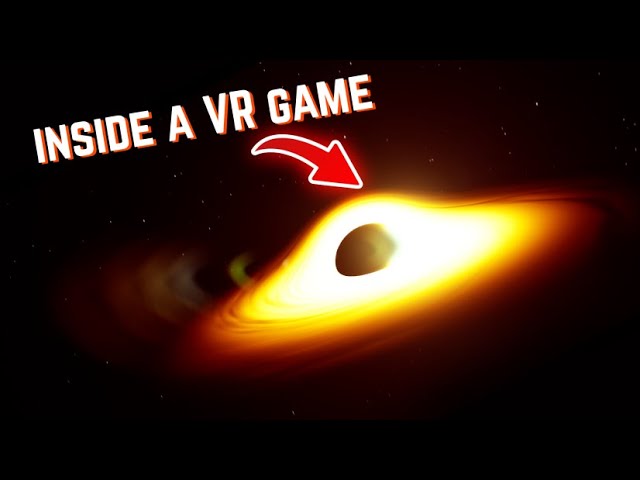
In this video, I'll take you through the process of adding a blackhole to the game. From conceptualizing the design to implementing the mechanics, you'll get an inside look at the development journey. Watch as I navigate challenges, debug issues, and bring this astronomical phenomenon to life in virtual reality.
Don't forget to like, comment, ...
cursive swallow
I have recently moved a project targeting quest 2 and pico 4 from 4.27 to 5.3 and I'm getting about half the framerate I had in ue4... I tried checking all the cvars that get dumped on the log at startup and there are barely any differences. I was able to replicate it in a new project as well as the Sun Temple example. Has anyone experienced anything similar or has any idea of what could be happening?
west sparrow
is it hard locked to 36 fps?
that might be application spacewarp.. gotta use the meta quest source branch for that to work
and im not sure how to disable it (or if you can)
buoyant zealot
how likely is it that all the space warp stuff will arrive at the official engine at some point?
 silk violet
Hi everyone! I'm trying to test the VisionsOS on AppleVision pro. I'm getting the following error when I try to package: UATHelper: Packaging (VisionOS): <unknown>:0: error: error opening input file 'Games/UnrealEngine-5.4/Engine/Source/Runtime/Launch/Private/IOS/UECppToSwift.h' (No such file or directory). The file is in that exact path. Has any got this error? If I'm correct, xcode comes with the last swift version right? I'm using UnrealEngine5.4 from github and xcode 15.4. Thanks!
hallow knoll
urban igloo
What performance are people getting with a fresh CollabViewer? 45 fps with a 409...
That's due to the template using the Deferred Renderer, and Lumen + Virtual Shadow Maps are enabled by default. If you disable Lumen and VSM you'll see a significant performance increase.
hallow knoll
buoyant zealot
how likely is it that all the space warp stuff will arrive at the official engin...
Likely, but it's complicated. I hope we get it before EOY.
digital cave
Does anyone else have the issue of Exponential Height Fog not rendering correctly for both eyes on Quest? Using mobile multiview, hdr off, forward renderer. Exponential height fog is supposed to be fully supported per this https://dev.epicgames.com/documentation/en-us/unreal-engine/rendering-features-for-mobile-games-in-unreal-engine?application_version=5.3
native tiger
Could some one help me with 4.27 apk packaging.?
digital cave
native tiger
Could some one help me with 4.27 apk packaging.?
post the problem
bleak blade
How do I make my hand move my character it has physics I want it to move player when it collides with the world like in gorilla tag
sturdy coral
bleak blade
How do I make my hand move my character it has physics I want it to move player ...
mordentral's vrexpansion plugin has a similar climbing system
bleak blade
sturdy coral
mordentral's vrexpansion plugin has a similar climbing system
With all do respect I would rather not use that I was wondering If I can without a plugin
sturdy coral
bleak blade
With all do respect I would rather not use that I was wondering If I can without...
on collision hit event look at velocity and flip the vector
bleak blade
How do I get the velocity of on hit?
sturdy coral
there are ways to query velocity of the controller but they aren't always supported on every vr runtime I think; track the velocity of the controller frame to frame by subtracting prev frame position from cur and multiply delta time on tick
bleak blade
Alr ill try that meathod Idk if it would work though
 mystic idol
Hey, does anyone have any ideas on how to optimise the ue water plugin ocean surface + buoyancy for rendering in VR? A stable 30 fps would be fine. So far the only thing that’s worked is reducing engine scalability to low but maybe someone knows a way I could do this only for the ocean surface? Or alternate solutions for using the buoyancy component / rendering an infinite ocean in vr
 sly ridge
cursive swallow
I have recently moved a project targeting quest 2 and pico 4 from 4.27 to 5.3 an...
sly ridge
cursive swallow
I have recently moved a project targeting quest 2 and pico 4 from 4.27 to 5.3 an...
I have a similar issue at the moment. Did you try profile it with unreal insights?
For me we first had occlusion culling taking a big chunk out of the cpu time and then after we disabled that we just have a very large waitframe there. Would be very interested to hear if you figure anything more out
cursive swallow
west sparrow
is it hard locked to 36 fps?
No, changes depending on load between 20 to 50fps. I'm using the OculusVR branch and no application spacewarp
cursive swallow
sly ridge
I have a similar issue at the moment. Did you try profile it with unreal insight...
I didn't have much luck profiling with insights, as I thought the bottleneck was the gpu and Insights barely gives any info on android vulkan rendering, but I tried disabling culling as suggested in the forums and there was no significant change in performance. I also remember seeing large waits on insights, but I can't be sure, as I checked a couple of months ago. Tomorrow I'll try to create new projects to test it.
 lavish phoenix
Hello everyone, does anyone know of a plugin sold for hand interaction in UE5+ ? I only know of Unity solutions. No good tutorials and this is very difficult to create from scratch.
The only solution I found is the pinch grab system. Any ideas would be appreciated.
digital cave
lavish phoenix
Hello everyone, does anyone know of a plugin sold for hand interaction in UE5+ ?...
VR Expansion plugin
digital cave
mystic idol
Hey, does anyone have any ideas on how to optimise the ue water plugin ocean sur...
Last time I tried to use the water plugin materials I looked at the materials and they were quite complex. Simplifying the materials is probably a good bet. However, you should do a profiling pass first.
lavish phoenix
digital cave
VR Expansion plugin
This is not it. I am looking for something you can use without CONTROLLERS
sturdy coral
lavish phoenix
This is not it. I am looking for something you can use without CONTROLLERS

GitHub
Oculus showcase of hand tracking based interactions in Unreal. - oculus-samples/Unreal-HandGameplay
mordentral's has stuff like hand gesture detection, physics, etc. though, everything you would need and I'm not sure how tied to the oculus specific plugin that one is
 zealous torrent
in C++ I created a class derivative from UMotionControllerComponent. Im curious, does anyone know the best method to smooth the tracking of a motion controller component?
sturdy coral
zealous torrent
in C++ I created a class derivative from UMotionControllerComponent. Im curious,...
mordentral's plugin has a 1euro filter https://gery.casiez.net/1euro/InteractiveDemo/
zealous torrent
sturdy coral
mordentral's plugin has a 1euro filter <https://gery.casiez.net/1euro/Interactiv...
thanks! I figured it out actually!
PollControllerState_GameThread
is what i was looking for 😄.
 unborn nest
Hello!
Does anyone have an idea why the shadows have those artifacts on the left eye of my vr glasses? This appears in 5.4.2 VR mode
(Edit 1: Disabling dynamic shadows seem to solve the issue)

 cursive swallow
I didn't have much luck profiling with insights, as I thought the bottleneck was...
cursive swallow
cursive swallow
I didn't have much luck profiling with insights, as I thought the bottleneck was...
Here's insights on the 5.3 project - most frames have waits for aparently nothing
 sly ridge
cursive swallow
Here's insights on the 5.3 project - most frames have waits for aparently nothin...
sly ridge
cursive swallow
Here's insights on the 5.3 project - most frames have waits for aparently nothin...
Thanks. I noticed that the waits on the gpu are waiting for the cpu as moments where the cpu waittime is lower the gpu also has less waittime.
Ours looks like this: the waitframe on the cpu only points to Openxr implementation itself so havent gotten more info out of that yet
 sturdy coral
unborn nest
Hello!
Does anyone have an idea why the shadows have those artifacts on the left...
sturdy coral
unborn nest
Hello!
Does anyone have an idea why the shadows have those artifacts on the left...
5.4.1 has a shadow bug, https://github.com/EpicGames/UnrealEngine/commit/90ef97eee45bdb2665fafbd49d3784241ddba202 fixes
unborn nest
sturdy coral
5.4.1 has a shadow bug, https://github.com/EpicGames/UnrealEngine/commit/90ef97e...
thanks! i will try this
digital cave
digital cave
Does anyone else have the issue of Exponential Height Fog not rendering correctl...
Bumping this. I tried toggling per vertex fogging in projecct settings and that does not make a difference. Anyone else experienced this?
The fog included with sky atmosphere also has eye rendering issues in PCVR and Quest.
zealous torrent
anyone know how to properly set the spectator screen mode and texture in C++ for VR?
Ive tried these functions but I continue to get unresolved externals, I have the module included in my build.cs file, and the header files, but it still wont build because of these two functions lol
UHeadMountedDisplayFunctionLibrary::SetSpectatorScreenMode(ESpectatorScreenMode::Texture);
UHeadMountedDisplayFunctionLibrary::SetSpectatorScreenTexture(SceneCaptureComponent->TextureTarget);
ok figured it out! it turns out I needed to include the "XRBASE" module
 trail swift
Hi,
I'm working on UE 5.3.2 and using Meta SDK for VR hand tracking and grabbing. The grabbing isn't accurate with respect to the mesh. How can I perform an accurate grab using the grab gesture?
Is there a way to record the grab gesture and use it for grabbing so it looks like I'm actually grabbing it? If not, does Unreal provide us with Oculus Hand R (gesture) and Oculus Hand L (gesture)?
Thanks!
rocky nexus
you would need to override the pose with animation you make, tricky stuff
west sparrow
Oooo I see there was a meta quest stereo rendering fix in the latest hot fix 😄
undone coral
Anyone know how to deal with this VR/OpenXR error? Driving me nuts. Only happens if I try to Preview my project in VR:
Assertion failed: IsInGameThread() [File:D:\build++UE5\Sync\Engine\Plugins\Runtime\OpenXR\Source\OpenXRHMD\Private\OpenXRHMD.cpp] [Line: 1545]
0x00007ffba8323adc UnrealEditor-OpenXRHMD.dll!UnknownFunction []
0x00007ffba831f555 UnrealEditor-OpenXRHMD.dll!UnknownFunction []
0x00007ffba6f5da39 UnrealEditor-Oceanology_Plugin.dll!FOceanologyWaterMeshSceneProxy::GetDynamicMeshElements() [D:\build\U5M-Marketplace\Sync\LocalBuilds\PluginTemp\HostProject\Plugins\Oceanology_Plugin\Source\Oceanology_Plugin\Private\Components\QuadTree\OceanologyWaterMeshSceneProxy.cpp:244]
0x00007ffbb2c8b827 UnrealEditor-Renderer.dll!UnknownFunction []
0x00007ffbb2c63919 UnrealEditor-Renderer.dll!UnknownFunction []
0x00007ffbb1dcae3e UnrealEditor-Renderer.dll!UnknownFunction []
0x00007ffbb1d84804 UnrealEditor-Renderer.dll!UnknownFunction []
0x00007ffbd62a24c5 UnrealEditor-Core.dll!UnknownFunction []
0x00007ffbd62a21ff UnrealEditor-Core.dll!UnknownFunction []
0x00007ffbd62ca155 UnrealEditor-Core.dll!UnknownFunction []
0x00007ffbd62923d0 UnrealEditor-Core.dll!UnknownFunction []
0x00007ffbd6497c93 UnrealEditor-Core.dll!UnknownFunction []
0x00007ffbd68fc93d UnrealEditor-Core.dll!UnknownFunction []
0x00007ffbd68f02b7 UnrealEditor-Core.dll!UnknownFunction []
0x00007ffcd096257d KERNEL32.DLL!UnknownFunction []
Crash in runnable thread Foreground Worker #1
cursive swallow
sly ridge
Thanks. I noticed that the waits on the gpu are waiting for the cpu as moments w...
how can you tell that the cpu wait points to OpenXR?
sly ridge
cursive swallow
how can you tell that the cpu wait points to OpenXR?
On the timing part of insights you can see find the waitfrom and on the I icon you can hover and it displays more info

That just refers to this in the source code

So its still unclear what exactly its waiting on (found some posts on the Unreal forums that suggest it might be related to garbage collection but havent had any luck there)
cursive swallow
Ah, I see...
I do have the same WaitFrame wait for 16.9 ms on quest 2 and 9.4ms on quest 3, but on Pico, since it doesnt use OpenXR, the timer isn't there
sly ridge
cursive swallow
I do have the same WaitFrame wait for 16.9 ms on quest 2 and 9.4ms on quest 3, b...
Do you also have the performance issues on Pico without openXR then? ( I assume that you are using the PicoXR plugin then instead of openxr)
cursive swallow
Yes
sly ridge
building with the PicoXR plugin still gives me a big Waitframe but its not clear where its coming from
 cursive swallow
for quest are you using epic's openxr or the metaxr plugin?
mystic idol
digital cave
Last time I tried to use the water plugin materials I looked at the materials an...
thanks @digital cave ! So far i've tried reducing tesselation
sly ridge
cursive swallow
for quest are you using epic's openxr or the metaxr plugin?
I tried both and both seem to give the same effect as they are both OpenXr implementations
urban igloo
Can I use HW raytracing reflections with static lighting and forward render?
cursive swallow
urban igloo
Can I use HW raytracing reflections with static lighting and forward render?
no, raytracing requires the deferred renderer afaik
sturdy coral
sly ridge
I think usually a large waitframe indicates you've already missed framerate somewhere else on previous frame and it is skipping the next frame, or sometimes several missed frames has caused runtime to go into a kind of half frame rate forced reprojection mode
hallow knoll
unborn nest
Hello!
Does anyone have an idea why the shadows have those artifacts on the left...
Hey @unborn nest, this is a bug that we fixed for 5.4.3
hallow knoll
sturdy coral
I think usually a large waitframe indicates you've already missed framerate some...
Charles is right, you have to profile and look at the time spent on the non waitframe tasks
sly ridge
sturdy coral
I think usually a large waitframe indicates you've already missed framerate some...
its every frame
sly ridge
hallow knoll
Charles is right, you have to profile and look at the time spent on the non wait...
the time spend there is super low and it happens in every level also in a vr template project (traces are above: #virtual-reality message)
native tiger
How do I add a static mesh to this target, Btw am using the widget in the default vr template .!
 sturdy coral
native tiger
sturdy coral
native tiger
target type is widget so you can't put a static mesh there, you need the visibility node for meshes
west sparrow
hallow knoll
Hey <@173458068502216705>, this is a bug that we fixed for 5.4.3
any meta quest fixes in 5.4.3? 😄
 sinful finch
How do people typically test on an Occulus? Making and uploading a test build is not very efficient, is their any reasonable link cable or virtual desktop setup people would recommend? Cheers
rocky nexus
you make a build and install it on device, faster with iteration link/vrd or a proper headset :d might use psvr2 for that soon
west sparrow
i just use VR preview mode and occasionaly package it for the quest to make sure its still working
sturdy coral
sinful finch
How do people typically test on an Occulus? Making and uploading a test build is...
you can get a cheaper fiber link cable like this https://www.ebay.com/itm/255718232577 . On the meta quest link app they have developer settings to enable most of the mixed reality things through link now but lots of them are kind of janky (laggy compressed looking passthrough) and sometimes artifacts show in desktop preview and not in packaged or vice versa
 clever needle
Hey, for our openxr based game, we had to switch to UE 5.4.2 because we have some other issues that are fixed in 5.4.2.. however since we updated we encountered some weird artifacts on some headsets (like the Valve Index), it seems to be specifically on the right eye. I managed to record this. does anyone have an idea how to fix this?
sturdy coral
clever needle
Hey, for our openxr based game, we had to switch to UE 5.4.2 because we have som...

what do you have that set to?
(clear scene)
clever needle
sturdy coral
Thank you for your response, its set to hardware clear
 glad temple
Has anyone run into the problem where adjusting a materials/textures brightness doesn't change how it looks in the headset? I'm so confused as to why it looks darker on my monitor but on the Vision Pro it changes nothing.
digital cave
Steam next fest doesn’t have a vr section. Incredibly disappointing
digital cave
glad temple
Has anyone run into the problem where adjusting a materials/textures brightness...
Does the issue occur with stock unreal from epic launcher on quest?
hallow knoll
glad temple
Has anyone run into the problem where adjusting a materials/textures brightness...
Are you using the preview renderer in-editor to preview what it'll look like on device? If not, you're viewing DX12/SM6 on your PC monitor, and what you're seeing on Vision Pro is Metal (🤘)
buoyant zealot
tin foil is a metal, too 😛
sturdy coral
glad temple
Has anyone run into the problem where adjusting a materials/textures brightness...
also check for auto exposure differences, might be off in viewport and on in headset
 reef willow
For Android on the Meta Quest,
The Web browser Widget is unable to scale the website to fit inside the 3d Widget Component. In desktop it looks fine.
reef willow
found this reddit post but yet to try

Reddit
Explore this post and more from the unrealengine community
hallow knoll
@reef willow The Android webview texture resolution defaults small to save memory. You can change the size in your project's Config/DefaultEngine.ini. Under the [/Script/AndroidRuntimeSettings.AndroidRuntimeSettings] section add:
WebViewTextureSize=1024,768
Or the resolution you prefer
shell warren
Hey everyone!
A question for those developing for steam, how do you handle verification?
On the quest there is a simple verify entitlement node. Is there something similar for steam?
shell warren
shell warren
Hey everyone!
A question for those developing for steam, how do you handle verif...
I basically want to check if the user has obtained the copy through steam. The app is ready, but I feel queasy about sharing it with testers without some user verification.
foggy oxide
does anyone knows how to get the username or device name ?
im looking at a htc xr, but android would suffice.
i just need to deterministically identify multiple devices.
digital cave
foggy oxide
does anyone knows how to get the username or device name ?
im looking at a htc ...
Maybe whatever system scalabilty uses. Look up unreal scalability reference Android
foggy oxide
digital cave
Maybe whatever system scalabilty uses. Look up unreal scalability reference Andr...
thanks. after taking a look ove found kismetsystemlibrary::getdeviceid()
limpid widget
shell warren
Hey everyone!
A question for those developing for steam, how do you handle verif...
I just don't. Adds overhead and can be removed quite easily.
That is also more a question for #online-subsystems
jade kettle
I borked the MotionControllers in a project based on VRTemplate. It works on a fresh VRTemplate but not in this prjoect. As far as I can remember, I didn't even touch the VRPawn
The controllerrs just lay on the ground, undetected
west sparrow
turns out my FPS issues on the quest 2 were due to the fact i didnt have "Start in VR" set in project settings... weird
 prisma sapphire
Hey everyone, I'm encountering some significant challenges with hand tracking replication in my VR multiplayer game setup, and I could really use your insights. Here’s what’s happening:
Setup: I’m testing with two VR headsets. The first headset (server) starts the session, and the second headset (client) joins in.
Client Side: The client sees their own hands perfectly overlaid with their VR hands but can't see the server's hands.
Server Side: On the server side, I observe two pairs of hands; one pair tracks the client’s movements accurately. However, the other pair, which should track the server's own movements, is flickering and remains stationary.
Replication Settings: Both my left motion controllers are set to replicate, as well as the hand meshes. I've checked all settings related to replication and authority, but the issue persists.
I've attached screenshots of the BeginPlay event setup in my HandsCharacter blueprint for clarity. Any guidance or suggestions would be greatly appreciated!
 prisma sapphire
 sturdy coral
jade kettle
The controllerrs just lay on the ground, undetected
sturdy coral
jade kettle
The controllerrs just lay on the ground, undetected
in details view click show modified onlyl and check if you changed anything, big ones are motionsource and playerindex
jade kettle
Thanks, but I just migrated the assets to a new project haha,
Possible not UE specific, but I've been working with a Quest 3 over AirLink. I've noticed that at times, the left eye would exhibit slight corruption and tearing, until you briefly take the headset off and on again
Then the issue is fixed
 worn oak
How do ya'll generally test your game? Like I'm trynna make some quick changes and testing them, but this building and installing apk on a Quest 2 is way too irritating..
digital cave
worn oak
How do ya'll generally test your game? Like I'm trynna make some quick changes a...
Connect your headset to your computer using airlink or link. Add functionality to use your pawn via mouse and keyboard
digital cave
jade kettle
Possible not UE specific, but I've been working with a Quest 3 over AirLink. I'v...
I have experienced this with quest 2 on 5.3.2. Quest 3 works fine though
limpid widget
worn oak
How do ya'll generally test your game? Like I'm trynna make some quick changes a...
use vr preview in unreal editor
 surreal spire
Hi all guys, I have just published my vr game on itch.io, if you want to try it I leave you the portfolio link and the trailer.
Link Portfolio: https://sites.google.com/view/francescocimino/trying-is-believing
Link Trailer: https://youtu.be/7W6GzomklTE

Trying Is Believing

What is Trying is Believing? is a virtual reality product designed with the goal of significantly reducing kinetosis during gaming sessions.
It revolves around balance and fluidity of movement to provide a comfortable VR experience even for gamers sensitive to motion discomfort.
The main goal is to provide immersive entertainment without compro...
unborn nest
hallow knoll
Hey <@173458068502216705>, this is a bug that we fixed for 5.4.3
Hey @hallow knoll, is it possible to fix it somehow in 5.4.2?
unborn nest
sturdy coral
5.4.1 has a shadow bug, https://github.com/EpicGames/UnrealEngine/commit/90ef97e...
this fix is already applied in my shader :/
@hallow knoll The shadow issue is only visible on my Quest. It looks great on my Vive
neon geyser
Hello @hallow knoll, by any chance have you heard about an issue causing Quest 3 controllers tracking to stop working? (Tracking and also input) It happens very randomly sometimes when launching my game. The only way to get them back working is to trigger a bug report by pressing really fast several times the oculus menu button
I'm currently behind a version or 2 on the unreal engine oculus fork, so I'll attempt getting the last version but apart from that I have no idea what's going on
lime crystal
Is there somewhere a documentation about rendering best practices for VR? I managed to find bits and pieces, but you know, there are so much things to tick.
My current problem is bad texture rendering, like aliasing.
I'm using MSAA with forward rendering but it still looks pretty bad
digital cave
lime crystal
I'm using MSAA with forward rendering but it still looks pretty bad
If your problem is specular aliasing then you can use this technique: https://www.youtube.com/live/3Yx9IEOc5s4?si=7Ddyk8Jw5ME5008T&t=2130

Announce Post: https://forums.unrealengine.com/showthread.php?141558Robo Recall is Epic Games' hot new VR title, but how did it get to be so fast and fun? VR...
digital cave
digital cave
If your problem is specular aliasing then you can use this technique: https://ww...
It is good that you posted this aliasing question today because I have actually been trying to reduce specular aliasing today. Looking around it seems unreal might have the same technique as from the above video, but now as a checkbox. In your maerial try checking normal curvature to roughness. I have yet to test it...hopefully it helps https://www.reddit.com/r/FuckTAA/comments/174s5qr/specular_aa_functions_for_unreal_materials/
 white junco
My Vr Preview is greyed out even when my device is connected, I enabled Opex XR Related plugins and Oculus sounds and Oculus online subsystems plugin too

 digital cave
white junco
My Vr Preview is greyed out even when my device is connected, I enabled Opex XR ...
digital cave
white junco
My Vr Preview is greyed out even when my device is connected, I enabled Opex XR ...
My vr preview gets greyed out if I connect my headset before opening unreal.
white junco
oh so if i connect it after opening unreal it will work?
 abstract forum
white junco
My Vr Preview is greyed out even when my device is connected, I enabled Opex XR ...
abstract forum
white junco
My Vr Preview is greyed out even when my device is connected, I enabled Opex XR ...
Restart your editor and It will work
Just make sure your VR is connected
limpid widget
white junco
oh so if i connect it after opening unreal it will work?
In later Engine versions (I think starting 5.2?) it detects when you connect an hmd and it will be no longer greyed out, on earlier versions you had to restart unreal.
But to be sure, try restarting unreal after your hmd is connected & openxr runtime is correctly setup (so if you use Oculus, you can use the Oculus Runtime and have the oculus app open. If you use SteamVR Runtime, make sure to have SteamVR running).
So you Also need to have Oculus Link or be in Steam VR Home depending on the Runtime.
white junco
it is working, i forgot to launch the quest link
lime crystal
digital cave
If your problem is specular aliasing then you can use this technique: https://ww...
Thanks. It is not that actually, I'm using only unlit materials.
 jovial grove
😮

 torn valve
Can I simply install UE5.2 + MetaXR, pick Unreal level and package it for Oculus Quest 2 without any issues? 
i.e. without any startup crashes, without playing with SDK and NDK API levels
 keen prawn
whats the default settings ppl use for VR these days? still forward shading and stuff?
the latest default VR template pretty much set up or do ppl change a lot on the settings?
havent used unreal in a long time and havent tried UE5 much at all.
might just pick up some of my old project again sometime
lime crystal
Does anyone knows why my Material Collection Parameters work in editor but not in shipping build on the Quest 3? Are there known problems with MPC and VR?
torn valve
okay so I tried UE5.2.1 VR template + MetaXR plugin + OpenXR but I'm getting
Plugin 'OpenXR' failed to load because module 'OpenXRHMD' could not be found. Please ensure the plugin is properly installed, otherwise consider disabling the plugin for this project.
Is using MetaXR / OpenXR the only way to launch VR app on Oculus?
winged burrow
Hey guys, quick question: How Do I reset the player's view when starting a level?
When I start the level, my view rotation is off by like 30-60 degrees and clicking this fixes everything. In my VRPawn, the VROrigin and Camera have the rotations set to 0 0 0.
Can I reset the view when starting a level, like in blueprints? I looked all over the internet and even asked chat gpt but no luck. Thanks in advance!
 bleak blade
Why is this flying away? When I unparent grab component it works

Figured it out just set grab component to static
weird fix but fixed it nontheless
charred portal
Just to update ppl that instanced stereo appears to be broken for dynamic shadows in 5.4.2 forward rendering (VR)
You can disable instanced stereo as a workaround
r.Nanite=0
r.DefaultFeature.AmbientOcclusion=False
r.DefaultFeature.AmbientOcclusionStaticFraction=False
vr.InstancedStereo=False```I was able to find a similar issue in UE5.4.1 ShadowProjectionPixelSHader.usf at line 149 which missed the mobile shading path.
Was wondering if anyone has run across a fix just yet?
charred portal
nvm found it... should have a patch soon 🙂
@hallow knoll do you know if the multiview fix will make it in as well?
I can confirm manually patching these even in the launcher version of 5.4.2 works like a champ
👆 Epic Games/UE5.4/Engine -> Replace shaders
keen prawn
charred portal
Just to update ppl that instanced stereo appears to be broken for dynamic shadow...
seems like instanced stereo is quite a hassle to fix with every new feature 😛
 past veldt
Is there a good starting point video on how to get started with vr in ue5?
sonic sierra
So many questions so few answers! 🤣
buoyant zealot
past veldt
Is there a good starting point video on how to get started with vr in ue5?
no idea, but the Epic VR Template which comes with UE is a good starting point imho
past veldt
buoyant zealot
no idea, but the Epic VR Template which comes with UE is a good starting point i...
Is that a set of blueprints that can be edited or is it hardcoded?
buoyant zealot
it's BP only
if you enable starter content you should see it, and afaik it's also an option in the launcher to create a project based on it?! 🤷
past veldt
Btw does anyone know if the unreal-arduino bridge still works in the newest versions?
buoyant zealot
may be more fun to pick any mc which has wifi and use something like mqtt to talk to it
west sparrow
Arduino bridge? What could UE want to interact with an arduino for?
buoyant zealot
actual things 😛
bored of standing up to turn off the light? just make a virtual switch 😛
west sparrow
haha i also forget UE is used outside of game dev
past veldt
west sparrow
Arduino bridge? What could UE want to interact with an arduino for?
Wait and see lad 😉 - vr stuffs
past veldt
buoyant zealot
may be more fun to pick any mc which has wifi and use something like mqtt to tal...
What is mqtt?
buoyant zealot
a protocol used for embedded devices, and UE has an MQTT plugin
and i'm certainly sure that for most microcontrollers there's also an implementation
past veldt
Hm wifi might be bad to work with with latency and nasty interferences
buoyant zealot
🤷 in my experience it was always quick enough
but i'm only testing like 2m away from my access point, still better than a cable tho 😄
west sparrow
past veldt
Wait and see lad 😉 - vr stuffs
like triggering some minor electrical shocks when taking damage? for the truely immersive VR experience
past veldt
west sparrow
like triggering some minor electrical shocks when taking damage? for the truely ...
Nah something better- remember me lad- I gotta cook a bit on this one
west sparrow
commited to memory
dreamy ivy
I created a tutorial showing how you can add VR to Epic/unreals new Game Animation Sample project. It's really cool to play around with in VR.
https://youtu.be/L9b6tHZwSns

#UnrealEngine #VR #VirtualReality #animation
► Join the Discord: https://discord.gg/gdxr-415153324099371008
► Description
Do you want to create a third person VR project using UE5.4? This this is probably the easiest way you can do it.
-----------------------------------------------------------------------------------------------------------...
 half geyser
very cool @dreamy ivy !
hey all,
i'm still super-stuck with making an APK for Quest3. I only have AndroidSDK 32 installed
but I get an APK out that throws this error when using sidequest:
Error
A task failed. Check the tasks screen for more info. PTSamples-arm64.apk: java.lang.IllegalArgumentException: Error: Failed to parse APK file: /data/local/tmp/_stream.apk: Requires newer sdk version #33 (current version is #32)
When I open the APK in Android Studio:
android:minSdkVersion="33"
in UE:

@dreamy ivy , it's 32 max for Quest3, right?
dreamy ivy
half geyser
<@183619766920019968> , it's 32 max for Quest3, right?
I'm using 32 at the moment in 5.3 and its fine.

 half geyser
thanks for this @dreamy ivy
urban igloo
I want to make 5.4 project for Vive Focus 3 standalone. Am I stuck waiting for Vive to update their plugin?
Docs are pretty scattered because of their multiple plugins. It gets confusing.
paper trout
hi there - can someone point me in the right direction for using my quest pro to track my position in my room and apply it to my position in a game level?
atomic drum

Epic Developer Community
XR Meta Quest setup guide covering everything
updated, back to work for me tho 🙂
The only real difference in setup is that the JAVA_HOME configuration does not need to be adjusted, and there is no need to disable OpenXR when using MetaXR for stuff.
paper trout
atomic drum
The only real difference in setup is that the JAVA_HOME configuration does not n...
thank you so much!!!
past veldt
atomic drum
https://dev.epicgames.com/community/learning/tutorials/y4vB/unreal-engine-5-4-2-...
does this exist as a video format? Or even some screenshots that go along the instructions could go a long way- thank you so much!
atomic drum
past veldt
does this exist as a video format? Or even some screenshots that go along the in...
This is so people can set things up at own pace, I considered images but then that can distract from each step. If people want images I’d be happy to add them.
paper trout
atomic drum
https://dev.epicgames.com/community/learning/tutorials/y4vB/unreal-engine-5-4-2-...
i'm getting a "Unable to locate sdkmanager.bat. Did you run Android Studio and install cmdline-tools after installing?"
im wondering if this is because i didn't install ue4.2 to C:
atomic drum
What step are you on?
paper trout
Unreal Engine Android Setup
- Launch the “UE_5.4\Engine\Extras\Android\SetupAndroid.bat”
atomic drum
Did you reboot your computer after installing the Android fun?
There’s a few bits of Android you need to install, like the sdk, tools etc; lots of Android stuff
paper trout
so i had followed your previous guide for 5.3 a little while back and it seemed unchanged from that documentation
atomic drum
Just a few minor changes
paper trout
would it make more sense to uninstall everything and start fresh?
atomic drum
nope you should be ok with updating
Epic updated the SetAndroid.bat so it doesn't need any fun JAVA_HOME editing
atomic drum
You should be ok to just run the SetAndroid.bat without doing anything these days
paper trout
so when i run this one, its giving me that error
 atomic drum
I tested it both ways, without doing anything after installing Android stuff, and with editing the JAVA_HOME (incased people wanted to do that)
paper trout
so i can ignore that error?
paper trout
 atomic drum
did you install the JDK 17.0.10?
 atomic drum
Edit it to this
 paper trout
cool that's set up but im still getting the error
atomic drum
you need to reboot
atomic drum
Don't thank me yet, could be you found an issue
paper trout
okay i am back
atomic drum
wb
paper trout
so running the bat
atomic drum
yay
paper trout
results in the same unable to locate sdkmanager.bat error
atomic drum
boo!
paper trout
ha!
atomic drum
And you have all the SDK stuff installed, nothing new from 5.3.2 tbh
paper trout
i think so
how would i double check
my android studio version looks right
Android Studio Flamingo | 2022.2.1 Patch 2
Build #gameplay-ai-222.4459.24.2221.10121639, built on May 12, 2023
Runtime version: 17.0.6+0-b2043.56-9586694 amd64
VM: OpenJDK 64-Bit Server VM by JetBrains s.r.o.
Windows 10 10.0
GC: G1 Young Generation, G1 Old Generation
Memory: 1280M
Cores: 24
Registry:
external.system.auto.import.disabled=true
ide.text.editor.with.preview.show.floating.toolbar=false
gradle.version.catalogs.dynamic.support=true
atomic drum
in the Android Studio, theres a little gog in the bottom left
paper trout
check for updates?
 paper trout
bottom left? yeah
 atomic drum
looks good, and under the SDK Tools tab?

 atomic drum
Under the Android SDK Command-line Tools?

 atomic drum
looks ok
 atomic drum
delete JAVA_HOME
paper trout
gone!
atomic drum
ok that window and ok the System Props window
paper trout
ok^2
atomic drum
then Run the SetupAndroid.bat again
(it'll recreate the JAVA_HOME)
...should, maybe
lol
 atomic drum
Do you have the NDK_ROOT and NDKROOT set ok?
All this stuff

As in stuff related to Android and JAVA fun
 paper trout
snake eating its tail
would it have to do with android home's path?

or these being ticked and not checked / needing updates?
atomic drum
You can check in "C:\Users\cianf\AppData\Local\Android\Sdk\cmdline-tools\latest\bin"
atomic drum
paper trout
or these being ticked and not checked / needing updates?
leave all that stuff 🙂
paper trout
 atomic drum
theres the sdkmanager it can't find
paper trout
is there a way to tell it to look there
atomic drum
in the comandline-tools folder was there a "lastest" foder?
paper trout
13?
atomic drum
I'm installing 13! fck it

 atomic drum


 atomic drum
try now SetupAndroid.bat
atomic drum
yay
paper trout
@atomic drum ! @atomic drum ! @atomic drum ! @atomic drum !
atomic drum
so it was the "latest" issue, come on Epic spash a fix for next time 🙂
paper trout
i really can't thank you enough
atomic drum
I'm doing a APK build now to test we didn't break something
paper trout
the effort you put into helping people doesn't go unnoticed and you're really doing wonders for the community as a whole
it's shocking how little epic puts into explaining how to get vr dev up and running
same with meta
atomic drum
I'm just sharing what I learn on this setup stuff, maybe more people will make VR stuff and help me, I get stuck all the time 🙂
paper trout
hoping i can pay it forward in full real soon
atomic drum
Epic and Meta are busy; they could pay me to update the docs, lol
paper trout
they really should lmao
i imagine you're one of like 15 people who know how to get it working and why it works
atomic drum
Looks like it all built ok, so I'll update the guide
paper trout
appreciate you! gonna try to get it working
atomic drum
I worked at Sun Microsystems on Java back in the day, so was forced to understand all this Java stuff. I also worked at Google and was made to learn all this Android noncense - its never big things, just little gotchas.
paper trout
that's wild!! you've really seen the whole story from a birds eye view then
atomic drum
Basically nobody has a clue where there doing, including me haha
Just tested the APK on the Quest and its running ok, all golden
paper trout
atomic drum
Just tested the APK on the Quest and its running ok, all golden

just on this step
does this mean leave the edit/plugins window open, then open the oculus desktop app, then put on the headset and do that
atomic drum
you can close the edit/plugins window
Meta keep telling us the VR Preview is a bit of a mess currently
paper trout
you'd think making that not a mess would be the most important thing haha
atomic drum
Getting it to work at all seems to be tricky
paper trout
on the meta xr simulator part - i am extracting meta_xr_simulator_v66
then im going to a folder with that name, and taking the .tgz file out and into the unreal projects folder
and then when i extract that file i get
"com.meta.xr.simulator.tar"
is that right?
atomic drum
tar is a compressed file, you need to uncompress it
they .tgz it again, hahahaha, that team are muppets
paper trout
so i just extracted it with 7zip
atomic drum
I wouldnt even bother with the simulator
paper trout
okie dokie!
atomic drum
It still works and stuff, but dang
paper trout
what does the simulator do?
atomic drum
It opens an app where it simulates the controller movment etc, so you don't need to use the Meta Headset, hardly works and not very useful.
No idea why they keep making it tbh, but they do so I show how to set it up
paper trout
so im trying to press the play level in vr button and it takes me to a black void

and seems to also open steamvr
atomic drum
VR Preview?
paper trout
