 placid tide

#virtual-reality
1 messages · Page 11 of 1

 lusty whale
Thanks a lot!
 sullen vortex
Migrated a project from 5.2 to 5.3 and having a major framerate drop. Does anyone else have the same issue? thanks in advance
 idle heron
Is it possible to enable physics collisions when using custom hand meshes in the Oculus XRHand Component? I've added a physics asset with physics bodies (set to Kinematic) to the skeletal mesh of the hands. I've also enabled collisions in the component but so far the hands are going through the objects.
 real needle
anybody know how to make a patch? i added _p to the name of the .pak. There is an existing obb patch file because the obb is at 4gb. what should i do to make my patch work
 whole radish
Hello please I want to make an object snap to a given position as in assembly simulations but I have some difficulties. can some one guide me or share any resource or tutorial that will help me achieve this ? example in video attached
idle heron
idle heron
Is it possible to enable physics collisions when using custom hand meshes in the...
Following up on this, it's strange that if I attach the exact same mesh to the OculusXRHand Component in the VR Pawn BP, that instance of the mesh collides with simulated objects but not the one used by OculusXRHand (see attached screenshot, the second right hand on the left is the attached one). As far as I can tell from reading the C++ source of the XRHand Component, there's no change in physics when using a custom mesh. I wonder why it stops working.

 solid tinsel
lusty whale
Thanks a lot!
solid tinsel
lusty whale
Thanks a lot!
I'm glad you asked that because I didn't actually know what that did either
 muted wyvern
Does anyone know what the best way is to have a 2d interface which appears on the computer screen that can be interacted with while at the same time a different player is in VR?
I've googled around but can't really find info
 gleaming oriole
How would I detect if someone is using VR vs PC? I'm trying to have a game have both vr support and regular pc support
 mighty carbon
they hate standalone VR cuz it doesn't help showing off Nanite and Lumen 😆
I feel like Victor is all that stands between Epic keeping standalone VR support barely alive and taking big dump on it, like they did with software occlusion culling.
 worthy fjord
Hello, I am a newbie in unreal.
I want to know how can I test a VR project without a device. do we have some simulator or can we do with mixed reality portal. or any other way.....
 novel gorge
worthy fjord
Hello, I am a newbie in unreal.
I want to know how can I test a VR project witho...
novel gorge
worthy fjord
Hello, I am a newbie in unreal.
I want to know how can I test a VR project witho...
You can simulate the project. But sure you can't test the VR related things with motion controller or sth.
worthy fjord
Oh Okey...
 magic veldt
Is it possible to run a Windows build in the Oculus?
So far I have been running only with VR Preview.
I wouldnt like to add support to Oculus/Android yet.
It would be more convenient to test if I could just send a windows buiild around and run it in the Oculus.
I havent found any resources on that online.
Thank you!
novel gorge
magic veldt
Is it possible to run a Windows build in the Oculus?
So far I have been running ...
Sure. It's using OpenXR so it should run on every headset.
Package your game and test it.
magic veldt
ok, so I just run it on the PC with Link connected to the Oculus and it should start?
I think I tried that before and it didnt work.
But I might have done it wrong.
I will try it again.
yeah it works. I may have done something wrong in the past.
Thank you!
 tired tree
@magic veldt keep inind that it isn't the same as running standalone
 vast saddle
Does anyone know how to render a widget in VR and show the same widget on the VR spectator screen? I can get it to render to VR and the spectator screen, but on the specator screen, the widget gets scaled to fit 16/9 so it looks bad.
I've tried using a different widget scaled to 16/9 and it works when the VR headset is not connected, but when it is connected, the specator screen is all black. I'm using 4.26 so it may be an engine bug?
 rocky nexus
stuff usually doesn’t like being in two places at once, just use two of them
vast saddle
rocky nexus
stuff usually doesn’t like being in two places at once, just use two of them
Hmmm that's what I was thinking... I will have to create a spectator version of each widget. Thanks!
 timber dew
Hi all, I am looking for an advise. I am using unreal engine to run VR+eye-tracking research. So far I am able to stream the eye-tracker data from the Oculus Pro eye-tracker and has an invisible ray cast reporting what objects are hit (what I am gazing). But I am having an issue recording the video as currently the preview renders only left or right eyes so the user's FOV will be different from what is showed in the preview.
Is there a way to have the VR preview showing both eyes the same time? Or alternativeky can I attach a new camera to VR_Pawn that will follows the player and show up in preview? And also is there a way to record it (I guess I can use OBS but if there is a build in feature that allows me to record in game that will be the best)
Thanks all.
 worldly peak
timber dew
Hi all, I am looking for an advise. I am using unreal engine to run VR+eye-track...
worldly peak
timber dew
Hi all, I am looking for an advise. I am using unreal engine to run VR+eye-track...
In short... add 2D scene capture component, increase the FOV, render it to a texture every frame and display that texture to the monitor. To change what is displayed to the monitor it was something like "SetSpectatorScreen" and change that to texture
 woeful vigil
Hello everyone, quick question. I've got a problem with a Niagara System currently rendering differently in each eye of my Quest 2. The left eye displays the emitted particles as intended but the right eye displays what seems like only half of the particles it should display? So say there are 50 particles rendering in the left eye there are only seems to be 20 particles emitting in the right eye? Unsure why this is happening. Any ideas? Also sorry if this is the wrong chat.
magic veldt
tired tree
<@360908714292543498> keep inind that it isn't the same as running standalone
sorry, didnt understand.
by standalone you mean deploying a build to the oculus? that would involve making an apk which is not the intent for now.
tired tree
@magic veldt yes, just mentioning that if you ever want to compare to running on the hmd itself it's not the same. Otherwise good to go
magic veldt
thank you for the heads up
 brave bison
how is the throw velocity implemented/added in the VR template? I can't see it
when the user releases the grip button they just detach the object from the hand it it "flies"
I'd like to know how it's done and how to control the throw velocity
 proven bronze
PC Build question
Wanna create stuff for Quest 2 and 3 at 120hz
1.Is amd ryzen5 enough or i need a ryzen7? (Or is amd cpu even a good idea) if intel is recommend for vr then which series? 9? 10? 11? ..? (I want to buy the lowest i need for q2-q3 dev)
2.Is nvidia 3060 enough? Do i have advantages to buy a 4060 or its gonna be the same?
 hallow knoll
@brave bison It's just default behavior: the attached actor inherits the velocity it had from when it was attached
brave bison
I see, thanks
novel gorge
proven bronze
PC Build question
Wanna create stuff for Quest 2 and 3 at 120hz
1.Is amd ryzen...
The better, the better. But you can develop for VR also with a low-end PC, though it will not be much fun. Maybe step 1 should be: start developing for VR and step 2: if it's not fun, buy a better PC.
proven bronze
novel gorge
The better, the better. But you can develop for VR also with a low-end PC, thoug...
I just want to understand the benefits behind a newer setup. Quest 2 cpu and gpu is very limited compared to desktops so I don't get why I would need an rtx 4080 to develop for a device that output ps2-3 graphics.
 sinful spear
proven bronze
I just want to understand the benefits behind a newer setup. Quest 2 cpu and gpu...
sinful spear
proven bronze
I just want to understand the benefits behind a newer setup. Quest 2 cpu and gpu...
like Chaos said, technically you will only need whatever the minimum spec is for UE4/5, but a faster CPU = faster compilation and build times (which will matter if you want to make frequent test builds), and with a faster GPU, stuff like the in-editor preview will run smoother. You will be more than fine with a 3060 and a ryzen 5, just turn off stuff like Lumen
vast saddle
rocky nexus
stuff usually doesn’t like being in two places at once, just use two of them
I created duplicate versions of the widgets for spectators and it works perfectly. Thank you very much for the help!!
proven bronze
sinful spear
like Chaos said, technically you will only need whatever the minimum spec is for...
Thank you!
proven bronze
sinful spear
like Chaos said, technically you will only need whatever the minimum spec is for...
Is there a list of supported options by the quest 2-3 like lumen, ambiant occlusion and other stuff?
rocky nexus
forward renderer is (pretty much) required, that makes most of the fancy stuff not supported
 foggy brook
timber dew
Hi all, I am looking for an advise. I am using unreal engine to run VR+eye-track...
foggy brook
timber dew
Hi all, I am looking for an advise. I am using unreal engine to run VR+eye-track...
I forget which one, but you want the console command vr.spectatorscreenmode 1 ( or 2 or 3 or 4 )
One of those!
foggy brook
proven bronze
Is there a list of supported options by the quest 2-3 like lumen, ambiant occlus...
You can do deferred rendering (mobile HDR, post processing, etc) on Quest but it’s expensive.
No Lumen, no Nanite, but your Nanite geometry auto-converts to the low-poly proxy meshes.
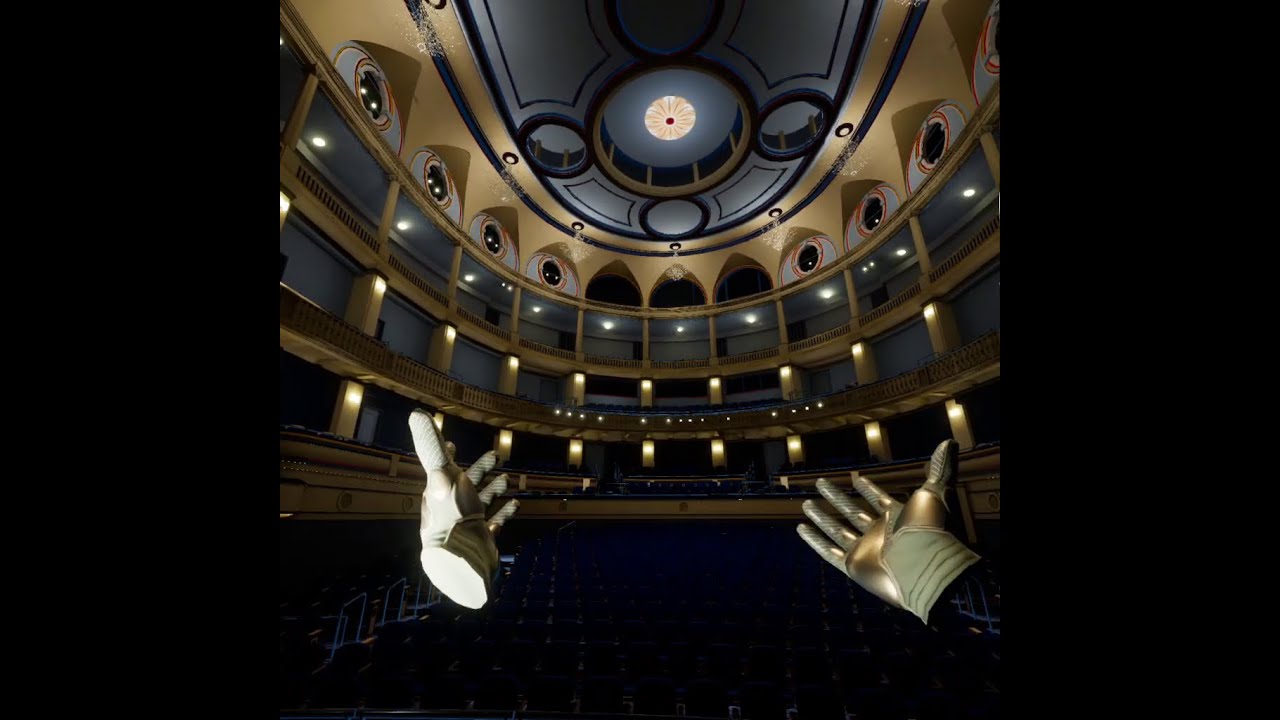
Digging that XR2 Gen2 chip.
Sideload my apk: https://t.co/mUyik4VSOd
Config folder for you to match this! https://www.dropbox.com/scl/fi/g8mri8kqrgsuiqgwzfyjk/DeferredVRStandaloneConfig.zip?rlkey=r14mmgy0bwdxbb1ph4ya4snxm&dl=0
72 fps with volumetric captures playing, 120 fps with them paused
Big thanks to Alex from https://outofthebox-plugin...

Quest uses fallback meshes instead of nanite, but it's cool the same scene can output to both platforms
download yourself here:
https://www.dropbox.com/s/v5nubirdxp9in5s/NaniteTest_WindowsVsQuest.zip?dl=0
My Question: In Enhanced Input, has anyone ever run into a situation where multiple Input Mapping Contexts are on at once and interfering?
For example, I’m VR snap turning by accident because the menu is pulled up and I’m trying to move the cursor to the left.
foggy brook
proven bronze
PC Build question
Wanna create stuff for Quest 2 and 3 at 120hz
1.Is amd ryzen...
Also note that you need to explicitly enable 120
fps using the MetaXR plugin and the Set Display Frequency node. I don’t believe going above 90 is possible using only OpenXR.
https://developer.oculus.com/documentation/unreal/unreal-change-display-refresh-rate/
Describes methods to allow Oculus Quest and Quest 2 apps to run at display refresh rates other than the default 72 Hz.
brave bison
I wanted to have the vr hands as separate actors to reuse them and change in one place only, but if I add the motion controller component to the child actor it doesn't work. Can't I do this?
What are the requirements for the motion controller component work? Be under a pawn? Have a camera component with VR enabled on the actor?
I know that I can have the motion controller in the player pawn and then just attach the child actor to it, but I was just wondering
foggy brook
foggy brook
My Question: In Enhanced Input, has anyone ever run into a situation where mult...
Two solutions to this who anyone who stumbles on this post— you can use consume input in the actual input action ( not in the BP ) or explicitly remove a mapping context when you activate the one you prefer, or just change the priority of the mapping context.
 spiral wagon
ok, i'm kinda getting out of my mind. I've managed to run epic vr sample on quest3, both in 'pcvr' and standalone, i've made my own project, it started few times the same way, but now when i try to run anything i just get unreal engine splash screen and app closes. It happens both for new projects and those that already worked few times. Anybody had something like that? How can i pinpoint the cause? Device log from developer hub isn't too helpful with its flood of info
 glad temple
Anyone getting the Vision Pro? I'm looking to make a small little multiplayer game, but will only have 1 headset. Would happily pay for someone to test updates periodically
 near vault
hey guys. by the looks of things the frequency has no affect on haptics via openxr. Anything i'm missing? Seems pretty limitted.
novel gorge
spiral wagon
ok, i'm kinda getting out of my mind. I've managed to run epic vr sample on ques...
How do you run it? You should use VR preview or a packaged game
spiral wagon
i just deploy it using bat, or dropping to oculus dev hub and run it from quest3
for now i've created new one that works, and migrated my stuff into it. Don't know how long it will last tho 🙂
glad temple
How do I get individual finger locations?
 glass yoke
Any folks here who are makign their game for both headset and PCVR? Or why one over the other?
spiral wagon
glass yoke
Any folks here who are makign their game for both headset and PCVR? Or why one ...
i'm targeting Quest3 and pimped out PCVR port later. But if the development goes like it does i might just drop the Q3 version and doonly PC with blackjack and hookers 😉
glass yoke
spiral wagon
i'm targeting Quest3 and pimped out PCVR port later. But if the development goes...
I'm still working on basic AI / gameplay loop stuff before diving into the VR elements; but I know that I have to keep things limited for headset, just seeing how other folks managed their production process
Not that I should be thinking of markets but I know there are way more folks on headset-only gaming than PCVR
foggy brook
spiral wagon
ok, i'm kinda getting out of my mind. I've managed to run epic vr sample on ques...
You can grab logs in the Saved folder on device and check what made it crash, same as in the desktop version
foggy brook
glad temple
Anyone getting the Vision Pro? I'm looking to make a small little multiplayer ga...
Yes, getting Apple Vision Pro Friday, determined to make it work with Unreal haha
 outer flicker
Anyone know how to get the eye positions on a quest HMD? Need it for aiming.
rocky nexus
only pro has that, probably with their plugin
outer flicker
sorry, I'll rephrase. Does anyone know how to get the relative rendered view offsets of each eye from the HMD device?
outer flicker
outer flicker
sorry, I'll rephrase. Does anyone know how to get the relative rendered view off...
if (TrackingSystem && TrackingSystem->IsHeadTrackingAllowed())
{
TrackingSystem->GetRelativeEyePose(0, ViewID, OutRotation, OutPosition);
}``` little inlet
I am developing an app for Quest 3 using vr template. I need to take screenshots of what players see in the app with passthrough. How can I do this?
https://forums.unrealengine.com/t/exporting-a-rendertarget-as-a-png/372217/7
I tried this but it is crashing my app when i packaged it and opened in quest.

Epic Developer Community Forums
Hi, i tried doing this but i could not find the PNG in the path i’ve mentioned! is there anything im doing wrong? can you please help
I changed the setting as per this and packaged the project to quest 3 and when I try to run, it crashes and doesn't launch but if I keep the render target and scene cap setting default, it is working but png is not exporting properly
 wild pier
Hi Im new to UE5.3.2 and would like to use it for interior design VR on oculus quest 2. However there is always an error when trying to package it. it says "failed" "unknown error". does anyone know what could possibly be wrong?
spiral wagon
wild pier
Hi Im new to UE5.3.2 and would like to use it for interior design VR on oculus q...
check logs in saved, there's more info there
little inlet
Has anyone able to capture a screenshot with the passthrough in Quest 3 in Unreal engine app?
 thick quail
anyone have it where if they're building to Quest from UE5, Mobile HDR gives them speckles on the screen, but disabling it, the scene is drastically different looking from in the editor? - Does anyone have a solution? 🙂 Like, a way to make the editor mimick what a build would look like so you can you can adjust lights and post accordingly, or get it so there aren't snowy artifacts with a build with mobile hdr? 🙂
rocky nexus
mobile hdr is not supported on the quest, though apparently you can make it to work in small scenes.
you can enable mobile preview to make editor look closer to whats on the quest
 median dragon
has anyone had any luck saving out Generated PSOs on a Quest 2 or 3 with Unreal Engine 5+ and Android v 32? We are trying to generate some for our project, but keep getting a "Failed to save device pipline cache file" error.
proven bronze
Hello guys, does dlss 3 is awesome for VR?
proven bronze
Is it better to invest in an ultimate cpu or ultimate vid card?
 blissful bear
Go for the best GPU your budget allows.
 light comet
Hi, have you found a way to make this run? It's quite hard to find any information on that usecase
Most examples for the quest show how to put passthrough on a geometry in the virtual scene, but getting the other way to work seems much more complicated
 lilac locust
light comet
Hi, have you found a way to make this run? It's quite hard to find any informati...
lilac locust
light comet
Hi, have you found a way to make this run? It's quite hard to find any informati...
Unfortunately no. I ended up switching to Unity where it was pretty easy to implement.
Although it probably could have been done with the surface projected passthrough, but that just didn't seem worth it to implement
light comet
It's such a common and simple usecase, you'd think there's a sample somewhere
unfortunate
lilac locust
light comet
It's such a common and simple usecase, you'd think there's a sample somewhere
https://developer.oculus.com/documentation/unreal/unreal-customize-passthrough-passthrough-windows/
Maybe you can try this?
Create windows through which passthrough is visible in your scene.
light comet
That's basically the other way round, but I'll try and see if I can invert it
Thanks for the link
 cursive wigeon
Hi all. Any news on the recentering issue in 5.3? https://issues.unrealengine.com/issue/UE-203620
AFAIK this prevents any project from being submitted to App Lab :/

Unreal Engine
Welcome to the Unreal Engine Issue and Bug Tracker. You can check the status of an issue and search for existing bugs. See latest bug fixes too.
 west sparrow
anyone ever get a weird VR bug where its completely white/black in the right eye? i assume it has something to do with lighting since i dont get it in unlit mode
west sparrow
seems to be dx12
 oak sandal
I have just converted a 5.0.3 binary project for the Quest to Meta's 5.3 fork and its running significantly lower fps on a Quest 3 than the old project ran on a Quest 2. Is there any known issues with 5.3 that I should be aware of?
mighty carbon
Turn off occlusion culling
oak sandal
mighty carbon
Turn off occlusion culling
just tried that, its a little better but still significantly worse, any other suggestions?
mighty carbon
I actually had performance improvements going from 5.0 to 5.3, so not sure why you have the opposite
I am on Meta's fork though
rocky nexus
updating stuff sure is risky business! 4.27 till end of time!
oak sandal
I need to develop an app using passthough and spatial anchors, so my assumption is that I need to use the Meta fork of 5.3 with the latest version of the MetaXR plugin? or is there a way to do this on an older version?
mighty carbon
yes, you need 5.3 (or better yet 5.4) with Meta's plugin (or Meta's fork) for passthrough and anchors, etc.
the thing is that Epic's builds are always slower than Meta's builds and MetaXR plugin doesn't include any rendering optimizations found in Meta's engine fork.
so if you dev for Meta's hardware, I encourage you to build engine from source using Meta's fork.
 jade kettle
I'm having issues getting my Vive Ultimate Tracker to appear in UE5
I'm using the VRTemplate in UE5.3, I adjusted a MotionControllerComponent in the VRPawn to listen to the Chest motion source and in SteamVR I set the tracker role to Chest


But I don't see it getting tracked
Well, I see it being tracked in the VIVE interface but not in Unreal
It shouldn't be more than that right?
jade kettle
Ah, looking at the log I get this Warning:
LogHMD: Warning: GetControllerOrientationAndPositionForTime called with motion source Chest which is unknown. Cannot get pose
 real breach
hi , I wonder, is it possible to have a point cloud VR experience that is stand alone ?
mighty carbon
oak sandal
mighty carbon
<@397442741086322689> https://developer.oculus.com/downloads/package/unreal-engi...
As said in my original message I converted the project to Meta's fork of 5.3 which is where I've had the performance drop. I've also tried the binary version and the result is the same. Current plan is to start from scratch on a fresh Meta 5.3 project and see how it goes
proven bronze
blissful bear
Go for the best GPU your budget allows.
Thx
Any1 got pcie nvme recommendations?
Is 1tb enough for ue5 work?
Machine will be use for work only
 silk lodge
proven bronze
Any1 got pcie nvme recommendations?
Is 1tb enough for ue5 work?
Machine will ...
silk lodge
proven bronze
Any1 got pcie nvme recommendations?
Is 1tb enough for ue5 work?
Machine will ...
1tb just for engine installs is a good start
proven bronze
silk lodge
1tb just for engine installs is a good start
So I would get a second one for the files project?
silk lodge
I have several engine version including source builds for server creation, as well as several projects which all total over a tb (probably)
proven bronze
silk lodge
I have several engine version including source builds for server creation, as w...
Interesting
silk lodge
so having a 2-4 tb drive will save you time in the future
also you can still use spinning disks
proven bronze
O i c, no reasons to buy 2 then
silk lodge
I have separate drives for the OS / Engine / project files
byt it's ok to have it all one one drive
proven bronze
silk lodge
also you can still use spinning disks
Naaahhh, i want to use new technology
proven bronze
silk lodge
byt it's ok to have it all one one drive
Thx, i wasn't sure
proven bronze
silk lodge
big files store cheaper on spinning disks
???? They do???
silk lodge
that;s sequential read though
https://shucks.top/ - 22tb for 330$

Shuck 'em if you got 'em
proven bronze
Oh thx!
silk lodge
or 8tb nvme for 800
vr projects are super optimized compared to regular games, so it's a lot easier to use slower storage
proven bronze
silk lodge
vr projects are super optimized compared to regular games, so it's a lot easier ...
What do you mean by super optimized?
silk lodge
assets are tiny and low res
proven bronze
silk lodge
assets are tiny and low res
Gotcha
silk lodge
if you are doing nanite / lumen stuff, I'd go nvme though
proven bronze
silk lodge
if you are doing nanite / lumen stuff, I'd go nvme though
I dont know yet, is it working well on quest 2-3 at 120hz?
I really want to push 120hz
What affect the fps the most? Assets?
proven bronze
silk lodge
you can use a gtx 970 for quest development
WHAAT? How come
silk lodge
i'd recommend a gtx 1080 as min
proven bronze
silk lodge
i'd recommend a gtx 1080 as min
Splendid thx
silk lodge
cpus newer than the 2500k should be fine
proven bronze
So Intel? No amd?
proven bronze
Which one?
proven bronze
silk lodge
I have amd and it's great
Ryzen 7 or 9? Or 5?
silk lodge
yw
proven bronze
silk lodge
yw
How much gig should I aim for the gpu? And ram?
silk lodge
my recommendation would be visit pc part picker, and look at VR ready builds in your price range
16-32 ram is good for ram, and 8 or more gpu gb is fine
proven bronze
silk lodge
my recommendation would be visit pc part picker, and look at VR ready builds in ...
Thx, first time i hear about pc part picker
west sparrow
whats a common approach for full body ik VR for looking vs full body turn? like how would one be able to tell if a player was just looking left or actually turned left? somehow using fancy math and controller locations?
foggy brook
west sparrow
whats a common approach for full body ik VR for looking vs full body turn? like ...
if you don't mind supporting Meta devices, I would recommend using the new Movemenet SDK Sample which does great IK for all this stuff. Otherwise yea a lot of IK stuff in your AnimBP and/or Control Rig
For anyone hoping to navigate a path toward using Apple Vision Pro with Unreal Engine, note that the GitHub Main branch is now on 5.5, so you'll want to explicitly switch over to the 5.4 branch.
 glad temple
foggy brook
_________________
For anyone hoping to navigate a path toward using Apple Vision...
glad temple
foggy brook
_________________
For anyone hoping to navigate a path toward using Apple Vision...
Do you have an advice on how to get even the SwiftUI window with button on the headset?
foggy brook
glad temple
Do you have an advice on how to get even the SwiftUI window with button on the h...
hoping to have a workflow by end of day
glad temple
For some reason I can’t even get the swift files in my project. I did it once but have no idea how.
 sage gulch
I can get the HW id. How can you tell what type of Quest it is (1/2/3) ?
glad temple
foggy brook
hoping to have a workflow by end of day
You wouldn't happen to know how to use/call unreal functions from swift? UEs UESwift.swift uses it in engine source, im just not sure how to use that swift from my project
 limpid widget
Anyone here having a Next Fest Demo?
jade kettle
Has anyone encountered the folllowing error when working with VIVE Trackers? I can't get them to track in Unreal Engine
LogHMD: Warning: GetControllerOrientationAndPositionForTime called with motion source Chest which is unknown. Cannot get pose
west sparrow
in order to be able to rotate my pawn without the motion controllers going out of alignment, i have to call GEngine->XRSystem->UpdateTrackingToWorldTransform() every frame with a zeroed rotation.. is there a better way?
silk lodge
jade kettle
Has anyone encountered the folllowing error when working with VIVE Trackers? I c...
do you have them setup in steam?
jade kettle
Yep, the trackers have been assigned corresponding roles
Occurs with VIVE Tracker and the new Ultimate Tracker, in combination with the Vive Focus 3 and Vive Business Streaming
silk lodge
I recall there being some weird intermediate step recently that was supposed to be fixed in a future engine version
jade kettle
I see the trackers in the SteamVR environment in PCVR mode
silk lodge
you may be able to find a solution from victorlerp

Epic Developer Community
In this tutorial we're going to walk through how to set up and use Vive Trackers.
jade kettle
Yep, I've followed that tutorial to no avail
I'm using the VIVE Focus 3 with its PCVR solution VIVE Business Streaming
But thanks
 old cypress
hello there, what do I need in order to create an apk for the meta quest 3? do i need a specific sdk or ndk? and in unreal I have to add the oculus 2 in the supported platforms but the meta 3 are not in the list
silk lodge
if you can build for quest 2, it's going to work on quest 3
foggy brook
jade kettle
Has anyone encountered the folllowing error when working with VIVE Trackers? I c...
Did you make sure the motion source in SteamVR matches the one in Unreal? (In this case, chest?)
foggy brook
old cypress
hello there, what do I need in order to create an apk for the meta quest 3? do i...
You can use the meta sdk for added support
hallow knoll
cursive wigeon
Hi all. Any news on the recentering issue in 5.3? https://issues.unrealengine.co...
If your application is using Stage space - recentering is not expected behavior and should not cause you to fail cert
It would be good to know which tracking space your application is using, and if you're being blocked by cert even if you're using Stage
glad temple
Well I got my app to show the default Unreal in Swift! window on the actual headset, not geometry after i press the button though. Guess that's still progress!
 left burrow
Hello I've installed my VR headset on the pc of my friend and vr preview is greyout. Why ? He has occulus app, android studio, quest link activated. Am I missing something ?
idle heron
Hello. I was wondering if anyone here has been successful at using the Meta XR Simulator with the VR Template? I get it to launch and I'm able to control the headset and controllers' positions, but I'm unable to make the controller hands grab any of the objects. I can see in the Simulator window that the grip button is being engaged but Unreal doesn't react to it.

 hollow venture
jade kettle
I'm using the VIVE Focus 3 with its PCVR solution VIVE Business Streaming
hollow venture
jade kettle
I'm using the VIVE Focus 3 with its PCVR solution VIVE Business Streaming
https://business.vive.com/release-notes/vive-focus-3/vive-focus-3-software-60999948/
We just released the new FOTA, please update your Focus 3 device and VIVE Business Steaming.
Make sure the option "fall back to vive tracker" is enabled. Thanks!
jade kettle
hollow venture
https://business.vive.com/release-notes/vive-focus-3/vive-focus-3-software-60999...
Thank you, I will test that out. What exactly does that feature do?
 silk frost
Does anyone know of a good way to simulate the graphics of the oculus quest 2/3 within the editor? Having good visuals in the editor and then half of the features do not work and the light is completely different is a tedious workflow, that's why I'm wondering If I can emulate it or at least get the in-editor settings more into the correct direction.
The Android Vulkan Mobile preview does seem to emulate it in some way but it's still completely different.
 chilly pasture
Anyone have experience playing the Youtube 360 video inside Unreal Engine, basically a 360 mode from youtube ?
silk frost
Tried to download them from youtube as a test and most tools don't convert it to a 360° video but only show you that part of the video that is visible if you never rotate the camera. Found a website to download it from with the 360° data but it had a wrong format to be used in the engine and also the sound was not included. Played around with FFMPEG to convert it to the correct format and also include the sound and didn't find the correct from-to settings as there are like 20 different settings to juggle around...
If you get a 360 video you can import it into the unreal engine and use either a custom made sphere that has flipped normals and correct UV's or use the default editor sphere and enable Double Sided in the material. That would be an easy way to playback the video.
chilly pasture
silk frost
Tried to download them from youtube as a test and most tools don't convert it to...
I dont want to download and play, i want to stream it and play. I am thinking if we can use the Youtube URL and stream it, or I can try to get it from the WebBrowser.
I am using the WebBrowser way and it seems blurry, because WebBrowser gives me the texture for the whole page, then i have to crop out the video and show the Video, which works but blurry.
I need to find a better way, some how
silk frost
I see, I don't have any experience with streaming from websites, so I'm no help in this case 😕
 violet spear
I migrated to 5.2.1 from 4.26 for oculus quest 2
now in 5.2.1 shader complexity is higher and lowering my fps to 30, while the complexity was low at 4.26 and fps about 80
does anyone know why is this happening?

 limpid widget
Well how does the material look like?
I'm also on 5.2.1 and for me it's all on the highest green (even lighter than your second image), so there must be sth wrong with your materials.
violet spear
limpid widget
I'm also on 5.2.1 and for me it's all on the highest green (even lighter than yo...
tbh I have several levels and I saw 4 of them. the differences were like the image I've sent (low complexity at 4.26 and high in 5.2.1)
I guess this is something related to project setting- Engine-rendering
violet spear
limpid widget
Well how does the material look like?
If it happens in only one level then I could say something's wrong with material 🤔
Edited:
I mean if the issue relates to material then why is everything fine in 4.26?
rocky nexus
why would you go to 4.26? its the last one with the entirely crazy android setup
violet spear
Sorry?
limpid widget
rocky nexus
why would you go to 4.26? its the last one with the entirely crazy android setup
they switched from 4.26 to 5.2.1
rocky nexus
ah misread that 😛
jade kettle
hollow venture
https://business.vive.com/release-notes/vive-focus-3/vive-focus-3-software-60999...
Thanks! That worked, sorry, I had overlooked your answer here
 sonic sierra
silk frost
Does anyone know of a good way to simulate the graphics of the oculus quest 2/3 ...
sonic sierra
silk frost
Does anyone know of a good way to simulate the graphics of the oculus quest 2/3 ...
Any solutions on this so far?
silk frost
sonic sierra
Any solutions on this so far?
unfortunately not
 finite sigil
Hey guys
How is traffic in VR space?
Is it possible to make a good profit in there?
rocky nexus
it is very easy to lose a lot of capital
finite sigil
rocky nexus
it is very easy to lose a lot of capital
what capital 😂
real breach
so
I am wondering about the possibity to make a point cloud volume of like a runing animal run on a standalone headset like the meta quest 2
 tired zealot
Is there any way to stop UE(5) closing when steamvr closes?
I take off my headset, it goes to sleep, few mins later, steamvr closes, then my project closes. No prompt to ask for saving, nothing.
Steamvr already has been set to never exit, so I have no idea why it does, but I use Quest 2 + Steam Link, and maybe Quest 2 going to sleep turns off Steam Link, then steamvr closes upon losing connection? If so, can I not prevent the project closing regardless?
 sturdy coral
tired zealot
Is there any way to stop UE(5) closing when steamvr closes?
I take off my headse...
sturdy coral
tired zealot
Is there any way to stop UE(5) closing when steamvr closes?
I take off my headse...
which engine plugin, openxr or steamvr?
and which engine version etc.
tired zealot
UE 5.3.2, SteamVR doesn't seem to be a built-in plugin anymore in this version.
sturdy coral
I had thought they fixed that for openxr in around 5.1 or 5.2 but maybe not
tired zealot
Seems like it's not fixed, I can just close SteamVR myself, and my project will just close itself alongside it. Very inconvenient
 hidden crest
tired zealot
Is there any way to stop UE(5) closing when steamvr closes?
I take off my headse...
hidden crest
tired zealot
Is there any way to stop UE(5) closing when steamvr closes?
I take off my headse...
I see the same thing.
sturdy coral
I mostly use ALVR, ALXR, or virtual desktop and they do pretty good keeping steamvr up permanently. virtual desktop needs the "voice meter" mode which really just means keep the audio device alive when disconnected, for some apps which bug out on audio device going away
tired zealot
Might revert to VD anyway, Steam Link is having a lot of issues even past this. I get a sickening amount of lag when I try to use my desktop through VR very frequently.
At least it's what I've noticed while working on this project. I keep my headset on when I want to make small adjustments.
What do you think about ALVR/ALXR compared to VD? I've never used them. I bought VD, then Steam Link came out a month later promising lower latency.
sturdy coral
with ALXR and VD you can use chromakey passthrough and keep it on while iterating on stuff a bit easier
after VD added chromakey there isn't much difference, ALXR could also send hand tracking poses but I think VD just added that too (but not for Pico 4 yet which I use)
tired zealot
You mean controllerless native hand tracking support?
sturdy coral
yeah
tired zealot
I never use that unreliable thing anyway. Sounds good for when I'm out of batteries though.
sturdy coral
it's even more unreliable on pico, but I have stuff you can either use motion controllers or gamepad for, and it is nice to have your hands tracked for the gamepad stuff just for presence
tired zealot
That makes me wonder though if my game naturally supports hand tracking, or if I'd have to integrate that.
If hand tracking would recognize as a trigger press for the index finger, for example.
Or if I have to set that for input myself.
brave bison
any idea why I can't turn opengl on and disable vulkan? it's a quest 2 project

hmm, when I enable meta quest devices it turns off

I'm really worried that what I see in the headset is so much different from what I see when on vrpreview
idle heron
has anyone being able to detect eyes closed/open state using MetaXR and Quest Pro? We are able to get tracking data but the eye closed variable never changes. Looking at the MetaXR code it seems eye blinking is not being returned (see screenshot). The confidence value is always at 0.998047 regardless of if the eyes are closed or not. Gaze Direction and Gaze Origin seems to update but for some reason when the eyes are closed Gaze Direction keeps outputting changing data, so not sure what can be used to detect eyes closed/open.
 mighty carbon
is anyone on Win11 here ?
 civic wharf
Anyone here who could help me on how to make a Target Lock Marker in VR? Like in traditional flatscreen games where there is like a little dot or smth on the nearest enemy or so indicating where your attacks go. In flatscreens the dot would live in screenspace, but this doesnt work in VR
 light hull
Hey I want to be able to move my collider with the camera so when you walk in real life the collider stays with the camera, but I can't seem to make it work could someone help?

The main problem I'm facing is since the Camera is a child of the of capsule collider it just keeps moving in that direction over and over. And I believe if I make the camera the Root component it will break some work I already implemented, so I'm not sure how to approach this.
 grave wren
Did someone succeed to package an apk for Quest 2/3 using OpenGL instead of Vulkan?
Since Vulkan is not able to display (360) high res (4k) video content without dropping to 20 FPS (this is only video nothing else in the scene), there needs to be either a fix for Vulkan or a way to continue support on OpenGL.
Any help is appreciated!
proven bronze
Im looking for a quest2
I got an opportunity for a cheap one but its 64gb, does it change something for ue5 apk constant build?
I will use it only for my apk game file for the test
rocky nexus
unless you plan on making 40gig+ game it probably doesnt
proven bronze
rocky nexus
unless you plan on making 40gig+ game it probably doesnt
Thank you!!
 olive plume
Any way to detach the left and right eye cameras in VR ?
so you can intentionally have an effect in only one eye for example
sturdy coral
olive plume
so you can intentionally have an effect in only one eye for example
you can get the eye index in the shader and collapse vertices etc. to hide the effect from one if not using instanced stereo
 cloud fossil
If anyone knows how to keep LiveLinkXR working with Steam VR in a package without being in VR mode, 🙏 I feel like I've tried everything
glad temple
Anyone familiar with an issue with there being more than 3 "frames in flight" crash? I cannot seem to find relevant info on this anywhere
west sparrow
ugh why is ue 5.3.2 so hekkin fussy about oculus quest 2
 neon monolith
Does anyone have experience dealing with reflection captures in VR Standalone?
I've been encountering inconsistent issues where the reflection captures cause everything within them to appear overly metallic and tinted in colors like white, blue, or red after building the lights. Sometimes this problem doesn't occur after building, but other times it does.
There are instances when everything seems fine and properly built within the engine. However, after building and running the project or packaging it for the Quest, the issue arises in the standalone version. Then, upon reopening Unreal Engine, the problem persists within the level.
What could be causing this inconsistency?
Any tips here?
thanks!
brave bison
how do you usually profile on quest? I'm having some performance issues
 ashen dome
I Applied the VR template settings to one of my vr projects, trying to boost the peformance , And I noticed that the instanced stereo option being on only shows bullet impact decals in the left eye which is not good,
 sturdy coral
neon monolith
Does anyone have experience dealing with reflection captures in VR Standalone?
...
sturdy coral
neon monolith
Does anyone have experience dealing with reflection captures in VR Standalone?
...
screenshot? I think I've seen similar before but I think it just was eventually fixed in a newer engine version
hallow knoll
grave wren
Did someone succeed to package an apk for Quest 2/3 using OpenGL instead of Vulk...
OpenGL on Quest is not supported by either Meta nor Epic
hallow knoll
My presentation on Developing for OpenXR with UE5 from Unreal Fest is finally live on the epic dev community: https://dev.epicgames.com/community/learning/talks-and-demos/jGVJ/unreal-engine-developing-for-openxr-with-ue5-unreal-fest-2023

Epic Developer Community
Join us for this presentation on how to develop for OpenXR in Unreal Engine 5. We’ll cover how to set up your development environment for both PC and mo...
grave wren
hallow knoll
OpenGL on Quest is not supported by either Meta nor Epic
Meta somehow still supports OpenGL since I can run apps built with 4.27 with OpenGL on the Quest3. So in the end it is a limitation by Epic probably.
hallow knoll
grave wren
Meta somehow still supports OpenGL since I can run apps built with 4.27 with Ope...
Not supported moving forward w. OpenXR
grave wren
hallow knoll
Not supported moving forward w. OpenXR
Thanks. Well then hopefully there is a fix soon to make playback of videos within Vulkan running smooth. As it seems Video playing on vulkan is not utilizing the dedicated core within the Quest which allows playback of 8k Video content with a smooth framerate.
Or are you aware of a known fix for this issue?
hallow knoll
No fix. We're aware of it but I have no ETA as to when we'll get to it.
ashen dome
I set a project to forward shading and used the vr template settings but I keep getting this random Bug where its just all blown out .
 ashen dome
 west sparrow
when using IStereoLayers to create a face locked layer with IStereoLayers::FLayerDesc.. do I need to update the transform every tick even though its facelocked?
 violet scaffold
Hey there! I'm considering buying a VR headset for Unreal development, but I'm not sure which one to get. I was considering getting the Quest 3, but I read that it doesn't have HDMI input and there might be a slight delay due to the USB connection. I'm also considering the Vive 2 Pro or Valve Index. What do you guys think? What VR headset are you currently using for development?
rocky nexus
if you want to make something that people will play, Q3. Standalone is king. Virtual desktop with good wifi is plenty fast
foggy brook
idle heron
has anyone being able to detect eyes closed/open state using MetaXR and Quest Pr...
I register it fine in BPs when using the MetaXR plugin
idle heron
foggy brook
I register it fine in BPs when using the MetaXR plugin
Do you get eye blinking values out of the Blueprint node? We get the location and orientation but nothing out of blink
We are using the MetaXR plugin too
foggy brook
yes I get the expression value. Have you tried using something like the Movement Sample SDK to make sure eye tracking is coming through ?
idle heron
left and right eye blink is always false
@foggy brook what node in BP are you using to get the expression value?
We've been using Get Gaze Data and the "is left/right eye blink" values are always false
Get Expression Value from the Face Tracking component, I guess?
foggy brook
that's one way to do it yes. I'll see if I can dig up a simple project where this works for me
idle heron
foggy brook
that's one way to do it yes. I'll see if I can dig up a simple project where thi...
awesome, thank you very much!
foggy brook
this is all I'm doing @idle heron
 ashen dome
I have this really annoyiong visual bug In VR, I think I had this in the past and solved it but wanted to see if anyone eles had this too. Im getting random exessive reflection or bloom glare when I spawn in level.


 violet scaffold
rocky nexus
if you want to make something that people will play, Q3. Standalone is king. Vir...
violet scaffold
rocky nexus
if you want to make something that people will play, Q3. Standalone is king. Vir...
Thanks for sharing your experience bro, I think i will consider q3,
limpid widget
ashen dome
I have this really annoyiong visual bug In VR, I think I had this in the past an...
Lumen turned off?
Are you really using forward shading?
ashen dome
limpid widget
Lumen turned off?
Yes I applied all the settings from the VR template
Infact I never had this In Lumen, Only rubbish peformance
ashen dome
Im sure this is something to do with reflections.

 dire sky
Hi
I am looking for a developer who can do Unreal VR build for Oculus pro, if you can do it, let me know. PAID position
sturdy coral
ashen dome
Im sure this is something to do with reflections.
What are your other lighting settings? for static lights there is away to hide the specular globes it injects into baked reflection captures
are you using any static lighting?
 trail basalt
Does anyone know why my Android package for Quest 3 displays as the flat desktop version in the headset?
 west sparrow
@trail basalt in your project settings, under the Android platform settings, do you have "Package for Meta Quest devices" enabled?

also make sure you have the android profile selector plugin enabled
trail basalt
west sparrow
<@499271762383601684> in your project settings, under the Android platform setti...
do you mean "Package for Oculus Mobile Devices" under Advanced APK Packaging?
west sparrow
are you using an old UE version?
trail basalt
5.2
west sparrow
yeah probably just changed the description of the option to be meta instead of occulus.. i was having your exact issue until i enabled it
trail basalt
I can see in my other 5.3 project (that does package properly) that it is a checkbox. But in my 5.2 project its this:
 west sparrow
oh weird, i only started oculus dev on 5.3.2 so i have no idea unfortunately
trail basalt
ok, I appreciate the help. thanks!
brave bison
has any one here got dynamic shadows working on quest 2 (vulkan)? or maybe blob shadows or something similar
I feel like the experience developing for quest on UE is terrible compared to unity
 sonic linden
Hi hope everyone is doing well! Having an issue with the Capsule Component in the VR character actor. The Root capsule component which can’t be changed because it’s a character does not snap to the position of the camera if the player walks away, so you can bassicly leave your capsule collider just by walking. Curious if using a character is do-able in VR or if we should be inheriting from Pawn instead?
 narrow plaza
sonic linden
Hi hope everyone is doing well! Having an issue with the Capsule Component in th...
narrow plaza
sonic linden
Hi hope everyone is doing well! Having an issue with the Capsule Component in th...
It should be doable. I haven't implemented that myself. I'm using VREP (https://vreue4.com/recent-posts) and I believe that what I've observed is that the capsule component moves with the HMD while the actor location stays at the last location you've "reset view" to. If you don't want to use VREP, you may be able to learn from looking at their implementation.
real needle
anybody know how to make an obb patch?
maybe a tutorial or something
i am new to this
hidden crest
sonic linden
Hi hope everyone is doing well! Having an issue with the Capsule Component in th...
This works. I just have a function running on Tick that moves the capsule to the XY location of the camera. Then I move the VR root component the opposite relative distance (so it effectively doesn't move in world space).
sonic linden
hidden crest
This works. I just have a function running on Tick that moves the capsule to the...
Thanks for the response. So our root component is the capsule and it has to be because we are inheriting from Character. If you are able to would you mind sharing your BP? We also tried setting position of camera and capsule something in the source seems to be overriding as it wouldn’t set the position of the capsule ever. Do u know what engine version u were using?
hidden crest
sonic linden
Thanks for the response. So our root component is the capsule and it has to be b...
My pawn is a complicated mess but hopefully an explanation will suffice. Basically I make a scene component that is the "VR_root" and then I put everything in there (motion controller components, camera, etc.). The capsule is still the technical "root" component. We are just trying to force that capsule to follow the camera and then calculating an offset to have the VR_root move in the opposite direction. I do this in this function running on tick. I've seen other ways of doing this but I think most methods are doing a similar technique.
hidden crest
sonic linden
Thanks for the response. So our root component is the capsule and it has to be b...
 hidden crest
sonic linden
Thanks for the response. So our root component is the capsule and it has to be b...
hidden crest
sonic linden
Thanks for the response. So our root component is the capsule and it has to be b...
I'm not even sure if this is optimal but it "just works" so I haven't messed with it in 4+ years.
sage gulch
ashen dome
Im sure this is something to do with reflections.
look for shaders cranked into hdr (values over 1 in RGB) and/or emits as light
idle heron
foggy brook
this is all I'm doing <@446415495131037706>
Thank you very much! Did you have to do any initialization of the Oculus XR Face tracking component beforehand?
 reef breach
Because hands follow controllers in VR what's a good way of creating recoil in a First Person Shooter?
rocky nexus
make hands not follow controllers
 bleak blade
Does anyone know of a tutorial to move something along a spline in VR? i want to make a sheath for my sword
light hull
Hey, guys I'm having this problem. The problem is I am trying to make it when you move the HMD aka the head in real life it moves the player in vr aswell (moves the capsule collider with). But whenever I move forward or backward it's fine (Shown in video) but when I rotated left or right, it doesn't work (it seems like the movement directions are inverted) . In the video I show by pointing which direction I am going in real life. PS: I am relatively new at Unreal in general, but I do have alot of scripting experience just not in VR & Unreal. (I've been stuck on this and I found this one tutorial by VR Playground and tried it link: https://www.youtube.com/watch?v=hxgx53ZoO7Q. And from that video I only made one adjustment to a function to try to get it working (provided by the screenshot)) (the original code from the video did not work for me).
https://cdn.discordapp.com/attachments/723265218402058323/1208613636604563497/2024-02-17_22-10-05.mp4?ex=65e3ec29&is=65d17729&hm=ef5169795c9720a77d9105a17467dbffcd38e4bd585beda6a7884cba5679d39e&


Restricting player access can be a challenge in VR, largely due to the fact the people are able to move much more freely than they would in your typical flat screen game. This can allow for players to see what is coming up beyond that locked door, or teleporting through walls, if left unchecked. In this tutorial I will show you a simple collisio...
sonic linden
hidden crest
My pawn is a complicated mess but hopefully an explanation will suffice. Basical...
thank you so much for your response! I think I will@have to go the way of the pawn, unreal just doesn’t let u set position of ur character capsule
 daring pasture
5.3.2 Software Occlusion Port
 cerulean lichen
bleak blade
Does anyone know of a tutorial to move something along a spline in VR? i want to...
cerulean lichen
bleak blade
Does anyone know of a tutorial to move something along a spline in VR? i want to...
It’s not quite the same scenario, but this video shows the use of splines for a VR drawer, so you can apply similar techniques for a sword. https://youtu.be/S4vP9p2eoh0

In virtual reality, it does not always make sense to have things out in the open for players to easily see. It sometimes makes sense to have drawers that are capable of tucking away key items or other items of importance such as tools or weapons. In this tutorial, I will show you exactly how to make a drawer that works in Virtual Reality and tha...
 vivid spade
light hull
Hey, guys I'm having this problem. The problem is I am trying to make it when yo...
vivid spade
light hull
Hey, guys I'm having this problem. The problem is I am trying to make it when yo...
I have this problem solved. First, whats your tracking origin set to?
Also, could you share a screenshot of what your component setup looks like within your VR Player blueprint?
limpid widget
trail basalt
Does anyone know why my Android package for Quest 3 displays as the flat desktop...
in your project settings, tick "start in vr"
light hull
vivid spade
Also, could you share a screenshot of what your component setup looks like withi...
Sure, here it is.

 vivid spade
light hull
Sure, here it is.
vivid spade
light hull
Sure, here it is.
Thanks, so to confirm are you intending for this to be playable throughout a playspace?
light hull
vivid spade
Thanks, so to confirm are you intending for this to be playable throughout a pla...
I'm not completely sure what that means, but I intend so if you walk in reallife it replicates it ingame.
vivid spade
light hull
I'm not completely sure what that means, but I intend so if you walk in reallif...
Is this the default UE Vr character? Such an odd layout from my perspective
light hull
vivid spade
Is this the default UE Vr character? Such an odd layout from my perspective
Sortof, I changed the default class to character for the capsule, but basically everything else is based off of UE5 vr template.
vivid spade
For reference heres my VR character, I unfortunately dont physically move in the video but he moves along with the IRL players movements along with the joystick movement

WIP wall run mechanic.
WIP Procedural mesh destruction (much better optimized than last time, no hitching on unit destruction even in VR!). And a functionally complete (but unpolished in terms of hand animations/niagara effects) grenade launcher.
Here's my layout, you can see that I've got a VR origin which is a single point at the bottom of the capsule, and the camera + controllers are then children of it

The VR origin in this scenario represents the dead center of the IRL playspace, I highly reccomend this layout
light hull
Makes sense, way better than mine. I wasn't sure what was a good start. Possibly just make my own VRController rather than the template.
vivid spade
I then do this on tick to keep the capsule perfectly aligned with the players position horizontally

Basically I move the capsule AND I then move the VR origins position in-game to compensate.
So you move IRL and the in-game play space AND the capsule have to shift/re-orient to accomodate this change.
light hull
I'm going to save that image if you don't mind.
light hull
vivid spade
So you move IRL and the in-game play space AND the capsule have to shift/re-orie...
Yeah that was my original idea but wasn't sure if it would implement well. Guess it does work lol
vivid spade
Then you'

Then you've got vertical adjustments. Set capsulte height to exactly the height of the camera so you can crouch under things and actually move under them.
Kills me that pavlov doesnt have this.
Final step for vert positioning, another round of VR origin adjustments to vertically move it to compensate for sudden capsule height change.
 light hull
Yeah they should, I have a question with the current stage I am at right now. Whenever the player "walks" into a wall does it clip out in chunks or does it do it smoothly?
vivid spade
Completely smooth stop, no jank whatsoever
light hull
Ah better method I presume ha
vivid spade
I genuinly have zero complaints left about my current implementation, cant see how it can be improved
In terms of the capsules adjustment/positioning/collision I mean
This was the video I used as an initial guide when I started this VR character:
https://www.youtube.com/watch?v=pX-j4HQNAiY&t=469s
I do beleive I've improved upon it and that my code is way simpler, but thats the TUT I used

If you want to access the full project you can do so at: https://just2devs.gumroad.com/l/huflvm
🙌🙌🙌 Are you into hand tracking? Or are you trying to put together a game/experience using hand tracking?...
light hull
Yeah, that was the biggest issue I faced with Unreal engine. I looked at unity videos of them doing it and they can get it down in 4 minute 😅
vivid spade
light hull
Yeah, that was the biggest issue I faced with Unreal engine. I looked at unity v...
Yeah unity has got a lot going for it out of the box and a lot more feature complete VR plugins. Don't know why that is, but I prefer unreal in the end.
light hull
vivid spade
Yeah unity has got a lot going for it out of the box and a lot more feature comp...
yeah, once or twice I considered going to unity, but I decided to stay with UE just because how much it has going for it (especially because C++ rather than C#)
light hull
@vivid spade Unrelated question but is that just UE4, because your node splines in blueprints look very nice.
vivid spade
light hull
<@617942562715598869> Unrelated question but is that just UE4, because your nod...
UE5. Electronic Nodes and Flat Nodes plugin. Cant bear to work with blueprint nodes without them.
light hull
Thanks
vivid spade
light hull
Thanks
Yep! GL with your VR character
light hull
vivid spade
Yep! GL with your VR character
OH yeah, I got your code working first try, very good.
light hull
Hey, guys is this good enough for locomotion I'm not sure if it's "physics based" or even works with the new character I made.
 vivid spade
light hull
Hey, guys is this good enough for locomotion I'm not sure if it's "physics based...
vivid spade
light hull
Hey, guys is this good enough for locomotion I'm not sure if it's "physics based...
When you get the capsule components velocity and add its Z value, it looks to me like you'd then be amplifying the Z value unnecessarily
You're taking the current Z velocity and then adding it again, doubling it
light hull
oh yeah mb, old code I brought from my previous character just really pieced it together lmao
light hull
For some reason this code I have for "locomotion" doesn't move the character what so ever, i have no idea why.
 dire sky
Task : Completed Unreal Engine Project Build for Oculus Quest Pro.
Budget : 400$
Contact : DM
tired tree
@vivid spade one massive problem with everyone doing it that way, is that the capsule offset isn't obeying any of the character movement logic, roomscale movement won't properly trace for step up / down and there are a lot of edge cases that can conflict with the movement system (like getting stuck or losing your movement base). Also its not going to work in multiplayer ever.
If the areas you are navigating in are fairly simple though its likely "good enough" for most applications
I would be wary of tracking loss though (intentional or not) with that setup, if someone blocks their hmd and runs forward and unblocks it, they will get a massive delta applied in your logic there
vivid spade
tired tree
I would be wary of tracking loss though (intentional or not) with that setup, if...
I would want that massive delta, I'm not seeing how thats a problem.
tired tree
its going to inject that as a one tick velocity application
if it shoves them off an edge or some such they will retain that velocity
vivid spade
Cant I just check "Teleport" to avoid that.
tired tree
when the actual character tick happens
the velocity is from the movement component sampling last vs current, guess it kind of depends on when your logic runs vs the CMC
idealy you would add your movement as a factor of the characters movement speed directly to it, or add it inside of the CMC's movement logic
both of which tie directly into the movement system, and also work in network
like I said, if its working for you, its working for you. But it gets shown as the way to do it all the time and there are some rather large downsides that aren't generally brought up.
vivid spade
Hmm no I hear you but for my implementation I wanted IRL movement to not factor into the characters actual velocity in-game.
I haven't encountered any of these edge cases you're describing, what does "lose your movement base" mean?
tired tree
you can move them off of their movement base (say a moving platform), regardless of edge standing settings / any character movement settings, and it also doesn't take into account movement base transforms.
It can also stick them into areas that the CMC wouldn't normally let them go (get them locomotionally stuck), as well as screw over ledge fall, wall sliding, step ups.
again, if none of that is present in your use cases or a problem so far you are good, but the method doesn't bring the full character movement package which is what i wanted to point out.
you at least are using move updated component, which is significantly better than the add world offset call i see generally
vivid spade
tired tree
you can move them off of their movement base (say a moving platform), regardless...
Ah yeah I have some kind of math I apply to keep them in place if I ever need that, ex. driving something.
I'll keep this in mind but currently moving around IRL while my character in-game is in complex terrain with dynamic heights hasn't caused any issues. If you ever had the time I'd love an example of a 3d layout where I could move IRL and "break" my characters movement/position inside this 3d layout.
In my personal testing I couldn't walk anywhere I couldn't already get with thumbstick movement. Cant picture these environments that could break this.
tired tree
it would mostly be in corners and with overhead geometry, out in the open isn't going to cause an issue likely
out in the open you would just be stopping early as the movement will hit the terrain and stop on the sweep instead of walking up it
for the roomscale addition part that is
vivid spade
Yeah for overhead geometry I locked the player in place and black out the camera until they crouch back down to an acceptable height if they are in say, a vent.
Yes for walls my character just stops but the VR origin below me still continues to move/adjust to reflect my real world position. So I hadn't seen this as an issue and personally cant picture how else I'd want that to work.
tired tree
I actually meant it killing the sliding and potentially getting stuck in a corner, but again depends on if you even have those
For walking up inclines you have 2.15uu that the capsule hovers, so you have about that much play before a sweep of movement would hit and stop
Likely fine with slow walking speed
Depending on how angled the terrain is
Of note, you should lower your vrorigin by that 2.15 as well btw
To place them feet on floor with a character
vivid spade
I'll set up some aggresive inclines and see what sprinting/teleporting around IRL does to my implementation, thanks for the tips.
hidden crest
For what it's worth I've been using the VR Character capsule offset hack for years and I haven't run into these edge cases. My use case has been more in the walking simulator realm so it's not the best stress test.
For multiplayer I manually RPC the location and it works well enough.
tired tree
Yeah your use is basic enough you likely wouldn't ever notice it, more so since you aren't using the cmcs replication
You are likely better off with the simple method
 signal wing
Hello, I am trying to create hands for VR. Is there a video that explains how to achieve it using the bones from Unreal Engine directly ?
I have exported the hands but both skeletal meshes are together (left and right hand), and having rigged both hands with the same bones as in Unreal (same names), the hands are still not working when I import it from Blender to UE5.3
silk lodge
daring pasture
5.3.2 Software Occlusion Port
How did you get this working?
light hull
tired tree
idealy you would add your movement as a factor of the characters movement speed ...
What solution did you find around all of this, since I was planning to make multiplayer but not sure what base to use in UE5 VR.
tired tree
@light hull locking the camera in xy and applying the values inside of the movement modes directly. I can pm you more info if you want, the concept is too long to put in here and I can give you example source if you know c++
Though as of 5.4 this all will be potentially possible in a few different ways
 carmine oyster
Hi
Does anyone know a good-looking VR-suitable grass pack/asset. It will be used for an ArchViz project running on PC.
 digital cave
carmine oyster
Hi
Does anyone know a good-looking VR-suitable grass pack/asset. It will be used...
digital cave
carmine oyster
Hi
Does anyone know a good-looking VR-suitable grass pack/asset. It will be used...
Megascans
You will get a lot of aliasing with msaa so you can try to increase render res or switch to deferred and taa will help alot
violet spear
digital cave
Megascans
You will get a lot of aliasing with msaa so you can try to increase ...
is this setting well for quest 2? defferred renderer and Taa (somthings that epic suggest!) in 5.2.1?
I used Taa with forward shading , FPS was 70 (something I was looking for) but there were lots of aliasing!
violet spear
I see and even meta itself offers to use msaa in ue5! of course it has a better quality with less aliasing but that's not effective and fps is low rather than taa in ue4
I migrated the vr oculus project to 5 in the fps is about 40 while it was 70 in ue4! this isn't what I was Looking for :/
violet spear
Thanks. read it
I did almost all of them already except t.MaxFPS 999
will this command increase the fps in oculus quest 2?
ok I'll try it
for seeing the result in quest should I paste the command into default engine.ini?
west sparrow
are you using the oculus-vr fork of the engine? apparently that has some stuff that makes it run better on a quest
violet spear
west sparrow
are you using the oculus-vr fork of the engine? apparently that has some stuff t...
I'm using meta plugin ( meta Xr) and yes it has windows related to performance. I even Followed it but still no satisfying result
ashen dome
forward shading . =
 hallow knoll
That looks like auto exposure to me. In either project settings or your post process volume, set Auto Exposure to "Manual" and find values that work well.
ashen dome
Also Has anyone had issue with Bullet hole decals only rendering in one why with stereo instancing on. Im trying to bring down the performance Requirments, so applied the default VR template ini rendering settings. and Instance stereo in enabled
ashen dome
hallow knoll
That looks like auto exposure to me. In either project settings or your post pro...
I think I might be somehting to do with reflection as its brighter on some meshes than others . Also When I move around Its like the bottom glare is moving and getting worse or better like a mirror, Also weird things with the roughness map
 daring pasture
silk lodge
How did you get this working?
daring pasture
silk lodge
How did you get this working?
A lot of engine changes
silk lodge
daring pasture
A lot of engine changes
on a scale of proof of concept to - production ready, where do you feel you're at?
daring pasture
its done, works the same as ue4's software occlusion. i'm trying to add per instance culling for hisms currently.
silk lodge
nice!
daring pasture
I dont think I'll get the instance culling working anytime soon, may have to ditch it due to time constraints
silk lodge
did you ever try the snow occlusion plugin?
daring pasture
yeah its not that great
silk lodge
I've been trying to implement it and having issues with it crashing my dedicated server, so I'm keen on learning about your implementation.
daring pasture
mine took months to get working in 5.2 then epic moved all of the culling into tasks in 5.3 so that was a bit of a pain
silk lodge
did you try the meta fork of unreal's r.Mobile.AdrenoOcclusionMode ?
daring pasture
yeah its not near as performant as software occlusion
I moved away from meta fork, just moved appsw into epics release. got tired of waiting on meta to update their branches
silk lodge
Appreciate the insight; what advice do you have for moving forward on a project that needs occlusion?
I wish there was a community run fork of the engine for VR with all the fixes in it since epic and meta don't seem to have time to support VR
daring pasture
silk lodge
Appreciate the insight; what advice do you have for moving forward on a project ...
Hope epic adds it back
silk lodge
I've heard they have no such plans
daring pasture
I plan to do a pr for my changes whenever I have time to clean things up in a fresh branch, maybe @hallow knoll could have some pull there
silk lodge
What do you suggest I do in the meantime? Are you availble for consulting?
daring pasture
silk lodge
What do you suggest I do in the meantime? Are you availble for consulting?
Snow occlusion is probably your best bet, wasn't an option for me so I had to port it
silk lodge
Thanks! I appreciate the help!
 buoyant zealot
is there any way to use depth-api/passthrough on Quest3 with OpenXR? (can't use the MetaXR plugin because it's Windows/Android only...)
nvm, got at least the components compiled for linux, so i can add them in editor and when deploying to the device stuff seems to work. Kinda sad that they can't provide a OVRPlugin for Linux tho 😦
 alpine arrow
Hey everyone, I'm trying to switch between PC and VR mode according to the EHMDWornState using the EnableHMD() function.
But when the HMD is disabled, I can't check the HMDWornState, because the HMD is disconnected from the UE5.
The only way I found so far was to toggle EnableHMD() with user input ie keyboard,mouse.
Is there any way to do this automatically without manual input so that the transition is smooth?
This is sort of where I am stuck at
//Starting with HMD disabled
    bIsHMDWorn = (UHeadMountedDisplayFunctionLibrary::GetHMDWornState() == EHMDWornState::Worn);
    //will not approach this branch because the EHMDWornState will always be NotWorn
    if(bIsHMDWorn){
        UHeadMountedDisplayFunctionLibrary::EnableHMD(true);
    }
I'm not sure if that is even possible. When HMD is not worn and the game is started without an HMD, it's not initializing any of the XRSwapchains ... right?
As those don't exist, it's always NotWorn because it's simple not initializing those.
sturdy coral

Sony Interactive Entertainment is currently testing PC support for its PlayStation VR2 headset with plans to launch in 2024, the company announced.
rocky nexus
odds are it will be Steam Link (or similar)
 abstract forum
rocky nexus
odds are it will be Steam Link (or similar)
abstract forum
rocky nexus
odds are it will be Steam Link (or similar)
You know good point.
sturdy coral
hopefully just an adapter, I think it's VirtualLink
 twin tree
hello, i have a problem with new version v62 of Quest 2. Here is my post:
https://communityforums.atmeta.com/t5/Unreal-VR-Development/VRNotifications-Component-Fail-to-get-event-VRController/m-p/1156658

Recently, Meta has released a new version 62. for Quest 2 and this new version affected me. I have some code in UE5.1 that use event VRController Recentered in component VRNotifications. This event will be broadcast when I the headset does Auto Recentered (when put on head or wake up or after losin...
alpine arrow
limpid widget
I'm not sure if that is even possible. When HMD is not worn and the game is star...
Oh, I'm not quite familiar with the XRSwapchains. I'll look into that as well. Is there maybe another way to change to PC mode without disabling the HMD then?
I tried the code below
    //Keep HMD enabled throughout lifecycle
    GEngine->XRSystem->GetHMDDevice()->EnableHMD(true);
    //Toggle Stereo Mode according to HMD Worn State
    GEngine->StereoRenderingDevice->EnableStereo(bIsHMDWorn);
but EnableStereo() disables the HMD as well, so I don't know what the difference is.
buoyant zealot
what's a good approach of mapping hand/finger poses from Oculus to my own rig?
my bones have a different axis setup than their skeleton, so i will have to copy over the whole pose and fix the bone axis, unless there's a easier way....
buoyant zealot
kinda getting the finger joint rotations each frame now, pushing them transformed to my space into an array and handing that over to controlrig to modify my bones...
wonder if/how well that will work with physics tho -_-
hallow knoll
twin tree
hello, i have a problem with new version v62 of Quest 2. Here is my post:
https:...
Hey Hip, we discovered different behavior in the runtime even prior to v62. We have committed a change to UE 5.4 that solves the HMDRecentered delegate, but I'm not sure if we tested VRController Recentered... You can find it here if you want to try it: https://github.com/EpicGames/UnrealEngine/commit/7039a760293a26cee53367053aa44209b7904d76
buoyant zealot
hmm, as soon as i set a collision profile for my SKM (which contains both hands) the whole VRPawn bugs out and i spawn in the floor, what could i be doing wrong (haven't even enabled simulate physics yet)
when i simulate in the editor (without HMD) the pawn is just frozen in place, so my guess is that something on runtime happens on the headset (running on Quest3 Android btw.)
this in the pawn "fixes" it
even tho i forgot to turn on the checkbox which makes me wonder even more why it fixes it

now it even works without the node -_-
 opaque whale
Hello! 👋 I have questions regarding hand tracking integration. Could I use it with meta human hands? Without controllers ideally
solid tinsel
This might have been asked in here, but is there a plugin for Quest or Apple Vision pro eye tracking? I haven't found much on this on my own
buoyant zealot
opaque whale
Hello! 👋 I have questions regarding hand tracking integration. Could I use it w...
meta has a bunch of examples for their OculusXR Plugin
https://github.com/oculus-samples/Unreal-HandSample
https://github.com/oculus-samples
personally i found that their hand tracking raw data is in a kinda weird orientation, maybe it's just me or there's a smart way to change the pivot/etc 🤷
so they won't work/align with the MannyXR hands
but i just started a week ago, so take all that with caution, i might be just missing informations 😄
rocky nexus
started long time ago, getting hands to align was massive pita. rotated bones in blender till it was happy :/
buoyant zealot
yea if you aren't bound to a specific rig the best idea is probably to export the meta hand assets as FBX and use that rig in blender 🤷
i'm still not 100% there with my rig tho, finding the exact pivot is a bit of a chore, specially as i can't test in the editor because the meta plugin doesn't work on linux (the irony of dealing with a multi million dollar company and building for a linux based device...)
buoyant zealot
unreal unrelated, but to those who work with a quest, do i really have to plug it in daily to enable wireless adb?
it seems like after a night it turns it off. so each day i first have to crawl behind the PC with their 1m cable and enable wifi adb over usb -_-
rocky nexus
buy 10 3m cables, test with vrd :d
opaque whale
buoyant zealot
so they won't work/align with the MannyXR hands
That’s what I worry about. I’m using mocap gloves with meta human hands and it’s a similar issue
west sparrow
when creating a face locked Stereo layer in c++ via IStereoLayers::CreateLayer is it possible to give that layer a collision so i can raycast against it?
ashen dome
I Packaged My game to test and Noticed the resolution \screen quality was not a good as in the editor , I see AA on everything and the resolution looks lower. Whats going on there and what setting to I need to change
ashen dome
So How are people getting good quality Visuals In a packaged game. Because My edito visuals compared to my PCVR visuals are very Poor.


Second Pic is packaged game and its always Low res
west sparrow
probably stereo layers
 shut bone
buoyant zealot
it seems like after a night it turns it off. so each day i first have to crawl b...
shut bone
buoyant zealot
it seems like after a night it turns it off. so each day i first have to crawl b...
No, you do not ever have to plug it in except to charge....
 foggy oxide
does anyone knows how to do spatial anchors with HTC Elite? on multiplayer?
hollow venture
foggy oxide
does anyone knows how to do spatial anchors with HTC Elite? on multiplayer?
Please use WaveSDK plugin: https://developer.vive.com/resources/vive-wave/download/latest/
And here is the tutorial for using anchor: https://hub.vive.com/storage/docs/en-us/UnrealPlugin/Unreal_SceneAnchor.html
foggy oxide
hollow venture
Please use WaveSDK plugin: https://developer.vive.com/resources/vive-wave/downlo...
amazing!! thanks a lot!
foggy oxide
hollow venture
Please use WaveSDK plugin: https://developer.vive.com/resources/vive-wave/downlo...
i assume that doesnt work with oculus by the url, correct?
hollow venture
It only works with HTC XR Elite.
twin tree
hallow knoll
Hey Hip, we discovered different behavior in the runtime even prior to v62. We h...
Thank you
ashen dome
still got low quality VR visuals after packaging. Whats the secret to getting vr preview quality on PCVR
 west sparrow
ashen dome
still got low quality VR visuals after packaging. Whats the secret to getting vr...
west sparrow
ashen dome
still got low quality VR visuals after packaging. Whats the secret to getting vr...
are you using stereo layers?
ashen dome
I cant find that setting. If you mean instanced stereo then no as I had to disable that because bullet decals were only rendering in the left eye. But I just added this to a Level BP and there was a huge boost in quality but this is not ideal .

Just want the resolution the match what ever headset is viewing it,
west sparrow
oh stereo layers is a component that attaches to the camera. it's how you get sharp 2d things to display in VR (like widgets).. but if everything is low quality and blurry then that probably wont help
ashen dome
I will give that a try. also I have never heard of this component before and I have been using VR for a while . is there any kind of setup of is it just attatch like so
 west sparrow
its actually a pain to use with widgets since it only uses a texture
rocky nexus
getting text to look half decent in vr is a real trip! good luck
west sparrow
if you are using c++ the FWidgetRenderer helper class is pretty useful
i basically copied the code off of unreal engine's WidgetComponent and made it use stereo layers instead of a static mesh
since that contains all the logic to render a widget to a render target
ashen dome
Think I have solved the issue . I kept dialing those settings back and it still looks like the viewport.think the screenpercentage was All i needed

I wonder if this was causing the issue in the defaultengine.ini as Im on a quest 3 which is higher resolution .
 hallow knoll
@ashen dome For up/down-sampling use vr.pixeldensity instead of r.screenpercentage. r.screenpercentage should stay at 100 unless you're using Temporal Super Resolution
ashen dome
Strange that the ini has it set to 1 unless im reading this wrong, But I agree as setting it to 100 solve my issue
 buoyant zealot
i feel like you did set that by accident or had a bad example project
the VR Template from Epic doesn't have it set at all
 eager steeple
Hey everyone! I've been trying to create a teleporter for my VR pawn in ue5.
I followed this tutorial but it doesn't work. And honestly I haven't found many resources to try and fix this issue. Can someone help?
https://www.youtube.com/watch?v=cSHXFOp7Klc

In this series we will cover multiple ways and styles of teleporting the player.
https://www.patreon.com/LevelDesignGuy
Discord: https://discord.gg/kwxafXKcPw
Come check me out on Twitch: https://www.twitch.tv/thesaint_z
ashen dome
buoyant zealot
the VR Template from Epic doesn't have it set at all
Just checked and Im also not sure where that came from , I have been applying both the vr template and the showdown settings from here.https://docs.unrealengine.com/5.3/en-US/xr-best-practices-in-unreal-engine/

Best practices for creating and optimizing content for XR projects
I realized my widget interaction debug lines do not show in a packged project so just thought I would use the menu laser from the vr template. and attach it to the widget interaction , But I cant get it to show. what Did I forget?
hallow knoll
ashen dome
Strange that the ini has it set to 1 unless im reading this wrong, But I agree ...
r.screenpercentage.default.VR.mode != r.screenpercentage, they are two separate cvars
trail basalt
I have a 3D Widget BP attached to my VR pawn's camera. Is there a way to have it always draw over other actors?

 sly lotus
 limpid widget
trail basalt
I have a 3D Widget BP attached to my VR pawn's camera. Is there a way to have it...
limpid widget
trail basalt
I have a 3D Widget BP attached to my VR pawn's camera. Is there a way to have it...
disable depth in the material
ashen dome
Im having all sorts of random visual bugs in forwards shading. SEND HELP!


 sly lotus
I want to do same in UE5 what I am doing wrong?

 ashen dome
sly lotus
I want to do same in UE5 what I am doing wrong?
ashen dome
sly lotus
I want to do same in UE5 what I am doing wrong?
ARE you moving a physically simulated object?
ashen dome
try higher values as UE4 AND UE5 use completely different physics systems , ue5 = Chaos
check mass scale and of mesh and make sure mesh has proper collisioin and is simulating, sounds obvious but its best to start from simple upwards when troubleshooting
west sparrow
try multiplying the force vector by your characters mass
 idle osprey
Can anyone suggest a solution for creating player-customizable avatars? I've looked at ReadyPlayer.ME, but it's too cartoony for my assets. Character Editor from the asset store is for Desktop-only games, not VR and definitely not standalone Quest. There are some modular characters in the asset store, but they don't come with morph targets. I've looked at Fuse, but it's not possible to extract them with morph targets anymore since Adobe killed the project.
magic veldt
Hey, is there a way to get the direction your palm is facing using the motion controllers?
I tried using the RightPalm LeftPalm motion sources but it gives the same direction as RightGrip LeftGrip.
carmine oyster
Im using ue 5.1.1. Whenever I add a datasmith actor the BP_sky_sphere becomes too dark and it doesn’t go back to normal even if I delete it. Any idea?
And is there any alternative to the BP to use as sky?
silk lodge
carmine oyster
Im using ue 5.1.1. Whenever I add a datasmith actor the BP_sky_sphere becomes to...
you may have an auto exposure issue; is the datasmith actor using very bright lights or highly emissive materials?
carmine oyster
silk lodge
you may have an auto exposure issue; is the datasmith actor using very bright li...
I have no idea because a friend send the file to me
How can I know which one?
silk lodge
you'd probably want to add a post process volume and adjust the exposure after setting it to unbound
carmine oyster
silk lodge
you'd probably want to add a post process volume and adjust the exposure after s...
Ok, thanks
 shell warren
Hi everyone!
I'm hoping to get some help with an issue I've been struggling for a while.
I've set up 5.3.2 with Meta XR and Meta XR Platform.
The only think I'd need before release is to set the Display Frequency, as now it is locked at 72.
The app packages but I get the awful 'Unable to retrieve OculusXRHMD' error when packaging, and as such, get and set display frequency does not work.
So far I haven't been able to find any solution for this issue.
Any advice would be greatly welcome!
shell warren
shell warren
Hi everyone!
I'm hoping to get some help with an issue I've been struggling for ...
After building the app and trying to use get and set display rate functions I get the following error:
These are the errors
Warning: Attempted to access index 2 from array CallFunc_GetAvailableDisplayFrequencies_ReturnValue of length 0!
So it seems the Get and set display frequency functions have some issues.
If I try changing Display Frequency without get, I get this error message:
LogOvrPlatform: Warning: Unhandled request id: 4 type: #00436f345d
hallow knoll
magic veldt
Hey, is there a way to get the direction your palm is facing using the motion co...
Most runtimes should support the Palm Pose extension now. Which OpenXR runtime are you using? If the Palm Pose extension is not available, we fall back to the Grip Pose. You can verify if the runtime supports the extension with OpenXR Explorer
hallow knoll
shell warren
After building the app and trying to use get and set display rate functions I ge...
I would post this question on Meta's forums
magic veldt
@hallow knoll the Palm Pose is working, what was confusing me is that its orientation is not palm-in facing.
hallow knoll
The spec defines it as where the palm is facing, IE, palm pose in left hand will point to the right hand, and vice versa
magic veldt
that is not the result I got. The palm points the same way as the grip.
I had to do an extra rotation to get the palm facing the desired way.
magic veldt
hallow knoll
Most runtimes should support the Palm Pose extension now. Which OpenXR runtime a...
Oculus 1.94.0
hallow knoll
Sorry I was incorrect - both left/right poses are oriented the same way (as per the spec). I also verified this is correct in UE 5.3.2. The poses are not mirrored
 valid gale
How do I fix my height fog being thicker in one eye on Quest 2?
Any help would be greatly appreciated
I’m making a mod for a game so I can’t really mess with project settings etc
opaque whale
is there a discord group for quest devs?
i gotta say.. the setup to work with this headset is definitely not seamless yet.. I got it to work but to properly connect airlink i need 3-4 attempts each time
too many different softwares need to be opened in the correct order... 😦
just like a few years ago with steam vr and all
so for pcvr (or to work on my MR project) i need oculus app to be running, correct? and in this app I don't have passthrough?
hallow knoll
opaque whale
so for pcvr (or to work on my MR project) i need oculus app to be running, corre...
You can do passthrough on Quest w. the Oculus runtime via Link but you have to enable developer options
opaque whale
hallow knoll
You can do passthrough on Quest w. the Oculus runtime via Link but you have to e...
Thx I did enable everything.. the only way I got passthrough so far was within my unreal project.. I can live with that
I got airlink to work I just hope I won’t have to waste 20-30min to get it to connect every time. I seem to get stuck in the meta quest dev hub when it asks me to confirm in the headset, the pop up in the headset won’t show up and everything is black
also.. no hand in the oculus app
west sparrow
That’s weird. I just plug in my quest 2 to usb and it auto launches quest link and within 20 seconds I can launch preview vr mode from editor
opaque whale
That’s my experience today so I hope it stays this way
It’s the link with the dev hub that was tricky even though I clicked on “always allow this device” a few times
buoyant zealot
updated my quest3 test project from 5.2 to 5.3 now it looks like it would use a different Mip for textures (lower resolution, visible seams) can someone give me a hint of where that would be set?
buoyant zealot
ah seems like my DDC is screwed because the drive was filled during encoding the textures
rocky nexus
anyone having trouble with oculus leaderboards? i had them working fine for long time, but at some point they broke, users cant see/submit score. dev devices work :/ only clue is warning in logs This call accesses the Deep Linking platform feature... but according to docs it should not be needed. At any rate, I did request and get it, but it didnt help. need to figure out how to repro it...
buoyant zealot
Does OpenXR support detection of hand poses, or do i have to rely on the MetaXR solution?
buoyant zealot
also are sphere traces showing ingame in some build target? only tried development so far and they didn't show up but debug messages do. (when running on Quest3/Android)
 rapid tapir
What are best practices for working with assets and especially their materials? For example I have a simple alley and a 2x2m wall asset. Should I just duplicate it or make one perfect fitting geo and adapt the material to it?
buoyant zealot
duplicate is probably better because it can be instanced
 restive arch
Hello! Does anyone have any idea how to use the XRScribe plugin? Tried using the built-in emulations via CLI with -xremu=mq1 & -xremu=vi but doesnt seem to work at all?
 signal bane
Hi, after i build the game my left controler stops working (no inputs, no movement, but it still exists but just floats at the place where my hand was when the game loaded) in editor and other games it works fine, any help?
 sonic fjord
rapid tapir
What are best practices for working with assets and especially their materials? ...
sonic fjord
rapid tapir
What are best practices for working with assets and especially their materials? ...
you can do two sets of UV's: one for unique mapping (i.e. lightmaps, painting, etc.), and another for perfect, repeating, seamless textures. though I usually opt to just use absolute world position UV's, but this costs some more GPU performance. doable but not ideal on mobile.
rapid tapir
sonic fjord
you can do two sets of UV's: one for unique mapping (i.e. lightmaps, painting, e...
Thank you! And how do you deal the geometry? Do use instanced static meshes?
sonic fjord
you could, yeah. you can also simply scale them and rely on the material to handle the texture mapping, mainly if you don't need lightmap UVs.
foggy oxide
Hello ppl. Does anyone knows if HTC' s wave sdk is actually required if i want to do things like hand tracking?
sonic fjord
last time I worked with it, wave plugin was required to do anything, but they may have updated and improved OpenXR support. you should test it out to see if it works!
rapid tapir
sonic fjord
you could, yeah. you can also simply scale them and rely on the material to hand...
Thank you!
 carmine palm
hey guys im having a issue im trying to make archviz in vr again, and im suffering from screen tearing
its visible in this video that i made a while agohttps://www.youtube.com/watch?v=NP9yW6clfqo&embeds_referring_euri=https%3A%2F%2Fwww.artstation.com%2F&feature=emb_title

Showcasing my recent projects for VR; feels good coming back to VR.
I used my previous scenarios to train my skills, but a lot of work as to be done.
More VR projects coming soon.
LinkedIn: www.linkedin.com/in/rodrigo-valentim-6a7a2b220
ArtStation: https://www.artstation.com/artwork/1x3lEG
heres a frame
 carmine palm
anyone?
 native tiger
carmine palm
native tiger
carmine palm
- Try lowering the settings in the engine scalability settings
- Project settings > rendering > default settings > anti aliasing > set to TSR
- Try baking lighting
- Also check your internet if using air link
Try all the above one by one
This might fix it
carmine palm
its on medium, its on tsr, i tried on baked light, and optimizted alot another thing that i use was teh metaxr plugin
its a life saver i reccomend
ty @native tiger
native tiger
So what was the issues @carmine palm
native tiger
carmine palm
ty <@996424726606000148>
Cool 😎
carmine palm
according to the plugin there where multiple factors that was making screentearing
screen scyn was one the bigest one
carmine palm
it was like 9 diferent stuff i dint memorize all sorry, i will provide you a doccument and a video that i watched hold up
buoyant zealot
anyone worked with the Meta API and can confirm that the whole PopulateScene() stuff is semi async without providing any real feedback of when it's complete?
and/or what is a sane way to populate the scene correctly when i only want it for occlusion and collision?
my idea was to let it populate and disable render in main pass on the static mesh components, but since i don't really know when populate is done this plan got screwed a bit....
buoyant zealot
also while i'm asking stupid questions... what's the best way to detect a switch between controller/hand tracking?
native tiger
Any idea on how to download a 360deg video from YouTube to use on quest.??
sonic fjord
buoyant zealot
my idea was to let it populate and disable `render in main pass` on the static m...
I know in BP, they should have an async outbound exec node that fires when complete. at least that's the case for anchor querying.
in C++, I'd have to guess it accepts some sort of function signature or delegate or something? unfortunately not sure.
wish they had actual docs, the examples are annoying to go through.
buoyant zealot
from a quick look at the CPP stuff it's an callback hell in C++ so there isn't really a good way of adding a event either without refactoring quite a bit
as much as i want to dev for quest, their API is really my worst experience in UE
yesterday figured out that we can have simultaneous hand/controller tracking if we expose the necessary API calls for OVRPlugin, which seems to be there for at least 2 months but no update for the UE Plugin yet -_-
sonic fjord
yeah, they're much more focused on unity, it looks like.
buoyant zealot
yeah downloaded the unity sdk to get an idea of what's going on, then checked the method list in the ovrplugin and noticed they are there
sonic fjord
heh! ugh.
this may also explain why the body tracking sample was very clearly not tracking my body, and just using IK.
foggy oxide
does anyone knows if i can use openxr instead of wavesdk on htc elit xr? im looknig for hand recognition, passtrough, and LBE mode.
jade kettle
foggy oxide
does anyone knows if i can use openxr *instead* of wavesdk on htc elit xr? im lo...
You might want to look at Vive's OpenXR plugin for Unreal then https://developer.vive.com/resources/openxr/unreal/
It allows you to work with VIVE HMD-specific features in OpenXR
alpine arrow
My VR tracking is affecting another pawn (Same Class)'s motion controller. Is there any way to fix this?
west sparrow
Turn off auto activate on the motion controller component and have it activate in the pawns Restart function
alpine arrow
west sparrow
Turn off auto activate on the motion controller component and have it activate i...
Thank you so much for the reply! I’ll try it out once I get home
silk lodge
in multiplayer, there are even more issues with this
but if you're in single player you should be fine
shut bone
@buoyant zealot - I mentioned the other day you could enable wifi on the headset w/o using a usb cable. I couldn't say anything until they released it today... 😉 Go here, https://sidequestvr.com/setup-howto and use the WebADB installer to sideload the newest SideQuestVR app, the newest version has the ability to enable/disable wifi on the device with the click of a button. Along with being able to change settings in the app. 😉
buoyant zealot
thanks, my "issue" was probably because i powered the headset off at night
so it's only after every reboot that you have to attach the USB cable to enable it
shut bone
Yes, well this will no longer require you to use the USB cable. you just start the app, and hit the wifi button, and then you can quit the app. It will tell you the ip:port to connect "i.e. adb connect a.b.c.d:12345" and you are done. 😄
alpine arrow
silk lodge
in multiplayer, there are even more issues with this
Yeah, it didn't work like you said because it just seems to turn off the component. My game is in fact multiplayer, so it seems to be more complicated than I thought. Is there way to some how disconnect the tracking for pawns that are not possessed by a local controller?
hidden crest
alpine arrow
Yeah, it didn't work like you said because it just seems to turn off the compone...
This is probably hacky but it worked. ; )
 silk lodge
alpine arrow
Yeah, it didn't work like you said because it just seems to turn off the compone...
silk lodge
alpine arrow
Yeah, it didn't work like you said because it just seems to turn off the compone...
you should review how things are set up in the collab viewer project from epic, I think they have a good setup for it
alpine arrow
hidden crest
oh... so if I understood this code correctly, if it is not a not a local player's controller, then destroy the motion controller? But what happens if it is a listen server? Wouldn't it destroy the other client's controller on the server side? Or is it okay because the position of the hand meshes are replicated?
alpine arrow
silk lodge
you should review how things are set up in the collab viewer project from epic, ...
Oh okay, thanks for the reference
hidden crest
alpine arrow
oh... so if I understood this code correctly, if it is not a not a local player'...
I think I only enabled this for testing in the editor. When I run as a listen server I don't have the issue (maybe because the server is in charge of replicating the controller locations as you say). I didn't dive much deeper into it because it "just worked" and there were bigger problems to solve. I may take another look in the next build I do.
carmine oyster
Hi
I’m using UE for ArchViz VR, and I’m having a problem regarding the movement method. Some people find the default teleport a bit hard, since they have to control and move, especially the old people. I tried smooth locomotion and the customer felt dizzy. I made a way of teleporting the client along a spline, where I use the spline points as a teleport locations. But this method results in them being confused about the design, especially houses where they move from one room to another, even though I added a lot of points along the bath. Does anyone have any suggestions regarding that?
foggy oxide
hello,
my game is not launching in vr mode, it launchs as 2d app.
i cloned the vr template, but added a new normal map and set it as default. is it because the pawn is not a vr pawn ?
rocky nexus
did this?
 foggy oxide
rocky nexus
did this?
foggy oxide
rocky nexus
did this?
thanks so much, i haven´t seen that. ill try and let you know.
silk lodge
carmine oyster
Hi
I’m using UE for ArchViz VR, and I’m having a problem regarding the movement ...
one thing I did a while back was having teleport pads that you could select to get from location to location, and have a quick fade out / in
foggy oxide
rocky nexus
did this?
i tried with that, but still opens as 2d app. im using an htc elite
foggy oxide
my app is running as vr on device now, but itś not stereo. itś the same image youll see on desktop but shown fullscreen. can´t focus on anything. any ideas?
alpine arrow
hidden crest
I think I only enabled this for testing in the editor. When I run as a listen se...
oh, may I ask what kind of other big problems were there?
hidden crest
alpine arrow
oh, may I ask what kind of other big problems were there?
Oh just small things like achieving acceptable performance in VR with Nanite and Lumen enabled. ; )
reef breach
Guys I'm trying to enable multimodal features from meta in UE5. Unity seems to have it already built in. Unreal doesn't seem to have an option to enable it but I was told else where i can do it natively by calling/adding openXR entensions. I don't know how that works and where to do it. If anyone can shed some light on this I would really appreciate it. Here's the Meta multimodal ref:
https://developer.oculus.com/documentation/native/android/native-multimodal/
Describes the multimodal feature, which lets you use hands and controllers simultaneously.
 marsh salmon
Would love to know if anyone else here has made custom skeletons/IK for upper body tracking of hands. Most of the tutorials I've found seem to assume you are using the same Mannequin skeleton when importing a new character mesh. I'm finding that when I do this and try to use the FABRIK nodes in the AnimGraph, certain bones like the clavicles get really distored (if my hands are idle at rest near my hip, the clavicle is angled downward very awkwardly). I don't know enough about how UE handles skeletons yet to know if this is due to some kind of default bone constraint being too loose or something to do with how I've set up the IK. Are there any good resources that cover this? Would I need to import a new custom skeleton to get the finer level of control I need here?
I should add also that some of the characters I'm creating will have different proportions to the default mannequin. Again, a lot of tutorials seem to assume your character will match 1:1 and explicitly tell you not to alter the skeleton in Blender. But I'd like to know how to approach this when the proportions are different
sturdy coral
marsh salmon
I should add also that some of the characters I'm creating will have different p...
There is a retarget asset you can create and node you can use, there was a stream on it at one point demoing retargeting to a lot of crazy stuff in the Lyra project
Lyra has example assets for retargeting the old mannequin to the new one and vice versa
sturdy coral
@marsh salmon this was the stream https://www.youtube.com/watch?v=5O-nTNMB19Y

This week we’ll be sitting down with two of our own incredible animators who helped shape the Lyra Starter Game as we know it, and walk through the process of best utilizing all the animation tools that both the engine and the project itself have to offer. Don’t miss the live Q&A at the end of the show!
ANNOUNCEMENT POST:
https://forums.unreale...
marsh salmon
sturdy coral
There is a retarget asset you can create and node you can use, there was a strea...
After playing with it a bit more, I'm wondering if it's an issue with the FABRIK node and the way I'm using it. Here's a screenshot showing what's happening to the default mannequin when my hands are lowered. You can see the clavicles bending downward in a way that seems to be breaking the joint constraint-like it just shouldn't be rotating that aggressively. Do you know if the FABRIK node breaks these constraints, or any kind of workaround?
 sturdy coral
marsh salmon
After playing with it a bit more, I'm wondering if it's an issue with the FABRIK...
sturdy coral
marsh salmon
After playing with it a bit more, I'm wondering if it's an issue with the FABRIK...
What I use is just 2-bone IK, and lerp in look-at node on the shoulders towards the hands when the hands pass a certain distance (so as the arms extend the shoulders help them extend farther), FABRIK always had a lot of weird crumpling behavior so for the spine I used CCDIK for better constraints
control rig's full-body node might be the better solution now but I haven't gone back to IK in a good while
marsh salmon
sturdy coral
What I use is just 2-bone IK, and lerp in look-at node on the shoulders towards ...
I see. Yeah, I'm using FABRIK from clavicle to hand, so it's probably an issue with how I'm desiging my IK then.
sturdy coral
I think neither CCDIK or FABRIK could do the kind of constraints you would need for elbows, with 2-bone IK I'm setting the elbow direction roughly based on the paper linked in here https://www.youtube.com/watch?v=oFWKp4UiuFk

Early experiments with an Inverse Kinematics-driven upper body model, based purely on tracking data available from commodity VR headsets, namely head position and orientation, and position and orientation of two hand-held controllers.
This work was inspired by the following recent publication: Parger, M., Schmalstieg, D., Mueller, J.H., and Ste...
@marsh salmon the lone echo GDC paper is good too
I think I combine head and hands into a torso direction based on similar to what they go through there

'Lone Echo' is a first person VR game by Ready At Dawn where players use their hands to push, pull, and float through a zero gravity environment. Players can climb over anything they can see, then push off and gently sail in any direction. This...
 kindred girder
Hey people. How can I determine the ACTUAL VR device name being used on Windows? Using OpenXR I can get garbage (for example, with the "Vive Business Streaming" installed and the Vive Focus 3 in use, it will return as name Vive OpenXR: Vive SRanipal which is completely garbage).
Is there a realiable way to determine the actual device in use? I'm losing hope here
sturdy coral
kindred girder
Hey people. How can I determine the ACTUAL VR device name being used on Windows?...
I think not. It's bad you can't always get it from the controllers too for stuff like custom controller models: in some cases the automatic controller models will use like 5-10% of your triangle budget for min spec GPUs if shadows and early z pass are on
but it's an openxr+runtime thing and not really the engine
vivid spade
marsh salmon
I see. Yeah, I'm using FABRIK from clavicle to hand, so it's probably an issue w...
Control Rig full body or IK Rig fully body + manually defnining constraints and preferred rotations for joints worked nciely for me. No complaints about how the IK rig works now in terms of elbow/clavicle positioning
foggy oxide
anyone has experience with htc vive openxr? im struggling to get the motion controllers to work. but i know they do.
marsh salmon
@sturdy coral , @vivid spade , I did some research today and the DragonIK plugin has an example project which integrates with VR Expansion plugin. The example project has a really solid setup for full body IK, including legs, body, head, fingers, and arms. I'm probably going to use this as a base and tweak parameters to get it to my liking, but it looks great out of the box. FYI in case you're interested
 undone coral
Any idea why I would get weird distortions in Quest 3 when walking over grass on a landscape? Basically if I move fast(ish), at the bottom of the screen, I get crazy distrortions/artefacts flickering up from the bottom. Only happens on Quest headsets (2/3) and not WMR, HTC, Pimax, etc. I tried changing anti-aliasing methods, turned off WPO in material, but this didn't remove them. It's PC VR not mobile. Very strange. Any help/tips/suggestions/ wild guesses 🙂 appreciated. UE 5.3.2.
undone coral
foggy oxide
anyone has experience with htc vive openxr? im struggling to get the motion cont...
You probably have, but just in case: Have you installed the HTC OpenXR plugin? https://developer.vive.com/resources/openxr/openxr-pcvr/tutorials/unity/installing-vive-openxr-pc-vr-plugin/
hollow venture
foggy oxide
anyone has experience with htc vive openxr? im struggling to get the motion cont...
https://developer.vive.com/resources/openxr/unreal/unreal-download/latest/
Have you run the sample project? There is a controller smaple map in the sample project.
foggy oxide
undone coral
You probably have, but just in case: Have you installed the HTC OpenXR plugin? ...
thanks, yes i'm actually using the openxr from here https://developer.vive.com/resources/openxr/unreal/unreal-overview/
foggy oxide
hollow venture
https://developer.vive.com/resources/openxr/unreal/unreal-download/latest/
Have ...
thanks, yes i tried it. but when i try to replicate in my project it was not working.
ive spent 16 hours meticulously copying the settings for android, android sdk, openxr various settings, and vive settings, and editor settings. and testing.
finally got a basic version working! seems like i had to also copy and use the mapping context and the mappable input context. why. i have no idea.
 low crag
kindred girder
Hey people. How can I determine the ACTUAL VR device name being used on Windows?...
low crag
kindred girder
Hey people. How can I determine the ACTUAL VR device name being used on Windows?...
Maybe you can try to use get motion controller data, then break data Device Name?
kindred girder
sturdy coral
but it's an openxr+runtime thing and not really the engine
Yeah that's true, I'm not sure who to blame to be honest: the OpenXR specification, or the single manufacturers that implement their own weird things 😅
kindred girder
low crag
Maybe you can try to use get motion controller data, then break data Device Name...
Sort of yes. Determining the interaction_profiles in use by OpenXR can help us determine the device name in use (e.g. /interaction_profiles/htc/vive_focus3_controller), but I'm also having a hard time finding a proper list of all possible interaction profiles
 jade light
is it possible to develop for both quest and pico in a single project?
buoyant zealot
i don't see why not
rocky nexus
you might need to juggle the plugins when you build, which can be annoying on bp side
sturdy coral
undone coral
Any idea why I would get weird distortions in Quest 3 when walking over grass on...
can you get a screenshot of what it looks like?
silk lodge
foggy oxide
ive spent 16 hours meticulously copying the settings for android, android sdk, o...
advance input mapping context stuff is required to get vr input working. It's curious.
foggy oxide
silk lodge
advance input mapping context stuff is required to get vr input working. It's cu...
ive already had a imc, the one from the vr template. but i needed the one from the htc openxr example. no idea what changed. 🤷 i wish everythig were clearer.
undone coral
sturdy coral
can you get a screenshot of what it looks like?
Ok, This is very strange. I recorded this footage for you . When I am wearing my headset the discortions (yellow grass shooting up and bluring out appears at the bottom of the screen) However, it doesn't appear in the footage at all! None of the distortions record. They stop when I reach the sand inside the headset.
 sturdy coral
undone coral
Ok, This is very strange. I recorded this footage for you . When I am wearing my...
sturdy coral
undone coral
Ok, This is very strange. I recorded this footage for you . When I am wearing my...
Sure it isn't from reprojection, like spacewarp artifacts?
I think those won't show in the mirror
undone coral
sturdy coral
Sure it isn't from reprojection, like spacewarp artifacts?
Can I disable in a UE project? Or is it built into a quest?
rocky nexus
that runs directly on quest? it happens when it cant keep up, you can use ovr metrics tool to easily check how it runs, if its not 72fps+ it will drop to half and reproject up
sturdy coral
undone coral
Can I disable in a UE project? Or is it built into a quest?
not sure if quest has its own built in one now, here's the stuff to turn it off on the PC side: https://communityforums.atmeta.com/t5/Get-Help/How-to-turn-off-asw-for-oculus-2/td-p/1088084
I'm pretty set, because I don't enjoy arguing with software that thinks it's better this way. Can someone please tell me how to turn off the bleep thing called ASW? In Oculus Debug, I set DISABLED PC AsynchronousSpacewarp and set Mobile ASW DISABLED, but as soon as I connect to the link, it auto...
probably better to try and hit framerate
sonic fjord
does anyone else get a crash on PIE and Standalone, etc. in 5.3 with the OpenXRViveTracker plugin? this hasn't been fixed yet in 5.3.
undone coral
sturdy coral
not sure if quest has its own built in one now, here's the stuff to turn it off ...
When you say try and hit frame rate? Are you just saying that if I optimise the project more the artefacts will go?
sturdy coral
undone coral
When you say try and hit frame rate? Are you just saying that if I optimise the ...
yeah it should only kick in when you are missing frames
you might want to see how your frame timing is to verify you are missing the cutoff
undone coral
sturdy coral
you might want to see how your frame timing is to verify you are missing the cut...
Ahhh, I see. Thanks. I will look into it.
 robust talon
it's a pita to get ue working with meta quest. Maybe just me.
 smoky swan
Im curious if anyone here has ever got PSO caching to work with android/Meta Quest. I can't seem to get the documentation to work for me in UE4.27
 gaunt pumice
I am helping a colleague with a simple VR setup where he imported a keyframe animated car as fbx, which came in skeletal animation.
We attached the Player Pawn to this car via "attach actor to component" and provided a socket.
Works fine in Preview, but only as long as the Player keeps looking around and moving the headset. When he stops, the attachment seems to break and jumps back into position once he starts moving again.
Does anyone know what could be the reason for this?
undone coral
robust talon
it's a pita to get ue working with meta quest. Maybe just me.
You are correct. It's painful and I'm only building the PCVR version so far. Not looking forward to creating the mobile only version...
tired tree
@gaunt pumice he is likely using a character and the character movement component to move with, it has no concept of attachment to a parent body
gaunt pumice
Hey @tired tree, its been a while. 🙂
Thanks for your reply. Just checked... Setup is using a Pawn-Class, do you think it is the same issue?
I remember setting up something similar a while ago, where I attached the VR-Player to a moving plattform... Guess I have to dig up that project...
I was thinking there might could be a problem with parenting to a skeletal mesh/socket... but in the end I can't see a difference from parenting it to a procedurally animated actor...
 solid helm
In the image attached to my forum post (https://forums.unrealengine.com/t/right-eye-contains-extra-shading-shadowing/1750153), you can see extra shadowing in the right eye only, have any of you encountered it before? (UE 5.3) I've disabled damn near everything i can think of that would be a screen space effect with little or no success. What could I be missing?
tired tree
@gaunt pumice no a normal pawn shouldn't have that issue, at that point it wouldbe down to his locomotion code and what it is doing
gaunt pumice
tired tree
<@689401908950990870> no a normal pawn shouldn't have that issue, at that point ...
Hm thats strange. Its all standard setup with just the attachment at begin play...
Starting to think that it might be related to his Pimax Device... I will double check this on the quest.
Thanks!
robust talon
Anyone know what may cause this error in unreal? I've reinstalled android studio like 3 times now. I think it's something to do with UE being installed on a different drive maybe?

I was editing the setupandroid.bat file because I think that may be related, but I'm not entirely sure either.
rocky nexus
reinstalling wont help when unreal expects one thing but current thing is different
robust talon
rocky nexus
reinstalling wont help when unreal expects one thing but current thing is differ...
expected thing is there, I think. Any troubleshooting recommendations?
I do have the SDK in a custom location (C:/AndroidDev), but I point at that location in the project settings
gaunt pumice
gaunt pumice
Hm thats strange. Its all standard setup with just the attachment at begin play....
(@tired tree )
We figured it out. Problem was the Skeletal Mesh Animation which by default is set to "Tick only when rendered" and as soon as the player POV loses the skeletal out of sight, it stops ticking.
 tired tree
@gaunt pumice ah so the entire bone was being moved. Yeah there isn't anything in the tracking itself that would have caused that
gaunt pumice
makes sense in 99% of skeletal animation uses cases in terms of performace, except when the player is supposed to move with it.. 🙂
hallow knoll
sonic fjord
does anyone else get a crash on PIE and Standalone, etc. in 5.3 with the OpenXRV...
Could you write up a post on the Forums w. reproducible steps (fresh project)? This is the first time I hear about it
sonic fjord
hallow knoll
Could you write up a post on the Forums w. reproducible steps (fresh project)? T...
I submitted a bug report the other day. basically, you open up the VR template in 5.3, enable the OpenXRViveTracker plugin, restart editor, then attempt to launch PIE or standalone, then get the crash.
I found that the issue doesn't occur when the metaXR plugin is enabled, until closing the editor.
if no one else is having this issue, it may be specific to my setup, but it doesn't happen in 5.2. I need to try to reproduce on my other systems. I'll go into the forums with more details when I can.
hallow knoll
Is your active OpenXR runtime SteamVR?
I'm not able to reproduce it. Do you have any OpenXR API Layers installed (Vive/Lenovo/Ultrealeap)? What does the log say?
sturdy coral
gaunt pumice
I am helping a colleague with a simple VR setup where he imported a keyframe ani...
If car is a skeletal mesh and animating from a bone, check that VisibilityBasedAnimTickOption is set to EVisibilityBasedAnimTickOption::AlwaysTickPoseAndRefreshBones
opps just saw you already fixed
sonic fjord
hallow knoll
I'm not able to reproduce it. Do you have any OpenXR API Layers installed (Vive/...
active runtime is oculus. also have Vive installed.
I suspect it might be Ultraleap, as I saw it come up in an error from a standalone crash. (didn't come up in a PIE crash though, IIRC.)
I'll test on another system that doesn't have ultraleap installed.
disabled ultraleap OpenXR layer, and ultraleap service. here's the log
UnrealEditor_OpenXRViveTracker
UnrealEditor_OpenXRViveTracker
UnrealEditor_HeadMountedDisplay
UnrealEditor_HeadMountedDisplay
UnrealEditor_Engine
UnrealEditor_Engine
UnrealEditor_Engine
UnrealEditor_Engine
UnrealEditor_Core
UnrealEditor_Core
UnrealEditor_Core
UnrealEditor_Engine
UnrealEditor_Engine
UnrealEditor_Engine
UnrealEditor_Engine
UnrealEditor_Engine
UnrealEditor
UnrealEditor
UnrealEditor
UnrealEditor
UnrealEditor
UnrealEditor```I've still yet to test on another environment, but this issue was not occurring in 5.2, with the same things installed.
will still try to isolate it though, which could help the team debug it.
buoyant zealot
guess it would be better if you had engine debug symbols installed, so it would show where exactly it crashed
sonic fjord
whoops, could've sworn they were installed. my apologies.
gaunt pumice
sturdy coral
opps just saw you already fixed
thanks though! 🙂
sonic fjord
on the other system (windows 11, just meta and vive runtimes), it will have a long hitch on first launch, but doesn't crash. during the hitch, a vive runtime UAC prompt appears despite the fact that the default openxr runtime is set to meta. not allowing the prompt will cause it to reappear on each first launch of PIE, but subsequent PIE launches in the same session are unaffected. okaying the prompt will prevent future UAC prompts, but the same hitch occurs.
I still need to do additional testing and get the debug symbol logs. I suspect it's being caused by the vive runtime, but I still had a crash after uninstalling it on the other machine where the crash originated (windows 10).
more to follow.
hallow knoll
Well, you can't use the Vive Tracker Plugin w. Meta's runtime as they don't implement the extension. However, I'm using Oculus as the Active OpenXR Runtime and I'm not seeing a crash or a hitch.
HTC's runtime does have API layers that have caused other issues
low crag
Hi, is there any way I can get the pose of lighthouse base on my room set up pose using steamvr runtime? I’ve looked on openxr spec it seems like there is no way to access through openxr to get this, all I can get is the room set up stage pose (0,0,0).
 hazy trout
Does anyone know what determines / can override the resolution of the VR headset?
My current project, and all new projects I make have a terrible resolution when using Standalone game, and on builds. VR Preview looks normal though.
If I had to guess, the cause of the terrible resolution was resizing the preview window of what the HMD sees.
hazy trout
Changing Screen Percentage Mode for Desktop Renderer from Based on Display resolution to Manual fixed the low resolution. But that is really weird, as the default is Based on Display resolution.
I wonder if that means that my UE now uses the desktop renderer screen percentage for VR instead of the same option for VR
undone coral
sturdy coral
yeah it should only kick in when you are missing frames
Just discovered that if I package the project for windows the distortions go away. Maybe the extra fps you get from a packaged project? In any case, absolutely no sign of it when packaged so I am happy 🙂
old cypress
Hello, when meta tested my app and also testing in my android I had this message: No OBB found and no store key to try to download
I'm uploading this to the meta store, I need to have an OBB, so is not an option package all the game data in the apk or, I guess, disable verify OBB.
I already signed the app, I even used the MetaXR plugin to check android packaging, not sure what I'm missing
twin tree
Why Meta XR version 54.0 doesn't have option Meta Quest 1 at Supported Devices? Does Meta XR still support Quest 1 with full of features as Quest 2, Quest Pro?
 rocky nexus
Did you try to press the +. At any rate Q1 is ded
 hidden lotus
Hey guys, does anyone know of a beginner-friendly tutorial for MR prototyping in Unreal?
 ashen thunder
Hello, I get this everytime I exit VR Mode:
Unhandled Exception: EXCEPTION_ACCESS_VIOLATION reading address 0x0000000000000000
OVRPlugin
UnrealEditor_OculusXRHMD
Can someone give me a hint on how to deal with this?
buoyant zealot
no, since that crash is in the meta plugin
and the final crash happens in their closed source plugin dependency
so the only way to debug is would be compiling the MetaXR plugin on your own to see which call to OVRPlugin is causing it
and/or running unreal with a debugger which can show you the callstack of the crash
ashen thunder
buoyant zealot
so the only way to debug is would be compiling the MetaXR plugin on your own to ...
Oh, ok, thanks. I'd rather start "building a new Rome" than debug the MetaXR plugin 🙂
 fast quail
Hello! I want to use the movement sdk for quest pro in unreal engine 5.3.2. Can anyone help me out with this?
Is there any tutorial where i can learn the basics of implementing this?
I want to learn the hand body and eye tracking through this.
twin tree
rocky nexus
Did you try to press the +. At any rate Q1 is ded
It only has 2 those options. The reason is that I downloaded the Meta XR version 54.0 which removed Quest 1 from options many versions ago. I just have to download version 50.0
 nocturne copper
Hi, https://dev.epicgames.com/community/learning/tutorials/3Vx6/unreal-engine-5-3-2-for-meta-quest-vr says I need Android studio Flamingo with Android SDK Build-Tools 34 but I already have a newer one with only Build-Tools 35 available. Will it work? Will it change any other setup stages? Can't download other version of Andoid Studio as Im using it for another project
Oh there is a Show package details checkbox with version selection, ambiguous
nocturne copper
Is there any working guide for quest3 standalone setup for 5.3.2? Im getting black screen on a default vr template, tried everything theyve wrote on forums, didnt help
nocturne copper
nocturne copper
Is there any working guide for quest3 standalone setup for 5.3.2? Im getting bla...
Alright default vr sample (with OpenXR) works just fine. So something is broken on the MetaXR side or idk
buoyant zealot
try disabling OpenXR if you use MetaXR
they seem to bite each other under some circumstances
foggy brook
What’s everyone’s experiences with DLSS for VR ? Do you disable TSR ?
nocturne copper
buoyant zealot
try disabling OpenXR if you use MetaXR
Yeah didnt help
I'll stick with OpenXR for some time, just being curious about vr developement, nothing serious in plans anyway :)
sonic fjord
fast quail
Hello! I want to use the movement sdk for quest pro in unreal engine 5.3.2. Can ...
you'll need to work with meta's docs and movement sample on github. I would basically take that sample, modify it to suit your needs, remove what you don't need, and build from there. though personally, I'd like to simplify its functionality down a plugin if I can.
fast quail
I am quite confused from where to begin, i have download all the things required Android installation and oculus software meta developer hub. All of it which is required. Now I am not sure why the MetaXR option is not displayed in the plugin windows. I can only find openXR plug in.
sonic fjord
you need to download and install the metaxr plugin accordingly to meta's instructions in their docs
buoyant zealot
idk if the oculus hub is really necessary
https://developer.oculus.com/downloads/package/unreal-engine-5-integration/ get that and copy it to your projects plugin directory
or your engine plugins directory (but i prefer to put such things in the project so they persist engine updates)
fast quail
Okay I will do that. As far as i remember on Friday in the lab I have tried integrating the movement SDK to y third person perspective for my metahuman. I can only get my avatar moving its head but the hands were not moving (I think because the animations for third person are conflicting with the body tracking). I will remove it and then try to implement it again.
buoyant zealot
well, i would start small to get the hang of it
instead of trying to get a meta human rig working from scratch
fast quail
Just to be really sure are these steps correct for my project (I just want to test body, hand and eye tracking for my MetaHuman Avatar for embodiment)
- Download and install everything that is required for VR development and oculus integration for the project
- Build a blank project on UE 5.3.2
- Import the MetaHuman Avatar through QuixelBridge
- follow all the instructions for the Movement SDK from the meta website
fast quail
buoyant zealot
well, i would start small to get the hang of it
in my case metahuman is a must as i am working on embodiment project. there are lots of tutorials available for unity. But for unreal there are none 😫
foggy brook
fast quail
in my case metahuman is a must as i am working on embodiment project. there are ...
You trying to do some of the stuff in this playlist?
https://youtube.com/playlist?list=PLBHPEwkDnRDcH5Y1AW0efMq9Mz2g3jGbc&si=Uw4P26TyI28NVM-0


 foggy brook
nocturne copper
Is there any working guide for quest3 standalone setup for 5.3.2? Im getting bla...
foggy brook
nocturne copper
Is there any working guide for quest3 standalone setup for 5.3.2? Im getting bla...
Is this what you referring to with “on the forums” ?
https://dev.epicgames.com/community/learning/tutorials/3Vx6/unreal-engine-5-3-2-for-meta-quest-vr

Epic Developer Community
XR Meta Quest setup guide covering everything
reef breach
I just want to clarify that mobile rendering settings apply to standalone headsets like the quest 2 and 3?
 hazy trout
When you guys build the VR template project for windows without changing any settings, does the result look like this? For me the rendering resolution seems way off. I tried this on a PC that hasn't been used with VR before, and it looked the same
 nocturne copper
foggy brook
Is this what you referring to with “on the forums” ?
https://dev.epicgames.com/...
nocturne copper
foggy brook
Is this what you referring to with “on the forums” ?
https://dev.epicgames.com/...
Thats literally the link Ive sent earlier
1 message upper
 misty halo
Anyone ever deal with LINK 2019/1120 errors in visual studio when setting up OVR_Platform and using anything in its module? Already added to build.cs and did typical link errror fixes.
 torn crescent
My buttons etc have stopped working on the Quest 2 controller in VR Preview - ue5.32 - very frustrating. I had the same problem last week but they started working again... somehow. But despite various restarts of everyhing today and re-enabling and disableing the Open XR plugins I can't get them to work... Anyone had this issue?
torn crescent
torn crescent
My buttons etc have stopped working on the Quest 2 controller in VR Preview - ue...
Okay it seems my XR Api in Settings>Plugins>Meta XR had reverted. changed it back to Epic Native Open XR with Occulus Vendors and it works.
 shut flicker
Hey guys. I'm having weird problem with MSAA and Unreal Engine 5. So we're doing the migration to 5.3 meta fork's. All went well, except when I set the MSAA sample rate tp x4 as it used to be, performance is reaaaaaaaally bad on the Quest 3. While setting the sample rate to MSAAx2 performs super well. The thing is for our project that MSAAx4 UE4.27(meta fork) works pretty well. What happened under the hood?
 tranquil geode
Sup guys, I made a simple recoil system by lerping a mesh rotation for my gun. But now my vr hand doesn’t move with the mesh. Does anyone know how to get them both to move together?
reef breach
tranquil geode
Sup guys, I made a simple recoil system by lerping a mesh rotation for my gun. B...
I just did this recently and my thought is that since the gun follows the hand that recoil logic should instead be applied to the hand mesh? I'm sure this would work but ... I don't know if it's good practice. Ideally the recoil logic would be with the weapon blueprint/class.
hazy trout
Does anyone know what should I set these values to, or what they do in the first place?
I can't see any changes when I change the value "... for VR" and the manual screen percentage.
 light comet
Hi all, I'm still struggling to get a "portal into a virtual world" through passthrough effect working on the Quest 3 with the latest Meta Plugin.
- There does not seem to be a working "inverse" Punch-a-hole material that punches a hole through an overlay passthrough layer, which would be basically ideal.
- Alternatively, I tried to use an underlay passthrough layer and get a regular portal effect via custom depth & stencils, but that just does absolutely weird things when deploying on the Quest itself, I assume because post processing / mobile deferred rendering is really not well supported.
Does anyone have any other pointers into what could work? I kind of just want my real window/door look out into a virtual world, no more interactions needed
sturdy coral
reef breach
I just did this recently and my thought is that since the gun follows the hand t...
I wouldn't get too bogged down in the object relation/heirarchy stuff like that, just get it working and you may need to change things around later for tick order, vr late update, networking, physics sim reasons etc. (if your weapons can physically push things around in the world). It can be really hard to get it all right at first so better to get it working and then test out your approach against all that stuff.
You still do probably want the recoil pattern in the gun, so it can differ by gun type, but you can chose hand (or common scene component root) querying the recoil from the gun each tick, or gun telling the recoil to the hand
hallow knoll
hazy trout
Does anyone know what should I set these values to, or what they do in the first...
Those settings primarily affect how Temporal Super Resolution behaves. Stock VR Template is using the Forward Renderer, which doesn't support TSR. The cubes aren't the best models to determine AA and/or resolution quality as they're not perfect cubes (there's more geo around the edges), I've wanted to change them to "default" cubes due to this. However, what you might be experiencing is your OpenXR runtime dynamically lowering the resolution to maintain framerate. You can disable that and see if it solves your issue.
 warm spire
shell warren
warm spire
shell warren
Hey everyone!
How would you go about resetting the user's forward orientation when the Oculus Home button is long-pressed?
It was requested by the App review team, but as far as I know, the Oculus Touch (R) menu button is not exposed in UE. (using 5.3.2)
Any ideas?
tired tree
@shell warren https://docs.unrealengine.com/4.27/en-US/API/Runtime/HeadMountedDisplay/UVRNotificationsComponent/
Copyright Epic Games, Inc.
the recentered delegate
 worthy quest
Hi, I'm trying to use the VRTemplate on standalone Quest 2 and Quest 3 but the controllers aren't tracked there, Pico 4 works though. Using the MetaXR Plugin. Would appreciate if anyone has an idea for me! Thanks!
light comet
Do you have the OpenXR Plugin disabled?
worthy quest
no OpenXR is enabled as well, should I try disabling that?
light comet
Yes, afaik with the current Meta Plugin you need to disable the native Open XR Plugin
Not neccessarily the reason for your input issues though
worthy quest
alright, thanks. can't hurt to try that out 🙂
worthy quest
disabling the OpenXR unfortunately did not work, app just crashes on startup then.
shell warren
tired tree
<@280415268616798209> https://docs.unrealengine.com/4.27/en-US/API/Runtime/HeadM...
I added the VRNotifications component to the VR Pawn, but it doesn't trigger on the HMD Recentered delegate event
light comet
worthy quest
disabling the OpenXR unfortunately did not work, app just crashes on startup the...
did you set the XR API in the meta settings to Oculus OVRPlugin?
worthy quest
light comet
did you set the XR API in the meta settings to Oculus OVRPlugin?
yes, it's automatically set and greyed out when the OpenXR plugin is disabled
 calm orbit
Hey! Is it possible do read in blueprints the adb device number from Oculus Quest 2 in unreal engine 4.27 ? I would like to create an app with simple protection that will work only on selected quest devices and I figured that adb device number could work for that
real needle
MY GOATS
 shell warren
I added the VRNotifications component to the VR Pawn, but it doesn't trigger on ...
shell warren
shell warren
I added the VRNotifications component to the VR Pawn, but it doesn't trigger on ...
Has anyone encountered this issue before?
 boreal trail
Hey Guys!
Is there a way to use Motion Controls outside the VR Modes?
Ive seen some expamples already, like the Puppeteering presentation on UE YouTube channel, where they use Motion Control Data to drive a Control Rig (using Motion Control Component in the Character Blueprint).
I have my Controllers setup and everything works like it should in VR, but only in the VR Playmodes.
shell warren
tired tree
<@280415268616798209> https://docs.unrealengine.com/4.27/en-US/API/Runtime/HeadM...
Hey MordenTral!
According to this, delegates do not work in 5.3.2
https://forums.unrealengine.com/t/recenter-event/747484/12
I this is true, would there be any other way to fix this?

Epic Developer Community Forums
Spent some time with different plugin configurations, since I’m trying to get recenter working properly for App Lab vrc. Testing The VRNotificationsComponent Recentering in UE5.3.2 on a for-distribution shipping build on Quest 2. Both the HMDRecenter and VRControllerRecenter Dispatchers are connected to a Reposition function. The VRNotification...
 alpine hound
Hey everyone, currently working in UE4.27 using the VR template. I was wondering if anyone could provide any tutorials that tackle what Im trying to do. Essentially, I want to move the VR perspective without the controllers following, so I essentially teleport HMD somewhere else, and in the distance, I can still see my motion controllers working and moving with my hand movement. Is this possible? Been really stuck on this for a while so if anyone could end my suffering I would appreciate it! 😄
hallow knoll
shell warren
Hey everyone!
How would you go about resetting the user's forward orientation wh...
Note that recenter is only required when in LOCAL or LOCAL_FLOOR tracking spaces. By default, VR Template is set to STAGE, which does not require a recenter. As such, in 5.4 we updated the logic (and fixed VRRecenteredDelegate as there were some runtime changes that broke it) to not call any recenter logic "automatically". Mordentral is correct that you should use the delegate to recenter, but remember that it's only if you're in LOCAL (what we call Eye in versions prior to 5.4) and LOCAL_FLOOR (implemented in 5.4)
limpid widget
Is there an explanation somewhere, what is Local, what is local_floor and what is stage?
Like, what should I use when?
hallow knoll
Chapter 7 describes spaces: https://registry.khronos.org/OpenXR/specs/1.0/pdf/xrspec.pdf
silk lodge
alpine hound
Hey everyone, currently working in UE4.27 using the VR template. I was wondering...
my motion controllers are child actors attached to my player pawn, and when I teleport my player pawn, they come along. Are you spawning your controllers in the world seperately?
 stone lark
alpine hound
Hey everyone, currently working in UE4.27 using the VR template. I was wondering...
stone lark
alpine hound
Hey everyone, currently working in UE4.27 using the VR template. I was wondering...
you should be able to just detach the motion controller comps and set their world location wherever you like. might be easiest to give them a shared parent scene comp and then detach the parent so they have a common "root". Then before teleporting the player pawn actor (HMD) you detach the common parent scene comp with "keep world" transform
 atomic drum
foggy brook
Is this what you referring to with “on the forums” ?
https://dev.epicgames.com/...
atomic drum
foggy brook
Is this what you referring to with “on the forums” ?
https://dev.epicgames.com/...
Updated to v62 plugins and made a few minor updates. Tested on a fresh Windows 11 install and everything runs as expected.
reef breach
@foggy brook @hallow knoll Can you guys plan a UE5.4 VR specific 'TedTalk'?
shell warren
hallow knoll
Note that recenter is only required when in LOCAL or LOCAL_FLOOR tracking spaces...
Thanks for the details!
Is it correct to say that without the delegates, it is impossible to pass Meta's VRC.Functionality.9 requirement
(Recenter when Oculus home is pressed long) for publishing to the applab if you're using 5.3.2.?
 fossil axle
nocturne copper
Is there any working guide for quest3 standalone setup for 5.3.2? Im getting bla...
fossil axle
nocturne copper
Is there any working guide for quest3 standalone setup for 5.3.2? Im getting bla...
Same issue here, I even tried following these adjustment without any luck :/
https://dev.epicgames.com/community/learning/tutorials/oMEe/unreal-engine-quest-3-sdk-ndk-jdk-for-ue4-ue5

Epic Developer Community
Correct SDK/NDK/JDK setup for UE4&UE5.
buoyant zealot
you got any errors in the log when you launch it via project launcher?
or warnings which stand out?
i sometimes have the black screen too, but usually it's related to some issues with the packaged project, which show up in the log (e.g. missing plugin, or whatever)
also sometimes it seems to help to do a full cook and to remove the app from the quest before deploying)
nocturne copper
fossil axle
Same issue here, I even tried following these adjustment without any luck :/
htt...
Good luck, I havent managed to solve it
 reef breach
I'm learning how to use Epic Online Services and I see that the oculus OSS is deprecated. I can't find anything online about what's replacing it? Does it mean that I can't use EOS for quest development?
reef breach
I'm not sure if it's Meta that doesn't want to participate in EOS or if it's EOS that doesn't think it's worth supporting the small quest market but it seems like there won't be any new OSS to replace it in the future?
After a lot of digging, I found some alternatives such as PlayFab and SharedSpaces (Previously known as Photon?). The space feels so disorganized it's frustrating. Can anyone confirm what they're building on to support multiplayer?
shell warren
reef breach
I'm not sure if it's Meta that doesn't want to participate in EOS or if it's EOS...
Hey LighMatches, I'm currently developing a game. It is finished and fully functional, just need to pass one last VRC.
I've been using Photon and has been serving it's purpose well.
Plus they have recently made 100 CCU for quantum and fusion free.
Setting it up was admittedly very challenging, but I'm a beginner so that is probably 50% of the reason
shell warren
hallow knoll
Note that recenter is only required when in LOCAL or LOCAL_FLOOR tracking spaces...
You mention I should use delegates, but in the referenced post you confirm delegates do not work for 5.3.2. Could you please clarify?
And a question to all who are developing for quest. How do you handle recentering in 5.3.2 without said delegates?
reef breach
shell warren
Hey LighMatches, I'm currently developing a game. It is finished and fully funct...
Thank you and congratulations!
shell warren
reef breach
Thank you and congratulations!
You're welcome. 100 CCU (Concurrent Users) is enough and designed for publishing. You'll need to buy the photon plugin from the marketplace and it is at times rough around the edges, but the developer is very helpful
 copper palm
 So, there is no mobile (android & iOS) VR support in UE !
Why 
shell warren
copper palm
<:bad_blueprint:982082631837548595> So, there is no mobile (android & iOS) VR su...
There is VR support, but there are added difficulties when it comes to developing for Quest.
Although I heard the upcoming 5.4 made great improvements in that regard
finite sigil
shell warren
There is VR support, but there are added difficulties when it comes to developin...
What improvements?
foggy brook
reef breach
<@185951951832219648> <@531923466799284244> Can you guys plan a UE5.4 VR specifi...
lol sounds like fun
copper palm
shell warren
There is VR support, but there are added difficulties when it comes to developin...
Not Quest pal...... Mobile devices(Cardboard VR)
Again
Wait what
Improvements ? Not in roadmap of 5.4 and Forward looking section 🤔 Am I missing something Tim c̶o̶o̶k̶ Sweeney
rocky nexus
cardboard or plastic attachment vr was worthless from the start, no 6dof tracking or controllers
no reason to care about that when you can get real mobile vr hmd for $200
buoyant zealot
which at the point of the quest is a android "phone" with some plastic and more sensors around it 😄 (and obviously some software stack for tracking, etc.)
rocky nexus
some sensors make all the difference
perhaps they could use phones lidar and stuff like that for proper tracking, and with some magic lenses it just might work
reef breach
I'm not sure who's trolling here and who's not
 errant badger
Hi, idk if this is the right place for this, but I'd greatly appreciate the help if anyone is able.
I've been working on the base VR template in UE4 and I've been able to test and play everything on my Quest 2 via Oculus Link & VR preview in editor. But whenever I try to build the project as an APK on my headset using project launcher, I always get errors that I don't understand.

These are the SDK, NDK & JDK that I'm using, though I've tried a lot of different combinations to no success. If anyone could help me figure out how to build this to my device I'd be really thankful.
 stone lark
I'm not sure what that value should be in your error, but I believe the NDK you should be using is 25.1.8937393 which I think is default when you install Android Studio Flamingo. There is a guide that a lot of people follow that you might want to look at: https://dev.epicgames.com/community/learning/tutorials/3Vx6/unreal-engine-5-3-2-for-meta-quest-vr
Epic Developer Community
XR Meta Quest setup guide covering everything
fwiw I just followed the Android install guide in the Unreal 5.3 docs and am not having problems building for Quest
the thing I stumbled on is making sure there is an enhanced input profile set in the OpenXR setting. This is not covered by the Meta config tool in 5.3, so make sure you are using enhanced input AND have that OpenXR setting pointing to the profile, otherwise your controllers won't be tracked
errant badger
if i try 25.1.8937393 than i immediately get an ERROR: Android toolchain NDK r25b not supported; please use NDK r21 to NDK r23 (NDK r21b recommended)
I'll give a look at what you sent, though it looks like its for UE5 and not UE4
rocky nexus
for ue4 its ndk r21b. launcher is pretty trash, build apk and install that
shell warren
finite sigil
What improvements?
According to GDXR, 5.4 packages for android out of the box, (as long as your environment is set up) faster build time, plus other fixes.
But keep in mind that my knowledge is limited.
rocky nexus
its also a preview version
errant badger
I tried packaging for android ETC and now its compiling thousands of shades which I'm hoping is a good sign
It's taking a while, I'll post what happens when it's done
foggy brook
stone lark
the thing I stumbled on is making sure there is an enhanced input profile set in...
For me, I can build OpenXR apps including for Meta Quest if I follow the Unreal Android documentation, but I need to use the community guide in order for the MetaXR plugin to package and launch correctly on Meta devices.
errant badger
I tried building, but now im getting a Java error. I'm using jdk-11.0.13 with NDK 21.1.6352462 (which i assume is 21b but im not sure)

I also tried jdk-17 like the guide suggests and now im getting a groovybug error
 errant badger
I tried to follow the guide, though I got an error installing the android emulator hypervisor driver because "Unable to install Android Emulator Hypervisor Driver for AMD Processors
HAXM can only be installed on Windows or Mac.
Please file a bug against Android Studio." (even though im using windows)
and also using SetupAndroid.bat always fails, though the message changes depending on if i have JAVA_HOME assigned or not. idk why nothing works lol
stone lark
foggy brook
For me, I can build OpenXR apps including for Meta Quest if I follow the Unreal ...
ah thanks for clarifying that, I have MetaXR plugin enabled and can see it packaging and my app runs fine, but I'm not actually using any Oculus SDK features so maybe it's not actually packaging correctly unbeknownst to me. Could you tell me what specific SDK features failed for you when you were just using the Unreal Android guide?
 copper glacier
Hey guys, has someone had success with the Meta Quest 3 and VR Preview? The oculus plugin seems to dont work with the OpenXR ones and they seem to be needed for the VR Preview? I was able to enter into it, but cant interact with anything
copper glacier
If I do a full build, everything works as expected but the workflow is less than ideal as the feedback loop is too long
errant badger
copper glacier
If I do a full build, everything works as expected but the workflow is less than...
Lol we're having opposite problems 🙃
silk lodge
copper glacier
Hey guys, has someone had success with the Meta Quest 3 and VR Preview? The ocul...
1: you need to have the vr preview window focused
2: you need an input mapping config (IMC) in the settings
3: you need to have the headset on your head before starting vr preview
errant badger
rocky nexus
for ue4 its ndk r21b. launcher is pretty trash, build apk and install that
After updating my gradle, setting my JDK to 1.8 & changing the d8.bat to dx.bat, I've successfully built an APK.
How do I install it on my Quest 2? I've used the USB cable to put the APK in the Download part of Internal Shared Storage, but it won't show in the Unknown sources for applications
rocky nexus
errant badger
After updating my gradle, setting my JDK to 1.8 & changing the d8.bat to dx.bat,...
Its spits out a bat file that will install it. Or use meta dev app thing
errant badger
errant badger
After updating my gradle, setting my JDK to 1.8 & changing the d8.bat to dx.bat,...
Both fail 😔
The bat file is giving me the same error that launching does: Targeting S+ (version 31 and above) requires that an explicit value for android:exported be defined when intent filters are present]
errant badger
Nvm I got it, it's working, I just needed to add the android:exported="true" as a UE4 extra activity tag.
The game launches and builds, though nothing happens if I try to run it. It just ...s for a few seconds before booting me to main menu
Still, I have an APK that builds and launches on my device 😁
 opaque crystal
hey there - not sure if this is the best place but i'm just trying to install UE 5.3.2 on a Mac M1 using macOS Ventura 13.6 and building straight to the device (no Editor or Link play options). so far i've tried to install via the Epic Launcher and also build from source, which failed to build. the Launcher version starts up fine and i can create a basic 3rd person template and AR template as well, but it crashes when creating a VR template project. i have installed Android Studio and downloaded and configured the command line tools for 8.0 and 9.0. any tips or assistance is appreciated! i'm not sure what to do at this point...
light comet
copper glacier
Hey guys, has someone had success with the Meta Quest 3 and VR Preview? The ocul...
Iirc according to meta doc for v62 you need to disable openxr plugin and enable metaxr for preview. At least that works for me (additionally to the other stuff suggested)
ashen dome
whats the best method to keep the experience consitent for people of different heights for a full body character are people scaling characters or is there a way to keep all characters the same height
ashen dome
Its early But I thinking that taking the manny height . and either scaling the world up or down by the factor of the different height between the manny head height and the player using these nodes might work , But what about multiplayer , how would that be affected.
 light comet
If you wanna dive down the rabbit hole: Space in a virtual world is generally perceived slightly different than in reality, which makes the whole thing even more complicated
worthy fjord
Hello there, Thanks in advance for the help. I am a bit stuck. I was trying use Meta XR Simulator for my project as don't have a device to test it. I successfully installed it in my UE5.3 project. I followed this link
https://dev.epicgames.com/community/learning/tutorials/3Vx6/unreal-engine-5-3-2-for-meta-quest-vr
how ever I am not able to enable the VR preview as it says to connect the quest headset in the process and I don't have one.
I am nit sure how to use this meta XR simulator in current situation.
Any suggestions would be very helpful

Epic Developer Community
XR Meta Quest setup guide covering everything
copper glacier
silk lodge
1: you need to have the vr preview window focused
2: you need an input mapping c...
Yeah, as I mentioned I can enter into the VRPreview and move my hands but input doesnt seem to be mapped. Which is pretty odd as it works just fine when deployed as an Android app into the headset. Shouldnt it just work if the latter works just fine?
copper glacier
light comet
Iirc according to meta doc for v62 you need to disable openxr plugin and enable ...
Yep, I did that and I can enter into the VR preview. did you recall setting something related to the input?
light comet
did you set an IMC in the openxr settings?
that was one fairly undocumented tripwire for me, though I thought it would also not work in standalone mode
trying to find where it was
copper glacier
I didnt but Im using the VR Template, shouldnt have it setup already? I see how it binds to the input mapping events
light comet
hm yeah I'd expect that to work out of the box
copper glacier
This is so bugged.. Got it working momentarily by setting a breakpoint in the bp before assigning the IM. But it only worked once :/
shell warren
Hey Everyone!
I'm wrestling with the Oculus source build of UE 5.3.2. managed to set it up, and converted my project which opens without issues. When packaging however, it seems it doesn't build one plugin that a lot of functions depend on. The plugin is enabled and is in the plugins folder of the project. It is enabled in the .uproject file. What else should I do to allow it to build?
shell warren
shell warren
Hey Everyone!
I'm wrestling with the Oculus source build of UE 5.3.2. managed to...
On a separate note, build time is around 4 hrs. Both UE and the project are on an SSD. Installer built UE build time is 10 minutes. Is this build time normal?
 halcyon island
anyone getting this error today

worried it has something to do with meta update, i've tried 2 pcs
Reddit
Explore this post and more from the GhostsOfTabor community
but my project is basically unusable now, didn't think i changed anything at project level that would make this kind of error
foggy oxide
did anyone experience input being consumed when using vive wavesdk on editor? not even esc key works.
 dreamy ivy
I'm probably going to get told off for this one but since it was a Epic Mega Grant backed project I'm hoping it's cool to show you all.
An AR project I've been working on for the last 6+ Months is currently in the news. I used Unreal Engine 5.2 to create a Google AR Core based application which is being used in schools to help teach about science.

Yahoo News
Augmented reality brings science to life for York primary school kids
 ashen jay
Can anyone assist me in figuring out how to get the Flexion/extension (Wrist Up and Down), Radial Deviation/Ulnar Deviation (Wrist Left and Right) and Pronation/Supination (Wrist Roll Left and Right) of the wrist/forearm.
From a Valve Index Controller. Whenever i get the Palm rotations from the break XRmotioncontrollerdata i get 0's.
However if i use the method of getting the component rotations i can get values. However these are effected by the "aim" of the contoller.
Is there a way of getting these rotations without worrying about the orientation of the controller.
I have attached an image of the layout. Hopefully this will help.
So basically i need the wrist movement based on (from what ive been told) the forward vector of the vive and valve trackers. I have tried to implement a few things but have been unsuccessful.
If anyone could help i would be very appreicative.

 dreamy ivy
ashen jay
Can anyone assist me in figuring out how to get the Flexion/extension (Wrist Up ...
dreamy ivy
ashen jay
Can anyone assist me in figuring out how to get the Flexion/extension (Wrist Up ...
Have you tried creating a new motion source component and setting it to wrist left or wrist right and seeing if that works?
ashen jay
Ive tried to get the wrist/palm readings from the debug data in the break XRmotioncontollers data but not created a new component.
The index Controller is currently "left".
With a new component set to be "left Wrist". Would i feed that into this blueprint?
Thanks for your insight 🙂
So what im aiming to get is the "local" rotations of the controller ignoring its orientation in the 3d space. I hope that makes sense. (im still kinda new and learning)
shell warren
shell warren
Hey Everyone!
I'm wrestling with the Oculus source build of UE 5.3.2. managed to...
A minor correction, none of the plugins seem to work
hallow knoll
shell warren
Thanks for the details!
Is it correct to say that without the delegates, it is i...
I can't answer for Meta's cert requirements, but if they do require it and the runtime isn't doing the recenter itself (it should unless you're in STAGE), then you wouldn't pass
The reason why it stopped working in 5.3.2 was because of a runtime update. In 5.4 we've done changes to make the delegate work w. the new runtime.
tired tree
@shell warren if those plugins are binary (pre-built) plugins then they won't work because they were compiled against a different engine version, the meta branch is an entirely new build of the engine and those plugins would have to be re-built against it.
foggy brook
stone lark
ah thanks for clarifying that, I have MetaXR plugin enabled and can see it packa...
It would give me a black screen when I opened the app in headset OR immediately crash
carmine oyster
Hi
I have made these fishes using a niagara system a while back. At the start they looked normal, but now they look as shown in the video.
This issue happens only standalone on the Quest 2. No proplems in the editor. Any idea?
sturdy coral
ashen jay
Ive tried to get the wrist/palm readings from the debug data in the break XRmoti...
are you saying you basically want the controller in the local space of the tracker placed on upper arm near elbow?
ashen jay
sturdy coral
are you saying you basically want the controller in the local space of the track...
Sorry im rather bad at explaining.
What i want is the Index Controller rotational movement to be split along 3 movements of the forearm.
Wrist Pivot Up/Down from where the wrist is
Wrist Pivot Left/Right from where the wrist is
Forearm Roll
From what ive been told i need to get the forward vector from the elbow to the controller.
So the hand and forearm act as they would on a human arm
As currently I’ve only got the hand moving around with the rotational data
reef breach
Any ideas on how to make this more efficient?
It starts with a HISM which constructs a grid of 50x50 static mesh instances. To drop the mesh it hides the SM instance and replaces it with a SM component so that physics can be applied. I had one idea to replace the static mesh physics with a niagara system, would that be more efficient? Otherwise I'm not sure where to go from here.
Side note: I saw an old video tutorial creating an asteroid belt with 3.5M SM using a HISM. I seem to get significant lag at around 10k SM so I'm not sure If I'm doing something wrong there.
shell warren
tired tree
<@280415268616798209> if those plugins are binary (pre-built) plugins then they ...
That makes perfect sense. I'll try to look into rebuilding the plugins against it. In the meanwhile could you provide pointers as to how that is done?
shell warren
shell warren
That makes perfect sense. I'll try to look into rebuilding the plugins against i...
I used this guide to build plugins with the help of the batch files. The plugins built and I was quite optimistic, however, building the app with the newly built plugins resulted in the same error as before
buoyant zealot
only thing i can think of as issue is that you used a different target for your engine than for the plugins
but without any errors this is like fortune telling
sturdy coral
ashen jay
As currently I’ve only got the hand moving around with the rotational data
I haven't dealt with vive tracker yet, but I would look around and see if there is already a library or API for building pose from it.
Otherwise, take vive tracker transform (end of upper arm), and fixed offset it into the center of the elbow based on expected placement, and use the delta of the position of that to a fixed offset of the controller position that is expected to be center of wrist. Using that delta position vector you can figure out the elbow flexion angle and get a new transform (full transform, not just vector) for the upper forearm (part of forearm near elbow that doesn't twist).
With the transform of the upper forearm instead of what the vive tracker gives (upper arm), now your three rotations (wrist pivots and forearm roll) can all be determined from putting the controller transform into upper forearm's local space and taking its rotation (ForearmTransform.Inverse() * ControllerTransform to get it into local space; you may need some additional fixed rotation offset after to get clean euler angles).
You could also just use them as effectors on an IK model, add constraints and it will figure all that out.
A library or API would be better because would probably include more calibration and stuff instead of fixed offset estimates.
ashen jay
sturdy coral
I haven't dealt with vive tracker yet, but I would look around and see if there ...
Brillaint, Thank you very much for the information and your time it will be a massive help!
That gives me a really good start on resolving my issues 😄
ashen dome
Hey Guys , thought some of yo may be intrested In trying a demo of my upcomming VR Game template for the Unreal Marketplace. as soon as I finish the documentation and video. https://basereality.itch.io/lyravr-demo

 cloud prairie
I'm currently developing a VR project for the Quest 2 using UE 5.0. However when it comes to building, this is the error/s I get..
If anyone has any clues I would really appreciate the help!
buoyant zealot
any reason you stick to 5.0?
 royal plume
I'm hopeful someone can help me out on this as I'm a bit stumped. I'm targeting mobile with forward rendering, I'm trying to find a way to do character occlusion masking to basically create an x-ray character ability to see teammates and enemies through objects. I got a look I liked in a PPM but that won't work for mobile (since MobileHDR isn't compatible with Mobile VR), I think I could solve it if masked materials had access to the depth and stencil buffers and I could just do it at the material level but afaik I can't access the bufferes I need in masked materials/they don't exist on mobile, any help/alternate approaches is extremely appreciated!

Reddit
Explore this conversation and more from the unrealengine community
light comet
ashen dome
Hey Guys , thought some of yo may be intrested In trying a demo of my upcomming ...
Looks interesting, might take a peek tomorrow
light comet
royal plume
I'm hopeful someone can help me out on this as I'm a bit stumped. I'm targeting ...
Struggling with the same thing as well, haven't found a nice solution so far
rocky nexus
sometimes there is no solution, unless you make a bunch of custom engine code
royal plume
light comet
Struggling with the same thing as well, haven't found a nice solution so far
Yikes, at least I’m not alone
royal plume
rocky nexus
sometimes there is no solution, unless you make a bunch of custom engine code
Definitely afraid of that lol
 celest socket
maybe some one know, about a VR Videogame or software or pluggin or blueprint that let me connect one or more virtual reality device to a PC? , the PC is the server and VR de ices are the clients
shell warren
buoyant zealot
but without any errors this is like fortune telling
Those issues were eliminated when I rebuilt the plugins.
The error messages are similar as to when a plugin you previously used was disabled.
Every node connected to the plugins is missing or wrong:
Example:
Sctruct property 'XY' unknown structure
In use pin 'XY' no longer exists
Invalid array of structures,
etc.
Every single plugin related node comes back with an error message (over 15 000 in total).
When looking at the blueprint in the editor, everything is there and BP compiles without issues.
I'm fairly certain the problem stems from me being unfamiliar with the process of project conversion to source Engine.
shell warren
shell warren
Those issues were eliminated when I rebuilt the plugins.
The error messages are ...
Also, even though the plugins were rebuilt successfully, I still get the Plugin engine version warning
 wide bough
hi, has anyone manegd to stream mocap data to mobile, so standalone VR? I currently use Xsens, but it only works with PC VR
 latent flume
Is there a way to spawn both a regular character and a vr pawn in a level, and switch between using them, using blueprints? For instance, the player character could be played on a monitor, while the vr pawn could be played in a vr headset, and running a function switches between using those two.
A video explaining a possible solution would be nice.
hallow knoll
ashen dome
Hey Guys , thought some of yo may be intrested In trying a demo of my upcomming ...
How do I equip weapons?
Testing on Quest 2
 lunar juniper
I'm trying to help someone out who is using Linux. Is there an easy way to access marketplace content?
light comet
lunar juniper
I'm trying to help someone out who is using Linux. Is there an easy way to acces...
GitHub
A frontend to Assets purchased on Epic Games Store - AchetaGames/Epic-Asset-Manager
lunar juniper
light comet
https://github.com/AchetaGames/Epic-Asset-Manager
@light comet thank you
royal plume
royal plume
I'm hopeful someone can help me out on this as I'm a bit stumped. I'm targeting ...
@light comet Since you mentioned you were looking to do something similar, this is my mobile ready solution if it's any help to you
 rocky nexus
does that work with forward renderer?
light comet
royal plume
<@246988595636862976> Since you mentioned you were looking to do something simil...
Oh my god nice find with the overlay materials
I actually tried using a transparent material by just drawing a cube/plane around the head, but got insanely weird artifacts when moving
I'll try this asap, thanks for the update!
light comet
rocky nexus
does that work with forward renderer?
Yes it should
royal plume
rocky nexus
does that work with forward renderer?
This picture is from me using forward since epic was nice enough to allow depth to be still be exposed unlike the other buffers 👌
royal plume
light comet
Oh my god nice find with the overlay materials
Thank you very much, it was quite the head scratcher but very glad to not have to scrap this idea lol. From my testing in viewport, the effect in movement seems to look good and work just as expected 🎉
rocky nexus
if that works on quest, it would be very useful indeed!
light comet
Yeah, hopefully the passthrough compositor won't fuck it up for me, but I'll have to test that next week
royal plume
Yeah, just as long as the vulkan pipeline behaves how it does in editor and we really do get those buffers on the HMD we're off to the races
royal plume
rocky nexus
ah some ue5 stuff, annoying!
In theory you could get around it by just duplicating the mesh and scaling it up slightly and applying the translucent material to that, a little more fuss but not necessarily a deal breaker
royal plume
rocky nexus
i wouldnt trust that for a second though
True, I will be testing soon lol
limpid widget
it is if you use a lot of lights and post Processing
but in general forward is advised for VR
especially on standalone platforms
 paper trout
hi there - i’m having a bit of difficulty getting the movement sample to open inside my Quest Pro - does anyone have advice for this?
it’s been getting stuck on a loading screen with the unreal logo and a loading screen that is some corrupted squiggle line
 narrow moth
paper trout
it’s been getting stuck on a loading screen with the unreal logo and a loading s...
narrow moth
paper trout
it’s been getting stuck on a loading screen with the unreal logo and a loading s...
I'd check the device logs and see if it's something simple like maybe a manifest error
paper trout
narrow moth
I'd check the device logs and see if it's something simple like maybe a manifest...
will give that a shot! thank you
narrow moth
paper trout
will give that a shot! thank you
No problem, if you aren't too sure of the best way, MQDH can help you get the logs and see them in real-time. Hopefully an easy fix once you find the mysterious part 😄
paper trout
narrow moth
No problem, if you aren't too sure of the best way, MQDH can help you get the lo...
it’s been quite a hassle so far that’s for sure haha
 young elk
can someone help me with one game?
dm me so i can say what game is it and some information
 ornate arch
I can't seem to get the eye tracking to work with oculus 2.
I have added the Meta XR plugin, disabled the OculusXR, and add the Eye tracking component in my pwan (Default VRPawn with 2 hands).
Gaze (stereo) Data nodes don't return anything.
Anyone got this working?
buoyant zealot
only the quest pro has eye tracking from what i know (for the meta/oculus headsets...)
light comet
Yeah quest 2 absolutely has no eye tracking
 rancid plover
Hey everyone trying to create a VR full body with arms and Feet IK What would be the best way to go about that
rancid plover
rancid plover
Hey everyone trying to create a VR full body with arms and Feet IK What would be...
Like I already have the arms working But not the hands Go about the feet and the hands
Just needing someone to point me in the right direction.
buoyant zealot
are viewport widgets and billboard sprites not rendered at all on mobile VR like quest native?
vivid spade
rancid plover
Hey everyone trying to create a VR full body with arms and Feet IK What would be...
IK Rig. Control Rig. Probably go with control rig, its receiving significantly more updates and attention in later unreal versions. Personally I still love IK Rig. Anyway, create an IK rig for your VR character mesh and create solvers for both of the players arms.
On tick get the locations of the controllers in world space. Set these locations as IK targets for each corresponding arm.
From there tweak the control rig/Ik Rig constraints and relationships in order to get the arms to bend in the way you'd want.
halcyon island
anyone having issues with their game auto quitting on quest suddenly? I am having libUE4.so errors. very weird because i actually rolled back the days work i was doing and my game still auto quits so, quite bad.
 cloud phoenix

how to i expand the navigation mesh to the entirety of the brown platform
you can see the huge wireframed boxes (those are the nav mesh), shouldnt it be valid? I'm using VRTemplateMap
copper palm
cloud phoenix
Jess there may be lot of possibilites for the issue
Is the mesh single object ? If so make collision complexity as " Use complex collision as simple "
The other outliners ... blocking volumes ?
And try to build level once if you haven't this will update nav mesh
buoyant zealot
there's probably some collision there, i wouldn't recommend to set the collision to complex as simple
copper palm
buoyant zealot
there's probably some collision there, i wouldn't recommend to set the collision...
Probably ?! View it in visibilty collision.
sonic fjord
rancid plover
Hey everyone trying to create a VR full body with arms and Feet IK What would be...
adding to Wyit's reply, at a cursory glance, it looks like IK Rig is simpler to use than Control Rig, and is overall easier to work with. I am finding its feature set very sufficient for a full body setup, both in conjunction with Meta's Movement SDK, as well various sets of Vive trackers. read the official docs and play with it. you'll need a combination of most solver types it offers for a full implementation, including several limb IK solvers or a full body IK solver, as well as pole solvers for elbows/knees and such, while using a simple set transform for a root bone.
control rig appears to give you a lot more lower level control over the specific FABRIK algorithms and logic used to solve the rig. I'm finding IK Rig sufficies so far, but have not finished my implementation yet.
sonic fjord
vivid spade
IK Rig. Control Rig. Probably go with control rig, its receiving significantly m...
do you know if there's a better way to correct the transforms (especially rotators) being passed to the IK Rig AnimBP node? I have a cludgey implementation that involves breaking rotators to axes and remapping them, lol. looking for something simpler and more practical.
violet spear
any Idea?
#479799404534956033 message
bleak blade
Can someone take a picture of the node called "Get hand from motion source" its in the grab component its only in version 5.0 and bellow and i dont want to install a version that i dont need.
 mystic cairn
Hello !!.. I am working on an oculus Quest project using shared spaces and anchors, I have the company registered, the project created and I have the Oculus AppId for the API connection, but my project keeps giving me an ENTITLEMENT ERROR in the Quest3 (using the Administrator account of the project in the HMD) .. is there any other step involved to pass the entitlement? As far as I know there is no need to publish the app (not even alpha) to test it. Thank you !!!
 mint path
Does anyone have eperience with 5.3 VRPawn? I haven't had luck with teleportation working but it used to work in 5.2. Not sure if there's some sort of new input system that I'm not hooking into or some other fundamental change I'm unaware of.
I am using all default template stuff, and out-of-the-box it won't move. I can try that, do I use a command line option to enable verbose logging?
mint path
i wonder if it's because of this


looks correct in the VRPawn so far... wonder why it doesn't seem to fire
Tried it on Quest 2, Quest Pro and HTC Vive Pro Eye. None work out of the box
buoyant zealot
mint path
Does anyone have eperience with 5.3 VRPawn? I haven't had luck with teleportatio...
for me the 5.3.2 VRTemplate worked just fine on Quest3
 warped ridge
Hey, i have a small question regarding the actual grab component with the motion controller, Is there a way to grab a whole actor instead of the mesh that i have spawned in my world because that mesh actor has scripting added to it to do stuff but when i throw it in-game it doesn't fire off the scripts at all, would I have to reparent my mesh to my actor manually when i release my object after it was held or is there a simpler way 🙂
To also provide context, Im using the provided by Unreal template of the VRPawn and its corresponding grab components and such if that helps
 tulip atlas
How to get Unreal Engine 5.4 on Apple Vision Pro:
https://medium.com/@SpatialBiggs/unreal-engine-5-4-visionos-build-on-apple-vision-pro-9f256eadc651

Medium
NOTE- Epic dropped Quick Start Documentation:
 wanton yarrow
Hello everyone! I'm developing a VR game to train miners. I'm testing it with Meta XR Simulator. I want to know how I can test the real game performance on an Oculus 2 to see if it will work well on that device. ¿Is there any way to do that inside unreal?
The question would be, how do I see within Meta XR Simulator how the app will perform when I export it to an Oculus Quest 2? What performance will it have? What frame rate?
rocky nexus
you dont, you run on device
wanton yarrow
rocky nexus
you dont, you run on device
thanks!
 faint portal
Hey everyone, I'm getting Error 3 in 5.4 when trying to install Android SDK. Is that due to 5.4 being beta?
warped ridge
Is anyone knowledgeable about the VR Template's GrabComponent component? I have a suspicion it's messing up with my collisions and overlap events but there is no real documentation to read through for it
 urban igloo
In 5.3.2's collabviewer the IA_VR_MoveObject_Right event in BP_VRPawn has a print string node connected. Is this the case for everyone else, or did i mess with an engine BP?
violet spear
is there anyone who works with meta xr Plugin (hand tracking) ?
when I choose controllers and hands through the meta plugin for hand tracking support, I face with a really annoying bug in some levels which I don't want this feature!
In the sixth second, once I put down the controller two others are attaching to my hand!! and maybe the old ones reattaches to my hand with wrong rotation and location!
if you have any idea I'll be happy to hear you and let's find each other if you're working on the same thing!
foggy oxide
im having trouble to get markers working on htc with wavesdk. (it just doesnt start, same with demo project) does anyone has some hint?
digital cave
foggy oxide
im having trouble to get markers working on htc with wavesdk. (it just doesnt st...
What are markers?
foggy oxide
digital cave
What are markers?
it's aruco markers. similar to qr codes used for tracking real world coords. https://hub.vive.com/storage/docs/en-us/UnrealPlugin/Unreal_TrackableMarker.html#
digital cave
foggy oxide
it's aruco markers. similar to qr codes used for tracking real world coords. htt...
Interesting, sorry no experience with that
foggy oxide
digital cave
Interesting, sorry no experience with that
thanks man. all good, nobody seems to know how to. no docs anywhere except from that.
 gloomy zephyr
hello im having an issue whenever i enable the Google VR plugin to test a cardboard project for mobile the project wont launch and wont package when i disable it, launches and packages with no issue but cardboard view doesnt work at all, im using unreal 4.27
could any1 give me a hand?
 wild gorge
does anyone know how to implement the MiVRy plugin, a vr gestures system, in UE5? its supported but all information or guides i found were for UE4.
ashen dome
So Im trying my hand at getting my VR solution working in multiplayer and trying replication But Im getting a lot of stutter. My vr setup is physics based and used a procedural foot system so Is there anything I need to think about here?
ashen dome
hallow knoll
Testing on Quest 2
Sorry I missed this, Did you figure it out yet. there is a layout in the left menu button, , but you need to be gripping first
 lavish phoenix
Hello all, I have been struggling with using my quest 3 in vr preview UE5.3.2. Anyone have an export of working config?
light comet
Check the meta/oculus samples
hallow knoll
ashen dome
Sorry I missed this, Did you figure it out yet. there is a layout in the left m...
Nope I wasn't able to figure it out
hallow knoll
lavish phoenix
Hello all, I have been struggling with using my quest 3 in vr preview UE5.3.2. A...
The VR Template is preconfigured for Quest. Make sure you follow the Android Setup documentation for 5.3, and install the Oculus ADB driver: https://dev.epicgames.com/documentation/en-us/unreal-engine/getting-started-and-setup-for-android-projects-in-unreal-engine
faint portal
hallow knoll
The VR Template is preconfigured for Quest. Make sure you follow the Android Set...
I followed this as well. build works but VR play in editor doesn't show up in quest link. are there any extra steps?