#virtual-reality
1 messages · Page 10 of 1
 hallow knoll
 limpid widget
hallow knoll
HMDPluginPriority is only used if the OculusVR and/or SteamVR plugins are enable...
limpid widget
hallow knoll
HMDPluginPriority is only used if the OculusVR and/or SteamVR plugins are enable...
Oh, interesting, thanks for the info
hallow knoll
limpid widget
Oh, interesting, thanks for the info
Np, and that priority list was removed when we removed the OculusVR and SteamVR plugins
limpid widget
In terms of other plugins, like PicoOpenXR and MetaXR, how does it decide which to use?
hallow knoll
limpid widget
In terms of other plugins, like PicoOpenXR and MetaXR, how does it decide which ...
It will use all of the plugins that are enabled, but the OpenXR extensions that are included in the plugins are enabled if the runtime supports them
PICO's runtime(s) actually supports some of Meta's vendor extensions
Not sure if they have support for them in their UE plugin though 🤔
If not yet, they most likely will
limpid widget
ah alright, I was just curious, because I also have all of them enabled all the time and I can use the same apk for pico & quest and also the same configuration for windows & psvr2. Kinda like it that it's like that, when packaging I don't need different targets and can just use the same thing.
hallow knoll
limpid widget
ah alright, I was just curious, because I also have all of them enabled all the ...
That's the whole point of OpenXR and Khronos way of developing open standards. I'm super glad to hear it's working for you!
In a (can't come soon enough)-future all runtimes should also support the same OpenXR Android loader, at which point you should be able to deploy an .apk that was only developed for Meta Quest to a PICO or HTC HMD, and vice versa 🙌
 neon geyser
I guess it works with 5.3, can't upgrade, we are using 4.27
 rocky nexus
could be anything, build dev mode and check logcat for errors
rocky nexus
sure, its an android device
 latent belfry
Hello, does anyone have a good VR tutorial to make a VR Vignnette to reduce motion sickness in people? Like the one they use in among us vr
Like this, where the whole world is encapsulated in a circle, and at its sides there's like another world that doesn't move

 novel gorge
latent belfry
Hello, does anyone have a good VR tutorial to make a VR Vignnette to reduce moti...
novel gorge
latent belfry
Hello, does anyone have a good VR tutorial to make a VR Vignnette to reduce moti...
Put a plate mesh with a material in front of the character's camera? 😉
 atomic drum
I was writing a step-by-step for a friend for setting up Quest 2 in UE5.2.1, maybe useful for people starting out: https://dev.epicgames.com/community/learning/tutorials/1GxB/unreal-engine-5-2-1-for-meta-quest-vr

Epic Developer Community
XR Meta Quest setup guide covering everything
latent belfry
novel gorge
Put a plate mesh with a material in front of the character's camera? 😉
But the plate mesh will show what? the world? Cause I believe the problem relies in making the extra-cube-painted world in the back
limpid widget
what I usually do is I connect the device to the pc, use the Meta Quest Developer Hub and there you can see a live log of the device in a nice window, where you can also do search etc of it.
Then once you start the program, red errors should pop up telling you about any issue
limpid widget
latent belfry
Like this, where the whole world is encapsulated in a circle, and at its sides t...
It's probably just a plane mesh in front of the character's camera, where the material has a circle in the center masked so that it's alpha 0, and besides that it's just a regular texture
limpid widget
atomic drum
I was writing a step-by-step for a friend for setting up Quest 2 in UE5.2.1, may...
why do you get the metaxr plugin from the meta xr simulator instead of the official page for the plugin? (https://developer.oculus.com/downloads/package/unreal-engine-5-integration/)
atomic drum
limpid widget
why do you get the metaxr plugin from the meta xr simulator instead of the offi...
The plugin is part of the Meta Branch of UE5.2.1, the Simulator is for visualization when not using a headset
But it does look like they posted that yesterday, 😂 I’ll give it a try 👍
novel gorge
latent belfry
But the plate mesh will show what? the world? Cause I believe the problem relies...
The plane shows this (with a translucent gradient to the center). Maybe it shouldn't be a plane but a ring so that you don't need translucency in the center of the ring, because it's very expensive for the GPU.

I mean this.

Or vice versa, I don't know yet 😄 I think you know what I mean.
 hushed shuttle
hi there did you ever have an issue where when you tried to grab an object with a grab component it disapeared the first few times? thanks
 sonic lake
@hushed shuttleit's probably not "disappearing" but flying off due to collisions with the hand/motion controller. Make sure it has the same collision setup as the other grabbable objects which are not flying off.
hushed shuttle
thanks for oyur answer
i actually solved it by replacing it with a grabable cube
but i still get this crazy error
when i test with the vr headset
i can test once in the viewport with the headset one but the second time i open the window it crashes and give this error
Assertion failed: (Index >= 0) & (Index < ArrayNum) [File:D:\build++UE5\Sync\Engine\Source\Runtime\Core\Public\Containers\Array.h] [Line: 763] Array index out of bounds: 0 from an array of size 0
UnrealEditor_OpenXRHMD
UnrealEditor_HeadMountedDisplay
UnrealEditor_Renderer
UnrealEditor_Renderer
UnrealEditor_Renderer
UnrealEditor_Renderer
UnrealEditor_Renderer
UnrealEditor_Core
UnrealEditor_Core
UnrealEditor_RenderCore
UnrealEditor_RenderCore
UnrealEditor_Core
UnrealEditor_Core
kernel32
so i need to close and restart the project all the time
it was working flawlessly before...
sonic lake
@hushed shuttlehard to tell what the problem is since you don't have any debug symbol loaded. You can try to clean up your project and see if that solves it. Close the editor. First make a full backup copy of your project then delete all folders except Content, Config, Plugins, Source and the uproject file. Finally open the project again in the editor.
hushed shuttle
ok thanks a lot ! i'll do that
Yeah the error is really not helping..
latent belfry
novel gorge
The plane shows this (with a translucent gradient to the center). Maybe it shoul...
thank you! I'll try that and see how it goes
 grand kayak
i have problems with my rendering in vr...
on one eye, it does show things just like shadow in this beautiful blue
 atomic drum
limpid widget
why do you get the metaxr plugin from the meta xr simulator instead of the offi...
atomic drum
limpid widget
why do you get the metaxr plugin from the meta xr simulator instead of the offi...
Also heres one for 5.3.2: https://dev.epicgames.com/community/learning/tutorials/3Vx6/unreal-engine-5-3-2-for-meta-quest-vr
 real needle
So I've been messing with Heterogenous Volumes lately, but they only render in one eye. I know there's a name for this, I see it a lot, but I can't remember. Anyone willing to enlighten me? I assume that I can rewrite the rendering code to make it work, which does sound difficult, but I've heard of it being done, am I mistaken?
real needle
I'm assuming i'd do this, but for UE5 instead of Unity?
 novel gorge
Thanks, is there any good reason why these methods are protected?
neon geyser
sonic lake
<@171751358347739136>hard to tell what the problem is since you don't have any d...
This is regression introduced by the last Oculus app update

My team and I are currently working on two distinct VR projects with our Meta Quest 2 and we keep getting this error on both of them. We even tried with a 3rd new project without external Plugins and the error keeps appearing. It appears when playing in editor the second time after opening the proje...
@hushed shuttle I don't think you'll be able to fix this issue, this is on Meta side. There are workaround like using SteamVR or the Oculus fork of Unreal Engine worked for me
btw don't hesitate to post on Meta forum, the more people post, the more chance they fix it rapidly
this issue is a nightmare
someone also fixed it using UE5.3 I think
sonic lake
@neon geyserthanks for the info. Seems to affect only the Quest 2 though. I did quite some VR development today on 4.27.2 / Quest 3 and no crashes. Would have to try with the Quest 2.
neon geyser
Yes it seems very specific (Quest 2 / UE27, 5.1, 5.2 / only with the epic launcher UE)
also make sure to try 2 times, the first time it always works fine
sonic lake
@neon geyserBeing an engine crash the only way to seriously debug it would be to build from source and trace back from the exception
Does it only happen with the launcher version of the engine though?
neon geyser
I didn't really had the time to investigate much, had to find a quick solution and what has worked so far for me was to switch to 4.27 Meta fork with Oculus VR plugin
neon geyser
sonic lake
<@410384258142568459>Being an engine crash the only way to seriously debug it wo...
on Meta's forum someone posted a more detailed trace, not sure it helps: Assertion failed: `(Index >= 0) & (Index < ArrayNum) [File:D:\Build++UE4\Sync\Engine\Source\Runtime\Core\Public\Containers/Array.h] [Line: 703] Array index out of bounds: 0 from an array of size 0
UE4Editor_Core!AssertFailedImplV() [D:\Build++UE4\Sync\Engine\Source\Runtime\Core\Private\Misc\AssertionMacros.cpp:104]
UE4Editor_Core!FDebug::CheckVerifyFailedImpl() [D:\Build++UE4\Sync\Engine\Source\Runtime\Core\Private\Misc\AssertionMacros.cpp:461]
UE4Editor_OpenXRHMD!DispatchCheckVerify<void,<lambda_08824782e99fc79d6f6b674f2fb0d323> >() [D:\Build++UE4\Sync\Engine\Source\Runtime\Core\Public\Misc\AssertionMacros.h:165]
UE4Editor_OpenXRHMD!FOpenXRHMD::SetFinalViewRect() [D:\Build++UE4\Sync\Engine\Plugins\Runtime\OpenXR\Source\OpenXRHMD\Private\OpenXRHMD.cpp:1297]
UE4Editor_Renderer!FSceneRenderer::PrepareViewRectsForRendering() [D:\Build++UE4\Sync\Engine\Source\Runtime\Renderer\Private\SceneRendering.cpp:2618]
UE4Editor_Renderer!FDeferredShadingSceneRenderer::Render() [D:\Build++UE4\Sync\Engine\Source\Runtime\Renderer\Private\DeferredShadingRenderer.cpp:1348]
UE4Editor_Renderer!RenderViewFamily_RenderThread() [D:\Build++UE4\Sync\Engine\Source\Runtime\Renderer\Private\SceneRendering.cpp:3742]
UE4Editor_Renderer!<lambda_cc1442c4bafed83188c182dd4b1a4ab0>::operator()() [D:\Build++UE4\Sync\Engine\Source\Runtime\Renderer\Private\SceneRendering.cpp:4009]
UE4Editor_Renderer!TEnqueueUniqueRenderCommandType<FRendererModule::BeginRenderingViewFamily'::43'::FDrawSceneCommandName,<lambda_cc1442c4bafed83188c182dd4b1a4ab0> >::DoTask() [D:\Build++UE4\Sync\Engine\Source\Runtime\RenderCore\Public\RenderingThread.h:183]
UE4Editor_Renderer!TGraphTask<TEnqueueUniqueRenderCommandType<FRendererModule::BeginRenderingViewFamily'::43'::FDrawSceneCommandName,<lambda_cc1442c4bafed83188c182dd4b1a4ab0> > >::ExecuteTask() [D:\Build++UE4\Sync\Engine\Source\Runtime\Core\Public\Async\TaskGraphInterfaces.h:886]
UE4Editor_Core!FNamedTaskThread::ProcessTasksNamedThread() [D:\Build++UE4\Sync\Engine\Source\Runtime\Core\Private\Async\TaskGraph.cpp:710]
UE4Editor_Core!FNamedTaskThread::ProcessTasksUntilQuit() [D:\Build++UE4\Sync\Engine\Source\Runtime\Core\Private\Async\TaskGraph.cpp:602]
UE4Editor_RenderCore!RenderingThreadMain() [D:\Build++UE4\Sync\Engine\Source\Runtime\RenderCore\Private\RenderingThread.cpp:373]
UE4Editor_RenderCore!FRenderingThread::Run() [D:\Build++UE4\Sync\Engine\Source\Runtime\RenderCore\Private\RenderingThread.cpp:509]
UE4Editor_Core!FRunnableThreadWin::Run() [D:\Build++UE4\Sync\Engine\Source\Runtime\Core\Private\Windows\WindowsRunnableThread.cpp:86]`
Hello, this has been impossible to use the VR preview anymore since the last Oculus app update. Every time you use the VR preview for a second time, Unreal will crash. Please fix this asap, it's making debugging in VR a nightmare. The issue is on 4.27 but I already discussed with several persons h...
sonic lake
neon geyser
source: https://communityforums.atmeta.com/t5/Unreal-VR-Development/UE4-crash-wh...
Problem is in SetFinalViewRect. There is what looks like a failed assertion, triggering the crash.
 dense geode
Anyone know how to pull of emissive Niagara particles in the Quest 3?
novel gorge
sonic lake
<@410384258142568459>thanks for the info. Seems to affect only the Quest 2 thoug...
I had the same problem with Oculus Rift S. Switching from UE 5.1 to UE 5.3 fixed it.
hushed shuttle
neon geyser
<@171751358347739136> I don't think you'll be able to fix this issue, this is on...
wow ok tjanks a lot i would have never known i'll post on meta
hushed shuttle
novel gorge
I had the same problem with Oculus Rift S. Switching from UE 5.1 to UE 5.3 fixed...
yeah but i have a very important project i need to finish and i tried to put in 5.3 but it just doesn't want to package for an other issue ahah i'm stuck between isssues
 knotty wyvern
Hey guys, my character in VR sinks into the floor when I start the application. Is there a reason for this?
It sinks halfway into the floor
 charred drum
Diving back into UE + VR with 5.3.2 and am having some odd performance with the built-in Blueprint Virtual Reality Template. Framerate is great, but it's laggy, both in-editor VR Preview, and packaged using the shipping profile. Doesn't seem to matter what framerate or resolution I set, and I've tried both AirLink and Virtual Deskop (with SteamVR and VDXR) with Quest 3. Don't have this issue in any other VR apps.
charred drum
It's not just laggy, it's somehow extra jittery, like the micro-movements that your head makes when you think you're holding still are being magnified. Yet when you turn your head, the view does end up pointing in the correct direction.
Hand tracking is fine though, feels quite responsive.
Created a new level in the project, threw in a few cubes and a light, and still has the same issue.
sonic lake
@charred drumThe standard VR Template works fine for me on 5.3.2 / Oculus 2.
Can try the Quest 3 as well.
Zero issues also with the Quest 3.
 vivid spade
 rustic plinth
anyone replace the vr hands with a metahuman ?
rustic plinth
anyone replace the vr hands with a metahuman ?
I didnt do metahuman but did setup and am using full body IK
rustic plinth
any tutorial on how to do it by any chance ? 🙂
vivid spade
rustic plinth
any tutorial on how to do it by any chance ? 🙂
No there is nothing good at all and I'm not making one lol
can easily share the basics of the setup though if you want, whats your sticking point on setting up full body IK?
rustic plinth
learning away bit by bit basically , pretty new to making ik rig in ue tho
would you say its a fairly advanced to do ?
like if i put in a ik rig from blender would there be a fair amount to change to make it vr compatible
vivid spade
rustic plinth
learning away bit by bit basically , pretty new to making ik rig in ue tho
Its stupidly simple
I prefer IK rig over Control rig, both are solutions though

Create a full body IK, add in goals for head and hands
On tick, get the location of the controllers and camera, set target for head and hands to be the camera /controller locations
My feet goals are for foot placement on uneven terrain and I created neck & shoulder goals and set them to a location relative to the camera to ensure they stay pinned behind the camera and dont get in the way
Heres an old vid of this (bit unpolished at the time) in action:
https://www.youtube.com/watch?v=y1jSCJ4w8iQ

Implemented 1:1 slicing by using a static mesh for each body part attached to an empty skeleton, then converting them to a procedural mesh and slicing them on-hit.
And heres the animation blueprint where I use a state machine to determine if the base animation is a run/walk/prone/jump/whatever animation then the IK takes that reference pose and ensures the head/hands/feet are where they should be based on camera/controller inputs and some line tracing for feet

 vivid spade
rustic plinth
man that slicing looks class! cheers lad il have to give it a go!
vivid spade
rustic plinth
man that slicing looks class! cheers lad il have to give it a go!
Yep GL
charred drum
sonic lake
<@197231248119300096>The standard VR Template works fine for me on 5.3.2 / Oculu...
Thank you. Are you using Link, VD?
sonic lake
charred drum
Thank you. Are you using Link, VD?
Oculus Link via cable
charred drum
sonic lake
Oculus Link via cable
Found the issue, having OpenXR Toolkit enabled is causing it.
That's a relief 😅
real needle
sonic lake
<@197231248119300096>The standard VR Template works fine for me on 5.3.2 / Oculu...
i cant deploy an empty project to the quest 3, i just get a generic error, platform android is not a valid platform.... can i link my setup and you give me a hand?

presumably i have a wrong version somewhere, but i followed the setup and it is incomplete. this is my SDKs

vs2022 has these, not sure if relevant...

please and thank you in advance :D
sonic lake
real needle
i cant deploy an empty project to the quest 3, i just get a generic error, platf...
That’s a whole different story and development stack. Check here: https://dev.epicgames.com/community/learning/tutorials/3Vx6/unreal-engine-5-3-2-for-meta-quest-vr

Epic Developer Community
XR Meta Quest setup guide covering everything
real needle
ah, this one looks better than the meta quest setup guide. thanks!
as in i think it was on the meta dev area. was last week, forgot
 atomic drum
Yes, delete it. It’s so the SetupAndroid.bat will run without errors (you can put the path back later if you like). I just don’t like editing .bat files 🙂
JAVA_HOME has been deprecated for awhile, but some apps still use it (I’m looking at you Minecraft) 😂
 olive ferry
sonic lake
That’s a whole different story and development stack. Check here: https://dev.ep...
olive ferry
sonic lake
That’s a whole different story and development stack. Check here: https://dev.ep...
Tried that yesterday but app crashes when using MetaXR plugin + OpenXR
When disabling Meta or OpenXR The app works just fine
 sand abyss
question. how are firearms usually made in vr? is it a combination of static meshes and components or similar to 2d where its a skeletal mesh and only have things like charging handles and other grippables be their own meshes for components? im not sure if theres some kind of standardish workflow for them
 tranquil geode
Does anyone have good resources for starting in vr development?
sonic lake
@tranquil geodelike this? https://www.youtube.com/watch?v=vT1T2unF8EI&pp=ygUedW5yZWFsIGVuZ2luZSA1IHZyIGRldmVsb3BtZW50

For this show we'll be celebrating VR week by presenting you with rapid fire tips and tricks about VR development in Unreal Engine that you might not have known about. From spectator camera's to walking modes and even hand tracking - we'll walk through it all + follow up with a live Q&A segment.
ANNOUNCEMENT POST:
https://forums.unrealengine.co...
tranquil geode
sonic lake
<@892550489449836604>like this? https://www.youtube.com/watch?v=vT1T2unF8EI&pp=y...
Yes sir, I have watched that one. I’m looking for more info on building general vr game mechanics. Such as how to make grab able components
sonic lake
@tranquil geodedid you take some time to analyse the VR Template which ships with the engine? That has the basic logic you are looking for.
Including grabbable components, basic weapons. teleportation, spectator view, etc. All basic elements of a VR experience.
atomic drum
olive ferry
Tried that yesterday but app crashes when using MetaXR plugin + OpenXR
When disa...
Make sure to set: General/XR API: Epic Native OpenXR with Oculus vendor extensions. It’s in Project Settings for the Meta XR plugin.
limpid widget
hallow knoll
That's the whole point of OpenXR and Khronos way of developing open standards. I...
I have to correct myself. I updated to 5.2.1 and now MetaXR Plugin & PicoForOpenXR does not work together anymore, as both implement the same function.

as the pico dev told me, it's known & cannot be avoided, so I'm using seperate targets for this:
 olive ferry
atomic drum
Make sure to set: General/XR API: Epic Native OpenXR with Oculus vendor extensio...
olive ferry
atomic drum
Make sure to set: General/XR API: Epic Native OpenXR with Oculus vendor extensio...
I'll try that now ! Thank you
olive ferry
atomic drum
Make sure to set: General/XR API: Epic Native OpenXR with Oculus vendor extensio...
This time app launch perfect but the PassThrough is lost as MetaXR isn't prioritize. thank for the tip 👍
rocky nexus
limpid widget
how did you setup diff targets? just build files with conditional plugins or something fancier?
tranquil geode
sonic lake
<@892550489449836604>did you take some time to analyse the VR Template which shi...
Gotchya, I re listened to it while at work and I’m going to look into it. I didn’t catch that the first time. Thank you for the help
 civic fossil
Hello.
I am studying Unreal 5 in Korea.
I bought Meta Quest 3 for the first time in my life because I wanted to create vr content.
The Oculus program perfectly connected the computer.
When I tried to run vr preview mode in Unreal Editor, the button was disabled, so I couldn't run vr preview mode as desired.
May I know why Meta Quest 3 and Unreal Engine Editor don't connect in vr preview mode?

 limpid widget
rocky nexus
how did you setup diff targets? just build files with conditional plugins or som...
limpid widget
rocky nexus
how did you setup diff targets? just build files with conditional plugins or som...
Just add more target files and unreal will detect those. Later I can post my example to avoid the "unreal detected multiple game targets" error, but there are also youtube Videos about that
real needle
Hey @autumn matrix, I heard you have access to bleeding edge VR features that are going to be deployed on 5.4, i didn't want to shoot you a DM unprovoked, but any chance you can share how you did so?
limpid widget
civic fossil
Hello.
I am studying Unreal 5 in Korea.
I bought Meta Quest 3 for the first time...
Connect your quest to your pc, make sure the oculus xr runtime is active in the oculus app on windows, afterwards start unreal
limpid widget
atomic drum
Make sure to set: General/XR API: Epic Native OpenXR with Oculus vendor extensio...
Is that now the way to go instead of the other option?
atomic drum
limpid widget
Is that now the way to go instead of the other option?
Dunno, it was the only option that worked 🤣, also the tooltip text says it’s the way Unreal and Meta heading.
limpid widget
Does dynamic resolution and the other features by meta still work with that?
 umbral rose
Is anyone willing to fill in a 5 minute microsoft form about your experiences with unreal engine as part of a uni project I am doing? A bonus if you have developed for VR. It will be used anonymously. Even better if you also have experience in Unity too but otherwise you can just fill in the UE parts:
https://forms.office.com/Pages/ResponsePage.aspx?id=1WW4aBjPK0uCpKTt25xSN4NH7JyPY51OuLbCAhxry_JUMkFHWEoxTkFRMzQ1UlFXWDVMWldSVkdETi4u&fbclid=IwAR3pVtg9sx1pjTZ4qumpR-_yShx6NHcK7_oP-swgtIEiddZL7ryzyWMNkFY
 autumn matrix
real needle
Hey <@163374417634656257>, I heard you have access to bleeding edge VR features ...
autumn matrix
real needle
Hey <@163374417634656257>, I heard you have access to bleeding edge VR features ...
No. That was a joke. Deep dive vr doesn't even exist. It's not physically possible currently.
real needle
autumn matrix
No. That was a joke. Deep dive vr doesn't even exist. It's not physically possib...
FUUUUCK god damnit, i heard it from someone else who thought it was real
Whats the concept of Deep Dive VR?
Oh i see, a set of vr tools
Sad
autumn matrix
Not really a set of tools...
real needle
I heard that daekesh is releasing deep dive tomorrow, full release, the whole thing
 jade kettle
release the vr daekesh
 bronze holly
civic fossil
Hello.
I am studying Unreal 5 in Korea.
I bought Meta Quest 3 for the first time...
bronze holly
civic fossil
Hello.
I am studying Unreal 5 in Korea.
I bought Meta Quest 3 for the first time...
I managed to get it to connect on Preview mode if I disable the OpenXR plugins. and keep the MetaXR. I think there may be a conflict between the Plugins there.
 dark gate
Hello,
I’m using UE5.2 to develop a project for VIVE Focus 3 for a client. Everything is fine and the game packages fine with no errors. When I try to launch in the focus3 it works BUT as soon as I wear the headset I get this assertion error:
Note: I’m using Wave SDK and disabling OpenXR plugin.
""GMaxOpenGLColorSamples >= (GLint)InDesc.NumSamples [File:./Runtime/OpenGLDrv/Private/OpenGLTexture.cpp] [Line: 295] libUnreal. so(0x0000000013EC10A8)! FOpenGLDynamicRHI: RHICreateTexture2DArrayFromResource(EPixelFormat, unsigned int, unsi [1 LI 0x000000780082EB70 libc. so(0x0000000000084870): Unknown
0x0000007A0800A504 libUnreal. so(0x0000000013EB7504) !FOpenGLTextureDesc: :FOpenGLTextureDesc(FRHITextureDesc const&) 0x0000007A080140A8
0x00000079FF120300 libUnreal. so(0x000000000AFD9300) ! Unknown
0x00000079FF1298FC libUnreal. so(0x000000000AFD68FC) !Wave: Render: : FWaveVRTexturePool:: CreateColorInPool(unsigned int) []
""
0x00000079FF12971C libUnreal. so(0x000000000AFD671C) !Wave: Render:: FWaveVRTextureManager: :AllocateColorTexture(Wave: :Render:: FWaveVRRenderTe
0x00000079FF0F310C libUnreal. so(0x000000000AFA010C) !FWaveVRRender: AllocateRenderTargetTexture(unsigned int, unsigned int, unsigned int, un 0x0000007A07483470
libUnreal. so(0x0000000013330470) !FSceneViewport: :InitDynamicRHI() 0x0000007A032CE5E8
1ibUnreal. so(0x000000000F17B5E8) !FRenderResource: :InitResource() 0x0000007A03317FAC
libUnreal. so(0x000000000F1C4FAC) ! [Unknown]( 0x0000007A016C154
libUnreal.so(0x000000000D56EB54) !FNamedTaskThread: :ProcessTasksNamedThread(int, bool) 0x0000007A016BFF80
libUnreal. so(0x000000000D56CF80) |FNamedTaskThread: :ProcessTasksUntilQuit(int)
0x0000007A016BEFC4 libUnreal.so(0x000000000D56BFC4) !FTaskGraphCompatibility|mplementation: ProcesshreadUntilRequestReturn(ENamedThreads: T
0x0000007A0327797C 1ibUnreal. so(0x000000000F12497C) [RenderingThreadlain(FEvent Cl 0x0000007A0328E5A8
libUnreal. so(0x000000000F13B5A8)! FRenderingThreadi: Rund) 0x0000007A01854340
LibUnreal. so(0x000000000D701340) | FRunnable hreadPThread:: Run@ 0x0000007A016BB3A0
1EbUnreal.so(0x00000000005683A0) ! FRunnableThreadPThread: : ThreadProc(void*)""
 glass yoke
Would the Quest 2/3 struggle with "Simulate Physics" in their games?
bronze holly
glass yoke
Would the Quest 2/3 struggle with "Simulate Physics" in their games?
Angry Birds VR relies heavily on Physics Sim for the tower blocks. so I guess is just a matter of how you balance the resources you need for your game.
the basic Unreal VR Template also has a few Physics Simulated blocks. so to answer your questions, I don't think it would struggle any more than a phone would.
 vagrant path
Hi! Is HTC Vive pro 2 a supported device for UE 5.1.1?
I see information on HTC Vive pro and I have tried with pro 2 in my VR template and I cannot even see the teleport arc
dark gate
Edited it
 hollow venture
HTC VIVE team published ViveOpenXR open source project.
https://forum.htc.com/topic/16797-unrealmr-februus-mr-12-–-explore-a-mixed-reality-world-with-unreal-engine/
Have fun with hand interaction and MR experience in Februus MR 😃
VIVE Forum
Februus MR demonstrates an incredible MR world with Unreal Engine on XR Elite. The demo also contains multiple hand gestures to interact with the virtual objects and environment. VIVE team has published it as an open source project on GitHub, please visit here to get the sample code! https://gith...
 abstract forum
Oh neat
 royal thorn
How to use real fire extinguisher in Virtual Reality. Any suggestions? any work done samples please
I am using sensors for the location and rotation
 primal oak
hi, i'm new to Unreal. switching from Unity. I'm trying to run the VR template on Unreal 5.3.2 with my Vive XR Elite using SteamVR. I have the Vive connected to my computer via USB. after watching a tutorial i had the impression that it should work out of the box but it doesn't. my SteamVR Home just get's super laggy when I open the Unreal VR template and at some point Unreal just shuts down. It's also not showing any error log. Can anyone help?
jade kettle
royal thorn
How to use real fire extinguisher in Virtual Reality. Any suggestions? any work ...
I really don't think your headset should be overheating that much...
What sensors are you using?
Vive Trackers have pogo pins you can wire up
royal thorn
MPU6050
vagrant path
jade kettle
Vive Trackers have pogo pins you can wire up
Hi ! Sorry, what are the pogo pins ? Also do you recommend any specific steps for setting up the HMD? Like in oculus I have to launch the link from inside the head set? Do I need also to “maybe” enable specific plugins?
jade kettle
vagrant path
Hi ! Sorry, what are the pogo pins ? Also do you recommend any specific steps fo...
It's those small metal things on the bottom, you can connect buttons to them and they can function the same as certain controls


 foggy brook
Anyone working with the Meta plugin for 5.3 please note the weird requirement that you have to turn off OpenXR to use VR Preview 🫣
neon geyser
foggy brook
Anyone working with the Meta plugin for 5.3 please note the weird requirement th...
oh so it was on purpose. VR Preview crash since the previous oculus app update
anyone using 4.27 now needs to use UE source Meta fork to use VR preview..
 rare tulip
foggy brook
Anyone working with the Meta plugin for 5.3 please note the weird requirement th...
rare tulip
foggy brook
Anyone working with the Meta plugin for 5.3 please note the weird requirement th...
I've been enabling the plugin only for android builds and then disabling it again to do any work because I'm very grumpy and my index is more comfy than my quest haha.
 weary pulsar
i've had this issue and the workaround for me was to create a new project and migrate source code/content
I'm having an issue with standalone meta quest 2. Both XR APIs have significant issues of their own and I'm not sure what's causing it. When I use OculusOVR Plugin + OpenXR backend I get an infinite loading screen with the splash screen and my game will not load. When I use Epic Native OpenXR with Oculus vendor extenions my game loads just fine, but my motion controllers are unresponsive. Is anyone here able to point me in the right direction in solving this issue?

this issue really bugs me because my game did work in the past with the OculusOVR plugin, but it just died on me and I'm not sure what caused that
real needle
Is there a auto leg IK solution that anyone knows of, or does anyone have any resources I can use to make one? I haven't worked on mine in a while, but it was all over the place
rare tulip
Anyone else having trouble getting the VRNotifications component's VR Controller Recentered / HMD Recentered delegates to work on Quest 2? I'm on 5.3, MetaXR and OpenXR plugins enabled, MetaXR is using Epic Native OpenXR with Oculus Vendor Extensions. Both the recenter events are hooked into my recenter function (since some threads said that HMD recenter works in VR preview while only Controller recenter works on packaged builds). I've tried with VR Tracking origin set to both Floor and Stage in the VRPawn.
Been digging through quite a few threads and apparently this was fixed in 5.2. But no luck for me in 5.3.
rustic plinth
vivid spade
On tick, get the location of the controllers and camera, set target for head and...
how do you do this part? 😄

doesnt seem to have the goal positions under the ik rig
tranquil geode
does anyone have a good recourse to for making custom snapping to weapon handles? im having trouble figuring it out
rare tulip
tranquil geode
does anyone have a good recourse to for making custom snapping to weapon handles...
The VRTemplate has snap-grip to the gun handle using the template's custom actor component for gripping. I'd say take a look at how that's set up, it's very good.
tranquil geode
rare tulip
The VRTemplate has snap-grip to the gun handle using the template's custom actor...
Yes I’m using the grab component on my model. But I’d like to make the grip on the hand a different shape. Am I able to change the grip animation for separate objects?
tranquil geode
is there a best practice for adding recoil to a gun in vr? Ive seen people do a good system by adding rotation to the bones in the third person template. But what is the best way to do it in the openXR?
vivid spade
rustic plinth
So go into the IK rig, and for each goal in the details section, you have checkboxes that indicate "expose position" and "expose rotation"
Set the location and rotation to both be true
vivid spade
rustic plinth
how do you do this part? 😄

 vast eagle
Hey all, im trying to make a splash screen at the start of the screen, however the solution here: https://docs.unrealengine.com/5.3/en-US/using-splash-screens-for-the-oculus-rift-in-unreal-engine/
does not seem to work. anyone have any tips on how to accomplish this?

Setting up splash screens when loading levels on VR
 drowsy lotus
Hey, I asked on #mobile but I guess virtual reality is more appropriate for this
Has anyone here ever made an application that displays media that's stored in /sdcard?
Rather than from a .mp4 file stored in the packaged application?
It's quite odd how little information there is on such a simple and versatile feature
hallow knoll
neon geyser
oh so it was on purpose. VR Preview crash since the previous oculus app update
The VR preview crash issue has been identified by Meta and they found a fix that'll go out with one of their updates
neon geyser
hallow knoll
The VR preview crash issue has been identified by Meta and they found a fix that...
Oh glad to hear it, thanks for the update
foggy brook
Anyone finding a 5.2 project that ran builds fine in VR no longer opens in VR as a 5.3 build, even with -vr as a launch parameter ?
 limber mortar
Anyone recommend an VR framework already created for Unreal? I'm slowly transitionning between unity and Unreal and if there is an Unreal VR framework that already exist that work well I might as well just do that haha
rocky nexus
limber mortar
Anyone recommend an VR framework already created for Unreal? I'm slowly transiti...
https://github.com/mordentral/VRExpansionPlugin perhaps, there are some paid ones as well i think

GitHub
A UE4 VR framework. Contribute to mordentral/VRExpansionPlugin development by creating an account on GitHub.
limber mortar
rocky nexus
https://github.com/mordentral/VRExpansionPlugin perhaps, there are some paid one...
Thanks! I will look for it. Have you use it before? I saw it but I don't have anyone that I know using it
rocky nexus
i am using it
dense geode
Has anyone encountered Passthrough only working the first time you do VR preview and after that it's black?
 mighty carbon
I updated my 5.2 Meta project to 5.3 Meta (VRE) and hands are now rotated differently
any idea how to fix ?
neon geyser
mighty carbon
I updated my 5.2 Meta project to 5.3 Meta (VRE) and hands are now rotated differ...
controller pose alignment setting that changed?

this is from 4.27, so no idea if this setting is actually similar in MetaXr plugin
 dreamy ivy
dense geode
Has anyone encountered Passthrough only working the first time you do VR preview...
dreamy ivy
dense geode
Has anyone encountered Passthrough only working the first time you do VR preview...
any chance your keeping the headset on your head when pressing play in editor. If so, take it off wait for the play in editor window to open and then put it on.
dreamy ivy
does anyone know why unreal cant communicate with Oculus for some reason. This was all working perfectly fine last week and now there is nothing. Event tried with diffrent engine versions.
hands with all the Developer Runtime features in Oculus desktop. disabling it makes it go away but it's needed.
 cerulean lichen
Do Haptic Feedback Sound Waves work with Meta Quest controllers? I've created an asset and selected a soundwave as input, but using "Play Haptic Effect" using the haptic soundwave asset gives no feedback through the controller, whereas it works fine using a Haptic Feedback Curve
 quiet swan
I dont know if I am alone in this but my VR project that worked perfectly in unreal 4.27.2 is having serious issues in unreal 5 (5.3.2) many crashes, only reason I came to 5 is because my EOS system stoped working for multipler in 4.27.2 because they dont offer support for "old enginines"
has anyone faced these issues?
mighty carbon
neon geyser
controller pose alignment setting that changed?
nah, there was a bug in VRE.. The author already fixed it a few hours ago. Will be testing after work, again.
dense geode
dreamy ivy
any chance your keeping the headset on your head when pressing play in editor. I...
Thank you! Will try this 🙏🏻
quiet swan
What was the vRE bug?
 crisp scarab
Not sure if this is the right channel to ask this, but is anyone using FSR2 with VR? I'm seeing some significant quality issues that aren't covered by the guides on GPUOpen and am wondering if anyone is seeing similar, or has any tips or tricks about what I can do about them. TL;DR version: visual quality is more or less fine so long as the headset isn't moving, even if the camera itself is moving via artificial locomotion, but as soon as the headset moves everything gets real messy real quick. Best I can tell it seems like headset movement isn't included in the velocity pass that FSR2 uses. TSR works fine, but also has a massive frametime hit that FSR2 doesn't.
quiet swan
is everyone really on 5.3 in VR?
 sonic kindle
Hi, has anyone experienced lightmass failing to bake in the 5.2 meta branch (build from source)?
Any help is highly appreciated! 🙇♂️
Error message:
Unreal Lightmass executable is outdated. Recompile UnrealLightmass project with Development configuration in Visual Studio.
limpid widget
quiet swan
is everyone really on 5.3 in VR?
I am on 5.2.1 epic source and it runs fine on all platforms so far
 chilly pasture
sonic kindle
Hi, has anyone experienced lightmass failing to bake in the 5.2 meta branch (bui...
chilly pasture
sonic kindle
Hi, has anyone experienced lightmass failing to bake in the 5.2 meta branch (bui...
Build LightMass separately
- Open UE5.sln file.
- Find LightMass in Solution Explorer, Right Click on LightMass - > Build. Should work after that
foggy brook
totally wild:
we upgraded a 5.2 project to 5.3, and all of the sudden when packaging it it wouldn't open in VR.
we tried everything to identify the issue.
the solution? get it out of github.
yes, that's right, if we copy the entire directory (minus .git) to another location and build, VR works. But make a build from the GitHub directory? VR doesn't work.
chilly pasture
usually if it is not starting in VR, you need to setthe device correctly and start in vr should be enabled
 plain fossil
Does anyone have experience on Lumen reflection artifacts on translucent objects on VR . It all works beautifully now with ue 5.3 but I have having some artifacting on glass objects.
olive ferry
foggy brook
totally wild:
we upgraded a 5.2 project to 5.3, and all of the sudden when packa...
Did you managed to get it working with OpenXR + MetaXR with that fix ?
dense geode
dreamy ivy
any chance your keeping the headset on your head when pressing play in editor. I...
It works! Thank you very much ❤️
sonic kindle
chilly pasture
Build LightMass separately
1. Open UE5.sln file.
2. Find LightMass in Solution E...
Thank you!! This would be the way. However, after re-building the UnrealLightmass the error persists.
Could it be that adding the GPU Lightmass plugin messes up this engine branch?
Even if so, disabeling GPU Lightmass and rebuilding Lightmass from source does not fix anything. I reckon I'll try building the entire engine (this time the new 5.3 oculus version) from scratch again and see if I get any further. 🙂
mighty carbon
has anyone experienced crash like this with 5.2.0 project updated to 5.3.0 (both used with Meta forks) running on Windows ?
quiet swan
At @mighty carbon yes it happens to my all the time
I am going back to ue4 because of it
Hal311
I’m glad you posted the crash because I have been dealing with it for the last 2 months
mighty carbon
no fix ?

Epic Developer Community Forums
我也是相同的问题,不知道怎么解决。打包成发行版就会跳过这个错误,开发版就直接报错,程序崩溃。
wtf Epic
5.3.x was suppose to be a chosen release, so to speak
quiet swan
here is my last hal311 oldvalue-newvalue crash
how do we even figure out what is causing it? I mean, we are here....on the discord of the epic studio who makes this engine and its just going to stay broken?
at @mighty carbon is there anyway to figure out how to fix it? How can anyone even release a game on UE5 like this? How?
mighty carbon
@hallow knoll ^^
foggy brook
olive ferry
Did you managed to get it working with OpenXR + MetaXR with that fix ?
Yes! It works fine now. OpenXR still can’t be enabled when playing in editor but everything works with everything enabled (including OpenXR and MetaXR) in packaged builds
foggy brook
plain fossil
Does anyone have experience on Lumen reflection artifacts on translucent objects...
High quality translucent reflections don’t currently work properly in both eyes… but maybe you’re describing something different. Screenshot?
Anyone know how long it takes for a submitted VR game to be published on the Epic Games Store? I’ll also ask in another channel but curious if it takes longer for VR vs a normal game
foggy brook
please enjoy our Unreal Fest talk about a crazy virtual reality showroom in Austin, Texas. Happy to answer any questions about it as well.
https://youtu.be/6la2yieiCG0?si=vUmqkUkcrYc9A5Ge

What does it take to appropriately represent a groundbreaking real estate project in virtual reality? In this talk, we’ll look at the challenges in communicating intricate, site-specific architecture, pushing the limits of visual quality in a fully ray-traced VR experience and providing a multi-user wireless experience inside a 5,000 sq. ft. cus...
 wraith gyro
Hey anyone experienced issues with deferred shading on the oculus quest 2 leading to a flickering on only one eye? Works fine using forward shading. Only when switching to deferred shading since I wanna use Nanite
hallow knoll
mighty carbon
<@531923466799284244> ^^
Can you reproduce this in Vanilla UE 5.3? If so, please provide repro steps
plain fossil
foggy brook
High quality translucent reflections don’t currently work properly in both eyes…...
I cant get my hands on to it atm. In my case its having a green pixelated mess where there is reflections of translucent object or multiple layers of glass. I know it doesnt sound really optimized :D. Single plain glass surfaces are perfect and clean. works super beautifull and doesnt kill the perf. FINALLY can create some amazing stuff for vr
mighty carbon
People already did @hallow knoll
Epic Developer Community Forums
我也是相同的问题,不知道怎么解决。打包成发行版就会跳过这个错误,开发版就直接报错,程序崩溃。
plain fossil
plain fossil
I cant get my hands on to it atm. In my case its having a green pixelated mess w...
now when I think of it I believe it is lumen reflection issue. but I am also rocking dlss 3.5 so could be combination of those.
hallow knoll
mighty carbon
People already did <@531923466799284244>
Doesn't look like it can be reproduced in a new project. Have you tried removing intermediate and all previous binaries before packaging?
mighty carbon
hallow knoll
Doesn't look like it can be reproduced in a new project. Have you tried removing...
hmm.. no, but I will try doing so and will report back
rocky nexus
wraith gyro
Hey anyone experienced issues with deferred shading on the oculus quest 2 leadin...
you are not using either on quest
hallow knoll
rocky nexus
you are not using either on quest
You can't use Nanite on mobile platforms (yet), but you can use our Mobile Deferred renderer on Quest. However, I've only tested it briefly and we have some work to do to hit our performance targets so it's not a path I'd recommend.
foggy brook
Here’s a deferred test with a build folks can sideload (check description): https://youtu.be/4s1H_coza9U?si=vpZvsmqbRJ-aWUts
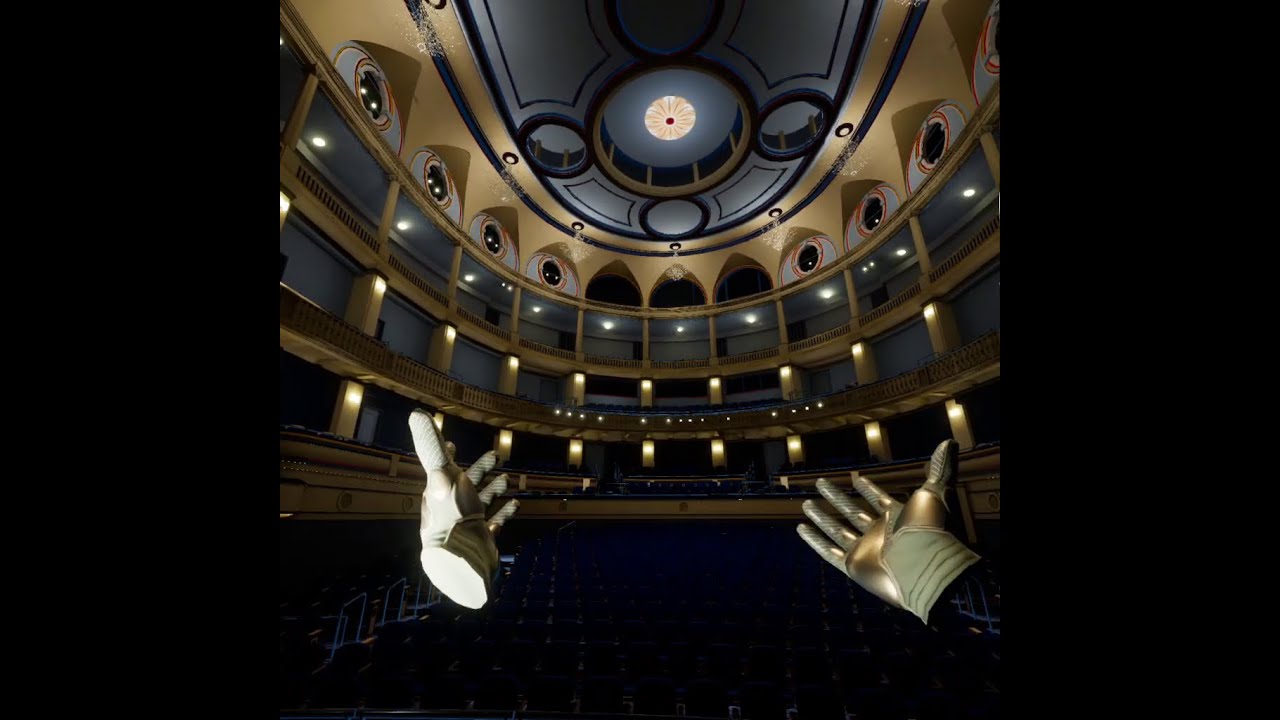
Digging that XR2 Gen2 chip.
Sideload my apk: https://t.co/mUyik4VSOd
72 fps with volumetric captures playing, 120 fps with them paused
Big thanks to Alex from https://outofthebox-plugins.com/ for upgrading the Microsoft SVF plugin for me.
Otherwise, this is straight from the Unreal Engine 5.3 VR template, no Meta XR plugin.
vivid spade
Hey guys my game is instantly crashing as a standalone game but runs fine in the editor. Any ideas what I need to do to fix this error:
[2023.11.22-21.05.00:611][  0]LogHMD: Warning: No UPlayerMappableInputConfig provided in the OpenXR Input project settings, action bindings will not be visible to the OpenXR runtime. Action/Axis mappings from the Input configuration are deprecated for XR in favor of Enhanced Input.
[2023.11.22-21.05.00:884][  0]LogContentStreaming: Texture pool size now 1000 MB
[2023.11.22-21.05.00:890][  0]LogSlate: InvalidateAllWidgets triggered.  All widgets were invalidated
[2023.11.22-21.05.00:986][  0]LogHMD: Error: Unexpected error on xrBeginFrame. Error code was XR_ERROR_RUNTIME_FAILURE.
[2023.11.22-21.05.01:004][  0]LogProfilingDebugging: Allocated a 1024 x 1024 texture for HMD canvas layer
Hmm opened up the Virtual Reality starter project and it crashes as well on startup, only standalone:
[2023.11.22-21.17.04:048][  0]LogLoad: (Engine Initialization) Total time: 10.73 seconds
[2023.11.22-21.17.04:049][  0]LogLoad: (Engine Initialization) Total Blueprint compile time: 0.00 seconds
[2023.11.22-21.17.04:120][  0]LogNiagara: Compiling System NiagaraSystem /Game/VRTemplate/VFX/NS_MenuLaser.NS_MenuLaser took 0.294578 sec, no shader worker used.
[2023.11.22-21.17.04:124][  0]LogNiagara: Compiling System NiagaraSystem /Game/VRTemplate/VFX/NS_PlayAreaBounds.NS_PlayAreaBounds took 0.286534 sec, no shader worker used.
[2023.11.22-21.17.04:129][  0]LogNiagara: Compiling System NiagaraSystem /Game/VRTemplate/VFX/NS_TeleportRing.NS_TeleportRing took 0.283647 sec, no shader worker used.
[2023.11.22-21.17.04:391][  0]LogContentStreaming: Texture pool size now 1000 MB
[2023.11.22-21.17.04:397][  0]LogSlate: InvalidateAllWidgets triggered.  All widgets were invalidated
[2023.11.22-21.17.04:531][  0]LogHMD: Error: Unexpected error on xrBeginFrame. Error code was XR_ERROR_RUNTIME_FAILURE.
[2023.11.22-21.17.04:543][ 0]LogProfilingDebugging: Allocated a 1024 x 1024 texture for HMD canvas layer```restart computer? try swapping openxr runtimes (oculus / steamvr) and see if the same thing happens? what about in a build?
quiet swan
foggy brook
Here’s a deferred test with a build folks can sideload (check description): http...
yeah it looks nice, but I dont understand how they arent crashing like crazy
vivid spade
foggy brook
restart computer? try swapping openxr runtimes (oculus / steamvr) and see if the...
Build failing with an unknown error so I'm scrapping that right now and just focusing on getting standalone execution working.
quiet swan
because when I wave my gun with a beam now, it lags like crazy
vivid spade
foggy brook
restart computer? try swapping openxr runtimes (oculus / steamvr) and see if the...
So I use steamVR, can I swap to occulus runtime with my valve index? not sure if thats possible
quiet swan
also my headset has some kind of motion sickness bug where it now jiggles back and forth
foggy brook
vivid spade
So I use steamVR, can I swap to occulus runtime with my valve index? not sure if...
ah right, no you can't use oculus with a non-oculus headset
foggy brook
quiet swan
what about lumen?
they are expensive features, as is being in deferred rendering path, so yea that can definitely slow things down
has anyone with a Meta Quest Pro gotten face or eye tracking to work in their Unreal Engine 5.3 plugin ?
mighty carbon
nah, UE5.3.0 is trash, sorry to say that
@hallow knoll so, after deleting Saved and Intermediate, I don't see the same error in the log, but the game still doesn't work
crazy thing is that if I press this to run the game from the Editor - it runs!

standalone build - crashes
quiet swan
@mighty carbon do you still have the hal311 crash? I do to and Im going back to UE4
that hal311 crash has been on UE5 since it was born and they arent fixing it
@mighty carbon what c++ plugins are you using?
maybe we are using the same one causing the same crash...
mighty carbon
quiet swan
<@223204723031932929> do you still have the hal311 crash? I do to and Im going b...
no, I don't have it anymore
still get a crash though
now it's a crash without any error report :/
wraith gyro
hallow knoll
You can't use Nanite on mobile platforms (yet), but you can use our Mobile Defer...
Alright thanks 🤝
foggy brook
foggy brook
totally wild:
we upgraded a 5.2 project to 5.3, and all of the sudden when packa...
UPDATE! Confirmed that the MetaXR 5.3 plugin a) breaks face/eye tracking over Link and b) will not package correctly if it's using .git (you won't be able to enter VR)
The fix (really workaround) is you have to use the MetaXR fork of Unreal Engine 5.3. Then those problems all go away.
And before you ask, yes, I tried packaging up the version of the 5.3 plugin specifically from the fork to see if it was different than the one on their download page, but no, it produces the same problems.
vast eagle
hey all, I have a splash screen for my loading screen, but when i hide tghe loading screen, my own stereolayer i use for some ui is no longer visible. Is there any way to prevent this from happening?
 olive ferry
foggy brook
Yes! It works fine now. OpenXR still can’t be enabled when playing in editor but...
olive ferry
foggy brook
Yes! It works fine now. OpenXR still can’t be enabled when playing in editor but...
Worked perfectly for me ! Thank you !
 stark sky
foggy brook
UPDATE! Confirmed that the MetaXR 5.3 plugin a) breaks face/eye tracking over Li...
stark sky
foggy brook
UPDATE! Confirmed that the MetaXR 5.3 plugin a) breaks face/eye tracking over Li...
Hi @foggy brook could you please share with me how to capture the data using HTCVive pro eye? as the data is always blank
quiet swan
@mighty carbon so your unreal nightmare 5 continues I see, are you using the snow occlusion plugin?
mighty carbon
Yep, using it
foggy brook
stark sky
Hi <@185951951832219648> could you please share with me how to capture the data...
Sorry I’m only using Quest Pro
mighty carbon
ok, lemme correct my statement - 5.3.0 Meta fork is trash
if I use OVROpenXR - everything works, but if I use Epic's Native OpenXR, I get a crash.
neon geyser
I converted my project to 5.3.2, but I can't build for Quest anymore, I get this error:
"Failed retrieving UFS Manifest: adb: error: failed to stat remote object '/sdcard/UnrealGame/Atlassia/Manifest_UFSFiles_Android.txt': No such file or directory"
any idea how i could fix that?
quiet swan
I am about to try to build a project that packs good on pcvr @neon geyser
 quiet swan
I was getting errors packing in oculus
neon geyser
quiet swan
I was getting errors packing in oculus
you have the same manifest error when building on quest?
quiet swan
I think so I’m going to pack again what version of android studio do you run
neon geyser
quiet swan
I think so I’m going to pack again what version of android studio do you run
Android Studio 4.0
Build 193.6911.18.40.6514223
Runtime version: 1.8.0_242-release-1644-b01
just noticed this, but when I press Update Device, nothing happen
 neon geyser
quiet swan
I think so I’m going to pack again what version of android studio do you run
neon geyser
quiet swan
I think so I’m going to pack again what version of android studio do you run
found something?
neon geyser
I'm getting an unknown error with no log..
 mighty carbon
scroll up, maybe there is more
quiet swan
Do a search for error
neon geyser
quiet swan
Do a search for error
yes that was the problem, the error was not flagged as error, so when searching for errors could not find anything 😅
I fixed it, now I got a new one

but I noticed that 5.3.2 require some more specific changes regarding Android studio version and sdks
Found a forum post saying I should install jdk 17
@mighty carbon if I read correctly, you use the software occlusion culling made from FastTravelGames?
mighty carbon
neon geyser
switch to JDK-17 vs JRE 1.8.x
neon geyser
alright, because I'm porting from ue4 to ue5 and we heavily depend on occlusion culling
is it good?
neon geyser
mighty carbon
switch to JDK-17 vs JRE 1.8.x
yes it worked just now, build ended
mighty carbon
yeah, FTG's software occlusion culling is tested in the field - their new Vampire Masquerade game for Quest 2/3 is UE5 and uses that plugin
neon geyser
cool, i'll try that now
spoke too fast, it build but I got the three dot of death
[GameActivity] java.lang.UnsatisfiedLinkError: dlopen failed: library "libc++_static.so" not found can only see that in the logs as error
mighty carbon

that's my SDK settings
builds and runs fine
I use whatever Epic recommends for NDK

that's android studio

SDKs

SDK tools
neon geyser
thank you i'll try the exact same thing
you didnt upgrade androidstudio?
this is what is in the doc for unreal 5.3
 tranquil geode
Has anyone made a recoil system for UE5 VR? I’m o having trouble finding anything on it
neon geyser
no more error, I can build and get the app running on my quest, but infinite black screen with 3 dots 🥲
mighty carbon
Get logcat dump
See what's going on
Do adb logcat -c first
To clear the buffer
Then run the app, kill it (or wait till it crashes) and do full logcat (forgot what the arguments are)
 ashen thunder
Hey all! I cannot see the PrintString messages in VR, is there a fix?
neon geyser
mighty carbon
Then run the app, kill it (or wait till it crashes) and do full logcat (forgot w...
can't find anything. A bunch of warning maybe worth investigating
One thing I'm really wondering

I have this error info in my packaging devices
 pallid cove
Hello everyone, i am going to write an essay about virtual reality is there anyone here i could interview for this project?
neon geyser
@mighty carbon you use 5.3.2 right?
mighty carbon
No
I use 5.3.0 Meta fork
They are behind on releasing updates
I hear people have been having hard times building and deploying to Quest2/Pro/3 using Epic's 5.3.2
ashen thunder
Hello everyone, I’m trying to get a behaviour back:
I was able to see the console commands window in VR Headset but not anymore.
It shows on the computer screen only but not in headset.
Also print string messages are not showing.
What should I do to get this back?
I’m using the MetaXR Plugin.
Thanks.
neon geyser
mighty carbon
I hear people have been having hard times building and deploying to Quest2/Pro/3...
is there a way to use the epic engine but 5.3.0? it only shows 5.3.2, the second option is 5.2.1
that must be my issue
mighty carbon
You could always download source and build whatever version you want
neon geyser
yeah but I also have artists working on the project, quite a mess to make them work on source version
i guess i'll have to wait
mighty carbon
Upload binary version to be shared with them
tranquil geode
I am doing all of my anims in blender. Your reload will be a spline anim wishing I haven’t learned yet. And the recoil problem I’ve been working on for the last week and haven’t figured out how to do it. Please let me know if you figure out a good. System for recoil
dreamy ivy
neon geyser
I made a video showing how to fix this. and just uploaded it.
https://youtu.be/k7DKfeeomr0

#UnrealEngine #VR #VirtualReality
► Join the Discord: https://discord.gg/xw65fg7
► Description
How to fix Android APK build error 1 in side Unreal engine 5.3 for Quest development.
► Patreon: https://www.patreon.com/GameDevXR
► Twitter...
 exotic pewter
So, after some thinking, I realize there's a common mechanic I see in VR/AR games, that I truthfully have no idea how to create - for anyone who's played BAM, you have the ability (at least in AR) to size up/down the arena, and move it around. However, it seems more like it's just changing the render size, rather than effecting any physical properties of anything. Pavlov has a similar mechanic when you're spectating a game, although my guess in their case is that they are scaling the camera rather than the actual map. Anyone know how to properly achieve this effect?
dreamy ivy
There is a variable in world settings which you can modify to do this, I can't remember the name of the top of my head. But you can use the distance between the controllers to add and subtract from the scale variable. Then make a flying character and use the motion controller position to where you want to move. Similar to a climbing system but your not using a surface.
exotic pewter
Interseting, thanks ill have to look
neon geyser
dreamy ivy
I made a video showing how to fix this. and just uploaded it.
https://youtu.be/...
yes I was able to fix that issue, I dont have any errors anymore but still only a black screen when building for Quest
I tried on 5.3.2 though
 sturdy coral
exotic pewter
So, after some thinking, I realize there's a common mechanic I see in VR/AR game...
sturdy coral
exotic pewter
So, after some thinking, I realize there's a common mechanic I see in VR/AR game...
Set World to Meters Scale
that should scale the world up and down and do the correct IPD adjustment to scale it along with headmovement
dreamy ivy
neon geyser
yes I was able to fix that issue, I dont have any errors anymore but still only ...
What number are your ndk set too. Both should be set to 32. I show it in this video for the ones to set in project settings.

#UnrealEngine #VR #VirtualReality
► Join the Discord: https://discord.gg/xw65fg7
► Description
How to install Android Studio for Unreal Engine 5.3 so you can build apps for the Meta Quest 2, Pro, 3, Vive Focus 3 and Pico VR including all android based mobile headsets and how to fix the Java error.
---------------------------------------------...
neon geyser
Yes I tried with 32 for both
quiet swan
I was able to pack my quest 2 with the newest version of android studio using a different install location
I was able to get it to work but now it’s opening up as an android game
 sudden moat
foggy brook
Anyone finding a 5.2 project that ran builds fine in VR no longer opens in VR as...
sudden moat
foggy brook
Anyone finding a 5.2 project that ran builds fine in VR no longer opens in VR as...
This is happening to me on 5.2 as well? No clue what to do
rocky nexus
im still on 4.27.2, everything works as expected, pure bliss and happiness! and engine crash here and there
mighty carbon
If you build for Quest primarily- use Meta fork
neon geyser
dreamy ivy
What number are your ndk set too. Both should be set to 32. I show it in this vi...
btw this has been tested on 5.3.2? or just 5.3.0?
Did you had a successful Quest build with 5.3.2?
tranquil geode
Can you apply a rotation to the controller on trigger pull to simulate recoil for a gun model? Idk the best way to call that out in blueprints
 ashen dome
Question, Anyone got both a Quest 3 and a Quest Pro, and which one do you find better for VR development,
 tired tree
@tranquil geode just adjust the relative transform of the gun that is attached
tranquil geode
tired tree
<@892550489449836604> just adjust the relative transform of the gun that is atta...
Does a relative transform let the hand move with the model?
tired tree
@tranquil geode if its attached to it yes
you can attach the weapon to the motion controller
tranquil geode
tired tree
<@892550489449836604> if its attached to it yes
Nice! Thank you so much man!
 granite eagle
Can anyone recommend some VR marketplace stuff? Mostly looking for a general system that would be good for handling RPG type gameplay.
glass yoke
Turn off motion blur right?
mighty carbon
neon geyser
Did you had a successful Quest build with 5.3.2?
What does logcat tell you?
foggy brook
sudden moat
This is happening to me on 5.2 as well? No clue what to do
You have to pull your project out of a directory with a .git folder. Meta also broke face and eye tracking with the 5.3 plug in. We’ve unfortunately moved to their 5.3 fork where everything is working
foggy brook
ashen dome
Question, Anyone got both a Quest 3 and a Quest Pro, and which one do you find...
If you care about face/eye tracking or comfort, go Meta Quest Pro, otherwise everything on 3 is better
neon geyser
mighty carbon
What does logcat tell you?
I couldn't get anything meaningful from the logcat. I reverted back to 4.27 for now, I'll wait the meta xr plugin for 5.3.2 and try again
dreamy ivy
neon geyser
btw this has been tested on 5.3.2? or just 5.3.0?
This was all done with 5.3.2
neon geyser
ok i'll give it another try
vivid spade
Hey guys so I just wanted high level opinions on wall running in VR

WIP wall run mechanic.
WIP Procedural mesh destruction (much better optimized than last time, no hitching on unit destruction even in VR!). And a functionally complete (but unpolished in terms of hand animations/niagara effects) grenade launcher.
I've hit an issue I just cant quite solve:
When wall running around a curve, I feel that I MUST orient the camera to adjust for the curve. So as you wall run around a 45 degree angle, your player/camera also rotates 45 degrees to keep you facing perpendicular to the wall. Otherwise you'd hit a corner and suddenly you're just facing directly into the wall.
The problem is:
- Smooth turning triggers insane motion sickness for me and I've got some serious VR legs. It just doesn't feel like a viable option.
- Snap turning to adjust for the change in wall run direction doesn't make me sick in the slightest, but its incredibly disorienting in that its hard to keep track of where I am, whats going on in the heat of the moment when the wall run "takes over" my camera in order to rotate it around a curve.
I really cant find a good solution for wall running around curves in VR, nothing I've tried so far feels quite right when it comes to solving "What to do with the camera when the player wall runs around a corner and the wall run direction has now changed"
sturdy coral
vivid spade
The problem is:
* Smooth turning triggers insane motion sickness for me and I've...
How does it feel with just rotating your head to rotate (wireless + swivel chair or stand and turn around)?
rocky nexus
+1 for smooth turning being awful, the problem is forced rotation, not you directly rotating one way or another. guess its like another 10 vr levels above smooth walking lol
vivid spade
sturdy coral
How does it feel with just rotating your head to rotate (wireless + swivel chair...
This works, but just feels wrong. Its like in some VR games how you can be riding a car and turn the car, but your camera doesn't turn with it and you can end up facing sideways if you turn hard.
Similarly if you're running against a wall and suddenly you hit a curve and are now no longer facing alongside the wall, it just feels janky.
I don't really have a solution for this so I might just really limit curved wall surfaces in my games playable area. Don't even know what other option there would be between the two but both just plain don't feel good in VR.
sturdy coral
vivid spade
I don't really have a solution for this so I might just really limit curved wall...
Have you tried out the Jedi Knight II VR port? I remember that game had wall running, not a lot of direction changes but some control, and people seem to like the VR port, but I haven't tried it
vivid spade
Huh no I haven't, I'll look into that and see what they did
glass yoke
For working with the Quest 3, is there any information about the Texture Streaming Pool size?
royal thorn
Kindly let me know if we people we people can use vive tracker with quest 2 in unreal Engine 4.27?
Please suggest me best tutorial for doing this,
dreamy ivy
I've been working on hand tracking and occlusion in UE5.3.2 today. Feels so nice.
quiet swan
I need help my occuls is running at 35 fps on unreal 5.3.2 does anyone have the settings for unreal engine 5 to run on UE5?
 oak ridge
hi
just updated my project to 5.3, and it looks like a lot of BP nodes are missing?
are these in a seperate plugin or?

stuff like these, they used to be default BPnodes ?
@hallow knoll any idea what happened to these nodes?
oak ridge
tried refreshing in case signature changed, still error, cant find them in the function list
quiet swan
welcome to unreal engine 5 toku, hope you backed up your UE4 project...
rocky nexus
from 4.x? someone will have a bad time
quiet swan
are people starting their projects in 5? are unreal engine 4 projects converted to 5 crippled in performance or something?
rocky nexus
starting in 5 to sort stuff out first is a decent plan
oak ridge
well, I updated it from 5.2 but it seems like these function nodes have been deprecated
just verified the engine and made an empty project and cant find the function
rocky nexus
thats why you never update stuff, 4.27 for life!
perhaps there is something interesting in change log
oak ridge
ok, fixed it, there is a new optional plugin called XR Base where these functions have been moved to
quiet swan
@rocky nexus well I updated but lucky I did all my stuff in 4.27 only thing is, the EOS plugins dont work on 4.27 anymore
 mellow nebula
Hi folks, anyone know what this "M Log" node is called. I'm only getting functions when i search "Log" in the right click menu:
Just learned about Macros in Unreal Engine.
 vast eagle
Hey all,
Our project, while in standalone mode is having major fps issues at the moment, does anyone have some tips on where to look for optimizations?
rocky nexus
profiler
neon geyser
Hello, if anyone had issues running the VR preview, it has been fixed in today's oculus app update
v60.0.0.144.352
Hasn't been rolled out for me though
Latest beta build 60.0.0.144.352 fixed it for me as well!
 autumn current
Hi, I am trying to run a vr experiment for a research paper and am having trouble lauinching my project from unreal 4.7.2 to a meta quest 2 (android 12) I will upload my recent log file and photos of the android studio stuff and java i have installed after watching some old youtube tutorials on what to try. Thanks for helping if you can!


 autumn current
autumn current
autumn current
The command line tools is 8.0
rocky nexus
launching is pretty trash, use link/vrd for testing. make a proper build for testing on device
autumn current
how does the 'proper build' work sorry?
rocky nexus
package for android, install on device
autumn current
ok, thanks i will try both of those!
autumn current
rocky nexus
package for android, install on device
Do I need sidequest to put the app on the headset? Or is there another way to get the files across from PC to the headset?
rocky nexus
autumn current
Do I need sidequest to put the app on the headset? Or is there another way to ge...
that is certainly easy, you can also use meta quest developer hub app to do that. they both use adb to do that
when you make a release build there will be .bat file to install it on connected device
you must enable developer mode on the device, probably did so already
autumn current
Cool thanks, sorry I'm a bit clueless, my supervisor suggested the idea of using unreal as if it was easy but turns out they'd never even used it before😅
autumn current
rocky nexus
package for android, install on device
I tried to package but got the exact same error I showed before🥲
ashen dome
Anyone using a quest pro for development? Thinking of picking one up over a quest 3 . and did you manage to get eye tracking working in Unreal ?
quiet swan
can someone help? I am getting 35 fps in a packed occulus quest 2 game in unreal engine 5.3.2. I was able to get 72 fps in the headset in UE4
I tried to install the meta VR plugin to see if it help but I get this error

LogOVRPlugin: Error: [XRCMD][failure] [XR_ERROR_LIMIT_REACHED]: xrCreateInstance(&createInfo, &instance), arvr\projects\integrations\OVRPlugin\Src\Util\CompositorOpenXR.cpp:2002 (arvr\projects\integrations\OVRPlugin\Src\Util\CompositorOpenXR.h:315)
quiet swan
also steamVR and meta seem to be fighting each other for control of my VR in UE5 crashing the editor
It just crashed my ox
foggy brook
MetaXR 5.3 plugin is totally broken. Regular OpenXR should work without the Meta plugin. Unfortunately if you do want to use the MetaXR plugin you really need to go to their fork of 5.3 for the moment
I can't believe it's taken me this long to try this, but has anyone found that if they try to launch an Unreal Engine 5.2 or 5.3 experience that has the MetaXR plugin enabled using SteamVR that they get either a totally black screen or an outright crash? Here's the log.
two things that caught my eye in the log:
[2023.11.29-03.54.01:094][ 0]LogOVRPlugin: Display: OpenXR runtime name: Oculus, version 2.1.4 LogOVRPlugin: Display: Support Non-Oculus runtime: NO
so not only does it think Oculus is the OpenXR runtime (it's not), it also explicitly says it won't support non-Oculus runtimes. What?

 silk lodge
I've been seeing the same stuff. Makes dev with a bigscreen headset impossible with the metaxr plugin
real needle
Hello, all. I'm not getting VR Preview to work in 5.3 with a quest 2. It works just fine with a Rift S. I've tried just about everything, plz halp
silk lodge
real needle
Hello, all. I'm not getting VR Preview to work in 5.3 with a quest 2. It works j...
did you try unplugging the rift, and were you in link mode on the quest 2?
quiet swan
@real needle unreal 5 crippled for vr
I get lower frames now because they removed mobile software occlusion
Unreal 4 preform better had less issues
Basically unreal 5 is like going back in time to the year 2015 back when unreal 4 was born with all the issues and bugs
The openXr plug-in doesn’t work with the meta plug-in and now all my VRE stuff don’t work in ue5 quest because meta breaks openXr
silk lodge
quiet swan
I get lower frames now because they removed mobile software occlusion
You can try the third party occlusion plugin
real needle
silk lodge
did you try unplugging the rift, and were you in link mode on the quest 2?
Oh yeah, tried a series of unplug and plug back in configurations. Running Meta Quest Dev hub too with link cable enabled and headset is confirmed detected. I disabled the MetaXR plugin and now it works but ONLY in passthrough mode wtf
I've been at this on and off for WEEKS
First it was trying to get the link cable to actually register
This is hell. I'm in hell.
 foggy oxide
does anyone knows how to set the log verbosity when running on quest2?
i know how to set it in the config for one log category but i need all.
 violet garnet
Hello, question about the Oculus Quest 2 controllers not moving...
I am new to VR, and I have a question and wonder how to solve it…
In Unreal Engine 5.2, when creating a new VRTemplate and adding the Oculus VR plugin, packaging it into an APK, and uploading it to Oculus through the Meta Quest Developer Hub, it was found that the camera can move with head movement and the buttons A and B on the controllers are responsive. However, the controllers cannot follow the movement of the hands and remain on the floor directly below the camera, as if there is no offset. Has anyone encountered a similar issue and can offer assistance?
Thanks in advance.
Douglas
neon geyser
quiet swan
I get lower frames now because they removed mobile software occlusion
Fast travel game ported software occlusion culling to ue5
dreamy ivy
silk lodge
I've been seeing the same stuff. Makes dev with a bigscreen headset impossible w...
you shouldnt be using the Meta XR plugin with big screen anyway, its a steam headset. Meta XR should be disabled for steam.
dreamy ivy
real needle
Oh yeah, tried a series of unplug and plug back in configurations. Running Meta ...
you say Meta Quest developer hub, you need the Oculus Desktop application for your headset to communicate with unreal.
dreamy ivy
violet garnet
Hello, question about the Oculus Quest 2 controllers not moving...
I am new to ...
are you using the OculusVR plugin or the MetaXR plugin as you need the MetaXR plugin.
 scenic warren
Hi all,
Has anyone encountered the error "AutomationTool exiting with ExitCode=1 (Error_Unknown)" when assembling a build on UE5.3?
I can’t find a specific error in the log that is causing the crash.
chilly pasture
Anyone here knows how OpenXR, calculates FOV for VR headset
silk lodge
dreamy ivy
you shouldnt be using the Meta XR plugin with big screen anyway, its a steam hea...
The bigscreen beyond is a way nicer headset to use for pie testing.
dreamy ivy
silk lodge
The bigscreen beyond is a way nicer headset to use for pie testing.
As long as your not doing quest specific content, I imagine it's really good. Unfortunately I'm not able to get one to try out just yet.
Although I'd love to get one eventually.
silk lodge
there's a lot of VR tests you can run without needing to be on specific hardware, and it's much more ergonomic. Besides the glare, it's a really fun headset.
real needle
dreamy ivy
you say Meta Quest developer hub, you need the Oculus Desktop application for yo...
Yeah I have Oculus desktop app running as well, and no dice. Also uninstall/reinstalled that.
I launch link cable and now its just 3 blinking loading dots, infinite load
 round cliff
Hi guys, does anyone know how to make the delete game slot work for quest2?
 hard sparrow
anyone working with VR in here? i am trying to figure out how widgets are handled now. i have a 2d widget that i want to display but it only shows up on the left eye. i saw this thread https://forums.unrealengine.com/t/meta-quest2-left-eye-turns-black-in-ue5-1/766957/5

Epic Developer Community Forums
Awesome job, AA has been a root or secondary cause of a number of rendering issues so far in 5.1 so that tracks. Also Vic thanks for chiming in!
im just trying to get the screen fade working for teleporting. works great on my PC but it only fades the left eye in and out as well.
sturdy coral
quiet swan
It just crashed my ox
maybe this will work better https://www.meta.com/experiences/5841245619310585/

Oculus
Steam Link streams the games you love in your Steam library directly from your computer to your Meta Quest headset.
Install the Steam Link app today and start playing!
just released
seem to support eye tracking, not sure about hand tracking
rocky nexus
will hopefully make more people play pcvr!
sturdy coral
hand tracking didn't seem to work at least in my unreal project, it does work with ALXR
it made you grab controllers to even launch it so I think it doesn't have it
hard sparrow
also what version of unreal are people using for VR stuff? is there a certain version that works the best?
scenic warren
Has anyone worked with Meta XR Platform?
After turning it on, it gives the following error in Quest 2. Does anyone know what this might be related to?
 quiet swan
@hard sparrow I think UE 4.27.2 plus is the best version . Using us5 is like going back to the year 2014 with all the issues.
No software mobile occlusion in UE5
limpid widget
I am using ue 5.2.1 and it works fine
Official branch, not meta one
I can develop for all platforms
And I am facing no issues so far
real needle
I think my issue may stem from migrating my project from 5.2 to 5.3, because now my Rift S is having the same problem in this version as the Quest 2. I start VR preview and nothing happens in the headset but on my desktop it loads the pawn, you can see the hands covering the view.
Is there something I should be doing extra in 5.3 to get it to function? Something I have to change in the pawn???
Ok, disabling the MetaXR plugin returns a functional pawn. This didnt work for Quest 2 but it helped get Rift S working. What a shitshow
dreamy ivy
real needle
Ok, disabling the MetaXR plugin returns a functional pawn. This didnt work for Q...
do the other way around disable OpenXR and keep metaXr plugin enabled if your targeting Oculus.
 real needle
Oh, brilliant ok.. Hadn't thought of that, will test eventually. Cheers
and this is an expected message to pop up when doing so?
 dreamy ivy
real needle
and this is an expected message to pop up when doing so?
dreamy ivy
real needle
and this is an expected message to pop up when doing so?
Yeah. Just press dismiss for now.
real needle
Ha, thanks so much. I'm like tip-toeing since UE has been putting up a fight with me recently. Trying not to anger the beast.
 terse vapor
scenic warren
Hi all,
Has anyone encountered the error "AutomationTool exiting with ExitCode=1...
terse vapor
scenic warren
Hi all,
Has anyone encountered the error "AutomationTool exiting with ExitCode=1...
same here from mac os if it matters
hard sparrow
quiet swan
<@143573149676601344> I think UE 4.27.2 plus is the best version . Using us5 is ...
thanks I am thinking i may just go back to UE4 for this
im dealing with the screen fade not working issue because of mobileHDR or whatever
i prefer to be on UE5 but quest native games aren't going to use most of the features anyway
dreamy ivy
hard sparrow
im dealing with the screen fade not working issue because of mobileHDR or whatev...
Put a plane infront of the camera with a dynamic material it's how I do it and it works greet.
hard sparrow
you may have read my mind lol, i was in the process of making a 3d widget component that just sits like 1 unit in front of the camera
i just saw that
i want to stick with UE5 for this since its for fun. not working at a studio where i have to stick to a version
i feel like i have seen GDXR somewhere
oh the VR template i saw online!! i tried out your product on my quest 3, it was really cool
hard sparrow
im currently following this gamedev.tv C++ VR course as well as ripping apart the existing VR assets. its a lot of fun
quiet swan
how can we get logs for unreal quest 2 adb logcat -s UE4 or adb logcat -s UE5 doesnt work
quiet swan
anyone know the code to get the logs of quest 2 on unreal 5? adb logcat -s UE4 and adb logcat -s UE5 arent working
 wheat holly
quiet swan
anyone know the code to get the logs of quest 2 on unreal 5? adb logcat -s UE4 a...
wheat holly
quiet swan
anyone know the code to get the logs of quest 2 on unreal 5? adb logcat -s UE4 a...
Would recommend downloading the 'meta quest developer hub' as it has some built in integrations for these things. It worked better for me then constantly messing around with commands.
It also does allow you to use commands though.
granite eagle
I'm using a Pico 4 in SteamVR. In my VR project I'm finding that texture shadows and details look pixelated / low detail. Any idea what might be causing it? Also do VR headsets themselves do anything hardware wise to alter the quality, I'm running Pico on ultra settings and I know this HMD can handle better quality (seen it in other games).
I'm thinking maybe it's launching in mobile quality or something. I have Forward shader enabled with high render project settings, not sure what else might be causing it.
quiet swan
@wheat holly thanks I downloaded it , its asking if I want to change my ADB paths
 quiet swan
so there is more then 1 ADB I will try with this new one, to see if it gets the logs, I can see the logs when I put it on, but its spits it out to fast
hushed shuttle
hi there
How do you cast to the right hand on collision ?

i've been trying a ton of stuff
but i either get failed cast or weird collision ( its colliding before it's hitting)
thanks
rocky nexus
print yourself the other actor/comp, see what it hits
real needle
Quest 2 started working with MetaXR on and OpenXR off, thanks GDXR for sharing the doc notes I've missed. A few new issues I'm having: hands/touch controllers decoupling completely if I 'reset view' and I cant change sound output from going into the HMD. Say, I just want it coming out of literally any other source besides the headset, the sound out is only going through the headset, even though I set the output to be different (RealTek card, monitor speakers, etc)
As a side Q: any idea how I can prevent objects that I grab from going through collisions? If i drop the object it responds to the collision with normal physics, but say I'm holding a screwdriver I can just pass it through a surface, let go, and usually just glitches out because physics kick in while inside of the other object.
hard sparrow
i feel like this should be showing a newer SDK for me

or is that the NDK version?
i have 34 and 33.0.1 installed for the SDK but 25.1.8937393 for the NDK
cerulean lichen
real needle
As a side Q: any idea how I can prevent objects that I grab from going through c...
I've been using Physics Constraints to do this. Added a constraint component to your hand, and when you pick up an object, rather than attaching the object to the hand mesh directly, use SetConstrainedComponents with component 1 being your hand, and component 2 being the object you want to pick up. Then when you want to drop the object, use Break Constraint. This should stop objects you pick up from passing through geometry
 eternal widget
I'm in 4.27.2. Needing to add compatibility for HP Reverb.
Do you all recommend using OpenXR for this version of the engine?
It seems the best path forward, but need to move some logic around a bit...
foggy oxide
hello all, im trying to use hand-tracking on the quest, and using the manny hands. but they appear rotated and the fingers all squeeze weirdly.
im using the oculus custom branch on 5.2 any ideas?
rocky nexus
You need proper mesh, check hands they use in hand tracking samples @foggy oxide
bones must be in specific orientations
ashen dome
so Im trying to test sessions in VR and I cant figure out how to swap VR players in a listen server>
foggy oxide
rocky nexus
bones must be in specific orientations
thanks but i am doing that. i was using the epic manny hands, then i copied the ones from oculus and the same issue happens.
rocky nexus
than its not correct, i have custom hands and it was a massive pain to setup
eg you end with something like that https://twitter.com/evilentity/status/1727423925058162822 all entirely messed up
this works for right hand, left is flipped
 surreal jay
hey, anyone familiar with livelink?
ashen dome
Anyone Done Or familiar with setting up vr for multiplayer, I would like some Tips on what things should be replicated and RPC, motion controller \ head positions ect
hallow knoll
The first example of how to use the XR Creative Framework is now available on GitHub through the new Virtual Scouting Plugin: https://forums.unrealengine.com/t/xr-creative-framework/772455/11?u=victorlerp
Epic Developer Community Forums
The new Virtual Scouting plugin is now available on GitHub! The plugin is experimental and will ship with 5.4. It uses the XR Creative Framework to implement a Virtual Scouting toolset in Blueprints. For information on how to use XR Creative Framework, which the Virtual Scouting plugin is built on top of, check out Richard’s and Brian’s Unreal ...
 fast relic
hallow knoll
The first example of how to use the XR Creative Framework is now available on Gi...
fast relic
hallow knoll
The first example of how to use the XR Creative Framework is now available on Gi...
I've been trying to get this to work with the quest 3, but the controller buttons just dont work
I can get into virtual scouting, but I can't actually do anything with it
 sage gulch
anyone still building for quest on 4.26.2? any insights to the Android environment?
sage gulch
what's the minimum sdk/ndk for Meta store these days anyway?
real needle
ive been trying to figure out how to do IK for a day, i know it sounds silly but can anyone help me?
neon geyser
Apparently the VR Preview bug introduced by the Oculus app update was fixed a week ago on 60.0.0.144.352, but i'm still stuck on 59.0.0.179.366
Updates are not available for everyone in the same time?
 steady shoal
anyone managed to get decent quality realtime shadows on the quest 3?
hallow knoll
neon geyser
Apparently the VR Preview bug introduced by the Oculus app update was fixed a we...
They typically roll them out in batches so that a potential catastrophic issue doesn't affect the entire userbase
neon geyser
hallow knoll
They typically roll them out in batches so that a potential catastrophic issue d...
I got it by enabling "Public test channel"

 paper raptor
Looking at the VR template, I’m confused how the camera knows to move itself. It appears that it’s attached to a blueprint with a Pawn parent and I don’t see blueprint updating the camera position every frame.
 grand otter
Has anyone worked with VR yet, i got full body moving beautifully, but my arms just are not right. i cant put them down by my side, and when raising my hands they straighting out far to quick, its almost like there not leveled where they should be.
the only thing that is SORT of a fix is changing VR root to -60 but it doesnt seem like the right way to go about this and its kinda janky lol. also when i stand up from a crouch the hands and arms raise higher, and cant go as low again, then when crouching they go backwards and i need to reset position with controller
This is my basic set up

I have another set up with fabrik nodes instead does same thing only joints pop out more with it
 rapid saffron
Hi everyone. I ask you for help. I don't understand which version of Unreal Engine I need to install to develop apps for Meta Quest 3. Should I compile the fork edited by Meta, which is older than 5.3.2? Or do I simply install 5.3.2 following the directions on the official Unreal website?
 sonic fjord
sage gulch
anyone still building for quest on 4.26.2? any insights to the Android environme...
sonic fjord
sage gulch
anyone still building for quest on 4.26.2? any insights to the Android environme...
you need a sufficiently old version of android build tools, and this is not documented. I think 427 works with both 30.0.1ish and 33.0.1ish, while 425 requires 30, so logically, I'd try 30 for 426.
ndk 21something? that part should be documented.
sonic fjord
paper raptor
Looking at the VR template, I’m confused how the camera knows to move itself. It...
any camera on a pawn has bool "attach to HMD" (or something like that) set to true by default, so it will use that camera if VR is enabled. if I recall correctly, the parent component of the camera gets set to the playspace floor center, while the camera automatically moves relative to that behind the scenes in engine C++.
VR Expansion plugin has the logic needed to work around that with it's own character class and movement component, but I've also managed to build my own based on the native character class in the engine, lol.
neon geyser
neon geyser
I got it by enabling "Public test channel"
which still crash when using multiple clients
😪
paper raptor
Yeah you're right m0useCat. UCameraComponent has bLockToHmd = true;
real needle
can anyone help make IK Rig for VR?
i searched "how to use mixamo control rig in unreal engine 5 vr" but could not find anything for it
"how to use ik in unreal engine vr"?
i couldnt figure out how to use them with VR
what is he best way to seperate the two and then join them together
alright
surreal jay
anyone experienced with livelink?
the use of vive tracker in unreal
works perfectly in editor but does not function in build
 hot rampart
Hello everyone!
I am working on a VR stealth game myself and I am looking for feedback on my work.
I finished the Pistol weapon system and I would like to get your opinion on it.
sage gulch
Bombyx-Android-Shipping-armv7.apk: /data/local/tmp/_stream.apk could not be installed [INSTALL_PARSE_FAILED_MANIFEST_MALFORMED: Failed parse during installPackageLI: /data/app/vmdl156418127.tmp/base.apk (at Binary XML file line #46): com.epicgames.ue4.GameActivity: Targeting S+ (version 31 and above) requires that an explicit value for android:exported be defined when intent filters are present]
Any suggestions?
I looked at the manifest on a good apk and don't really see any problem
sage gulch
got it fixed by lowering the minimum and target sdk versions
 indigo crescent
Hey there! I am new to Unreal Engine and currently working on my first vr project. Essentially, I'm trying to set up a feature where users can press a button on their Oculus controller (let's say, Y) to initiate an audio recording, and when they press the button again, the voice recording gets saved locally on the computer.
I will attach a screenshot of what I attempted so far, but it doesn't seem to work. (super newbie here, sorry)
I'd really appreciate any suggestions, advice, or references you might have on how to tackle this. Thanks a lot!

 cursive wigeon
Has anyone successfully used the Meta XR simulator in UE5.3? I'm able to launch it in one of the available environments, but I cannot launch my project onto it (VR Preview button is disabled)
sonic lake
@cursive wigeonhttps://developer.oculus.com/documentation/unreal/xrsim-unreal#setup
Meta XR Simulator is a lightweight OpenXR runtime built for developers that enables the simulation of Meta VR headsets and features on the API level.
cursive wigeon
Thanks, I went through all these steps, but VR Preview button is still disabled. As mentioned, I set it up correctly since I can toggle XR Simulator from the toolbar and launch one of the simulator environments, but not launch my project

Ok for some reason it works when I connect my actual headset via air link... facepalm meta
sonic lake
@cursive wigeonAlso check this out, it may show a solution for you: https://communityforums.atmeta.com/t5/Unreal-VR-Development/MetaXR-Simulator/td-p/1086975
I cant make the window MetaXR Simulator appear in Unreal. I followed the tutorial on https://developer.oculus.com/documentation/unreal/xrsim-unreal but the window does not appear, so I cant enable it. Anyone knows how to solve this? I tried using the full location with "json" file written on the pa...
cerulean lichen
Has anyone used Haptic Effect Soundwave for haptic effects? Trying to use with the Meta Quest controllers but getting no haptic output
limpid widget
Meta implemented their own asset type you can generate using Haptic Studio
Without this I am not sure that you can use Soundwave for haptic effects
I know PSVR2 has this but I don't think it works for PCVR or standalone like that
cerulean lichen
limpid widget
I know PSVR2 has this but I don't think it works for PCVR or standalone like tha...
Ah cool, thanks. I’m aware of Haptic Studio but had been hoping to achieve the same effect without using the Meta XR plugin. Appreciate the info!
sage gulch
you could use an envelope follower to generate a float that controls the haptics power
 lusty whale
Hi!
By the way, I have the first HTC Vive, the first to go on sale. Is it supported by OpenXR? Thanks.
 mystic cairn
Hello !!, did someone managed to use the MetaXR plugin in UE5.3 with a Metahuman character with hair? because it crashes all the time, I tried starting with different base projects and in any case I have the same problem in one everything works but the groom ( r.SkinCache.CompileShaders has to be False in the config, if True, groom works, but the VR crashes when launched) so basically with OpenXR works, with MetaXR and OpenXR doesn´t crash but I don´t get anything inside my HMD and MetaXR alone, crashes. Thank you !!
ashen dome
Out Of curiosity How Are others handling there half height capsule if they want to actually crouch In RL
cerulean lichen
ashen dome
Out Of curiosity How Are others handling there half height capsule if they wan...
I'd use dynamic height adjustment based on the relative Z position of the camera
sage gulch
can anyone confirm 4.26 working with current SteamVR systems? I output a SteamVR manifest file but the inputs aren't working properly for Index users.. wondering if there is a mismatch to OpenXR in Steam now or something? Doesn't Steam itself support classic SteamVR still? Would building from 4.27 make any difference?
oak ridge
is it possible to bind to an event when a user centers their playspace?
I am building a MR experience and when they re-centre the playspace, some vectors are thrown off, need to bind and update them
limpid widget
VRNotificationComponent has a delegate for recentering
 summer linden
Hi guys. I try to implement relatrively simple VR hands with preventing colliding into enviroment. Im using this setup: https://www.youtube.com/watch?v=bBykiDW1wbw
I add physic asset to hand models, but the problem is that if physic type for phys asset is set to Default or Simulated, hands doesnt collide into static meshes, but they no longer response to animation blueprint.
If phys asset type set to Kinematic, then animations are work properly, but now hand will only properly collide with physical actors, but will ignore static meshes.
How to solve that?

https://www.patreon.com/UE4tuts
For making Your Game/Projects or In Game Ready Functionalities!!!
Contact: ue4tuts4you@gmail.com
So Here's the first part of my VR Mechanics Tutorial series.In this tutorial we'll setup our Hands with proper Physics so that they don't pass through the objects and behaves properly with collision.
Don't forget to su...
 tired hamlet
Hi everybody, I am a long-time user of UE4 and I am migrating to UE5. My typical usage is deploying Android Virtual Reality stuff to Oculus headsets (which are Android machines), and I work under MacOS, so I have Android Studio installed, etc etc. Everything Works Fine So Far.
Now, I would obviously like to keep a 4.27 working version when migrating to 5.3.2, but I must update Android Studio etc as stated in https://docs.unrealengine.com/5.3/en-US/how-to-set-up-android-sdk-and-ndk-for-your-unreal-engine-development-environment/ . So, I should be able to do what is stated a bit later in the page, "Manually Target SDK Paths", but for the life of me it does not work. If I change any path in Edit > Project Settings > Platforms > Android > Android SDK section, in ANY version of my installed UE (4.26, 4.27, 5.3.2 ....) it will change EVERYWHERE, in ALL UE installations, as if those settings were saved in a "super" BaseEngine.ini configuration file, which I cannot find (I am running grep all around for hours now). Changing the settings by editing a specific BaseEngine.ini file as explained in the page seems to have no effect. So, I am actually unable to set different Android SDK paths for different UE4/UE5 installations. Do anybody here has done something similar? Please note, again, I work with MacOS, not Windows. Please note also that i CAN find trace of my manually configured paths in files like CookedIniVersion.txt and in the Saved/StagedBuilds/..../BaseEngine.ini , but I cannot understand where the SOURCE of those modifications is located, and why is shared between all engine versions...
How to set up your Android development environment for Unreal Engine
sturdy coral
tired hamlet
Hi everybody, I am a long-time user of UE4 and I am migrating to UE5. My typical...
if mac has something like linux systrace you could grep the output of that to see all the inis it is touching
when you make the change
real needle
how do i fix this error, i tried importing the VR Expansion Toolkit for unreal and i get this error when restarting the editor

i dont know if i have to downgrade orrr
tired hamlet
sturdy coral
if mac has something like linux systrace you could grep the output of that to se...
Holy cow, I finally found it (on MacOS you have dtrace, dtruss, you have to fight with Apple addde security stuff...)
/Users/Babele/Library/Application Support/Epic/Unreal Engine/Engine/Config/UserEngine.ini
it beats me why they save stuff in DOZENS of different places
 junior halo
summer linden
Hi guys. I try to implement relatrively simple VR hands with preventing collidin...
junior halo
summer linden
Hi guys. I try to implement relatrively simple VR hands with preventing collidin...
You can have collision without enabling physics. Either don't simulate physics in your hands to make the animation work, or if you want to set individual constraints for each bone, add Physical Animation Component to your hand actors.
summer linden
junior halo
You can have collision without enabling physics. Either don't simulate physics i...
The main goal is to have each object in the world (both physic and static meshes) reacting properly to phys. asset capsules, but with keeping animation from animation blueprint working. If simulation are disabled, hands will not collide with static meshes. Is it possible with phys. animation component, no?
junior halo
Hands should collide with static meshes with physics disabled, enabling physics is to have the physics asset take care of the contraints, but I guess you already have a contraint that joins your hand mesh with the motionController location, right?
It should collide but if the mesh is static it should push your hand back instead of moving the mesh
summer linden
junior halo
Hands should collide with static meshes with physics disabled, enabling physics ...
With disabled physics and physic asset? In my case disabling physic simulation will make static meshes "transparent" to hands 🤷♂️
My current setup look like this: so 2 meshes with constraint. left_meshMC is hands model with physic asset.

 gloomy cairn
tsr
sturdy coral
tired hamlet
it beats me why they save stuff in DOZENS of different places
nice, glad that worked; it is insane the number of places and figuring out the order of priority used to not be directly documented but I think they did now... twelve different places to search for what is causing a problem and keep in your head which ones are overriding which...

plus it can download them from a web url sometimes, can't remember exactly what it was but I think when using pixel streaming or something I finally found an ini being pulled down from a url or something that was breaking vsync
atomic drum
New Meta XR plugin v60 dropped, so I've updated the https://dev.epicgames.com/community/learning/tutorials/3Vx6/unreal-engine-5-3-2-for-meta-quest-vr guide, fun times!
Epic Developer Community
XR Meta Quest setup guide covering everything
Also added the VRPreview setup fun. I'm sure Meta and Epic will polish the workarounds for UE5.4 (maybe maybe)..
junior halo
summer linden
With disabled physics and physic asset? In my case disabling physic simulation w...
Ok in that case try adding physical animation and play around a bit until you find a good mix between physics and animation. Check this tut: https://docs.unrealengine.com/4.27/en-US/InteractiveExperiences/Physics/PhysicsAssetEditor/HowTo/ApplyPhysicalAnimationProfile/

This how-to will show you how to apply a Physical Animation Profile to a Skeletal Mesh Component using Blueprints.
 bleak blade
How do i replacate the VR template?
cursive wigeon
Does anybody know if it's possible to create an xray-type material using the forward shader and with mobile hdr turned off - so no postprocess, no gbuffer? Thanks!
cursive wigeon
cursive wigeon
Does anybody know if it's possible to create an xray-type material using the for...
I managed to make the xray work - no postprocessing or gbuffer needed, fully forward rendering compatible with mobile hdr turned off. Note that you have to enable Custom Depth-Stencil pass in Project Settings under Rendering and enable Render CustomDepth Pass on your static/skeletal mesh
Oh, and the material needs to be set to Translucent with Disable Depth Test toggled on. Then just use it as an Overlay Material on your mesh

 solid tinsel
hot rampart
Hello everyone!
I am working on a VR stealth game myself and I am looking for fe...
solid tinsel
hot rampart
Hello everyone!
I am working on a VR stealth game myself and I am looking for fe...
I know this is old but trust me when I say that game is going places. Those pistol mechanics are really well made. Is there anywhere I can follow your game yet?
grand otter
For a week now I’ve tried everything, With fabrik node then head transform cameras perfect, but I want spine movement and when introducing spine 2 and 4 transforms it looks good but gives camera massive mini shakes anyone know why or how I could correct this ?
quiet swan
I can’t be the only one who is having issues in unreal 5 is so bug infested I can’t release a game on it
I was able to replica a crash on unreal engine 5
That does not happen in unreal engine 4
sonic lake
@quiet swanwhat does the crash log show?
quiet swan
Epic Developer Community Forums
@Sarlack Will I do have 16gb ram. And the recommended hardware memory for ue5 is 8gb ram. And I have seen people on their YouTube videos that be using 16gb ram for unreal engine 5. Which it seems totally fine for me. So I just hope nothing happens on the unreal editor 🤞🏾😬
I have the dreaded d3d crash
It’s been 2 years almost and it hasn’t been fixed
sonic lake
@quiet swanthat's a pretty long thread. Some folks are suggesting some workarounds, did you try any of them?
I am using 5.2 and 5.3 regularly and I don't see all these crashes, I wonder which % of users are experiencing them and whether they are linked to particular HW/SW configurations.
cursive wigeon
cursive wigeon
I managed to make the xray work - no postprocessing or gbuffer needed, fully for...
And it doesn't work on quest 2... Well it does, on the left eye. On the right eye seems like it's broken (the overlay is always rendered so it seems custom depth or scene depth simply return wrong values)... Does anyone have any ideas? Is this because of mobile multi-view?
cursive wigeon
quiet swan
I have the dreaded d3d crash
Under what circumstances? If it's when using debug drawing that's been introduced in 5.3.0 and still not fixed as of 5.3.2 if you're using forward rendering with MSAA enabled
quiet swan
I’m going to try the fixes later tonight
sage gulch
if you leave Chrome open then there will be a memory collision eventually
sage gulch
cursive wigeon
I managed to make the xray work - no postprocessing or gbuffer needed, fully for...
pics?
quiet swan
@cursive wigeon yes I think your advice might have fixed it. I changed the MSAA to FSAA and it seems to work
what is this debug drawing? My UE5 was crashing when I did something else
its not crashing when I do what I did to crash it before so thats good
i mean if the put back mobile software occlusioin I will be happy again
cursive wigeon
sage gulch
pics?
Doesn't matter, doesn't work on quest (left eye works, right eye doesn't, see above)... On that note, if anyone knows how to make SceneDepth and CustomDepth work on Quest 2 for both eyes PLEASE let me know! Thanks! 🙏
cursive wigeon
quiet swan
what is this debug drawing? My UE5 was crashing when I did something else
You must have enabled debug drawing on some node (maybe a line trace?) Or called DrawDebugLine/Sphere/Box etc etc
sage gulch
ah, yeah could be down to Instanced Stereo as well
sage gulch
how do you get a quest to show in MQDH over wifi?
cursive wigeon
sage gulch
how do you get a quest to show in MQDH over wifi?
You tick ADB over Wifi in the Device Manager tab. It resets when you reset your quest so you have to do it every time you reboot
 coral swallow
ive started using steam link to connect my headset to my pc now but why does using steam vr always show that im using cv1 controllers when steam clearly knows that im using a quest 2 and has the models there and it works fine when running open xr through oculus wth
foggy oxide
would anyone know why my niagara particles do not show on a quest 2 device. but show on the editor? using unreal 5.2 branch from meta?
sage gulch
materials issues mebbe
 tawdry dragon
Hey guys. Whats the best way to fade a VR camera to black and fade out again?
I wanna do it between swapping out dynamically loaded levels, however the normal way of using "Start Camera Fade" from the Player Camera Manager doesn't seem to work.
I tried attaching a widget to the player screen and fading a black border on and off, however the widget is desynced between the two different eyes inside the headset, leaving a weird effect.
Is there a better way?
(I'm running on a Quest 2 using Airlink from a desktop)
nwm... I'm an idiot
I didnt delay the fade in/out between them, so they would instantly cancel eachother out
hot rampart
foggy oxide
would anyone know why my niagara particles do not show on a quest 2 device. but ...
I think it should be CPU Sim to work on Quest
 mighty carbon
foggy oxide
would anyone know why my niagara particles do not show on a quest 2 device. but ...
mighty carbon
foggy oxide
would anyone know why my niagara particles do not show on a quest 2 device. but ...
GPU particles are disabled for Quest, but you can re-enable them via Device Profiles.
royal thorn
https://www.youtube.com/watch?v=qzbY9e1VzEc&ab_channel=MelcherStudios
Any template to attach left and right controller with real time extinguisher in ue4

Trainees will use a virtual reality headset and a real
prop fire extinguisher to put out virtual fires. The VR
Fire simulator is a very effective replacement of
practical fire extinguishing which is becoming
extremely costly and environmentally concerning.
Getting permits to burn real fires is very difficult and
itself can be unsafe. This simula...
mighty carbon
GPU particles work on Quest, but I guess there some cases where they can cause instability and crashes. I personally haven't experienced those kind of issues.
royal thorn
particles works in quest but dont know why some cause issues.
sage gulch
if you burst too many at the same time it overloads it
foggy oxide
hot rampart
I think it should be CPU Sim to work on Quest
thanks a lot ali and @mighty carbon
royal thorn
royal thorn
https://www.youtube.com/watch?v=qzbY9e1VzEc&ab_channel=MelcherStudios
Any templ...
Any leads here
chilly pasture
Anyone know why GPU Sim Particles not working in Quest2 Android Vulkan ?
chilly pasture
mighty carbon
GPU particles are disabled for Quest, but you can re-enable them via Device Prof...
thanks
foggy oxide
chilly pasture
Anyone know why GPU Sim Particles not working in Quest2 Android Vulkan ?
my intuition is that maybe the gpu is too overwhelmed by other processes +overhead. considernig is stereo rendering and mobile.
in my previous project every time we spawned particles there was a big hitch. we needed to use some pcg that never worked well.
so meta prolly decided is best to disable.
rocky nexus
there is a hitch for cpu particles as well, perhaps it is even bigger for gpu ones
chilly pasture
foggy oxide
my intuition is that maybe the gpu is too overwhelmed by other processes +overhe...
yes makes sense, i never saw hitches, my particles system is pretty simple. but i see we have other GPU stuff and our CPU is pretty free so decided to switch to CPU particles.
foggy oxide
chilly pasture
yes makes sense, i never saw hitches, my particles system is pretty simple. but ...
awesome! it's only my idea though. take it with a pinch of salt.
but in the projects i worked the gpu is always overwhelmed and cpu not so much.
tired hamlet
OK. Anybody here which managed to get the 5.3.2 OpenXR Template ON MACOS (M2 MacBook Pro) compiling, deploying and correctly running natively (I mean as an Android app) on Quest 2? I installed the suggested Android Studio stuff , SDK etc, I can compile it and deploy it, it starts on my Oculus but as soon as I wear it it crashes with this stack trace:

I am now playing with some rendering parameters etc but with no luck
BTW, is there anybody AT ALL developing Quest native stuff on MacOS? 🙂 I am used to, I have quite a knowledge about what works and what does not in 4.27, but there is a time one must move on, and I am trying to get something running on 5.3.2...
also because CPP compilation is now broken for 4.27 and I will need to develop some C++ stuff soon, so I must find a solution
(at least, is broken on my machine. I should probably try to install an older XCode, but Apple is always a pain when you try to downgrade stuff)
sage gulch
best culling settings for Quest 2?
sage gulch
hot rampart
I think it should be CPU Sim to work on Quest
I see you Interpolate Spawning.. do you alter the Max Delta Time Per Tick for Niagara as well?
 civic wharf
Hello, Does anyone here know how to make it possible to interact with a widget, not with a "laserpointer" but with the actual finger of the Hands meshes, like the index finger?
it feels like such a...natural and obvious way to interact in VR, yet I can only find things about doing it with a laserpointer from the controller.
 bold ledge
Hey,
how can I use my Quest to as a PC VR Headset?
Connected it with Link but I can't play the VR Template. I can see it but it never takes over any control from the quest 2 ?!
civic wharf
bold ledge
Hey,
how can I use my Quest to as a PC VR Headset?
Connected it with Link but ...
have u set the OpenXR Runtime in the occulus app as active?
rocky nexus
civic wharf
Hello, Does anyone here know how to make it possible to interact with a widget, ...
Make the laser pointer really short and attach it to finger. Press on overlap with widget plane and collider on a finger
civic wharf
rocky nexus
Make the laser pointer really short and attach it to finger. Press on overlap wi...
could I use the widgetineraction component for that? I tried searching the widget interaction component to look what it does exactly, but I cant find it in the content drawer
rocky nexus
Thats how you press the widget, its a component you add to your actor
sage gulch
bold ledge
Hey,
how can I use my Quest to as a PC VR Headset?
Connected it with Link but ...
make sure the preview window is fronted to the OS
civic wharf
rocky nexus
Thats how you press the widget, its a component you add to your actor
figured it out, thank you
foggy oxide
does someone knows how
- detect a pause situation (quest menu, taking the headset, hitting power button)
- pause the game?
cursive wigeon
Can anyone run Standalone Game Mobile in 5.3 with stereo emulation enabled? I get this crash:
Assertion failed: Subresource < GetMaxSubresource() [File:D:\build\++UE5\Sync\Engine\Source\Runtime\RenderCore\Public\RenderGraphTextureSubresource.h] [Line: 94]
Also, please, if anyone knows how to make SceneTexture:SceneDepth work on Quest 2 standalone (Android Vulkan) let me know! I found this https://forums.unrealengine.com/t/how-to-get-stereo-scene-depth-in-vr/471191 from 2020 and it still seems broken. Like the poster on the forum, I get wrong results on the right eye only too, left eye works fine

Epic Developer Community Forums
I am trying to get the scene color and depth of both eyes in a post process material using the ‘SceneTexture’ node. The color values for both eyes and the depth value for the left eye are correct while the depth value of the right eye is broken. Does anyone know the right way to get the stereo scene depth values? Thanks! Wrong depth value for ...
civic wharf
Hello, I have a problem with widget focus (I guess). I have set up a WidgetComponent, and a WidgetInteractionComponent. If I click once on the Button in the Widgetcomponent, everything is fine. The button then switches a Widget in the MainWidget via a widgetSwitcher to an InventoryWidget. If I now click on one of the Inventoryslots (where the items are displayed), the InventoryWidget(that contains the slotWidgets) isnt reached, and therefore the slotWidgets arent aswell. If I now click on another InventorySlot, it does reach the InventoryWidget, but clicks on the SlotWidget I previously tried to reach. So it doesnt take the first hit on the InventoryWidget, but for every other click after, it uses the click location from the previous click, alsthough the new correct click location is calculated correctly and passed as a customHitResult, before it actually executes the click and release sim
This is the click and release input on the WidgetComponent which runs everytime I click on the WidgetComponent.

This is the WidgetComponents WidgetClass, with the switcher, that switches to "ButtonInhalte" if clicked on the Inv Button .
 sturdy coral
civic wharf
Hello, I have a problem with widget focus (I guess). I have set up a WidgetCompo...
sturdy coral
civic wharf
Hello, I have a problem with widget focus (I guess). I have set up a WidgetCompo...
might be a different bug, but try the console command "Slate.EnableFastWidgetPath 0 and see if it works
sage gulch
do you guys use Precomputed Visibility on mobile?
civic wharf
sturdy coral
might be a different bug, but try the console command `"Slate.EnableFastWidgetPa...
sorry for the late reply, was off my pc. Tried that now but it doesnt work...
I also now plugged in a second trace right after the setCustomHitnode and it literally now
Does a trace, passes the result as custom hit to the interaction component, does a trace again with the last hitresult of the interaction component. while the first trace is always correct and doing excatly what its supposed to be, the 2nd trace already gets false data. the hitresult is set one node before the 2nd trace, yet by getting the last hit result Im getting wrong values

on first click, the first trace reports the right hitresult, the 2nd trace returns 0, on 2nd click, first trace returns correct hit result, 2nd trace returns the correct hitresult from the first click and so on.
sturdy coral
civic wharf
on first click, the first trace reports the right hitresult, the 2nd trace retur...
Instead of passing the same trace points from the result, try lengthening it incase there are rounding problems
Start into start, ((end-start) *1.01+start) into end
civic wharf
sturdy coral
Instead of passing the same trace points from the result, try lengthening it inc...
But a rounding problem wouldnt cause the first hit result to become 0 wouldnt it? Alsothe 2nd trace returns the correct hit but from the click before the current click. Obv then on the first click there is no "previous" click so it returns 0.

for a weird reason tho, the first click on the Inv button registers correctly despite supposedly having no hit result set
sturdy coral
I'll have to look closer at what you are trying to do later, I know they do some weird stuff with replacing the hit result in the widget interaction component, and if you are doing cylinder geometry it gave you a point as if you had hit a plane joining the left/right sides of the cylinder section
civic wharf
sturdy coral
I'll have to look closer at what you are trying to do later, I know they do some...
im not using the cylindric shape

@sturdy coral If I cache the hitresult and use the cache for the 2nd trace the trace it correct, just like the first trace but the set custom hit still uses the previous hitresult, despite having the cached hitresult pluged in.

setresult is updating and not updating at the same time...
civic wharf
@sturdy coral I figured it out. After looking through the c++ implementation of the WidgetInteractionComponent and its functions, I still had no idea what exactly the issues was, because I have no idea of c++ xD, BUT, what I could figure out was that SetCustomHitResult literally only does customHitResult = HitResult, so it was unlikely that that was the issue. Looking into the PressPointerKey however, revealed to me that suspicious things are going on when it checks for a last Widget Trace, which, if no LastWidget exists, calculates one by performing a trace. If one exists it does a whole lot of things on it for some reason I think are unnecessary, but Im not a programmer sooo. I think what it does there tho, is messing with my previously setCustomHitResult.
So what I did now to solve it, was not using a customHitResult at all and turning the interaction source back to World instead of custom. This way, whenever press or releasePointerKey is called, it cant find a LastWidget and does its own trace, which works.
So essentially, at least rn, Unreal doesnt seem to want me to define my own custom hit to detect a "virtual touch", but wants to do it itself. I still think this isnt how it should be, since the press and release pointer key nodes should just simply use the custom set hitbreak and straight up calculate it into widget coordinates to simulate a click. Anyway. It works now (just took me all night to figure out.....). Just wanted to thank you for your help and tell you what I found. who knows, may it becomes usefull for you some day.
🙂
sturdy coral
civic wharf
<@223705852412952578> I figured it out. After looking through the c++ implementa...
Nice, there is some obscure code in there, I ran into a lot of issues getting it to work with custom mesh shapes
Tried to get touch based pointer events working for multitouch and better dragging of lists and stuff (touch vs tap) and had a lot of issues too but that might be fixed by now.
It got into some kind of touch gesture detection code that didn't work right with virtual slate windows.
civic wharf
How do I have a 3d Widget rotating based on the headset Rotation but without the up down rotation? Like the quests pop up window that turns up saying we need to set a roomscale or stationary when the headset is powered up but put of the bounds from last session?
mighty carbon
LookAt node?
civic wharf
mighty carbon
LookAt node?
probably, D you have any idea how ?
civic wharf
mighty carbon
LookAt node?
ok so I figured it out without look at since that gave me wrong values. Technically its working now as I want, but whenever my headsets world rotation becomes smaller than -180 or bigger than 180, the Yaw Value switches to 180, or 180 to -180, which messes us my calculation for rotating...does someone know a way to fix that?
mighty carbon
Do you folks have YouTube on your planet ? 😂
Could have watched a video or two about LookAt
I use it all the time
sturdy coral
civic wharf
ok so I figured it out without look at since that gave me wrong values. Technica...
You can check if it is negative and if so add 360 degrees to the value but you are probably still going to have problems
What you need to do is get the head direction by not just the forward vector, but lerp to the top of head vector as the user looks down. Then project that to the ground and normalize. Then have the UI face the opposite direction of that vector with lookat or similar method, or more complicated if you want it to move up and down and pitch too but never roll
Project Vector on to Plane
the stuff with lerping the forward vector depending on how down you are looking is so that the forward direction doesn't accidentally reverse when they look down too far
civic wharf
figured it out aswell...
bleak blade
How do i replacate the grab component?
 nova rock
Hi, anyone else using Virtual Desktop with 5.3.2 quest 2 win11 ? I have a problem in which VD cannot detect when I exit vr play and have to re open the project again for it to work, just want to make sure if anyone else using similar setup having same problem or if it's just me.
mighty carbon
@nova rock you might want to ask at VD discord about that issue
nova rock
I did and author did respond by saying although it's not the main purpose of VD he will check into it, meanwhile I want to make sure it's not something on my end causing the issue as I believe more people in here use combination of VD and UE than there.
mighty carbon
Since I am building for Quest, I found it's hell a lot easier to use AirLink than VD
And it ran better with AirLink, subjectively
nova rock
I tried air link and worked as expected however not used to the interface
civic wharf
Hello, Im trying to set the Location for an actor but although the SetActorLocation Node shows the correct Location when using breakpoints, the actor is not moving.
bleak blade
Im trying to do QK`s tutorial for then hands but as you can see the left hand wont grab stuff right and i cant for the life of me find out why. The right one works just fine its just the left ive been stuck on this for days...

 neon geyser
hello @dreamy ivy
I made all the steps in your tuto but when I try to package the project I get this prompt:

Also the icons in the menu don't look right, like there is an error or something


when I press "Update Device", it says SDK installation successful and propose me to restart unreal, but when I restart same error again
dreamy ivy
neon geyser
when I press "Update Device", it says SDK installation successful and propose me...
Hey Nate, gonna need some more info. If it's not working it's most likely your settings in project settings > Android.
neon geyser
dreamy ivy
Hey Nate, gonna need some more info. If it's not working it's most likely your s...
fixed it, if never someone ask it was simple, r21b will not work, needs ndk 25

 turbid plank
noob in unreal vr, setting up a basic smooth locomotion into vr template, and it seems "add movement input" for some reason just doesn't work. Can see the controller input values so mapping is set correct
anyone know what could be the cause?

oh figured it out! if anyone is curious, you need to add a movement component. Having access to source code is very op haha
 civic wharf
Hello, Can someone give me a starting point for making a "Force" System? Like cutting down trees and mining stones, but a hit should only affect an object when the force (reallife controller speed) is greater than the hardness (resistence) of the object being hit. Like, how do I detect how hard something is hit. I want to avoid "cutting" into an object when just barely touching it...
 ripe star
What is the recommended way to set up unreal with a Quest 2 wirelessly?
I've tried using Steam VR with Occulus Desktop App and it lags really hard and has a host of issues.
I have Virtual Desktop and I see there is a new VDXR and wondering if anyone has tried that with Unreal 5?
sage gulch
my audio is fine in 4.26 but for the life of me, I can't get it to come from the HMD in 5.1 ... any ideas?
sage gulch
ripe star
What is the recommended way to set up unreal with a Quest 2 wirelessly?
I've tr...
I think using Meta Link is better supported, but it's quite annoying the way it continually falls off of wifi and link.. my setup doesn't even want to connect to MQDH over wifi at all
my audio in 5.1 always comes from the PC audio out 😦
rare tulip
Hey all. Using 5.3.2, I'm having trouble getting the VR Recenter delegates of the VRNotificationsComponent to fire in my shipping build on Quest 2, when they work in Editor. Neither the ControllerRecentered or the HMDRecentered delegates seem to be firing in build. Anyone seen similar issues or is there another way I should be detecting for recenter on quest?
 rich terrace
Hi I’m using ue5.3 with the meta xr plugin. When I set the xr api (in meta xr project settings) to oculus ovr plugin + open xr backend it doesn’t take control of my vr headset when I use vr preview. How can I get it working. The epic native xr works but the oculus ovr doesn’t
 terse nest
sage gulch
I think using Meta Link is better supported, but it's quite annoying the way it ...
terse nest
sage gulch
I think using Meta Link is better supported, but it's quite annoying the way it ...
eventually i switched back to rift s for iteration. it's more stable than quest+link, rarely loses connection, hmd is a bit lighter and the halo strap is a bit more comfy, i think
civic wharf
ripe star
What is the recommended way to set up unreal with a Quest 2 wirelessly?
I've tr...
just use air link (or cable), to access your pc, start unreal (on pc) and use the VR preview in Unreal
Can someone tell me what exactly the Components MotionControllerAimLeft/Right are doing?
rocky nexus
Open their source and find out
civic wharf
rocky nexus
Open their source and find out
yeah found it out.
Someone here who could help me with the physics constraint component? I want my VR Hands to be constrained to the motion controller, so that they follow my real hand position, but slightly delayed based on what Im grabbing and how heavy that is. I could constrain a static mesh successfully, but cant do it with the skeletal meshes of the template hands.
sturdy coral
ripe star
What is the recommended way to set up unreal with a Quest 2 wirelessly?
I've tr...
ALVR/ALXR works best I think, virtual desktop is best image quality but too slow to reconnect when the headset has gone idle
at least on Pico
civic wharf
please someone who can help me out with physic constraints. Im going insane...
novel gorge
civic wharf
Someone here who could help me with the physics constraint component? I want my ...
Code it by yourself with interpolation of rotation and location of the motion controller.
civic wharf
novel gorge
Code it by yourself with interpolation of rotation and location of the motion co...
got it already to work. I had a test static mesh where the motion controllers are which caused the issue because I made it hidden in game and it was so small it got covered by the other meshes in the pawn bp. It had collision and physics on aswell, so it messed with the other things
 digital cave
civic wharf
Someone here who could help me with the physics constraint component? I want my ...
digital cave
civic wharf
Someone here who could help me with the physics constraint component? I want my ...
You can save a lot of time by using the free VRExpansion plug-in for this
civic wharf
digital cave
You can save a lot of time by using the free VRExpansion plug-in for this
yeah, ive heard a lot about it. I've never used Plugins tho, because I feel like, if I get problems with a plugin, its much harder to get actual help for it, since it requires other people to not only use it but be good enough with it to help.
and usually the amount of people being good enough to help out, especially with niche questions is much larger for base UE than a plugin. VR aswell, since the VR com is still relatively small compared to traditional flatscreen.
turbid plank
civic wharf
yeah, ive heard a lot about it. I've never used Plugins tho, because I feel like...
new to working on vr in unreal (was using unity for a couple of years till september drama), it seems to me that unreal definitely require more peer to peer help, rather than just pure google and chatgpt (chatgpt not great for unreal)
if you all would agree with the noob observation?
make sense to try to stay on the most common path
civic wharf
yo, can someone help me with hit events not firing?. Im trxing to hit a tree with an axe, both have physics on and generate hit events ticked, they block eachother as expected but neither of them generates hit evens from eachother.
ok the tree does generate hit events from the axe, but only if im not holding it (via the custom setting of the grab component)
civic wharf
 whole nimbus
Use print string to isolate the problem
whole nimbus
Use print string to isolate the problem
wdym? Im using print strings to check if a hit event is firing, Its just not firing when hitting it with the grabbed axe

it does fire when the tree collisdes with the axe while Im not holding it. But looking into the grab component to see if it changes anything while grabbing, theres nothing too. The axe gets attached to my pawns hand skeletal mesh, physics remain on. I thought maybe the hands kinda ovveride the axe when attaching it to them, so I enabled everything on them aswell, but still no hit.
hmm, It triggers the hit if I attach the axe to the motion controller instead of the hands skm. Is this intended? Can skelatal meshes not trigger hit events?
 wary bridge
Hello !
To export my ue5 game to my Meta Quest2, which run on some kind of android, can I just package to android following a random tutorial, or is there specific settings needed for Quest2 ?
tired tree
@civic wharf UE5 has multiple issues with skeletal mesh attachment currently where it is merging the body instances to the parent and SKM bodies are very buggy in engine
the skm will likely need hit events thrown for that axe to throw them when attached to it
but you'll run into other issues I assume
with events throwing on the parent and not the child and other such oddities
civic wharf
@tired tree good to know, I already assumed there are issues tha go beyond me just not understanding why it doesnt work. What would then be the way to go for such a mechanic? Theoretically, it does work, if I use the default attachment macro of the grab component from the template which makes the parent of the grabcomponent the motion controller component. But because I wanted to have weighted hands that become slower the heavier the object one is holding is, I used a physics constraint to constraint the default VR Hands to an empty static mesh parented to the motion controllers. So to have the Object Im holding follow the weighted hands properly I thought attaching the Object directly to the skeletal mesh hands would be the easiest, to keep the physics being simulated for f.e cutting a tree, or mining an ore, because I need the Impact force the Event hit gives me. But event hit only works with physics enabled, which seem to not work with the skm hands...
tired tree
@civic wharf its because without physics enabled you have to sweep the movement which doesn't happen with attachment
and like I said, pretty sure the parent (hands) would need the simulation generates hit events turned on for it to work with UE5 currently
civic wharf
tired tree
and like I said, pretty sure the parent (hands) would need the simulation genera...
I tried that, but it didnt work either
tired tree
UE5 does some really funky things currently that UE4 didn't, lots of bugs and not sure how many of them are intentional or not
it doesn't route a lot of things to the correct body instance
in my example setup i take the reverse route and attach the hands to a simulated object that is constrained
that setup doesn't have this issue
but i do have to remove the hand collision for now when attached due to the SKM bugs ruining the collision
civic wharf
huh...thats smart...didnt think of that
tired tree
have 4 or 5 bug reports and reproductions submitted but they haven't been touched yet
civic wharf
Theres a few things I find a little too...complicated for the standard they should be in VR.
rocky nexus
wary bridge
Hello !
To export my ue5 game to my Meta Quest2, which run on some kind of andr...
random android tutorial will produce a random android apk which will be run as a flat app on a quest. you need to build it properly with required plugins
wary bridge
rocky nexus
random android tutorial will produce a random android apk which will be run as a...
thx
turbid plank
Happy new year everyone! Hope everyone’s unreal vr project goes well in the new year!
coral swallow
Are all the blueprints from the Head Mounted Display library like Set Tracking Origin and Get Device Orientation and Position gone now in 5.3 or am I just doing something dumb in my new project meaning I can't see them because normally I can straight away...
tired tree
@coral swallow it's in the xrbase plugin now
 midnight tree
hey guys need some help. trying to attach a VR character to a moving vehicle. taking control of the vehicle is not an option, I want the player to be able to pick up things and move about slighty within the vehicle. got it somewhat working but i'm facing 2 problems. when I attach the character, the player snaps to the desired socket position but once the vehicle moves, it seems like the player clips through the vehicle by about 2 meters and floats ahead of the vehicle. my workaround was to attach, and then detach which kind of works but you can imagine the physics nightmare its causing. anybody any idea of how to best approach this?
novel gorge
Is someone interested in testing my VR rhythm boxing game a bit (https://discord.com/channels/187217643009212416/1188147359394312322) ? I want to use it for job applications and want to make sure that it also runs on other head sets than mine (Oculus Rift S). No professional testing, just use the Steam key and play one or two rounds and see if it crashes somewhere 😄 Would be very nice. Contact me or answer here and I will contact you ^^
limpid widget
midnight tree
hey guys need some help. trying to attach a VR character to a moving vehicle. ta...
the VRExpansionPlugin has an implementation of a vehicle that works quite well.
midnight tree
limpid widget
the VRExpansionPlugin has an implementation of a vehicle that works quite well.
Ill check it out thank you
 amber needle
Hi I'm trying to make a 'simple' drum experience for vr... Turns out android sound latency is quite an issue and I was wondering if anyone had any tips?
novel gorge
amber needle
Hi I'm trying to make a 'simple' drum experience for vr... Turns out android sou...
What latency do you mean?
Maybe you should have a look at the Quartz Clock module.
 uneven vortex
Hello, does anyone know of a good tutorial on how to access virtual reality with OpenXR directly through C++? My idea is to make a C++ plugin, without using the OpenXR Template.
It's amazing how difficult it is to find something on this specific topic.
Thanks in advance.
rocky nexus
there rarely are tutorials for stuff like that, you dig into existing examples and source and figure it out
uneven vortex
rocky nexus
there rarely are tutorials for stuff like that, you dig into existing examples a...
Yes I know. Yes, I have almost all the frameworks there are, VRTemplate, VRExpansion Plugin, VRGK, VRPhysicsBrawl, but none of them convince me for one reason or another. Too bad VRGK didn't end up using cpp; On top of that, the author has abandoned the project not only for cpp but for the current one that was already good in Blueprint.
I was just looking to see if there was something on the most official channel, but it shows that VR is not a priority.
novel gorge
uneven vortex
Hello, does anyone know of a good tutorial on how to access virtual reality with...
I guess then you have to use it like any other third party C++ library... Download, include, build, link libraries etc. But usually it's better to use the wrappers Unreal offers, because they are made by experts from Unreal.
 uneven vortex
novel gorge
I guess then you have to use it like any other third party C++ library... Downlo...
uneven vortex
novel gorge
I guess then you have to use it like any other third party C++ library... Downlo...
Maybe I didn't explain myself well: I was asking if anyone knew of a good tutorial or course with a practical, step-by-step implementation on how to implement a basic VR with OpenXR from cpp, since I intend to make my own cpp plugin to take care of it with maximum performance; I imagine Unreal Source is the best place to find out if such a thing exists. Obviously, I know the OpenXR home page by now.
novel gorge
uneven vortex
Maybe I didn't explain myself well: I was asking if anyone knew of a good tutori...
Ah, I understand now. When I started my VR project, I also searched for something like this and did not find an C++ example for the current engine's version. I had to translate the BP example project. At first it's a bit complicated, but it's not really much.
uneven vortex
novel gorge
Ah, I understand now. When I started my VR project, I also searched for somethin...
As a first step, the first thing was to see if there was already something done, so as not to reinvent the wheel, I am surprised that it is not.
Well, as I said, I have many frameworks where I can find out, I think I have almost all the ones available from the marketplace and the free ones, with their code in blueprint or cpp.
amber needle
novel gorge
What latency do you mean?
the time between visual feedback touching a button in my VR template, and a beep sound I play for testing, has some gnarly micro delay, that makes the who idea a non-starter because I can't do rudiments with that delay 😦
uneven vortex
Tutorial: How to port Virtual Reality Game Kit (VRGK) to Unreal Engine 5.3.2 with MetaXR plugin, from scratch.
It works with both the free lite version and the old full version of VRGK one of the best blueprint frameworks for VR.
It's in Spanish, but even without the automatic English subtitles, which can be activated, you should be able to follow the video well step by step.
https://www.youtube.com/watch?v=YKXwHYGaCqg
UPDATE:
I had been told that VRGK “Lite” community version worked completely and the full version had some small drawbacks, but it seems more like a workaround for VRGK lite to work, eliminating the things that cause problems, instead of fixing them. Sorry for the created expectations.

Si hay algo crucial al desarrollar experiencias en VR, es la gestión efectiva de las manos virtuales. En este canal, hemos dedicado varios videos a explorar este tema complejo y, a veces, desafiante. La conclusión es clara: aunque se trata de un terreno complicado, existen soluciones comerciales que ofrecen respuestas razonables. Una de estas so...
uneven vortex
They tell me now that there may be some functionality that does not yet work in the full version of VRGK
 meager thorn
Hey all, where's the best place to start in creating a VR space in UE? My goal is to create a car that I can sit in and view in VR 3d.
I tried the 360 panoramic render, it worked okay. But somehow combining two camera renders into a 3d viewable image is stumping me
civic wharf
Heyho, Im trying to build a ThirdPerson VR view. Basically the ingame headset location should match the location of the flatscreen camera, but I cant get it to work, its either a little bit higher or lower than where the camera position is. Im using the VR Template with an imported thirdPersonCharacter.
The camera is where my ingame headset position should be

 sterile sandal
Hello Guys,
Does anyone have any tutorials on how we can optimise the graphics in UE 5 for quest 3 ? Like Asgard wrath 2.
digital cave
sterile sandal
Hello Guys,
Does anyone have any tutorials on how we can optimise the graphics i...
some topics to look into are static lighting and trim sheets
sterile sandal
digital cave
some topics to look into are static lighting and trim sheets
Thank you 😊
digital cave
If you are new to graphics you might want to start without doing optimization first. perhaps build a scene to the level of fidelity that you want, then work on converting it to perform on quest 3. there are a lot of hard lessons to learn, like how you basically can't use decals on quest
sterile sandal
digital cave
If you are new to graphics you might want to start without doing optimization fi...
Ok. I'll check
 rose spoke
uneven vortex
Hello, does anyone know of a good tutorial on how to access virtual reality with...
rose spoke
uneven vortex
Hello, does anyone know of a good tutorial on how to access virtual reality with...
there is a specific branch of unreal that have a lot of VR extras, this includes changes to engine source, likely you'll find good stuff there
https://github.com/Oculus-VR/UnrealEngine
and here's the docs related to it
https://developer.oculus.com/documentation/unreal/unreal-compatibility-matrix/
Differences between Epic's Unreal Engine source on GitHub and the Oculus fork of that repository.
novel gorge
sterile sandal
Hello Guys,
Does anyone have any tutorials on how we can optimise the graphics i...
Lesson 1: translucency is evil.
Really... For VR try to avoid it as much as possible.
rare tulip
sterile sandal
Hello Guys,
Does anyone have any tutorials on how we can optimise the graphics i...
Disclaimer: I'm speaking from experience working with Quest 2, I have not done dev work for Quest 3. Some of these pointers are also just good practice for mobile.
+1 on Translucency is evil. stylistically do everything you can to avoid it.
Draw calls are a concern always, you will find them more of a concern than when making non-vr games.
On that note, by default Dynamic mesh batching is not enabled on mobile. You'll need to enable it in your ini files if you want to use auto-batching to save draw calls. But this does have overhead, and will not be wise for every project.
Culling: Dynamic occlusion culling will not be performant, as the option for CPU occlusion culling on mobile is removed in UE5 and you don't want to do GPU culling on mobile VR.
On that note, your GPU is precious. Particle systems with GPU emitters are to be avoided. When building materials, favor doing logic in the vert shader over the pixel shader as much as you can, such as when manipulating texture UVs. Your texture samplers within materials are also precious.
Baked lighting is your friend. You will have to do a lot of extra optimization work if your style requires even a single dynamic light, for the sake of your sanity just don't. You can fake self-shadows within materials and use blob shadows controlled by Material parameter collection if you need to kind of fake dynamic lighting. Material based lighting solutions are absolutely your friends here.
Enable Dynamic resolution scaling if you're able to. Meta's current requirement is that you don't dip below 85% screen resolution for extended periods of time, which means you can down-res quite a bit if you are heavily pixel bound to get frames back.
A lot of this is just "best mobile development practices" in general, so lean heavily into related documentation to that.
This video from Tom Looman has a lot of extremely good information on optimizations you can do, especially when he starts to talk about the signifigance manager and skeletal mesh optimization: https://www.youtube.com/watch?v=G51QWcitCII
Again, I don't know how much extra headroom the Quest 3 gives you over the Quest 2, I've been focused on Quest 2 projects thusfar.
This talk was part of the JetBrains GameDev Day Online 2022 conference. Details: https://pages.jetbrains.com/dotnet-days-2022/#g-359405869
Description: Unreal Engine is built to work for a wide range of projects and platforms out of the box. It’s up to you to make it run within the budget for your specific needs. In this talk, Tom Looman shows ...
sterile sandal
rare tulip
Disclaimer: I'm speaking from experience working with Quest 2, I have not done d...
Thank you for the suggestions 🙂
uneven vortex
rose spoke
there is a specific branch of unreal that have a lot of VR extras, this includes...
I know it and I will end up using it when the project is almost finished, so I can use hand tracking and any other Meta changes, but it always updates much later and it is better to use MetaXR or even OpenXR in the meantime, since with MetaXR I already had some problems with versions with bugs. That's why I'm more interested in directly using OpenXR now.
Besides, it's not like it's going to be an exclusive Meta project.
uneven vortex
rare tulip
Disclaimer: I'm speaking from experience working with Quest 2, I have not done d...
Tom Looman is my favorite teacher. In theory, his new specialized course on optimization for Unreal Engine should appear in a short time.
In any case, he already has an excellent guide on his website.
uneven vortex
uneven vortex
Tutorial: How to port Virtual Reality Game Kit (VRGK) to Unreal Engine 5.3.2 wit...
I had been told that VRGK “Lite” worked completely and the full version had some small drawbacks, but it seems more like a workaround for VRGK lite to work, eliminating the things that cause problems, instead of fixing them. Sorry for the created expectations.
In any case, here is the Community project of VRGK (lite): https://github.com/VRGK-Community/VRGK-Community-Project
GitHub
Contribute to VRGK-Community/VRGK-Community-Project development by creating an account on GitHub.
lusty whale
Hi!
Can I develop a VR game using C++?
I'm asking this because I've found a blueprint template, but there isn't a C++ template.
Thanks.
novel gorge
lusty whale
Hi!
Yes, there is no official VR C++ template. But of course can you make a C++ VR project.
lusty whale
novel gorge
Yes, there is no official VR C++ template. But of course can you make a C++ VR p...
Thanks. So, I have to use the Blueprint Template, and then add a C++ class, isn't it?
novel gorge
lusty whale
Thanks. So, I have to use the Blueprint Template, and then add a C++ class, isn'...
I forgot how to make a C++ project out of a blueprint project (I started my project about 10 month ago), sorry. But there are sure tutorials somewhere how to do that.
 little marsh
Hey can you get finger splay from Meta's handtracking example? Or are they punks and keep all of it hidden?
uneven vortex
lusty whale
Thanks. So, I have to use the Blueprint Template, and then add a C++ class, isn'...
Exactly, you can create a project from the Template and add a C++ class or you can create an empty C++ project and then add the Template, as you prefer.
 proven bronze
Hello guys, im looking at the market place for environnement assets which filter do i need to use for quest 2 and 3 support?
lusty whale
uneven vortex
Exactly, you can create a project from the Template and add a C++ class or you c...
Thanks. How can I add a template to a C++ project?
lusty whale
Thank you.
 unreal oar
Does Anyone Know How To Make A Ragdoll Character In VR that i can lift up and interact with like in bonelab?
 crisp wasp
unreal oar
Does Anyone Know How To Make A Ragdoll Character In VR that i can lift up and in...
crisp wasp
unreal oar
Does Anyone Know How To Make A Ragdoll Character In VR that i can lift up and in...
vr expansion has exactly what you want you can find something there
also hi, i wanted to ask if anyone is having these issues with unreal engine after packaged to quest:
some objects and widgets are interestingly shifted on one eye but normal on other
also sometimes the objects are disoriented completely.
also it can be reproduced with a simple height fog, it also shifts silightly right on the right eye.
does anyone have a solution and thank you in advance


 unreal oar
crisp wasp
vr expansion has exactly what you want you can find something there
unreal oar
crisp wasp
vr expansion has exactly what you want you can find something there
Thank you
rocky nexus
crisp wasp
also hi, i wanted to ask if anyone is having these issues with unreal engine aft...
stuff like that often means it is simply not supported on quest
crisp wasp
so it is not a setting problem or so? it is fine then thx
rocky nexus
obviously widgets are supported and should work, in that case some setting they you are using is the cause
many things do not work, and it is a pita to deal with
i dont recally hands shifting around in that template, might be some general graphical setting you are using
crisp wasp
kinda frustrating if not solved
rocky nexus
afaik the problem is mobile multi view, it might be required for quest, but not all shaders support that resulting in stuff being in wrong place (or something like that, tricky stuff). or maybe it was instanced stereo? at any rate, having to render stuff twice is the problem. that also means it should be possible to fix, even if difficult
 violet spear
crisp wasp
kinda frustrating if not solved
violet spear
crisp wasp
kinda frustrating if not solved
My meta quest 2 left eye was turning to black and Changed some settings and it fixed it!
You can test it as well.
Enabled openGL, Mobile Multi-View, MSAA, and disabled vertex fogging…, which solved the left eye black problem, and also improved the anti aliasing issue I had with the FXAA
Btw here's the link for that topic
https://forums.unrealengine.com/t/meta-quest2-left-eye-turns-black-in-ue5-1/766957
Epic Developer Community Forums
Only the left eye becomes black when playing the actual machine with Meta Quest2 in UE5.1. This happens when MobileMultiView is turned off. Doesn’t happen if it’s on. The reason I want to turn off MobileMultiView is because I want to turn on MobileHDR. MobileHDR and MobileMultiView cannot be turned on at the same time. Is it possible to tur...
crisp wasp
violet spear
My meta quest 2 left eye was turning to black and Changed some settings and it f...
thx but it is not a black eye problem. some say it is a because instanced stereo is enabled but i spesificly disabled it
real needle
Any tutorial on how to make VR Drone simulation on Unreal Engine
rocky nexus
there is a sample that you fly an ufo, thats like 90% there right?
tired hamlet
@azure rivet hi, I have found this comment of yours in some UE forum... I am exactly in the same situation (on 5.3.2). Have you ever been able to deploy from Mac? I solved some issues, but I ultimately hit some compilation errors, or (with some other mangling) I can deploy a not-working executable...

 pearl widget
tired hamlet
<@406433055339839498> hi, I have found this comment of yours in some UE forum......
pearl widget
tired hamlet
<@406433055339839498> hi, I have found this comment of yours in some UE forum......
Finally anyone with a Mac 😞
 sonic gulch
Hi there! I have been trying to generate PSOs for my project and I have been able to "generate" them but, I just keep getting a failure message that the PSOs were unable to be saved on Meta Quest 2/3 for UE 5.3
LogVulkanRHI: Display: FVulkanPipelineStateCacheManager: Saved device pipeline cache file '/storage/emulated/0/.../.../.../.../VulkanProgramBinaryCache/VulkanPSO_6BD44F614C5EE3722ECE30AE373D7ED1.5143.43050b00', 32 bytes
LogVulkanRHI: Error: FVulkanPipelineStateCacheManager: Failed to save device pipeline cache file '../../../Anesthesia/Saved/VulkanPSO.cache.5143.43050b00', 277559 bytes
I thought maybe it just didn't have permissions, so I added:
android.permission.READ_EXTERNAL_STORAGE
android.permission.WRITE_EXTERNAL_STORAGE
I also saw that some people found luck in adding the checkbox in the Project Settings:
Use ExternaFilesDir for UnrealGame Files?
I also had no luck with this either. Is there any other way to get this to work? I'm still under the assumption this is some kind of permissions issue as when I navigate to the Saved/Logs folder it is empty. Any help would be appreciated.
meager thorn
Anybody have ideas why the VR template behaves like this in my Reverb? On the monitor the view is smooth, but in the headset it's all choppy
rocky nexus
that a preview? have the same on quest link/vrd pretty mich. fine in build...
meager thorn
Yeah thats preview. Hm I'll try a build then
So the jitter stops when I change it to low scalability. Even medium is pretty bad.
novel gorge
meager thorn
Anybody have ideas why the VR template behaves like this in my Reverb? On the mo...
Try another - don't know how you call it - I mean the software like Oculus, SteamVR, WMR etc. For me I get the choppyness with with SteamVR. I have to use the Oculus software.
meager thorn
Yeah I think I know what you mean. I've only got OpenXR plugin enabled right now
 oak sandal
I am currently testing a scene in desktop VR on the quest 3 using some raytraced shadows. They are not being denoised in the right eye! I'm using 5.3.2, deferred rendering. I have tried enabling and disabling Instanced Stereo but it has no effect. Any ideas?
 cursive wigeon
Hi all,
Since SceneDepth/CustomDepth seem to be broken in mobile VR (with Mobile Multi-View) on the right eye, I thought I'd try to circumvent this somehow by using the (correct) values supplied for the left eye and just reusing those for the right eye.
Would it be possible to write SceneDepth/CustomDepth to a custom parameter somehow in the left eye pass using ScreenPosition or StereoPassIndex and then just read those values for the right eye? I'm aware this wouldn't be perfect due to the minor perspective difference but it's better than nothing (SceneDepth/CustomDepth always return the maximum value for the right eye as of UE 5.3.2 at least).
Thanks!
sage gulch
any fix for 5.1 sending audio to the desktop output instead of the hmd? it persists in packaging and I can't seem to get it right via settings
hallow knoll
sage gulch
any fix for 5.1 sending audio to the desktop output instead of the hmd? it persi...
That's a system setting and not UE
sage gulch
well.. it works fine in all the store apps and my builds from 4.26.2
rare tulip
Anyone using UE5.3.2 and currently trying to ship to App Lab? I'm having a little trouble meeting cert due to failed recenter behavior and could use an extra opinion, perhaps there's something simple I'm missing.
Testing The VRNotificationsComponent Recentering in UE5.3.2 on a for-distribution shipping build on Quest 2. Both the HMDRecenter and VRControllerRecenter Dispatchers are connected to a Reposition function. The VRNotificationsComponent has been added to the VRPawn in this project created off the VR Template.
OpenXR enabled, MetaXR disabled: Neither recenter events fire
OpenXR + MetaXR v. 60 enabled, Both the OculusOVR+OpenXRBackend and Epic Native OpenXR + Oculus Vendor Extensions XR API: Neither recenter events fire
MetaXR enabled, OpenXR disabled: recentering does function successfully! But the image is washed out and only rendering to the left eye. Disabling Mobile Multiview causes the image to only render to the right eye.
 sage gulch
what an annoying bug to get hung up on
limpid widget
I think VRNotificationsComponent needs to be on the PlayerController for the OpenXR enabled part, but I could also be wrong, haven't checked this part for quite some time now (and I'm also only on 5.2).
rare tulip
Doesn't seem to be the case for 5.3 at least in my testing, I tried shipping builds with the component on the player controller, made builds with both of the Meta XR API's and still could not get the recenter event to fire.
Tried a build with the MetaXR plugin removed entirely, OpenXR only, with the component on the player controller, and also couldn't get the Recentered events to fire.
hallow knoll
rare tulip
Anyone using UE5.3.2 and currently trying to ship to App Lab? I'm having a littl...
I've reproduced it, not sure when that broke I feel like I was testing the notifications component not long ago. We're most likely not doing another hotfix for 5.3 but I will provide the CL on Main when it's committed. As a note, you don't have to do the "reposition" logic yourself once the event is called - recentering should "just work". The recentered delegate is there if you want to do something specific in your project when the user calls recenter.
rare tulip
hallow knoll
I've reproduced it, not sure when that broke I feel like I was testing the notif...
Thanks for looking into it! Very much appreciated.
And good point on the reposition logic, I'll give a try at adjusting my main level to utilize the default logic instead of my own.
neon geyser
how can I generate the debug symbols for a Quest APK?
I checked "Include debug files" in project settings but I'm only getting an APK when build completes
hallow knoll
rare tulip
Thanks for looking into it! Very much appreciated.
And good point on the reposi...
It's the same behavior as if you called "Reset Orientation and Position"
Issue tracker for the recentering bug: https://issues.unrealengine.com/issue/UE-203620
rare tulip
Fantastic! love to see it.
real needle
UATHelper: Cooking (Android (ASTC)): ERROR: System.Exception: Unable to convert UnrealBuildTool.MicrosoftPlatformSDK version 8.1 to an integer. Likely this version was supplied by code, and is expected to be valid.
 desert laurel
Hi do anyone how can I resolve this issue?
this is screenshot of how level looks when I run packaged build on VR headset (oculus quest)
NOTE: I have changed some of the values in defaultengine.ini but I don't know which settings caused this issue.


 limpid widget
hallow knoll
I've reproduced it, not sure when that broke I feel like I was testing the notif...
limpid widget
hallow knoll
I've reproduced it, not sure when that broke I feel like I was testing the notif...
So Recentering still works, it's just the event that is not called?
rocky nexus
desert laurel
Hi do anyone how can I resolve this issue?
this is screenshot of how level look...
thats Quest1? afaik stuff looks fine on Q2/3. dont remember what setting exaclty did that, maybe vulkan
desert laurel
rocky nexus
thats Quest1? afaik stuff looks fine on Q2/3. dont remember what setting exaclty...
yes thats quest 1
desert laurel
rocky nexus
thats Quest1? afaik stuff looks fine on Q2/3. dont remember what setting exaclty...
vulkan is enabled
desert laurel
rocky nexus
thats Quest1? afaik stuff looks fine on Q2/3. dont remember what setting exaclty...
 rocky nexus
desert laurel
yes thats quest 1
rocky nexus
desert laurel
yes thats quest 1
q1 is no longer supported, running stuff standalone on it wont be a nice experience sadly
desert laurel
rocky nexus
q1 is no longer supported, running stuff standalone on it wont be a nice experie...
but Its what I have right now to test things.
rocky nexus
use link
that looks like ue5 screenshot, dunno if you even can use opengl there, might need to downgrade to 4.27 if you really must support Q1. been long time since ive used one
desert laurel
I did some settings changed in default.ini because earlier when I packaged it and run on VR headset it shows that 3 dot loading screen for 4-6sec and then it crashes.
rocky nexus
settings you did are fine, q1 is simply no longer supported, nothign to do about that
desert laurel
rocky nexus
that looks like ue5 screenshot, dunno if you even can use opengl there, might ne...
yes it is ue5.3
desert laurel
rocky nexus
that looks like ue5 screenshot, dunno if you even can use opengl there, might ne...
I have disabled the opengl in my project settings
rocky nexus
try to use it instead of vulkan
maybe that will help, i dont remember what was the cause but it did see the weird colors long time ago when ive still tested on q1
desert laurel
rocky nexus
try to use it instead of vulkan
alright thanks will try do and see if it helps
 zealous cradle
 hallow knoll
limpid widget
So Recentering still works, it's just the event that is not called?
hallow knoll
limpid widget
So Recentering still works, it's just the event that is not called?
It's specifically the "user recentered"-callback from the Oculus Mobile runtime when you're notusing the MetaXR plugin, and your Tracking Origin is configured to Stage. It works w. the MetaXR plugin, and without on PC, or if you're in Local (Tracking Origin = Eye). The Reset Orientation and Position function works when called, but we're not receiving the delegate that the user has requested to recenter. We're looking into it!
civic wharf
Hello. For a third Person VR approach, wo0uld it be better to create a ThirdPerson Project and alter it for VR, or create a VR Template and alter it for ThirdPerson??
 onyx urchin
Is anyone using UE5.3.2 with Meta XR plugin v60? Online docs mentioned that the MetaXR plugin don't play well with OpenXR in 5.3. I cannot get VRPreview or the hand tracking to work with OpenXR enabled. Can anyone advise their workaround? How do you iterate quickly in VR without the preview? Also, how do I enable my hand tracking? Thanks!
rare tulip
onyx urchin
Is anyone using UE5.3.2 with Meta XR plugin v60? Online docs mentioned that the ...
Yup I'm using it daily right now. You disable the OpenXR plugin and MetaXR will still function. It will default to the OculusVR + OpenXR backend XR API option in the Meta XR settings, you'll lose access to some of the new motion controller positions, and some nodes will no longer return successfully, such as the GetMotionControllerLinearVelocity / AngularVelocity etc. Also IIRC there's some settings weirdness with mobile multi view when testing in engine, check the online docs for details.
whole nimbus
would really appreciate if anyone can suggest where I should go from here trying to make a fbik player character:
I used control rig to build most of the IK, the arms and legs, but I left the arm twist section because I don't really understand it.
So now I don't really know how to connect the hands. If I should use cast nodes like they do in the tutorial to animation sequences that are blended between each other, and whether I should do this on the full mannequin or create a separate rigged hand asset and socket it to the fbik body. Hope that makes sense
Basically got the fbik working with manny without hands, and don't know the best route forward
Obviously my twist joints are terrible, but I don't really understand what I'm doing in control rig beyond tying some ik nodes together.
 wanton flint
im having a issue with the camera and dont know how to fix it
basically im trying to make it so the collision and rotation is based off the camera
but the capsule and VROrigin arent setting to the camera
currently when smooth turning the camera is on a pivot based off the center of my playspace
if anyone is able to help @ me or message me in DMS, I can screenshare and show the problem in more depth
wanton flint
got it working now having issues with colision
 median adder
Hello I'm using a phys constraint for a lever. So only the movement to pull the lever up and down are allowed. In 4.27.2 the same code works perfectly fine. If I pull the lever in 5.3.2 i can also move the lever in all locked directions. If I let the lever go, it will snap back in the right position, but this breaks everything.
If i lock everything in this example, it can also move the lever in all direction. If I let the lever go it will snaps back to its locked position like a spring.
How can I fix this weird behavior?
glass yoke
For smooth locomotion; do people physically respond better to a momentum/inertia or hard stops once input is released?
I'd like some Zero-G options like roll, but want to make sure it's not so jarring.
real needle
Does anyone know if VSM work on VR?
 eager pine
Is it possible to make a livelink streaming? So if i want to stream location and rotation from one computer to another one, anyone know how i could approach that?
 feral chasm
Hi, guys!
Does anybody know how to get transforms of the Vive Tracker inside blueprints in Unreal engine 5.3 ? In previous Unreal versions I've used “Get Tracked Device Position and Orientation” node from SteamVR plugin. It helped me to get the Position and orientation of the Vive Controller or Tracker inside Blueprint. But in Unreal 5.3 I can’t figure out what the node I should use instead of "Get Tracked Device Position and Orientation"
hollow venture
feral chasm
Hi, guys!
Does anybody know how to get transforms of the Vive Tracker inside blu...

Epic Developer Community
In this tutorial we're going to walk through how to set up and use Vive Trackers.
whole nimbus
Alright who wants to team up and try to make a character controller similar to assassins creed nexus? Looks like the days of the boneworks hexabody ik rig are over, AC Nexus feels like a basic character controller with animations. If anyones interested in trying to get this to work over the next few weeks, or to collaborate with me on it, feel free to reach out
whole nimbus
looks to me like the chest and legs would be a part of just standard anim bps blended with procedural animations on a control rig, which help for planting feet against a wall when climbing. The arms are made of two parts, the lower arm which has the standard degrees of freedom, and the upper arm which secretly isn't quite attached to the forearms. This is very noticeable when you rotate your forearms, notice the upper arm doesnt move at all, and does an incredible job of following the target effector, in control rig terms, meaning you don't get any twisting or weird elbow behavior typical of a generic fbik vr setup. You can see through the character model in the opening cutscene and see how they carved the arms out of the chest, and basically socketed the VR arms into the animation body.
the upper arms dont even move forward or backward, its like they only have one degree of freedom
here's what I'm going with

of course control rig to govern the feet on the anim bp
eager pine
Has anyone had issues with livelink in 5.3? I have optitrack and it seems like some computers experience a issue with the livelink. It stays at "data desrciptions recieved" and doesnt get any tracking data
lusty whale
Hi!
I'm reading this https://docs.unrealengine.com/5.3/en-US/vr-template-in-unreal-engine/ and it says: Before you can use the VR Template, your device will need to be set up for development in Unreal Engine. See the documentation in XR Development for your device to ensure it's set up correctly.
Learn how to get started and use the VR Template as a starting point for your VR projects.
But I can't find it. How can I set up the first HTC VIVE model for development?
Thanks!
novel gorge
lusty whale
I'm reading this https://docs.unrealengine.com/5.3/en-US/vr-template-in-unreal-e...
Just try it with your headset. I did not have to do anything else than creating the project to make it work with my headset.
lusty whale
novel gorge
Just try it with your headset. I did not have to do anything else than creating ...
Great! Thanks!
 lilac locust
Has anyone figured out how to do alpha masking in standalone VR? Basically I'm trying to create a portal in the walls in passthrough, so I want to block rendering of objects that aren't visible through the portal door. I've tried a number of tricks, such as having an invisible wall render to depth only, or using custom depth and a post process material. These work great in the XR simulator, but when I actually run the game on the quest it doesn't work. It seem like my wall doesn't render depth on quest, and I don't think the post process material runs either since mobile HDR is disabled.


 mighty bear
Hi everybody. Sorry if this is wrong channel, don't know where to address this question.
Does anyone know any docs/tutorials/etc. about using Unreal Session API with Meta Oculus Platform?
real needle
Does anyone know the sdk ndk and jdk versions for ue 5.3.2 for quest 2 build
Anyone help me out with this here or dm me
novel gorge
mighty bear
Hi everybody. Sorry if this is wrong channel, don't know where to address this q...
Do you mean OnlineSubsystems? There is a channel for it. OnlineSubsystem is a generic class which should work with different platforms: Steam, Oculus, EpicGames Store etc.
mighty bear
novel gorge
Do you mean OnlineSubsystems? There is a channel for it. OnlineSubsystem is a ge...
Yeah, Session is a part of OSS. I mean does anybody had experience or any kind of information about building P2P listen-server multiplayer with Meta Platform new Destinations API, because they deprecated Matchmaking last year.
 tawny halo
real needle
Does anyone know the sdk ndk and jdk versions for ue 5.3.2 for quest 2 build
tawny halo
real needle
Does anyone know the sdk ndk and jdk versions for ue 5.3.2 for quest 2 build
this is my setup + Java 17


 real needle
tawny halo
this is my setup + Java 17
real needle
tawny halo
this is my setup + Java 17
@tawny halo and the unreal project settings? i guess the device sdk is 28 for me .
real needle
tawny halo
this is my setup + Java 17
and whats your android studio version
tawny halo
real needle
<@557583928324522008> and the unreal project settings? i guess the device sdk is...

 rocky nexus
if you have sdks intalled you dont need android studio for anything
real needle
ok do i need to make any changes in the setup.bat file ??
rocky nexus
its not some magic thing, it just installs a bunch of stuff for you
tawny halo
real needle
ok do i need to make any changes in the setup.bat file ??
I had to change this line - just as the docs suggested
 rocky nexus
the magic stuff that does, is install the sdk
one thing it doesnt do, is deal with the dx files being renamed in 30+ sdk
real needle
ok thank ill try hope it works as i have been trying to setup from many days
rocky nexus
otherwise unreal will complain about broken isntallation or whatever
real needle
ok 👍
rocky nexus
it is a struggle, but when you do it few times it will be simple
 whole radish
tawny halo
I had to change this line - just as the docs suggested
whole radish
tawny halo
I had to change this line - just as the docs suggested
i think is more simpler to install android studio as it comes with all of thosw packages
whole radish
whole radish
i think is more simpler to install android studio as it comes with all of thosw ...
sdk, ndk etc
please i wish to know if the is an equivalent in VR for input mode(UI only ). what i am trying to say is how can i make my controllers inputs work only with my 3D widget for given time only.
 daring pasture
Software Occlusion Working in 5.2
 plain cradle
Hey folks!
I would like to ask for someone to clarify my knowledge on multiplayer.
I have created a multiplayer peer to peer TPS shooter before. I have used steam advanced sessions. If I have want to make a multiplayer VR game, I have seen to use PUN on meta official communications.
My question revolves around that I would like to understand networking a bit better.
Why use PUN; how is it different than the online subsystem; Does programming with pun changes on how to write game logic? Etc…
My dm-s are open I would be really interested in having a conversation about the topic thank you!
 silk frost
Hey, I'm having some trouble finding a way to fade the camera of to black in a way that works on the meta quest 3. The Start Camera Fade node only works on PC, Set Color Scale and Offset does not do anything on my quest too and a solution via the Level Sequence Fade is also not working. Either I'm using these wrong or I didn't quite find a compatible way. I'm using the custom meta 5.3 version built from source.
novel gorge
silk frost
Hey, I'm having some trouble finding a way to fade the camera of to black in a w...
If nothing helps... Put a plane with a translucent material in front of the camera and animate the opacity.
 left burrow
Hello I wish to start a project with oculus quest, do you recommend using Unreal Engine 5.3 or any other version ? And do you know were I can find good tuto about vr with UE ?
 sacred nacelle
Hi!! Do you guys use the forward renderer or deferred? I would want the performance gains of forward but I feel like for a solo dev the workflow enhancements of nanite and lumen are so good!! If you use deferred renderer, do you find the performance acceptable?
rocky nexus
if your targer is 4090 you can use all of that for vr i guess
sacred nacelle
thanks y'all. My main thing right now I can't figure out is that I want to use lumen and nanite less for graphics and more for creative workflow. I want to be able to sculpt assets in vr and not have to make multiple versions for LOD, and also potentially gain performance by using nanite?? Also, lumen would allow me to be so creative with lighting, shifting lights and changing things and not having to bake every time?
I'm a noob so not sure if I even understand everything correctly - like maybe with forward renderer there is a workflow where I don't have to make multiple LODs and bake lights?
sacred nacelle
real needle
Does anyone know the sdk ndk and jdk versions for ue 5.3.2 for quest 2 build
have you checked out these tuts? I was able to build for my quest 3 with this
https://dev.epicgames.com/community/learning/tutorials/3Vx6/unreal-engine-5-3-2-for-meta-quest-vr
Epic Developer Community
XR Meta Quest setup guide covering everything

Epic Developer Community
Correct SDK/NDK/JDK setup for UE4&UE5.
 idle heron
I'm looking for the same confirmation. Is it possible to use hand tracking with a Quest 3 in VR Preview on Windows 11 with OpenXR or MetaXR?
neon geyser
Hello @hallow knoll, does PSO work for Android API 32 on UE4.27?
dense geode
idle heron
I'm looking for the same confirmation. Is it possible to use hand tracking with ...
Yes!
idle heron
dense geode
Yes!
OK! So there's hope. I've been trying to get it to work without any luck. The most I get is the floating buttons to appear but no hands at all.
Same problem as this post: https://communityforums.atmeta.com/t5/Unreal-VR-Development/Still-Don-t-See-Hands-in-any-versions-of-Unreal-What-Am-I/td-p/1106192
- set up developer account and turn on all the developer stuff 2. download and add metaxr to engine 5.3 3. Create a VR Template 4. make sure metaxr plugin is on ( if openxr is on or off, it doesn't make a difference I think ) 5. in settings, meta xr, make sure Hand Tracking Support is set to Crontr...
I've tried using custom hand meshes but still hands don't appear
dense geode
idle heron
Same problem as this post: https://communityforums.atmeta.com/t5/Unreal-VR-Devel...
Do you got hand tracking working in a packaged game? I`m using this plugin btw:
Unreal Engine
The Hand Tracking Plugin brings new functionalities to the oculus quest hand tracking feature.
Check everything: Does it work in a packaged game? Correct Android SDK / NDK versions? Disabled all OpenXR plugins? Enabled Meta Plugin? Enabled Hand Tracking in Project Settings / Meta Plugin? (Hands Only / HIGH / V2) Using a proper data cable with enough bandwidth? (I think you can check this in the Meta Quest Developer Hub Software for Windows) How do you put on the headset? There is a bug, where you should wait for the VR preview window to fully load before you put on the headset, or it won`t show hands. Also my problem was my Ultraleap camera interferring with the OpenXR layer.
 thorn flare
Random question, but I figured it'd be best to ask because I've got a horror game idea I wanna make, but cannot for the life of me figure this out
https://www.unrealengine.com/marketplace/en-US/product/hand-walking-vr
Is there a better way to code something like this? This is basically exactly what I'm looking for, but until Steam pays out, I can't really afford to spend $100 CAD on this. Is there any better way of handling it? Thanks!

Unreal Engine
VR physical character you can use to walk with hands, grab and climb
idle heron
dense geode
Do you got hand tracking working in a packaged game? I`m using this plugin btw:
On a packaged game it will must likely work. I'm trying to get it going on VR Preview in Editor so my students have an easier iteration process.
And without having to purchase plugins.
idle heron
dense geode
Check everything: Does it work in a packaged game? Correct Android SDK / NDK ver...
Ah! Most of these points I've already checked except the Ultraleap one, which I have installed! I'll give that a try.
dense geode
LOL
This was the one for me
You`re really lucky, there is not many people with this exact setup

Turn this off in the Ultraleap Settings
This took me ages to find out
proven bronze
Hi guys which gpu videocard i need to develop a game for the quest2/3? I want to output 120Hz
Does a 3070 is enough?
idle heron
dense geode
Turn this off in the Ultraleap Settings
Thank you! That fixed it for me too!
Hands are now visible
violet spear
idle heron
On a packaged game it will must likely work. I'm trying to get it going on VR Pr...
While you're trying to do a VR preview (hand tracking), Don't you face it with a dark environment warning or something?
coral swallow
this might be a long shot but im not gonna have access to my main pc for a bit yet still want to work on my project but will only have access to my macbook. Obviously that is not powerful (or capable) of running VR. Was wondering if there was a way to preview my project directly to my quest headset and use the power of the headset sort of like how you can do it when you plug in a regular android phone to test games that way or will I like need to repackage the project each and send to my headset each time I would want to test something?
idle heron
violet spear
While you're trying to do a VR preview (hand tracking), Don't you face it with a...
@dense geode so far, I haven't seen that error (I'm testing in a room with bright light)
lusty whale
What are MotionControllerLeftAim and MotionControllerRightAim used for?

By the way, I've just started to learn VR development and I'm checking the VR Template to learn something.
solid tinsel
lusty whale
What are `MotionControllerLeftAim` and `MotionControllerRightAim` used for?
I can't find it in the documentation. My guess is probably the direction the controller is pointing? I'm not entirely sure
solid tinsel
lusty whale
What are `MotionControllerLeftAim` and `MotionControllerRightAim` used for?
Ok I found this forum post: https://forums.unrealengine.com/t/forward-vector-of-motioncontroller-component-in-unreal-engine-5/552275
According to this "The aim pose is aligned with the top of the controller and points forward." So basically it's the pointer you'd use in the menu

Epic Developer Community Forums
Any idea, why the orientation of the motion controller component has changed in UE 4.27 and UE 5.0? Until 4.26 the forward vector went straight horizontal out of the component. In 4.27 and 5 it goes nearly in up direction.
 floral forum
daring pasture
Software Occlusion Working in 5.2
floral forum
daring pasture
Software Occlusion Working in 5.2
how did you set this up? 😮
daring pasture
floral forum
how did you set this up? 😮
A significant amount of engine changes
 high olive
daring pasture
A significant amount of engine changes
high olive
daring pasture
A significant amount of engine changes
Thoughts on how this might compare to the plugin put out by FTG last year?
https://forums.unrealengine.com/t/ue5-software-occlusion-plugin-from-fast-travel-games/1255786

Epic Developer Community Forums
Hey everyone! I want to share that Fast Travel Games has open sourced their UE5 Software Occlusion Plugin. You can find more information about it on the CTO’s LinkedIn post: https://www.linkedin.com/posts/kristofferbenjaminsson_ue5-vr-unreal-activity-7094343904832946177-6pwi
daring pasture
high olive
Thoughts on how this might compare to the plugin put out by FTG last year?
http...
Its the exact same as ue4s software occlusion.
Doesnt require a subsystem or need components on everything you want to occlude/use as an occluder like that plugin.
high olive
Very cool. Based off of your experience do you feel this is something that is shareable in some sense?
I know people who might give up their first born for it 🙂
daring pasture
At some point in the future I'll make a public branch whenever I have time to move to 5.3
high olive
Very cool, look forward to it, nice work
 placid tide
