#virtual-reality
1 messages · Page 9 of 1
 vagrant path
 cursive wigeon
Ouch...
 high olive
Even understanding where/how these HMD types are defined/aliased would be interesting. At the very least, I can run with both headsets now so thanks for the pointer towards the plugin priority. What baffles me is why UE thinks the HTC Vive is an OculusXRHMD. With my priorities set to OculusXRHMD then OpenXRHMD, I would expect it to fall through to OpenXRHMD when the Vive is connected...but it doesn't. There's clearly something about that interaction I'm mis-understanding. Thanks again. At this point I'm up and running!
 limpid widget
So, my guess how if works is that those are the Modules unreal launches, if the module returns that it has a headset, it picks this one, if not it continues with the next.
So, OculusXRHMD just returns a valid hmd when you have a htc vive
Just a bad Implementation on that one.
 lucid seal
New to VR!
Can I develop Quest VR game without VR headset(for now)
 rocky nexus
vr game is a regular 3d game with fancy interactions, you certainly can start
 jade kettle
Don't go too long without a headset, but it should be feasable
 near vault
lucid seal
New to VR!
Can I develop Quest VR game without VR headset(for now)
near vault
lucid seal
New to VR!
Can I develop Quest VR game without VR headset(for now)
you can definitely, but just know that the quest is performance constrained so you'll want to be very cautious about not building something and then later realising it runs at 5fps.
cursive wigeon
Is there any way to tonemap on the Quest 2 without mobile HDR turned on? Or any kind of postprocess? With mobile hdr turned off and using completely baked lighting everything just looks so washed out and flat/unsaturated. So other than using unlit materials for basically everything, is there a way to make stuff pop off a bit more?
rocky nexus
cursive wigeon
Is there any way to tonemap on the Quest 2 without mobile HDR turned on? Or _any...
https://developer.oculus.com/blog/graphics-showcase-using-vulkan-subpasses-in-ue4-for-performant-tone-mapping-on-quest/ this perhaps, gotta give it a shot sometime

We believe that tone mapping is an important artistic tool, so we built a Graphics Showcase featuring a subpass-based solution that is much more performant than traditional techniques.
cursive wigeon
That's oculus fork-specific right?
rocky nexus
yes
cursive wigeon
I'll give it a shot. Thanks!
vagrant path
Hi peeps,
If I have a static mesh in my scene , using the VR- template;
I want to be able to click on it , it shows information, then click again , the information disappears.
In this case I will use the widget blueprint, what about the blueprint class? Is it actor or the pawn?
https://youtu.be/719PxAugimo?si=OMlGUPX2L0hFIHUR following this tutorial but it is not in VR temp
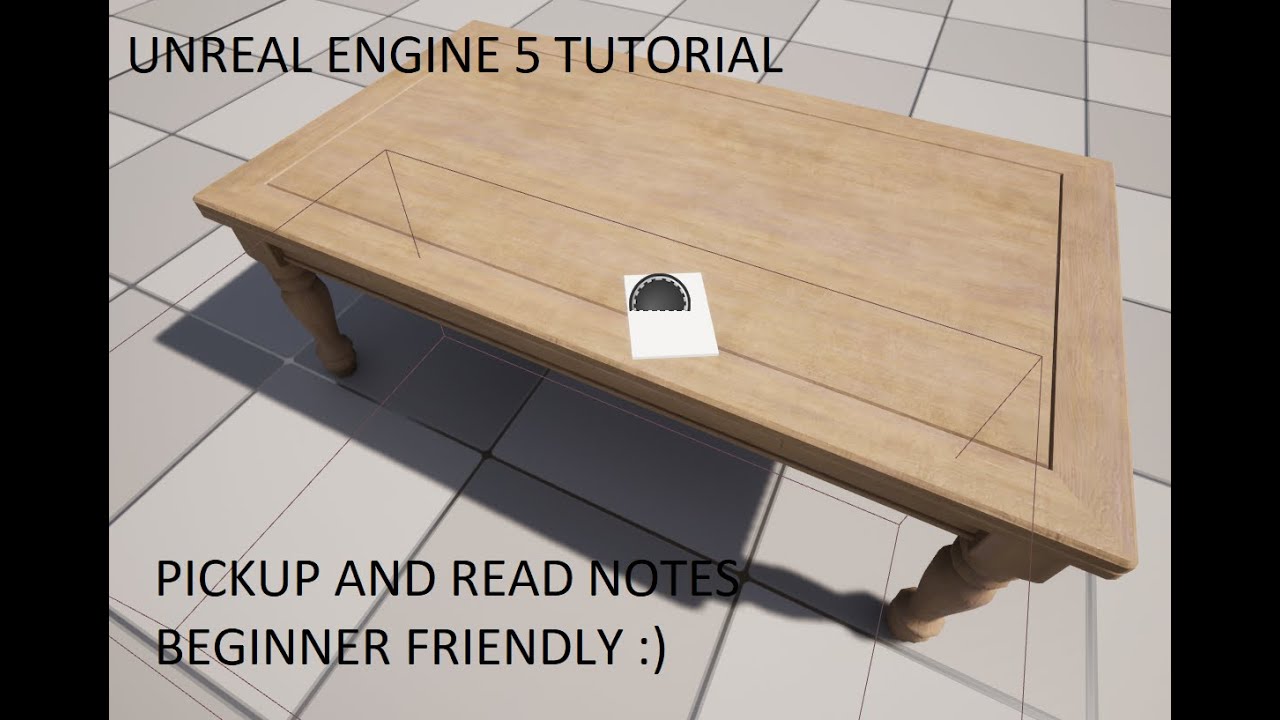
Hello everyone In this video I show how to create a Widget Blueprint, and a Note blueprint Actor and use those to create interact objects so you can add Lore or story into your game for the player to read.
If you found this Tutorial helpful click the like button and subscribing to help me with more content.
Blue-Print Interface and Line-Trac...
 gritty yew
Hello, I have a small problem with the vr origin and/or camera when jumping. When I jump it is setting one or the other to the base of my capsule , which is leading to the vr origin/camera to going all the way to the floor when landing for a moment before correcting itself. I am using the capsule collision height adjustment from this tutorial,
https://youtu.be/bG6V-AAdfLU?si=oMhAcf89ZqLjtBpu
#UnrealEngine #VR #HalfLifeAlyx
► Description
In this video, I show how to create a smooth locomotion system for your VR project similar to Half-Life Alyx including the ability to crouch, Jump, Snap turn, sprint and use room-scale VR while being affected by gravity and including the ability to walk upstairs
This video was made possible by our...
cursive wigeon
gritty yew
Hello, I have a small problem with the vr origin and/or camera when jumping. Whe...
I would suggest you take a look at the (free) plugin called VR Expansion Plugin https://vreue4.com/ You have a lot of stuff already implemented there including movement and replication
gritty yew
cursive wigeon
I would suggest you take a look at the (free) plugin called VR Expansion Plugin ...
Ty for the reply.
limpid widget
lucid seal
New to VR!
Can I develop Quest VR game without VR headset(for now)
With this you can
lucid seal
limpid widget
https://developer.oculus.com/downloads/package/meta-xr-simulator
Thank you
limpid widget
I actually just saw this on some meta video and thought about your question 😄
 storm smelt
Would anyone know any suggestions on how to test whether my project can open with different VR headsets other than oculus (so index, vive, windows mr, etc)? No need any actual extensive testing, but literally if it just opens. I'm using 4.25 with openxr enabled, but steamworks review is telling me it won't open with index & vive & windows mr headsets.
Are there maybe some simple testing services, or any way to emulate those headset environments?
limpid widget
Ask people online whether they are ok with doing the test for you
I do not know about any way to emulate those
vagrant path
storm smelt
Would anyone know any suggestions on how to test whether my project can open wit...
Could you please let me know if you get any information?
rocky nexus
anyone got some experience with meta forks Mobile.TonemapSubpass stuff? works as expected more or less, but just enabling it makes everything brighter by quite noticeable degree, anything that can be done about that? I suppose i could tonemap that away... but it will be annoying on pc version as it doesnt happen there
 knotty wyvern
Hey guys, I'm following this tutorial and it says that it only supports version 4.2 - 4.6
 rocky nexus
@knotty wyvern afaik you can support only few versions with the marketplace stuff, you gotta stick the source into plugins folder in your project and build it
knotty wyvern
rocky nexus
<@183035252661288960> afaik you can support only few versions with the marketpla...

Actually, I just saw that it supports 5.2 but not 5.3 it seems
rocky nexus
knotty wyvern
Actually, I just saw that it supports 5.2 but not 5.3 it seems
Master should be 5.3
-locked branches are old versions, tho they seem to get updates despite the name
knotty wyvern
rocky nexus
Master should be 5.3
Alright, thanks
 tired tree
whoops, i need to fix that image
 fading forge
I've asked over in the macos channel, but since UE5 is crashing specifically when opening a new VR game project, I thought someone in here might have some insight. I'm on macos Ventura 13.5.2 with an M2 Pro. UE5.3 installed through Epic Launcher, Android Studio installed, as well as Meta Quest Developer Hub, and android-platform-tools.
Anybody else have a similar issue when trying to create a VR project for the first time? (Mac or otherwise?)
 raw sapphire
Hi guys so I am trying to get the hands tracking on quest 2 to work for a game just wondering if there is any guide or docs that's available? I am looking at the forums on unrealengine.com but still don't get anything
 placid meadow
Hi guys. I got a question: Ive been playing around with Dx11, Dx12 and Vulkan (thanks to the current bug with Dx12 that makes the right eye go sparkly) and I noticed... when I switched to Vulkan, if I rebuild lighting, shadows go fully black. Any idea why?
I attached a screenshot. I made sure it's not just me messing something up bu opening a brand neew project, switching to vulkan and JUST rebuilding lighting and doing nothing else.
advice?
 high olive
fading forge
I've asked over in the macos channel, but since UE5 is crashing specifically whe...
high olive
fading forge
I've asked over in the macos channel, but since UE5 is crashing specifically whe...
This doesn't necessarily help you but just for reference I'm on Windows with Quest 2 , MQDH, android studio, the whole 9 like you have. I'm not having any issues with either the epic packaged 5.2.1 or the Meta fork of 5.2.1. Might be something specific to your setup. Can you start any other project?
No crash log either?
high olive
placid meadow
Hi guys. I got a question: Ive been playing around with Dx11, Dx12 and Vulkan (t...
No direct answer other than I see this as well. I believe this is related to the emulation of Vulkan. It's meant to give you a sense of what things will look like but I can guarantee that it does not look that dark when deployed
From my understanding, it will not give you a one to one...a little frustrating but it is certainly better than nothing...especially when it comes to seeing if certain material features or post-processing features come through
fading forge
high olive
This doesn't necessarily help you but just for reference I'm on Windows with Que...
Any other kind of project opens fine. It’s only a GameVR or SimVR project that bombs.
high olive
fading forge
Any other kind of project opens fine. It’s *only* a GameVR or SimVR project that...
Interesting, and this is from scratch? Even with no headset plugged in?
fading forge
Yes. I have the logs, but the stack trace only mentions a file not found, but it never says what file it’s looking for.
high olive
Hmmm, about the best I can offer is
- Verify your install through the epic launcher. See if that changes the behavior.
- Try 5.2.1
placid meadow
high olive
No direct answer other than I see this as well. I believe this is related to the...
Ah, I see. Thanks for clarifying that, I feel a little less like a fool, now tht I know I aint alone.
high olive
I've had the installation verification actually find issues...like something is missing.
 carmine oyster
The aliasing is very bad in the quest 2 standalone. I have tried MSAA, FXAA, TSR, and TAA, they all have the same issue. it looks good with TSR in the editor and the Windows builds, the issue is only standalone. any ways to lower its effect?
fading forge
high olive
Hmmm, about the best I can offer is
1. Verify your install through the epic lau...
Looks like it's happening to other people as well.
https://forums.unrealengine.com/t/m1-mac-errors-when-opening-vr-template-5-3/1298705

Epic Developer Community Forums
I receive the following errors when opening a VR Template in UE 5.3. Is anyone familiar with how to resolve this? Caught signal Unknown() Address = 0x18d500764 (filename not found) [in libsystem_kernel.dylib] Unknown() Address = 0x18d445ae8 (filename not found) [in libsystem_c.dylib] Unknown() Address = 0x18d444e44 (filename not found) [in l...
5.2 doesn't work either. :/
high olive
Dang, that sucks. Even worse that you can't simply go back a version. What's odd is that 5.2 has been out for a minute yet no one reported it before? Feels oddly like a configuration specific issue versus a widespread mac issue. Have you tried 5.1? Just curious to know where the problem started. In fact, have you used any other version before that did work?
 royal thorn
voice chat unreal 4.27 for VR and oculus
please suggest any
after packaging EOS, quest 2 apk crashes
cursive wigeon
vagrant path
royal thorn
please suggest any
Sorry this is unrelated to your question
Who do you follow work on the VR template?
royal thorn
Human codeable template
 eager pine
So I have a 2x2m setup with 4 basestations, running headless. Why am I experiencing drifting like there is smoke in the room and the Vive houses are moving? The setup is perfect and no reflective surfaces, the cameras cover all angels within the play area and should not be so bad tracking
 real needle
So this always trips me up:
SteamVR is for Steam
OpenXR is for Vive, Oculus (Wired), etc.
OpenVR is Oculus Standalone
Is this correct?
real needle
Also, all I'm seeing here are Setting up a New AR Project, but I want to work on VR. Does the VR Template use OpenXR, if it does I'll just take the pawn from there
https://docs.unrealengine.com/5.0/en-US/getting-started-with-xr-development-in-unreal-engine/
high olive
real needle
So this always trips me up:
SteamVR is for Steam
OpenXR is for Vive, Oculus (Wir...
The answer is UE version dependent to some extent. Speaking on Vive and Oculus, For all intents and purposes, from 5.1 on, SteamVR is deprecated. HTC now has their own plugin, ViveOpenXR which you need to download from their developers portal. This supports both mobile and PC-VR according to their docs. For Oculus you need the MetaXR plugin...again, available through their developers portal. Regardless of which platform specific plugin you're using, you also need the OpenXR plugin enabled.
You can, of course, have all of the plugins enabled like ViveOpenXR and MetaXR (despite what the docs say) and control their usage via the HMDPluginPriority section of the DefaultEngine.ini (default listing foud in BaseEngine.ini)
high olive
real needle
Also, all I'm seeing here are Setting up a New AR Project, but I want to work on...
This section is for HMD development https://docs.unrealengine.com/5.2/en-US/developing-for-head-mounted-experiences-with-openxr-in-unreal-engine/
...and yes, by default the VR Template has the OpenXR plugin enabled

Develop on head-mounted AR and VR devices with OpenXR in Unreal Engine.
vagrant path
Anyine has a fix why my model looks different than what it looks in Twinmotion? My scalability is medium
In Twinmotion the lightening looks different
jade kettle
real needle
So this always trips me up:
SteamVR is for Steam
OpenXR is for Vive, Oculus (Wir...
Here how I see it, specifically for Vive and Valve devices
SteamVR: SteamVR is actually an implementation of OpenVR for Vive and Valve headsets. I think it's something you can name as middleware
OpenVR: Valve's API for VR development
OpenXR: A new industry standard that will sit between SteamVR and the headset
jade kettle
Because (good) graphs can help
 vagrant path
Using the VR template and I was trying to add a grab component to one of the objects (static mesh) that is part of my imported environment
The grab component actor is now applied to the a the static mesh and when I grab it to the environment now I have 2 static meshes one is grabable and the other is not
Why this happens , I wanted to add grab component to the already existing object
 lyric swift
I suddenly get a lot of lag in VR and I do not understand why. The UE5 VR-Template worked fine before. But when I download it now and run it, I get a lot of lag. The picture moves a little with head rotation. The faster I rotate the more it moves with it. It is as if the head tracking is so slow that the pictures are rendered for an old head orientation. Or the reprojection does not work anymore?
I use the HP reverb G2 on windows 11 (thus using the Windows Mixed Reality drivers). In the Mixed Reality Portal scene there is no lag at all!
Anyone has this problem too? Anyone knows what to do about this?
 burnt folio
lyric swift
I suddenly get a lot of lag in VR and I do not understand why. The UE5 VR-Templa...
burnt folio
lyric swift
I suddenly get a lot of lag in VR and I do not understand why. The UE5 VR-Templa...
Are you using OpenXR and OpenXR toolkit? If so, try disabling the toolkit.
I have that same issue whenever openxr toolkit is enabled
 silver brook
fading forge
Looks like it's happening to other people as well.
https://forums.unrealengine....
silver brook
fading forge
Looks like it's happening to other people as well.
https://forums.unrealengine....
I get this in 5.2 only if debugger is not attached
Unknown() Address = 0x18d46cd4c (filename not found) [in libsystem_kernel.dylib]
Unknown() Address = 0x18d491e84 (filename not found) [in libsystem_kernel.dylib]
Unknown() Address = 0x19216c7f0 (filename not found) [in TCC]
Unknown() Address = 0x19216d108 (filename not found) [in TCC]
Unknown() Address = 0x19216a5ac (filename not found) [in TCC]
Unknown() Address = 0x18d1e5650 (filename not found) [in libxpc.dylib]
Unknown() Address = 0x18d1e5540 (filename not found) [in libxpc.dylib]
Unknown() Address = 0x18d2f0480 (filename not found) [in libdispatch.dylib]
Unknown() Address = 0x18d30e624 (filename not found) [in libdispatch.dylib]
Unknown() Address = 0x18d302c04 (filename not found) [in libdispatch.dylib]
Unknown() Address = 0x18d49c0ac (filename not found) [in libsystem_pthread.dylib]
Unknown() Address = 0x18d49ad94 (filename not found) [in libsystem_pthread.dylib]``` silk lodge
carmine oyster
The aliasing is very bad in the quest 2 standalone. I have tried MSAA, FXAA, TSR...
silk lodge
carmine oyster
The aliasing is very bad in the quest 2 standalone. I have tried MSAA, FXAA, TSR...
increase pixel density and ffr to offset the increase in pixel density if you have a low enough cost for your scene, you can get a big more resolution and stay performant
can you use a physics handle?
fading forge
silver brook
I get this in 5.2 only if debugger is not attached
```Caught signal
Unknown() ...
How am I supposed to attach a debugger if I can't get the project to even open for the first time?
FWIW, I did verify that UE4.27 does create and open VR projects without crashing for me. So there's a somewhat silver lining (I can use UE, if I'm okay settling for the last generation engine).
silver brook
fading forge
How am I supposed to attach a debugger if I can't get the project to even open f...
The debugger runs the project but I see that on play not on open
You see it on open?
I think we need to figure out how to see logs on Mac to get more info. Google searches all led me a stray
You might see the crash with debugger which I do not.
fading forge
Although, this is interesting. I did a Verify a minute ago on my 5.3.1 installation, and I just happened to try a new project type "Virtual Production", and it actually opened... So I'm going to close it now, make yet another VR project and see if anything different happens.
silver brook
Yeah figured out in my case it seems to be due to permission issues on Mac, so got a lead myself
fading forge
Nope, it crashed again, although I think it got 1-2% farther, or it crashed slower letting me see further into the startup process. 😂
fading forge
@silver brook I posted an update to the thread on the support page. I made a little bit of progress.
 merry juniper
Old message, but did XR Creative Framework replace Virtual Scouting? I've just worked out that Virtual Scouting replaced VR Editor mode.
All I want is to be able to slap a headset on a person and for them to be able to move about the scene. 😅
 hallow knoll
merry juniper
Old message, but did XR Creative Framework replace Virtual Scouting? I've just w...
hallow knoll
merry juniper
Old message, but did XR Creative Framework replace Virtual Scouting? I've just w...
Yes, sort of. XR creative Framework is replacing VR Editor. You can use the legacy Virtual Scouting plugin still, and in 5.4 we're moving over to the new version that's built for XR Creative Framework
 cedar otter
carmine oyster
The aliasing is very bad in the quest 2 standalone. I have tried MSAA, FXAA, TSR...
cedar otter
carmine oyster
The aliasing is very bad in the quest 2 standalone. I have tried MSAA, FXAA, TSR...
any success?, i've had the same issue
carmine oyster
cedar otter
any success?, i've had the same issue
Unfortunately no
vagrant path
Good morning
How can I make the direct light (or the lightening) looks like sun/sunny effect in the VR template
My models comes from Twinmotion and I can see a huge difference in the lighting
Is there any fix
I tried also sun position but it doesn’t work in the VR template (perhaps I am missing something)
cursive wigeon
Does anyone know why spline meshes absolutely don't work on Android Vulkan in 5.3? Is there a workaround? I've submitted a bug report w/ screenshots etc 2 weeks ago but received no reply
Found the cause, it stops working when Enable GPUScene on Mobile is enabled.
vagrant path
Hi peeps
Having a problem with the GrabComponent in the VR template
- I tried to simply add it from the details menu but it didn’t work
- Tried to create blueprint class and followed the UE learning but ended up with another static mesh of my object that is grabbable but even though I choose to simulate physics; when I leave it , it is still hanged in the air
What is the problem
 mighty carbon
does anyone have a link to a video from Unreal Fest 2023 XR session?
 thick summit
@mighty carbon not the video yet but I have the link to Victor’s deck if that helps
mighty carbon
that would be great too, thanks
thick summit
If the session didn’t happen in one of the livestream rooms, it’ll get uploaded in a few days to YouTube — if it did happen to be in one of the livestream rooms, it’s already in one of the uploaded livestream megavids
You bet one sec
Here you go: https://epicgames.ent.box.com/s/rwvmg3qpfpzzkg0rmkjxktzom6oxggvf ( @hallow knoll if this is a problem just lmk)
 mighty carbon
thanks @thick summit
 light comet
hallow knoll
Yes, sort of. XR creative Framework is replacing VR Editor. You can use the lega...
light comet
hallow knoll
Yes, sort of. XR creative Framework is replacing VR Editor. You can use the lega...
I actually have a question about the xr creative framework: is it purely an editor tool, or will we be able to use it at runtime/packaged as well? Sorry if that question has been asked already. Really looking forward to it!
limpid widget
@hallow knoll Hey sorry for the ping. Just read your Slides which are awesome. But I do have some questions to this, especially the OpenXR Plugins:
So, I am developing for both Quest and Pico. With the current setup, I am able to use the same APK for Quest and Pico and I have both MetaXRPlugin and Pico for OpenXR enabled. I saw that internally it switches between the OpenXR Plugins, but my question is, how does that work?
Is it always guaranteed to use either Plugin and not the other?
vagrant path
Peeps are we able to render (only photos at least) from the VR template? Do I need to have a specific plugin?
 native dock
guys, is it possible to create effect like when you took of VR headset that distortion in a display but in unreal ?
 grand totem
I'm certain you can, with enough effort.
high olive
I've got a project that I've been developing on the Quest 2 and have recently done some play testing on an HTC Vive. For the most part, it has been a breeze...a near one-to-one. There are 2 nagging features that I'm hoping someone can shed some light on...
-
Stereo layer depth. It seems that this is not honored on the HTC Vive. Looking at the docs, this is not surprising as it clearly states this is not supported by OpenXR (https://docs.unrealengine.com/5.2/en-US/openxr-stero-layers-overview-in-unreal-engine/). I'm using ViveOpenXR in conjunction with OpenXR and still, no support. This is something that is supported on the Oculus via the MetaXR plugin. I have features that were built around this being a thing so I'm hoping I'm wrong.
-
A screen fade which effects the stereo layers. The MetaXR plugin exposes the OpenXR extension XR_KHR_composition_layer_color_scale_bias, allowing you bias/scale the color of the entire scene. Essentially allowing you to use it as a screen fade. this works for the entire scene, including any world or tracker locked stereo layers. I do not see such a thing within the ViveOpenXR plugin, or OpenXR in general. Has anyone implemented a screen fade technique that effects the stereo layers? Naturally I can just turn the stereo layers off but I wanted to check to see if it's possible before I shift my paradigm.
carmine oyster
Any advice about how to get visually appealing graphics espically without jittering on the Meta Quest 2 standalone?
I'm trying to create a farm env. and viusally, it looks very bad.
 lyric swift
It seems that in UE 5.3.1 (and maybe earlier versions) the support for a Windows Mixed Reality headset is broken. It looks like the motion compensation is not working anymore. Do you guys experience the same?
 mellow dagger
Hi, I am encountering a very annoying but where whenever I try to send my player transforms (motrion controller data, player data, and camera data), the skeletal mesh becomes super laggy even though the transforms are sending smoothly.
However, this ONLY happens when I have either physical animation or physics control applied to my skeletal mesh. Any ideas how to fix this?
I thought I would send it here since this is a VR game.
 severe radish
Anybody knows how can I unlock this Rendering option in the Epic UE? This screenshot is from Oculus UE version but I move on to the Epics because I was getting some issues
 severe radish
nvm seems like a option only available using Oculus UE repository 😔
 high olive
Is there a way to query the OpenXR extensions supported by a particular HMD? For instance, XR_KHR_composition_layer_color_scale_bias
vagrant path
Hi! I am trying to import an object (.fbx), I previously imported my model in data prep, but now I need to import 2 objects but when I import, they are imported in a very large scale? Why this happens?
cursive wigeon
vagrant path
Hi! I am trying to import an object (.fbx), I previously imported my model in da...
You can rescale them down by opening the mesh and toning down the Import Uniform Scale. Though for skeletal meshes I'm not sure if that's supported
Does anyone know any cheap translucency (or fake translucency-like effect) suitable for Android Vulkan (Quest 2)? I know about dithering but it looks just awful
vagrant path
cursive wigeon
You can rescale them down by opening the mesh and toning down the `Import Unifor...
I will try this, it is imported as a static mesh but I need them in specific dimensions, that’s why scaling down might be a challenge
But is there a way to know what is the measurement unit used in the project ?
cursive wigeon
Unreal Unit = 1cm
merry juniper
Anyone else planning to work on Meta Quest 3? As far as I'm aware it has all the same compatabilities & functionality as teh Meta Quest 2?
rocky nexus
sure! tomorrow when it comes! 😄 it has better performance, biggest difference imo will be the color usable passthrough
there is also depth sensor that helps with it, but nothing fundamentally different from Q2, unlike eye tracking in QPro
maybe the full body tracking that they say will ship at some point? dunno if that will work with Q2, probably not, cameras in wrong place
vagrant path
I need help
Anyone has a resource on how to teleport on a target point please ? Enabling this from the menu for the BR template?
merry juniper
rocky nexus
sure! tomorrow when it comes! 😄 it has better performance, biggest difference i...
Yeah I'm really excited for those bits too.
Is there any integration/use for the eye tracking in the QPro with Unreal? Perhaps increased detail rendering but that's all I can think of.
vagrant path
Peeps I am trying to find this “fade toggle” to follow this workflow to teleport to a target point but I cannot find the fade toggle? “In the circle “ what do I do ?
 rocky nexus
merry juniper
Is there any integration/use for the eye tracking in the QPro with Unreal? Perha...
rocky nexus
merry juniper
Is there any integration/use for the eye tracking in the QPro with Unreal? Perha...
dunno, maybe something in the meta fork. eye tracked foveated rendering is an obvious thing. works well in psvr2, gaze as cursor also works quite well, can also use as subtle aim assist
we will probably get eye/face tracking in Q4, especially with them pushing them codec avatar things
merry juniper
Obvs Lumen uses only dynamic lights & brings performance benefits- but the Unreal's VR best practices document says to avoid dynamic lights. Which is generally preferable?
thick summit
severe radish
nvm seems like a option only available using Oculus UE repository 😔
"We recommend you use our fork whenever building apps for Meta Quest" -- is this for real? We need to use Meta's fork of UE for building Quest products? How divergent is this fork from the mainline? How often does Meta merge new Epic features from the mainline to the fork? This sounds awful.
rocky nexus
You dont need to use it. It is at 5.2.1 now, so a bit behind
thick summit
merry juniper
Anyone else planning to work on Meta Quest 3? As far as I'm aware it has all the...
My company is jumping into the VR game now, so we're targeting the Quest 3 as our default platform thinking we're skating to where the puck is going. Always a bit of a gamble with these things.
rocky nexus
There is a metaxr plugin for epic version, but it doesnt include fancier stuff
thick summit
rocky nexus
there is also depth sensor that helps with it, but nothing fundamentally differe...
The mixed reality that Q3 provides is interesting though I don't know how many developers will pivot to that vs. full VR
We're also thinking hard about 5-digit inputs that the Q3 can provide without controllers vs. the haptic feedback holding a controller will give you
rocky nexus
MR sounds interesting, but it probably wont work for many game types
thick summit
It's its own thing
rocky nexus
Im suporting hand tracking in my game, but that also has its tradeoffs
MR on q2 wasnt really worth it, cant wait to check it out in 3
thick summit
They were selling it hard at Connect, though they warn it will require a fair amount of those extra cycles the Q3 was going to give us since the OS needs to handle the reality part
lyric swift
Can somebody please help me with this? I'm stuck:
We are developing a VR project and we need full control of the headset camera movements (location and rotation), overrideing the movements of the standard headset tracking. I know normally you never ever should do that. But this is a special case. The user is inside a moving cabin. Therefore we can not use the standard headset tracking. So we developed our own tracking. But now we need to apply the detected headset poses to the camera component. But if we set the camera location and rotation each tick, the values will be override by the standard headset tracking. How can we disable this. Thus we need to disable the automatic setting of camera location and rotation from the standard headset tracking. Is that possible?
rocky nexus
Doesnt moving the camera parent achieve that?
vagrant path
I was trying to follow this today, but for some reason I am not successful, perhaps I am not doing the target point right in my project
Can someone please help me on who to add in the menu, a specific button where we click and teleport to a specific location?
 tired tree
@lyric swift as EvilEntity said you can move the parent to simulate it if you still have HMD tracking as well. If you are entirely without hmd tracking whatsoever though you can override the GetCameraView function inside of the camera component and replace where it queries the tracking data.
I have a class doing that if you want to look at relevant source:
https://github.com/mordentral/VRExpansionPlugin/blob/Master/VRExpansionPlugin/Source/VRExpansionPlugin/Private/ReplicatedVRCameraComponent.cpp
lyric swift
tired tree
<@204568707614244865> as EvilEntity said you can move the parent to simulate it ...
Thanks @tired tree . What I do not understand is that GetCameraView does not return anything. Why is it a good idea to override this function? Is it used to determine camera view for rendering?
lyric swift
rocky nexus
Doesnt moving the camera parent achieve that?
I tried that as follow:
#include "MyActor.h"
#include "Camera/CameraComponent.h"
#include "Kismet/GameplayStatics.h"
#include "GameFramework/PlayerController.h"
#include "DrawDebugHelpers.h"

AMyActor::AMyActor()
{
    PrimaryActorTick.bCanEverTick = true;

    // create components
    mStaticMesh = CreateDefaultSubobject<UStaticMeshComponent>(TEXT("MeshComponent"));
    RootComponent = mStaticMesh; // this removes the default scene root

    mCameraBase = CreateDefaultSubobject<USceneComponent>(TEXT("CameraBase"));
    mCameraBase->SetupAttachment(mStaticMesh);

    mCameraComp = CreateDefaultSubobject<UCameraComponent>(TEXT("CameraComponent"));
    mCameraComp->SetupAttachment(mCameraBase);
}

void AMyActor::BeginPlay()
{
    Super::BeginPlay();

    // switch to camera on this Actor
    APlayerController* OurPlayerController = UGameplayStatics::GetPlayerController(this, 0);
    if (OurPlayerController)
    {
            OurPlayerController->SetViewTarget(this);
    }
}

void AMyActor::Tick(float DeltaTime)
{
    Super::Tick(DeltaTime);

    FVector hmdTrackLocation = mCameraComp->GetRelativeLocation();
    UE_LOG(LogTemp, Warning, TEXT("location = %f, %f, %f"), hmdTrackLocation.X, hmdTrackLocation.Y, hmdTrackLocation.Z);
    mCameraBase->SetRelativeLocation(-hmdTrackLocation);

    //mCameraBase->SetRelativeRotation(FRotator(0.0f, 0.0f, 45.0f));
}
But that doesn't work. I get the location of the camera (which seem to be a valid value according the UE_LOG). And I set the parent component to its (relative) negative location. But
mCameraBase->SetRelativeLocation(-hmdTrackLocation);
seems to have not effect at all. When uncommenting
mCameraBase->SetRelativeRotation(FRotator(0.0f, 0.0f, 45.0f));
the camera also does not rotate.
Any idea wat is wrong?
rocky nexus
i have something like that and it works in vr just fine

that part certainly doesnt make much sense to me The user is inside a moving cabin. Therefore we can not use the standard headset tracking
how do you think al lthe games with cars and whatnot work?
even if thats some actual real world moving paltform, you would still need headset tracking for that, you would probably move in game representation to match the physical thing or some such
lyric swift
rocky nexus
that part certainly doesnt make much sense to me `The user is inside a moving ca...
Most simmers use a tracker like lighthouse that tracks the headset relative to the world. The IMU inside the headset also measures relative to the world. So the sensor fusion (combining IMU and tracker) works fine. Then they use an extra tracker on the motion platform and use that for compensation.
But I can not do that. I can not add a tracker like lighthouse that tracks the headset relative to the world. I can mount some tracker inside the cabin, but that measures relative to the cabin. So sensor fusion does not work. The only thing we can do is to create a complete tracker that measures relative to cabin and then set the camera orientation and position our selves using this relative tracking info.
tired tree
@lyric swiftsorry, in UE5 they replaced GetCameraView, just off memory used to the UE4 function, see below:

and its directly setting the location / rotation of the camera based on the tracking systems return
so if you override that function and don't call the parent implementation then it doesn't move the camera
then you can move the camera as you wish
as for your tick not working, it should work, but that tick will be before the camera position actually chages, so it should be a weird effect of partially stopping it
lyric swift
tired tree
<@204568707614244865>sorry, in UE5 they replaced GetCameraView, just off memory ...
Great! Thanks a lot
lyric swift
tired tree
as for your tick not working, it should work, but that tick will be before the c...
Yeah, because of the headset update after my update the cancelling I want to achieve would lag one tick. This would result in motion lag. So the HandleXRCamera() override is a much better solution. Thanks.
lyric swift
tired tree
<@204568707614244865>sorry, in UE5 they replaced GetCameraView, just off memory ...
@tired tree the solution seems to works. But there is a problem. When I make HandleXRCamera() doing nothing the world almost does not move with headset movements. I say 'almost' because there is still some motion. Especially when rotating the headset fast. I thing this is because of the reprojection. The very last motion of the headset (the amount of motion after the pose that is used for the render) is used to reproject the picture on the screen so that it corresponds to the motion at the moment the picture is actually displayed.
Do you know if there a way to disable this reprojection too? Or can that only be disabled by the headset driver itself? I currently use the Valve Index via Steam.
tired tree
@lyric swift if its reprojection that can only be done through the headset itself, though steam lets you turn it off
but if its the late update query, that is a seperate thing all together
for 99% of uses its good to have as it keeps presence, but yeah I can see your case having issues
lyric swift
tired tree
<@204568707614244865> if its reprojection that can only be done through the head...
What is this late update query? Is this that UE5 asks the headset for pose information the very last possible moment? And if so, is that after the HandleXRCamera() call? So that I can not catch it?
tired tree
@lyric swift its in OpenXRHMD.cpp, the class defines
DoesSupportLateProjectionUpdate(true) so its always active, there are no controlling cvars AFAIK so you would either have to make your own HMD class in engine off of the openXR class or subclass it and make that return false (and DoesSupportLateUpdate() return false) and set it as the priority HMD in engine.
or I guess if you are on a source copy of the engine just change it directly
or override OnLateUpdateApplied_RenderThread in the openXR hmd class
looks like they actually ignore those support bools
 ionic forge
Hey anyone know if the Oculus-VR 5.2 branch has support for 'Application Space Warp' ?
lyric swift
tired tree
<@204568707614244865> its in OpenXRHMD.cpp, the class defines
DoesSupportLatePro...
But when is the late update query called? I guess between HandleXRCamera() and the actual rendering of the scene (or when the corresponding transformation matrix has to be send to the GPU). Is there a way to catch this?
By the way: The camera is almost freezed when I do nothing in HandleXRCamera(). So I would say that there is no late query, because then the camera would move with headset motion. Don't you think?
tired tree
@lyric swift the late update only moves it by the difference from the game thread and the render thread
The render thread is a frame behind
 lilac vault
Hey! I'm looking for some help with issues requesting Quest 2 permissions, if anyone knowledgeable about how to handle that is available to lend a hand. I'm not able to have our application prompt the user for the necessary permissions, and I'm not sure about why. Please ping me or shoot me a message if you are able to help
high olive
ionic forge
Hey anyone know if the Oculus-VR 5.2 branch has support for 'Application Space W...
It does indeed.
ionic forge
high olive
It does indeed.
is there any performance reason that you might know of that i should avoid upgrading from oculus-vr 4.27 to oculus-vr 5.2 ?
i found that oculus-vr 4.27.2 performed almost 2x better than vanilla epic games launcher 4.27
but I'm running into issues now where updating the android sdk in 4.27 (so that i can package and upload to meta dev hub) has broken quick launch to the device so im thinking about moving up to 5.2/5.3
high olive
ionic forge
is there any performance reason that you might know of that i should avoid upgra...
I'm not the best source for that as I started with UE5. I feel in general that there's been some angst in the community that UE5 is less performant than UE4. That being said, as you're seeing, you can't stay on UE4 forever....although some will try 🙂. That certainly seems harder to do if you're in the VR space as they've moved rather rapidly over the last year towards OpenXR and separating platform specific functionality out to vendor specific plugins.
Are you attempting to migrate a 4.27 project to 5.2/5.3, or starting fresh?
Here is one very specific piece of information I can offer...
UE5 removed support for software occlusion culling
for mobile VR that is a huge deal
If you were relying on it before then you need to move to precomputed visibility volumes and everything else that comes with it...not to make it sound complicated, it's not
That being said, recently a company dropped a software occlusion culling plugin for UE5
Let me dig up that link...
ionic forge
awesome thats great info thank you for the help!
high olive
Epic Developer Community Forums
Hey everyone! I want to share that Fast Travel Games has open sourced their UE5 Software Occlusion Plugin. You can find more information about it on the CTO’s LinkedIn post: https://www.linkedin.com/posts/kristofferbenjaminsson_ue5-vr-unreal-activity-7094343904832946177-6pwi
rocky nexus
i recon seeing something about precomputed stuff being gone as well...
ionic forge
thank you so much gh0stfase!
knotty wyvern
Hey guys, for the VR template there is no option to choose between blueprint or c++?

What would be the reason for this?
high olive
knotty wyvern
Hey guys, for the VR template there is no option to choose between blueprint or ...
It is a BP project by default. I'm not sure if there was a reason for the restriction, however, all you need to do is add a C++ class via Tools > New C++ Class ...
That should convert it to a cpp project for you
knotty wyvern
high olive
It is a BP project by default. I'm not sure if there was a reason for the restri...
Oh cool, thanks. Also, for this plugin
Would it be better to use the vr template for it?
high olive
Not necessarily. They are independent of each other but if you're new to VR in general then starting with the VR template is the right step.
I can't speak as to how well they play together as I haven't used the VRE plugin before
knotty wyvern
high olive
Not necessarily. They are independent of each other but if you're new to VR in g...
I used VR in unity
high olive
knotty wyvern
I used VR in unity
Ah, apologies, let me rephrase... new to VR in unreal
The VR template is a nice quick get you up and going kind of thing. You can certainly use it as a starting place, or just pick it apart for examples
knotty wyvern
The thing is I need stuff like climbing ladders which I dont think the vr template has
the VRE seems to have more features
knotty wyvern
In this case, would it be better to start in a blank project or start in the vr template since vr template by default would have some of the settings for vr enabled already?
high olive
Yes, that's what I was eluding to. The VR template will get you up and going with the right project settings. Keep in mind that the settings are geared more towards PC-VR vice mobile-VR. For mobile-VR you'll want a few other settings. That is not to say that it won't work on mobile-VR, it's just not completely ready for it...for instance, having android-SDK setup
knotty wyvern
Oh yeah
For me, I'm building to the Quest 2
So basically if I get started on the VR template, I just need to set it up for the Quest 2 then
high olive
If you want to deploy to the Quest 2 then yes...there will be a little more work involved but nothing crazy...you can however test with the quest 2 as if it were an Oculus Rift via VR Preview
Which version of UE?
And is it the Epic build or the Meta build?
knotty wyvern
I'm using Unreal engine 5.3
knotty wyvern
high olive
And is it the Epic build or the Meta build?
?
high olive
knotty wyvern
?
So there is a Meta fork of UE. It has some performance improvements specific to the Quest (https://developer.oculus.com/downloads/package/unreal-engine-5-integration-github)
It is by no means a must have. I ask because if you are not then you'll want to grab the MetaXR plugin (https://developer.oculus.com/downloads/package/unreal-engine-5-integration)
That being said, they currently support up to 5.2.1 I believe
knotty wyvern
Epic Developer Community Forums
I have just installed Unreal Engine 5.1 on my Macbook Pro M1 , macOS Monterey. I wanted to create a VR project, but it crashes at 10% of creating. I will put here the whole error, maybe someone has any idea, maybe it is a compatibility issue. AR, First person, etc, every other type works, except of VR. Thanks in advance 🙂 Assertion failed: !bIn...
I do what they say, so basically this

and it still crashes
knotty wyvern
high olive
So there is a Meta fork of UE. It has some performance improvements specific to ...
Ill look into it, also im getting this werid error when trying to start up the vr template
high olive
knotty wyvern
https://forums.unrealengine.com/t/unreal-engine-5-1-vr-project-crashes-while-bei...
Oh man, there are folks on this channel that have been plagued by this...some of them contributors to this thread. So if you're running mac, did you see Victors message "It’s very unlikely that the MetaXR plugin will get support for MacOS. If you intend to use any of Meta’s device specific features, you have to develop on Windows, as most of them are only supported through their plugin."
Someone can correct me if I'm wrong, but if you're developing for the Quest family, the MetaXR plugin is all but required
knotty wyvern
high olive
Oh man, there are folks on this channel that have been plagued by this...some of...
I'm on windows
high olive
Ok, I'm confused then as that thread appears to be mac specific
knotty wyvern
It's the same thing happening on my side, the vr project just crashes when you try to open it up
Im trying it again
 high olive
Gross, you're not kidding. Not identical but very close...I'm going to have to tap out on that one as I've never experienced it. And this is on 5.3? I would say try out 5.2.1 but from what I recall that didn't change the outcome for those experiencing this issue.
knotty wyvern
high olive
Gross, you're not kidding. Not identical but very close...I'm going to have to t...
Yeah its on 5.3
 hollow narwhal
Hi, has anyone ever encountered a problem when Quest 2 doesn't play sound? The sound plays in editor with Oculus Link, and the Quest 2 does have sound (Oculus Home has ambient sound playing), but when running my build and triggering the sound - it's silent...
hollow narwhal
I added an ambient sound and it played and the triggered sounds started playing as well. Sadly I couldn't find the proper reason for the sounds not working, but ambience fixed the issue... as random as it sounds.
vagrant path
Anyone has some resources on the VR template, like tutorials, etc? Why it is not covered enough
 sonic lake
@vagrant pathhttps://www.youtube.com/watch?v=JD95BklloHk
Unreal Engine's VR Template was given a major overhaul and now supports OpenXR, which means it supports just about any headset. Let's explore the state of VR in UE5.
We’re excited to bring you sessions from Unreal Fest 2022, available to watch on demand: https://www.unrealengine.com/en-US/events/unreal-fest-2022

With Unreal Engine 4.27 OpenXR is now production-ready, and there’s a new VR Template designed for it! This week on Inside Unreal, we’ll explore the Blueprint framework that makes up the functionality of the template and how you can customize it for your own experiences.
ANNOUNCEMENT POST
https://forums.unrealengine.com/t/inside-unreal-explorin...
vagrant path
Hi @sonic lake , thank you so much, Unreal’s videos were my first thing to start with, very cool and interesting overview, I also watched a 3rd video “what you don’t know about the virtual reality template (or something)
But I was hoping for more resources, I can’t find anything but those 3 videos from UE , no other tutorial or courses that are dedicated to that template
sonic lake
@vagrant pathis there any specific aspects you don't understand? Feel free to ask here. For the rest the best way to learn is to experiment, change, add, see what breaks and then fix it.
There are some high quality tutorials out there you can also follow, but seeing someone else do something without really being told why it is done that way (assuming the author knows it), doesn't get you very far.
Learning is mostly an active process, rarely a passive act.
vagrant path
@sonic lake , I completely agree, and that’s why I would love to understand and learn more about the VR template, most of the work (not specifically from UE team is on the 3rd person template)
I am an absolute beginner, I am trying on my own, but sometimes I am stuck and need to see how people are solving this problem in the blueprint or whatever.
I am super new to VR, XR, gaming in general and not seeing enough resources on the VR template makes the process harder for me at least
sonic lake
vagrant path
<@399916238098137098> , I completely agree, and that’s why I would love to under...
I see your point. You need to make your learning objectives more specific. For example, say you want to learn locomotion in VR. Which kind of locomotion? Say teleportation. Ok, in the VR template you have an example to study and tweak.
You can try to modify it or ask here about the parts you don’t understand completely.
Once you understand that, move to another aspect, for example interaction. How do you grab something or how do you manipulate it. You also have examples in the VR template to study and reproduce.
Eventually you will reach a point where you understand the template in full and could even create your own. At that point you are ready to move on with other aspects like physical interaction or climbing or else.
 drifting kelp
unreal engine how to use steam vr not using pc
vagrant path
sonic lake
Once you understand that, move to another aspect, for example interaction. How d...
Thank you Marco, I will take it step by step, I really appreciate your support
 dense geode
Anyone experienced in Passthrough / Mixed Reality Development for the Quest 3? 🥽 🌈
real needle
I'm looking for a Full Body VR IK solution, there were a few options on Unity, but not seeing much for ue5, any recommendations?
limpid widget
real needle
I'm looking for a Full Body VR IK solution, there were a few options on Unity, b...
I know of dragon IK
https://www.unrealengine.com/marketplace/en-US/product/dragon-ik-animal-inverse-kinematics?sessionInvalidated=true

Unreal Engine
An All-in-One plugin tool for easily creating IK for animals and humans
 worldly peak
real needle
I'm looking for a Full Body VR IK solution, there were a few options on Unity, b...
worldly peak
real needle
I'm looking for a Full Body VR IK solution, there were a few options on Unity, b...
GitHub
Upper Body IK is an implementation inspired by Mathias Parger's Master thesis. - GitHub - JonasMolgaard/UBIKSolver: Upper Body IK is an implementation inspired by Mathias Parger's ...
That is meant for VR
And its for the upper body only
The legs are not hard to do. If you don't know how to make IK legs there are tutorials for that
sonic lake
@real needle and you may want to check this out as well: https://docs.unrealengine.com/5.3/en-US/control-rig-full-body-ik-in-unreal-engine/

Build Full Body IK systems for your character.
thick summit
sonic lake
<@456226577798135808> and you may want to check this out as well: https://docs.u...
note: depending on what your target output is you may not be able to use 5.3 -- e.g. MetaXR still uses 5.2 -- so make sure the docs you are reading are backwards compatibale to the version of the engine you need
 torn oyster
hello, any tips on why after packaging my VRproject the HDRIBackdrop is not showing up? ty (UE5.3)
rocky nexus
make it smaller, try different one
torn oyster
smaller as geometry size or resolution?
rocky nexus
resolution, but doing both probably wont hurt
real needle
worldly peak
https://github.com/JonasMolgaard/UBIKSolver
So, I saw a video using it, but I couldn't install it, it said to just put it in a folder called "Plugins" in the root of the project, but it wouldn't detect it
real needle
limpid widget
I know of dragon IK
https://www.unrealengine.com/marketplace/en-US/product/drago...
I've heard not so great things about DragonIK lol
No clue if its true, just heard its a waste of money and doesn't work well
worldly peak
real needle
So, I saw a video using it, but I couldn't install it, it said to just put it in...
It works fine for me
real needle
worldly peak
It works fine for me
Weird, that's right yeah? extract to Plugins, in the root folder?
 real needle
yeah okay, let me try again
Same thing, starts up without trying to recompile it and doesn't list in plugins

Ahhhh nevermind

It's just fucked up
let me open it up lmao
I'm on 5.3.1 btw, this doesn't seem ue5 related though
just seems like a syntax error
worldly peak
The version should not matter with this plugin
worldly peak
You might be doing something wrong in the "rebuild" or whatever it is
Its the same process as downloading any other custom plugin outside of epic
real needle
I just had to do this

GitHub
The UPlugin file doesn't seem to work with the latest unreal engine version (5.3.0), and won't build properly due to some minor errors. (might just be me though, and I fixed the issue with ...
He merged a pull request, and this guy made a new file, maybe broke something in the pull
 daring mural
Can anyone confirm if Mobile HDR works on Quest 3?
real needle
Why wouldn't it? Did it work on Quest 2?
rocky nexus
it didnt
torn oyster
anyone managed to use DLSS while playing VR game?? is it stable?
 weak tide
is there a way to allow VR controllers to work in simulator / PIE mode? I have them tracking via OpenXR, and have Enhanced Input configured - which works in VR Preview - but it would be great if I could also trigger them in simulator mode
 covert ferry
Hi guys!
I am hoping to adapt my app to work in pass through on the quest 3, could anyone please point me in the right direction, Is there any resources for learning how to develop for passthrough ?
 atomic drum
This document contains information on the Passthrough API.
covert ferry
Thank you @atomic drum !
 digital cave
Finding this through the discord seach just saved me. It appears that Quixel Megascans material instances do not work with static lighting on quest 2 vulkan on unreal 5.2.1. Replacing the megascans material with a custom from scratch material gets lightmaps working.
Discord search tags for the next unfortunate soul to encounter this problem: lightmap, black, quest, package, build, static, lighting
 formal iron
Anyone else excited to develop for Quest 3? 🤩
dense geode
formal iron
Anyone else excited to develop for Quest 3? 🤩
ME!
 shy steeple
I have working project with Quest 2. Are there any special things to do to make it work with Quest3? Any settings? 🙂
 celest notch
I have a requirement where in, when the game is started, there should be a certain movement (as if player is walking some distance) and then the game will start.
I understand I will have to write a blue print event on game start and adjust the position of the player capsule component.
Please suggest me how to get this done.
But I am not able to implement this as “move component to” functionality is available only for static mesh.
In short I want to mimic the joystick navigation for some 10 seconds initially
 maiden willow
Add player input
 polar valve
shy steeple
I have working project with Quest 2. Are there any special things to do to make ...
polar valve
shy steeple
I have working project with Quest 2. Are there any special things to do to make ...
Quest 2 games should work on the Quest 3 without any changes
real needle
I'm having some trouble switching from deferred to forward for performance, first of all, I have to ditch my sky atmosphere, which I replaced with the BP_SkySphere component, but this makes all my shadows pitch black and doesn't have the color correction I could do with SkyAtmosphere

This happens with a Real Time Capture Sky Light, otherwise it looks like this, still broken
 rocky nexus
forward means you throw your current setup in the trash and start from scratch, it is very limited compared to deferred
real needle
Yeah I assumed so, developing for VR though and I am not ssure i'll be able to squeeze enough performance out of it
hallow knoll
shy steeple
I have working project with Quest 2. Are there any special things to do to make ...
By default w. 5.2 and earlier engine versions Quest 3 will work, but it's running in Quest 2 compatibility mode. If you grab the latest MetaXR plugin for 5.2, or Vanilla 5.3, you'll have the correct Device Profile for Quest 3
 severe garnet
atomic drum
https://developer.oculus.com/documentation/unreal/unreal-passthrough-overview/
severe garnet
atomic drum
https://developer.oculus.com/documentation/unreal/unreal-passthrough-overview/
Following these instructions, can't get AR passthrough to work on quest 3. I've got VRExpansion template project working and deploying to Quest 3, but I'm having trouble getting the AR passthrough features to work. I modified the FPS_VRCharacter blueprint by attaching a OculusXRPassthroughLayer to the VRReplicated Camera. Stereo Layer Shape is set to Reconstructed Passthrough Layer and Layer Placement is set to Underlay on the OculusXRPassthroughLayer. Map is primarily an empty scene. App still runs as immersive. Any help is appreciated, thanks in advance 🙏
Using oculus branch 5.2
Meta XR plugin 1.89.0
hallow knoll
severe garnet
Following these instructions, can't get AR passthrough to work on quest 3. I've ...
Set this Project Setting to "Allow through tonemapper"

I'm pretty sure that step is in their docs
severe garnet
hallow knoll
I'm pretty sure that step is in their docs
Yeah, for passthrough over meta link it is. I'm trying to deploy to standalone. Still isn't working, even w/ that enabled :\
 hallow knoll
Does it work via Link?
Make sure there's no skysphere, or height fog, etc in the scene
thick summit
severe garnet
Following these instructions, can't get AR passthrough to work on quest 3. I've ...
Did you capture all the steps in #3 in the tutorial? https://developer.oculus.com/documentation/unreal/unreal-passthrough-tutorial/
This guide demonstrates the implementation of Passthrough API using a basic 3D object.
severe garnet
Yes, multiple times w/ multiple player pawns
w/ multiple scenes
latest attempt:

 hallow knoll
What's the CameraActor for? Are you not using a Pawn?
thick summit
That's one of the most basic configurations recommended in the tutorial -- it did work for me 🤔
shy steeple
hallow knoll
By default w. 5.2 and earlier engine versions Quest 3 will work, but it's runnin...
Thank you for the info! Our project is built with 4.27 and I'm wishing that everything just works. What do you mean that it's running Quest 2 compatibility mode?
severe garnet
was following this guide: https://developer.oculus.com/documentation/unreal/unreal-passthrough-tutorial/
This guide demonstrates the implementation of Passthrough API using a basic 3D object.
normally wouldn't have used it
severe garnet
thick summit
That's one of the most basic configurations recommended in the tutorial -- it di...
which engine version and meta xr plugin verison are you on?
you're using the oculus branch?
thick summit
Yep, using the MetaXR plugin that comes with the branch
severe garnet
wtf.
hallow knoll
shy steeple
Thank you for the info! Our project is built with 4.27 and I'm wishing that ever...
It just means that a Quest 2 app can run on a Quest 3, but to the extent of features that are available on a Quest 2
severe garnet
i'm using the oculus link cable
thick summit
whelp
severe garnet
and i'm also trying to do standalone but it fails in either mode
there aren't any errors or anything in the log output that i see either.
going to try a blank project as a last resort, maybe something in vreexpansion template is screwing it up
shy steeple
hallow knoll
It just means that a Quest 2 app can run on a Quest 3, but to the extent of feat...
It's nice that it will work! I'm getting Quest 3 on Monday. Can't wait to try! Thanks again and I hope you don't mind any follow up questions when something goes wrong on Monday! 😄
digital cave
formal iron
Anyone else excited to develop for Quest 3? 🤩
I would be if I could deploy to it! I have latest meta developer hub + unreal oculus branch and can’t deploy apks to it so far 😦
 neon geyser
Hello @hallow knoll by any chance do you know if there are been changes regarding Quest and the Oculus OpenXR on UE4.27? I got crash when I use it for my android build, the only solution I found is to disable it and go back to the Oculus VR plugin, which I would like not have to
 digital cave
Nate what is crashing?
neon geyser
Basically I can run the game, but when connecting to a dedicated server, my Quest app crash
it only happens in the transition when joining a dedicated server
don't happen with Oculus VR
digital cave
Have you checked logs on the quest
There should be an error message describing the crash
thick summit
digital cave
I would be if I could deploy to it! I have latest meta developer hub + unreal oc...
I had about 2 full days worth of headaches getting this going. For me in hindsight it mostly came down to figuring out I had a proper USB cable and jack on my computer to support it since the Quest 3 was my first PCVR headset. Have you confirmed the Quest 3 is identifying itself on your computer?
neon geyser
neon geyser
digital cave
Have you checked logs on the quest
this, about OpenXR
thick summit
In addition to MQDH you'll want the Oculus software if you don't have it yet (so many programs whyyyy) https://www.meta.com/quest/setup/
digital cave
thick summit
I had about 2 full days worth of headaches getting this going. For me in hindsi...
I have not confirmed that. I can deploy to quest 2 just fine. I was just throwing my 2 cents on quest 3 out there. I will get around to figuring out the deployment issue in next couple days or so
thick summit
digital cave
I have not confirmed that. I can deploy to quest 2 just fine. I was just throwin...
👍 If Quest 2 is working for you, it's probably not the same issues I was dealing with 🤦♂️
digital cave
neon geyser
it only happens in the transition when joining a dedicated server
That sounds quite unusual. From my understanding openXR and oculus vr plug-ins deal with user input, not network connectivity
Is the openXR plug-in the only code change made between non-crashing and crashing build
neon geyser
digital cave
Is the openXR plug-in the only code change made between non-crashing and crashin...
Yes
Never got that issue in the past, but haven't make such build in a couple of months
Somehow there is something it doesn't handle correctly when using open level
real needle
I've been messing with disabling lumen in my game, and now VR is really wonky, the left eye is mostly fine, with some ghosting, and the right eye is almost all black, as if there was no light. any solutions?
On desktop:


Each Eye, Right and left
severe garnet
thick summit
whelp
Used default Unreal VR template project instead of VR Expansion plugin template and it works fine. Guessing it's something wrong w/ VRE. Just FYI.
I've let the VRExpansion dev know
 languid night
Has anyone here tried the latest version of Oculus' Source build of Unreal? Can't seem to get it to compile
getting a bunch of unresolved symbol errors
 rocky nexus
did run 4.27 and 5.2 fork based projects on quest yesterday
neon geyser

"Fixed broken Linux build" could this be my issue with openxr when trying to connect to dedicated server? I'm using Linux
Or this just fix Linux build that couldn't be done using the oculus source build?
 dry fjord
hiya. has anyone done oculus XR hand tracking on desktop in 5.3?
 median adder
I migrated my project from UE4 to 5.3.1 it looks like the render resolution are extrem low. It looks only like in UE 4 if I enable TSR. I want to use MSAA witch forward shading instead of TSR which is epics recommendation for VR see https://docs.unrealengine.com/5.3/en-US/xr-best-practices-in-unreal-engine/
Environment: PCVR with OpenXR (Oculus) on Quest 2
I also tryed with a completly new blank project.
mighty carbon
dry fjord
hiya. has anyone done oculus XR hand tracking on desktop in 5.3?
I don't think it's possible
real needle
Gonna bump this here in case anyone has a solution #lighting message
real needle
dry fjord
hiya. has anyone done oculus XR hand tracking on desktop in 5.3?
AFAIK desktop can't support hand tracking with Oculus link, and pretty sure you can't using virtual desktop or anything
high olive
Anyone aware of a method to catch when PIE is exiting? On HTC Vive, if a stereo layer is being rendered and you exit PIE, the stereo layer follows you into Vive home.
 timid gulch
hey
does anyone know how can we Implement Laying down and playing in VR project? oculus quest 2
 fallen robin
Hi, is there anything similar to Unity's grab move provider in Unreal engine?
 terse maple
median adder
I migrated my project from UE4 to 5.3.1 it looks like the render resolution are ...
terse maple
median adder
I migrated my project from UE4 to 5.3.1 it looks like the render resolution are ...
I also have the same problem.
What are the solution for this?
dry fjord
real needle
AFAIK desktop can't support hand tracking with Oculus link, and pretty sure you ...
that's weird, I just got full hand tracking over airlink. it's in 5.2 though, since it's still not entirely native XR so it needs their plugin. and that plugin ain't out for 5.3 yet.
shy steeple
I'm having some issues trying to run my app on Quest 3. It works fine with Quest 2 but as soon as I try to open it on Quest3, it shuts down. I assume I need to add some android meta data? Does anyone have idea what I should try? I use unreal 4.27 🙂
thick summit
shy steeple
I'm having some issues trying to run my app on Quest 3. It works fine with Quest...
It probably shouldn't matter but did you add the Quest 3 to the Supported Meta Quest devices in the Meta XR project settings?
real needle
dry fjord
that's weird, I just got full hand tracking over airlink. it's in 5.2 though, si...
I was wrong then lmao
shy steeple
thick summit
It probably shouldn't matter but did you add the Quest 3 to the `Supported Meta ...
I haven't tried MetaXR plugin because it says it's designed for unreal 5. (I use 4.27) Someone said Oculus source 4.27 branch updated for the latest meta v57. I'm going to give it a shot! 🙂
knotty wyvern
Hey guys, I'm using Unreal Engine 4.27.2 and when I launch my project it builds successfully. However when I launch the project to the Quest 2, it gives me a black screen and says that the app stopped working. How can I get the project to run on the Quest 2 without it crashing?
I tried using both the VR template and a blank project and both give the same result.
knotty wyvern
rocky nexus
checking the logs to see why it is crashing would be a decent start
How do I check the crash on the oculus quest 2? When I look at the log there is no error
rocky nexus
there wont be log unless you use development build configuration
package with that and run it
knotty wyvern
rocky nexus
there wont be log unless you use development build configuration
How do I enable this?
 knotty wyvern
and this will show me why it crashes on the oculus quest 2?


 rocky nexus
there should a lot more in that window when you run the app
there should not be shipping or android in the apk name
 knotty wyvern
rocky nexus
there should a lot more in that window when you run the app
knotty wyvern
rocky nexus
there should a lot more in that window when you run the app

So everything else besides these kind of point to an issue but Im not sure if any of this is the cause of my app not running on the quest 2?
rocky nexus
dunno, maybe you missed a step somewhere and the packaged apk is broken for some reason
knotty wyvern
rocky nexus
dunno, maybe you missed a step somewhere and the packaged apk is broken for some...

Do you know why this would be an issue? The sdk on my oculus is 32
rocky nexus
no, i use same sdk
i have hundreds of lines before my game starts, if thats not the case for you it must be unhappy very early and that makes me thing you didnt set something up somewhere
knotty wyvern
rocky nexus
i have hundreds of lines before my game starts, if thats not the case for you it...
Which plugins are you using
I'm currently using OpenXR and Oculus VR
And also, are you using OpenGL or vulkan for rendering?
rocky nexus
same plugins, vulkan. if that was the issue it would likely explode at later step
knotty wyvern
rocky nexus
same plugins, vulkan. if that was the issue it would likely explode at later ste...
Did you use the vr template or blank project?


 rocky nexus
i have many
 knotty wyvern

Same settings?
Why is yours android-29?
for SDK and NDK API level
I also noticed you dont have a jdk path


Also, do you have steam vr enabled?
rocky nexus
it will pick the default if its not set
steamvr does not support android so i do
why is yours some ancient 21?
 knotty wyvern
I see but why are you targeting 29 when the oculus has an sdk of 32?
Is there a reason for this?
 mortal stream
This is what mine looks like for quest 3 and it's working:
 knotty wyvern
mortal stream
This is what mine looks like for quest 3 and it's working:
knotty wyvern
mortal stream
This is what mine looks like for quest 3 and it's working:
Wait, yours is also targeting 29
Wtf
Alright, I guess I can try this since I tried everything else and it all failed
mortal stream
Yea the docs did say quest 3 was on 32 but I tried 32 and got errors about target versions similar but not quite like yours and changing to this resolved those.
knotty wyvern
mortal stream
Yea the docs did say quest 3 was on 32 but I tried 32 and got errors about targe...
Which sdk version did you download on android studio?
29 or 32?
mortal stream
I followed this guide:
https://docs.unrealengine.com/5.2/en-US/how-to-set-up-android-sdk-and-ndk-for-your-unreal-engine-development-environment/
How to set up your Android development environment for Unreal Engine
mortal stream
It was crashing before it would run before I got the above settings correct.
It would deploy to the headset, go to run and then crash with an error about target version not matching device version or something to that effect.
knotty wyvern
For me, it builds successfully but then it just crashes on the oculus quest 2
For me, there is no specific error on the device log
atomic drum
I have mine all working here on Q2 and Q3
mortal stream
I'm also using the MetaXR plugin though not the OcculusVR plugin.
 mortal stream
Provides instructions on how to create a Unreal Engine project for Meta Quest development.
knotty wyvern
You dont have app purchasing set up right?
atomic drum
The Meta and Epic sites are questionable about the setup tbh
mortal stream
knotty wyvern
You dont have app purchasing set up right?
Not at all, it's a basic empty project with very little in it atm
atomic drum
I installed Android Studio Flamingo 2022.2.1 Patch 2
knotty wyvern
atomic drum
I installed Android Studio Flamingo 2022.2.1 Patch 2
i use that as well
i went through the setup tutorials but in the end it always just gave me a black screen on the oculus

 knotty wyvern
mortal stream
Not at all, it's a basic empty project with very little in it atm
knotty wyvern
mortal stream
Not at all, it's a basic empty project with very little in it atm
if you dont mind, can you show me your settings so i can compare just in case
mortal stream
 knotty wyvern
mortal stream
knotty wyvern
mortal stream
for min and target you did the same thing the other guy did
atomic drum
This one is important as its need to be just 8.0 not latest


 knotty wyvern
mortal stream
knotty wyvern
mortal stream
So you're using 34 even though you target 32 on the unreal editor and it still works?
Interesting
atomic drum
 mortal stream
I have less stuff active too in my android studio then ant
 mortal stream
Fair
atomic drum
I have jdk-13.0.2 installed for Oculus fun
The Android Studio comes with an sdk jdk but its really not very good (modified by google), so I grabbed the real goods.
Then just in case, Epic being Epic, I ran there script in: UnrealEngineMeta521\Engine\Extras\Android called SetupAndroid
Tends not to do much but error if something isn't present

 atomic drum
This is my Android SDK mumble in UE (I'm using UE5.2.1 from Meta, it comes with MetaXR Plugin stuff)
 knotty wyvern
mortal stream
I have less stuff active too in my android studio then ant
knotty wyvern
mortal stream
I have less stuff active too in my android studio then ant
Also this is a bit unrelated, but have you ever gotten an error related to vr.InstancedStereo=True?
Because when I installed ue5 and tried to open up a project, it would give me an error related to it and when i visited the forums it would tell me to set it to false. I set it to false and it would still crash while trying to open up. this was happening for both vr template and blank project
atomic drum
Here's my Meta XR plugin settings, I'm playing with passthrough at the moment - you can turn that off if not needed
 mortal stream
knotty wyvern
Because when I installed ue5 and tried to open up a project, it would give me an...
mortal stream
knotty wyvern
Because when I installed ue5 and tried to open up a project, it would give me an...
Negative
atomic drum
I tested all this with the VR Template, just to make sure its working
mortal stream
atomic drum
Then just in case, Epic being Epic, I ran there script in: UnrealEngineMeta521\E...
I did this also
atomic drum
No point me jumping into my main project if the Epic teams stuff doesn't work
knotty wyvern
mortal stream
Negative
Which plugins do you have installed?
atomic drum
I don't get any crashing of anything
knotty wyvern
I currently have openxr and oculus vr downloaded
median adder
median adder
I migrated my project from UE4 to 5.3.1 it looks like the render resolution are ...
Doesn't anyone have an idea of how to solve this issue? 😦
atomic drum
 mortal stream
knotty wyvern
Which plugins do you have installed?
mortal stream
knotty wyvern
Which plugins do you have installed?
Just the metaxr ATM. I'm using a fresh UE 5.2 install.
knotty wyvern
I see
mortal stream
I'd disable the openxr maybe.
knotty wyvern
Why?
mortal stream
I think you use either openxr or the metaxr plugin but not both.
atomic drum
Seems to be ok here with them both on
mortal stream
Ok I definitely could be mistaken here.
atomic drum
I think its needed for the standard xr mumble
mortal stream
My understanding is that openxr is just an open source API for a variety of existing XR devices. But when researching the quest 3 I couldn't find if openxr supports it yet and all meta guides suggest the new metaxr plugin so I've stuck to strictly that so far.
 mortal stream
OculusXR is their older plugin if I'm not mistaken. I'm not using that either.
atomic drum
 mortal stream
let me double check just to be sure, I didn't explicitely enable it at least.
Nope you are right I guess it was enable, my bad.
atomic drum
I think MetaXR alert is old and is still saying OculusXR, lol
 atomic drum
Yep
Well, I expect this chat will be hard to follow for anyone trying to set all this up, Atravotum our job is done here 🤣
mortal stream
Lol I mean honestly I followed those two links very very closely. I found one other resource I cant find again that recommended I change the target settings but aside from that everything in those two pages was my exact path to at least app run.
knotty wyvern
I think that the unreal tutorials need to be redone because its just confusing af
and leave parts out
mortal stream
Then the meta guides have been decent for getting passthrough working, I had to follow an old youtube video for 5.0/OculusVR to get hand tracking lol
mortal stream
Np, hope any of that helps lol
knotty wyvern
mortal stream
Np, hope any of that helps lol
I hope, Ive already spent 2 days trying to get this thing to run
On unity it took me like 3 hours
Idk why unreal is so complicated for no reason
mortal stream
I feel it. If unity hadn't hung themselves earlier this year I'd probably have gone that route also.
thick summit
Both the Meta and Epic docs need a full refactor 😂 they are full of outdated cruft
I guess that's hard to do when you're cutting staff
atomic drum
I was told the VR/XR team is a very small team
real needle
What do y'all use for AO instead of DFAOO?
I've been trying to get GTAO to work, but it looks really grainy, and I can't diagnose it
vagrant path
VR template:
Trying to create a widget that appears entering the trigger box and then disappears when leaving the trigger box
- To which I need to create that “event”?
- Do I need to change the collision of the widget actor/component to overlaps events?
real needle
I’m planning on making my VR project multiplayer, up to 4 players where you can play the game together. Any good places to start?
This would be through steam and joining the host
 quiet swan
Is anyone here still on unreal engine 4?
I might be forced to update to 5 but I don't want to because it's cropped without Mobil software occlusion
 chrome elk
Anybody have any luck getting the Quest 3 controllers to show up in UE? As in, actually seeing the correct 3D models for them?
quiet swan
Which version of unreal are you using
chrome elk
5.2 or 5.3
also 4.27, but I don't expect that to work
I'm also on v57 of the MetaXR plugin
thick summit
chrome elk
Anybody have any luck getting the Quest 3 controllers to show up in UE? As in, a...
I've gotten the Manny/Quinn hands to show up on the Quest 3 using the VR Test app if that's what you mean
chrome elk
thick summit
I've gotten the Manny/Quinn hands to show up on the Quest 3 using the VR Test ap...
I'm afraid not. I want to see the actual 3D models of the Quest 3 controllers
thick summit
Gotcha, sorry, can't speak to that
 old cypress
I know the sdk for the meta quest 3 was just released, but does anyone know if it's possible to use mixed reality with unreal engine?
thick summit
old cypress
I know the sdk for the meta quest 3 was just released, but does anyone know if i...
Yes you can! It's called "passthrough" https://developer.oculus.com/documentation/unreal/unreal-passthrough-overview/
This document contains information on the Passthrough API.
old cypress
Oh cool I see that it can work for the oculus 2, I've never seen a template or plugin using it
thick summit
old cypress
Oh cool I see that it can work for the oculus 2, I've never seen a template or p...
There isn't a ton on it. The tutorials on the Meta site help.
Much of the docs refer to old versions of both Unreal and Oculus 😕
high olive
quiet swan
I might be forced to update to 5 but I don't want to because it's cropped withou...
There is a software occlusion plugin available
https://forums.unrealengine.com/t/ue5-software-occlusion-plugin-from-fast-travel-games/1255786
Epic Developer Community Forums
Hey everyone! I want to share that Fast Travel Games has open sourced their UE5 Software Occlusion Plugin. You can find more information about it on the CTO’s LinkedIn post: https://www.linkedin.com/posts/kristofferbenjaminsson_ue5-vr-unreal-activity-7094343904832946177-6pwi
 robust badger
Have you found any solution?
vagrant path
Hi!
working on the VR template UE5, I need some help please.
I tried to looks it up but I couldn’t find anything that can help me do this:
Widget with text and/or photos in a trigger box.
I want the virtual player to step into a specific point to see images and information.
** My workflow:
-
Created the UI widget , created the actor (blueprint class) , added widget component and then added my previously made widget.
-
Placed the trigger box and inside it , I placed the actor (now i can see the text on the screen)
-
In the event graph of the actor:
OnActorBeginOverlap> create widget > add to viewport
OnActorEndOverlap> get all widgets of class > remove from parent.
I previewed in the VR:
The text is there but it doesn’t appear or disappear, it is just there even when I am out of the trigger box.
What is that I am doing wrong.
Also, if you have some tutorials on that, please refer to it
rocky nexus
you dont really add widgets to viewport in vr, you place them in world. i dont know if viewport is considered a parent, i wouldnt think so
 lusty whale
Hi!
In Unreal 5.2.1 there isn't a template to develop a C++ VR game. If I want to use C++, what do I have to do?
Thanks!
thick summit
lusty whale
In Unreal 5.2.1 there isn't a template to develop a C++ VR game. If I want to us...
Hi Vans, you can still use C++ from the Blueprint template (and you'll have to if you want to start with the VR Template). In the Editor, you select "Tools -> New C++ Class..." to create your first C++ class and trigger the building of the C++ files for your new project.
Once the Editor is done building your files, you can open the new solution in Visual Studio, just as if you had created a C++ project.
 ashen dome
I just migrated my latest VR avatar to a project, I have done so in the past to this same project and it worked , But this time everything seems to not be working, none of my motioncontroller inputs or even there locations are working, they are not tracking even after enabling the xr plugin.
lusty whale
thick summit
Once the Editor is done building your files, you can open the new solution in Vi...
Great! Thanks!
 split steeple
Heya folks! I'm working on the OpenXR Input Binding archi project for Khronos:
https://beyondreality.io/projects/#khronos
Aim is to enable all openxr runtimes and perhaps any apps or utils to have an input rebinding feature and ideally share those rebindings across platforms. Very similar to what's only available in SteamVR atm.
Project will be creating the archi and opensource apis for this.
I'm currently working on the "as-is" state of xr at the moment. So any informal feedback you folks might have on rebinding and/or issues you might have with rebinding features (or lack thereof) from runtimes and apps will be appreciated and will use them for my as-is analysis. i.e. what you like, what you don't like, what you feel could be better, etc. 🙂
Feel free to share and/or let me know where else i can reach other xr devs that might have some feedback. Cheers!

Beyond Reality Labs
hallow knoll
split steeple
Heya folks! I'm working on the OpenXR Input Binding archi project for Khronos:
h...
This is great @split steeple!
split steeple
hallow knoll
This is great <@220457870695596032>!
thanks Victor! feel free to join us in the update meetings (fortnightly) after khronos f2f i think 🙂
hallow knoll
split steeple
thanks Victor! feel free to join us in the update meetings (fortnightly) after ...
I will!
lusty whale
Hi!
Is it better to use Unreal 4 to develop a VR game? I've read something about that UE 4 is better than UE 5 for VR projects.
Thanks!
mortal stream
lusty whale
Is it better to use Unreal 4 to develop a VR game? I've read something about tha...
This is probably subjective. What devices do you want to support? When will you launch? How much work is already done?
 weary pulsar
is anyone familiar with an issue where running a PIE session in VR preview just wont load?
It's some weird behavior. The session window will be completly white, and the vr runtime will just display a transition loading screen infinitely. You can circumvent it by having your VR headset sleep when you start the pie session- but then your controllers will be unusable and you can only look around
lusty whale
mortal stream
This is probably subjective. What devices do you want to support? When will you ...
HTC Vive and Oculus Rift. Next year. Mostly everything.
 upbeat oracle
I'm currently trying to build Meta's fork of UE5 for VR development. I've run out of space - so far it's taking up 370gb on my drive. Is this normal? Is there a fix to this?
 sonic lake
@upbeat oracleActual size is around 100GB which is normal for a compilation from source. But your disk seems to have large clusters, so all the files take up much more space.
upbeat oracle
sonic lake
<@209847152623616010>Actual size is around 100GB which is normal for a compilati...
Ok thanks for the response. Is there any way to fix this? I'm not too familiar with clusters.
upbeat oracle
I'm going to try reformating my external SSD from exFAT to NTFS. I'll report back if that fixes the large cluster issue. I'm using this article: https://www.onlogic.com/company/io-hub/how-to-format-an-ssd-in-windows-10-and-11/
upbeat oracle
Just getting back to this. I restarted the building process from source and took a loot at my UE folder's properties like the image above. It's MUCH closer to a 1:1 ratio after changing to NTFS. This is a gamechanger for me... thanks @sonic lake for the hint on what the term was called which led me to fixing it.
 sonic lake
upbeat oracle
Just getting back to this. I restarted the building process from source and took...
sonic lake
upbeat oracle
Just getting back to this. I restarted the building process from source and took...
Nice! Glad to have helped.
upbeat oracle
AND it's working much faster on top of taking less space. So pumped
sonic lake
NTFS is a more efficient file system than FAT. More recent as well.
FAT was born for floppy disks, enough said.
upbeat oracle
Had no idea. Bought this 500g SSD a few months ago. Curious why its default wasn't NTFS... 
sonic lake
For broader compatibility probably. FAT is supported by default by most OS, NTFS isn't.
Anyway, we are getting off-topic for #virtual-reality
 sonic fjord
does anyone know anything about this reflection capture bug? happens on all quests, been there since 5.1 (or possibly 5.0), still going in 5.2. android ASTC. never happened in 4.25, 4.26, 4.27.
literally impossible to find in search engine results, somehow. I wonder if it only occurs when the meta plugin isn't used, but that's prob the first thing I'll try. Meta plugin is completely unrelated.
does not occur on a phone.

 open trail
Hi all!
I was doing some R&D regarding bloom (on mobile vr, without HDR). This seems impossible to do in Unreal? I'm not looking for the "Quad+Additive Material" type of approach, but more something like this;
Render the objects you want to glow only (this makes the threshold not an issue) to a (relatively) small texture (1/4 of the sceen?).
Then, having a small texture with only the objects you want to be glowing, perform a Kawase blur on it (a couplle of times, downsampling eacht time).
Then, after the blur "pass" is done, additively blend it with the main screen image.
I know unity has a Graphics.Blit function, which makes this whole process a bit easier, but does Unreal have something similar? Keep in mind this needs to work on a Quest (2/3).
I don't mind changing the engine code/shaders, as I've already a source built engine (4.27-Oculus).
If anyone can provide me with further info, that'd be awesome!
hallow knoll
sonic fjord
does anyone know anything about this reflection capture bug? happens on all ques...
We have not been able to reproduce that issue consistently. Deleting intermediate files/binaries and packaging again typically solves it. Or sometimes just packaging again.
sonic fjord
looks like it's happening only quest 1 at the moment (does not occur on q2, have not tested q3 yet), interesting.
I'm assuming q1 is no longer supported?
rocky nexus
meta certainly isnt supporting it
open trail
open trail
Hi all!
I was doing some R&D regarding bloom (on mobile vr, without HDR). This ...
I was thinking, maybe an additional render pass (at lower res, only render specific objects)
And then draw that on the screen as overlay?
I don't know if I'm thinking in the right direction so any help (or reccomendations :p) would be much appreciated 🙂
 eager roost
Has anyone been able to successfully access the room mesh for MR on quest 3? Ive gotten some demos working so far but cant find anything that relates specifically to accessing the room data
 junior prawn
Do I want to be using Forward Shading always?
mortal stream
eager roost
Has anyone been able to successfully access the room mesh for MR on quest 3? Ive...
Yes
I replied to what I had said about it in the augmented-reality channel, but in a nutshell you need to follow this guide:
https://developer.oculus.com/documentation/unreal/unreal-scene-mesh/
"But also on top of that you have to make sure you go into your quest and do space setup. I thought that was the same thing as the guardian boundary setup but it is its' own thing and HAS to be done."
Also a few things I've found out since. When you scan the room you can designate furniture, but even doing so once scanned it does not update in real time. Whatever you scanned before your app started is what is used during app. So if you like move your blankets, chair, open a door, etc it will not account for that post scan.
The scene mesh is a triangle mesh representation of the reconstructed room, captured through the space setup scanning process.
Also you need to make sure you turn on CCD for any objects you turn physics and collisions on for otherwise they will pass through the mesh because it's just thin planes for the walls/ceiling/floor (not just on the instance, you have to go into the mesh, the physics asset/skeleton and make sure CCD is turned on in all places).
digital cave
junior prawn
Do I want to be using Forward Shading always?
Unless you have a good reason not to, use it
chrome elk
Anyone notice objects poping in/out on the right side of their VR headset in 5.3? It happens on both the Quest 3 and Index in the VR Template as well as my own projects
hallow knoll
chrome elk
Anyone notice objects poping in/out on the right side of their VR headset in 5.3...
Known issue, we've fixed it on Main
chrome elk
hallow knoll
Known issue, we've fixed it on Main
Perfect. Any chance it'll make it into 5.3.2? Or is this going to have to wait until 5.4?
 royal plume
Any wizards out there with advice on how to achieve/fake the effect of applying a Sobel kernel (or really any kernel in general) to a scene without using post process materials (because of the limitations of the Quest HMDs, no MobileHDR = No PPMs)? For context, I roughed out this quick post process material to get a sense of the style I was going for that allows objects of interest (the cubes and the Quinn in the background in this case) to glow when occluded while giving the scene a sort of sci-fi sensor based night vision / x-ray vision feel. The effect uses the depth pass (base and custom), custom stencil (I use the stencil value to pack the RGB value in 2 bits per color + a bit for if it should glow + a an extra bit that I may use later to determine if something should allow the glow to pass through it or not), and some HLSL to convolve over the rendered frame performing the Sobel. I feel like this can be made on the cheap since we don't need material properties as it just takes in a grayscale version of the scene textures scene color (and could prolly work with less) but idk the best unreal way™️ to tackle this. Any advice and help is greatly apricated, thanks in advance!

 hallow knoll
chrome elk
Perfect. Any chance it'll make it into 5.3.2? Or is this going to have to wait u...
hallow knoll
chrome elk
Perfect. Any chance it'll make it into 5.3.2? Or is this going to have to wait u...
We're looking at backporting it to 5.3.2, but TBD
chrome elk
hallow knoll
We're looking at backporting it to 5.3.2, but TBD
Ok cool, I appreciate the info!
 forest laurel
Does anybody know how I can make sure that the VRPawn always spawns at the exact playerstart location regardless of their position in the real world? This is an issue that's coming up just now and I don't know how to fix it. It spawns me randomly depending on where I am in real life, It needs to be exact. Thank you.
hallow knoll
forest laurel
Does anybody know how I can make sure that the VRPawn always spawns at the exact...
Just use the formula that the default VRPawn is using for Teleport
forest laurel
hallow knoll
Just use the formula that the default VRPawn is using for Teleport
Would you be willing to explain some further? I am rather new but willing to learn. I guess that it also just depends on what your ''playzone'' is defined by the HMD as the center. If I stand in the center of my ''playzone'' I spawn exactly where the playerstart is. If I start offset to my center zone I drew in real, it is also offset in game even after restarting the game.
I am wondering if i can force the pawn to start dead center on the playerstart no matter the designated HMD ''playzone''
upbeat oracle
How do I make my VRPawn visible in VR Preview? In my screenshot, my game is running, but I was expecting to see a HMD and controllers floating.
 hallow knoll
upbeat oracle
How do I make my VRPawn visible in VR Preview? In my screenshot, my game is runn...
hallow knoll
upbeat oracle
How do I make my VRPawn visible in VR Preview? In my screenshot, my game is runn...
VR Preview is the only "runtime" mode that works w. tracked devices such as HMD and MotionControllers. You can use the VR Spectator Camera to get a third person perspective of the VR Pawn (TAB will toggle VR Spectator Camera). It's possible to run OpenXR in a headless mode (SteamVR being the only OpenXR runtime that supports it) with "-xrtrackingonly", but you won't see anything in the HMD and it's primarily used for motion capture-esque solutions such as puppeteering a character on a regular monitor
weary pulsar
Does anyone know how to fix an issue where the game doesn't load in any VR environment? Flatscreen in-editor development works just fine, but when I try VR preview or standalone MetaQuest2 the game just will not load. It's super weird because it was working fine the last time i worked on this project.
In editor VR preview, the game window will be entirely whited out, and on MetaQuest2 I'll get an infinite loading screen that goes away when I click the home button.
Error        LogOVRPlugin              [XRCMD][failure] [XR_ERROR_RUNTIME_FAILURE]: xrWaitFrame(m_xrSession, nullptr, &frameState), arvr\projects\integrations\OVRPlugin\Src\Util\CompositorOpenXR.cpp:8159 (arvr\projects\integrations\OVRPlugin\Src\Util\CompositorOpenXR.h:320)
Error LogHMD FOculusXRHMDModule::GetPluginWrapper().WaitToBeginFrame 1 failed (-1006)```by disabling foveation in project settings, the first error goes away, but the XR_ERROR_RUNTIME_FAILURE still persists
mighty carbon
hallow knoll
Known issue, we've fixed it on Main
Can you please provide a link to that git commit ?
neon geyser
Hello @hallow knoll, is there any fix regarding the eye turning black when disabling MMV? (apart from using FXAA instead of MSAA)
I saw you commented here: https://forums.unrealengine.com/t/meta-quest2-left-eye-turns-black-in-ue5-1/766957/8
I'm getting the issue in the last source build from Oculus (4.27)
neon geyser
The fix is to enable MMV but also disabling instanced stereo, if not you will loose 20% FPS
 shadow forge
I'm doing some optimisation work on Quest 2, and I've noticed my CPU is struggling with 72FPS even in a really simple room. As I can't get a detailed CPU profile on Quest I'm not sure what I should be targeting next, so I thought I'd sanity check before going further. Does anyone have a baseline lowest CPU frame time that I should expect in a perfectly set up project?
mighty carbon
UE5 ?
mighty carbon
neon geyser
The fix is to enable MMV but also disabling instanced stereo, if not you will lo...
You must be using Mobile HDR?! Instanced Stereo is for PCVR and MMV is for standalone. No correlation between the two, unless it's a bug.
neon geyser
mighty carbon
You must be using Mobile HDR?! Instanced Stereo is for PCVR and MMV is for stand...
No mobile hdr is a big no-no for android
Ue4.27
mighty carbon
Yep, I am aware. It's just when using MMV with mobile HDR you get one eye black
neon geyser
I know they are for different platform but for some reason having both enable reduce my performance
And it's stated in official doc that instanced stereo should be removed when using mmv so I guess that must causing some issues
MMV off gives me on eye black
mighty carbon
I wonder if this is why I got performance drop all of a sudden too. I am on UE5.2 though.
neon geyser
You should give it a try, might get some free fps
mighty carbon
Will do, thanks for the tip
neon geyser
Basically I never used MMV on, always made my build like this for quest, and still working in normal source build but f9r some reason there is a regression in the oculus source build, impossible to get both eyes rendering without MMV enabled, which is frustrating
mighty carbon
MMV is a must for standalone.
Unless you don't have much going on GPU
Btw, 4.27 Epic or 4.27 Meta ?
neon geyser
We have something pretty good without MMV, never needed, actually we have slightly worse perf with it. 4.27 epic and 4.27 source build working, 4.27 meta not working
Problem is I want to use meta features so I have no choice than using meta fork
native dock
how do you set vsync in nvidia control panel when using VR in unreal?
shadow forge
mighty carbon
UE5 ?
Yes, if that was to me 🙂
mighty carbon
turn off occlusion culling and see if that helps
quiet swan
did anyone else upgrade to unreal engine 5 and hate it so far?
I hear they have nanite landscapes, does this benfit us, or is the hardware still 20 years behind?
light comet
quiet swan
did anyone else upgrade to unreal engine 5 and hate it so far?
No, it's so much better
thick summit
quiet swan
I hear they have nanite landscapes, does this benfit us, or is the hardware stil...
I haven't directly tried it yet but I've heard from others that there are details in how nanite works (something about normals?) that are not supported in mobile chips yet if you're targeting mobile VR. PCVR is a different story.
hallow knoll
neon geyser
Hello <@531923466799284244>, is there any fix regarding the eye turning black wh...
MMV is required for Meta Quest development, and Mobile HDR is not supported
neon geyser
hallow knoll
MMV is *required* for Meta Quest development, and Mobile HDR is *not supported*
Why it's required? I have been able to make build for Meta without MMV, I actually have an app on applab not using it
It's just recently that openxr crash when using openlevel, I can't find why but seems that switching to oculus source build and use Meta plugin fix the issue but yes MMV is required there or only one eye is rendered
hallow knoll
neon geyser
Why it's required? I have been able to make build for Meta without MMV, I actua...
It's a Meta runtime requirement. I know it has "worked" in the past, but disabling it is not a supported path.
mighty carbon
I've been doing this since GearVR days and never had only 1 eye rendered with proper setup.
neon geyser
Alright that must be why it crashes when not using the meta plugin
neon geyser
mighty carbon
I've been doing this since GearVR days and never had only 1 eye rendered with pr...
Quest build made with Oculus unreal fork with MMV off and instanced stereo on will render one eye black
At least its the case on 4.27
hallow knoll
neon geyser
Quest build made with Oculus unreal fork with MMV off and instanced stereo on w...
Instanced Stereo is a PC/Console setting, has no effect when deployed to a Mobile device
neon geyser
Yes I know. It actually have an effect though somehow, I loose fps if both instanced and MMV are on
mighty carbon
I always had both options checked and never had any issues. The only time one eye rendered black is when a dev had mobile HDR and MMV turned on, in 4.27.2 (I never tried it, but that's what was reported numerous times in Oculus Start program)
neon geyser
mighty carbon
I always had both options checked and never had any issues. The only time one ey...
are you using the oculus source engine fork?
always have a black eye no matter if hdr is on/off, I tried various settings like instanced stereo and forward rednering on/off and same result. But it only happen in the oculus fork, everything is fine in the default unreal source or epic unreal
No issues either if both are turned on, just worse perf than having MMV alone checked
mighty carbon
neon geyser
are you using the oculus source engine fork?
yep, been always using Oculus/Meta source build
mighty carbon
neon geyser
always have a black eye no matter if hdr is on/off, I tried various settings lik...
check shader permutations for mobile. There is one option that gave me black eye - movable spotlight or something like that
uncheck it and you will have both eyes 🙂
neon geyser
I'll try, but at the end as Victor said, now it's required to have MMV on, no?
mighty carbon
what I am saying is that the permutation option is what caused black eye for me with MMV
I have instanced stereo on (for PC VR), MMV on (for Quest) and no black eye
if I turn on that permutation option on, I will get black eye
 trail shale
What's causing the VR spectator screen to whig out - (5.2) the in-game is fine but I'm going to have to use Steam VR's view if I want to record any in-game footage
neon geyser
mighty carbon
what I am saying is that the permutation option is what caused black eye for me ...
it is disabled. Do you have "Use shared movable spotlight" disabled as well?
 mighty carbon
I think I have it disabled
mighty carbon
so, long while back, UE4 app running on Go/Quest/2 would leave UE4Game log on the device. BP Print String stuff and alike were recorded there. Now with UE5, there is no such log. I can't find any logs on the device with BP PrintString output. Not even in adb logcat -s output. I am running development build. Is there a way to enable logging were BP's Print String output is recorded ? What is the adb cmd line to output UE5's gameplay stuff (including BP's Print String output) into logcat log? @hallow knoll
rocky nexus
dont run 5 daily but everytime i did test it logs worked just fine
mighty carbon
oh, there is log, but it has zero BP stuff in it (including lack of Print String output)
I've been testing on Quest Pro (installing .apk on the device and running on the device)
neon geyser
mighty carbon
I think I have it disabled
giving it a try
 snow gorge
Has anyone been able to compile MetaXR plugin for engine version 5.3?
tired tree
@snow gorge the XR stuff in engine moved to a new XRBase class, the 5.2 meta plugin is on the old interface
bunch of lines have to be modified where they call things
snow gorge
do you mind just giving an example of a line that has to change?
so thats why it doesnt find include files properly?
tired tree
there are a lot of them.... I briefly looked at the differences and left it for now. I don't have an exhaustive list
already had to port to XRBase for my stuff
snow gorge
what do you mean by port to xrbase?
 wind kernel
anyone know if there is any way to do the same as "Default Texture Size" in Sidequest but from the app. I tried vr.pixelDensity but it doesnt seem to do anything
tired tree
XRBase is a new module/plugin that moves a lot of stuff to where you can disable it instead of having it always on
including the module in references for the metaxr plugin likely clears up the majority of the issues, but I think there were some texture format differences in there as well. Don't remember
snow gorge
Right I added "XRBase" as a module in my build file but the same errors come up
tired tree
the meta XR plugin needs it, not your own
snow gorge
so add it as a module inside the uplugin?
11>Plugin 'OculusXR' (referenced via default plugins) does not contain the 'XRBase' module, but lists it in 'Plugins\MetaXR\OculusXR.uplugin'.
 surreal harness
I have a problem when I use the possess node, switching VRPawn to another Pawn, The camera still works as vr, although it should not react to the rotation of the VR helmet.
Please help
snow gorge
did you disable hmd?
snow gorge
enable HMD node set to false
anyone have any idea how to add an engine module to a plugin?
mighty carbon
neon geyser
giving it a try
did it work?
neon geyser
mighty carbon
did it work?
no, still one eye black. I tried unchecking 2 other settings "Disable vertex fogging ..." and "Support light csm ..." but same result
do you have different settings here?

 neon geyser
I tried both, none fix the issue
mighty carbon
if you tried forward render and deferred and both have black eye, then you have something corrupted in the project.
I'd set settings with forward renderer, MMV on, the rest is as you showing me now. Delete derrived cache folder, saved and intermediate folder, reopen the project so that all shaders get recompiled
neon geyser
I don't think that's the case, it works perfectly when I'm out of the oculus fork. Also if I turn MMV on, I don't have the black eye, no matter if I use forwrd or deffered
mighty carbon
it makes no sense that it works for everyone else, but fails for you
neon geyser
when is last time you tried to turn off MMV?
mighty carbon
when that one time when I turned on Support Movable Spotlight Shadows and had black eye
I always had MMV on since UE 4.19
neon geyser
so you might simply also get the black eye with mmv off without knowing right?
mighty carbon
and I've always used Oculus/Meta fork of UE since GearVR times
MMV needs to be on
there is really no reason to have it off
neon geyser
that's the thing, I would like to avoid using it
I have no problem when I have MMV on
I made AppLab build for more than a year with MMV off, and MMV off don't cause black eye in default unreal source build or epic, only the Oculus fork
mighty carbon
Provides instructions on how to create a Unreal Engine project for Meta Quest development.
if you are making your game for Meta platform, it makes sense to follow guidelines that platform provides
if they didn't have a good reason to have their own fork of UE, they wouldn't have it and everyone would be using Epic's build
neon geyser
You don't necessarily need to use their own fork btw, just if you want to access Meta features, I never used the Oculus fork. Anyway I know all of that. I thought you could run the build with MMV off, that's why I was asking you. I have my reason to want to try to not use it.
weary pulsar
Does anyone know how to fix an issue where the game doesn't load in any VR environment? Flatscreen in-editor development works just fine, but when I try VR preview or standalone MetaQuest2 the game just will not load. It's super weird because it was working fine the last time i worked on this project.
In editor VR preview, the game window will be entirely whited out, and on MetaQuest2 I'll get an infinite loading screen that goes away when I click the home button.
Error        LogOVRPlugin              [XRCMD][failure] [XR_ERROR_RUNTIME_FAILURE]: xrWaitFrame(m_xrSession, nullptr, &frameState), arvr\projects\integrations\OVRPlugin\Src\Util\CompositorOpenXR.cpp:8159 (arvr\projects\integrations\OVRPlugin\Src\Util\CompositorOpenXR.h:320)
Error LogHMD FOculusXRHMDModule::GetPluginWrapper().WaitToBeginFrame 1 failed (-1006)```i am convinced that xrWaitFrame() or FOculusXRHMDModule::GetPluginWrapper().WaitToBeginFrame is the culprit here, im just not sure what to do about it
 sweet forum
Has anyone achieved VR boundary system using openXR plugin ? in 5.0.3 ?
mighty carbon
when building for Windows, I get this in the log: LogCsvProfiler: Display: Metadata set : deviceprofile="WindowsEditor"
why?
 warped mesa
I started building my game and I already have quite a lot of features finished but I just realised I might be an idiot.
My game requires a day/night cycle. But I want it to run standalone. I don't think that's going to work, is it?
Same applies to landscape and level streaming (big map).
I've been testing on my pc. I spent so much time on it already I think I'll just have to make it pcvr only at this point
vagrant path
Hi! I want to make the virtual player see a widget when entering a trigger box
I knew I had to have a collision, I can use the HMD static mesh to add overlap collision
But which one exactly?

Also do I need to make “generate overlap events” true
thick summit
warped mesa
I've been testing on my pc. I spent so much time on it already I think I'll just...
I'm new to the VR scene but from what I've read so far, standalone is all about compromises and optimizations given the restricted nature of the mobile hardware. The Q3 is more powerful than the Q2, so you might have some hope for that one? Otherwise yeah you will probably either need to do a lot of investment in tuning for the standalone platform or just go for PCVR for now.
rocky nexus
vagrant path
Hi! I want to make the virtual player see a widget when entering a trigger box
I...
all that dropdown does is set the checkboxes in predefined way
warped mesa
thick summit
I'm new to the VR scene but from what I've read so far, standalone is all about ...
I guess pcvr is fine. I’ll also play more games. Maybe I should try green hell, the screenshots look like it has day/night
thick summit
warped mesa
I guess pcvr is fine. I’ll also play more games. Maybe I should try green hell, ...
It depends on what you mean by day/night. I'm sure when you first try it standalone you're going to find a ton of issues; it's just not the same as PC. BUT, check out Moss screenshots, you can build beautiful scenes that support both a day and night feel in them: https://www.google.com/search?q=moss+screenshots
 warped mesa
thick summit
It depends on what you mean by day/night. I'm sure when you first try it standa...
warped mesa
thick summit
It depends on what you mean by day/night. I'm sure when you first try it standa...
I played moss but I don’t remember it changing while playing
But I also didn’t finish it lol
There has to be in game time. So standing in one place just waiting it’ll eventually get dark outside.
real needle
Has anyone encountered an issue with UE5.3, when going into any level my FPS is fine but I get this heat wave type of effect on everything which looks awful, almost like a jitter
It doesn't happen on forward shading though
thick summit
warped mesa
There has to be in game time. So standing in one place just waiting it’ll eventu...
I can't think of any reason why you wouldn't be able to make that work with some experimentation on the target hardware.
warped mesa
thick summit
I can't think of any reason why you wouldn't be able to make that work with some...
Dynamic lighting and shadows is the issue so far
thick summit
warped mesa
Dynamic lighting and shadows is the issue so far
Right, so that's what I mean about it depends on what you mean by day/night cycle. Dynamic lighting and good shadows is $$$$$
warped mesa
I mean yeah. I could just not have shadows at all but that would suck quite a bit. I can also use baked lighting and hope nobody notices the shadows look weird lol
rocky nexus
warped mesa
I mean yeah. I could just not have shadows at all but that would suck quite a bi...
pretty sure xenoblade chronicles on switch does that, they just use tonemapping or something like that to switch time of day
though i think you could use lighting scenerios instead, but that would quickly balloon the install size
or both
dynamic anything is pretty much a no go on quest, outside of very constrained scenarios
warped mesa
Yeah… I’ll see if I can cheat it 😄
weary pulsar
Has anyone ever encountered this? I cannot figure out how to fix it. Playing the game in VR just won't work.
Error LogOVRPlugin [XRCMD][failure] [XR_ERROR_FORM_FACTOR_UNAVAILABLE]: xrGetSystem(instance, &systemGetInfo, &systemId), arvr\projects\integrations\OVRPlugin\Src\Util\CompositorOpenXR.cpp:1945 (arvr\projects\integrations\OVRPlugin\Src\Util\CompositorOpenXR.h:320)
vagrant path
Good morning , I need some help with widgets visibility in VR , I need to add some text and images in specific locations in my scene and I need them to appear and disappear, perhaps by a click, is this related to set visibility or widget interaction
 novel gorge
vagrant path
Good morning , I need some help with widgets visibility in VR , I need to add so...
novel gorge
vagrant path
Good morning , I need some help with widgets visibility in VR , I need to add so...
Place a 3d widget in the world, with a transparent background, if you want, and if it's clicked, set the visibility of the other 3d widget
 river grove
I'm looking for a cheap VR headset that works with unreal for deving, any recommendations would be greatly appreciated
 blissful bear
river grove
I'm looking for a cheap VR headset that works with unreal for deving, any recomm...
blissful bear
river grove
I'm looking for a cheap VR headset that works with unreal for deving, any recomm...
Get a second hand Quest 2. Should be very inexpensive now the Quest 3 has been released.
river grove
The concept of buying second hand really slipped my mind, thank you, I found an oculus rift s for like £70
novel gorge
Oculus Rift S works fine with Unreal. I'm delevoping a VR game with Oculus Rift S for 3/4 year now.
Just saying to make the decision even easier.
sweet forum
Hey guys, do you have any knowledge on VR boundary system in unreal ? any sample projects availaible ?
thick summit
sweet forum
Hey guys, do you have any knowledge on VR boundary system in unreal ? any sample...
Meta has a sample app for this, I've downloaded it but haven't looked at it yet myself: https://github.com/oculus-samples/Unreal-BoundarySample

GitHub
This sample demonstrates functionality related with guardian boundary and play area on 6DOF (six degrees of freedom) headsets. The Oculus SDK and other supporting material is subject to the Oculus ...
weary pulsar
weary pulsar
Has anyone ever encountered this? I cannot figure out how to fix it. Playing the...
Turns out I needed a new project and had to migrate my source code and content folder over… fuck
Been trying so solve this issue for weeks
 foggy brook
Has anyone gotten the MetaXR Simulator to work with Unreal? No problem in Unity, but after enabling it in Unreal and smashing that VR Preview button… no simulator. Maybe worth noting that the only .json I see is called “package.json”
https://developer.oculus.com/documentation/unreal/xrsim-unreal
Meta XR Simulator is a lightweight OpenXR runtime built for developers that enables the simulation of Meta VR headsets and features on the API level.
dense geode
Can anyone confirm Quest 3 Hand Tracking via Oculus Link is working in VR Preview on Windows 11?
 left cedar
hey all, havin an issue with vr preview. for some reason my vr preview on my desktop monitor looks much worse than what it looks like on my vr headset, it didnt use to look like this in 5.1. now it looks like it defaults to low when i do vr preview. Have a quest 2 PCVR
 honest latch
hi all - I am working on trying to get finger tracking (Quest 2 hand tracking) to work with full body tracking (SlimeVR - VRM). I can kind of link the avatar to the VR pawn, but now the OculusHands cannot match the FBT yet. Does anyone know the best way to implement the two together?
cursive wigeon
[5.3.1] Can anyone confirm that DrawDebug (line/box/sphere/anything) DOESN'T crash their engine when using forward rendering? If so I would really appreciate your help in comparing renderer flags. I tried all 3 RHIs (DX12, DX11, Vulkan), DX12 and Vulkan crash with different stack traces, whereas DX11 doesn't crash but freezes rendering completely
 wet jetty
torn oyster
hello, any tips on why after packaging my VRproject the HDRIBackdrop is not show...
wet jetty
torn oyster
hello, any tips on why after packaging my VRproject the HDRIBackdrop is not show...
You ever figured out a solution? I'm having the same problem
cursive wigeon
wet jetty
You ever figured out a solution? I'm having the same problem
Isn't HDRIBackgrop's "Is Editor Only" checked by default? Just uncheck that
wet jetty
Nothing is set to Editor only on it as I can see it
Epic Developer Community Forums
In unreal 5.3 HDRI backdrops work fine in editor and standalone. But, once packaged, the texture seems to be missing so all I end up with is a box or dome with the missing grey material. I do not see any errors or warnings. I have tried this on multiple new projects across 2 different machines, one with a completely fresh install of 5.3. Can any...
This is a solution I found, but I have no idea how to do that
cursive wigeon
wet jetty
https://forums.unrealengine.com/t/5-3-hdri-broken/1290002
HDRIBackdrop is a blueprint class so you can just copy it from the plugin content into your own source and edit it as you wish
Just turn on Show Plugin Content in the content drawer filters
wet jetty
I must say I'm a real incompetent bastard when it comes to anything with blueprinting, but I managed to make it work! Did just what the comment said and now it works!
Thank you so much. Sounded more like C++ than blueprinting for me that comment. Not sure why. As I said, I'm a real blueprint noob
tired tree
@cursive wigeon yes its only in 5.3 that debug is crashing
cursive wigeon
tired tree
<@148538079030935552> yes its only in 5.3 that debug is crashing
Thanks for confirming 👍
 graceful girder
guys has anyone else had specific crashes in OpenGL vertex buffer unlock, only for quest 3? (UE4)
exact same code works perfectly on quest 2
ue4.27
sweet forum
thick summit
Meta has a sample app for this, I've downloaded it but haven't looked at it yet ...
Thanks,i almost gave up because i wasn't able to find anything, you just made my day < 3
sweet forum
I imported the metaXR plugin in the boundary project, i am using UE version 5.0.3 for my project and the metaXR plugin version i am using is 47.0 . They do not have a Version 48.0 but in known issues they have mentioned the release of 5.0

 dense geode
Paying 500$ to anyone who is able to get Quest 3 Handtracking to work for me on Unreal Engine 5.2.1 VR Preview.
Please write via DM
neon geyser
I'm getting black artifacts in editor, when using multi-view, any idea how to fix it? the only solution I found online is to enable forward shading, but no change in my case
 cursive wigeon
Does anyone have any tips on emulating screen space widgets in mobile VR? Here's what I tried so far
- World space widgets -> generally blurry/low quality, and takes CPU time to rotate them towards the player for acheiving billboard-like widgets
- Stereo layers -> buggy as hell on Quest 2,
Supports Depthkinda works but only for completely opaque widgets and it also introduces visual artifacts, also cannot be rotated/billboarded - ?
- Profit (hopefully)
If not, what are the alternatives? Using actual meshes to emulate widgets/UI?
Thanks! This one? M_Widget_Passthrough?
I'll give it a shot, thanks!
rocky nexus
i use supersampled material for widgets to make them sharper, but that is probably suboptimal
aliased widgets in games are super annoying with the shimmering text
 chilly pasture
You can make widgets generate mip maps, which makes it not shimmery but blurry
thick summit
foggy brook
Has anyone gotten the MetaXR Simulator to work with Unreal? No problem in Unity,...
Did you toggle it on in the dropdown menu? Have you tried with in a fresh VR project? It has been working fine for me.
 cursive wigeon
rocky nexus
i use supersampled material for widgets to make them sharper, but that is probab...
cursive wigeon
rocky nexus
i use supersampled material for widgets to make them sharper, but that is probab...
That's what I'm exploring currently. Could you please share how you're doing the supersampling? Thanks!
cursive wigeon
chilly pasture
You can make widgets generate mip maps, which makes it not shimmery but blurry
I'll look into that as well, perhaps supersampling up close and mipmaps at distance to reduce aliasing
Yeah, I'm just worried that global foveated rendering would diminish the already tiny sweet spot of the quest 2
Though I'll certainly try that as well.
But I'm hoping to just apply the supersampling to widget materials somehow instead, the rest of my game is already really low poly/stylized and with basically no specular aliasing so it looks okay
rocky nexus
cursive wigeon
That's what I'm exploring currently. Could you please share how you're doing the...
i have rotated grid super sampling with mip bias param. also added mipmaps generation to URWidgetComponent. dont recall where i found that stuff :f checkout dart racer on applab to see if you consider it good
dunno if it is possible to get text to be super sharp without the stereo layers, but i couldnt get them to work and text isnt super important in my game
high olive
cursive wigeon
Does anyone have any tips on emulating screen space widgets in mobile VR? Here's...
You might have already explored these but here are some good reads on the topic
https://developer.oculus.com/blog/common-rendering-mistakes-how-to-find-them-and-how-to-fix-them/
https://hollowdilnik.com/2021/01/09/widget-filtering.html
Personally, I've used the widget filtering from hollowdilnik with good results. That being said, for a personal project I created a scene component which is a hybrid of the UWidgetComponent and UStereoLayerComponent. It provides stereo layer quality text and UMG intractability. I routinely use this billboard style, rotating to face the player without issue. It's nothing crazy, you can actually recreate it in blueprint.
That being said, one huge caveat is that you need to be mindful of the target platform. Specifically, whether or not its stereo layers support depth. Meta Quest products do, however, after getting everything going on a Quest 2, I attempted to run the project on an HTC Vive and was not pleased that my in-game menus/displays were no longer intereacting with the scene nicely. Just something to be aware of.
FWIW, I'm on the Meta fork 5.2.1

Hear from Developer Relations Engineer Trevor Dasch, as he provides an overview of tips and tricks to find and fix geometry aliasing, texture aliasing and more.
Hollowdilnik
TL;DR: Enable bAutoGenerateMips for the RenderTarget of the UWidgetComponent and set its Filter to TF_Trilinear. Call RenderTarget->UpdateResourceImmediate(false) after every update of the widget. In the widget material, change the Sampler Source for SlateUI to From texture asset or enable trilinear / aniso-linear filtering for TEXTUREGROUP_Worl...
chilly pasture
cursive wigeon
I'll look into that as well, perhaps supersampling up close and mipmaps at dista...
I have pixelDensity 1.2 which increases the over all resolution, and also widgets have resampling shader only, mip maps makes it very blurry,so i dont use it
 worthy quest
Hi, when my quest 2 goes to sleep and back again (PCVR), it's position in the scene resets. Is there a specific thing I have to set up to prevent this behavior? I want the player to stay where he is in the room. It does work when disabling Guardian/Boundary
 ashen thunder
Hello everyone, I'm having a fresh project using the Architectural Collab View template. I package it and I have the unknown error. Did anyone got this handled?
ashen thunder
I fixed it by installing Visual Studio 2022 14.36 toolchain
cursive wigeon
Thanks everyone for the answers/tips!
rocky nexus
heh on Q3 it is so noticable cus the lenses are pretty clear all the way to the edge, super noticable if resolutions drops on the sides
cursive wigeon
rocky nexus
heh on Q3 it is so noticable cus the lenses are pretty clear all the way to the ...
In that case I hope foveated rendering can be cvar controlled at runtime so I can just turn it off for Q3 😄
rocky nexus
chilly pasture
I have pixelDensity 1.2 which increases the over all resolution, and also widget...
I use mip bias to help with bluriness, though it isnt super sharp
hallow knoll
VRS foveation is a different technique from Meta's foveation. We're working on potentially getting VRS to run on standalone XR devices but it's not supported yet. For now it's best to use Meta's foveation.
novel gorge
How would you calculate the velocity of a motion controller? Would you calculate it from two frames or would you use something like a moving average?
light comet
2 frames are definitely not enough
But too long a window and you'll smooth everything
I'd check out the vr expansion plugin's motion controller code, get some inspiration from there - I think they do velocity calculations as well
Not saying it's the best method but should give you a starting point
novel gorge
light comet
I'd check out the vr expansion plugin's motion controller code, get some inspira...
Didn't know about this plugin yet. I will look into it. Thanks.
sonic lake
novel gorge
How would you calculate the velocity of a motion controller? Would you calculate...
You can always do (position at this frame - position at previous frame) / Delta Time for a base velocity vector
Depends on what you need to do with that velocity or if you need to build motion trajectories out of it
novel gorge
sonic lake
You can always do `(position at this frame - position at previous frame) / Delta...
Yes, that's what I mean with "calculating it from two frames" but I wonder if it's safe to do it this way. Delta time can be sometimes very, very small (possible large floating point errors?). Also sometimes a hiccup can cause a larger delta time and the calculated velocity can be way lower than the actual value (imagine a hiccup of 1 s and at t1 = 0s your controller is at location s1 and between t2 = 1s and t1 you move it to location s2 and then back to location s1. Velocity would be zero!)
So the averagae velocity of the last 10 frames or so may be better.
sonic lake
Last time I checked delta time in VR is quite small to meet the required minimum FPS and the controller positions are refreshed at the same rate, so I consider it safe; but then the way to do it depends on the use case. If you test the way I suggested you can count how many times you get 0 velocity from the controller. My guess is almost never.
I use this system to drive haptics and sound effects for various weapons you are holding and it works reliably.
novel gorge
sonic lake
Last time I checked delta time in VR is quite small to meet the required minimum...
Yes, I should just test it. The problem is that I calculate from the values the "punch force" (boxing) and save the max punch force the player has achieved and don't want that the player sometimes has a higher value than Mike Tyson because of a bug 😄 So it should be very, very reliably.
sonic lake
novel gorge
Yes, I should just test it. The problem is that I calculate from the values the ...
Best thing is to try it. You can also smooth over multiple frames, clamp it, apply a non linear transformation to it (like a log) or more.
What matters in your use case is the impulse (mass * velocity) and how it transfers from the fist (punch) to the body it is hitting.
novel gorge
Yes, the punch force is just calculated from F = m * a with the body weight m of the boxer and the acceleration of his hand when hitting.
So I actually need the acceleration of the controller
A reliable value of it.
I wonder if it's somehow possible to get the velocity/acceleration from the controller directly, not from UE @sonic lake Then lags in the game wouldn't affect the velocity the headset calculates.
I think it calculates the velocity somewhere in a micro-controller, not by software. But don't know.
foggy brook
thick summit
Did you toggle it on in the dropdown menu? Have you tried with in a fresh VR pr...
Yes same as you, fresh VR Template, toggled on, pressing Play for VR Preview does nothing for me. Is “package.json” the right file to point to?
sonic lake
novel gorge
I think it calculates the velocity somewhere in a micro-controller, not by softw...
You don’t need the acceleration, you need velocity and momentum (P = v * m). Because of the conservation of linear momentum the momentum before the impact, which is punch velocity * punch mass, must be equal to the momentum after the impact, that is punch residual velocity * punch mass + target new velocity * target mass
thick summit
foggy brook
Yes same as you, fresh VR Template, toggled on, pressing Play for VR Preview doe...
No, look for meta_openxr_simulator.json
sonic lake
novel gorge
I think it calculates the velocity somewhere in a micro-controller, not by softw...
Basically a large portion of your punch momentum transfers to the target, giving it a hit velocity
novel gorge
sonic lake
Basically a large portion of your punch momentum transfers to the target, giving...
It's just the **definition **of the "punch force": m * a, not v * m. It's the force, not the impulse. And the punch force is usually used to say how "hard" a boxer can hit a target. You could use other values, too. But usually the force is used for that.
sonic lake
@novel gorgeI was threating it like a physical collision, which is based on the momentum, but if you say that in boxing what matters is the force, then go with it. On the other hand, Force is defined as dP/dt, variation of momentum over time, so you may want to take that into account.
novel gorge
light comet
I'd check out the vr expansion plugin's motion controller code, get some inspira...
I looked into the VR expansion plugin and they actually implemented three methods which you can choose from. The default is the thing with the last two frames. Then there is a moving average method and a peak low pass filter which get's the highest velocity of the last 30 velocity calculations.
So I'll try all three.
 vivid spade
novel gorge
Yes, that's what I mean with "calculating it from two frames" but I wonder if it...
vivid spade
novel gorge
Yes, that's what I mean with "calculating it from two frames" but I wonder if it...
Just take world delta seconds into account and frame time is no longer a factor
Fuck this is making me realise my moving average calculation isn't taking delta seconds into account
Wait yes it is unreal has a built in tool for this
novel gorge
vivid spade
Just take world delta seconds into account and frame time is no longer a factor
Delta time is delta time. I actually use GetWorld()->GetTimeSeconds().
vivid spade
I use a bash script to get system time from the kernel but thats cool
novel gorge
But if a hiccup occurs, there can also be a large gap between two calls of this function.
Do you use the moving-average-method @vivid spade ?
vivid spade
If that fails my PC's external camera points out the window and determines the change in time based on sun positioning
Yeah let me grab a screen shot, I use moving average to determine whether or not a swing should apply damage, been super reliable. Its some kind of built in blueprint node
novel gorge
vivid spade
Yeah let me grab a screen shot, I use moving average to determine whether or not...
I don't need it, thanks.
I already used moving average, but wanted to know if there are better methods.
vivid spade
novel gorge
I already used moving average, but wanted to know if there are better methods.
I thought this video made some good points about how to calculate hand velocity better, offers a solution you may want:
https://www.youtube.com/watch?v=eREYrwCwqYo&t=2s
He applies it to throwing but I thought it was important for impact/force applied calcs with the hand as well


I've recently thought about throwing, and why many VR applications or games don't seem to get it quite right. Here I am giving my thoughts on what the underlying causes might be, and how to fix it for a better, by which I mean more intuitive and predictable, throwing experience.
Important note: at 8:57 I say that averaging to remove noise is a...
novel gorge
vivid spade
I thought this video made some good points about how to calculate hand velocity ...
Good one. It's a bit more complicated than I was thinking. But for my purposes the moving average alone should be enough.
 wet marsh
Sorry don’t know where to ask such question:
My question is about 360 unreal mp4 video in VR quest2?
So I’m making a cutscene and I was wondering if there was a way to export this cutscene as a video, and play it on my quest 2.
The graphics are intensive so I can’t android apk it into my quest2 and I don’t want to go through the PCVR hassle, Is there a way to achieve this by just making it a 360 mp4 video?
I’d like a step by step solution if possible
Thank you in advance!
chilly pasture
rocky nexus
I use mip bias to help with bluriness, though it isnt super sharp
mip bias work to some extent, but i found pixel denisty higher solves most of the problems. but you need optimize the app too much.
lusty whale
Hi!
To start developing a virtual reality game, do I need a virtual reality device?
Thanks!
sonic lake
lusty whale
To start developing a virtual reality game, do I need a virtual reality device?
Large part of the game can be developed without having or wearing an HMD, however you will eventually need it for testing the gameplay. You can have someone else test for you, but it will be difficult and time consuming to incorporate back the feedback without experiencing it directly.
Meanwhile you can also use an OpenXR simulator if useful. https://developer.oculus.com/documentation/unreal/xrsim-unreal
Meta XR Simulator is a lightweight OpenXR runtime built for developers that enables the simulation of Meta VR headsets and features on the API level.
thick summit
lusty whale
To start developing a virtual reality game, do I need a virtual reality device?
Agreed with Marco and not just for gameplay. If you're targeting mobile VR the performance is worse and some of the rendering behavior may be different. It's not strictly required but I'd encourage you to get a personal copy of whatever your target platform is as soon as you can, so you can keep an eye on how your game is behaving the way your players are going to experience it as you're building it. Otherwise you may have some unpleasant surprises to deal with when you thought you were ready to ship.
 wheat holly
If you want to just look around and see what VR has to offer you can use emulators etc. but if you want to take it serious and publish a VR game you will absolutely need a headset. It's just not going to work out making a VR game without the VR part 😛
lusty whale
@sonic lake, @thick summit Thanks. I have developed a desktop game, because I though it was easier to developed this way, and now I want to test it with a VR device (I have a HTC Vive). By the way, could the game be ported to virtual reality?
lusty whale
wheat holly
If you want to just look around and see what VR has to offer you can use emulato...
Thanks!
wheat holly
vivid spade
I thought this video made some good points about how to calculate hand velocity ...
Maybe I'm not entirely following your point but the video you linked is saying not to use smoothing or calculating velocity your self based on locations, yet your screenshot seems to be doing both? 😄
I saw the video the other day and it was suggesting to use the linear velocity and angular velocity provided by the controllers as those should pass that information on 😛
sonic lake
@lusty whaleCan you quicky switch a desktop game to VR? I would say yes. Put in a VR pawn, tweak some engine settings and it will (kind of) work. Will it look good, behave properly and be playable right away? Very likely it won't. Developing for VR requires from the onset a very specific way of building games/experiences. Even going from PC VR to mobile VR requires a good dose of rework.
lusty whale
Thanks.
 dusty prawn
helllo everyone, i am using simple game mode for my level in which it has a widget and some of function on that and in the widget it has a button where i can watch that video in vr (i have oculus quest 2 ).
but the problem that i am facing is that i am not being able to switch from simple game mode to the vr .... it is only showing on a screen view not in 3d view in oculus.
Is there anything i am missing or any idea why it is happening?
dusty prawn
here are the videos of what i wanna do and what is actually happening!!!!!
on clicking to 360 vr it is possesing the vr pawn but not showing that in actual vr mode at all
here are my button and BP screenshots


 hallow knoll
novel gorge
How would you calculate the velocity of a motion controller? Would you calculate...
hallow knoll
novel gorge
How would you calculate the velocity of a motion controller? Would you calculate...
We added these helper functions in 5.3:

 karmic rune
hi guys - I'm just getting into UE and I'm at the stage where I'm gonna try to get what few components I have of a game working in VR. Is there any idiomatic way that I should be aware of, to switch between VR and playing in-editor? Or should I just assume that I need to test all my new features from within VR. I say that because, up until this point, I've been working in a blank world template, so when I begin play, my player controller is assigned to default pawn and I can float around and do whatever nonsense, and with that, I've designed some debug UI to help test new features. Should I just port all of that to VR? Is there a simple way to detect if I'm launching in VR and mayeb assign a non-VR player controller? and then assuming there is, I'm guessing I'd have to design each component to be compatible with VR and non-VR which seems like a waste of time - is there a "best" way to do this kind of thing?
high olive
karmic rune
hi guys - I'm just getting into UE and I'm at the stage where I'm gonna try to g...
There are a few BP exposed functions like IsHeadMountedDisplayConnected and Enabled. I check to make sure both are true but you can work out which combination means what for your scenario.
For the second part of your question, there are a couple of ways to skin the cat, neither of which is necessarily "the way". I use the same controller and spawn a different pawn depending on whether or not I'm in VR. There are of course some things that won't translate depending on your style of game. Naturally you want them to share as much code/logic as possible but again, that will depend on your game.
karmic rune
high olive
There are a few BP exposed functions like IsHeadMountedDisplayConnected and Enab...
right, makes sense, thanks!
 leaden snow
can anybody tell me a rough guideline of how to make reloading, gun animations and recoil in vr? im just switching over from Unity and theres definitely a lot of differences, and an extreme lack of VR tutorials.
 light iron
Hi Guys hows it going i was making a VR fps in UE5 5.1 and was having some issues with AI detecting my VR pawn, has anyone encountered this issue by any chance? i couldnt find much about it online
and im having tons of issues with it, if anyone knows how to fix it i would really appreciate it thanks 😄
knotty wyvern
Hey guys, I keep getting this error

This error occurs after I try to run my application in the oculus quest 2
chilly pasture
knotty wyvern
Hey guys, I keep getting this error
Its a nullptr exception, check the stack trace, you will probably see where its coming from
eager pine
Has anyone gotten a lenovo vr headset to work with unreal?
I cant figure out why it doesnt find the headset and why i cant do a preview in the headset
cursive wigeon
Does anyone know whether cached PSOs captured on Quest 2 will work on Quest Pro/Quest 3? I'm hoping they should because of the same/similar GPU architecture
chilly pasture
yes it works
 sick plaza
Anyone have packaging issues with 5.3 OpenXR plug in enabled? I cant seem to solve. even the VR Template wont packge " ** - LogTemp: Warning: Existing value for UEditorPerformanceSettings::MaxViewportRenderingResolution will be overriden for OpenXR.
- LogSlate: Warning: Setting the threshold to trigger a flush to 2 non-atlased textures as there is a lot of font data being cached.
- PackagingResults: Error: Unknown Error**
hallow knoll
sick plaza
Anyone have packaging issues with 5.3 OpenXR plug in enabled? I cant seem to sol...
Those warnings are unrelated
Do you have Visual Studio installed and setup for UE development? That's a prerequisite to package a project w. the OpenXR plugin enabled
sick plaza
hallow knoll
Do you have Visual Studio installed and setup for UE development? That's a prere...
Visual Studio was the issue thanks so much after a week its solved. I was reading the white text and notice it said Visual stuido needed somthing so i did not see this becuase it was white text. it works now. Thanks sir.
vivid spade
light iron
Hi Guys hows it going i was making a VR fps in UE5 5.1 and was having some issue...
How does "detection" work for your AI?
light iron
vivid spade
How does "detection" work for your AI?
it uses AI sight sound touch and damage perception
 vivid spade
light iron
it uses AI sight sound touch and damage perception
vivid spade
light iron
it uses AI sight sound touch and damage perception
Ah not the system I ended up using so cant help you there. I did watch this tutorial all the way through when deciding how to handle my AI though and it shows you how to set up player detection within the built in AI sight tool:
https://www.youtube.com/watch?v=iY1jnFvHgbE&t=1435s

In this presentation, Epic's Paulo Souza uses Unreal Engine's built-in AI features to build smart enemy behaviors for a game with stealth-like mechanics.
By relying on the Gameplay Framework in Unreal, we're able to quickly create convincing AI using Behavior Trees. Behavior Trees are great for creating complex AI that can be presented in a way...
light iron
vivid spade
Ah not the system I ended up using so cant help you there. I did watch this tuto...
Thanks! ill give it a look
karmic rune
for making a pointer with VR controllers, is it best to use GetMotionContollerData or GetForwardVector?
 vivid spade
karmic rune
for making a pointer with VR controllers, is it best to use GetMotionContollerDa...
vivid spade
karmic rune
for making a pointer with VR controllers, is it best to use GetMotionContollerDa...
Forward vector.
karmic rune
vivid spade
Forward vector.
got it - thank you - any reason why?
vivid spade
It gives you exactly what you need, grabbing it from XRMotionController data is just adding unnecessary complexity.
karmic rune
vivid spade
It gives you exactly what you need, grabbing it from XRMotionController data is ...
makes sense, thanks!
karmic rune
is there any obvious reason why my input mappings wouldn't work in VR? I have the input actions and mapping setup to use my controller inputs, but when testing, the function bound to them is never called
it is called using the keyboard inputs though
I've already set my Mappable Input Config as PMI_VRTemplate and added my input mappings to the list
wheat holly
vivid spade
It gives you exactly what you need, grabbing it from XRMotionController data is ...
Depends on if you're using OpenXR or not though. OpenXR introduced a specific point and rotation that differ per controller to make laser pointers feel more smooth, it's rarely ever the same as the forward vector of a controller.
wheat holly
karmic rune
I've already set my Mappable Input Config as PMI_VRTemplate and added my input m...
Make sure you are registering the mapping for the pawn you're using. I recently tried using it for the first time and that was the missing issue in my situation 🙂

Depending on if you use OpenXR or the old plugins you may have some different systems you need to check as well.
silver brook
Anyone have tips for easily switching android environments between 5.3 and 5.2 which need different SDKs/Android studio installed?
karmic rune
wheat holly
Make sure you are registering the mapping for the pawn you're using. I recently ...
thanks! i figured it out eventually yesterday, it was one of those simple mistakes that make you question whether you should keep working that day
 weak geyser
Hello,
I would like to know whether doing vertex blend shader works for quest 2
novel gorge
Anyone else experiencing crash when starting VR preview a second time with an Oculus device after the latest Oculus app update (2 days old)?
 velvet kestrel
weak geyser
Hello,
I would like to know whether doing vertex blend shader works for quest 2
velvet kestrel
weak geyser
Hello,
I would like to know whether doing vertex blend shader works for quest 2
yes a simple vertex blend shader works, you can test it yourself
Added complexities to it, will make it require more performance
weak geyser
velvet kestrel
yes a simple vertex blend shader works, you can test it yourself
Added complexi...
thanks bro
 zealous torrent
So I moved my VR project over to 5.3 and i seem to be getting occlusion issues with the right eye, just out of frame of the right eye things will disappear and it can be jarring, anyone know how to fix this?
I do have Round Robin enabled in the project settings
Also I cant get button, trigger, or thumbstick touch inputs or some trigger pull inputs working with enhanced input via OpenXR, when I enable a touch input in my mapping context the hands stop tracking and its really bizarre, this is still the case in a clean project and tested also in 5.2. and if they do get enabled and the hands still track, the touch inputs dont call at all
languid night
Has anyone actually bee nable to get Oculus Passthrough to work on the latest Oculus Source or binary version?
I just get a black screen and it doesn't ever load into the app
 jaunty yew
I'm getting a black screen when I use the 2D scene capture component to render a capture in game, on the Quest 3 (ie, rendering a capture on a sniper scope, and sniper scope lens is black)
It works fine on Quest 2, I'm using 4.27
Is anyone else getting the same issue?
 mortal sluice
I've been trying to get planer reflections to work on both eye's on the oculus quest 2.
Turning off the stereo instancing setting that seemed to help for some but for me it doesn't seem to do anything.
I found a few threads with the same issue, the one with the solution was this one:
https://forums.unrealengine.com/t/does-planer-reflection-not-work-in-ue5-vr/688263
The left eye works perfectly the right display is showing the planer reflection shifting/moving along with your head movement. We're using unreal 5.3.1
Epic Developer Community Forums
Basically In UE4 I setup a mirror with a planer reflection method. I try the same method in UE5 and its a mess. When I look in the planer its all distorted and Moves about with my headset . each eye seems to have a different picture too. Not sure what to do here!
 shy root
building reflection captures taking too long ue 5.1 ?
 potent gust
Hey everyone. So videos in the media player not working in 5.2? Are there any solutions to this? Im trying to load mp4s via URL. Was working fine in 4.27, but now shifting to 5.2, its dead
zealous torrent
anyone happen to know why in ue 5.3.1 the right eye is occluding things that are still in frame?
zealous torrent
heres what im seeing if it helps
also I cant figure out why my built game is capped at 70fps, even using the Cvars its capped at 70fps in a completely empty level, but in editor i can get 200+.
edit: Im realizing this is oculus capping the framerate, unfortunately though this make it very hard to profile in headset, anyone know a workaround?
velvet kestrel
zealous torrent
anyone happen to know why in ue 5.3.1 the right eye is occluding things that are...
I thought many people were having issues w VR in 5.3, and 5.2 was the way to go
zealous torrent
velvet kestrel
I thought many people were having issues w VR in 5.3, and 5.2 was the way to go
im starting to see this now actually haha, suppose ill just bare with it until the next update and hope it gets fixed
novel gorge
Is someone else experiencing crashes when entering the VR-preview the second time since the lastest Oculus-update?
This is fucked up. You cannot downgrade the Oculus-app.
And SteamVR is not properly working with Oculus devices.
It's stuttering af.
jade kettle
velvet kestrel
I thought many people were having issues w VR in 5.3, and 5.2 was the way to go
Hmm, I thought the 5.3 brought some improvements for VR
We're still on 5.2 anyways because we're still waiting for some plugin updates
limpid widget
jade kettle
We're still on 5.2 anyways because we're still waiting for some plugin updates
Are you using the official engine ( so no meta fork) and are you also developing for Quest 2/3?
I'm wondering whether 5.2 is performing well to update as I'm still on 5.1.1, or if there are some issues
jade kettle
Nope, we're working PCVR for Vive Focus 3s
But I think every permutation of device and type of deployment has their own very special caveats 😅
thick summit
limpid widget
Are you using the official engine ( so no meta fork) and are you also developing...
Meta's fork is 5.2 so that's probably a good bet for Quest
limpid widget
yea but I also develop for Pico, PSVR2 and PCVR, so I'm afraid taking Meta's fork will cause issues for those
so I've been using the official engine in 5.1 and thinking of upgrading to 5.2
I guess nobody is doing that too, developing for all those & is on 5.2?
neon geyser
Anyone else having Unreal openxr related crash when using "VR preview" after the last Oculus app update? (ue 4.27)
neon geyser
novel gorge
Is someone else experiencing crashes when entering the VR-preview the second tim...
jup
is there a fix?
@hallow knoll do you know if there is someone here working at Meta? VR preview crashing since the last Oculus app update. Someone else reported the exact same issue.
@novel gorge which unreal version are you using?
novel gorge
neon geyser
jup
Ah, okay. Sorry, did not found a solution. You can use the OpenXR-explorer (Google) to set the runtime the preview is using to SteamVR. Then instead of the Oculus app it uses SteamVR, but it's stuttering a lot. I am using 5.1, but currently updating to the latest version.
chrome elk
zealous torrent
anyone happen to know why in ue 5.3.1 the right eye is occluding things that are...
I think this was actually fixed in the 5.3.2 update that came out today
zealous torrent
chrome elk
I *think* this was actually fixed in the 5.3.2 update that came out today
ay i may have to give it a look!
chrome elk
zealous torrent
ay i may have to give it a look!
Haha yeah. I asked the same question a couple weeks ago and @hallow knoll said it was fixed in main and they were considering backporting it to 5.3.2. In 5.3.2's release notes it included: GitHub 10785 : Fix instanced stereo rendering bug where only meshes visible in primary views were drawn
zealous torrent
chrome elk
Haha yeah. I asked the same question a couple weeks ago and <@531923466799284244...
can confirm it is fixed now 😄
cursive wigeon
Nothing in the release notes about debug drawing crashing the engine when using the forward renderer :/
zealous torrent
cursive wigeon
Nothing in the release notes about debug drawing crashing the engine when using ...
I havent had crashes personally with debug draw, but with the latest 5.3.2 update its still broken when it comes to rendering depth in the right eye, all my debug draws render in front of all the geometry in the right eye only lol
cursive wigeon
zealous torrent
I havent had crashes personally with debug draw, but with the latest 5.3.2 updat...
Using the forward renderer? If so, please share your GPU/driver version. Thanks!
For me it crashes the whole editor
zealous torrent
cursive wigeon
Using the forward renderer? If so, please share your GPU/driver version. Thanks!...

it is with forward also!
cursive wigeon
Thanks! I don't know what causes that crash :/ on the forum other people reported it too. Seems to be affecting Nvidia users only
And it happens regardless of RHI (dx11/12/vulkan)
zealous torrent
I havent updated my drivers in months so that could be why haha
cursive wigeon
Maybe, I'll try downgrading lol
zealous torrent
cursive wigeon
Maybe, I'll try downgrading lol
I am also using the game ready driver, not the studio driver
cursive wigeon
Yeah, I tried switching to studio drivers but it didn't help either... I guess I'll try to DDU and install an earlier version
hallow knoll
zealous torrent
I havent had crashes personally with debug draw, but with the latest 5.3.2 updat...
This is known and fixed in main. The fix was too invasive to be included in the hotfix unfortunately.
Not familiar with the crash however, we didn't reproduce that
cursive wigeon
I reported it using the bug report form, hopefully it gets picked up (I included all the stack traces and logs)
hallow knoll
Since we didn't come across the crash while reproducing the issue, and it's not crashing for us now, it's unlikely that we'll provide an update that will fix your particular problem.
As a general note, while it's always good to provide stack traces and logs, the best information that can make us take action is to provide exact steps on how to reproduce the issue.
And when it comes to XR, please post it on the Forums as I keep a close eye on that myself and I will file a ticket if I'm able to reproduce it
cursive wigeon
Understood, thanks
cursive wigeon
Narrowed it down to MSAA. Disabling MSAA on both desktop RHI and mobile solves the crashes on the respective platforms /shrug
This appears to only happen in 5.3, tried opening the VR template in 5.2.1 and it works fine with MSAA enabled (both DirectX/Android Vulkan preview)
Yeah, VR template in 5.3 crashes with the exact same renderer settings. So something did change in 5.3, I guess this thing only happens on some GPUs/drivers then
 paper spire
So I'm using the grab component that came with the VR Template to activate something when grabbed to change level, but trying to reactivate it on another level doesnt seem to work and my brain cant figure out whyyyy
 rare tulip
Yeah blashyrk I have been seeing the same behavior of full engine crash when using any debug draw functionality + MSAA, running SteamVR on a nvidia 1080.
potent gust
Can anyone help me with the correct NDK and SDK settings that work on unreal 5.2 to package for Oculus store?
chilly pasture
potent gust
Can anyone help me with the correct NDK and SDK settings that work on unreal 5.2...
follow the Unreal Android NDK and SDK setup for 5.0 and it should work
 ivory quiver
What are you pointing at?
potent gust
chilly pasture
follow the Unreal Android NDK and SDK setup for 5.0 and it should work
I did. Still the same issue. In fact, i have some or the other issue with all the androids - Play store, Oculus and Pico
chilly pasture
what are the issues ?
 brisk sun
I might be a little late to the party here but we are developing on UE4.27.2 using Oculus OpenXR to handle Oculus hardware. For the past couple of weeks we've been getting an OpenXR crash when running every other time from the Editor (VR Preview). I'm fairly sure it's due to an Oculus update as we've backported our application to an older version and we still get the crash.
This crash is reproducible with the VR Template.
Does anyone have a work-around for this issue or does anyone know if Meta are aware?
chilly pasture
brisk sun
I might be a little late to the party here but we are developing on UE4.27.2 usi...
what crash ? share logs ?
brisk sun
chilly pasture
what crash ? share logs ?
Ensure condition failed: ((Result) >= 0) [File:D:/Build/++UE4/Sync/Engine/Plugins/Runtime/OpenXR/Source/OpenXRHMD/Private/OpenXRHMD.cpp] [Line: 1960]
OpenXR call failed with result XR_ERROR_SYSTEM_INVALID
[2023.11.08-14.22.21:496][ 58]LogOutputDevice: Error: Ensure condition failed: ((Result) >= 0) [File:D:/Build/++UE4/Sync/Engine/Plugins/Runtime/OpenXR/Source/OpenXRHMD/Private/OpenXRHMD.cpp] [Line: 1960]
OpenXR call failed with result XR_ERROR_SYSTEM_INVALID
We have tried with both the Quest 2 and the Quest pro, over multiple PCs
 limpid widget
You say it's using Oculus OpenXR
but from the callstack it's using the generic OpenXRHMD
Maybe you need to change the HMDPluginPriority
https://forums.unrealengine.com/t/is-there-a-way-to-tell-unreal-which-vr-system-to-use/479509
So that it's using the correct System
Epic Developer Community Forums
I try to support the HP Reverb G2 in my current project. But in 4.26 unreal can use the WMR, SteamVR, or OpenXR Plugin to run it, all with different features. (SteamVR has SpectatorScreenTexture, WMR cant even use the FaceButtons of the Reverb) And if i enable all of the plugins unreal always starts through WMR. Which is totally fine if there ...
Anyway, I would suggest posting this (with a good repro on how to do it with the vr template as you said) on the forum
victorlerp said he's looking there quite often and tracks issues posted there
neon geyser
Hello @novel gorge, there are 2 tickets on the Meta forum related to this issue.
https://communityforums.atmeta.com/t5/Unreal-VR-Development/bd-p/dev-unreal
if anyone else has the issue, please upvote. This regression is a nightmare.

Share Unreal VR development feedback, issues, and challenges here!
rocky nexus
good thing im using vrd for that, link is so annoying
neon geyser
novel gorge
Ah, okay. Sorry, did not found a solution. You can use the OpenXR-explorer (Goog...
how do you get steamvr in the runtime list? I have steamVR but doesn't appear in the list only Oculus or WMR
novel gorge
neon geyser
how do you get steamvr in the runtime list? I have steamVR but doesn't appear in...
I don't know. It was there when I started OpenXR-explorer for the first time.
novel gorge
neon geyser
had to set it manually, I can see it now
Is it really using SteamVR, not Oculus? Sometimes I have to set it multiple times to SteamVR in the OpenXR-explorer to make it work.
novel gorge
neon geyser
how do you get steamvr in the runtime list? I have steamVR but doesn't appear in...
I just finished updating my project to 5.3 and suddently it works again with Oculus. I did not do anything else than downloading 5.3 source code, compiling it and adapt my project to 5.3.
hallow knoll
limpid widget
victorlerp said he's looking there quite often and tracks issues posted there
Always good to make us aware of runtime regressions but all I can do is forward those to the vendors
hallow knoll
limpid widget
but from the callstack it's using the generic OpenXRHMD
Meta's OpenXR plugins are kind of like two plugins in one. In Project Settings -> Plugins -> OculusOpenXR (in 4.27) / MetaXR (in 5.1+) you can choose whether you want to use OVR as the backend, or Native OpenXR. Currently OVR as the backend supports more features but their goal is to move towards Native OpenXR. It's going to take some time though as they have a lot of features that was built for OVR.