#virtual-reality
1 messages · Page 6 of 1
 rare tulip
OpenXR was already making SteamVR action manifests and bindings funky IIRC?
I'm honestly loving the enhanced input system for VR, works very well as of 5.1, although was still jank in 5.
 trail shale
All of a sudden I am getting crashed in 4.26 when using VR Preview - I've not changed anything, have done several reboots - nothing was changed. I was in non-vr mode because I was doing some UI work but I wanted to see what something looked like in game so I did VR preview - I'm getting the nvwgf2umx Error, Access Violation Reading Location error
OPen XR and Windows Mixed Reality plugins are OFF btw
Unhandled Exception: EXCEPTION_ACCESS_VIOLATION reading address 0xffffffffffffffff
nvwgf2umx
nvwgf2umx(25)times more
kernel32!BaseThreadInitThunk()
ntdll!RtlUserThreadStart()``` outer ledge
Hi, is there any plugin to recognize hand tracking gestures just from OpenXR data without vendor specific plugins? I've only found the oculus/vive/ultraleap/hololens plugins but all of them require the specific runtime for that vendor. I want something generic that works with only OpenXR hand tracking data
 worldly peak
With the Upper Body IK plugin Is there a way to fix that issue on the shoulders where it twist them up completely. Weight painting in blender seems to have no effect on it


Or is there a better way to make the arms work with IK
 jovial grove
Afaik, they've made their own physics engine
 woeful glacier
anyone know a good tutorial to make vr swords for UE5?
most tutorial i seen still uses the old object pickup system
 jade kettle
outer ledge
Hi, is there any plugin to recognize hand tracking gestures just from OpenXR dat...
jade kettle
outer ledge
Hi, is there any plugin to recognize hand tracking gestures just from OpenXR dat...
I implemented a system based on this Unity tutorial: https://www.youtube.com/watch?v=lBzwUKQ3tbw

In this video, I will show you how to make Hand Tracking into a controller by detecting a Gesture.
▶ Get the full Project on Patreon : https://www.patreon.com/ValemVR
▶ Join the discord channel : https://discord.gg/5uhRegs
Big Shoutout to Jormaje for the inspiring content at the origin of this tutorial https://www.reddit.com/r/OculusQuest/comme...
I think VRExpansionPlugin has a gesture recognition feature but I wasn't able to figure it out
 clear gyro
Hey guys I have an issue on my Vr project. I call a widget to appear after triggering a box, but for some reason it's super zoomed and I can't see the whole widget.
Do you know what is the problem ?


 zinc cipher
clear gyro
Hey guys I have an issue on my Vr project. I call a widget to appear after trigg...
zinc cipher
clear gyro
Hey guys I have an issue on my Vr project. I call a widget to appear after trigg...
Try increasing draw size in the details panel
clear gyro
I mean I did that but, something that I haven't quite understood yet. Does it have to be 3d the UI, in the Vr space and only works that way ?
 onyx meteor
Hey, was wandering if anyone here aleardy tried to set iphone/iPad VCAM for tracking with UE Live Link VCAM and real camera on set and what are the best approach ?
jade kettle
onyx meteor
Hey, was wandering if anyone here aleardy tried to set iphone/iPad VCAM for trac...
Someone at #virtual-production will probably have done it
 verbal vortex
Hello guys , I am looking for some guide how to setup a Menu in VR , tried some youtube videos and with no luck ( not able to interact with menu)
Using VR template 5.1
 rocky nexus
there is a menu in vr template that you can interact with
clear gyro
Hello guys again. I runned into an issue, I have a menu in Vr that I can interact only once for each hand. Do you know what is the issue ?
 fleet agate
Has anyone ever worked with swimming in VR? Any tutorials that I can be pointed to?
 halcyon surge
Is it possible to test vr with xbox controller? I don't have currently vr headset at home but I have xbox controllers.
 chilly pasture
Anyone here trying to create a custom Culling solution for Quest2, which is not hardware. Like doing a lineTrace or something ?
 wheat wyvern
Hi, anyone could point me to nice and realistic hands for VR working with the default VR openxr template available in UE5 so i can replace those silly robotic hands ?
 fluid sky
You need to install Android Studio and Java JDK/JRE first?
Thx in advanceeee
 real breach
hi , I wonder, how can I turn my own mesh into a walkable surface ?
 unique shell
real breach
hi , I wonder, how can I turn my own mesh into a walkable surface ?
unique shell
real breach
hi , I wonder, how can I turn my own mesh into a walkable surface ?
Need to add a NavMesh that overlaps the surface
real breach
unique shell
Need to add a NavMesh that overlaps the surface
I will try that
LoginId:f010830b48352a046604438e55aa03ec
EpicAccountId:36233951968b47c58592832c54d22abd
Fatal error: [File:D:\build++UE5\Sync\Engine\Source\Runtime\D3D12RHI\Private\D3D12Util.cpp] [Line: 868] CurrentQueue.Device->GetDevice()->GetDeviceRemovedReason() failed at D:\build++UE5\Sync\Engine\Source\Runtime\D3D12RHI\Private\D3D12Submission.cpp:910 with error 887A0006
UnrealEditor_D3D12RHI
UnrealEditor_D3D12RHI
UnrealEditor_D3D12RHI
UnrealEditor_D3D12RHI
UnrealEditor_D3D12RHI
UnrealEditor_Core
UnrealEditor_Core
kernel32
ntdll
what could that be ?
verbal vortex
what is the best unreal engine version to learn on? 5 or 4
I loved the new graphics
 silk lodge
clear gyro
Hello guys again. I runned into an issue, I have a menu in Vr that I can interac...
silk lodge
clear gyro
Hello guys again. I runned into an issue, I have a menu in Vr that I can interac...
yes, try unreal 5.1, they fixed this
silk lodge
verbal vortex
what is the best unreal engine version to learn on? 5 or 4
5! You can't use lumen / nanite in VR very well, but maybe in the future for PCVR
the editor is nicer!
verbal vortex
@silk lodge do you know any good courses ?
silk lodge
@verbal vortex https://dev.epicgames.com/community/unreal-engine/learning Here's a great place to start
 last patrol
I am getting this weird lighting corruption when im trying to bake lighting for my VR app. When I actually build to my quest I dont get this corruption but its only in the editor. Is showing up in both the PC rendering and the Vulken preview. Any ideas of what might be causing it?


 slender jackal
last patrol
I am getting this weird lighting corruption when im trying to bake lighting for ...
slender jackal
last patrol
I am getting this weird lighting corruption when im trying to bake lighting for ...
it may just be your light
last patrol
slender jackal
it may just be your light
How so? Its def like messing up the textures
slender jackal
if the light is very bright and bounces lighting is turned off it is very easy to get this effect
last patrol
I have num indirect lighting bounces maxed out at 10 though
Pretty new to baking lighting
 surreal spire
Hi guys, why when i try to make a windows build, the packaging failed?
This are the errors:
LogClass: Error: ObjectProperty FOculusXRCapsuleCollider::Capsule is not initialized properly. Module:OculusXRInput File:Public/OculusXRInputFunctionLibrary.h
LogClass: Error: EnumProperty FOculusXRCapsuleCollider::BoneId is not initialized properly. Module:OculusXRInput File:Public/OculusXRInputFunctionLibrary.h
LogAutomationTest: Error: UObject.Class AttemptToFindUninitializedScriptStructMembers will be marked as failing due to errors being logged
LogAutomationTest: Error: LogClass: ObjectProperty FOculusXRCapsuleCollider::Capsule is not initialized properly. Module:OculusXRInput File:Public/OculusXRInputFunctionLibrary.h
LogAutomationTest: Error: LogClass: EnumProperty FOculusXRCapsuleCollider::BoneId is not initialized properly. Module:OculusXRInput File:Public/OculusXRInputFunctionLibrary.h
PackagingResults: Error: System.ArgumentException: An item with the same key has already been added. Key: OculusXR
PackagingResults: Error: Unknown Error
This are the warnings :
LogPluginManager: Warning: The same version (v1) of plugin 'OculusXR' exists at '../../../Engine/Plugins/MetaXR/OculusXR.uplugin' and '../../../Engine/Plugins/Marketplace/MetaXR/OculusXR.uplugin' - second location will be ignored.
LogLinker: Warning: [AssetLog] C:\Program Files\Epic Games\UE_5.1\Engine\Plugins\MetaXR\Content\Materials\PokeAHoleMaterial.uasset: Asset has been saved with empty engine version. The asset will be loaded but may be incompatible.
LogLinker: Warning: [AssetLog] C:\Program Files\Epic Games\UE_5.1\Engine\Plugins\MetaXR\Content\Materials\PokeAHoleInverseMaterial.uasset: Asset has been saved with empty engine version. The asset will be loaded but may be incompatible.
LogClass: Warning: Property StructProperty FOculusXRSplashDesc::TexturePath defines MetaData key "AllowedClasses" which contains short type name "Texture". Suggested pathname: "/Script/Engine.Texture". Module:OculusXRHMD File:Public/OculusXRHMDTypes.h
LogAutomationTest: Warning: LogClass: Property StructProperty FOculusXRSplashDesc::TexturePath defines MetaData key "AllowedClasses" which contains short type name "Texture". Suggested pathname: "/Script/Engine.Texture". Module:OculusXRHMD File:Public/OculusXRHMDTypes.h
LogOculusPluginWrapper: Warning: wrapper already initialized
LogOculusPluginWrapper: Warning: wrapper already initialized
LogMaterial: Warning: [AssetLog] C:\Users\franc\projectvr\Content\VrGame\3D\BowAndArrow\Bow\source\Material__21.uasset: Failed to compile Material for platform PCD3D_SM5, Default Material will be used in game.
(Node TextureSample) Texture Sample> Missing input texture
LogRenderer: Warning: Deprecated CVar r.BasePassOutputsVelocity is set to 0. Remove and use r.VelocityOutputPass instead.
LogRenderer: Warning: Deprecated CVar r.VertexDeformationOutputsVelocity is set to 0. Remove and use r.Velocity.EnableVertexDeformation instead.
LogOculusPluginWrapper: Warning: wrapper already initialized
 hallow knoll
surreal spire
Hi guys, why when i try to make a windows build, the packaging failed?
This are...
hallow knoll
surreal spire
Hi guys, why when i try to make a windows build, the packaging failed?
This are...
This has been solved in an updated version of the MetaXR plugin. You can read more about it here: https://forums.unrealengine.com/t/vrpawn-stuck-at-floor-in-built-project-pc-vr-quest-2/780482/22

Epic Developer Community Forums
I was eventually able to fix the issue, by updating to the most recent version, that came out in the meantime… Being it, at the time of writing this anwser the MetaXR Plugin v.50: https://developer.oculus.com/downloads/package/unreal-engine-5-integration/ And then, when I was looking at the output log, and traced back were he was trying to co...
surreal spire
Thanks you 😄
zinc cipher
Anyone else experienced a drop in performance when switching to ue5.1?
 hushed shuttle
HI how can i boost perf in VR? i'm at 60 fps in normal mode but dropping and having artifacts ingame
 mighty carbon
zinc cipher
Anyone else experienced a drop in performance when switching to ue5.1?
mighty carbon
zinc cipher
Anyone else experienced a drop in performance when switching to ue5.1?

especially if you used software occlusion culling in 4.27
zinc cipher
mighty carbon
especially if you used software occlusion culling in 4.27
I was using 5.0 actually
zinc cipher
mighty carbon
PC or Quest 2 ?
Pc and well, performance was quite better, 5.1 takes forever to launch the standalone and is overall slower. Also, it keeps compiling shaders for some reason
mighty carbon
ah, my bad.. I always think of Quest 2 when UE5.x and performance come into the conversation 😅
 shut bone
hallow knoll
This has been solved in an updated version of the MetaXR plugin. You can read mo...
shut bone
hallow knoll
This has been solved in an updated version of the MetaXR plugin. You can read mo...
I don't suppose the Epic/Unreal team can ask nicely for (or put some pressure on) Meta to compile the OVRPlugin part of the plugin for Linux/Mac. The actual code they supply compiles (that wraps around ovr & openxr), but they only ship the pre-compiled OVRPlugin (and no source for it) for Windows/Android. If they shipped an Linux/Mac version that would make us developers using Mac/Linux on VR a LOT lot happier. 💗
 calm orbit
could someone point me to valid resources that will help me setup my oculus **quest 1 **with ue 4.27 .. Im slowly loosing my mind. Already tried couple of guides and tutorials .. also followed the original guide in unreal dosc but so far with no success . I still get " ERROR: Platform Android is not a valid platform to build. Check that the SDK is installed properly." message
 quiet swan
You need the sdk and that ndk stuff
 quaint stratus
Hey guys, Im in need of a bit of help. I'm trying to run a VR location scout of some environments I have in UE5.1 and im getting an immediate crash when I launch VR Editor Mode,
Error line reads :vr mode Assertion failed: IsValid() [File:D:\build++UE5\Sync\Engine\Source\Runtime\Core\Public\Templates\SharedPointer.h] [Line: 1071]
I tested a new project with the VR template and that seemed to work, so not sure if its got something to do with the fact that I started with the Virtual Production Template, but I really need to figure this out and I cant seem to find any solution. Any help would be seriously amazing!
Edit: on starting a new Virtual Production Template, I get the same error. I'm running an Oculus Quest 2, using a Link Cable if it helps
RESOLVED: IF anyone runs into this issue, make sure to set PostProcessing.PropagateAlpha in your Defaultengine.ini to 0. see below:
r.PostProcessing.PropagateAlpha=0
 hidden flame
I am making a VR game that runs through steam on the PC's hardware. Can I make sure that the voice chat is using the microphone of the VR by default and not the one of the pc?
 steel badger
Building for quest but in my build i have no MSAA or any anti-aliasing. I have it selected in my project settings. How could i debug this? or how can i be sure that MSAA is being used? i tried building with 5.1 and 4.27 and both builds turned out witbout anti-aliasing
 marsh crystal
im pretty consistently getting that gpu crash when i play my game in vr mode in 5.1. Are there any workarouds to that yet

i noticed it happening as soon as i added vr inputs to my enhanced inputs
marsh crystal
i updated my gpu drive and seems to be fine now
 orchid mortar
Question: Has anyone successfully launched a “VR Preview” of the UE5.1 VR template using a Vive Cosmos Elite and the OpenXR plugin? Mine crashes on every play.
**Steps to Reproduce: **Create a fresh copy of the UE5.1 VR template with Starter Content. Play default level in VR using VR Preview, with SteamVR and VIVE Console running. Crashes every time.
Error Message Reported: Assertion failed: InOutSizeX != 0 && InOutSizeY != 0 [File:D:\build\++UE5\Sync\Engine\Plugins\Runtime\OpenXR\Source\OpenXRHMD\Private\OpenXRHMD.cpp] [Line: 890]
**Attempted Fixes: ** Things I’ve tried, based on other forum posts:
-
Switched targeted RHI from DX12 to DX11 or Vulcan in Project Settings => Platforms => Windows => Default RHI. Result: Same crash as above.
-
Switched VR plugin from OpenXR to SteamVR plugin. Result: VR Preview works when using SteamVR plugin, but controller buttons don’t function. (Likely because the deprecated StreamVR plugin doesn’t support the Enhanced Input System.)
More details, including device and software versions, full crash logs, and SteamVR System Report here: https://forums.unrealengine.com/t/ue5-vr-template-crashes-on-vr-preview-with-openxr-vive/976502
cc: @hallow knoll 🙂

Epic Developer Community Forums
Question: Has anyone successfully launched a “VR Preview” of the default VR template using a Vive Cosmos Elite and the OpenXR plugin? Mine crashes on every play. Steps to Reproduce: Create a fresh copy of the UE5.1 VR template with Starter Content. Play default level in VR using VR Preview, with SteamVR and VIVE Console running. Crashes every t...
hallow knoll
shut bone
I don't suppose the Epic/Unreal team can ask nicely for (or put some pressure on...
There's no Oculus Runtime for Linux/Mac. Doesn't make much sense without that.
hallow knoll
orchid mortar
**Question:** Has anyone successfully launched a “VR Preview” of the UE5.1 VR te...
I don't have a Cosmos. Are you using the SteamVR runtime with it? Does it work with other OpenXR games? If so, I'd ask on the HTC Forums.
orchid mortar
hallow knoll
I don't have a Cosmos. Are you using the SteamVR runtime with it? Does it work w...
Thanks for the reply Victor. I am using the StreamVR runtime. I'll try finding some OpenRX games to try out. I'll post back here if I learn anything specific from the HTC forums. Hopefully I can find a solution 'cause I've got 18 game dev students up here in Winnipeg, Manitoba, Canada hoping to learn about crafting VR experience using Unreal. 🙂
hallow knoll
orchid mortar
Thanks for the reply Victor. I am using the StreamVR runtime. I'll try finding s...
You might need the Vive OpenXR Plugin: https://developer.vive.com/resources/openxr/openxr-pcvr/download/latest/
orchid mortar
hallow knoll
You might need the Vive OpenXR Plugin: https://developer.vive.com/resources/open...
Cool. I'll look into this!
orchid mortar
hallow knoll
You might need the Vive OpenXR Plugin: https://developer.vive.com/resources/open...
Unfortunately I'm getting the same assertion failed error as before with the Vive OpenXR Plugin installed. This goes for both the default UE5.1 VR template and Vive's OpenXR Unreal Sample Project for UE5.1. I'll post to the HTC forums now.
hushed shuttle
hi i'm trying to have a 360 video play in headset. I need it to run smoothly so i used BINK but then i can't move my character
shut bone
hallow knoll
There's no Oculus Runtime for Linux/Mac. Doesn't make much sense without that.
Isn't the OVRPlugin.dll & .so the runtime? The actual rest of the MetaXR plugin compiles fine on Linux (& I assume mac). However the metaxr plugin at the lowest level uses the OVRPlugin.dll/.so So Unless I'm missing something, if they compiled that for Linux/Mac, everything should work on Linux/Mac...
hallow knoll
shut bone
Isn't the OVRPlugin.dll & .so the runtime? The actual rest of the MetaXR plug...
The runtime is the Oculus Software that you install on your machine for headsets to be able to communicate with the computer. That software doesn't have support for Linux/Mac.
shut bone
hallow knoll
The runtime is the Oculus Software that you install on your machine for headsets...
Oh, no, you misunderstand me --- that isn't the piece I'm worried about. I am NOT looking for Desktop VR, I'm looking for pure Quest VR!
The issue (I believe) is that the MetaXR plugin won't work on Linux because the OVRPlugin isn't compiled for Linux. I have no ability to set any MetaXR properties inside Unreal for any "extra" stuff that MetaXR adds to Unreal (when using it under Linux). The funny thing is I can build MetaXR and it even can be compiled into the Android app, but basically can't enable it or access any MetaXR settings to enable/disable (since they don't show because of the lack of OVRPlugin) -- it basically becomes a useless plugin adding nothing to the build (except size) when building the app from Linux/mac.
All I want is a working MetaXR plugin on Linux/Mac so that I can configure pure Oculus VR (no desktop) for the Android app that Unreal generates for it.
 past citrus
Hi I am trying to use ovr_PlatformInitializeWindows to get userid on oculus.
Somehow the function ovr_PlatformInitializeWindowsEX cannot be resolved when compiling. Does anyone use this function in the past? Thank you!
 wooden chasm
past citrus
Hi I am trying to use ovr_PlatformInitializeWindows to get userid on oculus.
So...
wooden chasm
past citrus
Hi I am trying to use ovr_PlatformInitializeWindows to get userid on oculus.
So...

did somebody achieved to get nice looking folliage or trees in vr standalone?
jade kettle
Just for clarification, there is currently no way for me to connect to Vive trackers with OpenXR at the moment? LiveLinkXR isn't showign me anything
And then OpenXRViveTracker plugin is only for 5.2+
past citrus
wooden chasm
Thank you, I think the problem now is more like how to use LibOVR as a dll instead of .lib? Any thought? Thank you!
wooden chasm
dont know, i will ask again to chatgpt xD
 limpid widget
past citrus
Hi I am trying to use ovr_PlatformInitializeWindows to get userid on oculus.
So...
limpid widget
past citrus
Hi I am trying to use ovr_PlatformInitializeWindows to get userid on oculus.
So...
Isn't that abstracted away by the online subsystem, and you should not need to call the ovr_ functions?
clear gyro
Hi guysss, I hope everyone is good. I ended up in an issue. I am working in a Vr project and I want the character to open drawers, etc and I am trying a method with a spline and some blueprints. But I don't know for some reason the drawer just goes to another location, most of the times above the player


I just press grab and it goes above me 😅
 opal harness
Please vote for a new #control-rig channel!
#1098080043923681310 message
 clever moth
hey everyone
Expecting to find a type to be declared in a module rules named 'OculusXRHMD' in UE5Rules, Version=0.0.0.0, Culture=neutral, PublicKeyToken=null. This type must derive from the 'ModuleRules' type defined by Unreal Build Tool.
you know about this?

this project was working days ago, i just added MetaXR
its worked some times
but when i turn on my pc in next day it just STOPPED WORK
 sonic fjord
does anyone know if steamVR broke the pre-openXR vive tracker implementation (where you use the deprecated SteamVR plugin)? the whole ecosystem is a complete dumpster fire at the moment.
jade kettle
sonic fjord
does anyone know if steamVR broke the pre-openXR vive tracker implementation (wh...
The trackers don't currently work in an OpenXR workflow, but I do have them working in pure SteamVR
Though via LiveLinkXR, I haven't used it in a normal fashion yet
sonic fjord
how did you get their transforms?
hallow knoll
jade kettle
The trackers don't currently work in an OpenXR workflow, but I do have them work...
In 5.2 they do with the ViveTrackerPlugin, I wrote a tutorial for that: https://dev.epicgames.com/community/learning/tutorials/LdR2/unreal-engine-how-to-use-vive-trackers-in-ue-5-2-and-later-versions

Epic Developer Community
In this tutorial we're going to walk through how to set up and use Vive Trackers.
jade kettle
hallow knoll
In 5.2 they do with the ViveTrackerPlugin, I wrote a tutorial for that: https://...
Yep I know, but we haven't switched to that yet
sonic fjord
I've been weighing the pros/cons between project migration vs dealing with 4.27, leaning towards project migration so far. difficult to say, honestly.
past citrus
limpid widget
Isn't that abstracted away by the online subsystem, and you should not need to c...
really? so you are saying that function is deprecated? Then what is the new approach to get the user account ID? Thank you!
clear gyro
Hello guys, I am creating an inspect action I a Vr project and I am kinda stuck. Do you know like a good tutorial or any resource to help me?
limpid widget
past citrus
really? so you are saying that function is deprecated? Then what is the new app...
I mean, it has been that way all the time, no? Check the oculus online subsystem
sonic fjord
update: this doesn't seem to work. 😦 having the plugin enabled causes package build to error out with no messages/logs on why.
potential solution for vive trackers in 4.27. uses openxr, requires engine source modification and a new plugin.
https://varjo.com/vr-lab/recipe-using-motion-trackers-with-unreal-engine-projects/
not sure if/when I'll be able to test it, but it's worth a look for others who needed them to work on 4.27.
Remi, Principal Architect at Varjo, breaks down how to pair motion trackers such as the HTC Vive tracker with Unreal Engine based projects.
limpid widget
past citrus
really? so you are saying that function is deprecated? Then what is the new app...
yea, I was right. It is not deprecated, instead, Unreal already does it for you.
https://github.com/EpicGames/UnrealEngine/blob/release/Engine/Plugins/Online/OnlineSubsystemOculus/Source/Private/OnlineSubsystemOculus.cpp
Check here, it does all the ovr initialization.
Please read this documentation:
https://docs.unrealengine.com/5.1/en-US/online-subsystem-in-unreal-engine/
Unreal provides an interface called the Online SubSystem, which abstracts all those calls for you and also based on your platform.
It requires you to set the Online Subsystem to whatever you need within your Engine.ini (so in your case, the oculus one).
And then you can call the interfaces, which should get you your user account ID.

Overview of the various systems related to the online platform.
 fiery gale
I'm having issue packaging for standalone VR with "Mobile Multi-View" enabled. I get an error that says "LogShaderCompilers: Warning: Multiview rendering is not supported for PCD3D_SM5 shader platform.". Any ideas? 🤔
steel badger
so....no one has problems with anti-aliasing?? i still haven't found a solution to build an .apk for quest with MSAA activated. This is for a job, not hobby i only have one more week to fix this, please if anyone has any hints or help i would really appreciate it, tried other tips nut none work for me
rocky nexus
if you have forward rendered and msaa enabled and its not working, you will have a bad time. did you test in a fresh project with basics setup or something like that
fiery gale
steel badger
so....no one has problems with anti-aliasing?? i still haven't found a solution ...
My problems come from this as well. Enabling MSAA turned one eye black, which "Mobile Multi-View" was supposed to fix, but I can't even package the game with that option enabled.
 analog echo
Hi guys! Im a UE newbie that needs some guidance! Im trying to make a VR experience on the Quest Pro that is as photorealistic as possible, so I naturally want to use UE5 and leverage the Nanite / Lumen / Metahuman features.
This experience would also have object interactivity, preferably using hands instead of controllers.
Does anyone have recommendations for laptops I should be using for this specific use case? I thought my Macbook Pro would work, but I tried connecting my Quest Pro and saw that I needed to download the Quest desktop app, which requires an M1 chip and my macbook doesnt have that.
I dont mind buying a new laptop for this specific use case, and would love to hear recs on what I should get!
Also, has anyone built a super realistic experience using UE5 and the Quest Pro? I feel like I havent seen that combo a lot in my research. Would love to connect with those that have built this before!
Thanks in advance!
sonic fjord
lumen/nanite require more graphics compute capability than is offered in mobile devices like the quest 2/pro/3.
jade kettle
Right off the bat, VR with Nanite and Lumen doesn't work (yet)
sonic fjord
you may have to stick to pre-built lighting for now to get the maximum realism and lighting detail.
analog echo
I thought it was available now with 5.1/5.2, just saw a YouTube demo
https://youtu.be/7R55tGh1OCQ

Unreal Engine 5.2 VR Temple with Nanite and Lumen
Grab my new Unreal Engine 5.1 Course here! Be sure to share it with everyone!
https://www.artstation.com/a/22299532
Link to map: https://www.unrealengine.com/marketplace/en-US/product/vp-temples-of-cambodia-ruins-exterior-and-interior
Join this channel to get access to perks:
https://www.youtu...
jade kettle
Yeah, that's running with PCVR
And on a 4090. Also performance and results have been rather inconsistent
analog echo
Ah okay…I guess I can work with whatever the limit is with the quest pro. But any recs for laptops I should use for UE5 and quest pro?
analog echo
Has anyone made photorealistic VR experiences using Unreal 5 on the quest pro? Would like permission to pick your brain 🙂
 steady echo
Hi, how do I save multiple camera shots of my archvis scene with a button in game? I did get a render target .jpeg saved but looks shit and I don't think it's rendering raytracing.. Plz Help
steel badger
rocky nexus
if you have forward rendered and msaa enabled and its not working, you will have...
Yes tried with 5.1 and 4.27 using the vr template, even searched for a tutorial on how to configure for 4.27 and was not able to have anti-aliasing and with bad framerate. I'm thinking the game is auto scaling the graphics and settings anti aliasing off. But it's super weird cause if I'm Not mistaken the oculus home is done in unreal engine and has anti-aliasing
fiery gale
Are you on Windows 11? I'm having the same issues, but I could swear it was working before when I was on Windows 10.
 earnest willow
I got a quick question I'm making a VR project and the VR preview launch is very blurry/low resolution but standalone is fine
is there a resolution setting for the VR preview launch
fiery gale
Are you wired or wireless?
 earnest flax
hellom I need a very small help in line trace off in my project. anybody can help here?
earnest willow
fiery gale
Are you wired or wireless?
wired
fiery gale
If you are using Steam VR there is a resolution setting there somewhere.
earnest willow
right in the headset but it doesn't change much
fiery gale
I had the same problem, but then I swapped to a USB C to C cable and it was fine. At least I think that's what fixed it.
I'm always changing stuff lol. I also switched away from the SteamVR app to Pico's own.
And I'm always changing stuff around in the Unreal settings.
 hushed apex
How to develop a simple vr multiplayer game in unreal 5.1
Any tutorials for beginners
mighty carbon
it's better NOT to develop multiplayer game being a beginner at all, VR or not
make a simple small single-player game first
clear gyro
Hello there! I want to create a mechanism where the player can inspect an object like in for example resident evil, where you can rotate the object or if its a letter for example the text will appear in a ui near the letter and stuff like that. I followed this tutorial --> https://www.youtube.com/watch?v=aR7PVYo2ZGo&ab_channel=MattAspland and I tried to adjust the blueprint for vr use but to no avail.
I want to integrate those 2 techniques in my game but I can't. I understand that those are 2 different kinds of blueprints but I want to learn how to create that kind of iteration.
Thank you beforehand!
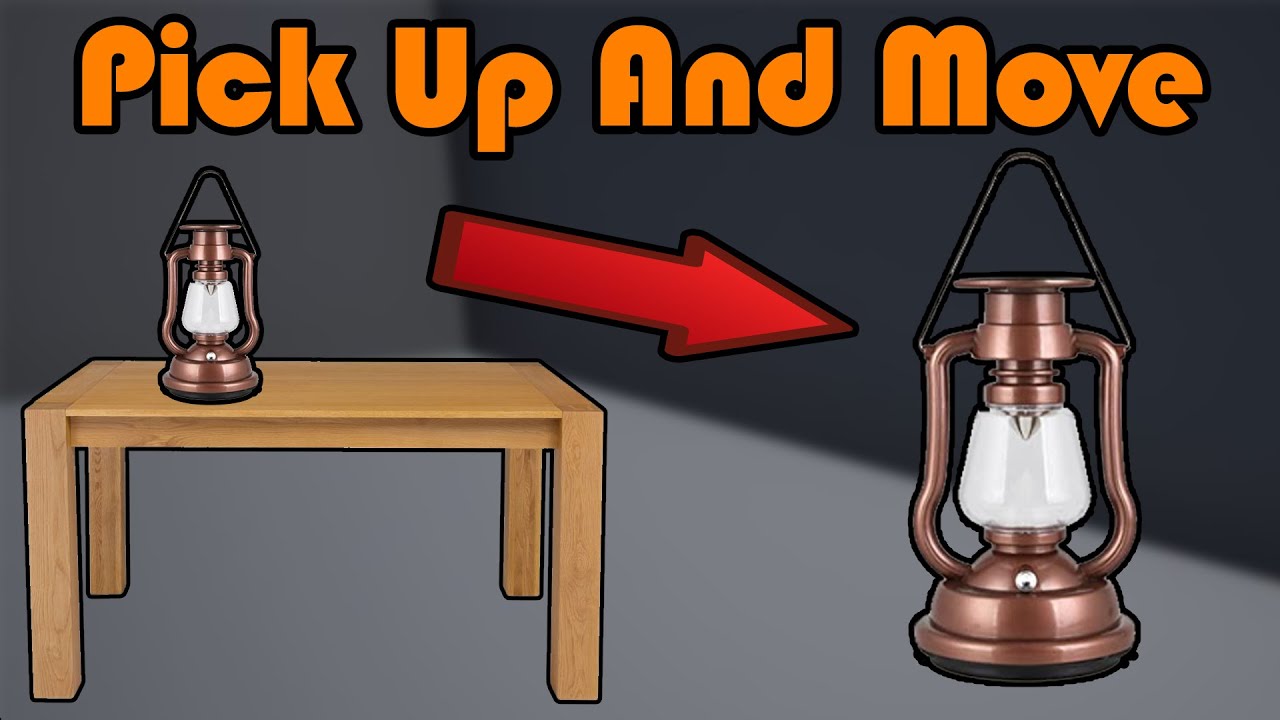
Hey guys, in today's video, I'm going to be showing you how to pick up, move, and place down objects. This will be the first part of an inspection system, however this video will work on it's own as well.
Part 2: https://youtu.be/q62hIj9sHi0
#Ue4 #UnrealEngine4 #Ue4Tutorial
______________________________________________________________________...
silk lodge
hushed apex
Any tutorials for beginners
udemy has a lot. If you are super smart and get multiplayer stuff, it's not that hard, but it's a lot of complexity, especially multiplayer vR!
 bold path

I have set aa method to none,but when I start my game,there is a taa in "stat gpu",why?
only if I set it to tsr,other options will all have taa
 maiden bane
Hi Guys Can Any one let me know after Packaging my Twin motion Material is Missing How to Solve it ..
 vital oak
Hello 🙂
I have a very basic CommonUI question:
in Epic's Introduction to CommonUI, using the Gamepad to cycle through all buttons in the vertical box works out of the box. Am I missing any specific setup why it wouldn't work for me?

I can set the focus in code, but the guy just moves the joystick and it doesn't seem to require any code...
hushed shuttle
What anti alisaing method do you recommend for Vr using Forward rendering with desktop ? rhanks
hushed shuttle
vital oak
I can set the focus in code, but the guy just moves the joystick and it doesn't ...
Check the aaxis inputs in the project settings and see if they are related to something
hallow knoll
hushed shuttle
What anti alisaing method do you recommend for Vr using Forward rendering with d...
MSAA
hushed shuttle
any idea why i would get such an grainy image with MSAA ? thanks a lot. I just have a Skysphere with custom cubemap

 sturdy coral
bold path
sturdy coral
bold path
after you load into your game run r.antialiasingmethod? on the console to see if it has been changed by something outside of project settings
I just tried and stat gpu shows TAA for me too even when I switch to FXAA though, but I can see the time go down a lot
sturdy coral
hushed shuttle
any idea why i would get such an grainy image with MSAA ? thanks a lot. I just ...
that image is all from a cubemap? the black specs look kind of like artifacts you see with tracing inside a shader if the depth prepass doesn't exactly match the main pass depth (like with POM at steep angles)
hushed shuttle
no sorry it''s just the light that's from a cube map
this is a classic mesh
tsr and other AA is working perfect
sturdy coral
what does it look like in unlit MSAA?
TSR and other TAA will hide single pixel noise a lot of times
hushed shuttle
ahha like this wow
 hushed shuttle
sturdy coral
TSR and other TAA will hide single pixel noise a lot of times
hushed shuttle
sturdy coral
TSR and other TAA will hide single pixel noise a lot of times
yes that's maybe what's hapeingn since the unlit is returning only a color
really annoying because tsr is so crispy haha but so expensive right
sturdy coral
how about wireframe view?
 sturdy coral
yeah, it is definitely a full mesh with no kind of tracing going on in the shader it looks like, I'm not sure what could cause it
I did some raytraced spheres and stuff for something and saw black speckling like that and the solution was to make sure anything that output to depth was wrapped in precise() so that it would calculate the exact same way between passes
hushed shuttle
there are exact same mesh duplicated if that can help
can it be becuse i have 3 same materials ?

i wanted to delete them but i need to go the actual mesh
sturdy coral
when moving disoccluded parts of the screen may get full weight for the frame so the speckling stuff may show through even with taa
do you see it if you switch them all to something like default material?
if not, check if that stomach material has anything hooked to pixel depth offset

 sturdy coral
I don't see the dark black pixels there
hushed shuttle
but isn't it because of the material ?
sturdy coral
in your screenshot you left the material unchanged on the front though, before it was lots of super dark black spots
the general noisiness will always be there without TAA I think because SSAO and SSR and stuff works stochastically (assuming that's what is causing it)
you can try turning both of those off if they are on
hushed shuttle
i'll make a video so it's more clear
hushed shuttle
sturdy coral
you can try turning both of those off if they are on
ah great where could i do that ? i have no PPV btw
"stochastically " nice word 🙂
sturdy coral
I don't see any of these kind of black pixels in your second image:
 hushed shuttle
sturdy coral
I don't see any of these kind of black pixels in your second image:
hushed shuttle
hushed shuttle
sturdy coral
I don't see any of these kind of black pixels in your second image:
yeah it's weird maybe the black pixels where caused by the overlap of same materials
sturdy coral
hushed shuttle
"stochastically " nice word 🙂
just means they shoot out rays kind of randomly in a noisy way, and with TAA they can smooth out the noise over multiple frames
hushed shuttle
sturdy coral
just means they shoot out rays kind of randomly in a noisy way, and with TAA the...
oh wow ok amazing
and you see the "sky" has also weird artifacts
sturdy coral
the sky stuff kind of looks like lumen's noise
hushed shuttle
yeah no black pixels are still here
 hushed shuttle
sturdy coral
the sky stuff kind of looks like lumen's noise
hushed shuttle
sturdy coral
the sky stuff kind of looks like lumen's noise
ill try the lumen visualisation
if ti can help


1.looking at the sky
2. looking at the grounnd
i disabled ssr with this command, : r.ssr 1 didn't do much
sturdy coral
hushed shuttle
1.looking at the sky
2. looking at the grounnd
There are probably some settings on the skybox to make it not receive any lumen light, I know there is stuff to have it render last and it should probably be fully unlit emissive
if you are doing full lumen and stuff the other noise could be from that and not SSAO/SSR, and I don't think most AA other than TSR and maybe plain TAA is expected to work with lumen
hushed shuttle
i see... What do you mean full lumen ?
sturdy coral
just lumen
one part of lumen is SSGI too which might have some of that fine grained noisiness
hushed shuttle
here is the mat of the sphere suurrounding the scene

i dont necesarily want to have lumen since i don't use directional light and few moving lights but i need to be in forward rendering to use VR with desktop
sturdy coral
I'm not sure what is going on with that, I didn't think unlit would do anything like that even with lumen on
hushed shuttle
yeah i removed it and the issue is still here
i'll send you the skybox details
you mean cube map?
hushed shuttle
sturdy coral
if you are doing full lumen and stuff the other noise could be from that and not...
ah so what should i use for a classic VR project ?
actulally find some sort of a solution by removing the skybox and adding a directional light

i unchecked the "cast shadow" but i'm still getting shadows where could they be coming from
sturdy coral
hushed shuttle
i unchecked the "cast shadow" but i'm still getting shadows where could they be...
possibly screenspace shadows
you will expect parts to be dark if the normals are fully facing away from the sun too even without shadows, but it does look some stuff is casting them
hushed shuttle
sturdy coral
you will expect parts to be dark if the normals are fully facing away from the s...
hmm i see
hushed shuttle
sturdy coral
possibly screenspace shadows
ill try and disable them thanks
cause i want an even light everywhere
 glad cliff
Hey guys
I make oculus app with hands tracking only
Maybe someone know... Is it possible to make custom notification BEFORE app starts? Smth like "put down the controllers and use hands" with ok button below
rocky nexus
if you select hand tracking as only supported method it would probably pop up
glad cliff
rocky nexus
if you select hand tracking as only supported method it would probably pop up
Thank you, for the first try it does not work for me, but I change "Auto switch between hands and controllers" = false and now it's pop up
 dapper token
Hello! Is there a way of getting motion controller velocity without setting it's location every tick?
 hard wraith
I am using the UE5.1.1 VR template with my Oculus Quest 2, and the controller has stopped tracking. I have tried verifying and reinstalling SteamVR, as well as restarting my Oculus and Unreal project multiple times, but nothing seems to work. I was able to get it to work on another UE5.1.1 VR template project. However, when I imported the original starter content pawn to the broken project, it also seemed to be broken. Is there a way to fix this?
 reef sierra
Hello, I wanna add a damage indicator to the player similar to call of duty where the screen starts pulsing red, all the tutorials show it on tp or fp but none for Vr and I’m sure u guys know that widgets don’t work for vr so idk what to do and I’m stuck with a deadline coming up.
(I tried post process material and it didn’t work)
hard wraith
you could try to add a plane thats in front of your vr camera that has the blood effect on it
 lapis fractal
hard wraith
I am using the UE5.1.1 VR template with my Oculus Quest 2, and the controller ha...
lapis fractal
hard wraith
I am using the UE5.1.1 VR template with my Oculus Quest 2, and the controller ha...
My quest 2 on default VR template in UE5.1.1 is just works. It's nothing related with SteamVR. It use OpenXR runtime. Make sure enable it in oculus desktop app.
hard wraith
lapis fractal
My quest 2 on default VR template in UE5.1.1 is just works. It's nothing relate...
setting openxr runtime to oculus doesn't work and it has broken twice now on two different projects
i can make a new project and it will work but it will stop working randomly as what happened to two project now
lapis fractal
hard wraith
i can make a new project and it will work but it will stop working randomly as w...
At least you could add your new project to the local source control (like git). That helps to tracking which part of asset or codes you just modified. If just broken randomly, I think may be you should focus on openxr runtime issue.
hard wraith
I restarted my Steam, Oculus app, headset, computer, and verified SteamVR. Oculus and Steam both say I have controllers connected and they work in other games. However, they are not working in my Unreal Engine project. I edited the base VR Pawn, so I re-added the original VR Pawn to see if it was my code causing the issue. However, it still didn't work.
I also changed my OpenXR runtime to SteamVR and Oculus, but it didn't make any difference.
worldly peak
Can the Upper Body IK plugin be replicated. When I try to use it the whole mesh disappears on all other clients. The replication works with my own custom IK solution which is similar to the plugin but just the basics so I know the values do replicate correctly
fluid sky
lapis fractal
My quest 2 on default VR template in UE5.1.1 is just works. It's nothing relate...
Did you have to install Android Studio etc first?
zinc cipher
How do you keep ui (spawned as actors) from changing colors based on light? Once I added a day/night cycle the colors of my uis keep changing
sturdy coral
zinc cipher
How do you keep ui (spawned as actors) from changing colors based on light? Once...
there is a material node somewhere that lets you set a constant exposure adjusted brightness
they mention it in the gdc talk on integrating lumen with fortnite, that they use it for the glowy effects around chests and stuff so they are the same screen brightness whether indoors or outdoors
zinc cipher
sturdy coral
there is a material node somewhere that lets you set a constant exposure adjuste...
Could disabling auto exposure (eye adaptation) be it?
sturdy coral
zinc cipher
Could disabling auto exposure (eye adaptation) be it?
it might be this node , though I don't know if that covers manual exposure changes

disabling exposure changes could keep the UI the same, but between day and night that probably isn't feasible; I'm assuming you are doing something like an unlit material
zinc cipher
sturdy coral
disabling exposure changes could keep the UI the same, but between day and night...
Yes, unlit shading
I thought that’s the standard way of doing a health/mana bar screen in vr?
 winged gorge
Hello, when I build my project it won't launch in VR even tho start in vr is enabled
 sturdy coral
zinc cipher
I thought that’s the standard way of doing a health/mana bar screen in vr?
sturdy coral
zinc cipher
I thought that’s the standard way of doing a health/mana bar screen in vr?
Yeah, it is the standard way. That or overlays (with them you can avoid adjusting the brightness with exposure, and they should be clearer)
sturdy coral
winged gorge
Hello, when I build my project it won't launch in VR even tho start in vr is ena...
Check the logs to see if it tries to load a vr plugin
 rustic plinth
Hi! 🙂 Does anyone know a video or post i could follow to make a ball throwable like a basketball in the vr template on UE5?
like a grab and throw release basketball throw
 solemn canopy
Anyone knows if Unreal engine 5.1 suppports Magic Leap2 now?
Then Unreal Engine 4.27 supports Magic Leap2?
vital oak
hushed shuttle
Check the aaxis inputs in the project settings and see if they are related to so...
There are no Axis Mappings. Should there be? 😬
actually it started working out of nowhere, did not change anything 😄
 hollow narwhal
My game keeps crashing on launch on the Oculus Quest 2. I started trying to build empty scenes, but nothing works.
The reason of the crash seems to be this:
05-02 17:53:55.121 10992 11084 D UE      : A texture was marked as a shading rate source but attachment VRS is not supported on this device. Ensure GRHISupportsAttachmentVariableRateShading and GRHIAttachmentVariableRateShadingEnabled are true before specifying a shading rate attachment.```
But I have no idea where it's coming from.So how the hell did this guy get Nanite and Lumen to run stable on VR https://www.youtube.com/watch?v=G7xzlBv8r64

Unreal Engine 5.1 VR Warehouse
Demo Link: https://www.artstation.com/a/27325570
Join this channel if you want to support it!
https://www.youtube.com/channel/UCoJun_nF0I90wzXq5t4SdqA/join
Grab my new Unreal Engine 5.1 Course here! Be sure to share it with everyone!
Link to lighting course: https://www.artstation.com/a/25961360
Link to How to m...
Oh, @left cedar is on Unreal Slackers too lol
 chilly ocean
jade kettle
So how the hell did this guy get Nanite and Lumen to run stable on VR https://ww...
chilly ocean
jade kettle
So how the hell did this guy get Nanite and Lumen to run stable on VR https://ww...
I'm curious too... lmk what he says. 5.2 preview can't package so I have to attempt it in 5.1. Will let you know if I get success with lumen in my environment in VR in a packaged build
jade kettle
chilly ocean
I'm curious too... lmk what he says. 5.2 preview can't package so I have to atte...
I tried the demo and... it actually works! At least, I can confirm that lumen works because I can see its typical artifacting when shooting the gun. It's hard to tell if Nanite is working without the debug view
Regardless, it's a lot smoother and stable than my attempts with Lumen and/or Nanite
 shadow radish
@hallow knoll not sure if you might be able to possibly help us.
We are using oculus branch of ue 4.27 and have openxr and steamvr plugin both enabled.
We shipped an update to our build on steam and the controller bindings are recognized on our index when we play on SteamVR with oculus set as the default "Current OpenXR Runtime" for SteamVR but when we set the default OpenXR runtime to SteamVR, it does not recognize our controller bindings for the knuckles.
Do we need to disable the SteamVR Plugin?
 ember forum
@hallow knoll is there any way to use Distance based LOD's instead of ScreenPercentage. For VR its such a nightmare because every headset has a different resolution and therefore its extremely hard to level the playing field based on screenpercentage, whereas distance based would solve this in a much better way
consider this
the quest2 has higher resolution than a PCVR Index
obviously you can use android to override the screen percentage and get around this, but thats just a simple example, theres different mobile vr headsets with different resolutions as well
for example pico has higher resolution than quest, so now the screen percentage logic won't work to switch as fast on that headset
and then if i have a CV1 Rift, lods will switch faster than someone playing on a pimax for example
which really doesnt make sense, for praticality
sturdy coral
ember forum
<@531923466799284244> is there any way to use Distance based LOD's instead of Sc...
you can adjust this
 sturdy coral
adjust for each platform, depending on how weak it is at processing verts; there is also some built in gpu benchmarking stuff on desktop for setting scalability stuff like that
 graceful turtle
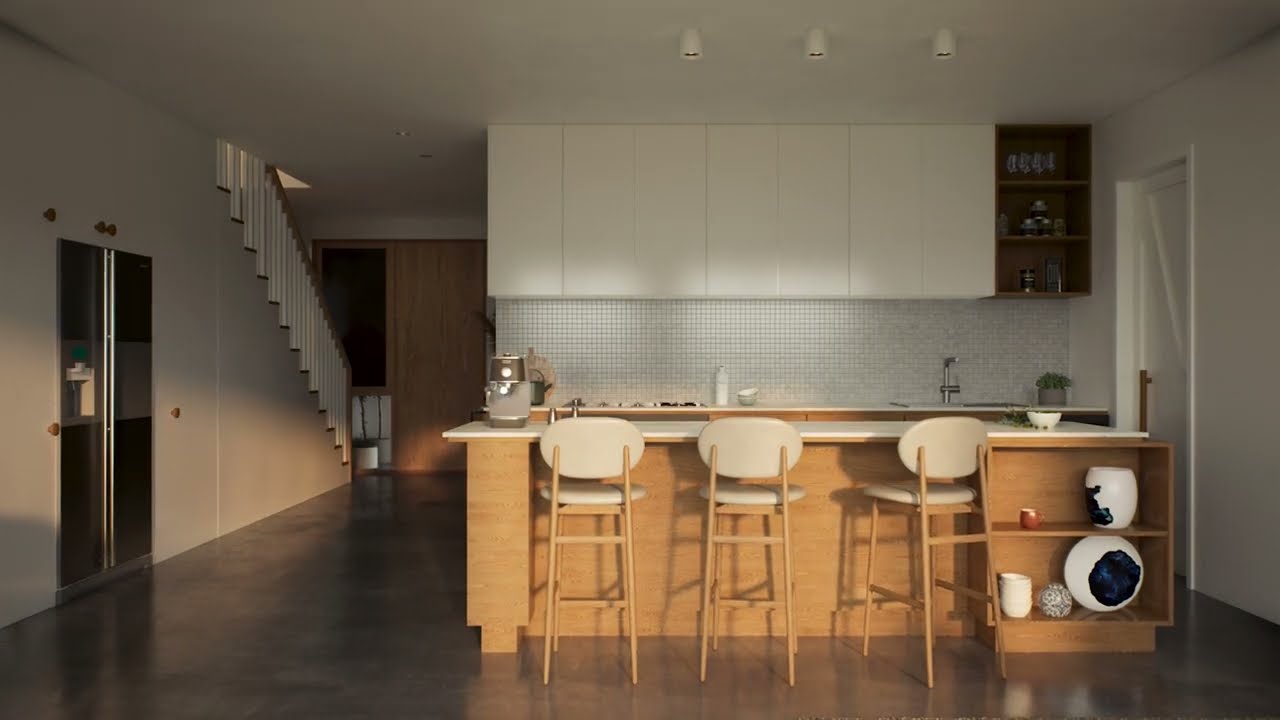
This beautiful Interior is done in Unreal 5.1. The Engine always maintains realism and neatness. to look amazing . I think the concept of the interior is good for the eyes. The view makes you think every time. This room is reflecting its sentiments correctly. And telling that you are connected to it somewhere. We only succeed when we can include...
ember forum
sturdy coral
adjust for each platform, depending on how weak it is at processing verts; there...
its not a platform thing
lol
its a headset thing
think about it
PCVR = Vive/Index/Quest2 link/REverb/+ 100 other headsets
thats all Platform = Windows
they all have different resolutions
or are you suggesting that one could get the resolution of the headset per platform then set that value (that might actually work.. 🤔 )
its still incredibly hard to tune this for every headset without actually having those headsets, but its a start i guess.. just a system that clearly wasn't made with VR in mind
sturdy coral
ember forum
or are you suggesting that one could get the resolution of the headset per platf...
Yes
Should have said device not platform
There is a per device override system for phones at least
sturdy coral
ember forum
its still incredibly hard to tune this for every headset without actually having...
for desktop, steamvr already chooses a resolution based on a benchmark, so you may be best tuning LODs to the vert perf that works well with that resolution and it should mostly work across cards; I'm assuming oculus on desktop and others probably do that too or if not users adjust their resolution thing to work well with most stuff on their card; final panel resolution of the HMD doesn't matter, the game doesn't actually see that, it only sees the input resolution to the compositor
I'm not 100% the LOD system even takes resolution into account, in the past they had something hardcoded to 1080p for it I think, I don't see that now, but it does use projection matrix to change lods when you do things like zoom in with a scope
a long time ago LODs used to pop a lot when turning your head in VR, I think because they calculated the screen size more accurately depending on where in the FOV it was (at the edge of the screen something the same distance away takes up a lot more pixels in perspective projection, with large FOVs), but I think now they just treat every object as if it as at the center of the screen when calculating its screen radius. I don't see resolution itself entering in in the places I looked but it might be slipping through in a scale factor or something somewhere; there is one you can set separately for scene captures aside from the global r.StaticMeshLODDistanceScale (USceneCapture::LODDistanceFactor)
sturdy coral
@ember forum from what I can see with LOD coloration turned on, resolution has no effect on LOD. I think it's only FOV that affects it
 modest sonnet
Hi guys i'm currently trying to build our VR project onto the quest 2 so i can run it standalone and i'm using the Meta XR plugin and running into this error every time i try to build
https://communityforums.atmeta.com/t5/Unreal-VR-Development/MetaXR-plugin-5-1-1-can-t-compile-for-Quest/td-p/1045318
just wondering if anyone has any idea how to fix this at all?

Hello, The last update of the plugin is not able to compile on my project. I got the following errors UATHelper: Packaging (Android (ASTC)): ld.lld: error: duplicate symbol: FOculusAssetDirectory::AssetListing
UATHelper: Packaging (Android (ASTC)): >>> defined at Module.OculusXRHMD.2_of_3.cpp
UATHe...
ember forum
sturdy coral
<@362639554437709824> from what I can see with LOD coloration turned on, resolut...
thanks for explaining it, resolved a lot of my misunderstanding
 ivory juniper
Starting very recently, our Development builds only (Shipping is fine) are crashing with UE 5.0.3 - I believe this is due to the Oculus Update. Testing with Quest 2. Anyone have any intel on the matter?
jade kettle
ivory juniper
Starting very recently, our Development builds only (Shipping is fine) are crash...
Are you using the Oculus branch?
hollow narwhal
ivory juniper
Starting very recently, our Development builds only (Shipping is fine) are crash...
Oh my! I didn't realize this was my problem as well. I couldn't get my builds to run, but on shipping configuration it worked. Thanks a bunch!
ivory juniper
jade kettle
Are you using the Oculus branch?
You mean Oculus repo? I'm fairy certain this was just a source build from one of Unreal repo's tagged releases.
ivory juniper
jade kettle
Ohh, is it crashing on packaging or when launching on the Quest?
Launching in the quest, immediately. And this is with older apks that were working totally fine months ago too, that's why I know it's OS related.
analog echo
Hi everyone! any courses you would recommend specially for learning VR development for UE? (Preferably UE5)?
I’m seeing UE courses but not many specific to VR in UE5 so thought I’d ask!
reef sierra
analog echo
Hi everyone! any courses you would recommend specially for learning VR developme...
its hard to get information for me at least
guys, i made a pause menu for my game, but now my pointer gets paused as well and i cant select anything from the menu
any solution?
rocky nexus
just refactored my pause handling to not use built in stuff as i found it pausing way too many things…
sturdy coral
reef sierra
guys, i made a pause menu for my game, but now my pointer gets paused as well an...
Set Tickable when Paused
Add that on any components involved, you may need some stuff on the UI elements too
reef sierra
my pointer isnt a component
sturdy coral
reef sierra
my pointer isnt a component
What is it? UI element? Are you using a widget interaction component?
reef sierra
no its a niagra system beam that spawns when i press B
sturdy coral
Niagara systems are scene components
Anything that can attach to an actor in the hierarchy derives from scene component underneath
Or there at least is a top level UNiagaraComponent
There might be extra stuff needed for the niagara timeline to not be based on gametime, but #niagara can probably help better
reef sierra
yeah i just figured id post here since pointers r mostly vr, but thanks anyways
 cunning tangle
Hello everyone, I have a question . I want to create metahumans as full body ik character for vr character like this - https://youtu.be/1eKYMfiaxi4
So is there any tutorial or know how to make it . Please help me out
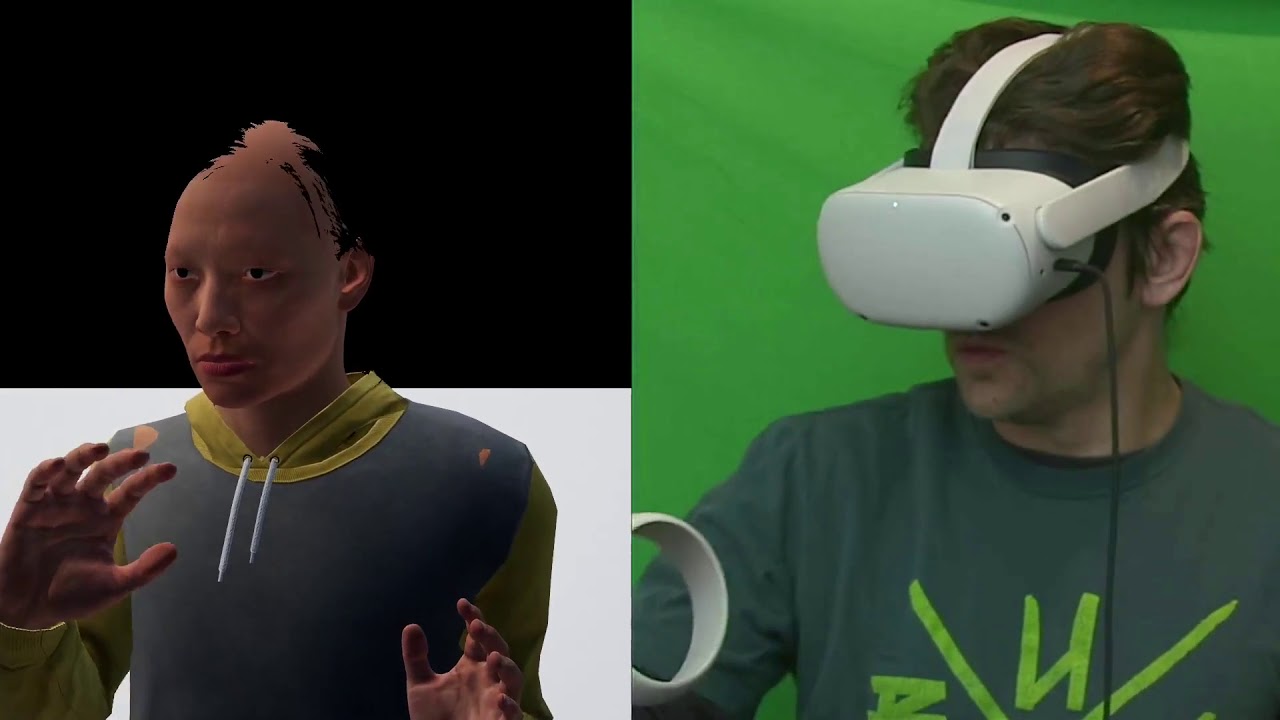
Unreal Engine Metahumans in VR! Full upper body ik using a just a Quest 2, additive animations to make a fist, and procedural blinking. Next up is live lip syncing. #VR #Gamedev #Indiegamedev #MadeWithUnreal #UE4 #VirtualReality #IndieWatch #VRGames #VirtualAvatar
 pearl sphinx
Trying to make a Stearing Wheel in VR

i want the stearing wheel to rotate when i rotate my Motion Controller
right now the stearing wheel dosn't go full 360 degree
help please
Here the GetAttachParent is the StaticMesh of the StearingWheel
real breach
Hi I wonder , how can I import a custom mesh as floor , I did sculpt the mesh but I can teleport on following the mesh surface
sturdy coral
pearl sphinx
right now the stearing wheel dosn't go full 360 degree
what does it do instead?
limpid widget
I started review for my game on oculus, meta review team says the following
"TEST BLOCKER - The app crashes after launching, preventing further testing."
I can never reproduce this, the game always starts for me and never crashes.
Does anyone know how to get more informations out of this?
Edit: Fixed, it was the entitlement check
 stable shadow
Hello,
I submitted my game for the Steam review and after reviewing my project they replied Windows Mixed Reality controllers are not working, although I added the Mixed Reality buttons into the input config, I don't have access to any Mixed Reality devices and today I found there's a plugin for Microsoft Windows Mixed Reality and I enabled that, Is there any other solution that I can add before submitting for another review?
 coral swallow
stable shadow
Hello,
I submitted my game for the Steam review and after reviewing my project t...
coral swallow
stable shadow
Hello,
I submitted my game for the Steam review and after reviewing my project t...
Are you using all the seperate plugins, like Oculus VR, Steam VR and Windows MR or just using the OpenXR plugin
stable shadow
@coral swallow When I use OpenXR my project is not working properly with the Pico 4, Currently these are active plugins: SteamVR, OculusVR and recently Windows Mixed Reality
coral swallow
Not too sure about Pico4 or WMR really but I know that SteamVR and OculusVR plugins are deprecated in the latest versions of unreal so youd be best off using OpenXR. If there is an additional plugin for the Pico it should get used before going to OpenXR as far as i know
cunning tangle
cunning tangle
Hello everyone, I have a question . I want to create metahumans as full body ik...
Can anybody help please ?
 limber mortar
Hi everyone, I'm new from unity and try to setup unreal engine and I'm not sure about one step : some video said that I should download Android studio in a specific version but the version they said is all different and the latest video who talk about it is in 2022 so my guess is that its probably changed since then. Does anyone have a recommended version I should take?
coral swallow
limber mortar
Hi everyone, I'm new from unity and try to setup unreal engine and I'm not sure ...
I have 2022.1.1 and i set that up fairly recently but i havent really been using it so it may not work anymore. Though i don't think the version really matters aslong as you have the correct modules included. Way easier than before atleast
stable shadow
I have a weird problem, I created a custom value for the hand model pitch to add to the hand model to make the hand location correct for different controller models and everything works in running as a standalone, but as soon as I package the project the Pico4 controller is not correct and I have to use VIVE's pitch value on the Pico4 to make it work!
It seems in the packaged project steam vr uses a different profile for Pico4 controller tracking!
VIVE, Index, and Quest2 controller working as a standalone and packaged project.
 earnest hamlet
For some reason, when I export my game as an APK and load it on my Quest 2 the hand tracking does not work? Inside the Unreal Editor it works just fine. Any help would be much appreciated!
 wintry crown
Hello guys
anyone here worked on pico neo 3 unreal engine 5.1
i am having a hard time taking build for pico neo 3
all i have in level in default vr template
In vr while i install apk and play i get black screen, which is loading forever
i am using pico openxr plugin and open xr plugin
api level -29- android 10
pls help if anyone knows how to solve this
 blazing matrix
Hey all, the teleport from the VR template (4.27) fails pretty often for me, even when the visualizer is still showing up. Is there any well regarded alternative method? I assume it's because of messy nav data, so not sure if I can just increase the tolerance for that instead
trail shale
Getting day-breaking crashes - I had to replace my entire system and reinstall everything - project is 4.26 - I know this is related somehow to Steam VR - I've checked my controller bindings and done the regen action manifest thing - also made sure the json file is pointing to the correct action manifest - and my input stuff doesn't seem to have the binding that causes the crashes (it was some grip thing but I can't remember exactly it) - I can't do anything at all until I figure this out -
UE4Editor_Core!AssertFailedImplV() [D:\Build\++UE4\Sync\Engine\Source\Runtime\Core\Private\Misc\AssertionMacros.cpp:104]
UE4Editor_Core!FDebug::CheckVerifyFailedImpl() [D:\Build\++UE4\Sync\Engine\Source\Runtime\Core\Private\Misc\AssertionMacros.cpp:461]
UE4Editor_Slate!FSlateApplication::OnControllerAnalog() [D:\Build\++UE4\Sync\Engine\Source\Runtime\Slate\Private\Framework\Application\SlateApplication.cpp:5760]
UE4Editor_SteamVRInputDevice!FSteamVRInputDevice::ProcessActionEvents() [D:\Build\++UE4\Sync\Engine\Plugins\Runtime\Steam\SteamVR\Source\SteamVRInputDevice\Private\SteamVRInputDevice.cpp:4621]
UE4Editor_SteamVRInputDevice!FSteamVRInputDevice::SendControllerEvents() [D:\Build\++UE4\Sync\Engine\Plugins\Runtime\Steam\SteamVR\Source\SteamVRInputDevice\Private\SteamVRInputDevice.cpp:368]
UE4Editor_ApplicationCore!FWindowsApplication::PollGameDeviceState() [D:\Build\++UE4\Sync\Engine\Source\Runtime\ApplicationCore\Private\Windows\WindowsApplication.cpp:2719]
UE4Editor_Slate!FSlateApplication::PollGameDeviceState() [D:\Build\++UE4\Sync\Engine\Source\Runtime\Slate\Private\Framework\Application\SlateApplication.cpp:1303]
UE4Editor!FEngineLoop::Tick() [D:\Build\++UE4\Sync\Engine\Source\Runtime\Launch\Private\LaunchEngineLoop.cpp:4809]
UE4Editor!GuardedMain() [D:\Build\++UE4\Sync\Engine\Source\Runtime\Launch\Private\Launch.cpp:169]
UE4Editor!GuardedMainWrapper() [D:\Build\++UE4\Sync\Engine\Source\Runtime\Launch\Private\Windows\LaunchWindows.cpp:137]
UE4Editor!WinMain() [D:\Build\++UE4\Sync\Engine\Source\Runtime\Launch\Private\Windows\LaunchWindows.cpp:268]
UE4Editor!__scrt_common_main_seh() [d:\agent\_work\5\s\src\vctools\crt\vcstartup\src\startup\exe_common.inl:288]
kernel32
ntdll```Open XR is NOT enabled, I know that can cause an issue with older steam vr
trail shale
In my case, it's the Right Trigger that is doing it - and the crash occurs BEFORE the break on the input event is fired
trail shale
if anyone comes after me, you have to find the offending entry in your input and remove it - in my case both the right trigger touch and right trigger touch capacitive (an axis event) was causing the crash
sturdy coral
Nanite, Light Functions, Deferred Decals, and Screen Space Reflections are now affected by Variable Rate Shading, potentially lowering the cost of those features when VRS is enabled.
Foveated nanite 🤯
 torn temple
ivory juniper
Launching in the quest, immediately. And this is with older apks that were worki...
torn temple
ivory juniper
Launching in the quest, immediately. And this is with older apks that were worki...
Hey, did you find a solution to this? I a having the exact same issue! Thanks for any help you can offer.
 quiet badger
anyone try 5.2 pixel streaming for vr yet? very curious about this
sturdy coral
trail shale
Getting day-breaking crashes - I had to replace my entire system and reinstall e...
bool FSlateApplication::OnControllerAnalog( FGamepadKeyNames::Type KeyName, int32 ControllerId, float AnalogValue )
{
        FKey Key(KeyName);
check(Key.IsValid());```likely invalid key because a plugin providing the key isn't loaded or something (was common with vive cosmos keys or something in the past)
 paper epoch
what is the recommended engine version for VR? Oculus Branch or something else?
trail shale
I'd like to know this too!
 undone coral
Anyone tried Lumen and Nanite in VR with the new 5.2.0 official release? Is Lumen working well now in VR? Or at all?
torn temple
Hi guys, I am having an issue where previously fine APK files are no longer running on Quest 2. This is since the last update. They open fro a split second and then crash.
I know @ivory juniper had this issue but has since disappeared so I don't know if he found a solution.
Any help would be amazing as I essentially have a finished project for a client that will no longer run.
chilly ocean
undone coral
Anyone tried Lumen and Nanite in VR with the new 5.2.0 official release? Is Lume...
Yes, I have. My experience on Valve Index (SteamVR headsets) works with it, but is janky from controller detection. Oculus works pretty well, both using OpenXR. However, I do have to change the pixel density to be about half (0.6) in order to get performance to be well without sacrificing too much resolution
With scenes that use Nanite and Lumen
ivory juniper
torn temple
Hi guys, I am having an issue where previously fine APK files are no longer runn...
Hey Dave, I wasn't getting any traction with it - someone suggested to me I needed to port to OpenXR from the Oculus Plugin, which I'm neither confident about (or committed to doing if that is the case), so I've tabled this for now.
jade kettle
quiet badger
anyone try 5.2 pixel streaming for vr yet? very curious about this
Alex Coulombe was messing around with it in the 5.2 Preview
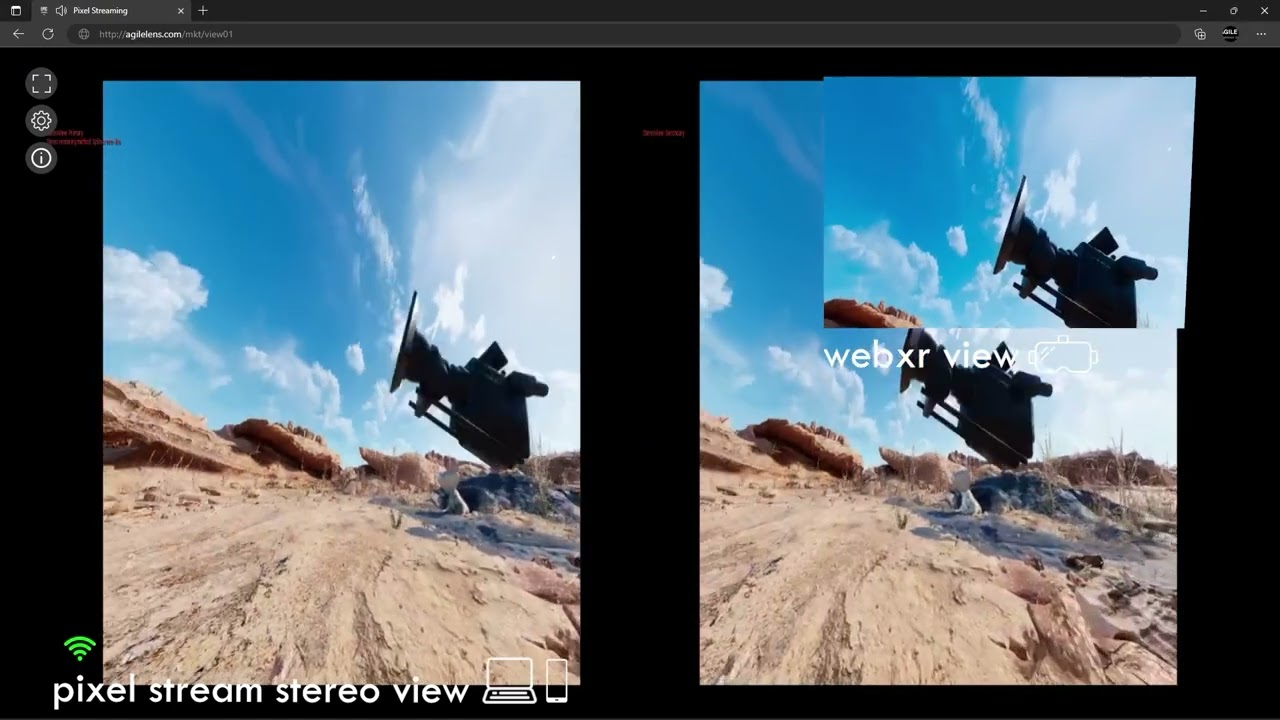
NOT PRODUCTION-READY or even supported directly Epic or even technically WebXR... but it sure does feel a lot like it.
hushed apex
How to create a simple LAN connection 2 players application for oculus quest 2 ???
jade kettle
jade kettle
Alex Coulombe was messing around with it in the 5.2 Preview
https://www.youtube...
I'm wondering, would it be possible to use this to run multiple VR instances on one computer?
Whether that's a good idea is somethign different
 smoky crane
has anyone packaged a pcvr (on windows) game using unreal engine that can use the quest pro hand tracking? Looks like hand tracking might be limited to standalone apps??!
torn temple
ivory juniper
Hey Dave, I wasn't getting any traction with it - someone suggested to me I need...
Thanks for responding. Can I ask, were you using Hand tracking? It seems that this may be the cause. unfortunately this is a core component of my project so I cant just switch it off.
Hi guys, having a world of trouble getting UE5.1 to work with Android. When I run the file setupandroid.bat I get the following error...
Error: A JNI error has occurred, please check your installation and try again
Exception in thread "main" java.lang.UnsupportedClassVersionError: com/android/prefs/AndroidLocationsProvider has been compiled by a more recent version of the Java Runtime (class file version 55.0), this version of the Java Runtime only recognizes class file versions up to 52.0
Any help in resolving this would be soooo welcome at this stage
earnest hamlet
Hi! Does anyone know why hand tracking does not seem to work whenever I export my game as APK and load it onto my Quest 2? In the editor hand tracking works just fine
 gleaming oriole
hi, does anyone know what the most barebones stabbing system i could do is? I just wanna be able to stab the head of a zombie then pull out the knife
sturdy coral
gleaming oriole
hi, does anyone know what the most barebones stabbing system i could do is? I ju...
I think mordentral's template has a stabbing thing in the melee area, or he at least experimented with it
gleaming oriole
sturdy coral
I think mordentral's template has a stabbing thing in the melee area, or he at l...
I would prefer to do it by scratch, but I'll check that out
wheat wyvern
Hi, how to simply change the hands in the default 5.1 VR template ? I'd like to have hands not the gloves provided...
 zinc plover
Hi everyone, so, i've been working on a VR project for some time, its a gallery that you can walk around, has some levels and you can try on some clothing on yourself, etc. Im using a VRF plugin, with inverse kinematics for your body and legs. All good. Untill i tried to add Multiplayer functionality. I tryed at first multiplayer, with 2 computers, running the app from the editor, and it does not work, then i packaged the project, and tryed again. Now it works, but i have the following strange issue:
As the host, i can move and play around normaly, create a session with the node, and all good.
Now i go to the second computer, find the session and join, i can see the host (So far, so good), move around and all is good.
Now, the problem is, when i get back to the host, i have no controllers any more. My hands appear on the ground, and i cant do anything.
I read around the internet for it, and it seems to be a fairle common problem while doing VR multiplayer, and i even found a solution, that has to do with possessing the player before spawning, and possesing the controllers too, the thing is, i have no idea how to do this hahah
by any chance anyone has had the same issue, and can point me in the right direction?
Another thing that i forgot to mention, as i can see the other player moving, his hands do not move, and are just glued to the character's head, but from the second player point of view, my hands work normally. (so, its like the controllers are not replicating, and i dont know how to implement that eigher xD)
sturdy coral
zinc plover
Hi everyone, so, i've been working on a VR project for some time, its a gallery ...
This might have changed over time, I think they put some workaround in for it, but set the motion controller player index to -1 by default, and only change it to 0 on the player after it is determined to be locally controlled
I'm not sure if that is your issue or not, usually I think it would cause your hands to move a remote player's
 humble crow
hi guys, how character follow headset VR camera YAW rotation ? so my character will rotate (yaw) the same as the headset VR yaw?
i tried with this code but the result is the headset VR keep rotating endlessly
this event FollowCamRotation called on event tick
 zinc plover
sturdy coral
This might have changed over time, I think they put some workaround in for it, b...
zinc plover
sturdy coral
This might have changed over time, I think they put some workaround in for it, b...
hmm, i read about that too at some point, but it doesnt appear to be my issue, my hands just die. Still i would like to give it a try, how would i have to go about it? where can i find the motion contrller player index to change it to -1? sorry for my noobines hhah
video 1
video 2
oh god sorry for the obs screen on the second video
tell me if you understand from there what is happening
lol i mistaked the channel, but still i think its alright, if it serves for clarification and some charitable and smart soul has some insight into what could be the problem xD
worldly peak
When Im not in the play mode I get about 110 fps but as soon as I play it in VR the performance drops to 20-24fps. Even in new map which has nothing but few cubes the fps drops just as much. I tried packaging it with development and shipping modes but the issue still remains
Using UE 5.1. Do others have the same issue or is it just me
I can easily run Half Life Alyx and other vr games with 90-120fps so I know the problem is not with my PC specs
sturdy coral
worldly peak
I can easily run Half Life Alyx and other vr games with 90-120fps so I know the ...
post processing can cost a lot even on an empty level, try the built in VR template project where the post processing and other scalability settings have already been set
 bitter hare
Hello, I'm trying to package my game for my quest 2 headset. I've used this video tutorial: (https://youtu.be/TXQhGjVZJ-8) to set my settings. But I keep getting this error when I package:
BuildException: Missing precompiled manifest for 'SteamVR', 'E:\Epic Games\UE_5.0\Engine\Plugins\Runtime\Steam\SteamVR\Intermediate\Build\Android\UnrealGame\Development\SteamVR\SteamVR.precompiled'. This module was most likely not flagged for being included in a precompiled build - set 'PrecompileForTargets = PrecompileTargetsType.Any;' in SteamVR.build.cs to override. If part of a plugin, also check if its 'Type' is correct.```
Packaging your project for and Oculus Quest can be quite the challenge the first time around, fortunately the setup is pretty simple. In this tutorial I will be showing you how to setup both your Quest 2 and Unreal Engine project to make the packaging that much easier when its time to test your project.
// WEBSITE LINKS
Android Studio: https://...
rocky nexus
There is no steamvr on quest, so you can disable it
 ashen flicker
Hi please help for Pico vr 4 connect with pc and unreal engine
ashen flicker
???
 noble stump
how do i make a widget intractable interact with static mesh
sturdy coral
noble stump
how do i make a widget intractable interact with static mesh
you have to modify it, I made a subclass of static mesh and added to interaction component trace params:
FCollisionQueryParams Params(SCENE_QUERY_STAT(WidgetInteractionComponentTrace));
+                       Params.bReturnFaceIndex = true;```

and get the UV of the hit with (requires a project setting because it uses more memory):

```cpp
bool bUVResult = UGameplayStatics::FindCollisionUV(TraceResult.HitResult, 0, TraceResult.LocalHitLocation);```

and then convert that from uv space to widget coords
```cpp
TraceResult.LocalHitLocation *= HiddenWidgetComponent->GetDrawSize();```"Support UV From Hit Results" is the physics setting you need to enable on the project
you have to modify a bit more stuff than that, to have the widget interaction component look for meshes of the subclass
 rain hemlock
Hi,
I would like to know if it is possible to link Unreal to a Quest Pro (using face tracking) and to Vive Trackers 3.0 without going through software such as Air Link, Virtual Desktop or ALVR/XR.
I ask this question because none of the three software does the job well for such a setup...
ember forum
is there documentation for launching to quest2 on ue5.2 (like what JDK/NDK is needed)
noble stump
@sturdy coral any way to do the same via BP
sturdy coral
Not sure
gleaming oriole
https://cdn.discordapp.com/attachments/221799368884355072/1108216464995008595/image.png
trying to do quest 2, what is this error?
 gleaming oriole
nvm, fixed
 burnt folio
Did you happen to ever figure this out? I'm just starting out on VR development in Unreal 5.2 and hitting this same issue with the Reverb G2.
burnt folio
I can't seem to get further than World Tick > Self when trying to profile it

 radiant sundial
burnt folio
Did you happen to ever figure this out? I'm just starting out on VR development...
radiant sundial
burnt folio
Did you happen to ever figure this out? I'm just starting out on VR development...
No, i ultimately downgraded back to 4.27 tbh. Didnt have nearly as many performance issues as i had with ue5 for vr.
burnt folio
radiant sundial
No, i ultimately downgraded back to 4.27 tbh. Didnt have nearly as many perform...
Ah, dang that's a shame. Thanks for getting back to me.
 hollow apex
Anyone got any suggestions on the OpenXR plugin and the Quest 2? I enable the VR editing but controller inputs don't work.
I'm trying in 5.2
 cursive wigeon
Hi, has anyone encountered/solved the issue of Stereo Layer components w/ Supports Depth enabled rendering a black quad on Quest 2 Vulkan? Thanks! (UE 4.27/Oculus Fork)
burnt folio
radiant sundial
No, i ultimately downgraded back to 4.27 tbh. Didnt have nearly as many perform...
So far I've narrowed it down to this code block:
// @todo vreditor: In the VREditor, this isn't actually wrapping the whole frame. That would have to happen in EditorEngine.cpp's Tick. However, it didn't seem to affect anything when I tried that.
if (GEngine->XRSystem.IsValid())
{
GEngine->XRSystem->OnStartGameFrame( GEngine->GetWorldContextFromWorldChecked( this ) );
}
 sage gulch
do emissive material lights work in forward shading?
hollow narwhal
Hello, does anyone know if Oculus Hand tracking work on 5.2? I couldn't get it running on 5.1, but I know that 5.0 does work.
burnt folio
@radiant sundial just some progress.
So far tracked it down to here:
// TODO: We could do this earlier in the pipeline and allow simulation to run one frame ahead of the render thread.
// That would allow us to take more advantage of Late Update and give projects more headroom for simulation.
// However currently blocking in earlier callbacks can result in a pipeline stall, so we do it here instead.
OnBeginSimulation_GameThread();
coral swallow
anyone got a way figured out for camera pushback when trying to stand with something blocking the way? I have a rough idea with a sphere trace above my capsule collider to detect it my resize will clip with the object and block that but i cant get the camera root offsets and such right...
 hidden crest
Does anyone know how to set or ignore "VR Focus State"?
I'm seeing a new behavior in 5.2 (OpenXR Plugin enabled, HTC VIVE) where controllers don't track until VR Focus State=True.
This is annoying for developing when you are testing inputs and don't want or need to constantly wear the HMD just to test a button press.
It seems covering/uncovering the proximity sensor triggers VR Focus State. I haven't found any info for setting this in Unreal or SteamVR.
RESOLVED: For those having the same issue this fixed it for me: https://forums.unrealengine.com/t/unreal-engine-5-10-enhance-input-doesnt-work-with-htc-vive-controllers/732620/18?u=thejturner
Epic Developer Community Forums
The SteamVR plugin has been deprecated, it’s unlikely Epic will fix any bugs in it. For the OpenXR plugin, one common possible cause for the inputs not working is the runtime not transitioning into the FOCUSED session state. This can happen either because the SteamVR Dashboard is open, or if the proximity sensor on the headset is not activating...
 shadow nimbus
Hi, how does the "VR mode auto-entry" setting work? I'm trying to enter VR by pressing the UE (5.2) play button, but nothing ever shows up in VR, and I just spawn at the default location with nothing happening, even with the default VR sample test project.
I tried with Virtual Desktop, Air Link, wired, with SteamVR running, SteamVR off, it never works.
Can it work via Virtual Desktop? Does SteamVR has to be running? Is there a specific order in which I must start things?
I enabled the setting as you can see here
 sage gulch
that's to use the hmd sensor to enter vr, you need to choose vr preview if you want to launch via mouse
shadow nimbus
Alright, managed to get that working with Air Link. The view is shaky but at least it shows up in VR now. Thanks!
rain hemlock
Hi, to use a wireless headset with Unreal do we mendatory have to use software such as Air Link, Virtual Desktop, ALVR?
silk lodge
zinc plover
by any chance anyone has had the same issue, and can point me in the right direc...
Figure this out yet? I have done this a bunch of times, and I can send you a sample project. It's complicated
coral swallow
shadow nimbus
Alright, managed to get that working with Air Link. The view is shaky but at lea...
If you’re using air link and the view is weird it might be due to the steam vr plugin which has issues when working with oculus. It’s best to just use the OpenXR plugin and disable any of the standalone platform plugins
gleaming oriole
does the meta xr plugin come with matchmaking?

 hoary inlet
matchmaking?
gleaming oriole
hoary inlet
matchmaking?
multiplayer
burnt folio
@radiant sundial
Figured I would update, just let me know if you don't want to be tagged
The problem seems to be that when Garbage Collector runs, it throws off the xrWaitFrame function somehow, causing it to wait much longer for all frames following it. The effect can revert back to normal, but it can also get even worse on the next garbage collection if it hasn't fixed itself before that happens. It then gets to the point where xrWaitFrame is waiting even longer than the frame time.
Trying to see if I can figure out a fix for it.
radiant sundial
no, i'm fine being pinged. it's useful knowledge and you've done a more in depth review of what's going on then i did at the time. I just probably won't respond to the pings.
burnt folio
cool, I'll keep you updated if I find a solution
radiant sundial
thanks
hoary inlet
gleaming oriole
multiplayer
no, sorry the Meta XR plugin is for the actual XR stuff (VR , Audio control, AR-passthrough)
If you need match-making, you would implement it through a normal non-vr library as that side of things works completely independent of what is displayed onscreen
coral swallow
anyone got a way to get the forward vector and right vector from the camera for use in adding player movement but have it not get affected when looking up or down / tilting your head. I tried negating the corresponding rotation from the vector but it has issues when facing backwards and with certain tilts
radiant sundial
right vector = normalize(cross(camfwrd, globalupvector)); fwrd vector= cross(globalupvector, right vector);
(might need to swap the parameters around).
 hardy glacier
Does anyone know why this flickering coming in GI shadow ?
burnt folio
@radiant sundial So, I found that if I measure the time xrWaitFrame takes and it is over a threshold (I set mine to 2ms), and I make it immediately return on the next pass, it fixes the issue. Though obviously not fully ideal since every time GC is run you will get a 1 frame skip. If you have GC running once per minute, you'll notice the skip every minute. I combined this with extending the "Time Between Purging Pending Kill Objects" setting to 10 minutes and now don't really have any issues. Just that once every 10 minutes you may or may not notice a frame skip. Would be better if instead of skipping it was able to sync the timings up another way, but still need to figure that out. Runs great now though...


this is from editing the Unreal Engine 5.2 code
gleaming oriole
hoary inlet
no, sorry the Meta XR plugin is for the actual XR stuff (VR , Audio control, AR-...
okay, thanks for the info!
shadow radish
Hi UE4 vr devs, we have an issue we are trying to get to the bottom of which we are not fully understanding.
We are packaging our project and have an issue of really poor tracking performance and jitteriness when playing on steamVR with the SteamVR openXR runtime.
We have tried both the unreal 4.27 oculus branch and unreal plus branch of 4.27.
When we play on SteamVR with the oculus openXR runtime, we get perfect performance and the game runs as smooth as butter.
Has anyone run into a similar issue?
We are driving ourselves a bit crazy with it, trying to use different combinations of VR plugins.
burnt folio
shadow radish
Hi UE4 vr devs, we have an issue we are trying to get to the bottom of which we ...
is it hmd tracking you mean? like it feels like your view is lagging behind your head movement?
shadow radish
@burnt folio the hmd somewhat but mostly the hands. Our game is a climbing game and arm swing running game so it seems very noticeable during climbing that it's jittery when running with SteamVR runtime.
burnt folio
ah ok, I hadn't really noticed the hands, but I found that if using OpenXR Toolkit with unreal engine 5.2, I have an issue with the HMD view lagging behind my head movement. I then noticed this effect return when I was trying various synchronization strategies in the FOpenXRHMD::OnBeginRendering_GameThread() function so I was wondering if it was a frame timing issue related to what I was working on fixing. Not sure about the controllers though.
sturdy coral
coral swallow
anyone got a way to get the forward vector and right vector from the camera for ...
use dot product to find how much down/up the player is looking, then lerp from using forward vector (forward from headset) to instead using up vector (top of head) when looking down, down vector (through chin) when looking up
project it down to plane and normalize to get the orientation for walking movement, for flying or swimming you might want to just use pure forward vector of the hmd
 alpine arrow
hey guys, does anybody have any idea how to make volumetric fog to work in instanced stereo in VR? It seems like it's been an unresolved issue for a long time, and I was just wondering if anybody found a way around this bug.
sturdy coral
alpine arrow
hey guys, does anybody have any idea how to make volumetric fog to work in insta...
which engine version? I fixed it here: https://github.com/EpicGames/UnrealEngine/pull/7114
and it got merged a long time ago
alpine arrow
I am on UE 5.2, but it didnt work in UE5.1 either
does this only work for source build UE?
sturdy coral
it is working for me in 5.1, I've just merged to 5.2 but haven't tested VR yet. what specifically is happening?
I think what I fixed was it used to get drawn in left eye twice and not in right eye
it shouldn't require a source build
alpine arrow
sturdy coral
it is working for me in 5.1, I've just merged to 5.2 but haven't tested VR yet. ...
Well, i'm trying to follow along with this demo https://www.youtube.com/watch?v=Xd7-rTzfmCo&list=WL&index=3&t=1226s but it doesnt seem to render for both eyes
This session by Epic's Sjoerd De Jong covers the latest improvements to Unreal Engine's Volumetric Fog and lighting features.
Within a beautiful nature scene you will learn how to set up these effects, and how you can achieve spectacular results by authoring Volumetric Fog through the Material Editor.
Learn more at http://www.unrealengine.com...
someone told me to go to settings > Engine > Rendering > separate translucency but it doesn't seem to work
sturdy coral
I'm not using the same lighting setup so there might still be issues with a dynamic sun like that or something, I'm mostly all static + some dynamic rect lights; I've tested with dynamic shadowed spotlights and stuff and they worked but I don't think I ever tried directional
alpine arrow
sturdy coral
I'm not using the same lighting setup so there might still be issues with a dyna...
i think the lighting is working well, it's just something to do with material's translucent mode that messes with the instanced stereo rendering
i'm still new to ue so i'm not certain
sturdy coral
I mostly only use a global fog density lit from the baked volumetric lightgrid and don't have many placed things putting out fog in localized areas, but I have one:

is that what you are using for the settings?
alpine arrow
sturdy coral
hang on i'll double check
sturdy coral
on the gear click on 'show modified properties only'
alpine arrow
yup it's modified like that
 sturdy coral
that should be right
alpine arrow
i don't know if it this is important, but I made a material instance... could that be a problem?
sturdy coral
do you see the general fog in both eyes and just not the placed particles?
I don't think an instance would be the problem, but I'm not sure
alpine arrow
I dont know how to go to stereo view mode, but to visualize it, it looks like this

 alpine arrow
sturdy coral
do you see the general fog in both eyes and just not the placed particles?
alpine arrow
sturdy coral
do you see the general fog in both eyes and just not the placed particles?
i see exponential height fog properly, if that's what you mean
sturdy coral
which one is it supposed to look like, if you had instanced stereo off and both were working right?
alpine arrow
oh, i meant one is the left eye, the other is the right
sturdy coral
alpine arrow
i see exponential height fog properly, if that's what you mean
yeah, when volumetric is on, exponential height fog has like global density settings that are as if you had a big particle everywhere within the max distance
burnt folio
ive noticed the same thing with instanced stereo for all translucency, especially water. The effects show up in the left eye but not the right eye. I have noticed that if I angle my headset in a way that the body of water is far to the left of my vision, the effects suddenly work in the right eye
at the moment, i just have instanced stereo turned off
sturdy coral
oh ok, that seems like a different problem
alpine arrow
sturdy coral
yeah, when volumetric is on, exponential height fog has like global density sett...
I switched off instanced stereo, but it's taking some time to recompile
 sturdy coral
I've heard of people having that with water but I haven't tried it
burnt folio
also rain and splash effects
sturdy coral
water is different than normal translucency and has its own extra depth pass I think (to avoid sorting issues looking through waves)
alpine arrow
sturdy coral
I've heard of people having that with water but I haven't tried it
I did some googling, at seems like a prominent problem for translucent materials
sturdy coral
it might be a niagara specific problem, I notice mine is using cascade
alpine arrow
oh do cascade fog effects work properly in vr?
sturdy coral
that's the only difference I see, you could try that and see
and if it is applying to all translucent particles it might be a bigger issue with niagara
wheat wyvern
hi, I used to have a stationary sun in 4.27 for main directionnal light (sun) and had no problem with movable objects (obviously VR hands are movable objects). Now in 5.2, hands are lighted with stationary sun and not shadowed when in penumbra. Any idea of the thing I could have missed ?
alpine arrow
sturdy coral
which engine version? I fixed it here: https://github.com/EpicGames/UnrealEngine...
May I ask what this issue was specifically? was it the old particle system or niagara?
sturdy coral
alpine arrow
oh do cascade fog effects work properly in vr?
narrow it down though and make sure with volumetric fog on and some global density on the fog actor it works the same on both eyes with instanced stereo, then figure out the particle thing after you are sure that is working
sturdy coral
alpine arrow
May I ask what this issue was specifically? was it the old particle system or ni...
I can't fully remember but I think it was just that particles were drawn twice into the left eye and never into the right eye
in the diff there is this comment I made:
 alpine arrow
sturdy coral
in the diff there is this comment I made:
alpine arrow
sturdy coral
in the diff there is this comment I made:
ah, i was just reading thisXD
sturdy coral
I never found the actual bug, and instead just turned off instanced stereo for fog particles (and justified it as in that comment, because it is already instancing many slices for each eye in little split up batches)
alpine arrow
sturdy coral
I never found the actual bug, and instead just turned off instanced stereo for f...
so, if i understood you correctly, I have to make a tradeoff for either the instanced stereo or fog?
I just checked confirmed it works well with instanced stereo off
sturdy coral
I think there's not much tradeoff, if you rendered in both eyes at once you'd want to optimize your slice batching size thing to be smaller so that the draw calls ended up the same, but if it was some really small particle or in the far distance with few slices, it might turn out to save a few draw calls
but fog particles aren't expected to be a lot of the draw calls ever I don't think
sturdy coral
alpine arrow
I just checked confirmed it works well with instanced stereo off
try with instanced on an no particles in the scene, just increase global fog density
to make sure it is a particles-only problem
alpine arrow
so, there is no frame drop, but it seems like the GPU is doing some heavy work
 alpine arrow
sturdy coral
try with instanced on an no particles in the scene, just increase global fog den...
alpine arrow
sturdy coral
try with instanced on an no particles in the scene, just increase global fog den...
yeah, with instanced on, no particles, and high fog density it works fine
sturdy coral
there are lots of parameters you can tweak to get that time down
alpine arrow
sturdy coral
I think there's not much tradeoff, if you rendered in both eyes at once you'd wa...
im sorry, i'm not quite familiar with the terms likeslice batching. could you elaborate a little more?
alpine arrow
sturdy coral
there are lots of parameters you can tweak to get that time down
oh, really? everybody told me that fog particles are super heavy in VR, do you have any tips for bringing the gpu workload down?
sturdy coral
alpine arrow
im sorry, i'm not quite familiar with the terms likeslice batching. could you el...
the fog is a like a pyramid of slices extending out from your eye, and the particles have to rendered into each slice
sturdy coral
alpine arrow
oh, really? everybody told me that fog particles are super heavy in VR, do you h...

that's the settings I'm using; with historyweight=0.98 it will be really slow to update if you have it on moving stuff or have shadowed fog with moving things through the shadows though
lowering the history weight will increase the responsiveness, but also increase aliasing/flickering
alpine arrow
oh, that's pretty neat! i'll try tweaking them. Do I just add them in the defaultEngine.ini?
sturdy coral
yeah, under [/Script/Engine.RendererSettings]
shadow radish
we disabled steamVR plugin and may have gotten better performance now. We haven't profiled but it seems to feel slightly better packaging the project without the steamvr plugin.
sturdy coral
wheat wyvern
hi, I used to have a stationary sun in 4.27 for main directionnal light (sun) an...
are you using virtual shadow maps?
@alpine arrow I tested in 5.2 just now and the particle system I have works in both eyes. are you on nvidia?
alpine arrow
sturdy coral
<@791723579418476594> I tested in 5.2 just now and the particle system I have wo...
Yes, im on nvidia. Does it work with instanced stereo on? cuz it would be even more optimized if it works
sturdy coral
yeah instanced stereo is on
I guess try moving your particle system to cascade and see if that works, that seems to be the only difference
alpine arrow
alright, i'll definitely check them out!
sturdy coral

that's the only one I have, just drawing a single sphere of fog somewhere with all the animation of it in the material itself
 wheat wyvern
sturdy coral
are you using virtual shadow maps?
wheat wyvern
sturdy coral
are you using virtual shadow maps?
no VSM are not activated
alpine arrow
sturdy coral
I guess try moving your particle system to cascade and see if that works, that s...
I cant find cascade particle system, do i have to add a plugin?
sturdy coral
alpine arrow
I cant find cascade particle system, do i have to add a plugin?
they might have hidden it from the UI since cascade is deprecated, I'm not sure how you can create a new one without copying an existing one now
you can maybe migrate one from a legacy sample project if there is no other way
alpine arrow
i see, I'll figure out a way
do you by any chance have more tips on optimizing in VR? if I go along with instanced stereo off, I hope to improve the lost performance. My project might get heavier with niagara added to my chaos destruction
sturdy coral
alpine arrow
do you by any chance have more tips on optimizing in VR? if I go along with inst...
if you are using forward rendering that might be another difference from me with respect to the particle thing, I'm using deferred
you can try that too and see if it fixes
wheat wyvern
sturdy coral
are you using virtual shadow maps?
I'm using deferred, should I activate VSM ?
sturdy coral
wheat wyvern
I'm using deferred, should I activate VSM ?
I'm not sure, it had bugs in vr in the past but I think they are mostly fixed, but if you are using stationary there are a lot of caveats with VSM I think which is why I asked https://docs.unrealengine.com/5.0/en-US/virtual-shadow-maps-in-unreal-engine/

Overview of using high resolution shadowing designed with film-quality assets and large dynamically lit open worlds in mind.
search stationary in there
wheat wyvern
Well, I can set my dir light to movable, perf impact is quite low on PC VR
otherwise it's just more than quite annoying for movable objects....
I am converting a copy of my project to give this a try
alpine arrow
sturdy coral
if you are using forward rendering that might be another difference from me with...
oh yeah, I have forward rendering enabled. Wouldn't disabling it cause significant performance drop though?
sturdy coral
alpine arrow
oh yeah, I have forward rendering enabled. Wouldn't disabling it cause significa...
yeah, but just to test why you are getting differences from me
alpine arrow
sturdy coral
yeah, but just to test why you are getting differences from me
ok, i just got everything compiled and check with the forward shading off, but it still renders differently for each eye
Also, I just checked with the cascade particle, and it seems like it doesnt get rendered at all. Plus even more performance drop than niagara
sturdy coral
alpine arrow
Also, I just checked with the cascade particle, and it seems like it doesnt get ...
that's strange, does the cascade one work in the 2d editor viewport view of your level?
alpine arrow
yeah, it appears in the 2d viewport, but it barely makes a difference, even though they have the same settings and material... I had to toggle the visibility a couple times to see the difference
 quasi loom
Do I need to wait for oculusxr plugin to get updated to 5.2 before I switch my project over to 5.2?
coral swallow
shadow radish
Hi UE4 vr devs, we have an issue we are trying to get to the bottom of which we ...
not sure if you've found a fix or if im reading this right but If youre running an oculus headset through unreal with the steam vr plugin the view gets really wishywashy. Both the SteamVR plugins and OculusVR plugins sorta dont work and are deprecated now in UE5 so it is best to just use the OpenXR plugin by itself and disable the other two.
radiant sundial
burnt folio
<@187710332502802432> So, I found that if I measure the time xrWaitFrame takes a...
I see, well done in tracking it down!
sturdy coral
alpine arrow
yeah, it appears in the 2d viewport, but it barely makes a difference, even thou...
that's strange, maybe it is feeding alpha into material from the particle system differently somewhere
shadow radish
coral swallow
not sure if you've found a fix or if im reading this right but If youre running ...
thanks simply--yeah we have been seeing that we seem to have better performance disabling the steamVR plugin, I think that was our holdup.
shadow radish
shadow radish
thanks simply--yeah we have been seeing that we seem to have better performance ...
it was steam devices that were having poor performance for us with that actually, the oculus ones were working fine.
quiet badger
anyone used mobile deferred on quest 2 yet? It works with mobile hdr turned on for me, but not when mobile hdr is turned off. The docs page doesn't say it's a requirement, so any ideas?
burnt folio
ehh going to look into it a bit more before I decide to stop
 wraith sky
After latest update of 5.2 it stopped to work. Even VR template crashes on launch with OpenXR.
 stable shadow
I have a problem with Pico 4, as soon as I enable OpenXR or HP Motion controller plugins, the headset not working correctly in my PC VR game, the colors in the display are wrong and when I go inside the level everything is black except for the UMGs.
I don't have any idea where this problem comes from.
I'm using 4.26
wraith sky
stable shadow
I have a problem with Pico 4, as soon as I enable `OpenXR` or `HP Motion control...
by OpenXR you mean Pico OpenXR plugin?
stable shadow
@wraith sky No just the default OpenXR plugin comes with engine
wraith sky

Unreal Engine
PICO OpenXR extensions providing additional functionality for Virtual Reality applications
stable shadow
wraith sky
https://www.unrealengine.com/marketplace/en-US/product/2debc028cd90414f97f308c74...
It does not support UE4
stable shadow
No problem, I'm just thinking of enabling those plugins and ignoring the PICO,
Last time I sent my project for Steam review they said Windows Mixed Reality controllers are not working, and I don't have access to any Windows Mixed Reality devices
wheat wyvern
hi, does anyone can help with changing the default manequin XR to another model (I need hands not gloves) ?
I just do not know what to do, the open xr thing is new and complicated for me
alpine arrow
sturdy coral
that's strange, maybe it is feeding alpha into material from the particle system...
well, i guess ther's nothing i can do... thanks for helping out tho
sturdy coral
alpine arrow
well, i guess ther's nothing i can do... thanks for helping out tho
I just tried in 5.2 creating a niagara system from scratch in the vr template and only see it in the left eye, but with my cascade system migrated in from my other project it works:

(niagara is the sphere, cascade is the cloudier looking thing)
@alpine arrow would have to debug to where niagara is rendering differently than cascade, but I won't have time unless I ever have a real need for a niagara volumetric fog system; see if you can see your cascade test better when you put a big value (like 10.0) into your extinction pin in the material
and then send them a bug report if you can get cascade working too
trail shale
How is VR (Using Valve Index) in 5.1 (I know 5.2 just came out) - I'm still on 4.26 but I'd like to start the process of updating my project to an engine version released in the last 2 years
wraith sky
trail shale
How is VR (Using Valve Index) in 5.1 (I know 5.2 just came out) - I'm still on 4...
for me 5.2 just stopped to work completely, mentioned above...5.1.1 works fine (even with lumen)
trail shale
wraith sky
for me 5.2 just stopped to work completely, mentioned above...5.1.1 works fine (...
saw that - was this from a hotpatch for 5.2? or did it not work EVER for you?
wraith sky
i think patch did it...as before i had project in 5,2 working fine
sturdy coral
wraith sky
After latest update of 5.2 it stopped to work. Even VR template crashes on launc...
I'm seeing that crash too, on launch, if steamvr isn't already running
when it was running it started up ok
wheat wyvern
I was finally able to reskin a mesh to the provided bones but when I plug the two hands in the XR VR bp, only one (right) works... Any idea ? I someone want to have a look I can send the remix
coral swallow
im trying to do capsule rotation similar to how i have the capsule follow the camera but running into a weird thing where if im off from my origin point whenever i rotate my head my hole actor move in a direction relative to the distance from the vr origin... i thought maybe doing rotate around a point would fix it but it just sends me off the map for some reason. Any ideas on how i could fix it with my setup here? https://blueprintue.com/blueprint/kyvpxdrb/


No description provided
wraith sky
sturdy coral
when it was running it started up ok
TY for the tip, but it seems it's not enough, it also require active HMD connected (i.e. powered on Index in my case)
jade kettle
coral swallow
im trying to do capsule rotation similar to how i have the capsule follow the ca...
Looks like you're applying the rotation the actor rather than the capsule in particular
As adjusting the VRCalibration will affect its children too
 spare abyss
hi there! has anyone else run into the issue that their ue5 vr template does not recognise button, stick and trigger inputs?
I booted up the vr template and for some reason while the head and hands do move to match the motions of my headset and controllers none of the inputs work at all, I cant grab onto objects, the fingers dont move and I cant teleport either
 silk lava
Creating a new level, added a static mesh floor i modeled, and also tried the base level template. Added the VRGamemode the nav mesh and the player start and I can not teleport around the map. I get this error when ever i try to teleport. (Unreal 5.2, using the VR Template as the base, no modifications to the blueprints other than new level). Getting Error
LogHMD: Warning: GetPlayAreaBounds xrGetReferenceSpaceBoundsRect with reference space XR_REFERENCE_SPACE_TYPE_STAGE failed with result XR_SPACE_BOUNDS_UNAVAILABLE. Returning zero vector.
Any ideas ?
I am now booting 5.1 to try the same and see if it works there.
gleaming oriole
does quest 2 support EOS?
silk lava
silk lava
Creating a new level, added a static mesh floor i modeled, and also tried the ba...
Looks like it happens with 5.1 as well, added the meta XR Plugin and it stopped giving the error, but now hands are off and the teleport isnt working. I must be doing something wrong with the teleport so i will debug that.
Thinking the errors might be with the Oculus 53 drivers.
noble stump
hey any1 here work with pico neo 3, i need some help?
noble stump
pice neo 3 pro*
hallow knoll
silk lava
Creating a new level, added a static mesh floor i modeled, and also tried the ba...
Your play area bounds is not set up, or you've disabled it. That's an error returned from the runtime, so not related to UE
hallow knoll
noble stump
hey any1 here work with pico neo 3, i need some help?
You're very unlikely to receive help by just asking for help. Post the question and if someone sees it and they know the answer, they might be able to provide you an answer. If the question is vague and doesn't contain enough details, very few will ask follow up questions. Also, check out the PICO VR Developers Community: https://discord.gg/E7E3WHJh
 hidden orchid
@hallow knoll just because this crash has plagued me and many others lately, I have a 5.2 project with lumen, nanite, virtual textures and substrate that has been killing my will to live over the last few weeks, dxgi device removed or hung. Today, I came across a post saying to change these two settings

I have not been able to crash it since
Would be interesting if this solved the issue for others and maybe it could be made default for UE
hallow knoll
We don't manage the users Nvidia settings. I'm curious though if both of those settings are required or just one?
hidden orchid
hallow knoll
We don't manage the users Nvidia settings. I'm curious though if both of those s...
Yeah, know that GeForce experience set stuff for individual games and apps and they'd probably sit up and listen to you guys. So the nvidia driver threads on reddit has this guy who always gathers really good info on nvidia issues, down to bios, driver and registry settings, he got me on to set prefer maximum performance which helped a bit, but went deep into the rabbit hole today and found the low latency mode one and that's the one that finally solved it. Incidentally it also fixed the infamous pc last of us port
It's one that I wouldn't have tried tbh, because I dont do competitive multiplayer much these days
This is on a 4090 btw
 jade light
hello guys i have a roomscale vr map and i want to calibrate it using controllers, for example placing both of the in the corners and then adjusting the world using that info so that vr walls=real walls, or a better way if there is one. how can i accomplish such thing
earnest hamlet
Hi! Does anyone know why hand tracking does not seem to work whenever I export my game as APK and load it onto my Quest 2? In the editor hand tracking works just fine
silk lava
hallow knoll
Your play area bounds is not set up, or you've disabled it. That's an error retu...
When I add the MetaXR Plugin this error disapears, which leads to say it could be in the OpenVR plugin. I have gone through resetting the guardian and bounds, both stationary and roomscale and have the same issue. Tested in Unreal 5.03 VR Sample freash template and it works fine.
 restive lark

Here’s the latest gameplay footage of my VR FPS. I’m developing it in Unreal Engine.
 open thunder
Would anyone know how to set up PSO to run with quest 2? I believe I've gotten through steps 1 and 2 of the 5.1 documentation but during step 3 I get a ton of warnings and it doesn't appear to actually give me the spc file.
 little terrace
Hi there! I'm new to unreal engine and VR development and For my school project, I am developing a warping system in virtual reality (VR) using the Oculus Quest 2 and Quest Pro devices, along with Unreal Engine 5.1.1. The objective of this project is to create an immersive experience where the main camera image is dynamically warped around a black dot that can be positioned at different locations on the user's eye. I have already attempted an initial solution by adding an extra camera that captures a 2D scene and renders it onto a render target. This render target is then used as a material on a plane mesh, which has predefined morph targets to warp the image around a predefined position, such as the center. This could probably be achieved in a much better way as well.
However, I would like the warping system to be more dynamic, allowing easy adjustment of the black dot's position for flexible warping around different spots on the user's eye. I am looking for guidance or suggestions on how to achieve this dynamic warping effect within the given hardware and software setup. Are there any specific techniques, APIs, or Unreal Engine features that could help me accomplish this goal efficiently and effectively?
The first image is the mesh I use, the second is without warping and third with warping.


 dreamy ivy
I keep being asked to add door handles and doors to the GDXR Ultimate VR Template. So i thought id show a prototype ive been working on for the next update.
https://www.unrealengine.com/marketplace/en-US/product/87aaded1256e4df786ceeffd65e6f1ad

Unreal Engine
This template provides the ultimate platform for building your own VR Projects, built with UE 5.1 and created entirely with blueprints, Supporting Open XR and fully integrates the Enhanced Input System. Built from the ground up for Mobile and Desktop VR.
 round cliff
Hi, I am trying to build using api 32 with 4.27.2 from git repository, but trying to upload my apk gives me below error.
`"Error:
The AndroidManifest.xml contains an <intent-filter>, but android:exported was not set on its parent node. Add it to your manifest and try again. See https://developer.android.com/about/versions/12/behavior-changes-12#exported for more details.
"`
Search and it says I should add "android:exported="true"")" Which I already did but still getting the same error message. Does anyone know how to fix this.
 bright sphinx
Hey guys, quick question - how do we check if the player has a VR connected or not?
Is the node "is head mounted display enabled" enough? Thanks
rocky nexus
round cliff
Hi, I am trying to build using api 32 with 4.27.2 from git repository, but tryin...
perhaps in wrong place? you can open the build folder and check if its in proper spot
dreamy ivy
bright sphinx
Hey guys, quick question - how do we check if the player has a VR connected or n...
that should be enough.
bright sphinx
dreamy ivy
that should be enough.
Thanks!
round cliff
rocky nexus
perhaps in wrong place? you can open the build folder and check if its in proper...
in the manifest that is generated in "\Intermediate\Android" I see that "android:exported="true" " is found in service and in application. I don't know if that's where I should be
worldly peak
How do you control 2 clients with the same headset in the VR preview mode or is it even possible? The motion controllers and the headset are both locked to the first client and they can't be used with the other one separately
dreamy ivy
worldly peak
How do you control 2 clients with the same headset in the VR preview mode or is ...
not possible, you can only preview with 1, it's why multiplayer dev is such a pain. Last I heard though, they were fixing this with 5.2
worldly peak
dreamy ivy
not possible, you can only preview with 1, it's why multiplayer dev is such a pa...
You heard it might be already fixed in 5.2?
dreamy ivy
I think @hallow knoll mentioned it during this video but i could be wrong. https://www.youtube.com/watch?v=vT1T2unF8EI&ab_channel=UnrealEngine

For this show we'll be celebrating VR week by presenting you with rapid fire tips and tricks about VR development in Unreal Engine that you might not have known about. From spectator camera's to walking modes and even hand tracking - we'll walk through it all + follow up with a live Q&A segment.
ANNOUNCEMENT POST:
https://forums.unrealengine.co...
@worldly peak
worldly peak
dreamy ivy
I think <@531923466799284244> mentioned it during this video but i could be wron...
Thanks for the video, looks interesting
dreamy ivy
It's pretty good 🙂 recommend the watch.
rocky nexus
round cliff
in the manifest that is generated in "\Intermediate\Android" I see that "android...
i have that and it works

 warm lion
Anyone know why I can't see UBoxComponent in game? I have toggled Box->SetVisibility(true); Box->SetHiddenInGame(false);
 spiral marlin
sometimes my 5.1 project doesnt detect my motion controllers. the only solution I've found is to restart computer. I am using Valve Index controllers. Anyone know of solution that doesn't require restart?
 serene ridge
I'm running into an issue with audio going out my computer speakers instead of the Rift headset. Is anyone else with a Rift experiencing this, and do you know a fix? This is with OpenXr & UE5.
My UE4 VR project works as expected -- audio goes to the headset. But that is running through Oculus, not OpenXR
hallow knoll
dreamy ivy
I think <@531923466799284244> mentioned it during this video but i could be wron...
We implemented a switch in Editor Preferences that allow you to pick which client gets poses and input, so you can test as the 2/3/4 client that joined. But you can't control two at the same time, or switch between them at runtime
hidden crest
little terrace
Hi there! I'm new to unreal engine and VR development and For my school project,...
I've been interested in this as well (simply altering the VR FOV) but never uncovered anything conclusive. I was imagining a similar approach to what you are taking but also thought there must be a better way. I hope you report back with any interesting findings and will do the same when/if that part of my project happens.
little terrace
hidden crest
I've been interested in this as well (simply altering the VR FOV) but never unco...
I'll do my best, but since the project is coming to an end within a couple of weeks, I can't guarantee how much progress I will make.
dreamy ivy
hallow knoll
We implemented a switch in Editor Preferences that allow you to pick which clien...
That makes sense, thank you. I knew you wouldn't be able to control both but wasn't sure if you could select a window and switch. Good to know you can do it before testing though.
 loud bridge
can any vr devs help me with smooth locomotion I’ve seen a couple of tutorials but they all seem unnecessarily complicated and I feel like there would be an easier way
past citrus
Hi does anyone know what the api is to get burnt calories in oculus? Thank you!
jade kettle
past citrus
Hi does anyone know what the api is to get burnt calories in oculus? Thank you!
what is that an actual thing????
round cliff
Hi Guys, i have an interface that is invoked by the player with a button. The problem is that when the player invokes it, with some element very close to him (a box), the modal comes out and is interfered by this element. Is there a way that the interface is not covered by any element of the level when it is invoked?

 ionic tulip
Hi there, currently trying to work on a project for quest 2. I packaged the project and installed the apk and was working fine couple hours ago, now when i open the project it does the loading 3 button icon then just return to the quest 2 home screen. How can I access the crash logs within the quest 2?
sturdy coral
round cliff
Hi Guys, i have an interface that is invoked by the player with a button. The pr...
you can render it translucent with depth test off
or if it is an xr overlay I think there are settings to choose if depth affects it
round cliff
sturdy coral
you can render it translucent with depth test off
If I disable depth, the interface becomes translucent but is still obscured by level elements.
sturdy coral
round cliff
If I disable depth, the interface becomes translucent but is still obscured by l...
blend mode must be translucent
for disable depth
round cliff
sturdy coral
blend mode must be translucent
How can I do this? in widget options
is here?
 sturdy coral
round cliff
sturdy coral
round cliff
no, in the material. you can undo any changes you made on the widget, that's the wrong place
round cliff
sturdy coral
no, in the material. you can undo any changes you made on the widget, that's the...
ok ty
round cliff
sturdy coral
no, in the material. you can undo any changes you made on the widget, that's the...
works !! thank you
round cliff
By doing this my pointer no longer works in the interface since it is now behind. Is there a way for the pointer to be over the interface?
shadow nimbus
What would be the proper way to move VR hands to a third-person camera and back to a first-person one? Is there a way to set the new origin of the VR hands?
It kinda works by doing AttachActorToComponent on the other cam, but attaching that way causes hands to move when moving the head. (I'm on UE 4.27)
sturdy coral
round cliff
By doing this my pointer no longer works in the interface since it is now behind...
you need to change the trace channels around, I don't remember the details but you want one that isn't blocked by world, there is a built in UI one that might work
round cliff
sturdy coral
you need to change the trace channels around, I don't remember the details but y...
Ty
 smoky pollen
I'm seeing a weird artifacts in VR under a specific condition. When there's a foliage under the wires and I'm closer to the foliage, I get a 'ghosting' of the cables and several other parts.
I use forward rendering and I tried MSAA and TSAA but I see that on both. Anybody knows what it's caused by? (Quest2 on link) (there picture doesn't show the ghosting/artefacts I am unable to screenshot that.. but it's like a jittery ghosting)
 smoky pollen
Ah I see, it might be a framerate drop
smoky pollen
DO somebody have some good DefaultEngine.ini rendering options for PC VR (UE 5.2) to go from?
I've found these on the internets, but I'm sure there's plenty more
r.FinishCurrentFrame=1
sg.ShadowQuality=1
sg.AntiAliasingQuality=3
sg.PostProcessQuality=2
sg.TextureQuality=3
r.MaxAnisotropy=8
r.SSR.Quality=3
r.RefractionQuality=0
r.SeparateTranslucency=0
r.EyeAdaptationQuality=0
r.RHICMDbypass=0
showflag.DynamicShadows=0
r.HZBOcclusion=0
r.BloomQuality=4
r.SceneColorFormat=3
r.TranslucencyVolumeBlur=0
r.TranslucencyLightingVolume=0
r.SSR.Temporal=0
r.MSAACount=2
try the settings from the vr template
smoky pollen
sturdy coral
try the settings from the vr template
Ah, I haven't realised that it might have different config than the other templates. Will do, thanks
sturdy coral
smoky pollen
Ah I see, it might be a framerate drop
yeah that sounds like it was probably the motion reprojection stuff that happens during framerate drops, it's motion estimation isn't as fine grained as the resolution so it can warp thin stuff and silhouettes around a bit
burnt folio
anyone happen to have any tips on optimizing nanite performance in VR?
 celest basin
Hey Everyone, trying to figure out how to use UBIK on the new VR Pawn in 5.2
Got this here tute is quite good: https://www.youtube.com/watch?v=k4AJcwSbPZw
But he fixing his skeletal mesh to the capsule component...

Watched the twitch stream by victor and alex from a month or so ago talking about subtle changes in the vr pawn to better track play space but I can't quite get my head around where to put thing in this new hierarchy :/
celest basin
Ah... nvm 🙂
Easier than I thought it would be
 warped mesa
What's the difference between the "Get orientation and position" node and the camera."get world location" node (besides the obvious orientation being included)?
 ebon sorrel
I'm having a really hard time getting the VR edit mode to run in 5.2.
I've got the open xr plugin ON
I've enabled the shritcut Shift V to enter VR mode
I've run VR on the quest via Link before launching unreal.
I can't see any button to press to enter the VR editing mode.
Any tips? The documentation seems to me like it's just supposed to work without any way of entering the mode.
https://docs.unrealengine.com/5.2/en-US/virtual-scouting-overview/
With Virtual Scouting, filmmakers can scout a digital environment in virtual reality.
 sterile sandal
Hello Guys, Is anyone developing for ios(Arkit) using Unreal Engine ?
I would like to know the challenges in building & publishing on the App Store.
 steady fern
Dear community, I am curious to know about the best practice of matching the VR and physical environment(roomscale) through calibration of the coordinates between virtual and real.
I'm considering the following scenario:
- Playback of UE5 content using oculus quest 2 via Oculus Link
- I have several physical objects(300 x 2000 x 700 mm(WxDxH)) which are placed in the roomscale of 10 x 10m.
I'm aiming to interact with physical object described above, primary to get haptic feedback.
I found so far following attempt in forum:
https://communityforums.atmeta.com/t5/Unreal-VR-Development/Room-scale-matching-IRL-location-How-to-manage-Quest2/td-p/973463
Which seems to be one good example working pretty well.
At the same time the setup seems to be a bit bulky.
I'd be really appreciated for any suggestion or insights.
Hi all, I'm creating an app for the Meta Quest2, where a user can walk in and out a room ( L shaped with an open door, nothing fancy ), which has been built based on a real life location, so the virtual environment ( built in Maya using technical drawings of the place ) match the IRL environment. ...
 gray karma
Hi, I have a problem with the integration of OpenXR Vive Tracker plugin in the UE 4.27.3, I can't compile it.
An function AddActionsSets in the OpenXRViveTracker class try to override an function AddActionsSets in the IOpenXRExtensionPlugin parent class.
But this function doesn't exist in OpenXR Lib on UE 4.27.3 but exist in OpenXR Lib on UE 5.0.3 . I can't update it.
I try to comment this function and i can compile it, the component is here but of course it doesn't work.
I check the GIT repo and this is the only version of the plugin OpenXRViveTracker and this is UE4 version.
https://github.com/ValveSoftware/openxr_engine_plugins/tree/main/unreal_engine/ue4/OpenXRViveTracker
Anybody have and idea please ?

GitHub
Contains Valve-provided plugins for using OpenXR extensions with various game engines - openxr_engine_plugins/unreal_engine/ue4/OpenXRViveTracker at main · ValveSoftware/openxr_engine_plugins
 dusky sedge
Hi,
I'm writing a ball game that has a score system that I implemented using a state machine. The score is dependent on the interaction between two players, the ball and the court. I am wondering, is there a go-to method for creating tests that require multiple interactions with players and the world?
Ideally, I would like to simulate multiple games, with a pre-defined score, and see that they do no fail. Kind of like unit-tests for UE VR.
Is there a go to plugin or anything for that?
hallow knoll
gray karma
Hi, I have a problem with the integration of **OpenXR Vive Tracker plugin** in t...
We natively support ViveTrackers in 5.2 now: https://dev.epicgames.com/community/learning/tutorials/LdR2/unreal-engine-how-to-use-vive-trackers-in-ue-5-2-and-later-versions
Epic Developer Community
In this tutorial we're going to walk through how to set up and use Vive Trackers.
hidden orchid
hallow knoll
We natively support ViveTrackers in 5.2 now: https://dev.epicgames.com/community...
Btw this ultra latency crash solution was a red herring, it helped, but the underlying problem was vertical pcie cable, havent had a crash since, left it for 24hrs to prove the point
gray karma
hallow knoll
We natively support ViveTrackers in 5.2 now: https://dev.epicgames.com/community...
But for the 4.27.3 ? This is dead ?
jade kettle
gray karma
But for the 4.27.3 ? This is dead ?
4.27 should have support via the SteamVR plugin
unless you're going for OpenXR on 4.27
Then the OpenXRViveTracker plugin is only officially integrated in 5.2
 real needle
Does anyone know why my LODs stopped working in 5.1 on Meta Quest?
It seems like the MinLOD is always 1, no matter what I do. I can't get LOD0 to work.
On Desktop it works fine...
Even with a new VR Template project
Found it. It was the View Distance Scalability setting 🙂
Didn't know it had an effect on LODs
 still basalt
Do Motion controllers not update their rotation/Location after beginplay?
When set as an attachment to a scene component
 cinder widget
Is there a "virtual" VR headset that you could use to fool SteamVR into thinking there was a headset? What got me thinking this way is that my Pico 4 has been flakey to keep UE Play VR launch button enabled. Sometimes I want to launch the play button but not actually use my headset. If we had such a simulator, the next feature would be to capture headset and controller data from the real Pico 4 and replay it back with the simulator later to replay test data. Sorry if this is a really dumb question.
 tired tree
@still basalt they update on tick
begin play is too early often anyway to get relevant tracking, depending on how you have things setup in app
 flat shoal
Is it normal to get 7fps in VR using lumen on a 3090? Never tried it before 5.2, but since it now supposedly works I wanted to see... however, it's catastrophic performance. In editor viewport I get 40-70fps which isn't great either though, so I guess it's a bit optimistic to expect similar VR performance...
jade kettle
flat shoal
Is it normal to get 7fps in VR using lumen on a 3090? Never tried it before 5.2,...
It is? Nanite and Lumen performance is rather inconsistent, I never got it to work properly with good performance
But then I saw and tried out this demo https://www.youtube.com/watch?v=G7xzlBv8r64
Unreal Engine 5.1 VR Warehouse
Demo Link: https://www.artstation.com/a/27325570
Join this channel if you want to support it!
https://www.youtube.com/channel/UCoJun_nF0I90wzXq5t4SdqA/join
Grab my new Unreal Engine 5.1 Course here! Be sure to share it with everyone!
Link to lighting course: https://www.artstation.com/a/25961360
Link to How to m...
And it had really good and stable performance. I asked the maker how he did it and he was just rather 🤷♂️
flat shoal
That's probably just a huge 3D scanned mesh. I have hundreds of smaller meshes (Datasmith imported).
still basalt
So why am I unable to set controller or camera relative location/rotation?
I do have my camera using pawn control rotation
But whenever I turn the playspace origin that the camera and controllers arae attached to, the Controllers turn, but not the camera
                      HMD
                        |
LController------- PSpaceOrigin--------RController
Rotation of the PSpaceOrigin doesn't rotate camera or controllers
Unless it's the root component, then it works for controllers only
Or should I not have the Camera be using the Pawn control rotation and instead have an input action for all that?
 lofty wagon
Hi, has anyone encountered an issue that stops you from closing the virtual keyboard as shown in the video attached? I do not show the widget I am editing but I selected an editable text field on a widget. I have tried the same thing with other widgets, and other text fields. I can't close the virtual keyboard if I update the text on any editable text fields on widgets. This is running on a meta quest 2, built on UE5.1. Thanks
coral swallow
anyone figured out a way to prevent player rotation spinning out of control if you are looking straigh down or into your physics chest? Ive got the player rotating with the hmd nicely but i just want it to not freak out when hitting that specific point
lofty wagon
lofty wagon
Hi, has anyone encountered an issue that stops you from closing the virtual keyb...
I've discovered that the issue only occurs when there is a preview bar of what you're typing. When the text field is a password or if the keyboard language is not english, then there is no preview bar and the keyboard closes normally. Does anyone know how to remove this new preview bar or override the keybaord language? Thanks
sturdy coral
coral swallow
anyone figured out a way to prevent player rotation spinning out of control if y...
when looking down (dot product against -z down to see), lerp from the forward vector of the headset to the up vector of the headset for determining direction
in other words, as the player looks more and more down, gradually shift to using the vector in the direction out of the top of their head to determine forward direction instead of the vector in the direction out of their face
sage gulch
when you localize a stereo sound asset does it get submixed to mono or what?
 shrewd cobalt
Anyone here hyped for Apple's headset? 🙂
coral swallow
i doubt it will be the game changer everyone is expecting... It'll be similar to the quest but with the price of a cosmos. and with apple making developing on their platforms so annoying its probably gonna lack content
 paper raptor
I wonder if Apple is bitter with the fortnight AppStore lawsuit still.
noble stump
dose HTC vive pro have issue with nvidia and ryzen combo?
sturdy coral
shrewd cobalt
Anyone here hyped for Apple's headset? 🙂
🤤 if it is really 4000x4000 per eye
I hope there will be a way to do PCVR streaming with it
 karmic wing
Does anyone have experience working with the HTC vive Focus 3? I have a project that can be packaged and transfered to the headset via cable, this build is built in UE 4.27 using the openXR-android plugin vive provides. I am trying to get the template for 5.1 to work on the headset. One error I get is the headset is built for occlus. When I remove the occlus builds from the list in the advance build section. The project will open but the player is stuck upside down. And the screen is basically broken. Any thoughts would be helpful!
chilly pasture
Anyone know how to get debug symbols work in Android Quest Shipping build.
We are having an issue where apk works fine in development build but crashes on Shipping Build.
zinc cipher
Hey, I want to work on the map of my vr project while I don’t have my googles with me, can I use a normal pawn in a vr project?
cinder widget
zinc cipher
Hey, I want to work on the map of my vr project while I don’t have my googles w...
I am curious about this as well! One thing I've heard is for fast iteration times, it is better to break up your project into multiple small projects. If that is true and a common practice... I guess you could have a flatscreen FPS project and work on your assets there.
hidden crest
zinc cipher
Hey, I want to work on the map of my vr project while I don’t have my googles w...
Yes.
I always develop my VR projects using a VR pawn and a FP pawn that mimics most of the VR interactions. It makes developing a lot easier but of course you can't properly simulate VR without actually using VR. I also use the Character class as my base class for both pawns so it makes sharing functionality between the pawns pretty easy.
The other really big positive is that you can potentially release your project with a FP mode, expanding your user base substantially, also making it easier to share with non-vr people, etc.
zinc cipher
hidden crest
Yes.
I always develop my VR projects using a VR pawn and a FP pawn that mimics m...
I just want to be able to walk around the map to check materials and world partition settings so no blueprint stuff
 chilly yoke
Well, it looks like Apple teamed up with Unity on the Vision Pro. Hopefully there is room for UE - but who knows what will happen with the glasses at $3500.
 silver brook
Very well done presentation and captures a lot of the end goals I'm sure we all hope for
But no OpenXR collobration? No Unreal Support?
Also what is the FOV?
Can't wait to see how it performs real time and not in an Ad
cinder widget
Definitely light on details. Looking forward to more of a roadmap about SDK, simulators or other ways to dev w/o a device
coral swallow
chilly yoke
Well, it looks like Apple teamed up with Unity on the Vision Pro. Hopefully ther...
why would they team up with the company they are in an active lawsuit with over unlimited software
silver brook
coral swallow
why would they team up with the company they are in an active lawsuit with over ...
For the same reason competing companies teamed up and formed OpenXR?
 whole nimbus
Anyone know of any tutorials that go over climbing or vaulting in vr? Mostly the vaulting, not sure whether to approach with motion warping or somewhere in the grab component.
And another huge one, if anyone knows any resources that go over 3 axis motions as input, so like if the player draws a circle in the air, etc.
whole nimbus
Like for hand or head gestures
 jaunty yew
No unreal support for Apple VR?!?!?
whole nimbus
Theres still time.
 atomic drum
It’ll have an sdk, Epic just need to give some real resources to VR/AR tbh
jaunty yew
No mention of any sdk for unreal here https://developer.apple.com/visionos/?elqTrackId=c36920530dfb405e9b087e64bbc9583c&elqaid=4647&elqat=2
Apple Developer
All-new platform. Familiar frameworks and tools. Get ready to build and design an entirely new universe of apps for Apple Vision Pro.
only unity SDK!!
coral swallow
the 10's of users will have more to worry about other than content
jaunty yew
Can we sue apple again please
coral swallow
and make them hate epic more?
sturdy coral
jaunty yew
No unreal support for Apple VR?!?!?
I'm sure it will eventually support it but they were snubbed out from the lawsuit. That commit + recent foveated nanite from 5.2 could be good with it

 subtle raft
Can the Vision Pro even render anything but a 2D plane for a screen? That's all they showed it can do...
jaunty yew
Apple needs to accept unreal support for their new VR OS now!
Unity isn't even open source
atomic drum
Epic make the plug-ins not Apple.
The Unreal leadership team probably needs to take a closer look at the progress of AR/VR within their engine tbh.
undone coral
atomic drum
The Unreal leadership team probably needs to take a closer look at the progress ...
Yeah, but they can't use them or submit to the Apple store if Apple says no. It's Apple payback for the Epic lawsuit on fees. May change though. I'm wondering if they'll even allow proper immersive 3D VR experiences anyway. They showed nothing that you could really call a proper 3D VR experience. It was all 360 videos or floating 2D games and screens. Bizarre. Why would you plug in an XBox or Play Station to play "2D" games in a powerful headset? All that power and all they want you to do is watch TV or browse the web.
atomic drum
undone coral
Yeah, but they can't use them or submit to the Apple store if Apple says no. It'...
We don't know what Apple has said to Epic regarding Vision. From looking at where UE5 is for AR/VR, it's not great.
I’m sure Vision can do 3D, kind of a given isn’t it?
undone coral
atomic drum
We don't know what Apple has said to Epic regarding Vision. From looking at wher...
True. But they are not the best of friends.
undone coral
atomic drum
I’m sure Vision can do 3D, kind of a given isn’t it?
Of course, you're right, but Apple seems to want to skip that entirely. It's very weird. We've made the most powerful headset with the best resolution in the world. Now let's just watch movies on it...
atomic drum
Who cares if they're not friends? They're tools. Politics shouldn't get in the way of a product's day-to-day. If Epic doesn't bother, people will move to other engines.
undone coral
atomic drum
Who cares if they're not friends? They're tools. Politics shouldn't get in the w...
I hope you are right.
 dense geode
They showed 3D content in the presentation. The heart, the F1 car etc.
undone coral
Do you remember when Steve Jobs was annoyed with Adobe though about Flash. That impacted a lot of development/support for years...
atomic drum
undone coral
Do you remember when Steve Jobs was annoyed with Adobe though about Flash. That ...
Flash was trash tho
undone coral
atomic drum
Flash was trash tho
Yes it was.
dense geode
atomic drum
Flash was trash tho
That trash made me a lot of cash back in the day 😂
atomic drum
They killed it then hired the dude to do iWatch 😂
undone coral
atomic drum
They killed it then hired the dude to do iWatch 😂
Is that true? that's brilliant!
atomic drum
He got um with supporting that joker Swift language, fun times Apple
undone coral
dense geode
They showed 3D content in the presentation. The heart, the F1 car etc.
Yeah. But that's it for an entire presentation about a VR capable headset! Crazy if you think about it. The rest was just floating screens or 360 videos.
dense geode
undone coral
Yeah. But that's it for an entire presentation about a VR capable headset! Crazy...
I think they’re right on with the things they showed. It was very people and productivity centric. Not gaming first like Meta.
It’s true tho they could’ve showed more cool 3D stuff
atomic drum
You think Unity really runs on it yet? That team is even more dysfunctional than Epics.
Apple needed to show stuff that iOS App creators make, that’s mostly 2D apps.
Excel in Vision is like a waste of tech, but they needed to show it.
Its a private video player "wink wink" privacy "Safari is the only incognito browser that's for real privacy", say no more 🤣
dense geode
Me in 2026 after getting dumped by my AR GF for not paying the monthly subscription
 jaunty yew
Apple needs to apologize to Tim sweendy now! We are obviously the future of the Metaverse
dense geode
Tim and Sydney Sweeney Collab when? 😦
jaunty yew
we need apple VR support now, apple can't do this to us
atomic drum
Tim needs to continue supporting the UE team in creating a great engine. Additionally, he should persist in pushing forward as monopolies are not cool.
Apple created the HW, up-to Epic to support it.
subtle raft
dense geode
They showed 3D content in the presentation. The heart, the F1 car etc.
ahh I only watched a short recap video
wraith sky
Hope this goggle mask wont be a flop. I'm personally interested in VR goggles that can stream Retinal resolution from my PC. Probably Apple won't do that. Locked as always?...
surreal spire
Hi guys, how to reduce the controllers oscillation quest 2 on ue5?
hidden flame
 flat shoal
Anyone else converted their project to Lumen to test with VR in 5.2? What FPS did you get?
 undone coral
What the hell is that!? Is there support incoming for Apple's headset? Thought it was unity only...
undone coral
undone coral
What the hell is that!? Is there support incoming for Apple's headset? Thought i...
Unfortunately it's Apple computer vision algorithms support, nothing to do with the new headset 😦
warped mesa
I wonder if there will be support for it eventually. Unity already had an edge in vr (in popularity) so this news kind of sucks. I don't want to go back to unity, I like ue better.
 unique cloud
Is there a way to smooth the Head (camera) rotation for screen recording purposes (PCVR)? I tried to add a Spring Arm with Smooth Rotation, but I couldn´t see any difference.
 vale ridge
Hello everyone, you’ve any advise for me?
I'm having problems with the height of my VR player.
I can never get it to be the same height, it always spawns with the camera at a different height.
Do you know any way to block this height and make it always spawn at the same height? Regardless of whether the player is standing or sitting.
Thanks!
warped mesa
unique cloud
Is there a way to smooth the Head (camera) rotation for screen recording purpose...
Yes, on the spectator camera. There was a bit about this not long ago, sec
So you would record using a spectator camera, and you'll just be the camera man 😄
unique cloud
warped mesa
Yes, on the spectator camera. There was a bit about this not long ago, sec
That's brilliant! Thanks a ton!! I'll definitely check how to do this recording while in airlink. 🙂
whole nimbus
Does anyone have a best practice idea of how to do gestures in VR? Like, say head movement triggers a function, by looking up. I could use the dot product with a vector sticking off the top of the head, but running this calculation on tick cant be the best way of doing it. Im trying to figure out how to do hand and head gestures as input. There are a few marketplace assets that do this, but they seem similarly convoluted, using machine learning to verify the gesture.
Maybe the keyword would be gesture input or gesture locomotion
 prime eagle
Hey. Absolutely brand new user. Been tinkering 5.2 for about a week. First question. Is Edit in Vr still functioning? Is it worth pursuing. Very curious. Thanks.
Also I am messing w the VR template and can’t get rid of this weird shadow. Any tips?
 prime eagle
🦗
 magic abyss
@prime eagle I don't even see a light in your scene. Did you bake then remove a light? If you are brand new I would recommend going through a lot of tutorials https://dev.epicgames.com/community/unreal-engine/learning . Lighting/shadows can be a very complex topic.

Epic Developer Community
Epic Developer Community Learning offers tutorials, courses, demos, and more created by Epic Games and the developer community.Learn UE and start creating today.
prime eagle
magic abyss
<@835892287086657576> I don't even see a light in your scene. Did you bake then...
Hey Tim. Thanks for responding. Maybe is a baked light from VR template in 5.2. Yeah im new and have gone through a lot of tutorials…I’ll check out more and see what’s up. Any thoughts on VR Mode editing? I’m coming from an in VR building program so am hoping it works. For rough strokes at least. Cheers!
magic abyss
prime eagle
Hey Tim. Thanks for responding. Maybe is a baked light from VR template in 5.2. ...
In the 5.1 release notes it says:
Access to the built-in editor VR Mode has been removed. Virtual Scouting is the recommended alternative for all users going forward.
However, in the Editor Preferences under General, I still see a VR Mode. So maybe it works, I've never tried it.
prime eagle
magic abyss
In the 5.1 release notes it says:
Access to the built-in editor VR Mode has been...
Thanks again Tim. Have a good one.
sturdy coral
whole nimbus
Does anyone have a best practice idea of how to do gestures in VR? Like, say he...
it's fine to run a core set of player stuff on tick
atomic drum
Any advice for improving anti-aliasing on Quest 2? I would share a screenshot of the poor quality, but it seems that current UE5.1 screenshots from Quest 2 appear black.
I have it set to TAA currently
undone coral
Cool interview. Mr Zuck talking to Lex about Quest 3 and Apple headset for anyone interested. Quest 3 looks like a massive upgrade. We'll have a lot more power to play with in UE...
This is where he starts talking about Quest and his response to the Apple headset. I've started it at the good bits...
https://youtu.be/Ff4fRgnuFgQ?t=7070

Mark Zuckerberg is CEO of Meta.
SPONSORS:
Please support this podcast by checking out our sponsors:
- Numerai: https://numer.ai/lex
- Shopify: https://shopify.com/lex to get $1 per month trial
- BetterHelp: https://betterhelp.com/lex to get 10% off
EPISODE LINKS:
Mark's Facebook: https://facebook.com/zuck
Mark's Instagram: https://instagram.co...
 carmine yew
Im trying to Make a Asteroid destroyer game and Ive made the wheel for the ship.

How do I make it so that I can turn It. I rigged it in blender but idk how to do it in Ue
 tight jasper
hey, guys. I'm making a gardening simulator and I'm starting with a hose. For modeling I use Blender. Should I export the mesh of the hose rigged? or should I export it without rig and apply the physics in Unreal engine?
atomic drum
atomic drum
Any advice for improving anti-aliasing on Quest 2? I would share a screenshot of...
Using fog was the issue 🤦♂️
quiet badger
anybody want to humor me for a conversation about vr inventory systems / slight rubber ducky session?
I've been chewing on this half baked idea about setting one up inventory based around fragments or json data so it can be flexible for mods or something.
I really dislike having hardcoded / closed ended systems for something like an inventory. Think about the practical purpose this serves in vr and the real world right, it's a friggen bag you put shit in. Just need to keep that idea in place, have some sorting and simple logic, save load, and convenience for gripping stuff.
quiet badger
carmine yew
very aesthetically pleasing
carmine yew
quiet badger
very aesthetically pleasing
 carmine yew
Made it a bit better

 abstract forum
undone coral
Cool interview. Mr Zuck talking to Lex about Quest 3 and Apple headset for anyon...
abstract forum
undone coral
Cool interview. Mr Zuck talking to Lex about Quest 3 and Apple headset for anyon...
There was an article talking about the new cooling solution for the Quest 3. I am very Exicted for it. https://mixed-news.com/en/meta-quest-3-cooling-performance/

MIXED Reality News
Meta Quest 3 will be much more powerful than its predecessor, and not just because of the new chipset.
atomic drum
Looking forward to seeing what Epic does with all this awesomeness hitting the market. Big love for VR/AR incoming 🚀🥽
abstract forum
Yeah agreed
burnt folio
Anyone know if the FSR2 plugin works with OpenXR? When I set the quality modes, the screen itself gets smaller inside the headset without upscaling to the full resolution. So it gets smaller and smaller with each level.
Have temporal upsampling enabled per the instructions.
Example:
Quality level 1 and Quality level 3


 exotic carbon
atomic drum
Looking forward to seeing what Epic does with all this awesomeness hitting the m...
exotic carbon
atomic drum
Looking forward to seeing what Epic does with all this awesomeness hitting the m...
I certainly hope so
burnt folio
burnt folio
Anyone know if the FSR2 plugin works with OpenXR? When I set the quality modes,...
Seems like it only affects the landscape visibility... the skybox is actually visible outside of it unchanged. I tried it with the default VR project and don't have as much of a problem, but the shadows are misplaced for objects and only appear at the top left of the view.
coral swallow
is there actually anybody that can say they prefer hand oriented locomotion the head oriented? if so, why?1
quiet swan
Is it possible when using a dedicated server to connect to it with the editor in VR mode? I could have sworn I was doing this but now when I try to connect from the editor my camera always spawns on the ground
flat shoal
flat shoal
Is it normal to get 7fps in VR using lumen on a 3090? Never tried it before 5.2,...
Ehhh... holy crap! 🤯 🤯 🤯 I just dumped this project into Nvidia Omniverse and it just straight up gave me 90fps in fully raytraced VR with zero optimization... what the fuuuuuuuuuuuu... 🙈 🙈 🙈
 exotic bobcat
Hi, I just wanted to share my recent project - Rock Paper Scissors VR game with Quest Hand Tracking. https://github.com/intvoker/RockPaperScissors

GitHub
Contribute to intvoker/RockPaperScissors development by creating an account on GitHub.
ember forum
wonder how pavlov is not having you choose your openxr runtime in ue5 and it just works 🤔
 cobalt ravine
yo wassup slackers?! anyone has any idea how i can render a 360 video using panoramic rendering movie render pipeline? I'm always getting black results or crash
burnt folio
flat shoal
Ehhh... holy crap! 🤯 🤯 🤯 I just dumped this project into Nvidia Omniverse an...
How does that work? I tried exporting a large level and it was taking a crazy amount of time to generate the usd files from the landscape proxys. Is there an easier way to do it?
flat shoal
burnt folio
How does that work? I tried exporting a large level and it was taking a crazy a...
This was a CAD import via Datasmith, exported as FBX to Blender and then converted to USD from there.
coral swallow
ember forum
wonder how pavlov is not having you choose your openxr runtime in ue5 and it jus...
the open xr plugin finds which vr system you have set as primary and will use that data rather than needing a bunch of diferent plugins. if you go into the oculus pc app you can set the default openxr runtime to oculus if steam vr has changed it
ember forum
coral swallow
the open xr plugin finds which vr system you have set as primary and will use th...
right what i mean is, i dont have to do that for pavlov it seems.. but maybe i didnt try i have both oculus and index, im going to try using oculus openxr with ym index and see what happens
 gaunt inlet
hey guys, I'm a total beginner with Unreal Engine Never used before, I want to make a 360 VR world and present it live, I have oculus vr so I can make a VR streaming server and everything, can someone tell where can I find free to use VR worlds or generate easily maybe.
Any help or advice is highly appreciated
coral swallow
ember forum
right what i mean is, i dont have to do that for pavlov it seems.. but maybe i d...
the reason you dont need to do it with pavlov anymore is because they use only the openxr plugin in unreal
quiet swan
Is anyone using landscape and foliage for their maps in VR? Or is it to much power
 granite willow
Will there be an announcement regarding to Apple Vision Pro support?
 wary bridge
Hello, I’m new to Unreal Engine and im trying to make a first person view game that runs on a PC but that supports a VR headset to be plugged in. I dont need to use the VR controllers, just the player to be able to move his head around.
Is it possible by default or do I have to do something? I dont have an headset to try
granite willow
Yeah it's possible. Just check LockToHmd on first-person camera and should be good to go in most cases.
 iron barn
Hello. I'm trying to do something that involves adding and removing widgets after a number of inputs, but I can't go from one widget to second widget without the VR blacking out on one of the "eye". Here's the example of what's happening

Is it enough for me to add and remove widget from widget blueprint, or do I have to do the adding and removing from the 3d widget blueprint?
 vocal knoll
Hello everyone, hope you are doing good.
I have a problem. I have an basic cube in my VRTemplate of UE 5.1 scene and I have added a sphere collision to it and made it OverlapOnlyPawn.
It still doesn't detect collision when I have a print node at begin overlap for the cube.
Can anyone please help?
hallow knoll
iron barn
Is it enough for me to add and remove widget from widget blueprint, or do I have...
You can't use screen space widgets for VR. You have to use a 3DWidgetComponent. You can look at how the Menu in the VR Template is put together as an example. These docs from 4.27 is still relevant as well: https://docs.unrealengine.com/4.27/en-US/InteractiveExperiences/UMG/HowTo/InWorldWidgetInteraction/
hallow knoll
vocal knoll
Hello everyone, hope you are doing good.
I have a problem. I have an basic cube ...
Does the pawn have collision? If you're using the VR Template and the VR Pawn, there's no collision by default
vocal knoll
hallow knoll
Does the pawn have collision? If you're using the VR Template and the VR Pawn, t...
Yeah I tried adding a capsule collision and setting the collision to use pawn, still doesn't seem to work
iron barn
hallow knoll
You can't use screen space widgets for VR. You have to use a 3DWidgetComponent. ...
I did, was able to use 3DWidgetComponent, then I faced a problem when I wanted to load another widget. Basically I want to call widget B from widget A, but 3DWidget doesn't allow me to pull widget B from widget A
I was able to solve the problem by casting VRPawn from widget A's BP after I set widget A as the 3DWidgetComponent, tho I wish it can be easier
hallow knoll
vocal knoll
Yeah I tried adding a capsule collision and setting the collision to use pawn, s...
Did you attach the collision capsule to the camera component?
vocal knoll
hallow knoll
Did you attach the collision capsule to the camera component?
No I didn't, I thought the capsule would move with pawn by default?
hallow knoll
The Pawn's root component won't move when you walk around in your physical space, only the camera component will
vocal knoll
hallow knoll
The Pawn's root component won't move when you walk around in your physical space...
Oh I get it now, let me try this. Thanks a lot for helping me out btw.
sturdy coral
MotionControllerL->bDisplayDeviceModel = false;


warning C4996: 'UMotionControllerComponent::bDisplayDeviceModel': bDisplayDeviceModel is deprecated. Please use the XRDeviceVisualizationComponent for rendering instead. Please update your code to the new API before upgrading to the next release, otherwise your project will no longer compile.```

What's the right way to disable this now?just not attaching a UXRDeviceVisualizationComponent on your own, or does it attach one somewhere based on some other setting?
sturdy coral
well just removing that line still seemed to keep it disabled so I guess it was already the default
iron barn
I'd like to show one camera in my VR and another camera in monitor viewport. Both of them shows different things but is displayed at the same time. Is there any way to do that?
iron barn
I tried using VRSpectator as well as VRPawn, but when a widget is shown using the spectator camera, the input to the widget is very laggy and sometimes it doesn't register the input at all
hallow knoll
sturdy coral
```cpp
MotionControllerL->bDisplayDeviceModel = false;
warning C4996: 'UMotio...
We kept the "old" Device Visualization functionality in the MotionControllerComponent as we don't remove features from one engine version to another. But you're correct that the "proper" way to use/not use it is to add/not add XRDeviceVisualizationComponent. In 5.4 we'll remove the visualization functionality from the MotionControllerComponent. The benefit w. the new component is that it works as one would expect a PrimitiveComponent to work w. collision, materials, etc.
sturdy coral
hallow knoll
We kept the "old" Device Visualization functionality in the MotionControllerComp...
nice, will be good to be able to change materials on it more easily
ionic tulip
hi currently trying to detect when the user removes their oculus headset so to pause my game, i used the event for HMDRemove from head delegate back in 4.27 and it worked fine. but now I have upgraded my project to 5.2 and now it does not work, it calls HMDPut on head delegate once when project starts but thats it, anyone may have a sugestion on how to fix this?
hidden crest
coral swallow
is there actually anybody that can say they prefer hand oriented locomotion the ...
If I'm walking, running, driving, playing basketball, etc... I don't move in the direction of my head, I move in the direction of my hands.
trail shale
I'm upgrading to 5.2 from 4.26 - can someone give me a link to something that is a primer/update guide for the whole Open XR and Enhanced Input System - I've been using Steam VR on Valve Index for the longest time
opal harness
Question: What is the purpose of using "XR Device Visualization Component" when we can use Static Meshes instead?
rocky nexus
it probably is a bit fancier than simple static mesh
dreamy ivy

#unrealengine5 #vr #gamedev
► Join the Discord: https://discord.gg/xw65fg7
► Description
In this video, I show how to set up two-handed interactions in VR. improving actor role.
► Patreon: https://www.patreon.com/GameDevXR
► Twitter...
if anyone needs it.
hallow knoll
opal harness
Question: What is the purpose of using "XR Device Visualization Component" when ...
It automatically picks the contoller model based on the interaction profile returned from the runtime. It was initially added as a "simple"-solution to have controller models "just work". In the future it'll be converted to use the OpenXR render model extension.
 vivid spade
Hey guys has anyone here done procedural VR hand grabbing? Procedural fingers were easy to implement, I am suffering trying to figure out how to procedurally position items within the hand. So that you could grab it at whatever rotation it was at when you triggered a "grab"
After 3000 hours in MS paint this has been my best possible solution which works in most cases but not all, cant think through a foolproof system,.

 solid vortex
does unreal eos support mobile now ?
 shrewd geyser
I asked this in the EU5 channel, but was told this would be a better place to ask
There's some videos from about 6 years ago showing how you can develop games from within VR in UE4, mostly placing props in scenes. I just wanted to know if game development from inside VR was still possible in UE5?
whole nimbus
shrewd geyser
I asked this in the EU5 channel, but was told this would be a better place to as...
pretty sure this has been put on ice, I was reading up on that a few days ago. Maybe the same wave of algorithm inspirited suggestions hit us both, my takeaway is that it was shelved for now and has been asked about for years since it was mentioned
shrewd geyser
whole nimbus
pretty sure this has been put on ice, I was reading up on that a few days ago. ...
I was just thinking about it cause I was hearing about the bigscreen beyond, which tries to fix comfort and resolution, which were my biggest problems working in vr.
But them shelving makes since, I imagine there's still not a lot of demand for it.
exotic carbon
hey, is there a function to run a VR game in PIE without a headset connected, with a stand-in first person pawn or something?
jade kettle
VR Editing was shelved yeah, but a new framework is in development for XR development in the editor
So plugins can be developed for virtual scouting, level editing etc...
My impression is that Epic wants to shift these features into plugins rather than baking them directly into the editor
 delicate isle
exotic carbon
hey, is there a function to run a VR game in PIE without a headset connected, wi...
delicate isle
exotic carbon
hey, is there a function to run a VR game in PIE without a headset connected, wi...
You can check if a HMD is connected then get the gamemode to return a different pawn if needed
I just use the same VR compatible pawn but add the HMD check inside it and handle keyboard/mouse inputs instead of XR controller inputs
 glad tide
I asked this in another chanel, but thought this was a better fit when I found it. Currently UE5 crashes whenever OpenXR is enabled, even when I create a fresh project from the VR template
e: It was because of SteamVR, when I set Oculus runtime to be active all the problems went away
 slender grail
Hey, I was wondering if any of you know a way to smooth controller movement/rotation? Currently there's a tiny jitter, which is accurate with the tracking, but it looks strange if you're holding a heavy object so I wanted to add very small amount of smoothing. Like a camera lag.
glad tide
Most common way I've seen it done is to have the object move towards the controller position like you would any other object, then you can control the damping etc.
glad tide
Has anyone done cockpit games in UE5? I am pulling my hair out trying to get the VRPawn to inherit the movements of my vehicle, it keeps being aligned with the horizon, every thread I find on this is empty
slender grail
glad tide
Most common way I've seen it done is to have the object move towards the control...
Ohhh I didn't think about that, thanks!
trail shale
Where can I learn more about converting from SteamVR to Open XR? Finally upgrading to 5.2 from 4.26
trail shale
specifically, which engine version deprecates these but has a recommendation for which to use
 jade kettle
trail shale
Where can I learn more about converting from SteamVR to Open XR? Finally upgradi...
jade kettle
trail shale
Where can I learn more about converting from SteamVR to Open XR? Finally upgradi...
Hey, when updating a project multiple engine versions, I suggest taking it version by version
if you didn't do it
Also always keep a version of the original on hand for reference, I'm afraid that'll be hard to figure what went into those pins without an educated guess
exotic carbon
delicate isle
You can check if a HMD is connected then get the gamemode to return a different ...
Thanks for this
jade kettle
Not UE specific, but has Valve changed SteamVR's behaviour to always require Steam running iin hte background?
It used to be that you could run SteamVR without being logged into Steam
trail shale
jade kettle
Also always keep a version of the original on hand for reference, I'm afraid tha...
I guess VR is different - Epic says they just recommend biting the bullet and updating as far as you can - backups notwithstanding - I'm using perforce so I should be able to diff to see the pins - though I'm not sure what it does if the function is deprecated - I'm assuming it shows it as normal since it's not be executed
jade kettle
trail shale
I guess VR is different - Epic says they just recommend biting the bullet and up...
ah hm, I just found the same documentation
i stand corrected then
 hearty herald
Are there any requirements for 3d models for vr i should look at?
Im asking cuz i did create a simple vr demo with almost 3 meters tall containers u can stand close to, the container models looked ok, also looked ok on flat screen, but when i did go vr to check the scene it was kinda bad, seems like for a 1:1 scale i need to have better models as they will look bad up close.
When u find/use 3d models in your vr projects, do u have some up front set technical requiremnts for them?
What to look for to be sure it will be looking good up close in vr, especially if it is a large object?
 frozen thorn
Hello, I am having a hard time building a 5.1 Unreal project on my quest 2...
PackagingResults: Error: Launch failed! Unknown Error
 bleak blade
This is huring my brain and i cant fix it. So im trying to add lag animations to my VR character as the plugin i used is only for upperbody and i cant seem to get it to work corectly if i play a animation via button it plays it but it screwes up the player the player dont work anyone know how to fix this?

If anyone can tell me and help me get my VR legs set up i would be VERY happy they are just stiff and crippled and i dont want my VR character to be a crippled boi
bleak blade
Please someone
bleak blade
i cant find out how to do it plz
bleak blade
Anyone know how to change the grabbing thing to my mesh bc I have a full body mesh with the UBIK solver and I want to be able to hold things a animation and stuff when I'm grabbing it like it's actually in my hands but I can't do that if my grabbing system Is the original one from epic that isent even connect to my mesh hands but the hands they give you that are invisible in my project
prime eagle
Hey. Is ultra dynamic sky functioning in VR? Is it worth the $50?
And unsure of 5.2 compatibility
Ha. So I guess not worth the $ if it’s not working.
burnt folio
prime eagle
Hey. Is ultra dynamic sky functioning in VR? Is it worth the $50?
Yes, works in VR and 5.2. currently using it
silk lodge
slender grail
Hey, I was wondering if any of you know a way to smooth controller movement/rota...
vinterp
prime eagle
burnt folio
Yes, works in VR and 5.2. currently using it
I took the plunge was on sale half off today. Installed and wow. Playing w LOD etc now. So worth it so far. Thanks so much for the reply ColdBomb. You have any tips-I already discovered cinematic cloud render wasn’t happy. Rebooting now for lumen enable in project.
 ionic forge
Anyone know if the Oculus fork of UE5 supports spacewarp?
 molten zodiac
Hey. Is it possible to use the WidgetInteraction component "laser" like trace by channel?
Or does it only works for widgets?
burnt folio
prime eagle
I took the plunge was on sale half off today. Installed and wow. Playing w LOD e...
Had trouble with lumen performance in VR. Need to lower global illumination quality settings to medium or low or I had probe gathering using up too much GPU frametime
bleak blade
This is huring my brain and i cant fix it. So im trying to add lag animations to my VR character as the plugin i used is only for upperbody and i cant seem to get it to work corectly if i play a animation via button it plays it but it screwes up the player the player dont work anyone know how to fix this?
 bleak blade
How do i make the grabbing component work for my full body mesh?
 zealous torrent
anyone know why the Mappable Input Config for OpenXR wont actually allow my inputs to work in UE5.2? I made sure it was set in the projects settings and set the contexts to my Input mapping config, specifically it wont work for my controllers, only for inputs such as a keyboard and mouse. im super confused as ive followed quite a few tutorials regarding this but the inputs dont do anything for VR controllers.
 past citrus
Anyone knows why model with semi-transparent material cannot display correctly in quest MR model? Thank you!
humble crow
does anyone here ever work with multiplayer replicating hand tracking VR?
bleak blade
Im useing the UBIK solver im in a bit of a pickle i want to make prosedrial hand animations like half life alyx and im watching this tut at least i was untill i realized i need a hand mesh seprate from my full VR body does anyone know how to make the UBIK solver work but allow me to have hand meshes that are not conected to the main mesh?
 lost grove
Is it posible to Access world outliner from PIE after pausing a session of VR PIE?
I have this issue where I start PIE session in my VR headset and I wanted to check properties of particular actor.
So I thought I would just pause the game, hit f8 to unpossess/eject and click on the desired actor in world outliner.
However it seems that f8 does not work at all for VR PIE sessions 🤔
Is there any way around it?
jade kettle
lost grove
Is it posible to Access `world outliner` from `PIE` after pausing a session of `...
So what's your set-up exactly? Is it PCVR via a cable?
lost grove
yes
it is a quest 2 via cabel exactly
jade kettle
I don't immediately have issues with that, though I've never tried pausing
I also usually just use Shift+F1 to get my mouse to appear or alt+tab
lost grove
For me the PIE appears in brand new window/viewport, not the same as editor. Is it the same for you?
jade kettle
Yes it is the same for me
lost grove
Then it seems like the outliner from editor is not bound to the desired viewport, but to the level opened in my editor (some startup level, MainMenu most of the times)
jade kettle
I'm not 100% sure on that
I was under the impression that the Editor Outliner is oddly bounded to the new Viewport
lost grove
I will have to make sure
jade kettle
If that's not the case, you could use the Blueprint Editor to check the instance of your actor
lost grove
Could you elaborate on blueprint editor thingy?
jade kettle
So the thing I highlighted in red allows you to select a specific instance of a blueprint

That way you can check its flow, values and so on
lost grove
I never noticed it. Much appreciated
jade kettle
You're welcome!
So for example, if you have two gun instances, and one is shooting properly but the other isn't, you can specify which gun instance to watch and figure out why one is working and the other isn't
And you can do that while in PIE
 tender gate
Can anyone point me to an example on how to get index controllers Finger tracking working ?
5.1+ by the way 😇
woeful glacier
is there a way to test VR performance without plugging in a headset?
usually when running in editor i can get smooth fps (75fps) but plugging in a headset is when the performance dips
jade kettle
woeful glacier
is there a way to test VR performance without plugging in a headset?
To get a ballpark idea wrt rendering performance, you could set the new viewport resolution to match your headset resolution

Has anyone here have any success with upscalers such as DLSS?
afaik, DLSS still crashes in VR
 somber warren
hello, i've been using playfab authentication for my Quest app til now, but i would like to make the proccess as seamless as possible.
so, is there a way i could use meta's authentication directly since its already loged in the system? or there is no way to retrive that information?
jade kettle
somber warren
hello, i've been using playfab authentication for my Quest app til now, but i wo...
Are you by any chance using the Meta branch of UE?
somber warren
been considering changing into it, does it have the solution?
jade kettle
Possibly, I'm not familiar with what you're asking but it does sound like a very Meta specific question
Oh, PlayFab isn't Meta
somber warren
playfab is the solution i have now, i would like to change from it to using Meta's native authentication if possible in anyway.
woeful glacier
jade kettle
To get a ballpark idea wrt rendering performance, you could set the new viewport...
do i use one eye res or the combined resolution
Quest 2 should be at what, 4k?
jade kettle
woeful glacier
do i use one eye res or the combined resolution
Combined resolution
sturdy coral
woeful glacier
is there a way to test VR performance without plugging in a headset?
You can make a benchmark with -emulatestereo, should cover everything but the compositor cost which is pretty minimal these days; you may have to manually adjust its projection matrix if you want it to match a given HMD
burnt folio
jade kettle
afaik, DLSS still crashes in VR
Even the latest version for 5.2 I still crash in VR with DLSS
jade kettle
burnt folio
Even the latest version for 5.2 I still crash in VR with DLSS
Yeah, on the nVidia Dev Forums there's a thread on DLSS crashing in UE5 from January and there hasn't been a fix
burnt folio
jade kettle
Yeah, on the nVidia Dev Forums there's a thread on DLSS crashing in UE5 from Jan...
Are you able to get any upscaling to work? Fsr / temporal upscaling on 5.2? Or does it glitch out and shrink the distance view as screen percentage goes down?
jade kettle
That's what I was asking here haha
burnt folio
Because I think it is actually an unreal engine issue that is causing the problem. Dlss only crashes because it checks for that problem and crashes before it happens
burnt folio
Ya, not at my comp atm, but the depth vs velocity extent bounds become mismatched. The velocity one correctly resized but the depth one doesn't. Dlss has a check that purposely triggers a crash if they don't match. I commented out the check and it does the same weird behavior as the others
jade kettle
Sounds like you did a really deep dive
burnt folio
Going to look into it more tomorrow and see if I can fix it
jade kettle
https://forums.developer.nvidia.com/t/dlss-in-unreal-engine-5-1-and-vr/237749/44
The DLSS+VR bug thread on nVidia, the devs actually respond to it occasionally

NVIDIA Developer Forums
Sorry, was not in the office last week. Indeed, it only works if the SteamVR plugin is enabled and with r.ScreenPercentage at EventBeginPlay of the PlayerController (not the Pawn, as far as I know - didn’t try levelBP or GameMode) If you need the flexiblity of changing the value in runtime, you can store the desired value in a GameInstance BP ...
burnt folio
Ya I read that before, but I think the issue is on the unreal engine side. May be why they haven't had any progress on it
Since it works for them when they set the screen percentage before start, it likely starts the depth bounds at the correct value, but changing it at all during runtime will crash it because it will hit the mismatch check
Velocity extent bounds will update but not the depth

 burnt folio
Will update if I find a solution tomorrow. Hopefully it's something simple like triggering the depth extent resizing at the same spot the velocity extent is being resized
Ah it's InSceneDepthTexture->Desc.Extent and InVelocityTexture->Desc.Extent specifically
hidden orchid
@hallow knoll do you know if dlss-fg is coming to vr at all?
flat shoal
I suspect DLSS (and foveated rendering) is the reason that Omniverse can run raytraced VR as well as it does (because I saw a lot of shimmering not visible in Unreal)...
hidden orchid
Hope that's a good sign, electric dreams went from 50-55 to 100+ fps with third person game mode with dlss 3 for me
That's with cinematic scaling in 4k
zinc cipher
Is there a way to know if a pcvr project can work on quest? I have a very big map so I’m worried about performance
rocky nexus
you run it on quest (or any other target device) and find out, there are no shortcuts
if the 'very big map' is a large landscape, than almost certainly it has to be replaced with meshes. landscapes perform poorly on quest in my experience
bleak blade
Can someone help me with this? im watching this video and he uses a node that doesent exist anymore can someone tell me how i can get it click on the vid to see the node the video is timestamped allready do it will show you where i mean https://youtu.be/fkW-svEaF-w?t=765

In this Unreal Engine 5 VR tutorial, I will be showing you the step-by-step instructions for adding new weapon assets to UE5 and creating specific grip poses for held objects. By the end you will know how to add your own objects and grip states with ease.
Tutorial Part 1 - https://youtu.be/mee_6vlWZ8c
Tutorial Part 3 - https://youtu.be/Lq65clDA...
vivid spade
bleak blade
Can someone help me with this? im watching this video and he uses a node that do...
I used this tutorial as the base for my VR hands, hes just checking if the hand source is the right or left hand.
bleak blade
vivid spade
I used this tutorial as the base for my VR hands, hes just checking if the hand ...
It's fine now I fixed it I just downloaded unreal engine 3.27 copied the thing and pasted it to unreal 5.1 they removed it for some odd reason
vivid spade
bleak blade
It's fine now I fixed it I just downloaded unreal engine 3.27 copied the thing a...
Does it still compile? The blueprint?
Might just want to refactor that into checking if the controller is equal to the left controller object or right controller object.
bleak blade
vivid spade
Does it still compile? The blueprint?
Yes it just created it when I pasted it it works fine
vivid spade
bleak blade
Yes it just created it when I pasted it it works fine
Hey if it works it works, nj
bleak blade
Yep
 ripe crypt
Anyone able to run Meta XR Plugin with UE 5.2 ?
Metadata key 'ToolTip' first seen with value 'Color Lut' then 'Experimental features must be enabled in the Project Settings (Edit > Project Settings > Meta XR) in order to use this feature.'
is the error i get
tender gate
bleak blade
It's fine now I fixed it I just downloaded unreal engine 3.27 copied the thing a...
Thanks for that, i was running in to the exact same issue!
 eager pine
Is someone else struggeling to get vive trackers to work in 5.2?
jade kettle
eager pine
Is someone else struggeling to get vive trackers to work in 5.2?
Are you using OpenXR + OpenXRViveTracker plugin?
Epic Developer Community
In this tutorial we're going to walk through how to set up and use Vive Trackers.
jade kettle
eager pine
Yes, its not coming up
@umbral jetty had a similar issue in #virtual-production, you can find his messages starting here https://discordapp.com/channels/187217643009212416/780932636008120340/1118963084501991515
dreamy ivy
I've been working on adding doors and door handles to the GDXR Ultimate VR Template. Love the results so far. https://youtu.be/_L7qZLIP9O0

#UnrealEngine #VR #VirtualReality
Download: https://www.unrealengine.com/marketplace/en-US/product/87aaded1256e4df786ceeffd65e6f1ad
► Join the Discord: https://discord.gg/xw65fg7
► Description
Working on doors/Door handle interactions for the next GDXR Ulitmate template update.
----------------------------------------------------------------...
 quaint nexus
Blueprint "Set Display Frequency" works in UE 5.1.1, or is there no option to change display frequency on oculus quest 2 in this version?
 meager spoke
I have created a FPS project and now trying to connect it with quest 2. Stuck with locomotion, my all the inputaxis movement events are giving error. I'm unable to use my thumbsticks for movement cause of the compiling error
dreamy ivy
meager spoke
I have created a FPS project and now trying to connect it with quest 2. Stuck wi...
Have you created and setup a PMI (Player Mappable Input) and assigned it to OpenXR - Project settings > OpenXR Input > Mappable Input Config for XR ?
bleak blade
Does anyone know a good way to add full body while still being able to dick with hands and legs?
That sounds wrong
I want to be able to screw around with them without it screwing everuthing
tender gate
@bleak blade any chance you can share the gethand from motion source macro? I downloaded both 4.27 and 5.0.0 but neither have this macro
quiet swan
I am working on a game that needs HDR on for PC VR and HDR off for occulus , right now im removing configs and packing the game like that but I noticed I have to do fulll rebuilds and delete the intermedicate, saved, and folders in the build folder , do I need to generate virsual studio files after I delete these folders each time? or is there another way to do this
bleak blade
tender gate
<@732266368367329371> any chance you can share the gethand from motion source ma...
You have to open the grab component to see it
slender grail
Hey guys, my controllers stopped working for seemingly no reason at all. I can still view the scene with my headset (quest 2) but I can't do anything, it's like the engine doesn't see the controllers. The head of the player also is placed strangely lower. I do possess the player blueprint because my view is where the blueprint is placed.
Restarting the engine, pc and even updating from 5.1 to 5.2 didn't help. I've seen people online have that problem but there's no clear solution anywhere.
I've also updated nvidia drivers.
Well, it seems that I can't in fact possess the player. Just created a new VR template project and it works fine
slender grail
I've just migrated the VR pawn from example project and that one works fine, but I'm comparing every single checkbox and everything inside of the blueprint and it's all the same 🤯 wtf
woeful glacier
How do i change the hand model for the VRPawn?
I want to change it to a normal human hand
 timber tree
I need a pair of glasses that can recognize objects on a table and display information about the object in the lenses. Where do I go- where do I look specifically. Cheers!
ripe crypt
Hello is it possible to getHMDDeviceName on UE 5.2
i am getting incorrect name for tethered Quest, earlier it used to give Oculus HMD
Also has anyone been able to use Meta XR plugin with 5.2?
ripe crypt
Also for me on Quest Native the display is flipped upside down
 wicked flint
i am having an issue my server runs good but my clients have an issue my first client when joins the world map would been seen all okay but when the other client joins the black screen appears after 1 second of map load as a blink as it shows that it is in that level of map i tried it by getting actor location and
level name ......If anyone of you could help
ripe crypt
btw with vulcan the Quest is not flipped!
 peak bolt
Some sdk compatible with UE 5.2?
 frail tendon
does anyone have links to resources about multiplayer roomscale experiences?
i want to have multiple quest 2s in one room.
worldly peak
wicked flint
i am having an issue my server runs good but my clients have an issue my first c...
Have you tried joining from a different PC/laptop with a second HMD
wicked flint
worldly peak
Have you tried joining from a different PC/laptop with a second HMD
Yeah and its solved now thanks bro 😇 be blessed
hidden orchid
burnt folio
Ya, not at my comp atm, but the depth vs velocity extent bounds become mismatche...
Does that happen if you set antialiasing to none in project settings? Atm for me it's not crashing, but I'm getting weird behaviour where it's only showing the top half of the screens
Or 67% I suppose, which is what the blueprint sets it as, I've got a blueprint keyboard shortcut to set screen percentage, if I do it manually via the console, it crashes
Which is very weird
burnt folio
DLSS requires temporal AA enabled with temporal upscaling i believe, so I'm guessing it's not active and you are seeing the partial screen glitch. The partial screen issue is related to issue I described and seems to be an Unreal Engine issue. DLSS just has a check that exits the application if those extents are mismatched.
hidden orchid
I seem to remember a note in the dlss docs saying that there's a conflict with taa and dlss and that it won't work if it's activated
Or tsr I suppose
As in ue native temporal aa
It does make some sense that software taa would be an issue with dlss, they're sorta doing the same thing
burnt folio
ya, not temporal super resolution, but needs temporal anti-aliasing set as it requires "Temporal Upsampling" to be enabled which it can't be unless temporal AA is set as the anti aliasing method