#virtual-reality
1 messages · Page 2 of 1
 sturdy coral
I never had issues with stationary in the past but have moved to mostly static + a few dynamic. You shouldn't have that happening with translucencies either so may have a bigger problem
 bitter drum
Hello, is it possible to enable a VR preview in a first person project?
 reef willow
Is the MicrosoftOpenXR plugin busted in 5.0.3 for holographic streaming?
https://forums.unrealengine.com/t/openxr-with-msft-remoting-crash-in-ue5-0-3/609163
The assertion means the time value for the frame is invalid. Either there is a bug in the engine that prevents the frame state from updating properly, or it’s an issue with the OpenXR runtime. It might be worth checking that other OpenXR applications work on the affected system.
Unreal Engine Forums
Assertion failed: PipelineState.bXrFrameStateUpdated [File:D:\build++UE5\Sync\Engine\Plugins\Runtime\OpenXR\Source\OpenXRHMD\Private\OpenXRHMD.cpp] [Line: 1582] UnrealEditor_OpenXRHMD!FOpenXRHMD::GetDisplayTime() [D:\build++UE5\Sync\Engine\Plugins\Runtime\OpenXR\Source\OpenXRHMD\Private\OpenXRHMD.cpp:1582] UnrealEditor_OpenXRAR!FOpenXRARSyste...
Unreal Engine Forums
Hello there, we encountered a crash we currently don’t know how to fix. Every time the application is started in PIE: VR Preview and a Windows Mixed Reality Headset is connected the editor crashed because following assertion failed: Assertion failed: PipelineState.FrameState.predictedDisplayTime It seems to be a problem with OpenXR. OpenXR is...
[2022.09.15-02.14.11:403][630]LogAOA: Warning: Current OpenXR runtime does not support Azure Object Anchors. Requires XR_MSFT_SPATIAL_GRAPH_BRIDGE version 2.
[2022.09.15-02.14.11:449][630]LogHMD: SetSpectatorScreenMode(5).
[2022.09.15-02.14.11:449][630]PIE: UWidget::RemoveFromParent() called on '/Engine/Transient.GameEngine_2147482614:BP_Game_Instance_C_2147482571.Contextual_Widget_C_2147482469' which has no UMG parent (if it was added directly to a native Slate widget via TakeWidget() then it must be removed explicitly rather than via RemoveFromParent())
[2022.09.15-02.14.11:451][630]LogStreaming: Display: Suspending async loading (1)
[2022.09.15-02.14.11:462][630]LogStreaming: Display: Resuming async loading (0)
[2022.09.15-02.14.11:463][631]LogHMD: Error: Failed to create all visibility mask meshes for device/views. Abandoning visibility mask.
[2022.09.15-02.14.11:463][631]LogRenderer: Warning: Resizing VR buffer to 2880 by 936
[2022.09.15-02.14.11:474][631]LogProfilingDebugging: Allocated a 1024 x 1024 texture for HMD canvas layer
[2022.09.15-02.14.11:493][631]LogHMD: FOpenXRHMD is requesting app exit. CurrentSessionState: XR_SESSION_STATE_LOSS_PENDING
[2022.09.15-02.14.11:493][631]LogWindows: FPlatformMisc::RequestExit(0)
[2022.09.15-02.14.11:493][631]LogWindows: FPlatformMisc::RequestExitWithStatus(0, 0)
[2022.09.15-02.14.11:494][631]LogCore: Engine exit requested (reason: Win RequestExit)
 dense warren
@everyone
🗒️ 🗒️ 🗒️ 🗒️ 🗒️ 🗒️ 🗒️ 🗒️ 🗒️ 🗒️ 🗒️ 🗒️ 🗒️
Want to know the frequency of the changes made in the ARCore supported devices list website (https://developers.google.com/ar/devices)?
Will they mention smartphones which passes the Google tests for supporting AR, before their launch itself?
Also I request all to mention the Smartphone that you are using to create/visualize the AR experiences here.
Thanks in advance!
 sage gulch
pretty sure I built this engine from regular source, not Oculus branch.. is there a way to check 😛

 jovial hamlet
sage gulch
pretty sure I built this engine from regular source, not Oculus branch.. is ther...
jovial hamlet
sage gulch
pretty sure I built this engine from regular source, not Oculus branch.. is ther...
that looks like the main repo, the oculus fork version looks something like Version: 4.27.2-0+++UE4+Partner-Oculus-4.27
but you can also check the git commit / git remotes to see where it came from
sage gulch
thanks
 high olive
anyone have experience working with scene optimization for Quest 2? Specifically as it pertains to occlusion? I have a scene I've been optimizing over the past week and have managed to move it from sub-30 FPS to right at 72 FPS. There's one section of the scene that gives me trouble, dropping my FPS to around 60. I hooked renderdoc up and believe I've found the culprit....whatever I have going on with occlusion does not seem to be as efficient on the headset as it is the desktop. Renderdoc shows vulkan is being asked to render a lot of stuff that is in fact hidden. Pay attention to the section circled in red take from half way through the render

all of that is hidden behind a wall

when I profile this scene in the editor, sure enough that entire area behind the wall gets occluded properly and not sent to the renderer
thoughts on what I might not have configured properly?
 sonic lake
@high oliveI kind of remember there is an option that turns on software occlusion culling in the engine. That gave me some FPS boost in the past. You may want to try it out.
high olive
sonic lake
<@856580111607660584>I kind of remember there is an option that turns on softwar...
Thanks for the suggestion. Reading up on that technique it certainly appears as if it might do the trick. Unfortunately it seems this feature is no longer available as of UE 5 (I'm running 5.0.3)...sad panda. This did however lead me to discover precomputed visibility. (https://docs.unrealengine.com/5.0/en-US/precomputed-visibility-volumes-in-unreal-engine/). I'm going to give that a shot. With any luck, it's not broken 🙂
 dapper turtle
does anybody know why reverb g2 controls won't work properly? i have set up move and look to be on thumbstick axis. but it only works if i press the thumbstick and move/look at the same time. i'm in ue 4.27.

 mighty carbon
high olive
anyone have experience working with scene optimization for Quest 2? Specifically...
mighty carbon
high olive
anyone have experience working with scene optimization for Quest 2? Specifically...
UE4 or UE5 ?
In UE5.0.3 hw is borked on Q2
Turn occlusion culling off in the Render section of Project settings and you'll get performance boost
high olive
mighty carbon
Turn occlusion culling off in the Render section of Project settings and you'll ...
(UE5.0.3) Yeah, I'm starting to come to that realization....with that being said, using precomputed visibility volumes did thankfully do the trick. With them in place I'm at 72+ FPS all around the scene and I've verified with renderdoc that things I expect to occlude have in fact been occluded. Oddly enough, software occlusion seems like a really great answer to this problem on mobile but that feature appears to have been removed in UE 5?!...shame.
high olive
mighty carbon
Turn occlusion culling off in the Render section of Project settings and you'll ...
Ha, that would not surprise me. I've just turned it off and am packaging another build just to see what happens
Has anyone used the vulkan preview on desktop? Thoughts? I think the biggest issue I've had while attempting to work with optimizing this scene is that all of the in editor features were working as I expected (occlusion) included....it wasn't until I moved it over that 'ish hit the fan. A lot of things I did to improve draw calls and shaders didn't seem to translate
mighty carbon
the only issue is that when you turn off Occlusion Culling in the Project settings, it also disables precomputed visibility culling :/
at least in 5.0.2
and if you disable hw occlusion culling via cvar, it does nothing :/
so there is some major underlying issue that comes to culling and mobile forward and I haven't seen any commits to Epic's github that addresses the issue
I also submitted bug report with repro case, but at this point Epic doesn't give a flying f#ck about mobile VR (they haven't acknowledged the report in any form)
if you dev for Q2 (and upcoming Meta's Cambria) - I'd strongly recommend using their fork of UE5 @high olive
high olive
mighty carbon
the only issue is that when you turn off Occlusion Culling in the Project settin...
indeed, and not terribly surprisingly, turning off occlusion culling turns it off across the board...I would expect to be able to turn off hw culling independent of everything else though...I think I'm at a point where I'm going to stop poking the bear before I flip the wrong switch and really dork things up...thanks for you insight
high olive
mighty carbon
if you dev for Q2 (and upcoming Meta's Cambria) - I'd strongly recommend using t...
that's what I should really be doing...for this project I started it when the fork was still on 4.27 but hadn't quite made it to 5 (earlier in the year)...I'm a sucker for the new look and feel so I couldn't help myself...any future projects will for sure work off the fork
mighty carbon
well, there is nothing new in UE5 to be shown in Q2 😛
 zinc violet
you also lose application spacewarp and late latching on ue5 unless meta has recently added those to their ue fork
ue4 is where it's at for q2 atm
from https://developer.oculus.com/downloads/package/unreal-engine-5-integration/:
The UE 5.0 Oculus integration is not yet at feature-parity with the UE 4.27 integration. We recommend UE 4.27 for active app development.This release of the UE 5.0 integration does not include:
* spatial anchors
* late latching
* Application SpaceWarp
* mobile tonemap subpasses```ue5 branch readme on oculus fork lists these techs but at least few versions back they really didn't support them there despite listing them.
mighty carbon
From what I gather, 5.1 with integration should have all those features put back.
 rapid saffron
Hello everybody. I'm freaking out looking for help on how to create a VR Character with Full IK Body in VR. I am also attaching the link of the thread opened on the Unrea forum: https://forums.unrealengine.com/t/full-ik-body-in-vr-with-unreal-engine-5-0-3/648431. Basically I'm trying to figure out if it is possible to use the "Full Body IK" node to create a Rig in which the Head Control is moved by my VR Camera (the component in the Character Blueprint) and commands the Inverse Kinematics which causes the legs. I am using a Character downloaded from Mixamo, importing by forcing the up on Z axis. The problems so far are that the Character does not seem to be able to receive a resize that allows me to have heads and hands aligned with Headsets and Controllers. My character always remains suspended in the air, with his feet detached from the relative control rig. The consequence is that the IK Rig is very "stretched" and the legs screw on themselves. I am using Unreal Engine 5.0.3 and Oculus Rift. I decided to use the OpenXR plugin. Even if I don't get real help, I'd like to be able to talk to anyone who is developing VR games on Unreal Engine 5.0.3, because resources are few and I feel like I have to climb a very high mountain alone.


 alpine dock
Hello ! I can't manage to make the Live Preview work, it's greyed out.
I have a Quest 2, Android Studio 4.0 is installed (SDK 10.0 NDK 21.4), I'm using the Epic launcher version of the engine.
I have the "Oculus" app, the "Oculus Developer Hub" also
I don't understand how to make this work, I can't find resources that explain every step you have to do.
Do I have to just have my headset plugged in ? Do I have to launch Quest Link ? When do I plug it ?
Also If I have my headset plugged in and quest link activated before launching my unreal project, when I launch the project, steam vr launches ? What the hell ?
Can anyone help me ?
 rocky nexus
alpine dock
Hello ! I can't manage to make the Live Preview work, it's greyed out.
I have a ...
rocky nexus
alpine dock
Hello ! I can't manage to make the Live Preview work, it's greyed out.
I have a ...
start link, start editor. it doesnt seem to pick link up if you start it after engine. steamvr launches if you have steamvr plugin enabled
alpine dock
rocky nexus
start link, start editor. it doesnt seem to pick link up if you start it after e...
It's not enabled in the project, I've verified
Also when I do the SetupAndroid.bat I have these warnings
 rocky nexus
perhaps steamvr is set as default openxr thingy and that causes it to start, there is an option to change that in oculus app
 cedar cipher
Hello everyone, can someone tell me if it is possible to control a skeletal mesh joint in game using the motion controller thumbstick? I have a skeletal mesh object in my game and would like to control rotation (preferably on 2 axes) using the right thumbstick. I do not need the default locomotion mechanic. I read the motion controller documentation, but they don't talk about this directly
rocky nexus
stuff being talked about directly is quite rare, you usually have to glue few things together. figure out how to control skeletal mesh joint by passing it some floats. then you can simply get the floats from a source of your choosing, like right thumbstick
cedar cipher
Ok thanks
rapid saffron
Hi koronary. You can create a control rig. Let's say that you want move the head with the thumbstick. 1) create a full body control rig node. 2) create a head control for the head bone. 3) in the anim editor cast to your character blueprint, get world transform and set a head variable (transorm). Then in the anim graph you can create the ik rig node and connect the transform variable to you head control. I talk about something similar in one post. I'm trying to use this method in VR. You can look few messages above.
 wooden chasm
any idea why my vr camera have a black border like its not correctly aligned the vr device with ingame camera??
only in the device, if i screenshot everything seems fine
is like the aspect ratio inside app is fucked up, but all the settings are the same of another project im looking
 craggy trellis
Hi there,
I have made a VR app in Unreal Engine 5.0.3.
Unfortunatelly vr.PixelDensity and r.screenpercentage both do not work. (It is the same in 4.27 with OpenXR)
It seems this just hasn't been implemented yet on the OpenXR Plugin.
Does anyone of you have a workaround on how to set the render resolution on VR projects running with OpenXR?
 charred yacht
Good day. Im trying to create simple walk around, grab things and press ingame buttons type of game.
Problem is - i do not have VR whatsoever. Is there a way to imitate VR controllers? like to pick up things, "press" controller buttons, etc?
Like to pick up and fire VR template's gun
Id like to test my blueprint based interactions somehow
 summer geode
well you can just bind normal buttons to the same VR controller buttons. I tested some interactions by moving the hands in front of the camera and using two keys for left/right buttons to check overlaps, attachments, etc
 hallow knoll
craggy trellis
Hi there,
I have made a VR app in Unreal Engine 5.0.3.
Unfortunatelly vr.PixelDe...
hallow knoll
craggy trellis
Hi there,
I have made a VR app in Unreal Engine 5.0.3.
Unfortunatelly vr.PixelDe...
No workaround, but it has been fixed/implemented for 5.1. You can download source from GitHub if you need it prior to the 5.1 binary release.
craggy trellis
hallow knoll
No workaround, but it has been fixed/implemented for 5.1. You can download sourc...
Thanks, I already did that, but with 5.1 my VR view on my Focus 3 was completely broken, just static images.
But I could hear the sound...
hallow knoll
AFAIK Focus 3 doesn't have OpenXR support in 5 yet, and as such, is still using their Wave SDK. We don't test that, but I appreciate any information on the topic, good or bad 🙂
 feral smelt
Hi. I'd like to ask
does anyone have any information regarding using MRTK (Hololens) to Oculus with unreal help?
the information I got only refers to Open XR
 knotty folio
I would like to build UE4.27 from scratch and then develop for Quest-2 system using C++. Are there any tips that could help me get started and on my way?
high olive
knotty folio
I would like to build UE4.27 from scratch and then develop for Quest-2 system us...
That's a lot to unpack there without understanding anything about your background. At the very least I would suggest you use the Oculus-VR branch of 4.27 https://github.com/Oculus-VR/UnrealEngine/tree/4.27
knotty folio
high olive
That's a lot to unpack there without understanding anything about your backgroun...
Thanks for the resources. I have a fair amount of UE4 experience and I am well versed in computer science. I am willing to undertake the task of creating some user pawn classes and build the basic VR features. Definitely not afraid of a challenge!
high olive
knotty folio
Thanks for the resources. I have a fair amount of UE4 experience and I am well v...
Awesome, then you're in!! Have you touched the VR at all yet? More specifically, have you gone through the effort yet to just get up and running with the VR template and have it running in VR Preview mode to the Quest 2?
knotty folio
high olive
Awesome, then you're in!! Have you touched the VR at all yet? More specifically,...
Yes! I have created a basic game (just messed around with template-VR), got my VR to preview using the Quest-link-ODH. Then I started to try and modify things in C++ and realized there is not the ability to do so.... which brings me to the present moment hahah.
high olive
VR, especially mobile VR, has a high setup cost so it seems like you've tackled a large portion of that given that you have the preview stuff working. When you say you attempted to modify things in C++ what do you mean? Do you have visual studio and android studio installed?
knotty folio
high olive
VR, especially mobile VR, has a high setup cost so it seems like you've tackled ...
yes, I have Visual studios set up. I also have Android Studio set up as well (I got this set up as part of the Android SDK setup). Not sure is either is optimized for my specific VR implementations.
In terms of modifying VR-C++ stuff from the UE4 VR template project, all I did was try to open the default VR player pawn object to poke around.
high olive
knotty folio
yes, I have Visual studios set up. I also have Android Studio set up as well (I ...
I must be missing something. As far as I can tell you're ready to roll. Have you not done any cpp dev with UE before and that's where you're looking for suggestions? The VR-Template is intentionally BP-only for accessibility purposes.
knotty folio
high olive
I must be missing something. As far as I can tell you're ready to roll. Have you...
Sorry for the confusion, I am not necessarily looking for like "do this specific thing", maybe just like any tips "Hey make sure not to forget to set this thing up as if you do not do it now, your project will not work down the line". hahahah either way, thanks for making sure I got the basic set up going and what not!
feral smelt
high olive
That's a lot to unpack there without understanding anything about your backgroun...
i open the link but this what i got, is i missed something
 high olive
knotty folio
Sorry for the confusion, I am not necessarily looking for like "do this specific...
high olive
knotty folio
Sorry for the confusion, I am not necessarily looking for like "do this specific...
Ah, no worries, that's me reading too far into it. It honestly sounds like you're well on your way. Get the Oculus-VR fork going as that will help with some performance related stuff. With that being said, I'm working a project now using the packaged 5.0.3 and am maintaining frame rate so in some ways it depends on the demands of your project. I think the general consensus though is to go with the oculus fork. One thing I'll add for you to keep an eye on is occlusion as I just recently ran into this when optimizing my project. It's likely you'll want to engage either software occlusion or precomputed visibility. Software occlusion doesn't appear to be available in UE5 but should be there in UE4. Precomputed has been there for a while.

An overview of setting up and using volumes to dynamically cull Actors in a level based on camera position and baked lighting information.

An overview of using Software Occlusion Queries for mobile platforms as a dynamic occlusion culling method.
The pre-computed helped me out quite a bit...pushing me from the 60 FPS range to 72+ FPS
high olive
feral smelt
You'll have to login with your github account AND link your account with Epic...checkout this vid (or many others) on how to get that going https://www.youtube.com/watch?v=_7TQynJ_TrQ

In this video, we go over how to download the Unreal Engine source code from the Epic Games Github repository and build that source code in Visual Studio. In order to access the Github repo, we had to connect a Github account to an Epic Games account. We also discuss the various branches and tags in the repo so that you know which version of Unr...
knotty folio
high olive
Ah, no worries, that's me reading too far into it. It honestly sounds like you'r...
Now that's what i'm talkin' bout! Thanks a lot. I will try to get this fork up an running and check out the resource. I'll get back to you on how it goes!
knotty folio
high olive
You'll have to login with your github account AND link your account with Epic......
Yup. I think I got this done already as I did it to get UE4 from source.
feral smelt
high olive
You'll have to login with your github account AND link your account with Epic......
thank you
knotty folio
high olive
You'll have to login with your github account AND link your account with Epic......
oh hahaha not fo me lol
 signal mesa
Guys
I have been trying to make my project work on Oculus quest 2, but all i end up with is an infinite 3 dots loading screen
any of you have an idea?
high olive
signal mesa
I have been trying to make my project work on Oculus quest 2, but all i end up w...
Could be a number of things... The first thing I would check is to make sure you're packaging your obb file with the APK, not separately. There should be a project setting that is something like "package game data inside APK...". make sure that is checked and rebuild/deploy
 urban igloo
I've got a Vive focus plus I'm running with WaveSdk plugin 5.0.2. The 4.27 version works fine, but the 5.0 version shows a black screen after launching. Anyone know what's going on?
I'm trying it on the HelloVR map of the sample project.
 timber bobcat
When using unreal insights with PIE on a quest (via quest link) what exactly is that giving perf readings for? Is it my pc's cpu and gpu? Follow up: If I have to build/deploy the game to the quest to get the actual quest cpu&gpu perf am I any better off using unreal insights instead of just the ovr metrics tool?
high olive
timber bobcat
When using unreal insights with PIE on a quest (via quest link) what exactly is ...
You're getting perf readings related to the host PC's capabilities, not the quest. There are a handful of ways to get metrics but they all require deploying to the quest for accurate results. If all you're looking for is perf info related to CPU and GPU utilization (FPS and the like) then the OVR metrics tool will be enough. For a bit more granularity, the Performance Analyzer in ODH can record a ton of info regarding hardware metrics. That being said, their usefulness from a diagnosis standpoint is very limited. That's where things like unreal insights and renderdoc come into play. Most recently I've used renderdoc to diagnosis and fix a GPU related bottleneck that was only present on the quest but not my PC. I've yet to attempt to get unreal insights going from the quest albeit I've used it on other projects. My preference would be to use unreal insights in order to get the full picture. If you get that up and going I'd love to hear about it.
timber bobcat
I found a great article on how to setup unreal insights on the quest

Unreal Insights is a great new profiling and analysis tool that allows you to quickly find bottlenecks, performance spikes, threading patterns and much more.
I'll try it out tomorrow but seems pretty simple and matches what the unreal insights docs say
high olive
That's awesome, thanks for passing along...I was just getting ready to shoot this over https://learn.microsoft.com/en-us/windows/mixed-reality/develop/unreal/unreal-insights

Learn how to use Unreal Insights on HoloLens 2.
it's for hololens but potentially applicable for others
timber bobcat
theres a file you write to on the quest that has the cli args
and you do some port forwarding magic
for my project I'm more worried about cpu bottleneck because I'm using some stuff I bought on the marketplace that uses a ton of blueprints
high olive
that's money, here's another useful one https://developer.oculus.com/blog/how-to-optimize-your-oculus-quest-app-w-renderdoc-getting-started-frame-capture/

Hear from Oculus Software Engineer Cristiano Ferreira as he outlines how to get started with RenderDoc and launch/attach RenderDoc to your VR application.
timber bobcat
is there any decent stat that I could use to estimate perf on the quest? something like cpu utilization
like maybe if I can hit a low enough number on my own pc it'd be adequete on the quest?
high olive
as mentioned, renderdoc is something I've recently began to love
timber bobcat
my gpu understanding is still pretty weak, I'm going to stick to really low poly and basic materials and hope I don't have to debug that haha
high olive
unfortunately I've found that they just don't translate...what I will say is that all (almost all) of the optimization techniques you would use for PC apply here as well.....limit draw calls, make sure your materials are performant, manage lighting/shadows carefully, etc.....What I can say is that if you shave milliseconds in the editor then there's usually a performance increase on the device as well...granted it's not a one for one
I've been successful working all of the normal optimization techniques in the editor and improving performance on the quest
timber bobcat
good to hear, I've been reading all the unreal docs on perf optimization for weeks now
I'm real worried about these blueprints though, I can already tell they do too much from the tick event
but maybe it won't matter, I don't have enough experience to know what I can get away with
high olive
Here's a doc I found useful when aiming toward performance goals https://developer.oculus.com/documentation/unreal/unreal-debug-android/
Performance recommendations for the Oculus Quest
It gives you an idea of the target draw calls, triangle counts, etc. for the device you're targeting
You can comfortably compare those numbers to what you're seeing in editor
high olive
timber bobcat
I'm real worried about these blueprints though, I can already tell they do too m...
That can indeed hose you, but like any perf endeavor, see if there's an issue first...it might turn out that you're not doing as much as you think
timber bobcat
thanks for the link, yea I should probably get that stuff sorted and just disable tick on everything first to make sure all is well first
high olive
For reference, here are some vids I've found helpful when working GPU perf stuff
https://www.youtube.com/watch?v=ZRaeiVAM4LI&list=PLLHlQk0l8s53F8X3Q9hySudgpXo947CcZ&index=1&t=3483s
https://www.youtube.com/watch?v=0SwlwgV-cz8
...I've had to dip back into those wells multiple times...best of luck

Join us as we dive into a work-in-progress Quixel sample scene and learn tips and tricks to improve your environment's performance. We’ll cover how to diagnose performance problems affecting your environment, how to resolve them, and how to ensure your environment is staying as performant as possible throughout production.
TIMESTAMPS
00:00 Ne...

This talk by Fractured Byte Technical Artist Roman Leshchenko breaks down the most common mistakes made by developers, render and content pipeline bottlenecks, some non-obvious consequences of obvious optimization techniques as well as ways of avoiding and mitigating these issues. You’ll also take a look at some content tips and tricks that will...
timber bobcat
awesome I'll check them out
 dry fjord
I can't get unreal insights to connect on quest 2. it was tracing yesterday but the app wouldn't ever finish loading.
Today the app loads but it never starts tracing. exact same setup. no local trace file appearing. is there something I'm missing? I followed the setup guide but I'm launching my app with sidequest.
ue4commandline.txt:
MarineParks.uproject -trace=log,counters,cpu,frame,bookmark,file,loadtime,gpu,rhicommands,rendercommands,object -statnamedevents -tracehost=192.168.50.10 -tracefile=/sdcard/UE4Game/MarineParks/MostRecentTraceCapture.utrace
yesterday it'd generate a trace file in the trace host as soon as i loaded the app
no live trace either
also today I can't get insights to connect unless UE is running. yesterday it would connect regardless
feral smelt
hi, I got a project that has multiplayer functionality on different platforms
here is a request where to be able to connect the VR application with the desktop
so the oculus player can connect to the desktop player (in FPS mode only)
does anyone know the source of information to be able to do this in Unreal?
signal mesa
Guys how can i make a splash screen the covers up the first 10 seconds of each level loading screen?, when i open a new level in VR it stutters and loads the shaders for about 10-15 seconds, and i want to cover that up with a splash screen. (btw i'm developing a game for vr using oculus quest 2).
 placid sandal
signal mesa
Guys how can i make a splash screen the covers up the first 10 seconds of each l...
placid sandal
signal mesa
Guys how can i make a splash screen the covers up the first 10 seconds of each l...
On the level BeginPlay event you could create an animated full-screen widget, add it to the viewport and then set a timer to an event that removes the widget.
 silk lodge
@signal mesa pso shader caching may help you
 winged gorge
Hello! Is there a way I can quickly swith between Oculus and SteamVR?
I've always been using SteamVR but never tried oculus in Unreal
Found a pretty effective solution: Dont be an idiot and make sure your headset is actually connected to your pc 
Next question: I've been using the steamvr plugin and used this node to drive the hand animations. Is there an openXR alternative to this so that I can get rid of the steamVR plugin?
 hallow knoll
winged gorge
Next question: I've been using the steamvr plugin and used this node to drive th...
hallow knoll
winged gorge
Next question: I've been using the steamvr plugin and used this node to drive th...
It's not entirely an "alternative", but you can get location, rotation, and size data from each finger joint when using Index Controllers via "GetMotionControllerData". However, you need to make sure that the OpenXRHandTracking plugin is enabled.
winged gorge
hallow knoll
It's not entirely an "alternative", but you can get location, rotation, and *siz...
Ooooh I see, that should already help me forward quite a bit, Thank you!
 chilly ocean
For quest mobile, I have an error upon trying to call 'OpenLevel' where my game just crashes after the intro cutscene level
Do I have to populate the 'List of maps to include in a packaged build' section in order for this to work?
I thought that was only for dedicated servers
high olive
chilly ocean
Do I have to populate the 'List of maps to include in a packaged build' section ...
Yes you do. Odd that it's crashing though. Anytime I've left a map out the open level command fails gracefully with a log entry complaining the map doesn't exist. If you navigate to your app folder on the quest headset you should have a log. I would look to make sure that's the cause of the crash.
chilly ocean
high olive
Yes you do. Odd that it's crashing though. Anytime I've left a map out the open ...
Unfortunately, the log doesn't show me anything about it being loading level being the problem, it ends on something seemingly unrelated and no shutdown functions are called
chilly ocean
What is difference between armv7 and arm64 from Oculus and Unreal's perspective
armv7 is 32-bit CPU from what I could research and that Quest originally didn't support arm64 until like 2019 for 64-bit processing
But seems like most tutorials use arm64 for packaging (definitely on Unreal 5)
chilly ocean
I'm using 4.27, so it might be able to use both, but actually I am having the same problem on armv7 and arm64...
high olive
chilly ocean
Unfortunately, the log doesn't show me anything about it being loading level bei...
Ok, that at least lines up with what you're experiencing..again I've never had openlevel crash on me because a map didn't exist. That says something else is going on. For clarity, the only time I've had to add a map to the packaging list is when the map was not my default map (or included by it)....granted I'm running 5.0.3 and you're running 4.27 it seems.
high olive
chilly ocean
I'm using 4.27, so it might be able to use both, but actually I am having the sa...
The doesn't seem like the culprit either. I'd imagine if that was an issue the game wouldn't load at all but you're getting through the initial cut-sequence/level correct? Maybe to rule out something with the level you can package the game with that map as the starting level to see what happens. I think you're in a typical debug cycle in order to attempt to figure out what is causing the issue if the log doesn't give you reasonable indicators.
dry fjord
dry fjord
I can't get unreal insights to connect on quest 2. it was tracing yesterday but ...
After a reboot it's finally connecting to insights again, but it's ignoring the trace config I mentioned here, so it ends up logging nothing at all in the session. how do I fix this nonsense?
dry fjord
deploying and launching from the project launcher worked better ❤️
what's the deal here? my shipping build crashes because of this
[2022.09.23-05.59.20:700][  0]LogStreaming: Error: Couldn't find file for package /Script/SteamVR requested by async loading code. NameToLoad: /Script/SteamVR
[2022.09.23-05.59.20:700][  0]LogStreaming: Error: Found 1 dependent packages...
[2022.09.23-05.59.20:700][  0]LogStreaming: Error:   /Game/MarineParks/Blueprints/BP_MotionController
[2022.09.23-05.59.20:712][  0]LogStreaming: Error: ****DumpDependencies [Dependencies]:
[2022.09.23-05.59.20:712][  0]LogStreaming: Error:     Export 19 /Game/MarineParks/Blueprints/BP_MotionController.BP_MotionController_C:SteamVRChaperone_GEN_VARIABLE
[2022.09.23-05.59.20:712][  0]LogStreaming: Error:     Linker is ../../../MarineParks/Content/MarineParks/Blueprints/BP_MotionController.uasset
[2022.09.23-05.59.20:712][  0]LogStreaming: Error:         Dep S_BEFORE_S Export     4    /Game/MarineParks/Blueprints/BP_MotionController.BP_MotionController_C     (class BlueprintGeneratedClass)
[2022.09.23-05.59.20:712][  0]LogStreaming: Error:         Dep S_BEFORE_C Import    19   /Script/SteamVR.SteamVRChaperoneComponent
[2022.09.23-05.59.20:712][  0]LogStreaming: Error:         Dep S_BEFORE_C Import    52   /Script/SteamVR.Default__SteamVRChaperoneComponent
[2022.09.23-05.59.20:712][  0]LogStreaming: Error:         Dep C_BEFORE_C Export     4    /Game/MarineParks/Blueprints/BP_MotionController.BP_MotionController_C     (class BlueprintGeneratedClass)
[2022.09.23-05.59.20:712][  0]LogStreaming: Error: Missing Dependency, request for /Script/SteamVR.SteamVRChaperoneComponent but it hasn't been created yet.
[2022.09.23-05.59.20:712][  0]LogStreaming: Error: Could not find class SteamVRChaperoneComponent to create SteamVRChaperone_GEN_VARIABLE
[2022.09.23-05.59.20:766][  0]LogStaticMesh: [SM_QueenSnapper] Mesh is marked for CPU read.
[2022.09.23-05.59.20:907][  0]LogStreaming: Error: Couldn't find file for package /Game/MarineParks/Tutorial/TutorialSequence requested by async loading code. NameToLoad: /Game/MarineParks/Tutorial/TutorialSequence
[2022.09.23-05.59.20:907][  0]LogStreaming: Error: Found 0 dependent packages...```
this is on Quest 2, it shouldn't need steamvr stuff? do I just have to edit the blueprint to remove any dependencies?oh, the actual critical error is completely different. I get this:
[2022.09.23-05.59.49:875][ 75]LogAndroid: Error: === Critical error: ===
[2022.09.23-05.59.49:875][ 75]LogAndroid: Error:
[2022.09.23-05.59.49:875][ 75]LogAndroid: Error: Assertion failed: (Index >= 0) & (Index < ArrayNum) [File:E:/UE427Oculus/Engine/Source/Runtime/Core/Public\Containers/Array.h] [Line: 703]
[2022.09.23-05.59.49:875][ 75]LogAndroid: Error: Array index out of bounds: 0 from an array of size 1
[2022.09.23-05.59.49:875][ 75]LogAndroid: Error: [Callstack] 0x00000079F27A8A80 libUE4.so(0x000000000A2DAA80)!FDebug::CheckVerifyFailedImpl(char const*, char const*, int, char16_t const*, ...) []
[2022.09.23-05.59.49:875][ 75]LogAndroid: Error: [Callstack] 0x00000079F4F49588 libUE4.so(0x000000000CA7B588)!FLandscapeRenderSystem::ComputeSectionPerViewParameters(FSceneView const*, int, float, bool, bool, FVector, FMatrix) []
[2022.09.23-05.59.49:875][ 75]LogAndroid: Error: [Callstack] 0x00000079F4F76E94 libUE4.so(0x000000000CAA8E94)!TGraphTask<FLandscapeRenderSystem::FComputeSectionPerViewParametersTask>::ExecuteTask(TArray<FBaseGraphTask*, TSizedDefaultAllocator<32> >&, ENamedThreads::Type) []
[2022.09.23-05.59.49:875][ 75]LogAndroid: Error: [Callstack] 0x00000079F254E2D0 libUE4.so(0x000000000A0802D0)!FTaskThreadAnyThread::ProcessTasks() []
[2022.09.23-05.59.49:875][ 75]LogAndroid: Error: [Callstack] 0x00000079F254D514 libUE4.so(0x000000000A07F514)!FTaskThreadAnyThread::ProcessTasksUntilQuit(int) []
[2022.09.23-05.59.49:875][ 75]LogAndroid: Error: [Callstack] 0x00000079F254D304 libUE4.so(0x000000000A07F304)!FTaskThreadAnyThread::Run() []
[2022.09.23-05.59.49:875][ 75]LogAndroid: Error: [Callstack] 0x00000079F266E014 libUE4.so(0x000000000A1A0014)!FRunnableThreadPThread::Run() []
[2022.09.23-05.59.49:875][ 75]LogAndroid: Error: [Callstack] 0x00000079F254A978 libUE4.so(0x000000000A07C978)!FRunnableThreadPThread::_ThreadProc(void*) []
[2022.09.23-05.59.49:875][ 75]LogAndroid: Error: [Callstack] 0x0000007AE65D6C44 libc.so(0x00000000000D5C44)![Unknown]() []
[2022.09.23-05.59.49:875][ 75]LogAndroid: Error: [Callstack] 0x0000007AE6583FE4 libc.so(0x0000000000082FE4)![Unknown]() []
[2022.09.23-05.59.49:875][ 75]LogAndroid: Error:
[2022.09.23-05.59.49:875][ 75]LogAndroid: Error:
[2022.09.23-05.59.49:875][ 75]LogAndroid: Error:
[2022.09.23-05.59.49:875][ 75]LogAndroid: Error: ```
it seems to be something to do with a landscape
this is using the oculus 427 branch ripe crypt
Hello all, can someone help on where to access/modify the appmanifest for hololens packaging to handle appuri extension scheme for launching our app from url.
 pliant nimbus
Hey all ! Has anyone been able to successfully detect Vive tracker 3.0 with OpenXR within 4.27 or 5 ?
Am I being stupid or is it not possible outside LiveLink ?
chilly ocean
high olive
The doesn't seem like the culprit either. I'd imagine if that was an issue the g...
Yes, intro map works sometimes. Half the time, the intro map wouldn't load when packaging... Like infinite white dot loading screen
 round cliff
Anyone know anything regarding meta avatars SDK
hallow knoll
pliant nimbus
Hey all ! Has anyone been able to successfully detect Vive tracker 3.0 with Open...
Not stupid, not possible. Valve made a UE4 plugin for it. We're working on native support but it won't make 5.1.
mighty carbon
@hallow knoll by chance, do you know of any plans for software occlusion culling making its way back into UE5.1+ (5.2 maybe?) ?
 hard relic
if i use Dynamic Foveabled Rendering (Dynamic but not Eye Tracked), i suppose that i have to check the "Dynamic" bool but what enum do i must choice? (the highest or it don't care anymore when dynamic is enabled?)
 trail shale
am I still basically forced to use forward shading in VR still? I'd love to have some more water materials
high olive
trail shale
am I still basically forced to use forward shading in VR still? I'd love to have...
From https://docs.unrealengine.com/5.0/en-US/forward-shading-renderer-in-unreal-engine/
By default, Unreal Engine uses a Deferred Renderer as it provides the most versatility and grants access to more rendering features. However, there are some trade-offs in using the Deferred Renderer that might not be right for all VR experiences. Forward Rendering provides a faster baseline, with faster rendering passes, which may lead to better performance on VR platforms. Not only is Forward Rendering faster, it also provides better anti-aliasing options than the Deferred Renderer, which may lead to better visuals.
Describes the advantages of using the Forward Shading Renderer.
So I don't know about forced, but your mileage will certainly vary. I would argue that if you're working mobile VR then you're "forced" by hardware limitations
 maiden trench
How do you get crisp text without breaking anti aliasing?
jovial hamlet
maiden trench
How do you get crisp text without breaking anti aliasing?
it's a tricky thing to get right, and no solution is ideal
here are a couple of different options:
- Bake it into an image / mesh
- Use an SDF font and a TextRender component with translucent or alpha to coverage blending
- Render a widget in a StereoLayerComponent
- Render a widget in a WidgetComponent, but also enable filtering and super-sample the rendered texture in the material
maiden trench
jovial hamlet
it's a tricky thing to get right, and no solution is ideal
here are a couple of ...
Thanks, where can i find more information on the last two options?
Also, the text itself is pretty crisp as is , but the AA options mess it up.
If I use other AA options then the world objects get bad AA .
jovial hamlet
maiden trench
Also, the text itself is pretty crisp as is , but the AA options mess it up.
If...
ah, I see, I mainly work with Quest so I only use MSAA
I've heard about TAA causing issues but haven't tried it myself yet
most of my issues with text were aliasing when the text is too small / you get further away
maiden trench
Yeah MSAA gives best text , but I feel like the 3d objects look quite aliased with it. I wonder If I need to adjust that AA
jovial hamlet
maiden trench
Thanks, where can i find more information on the last two options?
here are some docs on stereo layers
- UE docs https://docs.unrealengine.com/4.27/en-US/SharingAndReleasing/XRDevelopment/VR/VRHowTos/StereoLayers/
- Oculus docs https://developer.oculus.com/documentation/unreal/unreal-overlay/
I discuss enabling filtering for widget components here (can't believe you can't do it out of the box) https://hollowdilnik.com/2021/01/09/widget-filtering.html
and here is an example of a super-sampled widget material https://forums.unrealengine.com/t/msaa-3d-widgets-horrible-jagged-edges/138040/7
This is mainly targeted towards MSAA, as it only anti-aliases the edges of the geometry (so the text is not being processed by it)
maybe someone else has any input on text rendering with other AA methods
maiden trench
Yeah, if it was possible to just exclude the widget component from aa that'd have been the perfect solution
mighty carbon
trail shale
am I still basically forced to use forward shading in VR still? I'd love to have...
What VR platform?
high olive
jovial hamlet
it's a tricky thing to get right, and no solution is ideal
here are a couple of ...
I found your writeup on the filtered widget implementation a couple of months back and found the whole thing extremely useful so thanks for that. The technique works in 5.0.3 fwiw. I'm wondering if you (or anyone) have any good resources on the SDF font w/ TextRender approach? Maybe more specifically the SDF font generation.
trail shale
mighty carbon
What VR platform?
PC
trail shale
mighty carbon
What VR platform?
And I should mention, the only reason is that it would be nice to have traditional water shader behavior - but that's not close to the project requirements I have, it was just a "okay, if we want this water, we have to sacrifice this much performance" and was trying to better quantify that cost
unfort. I don't have the time to turn it off and on and recompile all the shaders in what is a massive project
mighty carbon
trail shale
PC
You can use deferred on PC. I know quite a few folks do.
trail shale
mighty carbon
You can use deferred on PC. I know quite a few folks do.
is FXAA preferred when doing so?
mighty carbon
TAA
But you gotta really tweak it and I think there a few pull requests that fix/add something for VR
I don't work with PCVR so I don't know the details, sorry
pliant nimbus
hallow knoll
Not stupid, not possible. Valve made a UE4 plugin for it. We're working on nativ...
Thanks for the reply ! I thought that might be the case. Does the valve 4 plugin work with OpenXR ?
dry fjord
hard relic
if i use Dynamic Foveabled Rendering (Dynamic but not Eye Tracked), i suppose th...
let the user decide in your graphics settings
 unreal scaffold
Hello, if anyone is interested, here how I had to setup the config to use Oculus and Enhanced Inputs:
hum, this link ...
UE can't recognize Oculus inputs as long as they are not declared in the legacy input configs


if you omit any axis / action mapping (the regular ones) none of the input actions will be triggered using Enhanced input
In this image, the last one : Thumbstick Right is not what you think

it's not the 2D axis of the thumbstick but it only respond to the cap pressed
Thanks my skull to help me with my headset
 hard relic
dry fjord
let the user decide in your graphics settings
hard relic
dry fjord
let the user decide in your graphics settings
Thank you for taking the time to answer me.
Good advice.
.. But... I can't find any info about it. Do you have information about: at what level, the Gpu is switching from low to high, etc...
feral smelt
hi, any youtube channel recommendation to create VR ? (especially Hand tracking and the features)
 eager mango
Hey guys. I have problem with motion controller replication. I tried everything but nothing worked. What can I do? I'm stuck
 junior glacier
It is semi working with 5.1 https://uploadvr.com/unreal-engine-5-lumen-nanite-vr/

Unreal Engine 5's key features, the Nanite geometry system & Lumen lighting system, now work with VR.
(or you can get it working I should say)
hallow knoll
eager mango
Hey guys. I have problem with motion controller replication. I tried everything ...
The Collaborative Viewer template implements a brute force solution that works in a pinch, but for a game I'd recommend you use the VR Expansion Plugin
trail shale
How would you handle "leaning" into a portal inVR - so you it feels like you are looking around in another world - I could see teleporting the player through, but offsetting their torso so it is behind them on the other side of the portal -
and then when their head ends the overlap of the portal collision, teleport them back but have them facing a saved rotation/location based on when they entered it ?
signal mesa
Guys
is there a standard height/location for the vr hand debugging to be placed on
i turn them on for my controllers but in the quest 2 they dont line up
signal mesa
how do i make button B on the right controller open up a level
is there anyone here>
high olive
signal mesa
how do i make button B on the right controller open up a level
You'll first need to bind an action to the "Oculus Touch (R) B Press" key under project settings -> input

then add that event ("Back" in my case above) to whichever blueprint is consuming your input, presumably your controller/character/pawn. Off of that event, add a call to open level
 brittle salmon
Any pointers to make phone-like scrolling in vr for umg with a laser pointer? I've tried the ue implementation of it with precise click and precise tap, and by changing mouse click to emulate touch in project settings to no success
asked in #umg but i thought this is also something vr folks probably know better, as its a pretty common thing to have in vr apps and games
i could make a wrapper blueprint with my own scrolling logic, but I need it to be as user friendly as possible since my client is going to be building their own UI's at some point
junior glacier
@hallow knoll Do you have any idea what causes this? It seems it's only on 4.27 . It's doing that on a couple other projects of ours after updating to 4.27 🤔
 copper zenith
Anyone had issues with spline mesh collision causing a crash in a packaged build?
high olive
Mobile VR and post-processing volume.... according to the rubric found here https://docs.unrealengine.com/5.0/en-US/rendering-features-for-mobile-games-in-unreal-engine/, manual metering mode is supported in mobile XR environments. I've added this to my scene and made dramatic changes to the exposure compensation which show properly in editor but have no effect when deployed...anyone have experience with this, is it supposed to work?
jovial hamlet
@high olive if you are not using Mobile HDR and are on a source build of the engine (4.27 or later), you could try this workaround
manual exposure compensation with pre-exposure in LDR used to work before 4.27, but after that someone decided to kill it
high olive
jovial hamlet
<@856580111607660584> if you are not using Mobile HDR and are on a source build ...
Thanks for the suggestion....going to give that a shot shortly
mighty carbon
@hallow knoll since the subject of software occlusion culling keeps being ignored/avoided, could you please at least relay the message that in order for us (the people) to resort to use of precomputed visibility culling, hardware occlusion culling is needed to be fixed (can't disable them using cvar - have to disable ALL occlusion culling via Project Settings, which also doesn't allow usage of Precomputed Visibility). I submitted repro case with bug report, but never heard back.
junior glacier
junior glacier
<@531923466799284244> Do you have any idea what causes this? It seems it's only ...
Nevermind on this, it was just SubsurfaceScattering turned on. Thanks!
brittle salmon
brittle salmon
Any pointers to make phone-like scrolling in vr for umg with a laser pointer? I'...
ok, i did a hacky thing for this. (how to drag scroll in vr)
I took advantage of the right click drag functionality ue has for scroll boxes, and made my widget interaction component press right click if it drags far enough on top of a widget (the drag is checked on tick). Then, when the player releases the widget interaction, it either releases right click or does a regular left mouse click depending on if we dragged or not. The regular click is just a left click > delay > release left click in event graph


@cerulean heron you might be interested, since you added a reaction
i wish umg was more straightforward and easy to poll for pointer locations etc.
and hovered slate objects
but this will do for now
 cerulean heron
brittle salmon
<@579397462091890731> you might be interested, since you added a reaction
cerulean heron
brittle salmon
<@579397462091890731> you might be interested, since you added a reaction
Thanks for sharing! Did you try it on a list with clickable buttons as entries? Also wouldn't it break pressed style of normal widgets like buttons, checkboxes etc? In our project we decided to add joystick scrolling and the default right click scroll for now. Maybe in a close future I'll have more time to add nice scroll like on mobile devices.
brittle salmon
cerulean heron
Thanks for sharing! Did you try it on a list with clickable buttons as entries? ...
it does work with buttons, but you're forced to use a automatic press-release for the regular presses unfortunately
i really wish there was a better way around it but it works for my project for now, since thats much better than trying to aim at the scroll bar, and testers have always tried to scroll it like a phone
trail shale
Though it's very large in size, I can't figure out why this map seems to tank my performance -
draw calls are acceptable ...

 sinful grotto
Has anyone had issues with using the same skeletal mesh for both hands with one mirrored and socket locations. My left hand works fine but the right, everything just comes from the same spot no matter what sockets I am telling it to use.
Do I need 2 different hand skeletons or do I need separate objects to use for aiming vector?
sinful grotto
NEVER MIND!!!! I AM IDIOT!

I never set the Enum through my inputs. I was activating the same ability over and over no matter the buttons held
high olive
trail shale
Though it's very large in size, I can't figure out why this map seems to tank my...
That is a very broad topic, performance optimization. It would be worthwhile looking into the GPU profiler and of course unreal insights to identify where you're spending all of your cycles. You mentioned "draw calls are acceptable"....7400 draw calls seems like a lot depending on your setup...not to mention, not all draw calls cost the same....are you using level streaming, is your culling setup properly, are your shadows (distance and cascading) configured properly, etc....again, very broad topic
high olive
trail shale
draw calls are acceptable ...
Here's a fantastic live stream on world optimization. I go back to this every time https://www.youtube.com/watch?v=ZRaeiVAM4LI&list=PLLHlQk0l8s53F8X3Q9hySudgpXo947CcZ&index=1&t=3483s
Join us as we dive into a work-in-progress Quixel sample scene and learn tips and tricks to improve your environment's performance. We’ll cover how to diagnose performance problems affecting your environment, how to resolve them, and how to ensure your environment is staying as performant as possible throughout production.
TIMESTAMPS
00:00 Ne...
trail shale
high olive
That is a very broad topic, performance optimization. It would be worthwhile loo...
I think it was a texture memory leak in the editor - when I went to standalone, I was only using 4gb total
high olive
trail shale
I think it was a texture memory leak in the editor - when I went to standalone, ...
Money, and that got your GPU time down to where you wanted it?
trail shale
high olive
Money, and that got your GPU time down to where you wanted it?
yes, thanks - I've done profiling before, I remember watching one where the guy had a bunch of swirling stones - super in-depth but helped me conceptualize it much better - my issue tonight was not understanding how to track down the source of RENDER TARGET 2d (when I wasn't spawning it)
my guess is it was the editor itself
 toxic patrol
Hey there, I'm new to this server just looking for help. At work my task is the add tool-tip widgets and spawn this widget at the corresponding buttons on all motion controllers for every device persistent in game . This would be an easy task if i had access to the static meshes. I could just add sockets but i don't have access to the static mesh as the headset the player uses is found at runtime and then selects what static meshes to use. I wonder if there is a database that pinpoints all button names and locations relative to the controller e.g for Oculus, Vive, G1 and G2 and potential more. Any clues would be greatly appreciated!
high olive
toxic patrol
Hey there, I'm new to this server just looking for help. At work my task is the...
I'm not sure what sort of control you have over that situation but if you can you should push back on that design choice. There's no reason you shouldn't be able to assign the static mesh yourself at runtime. This would give you full control to implement a more workable solution. If you can't, then the only option I see you having is to make the measurements in editor yourself as to the button offsets relative to the root (pivot point) of each controller mesh.
toxic patrol
high olive
I'm not sure what sort of control you have over that situation but if you can yo...
i was afraid you'd say that. I work for Siemens so the security is tight. Don't have access to controllers unless i make make a new version of OpenXR class which is a no go. Currently recording all measurements by hand but it a super labor intensive process
 dreamy ivy
Hey I'm streaming some UE5 blueprint over on YouTube focusing on my GDXR VR Template development with blueprints only, why not drop by.

Working on the GDXR VR Template for Unreal Engine 5.
toxic patrol
cheers i'll give that a look
 fickle saffron
Does anyone know how to set the display frequency of an Unreal/OpenXR/Vulkan project to 90Hz ? I can't find the "set display frequency" blueprint node, how do i do this in C++?
trail shale
fickle saffron
Does anyone know how to set the display frequency of an Unreal/OpenXR/Vulkan pro...
I thought these were all handled in the native SDK, (like steam VR settings)
 quiet badger
anyone know of a good example for how to make a hover icon for items in vr? I'm looking at bilboards at the moment but I have the issue of them clipping through object and also not exactly sure the most efficient way to add and remove them.
 blissful reef
Does anyone know why vr-editing mode and auto-entry don't work on my Rift-S but VR Preview works fine? Shift+V is just a black screen and nothing shows up in the headset. This is 5.1 btw
 daring pasture
quiet badger
anyone know of a good example for how to make a hover icon for items in vr? I'm ...
daring pasture
quiet badger
anyone know of a good example for how to make a hover icon for items in vr? I'm ...
Depends on what exactly you're wanting, but I use a widget component on a character with depth disabled in the material and just set its location and visibility when i need it.
quiet badger
blissful reef
Does anyone know why vr-editing mode and auto-entry don't work on my Rift-S but...
vr editing was removed I thought
quiet badger
daring pasture
Depends on what exactly you're wanting, but I use a widget component on a charac...
on tick or do you just attach?
blissful reef
quiet badger
vr editing was removed I thought
Really? I had no clue... that's a bummer
VR editing was amazing
daring pasture
quiet badger
on tick or do you just attach?
The widget component is a subclass and i check if its visible on tick if so i set its rotation to face the player camera. As for the location its done in the character trace timer
No reason to really attach. So I dont have to manage more than necessary
quiet badger
I'm working with material billboard component
quiet badger
aha figured out what my issues were. Got all remote gripping and icon stuff happening in a single component
chilly ocean
How do get blueprint logs to show up in a mobile quest project... Even the example project doesn't do it
blissful reef
Can anyone confirm that VR Editing is deprecated now? None of the documentation mentions it and I simply cannot fathom that Epic would remove the VR editing with how important it is for Virtual Production
high olive
chilly ocean
How do get blueprint logs to show up in a mobile quest project... Even the examp...
When you package it, is your build configuration in development mode?
blissful reef
If the VR mode is broken in 5.0... I don't even see how you could use the virtual scouting toolset
chilly ocean
high olive
When you package it, is your build configuration in development mode?
Shipping mode
high olive
chilly ocean
Shipping mode
ok, that's why
all prints/logs get stripped out when not in development mode
 chilly ocean
high olive
all prints/logs get stripped out when not in development mode
chilly ocean
high olive
all prints/logs get stripped out when not in development mode
Right
See "Enabling Logging in Shipping Builds" method though here

Brock Heinz of Turtle Rock Studios provides insights for how to develop mobile VR games with UE4, including real time logging, diagnosing crashes and more.
high olive
word, give me a sec
chilly ocean
Since logs I see do work in general. But, maybe blueprints are still not there. Yea, I will try development mode next
high olive
chilly ocean
https://developer.oculus.com/blog/developer-perspective-ue4-logging-and-console-...
Interesting, and it didn't work...hmmm....maybe there is extra work for blueprint logs...granted they don't specifically mention blueprint logging, just logging in general so maybe they're only referencing UE_LOG....so you are getting logs with this method, just not blueprint then?
timber bobcat
Reading the oculus docs today I realized the firebase plugin I bought on the unreal marketplace wouldn't work... wtf
Describes the requirements to upload a Meta Quest app to the Meta Quest Store or App Lab.
"You cannot rely on Google Play Services (e.g. Google Firebase, Google Cloud Messaging, etc), or third-party libraries that depend on Google Play Services (e.g. OneSignal) when running on Meta Quest."
am I interpretting this correctly? I just assumed whatever plugin I bought would bundle whatever dependencies it needed
high olive
timber bobcat
am I interpretting this correctly? I just assumed whatever plugin I bought would...
You are reading that correctly, ableit that seems like a requirement enforced by quest...meaning you can package it but if/when they find it in your app submission you will get denied until you remove it
timber bobcat
glad I committed to reading all these docs before doing too much work, though I guess I wasted 50 bucks
I actually think its google's fault not oculus
theres github issues asking to strip out the google play services requirement, I guess its a background process they rely on but would be waste of resources on the quest
I don't think its a licensing or business whatever issue
but maybe I'm wrong
ripe crypt
Hello all we just migrated from UE4.26.2 to 4.27.2 Unfortunately the app crashes on startup. The logs from oculus console indicate that issue is with SSL Certificate. Any suggestions for a fix?
signal mesa
guys
VR controller debugging
the Lazers coming out from the controllers, they have offset from my quest 2 controllers
how do i fix this
signal mesa
please? anyone? i need to submit this file and this is the only problem i have
brittle salmon
@signal mesa you have to offset them in code or something, i always have a data table of offsets per controller model in my projects for that
because the 0,0,0 coordinate is different on each one of them
maybe there's a better way, but that's just how i've done it
my motion controller bp has an additional scene component that copies the motion controller component transforms, and adds the offset to it, and i use that scene component to do things related to controller location and rotation
that way I dont need to worry about which actual controller model is being used by the player
just to save your time, here's offsets i've found good for quest controllers:
location: (X=-7.500000,Y=-3.000000,Z=-4.000000)
rotation: (Pitch=0.000000,Yaw=0.000000,Roll=0.000000)
obviously you will have to mirror those on the other hand
signal mesa
Thank you !!, i'll give them a try
signal mesa
now it just disappeared for no reason
no more line coming out from the controller
show debug is on
rocky nexus
its probably in different place that you cant see
 real needle
Hi, does anyone have had issue with vignette appearring on quest 2 when pixel density set to 2?
 foggy brook
has anyone tried the Oculus Lip Sync SDK with MetaHumans ?
chilly ocean
high olive
Interesting, and it didn't work...hmmm....maybe there is extra work for blueprin...
That’s correct. Going to build development in a bit and let you know what I discover about blueprint logs!
 spiral marlin
For some reason, after my first VR PIE session, the editor starts to intermittently stall/freeze. This is UE5 5.03 (stable). Has anyone else ran into this?
sinful grotto
If I add another motion controller component for aim reference is Unreal now evaluating a whole other motion controller? Am I better off just using sockets to get my aim vectors?
I may have answered my own question. I don't know if the motion controllers all piggy back off the same data or evaluate on their own
high olive
spiral marlin
For some reason, after my first VR PIE session, the editor starts to intermitten...
I've been VR PIE'ing all morning/afternoon with 5.0.3 with no issue if that helps
chilly ocean
high olive
I've been VR PIE'ing all morning/afternoon with 5.0.3 with no issue if that help...
Blueprint logs do indeed show up in development builds. Shipping builds outright remove it, yea...
But thanks for the heads up 🙂
On checking that
high olive
sinful grotto
If I add another motion controller component for aim reference is Unreal now eva...
I'm not sure I fully understand your setup but I've implemented aim references with scene components...which is essentially what you're suggesting with sockets. Have you messed around with setting the motion source on the motion controller to aim?
sinful grotto
Right now I am using sockets to get my projectile aim vector. If you add another motion controller to your pawn you can set it to use the aim of the controller. I was going to just offset the aim to the location I required. I was worried that I was going to basically be evaluating 4 motion controllers as I have 3 different positions I get aim vectors for.
sinful grotto
high olive
I'm not sure I fully understand your setup but I've implemented aim references w...
Forgot to hit reply. Reply above
Well 8 if you count both hands
Actually no this is a bad idea. If XR has the aim and controller locations at different distances or rotations it breaks my idea completely.
high olive
@sinful grotto I'd have to look at what the MC component is doing in order to evaluate impact but I think your concern is reasonable.. having active MC components are going to have some impact on tick, whether you notice or not is the question...I'd argue that if you can solve it with a non-tickable "thing", that would be the best option...adding extra MC components in order to get aim vectors seems heavy handed
high olive
chilly ocean
Blueprint logs do indeed show up in development builds. Shipping builds outright...
Which lines up with what is expected...too bad that trick you posted doesn't work for BP on shipping builds...can see how that could be useful in a pinch.... with that being said, I wonder if it's only "a little more work" to get BP to do it as well... anyway, development build it is
sinful grotto
spiral marlin
For some reason, after my first VR PIE session, the editor starts to intermitten...
What HMD are you using? Have you checked what plugins you are running for the HMD?
I have had open XR bug out on me, Turned on the oculus plugin. Then I removed the oculus plugin and it worked again with just the XR plugin
Anyone else that is using a Quest 2 for dev now hear the Oculus music playing even when the headset is off?
Its like phantom phone vibrations but with audio lol
spiral marlin
sinful grotto
What HMD are you using? Have you checked what plugins you are running for the HM...
I am using SteamVR. How can I check what plugins are active?
With an Index
spiral marlin
Oh! Sorry, I thought you were referring to SteamVR Addons - of which I had a space calibrator addon and I just removed it.
sinful grotto
I am referencing the Unreal engine plugins
If you have Oculus AND Steam AND XR you might have issues
spiral marlin
oohh, interesting
spiral marlin
Oh interesting, my plugin setup looks to be a disaster
sinful grotto
you MAY need the steam VR enabled but I do not know the particulars of the Index. Wish I had one lol
spiral marlin

VrCore is just a plugin I made that is a layer ontop of VRExpansionPlugin that adds some common functionality
sinful grotto
Turn off oculus plugin
spiral marlin
Thank you. How should I know if I should use OpenXR or SteamVR?
sinful grotto
And try enabling steam vr. If not disable Steam and just leave OpenXR and test
Either way you dont need the oculus plugin unless you are testing or shipping for it, dont quote me on that one
spiral marlin
Thank you - I am targeting PC VR
sinful grotto
I would start with JUST XR and then go from there. Did you watch the Unreal stream on the VR template?
sinful grotto
spiral marlin
Thank you - I am targeting PC VR
Let me know if it helps. So I can log it in my brain.
spiral marlin
sinful grotto
Let me know if it helps. So I can log it in my brain.
Thanks! It is still happening - especially when I open the material editor
Essentially after a VR PIE session, if I open the material editor, the UE editor freezes for multiple seconds with about a second of relief inbetween
sinful grotto
What does your task manager show?
Are you capping out your CPU?
or GPU
or mem?
spiral marlin
Oh hmm, I'm putting 2 and 2 together
During PIE, when I turn my camera to see a specific glass material, the game hiccups for a second
sinful grotto
 spiral marlin
It is that same material that is doing the freezing behavior that I spoke of
mabye that material has some property that doesn't mesh well with VR
sinful grotto
Possibly
Try removing the glass and test
That gif came off a little condescending sorry... lol
spiral marlin
Yes, when I remove the glass there is no hiccuping
wasnt condescending at all 🙂
I really appreciate your responses
sinful grotto

Very welcome
I spend almost 2 days just to realize I didn't set up something in blueprint lol.
sinful grotto
spiral marlin
Yes, when I remove the glass there is no hiccuping
Watch the VR template video and any others you can find from Unreal on VR. There are a lot of little tips that are hidden in them.
chilly ocean
So I have a new problem. My PC version of my game with VR has hand controllers show up and tracking, but the mobile version does not o.o
UPDATE: NVM figured it out, had to do with a plugin
high olive
@hallow knoll the TeleportTrace method within the VR template is offsetting the height of the navmesh projected point by the navmesh cell height. This seems like it is already being handled by the point projection and this offset actually drops me into the floor. Is this a hold over from previous practices or am I missing something?

also, I did find that I needed to offset the projected point by half the projectile radius....arguably small offsets but when added together (the 8 from the cell height and 1.8 from the projectile radius) consistently put me ~10 units below where I was expecting
 glossy jackal
If starting a new VR project; does it make more sense to start in UE5 or UE4.27? My last project was with UE4.17 and my only complaint was that the newer controller buttons were not recognizable. I'm hesitant with higher versions of 4.xx since I experienced strange stuttering issues with 4.25 and 4.26 when I tried to update my 4.17 project to a higher version. So I'm not sure which way to go, is UE4.27 or UE5 more stable when it comes to VR?
high olive
@glossy jackal Mobile VR or desktop?
glossy jackal
Desktop VR
glossy jackal
high olive
<@774100922908803112> Mobile VR or desktop?
Desktop VR
high olive
Tough call...there's certainly a strong argument for sticking with 4 series (so 4.27) with respect to stability/performance unless there are features from 5 that you're after. The devil I know versus the devil I don't as it were. That being said I've been working a VR title in 5 series since late February and haven't ran into a situation yet where I thought, crap I should have used 4 series. That could also be that I just haven't attempted to use a feature that is particularly broken so take that for what it is. For reference, it's a Quest2 effort so higher performance constraints than you will have.
Maybe a reasonable approach is to make a first order guess at what your performance intense operations might be and attempt to put them together in 4 and 5 series to see what's what.
Are you targeting a specific headset? That might give others a chance to chime in on their experience...I can only speak to Oculus Rift/Quest development woes
glossy jackal
I'm planning on targeting Oculus/Meta Quest/Rift, Vive, and Index.
Have you ever come across the stuttering issue with UE4 ?
high olive
The only "stuttering" I've noticed has always come down to me not meeting the performance requirements. That being said, not knowing exactly what your situation was, it's impossible to know what was going on with your port. I wouldn't let that dissuade you from using at least 4.27 on a new project though. As an incentive, it might help to know that Oculus recommends that you use their fork of the editor as it has performance improvements specific to mobile VR. They have a fork going back quite a ways but the 4.27 fork is the recommended version.
glossy jackal
Got it. Appreciate the insight. I guess I'm leaning towards 4.27 just to be on the safe side. Like you said, the devil you know.
 sonic fjord
I've been using 4.27, partly for the reason of Oculus' fork, but also since I find the editor is a bit more snappy.
I can readily upgrade to 5 once they get Lumen and Nanite optimized and shipped for VR in 5.1 or so.
However, you may need 5 for other reasons, like improved in-editor modeling tools, updates to control rig, Mass AI, etc.
 silver brook
What's the quest 2 controllers max linear velocity? I can't seem to get it to go higher than a certain amount and I'm not sure if that's me capping out or a hardware limitation
 harsh jetty

Any tutorials on where Ic an make an interface like this?
This is in VR animation player
Where I can move around my arm and the screen moves around w/ it, and I can click stuff?
glossy jackal
sonic fjord
I've been using 4.27, partly for the reason of Oculus' fork, but also since I fi...
How similar is UE5 to 4.27? If I start with UE4.27 and for some reason change my mind, how easy will the transfer be? I didn't get a chance to dive deep into UE5 to really make a judgement.
 somber pulsar
hello, my unreal editor crashes everytime I close the VR Preview and im not sure how to fix it if anyone knows how to fix this please help
sonic fjord
glossy jackal
How similar is UE5 to 4.27? If I start with UE4.27 and for some reason change my...
On the C++ side, I'm not sure. They documented it, but a number of things were renamed.
On BP-only projects, it appears to be as simple as any other 4.xx to 4.xx+1 upgrade, where some things can break or corrupt (in terms of BP serialization, usually), but it generally works for the most part. I'm counting on an easy move from 4.27 to 5.x when the time is right for my projects.
high olive
somber pulsar
hello, my unreal editor crashes everytime I close the VR Preview and im not sure...
I can't say I've had that issue. What version of the editor are you running and what is the VR device?
Ha, only a month and ready to ship?! Count yourself lucky!! On a serious note, what do you mean by "setting the sdk wont work"? Have you checked the logs to see if there's a glaring issue?
high olive
glossy jackal
How similar is UE5 to 4.27? If I start with UE4.27 and for some reason change my...
The transition is certainly not nothing, but how involved it will be is heavily dependent on your project. Just getting 5 configured properly for your project will be a bit of a transition adventure as there are some things that don't translate, some options that just aren't available. A small example, if you make use of software occlusion, that's not available in 5. I've found lighting and level optimization to be a transition that is non-zero effort when moving to 5 something that was built in 4. As @sonic fjord mentioned, there could be some cpp related changes required.
The general consensus I've found with those working this side is that they're working in 4.27 until 5.1 becomes available. As mentioned, I'm actually working a project that I started in 5 pre-release and have transitioned it through to 5.0.3. It hasn't been without it's hiccups but all in all it's been fine for what I'm doing. I think @dull ocean brings up a good point regarding the fork. If working with the fork your'
you're going to have to contend with how far behind they are from the main branch
just looking at the commits between the 4.27 fork and 5 series fork, there's a lot going on there. I'm not at all saying you shouldn't use the fork, just saying that the workflow to pull changes (bug fixes) in from the main UE branch isn't always the fastest. It then just becomes a game of whether you need what the fork is bringing you. Again, for me, I'm not on the fork (I've been pounced on for that in the past 🙂 ) and I've managed to get everything running butter smooth on the Quest 2. Could it run more efficiently? Maybe (and likely) but for what I'm doing I prefer to stay closer to the main UE branch
somber pulsar
high olive
I can't say I've had that issue. What version of the editor are you running and ...
5.0.3 oculus quest with link cable
high olive
somber pulsar
5.0.3 oculus quest with link cable
No crash error/log?
somber pulsar
high olive
No crash error/log?
Assertion failed: GLSPlayInEditorWorld [File:D:\build+UE5\Sync\Engine\Source\Editor\UnrealEd\Private\Editor.cpp] [Line: 910]
high olive
somber pulsar
Assertion failed: GLSPlayInEditorWorld [File:D:\build+UE5\Sync\Engine\Source\Edi...
It looks like it's expecting that this is a PIE session once it gets to this point in the code (line 910) but for some reason your installation doesn't think it is....have you messed with any of the advanced settings for PIE?
So under editor preferences, level editor -> play...what do those options look like?
mine looks like that (I'm on 5.0.3 also with link cable)
 somber pulsar
high olive
mine looks like that (I'm on 5.0.3 also with link cable)
somber pulsar
high olive
mine looks like that (I'm on 5.0.3 also with link cable)
Sorry for slow replys but ive got the same settings as you
 high olive
somber pulsar
Sorry for slow replys but ive got the same settings as you
high olive
somber pulsar
Sorry for slow replys but ive got the same settings as you
bump....are you running a source build or the launcher version of the editor? Does this happen on an empty level? Has this always happened or just started? Grasping at straws here as again, I'm VR previewing at the moment with no issue so there must be something different with our setups
somber pulsar
high olive
bump....are you running a source build or the launcher version of the editor? Do...
decided to reinstall unreal and it works fine now lol ty
high olive
somber pulsar
decided to reinstall unreal and it works fine now lol ty

that's directed at the editor
the good 'ol "reinstall" trick!!
sonic fjord
when this happens, I usually have to:
- enable full rebuild under project settings
- clear out project folders that are used temporarily, i.e. anything that isn't /Content, /Config, /Source, /Saved/Config, /Build/Android, etc.
- also make sure mobile HDR is disabled, particularly on 4.25 or older. (not sure on 4.26) mobile multi view also seems to have issues on those versions as well, but should be stable in 4.27.
it sucks, but building for quest can be temperamental sometimes.
mighty carbon
Provides a guide to quickly onboard new users developing Unreal Engine VR apps for Oculus Quest.
App Lab and Meta Quest Store apps must meet or exceed Virtual Reality Check (VRC) guidelines to be considered for distribution.
hallow knoll
high olive
<@531923466799284244> the TeleportTrace method within the VR template is offsett...
You're the second one to report this, but I haven't been able to reproduce it. The pawn is consistently at the same world Z prior to and after teleportation
high olive
hallow knoll
You're the second one to report this, but I haven't been able to reproduce it. T...

Those odds are not in my favor....challenge accepted!!
 quartz kite
Ok, I started a blank VR project in UE5, but I'm not sure how to get it to render to my oculus2. I'm able to use it with other PCVR, so I'm guessing there's a setting or checkbox somewhere that I've missed.
high olive
quartz kite
Ok, I started a blank VR project in UE5, but I'm not sure how to get it to rende...
When you say "other PCVR" what do you mean? Are you able to do the VR preview from within the editor to the quest through the link cable?
quartz kite
I mean I use the VR for Xplane and it works, so it's not that I'm missing drivers or hardware.
I also followed the directions here: https://docs.unrealengine.com/4.26/en-US/SharingAndReleasing/XRDevelopment/VR/OculusVR/OculusRift/Prerequisites/
And here:
https://github.com/EpicGames/Signup

Information about setting up an Oculus headset with your Unreal project.
GitHub
Information about signing up for a free Epic Games account, and getting access to UnrealEngine source code. - GitHub - EpicGames/Signup: Information about signing up for a free Epic Games account, ...
high olive
ok, I think I see what you're saying which is that you use it to play PCVR titles so you know it works with the link and what not. That document certainly covers the major pieces. There might be some small details missing. Give this a shot and see if everything lines up

"Quest" App
https://www.oculus.com/setup/
Twitch
https://www.twitch.tv/erikengineengineer
Discord
https://discord.gg/Ce4JNs5QAa
Music by Karl Casey @ White Bat Audio
quartz kite
It only brings up a "XRS Debug Window" and for whatever reason my desktop is gone. (I can't view any of my monitors from the headse like I used to be able to until earlier today, and the "desktop" icon is missing from the little bar that has all the icons on it.)
Desktop used to be over on the right there. Now it's gone.
 high olive
@quartz kite Ok, I'm out, this feels like a quest issue not a UE+Quest issue...that being said, a quick google search turns this up
Check it out, might be your issue

This has just started happening. I've just had an update on the PC Oculus app. Anyone else seeing this issue? Any ideas? Oculus app version 46.0.0.215.0 (46.0.0.215.0)
 radiant sundial
does anyone have a good resource for each headset's controller button icons? i've found ok ones for oculus and vive, but can't seem to find an icon pack for wmr controllers.
 pliant summit
Has anyone done 180 degree image viewing in Unreal?
 maiden willow
Check your APK levels and make sure they are both set to 29
 sullen vortex
i´m on 4.27 here, so maybe it won´t help. Have you tried in development or test configuration mode? does it works? feel free to PM me
has anyone tried using vive trackers with Oculus Quest on PC VR? in the past i´ve successfully used vive trackers with OG Vive which might sound obvious.
trail shale
wtf are my VR controllers now moving me in the EDITOR - just sitting on my desk, falling through the ground
 tribal lintel
yes you should use the oculus branch. you will find MANY problems when it's time to submit your app to the store if it's not using their source build
feral smelt
hi all, do any of you have a VR project/project link that has the Multiplayer feature? (In github or etc)
I want to try to learn multiplayer VR
dreamy ivy
Hey I'm going live over on YouTube where I'll be streaming some GDXR VR Template development in UE5. Why not drop by, ask questions and just hangout for a couple hours.

Working on the GDXR VR Template inside Unreal engine 5. and possibly some level blockout design for the template scene.
jovial hamlet
like with any other app, you download and install the app first, and only then you can open it
opening an empty UE4 game takes a couple of seconds (and iirc there is a VRC for that, can't take longer than 4 seconds or something like that)
unless you are downloading something on startup or doing something else, it shouldn't be that different
tribal lintel
This is a complicated road. Do you have a quest 2? Check out oculus shared spaces, and also check out their multiplayer guides on their docs page. Are you aiming for PCVR? Read some multiplayer docs and try getting a simple multiplayer project working, I'm talking having 2 headsets in the same level that can literally just wave at eachother, you will learn lots
tribal lintel
feral smelt
hi all, do any of you have a VR project/project link that has the Multiplayer fe...
(forgot to tag you above) If it's your first time learning VR and unreal, I really recommend just doing some simple fun stuff first or else it will be overwhelming and off-putting
getting a simple VR project to work takes some knowledge of it's own
feral smelt
tribal lintel
getting a simple VR project to work takes some knowledge of it's own
oh my. that pretty much explains why my friend had a headache while studying it. thanks for your advice
 ebon sorrel
Who has tested 5.1 ?Has anyone been able to use a quest 2 in engine for the vr edit mode to move scene objects around ?
i had failures in 5.0.3
 fiery cloud
Bleh, can't even really test it anyways, seems it always crashes now with some error Assertion failed: DepthSwapchainDesc.Extent.X == SizeX && DepthSwapchainDesc.Extent.Y == SizeY
Related to OpenXR somehow. :/
hallow knoll
fiery cloud
Bleh, can't even really test it anyways, seems it always crashes now with some e...
Are you using Oculus or SteamVR as the OpenXR runtime?
fiery cloud
I'm using steamVR
hallow knoll
fiery cloud
I'm using steamVR
Which HMD?
fiery cloud
An original HTC Vive with Vive Wands
fiery cloud
This was with the epic default VR Template that comes with 5.1. No idea how old it is, although I've never had much success with it... I usually use the VR Expansion plugin template
hallow knoll
I updated it just a few days before the 5.1 Preview build got built, and tested all four major HMD's :b
You can see that it's using Enhanced Input now instead of the legacy input system
fiery cloud
I do have current installations of 4.27 and 5.0.3 which do not crash
hallow knoll
SteamVR is up to date?
fiery cloud
Well - to be honest, I DID see that I think I might be on the beta of SteamVR, they might have released an update yesterday. Let me try the default channel
Steamvr 1.24.6
 idle osprey
Same as my version.
hallow knoll
Yeah that's latest, although I'm not sure if I was on that update when I last tested
hallow knoll
idle osprey
Same as my version.
And no issues?
idle osprey
Haven't tried yet, only just found out about 5.1
Most of my work is on a Mac & Quest APKs, tho. Which is painful in itself. 😦
hallow knoll
How come you're using SteamVR then?
idle osprey
I expect to support multiple platforms. But in this case I was just verifying Vardogr has the non-beta version.
hallow knoll
While each OpenXR runtime in theory should support any OpenXR supported device, today, in practice, the native runtimes' works better
fiery cloud
I do see this: https://github.com/EpicGames/UnrealEngine/pull/6991 I wonder if It's referring to something similar? Maybe some fix that got removed or rewritten accidentally in the last version?
hallow knoll
Are you using Vulkan on PC?
fiery cloud
Nah, never....
Doesn't work great on my card, usually hitches for some reason on all games I've tried
Nvidia 1070
hallow knoll
I use a 1070 on my laptop, but I haven't used a Vive on that in a long time. Thanks for the report, I'm going to test the latest SteamVR update tomorrow. We haven't come across that issue during QA however.
I should note that I've seen that exact assert before, but that was a long time ago
fiery cloud
Strangely, I don't get that crash on the latest VR Expansion template (updated for 5.1), instead I get a different crash (a stack overflow). In that case my motion controllers never render. So, maybe it's very much related to the new input stuff, and there's simply a problem with the default epic vr template that exposes that crash
hallow knoll
The new input stuff doesn't hit the code path that would lead to that assert...
Also, I build the template, and test on several devices frequently FYI. The only suggestion I have is to try and disable Instanced Stereo (which I don't know if it's enabled in the VR Expansion Template)
fiery cloud
Ah, maybe that's just an unrelated crash in that plugin, haha. Maybe there's just a problem with the default template? Would be lucky for me if that was the case...
Oh crap, let me test that.... I swear I remember something like that
hallow knoll
Prepare for <insert compiling shaders emoji>
fiery cloud
Would not be good though... I kinda need the performance...
hallow knoll
Instanced Stereo can be situational btw 🙂
fiery cloud
So, I think it might not crash in forward shading, I'm going to test it in deferred now without instance stereo
I don't think I tested it originally with forward shading, because I was interested mainly in testing lumen (to see if it worked)
hallow knoll
Ah, so not VR Template defaults then 😉 Deferred is supported however and should not crash
mighty carbon
@hallow knoll sorry to bug you, but any word on occlusion culling in UE5.1+ ? I submitted repro case and heard nothing back. Issue tracker also has no signs of Epic even looking into these issues. While it's not an issue on modern PC hardware, it is a major issue on mobile VR hardware.
hallow knoll
mighty carbon
<@531923466799284244> sorry to bug you, but any word on occlusion culling in UE5...
Can you post it on the XR forums for me? I'm not involved in the public bug submission triaging
trail shale
How do I make the Steam VR screen coming up, so it makes loading all finished/smooth?
I've got a VR symposium tomorrow and can't get rid of hitches in level streaming in time, so I want to just block everything and have the steam VR logo come up, so when they go back to VR, it is all smooth then
high olive
trail shale
How do I make the Steam VR screen coming up, so it makes loading all finished/sm...
Are you talking about a loading screen of some sort for level transition?
trail shale
high olive
Are you talking about a loading screen of some sort for level transition?
when I load in a streaming level, it has major hitches, I'm talking like 10-15 seconds of constant 1-2 fps horribleness
I've checked into insights and don't have time to do extensive profiling
so I just want to tell it to disregard the whole thing and let steam vr have it while it loads
even something as crude as setting a hardcoded delay for like 15 seconds and then put them back in VR
high olive
trail shale
when I load in a streaming level, it has major hitches, I'm talking like 10-15 s...
Ouch...I hear ya, no time to profile...ok, so I don't have any insight into how (or whether you can) hand it off to steamVR but here's a idea which is meant to cover up the blemishes you're dealing with
How-To for adding loading screens to your immersive apps.
you can just black it out, perform the level stream and remove the blackout
mighty carbon
@hallow knoll posted https://forums.unrealengine.com/t/ue5-and-missing-performant-occlusion-culling-is-the-fix-coming-soon/664020 !
Unreal Engine Forums
@VictorLerp As many people are already aware and experienced this issue first hand, UE5 is not yet well suited for mobile VR projects with complex levels as there is no performance-friendly occlusion culling technique present. UE4 had software occlusion culling (along with precomputed visibility culling), which help a ton as it was running on C...
high olive
mighty carbon
<@531923466799284244> posted https://forums.unrealengine.com/t/ue5-and-missing-p...
Added my two cents to the post as well
 brittle bone
Guys... It's with my pain in my heart that I have to come here and ask but a basic question...
How on earth can I move my camera to be on the same place as my character's head??
rocky nexus
you tick the follow hmd checkbox or whatever it is called
 wispy cradle
fiery cloud
Bleh, can't even really test it anyways, seems it always crashes now with some e...
wispy cradle
fiery cloud
Bleh, can't even really test it anyways, seems it always crashes now with some e...
I'm getting this same crash on deferred. I know it's not the same as the VR template but VR should still work with deferred and some of the first-pass support of Lumen and Nanite for VR is locked to deferred. Hoping for a fix to this!
I know some folks early on did custom builds before the 5.1 preview came out and it seems like Oculus is the only headset working semi-properly right now.
fiery cloud
wispy cradle
I know some folks early on did custom builds before the 5.1 preview came out and...
Well... It's strange. It did start working with some combination of project settings, I have a vive. Even with lumen! But, I don't know what I did. I too had a custom 5.1 build I made before downloading the latest preview which I deleted - I didn't think that had anything to do with it but who knows. The default epic template doesn't particularly work well for vive, as the wand motion controllers crash the second you grab something which triggers the force feedback, but that's been buggy for many many versions.
brittle bone
rocky nexus
you tick the follow hmd checkbox or whatever it is called
That doesn't move the camera based on an input vector?? It's the start offset that's wrong, not the tracking. The tracking works, just from a wrong offset
wispy cradle
fiery cloud
Well... It's strange. It did start working with some combination of project sett...
Hmm...would love to know what you did to get it working 😅 I tried to turn off as many bells n whistles as I could to see if it would run but it's just an instant crash for me still
fiery cloud
It might have been instances stereo
Also, make sure you have steam VR running before starting the editor, or it'll start it's own VR server which will not shutdown properly
radiant sundial
is there a way to get the spectator window size? i want to adjust my render target size to match the viewports size.
wispy cradle
fiery cloud
It might have been instances stereo
already off or is it on for you?
fiery cloud
At the moment, off... if I were doing forward shading though I'd probably want it on
rocky nexus
brittle bone
That doesn't move the camera based on an input vector?? It's the start offset th...
Your cameras initial position should set according to tracking origin, which is the ground usually. So on the floor
 obsidian blade
hey is a curved ui possible in unreal engine for vr world space as i am looking at making my ui sleek and stylish
radiant sundial
you can put your ui on a widget component and set it's geometry mode to cylinder.
 manic axle
Any luck in getting Mobile HDR work with 5.1 on Oculus Quest 2?
(without disabling MSAA)
mighty carbon
check latest Meta fork @manic axle

Mobile HDR rendering is now supported. While Mobile HDR rendering should work as expected, other features that depend on Mobile HDR might not work at all.
 verbal terrace
is there a way to access quest 2 cameras in unreal?
for AR quest 2 apps (which are possible).
mighty carbon
verbal terrace
is there a way to access quest 2 cameras in unreal?
This document contains instructions and information for developers to integrate the Passthrough API.
tribal lintel
trail shale
How do I make the Steam VR screen coming up, so it makes loading all finished/sm...
Hey did you ever figure this out? I remember trying to do this. Pavlov VR brings up a custom loading banner in the steam VR environment, and takes you back there sometimes when it hangs.
When steam VR hangs, your view vector will be locked, so if you move your head while your app is hanging you will see the steam VR environment, and return your head you will see your frozen app come back. I was trying to figure this out too, there is definitely some way you can set that your app is hanging, and go back to steam vr with the custom banner, without being able to see your hanging app. Pavlov does this in 4.23, but we don't know if there were any custom engine changes. I'm eventually going to have to get back to this but where I would look is seeing if you can tell steam VR your app is hanging, then it will grab whatever you set your Splash loading screen (is this different for vr? it's in project settings somewhere) in project settings
verbal terrace
mighty carbon
https://developer.oculus.com/documentation/unreal/unreal-passthrough-overview/
thank you. I started my project in ue5 though. going to need to scale down to 4.27
mighty carbon
I am sure it works in UE5 too
I think only late latching and AppSW are not in UE5 yet (Meta's fork)
they said to expect surprises at Connect
which is next week
maybe they will release 5.1p1 with everything 4.27.2 had
verbal terrace
mighty carbon
I am sure it works in UE5 too
I don't have passthrough in oculusvr plugin settings in ue5 😦 by the way - what I really want - is to analyze the passthrough image ingame (I need to track player's legs). is that even possible currently? to capture passthrough image into a texture for example
mighty carbon
that I don't know - I've never messed with Passthrough stuff
radiant sundial
Does anyone have any resources about virtual steering/throttle controls? I've implemented them for my driving game, but it just feels...awkward to use, i've tried both integrated type(pushing/pulling the steering wheel controlled how much acceleration you have), and a seperate controls. I think the seperate controls feel a bit better if one handing each control, but either way they both dont feel that great to use, and would like to read/see any other devs perspective on making such controls.
tribal lintel
verbal terrace
I don't have passthrough in oculusvr plugin settings in ue5 😦 by the way - wha...
UE5 oculus fork is missing the spatial anchors, but out of everything I remember seeing on their github or forums, that is what they are working on bringing next, "Really Shouldn't Be Much Longer"™ (a subsidiary of Soon™)
mighty carbon
tribal lintel
UE5 oculus fork is missing the spatial anchors, but out of everything I remember...
I posted release notes above - spatial anchors are in with v44 integration release
 fathom temple
There's a lot more than just "Start in VR" you have check/turn on/turn off/adjust/fiddle with. What else have you done?
tribal lintel
follow this guide step by step and you will have a project running in your headset https://developer.oculus.com/documentation/unreal/unreal-quick-start-guide-quest/
Provides instructions on how to create a Unreal Engine project for Meta Quest development.
charred yacht
Guys, hello. I have problem, tester reports that his controller does not load. I dont have VR myself.. previous builds controller was spawning and he was seeing his controllers(valve index) and able to move around and interact.
im using 4.27 vr template.
how do i detect where is the problem?
I dont think i changed controller, only other actors i created
 jade kettle
Has anyone checked out the 5.1 preview build yet and VR?
radiant sundial
is there a way to start steamvr at runtime when the plugin is included, instead of auto starting? my game can be played as either flatscreen or vr, and i only want steamvr+vr mode to launch if the game was given the -vr command line argument.
brittle bone
rocky nexus
Your cameras initial position should set according to tracking origin, which is ...
Right, but that's exactly what I don't want to happen. I'm trying to get my camera to stay in roughly the same location, namely right where his face is in the 3D game space
high olive
charred yacht
Guys, hello. I have problem, tester reports that his controller does not load. I...
A couple of things come to mind... go to the VR pawn blueprint and make sure that motion controller device visualization hasn't been messed with (select the motion controller component in the VR pawn and look for the "Visualization" section under the details panel). It should look like this which allows the engine to decide at runtime what the models should be

Apologies, make sure "Display Device Model" is checked...I have mine unchecked as I do this myself
The next thought is that if you are setting the display mesh yourself (like I am) then you'll need to make sure the non-standard static mesh assets are being packaged. I suspect you might be using the built-in though
charred yacht
i am using builtin
It is VR template thing
i havent touched that part whatsoever
Also another question, how do i switch from teleporting movement to joystick walking around?
i thought both were implemented by default, turns out it is not
high olive
charred yacht
i havent touched that part whatsoever
Ok, if you haven't touched that part then I'm out of options in my tool belt, maybe someone else has some ideas there. Have you added anything to the components at all or have you left the VR pawn entirely alone?
charred yacht
I did add some parts to it, but pretty sure it was not the culprit
variables for health and stuff
i will try to reimport new pawn from new project and compare
high olive
charred yacht
Also another question, how do i switch from teleporting movement to joystick wal...
This is a broader topic if you want to implement this yourself. I think a lot of folks make use of the VR expansion plugin which provides this functionality for you which can be found here https://vreue4.com/documentation?section=vr-character-movement-component
high olive
charred yacht
variables for health and stuff
Variables shouldn't be an issue...I was thinking more along the lines of something which has collision and might be colliding with the meshes somehow...a bit of a stretch but throwing it out there...sounds like that shouldn't be the case with your setup
high olive
charred yacht
i will try to reimport new pawn from new project and compare
Check this out before you do https://www.reddit.com/r/unrealengine/comments/fb4sa4/vr_motion_controller_not_rendering_after_deploying/
reddit
1 vote and 2 comments so far on Reddit
essentially they're suggesting what I eluded to which was to not rely on the default behavior and just directly set your own.
Naturally if you had access to the logs you could see if this was in fact your issue
high olive
charred yacht
where are they stored?
Engine/Content/VREditor/Devices
charred yacht
thank you for the info.
 ashen vector
Hi all,
Looking for some information on how to interact with meshes with a "laser" pointer similar to the interaction with widgets.
What I am looking for is to open doors by point and trigger the door animation with a controller button within a distance from the door.
I looked for tutorials but I can only find tutorials about opening doors as you do in real life by pushing the door, but that won't work for my project. if anyone knows a good tutorial on how to interact with objects in this way or if someone has some time to tutor me please send me you hourly rate.
charred yacht
Use simple door tutorial for 1st person, and attach linetrace to motion controller
ashen vector
cool, will look into that.
charred yacht
ashen vector
cool, will look into that.
https://www.youtube.com/watch?v=OUnlmKj8Wcw this for codebase
In this beginner tutorial series I go through how to create a variety of doors used in games.
This first episode teaches you how to create a door that will open when it detects the player approaching, and then closes behind them.
[Resources]
Door Model: https://www.dropbox.com/s/daxgy4ehxiwg9rk/door.fbx?dl=0
If you get stuck, have issues, or ...
but thats proximity door
then this for actual button-based interaction
https://www.youtube.com/watch?v=DHWFx0YifE0

In this beginner tutorial series I go through how to create a variety of doors used in games.
This episode teaches you how to create a door that will open when the player presses a button. It is highly recommended that you watch the first part as this will build upon code that is taught there.
[Resources]
Door Model: https://www.dropbox.com/s/...
ashen vector
Thanks will take a look.
charred yacht
ashen vector
Thanks will take a look.
this is actually not line trace variant tho
but it does what you want
ashen vector
yes, but this put me in some direction, will try to implement the line trace once somehow but first I need to remember how to make doors, it is been a while since I made one in unreal, :/
 glad matrix
 ashen vector
charred yacht
but it does what you want
ashen vector
charred yacht
but it does what you want
do you think implementing an interface is better if I am going to have a few different interactions?
like opening doors, turning on and off a tv or fireplace etc..
charred yacht
ofc
charred yacht
ashen vector
do you think implementing an interface is better if I am going to have a few dif...
if you want simple interact as a template, then yes, interface is a good idea
esp if you plan to let player rebind controls
ashen vector
No rebinding, I expect simple interactions with a few objects, mainly doors.
charred yacht
interface is still a good idea.
ashen vector
cool
charred yacht
if you will add something else in the future - you will thank your past self
ashen vector
nice, I like the sound of that.
with this client things are always changing, so better think in the future.
ashen vector
I am having some graphic glitches when teleporting or turning the pawn with the left controller stick on the oculus. (like changing the channel on old TVs, but very quick distortion) this happens when I hit the VR preview button on the engine, any one knows something about this?
ashen vector
looks like it needed a PC restart.
high olive
Anyone else who's doing quest 2 development deploy a solution lately and notice the motion controllers randomly switching from grip pose over to aim pose? I week ago this didn't happen and source control says I haven't touched my VR pawn. I tried hard setting the motion controller source to RightGrip and LeftGrip and it does the same thing....I start out with grip pose and then, maybe a minute in or so, my controllers switch over to aim pose....bizarre
high olive
hallow knoll
You're the second one to report this, but I haven't been able to reproduce it. T...
Ok, I'm back. Had a minute to throw something together to show you what I mean in case I'm not articulating the issue I'm seeing correctly. This is in reference to the teleport implementation in the VR pawn dropping the pawn by 8 units due to the following section of BP
IsValidTeleportLocation takes the hit location and runs it through ProjectPointToNavigation. The returned location is dropped in the Z axis by the nav mesh cell height (the value of which the VR template has set to 8)

So, I threw together a bare bones UE5 project and copied over the teleporting functions to test. Here's a video which shows the results https://youtu.be/w9fvREWWUNU

You can see the starting location of the pawn is 0,0,0. When I initiate the teleport trace you can see the location of the hit (offset in Z relative to the projectile radius on the trace) and the location the VR template template is setting for the teleport location. Note that it is 8 units into the floor. Once I release the teleport you can see the new current location is in fact 8 units into the floor.
Following the initial trace in the video I set the nav mesh cell height variable to 0 and re-initiate the trace. The height comes out to zero and the teleport keeps the pawn at 0 as expected.
It feels like the code is expecting that ProjectPointToNavigation is going to return a value that is N units higher than desired....where N is the value of the nav mesh cell height as set in the project settings. At the end of the video I show the project settings and the cell height is actually 10 as a default. I'm of the belief that ProjectPointToNavigation is already aware of this offset and removing it before returning the location and so that section of the code in the VR pawn is not necessary.
 foggy oxide
Hey peeps, is there a way to debug a vr project on desktop without using the device? (a quest project)
high olive
foggy oxide
Hey peeps, is there a way to debug a vr project on desktop without using the dev...
It depends on what you're trying to do but generally speaking, in order to get the most meaningful information/stats you will need to profile using the device. Can you be more specific about what you're trying to profile?
foggy oxide
high olive
It depends on what you're trying to do but generally speaking, in order to get t...
sorry, im not trying to profile, just debug (fix some random bugs here and there). but i don't have a device at hand atm so im wondering if there's an easy way to just run on desktop and see a flat view (with very limited controls ofc)
high olive
foggy oxide
sorry, im not trying to profile, just debug (fix some random bugs here and there...
Ah ok. The short answer is no...not unless it was specifically designed to allow for cross-play in that way...for instance, in my current project I have both a VR pawn and a non-VR pawn...if an HMD is not present (or not worn) then the non-VR pawn gets deployed. This was so I could test world level functionality without needing to don a headset
foggy oxide
high olive
Ah ok. The short answer is no...not unless it was specifically designed to allow...
perfect, thanks a lot!
wispy cradle
@hallow knoll I just tried only booting up a fresh project with the VR template and I'm still getting that swapchain crash immediately without changing any of the settings or enabling any plugins etc. What am I doing wrong? This is on Windows 10 with a Valve Index and the SteamVR beta 1.24.6
Tried both DX11 and 12 as well...I'm so confused
dreamy ivy
I've been working on my new GDXR VR Template for UE5 and managed to upload a couple of videos showing of a few of the current features and how to use them.
https://youtube.com/playlist?list=PL93F7wARLFvrDyGHLczJp2VwhN88RwIvg

YouTube
wispy cradle
wispy cradle
Tried both DX11 and 12 as well...I'm so confused
Oh and just to be clear, this is with forward shading enabled
fiery cloud
wispy cradle
Oh and just to be clear, this is with forward shading enabled
What gpu?
wispy cradle
fiery cloud
What gpu?
A 3080
fiery cloud
Well, there goes my thought, lol
wispy cradle
fiery cloud
Well, there goes my thought, lol
For you it was fixed when you switched to forward right?
fiery cloud
I still have no idea what fixed it. Make absolutely sure that you don't have a rogue 'VR Server' process running though, sometimes UE5 doesn't clean them up. If you find one, end the process, then start SteamVR before running UE5 editor
dreamy ivy
it works but only on deferred rendering.
jade kettle
https://www.youtube.com/watch?v=L8t_pOjYVz4 Alex Coulombe's been checking out Nanite/Lumen in the 5.1 Preview and posted this video last night
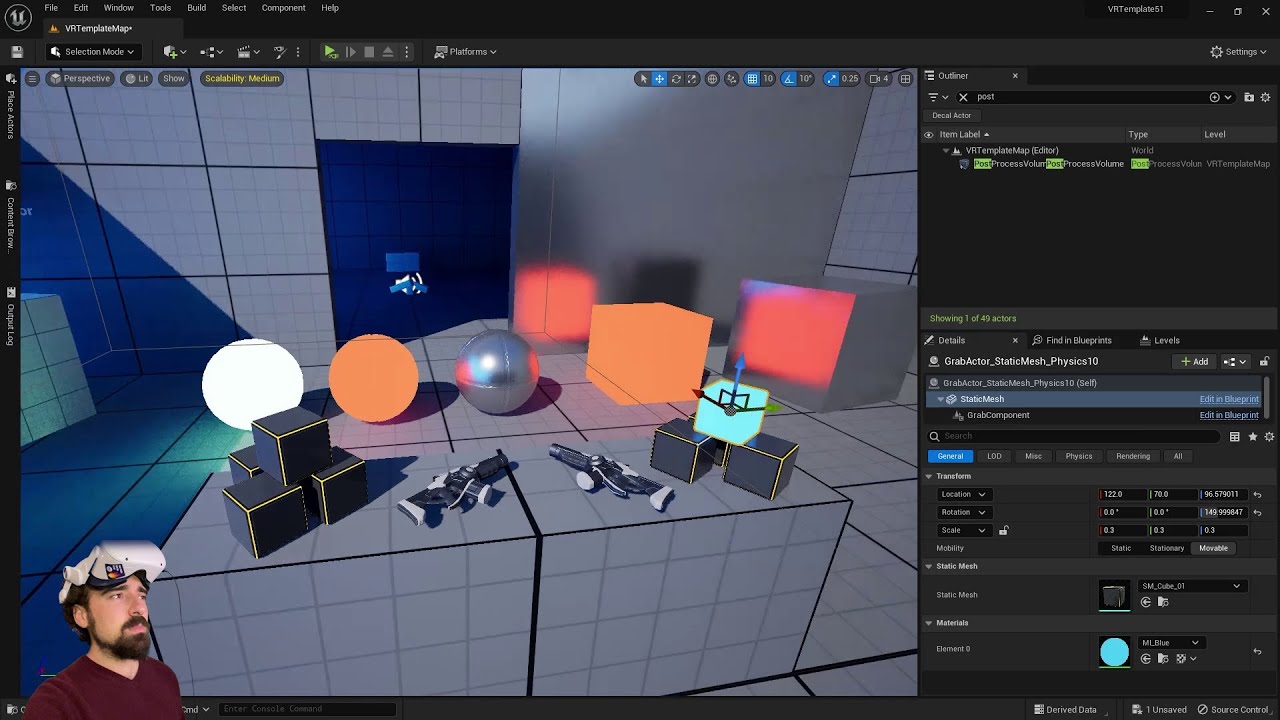
I'm on an RTX 3080 mobile.
For SteamVR, be sure to use the launch parameter -norhithread to avoid weird shadow artifacts.
Key points:
- Start with VR Template
- Turn off Forward Shading, Allow Static Lighting
Download the "Orb Simulator" Demo, which now includes trees and buildings:
https://www.dropbox.com/sh/da489eg96ca4lxm/AACTSZ3gYI65RWQ...
Deferred rendering nota bene
wispy cradle
there's a new TAA algorithm I believe that's more expensive but should give better results
Need to manually enable it through a cvar though I think
hard relic
Well, when i use DitherTemporalAA to fake transparent with an opaque material.
I see the pixel checkboard. It seems ordered.
Can we change the pixel order? (from frame to frame?)
■ ■ ■
■ to ■ ■
■ ■ ■
jade kettle
I can't answer your question but I absolutely love your ASCII illustration
tribal lintel
carmack said yesterday that TAA is all the rage for VR so wave goodbye to MSAA
mighty carbon
tribal lintel
carmack said yesterday that TAA is all the rage for VR so wave goodbye to MSAA
PC VR or mobile VR ?
real needle
Hi! I was hoping if someone can help me, I cant get my quest 2 to show up in my unreal engine devices. It works in preview but just cant get it to show up there
tribal lintel


The Epic gods have done it again... Lumen and Nanite in #UnrealEngine #VirtualReality using #UE5-main (5.2). This is by far the most detail and realism I have ever seen in #VR.
Likes
1724
Retweets
221
 Twitter
·
tribal lintel
mighty carbon
PC VR or mobile VR ?
Twitter
·
tribal lintel
mighty carbon
PC VR or mobile VR ?
sorry I was coffee-less and read some dumb stuff on twitter, they were talking about the current graphics APIs and the most efficient rendering methods for VR, so not specifically either platform
 chilly pasture
Does occlusion works inside quest ?
at some places buildings are behind some mountains, but i can still see the draws and prims for those
chilly pasture
but it does not seems to work, its already enabled
@mighty carbon
Is there anything conflicting with this ? like some other setting which will disable its effects
mighty carbon
For software occlusion culling to work, you need to specify LOD in the static mesh, which will be used for culling
By default value is -1 meaning mesh won't be used as an occluder
chilly pasture
yes that was the problem, now it seems to work. damn for so long i thought culling was working.
Is there any way to complete not show after a certain distance ?
@mighty carbon
mighty carbon
Mix/max distance culling
Only works in PIE or build
Doesn't work in the Editor
@chilly pasture
summer geode
tribal lintel
https://twitter.com/H1R0Y4N/status/1579060446937550848
Damn, gotta pivot my marketplace store into high fidelity nanite vr assets. I think Ive been waiting for this all my career as a 3d artist 🤯
rocky nexus
mighty carbon
Doesn't work in the Editor
i think it also works in game mode in editor 'g'
chilly pasture
mighty carbon
Mix/max distance culling
Does it work static or only with hism
mighty carbon
chilly pasture
Does it work static or only with hism
works on static meshes
chilly pasture
Ok thanks.
mighty carbon
how can I get mic input in Blueprints for Windows and Android platforms (UE4 and UE5)?
round cliff
I have problems with a line trace attached to my right hand, the line trace does not adjust well to the rotations of it. the stroke of
WidgetInteraction (red line) doesn't match my line trace apparently it comes out of it.

any ideas how to fix this?
tribal lintel
round cliff
I have problems with a line trace attached to my right hand, the line trace does...
is one line tracing from the mesh and another hand from the vr controller component? is the widgetineraction rotated or your line trace coming from a rotated component?

 round cliff
ok line trace no work but Sphere trace yes
high olive
round cliff
is the widgetineraction is not rotated
Your line trace is wrong
your start is good but your end is going "nowhere"...think of the forward vector as a direction, it still needs a starting point....you need to add the world location to your forward vector
something akin to that
 radiant sundial
wondering if get any tips for profiling the quest 2 in ue5, i'm getting an insane cpu bottlenecking, and it seems to be in the gamethreads worldtick function, not actual ticking actors:

has anyone else noticed this issue in ue5? and any suggestion on how to fix it?
this is basically doing nothing, if i load a scene with even ~10 actors, the game thread shoots up into the 30+ms time.
the weird thing is i've tested on another android device, and it doesn't have anywhere near as bad game thread timing as the quest has.
real needle
https://cdn.discordapp.com/attachments/846520322642411570/1029707992926531654/unknown.png
https://cdn.discordapp.com/attachments/846520322642411570/1029708256207188008/unknown.png
https://cdn.discordapp.com/attachments/846520322642411570/1029708490459074581/unknown.png
https://cdn.discordapp.com/attachments/846520322642411570/1029708621346504744/unknown.png


vr with unreaealal reefusesche
omgg I hatemy keybaord
vr with unreaeal oesn't wo
please excuse my keybaord acting up idk why it is
vr with unreal doesn't work with an oculus quest 2
 ionic lynx
Hi, does anyone has a working tutorial or some tips how to setup the Quest 2 packaging in UE5?
We tried everything, but Turnkey or SetupAndroid.bat always says, that Android Studio is not installed properly. We have fixed SetupAndroid.bat with changing the path in the script itself and it worked, but turnkey doesn't work.
 hallow knoll
real needle
https://cdn.discordapp.com/attachments/846520322642411570/1029707992926531654/un...
hallow knoll
real needle
https://cdn.discordapp.com/attachments/846520322642411570/1029707992926531654/un...
Since you're using Oculus Link, disable OculusVR and SteamVR, and make sure that the Oculus Runtime is set to be the OpenXR runtime. Start Oculus Link prior to opening the Unreal Editor for the first time.
 hallow knoll
ionic lynx
Hi, does anyone has a working tutorial or some tips how to setup the Quest 2 pac...
hallow knoll
ionic lynx
Hi, does anyone has a working tutorial or some tips how to setup the Quest 2 pac...
Which version of Android Studio did you install? You specifically need Android Studio version 4.0
Android development requirements including compatible hardware, software, and SDK information.
real needle
hallow knoll
Since you're using Oculus Link, disable OculusVR and SteamVR, and make sure that...
okay I'll try that later thank you
mighty carbon
@hallow knoll by chance, have you had a chance to look into this https://forums.unrealengine.com/t/ue5-and-missing-performant-occlusion-culling-is-the-fix-coming-soon/664020 ? 😊
Unreal Engine Forums
@VictorLerp As many people are already aware and experienced this issue first hand, UE5 is not yet well suited for mobile VR projects with complex levels as there is no performance-friendly occlusion culling technique present. UE4 had software occlusion culling (along with precomputed visibility culling), which help a ton as it was running on C...
idle osprey
ionic lynx
Hi, does anyone has a working tutorial or some tips how to setup the Quest 2 pac...
https://youtu.be/-THrTc_dl7Q is a video I made on installing Android Studio for UE4 & UE5. The steps are the same.
I just always install from the later version. ie, I have 5.0.3 and 4.27. 5.0.3 uses a newer version, so I use it.
@hallow knoll The SetupAndroid and UpdateLinker scripts are wrong/broken for OSX. Would it be better if I enter a bug or create a pull request? Someone did some copy/pasta mistakes.
 reef cave
Hey, what's the difference between Left and LeftGrip for the motion controllers?
 toxic carbon
Anyone there ? I need help with my vr project

I am getting these errors and i need to get them fixed as soon as possible and i have no idea how
fiery cloud
toxic carbon
Wrong engine, that's Unity, not Unreal. 😄
toxic carbon
Yeah i know it's unity
tribal lintel
toxic carbon
Yeah i know it's unity
Did you know your in the unreal engine discord?
idle osprey
 ⁉️
⁉️
maiden willow
toxic carbon
Yeah i know it's unity
Are you asking how to accomplish this in Unreal?
spiral marlin
Anyone recognize this fatal error? Happening on UE 5.1-preview
Assertion failed: DepthSwapchainDesc.Extent.X == SizeX && DepthSwapchainDesc.Extent.Y == SizeY [File:D:\build\++UE5\Sync\Engine\Plugins\Runtime\OpenXR\Source\OpenXRHMD\Private\OpenXRHMD.cpp] [Line: 2190]
Happens when I start a VR PIE session
glad matrix
what is the poly budget for q2 standalone?
tribal lintel
glad matrix
what is the poly budget for q2 standalone?
 tribal lintel
glad matrix
i think the text says for unity
tribal lintel
glad matrix
i think the text says for unity
I searched for the unreal version and I couldn't find it, but I remember there being one. I remember it being virtually the same though, they have this information split between docs, blog posts on 2 different websites, and videos so I can't remember where it is right now, you wont find much of a difference
glad matrix
Overview of performance requirements and recommendations for Meta Quest Unity apps.
 reef geyser
What's the best visually accurate headset available or coming soon (no budget)
highest resolution with best FOV
tribal lintel
reef geyser
What's the best visually accurate headset available or coming soon (no budget)
search it, but its probably pimax 12k
tribal lintel

they have it down, you can trade in any previous pimax headsets for up to 1.5k credits towards a 12k lol
not released yet though
wow they also claim it will work wirelessly, but not enough time to look at the specifics and see if you will actually get 12k over wireless
spiral marlin
Is anyone here able to get VR to work in 5.1 preview?
Its failing at line 2190 of OpenXRHMD.cpp
check(DepthSwapchainDesc.Extent.X == SizeX && DepthSwapchainDesc.Extent.Y == SizeY);
Extent.X is 4488 and SizeX is 2992. Do those numbers stand out to anyone as a hint?
Likewise if I use SteamVR instead of OpenXR, it fails a check at line 1579 in SteamVRHMD.cpp
void FSteamVRHMD::CalculateRenderTargetSize(const class FViewport& Viewport, uint32& InOutSizeX, uint32& InOutSizeY)
{
    check(IsInGameThread()); // <-- this fails
@nova raft you were running into this issue also with OpenXR, did you resolve it?
high olive
reef cave
Hey, what's the difference between Left and LeftGrip for the motion controllers?
That, I believe, can be implementation dependent. Ultimately you have 2 sets of telemetry regarding the motion controllers and that's grip and aim. These essentially affect the orientation of the motion controller components (and anything a child thereof). So I believe that Left and Right are simply the default (grip or aim) of the implementation. Explicitly setting it to LeftGrip or LeftAim should guarantee a result.
high olive
glad matrix
https://developer.oculus.com/documentation/unity/unity-perf/ this your pic
If it matters, here's the unreal "specific" one, however, the numbers should be engine independent which makes sense.
https://developer.oculus.com/documentation/unreal/unreal-debug-android/
Performance recommendations for the Oculus Quest
 glad matrix
https://i.imgur.com/DESQoFu.jpeg https://i.imgur.com/uryN5Th.png how to remove all the zigzag patterns?
in short, i want the software to get the mesh, analyse it, and apply hard and smooth where it is needed.
so i want that the software creates nice bevels here. and removes all this stuff https://i.imgur.com/Ra7UVII.png
 summer geode
Isn't it easier to do a zbrush pass for it yourself?
glad matrix
summer geode
Isn't it easier to do a zbrush pass for it yourself?
what u mean. i sculpted this in substance modeler vr
rocky nexus
and how would 'software' know what you had in mind when you sculpted that? its up to you to make it look like you want
summer geode
glad matrix
what u mean. i sculpted this in substance modeler vr
yeah I mean sometimes for the final pass you have to go in manually. it takes a few minutes in zbrush/blender if modeler can't do it
glad matrix
few minutes? never. many many hours.
rocky nexus
im sure it will get faster with practice
glad matrix
rocky nexus
im sure it will get faster with practice
its not just what u seen on the picture. they are everywhere. and im doing a environment. so not possible
summer geode
Well enviros take a lot of time especially for VR 😅
Or better yet, take it to the substance discord? Maybe they have some tips
hallow knoll
mighty carbon
<@531923466799284244> by chance, have you had a chance to look into this https:/...
It's not clear to me if it's a bug or if you're asking for a feature request to add functionality that was removed
hallow knoll
high olive
That, I believe, can be implementation dependent. Ultimately you have 2 sets of ...
Left/Right and LeftGrip/RightGrip are the same (OpenXR Grip Pose). LeftAim/RightAim is the Aim Pose.
mighty carbon
hallow knoll
It's not clear to me if it's a bug or if you're asking for a feature request to ...
it's pretty clear that it's a bug report (unless it's not a bug) - disabling hw occlusion culling via cmd doesn't work. As if it's always on. The only thing that works is disabling occlusion culling altogether via project settings. But that also disables precomputed visibility culling.
fiery cloud
Well, I thout I had beaten it somehow, but here it is back, the DepthSwapchain thing...
 high olive
hallow knoll
Left/Right and LeftGrip/RightGrip are the same (OpenXR Grip Pose). LeftAim/Right...
high olive
hallow knoll
Left/Right and LeftGrip/RightGrip are the same (OpenXR Grip Pose). LeftAim/Right...
Ha, that's exactly what I intended say. Reading back on it that is not the message that came across. Thanks for catching that.
hallow knoll
mighty carbon
it's pretty clear that it's a bug report (unless it's not a bug) - disabling hw ...
It still seems to me like you're asking to bring back software occlusion culling, yes? Our minimum spec hardware for Android supports HWOC (that includes Quest 1). Does precomputed visibility not work with HWOC?
mighty carbon
hallow knoll
It still seems to me like you're asking to bring back software occlusion culling...
good sir, it seems to me you are ignoring what I am saying 😦
no, I am not asking to bring software occlusions back (because I already did and I was told it's a no-go)
I am saying that while hw occlusion culling are supported on Quest 2, there is no room for GPU to handle them. They consume a ton of GPU processing power on Quest 2 and when you have high GPU utilization (which most VR games do), performance grinds to halt (like, fps in single digits)
you might not see it in your simplistic test cases, but in actual games with levels and a lot of occlusions - it's a massive problem
so the solution is to turn off hw occlusion culling completely, and only run with precomputed visibility culling and min/max distance culling
however
that doesn't work in UE5
I was unable to find a way to turn off hw occlusion culling. If I set cvar in the ini to turn it off, it has zero effect on performance - still horrible.
and if I turn off occlusion culling altogether, via project settings checkbox - precomputed visibility doesn't work either, so I get no culling at ll. Performance goes up, but it's not a stable target fps and the more complex the scene, the worse it gets (still better than having hw occlusion culling turned on)
so what I am asking is if we can have a fix where hw occlusion culling are turned off via cvar in the ini and stop affecting performance negatively, while still having precomputed visibility culling working
(someone from UDN mentioned that currently precomputed visibility culling relies on hw occlusion culling and it seems that if precomputed visibility culling exists on the level, hw occlusion culling cannot be turned off - this is bizarre to me)
glad matrix
why is ue's camera frustum so bad?
 tawdry bough
can someone help me?

This little cube is supposed to be the root of the VR pawn
but for some reason, I can never put it under the camera at all times
I have to walk over it in the real world to get it into place, but thats a problem because there's normally a wall there.
I feel like I've tried everything at this point, and either nothing happens or it's super glitchy
does anyone know how to gert the camerra over the cube root thing?
idle osprey
tawdry bough
can someone help me?
For roomscale VR, I was taught to use a Character, not a Pawn. The class I took used a VR Origin between the Camera and the Capsule of the character as counterweight in order to keep the camera inside the capsule as you moved around the room. I worked out a beginner system that allows you to walk around, not walk thru walls, jump and crouch and Jonathan from GDXR created a tutorial from my project. Would that be of any help for you?
tribal lintel
tawdry bough
but for some reason, I can never put it under the camera at all times
This is what I use to solve this, not very robust but it's simple #virtual-reality message
 indigo cedar
heya 👋
been playing around with doing vr dev again recently but ive had some really weird rendering behaviour.
it's a little difficult to explain, but when moving forward it looks like fov increases and when going backwards, it decreases. when going sideways it almost looks like the view gets skewed sideways. (skewing obviously not very visible since i tilted my head when going sidways but eh..)
The video doesn't show off everything properly but some of it.
i have tried turning off ASW in the oculus debug tool but that didn't change anything (on that note, the vr resolution is also not affected by the 3d resolution it seems? idk im still new to ue4 vr) and i'm wondering if someone has had this issue aswell cause i couldn't find anything online.
on a previous version i even had an issue where it would overlay a previous frame every couple frames. not in this project though.
I'm on UE 4.27 and an Oculus Rift CV1 on a pretty much unmodified version of the vr template. i only disabled some plugins
mighty carbon
@indigo cedar perhaps some issues with FFR (or whatever its called on PC VR). Try using Meta's fork of UE4.27.
spiral marlin
Anyone know what is causing this fatal error in UE5.1 Preview with OpenXR?
Assertion failed: DepthSwapchainDesc.Extent.X == SizeX && DepthSwapchainDesc.Extent.Y == SizeY [File:D:\build\++UE5\Sync\Engine\Plugins\Runtime\OpenXR\Source\OpenXRHMD\Private\OpenXRHMD.cpp] [Line: 2190]
Were you able to resolve this? I'm getting this issue too.
When I switch from OpenXR plugin to SteamVR, I get this crash "lol":
Assertion failed: IsInGameThread() [File:D:\build\++UE5\Sync\Engine\Plugins\Runtime\Steam\SteamVR\Source\SteamVR\Private\SteamVRHMD.cpp] [Line: 1579]
Yes, bit I still can't understand it. I narrowed it to: instanced stereo, custom depth, and/or hardware raytracing for lumen. Or changing scaling settings a few times so that all the shaders compile for every scaling level. Or, perhaps changing editor performance settings to change dpi scaling to manual. One of those. It's complicated, because changing all of these settings back does not cause there error to shows up again, it seems fixed fire today particular project from then on. It's baffling.
spiral marlin
fiery cloud
Yes, bit I still can't understand it. I narrowed it to: instanced stereo, custom...
Thanks for the response. I turned off instanced stereo as well as custom depth but no luck over here
spiral marlin
fiery cloud
Yes, bit I still can't understand it. I narrowed it to: instanced stereo, custom...
Or changing scaling settings
What is this referring to? That makes sense because Extent.X indeed does not match SizeX
fiery cloud
Try the scaling settings... There are new defaults for 5.1 and I'm suspicious of them
spiral marlin
are those in project settings?

What are the scaling settings you are referring to?
fiery cloud
spiral marlin
> Or changing scaling settings
What is this referring to? That makes sense beca...
I'm not at my PC at the moment, but it's in editor settings, under performance. There's two similar options. Something about scaling settings. Basically, it handles dpi scaling in the editor viewport depending on your monitor. I kinda suspect there new default causes that issue, but it's just a guess
fiery cloud
Yep
Also there's one more I think. Override maximum something. Noticed it was checked and the value was 0. I unchecked it. No idea if that helped
spiral marlin
fiery cloud
Also there's one more I think. Override maximum something. Noticed it was checke...
setting it to manual WORKED
OMGGGG
THANK YOU SO MUCH!!

 versed cloak
Hello guys, with the new Quest Pro , I hear that Meta as create it own build of UE5 for XR. does someone know something about this ?
to support the eyes/face tracking
high olive
versed cloak
Hello guys, with the new Quest Pro , I hear that Meta as create it own build of ...
I don't know about anything for the Quest Pro specifically but Meta does in fact maintain a fork of 4.27 and 5.0. Good info here https://developer.oculus.com/documentation/unreal/unreal-gsg-quest-quickstart/
Provides a guide to quickly onboard new users developing Unreal Engine VR apps for Meta Quest.
also they have recently released a version of their MetaXR plugin which is supposed to work with a stock build of UE 5. You can find that here https://developer.oculus.com/downloads/package/unreal-engine-5-integration
I'm currently using the MetaXR plugin in a stock build of UE 5.0.3
versed cloak
Cool thank a lot @high olive
I think the plugin could be to compile to the new UE 5.1
indigo cedar
mighty carbon
<@355852416802881547> perhaps some issues with FFR (or whatever its called on PC...
ooo thanks!
didn't try using the fork cause i don't have the storage to build that rn but it did push me in the right direction.
I looked into ffr more and it might have been that the ffr level option in the project settings isnt working.
Unreals docs said there was a "set foveated rendering level" node but that didnt exist, so i switched from the oculus openXR plugin to oculusVR, which did have that plugin and boom. its fixed
there are a few changes in behaviour like orientation objects picked up being different but those are only minor inconveniences.
 wet marsh
Hi, can someone please tell me or show me some screenshots of the BEST settings to apks for Quest 2 in terms of graphics, thank you 🙏🏻
mighty carbon
@indigo cedar I am not entirely sure about the state of PC VR dev at Meta regarding UE and their hardware, but my guess is that you might be better off using SteamVR
 serene sluice
how do I enable Vsync in editor
and in desktop vr preview mode
glad matrix
will i get much more fps with unity for vr?
tribal lintel
make a test and find out
 jovial violet
Hey guys has anyone had an issue where everytime you goto preview play your vr game it seems to compile about 9000 shaders?
I don't know how to stop it but the project itself isn't compiling shaders, it's just when I preview it, the compiling begins and it's so harsh
I've tried using both openXR and steamVR modes and it's the same everytime. I'm thinking it's some setting I changed somewhere but I can't remember what

 fiery cloud
jovial violet
Hey guys has anyone had an issue where everytime you goto preview play your vr g...
fiery cloud
jovial violet
Hey guys has anyone had an issue where everytime you goto preview play your vr g...
I think it's part of a new system where it only compiles shaders on demand now. But yes, some of it's new behavior is questionable. If you change scalability settings, it'll probably compile more shaders for those new levels...
And if it crashes, it'll likely need to recompile it all again
jovial violet
Well the thing is I'm using 5.0.3 rather than 5.1 preview
it just started happening a few days ago and I can't seem to figure out why
 smoky swan
Does anyone here know anything about GPU lightmass? Im running into several issues trying to get GPU baked lighting for my Android Oculus Quest build. I would love to know if this is even possible and maybe troubleshoot what Im getting wrong....
sturdy coral
jovial violet
it just started happening a few days ago and I can't seem to figure out why
Are you low on disk space?
 whole zenith
one object I see in editor is invisible in oculus build. what could be?
other object in same level with same material are visible

only the not selected plane is visible
 lament aspen
fml
didn't see this thank you
Hi everyone, I built a web game in webxr, and have now switched to unreal.
I've tried 3 different run times and two different plug ins, but am still getting terrible frame rate on the quest 2 in ue5.
Is there some kind of configuration trick that I don't understand?
serene sluice
if I build from Oculus-VR UE source then I don't need to install meta v44 plugin?
high olive
serene sluice
if I build from Oculus-VR UE source then I don't need to install meta v44 plugin...
Correct, it should come with it. You can verify this by checking the plugins in your project. You will have one called MetaXR and the version should be 1.76
If you're running the 4.27 branch the plugin might still be called OculusVR
jovial violet
sturdy coral
Are you low on disk space?
Not that I'm aware of to be honest. I kind of was but I still had over 100 GB spare
mighty carbon
sounds like UE5.1p2 is out.. I wonder if anyone can build apk and deploy to Quest 2 successfully 😅
tribal lintel
mighty carbon
sounds like UE5.1p2 is out.. I wonder if anyone can build apk and deploy to Ques...
have you tried the new meta plugin that is supposed to work with launcher ue5? I'll have a look around today
looks further along then their source branch last I saw
mighty carbon
nah, I am not touching previews - I couldn't even download p1 😦
dreamy ivy
has anyone had any luck adding enhanced input to the UE5.0.3 project. I have input that just wont fire even though there exactly the same setup as others which work. For example my action mapping for my left thumbstick X axis works but having the same on my right controller X axis wont fire. im going crazy.
it seams to only be inputs on the Right Oculus Touch controller that are not working but if i try out the vr template in 5.1 the inputs work. is there a bug or is there something im doing wrong?
 uneven juniper
I also have an issue with input but with Unreal 4.27.2. It seems the issue came from v46 oculus update. There is a post here https://forums.oculusvr.com/t5/OpenXR-Development/grip-button-no-longer-works-with-v46/m-p/992030 if anybody got the same kind of issue it might be good to group everything there !

The grip button no longers work for my OpenXR based app with the v46 update.
mighty carbon
works fine for me. I am using Meta's fork and OpenXR OVR API
uneven juniper
mighty carbon
works fine for me. I am using Meta's fork and OpenXR OVR API
yep, maybe 4.27 is not enough up to date to be used with their latest update
uneven juniper
mighty carbon
works fine for me. I am using Meta's fork and OpenXR OVR API
Did you went to 5.0 then ? I read everywhere the feature parity was not there and we should stay on 4.27 for production 🙂
mighty carbon
uneven juniper
Did you went to 5.0 then ? I read everywhere the feature parity was not there an...
no, 4.27.2.. I don't know about launcher's version, but Meta's fork has native OVR (no longer being developed), Epic's OpenXR and OVR OpenXR (recommended for Meta's hardware)
Epic's OpenXR indeed has issues on Quest 2
uneven juniper
I build 4.27.2 from Epic's source. I saw there were some fixes in the oculus version but I was waiting for a stable 5.1 (hopefully) to do the upgrade then to the oculus version
thanks for the infos 🙂
foggy oxide
Hello people,
i have some particles spawning on Quest, but in one of the levels the particles only show on top of the mesh only, as if there's some mask that says paint over mesh only.
Anyone would have any idea. the level is quite empty. no background or anything. mostly black.
only happens on quest. not on vr preview.
same particles works well on other levels.
unreal 4.26
 humble lantern
Hello, I need to detect the real-time motion of the user to control the gameplay, how can i do it? like if a person stands the object starts coming towards him.
feral smelt
anyone have an AR project that can be borrowed to study?
I've tried using an unreal template but for some reason when starting the scan nothing happens and the screen is dark (UE4). when using the UE5 template, the camera is successfully opened but no scanning occurs
 polar valve
Does anyone know what the range is for the strength in int Pxr_SetControllerVibration(uint32_t deviceID, float strength, int time); for the Pico 4?
polar valve
polar valve
Does anyone know what the range is for the strength in ```int Pxr_SetControllerV...
It's just 0-1 but pretty weak
 cunning tangle
Hello guys , I am looking for an Unreal Engine 5 VR game developer for collaboration on a project
Please dm me for more information
tribal lintel
cunning tangle
Hello guys , I am looking for an Unreal Engine 5 VR game developer for collabora...
jade kettle
With SteamVR, I added a new binding in the project and created a new build but the binding does not appear in the SteamVR bindings interface
 bronze raven
Hey guys, does anyone know if its possible to spawn level instances and real time transform them? So far it seems like you can only do that in the initial function when spawning, and then scaling by using world scale. Thanks
cedar cipher
Hi all, I have a bit of a weird proposition. I am a cardiology fellow (heart doctor in the last stage of my training) and I'm trying to make a educational app in Unreal. I have a bit of programming experience, but now realize I took on more than my brain can comprehend. I have the environment made, but despite a lot of research, cannot figure out how to use the blueprint to make the motion controllers work with the skeleton meshes I am using. Would anyone be willing to jump on a quick Google Meet or Zoom screenshare with me and walk me through how to set up the blueprint? In exchange, I can offer consultation on any medical/biology/science project you are working on. Please DM or reply if able.
tawdry bough
Can someone help me please?
I don’t know what happened, but I can’t do anything proper with VR anymore
When I teleport it only lets me teleport to the center of the map and the grab component doesn’t work on anything
Does anyone know what’s going on?
I don’t know if I screwed up anything with the plug-ins or not
 north verge
cedar cipher
Hi all, I have a bit of a weird proposition. I am a cardiology fellow (heart doc...
north verge
cedar cipher
Hi all, I have a bit of a weird proposition. I am a cardiology fellow (heart doc...
Are you trying to make your hands the skeleton mesh?
cedar cipher
north verge
Are you trying to make your hands the skeleton mesh?
Hey, nope, I just need to use the thumbstick or the controller itself to adjust rotation of a joint in the mesh
north verge
This tutorial might help

project Files : https://www.patreon.com/posts/35481926
This is a special request tutorial from one of the patrons.
The objective is to implement an item inspection system. In the last episode, I implemented a way to move the object closer to the camera when we inspect and enabled a dynamic depth of field. Now we are going to implement rotations...
You'd just substitute the thumbstick values instead for the rotation
cedar cipher
north verge
https://www.youtube.com/watch?v=lnL09cBslgw
Thanks! I'll check it out
summer geode
@tawdry bough I seem to remember happening in one of my projects too and all motion controller data being 0 so nothing worked
tawdry bough
did you find a solution?
 worthy aurora
Hi, I'm developing Oculus VR game, and I included OnlineSubsystemOculus and OculusSDK, I'm added as developer in dashboard, and can't get the VerifyEntlitlement check succeed, neither the login to oculus account. I spent 3 days researching for the issue and can't find a thing since their documentation "is rlly good". Does anyone know how to fix the issue?
real needle
Describes how you check the users entitlement.
worthy aurora
I check that, but it's failing every time (the UE version and Native one), always getting error:
Warning: Oculus: Failed Oculus login. Not currently logged into Oculus. Make sure Oculus is running and you are entitled to the app.
and this one Missing entitlement for xxxxxxx(1971031)
summer geode
Anyone tested the 5.1 vr template? What's new apart from hands?
chilly ocean
So I have an opaque cursor object I am trying to render in front of a stereo menu, but my opaque object is being rendered behind the ui layers. How do I fix this?
jovial hamlet
chilly ocean
So I have an opaque cursor object I am trying to render in front of a stereo men...
Are you using a stereo layer?
You could try enabling "supports depth" if that's going to work for you; I've had a lot of trouble with depth-aware stereo layers. AFAIK it's the only way to draw meshes in front of a stereo layer.
Or you can draw the cursor on the texture that's displayed by the stereo layer, or on a separate stereo layer that has a higher priority.
chilly ocean
jovial hamlet
Are you using a stereo layer?
You could try enabling "supports depth" if that's ...
Yes stereo menus, meaning stereo layers.
On my monitor, it does it properly, just not in the stereo layers. I am trying the supports depth option, but doesn't seem to change anything
 halcyon island
hey does anyone know how to get the VR preview window to autofocus? setting the window to always be on top in the level editor play preferences doesn't fix it for me.
hallow knoll
summer geode
Anyone tested the 5.1 vr template? What's new apart from hands?
It's been updated to use Enhanced Input
high olive
halcyon island
hey does anyone know how to get the VR preview window to autofocus? setting the ...
Odd, I've found with VR preview that I only get auto focus when "always on top" is off actually. Beyond that I suspect it might be more of an interaction between your operating system and the launched window vice a UE thing....I could always be missing something though.
high olive
worthy aurora
Hi, I'm developing Oculus VR game, and I included OnlineSubsystemOculus and Ocul...
Have you completed your DUC? https://developer.oculus.com/resources/publish-data-use/ . That is a requirement in order to get access to services (including entitlement verification)
Data Use Checkup (DUC) is how developers request access to the features they need to operate their app and certify their general compliance with the Developer Data Use Policy.
worthy aurora
high olive
Have you completed your DUC? https://developer.oculus.com/resources/publish-data...
Yea, I completed the DUC. I have permission for several stuff there
reef willow
Is there anywhere to eject during play-in-editor vr mode?
It's something i was able to do in unity, where i could still see the controllers and hmd being tracked.
 clever cobalt
Is there an easier way to preview my changes in VR?
I'm getting kind of sick of putting on the headset everytime.
Or is that the only way? (especially with controller handling)
 sinful crane
is it possible to completly lock the vr camera to the game camera?
so we only get the depth, but none of the movement of the head tracking?
summer geode
You probably can but isn't that a sure ticket to instant nausea?
sinful crane
i have no idea 🙂
also....anyone else experiencing weird flickers on oculus rift s with ue5? when i move objects or move around my meshes are like shimmering(like meshes actually displacing very quickly)
i wonder if its the new nvidia drivers or something
 proper schooner
/job freelance
jade kettle
summer geode
You probably can but isn't that a sure ticket to instant nausea?
I think you could get away with locking it positionally while keeping the rotation linked to head tracking
As long as the player is sitting down and static.
reef cave
Hey, would anyone know why my project doesn't seem to pick up axis values for the valve index thumbsticks?
 grim dragon
How do I move the "virtual HMD" that I get when I start more than one player worth of a VR game? I can set up Net Mode = Client, and Number of Players = 2, and I get one window that's my actual HMD and works, and one window that just sits at ground level where the player start is. I don't need it to interact or anything, but being able to move it would be nice, to make sure the right stuff is replicating
jade kettle
grim dragon
How do I move the "virtual HMD" that I get when I start more than one player wor...
Sounds a bit tricky, maybe a quick workaround would be to have a Character or Pawn added to the level and have it auto possess the second player
You don't need the second window to be VR right?
You also might need to create a new Pawn that has logic to handle player movement, though I think the DefaultPawn class might have some built in logic
 glad temple
Does anyone have any experience with the Varjo XR-3 headset? The hand tracking I'm getting on that is not great...any tips on how to improve it?
north verge
Has anyone ever implemented sword stabbing mechanic or know any references I can check out? Like when the sword gets stuck in an object and can be pulled in/out.
summer geode
I think the VRGK kit on the marketplace has it
fiery cloud
north verge
Has anyone ever implemented sword stabbing mechanic or know any references I can...
VRExpansion plugin, it's free
https://vreue4.com/ if you are curious
In the example template, there are melee weapons, which you can stab into things and then pull them out
worthy aurora
Hi, I'm trying to initialize windows platform for the oculus, and I'm getting linking errors, that ovr_PlatformInitializeWindowsAsynchronous as a unresolved external symbol. I even included modules " LibOVRPlatform" and OnlineSubsystemOculus. Any ideas how to deal with this?
dreamy ivy
hey everyone, I made a tutorial on how to create a VR hud that follows the users camera so it feels more dynamic. https://youtu.be/cGYn-Oxs66A

#UnrealEngine #VR #kiwidesign
►Sponsor Link
https://www.kiwidesign.com/?ref=GDXR
Coupon Code =5% OFF: GDXR
► Description
How to add a VR Hud to your player and have it move it's position to match the players camera.
-----------------...
 quiet scaffold
Anyone use a physics handle to grab an object with the VR template? I'm having a heck of a time getting it to work. I can get it to work in 3rd/1st person, just can't get the object to stick to the motion controller with the Physics Handle.
bronze raven
Hey guys, does anyone know if its possible to spawn level instances and real time transform them? So far it seems like you can only do that in the initial function when spawning, and then scaling by using world scale. Thanks
sonic lake
quiet scaffold
Anyone use a physics handle to grab an object with the VR template? I'm having ...
Physics sleep handling is broken in 5.0.x. You may want to try turning it off with p.chaos.solver.SleepEnabled 0 and see whether that makes any difference
 tacit osprey
Hey everyone! Using 5.0.3 here, I imported a previous project into the VR template project, opened the old map, VR works in it but I can't use gpu lightmass anymore. most relevant render settings in the project settings are greyed out. any help here pls?
it's an archviz project so I need high visual quality, hence why I used gpu lightmass (since lumen is not supported)
i'll try 5.1 preview 2 tomorrow though
basically what i;m asking is how do I enable gpu lightmass in the VR template?
tacit osprey
https://docs.unrealengine.com/5.0/en-US/gpu-lightmass-global-illumination-in-unreal-engine/
followed this documentation piece and it looks like it works, i'll build the lightmaps and report back
Learn about the GPU-based system for generating precomputed lighting data.
 quiet swan
I am having weird issues, I have a sceen capture component and unless the spring arm has use pawn controll rotation checked, it flickers
quiet scaffold
sonic lake
Physics sleep handling is broken in 5.0.x. You may want to try turning it off wi...
Ok, I was starting to suspect something was bugged. I will test a bit later.
Now it does work in FPS, or specially with the 3rd person template, and I was pretty sure that was 5.0 but maybe I was doing that in 5.1. maybe physics sleep handling was fixed in 5.1?
Also VR crashes on play in Editor in 5.1, is this known?
 dreamy orbit
@quiet scaffold I also can't get the standard VR template to run without crashing.
Anyone find a solve?
quiet scaffold
dreamy orbit
<@131316314919665664> I also can't get the standard VR template to run without c...
Thanks for confirming. I may dig into the logs, but for my purpose now, I think I'll be doing VR in 4.27
dreamy orbit
Yeah - I just wanted to play around with Nanite and Lumen to see what it could do. I have seen a few examples of people getting it to work, but maybe that was just with preview 1?
fiery cloud
quiet scaffold
Ok, I was starting to suspect something was bugged. I will test a bit later.
N...
If the error is something about DepthSwapChain, then go to your Editor Settings, go to performance section, change these to:
 dreamy orbit
@fiery cloud DUUUUUUDE! That solved it! I am now getting Lumen setup and dropping in some Nanite assets.
@quiet scaffold - try the above and let us know if it works.
fiery cloud
dreamy orbit
<@267974636690472960> DUUUUUUDE! That solved it! I am now getting Lumen setup ...
Yeah, I wish they'd pin it or something because it's a new default in 5.1 and lots of people have had it happen ...
 dusk root
/job salaryUK based Environment Artist with experience with VR to create music venue for UK VR company Electric Skies https://www.electricskies.io. High quality interior environment needed for interactive experience. 4-5 months work from early Nov. PAYE salary. NO STUDIOS. Remote work but great team . Please email caroline@electricskies.io with examples of work and availablity

ELECTRIC SKIES
Award winning, immersive content production company creating innovative, story-led, interactive experiences.
glad matrix
ue vs unity for q2 standalone. where do you get more fps?
jovial hamlet
glad matrix
ue vs unity for q2 standalone. where do you get more fps?
both UE4 and Unity will run fine if you know what you are doing
I've heard unity folks have it easier though
UE5 has some problems but is slowly getting better
glad matrix
jovial hamlet
both UE4 and Unity will run fine if you know what you are doing
I've heard unity...
what problems
mighty carbon
performance problems @glad matrix
glad matrix
on mobile cpus like xr2 or in general?
mighty carbon
specifically on Quest 2
afaik it's fine for PC VR
XR2 is not a mobile CPU though, it's CPU+GPU+other things
silver brook
what gives? No VR Preview in UE5?

Ah either needed to be set to Oculus Runtime or needed to have the Oculus plugin enabled or both...
glad matrix
silver brook
what gives? No VR Preview in UE5?
also airlink has to be on before u can do that i think if u use airlink
ok i dont remember.... something like that
tawdry bough
i need help

I have a blueprint that shows it has nav mesh, but for some reason it's not allowuing me to teleport on it
 frosty pumice
Can I connect two players to via LAN on using with Oculus VR? (In VR Preview mode or Standalone?)
round cliff
Does anyone know where I can see an example or tutorial of voice chat in quest2?
 neon geyser
Which voice chat service would you use for mobile VR? Seems to be impossible to find something reliable. Vivox stopped support after 4.26, EOS is not supported in mobile VR...
daring pasture
@neon geyser Odin
neon geyser
daring pasture
<@410384258142568459> Odin
Wow looks cool, first time i hear about it
Thank you
 compact dock
hey guys! I'm trying to turn the mirror off because it tanks the framerate. I tried HMD mirror off but it doesn't do anything. Anyone know how to do it?
tribal lintel
silver brook
what gives? No VR Preview in UE5?
make sure your device is connected either via cable or airlink, then make sure oculus app is running on your PC and detects your device before you start the editor, or just restart ue with it open
quiet scaffold
dreamy orbit
<@267974636690472960> DUUUUUUDE! That solved it! I am now getting Lumen setup ...
Yup, totally solved the launch in VR crash for me in 5.1. I am moving along now playing with Physics Constraints 🤓
 winged basin
Hi, Eddy here, i am in a bit of a bind concerning an upcoming Industrial Demo VR Application my small studio is developing. Will anyone here be kind to help me build a good invoice (specifically what items need to be on the invoice). Perhaps, a breakdown of what I should cost for. This is out first time costing for a VR project although we have been building them for a while now. Any help is greatly appreciated. budget is between $10,000 to $20,000
 dusky arrow
Anyone know of any presets/Marketplace items that are out there for animating buttons on my in-game games controller to match actual motion controller button presses - for example when a thumbstick is moved an animated thumbstick matches/moves on the visible controller in my game? I know I can build something but wondered if there are any pre-made presets covering multiple controller types index/quest etc already?
 shrewd cobalt
winged basin
Hi, Eddy here, i am in a bit of a bind concerning an upcoming Industrial Demo VR...
shrewd cobalt
winged basin
Hi, Eddy here, i am in a bit of a bind concerning an upcoming Industrial Demo VR...
sent ya a DM
shrewd cobalt
dusky arrow
Anyone know of any presets/Marketplace items that are out there for animating bu...
that would be awesome if you find one! let me know. I just made a bunch of shapekeys in blender driven by the input action value
dusky arrow
shrewd cobalt
that would be awesome if you find one! let me know. I just made a bunch of shape...
So far I have had no luck finding anything and have just had to manually line up the buttons on my controller using a model of the Index controllers to get it all in the right place. A bit tedious. Interested as to why you use shape keys for that rather than location animation in UE4? Have never used shape keys
shrewd cobalt
dusky arrow
So far I have had no luck finding anything and have just had to manually line up...
OH i meant when player pushes in one of the buttons you can read that axis value and pipe it to a shapekey to make it seem like the controller is being pressed virtually
because it's vertices, (I presume) its significantly cheaper than bones
admittedly i am not using that any more in my current game but thats how i initially did it
 outer flicker
Has anyone successfully gotten guardian points from this node? Im getting nothing from it during my test build. https://developer.oculus.com/documentation/unreal/unreal-blueprints-get-guardian-points/
Unreal Blueprint Get Guardian Points
idle osprey
Trivial
 spiral willow
Hey! Do you guys recommend Unreal 4.27 for VR or can I start with UE 5? I've been learning unreal on 5.0 so far.
Also, do you guys recommend I make everything from scratch or can I use a template like https://www.unrealengine.com/marketplace/en-US/product/vr-weapons-kit-tactical-assault/questions and expect to tweak it without too much efforts (I'm only 2-3 months experienced).
Appreciate any help 🙂

Unreal Engine
Use this pack to create your own VR games with realistic weapon interactions. All blueprints are designed for optimal performance even on the Oculus Quest with options for customisation.
spiral willow
spiral willow
Hey! Do you guys recommend Unreal 4.27 for VR or can I start with UE 5? I've bee...
For this template 5.0 wouldnt work so well so I guess both questions go together
Also my focus is standalone quest / pico headsets
timber bobcat
Anyone know if the web browser widget works on the quest 2? There are a few threads on the unreal forums saying it doesn't work but I'm suspicious those are just posts from people who didn't know how to set it up correctly.
chilly pasture
Anyone know how to show transparent Shader on top of a passThrough Layer ?
 ivory carbon
In VR, when i grab either the gun or knife and try to move forward using locomotion, it reverses my movement. So I am flying backwards whenever i am holding the objects. Someone please help.
 maiden willow
Your meshes, or something on the actor, has collision set to block the pawn. Adjust your collision to overlap or ignore the pawn in order to compensate
ivory carbon
maiden willow
Your meshes, or something on the actor, has collision set to block the pawn. Adj...
Could you tell me where can i find these options. Im sorry a newbie on UE ^^
maiden willow
No worries! Open up the blueprint for one of the actors (gun or knife). Then on the left hand side you'll have the components that make up the actor. Find the static or skeletal mesh and left click it. You'll see the details/options for that component on the right hand side of the screen. Scroll until you see Collision as the main section. Set your collision type to Custom, and then just check the box for Pawn to be Ignore. Repeat the process for the other blueprint and you should be golden
ivory carbon
maiden willow
No worries! Open up the blueprint for one of the actors (gun or knife). Then on ...
Thank you, i just tried that and the issue is still the same. 😦
 maiden willow
Are you using the default template or something else perhaps? It could be another component on the actor that is causing the collision issues
ivory carbon
I added colliders on the gun, I also added a pair of hands to the VR Pawn. Could you tell where should I check for the default template or the other components.
 neon geyser
Has someone already uploaded a game over 1.1gb on AppLab?
We can't use a single apk anymore because the limit is 1.1gb
and I can't find good documentation about making obb files
rocky nexus
You check the checkbox to use obb and thats it


 neon geyser
rocky nexus
You check the checkbox to use obb and thats it
neon geyser
rocky nexus
You check the checkbox to use obb and thats it
What should be the final content? A single APK + an obb file?
 lofty iris
ivory carbon
I added colliders on the gun, I also added a pair of hands to the VR Pawn. Coul...
lofty iris
ivory carbon
I added colliders on the gun, I also added a pair of hands to the VR Pawn. Coul...
I think you also need to set the capsule of your playerpawn to ignore physicsactors.
neon geyser
Ok so after research it seems that i should have an apk file + an extension file up to 4gb as OBB
I checked those

but after building I keep getting a 1.2gb APK and no obb, which is too big
sullen vortex
neon geyser
Has someone already uploaded a game over 1.1gb on AppLab?
had no issues uploading my app which is +2.2gb. Just disable force small OBB files and keep Allow large obb files
if you are planning to publish in Sidequest using github releases you might have to force small obb files since Github Releases doesnt allow files bigger than 2gb
neon geyser
sullen vortex
had no issues uploading my app which is +2.2gb. Just disable force small OBB fil...
on AppLab? I'm uploading via ODH as usual but the game is now more 1.1gb
ODH won't let me upload
no matter the project settings
sullen vortex
it might, i only use use ODH for checking performance...hate everything related to Meta
neon geyser
i was happy with odh for distribution, i always try to avoid command lines 
sullen vortex
./ovr-platform-util upload-quest-build --app_id "yourappID" --app_secret "your scecretcode"--apk "your apk path" --obb "your obb path" --channel "your distribution channel"
that should do the trick
neon geyser
thank you!
sullen vortex
no problem, feel free to DM if you have any issues
neon geyser
btw is there a limit to apk size?
sullen vortex
yes it is, cant recall how much exactly
neon geyser
okok well if you can upload +2gb that let us some margin
sullen vortex
yes it does, actually last night i was trying to figure out how to upload multiple obbs since i´m over 2gig and github releases limit doesnt help with Sidequest
sullen vortex
Does anyone know what might changed on latest Oculus Update? My app uses save slot and access to Media Storage permissions, but those aint working anymore, its working in other plattforms though, and used to work on Quest, but cant find any solution on this so far. I´m in 3.27 btw. Thanks in advance !
neon geyser
sullen vortex
yes it does, actually last night i was trying to figure out how to upload multip...
why do you release on Sidequest if your app is already on AppLab?
sullen vortex
neon geyser
why do you release on Sidequest if your app is already on AppLab?
its not approved yet (they are making my life almost impossible), and also i prefer Sidequest as a userpool and Comunity
neon geyser
oh ok yeah it took us a month, but it was easier to manage updates
and we are still using Sidequest but it's a link to applab
rocky nexus
neon geyser
but after building I keep getting a 1.2gb APK and no obb, which is too big
uncheck 'pack stuff into apk' or whatever it is called
 royal slate
How is the meta presence platform support in UE5? I am doing a hackathon next week and wonder if I should give it a shot for AR work with quest.
 idle marten
anyone try quest hand tracking in UE5? my project crashes on launch.. there's a thread about it.. just wondering if anyone's found a solution other than a source build, my company wants to just use a launcher version https://forums.unrealengine.com/t/oculus-hand-component-crashes-on-play/531430/20

Unreal Engine Forums
Managed to find a workaround in the meantime. It’s still not fixed in Unreal 5.1 (UE5-main from GitHub). However, Oculus has its own fork of UE5. It works if you build the editor from there and set the OculusVR Plugin to the legacy backend. There might be a way to make it work in the official version that’s downloaded from the epic games lau...
real needle
My VR template teleport is currently not working, teleport circle is stuck in one place and wont move to the location I'm aiming at, arch for it still works just can't teleport. Any suggestions? tried a lot of fixing and can't seem to find what's causing the problem
jade kettle
if I want to test controller bindings with SteamVR, do I have to go through the hassle of setting up the headset?
I've got a tracker dongle that I can use to pair a controller with but it doesn't appear in the SteamVR Status window
 fringe blaze
Is there any type of fog that works for the Quest 2?
 hushed laurel
Whenever I try to add an input axis for Oculus Touch Thumbstick Axes, my steamvr bindings get messed up, and My mannquin’s hands aren’t tracking with my controllers. I tried resetting to the default Oculus Touch bindings, but it still doesn’t work?
neon geyser
rocky nexus
uncheck 'pack stuff into apk' or whatever it is called
how does it decide what goes into the apk and what goes into the obb?
rocky nexus
content goes into obb
maiden willow
rocky nexus
content goes into obb
You're everywhere! 🙂
 neon monolith
Hey guys!
I got dropped a bHaptics Vest - x40 on my hands, and I'm supposed to have it working on unreal engine.
I have 0 knowledge about it, I installed the plugin for unreal.. everything works with the PC's sound, and I presume is normal and means it's working.
If anyone is familiar with it, I do have a couple of questions, is it possible to have it vibrate when components hit my character, for example? And what is a good starting point to implement the vest in my unreal project? And if so, does it work with Unreal Engine 5?
.
And I am having trouble setting up a couple of Vive Base Stations 2.0 and Vibe trackers 3.0.
I can pair both Base Stations by Bluetooth and their LEDs are green, meaning they can see each other, but they don't show up on my SteamVR deck.
Any tips I can follow to set it up properly?
Thanks for your attention?
 umbral gull
Hi all. This weekend I want to buy a VR helmet. Please recommend helmets. Which helmet is used the most for Unreal Engine?
spiral marlin
Does the AHUD class have any relevance for VR games?
royal slate
Do you guys have a good getting started guide for quest 2?
sullen vortex
neon geyser
how does it decide what goes into the apk and what goes into the obb?
You can modify DefaultGame.ini like this:
[/Script/Engine.AssetManagerSettings]
+PrimaryAssetRules=(PrimaryAssetId="Map:/Game/Maps/Map01",Rules=(Priority=-1,ChunkId=0,CookRule=AlwaysCook))
+PrimaryAssetRules=(PrimaryAssetId="Map:/Game/Maps/Map02",Rules=(Prority=-1,ChunkId=2,CookRule=Unknown))
+PrimaryAssetRules=(PrimaryAssetId="Map:/Game/Maps/Map03",Rules=(Priority=-1,ChunkId=1,CookRule=Unknown))
You will have to activate Allow patch OBB file in Project Settings.
Also you can use Primary Asset Labels inside each folder you want to pak separate. Hope it helps
spiral willow
umbral gull
Hi all. This weekend I want to buy a VR helmet. Please recommend helmets. Which ...
I personally bought the QUEST2 which is the budget option and good if you plan on doing a lot of standalone gaming (without connecting to a PC). I didnt plug it to Unreal yet but apparently it's not that hard. I know PICO4 just released but didnt see anyone talking about doing game dev with it.
You can always get a more expensive one, better for performance and gaming if you have a good PC but it will be more costly. Personally I really love my QUEST2 and wont be moving to anything else anytime soon (maybe quest3 next year)
If you dont care about standalone gaming at all, maybe get a cabled one (if you have the budget)
hallow knoll
spiral marlin
Does the `AHUD` class have any relevance for VR games?
No, but if you don't have one assigned in the Game Mode, debugging views doesn't always work (UE5)
sturdy coral
real needle
My VR template teleport is currently not working, teleport circle is stuck in on...
make sure the beam isn't colliding with any physics on the character itself, that can cause something like that if I remember right
umbral gull
spiral willow
I personally bought the QUEST2 which is the budget option and good if you plan o...
I want to buy Quest2 too. Because it is most popular VR helmet. Thank you!
jade kettle
Does the HTC Vive Pro support handtracking?
fringe blaze
When the menu button is pressed on the Quest 2, and the screen appears with the Resume and Quit buttons, what is the name of the picture that can be displayed above those buttons?
 muted scarab
hello all.
I am working on a VR game and want to make a main menu, but not an "in game one" but a separate level with different pawn and different controls.
- My primary UI commands will be within the VR world, including load game etc. This I have sorta figured out.
- I also need to a top level menu (that is a step outside of the game world) where the user can be switched, higher level settings changed etc. this should be an abstract menu space with own lighting etc.
-can I keep two levels in memory so that I could Pause "game level" switch to "menu level" do my thing and come back.
Any other approaches to achieve what I am after. If that makes sense?
PC by the way.
fringe blaze
If being able to quickly switch is a priority, the menu could exist as a copy in your game level, and you could un-possess the in-game pawn and possess the menu pawn.
muted scarab
yeah un-delayed access is the goal. Not sure what you mean "as a copy" like I could literally put a box somewhere where my menu pawn sits?
or would it be a level?
real needle
sturdy coral
make sure the beam isn't colliding with any physics on the character itself, tha...
This worked, thanks!
sturdy coral
real needle
This worked, thanks!
Np
foggy brook
anyone playing with the Meta Quest Pro trying to get facial tracking to work with MetaHumans ?
foggy brook

Uses Meta fork of Unreal Engine 4.27 source build, movement SDK. More info here:
https://developer.oculus.com/documentation/unreal/unreal-movement-sample/
 old dagger
Hi guys I am stuck on this bug, deos anyone know what it is?

 slender lynx
Hi, I am testing an ar app with UE5.1 prev 2 and the camera view remains black. With UE5.0.3 it works. This happens on android and iOS. Does anyone know the problem? The access rights for the camera is granted on the devices. HDR is off. Framerate fixed. This happens with the HandheldAR Template from UE too.
lofty iris
old dagger
Hi guys I am stuck on this bug, deos anyone know what it is?
did you update the project from an earlier unreal version? if so maybe just deleting the light source and putting it back in may fix it.
dreamy ivy
Im taking a look into the common conversation plugin inside of UE5 to see if it can be used with UE5 if anyone wants to drop by.

PLaying around with an experimental plugin within UE5
Discord: https://discord.gg/Y3b5MvPcHx
Download the pack now on Patreon:
https://www.patreon.com/posts/gdxr-vr-template-73259244?utm_medium=clipboard_copy&utm_source=copyLink&utm_campaign=postshare_creator
old dagger
lofty iris
did you update the project from an earlier unreal version? if so maybe just dele...
thanks for reply
my friend figured it out this evening
We had to disable screen space reflections and it was gone
some headsets have this bug a others didn't so it was confusing a lot
trail shale
tribal lintel
Hey did you ever figure this out? I remember trying to do this. Pavlov VR brings...
Hopefully you figured this out because it's been a month but the node I believe is Set Splash screen - which basically drops them into an empty level and will only render the image you set in the splash screen node - when you do this between loading (and I also added a slight manual delay just to ensure) it will stop it from dropping into the Steam VR environment
fathom temple
How do you all feel about VR in 5.0.3 or 5.1? Still recommend people stick to 4.27? I'm considering going through the pain of upgrading but would like to hear from some veterans first.
mighty carbon
Still stick with 4.27 for mobile VR
UE5 is trash for mobile VR
for desktop UE5 maaaaaybe ok after they release a few hot fixes for 5.1
 frank shell
Hello fellow connoisseurs!
Has anyone experienced trouble receiving Index controller Grip Force input before? I receive the Grip Axis just fine, but the force input for the strain gauge in the controller handle doesn't appear to be coming through.
About to try the right controller... Maybe mine is broken? :/
Right controller also doesn't work.
I even tried launching Unreal Editor through steam's library (Needed for steam controller to work)
 real abyss
hello! I am making a vr space but finding that i cannot see the moving leading line with my controller