#virtual-reality
1 messages · Page 1 of 1 (latest)
 zinc violet
looking to render single pass to some mock VR thing so I can see that the rendering works without having to put actual headset on and off
I tried r.EnableStereoEmulation cvar and SimpleHMD, cvar did nothing and simple hmd just rendered this

in Unity you get custom VR device named MockHMD that you can use for this, looking for some UE alternative to that
zinc violet
zinc violet
in Unity you get custom VR device named MockHMD that you can use for this, looki...
I mean this functionality in Unity now


 rocky nexus
afaik there isnt one, why would you want one? shader dev is only thing that comes to mind, but actual device would still be better probably
zinc violet
for testing rendering related things
I've used that MockHMD thing heavily on Unity for this purpose
it's just PITA to put the headset on to verify individual fixes or fix attempts if you could just hit a button and visualize instantly on your screen
also used it in past for doing some benchmarking to see cost of individual effects in VR in general (but the Mock device has to be robust for this to make any sense and you essentially can make a setup with regular VR device where you just don't track head movement etc to get same consistent results)
it's also been convenient to be able to send VR rendering related bug reports when you can just visualize the issue instantly without pulling up the device
 ashen dome
If anyone is interested In a VR inventory system, I just release this. https://youtu.be/t8r4YrQiLV0

https://www.artstation.com/a/18359413
If you are looking for a Inventory system to add to your VR game, then this is the product for you!
This Pack is a combination of all the best VR inventory systems I have experienced, including the two best VR games there are! Saints and sinners & Half Life Alyx.
It also has traditional 2D Inventory system...
 glad canopy
ashen dome
If anyone is interested In a VR inventory system, I just release this. https://y...
glad canopy
ashen dome
If anyone is interested In a VR inventory system, I just release this. https://y...
Very cool! Like that I could clone Half Life Alyx system with this. 😃
 idle osprey
For those of you working on standalone Quest apps and you get the dreaded three dots on startup, what are some of the things you look for? I've no idea why I'm running in to this now. My level is just a basic Empty level in 4.27. All I've done is added some blueprint nodes that I'm porting over from a 4.25 project. It ran fine in Link mode and it used to run fine in the 4.25 project. I'm trying to learn what sort of thing I should be looking for when this sort of problem happens.
rocky nexus
idle osprey
For those of you working on standalone Quest apps and you get the dreaded three ...
that likely means that something early in startup is failing, like missing assets on first map. its essentially a crash, but quest fails to notice. run in development mode and check logs
idle osprey
rocky nexus
that likely means that something early in startup is failing, like missing asset...
Thanks. But very odd... All I added was a few blueprint nodes for movement. I'm going to try the nuke from orbit approach with my binaries, too. I shouldn't need to do a clean build when adding a few nodes, tho. 🤔
rocky nexus
regardless of the cause, guessing is usually poor choice
 daring pasture
idle osprey
Thanks. But very odd... All I added was a few blueprint nodes for movement. I'...
daring pasture
idle osprey
Thanks. But very odd... All I added was a few blueprint nodes for movement. I'...
I'm in the same boat, moving my project from source built 4.27.1 to 4.27.2 has caused 3 dots issue. Nothing useful in logs or logcat
idle osprey
Hmm, I was already set for a development build. A full rebuild fixed it. Now, I am left not knowing. Where do the UE logs get written to on the Quest? I'm not finding them.
idle osprey
found them. adb shell "more /sdcard/UE4Game/<ProjectName>/<ProjectName>/Saved/Logs/*.log"
 wintry escarp
does anyone know the timeline for ue5 working with VR?
 wheat holly
Ue5 still supports VR just fine. If you mean Lumen and/or Nanite however then unsure.
 sturdy coral
zinc violet
I mean this functionality in Unity now
sturdy coral
zinc violet
I mean this functionality in Unity now
you can use -emulatestereo on the commandline, only for standalone; the editor and not just standalone/-game supposedly respects the option in latest ue5-main
there is also an hmd emulator built into the WMR runtime you can use to emulate everything including controllers I think
 sterile lake
Any good resources for learning AR?
zinc violet
sturdy coral
you can use `-emulatestereo` on the commandline, only for standalone; the editor...
thanks, just tested and emulatestereo works but it kinda beats the purpose having to do standalone (would only need this for faster testing and doing slow standalone builds is the exact opposite). I read about WMR having that emulator too, you know how to enable it?
sturdy coral
zinc violet
thanks, just tested and emulatestereo works but it kinda beats the purpose havin...
there is a developer section of the Mixed Reality Portal app, I'm not sure if you have to enable the developer section or if it was just there by default, I think a tab on the left
zinc violet
I don't think the WMR app let me go futher without WMR device.. unless I'm mixing the apps here
but it's not a big deal, just wondering if UE actually had something like this built-in
kinda silly that they have emulation on standalone but not in editor
sturdy coral
-emulatestereo isn't great for testing most VR stuff; The main use of emulatestereo is for testing shaders and stuff that need to work in both eyes, I also use it for automated benchmarks to try and get close to VR (it doesn't use the visible/hidden area mask and the compositor doesn't run are the main differences in perf; also the default projection matrices are probably too low of an FOV to get the same results as VR). For gameplay it is better to create a mode of your pawn for 2d where can fly the motion controllers around in and stuff (the WMR one may be an ok enough substitute to making your own, but I haven't tried it)
zinc violet
yeah I have zero interest on testing any gameplay with that
just to see certain things render right
 ripe crypt
Anyone used frame-sequential stereo with nDisplay on UE4.26/4.27
We are seeing ghosting, specifically on the left eye
 shut ermine
Is UE4.27 or UE5.0 preferred for VR development these days?
Long story short: I tried VR in UE5 early access awhile ago and it was very broken (shadow artifacts only in right eye) so started developing a project in 4.26, now 4.27. Today I found out I could migrate to 5.0 but only with significant difficulty (was not as easy as using UE5 to convert it; required significant work), so would like to just pick 'the right version' and stick with it as I continue development.
Is there anything 5.0 gets me that I don't get with 4.27, other than a nicer editor? Lumen and Nanite not supported in VR so... what else? Is the performance of built projects about the same?
 knotty folio
First Post
Hello there, I am having trouble setting up my Android SDK to be recognized by my UE5 project. Followed the ue5(4) docs online regarding this issue and I have had no trouble up to the point where I try to play the VR-Template file.
When I go to press play, the "VR Preview" is the only option grayed out. My Quest-2 is connected and visible by the project as it shows up on the list of devices (note, there is a m=small caution triangle next to the listing of the Quest-2 instance).
When I continue on and choose to play the level with the Quest-2 hardware, the level immediately fails and I get a message "SDK Verification failed. Would you like to attempt the Launch On anyway?" If I choose yes, nothing happens.
Again, I have followed the docs on how to set up your project for Android SDK/NDK and I believe I have followed them correctly. Please help Thanks!
knotty folio
knotty folio
**First Post**
Hello there, I am having trouble setting up my Android SDK to be...
Additionally, if I go to "Project Launcher" and select the Quest-2 instance, I get no errors on the tasks:
 knotty folio
Additionally, if I go to "Project Launcher" and select the Quest-2 instance, I g...
knotty folio
knotty folio
Additionally, if I go to "Project Launcher" and select the Quest-2 instance, I g...
Here are all the logs when filtering for "Android":
 zinc violet
shut ermine
Is UE4.27 or UE5.0 preferred for VR development these days?
Long story short: I...
zinc violet
shut ermine
Is UE4.27 or UE5.0 preferred for VR development these days?
Long story short: I...
been testing both ue4 and ue5 for vr here.. UE4 seems to be way more mature but the main concern here is that it's dead in the water
last ue4 update was from last december and it could be last ever ue4 version there will be
there hasn't been a single commit in ue github for ue4 this year
shut ermine
zinc violet
there hasn't been a single commit in ue github for ue4 this year
I guess if the current ue4 does what I need then I'm good...
zinc violet
it's mainly a concern if you have some bigger project that may need future SDK updates
 mystic horizon
Has Anyone who has expertise with VRExpansionPlugin
shut ermine
zinc violet
it's mainly a concern if you have some bigger project that may need future SDK u...
Yeah just an indie project so probably doesn't matter!
mystic horizon
Error C2027 use of undefined type 'IXRTrackingSystem' I am facing some error like this in my project
mystic horizon
mystic horizon
Has Anyone who has expertise with VRExpansionPlugin
Although this plugin is compling fine in my blank thirdperson cpp project in UE5
mystic horizon
mystic horizon
Error C2027 use of undefined type 'IXRTrackingSystem' I am facing some ...
I am integrating VRExpansion with my project but it ain't allowing me to do it & causing failure due to Error like undefined type & is not member of etc
Error C2027 use of undefined type 'IXRTrackingSystem' ShooterGame
Error C2039 'IsHeadTrackingAllowedForWorld': is not a member of 'TSharedPtr<IXRTrackingSystem,ESPMode::ThreadSafe>' ShooterGame
Error C2027 use of undefined type 'IXRTrackingSystem' ShooterGame
Error C2039 'GetCurrentPose': is not a member of 'TSharedPtr<IXRTrackingSystem,ESPMode::ThreadSafe>' ShooterGame
Error C2027 use of undefined type 'IXRTrackingSystem' ShooterGame
Error C2065 'HMDDeviceId': undeclared identifier ShooterGame
Error C2027 use of undefined type 'UCapsuleComponent' ShooterGame
Error C2440 '<function-style-cast>': cannot convert from 'initializer list' to 'FVector' ShooterGame
 tired tree
@mystic horizon really looks like you mismatched plugin version and engine version
should ask in the discord for it though or PM to me, better to debug out of here
 jade kettle
Has anyone have had SkeletalMesh actors seemingly not spawn while in VR?
Seems like some kind of cullign going on
jade kettle
I have some spawning around a corner but I can't see them come around
Ah, I think i got the issue. Their movement through the world is based on root motion
But since they're around the corner, their skeletal mesh is not rendered, they're not being animated and thus they're not movign\
sturdy coral
shut ermine
Is UE4.27 or UE5.0 preferred for VR development these days?
Long story short: I...
Nanite works in vr now with one cherrypick from ue5-main
 maiden willow
sturdy coral
Nanite works in vr now with one cherrypick from ue5-main
maiden willow
sturdy coral
Nanite works in vr now with one cherrypick from ue5-main
Can you elaborate?
shut ermine
sturdy coral
Nanite works in vr now with one cherrypick from ue5-main
Ah, cool. I won’t be using it in my project anyway (of the two, Lumen is what I’d love to have as my project is essentially 100% dynamic objects), but good to know!
sturdy coral
maiden willow
Can you elaborate?
There is one git commit on the ue5-main branch that can be applied to 5.0.3 and fixes nanite with vr. I linked it in the past, can't find because discord search on mobile is breaking
 radiant garden
sturdy coral
Nanite works in vr now with one cherrypick from ue5-main
radiant garden
sturdy coral
Nanite works in vr now with one cherrypick from ue5-main
Wow this is awesome. How's the performance?
Would I be correct in assuming this won't work on mobile VR anytime soon?

 whole furnace
 gusty cobalt
What kind of VR Headset do you have
gusty cobalt
I dont have headset
whole furnace
Oh simple. You can't run it then
whole furnace
It's simply impossible
gusty cobalt
yes please
whole furnace
Whenever you have updates or things you wanna test just send the project to me
gusty cobalt
ohkk
whole furnace

 fading drift
Best way to set the rotation the VR player is looking when the pawn is converted to a character?
knotty folio
knotty folio
Here are all the logs when filtering for "Android":
Still having a lot of trouble with getting my UE5 to recognize the Android SDK. Can anyone help?
 clever iron
When I use "Launch this level on Quest" I get a rock solid fps. When I package and install the game on the Oculus Quest, my fps goes into the gutter on the same level.
What gives?
For instance, PlayerController tick has 4 input events, it takes .4ms for "Launch this level on Quest" maps, and .8ms in packaged / installed versions of the same map
knotty folio
knotty folio
Still having a lot of trouble with getting my UE5 to recognize the Android SDK. ...
This (https://www.youtube.com/watch?v=i_eYPEylnTM) video shows you how to use the Oculus Link to show your project in vr, but still only a 2D version of the preview is accessible for me. The " VR Preview" is now available but do not get to experience the level in VR.

"Quest" App
https://www.oculus.com/setup/
Twitch
https://www.twitch.tv/erikengineengineer
Discord
https://discord.gg/Ce4JNs5QAa
Music by Karl Casey @ White Bat Audio
knotty folio
knotty folio
This (https://www.youtube.com/watch?v=i_eYPEylnTM) video shows you how to use th...
So I fixed my problem.. At this point I am just trying to document for anyone else who has this issue. In the Android SDK manager, There are 2 Android 10SDKs, choose the 10+(R) version.
 elfin stirrup
Does it support simultaneous tracking of front and rear cameras in AR?
 neon oriole
if i just have a general question about VR may I ask it here?
 neon monolith
Hey guys!
Is it possible to make unreal engine bypass the 4k texture limitation on android/quest 2? For example, I need to put some 360 videos that are filmed at 5570xsomething something.. ahaha
But unreal only shows it at a cap of 4k on the quest... and that is noticeable enough to be annoying.
 willow fiber
Does anybody familar with Android AR know why in Unreal the AR session appears to crash the first time it is restarted? It enters a FATAL_ERROR state that only recovers if you change the screen orientation or restart the app. Following that, all restarts work fine.
I've been trying to call the renderer functions that call when the orientation changes but with little luck, a lot of those functions have pretty deep protection levels in the engine.
idle osprey
shut ermine
Is UE4.27 or UE5.0 preferred for VR development these days?
Long story short: I...
My understanding is 4.27 for VR -- there's really nothing new in UE5 yet for VR. That said, 5.0.3 seems to be fairly stable now.
idle osprey
knotty folio
So I fixed my problem.. At this point I am just trying to document for anyone el...
Why are you "choosing" one? The install script installs the right version for your editor.
idle osprey
clever iron
When I use "Launch this level on Quest" I get a rock solid fps. When I package a...
Quest 1 or Quest 2?
idle osprey
fading drift
Best way to set the rotation the VR player is looking when the pawn is converted...
I always use a Character.
@knotty folioBe careful with preview if you plan to make a stand-alone Quest app. It's not the same thing. You're using your GPU, not the Quest. Also, lots of people seem to get their game nearly done and then can't package. I recommend you regularly test on your Quest by packaging and deploying so avoid getting bit.
Preview is seductive and evil. 🦹♀️
clever iron
idle osprey
Quest 1 or Quest 2?
Quest 1, ASTC
sturdy coral
radiant garden
Would I be correct in assuming this won't work on mobile VR anytime soon?
I haven't benchmarked well yet, haven't converted my scene fully to nanite (many meshes with translucent material sections). For mobile only maybe with the desktop SM5 deferred renderer support they have added to mobile, but I doubt nanite is working there yet
clever iron
idle osprey
https://discord.com/channels/187217643009212416/221799478364078081/9885040662776...
Oooo shiny. Will try that too.
 blissful rain
Quest 2 height is busted for me. Based on a class that's based on Character class. My camera is set to "Lock to HMD". No matter whether I set my camera Z to 0, to 90, to CapsuleHalfHeight*-1, it's not right.

Either "Floor Level" makes you as high as 2 full people, or "Eye Level" makes you short as a 6 year old.

I don't know what to do. I've set my guardian in a standing position and a sitting position twice, still no success
I've tried this but it does nothing... I assume the "Lock to HMD" will disable any further modifications

If anyone could at least reply saying that they have no idea or that I missed something completely basic, it would mean the world.
tired tree
@blissful rain you don't set the camera to a height, as tracking overrides that
set the PARENT of the camera to -HalfCapsuleHeight
blissful rain
tired tree
set the PARENT of the camera to -HalfCapsuleHeight
Thanks! I had just figured it out. There was no parent above the camera aside from the capsule component, but indeed, I added an empty scene and offsetted that to -88. Thank you!
tired tree
@blissful rain might want to add an additional -2.15 UU of offset, the capsule for the character hovers that much on average above the ground
its technically an allowed range but it almost always sits at 2.15
blissful rain
tired tree
<@202818029224984581> might want to add an additional -2.15 UU of offset, the ca...
Good insight. Thanks, will keep it in mind
clever iron
idle osprey
You may find that useful. 🙂
That definitely helped my frame rate, but probably isn't root cause for my problem
Still drop about 25 fps from the launch map button vs packaged install
 pulsar inlet
to make an easy gradient sky on Quest I just have to put a giant sphere and assign a gradient emissive material to it ?
 olive ferry
Am I the only one getting Quest 2 app crash from simple project ?
idle osprey
olive ferry
Am I the only one getting Quest 2 app crash from simple project ?
Probably not. 😉 It's touchy.
sterile lake
hello,
https://docs.unrealengine.com/5.0/en-US/setting-up-a-new-ar-project-in-unreal-engine/
This document does not work. When I start the app it stays on the black screen. What is the reason? I'm pretty sure I did it all right. I checked 100 times... What can i do?

Learn how to set up a new AR project from a blank template.
sterile lake
Likewise, it does not work in this document. I tried this 100 times too
https://docs.unrealengine.com/5.0/en-US/arpin-local-storage-quick-start-in-unreal-engine/
Learn how to set a fixed real-world location in AR to which you can attach virtual content within Unreal Engine
 vast thunder
Can you use pawn sensing on a VR Pawn character?
How do you get pawn sensing to update its rotation based on the vr pawn camera?
 round cliff
Hi guys. Does anyone know where the function is that restores the view of the camera when pressing the oculus quest button for a few seconds?
idle osprey
round cliff
Hi guys. Does anyone know where the function is that restores the view of the ca...
UHeadMountedDisplayFunctionLibrary::ResetOrientationAndPosition()
sterile lake
I open the ready AR project, it opens without any errors. But I am creating an empty project myself, I just want the camera to work. My camera stays black, there is no image. Where am I doing wrong?
 knotty folio
idle osprey
<@999529486301282305>Be careful with preview if you plan to make a stand-alone Q...
knotty folio
idle osprey
<@999529486301282305>Be careful with preview if you plan to make a stand-alone Q...
Thanks for the advice! I will definitely check include packaging in the dev cycle as I move forward!
 bronze sable
Hey, I have made a guitar with different box collision on the neck representing different chords and plays different sound in vr, I want my left motion controller to snap to the neck area of the guitar and holds that part and only be movable up and down the neck. currently the motion controller have free movement and can be moved any direction and plays the sound when it collides with the box collisions. I'm wondering what is the best way to limit the movement only when holding the guitar?
i tried changing the relative location once the player holds it, but that just resulted in floating hand stuck in air
 atomic basin
sterile lake
I open the ready AR project, it opens without any errors. But I am creating an e...
atomic basin
sterile lake
I open the ready AR project, it opens without any errors. But I am creating an e...
https://issues.unrealengine.com/issue/UE-156807 It might be that the AR Camera is fully broken in 5.0.3 ?

Unreal Engine
Welcome to the Unreal Engine Issue and Bug Tracker. You can check the status of an issue and search for existing bugs. See latest bug fixes too.
Has anyone on here made an iOS AR project that uses surface tracking with 5.0 and had it work properly?
Unreal Engine
Welcome to the Unreal Engine Issue and Bug Tracker. You can check the status of an issue and search for existing bugs. See latest bug fixes too.
 molten crow
Hello everyone, after reading @wind yacht and @modest cliff 's conversation from a year ago about about the AR material passthrough and I am still having a bit of trouble figuring it out.
I am working in android, and my goal is to be able to control the camera passthrough by multiplying it with a parameter in order to fade to black, without affecting any game objects.
I saw for android I need to use a dynamic material, with external camera set to true. I'm struggling to understand which material to use out of the options inside the AR utilities plugin folder, and if it matters where I create it, so far I've attempted to create it on the AR Pawn .
Creating the dynamic mat on my pawn
Then testing it with a sine function to ensure its fading back and forth

This is a test i have set up to see if the effect works

So my main questions are, which material do i use for the dynamic material creation in this case, and does it matter where i create it. Do I have to assign to something? or does the passthrough material component handle that?
molten crow
sterile lake
I open the ready AR project, it opens without any errors. But I am creating an e...
Did you go to the ar session data asset and ensure that "enable automatic camera overlay" is checked?
fading drift
Don't know exactly where to place this, but I have decals in a VR UE5 game that ends up flickering pixels, any solutions?
sterile lake
atomic basin
https://issues.unrealengine.com/issue/UE-156807 It might be that the AR Camera i...
It cannot be completely corrupted. because the camera works in ready projects.
Since I couldn't solve this problem, I deleted the ready project and I'm coding on it again. I don't understand why, but it may be something related to the map. I'm not sure exactly
sterile lake
molten crow
Did you go to the ar session data asset and ensure that "enable automatic camera...
yes
 marsh crystal
for some reason i cant use the vr editor in ue5 but i can do vr preview. any idea why

 outer flicker
PSA: Enhanced input and Lyra can be used with the Touch Controller Sticks ... you just need to swizzle the input axis values in the InputMappingContext. (This took me ages to figure out)

 real needle
Hello everyone! I am developing VR app for Oculus Quest 2 in UE5 and I receive weird errors while cooking the content for Android platform. I checked my SDK setting. Those seems to be ok.
Does anyone has any idea why i receive those errors?
Thanks in advance!

 tame forum
UE5 VR Template GPU Fatal Error - I haven't been able to fully bake, compile and play a single VR project using ue5's vr template. I always get the same fatal crash message on both computers. One has a 3090Ti, the other has the 3080 laptop gpu card. I'm using Lushuang GPU renderer to bake all lighting. No raytrace, no lumen and also no forward rendering, just standard bake. Largest size mesh at 1024 but almost everything set to 256 or smaller. I did however get things working when I baked using preview but as soon as I set production quality and compile, experience always crashes. Side note - I have noticed considerable crash issues when dealing with navmesh volumes being slightly too large. Any suggestions?

 tame forum
 idle osprey
change RHI to use dx11
tame forum
idle osprey
change RHI to use dx11
Wow Corysia, 5 words and you fixed a weeks worth of bug issues that had me all over the dang internets looking for solutions. Thank you!
idle osprey
You'll find UE5 to be generally more stable now.
I'm always reminded anytime I go to build lighting.
"build lighting only" -> 🔥
tame forum
Fire is right. Again, thank you. Can't tell you how nice it was to get such a succinct answer.
real needle
can anybody share full vr motion controls?
marsh crystal
Ever since I updated to 5.0.3 my game thinks I’m holding down the A button on my oculus controller. Running the game in non vr mode is fine however. This is a new issue for me and I’m just trying to figure out what’s going on. Is there some kinda update to the way oculus touch buttons work now?
 royal anchor
i'm trying to upgrade to the enhanced input system however any input that uses the "Swizzle InputAxis" modifier literally doesn't fire off at all. Has anyone had this issue?
every other input in the context fires off except for inputs that swizzle
radiant garden
PSA: Meta / Facebook is raising the price of the Quest 2 by $100 on Monday. If you've been on the fence to get more hardware, you might want to pull the trigger this weekend.
marsh crystal
royal anchor
i'm trying to upgrade to the enhanced input system however any input that uses t...
I’m wondering if this new swizzle shit is what’s fuckin my game up now. What does it do? Cause all the inputs where I had set to an Axis are now busted
 final anchor
Does anyone know how to drive a control rig control with LiveLinkXR data from a vive tracker? Like attaching a vive tracker to a pelvis control on a character. Thanks in advance!
 delicate isle
real needle
Hello everyone! I am developing VR app for Oculus Quest 2 in UE5 and I receive w...
delicate isle
real needle
Hello everyone! I am developing VR app for Oculus Quest 2 in UE5 and I receive w...
Try cooking with ASTC2 textures instead of ETC2 and see if that helps
sturdy coral
marsh crystal
Ever since I updated to 5.0.3 my game thinks I’m holding down the A button on my...
there was a bug that caused that or something very similar in the past, I thought it was fixed though
 tired hamlet
Hello everybody, I am a still enthusiast 58-years-old VR-addicted developer which worked with Virtuality stuff back in 1990 and with UE since latest versions of UE3 and Oculus DK1, so all this VR stuff sounds sci-fi to me. THANKS to everybody here for your work. It is AMAZING. Then: I am trying to get a hang on the XR Template in UE5 but there are several things I cant get. I am on UE5.0.3, latest MacOS. First of all, I searched for info and a tutorial-howto etc specific to UE5 and XR Template (also here in Discord) but I have found nothing relevant, am I missing something? On YT you can find stuff but is relative to 4.27 usage. So: I see that if I rebuild the lights in the XR Template, as is when just created, it does not work. I get very dark lights. I suppose I must revert to “old” UE4 static light baking, Nanite/Lumen is not supported on Oculus but it seems enabled by default in the XR Template (settings/rendering/global illumination). Changing that, settings lights to static and rebuilding seems not to work anyway, so: how do one reverts to “old” UE4 lights baking behaviour? Do one have to do that when deploying on Oculus or is there any other better usage pattern? Or, what am I missing? Or, is this a MacOS bug? Or, should I give up and get a beer and stop asking stupid questions? I am tagging @hallow knoll as the author of the template and the YT tutorial(s). Thanks again.
tired hamlet
Do everybody here still need to add "/OculusVR/Materials" to "Project Settings > Packaging > Additional Asset Directories to Cook" to correctly deploy the vanilla XR Template to Oculus2, or it is a misconfiguration of my system? I can see that, if I REMOVE the oculus packaging and get an executable running in a window inside Oculus, it shows a modal with a "PokeAHole material not found" error. I had this since 4.27, i.e, the new XR Template. This causes the dreaded "three dots forever" when you deploy and run an oculus-packaged executable without the fix.
 tawny halo
is there a way to change betweend vr/flat screen in game?
idle osprey
tawny halo
is there a way to change betweend vr/flat screen in game?
Should be. I haven't tried. You'd have to posses a different pawn, most likely. Alex with VR Playground has a good video on how to handle it on startup by detecting whether or not the VR headset is connected. I think you could just disable the HMD, switch pawns, and you'd be ok. That's how I'd try it.
 jovial violet
Hey everyone 🙂 Still quite new to programming but wondering how I would go about making an object in VR that I can hold onto and pull/ drag but keep the object constrained in space so it will only rotate on axis instead?
I kind of have half the logic down by having my VR hands grab the object and attach to it, and having the object constrained in space with physic enabled. But the problem is I cannot drag the object as I lose all control of the VR hand itself, then when I let go I have it so the VR hand snaps back to my controller location
am I going about this the wrong way?
marsh crystal
sturdy coral
there was a bug that caused that or something very similar in the past, I though...
Not sure but I verified it’s a bug and happens with the default character so I submitted a report
Video of pressing jump button on standard controller. Works as intended.
Doing the same thing in VR preview causes infinite input
Doesn’t occur on 5.0.2 only 5.0.3
 ebon sorrel
I can't use my Quest 2 controllers in Unreal 5.0.3 VR editing mode
I see this error when i launch the project.
I can see in VR with the VRMode, but I can't use controllers at all

I found this help article, but I'm not sure if it's applicable
Unity is the ultimate game development platform. Use Unity to build high-quality 3D and 2D games, deploy them across mobile, desktop, VR/AR, consoles or the Web, and connect with loyal and enthusiastic players and customers.
marsh crystal
ebon sorrel
I can't use my Quest 2 controllers in Unreal 5.0.3 VR editing mode
I see this e...
I think there’s some serious bugs with Oculus controllers on this patch. Not sure why all the sudden. But I hope epic sees this asap.
Also how did you get vr edit mode to work on ue5. For some reason that has never worked for me. It’s always greyed out. I can use vr preview however.
idle osprey
ebon sorrel
I can't use my Quest 2 controllers in Unreal 5.0.3 VR editing mode
I see this e...
I don't think VR Mode works in UE5. For editing, I mean.
marsh crystal
idle osprey
I don't think VR Mode works in UE5. For editing, I mean.
Shit I been wondering about this for months I haven’t heard them say anything about it
I been trying everything to get it to work
idle osprey
Have you tried it in 4.27? I know it works there.
Looks like our own wonderful vr_marco answered this question last year: https://forums.unrealengine.com/t/vr-mode-oculus-quest-controller-not-working/467790
Unreal Engine Forums
Hi, I’m trying to do some UE4 editing in VR using the VR mode. It’s partially working. I am using an Oculus Quest with the Link. The VR headset works when I start the VR Mode, but my Oculus Touch Controllers are not working. I see the HTC Vive instead, and no button or functionality are working from my Oculus Touch Controllers. It’s strang...
tho that was for UE4, not 5
Further down, someone says it's working in 5. 🤷♀️
marsh crystal
Yeah it works in 4.7 fine I’ve used it. But my project is UE5 😅
rocky nexus
i think at this point ue5 dev + vr is a bad time
marsh crystal
Idk why we get no love over here 😦
idle osprey
I know I'm sticking with 4.27 for now
rocky nexus
vr probably isnt very high on priority list when new fancy stuff is very heavy on consoles
marsh crystal
idle osprey
I know I'm sticking with 4.27 for now
Unfortunately I did too much work in ue5 to change back now 😦
ebon sorrel
marsh crystal
I think there’s some serious bugs with Oculus controllers on this patch. Not sur...
You have to have your SteamVR on and running with the quest in Rift mode BEFORE launching UE.
Then you also have to have the plugins turned on.
ebon sorrel
idle osprey
I don't think VR Mode works in UE5. For editing, I mean.
Oh no! The whole project I wanted to do was based on being able to assemble my objects in VR.
Can I migrate assets from UE5 into a 4.27 project?
zinc violet
ue doesn't officially support backporting, you might be able to do it manually but things could still break
one trick that worked on ue4 when moving backwards for actual levels was to copy + paste whole level contents from newer editor to older editor since the copy/paste was serialized the same way even if the physical map files weren't backwards compatible.. there's a lot more changes between ue5 and 4.27 though so stuff like that might not work anymore
you'd still need to have identical asset refs on 4.27 first for this to work
you could also try exporting the assets out of unreal 5 and importing them back to ue 4 with some DCC roundtripping tool
it's going to be pain either way
bronze sable
Hey, I'm trying to restrict the movement of my LeftMotionController while grabbing an object using Physical constraint but nothing is happening or changing. My guess it's being overwritten ? not sure, any idea ?
 dreamy ivy
Been working on this for a while now. (done in blueprints)
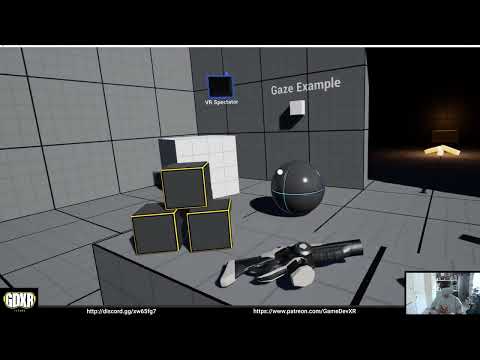
#UnrealEngine #VR #VirtualReality
► Join the Discord: https://discord.gg/xw65fg7
► Description
current template upgrade for UE5 which I'm currently working on.
► Patreon: https://www.patreon.com/GameDevXR
► Twitter: https://twitter.com...
 next sonnet
soo i have a question... why wont it let me use the ar system in the ue5 it just says cannot find plugin
despite i have what i assume is the plugin
marsh crystal
ebon sorrel
Oh no! The whole project I wanted to do was based on being able to assemble my o...
Thats exactly what I was trying to do too 😦
marsh crystal
ebon sorrel
You have to have your SteamVR on and running with the quest in Rift mode BEFORE...
Gonna try this though
 undone ember
Hello friends,I encountered some problems in openxr.I want to replace the handle model in VR, but when I replace it, the initial position of the replaced model is abnormal


No matter how I adjust the position of the new model in the viewport of vrpawn, the position of the new model does not change in the preview


can anyone give me some help
dreamy ivy
undone ember
can anyone give me some help
meshes in the UE5 template require sockets. check out the gun mesh for the socket manager to see how there named. Add one to your new mesh and rotate the socket accordingly
olive ferry
Did anyone ever played m3u8 video on Quest 2 ?
Live stream video works just fine but I get no sound out of that
real needle
Hello everyone, I'm trying to make a VR game in Oculus Quest 2 with Unreal Engine 5. I have a full body character but the motion controller do not seem to track finger movements. I wanted to know if anyone know how we can add animations to the full body character's hands. Because the character is imported as one mesh I cannot individually select hands to animate it. Is there another way I can do it? Thank you
maiden willow
Blend by bones in your animation graph is what you're after
real needle
I will look into that, thank you!
 brisk sun
Hey guys, any idea why my controllers are rendering black after I build a game (exe), they are completely normal looking when I test in editor but it seems they do not have a material applied in game (might just be the world grid material as the game is unlit).
This is the controller setup code
NavController = CreateDefaultSubobject<UMotionControllerComponent>(TEXT("NavController"));
NavController->SetupAttachment(TrackingOrigin);
NavController->SetTrackingSource(EControllerHand::Left);
NavController->SetShowDeviceModel(true);
This is editor vs built game


 storm idol
is the material lit?
 thin hearth
How can i use advanced session and steam subsystem for VR (quest 2)
actually i used both of them and it worked for the same internet connections correctly. But when we have different internet connections it gives error
 hallow knoll
@ebon sorrel @marsh crystal VR Editor Mode works in UE5 but only with the respective native plugins (OculusVR plugin for Oculus device, SteamVR plugin for SteamVR device, and OpenXR plugin disabled). We're currently working on OpenXR support for VR Editor and Virtual Scouting.
hallow knoll
tired hamlet
Hello everybody, I am a still enthusiast 58-years-old VR-addicted developer whic...
The VR Template's lighting in UE5 was baked using GPU Lightmass. While any GPU can render lightmap data generated by GPU Lightmass, only cards with Ray Tracing support can generate it. CPU lightmass works just fine with the settings in the default VR Template map (not dark), but I've never tried that on a Mac. I should note that while there are folks using Mac for VR development it's not something we actively support.
 supple lotus
Hi!
I am running into lighting issues with UE5 - Oculus Quest 2 as well. I have set up a scene, baked lighting with GPU Lightmass, and when I deploy the project to oculus, the lightmaps are missing and pure black
tired hamlet
supple lotus
Hi!
I am running into lighting issues with UE5 - Oculus Quest 2 as well. I have...
hi, you too are on MacOS? @hallow knoll was saying exactly that to me... I am on MacOS, when I create a new VR Template and just rebuild the lights I get a completely different result from the one you have in a brand new VR Template. I suppose that Mac HW works in a significantly different way than Windows one...
tired hamlet
hallow knoll
The VR Template's lighting in UE5 was baked using GPU Lightmass. While any GPU c...
Thanks @hallow knoll . But, what does it mean to use UE5 Lumen engine in a Oculus 2 native deployment? Is it supported? I remember someone saying it is not... Shouldn't be better to change the VR Template settings to SSGI, baked static lights etc (i.e, the UE4 setup) when deploying to Oculus native android? I am a bit confused.
supple lotus
tired hamlet
hi, you too are on MacOS? <@531923466799284244> was saying exactly that to me......
It’s on a windows machine.
 celest patio
Whats the best way to throw objects? It seems they throw fine if you don't weld them together, but if you weld them to the hand like in the VR Template, when you unweld them upon release, they dont have momentum and just fall down. Is there a way to copy the momentum to them after unwelding them?
 vagrant folio
celest patio
Whats the best way to throw objects? It seems they throw fine if you don't weld ...
vagrant folio
celest patio
Whats the best way to throw objects? It seems they throw fine if you don't weld ...
#virtual-reality message this should help you along
 alpine robin
Does anyone else have problems with the InputAction event for Vive controller grab buttons? It seems like it fires twice on Pressed, and on Release it first fires Release and then Pressed again
Fixed it with this simple setup, but still weird

 white rune
Has anyone tried multiplayer VR using VR Preview? I'm trying to teleport in one of the clients but the teleport trace doesn't even show up. It works when there's only one client tho.
 golden current
I've only seen tutorials use the VR template, is there a resource that teaches VR from scratch?
celest patio
vagrant folio
https://discord.com/channels/187217643009212416/221799478364078081/9912709189135...
cool thanks
supple lotus
tired hamlet
hi, you too are on MacOS? <@531923466799284244> was saying exactly that to me......
@tired hamlet @hallow knoll I have found the culprit in my issue. I have used megascans materials in my project. Just simple opaque ones, yet they appear black on Quest 2. Re-using their textures and making new materials from scratch, using the bare minimum of nodes works perfectly
tired hamlet
supple lotus
<@700262852740513823> <@531923466799284244> I have found the culprit in my issu...
Maybe resolution too high? Did you to scale down the textures or use the lowest res?
supple lotus
Yup all lowest possible
real needle
inside ue, how do i let q2 let render the game?
 sonic lake
real needle
inside ue, how do i let q2 let render the game?
sonic lake
real needle
inside ue, how do i let q2 let render the game?
To play directly inside the Quest you need to Launch your project to it
real needle
rendering it, not just playing in vr
ohhhh. q2 is android? but building the game every time is.. ridiculous
sonic lake
During development you typically use the Oculus Link to play from the PC but, yes, to launch inside the device it needs to build first.
real needle
that makes making standalone games so unattractive
rocky nexus
eh you dont need to run on device all the time, link is just fine for dev as Marco said
 scenic junco
Anyone at all had issues with ue5 not receiving index knuckles axis input but getting every other button in "debugshow INPUT"
real needle
rocky nexus
eh you dont need to run on device all the time, link is just fine for dev as Mar...
not if im testing if it can run on q2
rocky nexus
for that you need to build, like with testing on any other platform. still that usually is small part of dev time
 tribal lintel
real needle
that makes making standalone games so unattractive
tribal lintel
real needle
that makes making standalone games so unattractive
general rule of thumb: anything audio/visual deploy it to the headset every time. If your working on logic, you can just use VR preview to be quicker. you should still deploy to your headset frequently to test.
idle osprey
...general rule of thumb... package and deploy to the hardware you're going to release on. Don't expect PIE to cover your butt.
delicate isle
hallow knoll
The VR Template's lighting in UE5 was baked using GPU Lightmass. While any GPU c...
I am that one other person using Mac to develop VR 😅
delicate isle
tired hamlet
hi, you too are on MacOS? <@531923466799284244> was saying exactly that to me......
I am also experiencing the same issue. At the moment I think that static lightmaps on MacOS are broken. I have been testing this using an empty project and a variety of static lights and the scene always ends up black. However, the lightmap textures underneath World Settings seem to have the lights visible in the baked textures - they're just not getting applied to the scene during the render stage.
So this is a less a problem with the VR template and Mac, and more with static lightmaps not being rendered properly. The lightmaps will also not show up on the headset so it seems to be an issue stemming from after the baking process
Here's a quick example of a test scene (pre-bake) with a portion of the resulting packed lightmap texture. The scene goes black immediately after baking (all lights are static) and I'm just using default cube static meshes from the engine, so all of their lightmap UVs are set to index 1.


When packaging for the Quest 2, these lightmaps are still not being picked up by the Vulkan renderer on the headset. I am unsure if they are even getting cooked and packaged along with the level when pushing to Android.
tired hamlet
delicate isle
So this is a less a problem with the VR template and Mac, and more with static l...
Same conclusions here. I hope they fix it. I am asking myself if this has something to do with the new defaults for the templates, using Lumen, and if reverting to SSGI and mangling around in the settings could fix it, or if this is totally broken in UE5 on MacOS. I will do some tests if I get the time. Sure it would be bad to be confined to UE4, but knowing I am not alone to experiment on Oculus with MacOS is something at least 🙂 . In fact we do small custom stuff for which it is not mandatory to embrace a officially-supported environment (read: I can't stand Windows, having used it for decades...)
delicate isle
tired hamlet
Same conclusions here. I hope they fix it. I am asking myself if this has someth...
I've tried baking with pretty much all of the Dynamic GI settings including Lumen and screenspace and got the same result
tired hamlet
delicate isle
I've tried baking with pretty much all of the Dynamic GI settings including Lume...
ok... not going to reinvent the wheel. Thanks, let's wait and hope for the future and stick to UE4 in the meanwhile.
 cold sluice
Starting a VR project with the VR template in UE4.27. When I try migrating assets from other projects to it, they don't just show up in the VR project. Some migrated materials don't work too.
thin hearth
Which online subsystems are supports VR with different internet connections
 abstract blade
delicate isle
Here's a quick example of a test scene (pre-bake) with a portion of the resultin...
abstract blade
delicate isle
Here's a quick example of a test scene (pre-bake) with a portion of the resultin...
Have you looked at the scene in editor using Vulkan/Android preview? How does it look there?
The scene goes black because the lights are set to static and you are using lumen I presume? Lumen does not like static lights.
 ember meadow
I tried to use media player in vr, but it did not work

In other project without vr it works
delicate isle
abstract blade
Have you looked at the scene in editor using Vulkan/Android preview? How does it...
Lumen is disabled. For dynamic GI and reflections in the project settings. Lightmaps have baked data in them but they aren't being applied to the scene.
 trail basalt
brisk sun
Hey guys, any idea why my controllers are rendering black after I build a game (...
trail basalt
brisk sun
Hey guys, any idea why my controllers are rendering black after I build a game (...
Did you figure out what the issue was? I'm having the same problem.
 chilly pasture
I am having a weird problem with only some users, but not all of them, and i have noticed if we fix the guardian of the quest device, it gets fixed. so sometimes, Camera start with a relative offset from the Pawn WorldLocation, which creates problem, like actor looks out of the seat or something like that.
Does anyone what should be the best approach to fix this problem
Thanks
 hoary socket
Exponential height fog error in vr template project while building new level

causing a black bg
hallow knoll
cold sluice
Starting a VR project with the VR template in UE4.27. When I try migrating asset...
If the "other projects" are created with a newer version of the engine, you won't be able to load assets created in the newer projects, in an older version of Unreal
hallow knoll
thin hearth
Which online subsystems are supports VR with different internet connections
There's no difference between a VR project and a regular project when it comes to online subsystems. However, if you're creating a multiplayer game for the Oculus Quest (standalone), you should use the Oculus Online Subsystem
hallow knoll
delicate isle
I am also experiencing the same issue. At the moment I think that static lightma...
Please file a bug report and/or post your findings on the Forums
marsh crystal
hallow knoll
<@467990774991028235> <@162726052517380096> VR Editor Mode works in UE5 but only...
Ohh ok thank you I'll try this later today! Is there any update on the issue I posted here? Im pretty sure its a bug and submitted a ticket. I cant proceed with my project now because Ive upgraded to 5.0.3 and it was fine in the previous version.
I dont really know what to do cause using this button is very important to what I'm working on.
dreamy ivy
marsh crystal
Doing the same thing in VR preview causes infinite input
Can you show the blueprints. I doubt this is a bug tbh.
 copper zenith
Looking at the 1st picture, am I correct that this frame in unreal insight shows a bottleneck in the render thread and not the CPU and GPU?
I'm working on a VR game and I have terrible performance in a small room, with static lighting, stationary lights, and a 440k mesh.
The 2nd picture shows my framerate/frametime throughout the VR session in the editor.
I'm running a AMD Vega 56 OC and a AMD Ryzen 3900x

 thin hearth
hallow knoll
There's no difference between a VR project and a regular project when it comes t...
thin hearth
hallow knoll
There's no difference between a VR project and a regular project when it comes t...
I tried to use oculus OS. but I couldn't found any documentation. Then I tried to use the nodes and create a basic session. It gave some errors
 mighty carbon
Has anyone tested Chaos in most recent ue5-main branch ?
I wonder if it's usable yet (there were a ton of issues with Chaos physics in VR)
abstract blade
delicate isle
Lumen is disabled. For dynamic GI and reflections in the project settings. Light...
If you move your lights when the scene gets dark and then press revert, does the light come back?
How does it look if you change your posprocessvolume GI setting to none, still dark?
copper zenith
Does anyone know why would the framerate cap at 11ms (90fps) or 22ms (45fps) in VR? I'm running UE5 in editor with Oculus Quest 2 using Oculus Link.
Could it be my USB not being 3.0?
thin hearth
Hello, I used the web browser plugin of the unreal engine and I can use it on a PC successfully. But I tried it on VR I can only see a white blank screen
hallow knoll
thin hearth
Hello, I used the web browser plugin of the unreal engine and I can use it on a ...
This issue is known: https://issues.unrealengine.com/issue/UE-150021
thin hearth
hallow knoll
This issue is known: https://issues.unrealengine.com/issue/UE-150021
There isn't any solve for this right ?
hallow knoll
thin hearth
There isn't any solve for this right ?
Not currently. For clarity this is only a problem on Quest Natively, not if you're using Quest w. Link.
thin hearth
hallow knoll
Not currently. For clarity this is only a problem on Quest Natively, not if you'...
Okay thanks
thin hearth
hallow knoll
Not currently. For clarity this is only a problem on Quest Natively, not if you'...
I have a question too. You know there are some plugins for the web browser. If I use these will my problem continue
delicate isle
abstract blade
If you move your lights when the scene gets dark and then press revert, does the...
Since I'm targeting the quest I don't have a postprocess volume. I think the lights come back when reverted but I'll check.
 sand raft
does anyone know how I can change the audio device unreal outputs too so it uses the headphone in the VR headset instead of the windows default speakers?
marsh crystal
dreamy ivy
Can you show the blueprints. I doubt this is a bug tbh.
Ok so I fixed the issue but it is something that wasn't an issue before 5.0.3 and now it is. What the issue was is this. I had made a custom axis input named something other than "Jump" with the jump button assigned. This way when I held the jump button down for a specific time It would open a gate to allow the axis value of that to flow through. But instead I just removed that whole axis thing and now I'm just having the jump button go into a looping timeline that only opens when the jump button is held a certain amount of time. Which I probably should have set it up like that before tbh. But yeah , my fault but definitely not an issue before the update as well. And the problem only occurred on oculus touch not any other controller.
 tribal shore
So i'm super new and following some tutorials. Im getting hung up on should the player have an actor?
Im just building off the demo, but I can't figure out how to damage the player.
round cliff
Hi! Has anyone used Shared Spaces?
 somber pulsar
whats thaty
cold sluice
Unreal Engine 5 doesn't ship with the Oculus OpenXR plugin? I can't see the option there although it's available for 4.27.
ashen dome
sand raft
does anyone know how I can change the audio device unreal outputs too so it uses...
Thats not an unreal thing. Its a windows taskbar speaker icon change audio output setting
sand raft
ashen dome
Thats not an unreal thing. Its a windows taskbar speaker icon change audio outp...
For this project I need to be able to set the audio output different than the windows default device. Is this possible? I couldn't find any documentation on how unreal sets it's default device. I assume it's in engine.ini but I didn't find it there
radiant garden
sand raft
For this project I need to be able to set the audio output different than the wi...
The Lyra example has some settings for switching audio output device. Could look at it to see how they did it.
sand raft
radiant garden
The Lyra example has some settings for switching audio output device. Could look...
Thank you! I will check it out
radiant garden
sand raft
Thank you! I will check it out
The settings are on the front end. If you hit play, then hit escape -> "Quit Game", you'll arrive at the front end and can see the options I referred to earlier
I don't recall if the "in-game" options have the audio settings.
sand raft
radiant garden
I don't recall if the "in-game" options have the audio settings.
Even in an ini file would work for me. I'm not developing a game but making an application to interface with a flight simulator. Unreal is driving the VR system and audio output is being use for haptic feedback. Another 3rd party program is handling in cockpit audio.
radiant garden
sand raft
Even in an ini file would work for me. I'm not developing a game but making an a...
I'm sure it ultimately ends up in the player settings somehow. I haven't actually shipped anything with UE yet so I haven't handled that production detail. You've undoubtedly had difficulty finding anything about it because it isn't a particularly fun topic for youtubers to make tutorials about (most hobbyist developers don't know or don't care).
sand raft
radiant garden
I'm sure it ultimately ends up in the player settings somehow. I haven't actual...
Yup when using tools in way they were never intended documentation is very scarce. Thanks again for the help!
thin hearth
I've built a package from ue5 for VR (quest 2). When I exit from quest 2 's safe area and if the application is opened. The build is broking. I mean, I can't open the game. Just a black screen appears
 sinful grotto
Can anyone tell me why unless Steam VR is running I cannot test with VR? Is there a setting somewhere or did steam VR take control of the OpenXR Runtime?
 glossy jackal
I'm trying to add Index support to my existing product made in UE4.17 and considering installing "SteamVR Input for Unreal" plugin. However, I've read some complaints about inputs working in editor but not after packaging. Does anyone have experience with this plugin in 4.17? Was this issue fixed?
 covert ferry
Hey guys,
Can I please get some advice on settings for nav mesh so that I can walk around the van in vr more freely ? as you can see there is only a lottle spot in the nav mesh, I have been playing with cell size which seems to have helped
 real needle
Make the van "does not affect nav mesh" and place invisible walls that block the navmesh where you want it. an alternative would be to use a custom collision mesh with no roof and doors for example. @covert ferry
 gloomy crescent
Is there a way to control a vive tracker that doesn't involve live link?
Also, is there a way to keep my live link binds everytime i restart the project?
Is livelink even supposed to be used in a shipped application?
sinful grotto
@gloomy crescent Not sure if this is what you need but it includes info on using Vive trackers. https://varjo.com/vr-lab/recipe-using-motion-trackers-with-unreal-engine-projects/
Remi, Principal Architect at Varjo, breaks down how to pair motion trackers such as the HTC Vive tracker with Unreal Engine based projects.
gloomy crescent
I've cheked that briefly
But i need a solution that has tracker roles that aren't in SteamVR
sinful grotto
https://developer.vive.com/resources/openxr/openxr-pcvr/download/latest/ maybe? or am I following the same leads you did?
gloomy crescent
Right now my problem is
I need to track a set of objects and track them in UE4
But i need a way to assign these trackers in a shipped build
and livelink doesn't exactly seem friendly for shipped stuff
sinful grotto
can you add them as additional motion controllers?
gloomy crescent
I'm gonna try that next
As soon as I get home
But I was wondering if there was a way to add custom tracker roles to steamvr
sinful grotto
It looks like there are basically the same entries in the Steam VR SDK. GetTrackedDeviceClass, GetTrackedDeviceProperty, the Steam VR tracking HDK might help as well
somber pulsar
Not sure if this is a vr issue but when i run my game it opens and the map flickers for a second then changes to this I have tried changing the map to the right one in console and it goes back to this any ideas what could be causing this

 worthy quest
Hey, has anyone worked with the Focus 3 yet? My application (PCVR) works well with the vive controllers and I was wondering if it would work with the Focus 3 controllers but I don't have a way to test it yet and can't find the controls in the project settings/input section for it? Any suggestions? Thanks 🙂
hallow knoll
cold sluice
Unreal Engine 5 doesn't ship with the Oculus OpenXR plugin? I can't see the opti...
The Oculus OpenXR plugin was only temporary in 4.27 to provide OpenXR support for Oculus Quest. It's no longer needed in UE5.
 mortal spire
trying to launch on oculus quest 2 but getting this error:
Using OS detected language (en-US).
Using OS detected locale (en-US).
No localization for 'en-US' exists, so 'en' will be used for the language.
No localization for 'en-US' exists, so 'en' will be used for the locale.
LocRes '../../../Engine/Content/Localization/Engine/en/Engine.locres' could not be opened for reading!
=== Critical error: ===

Assertion failed: DecimalFormatterForCulture.IsValid() [File:D:/Build/++UE4/Sync/Engine/Source/Runtime/Core/Private/Internationalization/ICUCulture.cpp] [Line: 921]
Creating a decimal format object failed using locale en. Perhaps this locale has no data.
The error saying perhaps my locale has no data? Where can I set this data or set what locale I will use?
I'm also worried about it saying it couldn't open
../../../Engine/Content/Localization/Engine/en/Engine.locres
but I can't find any solutions
idle osprey
Have you checked to see if it's on your system?
$ find . -name "Engine.locres"
./UE_4.27/Engine/Content/Localization/Engine/en/Engine.locres
./UE_4.27/Engine/Content/Localization/Engine/es/Engine.locres
./UE_4.27/Engine/Content/Localization/Engine/ja/Engine.locres
./UE_4.27/Engine/Content/Localization/Engine/ko/Engine.locres
./UE_4.27/Engine/Content/Localization/Engine/pt-BR/Engine.locres
./UE_4.27/Engine/Content/Localization/Engine/zh-Hans/Engine.locres
./UE_5.0/Engine/Content/Localization/Engine/en/Engine.locres
./UE_5.0/Engine/Content/Localization/Engine/es/Engine.locres
./UE_5.0/Engine/Content/Localization/Engine/ja/Engine.locres
./UE_5.0/Engine/Content/Localization/Engine/ko/Engine.locres
./UE_5.0/Engine/Content/Localization/Engine/pt-BR/Engine.locres
./UE_5.0/Engine/Content/Localization/Engine/zh-Hans/Engine.locres
it exists under:
D:\Program Files\Epic Games\UE_4.27\Engine\Content\Localization\Engine\en
D:\UnrealProjects\Breakout3D\Saved\StagedBuilds\Android_ASTC\Engine\Content\Localization\Engine\en
D:\UnrealProjects\Breakout3D\Saved\StagedBuilds\WindowsNoEditor\Engine\Content\Localization\Engine\en
I'm using 4.27.2
However in my project settings, it says it doesn't exist
 idle osprey
Mine shows the same thing, but doesn't cause me trouble.

I'm assuming you're running in to this on a Package of an EXE?
mortal spire
idle osprey
I'm assuming you're running in to this on a Package of an EXE?
i do not know what you mean?
well... I went on a limb and restarted my UE4 but this time with admin privillages and the error went away... 🤔
idle osprey
hah, ok. I was going to guess it might be a permissions thing.
This is what I see when I build:
[2022.08.15-20.37.59:328][  0]LogInit: Using OS detected language (en-US).
[2022.08.15-20.37.59:328][  0]LogInit: Using OS detected locale (en-US).
[2022.08.15-20.37.59:330][  0]LogTextLocalizationManager: No specific localization for 'en-US' exists, so the 'en' localization will be used.
[2022.08.15-20.37.59:493][  0]LogInit: Setting process to per monitor DPI aware
[2022.08.15-20.37.59:505][  0]LogWindowsTextInputMethodSystem: Display: IME system deactivated.
[2022.08.15-20.37.59:530][  0]LogSlate: New Slate User Created.  User Index 0, Is Virtual User: 0
[2022.08.15-20.37.59:530][ 0]LogSlate: Slate User Registered. User Index 0, Is Virtual User: 0```So I'm guessing either a different user installed UE on that system? Or you ran out of file descriptors? For one reason or another, you didn't have read access to the file.
mortal spire
Idk 🤷♂️ but I'm just gonna keep UE on admin from now on
aint like it hurts anything.
idle osprey
Not really, no. And you can mark it to be run that way by default.
 timid charm
worthy quest
Hey, has anyone worked with the Focus 3 yet? My application (PCVR) works well wi...
timid charm
worthy quest
Hey, has anyone worked with the Focus 3 yet? My application (PCVR) works well wi...
You might take a look at this https://youtu.be/ULPPDtlvNkQ
mortal spire
Anyone know why my lighting looks like this?

when on preview AND via launching on windows, I get this

My emissive color is max, so it wouldn't even need lighting.

but even still, I have a direction light in my world. (although pointing almost behind me in the screenshot)
 vivid spade
covert ferry
Hey guys,
Can I please get some advice on settings for nav mesh so that I can wa...
vivid spade
covert ferry
Hey guys,
Can I please get some advice on settings for nav mesh so that I can wa...
Why even use a navmesh for your player, are you using teleport movement?
gloomy crescent
Anyone has any experience with vive trackers?
I can't seem to get them working under special_1 through steamVR
and livelink is way too unreliable for runtime
covert ferry
@vivid spade yes and only because I am not aware of the alternative
 tranquil nexus
hey guys, does anyone know how to turn on SSR when using VR template in UE5?
I tried editing DefaultEngine.ini, but I am not sure if I have the right variables
r.SeparateTranslucency=0
r.HZBOcclusion=0
r.MotionBlurQuality=0
r.PostProcessAAQuality=3
r.BloomQuality=1
r.EyeAdaptationQuality=0
r.AmbientOcclusionLevels=0
r.SSR.Quality=1
r.DepthOfFieldQuality=0
r.SceneColorFormat=2
r.TranslucencyVolumeBlur=0
r.TranslucencyLightingVolumeDim=4
r.MaxAnisotropy=8
r.LensFlareQuality=0
r.SceneColorFringeQuality=0
r.FastBlurThreshold=0
r.SSR.MaxRoughness=0.55
r.rhicmdbypass=0
sg.EffectsQuality=2
sg.PostProcessQuality=0
r.FinishCurrentFrame=0
r.CustomDepth=0
r.LightShaftDownSampleFactor=4
r.OcclusionQueryLocation=1
r.MaxAnisotropy=8``` polar valve
worthy quest
Hey, has anyone worked with the Focus 3 yet? My application (PCVR) works well wi...
polar valve
worthy quest
Hey, has anyone worked with the Focus 3 yet? My application (PCVR) works well wi...
You need to use the WaveVR plugin for the Focus3 https://hub.vive.com/storage/docs/en-us/UnrealPlugin/UnrealControllerButtons.html
 hidden crest
tranquil nexus
hey guys, does anyone know how to turn on SSR when using VR template in UE5?
hidden crest
tranquil nexus
hey guys, does anyone know how to turn on SSR when using VR template in UE5?
I believe the template in UE5 defaults to Forward Rendering now so it doesn't support SSR.
If you must have SSR you can switch to Deferred Rendering (Project Settings/ Rendering/ uncheck "Forward Shading") but it will require a lengthy recompile.
worthy quest
polar valve
You need to use the WaveVR plugin for the Focus3 https://hub.vive.com/storage/do...
thank you very much!
 strange agate
gloomy crescent
Anyone has any experience with vive trackers?
strange agate
gloomy crescent
Anyone has any experience with vive trackers?
Late, but, I noticed with my vive setup at home, (I assume I've forgotten to set some setting somewhere) I have to put tape over the interior light sensor on my headset/put it on for any of my controllers to properly work, that's kind of my first step troubleshooting if something is acting weird around peripherals. I've disabled sleep mode and a couple of other settings but haven't fixed that yet.
that may not be related at all but I figured I'd shoot a maybe out there
gloomy crescent
Thanks for giving it a try, I'm currently struggling with tracker roles
strange agate
Good luck yeah, next month I think I'm gonna be right there with ya
gloomy crescent
Trying to get special_1 or other custom tracking roles running on SteamVR
If anyone at all knows how to deal with that, that'd be a lifesaver
 hard relic
hmm, i'm not able to display ComposureElement into the Quest... I'm using a BP_CgCaptureCompElement, a compositing element and a Camera.
Everything works on the PC Pie (with both native and ES3.1 Preview) ... but display Black in the Quest.
I'm missing a point.
Are they compatible with forward rendering, and HDR disaabled? Any idea?
hard relic

 ember forum
has anyone gotten splash screens to work with OpenXR, following the documentations from Epic I can get them to appear but never disappear from screen... wondering if theres is just 1 openxr solution that works for PCVR + QuestNative
 tulip lava
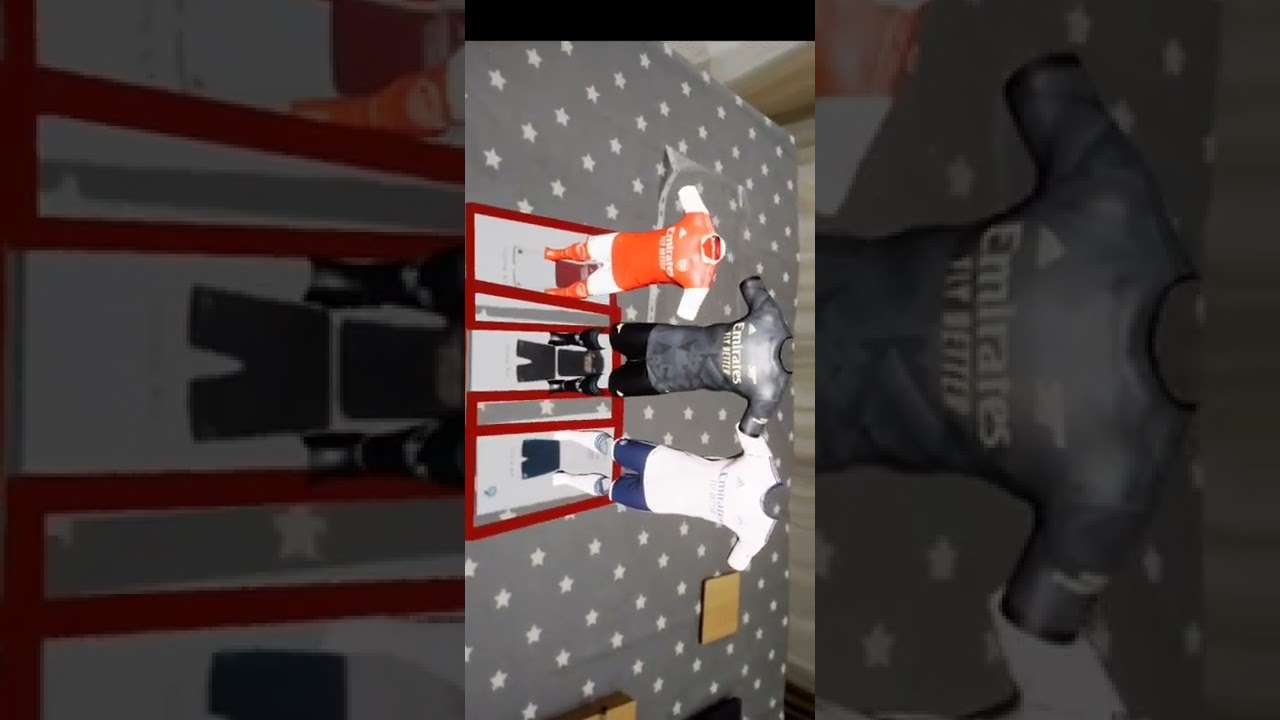
First try with image tracking AR in UE5 https://youtube.com/shorts/Td4F9IExObw?feature=share
 hidden crest
tranquil nexus
got it! thank you
hidden crest
tranquil nexus
got it! thank you
I tend to agree but with UE5 you can turn on temporal upsample and "r.Tonemapper.Sharpen 1" and you get reasonably close to MSAA clarity suing TAA.
 inner gust
Hey everyone ^^
Can anyone help me with a problem i have with my project. Basically I'm trying to restrict the player motion once it grabs a specific object ingame. I want the motion controller to snap to a certain position and only be movable in one direction which is up and down of that object. I have tried adding a physical constraint to the motion controller and the object but that did not work. Any other ideas or method to achieve this ? 🙂
vivid spade
Whats up guys I wanted to talk about recoil in FPS VR games. Has anyone found a solid system for implementing recoil? Looking to get ideas improve upon what I've got.
strange agate
inner gust
Hey everyone ^^
Can anyone help me with a problem i have with my project. Basica...
My first thought on this is just to make the real motion controller invisible during this interaction, and then on the actor being interacted with, have a model of the controller on it already that is set to not visible, and enable it during the interaction, with code that ties it to the vertical movement of your now-invisible (but still tracking) motion controller.
strange agate
vivid spade
Whats up guys I wanted to talk about recoil in FPS VR games. Has anyone found a ...
I think most VR examples I've seen are the common ones in FPS games; I guess your design question to start with is if you want players to be able to learn a recoil pattern and adjust, or if you want a continuous stream of fire to always get more and more inaccurate as you go, or some other behavior. Also take into account that moving your mouse to compensate isn't the same thing as aiming controllers, as the real-space physicality means the gun needs to reset to "accurate" while mice can just be neutral input wherever they ended up, and controller sticks reset to center.
Some games choose to have a widening cone of fire, so continuous fire with guns that aren't configured to have a limited effect on this, or don't have bipod support or something, will get less accurate the longer you fire.
I think Onward just makes the bigger guns rotate physically upward as you fire, hilariously shooting yourself if you ignore it for long enough, but effectively meaning you really need to let go after a few shots to remain effective.
Passed that, visually if you have single shot weapons you can add a lot of seen recoil in but limited gameplay impact (A shotgun can return to "accurate" by moving a ton after the shot but returning to neutral before its firerate cooldown is done).
 elder nimbus
is it possible for me to play one of my normal levels in vr mode?
its greyed out for me
vivid spade
strange agate
I think most VR examples I've seen are the common ones in FPS games; I guess you...
I want a randomized recoil pattern, but even before I implement that my real question is how are people handing the logic of bumping the gun upwards and to the side and breaking away from where the hand is actually pointing. Since I cant "force" the motion controllers to kick upwards I'm curious what kind of logic people are using in their BP's to mimic a recoil effect.
strange agate
vivid spade
I want a randomized recoil pattern, but even before I implement that my real que...
Depending on how your interactions are set up, if your gun fires a projectile from its actual muzzle, you can wiggle the gun itself/projectile emission point around, but that will be VERY inaccurate very quickly.
I remember hearing a long time ago a dev describe their recoil pattern on a game (and am filling in a few blanks as I've forgotten who or what game)... they had a plane that projected out from the camera (the gun in VR would be better) at a set distance based on their level design, and the logic would cycle through an array of xy coordinates on the plane itself, projecting bullets from the gun to that plane point, after which point gravity began affecting them. Which means at close range there was very little loss of accuracy, the "plane distance" and points on it were known quantities which could be balanced with reliable data, and at further distance past the "plane distance" it got very inaccurate. By adjusting the xy coordinates of each aim point and distance to the plane point, you could have guns that recoiled in unique ways very quickly iterated on. That could easily be hard coded or mathematical formula.
That's one real specific way to do it, I think a big question is what range and what kind of weaponry do you think you'll be dealing with, (realistic and you're trying to make the gun's performance match a real life reference, or not concerned there) and how do you want the player to be able to interact with your recoil mechanic (Do you want them to be able to compensate for the recoil, or feel like at distance they need to burst fire, but close range they can sweep the muzzle without worrying about it, etc)
Sorry for the essay you really got my brain going thinking about it
somber pulsar
does anyone know how I can stop steam vr from taking 60 - 80% gpu and 20 - 45% gpu on idle is this a bug or a setting making testing the game impossible
strange agate
somber pulsar
does anyone know how I can stop steam vr from taking 60 - 80% gpu and 20 - 45% g...
Not sure if this is what's causing it for you but on some relatively lower end PCs, steamvr running "Home" when idle causes higher than expected usage. Can disable it here:

if it's not running home tho, dunno
somber pulsar
strange agate
Not sure if this is what's causing it for you but on some relatively lower end P...
its running the screen where thers like white circles on the ground and the background is dark idk if thats home or not but ill try this
 hushed laurel
I'm using Quest 2 Virtual Desktop to use the VR Preview. It works, but I can't teleport, or put my hand in a fist. Is this possible to fix?
 shy steeple
Hello, I have an issue that everything is red and green in VR preview in one of my project. I checked that it looks fine in my other project. Does anyone have idea which settings I might have changed to create this issue? 🙂 (Both projects are created with 4.26)
 misty halo
Anyone ever have an issue with Oculus Developer Hub saying it detects multiple accounts when you only have 1 account signed in and even on the device? Was oculus just being their typical self and letting Jr programmers push to production again? Probably.
Like odh will do everything else but flippen record or cast
real needle
Hey guys, I would like to make my vr character's head invisible to the camera but I want other players to see it, how can I do it?
shy steeple
real needle
Hey guys, I would like to make my vr character's head invisible to the camera bu...
There is a boolean called "OwnerNoSee" under Rendering section in the details panel. That would do the trick 🙂
real needle
shy steeple
There is a boolean called "OwnerNoSee" under Rendering section in the details pa...
Thank you very much 
real needle
shy steeple
There is a boolean called "OwnerNoSee" under Rendering section in the details pa...
I did that but because my character is one mesh I cannot see the character now, is there a way I can only make the head invisible. I have tried hide by bone name but then other players cannot see it :P
maiden willow
real needle
I did that but because my character is one mesh I cannot see the character now, ...
You will have to separate the head from the rest of the mesh then. I don't know of a way to do what you are asking on a single mesh
real needle
maiden willow
You will have to separate the head from the rest of the mesh then. I don't know ...
Yea working with one mesh really sucks tbh, thanks for your message. Have a great day!
 mystic token
Hi, does anyone knows how to get a reference/pointer to the instance of IXrTrackingSystem?
I want to call that function but its not static
IXRTrackingSystem::GetPlayAreaBounds(EHMDTrackingOrigin::Stage);
@mystic token IXRTrackingSystem* TrackingSys = GEngine->XRSystem.Get(); if (TrackingSys) {
mystic token
tired tree
<@961938376188133386> ` IXRTrackingSystem* TrackingSys = GEngine->XRS...
Thanks
 shut flicker
hey all, whats the best way to calculate the body direction in VR?
hard relic
Hi there, i'm not able to see may Cg_element in my Quest. It display Black. Any idea? Maybe it's not compatible in forward Rendering and without HDR?

(it's like a CCTV)
hard relic
 ember forum
does quest2 just not support ue4 landscapes? my maps with landscapes all crash but maps without them run fine
did you find a fix for this, having same issue
 sullen kite
ember forum
did you find a fix for this, having same issue
sullen kite
ember forum
did you find a fix for this, having same issue
I’m on 4.27 I don’t use 5 for vr btw unless the get nanite to work for vr I’ll move to it. So I’m 4.27 landscaped are fine
alpine robin
Does anyone know if it's possible to set the roomscale root to some other component than the root component? I'm trying to parent the root to a capsule for physics based movement.
Edit Nvm, apparently it's not even based on the root component
 native wigeon
Does anyone have any good resources for setting up a vr pawn with a body? I've been trying and it isn't going well.
ember forum
sullen kite
I’m on 4.27 I don’t use 5 for vr btw unless the get nanite to work for vr I’ll m...
im on 427 as well.. i managed to get it working with smaller landscape but it sucks its so many triangles being drawn, im going to switch to meshes
RoundRobinOcclusion has anybody used it, know of documentation about it?
real needle
is there no way to to level design in vr?
i cant put on and off the quest 2 every 20 seconds.
has anyone written "gorilla tag movement" aka walking with hands and can share the code? marketplace has it, cost 80 euro.
just look at this. i sculpted this in vr. https://images-ext-1.discordapp.net/external/dedBBtOVC_VGTA_Tv_DjLhXRbAXzFK9_vv_tmO-50qE/https/i.imgur.com/Z1zHiMn.jpg?width=705&height=358
if i would just have 10 rock assets and then try to make environment with these 10 asset, it would have never have such a interesting layout like in the pics here.
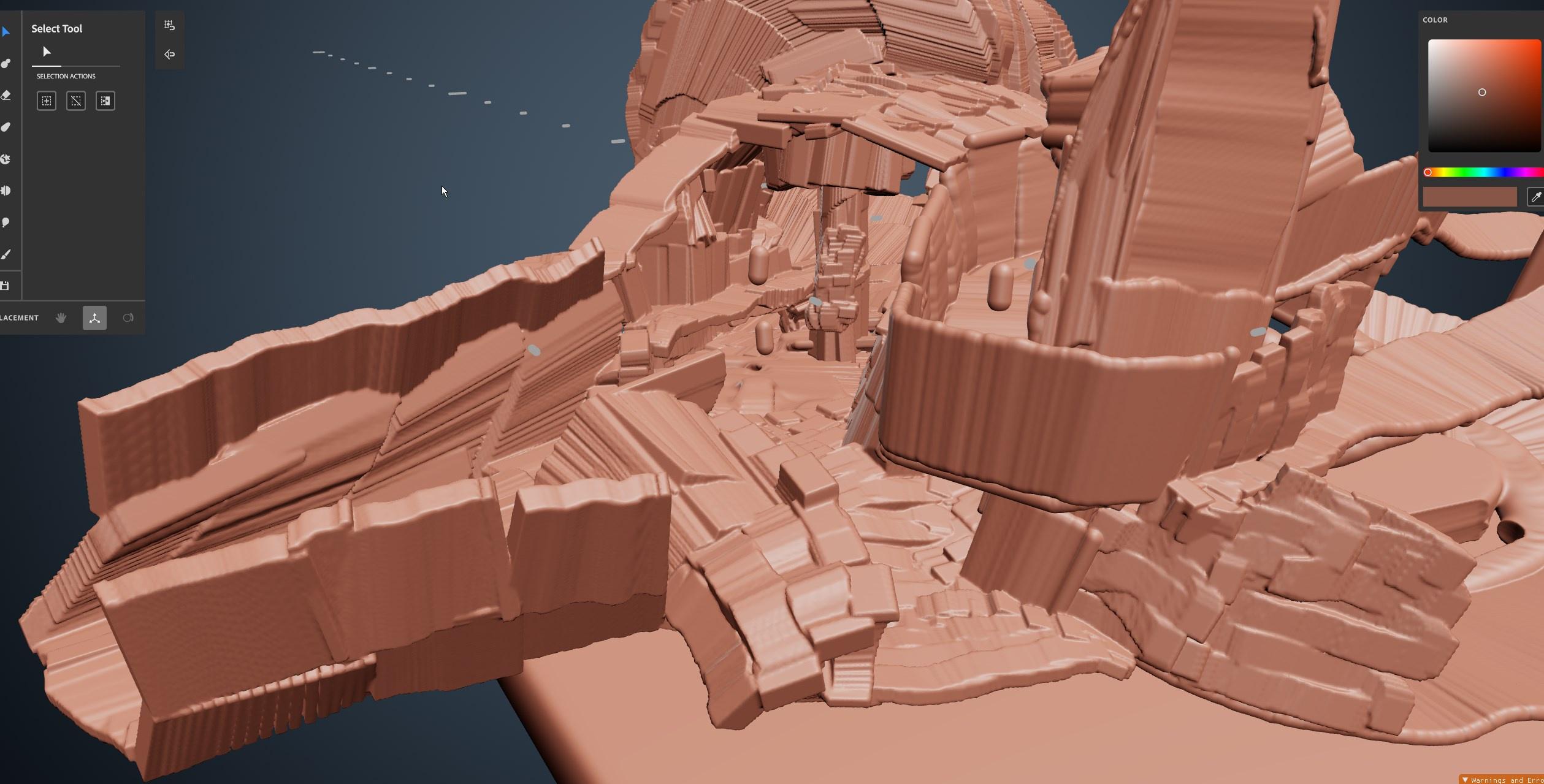
 latent granite
How is UE5 for VR dev or is it better to stick with UE4 for now?
vivid spade
Yo I'm using UE5 and love it
Currently have full body tracking + hand tracking, Ladder climbing with physics, and picking up + firing a gun with recoil implemented and its all been straightforward
Currently I'm making a shooter so movement, jumping, climbing, shooting, and going prone/crouching are the bread and butter mechanics that I felt would be the hardest to implement but I've got them all knocked out in 3 weeks (everythings a little rough obv but mechanically there) so I'm confident at this point that UE5 is a good choice for VR dev
vivid spade
@native wigeon I've got one set up and its working nicely, what are you struggling with?
native wigeon
vivid spade
<@599975025436786698> I've got one set up and its working nicely, what are you s...
It's almost like my camera component is detached from the physical pawn. When I turn around I see my own body so to speak.
vivid spade
Whats your component setup in your pawn?
@native wigeon
Anyway assuming this is in UE, yeah the camera does what it wants regardless of the pawn, I've got a VR Character instead and it has similar initial issues. You've got the get the cameras position + rotation and likely do some rotating + moving of your pawns components to get it to match the camera.
native wigeon
vivid spade
Whats your component setup in your pawn?
Component set up? Sorry, I'm still a fledgling dev. 😅 Just trying to experiment. Could you tell me what, in particular, you're referring to and where I can find a visual representation of it?
vivid spade
Yeah for sure, Actors are individual "objects" within the environment, and are made up of components. For example, your VR pawn is an actor that contains two controller components, and a VR Head component. Heres my VR actors component setup

Where components are placed in the heirarchy can determine their position in-game. So for example I've got two hand components underneath each controller component, and now those "hands" will follow the position of the controllers they are children of.
alpine robin
Does anyone know where on the HMD the tracking data is located when you get its location and rotation? I'm trying to match it so the head of my character rotates like the head of the person wearing the HMD. I think I will need to offset the head from the HMD for it to work.
outer flicker
alpine robin
Does anyone know *where* on the HMD the tracking data is located when you get it...
Something like this?
 alpine robin
outer flicker
Something like this?
alpine robin
outer flicker
Something like this?
No, I meant like the physical location on your HMD. When you get the location and rotation of the HMD, you get a single location and rotation pivot. Where on the physical HMD is that located (at the front, top, center, players eyes, etc)?
outer flicker
alpine robin
No, I meant like the physical location on your HMD. When you get the location an...
I see, thats a great question actually. Id love to know myself.
alpine robin
outer flicker
I see, thats a great question actually. Id love to know myself.
From my testing it seems to be somewhere near the eyes, I managed to offset the head pretty well through trial and error.
covert ferry
Hey guys,
When I create a user interface BP in UE5 It does not have a canvas panel by default.
but all the tutorials I am watching have it in there the moment it is created.
I am asking this because I do not know what size I should be making the canvas panel
strange agate
Has anyone been experiencing issues with OpenXR in unreal 5 and it not tracking Vive Wands correctly?
It randomly physically tracks them when I press buttons but the model doesn't show up and no buttons on fire off an input event
strange agate
Hmmmmmm steamvr beta might be the solution
I'll have to go test in the lab tomorrow but at home on emulation seems like its working
hard relic
hi there, still stuck with scene capture 2D that render Black on my Quest. Anybody know if it's possible to use that inforward rendering, when HDR is off?
 narrow thunder
Does anyone know how to setup a Unreal Game using the Guardian System? I want to make a full room scale game for the Quest 2 and I need a way find a way to make sure the player starts at the center of the playspace.
hard relic
narrow thunder
Does anyone know how to setup a Unreal Game using the Guardian System? I want to...
I tried something like that in the past. The problem was that you can't disable the home button that recenter and reorient the view....
strange agate
Sure but you'd have to think pretty hard about how you want that to work.
Think of Wind Waker's song system, up down left right neutral. That would be pretty easy to implement.
For your linked gif, it depends, that looks like downupdownup backhold-forwardhold. Adding the 3D dimension to it could work, but will be trickier. Then you have to think about the feedback for the player to know what to do and when they're doing it right, especially if the controllers leave their vision. And what does this system result in?
You could create a pattern tracing mechanic, where you select the spell and then it walks you through putting your wand in the right patterns, that's just saving coordinates and visualizing them.
maybe have a timed component on each "section" of the pattern, and a bonus to damage or whatever if they go through it quicker
 whole zenith
Hello, I'm developing VR with Unreal for the first time, what docs are must-to-read?
sonic lake
@whole zenithIf I can offer a suggestion, create a project with the VR template, play with it, then start analysing how it works, modify it, break it, fix it
This process is worth reading many documents in my opinion
whole zenith
I already started with that template, i'm reading articles while it builds the first time
sonic lake
Your starting point in the official doc is here: https://docs.unrealengine.com/5.0/en-US/developing-for-xr-experiences-in-unreal-engine/
Develop for augmented reality, virtual reality, and mixed reality devices in Unreal Engine.
 trail shale
how do you make the game load switch to steam VR while it loads so the game doesn't hitch and make them motion sick
 manic tapir
My ODH isn't recording my device screen
It stops recording a few seconds after I start it
 placid stag
Help greatly appreciated. does anyone know of a relavent VR IK body tutorial or something?
idle osprey
placid stag
Help greatly appreciated. does anyone know of a relavent VR IK body tutorial or ...
DragonIK - the developer is very active and helpful on his discord.
placid stag
ok thanks
whole zenith
What is the best way to move the ui back to center view when it goes out of camera field of view?
real needle
Hey all, I want to make objects so they don't pass through other objects. Is there a way to make it other than collisions or physicsconstraints?
 wind yacht
Is it smart to start using UE5 for Quest development or should I still stick with UE4.27?
I have a big project I have coming up for the Meta Quest 2 and I have my most recent Quest 2 project in 4.27 and was thinking if UE5 is ok I'd transfer it up and use some blueprints I made in the old project
trail shale
SHOULD I still be using this to start my game, - mainly the dynamic resolution and pixel density stuff?
 idle osprey
wind yacht
I have a big project I have coming up for the Meta Quest 2 and I have my most re...
idle osprey
wind yacht
I have a big project I have coming up for the Meta Quest 2 and I have my most re...
My own opinion is that you should stick with 4.27. There's nothing in 5 that is for VR and there's some changes to lighting that may cause you grief.
 wild depot
Anyone have any good resources for level streaming on quest? I’m using streaming to create a procedural dungeon (spawning random rooms) and everything works on my computer but fails when packaged to quest natively.
mighty carbon

@mild hamlet by chance, do you happen to know why?
it's like as if Epic decided to make it even more annoying to dev for mobile VR using UE5
hard relic
any idea why displaying ES3.1 is darker?
mighty carbon
hard relic
any idea why displaying ES3.1 is darker?
probably bug that will not be fixed 😅
 jovial hamlet
hard relic
any idea why displaying ES3.1 is darker?
jovial hamlet
hard relic
any idea why displaying ES3.1 is darker?
screenshots would be helpful
but if I had to guess, I'd guess exposure settings
hard relic
jovial hamlet
screenshots would be helpful
but if I had to guess, I'd guess exposure settings
thank you, i'm capturing screenshot asap

■ If I'm previewing Android ES3.1
· The weird is the first one. (with unsupported HeightFog)
· The second is the right one.
■ If i'm previewing in SM5, Then it's reversed.
· The weird is the first one. This time Brighter, (with unsupported HeightFog)
· The second is the right one, with better contrast.

■ My project:
· I do not have PostProcess Volume.
· Exposure EV100 do nothing.
· It's HDR Disable.
· It's Forward Rendering
· It's Unlit
** Do not look at groud's Color. It's procedural. So each launched game is different.
I think it's exposure too. But Where?
covert ferry
Hey guys,
I am using Air link to dev with UE5 but it seems I lose connection to air link each time I take the quest 2 off my head.
is there a way to stop that ?
 jaunty garden
covert ferry
Hey guys,
I am using Air link to dev with UE5 but it seems I lose connection to...
jaunty garden
covert ferry
Hey guys,
I am using Air link to dev with UE5 but it seems I lose connection to...
I think find the "Turn auto-sleep" setting from Quest 2 and change it to longer might help
real needle
Hey guys I have a one mesh character except the hands. I want to attach it to the character arm mesh so the work cocurrently. Atm the hands are seperate from the arm. But I want to attach it to the arm. How can I do that?
 thorny rover
is there somehow a way to use lumen and nanite in vr?
somehow only one image to stream on the glasses and not 2 or so whatever
hard relic
thorny rover
is there somehow a way to use lumen and nanite in vr?
Nanite and Lumen are not supported features in VR.
thorny rover
yes i know.😅 but is there no workaround?
hard relic
Sorry, i do not know any workaround, and i suppose that there is not for this kind of major features.
The only way i can imagine, is running the game on a PC and viewing with a workaround VR display.
thorny rover
thank you for your answer
mighty carbon
did we suddenly lose all community managers from Epic ? :/
idle osprey
covert ferry
Hey guys,
I am using Air link to dev with UE5 but it seems I lose connection to...
ODH will let you disable the sensor while you're developing.
covert ferry
@idle osprey thank you, this may sound silly but what is ODH ?

 reef cave
Hey guys anyone else getting weird offsets with controllers?
I've got an FABRIK body whose hand transforms are linked to my motion controller transforms, but they're weirdly offset


Any clue why this might be happening? The Grab Locations are just scene components attached to the motion controllers
wild depot
i had to do some shifting to make everything line up using FABRIK. i think it is just due to the different objects having different relative rotations. These are the settings I used:

i used this super helpful video to help me figure everything out, so i can't really take credit. https://www.youtube.com/watch?v=EKR8ogonD68

This is the easiest way I found to get yourself a VR body with arm Inverse Kinematic (requires Motion Controllers) and full thumbstick locomotion. This step-by-step tutorial shows exactly how to do it. Note that room-scale movement is not supported and you will end up out of your VR body. Standing/walking in place works after the initial re-cent...
reef cave
thanks!
vivid spade
Still need help with this? Just cracked it myself, seriously tricky IMO
 scarlet mantle
Hello guys, my team have released a VR plugin for the UE4 which simplifies the development. I want to leave a link here in case if someone is interested. Plugin provides features such as physics base Player Pawn, physically based hands and a lot of interactive objects etc.
Also you can try a free demo. We'll be really grateful for any kind of feedback. 🙏

ArtStation
Game Assets - HMVR Plugin for UE4, USD $0.00. Description:This plugin integrates Head Mounted Software's HMVR features in an intuitive and easy to use way for Unreal developers. It implements physics base Player Pawn,...

STORE PAGE - https://www.artstation.com/marketplace/p/XKamB/hmvr-plugin-for-ue4
Plugin description:
This plugin integrates Head Mounted Software's HMVR features in an intuitive and easy to use way for Unreal developers. It implements physics base Player Pawn, physically based hands and a lot of interactive objects to play with!
Features:
- Ph...
wild depot
i'm having trouble getting level streaming to work on my headset (quest 1). it all works perfectly in editor on my computer, but not when packaged on device.
anyone have any experience with that or know if there are nodes that don't work the same on headset?
clever iron
I use level streaming on Quest 1, the thing that killed my performance originally was that you have to build the persistent level instead of individual ones
lighting becomes dynamic if you dont
but once you have the map built for lighting it's all good
then it's just about non-blocking level streams and being smart about when you can unload
chilly pasture
Text is aliasing alot inside quest, and we dont use stereo, Is there any work around then using stereo.
In our test with stereo, it was taking too much FPS using stereo, am i doing something wrong with stereo.
can someone give me an approach to fix it ?
 flat quarry
As of ver5.0.3, TAA/TSR does not work in VR view, except VR template. Anyone know the reason for this?
flat quarry
yep, I understand. r.TemporalAA.Upsampling 0 solves the problem. Of course I'm trying this deferred.
sonic lake
@scarlet mantlelooking really good! Did you test it also on UE5?
wild depot
clever iron
but once you have the map built for lighting it's all good
Well I finally fixed my level streaming issue (there was something broken with my blueprint interfaces / sub-level blueprints, so I just tore them all out and made my own system to handle everything) but now my lighting all looks terrible haha.
Going to have to spend some time learning how to do it the right way so it looks half decent (or go for a pseudo flat/unlit/Untitled Goose Game look if I can't figure it out).
clever iron
Yeah there's a "workaround" for building lighting by sub-level instead of as one big level, but it's not recommended lmao. I went with a good enough light build for mine since all of the sub levels stream with the same origin. I'm pretty sure we're supposed to be using it to load levels that aren't on top of eachother, which means lighting isn't competing
scarlet mantle
sonic lake
<@235079576777129985>looking really good! Did you test it also on UE5?
We have test it, there are some issues due to the new physics. We'll update to the UE5 version but it might take some time
 maiden trench
Is it possible to switch between VR and Normal Desktop mode in game without restarting?
manic tapir
my ue4 game doesn't allow me to change volume with the volume buttons on the headset.
sonic lake
@scarlet mantlethe Chaos Physics solver is based on a different approach than the PhysX solver, so your whole physics may need reworking. Also some "tricks" that worked well with PhysX are no longer supported by Chaos. What are your major issues?
 dusky badger
I've heard the physics vr problems persist in v5.1 too.
scarlet mantle
sonic lake
<@235079576777129985>the Chaos Physics solver is based on a different approach t...
Yeah, looks like it. There are issues with physics constraints so the doors, drawers and other interactables such as levers etc. behave unexpectable
sonic lake
@scarlet mantlea current issue is that constraints are not able to wake up rigid bodies
so the constraint seems to be broken, but actually it is the rigid body which is sleeping and cannot move
you can try disabling sleep globally in the solver and see if that makes any difference
p.chaos.solver.SleepEnabled 0
of course this will affect performances until fixed
scarlet mantle
@sonic lake
Yeah, I tried this one
It worked but it doesn't fix all the issues
If I get it right, this is actually an issue which Epic devs going to fix?
dusky badger
I dont know if more efficient/equivalent, but I put an event on sleeping to wake again. I am new to UE after a long time off, but could even get a pendulum to work in UE5 with a constraint.
sonic lake
dusky badger
I dont know if more efficient/equivalent, but I put an event on sleeping to wake...
If it anyway keeps all the rigid bodies awake, it is like turning off sleep altogether.
sonic lake
scarlet mantle
<@399916238098137098>
Yeah, I tried this one
It worked but it doesn't fix all ...
Yes, they should fix it.
dusky badger
sonic lake
If it anyway keeps all the rigid bodies awake, it is like turning off sleep alto...
Just the character ones, not all.
tired tree
Depenetration forces are also very badly set at defaults
 kind vortex
Can someone help me? I've been trying to set up my oculus quest in unreal 5.0.3 but it cant find my device in the platforms tab. It can be found in other software that uses it though.
sonic lake
kind vortex
Can someone help me? I've been trying to set up my oculus quest in unreal 5.0.3 ...
Do you have ADB installed? Is your Oculus in dev mode?
hushed laurel
I'm trying to package my quest 2 game, but I keep getting this error? How can I fix it? UATHelper: Packaging (Android (ASTC)): ERROR: cmd.exe failed with args /c "D:\FingerPongVR\Intermediate\Android\arm64\gradle\rungradle.bat" :app:assembleDebug
PackagingResults: Error: cmd.exe failed with args /c "D:\FingerPongVR\Intermediate\Android\arm64\gradle\rungradle.bat" :app:assembleDebug
kind vortex
sonic lake
Do you have ADB installed? Is your Oculus in dev mode?
what is adb? and yes my oculus is in dev mode
sonic lake
Android Debug Bridge, is what is used to talk to the device once it is connected to your PC
kind vortex
i have android stuido
sonic lake
if you open a command prompt and type adb devices you should see the Oculus listed
ok then you should have it. Do they test above.
kind vortex
k
here:
C:\Windows\system32>adb devices
- daemon not running; starting now at tcp:5037
- daemon started successfully
List of devices attached
C:\Windows\system32>
im going to assume that is bad
that it isnt listed?
sonic lake
you should see a message in the device saying to authorize USB debugging
adb will first show the device ID and say unauthorized
kind vortex
ok
sonic lake
then after allowing in the device it will tell authorized
check again the Oculus app on your phone
make sure the device is in dev mode
kind vortex
it still says unauthorized
sonic lake
but it shows the ID?
kind vortex
yeah
sonic lake
ok good
now wear the device, there should be a message in it asking to confirm USB Debug
if not, then the device is not in dev mode
kind vortex
yeha i clicked allow
kind vortex
its still not there
sonic lake
do you have the VR/XR plugins enabled?
sonic lake
still no?
kind vortex
yeah
sonic lake
adb devices is still showing the device and saying authorized?
kind vortex
all it says is device
C:\Windows\system32>adb devices
List of devices attached
1WMHHB67HQ1517 device

 kind vortex
me 2 i have two other devices i followed the same tutorial for and it works on there except the other pcs aren't strong enough to use unreal without getting like 1 frame per second butit still shows the quest
ill restart
i still dont see it
after restarting
kind vortex
im sorry im very new to unreal where can i find that?
sonic lake
if you opened the standard VR template it should be fit for use
they are under Settings -> Plugins
 sonic lake
which Quest do you have?
kind vortex
2
sonic lake
I am testing with a Quest 1 but it should work in the exact same way
kind vortex
yeah
uh i still have my quest one
should i try?
is there anything i need to setup or can i just plugin
kind vortex
it still dosent work
kind vortex
it is
sonic lake
confirm inside
kind vortex
ok
sonic lake
USB Debug
kind vortex
its enabled
kind vortex
it says device like the last one did
sonic lake
device ID shows?
kind vortex
yes
kind vortex
C:\Windows\system32>adb devices
List of devices attached
1PASH9ANTE0231 device
sonic lake
you don't need that
sonic lake
now authorize the Android SDK so it is green
kind vortex
ok
kind vortex
nothing.
sonic lake
ok, then the only thing is to try with another computer
kind vortex
ok
sonic lake
I don't know what is wrong with yours
ADB seems to work properly so the device is visible
kind vortex
would it be possible to use a different version
kind vortex
yes
sonic lake
It should work just fine
kind vortex
ok
sonic lake
I have the same setup as you
jovial hamlet
kind vortex
ok
you could also try setting the android sdk folders in the project settings manually
kind vortex
ok im uninstalling and reinstalling unreal and seeing if that helps first
jovial hamlet
kind vortex
ok im uninstalling and reinstalling unreal and seeing if that helps first
also just to confirm, did you follow these steps?
https://docs.unrealengine.com/5.0/en-US/how-to-set-up-android-sdk-and-ndk-for-your-unreal-engine-development-environment/
kind vortex
i followed a youtube video that did these wxact steps execpt i used android studio 3.5.3
ill trey using 40.
mortal spire
whats the difference between the two options for launching on my physical oculus quest?
 kind vortex
you only have on quest device so i think they will do that same thing.
kind vortex
holy shit it worked. uninstalling and reinstalling fixed the issue thank you Marco for helping
reef cave
Yo, I read a few people have managed to get full body movement working
Current working on that myself, how did you guys figure out how to lock the HMD to the pawn?
So for instance, when the character gets moved by ingame forces, how do you make the HMD move with them?
idle osprey
kind vortex
holy shit it worked. uninstalling and reinstalling fixed the issue thank you Mar...
One problem can also be ADB getting ahold of the port and not letting go. For example, if you have SideQuest, Oculus Developer Hub, Unity, etc...all of those have a copy of ADB. Android Studio also does. If they're not all using the same executable, and you've got any of them running, Unreal will be locked out. At least, that's been my experience. You can point ODH to use the same ADB that Android Studio has, so you can avoid that. As for SideQuest or Unity, just don't run them at the same time.
idle osprey
mortal spire
whats the difference between the two options for launching on my physical oculus...
I don't recommend Launching. I've had a lot of trouble with it. Even if you do a "by the book" build, I'll often get the cursed "three dots". I recommend Package.
 valid flint
Does anyone have any experience with exporting 360 videos for VR playback? Found a tutorial that uses the Panoramic Capture content extension but have been unable to get that to export anywhere
4.27 btw^
vivid spade
reef cave
Current working on that myself, how did you guys figure out how to lock the HMD ...
Move any parent that your hmd is a child of, I havent found any restrictions as far as throwing the camera around that way.
reef cave
vivid spade
Move any parent that your hmd is a child of, I havent found any restrictions as ...
Ah ok. Can the players real world movements still affect the cameras in-game position?
 tawdry bough
can someone help me?

the grab component event doesn't have the break-hit result thing
sonic lake
@tawdry boughwhat are you trying to do? Is that GrabComponent your own creation?
vivid spade
reef cave
Ah ok. Can the players real world movements still affect the cameras in-game pos...
Yeah I set up some code so that the player model stays with the players movement within the playspace. Dont think its done by default if you're using a VRCharacter

If you want to access the full project you can do so at: https://www.buymeacoffee.com/just2devs/e/44295
If you enjoy our content and want to support us you can do so with buymeacoff.ee/just2devs
Join the discord server where we can talk about VR development, tutorials and the VR Content Examples: https://discord.com/invite/4RCsve9
Checkout ou...
 tame stream
i am trying to detect the hmd worn state using a valve index. it seems to return very inconsistent results. is that a known issue?
i never had any problems with it using any oculus device
 left cedar
hello there anyone elsw run into this issue when trying to run vr using the vive? I saw a forum post i followed but it didnt work
Assertion failed IsInGameThread() (File:MyPc\UnrealEngine-ue5-main\Engine\Plugins\Runtime\Steam\SteamVR\Source\SteamVR\Private\SteamVRHMD.cpp] [Line: 1581]
 pine wadi
having some serious issues with launching a game to my oculus quest 2 in UE4 . I have tried three different proven oculus projects from unreal marketplace. Each time i try to launch them in the editor to the oculus i get this error . LogPlayLevel: Error: ERROR: System.ArgumentException: An item with the same key has already been added
abstract blade
Anyone know if Software Occlusion is deprecated in UE5? The option is usually here and it does not matter if I use the ini file to enable it.

 weary swallow
man I just need to vent here, but having installed ue4.27, android studio, xcode, all the stuff at least 3 times I got a file to package successfully 3 months ago. Trying again today for the game jam, I am getting errors and it aint working.
idle osprey
weary swallow
man I just need to vent here, but having installed ue4.27, android studio, xcode...
What sort of errors?
Since you mentioned XCode and Android Studio, I'm guessing you're trying to build for a Quest?
 wooden chasm
does someone know why when light are unbuilt, path for vr teleport dont work neither? why this two things are connected?
 neon geyser
Happy b-day to the legend @sonic lake, thank you for the huge value you are bringing to the VR industry. You helped me countless times!
sonic lake
@neon geyserthank you so much!!! 🙏 I am really happy my work is useful to others out there. You made my day! 😊
tame stream
I am trying to detect the HMD worn state using a valve index. It seems to return very inconsistent results. Is that a known issue? I never had any problems with it using any oculus device.
 south jacinth
Anyone else out there have trouble with ue5 and rift cv1 defaulting to a still screen on testing?
dreamy ivy
I created a time lapse video showing how i created a sword in blender for my VR project while keeping the style of the original project and re-using the exiting gun material maps and normal as a way to reduce loading and draw calls while testing on the Quest 2.

#UnrealEngine #VR #VirtualReality
► Join the Discord: https://discord.gg/xw65fg7
► Description
Time lapse video of how I created a sword place holder for my GDXR VR Template in the same style of the original template. I use existing textures and normal maps to add details to my own project to improve draw calls and match the original style prov...
 trail sable
I have a vr character I am rigging to the default skeleton. Everything works fine except the finers are off and shoulders are far back. I am having a hard time finding out how to fix this. Any help is greatly appreciated 🙂


 obsidian blade
in unreal engine 5 is anyone getting good performance as i am getting awful performance on such a simple level with basic assets my ms is getting to around 4ms on low nd 16ms on epic which is weard as i have a 2060
 outer eagle
If you have a Quest 2 and want to have some fun. Just came out early access today! This is a crazy MR experience.. https://lnkd.in/eMtwFVtD

***This title is in early access. You may experience bugs and incomplete features. We welcome your feedback to help us improve this mixedreality experience! Oculus Quest 2 required.***Protect your reallife home against zombies in Zombies Noir, an intense mixedreality action game! Mixed RealityLook through your VR headset and see the real world a...
obsidian blade
hey i need some help when trying to make a vr game in ureal 5 i am getting a few things one really bad performance on a mid to high end rig with a vive and the nscene i am using only has some basic crates i had made with baked lighting no skybox and also for some realson the game randomly feels like it is running at 40 fps with a weard thing when i move my heads the scene sort of sways with it any clue?
it mainly happens after i teleport
 reef willow
Anyone else experiencing problems when trying to use OculusVR OpenXR support? It does seem to struggle with SteamVR installed,, but the current problem I'm having is that it picks up motion controllers, but head tracking and stereo isn't working. This is on a project based of the CollabViewer template, and it used to be more reliable in UE4.
EDIT: just checked a fresh CollabViewer project from UE5 and it seems to be working okay.

 trim hemlock
guys
chilly pasture
Is it okay to change pixeldensity to 1.5 or its not okay.
I am trying to make app look sharper, mostly UI. using stereo costing too much FPS.
Using mipMaps for 3dWidgetComponent, seems blurry, this seems the only option right now.
costing us some fps, but not that much , anyone have thoughts about it ?
jovial hamlet
chilly pasture
Is it okay to change pixeldensity to 1.5 or its not okay.
I am trying to make ap...
shader-based super-sampling in the 3DWidgetComponent material can help a bit with blurring
also try playing with different filtering options and mip biases
https://bgolus.medium.com/sharper-mipmapping-using-shader-based-supersampling-ed7aadb47bec
https://forums.unrealengine.com/t/msaa-3d-widgets-horrible-jagged-edges/138040/8
 late willow
Where to learn AR ??
reef willow
reef willow
Anyone else experiencing problems when trying to use OculusVR OpenXR support? It...
Turns out the cause of this behavior was that another person edited the BP_BasePawn > Camera Component > Camera Options > Lock to Hmd = false in the project when attempting to change the Character Model.
reef willow
late willow
Where to learn AR ??
Which type of device did you have in mind?
 ruby bronze
does anyone know a good solution to stop being able to poke your head through walls? im using a capsule which scales with player height (to account for irl crouching) and that collides with the world. it works ok, but doesent "update" consistently
also going underneath a shallow ceiling, then standing up so i wouldnt fit into it means i cant move, but it doesent force me to stay in the confines of a small area
 formal ridge
ruby bronze
does anyone know a good solution to stop being able to poke your head through wa...
formal ridge
ruby bronze
does anyone know a good solution to stop being able to poke your head through wa...
camera affects nav perhaps or you can just setup a collision trace channel for the walls and prohibit clipping when called for the camera collision
late willow
@reef willow android
ruby bronze
formal ridge
camera affects nav perhaps or you can just setup a collision trace channel for t...
ok i have no clue how to do any of that lol. ive only been using ue5 for a few days :/
one thing id rather do, is to stop the hands from phasing through walls. ive managed to attach hands to the controllers, and gave them gesture animations
formal ridge
ruby bronze
ok i have no clue how to do any of that lol. ive only been using ue5 for a few d...
Camera - https://www.youtube.com/watch?v=jMyl5vvi76M
Coverage of collision - https://www.youtube.com/watch?v=bG6V-AAdfLU - 28 mins in

Hey guys, in today's video, I'm going to be showing you how to prevent the third person camera from clipping through walls, floors, roofs, objects and anything that it goes through.
Unreal Engine 4 Tutorials Playlist: https://www.youtube.com/playlist?list=PLQN3U_-lMANOnn...
#UnrealEngine #VR #HalfLifeAlyx
► Description
In this video, I show how to create a smooth locomotion system for your VR project similar to Half-Life Alyx including the ability to crouch, Jump, Snap turn, sprint and use room-scale VR while being affected by gravity and including the ability to walk upstairs
This video was made possible by our...
ruby bronze
formal ridge
Camera - https://www.youtube.com/watch?v=jMyl5vvi76M
Coverage of collision - htt...
Thanks, i have actually seen all of that 2nd video
i used it to add smooth turn, snap on the right controller and smooth loco on the left with a ui toggle
does spring arm work for vr cam then?
formal ridge
I don't generally use spring arms for my vr chars/pawns - the second video at 28 minutes in covers the concept of collision which will help you with walls and objects
ruby bronze
Oh thats a different one
i just realised, i saw one from the same channel but it slightly newer i think
ill check it
ruby bronze
hmm the biggest issue im having right now (and i dont think was covered in the video) is how to make hands not phase through walls? to have them sort of 'splay' against them if you push your irl hand too far through where a wall would be
im not sure how to implement that. like i need to take the hand meshes out of the parent of the motion controllers, instead updating their position towards where the controllers are?
neon geyser
obsidian blade
in unreal engine 5 is anyone getting good performance as i am getting awful perf...
UE5 is not ready for VR
Safer to work with 4.27, it's more stable. Pavlov had to stop support for Quest1 when switching to UE5 because of performance issues
obsidian blade
neon geyser
Safer to work with 4.27, it's more stable. Pavlov had to stop support for Quest1...
ok so if i was to do vr in unreal engine you think i should work in ue4 as i have been getting a few bugs with vr and unreal 5 while trying it all which have been anoying me
neon geyser
I would, yes, less risky. You can still convert to UE5 later when it's more stable
obsidian blade
ok it is only becuase i was using unity for vr development but i hate coding and really perfered the blueprint style of unreal engine so i wanted to give it a try and see what i could make
rocky nexus
bps are still code, just harder to make syntax error
obsidian blade
yea i know but having it in a visual way made it a lot easier for me to develop a flat screen game in unreal as a tester
i am just stuck in a dylemer as i dont know what engine to use
idle osprey
obsidian blade
ok it is only becuase i was using unity for vr development but i hate coding and...
Unity now has Visual Scripting, too. They purchased Bolt some time ago and integrated it.
idle osprey
ruby bronze
i used it to add smooth turn, snap on the right controller and smooth loco on th...
Glad it worked for ya. 🙂
obsidian blade
idle osprey
Unity now has Visual Scripting, too. They purchased Bolt some time ago and inte...
Yea I know I am just not sure how well it integrates into vr
idle osprey
You won't find a lot of tutorials for it. I think I know of one. Bolt was pretty powerful because it could use reflection to build its nodes. So, it's probably fine. But you'd be on your own if you run in to problems. In Unreal, most tutorials are done in blueprint and if you want to convert them to C++, you can relatively easily.
Another wonderful thing about Unreal is, they don't change the freakin' API every release!
XR Rig -> XR Rig (Action Based) -> XR Origin -> XR Origin (VR) 🤯
 arctic fern
Making a fast city scene optimized for VR, and working on one building in blender now. Is it better for performance to:
Use a single model with UV textures with 10 or so windows on it and a mask for roughness etc ..or should i just separate the model into different parts like walls and windows to apply materials to separately in UE
idle osprey
arctic fern
Making a fast city scene optimized for VR, and working on one building in blende...
Not an expert here, but I believe a single mesh is more efficient in most cases. It depends on culling. You can't cull part of a mesh. If the buildings are modular, instanced static meshes are the way to go, I think.
arctic fern
Ok thank you @idle osprey
idle osprey
I think the smartest thing to do is make modular pieces and import them. You can combine the meshes in UE. https://youtu.be/H0tTjYnzIRs?list=PLAKh_Qeh5kTz4JHEfb8lQKj9xODb2UIx2 was a good video on that.
arctic fern
@idle osprey thanks so much
 crimson sapphire
Hey, I'm trying to debug my game on the quest 2, however when building through the project launcher and playing, the crash won't tell me the exact node/line where the issue is. ``` 09-01 03:33:42.662 29688 29863 D UE4 : Assertion failed: (Index >= 0) & (Index < ArrayNum) [File:E:/Work/UE_SourceBuilds/UE_4.27/UnrealEngine-4.27/Engine/Source/Runtime/Core/Public\Containers/Array.h] [Line: 703]
09-01 03:33:42.662 29688 29863 D UE4 : Array index out of bounds: 1 from an array of size 1
09-01 03:33:42.663 29688 29863 D UE4 : [2022.09.01-00.33.42:663][409]Assertion failed: (Index >= 0) & (Index < ArrayNum) [File:E:/Work/UE_SourceBuilds/UE_4.27/UnrealEngine-4.27/Engine/Source/Runtime/Core/Public\Containers/Array.h] [Line: 703]
09-01 03:33:42.663 29688 29863 D UE4 : Array index out of bounds: 1 from an array of size 1
09-01 03:33:42.663 29688 29863 D UE4 : [2022.09.01-00.33.42:663][409]LogAndroid: Error: === Critical error: ===
09-01 03:33:42.663 29688 29863 D UE4 : [2022.09.01-00.33.42:663][409]LogAndroid: Error:
09-01 03:33:42.663 29688 29863 D UE4 : [2022.09.01-00.33.42:663][409]LogAndroid: Error: Assertion failed: (Index >= 0) & (Index < ArrayNum) [File:E:/Work/UE_SourceBuilds/UE_4.27/UnrealEngine-4.27/Engine/Source/Runtime/Core/Public\Containers/Array.h] [Line: 703]
09-01 03:33:42.663 29688 29863 D UE4 : [2022.09.01-00.33.42:663][409]LogAndroid: Error: Array index out of bounds: 1 from an array of size 1
09-01 03:33:42.663 29688 29863 D UE4 : [2022.09.01-00.33.42:663][409]LogAndroid: Error:
09-01 03:33:42.663 29688 29863 D UE4 : [2022.09.01-00.33.42:663][409]LogAndroid: Error:
09-01 03:33:42.672 29688 29863 D UE4 : [2022.09.01-00.33.42:672][410]LogExit: Executing StaticShutdownAfterError
09-01 03:33:42.673 29688 29863 D UE4 : [2022.09.01-00.33.42:673][410]LogAndroid: FAndroidMisc::RequestExit(1)
Is there any specific setting I have to change in project settings in order for the quest 2 to be able to tell me where the error occured exactly?
rocky nexus
crimson sapphire
Is there any specific setting I have to change in project settings in order for ...
afaik you need a source build for full stacktrace, perhaps debug symbols are enough but i had no luck with that... i dont think bp would crash with out of bounds, so probably c++ if that narrows that down a bit
crimson sapphire
I am using a source build already
Im not sure how to enable debug symbols for the quest 2
and I have no c++ code in the game
reef willow
late willow
<@237079584892387328> android
Haven't worked much with Tablet AR.
I would recommend looking through the CollabViewer Template and Handheld AR template.
CollabViewer might have its Handheld AR functionality disabled but there is still supporting blueprints.

You would have to make sure the template are installed, then you should be able to create a new project using them.
 chilly pasture
jovial hamlet
shader-based super-sampling in the 3DWidgetComponent material can help a bit wit...
chilly pasture
jovial hamlet
shader-based super-sampling in the 3DWidgetComponent material can help a bit wit...
Thanks i will try this and see if this helps.
late willow
reef willow
You would have to make sure the template are installed, then you should be able ...
But any website or pdf or yt channel to learn AR , because i didnt find any tutorial
reef willow
late willow
But any website or pdf or yt channel to learn AR , because i didnt find any tuto...

Explore how to create compelling XR experiences in Unreal Engine in this webinar.
We’ll cover:
- Working with AR and VR templates
- AR deployment on mobile devices
- Extending the VR template with custom UI and interactions
Timecodes:
00:00 Intro
01:00 VR Template
02:28 VR scene setup
05:00 Play in VR
06:25 Grabbable Actor
08:37 Actor ...
reef willow
reef willow
https://youtu.be/Asw4C51RH9I?t=873
Develop on handheld AR devices in Unreal Engine
reef willow
late willow
But any website or pdf or yt channel to learn AR , because i didnt find any tuto...
My previous experience with Tablet AR has been with Vuforia in Unity, which i feel is much more easier and supported than unreal. good luck
chilly pasture
chilly pasture
Thanks i will try this and see if this helps.
Multi Sampling works awesome. Even if i dont use mipmaps, i can see results clearly. with mipmaps, its almost perfect
but i am having some issues at the moment with mipmaps, for 3dWidgetComponent, where size of the 3dWidget Changes afterwards, they get disappeared after a distance, I think i have to re do the mipmaps, each time i update the size of the mipmap.
 timber pawn
Is anyone aware of a free VR friendly water material tutorial?
ripe crypt
Hello all i am trying to detect QR code on HololLens 2 (UE 4.26.2. The QR code gets detected and are being updated.
However when i close the app and restart, even if i do not look at a QR code, OnARTrackedGeometry is being called with older QR codes.
As per Microsoft documentation all QR codes remain active and are updated untill the Hololens is restarted
and they have suggested to use the TimeStamp to discard calls to older QR Codes
I need help understand what is the reference this timestamp is based on, it is a 8 digit number like : 17571616 (this is not from Unix Epoch which should be 10 digit).
jovial hamlet
chilly pasture
but i am having some issues at the moment with mipmaps, for 3dWidgetComponent, w...
You might need to call RenderTarget->UpdateResourceImmediate(false); every time you redraw the widget, because it doesn't get called by the 3DWidgetComponent. That's the call that regenerates the mips.
Also regenerating mips every frame for multiple render targets might get a bit expensive if you are on Quest native.
ruby bronze
hello, im having trouble following this tutorial: https://www.youtube.com/watch?v=E16JFQdiiGk&list=PLbgD2Tk2QUnn2eq6OSXPkD3uW10URi4D3&index=1

In this tutorial, we implement physics hands and physics objects with weight. Based on the object's weight you will or will not be able to grab it.
☕☕☕ If you enjoy our content and want to support us you can do so with buymeacoff.ee/just2devs
Head to our website where you can download the VR Content Example or tutorial projects:
https://www.j...
im using UE5 instead of 4 which is what he is using on the video, and ive tried to follow his steps exactly up until 8:15 when he tests. my vr hand just sticks to the bottom of where my player capsule is instead of following the physics constraint

my VRPawn parents ^
he is using BP_MotionController which doesent exist in UE5 i think

he claims it still works in 5 but i have no clue how adapt it
 tired tree
@ruby bronze well they are wrong in one sense, UE5 uses Chaos Physics and it is very buggy in current binary release of the engine
constraints don't wake up sleeping simulating objects with the binary release of ue5
you have to manually wake them up or turn off sleeping as a workaround for now
the constraints applied forces aren't considered towards keeping them active
tired tree
there are many other chaos related issues in ue5 though, so much in that you would be better off developing in 4.27 and migrating to ue5 once it is more stable
ruby bronze
ok, well for now ill look into keeping the hand awake
tired tree
you can bind to their sleeping event and wake all bodies, but what you will be holding with them later will also have the same issue
can totally turn off sleeping in chaos but that has performance impact
p.Chaos.Solver.SleepEnabled 0
ruby bronze
is it a major fps loss?
tired tree
sleeping is to some extent the least of your worries with chaos though, most physical interactions across the board have issues with constraints and clipping
depends on how many objects are simulating in the scene no longer able to rest, its not a "you lose 10 fps on average" type of thing
ruby bronze
ok ill try the command. how do i run that in a play preview?
ruby bronze
ah gotcha
well guess what even with sleeping disable my hand still doesn't move lmao
tired tree
if its still not moving then you didn't simulate physics on it
ruby bronze
nah thats ticked
tired tree
or the constraint isn't actually setup correctly
ruby bronze
i mean.. i followed that guys video exactly
i set the constraint up just as he did
is this alright?

if you have something childed under something else, does that mean it will always move exactly with its parent
(im just testing with the right hand btw)
tired tree
yes unless its simulated
constraint settings in chaos are also going to be way different if its using stiffness and damping with drives

 tired tree
@ruby bronze I pretty much said you should yes, 5.1 should be more stable but its very early on and UE5 has some growing pains still
 fathom temple
Everyone is always after the new "shiny". But what does UE5 give VR devs? Nothing but pain. I think this is a common pattern for new devs. They're chasing the latest bleeding edge, and only getting in to trouble. I really haven't seen much significant change in UE for VR since 4.23. Quest support is about it.
ember forum
anyone been able to use ASW with oculus 427 on quest2? I've followed all the steps on their docs but never get ASW frames to pass 0 (I have the ODH tool that shows asw frames + normal frames)
I can use the device output to check asw and it shows that its enabled even, but it never turns on
chilly pasture
jovial hamlet
You might need to call `RenderTarget->UpdateResourceImmediate(false);` every ti...
yeah i am going to do that.
Thanks
 orchid elk
How do you set the icon and display name of a game packaged to the Oculus Quest 2?
reef willow
orchid elk
How do you set the icon and display name of a game packaged to the Oculus Quest ...
Maybe Project Settings > Platforms > Android > Icons and Project Settings > Platforms > Android > Icons
 bronze sand
Hey folks. I've been given the order to change my project from a high end vive project to a portable quest 2 project.
I have never devved for oculus, I'll be going over beginner guides and documentation for quest 2 stuff, but are there any specific pitfalls one might think of for making that swap? All models and materials will be downgraded or flattened, I'm assuming I need to abandon translucency
dreamy ivy
bronze sand
Hey folks. I've been given the order to change my project from a high end vive p...
Hey, the main thing would be to disable the steam plugin and enable the oculus open XR project if you started with a 4.27 or ue5 project, set up inputs. From there its convert your project to forward shading and begin optimizing everything everywhere.
rocky nexus
depending on the project design it will go from bad time to very bad time
bronze sand
dreamy ivy
Hey, the main thing would be to disable the steam plugin and enable the oculus o...
Appreciate it! Yeah I'm in 5, already have it converted to forward shading.
And @rocky nexus oh yeah. Ohhhh yeah. It's been a bad time this whole time man. But I'm a freelancer so, hey, what can you do
rocky nexus
if you never touched mobile dev it would be a good idea to get a vr template working and see what graphics settings it uses
hopefully it is Q2 only, that makes it a bit easier
bronze sand
I think I can control that aspect, I'll be sure to dictate Q2 only if that's gonna help me
rocky nexus
Q1 is a lot slower and i suspect it will be deprecated by meta october when they reveal the new pro stuff
getting your project to run would be first step, then fix any graphical issues that probably will happen, after that its a lot of optimization most likely
dreamy ivy
recommend Q2 also, and make sure to start with a blank template when setting up your android studio sdk and ndk so you know any issues which might pop up are only related to your engine and android settings.
this saves alot of time.
i have a video on how to do all that if you need it. https://youtu.be/nixc8NF_97s also works for 4.27
#UnrealEngine #VR #VirtualReality
► Join the Discord: https://discord.gg/xw65fg7
► Description
In this video, I cover a lot. I leave in all the errors I experienced during my installation process and show you how to fix them. Please watch the video to the end before trying to build.
Simply open PowerShell and run:
New-Item ~.android\reposit...
marsh crystal
What’s the best method for doing sequence based or even just level based camera blends when you have vr controllers attached to the player cam? My only 3 solutions have been to attach the camera to the cam in the scene or sequence with a trigger (reattaching and detaching can get tedious) , attach the vr controllers to the player controller right from the start (which works but I’m getting inconsistent results during blends.), or spawn a new set of hands on each camera and kill the old ones.
 rotund badger
How would i make a turnable knob in vr, I cant find any tutorials or posts on the forums
sonic lake
rotund badger
How would i make a turnable knob in vr, I cant find any tutorials or posts on th...
You get a lot of levers and buttons tuts, but no knobs. In any case it is like a lever, just it rotates around a different axis.
My way to approach is to first sense the interaction with the hand, then have the knob rotation follow the hand rotation and finally sense the end of the interaction.
It is basically a link and track mechanism. There are other ways to implement the interaction but this is the one I recommend for simplicity.
rotund badger
sonic lake
It is basically a link and track mechanism. There are other ways to implement th...
Oh wow thats super useful thanks :)
 frank wolf
Has anyone successfully implemented hand tracking in ue 27???
Problem utilizing the quest hand tracking features???
ruby bronze
ok.. so im using unreal 4.27 now. and trying to follow this video, ive got it working up until around 10 minutes in.
In this tutorial, we implement physics hands and physics objects with weight. Based on the object's weight you will or will not be able to grab it.
☕☕☕ If you enjoy our content and want to support us you can do so with buymeacoff.ee/just2devs
Head to our website where you can download the VR Content Example or tutorial projects:
https://www.j...
because he starts editing BP_PickupCube, and i dont have that anywhere in my template im pretty sure
he starts editing this aswell. i dont have this in my default template, where do i get it?
 trail shale
I suspect this is a problem with my VR settings - why is it slogging so much

figure it might be a steam vr issue but I've set the pixels to auto
err, 100%
rocky nexus
118ms for game looks sus
trail shale
do we want Open XR plugin enabled - I seem to remember it breaking steam vr
trail shale
Where is a good writeup for the hand/finger tracking on the Index?
 radiant wind
Using the default openXR plugin, and a nav mesh, my teleport is going through the ceiling and teleporting me up to the 2nd level. Tried everything, can't fix it. Any ideas?
The visual teleport beam is literally being blocked by the collision, but it's still crossing above
marsh crystal
Anyone know how it can get the world position of the end of vr controller?
is it just the forward vector of the controller + whatever value you need in front of it?
Oh I think I found it
 marsh crystal
Is it possible to build a screenspace UI via "add to viewport" that works in both vr and non vr? Currently I have 3d widgets placed just in front of the player camera but I dont want that anymore cause environment meshes can clip and stuff.
daring pasture
@marsh crystal not that I'm aware of, but you can make your widget material transparent and disable depth on it to prevent any clipping
marsh crystal
daring pasture
<@162726052517380096> not that I'm aware of, but you can make your widget materi...
I actually didn’t know about that depth thing! I did figure out a way to get a screen space widget where my touch controller is point however. But it is not displaying on both eyes in the hmd. Other devices work great.
daring pasture
Yeah screen space widgets wont render in both eyes i believe.
I've always just disabled depth on world widgets since stereo layers are lacking for most cases
reef willow
Does anyone know any good tools to auto generate images of motion controller input mappings?
 marsh crystal
daring pasture
Yeah screen space widgets wont render in both eyes i believe.
I've always just ...
marsh crystal
daring pasture
Yeah screen space widgets wont render in both eyes i believe.
I've always just ...
The only other issue I was having with 3D widgets placed in front of the camera were that they were receiving post process effects and made them look ugly
Is there a way to stop that?
trail shale
reef willow
Does anyone know any good tools to auto generate images of motion controller inp...
You could easily take an image as a background on an image and make Text Variables that you pass in the controls - (actually there would be two text things, but only one would be variable, the constant text would just be the normal button, like Thumbstick, and the variable text might be "Movement" or "Fire"
trail shale
radiant wind
Using the default openXR plugin, and a nav mesh, my teleport is going through th...
Try to get the location of your collision event - you might need to add a Z offset to your teleport function
or in this case, a negative z offset
 coral dock
I made an environment in blender and exported it in fbx format but when I placed NAV mesh on it the green path is not showing up. Guys please help
Using oculus i can see around the room but it's very large and can't use teleportation funtion
trail shale
coral dock
Using oculus i can see around the room but it's very large and can't use telepor...
is the nav mesh showing up in any environment? like a non-vr game? migrate it to a 3rd person template and see if the nav mesh draws correctly
trail shale
also, can anyone help with finger tracking on the valve index
trail shale
 reef willow
trail shale
You could easily take an image as a background on an image and make Text Variabl...
reef willow
trail shale
You could easily take an image as a background on an image and make Text Variabl...
true, i'll just do this.
 topaz rock
Is it possible to preview in the editor the hmd input of vive headset?
I am able to get the motion controllers but not the headset.
I'm currently using 4.27
timber pawn
For some reason my lighting is non existing when compiled and played on my quest2 headset, but when I play via unreal editor it is fine. I tried to rebuild the lighting but this did not work
 limber flame
Anyone here had any experience with AR Ios/Ipad; Currently have an issue with the project UI loading but the background (where the camera should be working) is black
round cliff
Hi, has anyone used Leaderboards on Oculus?
sturdy coral
topaz rock
Is it possible to preview in the editor the hmd input of vive headset?
I am abl...
It used to happen a lot as a bug
Or weird camera manager interaction
 dawn lark
does Passthrough of Quest2 have DepthBuffer ?
ripe crypt
ripe crypt
I need help understand what is the reference this timestamp is based on, it is a...
Seems the timestamp is system time. However i am getting an incorrect QR location update event (every alternate frame). This does not happen when i am doing streaming from PC. Any help is appreciated.
jade kettle
Has anyone got one of the UE 5.1 Source builds to work with SteamVR?
reef willow
Anyone have any tips on routing players to appropriate Desk/VR/Hololens Remote streaming pawns,?
CollabViewer has logic inside the PlayerController but i don't feel it works best.
 marsh crystal
Anyone know why whenever I attach my vr controllers to another camera it inherits my HMD rotation? It happens even if I set Attach Rotation Rules to Relative. It also still happens when I turn off Use Pawn Control Rotation as well. The only way Ive found around it is to make sure the root of the VR Controllers is on a spring arm and that arm has Use Pawn Control Rotation Enabled. (which is weird). But that still doesnt work well. You can see the hands jittering when I rotate my head.
jade kettle
marsh crystal
Anyone know why whenever I attach my vr controllers to another camera it inherit...
Is that flag "Follow HMD" on the camera disabled?
Not sure if that's the right name but it's something in that genre
 tulip breach
Hey Guys, On a quest 2 is it possible to have one app open up another, so kind of create a "Launcher" app
wooden chasm
someone here had a successful attempt to arpins with unreal engine? and AR devices?
 hollow tiger
When testing the VR test map with my Vive cosmos theres a blue rectangle on the floor and i cant teleport.
Im only able to bring a menu up that says restart or real life?
hallow knoll
hollow tiger
When testing the VR test map with my Vive cosmos theres a blue rectangle on the ...
Which version are you using? This is during VR Preview in Editor yes? Is SteamVR set to the OpenXR runtime?
hollow tiger
hallow knoll
Which version are you using? This is during VR Preview in Editor yes? Is SteamVR...
5.03 and yeah if I preview in VR it’s like a little blue rectangle. I can see the teleport ring, just doesn’t move.
It’s like the initial issue where cosmos bindings aren’t set and I can’t workout where they’ve moved
Oh see steam VR doesn’t open and if I do the preview closes.
That was gonna be my next question
trail shale
How would you go to "slow" a VR controller down - I'm sure it involves a tick, I'm trying to tear off tags and I want it to slow down the controller so you don't see it moving much to simulate the resistance of pulling something - I'm not sure how to override the MC tracking
formal ridge
trail shale
How would you go to "slow" a VR controller down - I'm sure it involves a tick, I...
There is a tutorial online that is used to create a drag using a scene comp on the object to create the "slow" or "weighted" effect
trail shale
formal ridge
There is a tutorial online that is used to create a drag using a scene comp on t...
thanks - does it involve the motion controller? it's that which has me stumped - because I can't just override the tracking, (otherwise I'd just set a world pos via tick) ideally it would be something like "Get MC Tracking info, divide by 10 )
formal ridge
trail shale
thanks - does it involve the motion controller? it's that which has me stumped -...
In this tutorial, we implement physics hands and physics objects with weight. Based on the object's weight you will or will not be able to grab it.
☕☕☕ If you enjoy our content and want to support us you can do so with buymeacoff.ee/just2devs
Head to our website where you can download the VR Content Example or tutorial projects:
https://www.j...
trail shale
formal ridge
https://www.youtube.com/watch?v=E16JFQdiiGk
perfect this is exactly what I asked for!!!
formal ridge
Yeppers 😄 No worries ^^
trail shale
formal ridge
Yeppers 😄 No worries ^^
crap - the thing I'm doing is like the one exception to this - these are just little tiny tags - so the resistance wouldn't be physics based would it?
formal ridge
hmm
you could apply weight at the range you wish to emulate the latching effect
and then release the weight if pulling continues after that point is reached + continued
it's all about illusions with vr and ar
however you can simulate the movement to trick the mind
trail shale
Yeah I'm going to see if I can take some of this - i don't need all the angular limits he has but just getting the weight hooked up and then ending it on end overlap, toss in a sound of paper tearing and it's good to go
hallow knoll
hollow tiger
Oh see steam VR doesn’t open and if I do the preview closes.
That was gonna be...
Which runtime are you using if SteamVR isn't running?
trail shale
formal ridge
you could apply weight at the range you wish to emulate the latching effect
is this grab physics restraint on 4.26?
formal ridge
trail shale
is this grab physics restraint on 4.26?
oof, not sure I'm on ue5 now a days
hallow knoll
@trail shale if this is a one-off and you're not looking to provide a bunch of physics based objects I would just drive the location of your object by interpolating it towards the motioncontroller
hollow tiger
hallow knoll
Which runtime are you using if SteamVR isn't running?
Viveport?
trail shale
hallow knoll
<@273265779175194624> if this is a one-off and you're not looking to provide a b...
I posted a video - the object is a little tag - should I just hide the MC and spawn in a proxy (I'm doing that away)
hallow knoll
hollow tiger
Viveport?
Isn't Viveport using SteamVR as the runtime? I've never used Cosmos but all of the Vive/Vive Pro's etc use SteamVR (with an addon)
hallow knoll
trail shale
I posted a video - the object is a little tag - should I just hide the MC and sp...
Yeah, you can't (and shouldn't) override the transform of the motioncontrollers as that's set by the runtime
trail shale
hallow knoll
Yeah, you can't (and shouldn't) override the transform of the motioncontrollers ...
I did this once for the headset, to isolate the axis - it worked but did feel very weird
hollow tiger
hallow knoll
Isn't Viveport using SteamVR as the runtime? I've never used Cosmos but all of t...
I’d normally agree.
However haven’t used them in a while.
Tonight I had viveport open and completely forgot about steam VR as it always used to open anyway.
Anyway, vive was always open, I’d preview, try open steam and preview would close.
I’d try have steam VR running and it would close when opening preview.
hollow tiger
hallow knoll
Isn't Viveport using SteamVR as the runtime? I've never used Cosmos but all of t...
I’m assuming the steam Vr still controls the binding issue which is why it playing up right?
hallow knoll
The OpenXR runtime will try to pick the best matching interaction profile if one doesn't exist for the device. We don't have FKeys for Cosmos, so no profile for that is set in the VR Template, but SteamVR should be able to rebind to Cosmos. If not, that's a runtime issue. However, your situation with SteamVR seems sus, but I don't have a Cosmos to test with.
Use this tool to verify (and switch) which OpenXR runtime is set to be active: https://github.com/maluoi/openxr-explorer

GitHub
A cross-platform OpenXR capabilities explorer and runtime switcher with a CLI and GUI. - GitHub - maluoi/openxr-explorer: A cross-platform OpenXR capabilities explorer and runtime switcher with a C...
trail shale
hallow knoll
<@273265779175194624> if this is a one-off and you're not looking to provide a b...
I know I'm interpolating this wrong.... I know these are big numbers - but it either stays at the location or disappears -

trying to think it out - if the MC moves 100 units, I want this item to move maybe 10 of them
just need to convert that to world units
trail shale
anyone? I'm still stuck on this and I'm certain it's a problem others can point me in the right direction on
hallow knoll
@trail shale Vector Lerp to the rescue
 trail shale
hallow knoll
<@273265779175194624> Vector Lerp to the rescue
trail shale
hallow knoll
<@273265779175194624> Vector Lerp to the rescue
I'd use this on tick to update the world location of my slowed down mesh?
tick is delta time and interp speed is the % I want, so .5 would be halved movement speed essentially?
idle osprey
hallow knoll
<@273265779175194624> Vector Lerp to the rescue
...I see what you did there. 😉
 tacit quest
hey, has anyone successfully overridden the virtual keyboard? i want to use my own custom keyboard on all platforms (hololens/vr/windows)
marsh crystal
Has anyone successfully got a VR HMD to follow a pre set sequencer camera? I have this sequence animation that works fine without vr but in vr it doesn’t use that view target.
rocky nexus
doing that sounds like a great way to make someone sick
marsh crystal
It’s very slow
rocky nexus
the entire point of hmd is to match users head, moving it directly will probably not work. attaching hmd to something and moving that sounds like something that could work
sturdy coral
marsh crystal
It’s very slow
you might want to look into what they did for showdown; that was matinee but I think it did use a camera within a matinee track
marsh crystal
rocky nexus
the entire point of hmd is to match users head, moving it directly will probably...
Yeah I'm only wanting to update the location and possibly yaw
marsh crystal
sturdy coral
you might want to look into what they did for showdown; that was matinee but I t...
Weird I tried to open the showdown project earlier and everything but the matinee sequence was available for me to see. Like the matinee is there in the level and I can click on it but I can’t browse to it cause it doesn’t exist in the content browser
sturdy coral
marsh crystal
Weird I tried to open the showdown project earlier and everything but the matine...
which engine version did you open it in? matinee is gone from some later ones I think but maybe can leave a remnant
marsh crystal
sturdy coral
which engine version did you open it in? matinee is gone from some later ones I ...
4.24

 marsh crystal
Ohhh ok! Thanks!
formal ridge
marsh crystal
Has anyone successfully got a VR HMD to follow a pre set sequencer camera? I hav...
yeah I do it all the time - did it in the epic megajam this year
but on 5.0.1
marsh crystal
formal ridge
yeah I do it all the time - did it in the epic megajam this year
Would you be able to help me understand the setup because nothing has worked for me.
 bold spear
I am new to game development, let alone VR, but I'm diving in. I am trying to develop for my Quest 2 using Unreal on a Macbook Pro with M1 chip. Should I be following the UE5 documentation to develop for Android or UE4.25 documentation which is specific for Quest on Mac? Or Any other path you would recommend?
 brittle bone
HALP PLOX
I've set up the Oculus Motion Controller (L) Thumbstick as an Axis Mapping, which works fine.
Now, when I try and use the Oculus Motion Controller (L) Thumbstick Up as an ACTION Mapping, it gives off no response whatsoever... Anyone any clue how I can resolve this? My menu requires simple action mappings to function
clever iron
There’s an option for allowing override that might help, if you click on the input events. I can’t remember which you need to do it on though
brittle bone
clever iron
There’s an option for allowing override that might help, if you click on the inp...
Im not quite sure I follow... I've got an Input Event in the Project Settings -> Input, that has been set to Oculus Motion Controller (L) Thumbstick Up. But that does nothing. Is there a setting on that screen to magically enable it??
clever iron
Sorry I’m not able to provide screenshots at the moment. If you added keyboard event A to a blueprint and then clicked on that event, there are settings to override. If you have that event somewhere else, one always takes precedence over the other so unless you add an override or whatever the primary event consumes the input
dreamy ivy
I've been working on an updated version of the VR Template and made a short video of the features I've included / built.
https://youtu.be/IAwtae-NfPQ

#UnrealEngine #VR #VirtualReality
► Join the Discord: https://discord.gg/xw65fg7
► Description
Im working on a new VR Template designed with Quest 2 in mind. heres an early work in progress. You can download the APK to try out your self here or head to patreon to access the project files.
link:
https://mega.nz/file/eY5jGQqD
Decryption Key:
r...
reef willow
I'm using Windows Mixed Reality Plugin for Holographic streaming to Hololens2.
Currently, my application will crash if i execute console command "open MapName" to ln 57 inside WindowsMixedRealityCustomPreset.h ( if (StereoDepthTexture != nullptr) )
How do i maintain holographic streaming on map change?
can i pass -vr -HoloLensRemoting=192.168.1.71 -RemotingBitRate=25000 somwhere in bluerpints?
reef willow

 tropic kestrel
Yo how do you peeps typically handle color grading for VR
Seems so infuriating because you color grade it in editor, you put headset on and it looks shat
and every headset seems to have a different Gamut so it can look great on Vive, washed out on Quest
super annoying
 shadow radish
hey snaps, you can customize the ue4 editor to view what it looks like when processed via vulcan
@tropic kestrel https://www.youtube.com/watch?v=8RGKausR3Bk

#UnrealEngine #VR #Vulkan
I show how we can use Vulkan preview in the editor to view your project and change your lighting settings to get a better result. This is extremely helpful for those developing for Mobile or the Oculus Quest.
Discord: https://discord.gg/xw65fg7
If you're looking for a fun and helpful place to hang out come join us o...
tropic kestrel
shadow radish
hey snaps, you can customize the ue4 editor to view what it looks like when proc...
Yooooo thx!
Ah but would this actually work for desktop level rendering to see disparity? I think this just emulates rendering with the vulcan shader options right? I doesn't actually match the color space (and I guess it can't because the Gamut of monitors is usually different)
jovial hamlet
tropic kestrel
Ah but would this actually work for desktop level rendering to see disparity? I ...
there is also some more info on oculus devices specifically here
https://developer.oculus.com/resources/color-management-guide/
This article is an extensive guide on the Oculus-specific color management pipeline, the history behind it, how it works, how to work with it and more.
 lyric swift
Hi, would you people advice Unreal 5 for a new sim racer VR project? And if so, why?
wooden chasm
if nanite and lumen are working i will give it a try
but as far i know is not working
lyric swift
No, those features are not supported in VR
trail shale
My collision sphere is a child of the Animated mesh but it is not moving along with the mesh (so when the hand grips, the collision are still in the same position (though they move with the controller like normal) any ideas ?
 solar bobcat
lyric swift
Hi, would you people advice Unreal 5 for a new sim racer VR project? And if so, ...
solar bobcat
lyric swift
Hi, would you people advice Unreal 5 for a new sim racer VR project? And if so, ...
I'm learning VR dev myself and I can say it's been a real pain in the ass so far to simply pack a project for Oculus 2
don't know about the other devices, but for this specific headset UE5 is a no-go in it's current state of the engine
rocky nexus
its a pita on ue4 as well, mobile devices have a lot of hoops to get stuff to run on them
tired tree
@trail shale attach it to a socket or bone in its properties
it will follow the animation then
trail shale
tired tree
it will follow the animation then
Thanks, I knew it was something simpler than I was making it out to be
idle osprey
lyric swift
Hi, would you people advice Unreal 5 for a new sim racer VR project? And if so, ...
I really wouldn't bother with UE5 now for VR. Experiment with it, certainly, but I wouldn't commit to a big project with it yet.
hushed laurel
How do I add SteamVR inputs to Ue4? The default Oculus Touch inputs do not work on my quest 2. Some of them work, but the thumbstick axis’s, and a few others just don’t work
btw, I tried a plugin, but it isn't for 4.26
 silk lodge
lyric swift
Hi, would you people advice Unreal 5 for a new sim racer VR project? And if so, ...
silk lodge
lyric swift
Hi, would you people advice Unreal 5 for a new sim racer VR project? And if so, ...
by the time you get well along in your project, unreal 5 will probably be better than 4.27 for development.
 spark root
getting an issue for UE5 trying to build for quest here's the log files
I'm a newbie with ue so bear with me
sturdy coral
spark root
getting an issue for UE5 trying to build for quest here's the log files
I'm a n...
Manifest merger failed : uses-sdk:minSdkVersion 23 cannot be smaller than version 28 declared in library [:UltraleapTrackingServiceBinder:] C:\Users\eknow.gradle\caches
remove the Ultraleap plugin
or disable for android
spark root
K thanks @sturdy coral Also do you have a suggestion as a replacement for ultraleap as a hand tracker?
sturdy coral
spark root
K thanks <@223705852412952578> Also do you have a suggestion as a replacement f...
Doesn't quest have something separate for hand tracking?
you just need to disable it for the quest build somehow, or up your min sdk if possible
spark root
idk im extremely new like first project new
sturdy coral
just turn it off then esp. if you don't own a leap motion/ultraleap device
click on plugins... and search ultraleap
spark root
yeah I already turned it off
just need a replacement but Ill look for the quest version thank you
sturdy coral
just try and get a build going first and then you can try handtracking if you need it, I don't know if they have their own plugin or if it goes through the openxr hand tracking plugin
(you can run ultraleap through openxr hand tracking too with some work and a driver from them)
spark root
ok sweet
sturdy coral
I doubt it works on quest though
spark root
then ill just find a way later thanks though still lol
sturdy coral
np, some one else can probably tell you how to get oculus's handtracking working
I've recently done some android stuff but not quest
and I've done ultraleap on PC through the openxr driver
lyric swift
idle osprey
I really wouldn't bother with UE5 now for VR. Experiment with it, certainly, bu...
Can you explain a bit why?
wooden chasm
Hi i'm developing apps for standalone VR devices, is there some examples of photorealism or project settings to adquire the most realistic viewing? pico neo 3
wooden chasm
🙃 🙃 🙃 🙃 🙃 🙃

 turbid wyvern
hey everyone ! is there something similar to UltimateXR for unreal engine ? To facilitate hand poses greatly ? https://www.ultimatexr.io/

The free open source XR Framework and Toolkit for Unity
 rotund ruin
Anyone know how i add NavMeshBoundsVolume in AR? say i want an AI to randomly walk around but it needs a Navmesh to walk around right?
So if i track the plane and then put out my AI i would want an Navmeshboundvolume to be put at the place the AI is placed so the Blueprint will make it randomly walk around there
idle osprey
lyric swift
Can you explain a bit why?
Mostly because there's nothing special about UE5 for VR devs right now. The VR Template is basically the same. And UE5 is a 5.0 release, while UE4 is a 4.27 release. It's going to be more stable, more predictable. The new shiny thing is not always the best thing to work with -- especially if you're new to UE. If there's not currently and features in the engine you can take advantage of yet, why select the one that is potentially less stable? Will you know when it's your bug vs a bug in the engine? When I was first starting, some very wise people in this channel told me to never work with a x.0 release. Instead, wait for a .2 or a .3 before upgrading. UE5.0 is that far along, yes, but it still comes back to -- is there anything specific in UE5 I need for VR? No, not yet. So why upgrade? 5.1 may be a completely different story, so I'm waiting for that one.
 austere fern
whats up, im trying to light a scene with a stationary light in vr, but my shadows are only working in the left eye, similar to what happens with translucencies. Anyone knows how to sort this out?
do dynamic shadows work in vr?
idle osprey
austere fern
do dynamic shadows work in vr?
Depends on the platform/hardware.