#multiplayer
1 messages · Page 726 of 1

 twin juniper
Looking forward to whatever that is tbh.
 thin stratus
Well there are some changes
But what we currently have is 5 months old
And the last commit only removed some #if WITH_CHAOS lines
 lost inlet
the fact there's commits in main
thin stratus
The ue5-main commit removed #if WITH_CHAOS lines .That might have been a global sweep
it's def not actively worked on it seems
I need to steal that insights view for the CMC if they aren't finishing this stuff
lost inlet
but worked on enough to be not considered experimental is weird
since it was moved out of there in 5.0
I suppose of there's a concerted effort to switch GAS to it, therefore Fortnite, then you'll see some progress
 dark edge
What's the high level overview of Network Prediction and how it works? Is it some sort of generalized prediction framework?
thin stratus
Yeah but no idea how it works. had a quick look at it and closed it for now
lost inlet
that's what it's for, look at NetworkPredictionExtras for samples
one of the goals was to provide a unified prediction interface for CMC and GAS
thin stratus
Which is why I asked about it actually
Cause I suffer from that sh't atm
But I feel like this is months or years away
lost inlet
the NP extras plugin was last touched a week ago
that's what I saw when I was sure it was still alive
wasn't a PR either
 vernal holly
hi, could i get some help with multiplayer line traces?
void ABlankCharacter::ShootBullet()
{
    FVector Start = FPSCameraComponent->GetComponentLocation();
    FVector End = FPSCameraComponent->GetComponentLocation() + (FPSCameraComponent->GetComponentRotation().Vector() * 10000.0f);
    FCollisionQueryParams QueryParams;
    QueryParams.AddIgnoredActor(this);

    FHitResult HitDetails = FHitResult(ForceInit);

    bool bIsHit = GetWorld()->LineTraceSingleByChannel(HitDetails,Start,End, ECC_GameTraceChannel3,QueryParams);

    if(bIsHit)
    {
        GEngine->AddOnScreenDebugMessage(-1, 5.0f, FColor::Blue, HitDetails.GetActor()->GetName());
        AActor* HitActor = HitDetails.GetActor();

        UGameplayStatics::ApplyPointDamage(HitActor, Damage, Start, HitDetails, GetInstigator()->Controller, this, DamageType);


    }
}
so this is my code right now

but as you can see
when i shoot each character with the line trace
it all returns BP_TestBlankCharacter_C_1
and also, when shooting, instead of damaging the other character, it damages the shooter.
 solemn hedge
is BP_TestBlankCharacter_C_1 the shooter character?
 raw wing
I'm guessing it sees your character and says "I'm done!"
vernal holly
solemn hedge
is BP_TestBlankCharacter_C_1 the shooter character?
no
its always the hit character
solemn hedge
it's probably hitting itself, or one of it's own components?
I see you added AddIgnoredActor though
solemn hedge
the this here is the BP_TestBlankCharacter_C_1 right?
vernal holly
and when i shoot at myself, by looking down at my feet, its BP_TestBlankCharacter_C_0
solemn hedge
if you shoot without the other player, you still hit yourself?
vernal holly
no, in both cases, this is BP_TestBlankCharacter_C_0
im pretty sure
but this whole multiplayer naming thing is pretty new to me
so idk what exactly is going on
raw wing
Print the current actor's name before the raycast just in case.
Want to make sure you're shooting the thing you think you are.
 raw wing
Try going to the side and shooting it from the side.
So like one of the arms pointed at you and shoot it on the side
 raw wing
Okay cool I wanted to make sure that it wasn't shooting you and you had the names backwards lol
vernal holly
it seems like for both characters, bp_testblankcharacter_c_0 is itself, and bp_testblankcharacter_c_1 is the opponent
but to the server, bp_testblankcharacter_c_0 is one, and bp_testblankcharacter_c_1 is the other
or something like that
so when i deal damage, im always doing it to bp_testblankcharacter_c_0
but then that doesn't explain how bp_testblankcharacter_c_1 also deals damage to itself when it fires

oh yeah these are my net settings btw
lost inlet
"play as listen server" will mean that the first PIE window will not be a client as they are the host
and with that they're authority, so no networking is involved
 cinder steeple
Long shot question: Hoping that someone may know the answer.
I have a large map and using level streaming of the landscape (+ 2 LODS). I would like to be able to run a hosted multiplayer game with this large map and level streaming, and would like to know if there is a straight forward way to allow the client to authoritatively load in streaming levels on the server. If not, is there a memory conservative way to enable just collision of the LOD0 landscape tile for clients. When a server player moves far enough away from client, the LOD0 landscape streams out and collision along with it, leading to the client falling through the landscape. I hope that makes enough sense and I really hope there is an answer.
UE 4.26
 narrow elbow
Hey wondering if anyone can help, Im looking for a series guide or written guide or something to learn how to go about multiplayer, made a few small games and looking to dive into learning how making an MMO works
Ive been looking around and have seen many videos doing multiplayer in different ways and not sure which is best or anything.
Any pointers to places to elarn would be great
Specifically for MMO style games
Been thinking of following a tutorial for OWS
lost inlet
hopefully this isn't a bit of dunning kruger because small games to MMO architecture is a huge leap
narrow elbow
Oh I 100% know that but Id like to dip my toe in the water and start to learn, Im not saying oh Im gonna make a mmo in 3 months or something
I just want a starting place to learn how MMO style online games work and even just get a project set up to start messing with
 golden aurora
Check samples and learn from them
 graceful flame
Just did a sanity check with Lyra using simulated lag. 150ms min and 250ms max with around 3% packet loss and it performed as you might expect, lots of server correction errors and character jitter.
What sort of lag settings do you guys test your games with? Should I be aiming for something like 50ms min, and 150ms max? How much packet loss? Should this be simulating on client only, server only, or everyone?
dark edge
narrow elbow
Oh I 100% know that but Id like to dip my toe in the water and start to learn, I...
I suppose the first question is are you thinking of the stereotypical MMO style gameplay or MMO style scale?
narrow elbow
typical mmo style gameplay @dark edge
my goal basically is to set up a mmo project create wow style combat and be able to have 2 people load in and fight eachother / a mob
thats my current goal just to understand the basics of servers on a mmo style game
dark edge
Yeah that's very doable.
The correct way is probably something like gameplay abilities, but if you are a brand new to Unreal engine I can't really recommend starting there, that's a whole rat's nest of its own
But tab targeting and simple spells and stats without lag compensation is very easy to whip up
narrow elbow
i dont mind it being complicated and taking ages to figure out id like to start down the correct path as long as the struggle of learning/making it work would then allow me if i want to scale up properly and not learn a completely new thing
dark edge
The problem with starting with gas is you won't really understand the why until you have tried to do it yourself. And in fact, things can be done much simpler if you just roll your own system. I would do that first before messing with gas unless you are already very comfortable with gameplay programming
narrow elbow
ive set up health/mana/damage system on EU5 with spells/attacks using a tutorial (BP not c++) (with some customization myself) for a single player RPG style game
Looking to branch out now a bit
dark edge
Are you comfy enough to have done that from scratch?
narrow elbow
Id probably have to look some stuff up again and it might take me a bit but in general yeh I get the logic behind how it works
dark edge
Aight then yeah maybe look at GAS. It takes some c++
narrow elbow
Ive looked into it a VERY small amount, Is GAS only for making ability's etc work on a multiplayer game or does GAS take care of servers etc also?
 sinful tree
GAS is just for handling effects, abilities and attributes for your characters basically.
UE has nothing really built in for handling servers for MMOs.
narrow elbow
so plan of action
Learn GAS
Learn how to handle MMO servers
Combine both?
sinful tree
Learn Multiplayer should probably be at the top of that list. If you don't know what a client or server RPC is, or how to use an OnRep variable, then you're going to get stuck pretty quick.
dark edge
Yes, this is all assuming you know your way around Unreals networking to begin with
I personally recommend taking the project that you already have, and making it work in multiplayer, with tab targeting, a little fireball, a little melee attack, death, respawning, etc.
That'll keep you busy for a little while
narrow elbow
ok so that brings me back to my first question xD
Whats a good starting point to learn from for getting a project online, Ive seen OWS tutorial for mmo on UE is there any other options (I assume yes) but what would be best route to go for.
(Thanks for the advice btw much appreciated xD)
dark edge
narrow elbow
ok so that brings me back to my first question xD
Whats a good starting point t...
Just start by reading up on how replication works and get stuff working, one bit at a time. Don't watch videos and stuff unless it's on the specifics, just try to do it
twin juniper
General question, for good measure, should I be storing health values in PlayerState rather then a character class them selves?
 humble bane
has anyone tried EOS for multiplayer?
completely new to multiplayer in unreal or any game
i was wondering if EOS made it easier compared to having to replicate
what does it do?
ohh
i still have to replicate?
3rd person basic action combat

how long does replicating take?
ms?
lol
that sounds short
okay
lets say i have about 20 things i need to replicate?
how long am i looking, days or months?
am not following
so its easy to replicate?
yes
yea UE4 mutliplayer
i mean
like to make it
yea i have been learning 3rd person for a while now
graceful flame
@humble bane Check the pinned messages in this channel for some resources on getting starting with multiplayer and networking in general. There's a lot to it, and once you get started you'll probably end up re-doing lots of your work but that's all just parting of the learning process.
dark edge
Why tho? Seems so ass backwards
humble bane
graceful flame
<@318482158522204163> Check the pinned messages in this channel for some resourc...
thanks men
dark edge
But the player is not the pawn.
Yeah that always felt weird for me.
I like to make things super general tho, then I'd have to give all AI playerstates as well etc. Gets fucky
In my project there is no difference. Player character and AI character dont differ at all
But I suppose it's a design choice.
Makes testing dummy easy tho. Just possess an AI character and you're in business
It's a roguelike so gotta keep things consistent
So what exactly does using a playerstate get you if there's really nothing that a player does without a pawn context? I'm trying to see the benefit.
So did you put inventory on the ASC or just have open inventory be an ability?
In my case there is very much a split between the pond and the player, the player can have an inventory but it's like the stash in Diablo. If a player character dies, they drop all their stuff just like if an AI character dies
Yeah we have items granting abilities. I really wish items could have ASCS but that's a whole rat's nest
In our case it works out well because ammo is infinite, it's more like mana or energy. Item swap and reload take the same time so it's no problem.
 blissful saffron
how do you typically handle the player's specific pawn when there are multiple pawns to choose from? My thinking was have the gamemode keep a map of <uniqueID, pawn> and then use that for GetDefaultPawnClassForController. Is there a typical best practice way of doing this that's different?
dark edge
blissful saffron
how do you typically handle the player's specific pawn when there are multiple p...
Can't chosen pawn just live in PlayerState or in the PlayerController?
MyPawnClass
blissful saffron
Yeah, I guess it's no different really grabbing it from there when the GM spawns players as it is to pass it over to the GM
dark edge
Yeah I'd do PlayerState if it's public and PlayerController maybe if it isn't. But I'd lean towards PlayerState, as part of the State of a Player is their character class no?
blissful saffron
yeah, makes sense
humble bane
Can you start a game as a listen server, and then transition to a dedicated server?
blissful saffron
no
I mean, you could have the server player not play but that won't make it a dedicated server
humble bane
blissful saffron
I mean, you could have the server player not play but that won't make it a dedic...
yea i mean after i make a dedicated server
humble bane
blissful saffron
I guess I don't understand the question
i hear a lot that listening server is easier
so i wanna start with listening server on a prototype
humble bane
and maybe a bit later change to dedicated
blissful saffron
yes
twin juniper
I've wrecked the code by trying to gamedev.tv myself into this. I'm not yet fit for a multiplayer based job I guess.
The project repo: https://github.com/neosphereinteractive-real/FlightReplication/tree/dev-vivraan-fix-rep
If you do take a look at it, please only focus on the two latest commits from my branch.
I'm replying to my older message for highlighting the stuff I've already said earlier about the project.


GitHub
A sample project comprising of a flying Combat Jet. - GitHub - neosphereinteractive-real/FlightReplication at dev-vivraan-fix-rep
I have worked on this kind of system for a gamejam. I rolled my own (shamelessly translated a gamedev.tv Unity plugin) inventory.
humble bane
how complicated is peer to peer multiplayer @blissful saffron
am looking at a tutorial just to overview, it doesnt seem to hard
twin juniper
UE handles it using a client-server in all cases though.
humble bane
twin juniper
UE handles it using a client-server in all cases though.
yea it does
humble bane
twin juniper
UE handles it using a client-server in all cases though.
is that bad thing
dark edge
humble bane
is that bad thing
Horrible
 pale pewter
If I add experience to the player, should it be run on client and then within the function I set the server experience variable? or should adding experience be done from the server from the get go?
dark edge
pale pewter
If I add experience to the player, should it be run on client and then within th...
Server.
Unless you want people to just tell the server they got 1,000,000,000 XP
pale pewter
dark edge
Server.
so as long as the server calls the events and functions it will automatically be set on the client too
dark edge
Yes, the server's version of things is the truth.
pale pewter
Thank you sir! gotta redo my whole project now x)
dark edge
Just keep in mind to prefer repnotify over run on client / multicast events, and keep things simple.
pale pewter
dark edge
Just keep in mind to prefer repnotify over run on client / multicast events, and...
I know about using RepNotify over multicast but how come to use it over run on client too?
dark edge
pale pewter
I know about using RepNotify over multicast but how come to use it over run on c...
Because it's more reliable. If it's meant to be a persistent state, use repnotify
if you don't care about if it happens or not, run on client / multicast events are fine
pale pewter
Yup! got it ^^,
 wide sable
Does anyone know a good tutorial for understanding replication with C++?
humble bane
dark edge
Horrible
how
twin juniper
humble bane
is that bad thing
Not really, it's just a choice they made
twin juniper
wide sable
Does anyone know a good tutorial for understanding replication with C++?
There's always the pinned messages, especially Cedric's doc.
wide sable
twin juniper
There's always the pinned messages, especially Cedric's doc.
Ah woops didnt realize. Thank you !
humble bane
twin juniper
Not really, it's just a choice they made
nice thanks i see
twin juniper
Thanks for the doc @thin stratus!
Need some help with my own multiplayer nightmare.
thin stratus
No biggie
twin juniper
twin juniper
https://youtu.be/cdmzd3v3W-o
I've wrecked the code by trying to gamedev.tv myse...
@thin stratus if you wish to help, here's where to start.
 pallid stone
I have the following in my .h file
    void onOverlapBegin(UPrimitiveComponent* OverlappedComp, AActor* OtherActor, UPrimitiveComponent* OtherComp, int32 OtherBodyIndex, bool bFromSweep, const FHitResult& SweepResult);

    UFUNCTION(Client, reliable)
        void clientOnOverlapBegin(UPrimitiveComponent* OverlappedComp, AActor* OtherActor, UPrimitiveComponent* OtherComp, int32 OtherBodyIndex, bool bFromSweep, const FHitResult& SweepResult);

    UFUNCTION()
        void onOverlapEnd(UPrimitiveComponent* OverlappedComponent, AActor* OtherActor, UPrimitiveComponent* OtherComp, int32 OtherBodyIndex);

    UFUNCTION(Client, reliable)
void clientOnOverlapEnd(UPrimitiveComponent* OverlappedComponent, AActor* OtherActor, UPrimitiveComponent* OtherComp, int32 OtherBodyIndex);```And this is how it's laid out in the cpp file
#include "Net/UnrealNetwork.h"
void ABuildPointBase::BeginPlay()
{
Super::BeginPlay();
renderSprite->OnComponentBeginOverlap.AddDynamic(this, &ABuildPointBase::onOverlapBegin);
renderSprite->OnComponentEndOverlap.AddDynamic(this, &ABuildPointBase::onOverlapEnd);
}
void ABuildPointBase::onOverlapBegin(UPrimitiveComponent* OverlappedComp, AActor* OtherActor, UPrimitiveComponent* OtherComp, int32 OtherBodyIndex, bool bFromSweep, const FHitResult& SweepResult)
{
clientOnOverlapBegin(OverlappedComp, OtherActor, OtherComp, OtherBodyIndex, bFromSweep, SweepResult);
}
void ABuildPointBase::clientOnOverlapBegin_Implementation(UPrimitiveComponent* OverlappedComp, AActor* OtherActor, UPrimitiveComponent* OtherComp, int32 OtherBodyIndex, bool bFromSweep, const FHitResult& SweepResult)
{
ASovereignReignCharacter* overlapKing = Cast<ASovereignReignCharacter>(OtherActor);
UE_LOG(LogTemp, Warning, TEXT("Implemented client function - begin overlap"));
if (overlapKing != nullptr) {
UE_LOG(LogTemp, Warning, TEXT("Overlapped A King"));
spawnThoughtBubble(overlapKing->getKMCHasCastle());
}
}
void ABuildPointBase::onOverlapEnd(UPrimitiveComponent* OverlappedComponent, AActor* OtherActor, UPrimitiveComponent* OtherComp, int32 OtherBodyIndex) {
clientOnOverlapEnd(OverlappedComponent, OtherActor, OtherComp, OtherBodyIndex);
}
void ABuildPointBase::clientOnOverlapEnd_Implementation(UPrimitiveComponent* OverlappedComponent, AActor* OtherActor, UPrimitiveComponent* OtherComp, int32 OtherBodyIndex) {
UE_LOG(LogTemp, Warning, TEXT("Implemented client function - end overlap"));
ASovereignReignCharacter* overlapKing = Cast<ASovereignReignCharacter>(OtherActor);
if (overlapKing != nullptr) {
destroyThoughtBubble();
}
}```
However ue4 is crashing with "cannot find function clientOnOverlapBegin and clientOnOverlapEnd. What am I doing wrong? winged badger
quite a few things wrong there
collisions run separately on each machine, and are generally not RPCed through like you're doing
the bodies of RPC functions in a .cpp file need to have _Implementation at the end of their name
unreal is not crashing, as to crash it would need to be running first
and this doesn't
pallid stone
Gives this error
 winged badger
also unreal coding standard is PascalCase, not CamelCase
pallid stone
I do camel case at work, it's force of habit
winged badger
well, that is awkward
pallid stone
But that's not the point
pallid stone
Running version 4.27.2
winged badger
when you define
UFUNCTION(Client, Whatever)
void ClientDoSomething();
void ClientDoSomething_Implementation():
second one is automatically added, you can declare it yourself if you wish
pallid stone
No they're just defined as this
UFUNCTION(Client, reliable)
void clientOnOverlapBegin(UPrimitiveComponent* OverlappedComp, AActor* OtherActor, UPrimitiveComponent* OtherComp, int32 OtherBodyIndex, bool bFromSweep, const FHitResult& SweepResult);
The character, in the game, pases over the actor, that triggers the overlap, that is then meant to call the client version so it just displays something to the person who overlapped it
winged badger
but the one you have to implement is ClientDoSomething_Implementation()
but as i mentioned this is wrong, overlap happens on client and on server
client can handle its own damn overlap
pallid stone
Yeah I have those, if I have clientOnOverlapBegin, it errors saying that function is already defined in the actor.cpp.gen.obj
The actor that is overlapping is replicating, so it's making the thoughtbubble appear on everyone connected
I only want it to appear on the person who overlapped
Is there a better way to do this than a client function?
winged badger
you do that with IsLocallyControlled check
pallid stone
On the OtherActor?
winged badger
your boubble Actor casts the OtherActor to Pawn and then checks if its LocallyControlled
and then it happens only on the one that is in overlap, no RPCs required
as for firing the RPCs up there its just cutting this out
void ABuildPointBase::onOverlapBegin(UPrimitiveComponent* OverlappedComp, AActor* OtherActor, UPrimitiveComponent* OtherComp, int32 OtherBodyIndex, bool bFromSweep, const FHitResult& SweepResult)
{
    clientOnOverlapBegin(OverlappedComp, OtherActor, OtherComp, OtherBodyIndex,  bFromSweep, SweepResult);
}
void ABuildPointBase::onOverlapEnd(UPrimitiveComponent* OverlappedComponent, AActor* OtherActor, UPrimitiveComponent* OtherComp, int32 OtherBodyIndex) {

    clientOnOverlapEnd(OverlappedComponent, OtherActor, OtherComp, OtherBodyIndex);
}```Doing the non rpc method sounds easier, thank you
winged badger
you can run entire systems without sending any network data specifically for them
our minimap and fog of war systems don't need any RPCs or replicated variables to run, for example
they do use IsLocallyControlled on few places and thats it
pallid stone
Absolutely fantastic. Thank you babe
 pallid mesa
lol 🤣
pallid stone
If you have an actor that doesn't have a controller, what's the best alternative to using isLocallyControlled?
 twilit radish
I assume it has an owner in that case? If so by comparing the owner I would say.
winged badger
bool USolsticeObjectLibrary::IsLocallyControlled(AActor* ActorToQuery)
{
    if (!ActorToQuery)
    {
        return false;
    }

    AActor* TopOwner;

    for (TopOwner = ActorToQuery; TopOwner->GetOwner(); TopOwner = TopOwner->GetOwner())
    {

    }

    APlayerController* Controller = Cast<APlayerController>(TopOwner);
    return Controller && Controller->IsLocalPlayerController();
}```but it assumes ownership has been setup
this function is also static
winged badger
you can, that function didn't exist when i wrote this one
twilit radish
Ah I see.
winged badger
top owner will never be Pawn that IsLocallyControlled though
it will either have a PC owner or won't be locally controlled
so im guessing this came to be by a not scrutinized enough PR
twilit radish
Because the pawn is always owned by the PC right?
winged badger
yes
twilit radish
In the case of having a player of course*
😛
But I mean it can't do any harm. It just won't do anything then I guess.
winged badger
i prefer the static, as i don't need to worry about the scope too much
from ActorComponent: USolsticeObjectLibrary::IsLocallyControlled(GetOwner()))
twilit radish
Is Solstice an actual Unreal file or is that from a project?
winged badger
its a released game
twilit radish
Although I do wonder about one thing with the AActor::HasLocalNetOwner one. It doesn't specifically cast to APlayerController. Will AI controllers be valid for "IsLocalController" on a Dedicated Server or Listen Server?
winged badger
i don't want the AIControllers on server returning true there
which they otherwise would
twilit radish
That's what I'm worried about.
If AI have "SimulatedProxy" as a remote role then it does return true for Listen Servers / Dedicated Servers.
That's pretty annoying honestly.
So I guess TL;DR use Zlo's method and not the weird AActor one if you just want to check for players :D
 sharp pagoda
Is it possible to get the client's mouse position in a dedicated server? Currently, I'm sending a variable from the client to the server thru an RPC. However, it is currently running on a timer and it runs around 5 times per seconds and I don't think this is very efficient.
twilit radish
Not entirely sure but I believe not. But even then the dedicated server / client need to do the exact same thing. The dedicated server can’t magically guess the position 😄
If it’s a network performance issue you could lower the rate at which it sends the RPC. But it would seem unlikely to me it’s an issue in the first place.
sharp pagoda
I see. I guess I'll just stick with my current implementation, lower the rate, and just use interpolation. Thanks Thom!
 valid sierra
How do I setup an actor to only be seen in a player's client, not by others? (unit selection indicator in this case, but I'll need it for many other things going forward)
 fathom aspen
Spawn it client side for that client
fathom aspen
Net relevancy is not specifically for this
twilit radish
I misread the question yeah 😅
 queen flower
Hello! Multiplayer stuff is confusing. Hoping for some help.
Here is the error:
Blueprint Runtime Error: "Accessed None trying to read property CallFunc_GetPlayerCharacter_ReturnValue". Blueprint: BP_DronePing Function: Execute Ubergraph BP Drone Ping Graph: EventGraph Node: Set Distance
First image is the event that spawns the ping from LAlt key press.
2nd image is the ping Actors begin play, which starts a timer to update the Distance between itself and whatever player character 0 is (local player?).
For reference, the tutorial I followed even has the bug when it was made 2 months ago and they don't even solve it lol
https://youtu.be/4yPDG1AP2-g


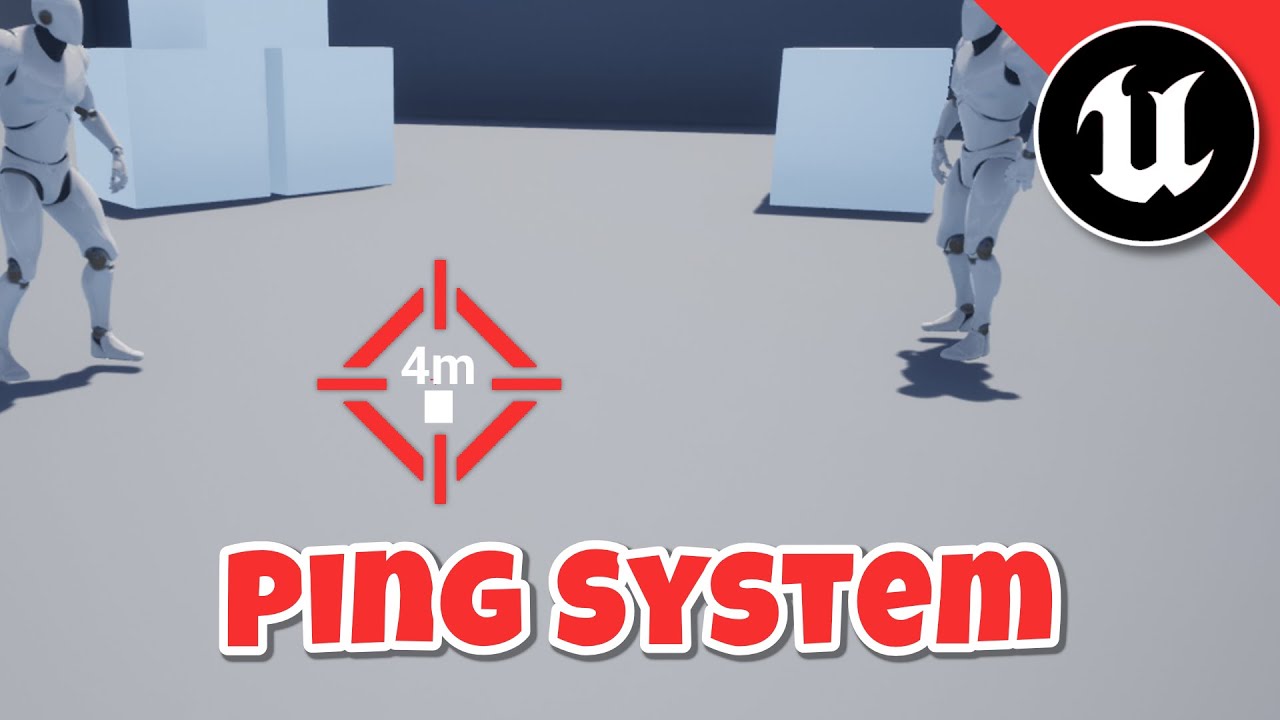
Make sure to join my Discord: https://discord.gg/ShzZjvrExp
In this video i will show you how you can create a ping system in unreal engine.
Features:
- Multiplayer replicated
- Show distance to ping
00:00 Final Result
00:07 Start
00:33 Basic Setup
03:49 Ping System Visual
08:15 Ping System Programming
In tests, the Distance value on the widget isnt updating after the first time of begin play, probably because of the error.
My play "net mode" settings use Play as Listen Server and I do have 2 for the number of players, and 2 players are spawning.
The initial Distance value for the ping is successfully set to the same for both players. The value should be different between both players because their distance to the ping is different.
golden aurora
Hello there
Doesn't it is really recommended to have delays in multiplayer functions, right?
I have one on BeginPlay to set some variables that are initialized later
queen flower
omg i figured it out

i tried so many thing -_- and no idea why this works and the other ones do not
 azure hollow
{
    ServerFire_Implementation();
    GetWorldTimerManager().SetTimer(TimerHandle_HandleFire, this, &AMyCharacter::FireShot, .05f, true);
}

void AMyCharacter::ServerFire_Implementation()
{
    GetWorldTimerManager().SetTimer(TimerHandle_HandleFire, this, &AMyCharacter::FireShot, .05f, true);
}```

someone can help? I don't know why particle spawned in the function "FireShot" is not replicating over the serverAssuming "StartFire" is on the client then the problem is likely that you're directly calling the "Implementation" method.
You normally should have a method in the header that you call. For example one I recently made:

Then all you do is just Server_RequestServerTimeStampSync(); from a client (but obviously in the context of your game).
azure hollow
in my .h I have this
UFUNCTION(Server, Reliable)
void ServerFire();
twilit radish
Then call ServerFire(); instead of ServerFire_Implementation();
azure hollow
mmm can you explain me why? 🙂
twilit radish
So the _Implementation method is as it suggests for executing the code on whatever side it should execute. If you declared the RPC as Server then it should execute only on the server. But you don't directly call the implementation method on the Client, Unreal does this for you once the RPC has been received on the server.
So if you want from the Client to send the RPC you call ServerFire(); and Unreal will automatically call the _Implementation later on for the Server.
azure hollow
so the code above is correct BUT i need to just call the func ServerFire() right?
twilit radish
Yeah.
azure hollow
cool I will try it now
twilit radish
void ATimeSyncPlayerState::OnSomeMethod()
{
        Server_RequestServerTimeStampSync();
}

void ATimeSyncPlayerState::Server_RequestServerTimeStampSync_Implementation()
{
    // Code..
}
```This is what I for example did in the example I was talking about. The "OnSomeMethod" gets called on the Client and then the _Implementation gets called on the server once the RPC request arrived 🙂seems like it's working 😄 thank you
twilit radish
👍
azure hollow
ok not working when shooting from the server mm
twilit radish
Does the implementation method not get called or does the gameplay functionality not work?
azure hollow
the gameplay is working fine, if I shoot from the Client side, the server is able to see the hit of the projectile
if I shoot from the server the client can't see where is he shooting at
twilit radish
Well yes because the server doesn't tell the client in anyway with this that it shot.
Client -> Server != Server -> Client.
You'll need to tell through some way to other clients that a shot was fired.
azure hollow
so should be Multicast rather than Server?
twilit radish
No. You need something else along with it to tell other clients that a shot happened on the server.
azure hollow
ah ok
twilit radish
But that could be a multicast yes. But you don't need to change the ServerFire() method for it.
twilit radish
You have the first step in this picture. But are likely missing the second one 🙂

With "C1" being Client 1. "S" = Server and "C2" = A different client.
twilit radish
"The reverse"?
azure hollow
yes now the client can see what is doing the server but the server obviously don't see what the client is doing
 faint gust
i have an interaction system but i dont know how i can move it to multiplayer as i have tried moving the function to the GM moving the code to a replicated event and i dont know what else i can do if you need my BP il share
azure hollow
twilit radish
You have the first step in this picture. But are likely missing the second one �...
so this that you are saying is correct but how to implement it?
twilit radish
Client says "I shot" to the Server. The Server likely agrees with it and lets all other clients know that a shot was fired by for example a different RPC (or multicast). Unless it's something else than an instant shot, then you will likely need to use the replication system instead of using an RPC because that's a state. But that's the general idea.
twilit radish
faint gust
i have an interaction system but i dont know how i can move it to multiplayer as...
The GameMode is not replicated to clients. It only exists on the Server side.

 uncut schooner
Hi
faint gust
twilit radish
The GameMode is not replicated to clients. It only exists on the Server side.
yeah and i tried to do other things but it still dosnt work
uncut schooner
Has anyone tackled syncing, attributes, client side predicted with server authentication?
And or health ect
 chrome quest
Synced?
twilit radish
faint gust
yeah and i tried to do other things but it still dosnt work
What about it didn't work though? 🙂
chrome quest
uncut schooner
Has anyone tackled syncing, attributes, client side predicted with server authen...
Hmm... I'd do that with GAS.
azure hollow
twilit radish
Client says "I shot" to the Server. The Server likely agrees with it and lets al...
yes but I should create more function to make clients and server be aware of whats going on?
faint gust
twilit radish
What about it didn't work though? 🙂
it just dosnt trigger interactions like when i press E to pickup an item it dosnt do anything
twilit radish
azure hollow
yes but I should create more function to make clients and server be aware of wha...
Yes. You need some other method (for example a new RPC/multicast) that lets everyone else know that Client 1 for example has shot.
Client 2 or Client 3 can't magically guess that Client 1 has shot their weapon.
twilit radish
faint gust
it just dosnt trigger interactions like when i press E to pickup an item it dosn...
Does the interaction not arrive on the server, does the input just not work? It's difficult to tell what the issue may be. Print out some messages and see where it stops working I would say 🙂
Or use the Blueprint debugger. Also an option.
faint gust
twilit radish
Does the interaction not arrive on the server, does the input just not work? It'...
in singleplayer i can do it fine but in MP it just dosnt do anything
faint gust
twilit radish
Or use the Blueprint debugger. Also an option.
whats that?
twilit radish
It allows you to step through your blueprints. You mark a certain blueprint node as "Hey please stop the entire game when you arrive here" and from there you can slowly go through the next blueprint nodes it calls to see if it actually works.
twilit radish
faint gust
in singleplayer i can do it fine but in MP it just dosnt do anything
That it works in singleplayer is not a guarantee it works in multiplayer. Multiplayer is a whole different setup 🙂
faint gust
how do i accsess the debugger?
twilit radish
But like I said. Just print some messages or use the BP debugger and see what doesn't work, something has to not work somewhere.

Pause execution using Breakpoints to inspect graphs and the values of variables.
faint gust
it seems the breakpoints never get excuted like they would in SP
 twilit radish
Then go back further into the nodes until you find where it stops working 🙂
faint gust
well the breakpoints is where it stops working
and i have no idea why it stops working there
twilit radish
Does it stop after the first or second branch?
faint gust
the first breakpoint branch is where it stops in SP in MP it dose nothing
twilit radish
Does the breakpoint never get called in MP?
twilit radish
Then you need to find out where it does get called but fails to proceed to this point.
azure hollow
twilit radish
Yes. You need some other method (for example a new RPC/multicast) that lets ever...
is working fine now, thank you so much. One last question...everytime you need to make all these functions? or is there a faster way to notice clients/server?
twilit radish
azure hollow
is working fine now, thank you so much. One last question...everytime you need t...
To my knowledge yes. You can't directly call RPCs from clients to other clients. Everything goes through the Server. So you need at bare minimum 2 RPCs to reach from Client 1 to Client 3 as an example.
azure hollow
ok great
twilit radish
Client 1 -> Server -> Client 3.
 twilit radish
Camera Manager 0 is likely the issue.
On a server there are multiple of those.
Unless this is on the client?
faint gust
this is client code
twilit radish
Ah nvm then.
faint gust
well a func on the client running every tick
on the player charafter
i think thats client
twilit radish
Doesn't have to be. Your character likely gets replicated to all other clients.
So if you don't check if it's specifically a locally controlled character then it also runs everywhere else.
Which means you may be debugging the wrong character as well 😅
cinder steeple
I have a large map and using level streaming / world composition of the landscape (2 LODS). I would like to be able to run a hosted multiplayer game with this large map and level streaming for server and clients, and would like to know if there is a straight forward way to allow the client to authoritatively load in streaming levels on the server. If not, is there a memory conservative way to enable just collision of the LOD0 landscape tile for clients?
When a server player moves far enough away from client, the LOD0 landscape streams out and collision along with it, leading to the client falling through the landscape. Sorry for asking the same question twice - I understand it may be too complex for an answer in here.
UE 4.26
twilit radish
cinder steeple
I have a large map and using level streaming / world composition of the landscap...
Usually this kind of stuff is done based on distance or triggers on the server I would image? Take Minecraft as an example. All it does is load the map based on player their locations without much input from clients. It just checks what it needs to keep loaded based on distance.
cinder steeple
interesting, the issue with level streaming in a hosted game however is that only the server players position matters
the clients see the correct landscapes stream in, but dont authoritatively load the LOD0 landscape tiles so the collision just isnt there
faint gust
twilit radish
So if you don't check if it's specifically a locally controlled character then i...
how can i fis this?
twilit radish
faint gust
how can i fis this?
Check if the character is Locally Controlled. https://docs.unrealengine.com/4.26/en-US/BlueprintAPI/Pawn/IsLocallyControlled/
Is Locally Controlled
cinder steeple
thanks @twilit radish for the reply
twilit radish
cinder steeple
the clients see the correct landscapes stream in, but dont authoritatively load ...
The issue you will get regardless of this is that server has to load the parts of that map too. If only the clients spawn that specific map there's no way you can do anything with it on the server as the server doesn't know about it.
So even if you enable collision client side the server needs it too if you want authority.
cinder steeple
right - thats the question - how to tell the server to load these tiles (and not unload them )
since level streaming is based on distance from the tiles
I feel like I should be able to attach something to each client that belongs to the server, I've tried placing static mesh copies of the LOD0 landscape into the map and lodding those too (but memory utilization goes through the roof with too many tiles
faint gust
twilit radish
Check if the character is Locally Controlled. https://docs.unrealengine.com/4.26...
i added it and now the trace dose nothing
twilit radish
Then I misunderstood the question sorry. But I have not tried this before with level streaming / world composition so can't really provide an answer 😦
faint gust
it dosnt trigger the input
cinder steeple
twilit radish
Then I misunderstood the question sorry. But I have not tried this before with l...
no worries I greatly appreciate even the thought and time you put into it already
twilit radish
I would imagine there has to be a method somewhere that can just load it though or keep it loaded. But I'm unsure how Unreal did it.
cinder steeple
I can load them all but we're talking 400 tiles at 1009x1009 so over 2 millions triangles per tile
twilit radish
faint gust
it dosnt trigger the input
Are you sure you're debugging the correct character?
twilit radish
cinder steeple
I can load them all but we're talking 400 tiles at 1009x1009 so over 2 millions ...
Sounds like a really bad idea yes 😅
faint gust
how would i know?
twilit radish
In the top right there should be a menu that allows you to debug different blueprints. Assuming you're running in PIE.
Let me start Unreal for a screenshot.
faint gust
i selected the client and it still dose nothing
twilit radish
Are you running with just one client connected? (Listen Server?).
faint gust
im running as a client
twilit radish
Then who is the server?
faint gust
its in the background
twilit radish
Ah I see. Does the "Interact Trace" still get called though?
faint gust
i think i found the issue
 twilit radish
Well that's the issue right there.
faint gust
and now it traces
twilit radish
"Has Authority" checks the local network role which for clients isn't authority in this case.
faint gust
the only issue i see is that a hacker could theirtcaly interact with anything at any distance with this code
also the other clients arnt being updates about the stuff being interacted with
twilit radish
If you're worried about cheating then the server should make sure that the interact is valid.
If it's 'static' objects you can pick up it can be something as simple as doing the same logic on the server to verify if the trace actually hits that actor with the specified distance.
If they are moving objects it becomes more difficult though.
faint gust
twilit radish
If they are moving objects it becomes more difficult though.
the objects move
as i plan on the things being picked up and dropped all arround
twilit radish
Then you'll need to see what you find worth the effort to implement. The problem with moving objects is that by the time a RPC for example arrives on the server the trace may not be valid any more because on the server that object moved out of position.
faint gust
well they dont move that much
only if a player actualy picks them up or they roll down a hill
it would be a low chance that that happens like that
twilit radish
It's up to you to decide. I don't know your game. If you say you would rather want to have some more authority and it doesn't move too much go for it I guess.
faint gust
i would atleast want to make a range check
the issue is i dont know how to implement that as im new to making game and new to MP
twilit radish
You could with some math see if the direction is roughly the same and then check the distance with a bit of breathing space. Lot of options 🙂
faint gust
yeah i could do a cone cast for the server check
twilit radish
I think it's what one of the shooter examples from Epic them selves did if I don't remember incorrectly.
Or well. Part of the checks.
Multiplayer is complicated 😅
faint gust
the issue i dont know how i would implement a check
like to have the check execute and deny or allow
twilit radish
You likely have a RPC that the client sends to the server. You would do it in there.
faint gust
but couldnt the hacker just delete the RPC and ignore the response
twilit radish
If a hacker doesn't send a RPC to the server it picked up something then the server will never acknowledge that the client picked up something.
So no.
faint gust
but what if the client just dose the thing anyways ingorning the response
twilit radish
Then the server should disallow any requests it makes with that item because it doesn't have it.
faint gust
wdym if the hacker ignores the response then just says ok ima just do it
or wouldi have the server run the interface request
twilit radish
The server determines what happens.
If the server says "you don't have this item" then other clients should never get to see that item on their side. The hacker may see it but the server doesn't care and shouldn't care.
faint gust
so it goes like this
client says: hey server im interacting
server says: ok leme check if its allowed
server says: ok im running your interaction for you
twilit radish
Yes. That’s what you want to make happen if you want less cheats or no cheats.
faint gust
and if they are cheating i log an anticheat viloation so the admins can ban them
twilit radish
Depends on your game.
If you run dedicated servers. Sure. If it’s Listen Servers then absolutely don’t do it.
faint gust
an RPC is just a custom event right?
twilit radish
An RPC is a message from or to a client or server with custom data.
twilit radish
I do mine in C++ so not sure how it works in BPs.
But it’s something that should not be too difficult to find on the unreal forums or anywhere I hope.
faint gust
You may also see the term RPC (Remote Procedure Call). If so, just be aware that replicated events in Blueprints essentially compile down to RPCs inside the engine - and this is what they're usually called in C++.
so a replicated custom event is an RPC
twilit radish
Could be. I’m not sure what everything is called in BP land 😛
faint gust
thats from the wiki
twilit radish
I do have to make dinner though so I’ll need to go for now 🙂
twilit radish
Also important. But yeah, good luck! 🙂
faint gust
this is an RPC in BP land

 fathom aspen
golden aurora
Hello there
fathom aspen
golden aurora
Hello there
I would avoid them if I can. Sometimes it's just inevitable. For example a BP only project doesn't have an OnRep_PlayerState so you can do a delay. Well that's a not so good example because you can have the code put in BeginPlay of PlayerState, but you get the idea...
uncut schooner
chrome quest
Hmm... I'd do that with GAS.
Yeah but GAS doesn't allow for predicted duration modifiers
chrome quest
true
uncut schooner
Has anyone tackled syncing, attributes, client side predicted with server authentication, not using GAS, since it doesn't work with duration based modifiers, and I need it to since that is optimized instead of doing something like sending an rpc every frame
golden aurora
fathom aspen
I would avoid them if I can. Sometimes it's just inevitable. For example a BP on...
That's what I thought. I always try to avoid them too but this time I was trying to get a reference that was initialized later. Including a small delay was super efficient to solve the problem.
 rocky night
Hi, i got a thing…. 🫠When i Testplay with a friend my Game ( he is host iam client) after like 15 mins the host looks on my side like he is falling through the floor every few seconds.
humble bane
Was wondering
Would something like a cooldown system only be client side?
Since the player only need to know it
pallid mesa
no
mainly because you could cheat if the server had no business in the cooldown
so yeah it is indeed something that could be replicated only to the owner
humble bane
I see
pallid mesa
in theory many things within the asc are only important for the owner
humble bane
But because cheating?
pallid mesa
except for the cues and some attributes
humble bane
Hmmmm
pallid mesa
only the server can prevent cheating
humble bane
Yes true
azure hollow
hey guys
why UPROPERTY(Replicated)
float Value;
is giving me error when compiling?
fathom aspen
azure hollow
hey guys
why UPROPERTY(Replicated)
float Value;
is giving me error when compili...
Because you don't have that Value in GetLifetimeReplicatedProps
Or you don't have an include to UnrealNetwork library
azure hollow
fathom aspen
Because you don't have that Value in GetLifetimeReplicatedProps
how it works exactly? In bp you just need tu check the box so I thought it was that easy
fathom aspen

Detailed information about how Actor properties are replicated.
^ + #include <Net/UnrealNetwork.h> in your .cpp
faint gust
how would i do this but multiplayer compatablei know the issue is the index but i need to get the camera manager to trace the line so is there a way to get the camera manager without the index?

 viscid night
How can I replicate AI montage animation? I know I can send a server RPC and then multicast but I can only send server RPC through a client owned actor, so what would be a good practice/approach to replicate AI montage animations?
 latent heart
You can send an rpc TO a client on any replicated actor.
You just can't send them back except on client-owned ones.
So if you want to replicate an anim montage on an AI character, simply do just that.
Or don't replicate the montage, replicate the state which triggers the montage.
(and use an OnRep to trigger it)
viscid night
thanks for the response, so if a client needs to play AI montage how can he send a server RPC? through player controller, player state etc?
graceful flame
latent heart
Or don't replicate the montage, replicate the state which triggers the montage.
This advice alone is what the majority of people on here need to heed. Once you understand RPCs and multicasts it’s so easy to fall into the trap of making a huge chain of nodes all executing over the network when instead you can just use a single OnRep to control the state and then only execute the nodes on the clients. Once I finally understood that my game started performing much butter under simulated lag.
latent heart
viscid night
thanks for the response, so if a client needs to play AI montage how can he send...
Correct. You would do something like, on your PlayerController, run a "TriggerAI" RPC and send the AI character as a parameter and then the server would decide what to do with that information, such as play a montage.
(or trigger a replicated state change which plays a montage)
You can even make those things generic by the AI supplying a string or whatever as an extra parameter.
Or an enum value (though those are less generic)
viscid night
thanks very much
 zenith wyvern
Is there a simple way to test dedicated server type functions in UE play mode, such as serverTravel? Or do I really need to be setting up a dedicated server to run and have UE play on
latent heart
I thought there was a way to get a dedicated server in PIE mode.
Not sure exactly how, though.
thin stratus
You can just play as client
But seamless travel doesn't work with that
For that you need to run the server and client standalone
Which is the thing between pie and actually packaging
pale pewter
I'm in a process of reworking my blueprints to be ran on server. for my Functions (not the events but the ones in the left side of the blueprint asset) since I cannot select them to be ran on server, I just need to create a custom event that is ran on server and then execute the function? is that correct?
then whenever I need that function ran on server I just call the ran on server RPC
thin stratus
Theoretically yes
pale pewter
thanks, I also had some events ran in the player widgets, I'm completely deleting that and transferring it to function within the player then calling that function in the widget instead
thin stratus
Yeah rpcs in widgets is wrong
The server RPC you mentioned has to be inside a client owned actor and executed by that client
Just as a side note
pale pewter
Yup got it! thank you ^^
 fluid summit
Hi everybody! i have a listen server setup and i want to do something OnLogin only when it's the host.
Is "Is server" good for this? something i may have to worry about?
seems to work fine, but maybe there's some things to check
thin stratus
Wouldn't Is server return true no matter who connects?
Cause OnLogin is in the GameMode so always server?
Or was that a function you call on the PlayerController?
You could maybe check the Role of the PC?
fluid summit
i'm doing it on PC, it works ok. Just wanted to check in case there's some "gotcha" with that function
Another one, i'm not so sure how to workaround this.
Any way to get "Hit result under cursor" of the client, from the server PC?
i have an "interacteable" interface and in one implementation of a method from that interface i pass the PC as a reference.
I want to check what is under the client PC cursor, if possible without adding it as a parameter on the interact function
Cache the hit on the client and replicating it sems to do the work
faint gust
i have this code that works fine in SP and i know the issue is the camera manager because it needs an ID but the issue is i need the manager to do the line trace afaik is there a way i can get the camera manager without the id or another way to get the info i need for the line trace
 fluid summit
faint gust
i have this code that works fine in SP and i know the issue is the camera manage...
fluid summit
faint gust
i have this code that works fine in SP and i know the issue is the camera manage...
I'm not sure i understand the problem.
Doing that "OnClient" and passing it to a server Request doesn't do the job?
faint gust
fluid summit
I'm not sure i understand the problem.
Doing that "OnClient" and passing it to a...
this code is gamemode code
faint gust
fluid summit
I'm not sure i understand the problem.
Doing that "OnClient" and passing it to a...
and if this code was on the client a hacker could interact with anything on the map
fluid summit
What about replicating the camera manager?
faint gust
wdym?
faint gust
fluid summit
What about replicating the camera manager?
like how would i do that
fluid summit
Create a new blueprint that inherits from "PlayerCameraManager" and tick "Replicate" on that BP

There may be more things to do to make that work, not sure
Also set that new BP as the Default Camera manager for your pc
faint gust
fluid summit
Create a new blueprint that inherits from "PlayerCameraManager" and tick "Replic...
one thing how would it being replicated help me accsess it in the gomemode BP?
twin juniper
Hello, I'm making a coop game. I'm considering giving your game server to one of the clients, but I don't want my game to be cracked by hackers for multiplayer gameplay. Is only option dedicated servers?
faint gust
twin juniper
Hello, I'm making a coop game. I'm considering giving your game server to one of...
afaik the player that owns the server can do anything to it but if its coop with friends its probaly not an issue but if its randoms it would probaly have to be dedicated
twin juniper
faint gust
afaik the player that owns the server can do anything to it but if its coop with...
why its not problem if its coop with friends
faint gust
twin juniper
why its not problem if its coop with friends
well if its with friends they woldnt ruin eachother's experiance but its more of an opinion with that
twin juniper
faint gust
well if its with friends they woldnt ruin eachother's experiance but its more of...
How they would ruin eachother's experience
faint gust
twin juniper
How they would ruin eachother's experience
i mean by friends wouldnt hack on eachother like randoms would
twin juniper
Cheating is not big deal
Ah, yes
My issue is playing game without buy
At the and of the day cheating is their call in game session with friends, but if they can play game without buy from steam that will be problem
faint gust
twin juniper
At the and of the day cheating is their call in game session with friends, but i...
thats piracy you would need a form of auth with steam servers witch i am not familiar with
or some kind of auth server
afaik
 plucky prawn
faint gust
thats piracy you would need a form of auth with steam servers witch i am not fam...
plucky prawn
faint gust
thats piracy you would need a form of auth with steam servers witch i am not fam...
Now sure about unreal integration but steam works (bundled with unreal) can check this with like 1 or 2 function calls. This is purely my personal opinion, but piracy probably should not be your main concern. People will find ways to pirate your game no matter what. Instead you could think of it as a goal. Give them a reason to buy your game instead of pirating. Best way is good support (even when it's obvious they pirated it). At the end of the day, you cant and won't win over everyone. Maybe the fact that they pirate it shows they like your game which for me is a nice thought. Obviously their money would also be nice 😂
fluid summit
faint gust
one thing how would it being replicated help me accsess it in the gomemode BP?
That's the nature of replication, GameMode is OnlyServer.
So if you have your cameraManager replicated, the version on the server will have the correct set of properties.
So whenever you need it on GameMode, grab the PC and get the correspondent CameraManager.
The problem i see with this is that you are taking client input as the final word
faint gust
fluid summit
That's the nature of replication, GameMode is OnlyServer.
So if you have your ca...
the issue i dont even know HOW to get camera manager
and how would i verify the input is valid
fluid summit
From what i can see from your code, that shouldn't be on serverSide. that should be clientside and when you check your checks, you do a "request" to the server with the requiered info or update some variable so the server uses it.
what is it that you are trying to acomplish?
faint gust
fluid summit
From what i can see from your code, that shouldn't be on serverSide. that should...
but wouldnt that mean trusting the client?
im trying to have an interaction system
look at somthing = somthing happens / press e while looking at somthing = do somthing
fluid summit
I would recommend and interface
faint gust
i AM using an interface
fluid summit
the way i would recommend that handle something like that is
*Some interface for interact behavior
OnClient: Look At Something --> Does implement interact interface? (Yes) --> RPC(Server) Interact with this actor
faint gust
but how would the server verify that the look is valid
fluid summit
 fluid summit
faint gust
but how would the server verify that the look is valid
fluid summit
faint gust
but how would the server verify that the look is valid
if the server needs to verify something, you check it on the server
so the client would "request" an interaction to the server
and on server side code, you would do your checks
in your case, if Actor "A" interacts with "B".
On the implementation of the interface on "B" you should do your checks, in your case to see if the other player is looking at him
how you check if "A" is looking at "B" is up to your setup
faint gust
and im trying to do a check by the server running the trace
like how would i check otherwise
fluid summit
Your check is your camera looking at the actor of your "character" (pawn) looking at the actor?
faint gust
im checking if the player is in range of the object and looking at it
with a trace
and i need the camera stuff to do that trace
fluid summit
the Range is easy, the looking at.
Get Pawn Forward vector and do a linetrace.
As long as character movement is replicated, you can trust its rotation and position
fluid summit
faint gust
and i need the camera stuff to do that trace
Do you need the camera to look at the actor or your character?
Is this FPS or TPS?
faint gust
its a FPS
fluid summit
Just do actorForward vector
faint gust
like this?
 fluid summit
don't use the camera, use the player controller pawn.
faint gust
but then it wouldnt rotate with the camera
fluid summit
PlayerController-GetPawn-GetForwardVector
what do you mean? keep in mind that i only know that you want to see if the char is looking at the object and that it's a fps.
faint gust
like the forward vector wouldnt rotate with the camera right
fluid summit
if it's a fps. the actor is rotating with the camera
fluid summit
okey, if that is the setup you want. I guess that you need to add some more info to the server.
Replicate the position of the camera would work in that case
faint gust
i mean i would like the actor to rotate properly
with it going up and down
like the camera looks up and down
fluid summit
camera should do the work, just make sure it's replicated so you can trust it's position /rotation
faint gust
but the tracing dosnt
this?

the thing is i would like it to work with the regular pawn vector
fluid summit
if you want to trust on the info you are using, it needs to be replicated. If not, you are always "trusting" the client.
faint gust
with this the trace still dosnt rotate but only in MP

 fluid summit
you either replicate the camera position and use that for the trace, or update some variable "LookingAtRotation" that is replicated
faint gust
faint gust
with this the trace still dosnt rotate but only in MP
like this code works fine in SP but in MP it just breaks
fluid summit
check if the variables you are using are ok.
Print those 2 and check if they change
faint gust
thats just the camera compenent no vo vars like that
they seem to change
in MP the trace just stays the same up/down and is super far away
fluid summit
something is wrong with the way you are checking if it's looking at the actor B (also make sure actor B is replicated)
faint gust
nonono the trace line is broke
fluid summit
try this

So instead of
"Camera-GetForwardVector" You do
"Camera-GetRotation-GetForwardVector"
 faint gust
same thing
 faint gust
fluid summit
faint gust
fluid summit
issue HOW DO I GET PLAYER CAMERA MANAGER that has been my ENTIRE issue
fluid summit
i suppose "interactor" is the pawn.
Get Controller -> Get Camera Manager
faint gust
interactor is the player
 faint gust
how do i get that node thingy because uhhh
 fluid summit
Show the type of the "interactor"
faint gust
???
fluid summit
what actor type is this
faint gust
its a BP Player Objecy Reference
fluid summit

Cast is to your player controller first
i assume that by "player" you mean that it's the player controller
faint gust
fluid summit
i assume that by "player" you mean that it's the player controller
no its the player
just player
fluid summit
Can you show me where are you calling that? to see what actor type you are trying to get the camera from
faint gust
 fluid summit
Holy crap, please don't do that
faint gust
what did i do thats so bad?
fluid summit
faint gust
This is being called from the player controller? the pawn?
faint gust
no just the player
fluid summit
faint gust
what did i do thats so bad?
RPC on Tick, i would change it later
faint gust
not the conmtroller
fluid summit
faint gust
no just the player
i don't know what "just player" is
fluid summit
if it's a pawn and the camera is on the pawn, cast it to "your pawn type" and GetCamera should work.
If not, apply an interface to get the camera, check if that actor implements it.
if it does, add a "get camera" method to that interface
and implement that interface on the pawn
 fluid summit
you can pass whatever you want on the interface
for the camera manager i think you need to do "Pawn -> Get Owning controller -> GetCamera manager"
not sure
faint gust
there is no owning controller
fluid summit

Unreal Engine Forums
Use the GetController node the target would be your Playerwhoshot variable, this returns a controller object so you might want to cast it to your own player controller class or the default playercontroller class if you are not using a custom one.
faint gust
and on the controller there is no camera manager
ok i got the manager

issue
Blueprint Runtime Error: "Accessed None trying to read property CallFunc_GetLocalViewingPlayerController_ReturnValue". Node: Line Trace By Channel Graph: Interact Trace Function: Interact Trace Blueprint: GM_default
fluid summit
 fluid summit
that's the default player controller class

 fluid summit
that's not a fix, you are ignoring the cast.
all after the "Cast to Bp" is gonna fail if you ignore it
fluid summit
if that is the case, check if the variables you are checking are replicating correctly.
Do a print on client and on server of the same variable
 fluid summit
Details -> Component Replicate
Make sure base actor is set to replicate
i highly recommend to read the compendium, this are more of BP things more than multiplayer
but if you are struggling with those, i would first get more practice on those and than get into MP.
faint gust
this is set to repicate
 fluid summit
So you do have the camera on the pawn... -.-
faint gust
the camera is on the capsule and thats what moves right?
fluid summit
the capsule is the capsule, your camera has a diferent position on that setup.
implement an interface so you dont need to do the cast
that interface needs a "GetCamera" method and Outputs a camera
make your BP_Player use that interface and on the implementation of the "GetCamera" Method, just return that camera that is on the spring arm
faint gust
like this?

 fluid summit
yap
Or maybe go more generic and use the method to get the "look at rotation".
so no matter what actor type is the interactor, you only need to check if it implements that interface
faint gust
fluid summit
Or maybe go more generic and use the method to get the "look at rotation".
so no...
coulndt it lie about the rotation?
maybe like this
 twin juniper
Do non-animated bones have an effect on replication and bandwidth usage?
faint gust
i give up its 12PM im going to sleep
fluid summit
faint gust
coulndt it lie about the rotation?
Use "Get camera rotation" Not "Get camera location".
and if it's replicated, no. it can't lie about the rotation, the only value that matter is the one on the server
faint gust
fluid summit
and if it's replicated, no. it can't lie about the rotation, the only value that...
if i were to have the function on the client be replicated on the server would that mean it cant lie about it?
fluid summit
you are making the call from the GameMode, the function is going to be made on the server unless you specify that it's on the client.
What you are going to do is check the those property on the server version, you need to make sure those values are updated.
You can't lie if you are checking the server version, unless you give the player a method for update those values that they can access freely
Check cedric multiplayer compendium
faint gust
The reason I put it into the server is because I don’t know how to check it without just putting it into the server and that dosnt work
I just want to secure this and I don’t know where to go in that big pdf for help
fluid summit
if you don't put it on the server, you can't trust it.
if it's not on the server, you are basically getting a "trust me bro, it's the right one" version of whatever you are reading
faint gust
Yeah and I just can’t get the camera stuff onto the server for some reason
faint gust
fluid summit
Use "Get camera rotation" Not "Get camera location".
still dosnt work
 fluid summit
faint gust
still dosnt work
fluid summit
faint gust
still dosnt work
don't use "camera manager" if you have a camera with a spring arm on your pawn
drag that camera variable that its on your pawn
faint gust
fluid summit
don't use "camera manager" if you have a camera with a spring arm on your pawn
world rotartion right
still nothing

and this is the same issue

this interface foxes nothing
fluid summit
that camera is not replicating correctly
 vague spruce
hi, need some help here. i have a component that is set to replicate. it has a TArray in it that is set up with replication AFAIK. for some reason, it's not replicating correctly and i'm not able to see the updated values on the editor.
    BestiaryComponent = CreateDefaultSubobject<UBestiaryComponent>("BestiaryComponent");
    if (BestiaryComponent)
    {
        BestiaryComponent->SetIsReplicated(true);
    }
    UPROPERTY(VisibleAnywhere, Replicated, ReplicatedUsing=OnRep_ReplicatedEntries)
    TArray<FBestiaryEntry> ReplicatedEntries;
void UBestiaryComponent::GetLifetimeReplicatedProps(TArray<FLifetimeProperty>& OutLifetimeProps) const
{
    DOREPLIFETIME_CONDITION(ThisClass, ReplicatedEntries, COND_AutonomousOnly);
}
any thoughts on why this could be happening? i'm at a loss here... i was also able to confirm that the TArray is getting updated on the server
lost inlet
vague spruce
hi, need some help here. i have a component that is set to replicate. it has a `...
why is it not calling Super, also did you pick the right condition, and is the owning actor itself replicated?
vague spruce
lost inlet
why is it not calling Super, also did you pick the right condition, and is the o...
omg
if it's that i'm not calling super i am going to facepalm so hard
vague spruce
lost inlet
why is it not calling Super, also did you pick the right condition, and is the o...
yes the controller is replicated AFAIK and yes, this condition works with another component with the same composition. just not with TArray. but let me try with Super
sigh naw that didn't do it. what's weird is that another component that has the same layout as this one is working fine. these values are simple floats though.
replicating fine

not replicating fine

(map does not replicate, just need the array to replicate)
lost inlet
why would you even need replication conditions if it's a component of a controller, which is replicated to a single client anyway
vague spruce
i'll take off the conditions, maybe that's what it is
lost inlet
and SetIsReplicated is usually not called during the constructor, you typically use SetReplicatedByDefault
and you can just put that in the constructor of the component itself
vague spruce
lost inlet
and SetIsReplicated is usually not called during the constructor, you typically ...
super cool, lemme do that too. was following UE docs
christ yea, none of that is working 😦
are TArrays supposed to replicate when an element is added to them?
this is a TArray of structs so maybe that's the problem?
i added UPROPERTY() to the fields in my struct and now the struct is replicating fine 
fluid summit
One question, does anyone know if a reason to why a line trace is hitting in case A but not B?
A)

B)

if i do the exact same trace using the player pawn, work ok when doing it from a RPC on PC.
But not when using the PC reference on a replicated actor
Pawn is valid on both cases and location is the same
Found it: Ignore self
pale pewter
I'm learning a lot about multiplayer and RPC, but I've got a question. If I run an event on server but I also want the client to see it (I'm adding an item to the player but I want it to be set on server) I should run the event on server first then run the event on the client so they are in sync. Is this correct?
Same as sprinting, Run event on server to set the speed, then on the execute set it on the client
twin juniper
twin juniper
https://youtu.be/cdmzd3v3W-o
I've wrecked the code by trying to gamedev.tv myse...
Please help.
rocky night
Hi, i got a thing…. 🫠When i Testplay with a friend my Game ( he is host iam client) after like 15 mins the host looks on my side like he is falling through the floor every few seconds. Anyone know what that could cause?
pallid mesa
pale pewter
Same as sprinting, Run event on server to set the speed, then on the execute set...
no, take a read at this https://vorixo.github.io/devtricks/stateful-events-multiplayer/
 pallid mesa
twin juniper
Please help.
pallid mesa
twin juniper
Please help.
Take a look at sixdof plugin from mookie
there's also this https://www.unrealengine.com/marketplace/en-US/product/easy-flight-model
Worked with Mookie before, you can trust all he does
rocky night
anyone?
twin juniper
Do non-animated bones have an effect on replication and bandwidth usage?
I have facial rigs and I will never use them in my fps view. Should I delete them?
 rich vine
Hello, I want to create a listen server without port forwarding. How can I do that?
twilit radish
You either use some kind of service to help you with achieving the 'same thing' or you're stuck to LAN. Listen Servers them selves don't have anything to do with port forwarding. It's just a way to setup the game.
Epic Online Services provides p2p connectivity, Steam does for their own platform too etc. Look around what you want to use or can afford to use and see if it's something for your game. Do look at their limitations though. There are very likely a few of them.
faint gust
i have this code in SP it works and it traces the line perfectly but in MP it always points to 0,0,0 i know its an issue with replication but i dont know how to have this replicate
 twilit radish
The start or end variable is 0,0,0?
faint gust
lene do a print rq
no its not 000 but it just works diffrently
it just looks like it points to one place
twilit radish
Is this on a client or server?
twilit radish
Isn't it just lagging behind?
twilit radish
But the ray seems to at least follow the camera no?
Just with some delay I think though. Which is to be expected.
faint gust
it dosne go up/down
twilit radish
Are you sure the camera gets rotated then on the server?
faint gust
do you want a video of what is meanrt to happen?
twilit radish
I think I know what you want. But what I think the mistake here is that the camera doesn't move up or down on the server.
Rather just only on the client.
faint gust
like in SP it dose exactly what i want
twilit radish
But something that works in SP isn't at all guaranteed to work in MP 🙂
twilit radish
I'm not entirely sure yet but I simply assume that the Camera doesn't send it's rotation to the server. Which means that likely you only get rotation currently because of the player character it self rotating.
faint gust
yeah because the player dosne rotate up/down
twilit radish
Yes.
faint gust
i mean there has to be a diffrent way to get this setup that works
twilit radish
I assume you just rotate the camera on the client with local input?
faint gust
yeah
rich vine
twilit radish
You either use some kind of service to help you with achieving the 'same thing' ...
When you give the server to one of the players, shouldn't that player do port forwarding?
faint gust
this is movment code
 twilit radish
A listen server exists on someone's PC. Most routers these days block random incoming traffic to your computer for obvious reasons. So you need something that does expose it to the internet. Either port forwarding or using EOS, Steam or whatever to make that happen. You could even roll a custom solution but I would not do that honestly.
 twilit radish
Did you use a Character or Pawn as base class, Evan?
faint gust
charafter
twilit radish
Sorry this took some time to find because.. Yes. But I think what you can do is set UseClientSideCameraUpdates to true in the Camera (manager?) and it should properly send the rotation of your camera.
Should just be a setting somewhere in the details panel.
twilit radish
Let me look real quick in a project.
 lime iris
Question: What happens if a client joins a game in the middle and wants to get an update of all recent variables replicated which are crucial to gameplay while other players keep doing thier thing (especially using reliable), wouldn't the client miss one or two important updates? What would be a proper way doing replication in the middle of a game? Should everyone just wait?
twilit radish
lime iris
Question: What happens if a client joins a game in the middle and wants to get a...
This is why the replication system exists. It should be used for stateful actions as it will just throw the values it currently has to the joining client.
If you use RPCs for everything, then you indeed will get the problem that nothing will be send to that client.
lime iris
I am worried about that exactly...
twilit radish
If you use the replication system for things then there's nothing to worry about except maybe some edge cases you forgot to deal with. But if you have used RPCs for literally everything you have a problem yes.
lime iris
Is there any other way than forcing players to wait until it's safe to sends RPCs again?
Not everything, but I have some for gameplay, because the execution order is crucial...
twilit radish
I don't see why you need to let players wait in the first place?
You would normally let the joining player wait until everything properly has been setup for them and mean while have the match move on. I would highly advise just using the replication system and making use of it's priority system, but yes you can technically resync everything through RPCs.
Also @faint gust I found it. Not straightforward to find lol. So it's in the PlayerCameraManager which you can change in a player controller's detail panel with a custom BP.
You can either do it that way or just send the pitch your self through an RPC.
In the CameraManager you can define this.
 faint gust
its on by default dose that mean it would be on on the original class
twilit radish
That's a good question actually.
I would assume not because otherwise I would assume your trace should just work? Unless you're not using the correct rotation in the first place.
🤔
lime iris
Because the RPCs might be flying around when the new client is just joining (can miss important RPC because of latency, just hypotheticalzzz)
twilit radish
faint gust
it must be an issue somwehere else
It's indeed set to true by default. Then I guess it's a different issue yeah.
twilit radish
lime iris
Because the RPCs might be flying around when the new client is just joining (can...
Well that's exactly why the replication system exists.
That makes sure to try and try again.
Evan. Could you print out the rotation of the camera?
lime iris
Okay, I may have to refactor the logic... but when to use RPCs for then?
faint gust
twilit radish
Evan. Could you print out the rotation of the camera?
the forward vector?
twilit radish
RPCs are most commonly used for Client -> Server and one time events like "I shot my weapon".
twilit radish
faint gust
the forward vector?
No the actual rotation.
The Pitch, Roll, Yaw.
Then you can see if it updates on the server or not.
You can also do the forward vector but I find it a bit confusing personally 😄
faint gust
it seems only the YAW moves
lime iris
So... RPCs are not for a multiplayer puzzle game then...
faint gust
the others go from 0 to -0 somtimes
twilit radish
lime iris
So... RPCs are not for a multiplayer puzzle game then...
They can definitely be. It just really depends on what it is used for.
lime iris
Let's say the game is like chess and every move (the order) is crucial, what should I do then?
Just make the other players wait is the only thing I can think of...
twilit radish
If it's chess IMO Unreal's replication system is way overkill.
lime iris
No, it's not chess, but just an easy way to decribe the gameplay (it's experimental...)
twilit radish
Also @faint gust I do have to go do something else. What I would recommend is trying to see if you can find something that does make sure the pitch also gets send to the server. I'm not entirely sure currently why it doesn't work 😦
faint gust
twilit radish
Also <@618537432002068491> I do have to go do something else. What I would recom...
i think we should take a break and do it another time
twilit radish
lime iris
No, it's not chess, but just an easy way to decribe the gameplay (it's experimen...
Ah I see. But my point still stands. RPCs should just be used for Client to Server communication as replication only goes from Server -> Client and any "States" should generally be in the replication system instead of RPCs.
lime iris
twilit radish
Ah I see. But my point still stands. RPCs should just be used for Client to Serv...
I may have to think things over... thanks Thom, helped a lot!
pale pewter
pallid mesa
no, take a read at this https://vorixo.github.io/devtricks/stateful-events-multi...
Thanks vori for this info! but I don't think OnRep is good in this situation, what i'm doing is when a player picks up an item, the event to pick the item and set it is ran on server and then on execute the non replicated event is called from the client too so there is no delay and the client can see the picked item quickly. is this action correct?
 faint gust
twilit radish
Also <@618537432002068491> I do have to go do something else. What I would recom...
faint gust
twilit radish
Also <@618537432002068491> I do have to go do something else. What I would recom...
can anyone help me with this as i cannot figure it out as it seems it just dose not goto the server
 swift pulsar
Hi guys, do you have any hints on how to properly handle players entering vehicles, possessing vehicles and attaching player pawn to it in the multiplayer setup? My main problem is that when I possess the vehicle and attach the player pawn, the vehicle movement seems to be glitchy because of the attached player. I suspect it might be connected with the Character Movement Component of the attached pawn. Deactivating it fixed my issues, for the most part, but I'm still wondering if perhaps there are any recommended techniques to use.
pallid mesa
pale pewter
Thanks vori for this info! but I don't think OnRep is good in this situation, wh...
no
use a replicated variable
otherwise if someone joins won't see the "apple"
that's what the article is about
XD
pale pewter
pallid mesa
use a replicated variable
Sorry my variable is set to be replicated (But not RepNotify) i didnt set it in the screenshot example. but since I only want the server and the client to set the variable and for it to quickly set and appear for the client I still don't think RepNotify is needed and wondering if calling server event and then non replicated afterwards is fine
swift pulsar
pale pewter
Sorry my variable is set to be replicated (But not RepNotify) i didnt set it in ...
It depends on whether you want other players to see this item or not. If you want other players to see it, then you need to replicate this to all clients, not only the one responsible for the Pick Item action. Also, if you want players who join the game later to see this item, you need to use Rep Notify specifically.
 sacred kraken
How do I host servers for my multiplayer games? I just learned that epic online services and steamworks are for other networking stuff, like voice and matchmaking. I always thought it was also for hosting but I was wrong. So, I set out to learn how I should host my servers and keep things fast. When googling I found a ton of info and it looks like I have a lot of options. I was hoping someone with experience in here could help me narrow it down.... What's the correct path?
pallid mesa
pale pewter
Sorry my variable is set to be replicated (But not RepNotify) i didnt set it in ...
it depends on the logic stack if you things when you obtain the item then yeah, onrep, otherwise simply a replicated variable would do
In Unreal you have two natively supported options @sacred kraken :
- Listen Server: One of the players hosts the session (ideal for low-player count setups)
- Dedicated server: A headless server is instanced and everyone who joins it is a client.
 proper mantle
Trying to start a server with a client using ThirdPerson C++ template. But only getting a black screen when trying to connect with the client:
Starting server with:
"G:\Programs\UnrealEngine\UE_4.26\Engine\Binaries\Win64\UE4Editor.exe" "D:\Projects\UE4\PuzzlePlatforms\PuzzlePlatforms.uproject" -server -game -log
Starting client with:
"G:\Programs\UnrealEngine\UE_4.26\Engine\Binaries\Win64\UE4Editor.exe" "D:\Projects\UE4\PuzzlePlatforms\PuzzlePlatforms.uproject" 127.0.0.1:7777 -game
Server log:
https://gist.github.com/KulaGGin/c43dc0fe84f42924e21a0666683cbba2
Client log:
https://gist.github.com/KulaGGin/1ccbdd6dbdab180360472139dcc6c836
I also tried connecting the client using my actual IP address:


With the exact same result
Someone please help
At the end of the logs it gives a warning in yellow:
[2022.06.26-15.03.19:655][365]LogOnlineSession: Warning: OSS: No game present to join for session (GameSession)
I think I mean dedicated. I don't want one of the players to host since that's (as far as I could see) a pita to do network wise.
So I just shove it on aws or something like that? There's no "epic approved" way of doing things?
pallid mesa
the only PITA is that the host could cheat
other than that is what I would recommend for COOP setups or for low player count in which inter-player experience isn't very relevant
sacred kraken
What? How do I make a host accessible? Wouldn't they need a vpn or reverse proxy or something like that?
sacred kraken
Oh dang, that's cool, I didn't know
pallid mesa
you login to steam, register your listen servers, and other peeps will be able to discover it
sacred kraken
So it's like a STUN server in webrtc?
pallid mesa
login and registering are parts of the game code, this doesn't mean: going to steam and clicking somewhere so my server disappears
sacred kraken
I see. All right, and for standalone I'd need something like aws?
pallid mesa
@sacred kraken take a read https://docs.unrealengine.com/5.0/en-US/common-user-plugin-in-unreal-engine-for-lyra-sample-game/
pallid mesa
sacred kraken
I see. All right, and for standalone I'd need something like aws?
for dedicated yeah, you'd need to have a machine or machines dedicated to host your servers
that can be nitrado... aws...
sacred kraken
I'll have 8 players and I'm running on a quest, so I think I'll need a dedicated server but at least now I understand what to test
Thanks
pallid mesa
no worries, bare in mind that listen servers provide longevity to your product
@sacred kraken
sacred kraken
What do you mean?
pallid mesa
or you can simply give your players the dc server binaries
because listen servers are "self hosted"
you don't have to pay for servers
pallid mesa
another option as I mentioned is providing the dc srever binaries to your players
sacred kraken
It's really a matter of "what do you connect to" isn't it?
pallid mesa
so they can host their own dc server
sacred kraken
What's a "dc"?
pallid mesa
sacred kraken
It's really a matter of "what do you connect to" isn't it?
yes, fortunately the differences between programming for a dedicated (dc) server and a listen server are minimal
sacred kraken
aah, got it
pallid mesa
just a couple of things to have in mind, the dedicated server instance isn't a player, thus doesn't need to care about particles, sounds... yada yada yada
sacred kraken
It's the same thing just a different build (headless), from what I've read so far
Right, yeah
sacred kraken
I'll first focus on actually finishing the game then.
sacred kraken
And then I can see what the overhead is of a listen server with 8 players
pallid mesa
just be sure your features work in dedicated server and listen server
through the Play in Editor menu
otherwise i'd be too much work
sacred kraken
Oh, no I am building it with multiplayer from the start
pallid mesa
because converting a Singleplayer to a Multiplayer is suuuuper bad
oooh good good 😄
👍
sacred kraken
I just thought my code would be different based on hosting. But I didn't know it was actually quite simple 😄
pallid mesa
well be sure it works for both
dc and listen
because the fact that the server is a player adds some differences
you know how to test it, right?
sacred kraken
I mean, I just press play and test. Locally I test by ruinning using -server. In the editor I just set it to listen, with 2 players
-server for the server and standalone builds for my pc and quest2
pallid mesa
to have a proper test setup: listen 3 players, dc 2 players
and test with network emulation settings + resiliency to late joiners
in "editor preferences" there is a tickbox that says "allow late joiners"
relevancy and late joiner issues are very popular
so be sure you prepare for them
here in my article I explain that: https://vorixo.github.io/devtricks/stateful-events-multiplayer/
sacred kraken
Oh great, I'll have a read!
I've been throttling using my router, setting bandwidth limits like a pleb :p
pallid mesa
oh there are network emulatio settings in the play in editor settings haha
i don't speak about that in my article, but worth knowing 😄
fathom aspen
proper mantle
Server log:
<https://gist.github.com/KulaGGin/c43dc0fe84f42924e21a0666683cbba2>
...
If you look last line in server log you can see that the join by client succeeded. It's also mentioned in the client log("Welcomed by server"). You are not specifying a map when you do the joining so you are redirected to the startup/default map called Entry. It's prolly a black blank map so that's why
pallid mesa
proper mantle
https://i.imgur.com/aqJhFgp.png
just tried...
Server: -game -server -log
Client: 127.0.0.1 -game -WINDOWED -ResX=800 -ResY=600
And for me it works, if it gets stuck focus on the dc server console and hit enter a couple of times...
oh yeah xD
also that.
sacred kraken
pallid mesa
here in my article I explain that: https://vorixo.github.io/devtricks/stateful-e...
Ooooooh, that's what you meant. Not a problem, I got that part down 😄 State vs events are concepts I am familiar with. Thank you for the warning though, and don't stop sending warnings my way because I like it 😄
pallid mesa
yeap i dropped at you loads of advices because I don't know how much you know, so better to be safe than sorry
also in the article you can see how to enable the late joining thingy
sacred kraken
I agree, and I thank you 😄
The first time I encountered this was when I still built video conferencing software. There was a whiteboard and a chat. The first dev made the whiteboard draw using events so late joiners only saw the delta.
proper mantle
fathom aspen
If you look last line in server log you can see that the join by client succeede...
Thanks, that was it! Had to specify the map and now it works.
Thx guys
uncut schooner
narrow elbow
Ive looked into it a VERY small amount, Is GAS only for making ability's etc wor...
GAS is not good for certain things at this stage, its good for instant effects but not duration modifiers, So if your making a survival game it would probably be better to do the prediction and serve authentication manually, however a good game that GAS would be really helpful for would be like Overwatch, then you'd probably only need to do custom fire rate timers and implement movement abilities in your CMC
 light iron
GAS also has built in Tasks for movement.
 gleaming kite
Will begin play always fire before a client calls the login method?
uncut schooner
light iron
GAS also has built in Tasks for movement.
Ah, Haven't checked that out
fathom aspen
gleaming kite
Will begin play always fire before a client calls the login method?
When you say BeginPlay you should specify a class. You prolly mean a player specific class and the answer is no. Also fyi login methods aren't called for seamless travel. That's why you should use HandleStartingNewPlayer instead as it gets called for both hard and seamless travel
gleaming kite
Sorry it was just a player start class. I have a player start that has a gameplay tag exposed to the editor so i can set what tag the player start has. When the client is spawning, it choses the proper player start with the tag. I recently found out that editor set properties are not available in the constructor so was wondering if it was safe to put the add tag method in begin play. (Also i know player starts have tags by default but i want to use gameplay tags so there isnt a typing error and you dont have to make sure its exact everytime, also just for other gameplay tag functionality)
fathom aspen
gleaming kite
Sorry it was just a player start class. I have a player start that has a gamepla...
Then yes it's prolly called as it's preplaced in the level
Yes you can call it in BeginPlay or PostInitializeComponents
Both are safe places
faint gust
question why dose the get location and forward vector give completly diffrent value in MP compared to SP making this completly not work and make me spend hours and having nothing work
 gleaming kite
fathom aspen
Yes you can call it in BeginPlay or PostInitializeComponents
gleaming kite
fathom aspen
Yes you can call it in BeginPlay or PostInitializeComponents
PostInitializeComponents works great, thank you!
 fresh chasm
Hello, I'm having trouble to replicate a TArray of UObjects inside a TArray of struct.. If I put the array outside of the struct it does replicate correctly, is there a limitation with that?
USTRUCT(BlueprintType)
struct FInventory
{
  [...]
  UPROPERTY(VisibleAnywhere, BlueprintReadOnly)
  TArray<UInventorySlot*> Slots;
}

UCLASS(Blueprintable, ClassGroup=(Custom), meta=(BlueprintSpawnableComponent))
class INVENTORY_API UInventoryComponent : public UActorComponent
{
  [...]
  UPROPERTY(EditAnywhere, BlueprintReadOnly, ReplicatedUsing=OnRep_Inventories)
  TArray<FInventory> Inventories;
}
You're sure the struct itself is replicated.
fresh chasm
Yes it is, I tried to replicate a TArray of int inside the struct and it worked
fathom aspen
faint gust
question why dose the get location and forward vector give completly diffrent va...
This shouldn't be the case. Look through this channel search and see how other people have done it(many examples really). For example: #multiplayer message
chrome quest
fresh chasm
Yes it is, I tried to replicate a TArray of int inside the struct and it worked
Oh.. the objects have to be made to support replication
Which objects are they? Parent class?
fresh chasm
chrome quest
Oh.. the objects have to be made to support replication
I have this in the UObject :
virtual bool IsSupportedForNetworking() const override { return true; }
It is a class directly derived from UObject
I can paste code related to replication if you need
faint gust
fathom aspen
This shouldn't be the case. Look through this channel search and see how other p...
the issue they are using the camera manager witch i cant get on the server without it erroring
chrome quest
fresh chasm
I can paste code related to replication if you need
This should be fine.
I can't remember the full code but there's a bit more I did to enable replication for objects
faint gust
faint gust
issue
`Blueprint Runtime Error: "Accessed None trying to read property CallFunc_...
with the manager i get this errror
fresh chasm
chrome quest
I can't remember the full code but there's a bit more I did to enable replicatio...
The other thing I did is override "ReplicateSubobjects"
It is working fine if I make the array of uobjects outside of the struct, but it doesn't replicate if inside
chrome quest
But since it replicates outside the struct, I'm not sure what is happening. It's a UPROPERTY in the struct right?
fresh chasm
chrome quest
But since it replicates outside the struct, I'm not sure what is happening. It's...
yes
chrome quest
Strange. That it's not working. Works fine for me
fathom aspen
faint gust
with the manager i get this errror
Well it's saying GetLocal.. so it's a client only thing and you're doing it in the GameMode which is server only. Read the compendium which you can find in pinned messages.
Also you shouldn't be doing your traces on server
You do it on client and make the server do the calculations to make sure it's okay
fresh chasm
Maybe It needs additional setup since it's in a struct?
faint gust
the issue is how would i trust the trace on the client? and i dont know how i would do the calculations without a trace
fathom aspen
Same question goes for people that do client side movement prediction. You predict
chrome quest
fresh chasm
Maybe It needs additional setup since it's in a struct?
Not really.
fathom aspen
faint gust
the issue is how would i trust the trace on the client? and i dont know how i wo...
If everything happens on the server then the server will go crazy
fresh chasm
Also I should add that the struct is stored in an Actor Component
faint gust
fathom aspen
Same question goes for people that do client side movement prediction. You predi...
but like how would i predict it
fresh chasm
chrome quest
And adding to the array
The array has predefined size, elements are just changing inside
chrome quest
Okay. Not sure what is happening then
fresh chasm
chrome quest
Okay. Not sure what is happening then
I will try in a new project, maybe there is something interfering
Thanks for your help 🙂
 quartz iris
How would I go about revealing certain players in the gamemode, i already have a material for highlighting the player through walls i just need a system
fresh chasm
chrome quest
Okay. Not sure what is happening then
Oh I made a mistake in my first post (edited), it's an array of UStruct, and inside the struct there is an array of UObject. Don't know if it changes anything
chrome quest
I don't think it changes anything.
 fierce fiber
Is anyone free to help in a VC call with some kick players related problems Im facing? I'll probably fail to explain my issue here
fresh chasm
chrome quest
And adding to the array
That was the issue
chrome quest
The way you were adding?
fresh chasm
Yes I don't know what is wrong in the function that was adding yet but adding manually on the server just works
chrome quest
Ah ha. I was half right.
Yeah, you should only be adding on the server
Nice solving it
fresh chasm
Thanks again 🙂
twilit radish
You could also just use the controller rotation
which is way easier now that I think of it LOL
faint gust
the thing is if it is jank it may be better to do a more useal soulution that may have better performance right
faint gust
fathom aspen
If everything happens on the server then the server will go crazy
aswell wizard siad it wouldnt be good to have it all on the server and i can use perdiction to check if its valid or somthing
twilit radish
 quartz iris
How would I go about revealing certain players in the gamemode, i already have a material for highlighting the player through walls i just need a system
fresh chasm
quartz iris
How would I go about revealing certain players in the gamemode, i already have a...
What do you mean by "revealing certain players in the gamemode" ?
quartz iris
fresh chasm
What do you mean by "revealing certain players in the gamemode" ?
Reveal them through walls
It's for an xray ability
twilit radish
faint gust
aswell wizard siad it wouldnt be good to have it all on the server and i can use...
Well yes it costs a bit of performance. BPs aren't really cheap in general. Traces are completely fine though, barely have any performance cost. But I asked you before if you wanted to do traces on the server 😛
faint gust
twilit radish
🎉🎉🎉 it works
fresh chasm
quartz iris
It's for an xray ability
When the player press the button to activate that ability, run a server event that checks if the ability is not on cooldown (if any), then run a client event, and get all actors and swap their material with the highlighting material.
To get actors, you can do a sphere trace on a specific channel that others actors that need to be highlighted respond to for example
faint gust
twilit radish
Well yes it costs a bit of performance. BPs aren't really cheap in general. Trac...
i think if it dose become an issue it shouldnt be too hard to make the trace a client and fix up some perdiction/checks when i have an expanded brain
twilit radish
Also @fathom aspen you can't possibly "predict" a trace of the client being valid without doing it on the server too. It's however not possible without rewinding physics. But I explained that to Evan before 🙂
chrome quest
twilit radish
Well yes it costs a bit of performance. BPs aren't really cheap in general. Trac...
Try 10000 traces on tick. 🥲
I'm currently hitting a performance bottleneck with that.
twilit radish
faint gust
i think if it dose become an issue it shouldnt be too hard to make the trace a c...
If you want my opinion. If cheating becomes an issue and your game is big start worrying about stuff by then 😄
twilit radish
chrome quest
Try 10000 traces on tick. 🥲
I'm currently hitting a performance bottleneck wit...
1 single trace on tick is absolutely nothing though.
chrome quest
True, true
faint gust
well its a trace per player and i plan on having large servers although distrobuted
faint gust
twilit radish
If you want my opinion. If cheating becomes an issue and your game is big start ...
yeah but i think fighting some cheating is good with somthing with a simple soultuiton like this
although hard to find
twilit radish
Technically all you need to care about on the server is one trace upon the RPC arriving.
This is definitely not a simple solution.
faint gust
yeah
twilit radish
Doing a trace on the server lags behind like I've explained before. Fixing that 100% is really difficult and not possible in BP whatsoever.
faint gust
twilit radish
Doing a trace on the server lags behind like I've explained before. Fixing that ...
for the lag i may do a shpere cast witch will have some leanency
twilit radish
Whatever does the trick I would say without impacting players too much 😄
The advice I was given at some point that I now give to others is worry about your game working first and having players before worrying too much about cheats.
faint gust
and thom thank you for making my game posible
twilit radish
Cheaters will cheat anyway and crush your productivity if you try to make everything cheat proof 🙂
faint gust
il credit you 100%
faint gust
twilit radish
Cheaters will cheat anyway and crush your productivity if you try to make everyt...
yeah but stuff that is cheap to prevent shiould always be done