#multiplayer
1 messages · Page 720 of 1
 chrome bay
Then Begin Play will execute client side, and it will call the RPC, and the server will spawn a second one
 lone steeple
Oh, I just added a switch has authority and that seems to have fixed it
That is weird
chrome bay
You don't even need the RPC at all
Yeah that makes sense
BeginPlay executes independently on all connections.
lone steeple
I didn't know begin play gets called on the server automatically
chrome bay
It gets called everywhere
 chrome bay
Yeah so it's the same issue
The anim notify fires on both Server and Client
Server spawns two projectiles because the client is requesting a spawn via RPC, and the server spawns one locally from it's own trigger
You're also calling a multicast, which means server + clients are spawning their own actors locally
And if that actor is replicated, then the client will see two
One will be the replicated projectile spawned when the Server executes the multicast, the other will be the locally-spawned one when the client executes the multicast
The reason the clients see two, is because they have the authority to call the server RPC
 sullen plover
Actually, the server sees two as well
But only when fired from the client.
But yeah, makes sense
chrome bay
Yeah, the client is calling an RPC. The local anim notify spawns one, then the RPC comes and it spawns another
sullen plover
So how do I fix that?
chrome bay
Two approaches, one is remove all of that networking logic, and simply add an authority switch after the anim notify trigger.
Actually that's probably the simplest approach, so long as the server always plays the animations
sullen plover
Right, but the client side still doesn't spawn projectiles
chrome bay
If the projectile is a replicated actor they shouldn't spawn anything
This is the alternative method, assuming again the projectile is replicated.

Obviously in a real game, there will be significant delays between the anim notify and clients seeing those projectiles anyway
Or you just do this, but you have to make sure the server is always playing the animations
 sullen plover
Yeah, that works, turns out the projectile's replication wasn't switched on. <sigh>
chrome bay
It depends if you want them to be replicated ofc, but presumably you do
sullen plover
Oh, definitely
chrome bay
But yeah just note they won't be perfectly timed with the anim in a real network game
In V1, they'll be latent by at least RTT, in V2 they'll be latent by at least RTT / 2
Also assumes the anims are roughly in sync in V2
lone steeple
What does RTT mean?
chrome bay
Round Trip Time
Aka how long it takes for a packet to get to the server, then send another packet back
If you assume it takes the same amount of time both ways, it's ping * 2
 olive marsh
Question about PlayerName.
I have my main menu, from which player connects to the game server via ClientTravel().
I want to be able to set player nickname in the main menu and see it in actual game, when player is connected to it.
The first thing I tried is using PlayerState::SetPlayerName, but it seems not to be transferred to server, so once the player connects his PlayerName is set to default.
How to fix it?
UPD: using subsystems NULL
chrome bay
SetPlayerName has to be called Server-Side. You'll need the client to request the server to change their name for them via an RPC
olive marsh
chrome bay
SetPlayerName has to be called Server-Side. You'll need the client to request th...
thx, I’ll try it
sullen plover
Okay, I think my first thought is that I'm not sure if Unreal's network emulation is actually accurate
Feels worse than it should be
 bitter oriole
If you're talking about PktLag, you probably misunderstood it
It's added lag when sending, receiving packets, on client and server
So normally ping = average server frame time + 4x pktLag
Make sure to measure ping to confirm your tests
sullen plover
I've set the emu target to everyone and the net emulation to average
But the other thing is that I need to figure out how to do montages server-side to avoid stuff like notifies being skipped over, because clearly clients have issues with that
sullen plover
Then again, I'm driving the montages via the General Movement Component, I should ask the creator about how exactly montages are handled in it.
 twin juniper
i have looked all round the web for a multiplayer tutorial using #blueprint .
the only ones i found were finnicky and idk if they worked when built to exe
im looking for p2p, easy, blueprint, lan(maybe port forwarding) tutorial
any videos? thx in advance.
 pallid mesa
there's no native p2p support in the engine
only listen server and dedicated server support
host migration in listen server setups is possible but only on clean exists
and it requires custom engineering
 crystal crag
Expanding upon my issue of lyra not working with dedicated servers - has anyone here gotten that to work? It seems like something to do with the experience management component, but I haven't quite figured out what the deal is yet
The only thing I can think of is that the dedicated server isn't somehow retaining the game features to be loaded or something, so nothing is being replicated
since listen server / client flow works just fine
pallid mesa
so you confirmed the experience wasn't loading?
crystal crag
I used the command args and it is the same
result
Sometimes the pawn animations don't play and the character is just stuck in a T-Pose
every once in a while when I try it, the client character gets its idle and basic movement animations working
it really seems like a preload data asset issue somehow. I just can't connect why it would be any different on listen server vs dedicated server
other than on a listen server, I use the front end map to create a session each time
but the method the UI calls is the same method I have the dedicated server call
during RegisterServer in the game state
*game session
pallid mesa
I'll try to replicate your setup later today
crystal crag
I'd apprecaite it
*appreciate it
my other project is working fine, so it's not a strictly dedicated server / EOS support issue
my other project just doesn't use an experience manager component or game feature plugins
everything is in the base project content folder and it gets loaded in via the asset manager at the beginning
@pallid mesaHopefully you don't mind a little bit of a wall of text. I sent you the common session file changes I made to make the dedicated server work in order to speed things up
pallid mesa
@crystal crag I could replicate a setup similar to yours
crystal crag
Oh I am sure you are more than capable. I was just trying to save you time. Feel free to do it however you would like of course 🙂
pallid mesa
Lunching my server as:
/ShooterMaps/Maps/L_Convolution_Blockout?Experience=B_LyraShooterGame_ControlPoints -server -log -nosteam
And joining as a client doing:
open 127.0.0.1
everything works
crystal crag
Ok, let me try it then
pallid mesa
didn't experience any kind of issue
pallid mesa
yes I'm instancing the server with a command line
using that same command u see above from unrealvs plugin in visual studio
 stiff topaz
if my game is p2p host-client multiplayer (Max 4) and my game is kind of survival game with friend together so which i should player state or player controller?
pallid mesa
p2p per se doesn't exist in unreal, it's called listen server
crystal crag
All players have a player controller and player state
So I'm guessing that you are not creating a session or anything then
stiff topaz
so can i ask next. what is main task between player controller and player state why all player have both? sry for my noob
crystal crag
you are just launching the vanilla project as-is
Player controllers only exist on the host and on owning clients
player states exist on the host and are replicated to all clients
stiff topaz
i think i get it thanks ❤️
crystal crag

Core systems, such as game rules, player input and controls, cameras, and user interfaces
So that gave me better results
but still doesn't quite work
so now the map is no longer empty
the count down happens and the game starts
but then I can't use any abilities
The enemies are also stuck in T-Pose. I took out the call in the game session to register the server
so now no custom code is running
I guess I will re-download the project and try again
see if anything changes
There is a lyra project update available in the launcher. I am guessing that's just because of the engine hotfix, but who knows, maybe it will work
crystal crag
So I created a brand new project, compiled it as Development Editor, launched the editor, and then launched the dedicated server through the command line just like you did. Upon running in PIE open 127.0.0.1, the loading menu popped up and has been sitting on that screen for going on past 5 minutes now

 grizzled stirrup
Can you host a listen server game / create a session without explicitly calling ServerTravel with ?listen added to the end of the MapURL?
 sharp night
when I run local multiplayer in editor all Clients have 0 as Player Controller ID.
is there a correct way to test local multiplayer?
I tried both Standalone with 2 players and Listen-Server with 2 players...
But I want to create the player in game mode and have a specific pawn assigned to it.
crystal crag
@pallid mesaDo you have just the plain vanilla project running or do you have any networking plugins running / etc.?
pallid mesa
no
vanilla
launching server like:
/ShooterMaps/Maps/L_Convolution_Blockout?Experience=B_LyraShooterGame_ControlPoints -server -log -nosteam
launching client like:
-game -WINDOWED -ResX=800 -ResY=600 -nosound
I don't understand then
it's not working for me at all
& "C:\src2\UnrealEngine-1\Engine\Binaries\Win64\UnrealEditor.exe" "G:\Unreal Projects\LyraGameUpdate\LyraGameUpdate.uproject" /ShooterMaps/Maps/L_Convolution_Blockout?Experience=B_LyraShooterGame_ControlPoints -server -log -nosteam
& "C:\src2\UnrealEngine-1\Engine\Binaries\Win64\UnrealEditor.exe" "G:\Unreal Projects\LyraGameUpdate\LyraGameUpdate.uproject" -game -WINDOWED -ResX=1920 -ResY=1080 -nosound
then on the client, I hit tilde then type in open 127.0.0.1 and hit enter
it brings up the loading screen for about a minute and then returns to the main menu saying that the connection timed out
This is a brand new project, freshly downloaded over my lunch break
I'm using the latest UE5 hotfix code
5.0.3 and I am running on Development Editor


now I'm back here

Do I need to cook first?
or do something with any of the settings?
crystal crag
I wouldn't think it would be an OS level difference... but I guess it could be. I'm running on Win11
x64 of course
grizzled stirrup
Sorry for the ping, did you have to explicitly server travel to a level with ?listen before a solo play level becomes joinable?
Just debugging my new setup (previously relied on the host traveling when creating a session with ?listen) but I'm not sure if that's essential to get it to work.
 dark edge
grizzled stirrup
Sorry for the ping, did you have to explicitly server travel to a level with `?l...
dark edge
grizzled stirrup
Sorry for the ping, did you have to explicitly server travel to a level with `?l...
I don't recall really. We're testing by launching with ?listen
You can always just have the first thing the game does is to travel with listen
grizzled stirrup
Thanks yeah I'll likely do that, create session and travel first thing
 stiff minnow
Can anyone enlighten me on how multiplayer works for games like The Ascent as far as where client save data is stored? UE is server auth so it's always confused me how you join with your own data and somehow save it back locally if that is what's happening.
 quartz iris
If I were to spawn meshes on a players hand slot will it show for every other player without events
Since effects and sounds don't
dark edge
quartz iris
If I were to spawn meshes on a players hand slot will it show for every other pl...
If it's spawned and attached on the server and all the stuff is replicated, yes. Unless you're talking VR which might have some special stuff
 gleaming kite
What's a good way to get the view rotation of a player? Doing a turn in place and need to offset my character mesh when they are looking around so they stay in place.
 lament garnet
get base aim rotation
gleaming kite
Ive tried that but it causes jitters for other clients
its like the rotating the mesh goes through first then the base aim offset happens
lament garnet
the function only return the rotation
does your character orient to movement or not?
gleaming kite
do you mean the camera controls the pawn rotation?
lament garnet
orient rotation to movement in the character component
gleaming kite
No i dont have that enabled, how would that help the turn in place?
lament garnet
it doesnt help, it change how you setup turn in place
gleaming kite
Yeah I dont have that enabled
lament garnet
im not sure what your issue is
get base aim rotation return the rotation the the player is looking at or actor forward for ai (i think)
gleaming kite
Im using pawn control rotation for the camera so that wouldnt work
lament garnet
you can always calculate the delta rotation between frames if nothing works out for you out of the box
gleaming kite
Yeah, I have it working, I can get base aim rotation just fine but when offsetting the rotation for turn in place, its causes a lot of jitter for other clients viewing the rotating place
Since i am using camera control pawn rotation, I have to offset it while my rotation is less than 45 degrees
lament garnet
im not sure i undertsand
i guess the issue is not on how you calculate the turn then
gleaming kite
yeah, I can calculate it just fine, just dont really know the best practice for turn in place. Because trying to offset the cameras rotation until it needs to turn is causing jitter on multiplayer
 charred crane
I have a character using a behavior tree that works on a client until I set a blackboard key on the server. Does that blackboard key need to also be set on the client? The object is spawned on the server so it's movement should be replicated to the clients right?
lament garnet
i dont think there is a universal best practice, it really depend on how you "controller" work
i have it so that when my character rotate to the movement velocity it uses the get base aim rotation
when is locked on i calculate it manually between frames
gleaming kite
gotcha, thank you for your help
lament garnet
gleaming kite
gotcha, thank you for your help
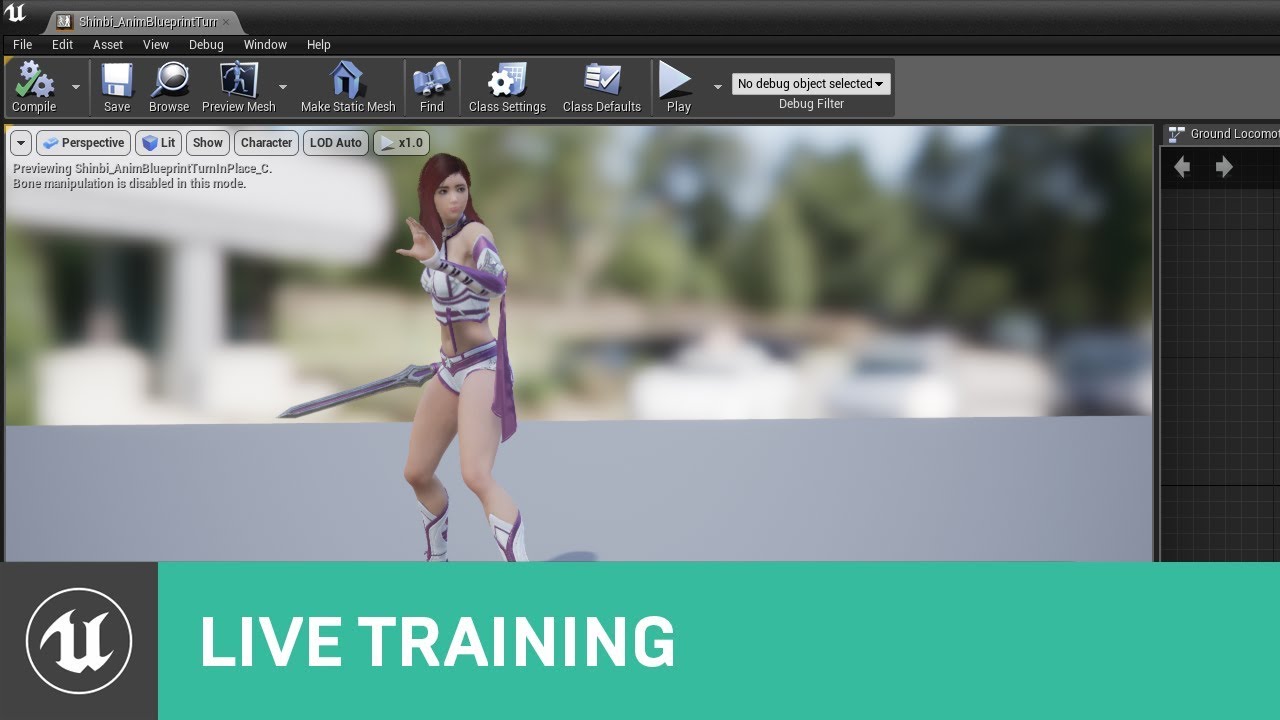
This week, Jay will demonstrate the coveted turn-in-place! He will also cover methods an animator or designer can use to take a seemingly daunting feature like 'turning in place' and breaking it down into smaller pieces to get the results you're looking for.
During this stream, we will also announce the Summer #ue4jam theme.
Part 1
https://www...
maybe can help
gleaming kite
thank you!
 lone ice
If im replicating a text chat, what's the best data type to use for limiting the bandwidth usage?

 solar stirrup
You'll want to use strings @lone ice
Text is for localized text so big nono
And names use slots so you probably dont want that 
lone ice
solar stirrup
You'll want to use strings <@179712572273065984>
ah ok, thank you very much
solar stirrup
👌
 plucky prawn
solar stirrup
You'll want to use strings <@179712572273065984>
plucky prawn
solar stirrup
You'll want to use strings <@179712572273065984>
do strings support unicode? i thought only text supported it
 latent heart
solar stirrup
Text is for localized text so big nono
latent heart
solar stirrup
Text is for localized text so big nono
I'd have thought, if you're using a slate/umg input widget, that you'd get localised text out of it.
I must check that.
You do indeed.
So you'd replicate it as FText too!
And you'd use FText to put it on the ui as well.
Why would you suggest strings?
latent heart
lone ice
If im replicating a text chat, what's the best data type to use for limiting the...
See ^
 hollow eagle
plucky prawn
do strings support unicode? i thought only text supported it
hollow eagle
plucky prawn
do strings support unicode? i thought only text supported it
both FText and FString are utf16 (FName is ANSI, but should only be used for identifiers and never display text anyway). The purpose of FText has nothing to do with unicode, the purpose is to swap out display text depending on locale.
latent heart
I don't see the need to convert to FString though when it's gonna be FText everywhere else.
hollow eagle
I agree, if you need an FText anyway there's no problem with using it.
Was just noting that FText vs FString has nothing to do with encoding.
latent heart
And a good point indeed!
 glossy crown
Hey does anyone know if the client can set data layers state during runtime ?
 sly kernel
latent heart
sly kernel
latent heart
Probably
solar stirrup
Eeeh fair enough
 atomic barn
Hi, how do i keep the clients connected to a session when the host leaves the session?
bitter oriole
atomic barn
Hi, how do i keep the clients connected to a session when the host leaves the se...
The session, or the game?
bitter oriole
You'd need the host to not destroy it I guess
atomic barn
bitter oriole
You'd need the host to not destroy it I guess
yeah but is there a way where if the host leaves the session the client remain connected?
atomic barn
how do i make the host leave then
bitter oriole
Ah nevermind, sounds like you can't do it
Since DestroySession is used to leave on clients
atomic barn
Oh
 young kestrel
No clue how that "Smooth Networked Movement" plugin works. The comments are really hard to understand, because there are variables which don't exist, lots of the stuff is just commented out, etc

This is from my project, and I don't see how I should use the Enum which I send as a flag.
this is the updatefromcompressedflag function
 pallid mesa
atomic barn
how do i make the host leave then
pallid mesa
atomic barn
how do i make the host leave then
u need to implement host migration
which is pretty complicated
solar stirrup
https://www.unrealengine.com/marketplace/en-US/product/host-migration-plugin dunno how well it works, but worth a look

Unreal Engine
No more need for Dedicated Servers! If the host leaves, the game can continue
Reviews seem nice
plucky prawn
hollow eagle
both FText and FString are utf16 (FName is ANSI, but should only be used for ide...
thanks for clarifying this. i assumed that i should use FText whenever there was user-facing text (eg chat, player names, etc). guess i can just use FString instead which works way better for me since i can use string operations
 digital compass
Does anyone know what's wrong with my find/join session blueprints?
My friend is hosting and when I try to find a session it gives me the "3. failed" print error, meaning I found a session, but can't join it

im using steam btw
young kestrel
young kestrel
this is the updatefromcompressedflag function
Okay, deleting those last two lines seems to make it work. But why? Either the custommovementmode enum doesn't get set or is always 0. No clue what happens there.
I still experience bugs with climbing though. But that's probably my fault
atomic barn
pallid mesa
u need to implement host migration
thanks
atomic barn
solar stirrup
https://www.unrealengine.com/marketplace/en-US/product/host-migration-plugin dun...
Thank you
pallid mesa
solar stirrup
https://www.unrealengine.com/marketplace/en-US/product/host-migration-plugin dun...
i believe it only works on clean exits
which makes sense tbh
solar stirrup
pallid mesa
i believe it only works on clean exits
The system will work even if the host's game crashes unexpectedly in the description of the plugin
so maybe not
pallid mesa
oh
solar stirrup
They probably send the state to everyone at an interval I suppose
solar stirrup
Personally, for a game with host migration I'd just have everything, or almost everything, be known to everyone
That way anyone can pick up from where the host left off
solar stirrup
no way
pallid mesa
👁️ : 👄
you need to send state of everything from server to clients from time to time
solar stirrup
By that I mean who cares about cheating anyway, just have anyone pick up from their last state at this point
No need to send stuff on an interval if clients already know just about everything
pallid mesa
they cant already know if they have connections culled
🧍
🚑
it is possible
but the server will need to do some broadcasting work at fixed stamps
solar stirrup
Yeah I guess you'd need to broadcast anything that's only relevant to owners
But I'd keep that to a minimum I guess, or just shove most of the stuff in player states and the game state
pallid mesa
its something to have in mind defo
ill try to implement this and come back here lol
later this week
atomic barn
solar stirrup
https://www.unrealengine.com/marketplace/en-US/product/host-migration-plugin dun...
can i recreate this without using the plugin
solar stirrup
Good luck vori!
solar stirrup
atomic barn
can i recreate this without using the plugin
Well yeah, no idea personally though hah. Wonder how it does it
First thing that comes to mind is beacons maybe.
pallid mesa
🥓
atomic barn
solar stirrup
Well yeah, no idea personally though hah. Wonder how it does it
Oh okay no problem
 blazing spruce
Hi, I'm trying to set up a system with a glass BP that chooses a random dirt mask on begin play and sets random values to them, but the dirt masks are different for the server and each client, I need to make it so that it runs the code on each bit of glass but replicates the same dirt mask and parameter values down to the clients, I've tried it a few different ways but couldn't get it to work, any ideas on the best way to get this to work?


 magic yoke
blazing spruce
Hi, I'm trying to set up a system with a glass BP that chooses a random dirt mas...
magic yoke
blazing spruce
Hi, I'm trying to set up a system with a glass BP that chooses a random dirt mas...
you're running the randomize code on the server and on the clients right? If you want everyone to see the same thing, you need to run it only on the server and have it replicate the changes.
I can't see how you have your replication set up, but adding a "is server" branch at the start and running this code off the true branch would be a start
In this case "has authority" switch would work too, but I use is server/is dedicated server so both options are open to me later on
blazing spruce
magic yoke
you're running the randomize code on the server and on the clients right? If you...
I undone everything I did to start fresh since it weren't working, ill add the IsServer check but how should I go about replicating it down to the clients, they just spawn with the default dirt mask instead of the ones the server sees, everything i was trying didn't seem to get the clients to see what the server saw
magic yoke
blazing spruce
I undone everything I did to start fresh since it weren't working, ill add the I...
replicate: event fired once. If a client isn't online to "see" it, they never get the info
repnotify: the last relevant event is given to the client, whether or not they were in relevance range to see it (this includes being offline)
for that
you'd do repnotify, and in the repnotify code you'd include what you do with that variable being changed
so you have "mask" and its value is repnotified to dirt
and in the mask repnotify function, do apply it appropriately
I use repnotify a lot more than replicate
tying functions to it is super useful
solar stirrup
magic yoke
replicate: event fired once. If a client isn't online to "see" it, they never ge...
You mean RPC not Replicate ^^
blazing spruce
magic yoke
tying functions to it is super useful
So if i rep notify the current dirt mask, then put all the value changes inside the rep notify function, I'm still getting different dirt masks on the clients to what the server has


 solid raft
Blademaster - Once upon a time you had an issue with flooding connection requests and timeouts happening in VR. Did you ever resolve this issue? How?
magic yoke
solar stirrup
You mean RPC not Replicate ^^
Hm, I definitely meant replicate, since that's my understanding of how the replicate vs repnotify works.
Technically speaking, replicate is a "one off" RPC, repnotify is a "when relevant" RPC no?
Feel free to opine the difference, I love learning :)
solar stirrup
Just that the correct term is RPC, not replicate ^^
Replication is just the name Epic gave to their networking system
solar stirrup
ay
magic yoke
one is RPC now, other is RPC when relevant
magic yoke
oh?
solar stirrup
Replicated variables aren't guaranteed to replicate all of their changes to clients
If you modify a variable multiple times within a short period, in between the actor's replication, the server will only send over the current value, nothing in between
magic yoke
blazing spruce
So if i rep notify the current dirt mask, then put all the value changes inside ...
I'm still seeing "random" names inside the function that's being called btw. Are there randomizations that would make a difference in those functions?
solar stirrup
RPCs however, are guaranteed (and ordered) if they're Reliable
magic yoke
yeah, it's only guarenteed to get the last replication, eventually
I haven't checked into reliable stuff yet since I haven't needed it
mind you
my entire project corrupted and I lost a month's work
so
solar stirrup
oof
magic yoke
yeah
solar stirrup
get source control yikes
magic yoke
nope
source control corrupted too
I did about 2 weeks of "fucking around" in the project
enabled source controll
started working "for real"
dark edge
Basically if you care about the state, replicate the variable.
If you care about the state and wanna do stuff when it changes, repnotify.
If you don't care about the state but just wanna let ppl know something happened, replicated event.
magic yoke
and turns out the corruption happened during the fucking around stage
and it was unfixable far as I could tell
ghost variable names that crashed the unreal engine itself
and phantom files
lol
but
I do have proper source control now
I just didn't think I needed it for the expriment phase since I deleted most of what I'd done during that time 🤡
ah well
you're right I shoulda done it from day one
I tried perforce day one and that broke me. SVN was such a good alternative once I found the proper tutorial for the install
pretty sure you suggested that to me @solar stirrup thanks :)
dark edge
magic yoke
I tried perforce day one and that broke me. SVN was such a good alternative once...
I really like Plastic SCM, we used Perforce for a while but its pricing is wack for over 5 ppl, and git was a PITA for the less console-inclined of the bunch. Plastic SCM has been smooth sailing so far.
magic yoke
SVN for a one man operation is more or less perfect
good to know there's other options
 void nest
Does anyone know what needs to be added / done to replicate UObjects and their variables?
I'm building a quest system where a single uobjects represents a single quest. Building this entirely in blueprint.
Actors have the replicates bool by default. But UObjects don't.
 eternal briar
solid raft
Blademaster - Once upon a time you had an issue with flooding connection request...
eternal briar
solid raft
Blademaster - Once upon a time you had an issue with flooding connection request...
I was using 4.22 version of UE which had this issue. I switched to 4.24 and it went away
void nest
This looks c++ heavy. Is there a blueprint way?
I saw that webpage too, but as mentioned, c++ heavy
solid raft
eternal briar
I was using 4.22 version of UE which had this issue. I switched to 4.24 and it w...
Yikes, thanks Mate. I'm on 5.0 and getting this issue on a dedicated server when people rejoin with backfill
void nest
Say I used actors, will it impact performance a lot vs using uobjects?
eternal briar
solid raft
Yikes, thanks Mate. I'm on 5.0 and getting this issue on a dedicated server when...
Are you by any chance using the Oculus branch of UE5?
solid raft
eternal briar
Are you by any chance using the Oculus branch of UE5?
Nay - at the time we did a source build (at release) I don't believe the oculus branch had one quite yet.
void nest
There won't be many quests active at the same time tbh, normally around 4 to 10, which is 10 replicated actors, I guess that cost is negligible
eternal briar
solid raft
Nay - at the time we did a source build (at release) I don't believe the oculus ...
Ah okay, I have heard that the oculus branch has network travel related issues but since you are not using it, I am not sure what could be the issue
eternal briar
solid raft
Nay - at the time we did a source build (at release) I don't believe the oculus ...
In any case, good luck, I would suggest trying 4.27 if you have the time to convert the project
young kestrel
Did someone do networked Climbing? I'm kind of struggling creating it in C++.
My idea was to use a line trace to see if above the player is still a wall, get the up vector use this as the moving direction multiplied by the climbing speed. (Using the custom movement mode to write the physics function myself)
Is my approach correct or would I need something else to get networked climbing done?
solid raft
eternal briar
In any case, good luck, I would suggest trying 4.27 if you have the time to conv...
Copy that, cheers mate.
dark edge
void nest
This looks c++ heavy. Is there a blueprint way?
Why is your quest a UObject and not just a Struct?
void nest
nested stucts
don't work in blueprint
so that's why 🤷♂️
wish I could do it with structs
dark edge
void nest
don't work in blueprint
Define "don't work"
latent heart
Pretty sure they do.
latent heart
Get copy -> update -> set
dark edge
ok so pass the data around by value then, what's the problem
latent heart
Use a bp library to do it.
dark edge
You're in C++ land anyway with your UObjects, it's fairly simple to make some helper functions to operate on the structs by ref
void nest
also, actors / ubojects are less data to replicate
dark edge
How do you intend to save the game with UObject quests?
void nest
I can simply replicate only the value that is updated by doing the quest, not the entire struct with all the quests
I don't
latent heart
You can update structs per-property
void nest
but don't have to, quests aren't saved, they are always session based
latent heart
There's a specifier somewhere, Atomic I think it is?
latent heart
I haven't used it, just heard about it the other week!
void nest
I can keep a better oversight
latent heart
You're probably right.
void nest
and I can embed property changing functions into the quest actors
instead of having to put the functions in other blueprints
the pros outweigh the cons, let me put it that way
dark edge
Yeah I'd just use quests as actors if you're already going really OOP with it.
hell Chaos uses an actor for its solver, you don't gain much by losing all the Actor benefits.
 pastel totem
Hello, I try to setup a Camera FadeIn when a player connects. For the server, everything is working fine. But I can't seem to get it working for Clients.
There is always 1-2 frames where the Camera is at some weird Position (I'm guessing 0,0,0) and only after these 2 Frames the Camera Fade kicks in.
I tried doing it on BeginPlay, OnPossess, SpawnPlayerCameraManager and PostLogin. But theres always 1-2 frames visible.
Does anyone have a suggestion?
 naive dome
pastel totem
Hello, I try to setup a Camera FadeIn when a player connects. For the server, ev...
naive dome
pastel totem
Hello, I try to setup a Camera FadeIn when a player connects. For the server, ev...
That camera at 0.0.0 coordinates is your player controller's camera being at location 0.0.0 in the world. As you see in your player controller it has a viewport, and a camera.
Then when UE initializes and your PC possesses your character, at that point you view that character camera.
Since this is somewhat of a delay, typically you use your loading screen here, or other solutions such as blending your view with a camera somewhere in the world until you respawn.
 elder quartz
Is there a trick to dealing with packet loss? I spawn an actor on the server and sometimes it takes up to .7 second to replicate to clients. I've narrowed it down to packet loss, but I don't know what to do about it.
pastel totem
naive dome
That camera at 0.0.0 coordinates is your player controller's camera being at loc...
Alright thank you! 🙂
It's really confusing in VR
blazing spruce
magic yoke
I'm still seeing "random" names inside the function that's being called btw. Are...
So ive removed all the other value being set so the rep notify is now this, however sometimes the client has the same as the server and other times they don't for some reason..
 pastel totem
elder quartz
Is there a trick to dealing with packet loss? I spawn an actor on the server and...
pastel totem
elder quartz
Is there a trick to dealing with packet loss? I spawn an actor on the server and...
It's probably your bandwidth. If you replicate too much very often there will be packet loss.
Maybe try to mark unimportant RPCs as unreliable for example.
Or decrease the MinNetUpdateFrequency of some actors
elder quartz
pastel totem
It's probably your bandwidth. If you replicate too much very often there will be...
But all my RPCs are important... 😦 I'll play around with it and see what I figure out
pastel totem
You could also try to combine RPCs into one call if you can
Just try to replicate as few as possible would be my tip
elder quartz
replicating a variable is cheaper than an RPC right?
pastel totem
I think so. But also it depends on how often the value changes
elder quartz
right
grizzled stirrup
Does starting a session and opening a listen server map with SomeMapName?listen function the same as if you open the map like that without a session created and then create one AFTER the map loads?
 fathom aspen
pastel totem
I think so. But also it depends on how often the value changes
fathom aspen
pastel totem
I think so. But also it depends on how often the value changes
Even if the value changes too often, the value is still sent to the client on an interval, so not every change is sent.
fathom aspen
elder quartz
replicating a variable is cheaper than an RPC right?
Usually yes. Though choosing one over the other shouldn't be depending on performance reasons
This is a must read in this context: https://forums.unrealengine.com/docs?category=132&tags=&topic=264973
Unreal Engine Forums
This article was originally published for UDN When using Unreal’s replication system, you may find yourself concerned with the performance characteristics of using replicated properties vs. using RPCs, and it can be unclear which option is the best choice for certain situations. This article seeks to provide an in-depth look at using replicated...
What you're looking for is APlayerController::Destroyed. It calls PawnLeavingGame() which destroys the Pawn, and Super::Destroyed calls CleanupPlayerState() which destroys the PlayerState
 glad escarp
Alright all my smart people, I have a general multiplayer question to ask: as I'm learning, I'm using steam bridge to access matchmaking, friends etc. Now if I want to distribute a game on Steam, and Epic Store, GoG etc... Do I have to have different multiplayer/social functions that check for the launch platform? Hopefully that makes sense.
And would I have to have a different build for each platform? Or is there a way for me to just use the right social functions based on the platform the game is launched from?
fathom aspen
You probably want to read this: https://docs.unrealengine.com/4.27/en-US/ProgrammingAndScripting/Online/

Overview of the various systems related to the online platform.
glad escarp
Ok. So far I've just been reading about and using a tutorial centered around OnlineSubsystemSteam and starting to understand it. Generally speaking, will I need to revamp code specifically geared toward that subsystem to use OnlineSubsytem?
fathom aspen
Yes. The OSS has a bunch of interfaces as you've seen that each platform you want to distribute for has to implement.
In your game code you call the interfaces functions, and depending on how you implemented them, you see different behaviors
glad escarp
Alright. So the stuff I already have working with OnlineSubsystemSteam will be fine, I just have to read about the OSS in depth to make sure I'm accounting for all the platforms I want to include into my game?
Sorry for the noob questions.
 fluid summit
Hi! does anyone have any insight on how titan quest did their "anti cheat" feature?
when you are on the lobby selecting rooms, you can see if someone "cheated" and if you join a game that cheated, your character gets flagged too.
fathom aspen
glad escarp
Alright. So the stuff I already have working with OnlineSubsystemSteam will be f...
Correct. A lot of reading and digging into the source code really.
Also the channel for that kind of stuff is #online-subsystems
glad escarp
fathom aspen
Correct. A lot of reading and digging into the source code really.
Also the chan...
Thanks man. I appreciate your help and patience.
 thick jungle
fathom aspen
What you're looking for is APlayerController::Destroyed. It calls PawnLeavingGam...
thick jungle
fathom aspen
What you're looking for is APlayerController::Destroyed. It calls PawnLeavingGam...
thank you 🙂 It was indeed my solution in the end. Unfortunately it required me to make more modifications to the cpp side of the controller, which I was really hoping to avoid. But at least my throat is still in tact and my hairs aren't pulled out of my scalp. Added in a single delegate that gets called prior to the Super::Destroyed() in my PlayerController.cpp, which as a result gives me both the playerstate and the pawn in tact. It feels odd that blueprints don't provide a native place for a proper logout function..
fathom aspen
Frankly, I would feel surprised if BP had one, as all BP has are basic stuff
 daring gorge
So im having a weird error where when i play my game from standalone it works perfectly fine, but when i play it by the launch game option my character seems to spawn and get possessed(getting debug messages from sever) but it doesnt actually spawn and the blueprint doesnt seem to initialize cause i have a print string on begin play of the actor which doesnt print but again for some weird reason the controller which is spawning the actor prints the message and also gets the display name of the actor spawned, any idea why this is happening?
fathom aspen
You prolly want to share with us the logs/debug messages
blazing spruce
Hi, im getting a weird issue with my glass, im trying to make it choose a random dirt mask on begin play and replicate the change down to clients.. sometimes the clients are seeing exactly what the server is seeing but other times the dirt masks between client and server are completely different, any ideas what im doing wrong?


 daring gorge
fathom aspen
You prolly want to share with us the logs/debug messages
daring gorge
fathom aspen
You prolly want to share with us the logs/debug messages
its just a print string when my actor is being spawned to see if its being spawned and possessed on my controller and a print string on my actors begin play, when i spawn it prints the spawned and possessed message on server but theres no character being spawned and my begin plays string isnt being printed :/
pallid mesa
blazing spruce
Hi, im getting a weird issue with my glass, im trying to make it choose a random...
do the then 2 on authority
fathom aspen
daring gorge
its just a print string when my actor is being spawned to see if its being spawn...
Unreal produces a log file which you can find in YourProjectFolder\Saves\Logs
You might want to check it for errors
pallid mesa
blazing spruce
Hi, im getting a weird issue with my glass, im trying to make it choose a random...
and as an advice rather than replicating the material you can replicate the enum
it's less data and produces the same effect
daring gorge
fathom aspen
Unreal produces a log file which you can find in YourProjectFolder\Saves\Logs
im gonna do that, buy what i dont understand is, it works perfectly on standalone or in editor but not when i launch game?
fathom aspen
Cause you prolly might not have a default GameMode set up in project settings
And have one overridden in World Settings
fathom aspen
Make sure the properties are not set to default ones
blazing spruce
pallid mesa
and as an advice rather than replicating the material you can replicate the enum
So i changed it to this but im still getting some of the glass on the client matching up to the server while other bits of glass are completely different to what the server has


 quartz iris
How can I make a shield blueprint allow players to vault over the shield to the other side
 slim mist
@peak sentinel, are you asking me to show where something else is setting AVrCoreCharacter::TrackingOrigin?

 peak sentinel
Sit_Implementation is a server RPC?
slim mist
naw, thats just a local interface function
and this is all happening on a local PIE session, no server
peak sentinel
OnRep is completely client-side thing
If a value is changed by server and if it doesnt match with local value OnRep will be called by client on its own
by the engine
You have to do
if (HasAuthority())
{
  OnRep_Blah();
after setting it
In local PIE sessions you are always authority
So it wont call onrep
Engine wont evaluate any value to compare with server's values
so wont call any onreps
slim mist
peak sentinel
You have to do
```
if (HasAuthority())
{
OnRep_Blah();
```
after setting it
Thank you - where does this go?
peak sentinel
right after you set trackingorigin
slim mist
Thank you @peak sentinel! That worked
dark edge
Sure.
OnDestroy -> Get MyWeapon -> Destroy
 short void
Hi all. What I am trying to do seems pretty simple, but I guess it's not as straightforward as I thought. I want my players to be able to spawn in either as a car blueprint (when hitting drive) or a 3rd person blueprint (when hitting spectate). This is essentially a splash screen after they select the desired track on the main menu.
The ideal solution would also work for multiplayer lobbies. Any help would be greatly appreciated.
 plucky prawn
short void
Hi all. What I am trying to do seems pretty simple, but I guess it's not as stra...
plucky prawn
short void
Hi all. What I am trying to do seems pretty simple, but I guess it's not as stra...
Afaik the method of participating in the game isn't really related to lobbies unless there's a specific connection. Lobbies just bundle players together for joining a session (someone correct me if I'm wrong). Spectating is just a camera with a spring arm for third person, and no spring arm for first person. You should be able to apply these per player since the camera is really only useful client side in this case
short void
I guess lobby isn't the right word... online sessions. So people wouldn't be traveling to a different map or anything once they hit drive or spectate. They would just possess the right pawn and be replicated
plucky prawn
short void
I guess lobby isn't the right word... online sessions. So people wouldn't be tra...
Unless you are explicitly sending them to another level to spectate this shouldn't be an issue. I can't really help you with a specific implementation since I haven't done any of this but I don't think it would be particularly difficult. There's a bunch of videos on YouTube about making a spectator system
sullen plover
Is it a good idea to use Unreal's built-in damage features or build a custom interface for that purpose instead?
 compact talon
Should I use the HUD class for my players hud? I wasn't sure how it worked on a network and when I checked the compendium it said widgets have basically replaced the HUD class.
slim mist
I am wondering what the conventional way of going about "sitting" in a replicated environment?
Scenario: You have a player, and you have a chair. Player presses a button to sit on the chair.
I assume chair is owned by the server, and player is owned by the client. What is responsible for the sitting logic? The chair or the player? What do the RPCs look like in this context?
slim mist
To further clarify:
- The player has their own implementation for attaching themself to an object to facilitate some VR requirements
- The chair has its state to manage wrt if someone is sitting in it
Is the player aware of the chair interface and checks to see if the chair is empty and then attaches itself using its VR API, or does the player request to sit and the chair is aware of the player's VR attachment api?
pallid mesa
blazing spruce
So i changed it to this but im still getting some of the glass on the client mat...
besides the isserver thing not needed there...
this logic should bring the correct enum value to your clients
 lean surge
Hi all, so my current setup is one listen server and one client. I can't remember having changed anything to cause this but now when I hit play in editor it's like the CharacterMovement component (I'm using the UE default one) isn't working correctly.
On the client, AddMovementInput seems to not do anything, same with AddControllerInput, and I can't move my character. However on the server this works fine.
RPCs work completely fine in any scenario, and yet I've noticed movement from the character movement component doesn't seem to replicate to others, even from the server. For example since I can move on the server, I would expect the client to at least be able to see the server's character moving, but no, it just stands stationary on their launched game.
There are no errors in the output log, and both IgnoreClientMovementErrorChecksAndCorrection and ServerAcceptClientAuthorativePosition are false on my character. I've tried restarting and recompiling source code but they've both not worked. I can't think of anything else that could be causing this. Can anyone help me?
Edit: Found an answer; forgot to call Super::GetLifetimeReplicatedProps(OutLifetimeProps); in my GetLifetimeReplicatedProps override
 prisma snow
compact talon
Should I use the HUD class for my players hud? I wasn't sure how it worked on a ...
prisma snow
compact talon
Should I use the HUD class for my players hud? I wasn't sure how it worked on a ...
The HUD class is still a great one to manage each widget and handle communications with the PlayerController and other gameplay code
Quick question, is it safe/a good idea to use GetWorld()->GetNetMode() to check if I'm server or client from a Subsystem?
 lilac spruce
Hi, I'm new to Unreal Engine and trying to learn epic games online services, I'm just wondering, are you only able to access and harness the online services through cpp or are you able to access it's features in blueprints?
Cheers,
Creative.
 fallow shadow
I programmed most of my current game logic for singleplayer when the game is gonna be multiplayer
that's it
biggest regret of my life
🤡
prisma snow
fallow shadow
I programmed most of my current game logic for singleplayer when the game is gon...
nothing is impossible, if your game is not yet very complex Unreal's excelent net code will be your friend
the main problem is designing a game that can be mutliplayered xD
lilac spruce
lilac spruce
Hi, I'm new to Unreal Engine and trying to learn epic games online services, I'm...
uhm, hello? Does anybody know how to answer this question?
fallow shadow
yeah its doable it just hurts that i know that i couldve avoided by just programming it for multiplayer from the getgo
lilac spruce
awesome, thankyou!
lean surge
lean surge
Hi all, so my current setup is one listen server and one client. I can't remembe...
anyone have an answer to this btw?
lilac spruce
lean surge
Hi all, so my current setup is one listen server and one client. I can't remembe...
Do you have replicate movement checked?
Here is a tutorial that might help:
https://www.youtube.com/watch?v=GcZQ2o6LpDI

In this series we will be explaining how to add online multiplayer to your games. First we are going to explain how it works, then we will go into creating lobbies etc.
In Part 1 we begin with the basics, explaining how replication works, how to test online multiplayer, and how to add sprinting to your online game.
SUPPORT ME
Patreon I https:/...
lean surge
lilac spruce
Do you have replicate movement checked?
Here is a tutorial that might help:
http...
I do have replicate movement checked. If required I can send a screenshot of the CharacterMovementComponent or actor details panel
fallow shadow
if im using an RPC to the Server can i use GetWorld() in it?
 sharp harness
fallow shadow
if im using an RPC to the Server can i use GetWorld() in it?
sharp harness
fallow shadow
if im using an RPC to the Server can i use GetWorld() in it?
If you call it before the RPC, you're still on the client referencing objects in the world that have been replicated. If you're calling after the event is executed on the server, you have access to all the things, regardless of replication.
prisma snow
fallow shadow
if im using an RPC to the Server can i use GetWorld() in it?
you can use GetWorld() regardless of client or server. It will return the server's world if it's executed on server or client's world if it's executed on client
fallow shadow
amazing
 manic token
Hello experts
how would you go about performing some logic right after PlayerState gets created on a character, since it is not yet available on BeginPlay
some suggest using onTick or delay, but that is smelly, and OnRep_PlayerState won't work for executing the logic on a listen server player
so, anybody know a better way?
fathom aspen
manic token
some suggest using onTick or delay, but that is smelly, and OnRep_PlayerState wo...
If it does really execute only client side, you can send an RPC to the server(Server RPC) to let him know that it replicated
manic token
True, but since OnRep_PlayerState is being used in this case as a pseudo proxy for what is essentially "OnPlayerStateAssigned", even this is not the best solution
Maybe there is a more direct way? Where the server would execute the logic at the same time as replicating the player state.
For pedantics sake :p
fathom aspen
If the OnRep isn't getting executed on the server there is no better way
Well there is a neat solution to all this hassle
fallow shadow
Dedicated servers.
im trying to figure out eventual pricing for my game's gameservers (that ill likely host on digitalocean or other VPS provider)
What are they heavy on? CPU, Memory? How much can you fit on one machine?
bitter oriole
CPU, memory, disk space
bandwidth of course
And it depends on your game entirely
manic token
solar stirrup
BeginPlay of the PlayerState
aah, so simple 😅
that works, but looks like player states BeginPlay is called before HUD BeginPlay, so I can't do what I'm trying to do there either, which is to update the hud at game start.
I will try if on HUD begin play, player state is already attached to player character
solar stirrup
You'll get a race condition anyway
Have the HUD run some PS code if it's there when it starts
manic token
true, what if it had to be reliable though?
fallow shadow
fallow shadow
hm, fair
might as well ask
aws or digital ocean (or something else?)
in the terms of price that is
bitter oriole
Check our their pricing, I guess
 real ridge
guys
if I have blueprint game mode and I need code there 2 functions in c++
how to make it
?
any tips ?
create code somewhere in instance and cast in bp game mode and call it or how ?
manic token
you mean like, functions pertaining to the game mode, or functions called from the game mode bp to do something else?
for functions of the game mode, your bp game mode should derive from a c++ game mode class, where the functions exist annotated with UFUNCTION(BlueprintCallable)
for functions defined in other classes, get a reference to the class or instance and call it
manic token
how come all multiplayer courses and tutorials I've come across duplicate so much code for server and client functions
most of the logic ends up being the same in most cases, so why not extract the shared statements to its own method?
is there a good reason or guideline against this?
I seriously doubt this would be worse practice than maintaining so much duplicated code
 obsidian cargo
manic token
how come all multiplayer courses and tutorials I've come across duplicate so muc...
obsidian cargo
manic token
how come all multiplayer courses and tutorials I've come across duplicate so muc...
Because most courses and tutorials don't do things the way you would in production. Extracting the logic to a shared function is exactly what you should be doing
Tutorials tend to shortcut things to teach the concept. Doing things "correctly" takes more time and depends a lot on context.
manic token
Yeah, I thought so. I totally get that when teaching, you should keep things simple, but extracting some lines into a function isn't too complicated if you're teaching a course on networking.
also annoys me to no end, seeing components in these courses become more tightly coupled than the fucking popcorn flake and my gum right now, but at least I can understand why.
fathom aspen
I'm wondering why you're destroying the actor through a multicast? Isn't the actor replicated?
crystal crag
Yay! finally got lyra working under a dedicated server. Apparently my problems were stemming from the project rename. Despite things working ok in the editor as single player, trying to run a dedicated server somehow is broken after the rename
going to try to investigate as to why that is now
fathom aspen
Then you are not spawning the actor only on the server, but on both server and clients
Show me how you spawn your actor
fathom aspen
Correct
blazing spruce
pallid mesa
this logic should bring the correct enum value to your clients
Yeah I would of thought that too, I had the IsServer check in before I put the HasAutority check in which in theory should do that same thing anyways but I've removed the IsServer check, I've placed 7 of the glass BP's in the scene, weirdly when i play in the editor (standalone, as listen server with 2 players) it seems to work everytime, but if I play through Steam with 2 different computers then some of the glass is replicating the same dirt masks the server has but some of the glass BP's have completely different dirt masks, which makes no sense cause surely if they're all the same blueprint, if one replicates, they should all replicate?
Whatever is happening the masks thats aren't replicating for the client are all showing as the same dirt mask (dirt mask 1) as if its resorting to a default dirt mask instead of replicating the dirt mask the server has
pallid mesa
blazing spruce
Yeah I would of thought that too, I had the IsServer check in before I put the H...
no it doesn't do the same thing btw one thing is the role of the actor and another thing is the server instance
they should all replicate yes
this onrep ensures that the values update and whenever you get into relevancy it updates for you
but the random value will be different for the different actors you have
twin juniper
Question: why do I get 1 as Number of Players if I fire up two clients?
blazing spruce
pallid mesa
but the random value will be different for the different actors you have
Im so confused lol ill keep digging, thanks!
pallid mesa
blazing spruce
Im so confused lol ill keep digging, thanks!
if you wish to have the same random value for all your glasses
you shall generate the random value externally
blazing spruce
pallid mesa
you shall generate the random value externally
The way it should work is that each instance of the glass bp thats placed in the scene should choose a random dirt mask but this should run once at the start of the game and ran on the server so all glass bp instances in the scene get their random dirt mask assigned, then whatever dirt mask it has chosen should replicated down to all clients, so every player sees the same dirt mask on the glass per instance
fathom aspen
twin juniper
Question: why do I get 1 as Number of Players if I fire up two clients?
You need to provide more details. What's that property really and how you print it to log
pallid mesa
blazing spruce
The way it should work is that each instance of the glass bp thats placed in the...
in such case the code you have should provide such behaviour
😬
blazing spruce
pallid mesa
in such case the code you have should provide such behaviour
lmao exactly! no idea whats happening
 toxic lion
At the moment I have an actor that isn't owned by any player (assuming this means it's server owned)
It's acting as a tribe manager
I have some server functions on the actor to be performed by players (such as change the name of the tribe, add new members, etc)
Running into some roadblocks because it's not currently owned by any player. I'm getting around it by writing custom functions on a ActorComponent (attached to the player) to interact with the actor, but it seems needlesly complicated, and redundant
Is there a better option do this? Is there a better option that doesn't involve making my tribe manager a world actor?
 finite knot
@toxic lion Hey. I think for something like this you may want to use the gamestate which exists in both the server and the client. Check out this Networking Compendium I think it will be able to point you in the right direction.
toxic lion
finite knot
<@106621971705380864> Hey. I think for something like this you may want to use t...
Thanks for the input. I'm going to try branching and seeing I can make it work on the GameState
 tall pine
Hi everyone,
I'm working on an issue where my game would stuck in a loop because a player crash out during seamless travel. I'm keeping track of how many players travel and only proceed the game after everyone is done. What's the best way for me to detect that one player stop/crash out of seamless travel?
Thanks !
latent heart
There's a NumTravellingPlayers or something variable.
tall pine
latent heart
There's a NumTravellingPlayers or something variable.
yes, I use that to see if everyone is done traveling. But I don't see any code that decreases it if someone crashes out of seamless travel
latent heart
Timeout?
tall pine
how would I implement a timeout? sorry, I haven't done anything like that before
something like the server would keep a counter for each traveling controller, and they would ping the server to reset the counter?
tall pine
should have a time out mechanic? Probably, but if there is one then it takes a long time, since I experience the issue as I describe
so I definitely want to create something that I can control
 obtuse field
Is there a way to replicate only some, chosen elements of the array to the client?
Or skip item replication?
 nova wasp
Delta array serialization?
quartz iris
How can I fix this: whenever a player crouches other players crouch too and stop crouching when he uncrouches
 winged badger
don't use GetPlayerController/Pawn/Character[0]
quartz iris
? What do I use
quartz iris
It's on a keybind input and it sets a variable for crouching
Then the anim sets it's own crouching bool to the character crouching bool
I think I'm getting really confused or something
winged badger
inputs are local, so in order for client to actually crouch, it has to send an RPC
quartz iris
So how can I fix this
winged badger
i have no clue what you did
quartz iris
quartz iris
It's on a keybind input and it sets a variable for crouching
Pretty much this
winged badger
but if you are unfamiliar with the concept or RPCing the inputs to server
i'd start with the very basic tutorials
quartz iris
That's with custom events right
I know that and I'm definitely not doing it that way
Which I why I'm hella confused lol
Am I meant to replicate the variables?
dark edge
quartz iris
How can I fix this: whenever a player crouches other players crouch too and stop...
Where are you handling input, pawn or PlayerController?
quartz iris
dark edge
Where are you handling input, pawn or PlayerController?
Input
dark edge
quartz iris
Input
Wat. ..
What actor has the input events, the pawn/character or PlayerController?
quartz iris
dark edge
Wat. ..
What actor has the input events, the pawn/character or PlayerController...
Oh controller
Wat you can do it through the character?
What's the difference?
pallid mesa
well
inputs in your controller are general to all your possessed pawns
so things like... open mid game menu and such
inputs in your pawn are spealised to that pawn
that's something for starters
there is more to it
pallid mesa
if you want to learn more about controller vs pawn inputs
Devtricks
In this article we’ll have a look about how to solve the input responsive problem on UE4
quartz iris
I know about this is just the multiplayer side
pallid mesa
your issue is a replication conceptual error
depending on how you do crouch
u dont even need to do a rpc
theres a function in your character that handles replication for you
ACharacter::Crouch
this function sets the pawn speed to maxwalkspeedcrouched and sets the capsule half size to capsulehalzsizecrouched
it doesn't do smooth crouch
if this is enough for your game
simply proceed to call crouch from your client after input
pallid mesa
using getcharacter(0) shall not be used
ideally if you are handling input in your controller u would use "getcontrolledpawn" and cast to your character
for a straight away solution
recommendation is: use interfaces as I point out in the article
quartz iris
So get character effects all characters when pressing a button?
Even though its local?
pallid mesa
depends ™️
quartz iris
I have work atm so I have to go, would you be able to watch a stream later today as I can show you everything
pallid mesa
I will be around here, i dont do calls unless i do have the time for it
knowledge preserves history if its written
quartz iris
pallid mesa
knowledge preserves history if its written
Vice versa my friend
pallid mesa
well it wont get preserved here if we do a private stream or a call 😄
quartz iris
I can record if you like
obtuse field
nova wasp
Delta array serialization?
Do you know any tutorials that would help me with it?
All I found is to how to make fast array serializer
twin juniper
Hi, when developing a game with a dedicated server, all game logic should be on the server. When writing a code for a single player, it's easy, but for multiplayer I get confused about which codes should go where. How should I use classes like GameMode? For example, my character is hitting someone else with a sword. For single-player, I can call the get damage method of the damaged person. How can I do this scenario correctly in a scenario with a dedicated server?
 near bison
can I call Server RPCs in game state from UI widgets?
twin juniper
Thanks a lot, looks pretty good doc
fathom aspen
near bison
can I call Server RPCs in game state from UI widgets?
Server RPCs can only be called from client owned actors, so the answer is no
near bison
fathom aspen
Server RPCs can only be called from client owned actors, so the answer is no
so the right flow here is UI widget -> PlayerController->ServerRPC here -> GameState function
correct?
fathom aspen
Correct
You can have another layer in between UI widget and PlayerController which is HUD
HUD is a great place to manage widgets
near bison
fathom aspen
HUD is a great place to manage widgets
can I do server RPCs from HUD? I assume not
fathom aspen
So your PlayerController don't get bloated with widgets
near bison
(since I don't own it)
near bison
fathom aspen
So your PlayerController don't get bloated with widgets
hmm? actually I have a ref to my player controller in the widget, and call the func on playercontroller from there
near bison
yeah my bad, i remember from the compendium now
pallid mesa
flow usually goes
- PC -> HUD (Create widget)
- HUD -> PC (issue server rpc)
near bison
so widget -> HUD (optional) -> Server RPC in PC -> ref game state here
pallid mesa
the old ULocalMessage delivered client messages to controllers which then issues widget messages to the HUD
near bison
pallid mesa
flow usually goes
- PC -> HUD (Create widget)
- HUD -> PC (issue server rpc)
i find this weird because then I have to do:
widget -> HUD -> PC -> GameState
I need to essentially call the same function, passing the same args 4 times
near bison
i'll tell you my use case, you'll be able to help me better
I have 2 cards, I want to trade it with the server for 2 other cards
Right now I've specified all 4 cards on my widget
the server has those 2 cards in game state. so I guess I gotta do Widget (optional) -> HUD (optional) -> PC -> GS
fathom aspen
pallid mesa
the old ULocalMessage delivered client messages to controllers which then issues...
Old but gold
pallid mesa
can do widget -> pc -> gs; sure
near bison
thank you!
pallid mesa
widget -> hug -> pc -> gs is also possible
but it would make sense in cases in which you have other dependencies dragged from other widgets
hug
lmao
fathom aspen
The HUD is just there so you don't have to reference widgets from your PlayerController directly
pallid mesa
it's handy
fathom aspen
The PlayerController is already bloated without them
pallid mesa
i remember someone telling me a while ago that they were going to remove the AHUD class
I got really weirded out
fathom aspen
Yet they used it in Lyra
near bison
pallid mesa
i remember someone telling me a while ago that they were going to remove the AHU...
really? i don't find derive much use from it
fathom aspen

pallid mesa
never happened, probably he got confused with something else @near bison
near bison
like... I use it to setup my starting widgets and that's it
near bison
pallid mesa
never happened, probably he got confused with something else <@66663314911920132...
ahh kk
Replicated TArray parameters must be passed by const reference [UnrealHeaderTool ParserError]
Why??!
and what's that
 proud galleon
I downloaded the files from epic games github page. I'm rebuilding through visual studio. It showed like that in the video I watched. Do you think this file size is normal?I am using generateprojectfiles.bat

 spring compass
proud galleon
I downloaded the files from epic games github page. I'm rebuilding through visua...
spring compass
proud galleon
I downloaded the files from epic games github page. I'm rebuilding through visua...
don't worry, this is mine
every time rebuilding the solution I wanna cry
 proud galleon
spring compass
don't worry, this is mine
every time rebuilding the solution I wanna cry
proud galleon
spring compass
don't worry, this is mine
every time rebuilding the solution I wanna cry
You can not be serious. I'll have to go and get a new ssd. Seriously, is there no other way?I wanna cry now 😅
spring compass
huh? I've saw somewhere in the doc says if you want to use online subsystem you must have a source compiled engine
(I forgot where..)
proud galleon
For example?
 dark robin
Hello. I have a problem. I have HISM on the client only. Instead of instances on the server, there are actors with a collision. If I stand on hism instance, engine sends warning.
Warning: FNetGUIDCache::SupportsObject: XeusHISM /Game/Xeus/Levels/Debug/UEDPIE_1_Xeus_Debug.Xeus_Debug:PersistentLevel.LightWeightView_0.DesertRock04_rock_007_HISM NOT Supported.
I searched on the internet. People say that the problem is that IsSupportedForNetworking() == false, but I dont need to set this to true because it's client only component.
winged badger
dark robin
Hello. I have a problem. I have HISM on the client only. Instead of instances on...
your problem is that CMC has a reference to the Base, which is whatever component you are standing on
and if that component is not netaddressable, weird things happen
dark robin
well, it should not have network addressing, it is only on the client?
winged badger
and how can client then say to the server "hey im moving on this component <here is the NetGUID>, this is my SavedMoves since last time"
dark robin
doesn’t need it, there is an actor on the server and he moves on the actor
winged badger
last time i saw this error mentioned here, the effect was that everyone else saw client which was standing on a HISM somewhere around 0,0,0
the engine is clearly trying to send/resolve that NetGUID, which is what the error says, pretty much
dark robin
winged badger
the HISM itself can be made net addressable easily
how?
winged badger
if its part of the actor CDO, and Actor is replicated, or preplaced on level, its net adressable by default
same goes for a component replicated and spawned by server at runtime on a replicated actor
dark robin
So if I set Actor Replicates and place on level it will be fixed? 😄
winged badger
not sure, but its worth a try - if the actor is preplaced it doesn't need to be replicated
in the package, that Actor can then be uniquely identified by its Name
and component can be uniquely identified by its Name, relative to its Actor
unreal then turns those package paths into NetGUIDs
dark robin
no, if the actor is not replicated and preplaced on the level - the same warning :C
winged badger
is component added during runtime or on CDO?
winged badger
that doesn't work, for non replicated approach it needs to have a unique path
- MyLevel/ActorName/ComponentName
and if its client only, no amount of replication will halp
dark robin
and yet I don't understand how to fix this problem :C
winged badger
if you have the server run the HISMs as well, it doesn't need the visual, but collisions still work
it might start working, and i am really not sure
as i have never needed to solve this problem, this would typically require 2-4 hours of digging through the engine code
i am just aware of it, from this channel
@kindred widget have you by any chance solved this?
dark robin
I have next idea.
The server has a replicated actor with a collision. And on the client its just HISM.
All works fine, but warning scaries me :C
winged badger
there is also the issue that you can't send a hit result that impacted any of those Actors over the network
dark robin
I just make a building system
and I can't place 30k actors. Too expensive to draw them
winged badger
as it will be meaningless to the other end
dark robin
winged badger
there is also the issue that you can't send a hit result that impacted any of th...
if hit result only in server it works fine
winged badger
server would send an original Actor reference that client doesn't have
and client would send a HISM reference with HitIndex which means nothing to server
dark robin
winged badger
server would send an original Actor reference that client doesn't have
yep, I don't need Actor ref on client
dark robin
winged badger
and client would send a HISM reference with HitIndex which means nothing to serv...
yep
so I just linetrace on server 🙂
winged badger
(topic is walking on HISMs in multiplayer)
 kindred widget
Never continued with that test. 😄 Been too busy learning deeper slate stuff since then.
dark robin
dark robin
I just make a building system
and I can't place 30k actors. Too expensive to dra...
how would you make the building system like in rust?
winged badger
our larger levels procedurally spawn around 50k Actors
some are turned into ISMs, but on client and server both
dark robin
in unity its just game object and its so cheap to draw
but in ue4 we have actors, and already after 30k actors I start to have lags. But if it's done through this system - no fps drops
winged badger
we basically spawn the entire level from 2 gameplay tags and a seed on clients and server separately
then we network them after the fact
and we use fastarrays to replicate damage and such to Actors that were turned to ISMs
dark robin
winged badger
we basically spawn the entire level from 2 gameplay tags and a seed on clients a...
i saw in ue5 added "light weight instance of actor",
this is actually what I want to do. But there in ue5 it works strange, and I can’t afford ue5
winged badger
haven't messed with UE5 enough to have any idea
dark robin
I tried to replicate HISM myself. One way works async and is generally fine. The other way does not allow you to create too many such objects :C
kindred widget
I only vaguely remember the stuff from that test of mine. Something to do with the mobility setting in the component and the CMC not registering it as a walkable actor, so it set the character to 0,0,0. Was weirded out by that since I knew mobility settings mostly as lighting stuff before that.
dark robin
hmm
winged badger
you are using c++ here?
dark robin
yep
winged badger
TL;DR; is
dark robin
I tried on blueprints - nothing changes
winged badger
if you spawn an Actor assigning it the Name in FActorSpawnParams with the same name on server and client, and that instance of the Actor returns true when IsFullNameSupportedForNetworking is called
and also turn bNetLoadOnClient and bNetStartupActor true before finishing deferred spawn
and also make sure that the Actor doesn't try to replicate before client has spawned it as well
dark robin
Noticed. But even if I do all this in blueprints, there is still a warning 🙂
winged badger
you can have replication working on that Actor
it will be treated as if it was loaded from the package
you can't do any of this in Blueprints, ofc
kindred widget
Hmm. I do have to set up that system again on a new personal project. Might dive back into that. Have learned a ton since I last messed with that stuff.
Oh the other hand. Collectable and respawnable lightweight foliage that can be painted by the level designer's foliage painter is a joke by comparison.
dark robin
OK. How would you make the building system? I mean how to deal with the fact that many actors cause lags.
winged badger
winged badger
and also make sure that the Actor doesn't try to replicate before client has spa...
this part is very important, as server thinks its a static Actor, so it assumes client already has it, and if the server sends the GUID for Ack before the client spawns the Actor, ActorChannel will fail to open
kindred widget
Heh. This discussion is amusing. Cause I'm playing ARK. And flying at high speeds and watching major bases load in via replication is pretty amusing. Am 73% that ARK uses basic replicated actors for the base parts.
Runtime performance is okay. But the 10 second save timer every 15 minutes sucks.
winged badger
and you get Failed to Find/Serialize Actor from LogPackageMap
dark robin
kindred widget
Heh. This discussion is amusing. Cause I'm playing ARK. And flying at high speed...
hmm
kindred widget
The save time has no bearing here though. Just bad planning and a fix for another set of bad planning. But the performance in general at runtime is surprisingly decent. The only thing it would solve is the speed at which replicated actors show up.
magic yoke
kindred widget
The save time has no bearing here though. Just bad planning and a fix for anothe...
not something you can do much about though
correct me if I'm wrong: unless you have an extremely small number of different types of actors, keeping prespawned actors to move them around isn't super viable
which means you need to spawn/destroy
(how relevance works to my knowledge)
which just kinda poops you up since spawning works in the main thread right?
(mostly double checking my understanding)
dark robin
kindred widget
The save time has no bearing here though. Just bad planning and a fix for anothe...
loading the building is the problem
drawing actors is very long and expensive
1k actors without a tick is already 5ms in frame time
magic yoke
reminds me of my current problem
had to recreate a tile display
doing roughly the same thing
100fps > 50fps
and I have no idea why 🤡
dark robin
0 actors - 60fps
1k actors with static mesh - 48fps
and what to do with it? how to make a building system?
magic yoke
well, ark solves it in part by only allowing large buildables
right?
that's why the walls are so big
dark robin
magic yoke
right?
I think yes
kindred widget
Not in all cases. Several bases are still single walls even up to 20-80 walls high.
magic yoke
tbf, this really isn't an issue with multiplayer specifically
you might be able to do something by merging actors?
dark robin
it's problem of actor
kindred widget
It is. In the sense that you can't get good FPS without good networking planning.
dark robin
if you increase 64MB per actor, it will not be replicated
magic yoke
that's a pretty crazy big actor though
dark robin
conditionally building on 30k static meshes just won't replicate
dark robin
magic yoke
that's a pretty crazy big actor though
but it can be 😄
magic yoke
sure, but part of working with networking is acknowledging limits of the technology and working around it
dark robin
feel i will make chunks
magic yoke
you can include game mechanics that makes things "naturally" limit buildings
well, I'm more or less doing that
but that's just a tile based game
and tbh unreal's kind of a bad choice for a tile based game imo
feels really expensive just rendering a tile
kindred widget
Wrong engine. But I'd be interested to know how Valheim's works. I had good experience with that game.
magic yoke
given the scope tile based games tend towards
yeah
issue is I need the UI from unreal for personal disability reasons
so I'm faced with either trying to make the tiles work, or trying to rework my game somehow
dark edge
Why is a tile a replicated actor and not just some bare data
magic yoke
nah, not replicated actors
dark edge
We're doing tiles but a tile is just a byte
magic yoke
the issue is client side
not server side
I'm using structs and passing them out from the server
but
the issue is actually the client trying to render that many separate actors I think
it just really bucks at the idea of having 1000 actors on screen I'm finding
which really limits my zoom capabilities for sure
and we're just talking basic bare bones stuff
a single plane with a simple texture
add buildings on top of that and things get dicey
dark edge
You need ism
magic yoke
ism?
magic yoke
dark edge
We're doing tiles but a tile is just a byte
btw my one complaint about this is the inability to store an array of references of simple data types, you can only store copies
that caused me so much headache until I realized it, which kinda messed me up since I was making sub arrays of data for the clients to display
mostly because I can't use repnotify, which woulda been convenient
but alas
still doable, just gotta do it manually
dark robin
dark edge
You need ism
but ism is not replicated :C
magic yoke
just more elbow grease to set up
dark robin
the first way is asynchronous
its works fine
but I dont like it when it > 1000 instnaces
the second way is also cool but there is a minus - limitation
for example about 1500 instances just crash client network
 silver loom
Quick question about multiplayer. What's the best way to store local multiplayer data? Would it be through game instance or player state? I would need these variables to go through different levels.
winged badger
depends
seamless travel and CopyProperties implemented on PlayerState will transfer the data when you change levels
 vivid sparrow
why the fuck doesn't this get called on the server

 winged badger
they will do so on server though
and then replicate back to the client @silver loom
vivid sparrow
I have this server event and it is for whatever reason it's being called on the client
winged badger
whatever you are calling it on, client has authority over it
vivid sparrow
I'm calling it in the game state which gets replicated to both clients and the server, but I hear that to replicate variables I should be calling functions on the server
winged badger
as you need to own the actor you are sending server or client RPCs through
silver loom
winged badger
seamless travel and CopyProperties implemented on PlayerState will transfer the ...
Thank you, but would that be the best/efficient way to do it?
winged badger
and no, clients don't have a gamemode
winged badger
silver loom
Thank you, but would that be the best/efficient way to do it?
really depends on the data
and if its a blueprint or c++ project
silver loom
Just simple stuff really nothing much. But blueprint
vivid sparrow
I'm really unsure, if I need to store this variable on the server but the gamestate doesn't support RPC calls I have no idea what to do 😦
GameMode is all server stuff, and GameState stuff such as stats and shit all get replicated between clients and the server, and I could swear at my old job I did do server calls
but yeah, I guess that helps knowing I've been wasting my time with doing server calls in the gamestate lol
idk where else I should do it
winged badger
go to pinned messages and (re)read cedric's network compendium that is linked there
at this stage, you don't know enough for me to simply point out 1 or 2 errors you did here
winged badger
silver loom
Just simple stuff really nothing much. But blueprint
playerstate is a natural fit for stuff like data you'll use to spawn and configure the player pawn from
for data that doesn't really concern server or other clients, its a pretty bad choice
and if it concerns the local client only, then GI path is legit
i'd prefer a subsystem here, but can't do that from blueprints alone
 azure knoll
can someone help me with my projectile spawning twice for both actors
vivid sparrow
running into an issue where the 2 Player Start actors that I place within the world sometimes have 2 actors spawn on one of them, how can I ensure that both actors spawn at different locations?
azure knoll
same ^
vivid sparrow
azure knoll
same ^
is it where basically sometimes both actors spawn at different locations and other times it spawns two actors on one PlayerStart?
azure knoll
yeah and when the spawn at the same place one of them is just like under the map with no actor
vivid sparrow
yeah that's weird
I'm pretty sure I have to override the GameMode or something which is actually spawning the default pawn class
pretty sure ChoosePlayerStart is the function that's doing it
vivid sparrow
azure knoll
yeah and when the spawn at the same place one of them is just like under the map...

Unreal Engine Forums
I’m inexperienced with UE4, but I wanted to help any other newbies by presenting a basic solution to this problem which took me a while to solve. So, you want a simple multiplayer game, but the players seem to be spawning at random Player Starts. This means that half the time some of your players are not spawning! Here’s how to fix it: Open yo...
this seems like the solution lol
yep, that's 100% the fix
thank you epic games for making us fix basic stuff lol
why should it ever even be a possibility for two actors to spawn on the same PlayerStart
I mean, I get it if there's only ever one
quartz iris
If I were to damage a player with a bullet, would I need to create a custom event for the clients or do i only need to do that for the server?
vivid sparrow
quartz iris
If I were to damage a player with a bullet, would I need to create a custom even...
if you're replicating the damage value over the server the change should happen over the pawn, so for example OnDamageTaken would be called on the pawn that takes damage, the server keeps track of all replicated properties
I had to remind myself today, everything that gets called and modified over the server (aka RPC calls) should only ever happen in the pawn/character that owns it and has the right to ask the server
so yeah, when it takes damage, what I would do is change the damage value, then pass the health into the server to set for all clients
I'm not an expert but that's just my perspective
quartz iris
Awesome
 astral perch
Hello. In trying to understand who calls what in a blueprint multiplayer environment, I see that the server can see the spawn animation of the spawned actor, but the clients cannot see the spawn animation, they just see the actor appear.
The first bit of code is an actor placed in the world as a spawner. At Begin Play it spawns a Third Person Character actor at it's location. The second bit of code is in the Third Person Character Blueprint to play the animation after it's been spawned. The screenshot demonstrates that only the server is printing the message and seeing the animation.
What do I need to change here so that the clients can see the spawn animation?
Thank you for any assistance.


 thin stratus
astral perch
Hello. In trying to understand who calls what in a blueprint multiplayer environ...
thin stratus
astral perch
Hello. In trying to understand who calls what in a blueprint multiplayer environ...
Let's start with the first screenshot. If the Spawner is placed in the World there are a few things to know:
-
BeginPlay calls on every instance of the Actor. Given it's in the world, that would mean on Server and All Clients.
So you don't need to server RPC here, but only use Switch Has Authority to filter the Client/Remote calls. -
Additionally, since the Actor is just placed into the scene, the Server RPC won't work anyway. It requires the calling client to own the Actor, which it doesn't if you placed it into the scene. So what happens here is that everyone tries to Server RPC, while all but the server itself fail. The server handles this as a normal event.
Now the rest of this BP and the Play Anim part depend. We now know that this all only calls on the server, which means your function call only happens on the server
If this character is meant to be replicated, it should only be spawned by the server anyway, so that is in theory fine
However your anim function is not replicated, so it will only call on the server, which is what you noticed yourself
You could make it a multicast but that would fail for almost everyone due to timing and also new players wouldn't see it. I would suggest, based on what I explained about who calls BeginPla6, to just move the anim part to BefinPlay of that character BP
Uff have to fix some text. Typing so much on the phone is a fail
astral perch
Ah! So if it's in Begin Play of the character BP it will trigger the animation for all. And I'll move the spawner out of the world and bring it in programatically, then follow the rest of what you're saying here. Thanks so much for the direction! I'll see if I can get that worked out.
I'm doing it simply here so I understand it for the bigger project I have in mind.
 twilit sequoia
What would be the best way to keep a player controlled character from disappearing after disconnecting?
Can I do something like replace the player controller with an AI controller?
 graceful falcon
Hey guys I got an problem where to server and the client are not in sync, I fire an event and then the server is getting called immediately but the client is getting called around a half a second later. Does anyone knows how to fix this?
 plain spade
I'm trying to make a weapon system where you can pickup different weapons around the world. Right now I have a test setup where the weapon should change if you press the use key. Everything works fine for the server, but the weapon will not change on the client side. The two child actors are apart of each character's mesh. I'm confused why this is happening because the client has access to it's own child actors. When the ammo UI (ammo is stored on the weapon) tries to update, it returns the child actor class null.


 rotund wedge
@mellow rivet come here :3
 mellow rivet
im here
🙂
im try to do is after remove remove effect from all (ge pregame) dont allow player to join after game start
in ue4 i could just call update session and change allow join in progress
but on ue5 i cant do that
 fresh chasm
mellow rivet
in ue4 i could just call update session and change allow join in progress
fresh chasm
mellow rivet
in ue4 i could just call update session and change allow join in progress
Were you using Advanced Sessions plugin by any chance ?
mellow rivet
no
im using lyra project
everthing is working fine
i just want to block players from late joining
fresh chasm
I'm not aware of an "update session" node in blueprint, and I think this can only be achieved in cpp, or with a plugin (I may be wrong)
take a look at the advanced sessions plugin, i'm pretty sure it has this functionnality
fresh chasm
Just checked and no, here is a post from the author : https://forums.unrealengine.com/t/advanced-sessions-plugin/30020
mellow rivet
thx
quartz iris
Would you need a custom server event for replicated variables?
pallid mesa
no
but replicated variables need to be changed in the server if you want them to replicate and propagate to clients
so server rpc's can get you to the server if you are in a controlled client
daring gorge
Guys question: can a server access variables from a clients game instance? For example im using my game instance to grab hold of what weapon is selected etc from my online database and then when the pawn spawns the server spawns the weapon using the variables stored in the game instance, but when i test this its using the servers weapon etc? Is there a problem w my code ir can server simply not access data from a clients game instance and i need to use some other method to transfer the data to the server?
 hard ferry
Hi yall, I have a problem with multiplayer on Android, would be grateful if someone could help. The issue is as follows: 1) I cannot connect two Android devices using OnlineSubsystemNULL. One is hosting and the other is searching for sessions, but the scrollbox with the connection options is empty and the debug messages confirm the absence of sessions. The same thing works fine on Windows when one game instance is running in PIE and the other is launched from console on the same device. I did not try to connect two Windows devices, but tried both Androids and one Android - one Windows, no luck. But, I have tried connecting both Android to the same wifi router (subnet mask is 255.255.255.0 for both) as well as connecting them directly by opening a wifi access point from one of them. And the issue number 2) is that even by manually typing the IP address on one device with the other hosting, ClientTravel won't work. I have not found anything resembling my issue on the forums. It feels like the reason is something simple, but I could not figure out what it is for the past 3 days... I have also read that UDP packets filters can cause this problem, but I do not know how to check if said UDP packets are filtered.
UPDATE: Actually, I have just managed to connect and Android device to a Windows device by typing the IP address, and while attempting to connect in the opposite direction I got these log messages: (look below)
pallid mesa
daring gorge
Guys question: can a server access variables from a clients game instance? For e...
nopers, the server can only validate actions against the server, and forward replication changes
daring gorge
pallid mesa
nopers, the server can only validate actions against the server, and forward rep...
So you're telling that game instance is not the class to use right?
pallid mesa
so you have an external database that dictates which weapon a player has equipped?
 covert solar
Hello out there 😛 Does anyone know if it is possible to simulate physics only on the active player in a turn based scenario?
hard ferry
hard ferry
Hi yall, I have a problem with multiplayer on Android, would be grateful if some...
The said log messages:
LogNet: Browse: <host's ip>/Game/HostJoinMenu/HostJoinLevel
LogNet: UNetConnection::Close: [UNetConnection] RemoteAddr: <host's ip>:7777, Name: IpConnection_5, Driver: PendingNetDriver IpNetDriver_5, IsServer: NO, PC: NULL, Owner: NULL, UniqueId: INVALID, Channels: 2, Time: 2022.06.05-13.50.40
LogNet: UChannel::Close: Sending CloseBunch. ChIndex == 0. Name: [UChannel] ChIndex: 0, Closing: 0 [UNetConnection] RemoteAddr: 192.168.0.1:7777, Name: IpConnection_5, Driver: PendingNetDriver IpNetDriver_5, IsServer: NO, PC: NULL, Owner: NULL, UniqueId: INVALID
LogNet: DestroyNamedNetDriver IpNetDriver_5 [PendingNetDriver]
LogExit: PendingNetDriver IpNetDriver_5 shut down
LogInit: WinSock: Socket queue. Rx: 32768 (config 32768) Tx: 32768 (config 32768)
LogNet: Created socket for bind address: 0.0.0.0 on port 0
PacketHandlerLog: Loaded PacketHandler component: Engine.EngineHandlerComponentFactory (StatelessConnectHandlerComponent)
LogNet: Game client on port 7777, rate 100000
UPDATE: console command open <host ip> also does not work
UPDATE: yoohoo, looks like I fixed it! The fix was truning off Firewall.
 scarlet hinge
I’ve done some games where u use steam to connect to client servers but now I’m trying to do matchmaking, any good sources? I found some videos that may discuss it from unreal 💀
I mainly need matchmaking and protected user data (like an sql or something? I’ve made websites with firebase before…)
Like a queue system where ppl click “play” and are put on an available server when enough ppl r ready. Pretty complex tho maybe
daring gorge
pallid mesa
so you have an external database that dictates which weapon a player has equippe...
yes
daring gorge
wait i dont understand why would i store the weapon selected onto the game mode
isnt the gamemode server only?
pallid mesa
you wouldn't that's the thing
basically on post login is a server only function that occours in the gamemode
and returns a controller reference
from there u can access your server side controller
and from your controller you can decide whether to store it the controller or the playerstate which can hold persistent inventory data
then once your pawn spawns you propagate to your client the selected weapon
daring gorge
pallid mesa
then once your pawn spawns you propagate to your client the selected weapon
so what do you think i should use here? the controller or?
pallid mesa
controller or playerstate
have seen both
since these items i suppose are... bound to your account
daring gorge
yes
pallid mesa
then yeah you can use controller which is owning client only and server
or player state which is clients and server
daring gorge
ig ill use controller then
i mean wont i not need to use game mode then
i can just call the event from controller to game instance asking for data stored in it
pallid mesa
if you want to query the db for your player right after it joins to a game
post login is a good place to initialize that flow
daring gorge
ah i get what youre talking about, its not like an inven tho- lets say its a match based game
pallid mesa
yes in a match based game post login is good
from there you call a function in your controller that does this work
and profit
daring gorge
ah makes sense, imma try that now- thank you!
 still path
My cast for this keeps failing. Did I miss something?

 graceful falcon
Hey guys I got an problem where to server and the client are not in sync, I fire an event and then the server is getting called immediately but the client is getting called around a half a second later. Does anyone knows how to fix this?
graceful falcon


I have here some screenshots of what is happening
I using a anim notify state in an animation, then in the anim notify state I am calling with an interface to an character and with the print string I can see that the server and client are out of sync.
graceful falcon
graceful falcon
Hey guys I got an problem where to server and the client are not in sync, I fire...
This is my problem
daring gorge
pallid mesa
yes in a match based game post login is good
i tried to do what you told, somehow my server doesnt seem to be able to access the variables from the controller, the variable outside of the function spawning the weapon is correct but inside the function it defaults to the 0 index of the enum :/ idk whats going on lmao
pallid mesa
wym
post login is in server
controller will have a function that is called from post login, said function executes in server (as post login is server)
if you are setting an enum in the server
and you want the client to have it
the enum should be replicated
😄
no server rpcs implied or anything
daring gorge
i call an event onpostlogin to the controller to get data from the game instance- then i cast a reference to controller in my pawn class which is calling the weapon spawn function on server and somehow the value of the enum inside this function isnt same as on controller
pallid mesa
so onpostlogin is server only
your event in the controller is server only
game instance isn't
daring gorge
aight imma try this again
 red musk
Calling AddMovementInput when the character has a very high walking speed (~4000) is causing the client to continue to move beyond the server and then get rubberbanded back, anyone know what could be the cause of that? I am calling StopMovementImmediately() and ClearAccumulatedForces() on both client and server, and the velocity gets zero'd at the approprate time, but the character on the client is still moving for several frames after that despite its velocity being zero
vivid sparrow
Whenever I call Server Create Score Widget from the game state it gives me an error "Accessed None trying to read property ReturnValue" when creating a score widget, does this have to do with the server?


 terse prawn
just to quick clarify, Controllers only exist on the local client and the server right?
Edit yes. it is. I'm just being dumb.
 fresh saddle
terse prawn
just to quick clarify, Controllers only exist on the local client and the server...
fresh saddle
terse prawn
just to quick clarify, Controllers only exist on the local client and the server...
Yes. Other clients have no context of the other controllers
terse prawn
Okay, So, there's no point to setting a variable to replicate to owner only on a player's controller then right?
terse prawn
vivid sparrow
Whenever I call Server Create Score Widget from the game state it gives me an er...
I'd try creating the widget outside of the game state. i.e player controllers or the player pawns and use a 'run on owning client' event instead of a multicast.
I've had issues with creating widgets via the game state
 neon atlas
I'm creating a game that runs on dedicated servers, when people connect to a server they've been connected to before, I want to get all info about the player last time they were on the server - Stats, equipment, and all the other stuff, I might need
How would people go about doing it? Using SaveGames? Or MySQL?
vivid sparrow
terse prawn
I'd try creating the widget outside of the game state. i.e player controllers or...
sounds good, thanks
 silent valley
neon atlas
I'm creating a game that runs on dedicated servers, when people connect to a ser...
silent valley
neon atlas
I'm creating a game that runs on dedicated servers, when people connect to a ser...
We use the savegame system it works pretty well. We use the player UID as the filename to load.
neon atlas
silent valley
We use the savegame system it works pretty well. We use the player UID as the fi...
So in the case that the player has multiple characters on the same server
I guess I could just save all info to the specific character index, and load from the index?
silent valley
Depends on your game design, but yeah if each player is allowed 4 characters then yeah number them.
If you want to use this data on different servers then you'll need to use an external service instead of course.
neon atlas
silent valley
Depends on your game design, but yeah if each player is allowed 4 characters th...
They can have whatever amount they want, however all other info than how the character looks is different on all servers 🤔
 normal garden
Is there way to get OnReps to trigger on a listen server just as they do on the client? It's not a huge deal but it would remove a lot of spaghetti from the code
Currently I am broadcasting an event in a server function that changes a replicated variable, then on the OnRep for that replicated variable I broadcast that same event for a listen server. I see that in blueprints OnReps execute on both (always on server, only changes for clients), this would be ideal for C++ as well
normal garden
I understand that, but I am wondering if there is a way to avoid having to do that
fathom aspen
There is none
latent heart
except use int32, not int
normal garden
is it possible to extend ReplicatedUsing or make your own?
normal garden
Property specifier
latent heart
I guess. For what purpose?
normal garden
To make OnReps trigger for the server
latent heart
No. Just use the above logic.
OnRep is never triggered on a server because nothing is ever replicated to the server
BP triggers it because it babies you.
normal garden
I understand that which is why I'm not proposing making it a default behavior
latent heart
Use a Setter function.