#multiplayer
1 messages · Page 719 of 1
 thin stratus
It depends on what executes the code originally
If the call comes from the GameMode it's Server
 compact talon
Ah I see. Is this all within the network compendium?
I tried looking through it to find out how to fix my issue but I struggled to find anything
compact talon
Is there a good guide for my issue, as I will be running into it a lot in my game
i am not sure what to search to find documentation/resources for it
thin stratus
No idea tbh
Your issue is solved by calling the view target code on the client
You need to understand that GameMode code, no matter if you call functions inside it or from there on something else, runs on the server.
BeginPlay calls on every instance, so use that in your PlayerController and filter via IsLocalPlayerController to not have the server call it multiple times.
(cause the server has an instance of each players PlayerController while a player only has an instance of their own)
 hollow portal
is ue4s built in multiplayer region locked?
 winged badger
region locked or not has nothing to do with ue multiplayer
which kicks in after you established a connection
winged badger
some services used to connect, like steam, can have session results filtered by region
but that is not unreal multiplayer
and can be configured
hollow portal
im doing (create session) and (open ip)
hollow portal
it works with hamachi fine
and i got a server browser working
any way to make the steam sessions not region locked?
or is there some other session system that isnt
winged badger
with open ip:port you're not using steam here
hollow portal
yeah i know
winged badger
and that command shouldn't care if the other side is on the moon
hollow portal
i have another project with steam sessions and advanced sessions with a server browser all working but its region locked
winged badger
examine your output log, both on the server and client
we are using steam sockets for connection, our default filter is set to Close
but we do allow players to change that to Worldwide if they want
it tends to be Close by default in order to serve the players hosted sessions with lower RTTs
hollow portal
where would i be able to change that ?
hollow portal
ok ill give it a go
 fathom aspen
Generally that's done at GameState
 solar halo
Am I crazy or something? On HandleStartingNewPlayer I GetPawn() and it's null. I'm using AGameMode also. I overrode PawnLeavingGame on the PlayerController to nothing. Am I missing something?
 near bison
{
    Super::GetLifetimeReplicatedProps(OutLifetimeProps);
}```

Is this a correct implementation of GetLifetimeReplicatedProps? Am I missing something?the native _Implementation function of HandleStartingNewPlayer spawns the Pawn
so unless you call Super in c++ or Parent from BP, the Pawn is and is supposed to be null
(or skip Super/Parent and spawn it yourself)
winged badger
near bison
```void AKTGameState::GetLifetimeReplicatedProps(TArray<FLifetimeProperty>& OutL...
thats fine
but generally, without additional DOREPLIFETIMEs kinda useless 😄
near bison
winged badger
but generally, without additional DOREPLIFETIMEs kinda useless 😄
what am I supposed to do DOREPLIFETIME? I want the same condition for all my variables (just have 2 anyway)
I have 2 TArrays
winged badger
#include UnrealNetwork.h

and

DOREPLIFETIME(AKTGameState, MyFirstArray):
DOREPLIFETIME(AKTGAmeState, MySecondArray);

in GetLifetimeReplicatedProps override
So I have to add one DOREPLIFETIME per variable that's replicated? Is there no simpler way?
winged badger
GetLifetimeReplicatedProps defines the replication layout for that object
solar halo
winged badger
the native _Implementation function of HandleStartingNewPlayer spawns the Pawn
Yeah the _Implementation method. I just didn't write it in my post.
winged badger
solar halo
Yeah the _Implementation method. I just didn't write it in my post.
that normally calls Restart() which spawns the Pawn
solar halo
I'm wanting to repossess a pawn when the player rejoins.
winged badger
then skip the Super/Parent, find the Pawn you want to possess and Possess it in the HandleStartingNewPlayer override
but before you do GetPawn from controller will return null
not the same instance of PC
solar halo
I don't have super in HandleStartingNewPlayer.
winged badger
as the one you left
solar halo
sec opening vs
winged badger
near bison
So I have to add one DOREPLIFETIME per variable that's replicated? Is there no s...
no there is no simpler way
solar halo
void AKGameModeBase::HandleStartingNewPlayer_Implementation(APlayerController* NewPlayer)
{
    if (APawn* Pawn = NewPlayer->PlayerState->GetPawn())
    {
        NewPlayer->Possess(Pawn);
    }
    else
    {
        Super::HandleStartingNewPlayer_Implementation(NewPlayer);
    }
}
i don't think GetPawn will work there either, since PS was deactivated
winged badger
but you can override OnDeactivated() on your PS and put the current Pawn into OldPawn
then pull that
near bison
winged badger
no there is no simpler way
@winged badger for those 2 replicated TArrays, I want OnReps to fire a delegate, that I can listen to in BP. Any suggestions?
 sullen plover
So I'm still having trouble getting an animation notify state to only trigger for the pawn that triggered it, for some reason it affects every instance of the pawn
near bison
near bison
<@352507850980851712> for those 2 replicated TArrays, I want OnReps to fire a de...
Can I BlueprintExpose a delegate?
solar halo
winged badger
but you can override OnDeactivated() on your PS and put the current Pawn into Ol...
So OnDeactivate I just PawnPrivate?
winged badger
near bison
<@352507850980851712> for those 2 replicated TArrays, I want OnReps to fire a de...
UPROPERTY(BlueprintReadOnly, ReplicatedUsing = OnRep_MyArray)
TArray<SomeType> MyArray;

// add DOREPLIFETIME for it in GetLifetimeReplicatedPropes

UFUNCTION(BlueprintImplementableEvent) void MyArrayPostReplication();
UFUNCTION() void OnRep_MyArray() { MyArrayPostReplication(); }
i would create a custom member to hold the pointer to the Pawn
as deactivating the PlayerState should null out the PawnPrivate
near bison
winged badger
```cpp
UPROPERTY(BlueprintReadOnly, ReplicatedUsing = OnRep_MyArray)
TArray<Some...
Can I listen to MyArrayPostReplication in other Blueprints? Is that an event dispatcher?
winged badger
its not, that is only for that BP, if you want event dispatcher
// can be declared outside the class
DECLARE_DYNAMIC_MULTICAST_DELEGATE_OneParam(FMyArrayReplicated, const Tarray<SomeType>&, NewArray);

// inside the class
UPROPERTY(BlueprintASsignable)
FMyArrayReplicated OnMyArrayReplicated;

// and then from OnRep_MyArray
OnMyArrayReplicated.Broadcast(MyArray);
that is the event dispatcher
near bison
oooh wait @winged badger , is it possible to expose my OnRep function to BP? I see you've done:
UFUNCTION() void OnRep_MyArray() { MyArrayPostReplication(); }
if I can do that, I can just call the event dispatcher in my Blueprint instead.
winged badger
why? its literally the same thing, and bound to in exactly the same way
near bison
winged badger
why? its literally the same thing, and bound to in exactly the same way
hmm, why did you expose the OnRep as a UFUNCTION in your above example then?
winged badger
no, i made it call another function which is essentially a blueprint event
near bison
winged badger
no, i made it call another function which is essentially a blueprint event
yes but you've also marked your onrep as a UFUNCTION, which means I assume it can be edited in BP
winged badger
no
the NetDriver uses reflection to call the replication callbacks
so they need to be UFUNCTION()
near bison
So all my On_reps need to be UFUNCTION?
winged badger
there is also an overload available - void OnRep_MyArray(const TArray<SomeType>& OldArray);
and NetDriver will figure out which one you declared using reflection as well, by comparing the number of function parameters
winged badger
near bison
So all my On_reps need to be UFUNCTION?
they do, and any functions bound to... event dispatchers, a.k.a. dynamic delegates
near bison
winged badger
they do, and any functions bound to... event dispatchers, a.k.a. dynamic delegat...
ok compiling, gonna give this a shot now!
near bison
winged badger
they do, and any functions bound to... event dispatchers, a.k.a. dynamic delegat...
wait you can replicate event dispatchers?
winged badger
no
near bison
BP gives me the option to, weirdly enough
winged badger
they are basically a struct with an invocation list of functions they call when broadcast
invocation list holds a memory pointer to that function
which would not mean much if just transposed onto another machine
yeah, BP networking is pretty simplistic to say the least
you could mark is as replicated in c++ as well
but it also won't work
near bison
gotcha
what macro do I use for both BlueprintCallable and BlueprintAssignable?
In case I want to call this same event later (for whatever arbitrary reason)
something like:
FMyArrayReplicated OnMyArrayReplicated;```BlueprintCallable here allows you to Call the delegate/event dispatcher from BP
near bison
winged badger
there is also an overload available - ``void OnRep_MyArray(const TArray<SomeType...
and in this case, the new array is the declared array in the class itself right?
near bison
winged badger
BlueprintCallable here allows you to Call the delegate/event dispatcher from BP
no i mean what if I want both? to be able to call and assign it in BP?
winged badger
BlueprintASsignable lets you assign it, BlueprintCallable lets you call it
c++ can do either without any specifiers, or UPROPERTY for that matter
near bison
winged badger
BlueprintASsignable lets you assign it, BlueprintCallable lets you call it
yes but can I mark the UPROPERTY as both?
so that I can all and assign it in Blueprints?
winged badger
near bison
something like:
```UPROPERTY(BlueprintCallable, BlueprintAssignable)
FMyArrayRep...
you did, here
near bison
winged badger
you did, here
Idk if that's correct syntax, my editor didn't say anything
winged badger
it is
 twin juniper
I did not understand the dedicated server in Unreal Engine. I want all the logic of my game to be on the server side. For this, I have to start a server application and connect with clients. Ok so far, but how do I separate the server and client code. My first thought is to open two different projects. So to separate the two
 kindred widget
twin juniper
I did not understand the dedicated server in Unreal Engine. I want all the logic...
kindred widget
twin juniper
I did not understand the dedicated server in Unreal Engine. I want all the logic...
You don't need separate projects. Just an understanding of what code calls where. This also isn't specifically related to dedicated servers either. Listenserver shares the same ideology. If you want logic on the server, you simply don't run it on the clients. You can manage that at the source that calls those functions, or by gating functions with IsServer checks, etc. If there is code you absolutely never want on clients even in build, I believe there's also a #if check for IsDedicatedServer
twin juniper
kindred widget
You don't need separate projects. Just an understanding of what code calls where...
Wouldn't it be easier to separate them completely from each other?
In the structure in my head, the client will be talking to the server, and the server will be talking to other clients and a set of web APIs.
kindred widget
Really depends on your setup I guess. Normally in Unreal, the same class has to interact with it's counterparts on another machine. IE GameState on Server talks to GameState on Client. Client Controller talks to it's version on Server. So you can't really separate that code into different classes.
 autumn swift
so
ik you need some sort of service to host dedicated servers and steam or epic services dont do that (ppl keep pointing that out to me even though its not what am asking)
we can use AWS and send a request from our client to start a server on aws and then we can connect to it ( in basic terms)
what i want to do is do it and myself without using aws or something (they are expensive)
like is tere a tutorial where they tell how to like make a server that will take in requests from clients and host dedicated servers on a PC that i have set to host dedicated servers ( idk how to exactly say it )
 prisma coral
Hey guys I have an issue with a packaged multiplayer project. I have created a session as a listen server (I am using advanced sessions plugin) but the problem is that clients successfully join the session but dont actually travel to the new map. the reason that this seems weird is that it all works flawlessly in editor including standalone game. as soon as its packaged, it connects but doesnt travel. is there some sort of critical setting ive missed? apologies if im not being clear enough
twin juniper
ok i got a question
can someone find me a repository or central access point for networked game problems? I am most concerned with the aspects of latency, cheating, consistency, things like that. ive heard of server authoritativeness, lag compensation, dead reckoning, but i would really like a holistic list of common problems and best practices
ive been searching but there is so much unrelated bullshit out there
prisma coral
 solar stirrup
Check if there's a travel error
solar stirrup
Check if there's a travel error
there appears to be no travel error | LogOnlineSession: OSS: Join session: traveling to ... | but this next part looks sus | LogGameMode: Display: Match State Changed from InProgress to LeavingMap | it happens right after it travels
winged badger
i am suspicious about the part where it works in editor
as seamless travel you should be using for this, doesn't work in editor, at all
if you combined something like steam with hard travel, that wouldn't work iirc
 woven basin
twin juniper
can someone find me a repository or central access point for networked game prob...
woven basin
twin juniper
can someone find me a repository or central access point for networked game prob...

Udemy
Create a fast-paced, competitive multiplayer shooter in Unreal Engine 5 using C++!
Highly recommended - such a deep comphrensive course that does server rewind, lag compensation etc etc
twin juniper
woven basin
Highly recommended - such a deep comphrensive course that does server rewind, la...
Ok great! Tyvm!
winged badger
twin juniper
Ok great! Tyvm!
checking pinned messages on this channel might give some useful information
twin juniper
fyi for anyone concerned about this too i found valve's website in recent minutes regarding these things, and though written in 2001 it is very holistic
winged badger
but i wouldn't expect any tutorial to cover many of the topics in any depth
twin juniper
winged badger
but i wouldn't expect any tutorial to cover many of the topics in any depth
nah but its a good jumping off point
winged badger
as a rule of a thumb, with unreal you are extremely unlikely to have bandwidth issues
but you are very likely to have the CPU time required to evaluate Actors for replication on server as a chokepoint
again, it depends on the game, a CCG is unlikely to have any networking issues at all due to its nature
 short veldt
@here ı need your help bro. I used photon cloud plugins but i ran into a few problems. Can anyone help with this plugin before? https://disk.yandex.com.tr/d/fMkX9dyiDFkSlQ

Her şey bulunur
 sage cape
how do you do an MMO in unreal?
i know that unreal has multiplayer and maps, but it seems only 1 map can be hosted at a time
does this mean you have to have multiple dedicated map hosts and an external program transfers players from host to host for map switch?
kindred widget
sage cape
how do you do an MMO in unreal?
Generally speaking, there are a few ways. But realistically you're looking at having your own backend server that handles your real game data and several different Unreal Servers that sub manage this and let players play.
One classic example might be an MMO where there are different "Instances". You often enter the same zone, but there are actually like 20 different instances with 10 players each instead of one with 200 players. Many systems do that even outside of Unreal.
ARK:SE does something similar where they run all of the server instances on one server drive. This allows the servers to all save to the same files easily with no real backend and allows players to transfer servers.
You're looking at a not so small sum of money to afford networking engineers or hiring a third party software team.
 latent heart
sage cape
does this mean you have to have multiple dedicated map hosts and an external pro...
latent heart
sage cape
does this mean you have to have multiple dedicated map hosts and an external pro...
Why do you need an external program to transfer players?
sage cape
kindred widget
Generally speaking, there are a few ways. But realistically you're looking at ha...
so if you were to do an open world mmo would it be possible to "switch map hosts" without causing a reload? or how does that instance of 10 player works?
sage cape
latent heart
Why do you need an external program to transfer players?
doesnt there need to be like a central (online subsystem) server that tells players which maps are available and automatically select one when transfering
also do the unreal servers get database information directly or only the central server should be allowed to do that?
 blazing spruce
Hi, I'm having an issue with my character selection, the way I have it set up is that in the pre lobby level players can choose their characters but i'm not sure where to store their selections because when the game starts, players seamlessly travel from the pre lobby over to the map so all the game mode/pc ect.. get changed out for the new ones, can I store players character selections from the pre lobby over to the map through the Game Instance since its persistent?
latent heart
sage cape
also do the unreal servers get database information directly or only the central...
This is entirely up to you. There is no "how to" with MMOs.
latent heart
sage cape
doesnt there need to be like a central (online subsystem) server that tells play...
Sure, you can have a central player database that is outside of Unreal - it doesn't mean there has to be one. You could even run the player database inside an instance of unreal.
latent heart
sage cape
so if you were to do an open world mmo would it be possible to "switch map hosts...
You'd probably need to do custom networking if you wanted to transparently switch servers
 red musk
What’s the best way to dash to a specific location? So not using launch character because I don’t want friction and so forth to mess it up?
Is it really to just change speed and apply move input until destination reached, so that you get client prediction as well?
 pallid mesa
peeps, I kind of need the previous value of my FFastArraySerializer in PostReplicatedChange... is it possible to have it like we do with the OnReps?
solar stirrup
pallid mesa
peeps, I kind of need the previous value of my `FFastArraySerializer` in `PostRe...
OnReps can have a signature with the old value, no idea if it works with the fast array serializer though
pallid mesa
yes as I said haha, but i need it on the FFastArray postreplichange
otherwise I'll think of another solution
 young kestrel
Is this what I need to do with the ClientFillNetworkMoveData function?
This looks way to simple and it doesn't make sense.
Because how do the properties get set in the CharacterNetworkMoveData in the first place? Is this where serialize comes in handy?

 thin relic
if (IsValid(OwningCharacter))
{
RawMovementValue.X = OwningCharacter->GetInputAxisValue(ForwardInputAxisName);

RawMovementValue.Y = OwningCharacter->GetInputAxisValue(RightInputAxisName);
}
Hello. I'm getting axis values for my anim state machine. What is better way to replicate this variable? I mean I'm using this function on tick. I think Tick is not good place for RPC
 molten matrix
I'm trying to add client-side prediction for a spaceship (which only needs to move in 2 dimensions).
My initial attempt was spending a bunch of time effectively copying things over from CharacterMovementComponent and removing things I didn't need. However I think that might just be more work than it's worth at this point.
How bad would it be to just make my spaceship inherit character and pretend it's "flying"? I know technically "A Character is designed for a vertically-oriented player representation that can walk, run, jump, fly, and swim through the world", but I don't know the impact of breaking that guideline.
pallid mesa
you can always inherit from ACharacter and override + simplify some of the cmc functions
just bare in mind your collision will be a capsule
 crystal crag
Are you really strongly encouraged to create a session during AGameSession::RegisterServer ? Are there any disadvantages to not doing it there?
 spark owl
im getting a warning saying an actor in my level does not have an owning connection, and it's not running some events as a result, how can I fix this? It's an actor class
winged badger
to send server or client RPCs actor has to be owner by the PlayerController
(doesn't need to be direct ownership, can be owned by anything owned by the PC)
spark owl
ok so maybe it's because i'm telling it to run on server but since it's not a client with a controller it's popping up with the error? these classes are only on server side btw
 fluid horizon
for some reason, when I try to open a door, only the server can see it open but I set the replicates to multicast, help me lol

it's only rotating on the server

Nvm I fixed it
the issue was I was only line tracing on the server, but I had to do it for the client as well
but it still should have worked, the line trace before was set only to Run on server
but the server should have opened the door for every client either way
winged badger
don't multicast stateful changes
it breaks for late joiners and anyone not relevant at the time
use OnRep_DoorState instead
winged badger
say you have 2 players
fluid horizon
only the owning client and server can see it
winged badger
one is 20k units from the other
and first opens the door, which causes the multicast
when player 2 approaches, his door will be closed
as he never received the MC, because player 2 was not relevant at the time
or rather, door was not relevant for player 2
winged badger
same end result, broken state on player 2
you don't
you use a replicated variable with RepNotify
to propagate the door state (open/closed)
unlike the multicast which is fire and forget, a replicated variable will replicate to the player 2 in this example when player 2 is close enough
and door then adjusts to the correct state
multicast is good for fire and forget scenarios, mostly visual and sound effects
fluid horizon
wait
but I want the door to open for every thing, not just a single client or server
winged badger
yes
so use a replicated variable with RepNotify instead of multicast
something like bool DoorOpen for start will do fine
crystal crag
sigh it seems impossible for whatever reason to get lyra to work with a dedicated server.
I was so hopeful that the project would actually be a true end-to-end basic example like they said, but it's not.
 lilac shadow
Can anyone point me in the right direction for setting up a single static top down camera that all players will use? I currently have the player controller casting the controlled pawn camera to a cine camera actor in the scene on begin play. This does not work for the client though, It works for a second and then switches back to the default pawn camera. This does work fine in singleplayer or with the server in a listenserver.

You can see how this looks with two players here

The serverclient is correctly top down camera, The second client is for a second and then fails the Cast To BP_Tank and reverts to the default camera
 dull cypress
@lilac shadow try doing it on the specific player's camera manager like this instead of getting actors of class

@lilac shadow since you want the effect to only happen on the client with the camera you can also add this check to see if that is the local player controller. This will stop the server from calling the nodes on the true side of the branch

.
is anyone familiar with the sort to problems that lead to this kind of error?
No world was found for object (ObjectPathandName) passed in to UEngine::GetWorldFromContextObject().
I get this error when I click a 3D widget and it calls an event through the object that no world was found for.
It seems like the event ends up not running.
This object was initialized in my player controller and the pc was set to the object's owner.
Another note is that this error only happens in 1 player offline mode but works fine with multiple players even if they start offline
lilac shadow
dull cypress
<@130356283382562816> try doing it on the specific player's camera manager like ...
Will look into camera managers thanks
young kestrel
young kestrel
Is this what I need to do with the ClientFillNetworkMoveData function?
This look...
Bumping this, because doing it like that, basically made it not work. Had rubberbanding, teleporting me back to where I were.
When removing this, It worked normally again. How do I set the values? I have no clue how this works at all. I can't even Serialize stuff because my uint8 are all bit fields.
Using FCharacterNetworkMoveData is appearantly the only way to have more than 4 custom movement types, without needing to edit the engine source...
 tacit bough
I did get a "leaping" movement tech working in my game but I was wondering if the way I did it is correct or if I do some things redundantly. Code:

 vivid seal
@young kestrel not at home right now but essentially the FillNetworkMoveData function should just be you copying variables from your client CMC into your inherited network move data struct.
young kestrel
vivid seal
<@!186183371657969665> not at home right now but essentially the FillNetworkMove...
Hmm... Okay, I will try that later. Thanks for now.
pallid mesa
tacit bough
I did get a "leaping" movement tech working in my game but I was wondering if th...
yes, that multicast will execute also on the server
specially given you are running a listen server
so effectively you'll run leap twice
 uncut schooner
Hey guys, is the get ping in miliseconds hackable by the client
(I am assuming so)
If you know how let me no
uncut schooner
tacit bough
I did get a "leaping" movement tech working in my game but I was wondering if th...
Aside from what Vori said, you should override the jump in Character movment component, or copy how they did the jump there, then it won't jitter
This is for a movement ability?
You could also use GAS, it does a good job of syncing movement abilities... but not all the time, so I do recommend overriding the CMC
 tacit bough
uncut schooner
This is for a movement ability?
tacit bough
uncut schooner
This is for a movement ability?
Yes
uncut schooner
 vapid isle
am i doing something wrong here
vapid isle
am i doing something wrong here
Whats this for?
tacit bough
uncut schooner
You could also use GAS, it does a good job of syncing movement abilities... but ...
I tried out GAS, but I feel it's overkill for small-midscale projects.
vapid isle
uncut schooner
Whats this for?
its a chess type game, i'm trying to set the first player as white and first player as black via a variable in their controllers
uncut schooner
tacit bough
I tried out GAS, but I feel it's overkill for small-midscale projects.
Yeah probably
Start is happening locally
Or server side?
vapid isle
its in game mode, so server side i think
uncut schooner
Ok, is there a on rep for the colors?
Or a Multicast
I would suggest an on Rep
So Go into the controller
Click on the variable, make it rep notify
And in the function, fetch the color and apply it there
vapid isle
alas the problem was i forgot to even make it replicated
new to this multiplayer stuff lmao
uncut schooner
talkin to myself, cause I am my own consultant
What about...
I talk to myself sometimes, cause I need a professionals advice
uncut schooner
vapid isle
new to this multiplayer stuff lmao
Np lol
vapid isle
uncut schooner
`talkin to myself, cause I am my own consultant`
What about...
`I talk to myself...
its a song lyric 😭
uncut schooner
Haha
young kestrel
vivid seal
<@!186183371657969665> not at home right now but essentially the FillNetworkMove...
Do you know how I can access properties of my CMC class? It seems like when I try to call them, the "error : a nonstatic member reference must be relative to a specific object" pops up.
I tried using MovementBase but that gives me "0xC0000005 access violation reading location 0x0000000000000F69" error
compact talon
How can I call/run a client side event on the player controller from a gamemode blueprint, as the gamemode is server only so I cannot switch on authority remote in the player controller.
Still trying to wrap my head around level sequences. I want to run a sequence for all players at the same time and when it is finished enable their input. I can't seem to do this exclusively on the gamemode, so I am unsure of the solution.
 graceful flame
compact talon
How can I call/run a client side event on the player controller from a gamemode ...
graceful flame
compact talon
How can I call/run a client side event on the player controller from a gamemode ...
I think you can get around this by using an event dispatcher. My_GameMode --> Boss Dies, then Call On Boss Died.
Then in your player controller you can make a reference to the gamemode, and Bind an Event to On Boss Died .
compact talon
I see, I will give this a try thanks
compact talon
graceful flame
I think you can get around this by using an event dispatcher. My_GameMode --> Bo...
I tried this but the event still only operates on authority, hrm
graceful flame
which event?
compact talon
the on boss died
graceful flame
So that should dispatch an event to any blueprint that is listening
compact talon
Yes, and the player controller is listening but only on authority
graceful flame
So maybe the issue is with how you are arriving at the on boss died call
compact talon
Possibly
 graceful flame
Ahh so something like Intro Finished might be better off in the GameState instead
As far as I know, GameMode is where you can setup rules and win conditions for different game modes such as Team Death Match (first team to reach 50 kills) or Capture the Flag or King of the Hill
But if something changes, maybe its best to be part of the shared GameState.
compact talon
hrm
graceful flame
GameState contains a list of all connected Players
compact talon
I just want an intro cinematic that all the players view before the game starts. I figure it needs to happen on the server as the server needs to know when it ends so it can do the round start timer.
Then it also needs to run on the players client so they can actually view the intro
But I can't just handle it on begin play for the player controller as I wait until all players have connected and loaded before starting it
graceful flame
I have something similar, I have warmup, count down timer, round start, end of round. So on the game mode I setup a few values such as warm up duration, round duration ... etc and then on the Game State I have some server and multicast functions to make things happen while reading those values from the GameMode.
compact talon
hrm
graceful flame
My GameState has a "Call Round Started" dispatcher. Then on my Player Controller I bind an event to On Round Started and display a widget or whatever
compact talon
How does the game state interact with the game mode? I made a custom game state (didnt have one before) and it looks like a normal actor with a viewport etc, which I didnt expect
or maybe interact isnt the best word
graceful flame
Do you have a copy of the Network Compendium?
compact talon
I can open one up
compact talon
so how do you handle round start in your game state? Basically the same as the gamemode?
In my gamemode I handle it on the "Handle New Starting Player" event in a do once when all players are connected
so that way the event only runs when all players are connected
unsure how I would achieve this in the game state
If I try doing something like a while loop on begin play that loops until the player array length is equal to the number of player characters then it complains I have an infinite loop
graceful flame

 compact talon
Interesting, the timer parts on the left of the first image is interesting
what is the purpose of that?
graceful flame

Then the round starts
So the Set Timer by Event is a looped event with a 0.1ms delay between loops and it sets a timer. This allows for things to to load first instead of just failing and stopping.
So when it finished loading everything you have to clear and invalidate the timer.
compact talon
I see, so unless you clear&invalidate it just keeps repeating to check that everything it needs is valid, and then it starts the warmup
graceful flame
yea
and its only running because at the beginning im checking for Is Timer Active by handle
graceful flame
yea
It may not be necessary to do the set timer event by handle, but it can help when there's lots to load.
compact talon
I see. Unless I am not understanding something this doesn't wait for all players to load in before starting the warm up, just the map and objectives?
graceful flame
correct, I haven't got to that part yet
compact talon
Have you had any thoughts about how you might approach that? From what I have seen in yours I would probably add it to the loop where if the count of spawned in players isnt equal to connected players it continues looping and waiting
graceful flame
My GameMode has the Event On Post Login where I add them to the player controller list
compact talon
I see, in my setup I add them post login in the lobby and pass into the actual game with that list, removing from it if someone disconnects. I don't want people joining mid game in my setup so I dont need to accomodate it
graceful flame
Yeah something like that would probably work
compact talon
Well thanks a bunch for the help, I am going to try and get my game state setup and see if I can figure it out
graceful flame
compact talon
Well thanks a bunch for the help, I am going to try and get my game state setup ...
Also its good to know that GameState comes with a few variables you might find useful. Just have to hit the checkbox to show them first.
 compact talon
ah interesting, ty
 north forge
Is there any sort of known performance difference between having 1 replicated actor with multiple replicated actor components vs many replicated actors?
The example in this case is a stage with multiple enemies on it. Wondering if each enemy should be a replicated actor or if the stage should just contain multiple skeletal mesh components.
vapid isle
this event just does not run when i call it. why?

im trying to call it from the client
more broadly, i'm trying to run an event on the server to spawn an actor when an input is pressed in the player controller
vapid isle
vapid isle
this event just does not run when i call it. why?
fixed
prisma coral
Hey guys ive just set up a voip talker for positional voice chat. from the hosts perspective (listen server), I can hear the clients voice and it is spacialised and attenuated like it should be, but from the clients perspective the hosts voice is not positional at all and is broadcast like normal voice chat which i dont want. I have it set up similarly to this: https://couchlearn.com/positional-voice-chat-using-blueprints-in-ue4/
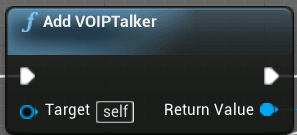
Voice Chat is a staple of modern multiplayer games. Many games include more open world aspects and the majority of players set their focus on having positional Voice Chat. As a result, this audio data is attenuated (lowered in volume) over distance. Contents hide 1 Is VOIPTalker Voice Chat Difficult? 2 Examples of proximity and...Read More
 sinful tree
vapid isle
this event just does not run when i call it. why?
sinful tree
vapid isle
this event just does not run when i call it. why?
What is calling Spawn Piece Client?
Also seems a bit odd to do an "Executes on Client" just to call "Executes on Server" again.
Normal process would be Input from Client > "Executes On Server Event" passing required info > Server spawns or does whatever is necessary. If this something like a chess game, then you can just have the pieces as replicated actors rather than having each client spawn their own copies of all the pieces.
 covert saffron
If I want players to be able to host their own games via starting their own listen server and having people join them as clients, without players needing to port forward anything themselves, would I use EOS for something like that? can I get away with not using C++ to do so?
or steam-something?
Im not planning on having dedicated severs being hosted anywhere
I've followed one tutorial that uses "sessions" which works as expected on my local computer, but when my friends try and search for each other's sessions, nothing comes up
and now another tutorial is telling me to download the "advanced sessions plugin" from some website, but idk if I should be doing that
prisma coral
The advanced sessions plugin is very good. you dont need to port forward at all and it works very similarly to the built in session nodes, just with more options. I would not make a multiplayer game without it.
covert saffron
aah
do you know what people are talking about when they mention steam when it comes to this stuff?
prisma coral
not entirely im no expert when it comes to this sort of thing 😅 but essentially if you set it up properly you get the steam overlay in your game. from a multiplayer noobs perspective it is reasonably easy to use. as far as i know if you get into it deeply you can tap into friends and invites and stuff but i havent tried that yet
prisma coral
I havent tried EOS so I woulnt know but it could be
covert saffron
aah, is advanced sessions not attached to EOS or Steam?
prisma coral
I think all advanced sessions does is expose C++ functionality that is already built in as blueprint nodes. then in terms of getting steam you just kind of paste something into the defaultEngine.ini. so i guess i dont think its attached to them
 queen ermine
Anybody have any good tutorials/guides on how to manage networking in UE4/UE5? Creating this dedicated server and we are getting issues with "stuttering" and such on local lans. These issues do not exist in "Stand alone play". Makes me wonder if this is a bug or if we just dont know how to do the networking portion in UE
prisma coral
covert saffron
do you know a reputable place to download the advanced sessions plugin?
yeah here is the main page: https://forums.unrealengine.com/t/advanced-sessions-plugin/30020
and here are the download links: https://vreue4.com/advanced-sessions-binaries

Unreal Engine Forums
Advanced Sessions Plugin Updated 08/19/2021 Plugin now has two modules, one is AdvancedSessions and one is AdvancedSteamSessions, this will allow me to tie more Steam specific functions in without forcing the steam subsystem to be packaged out with projects that don’t want it. New Parvan/Metahusk has made a menu example project that also sho...
covert saffron
aah, thank you!
pallid mesa
queen ermine
Anybody have any good tutorials/guides on how to manage networking in UE4/UE5? C...
There are some useful resources pinned on this channel
queen ermine
I didnt see, thanks I will take a look
pallid mesa
my recommendation is to take a look and share resources with the team
thin stratus
GameMode had a Logout event you should be able to use. Similar to PostLogin
thin stratus
covert saffron
aah, thank you!
Steam is just one service of many
In the engine they are integrated via an Interface so the calling person doesn't have to care which subsystem is active
Which is nice if you release on multiple platforms
Not a lot, if any, of this is exposed to blueprints
That's what the advanced session plugin helps with
However just the plugin doesn't give you the online hosting stuff
For that you need to choose a subsystem you want to develop for and maybe release on
E.g. Steam
Steam has a Master server to register sessions at (CreateSession) and which players can ask for Sessions (FindSessions)
However this requires you to release on Steam and request a custom appid in the end
You should ask further questions in #online-subsystems
young kestrel
young kestrel
Do you know how I can access properties of my CMC class? It seems like when I t...
Bumping up. Maybe someone knows what to do?
 lament garnet
how am i supposed to access remote clients control rotation?
 chrome bay
You can't
It's not something that's meant to be accessible from other clients. Pawns replicate a compressed "RemoteViewPitch" so that you can do vertical aim offsets
See GetBaseAimRotation
lament garnet
chrome bay
You can't
what im trying to do is to rotate a character to the input direction, how should i approach this?
chrome bay
Characters have some built in flags for how they should orient their rotation
lament garnet
yeah my case is that the rotation rate is very low and i would like to snap the rotation before playing the dodge forward animation
chrome bay
RotationRate is an editable property isn't it?
bOrientRotationToMovement seems to be the flag you want to make rotation follow the acceleration
lament garnet
i understand that
but when i have a low yaw rotation rate it takes some time to orient to movement
im not sure if im explaining myself right
chrome bay
Yeah that makes sense, so just whack the rotation rate up to make it faster
lament garnet
i think ive tried that but at this point im not even sure what was the issue in that case
thank you sir, ill try that way
yeah so the issue with that is that i have to use a small delay in order for the orientation to catch up with the movements and for a dodge is not really great
 half umbra
i have problem, when Client open door then it doesn't show on server
when server open door then is fine, client see that
what to look for when sending an impulse from a client
?
young kestrel
Stupid question is it okay to make it like this:
Super->ClientFillNetworkData()
Instead of using
Super::ClientFillNetworkData()
Because I think I could get rid of one of my errors doing this, but I'm not sure if that's even possible.
To clarify "Super" is just a typedef
solar stirrup
young kestrel
Stupid question is it okay to make it like this:
```
Super->ClientFillNetworkDat...
Nope
Won't even compile
If you need to access your CMC state to include it in your saved move, use the SetMoveFor() function of FSavedMove_Character
virtual void SetMoveFor(ACharacter* Character, float InDeltaTime, FVector const& NewAccel, FNetworkPredictionData_Client_Character& ClientData) override;
young kestrel
solar stirrup
`virtual void SetMoveFor(ACharacter* Character, float InDeltaTime, FVector const...
I need to override
FCharacterNetworkMoveData:: ClientFillNetworkData(FSavedMove_Character ClientMove, ENetworkMoveType Move type) and need to access my CMC to get the bit flags I defined. However, I can't do that in there because ACharacter doesn't get used there and I have no other way to access it. Everything ends up giving me the non-static reference error.
solar stirrup
You can use SetMoveFor() and also override GetCompressedFlags()
void FMySavedMove_Character::SetMoveFor(ACharacter* Character, float InDeltaTime, FVector const& NewAccel,
    FNetworkPredictionData_Client_Character& ClientData)
{
    FSavedMove_Character::SetMoveFor(Character, InDeltaTime, NewAccel, ClientData);

    const UMyCharacterMovementComponent* CMC = Cast<UMyCharacterMovementComponent>(Character->GetCharacterMovement());
    if (CMC)
    {
        PlayerRequestedSprinting = CMC->IsSprinting();
    }
}
uint8 FMySavedMove_Character::GetCompressedFlags() const
{
    uint8 Flags = FSavedMove_Character::GetCompressedFlags();

    if (PlayerRequestedSprinting)
    {
        Flags |= FLAG_Sprinting;
    }

    return Flags;
}
so SetMoveFor() to get the state from the CMC and save it locally in the saved move, GetCompressedFlags() to add it to the flags
blazing spruce
Hi, im having an issue with my character selection, whatever character the server player chooses is what all clients will spawn with, instead of their own chosen character.. The way I have it set up is that the players choose their characters whilst in the Pre Lobby level which is then stored in a SelectedCharacter variable on the Game Instance, when a timer runs out, all players will seamlessly travel over to the game level and after another timer is finished it'll call the SpawnPlayers event (image below) which is on the Game Mode, where I'm passing in the result of the GetPlayerSelectedCharacter function is where it doesn't seem to work, the function itself literally just casts to the Game Instance, gets the SelectedCharacter variable and returns it, but its just spawning all players with whatever character the host has chosen, any ideas on what im doing wrong? or is there a better way to do what im trying to do?
 sinful tree
blazing spruce
Hi, im having an issue with my character selection, whatever character the serve...
sinful tree
blazing spruce
Hi, im having an issue with my character selection, whatever character the serve...
Can you show the actual contents of the GetPlayerSelectedCharacter function?
blazing spruce
sinful tree
Can you show the actual contents of the GetPlayerSelectedCharacter function?
 sinful tree
Ok so the problem there is, is that GameInstance only exists on each copy of the game is running and is not accessible to anyone other than the copy of the game that is running. Ie. I can have a copy of the game running and I have my game instance. You can have a copy of the game, and you have your game instance. We can both connect to the server, and the server has its own copy of the game instance. The server cannot access our game instance and it cannot access ours.
So your function there, if you're running on the server when calling it, will only ever get the server's copy of the GameInstance, hence why all players are getting whatever the host chose.
A rudimentary way would be to have each player report their selected character to the server VIA an RPC on the playerstate or playercontroller.
If you're using ServerTravel, then you should probably be RPCing the client selection when they make it and then storing the selected value on the server's copy of the playerstate, then you can read it directly from there.
But I'm not super familiar with servertravel stuff myself... so take with a grain of salt.
blazing spruce
sinful tree
Ok so the problem there is, is that GameInstance only exists on each copy of the...
Interesting that makes sense! the only problem i may have is that the character selection happens in the Pre Lobby level which has its own GM/PC/GS/PS, and when the players travel to the actual map all new GM/PC/GS/PS's get created and this is where the spawning players happens, so if i store the players character selection in the Pre Lobby's Player State, i dont think i'd be able to access it in the actual game's Player State would i?
sinful tree
Again, not something I'm well versed in myself. You can do someting as simple as begin play of the player controller, with a has authority (remote) > Server RPC the selected character from the client's game instance, then server can spawn that character.
 iron glacier
Can anyone help tell me what my issue is. I am hosting the dedicated server on a VPS with 4 cores , 4gb ram and when I join the walking looks laggy. How can I fix this ? What should I bee looking at ? any Documentation / Tutorials will be very helpfull
ps sorry for the very bad quality video. I wanted to lower the file size I guess I overdid it 🙂
blazing spruce
sinful tree
Again, not something I'm well versed in myself. You can do someting as simple a...
No worries, ill give that a go, either way the explanation of the game instance was really helpful, thanks!
young kestrel
solar stirrup
so `SetMoveFor()` to get the state from the CMC and save it locally in the saved...
But would that allow me to go past the 4 custom movement flags or would I still be stuck with that limitation?
The only reason why I want to extend FCharacterNetworkMoveData is to be able to add new move flags without being limited to those 4.
solar stirrup
Ah I see 
Well, you might be able to keep a weak object pointer to the character in SetMoveFor @young kestrel
And then in ClientFillNetworkData you use that pointer to get what you need
young kestrel
Thanks. I think I fixed it. It might sound extremely stupid but I did it totally wrong. I misunderstood what ClientMove was and thought I need to override the values in there and wondered why I bothered to have them in the FCharacterNetworkMoveData in the first place.
Not sure if that actually fixed anything but everything seems to work, I will try to implement the other movement types to see if it actually works or if that just changed nothing at all.

 empty axle
It's not possible. Send it to the server and store there
sinful tree
You can't reliably do that. Eg. If a player pulls the plug on the internet connection, you can't get data from their client.
Anything that the server needs to know about, should be stored on the server to begin with.
Eg. Here you can access the player controller and the playerstate. There's some additional C++ you'd need to do to prevent their controlled pawn from disappearing when their client disconnects if you were hoping to access values from their pawn as well.

That's one solution but probably not the best.
young kestrel
Okay. It might work (like the function would fire and everything is cool) but I don't know what to do after that. How do I get to use the saved flags from the NetworkMoveData into the GetCompressedFlags function? I did it with the UpdateFromCompressedFlags, but that was easy to do. But how to do it there?

Nevermind it doesn't work in the UpdateFromCompressedFlags either
I actually forgot to change it to use the Data from GetNetworkMoveData() and thought it would work, but it doesn't work using the data from there.

what do I need to do, to make it work?


 twin juniper
Hello, I want to send a request to the unreal engine dedicated server through the web application I wrote. Things like making it rain or kicking a player through the web interface, for example. Is it possible for me to start a server in Unreal Engine?
 woeful ferry
half umbra
what is wrong
woeful ferry
half umbra
what is wrong
Can only send RPCs on character, controller, player state
half umbra
woeful ferry
Can only send RPCs on character, controller, player state
so what i need to do here
woeful ferry
half umbra
so what i need to do here
Have you read the compendiun
half umbra
what compedium?
woeful ferry
The network compendium
half umbra
not
half umbra
ok
 tawny nova
twin juniper
Hello, I want to send a request to the unreal engine dedicated server through th...
tawny nova
twin juniper
Hello, I want to send a request to the unreal engine dedicated server through th...
Yes, you're looking for a 'dedicated' server, i think.. you can launch one through the editor
I don't think it will know how to respond to HTTP requests though
 shell sorrel
Help help, any idea what's that "Cleanup" ? Client get disconnected after 5-15 seconds
red musk
When setting UseControllerDesiredRotation on CMC at runtime, do I need to set it on server and client? Or do I just set it on client and it updates the server appropriately
vapid isle
im calling this in the game state. it's multicast and should put a widget on both client's screens indicating a win or loss, but the issue is that it winds up putting both on both clients screens. why?

 twin juniper
Are you multicasting both the win a lose to all clients?
pallid mesa
loop the controllers that won and do a client rpc to them with the win msg
the same for the losers
vapid isle
pallid mesa
loop the controllers that won and do a client rpc to them with the win msg
ty
 dark edge
vapid isle
im calling this in the game state. it's multicast and *should* put a widget on b...
dark edge
vapid isle
im calling this in the game state. it's multicast and *should* put a widget on b...
Nobody but the server sees other people's PlayerController.
Just broadcast the PlayerState of the winner and on each screen check if that's the local players PlayerState or not.
vapid isle
dark edge
Nobody but the server sees other people's PlayerController.
i solved it by doing this


2nd ss is in gamestate
dark edge
That's fucky but if it works it works
I would just have a playerstate variable Winner on gamestate and repnotify on it.
pallid mesa
yeah the active player index thing is a bit weird
but the messaging is allright
in fact this is similar to what the old ulocalmessage system does
prisma coral
Has anyone got any advice at all on getting voip talkers to work for all players at least somewhat reliably? I am having such a hard time trying to get something that doesnt seem that difficult on the surface to actually work like its supposed to.
 pseudo schooner
Hey, I have multiplayer running on World Partition and ALL clients get the following error just after loading the map. The host loads fine, everything works great. Multiplayer works in the editor and I can build and test, multiplayer works on non-world partition maps flawlessly. But clients in World Parition multiplayer get:
Assertion failed: false [File:D:\build\++UE5\Sync\Engine\Source\Runtime\Core\Private\UObject\UnrealNames.cpp] [Line: 2055] FName's 1023 max length exceeded. Got 1028 characters excluding null-terminator: /Game/__ExternalActors__/Levels/Andor2/CS/B3/J656DVRGB5HLR67TTSQ52_Andor2_MainGrid_L5_X0_Y-1_DL0_Trashed_116_Trashed_118_Trashed_119_Trashed_120_Trashed_121_Trashed_122_Trashed_123_Trashed_124_Trashed_125_Trashed_126_Trashed_127_Trashed_128_Trashed_129_Trashed_130_Trashed_131_Trashed_132_Trashed_133_Trashed_134_Trashed_135_Trashed_136_Trashed_137_Trashed_138_Trashed_139_Trashed_140_Trashed_141_Trashed_142_Trashed_143_Trashed_144_Trashed_145_Trashed_146_Trashed_147_Trashed_148_Trashed_149_Trashed_150_Trashed_151_Trashed_152_Trashed_153_Trashed_154_Trashed_155_Trashed_156_Trashed_157_Trashed_158_Trashed_159_Trashed_160_Trashed_161_Trashed_162_Trashed_163_Trashed_164_Trashed_165_Trashed_166_Trashed_167_Trashed_168_Trashed_169_Trashed_170_Trashed_171_Trashed_172_Trashed_173_Trashed_174_Trashed_175_Trashed_176_Trashed_177_Trashed_178_Trashed_179_Trashed_180_Trashed_181_Trashed_182_Trashed_183_Trashed_184_Trashed_185_Trashed_186_Trashed_187_Trashed_188_Trashed_189_Trashed_190_Trashed_191_Trashed_192_Trashed_193_Tra
The call stack is attached since the error is so large
compact talon
Is there a proper way to add a loading screen between levels? I am using seamless travel and I was just going to add a loading screen overlay (UMG widget) on the player controller before it switches and then after it has finished loading everyone it will remove the loading screen and play the level
Didn't know if this was how im supposed to do it or if there is a more professional and clean way to do it
 strong vapor
compact talon
Is there a proper way to add a loading screen between levels? I am using seamles...
strong vapor
compact talon
Is there a proper way to add a loading screen between levels? I am using seamles...
your best bet is with the player controller I think.. it's persistent across server travel, all other stuff gets nuked
or game instance if you like
compact talon
yeah thats what im currently doing. I create a widget on the player controller and remove it when finished loading on the next level, just seemed kinda like a messy solution
didnt know if ue had a built in proper way to handle this
strong vapor
it would be sweet.. maybe there's a plugin somewhere lol
compact talon
I have an actor which is toggled between available and not available using a bool with RepNotify. Only the server has permission to change whether or not this actor is available (using switch has authority).
The issue is, when I set the variable using RepNotify and inside the notification changing the visibility of the actor, it doesn't replicate to clients
I am sure I have missed something small or dumb

This is effectively what I am doing on my pickup. When a player walks into the pickup it is setting the pickup to no longer available on the server.

In that screenshot I just moved it to the front because I couldn't screenshot all the nodes, and none of the other nodes are causing the problem
 marble gazelle
can you rephrase your question please?
If you have a UFUNCTION, that is marked as Server, this function will be called on the server, and everything that is run within the function will run on the server.
young kestrel
young kestrel
Okay. It might work (like the function would fire and everything is cool) but I ...
Someone knows what to do here? Because I'm completely lost.
sinful tree
compact talon
Is the actor this code is present in marked as replicated?
compact talon
sinful tree
Is the actor this code is present in marked as replicated?
It wasn't, I knew it was something dumb I missed. Thanks
solar stirrup
young kestrel
what do I need to do, to make it work?
GetCompressedFlags() only supports 8 flags
so you can't really add more to it :/
young kestrel
solar stirrup
GetCompressedFlags() only supports 8 flags
Is there even a way to add more?
solar stirrup
You'll probably have to modify the CMC, I haven't messed with it enough to fill all the custom flags yet
young kestrel
solar stirrup
You'll probably have to modify the CMC, I haven't messed with it enough to fill ...
So the only way is to edit the engine source? Okay... That sucks.
 zealous wind
Hey all. What's the 'best practice' way of calling an RPC on one client, from another, when the first client does not own the second clients connection? i.e. If one player was driving a vehicle pawn, and another player wants to shoot the weapons?
chrome bay
You split the vehicle into parts
solar stirrup
Multiple pawns in a single vehicle
chrome bay
Driver probably owns the vehicle, gunner probably owns the weapons
 chrome bay
😄
zealous wind
Makes sense, thanks
chrome bay
In HLL we don't change possession from the char pawn though 😄
solar stirrup
Just the owner?
chrome bay
Yeah we have "seat" actors and they become owner of those
Mainly tbh because the change of possession caused so many problems elsewhere we didn't want to fix 😄
zealous wind
@chrome bay Do you bother making the seats pawns, or just setOwner on the actors themselves?
solar stirrup
I see, well that works as well
chrome bay
zealous wind
<@150632829909336066> Do you bother making the seats pawns, or just setOwner on ...
In HLL at least they are just actors
But I've done the "seats" as pawns that you actually possess too, that has some benefits
But ofc requires the rest of the game to be able to work with that
zealous wind
I think in my case, simply setting owner to the Weapon Component would be the best route
chrome bay
It won't work for components
Components are always owned by the actor
And frankly, all weapons should be actors of their own
zealous wind
cool, makes sense
chrome bay
Making weapons as components causes more problems than it solves IMO
zealous wind
Thanks
 unkempt tiger
I noticed that the controller's player state fails to cast to my subclass (and is infact invalid) during HUD initialization. Is there some event I can use for when the actual player state is initialized?
chrome bay
OnRep_PlayerState in the controller would be a good place
unkempt tiger
Right! That's a thing :D thanks!
 real ridge
guys I have problems with port 7777 , I am using EOS and I am making session with eos on dedicated server ( on my pc) this server is packaged, then when its running and session is created on server side I run client on same machine and login to epic then I find available sessions and try to connect to that one made by server but I still get connection timed out.... because port is propably closed and I tried to add port forwarding also I tried to open port in firewall and still non functioning... I also tried to join from another device to server session and also I tried to join to server session when my friend ran it on his pc ...... i dont know what to to everytime same error time out connection and it will not connect
can u give me a tips ?
I am trying to solve this for maybe 5 days and I am getting really mad of it
.......
i need to test my game , make lobby test multiplayer and I cant just connect sessions....
 silent valley
real ridge
guys I have problems with port 7777 , I am using EOS and I am making session wit...
silent valley
real ridge
guys I have problems with port 7777 , I am using EOS and I am making session wit...
I don't know about EOS I'm afraid, but you shouldn't need to forward any port. Could be firewall issue, could be version issue, could be many things.
Check the logs, and turn on verbose logs for the things you might be interested in.
fathom aspen
blazing spruce
Hi, I'm having an issue with my character selection, the way I have it set up is...
Yes GameInstance can help. Though I would use PlayerState's function CopyProperties (PlayerState persists too)
 quartz iris
If I were doing a bomb game mode like csgo do I put the round number and match time on the game state on the server custom event?
fathom aspen
quartz iris
If I were doing a bomb game mode like csgo do I put the round number and match t...
They should be properties in GameState
quartz iris
fathom aspen
They should be properties in GameState
What would happen if I put those variables in The player
fathom aspen
They make no sense to be there
It's a bad habit before it's anything else, and it breaks your game modularity
quartz iris
So put everything to do with the game mode on gamestate
Do I do separate gamestates for different modes
fathom aspen
quartz iris
So put everything to do with the game mode on gamestate
Anything that's game related usually goes into GameMode or GameState actor classes.
Anything that's player related usually goes into PlayerController or PlayerState actor classes.
fathom aspen
quartz iris
Do I do separate gamestates for different modes
You can, and you probably should.
quartz iris
What's the difference between gamestates and game mode
fathom aspen
GameMode class defines game rules, while GameState holds the state of the game.
GameMode is server only, while GameState exists on server and clients
quartz iris
Oh right I see
fathom aspen
That's why when clients want to get match state stuff they get them from the GameState
quartz iris
So I need to put the round time etc in game state and the overall game mode spawning in game mode
If game mode is ran on the server does that mean in singleplayer it will still work as intended?
fathom aspen
If by "overall game mode spawning" you mean something that's constant then yes(a game rule)
fathom aspen
quartz iris
If game mode is ran on the server does that mean in singleplayer it will still w...
Yes. Single Player is authority so they have server permissions
quartz iris
fathom aspen
Yes. Single Player is authority so they have server permissions
Oh ok nice
In the game state how do I add a widget to all players
fathom aspen
Adding widgets should be done using the HUD which is client only. You can get the HUD from the PlayerController.
Now what you do is traverse AGameState::PlayerArray which is an array of all player states and for each player state you GetOwner(which is the PlayerController) and you get HUD from there and display the widget
vapid isle
this isn't a multiplayer specific question but i suspect it arises from something related to it; why is my interpolation so jittery?
you can see it kind of jitter at the end
quartz iris
So would I name the game mode base Bomb then make another called secure area?
real ridge
silent valley
I don't know about EOS I'm afraid, but you shouldn't need to forward any port. C...
i have program current port i can see ports there 7777 is always like disabled
i dont know hwy...
why
made everything ,firewall, router settings
everything...
and still not functioning
fathom aspen
quartz iris
So would I name the game mode base Bomb then make another called secure area?
Yes. Different GameModes have different names
quartz iris
Got it!
Oh one thing lol
So in game mode I shouldn't need to create any server events
fathom aspen
They would be normal functions if you do so. So no there is no need to
quartz iris
Awesome
real ridge
did u solve it ?
 harsh lintel
if I can't replicate a TMap can I wrap it in a struct ```struct MyStruct {
TMap MyMap
}
And set the struct to be replicated? Would that replicate the map?It will not
 bitter oriole
harsh lintel
if I can't replicate a `TMap` can I wrap it in a struct ```struct MyStruct {
T...
bitter oriole
harsh lintel
if I can't replicate a `TMap` can I wrap it in a struct ```struct MyStruct {
T...
Cannot replicate maps
real ridge
have anyone some experiences with lobbies ?
in multiplayer
not hosted by plaayers how to make it ? or how its working ?
sinful tree
harsh lintel
if I can't replicate a `TMap` can I wrap it in a struct ```struct MyStruct {
T...
Closest you can do is have a struct set up with your key type and value type and make an array of it, then you can replicate that.
fathom aspen
pallid mesa
in fact this is similar to what the old ulocalmessage system does
I'm wondering where's the new one at 👀
graceful flame
Am I missing something here? I'm trying to do an Interface Event ---> Server Func ---> Set bool with notify, but its not firing the onRep logic.
If I use Event Begin Play ---> Delay ---> the same Server Func ---> Set bool with notify, then it works as intended.
All of this is inside of a level placed actor.
 gleaming kite
Is there a way to RPC a function to the sever if you are calling it from another actor? (Eg. A flashlight that has an on/off function where you want the player to be able to interact with it locally, then rpc that to the server to turn the flashlight on.)

The issue im running into is that since the BPI is being called from another class (Character) the "if owning client" isnt true and thus not replicating to the server. I know I could fire the interact on the server but Im worried about the lag that it would introduce.
As a better question, how can I replicate something so that it minimizes lag for the client?
fathom aspen
gleaming kite
The issue im running into is that since the BPI is being called from another cla...
being called from another class (Character) the "if owning client" isnt true
That's not right. "If owning client" means that this RPC will be processed if the actor this RPC resides in is owned by the client(net connection), eg. PlayerController or any other actor class owned by it(Character/Pawn, PlayerState, etc.)
So because the flashlight isn't owned by the PlayerController or any other actor owned by it, the RPC is dropped
fathom aspen
gleaming kite
As a better question, how can I replicate something so that it minimizes lag for...
What you're doing is a good start
gleaming kite
fathom aspen
So because the flashlight isn't owned by the PlayerController or any other actor...
ah ok, just glancing at the network compendium it kinda outlines this. I would want to stay away from this approach because of the lag but really have no clue on how to RPC from a server owned actor.

I guess I could go and have two interacts fire, one on the server and one on the client but I feel that there's a better way
fathom aspen
gleaming kite
ah ok, just glancing at the network compendium it kinda outlines this. I would w...
have no clue on how to RPC from a server owned actor
You can't(considering it's invoked from client)
What's the issue of it being a client owned actor though?
gleaming kite
Is that a good way to do it? Its an item spawned by the server so I would think that the server should keep ownership
spawned as in with an external bp
fathom aspen
PlayerController is spawned by the server too 🙂
All client owned actors are server spawned that are part of the game framework
That doesn't make them server owned if they are at some point get owned by the PC or any of the actors it owns
gleaming kite
Wouldn't it be bad practice to let the clients own lootable items?
fathom aspen
Any actor that's replicated should be spawned on the server. That doesn't make every replicated actor owned by the server
fathom aspen
gleaming kite
Wouldn't it be bad practice to let the clients own lootable items?
Well it's a good practice
Player pawn usually owns the weapon he grabs
Likewise he should own the flashlight he grabs
gleaming kite
So then shouldnt I just invoke two interact events, one that the client calls to see changes immediately and then one that the server calls to override and replicate the event?
fathom aspen
Depends™️
fathom aspen
gleaming kite
So then shouldnt I just invoke two interact events, one that the client calls to...
If you're really keen on seeing the effect too quick on client then you can consider this approach
But you should be careful of the fact that you might see stuff happen twice
Depending on how your logic is implemented
gleaming kite
Gotcha, thank you
fathom aspen
That's why sometimes you see people put replicated variable condition as SkipOwner
gleaming kite
Yep, that was what I was doing on the server
 fathom aspen
Input is fired only on client
quartz iris
fathom aspen
Input is fired only on client
How can I fix this?
fathom aspen
I don't know what ur doing so i can't tell
But I know that you are calling a client RPC from an input handling event that is client only
And that's like calling a normal function on client
quartz iris
I'm telling all players that the player is leaning left
fathom aspen
What you normally do is call a server RPC from that input event, so you do that context switch and call that code on the server
Ok that should happen on the server then
Make it a server RPC
Though I'm not sure why you two events doing the same thing
That's redundant
quartz iris
Not sure
fathom aspen
Lean left/right should be a Server RPC(maybe one that handles both or two) and then you change the replicated variable in that RPC
As simple as that
quartz iris
A server RPC?
fathom aspen
Yep so it executes on the server
quartz iris
I don't think I know what that is lol
fathom aspen
In your case "Executes On Server"
That's another way to tell what is a server RPC
I'm used to how it's called in cpp not BP heh
quartz iris
So I remove the excutes on client?
fathom aspen
Yes
quartz iris
And I need to replicate every variable?
fathom aspen
I can't judge your implementation, but it seems redundant
fathom aspen
quartz iris
And I need to replicate every variable?
The variables you need
Variables that the client doesn't need to no about can stay NotReplicated
Otherwise your net performance 
fathom aspen
What did I spell wrong?
quartz iris
fathom aspen
Variables that the client doesn't need to no about can stay NotReplicated
.
I don't no
fathom aspen
Oh shit
quartz iris
aha
fathom aspen
2:31 AM here, forgive me
quartz iris
If you update something on the server does it do it for the client automatically?
Because I followed a guide and he put it to run on clients after the server
 fathom aspen
quartz iris
If you update something on the server does it do it for the client automatically...
fathom aspen
quartz iris
If you update something on the server does it do it for the client automatically...
If it's replicated then yes
 eternal canyon
quartz iris
eternal canyon
quartz iris
I would recommend looking at this https://cedric-neukirchen.net/ as you are overusing multicasts and RPCs in general
young kestrel
Okay I thought about a possible solution for my problem:
Could I use a custom enum with my movement types as a compressed flag and update with that all of my custom movements? Is this actually possible and had it been done yet?
eternal canyon
young kestrel
Okay I thought about a possible solution for my problem:
Could I use a custom e...
yes it is possible to send custom data
Unreal Engine enables replicated Character movement support of custom function parameters. Developers who do not require this functionality and want to maintain the legacy API can define SUPPORT_DEPRECATED_CHARACTER_MOVEMENT_RPCS to a non-zero value in the project build files, and set the Console Variable "p.NetUsePackedMovementRPCs" to zero.

The Character Movement Component sends data across the network using an FSavedMove_Character struct. The system consolidates move data from one or more updates into a single variable-length bit stream for transmission across the network. By packaging old and new data together, this method avoids potential ordering issues involving ServerMoveOld RPCs being called after ServerMove, which could cause old (but still important) data to be incorrectly disregarded as obsolete. Internally, the Character Movement Component uses the new CallServerMovePacked function to serialize multiple FSavedMove_Character instances into an FCharacterNetworkMoveDataContainer, replacing the old usage of CallServerMove.
Extending Saved Move Data

To add new data, first extend FSavedMove_Character to include whatever information your Character Movement Component needs. Next, extend FCharacterNetworkMoveData and add the custom data you want to send across the network; in most cases, this mirrors the data added to FSavedMove_Character. You will also need to extend FCharacterNetworkMoveDataContainer so that it can serialize your FCharacterNetworkMoveData for network transmission, and deserialize it upon receipt. When this setup is finised, configure the system as follows:

    Modify your Character Movement Component to use the FCharacterNetworkMoveDataContainer subclass you created with the SetNetworkMoveDataContainer function. The simplest way to accomplish this is to add an instance of your FCharacterNetworkMoveDataContainer to your Character Movement Component child class, and call SetNetworkMoveDataContainer from the constructor.

    Since your FCharacterNetworkMoveDataContainer needs its own instances of FCharacterNetworkMoveData, point it (typically in the constructor) to instances of your FCharacterNetworkMoveData subclass. See the base constructor for more details and an example.

    In your extended version of FCharacterNetworkMoveData, override the ClientFillNetworkMoveData function to copy or compute data from the saved move. Override the Serialize function to read and write your data using an FArchive; this is the bit stream that RPCs require.

To extend the server response to clients, which can acknowledges a good move or send correction data, extend FCharacterMoveResponseData, FCharacterMoveResponseDataContainer, and override your Character Movement Component's version of the SetMoveResponseDataContainer.
Accessing Extended Move Data

To maintain backwards compatibility, there have been no changes to the function stack for working with client moves on the server and replaying them on the client after receiving a correction. While this provides a stable API for the legacy functions, it also means that those function signatures do not accomodate the new movement data. You can access this data on the server while processing a move, or on a client while replaying one, by calling GetCurrentMoveData and casting the returned FCharacterNetworkMoveData to your subclass. ```mostly explained here
i also show it off in this plugin
tho my implementation also uses some bad practices that allow for cheating
specifically with sending custom data other than flags to the server
young kestrel
But does that allow me to have more than 4 custom movement types? Like having climbing, WallRunning, flying, dodging, sprinting, WallJump, etc.
eternal canyon
young kestrel
But does that allow me to have more than 4 custom movement types? Like having cl...
yes
young kestrel
eternal canyon
yes
Thanks. That helps me a lot! 🙂
 golden warren
Hey I have a problem
Axis Value is not replicated, why??

 eternal canyon
golden warren
Hey I have a problem
Axis Value is not replicated, why??
eternal canyon
golden warren
Hey I have a problem
Axis Value is not replicated, why??
Input is local only
golden warren
eternal canyon
Input is local only
so, do I have to make variable to store it if I want it to be replicated?
graceful flame
graceful flame
Am I missing something here? I'm trying to do an Interface Event ---> Server Fun...
Anyone know why?
sinful tree
graceful flame
Anyone know why?
You cannot run RPCs on actors that the client does not own.
To get around this, your interact event should call the RPC on your character, passing through the actor that the player wants to interact with.
Once you're running on the server, then you call your interface passing the actor that was passed through the RPC. The actor in question can then do what it needs to do when it gets interacted with.
graceful flame
Thanks!
real ridge
Guys finally I fixed my issue with connecting to created session ( session timed out) issue was that my ip was not public I had to change it by internet provider now is everything working I ran server on my laptop and Join there via my PC with 2 clients but if I open dev portal of EOS I see matchmaking and sessions there with 2 slots but I dont see any player conected do you know why ? I am there with 2 players server also see me but session is "empty" any ideas ?
 young kestrel
eternal canyon
yes
young kestrel
eternal canyon
yes
Quick question about your plug-in. If I understand correctly, your compressed flags just uses the 4 custom flags which define the custom enums which define the movement types?
And then in UpdateFromCompressedFlags you overwrite the actual custom data?
//Returns which move is taking which flag
uint8 FGDSavedMove::GetCompressedFlags() const
{
    uint8 Result = Super::GetCompressedFlags();
/*

    if (SavedGen1Var)
        Result |= DefaultEngineCustomFlag;
        */
    //Returns Result which we set above ^^
    return Result;

}
I'm trying to develop a vr multiplayer game using photon cloud infrastructure in unreal engine and I've partially succeeded, but there are a few problems.
https://disk.yandex.com.tr/d/fMkX9dyiDFkSlQ you can see the problem clearly here. Is there a who can help?
Her şey bulunur
 daring gorge
hey can someone guide me onto how would i go on about disabling every clients movement and spawning a warmup timer to start the match? i tried using the game state but it doesnt work for some reason, it doesnt spawn my warmup timer on all clients, i also tried to call events on controllers from game state but doesnt seem to do the job either
 willow prism
Hello, I have a question regarding the operation of a pawn that plays the role of a platform. In my game the server is a player who can invite friends who will be clients, I understand that the one I invite and set up the game is the server. Well in the game there are some pawns that are platforms that move from point "a" to "b" and "c" and if successively, these platforms move in a spline that I declare and I am doing their path in c++ to improve The performance, now in the replication is in replicating movement so that both players "server and client" can see their movement the same. My big question is if there is a way to further optimize my platform on the replication side, since the platform is somewhat out of date on the client. when the platform is leaving point "b" on the server, on the client it is barely reaching point "b" and that makes the client crash because thinking that the platform can be uploaded on the server it is not there. sorry for so much text
dark edge
willow prism
Hello, I have a question regarding the operation of a pawn that plays the role o...
First of all, why are the platforms pawns?
 thick jungle
daring gorge
hey can someone guide me onto how would i go on about disabling every clients mo...
thick jungle
daring gorge
hey can someone guide me onto how would i go on about disabling every clients mo...
Might be able to use a replicated boolean on the Game Instance that is false by default. Then have the server set it to true once you want the count-down to begin, and then have each individual client's Instance or GameState start counting down once it sees that boolean be set to true. Then set the controller to deny input unless the timer is valid and the boolean is as well
daring gorge
thick jungle
Might be able to use a replicated boolean on the Game Instance that is false by ...
but why would i have it on the game instance, if its decided per match by the server? could i possibly use the same method but like using the bool as a repnotify on game mode?
thick jungle
game mode is server only
I'd normally go for the GameState but you said that wasn't working
daring gorge
it spawns the match timer after the warmup timer is done but for some reason any sorta widget i want it to spawn on the start doesnt spawn on all clients but server only
thick jungle
willow prism
Hello, I have a question regarding the operation of a pawn that plays the role o...
have the client send a message back to the server confirming that it wants to start moving, then after a delay of 0.1 or whatever actually have the client move it as well. This way the server doesn't start moving it until the client had the message received. Not something I'd personally recommend tbh... but might work in your situation
thick jungle
daring gorge
it spawns the match timer after the warmup timer is done but for some reason any...
then you're likely calling the showing of the UI on the server
daring gorge
i am calling the create widget and add to viewport on a multicast being called by server and then tried calling this event from both gamemode and game state, neither showed the widget on client
thick jungle
so you've got an RPC event that's on "multicast" within the GameState, which is called from the server? And inside that event it shows the UI? Have you tried outputting a debug line on-screen and see if that triggers on all clients? (And reliable enabled?)
daring gorge
yeah i did try a print string on begin play, it sent messages from both client and server and im not sure about reliable enabled actually,
used print string just now on the event, im only getting a message from server
willow prism
dark edge
First of all, why are the platforms pawns?
Thanks for answering, I think it's a pawn because before moving with input, but this was ruled out and they were left with movement in a spline and it stayed in a pawn, you think this is the problem. Do I make my platform an actor and not a pawn?
thick jungle
daring gorge
used print string just now on the event, im only getting a message from server
Begin play might not be the best location tbh. Have the GameState of the client send a message to the server (from something that the client has authority on! Like the controller) telling the server that it's present. Then once you have the expected number of clients telling the server it's live, send the message from the server to all clients
willow prism
thick jungle
have the client send a message back to the server confirming that it wants to st...
Thanks for answering, I mean, would it be that every time the platform starts to move on the server, wait for the client to respond that it is ready?
thick jungle
even inside the client the PlayerState isn't made as fast as everything else. I've got checks all over the place to delay by 0.2 every time until it has a valid player state
thick jungle
willow prism
Thanks for answering, I mean, would it be that every time the platform starts to...
that'd be the most guaranteed option I'd say
got a question... I'm using the GameMode's OnLogout function, which unfortunately tells me my GetControlledPawn is already returning a "pending kill". Is there another function that I can use to have the server trigger a player leaving BEFORE his pawn gets invalidated?
daring gorge
thick jungle
Begin play might not be the best location tbh. Have the GameState of the client ...
oki im gonna try this, thank you much much!
willow prism
thick jungle
that'd be the most guaranteed option I'd say
Thank you very much, I will try this
daring gorge
thick jungle
Begin play might not be the best location tbh. Have the GameState of the client ...
this actually helped a lot! i called the event from the controller and it works! now i can use that information to find a good way around using the rpcs. so thanks !
thick jungle
daring gorge
this actually helped a lot! i called the event from the controller and it works!...
RPC calls can only be activated from an object that has authority. So far what I've found is that even the pawn the player starts with as well as it's playerstate.... don't have authority on the client.. End result is that practically all RPC calls end up being routed through the PlayerController.... which sounds horrendous to me :/ it makes my inner programmer get filled with disgust.. Since I've since made a system that allows me to re-route calls through my playercontroller I've stopped looking for other solutions, but yeah... it's valuable information, and stuff that I really would've preferred to have been done differently
thick jungle
thick jungle
got a question... I'm using the GameMode's OnLogout function, which unfortunatel...
^ bump. Still stuck on that OnLogout function
daring gorge
I wish i could help you but as you can clearly see im struggling myself:/ this is my first time doing multiplayer so yee thats why it took me a while to understand the diff classes, it indeed is weird how the controller is the one able to drive around these events but not the replicated classes :/
thick jungle
daring gorge
I wish i could help you but as you can clearly see im struggling myself:/ this i...
all classes are replicated. It has to do with ownership. Say a player spawns a gun. You wouldn't want another player to be able to pull the trigger on that gun. So you'd set the owner to the active player, and therefore allow that particular client to call RPC events. This prevents any other client from being able to send messages on objects that it shouldn't be able to. But the result is that practically everything has ownership on the server
daring gorge
Im going bonkers over this but thats okay im done w my shooting part anyway🤪
thick jungle
I'd be happy to elaborate if you have a question
dark edge
thick jungle
RPC calls can only be activated from an object that has authority. So far what I...
You sure you don't have authority and ownership mixed up? You can totally call a run on server event inside your clients possessed pawn.
fathom aspen
golden warren
so, do I have to make variable to store it if I want it to be replicated?
No. To make the server have knowledge of that value you need to send a server RPC with the float value as a parameter.
real ridge
hello guys I see u have a discussion here can someone give me advice how to code player register ? for sessions when I am joining ?
because I am joining session without registering them for session
so then I see empty session
daring gorge
thick jungle
I'd be happy to elaborate if you have a question
youre too kind, although for now im just gonna try to get done with what i have to finish as i have to do it within a deadline, if i do end up having a question about things ill be sure to hit you up, ig
fathom aspen
golden warren
so, do I have to make variable to store it if I want it to be replicated?
If you want other clients to be aware of that value then yes you want to make it a replicated variable and you would need to change it in the server RPC
thick jungle
dark edge
You sure you don't have authority and ownership mixed up? You can totally call a...
I seem to have them mixed up indeed. As far as I understood it, they were the same thing. What's the difference??
dark edge
thick jungle
I seem to have them mixed up indeed. As far as I understood it, they were the sa...
The machine that spawns the actor is the authority (server for most things), ownership can be assigned to a connection/player and is used for rpc and other things (only owner see, etc)
You automagically own your PlayerController and Pawn
real ridge
its possible to convert my blueprint game mode to c++ game mode ?
I need to write code there...
thick jungle
real ridge
its possible to convert my blueprint game mode to c++ game mode ?
just change the parent class 😉 also probably a question that you'd get a faster response to in #cpp
real ridge
thick jungle
just change the parent class 😉 also probably a question that you'd get a faster...
parent class ?
thick jungle
file menu
 dark edge
real ridge
its possible to convert my blueprint game mode to c++ game mode ?
dark edge
real ridge
its possible to convert my blueprint game mode to c++ game mode ?
Make a c++ GameMode, reparent your BP one to it, then start moving stuff to the c++ class if needed
thick jungle
dark edge
The machine that spawns the actor is the authority (server for most things), own...
thanks Adriel 🙂 makes a little bit more sense now
real ridge
dark edge
Make a c++ GameMode, reparent your BP one to it, then start moving stuff to the ...
also have one c++ class gamemode but I need to check some video how to code game mode and set there optons. but thank u
thick jungle
if you open a blueprint file, then click the menu top left called File?
pallid mesa
to start with?
 ember dagger
The gamemode has event on post login for everytime someone joins the match
thick jungle
you'll have to elaborate 😉 not quite sure what you mean
willow prism
a somewhat silly question, is it normal that when you activate network emulation in bad the player moves and appears a few steps ahead of his movement? or should this be seen very little?
thick jungle
Event Possessed is called server-side only. There's a cpp function you can override inside the PlayerController which allows you to do the same thing client-side. Making screenshot

 thick jungle
willow prism
a somewhat silly question, is it normal that when you activate network emulation...
thick jungle
willow prism
a somewhat silly question, is it normal that when you activate network emulation...
got no experience with actual movement implementations. But UE default networked movement causes bugs in my version as well. There's tutorials online that give better networked movement inside UE than the default
willow prism
thick jungle
got no experience with actual movement implementations. But UE default networked...
Ty
thick jungle
willow prism
Ty
this (pricey) plugin just got posted in #cpp 2 seconds ago. Might be your solution if you're rich
willow prism
thick jungle
https://www.unrealengine.com/marketplace/en-US/product/general-movement-componen...
hehehe, I'm using the ALS that is in c++
thick jungle
willow prism
hehehe, I'm using the ALS that is in c++
that plugin mentions "singleplayer only" yaknow ;p
willow prism
thick jungle
that plugin mentions "singleplayer only" yaknow ;p
the one that is in bp of the marketplace yes, but the one that I use says that it is optimized for multiplayer with low bandwidth consumption
willow prism
thick jungle
that plugin mentions "singleplayer only" yaknow ;p
GitHub
Replicated and optimized community version of Advanced Locomotion System V4 for Unreal Engine 5.0 with additional features & bug fixes - GitHub - dyanikoglu/ALS-Community: Replicated and op...
willow prism
I'm new to multiplayer, so I don't really know what the standard should be for some things hehehe. more about the network profiler, that at my level there are 471 bits of use, and I don't know if this is good or bad jeje
thick jungle
was it hard to implement that plugin / its replicated variant??
thick jungle
willow prism
I'm new to multiplayer, so I don't really know what the standard should be for s...
yeah.... you'll need someone else to explain that to you unfortunately. I've never even heard of it, and my project isn't at the stage of optimization yet
willow prism
thick jungle
was it hard to implement that plugin / its replicated variant??
It's not very complicated, and I'm not an expert in c++. but from this complement I disabled things so that they would not weigh on the network, like ragdoll and other things that I will not use in my game
thick jungle
willow prism
It's not very complicated, and I'm not an expert in c++. but from this complemen...
awesome! So glad I know about this plugin before I started following tutorials on it 😄
willow prism
thick jungle
awesome! So glad I know about this plugin before I started following tutorials o...
jejeje yes. It is a very good complement and everything is in c++, even the bluprint animation has the class in c++
that helps a lot in performance compared to the bp
I discovered this complement when I already had my characters in the project and I had to do a huge migration hehehe
thick jungle
willow prism
I discovered this complement when I already had my characters in the project and...
yeah... I've already got my entire framework set up as well, including the player's pawn. Though I've deliberately steered clear from any of the movement stuff so I really do hope that it's not gonna be more than a few days to implement this level of movement 🙂 still very dubious about whether I'd prefer to spend the 400 and get a good solution off the bat, or settle for a free to use component and deal with the fact that it has bugs that I don't get support for
willow prism
thick jungle
yeah... I've already got my entire framework set up as well, including the playe...
the good thing is that you learn in the process if you use the free one jeje 😊
thick jungle
willow prism
the good thing is that you learn in the process if you use the free one jeje 😊
that is absolutely true 😉 There's also a huge chance I'd need to spend that massive sum for EVERY person working in my team if that'd ever go beyond 1
willow prism
thick jungle
that is absolutely true 😉 There's also a huge chance I'd need to spend that mas...
It is true 😊
 vocal cargo
Does anyone know if there is a blueprint version of AActor::HasLocalNetOwner?
willow prism
vocal cargo
Does anyone know if there is a blueprint version of `AActor::HasLocalNetOwner`?
i think this
 crystal crag
I really wish I could figure out where the breakdown is in this lyra project and running a dedicated server. I added the code to just create the session during register server and from what I can see, everything is taking the same route / call chain now. I can successfully pull up the dedicated server session and connect to it. Once I load in, my character loads in but the map is empty with no bots and I can't use any weapons
I really don'
t see any code that would be excluded during a dedicated server build. I can run a listen server and everything runs fine (I can use another PIE client and connect to it and play the game)
It really shouldn't be any different when using a dedicated server
I see myself logged into the server in the console output
It says that I joined fine

but there is no one in the match. It's an empty level almost.
[2022.05.31-21.40.33:820][192]LogEOSNetworkAuth: Verbose: Server authentication: 000283dc0b5d4210b1cb2d30ae0c8b00: Successfully found user with IOnlineUser::GetUserInfo.
[2022.05.31-21.40.33:820][192]LogEOSNetworkAuth: Verbose: 000283dc0b5d4210b1cb2d30ae0c8b00: verification: LegacyIdentityCheck: Finished successfully.
[2022.05.31-21.40.33:821][192]LogEOSNetworkAuth: Verbose: 000283dc0b5d4210b1cb2d30ae0c8b00: verification: All phases finished successfully.
[2022.05.31-21.40.33:821][192]LogEOSNetworkAuth: Verbose: 000283dc0b5d4210b1cb2d30ae0c8b00: login: Immediately finishing as there are no phases to run.
[2022.05.31-21.40.33:821][192]LogEOSNetworkAuth: Verbose: 000283dc0b5d4210b1cb2d30ae0c8b00: login: Finished successfully.
[2022.05.31-21.40.33:822][192]LogEOSNetworkAuth: Verbose: 000283dc0b5d4210b1cb2d30ae0c8b00: login: All phases finished successfully.
[2022.05.31-21.40.33:822][192]LogNet: Login request: ?Name=RyanDSYNCLBSLLC userId: RedpointEOS:000283dc0b5d4210b1cb2d30ae0c8b00 platform: RedpointEOS
[2022.05.31-21.40.33:920][195]LogEOS: [LogEOSMessaging] Succesfully connected to Stomp. LocalUserId=[000...b00]
[2022.05.31-21.40.33:986][196]LogNet: Client netspeed is 100000
[2022.05.31-21.40.33:987][197]LogEOS: Verbose: [LogEOSMessaging] Stomp subscribed to topic /420533cb76ae499c9895bdef696ef0fb/account/000283dc0b5d4210b1cb2d30ae0c8b00
[2022.05.31-21.40.34:356][207]LogNet: Join request: /ShooterMaps/Maps/L_Convolution_Blockout?Name=RyanDSYNCLBSLLC?SplitscreenCount=1
[2022.05.31-21.40.34:384][207]LogGameplayTags: NetworkGameplayTagNodeIndexHash is 7751aed9
[2022.05.31-21.40.34:385][207]LogNet: Join succeeded: RyanDSYNCLBSLLC
Everything looks fine
I'm not sure what else to look for in the logs / anywhere else
Things should be getting replicated to me
pallid mesa
it seems like you aren't loading the shootercore gameplay feature
ensure that it's cooked/loaded
crystal crag

Would I have to do anything differently for a dedicated server PIE vs a listen server PIE?
to make sure that it gets loaded I mean
pallid mesa
play in editor?
PIE should be straight forward right after loading the gameplay experience
unless you mean cooked
crystal crag
I'm doing PIE with these options

so launch dedicated (in separate proc) and run PIE as standalone game
If I don't launch a dedicated server, and keep the option as run as standalone and then change the player count to 2, then in the PIE window I can host a match and have the second client join and the game plays just fine
pallid mesa
and are you able to connect to your local server joining a session?
i haven't tried this specific setup, mostly dc PIE tests
I'll have to give this a try because it depends a lot on how they do session management
and how they load their gameplay features
 crystal crag
standalone
pallid mesa
to see if your session pops in
crystal crag
you mean the front end client map?
pallid mesa
you can navigate to frontend from a play session
crystal crag
right
pallid mesa
so go to frontend, and see if the session of your gamemode is there
crystal crag
in both configs I can see the session show up in there
and I can join it in both
but with the dedicated server option, upon joining, I get an empty map
the server shows that I connected
but the client sees no other players
or bots
and I can't use any abilities
crystal crag
Do you mean don't have the unreal editor start it, but start it via cmd line?
pallid mesa
you can do that aswell
but the idea is to join the session cleanly
boot ur server and two clients
then leave the map and go to frontend
with both clients
in the server browser menu see if your session appears
crystal crag
Ok yeah it does

so I just clicked play, using dedocated server
and separate proc
standalone for the PIE
and now I wll manually browse to the front end
crystal crag
 pallid mesa
and go to menu
 pallid mesa
join
crystal crag
yep
crystal crag

ok I'm just using the one atm
I can launch another
I only used 2 clients with the listen server setup
pallid mesa
i mean if you can use weapons
that means that something has changed
just continue with this use case
crystal crag
 pallid mesa
still same result?
crystal crag
yep
pallid mesa
buggers
crystal crag
this is what I have been doing though with a dedicated server
using the front end map to connect
I did try a direct connect
via open
and that just sat on the loading screen indefinitely
pallid mesa
i'll have to give it a try on my own
crystal crag
and the dedicated server accepts me joining just fine
[2022.05.31-22.13.23:279][663]LogEOSNetworkAuth: Verbose: 000283dc0b5d4210b1cb2d30ae0c8b00: verification: LegacyIdentityCheck: Finished successfully.
[2022.05.31-22.13.23:280][663]LogEOSNetworkAuth: Verbose: 000283dc0b5d4210b1cb2d30ae0c8b00: verification: All phases finished successfully.
[2022.05.31-22.13.23:280][663]LogEOSNetworkAuth: Verbose: 000283dc0b5d4210b1cb2d30ae0c8b00: login: Immediately finishing as there are no phases to run.
[2022.05.31-22.13.23:280][663]LogEOSNetworkAuth: Verbose: 000283dc0b5d4210b1cb2d30ae0c8b00: login: Finished successfully.
[2022.05.31-22.13.23:281][663]LogEOSNetworkAuth: Verbose: 000283dc0b5d4210b1cb2d30ae0c8b00: login: All phases finished successfully.
[2022.05.31-22.13.23:281][663]LogNet: Login request: ?Name=RyanDSYNCLBSLLC userId: RedpointEOS:000283dc0b5d4210b1cb2d30ae0c8b00 platform: RedpointEOS
[2022.05.31-22.13.23:380][666]LogEOS: [LogEOSMessaging] Succesfully connected to Stomp. LocalUserId=[000...b00]
[2022.05.31-22.13.23:446][668]LogEOS: Verbose: [LogEOSMessaging] Stomp subscribed to topic /420533cb76ae499c9895bdef696ef0fb/account/000283dc0b5d4210b1cb2d30ae0c8b00
[2022.05.31-22.13.23:546][670]LogNet: Client netspeed is 100000
[2022.05.31-22.13.23:987][683]LogNet: Join request: /ShooterMaps/Maps/L_Convolution_Blockout?Name=RyanDSYNCLBSLLC?SplitscreenCount=1
[2022.05.31-22.13.24:019][683]LogGameplayTags: NetworkGameplayTagNodeIndexHash is 7751aed9
[2022.05.31-22.13.24:021][683]LogNet: Join succeeded: RyanDSYNCLBSLLC
[2022.05.31-22.13.24:126][688]LogEOS: Verbose: [LogEOSAnalytics] Record Event: EOSSDK.HTTP.Complete <Redacted>
[2022.05.31-22.13.31:568][913]LogEOS: Verbose: [LogEOSAnalytics] Record Event: EOSSDK.HTTP.Complete <Redacted>
[2022.05.31-22.13.31:569][913]LogEOS: Verbose: [LogEOSAnalytics] Record Event: EOSSDK.HTTP.Complete <Redacted>
[2022.05.31-22.13.34:465][  0]LogDerivedDataCache: ../../../Engine/DerivedDataCache: Maintenance finished in +00:00:01.966 and deleted 0 file(s) with total size 0 MiB.
[2022.05.31-22.13.54:283][597]LogEOS: Verbose: [LogEOSAnalytics] Record Event: EOSSDK.HTTP.Complete <Redacted>
So the server sees me
pallid mesa
yes, it seems like the gameplay experience won't load
OH
OMG! that's probably it
when you launch a server you need to pass in the params the gameplay experience to load
crystal crag
I thought setting default game exp from the world settings would be enough
pallid mesa
because I was doing something else
pallid mesa
crystal crag
I thought setting default game exp from the world settings would be enough
just try being explicit just in case
crystal crag
ok
pallid mesa
if you take a look on how the browser works
the gameplay experience is passed in the server settings
good luck with that, I'll give it a try tomorrow
now its late for me
💤
crystal crag
2022.05.31-22.11.49:381][  0]LogLyraExperience: Identified experience LyraExperienceDefinition:B_LyraShooterGame_ControlPoints (Source: CommandLine)
[2022.05.31-22.11.49:926][  0]LogLyraExperience: EXPERIENCE: StartExperienceLoad(CurrentExperience = LyraExperienceDefinition:B_LyraShooterGame_ControlPoints, Server)
[2022.05.31-22.11.49:927][  0]LogStreamableManager: Display: RequestAsyncLoad() called with empty or only null assets!
[2022.05.31-22.11.49:958][  1]LogEOS: Verbose: [LogEOS] Large tick time detected 18.5256
[2022.05.31-22.11.49:959][  1]LogEOS: Verbose: UpdateSession: Successfully updated session 'GameSession' with ID ''
[2022.05.31-22.11.49:969][  1]LogCommonSession: OnUpdateSessionComplete(SessionName: GameSession, bWasSuccessful: -227567592
[2022.05.31-22.11.49:977][  1]LogEOS: [LogEOS] Updating Platform SDK Config, Time: 18.525627
[2022.05.31-22.11.49:988][  1]LogEOS: Verbose: [LogEOS] Large tick time detected 18.5272
[2022.05.31-22.11.49:996][  1]LogEOS: [LogEOS] Updating Platform SDK Config, Time: 18.527176
[2022.05.31-22.11.50:013][  1]LogLinker: ResetLoaders(/Engine/PythonTypes) is flushing async loading
[2022.05.31-22.11.51:098][  1]LogHotfixManager: Display: Hotfix manager re-calling PatchAssetsFromIniFiles due to new plugins
[2022.05.31-22.11.51:098][  1]LogHotfixManager: Display: Checking for assets to be patched using data from 'AssetHotfix' section in the Game .ini file
[2022.05.31-22.11.51:103][  1]LogHotfixManager: Display: No assets were found in the 'AssetHotfix' section in the Game .ini file. No patching needed.
[2022.05.31-22.11.51:117][  1]LogLyraExperience: EXPERIENCE: OnExperienceLoadComplete(CurrentExperience = LyraExperienceDefinition:B_LyraShooterGame_ControlPoints, Server)
[2022.05.31-22.11.51:135][  1]LogLyraGamePhase: Beginning Phase 'ShooterGame.GamePhase.Warmup' (Phase_Warmup_C_0)
Ok, sure. Let me knowe
It does look like it is being loaded, but I'll look for the args
 dry belfry
Anyone know of good resources for creating phases/instances where the same area of a level can be entered by different people and they each can continue independent of each other like SW:TOR does for their phases?
dark edge
dry belfry
Anyone know of good resources for creating phases/instances where the same area ...
That is not trivial in Unreal.
dry belfry
dark edge
That is not trivial in Unreal.
Yes I'm assuming it isn't trivial in any engine :). I'm just looking for someone to point me in a direction, even if it isn't an easy direction :). Proper verbiage for what that would be called even can be very helpful right now.
red musk
Any way to have a RepNotify value replicated down to the client even when the value I set on the server is the same as what it already was? I.e.
Float x = 8;
then if I set x = 8, I want it to trigger a RepNotify?
I thought the REPNOTIFY_Always flag would do this, but I think that is just causing it to replicate down and notify in the case where the client is the same as the value, but the server still needed to be changing for it to trigger
quartz iris
Should I be replicating ammo and health variables?
If so should I do it through the player with custom events?
real ridge
guys hello I don't want write it again but I will post image here read my messges there and answer if u Can please

 mellow solstice
real ridge
guys hello I don't want write it again but I will post image here read my messge...
mellow solstice
real ridge
guys hello I don't want write it again but I will post image here read my messge...
I use a lobby gamemode/gamestate myself. The hosting player can press start to travel to the new gamemode once people joined. In case of a dedicated server, it starts a timer once the max players has been reached in postlogin
bitter oriole
quartz iris
If so should I do it through the player with custom events?
You should always replicate state with variable replication, never events. Events can be missed by late-joining players, and they cause more network load for a health variable that changes often.
quartz iris
bitter oriole
You should always replicate *state* with variable replication, never events. Eve...
Got it
real ridge
mellow solstice
I use a lobby gamemode/gamestate myself. The hosting player can press start to t...
I want use it and make by server noone of players will host lobbies
mellow solstice
real ridge
I want use it and make by server noone of players will host lobbies
You can have the startup level for the dedicated server set to the lobby level which would use some lobby gamemode? Not sure about hosting multipe lobbies from the same server tho
quartz iris
Should I use an array for keeping track of what items a player has
mellow solstice
real ridge
I want use it and make by server noone of players will host lobbies
it's under the advanced settings, if this is what you mean:)
 real ridge
To sum up, you want:
- Players to enter a queue
- Once X (10 in this case) players are in the queue they need to push ready button then server session will spin up - something like lobby where they can see names of others teams members it will be 2 teams of 5 players, and if someone will not hot ready until coutdown will end it will kick all players and 'lobby' ends
- Players will connect to the server session
- Match does its thing
please ready this and say me your opinion how to make it or how logic I need implement I have no idea I thought that I should use Eos lobbies but I was said not, firstly I need make this wait room or call it lobby or whatever where player will have to set ready and match will start then I can start code matchmaking for searching players but now I will test it only with 2 or 4 people who will strait connect to that waiting room by themself any ideas how to make it? and do you understand what I am asking 🥲 😂 please give me your tips and advices I have no idea how to make it
Also I want to that waiting room or 'lobby' will be created on server same as my sessions because I don't want any player to host anything
so should it be session created on server and it will be just waiting room? or ? I wanted use server as little as possible
quartz iris
Does playing a sound without using custom events play for all players if it's a 3d sound
bitter oriole
No
bitter oriole
You would normally have them fire locally based on what's happening, but if the local client has no way of knowing by itself, yes
thick jungle
I'm about ready to shoot myself in the foot... please tell me there's a blueprint node / cpp function that gets called when a player logs out / leaves the game, BEFORE its pawn and player state get destroyed???
- GameMode OnLogout: Pawn pending kill
- PlayerController EndPlay: PlayerState pending kill
- PlayerState EndPlay: Pawn pending kill
- Pawn EndPlay: PlayerState pending kil.....
mellow solstice
real ridge
so should it be session created on server and it will be just waiting room? or ?...
I have a lobby level that runs on the dedicated server like in the screenshot. I override RegisterServer on the GameSession to create a session on that server. In the lobby GameMode/GameState you'll need to implement some logic where you would check if all players have ready'd up, start a timer and then call ServerTravel to move everyone to the new level. Players/clients can join this lobby by joining the session hosted
real ridge
mellow solstice
I have a lobby level that runs on the dedicated server like in the screenshot. I...
i know i Can make that u said butttt i wanted more opinions what the best way to make something like this
anyone else who has made something similar to me? some sort of waiting pre-game room?
bitter oriole
Depends a lot on how much interaction you want to have with other players in your lobby
Depending on your online platform's capabilities you could have all players store their ready state in the session, and then have a server join the session too when all are ready - and players would join the server as soon as they see it in the lobby
real ridge
i just want have ready button there maybe also message chat
but message chat is not necessary
also I thought firstly I can do it without server
because I will rent server I wanted pay less
but I can't make it without server I think
bitter oriole
Your first step should be to clarify what your game is
Whether you need a server is a huge business decision
Do you have more than ~8 players ? Do you have competitive gameplay ? Is the game largely physics based or otherwise simulation-heavy ? If yes to any of those you probably need a dedicated server ($)
If you have to ask, IMHO, you probably do not want a dedicated server (expensive, huge pain in the ass, and you're probably making a game too big for you)
real ridge
i already have own dedicated server but gonna switch to aws then
we are company and I am junior so I disccus here
disscus
now I have implemented Eos to dedicated server and so on we trying things and creating whole logic
and yes and yes to your questions
bitter oriole
If you want to have ingame messaging in the lobby you probably just want to have dedicated servers spinning up any time there's no other empty server in the area; create a session; and then have players connect to the server by joining the session as soon as they start looking for a game
Will work on any online subsystem (EOS, Steam, GOG) and then you can use regular multiplayer features in Unreal
Messaging is built-in etc
real ridge
already I have made that ,when I run server it will immediately create session and I can find and join there via clients
and play
bitter oriole
So you're done
real ridge
and it's made by server
bitter oriole
Just add a menu where player click ready and start the match when all have
real ridge
so I will just uprage my session to 'lobby' and then travel player to game map?
true okay I thought something exactly for it is existing yet
but okay
was not sure
bitter oriole
You have literally nothing session related to do here, just show your "ready" menu on level start
And then hide it when all players are ready
real ridge
I think I don't understand u i need information of how many players are there and checking if all 10 players are already in pregame lobby when it's full don't let any other players to join and also print their names and readinnes status so how to make it if not with session as u said
or I just don't understand u?
bitter oriole
- dedi server create session
- players looking for game join session, join server
- game just shows a "ready" button with your state + other player's ready state
- when 10 players are in "ready" state, lobby menu disappears and game starts
Really nothing hard here
real ridge
yes so
as u said
server will create session players will find it and join
but only 10
more are not allowed
they will there have some widget
with ready button
then after all ready coutdown will start and game after it
so I don't have to make any other map true just widget
and cover whole space so they will have feeling like in lobby
yes nice idea
bitter oriole
You can have a dedicated lobby map with a lobby game mode if you need a 3D lobby with player characters and stuff - and then SeamlessTravel to a different map + game mode
But this isn't even mandatory
real ridge
bitter oriole
You can have a dedicated lobby map with a lobby game mode if you need a 3D lobby...
yes but I don't need it's okay for me just widget with names and so on
I don't need any 3d pre map
okay thank u for discussion
bitter oriole
My advice is to keep it as simple as possible since a multiplayer competitive game with >10 people per game is already such a high risk project, so a menu is good enough
real ridge
u opened my eyes
Max 10 players per game
I think
boss said
not sure yet...
but it u will be not able to search servers matchmaking will automatically join u
real ridge
bitter oriole
My advice is to keep it as simple as possible since a multiplayer competitive ga...
and why high risk project?
bitter oriole
real ridge
and why high risk project?
Because being able to fill 10-players dedicated servers means you need like 100 online players (minimum would be like 20 with very long matchmaking times and everyone on the same continent)
That means it's in the 2% top sellers on Steam
Maybe top 5% if people play it a lot
And it needs a great anticheat, and careful balancing, and regular content, and...
Competitive multiplayer games have to succeed in order to be viable
lament garnet
im running two standalone instances that can eventually connect with each other. before connecting tho, each one can play their own single player experience. lets say one instance take damage and then want to connect to the other instance, how can i send this data to the other instance so once the pawn has spawned on the new server can be reinitialized with that data and the health updated accordingly to the "single player instance"?
marble gazelle
lament garnet
im running two standalone instances that can eventually connect with each other....
You could use OnlineBeacons for this to send over data to be synced to the hosting client before you actually join the other game.
lament garnet
marble gazelle
You could use OnlineBeacons for this to send over data to be synced to the hosti...
uh thank you, ill look into it
sullen plover
So I'm having a little bit of trouble trying to get projectiles to not collide with their own owning actor - it works fine for the server, but not for any of the clients.
chrome bay
Same as any other method
You need to replicate them via the owning actor
You need to override ReplicateSubObjects and have the component replicate them
But if you modify that array at runtime or add new objects at runtime, it will crash
If you notice, they are created using the Actor as the outer
If you use the component as the outer, it will break
There is very limited utility in replicating objects tbh
And the path is rife with crashes and obscurities
BTW the ability system does exactly what I mentioned above - all the subobjects like attributes and abilities use the ability components' owning actor as the outer
I would just avoid the Instanced keyword in this case above
Yeah
It works for actor components because their immediate outer is always an actor anyway, so instanced vs spawned doesn't matter for them
tbf it's quite easy to avoid using Instanced, just specify classes instead and create them at startup time
Don't think there's any other solution here really
The more data-oriented the system is the less of a problem that becomes though
sullen plover
I've been trying almost every method to ensure that both the pawn firing projectiles ignores their own spawns and the spawns ignore their owning actor, but while it works for the server player it doesn't for clients
chrome bay
well collision settings do not replicate
So you need to independently make sure they ignore each other on both ends
 odd wyvern
Hi, anyone knows how to prepare property data(server side) for client when client connects before GetLifetimeReplicatedProps is called?
chrome bay
Not sure what you mean
sullen plover
chrome bay
So you need to independently make sure they ignore each other on both ends
... How?!
chrome bay
You can override OnRep_Owner() on the projectile class for example to handle it client-side
sullen plover
Yeah, that's definitely not an option for blueprints
chrome bay
If it's Blueprint you're probably stuck
BP sucks for multiplayer
You need a callback for when the owner is set
This is effectively how I'm handling it also

You could try doing something similar from BeginPlay(), but if the Owner replicates after the projectile for whatever reason it may not work as well.
That's probably unlikely though, with the exception of join-in-progress cases
And/or relevancy
sullen plover
I do set up ignore actor nodes in beginplay, but that's not working either. Hmm.
... Oh bloody hell I think I actually misdiagnosed the problem
So get this - turns out the reason why the projectiles were colliding and dying immediately was because two were spawning simultaneously
Just setting the instigator to ignore on begin was perfectly adequate, but because two projectiles were spawning into each each simultaneously and colliding immediately it made it look like the owner was the cause
This only happens on the client.
chrome bay
My guess is you're spawning one client side, and the replicated one server side
sullen plover
I've fixed the collision issue by adding a check in the hit and overlap to ensure that projectiles from the same instigator don't collide (for now).
Maybe? I've put the actual spawning logic in a server -> multicast event chain
chrome bay
yeah the multicast is the problem then
If the projectile is replicated, you shouldn't need to tell the clients to do anything
Server spawns the authoritive projectile, clients receive it shortly afterwards
sullen plover
Except the client doesn't spawn the projectile
If it's only done on the server event.
chrome bay
Ah kk, I read that as "multicast the spawning"
sullen plover
Yeah, I just trigger the server event, which does nothing other than trigger the multicast
chrome bay
Yeah that's why then, the multicast will run on every connection and spawn a projectile locally
sullen plover
Interestingly the server view shows the client pawn still spawning two projectiles simultaneously, so that's not the problem
chrome bay
either way sounds like a logical error somewhere
sullen plover
The actual trigger is handled by an animation notify, if that might help figuring out what's wrong
 lone steeple
I think I'm encountering a very similar problem right now with my pet system (the floating drone). For whatever reason, my clients end up with 2 spawned pets rather than just one. The server has the proper amount.

 chrome bay
You're spawning two on the Server there