#multiplayer
1 messages · Page 711 of 1
 twin juniper
 winged badger
twin juniper
Not really an Unreal question but are there any good articles relating to intent...
winged badger
twin juniper
Not really an Unreal question but are there any good articles relating to intent...
find Halo: I shot you first GDC talk in pinned messages
twin juniper
okay thank you @winged badger !
winged badger
its more about hiding lag then intentionally creating it though 😛
twin juniper
Yes so by intentionally creating "lag" you'd be removing inconsistent packet delays, which is more noticable than a constant say 50ms input delay right?
So it would be better in that case to have the delay rather than let everyone rely on their network speed? If I'm interpreting it correctly.
winged badger
no
there is no great way to deal with variance except timestamping packages and syncing network clocks
intentionally crating delays to make it seem like there is no variance is suicidal
twin juniper
ooh..
Because I was reading a few games did that I think like Smash Bros and Tekken
But I could be wrong
 fathom aspen
No, on client. It's generally called when input is fired, and that happens on the client
 formal solar
Yes I have been doing that I just looked at a answershub that said doing it on sever as well solved lag for somebody
I think I have a lead and that my scene is too large and is causing precision error with movement
winged badger
whats the size?
winged badger
ok, then no, 200k is not enough to suffer from float precision
and first thing that would go os physics, not movement
 quasi tide
Nothing from the screenshot shows that it shouldn't. Only thing I can think of at the moment is if something in that method that adds it is acting funky.
formal solar
even with movement speed? Im wanting to cross my whole landscape in about 10 seconds max
winged badger
with 20k speed
you will want to give CMC client auth
lets them cheat, but its only way it won't break
formal solar
So it may break, so sounds like one solution, awkward but not technically complex, is just to downscale everything
 ocean geyser
quasi tide
Nothing from the screenshot shows that it shouldn't. Only thing I can think of a...
ocean geyser
quasi tide
Nothing from the screenshot shows that it shouldn't. Only thing I can think of a...
its begin play. no clue whats going on with it
winged badger
speed is really problematic relative to the correction thresholds
here
with move speed of say 400 (jogging speed) you need only few UU tolerance and it will work fine
you have 50 times that
so your maximum error to correct is at least 50 times that, and probably way worse
formal solar
So correction thresholds are based on UUs ok
winged badger
but also every time you lose a packet at that speed, odds are you'll end up corrected
formal solar
I guess the reason I made my scene large was because I have insect characters which i want to be size 1 lol
quasi tide
ocean geyser
its begin play. no clue whats going on with it
I meant this one. I know there is a node for this, but looks like it is a custom one you have.
 ocean geyser
quasi tide
I meant this one. I know there is a node for this, but looks like it is a custom...
ocean geyser
quasi tide
I meant this one. I know there is a node for this, but looks like it is a custom...
ah, nope thats the default
winged badger
formal solar
I guess the reason I made my scene large was because I have insect characters wh...
and travelling with mach 1?
formal solar
hahaha, well relative to the scene it's not so crazy a speed
but in UUs its enormous speeds
quasi tide
I take it your placement reference is just a scene component?
ocean geyser
quasi tide
I take it your placement reference is just a scene component?
yes
testing on the character now as well infront of the camera, still nothing. its like it doesnt appear at all but replicates
ocean geyser
quasi tide
I take it your placement reference is just a scene component?
ok so it does spawn, but it doesnt set the mesh on the client
quasi tide
quasi tide
I meant this one. I know there is a node for this, but looks like it is a custom...
omg - I'm a dolt; for some reason the text underneath the node title was throwing me off. I can't recall actually seeing that before for this node.
ocean geyser
quasi tide
omg - I'm a dolt; for some reason the text underneath the node title was throwin...
ah fair lol
quasi tide
ocean geyser
ok so it does spawn, but it doesnt set the mesh on the client
You can set the mesh if you click on the node. Not sure if that actually gets replicated though. If not, maybe manually setting it afterwards?
ocean geyser
quasi tide
You can set the mesh if you click on the node. Not sure if that actually gets re...
did that its set to a mesh that doesnt appear on clients. i tried setting it afterwards on the server and same deal. i then set it to rep notify and threw it in a variable and set it there and had the client do it and it worked but thats not ideal
quasi tide
I wonder if there is some funkiness with dynamic components and initial replication 🤔
ocean geyser
quasi tide
I wonder if there is some funkiness with dynamic components and initial replicat...
no clue, i added a delay beforehand to make sure but no luck. very odd
quasi tide
I mean, I still think a repnotify makes sense though. Changing the state of the mesh component and all.
fathom aspen
No, GameMode does that already for you. As long as you spawn the actor on server and the actor is set to replicate, that shouldn't be an issue.(BeginPlay in GameState fires for both server and clients)
ocean geyser
quasi tide
I mean, I still think a repnotify makes sense though. Changing the state of the ...
yea, but i cant do that unfortunately. this is for my plugin on the marketplace i forgot about a feature that i needed to add when i was stripping it from my main plugin
twin juniper
fathom aspen
No, GameMode does that already for you. As long as you spawn the actor on server...
Thank you
quasi tide
ocean geyser
yea, but i cant do that unfortunately. this is for my plugin on the marketplace ...
Can you set the node to replicate?
ocean geyser
quasi tide
Can you set the node to replicate?
did
quasi tide
So either one of these options.
 ocean geyser
both are true
ocean geyser
figured. wonder if its just bugged, never used the node before
quasi tide
This will be weird but, what if you expand the transform node and just don't do anything with it 😅 (I know, grasping at straws here)
ocean geyser
quasi tide
This will be weird but, what if you expand the transform node and just don't do ...
that straw was to short lol, nope
twin juniper
@winged badger This was the delay I was referring to

Ars Technica
How to design your game for optimal play over a network.
quasi tide
ocean geyser
that straw was to short lol, nope
Well - everything should've been working to my knowledge. If you ever find the cause, please ping me; as I'm quite interested in it.
ocean geyser
quasi tide
Well - everything should've been working to my knowledge. If you ever find the c...
will do lol
formal solar
I have a little trouble understanding what character components I need to replicate. I am making a game with flying pawns with serious issues at the moment with client movement lag. Up to now I had 'component replicates' active on my character mesh. I am using character movement component. I read online though that if I turned the option on my mesh off, it would solve some lag issues and indeed it has - now I don't lag when moving in a straight line, only when rotating (so some improvement lol). I was under the impression I would need this box ticked for pretty much every component but I guess the CMC handles things automatically? Or its only parent components that matter
 half drum
trying to lower a players friction, do i would have to run the event as the server or do i run it on the server and owning player?
 shadow aurora
hey guys, so I'm working on a spectate system, and a bug that I'm seeing is that on a larger map when spectating another player, other players seem like they're outside of net relevancy. From what I can tell it's still basing the net relevancy on the location of the spectator pawn instead of the view target. What exactly can I do to remedy this? Do I just need to attach the spectator pawn to the person they're spectating or something along those lines?
fathom aspen
shadow aurora
hey guys, so I'm working on a spectate system, and a bug that I'm seeing is that...
I'm wondering how you implemented your system. Did you use the engine functionality, i.e ChangeState(NAME_Spectating)?
shadow aurora
fathom aspen
I'm wondering how you implemented your system. Did you use the engine functional...
Yep using that function call, and then setting the viewtarget to the player's killer on both the client and the server... From what I've seen that should be enough for the replication system to pick up relevant actors, but it definitely is not working that way haha.
fathom aspen
Yeah iirc the spectator pawn spawned stays at its initial location, thus it could be really the issue. I haven't tested the system on large maps, but now you made me wanna check that for sure heh
shadow aurora
Yeah that's my thought is that since it's just chilling there maybe it's trying to use that for relevance. I'm hesitant to do it, but I kind of just want to try attaching the spectator pawn to the new viewtarget as well and see what happens
fathom aspen
I've seen other ways of implementing the system where they attach the spectator pawn spawned to the spectated pawn, but I ended up going the for the engine's relevant calls as it worked more seamlessly
 unreal epoch
I'm having a hard time replicating a jetpack.

the code is relatively simple: pressing the space bar will toggle the replicated "using jet" bool
then, it will add force every tick on the server
for some reason the client's jetpack accelerated about twice as fast
shadow aurora
fathom aspen
I've seen other ways of implementing the system where they attach the spectator ...
Yeah also looking into overriding IsNetRelevantFor and modifying SrcLocation to the location of the local view target. Think that might work for what I'm going for here!
unreal epoch
I've tried multiplying the force by deltatime, but that doesn't change much
fathom aspen
shadow aurora
Yeah also looking into overriding `IsNetRelevantFor` and modifying `SrcLocation`...
Yeah that's what I was going to suggest you to look into, but wanted to test it myself beforehand lol. Give that a go, let me know if it works out for u
 grim valve
Given a situation of a lobby-level with player slots, should I put and replicate this information on its level, or on its gamestate? Is there a benefit to choosing either here really?
note that both gamestate and level is unique for the lobby level.
fathom aspen
What do player slots represent? This sounds like more a PlayerState class info
 red musk
I'm trying to call Move To Simple Location on my player character (so not specifically an AI), on the server.
Unlike Add Movement Input which is done on the client and then syncs with the server, this approach doesn't have any client input. Is there a way I can change the client to not expect input for the duration of the pathfinding, so that it updates position, direction, triggers walk animations, etc, based on what the server is doing?
red musk
It looks correct for other remote clients, I basically want the local client to behave that way too
Like a simulated proxy I think? Not sure how to change its role at runtime though
grim valve
fathom aspen
What do player slots represent? This sounds like more a PlayerState class info
Perhaps it could be, but I am struggling to conceptualize it as such. Player slots are set by the host, where they will select CPU, or OPEN (which switches to PC once a person loads in and there is a slot for them). I assumed that AIControllers would not have a PlayerState, so I figured that was off the table.
Further, player slots have to be fixed relative to each other. My idea was player state holds the slot its in, and the player controller allows them to select the avatar bound to their slot. But to actually be the slot itself seems like the wrong abstraction.
I don't want, say, "Player 3" switching to "Player 2" because the old player 2 went offline.
 plucky prawn
remember when i didnt tick replicates on my actor?
fathom aspen
I'm not sure I do
plucky prawn
i do because i ticked it and its working working properly now with multicast RPC and replicated variables
fathom aspen
Why the multicast rpc though. Just change the values on server
plucky prawn
ye i did im was just checking if that was the source of all my problems in life and it was
but now i have more problems
plucky prawn
ye im not really sure how. ill have to think about it more
fathom aspen
grim valve
Perhaps it could be, but I am struggling to conceptualize it as such. Player slo...
I'm not sure what CPU means here or OPEN, and how AIControllers are connected
My brain kinda went brrr there
grim valve
fathom aspen
My brain kinda went brrr there
This is a board game. I dunno if you ever played like say, civilization, in multiplayer. In these sort of games you create slots for people to log into, allowing the host to select how many players are in the game (adding and removing), mixing CPU (Ai controllers), and players (a real world players). OPEN is a Player slot that does not yet have a player assigned to it. When all open slots are filled, the game is startable.
fathom aspen
So slots are kinda like sessions that players can opt to join and stuff. AFAIK GameInstance is the one usually in charge of session stuff.
 mystic saddle
Hello I'm using a server to save my player data but to save the player's inventory what to do I can't save the actor directly should I save its name and get it by its name somehow or there is another better way?
fathom aspen
shadow aurora
Yeah also looking into overriding `IsNetRelevantFor` and modifying `SrcLocation`...
Just tested it and it really looks like an issue. Though we didn't have it, as pawns are bAlwaysRelevant as maps aren't that big. What you suggested, should make it work ^^
mystic saddle
mystic saddle
Hello I'm using a server to save my player data but to save the player's invento...
Another thing when I run the project server build it gives me an error I did searched for it some people said I should build the project using the GitHub engine version but building the engine from source takes a lot of time and I want to be up-to-date with the epic games store version
 ember dagger
unreal epoch
I've tried multiplying the force by deltatime, but that doesn't change much
ember dagger
unreal epoch
I've tried multiplying the force by deltatime, but that doesn't change much
Are you replicating to server then to multicast? Make sure you also use an is locally controlled -> false in the multicast right after the custom event node, and before you add any force. Or it will play twice on the owning client
 pulsar lotus
How to switch level from main menu to server?
I try seamless, but when i'm call function level just blink
void USC_MainMenuWidget::PlayButtonOnClick()
{
    GetOwningPlayer()->ClientTravel("127.0.0.1:17777", ETravelType::TRAVEL_Relative, true);
}
Sweet I’ve written up the changes but haven’t had time to sit and test it yet. I’ll let you know what I find!
 vague spruce
anyone have any idea why two spheres would overlap on a server but wouldnt call OnComponentBeginOverlap? the client is calling it, but not the server
unreal epoch
@ember dagger The 'add force' node is hooked up to an event tick, with a 'switch has authority' right in front of the add force so that the movement only executes on the server, then is replicated by the pawn itself (as 'replicate movement' is set to true). If I replace the switch on authority with this if statement, nothing seems to execute at all after it.

right now it looks like this. before the 'add force', I have a node to update a progress bar showing fuel
 ember dagger
Ah you're using this in a pawn? I assumed it was in your character class as I had a similar issue and the fix was what i said
unreal epoch
I've tested the amount of force, it is the exact same magnitude on the server and client if I print it. So im in a 'JetpackPlayer' class, which inherits from 'Player', which inherits from 'PlayerParent' (this was added for vehicles and such with common attributes, like health and UI), which is inherited from 'Character', not 'Pawn'
so no, its not in a pawn
ember dagger
Hmmm. So for my use I had a slide that I needed to replicate. I calculated the force locally and added the force locally. Then called a custom run on server event with the force as an input, into a multicast event with force as an input into is locally controlled to false to an add force with the force being the input from the mutlucast which worked fine for my use case.
unreal epoch
ok, so are you saying that I should keep the stuff used to find the force vector local, then pass it to a 'run on server', then to 'multicast' with locally controlled==false, then add that passed force vector?
Heres another interesting thing I noticed @urban flicker : when I run the game with just one player, the jetpack has a certain amount of force. Then, if I play two players, the server jetpack actually has doubled force, and the obviously the client has double that force.
so, I wonder if this has anything to do with framerate
ember dagger
unreal epoch
ok, so are you saying that I should keep the stuff used to find the force vector...
Idk if that's the best way, but from what I know and from what has worked for me then yes. Just make sure you add force locally before you call the run on server event
unreal epoch
ah, I removed the delta time from the calculation, it must already take that into account
ember dagger
unreal epoch
so, I wonder if this has anything to do with framerate
You can try setting quality to lowest settings and see if anything changes
unreal epoch
but obviously that only fixes that one issue
ah, I just fixed everything
so apparantly the issue was that some of my variables were replicated that were needed for calculating the force
i dont know how that caused an issue, but seems fixed now
thanks for the help 👍
 deep shore
How can I change the variables on a character based on the level/game mode? for example, suppose a character has a boolean “can respawn”. by default this would be set to True…but I am having trouble figuring out how to change it to False once they join the game. It doesn’t seem like Event Begin Play would work because players may join at different times.
fathom aspen
deep shore
How can I change the variables on a character based on the level/game mode? for...
So what, from what you're saying you want to change that variable per character. So each character does that at his own BeginPlay. Though you would need a SwitchHasAuthority to make sure you're on the server(if you're getting some info from the GameMode as it exists only on server)
 stone knot
fathom aspen
<#850816436082966588>
stone knot
fathom aspen
<#850816436082966588>
couldnt tell if i shouldve put it in there or not since its a plugin for a subsystem and not directly for it, but ill repost it in there
fathom aspen
stone knot
couldnt tell if i shouldve put it in there or not since its a plugin for a subsy...
You are not alone, a lot of people do the same ^^
deep shore
thank you for your help @fathom aspen … unfortunately i’m not sure I follow you. there will be two levels with different rules. one will allow respawns, one won’t. You’re saying I need to change the variable on the character class on Begin Play? I was thinking that the changes would need to be called from the Game Mode BP.
fathom aspen
deep shore
thank you for your help <@!393501253184913418> … unfortunately i’m not sure I fo...
Well now you fed me with more info, so my answer will vary. What you are describing is really the prefect example to why each level can be assigned a certain GameMode. So Level A can be assinged GameMode A that supports respawns, while GameMode B that is assigned to level B won't.
To eliminate the need for reinventing the wheel, you would need to make a BaseGameMode class were GameMode A and B will inherit from. GameModeBase can have that boolean variable bAllowRespawn which each GameMode child class can set its value as they like
Technically you shouldn't be setting rule variables on any class other than the GameMode, as that what is was designed for. It also exists only on server, that way you know server is the one who decides game rules
deep shore
thank you for clearing that up. So, when a character dies, an event should run on server and cast to the game mode, then get this boolean. Using a branch, either show them a “Game Over” screen or create the widget that allows them to respawn?
fathom aspen
Correct
deep shore
Thank you so much for your help.
fathom aspen
Though widgets are client only. So you can't create widgets in the same server event, without calling a client RPC, or binding to a delegate.
 frank pecan
I have a plugin for 5.0.0 that can't install on 5.0.1 is that right or is something funky going on. i figured 5.0.x wouldn't matter for plugins
it's just not in my list of plugins
fathom aspen
frank pecan
I have a plugin for 5.0.0 that can't install on 5.0.1 is that right or is someth...
frank pecan
ty
grim valve
how do I get the current list of observers?
 nova wasp
spectators or blackboard keys?
    for (FConstPlayerControllerIterator Iterator = GetWorld()->GetPlayerControllerIterator(); Iterator; ++Iterator)
    {
        APlayerController* PlayerActor = Iterator->Get();
        if (PlayerActor && PlayerActor->PlayerState && MustSpectate(PlayerActor))
        {
            //This is a spectator so add it to a TArray or something, you're the boss!!!!!!!!!!!
        }
    }
``` @grim valveI found some code for getting the number of them
grim valve
spectators
maybe that was why google wasn't turning squat up, i kept thinking the term was observers
nova wasp
haha, yeah
no clue if anyone actually uses the built in spectator setup
I assume it works but I have never used it
of course I have never made a game with working spectators so don't take my word for it
grim valve
yeah, I am kinda intending to abuse it anyways for the lobby. that said that code is interesting. MustSpectate is implemented to determine what is "to be" a spectator, meaning its actually not some stored data but rather a deterministic monad
nova wasp
it's just a few boolean values
you can read it
it's really stored as bOnlySpectator in the player state
nova wasp
which makes me wonder, is it that they can ONLY spectate or that they currently ARE spectating?
perhaps there's another way to set it
grim valve
i think i saw something related to spectators on the session code.
so its possibly used to enforce some sort of restriction at that level
it might be that for my use case there is actually no need for pawns or spectators in the lobby at all. that my slots system is more of a replacement for that level.
nova wasp
lol, all I can find is people on a forum for older UE forums talking
these guys using UE2 in 2019
respect...
grim valve
well the modding community i assume
Id be surprised if anyone is actually using it for dev these days, isn't it still under a more restrictive license?
nova wasp
btw, don't get too intimidated by the MARK_PROPERTY_DIRTY_FROM_NAME
it's just pushmodel saying "we need to replicate this!"
as opposed to the old way where afaik it just iterates over every replicated value 
grim valve
nothing intimidates me, this is only being used to guide lightweight strategic nuclear warheads, so it breaking would not be the end of the world, just a small geographical area.
 ancient bramble
how do i dockerize a dedicated server build?
i have packaged the server files already what should i do next?
fathom aspen
nova wasp
as opposed to the old way where afaik it just iterates over every replicated val...
The old way is the one we have when replicating a property normally. Right?
nova wasp
Yep
fathom aspen
grim valve
maybe that was why google wasn't turning squat up, i kept thinking the term was ...
Traverse through PlayerArray and check if IsSpectator() then count++
You would need to SetIsSpectator(not sure of function name) when setting player to spectate using the engine spectator setup to make it work
fathom aspen
nova wasp
Yep
Do you think the push model should be used over the old replication system at all costs?
nova wasp
Not sure how much better it makes things
 alpine owl
Hello, Im coming from a C# background with unity, Im familiar with basic multiplayer concepts with steam and Im trying to learn UE with blueprints first but I have an hard time figuring out how to setup the multiplayer.
My understanding atm is, epic online services is like steamworks but for epic ecosystem, online subsystems are apis to communicate with different services like EOS or Steam etc.
I want my game to use steam lobbies and I saw there is a plugin called "advanced sessions" that a lot of people seems to use so I installed it and created a prototype with a main menu, create session, join session.
It works well BUT I don't understand why, because I didn't setup steam app id etc so I assume it's not using steam lobbies.
Why there is a "Use Lobbies if available" option when creating a session?
Why everyone in UE is talking about "Sessions" since in Steam it's named "Lobby"? Are they the same or not?
tldr: There is a lot of stuff for multiplayer in UE (epic online services, online subsystems, advanced session plugin), what do I need to do to use steamworks api? (steam lobby, friends, voice, steam networking sockets etc)
 latent heart
I think the answer is don't? Simulate the physics client side, tlel the server what you're doing and it have it apply the forces as well and then correct the client.
 vague fractal
Wasn't there an option like "Replicate physics" so that you'd only tell the server via an RPC to apply the force ?
 fallow shadow
Does SpawnActor replicate by default? When i spawn a projectile it doesnt seem to spawn on the server
 mint drift
Guys. I need your help. I am for a quite while trying something stupid and have looked on forums, tried what exist etc etc etc. But THIS is not working at all.
What I am trying to do: When the player overlaps the overlap thing it should spawn a AI. And this AI should follow and shoot the player.
Whats happening: The AI is being spawned, but player cant see the AI and shoots are working fine. Just the AI itself is not being shown tot he player.
The location and rotation of AI and the shooting is fine. But he is a invisible object to player.
help
mint drift
fallow shadow
Does SpawnActor replicate by default? When i spawn a projectile it doesnt seem t...
I did this to spawn projectile.

works 100%
fallow shadow
uhh im doing this in c++
but i think i know how ill do this
nope i have no idea what im doing
 dark edge
fallow shadow
Does SpawnActor replicate by default? When i spawn a projectile it doesnt seem t...
dark edge
fallow shadow
Does SpawnActor replicate by default? When i spawn a projectile it doesnt seem t...
You want to spawn a replicated actor. Not replicate the spawning of an actor
fallow shadow
How do i do that again?
 sinful tree
You spawn the actor while running on the server, and make sure it's a replicated actor.
mint drift
in my case it is replicated but dont show on client.

 blazing spruce
Hi, can anyone tell me why this isn't working properly, the widget is displaying on the server player but not the clients, ive got the ShowMatchStartingTimer event being called from the Game State when a timer is started, the ShowMatchStartingTimer event is on the Game Mode, calling the ShowTimer event on the Player Controller, any ideas?


 magic helm
blazing spruce
Hi, can anyone tell me why this isn't working properly, the widget is displaying...
magic helm
blazing spruce
Hi, can anyone tell me why this isn't working properly, the widget is displaying...
The game mode only exists on the server is why, you should move that to the game state if you want all clients to have it happen.
 eternal canyon
nova wasp
Not sure how much better it makes things
eternal canyon
nova wasp
Not sure how much better it makes things
Very much depends
blazing spruce
magic helm
The game mode only exists on the server is why, you should move that to the game...
So i moved it into the Game State but it still wont show for clients
 magic helm
blazing spruce
So i moved it into the Game State but it still wont show for clients
magic helm
blazing spruce
So i moved it into the Game State but it still wont show for clients
Is the timer being started on the server?
blazing spruce
magic helm
Is the timer being started on the server?
Yeah, its called from the Game Mode when the player count gets to 2
magic helm
- Do you care about state? Because if that does not matter(like players joining doesn't matter) then I would say switch it to a multicast function
- If you care about the state syncing up then I would then not have it be an RPC and instead use a rep notify variable tracking(simple boolean will do) that the timer is shown, then when it is set. Show the timer on the player controllers in the level (since they only replicate to the owning players anyway)
Oh also don't grab the player controls from the game mode, unless you ONLY want it to run on the server
Game mode only exists on the server, so that might be another spot of where its breaking
 obsidian cargo
What is the intended way for a client side player controller to get a reference to the pawn it possesses? The On Possess events do not appear to fire on the client.
fathom aspen
obsidian cargo
What is the intended way for a *client side* player controller to get a referenc...
GetPawn
 unkempt tiger
Is AGameStateBase::GetServerWorldTimeSeconds still kind of inaccurate as described in this article? https://medium.com/@invicticide/accurately-syncing-unreals-network-clock-87a3f9262594
Medium
When implementing real-time network multiplayer in a game, one very important tool is a reliable network clock.
It speaks of slight inaccuracies on 4.18
fathom aspen
Yes, nothing has changed
obsidian cargo
fathom aspen
`GetPawn`
Is there an event I can use for when GetPawn will be valid?
I tried an RPC from the server to the client after possess, but it is too early. The returned pawn is null.
Currently modeling this in Blueprint just to get something quick, but intending to change to C++ for a final solution
 gleaming vector
there is a bunch of stuff in Lyra for catching when pawns, player states, and stuff are valid on the client
 pallid mesa
gleaming vector
there is a bunch of stuff in Lyra for catching when pawns, player states, and st...
pallid mesa
gleaming vector
there is a bunch of stuff in Lyra for catching when pawns, player states, and st...
I'm working in a subsystem following Jambax advices that in theory it will be very easy to plug and play in any project
I plan to release that for free ofc crediting James, but first I need to know that I am not missing anything
latent heart
I mean you could just add onreps for everything you want to look at. They all trigger a function which checks everything is valid and only does osmething when they've all been replicated.
pallid mesa
So far the instructions for setup will be minimal
pallid mesa
latent heart
I mean you could just add onreps for everything you want to look at. They all tr...
yes this is what it does more or less :)
fathom aspen
obsidian cargo
Currently modeling this in Blueprint just to get something quick, but intending ...
For C++ you can wait for the OnRep_Pawn callback and check if the Pawn is valid
pallid mesa
but it uses delegate black magic 😄
so far, gamestate, pawn and playerstate are handled
do you guys think something else is missing?
fathom aspen
pallid mesa
do you guys think something else is missing?
PC crying in the corner
fathom aspen
heh
latent heart
Add game mode. Just to fuck with people.
latent heart
If they want to wait for that to replicate, they don't deserve a fancy subsystem.
fathom aspen
They will die waiting 
fathom aspen
Hmm you tackled me with this 
pallid mesa
Because I am using the PC to receive pawn and ps
the gs handles itself
aaaand
PC is just assumed to be there
latent heart
Is there no generic callback when an actor is replicated?
pallid mesa
PostNetReceive i blv
latent heart
A global one?
pallid mesa
thats at an actor granularity
pallid mesa
but im using the onreps on the PC, those are great enough
so far I think this should be part of the engine
😵💫
a nice world subsystem
 solar stirrup
unkempt tiger
Is AGameStateBase::GetServerWorldTimeSeconds still kind of inaccurate as describ...
solar stirrup
unkempt tiger
Is AGameStateBase::GetServerWorldTimeSeconds still kind of inaccurate as describ...
Yeah that article discusses some potential solutions
Personally, I've had good enough results by just adding RTT / 2 to the time
I generally use the default one or ^ if I need to sync stuff as close as possible using a server timestamp
obsidian cargo
After some basic (PIE) experimentation, it looks like overriding APlayerController::AcknowledgePossession(APawn* P) and calling a BP event is the simplest way to expose a local posess event
This seemed to trigger exactly once for both server and client (when using a listen server) during possession.
I didn't test all server / client configurations, nor did I test in a packaged build.
OnRep_Pawn would fire twice on the client for me, with a valid pawn in both cases.
 solar stirrup
pulsar lotus
Why the variable is not replicated to the server from the player controller?
solar stirrup
pulsar lotus
Why the variable is not replicated to the server from the player controller?
Replicated properties only replicate from server to client
Not the other way around
pulsar lotus
solar stirrup
Replicated properties only replicate from server to client
Ok, thanks, how can I transfer changes in the Player Controller to the server
solar stirrup
Use a Server RPC
pulsar lotus
solar stirrup
Use a Server RPC
Thanks
pulsar lotus
solar stirrup
Use a Server RPC
This is how I was able to transfer the information, is this the right solution? This is the only way to change the value from client to server ?
 solar stirrup
Send it through the PlayerController
The GameMode only exists on the server
@pulsar lotus
pulsar lotus
Thanks
grim valve
If you kick someone from a session, what sort of facilities do you have to prevent them from simply rejoining, do you need to maintain like a custom kick list once they are kicked?
solar stirrup
grim valve
If you kick someone from a session, what sort of facilities do you have to preve...
You can reject someone connecting in AGameModeBase::PreLogin()
I'd just keep a list of banned/kicked players
 tough river
Does anyone know a solution to this problem?


 regal solar
How can I get game session name from unreal?
 fathom aspen
tough river
Does anyone know a solution to this problem?
fathom aspen
tough river
Does anyone know a solution to this problem?
This has nothing to do with multiplayer, maybe see #graphics
fathom aspen
regal solar
How can I get **game session name** from *unreal*?
This is a #online-subsystems question, but anyways see SessionInfo.h and OnlineSessionSettings.h they have a SessionName property.
fallow shadow
for some reason the client just seems to lag when moving
The movement is definitely replicated and i can move
the server sees the movement as smooth
but the client keeps getting snapped back
also i gotta ask
how do i test a dedicated server?
do i just use listen servers assuming the behavior will stay the same?
fathom aspen
fallow shadow
but the client keeps getting snapped back
Interpolate movement between server updates
But that should be done if you're using the CMC
fathom aspen
fallow shadow
how do i test a dedicated server?
Wdym? It's Play as Client configuration
Dedicated servers have no visual representations, if that's what you're asking
dark edge
fallow shadow
how do i test a dedicated server?
I would test by launching the project as server on another computer all the time. It's fast and simple and gets you pretty close to the real thing.
 frail sentinel
How do I create a Widget only for the local player on BeginPlay?
In my PlayerCharacter blueprint, I create a HUD Widget, but it seems to actually create one for each player. That is, Player 1 seems to create a widget for both Player 1 and Player 2
blazing spruce
Hi, im trying to set up a timer that displays when there are 2 or more people in the pre lobby, the timer then ticks down and if no one else joins within the specified time, the game will just start, ive managed to get the countdown widget to display and update on both client and server, but if i have 2 players in the pre lobby and the timer starts, if a third player then joins once the timer has already started they dont get the widget created for them, what is the best way that i can make sure anyone joining after the timer has already started gets the widget created for them and the correct timer is showing for them and doesn't just start from the beginning value? The way ive got it set up is that on the Game Mode OnPostLogin event im casting to the Player Controller and adding the controller to an array of Player Controllers, then calling an event to check if the timer can start, this event just gets the length of the ConnectedPlayers array and checks if its greater than or equal to 2, if so it casts to the Game State and starts the timer, when the timers started the Game State casts to the Game Mode and calls a Show Match Starting Timer event which gets the ConnectedPlayers array, loops over all of them and set a RepNotify bool which displays the countdown widget, am i doing this in the correct way?
vague fractal
fallow shadow
but the client keeps getting snapped back
In case that it's about ACharacter.
this problem can happen when you also replicate the capsule component.
happened to me already xD
fallow shadow
oh wait it is likely that
vague fractal
frail sentinel
How do I create a Widget only for the local player on BeginPlay?
creating it only for IsLocallyControlled may work
fallow shadow
oh also
applying force in c++ seems to just snap the character back into place
aka it does nothing
pallid mesa
Someone has an implementation of NTP synced clock that could share? I'll giv cookies 😄
stone knot
Is it possible for in a listen server situation. Say the camera blends somewhere, it works fine on clients, but when it occurs to the server. All clients have it occur to them. Anyway to have it so it’s isolated to the player?
fathom aspen
stone knot
Is it possible for in a listen server situation. Say the camera blends somewhere...
Are you using SetViewTargetWithBlend?
stone knot
fathom aspen
Are you using SetViewTargetWithBlend?
Yes
fathom aspen
Ok show code
stone knot
fathom aspen
Ok show code

here, made a new node for the target

it is supposed to take the player that intersected the box collision and blend their view
fathom aspen
Who calls JumpScare? Also which class this code is in?
stone knot
fathom aspen
Who calls JumpScare? Also which class this code is in?
It's called in the same graph, but at much more messy code
AI BP is where its located
I keep putting off setting up the actual boards and stuff so I have been throwing code in the BP
 fathom aspen
I mean calling GetPlayerController(0) on the listen server should return the listen server's player controller. You're saying this is happening for all clients too. This shouldn't be an issue from the code I see
stone knot
I meant in the case of the server firing the code
it applies the view blend to all clients
fathom aspen
Yeah I get what you mean, this shouldn't be an issue. Are you sure JumpScare is being fired only once? It doesn't look like it
stone knot
fathom aspen
Yeah I get what you mean, this shouldn't be an issue. Are you sure JumpScare is ...
it appears it now also makes the server view blend as well now
 fathom aspen
Did you debug your code and saw how many times that JumpScare gets executed?
stone knot
my prints are not showing up anymore
that is weird
ok yeah it worked now
it only fires once
it runs on server and client
fathom aspen
Honestly it makes sense that's working that way. I'm not sure how you differentiate between your players. Generally GetPlayerController(0) shouldn't really be used outside of some of the game framework classes, but you're using it in AI BP class which is weird
stone knot
it casted from the player at one point and grabbed a reference of its controller for some other nodes
should i just do that same method in theory?
fathom aspen
Oh maybe it's failing there. Maybe that's not the right player?
stone knot
i just hooked it up to the same controller ref and it still isnt happy
the jumpscare event runs on both server and client according to the print string
so smth is happening somewhere lmao
fathom aspen
Ok so it clearly running twice
stone knot
it prints once
fathom aspen
Ah wait, SetViewTarget calls a client RPC
 fathom aspen
I would suggest you debug your code to get a better idea of what's happening.
And by debugging I don't mean print strings, I mean setting breakpoints and seeing how things flowing
fathom aspen
Oh great
stone knot
it still casts to both lmao
so that wasnt it at all
switching authority works like a charm for the view blend
could it be because the code is in a actor placed in the world?
fathom aspen
If it's an actor placed in world and replicated, then it's placed for all and it's code runs for all connected players
stone knot
yeah its set up to replicate
fathom aspen
And technically SetViewTarget should happen on server(or at least I prefer it that way)
stone knot
so should the code be not replicated for the blend? First project I am messing with multiplayer so this whole replication stuff still throws me confused
 iron crest
Hey, I have a question that ive been on for about a couple hours now that has to do with a homing projectile, I have a kunai i nwhich when you throw it, it searches for any actors that have the tag (Homing) and then goes to them and does damage etc. My problem is, since im only using one char bp for multiplayer, its also counting me as a tag with (Homing) so now it hits me instead, anyone know how to go about this?

 fathom aspen
stone knot
so should the code be not replicated for the blend? First project I am messing w...
fathom aspen
stone knot
so should the code be not replicated for the blend? First project I am messing w...
SetViewTargetWithBlend already does that for the client if bClientSimulatingVewTarget is set to false. If it's set to true then you have to handle that on the client yourself, and I haven't done that before.
I guess it's a matter of optimization to set that bool to true. But yeah it needs work.
 fossil spoke
Has anyone dealt with setting up Instant Replays (AKA: Killcams) that has any resources on how to set those up?
Just checked the Pinned Messages.. Ill start there 😛
fathom aspen
fossil spoke
Just checked the Pinned Messages.. Ill start there 😛
Oh right, second message. I missed that too lol. Good that you asked, cause I need that in the near future 😛
fathom aspen
iron crest
Hey, I have a question that ive been on for about a couple hours now that has to...
Well you can check if the returned actor != self
 blissful totem
I keep getting hit with race conditions on my match startup logic. I use OnPostLogin, but I need to ensure that the player state is replicated too. Is there a clean way to do this aside from waiting a bit and checking again in a loop?
fathom aspen
blissful totem
I keep getting hit with race conditions on my match startup logic. I use OnPostL...
@pallid mesa Aren't you done working on that subsystem yet. People waiting...
fathom aspen
blissful totem
I keep getting hit with race conditions on my match startup logic. I use OnPostL...
Use OnRep_PlayerState
iron crest
fathom aspen
Well you can check if the returned actor != self
what does the !- mean, not equal?
fathom aspen
Yes
iron crest
fathom aspen
Well you can check if the returned actor != self
hmm I cant find where to implement that, do you mean in here
 fathom aspen
Yes. ArrayElement make sure that it's != Self (Considering this code is in the Character BP) AND the condition you have right now
iron crest
oh, this code is in the kunai bp, I made the sm an actor to put code in it, do you think itd be better to put in in my char bp
fathom aspen
Yeah probably
It's still even doable here. You might just need to GetOwner, if the SM actor is spawned by your pawn and owned by it
iron crest
Ok, ill try to do get owner since I alr have my damage code in herer
iron crest
fathom aspen
It's still even doable here. You might just need to GetOwner, if the SM actor is...
Dang, sorry if I sound slow in the head this is my first time working with homing, for the get owner, how should I plug it in, should it be through the array element i was think if GetOwner isValid then do nothing but ifits jnot then proceed?
fathom aspen
fathom aspen
Yes. `ArrayElement` make sure that it's != `Self` (Considering this code is in t...
Yes. Proceed as if Self is GetOwner
iron crest
Hmm still seems to hit me instead of enemy (Ps im using the same graph for both players as its multiplayer) '
 fathom aspen
Why are you using Is Not Valid execution pin though?
iron crest
I was thinking that only if self is not valid, then it could continue to find other tsrgets
fathom aspen
Also where are you checking that GetOwner != ArrayElement?
fathom aspen
fathom aspen
Also where are you checking that `GetOwner` != `ArrayElement`?
You want to use it for this check, so you need to make sure it's valid, i.e not null
iron crest
oh mb it looked weird, it wasnt connected to array element
 fathom aspen
So your editor doesn't complain
iron crest
ok ill fix that
fathom aspen
iron crest
oh mb it looked weird, it wasnt connected to array element
Also you are doing GetActorLocation - GetActorLocation?
This will result in 0,0,0
iron crest
ohhh shoot mb let me delete that other get actor, what shall it be replaced with?
iron crest
ohhh ok
well I got the system from this youtuber
do you want me to send the one I got it from
fathom aspen
No please, I rarely watch YT tutorials, as generally they are bad
I already see that
iron crest
hmmm ok, well do you think I should start new and make my own system, I think this one is not very good either
fathom aspen
Yes please
Maybe you can take notes when you do your research, but don't copy others
iron crest
ok, well ill try to and if it doesnt work, should I come back for help
fathom aspen
This channel will always be open for help
iron crest
Ok, thank you!
blissful totem
Ok I have a system where the game mode watches for player states to replicate. Once all are replicated it sets the player state team variable. Then it spawns the units, which, in begin play assign themselves a color based on whether or not their team var (exposed on spawn) matches their local player controller's state team var.
I'm noticing that the unit's initialization replication seems to occur before the player state team variable gets replicated. So the units are being assigned to the wrong team.
Isn't the order of RPCs supposed to be consistent with the order they're sent?
fathom aspen
Well you seem to mix things up. Property Replication is one thing, and RPCs is something else. What you're doing is property replication(that how it sounds at least). Properties replicate in order only in the translation unit they are in, but still you shouldn't make assumptions of their order of replication anyways. RPCs are sent in order only if they are marked as Reliable.
fathom aspen
Well, no. You're lucky because you have OnReps
They are callbacks to when replication happens
RelicatedUsing=OnRep_YourPropertyName instead of Replicated
blissful totem
The timing/order of the replication relative to other things replicating is still out of my control though, no? Unless I explicitly set it with a reliable rpc?
fathom aspen
Correct. And you don't need rpcs for that kind of stuff, cause what you're doing is the perfect example for using property replication. Also replication is more performant than Reliable RPCs
You should avoid Reliable RPCs as much as you can
blissful totem
Hmm I'm with you 95%. I don't see this being an issue for actual game logic. But it seems to me that as this is a series of short one off intialization steps its actually a good time for reliable rpcs, no?
I mean I could wait for confirmation of each critical step being confirmed by the clients to the server before kicking off the next step, but I feel like that's just a bit overkill.. maybe not. As I type that out it actually sounds pretty reasonable.
fathom aspen
Again read my answer. You should use OnReps instead. Replication takes time, and you should wait along for things to replicate. Technically property replication is even faster than Repliable RPCs
blissful totem
So to be clear you're effectively suggesting
- Server sets var
- Property replicate to client
- Client triggers on rep to tell the server
- the on rep function... sends an rpc to the server to tell it its done
- When the server hears back from all players, move onto the next step?
fathom aspen
Client triggers on rep to tell the server know that the property's value has changed, i.e replicated.
And you definitely don't want to RPC back. Call a delegate that is bound to the server to notify it that all players are done
blissful totem
I’m not clear what calling a delegate that is bound to the server means. How does the client send any information to the server that isn’t an rpc of some sort?
fathom aspen
Yeah maybe you're right. Then wait for the OnRep on the server
blissful totem
That… also confuses me. In my understanding it’s always server setting a var, it replicates to clients, and clients call on rep. When would the server call on rep
blissful totem
Am I misunderstanding something more basic and the server has a callback for when it knows all clients have replicated something?
fathom aspen
OnRep would trigger on server for each time you change a certain value. Changing it X times(where X is the number of all players) will get X callbacks
blissful totem
Right and I get that. But my issue is the server changes two variables, and I need to make sure the clients process those changes in the same order. So if I cannot guarantee that order calling them in succession, I need to push change one, wait for all clients to send a message back saying it’s been updated, and then push change 2, no?
And the only way for clients to send back the confirmation that they have done step 1 is an rpc as far as I can tell. The client cannot cause an on rep to trigger on the server.
fathom aspen
blissful totem
Right and I get that. But my issue is the server changes two variables, and I ne...
Yeah sounds that way
blissful totem
Ok, thank you
fathom aspen
blissful totem
And the only way for clients to send back the confirmation that they have done s...
Honestly I'm not sure if OnRep on server gets called at the same time it gets called on the client(but I see no reason for it not to be). If that's the case then you increment a counter each time a property gets replicated from a new player and you're done when the counter hits the number of all players or w/e.
Also you need to call OnRep manually in C++ on server
For client it's called automatically
twin juniper
Folks, is there a way I can resolve this unusually new network issue my devs discovered in yesterday's playtest?
On the bottom left is the client in my test. I see now the problem one of the playtesters mentioned. I know not how to fix it... I tried the engine net ramp trick in the INI file(s) and so far that did not see to resolve this.
iron crest
Hey, im back from earlier with the homing projectile problem, I fixed most of my blueprint and thought that maybe when I hit Q(key to throw kunai) it would do a sphere trace for 300 units ahead, and anything it hits will be returned as a hit actor and make an array for it, therefor, then all I had to do was make that a variable, get the variables location, then turn on (Is Homing Projectile=true), now the homing doesnt even work, it just goes straight, any idea why?

 pallid mesa
fathom aspen
<@158247241000157185> Aren't you done working on that subsystem yet. People wait...
pallid mesa
fathom aspen
<@158247241000157185> Aren't you done working on that subsystem yet. People wait...
News on Tuesday/Wednesday, need to speak with James first, because it was his idea
fathom aspen
iron crest
DrawDebugType is set to None. You might want to change that to something else so you visualize what's really happening
iron crest
oh, my bad
fathom aspen
Also you might prolly want to GetOwner location instead of kunai as if there happens to be a delay until that function executes then you're screwed
But draw debug first
iron crest
Ok ill try this rn
twin juniper
twin juniper
https://i.gyazo.com/106e79a8d50ce91228c5a377dab96b63.mp4
Apparently this bug is know as "rubber-banding". I have been trying to follow this tutorial to no avail.
https://www.youtube.com/watch?v=nHfSGuMKIkc&t=480s

Add this to your DefaultEngine.ini for a huge performance boost!
[/Script/Engine.Player]
ConfiguredInternetSpeed=500000
ConfiguredLanSpeed=500000
[/Script/Engine.GameNetworkManager]
TotalNetBandwidth=500000
MaxDynamicBandwidth=80000
MinDynamicBandwidth=20000
[/Script/OnlineSubsystemUtils.IpNetDriver]
MaxClientRate=800000
MaxInternetClientRate...
iron crest
fathom aspen
Also you might prolly want to GetOwner location instead of kunai as if there hap...
Hmm now the line trace seems to not be visible
 fathom aspen
iron crest
Hmm now the line trace seems to not be visible
fathom aspen
iron crest
Hmm now the line trace seems to not be visible
I said GetOwner and not GetPlayerCharacter
Literally GetOwner instead of kunai
What's hard about that heh?
iron crest
if I use get owner it converts it to a root component, thought that wouldnt work my bad
fathom aspen
You mean the root component of this actor?
iron crest
thuis
 fathom aspen
No. It's because you're doing a GetWorldLocation. It expects a component. That's why It auto generates that RootComonent node for you
Do GetActorLocation instead
And provide it with GetOwner
iron crest
ok ill try this
fathom aspen
Same for below, GetForwardVector. Use the actor version of it
Also do a PrintString on GetOwner for a double check that it's the character
iron crest
ok that might be the problem, it fails to print my chars name, it doesnt print anything
 iron crest
I spawn it through an anim notify

 fathom aspen
iron crest
I spawn it through an anim notify
fathom aspen
iron crest
I spawn it through an anim notify
Click on that arrow to extend the BP node
In SpawnActor
You see Owner. There is where you provide the owner for the spawned actor
Also where is this code in? Which class?
iron crest
its in my main char bp that is used for all my characters for multiplayer
fathom aspen
Ok, then why you're using GetPlayerCharacter? Use Mesh directly
And whenever you want a reference to the character instead, then use Self
iron crest
I guess I wasnt thinking when I put that part I fixed
fathom aspen
You should start avoiding GetPlayerX(0) functions. There are always other ways for getting your info without using them
iron crest
ok I will
fathom aspen
Who calls KunaiRelease?
iron crest
I didnt multi cast or run server for it so its just whichever player clicks the key
fathom aspen
Ok so it's called on key press?
iron crest
Yep once I press a key it plays an anim montage and in the anim montage it calls a notify that calls that event
fathom aspen
Ok then you're executing it on client(input is fired only on client), and that's not good. Not good, means not good for a multiplayer game.
I supposed your game is multiplayer because you're asking in this channel
So in multiplayer you spawn actors on the server and make sure they are replicated. As simple as that. And they replicate to clients.
iron crest
ya it is
fathom aspen
Ok make sure Kunai actor is replicated
iron crest
ok one sec
fathom aspen
And that event is running On Server
iron crest
ok there we go, its on client, and the actor is replicated
fathom aspen
Same goes for anim montage. If you want other players to be able to see it, then do it on a multicast RPC, and call that multicast RPC from the server RPC you have above
iron crest
Oh yea I alr have that done
fathom aspen
Also if you haven't done so, read #3 and #4 pinned messages in this channel from the top
iron crest
ok
Alr I just read through them, what should I do now with the problem that it still wont recognixe who the owner
is
fathom aspen
iron crest
Alr I just read through them, what should I do now with the problem that it stil...
They take more than 4 minutes to read. #3 is a video that will teach you how to do replication the right way. #4 will change your life once and for all
fathom aspen
iron crest
Alr I just read through them, what should I do now with the problem that it stil...
Have you specified the Owner in SpawnActor?
iron crest
fathom aspen
They take more than 4 minutes to read. #3 is a video that will teach you how to ...
I alr basically understand it, based off odf some youtube tuts from recent touches on this project, and yea I specified the owner as self in the actual char bp
fathom aspen
Seeing what you've done, you don't seem to be. Practice makes perfect, but still it's good to read and look into such good stuff beforehand
iron crest
alr Ill try to watch the vid and stuff rn thn
fathom aspen
Also before I forget, SphereTraceForObjects sweeps a sphere along the given line and returns the first hit encountered.
So it's either one actor or none hit
If you want to be able to hit more than one you would want to use MultiSphereTraceForObjects
And if you still don't see the Owner for whatever reason(though you should be), then try to move your logic to the character instead
vague fractal
fallow shadow
oh wait it is likely that
Just wondering, was it that ?
 weak copper
Did you find any solution?
fallow shadow
vague fractal
Just wondering, was it that ?
I replicated the capsule component as well
vague fractal
Unlucky xD
 little pendant
Hey guys. I have a weird problem with Jumping\Falling in dedicated server mode.
When i launch my game in singleplayer mode, jump works fine - https://i.gyazo.com/656224dac71c7f8d190f287a886baefc.mp4
But when i start game in client mode (with dedicated server) - characters flying up - https://i.gyazo.com/f2c1e3bd40df510b546afa55a7e013b4.mp4
I have no idea why 🙂
 marble gazelle
Well we neither, you gave us 0 information ^^'
fathom aspen
little pendant
Hey guys. I have a weird problem with Jumping\Falling in dedicated server mode.
...
Fake it till you make it! Why change it, seems like your player has super powers 🦸🏻
fallow shadow
fathom aspen
Interpolate movement between server updates
How would i do that?
 bitter oriole
fallow shadow
How would i do that?
bitter oriole
fallow shadow
How would i do that?
Measure the average server replication rate, and move on tick with quad interpolation to fill in the holes between updates
Say the server replicates every 100ms, you'd move from latest server location to newest server location over 8 60fps frames
While keeping velocity continuous
fallow shadow
bitter oriole
Measure the average server replication rate, and move on tick with quad interpol...
Uhhh ok i think i can do that
i just need to know how to get the server replication rate in c++
bitter oriole
Array of 5-10 last measured times between replication events
Moving average, essentially
fallow shadow
bitter oriole
Array of 5-10 last measured times between replication events
How do i measure the time
bitter oriole
Set a float to zero on replication event, increment it on Tick
fallow shadow
oh well that's simple enough
bitter oriole
Next event, you have the time, put it in a moving average to get averaged replication rate
fallow shadow
Ok one more question, what's the replication event?
docs dont seem to know anything about it
bitter oriole
"ReplicatedUsing" in C++
fallow shadow
👍
bitter oriole
Now every time you get a replicated location+velocity, you can start interpolating from whatever the current location+velocity is, toward that new one, on tick, over that average time
fallow shadow
ight
 brittle yew
weak copper
Did you find any solution?
brittle yew
weak copper
Did you find any solution?
i think i did, but sadly i do not remember the solution, as its a really old project
the best way to get it to work is by manually including modules on package via the build.cs. especially the online subsystems need to be completely disabled for devices that do not support it.
        if (Target.Platform == UnrealTargetPlatform.IOS)
        {
            PrivateDependencyModuleNames.AddRange(new string[] { "Core", "CoreUObject", "Engine" });
            DynamicallyLoadedModuleNames.Add("OnlineSubsystemIOS");
            //DynamicallyLoadedModuleNames.Add("IOSAdvertising"); commented out:Handled by plugin
        }
        else if (Target.Platform == UnrealTargetPlatform.Android)
        {
            PrivateDependencyModuleNames.AddRange(new string[] {"Core", "CoreUObject", "Engine"});
            DynamicallyLoadedModuleNames.Add("OnlineSubsystemGooglePlay");
}```yeah no i have no idea how to do this nvm
ill do other things until i figure something out
 static flare
Does Character Movement have a very special logic around replication? I'm trying to use an external custom CharacterMovementComponent, which works fine for the host, but connecting clients seem to "fight the server", in that any client experience being forced in-place instantly (back to where they attempt to move from). On client's screen the host moves just fine, but on the host's screen, nothing happens at all when clients attempt to move..
Could this be a case where I should replicate the entire component, rather than just the "effect" it has (should have) on the actor that owns it?
static flare
How can I make the client authorative regarding position? I don't want the server to enforce anything, only replicate.
 vast forum
Hello, I asked earlier in #blueprint, but now I'm moving here, since it's really more a #multiplayer question.
I'm trying to debug a situation where calling SetActorHiddenInGame (on server only) is NOT replicating to clients.
vast forum
static flare
How can I make the client authorative regarding position? I don't want the serve...
This sounds dangerous 😮
One option is to turn off position replication completely, and then make your own replicated property (or RPC) that you send from the client.
static flare
vast forum
This sounds dangerous 😮
I'm not making a game where you'd cheat. I mean, if you really want to, go ahead 🙃 Just a co-op thing.
Simply replicating a position vector (+rotation etc) sounds laggy (like, teleport player per server tick?). I assume the default MovementComponent has a lot of sexy smoothing involved to make it seem fluid. I still want that logic, I just want the client to have authority over the server regarding the actual value.
marble gazelle
vast forum
Hello, I asked earlier in <#221798862938046464>, but now I'm moving here, since ...
assuming that the value you set is replicated, is the actor you want to change this on being set to be replicated?
vast forum
marble gazelle
assuming that the value you set is replicated, is the actor you want to change t...
Hey!
So yeah, it's a replicated actor.
I got myself into this trouble because I was trying to optimize my net-load.
Essentially I had a logic block that would hide the actor, and it ran on both client and server.
However I realized that actor hide state is a replicated property, so I can just set it on the server, and let UE4 sort it out
This works fine, unless I call SetActorHiddenInGame too close to the start of the BeginPlay -in these cases, the actor stays visible on the client (no replication)
latent heart
vast forum
Essentially I had a logic block that would hide the actor, and it ran on both cl...
I knew it'd be something like this.
vast forum
Hmm?
I was pretty clear that it was an optimization for replicated actors.
Unreplicated actors must have that code run on both client and server of course.
But a replicated actor with a replicated property (bIsVisible) should only need to be manipulated on the Server.
I've made a parent actor in C++, with an overriden post/pre net recieve.
This should allow me to get a better handle on what's getting replicated, visibility wise.
vast forum
latent heart
I knew it'd be something like this.
It's not a "gotcha" that I was running code on the client. It's strictly necessary for unreplicated actors.
OK my friends, I've got the answer
The replicated actor does not receive any post/pre net receive if called too early.
This is debugging in a scenario where I call setActorHiddenInGame after a 5 second delay: (emphasis mine)
// First batch of replication, right at begin play
PRE_NET_RECIEVE on replicated actor: Current Visibility is: VISIBLE
POST_NET_RECIEVE on replicated actor: Current Visibility is: VISIBLE

// Here is the server, setting the actor visible (current visibility is not a reflection of changed value)
SET_HIDDEN_IN_GAME on replicated actor: Current Visibility is: VISIBLE

// Here is the replication packet, as you can see, we set it hidden :)
PRE_NET_RECIEVE on replicated actor: Current Visibility is: VISIBLE
POST_NET_RECIEVE on replicated actor: Current Visibility is: HIDDEN
And the same scenario, when I call SetActorHiddenInGame with some tiny delay like 0.1 seconds:
SET_HIDDEN_IN_GAME on replicated actor: Current Visibility is: VISIBLE
In other words, pre/post net isn't received at all, neither before, nor after I set hidden in game.
 fleet crown
is it normal that LogNetTraffic keeps printing Received ack without doing anything?
vast forum
Wow this is fascinating
What the heck. Literally this is so busted....if I call SetActorHiddenInGame (too early), the replication becomes permanently busted.
No more Post/Pre net recieve
 elder quartz
Hi everyone! I'm working on my first multiplayer game. Does anyone have tips/guides for dealing with packet loss/slow networks? Our game uses about 25 KB/s of bandwidth. Is that a lot for a co-op (listenserver) game?
 willow prism
Hi guys. I have a platform that moves in a spline from one point to another, but for some reason the platform that runs on the clients goes out of sync and with some lag. any advice to improve this?
this is my configuration. In this one I do not replicate movement, because I understand that this is for the entire actor and my actor does not move everything, only the mesh of the platform moves

 latent heart
vast forum
What the heck. Literally this is so busted....if I call `SetActorHiddenInGame` ...
latent heart
vast forum
What the heck. Literally this is so busted....if I call `SetActorHiddenInGame` ...
So if you call it too early, the value is never replicated even if it's changed on the server? Multiple times?
vast forum
latent heart
So if you call it too early, the value is never replicated even if it's changed ...
This turned out to be false, more or less.
Future calls would cause a rep event, but only if the final state was different from the servers current state
So I was too hasty there
iron crest
Hey I have a homing projectile problem, I fixed most of my blueprint and thought that maybe when I hit Q(key to throw kunai) it would do a sphere trace for 300 units ahead, and anything it hits will be returned as a hit actor and make an array for it, therefor, then all I had to do was make that a variable, get the variables location, then turn on (Is Homing Projectile=true), now the homing doesnt even work, it just goes straight, and now my line trace fails to even fire, Last night, I was prompted to refresh myself with multiplayer and how that works (which I did) and im yet still stuck, anyone know why?


 mild urchin
Hey everyone, i'm starting to use the steam inventory. I've managed to retrieve the player's inventory on the menu but now I want these items to show up in game. For that I suppose the server need to check every individual steam inventory in order to show them, however the steam inventory functions can only be called client side... Am I missing something here, or does someone else have another idea ? Thanks !
static flare
I actually did try those, but only in the BP I have extended from my custom C++-class, and for some reason they didn't do anything (maybe I did something else at the same time that fucked this up).. When I wrote it directly in code it actually did "unlock" the client to be able to move correctly. Thanks! There's still something fishy going on here though, it doesn't behave completely correct, but I'm definitely on the right path.
static flare
How is movement generally replicated? Is it sending input-commands, direction+velocity, or actual FVector positions?
 short void
What does this do?

If I am doing a multiplayer racing game, wouldn't I need Position Lerp to be a relatively high number? It's really important for the cars to be in the correct positions
dark edge
short void
What does this do?
How much it lerps towards the correct state when in error
You'll want to mess around and tune it, the default settings are super strict
There's a debug mode to see all the error stuff.
short void
It says higher number increases precision, but also can create some jerkiness
dark edge
Well yes
short void
But zero seems like it wouldn't ever be in the correct location?
dark edge
There's other correction, that's just the lerping
short void
I see
dark edge
look at the rest of the settings
short void
Appreciate it, it's weird because the cars are becoming completely unsynced for the clients. I must have missed something
dark edge
Show your current settings

 short void
Replicate Physics to Autonomous Proxy for the Mesh creates a really weird studdering effect and limits the speed of the car to like 40 mph
So I have that unchecked
dark edge
short void
Replicate Physics to Autonomous Proxy for the Mesh creates a really weird studde...
That's the default replication settings i was telling you about
so now the physics isn't replicated at all
so of course it doesn't sync up
short void
So this has to be checked, and I need to call events for control on both client & server via blueprint in order to have them synced?
dark edge
Replicated physics is HARD. I hope you don't need clientside prediction and are ok with a ping delay between input and things happening.
Start with making a super simple replicated physics pawn that just flies around. Start there before tackling a vehicle.
short void
Gotcha
dark edge
I got it working on my project but it took a lot of dialing in the settings to not be too strict, but not too loose
But I don't use the vehicle actor, made my own.
short void
I really don't need to replicate physics TBH
dark edge
I thought you were making a multiplayer racer
short void
But I assume that is required to keep the cars in sync?
dark edge
Do the cars drive around using physics?
short void
Yes
dark edge
K then. Why would you not use replicated physics, what DO you intend to use to make sure everyone agrees on what's happening?
short void
I wasn't sure if there was a method to bypass replicating physics and just worry about position data
I might be completely off base here
dark edge
short void
I wasn't sure if there was a method to bypass replicating physics and just worry...
That's what the replicate physics stuff does. It doesn't pass forces around, it just smoothly influences the client side versions of the physics bodies to move in accordance with the server-side one
 foggy wraith
Anyone ever do a multiplayer skin selector? For example Fortnite and tons of other games let you pic your skin and cosmetic's. I have never done this but looking for someone who might have.
dark edge
Imagine you got a invisible server version of the actor moving around, pulling your local version with it like it was on a spring, and then if it gets too far, it Yanks it real hard. That's what it does
short void
I must have something missing then, because whenever I check Replicate Physics to Autonomous Proxy, it creates a really jerky situation for the clients. It's like the server and client are arguing over where the real position should be
dark edge
They probably are.
I would first check if there's any sort of replication magic in the vehicle that you're using, I'm not sure if there is or not.
You really ought to ask if the physics channels about this. I haven't messed with the stock vehicle much, I don't like it
short void
Yeah, I'm not using the stock vehicle, but I noticed it has the same issue
dark edge
short void
Yeah, I'm not using the stock vehicle, but I noticed it has the same issue
What are you using then? You need to somehow get your throttle and steering and other inputs to the server
 dark edge
Yeah you'll have to look and see if the chaos vehicle handles replication for you like the character movement component does or not. I don't know anything about that, probably want to ask in the physics channels
fallow shadow
Any good guides on how 2 multiplayer in c++? i built my game on singleplayer thinking that implementing multiplayer with only a dozen classes cant be that hard but nope
now im at the point of making my own character movement (ignoring CMC) because it didn't fit into this weird ass thing i got going
short void
Been able to replicate movement with this node setup, but as soon as any actor has a collision (wall, other car, etc) they become desynced. There has to be something simple I'm missing

 strong pumice
short void
Been able to replicate movement with this node setup, but as soon as any actor h...
strong pumice
short void
Been able to replicate movement with this node setup, but as soon as any actor h...
I'm interested in this also. Usually, we would have players array on the server with pos.x and pos.y, and clients will send messages to the server like "MoveForward", server would move player and return new position to all clients. I wonder how would you do this in UE.
 low helm
If you want client authoritative movement just download smooth sync
 peak sentinel
Dont use smooth sync for player movement, its not made for it
low helm
Works fine for me
You can’t just give a server your input data and hope it matches up
Multiplayer environments are not deterministic at all
short void
i see
low helm
Unreals Character movement does this, but it has a bunch of additional checks in case the clients version becomes too separated from the servers version, which introduces all sorts of correction glitches
short void
That makes sense, I figured something else was happening there
low helm
And ultimately you need to decide if the client or the server will have authority in case of a discrepancy
low helm
Smooth sync will automatically send location updates from the client to the server
It makes your game more vulnerable to hacking
But nobody cares
short void
Yeah, that makes sense, but I just want friends to be able to host their own server and race. If someone is hacking it kind of defeats the purpose of racing your buddies
low helm
Exactly
short void
Like you said, I don't think people care that much vs getting a smooth experience
fallow shadow
so i have this
i read it
it all makes perfect sense
and i was like "amazing time to do this"
then i remembered that im not using source engine
idk why i just find it really hard to comprehend this entire replication thing in ue4
back to the docs i go
maybe one more really good read will make it clearer
 ember sinew
I know that if AMyActor has a UMyObject property I want to replicate, I need to add a line to ReplicateSubobjects() (and GetLifetimeReplicatedProps, UPROPERTY(Replicated), etc.)
But of AMyActor has an UMyComponent with a replicated UMyObject property, would I still include that object in the actor's ReplicateSubobjects, like wroteSomething |= Channel->ReplicateSubobject(MyComponent->MyObject, ...)? Or would my component handle that in it's own ReplicateSubobjects implementation (is that something components even have?)
solar stirrup
Pretty sure components have ReplicateSubobjects
 granite wind
Hello , I need some clarification on the RPC usage. I have a Client RPC and it is being called from server. For me the problem is that it is executing on the server itself. I am guessing this is happening because the owner of that actor is the server itself even thought it is a player character. The player character on the client will have the role of autonomous proxy . So how should I execute an RPC on the AutonomousProxy actor from server. I am new to unreal networking so please correct me if i understood wrong.
 toxic lion
ember sinew
I know that if `AMyActor` has a `UMyObject` property I want to replicate, I need...
toxic lion
ember sinew
I know that if `AMyActor` has a `UMyObject` property I want to replicate, I need...
Yeah Just he components need to include that logic. Those are first-class classes that unreal considers when replicating
 shy hill
Hi, is there a blueprint solution to control when players can / cannot find or join a session after it has been created ? I found this thread from 2016 when someone had exactly the same issue, seems like there wasnt any solutions back then:
'I want my lobby to be searchable like it is now. A session is created and you can join. But then once everyone is ready we servertravel to a map that has the actual multiplayer game mode. As of now anyone can still join the session while the game is in progress. That breaks the game mode as everyone starts with three lives so anyone dropping in late has an unfair advantage. So how, once the server travels to the new map and mode, can i disallow anyone to join in progress? Destroying the session obviously doesn’t work.'
Unreal Engine Forums
To what end? You could set max players to 1 or whatnot. But what’s the point of advertising it if you want to hide it after joining?
latent heart
granite wind
Hello , I need some clarification on the RPC usage. I have a Client RPC and it ...
A client RPC shouldn't execute on the server unless it's a listen server.
 molten agate
where can i download MySQL for 4.25
 compact talon
Can I store information on a session in blueprint? I am trying to have server names and passwords without using advanced sessions and I store the name/password for the host in the game instance as variables.
In my server browser I use the find sessions node and when setting the text for the server name etc I want to use those variables set by the host.
Or maybe there is a better way to do this.
or if the best way to do this is using advanced sessions, does anybody know if it works for ue5? All I could find were posts saying it doesnt work
molten agate
Advanced Sessions has inbuild database ?
 tulip ferry
Hello there,
This is regarding the UE4 dedicated server in UE4.27. We have a dedicated server that has been correctly deployed on a remote machine. The correct firewall ports have been opened and also forwarded. We're using the SteamSockets Plugin. We've double checked the ini file for connection related properties.
The Dedicated server is visible to clients, however, whenever a client initiates an attempt to connect to the dedicated server, we get an error in the dedicated server console saying the following: LogSteamSocketsAPI: Warning: SteamSockets API: Warning Ignoring P2P signal from 'steamid: someSteamNumericalID', unknown remote connection #1276292343.
The someSteamNumericalID is the ID of the client that tried to initiate a connection.
The client who is in the process of connecting then gets kicked and sent back to the main menu.
This leads us to believe that the Dedicated server is able to see the client attempting to connect but is, for some reason, dropping the connection attempt midway. We do not have this issue when connecting using the listen server.
What could be the cause of this message? And what steps could we take to resolve this issue?
I would be thankful if anyone could help out with this and shed some light on what is happening.
ancient bramble
how do i create a dockerfile using a linux server build ?
twin juniper
twin juniper
https://i.gyazo.com/106e79a8d50ce91228c5a377dab96b63.mp4
Can someone please help me with my problem?
ember dagger
twin juniper
Can someone please help me with my problem?
It's practically impossible to tell what's going on and why it's happening from your video. You need to show more. Is that happening just from walking around? Is it happening after you initiate some other movement ability. What is going on and why? What gets that to happen and what have you found from debugging. I'm not a wizard. Or a telepath. Idk your project
twin juniper
ember dagger
It's practically impossible to tell what's going on and why it's happening from ...
It happens when I move.
As I said 2 days ago (nearly 2AM ET on my end), camera/player stuttering or "rubberbanding".
ember dagger
Can you provide screenshots of your movement code?
twin juniper
I use scripts for my game. Code is reserved for external tech. Regardless. Give me a moment while I get the Blueprint screenshots.
There is a lot of scripts. Here is the movement code and Components.
https://i.gyazo.com/7a2077aa8be027a55970b38b2a523494.png
https://i.gyazo.com/24b77942775a4f5511b659b8f96682b8.png

 ember dagger
short void
Been able to replicate movement with this node setup, but as soon as any actor h...
ember dagger
short void
Been able to replicate movement with this node setup, but as soon as any actor h...
Not sure about the vehicle component as I've never really used it. But the character movement component has two variables. bIgnoreClientMovemenrErrorChecks and bServerAcceptCliwntAuthoritativePosition. Setting both to true allows for client controlled movement. They do not save when restarting the engine so you'll have to set them in the begin play. Again idk I'd it's in the vehicle movement component. But it's worth a check though.
twin juniper
twin juniper
https://i.gyazo.com/7a2077aa8be027a55970b38b2a523494.png
https://i.gyazo.com/24b...
I can screenshare this on the feedback and support voice channel if you want to see more.
ember dagger
I'm on my phone at the moment. Could you show your replication section in the movement component?
twin juniper
ember dagger
I'm on my phone at the moment. Could you show your replication section in the mo...
Well that's the thing. I didn't make a custom movement component. The character just uses the regular CharacterMovementComponent from the PaperCharacter class.
https://i.gyazo.com/71cc0f31f1c58e0643903b09cef40d78.png

Movement functionality is bare-bones simplistic.
Besides animation

 ember dagger
Does the paper character have a different movement component to the base one? It should come with a replication section on the right hand side when you click on it
twin juniper
ember dagger
Does the paper character have a different movement component to the base one? It...
Apparently not. Looks the same as the usual 3D Character class.
ember dagger
twin juniper
Well that's the thing. I didn't make a custom movement component. The character ...
If it's the same one you should be able to scroll down on the right side of the screen in this picture
I might be wrong
Click on your ne_character(self) and in the replication section there on the right side. You'll also have to scroll to it
Can you show that as well?
Trying to check variables states and see if they're correct
ember dagger
Yes, it looks like the movement component doesn't have one. Sorry, I just wanted to see if it did. Try clicking on Ne_character(self) now and scroll down for the replication section as well
That will have a bunch of variables for how the actor handles replication
ember dagger
Hmm replication variables seem to be correct and you add movement correctly. I'm not sure if paper 2d replication is different than normal. One last thing I can have you try is clicking on the movement component again and in the top right searching for IgnoreClientMovementErrorChecks and ServerAcceptClientAuthoritativePosition and set both to true. This will remove server corrections in regards to movement. This will allow hacking and cheating of movement positions to be possible, but thats up to you and how you want to handle your server corrections. You will still need to replicate movement to other clients, but it just won't be corrected by the server. These variables don't save when restarting the engine. So you'll have to set them in the begin play.
Or possibly. In your add movement input your manually setting the direction and that number isn't replicated
Try making a variables for each direction
And use that instead
You can try both. I can't think of any other solutions from what I see
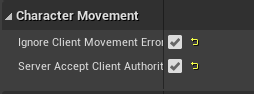 ember dagger
twin juniper
https://i.gyazo.com/7a2077aa8be027a55970b38b2a523494.png
https://i.gyazo.com/24b...
ember dagger
twin juniper
https://i.gyazo.com/7a2077aa8be027a55970b38b2a523494.png
https://i.gyazo.com/24b...
Second solution. One variables for each direction and try plugging those in instead
twin juniper
ember dagger
Second solution. One variables for each direction and try plugging those in inst...
Will try the second solution. I just did the first and it did not seem to resolve anything. Player is still rubber-banding.
ember dagger
Hmm. There might be some other issues. Maybe collision issues then
Because there shouldn't be any corrections in the first option
twin juniper
I found it! Turns out this was the main culprit.

I disabled replication for the capsule collision.
ember dagger
Ahhhh yeah. For the most part I tend to avoid turning replicate component on until a last resort if I can't get anything else to work
twin juniper
And it works almost completely. The camera rubberbanding is gone, but the player sprite still barely stutters. I think that has to do with the sprite components replicating. I need them to however because of sprite changes in animation.
ember dagger
Normally doesn't do much and can cause some issues If not handled
twin juniper
I managed to disable all of the components and so far they're working again... Interesting... The sprites use to not update properly when component was unreplicated.
Stuttering still happens on the sprite (albeit barely), but that's fine for now.
At least its working 99%.
 trim kindle
How is async loading usually solved in multiplayer? Let's say that client decides to use something and async loads it with soft ptr. What about server, is it ok to replicate call to server to tell it to also load the thing? Having everything always in memory could be difficult for listen servers.
marble gazelle
trim kindle
How is async loading usually solved in multiplayer? Let's say that client decide...
well load the resource and while it's referenced it's not destroyed, if you don't need it, just release the ptr or the handle from the resource manager.
At best your code already would have the server also go the same code path to load the resource, of even have the server notify the client to run the code which then will load the resource.
fallow shadow
Ok i think i finally figured it out
i can replicate most things normally but i want to do it a bit differently with characters
because if i dont there would be a delay between input and action which makes the game weird to play
so i do some interpolation and prediction and whatnot and it should work
trim kindle
marble gazelle
well load the resource and while it's referenced it's not destroyed, if you don'...
Yes, however I wonder about situations when the request is client initiated.
marble gazelle
trim kindle
Yes, however I wonder about situations when the request is client initiated.
well depends on the needs, if the server needs the resource as well, you need to notify it, there is no other way I think
you could write some sort of network resource manager that wraps this logic for you and also releases the resource on the server if not needed anymore
marble gazelle
also keep in mind that other clients then may also need to load the resource^^
tulip ferry
tulip ferry
Hello there,
This is regarding the UE4 dedicated server in UE4.27. We have a de...
Hey, can someone help me out with this please?
solar stirrup
Replication Graph question
Is it not possible to have two replication graph nodes:
- One's the standard grid spatialization node
- One's an always relevant node for a specific list of players
And have one actor be in both nodes? That way it's always relevant for some players and spatialized for the others?
That's my current setup but they still seem to be affected by net cull distance even for the always relevant players
 chrome bay
IIRC, no it's not mainly because of the way the "cull distance" is more deeply integrated with the graph
I'm on an older version (4.25) currently, but you can look at ReplicateActorListsForConnections_Default to see why
If the actor has any cull distance settings at all, it will be culled - the grid node is more about building the actor list efficiently rather than actually performing the culling
 near bison
GameState not present in BeginPlay of PlayerController?
bitter oriole
near bison
GameState not present in BeginPlay of PlayerController?
That's possible, yes
near bison
How is that possible? PlayerState is available in PlayerController, which means gameState should be too.
latent heart
If you want to make sure everything is available, add onrep stuff for every object you want to interact with and have them all run a function which checks if they are all availalbe and then execute your code when they are.
bitter oriole
near bison
How is that possible? PlayerState is available in PlayerController, which means ...
In multiplayer, you can never make any assumption on timing
PlayerState is a vital part of PC, GameState is not
Many other actors also won't be there
Build your game logic to never assume anything about availability of objects
bitter oriole
Either is likely to happen regularly
near bison
that's just not possible
latent heart
Everything is possible.
near bison
I dug into the source code...every replicated actor has access to GameState, because that's the first thing that's created after GameMode
I'm 100% sure about this
The other actors idk
bitter oriole
near bison
that's just not possible
As far as a client joining the server goes, BeginPlay just means "the actor has been spawned" - there is zero guarantee that any other has
near bison
An actor that has been spawned's beginplay only runs if game state is present iirc
bitter oriole
On clients? Pretty sure no
latent heart
Well, as you said, it's your player state that's missing, not game state.
bitter oriole
It doesn't matter anyway - make no assumptions and you'll be fine
Poll on tick in that player controller to check for every dependency's existence, and then fire a custom ActualBeginPlay function
latent heart
Why would you use tick?!
bitter oriole
Because it's perfectly appropriate
latent heart
It'd be more appropriate to use the events that actaully trigger when an actor is replicated...
bitter oriole
If every single object that you depend on has a rep event, and you have no other dependency or gameplay condition, and every actor that you depend on has its full initial state immediately, yes
Much safer to do this on tick and wait for an explicit set of conditions
near bison
bitter oriole
Poll on tick in that player controller to check for every dependency's existence...
why should I be using Unreal anyway, if I have to do this? lol
that's so stupid
where are the callbacks I can use to just check if an actor has replicated and I have access to gaemstate and playerstate
bitter oriole
near bison
why should I be using Unreal anyway, if I have to do this? lol
Because, believe it or not, it's worse in other engines
near bison
bitter oriole
Because, believe it or not, it's worse in other engines
it's not. I've been using unity for 2 years
It's a simple OnClientConnect callback I have to write
near bison
bitter oriole
If every single object that you depend on has a rep event, and you have no other...
there is no WAY I use an onrep to handle this particular case. the gameplay framework fails in its use case if I have to
Btw, I can confirm GameState is always available for every actor's BeginPlay
latent heart
Then the gameplay framework fails.
It's been that way since its inception like 8 years ago.
bitter oriole
Yeah, using OnRep events for this is way too complex, just poll on tick to wait for set conditions.
Personally I keep the loading screen up during that time, and wait for an additional time to give time for texture streaming
near bison
bitter oriole
Yeah, using OnRep events for this is way too complex, just poll on tick to wait ...
mmmm, I will if I have to...but in the meanwhile, do let me know if there are any other elegant solutions. I really don't like this too much
I'm happy listening for an in-built event, instead of tick/delays
near bison
bitter oriole
Events in multiplayer are stupid
not at all
bitter oriole
You never control the timing
near bison
events are the easiest way for me to keep my code clean, given what I'm doing
bitter oriole
Counterpoint: write your game on tick and never worry about timing ever again
near bison
but granted..the way I am using events is like single player. in OnRep if something meets a condition, I fire an event that all clients listen to. That works just fine
or in my multicast i call an event that clients have bound listeners to
etc etc
latent heart
Hope you're not doing that on the client.
near bison
events have nothing to do with multiplayer here in this context
near bison
latent heart
Hope you're not doing that on the client.
doing what?
latent heart
Firing events that all clients listen to.
Multicast events only work from the server.
near bison
latent heart
Firing events that all clients listen to.
no, here's an example:
OnRep_TurnNumber
Call OnTurnChanged (event)
where client's controller listens to this event
bitter oriole
My software development career has been a 15-years ongoing realization that I have not been putting enough code in observer-type
Multiplayer inherently works with state - state is the only thing you can safely send to clients and be sure they'll eventually get it
Replicate state, avoid events, never trust timing
latent heart
And the engine has plenty of things which fire off when state changes.
latent heart
near bison
no, here's an example:
OnRep_TurnNumber
Call OnTurnChanged (event)
where clie...
Ah ha, okay. Fair enough!
near bison
i think you're confused with what I'm doing. I will never have concurrency issues.
I am using OnReps, Server events etc..to change state, and in the callbacks when state changes (i.e OnRep) that's where I'm firing an event
That's just an effort to keep my code clean. So that I don't have 2 way dependencies. Nothing to do with multiplayer
bitter oriole
I will never have concurrency issues
I am using OnReps
near bison
near bison
no, here's an example:
OnRep_TurnNumber
Call OnTurnChanged (event)
where clie...
read this, you will understand
bitter oriole
As a reminder, there is no guarantee that OnRep events will be called for a given value change
near bison
bitter oriole
As a reminder, there is no guarantee that OnRep events will be called for a give...
why's that?
bitter oriole
And there's obviously no guarantee on the ordering of OnRep events
near bison
ordering isn't a problem for me
bitter oriole
near bison
why's that?
Because OnRep is a purely client-side process that tells you "I just got a new value" - getting a new value at all when it changes on the server is not guaranteed. A replicated frame counter that increments on tick would routinely replicate half the values or less
winged badger
OnRep events come in order of GetLifetimeReplicatedProps DOREPLIFETIME
latent heart
Nobody has suggested that object A will always trigger OnRep before object B.
winged badger
if you're talking blueprint, then sure, but that is not a replication callback to begin with
bitter oriole
winged badger
OnRep events come in order of GetLifetimeReplicatedProps DOREPLIFETIME
Provided both change in the same frame and are considered for replication and no packet loss occurs
winged badger
they come in same packet
bitter oriole
If they changed in the same frame, yes
near bison
bitter oriole
Because OnRep is a purely client-side process that tells you "I just got a new v...
that's not desirable...how will I guarantee consistency in my data then? I mean I'm hoping in the next frame the OnRep on client will update the value correctly if it missed the previous server update? That's all I need
winged badger
actors don't update every frame 🙂
latent heart
- latency
bitter oriole
near bison
that's not desirable...how will I guarantee consistency in my data then? I mean ...
The only guarantee is that data eventually updates to some recent value
near bison
bitter oriole
The only guarantee is that data eventually updates to some recent value
that eventual consistency is all I need
bitter oriole
If you have 50 changes in a second, you will get the end state eventually, but intermediate values may never come
near bison
nbd
latent heart
I'm finding it hard to see what that has to do with anything, weirder.
bitter oriole
Hence my point that observing the current state, rather that using events alone, is usually a great way to write more reliable multiplayer code
near bison
isn't observing current state == events?
I dispatch an event on client, lsiten for the same event on client in some othera ctor
near bison
again I reiterate, the events I'm talking about has nothing to do with multiplayer. One actor subscribed to an event from another actor on the same local machine is never going to be missed, and has nothing to do with reliability, because it's all local
Anyway, if I have more problems, we shall discuss again! this was valuable though
latent heart
I do wonder if when onrep is called on, for instance, a player state, that it guarantees that the player state has been fully replicated or just the base object has been "net initialised."
bitter oriole
near bison
again I reiterate, the events I'm talking about has nothing to do with multiplay...
Yeah, local stuff is fine - I'm talking about multiplayer events specifically (onrep, multicast, client methods), rather than events in general. Though I also feel the same way with event-based code, to a much lesser degree. Happy to help if you have more MP questions
near bison
One more question -- is it better to do this where I call an event and listen on PlayerController, or call the function directly on the PC? I guess this is not a direct MP related question though

Only reason I wanted to avoid calling the function on PlayerController directly here is because I'd have to do a cast to my player controller
latent heart
Entirely up to you.
There's plenty of methods for doing that, none of them are particularly better or worse for something so simple.
near bison
Ok..I just did it this way because I hate the idea of continuously casting to something and not being able to store a ref to it..and keeping track of it especially in MP for a class like gamestate is a pain
so thought events will be cleaner
latent heart
Why can't you store a ref to it?
near bison
latent heart
Why can't you store a ref to it?
I mean I can...it's just..eh
elder quartz
Is 60KB/s bandwidth a lot for a 4 player co-op listenserver game?
 livid sluice
Hey Guys a weird issue is happening. I have quite a large terrain (Hosted on a dedicated server) which takes roughly 5 or so seconds to load once the player connects to the server. Even though both players connect to the server correctly, they cannot see each other. They are there as if you approach a location where one player is the collision works in a glitchy way. However this issue is not there when connecting to a Test level which has no load time.
Any solution to this?
winged badger
sounds like they are not relevant to each other
winged badger
elder quartz
Is 60KB/s bandwidth a lot for a 4 player co-op listenserver game?
not really, but they better not still be using dial-up 😄
livid sluice
Haha even I thought it might be a relevancy issue.
winged badger
if they can meet at any spot and have glitchy collisions - they are replicated, as their movement does work
glitchy is just server, that has both of them correcting after a collision here
livid sluice
Yea I tried this, it does work as you say. Might be relevancy in which case. Is there anyway to refresh all relevant actors in an area?
winged badger
if it was just the visibility - then slide along collision would work, there wouldn't be any glitching, just an invisible capsule
i don't know what your approach to relevancy is
first, check the bAlwaysRelevant to confirm that is the issue
 halcyon totem
I have set up a dedicated server and wanted to see if android and PC players can connect online, is epic online services the best way? I need to run the servers from my PC and NOT rent them somewhere, can I use EOS?
winged badger
i don't think EOS cares where the server is physically
there is no difference between rented server and one in your house either - without a public IP address you'll need to do some port forwarding on your router, thats it
quasi tide
As well as having to handle the attack vectors to your home network yourself.
compact talon
I am having some issues with basic sessions. The session name is generated automatically (I think because I am using the Steam subsystem it makes it your steam name), I cannot set a password for the session and the max players isn't actually max because you can still connect to it. All it does is if you have max players it hides your session from being found (which I also don't want).
I was wondering if anybody could offer some guidance on this, and would I need to delve into C++ to achieve what I want or can it all be handled in BP?
I figured I could workaround this by leaving the session info as default, and just changing the text that is displayed in the server browser. I got all the functionality necessary for this to work then I tried pulling it from my game instance but im a dummy and forgot that all the server information in the game instance is only available to the host.
If I could store this information in the actual session as an additional parameter that would probably work.
As for player count I assume I could have a work around by setting max players to the chosen max + 2, and displaying max - 2. That way it would still display the server if it was full. Then if you try to join a server that says it is full it just cancels.
 torn geode
Ello, got an issue where although my component is replicated (tank turret) and i belive i have everything setup it wont rotate on the client end, only the server side, Anyone got any ideas of stuff i can try. i also cannot find anything about this online,
TLDR Cant replicate rotation of tank turret
 floral crow
If I call a reliable Multicast RPC right before calling Destroy on a replicated actor, is the RPC guaranteed to run on all clients before the actors gets killed?
I'm not sure the "order of events guaranteed" applies here
chrome bay
It will be called on clients the actor is currently relevant for before being destroyed yes
 hot cairn
What determines whether a replicated variable is passed across the network? Is it on tick? Is it when the variable is changed? If its changed, is it smart enough to see whether a change actually has a delta, or do I need to check manually before writing to the variable? (if anyone knows some good documentation on this that would be much appreciated too!)
 quiet wyvern
Anyone know what this FUdpMessagingModule_AutoRepair is and why it is causeing my game to stutter ever two seconds
 bitter oriole
hot cairn
What determines whether a replicated variable is passed across the network? Is i...
bitter oriole
hot cairn
What determines whether a replicated variable is passed across the network? Is i...
Essentially after tick if the variable is different than the last frame, it may be replicated, depending on net update frequency etc
 pseudo bison
Hey. I would like to make a multiplayer mobile game based on widgets (like on screen). Do you have any tutorial how to make connection to server etc?
 grizzled stirrup
Can you start new sessions without having to load a new map, say for example you are playing through a game solo but your friend wants to join, can you create a session and invite him and he can just join?
Obviously ignoring stuff like him seeing the right state, just the session creation stuff
pallid mesa
pretty much, you would just open a listen server session and can have peeps joining to it through session discovery (assuming a proper OSS is used)
grizzled stirrup
Nice so it's completely separate to whatever map you have loaded and the OpenLevel step seen in most session tutorials is actually optional?
fallow shadow
hey how can i have a RepNotify for a character's location and rotation?
pallid mesa
as long as the server instance has the map loaded, it's fine
fallow shadow
fallow shadow
hey how can i have a RepNotify for a character's location and rotation?
I usually get it with GetCharacterLocation or GetCharacterRotation
pallid mesa
it was something like...
PostNetReceiveLocationAndRotation????
ugh I don't remember
well, surprisingly that was it
@fallow shadow take a look at that method, it's part of AActor
fallow shadow
aight
pseudo bison
pallid mesa
pretty much, you would just open a listen server session and can have peeps join...
Ok, but which server i need?
pallid mesa
uh?
pallid mesa
I was answering kyle Kedholt 😄
pseudo bison
ok
fathom aspen
pseudo bison
Ok, but which server i need?
He replied to kyle
pallid mesa
Unfortunately I got no experience in mobile development! But I'm sure you can take a look at EpicGames' tutorials to learn how to do that
dark edge
pseudo bison
How can i host a mobile game?
The same way you host a non-mobile game.
obsidian cargo
Is there a way to give higher priority on OnRep order for specific params?
I have 2 params that get received on the same frame, and would prefer a specific param always have OnRep happen before the other. My logic supports either order but I can save some CPU cycles with the prioritization.
fathom aspen
I would be amazed if there is
 wheat magnet
{}```this will called on server
    {
        Client_SpawnParticle();
}```does this called on client?
where Client_SpawnParticle is defined as : UFUNCTION(Client, Reliable) void Client_SpawnParticle();
 tacit bough
I've implemented movement via the built-in floating pawn movement component. The server pawn is replicated correctly on the client, but the client movement is ignored on the server. I've got all components and the pawn itself set to replicate. What else can I do? (Blueprint-only project at the moment btw).
I thought built-in movement components are automatically replicated correctly by Unreal Engine.
fallow shadow
i cannot for the life of me figure out this prediction thin

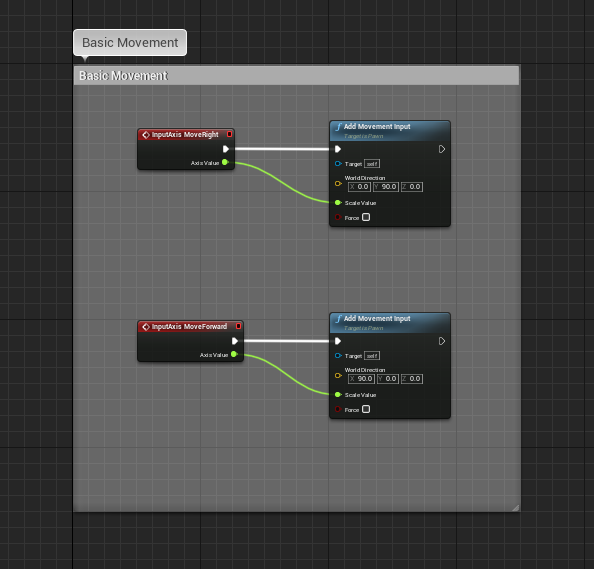
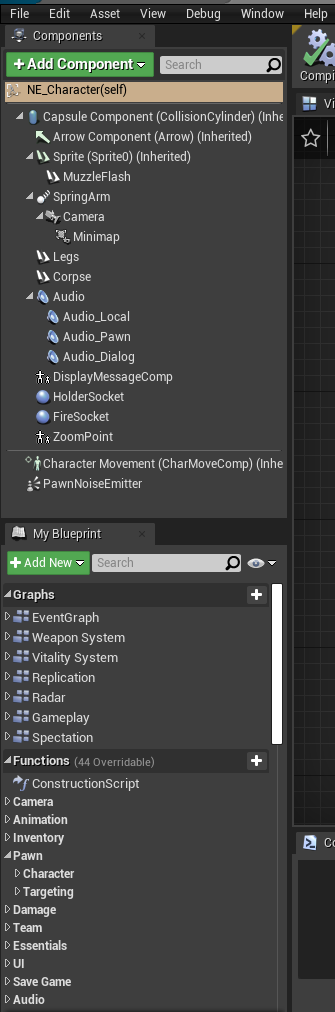
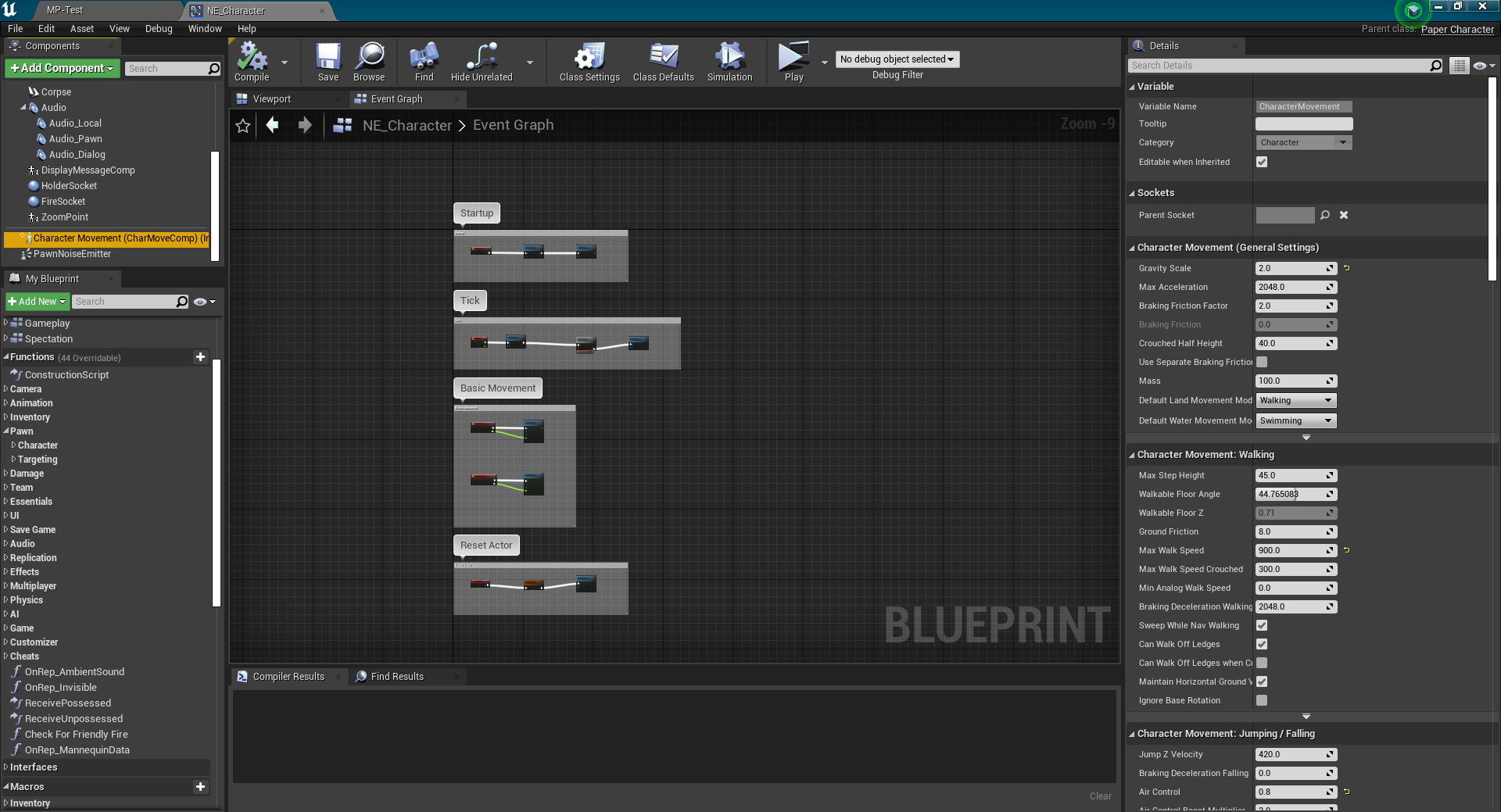
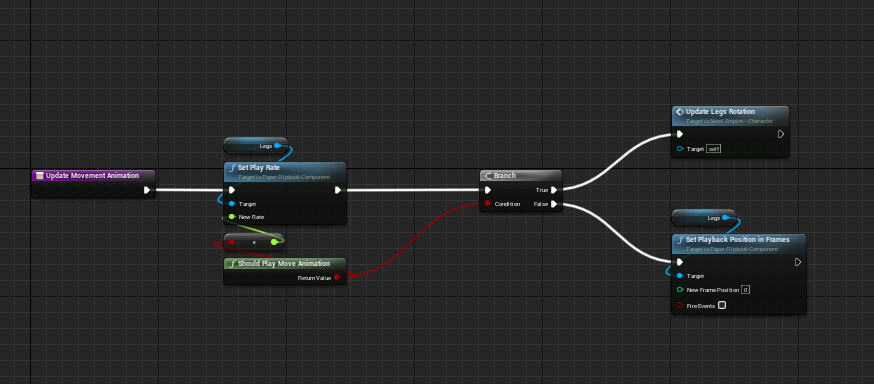
 wheat magnet
void AllSpawnParticle();```this function is called inside character by click left mouse
but when client try to spawn, server and other client doesn't see it( only owning client see it)
but when server spawn, all client and including server see it.
what things are missing?
the function is already marked as NetMulticast
Note: I am spawning emitter inside function. Not replicated actor
fallow shadow
is there any method that executes with every packet that the client recieves?
wheat magnet
Can anyone tell me where is the issue mentioned above?
obsidian cargo
wheat magnet
but when client try to spawn, server and other client doesn't see it( only ownin...
Multicasts called by the client only work for the client. They must be called by the server to be broadcast to everyone.
wheat magnet
this means should I call UFUNCTION(Server, Reliable) first?
and then inside this function I will call ``` UFUNCTION(NetMulticast, Reliable)
ok so my current problem seems to not exist if the character is moving at the maximum velocity
otherwise it lags and snaps back
i still have no idea how to resolve this any help is appreciated
wheat magnet
@obsidian cargo ```void AmutliplayerCharacter::LocalSpawnParticle()
{
SpawnParticlex_Implementation();
}```
and ```void AmutliplayerCharacter::SpawnParticlex_Implementation()
{
AllSpawnParticle();
}```
where AllSpawnParticle() is marked as NetMulticast
and SpawnParticlex() is marked as Server
but it still same, when server spawns, the client see. when client spawn, only owning client see. not other clients and server see
what issue might be
obsidian cargo
I think so, I'm just learning multicast right now myself
I can't quite follow your code because your UFUNCTIONS aren't showing the function names
wheat magnet
void AllSpawnParticle();```Traditionally, you start the server function name with Server_ and the multicast with Multicast_ to make it more clear
Multicast_
wheat magnet
void LocalSpawnParticle();``` void SpawnParticlex();```These are the UFUNCTION()
Which thing you will need?
and this is function implementation:```void AmutliplayerCharacter::AllSpawnParticle_Implementation()
{
UParticleSystemComponent* pdasdsad = UGameplayStatics::SpawnEmitterAtLocation(GetWorld(), Partic, GetActorTransform(), true);

pdasdsad->SetIsReplicated(true);
}```
is this correct now?
obsidian cargo
Sorry I'm not certain. I don't want to say the wrong thing
wheat magnet
{

    SpawnParticlex_Implementation();
}
Did you look at cedric's network compendium in the pinned messages?
wheat magnet
Yes.
obsidian cargo
I'm having the exact opposite problem with multicast. My server is calling it, but the clients are not getting it.
But the component that has the multicast is set to replicate. It is triggering data OnRep, just not the multicast.
wheat magnet
I did exact it should be. created server and multicast function. called server rpc and inside server rpc I called multicast rpc
when server press left mouse, server and all clients see particle
when client press left mouse. only owning client see. but not other clients and server.
Ok. I fixed it.
I was calling function like this : SpawnParticlex_Implementation(); instead of SpawnParticlex();
obsidian cargo
Oh yeah, now that you point it out that makes sense
OFFS I'm doing the same thing
This is in my server func: Multicast_Event_Implementation(eventId, FEvent(parameters, indices.Num()));
Glad you figured it out!
It was probably auto typed by VS early this morning when I was half asleep
wheat magnet
Yes. Just to make sure you are calling actual function.
fallow shadow
2 days on the same issue oh my god
ok ok you know what
does anyone have any good guide or tutorial for fps networking in ue4 c++
actually this isnt even a problem
i just cant replicate the characters well
again they just keep getting snapped back into place
well they move its just snappy af
until i reach max speed at which point it stops
obsidian cargo
wheat magnet
Yes. Just to make sure you are calling actual function.
Sounds like you are a champion and figured out everyone's problem!
obsidian cargo
fallow shadow
again they just keep getting snapped back into place
I think what you are describing is commonly called "rubberbanding" it happens when the server and the client disagree about the allowed movement speed
Or at least that is one reason it can happen and sounds applicable to what you've described
fallow shadow
Is there any way to prevent it?
i guess that there could be multiple causes to the problem and you need to eliminate them and it should go away no?
obsidian cargo
fallow shadow
i guess that there could be multiple causes to the problem and you need to elimi...
Yeah there are a lot of ways you could have that problem
Personally I'm using GAS attributes to control max movement speed and it seems to work well
I'm not experienced enough to really recommend anything specific though
I've just heard a lot of people having a similar problem as yours
dark edge
obsidian cargo
Personally I'm using GAS attributes to control max movement speed and it seems t...
Have you tried with a lot of lag? Does it play nice changing speed outside of the CMC?
obsidian cargo
dark edge
Have you tried with a lot of lag? Does it play nice changing speed outside of t...
Let me test it again. I implemented this over 4 months ago. I was about to do lag and packet drop testing with my latest networking stuff.
I just finished the first half of replication for my Chaos destruction alternative. (destruction). Will be working on the opposite side (replicated repairing) in a little while.
obsidian cargo
dark edge
Have you tried with a lot of lag? Does it play nice changing speed outside of t...
Do you remember the console command to show net corrections?
Now that I'm looking at it more closely, I might have a micro stutter with my system
Found it!
p.NetShowCorrections 1
@fallow shadow Try ^ to get a better visual of your problem
Looks like my solution isn't as good as I remembered
fallow shadow
obsidian cargo
<@437699110015860737> Try ^ to get a better visual of your problem
Alright! I will keep that in mind for tomorrow
 grim rain
helllo anyone know how you would go about making a system like among us / garrys mod where u can select how many traitors is selected as an enemy and then setting that number of players as an enmy ?
 plush otter
in a level's gamemode, how long will playerstate be kept after a player controller logs out? or is it kept till the server's game instance shuts down?
seems the controlled pawn is immediately destroyed
latent heart
It'll be gc'd at some point shortly after all references to it are gone.
I guess it should be destroyed as well? Is it not?
plush otter
latent heart
I guess it should be destroyed as well? Is it not?
Not sure I can still retrieve variables/components stored in it shortly after, and no pending destroy warning. Guess I'll do a test to see.
static flare
I'm adding custom rotation for the characters using quaternions to avoid gimbal lock, but am uncertain about how to apply the rotation in regards to replication.
Normal rotation input is handled in the Character/Pawn-class by calling AddController{Pitch/Yaw/Roll}Input(float), which replicates by default. It's adding Pitch/Yaw/Roll to the existing rotation instead of setting target rotation. I assume it is replicated like this to let all connected clients apply the rotation "offline" with some DeltaTime-interpolation to get a smooth rotation from origin to target, instead of just hard-setting the target-rotation per server tick, which would be experienced as jittery/laggy? (Though I guess the same could be achieved by sending the actual target-value, but I assume it has some unnecessary overhead and network-packet-size?)
However, if a single network packet is dropped, the "addition" to the rotation would be completely butterfly-effect out of sync over time, so I assume there's something "under the hood" that ensures that replication behaves correctly and syncs up at times?
Anyway, as I can't use the AddController{Pitch/Yaw/Roll}Input (because they're prone to gimbal lock), how should I apply quaternion rotation while also retaining replication of smooth rotation and ensure synced values?
(Per now I'm applying it with AddActorLocalRotation(..), but the question is if I should replicate the target-rotation, or the "aggregated" value I add to rotation, or a mix, or something completely different)
grizzled stirrup
grim rain
helllo anyone know how you would go about making a system like among us / garrys...
Have an enum or bool stored on the PlayerState that specifies if a player is a traitor or not
winged badger
Not sure id use something as easily readable and replicated as PS for that
Whatever information clients have, they can pull out with a cheat
grizzled stirrup
Yeah I guess store serverside and only let the owning client know what THEY are until the end
fathom aspen
plush otter
Not sure I can still retrieve variables/components stored in it shortly after, a...
Put a breakpoint in AController::CleanupPlayerState and see if it's being hit
solar stirrup
@chrome bay Hey! Sorry for pinging you, just following up about yesterday's question on rep graph net cull distance checks. I'm currently implementing a way for nodes to mark specific actors as skipping net cull distance checks, and it's done for the _Default() replication path.
Do you think it'd be a good idea to also implement it in the _FastShared() replication path? I'm unsure since I haven't really meddled with it so far.
Thinking about making a PR for UE5 once I confirm it works fine
latent heart
plush otter
Not sure I can still retrieve variables/components stored in it shortly after, a...
Did you find out?!
alpine owl
Following my issue from #umg message
Why is my 3d widget button click event work in a solo environment and not in a client/host environment ?
By default I expect the 3d widget to spawn on every client and I can do a print string when the player click the button
Sorry for the ping but I have the same issue, did you find a solution for it ?
chrome bay
solar stirrup
<@150632829909336066> Hey! Sorry for pinging you, just following up about yester...
Yeah I think you'd need to do it for both for sure
solar stirrup
Pog
chrome bay
Any actor going down the shared path would skip it otherwise
solar stirrup
Dunno why Epic doesn't pass in the FConnectionGatherActorListParameters to the rep path