#multiplayer
1 messages · Page 691 of 1
 jolly siren
Why do I need to override it?
And shouldn't I expect that log spam not to stop if it wasn't working?
 winged badger
whats your use case here?
and from that code snippet, there is no way unreal can map server actor instances to client ones
FActorSpawnParameters SpawnInfo;
SpawnInfo.Name = SomeDeterministicNameThatsSameOnAllMachines;
SpawnInfo.bDeferrConstruction = true;
then you don't have to use that awkward function to spawn it either
jolly siren
Players can build custom maps. Some of the actors they build with don't need replication. For example, a static wall. These actors are all spawned at the beginning of the game. In order for the client/server to stay in sync I'm using net addressable for the ones spawned independently.
winged badger
you have more landmines in that field
what happens to an Actor with dynamic NetGUID if it becomes non relevant?
clients destroy it
and there is no code to spawn it back in when it enters relevancy range again, unless its replicated
so you also need to lie to the engine by setting bNetStartupActor and bNetLoadOnClient true
jolly siren
We aren't specifically dealing with maps large enough for that, but yeah that's a good point
winged badger
that will make the engine treat it as if it was loaded from the level
but in essence - if you want to network actors spawned separately on client and server (replicated or not) that has to be deterministic
names have to match, exactly
jolly siren
okay right, yeah that makes sense. I was thinking that was probably the issue
winged badger
i am not 100% sure that overriding IsNameStableForNetworking to return true is required
as i never tried not doing it
jolly siren
okay yeah it already looks at bForceNetAddressable
winged badger
our actors we spawn like that come from Prefabs, and they are all Tagged, so the function returns true if the tag is there
jolly siren
bool AActor::IsNameStableForNetworking() const
{
    return IsNetStartupActor() || HasAnyFlags( RF_ClassDefaultObject | RF_ArchetypeObject ) || bForceNetAddressable != 0;
}
In what cases should I not care if the server/client know the actor is the same?
I'm not sure if everything needs to be netaddressable
winged badger
when doing the setting bNetStartupActor and bNetLoadOnClient true additional problem is
server won't start replicating anything to a client before it loads the level
but it also assumes that client can Ack all static net Actor NetGUIDs when it does
so replicating Actors spawned like that before Client spawned them as well results in a NetAddressable Actor whose ActorChannel doesn't work for replication
winged badger
jolly siren
In what cases should I not care if the server/client know the actor is the same?
if you need to send a pointer to it over the network, or replicate it you care
otherwise you don't
jolly siren
Right, makes sense. I think a lot of these I don't even need to be net addressable, so I should filter those out for sure
 vagrant grail
Anyone for my problem please ?
Does anyone know why my timer isn't perfect please ? Like My Starting_Night_Timer variable is at 23 (11PM) and Starting_Day_Timer is at 6 (6AM) and Day Duration variable is at 10 (IRL minutes) and Night Duration variable is at 5 (IRL min) and I used a timer in Windows to check if my timer is correct and it's not, like 10 min on the windows timer my game timer reached 22:50 (10:50 PM) instead of 23:00 (11 PM) so it's off by 10 sec in game somehow.
maybe the tickrate of the timer event isn't perfect ?
Any way to solve this and make it perfectly be at 11PM after 10 min ?
Here's my Code : https://blueprintue.com/blueprint/s0-g7rd9/


No description provided
winged badger
your timer runs on server alone
and clients can't send a server RPC through GameState, as they don't own it
if they could, every client would call BeginPlay, then tell server to start the timer (again)
and server would start one on its own
this is not a network problem in any way, all code that actually executes here runs on single machine
to fix your network part, gate StartTimer behind HasAuthority switch
and remove runs on server from all your events
it won't fix your timer, but it will stop the output logs throwing warnings about no owning connection
vagrant grail
winged badger
your timer runs on server alone
My timer is on Server but the variables Hours, Minutes and Days are replicated and I can get them in my HUD by getting the game state and getting those variables. And I'm doing this in the game state first using the begin play just for testing purpose, later I will call my StartTimer in my Game Mode as the server is the one handling the game rules.
And where do you see wrnings ?
So now I just need to understand why my timer is 10 sec off, what could be the reason ?
winged badger
vagrant grail
My timer is on Server but the variables Hours, Minutes and Days are replicated a...
i would never use timers for this to start with
i'd store the StartingGameTime on BeginPlay by getting GetWorldSeconds
then just have Tick check how much time has elapsed
and calculate day/night/current time from there
vagrant grail
Nope I can't do that, because the timer don't start when the world is spawned and the timer could be paused that's why I didn't choose to go that way
winged badger
you can track elapsed time also
Tick - if (NotPaused) { ElapsedTime += DeltaTime; }
also far more simple then multiple timers
and simpler equals more robust
vagrant grail
I need to convert that to a Day:Hours:Minutes format anyway
but I already spent 3 weeks on this timer, I need to move forward by just fixing the 10 sec missing
winged badger
i think the ElapsedTime approach implemented from scratch is faster then debugging this
also, a bit of a weird scaling there, 10 minutes for 17 hours of daylight and 5 minutes for 7 hours of night?
vagrant grail
but using a Tick() isn't as performant as using a Timer By Event I think
winged badger
what do you think engine does on Tick?
vagrant grail
winged badger
also, a bit of a weird scaling there, 10 minutes for 17 hours of daylight and 5 ...
That's on purpose
vagrant grail
Well I'm gonna stick for the timer I made for now but next time I need a Timer I will try that way, but I still need to understand why it's 10 sec off
jolly siren
It looks like CMC relies pretty heavily on the client/server understanding that level actors are the same between the two. Getting a lot of floating bots when I don't set them as net addressable. So I'm going to have to figure out how do do this properly. The main issue is that when a player first joins before it spawns these actors I get that actorchannel spam.
winged badger
well, if your Base component is not net addressable
you're fucked
(what CMC calls the component you're standing on)
jolly siren
right, yeah that's what I thought
So I was right when I thought these all needed to be net addressable
So now to figure out how to fix the issue on first join before the actors have spawned clientside
winged badger
PostSeamlessTravel doesn't start players whose PCs haven't reported they are done spawning stuff
but player reporting its done with the spawning makes a check if it should start them up
alternatively you can override PlayerReadyToStart
jolly siren
You mean HasClientLoadedCurrentWorld?
jolly siren
I don't see a PlayerReadyToStart
winged badger
calls NotifyWorldLoaded then ServerNotifyWorldLoaded
at this point, if the server already loaded, it will go start the player up
if not, AGameMode::PostSeamlessTravel will start all controllers waiting
    UFUNCTION(BlueprintNativeEvent)
bool PlayerCanStart(APlayerController* NewPlayer);```that one
winged badger
but if the clients need to spawn a floor they are about to start on
you can't use normal engine startup
you have to delay it until the floor has been spawned
jolly siren
Is that function custom to your engine?
winged badger
and if each machine spawns their own, then clients need to RPC the fact they are done doing that to server
before server can safely start them
maybe

but basically, thats the use for it
winged badger
you can't spawn pawns until PlayerStarts and what they are standing on are already there
jolly siren
This just handles spawning the pawn though, I think I would still get these uchannel replication errors without a pawn being involved though
I can test to make sure, but pretty sure this is specific to the net addressable actors
And nothing to do with the pawn
 twin juniper
Dear community, so we are quite new to UE and were wondering what the "scope" of the game instance is
so if you think of the server handling round time in a multiplayer game
where would that be handled / stored on the server?
e.g server updates all clients round time / end of round / restart round etc
a point in the right direction would be enough 🙂
 fathom aspen
Game State is the answer. It exists on both server and clients and it's the class for these kind of behaviors(its name speaks for itself)
twin juniper
I assume "Game State" is right
lol yea
@fathom aspen would you have a moment to chat about that ? 5 minutes should be enough
fathom aspen
Yes feel free man
I got a question to the community though: If I have a pointer variable to a repliacted property, do I need to make it replicated too in order to preserve repliaction of it too?
 peak sentinel
Object needs to be replicated
fathom aspen
Actors?
peak sentinel
Actors are objects, so yeah
 frail crystal
Do i have to do networking on every blueprint system for multiplayer?
fathom aspen
peak sentinel
Actors are objects, so yeah
Oh yeah, I keep forgetting this, thanks!
peak sentinel
@fathom aspen Check this out: https://cedric-neukirchen.net/Downloads/Compendium/UE4_Network_Compendium_by_Cedric_eXi_Neukirchen.pdf
fathom aspen
Yeah I've read it all, just wanted to make sure if pointers to replicated properties need to be replicated too
twin juniper
thanks @peak sentinel !
 tranquil eagle
I've read that for some games, RTS for example, it is important that floating point operations are calculated deterministically. But why without additional effort, they are not the same for different hardware architectures or for different compilers? Is it because some compiler might produce slightly different assembly and different hardware might have registers of different sizes? If that is the case, why this problem is not also with operations on integers?
Or, for example, if I made a custom MyFloat class, that behaves just as normal floats with mantissa and exponent kept as raw bits in some raw uint8[] buffer, and implemented some maths functions with it, like arithmetic, trigonometric functions, etc., would that be deterministic?
vagrant grail
Intax do you have an answer for my question above please ?
twin juniper
Is it possible to take the Shooter game demo's lobby menu and transfer it over to mine? Since I really don't feel like designing a lobby menu from scratch.
I just can't seem to find the widgets for the menu
 lean surge
Hi everyone here, so I have a variable that is set to replicate using a function. Code below:
UPROPERTY(ReplicatedUsing = OnRep_CurrentHealth)
float CurrentHealth;```
UFUNCTION()
void OnRep_CurrentHealth();```
Inside my GetLifetimeReplicatedProps():
DOREPLIFETIME(ATestEnemy, CurrentHealth);
So a function which is being called on a listen server that decreases theCurrentHealth variable, yet the OnRep_CurrentHealth function is not being called on any device, not clients nor the server itself. Actor is replicated.
Anyone know what I'm doing wrong?
 tawny nova
are you certain that all of that code is getting run?
lean surge
tawny nova
are you certain that all of that code is getting run?
I am certain, I have used logs to check and the function that decreases current health is being called
tawny nova
are you one episode further into the tutorial i'm doing? 😄
fathom aspen
Are you calling OnRep function on server manually?
The server has to call the OnRep function manually because it does not participate in replication updates since it is the one sending them.
twin juniper
lean surge
Hi everyone here, so I have a variable that is set to replicate using a function...
OnRep are not called on server in c++ 😄
lean surge
twin juniper
OnRep are not called on server in c++ 😄
ah thanks, but if I understand correctly (I couldn't find a definitive answer just by searching the exact term quickly) are OnReps called when the values are changed on the server side (no communication, I mean just literally changing the value) or is there somehing else to it?
twin juniper
OnRep are called "On Replicated" so when the variable replicated on the client
so yeah basically when the server changes it
to another value.
lean surge
twin juniper
so yeah basically when the server changes it
ok yeah, thought so thanks but it isn't being called on any of the clients on change, so am I missing something?
twin juniper
show code, how do you set your variable, are you sure that you set it on the server etc
lean surge
so I have a weapon script that sends a server RPC as such:
Server_ApplyDamage(OtherActor, AttackDamageArray[CurrentAttackStage - 1]);
The server then receives this, and uses the built in damage system in unreal to call the ApplyDamage function on the other actor:
void USwordComponent::Server_ApplyDamage_Implementation(AActor* ActorToDamage, const float& Damage)
{
    UE_LOG(LogTemp, Warning, TEXT("Damage applied")); // Being called

    UGameplayStatics::ApplyDamage(ActorToDamage, Damage, Cast<APlayerController>(GetOwner()), GetOwner(),                  UDamageType::StaticClass());
}
THEN the other actor receives this (in this case the enemy) and does this function:
float ATestEnemy::TakeDamage(float DamageAmount, FDamageEvent const& DamageEvent, AController* EventInstigator,
AActor* DamageCauser)
{
    UE_LOG(LogTemp, Warning, TEXT("Damage received")); // Being called
    CurrentHealth -= DamageAmount;

    return DamageAmount;
}
oh and the server RPC is declared as shown:
UFUNCTION(Server, Reliable, WithValidation)
void Server_ApplyDamage(AActor* ActorToDamage, const float& Damage);
void Server_ApplyDamage_Implementation(AActor* ActorToDamage, const float& Damage);
bool Server_ApplyDamage_Validate(AActor* ActorToDamage, const float& Damage);
And basically the OnRep isn't being called
anyone know a solution?
definetely certain
 lost inlet
how certain? show ATestEnemy constructor
though if it derives from APawn or ACharacter, it'll be replicated
lol I always forget about HR
lean surge
ATestEnemy::ATestEnemy()
{
     // Set this character to call Tick() every frame.  You can turn this off to improve performance if         you don't need it.
    PrimaryActorTick.bCanEverTick = true;

    SetReplicates(true);
}```

Constructor hereoh right I also actually checked in editor though
let me try again rq
lost inlet
and the hot reload thing?
lean surge
lost inlet
and the hot reload thing?
using live coding
lost inlet
well you can't make ctor changes with live coding
so I would suggest closing down the editor, compiling, and trying again
lean surge
ok thanks everyone, absolutely NO IDEA what I was thinking when I assumed that it automatically compiles .h files in live coding lmao, got it working
Just one more question, anyone know if you have to explicitly call OnRep functions on listen servers or are they called automatically (since it's a weird blend between client and server)?
lost inlet
yes because it's a server
lean surge
ok thanks!
twin juniper
In a NetMulticast RPC should I check for HasAuthority() I'm aware that it can only be replicated from the server and if called on the client it will only perform on itself.
 meager spade
unless BP
twin juniper
But if I don't check HasAuthority does that mean its getting called on the client twice?
meager spade
BP is dumb and calls the RepNotify by default (only in BP)
why would it get called on the client twice?
only server should call that function
if a client is calling a multicast function, you have a design flaw
twin juniper
Well the way I'm doing it is, client presses key to shoot, server receives it, server performs spawning of projectile but when it comes to animation and sound, once I'm in the function which spawns the projectile,
That's where I'm unsure if HasAuthority needs to be called
For the multicast
meager spade
you just need to call the multicast on the server to play the animation
if you want to predict it, you need to do some checks
twin juniper
Oh my mind went black for a moment, okay it makes sense now. I'm doing it correctly.
 verbal tendon
@twin juniper if the projectile isn't really going to be travelling through the world you dont need to spawn it
You can just do a trace and do the visuals on the client
 copper portal
Hello! Im having a little trouble with some weapons.
I have a BP spawn a couple weapons at beginplay, and then I have a control panel that players can access to use those weapons. But I'm having trouble figuring out where I'm replicating things incorrectly?
The BP comes with a camera to change the players perspective to the weapons, and then I was using the camera's rotation to determine the weapons rotation.
Two things happen. 1: If I replicate the weapons, it spawns two of them in the same spot and the firing shoots from each gun's barrel. It also gives me an error that set actor rotation isn't finding an actor (a gun) to rotate when I call it with a SRV->Multicast RPC. 2: If I don't replicate the weapons, things seem to rotate and shoot fine from a client's perspective, but there's no sound playing and I can tell things are only happening on the server.
What am I replicating incorrectly??
 leaden scaffold
you replicating rotation on a multicast RPC on tick??


 leaden scaffold
It seems like you have a good grasp of the fundamentals since you put this together, but I would approach it quite differently. I never replicated movement values through RPCs since UE can automatically replicate movement and physics values of actors.
Depending on the actor type you'll want to review the Replication section in class defaults. Ensure you have ReplicateMovement checked. Depending on the owner of the actor you'll want to review the Net Use Owner Relevancy setting
Multicast RPC on tick will only lead to world wide armageddon
copper portal
It used to be on rotation tick, but I changed it when that wasnt working.

but both the control panel class and the Weapons master class are set to replicate and to replicate movement
 spark stag
how can i tell when a newly connected client has finished syncing state from the server? i want to delay the connected players pawn from spawning until that happens, and put up a loading screen
 dark edge
verbal tendon
You can just do a trace and do the visuals on the client
dark edge
verbal tendon
You can just do a trace and do the visuals on the client
Or just do what I do, and have a projectile system that covers all the bases. And my system, the only difference between a really slow rocket and an instant laser is velocity
 karmic jacinth
If I fire an RPC from the client to update a replaced variable, will it try to override the value on the clientside? I'm wondering if I should be using two different variables for that otherwise (a separate client variable and replicated variable).
 pulsar river
is it possible to spawn an actor on the server from the client side
leaden scaffold
if you perform an RPC from the client to server
pulsar river
okay sorry to be more specific...
ActorA get spawned on the server and binds keypress i to everyone to spawn ActorB
however; when I try to press "i" it would only spawn on the client side. and the server doesn't ( server's not reading the input i on the client )
how should i stucture it so that pressing "i" on the client spawns it for the server/otherclients (other client part is easy just getting it read on the server is the hard part)
Can't RPC because I don't own ActorA
 hollow eagle
then RPC through something you do own
verbal tendon
then you need an RPC on an actor that you own
and it tells the server to spawn the actorB 🙂
pulsar river
ah... so there really is no way besides having to RPC through another actor...
okay gotcha thankyou frds
 sinful tree
karmic jacinth
If I fire an RPC from the client to update a replaced variable, will it try to o...
sinful tree
karmic jacinth
If I fire an RPC from the client to update a replaced variable, will it try to o...
If you RPC to the server and change a replicated variable, yes, that new value will override the client's version of the variable.
sinful tree
spark stag
how can i tell when a newly connected client has finished syncing state from the...
Depends on what you mean by "syncing state" as that's a bit too ambiguous. Syncing the player state? Syncing your own external data on the player from your databases? Syncing the entire procedurally generated world you've spawned?
spark stag
sinful tree
Depends on what you mean by "syncing state" as that's a bit too ambiguous. Sync...
yeah, fair 😉 we have a lot of world state that, after the world has been running for 30-45 minutes spawning a bunch of stuff, takes 10-20 seconds to finish syncing after the player connects. i don't really understand how to detect when the client has "caught up" -- right now i can do it by looking at stat game and waiting for time spent on replication to dwindle
the visible effect is that a lot of player related stuff (the pawn itself, the hotbar) take a while to receive their state
i'm not even sure how to detect that this player-related stuff has received state from the server -- for example, how do i tell the difference between when the hotbar is uninitialized or just empty?
twin juniper
Can each level have its own level state? Or do I have to rely on a single game state to manage all levels?
 shy aspen
yes, you set the game state to use for each level within the game mode
each level can have its own game mode and the game mode defines which pawn, controller, player state, game state, etc. to use
shy aspen
in the class defaults for the game mode
shy aspen
np 🙂 just don't forget to let your level know which game mode it needs to use in the World Settings
 pastel heath
I have a particle I am trying to play on clients that is an idle particle. I've set it up as a particle component on the actor. What is the best way to have this particle play on clients since it really isn't "activated?"
 chrome zealot
I'll ask it here
So a question about plyer tags
Say I have 2 teams each with the same character. What would be the best way to notify one is an ene my and one is a teammate or yourself
Basically like should I give the characer an enemy and a player tag or
pastel heath
chrome zealot
Say I have 2 teams each with the same character. What would be the best way to n...
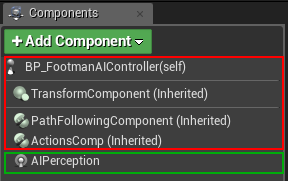
You might consider using the built in Team functionality if this is AI or will ever be AI - like bots. I haven't tried extending the team idea to a PvP game, but you could probably do it. https://denisrizov.com/2017/05/08/ai-perception-in-unreal-engine-4-how-to-setup/
For those of you who are wondering what AI Perception is – this is a really nice system in UE4 that provides an easy way for the enemy AI in your game to track hostile/friendly/neutral charac…
chrome zealot
For sur
I'm just tryingn to figure out the basis of basic attacks and moving into range to attack
Someone gave the idea of player tags and that madr sense so I was gonna go in that route then realized it could be an issue in the future, also I'm using my current player as a test dummy
shy aspen
does anyone know if there's a setting that controls how long an actor continues to replicate after it's no longer relevant?
Or how to go about forcing replication to stop? When the NetUpdateFrequency is lowered, the "cleanup" of a replicated actor is also delayed by quite a bit.. I've been looking at DataChannel, DataReplication, NetDriver, etc. to no avail.. just curious if someone could point me in the right direction
 hollow portal
ok so im trying to do a line trace in multiplayer
but for some reason i cannot get player 2's camera pitch but i can get the yaw
i can get player 1's camera pitch and yaw just fine
 leaden scaffold
You can replicate it from the player controller
I believe it gets replicated by default if you have the pawn inherit the player controller's rotation
but likely player 1 is the server in this instance
so looks fine there, but bad data for remote client
Can also set bUserClientSideCameraUpdates in the camera manager
- combine pitch/yaw into one int, maybe also send location compressed
shy aspen
hollow portal
ok so im trying to do a line trace in multiplayer
but for some reason i cannot g...
you can use Get Base Aim Rotation - its replicated already
hollow portal
i managed to fix the camera issue
but i just tested a packaged game and ive got a new issue
sprinting feels fine on the host but really weird on the client
 shy aspen
you need to set the sprint speed on the calling client as well
 eternal canyon
hollow portal
i managed to fix the camera issue
but i just tested a packaged game and ive got...
eternal canyon
hollow portal
i managed to fix the camera issue
but i just tested a packaged game and ive got...
Input doesn’t run on the server
And walk speed needs to be set on the server
shy aspen
Unless the player is the host - so I guess we need more info about how you plan on playing your game 😊
 vague fractal
hollow portal
i managed to fix the camera issue
but i just tested a packaged game and ive got...
vague fractal
hollow portal
i managed to fix the camera issue
but i just tested a packaged game and ive got...
From all what i've read now it's not possible to make solid sprint system in Blueprints only as you need to use the client-side prediction(Hope it was that xD) where you only have access to in C++
 spark owl
I'm having a problem with begin overlap on a box collision in an actor. When an object is moving at high speed towards this collision overlap and through how the gameplay works for my game, the ball gets redirected into another direction, but sometimes it will trigger the overlap event even though it really didn't go into the area where it should overlap
it's a football/soccer game, the issue is that on penalty kicks sometimes the gk will save the ball before it triggers the goal overlap event even tho it doesn't go in the net
this is a clip of it happening
so basically I need a super precise way to detect if a ball crosses the line without errors like this in multiplayer. does anyone have a recommendation for this?
 hoary spear
Check its location
hoary spear
Then you did it wrong :p
spark owl
ok so how would you do it then?
hoary spear
Checking if the vector is within a bounding box , being the goal, with a given tolerance
spark owl
what exactly do you mean by bounding box?
hoary spear
Cant recall the actual rules of it, its a goal if half the ball is inside ?
spark owl
well the technical rules for football are the whole ball has to cross the line
I had it setup like this
hoary spear
Right so
spark owl
but then as a scuffed fix for this issue I moved the goal hitboxes back some
but this issue still happens
hoary spear
ball radius is the tolerance, and the location to check is the balls center vector
Not sure about the exact setup for multiplayer, but what i'd do is on overlap start tracking the ball, and if its vector is within the defined bounds of the goal, then it is a goal
Otherwise its not a goal
spark owl
ok so I did this before, but I simply had it check the balls location, see if it's greater than the goal line on X axis and also within the height and width of the goal
hoary spear
Cheesing it by reducing the boundingbox by the ball diameter probably works aswell
spark owl
is a bounding box different from this?
hoary spear
In this context, nah that sounds fine
spark owl
but that's what I did before, and the issue still persisted
hoary spear
It must be greater than goal line + radius ,
hoary spear
Or goal line must be moved the equivalent of the radius
hoary spear
Clip is very far away, and with no collision volume showing..
Not sure what you expect me to be able to see there :-/
I see the ball, the goalkeeper, and the ball being blocked
spark owl
I'm wondering if maybe this is an issue with the balls velocity tho
hoary spear
You should do some debug setup with a closeup from the side etc
To get a closer look
Showing collision volume, ball vector

It does look like the keeper is inside but hard to tell
spark owl
he's on the line but the ball is still not even on the line
hoary spear
Try showing it from a different angle
spark owl
i don't really have any other clips of it
it happens really rarely
penalties don't happen super often
and even less often the keeper actually saves it
so it's hard to get lots of clips of this
spark owl
yes it is, i'm saying it's not easy to get lots of clips of this happening
since it's a multiplayer game
hoary spear
Like, surely you can force the scenario?
In a dummy match vs dummy ai?
Trigger penalty manually?
spark owl
I suppose yeah, i'm not sure what info it would give me tho
I would just see that it's not crossing the line but still triggering a goal
hoary spear
Youd check your codr
Code
The vector comparator
Their values
Showing the collision volume etc
spark owl
well I had done it the way you described before, by checking location, but it had the same issue still
spark owl
what do you mean the vectors? the balls location?
spark owl
I mean yeah I tried this before but it didn't change anything, I actually was running this on tick
idk if that's a good idea or not, but yeah had same effect as overlap
hoary spear
Youd need to check it each frame ,
Or somehow with substeps if this is physics based
Not sure how that'd be done
spark owl
it is physics based, it almost seems like to me the overlap is getting triggered 1 frame ahead of when it should
hoary spear
Overlap is in wrong tick group?
spark owl
like it calculates the ball will be overlapping next frame and triggers the overlap, but then also the gk perries it away s
hoary spear
Pre physics vs post ?
spark owl
I haven't touched either of those
hoary spear
Perhaps its worth trying
Or not idk
On overlap -> enable tick -> check balls location ->
The tick can only capture what is right then and there during that tick, and not what happened during substep afaik
hoary spear
Not really sure tbh
Im not that into #legacy-physics
Id suggest asking there about the issue if this doesnt help
Sounds like a physics issue anyways, very little to do with multiplayer as for your issue
spark owl
well idk it seems like it could be network related
but i guess networking physics
so yeah
thanks for the info
 rocky topaz
is the player camera manager replicated or not?
correct = it's not?
I just checked it seems like it isn't but idk 🤔
 vivid seal
So I’ve implemented server-side rewinding of hitboxes to do lag compensation, and it works pretty well, except that the client has to explicitly send their aim vector (camera location and forward vector) and gun socket location (third person shooter so I aim from camera but check line of sight from the gun). If I just use the server’s version of the camera/gun socket, I miss pretty consistently. I THINK this might be because CMC updates rotation and position after my shoot RPC has already processed, but I’m not sure. Anyone know if it’s possible to avoid having to send this?
pastel heath
I have a particle I am trying to play on clients that is an idle particle. I've set it up as a particle component on the actor that should just play when the actor is in the world. What is the best way to have this particle play on clients since it really isn't "activated?"
 grand kestrel
vivid seal
So I’ve implemented server-side rewinding of hitboxes to do lag compensation, an...
grand kestrel
vivid seal
So I’ve implemented server-side rewinding of hitboxes to do lag compensation, an...
The aim vector should already be sent, see ACharacter::GetBaseAimRotation()
I process firing inputs after CMC PerformMovement (IIRC) so that it completes any strafing frame before firing otherwise it feels a frame behind, wonder if that would solve your problem too
vivid seal
How do you delegate the firing after perform movement? Are you sending firing info as part of saved moves?
 toxic flame
hey all, is there a reason some people use add each player to a gamemode, then send events to all the connected clients there vs. using multicast?
vague fractal
toxic flame
hey all, is there a reason some people use add each player to a gamemode, then s...
I guess cuz of the reason on how multicast's work. As in you may not receive it due to being out of range or similar
toxic flame
vague fractal
I guess cuz of the reason on how multicast's work. As in you may not receive it ...
i see, I had a feeling something like that may be the case
might have to rework a few things to change up the multicasts
vague fractal
I think the deal with multicasts was anyways something like "Don't use it when you can" and "Use it only for cosmetic things and not for gameplay related things"
toxic flame
vague fractal
I think the deal with multicasts was anyways something like "Don't use it when y...
right
i'll keep that in mind i guess
dark edge
@spark owl back up the trigger. Make it so any overlap or hit = goal
spark owl
dark edge
<@244618926363770880> back up the trigger. Make it so any overlap or hit = goal
lol bruh you clearly didn't read everything I wrote
 plucky prawn
if i have a replicated variable and i want to set it from the client and replicate it to the server, i need a replicated function to do this right? afaik a client changing a variable will not replicate to the server
plucky prawn
is there a better way of doing this? i need the client to set the value immediately because its used for UI but the server will "override" it anyway. seems dumb but i dont believe theres another way?
void ASBPlayerController::ServerSetReadyStatus_Implementation(EPlayerReadyStatus readyStatus)
{
    ReadyStatus = readyStatus;
}

void ASBPlayerController::ClientSetReadyStatus_Implementation(EPlayerReadyStatus readyStatus)
{
    ReadyStatus = readyStatus;
    ServerSetReadyStatus(readyStatus);
}```Just use the replicated value. Who cares if you gotta wait ping milliseconds to see the checkbox. Or use skip owner on the variable.
plucky prawn
dark edge
Just use the replicated value. Who cares if you gotta wait ping milliseconds to ...
I don't think SkipOwner is appropriate here since only the server and the player it belongs to know about this variable. No other players need to know. Since this is used for ui though I need it to be instant so I think my solution is.. Adequate
dark edge
In some games you can see the ready status of other players, depends on what you want to do though.
 cerulean juniper
Hey everyone! Quick question.
Why do I need to replicate a "Character Movement > Add Force" But not a "Add Movement Input" Function?
peak sentinel
cerulean juniper
Hey everyone! Quick question.
Why do I need to replicate a "Character Movement >...
You dont have to replicate Add Force either, but to answer this question properly you should understand how movement is being replicate and how CMC works with that system.
-
Actors has a FRepMovement struct
-
If bReplicateMovement enabled, with that struct, engine will send location, rotation and velocity across the network
-
When server updates those values, clients fetch them via OnRep and set transform of the actor. This way, movement is being 'replicated'.
-
When you apply input client moves first then CMC sends the velocity and some other infos to server, then server applies this info and clients (simulated proxies) fetch that via OnRep as explained above. But CMC has prediction out of the box which allows controlled client to move first then send its position to server.
TL;DR: Client acts before server to move so calculations and replication events happen inside the CMC, Add Movement Input just singals to movement component to make this happen.
Force and impulse also calculated on server but if you are running it on owning client you'll have troubles
twin juniper
Does anyone know what an average replay file size would be? Using demonetdriver
And the built-in replay system
I ask because I know that you could theoretically store them online, so using aws I was trying to do some napkin calculations as to how much storage and data transfer it would require
My multiplayer game has 5 players per match and a couple actors in the match that you would have to record in the replay system
chrome zealot
question, can i test multiplayer without setting up servers?
leaden scaffold
yes
leaden scaffold

Set up the Unreal Editor for testing multiplayer games.
chrome zealot
i feel like its working but i cant see them?
yeah
it is
so simple but thank you sam :)
chrome zealot
chrome zealot
so simple but thank you sam :)
just mad at myself for not just googling it x.x
leaden scaffold
knowing that to google is half the battle
chrome zealot
half of it
hollow portal
ok so im having this issue where the host has the correct gamemode but all the other players have no gamemode
hollow portal
how would i fix this ?
hollow eagle
...don't try to access the gamemode from the client?
You haven't mentioned anything that needs fixing.
If there's data that belongs to the gamemode that needs to be replicated to all clients, put it in the gamestate instead.
And maybe read through the network compendium (second pin down in this channel). It explains all of this.
There's a few charts on what types of actors are accessible from clients/servers.
 pallid canyon
hollow eagle
And maybe read through the network compendium (second pin down in this channel)....
pallid canyon
hollow eagle
And maybe read through the network compendium (second pin down in this channel)....
100 times this @hollow portal, getting that understanding is pretty vital
hollow portal
i see thanks ill take a look into it
leaden scaffold
Compedium is bible
hollow portal
result of my 10/10 multiplayer bp coding skills
leaden scaffold
nailed it
chrome zealot
looks like it works
 floral bison
in a survival game situation when saving a players data and location is it better to have a single savegame with all the players or a savegame for each player? assuming your server would have 100-200 players
 cosmic plank
If I have an override Server RPC how can i call Super::MyFunctionOnServer() ? Seems to loop endlessly when I try to call just that.
 shell sorrel
I would like a dedicated server to host multiple instances/maps on demand and at the same time. I was trying advanced-session-plugin but figured out an instance of UE has only one session. The other option is to run multiple UE instances.. but then you need an orchestrator ? Any hints/urls for me please ?
 silent valley
floral bison
in a survival game situation when saving a players data and location is it bette...
silent valley
floral bison
in a survival game situation when saving a players data and location is it bette...
If your player pawns remain in the game when they are disconnected (eg sleeping) then might as well store in one savegame.
Otherwise it can be advantageous to separate them to keep savetimes down.
 rocky night
HI there i trz to make that only the owner player see a spotlight /flashlight/ and not other players
Is there a workaround?
 gleaming kite
I could be missing your question but just handle turning off and on the flashlight on the client, not the server. If you really want to use an authoritative model there are replication conditions in the editor you can set for owner only.
rocky night
yes i have the thing that i have one fps arms and a tpp body, so the fs on arms has a spotlight which i need to hide from other players
 buoyant wedge
Hello. Is it possible to limit the advantage the host has in peer to peer games?
twin juniper
Is PostLogin ever called for the Listen Server's PlayerController?
Or is it only called when other clients connect?
sinful tree
It's called for the host as well.
twin juniper
Strange because I"m trying to set actor->pawn location after post login
But it doesn't seem to apply to the host
Incoming->GetPawn()->SetActorLocation(FVector(TileLocation.X,TileLocation.Y,400),false,&result,ETeleportType::TeleportPhysics);
This is after I call Super::PostLogin
Is it possible that the player controller doesn't have an owned pawn when PostLogin is called?
Because it just spawns where ever PlayerStart is on the level map; however, if I remove Player Start then it starts at a random location
And it isn't set in PostLogin
sinful tree
Pretty sure their pawn is spawned in HandleStartingNewPlayer which happens after OnPostLogin.
sinful tree
void AGameMode::HandleStartingNewPlayer_Implementation(APlayerController* NewPlayer)
{
    // If players should start as spectators, leave them in the spectator state
    if (!bStartPlayersAsSpectators && !MustSpectate(NewPlayer))
    {
        // If match is in progress, start the player
        if (IsMatchInProgress() && PlayerCanRestart(NewPlayer))
        {
            RestartPlayer(NewPlayer);
//.....
Ahh thank you
 fleet viper
Im using this OnRep function of my replicated health variable to call my death function. Problem is that none of the death functions will be called because not even the Server has the authority?? And when it doesnt then it should be able to call a server sided function right?
{
    UE_LOG(LogTemp, Warning, TEXT("UpdateHealth has been called"));
    if (Health < 0.f)
    {
        if (HasAuthority() == true)
        {
            Death();     <-- NetMulticast
        }
        else
        {
            UE_LOG(LogTemp, Warning, TEXT("OnRep_Health has no Authority!"));
            DeathServer();   <-- ServerSide
        }
    }
}```HasAuthority will succeed on the server and proceed to calling your Death function which performs a NetMulticast RPC
Where as if it's a client, it will call DeathServer with a Server RPC
The Server RPC should then multicast the death
So your DeathServer function should perform Death();
fleet viper
twin juniper
So your DeathServer function should perform Death();
it does
but still none of the two functions are being called
the server side one wont be called because it has no owning connection, the output log says @twin juniper
 rose egret
how do I simulate real network by network simulation config or by clumsy ?
my problem is the lag is just initial and I receive further packets immediately
therer seems to be no network saturation
cerulean juniper
peak sentinel
Force and impulse also calculated on server but if you are running it on owning ...
Yeah! I'm facing this problem. So, is it OK to call a RPC to Add Force? (It is being called by a Move Forward/Right Axis Input for a custom movement)
cerulean juniper
peak sentinel
You dont have to replicate Add Force either, but to answer this question properl...
And Awesome explanation by the way!! Thank you so much
 twilit radish
rose egret
therer seems to be no network saturation
twilit radish
rose egret
therer seems to be no network saturation
You could for example use the editor settings to simulate network issues. If you click on the little arrow next to "play" you can select advanced settings and in there are some settings you can mess around with 🙂

 rose egret
this is the problem I have, lag is 1 seconds I have initial delay but receive the packets repeatedly without 1 sec delay, the green circles are replicated locations
isn't it supposed to be one circle draw every seconds
twilit radish
If you set the network simulation latency to 1 second then it still sends the packets at the same interval but they are received with a delay, it doesn't send 1 packet per second. So no your circles would not be drawn once a second.
peak sentinel
cerulean juniper
Yeah! I'm facing this problem. So, is it OK to call a RPC to Add Force? (It is b...
(It is being called by a Move Forward/Right Axis Input for a custom movement
You are calling 'add force' on movement inputs?
Don't do that
You need to implement movement logic into CMC with C++: https://youtu.be/RtQRMcupJs0
 hexed thunder
Anyone have experience with an issue with child components on certain actors not loading in and sometimes even child actors (this doesn't happen every time) seem to be an issue when loading in a map/gamemode that i am waiting for all players to load before allowing gamemode readytostart?
twin juniper
Does it matter if whether GameMode calls HandleBeginPlay on the gamestate or not?
Does GameMode call it automatically or do I have to call it?
 latent heart
I expect it matters quite a lot. Check where it's called in the code.
vivid seal
fleet viper
Im using this OnRep function of my replicated health variable to call my death f...
Hey if you didn’t solve this yet, in c++ OnRep functions aren’t called on the server automatically (in blueprints they are). You can manually call them on the server when you set the health variable though.
fleet viper
vivid seal
Hey if you didn’t solve this yet, in c++ OnRep functions aren’t called on the se...
can you give an example?
dark edge
@fleet viper death should be a state probably and just use a repnotify on it
Just call the function manually on server when death happens
 royal vault
how do i check if a actor is network owned or not
latent heart
Check it's role?
royal vault
latent heart
Check it's role?
so do i check
if(GetLocalRole() == ROLE_SimulatedProxy)
Something like that. Or check it's remote role, if it doesn't have one, it's a local actor. I forget the specifics, I haven't worked on mp games in like 10 years.
royal vault
alr ty
 kindred widget
royal vault
how do i check if a actor is network owned or not
kindred widget
royal vault
how do i check if a actor is network owned or not
What do you mean by network owned? As in spawned on the server and replicated?
royal vault
kindred widget
What do you mean by network owned? As in spawned on the server and replicated?
like anything that has a controller
anything that can fire a server rpc
i want to check if something is able to fire a server rpc
kindred widget
If it's a pawn you can just call IsLocallyControlled.
If it's something else, you can run the owner chain til you find a controller and check if IsLocalController
royal vault
kindred widget
If it's a pawn you can just call IsLocallyControlled.
does this return true if I check a pawn controlled by another client?
latent heart
kindred widget
If it's something else, you can run the owner chain til you find a controller an...
Unless it's not owned by a player?
kindred widget
It can only return true on a locally owned pawn. It gets the pawn's controller and if it exists, it calls IsLocalController.
If it's something not owned by a player, then it won't have it's owner variable set to a controller. And if it's on a listenserver, there's only one controller that will return true on IsLocalController. And on clients, other controllers don't exist.
latent heart
Seems a very roundabout way of checking for a network spawned actor.
kindred widget
He's not checking for a networked spawned actor, he wants to know if it can RPC.
If he was just checking if it was networked spawned, you can check if (HasAuthority() && GetNetMode() != NM_Client)
latent heart
True enough. I forgot abotu that requirement!
royal vault
kindred widget
If it's something else, you can run the owner chain til you find a controller an...
    bool CanServerRPC = false;
    //ensure becuase this is a component, so if we don't have an owner that would be... what
    if (ensure(GetOwner())) {

        //check if it is a pawn and locally controlled, only then will we server rpc
        APawn* PawnOwner = Cast<APawn>(GetOwner());
        if (PawnOwner && PawnOwner->IsLocallyControlled()) {
            CanServerRPC = true;
        }
        //check if we have a second owner
        else if (GetOwner()->GetOwner()) {
            APawn* PawnOwner2 = Cast<APawn>(GetOwner()->GetOwner());
            if (PawnOwner2 && PawnOwner2->IsLocallyControlled()) {
                CanServerRPC = true;
            }
        }

    }

    if (CanServerRPC) {
        GEngine->AddOnScreenDebugMessage(-1, 3.0f, FColor::Yellow, TEXT("Yes"));

    }
    else {
        GEngine->AddOnScreenDebugMessage(-1, 3.0f, FColor::Yellow, TEXT("No"));
    }
would this work?
dark edge
Can't you just check if getowner is local player?
royal vault
dark edge
Can't you just check if getowner is local player?
yea but if the component is a child of a weapon which is a child of a player i need to do it twice
 nimble widget
Trying to find a solution and haven’t been lucky.
Basically I want to rotate my character whenever the camera moves over multiplayer. Can someone show me how to use Set Control Rotation in blueprints?
I’m using a VR character and have been stuck on this for 2 weeks with 0 answers in the forum.
pallid canyon
nimble widget
Trying to find a solution and haven’t been lucky.
Basically I want to rotate m...
I manually replicate the HMD position on tick and set the other clients rotation and position of mesh accordingly.
Because you're using the camera it will never actually update the ControlRotation (you can think of it like control rotation is bound to a joystick)
cerulean juniper
peak sentinel
You need to implement movement logic into CMC with C++: <https://youtu.be/RtQRMc...
I thought about it, but, as I have never coded in C++ before, I was kinda running of it
lol
I'll watch this video. Thank you for the suggestion!
pallid canyon
and if you dont update that and then apply movement input it will ingest movement without any kind of rotation, effectively snapping your mesh back
nimble widget
pallid canyon
I manually replicate the HMD position on tick and set the other clients rotation...
I tried that with server and multicast RPCs. Components replicated too.
The server is locking the rotation when I tried that with relative/world rotation of the HMD/camera/mesh etc
I saw somewhere I need to use Set Control Rotation because I use the movement component with Use Controller Rotation Yaw.
pallid canyon
You have to set world rotation of the mesh, I don't use control rotation at all because of the snapping to whatever rotation it has stored independent of mesh rotation
my forward movement is based on the camera forward vector
nimble widget
I did. It didn’t work
pallid canyon
right, but again, you can't use control rotation if you're setting mesh rotation manually
like at all, need to deselect the option
nimble widget
So I should turn off controller yaw?
Can you take a look at this. Here is my real post with screenshots. The mesh interpolates to the HMD rotation. Which I also tried replicating with Set World Transform.
https://forums.unrealengine.com/t/how-do-i-replicate-rotation-in-vr/492290/6

Unreal Engine Forums
Okay. After a long week of testing over 15 different solutions, I am coming back to say that nothing has worked in my favor, I am absolutely stuck on this problem. After setting everything to “Component Replicates” I was able to see the Server move and rotate on the Client. Works great! So I moved onto replicating the controllers and the camera...
pallid canyon
I have controller yaw enabled (though I dont think I use it except for testing) and Use Desired Controler rotation + Orient Rotation to Movement disabled on the CMC
I'm gonna give you my function for mesh setting with the note that the settings you have checked matter, I went through the same problem as you and it was literally two weeks of clicking options on and off, setting controlRotation manually, all that junk. You don't have to RPC anything but the HMD orientation, logic on the BP can take care of everything else.
I update HMD pos ever .1 second


then on tick check if I can move and use Add movement input to move
add input resolves controlRotation, so if your settings are screwed then it will do the same to you
 nimble widget
Very interesting. Okay I will give this a try with my setup. I keep thinking that maybe something is checked/unchecked that shouldn’t be. Rotation is tricky. Lol
pallid canyon
then on tick for non locals, server has one update function, clients have another
the big ones I remember is that yaw is enabled, orient and use desired cont rot is disabled
but again
I do not use a controller period
it's all hmd, no sticks for rotation
nimble widget
Yeah that’s what mine is setup to do. I only use stick to move forwards and backwards.
peak sentinel
cerulean juniper
I thought about it, but, as I have never coded in C++ before, I was kinda runnin...
Some tutorials claim doing some basic prediction logic in BP is enough for movement, it's not true. Sadly C++ is unavoidable for proper replicated movement in C++
chrome zealot
yall
im trying to test multiplayer and i think the host is losing its player controller or something
anyone know the reason as to why?
pallid canyon
There's a network compendium that's in the stickies for this channel that you should read first Owyn
plucky prawn
is there a proper way of checking if the player controller is ready on the client? like its replicated and i can send stuff to the server? im guessing i cant do this in the constructor so i should use BeginPlay or something?
lost inlet
that would be a good candidate
winged badger
plucky prawn
is there a proper way of checking if the player controller is ready on the clien...
the engine sends RPCs to the PCs in GenericPlayerInitialization, ClientSetHUD
depending on the setup, this can be a long time before BeginPlay
that happens directly after PostLogin/HandleSeamlessTravelPlayer
as for sending from the client to the server
during seamless travel, PC sends ServerNotifyLoadedWorld, immediately after loading the world
note this will be the the PC of a class from departing level, server will instantiate a new PC in response if the PC class changes for that level
or you can just override APlayerController::PostNetInit, that one will fire before BeginPlay (if BeginPlay is delayed, it can be a long time between those 2), and after its replicated variables are set, and OnReps fire
i personally prefer everything being ready to go before the worlds start dispatching BeginPlay, as order of those can't be controlled
 past seal
how would u get the info of other players in the ui, not just owning player?
kindred widget
past seal
how would u get the info of other players in the ui, not just owning player?
Depends on what you need. If you're tracing, you can use their character. If you need general data about every player, usually you use the PlayerState to access what you need. You can get all player's playerstates on any machine through GetGameState->PlayersArray. If you need something on their pawn, like health, you can do PlayerState->PawnPrivate->CastToPlayerPawnClass
past seal
Yeah, i need to get all playerstates connected to the game. Not sure how to get this "PlayersArray" you are talking about.
kindred widget
GetGameState->PlayersArray
past seal
oh wait, yeah it works, my bad. Thanks alot
twin juniper
Do I have to manually call RestartPlayer on each player controller later on in GameMode if I have bStartPlayersAsSpectators = true; in the constructor?
And when do I call StartPlay()? Is that done on its own in GameMode?
pastel heath
I have an item I drop in the world or spawn, that item has an FX that plays on it to grab the attention of the user. Like any pickup PFX idle particles. What is the best way to replicate these particles to make sure clients see them? I can set the component to replicate, but it doesn't seem to fix the issue.
sinful tree
pastel heath
I have an item I drop in the world or spawn, that item has an FX that plays on i...
Is there something specific that you want to happen to the item before the FX starts playing or should the FX start playing as the item is spawned?
pastel heath
sinful tree
Is there something specific that you want to happen to the item before the FX st...
As soon as it is spawned.
sinful tree
Then just attach your particle system (if you don't have it set up on your item actor to begin with) and on beginplay activate it. No replication should really be required.
pastel heath
sinful tree
Then just attach your particle system (if you don't have it set up on your item ...
The particle system is currently a component on it with a hard reference. Probably already bad, and I could convert it to a Data Asset for a soft reference.
pastel heath
pastel heath
The particle system is currently a component on it with a hard reference. Probab...
Is it that component that is causing me the issues?
 glad viper
@neon ether can i pm you to ask a few questions?
 neon ether
yeah of course
glad viper
Cool
neon ether
So me and a group of other students are making a game and the game is a pvpve arena shooter. We have a player one and a player two that both are children of the same player character. This player character has a custom component for the inventory. The inventory holds references to mods which the player can fire. Then inventory has reference to the player owning that inventory of course and when the player shoots or picks up a mod that mod's instigator is set to the player holding the inventory thats shooting the mod. This way the mod is able to know what player is owning it and trying to shoot it so that the projectile doesnt overlap with the player shooting it. However for some reason over networking the mods seem to get incorrect references sometimes, meaning, lets say, the mod owned by player 1 will have its owner reference set to player 2 somehow. I've done lots of digging and whatnot but havent been able to figure anything out. Just wondering if anyone has any hunches, if anymore detail is required to help determin the possible issue I would be happy to provide that info
latent heart
Does it happen that, for instance, all owners on a client are set to the client's player?
 glossy wasp
Need some direction on how to debug why server broadcasting hands / HMD transform to clients jitter, but client to server is fine though.
Saw on AnswerHub if you have a component marked to replicate that might be the issue, but none of mine are. On Tick I'm checking local controlled, then setting rep'd transforms and broadcast those transforms skipping owner, then setting hands to new transform
 kindred widget
glossy wasp
Need some direction on how to debug why server broadcasting hands / HMD transfor...
kindred widget
glossy wasp
Need some direction on how to debug why server broadcasting hands / HMD transfor...
This looks less like a flaw in your code. Both are working fine. I'd check some stuff like replication rates. It looks more like client is RPCing to server on tick, which is updating server fast enough, but server may not be replicating back as fast. The replicating back is also fine, I'd even consider limiting your client RPC to like 30FPS. Then in the tick, also interpolate local location to server authoritive value fairly quickly, it'll smooth out the jittery look.
Smoothing only needs done on non locally controlled panws though.
latent heart
IIRC there was a way to make something replicate at a higher priority, but I might just be making that up.
toxic flame
hey all, could someone help briefly clue me in on what Seamless Travel actually is?
I've got it ticked in my GameMode, and I've set a (completely empty) transition map, and attempting to move maps via ServerTravel
but I don't exactly get anything that's happening
I can't find many resources of it online
also I'm not exactly sure on what the PlayerState is, and what information I should store on it - I know there's a CopyProperties function on it, making me think I should kinda use that instead of a GameInstance to carry variables through (i think it's persistent?)
toxic flame
toxic flame
hey all, could someone help briefly clue me in on what Seamless Travel actually ...
and I'm not exactly sure if it's all working as intended, since I am travelling through maps, but I'm just not sure
glad viper
Are there minimum requirements for running a server for a multiplayer ue game? Could i host the servers on like aws?
 chrome bay
Key thing to note is that Seamless travel does not work in Editor @toxic flame
And yes the PlayerState has a chance to copy properties to the new playerstate in the next level before it's destroyed.
toxic flame
hmm
what exactly gets carried through with seamless travel
do PlayerControllers get destroyed?
chrome bay
All actors get destroyed and replaced with new ones
toxic flame
I see
chrome bay
Have a look at FSeamlessTravelHandler::Tick()
Actually I'm slightly wrong, some actors are actually kept and have their outers changed
But I think it largely depends on whether the gamemodes are also compatible
toxic flame
i'll do some more digging i guess
if I add a Print String to BeginPlay in the TransitionMap, should it print the string?
because it doesn't work currently (when testing in Standalone or Packaged)
twin juniper
Is there a reason why clients spawn as spectators in the level?
The listen server/host still spawns as a character
But clients spawn as spectators
Do I have to call RestartPlayer on each PlayerController in PostLogin?
 pearl fog
Hello, I have a small architecture design, I have in my gamemode a CanDamage function that determines whether a player can damage another one, but we now have the need to clients to be able to determine if they can damage one player, I don't really know where to put that function 🤔
twin juniper
Clients shouldn't be able to determine whether they can damage a player
That seems like critical logic
to be handled by the server
Unless you want the server to make hte final decision
And replicate the decision to the clients
I think ideally what you should do, is have the server decide if a client can damage another player, then perforn an RPC or set a replicated variable to let the clients know.
pearl fog
it's for an ability allowing you to see which players you can damage
the damage logic is still handled server-side
and it's seems for me too op to constantly checking whether a client can damage a player and send it to him
and as gamemodes candamage function uses data that is available to the clients well I thought I can just move the function into a accessible object like game state, but i'm not sure exactly if that's the appropriate place
verbal tendon
pearl fog
and as gamemodes candamage function uses data that is available to the clients w...
To any class that lives on the client that has access to the data that makes sense
So somewhere in your ability logic
That then calls the shared function ( which gamemode and your ability use )
You want to avoid putting a function in a class just because it lives on both client and server. Check where your shared data lives and how it's accessible, decide in how to best expose access to the data / function using the data so it makes sense
pearl fog
Yep you're absolute right, that's why I wondered where to put this, I'm going to put that in my PlayerState. It seems the most logical and also practical way of handling that.
dark edge
@pearl fog what are your candamage rules? Like 2 teams or more complex?
pearl fog
Yeah only 2 teams for now, but I consider having more complex rules one day
dark edge
I would formulate candamage as some function of teams. Even as simple as CanDamage = MyTeam != TheirTeam, with team being an enum or int
pearl fog
Yep! that's what I'm doing
at first I considered just comparing the team, but yeah if the gamemode wants somehting more complex I prefer it to be encapsulated into a CanDamage func
dark edge
Iva had good results putting Team on PlayerState and in a repnotify putting it on the pawn. I do tests vs the pawn.team so it's consistent with ai
 plush otter
For a dedicated server game, after creating a session, how to start a level map belonging only to that session?
Functions like dungeon instances
OpenLevel puts all players to the new level without joining the session
pallid canyon
plush otter
For a dedicated server game, after creating a session, how to start a level map ...
my gut feeling is that you have different servers and instancing that's handled with logic outside of unreal
at least that's what I remember from when I was considering the same
plush otter
pallid canyon
my gut feeling is that you have different servers and instancing that's handled ...
So inside unreal you can't do that?
pallid canyon
my recollection is that it depends on how you implement handing players off from one server to another. Load balancing is a similar topic
I'm sure you could disconnect from one session on the server and go to another, but the question is how you know which port on which server you're trying to go to or if you go through a server reconnection process again
how you know if a serve is available, things like that
plush otter
pallid canyon
I'm sure you could disconnect from one session on the server and go to another, ...
I'm asking for my project group. Waiting for another member more familiar with networking to continue the discussion.
pallid canyon
probably also depends on your oss
the net compendium that's stickied might help too
chrome zealot
hey yall
i just got a quick question about
relevancy in multiplayer
i feel like that alone is kinda irrelevant when building a moba... right?
especially since someone can look all across the map, some may be covered by a fog of war but
because in a moba you can look all over the map so
pallid canyon
if you had a fog of war would you try and render everything happening underneath that?
chrome zealot
im just curious on if its worth it to set that up, like does every bit of optimization in that sense matter as it is a moba
pallid canyon
depends on your platform how much optimization matters, going into it assuming every optimization is worth it is worthwhile because eventually you'll find out it still wasn't enough
including network
twin juniper
I can't set the initial spawn location of the host controller in GameMode, but I can set the client locations.
I'm using RestartPlayerAtTransform
winged badger
there is a ShouldSpawnAtStartSpot function in GameMode
it forces the cached PlayerStart assigned first time the controller spawned
winged badger
pallid canyon
depends on your platform how much optimization matters, going into it assuming e...
micro optimizations are generally not worth the additional code complexity
for most games, small bandwidth optimizations are also... questionable, as few games actually have bandwidth problems, the chokepoint tends to be the server's NetBroadcastTick
 barren patrol
@chrome zealot it's also about anti cheat. if you don't use netrelevancy properly you would broadcast the positions of enemy players. hacked clients could have "wallhacks" through the fog of war basically
chrome bay
On the flipside, if you cull and uncull too often, it's performance heavy. Has to be a balance
Same reason most shooters don't use LOS relevancy, it's prone to error and often too latent by nature
Plus the cost of destroying/opening actor channels repeatedly
 short arrow
chrome bay
Same reason most shooters don't use LOS relevancy, it's prone to error and often...
short arrow
chrome bay
Same reason most shooters don't use LOS relevancy, it's prone to error and often...
LOS relevancy? what is this referring to, I can't find it on google
 empty axle
I suppose line of sight
chrome bay
yeah line of sight
 ionic scaffold
Hey everyone! I'm looking for the best resource (either paid or unpaid) to learn about multiplayer, using only blueprints. (Don't have a second to spare to learn c++)
past seal
hi fellow slackers, i am trying to figure out how to seperate players states for two teams (A and B). I have figured that UI widgets can get all player states from the gamestate. These end up in an array with 8 indexes, however i want it to be an array for each team 0 to 3. So that i can get player 1 on team A or player 1 on team B.

I tried making two custom arrays of Playerstate teams in the gamestate but it doesnt replicate properly
TeamSelectWidget:
 kindred widget
Personally. I'd just place a value in the playerstate. You can get your teams for UI from the normal PlayersArray with a function.
past seal
kindred widget
Personally. I'd just place a value in the playerstate. You can get your teams fo...
Yeah, each playerstate has a teamtag variable. I am just confused on how to make a function like this 🤔 It would have to loop through all playerstates then find which is player1 on team A then player2 or something
Because the indexing of the playerstates just goes 0-7 but that array isnt really sorted
oh wait, sorting hmmm
pallid canyon
winged badger
micro optimizations are generally not worth the additional code complexity
Yea, but I’m jaded when it comes to optimizing because my first platform was the Quest. If on mobile I feel the recommendation is still applicable, given the depends on platform part.
kindred widget
past seal
Yeah, each playerstate has a teamtag variable. I am just confused on how to make...
You do exactly this. Make a function. Make it have a local array of pointers. Add to this array of playerstate's team == team you're searching for. At loop end, return local array.
past seal
Tysm 😄 I will try right away!
past seal
kindred widget
You do exactly this. Make a function. Make it have a local array of pointers. Ad...
This worked really well! However, i would really preferred if the indexing was sorted by who joined the team first. What happens now is that if Client2 joins team A, the UI reads it as player 1 on team A. However if Client1 joins it becomes the new Player1 since it is indexed before Client2 in the "PlayersArray".
winged badger
why? your players won't have their monitors side by side or know any different
past seal
It matters in what order they are shown here. So the top one should be the first player to join the team, then the second will be the second to join the team

So it would work as intended if client1 joins then client2 joins the team, but not vice versa :/
verbal tendon
past seal
It matters in what order they are shown here. So the top one should be the first...
That's a super simple logic fix, unless I'm missing something, to have two arrays and fill them as the players join the different teams
You just update the array elements as players join/leave the team
kindred widget
That is a lot of arrays to keep track of. 😦 Upkeep sucks. I mean if you really care that much. Copy the CreationTime variable on actors and replicate it. Overrride PostActorCreated, and set it on the server only. Then you can check which one is oldest. Much easier than sorting multiple arrays. And scalable for more teams later.
past seal
Thanks for the input guys 🙂
past seal
verbal tendon
You just update the array elements as players join/leave the team
Yes this was my original thought, but then where would i store it?
 halcyon totem
is it possible to run a dedicated server on my pc and have others connect to my PC or are we forced to use amazon web services?
 quasi tide
You can run a dedicated server on your machine. You just need to set it up.
halcyon totem
do you know where the directions are for that most are for amazon web servies
quasi tide
This isn't specific to Unreal.
It's just general server stuff.
So just Google how to set your computer up to be a server.
fathom aspen
I know this is a 2 year old conversation, but do you think playing with the source code to make ViewTarget support UActorComponents a possible mission? Would it fix the lag?
 sullen burrow
how can I replicate this properly?

 sinful tree
sullen burrow
how can I replicate this properly?
sinful tree
sullen burrow
how can I replicate this properly?
Clients only have access to their local controllers. The server has access to all controllers.
Because of this, you can't reliably use GetPlayerController in multiplayer. Instead, use GetController and cast to PlayerController, and do the calculations on the Server.
I'm also not sure you need to do a multicast since the Capsule component is replicated by default, you may just need to set the value only on the server.
RPC > Server calculates rotation > Set Capsule Rotation.
If not, then:
RPC > Server calculates rotation > Multicast (Input: Rotation) > Clients will set the rotation of the capsule component
 shadow aurora
Wasn't sure if this belonged here or in #legacy-physics so I'll run it by here as well.
I have setup my game to use the player's skeletal mesh/physics body for collision with projectiles. However, when running a dedicated server and connecting clients to it the physics body only seems to exist around the players' feet... Which means people can only shoot the feet of enemies (not great haha). Any idea why this would happen? Really stuck on this.
To clarify, if I set the editor to spin up a dedicated server & connect two editor clients to it, it works fine. So I'm not quite sure what the trouble is here.
leaden scaffold
are you replicating animations on dedicated server? Does your physics body have constraints in place appropriately? Have you investigated the physics shapes it's creating at run time? There's a number of settings the character movement component related to dedicated servers you might want to investigate
 sly kernel
I've heard that programming multiplayer with Blueprints is a lot easier when using Photon vs native UE4's networking paradigm. Is that true ?
kindred widget
Probably depends on your intended game. Didn't even know what Photon was til three minutes ago.
 crude quail
sly kernel
crude quail
sly kernel
Photon Realtime is for multi-player and each engine had its own integration
lost inlet
is the idea just to say something outrageous and see if you get corrected? I'm not sure where that would be coming from
though I'm pretty hesitant to use BP for anything but the most trivial of replication
pallid canyon
It's an internet rule, say something incorrect to get an answer rather than asking a question
lost inlet
I’m sure Photon has it uses, but if you’re dealing with server authoritative networking then I don’t know why you’d want to rip it out
But then you’re probably dealing with more p2p or more advanced use cases that require special netcode like fighting games
 sage ivy
I Using EOS to login players and manage a lobby / invite friends, then I have an aws dedicated server using gamelift. I'm still confuse if I need to use cognito and lambda to use gamelift Flexmatch.
Does someone know some documentation / video for using EOS with Gamelift ?
most tutorials I found just use Gamelift + cognito + lambda
winged badger
sage ivy
I Using EOS to login players and manage a lobby / invite friends, then I have an...
there is an EOS channel 2 down from this one
should probably start by checking pinned messages there
sage ivy
I have EOS working its more a question about cognito i guess and if gamelift flexmatch needs cognito to work ?
 thin stratus
Hm, so usually when you don't want a player to move, you set their MovementMode to None, on both ends.
Now I want to have the Player move towards a platform via RootMotionSource, but still not allow them to move. MovementMode-None breaks RootMotionSource though. Is there another safe way of doing this?
Blocking InputEvents is local, same as IgnoreMoveInput.
kindred widget
Vague memory of reading somewhere in the CMC that root motions are allowed without being possessed. Possible you could create a state where camera remains on character, but remove possession. Would disallow any authority on the pawn for sure.
 rocky kestrel
What is best way to make health bar in multiplayer?
I have working health system but
kindred widget
UI is independent of gameplay. If you have a health system, all you need to do is locally create a healthbar for the actor and pass that actor or component with the health stats to the ui. UI can display it.
rocky kestrel
I know that but Im using build in Any Damage event
Atm im calling Owning client event and it works but because it (should?) only be local thing how to make it properly?
 woeful ferry
rocky kestrel
I know that but Im using build in Any Damage event
woeful ferry
rocky kestrel
I know that but Im using build in Any Damage event
Correct me if I'm wrong, but didn't Epic deprecate this system for UE5 to replace with GAS?
kindred widget
woeful ferry
Correct me if I'm wrong, but didn't Epic deprecate this system for UE5 to replac...
Where did you hear that? O.o
kindred widget
Hmm. I doubt they will. GAS isn't nearly far along enough to be replacing such a key feature. Even if it was, I doubt they would deprecate it. It's not in the way.
It's not marked for deprecation in 4.27.2 at least.
Feels like another "AHUD is deprecated."
 bitter oriole
kindred widget
Feels like another "AHUD is deprecated."
bitter oriole
kindred widget
Feels like another "AHUD is deprecated."
At least that particular line is just confusion between HUD and the very closely related Canvas
The latter actually being deprecated as fuck
kindred widget
It's still surprising the amount of people that think UMG replaced AHUD. O.o
bitter oriole
Well UMG replaced Canvas which is 95% of people did with HUD before
kindred widget
Fair enough. That was a little bit before my time. 😄 I don't even know when UMG was integrated.
 dense sundial
Quick question, if I want to have speed(m/s) as a user controlled input for a character with a character movement component that is network compatible would this require extending something like add movement or creating a new movement mode, or is there an easier existing solution that I don't know about? (Don't want to jump down the rabbit hole if I don't have to 😅)
kindred widget
Sounds like something you'd just RPC to server when client changes it and set the server cmc max move speed. Let it replicate back and set it on client's cmc.
If you want specific levels, you could clamp it down to a byte and compress it from 0-255. Mostly prevents cheating if you don't want speeds too high.
dense sundial
Interesting, My initial thought was similar to this but had heard that changing cmc max speed was problematic for high ping environments and would lead to rubber banding (I very well may have misunderstood the warning)
kindred widget
Rubberbanding is always problematic in high ping environments. 🤷♂️
 rough kestrel
has anybody done multiplayer on quest 2? Need some help
dense sundial
rough kestrel
has anybody done multiplayer on quest 2? Need some help
Yes, what's up?
rough kestrel
How do maintian a session in case the headset falls asleep or if someone presses the oculus button? The apps seem to get paused when in this situation killing the session @dense sundial
dense sundial
kindred widget
Rubberbanding is always problematic in high ping environments. 🤷♂️
like with a ping of say 500 or so, you'd experience terrible rubber banding which may otherwise be able to be mitigated (I'll try and find the source of this info lol)
kindred widget
Yeah. If you're playing with half a second of lag, that's on you, not the game developer. You cannot make competitive games that cater to people who play on net worse than bad satellite. Your caring high mark should probably be closer to 150-200. Average latency is usually 50-120 in most gaming servers.
 sly parcel
hi regarding multiplayer, I currently have an asset that generates a maze, I think it is not replicated by default but when I tried to setup 4 players. I think it kinda works. I do not have experience with multiplayer but I started learning some basic stuff.
Is there anything that I missed out especially related to the meshes involved? other stuff I need to replicate? Thank you
dense sundial
rough kestrel
How do maintian a session in case the headset falls asleep or if someone presses...
So you can run events on when the headset is no longer active such as pausing the game properly so that the session remains intact, I don't remember the exact solution and am about to head out, but that might be a good starting spot. When I return later I'll try and find it
rough kestrel
dense sundial
So you can run events on when the headset is no longer active such as pausing th...
basically something that does not kick out the player for removing the headset for a second or when they tried to take a screenshot/recording. DM me when you get back got an angry boss to deal with.
dense sundial
kindred widget
Yeah. If you're playing with half a second of lag, that's on you, not the game d...
I mean you're definitely right. I imagine I won't be able to help myself though lol
dense sundial
rough kestrel
basically something that does not kick out the player for removing the headset f...
https://forums.oculusvr.com/t5/Unreal-VR-Development/Fixes-for-common-UE4-Oculus-Platform-issues-before-submitting-to/m-p/732728 read through this. I think that on quest it shouldn't drop the session on pause or really stop by default so just make sure the relevant settings are set so that it doesn't pause and instead handle it yourself like outlined

In this post, you will find potential fixes for UE4 issues with VRC.PC.Input.3, VRC.PC.Input.2, VRC.PC.Input.10, VRC.PC.Functional.3, Leaderboards, Achievements, and Online Sessions. Feel free to jump to the point you need instead of reading everything, but I'm sure you will read these tips more tha...
thin stratus
So, with the Server ticking Anims of Remote Clients differently, is there even a sane way of tying AnimNotify based Traces to attacks?
I can literally see a diashow on the idle anim on slightly higher pings
Freaking animNotifies trigger randomly delayed for the server too
toxic flame
hey all, I'm using Seamless Travel and using ServerTravel to move maps (confirmed via logs), but the CopyProperties function on the PlayerState only seems to work on the Host/Server and not Client?
 ember vine
@thin stratus i ended up ticking the animation manually and having various states, then its abit easier to extrapolate on ping aswell
rough kestrel
dense sundial
https://forums.oculusvr.com/t5/Unreal-VR-Development/Fixes-for-common-UE4-Oculus...
this applies even if I do not use the Unreal or Oculus networking code right?
thin stratus
ember vine
<@!94211915902889984> i ended up ticking the animation manually and having vario...
Hm, I know the change one can make to tick the pose normally, but not sure that fixes anything
ember vine
that and a turncap for damaging phase and you can get the tracers synced up very nicely with some extrapolation
theres something sussy about anim notifies on the server
dense sundial
rough kestrel
this applies even if I do not use the Unreal or Oculus networking code right?
😬 I can’t make that guarantee. In fact, I’d wager that if you’re rolling your own networking solution then that might be the cause of your problem as normally a ue generated session should stick around when the menu comes up, or at least that’s my understanding (take with a can of salt lol)
rough kestrel
dense sundial
😬 I can’t make that guarantee. In fact, I’d wager that if you’re rolling your o...
not my own using a photon plugin for ue4
thin stratus
ember vine
that and a turncap for damaging phase and you can get the tracers synced up very...
Problem is that I won't have the time to implement something of that scope. Haven't really done that yet
I might go with simply tracing in front of the player for now
And changing the mentioned tick pose stuff I guess
 severe nymph
Need a little help here
I'm moving logic over from a listen server to dedicated server
part of this logic is driven by "instructions" audio cue
bound to "on audio finished"
this doesn't exist for dedicated server like it does for listen
so I'm having issues with converting it in a way that still functions
If I want to start the match after instructions have completed for the clients I guess I can hard code a time out
which is kind of hacky
but I can't rpc back from the clients that "instructions are done" cause then I would get 1 for every client
vs on listen you can authority check the bound event
any ideas are welcome 🙂
dense sundial
rough kestrel
not my own using a photon plugin for ue4
I gotcha, I don't have xp with that plugin but I'd still make the same wager as before, I'd guess that there is a specific quirk in how photon does things that is causing your issue, but that's just a guess
dense sundial
severe nymph
any ideas are welcome 🙂
I mean, idk what you're doing or if this idea fits, but can you check with some flag if all players are done? So like you're saying with "instructions are done" each client then indicates they're done by setting a flag in perhaps the game state and when they're all set you can do x, or maybe it's a float that starts at 0 and when the float == Num Players do x
 humble knot
Hey, I had a question. Since RPC have to be called on an owned actor, does that mean that you cant have any RPC logic on an actor in the world? To be more specific, if you have an Tree in the world that can be chopped down. When the tree hits 0 hp it would spawn a log. The log spawning logic couldnt be inside the tree actor's class, right?
 shadow bane
Can anyone point me in the right direction of a tutorial or something obvious I'm missing with this? I have a problem where my listen/server character does what it is supposed to do in regards to replicating health and animations, but the client doesn't send the "take damage" notifications to the server and the montage animations don't play on client or listen/server.

 heady python
shadow bane
Can anyone point me in the right direction of a tutorial or something obvious I'...
heady python
shadow bane
Can anyone point me in the right direction of a tutorial or something obvious I'...
if its not sending the event make sure that your branch checks are going through. my guess is that the replicated "is attacking" variable gets set on the client when it should be the server
shadow bane
@heady python To test this, I set the false from each branch to the next execution pink and ensured "is attacking" was set to "replicated". The same problem existed. I then tested the "failed" cast to the Attack interface, which it apparently fails on the client side. Now I'm really confused. The mannequin class requires that interface, but it doesn't work in a client/server relationship?
dark edge
@shadow bane Are you trying to do prediction or clientside hit detection or just show on clients what is happening on server?
severe nymph
@shadow bane hmm
any reason your not use damage events from the server?
if your using trace results or projectiles or even authority overlaps
you really should be feeding the server take damage event
shadow bane
@dark edge No on prediction. I think I just followed some tutorials that showed clientside hit detection and trying to make it work for simple multiplayer. Mistakes are clearly made.
severe nymph
and using "on point damage or any damage" to feed the client behavior
shadow bane
@severe nymph any tuts on that? I've seen so many mixed examples, I can't tell whats what
dark edge
shadow bane
<@!127902729677963264> No on prediction. I think I just followed some tutorials ...
Ok so just make sure the data flow from client to server is, or is enough to derive, "I'm doing this move/playing this animation" and "I think I just hit that guy"
dark edge
shadow bane
<@!376820732254224388> any tuts on that? I've seen so many mixed examples, I can...
No tuts. Stop following tutorials and get what you have working. Make sure you understand the flow of who's sending what where.
severe nymph
shadow bane
<@!376820732254224388> any tuts on that? I've seen so many mixed examples, I can...
in your blueprint from the damage causer actor
switch has authority
dark edge
severe nymph
switch has authority
He's doing clientside hit detection
severe nymph
but why?
dark edge
Idk, but it's valid.
severe nymph
movement component prediction is built into the authority damage check
client auth damage is only for that client
which results in visual desync
one client will think they aren't being hit
while the client performing the trace is overriding
just bad to do it this way with ue4 when they have things implimented to give you a very clean expierence
and can "predict" intra and extralerp off the movement component
dark edge
Clients always disagree on what happened no matter how you do it if you have any sort of prediction. That's the cost you pay for responsiveness.
severe nymph
not true
projectile components, movement components factor in the difference ... its why the server "who knows this" can make the best decision on how to deal with simulated proxies
dark edge
Absolutely is. How big the disagreement is can vary but if you're predicting there's divergence. You need to favor someone. Most games favor the aggressor.
severe nymph
for p2p client auth you are correct
for listen server and dedicated ... i'm sorry
its just not true
shadow bane
Guys just for reference this is the basic mannequin and paragon character class with a collision box on the sword. not fancy at all if that matters
severe nymph
there is over 600 lines in the source on these components that explain why it isn't true
its why add actor input to the movement component feels so smooth for clients with 300ms ping
and how the server understands how to deal vector math to the "server copy" via factoring in the client simulated proxy location
for the damage event
dark edge
It's a fundamental problem with ping. Every game with prediction lies to somebody. Good engineering can hide the lies but they're always there.
severe nymph
its not really a "lie" its the "best assumption" that can be made... the client in this case isn't and hardly ever is
shadow bane
@severe nymph @dark edge Any way I can pull you both into a voice chat for like 10 minutes?
dark edge
I'm on a phone at a restaurant lol.
severe nymph
@shadow bane are you dealing this damage from another player?
or a world damage actor
shadow bane
no, this is damage from two players to a spawned npc
shadow bane
paragon is player characters and npc is mannequin
severe nymph
the simulated proxy of the npc isn't going to even be moved for the client until after the server issues the event
the location of that actor will be true minus the client sim proxy calc
deal point damage is your best option from the trace result
the server will spawn both the projectile or the trace from the "character client" location that it knows will line up with the sim proxy offset
on the clients end
resulting with a dead on result
on the npc your can do your logic off "recieved point damage"
which will again be server side
this logic can exist solely on the server
minus the "fake event" for the client
shadow bane
i don't have a trace or projectile, just simple collision on the sword
severe nymph
the fake event will play the effects
shadow bane
is that my first step?
severe nymph
for collision on the sword its instant
you don't even have to worry
on collison -> has authority -> deal point damage at location
in npc event on point damage recieved "do logic"
collisions fire on all similar to a multicast .... you can just trust the server in this case anyway
your swing I'm assuming is driven by an animation?
for the sword?
shadow bane
notifies basically only turn on and off the collision for the swing
the deal damage is happening in the player character blueprint on collision
severe nymph
ok sure .... you using actual hit or overlap?
shadow bane
its overlap
shadow bane
sure which one?
severe nymph
lets go hangout
twin juniper
Would I need to introduce an anticheat if I wanted to prevent users from doing things like manually settings X,Y,Z values or changing speed? Is there some already written algorithms for the server to check valid character movement?
Or does the server already handle checks like this, predicting where the player should be judging on thier velocity and input and simulating it server side and if the client's state doesn't match , then fixes it?
hollow eagle
CharacterMovementComponent already does this to some degree
twin juniper
Ah okay, neat
peak sentinel
For custom movement abilities you might need to implement your own solutions but most of the time you are fine i guess
twin juniper
Sweeet I'll trust the engine
severe nymph
twin juniper
Or does the server already handle checks like this, predicting where the player ...
it does this
twin juniper
thank you, thank you
shadow bane
Thanks again @severe nymph @dark edge @heady python Appreciate the help. going to apply those learnings now
sinful tree
twin juniper
Sweeet I'll trust the engine
You probably already know this, but also be sure you're not letting clients tell the server what to set their location or speed to either... The client can request that their speed be changed or that they need to be moved, but don't trust that the client will provide a valid input.
twin juniper
Absolutely
 light iron
Clients would never cheat..
twin juniper
Of course not 🤥
 lime iris
Question: does "mulicast (reliable)" trigger 99.9% or 100%?
lost inlet
unreliable is effectively 99.9% unless you have really bad packet loss
reliable means what it says since it resends RPCs if they're not ack'd
lime iris
Okay, so what reliable does is, it resends the RPC when the first try fails? I am asking this because in my BP, if I don't check "reliable", it can randomly skip (btw, simply incrementing int value, testing in PIE as listen server), but checking "reliable" won't. Why would this be happening (in the same machine)?
Also, what happens if the order is messed up (e.g. lag or latency)?
 lean tide
Yo got a question, everything is replicated and working in pie but when I package and run on dedicated server all clients connect and no players can see each other or see any actions taken. Both players connect to seemingly individual sessions.
sinful tree
lime iris
Okay, so what reliable does is, it resends the RPC when the first try fails? I a...
My understanding is that if a non-reliable event is used, the engine can decide to discard the event to ensure that other data that needs to be replicated can be squeezed into the package. The idea is that if you're replicating something that is required for gameplay purposes, you probably want to mark it as reliable. If it's not important and your game won't break by it not happening, then you can use unreliable. An example would be replicating visual effects or sound effects - these don't necessarily need to happen in order for the game to function so they can be unreliable. An event indicating to the players that it's game over and show some wrap up UI or what have you should probably be reliable.
lime iris
a good rule thumb, thanks!
sinful tree
Here's another good example that mixes that logic up: replicating on event tick your player's head position in a VR game.... While it may be somewhat important to know where their head is depending on the game, it's also not so important as you're frequently getting updates anyway (since it's on tick!) so that should be unreliable.
lost inlet
you can overflow the reliable buffer so don't forget that either
lime iris
okay, how can i measure that? network profiler?
lost inlet
the chances of hitting that limit are usually very slim unless you're doing very irresponsible things, but that'll help, yes
lime iris
thanks!
lean tide
Dang, think I may have had oculus plugin on during packaging.... hmmm
Didn't mean to cut in, I know you guys were in the middle of it 🙂
Dang, don't think that was it..
twin juniper
hello guy
lean tide
Hey there!
twin juniper
how to make lan connection like if all the players from different devices and if the connect to same wifi
they have to join into one room
how can i do that?
lean tide
I'd look up a tutorial on youtube on setting up a listen server if it's just you and your friends.
Wish I could help more, but I have a similar question xD
twin juniper
lean tide
I'd look up a tutorial on youtube on setting up a listen server if it's just you...
i tried this
in my pc with different exe opened its working when i add this exe to another laptop its not working
lean tide
Are your ports open?
Usually the biggest issue people have is not opening port 7777 on their firewall
I wish that was my issue. 😦
twin juniper
lean tide
Are your ports open?
its is open
twin juniper
when i typed ip address its not opening the level
lean tide
in console?
twin juniper
i dont know where its not connecting or opening
twin juniper
lean tide
in console?
in windows
twin juniper
ok i will try
lean tide
I'm wondering if unique ids are required for a dedicated server.
Everything seems to connect fine.
Replicated right
Log says: Notify Accepting Connection accepted from "ip" on the last entry.
But I can't see the other player at all when the second client connects, and reverse too.
Trying "always relevant" next, but that never works lol
dark edge
lean tide
But I can't see the other player at all when the second client connects, and rev...
Does it work in PIE?
lean tide
Yeah, no sweat
Wondering if I'm packaging wrong.
I'm running source from a batch file and loading the map via instructions from a tutorial.
I'm thinking this is wrong and the dedicated must be built from the editor.
However I am missing build target server option.
Kinda where I'm at through scouring. 🙂
dark edge
Test with just launching as a server.
lean tide
Like? Standalone?
lean tide
I have done this once before and it worked, it was a while ago. I wonder if it still works. One moment I'll try it.
Is an entry map required for dedicated? Also starting to wonder they're getting stuck in their own entry maps. I set them all as the default map.
Yep still works from a batch file
Is it the way I'm connecting? Through bp?
Im just getting on both clients and activating "open "ip""
@dark edge
Grrr always get stuck at these advanced points, end up reading 1000 forums for routing ip. -.-
dark edge
If it works when you launch and not when you build, I'd look at your build setup
lean tide
Oh I thought you were asking me to launch it from the build with a target in the batch file.
The server batch targets source and the project
dark edge
I mean launch it like
Engine uproject -server etc
dark edge
So NO cooking or packaging, just fires it up?
lean tide
Server batch: "D:\UnrealEngine-release\Engine\Binaries\Win64\UE4Editor.exe" "G:\Unreal\Unreal Projects\NFTPit\NFTPit.uproject" ThirdPersonExampleMap -server -log -nosteam
Client batch: "D:\UnrealEngine-release\Engine\Binaries\Win64\UE4Editor.exe" "G:\Unreal\Unreal Projects\NFTPit\NFTPit.uproject" 192.168.1.2 -game -ResX=800 -ResY=900 -WinX=0 -WinY=20 -log -nosteam
dark edge
And does that work?
lost inlet
"nftpit" do I even want to ask
dark edge
Have you tested on multiple machines, not just with localhost?
lean tide
The client there is accessing source so no
lean tide
lost inlet
"nftpit" do I even want to ask
Haha it's actually pretty cool, but it's up to you xD
dark edge
What. I mean fire up server on one machine, client on the other. Or are you doing all this testing on one machine
lean tide
I mean because the client is accessing the source build, (109) gb I can't move it. It probably is packaging here.
I keep looking for an option for build target>server and I don't see it in the editor.
dark edge
Afaik you need to do a dedicated server build from the solution.
lean tide
Does that hint you in to any cluelessness I may be experiencing? xD
To be clear you can't do it from the editor now?
dark edge
Step one is to make sure the damn thing works over the network before trying to build dedicated. Have a laptop for host or whatever.
I've never seen a dedicated server build from editor but last time I did one was years back.
lean tide
Okay, I think you've clued me in here.
Thank you Adriel.
Also one other question.
Are full source builds even required for a dedicated?
dark edge
Last I knew yes
lean tide
Okay so we build the solution from the source?
dark edge
To package a dedicated. Can test all day with launching a dedicated tho.
lean tide
ok
Sorry if my questions sound stupid, I crash coursed this after like 4 years.
Today lol
dark edge
There's basically 3 levels or ways of firing up your game. PIE, launch, and packaged. I'd test in that order but I do 99% of my stuff with a host on another computer launching the server.
lean tide
Pretty sure I'm using a testing method to launch my dedicated. I need to build the solution for purely the server files like you were pointing out.
Basically
Part 1 and 2 of the documentation lol
The tutorials I was doing I think threw me off.
kindred widget
You cannot. If you need that kind of control, usually you just use the pushmodel system and don't mark it for replication unless you want it to.
chrome bay
You have to mark it replicated, there's no getting around that. It also has to be present in GetLifetimeReplicatedProps
You can disable property replication at the class level, and at runtime you can turn replication of a single property on or off, but that's it
Have a look at AActor::PreReplication
That's the only function where you can turn properties on or off, and it's called everytime the actor is considered for replication.
The actor class does this to turn on/off attachment vs movement replication depending on whether it's attached or not, for example
thin stratus
What's the default rate of ServerRPCs, send by a Client? (CMC related)
And where was I able to see/change that
I read something about 10Hz on UDN
That and MoveCombine would lower the calls even more I assume
(can I see that number live somewhere without a netprofiler?)
And why would a highping (no package loss) even affect this?
chrome bay
UCharacterMovementComponent::GetClientNetSendDeltaTime I think?
It get's throttled depending on the netspeed
Presumably to avoid making ping/loss even worse by saturating an already strained connection
thin stratus
I assume I won't ever get around that "known" change for TickPose
chrome bay
IIRC they're only delayed if it's not considered an "important" move
thin stratus
Even UDN has no other idea
I don't get why a 200ping would cause the MoveAutonomous stuff to be called less often
Shouldn't it still be the same amount of RPCs reaching the server?
chrome bay
I'm fairly sure UCharacterMovementComponent::GetClientNetSendDeltaTime throttles it based on both ping and loss
thin stratus
((Player->CurrentNetSpeed > GameNetworkManager->ClientNetSendMoveThrottleAtNetSpeed)
chrome bay
Seems to be relying on lots of external factors though
thin stratus
So that
chrome bay
yeah
chrome bay
bytes per second IIRC
thin stratus
Ah
thin stratus
Hm, can't hit a breakpoint in that function
chrome bay
Maybe it's not that. I wonder if high ping causes the delta-time threshold to be exceeded more often, causing less RPC's to be sent
Because the old moves are getting too stale
thin stratus
Hm that could be
But, okay, let's say we have 0 ping, shouldn't it still be limited to less than 60Hz?
Cause the Anims on the Server look kinda fine with that
As if they animate per tick
chrome bay
Looks like max is 120Hz and min is 5 Hz
const float NetMoveDelta = FMath::Clamp(GetClientNetSendDeltaTime(PC, ClientData, NewMovePtr), 1.f/120.f, 1.f/5.f);
Hard to really know for sure though.. it's so complex
But yeah when you think the animations don't run at all server-side unless you get a packet from the client, if the client is sending stuff at a low rate, it's going to look crap
thin stratus
Ah, now I enter it. Had combine off
chrome bay
Yeah maybe that's what it is then, it can't ack moves fast enough and so it's just building up a huge buffer of them
thin stratus
So it is indeed throtteling
Given the GAmeState is valid and it's less than 10 players
The CurrentNetSpeed is probably shite then
Hm no also not
what..
chrome bay
Hard to know really.. been so long since i looked at it 😄
thin stratus
Yeah not really asking for that, just confused
chrome bay
Used to have a good understanding but it's so complex you just forget stuff
thin stratus
The if for this is NetSpeed > 10000, GameState valid and Players <= 10
Which should be all true, yet it went into the else.......
chrome bay
You in DebugGame?
thin stratus
I know I should. Don't blame me. brb
 nimble parcelBOT
:no_entry_sign: Flops#4525 was banned.
thin stratus
Spam about CMC fixes and I would have crowned you
chrome bay
Roll on the replacement code from UE5 where we can enjoy fresh new issues instead 😄
thin stratus
SURE
 shy hill
Hey hey,
I have a P2P multiplayer game, the 'servertravel' command seems to be inconsistent. Sometimes 1 or more clients aren't teleported to the new map. Any idea what can cause the issue or how to fix it ?
 shy hill
yes, steam
shy hill
Where can i check Seamless travel ?
thin stratus
It's a boolean in your GameMode
Be aware that SeamlessTravel will cause the new map to work a tad different. E.g. PostLogin not calling
shy hill
yep seamless travel is checked
thin stratus
But it's adviced to always perform Seamless ServerTravels if possible
Then it shouldn't DC on travel, hm
shy hill
so actually the loading screen doesnt go away
it might be that the client travels correctly to the map, but the loading screen stays for some reason
(happens rarely and inconsistently)
thin stratus
That can totally be (:
shy hill
Is lag / packet loss causing these issues ? I don't even know how to reproduce it. I dowloaded clumsy to try to simulate lag but I can't seem to make it work 🤔
thin stratus
        // Lower frequency for standing still and not rotating camera
        if (Acceleration.IsZero() && Velocity.IsZero() && ClientData->LastAckedMove.IsValid() && ClientData->LastAckedMove->IsMatchingStartControlRotation(PC))
        {
            NetMoveDelta = FMath::Max(GameNetworkManager->ClientNetSendMoveDeltaTimeStationary, NetMoveDelta);
        }