#multiplayer
1 messages · Page 688 of 1
 azure cape
 dark edge
I haven't found a more element solution to that than just redirecting through a layer of events.
PlayerController
InputAction Shoot -> Event Shoot -> Shoot mechanics
AIController
Event Shoot -> Shoot mechanics
This works for me
You can even just have the input handled on the PlayerController so there's nothing player or AI specific on the pawn.
azure cape
okay, thanks
dark edge
dark edge
You can even just have the input handled on the PlayerController so there's noth...
That would look like
PlayerController
InputAction Shoot -> Call Event Shoot on Pawn
AIController
Behavior Tree -> Call Event Shoot on Pawn
azure cape
thatd only work if there's only 1 controllable pawn, or if all the controllable pawn inherit from one with that event tho right
also I straight up set the playercontroller to the default one and I still have issues with movement
dark edge
azure cape
thatd only work if there's only 1 controllable pawn, or if all the controllable ...
I have a BaseCharacter which every player or AI pawn inherits from. For something with vastly different controls (GTA Style) it would be a bit trickier but could be done. Just the events would be more generically named.
azure cape
okay
dark edge
azure cape
That looks super fucky. You have something majorly wrong. The default 3pp template should work in my player right out of the box, so compare what you have with how that's set up. How are you routing your input right now?
azure cape
yeah I opened the template in another window and it does work
this is the movement right now, it's pretty much near identical to what's in the template, just sets some values that are used by the animation blueprint on the side

same replication settings too as far as I can tell
dark edge
@azure cape movement input shouldn't be replicated. That setup looks wonky
Although it looks like it's not using it for movement so might just be a red herring.
 peak sentinel
Is there any way to apply an impulse/force only on server? It sucks simulated proxies also apply pending forces on tick. I was expecting an out of the box solution for adding impulses to simulated characters
azure cape
the movement variable syncs fine so at this point I could just make the world position a variable, sync that and move the player there on other clients but that's probably a terrible way to fix the problem
peak sentinel
I guess there is LaunchCharacter(), but why even impulse is iffy
dark edge
azure cape
so not actual movement calculation
I would generate that on tick by just making a vector out of the axis values. You can get the values themselves without the event.
dark edge
azure cape
the movement variable syncs fine so at this point I could just make the world po...
The CMC should handle all the movement for you out of the box. Have you changed anything on it?
azure cape
CMC?
dark edge
Character movement component
azure cape
charactermovement component? afaik no
dark edge
Double check. Also make sure you aren't applying inputs to it on the server.
azure cape
replication wise it has the same settings
dark edge
It looks like somehow the server is applying movement input 0,0,0 all the time. Which is conflicting with your inputs clientside. The CMC will handle sending data to server for you, you don't need to do anything serverside for a clients character movement.
azure cape
not sure how I can check if it's running on the server
dark edge
Print string.
Or breakpoint
If you put a print string on those input actions they should only be firing on client
azure cape
added this to try to stop the function from running on the server but still rolling back

also if I print any string it seems like they appear in all game instance, just with "client :" or "server :" before them
dark edge
Yeah that's normal.
azure cape
also turns out the movement variables don't sync from client to server, only the other way
just noticed that
so the only thing that gets synced no matter what is the rotation
if it's worth anything I tried printing a string, further confirms that the movement code isn't running on the server

 sinful tree
azure cape
if it's worth anything I tried printing a string, further confirms that the move...
sinful tree
azure cape
if it's worth anything I tried printing a string, further confirms that the move...
InputAxis only fires on the local client.
The Add Movement Input node data is transferred to the Character Movement Component which is sent to the server.
dark edge
azure cape
also turns out the movement variables don't sync from client to server, only the...
Yes the only way to communicate from client to server is RPC (run on server event)
In my project I have an unreliable RPC on tick that sends over everything I need but it's a vehicle building game so totally different design.
Sends over stuff like Throttle, AimPoint, Brakes, Steering etc
azure cape
yeah at this point I have no idea what the problem is then
dark edge
The CMC is doing the client-server communication for you. Honestly just add an empty character and rebuild to find where you goofed.
azure cape
yeah
I created a new character and just copied my movement stuff over and it syncs just fine
🤔
dark edge
azure cape
I created a new character and just copied my movement stuff over and it syncs ju...
Might have been some setting in character itself or the CMC that you didn't notice. Character and CMC are very tightly coupled together there's all sorts of f****** going on
azure cape
I looked over the replication settings on both several times and found no difference but who knows at this point
replication on old vs new character


for the record I tried changing the net update frequency on the new one too and it works
think I'm just gonna take that win and not question it
oh god I think I know what the problem was
it's been a while since I last worked on this project and I forgot that my original character has root motion in his animations
if I can't sync root motion movement then that's gonna be a big problem down the line
cause even if I handle walking/running/rolling movement directly with code/nodes I'm still gonna need root motion for attacks etc
I think I heard something about root motion from animation montages being synced properly but then I can't set up my movesets with the existing state machine system anymore, which blows
welp
 azure cape
think I'm gonna implement all of the logic for my weapons in components that are spawned and deleted from the player since it's possible to make those replicate apparently
dark edge
I wouldn't do that. A weapon should probably be an actor
azure cape
fair enough
for the record the logic in question is gonna be responsible for playing animation montages on the character, and switching to the proper new animation montages when comboing
 torpid roost
Who here sets up melee combat via box collision boxes? Like just a box around a character that is meant to detect when another player swings at them.
I would think that you would want to try and collide with the mesh no?
or at least the capsule?
 molten matrix
Re-asking a question from yesterday:
Is there a good way to spawn a particle system as a collision effect between two actors? I want to show some sparks when two items collide.
I've set up OnComponentHit for the actors and it triggers as expected. The problem is that OnComponentHit only seems to run on the server, so the effect does not show up on the clients.
I could do a multicast RPC from the server, but it seems wasteful in the case of a lot of collisions. This is not important information, it's just visual. The clients should be able to figure out that there's a collision on their own and spawn it locally.
Why though? The clients are also running the game and they know the locations of the actors. Why isn't a client able to tell that one actor hit another? I have a separate piece of code that uses OnComponentBeginOverlap rather than OnComponentHit, and that executes fine on clients.
 toxic lion
molten matrix
Re-asking a question from yesterday:
Is there a good way to spawn a particle sy...
toxic lion
molten matrix
Re-asking a question from yesterday:
Is there a good way to spawn a particle sy...
Maybe gameplay cues are what you're looking for
molten matrix
toxic lion
Maybe gameplay cues are what you're looking for
I'm not an expert on GAS, but wouldn't gameplay cues have the same issue? Information about the gameplay cue would be sent from the server to the client every time. There seems to be "prediction" for gameplay cues, but I think that relies on being able to detect the case and adding the cue locally. For an ability triggered by user input, this is simple. But for a collision, how would I detect that on the client side? Suddenly we're back where I started, where OnComponentHit does not run on the clients, so I don't have a good way to locally predict it.
 rotund onyx
Can a server get variables from the Game Instance or should I be doing something different?
 slim mist
Hi all, I'm trying to have the server call a function on the a client pawn's actorcomponent. It isn't firing locally when I'm triggering it from the server. Here is what the situation looks like


Does anyone see any obvious errors in my implementation?
I've confirmed that the owner of the actor component is indeed the client
 fluid summit
Hi! quick question, if i use "OnRep" to upgrade the UI, it's 100% sure that the Call will be after the changes are applied to the client?
If not, any way to be 100% sure that i'm making a call in Remote after the changes have been replicated from the server?
i'm going crazy with the UI and i think i need to redo all of it from scratch
fluid summit
rotund onyx
Can a server get variables from the Game Instance or should I be doing something...
Keep in mind that game instance is particular to you locally, so it does not replicates.
 lost inlet
OnReps happen after the new value is applied to the variable
they'd be pretty useless if not
rotund onyx
fluid summit
Keep in mind that game instance is particular to you locally, so it does not rep...
but the server can get a game instance right? It will just be an instance of the player who is running the server.
I need to pass data to the gamestate but I have no clue what the best way is, so I am trying to go from GameInstance to GameState
 twin juniper
fluid summit
Hi! quick question, if i use "OnRep" to upgrade the UI, it's 100% sure that the ...
twin juniper
fluid summit
Hi! quick question, if i use "OnRep" to upgrade the UI, it's 100% sure that the ...
yeah it's happen after it's been replicated so the client already has the updated property
if you want the old property you can add a param to the OnRep function
fluid summit
rotund onyx
but the server can get a game instance right? It will just be an instance of the...
As far as i know, it's on the client only. here how it's distributed by server-client
 fluid summit
twin juniper
if you want the old property you can add a param to the OnRep function
fluid summit
twin juniper
if you want the old property you can add a param to the OnRep function
Thanks!
fluid summit
rotund onyx
but the server can get a game instance right? It will just be an instance of the...
What kind of data do you want to store?
rotund onyx
fluid summit
What kind of data do you want to store?
Information about the save being loaded
fluid summit
rotund onyx
Information about the save being loaded
is this multiplayer?
rotund onyx
fluid summit
is this multiplayer?
yes
fluid summit
i'm not that experienced on MP, just playing around with a project to learn. But i would say it's a bad idea to put save data in the hands of the client
unless you are okey with the client being able to edit save data
rotund onyx
In this case I am. It would just be a client hosting their save for friends
My confusion is how I am supposed to go from a menu to a server
I dont know anything that transitions level changes other than a game instance so I'm just trying to use that
I'm sure there is some better method
fluid summit
you can also pass data between levels with seemless travel and some tweks (i think it was player controller or player state) you have a "OnLoad" or something like that option that carries the values from the previous level.
In your case i think game instance is okey
it seems that gameinstance is on server too, just don't replicate. Don't listen to me 🤐
 amber slate
would anyone know how can I implement the steam inventory in my game?
like in csgo you can trade and sell items
dark edge
That's a pretty large undertaking but I'm sure there's walkthroughs of it out there.
Do you already have steam implemented?
amber slate
dark edge
Do you already have steam implemented?
I have the online subsystem as well as the steamworks sdk
amber slate
dark edge
That's a pretty large undertaking but I'm sure there's walkthroughs of it out th...
i couldn't find anything
dark edge
amber slate
i couldn't find anything
not UE4 specific but should get you started
You'll have to really know what you're doing I'd guess
dark edge
Try to get up to step 4. Try to get the call to even succeed in game.
 dark edge
Anything online like this is gonna require you to be very comfortable with the APIs and C++ in general.
 naive hollow
Hello guys, what is the best\easy way to replicate anim montages? I have punch animation and just call Play Montage and its not replicated to other clients.
torpid roost
I can't figure out what my issue is here. I can damage other player actors just fine, the print string shows me doing damage. However, when I do more than 10 damage to the actor, they do not die. Either damage isn't applying or death animations are not playing. Any ideas what's wrong? Am I not replicating something? Second screenshot is the custom event for death, rep notify variable.


 tropic merlin
Does anyone know how to get a spawned actor to replicate correctly when attached to the character mesh? Right now if I try to attach on the server then I can see it on the client but there is some disagreement on location when moving between the client and the server. If I do a multicast event where the clients attach then it works and nothing teleports. How do I make the actor replicate correctly when attached?
dark edge
tropic merlin
Does anyone know how to get a spawned actor to replicate correctly when attached...
What do you mean by disagreement on location?
There should be no disagreement on local position, but since the mesh movement is predicted locally there will be some temporary disagreement. Also animations can come into play
tropic merlin
So by default the collision is on but when I want to attach an actor I change it to off but the client doesn't see that replicated for some reason so the client thinks the character is colliding and moving weirdly
dark edge
I'm not sure if it is but check if collision settings are replicated along "Replicate Movement"
fluid summit
Hi! Is there any way to trigger the OnRep Only once on this Set?
Currently it's triggering it once for each new entry which is not desired.
 sinful tree
torpid roost
I can't figure out what my issue is here. I can damage other player actors just ...
sinful tree
torpid roost
I can't figure out what my issue is here. I can damage other player actors just ...
Overlaps would already be getting fired on the server - there shouldn't be a need to have clients RPC to the server on these events. You can do things like HasAuthority or IsServer to verify that the code that you want executing on the server is executing only on the server.
You also shouldn't use a server->client RPC to send health data in this case -> Health should probably be a RepNotify value. The RepNotify function of health can then be used to update the UI as needed. Same with the Death event - that's something that should already be running on server, so no need to have a client->server RPC open for it.
So it should go something like:
Overlap Event > Has Authority (Authority) > Other Actor Has Tag AND Other Actor != Self > Apply Damage
Apply Damage (which only runs on server) > Set Health as you're doing (But make it Replicated) > If Health <= 0 > Death (doesn't need to be an RPC)
OnRepHealth > Has Authority (Remote) > Update UI (Doesn't need to be an RPC)
As far as your animation for death, it looks like you may be starting to simulate physics on the character on the same frame as you're playing the montage. I think simulating physics puts it into ragdoll and would prevent the montage from playing properly.
torpid roost
sinful tree
Overlaps would already be getting fired on the server - there shouldn't be a ne...
Very informative, thank you. helps me understand a bit more about how the server and client talk together.
And so I've made changes according to your advice, and watching the debug, it seems when the client goes for an attack, it stops right at "Switch Has Authority" and goes no further. Since it's stopping there obviously I get no print string on if damage was done or anything as well.
 sinful tree
torpid roost
Very informative, thank you. helps me understand a bit more about how the server...
sinful tree
torpid roost
Very informative, thank you. helps me understand a bit more about how the server...
You may need to change which debug object you're looking at so it's the server copy.
 torpid roost
Though, it does seem when the server hits the client, we do get damage. Most bottom roll is just a random 1-20 roll (will be utilizing that later) the two 3's are actually the damage in this case. Death animation did not play, but after the delay it did destroy the actor
 sinful tree
Listen server setup?
torpid roost
sinful tree
Listen server setup?
Playing as listen server with 3 players. Two clients, one server.
torpid roost
sinful tree
You may need to change which debug object you're looking at so it's the server c...
I was looking at client, spawned debug, which was showing everything else firing off, just, didn't seem to fire off passed switch has auth. Though i tried looking at the other server, client 1 and server, client 2 debugs, didn't really show things firing off at all

Just for additional info as well, the animations are set as functions. When the animation of the attack reaches a certain point. It toggles the collision of the box in front of the character to Query Only, then toggles it off.

 sinful tree
torpid roost
Though, it does seem when the server hits the client, we do get damage. Most bot...
sinful tree
torpid roost
Though, it does seem when the server hits the client, we do get damage. Most bot...
The entire idea is that only the server would be doing the collision checks to validate that is indeed what happened, rather than every client saying this is what I saw happened. So any time any of the players attack and hit something only the server would report something was hit.
tropic merlin
dark edge
I'm not sure if it is but check if collision settings are replicated along "Repl...
I tried it quickly don’t know if I did it right but it didn’t work and I didn’t see the static mesh at all. For now I am just doing a multicast and it works good enough
sinful tree
Example: Here we have two clients hitting each other in a listen server setup. The message received indicates the server knows that they overlapped each other, so they both were dealt damage.


 plush otter
not sure If I'm using this node in the correct way

everybody still sees the item
It's a spawned actor on the server, replicated. Owner set to one of the players.
 dire granite
hi everyone!
i am new to this server, but i have some questions about dedicated server in ue4
is this the correct channel?
torpid roost
sinful tree
Example: Here we have two clients hitting each other in a listen server setup. ...
Yeah, idk, I'm lost, I've had this working before but something just, isn't cooperating. I've tried simplifying it down to just this;
So on component overlap, switch has authority, check for if it's a player tag, and if it's not self. Roll Strength which is the second screenshot, then set damage variable, which is calculated just below it. Plugged into apply damage.
EventAnyDamage subtract current health from damage, set health, if health is less than or equal to zero play death animation, wait 10 seconds, destroy actor.
3rd screenshot shows client still unable to do any damage
4th screenshot is server showing my Roll Str event call and my damage roll that adds the strength roll.
I've tried having Health, Roll Strength and Damage all as Replicated and have tried many different variants of that.
Even looking at your examples, I don't see why this wouldn't be working client sided.


While the death animation might not be playing either, the client did take damage from the server, and did end up being destroyed.
tropic merlin
dire granite
is this the correct channel?
I think so.
sinful tree
torpid roost
Yeah, idk, I'm lost, I've had this working before but something just, isn't coop...
How about trying from a different angle.... Create a new actor, it can just be a cube. Make it so it replicates. Add in the any damage node and do a print string on it. Place this actor in your level somewhere, and use one of the clients and move over it with your hit box. It should print every time the client's character's collision box overlaps.
torpid roost
sinful tree
How about trying from a different angle.... Create a new actor, it can just be ...
I just need to set the tag and event any damage right?
 sinful tree
Yep
torpid roost
and under replication have "Replicates" checked? if so, still nothing when I hover my client over the box
sinful tree
But again, I would just make it so it prints, don't do damage to it.
And yes, replicates should be checked.
torpid roost
This should work then right?


 sinful tree
torpid roost
This should work then right?
sinful tree
torpid roost
This should work then right?
Yea, make sure your collision profile is right on the mesh on the dummy actor so it overlaps all
torpid roost
sinful tree
Yea, make sure your collision profile is right on the mesh on the dummy actor so...
Yeah, it is 100% on.
Just to make sure the client isn't bugging out or something I just finished restarting my computer. Still nothing.
sinful tree
temporarily for now, perhaps also make sure your collision box on your character is set to overlap all as well
sinful tree
sinful tree
But again, I would just make it so it prints, don't do damage to it.
And yes, re...
and sorry, what I meant by this was don't give it a health value... you can still use the "Any Damage" node and jsut do a print off of that
torpid roost
sinful tree
and sorry, what I meant by this was don't give it a health value... you can stil...
so just remove the health variable entirely?
sinful tree
yeah
Any Damage > Print String
That way it's jsut checking if your damage call is being passed to the dummy
torpid roost
sinful tree
temporarily for now, perhaps also make sure your collision box on your character...
Character collision right now is this, you're wanting me to change it to what? just query?

that's on the capsule anyways
sinful tree
On the Melee Box itself. It should be set to overlap all

 sinful tree
That's fine. I'd change the prints so you can differentiate if it was an overlap over damage event (just change the text in the print)
 sinful tree
So the big change here that you've done is modified the overlap settings on the box collider... What happens if you move over top of another character to try and damage them?
Based on the above screenshot, it should work no problem.
torpid roost
Okay, that seems to be working. I even switched it all to ignore, and left pawn as overlap, but left colision enabled as query only. That ended up killing the other character and doing damage twice
Though, if I turn off collision enable to no collision, no damage is happening again when I swing my weapon. So I'm guessing the notify isn't making it to the server?
Because the swing of the weapon is supposed to reenable that query collision.
sinful tree
If collision isn't enabled, how is it going to know what to hit?
torpid roost
So, in the animation attack, I have a Notify State, ANS_Melee
When the animation reaches the notify, it should trigger my notify state.
In the second screenshot, I have a Received_NotifyBegin function. It turns on the Query Only collision so that it can detect if I made a hit.
Received_NotifyEnd function turns that collision back off.


Server side it works perfectly fine. Client side seems to not like it.
Additionally, when the client player makes an attack, that animation doesn't seem to be replicated to the other clients, which may be part of the issue?
Not even the server see's the client do the attack animation.
This would be what calls the attack animation when I left click for attack.

I know a lot of it shows not replicated server, but that's when I was troubleshooting it, I'm switching it over again
sinful tree
Inputs are client only, so playing animation montages off of those inputs means only the client would see it.
torpid roost
Ahhhh.... so maybe that's the root of my issues.
Could I just stop it after the branch then and create a new custom even and run on server, then queue the animations?
Holy shit that did it.
I just need to run the animations both client and server sided.
What a massive all day headache for a small error on my side...
Though I learned some valuable troubleshooting steps and that inputs are purely client sided. You were a massive help Datura thank you!
 upbeat basin
I can safely check if my actor is in client or dedicated server and call RPC events in ConstructionScript, right? Or should I avoid it?
sinful tree
torpid roost
Could I just stop it after the branch then and create a new custom even and run ...
I believe it's something akin to >
Attack Input > Do basic checks to see if player allowed to attack > RPC To Server Wanting To Attack
SERVER Event: "Wanting to Attack": Do same checks that you did on client, perhaps more so > Executes On All Event > Play Animation, the server would also be doing this so it would enable the notify to proceed with dealing damage.
I'm not 100% great with animation stuff myself... I use GAS mostly so I skip a lot of the RPC stuff.
And glad you were able to get to the root of the problem 😄
torpid roost
sinful tree
I believe it's something akin to >
Attack Input > Do basic checks to see if play...
Unfortunately still can't get the death animation rolling, but, what's GAS?
sinful tree
Gameplay Ability System plugin. #gameplay-ability-system
Pretty complex thing to get into if you're new. I was new to UE4 and dived right into it... Boy was that fun. Requires C++ work to set up and customize.
It handles abilities and effects and the like, and can do client-side prediction and rollback.
torpid roost
Interesting.. I'll have to look into that.
 hallow sand
Anyone have VOIP with attenuation working for join in progress players?
hallow sand
The new joining players can hear everyone across the map - isn't taking the attenuation in to account
peak sentinel
peak sentinel
Is there any way to apply an impulse/force only on server? It sucks simulated pr...
Bump
upbeat basin
Hey all, I'm trying to replace a replicated actor component reference from a child blueprint class. Both the parent class and the parent actor component class set as replicates. However, when I use AddComponent and set the reference only change is on server, it doesn't update the client reference. Is there something I'm missing here? Or is this something shouldn't be done?
upbeat basin
upbeat basin
Hey all, I'm trying to replace a replicated actor component reference from a chi...
I found the following on answerhub which exactly defines what I'm trying to do, but I don't get the logic of spawning the same component on both server and client if it should be replicating, also doesn't work for me which should be the expected result as far as I know. But can't get how he was able to achieve it
https://answers.unrealengine.com/questions/942069/actor-component-doesnt-replicate.html
 oak oracle
hey there , if you spawn an actor from character pawn , who will be owner of this actor , pawn ? player Controller? or UNetDriver . I am trying to get Owners name insede of spawned actor end its empty
upbeat basin
oak oracle
hey there , if you spawn an actor from character pawn , who will be owner of thi...
It should be whatever input you give to this parameter. If you don't then it should be the expected result to have an empty owner
 oak oracle
upbeat basin
It should be whatever input you give to this parameter. If you don't then it sho...
oak oracle
upbeat basin
It should be whatever input you give to this parameter. If you don't then it sho...
ooooookeyyyy , now i got this , thanks mate !
oak oracle
upbeat basin
It should be whatever input you give to this parameter. If you don't then it sho...
oh wait , so if you dont pass input , so it means actor won't have owner ? no any owner by default ?
upbeat basin
oak oracle
oh wait , so if you dont pass input , so it means actor won't have owner ? no an...
Not as far as I know, no
oak oracle
upbeat basin
Not as far as I know, no
oookey , thank one more time , i really appreciate it !!!
 lavish minnow
Trying to wrap my head around a problem,
- I have a simple widget with a slider, prints out the value on change
- i place the widget as a component in an actor and place one of that actor in the world
- my character has a widget interaction
when its in single player, it works fine, but running in multiplayer listen server mode, i get an extra print (of the default value of 0) for each additional player. why is this the case?
(this does not happen in the case of an onPressed of a button or onChanged of a text input)
 glass gate
Question: Howcome changing materials as a client on a mesh in a level, affects other clients but not the server?
How do I achieve this on a multiplayer situation, only affecting the one client?
 grand mica
Hey I am trying to try some networking on Unreal. I am playing as a client but whenever I play it. It does give me the control over the default main player
what might be the issue?
 pseudo merlin
hi all, what functions fire on client when a locally controlled pawn is unpossessed?
Unpossessed seems to be server only
 chrome bay
Unpossessed should be the previously controlling client too IIRC
If not, best place is AController::SetPawn
C++ only tho
chrome bay
I honestly don't know why they need to have controllers and pawns having replicated refs to each other and all the crazy book-keeping that has to come with it.
Would make far more sense to have just the controller rep whatever pawn it controls.
sinful tree
lavish minnow
Trying to wrap my head around a problem,
- I have a simple widget with a slider...
Is the actor, and the widget component containing this widget set to replicate?
lavish minnow
sinful tree
Is the actor, and the widget component containing this widget set to replicate?
the actor containing the widget is not replicated at all.
this (the multiple onValueChanged ) only happens on the server and not on the clients
however, changing the PointerIndex to 1 for the Widget Interaction on locally controlled pawn on the server fixes this behaviour 🤔
seems like on the server, widget interaction from each pawn will trigger the onValueChanged once every tick
 raw thunder
Hi everyone, I am trying to do a RepNotify on a struct variable but when I am using the "Set members in MyStruct" node, the OnRep function only get's called on the client and not on the listen server. Other clients see it but not the host. Is there a workaround for this? I am using blueprints in Unreal 4.27
hallow sand
Do you need to multicast a change in replication? IE: if I'm using proximity to decide whether a specific component replicates (want it to not replicate if the player isn't close), using overlaps, when the player leaves the specified radius, I change the component to not replicate - do I need to multicast this event to stop sending its data to the clients?
I did some tests with printing the Replicated bool on the component, and without multicasting it, it just changes replicates on the server to false, but clients still have it set as true. If I'm doing this to optimize network traffic, that's bad I'm assuming lol
Basically I'm curious if the client still seeing it as replicated matters, or if only the server replication value matters
raw thunder
raw thunder
Hi everyone, I am trying to do a RepNotify on a struct variable but when I am us...
So basically my workaround would be to have two RepNotify variables, one only set to "owner only" condition and the other really replicating to everyone (where I would have my logic)? Then calling the replicated from the owner only? I didn't find a better solution. I would like to understand why it is not replicating to the listen server...
 sinful tree
hallow sand
Do you need to multicast a change in replication? IE: if I'm using proximity to ...
sinful tree
hallow sand
Do you need to multicast a change in replication? IE: if I'm using proximity to ...
Not sure if you know, but actors have built in network relevancy which you can configure. This will completely destroy the actor on clients that are far away and then replicate them again when the client is back in radius again.
But to answer your question, if the component is set to not replicate on the server, then the server shouldn't be sending data to the clients. If these actors aren't owned by the client, they wouldn't be calling RPCs to the server anyway.
dire granite
hello guys. can anybody help me about dedicated server?
i have a trouble where my client can't connect to the server
im still new to this things, and i just learn about UE4 in january of 2022
hallow sand
sinful tree
But to answer your question, if the component is set to not replicate on the ser...
The main component I'm replicating on and off is their inventory. Because when a player isn't close, it doesn't matter.
It is attached to an AI character, so the character is still relevant and replicating, but the inventory doesn't need to be.
I did a print string of the replicated bool and it stays as True for the clients all the time, but the server changes to False correctly. Seemed like that could still overload the clients if all of the inventories are still replicating, even though the server says its false.
 worn hill
Edit: sorry for interjecting, Kamron and Datura (bullet)
Anyone know if Cedric's network compendium (on his site) is still valid? I think it was made like 4 years ago, so was curious if anything substantial has changed.
sinful tree
raw thunder
So basically my workaround would be to have two RepNotify variables, one only se...
My guess would be that there's something specific about using a "Set" of a variable that would trigger the OnRep function on the server that acts differently from using the set members of structure node. From what I understand, OnReps don't fire on the server in C++ and there may be something like that lingering when you're doing the set members... An alternative would be to call the OnRep function manually on the server when you're setting the members.
sinful tree
worn hill
Edit: sorry for interjecting, Kamron and Datura (bullet)
Anyone know if Cedri...
Still very valid. Lots of good information in it.
raw thunder
sinful tree
My guess would be that there's something specific about using a "Set" of a varia...
How do you manually call an OnRep function?
sinful tree
Just like you would any other function.
raw thunder
It says to me I cannot place this function in a graph
sinful tree
Oh strange... I was sure one could, but I can't seem to now <_>
Well, you could convert it to an event, then you could definitely call it
sinful tree
hallow sand
The main component I'm replicating on and off is their inventory. Because when a...
Seems like a decent use case, but you could always just do an RPC event to request the inventory data when you need it.
But, whatever works
hallow sand
Yeah just not sure the effect of the client seeing something as replicating when the server says it isn't, seemed like a bad thing to me 🤷♂️
 eternal canyon
worn hill
Edit: sorry for interjecting, Kamron and Datura (bullet)
Anyone know if Cedri...
eternal canyon
worn hill
Edit: sorry for interjecting, Kamron and Datura (bullet)
Anyone know if Cedri...
Yes it’s valid
 shadow aurora
Alright so I am yeeting a grenade using the projectile movement component, but the projectile looks real jittery. After I create the projectile how can I sort of "predict" the movement of the projectile on each of the clients? Do I just need to call a multicast function that sets the velocity of the projectile movement component on each client?
[Edit] Yep, multicasting the set velocity on the projectile movement component worked.
raw thunder
sinful tree
Well, you could convert it to an event, then you could definitely call it
Thanks, I managed to make it work in the end!
 mild lynx
When adding an Actor component to a player, do you also have to do it on both the Server, and Client?
slim mist
How can I assign ownership of two pawns to one client? SetOwner does not work AFAIK on Pawns...ownership is only assigned through possession. My use case: A client is possessing a character while operating a vehicle. I want ownership of both the character and vehicle to be assigned to the client.
 ashen bay
Does setting lifespan have to be replicated for dedicated server? It's being set on begin play.
 stray badger
Does anybody know how to fix this issue? I have finally encountered it...
https://answers.unrealengine.com/questions/246012/spawnactorfromclass-rotation-not-working-as-expect.html
dark edge
ashen bay
Does setting lifespan have to be replicated for dedicated server? It's being set...
If the server destroys a replicated actor it'll be destroyed everywhere so lifespan on server is fine
ashen bay
dark edge
If the server destroys a replicated actor it'll be destroyed everywhere so lifes...
Thanks
 vagrant grail
Could anyone tell me why it tells me it detects an infinite loop please ? Even if I set a condition on the variable "Timer" to keep increasing until it it's not smaller than the variable "Max Timer" https://blueprintue.com/blueprint/hqcau3hb/

No description provided
dark edge
vagrant grail
Could anyone tell me why it tells me it detects an infinite loop please ? Even i...
That's pretty gross. While loops are meant to resolve in a frame.
What are you trying to accomplish?
vagrant grail
I'm trying to do a timer with a day and night cycle where the day is 10 IRL minutes and the night is 5 IRL minutes (it's still 24 hours in the game). And I need to make sure to keep increasing the timer only if the boolean "IsInMinigame" is set to false
dark edge
vagrant grail
I'm trying to do a timer with a day and night cycle where the day is 10 IRL minu...
Smooth or stepped?
stray badger
This is in the Player Controller

This is in the Game Mode

When the player spawns they are always looking 0,0,0 and I cannot fix this...
These forum's highlight the problem.
https://answers.unrealengine.com/questions/246012/spawnactorfromclass-rotation-not-working-as-expect.html
https://answers.unrealengine.com/questions/945181/clients-dont-face-direction-of-playerstart-when-sp.html
https://forums.unrealengine.com/t/player-start-rotation-problem/25974/3

Unreal Engine Forums
Did you change the orientation of the PlayerStart on the level, or the Pawn in Persona?
stray badger
Nah this is multiplayer
dark edge
vagrant grail
What do you mean ?
Do you want time to smoothly increment or in steps like updating every second or whatever.
vagrant grail
dark edge
Do you want time to smoothly increment or in steps like updating every second or...
Updating every secondish (as a whole day + a whole night is 15 minutes) so you have to convert that to a 24 hours system in game
dark edge
vagrant grail
Updating every secondish (as a whole day + a whole night is 15 minutes) so you h...
K then use a timer that advances a variable, repnotify it, and in the repnotify apply the time changes (changing angle of sun, etc)
vagrant grail
I need to do that timer first before the sun and other stuff like that
thatt's what I'm doing with the code above
dark edge
assuming this is multiplayer. If not, then just make an UpdateTime event or whatever. Only advance time if bIsInMinigame.
No you're using a while loop with a delay which is super screwed up. Use a timer or tick
vagrant grail
but I don't understand why it's an infinite loop as I have a delay node setting it to run ever X seconds
nope tick takes on performance
like there's a "Timer" node ?
dark edge
that's not how a while loop works. Tick is fine if it must be every frame, timer is good if not.
That's why i asked if it has to be smooth or not. Smooth = on tick or timeline, Stepped = on a timer. You can pause timers too, you'd prolly want to hook into that with your minigame boolean or just not update time if in minigame.
vagrant grail
could you show me wich node is the one for the timer please ?
Like there are alot of suggestions when I type Timer
ashen bay
vagrant grail
could you show me wich node is the one for the timer please ?
Timer documentation
https://docs.unrealengine.com/4.27/en-US/InteractiveExperiences/UseTimers/
dark edge
i'm actually compiling a billion shaders rn lol
ashen bay
You can use Set Timer By Event to attach a custom event as a delegate. Alternative is to use Set Timer By Function Name to define what function will be called when the timer "ticks".
dark edge
but i would do it like this
begin play -> set timer -> save timer handle to veriable.
Timer -> update time -> apply time
IsInMinigame -> pause/unpause timer from handle stored at begin play.
vagrant grail
The thing is I don't want to make my timer replicated to not send data all the time, like I send the data once when the player join then I let him do the math for the timer on the client side
dark edge
Or you can do it this way, bit simpler
begin play -> set timer
Timer -> if !bIsInMinigame -> update time -> apply time
dark edge
vagrant grail
The thing is I don't want to make my timer replicated to not send data all the t...
Not a great idea, they'll drift. sending a float/int once a second is literally nothing.
vagrant grail
dark edge
Not a great idea, they'll drift. sending a float/int once a second is literally...
It's not always once a second, for instance for the night the time is twice faster then the day and you have to multiply that by the number of players in the game (going for a 32 players)
dark edge
vagrant grail
It's not always once a second, for instance for the night the time is twice fas...
You can adjust the time from the timer h andle
timer is the answer
vagrant grail
I will try that, thank you
dark edge
Are you submitting the movement mode change as a move or whatever? The Correct Sprint Way TM
I haven't done much with changing movement mode but check if your setup aligns with this for changing modes.
https://youtu.be/RtQRMcupJs0

Support the channel through donations. Crypto accepted!
PayPal: https://paypal.me/reidschannel?locale.x=en_US
Patreon: https://www.patreon.com/reidschannel
Bitcoin: 1JFwWHr4X6uAeoZadukzqKjzFBj3Qjy7Sk
Ethereum: 0x2B2Bc108F1Cc0fF899959dEF3226637787d8C3dE
Dogecoin: DNQ33YnhpWoTBokBNVkZP5ub8KTLkpyjpv
Join our community discord!
Discord: https://dis...
Reminds me of when i was prototyping my drivetrain solver. I was googling a problem and found a dude that had the exact same problem in his project. It was me, from the past.
 prisma snow
I have a doubt about RPCs vs Replicated properties. I read recently, that in a scenario where a variable changes sporadically, RPCs were more performant since Replicated props need to be checked constantly to see if they changed. Is that true?
chrome bay
Not really no
Performance is really unrelated. If a change must be stateful, it should always be a property. If it's non-stateful, i.e. just a one-shot event, it can be an RPC.
And while replicated properties are indeed checked regularly, there are plenty of methods you can use to reduce the impact of that process, such as lowering NetUpdateFrequency, using push-model to mark properties dirty, and/or switching to replication graph to improve serialization time if you have a lot of actors/connections.
prisma snow
chrome bay
And while replicated properties are indeed checked regularly, there are plenty o...
Nice, thanks for the detailed explanation. Where can I find more info about that push-model? I never heard of it
chrome bay
Search PushModel.h in the engine, there's a big header with a huge comment explaining it. It's relatively new(ish) and only stable in 4.26 and above IIRC. Epic themselves however, have stated they have seen very minimal benefit from it.
Most of the base engine properties have switched to push-model though, like actor
dark edge
prisma snow
Nice, thanks for the detailed explanation. Where can I find more info about that...
If you can't name how many ms replication is costing you then don't worry about it.
prisma snow
chrome bay
Search PushModel.h in the engine, there's a big header with a huge comment expla...
Perfect, thanks!
peak sentinel
It's not a gigantic improvement but makes difference when you have too many frequently replicating variables (push model)
chrome bay
But yeah as Adriel says, the benefits are marginal at best
Me personally, I throttle the update rate of everything down to like 1.f then call ForceNetUpdate() when I want a change to go through.
prisma snow
dark edge
If you can't name how many ms replication is costing you then don't worry about ...
It is more about the bandwidth, I need to replicate data for a large number of actors but it is sporadic values (for example, health, which won't change most of the time, and won't change at the same time for all actors).
dark edge
prisma snow
It is more about the bandwidth, I need to replicate data for a large number of a...
You won't burn bandwidth if there's no change
peak sentinel
chrome bay
Me personally, I throttle the update rate of everything down to like 1.f then ca...
Never thought of something like this 🤔 Makes sense lol
Clever 💯
prisma snow
dark edge
You won't burn bandwidth if there's no change
Perfect, that is what I suspected
chrome bay
peak sentinel
Never thought of something like this 🤔 Makes sense lol
It's the quickest way to claw back server perf. The default update frequency of 100 is absurd.
peak sentinel
Yeah, a few months ago I realized even movement can be handled with a value of 60 or 70 actually if it's not a player character
prisma snow
chrome bay
Me personally, I throttle the update rate of everything down to like 1.f then ca...
that is very interesting as well, thank you!
chrome bay
Also note, ForceNetUpdate() doesn't actually force anything technically, it just resets the last comparison time for that actor.
So you won't suddenly throttle yourself by doing it a lot
prisma snow
👌
prisma snow
chrome bay
It's the quickest way to claw back server perf. The default update frequency of ...
BTW, does the Net update depend on Tick(), or is it independent?
chrome bay
independant, it's the network tick
prisma snow
chrome bay
independant, it's the network tick
perfect, thank you :)
peak sentinel
We cant have more than 4 custom movements?

 valid imp
I am adding a day night cycle that should work in multiplayer. Current time is a replicated variable in my GameState and everything visual is set based on it from an actor (actor is not replicated). Lighting however seems different between server and client. On the right is the server.
Time seems to be replicated well enough, and anyway lighting is different even for the same time.
Any idea what could cause this? I see it as soon as I add the Update Sun Direction node, although when I look at the sun position it also looks in sync
 valid imp
Turns out I get the effect even if I set constant values for SetActorRotation and Update Sun Direction once on BeginPlay so it's not time or sync related.
 kindred cypress
Does anyone have any idea why it fail to possess a pawn after Seamless travel? I do the possess on PlayerController->BeginPlay
At the start of the game it works for every one(clients + server)
But after Seamless Travel only the Server is able to Possess the pawn, other actors can't but the pawn is spawned (server-side code only)
EDIT: Fixed by adding a delay of 0.01 before possess
azure cape
hey, I need to change whole sections of my player actor's behaviour on the fly in my multiplayer game (specifically all the stuff that handles attacking, ie starting moves and deciding which moves to do next)
what would be the "proper" way to do that if I want said behaviour to be stored in different files so I don't have to include all of them in the player character BP by default? components that I'd spawn/despawn on the actor and on which I'd enable/disable replication?
 obsidian cargo
azure cape
hey, I need to change whole sections of my player actor's behaviour on the fly i...
obsidian cargo
azure cape
hey, I need to change whole sections of my player actor's behaviour on the fly i...
Are you trying to do a combo system? Or is this more learning abilities or changing weapons?
azure cape
a combo system, sort of
basically the entire moveset as well as the logic that decides which move to play based on inputs + the currently played move if one is already playing
and I'd like different weapons to be able to have different movesets, so I can't just have like 1 moveset and then just swap the animation montages
obsidian cargo
azure cape
a combo system, sort of
basically the entire moveset as well as the logic that d...
I've had luck doing something like this in GAS, but that requires C++
 winged badger
you're looking at custom save moves
in CMC
and changing the subclass of FSavedMove depending on the weapon used
azure cape
by "move" I mean the attack, which would be an animation montage
obsidian cargo
Since you are in #multiplayer , I'm assuming this needs to be replicated
GAS handles the complexity you are concerned about (keeping the character BP simple)
But it's a fairly complicated system
azure cape
yeah
I looked at gameplay ability system and I think the abilities are all just data, dunno if I can give them actual custom logic
winged badger
you couldn't pay me enough to do a combo system driven from blueprint
obsidian cargo
azure cape
yeah
I looked at gameplay ability system and I think the abilities are all just ...
You absolutly can give them custom logic
azure cape
nevermind then lol
I'm not massively concerned with cheating so I could always have all of the logic be client side and just sync whichever animation montage is being played?
obsidian cargo
After you get the lower level game specific framework built, most of GAS is handled in bp
azure cape
I'll have to look further into it then
obsidian cargo
If you are comfortable with C++ it's really the best option
winged badger
not entirely sure GAS knows how to predictively grant an ability
azure cape
I haven't really touched c++ but I've been meaning to do it and also have decent experience with c#
obsidian cargo
The damage system in UE is getting deprecated in UE5 in favor of GAS
obsidian cargo
azure cape
I haven't really touched c++ but I've been meaning to do it and also have decent...
Look at the projects pinned in #gameplay-ability-system
azure cape
only thing that sucks is that making new c++ class for each new moveset might be a bit excessive, especially if some movesets end up only being different by a couple moves
thanks
obsidian cargo
I'm coming here from Unity myself, and while it took a few weeks to understand, GAS solved a lot of problems you would run into with a FSM approach
obsidian cargo
azure cape
only thing that sucks is that making new c++ class for each new moveset might be...
You don't make a new c++ class for each moveset. You make a base class
azure cape
I was probably gonna use GAS in the same project for some other stuff so I think I'll look at that
obsidian cargo
Your base class will help with game specific logic such as ability icons and other things
Just warning, it is very complicated
It automatically handles montage replication though
winged badger
azure cape
only thing that sucks is that making new c++ class for each new moveset might be...
if your moves are made well, even if that can mean a separate class for each move, your comboes can be driven by move sequences entered in weapon data asset
azure cape
figured there'd be no easy way to go into it
just didn't want to try something only to learn a few hours into it that it wouldn't work at all
winged badger
i would definitely not do a move sequence class per weapon
obsidian cargo
azure cape
figured there'd be no easy way to go into it
just didn't want to try something o...
The action rpg sample uses GAS for a simple combo system
Based on it, I made a combo system that is based on gameplay tags
It works really well, but I haven't scaled it up yet
azure cape
thinking maybe something like a "move" struct that includes the move's montage, then a list of IDs of other moves to transition into based on inputs?
obsidian cargo
I went the other direction. A move adds a tag while active, and the following moves are enabled if that tag is active
azure cape
yeah I saw that, though their example doesn't handle combos with like, multiple possible "paths" ie doing a light attack then getting a different move afterward depending on if you press the heavy attack or light attack button
winged badger
with GAS each move is an ability, and executing move A grants you abilities B and C, if you then execute C, B is removed but you get E and F
obsidian cargo
Tags are basically ints under the hood
azure cape
yeah it's just that I don't want to have to go through a list of like 400 tags every time I set up a move
obsidian cargo
It depends on how you structure the tags. I was doing compound checks. Generic tags like "can activate ability". "Melee ability" etc
azure cape
fair enough
obsidian cargo
Could have the level of the combo as a tag
Lots of ways to break it down
I would be concerned that granting and removing abilities frequently could get heavy
But I've not actually measured that
azure cape
I think the "doing a move grants you the next moves" approach would work the best
(for the record this is a souls like I'm making)
obsidian cargo
People in #gameplay-ability-system would have good input
obsidian cargo
azure cape
(for the record this is a souls like I'm making)
As am I
azure cape
ah
obsidian cargo
You have to worry about attack windows, I frames, stagger, etc anyways
azure cape
yeah, that stuff I'll handle with animation notifications I think
 lunar root
Hey guys, for some reason my Server cant read my UPROPERTY from my BP any ideas?
I have a TSubclassOf which holds an Actor
And the PlayerPawn then spawns the Actor, however the class seems to be null on the Authority which is surprising because its just a default value within in the Pawn no Replication magic what so ever

Fails there

In Editor

Ensure error

Am i missing something?
Works fine when i play as standalone or listen server
but as soon i play as client everything burns 😂
lunar root
Nevermind.. solved it brainlag, as always
 meager spade
@obsidian cargo @azure cape you can do combo with enhanced input
i use that alongside GAS for a combo system
azure cape
That's not the kind of combo we were talking about if I understand correctly
meager spade
like 1 press swings sword, second press plays another sword swing, etc?
azure cape
The idea is to be able to decide which moves should happen after which other move
Oh yeah
Not sure how enhanced inputs would be necessary for that
Just gotta register inputs for a certain window of the current animation
 kindred silo
Hi. I want to disable and enable charactermovement replication during the programme. Because, for some period movement is fixed and can be client calculated beforehand, when a timestamp and certain parameters are replicated. I think I need to set this variable to false AActor.bReplicateMovement to achieve my goal? And then setting it back to true should enable replicating movement again?.
 dusk basalt
are there any good ways to make a game online multiplayer other than port forwarding?
Like are there any online services that can host for you, or isn't there like peer to peer without a dedicated server or something like that?
I have about 3 (myself included) people who would be playing at one time on this simple survival game I am working on, and lets just say my router isn't the best, and I don't think it can handle port forwarding.
edit: I also assume peer to peer is probably what co-op survival games and stuff like that use, since it doesn't hurt an mmo aspect if network stuff is messed with or whatever.
I found a thing on advanced steam sessions, and a dude in a forum said steam does like nat trickery or something, and sorta port forwards for you on their end or something, and I found a video on it, so I guess I will give this a try.
dark edge
@dusk basaltYou want to use Steam or EOS or some other online service.
 steep wolf
how should I handle replication for subsystems?
dark edge
steep wolf
how should I handle replication for subsystems?
Through an actor is what I hear
steep wolf
thanks, guess i'll make one and pass my info through it
dark edge
steep wolf
thanks, guess i'll make one and pass my info through it
There was some talk about how to do it earlier today, I think it's something like spawn actor at subsystem registration and destroy at dereg but IDK
 finite goblet
is there a difference in network cost between sending a RPC as multicast vs sending it individually to every player?
valid imp
Can I somehow wait for a "Net load to client" to happen to do something else?
 marble gazelle
valid imp
Can I somehow wait for a "Net load to client" to happen to do something else?
marble gazelle
valid imp
Can I somehow wait for a "Net load to client" to happen to do something else?
Not sure if I get what you mean, what do want to do?
valid imp
marble gazelle
Not sure if I get what you mean, what do want to do?
I have a lighting bug in multiplayer when updating sun direction with the SkySphere immediately at begin play.
I can fix if I put a small delay before updating, and I suspect that small delay is the time the net load on client of the SkySphere happens.
So if I can wait for exactly when that net load on client is done, I can (at least partially) check my theory.
marble gazelle
So your SkySphere is replicated?
valid imp
marble gazelle
So your SkySphere is replicated?
I assume so. BP_Sky_Sphere is written by Epic, only visible setting is the Net Load on Client, and if I untick it then it's null/pending to kill on client.
marble gazelle
well net load client just means that it not stripped from the map if you are a client and is for my knowledge not linked to replication
valid imp
marble gazelle
well net load client just means that it not stripped from the map if you are a c...
Arg, really? It's under the "Replication" section so I thought it was. Damn then I have no idea why delaying fixes my bug, I'll need to investigate further, thanks.
 red salmon
When using the EventOnLogout node in GameMode, the exiting controller which from now on I will call the player controller doesnt cast correctly, what I am trying to do is to get the player controller to cast to the "InGameController" and get position information that gets send back to the GameMode to spawn an Actor where the player last left. The problem is it always gets the server host's position and not the player controller's position. I dont understand what is going wrong in here if anyone can help me figure it out?
In this image the InGameController is connected to the exiting controller (the "player controller"), Hope it makes it more clear.

 rocky stag
How should i replicate a UObject in ue4 ?

my structure contains just integers and not complex data type .
You mean I should Inherit from AActor or UActorComponent ? I didn't use them because I really don't need that much functionality and my logic is not so complex for replication and btw it seems it should be replicated right out the box .
 kind ember
rocky stag
How should i replicate a UObject in ue4 ?
kind ember
rocky stag
How should i replicate a UObject in ue4 ?
There's an article on how to replicate UObject.
Not mine.
https://jambax.co.uk/replicating-uobjects/
 left mural
👋 Is there a preferred place to store your overall game logic (maps to load, widgets to show etc.)? I am currently using the Game Instance but it seems I cannot perform RPC calls to run Server functions in there
(I think I am missing a simple element but been banging my head on it for days. Context is handle pause mecanism much like DOTA for isntance: anyone can call it, server pauses everyone, anyone can unpause)
 kindred widget
left mural
👋 Is there a preferred place to store your overall game logic (maps to load, wi...
kindred widget
left mural
👋 Is there a preferred place to store your overall game logic (maps to load, wi...
GameInstance should definitely have absolutely nothing to do with your networking. It's a client only class that exists the lifetime of the application. Good place for data referencing, or handling local stuff.
As far as pausing system. I'd imagine that would be a simple RPC from PlayerController. Get the GameMode on the server and try to call pause. You can store who paused, and make a count there of how many pauses are left, etc. GameState can replicate and handle the delegates for pausing, etc.
hallow sand
Has anyone done proximity voip with Steam Advanced Sessions? New players VOIP goes across the whole map even though it has attenuation applied.
pseudo merlin
hey all, for a listen server PVE co-op shooter, is letting clients trace their own bullet hits and send end result to server is a sensible choice?
my concern is letting players shoot automatic weapons without any delay in seeing hit effects
if it was PVP I imagine I'd want to run hitscan traces on server, or do something fancy like trace on both but ultimately go with server
dark edge
valid imp
I have a lighting bug in multiplayer when updating sun direction with the SkySph...
Show how you're doing the update
left mural
kindred widget
GameInstance should definitely have absolutely nothing to do with your networkin...
Thx mate, this was my suspicion (my tests seemed to indicated a client copy cannot access any other GI but its own) but I started the project following a pretty well noted YouTube tutorial so figured it was unlikely
kindred widget
left mural
Thx mate, this was my suspicion (my tests seemed to indicated a client copy cann...
In general, when in doubt, Actors are the only real class with any networking. Their ActorComponents and replicated UObjects can use them but this all goes through the Actor itself. And clients especially are very limited as their only single ability to network is to the Server via a ServerRPC, and that has to go through a ClientOwned Actor. By default that is the PlayerController and anything it owns. By default it owns it's associated PlayerState and any Pawn it currently possesses. Ownership has to be set by the server.
left mural
kindred widget
In general, when in doubt, Actors are the only real class with any networking. T...
on the same vein, how do you choose what to implement in the PlayerController vs the character? I tried both and for all intents and purposes both worked close to similarly (providing you take into account that other clients spawn a copy of Characters but not PlayerControllers). Typical example are movement controls, menu action (open/close, pause game), etc
kindred widget
My general rule is that anything that revolves around the pawn should go there. Movement inputs like WASD, jump, crouch, breaking, boosting, etc. If your pawn has special camera changing buttons that handle it's camera views differently than other pawns, if you have something like a map menu that the character must be alive to look at, should go in the character. Where as things like pressing tab to open a KDA screen while you're dead and in spawn, controller.
And actually that last one is a lie for me, I don't even put that in the controller, I put it in the client's AHUD class, and call EnableInput on that HUD with it's owning player controller and do the inputs there.
left mural
Doesn't this mean your Input configuration is spread out through various Actors?
kindred widget
Certainly. And that's exactly what the input stack in the controller is for.
left mural
ah, something to learn about then: often wondered if there was a native way of following Input delegation and consumption through actors/functions
kindred widget
There are actually two layers to input. First is through direct input from the OS which runs through slate stuff. Second is processed in the PlayerController. They're processed based on the input mode you have. GameAndUI is both, GameOnly ignores slate/ui inputs, and UIOnly won't let the controller gather inputs. In the event that you have GameAndUI, things go through slate first in the FSlateApplication, gets sent through your widgets. If any return Handled, and use the key, nothing gets processed to the controller. If none do then Controller gets it. After Controller gets it, it just ticks to route the keypresses. Even if you don't fully understand C++ it's pretty easy to follow. Every Actor can create it's own InputComponent ActorComponent. After that it registers that component with the player controller. After that this particular function gathers up the valid input components to choose where to send events to.
 left mural
Got it, thx for the time and insights 👍
hallow sand
Sorry for spamming, just curious and maybe someone with an answer missed the first question:
Has anyone done proximity voice chat with Advanced Steam Sessions and had it work? Mine goes across the whole map for new players who join a dedicated server.
I've read that I need to mute and unmute the newly joined played in order to apply attenuation but not sure exactly how to go about that in BluePrint.
valid imp
dark edge
Show how you're doing the update

(Can be reproduced even with a fresh template project)
pseudo merlin
are there best practices for attaching an actor to another?
do I just do it on server and let it propogate to clients?
(gun actor in character hand is use case herew)
left mural
@pseudo merlin I suspect both gun and character actors are set to replicate (w/ movement) so the server should handle spawn/attach/move and it should then replicate properly to clients (I am no expert so feel free to confirm / correct with someone more confirmed)
sinful tree
valid imp
Couldn't you just use the beginplay of the BP SkySphere to do the Update Sun Direction call?
left mural
So, thx to @kindred widget advice I have moved everything network related to GameMode (as it should) instead of GameInstance. This now raises new errors and questions:
- I am using the GameState to track set and publish (OnRep) game status (bPaused?)
- Server instance works fine but remote PlayerControllers fail to cast to MyGameState to read game status
- Isn't the GameState replicated in each world? They should all be able to access their game state and read the latest value from the replicated bPaused?
kindred widget
left mural
So, thx to <@!143471961723371520> advice I have moved everything network related...
They should be able to get their local version of GameState to get that replicated value or binding. Where is the logic that is doing this?
left mural
kindred widget
They should be able to get their local version of GameState to get that replicat...
PlayerController EventGraph initiates a Server RPC to GameMode to execute an Srv_PauseGame that sets the GameState.bPaused? to true
(bPaused? is read both from the PlayerController (to check current status and ask server to toggle Pause on or off) and the GameMode that does the toggling)
Wait, I think I got it: it's actually the call to GameMode that is failing from remote clients
kindred widget
Hard to say without seeing the logic you have. Initially I would say that your ServerRPC should be a parameterless simple RPC. TogglePause or something. GetGameMode on server, call TogglePause on it, which just sets the bool in GameInstance to not itself. After that it can do whatever it needs to do locally on the server like set speeds or whatever. Then the GameState's OnRep can do whatever it needs to do on clients for pausing.
left mural
I am casting to MyGM in order to call the Srv_Pause and GM is not replicated... should I move the Pause logic to the PC?
kindred widget
Ah, yeah the Controller should have the ServerRPC. Client has no GameMode.
And they cannot RPC through GameState either as it's a server owned actor.
left mural
indeed
trying it out right now
alright that was it
Now the Pause system itself does not work properly (only the serv instance is getting the pause and the pause menu) but this was expected (I read there might be some contortions needed because once I set the server to pause, immediate updates to the bGamePaused? might fail)
Thx a lot anyway
 trail abyss
Can anyone point me in the direction of where to start looking for videos on saving and loading character customization data?
I'm trying to make a character customizer that uses sliders and morph targets, but its pointless if I can't save players customizations for the next time they play.
sinful tree
trail abyss
Can anyone point me in the direction of where to start looking for videos on sav...
Is this for a game whose servers can be hosted by third parties? ie. If I had a copy of your game, I could set up my own listen or dedicated server myself?
trail abyss
sinful tree
Is this for a game whose servers can be hosted by third parties? ie. If I had ...
Sorry forgot to hit reply
sinful tree
trail abyss
Would that make a big difference?
Yes, as you could have data saved on external databases if you were the one hosting the servers. You don't do that with self-hosted games as they could really @%#$ up your databases.
I can tell you now, you're probably not going to find any videos for something like this - I looked around for a while before I figured it out on my own. It's not that complex but it's not a feature that seems to be too popular. So as it is, you basically just need to follow any save game tutorial as that'll give you the basics you need to store/load data.
The sliders and morph target values are nothing but variables which can be saved, loaded, and then set on the appropriate meshes.
As far as "which character/player" that's a bit harder as you'd need to have a unique ID per player and possibly per character if you allow them multiple characters - the subsystem you'd use for creating sessions probably would have a unique ID you can use to identify the player (such as a player's SteamID).
So then it's just a matter of creating a save game slot for that player ID, storing your created slider/morph target values, and loading for that player ID when they join the game, then replicating the morph target / slider data in a RepNotify structure and setting the values on the mesh in the OnRep function of that structure.
Your structure could be set up so your morph targets are set up as an array of a structure of "Name" and "Float" - only add in morphs to the array that have a value other than 0. This can make it easier to set the morphs since you do that by name already, so then you just loop through the array, break the structure, and do a "Set Morph Target" on the anim instance, feeding in the morph name and value. The bones can be stored just as a series of float values for each bone - this is also set in the anim instance (example of what I have set up for the hands below) but I figured it was easier to just be able to directly reference the bones sliders from the structure rather than storing them in an array.
 lost inlet
or you could customise your character outside of a game and then send the customisation options to the server on join
that depends where it needs to persist
sinful tree
True
But you could end up with Conan Exiles Giants if you don't verify slider values on server.
trail abyss
Thanks!
kindred silo
When I select 'Play As Client' with 2 Clients. How can I play side by side.
Currently it launches one new window and one pie. I have to continuously switch windows and also miss important action.
 upper halo
Has anybody have any idea how to run socketio with ssl in ue427? there is working plugin without ssl but i can't get it work with ssl...
or is there a better way to send realtime messages from webserver to unreal client?
upbeat basin
If I bind to any actor component event my BP have by clicking the green + button on details panel, it will be bound on both server and client instance right?
 thin stratus
If the Actor exists on both, yes
dark edge
kindred silo
Currently it launches one new window and one pie. I have to continuously switch ...
choose new editor window
you can drag them to monitors or tile them or have a preset layout you define in the settings
 severe nymph
Just wanted to know if anyone has found a solution to the "flicker" to the camera manager for clients keeping a smooth fade from black transition?
getting the camera manager in the player controller and setting the manual fade value works in all circumstances "except" for clients
there is a "flicker"
caused by execution order or something

and this happens even on the camera component begin play override
for the camera manager itself
I know of no way to get in "earlier" in the logic chain
as any earlier and the player controller/camera manager simply won't exist
marble gazelle
very likely your playercontroller wasn't replicated yet, you might want to add a loadingscreen or you need to find an earlier place to just render black
severe nymph
@marble gazelle this isn't a rep issue I don't think
Remember that your "local player controller and camera manager always exist"
this isn't about replication at all
This is "camera manager player index 0"
so logically if what you are saying is the problem it would be like saying "your pc didn't have the game client loaded yet"
marble gazelle
who says that local player always exists?
severe nymph
it does
its just a fact
study order execution
game instance always exist
for each client copy of an executable
marble gazelle
I'm sorry, you may know more than me, so where is the issue?
severe nymph
as well as the local player controller and camera manager
for multiplayer your waiting on the replicated copy
with a netguid issued by the server
but every client always has a local copy of the manager and playercontroller
its what "request posession" from the server
so once the server has "its copy" it assigns the netguid copy of the playercontroller to the clients local copy
just how it works
the issue is that for whatever issue "on a clients local copy [index 0]" of camera manager there seems to be a "time" that the controller/camera manager exist before it actually does ... causing a "flicker"
but likely what is happening is that there is something going on with the "spectator system" or "auto camera management logic" in the controller itself
trying to spawn an extra camera actor before posession of an actor with a camera component
still digging into this
on the cpp side
Its just really confusing haha 🤣
Even without a defined gamemode, etc the engine base gets loaded
with default pawn set to none etc
a base playercontroller is created which then creates a camera manager off the base class

Even with base classes
💥 Extra Camera Actor
Just transitions so fast you can't see the flicker
marble gazelle
then as said, use a loading screen until your player controller is ready
marble gazelle
well then wait until you have a player character
or what ever condition makes you want to start the fade in
severe nymph
the camera manager cannot exist
without a controller
you can't control the viewport without a camera manager
its a chicken and egg conundrum
what your saying is impossible
and doesn't make sense
marble gazelle
Well I can show a loading screen and swap to game view, without flickering \o/
but hey, impossible
severe nymph
I can do that all day
I'm not trying to bandaid
I'm trying to fix an issue
I don't need a loading screen when something that is loaded twice already is there
the issue is that it is transitioning between two actors when it shouldn't
because its creating an extra camera actor
Seems this has been a thing for a very long time
peak sentinel
@vast forum You can attach that component you mentioned in #cpp to GameState instead
 vast forum
Let me read up on GameState
The Game State is responsible for enabling the clients to monitor the state of the game. Conceptually, the Game State should manage information that is meant to be known to all connected clients and is specific to the Game Mode but is not specific to any individual player. It can keep track of game-wide properties such as the list of connected players, team score in Capture The Flag, missions that have been completed in an open world game, and so on.
Ah...
This looks like what I want
peak sentinel
Yep
vast forum
And it's an Actor, or? You mentioned attaching my replication component there.
vast forum
Do you think the GameInstanceSubsystem still makes sense as the interface for bundling the methods? Or should it only go there.
peak sentinel
I don't know what system you are working on, GameInstanceSubsystem make sense only if you want persistent data between level travels
vast forum
Following the example from the snippet above, I want something similar to "team score"
So I want GetTeamScore SetTeamScore and some binding to be notified when TeamScore changed.
peak sentinel
If players dont need to know about previous match's score when they moved to another level you dont need gameinstance subsystem
vast forum
So my current thinking is I add a light UGameInstanceSubsystem with methods for this stuff, and then I just use the GameState to actually store the persistent data.
vast forum
peak sentinel
If players dont need to know about previous match's score when they moved to ano...
It's persistent across the entire experience. Score was a bad example.
peak sentinel
Alright, it's a good idea then
You can make the score OnRep, and when server set the value other connections can save it to their gameinstance subsystems
vast forum
Is there a reason not to have it always pull from the GameState?
Is that destroyed when changing levels or something?
peak sentinel
Every actor including game state being destroyed when you open another level
vast forum
Ah
So after changing levels, I need the GameInstanceSubsystem to re-populate the GameState with the correct score?
peak sentinel
From server, yeah
vast forum
And special handling for late joiners.
Ha, it's going of a "whos-who" of data juggling depending on the exact scenario.
peak sentinel
OnRep handles that for you
But if you store the data like
Second match score: Y```And you only replicate the current match's score, it won't work
You need to send the data via RPC to late joiner in that case
Or just replicate a USTRUCT array
TArray<FMatchScoreInfo> MatchScoreArray
Last index should be current match
vast forum
one second, writing it out to make sure my brain is clear. I think I get it tho
chrome bay
Also don't forget you do have a chance to copy properties from one actor to a new one after seamless travel.
peak sentinel
chrome bay
Vars for State, RPC's for events 🙂
But it's unstateful previous data
chrome bay
Similar to how PlayerStates do
Well Score is very much a stateful change, just going on the above
Having those stateful changes as properties is essentially how you handle the "late join" problem, it's automatic
Without any extra bookeeping on your end
peak sentinel
But a previous match's score, just to display on UI or something, though @vast forum said score was just a metaphor, I don't know the exact system s/he is trying to build
vast forum
The data starts off as authoritative inside the configuration files, which will be read when the GameInstanceSubsystem is created.
If the GameInstanceSubsystem was created on the server it will call GameState.MyScoreComponent.SetScore (psuedo code) to store the data in game state, otherwise it will call GameState.MyScoreComponent.GetScore to get the data from game state (late joining)
If a client calls GameInstanceSubsystem.GetScore it will return from the GameState
If server calls GameInstanceSubsystem.SetScore(10) it will trigger a variable change on the GameState, which is replicated (next time a client calls GetScore it will get the right one).
And the last part is making sure that the GameInstanceSubsystem re-populates the GameState on level change?
chrome bay
Yeah depends I guess
My question is - why is a subsystem involved at all here, for something like Score which is a match-level concept?
Why can that not be purely handled in the Game State?
vast forum
So GameInstanceSubsystem acts as interface for getting/setting data, and also preserves it past level changes. And the GameState stores the data within a level, and handles replication to clients.
vast forum
chrome bay
Why can that not be purely handled in the Game State?
It could be, I guess! The reason I added the concept of a SubSystem, is because of two reasons:
- I need to persist the data across level changes
- I want to make an easy "blueprint function library" for getting the data.
The second half could be done by... literally making a BFL, but the first part is a bit trickier.
chrome bay
Yeah the second part is easy enough to get around, GameState is quite easy to access generally. The first part you can solve in a couple of ways:
- Have a handoff between the old GS actor and the new one during a seamless level change.
- Store the data in a temporary UObject at match end, and read that object back in the next level.
That UObject can be held anywhere, a GI subsystem might make sense for that to just keep an object alive.
vast forum
Does the UObject method feel preferable to you, over doing a subsystem?
chrome bay
IMO yes, certainly in terms of data access
vast forum
I conceptually like the idea of using a subsystem for blueprint communication into a core system.
chrome bay
Because otherwise, your subsystem needs to also be clued in to all the implementation details of the gamestate too
vast forum
Yeah it's essentially splitting the implementation in two.
chrome bay
So it's a lot of potentially duplicate logic/boilerplate for what would otherwise be simpler
vast forum
Half of it goes in game instance, half in game state, for no real reason.
vast forum
Well it's way better than doing it via a replicated componnt attached to every player...
haha
chrome bay
Just my 2 cents anyway
vast forum
chrome bay
But keeping some data alive between map travel is super straightforward
Is there a technical differentiation between "seemless" and "non seemless" travel?
Like is that a vocabulary word in UE4 I should look up
Or do you just mean generally, that as long as you move from one level directly to the next you can ferry data
chrome bay
Yeah Seamless basically keeps connections to clients alive between a map travel. It's "seamless" in the sense that if you setup a transition map or something, there's no blocking load or load screen from one-map to the next - but also it means there's a brief window to exchange data between worlds.
Whereas non-seamless drops client connections on travel, and is a "hard load" essentially. For some platforms, especially Steam, Seamless Travel is actually the only option.
vast forum
Very nice. You've given me plenty to read up on, or ask my team members some clarifying questions.
Sometimes you don't even know what you don't know!
Thank you for helping patch the massive holes in my understanding of UE4 netcode, and multiplayer handling in general.
chrome bay
check out FSeamlessTravelHandler::Tick() to see how it's all actually processed, it's quite long but worth scrolling through
 mild urchin
Hello slackers ! I'm having a bit of an issue here in my multiplayer game: when my character dies I have a function that destroys its widgets, then destroys it's capsule component on server, and on multicast i do the ragdoll and finally after 30 seconds I destroy the actor.
The thing is if another player joins the game, the collision of the capsule will still be here and it's widgets. Of course the multicast function didn't execute on the new player but shouldn't the new player have a copy of what's on the server ?
Am i misunderstanding something ?
Cheers in advance !

here's a pic of the 2 functions and them being called on server like so :
 twin juniper
mild urchin
Hello slackers ! I'm having a bit of an issue here in my multiplayer game: when ...
twin juniper
mild urchin
Hello slackers ! I'm having a bit of an issue here in my multiplayer game: when ...
The server has told the existing clients to simulate physics on your mesh
If you want new clients to know that, OnRep is what u looking for
twin juniper
Just disable the collision on it.. ?
twin juniper
twin juniper
If you want new clients to know that, OnRep is what u looking for
.
You generally don’t do that type of things with multicast..
Take a look at pinned messages there is doc on basic multiplayer things
mild urchin
okay but simple question
when a client joins a server
it gets a copy of the server variables right ?
I don't see how OnRep is gonna change anything since the change will have happened before the client joined
twin juniper
mild urchin
it gets a copy of the server variables right ?
if they are replicated
twin juniper
mild urchin
I don't see how OnRep is gonna change anything since the change will have happen...
well it's name says it all "OnRep... OnReplicated"
That is basic multiplayer concepts
again you can take a look at the documentations pinned
😄
twin juniper
twin juniper
if they are replicated
and its also depends if the joining actor is relevant to the other replicated actors
mild urchin
I ticked always relevant so shouldn't be an issue
twin juniper
i.e if i spawn at 1000km from another player its replicated variables will not rep until i am in its relevancy distance
lost inlet
A late joining player will get the latest copy of replicated vars
most of them are sent in the initial bunch which applies them all before BeginPlay
twin juniper
twin juniper
i.e if i spawn at 1000km from another player its replicated variables will not r...
even in this case ? 🤔
twin juniper
lost inlet
most of them are sent in the initial bunch which applies them all before BeginPl...
oh yeah u right.
mild urchin
lost inlet
most of them are sent in the initial bunch which applies them all before BeginPl...
maybe the default capsule from character isn't replicated
twin juniper
mb then, but still Lewis you should use OnRep for ur stuffs above
lost inlet
you wouldn't replicate a component state like that
twin juniper
and not multicast
mild urchin
if I tick component replicates on the capsule it doenst change anything :/
lost inlet
yeah?
mild urchin
yeah :/
lost inlet
then you should have replicated variables on your actor that have an appropriate onrep to change the state of the components
not everything is magically replicated
mild urchin
so for example a boolean that says isDestroyed that has OnRep ?
and that OnRep triggers a function that destroys the capsule component
lost inlet
that could work
but you do also need to call it on the server
so the client and the server have the same state
or else you'll get rubberbanding
twin juniper
mild urchin
so for example a boolean that says isDestroyed that has OnRep ?
you might also take a look at ShooterGame, they have some ragdoll stuff (guess thats what u looking for) with OnRep and other cool multiplayer concepts as rep graph etc 🙂
mild urchin
ok but what i dont get is why would the joining client trigger the onRep since the value was changed before he joins
lost inlet
rep graph is a bit advanced for the level of discussion here
twin juniper
mild urchin
ok but what i dont get is why would the joining client trigger the onRep since t...
cause it get the replicated properties when he join or get in the network relevancy distance..
twin juniper
lost inlet
most of them are sent in the initial bunch which applies them all before BeginPl...
this has been said here
twin juniper
np, good luck 😄
lunar root
Hey, Multicasts are supposed to run on client + server right?
I want to toggle a HUD from the Gamemode, so I made a Multicast function on the PlayerController (Moved it now into the Pawn because of frustration... well didnt change anything) which should just create a UMG Widget an add to to the viewport
However when i use UPROPERTY(NetMulticast, Reliable), its only working on the Server and not on the clients..., if UPROPERTY(Client, Reliable) is set instead it works on all clients and not the server (As it should) so why is my multicast acting so weird?
Or did i just misunderstand the entrie concept
lost inlet
you would never use NetMulticast on a player controller, it causes weird to things to happen
I'm not sure why the server would need to execute anything relating to HUD
lunar root
Where should i put the HUD logic then
A dedicated server wouldnt need a hud, but when the Player is hosting the Server he should have a HUD aswell
lost inlet
yes but the client RPC would still be called as authority anyway
it just skips to the _Implementation function without networking
lunar root
I know, thats why i call it from the gamemode
and the GM has the authority 100% because it doesnt exist on clients
The gamemode should toggle the UI was the Plan
So i got the PlayerControllers from the GM, for-looped them and called my multicast function on them
lunar root
lunar root
However when i use `UPROPERTY(NetMulticast, Reliable)`, its only working on the ...
And then this happened.
lost inlet
I'm not sure why you're not just calling a UFUNCTION(Client,...) from the server
also I hope you really don't mean "UPROPERTY" because that shouldn't even compile on top of a function
lunar root
Ah shit i misspelled, meant function not property
Yeah ^^ seen that typo mistake haha
As you said, Client would work, but when the Players hosts the server aswell he just does not have any HUD because it only runs on Clients
 short arrow
Pretty sure calling a multifaceted function from game mode won't do anything
lunar root
And thats some weird behavior
short arrow
Multicasted*
lunar root
Or am i missing something
lunar root
short arrow
Multicasted*
But why tho? Isnt it Supposed to run on Server + Clients? The Function itself is on the PlayerController
lost inlet
UFUNCTION(Client) on a listen server will call the _Implementation without networking, like I said
short arrow
No game mode only talks to server. Period
lunar root
lost inlet
UFUNCTION(Client) on a listen server will call the _Implementation without netwo...
I tried but it didnt do anything on the listen server o_O
lost inlet
did you debug it?
lunar root
lemme set some breakpoints, i only have debug prints atm, brb
short arrow
What you want to do is get the gamestate, then drag off of it to get the player array
For each loop it and get the controller of each player
Then make an event in your controller that is set to run on owning client
(As reliable ofcourse) then have it create and add your widget to viewport
Finally, go back to the gamemode and call that event on each controller from your loop
lunar root
Thats what i have, in C++ tho, the issue is that I'm using Multicast on the Function in the Controller
short arrow
Use run om owning client
 short arrow
That doesnt look right, but I don't know c++. The widget needs to be created and shown on the owning client
I'm pretty sure multicasting that on loop would cause every controller to create duplicates
lost inlet
NetMulticast is also wrong on a PC
lunar root
@lost inlet its working with the client, atleast it hits the breakpoint, in every scenario "Client", "Listen Server" & "Standalone"
lost inlet
show _Implementation function
lunar root
Nono, its working now apparently ^^ gonna check with multiple clients rn
but anyways here ^^
 short arrow
Yeah that looks right, so now what's not working?
lost inlet
OwningObject can also be this for CreateWidget
lunar root
Before, for some reason i cant tell why since i didnt change anything, using Client did really only run on Clients and not on the Listen Server
short arrow
Just hope you are planning to change that multicast
lunar root
lost inlet
OwningObject can also be this for CreateWidget
gotcha
 lunar root
short arrow
Just hope you are planning to change that multicast
lunar root
short arrow
Just hope you are planning to change that multicast
Yeah im using Client now, since Client seems to work on the listen server aswell, the only reason i used multicast was because it didnt work, but guess that had some other source
lost inlet
a player controller is only network relevant to its author, and we had a bug where NetMulticast was specified accidentally and it just caused disconnections
kindred widget
Personally, I think that an RPC is bad form for showing stateful UI. If you want players to be looking at a lobby screen, that should probably be a state of the game value somewhere like GameState.
lost inlet
I would agree with that also
short arrow
kindred widget
Personally, I think that an RPC is bad form for showing stateful UI. If you want...
Agreed, usually I do this with event dispatchers and rep notify
lunar root
I just tried to keep the GameState really without any logic, only values so far
kindred widget
AHUD can bind a GameState delegate and also check it in Beginplay. Depending on the value, you can show different screens. And it has the bonus of also working for late joiners.
lunar root
kindred widget
AHUD can bind a GameState delegate and also check it in Beginplay. Depending on ...
Seems interesting 🤔 Some tutorial i watched in the early stages said that Hud is deprecated so i really just ignored that property
kindred widget
The only RPC things you want to use for UI are non stateful things. Stuff that won't matter if someone joins later.
Oh ffs.
chrome bay
lunar root
Seems interesting 🤔 Some tutorial i watched in the early stages said that Hud ...
Block that person
HUD is an OG and extremely useful
short arrow
LOL
lunar root
Well, guess its time to look into the hud class ^^
Thats would make many things easier i guess
kindred widget
AHUD is just a local actor class spawned by the local player controller. Can access it via getting the local controller and calling GetHUD
lunar root
because right now im fighting in 2 different places showing the HUD, for late joiners and for the people online which kinda sucks, when AHud can solve this it would be amazing
chrome bay
It's basically the perfect place to manage your widgets.
Easy access to the player controller and pawn, the controller is guaranteed to be valid when it is created etc. so you can create widgets with proper ownership etc.
kindred widget
I also took that a step further. My AHUD enables input from it's owning controller so I can have UI related control bindings there.
lunar root
https://www.youtube.com/watch?v=TeXBkqrlAZI guess i foudn the tutorial that told me it got replaced 😂
What is the HUD Class in Unreal Engine 4.
Source Files: https://github.com/MWadstein/UnrealEngineProjects/tree/WTF-Examples
Note: You will need to be logged into your Epic approved GitHub account to access these examples files.
Watched the first minute and probably skipped ahead in the past
chrome bay
kindred widget
I also took that a step further. My AHUD enables input from it's owning controll...
Yeah I do this too, it manages input modes and widget focus etc.
AHUD is "legacy" when it comes to actually drawing UI elements, but it still has plenty of uses
lunar root
Yeah gonna watch this longer than a minute this time lol
lunar root
kindred widget
AHUD can bind a GameState delegate and also check it in Beginplay. Depending on ...
U got an example for that?
kindred widget
Just make a Delegate in your GameState. Make a setter function for your property and then call that to set your property. Make it set the value and then call that delegate. Also call that delegate in the OnRep for the property.
Then in HUD's beginplay, you can GetGameState, Bind the delegate to an event and then also call that event after binding it. Now whenever that value is changed, that event runs. So you can set up your UI based on the GameState's current property value.
lunar root
kindred widget
Just make a Delegate in your GameState. Make a setter function for your property...
Aight so far so good, but how do i make sure the gamestate itself is replicated
i thought about checking every tick
but that seems kind of odd no?
kindred widget
GameState is what dispatches Beginplays.
lunar root
Wait, so the HUD is initialized by the GameState?
kindred widget
Beginplay on the AHUD will not run on a client until the GameState also exists.
This is why you bind and also call the function. Replication can happen long before beginplay. So if you do both, you'll find yourself in the correct state at some point.
lunar root
The GM Calls this:
void AGameModeBase::InitializeHUDForPlayer_Implementation(APlayerController* NewPlayer)
{
    // Tell client what HUD class to use
    NewPlayer->ClientSetHUD(HUDClass);
}
Which then Ends here:
void APlayerController::ClientSetHUD_Implementation(TSubclassOf<AHUD> NewHUDClass)
{
    if ( MyHUD != NULL )
    {

        MyHUD->Destroy();
        MyHUD = NULL;
    }

    FActorSpawnParameters SpawnInfo;
    SpawnInfo.Owner = this;
    SpawnInfo.Instigator = GetInstigator();
    SpawnInfo.ObjectFlags |= RF_Transient;    // We never want to save HUDs into a map

    MyHUD = GetWorld()->SpawnActor<AHUD>(NewHUDClass, SpawnInfo );
}
I cant find the part where it checks for the game state tho
The GM calls SetHUD, but the GM doesnt know if the GameState is already replicated so how does this work?
Dont get me wrong i trust you in this, just trying to figure out the details and understand why ^^
 karmic jacinth
I'm having some trouble with my character rotation using the CharacterMovementComponent. I want the character rotation to follow the controller rotation only when pressing a specific button to move the camera but not the other one (like in WoW for example) but for some reason it does not does the switch on the serverside, I have to turn it on or off at the initialization.
I tried doing reliable RPC to change it on the serverside as well but it seems cumbersome to be honest, and it doesn't really start and stop at the exact same position.
kindred widget
@lunar root Check out a couple of places. Mostly PostActorConstruction. You'll find a boolean being set a ways down with World->HasBegunPlay(). World gets told that it has begun play from AGameStateBase's OnRep of bReplicatedHasBegunPlay. You'll find two lines in here.
GetWorldSettings()->NotifyBeginPlay();
GetWorldSettings()->NotifyMatchStarted();
The first iterates over world's actors and dispatches beginplays. The second sets the world's bBegunPlay to true, which is what World->HasBegunPlay() returns
lunar root
Ahhh I see
kindred widget
So basically Beginplay cannot be called on a Client until GameState has been replicated to it.
lunar root
Thank you for the effort Man !
Hooking up that HUD with some delegates and it seems to make things way easier so far, thank you all for the support here :D
karmic jacinth
Is there a way to reduce the backward movement speed in an authoritative way? I guess changing the AddMovementInput is not really the right way.
karmic jacinth
That's actually what I ended up doing. 😅 Thanks!
I actually tried back then just for fun and I figured really fast that it was not going to be a good idea. 😉
It's probably doable for anything that is like lockstep based but anything that deals with prediction is a nightmare.
I actually set it to "Bad" on the clientside by default.

I should actually check out the actual difference between Client Only, Server Only and Both.
 last dock
Hi everyone, I'm new in multipayer and I have a doubt about authority. I created a custom event that its "Replicates" variable is "Run on Server". My question is, when I call that event do I need to check for the "Remote" authority or is implicit that my event is only called by the client and executed in the server?
 dark edge
last dock
Hi everyone, I'm new in multipayer and I have a doubt about authority. I created...
dark edge
last dock
Hi everyone, I'm new in multipayer and I have a doubt about authority. I created...
It'll run on server when called from either
lunar root
Any Ideas or best practices on How to Play a Level Sequence in Multiplayer? I thought about making an rpc but it Seems like i have to spawn an actor to Play the sequence Any thoughts?
last dock
dark edge
It'll run on server when called from either
But is called just once right?
lunar root
lunar root
Any Ideas or best practices on How to Play a Level Sequence in Multiplayer? I th...
And have to call the Play method on it 🤔
vagrant grail
I have a general rule, could someone tell me if it's correct or not please :
If i have anything that I need to be on the client and the server, I have to put the thing in the gamestate, am I right or there are exceptions to that ?
 tepid yoke
hi, so I created dedicated server setup and tested on local machine following this documentation.
https://michaeljcole.github.io/wiki.unrealengine.com/Dedicated_Server_Guide_(Windows_&_Linux)/
it works fine the problem is whoever searches for the match becomes the host and when that player leave the game closes for everyone else, should i create session through the server end ?? and how should i do that?? any available documentation regarding this???
A static site pulled from the internet archive
tepid yoke
so that documentation was fow listen server only??
im really new to this area and i cant find enough resources or guide for server setup
tepid yoke
i want to publish my multiplayer game through steam but i dont have any clue what to do next
lost inlet
a dedicated server runs headless in a server environment, the server will persist as long as it's running
nothing to do with connecting players
when one or all the players leave, the server still exists until you take it down
tepid yoke
okay i;m getting some things now, any step by step docs for wehat im trying to do
dark edge
vagrant grail
I have a general rule, could someone tell me if it's correct or not please :
If ...
Not correct.
You can put it anywhere that is replicated. Where you'd want to put it depends on what it is.
vagrant grail
dark edge
Not correct.
So putting any variable in the GameState isn't replicated by default ? 🤔
 nimble parcelBOT
:no_entry_sign: NoSPear#5148 was banned.
vagrant grail
Thank you
vagrant grail
Then I still don't understand why to use GameState over GameMode for the variables to be on client and server ?
lost inlet
because game mode doesn't replicate, ever
game state is a replicated actor, but you have to setup replication like any other actor
lost inlet
game mode DOES NOT replicate
putting Replicated over a game mode property does not make it replicate
since the actor itself is not replicated
vagrant grail
Oh I see
dark edge
vagrant grail
So putting any variable in the GameState isn't replicated by default ? 🤔
Any replicated variable in any replicated actor is replicated
vagrant grail
dark edge
Any replicated variable in any replicated actor is replicated
So Any replicated variable inside a Non Replicated Actor isn't replicated
dark edge
vagrant grail
So Any replicated variable inside a Non Replicated Actor isn't replicated
correct
For a variable to replicate it has to
- Be inside a replicated actor.
- Be marked as replicated
- On the server
vagrant grail
Interesting, Thank you. This kind of informations aren't shown on youtube tutorials even if they're so important
dark edge
vagrant grail
Interesting, Thank you. This kind of informations aren't shown on youtube tutori...
vagrant grail
Already read that, I think I missed that information
I think I'm gonna put my timer variables there
dark edge
vagrant grail
I think I'm gonna put my timer variables there
You still on day/night time?
vagrant grail
yes
dark edge
Just put CurrentTime in GameState and update it once a second or so
vagrant grail
it won't work with my night being shorter than day
dark edge
Yes it will we've shown you this like 3 times already
vagrant grail
yeah and I still don't understand it
dark edge
Forget ticking faster at night, just tick twice as much per tick. What are your time lengths again?
Day is 10m night is 5?
vagrant grail
yes
vagrant grail
how did you get hat value ?
dark edge
12 hour day = 720 minutes
720/10 = 72
What format do you want your replicated time in? Minutes I'd guess
vagrant grail
I need the timer to display like this :
1D:23H:31M
(so Day:Hours:Minutes)
dark edge
I'm talking about the raw data, you can transform it for UI
I would make the day 12 minutes, then you can advance time at 1 minute per second during the day
vagrant grail
I don't know yet, at first I wanted to replicate only a float but now I'm thinking about having each value being it's own variable
nope I can't do that
dark edge
vagrant grail
I don't know yet, at first I wanted to replicate only a float but now I'm thinki...
I'd change the update rate to make it work then.
Every 0.8333333 seconds,
Int TimeInMinutes = TimeInMinutes +1 + bIsNight
vagrant grail
But where do you set the 0.83333 seconds thing ?
dark edge
So you can update 1m of game time per second instead of 1.2
If you add 1m per second you get 12 minute days
If you add 0.8333333m per second you get 10m days
Er add 1m per 0.833333s
vagrant grail
yeah it's better to add 1m every 0.83333s
dark edge
So now your clock can be an int
vagrant grail
but how do you do that as I can't do that using a while loop like in other programming languages
dark edge
And you can easily convert TimeInMinites to your days and hours
dark edge
vagrant grail
but how do you do that as I can't do that using a while loop like in other progr...
Wat
What's a while loop have to do with any of this
vagrant grail
I need to add 1 every 0.8333 sec, so I need a loop
dark edge
Timer
vagrant grail
Wich one ?
dark edge
Either one, by event or function
vagrant grail
Tell me again how did you get 0.83333 sec, wich value divides wich value
ok 10 /12
Is this a good start ?


nevermind the "Set Timber by Event" checks only once the boolean not on every iteration
Ok Got this working

 unkempt tiger
What's the best way to code stuff to get as close as possible to naturally supporting spectating? I constantly feel like the code I'm writing is only really good for basic authority (i.e client/server) and role (e.g locally controlled/proxies) splits
 shrewd scaffold
Anybody know how to get Fskeletalmeshmerge to work with replication?
chrome bay
In what sense? Nothing about it is networking related.
short arrow
unkempt tiger
What's the best way to code stuff to get as close as possible to naturally suppo...
I'm gonna be the one to probe... What?
unkempt tiger
short arrow
I'm gonna be the one to probe... What?
A question I keep asking myself is 'am I doing things right to make it easy for me in the future to get X to show up correctly when being spectated'
for example, say some weapon or some component needs to show up somehow related to a player
I can write code that only shows/loads/draws/animates X based on whether or not I have/dont have authority, or whether or not the actor at hand has a simulated proxy role or is locally controlled, etc
But I'm fairly sure that the second I try to spectate some player (e.g from their first person perspective) things will break, or won't show up correctly
So I'm left wondering: should I be testing against the local player's view target? to check if FirstPlayerController->ViewTarget == some actor? Is it something else? Do I have to write that something else?
kindred widget
@unkempt tiger If memory serves correctly, there is no connection between the OwnerNoSee, OnlyOwnerSee properties on primitive components and networking owner. I'm fairly sure that if you set things up this way and use the same flags, then whether or not it's a spectator setting view target to that actor, or the player owning the actor, the camera will still see the meshes correctly. As the visibility flags are based on the actor that the local camera is a part of.
For example, in ShooterGame, the weapons have two different meshes in the same weapon actor, attached to two different models in the player on equip, and with different OwnerNoSee, OnlyOwnerSee flag settings. One for 1st person, another for 3rd person.
shrewd scaffold
chrome bay
In what sense? Nothing about it is networking related.
the output reference doesn't want to replicate , not sure where to go about learning to do that , other skeletal meshes i am able to replicate just fine
unkempt tiger
Oh interesting! I never really paid attention to the OwnerNoSee/See flags, but what about just running code? e.g entering or skipping certain scopes?
(it might not even be necessary manage code scopes with regards to whether or not X is being spectated, probably because it should be resilient to spectating logic and only be affected by other things, but that notion doesn't really comfort me)
kindred widget
I think most of what you're talking about is just implied in the system. Stuff gets replicated to everyone, even spectators. So if you've set up your networking code correctly, a spectator mostly shouldn't see things any differently than any other player standing in the same place.
unkempt tiger
Hmm now that you bring up net relevancy, I think I'm mainly concerned with UI and HUD elements
primitives like meshes and other scene components - I'm fairly confident they'll show up right
kindred widget
Not really a big change from normal setup I don't think. Instead of showing UI for locally owned player, make getters and events that show UI for viewtarget character. Everything else would handle the same way.
unkempt tiger
Yes! that's what I was looking for, so it's the viewtarget I actually want?
kindred widget
I have a vague memory that CameraManager has a protected reference to it's currently used camera. Might be an okay place to start. Though PlayerController may also track that data through SetViewTarget, but I was sure that only did stuff in the CameraManager.
unkempt tiger
Yeah the player controller has nice set of convenient getters for everything camera manager related
kindred widget
At worst, you could just make your own wrapped SetViewTarget calls and save the pointer somewhere else yourself.
unkempt tiger
yeah, I'll probably need to change code in a whole bunch of places, I probably have a big refactor waiting to happen
I should get ontop of that now instead of delaying things, oof
Thanks for the swift guidance 💪
lunar root
@kindred widget im pinging you directly since you helped me with the HDU yesterday i hope this is okay
I want to play a level sequence and show some HUD Texts here and there at certain timestamps, i was thinking about calling events from the Sequence on the GM, and then send and RPC to show the hud.. but this is the same thing like i did yesterday do you have an alternative way of doing this, by using the AHUD?
kindred widget
What is the sequence? Like dialogue text stuff, or?
lunar root
More like an Intro, the camera goes around the map shows some spots and while its doing it there should be like 1-2 Texts like "Welcome to the island" and "Lets start with the first minigame"
I dont need an rpc for that i think i just realised i could call the events on the player controller locally, since the sequence exists locally ofc
but i would still need a way to handle those events 🤔
kindred widget
There are plenty of ways to handle it. Simplest is pretty much a widget that can remove itself from screen after a duration. Make HUD keep a ref to it. Have your sequencer call events that has HUD create a widget with a timer and text. If it already exists, remove the current and create a new one.
Will manage what you need. Though dialog stuff can get pretty deep depending on your needs. If you want a more robust system, I recommend a full actor component on the HUD that can manage it all.
 supple vapor
Is there a way to use CheatManager in server-client mode? The commands are recognized if running in standalone but 'not recognized' if running in multiplayer
lunar root
kindred widget
There are plenty of ways to handle it. Simplest is pretty much a widget that can...
Its not really getting more complex than that tbh, gonna try it that way thanks 🙂
upbeat basin
I am calling a blueprint run on client RPC from the begin play of server instance, printing a string on the event. I am expecting the log to be on the client but it starts with Server: which I believe means it's running on server. How can I check what's my issue here?
kindred widget
Chances are you've called that event on a ServerOwned actor.
upbeat basin
Hmmm
I believe giving GameMode as owner have something to do with this
Is the variable Owner same thing or related with the ClientOwned or ServerOwned objects?
I'm kind of having some problems on getting the actual usage/meaning of those
kindred widget
It is.
GameMode also isn't replicated, so it cannot actually network anything.
It uses GameState for that.
If you want to ClientRPC though, you need to start looking from the PlayerController and anything it owns, like PlayerState or Possessed Pawns.
upbeat basin
Okay another related question is, does authority have a thing with the ownership then?
PlayerController is client authoritative, right? But isn't it created from server as well?
chrome bay
It's not client-authoritative no, but the client "owns" it, and can therefore call Server RPC's
Authority != Ownership
The Server has authority over any actor it replicates. Whether a client can call a Server RPC depends on whether it is the "owner" of the actor or not, which a property set by the Server.
kindred widget
Authority = Machine The Actor Was Originally Spawned On
(Therefore an actor spawned on the client can return HasAuthority=True)
Ownership = Owner Property In Actor.
(Ownership has to be either the client's controller, or something owned by the client's controller, e.g. a weapon owned by a pawn that the player possesses.)
upbeat basin
Sorry for the question bombard but here is a few more according to the information:
- If I possess a pawn with a controller, does it automatically swap the owner the the controller? (Because I can't call RPC functions at BeginPlay, but after possession I can, I guess)
- Why player controller as the owner? Wouldn't using player state enable us to see who is the owner of the actor from other clients? Or is this the intended logic to hide the actual owner and check the availability of RPC by just checking if the owner is null or not, since it only exists on the owning client?
Okay apparently the answer to the first question is yes, following function is called by AController::OnPossess() function (that BP node with cool server icon on right top corner) (for interested people in the future)
void APawn::PossessedBy(AController* NewController)
{
  SetOwner(NewController);
  .
  .
  .
}
Anyways, thanks for the explanations it's so much clearer for me and it helped me to fix the issue I have
thin stratus
The PlayerController is what makes up your player
Not the PlayerState
The owner of the PlayerState is also the PlayerController
The player can theoretically exist without a PlayerState
kindred widget
UPlayer is your soul
APlayerState is your Brain.
APawn is your body.
APlayerState is your wifi capable health tracking wristwatch.
 waxen stone
Hi guys, I'm having issues with the spatial/positional/proximity voice chat....can anyone guide me or point me to a right direction? I've been following this tut:
https://couchlearn.com/positional-voice-chat-using-blueprints-in-ue4/
but I only got the voice chat working and also push to chat feature but the microphone levels are always stable wherever my character is located with another player. It does not lower the volume even when I am far from the other player.
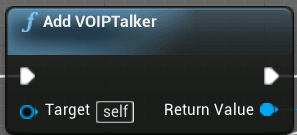
Voice Chat is a staple of modern multiplayer games. Many games include more open world aspects and the majority of players set their focus on having positional Voice Chat. As a result, this audio data is attenuated (lowered in volume) over distance. Contents hide 1 Is VOIPTalker Voice Chat Difficult? 2 Examples of proximity and...Read More
Here's my character blueprint:
 supple vapor
Is there a way to use CheatManager in server-client mode? The commands are recog...
supple vapor
supple vapor
Is there a way to use CheatManager in server-client mode? The commands are recog...
solved this, so posting it in case anyone searches for this - do EnableCheats() in controller begin play and cheat manager will instantiate on client as well as server
 toxic flame
Hey all, I'm having some difficulty with setting up multiplayer for my project.
I've done some research on replication and I know the basics of it, but my problem doesn't seem to necessarily stem from there.
As far as I'm aware, the Character Movement should automatically be replicated, no extra work (as seen in the ThirdPersonTemplate).
And yet, with my own movement BP, the Client seems to be stuck in place when moving Forwards/Backwards (it does move, just at an incredibly slow pace), however, the Server can move, and the movement is perfectly reflected in the Clients' screens. They can replicate other functions just fine, but they're just stuck for whatever reason.
Here is a video:
https://i.gyazo.com/04461336ca07457ed4bcc0a7978d9282.mp4
I'll upload some blueprint screenshots now


genuinely stumped
 hallow acorn
hi guys 💙 referring to a question I posted on cpp (context -> I'm trying to improve performance & latency on our game and people recommended running Unreal Insights), you guys have any tips & tricks when running Unreal Insights on server & client? is it recommended to run it on both sides or only server/client? thanks 💜
 fading birch
You may need to package UE Insights with your server as well
It's been awhile since i've set that up from scratch
hallow acorn
fading birch
You may need to package UE Insights with your server as well
will do, thanks!! 💙
 jolly siren
Does anyone know what could cause a replicated array of actors to have nulls instead of pointers to the correct objects?
I'm just adding pointers to replicated actors to the array on the server and the client is getting nulls when they join in progress
The replicated properly is on my gamestate
    UPROPERTY(Transient, ReplicatedUsing=OnRep_LineUpCharacters)
    TArray<class AFooLineUpCharacter*> LineUpCharacters;
And AFooLineUpCharacter has bReplicates set to true
    FActorSpawnParameters SpawnInfo;
    SpawnInfo.Instigator = nullptr;
    SpawnInfo.SpawnCollisionHandlingOverride = ESpawnActorCollisionHandlingMethod::AlwaysSpawn;

    APortalWarsLineUpCharacter* LineUpCharacter = GetWorld()->SpawnActor<AFooLineUpCharacter>(LineUpCharacterClass, SpawnInfo);

    // Update references to the characters
    if (GameStateRef) GameStateRef->AddLineUpCharacter(LineUpCharacter);
void AFooLobbyGameState::AddLineUpCharacter(AFooLineUpCharacter* LineUpCharacter) {
    if (LineUpCharacter) {
        LineUpCharacters.AddUnique(LineUpCharacter);
        OnRep_LineUpCharacters();
    }
}
LineUpCharacters is correct on the server but full of nulls on the client
 bitter comet
Hi folks,
I am trying to pass the URL of a Level from a Blueprint to a BlueprintCallable C++ function so that I can use it for ServerTravel. Our host menu has a dropdown with a Map of strings->Levels (soft object), and my Host function in C++ has an Object parameter that I put that into (as I can't find a way to pass the Level itself). However, I cannot seem to get the URL of the object for the ServerTravel.
twin juniper
jolly siren
```cpp
UPROPERTY(Transient, ReplicatedUsing=OnRep_LineUpCharacters)
TArr...
Show the setup in GetLifetimeRep
jolly siren
void AFooLobbyGameState::GetLifetimeReplicatedProps(TArray< FLifetimeProperty > & OutLifetimeProps) const {
    Super::GetLifetimeReplicatedProps(OutLifetimeProps);

    DOREPLIFETIME(APortalWarsFooGameState, LineUpCharacters);
}
It maybe replicates before the characters on the initial bunch ?
jolly siren
hmm yeah that's the only thing I can think of too
 grand kestrel
jolly siren
hmm yeah that's the only thing I can think of too
grand kestrel
jolly siren
hmm yeah that's the only thing I can think of too
It's definitely that. The characters should grab the gamestate and register themselves (or ask to be registered)
jolly siren
So do AddLineUpCharacter from the character's BeginPlay? Couldn't that run into the same issue?
grand kestrel
It's possible if you do it from BeginPlay, might work though, but if not there's PostNetReceive if that fails, and if that somehow fails you can use my free plugin which should absolutely never fail (it's entire point is to provide initialization paths that don't fail in multiplayer via OnInit) https://github.com/DrowningDragons/BaseInitializer
Scenarios like yours, and slightly more annoying than yours, are why I made it
grand kestrel
Yes, the client would ask gamestate for it
jolly siren
ask via an rpc?
grand kestrel
Worst case, yeah
That's only the first time, after they spawn
Any changes beyond that you can just rep
Or you can use that plugin and do it on server in OnInit but it uses a single RPC to ensure it's fully replicated anyway
You don't have to send anything in your RPC, you can handle that on server
Client Character -> Server Character -> GameState
It would just be server sending it back I guess
jolly siren
Right, that makes sense. Thank you and thanks for the plugin 🙂
grand kestrel
Now that I'm saying it, seems excessive though 🤔
At which point are you testing if the array is full of nulls
Is it in the OnRep or at a later time
jolly siren
In the OnRep
 verbal tendon
@jolly siren this happens before the actors that are elements of the container are properly replicated
they're null on the clients until they're replicated
same happens with RPCs sent from server containing params that haven't been fully replicated, or RPCs sent from actors that haven't fully replicated, same suite of problems
jolly siren
I'm just going to populate the array client and serverside separately and stop replicating it
verbal tendon
That works 🙂