#multiplayer
1 messages · Page 665 of 1
 peak sentinel
 lusty fractal
Does anyone know why using a seamless server travel would make clients completely lag? Or does anyone know how to make non-seamless travel work with Steam?
Feel free to @ or dm me
 violet sentinel
i guess they were lazy to store it in transient member variable
still there is no multithreading or recursion so nothing would break
 golden nest
Hi. Does someone know if i want to replicate a variable in a component, the actor must replicate first?
Or i can leave the actor not replicating and set the variable to rep
 meager spade
Actor has to replicate
 final thicket
I think components need a replicated actor afaik
meager spade
and the component needs to replicate
 bronze summit
Hey for my game I want to implement a admin panel a assigned admin can login to using a command like this: https://www.orfeasel.com/creating-console-commands/ I was wondering if this is even supported for Multiplayer. The workflow would be Enter server and assign default pawn->call command (attempt login password or something)->take control of a created admin player controller. And is this even secure to do?
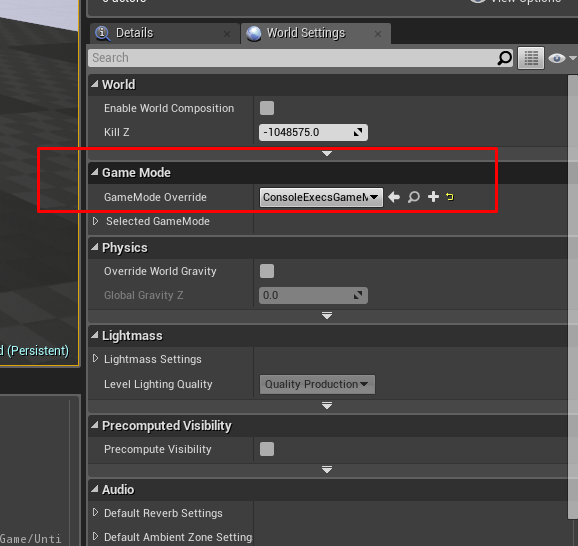
In this post we’re going to create our own custom console commands. Unreal Engine 4 provides a specifier named Exec, for the UFUNCTION macro which declares that the following function can be executed through the console window of the engine…
meager spade
if you are running dedicated servers, you can have some auth system linked to the players unique ID
or some RCON system if you want
bronze summit
Yeah I was thinking of using SteamID list or equivalent of other subsystems
meager spade
console is disabled in shipping builds
final thicket
You could just make your own console,
bronze summit
Ah thats what I was wondering too but yep ^ thats what I will do its def helpfull incase of bug reports etc
final thicket
depends what you want to do with it though I suppose 😅
 lost inlet
final thicket
You could just make your own console,
lost inlet
final thicket
You could just make your own console,
or allow console in shipping
bronze summit
If Im correct you can't really swap out playercontrollers at runtime on a connection so I'd have to do it using a pawn correct?
 silent valley
There was some article I saw on UDN recently that was talking about using the Stats port connection with the engine to use REST calls to administer the dedicated servers
Use firewall on your server to only allow connections on that port from specific address or vpn
of course, it can be handy to have a super user in-game console too
silent valley
bronze summit
If Im correct you can't really swap out playercontrollers at runtime on a connec...
I don't think that's correct, see UCheatManager::EnableDebugCamera() which switches PC while connected
you can test by typing EnableCheats followed by ToggleDebugCamera
bronze summit
But don't cheat managers get stripped from the release build?
silent valley
yes but there's no reason why you don't implement your own
all I'm saying is switching PC should be possible even in Shipping builds
bronze summit
Hmm interesting Ill have a look thanks. Couldn't really find anything because it would enable me to just create a whole standalone controller for admins which might be more robust
silent valley
If you wanted to to have a standalone app, for monitoring server health, some basic server wide admin etc, then using http connection over the stats port might be a good idea. Especially if you wanted to administer multiple servers at once.
bronze summit
Yeah well that's not really the problem as I might go for Microsoft* Playfab as dedicated hosting. But I want to allow players to host their own servers and with that some tools might come in handy especially because I don;t have any plans for implementing a intermediate language to allow plugin creation* or for singleplayer(but that does not really require and auth)
 hoary lark
I'm just making sure you understand, if you change your "last shot" variable ten times quickly, the server might only send out five of those updates, and other machines won't even get most of the shots (unless this is a confederation war sim where fire rate is measured in minutes per shot instead of shots per minute)
peak sentinel
I thought replicated variables always being send if the actor is relevant?
hoary lark
No. They are always eventually updated to the current value.
peak sentinel

 eternal canyon
peak sentinel
I thought replicated variables **always** being send if the actor is relevant?
eternal canyon
peak sentinel
I thought replicated variables **always** being send if the actor is relevant?
Only if the server detects a change from the last state sent
I’m pretty sure
peak sentinel
Its fine that some projectiles will not be fired in clients, I'm trying to find out if the same issue causing desync between fired shot count or not, but still its good to know
In the end only servers projectile pool has authority to damage things
Probably I need to use a struct with burst counter integer
 blissful totem
Short Question: I have an AI controller on the server that is trying to tell a pawn to run a multicast event. The event runs on the server, but not the client. Is this expected. Is it because the AI controller only exists on the server? My intuition says this should not matter because the controller emits the event, the server instance of the pawn hear's it, and then broadcasts it to the clients.
silent valley
There is no client version of the AI controller, they're server only
 fading birch
Yes, it should be able to, no problem
silent valley
Yes that should work
blissful totem
Hmm
Ok I think the issue is that I was passing a reference to the Task to the pawn's event so that it could run a callback when the montage finished... That seems to have caused a silent failure on the client's end
Ok let me try the long question then... I'm trying to get a unit to get on cover in an RTS setup. Flow goes like this:
- PlayerController selects unit and clicks on cover
- Unit's AI Controller BT enters a "Get on Cover" Task
- Task plays a multicast event to play a "getting on cover montage", passing a reference to itself.
- When montage is finished on server, a callback is sent to the task that says the task can finish execution
Problem is I cannot pass a reference to self on the multicast, even if the client does not need this information during the event
 earnest narwhal
Heya, Im trying to hide dead players to alive players, but show them to each other, think Phasmophobia. But I cant use SetHiddenInGame since if I set it on server its set for everyone
Anyone knows another way to hide actors/meshes thats local only?
or how to stop replicating a specific variable
violet sentinel
earnest narwhal
Anyone knows another way to hide actors/meshes thats local only?
send RPC and hide them on client ?
 twilit radish
I believe SetHiddenInGame is local and not replicated down to clients. It also depends on whether you care about cheaters btw, because just trusting the client to hide it may not be the best idea depending on your game.
earnest narwhal
It work perfectly on Client, but when the server tries to hide dead players/unhide them, its replicated to everyone
bHidden is replicated in Actor D:
And bHidden is also replicated on SceneComponents, so cant just hide those either
 fringe dove
what's the normal way for a client to add a second local player to a multiplayer game that is already underway? Will GameInstance->CreateLocalPlayer on the client end up triggering a AGameModeBase::Login for them?
earnest narwhal
For anyone wondering, made it work doing this:
GetRootComponent()->SetHiddenInGame(true, true);
on the actor I wanted to hide
 proven fog
How should I have logic run on a pawn in a multiplayer game which depends upon values in the client's GameInstance?
violet sentinel
by not relying/ storing values in client game instance
most likely game state or player state
proven fog
It's set in a different world
If that matters. It's a checkbox in the main menu, then they connect to the server. It's to set whether VR is enabled when they join.
 thin stratus
Do you have C++ available to you?
Because the easiest way would be sending it via the options when connecting
And then grabbing it from the options string in the GameMode that you get in PreLogin and Login
e.g. ?Device=VR and ?Device=PC
That's how I did it last time I had to work on a project like this
thin stratus
No, but you can save the data in the PlayerController
Which is created from Login
And when the GameMode spawns the pawn you can take that info and give it to the pawn
Or just grab it from the PlayerController in the Possessed Event of the Character
And then replicate it down
But that's the easy part of this :P
proven fog
XD "the easy part"
Is there usually a lot of "running around" data between these classes?
thin stratus
How do you mean
proven fog
Passing data from the GameInstance, to the GameMode, to the PlayerController, to the Pawn.
thin stratus
Maybe
I barely use the GameInstance for stuff like this
GameMode->PlayerController->Pawn, yeah
cause they all exist in the same world and are meant for Gameplay code
GameInstance I usually only use for things that are relevant to the game itself, without any replication in mind
proven fog
Oh okay

 empty axle
 ionic scaffold
when talking about actor in this, do we mean an instance of the actor?
ionic scaffold
when talking about actor in this, do we mean an instance of the actor?
yes
 hexed pewter
If i want a running prototype multiplayer game, Beacons are optional, not required right?
ionic scaffold
Cool cool cool, so does the rpc know which instance we are talking about? Is there a 1 on 1 relationship between the instance of an actor in the client and the actor on the server?
Because my understanding is that those are two different actors, even if they look the same...
 harsh rock
Hey, when I disconnected from a session by using DestroySession, the Logout method of the gamemode is never called. Ideas?
I also noticed that the controller is not destroyed, neither is the playerstate
harsh rock
Oh, okay, let me try that
 lost dune
 harsh rock
I'm using c++, what's the best way to actively leave the map?
would UGameplayStatics::OpenLevel work for that?
lost inlet
well yeah you can travel the main menu map as a client
harsh rock
Okay, called destroy session and changed the world. I'm assuming I have to send some sort of event to the server to destroy the controller?
 lost inlet
usually when you disconnect from a server, it'll cleanup the PC on it
harsh rock
Yes, for some reason it's not doing that in my project
I have breakpoints on controller destroy and logout and neither are hit
lost inlet
in C++?
harsh rock
yes
lost inlet
I'll look at how we implemented our exit to main menu
harsh rock
void UMyGameInstance::Disconnect()
{
    IOnlineSubsystem* OSS = Online::GetSubsystem(GetWorld());
    IOnlineSessionPtr Session = OSS->GetSessionInterface();

    Session->DestroySession(FName(TEXT("MyGame")), FOnDestroySessionCompleteDelegate::CreateLambda([&](FName SessionName, bool bWasSuccessful)
    {
        UE_LOG_ONLINE(Error, TEXT("Leave session %d"), bWasSuccessful ? 1 : 0);

        UGameplayStatics::OpenLevel(GetWorld(), FName(TEXT("/Game/Maps/MyGameEntry")));
    }));
}
this is getting called by a widget blueprint to leave the session
harsh rock
I was using shootergame for reference, but it works normally there, but on mine it doesn't for some reason
harsh rock
Okay, I changed my code to just travel to the main menu, no more destroy session
But how does the server know when to disconnect someone?
harsh rock
okay
So the only way to get fast feedback is to tell the server to delete the controller before the client leaves?
lost inlet
UEngine::HandleDisconnect can probably send a graceful disconnection to the server
that's what the "disconnect" command sends
harsh rock
ahh
I tried that too, but it didn't trigger the logout either
I'll try it again
yeah, disconnect still leaves the controllers on the server
¯_(ツ)_/¯
lost inlet
how are you verifying this?
harsh rock
 lost inlet
and what world?
harsh rock
The lobby world
lost inlet
that is not the answer since you can select to see the client or server world
also if you use an out of process server then your breakpoint won't hit
lost inlet
well that makes no sense
lost inlet
"play as client" is dedicated
harsh rock
I launch two clients like this, and connect with hostsession and joinsession

would that affect anything?
I just tried loading the map directly and playing as listen server, still doesn't work
Sorry for being stupid, I'm relatively new to this XD
fringe dove
ad-hoc adding splitscreen player on client after already connected to dedicated server with UGameplayStatics::CreatePlayer did work, but trying to remove it seems to more or less fail, and then calling CreatePlayer again after RemovePlayer caused a hang..

based on that FIXME it seems they don't support removing a splitscreen player during online play?
harsh rock
There should be some demo code that does something similar in the ShooterGame demo project
fringe dove
shootergame seems to do everything up front setting up splitscreen before joining
I changed some defines to make it allow splitscreen on PC
I'll look through and see if they have anything for removing a local player during play though
harsh rock
Does anyone know why DestroyActor isn't called on PlayerController when leaving a session?
violet sentinel
aren't they usually cleaned up by GC with old world ?
harsh rock
that's what I thought too, but it's not cleaning up...
perhaps I made a mistake when creating the session
But the logout function isn't being called, and the player state, controller, and pawn are not garbage collected
I think I'm going to make another project and try to reproduce this issue
meager spade
Likely missing a super call somewhere
harsh rock
That’s what I was wondering
What’s the standard way to do a controller constructor?
I've seen both (const FObjectInitializer& ObjectInitializer): Super(ObjectInitializer) and (): ClassName() as constructor signatures
 fossil spoke
harsh rock
I've seen both `(const FObjectInitializer& ObjectInitializer): Super(ObjectIniti...
fossil spoke
harsh rock
I've seen both `(const FObjectInitializer& ObjectInitializer): Super(ObjectIniti...
Specifying the class name directly instead of using Super may indicate they wanted to skip a parent constructor for some reason.
Or they just didnt know Super existed?
harsh rock
Okay, but do you need the fobjectinitializer part
I guess you probably would, as super takes an argument
meager spade
It depends if you need to override some default objects.
Most of the time you just use the no args constructor
And always just use GENERATED_BODY not the old ones.
 wet bridge
I have been told that to do online properly you need to change the engine source code. I can not find much information about this online. Anyone have any resources, or want to just tell me
or both
fossil spoke
Not sure where you heard that but "Online" works out of the box, its a pretty broad term though.
You may need to be more specific.
Connecting Clients together in a Multiplayer match works fine with no need to modify any source code.
You do however have to compile the engine from source in order to build a Dedicated Server executable.
wet bridge
So I have heard this from people at unreal, several forum posts, and from the source code people on this discord
fossil spoke
You need to be more specific on exactly what you mean by "to do online properly"
wet bridge
to be honestly, I am a bit vague on what it is either. I know I have setup a basic online game where you have to connect up to a single player and have them act as the server. Maybe this is for running dedicated servers?
harsh rock
What’s the end goal
If you want a client to also be a host and other clients connect to it, that would be a listen server
Dedicated server is a bit different
I’ve never had to modify engine code to get standard stuff working
fossil spoke
I think hes confusing "modifying" with simply compiling the source.
You dont need to modify anything to get working multiplayer.
harsh rock
Oh that makes sense
wet bridge
If I was to be honest, the end goal would be 4 people being able to freely roam in a world composition map
fossil spoke
Thats easily do-able. The only hard part would be creating the dedicated server and thats not even hard.
You could manage it with a listen server.
wet bridge
what I have heard is there are problems with world origin shirfting for large maps in multiplayer but everyone is so vague on it that I don't know what the problem is
also you were saying you need to compile the engine source code instead of using a prebuilt engine to get multiplayer to work?
fossil spoke
wet bridge
also you were saying you need to compile the engine source code instead of using...
No thats not what I said.
I said you have to compile from source in order to get a Dedicated Server executable.
Listen Servers do not require this step.
wet bridge
ok, that makes sense
so listen server is for when everyone connects to one player who acts as the server, while dedicated is when the server is on a separate machine from everyone else and they just connect to it correct?
I have heard dedicated servers are needed for world composition maps unless you restrict the distance the player can go on the listen server
but maybe that is only for large numbers of players
fossil spoke
wet bridge
so listen server is for when everyone connects to one player who acts as the ser...
This is correct.
 worn glade
can one hud auto-adjust for splitscreen? for example i make 1 single hud and when i use splitscreen horizontal
because of the anchors it will adjust all the widgets
to fit? or i need to make a hud for splitscreen and a hud for single player?
harsh rock
meager spade
Likely missing a super call somewhere
Andddd fixed... Thanks, I was stuck on this for two days 😅
@fossil spoke thanks for the clarification on the constructors as well
wet bridge
sorry I misspoke before. I meant world origin shifting not world position offset
but maybe that isn't a problem unless the level is incredibly large. I honestly don't know when the floating point error stuff starts to be a problem
maybe the ue4 docs are out of date as I am seeing some reference to some people saying that world origin rebasing is available in online maps
maybe not. I don't know
proven fog
When I override AGameModeBase::Login, what APlayerController* do I return?
And do I call Super() at the end of my implementation?
lost inlet
if you're not doing custom stuff with the player controller, return the Super function's result
you can see what that function does in GameModeBase.cpp anyway
 white nimbus
Hey there, I'm trying to make a small multiplayer game and I think I forgot something important but I can't find it
if anyone have an idea, this is my problem
I created a Controller and Character BP and when I launch the game in multiplayer clients + server, only the server have a character, I can move the clients but there is no Character on it, also, the input control is not the same as the server
 chrome quest
white nimbus
Hey there, I'm trying to make a small multiplayer game and I think I forgot some...
chrome quest
white nimbus
Hey there, I'm trying to make a small multiplayer game and I think I forgot some...
Did you make sure to set the character as default pawn in the game mode?
 terse prawn
Is there a way to make a child actor component "only owner see"?
fading birch
make it not replicate?
 sand iris
Is the replication frequency of replicated variables in an actor component determined by the NetUpdateFrequency of the owning actor?
fossil spoke
sand iris
Is the replication frequency of replicated variables in an actor component deter...
Yes, Components use their owning Actor as the conduit for which they have their variables replicated.
Since their owning Actor has the ActorChannel that allows properties to replicate.
The Actor will call a function ReplicateSubobjects which is where components (subobjects) manage their variable replication.
sand iris
I see, thanks for explaining!
 worthy knot
difference between these two?

 bitter oriole
Nothing in common really
First checks if it's a server
Second checks if it's authority, which returns true for non-replicated actors on the client, or in single-player
white nimbus
chrome quest
Did you make sure to set the character as default pawn in the game mode?
yes the character is the default pawn
worthy knot
bitter oriole
First checks if it's a server
ive always been using the has authority instead of is server, i think its time to switch
 true grotto
Hi everyone. I noticed that when starting my multiplayer game, the first player is initialized once and the second as many as three times. Is this normal or am i doing something wrong?
 violet sentinel
true grotto
Hi everyone. I noticed that when starting my multiplayer game, the first player ...
violet sentinel
true grotto
Hi everyone. I noticed that when starting my multiplayer game, the first player ...
"Play as client" with 2 clients?
true grotto
Yes
violet sentinel
client instances + server instances
true grotto
Why is there only one BP_BasePlayerCharacter_C_0?
violet sentinel
that is just generated name index
true grotto
That is each client has its own server?
violet sentinel
no
true grotto
violet sentinel
client instances + server instances
Why i have 2 server instances?
violet sentinel
why do you think it is server instance?
true grotto
aaa, this Is instance of player on server?
empty axle
the BeginPlay gets triggered on serverside and on every clientside
violet sentinel
^
object names means literaly nothing, print roles or something more signigicant
empty axle
so in case of dedicated server and 2 players you will have 2 BeginPlays on server and 2 on every client
true grotto
Ok, i think i got it, thanks
violet sentinel
Is there any way to replicate actor tags?
Since it is in base actor class doing it there would be troublesome
since it is blueprintreadwrite there is no guarantee that someone won't change them directly bypassing Add/RemoveTag functions
 onyx dawn
hi guys, is it guaranteed for the actor role to be replicated by begin play?
 rich cradle
is it somehow possible to disable an actor from loading on a server during map load?
meager spade
@onyx dawn yes
@violet sentinel just mark them replicated if you need too
even if they are mutated directly, they will still replicate
tho i highly recommend using GameplayTags over ActorTags, IMHO
violet sentinel
meager spade
<@!203202200615387136> just mark them replicated if you need too
i can't modify Actor.h 😦 not on source build
meager spade
make your own actor class
violet sentinel
for now setting up a replicated copy in my actor class
meager spade
i have GameplayActor
violet sentinel
yeah
meager spade
this holds replicated Gameplay Tags, etc
you can replicate ActorTags via it aswell
without touching engine code
violet sentinel
in prereplication i copy actortags to replicatedactortags for server
in onrep copy replicatedtags to actortags on clients
would be much easier if i could guarantee that noone would change actortags directly
meager spade
does it matter?
it will still replicate
if they are changed on the server..
just replicate ActorTags..
violet sentinel
don't you have to have Replicated on the uproperty in actor.h for that?
violet sentinel
i don't want to use it too, but some ... spaghettiblueprint coders just do everything with GetAllActorsWithTags and ofc it breaks for multiplayer
onyx dawn
@meager spade thanks for the response.. I'm having some weird cases where the role isn't replicated with the actor spawn.. any ideas?
white nimbus
Hey there, anyone have an idea of my issue ?
My PlayerController don't show the default pawn ( ThirdPersonCharacter )
the PlayerController is working but it's like the players don't possess the Character, clients and server side
the default Pawn is good and the default GameMode is good

 twin juniper
How is it that a game like minecraft can hold up to and beyond 100 players per server while an Unreal Engine game, I heard, has a 64 cap out of the gate?
 hollow eagle
There's no hard cap on how many players unreal can support. It's a practical limitation based on the type of game you are making.
Minecraft has super low requirements due largely to trusting clients and not requiring server approval for everything you do. Plus the game itself doesn't have that much going on at any one time, especially compared to something like a fast paced FPS.
Additionally, 100+ player minecraft servers require very beefy hardware setups. Just because minecraft can support 100 players doesn't mean that's something easy to do.
twin juniper
Thank you for the response
 grand stratus
here in my player state bp i copy the properties to new player state while seamless travel and it enters the function and do the logic

but after the travel is finished i try to get the color here and i get the default value of the color

idk is the player state i get from the player controller is not the one i get from event copy proprties
thanks in advance
violet sentinel
is color variable replicated? copy happens on server so still needs to be replicated to client
(don't see replicated icon next to it)
grand stratus
Should i make the color variable replicated too
I thought i just need to assign it in the ne player state
Cause i dont think replication will benefit in anyways
I think i understand now
Let me check this way
I need to ask smth
Now this variable at first os set to random color when i join the lobby
In a server rpc function
And i can see my color from client player
Without making the variables replicated
Why then i need it to make it replicate while copy properties run on server too as the server rpc i made to set the random color at first before travel
 quiet fjord
guys I have jerks in the replicated rotation with a timeline in a lerp the character in the clients I see how jerks how could I improve that so that it goes smoothly
 rancid flame
Is there a way to spawn 2 sessions from within the UE4 editor, but not have htem connect automatically, so I can test my Join Session code?
hollow eagle
There should be an option in project (or maybe editor) settings called "auto connect to server"
turn that off
I'd check exactly where it is but I can't open the engine right now 😛
rancid flame
hmm i had a look but couldn't see anything like that :S
rancid flame
hollow eagle
I'd check exactly where it is but I can't open the engine right now 😛
if you get a chance could you take a look sometime?
hollow eagle
If you click the dropdown next to the play button (where you set the number of clients) it should be under advanced settings
fading birch
I think it's this:
 hollow eagle
It is. At some point they changed the option.
 silent phoenix
Hey Team,
Hoping someone can set me in the right direction. If I have a replicated variable (stamina) that is degraded over time but the rate can be modified I am currently using a timer for ever player to set their stamina. This works but I'm concerned about the growing numbers of timers running on the server. Obvious solution is to run the timer on the client but then the frequency could be modified.
If every player has a different rate what is a better way to handle this?
 dull lance
how many players / server session are we talking about?
dull lance
silent phoenix
Hey Team,
Hoping someone can set me in the right direction. If I have a replica...
also if you're doing this inside C++, you could just do the different "rates" as simple timelines on tick if Authority. That way it's just a couple of additional bool + float operations within a single tick operation
and by simple timeline i mean ```cpp
Tick(float Deltatime)
{
if (HasAuthority() && bChangingStamina)
{
StaminaTimer += DeltaTime;
if (StaminaTimer >= StaminaRateTime)
{
DegradateStamina();
StaminaTimer = 0;
}
}
}```
etc
silent phoenix
appreciate that. this project wouldn't have too many clients but what if it was like 50 sessions? Is there a different approach?
dull lance
50 sessions on a single server? Are you doing dedicated servers with split processes?
silent phoenix
I'm not running 50 sessions, i'm just inquiring about how it would be handled in larger scale multiplayer games
dull lance
but you are running dedicated servers?
silent phoenix
yes
dull lance
dull lance
and by simple timeline i mean ```cpp
Tick(float Deltatime)
{
if (HasAuthority...
I mean either way handling multiple "time processes" inside a single tick process is going to be better than doing 1 timer/process at the woldtimermanager
ofc [just in case] doing things in c++ over bp will vastly help with performance
silent phoenix
Yes sir c++. Just trying to learn more performant ways to write multiplayer code. Tutorials have only got me so far, no one really goes in depth about optimizing network performance
atleast not that i've found
 crystal crag
So I randomly started to get a crash caused by replication of objects that I have not changed in months
To make sure that I am not chasing a ghost

Does this mean that the controller doesn't have an outer?
Or is it the sub obj class that is causing the outer ensure to fail?
Ah, you know what, the ensure actually does call out the sub obj as the problem
so weird. I haven't touched my inventory system
Why would the player controller not replicate first when the component that holds the sub object causing the ensure to fail belongs to the player controller?
dull lance
what is the actual error
crystal crag
One moment, re-launching the editor to make sure I give you the right information
while I am waiting for this to load up the dedicated server / PIE - if I add an await Task.Delay(17500); to the web service returning the inventory, then I don't get the crash
quick tests at 8500 and 9200 still encountered crashes
Ensure condition failed: ObjOuter != nullptr [File:C:\src\UE5Main\Engine\Source\Runtime\Engine\Private\DataChannel.cpp] [Line: 3774]
UActorChannel::ReadContentBlockHeader: Unable to serialize subobject's outer. Ensure that subobjects are replicated top-down, so outers are received first. Class: RaevinInventoryEquipSlot, Actor: BP_RaevinPlayerController_C_0
dull lance
how are you adding that component to the ctrlr
crystal crag
private:

    FTimerHandle CreatePlayerHUDHandle;
    FTimerDelegate CreatePlayerHUDDelegate;
    FRaevinControllerOnPossessEvent OnPawnPossessedEvent;

    UPROPERTY()
    class URaevinPlayerInventoryComponent* InventoryComponent = nullptr;

    UPROPERTY()
    class URaevinPlayerMissionComponent* MissionComponent = nullptr;
and then in postinitializecomponents
void ARaevinPlayerController::PostInitializeComponents()
{
    Super::PostInitializeComponents();

    UE_LOG(LogRaevinInventory, Warning, TEXT("%s()"), TEXT(__FUNCTION__));

    InventoryComponent = FindComponentByClass<URaevinPlayerInventoryComponent>();
    if (InventoryComponent != nullptr)
    {
        InventoryComponent->SetIsReplicated(true);
    }
    else
    {
        UE_LOG(LogRaevinInventory, Error, TEXT("Did not find a raevin player inventory component on this controller!"));
    }

    MissionComponent = FindComponentByClass<URaevinPlayerMissionComponent>();
}
the inventory component is added to the player controller's BP via AddComponent
dull lance
oh god please no
crystal crag
?
dull lance
this line is what's causing it InventoryComponent->SetIsReplicated(true);
crystal crag
It is?
dull lance
Why are you adding the component at the BP level
crystal crag
Because there are many different types of inventory components
and I want the BP inventory component to be used
that's weird that that is the line causing it
just because of how long that has been there
dull lance
Maybe a better question
crystal crag
6/15/2020
dull lance
Why is the component not replicating by default?
why are you setting it to replicate there?
crystal crag
oh I shouldn't be doing that I'm sure. I forgot that line was even there
URaevinInventoryComponent::URaevinInventoryComponent()
{
    PrimaryComponentTick.bCanEverTick = true;

    bWantsInitializeComponent = true;
    SetIsReplicatedByDefault(true);

    InventoryItemsOld = TArray<URaevinInventorySlot*>();
    InventorySlotsOld = TArray<URaevinInventorySlotSet*>();

    InventorySlotData = TArray<FRaevinItemEntryOld>();

    InventorySlots = FRaevinSlotEntries();
}
I am doing it in the constructor, so calling it there is pointless anyways
 worldly hawk
Hey guys!! Just finished single player version of my game. Want to add a multiplayer component. Do I need gamelift? Or can I have the mobile devices host their own games? It’s a mobile game.
dull lance
Is this your first time doing multiplayer? (RatPoison)
if so, you're probably going to have to re do a significant amount of your logic
but I digress. Are you intending to do dedicated servers?
crystal crag
I got rid of that line
let's see if it crashes
still crashes
It's so weird
I haven't touched this code
in forever
I've been working on other parts of the game
dull lance
Hot reload? 
crystal crag
nothing touched the inventory system uobject or the related inventory classes
disabled
Disabled with a passion
Happens in eithe rDevelopment Editor or Debug Editor
dull lance
can you post the call stack
crystal crag
sure
'
and the weird thing it this just started maybe three days ago. I can't remember the exact day
but very recently. I've inspected my git differences
(haven't checked in for about a week)
rancid flame
@hollow eagle @fading birch Sorry to be a pain. So I've tried Play as client + Launch separate server and it seems to still connect
 crystal crag
and nothing is jumping out at me
you need to select standalone
to get it not to auto connect
would probably recommend not running under single process either if you can help ity
*it
Pastebin.pl is a website where you can store code/text online for a set period of time and share to anybody on earth
that's the stack trace
I guess it wouldn't hurt to hold off on modifying the replicated fast array until the client fires off a server RPC once OnRep_SetController is called or whatever the onrep method is called once the controller gets replicated down
worldly hawk
but I digress. Are you intending to do dedicated servers?
@dull lance not if I can avoid it. Yes it’s my first time doing multiplayer.
if so, you're probably going to have to re do a significant amount of your logic
What logic are you referring to? Can I do it with blueprints? It’s a very simple turnbased puzzle game.
dull lance
What I mean is that multiplayer games are usually wired quite differently when it comes to handling information
worldly hawk
Oh ok. I’m aware that I have to write the whole game logic again for multiplayer
dull lance
so depending on how you well you designed your framework from the get go, you'll probably have to redo a bunch of stuff
dull lance
multiplayer has nothing to do with plugins
if we're talking about the game itself
platforms and sdks are a different story
worldly hawk
Let’s say I’m doing android.. can I just have one of the phones host the game rather than using something like gamelift?
I noticed unreal has a create session node. Where is this session created? On thé phone that’s clicking the button?
hollow eagle
depends on the online subsystem in use
worldly hawk
It’s Google play
 glass vector
how does the AI and behavior tree work in multiplayer, does behavior tree only execute on the server?
if I spawn an AI enemy, does the client and server run different instances of behavior trees, or is there only one behavior tree on the server?
 winged badger
AIController runs the BT, and they do not replicate by default
which makes it server only
glass vector
so does it mean that the AI controller only exists on the server, the client doesn't have AI controllers instanced?
winged badger
yes, they do not replicate means they don't exist on clients
 harsh lintel
I'm cooking the server with the project launcher inside the editor, when I make checks like IsDedicatedServer, the check works when playing in PIE, but the check doesn't seem to work when the server is deployed IsServer does work, is there a reason for this
harsh lintel
yes
winged badger
did you set the target to dedi?
harsh lintel

I don't know if there's a choice for Dedi when you cook the server through the editor project launcher
winged badger
there is bound to be a tutorial for that around, i have not had the pleasure of having to package dedi build yet
as we use listen servers
harsh lintel
I see, well thanks
fading birch
@harsh lintel WindowsServer would be dedicated server in that instance. IsDedicatedServer should return true as well.
not sure why it wouldn't.
rancid flame
Do people still use Hamachi for doing LAN-like stuff over distance? Like if I want to test this simple prototype thing and not worry about opening up ports or whatever?
worldly hawk
Trying to figure out the use of AWS gamelift when making multiplayer mobile game. What’s the advantage?
Cross platform multiplayer?
fossil spoke
GameLift is for deploying Dedicated Servers and managing Matching Players together into those Servers.
GameLift doesnt care what the Client platform is.
Be it Mobile, Console or PC.
worldly hawk
Using just the nodes in unreal, will I be able to host a game from one phone and have another phone join it online? (Not over LAN)
grand stratus
anyone knows how can i make sure that all the player states variables are replicated to me before checking them as a client
btw after server travel seamless one
bitter oriole
grand stratus
anyone knows how can i make sure that all the player states variables are replic...
You can simply initialize them in constructor to an invalid value, and wait for valid values.
bitter oriole
Not waiting as in delay, waiting as in "ignore this variable until it's set to a valid value"
You can for example keep your loading screen up and check on tick that all values are not invalid
grand stratus
btw
after server travel
it also takes time for player state to get created
and more time to replicate the variables
so i think i should check on tick all player states untill they are valid
and i think its not good to check on every tick for ever untill the match finishes
bitter oriole
Why not ?
bitter oriole
No, it doesn't
grand stratus
network stuff
bitter oriole
No, not at all
Doing too much Blueprint work on tick, specifically, may adversely impact performance
Checking a few variables is perfectly fine
grand stratus
okay lets try
grand stratus
@bitter oriole
this what i have done

but the player state is invalid all the time
idk why
i print string if its invalid and it just keep printing it
bitter oriole
That while loop is a terrible idea
Everything is single threaded in Unreal so the event that may disable the wait will never update during the loop
twin juniper
Hey Guys im just needing some help on figuring out how to sync up my Character Part System To Apply a Character To the Already Existing Client In my game existing client sees the new joining clients character i know that works but for whatever reason the new joining client does not see the existing clients character ive looked over my Character Part System and it seems to be fine considering it works one way just not vice versa i also call my Equip Character Function on begin play so maybe that has something to do with it?
The Existing Client

the New Joining Client
 grand stratus
@bitter oriole so how can i perform the same logic without while loop cause this while loop should be completed when i set the condition to false again in the event tick
bitter oriole
The while loop (if it's not disabled by the compiler as something that makes no sense) can never exit
Because the tick event would never ever exit it
More accurately, the tick event would never have the opportunity to fire
Because the entire game would be stuck in that loop
Events are not concurrent
grand stratus
No it enters the event tick
I tried to but a print string
And it just keeps print cause the boolean variable is not set to false again at last
grand stratus
U see the is valid node
Is just don’t continue after this point
Cause player state is not valid all the time idk why
But before the tick event it was working , it takes just a small time to be present
bitter oriole
Maybe it's just not the correct type
grand stratus
What do u mean
grand stratus
Yeah is valid is the one fails
But bot game state is used here
I just have a list of pkayer controllers
And then i get player states from it
But i think the problem from while loop
bitter oriole
Player controllers are not replicated
grand stratus
But how can i do same logic whitout loop
bitter oriole
So there's that too
grand stratus
I know its not replicated
From the server i get the player controller lost
List
And pass it to the client
bitter oriole
That list cannot exist on client
You can't copy unreplicated actors to the client
So the list has exactly one player (you)
And you should not use a loop - you should do a "are players ready" function, not a "wait" function (that's not possible)
grand stratus
What is are player ready function
bitter oriole
Remove the loop, just check the "are players ready" bool
true = do stuff
false = keep loading screen
grand stratus
What do u mean by false keep load screen
I think if its false it will just go through the bext player controller in the list
And when it finishes it set are player ready varaiable to true
bitter oriole
Okay I don't have the time to write the entire thing for you so here is what you do
- set default values to your necessary player state vars (like -1 for health)
- write a Blueprint function that gets the game state from the player, checks if it's valid, and check all necessary variables inside to see if they have non-default value
- if they do, return true, if they don't or the state isn't valid, return false
- call this function in tick and if false, disable input and set the screen black with a widget, if true do nothing, you can play
grand stratus
That what iam doing but just did not use the game state
Anyways
The blue print function need to be called some how
Where should it be called
 sweet marsh
Hi guys, has anyone run into crashes when applyingdamage to a destructible, it seems to crash and i can't for the life figure out why
and this is only in a packaged build, in the editor it works fine for both server and client
    {
        ServerBreakDestructionMesh();
    }
    else
    {
        // The item is now broken
        bIsBroken = true;

        // The item cannot be interacted with (picked up)
        bAllowCollisionChecks = false;
        On_RepAllowCollisonChecks();

        // Break the mesh apart (on client and server)
        //MulticastBreakDestructionMesh();

        FVector MovementDirection;

        if (StaticMeshComp)
        {
            MovementDirection = StaticMeshComp->GetForwardVector();
            StaticMeshComp->SetSimulatePhysics(false);
            StaticMeshComp->SetCollisionEnabled(ECollisionEnabled::NoCollision);
            StaticMeshComp->SetHiddenInGame(true);
        }

        if (DestructibleComp)
        {
            //Set the destructible mesh so we can see it in the world
            DestructibleComp->SetDestructibleMesh(DestroyedMesh);
            //TODO improve the damage applied to include force so it explodes when moving fast
            //DestructibleComp->ApplyDamage(MaxHealth, GetActorLocation(), MovementDirection, 6000.0f);
            DestructibleComp->ApplyRadiusDamage(MaxHealth, GetActorLocation(), 100.0f, 6000.0f, true);
        }


        // Destroy after delay
DestroyItem();```the multicast causes a crash and the following which as you can see applies the damage via the server seems to do nothing to the object on the client
 meager fable
Okay, so i I have
    UFUNCTION(Server, Unreliable)
    virtual void SendState_Server(const FTransformNoScaleNetState& State);

void AMyActor::SendState_Server_Implementation(const FTransformNoScaleNetState& State)
{
    GEngine->AddOnScreenDebugMessage(-1,0.1f,FColor::Cyan,FString::FromInt(HasAuthority()));
}
And that sometimes prints out 0, my actor's owner is a pawn that is always controlled by someone, checked in deriving blueprints and all the clients can send rpc's on AMyActors they own. Not sure how can I not have authority on a function that runs on a server
sweet marsh
its set to unreliable
although it shouldn't affect that have you tried making it reliable?
see what happens?
meager fable
can try that but that function cannot be reliable as it's sent too often
meager spade
HasAuthority does not mean server
that could print out 0 if the actor or w/e is created client side, before the roles have been swapped.
Authority means who is authoritive over this actor, not if its server/client
meager fable
the actor is spawned on the server and replicated
so Authority should mean server right?
sweet marsh
@meager fable i find this quite quite helpful when checking stuff:```/*if (GetLocalRole() == ROLE_Authority)
{
GEngine->AddOnScreenDebugMessage(-1, 3.0f, FColor::Green, FString::Printf(TEXT("Local = authority")));
}
if (GetLocalRole() == ROLE_SimulatedProxy)
{
GEngine->AddOnScreenDebugMessage(-1, 3.0f, FColor::Green, FString::Printf(TEXT("Local = simulated")));
}
if (GetLocalRole() == ROLE_AutonomousProxy)
{
GEngine->AddOnScreenDebugMessage(-1, 3.0f, FColor::Green, FString::Printf(TEXT("Local = autonomous")));
}
if (GetRemoteRole() == ROLE_Authority)
{
GEngine->AddOnScreenDebugMessage(-1, 3.0f, FColor::Red, FString::Printf(TEXT("Remote = authority")));
}
if (GetRemoteRole() == ROLE_SimulatedProxy)
{
GEngine->AddOnScreenDebugMessage(-1, 3.0f, FColor::Red, FString::Printf(TEXT("Remote = simulated")));
}
if (GetRemoteRole() == ROLE_AutonomousProxy)
{
GEngine->AddOnScreenDebugMessage(-1, 3.0f, FColor::Red, FString::Printf(TEXT("Remote = autonomous")));
}
if (GetNetMode() == NM_Client)
{
GEngine->AddOnScreenDebugMessage(-1, 3.0f, FColor::Yellow, FString::Printf(TEXT("Netmode = client")));
}
if (GetNetMode() == NM_ListenServer)
{
GEngine->AddOnScreenDebugMessage(-1, 3.0f, FColor::Yellow, FString::Printf(TEXT("Netmode = ListenServer")));
}
if (GetNetMode() == NM_DedicatedServer)
{
GEngine->AddOnScreenDebugMessage(-1, 3.0f, FColor::Yellow, FString::Printf(TEXT("Netmode = Dedicated")));
}*/```
i imagine as long as you have set the owner you can run rpcs, but you need to know if the client or server is the owner i guess, so those will help you figure it out..
sweet marsh
is the owner the client?
try spawning the item on the server and then setting the owner there
 amber raft
Hi, is there a way to implement webcam video throught widget and make it visible in multiplayer for both players?
thin stratus
Eh, I can't say for sure, but my very first guess would be: Yes, but not without custom C++ code.
harsh rock
Hey, does anyone know why actor click events don't work after seamless travel?
also, is there a way to cleanup widgets before travelling
harsh rock
ohhh, I was looking for something like that
any idea about the click events not working?
I might have just figured that out
I changed something in the settings without testing it right away, I somehow disabled mouse input 🤦♂️
 old hamlet
Hello, I have been looking for Good networking tutorials that are straight forward and are only blueprint no C++ needed
peak sentinel
old hamlet
Hello, I have been looking for Good networking tutorials that are straight forwa...
https://youtu.be/TEojA3VBXG8 Dont forget to spam comments for part5 @old hamlet @shy aspen
old hamlet
lol Thanks ❤️
 novel bison
Ok what am I missing
I'm setting a variable on the server, but it's not replicating to clients
variable is set to replicate, so is actor
it's only being set on server
but when it comes time for clients to read it .... None

reading here

i try calling this function on the server and it's fine, so setting is working
harsh rock
could it be a timing issue?
Also, I see you have that function set to run on the server, is it getting hit?
if it's not getting hit you probably have an authority issue
novel bison

yeah it's getting hit
thanks for the timing thing, part of it was that
now it's that the remote client's values aren't updating even thought they're set on the server

server has everything right, and each owning client has theirs correct
hmmmmm
 wheat magnet
what it exact mean by "Run on Server" event?
wheat magnet
in my player state, when i run an event on server, does it run on only server?
from any client?
hollow eagle
It will run on the server if you are the owning client.
It will do nothing if you are not the owning client.
wheat magnet
what exact mean by owning client
for example, if i join the the server, then i will become owning client?
trying to understand this table

does RPC means the custom event?, for example "run on server" or "multicast" etc @hollow eagle
also can you explain this table
hollow eagle
https://cedric-neukirchen.net/Downloads/Compendium/UE4_Network_Compendium_by_Cedric_eXi_Neukirchen.pdf
Read page 8 and page 61 onward. If not the whole thing.
 shy aspen
peak sentinel
https://youtu.be/TEojA3VBXG8 Dont forget to spam comments for part5 <@!282970460...
shy aspen
peak sentinel
https://youtu.be/TEojA3VBXG8 Dont forget to spam comments for part5 <@!282970460...

😂
violet sentinel
i guess lowered update frequency too much so it is delayed by a year
 torn solstice
Hey guys, I got something that's been bothering me on and off for like 6 months or more now. Wondering if anyone here could help out or see something that I'm not.
Basically I've been working on an RTS where you can also be in third person; there is a fog of war that should hide any units that are outside of the teams vision. When playing standalone, it works fine. But when the Server has a client that is an enemy, a problem arises where the enemies units will be hidden completely or in this case they will jitter out of existence for a minute when the server changes camera, or when placing a new object it will jitter. This wasn't a problem for months, now it's returned. The visibility works off a non-replicated component that ticks every 1 second in order to send a client function towards the first found local controller, with checks for simulated or remote role simulated, ie Client or Listen Servers seeing the actor.
Basically the TLDR is that I'm wondering, does SetActorHiddenInGame called on the Server hide the actor for all clients, if so what would be a client relative variable or function I could use in order to produce the desired effect consistently. It's strange because I call the HiddenInGame function in a Client Function on the playercontroller, so I thought it would be client relative already but whenever the server is involved it seems to cause foolery.
 lime skiff
crystal crag
Ensure condition failed: ObjOuter != nullptr [File:C:\src\UE5Main\Engine\Source\...
lime skiff
crystal crag
Ensure condition failed: ObjOuter != nullptr [File:C:\src\UE5Main\Engine\Source\...
Ran also in that error. The owner was present (APlayerController). However, the outer was indeed missing - it was intended to be replicated, but the client erroneously overwrote that (replicated) variable. Since in your case the RaevinInventoryEquipSlot is affected (and the owner actor is present), check if the outer of RaevinInventoryEquipSlot got invalidated on the client (like being overwritten with another object). From looking on your code example, you might be missing an if (HasAuthority()) check around the call of InventoryComponent = FindComponentByClass<URaevinPlayerInventoryComponent>(); etc.
crystal crag
Oh ok. Thanks for the tip. Wouldn't I need to set it both in the server and client though since it's a component in the bp class?
I don't think I'm replicating the component variable itself. Am I supposed to? I've never done that before for other components with the same type of setup
 elder sable
What's the process when an online session is complete to start the game and load the map for all players ?
crystal crag
Are you using lobbies?
 calm bear
I'm doing some dabbling in beginner multiplayer stuff, and I've come across a weird issue: I can set the game to five players (one server, four clients), and all the clients can move, but the server can't, like they're not even receiving input
crystal crag
Based off of this link https://docs.unrealengine.com/4.27/en-US/InteractiveExperiences/Networking/Actors/Components/

Setting up components for replication across the network
I would think that my inventory component would fall under the static category
because the component is being added under the BPs component list
so it will always be created by default
elder sable
crystal crag
Are you using lobbies?
Yep
I mean, the session interface with steam online subsystem
crystal crag
Would unreal insights help me with my issue?
@elder sableI haven't even shipped my first multiplayer title, so take what I say with a grain of salt, but I am not using lobbies and my design is to have the dedicated server set to run a specific map / mode and the clients would preload the map assets before actually making the official connection to the server's session
Though if you just have hard references to everything and are not using async loading / using the asset manager, then you can ignore the part about preloading the map assets ahead of time
elder sable
Ok, i will check
crystal crag
Have you looked at shooter game ?
elder sable
For sessions ? It's just for GAS no ?
hollow eagle
ShooterGame doesn't use GAS. GASShooter does. Which is irrelevant anyway.
ShooterGame has a full menu system that works as an example of how sessions are used.
 hallow fiber
Does anybody know if UE5 has different networking from other versions cuz I am following a tutorial and I do not know if I am screwing up or if its different
Keep getting the error UNetDriver::ProcessRemoteFunction: No owning connection for actor BP_Door_C_1. Function OnRep_DoorOpen will not be processed
hallow fiber
I am calling that on the server and still getting the error
elder sable
Ah ok, will check that then thanks
empty axle
hallow fiber
Keep getting the error UNetDriver::ProcessRemoteFunction: No owning connection f...
Most likely you are not the owner of the door bp so you have to route that RPC through something that you own (PlayerController, Character etc)
hallow fiber
empty axle
Most likely you are not the owner of the door bp so you have to route that RPC t...
I am currently calling the door through my character on the server
Is that correct?
empty axle
the RPC is on your character right?
empty axle
then that should work
hallow fiber
Yeah, I am literally following this tutorial 1 to 1 and it is not working
I have watched it like 10 times now
I tried setting the owner of the door to self every RPC call and that worked but that doesn't seem like the correct way to do it
empty axle
you could try to move that RPC to playerController, maybe you have some custom character creation and the owner is not set properly
hallow fiber
empty axle
you could try to move that RPC to playerController, maybe you have some custom c...
How would that happen?
Maybe I will try that after this
empty axle
hallow fiber
How would that happen?
Are you relying on the way UE spawns characters or you are doing it manually?
hallow fiber
empty axle
Are you relying on the way UE spawns characters or you are doing it manually?
I created my own custom ACharacter
But it is a child of ACharacter
empty axle
and you just placed it in the world settings right?
hallow fiber
empty axle
Are you relying on the way UE spawns characters or you are doing it manually?
Oh spawning, yeah I am just using standard UE spawns
hallow fiber
empty axle
and you just placed it in the world settings right?
Im using the player start
 hallow fiber
Uhhh
Lemme see
Im doing it in project settings
Neither way seems to be working, either overriding the World Settings or in Project Settings
empty axle
maybe show the code where you call it
hallow fiber
Im just gonna copy paste the relevant code in the chat
void AFPCharacter::Interact()
{
FHitResult HitResult;
const FVector Start = Camera->GetComponentLocation();
const FVector End = Start + Camera->GetComponentRotation().Vector() * InteractDistance;
const bool bHit = GetWorld()->LineTraceSingleByChannel(HitResult, Start, End, ECC_Visibility);
DrawDebugLine(GetWorld(), Start, bHit ? HitResult.Location : End, bHit ? FColor::Green : FColor::Red, false, 5.f);
if(bHit)
{
if(HitResult.GetActor() && HitResult.GetActor()->Implements<UInteractInterface>())
{
if(HasAuthority())
{
if(auto* InteractInterface = Cast<IInteractInterface>(HitResult.GetActor()))
InteractInterface->Interact(this);
}
else
{
Server_Interact(HitResult.GetActor());
}
}
}
}
void AFPCharacter::Server_Interact_Implementation(UObject* Object)
{
if(auto* InteractInterface = Cast<IInteractInterface>(Object))
InteractInterface->Interact(this);
}
The door implements the Interact Interface
empty axle
Looks totally fine
hallow fiber
Yeah, I'm copying and pasting everything to 4.27 and seeing what that does
empty axle
hallow fiber
Yeah, I'm copying and pasting everything to 4.27 and seeing what that does
Do you have some code related to character spawning?
hallow fiber
empty axle
Do you have some code related to character spawning?
No
Just using the default spawning
empty axle
looking at the actual error it's not the server rpc that does not work but OnRep_DoorOpen
that shouldn't be RPC
hallow fiber
Huh
I'll try that out
Should it really give me errors though anyways?
I followed a tutorial
empty axle
OnReps are never RPCs
hallow fiber
Okay
Im gonna see if that fixes it
I read online somewhere that you still need to call it on the server when changing a replicated variable but idk
empty axle
UPROPERTY(ReplicatedUsing = OnRep_DoorOpen )
bool bDoorOpen;

UFUNCTION()
void OnRep_DoorOpen();
Actor needs to be replicated and you need to override GetLifetimeReplicatedProps. That's all
Then you just change that bool server-side
hallow fiber
Still doesnt seem to work
You say change the bool server-side. Do you mean call an RPC in the door or call an RPC on the Character like I did
hallow fiber
empty axle
Actor needs to be replicated and you need to override GetLifetimeReplicatedProps...
I am using that and I have DOREPLIFETIME(ADoor, bDoorIsOpen);
When I removed the RPC on the character and just had a client change the bool it is still giving me the same message
empty axle
hallow fiber
You say change the bool server-side. Do you mean call an RPC in the door or call...
Calling RPC in the door will not work as they are most likely placed in the level so you are not the owner of it
so who calls OnRep_DoorOpen?
hallow fiber
Who calls it? It gets called when the variable is changed right?
void ADoor::Interact(AFPCharacter* Character)
{
//if(HasAuthority())
{
bDoorOpen = !bDoorOpen;
OnRep_DoorOpen();
}
}
This is all interact does
empty axle
so you call it
hallow fiber
Then it calls the OnRep_DoorOpen_Implementation but instead it gives me the error
Yeah
empty axle
AFPCharacter::Server_Interact this has UFUNCTION(Server) above?
hallow fiber
When I revert it back to how I had it it actually does work for the server but the OnRep function is not being called on the clients (it works cuz I explicitly call OnRep_DoorOpen() for the server)
Yeah
UFUNCTION(Server, Reliable)
What does reliable do? I heard it makes it so it is always called
empty axle
hallow fiber
When I revert it back to how I had it it actually does work for the server but t...
then it was probably not replicating to clients at all
empty axle
hallow fiber
What does reliable do? I heard it makes it so it is always called
it makes sure the RPC reaches destination
hallow fiber
empty axle
then it was probably not replicating to clients at all
Yeah, that's the issue
hallow fiber
@empty axle Downgrading didnt help...
empty axle
hallow fiber
<@!448916637169483788> Downgrading didnt help...
the doors are set to replicate? If yes then it might be hard to help without seeing more of your code
hallow fiber
empty axle
the doors are set to replicate? If yes then it might be hard to help without see...
They are
I might try calling on the controller but I dont want to have to implement every RPC ever that interacts with an AActor on the controller...
When I change the replicated variable bDoorIsOpen on the client the OnRep function isnt called at all and when I do it on the server I get errors and the function isnt called
empty axle
hallow fiber
When I change the replicated variable bDoorIsOpen on the client the OnRep functi...
the OnRep will not be called if you change it on the client-side
you don't have to call it on the server unless you want to do execute the code from OnRep server side
hallow fiber
Doesnt OnRep get called on all clients?
empty axle
its called automatically client-side when replicated variable changes
its called on all clients
hallow fiber
Calling from the Controller did not work
meager fable
I have:
    UFUNCTION(Server, Unreliable)
    virtual void SendState_Server(const FTransformNoScaleNetState& State);

void AMyActor::SendState_Server_Implementation(const FTransformNoScaleNetState& State)
{
    if (GetLocalRole() == ROLE_Authority)
    {
        GEngine->AddOnScreenDebugMessage(-1, 3.0f, FColor::Green, FString::Printf(TEXT("Local = authority")));
    }
    else if (GetLocalRole() == ROLE_SimulatedProxy)
    {
        GEngine->AddOnScreenDebugMessage(-1, 3.0f, FColor::Green, FString::Printf(TEXT("Local = simulated")));
    }
    else if (GetLocalRole() == ROLE_AutonomousProxy)
    {
        GEngine->AddOnScreenDebugMessage(-1, 3.0f, FColor::Green, FString::Printf(TEXT("Local = autonomous")));
    }

    if (GetNetMode() == NM_Client)
    {
        GEngine->AddOnScreenDebugMessage(-1, 3.0f, FColor::Yellow, FString::Printf(TEXT("Netmode = client")));
    }
    else if (GetNetMode() == NM_ListenServer)
    {
        GEngine->AddOnScreenDebugMessage(-1, 3.0f, FColor::Yellow, FString::Printf(TEXT("Netmode = ListenServer")));
    }
    else if (GetNetMode() == NM_DedicatedServer)
    {
        GEngine->AddOnScreenDebugMessage(-1, 3.0f, FColor::Yellow, FString::Printf(TEXT("Netmode = Dedicated")));
    }

    auto Owner = Cast<APawn>(GetOwner());
    GEngine->AddOnScreenDebugMessage(-1, 3.0f, FColor::Yellow, FString::FromInt(Owner->IsLocallyControlled()));
}
That prints out that my net mode = client and my local role is simulated. Also my Pawn is locally controlled. How is it possible that a server rpc runs on the client when I have an owning connection?
According to the docs it can either get dropped or run on the server

but somehow this runs on the client
also in derived blueprints I use RPC's and they work
hallow fiber
@empty axle Okay, I'm an idiot. The issue was I set the OnRep function to UFUNCTION(Server) but I want that information passed to the clients so I needed to set it to UFUNCTION(Client) and I no longer got the errors and I think it works properly now
The tutorial I watched made it a server RPC for the door and idk how that worked for him
empty axle
OnRep should never have those specifiers that you mentioned
it should be plain UFUNCTION()
as I posted
hallow fiber
I believe the person in the tutorial I watched put UFUNCTION(Server) but I will have to double check
YEah, thats the issue.
empty axle
quality of some tutorials on youtube is crap, even the epic ones
hallow fiber
Thats probably right, I thought it was kinda strange but I assumed thats just how it is
Yup, everything seems to work perfectly now, that was really dumb of me
sweet marsh
Hi guys, has anyone had any issues with the destructibles not breaking on a client this is using the old collision system not chaos?
for the life of me i can't get it to work, the server applies the damage but the item does not break on the client
a multicast crashes the game so i'm assuming the item is already destroyed by the time the client tries to apply the effect, works fine in the editor and crashes in a packaged build
I think that there is a bug somewhere here as the item runs all the other code runs in the function but the destructible just disappears on the client without breaking
 little bloom
I've packaged and tested a dedicated server in the development configuration, but when in shipping, the server window launches with -log, but is entirely blank. Any tips?
violet sentinel
little bloom
I've packaged and tested a dedicated server in the development configuration, bu...
shipping does not have logs by default. you have to enable it in UE4Game.Target and YourGame target
little bloom
violet sentinel
shipping does not have logs by default. you have to enable it in UE4Game.Target ...
Alright, thanks!
violet sentinel
bUseLoggingInShipping
amber raft
Can anyone help me? I was trying to make a widget with user webcams for multiplayer... I can visualize the one of my "host" but it doesn't display that on the other clients, and clients can't show their camera.
followed this for webcam bp
 violet sentinel
amber raft
Can anyone help me? I was trying to make a widget with user webcams for multipla...
violet sentinel
amber raft
Can anyone help me? I was trying to make a widget with user webcams for multipla...
they exist only locally, if you want to share others you need somehow restream the data from client to host and host to every client
and it goes a bit outside of regular data transfer model
amber raft
so isn't it possible?
bitter oriole
Sure, you just need to build yourself Zoom inside Unreal
amber raft
bitter oriole
Sure, you just need to build yourself Zoom inside Unreal
😫 there's something anywhere? A guide/tutorial/some hints?
bitter oriole
Doubtful
Did you ever see a game with multiplayer video ?
Usually tutorials are for popular and widely documented gameplay systems
Video streaming is not exactly simple
amber raft
And if i stream it like a texture? It's the same?
bitter oriole
If you want one frame per second
If you want real-time video you really do need video streaming
amber raft
so i need to start developing from zoom sdk in c++?
violet sentinel
amber raft
so i need to start developing from zoom sdk in c++?
that technically could work but i'm not sure about possible licensing issues
Developers can sign up and get 10,000 minutes per month to play with for free
amber raft
okay so if i need to publish the project i need to get a license from them right? idk maybe i'll not publish.. for now it's just a thesis project
violet sentinel
well, worth trying. seems interesting research
bitter oriole
amber raft
so i need to start developing from zoom sdk in c++?
What I'm saying is more that this is probably months of difficult C++ work
peak sentinel
I've been following ShooterGame example for weapons (on HandleFiring client and server starts a timer together to loop the firing logic), but today I realized since HandleStopFiring sends a RPC to server to stop the timer, due to latency server always fires a little more bullets and this causes mismatch of consumed ammo between server and client. Anyone knows an alternative logic? Any workaround is not fitting to my weapon system since I use pooled projectiles and create each projectile locally on clients via an OnRep
violet sentinel
i made it stop locally early and send rpc
harsh rock
this is for some sort of machine gun, correct?
peak sentinel
Yes
peak sentinel
violet sentinel
i made it stop locally early and send rpc
I stop locally too, but for example when local client hits 0 ammo on primary clips, weapon tries to reload automatically. Since StopFiring RPC takes time until its arrive to server server keeps firing and while client needs 20 ammo server can require 25 ammo to fulfill the clip
I need to pass how many ammo I need via server RPC to guarantee both will reload same amount of ammo, thats okay since I'm not using dedi servers but I'm wondering if there is any other way since its not a good practice
In the end sending required ammo with server RPCs is letting client decide it
 violet sentinel
that looks like some very fast firing weapon
peak sentinel
0.1s fire rate
harsh rock
yeah, that could cause some lag, lol
violet sentinel
my weapon ammo comes each time from server so i don't bother if server used one or two extra bullets
since server anyway already did those 2 extra shots
no way to rollback them
harsh rock
yes, ammo should be replicated from the server, not client
peak sentinel
harsh rock
yeah, that could cause some lag, lol
For simulated proxies its a little bit lossy with average network conditions, but since I'm using Burst Counter pattern and using local spawned pool only integer replication uses bandwith
harsh rock
also, each shot should be an rpc
peak sentinel
violet sentinel
my weapon ammo comes each time from server so i don't bother if server used one ...
So you send a server rpc to notify you're stopped firing and send a client rpc to notify how manny ammo to reload, right?
harsh rock
I believe
peak sentinel
harsh rock
also, each shot should be an rpc
Each shot can be RPC, I saw some people mention it around here and forums but I'm just not sure anyone else send RPC with 0.1s of fire rate too
I thought about using RPCs too
Just trying to avoid it unless its the only chance, since I guess each shot should be reliable?
harsh rock
I mean, as long as you're not calling rpcs in event tick every frame, it should be fine
also, if you mark it as unreliable it would probably be better for firing such a fast rate
that way if an rpc doesn't make it no problem
could be faster
peak sentinel
Alright, thanks for the insigths, I'll consider them
harsh rock
if you do go the RPC per shot route, I'd validate time between shots, that way someone couldn't hack it
amber raft
bitter oriole
What I'm saying is more that this is probably months of difficult C++ work
and with webrtc?
grand stratus
guys what happen to game mode after seamless travel
does variables in my custom gamemode reset?
meager spade
yes
grand stratus
how can i copy it
grand stratus
so if i have a num of impsters variables in game state
i need to save it in game instance
meager spade
you could make a special actor based on AINfo
that gets dragged in via Seamless travel and not destroyed
that holds this stuff
we have a MissionSetupActor that we drag from the Strategy Layer into the Combat Layer
via seamless travel
you can override GetSeamlessTravelActorList and add your special actor to the ActorList.
 graceful flame
In a 5vs5 FPS game with randomly assigned teams where would you place the logic that assigns teams and stores team variables?
GameMode
GameState
PlayerState
PlayerController
Character
All of the above?
 rich locust
graceful flame
In a 5vs5 FPS game with randomly assigned teams where would you place the logic ...
rich locust
graceful flame
In a 5vs5 FPS game with randomly assigned teams where would you place the logic ...
I would go for gamestate if you intend to share this information
graceful flame
Okay great, I already have most of the team stuff in there already, I'm starting to wrap my head around things a bit more but still have these moments when it all just seems so strange all of a sudden.
violet sentinel
graceful flame
In a 5vs5 FPS game with randomly assigned teams where would you place the logic ...
game mode to assign teams, manage spawn points etc
game state to store match data
player state to store player data
UT for example has a separate actor for team information
can be just replicated subobject of game state
graceful flame
So in my game so far the user flows like this: Main menu (standalone) >>> Host / join lobby (server/client) >>> more clients join (client) >>> map vote finished >>> open level arena_1 (game mode changes). Here at this exact moment I need to know when all of the clients have finished loading before I can assign teams, but I'm not sure how to check for that.
Would I just add a bool hasLoaded to the player controller and have it set something in the gamestate?
rich locust
Easiest aproach would be if you dont intend to show progress is. Store how many players have been there when open level changed on the host`s gameinstance. And make a 5 sec to check if current players meets the number given
graceful flame
Should also mention that I'm changing Player Controllers as well as game mode
rich locust
And also make a timeout time as well
 acoustic egret
Hi !
I'm having a weird issue since a few days that I can't resolve so any help will be really appreciated ^^
I have a pretty simple ragdoll system that works well in offline mode and server mode
But I have problems when it comes to the clients...
In the video, 1st config, mesh is not synched with the capsule
2nd config, everything is synched as it should be, but the mesh isn't going radgoll...
Any idea ? tips ?
(sorry for my english, not my first language)
https://youtu.be/NoMqH8-zUmU


 thin stratus
acoustic egret
Hi !
I'm having a weird issue since a few days that I can't resolve so any help ...
thin stratus
acoustic egret
Hi !
I'm having a weird issue since a few days that I can't resolve so any help ...
I don't know the answer to that problem, but one thing is for sure: You don't want to use RPCs for this
Being Ragdoll or not is a State change
RepNotify variables are used for that
you only want to set a boolean "IsRagdolling" and then in the OnRep of that do your code based on the boolean
acoustic egret
so if I get it, I should set a RepNotify boolean variable (IsRagdolling) to true when i want to ragdoll, and false when i want to get up ?
But how can I get the bolean value from the repnotify function?
violet sentinel
UPROPERTY(ReplicatedUsing=OnRep_Ragdolling)
bool bIsRagdolling;
UFUNCTION()
void OnRep_Ragdolling() {
   if (bIsRagdolling) apply ragdoll
   else disable ragdoll
}
same in blueprints
just set variable to RepNotify, it will create onrep method
acoustic egret
how can i get the boolean value from the method ? i just can set it (i'm using BP)
well sry, i just got it, I'l try this thanks !
I have pretty much the same result, working on server, weird stuff on client :/
Maybe it comes from this part of code ?
Here (event tick) i stick the capsule to the mesh
It works on offline, server but for the clients it's out of synch and the mesh can go far away from the capsule
If I remove the switch, the client overrides the mesh position so I dont really know how to handle this
 wheat magnet
very basic question
why this showing player array NULL in client side?

but on server side, it is showing correct
i'm adding this widget inside HUD class, on begin play
it should displayer all players name in lobby?
 sinful tree
Possibly that your gamestate hasn't replicated before this widget is being constructed?
wheat magnet
how i can make my game state replicated?
i already have correct game state assigned in game mode
sinful tree
Game state is already set to replicate.... The thing is, is this widget construction being called on begin play somewhere? It may be getting constructed before game state has had the chance to replicate to your client.
 twilit radish
Your HUD is probably being initialised before the GameState has had the chance to replicate all data from it self to that client.
Which is I think what Datura is also trying to say.
wheat magnet
should adding delay on begin play
 granite plume
Hey all. I'm a beginner UE dev, and I'm trying to figure out the best solution to my use case: I want a specific player to authoritatively modify an Actor's state from their local client, as well as broadcast RPCs to all other players. I want to make sure I've got the following right:
-
For Actor state, I would want to set everything to autonomous proxy so it keeps my local changes immediately, but replicates to all other clients through the server.
-
For RPCs, I'm going to need to first send an RPC to the server, then have the server Multicast a new RPC to all players, and ignore my own looped back RPC. Ideally, I could just say "multicast to everyone but me", but that's not a feature AFAIK.
twilit radish
Delays are in general bad practice, for all you know it still hasn't been initialised at that point because someone has a crappy connection.
wheat magnet
twilit radish
Your HUD is probably being initialised before the GameState has had the chance t...
what exact mean by this
adding delay is fixed the issue
but i need reliable solution
maybe run timer function on event construct
to check validity
ok thanks for help, you've fixed my issue
twilit radish
👍
I'm going to look a bit further though because I don't immediately see a way where you can get notified with changes 🤔
wheat magnet
Great thank you!
granite plume
Re: my above question, am I overthinking this? Will ownership of an actor automatically update locally without the server roundtrip for replicated state? I think RPCs will still need to do a 2-step broadcast though.
twilit radish
granite plume
Hey all. I'm a beginner UE dev, and I'm trying to figure out the best solution t...
Depends on what you want I guess? Usually you don't have much authority if a client just tells the server to 'change this thing', but depends on what it is I guess. But yes you would RPC up to the server to tell the server to change it and then could indeed multicast to set it on everyone, or alternatively replicate it to clients but that again depends.
And about the role still not entirely sure what you want to do, but this is what according to Unreal it should be used for:
Autonomous Proxy
The Actor is a remote proxy that is capable of performing some functions locally, but receives corrections from an authoritative Actor. Autonomous Proxy is usually reserved for Actors under the direct control of a player, like Pawns.
Maybe a bit more context on what you want to achieve would help 😛
proven fog
I keep getting Warning: Travel Failure: [InvalidURL]: Invalid URL: /Game/Maps/MainMenuMap when running open localhost:7777. The server is running a map /Game/Map/Main
twilit radish
I think I figured out how to get instant changes from the PlayerArray, but I think it's only C++. You have to override a C++ function from what I see.
proven fog
The client default map is /Game/Maps/MainMenuMap, which loads successfully upon launching the game. It doesn't make any sense.
granite plume
@twilit radish Here's something more concrete (but totally made up): I have a robotic TV head in my game that my player owns and controls. It can rotate on the Z up axis, and show really simple images on an 8x8 display of colored lights. On my client, I want to control its heading, and what it shows on its screen. But I want it to feel absolutely instantaneous for me. Let's say the data for it's screen may change on a per-frame basis.
So, I think I'd want to replicate the head as a autonomous proxy property (I own it, and want local update), and I'd send the 64bits of screen state via reliable RPC, because maybe it has state that needs to be stored, and recalled later, but it can't be lossy.
twilit radish
proven fog
I keep getting `Warning: Travel Failure: [InvalidURL]: Invalid URL: /Game/Maps/M...
Dedicated server? If so maybe the map failed to load, I've seen quite commonly the problem that you need to include the map somewhere 🙂
twilit radish
granite plume
<@!158195342158987266> Here's something more concrete (but totally made up): I h...
Then yes, I would make the client the owner of the specific actor and send an RPC with whatever you want to change up to the server. I would however not make it reliable if it can run as often as a tick, seems like a good way to fill up your networking queue. About giving it the role, not entirely sure. I would also just let the server replicate it down to other clients as that gives the ability to exclude the owner and not saturate your bandwidth more than it needs to, unless it's really important for it to be an RPC 🤷♀️
Just be careful that if you do care about cheats obviously the client could send whatever it want, but that's up to you 🙂
granite plume
twilit radish
Then yes, I would make the client the owner of the specific actor and send an RP...
Understood on the cheating! This is only superficial, not tied to game play.
What is the highest message frequency and bandwidth you'd recommend for sending RPCs?
twilit radish
I don't think there's a good answer to that, it depends on how much you can spare and obviously how much data you send. If you're sending a ton of large data it may be better to not do it extremely often. If you're for example on mobile you will probably want to save as much as you can, although obviously it's also nice for PC etc. but IMO unless you already use a lot of bandwidth I don't think you have to be as strict about it.
I would say look at how important it really is in your game, you said it's not tied to gameplay so I don't think it should be updated more often than gameplay features but not so little it just may as well not be there. Obviously if you do run into issues or if you have a limit for your project you could tweak these things.
granite plume
Thanks @twilit radish !
 dark edge
granite plume
Hey all. I'm a beginner UE dev, and I'm trying to figure out the best solution t...
dark edge
granite plume
Hey all. I'm a beginner UE dev, and I'm trying to figure out the best solution t...
A client cannot multicast to other clients. Everything goes through the server. What's the design intent, what mechanic are you trying to accomplish here?
proven fog
I can't connect to my dedicated server running on my machine. It isn't giving me any errors, other than timing out. I have no idea where to start.
This couldn't be any more confusing.
It worked when I had it deployed on GameLift.
granite plume
@dark edge Let me try to simplify the hypothetical use case. Let's say (for whatever reason) I want to broadcast an arbitrary time series of structs of data to other clients, so they could retain all of them, and use as necessary. They need to receive everything (reliable), but they may not use them right now, which means they can't be mere replicated properties. The server logic has granted my player as the generator of this data, and that may change in the future.
 south terrace
Is there a way to show full servers in server browser ? I am using advanced sessions and if the server is full the other clients don't see the server in server list
sinful tree
granite plume
<@!127902729677963264> Let me try to simplify the hypothetical use case. Let's s...
Does the player have something specific that they absolutely must do on their client that the server could not do and then broadcast those values to clients as necessary?
For example, the client can still supply some numbers to the server, and then server sends those values to the clients.
granite plume
sinful tree
Does the player have something specific that they absolutely must do on their cl...
That's totally fine. I assumed this would require RPC from client->server, then multicast to other clients, but with the generator client ignoring it. I'm looking for a better way than that (e.g., being able to selectively blacklist one of the clients in a multicast RPC call).
sinful tree
Sounds like a job for gamestate with a rep notify variable holding your data structure, and playerstate with a replicated boolean.
Player sends data to server > server does whatever it needs to > sets the replicated variable values > clients receive rep notify, "generator" player ignores by checking if they are the generator > other clients do what they need to with the replicated data.
granite plume
sinful tree
Sounds like a job for gamestate with a rep notify variable holding your data str...
Maybe a version int instead of a boolean, so you're just looking for an interative change, and it doesn't have to reset anything? You can also detect whether you missed a version of data.
On that note, this seems like it would be easy to miss versions of the data. One of the requirements is we get all data sent, not just latest. Er, that is, not backward in time--just from the point you joined.
sinful tree
You can still have your clients store the data in a client-side variable once it is received.
or array what have you.
granite plume
sinful tree
You can still have your clients store the data in a client-side variable once it...
You mean by polling it and pushing it in on the receiver client side? The problem I see is that it may change from the server between client updates, because things aren't in lock step. The generator client may be at a higher frame rate than the other clients. It's basically sample aliasing for the reader.
sinful tree
If you're trying to multicast data at frame-rate level speeds, you're going to have a bad time.
What I'm saying is when you have a value that needs to change from the generator, you let the generator tell the server what that value is. The server then replicates that value to the clients. When the clients receive it, they can store the value in their own array of values.
granite plume
sinful tree
If you're trying to multicast data at frame-rate level speeds, you're going to h...
That is a good point. Maybe I'm overthinking this. If I can limit updates to something chunky like 5Hz, polling should work fine.
granite plume
sinful tree
What I'm saying is when you have a value that needs to change from the generator...
Oh, by setting it to be replicated with an OnChanged callback? (not sure of the proper term in UE)
sinful tree
OnRep, yes, that was one way... If you want to do RPC, that's fine too. You can even pass a version value through the RPC, then have a map variable on the clients to store each version and be able to look it up based on the version number.
granite plume
sinful tree
OnRep, yes, that was one way... If you want to do RPC, that's fine too. You can...
An advantage of doing this as properties is that I don't suffer the cost of the server sending the data back to the generator, which is wasted bandwidth. It should only send the replicated property change to the other clients, right?
In addition, properties are delta encoded, whereas RPCs are full data, right? Nm, I can custom NetSerialize the USTRUCTs if I have to.
sinful tree
An example logic... Not sure about your last question - RPCs set to execute on all will run on all clients so long as the actor exists on all clients (eg. gamestate, or playerstate or their characters so long as they are relevant). OnRep variables are similar. It'll replicate to all if it is something they have access to and is relevant to them.
 acoustic egret
Maybe it comes from this part of code ?
Here (event tick) i stick the capsule to...
acoustic egret
acoustic egret
Maybe it comes from this part of code ?
Here (event tick) i stick the capsule to...
Any idea ? I tried to replicate a transform variable for the last ragdoll position but it doesn't work (or i'm doing it wrong)
granite plume
sinful tree
An example logic... Not sure about your last question - RPCs set to execute on a...
This is very clear. Thanks!
 spark owl
what should I do if a replicated movement physics object is teleporting slightly/flickering position/rubber banding. It seems to happen less with high ping players, and happen more often with low ping players.
dark edge
spark owl
what should I do if a replicated movement physics object is teleporting slightly...
Have you touched the physics replication settings at all?
spark owl
dark edge
Have you touched the physics replication settings at all?
i think i have the rotation and location set to be two decimals
and also i turned down tick rate to 30 ticks per second
it seemed to help keep it stable
dark edge
There are a lot more settings than that, look into the actual physics replication settings
spark owl
ok i will launch up the editor and take a look 1 moment
spark owl
dark edge
There are a lot more settings than that, look into the actual physics replicatio...
is there anything specific I should be looking for?

that is physics settings of the static mesh, it's the root component
this is replication settings


also just to be clear this is exactly what is happening
you can see slight stuttering in the ball occasionally
dark edge
@spark owlThis stuff
 spark owl
dark edge
<@!244618926363770880>This stuff
spark owl
dark edge
<@!244618926363770880>This stuff
I haven't touched any of that, it's all default
 ebon plume
Where can I read up on the dedicated server system specs (requirements) I will need for a single instance of my game that's being hosted with (x) amount of players?
Is there something in Unreal ? Like a profiler or tools to help figure the server side requirements ?
eternal canyon
spark owl
you can see slight stuttering in the ball occasionally
those are corrections
probably for a variety of reasons
spark owl
eternal canyon
probably for a variety of reasons
such as?
eternal canyon
non deterministic physics, and with that issues when reviewing data from the server when the server thinks the physics object is moving and so does the client, and probably more but I cant see the video that u sent
spark owl
any idea how to stop or at least reduce it?
eternal canyon
spark owl
any idea how to stop or at least reduce it?
for the second one, i would need to actually face the problem
and for thge first one in ue5 they have some new options to make the physics a little more deterministic with the new physics engine
but it isnt fully deterministic because floats being calculated differently on different cpu's im pretty sure
calm bear
I wanted to make sure of something: is it best practice to make an event run on a server, and then immediately have that event run on client as well? Like, say:
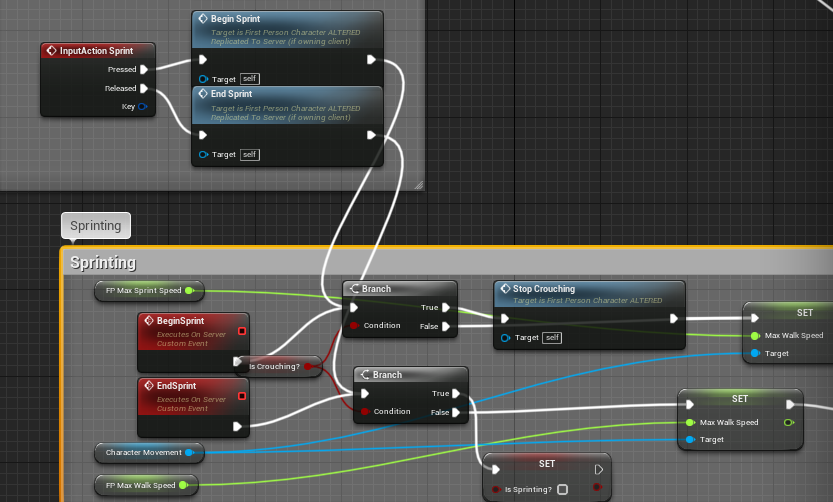
It strikes me as redundant, but that might just be because I'm new to this side of gamedev in general
I've been slightly following this tutorial video combined with an altered First Person unreal template

In this series we will be explaining how to add online multiplayer to your games. First we are going to explain how it works, then we will go into creating lobbies etc.
In Part 1 we begin with the basics, explaining how replication works, how to test online multiplayer, and how to add sprinting to your online game.
SUPPORT ME
Patreon I https:/...
 severe widget
calm bear
https://i.gyazo.com/3a4e8de6b192c80c013313b6af92ccbf.png
severe widget
calm bear
https://i.gyazo.com/3a4e8de6b192c80c013313b6af92ccbf.png
typically you want an action to occur on the autonomous client as well as the server. Then, the corrections from the server will be less severe, and you're able to run visuals as soon as a thing "should happen" as opposed to when the server tells you they happen.
The difference between running logic on the server only or doing it on both will not be apparent in PIE. but you can look into net emulation to simulate packet lag/loss.
calm bear
That makes sense! I was wondering if there was a better way to do it than the way I am now, like instead of choosing 'Run on Server' or 'Run on Client' and then having to manually connect the input to the event it's calling, I could somehow choose 'Run on Client and Server' and keep things visually separate
I haven't yet encountered any situations in which it'd be useful to run an event only on the server
severe widget
Oh. I see, like a way to visually structure this and do some code only on certain roles
Not out of the box, but you can find a pattern of calls you like and just use those all over the place. Anything more sophisticated along those lines would involve serious lifting in C++
calm bear
Ok! I definitely think I'll be diving into C++ eventually
For now I'm still getting my bearings with Unreal in general, the only program I've got experience with otherwise is GMS2
glass vector
how does attachment replication work? if I attach and weld the root of a child actor to the root of the parent actor, does the act of attaching get replicated? (ie, welding of bodies is replicated)
peak sentinel
Anyone knows how can we disable this log 😦

I need to set variable directly
Because Epic made the bReplicated made protected and I can only use SetReplicated() function
And I'm spawning actors for a pool and deferred spawning
silent valley
Why not make BP_Projectile Replicated in the class defaults?
peak sentinel
I'm still setting it again to true or false again inside the pool's initialize function
I decide to replicate spawned actors in the pool's subsystem
Sometimes only server needs to replicate such things etc.

Sorry btw I made a mistake, I need to set bReplicate variable directly, I'm using SetReplicated instead
hollow eagle
<@&213101288538374145> ^
 nimble parcelBOT
:no_entry_sign: Maximilianmus#2509 was banned.
 severe axle
Hello everyone. I have a question regarding function replication in C++. So I have a function, which modifies boolean variable, which I then use in AnimBP. I want to call that function on both client and server (I don't want any lags, so the variable I modify has COND_SkipOwner tag). The problem is, that I need to create a separate function, which will be called on the server. So, I have 2 functions: 1 is called on the client, and another one - on the server. But this means, every time I want to replicate a client only function, I'll have to create func for the server. Is this the right way of doing replication? I'm afraid there would be too many functions, doing basically the same thing.
thin stratus
severe axle
Hello everyone. I have a question regarding function replication in C++. So I ha...
In that case you usually have a function called
void ASomeActor::SomeFunction() which does your logic
And then void ASomeActor::ServerSomeFunction() which just calls SomeFunction
void ASomeActor::SomeFunction()
{
  if (IsLocallyControlled() && !IsServer())
  {
    ServerSomeFunction();
  }

  bSomeBoolean = true;
}

void ASomeActor::ServerSomeFunction_Implementation()
{
  SomeFunction();
}
Something like that
IsLocallyControlled() and IsServer() are just pseudo code though
severe axle
@thin stratus This is the way I needed, clean and simple. Thanks a lot. But why did you call that condition a pseudo code?
thin stratus
IsLocallyControlled is an APawn function iirc
So if that's some other actor that is owned by the Player (which it needs to anyway for RPCs), then that function might not exist or you have to figure out the locally owned stuff via the Owner of the actor
 potent dagger
What is best practice for testing Steam Multiplayer? A second Steam account run on a seperate computer?
acoustic egret
Hey guys, any idea on how to fix this client issue ? I'm stuck since a few days on this sh*t 😢
I tried RPC's, repNotify, ... i'm just lost now
(everything is fine on server/offline, but mesh is out of sync on client)
https://youtu.be/Fevt5ciJCmY


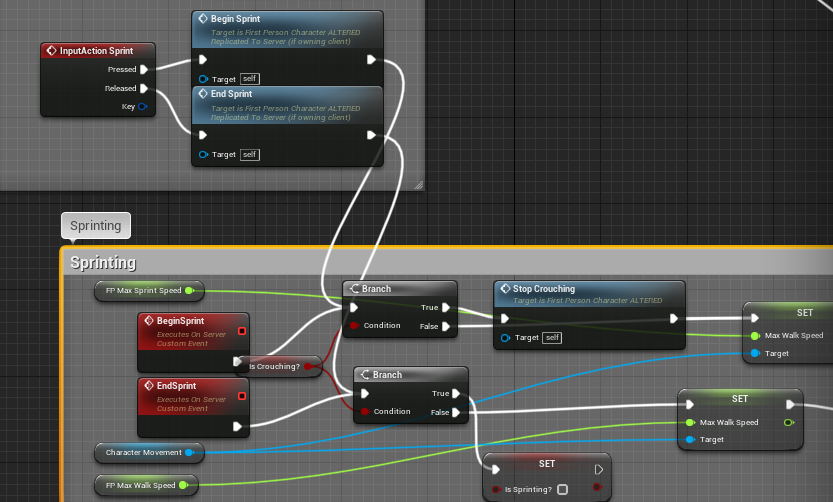 severe axle
thin stratus
So if that's some other actor that is owned by the Player (which it needs to any...
severe axle
thin stratus
So if that's some other actor that is owned by the Player (which it needs to any...
K, understood. Thank you 👍
sinful tree
acoustic egret
Hey guys, any idea on how to fix this client issue ? I'm stuck since a few days ...
It will pretty much always be as physics isn't replicated but simulated separately on every client and server.
severe widget
peak sentinel
Sorry btw I made a mistake, I need to set bReplicate variable directly, I'm usin...
You'll need to make a wrapper function that directly modifies that variable. If you can't set it from BP, then live with the warning
acoustic egret
sinful tree
It will pretty much always be as physics isn't replicated but simulated separate...
so should I make a 'ragdoll animation' instead of just 'ragdolling' just to keep it replicated ? there is no way for the server to handle meshes positions ? or just keep every character mesh in its own capsule ?
or maybe make a transform of a bone and replicate it
acoustic egret
anyone?
twin juniper
Hello guys, i did a simple matchmaking system that you find a server if there's not any then it creates one, where you wait for players to start (battle royale).
Now i want to add as default that you need teams of 3, so, i would like that when you try to find a match solo it would match up with 2 random players that are also solo. And, steam invite + menu player pods. Is there any tutorial or anyone that can help me out with it? Im a student learning for a university project
 sick frigate
Could anyone offer a clean readable way to reduce the per frame network cost of replicating an axis on a joystick? Guess i'm looking to poll the axis instead of using the axis output per frame
any tips much appreicated
maybe a delay node is enough?
bitter oriole
I don't get how a delay node could alleviate network bandwidth
If you truly need to replicate an axis, it's okay to do so
Make sure it's Unreliable and that's it
 thin forge
But doesnt a listen server act as both a server and client?
bitter oriole
And it shouldn't change much to the game
crystal crag
Ok, so my issue has become even more strange with the initial crash saying that the sub object's outer has not yet been replicated
it only does it once it would seem on initial play after loading the editor
if I am debugging and hit F5, the editor doesn't crash, and I can continue to play the game just fine
if I click stop and then start up a new dedicated server / PIE session, running as a standalone for the PIE client, then it doesn't hit that ensure breakpoint again
and my inventory loads just fine
still testing to see if that keeps happening consistently, but it is looking pretty consistent so far.
if something was getting replicated out of order... then I would think that it should always crash
or always fails that ensure at leasrt
I'm not using any static variables. I have avoided them on purpose to avoid weird PIE issues and just because I haven't really needed to use one yet.
crystal crag
It just makes zero sense. I changed the logic to not modify the inventory until the OnRep_PlayerState is called on the controller, which in turn fires off a server RPC to switch a flag to true, and only then is the inventory touched
still fails on that ensure
if (!ensureMsgf(ObjOuter != nullptr, TEXT("UActorChannel::ReadContentBlockHeader: Unable to serialize subobject's outer. Ensure that subobjects are replicated top-down, so outers are received first. Class: %s, Actor: %s"), *GetNameSafe(SubObjClass), *GetNameSafe(Actor)))
            {
                return nullptr;
            }
 worldly hollow
I have a general question about using Physics in Unreal's Networking System. Could a project that uses Physics Linear Velocity be converted into a multiplayer game? The ***Landscape Mountains ***Example project has a Glider that feels fantastic...But not sure if it could work as smoothly in a multiplayer game... for idk 30 players? Or would this be too heavy on the Server?
Blueprintue-Code:
https://blueprintue.com/blueprint/t3dze1gm/


No description provided
dark edge
worldly hollow
I have a general question about using Physics in Unreal's Networking System. Cou...
Replicated physics works decently well, but if you need local prediction, you are going to have a ton of work ahead of you.
So if you are okay with ping time delay between your inputs and the physics responding, then it's fairly easy.
worldly hollow
dark edge
So if you are okay with ping time delay between your inputs and the physics resp...
Hmm it depends on drastic the delay is but I guess that depends on how bad your ping is 😅 Just trying to thing on how I'd go about creating a Glider and how physics-based is should be ... People have suggested to fake it but physics just feels so good : /
dark edge
Glider would be easy, not a whole lot of transients in a glider. Something like Rocket League is much trickier.
spark owl
dark edge
<@!244618926363770880>This stuff
do you have any recommendation for which of these settings I should play around with?
dark edge
spark owl
do you have any recommendation for which of these settings I should play around ...
Just wrap your head around what they do and get the settings as loose as you can while still being good enough for your application.
spark owl
ok i've changed a few of them, but just wanted to see if you had any particular 1 you could think of for the issue i'm having. Thank you for the help.
crystal crag
Ok, so I think I finally figured out the problem, but I really don't understand how it ever worked in the first place
dark edge
spark owl
ok i've changed a few of them, but just wanted to see if you had any particular ...
Mess with the error per linear and per angle, and try give it some linear lerp
crystal crag
My inventory system is an actor that doesn't load on the client. The UObjects being replicated are owned by the inventory system. So when the inventory item objects were replicated to the client, of course it couldn't find the outer, because the inventory system doesn't replicate or exist on the client
So... not sure how it has been running since last year without running into this issue until about a week ago now
dark edge
@crystal crag Why are they UObjects and not just structs?
crystal crag
Because different inventory items have different properties and I really despise being forced to stick every possible property into one structure.
dark edge
crystal crag
Because different inventory items have different properties and I really despise...
What does your savegame look like then?
meager spade
i like SaveGame
violet sentinel
dark edge
<@143125462695018497> Why are they UObjects and not just structs?
objects can have methods, and be passed by pointer. easier to replicate big changes (after initial setup)
meager spade
i store the InventoryActor itself 😛
dark edge
Which approach would you guys suggest for an inventory and item system that leverages guids for items?
crystal crag
By God, kaosapectrum is finally spotted in the wild
dark edge
That is, being able to uniquely refer to a single item instance
crystal crag
I use structures for a lot of things. But for inventory items, I use uobjects.
violet sentinel
if you want to nicely work with single item (like add a delegate or extra state) then objects
all you need is implement 4 items in item base class and 2 methods in inventory container
crystal crag
Would save game really even work well for a game that requires players to traverse different dedicated servers, which are not even on the same physical host?
I would think you would want a database driving all player state
Not that the the dedicated server directly connects t o the database, but it ultimately gets there
violet sentinel
then dedicated servers would be world servers connected to data server
crystal crag
Right
well, not directly in my design, but yes.
Does anyone know how long the player state instance sticks around if a player disconnects from the session?
I'm thinking more along the lines of the client loses network connectivity, the game crashes, etc.
sinful tree
crystal crag
Does anyone know how long the player state instance sticks around if a player di...
Not sure of duration, but you have several events you can latch on to (such as APlayerController::Destroyed() )before it gets destroyed so that you can store any needed data about the playerstate, even temporarily on the server before writing to database or repopulating the data back into another playerstate if the player reconnects, so long as you can properly associate the data back to the correct player of course.
 glad sedge
Wrapping my head around something, so forgive the q
But updating variables (velocity, health etc) on simulated proxy from server - what's the reason for that, say, over just the server doing the update and replicating to all clients?
 sinful tundra
Hey again, got another question: I'm trying to use seamless travel and whenever I servertravel to the final map, both the host and client's controllers seem to not get created or something? (since I'm getting null invalid checks). I thought they were supposed to persist during travel. Seamless travel is on, I have a transition map, and only the server is calling the servertravel on a custom playercontroller. (Everything is done in blueprints btw). All maps involved for the travel have the same game mode override settings.
And run under one process is false and is set to standalone for the play settings.
potent dagger
Anyone have a good resource for changing host on the fly? Like, if host disconnects, random client becomes host. Is it possible?
sand iris
Is it true that SetReplicateMovement() has to be called in BeginPlay and not the actor's constructor?
I heard that in a video but there was no explanation as to why that is so if someone could explain that would be great
Is it because, by default, it gets set to true after the constructor but before BeginPlay?
sick frigate
bitter oriole
I don't get how a delay node could alleviate network bandwidth
because it polls by ignoring execution between its delay. Unreliable is not an option for us
bitter oriole
What's wrong with unreliable ?
 wind scarab
You want people to test hack your ue4 game?
if so I can help you with that
Ahh, if you ever need help feel free to dm me, and gl on your progress 👌
I have a ton of ideas just like that myself haha
 slim nebula
Is there any way to move an actor whose local role is ROLE_SimulatedProxy with charactermovementcomponent in remote-client?
I'm using the function called AddMovementInput.
I'm planning to use RPC which is unreliable, but I'm asking because there seems to be a better way.
 finite goblet
I've found the Unreliable meta on RPC to be very random , it may go through or not even though the network conditions are the same even in negligible network traffic scenarios
I expected it to only start dropping after there's a meaningful network traffic
 rapid bronze
Just make everything Reliable ( joking )
chrome quest
Lmao.