#multiplayer
1 messages · Page 657 of 1
 wise bridge
 bitter oriole
So one player is running a packaged game and has 10fps on their machine ?
 thin stratus
Pahaha, they had bugs cause they used RPCs for State.
Man, Valorant is just a box of beginner mistakes in terms of UE4
 chrome bay
RIP
wise bridge
bitter oriole
So one player is running a packaged game and has 10fps on their machine ?
No, 2 player were connected, had 200 fps on their machine, and the mesh of the other player (host for the client, client for the host) was at a low framerate
 pastel pivot
well it is made by UE4 beginners in a sense, so yeah :p
thin stratus
"Hey let's make the camera also a Hero Character so that we can just possess it."
5min later. "WHY IS THE CAMERA SHOOTING AT US WITH A WEAPON?"
(still one of my favorite bugs)
bitter oriole
wise bridge
No, 2 player were connected, had 200 fps on their machine, and the mesh of the o...
Cool, how is the player pawn implemented ? Is it ACharacter ?
pastel pivot
thin stratus
"Hey let's make the camera also a Hero Character so that we can just possess it....
I loved it too 😂
bitter oriole
Where is the server running ? Dedicated server, or listen server ?
wise bridge
Listen server
bitter oriole
And what's the uplink bandwidth for the player hosting ?
bitter oriole
Interesting. I take it the client has a solid network connection too ?
wise bridge
Not as good as mine, but yes it was good too
bitter oriole
And low ping while connecting to you - not doing this across the planet ?
wise bridge
Yes, we are near, without high ping
bitter oriole
Normally if you haven't added a lot of additional replicated objects this should work pretty well, assuming you haven't done any custom input or dynamic speed changes and stuff like that
So maybe it is the default bandwidth
Try that in DefaultGame.ini
[/Script/Engine.GameNetworkManager]
TotalNetBandwidth=32000
MaxDynamicBandwidth=7000
MinDynamicBandwidth=4000
wise bridge
Wait a second I'm restaring ue
It seems better thanks you !
And do you have something to help me in the future, when I would like to correct all the issues about latency/package lost?
bitter oriole
Not sure what's the question here
wise bridge
If ppl have a "high ping" things are getting really weird
 pallid token
Calling an RPC in a delegate of InputComponent->BindAxis() feels wrong is this wrong? It's basically calling and RPC from Tick().
bitter oriole
It's not wrong as long as it's unreliable, and limited in scope
bitter oriole
wise bridge
If ppl have a "high ping" things are getting really weird
You can only work around that by making clients more autonomous, simulate everything locally, and use the server state as a ground truth that you want to get close to rather than always trying to be 100%.
pallid token
I'm just trying to get my Character to match rotation on all clients.
 grizzled stirrup
Just have them set a replicated property
No need for an RPC
Then have other clients lerp to that rotation
On tick
pallid token
Yeah, but I have to rotate the character on the server, somehow.
grizzled stirrup
I believe there's already a replicated property for rotation on the server, one second
wise bridge
bitter oriole
You can only work around that by making clients more autonomous, simulate everyt...
Ok, well I'm gonna take a look into this later, it's really for the future ahah, have a nice day !
 livid sluice
Hey guys sorry to interrupt. Just a quick question. Is it wrong for this data flow to happen? Client Function ->Server Function-> Client Function
I basically need to wait for the server to finish that function before I can call the client function again.
pallid token
Years ago, I was told not to stack RPCs. Not sure if it's still wrong.
grizzled stirrup
pallid token
Yeah, but I have to rotate the character on the server, somehow.
GetControlRotation() should be replicated for pitch and yaw should already be replicated if you are replicating movment
pallid token
grizzled stirrup
GetControlRotation() should be replicated for pitch and yaw should already be re...
Ty. I think this is the ticket!
grizzled stirrup
pallid token
Ty. I think this is the ticket!
Sorry I'm wrong about GetControlRotation being available as other clients can't see the PC of other players
I'm doing this on tick in the Character
            // Replicate the view pitch of this player to everyone else
            FRotator CurrentRot = FRotator(CurrentViewPitch, 0.0f, 0.0f);
            FRotator TargetRot = (GetControlRotation() - GetActorRotation()).GetNormalized();
            FRotator FinalRot = FMath::RInterpTo(CurrentRot, TargetRot, DeltaTime, 5.0f);
            CurrentViewPitch = FMath::ClampAngle(FinalRot.Pitch, -90.0f, 90.0f);
On the server
CurrentViewPitch being the replicated float
That float gets passed into the AnimBP
To drive the aim offset
But if you only need yaw rotation replicated then it shoudl work by default with replicating movement set to true
pallid token
grizzled stirrup
But if you only need yaw rotation replicated then it shoudl work by default with...
I'm going to be honest with you... I thought I already did that, but it was on another actor... All of that is helpful, though. Ty, for taking the time and give me great answers.
Still not working, but I figured it out. So, my character is a 3rd person character with a spring arm, so the mouse rotates the spring arm. When I hold a button to strafe (Block, or draw bow depending on the loadout), The character rotates with mouse movement. Because of the latency, if I'm rotating when I right click (to strafe) the delay causes the client rotate differently than the server for a fraction of a second.
livid sluice
Guys sorry to repeat a question but. I have a client function which calls a server function which check a condition and calls client function again. so its Client ->Server -> Client. Is this wrong to do?
Because I cant think of another way to do this
bitter oriole
livid sluice
Guys sorry to repeat a question but. I have a client function which calls a serv...
Without a particular context, yeah, looks fine
livid sluice
The client picks up an item, the server then checks for space and if not the client receives a call to drop the item.
bitter oriole
Looks fine to me
livid sluice
Thanks.
 spice skiff
Anyone know a way to replicate instanced static mesh ?
 kindred widget
@spice skiffPut it in a replicated actor, set it to replicate.
spice skiff
it doesn't work when spawning in run time
kindred widget
I did it via FastArrays. Component had a FastArray, which was given a local space vector among a couple other things. PostReplicatedAdd added a new instance to the ISM on each machine individually. Though I never did find a decent way to handle the ability to allow characters to walk on it.
spice skiff
yeah i have it working spawning instance/comp on each machine individually, although getting JIP working with that is a nightmare, gotta be an easier way
 peak sentinel
So I was using a timer-based prediction system for projectile spawning on my weapons, its basically like this on my HandleFiring function:
SetTimer(TimerHandle, this, AWeapon::SpawnProjectile, blah blah);
Server_SetTimer();
But turns out this logic is not working with my projectile pooling system. I want to merge to burst-counter system (ShooterGame one) that checks firing with OnRep function, my question is my game is not a bullet hell type but I spawn projectiles in a very high rate, like each 0.1 secs. Would burst-counter system flood the bandwith usage?
Normally I was hiding the server projectile from firing client, but pooling system made that impossible. Now I want to exactly merge UT's predicted projectile spawning system
That way I will not have to deal with visibility of the projectile meshes
peak sentinel
Just found KaosSpectrum's post, looks very similar to my question https://forums.unrealengine.com/t/gameplay-abilities-and-weapon-firing/130633/4
Seems like if I can go with the same way it wont be a trouble at all since also Fortnite does the same
chrome bay
the counter won't be the bottleneck, it'll be replicating newly-spawned actors
Spawning actors is by far the most expensive part
 glass vector
if a nonplayer actor (ie magazine) gets attached to a player controlled pawn, does the nonplayer actor have the player controller as the owner?
using the BP node attach actor to actor
must attach actor to actor be called on server?
glass vector
does the nonplayer actor's owner get auto set to the player?
 foggy idol
glass vector
does the nonplayer actor's owner get auto set to the player?
foggy idol
glass vector
does the nonplayer actor's owner get auto set to the player?
I don’t think so
I think their owner value remains nullptr and for replication sake they’re owned by the server
foggy idol
glass vector
does the nonplayer actor's owner get auto set to the player?
But why not set it manually ?
 primal isle
any good tutorial out there to help me make a lobby in which i will select teams character?
all i can find either is filled with bugs, the teams are saved in a string variable or it has too much stuff around that i dont need and cant figure out a way to not use it
foggy idol
Save the teams as an enum or string
Then have some kind of backend for translating the enum client side
Like enum option 1 = team red
 hollow oar
Hey Guys, anyone know the correct way to increase the max player cap on servers? right now it defaults to 16, (which is another question, I don't see where in the code that is happening, or what config it is loading to have that default value)
 narrow skiff
@hollow oar
Inside DefaultGame.ini
[/Script/Engine.GameSession]
MaxPlayers=100
hollow oar
narrow skiff
<@!266188246361440267>
Inside DefaultGame.ini
[/Script/Engine.GameSession]
MaxP...
thanks - wasn't sure if that was the "correct" way, and was especially confused how the engine was defaulting to 16 with that entry not in the .ini file... I tried to breakpoint walk back to where it was set in the code, but it was saying it was loading from a config, and the class it was using was fairly generic so i couldn't trace back that class's initialization to see where it was coming from
narrow skiff
Also are you using the Create Session blueprint you can change the Public Connections on the node
@hollow oar
hollow oar
no i am currently not - i started off the 3rd person mp project, so i am getting default behavior I guess?
 waxen breach
Hey guys, so i'm getting a little desperate rn because I have gotten no info on this yet, please bare in mind as well that i'm very new to making multiplayer games, so here goes:
I want to make a menu where the player, using a widget (in VR) can input a code, and enter a lobby based on that code, for instance, a room code could be (1234) and if another player inputs 1234, they will join the same room
I'm really bad at this so i'm sorry if this is not doable
narrow skiff
Ahhh well if you ever end up using the create sessions you will be able to remove the MaxPlayers in the INI and just use the public connections
hollow oar
I will look into that as my next step then 🙂
it would be better to have some sort of programatic control of it
hollow oar
waxen breach
Hey guys, so i'm getting a little desperate rn because I have gotten no info on ...
I'm fairly new tot he engine, but yes that definitely seems possible. Sounds to me like you would want to have different servers for different codes, which makes me wonder if you can "spawn" servers. When I worked on Heroes of Newerth (not in unreal) we had a master server which would manage spawning game servers
waxen breach
Oh, hm, my main issue is that i've never done anything involving networking before, i have the replicating set up but i know nothing about connecting servers
hollow oar
gotta start small then
first just try to get a client that connects to a server based on a login or something
are you new to making games in general?
narrow skiff
hollow oar
I'm fairly new tot he engine, but yes that definitely seems possible. Sounds to ...
You can. Thats why Im building a plugin to make it easier for developer to manage there server and launch them easy. They can rent servers from me or use there own. I have a little more information on it in the #work-in-progress channel
waxen breach
hollow oar
are you new to making games in general?
Not really, i've made a good VR game that's currently in progress
I just need to figure out how to do multiplayer and such
hollow oar
cool, then lets break down the steps
im guessing you want this to be online?
(over the actual internet, not just on a local network)
waxen breach
Yes, my goal is to have the game be accountless, where you just input a code and you're ready to go
hollow oar
Ok well, the first step would similar to what I've done so far
im streaming at the moment, if you want to load it up, it will be easier to show
waxen breach
Oh yeah definitely, just excuse my voice if i do talk, i'm a highschooler so i sound quite young
hollow oar
thats fantastic honestly
narrow skiff
Have you thought about Beacon System? @waxen breach
hollow oar
great on you for doing something
waxen breach
narrow skiff
Have you thought about Beacon System? <@!812014717643915264>
Oh what's that?
waxen breach
hollow oar
great on you for doing something
And thanks! Honestly this has been my hobby for a while
hollow oar
^^ I too don't know (unless its the system you were working on @narrow skiff )

Odysee
I have a month off from work and I want to learn as much as I can about UE5. Join me, learn with me, teach me :D
Seeing how many clients I can get connected to my server.
If you want a copy of the c...
waxen breach
I'll be in Programmer Parlor by the way if you wanna talk there and show anything
Ohh okay like
hollow oar
ah, that way
waxen breach
i thought you meant discord stream
hollow oar
haha i meant a regular one, but i get the confusion
narrow skiff

Overview of the Online Beacon system
waxen breach
Alright i'm in
narrow skiff
Its lightweight way to connect to users
waxen breach
So technically speaking what if i were to use an amazon server?
Thank you so much for that, genuinely!
hollow oar
@narrow skiff do the beacons ... like register to some server out there, and then that server matches up the host/client beacons? If so can I set it up for my own PC to be said server? (still reading up on this / watching videos )
 hearty vine
can I safely override CalcVelocity (slightly change how the friction get's applied) in character movement and it not mess up the netcode?
 hollow eagle
probably fine, there's no special handling for networking in that function. I'd expect it's called on both clients and server so results should be the same across both, as long as you aren't relying on data exclusive to one or the other.
hollow oar
ahh init client is likely what i want... neato.
 rotund onyx
I need a client to get the other players' player states so that I can update the HUD with current players. How can I do this?
bitter oriole
Get player states from the game state
rotund onyx
will that work on a remote client?
narrow skiff
You can do it the listen server way so you don't have to use dedicated server resources and save it for actual gameplay
Meaning
The host will be the listen server and clients can join up on that server and then do a server travel to bring all clients into a game to the dedicated server if you plan on using a dedicated server @hollow oar
bitter oriole
rotund onyx
will that work on a remote client?
Yes
rotund onyx
bitter oriole
Yes
very cool, thanks!
 wind dirge
anyone seen DataAssets working fine in editor / standalone but then seem to magically disappear in build ?
bitter oriole
wind dirge
anyone seen DataAssets working fine in editor / standalone but then seem to magi...
That would be completely normal if no primary asset references them
wind dirge
Well my level traversal is totally broken in builds. Plenty of hard references to them
hollow oar
So I guess with the "session" approach, I am having trouble understanding how "joinsession" will know the IP of my dedicated server (I am sticking with a pretty separated "deicated server" approach.). Right now i just have my server opening a level, and the clients "Open Level" with the IP of my server. This feels a little basic so i was looking into "sessions" but every think i see a about themseems to be using them on a local LAN not over the ineternet, so i never see any IP being used
hey Tides, I am not quite sure where you are at
but there is an option to package up your server
so I've done that, then moved it to the server computer and had it run. I then use "Open Level" with the IP/Port of my server and it connects fine
only if your connect part was hard coded
if it had some text entry to take the server, you could just type it in
decicated server
 tacit bough
I forgot the command but I remember you could connect to a running session via a console command.
It was something like join IPADDRESS does someone know what I'm talking about?
hollow oar
I don't remember that in particular, because from the beginning i've been using the unreal editor from compiling the code XD
but yes, you can go to github, download the whole source code (if you don't want to set up git), compile it and run unreal editor that way
i think there is a free level on AWS, but amazon is evil so if you can find another free one use it haha...
ubut i am literally just using my own PC as a server
 twilit radish
"free" is never really free 😛
There's always the catch to lure you into their platform or something else.
hollow oar
not entirely wrong
because of ISP issues, I had to use portman.io to help set up my local server
narrow skiff
@twilit radish Yeah "free" only last a year then they start charging you per instance depending on the region of the server and how many users are on the server and how long the server was running (They charge per instance and Per Region also)
hollow oar
It seems sessions are only applicable to online subsystems? IE if i am running my own server do I need to write my own online subsystem if I wanted to use Sessions?
narrow skiff
You can use the Advanced Sessions
hollow oar
the plugin?
narrow skiff
Yeah
rotund onyx
can clients reference data from the GameMode or only the GameState?
twilit radish
GameMode is server only.
narrow skiff
GameMode only exists on the server. as GameState is both Server and Client
twilit radish
 hollow oar
looks to me like what I want to start implementing is beacons to manage loading into possible instances etc. Sessions seems to be something more about interfacing and hosting games via steam etc
waxen breach
still struggling with making a menu to hosting a server
i have no idea what i'm doing rn
narrow skiff
You can use the Sessions without steam also @hollow oar
hollow oar
i can use them on a local LAN, but i see nowhere to connect the session stuff to my own server, aside from implementing my own online subsystem
unless i am missing something
narrow skiff
Thats what I did was make my own Subsystem ends up being 103 files and almost 10k lines per file not counting the Party information and everything else
waxen breach
are there any good templates i can use the widget of?
 sage isle
Hey there, I am kind of new to the multiplayer stuff so I am kind of getting the feel for networking and what not. I would love some tips on getting started as I wanted to make something where you can swap between various characters but am struggling to get started
 pliant vapor
how do i fix this pitch rotation thingy
narrow skiff
Is it replicated @pliant vapor
 pliant vapor
i switched it to multicast
i switched that pitch node to multicast idk where else i can change that option
narrow skiff
Your in the Character BP huh move it to the Player Controller
 eternal canyon
pliant vapor
i tried this but it didnt fix anything
eternal canyon
pliant vapor
i tried this but it didnt fix anything
oh lord
waxen breach
I still need help on how to make the menu for my game that allows players to create or join servers
how do i do this?
I wanna do it using widgets since this is a VR game
 lost inlet
You’d do it with widgets if it was a flatscreen game?
waxen breach
Oh yeah i know but
lost inlet
Though this is what the online subsystem is for
waxen breach
what i mean in this case is that the player would be using pointers attached to the controllers
lost inlet
And the online subsystem is what abstracts the online service you do use into a nice common API
hollow eagle
If you're asking how to make the UI, see #umg or #slate. If you're asking how to use online subsystems, see #online-subsystems.
waxen breach
i think it's online subsystems but i don't wanna use steam or anything
I just literally have no idea what i'm doing here and all i need is some sort of walkthrough of what i'm trying to do without drawing a widget to the screen, it has to all be in 3d space
 fossil spoke
Then ask in #umg, drawing UI to the screen has nothing to do with #multiplayer
pliant vapor
narrow skiff
Your in the Character BP huh move it to the Player Controller
the tutorials on yt are kinda shit
how do i move them to the player controller
 true karma
How do you get a passenger in a possessed vehicle to use the same camera the driver uses?
fossil spoke
SetViewTarget is one option. Though keep in mind that if your attempting to view exactly what the other Player is looking at, it wont work how your expecting.
 true karma
Thanks! Even if they're both using a camera that's a component of the vehicle?
fossil spoke
If you want the passenger to control the view independently, you will need to handle that yourself.
true karma
Ok cool thanks!
narrow skiff
pliant vapor
the tutorials on yt are kinda shit
how do i move them to the player controller
Create a Player Controller assign the player controller to the game mode and then just put the same inputs inside the player controller
pliant vapor
narrow skiff
Create a Player Controller assign the player controller to the game mode and the...
OOOOH
yeah thats where i struggled i couldnt figuere out where to put it
thanks
 final flower
hi guys,I have a question to ask:
Run the game first. When the ue4-editor loses focus, the game will freeze(the FPS will very low).
This problem caused the client to behave abnormally, in the "Play as Listen server"
bitter oriole
That's normal and you can disable it
Look up "background" or something in editor settings
final flower
how to do that?
kindred widget
It's named oddly since it usually affects FPS, but it's Use Less CPU When In Background.
bitter oriole
PIE isn't very useful for multiplayer
final flower

here?
oh,it works! thanks!
So how do you usually test multiplayer games?package ?
 fading birch
You can test in PIE just fine.
Some stuff behaves differently in a packaged build though.
Usually I test PIE to ensure functionality is working as intended, then verify in a packaged build
final flower
fading birch
Some stuff behaves differently in a packaged build though.
I found this, but the PIE test is faster
fading birch
yes of course
you should ensure stuff works on a functional level in pie
and then verify nothing weird happens in a packaged build
that's fairly standard
you can also write automation tests for your packaged games if you really wanted to
but that gets convoluted quite quickly
final flower
ok,thanks!
bitter oriole
final flower
So how do you usually test multiplayer games?package ?
Right click uproject, launch, create / join a session
Once for client, once for server
You can script it etc
Less practical but also a shitload more representative of actual gameplay
final flower
oooooh,It can be used like this, very useful, thank you! !
kindred widget
While we're on the point. There isn't by chance a way to delay or add in a new PIE client session after having started a server one, is there?
Cause that sounds like an incredibly useful tool that I can't find much on. Would make testing replication state conditions infinitely easier.
bitter oriole
Don't think there is, and tis is why you don't use PIE for more than iteration
 empty axle
kindred widget
While we're on the point. There isn't by chance a way to delay or add in a new P...
empty axle
kindred widget
While we're on the point. There isn't by chance a way to delay or add in a new P...
You mean like a button to add a new client after already starting PIE?
kindred widget
More or less.
empty axle
There is something like that
I will find it and post it here, maybe that is what you want
 meager fable
Is there a way to add options without opening a level? I would like to start a listen server without loading a new map
 empty axle
@kindred widget Editor preferences and search for "allow late joining"
Then after you start PIE there will be a button in place of usual Play button to add new client
kindred widget
Oh, that's neat. I wonder why that isn't enabled by default.. I suppose that might confuse singleplayer game makers though.
thin stratus
meager fable
Is there a way to add options without opening a level? I would like to start a l...
I think you are always required to open a level to start listening.
You can however start it directly with listening and then later open the session
empty axle
Yeah, game changer feature for me if you want to test late joining. And it is there from at least 4.21
meager fable
thanks
 silent valley
that's awesome
kindred widget
@empty axle That is absolutely fantastic. 😄 Hotjoin testing cut from an hour to five seconds.
 rough kestrel
So I overode the logout function in game mode and reloaded the level when the total player count is zero for the next session that would take place there. But for some reason, the dedicated server does not do this consistently (worked fine in editor).
Also how would one handle joining players during server travel?
 steady musk
Hi guys. Is there any detailed log for dedicated server? Cause rn its falling for no reason and log dont have enough info
 bitter oriole
Debug it
steady musk
Probably the best advise in such cases
bitter oriole
Any time you have a crash
rough kestrel
anybody here has used vivox core? I managed to get voice chat to work in echo mode to work via rift but I am not able to get voice chat to work in quest 2
bitter oriole
You keep asking and no one answers so clearly not
 dusty bloom
@rough kestrel go to eeldev's server hulken will help u there
silent valley
Different VivoxCore I suspect. The official Vivox SDK integration is also called VivoxCore 🙃
 marble rune
Thoughts on Nakama, is it a good alternative to Epic Online Servies & PlayFab?
rough kestrel
dusty bloom
<@!428266140385411075> go to eeldev's server hulken will help u there
wait which one?
rough kestrel
silent valley
Different VivoxCore I suspect. The official Vivox SDK integration is also called...
ue4 sdk from dev portal
 rough kestrel
nope making our own as we are using source version of 4.26 plus eant to be able to update on demand. Made a plugin to make bp accessible functions for use.
primal isle
what is the best way to set up 2 teams in order to have access to the players in each team to be able to create scoreboard and team only chat and stuff like that?
would a int variable in the game instance 0 and 1 be able to do all that if i set them from a widget when they select the team? or is there something better?
rough kestrel
dusty bloom
i thought you reffered to the vivoxcore plugin <:pepeLaugh:782932832909262880>
nvm it works now. permission issue
 weary saffron
Hey guys!
I want to send the values of the players from the lobby to the game. Team, skins, weapon... etc.
How can I save these values in a game server instance for each player?
And how do I know in the game to whom which values belong?
I don't want to be dependent on the player's name.
 thin stratus
The Lobby is already on the Server, or?
If so, use SeamlessTravel and save the data in the PlayerController/PlayerState
And use CopyProperties in the PlayerState and OnSwapPlayerControllers in the GameMode to move data back and forth
weary saffron
@thin stratusYea. On serve. Should I use PlayerController/PlayerState like Lobby?
thin stratus
Sorry?
weary saffron
LobbyPlayerController and GamePlayerController.
It is the same?
@thin stratusOk. I trying.
thin stratus
Well
I would make sure that you have a common parent class
That has the data that these two share
weary saffron
thin stratus
I would make sure that you have a common parent class
Wow, That's for sure!
hollow oar
Can you programmatically start up a dedicated server? For example, have a dedicated server start up another server?
narrow skiff
hollow oar
Can you programmatically start up a dedicated server? For example, have a dedica...
Yeah have a master server send the request to the other ones and have it start it
thin stratus
You are basically just starting a process
UT does that when playing private matches
They just launch a dedicated server in the background
hollow oar
I'm having trouble figuring out the blueprint or C++ calls associated with it at the moment...
and my google foo is apparently weak on the topic
thin stratus
Well you can try finding it in the UT source code
It's just some platform process run stuff with path to the exe I guess
hollow oar
not a bad place to start looking. I am hoping they already have something implemented so I can keep the code as platform independent as possible (if if someone on a mac wanted to run a dedicated server, as long as I exported to mac it will work (likely with some bugs, but I think you get the point)
weary saffron
@thin stratus
I created parent classes.
- GameMode (with "Use Seamless Travel")
- PlayerController
- PlayerState (with variable of team)
Then I created child classes.
- LobbyGameMode and BattleGameMode
- LobbyPlayerController and BattlePlayerController
- LobbyPlayerState and BattlePlayerState
In the lobby, I write the team for each player and then do "server travel" to Battle map.
I still can't get the value from the lobby.
Next screenshot of the Team in the lobby.

@thin stratus
The next screenshot is the players in the game.
All players from team A (default value).
 thin stratus
Well did you move the data over with the functions I mentioned?
weary saffron
@thin stratusI found solution. https://forums.unrealengine.com/t/how-to-use-aplayerstate-copyproperties-with-seamless-travel/148560

Unreal Engine Forums
Hey, I’m working on an asymmetrical game (similar to dead by daylight), and I want to transfer the player’s role (enum) from the lobby to the game level. This role is used to determine which character to spawn for the player in the game level. Is the copy process supposed to be a “two stop” logic? So I should copy first from Lobby to Transition...
 meager spade
@kindred widget there is
 coarse flame
is there a way to ping a server to check if the server is online or not?
rough kestrel
coarse flame
is there a way to ping a server to check if the server is online or not?
I think that is where some kind of query based management system comes up which behaves like a gatekeeper? Unless there is another way
coarse flame
Alright thanks dude
 vague spruce
does anyone remember the console command to display replication errors?
silent valley
I've never heard of that method. Normally you would make a Server package, either from the editor or via command line.
However, for this to work you need to compile engine from source I'm afraid, as the Epic launcher version does not come with the ability to package server.
 tribal sail
anyone know how a character can be destroyed on the server but still exist on the clients?
I'm destroying a character on death by setting its lifespan and it is destroyed fine on the server but persists on the clients.
@tulip ferry is your variable bServerIsSprinting set to replicate?
can I see your declaration of that variable?
that might be your problem. by default, variables only exist on the client
so your server has no clue what that variable is
you have to set it to replicate
UPROPERTY(VisibleAnywhere, Replicated) bool bServerIsSprinting = false;
also i'm not sure your StartSprinting and StopSprinting functions are running on the server
try this refactor
`UFUNCTION(Server, Reliable)
void ServerRPC_Sprint(bool bNewSprint);
void Sprint(bool bNewSprint) //add this function. this is the function that will issue the RPC
// CPP file
void ABaseFPSCharacter::ServerRPC_Sprint_Implementation(bool bNewSprint)
{
Sprint(bNewSprint);
}
void ABaseFPSCharacter::Sprint(bool bNewSprint)
{
GetCharacterMovement()->MaxWalkSpeed = bNewSprint ? SprintSpeed : DefaultWalkSpeed;
if(GetLocalRole() < ROLE_Authority) //if this is true, this code is running on the client. send the RPC
{
ServerRPC_Sprint(bNewSprint);
}
}
void ABaseFPSCharacter::IStandardFpsCharacterFunctions_SprintInputBegin()
{
Sprint(true); //remove server call from here
}
void ABaseFPSCharacter::IStandardFpsCharacterFunctions_SprintInputEnd()
{
Sprint(false); //remove server call from here
}`
wow that came out weird
anyways
your syntax was a bit funky so it's a bit tricky to decipher what's going on.
so this refactor creates two sprint functions. One runs on the client and one runs on the server. You could just as easily make two separate functions like you had, one for stopping sprint and one for starting. But this keeps the RPC's to a minimum. You simply send a bool with the new sprint state.
The sprint function sets the maxwalkspeed variable depending on the bool, then checks to see if it's running on the client (which by default it is). If it is, then it issues the Server RPC. Then the server simply calls the Sprint function
no problem!
Keep in mind that the server is authoritative. If there is a discrepancy, the server wins
but good on you for thinking of these things early on!
 humble meteor
So been having issues all night with trying to replicate a struct only to find out the issue is because Maps can't be replicated, DOH! MY question is, what are people's workaround for this? Do you break the maps into arrays of Keys and Values and replicate those to reconstruct into a map once replicated or just avoid using Maps altogether?
 cunning condor
Anyone got any clue why connecting to a dedicated would throw this:
Assertion failed: Channels[ChIndex] == nullptr [File:E:/workspace/Unreal Engine/Engine/Source/Runtime/Engine/Private/NetConnection.cpp] [Line: 3272]
Guessing this is related, can't figure out why playercontroller / unique id is null. Building from source on UE5.
[2021.08.19-22.59.50:251][  4]LogNet: Server accepting post-challenge connection from: 127.0.0.1:61988
[2021.08.19-22.59.50:253][  4]PacketHandlerLog: Loaded PacketHandler component: Engine.EngineHandlerComponentFactory (StatelessConnectHandlerComponent)
[2021.08.19-22.59.50:253][  4]LogNet: NotifyAcceptedConnection: Name: ServerInit, TimeStamp: 08/20/21 00:59:50, [UNetConnection] RemoteAddr: 127.0.0.1:61988, Name: IpConnection_2147482497, Driver: GameNetDriver IpNetDriver_2147482504, IsServer: YES, PC: NULL, Owner: NULL, UniqueId: INVALID
[2021.08.19-22.59.50:254][  4]LogNet: AddClientConnection: Added client connection: [UNetConnection] RemoteAddr: 127.0.0.1:61988, Name: IpConnection_2147482497, Driver: GameNetDriver IpNetDriver_2147482504, IsServer: YES, PC: NULL, Owner: NULL, UniqueId: INVALID
 oblique prism
If a replicated actor is destroyed on the server, you would expect it to destroy on all relevant clients wouldnt you?
fading birch
yes
rotund onyx
Hello multiplayer chat, I am once again asking for your assistance.
I am trying to get the players' UI to update when one player presses a button. Currently I am going Widget->Controller->PlayerState->GameState->Get All Player States->???
I thought I could grab the controller from the player states as the game state and call a client function on it from the server, but that doesnt seem to work
the game state definitely gets updated though
so I can go one way
fading birch
Is the player changing something about themselves? You can just handle that in the playerstate and replicate it.
rotund onyx
fading birch
Is the player changing something about themselves? You can just handle that in t...
Yes, but I'm not sure how to update everyone else's ui
fading birch
you can do it in an on rep
then broadcast a delegate
or, have them already watching the value on their UI and it'll update when it reps
for example, this is what I do for a person changing their team color:


my gamestate function is a multicast
rotund onyx
fading birch
you can do it in an on rep
a repnotify, or just replication? I don't really understand sorry
weary saffron
Hey!
How can I block players from joining after a match has started?
I use AdvancedSessionPlugin
 rotund onyx
I'm no good at reading C++ sorry
Is the repnotify located in the Player State? How do others access the repnotify?
fading birch
RepNotifies are ran on each client that's relevant to the actor
rotund onyx
so where should the variable be located?
I could see putting it in the Pawn, Controller, or PlayerState, but I don't know which
fading birch
I store mine in the player state.
I ensure it's broadcast to all players via the game state
since the gamestate is definitely replicated to all players
and another player may not have the player who changed their team color be network relevant to them.
ie, across the map outside of the replication range
but if I send it to the game state, which is always relevant, they'll get the update.
rotund onyx
I've never used repnotify before. How is it set up?
fading birch
in BP i'm not sure how RepNotifies give me a minute to familiarize myself
ok
so essentially a RepNotify allows you to execute functionality after a variable has been replicated.
so in my case:
1. Client changes team color
2. Client tells the server it wants to change team color
3. Server changes the team color and calls the OnRep function, forcing the variable to replicate
4. The OnRep function grabs a reference to the game state and calls the NetMulticast function to tell all players that the player change their team color
5. In that multicast function I just broadcast a delegate, which changes the team color on all other clients```so I guess the way I was passing information was sort of correct
but I dont know how to make an OnRep function, nor do I have any idea what a delegate is
also whats the difference between using OnRep and just manually calling the functions off of the function that sets the variable
fading birch
Calling the OnRep forces the variable to replicate
just changing a replicated variable means it'll replicate per the engine's priority order
rotund onyx
whats the difference then between repnotify and just a normal replicated variable?
fading birch
RepNotifies allow you to execute functionality on each client it's replicated to after it's replicated.
that's the main difference
rotund onyx
how do I use that functionality?
also isnt the PlayerState invisible to everyone but the owning player's client and the server?
fading birch
No. that's the player controller you're thinking of
rotund onyx
so everyone can access each other's playerstate?
fading birch
no, everyone can receive data from each other's player state
sent via the server
technically a client can look at everyone's player states as it's available in the player array in the gamestate
weary saffron
weary saffron
Hey!
How can I block players from joining after a match has started?
I use Advan...
I found.
 fading birch
You would need to tell the session to stop advertising.
Which doesn't appear to be exposed there.
rotund onyx
man I dont know what is blocking my brain but I'm just not understanding what I'm supposed to do
I wish it was easier to just update everyone's ui lol
fading birch
weary saffron
I found.
you could set AllowJoinInProgress to false there and then in your find sessions ensure that it's also marked false.
fading birch
rotund onyx
man I dont know what is blocking my brain but I'm just not understanding what I'...
what's confusing I can try to explain more.
rotund onyx
honestly just the whole thing
I don't really understand how to set up the chain of events if that makes sense
what kinds of events, how many, and why certain types are needed
and especially how to tell all the clients to update
that I have never once gotten even close to working
fading birch
ok so, to answer an earlier question, delegates
have you ever worked with async type operations?
 wicked lodge
So I'm trying to figure out the best way to replicate picking up / dropping a weapon, I've got it working using multicasts although I noticed an issue when the 2nd player would be alt-tabbed out or something and you would pickup / drop it then it wouldn't update for the client when he tabs back in, I looked over the demo content and I "think" it has to do with relevancy, so should I use RepNotify as well ontop of the multicast to update or is there better ways?
fading birch
I would use a repnotify rather than a multicast
multicasts can be missed
repnotifies won't be
thin stratus
You should only use RepNotify here yeah
fading birch
well, with few exceptions
thin stratus
State related things should be handled by notifies
rotund onyx
fading birch
have you ever worked with async type operations?
I have never worked with multiplayer. But I have seen async events in blueprint a couple times
thin stratus
I only just stood up. What is your problem and goal atm@rotund onyx ?
fading birch
rotund onyx
I have never worked with multiplayer. But I have seen async events in blueprint ...
ok, so an async action basically does a task and then notifies when it's done. Delegates work the same way as in you can bind events or functions to them.
rotund onyx
thin stratus
I only just stood up. What is your problem and goal atm<@168451911048101889> ?
I want a player to interact with their ui, and have it update the ui of all other players
fading birch
So, if you follow the setup I used, the delegate that's multicasted from the gamestate is bound on each client's UI
thin stratus
rotund onyx
I want a player to interact with their ui, and have it update the ui of all othe...
And what exactly do they update
rotund onyx
sounds simple for a more experienced dev, but man I am having trouble
fading birch
which calls a function to loop through each player state and check their team color and change it accordingly
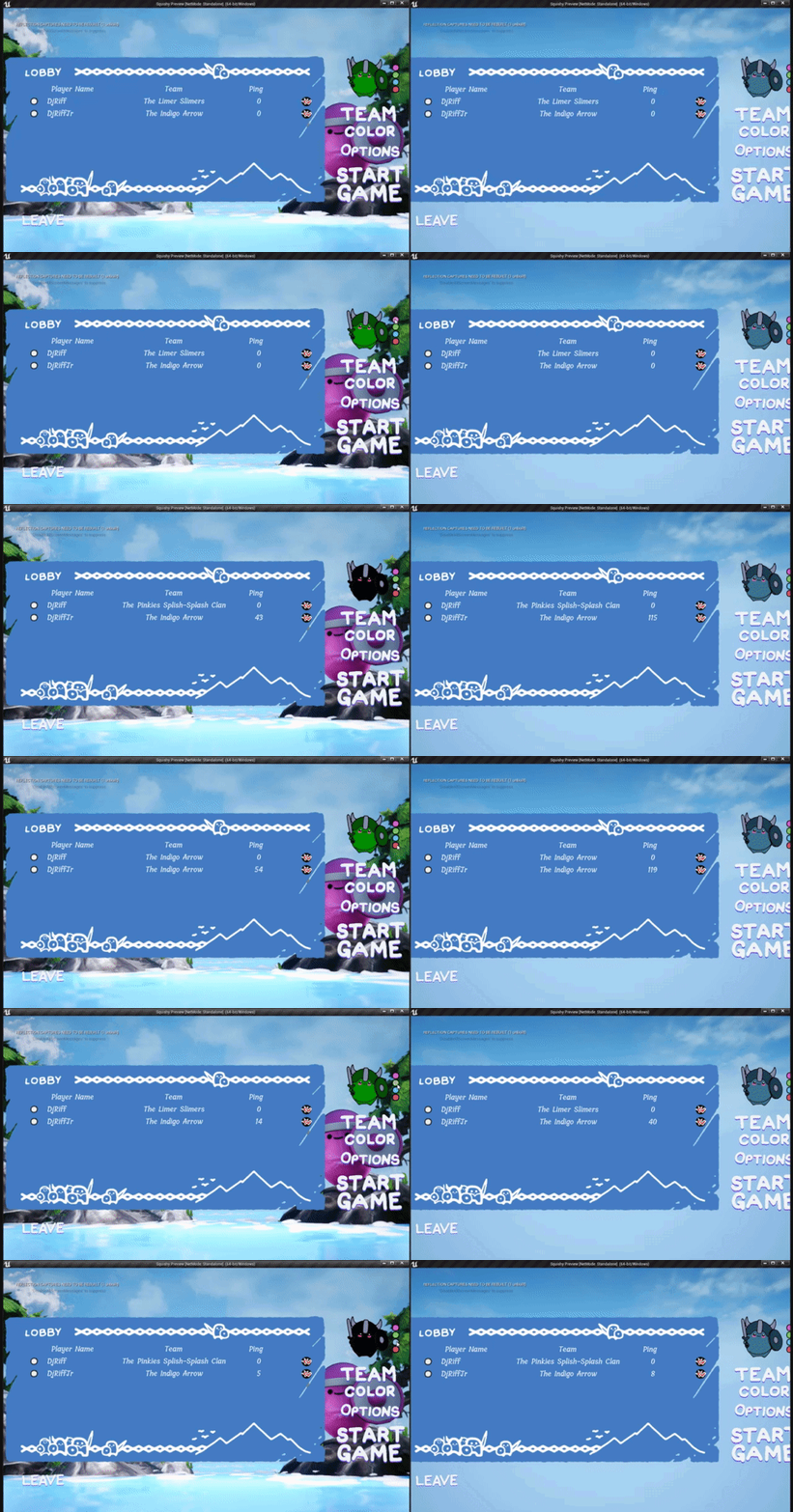
In action, this is what it looks like:
 rotund onyx
thin stratus
And what exactly do they update
rotund onyx
thin stratus
And what exactly do they update
what color they picked
thin stratus
Where is the color they picked saved atm?
rotund onyx
right now I have it in the PlayerState because I thought that was the correct place for variables I need to share with everyone
fading birch
yes
thin stratus
That's correct
fading birch
that's a good spot to put this particular variable
thin stratus
So it's literally a color variable?
rotund onyx
its a struct that stores stuff like the player name and whatnot, but mainly the color is important in my case
thin stratus
Okay. The struct variable has to be set to RepNotify in this case. It communicates the state of something and has to use RepNotify to also properly effect hot joiners and people out of relevancy
rotund onyx
ok I have made it a RepNotify
thin stratus
RepNotify produces a function for you
rotund onyx
and I finally figured out where I can access the function lol
thin stratus
That function calls on players when the variable changes/replicates
Means every player calls it locally.
rotund onyx
so does the function call on every player state when any variable is changed?
rotund onyx
wouldnt it make everyone's struct the same though?
I assume not, but thats what my brain wants me to believe
thin stratus
No because you have multiple PlayerStates
fading birch
it only replicates from that player's playerstate
each player state in a level is it's own actor
thin stratus
Honestly. We can actually make that simpler
fading birch
and each client has a copy of all the player states with them.
rotund onyx
so any matching object with a repnotify variable, notifies all other objects of the same type?
thin stratus
No only in itself
rotund onyx
so how does it get to another client?
thin stratus
They have the instance of that playerstate
rotund onyx
is the OnRep function server side?
thin stratus
No everyone
I think you have trouble imagining how class instances work in multiplayer
fading birch
the server calls the onrep
rotund onyx
thin stratus
I think you have trouble imagining how class instances work in multiplayer
yes absolutely
rotund onyx
I'm a very visual person
fading birch
after a variable is replicated by the server
rotund onyx
and this is hard to visualise
 rotund onyx
ah the magical network replication guide
thin stratus
@rotund onyx Okay I'll have to get up and a coffee, then i will try to get that explained
rotund onyx
thin stratus
Where is you UI reference stored?
the UI reference is in everyone's player controller
what kind of event do I need to use to set the variable in my playerstate?
should it execute on server, multicast, or does it not matter because I have the power of repnotify?
thin stratus
Alright so
I'll get back to that question later. Let's talk about Multiplayer and Actor Instances for a second
Let's focus only on actual Multiplayer where each Player has their own Computer @rotund onyx
Now each game runs on each Computer and the Game can only access Data that's in the Memory of that Computer
That means, if you see a Character on the Screen, it's part of your Memory.
fading birch
rotund onyx
ah the magical network replication guide
it's in the pins if you wanted to read it btw
😄
thin stratus
Now, the rules state that Server has Authority. That means the Server is the one that can make stuff replicate.
rotund onyx
fading birch
it's in the pins if you wanted to read it btw
I have given it a read many times, though I find it a bit challenging to understand lol
thin stratus
That includes the creation of an Actor. If you do this locally on a Client, it would only exist on that Client's Computer. If the Server spawns a replicated Actor, it tells the Clients to also spawn a copy on their Computer and it will communicate between them by keeping track of that memory, combined with a unique ID.
So whenever you send a reference of an Actor over the net, it's actually just an ID that is used to find the matching actor on the other machine
The same goes for PlayerStates
Let's say you have a Server and 2 Clients. Dedicated Server here so it becomes a bit simpler.
The Server spawns a PlayerState per Player. It then sends each player a message to spawn a copy of each PlayerState on their Machine.
Means the Server has 2 PlayerStates. And each Client will have two PlayerStates
One is their own, the other one is from the other player
The Struct with your information then also exists twice
Once on Client1's PlayerState and once on Client2's PlayerState.
When modifying Client1's PlayerState, the second PlayerState stays unchanged
And other way round
Now applying the rule of Server having authority, if the Server changes a replicated variable in Client1's PlayerState, it would replicate to copy of this PlayerState on each player's machine
So Client1 would get the info on their own. And Client2 would get the info in the PlayerState of Client1
rotund onyx
man that actually makes a lot of sense
so when I set my RepNotify I need to do it via a Server Event somewhere in the line
thin stratus

Something something like this
Looks a bit different for ListenServers, as they are Server and Client at once
And will grow when there are more clients
rotund onyx
👏 a diagram!
thin stratus
But the most important part is to understand that the PlayerState of Client1 exists on the other Players too, but as a Copy that is connect
If you have a non-replicated variable in the playerState, and you change it, it would not change on anyone else
So they are indeed their own instance
Now let's get back to your color issue
Replicated Variables replicate from Server to Clients
So changing a variable from 0 to 1 on Client1's PlayerState on the Server will also change it, eventually (ping), on the two instances of that PlayerState on Client1 and Client2

If the varaible would not be replicated, it would only change on the Server
If a Client changes a replicated or non-replicated variable locally, it will only change on their end
Because again, replication only goes from server to clients
To prevent cheating for example
So your Struct does the same
If you change the Color of it on Client1's PlayerState (on the Server), it will replicate to the instances on the Clients
RepNotify now means that in addition to replicating, it also calls a function once the data is there
Which is super convenient, because people that join later, or come into relevancy range (a playerState is always relevant, but e.g. the Color of a Character that is far away would fall into this category) would still get the variable replicate and the function would call
rotund onyx
and that function will probably be to update my UI
thin stratus
Yeah, at least if you want to do it as correct as possible
There is an easier way, which is using a Binding in your UserWidget
rotund onyx
I would rather make good habits
thin stratus
That basically polls the variable constantly
But it's better to keep things event based
Now since the OnRep function calls on everyone locally for Client1's PlayerState Struct
You can get your UI by just doing GetPlayerController0
, casting that to your own PlayerController class and you have access to your UI
At which point you can forward the struct to the UI over each of those functions
In the example in the diagram, it would call 3 times. Once for the Server (that's a Blueprint thing), and once on each client
But always locally on each of those computers
rotund onyx
oh so no wonder its not a big deal to worry about character controller id
thin stratus
The ControllerIds are actually not really important in Multiplayer
You usually work with "relative" to where you are
E.g. you use GetOwner() on the PlayerState to get its specific Controller
Or GetController() in the Pawnm/Character
Controller is of course only valid on owning Client and Server
But imagine you damage a Character on the Server and kill it
And the Server is now supposed to respawn the CHaracter
And possess it
rotund onyx
can I use get controller in the playerstate?
thin stratus
It needs the Controller of that Character
Using GetPlayerController0 is not relative to that Character
So that's bad here
It's better to just do GetController() before unpossessing/destroying the charater
thin stratus
rotund onyx
can I use get controller in the playerstate?
Yes and no. The owner of the PlayerState is the Controller so you can instead use GetOwner()
But remember that this will be invalid for all clients that are not the owning one
So Client1 get use it on PlayerState1
But not on PlayerState2
But you also don't need it for your UI.
You don't care who's the Controller of that PlayerState
rotund onyx
oh I am just realizing that RepNotify allows me to get around using a For Each loop potentially
rotund onyx
ohhhh
thin stratus
Every time the function executes you are on a specific client that received the info
You can just do GetPlayerController0 to get that local players controller
And access your UI
So that side of the problem, the receiving the data and updating your UI should now be more or less explained
What about the side of setting the variable, do you have that?
rotund onyx
thin stratus
What about the side of setting the variable, do you have that?
it should just be the controller casting to a server event in my playerstate right?
thin stratus
Yes
rotund onyx
thin stratus
So that side of the problem, the receiving the data and updating your UI should ...
I just need to figure out how to eliminate the for loop
thin stratus
So when you create UI you have that pin you can pass something in on the CreateWidget node
When you create UI in your PlayerController, it's good to just pass "Self" into that
In the UMG Widget itself you can then do "GetOwningPlayer"
Which is the PlayerController
It even allows you to do GetOwningPlayerPawn automatically at that point if you ever need it (in case the player has a pawn possessed)
rotund onyx
ah I was getting player controller 0 because I figured its only ever local to one client
thin stratus
So when the button in your UI is pressed, you can do GetOwningPlayer->PlayerState->Cast To YourPlayerState->ServerRPCSetColor
Yeah PlayerController0 is fine
Just better habit to always stay relative if needed
The reason is: If you ever get into the situation of wanting to make a local coop game, the ID on teh GetPlayerController(..) node is suddenly important
Means PlayerController(0) will always be the first local splitscreen player
If you use that in a Widget that exists 4 times (for each player), you would always change the first player
But if you make sure to pass the PlayerController that creates the UI into the UI and then use that via GetOwningPlayer, you can be sure that you are modifying the correct player
If you are 1000% sure that your game won't have local coop/multiplayer, then GetPlayerController0 is fine
But you should still be aware of this
rotund onyx
ah ok
given that my playerstates will repnotify the character controller (and the ui) how can I clear my list of players so it can be refreshed?
I am trying to get rid of the for loop, but I'm not sure how to clear the list of players (and colors) first
thin stratus
Yeah that's the only problem that you have if you do it like this
So theoretically you don't need to if it's just about the color
You can loop over your UI entries
And find the one where the PlayerState matches
rotund onyx
ah but it still loops
thin stratus
Assuming you pass that into each entry when creating it
Yeah but in your UI
So that locally for each for the rows of your UI
Not actually per player to notify them
You could also just clear the list and recreate it based on the PlayerArray of the GameState
rotund onyx
I think thats the easier way
thin stratus
So just rerun the logic you already used to create it in the first place
rotund onyx
so do I not need a repnotify if I do that
since I wouldn't really be using its function
thin stratus
You do, for notifying the UI to refresh in the first place
Otherwise you don't know when the variable changed :P
rotund onyx
I guess I can just get the owner instead of PC0 so that it only happens once
rotund onyx
but wouldn't it call my loop once for each playerstate then?
thin stratus
There is no loop
Ah wait
There is a loop to recreate the UI
But that's totally okay
rotund onyx
is there a way to only call that loop once?
thin stratus
 rotund onyx
i figured getting the owner of the playerstate would work because I only own 1
then repnotify only is able to call one successfully
thin stratus
But the other players should also update the UI
Otherwise only the local one would see the change
rotund onyx
oh I was still mistaking it for calling on every playerstate
not just the one to update
thin stratus
The RepNotify will trigger refreshing the UI on each player if you do it like this
What Refresh UI is is up to you
Either kill all UI entries and redo them (totally fine)
Or have a way to find the one that matches the player and update that
One way of finding them would be passing in the PlayerState when creating them
Maybe you do that already
Then you can pass the PlayerState to your RefreshUI function
And compare
But you still need to loop either way
Unless you keep track of the entries in a TMap
But that's just overoptimizing it tbh specially since the direct look up of a TMap with only a handful of entries is more expensive than the loop
Just remove all entries and redo them
rotund onyx
hey it works!
not only does it work, but more importantly I understand why
I owe it to my teacher, thanks so much for the help
thin stratus
No worries.
I will have to leave now though. Gotta walk the doggo and then start working :P
rotund onyx
now I can finally sleep lol
thin stratus
Cheers, have a good rest
wicked lodge
Okay so now I've converted to using RepNotify on my state updates, however if I pickup a weapon outside of another players relevance distance then the weapon stays there and doesn't update until he goes close to the player who picked the weapon up, how do you get around issues like these? Same goes for dropping the weapon
 bleak tiger
Evening
I would like to ask some noob questions
I'm looking at webpages talking about EOS and OWS
I'm trying to figure out what the overlap is between them
thin stratus
@bleak tiger #epic-online-services ?
bleak tiger
yah and open world server
thin stratus
No I mean, ask in that channel
bleak tiger
oh, what about open world server?
thin stratus
We have no channel about that, but EOS peeps will sit in that channel
bleak tiger
aight, ta
thin stratus
wicked lodge
Okay so now I've converted to using RepNotify on my state updates, however if I ...
That's what relevancy is about though
You don't want it to do anything if they are out of that distance
If that distance is too low, then increase it
Or override IsNetRelevantFor (c++) and add some custom logic
wicked lodge
But when Player 1 picks up the weapon and runs away from Player 2 without being in relevance range of him, then the weapon on Player 2's screen is still in the spot when he runs up to it even though player 1 picked it up, how do I go about that? it works fine otherwise right now
Because the weapon isn't actually there it doesn't update when Player 2 gets close to where he sees the weapon
thin stratus
The Weapon being on the floor has its own state
With its own RepNotify stuff
Which should take care of hiding it
Or are you literally using the actor that is on the floor when you pick it up?
wicked lodge
Yeah, using AttachActorToComponent
thin stratus
Ah
Hm
I mean i wouldn't do that
The thing on the floor should be a pickup that knows the weapon class
Unless you need to persist some data?
Hm
I mean, when the weapon gets into relevancy range of the second player, it should attach itself to the Pawn
So there shouldn't be an issue
wicked lodge
Well that's where I think it gets a bit weird because the player (Server) is the one who decides the repnotify right, so if the server doesn't think the weapon is there it doesn't fire the event
even though on player 2s screen it's there
If there's no way around it I suppose I could do as you said and just have the actor be more of a spawner that just sits there
thin stratus
You can have the OnRep logic in the Weapon too
OnRep_Pawn
But I think that still causes issues if the pawn is invalid due to being out of relevancy
So I would go with the spawner
And if you really need to persist data, like ammo, because it was dropped, then I would make sure that the Pickup has that info in addition to the class it should spawn
 finite shell
Do i need for Dedicated server dedicated IP?
bitter oriole
Sessions
silent valley
If you use an Online Subsystem then a dedicated server creates a session and clients can search for sessions and join them.
Using, for example, Steam.
finite shell
Ok thy
Thx
I dont know where is fault but friend cant join me when i have sessions
silent valley
I could be 100 different things. You'll have to dig into it.
finite shell
Does someone functional session project than i will chceck it where i do mystake
bitter oriole
There's a lot of tutorials and not a lot of actual work to get it running
You can try with the default NULL subsystem, locally, and with like 4 Blueprint nodes have your server create a session, the client search for it and join it
When that works, move on to Steam
finite shell
Ok
silent valley
What logic do I need to know if the Actor function I'm running is running on Server, but the actor is owned by a remote player?
GetLocalRole() == ROLE_Authority && GetRemoteRole() == ROLE_AutonomousProxy ?
 short arrow
silent valley
What logic do I need to know if the Actor function I'm running is running on Ser...
short arrow
silent valley
What logic do I need to know if the Actor function I'm running is running on Ser...
What I normally do in blueprints is branch get controller = get player controller
silent valley
thanks - yeah I think I do need to get the controller 👍
thin stratus
IsLocallyControlled on the Controller at hand would also work
wicked lodge
So I just got back and the pickup drop system seems to work just fine if I enable Always Relevant when a player picks up the weapon and disable it when I drop the weapon without using a spawner system, but is using always relevant very inefficient?
 green delta
forget how to into-multiplayer
check pinned messages
awwww yeah.jpeg
thanks @thin stratus !
 twin juniper
I wanna do a client /server multiplayer in Unreal, is there any great tutorial or something I should check it out?
primal isle
hi, im smashing my head at making my spawning from lobby work as intended and whatever i do just wont cut it
the situation right now is that i only spawn the server player


i'm guessing im not really using the players controllers of the people that join the lobby right? anyone cold give me a hint on what im doing wrong pls
 meager spade
that looks really messy and clonky
and your using Get Player Controller node which is a big no no in multiplayer games unless you know when to use it.
primal isle
i tried to find some tutorials to help me make the team selection and character selection
and i couldnt really find anything simple thats on point (without extra crap in them)
programming aint really my thing yet im just learning now
but yeah it does feel like a big pile of momma's spaghetti
 soft shell
I have a large animated model ( a giant ) that you can shoot a part of - it walks over the level.. now the animation is out of sync between clients and server (i.e. clients think they are shooting it, but it's not there on the server.. I've visually debugged the position on the server and it's definitely out of sync) - how do I get all clients to see the correct animation (and therefore hit points) - Thanks
fading birch
primal isle
i tried to find some tutorials to help me make the team selection and character ...
if you scroll up a bit to the conversation @thin stratus has last night, he explained in detail the steps needed for something like that.
primal isle
i had a look up but failed to find the reference to teams and or character selection
im not trying to have anything overcomplicated, just join the lobby, select team and character - go to playable map(or location if the lobby is in the same level) and do the gameplay which will be simple stuff
the only reason i have for teams is - spawn on the teams side, bind the chat to the team players, and get the scoreboard to show how many points the teams get while it also shows the players that score
and then the characters are just to have different stats like how many tiles they can move or how acurate they are
thin stratus
Well it's simple
If you know how to :D
Team can be a simple uint8
Character can be some FName for a DataTable or even the Class for what it's worth
In the Lobby you need to populate the UI with the choices for the character
And when joining the lobby you already need to figure out the team the player should be into
You usually put that info into the PlayerState and PlayerController
And when moving maps you can utilize CopyProperties int the PlayerState and OnSwapPlayerControllers in the GameMode to move the data back and forth
primal isle
I just deleted that whole noodle i had
for now i made an enum blueprint with team a and b and another one for all the characters
thin stratus
Functions like "GetDefaultPawnForPlayer" in the gamemode can be used to grab the character class directly from the PlayerController if you moved it properly
Sure, an enum also works
As long as you can pull the required data from somewhere for the Character
primal isle

so i made this custom event in the player controller and added the enum to it
and in the widget when the button is click i set that enum to the choice
or should i do this in the playerstate?
the way i made the lobby is click the team to select the team then click the character to select the character you want to play as, then when the server clicks start they should spawn in the map with the selection
but i think my biggest problem is not getting the players controllers right
finite shell
My session work in lan but my friend can't see my server
green delta
can i get some feedback on this? I'm making rock paper scissors for mobile:
A: loads up VS mode -> they have authority (host)
A waits for an opponent
Player B joins -> the game state checks if both players are there and the match session starts
countdown 10s and each player can choose R P or S on their widgets
Once selected, the info is sent to the player state.
If both players selected or timer <=0, proceed to share the info to both player controllers to update their widgets and then compare and evaluate the results and determine the winner.
 errant vapor
Using the replication graph, I have a low update frequency actor who failed its property replication to a client due to packet loss and now refuses to retry it unless I force a netupdate... is there any way to ensure property changes become reliable?
 vague meadow
Does anyone know a proper way of making a dynamic animation system with online multiplayer?
I have an int for each player tracking the animation speed (and that's used by the blend space on the animation) but i keep having strange issues for the second client where the first client shows the animation moving properly but the second client sees the first client idling for some seconds when the running animation is playing
I have it so every tick the animated clients call a macro inputing in the movement axis and stuff

Then that macro does some messy math to change how much every action changes the speed of the animation (for example i want turning to make the player slowly walk), and this calls another function

Then the last function just multiplies the value by the speed of the character (affected by sprinting and crouching) and calls an event that runs on both the server and the client and sets the speed of the character
 vague meadow
Does anyone know a proper way of making a dynamic animation system with online m...
vague meadow
vague meadow
Does anyone know a proper way of making a dynamic animation system with online m...
so i really need to know a proper way of doing this
Because i basically just threw in stuff until it worked to see if i could actually make something that worked but there are some issues with this that i can't pin-point out
finite shell
bitter oriole
You can try with the default NULL subsystem, locally, and with like 4 Blueprint ...
my local session work but when i want than my friend join from his pc he cant
 grizzled flicker
Can anyone plz provide me an alternative to the ugly ass server browser? Is there not a way to automate finding a server and automatically having a player join it on login?
fading birch
you can do that, you just plop them into the first session they find.
 dire cradle
grizzled flicker
Explain to me like I’m 5
dire cradle
grizzled flicker
Explain to me like I’m 5

Like this
just get the first element of the sessions array
grizzled flicker
Using dedicated server does it matter?
fading birch
nope
dire cradle
if it shows up on the session search then no
fading birch
find sessions does not care about dedicated or listen servers
just what sessions are searchable
hollow oar
For beacons, is a OnlineSubsystem necessary? IE what if its just a beacon to some rando's saerver?
 summer tide
Ai should work in 2 play as client right
fading birch
hollow oar
For beacons, is a OnlineSubsystem necessary? IE what if its just a beacon to som...
beacons need an answer ping back generally
It's not necessary to use an OnlineSubsystem, but you'll have to get the info on where to send the beacon to from somewhere
fading birch
summer tide
Ai should work in 2 play as client right
yes.
hollow oar
fading birch
beacons need an answer ping back generally
thanks - i was watching a tutorial and the guy seems to be using it in conjunction with Steam, so i was like "come on, not again, DAMN YOU ONLINE SUBSYSTEMS". I'm continuing on 🙂
fading birch
what are you trying to use beacons for?
rotund onyx
Hey very curious. Can I override the function of a Repnotify variable that is contained in the parent class of an object
so that the notify does different things in the children of that class
dire cradle
You could create a custom event and make the repnotify call that event
Then override the event on the child actor
 wanton sleet
How can I reach other player's controller as a client player ?
dire cradle
You can't, only your own player controller exists in the client
wanton sleet
How can I achieve to pop up a widget on other client player's viewport from the another client player ?
dire cradle
You can use Player State for that kind of logic instead of Player Controller
wanton sleet
Okay, thank you. I will check it out.
summer tide
fading birch
yes.
So I have a AI system that works in dedicated server and offline mode but not in 2 clients. All the values appear fine beside it won't MoveTo. Navmesh is there.
fading birch
2 clients as in in PIE?
summer tide
yes
fading birch
and you're connected to a dedicated server?
fading birch
that should launch a server for you automatically
fading birch
if you've selected Play as Client in PIE, it launches a dedicated server for you.
summer tide
double checking
summer tide
dire cradle
and are their "movement replicates" ticked?
So the actor is set to replicate. But the movement replicated by default
summer tide
fading birch
if you've selected `Play as Client` in PIE, it launches a dedicated server for y...
If that happens then it wouldn't work but works if I set Play as dedicated server
dire cradle
If the move to works correctly on the server it should automatically replicate to the clients
Since replicate movement is checked
summer tide
yes it is checked
It gets stuck at move-to. https://d3kjluh73b9h9o.cloudfront.net/original/3X/8/2/824b591d16697ff557fb41885527ebcda2e398de.png
 dire cradle
Are you sure both clients are connected to a dedicated server?
And is "Move To" being called from the server?
if the client calls it it won't work
summer tide
I'm using MoveTo in Behavior Tree the dfault one
dire cradle
Since the AI is spawned on the server the Move To in the Behavior Tree should be running on the server as well
summer tide
I execute this code when the AI sense the player. https://gyazo.com/ff785e411a303d54d612d4de9c4dc6db
 dire cradle
not sure why it wouldnt work
dire cradle
summer tide
I execute this code when the AI sense the player. https://gyazo.com/ff785e411a30...
Make sure everything runs on server side, I don't see a reason this wouldn't work otherwise, maybe others can help
summer tide
dire cradle
Make sure everything runs on server side, I don't see a reason this wouldn't wor...
You mean the functions that I'm using in the code such as SetCurrentBehaviorType and SetTargetEnemy
dire cradle
Yeah, if they're running client side it won't affect the AI server side
summer tide
Is there any option that I could accidentally disabled that can cause that. The same code works integrated with another project.
dire cradle
If the AI replicates with movement, Nav Mesh is set correctly, and anything AI related works on server-side it should work
Maybe restart the editor and try again? Sometimes it just bugs
 rose raft
What does CMC do about the unreliable RPCs that get lost? Do the moves never reach the server, which result in a correction, or are they combined into another move sent later?
If they are combined into another move, how does that work?
I am currently experimenting with my own movement component however in the current state I am sending a reliable RPC with the move every tick, which is of course a no-no.
fading birch
I imagine that's what ends up happening
the server would end up correcting the player if you had multiple missed RPCs
 gilded nest
This error keep showing up when I try to open the main menu level. Im running as client since its a multiplayer game, and some reason i cant get the player controller. Any fixes?
 rose raft
fading birch
the server would end up correcting the player if you had multiple missed RPCs
rose raft
fading birch
the server would end up correcting the player if you had multiple missed RPCs
i ended up looking into the docs and i found this:

it seems like if the unreliable rpc is lost it will get resubmitted
what i dont understand is how it ensures that movement information lost in transit will be resubmitted
Essentially (1.) is the problem i'm facing, which makes sense why, but I'm not sure how (2.) works and how I could create something similar for my own movement replication
twin juniper
Is worth making mmorpg in ue4?
hollow oar
dumb question - After a server travel does the client need to call open level or something? I was upgrading my menu and server from just being a "Open Level" on my server, and it has worked... except the client travels to the server and nothing happens on the client
I assumed the client should be loading up whatever map the Server is on
Seems like maybe the "MapPackageGuid" param... but I want the client to just auto load into whatever the server is running
thin stratus
hollow oar
dumb question - After a server travel does the client need to call open level or...
ServerTravel should only be called to move levels when already playing on a server and only be executed by the server
It will move the clients too
They don't need to call open level in that scenario
But you need open level to start a listen Server with ?listen

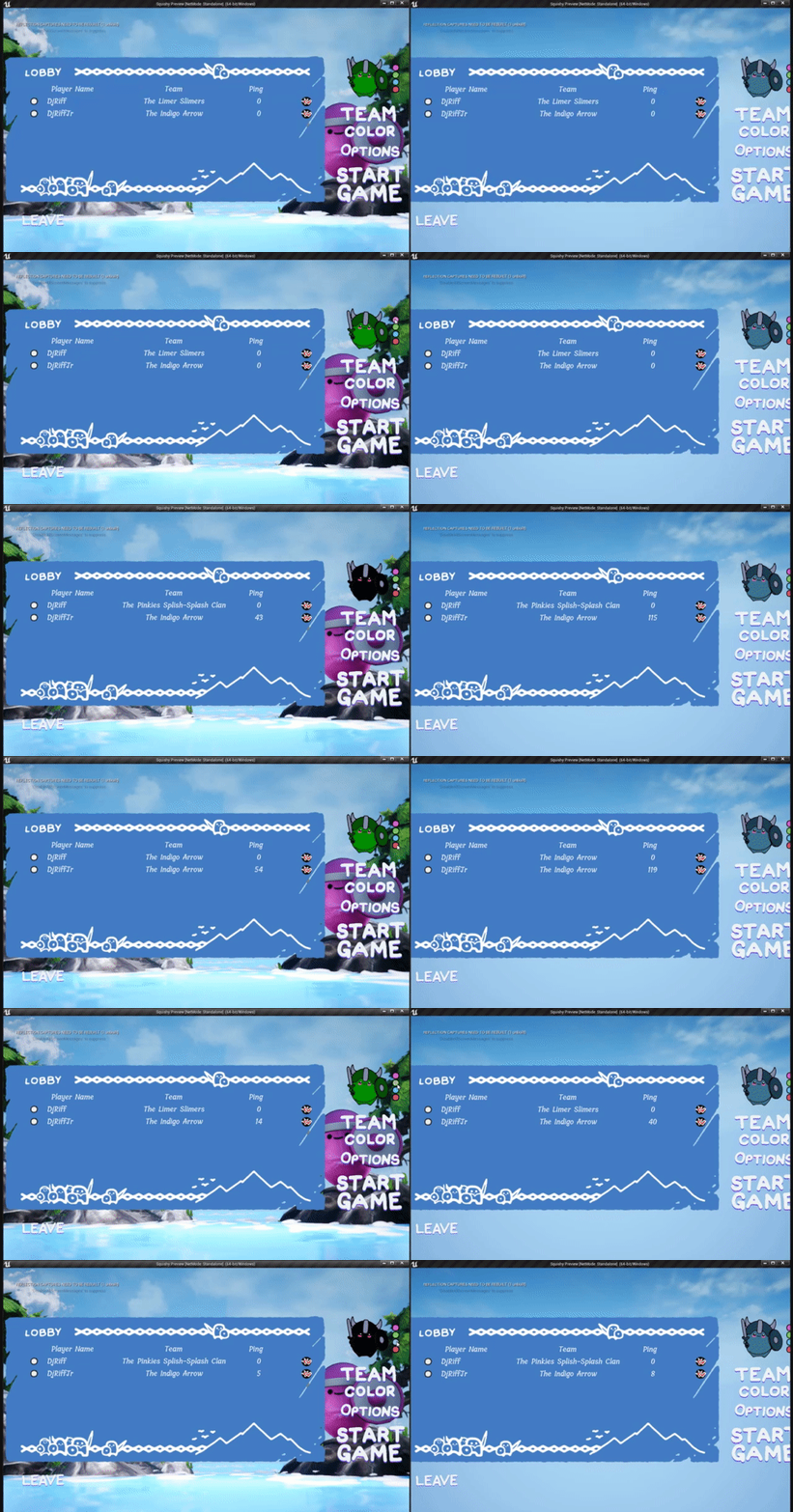
 thin stratus

hollow oar
in this case I am using a dedicated server, and the level i think should already be open...
thin stratus
How are you finding the server? Sessions or direct IP?
hollow oar
so far directIP in the blueprints - my understanding of sessions is I would have to have a onlinesubsystem to use right?
(aka steam or whatnot)
i don't mind adding that later, but right now i want it to work across regular old internet
(users to be able to host their own dedicated server etc)
thin stratus
Yeah
Needs ports being open on server side but yeah IP is fine for the start
You shouldn't need to do anything extra afaik
Try it via console command
hollow oar
yup, ports are open and working. Earlier I was using direct OpenLevel and it was working...
yeah, if i use "open level" and give ip/port it loads in (have a different bug at the moment of not being able to move, but I will hunt it down... its an artifact of renaming my project X__X)
thin stratus
Anything in the server log that says the player joined etc?
hollow oar
yeah (you know how to make the console from -log respond to copy paste? X__X)
thin stratus
Just mark the line and copy it?
hollow oar
might be a windows 7 artifact but it wont lol
thin stratus
Right click if in doubt
hollow oar
kk moment
(my server is windows 7 lol... main dev machine is 10... but it since the copy/paste is being lame its hard to share atm... moment)
sorry, no fast clips in windows 7. See second yellow line, its a connect of the beacon BEFORE a "ClientTravel"
 hollow oar
note - ips might be odd because i essentially have to run a VPN to get the online connections to work (ipv6 issues, tmobile issues)
thin stratus
Lots of beacon stuff in there
Can't fully read on phone atm but your aren't hosting with a beacon or?
hollow oar
not fully sure what you are asking, but server has a beaconhost, client has a beacon client
first thing it does it connect those, that is the secon yellow line
once i see that, i hit a button to "ClientTravel" and I see the lines below print out...
thin stratus
It looks like only your beacon connects
Which wouldn't load any level as it's not for playing together in that sense
What are you using the beacons for?
hollow oar
interesting...
Eventually, to share information about the possible servers to connect to
thin stratus
To so ask things from server upfront?
hollow oar
eventually yes, so i am getting them up running now
thin stratus
Hm. Not sure if there is a problem atm
hollow oar
ping/map/players etc
thin stratus
I assume they ran on 2 different ports
thin stratus
Are you specifying the correct port when client traveling?
hollow oar
not sure, let me check - perhaps that is the issue
now that you say it, i am betting not
let me fix it
thin stratus
I mean you could try to disable the beacon stuff for now and see if that fixes anything. just to nail down where the problem might come from
hollow oar
honestly, i think your port comment is ringing true
thin stratus
I haven't used beacons in a while and only for parties
hollow oar
let me check that out
so "Open Level" is a pretty normal way to travel to servers?
just trying to get perspective
but i kinda thought it was very basic and rough, like just to get something up quickly then build from
thin stratus
I guess. I mean most people use sessions but for IP connections it's fine I guess
You don't really have an option in blueprints despite the console command
Sessions use client travel in the end
hollow oar
for my design in mind, I do not want to be RELIANT on steam etc for people to be able to host servers... i want people to be able to host their own stuff
thin stratus
Well they can host their own stuff even with steam. Sessions just hold the connection info
hollow oar
i wish there was a regular IP "onlinesubsytem" though, so i could code/blueprint all the same way
thin stratus
Well null is that
hollow oar
null only works local i thought?
thin stratus
Yeah but how would it hehe
thin stratus
Sessions need a master server
hollow oar
by letting me set up a master server
thin stratus
Where they are registered
hollow oar
😄
thin stratus
It is
hollow oar
for now
glad i am learning then, cause that is what it looked like
you rock btw
yes it was a port bug lol, imma dummy
now to figure out why i don't have my controls... its either related to porting over some blueprint or from the fact that the ClientTravel is happening off the player controller
(character and map loaded, they are standing still and can't be controlled. However my game menu button is working and come up if i hit that button...)
thin stratus
Input Mode
Make sure you have setup for that
It needs to be GameOnly when you want to control stuff
hollow oar
yeah i am 99% sure its in my character blueprint. It didn't rename well so i had to basically recreate it from scratch... so yeah its probably along those lines
(lol all because I wanted to move away from a test name I started my original project with..)
if it was the input mode, i think it would correct on me opening and closing my menu, because my menu close button has code to resume normal input mode

i think my character likely is somehow not associated with controller 0
thin stratus
Yeah but what's the initial value when joining
hollow oar
found it. long story short i started with thirdpersonmp project, when i renamed my project I made it from a blank project and imported old stuff. Input mapping settings were not there
thanks for the help, im heading to bed shortly i think
 vagrant lance
Has anyone had issues with finding sessions through Steam? I can connect find using Friends, and I can connect to myself in Standalone by searching for games, but in a cooked build the system gets stuck searching for games
bitter oriole
Did you start the packaged game from Steam
errant vapor
can i somehow force a property to be replicated reliably? so that it keeps sending it until the client has acknowledged it?
it seems to be doing something like that when it comes to the initial spawning of an actor, since that never fails no matter how much packet loss
but for normal property replication im seeing the client sometimes end up with perpetually wrong data under high loss scenarios
sometimes it appears to get better by increasing the net update frequency, but ive also seen times where it refused to fix the clients data even with a forcenetupdate every frame
short arrow
errant vapor
sometimes it appears to get better by increasing the net update frequency, but i...
repnotify
bitter oriole
No, that won't do anything
Properties are replicated reliably, as in they'll be updated some day when the network allows it
The key is to not have simply too much data to replicate too
Force net update every frame will make it worse since you add even more congestion
At some point too much is just too much
errant vapor
ive made my test scenarios as simple as can be, with just two replicated actors
the server is attaching one of the actors to the other
then im destroying the parent actor and spawning a new one, attaching the old child to the new parent
with no packet loss it works fine of course, but as i turn up the packet loss a bit i start getting intermittent issues when i iterate on this
and sometimes it gets stuck unable to attach on the client, no matter how long i let it run
bitter oriole
Even when packet loss goes back to zero ?
errant vapor
if it goes back to zero a while after the problem initially arose, yes
its like the server forgot about it
and couldnt be bothered sending that reference anymore
increased netfrequency seems to alleviate it, as if it gives it more opportunities to test it, but even when its running the net update every frame it can sometimes permanently fail from what ive seen.. and its not a great solution anyway, since i have some actors that should stay pretty much dormant except for a change every few minutes
giving them a permanently high net frequency to make sure those rare updates reach the clients even with packet loss seems quite disingenuous
vagrant lance
bitter oriole
Did you start the packaged game from Steam
Yeah. Works fine with friend invites but not if I do an Advanced Find Sessions
bitter oriole
errant vapor
if it goes back to zero a while after the problem initially arose, yes
That's weird behaviour because as far as I know replication is supposed to work reliably
vagrant lance
It also works if I test it myself through Standalone (with Find Sessions)
errant vapor
thats what i thought as well, yeah... and it seems to work on actual actor spawning; that part is never failing no matter how high the packet loss... it can be delayed for a few seconds, but it always arrives
its like that initial bunch is guaranteed to be reliable, but nothing else is
bitter oriole
Every update is
However, changes like 1 -> 2 -> 3 could become 1 -> 3
And 1 -> 2 -> 1 could never be replicated
That would be working as intended, and could still cause issues
errant vapor
do you know if this is supposed to be true for dormancy as well? eg lets say a property goes from 1 -> 3 on the server and a flush is done, but that packet is lost on the way to the client
if no more flushes are done, the client never receives it? or is the reliable part on the packet itself, rather than on the net update of the actor
summer tide
If I only want to toggle hidden in game for a SK and SM, do I have to do server and multicast
bitter oriole
errant vapor
do you know if this is supposed to be true for dormancy as well? eg lets say a p...
The end state of a replicated prop should always be replicated at some point, provided the bandwidth allows it (e.g. no actor is spamming it)
Rapid changes can be skipped
errant vapor
but do you know if that test(if ClientAckedData != ServerData -> Resend Data) is only being done on a Net Tick(eg a flush dormancy/forcenetupdate on a Dormant actor), or is it done entirely outside of that system, maybe on a per-packet basis
 void nest
Anyone know why a "create session" node doesn't return succeed NOR failed? It doesn't return anything? How is that possible?
The create session node is definitely being fired as the exit pin (above succeed and failed) is fired
however, the latent succeed or failed never fires
not even after 10 minutes
Trying to figure out what could cause that
vagrant lance
Does anything look wrong with these? I have messages printing text so I'm pretty sure it gets stuck trying to look for sessions (it doesn't fail or succeed). Works fine in Standalone but not in the actual packaged build on Steam. Also this works fine with friend invites.


 viscid monolith
Hi, how would i make between-actors communication, like this:
Player 1 wants to swap characters with Player 2
Player 2 gets this message and creates UI for human
If human selects Accept, They swap characters
Or else nothing changes.
Im not sure how can this communication be made in multiplayer project
 fallen oracle
viscid monolith
Hi, how would i make between-actors communication, like this:
Player 1 wants to ...
fallen oracle
viscid monolith
Hi, how would i make between-actors communication, like this:
Player 1 wants to ...
Replicated to server function from player1, a parameter to target player(playerstate?character?)
Server finds out which playercontroller it needs (playerstate's owner is a playercontroller, so thats a good starting point ). Call a Replicated to client function on player 2 controller
player 2 receives rpc, show UI.
if clicked yes, send event to server that he accepted the swap, and server despanws and respawns the character for the player controllers
 sacred folio
I'm pretty sure someone will be able to help me out with this, how would i setup a BP with overlap or a volume to detect when all connected players are either overlapping or in the volume to allow another action to happen. Which would be the best way to do it.
narrow skiff
Is it a Character BP? @sacred folio
sacred folio
narrow skiff
Is it a Character BP? <@!770644611173318737>
So this is the idea, want to have a room on a multiplayer game that when all the connected players are in will allow the door to be closed, then on the door closing in going to trigger a seamless travel to a new level, also already have an array setup for the connected players so that part is already built, the door BP with the interact for close is also already created. so in essence all i need to create it the way to detect if all players are in the room, after that creating the bool on the door to allow the interaction to become live ive got and the seamless travel ive got as well.
narrow skiff
sacred folio
So this is the idea, want to have a room on a multiplayer game that when all the...
So like a pressure plate kinda. You can add a Box Collision then OnComponentBeginOverlap and add like a replicated variable and do like a integer and have when it reaches the last maximum players just open the door?
sacred folio
narrow skiff
So like a pressure plate kinda. You can add a Box Collision then OnComponentBegi...
so i would have to do an if connected players == all connected players then bool is true otherwise false
the part that sucks is i wish i could do it without tick, not sure a timer would work might though
narrow skiff
You could do a function timer even though if they are in the room right before the timer went off they gotta wait again
sacred folio
narrow skiff
You could do a function timer even though if they are in the room right before t...
well with the timer what i was thinking is connecting it to the overlap when the first connected player enters it would start the timer and have it loop until all connected players are there to set the bool to true and activate the interaction on the door
 dark edge
sacred folio
the part that sucks is i wish i could do it without tick, not sure a timer would...
dark edge
sacred folio
the part that sucks is i wish i could do it without tick, not sure a timer would...
You don't need tick. Just check if door can shut whenever Overlap and EndOverlap fire
Every time some enters or leaves, do the check
sacred folio
thanks everyone that helps alot just had to run it all through my head and makes sense now on how to get it to work.
narrow skiff
dark edge
You don't need tick. Just check if door can shut whenever Overlap and EndOverlap...
That's what I was kinda telling them above (OnComponentBeginOverlap)
grizzled stirrup
Is the best way to ensure two properties replicate down together to just put them both in a struct and replicate the struct instead?
An example: a projectile actor and a tint
If the projectile actor replicated before the tint then the tint wouldn't be initialized when the projectile spawns and there could be a delay before the tint gets initialized
Leading to popping visuals
thin stratus
I would say yes
grizzled stirrup
Thanks
 severe spear
I have pawns controlled by physics, and they seem to be out of sync in 4.24.
They both have StaticMesh components on them and I am using AddForce on it, with replicated MoveRate * MoveSpeed * ActorForwardVector, in Tick.
Physics affected componets are replicated, and Replicate Physics to autonomous proxies is set to true.
I tried opening the same one in 4.27, it seems to be in sync after some TLC. I am not sure if it is the engine version that fixed or, I am missing out on something.
 elder sable
I have a client-server and i start my game as standalone from the editor, i don't understand why APawn::PossessedBy is called 2 times
elder sable
nvm, i have another pawn somewhere, i need to find what it's doing in my scene :p
primal isle
where am i suposed to save my team and character variable selected in the lobbymap to have it when i travel to map1?
primal isle
also, is an enum enough to store the team selection or do i have to switch on enum and add some new variable int index to each and use that after?
vague spruce
does anyone know the command to visualize replication errors?
between the client and server?
vague spruce
wat
lol
it's like t.ShowCorrections or something like that
just found it, looks like it's p.netshowcorrections 1
elder sable
Do you have naming conventions for rpc functions and server/client only functions ?
vague spruce
elder sable
Do you have naming conventions for rpc functions and server/client only function...
server functions are usually prefixed with Server_ IIRC
elder sable
Even for non rpc ?
vague spruce
oh, only Server_ prefix with functions tagged as server functions with UFUNCTION
i would figure non rpc funcs dont' have to follow that convention
elder sable
Ok thanks
 lusty fractal
I have all players connected to the same session lobby in a waiting map. When the server clicks the ready button, I want all connected clients and the listen server to go to the new level together. How would I accomplish this? (feel free to @ or dm me)
 fluid summit
Hi! i just finished setting up my dedicated server and i want to start working on the login system/session.
Does anyone know how to handle the player session or have information on how to approach it?
i'm thinking on checking constantly if the session is alive and if not, throw a message of "wait, trying to reconnect". But maybe there's something already for that on UE4.
also, any idea on how to handle when the user leaves the game unexpectedly? things like saving progress and etc, does it have to always be saved constantly or can you setup something to save everything before he leaves?
 past totem
fluid summit
also, any idea on how to handle when the user leaves the game unexpectedly? thin...
past totem
fluid summit
also, any idea on how to handle when the user leaves the game unexpectedly? thin...
save it from player controller end play event or something like that
itll execute before destroyed
glass vector
when BP nodes get executed in the constructionScript, does it get loaded on net load on client? ie, it gets automatically sent to client on spawn
when spawning on server
ie, if i set a non replicated variable to 20 in construction script, does it also get set to 20 on client?
when originally its value is set at 10 for eg
 copper grail
hello, can i use the 480 steam app id for multiplayer even when publishing it on itch io like that?. (im not gonna publish the game on steam)
past totem
glass vector
when BP nodes get executed in the constructionScript, does it get loaded on net ...
bro it gets executed whenever the actor spawns
if the actor is spawned on the client