#multiplayer
1 messages · Page 640 of 1
 tough phoenix
 thin stratus
I usually use the Possessed event for this which runs on the server
tough phoenix
it used to spawn for the client but the owner couldn't see it, now it doesn't spawn for anyone
thin stratus
Leave it a self then
tough phoenix
but nothing spawns
thin stratus
You need to own the weapons as the client to perform an rpc in them
tough phoenix
I do own the weapon
but nothing spawns
(or am i dumb?)
the server can still shoot, but the owner can't
thin stratus
No but this isn't easy :P you probably still do something wrong
tough phoenix
 thin stratus
Where is the code to spawn the weapons called?
tough phoenix
in the thirdpersoncharacter actor
thin stratus
I mean what function/event calls it
thin stratus
I thought so. Is it guarded with SwitchHasAuthority before spawning the weapon?
thin stratus
BeginPlay calls on every player for that Character. So you have to guard it with the auth switch
And make sure your weapon blueprint is set to replicate
tough phoenix
it is
thin stratus
Replicated actors are only allowed to be spawned on the server
tough phoenix
 thin stratus
Same goes for the bullet
tough phoenix
so this works?
 thin stratus
Yes but now the variable on the right has to be replicated
Otherwise only the server has a valid pointer to the weapon
tough phoenix
nope
thin stratus
Then try to place print strings where you expect stuff to execute and see where it stops
tough phoenix
yeah I've done that
let me try again
NEVERMIND
i have many errors

didnt see them
thin stratus
Is the variable set to replicate?
tough phoenix
no
is that it?
was that the problem?
I set it to replicate, still nothing happens
thin stratus
The error says you are trying to access a pointer that points to nothing. When the server spawns the actor, the variable that you save it into needs to replicate so the ckients get a reference too
tough phoenix
nevermind
it works
thank you for your patience
I'm gonna go to sleep now, thank you very much once again
thin stratus
Generally speaking I would do it like this:
- Weapon and Projectile BP have to be set to Replicate
- In the Character i would use "Possessed", as this calls only on the Server and guarantees that the Character has a Controller, to Spawn the Weapon and pass the Controller as Owner.
- Then save the spawned Weapon into a Replicated Variable
- Use RPC in Weapon to spawn Projectile
At least as a starting setup
 eternal canyon
thin stratus
Then try to place print strings where you expect stuff to execute and see where ...
eternal canyon
thin stratus
Then try to place print strings where you expect stuff to execute and see where ...
Wouldn’t that be the point of breakpoints?
tough phoenix
I got it to work, I'm learning more every day, thanks.
thin stratus
eternal canyon
Wouldn’t that be the point of breakpoints?
Yeah that too.
 torpid geode
So let's say I want to make the servers which my game actually runs on be different than the server which my players interface with when they're not playing.
Does Unreal do this naturally or will I have to build certain parts of my game out with calls to a server/API for the information it'll need?
For clarification:
Browsing characters, reading abilities, queue, hero select etc. All handled on a main server.
When game loads up, it directs the players to a freshly created dedicated server that loads in the correct characters and assigns the players to their character.
Then reports the match result back to the main server and destroys itself.
Can I have Unreal create the main server as a seperate code base from the dedicated server, or is it better to just avoid unreal for this purpose and have my game built to use a server that isn't built in UE?
 empty axle
You call a client RPC as you did on your screenshot
The thing that your probably didn't take into account is that client RPC are invoked on an owning client of that Actor
empty axle
Who is the owner of the actor you are trying to call the client RPC in?
So client RPC won't work in that case. Multicast will
Client RPC are RPCs send to a particular user not to all users and if you just call it like that on an unowned actor then server will not know which client you really want to target
if you have just one client then you probably don't need multiplayer at all right?
anyway what do you exactly want to do?
Usually you don't set an owner on actors already placed in a level.
You can move this client RPC to some actor that the client actually owns like PlayerState, PlayerController, Character
thin stratus
@twin juniper Please read up on Ownership for Actors.
It's in my Compendium too
The Client has to be the owner of the Actor to allow Client and Server RPCs to work.
Actors placed into the Level don't have an Owner, or rather the Server is the Owner.
Usually the Owner is specified when spawning an Actor.
Setting the Owner has to happen on the Server side, so even if you call SetOwner during runtime, you need to call it on the Server.
If you want to interact with actors that are placed into the level, you should perform the RPCs in your character or a similar already client owned actor.
 sudden lagoon
does anyone know how do I download and use the easy anti cheat service with unreal engine
 bitter oriole
What anticheat service ? UE4 doesn't have one
sudden lagoon
this is the anti cheat servicehttps://www.easy.ac/en-us///
I am talking about this one
bitter oriole
It's unrelated to Unreal, but sure, just contact them for a quote
sudden lagoon
k
bitter oriole
 lapis zinc
is set skeletal mesh more difficult than i think it is?
 empty axle
lapis zinc
is set skeletal mesh more difficult than i think it is?
empty axle
lapis zinc
is set skeletal mesh more difficult than i think it is?
IIRC the skeletal mesh variable inside Skinned mesh component is not replicated so it won't replicate back to the clients about the change
lapis zinc
empty axle
IIRC the skeletal mesh variable inside Skinned mesh component is not replicated ...
could you by chance show me an example of what you mean, im fairly new to server replication
empty axle
lapis zinc
could you by chance show me an example of what you mean, im fairly new to server...
Except the code that you already have you need to also replicate the skeletal mesh as a separate variable and replace the skeletal mesh on other clients in an onrep function
lapis zinc
would something like this work?
 empty axle
It probably will, but it would be better if you would replicate the skeletal mesh as a variable instead of calling multicast when that happens.
Otherwise everyone that joins after that multicast was fired will not know about the change. The same goes if someone is far away and the actor is not replicating to them because of actor relevancy the multicast will not be called
Here is how you create a repNotify variable in BPs
An overview of the Network Features example level, example 1.4: Variable Replication (RepNotify).
 twin juniper
Can You call RPCs in UActorComponents and USceneComponents?
twin juniper
Is it the same rules like you're applying it to AActors?
Or do you do it differently in components?
 wary wyvern
Guys, does anybody know, how do arrays replicate? I mean technically how it works
 peak sentinel
twin juniper
Is it the same rules like you're applying it to AActors?
peak sentinel
twin juniper
Is it the same rules like you're applying it to AActors?
Same, just make sure the owner actor is also replicated
twin juniper
Thank youu!
wary wyvern
The info about array I found from UDK docs:
Arrays of variables can be replicated, but only of the size of the array (in bytes) is less than 448 bytes. Dynamic arrays cannot be replicated.
Arrays are replicated efficiently; if a single element of a large array changes, only that element is sent.
Can anyone confirm this is relevant to UE4?
 chrome bay
It's not
You can replicate a TArray, and modify it however you want. There is an upper size limit but it's larger than you'll ever need, and they do try to replicate efficiently when they can.
wary wyvern
@chrome bay Thx. But I mean regarging to the replication. Does the engine replicate changes only, or whole array?
 kindred widget
Changes only, and the size of the array.
If you have an array of size 100 on the server, and you delete the last 50 entries on the client. And then change something on the server in one of the first fifty, the changed value and the size will replicate. This will make the client overwrite the changed value and resize it's array to match the server's, which will leave you with a bunch of default entries.
Also if you remove say.. index 49 out of 100, the new 49-99 will all replicate, since they changed positions.
torpid geode
I'm going to rephrase my question. Is there a way to make unreal connect with web services that are not unreal based?
I have finally found an HTTP call tutorial.
twin juniper
Hi i added
[ConsoleVariables]
net.UseAdaptiveNetUpdateFrequency=1
```to my project's DefaultEngine.ini but it don't takes effect in editor when i verify it in the console. I already restarted the editorsolved.
 tropic fjord
Not sure where to put this, so throwing it in here... Does anyone have an idea what might be the issue if my Dedicated Server's Crash Minidump file is 0 KB, the CrashContext doesn't contain any Callstack and neither does the Log. This is only happening on our GameLift server, working fine with GameLiftLocal. Happening since swapping from 4.25 to 4.26 (I think)... It's like everything is just killed before it has time to paste in the callstack or something. Makes no sense to me....
twin juniper
I am making a multiplayer TPS game and I want to make a dedicated server for it on google cloud/google firebase
I am wondering how I would set that up
torpid geode
Do you know how to package a dedicated server?
@twin juniper and does Google Cloud/Firebase give you a static ip?
Because if so it should be fairly simple to set up.
twin juniper
I don’t know
 dense narwhal
I'm stuck on destroying a spawned actor in multiplayer (dedicated). It gets removed on the server but not the client. I'm calling a remove function inside the actor and that function calls a "run on server" func on the controller. What am I doing wrong here? The actor is set to replicate.
 fleet bear
how would you handle open world co-op on a listen server?
my assumption is to have each client handle level streaming locally and maybe have some sort of manager actor per level that handles net relevancy or something
so if two players are on different sides of the world the actors and stuff in each area aren't replicating when they don't have to be.
The question becomes handling world origin shifting and then when a player comes to the area that's loaded a ways away, you need to tell it when it loads in the level the state of everything in that level based on the player that was there.
I'm not sure if that fits into UE4's client server model though.
when I say open world I'm thinking about level design being something like twilight princess with hand crafted enclosed spaces. I just want to be able to seamlessly walk between them and still have players be able to walk to different parts of the world if they want to. It's not infinite and it's not landscapes. The levels will likely be made from static meshes
 winged badger
that is a tall order for listen server
 amber yew
Hey guys,
I make multiplayer project on UE4 + Nakama stack. I currently do all the replication by hand using Nakama's methods in C++ code.
Is there a way to make UE4's replication use Nakama's messaging (that uses ProtoBuff) instead of TCP/UDP without changing #define's of replication in engine's headers?
fleet bear
@winged badgerjust did a basic test with level streaming volumes and I can have sections of levels loaded and unloaded in multiplayer. Worst case scenario is both players have those things loaded into memory, however I don't need it to be rendered after a certain distance so that's not really a problem I guess.
it would be better if they weren't loaded at all for players very far apart, but that's not an impossible task to manage either I think.
question now becomes how big of a persistent level can I have before floating point errors are a thing
winged badger
the server has to have all stuff any player has loaded loaded
thats what makes it problematic with the concept for listen servers
dedicated servers don't have to load visuals, textures, animations..etc... at all
fleet bear
loaded and rendered are different though
I will have plenty of memory and likely cpu to spare
I was only concerned about gpu and replication errors
@winged badger
fleet bear
yes they will, it's for oculus quest so I know exactly what they will have
winged badger
as it has to work on low-mid end gaming laptop
evaluating actors for replication takes its toll on the listen server
fleet bear
my scenes would look like this
https://cdn.discordapp.com/attachments/621096727667146792/845575397336154112/unknown.png
 winged badger
without optimizations we have in place
we would be spending 9-12ms on replication alone
with 8 players connected
fleet bear
it's 2-4 players max
winged badger
and the replicated actor count?
fleet bear
small number of ai at a time
levels are practically static aside from like doors and block puzzles. I don't need to replicate very much besides the players, enemies, and some states that don't change often
tough phoenix
how do I check if I'm the owner of an actor in blueprints?
isn't hasauthority used for server/client
I want to know if it's my actor or not
so I got an image that pops up when I take damage, (like blood or whatever), if Server takes damage, server sees the image. If Client takes damage, server sees the image.
I don't think that's how it's supposed to work
And If I remove the "HasAuthority" both players see the image whenever any player takes damage
 fringe dove
what's the use case for EnableMultiplayerWorldOriginRebasing ? if the server can only have one origin letting clients have their own doesn't actually solve the main precision issues does it?
kindred widget
@tough phoenixIf it's being called on a Pawn, you can use IsLocallyControlled. Which internally gets that pawn's controller and calls IsLocalController.
tough phoenix
alright, so now when the server takes damage, the server sees the image, but when the client takes damage, noone sees the image
@kindred widget
kindred widget
Usually you'd check that as health replicates or something, on the clients.
 celest bough
Does anyone know if its possible in an online game to allow players to pause the game independently from each other? so far i have only been able to call the "set game paused" node on the server to pause the game for all players but would really like each individual player to be able to pause their own personal gameplay, preferably without having to manually program a faked pause kinda deal. Thanks in advance ❤️
 thin jacinth
celest bough
Does anyone know if its possible in an online game to allow players to pause the...
thin jacinth
celest bough
Does anyone know if its possible in an online game to allow players to pause the...
Hmm not a professional or anything but implementation of a pause system in an online game sounds kinda hard, since pausing the player and everything for it would be hard however I think it could be possible if you made actions that work the with server to stop the player, such as when paused the game sends a request to the server for that player only and it sends back a fixed instructions to deal no damage to player, player can't move, show menu and such on. If you experiment and try to find some articles it might just be possible. So on and on...
celest bough
yeah i was hopefully trying to avoid going down the route of manually programming each "pause" element but i guess if the regular pause node cant be used for my needs i possibly have no choice
 rough stirrup
hey guys, in the ShooterGame in the character Die() function there are this 2 functions:
    NetUpdateFrequency = GetDefault<AShooterCharacter>()->NetUpdateFrequency;
    GetCharacterMovement()->ForceReplicationUpdate();
Does that mean that every client gets the exact dying position replicated?
peak sentinel
Probably the guess is coming from GetCharacterMovement()->ForceReplicationUpdate(); since CMC updates position on each server update
rough stirrup
thats the full funtion
bool AShooterCharacter::Die(float KillingDamage, FDamageEvent const& DamageEvent, AController* Killer, AActor* DamageCauser)
{
    if (!CanDie(KillingDamage, DamageEvent, Killer, DamageCauser))
    {
        return false;
    }

    Health = FMath::Min(0.0f, Health);

    // if this is an environmental death then refer to the previous killer so that they receive credit (knocked into lava pits, etc)
    UDamageType const* const DamageType = DamageEvent.DamageTypeClass ? DamageEvent.DamageTypeClass->GetDefaultObject<UDamageType>() : GetDefault<UDamageType>();
    Killer = GetDamageInstigator(Killer, *DamageType);

    AController* const KilledPlayer = (Controller != NULL) ? Controller : Cast<AController>(GetOwner());
    GetWorld()->GetAuthGameMode<AShooterGameMode>()->Killed(Killer, KilledPlayer, this, DamageType);

    NetUpdateFrequency = GetDefault<AShooterCharacter>()->NetUpdateFrequency;
    GetCharacterMovement()->ForceReplicationUpdate();

    OnDeath(KillingDamage, DamageEvent, Killer ? Killer->GetPawn() : NULL, DamageCauser);
    return true;
}
Its called serverside when someone dies
oh and in the OnDeath() function there are this 2
    SetReplicatingMovement(false);
    TearOff();
maybe that has to do with it?
 karmic briar
hey guys i wanna ask i wanna implement steam integration into my game for p2p
im working on open world coop survival rpg
its similiar to valheim but with rpg elements too
pls ping me btw
celest bough
thats a pretty broad question @karmic briar . do you have something a little more specific?
karmic briar
well i wanna implement the lobby/p2p like in vbalheim where your friend is like the server and others that join is the client
then have the typical friend system etc with steam
first i wanna install steam first where i can press tab itg will open the steam page
if thats open correctly,i wanna impelemnt the lobby thing i mention earlier
imagine my game like outward and valheim combine
@celest bough
celest bough
@karmic briar https://docs.unrealengine.com/en-US/ProgrammingAndScripting/Online/Steam/index.html this here will get you set up with the steam implementation
An overview of Online Subsystem Steam, including how to set up your project for distribution on Valve's Steam platform.
its fairly easy to follow iir
starting from "Setting up the Steamworks SDK"
unless you have the source engine, then read the top sections also
celest bough
😄
twin juniper
I'm being told that there are things that need to be taken into consideration in order to implement features and test features on a dedicated server, and that implementing features in a listen server is easier. But I'm not being told which are these considerations that need to be taken into account when implementing and testing features on a dedicated server. So if this is true I'd like to know why having a listen server is easier than a dedicated server.
 strong vapor
@twin juniperwell for a dedicated server i think you have to open your host game differently than you would if you were doing a listen server... listen server is where if i click "Host" it means that MY machine is the one hosting.. all this stuff is happening in the game on the player's machine... a dedicated server is one that gets fired up via like windows powershell or idk how they do it on real game servers that you pay for.. but .. ya its a different ballgame then just having your friends join your game you made... i went with listen server for my project.. theres a few things that sorta screw with you when you do that too.. like the "switch has authority" node... most of the time if you're on a dedicated server you just do EVERYTHING you want on the server done off the "authority" and then EVERYTHING you want done on all the clients on the "remote" but with a listen server, the server is also a client.. so you have to figure out differently where a sound should be played, or anim or whatever
dont know if that helps.. sorry if im feeding you stuff you already know
but when first started i was under the impression you could host a dedicated server from inside a game menu.. like that it would create a second process in the background... and that's not how it works
 hollow eagle
There's... honestly very little that's different about running a dedicated server. You really just have to avoid writing anything that assumes you have a local client (since a dedicated server doesn't) but that shouldn't be hard. There may be other things you want to do like disabling animations and other features that are purely visual on a dedicated server, but that's not required (and you may actually need things like that if, for example, you have animations with notifies that are gameplay-affecting).
The only thing that makes it more complex is if you want to host servers somewhere you have to figure that out - whether you host a static set of servers, use something like gamelift/playfab, or write your own scaling solution there's a lot more complexity but that's not an inherent issue with dedicated servers.
Both listen and dedicated servers require some way to connect to them - whether that's matchmaking, a server browser, direct ip entry, invites via steam or similar, etc. None of that is specific to listen or dedicated though.
 grand bane
does anyone have a good link, or be willing to assist with creating a mod that enables multiplayer in a game?
 lost inlet
it's not really simple to add multiplayer to a game that doesn't support it, especially as a mod
does the game you're looking to mod actually have modding available via the UE4 editor?
grand bane
it's Session, there is a mod manager but not a dev kit. I have made levels and different character models and textures
 odd iron
this event works when server execute it on both client and server but when its work locally on Client its not updating the server i've tried to set onServer or Multicast it but still not updating
 chrome bay
fringe dove
what's the use case for `EnableMultiplayerWorldOriginRebasing ` ? if the server ...
chrome bay
fringe dove
what's the use case for `EnableMultiplayerWorldOriginRebasing ` ? if the server ...
It means clients can operate in their own origin space, but it is largely useless. Once you get enough away the Server starts miscalculating things anyway. It's a PR that Epic merged in, but they themselves don't use it. We use it in HLL so that clients don't see animation jitter far from origin, but they do get more corrections etc. by using it. We're probably going to disable it and find another way to fix the jitter tbh, causes all manner of issues.
But hey, double-precision in UE5 allegedly
fringe dove
oo double precision would be awesome
chrome bay
Also physics stuff goes crazy when you move the origin in MP.
It's a dumb implementation tbh, amuses me that even Epic don't use it. Probably don't have these issues in FN though since it's third-person.
 shy hill
Hi everyone, I'm trying to set-up basic UI for a multiplayer project. I don't understand why the 'Press E' widget is displayed on all clients & server (it's triggered when the player character is next to the trap door), how can I display it only for the relevant player ? thanks !

 winged badger
you don't replicate the UI
twin juniper
if i add a scene component in runtime (in the server) using NewObject then RegisterComponent then AttachToComponent, does it replicate to the clients if the actor is replicated? or do i need extra steps?
 meager spade
@shy hill get rid of the server rpc
and just check if overlapped actor is a player and its locally controlled
then show the UI, that simple 🙂
 tiny scaffold
how can i get static mesh rotation to update on clients end. can see it show up and rotate on server as listen server but as clients it doesn't move
it shows the mesh moving on the server but when clients pickup the item it doesn't show the rotation
celest bough
Does anyone possibly know why when i pass a variable into my "live" input from the game mode to my clients PC, it comes out false, despite going in as true. Its weird because the "gameplayid" passes through completely fine. Thanks ❤️

 devout totem
oh hey, so im lowkey tryna learn and understand multiplayer for a game idea i had. So i was wondering when trying to test dedicated server things, is there like a go to tutorial or place to go? (multiplayer is still an enigma to me, i understand the replication, but then going onto matchmaking and server lobbies and just managing that in code is confusing me)
celest bough
ah ignore my question, im an idiot
forgot to link it to the parent call in the child player controller bp
twin juniper
what happens when i call a server RPC to replicated actor's begin play? if i have 3 clients, it means it will be replicated to 3 clients, and when replicated, it will call 3 begin plays, one for each client. what happens when i put a server RPC in the begin play? does the server run the function 3 times?
 fervent spoke
i'm testing some stuff with my relevancy distance, and when i move one client into range of another client, for some reason my focus is getting switched to the other client's window
like i'll be controlling client 0, i walk close enough to client 1 that client 1 can see client 0, but then windows changes the window i have focused to client 1's window
so now i'm controlling client 1
lol
any idea why this would happen?
 limber gyro
hey guys, im investigating an issue and i dont rly know where to start, when i shoot a projectile and it hits a wall it disapears and spawns a decal actor that fades over time, the issue is that sometimes some decals wont spawn
that projectile is being spawned on the server and the decal i spawned from that actor
fervent spoke
are you sure the decal isn't spawning at 0,0,0
limber gyro
yes
they are showing at the right place
some times some just wont spawn
spawn location is set to the hit location on the hit even callback
fervent spoke
i had a related issue that was caused by the projectile being destroyed on the server before the client could be told what to do
if that's not the problem then i have no idea
limber gyro
how do i go about checking that?
fervent spoke
uuh
debug prints and stuff to see at what stage something is going wrong
for me the thing was spawning but it didn't know where the hit location was because the projectile was already destroyed so it was just putting it at 0,0,0
limber gyro
how did u fix it?
fervent spoke
i made it basically pend being destroyed and give time for the client to catch up
destroy all components / turn off interactions etc but leave the root and let the clients do things, then destroy the root
limber gyro
is that "pending" and engine thing or did u make like a timer?
fervent spoke
used a timer
i might change precisely how it works later
but right now it just waits 200ms before destroying the root component
limber gyro
im gonna make some tests to see if that is what is happening
fervent spoke
gl
fervent spoke
ah, well i'm a big noob, maybe someone else can help. best i can say is try to put debug prints to find where exactly it's failing
thin jacinth
Does Playstation have a payment sdk or something? How would you implement Playstation payment into your game?
lost inlet
thin jacinth
Does Playstation have a payment sdk or something? How would you implement Playst...
is this a question relating to PS4/PS5? because those should go on UDN
thin jacinth
Yeah I suppose in a way, what's a UDN.
lost inlet
the private support forums used by epic when you have a custom license to the engine
PS/Xbox/Switch stuff is typically under strict NDA so it's inappropriate to ask that in a public forum like this
thin jacinth
Oh really? I didn't know that thanks anyways.
 vague fractal
Authority checks were useless in a server method like here, or ?
UFUNCTION(Server, Reliable)
void Server_AddItem(UItemData_Base* NewItem);
void Server_AddItem_Implementation(UItemData_Base* NewItem);
that will depend on your game, but validation functions have not been required for a long time
if that's what you mean?
for server RPCs, only the owner can call them from the client
vague fractal
In which way would it depend ?
Cuz i think HasAuthority() was like always true when i called it inside of a server method
lost inlet
well yes, that's pointless because it will always execute on the server
lost inlet
you mean override rather than overload? because function overloading won't be a thing for RPCs
vague fractal
Ye, i meant overloading. Good to know then
lost inlet
for an override, the implementation function could be virtual if you wanted
torpid geode
Managed to get very basic fps functionality going on a dedicated server.
Happy with that for today.
tiny scaffold
how can get a static mesh on a character to update for all other clients?
the pitch of the mesh wont update but will update for server
 dark edge
tiny scaffold
how can get a static mesh on a character to update for all other clients?
dark edge
tiny scaffold
how can get a static mesh on a character to update for all other clients?
Check that the actor is replicated, has movement replication checked, component is replicated, and you're doing the changes on the server.
@tiny scaffold What is this mesh, a weapon?
tiny scaffold
yeah
ive got it set so when the player picks it up and equips it it shows up
however the rotation like pitch doesn't show when the client picks it up
ive also changed it to a skeletal mesh on the character instead of a static one
@dark edge
dark edge
@tiny scaffold check that you're doing the attachment server side. You attaching to a socket on the character mesh?
tiny scaffold
uhhh not really sure, im just updating a struct and setting the mesh based on that struct through the server then a multicast to get it to show
the mesh i attached to the camera
When i play as the server its skeletal mesh rotates and shows on the other clients but when a client does it, it doesn't show the rotating on the server / other client
 sullen kernel
Is it common to reuse a lot of the ShooterGame code in your own code base for a similar type of game? It seems like a good learning resource and I'm wondering if other games use it as sort of a staring point. And then expand on it, or edit it to their particular needs instead of starting from scratch.
^ My question is more about smaller indie developers, or small game teams. Not large game companies that have that type of experience.
It seems to me that Epic designed the sample game projects for this purpose: You may feel free to use any of these systems or elements in your own games. So I suspect that they are trying to help the smaller/indie developer by providing this type of sample game code.
hollow eagle
That's literally the point of a sample project like ShooterGame. It shows you how to build systems commonly used in that kind of game.
sullen kernel
That's what I was thinking, but it does feel strange putting so much third-party code into your own game. But it makes sense that they are trying to help you by giving you a lot of sample code to work with. It does have Epic's copyright message at the top of the source files. But their Example Game Projects page makes it clear that you can use any systems or elements in your own games.
The ShooterGame has a lot of helpful code samples, and is a sample project that I reference a lot.
Does anyone know about the license they release the sample game code under? Do we need to give credit in a README or is it safe to use as long as we are making an Unreal project?
@pure frigate If you know about this, I would appreciate your feedback.
meager spade
Its safe to use OFC
most games released that are FPS shooters are based on ShooterGame
ARK Survival, PUBG, etc
as long as obvs its used in a game created with Unreal Engine
@sullen kernel
You have to put Unreal Engine in your game anyway, so what more credit would you need to give?
even Valorant was based on ShooterGame IIRC
sullen kernel
Thanks for your response @meager spade . I like to make sure when using third party code in my game.
meager spade
Any epic released content can be used freely in your game
Any sample project, free assets, etc
sullen kernel
The epic copyright at the top of the source files is just to prevent the code from being used in a non-Unreal project then?
meager spade
yes
the code is ofc (C) Epic Games
ie you cant go releasing the code claiming its yours
But nothing is stopping you making changes to the files, etc, and also putting in your own (C) to cover your code in those files. But i am no lawyer, but i do know copyright laws are a PITA
sullen kernel
What you are saying makes sense, and I believe you. I feel like Unreal has made a lot of great steps to help indie developers succeed. The sample projects are just one example of that -- anyone can study the code samples and see how it's done. Again, I have seen you answer a lot of questions on here and I know you are an experienced game developer that provides great answers to questions. But since @pure frigate has an association with the Epic Games, I would be 100% satisfied if he confirms what we have been talking about. Just to know that an Epic representative agrees with what we have said.
 slate basin
hey, I've been working on a inventory system for my multiplayer game, and I basically store a pointer to my actors in the inventory list in my inventory system component - TArray<AItem*> inventory which is replicated.
And inside my AItem class I have another replicated pointer to the inventory system, and basically I use this pointer to check if the item is an inventory and change visibility and do other stuff, and just use the replicated items array to know which items are inside the inventory (since the inventory component can be used in other objects/backpacks etc.)
Is this a good way to do it?
I was thinking that it might be better to just replicate the TArray and when it changes, just get the items inside the array and set the item->OwningInventoryRef = this
when the TArray is replicated, will it make sure that all the actors in that array exists on the client, or can there be cases where the actor does not exist on the client yet?
found an issue similar to that https://www.reddit.com/r/unrealengine/comments/4hsyn7/race_condition_with_onrep_callback_with_tarray_of/ does this when OnRep function is called, my inventory items could just be null?
reddit
2 votes and 6 comments so far on Reddit
tiny scaffold
Someone please help me, im trying to replicate the rotation of a weapon skeletal mesh to clients, The +1 in the image makes the weapon spin which i understand but i cant get it to work with mouse y
 bitter oriole
sullen kernel
What you are saying makes sense, and I believe you. I feel like Unreal has made ...
bitter oriole
sullen kernel
What you are saying makes sense, and I believe you. I feel like Unreal has made ...
The EULA has you covered :
f. Distribution and sublicensing of Examples - You may Distribute or sublicense Examples (including as modified by you under the License) in Source Code or object code format to any third party
This paragraph does not limit your rights to Distribute and sublicense Examples.
“Examples” means the Engine Code and Content made available by Epic in the Samples and Templates folders in the install directory or in the Content Examples projects available through the Marketplace.
If you want explicit answers from Epic, this question has been officially answered many times on AnswerHub
And of course, most widely known UE4 shooters on the market actually use ShooterGame as a basis
chrome bay
#cpp message
@slate basin continuing here - not sure about the internal fast array serializer calls - but the OnRep will be called when the pointers are populated. UE reflection handles that.
The purpose of the OnRep is to allow you to code around such race conditions, since they are guaranteed to happen.
slate basin
Ok I was confused since you said it calls OnRep multiple times, for example, lets say I spawn an actor (MyActor1) and add a pointer to it to the array. Will there be an OnRep call with [null] and then another OnRep with [MyActor1*] when the actual actor gets replicated to the client?
Or did you mean if I spawn 2 objects and add it to the array [act1*, act2*] but on the client the second actor doesn't exist yet so it will first call OnRep with just the first item [act1*] and then again with the second item included [act1*, act2*]?
chrome bay
The OnRep will be called when the array is replicated, or when the pointer values in the array change on the client.
Basically your code just needs to safely handle the array having nullptrs in it from time to time, that's all there is too it really.
slate basin
I copied my post from above, can't seem to link on mobile.-----------------------
I've been working on a inventory system for my multiplayer game, and I basically store a pointer to my actors in the inventory list in my inventory system component - TArray<AItem*> inventory which is replicated.
And inside my AItem class I have another replicated pointer to the inventory system, and basically I use this pointer to check if the item is an inventory and change visibility and do other stuff, and just use the replicated items array to know which items are inside the inventory (since the inventory component can be used in other objects/backpacks etc.)
Is this a good way to do it?
I was thinking that it might be better to just replicate the TArray and when it changes, just get the items inside the array and set the item->OwningInventoryRef = this
chrome bay
The latter option is better IMO. Fewer replicated variables, and you know that both will be up to date at the same time.
The OnRep will be called multiple times as the items within the array become network relevant
slate basin
Get rid of the replicated Inventory component pointer?
chrome bay
yep
The information is already available via the inventory component - so it's not needed
Because otherwise you are creating additional race conditions, where an items inventory component pointer may change, but it's actually in another inventory, or that inventory hasn't replicated yet etc.
So if you can have one point of authority, it makes life easier
slate basin
Ok thank you
Although I might have to change some stuff around since my characters, vehicles and items can have the inventory component
So there can be items inside items and moving an item from one inventory component to another might be a fiddle
chrome bay
Exactly - so you only want the inventory component to determine whats in it, and update the items via OnRep. That way you can never get into a situation on the client that was impossible or never happened on the Server.
And ofc, it's cheaper 😄
slate basin
I have another question which might take a while to type since I'm on my phone
Basically since my inventory component can be inside Items as well i.e. backpacks inside a safe/tent etc, I'm replicating the item's inventory list to everyone, but I want to stop the item's inventory list from replicating to other players when a player picks it up.
I thought of doing is IsNetRelevant or whatever and checking if the connection is the owner but if I do that then the object would disappear which I don't want.
For example with a backpack, if it's on the ground that it's inventory should be replicated to everyone but if a player equips it then the inventory should replicate for that player only, but the backpack actor itself should be relevant for everyone still since it has a mesh
 unkempt tiger
I'm trying to send snapshots (sampled at a fixed rate) of this rotating sphere through a replicated property, but because the net updates are misaligned (even though the NetUpdateFrequency is the same as my sampling frequency), a time offset builds up, until eventually a snapshot is skipped and the accumulated offset resets, causing a jitter

The black (indexed) dots are my samples, and the purple lines show where net updates are occurring, and what snapshots they end up sending
Is there any way to synchronize them? I tried sampling my snapshots in PreReplication(), but that just added the same offsets into my sampling, causing jitter in between snapshots rather than once every X snapshots. I also tried using the push model in a desperate attempt to mitigate this with no luck
dark edge
@tiny scaffoldDon't directly replicate the transform of the weapon, replicate whatever is driving that
Most likely your aim rotation
which is likely driving some animation stuff, which likely is what determines your final pose and weapon position and rotation
 silent valley
slate basin
Basically since my inventory component can be inside Items as well i.e. backpack...
silent valley
slate basin
Basically since my inventory component can be inside Items as well i.e. backpack...
If you use ReplicationGraph you have finegrained control over replication of objects. This is how we handle these combinations.
slate basin
if I want to use the ReplicationGraph, do I have to plan around from the start or can I just drop it later on?
ReplicationGraph seems to be a bit advanced and I didn't want to use it yet
silent valley
yeah, I think it would be better to do it first, but realistically it's a lot of work and you can probably do without the optimizations it offers initially.
maybe you'll never need it 🙂
slate basin
yeah I went over the video they have on unreal youtube channel and don't understand a lot of it
for now I thought I might have 2 replicated arrays, 1 for everyone and 1 for owner only, and just move the items from one to another when player picks up the inventory item or drop it
thin stratus
Not 100% sure, but couldn't you just change the Replication Condition Runtime?
slate basin
no, I think you can't change it from COND_OwnerOnly to COND_None
thin stratus
/*-----------------------------------------------------------------------------
    Reset macros.
    Use these to change the replication settings of an inherited property
-----------------------------------------------------------------------------*/

#define RESET_REPLIFETIME_CONDITION(c,v,cond)  ResetReplicatedLifetimeProperty(StaticClass(), c::StaticClass(), GET_MEMBER_NAME_CHECKED(c,v), cond, OutLifetimeProps);

#define RESET_REPLIFETIME(c,v) RESET_REPLIFETIME_CONDITION(c, v, COND_None)

#define RESET_REPLIFETIME_CONDITION_FAST(c,v,cond) \
{ \
    static const bool bIsValid_##c_##v = ValidateReplicatedClassInheritance(StaticClass(), c::StaticClass(), TEXT(#v)); \
    const TCHAR* DoRepPropertyName_##c_##v(TEXT(#v)); \
    const NetworkingPrivate::FRepPropertyDescriptor PropertyDescriptor_##c_##v(DoRepPropertyName_##c_##v, (int32)c::ENetFields_Private::v, 1); \
    ResetReplicatedLifetimeProperty(StaticClass(), c::StaticClass(), GET_MEMBER_NAME_CHECKED(c,v), cond, OutLifetimeProps); \
}
it says you can use DOREPLIFETIME_ACTIVE_OVERRIDE but it's for using like a boolean to set if you want to replicate or not
not at runtime though
thin stratus
Hm
slate basin
that's for when you want to change the rep condition in child class no?
thin stratus
Could be
I mean you could make the Backpack part just a visual
It doesn't have to be the actual actor
Basically, if your Character has a system for visual equipments, then the Backpack actor could just tell that system to "equip" the visual backpack and the other part, about the inventory, can be handled owner only then
slate basin
yeah I'll try, i'd like to keep it simple though since it's hard as it is with inventory stacking inside one another.
@silent valley or anyone know if it's possible to get the previous value in FFastArraySerializerItem PostReplicatedChange?
silent valley
I don't know tbh
chrome bay
You can change replication conditions in a child class but not at runtime
 pure frigate
@sullen kernel As long as the samples, templates, and tutorial-content is used with Unreal Engine you're free to use as much or as little as you want. And since you specifically asked about ShooterGame, there are numerous large and small titles that have used the ShooterGame project and you can tell because the folder structure and/or the .exe is still "ShooterGame.exe" 😉
 golden nest
Hi, can someone help me solving a replication problem?

My characterbp has this code
And i'm trying to change clothes in a multiplayer

This is the repnotify function
What happens is that when i run the set character it updates all player instead of the one actually changing clothes
i tried changing the rep condition but it doesn't work like intended
Any ideas?
chrome bay
Blueprint looks ok. Could be where you're calling those server functions from that's the problem.
golden nest
I'm calling the "SetCharacter" event from the gamemode
chrome bay
But on what character? If you're calling it on every character, then every character will do that.
golden nest
 chrome bay
Yeah so by the looks of it you're calling it for every players' pawn.
golden nest
golden nest
Here i'm selecting the player controllers pawn
chrome bay
Assuming UpdatePlayerPawn is called for every player
golden nest
chrome bay
Assuming UpdatePlayerPawn is called for every player
oh, could be it
i'm checking right now
chrome bay
It's not an issue caused by the Character blueprint either way, it's just that something is calling SetCharacter for every players' pawn individually - and presumably they all have the same parameters.

 chrome bay
Couple of other suggestions - presumably the "Male Torsos" and "Female Torsos" arrays the client already has, so you could just replicate an integer instead of an object reference which will be cheaper.
golden nest
chrome bay
Couple of other suggestions - presumably the "Male Torsos" and "Female Torsos" a...
Nice tip
chrome bay
Also the same goes for 'Avatar Data' - since it's already replicated and since PlayerStates are always relevant, you could read the avatar data from the pawns' Player State and apply it too. That might be trickier in Blueprint though as BP doesn't have the "OnRep" events for some of that exposed.
meager spade
also your Spawning of player seems a bit out of place
i am sure there is a GameMode event for spawning the player pawn
golden nest
But the replication error persist
chrome bay
Yeah GetDefaultPawnClassForController or something...
It all looks like it's working as intended to me @golden nest - but that function is likely being called for every player who is spawned, hence why they all look the same.
golden nest
Mmmm
Ok, i will check that
thanks ❤️
now only server does the rep notify

on every player
i added a print in the "SetTorso" event and got this, why so many prints if only i have 2 players?
 chrome bay
Not sure why so many on-reps - but if you changed to ints - make sure to set the default value to something non-zero.
golden nest
So @chrome bay, i changed to ints and i set a print on the RepNotify event, but i think when the clients execute the repnotify implementation they should do it in the same pawn where it came from or am i wrong?
because it's not happening like that, the clients execute the implementation but on their current pawn, not the one that's actually changing clothes
chrome bay
All clients will call the OnRep for their local copy of that pawn
But if the default value of the int is zero, and you "set" it to zero on the Server, it won't call the OnRep at all because the server won't send the change - it thinks the client already has those values. So the default int values should be -1 or something.
golden nest
i'm trying -1 so
look, the orange print is the repnotify call

The client executes the implementation on the current pawn or am i crazy? XD
Man i'm stupid as fuck
I'm reading the same values from the save file
That's why i keep getting the same clothes on both players
Sorry for wasting your time...
@chrome bay Thanks
chrome bay
nps
 mighty cove
I have been messing with multiplayer for a bit, say i want to make a game like valorant where player connect to a server that is already there for them wich is a dedicated server. how do i go about making a dedicated server with ue4
unkempt tiger
you gotta build your engine from source as a step 1, that's a requirement for starting dedicated servers
then when you package your game, you also package the server executable
mighty cove
what do you mean make my own engine
unkempt tiger
you can then start that server (dedicated) and it'll be its own separate entity, letting players freely join and leave
not make your engine, I mean you need to download the source code from git, and build it, instead of mainly relying on binaries provided by the launcher
building amounts to a couple of clicks after you've got the source code setup (downloaded)
mighty cove
i heard poeple saying i should have a second pc for dedicated to run it on
unkempt tiger
it's not a requirement
mighty cove
is it smart?
golden nest
https://www.youtube.com/watch?v=tOy0xYaP3wA&ab_channel=Flopperam
This tuto shows how to host a dedicated server on AWS, u can skip the AWS thing and take the server one

This video is the first part of an extensive and informative tutorial on how to integrate Amazon GameLift with Unreal Engine, going over concepts such as GameLift architecture, how to build Unreal Engine Source on Windows 10 using Visual Studio 2019, and making a new C++ project in Unreal Engine Source. In the process, we also go over other thin...
unkempt tiger
depends on the project, and the load of the game session
mighty cove
ok, say i have the dedicated server running on the pc i use daily... and i shut that pc off will it shut down all servers i am running?
unkempt tiger
I never heard of that recommendation, but I'm fairly sure the reasoning is performance, so the server and the client run cleanly
yeah, you gotta have a working machine running the server
your server machine is like any other computer running the same UE4 game, only with some variations (no rendering/audio, more server stuff, less client stuff)
mighty cove
ok, and the source build of the engine has all the normal features, correct?
mighty cove
unkempt tiger
your server machine is like any other computer running the same UE4 game, only w...
alright
unkempt tiger
yeah
mighty cove
and if the pc that is hosting the dedicated server is not so good would it aaffect the players using the server?
unkempt tiger
yes, it can affect everything
mighty cove
is there like a list of specs for a pc that can handle it well or no
unkempt tiger
I don't know about that
unkempt tiger
sure 👍
mighty cove
golden nest
https://www.youtube.com/watch?v=tOy0xYaP3wA&ab_channel=Flopperam
This tuto show...
does this use c++?
golden nest
mighty cove
does this use c++?
Only to connect AWS & UE4
mighty cove
ok, and you said skip AWS.. why?
mighty cove
oh ok
 ancient badge
Hello, if you use the Steam Advanced Session Plugin and "join" a "Session" in Editor that would be like a "Liste server" right?
 upper lynx
has anyone got a good example of where I can see how weapon pickups are done in terms of "the server authorizes the pickup", etc
in c++
I'm launching 2 clients with Net Mode = Play as Client
but one client can pickup the weapon, and the other can't
it fails the IsLocallyControlled() check
so in my WeaponPickup class, I have OnOverlapBegin. I then do a if (Player && Player->IsLocallyControlled()) and this fails for one client, but passes on the other
I thought that if you launch 2 clients, then those are IsLocallyControlled() ?
or do I have this wrong?
empty axle
upper lynx
I thought that if you launch 2 clients, then those are IsLocallyControlled() ?
Maybe the overlap is called server-side or you are getting the player in some wrong manner?
You could just check for the overlap server-side and just already do the pickup logic there I guess?
fervent spoke
i'm trying to test something with relevancy distance in the editor with 2 client windows open, but when i move one client out of range into range with another client, focus is switch from one client to the other. like i'll be using the movement controls on one client, and as soon as it becomes relevant on the 2nd client, my focus switches to the second client and starts moving it.
anyone have any idea why this would happen?
torpid geode
So for those of you who have built a multiplayer game which is usually the bigger concern server load because of calculation and game logic or network traffic?
I ask because I'm trying to decide between reporting all character positions to clients and letting them do checks for visibility individually
Or having the server check for visibility between characters on the server and only report an updated position if the person would be visible to that client.
 bronze summit
What baseclass would be best suitable to store player data like skillpoints and/or levels? I constantly wonder if I should store it in playerstate (as its closer in connection with server) or playercontroller (closer in connection with the character actor itself)
Thanks will give that a shot
 slender totem
Hey guys, sorry for noob question, but I'm currently trying to set up a character selection screen, and I allow players to set their character color in this screen. Currently, we are saving this color to a save slot that holds a replicated player info struct. Then when I swap between scenes I load this info from the slot to spawn the player pawns on the GameMode. However, when I do this, the struct doesn't seem to replicate properly to the server. Any idea what I might be doing wrong?
twin juniper
Hi, i'm reading the UE doc about ReplicatedUsing and saw "Value is still same on the client (but stale)" about something. What exactly is "stale" ?
When a value is stale.. What does this mean 🤔
thin stratus
slender totem
Hey guys, sorry for noob question, but I'm currently trying to set up a characte...
You mean the info is gone after traveling?
kindred widget
@twin juniper Not sure which doc you read. Can't find anything with stale in it. But stale often refers to "old" or "possibly outdated" data.
twin juniper
kindred widget
<@456226577798135808> Not sure which doc you read. Can't find anything with stal...
on UE wiki* not doc mb.
kindred widget
In this regard, it possibly just means that the server sent a value, and the client got it, but you can't be certain that the value is still the same on the server at the arrival time on the client.
twin juniper
kindred widget
In this regard, it possibly just means that the server sent a value, and the cli...
https://www.ue4community.wiki/legacy/network-replication-events-and-relevance-table-1hjth4o4#replicatedusing-relevance-conditions
at REPNOTIFY_Always
Which Network Type Should I Use? Author: () For the official replication information, see: Sometimes it can be confusing which type of replication event you need for a particular situation. This ta...
and REPNOTIFY_OnChanged
Im asking cause english is not my native language and i cant find a good translation for this word
kindred widget
This is the definition in the enum, which is a little more clear.
REPNOTIFY_OnChanged = 0, // Only call the property's RepNotify function if it changes from the local value
Basically if the server replicates this, and it has not changed to be different, the OnRep shouldn't run.
@twin juniper Full enum is in CoreNetTypes.h
enum ELifetimeRepNotifyCondition
{
    REPNOTIFY_OnChanged = 0,// Only call the property's RepNotify function if it changes from the local value
    REPNOTIFY_Always = 1,    // Always Call the property's RepNotify function when it is received from the server
};
So this one will be called if server value is different from the client local value
And the other one in all case
kindred widget
I believe so. Like in the case that you have an integer property. If you're doing some client side prediction, and the value starts at 2. Client predicted it would be set to 5, so it sets it's local value to 5. If the server replicates a value of 5, it likely just == the two values and if they equal the same, don't run the onrep.
chrome bay
Just to clear it up a bit, the server will only ever send a value to a client if it thinks it has a different value - the REPNOTIFY flag just determines client-side whether the OnRep will be called or not when it's received.
The default being 'OnChanged', i.e. only when the received value is different to what the client has locally.
 icy phoenix
Hi! I'm just starting with networking and I was trying to replicate a few properties for my character so that animations would play seamlessly on all clients. I have added the Replicated property to the UPROPERTY and overridden GetLifetimeReplicatedProps which calls the parent's implementation first and then DOREPLIFETIME(ACharacterBase, bIsMoving);. Based on the bIsMoving variable I play a run animation. The character stays in its T-Pose on the other clients, is there anything else I'm missing?
slate basin
Not sure what the issue is, but why do you use bIsMoving?
Why not just check if velocity > 0?
icy phoenix
yeah I could probably do that as well
but everything works perfectly when playing in standalone, so it's not a logic problem
what's the best way to figure out if a variable is being replicated to the servers and other clients?
just tried switching to using velocity > 0 and it works. But it'd still be good to understand why my current setup doesn't work, since I'm definitely going to need to replicate more variables
slate basin
In your anim blueprint, do you get bIsMoving by getting ACharacterBase->bIsMoving?
Or do you set bIsMoving inside the anim instance from ACharacterBase? By doing something like MyanimInstance->myvar = bIsMoving?
icy phoenix
slate basin
In your anim blueprint, do you get bIsMoving by getting ACharacterBase->bIsMovin...
Hmm I don't have the code in front of me right now but I think I set it in the anim instance blueprint
Happy to switch to any version that would make it work 😃
icy phoenix
ok so I checked. I set the variable in the code when the RMB is clicked (that's the way my character moves). The AnimInstance BP then reads the value and sets its variables to play the correct animations
ancient badge
Hello, is someone here who can answer me a/some question/s about Steam/ListenServer/Database?
ancient badge
Alright^^
Here it goes:
I'm trying to understand something about "Listen Servers", "Steam Multiplayer" and for example "MySQL Database"
If i understand it right. If you use Steam for your games. All it is doing is some sort of give you a platform to find other players for your game. It is not hosting or saving some sort of data for your game. Nothing like what level your character is or something alike.
All that would be saved on a Database. With using steam you create some sort of "Listen Server" thing. (If you not want to use a dedicated server)
In the case of my game, a new player would get a entry in the database and gets his beginner cards (its a card game) based on his Steam User ID?
So i would create a Database where, when a new player joins the Game, the game gets the information about the new player, Steam Name, Steam ID, etc.
Saves that to the Database and assigns the "New Player Variables" like Cards, Level, MMR or something alike. Everytime the User starts the game, the game gets the Steam ID, checks the Database for this ID and gets the Information. It this right?
hollow eagle
In theory yes, in practice absolutely not. You would never have a database be publically accessible as that's a huge security issue. You would have at a minimum some sort of web service in front of it that authenticates the user and then retrieves details about their profile from the database.
Beyond that you're basically correct - steam itself is only telling you a user id and it's on you to store it somewhere if you need to associate it with any game-specific information.
ancient badge
Ok, thx. and i thought making a game is hard.^^
 silk abyss
lol, haven't touched a database for so long, so mysql is sold to someone?
oh....so oracle, make sense.
lol, the maker just want bucks off acquisitions since mysql was bought with such high price.
anyway it's off topic I will stop.
slender totem
thin stratus
You mean the info is gone after traveling?
Sorry for the late reply, but basically, the colors would still be on the game instance, and the server would try to load a color when the players would load in, but it would only display the color of player 1. Each individual client would only see their own color they chose applied to each player as well.
 severe tendon
Is there any way via BP to send packets unreliably but still ordered?
Eg it tosses packets that don't have a higher ID than the last packet received
Because unreliable RPCs are giving us massive jitter as it accepts all packets
silk abyss
severe tendon
Is there any way via BP to send packets unreliably but still ordered?
Eg it toss...
I think that was too low level to be put into a switch or configuration.
maybe you can timestamp your inputs/replication values somehow so you replace those that are too old
I am not expert on this but there are GDC talk from blizzard that outlined what they do on input buffers/prediction/client side interpolation etc on Overwatch.
severe tendon
Danm
Yeah, I was thinking about that but I was more hoping for a simple solution for work.
Might write something for it in my spare time and throw it up on Git if its not impossible
Yeah, I learned a lot about reliably handling unreliable packets from a talk one of the lead networking engineers at Sledgehammer did back in 2019
severe tendon
Adding an identifier to packets via BP isn't going to kill them, espeically since its only for 1 specific child actor
If I was writing an MMO or something I'd be more concerned, but its a 2 person social tool that throws 30 packets out a second
winged badger
that should not be jittering
due to unreliable RPCs
all CMC RPCs are also unreliable
severe tendon
Dunno then because it was happening with lip sync and then we enabled reliable and it fixed it
The only thing that uses reliable is the morph targets using lip sync otherwise it just grabs random packets and runs them which results in some screwy facial animations
winged badger
should be super simple just sending a timestamp through the unreliable
and running its logic only if newtimestamp > lastprocessedtimestamp
don't even need to translate it to client's timeframe
and ofc, replicating things back to owning client that does prediction = bad idea, if you're doing that
 normal violet
I want to show a message (with player name) on screen when a player leaves. This is pretty easy when they use the menu to disconnect since you still have a playerstate you can grab the name from. Is it also possible to do thsi when someone hard disconnects (alt+f4, unplugs cable, etc) ? I try to work from end play now, but then the playerstate is already gone
chrome bay
The only way to do that message reliably is do it on the Server.
Which should be pretty simple to do from the GameModes' 'Logout' function.
normal violet
ok thanks
normal violet
And thank you again @chrome bay it is working
 fervent spoke
how do i not replicate to owner?
spawning an actor locally and replicated by server. local version isn't affected by lag. but right now the owner is seeing both the local and replicated versions
meager spade
override IsNetRelevantFor in C++ for the actor
and return false if viewer is the Owner
fervent spoke
ite
 echo pasture
so just checking my understanding
if you don't need players to know about the health of other ai, you actually wouldn't want to replicate that numeric health variable right
the only thing is if the ai "dies", then that should be replicated
but even then you still don't need the health variable right, you just have to replicate the call to set simulate physics
empty axle
echo pasture
but even then you still don't need the health variable right, you just have to r...
yes
echo pasture
alright thanks man
 patent crystal
Hey guys, I have been testing some simple host-> client networking, this works in standalone, however when I package the project for windows, I am unable to create a session. I only need to use LAN, and everything is working fine up until the actual package tries to create a session?
dark edge
@patent crystal are you creating the session as LAN or no?
patent crystal
Ah, so it seemed to be i was excluding editor content from packaging and i think this was stripping the lan subsystem somehow
everything is in order now
 cyan current
Hello! I'm having an issue with portforwarding.
I opened 7777 on both UDP/TCP and then allowed inbound/outbound connections through firewall on that port and still not able to connect.
Checked with port checker sites too and they all say the port is closed.
What could the problem be?
Please @ me if you know what to do or have any ideas/suggestions
 fossil spoke
        /// This function is RPC service request
        ServiceRequest,

        /// This function is RPC service response
        ServiceResponse,
Wonder what these are?
thin stratus
cyan current
Hello! I'm having an issue with portforwarding.
I opened 7777 on both UDP/TCP a...
You gotta open them on your router. The Firewall is usually the smaller problem.
 split dove
Side project anyone?
 tawny parcel
Has there ever been a ballpark number of good/bad # of replicated variables? I know it is a bit of "it depends" answer but was curious if anyone had examples
peak sentinel
tawny parcel
Has there ever been a ballpark number of good/bad # of replicated variables? I k...
I dont have the exact answer but if you optimize your code correctly bandwith usage probably not going to be the main issue, used CPU power will, so when you replicate a lot of variables and have a lot of players you can slowly start to see increasing overhead
Clients wont affect from that CPU overhead as server does
hollow eagle
Also, you're not going to get a real answer and you already said the reason - it depends. What type are the variables/how much data is actually being replicated? How many actors have replicated variables? What's your target platforms and specs? How often are the values changing? Are you using push model replication or default?
There is no ballpark number because it can vary wildly based on those questions and more.
The better way to think about it is you should always replicate the absolute minimum to get the desired effect - it saves on performance and bandwidth and simplifies everything. If a client can figure out the value of something with no detriment to gameplay then it (usually) should rather than having it replicate.
tawny parcel
Def, I've been familiarizing myself with the network profiler a bunch and will monitor that. Also make use of net relevancy and network conditions as much possible. Thinking about ways to make stuff dormant and such
peak sentinel
If there is any way to compress a variable try to do it, for example FRotators are almost 92 bits
There should be FRotator::CompressToBlah
It helps a lot
Also FVector_NetQuantize10/100
hollow eagle
One thing to think about with large numbers of replicated variables is not just bandwidth but the CPU cost on the server - every network tick it has to check to see if every replicated variable has changed. This is a fairly small cost per variable but can add up... Riot almost completely avoids using replicated variables in Valorant and only uses manual RPC calls to set things.
Push model replication helps here - it's a "better" way of doing what riot did (push model didn't exist at the time valorant was in development, my guess is they would have used it otherwise) - it lets you mark a replicated property as dirty manually rather than the engine checking itself. Unfortunately there's basically no documentation on using it.
 ornate holly
How would I get a headless server build of a multiplayer game into the cloud using a server provider such as AWS or Azure? What are the requirements of doing so and are there any resources I can look at for more specific detail on how I would do it?
tawny parcel
hollow eagle
One thing to think about with large numbers of replicated variables is not just ...
Thanks I'll do some research on the push model, I def use RPCs where I can
thin stratus
Where do you all park your session code usually? AGameSession?
Creating, Finding, Joining etc. given you aren't using a plugin or generally BP nodes for it.
Although GameSession is not available on Clients. Guess I can put it into a GameInstance Subsystem
 pastel marlin
thin stratus
Where do you all park your session code usually? AGameSession?
pastel marlin
thin stratus
Where do you all park your session code usually? AGameSession?
I use bp nodes and I have the nodes to create and join in the menu widget graph
thin stratus
Yeah, latent nodes are usually quite nice, but will probably put it into a subsystem now, easy to access and to extend
Can always use that Subystem inside a Latent Node /Shrug
pastel marlin
did it in cpp first and it was in game instance if my memory is correct
thin stratus
Right, haven't had to create it from scratch in a while :D
pastel marlin
for cpp I followed a tuto since it less straightforward compared to bp
thin stratus
Not one posted on the wiki or? :D
pastel marlin
 thin stratus
Haha that's mine
Outdated as hell I guess
At least not up to date with engine changes if there are any
pastel marlin
had to switch because in some case it didn't work
again if my memory is correct I had problem in PIE
thin stratus
Yeah I couldn't edit it anymore when the wiki died officially
Should write a blog post one day
pastel marlin
one suggestion if you take time to redo one is to give the full files at the end of the tuto
pastel marlin
yep even better
thin stratus
Yeah, good suggestion
pastel marlin
cause for people with experience in cpp its clear enough with the comment
you just want to copy paste and tweak if needed
thin stratus
Yeah 100%. ALso probably a lot easier now with the Subsystems
Can just take the whole class
And maybe even easier in the future with the Gameplay Plugin stuff of UE5
pastel marlin
subsystems is a new ue5 feature right ?
thin stratus
No it's 4.22 or 4.24 or so
An overview of programming subsystems in Unreal Engine 4.
4.22
Can't really inherit from it in BPs (it doesn't properly find it), but C++ only they are nice. Share lifetime of the "Parent" (e.g. GameInstance) and have static accessors for BPs
Specially things that live usually in the GameInstance can be cut into multiple pieces with this
One project i had like 3 different ones for backend, and what not
pastel marlin
seem like it can be usefull if you go cpp indeed
bit of a change of topic but i switched off cpp mainly because it was so dam long to compile, do you know if there is a way to make it better ?
thin stratus
Depends. CPU has to be decent of course
Generally you can try using Live Coding
If you only perform implementation changes you can hot reload with that
Header changes etc. won't work
Most code changes on my end don't take as long as restarting the project
So the project booting fast is a bigger issue if it grows
pastel marlin
is visual studio using multithreading by default ?
thin stratus
Afaik, no
It's actually still a 32bit program haha
But they wanted to address that with the new release
pastel marlin
the compiler i mean not the software
thin stratus
Not sure
pastel marlin
because i was using qt creator for work and with some compiler you had to specifiy to use multiple core
anyway for the session I think the game instance subsystems is a good call
cyan current
thin stratus
You gotta open them on your router. The Firewall is usually the smaller problem.
I did open them on the router! Called it UE4, TCP/UDP, 7777, destination IP set to IPv4 address
thin stratus
Your local IPv4?
cyan current
Yes the one you find from the ipconfig cmd command
 scarlet cypress
My door shifts to the side on the server and the client, but on the client the collision is still there..? Whats that?
echo pasture
Visual studio normally does have settings for multi threaded compiling, and you should be able to change it in the options
It is supposed to be enabled by default
bitter oriole
VS doesn't have a say on this
The build system is Unreal's
VS just compile files that get given to it
UBT is the one defining the parallelism
slate basin
is there any resources about the network prediction plugin?
 lost dune
@thin stratus , i dont use listen server , i play in standalone mode with "run separate server" checked
to have the same conditions than when i ll launch my dedicated server
thin stratus
Try to add the correct port to the ip
Maybe you are using something else than 7777 (which is default)
karmic briar
slate basin
is there any resources about the network prediction plugin?
not yet but you can check the source code on github..there a text explanation
lost dune
@thin stratus , Now i spawn it in the gamemode as you said. but there no character spawned and possessed
 thin stratus
You shouldn't do that on BeginPlay
GameMode has events for this you can override
E.g. FindPlayerStart to decide on your own where to spawn the pawn
And GetDefaultPawnForController or so to return a class to spawn
Check the function overrides of the class
lost dune
ok ty v much
lost dune
@thin stratus I cry. nothing spawn and possess

all i see is a camera at the playerStart location
The character is replicated

 thin stratus
And the code calls?
You sure the boolean isn't just false?
Also please connect he Owner pin on the spawn node
The owner is the new player
lost dune
ok
I think something is overriding my game instance
maybe the async laoding screen plugin
that's why the boolean stay false
winged badger
only thing that can override your GI is if you managed to desync the DefaultEngine.ini file and the project settings
in which case, your .ini would have another class there
 warped berry
In ShooterGame why it's made that way to make clients start their session using client RPCs instead of a multicast? isn't it better to batch it all in one multicast rather than looping and calling individual client RPCs?
 chrome bay
You can't multicast unless you go via a shared actor.
Multicast is more like "all client do something for this one actor"
meager spade
that client rpc is the perfect example of WHEN to use a client rpc
warped berry
chrome bay
You can't multicast unless you go via a shared actor.
yea like an actor in the map for example?
warped berry
meager spade
that client rpc is the perfect example of WHEN to use a client rpc
wow okay xd,,, is it only because it's not a shared actor?
I mean because here I want all the clients to do the same thing not just some of them
what do you mean?
eternal canyon
😐
meager spade
@twin juniper that really makes no sense. Sorry.
what is "Replicate for practical" ?
you can not replicate a particle system
you need to send a multicast RPC to play the particle on all clients
but they have to play the particle locally.
warped berry
meager spade
that client rpc is the perfect example of WHEN to use a client rpc
could you tell me more why is that the case, please?
lost dune
Hello , for managing players in my gamemode , what should i do? should i manage an array of spawned characters? or is it something about replication or anything else i don't understand?
because in my gamemode i spawn and possess a character when a new connection occurs
I mean , is it a right thing to stor all players characters in an array
on the server$
I don't know if this answer is a good advice https://forums.unrealengine.com/t/targetting-a-specific-player-in-multiplayer/29749/2

Unreal Engine Forums
What if you create an array with an instance to each character? That way you can figure out which character you are targeting by getting the position through the instance.
keeping all the player controllers in an array
If I make an array of characters I can get owner, to reference it's controller
?
I just want to know the better way to do that
Best
winged badger
@lost dune HandleStartingNewPlayer
lost dune
That's what i do but i want to know if manage a simple array of players is archaic or not
winged badger
we usually just grab them via PlayerArray
lost dune
ok thank you
 unique epoch
Hey, Im Implementing a sprint and normal walk for my character. This code works fine on standalone game. But when I play as client It jitters. I want to replicate it on the server too. How can I do that? Can you help me out please?
 winged badger
jitter is a symptom of client and server having different max walk speed
chrome bay
Anybody know if PostReplicatedChange is called when internal actor/object pointers are updated on FFastArraySerializer?
I.e. if I have a pointer in one of the items, and it's not valid when received, but becomes valid later, does it call any of those internal events again? I'm guessing not, just want to be sure before working around it
winged badger
it is for the fastarray
chrome bay
Awesome
chrome bay
Ah so the individual item callback is called too?
winged badger
also, when the NetGUID is resolved, the PostReplicatedChange will fire on the item
so you're good
chrome bay
Awesome. Thanks!
winged badger
the item callbacks are called as array is deserialized
OnRep and stuff fires only when entire array is done
i am pretty sure i had all item callbacks fire before the first OnRep for the class
and array was not on top of rep layout
chrome bay
Cool yeah that makes sense. I just wanted to make sure the array container struct would call those PostReplicateChange events when the pointers become valid, as otherwise I have to work around it in RepNotify
winged badger
i normally have add just call change
very few cases where that didn't work, and then i'd just keep a non uprop boolean in the fastarrayitem to control it
chrome bay
yeah kk
winged badger
fastarrays are nice 😄
chrome bay
Yeah definitely, good feature 😄
torpid geode
Packaged a dedicated server but when I try to start it it's looking for textures and meshes? Then failing because it can't find them.
I thought dedicated servers didn't use Graphical components at all.
Any advice?
torpid geode
Fair point, but even still, I built it in VS and figured it would work.
Do you know why those things wouldn't have been packed with it correctly?
hollow eagle
Did you only build in VS? Or did you actually package the game?
torpid geode
I packaged the game first
hollow eagle
Building in VS doesn't do anything with your content.
torpid geode
seems to run fine
hollow eagle
Ok, did you package the dedicated server?
torpid geode
Then I tried to build the server via VS since the editor doesn't have that capability.
hollow eagle
Ok, but did you actually package the server
You can package a server config from both the editor and command line
hollow eagle
Have you setup a server target for your project?
torpid geode
Yes
hollow eagle
YourProjectServer.Target.cs?
Can you set your build target in packaging settings to it? https://docs.unrealengine.com/4.26/Images/InteractiveExperiences/Networking/HowTo/DedicatedServers/SetBuildTargetServer.png
 torpid geode
Yes
but
No
hollow eagle
Just to make sure... you're using a source build, right?
torpid geode
Yeah lol
I'll check around for the command line way
Bruh
I just
It works now
Or it seems to, now I have to figure out how to connect to it >.> but that should be doable with some google
 gleaming vector
does anyone know of weird replication behavior with blueprint structs?
I have a struct that is replicated in the game state
and it doesn't seem to properly replicate it's inner properties
my understanding is that all structs are replicated in one big package
but, i'm seeing internal properties just not be replicated
or skipped
ah
it's not replication, never mind
there is a widget that is interfering
warped berry
Is there a way to know when PlayerArray in GameState gets replicated to the clients?
I mean even in the GameMode::Logout(AController* Exiting) it still have the exiting player!
 fluid flower
is there a way to discard a replicated property on the client with some checks ( check if it's old/outdated within a replicated struct etc )
warped berry
warped berry
I mean even in the `GameMode::Logout(AController* Exiting)` it still have the ex...
I mean it makes sense, as it's already coming in as a parameter, but how do I know when the player is removed from the PlayerArray ?
pastel marlin
Can you reformulate your question because I am not certain what you want to know.
pastel marlin
I have no experience implementing this but I think the solution you take depend what kind of game you want to make
is it centered around pvp and duel ?
like for honor ?
or similar game
ok so a melee battle royal
and do you have melee skill ?
or is it a one melee action ?
sullen kernel
one melee action would be good enough, like "swing sword" or "punch"
pastel marlin
my opinion is it doesn't seem to be a central part of your gameplay so i would go for a box hitbox detection at first and if you have enough time to improve on that later on come back to it
you could also go for a sphere and filter the result by angle to your aim direction
 short arrow
Is there a quick way to see an actors camera view? I can't find a tutorial for it
eternal canyon
short arrow
Is there a quick way to see an actors camera view? I can't find a tutorial for i...
wdym?
short arrow
I have an actor with a camera that is unpossessed, I'd like to be able to see what that camera see's through a UI @eternal canyon
eternal canyon
like in the hud of someone else?
short arrow
yes
short arrow
Thanks, I'll go look it up and figure out how to use it
 muted perch
How would I get a variable from UI to the gamemode?
short arrow
I don't know if it helps but, gamemode only talks to the server so maybe custom event -> run on server -> cast to gamemode
 eternal canyon
muted perch
How would I get a variable from UI to the gamemode?
eternal canyon
muted perch
How would I get a variable from UI to the gamemode?
put it in the gamestate
severe tendon
Does anyone know how the VoIP system passes audio and if we can piggy-back a system onto it?
I can't really find that much about VoIP to Soundwave/audio 😐
chrome bay
IIRC it depends on what platform service you're using for online, but VOIP is for extremely low-quality audio generally.
thin stratus
I love that "IsPlayInSession" returns false for SubsystemNULL in the Editor while I'm clearly in a Session. sigh
Probably cause they use 0 when creating the session for the ID, ignoring what I pass into it
silent valley
severe tendon
Does anyone know how the VoIP system passes audio and if we can piggy-back a sys...
What do you mean piggyback a system?
You can modify the audio yourself before it is sent, or after it is received.
FWIW I tried the built in system and it was awful on PC at least.
I switched to Vivox and the quality is really really good. Better than Zoom 🙂
severe tendon
silent valley
What do you mean piggyback a system?
You can modify the audio yourself before it...
oh really? Thats awesome. How?
Im trying to handle audio after its received by a client. The quality isn't really much of an issue but would it be easier with Vivox?
silent valley
I think it's possible with the built in system, but it was a while ago I looked. I think I found a blog post where someone had done it...
It's also possible with Vivox by hooking callbacks.
sorry I can't find the blog post now
thin stratus
I got a small issue with FindingSession C++ code. I'm relatively sure it's the same as the Engine's FindSession Async node, despite how I retrieve the UniqueNetID; but it's SubsystemNULL so it's passing 0 anyway.
I compared the SearchSettings on both and they look the same. Yet the Engine's findSession returns 1 result, mine doesn't.
When I print the bytes that get send, mine doesn't seem to receive a proper answer.
Anyone by chance ran into that? Been a while since I code the session stuff from scratch.
My Search
LogOnline: Verbose: OSS: Sending 32 bytes to 255.255.255.255:14001
LogOnline: Verbose: OSS: Sent query packet...
LogOnline: Verbose: OSS: Received 32 bytes from 192.168.178.28:14001
...
LogOnline: Verbose: OSS: Listening for LAN beacon requests on 14001
Epic's Search
LogOnline: Verbose: OSS: Sending 32 bytes to 255.255.255.255:14001
LogOnline: Verbose: OSS: Sent query packet...
LogOnline: Verbose: OSS: Received 32 bytes from 192.168.178.28:14001
LogOnline: Verbose: OSS: Received 32 bytes from 192.168.178.28:14001
LogOnline: Verbose: OSS: Sending 218 bytes to 255.255.255.255:14001
LogOnline: Verbose: OSS: Received 218 bytes from 192.168.178.28:14001
LogOnline: Verbose: OSS: Received 218 bytes from 192.168.178.28:14001
LogOnline: Verbose: OSS: Sending 32 bytes to 255.255.255.255:14001
😩
... it works in Standalone but not in the Editor
:D No, not 👍 . I want this to work in editor too with Null Subsystem ;_;
warped berry
I'm not sure ;"D but I tried to get it work in the editor but I wasn't able to then, I switched to the standalone
thin stratus
Yeah, but the normal node works. :<
warped berry
regarding UniqueNetID it get's passed as 0 at the end even in steam subsystem
thin stratus
Yeah
 unkempt wind
Hi everyone, I'd like to develop some automatic tests to speed up some operations that now I do manually.
Basically what I do is running a server instance with some custom parameters and a headless client with other parameters, then I wait for an output file with the result of the test. I'm also planning to include deployment in the tests
Up until now I drafted from scratch a Powershell script to do this kind of things, but the codebase of the tests is growing fast and I really hate Powershell. So I'm wondering whether there's a more appropriate framework to do that. I'd love to use C++, but a framework in any other language would be good as long as it saves me time. Thanks for any help
warped berry
nicee, waiting xd I also wanna know
thin stratus
0x000001cf22505600
0x000001cf2248e400
:P I'm right. The way I retrieve the Subsystem is different from what Epic does and I get a different SessionInterface Pointer
That's the second time in years that I came across such an issue.
That will also explain why "IsPlayerInSession" doesn't return properly.
Seems like the Editor takes the World into account
Epic: Online::GetSubsystem(GEngine->GetWorldFromContextObject(WorldContextObject, EGetWorldErrorMode::ReturnNull), SystemName)
auto Sessions = Helper.OnlineSub->GetSessionInterface();
Me: const IOnlineSessionPtr sessionInterface = Online::GetSessionInterface();
 potent token
hi guys, do we need dedicated server for lobby?
or we just need client build, to communicate with gamelift for example for user to find match
thin stratus
@warped berry ```cpp
static IOnlineSubsystem* GetSubsystem(const UWorld* World, const FName& SubsystemName = NAME_None)
{
#if UE_EDITOR // at present, multiple worlds are only possible in the editor
FName Identifier = SubsystemName;
if (World != NULL)
{
IOnlineSubsystemUtils* Utils = GetUtils();
Identifier = Utils->GetOnlineIdentifier(World, SubsystemName);
}
return IOnlineSubsystem::Get(Identifier);
#else
return IOnlineSubsystem::Get(SubsystemName);
#endif
}
Top stuff happens for the Latent Nodes and I basically use the #else version at all times
static IOnline##InterfaceType##Ptr Get##InterfaceType##Interface(const FName SubsystemName = NAME_None) \
{ \
    IOnlineSubsystem* OSS = IOnlineSubsystem::Get(SubsystemName); \
    return (OSS == NULL) ? NULL : OSS->Get##InterfaceType##Interface(); \
} \
Is use their nice Online::GetSessionInterface, which uses IOnlineSubsystem::Get(...);
Stupid Engine sometimes
warped berry
thin stratus
Epic: `Online::GetSubsystem(GEngine->GetWorldFromContextObject(WorldContextObjec...
oh haha yea and I also literally do that: IOnlineSubsystem* const OSS = IOnlineSubsystem::Get(); OSS->GetSessionInterface();
thin stratus
Yeah, so using GetSubsystem is better
warped berry
veery nice break down xd
silent valley
unkempt wind
Hi everyone, I'd like to develop some automatic tests to speed up some operation...
Yes, I'd consider switching to use Gauntlet to spawn server/clients/etc, invoke tests all written in C++.
You will need to write the Automation Gauntlet side in C#.
You will also need something to invoke Gauntlet in various configurations, Epic use BuildGraph (see ShooterGame for example) but I use Python as I already had this setup.
Might be better to continue this discussion in #automation though.
warped berry
I'm stuck with the PlayerArray in my lobby game mode I want to notify clients when someone leaves the session but calling the RPC in Logout the PlayerArray would still be not fully replicated unless I make a manual delay!
Is there a way to know when this array gets changed ?
thin stratus
The GameState array?
warped berry
yea
thin stratus
Don't think so
It is filled locally
PlayerSTate and GameState fill it on client side, it's not replicated
You could make your own and make it OnRep
You could use the EndPlay and BeginPlay of PlayerStates to notify others
Just make sure you filter the Inactive PlayerStates UE4 uses to allow players to reconnect
warped berry
oh so it's not filled on server and then replicated by default!
thin stratus
Exactly, it's not
warped berry
thin stratus
Just make sure you filter the Inactive PlayerStates UE4 uses to allow players to...
ah yea I set the lifetime to like 0.3
warped berry
thin stratus
You could make your own and make it OnRep
or maybe calling RPCs ?
thin stratus
RPCs won't work for hotjoiners
warped berry
thin stratus
PlayerSTate and GameState fill it on client side, it's not replicated
but here the data comes from the server, right ?
warped berry
Ah, I'll look into that
 brazen sluice
Anyone using the Advanced Session Plugin?
For some reason when I do this the level does not open anymore (it works with normal create session)
 warped berry
brazen sluice
Anyone using the Advanced Session Plugin?
For some reason when I do this the lev...
warped berry
brazen sluice
Anyone using the Advanced Session Plugin?
For some reason when I do this the lev...
I use sessions but in c++,,, when you say "normal create session" you mean there's another node?
 lament sinew
@warped berry i think he's talking about the plugin
brazen sluice
Sorry bad wording I mean If i just open the level without creating a session
Bascally if I just by pass the cReate session node
warped berry
you made sure creating the session is successful?
brazen sluice
Yes if I print something it prints it
Just failing to open the level without errors in logs
warped berry
what are the logs about?
brazen sluice
The only relevant thing I have is
LogNet: Warning: Travel Failure: [ClientTravelFailure]: Failed to load package '/Game/Maps/MainMap'
warped berry
make sure the map name matches what's passed in open level node
brazen sluice
yeah it 100% matches because as I mentioned earlier if I just by pass the create session node it works fine
it has something to do with the session subsystem
(I am using Steam)
This person seems to have the same issue as me
warped berry
you play in editor or standalone?
brazen sluice
Basically for no reason the game just decides to reload the previous map
There's no error at all, nothing failed to load
[2021.05.28-15.54.12:170][399]LogNet: Browse: /Game/Maps/MainMap?listen
OK I found the issue
I used to make the "new game" button start a solo game, then changed it to multiplayer
Except I didnt remove the Open Level that used to open the solo game effectively calling Open Level twice
Removed the old one now it works
 unreal epoch
So I'm making a multiplayer FPS and I'm working on the team deathmatch gamemode, where each player is on one of two teams. I want the nametags of team members to be white, while nametags of enemies to be red.


The larger screen on the right is the server
the two on the left are clients, where one of them is on the same team as the host
The host is working properly , where the nametags it sees are the right colors, but the 1st client sees the host as an enemy (even though the host is functionally on its team, trying to shoot the host will not cause it damage.)
I know for a fact that this code is being called on all instances, because they color will show as purple until the "Set Name" function is called.
The player state contains a replicated Team variable that is set by the gamemode, so it should be replicated across all instances.
any help would be appreciated

team assignment code is in the player state class

works fine like this, so the problem must be with the win condition varibale not being set
If I set it to replicated, it should work now
 half jewel
he stil here saying it cant be done nah u cant do that , when he was already clapped? lmao
nvm hes clapper, ok al carry on Go.
twin juniper
I'm overriding IsNetRelevantFor but it takes a few seconds for non relevant actors to disappear from the clients to which they are not relevant for, is there a way to fix this?
 lone forge
what could be the reason Steam subsystem doesn't work in my packaged game, but it works if I Launch Game through the uproject file?
meager spade
Force a net update @twin juniper
It will.be removed once the client knows it needs to be removed
twin juniper
I'm calling ForceNetUpdate on the Pawn and on the Player State but it's not going away instantly
Or where should I call the netupdate?
meager spade
On whatever actor is not netrelevant
Once the server sees its not relevant for a connection it will send that connection a message which will destroy that actor
Note this only works obvs for actors that are not part of the package
twin juniper
Hmmm
    if (OtherASC->HasMatchingGameplayTag(FGameplayTag::RequestGameplayTag(FTagAccumulator::BackEnd))
        && ASC->HasMatchingGameplayTag(FGameplayTag::RequestGameplayTag(FTagAccumulator::RealRealm)))
    {
        return false;
    }
    // Not in the same realm
    else if (OtherASC->HasMatchingGameplayTag(FGameplayTag::RequestGameplayTag(FTagAccumulator::RealRealm))
        && ASC->HasMatchingGameplayTag(FGameplayTag::RequestGameplayTag(FTagAccumulator::BackEnd)))
    {
        return false;
    }
    // In the same realm
    else if ((OtherASC->HasMatchingGameplayTag(FGameplayTag::RequestGameplayTag(FTagAccumulator::RealRealm))
        && ASC->HasMatchingGameplayTag(FGameplayTag::RequestGameplayTag(FTagAccumulator::RealRealm)))
        || (OtherASC->HasMatchingGameplayTag(FGameplayTag::RequestGameplayTag(FTagAccumulator::BackEnd))
        && ASC->HasMatchingGameplayTag(FGameplayTag::RequestGameplayTag(FTagAccumulator::BackEnd))))
    {
        return true;
    }
this is the NetRelevantFor override
{
    if (GE_RealRealmTag == nullptr || ASC == nullptr || GE_BackendTag == nullptr)
    {
        checkNoEntry();
        return;
    }

    if (ActiveRealmEffectHandle.IsValid())
    {
        ASC->RemoveActiveGameplayEffect(ActiveRealmEffectHandle);
    }

    FGameplayEffectSpecHandle SpecHandle = ASC->MakeOutgoingSpec(GE_BackendTag, 1.0f,
        ASC->MakeEffectContext());

    ActiveRealmEffectHandle = ASC->ApplyGameplayEffectSpecToSelf(*SpecHandle.Data.Get());

    if (GetPawn() != nullptr)
    {
        GetPawn()->ForceNetUpdate();
    }

    ForceNetUpdate();
}
``` And this is what I do in the player state when I apply the tag that manages relevancyFor SOME reason, I have to now add a file in my packaged /Binaries/Win64/ called steam_appid.txt and put 480 in the file for Steam Subsystem to work all of a sudden???? 😕
unkempt wind
silent valley
Yes, I'd consider switching to use Gauntlet to spawn server/clients/etc, invoke ...
Oh thank you very much, I missed both your answer and the automation channel 😁
bitter oriole
Yes
You always needed that for non-shipping builds that aren't launched from Steam
Most likely the game wasn't shipping before or was started from Steam
lone forge
hmmm I don't remember changing anything like that, but maybe I did
twin juniper
meager spade
Note this only works obvs for actors that are not part of the package
Sent a bit of my code, what do you mean by "part of the package"?
meager spade
Package refers stuff in the world like pre placed actors
twin juniper
@elfin ether you here?
twin juniper
meager spade
Package refers stuff in the world like pre placed actors
Well I must be doing something wrong because I'm currently only overriding IsNetRelevantFor for player characters and ForceNetUpdate isn't working
 lucid vault
Is anyone familiar with how Network Simulated Smooth Rotation Time works?
It breaks my turn in place system, but it's also useful for my simulated characters to look around smoothly
I'm honestly somewhat confused as to why it would break my TIP system. I take the delta of current rotation and last frames rotation, and that is what modifies my root bone offset. Works fine, except when Network Simulated Smooth Rotation Time is set to anything above 0
 frank pecan
I'm using the advanced session plugin and I am setting bShouldAdvertise to false when i create a session. But then when i use the find sessions node it will find it.
I'm trying to make it so that the player can make a private session that won't show up on find session calls, i thought bShouldAdvertise did that but i must be wrong?
twin juniper
To start and join a server, these are two methods: 1. Open map?listen and open ip; 2. create session, find session, join session.
What is the differtence between them?Thank you
dark edge
twin juniper
To start and join a server, these are two methods: 1. Open map?listen and open i...
The session interface basically plays matchmaker. It tells sets up clients with the IP to join and also does the NAT punchthrough.
You'll need a session backend like Steam or EOS or make your own
twin juniper
So is it like listen server or dedicated server??.If you are deploying in aws then which one can we use??.Thanks for replying
dark edge
twin juniper
So is it like listen server or dedicated server??.If you are deploying in aws th...
Both server types can host sessions. You use the session interface to find games.
twin juniper
Okay.But my doubt is what server type is created by create session by default.Is it dedicated server running in background or listen server??
dark edge
I'm not 100% sure but I doubt create session makes any server. You already have a game running when you call the node. It may turn a standalone game into a listen server, not sure.
hollow eagle
Sessions don't make servers and have nothing to do with making servers.
A session is just a way for users to be grouped together, usually in order to join a server
and as a way to provide discovery for groups of users
dark edge
@hollow eagleWhat happens if you call create session from standalone, does it make it a listen server or do nothing?
I'm just now getting into implementing sessions for our project and our design is such that everyone starts the game as standalone but friends can join (co-op). Should we launch as listen by default?
hollow eagle
I don't believe creating a session swaps you to listen mode
You'd need to travel to a new map or always start in listen
dark edge
Aight ya we're already just starting in listen, will test but you're prolly right
twin juniper
@hollow eagle Then what does multiplayer games made in ue4 use for connecting to their server hosted on internet.Is it open IP or some other??.
bitter oriole
Sessions are just a bunch of numbers to identify players
They don't do anything
You use sessions to connect players, and you use dedicated servers / listen servers to actually run the game
twin juniper
Okay.SO if i run a server in background whenever i run create session it will actually connect me to that running server right??
bitter oriole
No
If the server being run creates a session, and player search for sessions, and then join whatever server is tied to that session, then yes
This stuff is up to you though
twin juniper
Is this possible to simulate Bullet Drop/Bullet Travel with Hitscan(linetrace) ? If so is there a proper way to do it I found nothing about that on google.
winged badger
or use one of GameplayStatics functions that do exactly that
PredictProjectilePath & co, there is 5-6 of them
twin juniper
bitter oriole
Just decompose the trajectory in multiple line traces
But I would need to use the tick, wouldn’t be too perf heavy ?
twin juniper
winged badger
PredictProjectilePath & co, there is 5-6 of them
I’ll check that out thx
bitter oriole
twin juniper
But I would need to use the tick, wouldn’t be too perf heavy ?
Only if the bullet has travel time too
And no, tick is fine
This is #multiplayer so I'm assuming come C++ will be used
bitter oriole
You can have literally tens of thousands of ticking bullets
twin juniper
Alr !
 weak solstice
ehm i m not sure thats the right chanel but i try to do a MMO with unreal 5 and i have a silly problem with setting up the server
thin stratus
You can't be freaking serious
UE5 is in Early Access,. not production
Out of all things you can do, an MMO is the worst idea with it
Stick to ue4
weak solstice
i know but its a fun projekt
weak solstice
but that thing is shine
thin stratus
For ue5 you can use #ue5-general and similar
weak solstice
ok
 solar ruin
Could someone help me a bit? I try to spawn a model, and it shows up for the server, but is not replicated for any of the clients. The actor I spawn has the static mesh component "component replicates" = true

And this for the actor

This however worked, replicated for all servers
 kindred widget
Client can't resolve your pointer, most likely.
solar ruin
It looks like there is a problem when im loading gltf models (a plugin)
kindred widget
Cube works because it's in the same spot for both server and client. Client can resolve the pointer on it's side by loading the asset from where it knows it is.
solar ruin
Does that mean that the client must know where the gltf stuff is?
Since I load/download the mesh for gltf, and the cube already exists in UE4
kindred widget
I assume so. I've never handled outside data that isn't in the project. But given your issue, I assume your client just doesn't know how to resolve the pointer it's been given. You could subclass the SMC and pass some other value to have the component locally load the asset. Dunno.
solar ruin
Ok, will try to look at that, thanks for your help 🙂
 cursive magnet
A function or a variable put in replicated makes it possible to update itself at everyone?
Run on server is executed only at the client which is server?
Multicast running for everyone?
Run on Owning client s running on the target client?
solar ruin
Is there a way I can make sure all clients get/download this static mesh that I download on the server?

Would'nt multicast make sure that happened? It did'nt seem to work though

It only spawned on the client that did the spawning
kindred widget
@cursive magnetNot quite. Server RPC is used on clients to run something on the server. It's the only RPC a client can do. You usually do these with player input. These also work if you run the same function on the server though. It just doesn't network since it's already on the server which makes it convenient to use for listenserver client code.
The others are only used on server code. Multicast will allow the server to tell that object to do something on every client. Where as OwningClient will let the server tell that object to do something on the client that owns it.
kindred widget
Remote Procedure Call. Which is a fancy way of saying an event that runs on another machine.
kindred widget
Checkbox is a setting, not an event.
cursive magnet
yeah what is that
kindred widget
Replicated?
kindred widget
It's just a setting that allows the object to detect if it needs net code or not. If an object is not replicated, it will not be able to send RPC events, or replicate data from server to clients. The object itself will also not replicate and it will only stay on the machine that spawned it.
cursive magnet
ok and the repliacted checkbox on event
kindred widget
On event?


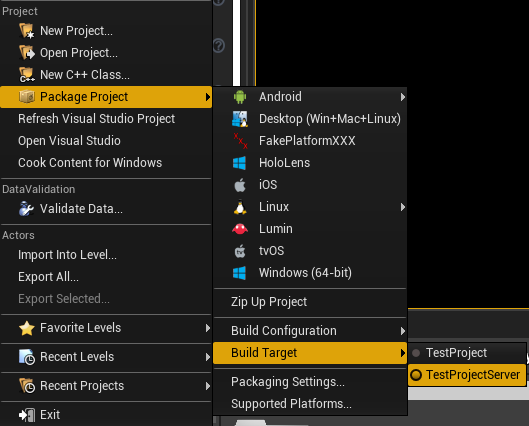 kindred widget
A reliable event will continually try to network until it succeeds. Normal will just try once and forget.
cursive magnet
So if i don't check reliable if the network is bad the event will be bypass
if i check the event will try again and again untill succeed
so sound effect shouldn't be reliable bc we don't care
but damage event should be reliable
@kindred widget
kindred widget
Probably. Depends on your model. Some people do damage solely on the server. but if you're allowing clients to tell the server they hit something, then you probably want it reliable. Most effects would probably come from either local side data or the health being replicated. Though I could see a few use cases for RPCs being used maybe.
Realistically as far as RPCs go. You'll use them very little. Replication is often preferred because it keeps state. RPCs are only good for constant updates that you don't necessarily want in the replication checks, or things that you don't care about state updates or for client to server interaction. Cause if you have two players, and a server multicast happens. Those two get that RPC. If a third joins, they have no idea that RPC ever happened. If you set a replicated variable, the first two get updated when it happens, and the third gets that updated after they've joined.
cursive magnet
RPC is run on server event ? It is Multicast who do RPC on all client
we put variable as replicated for everyone can have the value like a bool isDead everyone need to know if the guy is dead or not?
but a variable like damage other don't care to know @kindred widget
solar ruin
I dont seem to be able to pass the static mesh through the RPC. I printed out the transform before and after the RPC call, which was correct. The mesh however is blank after the RPC call


 boreal wadi
I’m playing as a client in my project and I’m getting infinite loop errors everywhere in my code.. lol the errors just point to delay and input action nodes.. Any ideas what causes this behavior?
It is only happening on the client when I run a stand-alone or a Listen Server there are no infinite loops. Actually makes no sense
twin juniper
I have a question because i think i overlook a small detail. My multiplayer game has a lobby map from which the gameplay levels are loaded (via seamless travel - consolecommand "ServerTravel"). I got it working with several maps which all share a common GameMode. Then i wanted another map with a different GameMode, but i cannot get the travel to finish there. All the class defaults are the same and i even checked the blueprints. does any1 have an idea what could cause this? i can provide screenshots
Working GM

NOT working GM

the GameModes itself dont really have nodes in there which should affect the loading of the map.
okay finally i swapped all the classes responsible and it seemed my GameState was just inheriting from GameState and not GameStateBase...ignore me 😉
winged badger
i would really move all GameModes and GameStates to non-base in your place @twin juniper
easier to control what happens after you load via seamless with those
and in what order
twin juniper
okay, i will look into the differences, i think i had them on GameStateBase during some tutorial or just mixed up. Thx
slate basin
Hey, when I have a breakpoint in my code and I run the game in the editor windows with a listen-server and a client. And the client hits the breakpoint
The client seems to disconnect if I take more than a few seconds to continue, does this happen to anyone else?
Is there a way to get around this?
 regal storm
Hey folks,
Tried troubleshooting this with a plugin (Smooth Networked Movement), however no reply there yet and it was only an assumption it was the plugin that caused this, and after removing it from my character it still persisted anyway.
I'm getting massive amounts of latency when playing in editor, using Listen Server and multiple clients. The actions I'm testing replicate fine, but they take 3-4 seconds to propagate. The extra clients (2/3/etc) can all see each other, but the editor window client (1) can't see anyone. Movement is incredibly delayed, and essentially the whole editor play experience with multiple clients is ruined.
I've not noticeably changed anything that would cause this, but perhaps I don't know enough to know that for sure.
Only error I'm seeing in the console is:
"LogNetPlayerMovement: Warning: CreateSavedMove: Hit limit of 96 saved moves (timing out or very bad ping?)"
Any ideas what might be causing this?
meager spade
@twin juniper with regards to your issue