#multiplayer
1 messages · Page 633 of 1
 young spoke
 lime wren
so
lime wren
yes
young spoke

so like this
the event is owning client
or do you mean put take damage in that event also

and this in take damage
this doesn't work, nothing appears for anyone
 trail hill
Hey! I have a problem where components that are attached to my player character jitter because of networking. I use the Character Movement Component to move the player and it works fine, but all components that are attached to the character (weapon, vision cone, ...) jitter. When I disable ReplicateMovement in the Player Actor it works fine, but then the other clients don't get position updates for the player. Any idea on how to fix that?
I guess it has to do with the replication simply overriding the position of the child components and not taking the client predicted position of the movement component when I turn on replicatemovement
 kindred widget
@trail hill Do you mean that the components have their movement replicated? Because normally components don't replicated their movement, they should update locally just fine on each client when their actor's root component moves.
trail hill
@kindred widget No the components themselves don't move and don't have their positions replicated. Only the character moves and replicates it's position
kindred widget
That is very odd then. Components locations are updated when their parents move, all on client. The only thing that normally causes jittering is two components fighting over the same space.
trail hill
Yeah I don't know. Once I turn off the movement replication on the character it works fine
But of course now the movement is no longer visible to other clients
trail hill
@kindred widget I found the issue ...
Apparently I had the root component set to replicate, which for whatever reason messes the character movement component up
 charred crane
I have an actor with a projectile movement component added, the only thing set to replicate is the actors "replicates" setting(i disabled "replicates movement" because it was extremely choppy and the issue was still present). The object's constructor takes in a desired velocity and rotation and in the construction script I call a multicast RPC that sets the actors velocity and rotation. The client successfully prints out the values I've passed in, but the objects themselves don't seem to launch in the same way the servers projectiles launch. They seem to be ignoring the values entirely. Any ideas? I'm wondering if setting the value is somehow happening too early on the server.
 winged badger
just have a replicated vector for velocity
and set the value on ProjectileMovement from OnRep
charred crane
winged badger
and set the value on ProjectileMovement from OnRep
It's already replicated, but yeah maybe onrep is the problem. I'll give that a try. thanks
winged badger
construction script is problematic
charred crane
Networking feels problematic lol
winged badger
it doesn't have the same sequence on server and client
deferred spawn on server runs the construction script and BeginPlay after finish spawning
on client construction script runs before replicated variables are set
and then its BeginPlay
 glad minnow
Hey there, I was wondering if anybody knew how to do multiplayer nameplates/name tags, that comes off of a player save/structure? I would really appreciate it. Thanks!
lime wren
glad minnow
Hey there, I was wondering if anybody knew how to do multiplayer nameplates/name...
yeah
whats the problem ? where r u stuck
glad minnow
So I've got the plate displaying. I've got the name the player enters, and it goes into a structure. Then that name gets pulled off, and gets set on the nameplate for each player. But the problem is the locally controlled player sees its own name on its own actor but does not see the name of the non-locally controlled player (other players) on their nameplates, and I have no clue why. @lime wren
glad minnow
I actually am using multicast. And yes it is a widget. This is how Im doing it right now (pic is of nameplate widget) @lime wren

Should I be doing this code in the actor bp itself, the player controller, or the widget?
winged badger
you should keep the name in PlayerState where it belongs
and you should definitely not multicast it
engine will replicate it under the hood
also, widgets are not replicated, and thus multicasts do not work from widgets, nor do replicated variables
glad minnow
lime wren
name plate above player ?
Name above player (which is a widget)
glad minnow
winged badger
also, widgets are not replicated, and thus multicasts do not work from widgets, ...
thanks for the info
lime wren
yeah widget are no replicated
Download Project: https://bit.ly/3h9Dpg4
Join the fun: https://discord.gg/32qgNwm
basically
when you set the name
The server fire a multicast who say
"Hey, replace the name of this name plate by this ..."

@glad minnow
glad minnow
lime wren
https://www.youtube.com/watch?v=IK31q8H2Y2M
Thank you for the help! This looks like a good solution to me
 drowsy belfry
Hello, I’m having some trouble with actor spawning on a multiplayer game.
I have actors that are set to replicate and when spawned on the server side they take a lot of time to appear on clients. At first I thought it had to be something related to the netupdatefrequency or the netpriority which I had previously reduced on the spawned actors so I added a ForceNetUpdate after the spawn, something like:
pSpawnedActor->ForceNetUpdate();```

But it still doesn’t work, the network is not saturated and the ping is ~50ms but it takes from half a second to several seconds to spawn the actors on the clients. The actors spawned aren't too big either and they are instantly spawned on the server so it’s not that it takes too much to spawn them, it has to be that the RPC is arriving late for some reason but I’m unable to find why.whats your number of replicated actors? and what did you do with net priority?
 nocturne iron
Does unreal have a smart way of replicating ControlRotation without just creating my own ReplicatedControlRotation variable which seems a bit messy to me?
 chrome bay
it doesn't no, but control rotation is usually just set locally
 thin stratus
ControlRotation is sort of replicated. I assume you want this for the Pitch
I can never remember how it's called
chrome bay
And pawns like characters typically follow control rotation anyway, and yeah there is RemoteViewPitch for pitch offset
chrome bay
yeah GetBaseAimRotation accounts for the replicated pitch offset
 rose egret
is it ok to load a bigmap on dedicated server or should I use level stream and async load ?
some clients get connection timeout during seamless travel to big map, cause it takes 10+ seconds to load the map.
🤔
winged badger
default timeout is 60
kindred widget
Uhoh. Another ARK.
rose egret
winged badger
default timeout is 60
was that property OnlineSubsystemUtils.IpNetDriver.ConnectionTimeout ?
someone changed it to 10 🤔
winged badger
you can also, assuming you know which map you're loading in advance
start async loading assets for it inside the lobby
will cut the loading times down significantly
rose egret
@winged badger the last time I tried that it did not help much and failed . maybe my solution was not right
I wanted to pre load required asset in main menu while matchmaking
winged badger
you do need to keep pointers to them itehrwise they get unloaded
and sync loading flushes async loading
 edgy jacinth
Folks, Im trying to make score cards in my multiplayer game. What is the best way to go about creating someting like this:
I only got it to work for the local player, it doesn't seem to replicate to other clients
 winged badger
use playerstates to keep individual scores
edgy jacinth
Yes, I have that
winged badger
you can access all of them via GameState->PlayerArray
then just cast, sort if required and it will work
provided your server set the scores and the scores are replicated
edgy jacinth
My score variables are replicated, but they are set by the pawn
kindred widget
If it works for only the local player, and you're setting properties that are replicated, then you're not setting them on the server.
edgy jacinth
So basically I set my scores from the pawn based on a few variables, which can differ between players
kindred widget
Are the actual properties on your Pawn or Playerstate?
edgy jacinth
If I understand correctly, I should put the score calculations on the gamemode and calculate score each x seconds, by looping through my player pawns and their variables?
After score calculation, i cast the value to the player state
rose egret
@winged badger
is there any way to tell the engine to pre load all assets referenced by a ULevel ?
or I need to write some kine of tools to save all referenced asset in UDataAsset or UObjectLibrary ?
kindred widget
Very likely that you're doing the calculation and setting on the client then. UE4 is not P2P, so any and all transmission of data has to go through the server. Clients talk to server. Server talks to clients. Clients do not talk to other clients.
edgy jacinth
edgy jacinth
If I understand correctly, I should put the score calculations on the gamemode a...
Would this be a solution?
kindred widget
Possibly. It might be better practice. In reality, at least as far as for learning basic networking though, it really doesn't matter where you handle the logic so much as long as you're learning the difference of handling logic on the client version and the server version.
Like for instance. What you're doing now would likely work if the owning player ServerRPCs the score, and then sets it on the playerstate to be replicated. This leaves you open for cheating though.
edgy jacinth
ServerRPCs is RunOnServer custom event?
kindred widget
Yep.
edgy jacinth

These are my calculations, so if I were to change the replication mode on these custom events I change the variables on thes erver, right?
kindred widget
Not quite that easy. Which score gets set on the PlayerState?
edgy jacinth
Car stars gets set on player state (not shown here) when they crash
kindred widget
Well. If you don't care about cheating. It's as simple as making that a server rpc and then doing the same thing. Then when the client crashes, it'll calculate it's own score, and update it's score on the server.
edgy jacinth
Yeah, cheating is no problem
So I kind off have to do it twice, once sending it to the server and once on the client itself
Also, where should I create the widget to display all player cards?
 meager spade
widgets are all local
also client should only tell server "i hit this car", server should then verify and add the score
 soft jewel
Hi, how can I replicate animation montages that are beign played inside a behaviour tree task? Can't find any solution
 dark edge
soft jewel
Hi, how can I replicate animation montages that are beign played inside a behavi...
dark edge
soft jewel
Hi, how can I replicate animation montages that are beign played inside a behavi...
The task should set some state that drives the animation
Not play the anim directly
EState:Idle or whatever
 twin pendant
https://www.youtube.com/watch?v=lUzi0oNLcNg
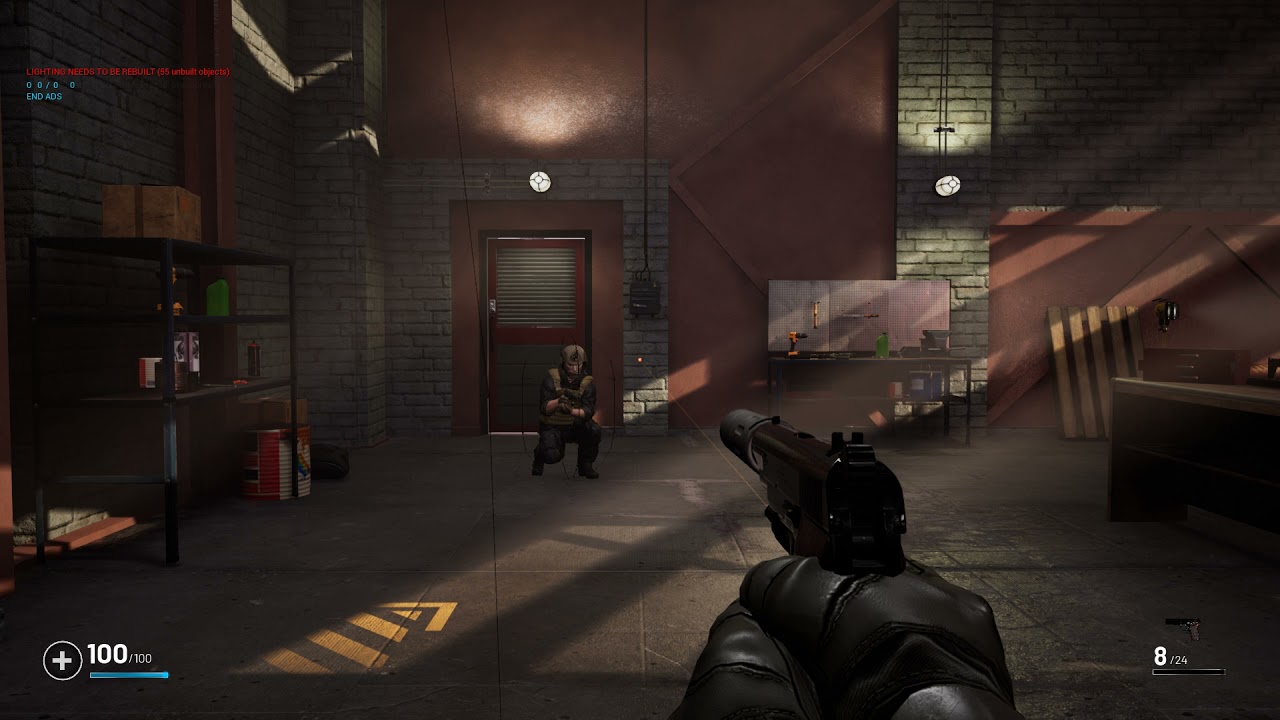
I have the issue that the player mesh is going under the floor for the other players when proning. It does not happend for the player himself... Any ideas why? I already offest the mesh but it does get overwritten and snaps back?
 edgy jacinth
How do I make sure that the server has updated the variable too? I get a variable from my player controller and set a variable on my player state to the same value, and then also run a Run On Server Custom Event setting that same player state variable to its value. It still only works on the server and that client, not on all other clients
chrome bay
You should only set it on the Server, and the value should be replicated.
edgy jacinth
Hmm, still doesn't work :/
If I print string all values from each player state from the player array, all but the server (and its client) are 0 (the default value)
Image 1: looping through all player states and printing their values + name (on the gameState blueprint, but gives the same result if I were to do it on a widget)
Image 2: Setting the value on the server

 chrome bay
Why would client send a replicated var to the Server though?
Also, you're trying to get to controllers which will be null client-side (apart from their own)
Score should be kept in the player state, not the controller.
edgy jacinth
The second image is in the player state, I get the controller that is attached to the player state and then get the variable
meager spade
but why is the controller holding the score?
oh this is the player state
but why are you allowing the client to even tell the server the score?
you should ask the server, hey i did this, server then goes, ok, ill set your score for you for that.
edgy jacinth
Yeah, learned that late...
But it just has to work, no worries about cheating or whatsoever
meager spade
edgy jacinth
Image 1: looping through all player states and printing their values + name (on ...
but this here will not work on clients
never will work on clients
edgy jacinth
Because?
meager spade
Controller only exists for owning player and server
you are asking other clients to get other clients controller
that does not work.
move PlayerScore to player state
do not access the controller
and just pull it from the PlayerState.
edgy jacinth
But "S Player Score" is a variable on the PlayerState already
I calculate the player score on the controller and tell the playerstate to pull that value from the controller every 2 seconds or so and set the S Player SCore, an int variable on PlayerState, to that value
edgy jacinth
Because I cast values that are used in the calculation to the player controller, and pull the other variables from the player pawn
I don't understand that if I cast my controller values to the player state, why I can't go on and pull them from the player state
kindred widget
@edgy jacinth I think that the issue is that you should store your score in one place. Keeping it in multiple places makes unnecessary upkeep, and upkeep is bad.
chrome bay
Yeah it should just be in the player state and nowhere else
Clients can already "cheat" it if they want because they are sending an RPC to the server to set the score.
Server should be the entity calculating score and applying it.
kindred widget
I mean realistically if you don't care about cheating, but you want stuff to remain 'fair' for players, you can let clients just upload their gameplay data and the server can calculate it. This will keep a client from having a disadvantage over the listenserver player.
chrome bay
Even if you don't care though it's a strange setup to have clients telling server what their score is
kindred widget
I meant more that the gameplay can be uploaded. Their turning stats, or speeds, etc. The stuff he's using to calculate score. Clients could record it themselves, and would likely have client authoritive movement which would mean that a client would have the same movement as a server with no latency of inputs.
Basing this on the point of not caring about cheating.
winged badger
even then, no
you are going off the expected flow for no reason
meaning anyone, including tomorrow you, will have a harder time figuring out WTF is going on in that code
unless you have a very good reason not to, conform to what would reasonably be expected from your code
 timid moss
I have a question about push model. When switching to push model, I expected for my replicated variable using push model to not be replicated at all until I mark it dirty. However, I have noticed when I set the property on the server to something during the start of the game, the client also gets that value. Does push model automatically replicate at the start of the game even though I haven't marked it dirty yet? I know I have push model working right now because during the game if I set the variable on the server it doesn't replicate it until I mark it dirty (as it should). I'm just confused why the value seems to get replicated in the beginning of the game when I don't even set it on the client and I don't mark it dirty.
meager spade
@timid moss the initial replication is always done
for all properties
only after initial does the push model kick in.
winged badger
note that initial properties are sent in the same bunch with instructions to spawn the actor
so there is no noticeable cost to it
timid moss
Alright cool. How can I know when the initial replication happens?
timid moss
what will call OnReps?
winged badger
or PostNetInit
setting of the replicated variables that have ReplicatedUsing
so client side
Actor is spawned
replicated variables are set
OnReps are called
PostNetInit is called
BeginPlay is called
in that order, when spawning a replicated Actor
timid moss
Alright. But my property isn't an OnRep. I guess it still is able to handle the initial replication without the onrep?
timid moss
I mean I didn't use the "ReplicatedUsing=" in the UPROPERTY macro.
I just did "Replicated"
So it shouldn't have an OnRep
winged badger
thats fine
any OnReps you do have will get called before PostNetInit
if you don't have any, none get called
thin stratus
Remember the archetype stuff I asked a about few days ago? Engine Bug
winged badger
im shocked 😄
thin stratus
Basically Clients and Server when ServerTraveling timeout some of the netguids.
And usually they do that in sync
But there are situations where the client does it and the server doesnt.
Leading go the server not reexporting the netguid
And the client then failing
winged badger
so server has no idea it needs to send a new one
thin stratus
Correct
Udn only issue with target fix.... Not ue4

Unreal Engine
Welcome to the Unreal Engine Issue and Bug Tracker. You can check the status of an issue and search for existing bugs. See latest bug fixes too.
Not sure if that's visible
winged badger
it is, i have UDN
thin stratus
Yeah i got some suggested solutions i will try tomorrow
One is not letting it timeout
meager spade
what workaround did they suggest?
thin stratus
The other is forcing the server to resend it after travel
Which would increase bandwidth slightly
meager spade
wonder if that would affect us during seamless, tho i have not seen any weird side effects.. Maybe we don't use enough Soft pointers.. 😄
winged badger
it won't we spawn the entire level client side
and all the dynamic actors pull the data from data tables locally
so its all loaded
thin stratus
Yeah our enemy class can unload
That's why hard reffing it fixed it
net.AllowClientRemapCacheObject
That is for letting tbe client reset the timestamp
Stopping it from timeout
The other solution i havent looked at yet cause it's a different thread
winged badger
thats why it works on reconnect too
winged badger
server resends all the NetGUIDs for new client
thin stratus
Yap. That's also why i can seamlessly break it and restore it with traveling. It's more or less luck based
And it breaks here cause i need to move from the level that has the enemy to one that doesn't and then back.
So the client unloads it
Can also break for actors you persist. So something to keep in mind
winged badger
you can then just keep a hard ref to EncounteredEnemies from GI array
game will take a little bit more memory as the time goes on
and it is a hack
but its a simple one
thin stratus
Yeah i will try the suggestions first
The cvar is simple enough
Even resending wouldn't hurt that much
winged badger
for us, all persistent actors are replicated
so its fine
they never leave the client
i was super happy with the seamless travel actor list engine code
our AI use PlayerStates
without an engine modification you can't prevent a controller that has a PlayerState from travelling 😦
any controller
thin stratus
Oha
I had some trouble back when I first used it. I didn't realize the GameState survives 50% of the travel
Or rather that it doesn't survive the other half
winged badger
thats shitty docs, they never mentioned the "proper" settings for the travel map
if travel maps gamemode doesn't persist additional actors
they never arrive to destination map
thin stratus
Yeah so my persistent actor was valid and then suddenly not. Didn't realize i had to find it again
winged badger
the entire seamless code feels like it needs a cleanup, then a polish pass
thin stratus
Hehe yeah
Ah I'm happy the stuff i debugged is actually a problem
Better than sinking 20+ hours into debugging and slowly losing your sanity and never knowing if this is our bug or the engine
winged badger
one bit of silver lining - after few years of that you can just smell an engine bug
doesn't take few hours to eliminate every way you could had screwed up
thin stratus
Yeeah it was close. But I also didn't code the AI system in The Ascent so I didn't know if we broke it
Engine and AI code are both unknown when I was debugging it. So 50/50 we or epic did something wrong
winged badger
we went custom engine because of an engine bug (fixed in 4.26)
if you are running the game fullscreen and the game loses focus during level transition (easiest way to repro is breakpoint before BeginPlay on destination level) you get a crash in DeferredShadingRenderer because ViewFamilyTexture is null
thin stratus
Uff. My udn account was used for umg and slate related issues. They must hate my account name. The amount of global invalidation related posts
winged badger
that reminds me, there is a super rare slate crash on game startup
winged badger
100% engine fuckup, its like hald a second in
that i accidentally caught with packaged debug game build
need to make a UDN post for it 😄
its like 1/10000 or less
thin stratus
Nice one. Then go and make them fix it!
winged badger
voted for that issue, now there is 3 votes!
 topaz dock
Hey guys, anyone know a tutorial for matchmaking?
kindred widget
There are probably dozens online. Ranging from Lan, Steam, styles, etc.
 bitter oriole
topaz dock
Hey guys, anyone know a tutorial for matchmaking?
bitter oriole
topaz dock
Hey guys, anyone know a tutorial for matchmaking?
Look up sessions.
 heady python
Im adding steam invites and I dont understand when the "Invite Accepted" event gets called. There is no node that I found to "accept invite" or anything like that. Does someone know how to fire off this event?
 bitter oriole
heady python
Im adding steam invites and I dont understand when the "Invite Accepted" event g...
bitter oriole
heady python
Im adding steam invites and I dont understand when the "Invite Accepted" event g...
Accepting invites is a Steam-UI only thing
Can't be done from the game
The callback fires when the player accepts the invitation from the Steam client
heady python
oh i see. thank you @bitter oriole
 crystal crag
If you want to change the CMC's orientrotationtomovement property, do you have to change that on the server or is the client sufficient. I'm guessing you would need to do it in both, but I wanted to make sure.
 tall pine
Hi,
So I'm creating a simple team deathmatch system for MP. I have the match data stored in gamestate, but I'm trying to find what's the best way to associate the match data with a player? Do we use the playerstate or the playercontroller as an identifier for the match data?
crystal crag
I would think that you would want to use the player state because that still can hang around even if the player gets disconnected
like if they get temporarily dropped but want to re-join / et.c
 fossil spoke
PlayerState is ideal for storing things like Kills/Deaths
tall pine
Ah, I see. So to tally up the total kills of a team, I would go through the playerArray in the gameState, then check if the playerState has the same teamID, then pull out the kills/deaths, right?
fossil spoke
Sure.
tall pine
So what do you usually store in the GameState, besides the connected Players?
The state of the match is what I have. Doesn't seem like anything else?
 gilded vapor
I've tried creating a UObject that supports executing RPCs through a UActorComponent (Similar to the calling RPCs from UObject post that's pinned here).
This seems to work as expected when Called from a client, however when I call this function from the listen-server I get a crash in "FindFunctionChecked" does anyone know what could cause this?
Code here:
    int32 GetFunctionCallspace( UFunction* Function, FFrame* Stack ) override
    {
        auto* owner = get_owner(); //gets my uactor_component
        return (owner ? owner->GetFunctionCallspace(Function, Stack) : FunctionCallspace::Local);
    }

    bool CallRemoteFunction( UFunction* Function, void* Parameters, FOutParmRec* OutParms, FFrame* Stack ) override
    {
        UActorComponent* owner = get_owner(); // grab the owner actor

        ///Rest of the "CallRemoteFunction" from: https://www.thegames.dev/?p=45
        if (AActor* OuterActor = owner->GetOwner())
        {
            UNetDriver* NetDriver = OuterActor->GetNetDriver();
            if (NetDriver)
            {
                NetDriver->ProcessRemoteFunction(OuterActor, Function, Parameters, OutParms, Stack, this);
                return true;
            }
        }
        return false;
    }
Would you have any idea on why this may/may not be working? @meager spade
meager spade
what is get_owner() ?
you need to override the engines GetOwner
not make your own
but you be using the outer
if this UObject is on a component
you can walk back through the actor chain till you hit an actor
gilded vapor
get_owner() just returns owner cast to a UActorComponent
meager spade
its pointless tho 😄
gilded vapor
Oh I'm dumb, I just forgot to market it as a UPROPERTY and DOREP
Thanks for the post though that's super useful
meager spade
    {
        if (UActorComponent* OuterComp = Cast<UActorComponent>(GetOuter()))
        {
            return OuterComp->GetFunctionCallspace(Function, Stack);
        }
    return FunctionCallspace::Local;
    }

    bool CallRemoteFunction(UFunction* Function, void* Parameters, FOutParmRec* OutParms, FFrame* Stack ) override
    {
        if (UActorComponent* OuterComp = Cast<UActorComponent>(GetOuter()))
        {
        return OuterComp->CallRemoteFunction(Function, Parameters, OutParms, Stack);
      }
    return false;
}```also this is a lot cleaner
no messing like you did 😄
@gilded vapor
gilded vapor
aww you don't like my crappy get_owner()
I wasn't sure if the "this" parameter was important or not:
(this line)
NetDriver->ProcessRemoteFunction(OuterActor, Function, Parameters, OutParms, Stack, this);
(I think that "this" parameter was important, doesn't seem to work after changes)
gilded vapor
I'm not sure either haha, I just changed something that broke, I'll give a mini update when I fix it
 sharp night
hello. can someone point me to the right direction to setup name tags in the player char for a multiplayer dedicated server. I already know how to do rep notifies, multicast, and so on.
I did a setup using rep notify and it works for the player that's already in game. Any new player that joins gets a new name and the this first player see all correct. But the new player that joins will not see the updated name tag of the players that were in the game.
Im replicating skeletal mesh changes using rep notify and everything works great. Tried to use the same idea for the 3D widget inside the player char and I got this problem I dont know how to solve.
sharp night
update: tried using text render and it works. the problem is when trying to use 3d widget. is really no way to make it work ? does anybody had this problem?
 tawny talon
as far as I know HUD doesn't replicate, which means there is no direct way to have rpc or variable replication for that
you can always has some sort of manager class that received the updated name tag from the server then call the HUD to change their text on the client end
I guess this is why it works on the text render but not on the widget?
...And I have a question too!
Say I have two actor class (AActorA and AActorB), both setup to be replicated. On my AActorB class, I have a variable of type AActorA* (let's say it's called VariableA), and this variable is replicated. Now the server spawned an instance of AActorA first(let's say it's AActorA_Instance), and the spawned an instance of AActorB(AActorB_instance). I let my AActorB_instance's VariableA linked to the server version of AActorA_instance. Now since the VariableA is replicated, what would the client replication of VariableA pointed at? Would it be the client version of AActorA_instance, or an address that attempted to point at the server version of AActorA_instance which probably leads to invalid place?
 empty axle
tawny talon
Say I have two actor class (AActorA and AActorB), both setup to be replicated. O...
empty axle
tawny talon
Say I have two actor class (AActorA and AActorB), both setup to be replicated. O...
It would be the client version of AActorA_Instance
thin stratus
tall pine
So what do you usually store in the GameState, besides the connected Players?
Really depends on the Game. Mostly used to forward data to the Clients in a central place. Which is usually the State of the Game, like Team Stats, Match Timers, Objectives.
But I also often use it for managers in form of components that should only exist once and replicate.
 slow surge
I am new to this so this is probably very basic but how do I get two people to join the same level?
thin stratus
One has to open the level with the ?listen option attached and the other has to join the IP of the first one. Locally that would be 127.0.0.1
slow surge
Ok thanks
slow surge
thin stratus
One has to open the level with the `?listen` option attached and the other has t...
How do you join an ip?
thin stratus
iirc you can also use the OpenLevel node, but use the IP instead of a level name
If not, then you can use the ExecuteConsoleCommand node. passing in open, followed by the IP. e.g. open 127.0.0.1
At least for BP only
slow surge
Ok thanks
 azure hollow
hey guys I'm following this on you tube (https://www.youtube.com/watch?v=SWDDBm6YbbQ) and I get this error
steam api rejected request as unauthorized due to invalid title app id or publisher key unkown error since it's my first attempt with multiplayer can someone tell me what I'm doing wrong? Do I still need to download the steam sdk? thanks guys 😄
winged badger
you need steam ID to run game via steam
480 is the free one for testing
otherwise its a 100$ to get your own
 wind garden
Need some clarification on unreliable RPC's. If i RPC from the client to the server but i only care about the most recent send RPC, do i need to put a timestamp in and check it myself. Or will UE discard older RPC's coming in automatically. As i understand it the order is not guaranteed, so a older RPC could come in after a newer one?
yeah, i read this, but it's not 100% clear to me
azure hollow
winged badger
you need steam ID to run game via steam
i have a steam id for my game but it's not working
wind garden
ok, thank you for info, it should work fine then, i just want to continuously update some values and dont want a old one to overwrite a newer one, it's always the same unreliable RPC
 twin juniper
how do i open one server and one client window? My current setup is
Number of Players: 2
Net Mode: "Play as Listen Server"
Click on Play "In New Editor Window"
yet it still opens 2 client windows

 wind garden
@twin juniper go to advanced settings and check if "launch separate server" is checked, if yes remove the checkmark
twin juniper
It Worked. Thanks!
 vivid seal
i know this is kind of a vague question, but right now every time I use an ability in my ability system, I am sending 3 TArrays of small structs (gameplay tag and float/pointer/gameplay tag) in my RPC to the server, and again in my multicast to other clients. Most of the time these arrays are empty, at most each could contain a handful of structs (again the structs are only a tag and one other variable). Is this going to be a lot of bandwidth, or is sending an empty array trivial?
 eternal lake
Hi there!
Pic from the multiplayer compendium.
What is a good example of a function with asynchronous side affects that an online subsystem uses delegates for?
 eternal lake
vivid seal
i know this is kind of a vague question, but right now every time I use an abili...
eternal lake
vivid seal
i know this is kind of a vague question, but right now every time I use an abili...
Seems like you could use OnRepNotify instead?
vivid seal
i mean, not really. client generates parameters (like a hit location vector), and wants to send it to the server when activating his ability predictively. server receives this parameter as 3 structs with GameplayTags Param.HitX, Param.HitY, Param.HitZ, and floats with each, then when activating the ability server side, the ability can use these little structs to check the client's hit location and use it without having to do real lag compensation. RepNotify wouldn't really help in this case, I'm trying to make these structs generic since not every ability will need prediction data, and not every ability that does need prediction data will need the same kind of prediction data
topaz dock
Maybe here I can get an answer, I am trying to add players' names on top but I could only find references to advanced sessions. Tried it like that however I don't have "get player name" variable in the player state. What can I do?
eternal lake
vivid seal
i mean, not really. client generates parameters (like a hit location vector), an...
I'm not experienced in multiplayer programming. I think unless you can perform calculations on the server with less data, you have little choice
vivid seal
yeah i havent come up with a better solution, just wanted to see if sending empty arrays in an RPC is a problem or if they take up little bandwidth
chrome bay
At the very least it'll be an int32 to denote the array size (IIRC)
Could just have two different RPCs
vivid seal
what about serialization? I know when i was trying to mess with CMC stuff there's some kind of Optional Serialize function but i dont remember what it was called exactly
would that minimize things, by just not even including the array properties if they're empty?
chrome bay
You can create a custom struct with custom serialization yeah.
As it's an RPC it's even easier because you don't have to worry about deltas
vivid seal
alright well i know almost nothing about serialization so i guess its research time
chrome bay
GAS has lots of examples of conditional net serialization, as does FHitResult, FRepMovement etc.
vivid seal
yeah i'm copying a lot of stuff from GAS but i dont like a few things so i've been rolling my own
 midnight karma
does smb know how to make this without replication for other player on server?
 eternal lake
midnight karma
does smb know how to make this without replication for other player on server?
eternal lake
midnight karma
does smb know how to make this without replication for other player on server?
What do you mean?
Can you state a use case
midnight karma
When server or client choose some graphic it makes for other players
eternal lake
NetMulticast RPC, right?
midnight karma
 eternal lake
NetMulticast RPC, right?
eternal lake
eternal lake
NetMulticast RPC, right?
^
eternal lake
What replicates?
midnight karma
this settings
 chrome bay
Settings are shared on all PIE instances.
It isn't replicated
You're changing the engines settings.
midnight karma
u mean i need to use some other instruments for this?
kindred widget
@topaz dock Sounds like you just want to get the string name in the playerstate and set it as text in a widget, or?
eternal lake
eternal lake
Hi there!
Pic from the multiplayer compendium.
What is a good example of a fun...
Sorry but this got buried
 winged crypt
Can anyone explain why I'm getting "Steam Dedicated Server API failed to initialize" when I try to run on a dedicated server?
 rapid bronze
Using 480 App ID?
winged crypt
yeah
 long nimbus
hey, wanted to check here to make sure I'm not planning on implementing this in a dumb way;
I'm working on a socket-based building system for VR. The current plan is to define the sockets on each staticmesh building block, then fetch those when the game loads or the user places a new piece. Then those socket locations are added to a SocketManager actor which spawns SphereCollision for each socket and replicates to clients. Then those clients can use physics overlaps to check if a piece should be snapped to a socket.
Any issues with attaching hundreds of spherecollision components to a single global actor? Worried that'll become a problem somehow.
winged crypt
i'm super new and this is what I've been told to use
winged badger
@long nimbus depending how many of those actors you have
the transform update cost would be enormous with many of them
winged crypt
@rapid bronze should I use a different Id?
rapid bronze
480 is what you should use for testing, perhaps you didn't set up properly for the dedicated server
long nimbus
winged badger
<@!132237398653272065> depending how many of those actors you have
how many SocketManager actors? or SphereCollision
winged badger
actors
long nimbus
well SocketManager will be a singleton
doesn't move
just manages all the sockets for each block
winged crypt
rapid bronze
480 is what you should use for testing, perhaps you didn't set up properly for t...
hmm... any idea where I start looking at or it could be just anywhere?
Warning: Steam Dedicated Server API failed to initialize.
LogOnline: STEAM: [AppId: 0] Game Server API initialized 0
LogOnline: Warning: STEAM: Failed to initialize Steam, this could be due to a Steam server and client running on the same machine. Try running with -NOSTEAM on the cmdline to disable.
LogOnline: Display: STEAM: OnlineSubsystemSteam::Shutdown()
LogOnline: Warning: STEAM: Steam API failed to initialize!
LogOnline: Display: STEAM: OnlineSubsystemSteam::Shutdown()
this is the whole lot of problems i get here even though I made sure the AppId was 480
 jaunty hazel
hey guys i have a question, when i make a single player game i always cast to the character and connect it to get player character but how do i do that in multiplayer
rapid bronze
You are using App ID 0
rapid bronze
where did you set up the app id
winged crypt
in the target.cs files
rapid bronze
did you do it in the servertarget.cs too?
 rapid bronze
Do you have it setup in DefaultEngine.ini too?
iirc there's some params needed there too
winged crypt
[OnlineSubsystemSteam]
bEnabled=true
SteamDevAppId=480
GameServerQueryPort=27015
bRelaunchInSteam=false
GameVersion=1.0.0.0
bVACEnabled=1
bAllowP2PPacketRelay=true
bUsesPresence=false
P2PConnectionTimeout=180
rapid bronze
add SteamAppId=480
then be sure to have
[OnlineSubsystem]
DefaultPlatformService=Steam
[/Script/Engine.Engine]
!NetDriverDefinitions=ClearArray
+NetDriverDefinitions=(DefName="GameNetDriver",DriverClassName="OnlineSubsystemSteam.SteamNetDriver",DriverClassNameFallback="OnlineSubsystemUtils.IpNetDriver")
[/Script/OnlineSubsystemSteam.SteamNetDriver]
NetConnectionClassName="OnlineSubsystemSteam.SteamNetConnection"
winged crypt
only thing I didn't have is SteamAppId=480
long nimbus
winged badger
actors
so is it not a problem if it's not moving?
rapid bronze
[/Script/Engine.GameEngine]
!NetDriverDefinitions=ClearArray
+NetDriverDefinitions=(DefName="GameNetDriver",DriverClassName="OnlineSubsystemSteam.SteamNetDriver",DriverClassNameFallback="OnlineSubsystemUtils.IpNetDriver")
forgot you need the Game
jaunty hazel
hey guys i have a question, when i make a single player game i always cast to the character and connect it to get player character but how do i do that in multiplayer
winged crypt
@rapid bronze no luck
rapid bronze
Mmmh, do you have a compiled dedicated server? I mean standalone
rapid bronze
winged crypt
<@!199483918842462209> no luck
Be sure to have steam_appid.txt in [Gamename]/Binaries/[Platform] with your appid in ofc
topaz dock
@kindred widget yes...
winged crypt
i did place that in in the binaries folder but it gets deleted after execution
rapid bronze
I just noticed
winged crypt
when I run the Game on Server it disapperars
rapid bronze
In [OnlineSubsystemSteam]
bUseSteamNetworking=True
and be sure to have this too
[URL]
GameName=[YourGameName]
Port=7777
Fingers crossed
winged crypt
getting exactly the same errors 😦
The AppId resets to 0
Thanks for trying
I checked the blueprints side
and looks fine
at this point it must be the server
itself
rapid bronze
Did you turn on the Online Subsystem Steam as a plugin?
winged crypt
yep
rapid bronze
Mmh, everything seems fine then regarding configs and stuff
Are you testing in Engine or Standalone package?
winged crypt
packaged with Server on AWS
must be some problem on their end at this point i guess
even though i opened every single port they have lol
rapid bronze
So running on AWS or your PC gives them same problem?
rapid bronze
So on your side it's fine?
rapid bronze
What's the new error?
winged crypt
if i open it in my pc I don't get any warning but it doesn't connect
i'm repackaging now cause it looks like the steam bit is not popping out anymore
after those changes
if i connect to the server directly i can play with no issue. i don't get why steam is being a snob
rapid bronze
Of course it has to be, where's the fun in it not being
rapid bronze
depends on what operating system you are on i think?
winged crypt
win64
rapid bronze
i can say, have a read here
Allar's Blog
This is the first step in a series of guides that will show you how to enable the OnlineSubsystemSteam module for your project. It does not cover session creation, session management, app id association, or anything specific to OnlineSubsystemSteam. These steps are the first part in enabling a Steam integration
perhaps this part
 winged crypt
looking at it now thanks a lot
 neon mango
Is the server travel level transition only good for multiplayer games or can we make use of it as a "Loading Screen" in single player situations as well?
winged crypt
rapid bronze
perhaps this part
in the end there is only one file there, i think something changed in the latest v
rapid bronze
winged crypt
in the end there is only one file there, i think something changed in the latest...
iirc the rest of them if needed you can get from the Steam installation on your PC
winged crypt
@rapid bronze The libs did it!
@rapid bronze Thank you so much for helping me out sir!
rapid bronze
I'm glad it works, my pleasure ❤️
winged crypt
💪
neon mango
Seems like no issue with transition maps in single player but typically for multiplayer is there a way to set the min amount of time to stay on a transition map?
 bold oxide
Hello, I'm lost. I've been watching and reading a lot about replication and networking fundamentals in ue4 blueprints. Been spending days trying to solve this issue and I'm now desperate.
I'm trying to make a game where both players spawn their units from their own camp. Right now I already have a simple issue trying to spawn anything from the client side.
When pressing 'F' key on client it doesn't spawn (on either machines) when set the event on "Run on Server" On the other hand when pressing 'F' key on the server it spawns successfully for both. I am using a BP_Spawner actor and this actor is set to "Replicates" so is my unit spawning. I am calling the input from my player controller.

 winged badger
what does your spawn event look like?
bold oxide
 winged badger
client doesn't own the spawner actor
so it can't send RPCs through it
you can notice the "No owning connection for" warning in the logs whenever client presses F
what is the Player enum?
bold oxide
what's the best way to do that?
winged badger
Team ID?
bold oxide
Yes its 01_blue and 02_red
winged badger
so put 2 spawners on the map
bold oxide
originally i want blue to own the left spawner and red the right spawner
winged badger
put the Player enum in each one, with different values, assigned on instances from their details panel
in GameMode, pull the HandleStartingNewPlayer event
bold oxide
yes
winged badger
during that event, assign Team ID to each controller (this runs on server mind you), then find the spawners, then the spawner matching the controllers TeamID
assign that spawner into the controller as replicated variable
and call SetOwner on the spawner giving it the controller with same team ID as the owner
that will allow you to send RPCs though your team's spawner
after that just call Parent function for HandleStartingNewPlayer
this also has the benefit of you having a reference to spawner stored in your controller
bold oxide
winged badger
during that event, assign Team ID to each controller (this runs on server mind y...
im stuck here
winged badger
so you don't need to search all actors on the level whenever you press F
its a 2 player game, correct?
bold oxide
yes
winged badger
you pull HandleStartingNewPlayer
it has a reference to PlayerController
you cast it
to your custom one
bold oxide
like this? but how do i get the number 2
 winged badger
then SetTeamID to NextTeamID
which is a variable, by default Blue
but after the first set, you set it to value of red
so the next controller doesn't end up being also blue
then you do getallactors to find the spawners (there should be 2 of them)
you go foreach loop and if spawner TeamID == controller's TeamID
you assign that spawner to controller as a replicated variable
and also call SetOwner on the spawner, setting its owner to that PlayerController
then just for good measure you right click your event HandleStartingNewPlayer, choose AddCallToParentFunction from the context menu
and connect that at the end
bold oxide
winged badger
but after the first set, you set it to value of red
so sorry and appreciate you helping me, but how do you do this ( i feel stupid )
winged badger
you have a variable of your enum's type in gamemode
you call it NextTeamID
and you set default value to Blue
then right after that screen you posted up
you SetNextTeamID to Red
the first controller will be blue, second one will be red
always
 winged badger
that PlayerID should also be replicated
(in the PlayerController)
you should use PlayerStates for the team IDs, but baby steps
bold oxide
winged badger
you go foreach loop and if spawner TeamID == controller's TeamID
in the controller right
winged badger
you have to preplace two spawners on the level for next step to work
one with Blue, one with Red team ID
bold oxide
got that
bold oxide
winged badger
you assign that spawner to controller as a replicated variable
how do you do that? i did everything besides that i think
 winged badger
thats good, now alongside SetOwner
also set the spawner as replicated variable in the PC
bold oxide
how?
winged badger
make a variable of whatever type your spawner is in your PlayerController
set it to replicate
and from PC reference call SetSpawner, and plug the spawner into the pin
(after that branch)
same way you set TeamID
bold oxide
it worked

when i run 2 different clients it works perfectly but if i run 1 on server the server uses both spawns
i assume because he owns both too
Thank you soooo much Zlo, I would've never found it other wise
winged badger
well, its supposed to work with 2 clients always
make sure you lose the GetAllActorsOfClass on pressing F
and use the Spawned variable instead
winged badger
if you haven't found it already
top pinned message on this channel has a link to network compendium
reading it would definitely not hurt
bold oxide
ok thank you will definitely check that
 stable swift
hey guys, im spawning terrain chunks client side and having trouble with collision. Non host clients are falling trhough the terrain chunks they spawn. Ive set owner to player controller but still not working. Any tips?
winged badger
if server doesn't think they are chunks under them, they fall
stable swift
so collision is handled completely server side? I was trying to avoid spawning both players terrain on the listen server. I was under the impression collision was handled client side when the objects are marked only relevant to owner
winged badger
it is, but no collision on server = falling on server = server corrects the client position to below the ground
stable swift
ahh that makes a lot of sense. So the fix is to spawn the terrain chunks for both players on the server? Seems extra to have the host spawning other players terrain as they could be completely out of view.
winged badger
you can go with ignoring server corrections on the CMC
but ... i don't know about that
tawny talon
empty axle
It would be the client version of AActorA_Instance
Thanks mate
twin juniper
hello can anyone show me their multiplayer editor preference? i seem to have problems with my game.
here is what i am having problems with:

on begin, it will show whether the player is a client or server
here is my configuration for playing

However, it prints on both screens

 small tartan
you are running in single process?
twin juniper
what does the run in one process mean?
 small tartan
that exactly everything is run in one process.
twin juniper
if i play it with run in single process unchecked, the client is not windowed

and when i play the client window, the FPS seems to be dropping. but when i play it on the serverwindow, its fine
small tartan
i dont really bother I'll get printouts on all windows tho usually it gets quite polluted to have 'client1: plah, client2: plah, server: plah' etc on all
twin juniper
small tartan
i dont really bother I'll get printouts on all windows tho usually it gets quite...
the problem is that when im trying to output "You have been killed" when a player dies, it out puts on all screens
not just the screen of the player that actually died
small tartan
actual logic is run correctly it is just those debug prints
which are not for game elements
twin juniper
small tartan
that exactly everything is run in one process.
what do you mean by one process?
small tartan
eh well, sorry no time to start explain basics now
winged badger
PIE by default runs in one process
that means all PIE instances share GEngine, Singletons and any static members
in your case GEngine is what prints the message, so, it prints for everyone
 outer summit
i new to multiplayer games i have racing game can i add multiplayer mode for free or i will need to buy server
 tawny mason
hey guys
has anyone hooked into the SessionInviteReceivedDelegate ? i'm binding a method but i never receive the event
 amber ore
When an actor is replicated to the client, is there any guarantee that on the client BeginPlay has ran before executing multicast/client RPCs?
chrome bay
There's not no
tbh I'd expect it to run prior to begin play in most cases
Just like OnRep callbacks do etc.
amber ore
Awesome, great to be aware of that. That explains a 'crash on join' issue I'm looking into. Our code in a multicast RPC here is assuming that BeginPlay has ran.
chrome bay
If you need to do actor setup it's probably better to do it in PostInitializeComponents when you can
As that will run before any network calls
And also doesn't depend on the gamemode logic etc.
amber ore
That will be the fix, thanks!
 meager fable
if my base class has an event that runs on the server and I override that event in child class does it still run on the server?
neon mango
winged badger
no, and why would you do that?
the Transition is so fast that the Transition map which is just a showing of a logo basically flickers away and there isn't even time to do a smooth fade in/fade out of the transition map before it loads the actual map. A min of 2 or 3 seconds would be ideal and that way each load is more or less consistent.
winged badger
you can show it when you start travel and remove it on destination map
neon mango
I'm not sure I follow
so just pop it up in the main scene you are in
and then map loads and pop it out in the new map and skip the transition map?
winged badger
pretty much
neon mango
Well issue is this is mobile VR with HDR off so I lose on post process effects already made my own Fade with a static mesh
I need to preserve the darkness with a good looking logo some how, transition map with an unlit material for logo seemed like the best bet initially but I can see if I can get the logo looking good on the mesh somehow or perhaps floating in front of the camera and lose the transition map/seamless travel part
 woven sinew
how would you implement vehicle movement replication ?
 charred pebble
I’ve run into an issue with integration of ACF and SIRGM which the root of the issue relies on the fact I can’t call the parent game instance because game instances don’t have beginplay, this is causing my lobby system to soft lock after team balancing.
Does anyone has suggestions on calling a parent game instance?
Basically it isn’t reading session handling
dark edge
charred pebble
I’ve run into an issue with integration of ACF and SIRGM which the root of the i...
Why do you have an inherited game instance?
bitter oriole
Why not ?
dark edge
I don't really see the use case. Can you ever override or change it at runtime?
bitter oriole
At runtime after the game starts ? No
Can you override it, yes, of course
The use case would be to handle anything that persists between levels
Like your game save, session information, loading screen system, music system
(just for those I do use it for)
dark edge
I understand that, I'm trying to figure out why you would have more than 1, unless I'm misunderstanding the original problem. It sounds to me like he had 1 game instance, and subclassed it to another.
so it goes GameInstance -> SomeGameInstance -> GameInstanceActuallyInUse
bitter oriole
You can't have more than one
I don't think that's the question here
The problem is likely some misunderstanding of how the GI works in the first place
In any case writing your own game instance, using it in game (static setting in .ini, persists across entire game) and using functions of the parent GI class works fine
dark edge
I think what he's done is he's extended a game instance from a plug-in but wants to do calls to the original functions. Which should just work out the gate, I don't know what the problem would be
Either that or override some functions and include a call to parent, IDK
 twilit flint
If u need add logic to game instance u should use subsystem rather then extend gameinstance class
dark edge
twilit flint
If u need add logic to game instance u should use subsystem rather then extend g...
Why do you say that? There's tons of logic in GameInstances in many projects just fine.
twilit flint
unless u need overwrite some game instance functionality
An overview of programming subsystems in Unreal Engine 4.
In the past there wasn't subsystems and u had override GI, since 4.22 u have choice
 royal sigil
Guys, I'm struggling.
I have a BP actor. On PIE dedicated simulation it works fine, on server, which I build and run on local PC for windows it works fine, but on linux dedicated server it just disapears when level starts.
What may cause destroying actor on linux server?
 wraith tide
I'm trying to teleport couple players to desired transforms and perform the screenshot capture on each client when they are on the new positions (so each client has more or less the same screenshot as a result).
But when writing the logic which is performed on a client I have a problem with confirming that all other peers are already on the desired positions.
For example I cannot just replicate those positions and check in tick since its not guaranteed player will be teleported exactly at such position (ex. the marker with desired transform might be located slightly above the floor).
Is there any client-side way to confirm that given client (or doll that's on that client) has been teleported?
meager spade
have the client send a RPC back when its in position
once all clients have said they are, then you process the screenshot
 alpine root
I'm struggling with a seemingly simple task. After a client joins a session, I want them to see a Lobby screen with all connected players. I discovered that the GameState holds an array called PlayerArray that contains all connected PlayerStates, however, the PlayerArray doesn't replicate in time when I try to use it. I don't want to use a delay for this, I simply want the clients to know when PlayerArray is replicated and ready to be used.
meager spade
PlayerArray is not replicated
and there is no good way to know that all playerstates have been replicated
alpine root
So, how am I supposed to approach this? Do I just forget about PlayerArray and make my own Array with a repnotify?
wraith tide
meager spade
have the client send a RPC back when its in position
hmm but the fact that it's in position locally(or on server) does not mean it will be on position on [another client] when [another client] receives the rpc, right?
dark edge
meager spade
PlayerArray is not replicated
Wait wut? Why would they replicate the PlayerStates but not the array of all PlayerStates?
meager spade
cause they are added to everyones GameState when the actual player state replicates

this will be called on all clients when its created
if GameState replicates after a playerstate, it does this

in PostInitializeComponents
that is how the PlayerArray is maintained.
dark edge
Ooh so it's sorta kept in sync but not directly replicated. To avoid race condition id assume
Or whatever you would call it if the array replicated before the objects did
 blazing cloak
Hello. In last few days my game suddenly started lagging in every way imaginable to the point of not being playable. even client movement on server is choppy. I looked in visual logger, and everything that happens on client in always happens in exactly 340ms intervals or 3 times in second
 twin vault
well see whats changed in these last few days
blazing cloak
if I had an idea I would do it. What can make clients update only 3 times per second?
 forest bolt
Hey guys, I just followed this tutorial https://docs.unrealengine.com/en-US/InteractiveExperiences/Networking/QuickStart/index.html
but with the FirstPerson template. The projectiles spawned by the server replicates, but the ones fired by the client does not replicate to the server. It's seems like I'm missing a checkbox but I can't figure it out
Create a simple multiplayer game in C++.
forest bolt
tl;dr: actor spawning on the client but not on the server.
 sullen kernel
I just looked it quickly but it looks like the projectile should always be spawned on the server. The client calls StartFire() which then calls HandleFire() which is a Server RPC. So the server runs the code in HandleFire_Implementation() which spawns the projectile actor.
forest bolt
I just saw that I forgot to add the UFUNCTION(Server, Reliable) above the function!
thanks, @sullen kernel !
sullen kernel
no problem
 modern swift
if I selected replicated movement , it will also replicate rotation, it that a way to override the rotation on client?
chrome bay
Override PostNetReceiveLocationAndRotation() and ignore the rotation.
Better to simply not replicate it if you don't need it though.
 potent cradle
For those of you using ReplicationGraph, how do you tackle feeding the size of the world to the graph?
SpatialBiasX/SpatialBiasY
I was thinking of updating it dynamically based on which level is loaded. But also a bit worried about where it actually starts the coordinates. I.e., if I move my level way to the left, or way to the right, how do I ensure the whole level is covered?
winged badger
put a bounding box around a level, use its extents
potent cradle
I can just update it once the level is loaded, correct? So I could have different values depending on which level is loaded. Do I need to run any sort of re-initialisation after I do that?
(And, can I set an origin point or is it hard-coded to use 0,0,0?)
 bitter talon
Hi, sorry for my english level :p
I can't connect to a dedicated steam server. It appears on steam browser in the LAN section and internet section. The server logs shows me that he has launched a game and that the AI play between them. But when I try to connect to it from a second computer "open xx.xxx.x.xx.xx:7777" locally or via internet with by public adress I have a timeout connection and nothing in logs. Plz help :p
bitter oriole
If you use Steam you need to use sessions, IP won't work
bitter talon
Ok thank you Stranger in this case I've an other pb :
- I create my session like this

but


This can not find my dedicated server 🙂 Any idea?
potent cradle
winged badger
put a bounding box around a level, use its extents
Pardon, Zlo, I went your route and put a triggerbox around the map, giving me an extents reading of around 1200000X and Y (origin at 0,0,0).
Would I then use 1200000/2 (*-1) = -600000 for SpatialBiasX and SpatialBiasY?
bitter talon
Ok I think I understand ^^ I should have set a GameName when I create the session
 scarlet cypress
Hey y'all I'm trying to understand multiplayer blueprint dynamics, can you tell me if i got it right?

Is that how it works or did I get something wrong?
meager spade
your comment is wrong also
but the logic is ok
Server only sets himself, he does not tell anyone that new speed
MaxSpeed variable is not replicated
scarlet cypress
meager spade
Server only sets himself, he does not tell anyone that new speed
How do they know it then?
meager spade
They don't know the new speed, i think CMC internally may send the speed to simulated from the server, but this is special cased.
for the server to update everyone else it needs to be replicated variable or a multicast
and multicast has to come from server
 wild aurora
Hey guys when running a PIE listen server with an additional client, is it normal for both to show up as Client 1?
meager spade
bug in 4.26
scarlet cypress
@meager spade Thanks for explaining, I think I got it now.. So that would be the cleaner/generally working method?
 scarlet cypress
@meager spade Is it right?
meager spade
yes
tho i would set it locally also
cause you dont want to wait for the server to send back before client can sprint/walk
scarlet cypress
Okay, but then the event would be fired 2 times for you right?
meager spade
does not really matter as its the same speed
scarlet cypress
Yeah but if you have like a counter or something it would cause problems
meager spade
i always try to set stuff locally if possible so the client doesn't get any delay in actions (predicting what is required to make it feel smooth)
scarlet cypress
yeah i get that, like for a the gunfire particles or sounds
scarlet cypress
Hey another question, does "replicate" just mean the server automatically keeps the clients informed about the state of that thing?
bitter oriole
Yeah
scarlet cypress
bitter oriole
Yeah
And if the client wants to make changes to it he has to call the server and he will do it? Like if you change a replicated variable as a client it wont have any effect?
bitter oriole
If you change a replicated variable on the server, it will change as you change it
And then when it next changes on the server, it will also change on the client to the new server value
 eternal canyon
scarlet cypress
eternal canyon
scarlet cypress
This would still get corrections as nothing is being registered with client prediction data from my underst
Understanding
scarlet cypress
eternal canyon
This would still get corrections as nothing is being registered with client pred...
What does that mean?
eternal canyon
Like for real multiplayer movement prediction u actually have o use c++ and inherit from CMC
As u don’t get access to very thing in blueprints
Nor can u inheri in blueprints
scarlet cypress
I don't speak c++ 😦
eternal canyon
Lmao
bitter oriole
You don't need C++ for the character class in multiplayer, you only need it when you start changing the movement and adding abilities
scarlet cypress
Ok
So i set up a simple replicated number that should be the same on all games.. And it is sync on every game but the clients can't increment the number, even tho the increment happens on the server.. Where did i think wrong?

(The server can increment)
bitter oriole
Does the client own this actor ?
winged badger
because they don't own the connection
 neat depot
Are you just setting the variable in the client? I think you need to call a function in the server that will set the number and trigger the update for all clients.
winged badger
your logs are spamming you whenever you try to increment that on clients
Warning "No owning connection for...
winged badger
you can't
scarlet cypress
How do you do that then?
winged badger
you send the RPC through an owned actor
bitter oriole
Pawn, PlayerController
winged badger
then when the RPC reaches the server it just increments the number locally (on server)
scarlet cypress
winged badger
you send the RPC through an owned actor
Can you explain that a bit more?
Who owns what?
bitter oriole
Players own some actors
Pawn, PlayerController, PlayerState and everything owned by them
Only they can RPC to server
 soft relic
Hey guys. I can get this message even though I have a valid server target, what could cause this?
Server target not found. Server target is required with -server and -cook or -cookonthefly
bitter oriole
So you have to route all your server-altering calls there
soft relic

using UnrealBuildTool;
using System.Collections.Generic;

[SupportedPlatforms(UnrealPlatformClass.Server)]
public class VOIPTestServerTarget : TargetRules
{
    public VOIPTestServerTarget(TargetInfo Target) : base(Target)
    {
        Type = TargetType.Server;
        BuildEnvironment = TargetBuildEnvironment.Shared;
        ExtraModuleNames.Add("VOIPTest");
    }
}
Ah yeah, now it works! But why is that? Why can't every actor do RPC to server?
bitter oriole
Because it's basic safety, to start with
And it helps optimising the bandwidth, since few actors need an up channel
soft relic
I actually get invalid target here so server probably never build

 unkempt wing
How can I notify the GameMode when all the players have loaded into the map after calling ServerTravel?
meager spade
we have the client send a RPC to the server when its finished
once server has all rpc's, it starts the match
winged badger
We do alot more then load the map though
NumTravellingPlayers == 0 is enough for basic application
Changed when PCs send ServerNofityWorldLoaded under the hood
unkempt wing
Oh I didn't even know about NumTravellingPlayers, that sounds like enough for what I need
Thanks for the help!
 merry harness
Hiho, I know that it is not possible to use widgets with a dedicated server. Hence my question, what do I use to get a graphic interface for, for example, an inventory, a Character_Healthbar and other graphic things to be displayed?
Can I somehow convert widget into something else or embed it?
bitter oriole
Why would you have anything graphic on a server ?
These things should never exist on the server
merry harness
They should not exist on the server but the player have to see his inventory and so on xD
Hiho @bitter oriole ^^
bitter oriole
The player seeing its inventory has no relation to widgets existing in the server
Widgets should always be a purely local thing
The inventory data should be completely decoupled from the inventory widget
merry harness
Ok i try to explain my problem ^^
I have widgets Inventory Window with the inventory slots, Healthbar, Character EQ Window all of this stuff is not importent for the server but if im playing as Client, i cant see it anymore. But the Client should be able to see that
the data like Char XY have 300 health, 200 mana, 20 Berrys in the inventory slot 3 this is the serverside but the empty Widgets are the clientside
actually i downt need the communication, i have no server, only the dedicated function in the UE if im starting the game in the UE, my problem is the error if i try to open the inventory
or the healthbar taht isnt there anylonger
bitter oriole
Look, it should be simple
The data needs to be replicated data on the character or player
And then the widgets will fetch that data from the local character or player
I'm not sure what your actual issue is right now but this part above is 100% the way it had to be
merry harness
My ThridPersonCharacter is client right?
So on the Client im saying "Show Widget"
 merry harness
IIRC is what?
bitter oriole
If I remember correctly
merry harness
ah ok ^^
so i have to change the Event Possessed
but i cant/should not change to Begin Play, because i have a character selection bevor strating the game
bitter oriole
Use the HUD class to set up your widgets. Create a HUD blueprint, set the HUD class in player controller, and create widgets on begin play there.
Yes you can
Just have your widget set itself to invisible on construction
merry harness
ah so i will not see the widget in character selection
bitter oriole
My advice generally for UI is : build it on begin play entirely, and then have it self-update based on state. Have it ticking and go "is character valid, then set to visible and update the data, if not set to invisible" each tick
merry harness
ok i will try ^^
and event construct?
This are my inventory Errors if i try to open the inventory (press i)

3 days ago it was still working, i havnt changed anything, actually im working on animationy not on my inventory system or other widgets xD
so these are the problems, but why?

It was working correctly 2 or 3 days ago
kindred widget
@merry harness Whatever you're adding is null. Dedicated server code?
merry harness
im adding nothing, i only press i to open inventory^^
the inventory is empty and press i will only open inventory + controll if inventory is open not open again
kindred widget
Yeah. But whatever you're feeding into AddChildtoCanvas is null. Either the Target or the Content. Which leads to the return value being null because nothing was added that can be used as a CanvasSlot type. So the next four are using an invalid pointer as well.
If the Canvas is null, then it won't add what you're trying to add to it. If what you're trying to add to it is null, nothing gets added.
merry harness


The inventory Grid is the Arraywhere are the inventory Slots (inventory Slots = 160)
This AddChildToCanvas is from the Inventory Widget
The main code is into the Inventory Component

I have seen a wrong setting in the prepairInventüry Function
merry harness
shit ist not wrong...
 glad sedge
Crazy thing; using CMC w/ standard skelton mesh. If my character goes too fast, the skel. mesh sort of lags behind.
But if I replace the skel. with a standard mesh, it's fine.
Anyone know why that'd be? I don't think it's got anything to do with the networking (though the owner sees it working fine, the other clients see it lag a bit).
fossil spoke
Because the SkeletalMesh is smoothed to the Capsule Location.
It helps in masking inconsistent network updates.
I believe there are settings to change its behavior in the CMC properties.
glad sedge
Ahh righto. Hmm, okay - ordinarily wouldn't be a big deal, except I'm doing a kart racing game, so having the mesh 'look' like it's in the right position is pretty important
@fossil spoke thanks, seems to be the value of 'Network Smooth Simulated Location' Halved it and it's working better.
dark edge
glad sedge
Ahh righto. Hmm, okay - ordinarily wouldn't be a big deal, except I'm doing a ka...
Why are you using the character movement component for kart racing?
glad sedge
Great question - I didn't want to roll my own networking for it.
And the CMC generally handles most of what I need aside from a few minor things.
dark edge
@glad sedge uh, how do you make it car like? I'm actually kind of blown away a few managed to make a walking movement component behave like a car
glad sedge
For the type of game I'm going for, it's more cartoony and less hyper-realistic. There's no physics or anything particularly hardcore.
So, it's somewhat a bit of top-down car racing. The capsule sits at the front, and generally acts as the pivot point for everything - the mesh blocks collision data that then we detect for adding in damage or opposite velocity pushing so we can bump cars without it going nuts.
dark edge
@glad sedge how does grip and momentum work?
 summer tide
How can I change this to work in multiplayer? https://gyazo.com/8cfa1a0679364596fa83a0fee3a6d0ff
 wild aurora
Is it possible for both listen server and client to both have authority in different scenarios?
I have code spawning on the client that's only running on the Authority of Switch Has Authority
I've never even given this stuff a second thought for years, but I'm using GAS now and wondering if I'm undoing my brain.
forest bolt
Hey guys, sup? I'm trying to set up a multiplayer lobby with a static camera.
When one player possess the camera, I can't posses with another player?
Do I need an additional camera pointing to the same place?
 delicate zinc
@forest bolt Make a client event on join or whenever they need to use the camera on the player controller, then use the set viewtarget by blend in the client event and I usually add a very short delay to make sure that a client gets views it like .05 or something like that. Then put that controller event on the game mode on post login if that is when they get the camera
 spark leaf
Hey everyone. Does anyone have any good resources, links or advice about getting moving platforms in a multiplayer game to sync properly and not cause net corrections?
I have done some reading and I found someone talking about making sure to use the movement component, which I am to cause rotation but I still see lots if corrections when the player is standing still on a moving platform. Any ideas would be appreciated. Thanks.
forest bolt
delicate zinc
<@!272092507272249345> Make a client event on join or whenever they need to use ...
Thanks! I believe that will do the trick. I was trying to do the set viewtarget on the map itself, that's my problem!
delicate zinc
@forest bolt I have a bp for the level camera so I can call get actor of class, BP_LevelCamera
it is just a camera in the bp nothing else
glad sedge
dark edge
<@220348733685104641> how does grip and momentum work?
Yeah I've had to do that myself, but so far it's going okay. Tell ya what - manually doing drift has been interesting
scarlet cypress
Helll yeah i just got the concepts of multiplayer, now i can do everything i want and it just works!!!
I feel like a gooood!!! Its so easy once you get the dynamics
😄
dark edge
summer tide
How can I change this to work in multiplayer? https://gyazo.com/8cfa1a0679364596...
AI should run on host and only have it's actions replicated.
So nothing for behavior tree task is multiplayer specific, you just need to make sure the actions that the behavior tree takes are supported in a network setting
Basically you don't need to Network that an AI is thinking about where to shoot, just that it shot.
 spare grail
Hello all, I have a "best practice question". I have a DB with parameters for each character in game. Is it best to load all values(and save locally) when Game is open. Or read them real-time from DB everytime when browsing the characters ingame? Or any other ideas?
winged badger
i generally pull from data once and populate the Actor with it
but our data usually leads to instantiating multiple subobjects, so we kinda need to do it that way
having a function in the Actor thats just const FMyData& GetDataTableRow() const is perfectly fine
unless its remote access datatable/base then it really isn't
winged badger
you don't want to wait for a request to bounce back with a reply every time you need to pull a bit of data
spare grail
Yes makes sense
I will save them locally when game starts, for most static data at least
Thanks !
 azure hollow
Can someone tell me where can I find some Playfab documentation for unreal engine? I am searching since days
bitter oriole

This guide helps you to install the PlayFab Marketplace Plugin and use it to make your first API call in Unreal.
azure hollow
thanks but I saw this already it's not enough 😦 I can find a loooot of stuff about Unity but no about ue4
bitter oriole
It should be the same really
The doc tells you how to integrate the thing, then you read the thing's general (non-engine-specific) doc
azure hollow
Yes I was asking because maybe I am missing something...I will keep watching and reading unity stuff then, thanks dude
unkempt wing
How do I mark PlayerStates to persist over seamless travel? I need those to be there and store players' ACharacter class selections after they leave the lobby.
chrome bay
You don't but you override CopyProperties() to copy properties from the old player state to the new one.
 lime blaze
someone to test a Demo over Itchio?
we need hamachi also
@ me if someone could help
 silent valley
Hey guys, I have hitscan weapons working pretty well with GAS now. But I'm looking to add a weapon projectile that exists for several frames. Think of a rapid firing 'plasma' gun with plasma that travels across the screen over a few frames rather than instant raycast weapon.
If it was slower (like a rocket etc) then I'd probably create an Actor on the server to manage it.
Not sure if that's the right approach in this case - any thoughts?
Could maybe store the active projectiles on the 'Weapon' itself which would avoid the overhead of creating a ton of Actors everytime the weapon is fired...
Could also create a single actor to manage all projectiles fired from this weapon, minimizes overhead while allowing the weapon itself to be deleted easily with projectiles in flight.
 hybrid zodiac
@silent valley I had a situation kind of like this with grape-shot, I didn't want to spawn and replicate 24 projectile actors at once when they only existed for a second or so
What I did was use a netmulticast function with a quantized FVector to represent the trajectory the grape shot should take, and I also had a random stream which was synced between server and client
Then the projectiles were not replicated but spawned independently on server and client
I was able to ensure that the shrapnel was identical on both server and client this way, but obviously I can't guarantee they follow the exact same path if they hit something
For the purposes of the shrapnel however, it didn't matter
silent valley
sounds reasonable - so your weapon had the multicast and would spawn the local actors itself?
 torpid girder
i am just starting to develop a server browser and thought i would launch a separate server, however i've got to supply some different keys for a server in my defaultengine.ini file, is there a way to pass in which .ini file to use?
hybrid zodiac
@silent valley Yep, the client would just then spawn their own version of the projectiles, which would start with the same trajectory, impulse and random spread as the server
Any deviation that then happens would be largely unnoticable due to how fast and short lived they are
silent valley
good shout thanks - local actors are a better way of thinking about it 👍
hybrid zodiac
@silent valley you're welcome!
Hi everyone, I want to build my client from the binary version of the engine (4.26) because I cant get listen servers to work with Steam properly and I've heard that source builds have issues. However I don't know how I'm supposed to define the necessary environment variables like the Steam shipping ID, project directory etc. Normally this is done via global definitions in the target.cs file, but it won't let me do this with a binary build, and using project definitions means my client cannot see any steam servers at all
So I have to assume that project definitions aren't visible to the steam sessions module. Anyone know what is the correct way to define this data?
 tepid sable
I've discovered that "PlayerCameraManager->GetCameraLocation" returns different values on server vs on client. Are there any work arounds for this?


I've been using this location to perform hit scan attack traces, and players are complaining about small deviations between where they think they are shooting versus what they actually hit, and I'm wondering if this is the problem
meager spade
i sont see where it is different?
a slight floating point error
but its pretty much the same.
this is why you need to either have a fudge factor for hits, or you trust the client
and server just does a more broad check instead of precise location.
dark edge
@tepid sable unless your characters are 2 cm tall, that's not a problem. Those errors are under 1 cm
tepid sable
dark edge
<@217810100394393600> unless your characters are 2 cm tall, that's not a problem...
Alright. I haven't found anything else that might be causing it, but good to know I can rule this out
bitter oriole
It's probably just the timing
If the player shoots at time T and the server gets the info at T + lag, the server can't just get the camera location
Obviously that location will be wrong from the player POV
So make sure to RPC the current location along with the hit
tepid sable
I'm having trouble reproducing the bug, even with net lag simulated. Maybe my team fixed it and didn't tell me lol
bitter oriole
I'd simply make log the player shot data and confirm the server shot is the same
hybrid zodiac
hybrid zodiac
Hi everyone, I want to build my client from the binary version of the engine (4....
Was wondering if anyone had any ideas on this problem I posted above. If I compile my client with a source build of 4.26 then it can see and connect to dedicated servers fine, but listen servers don't start properly. The logs indicate that it sets up a steam lobby session, but then I see "Verbose: OSS: dumping NamedSession:" and then it starts an offline game instead
I read somewhere that source builds of the client sometimes have issues with listen servers, so I tried packaging a client version using the binary version of the engine, but if I do that then I have to change all my global definitions to project definitions, and now my client can't see or connect to any dedicated servers at all
Every guide I've found online regarding Steam integration is outdated and their suggestions are no longer valid
forest bolt
Hey guys, I'm working on a lobby map that when the players join they should have it's view attached to a static camera (with a simple UMG) and the input should be UI only.
To achieve this I created an empty cpp camera inherited from UCameraComponent and also a BP from this base cpp class.
I placed this BP in the level and put his class in a default variable in the GameMode.
In the GameMode::PostLogin() I do this:
void GameModeLobby::PostLogin(APlayerController* NewPlayer)
{
  // ... widget creation
  FInputModeUIOnly InputMode;
  InputMode.SetWidgetToFocus(WidgetRef);
  InputMode.SetLockMouseToViewportBehavior(EMouseLockMode::DoNotLock);
  PlayerController->SetInputMode(InputMode);

  if (!LevelCamera)
  {
    TArray<AActor*> FoundActors;
    UWorld* World = GetWorld();

    if (World == nullptr) return;

    // camera component class is the UPROPERTY set by class default
    UGameplayStatics::GetAllActorsOfClass(World, CameraComponentClass, FoundActors);

    LevelCamera = FoundActors[0];
  }

  NewPlayer->SetViewTargetWithBlend(LevelCamera);
}
However, the set view target is only taking effect on the second player that joins the section.
Am I taking the correct approach of doing this logic in the gamemode? If so, what I'm missing?
If not, where and how should I do this?
dark edge
forest bolt
Hey guys, I'm working on a lobby map that when the players join they should have...
Does set view target do anything on server? I'm not sure if it does or not.
forest bolt
dark edge
Does set view target do anything on server? I'm not sure if it does or not.
It looks like it doesn't do nothing
but maybe I'm missing something
dark edge
Try do it from the player controller a little bit after begin play, but filter by if it's server or not. I wonder if set view Target is local only
If that's the way it behaves, I would just use a rep notify on a Boolean in the player controller
forest bolt
Okay, I'll create a new player controller and set in the gamemode bp
unkempt wing
chrome bay
You don't but you override CopyProperties() to copy properties from the old play...
Do I also do this with my transition map's setup? Like, make a PlayerState that copies properties there and in the destination map?
 craggy void
forest bolt
Hey guys, I'm working on a lobby map that when the players join they should have...
craggy void
forest bolt
Hey guys, I'm working on a lobby map that when the players join they should have...
I do it in the BeginPlay of my LobbyPlayerController. Works like a charm
`void AXPLobbyPlayerController::BeginPlay()
{
Super::BeginPlay();
if (IsLocalController())
{
// Use the LobbyCamera
AActor* LobbyCamera = UGameplayStatics::GetActorOfClass(this, AXPCameraActor::StaticClass());
SetViewTarget(LobbyCamera);
LobbyUI = CreateWidget(this, LobbyUIClass);
LobbyUI->AddToViewport();

SetInputMode(FInputModeUIOnly());
SetShowMouseCursor(true);
}
}`
forest bolt
craggy void
I do it in the BeginPlay of my LobbyPlayerController. Works like a charm
`void A...
Thanks for the light, bro! This will help me a lot!
the player controller is indeed the right place to do this
craggy void
Yeah, the GameMode only exists on the server, so your PostLogin code wasn't executed by any clients
crystal crag
Is it valid to have orient rotation to movement set to false, but also have the character have Use controller yaw/pitch/roll all set to false?
I am really struggling trying to figure out how to get this strafing while facing the enemy target in multiplayer down. It's not been a very fun experience at all. All I want to do, is have the character strafe around the target, be able to swivel the camera around without impacting the character's rotation, and play a root motion animation
no matter what I do, it never works right. Either the character plays the root motion, but spasms in a V left/right turn as it moves forward, or, depending on which settings I've tried, the root motion plays without the jitter, but the server doesn't register the melee hit unless controller is facing the target (even though the character pawn is facing the target)
I don't know what the heck to do, there are zero tutorials out there for this that work for multiplayer
The character has this in the MoveRight code:
void ARaevinCharacterBase::MoveRight(float Value)
{
    if ((Controller != nullptr) && (Value != 0.0f))
    {
        // find out which way is right
        /*const FRotator Rotation = Controller->GetControlRotation();*/
        const FRotator Rotation = CameraLockArm->GetTarget() == nullptr ? Controller->GetControlRotation() : (CameraLockArm->GetTarget()->GetOwner()->GetActorLocation() - GetActorLocation()).GetSafeNormal().Rotation();
        const FRotator YawRotation(0, Rotation.Yaw, 0);

        // get right vector
        const FVector Direction = FRotationMatrix(YawRotation).GetUnitAxis(EAxis::Y);
        // add movement in that direction
        AddMovementInput(Direction, Value);
    }
}
Is that not how you're supposed to strafe in multiplayer?
*strafe while facing the target
winged badger
there are 2 ways to go about this
other is to resolve the hit from pawn's perspectie
 lucid vault
Does it make sense to multicast instead of use a replicated variable for character's control pitch? I feel like a replicated variable would use alot more bandwidth
Maybe I just set that replicated variable less often
winged badger
why? you're sending the exact same amount of data
lucid vault
Yeah, I was moreso thinking of limiting the send rate, but I guess that could be done with a variable
winged badger
for replicated rotations
you generally want to replicate DesiredRotation
and then just have each machine interp towards that
lucid vault
Right. And I only need pitch replicated, as character yaw rotation is already replicated
Does it make sense to cast to an integer, or even a byte for pitch?
Before sending the data
I could map the range to fit in a byte and unmap it on the other end
winged badger
i rarely saw anyone actually have bandwidth problems with unreal
it was pretty much always the CPU time on server needed to figure out what to replicate
lucid vault
Well, I plan on having 20-40 players in close proximity, so I figured I'd optimize my characters
winged badger
and for that float or uint8 doesn't really matter
lucid vault
A byte would be 4x less, correct?
I would lose precision, but pitch is only -90 to 90, so it would probably work well I would think
Should work the same as an integer actually
Just 4x smaller (if I'm not mistaken)
winged badger
integer is same size as float
lucid vault
I'm talking integer vs byte
winged badger
you can compres it to byte
i generally don't like making the code more complicated in order to do optimization im not sure i'll need
thats what profiling is for
meager spade
pitch is replicated tho
if you are using ACharacter
this question pops up all the time
@lucid vault
lucid vault
Really?
meager spade
i point you to APawn::GetBaseAimRotation and specifically the line with RemoteViewPitch
lucid vault
Is that control rotation's pitch?
meager spade
yup
    UPROPERTY(replicated)
uint8 RemoteViewPitch;```{
Super::PreReplication( ChangedPropertyTracker );
if (GetLocalRole() == ROLE_Authority && GetController())
{
SetRemoteViewPitch(GetController()->GetControlRotation().Pitch);
}
}```That's super convenient, saves me tons of work. Thanks!
meager spade
{
    // Compress pitch to 1 byte
    NewRemoteViewPitch = FRotator::ClampAxis(NewRemoteViewPitch);
    RemoteViewPitch = (uint8)(NewRemoteViewPitch * 255.f/360.f);
}```yeah it always pops up here
cause its very ambiguous
forest bolt
Hey guys, I've got a ClientTravel working great in the editor, but after I packaged the game I keep getting an error:
LogNet: Warning: Travel Failure: [ClientTravelFailure]: Failed to load package '/Game/Maps/MainMenu.MainMenu'
oh I didn't know this
winged badger
its either cooking or packaging menu in project settings
winged badger
yeah, you generally don't want to cook your test levels
or the stuff that is still under development
so you need to tell unreal what to package
 young spoke
I have this respawn function, which seems to work well for the server
But every time a client sees someone respawn
They see one of the guns floating in midair
Even though it is meant to be destroyed
The Respawn function is run on the server


 chrome quest
Did you try multicasting?
young spoke
I realised it has something to do with how the guns are spawned

For some reason I think it spawns 2 weapons here
kindred widget
@young spoke Where is that spawn function ran?
Are you running the weapon spawning function in that character class only on the server and having the weapons replicate, or are you running that function on client as a multicast/beginplay?
young spoke
I tried a switch authority
But then the clients cannot get the object reference for the equipped weapon
young spoke
kindred widget
Are you running the weapon spawning function in that character class only on the...
I am running it in the beginplay event
On the first person character blueprint
kindred widget
Then clients are spawning those weapons as well. But nothing is destroying them.
Beginplay runs on all machines. On server when it's spawned, and then on each client every time it becomes relevant.
young spoke
Yeah so its spawning duplicates
kindred widget
So if you kill the replicated character on the server and delete the server's weapons, nothing is telling the client to destroy the ones it created.
young spoke
Which can't be destroyed
kindred widget
Server has no authority over client created objects.
young spoke
How can I fix this?
Switch authority worked
But then clients didn't have weapons in their hands
kindred widget
Are the weapons replicated?