#multiplayer
1 messages · Page 632 of 1
 vast forum
No error, no complaint, just a silent error :/
*Although I'm getting some weird stuff where calling _Implementation directly appears to still be calling from the Client, not the Server, so maybe I'm still stuck 😦
Yeah just confirmed I'm dumb :/
 chrome bay
Yeah you're not meant to call the _Implementation version
If you call _Implementation it'll just run that code on the client, which isn't what you want
vast forum
Yeah I see that now.
 soft jewel
Hi guys, I would like to know whats the best way to replicate animations from the state machine and montage animations. Thanks 🙂
 winged badger
via Pawn
you want animations to prepare everything during BlueprintUpdateAnimation
and AnimationGraph to just use the variables from the AnimBP prepared in advance
as that is only situation where your animations will run off game thread
UAnimInstance isn't replicated, and is not net addressable
 manic agate
Quick question: if an object is spawned on the server at runtime, is it ALWAYS replicated to every client, even if the spawned object is set NOT to replicate?
 meager spade
no
manic agate
I thought as much, but why is it happening to me? 😦
manic agate
Yeah, I'm spawning both on the client and on the server, so the object appears 2 times
But it shouldn't be, because I marked the actor as "not replicated" (also on the constructor)
The actor in question is just a BP class that inherits from Actor, I don't think there's nothing weird going on behind the scene
The spawning itself occurs on another BP class that inherits from Actor, which is also marked as "not replicated"... so I don't get what I'm doing wrong
 merry hemlock
https://youtu.be/TbaOyvWfJE0?list=PLZlv_N0_O1gYwhBTjNLSFPRiBpwe5sTwc&t=455 is this still valid (I'm using VR )

For the full tutorial playlist:
https://www.youtube.com/playlist?list=PLZlv_N0_O1gYwhBTjNLSFPRiBpwe5sTwc
In this video you'll learn simple networking basics in Unreal Engine 4, including how to test/launch your game for network play.
A link to the wiki for further notes is available here -
https://wiki.unrealengine.com/Blueprint_Networking_Tut...
I'm specifically looking for now to turn off VR in the second game - because Steam VR seems to think the very moment I start up the exe, it's supposed to inject VR onto that - so even if I code in my BeginPlay, if not server, disable VR and use non-vr pawn, it still doesn't seem to want to work
winged badger
i'd try sending it via login options string
have the GM instantiate different PC class in response
merry hemlock
I just want to test this as simply as possible, without building much of the framework - if I can do it in a shortcut target, that would be simplest
because I'm not certain if using local multiplayer is going to work for my UI purposes or not, so I don't want to waste time building functionality only to discard it later
What's wrong with the syntax here?
 merry hemlock
Thanks, I realized I had changed one of the folder names and invalidated the shortcut as a result - had nothing to do with syntax but your confirmation helped me realize that
merry hemlock
 bitter oriole
The http part
bitter oriole
The http part
How would I make these run in a .bat file (I need to open up both exes at the same time so Steam VR doesn't inject into the 2nd one and close the first)
bitter oriole
Launch one and then the other I guess ?
merry hemlock
not sure on the syntax for windows to use the shortcut launch parameters but doing so in a batch file
manic agate
Hey guys, I'm still having trouble with my problem... basically, I've got his Actor which does the following:

The spawned class is NOT replicated

Nevertheless, the above code when executed also spawns the object on each client
Can anyone tell me why is it happening?
PS: also the actor that is causing the spawning is NOT replicated
meager spade
and how is the actor that is spawning it created it?
meager spade
so if its not replicated
then the client has authority over it aswell
change your HasAuthority to Is Server -> Branch
manic agate
You're a genius
Let me try 🙂
No that's not it 😦
I've also made the actor in the level not "net load on client", so the above code is always only executed on the server
Yet, the object is still spawned in the client as well
Is it even possible? Why is it always replicated?!
manic agate
Nono, I meant I only did it as further test
meager spade
right
manic agate
Just to ensure that the code was being executed only on the server
meager spade
i have no clue, then. That is strange behaviour, but without fully seeing your setup, i am out of ideas
manic agate
I totally understand, thank you 😦
I've actually tried with a new project from scratch and setup this example... there it works, so there's really something wrong with my setup... It seems that one of the component present in the spawned actor is the culrpit, somehow, so I'm trying to remove them one by one to find out what's happening 🤔
If a component sets in its constructor to be replicated, does it force the Actor to be replicated as well?
meager spade
no
manic agate
Got it, something bad is probably happening behind the scenes in the C++ class of a component
 quasi tide
Workin' on having the client be able to pick up an object on the ground and equip it.
Object has an interface, when player is over it, they press the interact key, it checks for that interface and then calls a Run on Server event that calls the interaction method for the interface. So, now I'm in server land.
In the server the interaction object calls an equip function on the player. The equip function is not replicated or anything like that. It spawns the actor, sets the owner to be the player, updates the currently equipped weapon (which is an OnRep variable) to be the newly spawned weapon, then attaches it to the player. Afterwords, it destroys the old weapon.
(Weapons are replicated)
That's all that happens in the flow. Everything works as I would like it, but I'm confused on one part. How is the server able to call the function on the player? The player isn't supposed to be controlled by the server, right? Or is it because the server has the ultimate authority regardless of what happens? So the server equips the weapon and runs the logic on the server and replicates the weapon stuff to client?
winged badger
not controlled by the server = server can't run input on it
it can run everything else just fine
and then it replicates
quasi tide
So - it's expected that the server can run a function on it though? It just can't run input?
winged badger
yes, its how server auth works
your flow is good
when you spawn a weapon and attach it
the weapon actor is replicated, and so is its attachment
so on client, it spawns in the character's hands
or w/e
quasi tide
Alright - I was just thinking that because the player is owned by the player controller, which is owned by the client - I wasn't supposed to be able to run a function. I thought I would've had to do a Run on Owning Client thing.
But this is good to know.
 waxen nexus
Anyone know how to fix:
Task "Exec" skipped, due to false condition; ('$(NMakeUseOemCodePage)' != 'true' and '$(NMakeBuildCommandLine)'!='') was evaluated as ('true' != 'true' and 'D:\UES_4.26\Engine\Build\BatchFiles\Build.bat PROJECT Win64 Development -Project="D:\PROJECT\PROJECT.uproject" -WaitMutex -FromMsBuild'!='').
Development Server build config seems to run fine... then doesn't build server executable...
 edgy jacinth
I am trying to achieve the following:
From an array with ParkingSpot Objects, I randomly pick an element and will tell that element to destroy its child actor. How do I make sure that the server and the clients all pick the same element?
quasi tide
Only do it on the server
edgy jacinth
If I run it on the server only, it doesn't seem to actually destroy any actors though.
quasi tide
So it doesn't work in offline or listen server mode?
edgy jacinth
It does, but if I pick a number it does destroy the actor on the server, but not on other clients
waxen nexus
Gotta make sure the server has ownership of the actors in general. When you spawn the actors in the first place, it should happen on the server and then be multi-casted/replicated to the clients. Then, when you destroy them on the server (if they're set up correctly), that happens on the clients as well. May need to multi-cast the destruction, depending on what you're doing.
edgy jacinth
I think the reward for most stupid person can go to me, my dumb brain forgot to set the actor to replicate smh
Big brain moment
waxen nexus
haha. I was gonna say that, but I figured no one misses that for too long, lol. Then I had to think of the shortest way to say all of the other stuff 😛
edgy jacinth
No worries, luckily I'm known for such brain farts haha
 upper parrot
Hello, any good tutorials about multiplayer? Basic communications like server respawn a cube for player world. Add player to server etc?
Also request information calculate the player dmg based on the sword damage value?
quasi tide
Plenty. Personally, I still think this is a good start: https://www.unrealengine.com/en-US/blog/blueprint-networking-tutorials
Then from there you should have a decent enough understanding of the theory and all that.
Unreal Engine
A previous blog post offered a crash course in blueprint networking, but now we’re back with a thrilling six-part mini-series on creating blueprint content that works in a networked game!
You can always just follow a series on YT as well
Also read eXi's network pdf as well, it's expected that you have and understand it
It's going to take some practice for these concepts to sink in though.
 dark edge
@quasi tide one thing I would change is to have references go one way. Character knows about Equipment. Equipment doesn't know about character.
quasi tide
I pass a reference to the character to the interacting function.
dark edge
That will certainly work but you can get some quite brittle code keeping that pattern up. I wouldn't worry about it for now but keep it in mind.
quasi tide
Yeah I'm aware - I just haven't been able to figure out how to do it the other way. Other than that part, everything is set up to be the way you described.
dark edge
I just cast it to BaseEquipment and if it's Equipment, do the equip etc
quasi tide
So you do the interact, then in the interact method for the equipment, you just cast to the base equipment? 🤔
Huh? I'm confused.
dark edge
In my case interaction is handled by a component. That component stores State about whether or not the thing is currently able to interact. I filter by that Boolean when selecting which object in radius to interact with. If the selected object is equipment, I then just equip it.
So I never actually call interact on pickups. I suppose I could, and have that set some state or whatever but I don't really bother
You want to have some sort of CanCurrentlyInteract boolean somewhere otherwise someone else could just walk up and equip the gun you're holding lol
dark edge
My first test of equipment I forgot about that. You could steal each other's guns
quasi tide
hahahahaha
meager spade
i went with a seperate pickup actor that is just a C++ class, but it takes the pickups WorldItemDefinition data asset, and constructs the pickup
so i can spawn a pickup of any world item, without needing to make different pickup bp's
quasi tide
I just use the same BP.
meager spade
all items are based on WorldItemDefinition data asset, each item is a seperate data asset
dark edge
meager spade
so i can spawn a pickup of any world item, without needing to make different pic...
How do you deal with visuals/layout like particle effects and mesh offsets etc?
meager spade
in the world item definition
dark edge
But are those written out or are you able to visually place things?
meager spade
i mean you have to put them in manually, but my pickup does do some auto adjusting to make sure its properly on the surface
    {
        if (WorldItemDef->PickupSkeletalMesh.IsValid())
        {
            SkeletalMesh->SetSkeletalMesh(WorldItemDef->PickupSkeletalMesh.Get());
            StaticMesh->DestroyComponent();
            PickupCollision->AttachToComponent(SkeletalMesh, FAttachmentTransformRules::SnapToTargetNotIncludingScale);
        }
        else if (WorldItemDef->PickupStaticMesh.IsValid())
        {
            StaticMesh->SetStaticMesh(WorldItemDef->PickupStaticMesh.Get());
            SkeletalMesh->DestroyComponent();
        }

        if (WorldItemDef->PickupParticleEffect.IsValid())
        {
            PickupParticles->SetTemplate(WorldItemDef->PickupParticleEffect.Get());
            PickupParticles->Activate();
        }
        else
        {
            PickupParticles->DestroyComponent();
        }
}``` for example this part of the code for setting the correct mesh and playing particlethis needs cleaning in another pass
but its all proof of concept atm
dark edge
It's be cool if there was something like the BP editor that can read/write to arbitrary data. I have another project that is a build-by-parts vehicular combat game and although I'm using VehiclePart=Actor, it would be nice to be able to have VehiclePart=array of components.
meager spade
still have this to incorporate, just not got enough time

(pet project, separate from work :D)
dark edge
But I'd have to do all the 3d placement by guess and type vs just moving things around
upper parrot
I will take a looking thank you for the help. Is knowledge of c++ required? As I don't know to much of that. Can do it in BP?
dark edge
upper parrot
I will take a looking thank you for the help. Is knowledge of c++ required? As I...
I think he's talking about a more data driven architecture, which can certainly perform very well and be very easily extended, but it's total overkill if you're just making your first pick up shooter
In a system like his, changing an item or a pickup or a weapon would just be changing data in a table, no need to go in and modify blueprints etc
upper parrot
I want to do some stuff advance. But not to advance just need the basic all the tutorials I found on yt. Have complex c++ parts and BP setup to communicate with own servers language
quasi tide
Baby steps my friend, baby steps.
upper parrot
Would be very happy in create a cube that spawn to every players
Not just in local servers or lan
But for now just looking for the basics I can figure the rest out as the logic is almost the same I guess. For example weapon pickup. Spawn that item in location, replicate for all players see, and that weapon if picked add to player inventory
dark edge
upper parrot
But for now just looking for the basics I can figure the rest out as the logic i...
Do items always exist in the world or can they be stored as just data?
dark edge
I mean can they be unequipped and put in a backpack or are they always visible in 3d and never "stored"?
upper parrot
Or on a player kill weapons can be picked up. Different events but the basic is always the same have that item show in player and server
Visible
Well for me to understand all basic some tutorial for item dropped for all players to see. Can be a cube haha
 hybrid zodiac
Hi everyone, I have an issue with certain flags on my player state class not being preserved during seamless travel. My understanding is that player states by default are saved across to the new map. Should this not mean that any custom attributes I have defined on my player state class should also remain as they were at seamless travel? I am also preserving the player controllers in my game mode class
I have a simple boolean on the player state determining if that player is a server admin or not, but I'm finding after seamless travel that admins lose their privileges
The boolean is replicated to owner only, not sure if that has anything to do with it
soft jewel
Hello, I am using a Set Actor location and rotation node and after that i am playing an animation, It works good on the server but the client sometimes doesnt get the right rotation. Also the server and other clients can see him on the right rotation, anyone knows whats the issue? Thanks
dark edge
@soft jewel do you have actor movement replicated?
soft jewel
Yes, also I checked replication on character movement component if that makes any difference and SetActorLocationRotation node always returns true

 craggy void
hybrid zodiac
Hi everyone, I have an issue with certain flags on my player state class not bei...
craggy void
hybrid zodiac
Hi everyone, I have an issue with certain flags on my player state class not bei...
I believe you need to implement CopyProperties on the playerstate. It's called on the old playerstate and the new playerstate is passed as an argument
hybrid zodiac
@craggy void Awesome, thank you!
Just curious: my understanding was that the benefit of seamless travel was the ability to preserve the objects during travel, or is that not correct?
Not sure why properties have to be copied over if it's preserving the actors
Or is it just a special case for player states?
craggy void
hybrid zodiac
Just curious: my understanding was that the benefit of seamless travel was the a...
It is, but you do need to specify what you want to transfer
chrome bay
new player state actors and controllers are spawned when you seamless travel
hybrid zodiac
Thanks :-)
 tight robin
is there a way I could make a game ONLY use steam networking with a launch flag or something? I want to know if I could roll my own custom networking AND steam in the same build that can be changed in settings
tight robin
"Custom networking" is default IP GameNetDriver with custom OnlineSubsystem, "steam networking" is the SteamNetDriver and OnlineSubsystemSteam. These are the two I would like to be able to switch between.
 twin juniper
oop
bitter oriole
tight robin
"Custom networking" is default IP GameNetDriver with custom OnlineSubsystem, "st...
You should be able to toggle between both of these in a build, yes - AFAIK none of this gets stripped during packaging, and so the .ini changes for either service can be replicated in .ini in /%LOCALAPPDATA%/GameName/Saved/Config
tight robin
I know it's stored in the config files, how would I go about doing this? Can I just set the right string to a variable that has the Config option and then reboot the game?
bitter oriole
You probably need to reboot the game (or tell the user "will change on reboot")
But yeah
meager spade
i think the -nosteam flag works aswell not sure
tight robin
thanks much, I'll try both. Will report back if I find out how -nosteam works
twin juniper


I have this weird issue where this attachment works but also does not work
it even still persists after pausing the process
in game it comes and goes
I tried checking for attach parent on tick it doesnt seem to change
I tried both attaching it on the server and the client and both at the same time as well
any ideas would be appreciated
problem still exists on blueprint as well
in the viewport if I manually attach it as well
twin juniper
twin juniper
I have this weird issue where this attachment works but also does not work
never mind

problem was this
Im not sure if this is a bug or not
Hair was using different skeleton than the master mesh
so when I changed its parent and attached it to socket
it kept flickering anywhere in editor
removing master pose fixed the issue
 tranquil yoke
Which events should be reliable, which will will run on clients ?
dark edge
@tranquil yoke Only those that absolutely HAVE to happen
tranquil yoke
no i mean, is it the RunOnServer or RunonClient
 gleaming vector
hey @twin juniper can you please not post NSFW models to this discord? thanks
 drowsy arch
why does this not work over the network?
if (GetLocalRole() == ROLE_Authority) {
        TArray<AActor*> OverlappingActors;
        ExplosionSphere->GetOverlappingActors(OverlappingActors);
        for (AActor* Actor : OverlappingActors) {
            if (Actor) {
                if (ASteamNetworkingCharacter* Character = Cast<ASteamNetworkingCharacter>(Actor)) {
                    Character->GetCharacterMovement()->AddForce(FVector(0, 0, 100));
                }
            }
        }
    }
 somber glade
I'm trying to cache the velocity of an actor prior to a hit. I've done some googling, and this is something people have complained about before. At the moment of impact the velocity is changed, so you can't get it at that point because it won't be the "real" velocity that was leading up to he impact. It'll be the velocity that results from the actual collision which pushes one or both of the actors in another direction. I'm doing this because I need to calculate which actor initiate a hit. One solution I saw was to put a collision sphere that is slightly large than your hit sphere and when the other unit entered that collision, cache your velocity at that time and save it for the coming hit. Great idea, getting a weird result in PIE.
Current hit sphere radius is 10, overlap sphere radius is 15 (CCD is on for overlap sphere). Client Actor is moving, server actor is sitting still (listen server scenario). I've got the on hit and the on component begin overlap only running on "is server" so that the host runs this calculation.
I put break points on both the on hit and on begin overlap. Here is what happens when the client runs into the server actor:
- the servers actor hits the begin overlap break point
- the servers actor hits the on hit break point (his velocity is properly cached)
- The clients actor hits the on hit break point
- The clients actor hits the begin overlap break point (his velocity is cached, but only after the hit has processed so the hit uses 0,0,0 as his velocity).
The actors are identical. Why is the onhit triggering for both before the overlap triggers for the client?
is it simply a matter of "lag"? it looks like if I increase the overlap sphere to a radius of 25 both overlaps will trigger first, but it's a bit bigger than I'd want.
 stable swift
hey anyone got a quick idea why my player character falls through my procedural mesh terrain (looks like it almost collides) when running as a client. When in single player it works fine. I have CCD enabled, owner set, terrain mesh set to collision dynamic, moveable etc
if anyone got a quick direction push that would be awesome, this is getting annoying
soft jewel
anyone knows why SetActorRotation not working on client? Works good on server
craggy void
drowsy arch
why does this not work over the network?
Does it work in single player? I believe AddForce is used for a continual force. Considering that you're using it for an explosion, you might want to use AddImpulse instead
twin juniper
gleaming vector
hey <@456226577798135808> can you please not post NSFW models to this discord? t...
Sorry won't happen again
gleaming vector
awesome thanks
yeah, i was able to tell that wasn't the intent, but we have people who use this discord from work, so block it out next time
or use the mannequin model when posting for help
 thin stratus
Anyone faced this on a Client before?
[2021.04.15-09.38.16:346][ 94]LogNetPackageMap: Error: UPackageMapClient::SerializeNewActor. Unresolved Archetype GUID. Guid not registered! NetGUID: 1095.
[2021.04.15-09.38.16:346][ 94]LogNetPackageMap: Error: UPackageMapClient::SerializeNewActor Unable to read Archetype for NetGUID 11380 / 1095
[2021.04.15-09.38.16:346][ 94]LogNet: Warning: UActorChannel::ProcessBunch: SerializeNewActor failed to find/spawn actor. Actor: None, Channel: 308
[2021.04.15-09.38.16:840][119]LogNetPackageMap: Warning: InternalLoadObject: Unable to resolve object. FullNetGUIDPath: [1095]NOT_IN_CACHE
Our enemies fail to spawn on the Client at very specific stages/repro steps.
This is 2x Standalone, so no different build version or stuff like that.
Same client, when reconnecting, gets the Enemies spawned (without closing and opening the process again).
thin stratus
Class loads fine in other situations. This is standalone, not packaged.
winged badger
i don't know how the engine handles the situation where it has to load the class in order to spawn an actor from replication
if it has a large dependency map... might fail
and the load would had been requested, so it would be around for reconnect
 empty axle
I know that in some previous versions it was synchronously loading the class if it was not there
but that was like 4.21
 grave notch
i have uobject that spawns actor on construct if its dedicated server, spawned actor replicated so everyone can see it, and after i spawn actor, i set his pointer (or its reference) into variable (in that uobject), variable is replicated (its all happening in dedicated server only), but after that on clients variable is empty, what im doing wrong with this logic?
winged badger
i don't recall any callbacks to handle async loading there
that UObject is not an Actor or ActorComponent?
winged badger
then it won't replicate out of the box
grave notch
but i have variable replicated on it, doesnt it work?
winged badger
the object itself has to be replicated too
grave notch
oh, i didnt know that
winged badger
replicating a pointer will not replicate the object
it will just send a NetGUID which clients can or can not resolve
grave notch
i just dont want to use actors cuz its heavy
winged badger
nod
well, you actor will need to replicate that UObject
ActorComponents are UObjects that replicate, so you can check their code or do some googling on how to do this
you cannot do it with blueprints
grave notch
in theory after i spawned that actor on dedicated server, cant i just save him into variable but locally for each client, without replicating that variable, but the problem is to get pointer to that spawned actor, because locally you have replicated version of it
winged badger
have it register with something thats easy to find
or just toss a pointer to it in gamestate on server and replicate that
 old echo
For Multiplayer Shooter game which would be best way for firing bullet? Line Trace or Actor Projectile?
bitter oriole
Depends on the game
old echo
for PUBG like game
 eternal canyon
still depends
but also remember
Projectiles can be a lot trickier to predict as you would need to find tricks depending on the projectile, Unreal Tournament also Shows off lag comp for projectiles btw
old echo
Will there be any performance issue? I'm worried about performance
 meager fable
Are there any dangers of incresing bandwidth? It's defaulted to 10KB/s that seems pretty slow looking at modern internet connections
bitter oriole
old echo
Will there be any performance issue? I'm worried about performance
Projectiles only make sense for very slow bullets.
 livid seal
old echo
For Multiplayer Shooter game which would be best way for firing bullet? Line Tra...
livid seal
old echo
For Multiplayer Shooter game which would be best way for firing bullet? Line Tra...
Are trying to get more realism than a simple line trace? I only ever recommend actual projectiles if you want the ability to dodge the projectile. Bullets travel so fast that no one can ever react in time to dodge them, so line traces are recommended.
I have made a custom Bullet Trace function for the UniversalMonster asset. You could do something similar too. I can customize how many traces to do, over how much time, how much gravity and wind will affect it, etc. It is an instant trace, but calculates the bullet path as if it travelled the number of seconds you choose.
old echo
Can we apply physics to Line trace(I know its impossible but...)
old echo
Yes more realism
livid seal
But if you do a bunch of line traces, you can have the direction of each change
livid seal
old echo
Yes more realism
See this for an example:
https://www.youtube.com/watch?v=w23h93w-q8I

Added some randomization to the Bullet Trace. This is shooting in 50mph wind to the left.
UE4 Marketplace: https://www.unrealengine.com/marketplace/en-US/product/universal-monster
Orbital Market: https://orbital-market.com/product/universal-monster
Discord: https://discord.gg/dTpMuYr73N
Shooting into 50mph wind to the left and bullets are affected by gravity.
Every bullet is completely customizable too, with velocity and drag, etc.
old echo
Thanks, I will use Line Trance, this is what I need.
livid seal
You will still need to setup the process, like I have, but you can also purchase UM if you want. Either to use or grab the code from it.
Multiple shorter line traces is the key. My default is 100 traces per bullet (of course it does less because it hits before all traces are done). Line trace itself is pretty inexpensive, but it can be lowered to about 20 traces with good results if performance is affected.
old echo
100 trace/bullet isn't it too much for a AR gun
livid seal
Then I add in randomization for drag and wind since in real life your bullet will not have constant wind its entire path.
livid seal
old echo
100 trace/bullet isn't it too much for a AR gun
You will have to play with the numbers which is why I made mine customizable. I can set it to 1 trace if I wanted and have it trace straight lines again, haha.
You may want more like 20 traces, which still looks good with gravity and wind.
old echo
livid seal
You will have to play with the numbers which is why I made mine customizable. I ...
Thanks man, have a nice day.... Now mission Line Trace....LOL
thin stratus
winged badger
i don't know how the engine handles the situation where it has to load the class...
Yeah, I hard-reffed the class in the GameInstance now, just for sanity, and that does indeed fix it.
I always thought that loading a class in the Server and spawning it would force the Client to load the Class too. Maybe it does, maybe not, not sure. It does not work in some scenarios at least.
Not sure yet what to do about it. Can't hardref all the Enemies :D
winged badger
no, but you have an idea what you're going to be spawning
can just do a single OnRep (say gameplay tag container, tags used as keys for soft class pointers)
and have the client load the classes from OnRep
quasi tide
I have an interesting problem that I haven't the faintest idea on what causes it. In editor testing - my in-game UI works fine (crosshairs, ammo count, etc..); however, in a packaged build (debug, dev, or shipping) it does not. The UI simply isn't there. I checked the logs and saw nothing about not being able to create the UI or casting failing or anything of the sort.
I am having the player controller create the widget, then saving it as a variable and passing it to the pawn that it takes over in begin play. I then wait for a custom event from the pawn called On Ready.
In the pawn's begin play - I go through a has authority check and if it is server, spawn the starting weapon, equip it, then send out the On Ready event. If is a client - I just send the On Ready event.
When this happens, the PC then sets up the UI (configuring the ammo count for example) and then adds it to the viewport. This process works as expected and as desired in editor, but not in any packaged build.
Last night - I was trying various things and what ended up working in a packaged build was if I add the widget to the viewport directly in the PC, without waiting for the On Ready event. Because of this - it leads me to believe that maybe, something is going on with the networking side that is causing the PC to fail to respond to the On Ready event. And inside of this response is when I add it to the viewport. I tested this theory again with some lovely print statements, and indeed - the response was never firing off.
Does anyone have an idea of what is happening? Is it a race condition? It would make sense, and I thought about that when building it out, but it even happens when you are the only one there and you're the listen server.
drowsy arch
craggy void
Does it work in single player? I believe AddForce is used for a continual force....
right now it seems to be something with the overlap. i ue_loged in the for loop and it wasn't going off. i even put it in the tick function.
 exotic badger
Gonna go ahead and repost my problem from the blueprints channel because it does have to do with multiplayer and might fit better here
So here's my problem, I mean you can see it in the video but still. When I send out a line trace, it shoots out two lines and damages the other player correctly. After I shoot about 10 bullets, the second line disappears and the enemy is no longer damaged / hit is no longer registered. I can go ahead and send the line trace code if you need
 fierce grove
but it's fine on local
thin stratus
winged badger
can just do a single OnRep (say gameplay tag container, tags used as keys for so...
What ensures that this comes in before the Spawn request though?
Would need to have some sort of back and forth to confirm that the class is loaded.
winged badger
you have a general idea what you'll be spawning before you start
usually
so you can make them load stuff in advance
quasi tide
quasi tide
I have an interesting problem that I haven't the faintest idea on what causes it...
Just tryin' to bump this issue that I have. Any insight would be great.
 timber zealot
I can't seem to get dynamically created box collision components to replicate properly. After creation I call "SetIsReplicated" for that component in the construction script.
- Only server spawns the initial actor holding the components
- Initial Actor is set to replicate
What is it that I'm not seeing?
twin juniper
I'm setting rotation of a character on the server but it is not reflected on the local client, although other clients do see the rotation@
meager spade
@thin stratus i was tinkering around with keeping all AI stuff as soft class ptrs, but on loading into a map, i know what enemies are going to spawn, so i load the data asset that defines them which loads the class already, this happens also on clients as they also know what should be loaded for that specific game mode, (cause the server tells them via a onrep and gameplay tags)
err not on rep, client rpc
thin stratus
Yeah i will see if we have to fallback to that
Based on all of this I would be able to repro this by making a new actor, not referencing it anywhere but once as softref class and then loading it on server and spawning it
That should cause the same error on the client
 hollow oasis
can anyone here help me with servertravel?
drowsy arch
i got it working
 twilit flint
How can I execute code in playercontroller in cpp after OnUnPossess pawn for client? Ofx this event is only severer side. Is there other event similarly to OnRep_PlayerState() executed on client side where I can attache my code (destroy hud) or I have add new client method and call it form sever from OnUnPossess?
 foggy idol
twilit flint
How can I execute code in playercontroller in cpp after OnUnPossess pawn for cli...
foggy idol
twilit flint
How can I execute code in playercontroller in cpp after OnUnPossess pawn for cli...
what are you trying to do ?
twilit flint
ok
 kindred widget
@twilit flint I don't personally feel that there are a lot of solid ways to handle that. I personally tend to do a lot of that stuff by checking the currently possessed pawn in AHUD on tick. If LocalController->GetControlledPawn IsValid, your controller has a pawn. If not, remove the parts of UI that you don't want to show when there isn't a pawn controlled.
twilit flint
@kindred widget thx
twin juniper
I have a static mesh component on my character but it's not visible for any client, the component is set to replicate
nevermind forgot to call Component->SetupAttachment
twin juniper
I'm using RInterpConstantTo on Tick() on the client and the server, I'm doing the exact same thing on 2 different characters, one character is only represented by this ball with a cone (static meshes), but it doesn't rotate as smoothly as the othe character that has a skeletal mesh https://imgur.com/a/VzZsc3l
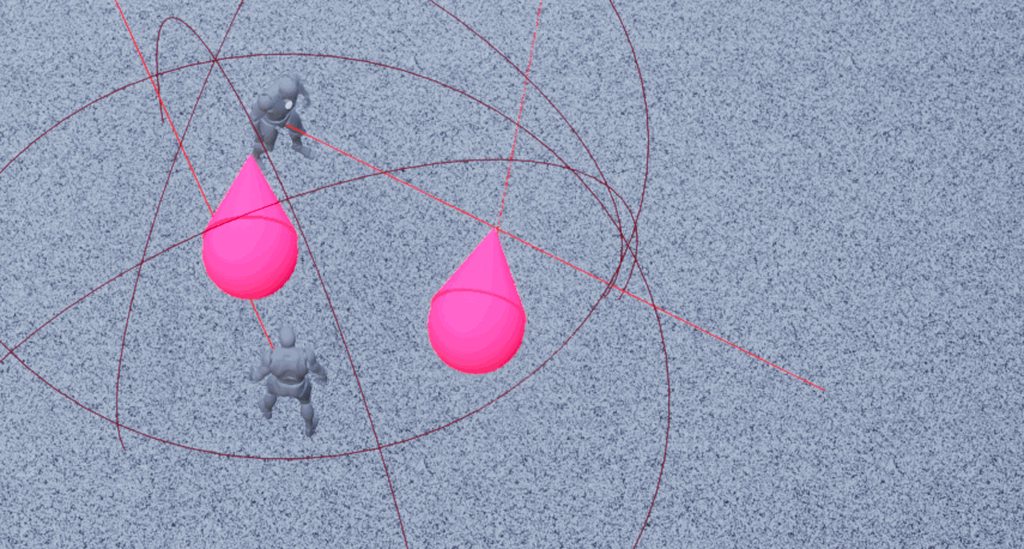
https://imgur.com/a/gL0r63X the skeletal mesh rotates much more smoothly than the red ball/cone with the same logic
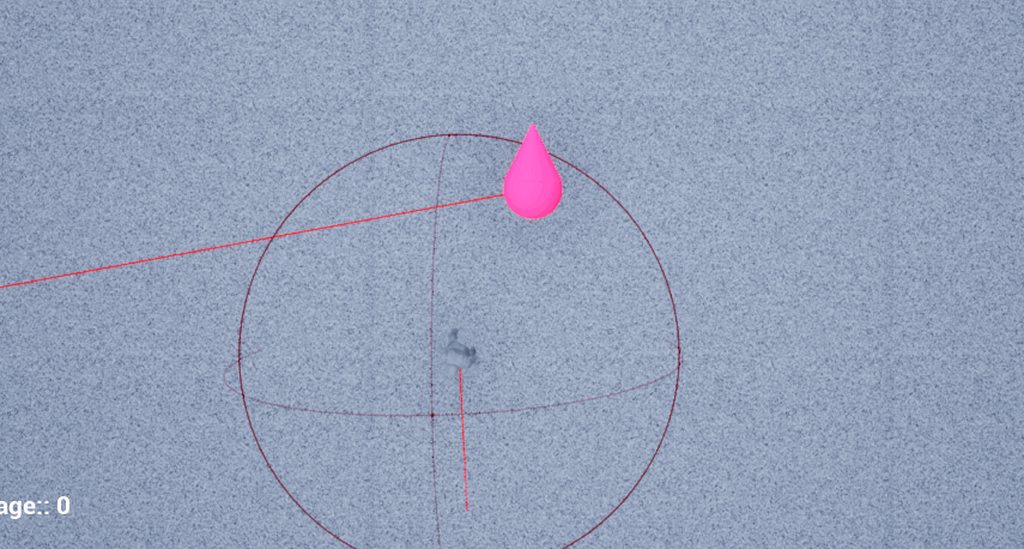
so I assume the static mesh component isn't replicating as fast? the movement also looks jittery
kindred widget
Are you sure that the character's mesh is being overridden? Enforcing server values will lead to looking jittery like that mesh. If you're doing a look at target system, I wouldn't bother with server overrides of rotation much. Just give the client a target and let them do their own interpolation.
twin juniper
kindred widget
Are you sure that the character's mesh is being overridden? Enforcing server val...
The character mesh is still there it just doesn't have any function for this character sphere/cone character
Just give the client a target and let them do their own interpolation.
How would I do this? Currently I'm interpolating towards the location of the mouse by sending it to the server
kindred widget
Mostly just server RPC, to set the vector. Let it replicate, and let all machines interpolate on tick. And don't do any server authoritive rotation. Otherwise you'll end up with hitches where client rotates, server replicates nearly the same rotation, client rotates again, then server's replicated rotation reaches client and the client's rotation temporarily reverses, and then the client sets a new interp. Moving fast, it looks like hitching.
twin juniper
kindred widget
Mostly just server RPC, to set the vector. Let it replicate, and let all machine...
I think I've heard this before, but if the rotation is not set on the server, how will the server have the correct rotation?
kindred widget
The idea is that you give every machine the direction you want it to face, and then let them all turn to the direction on their own.
Or a point you want them to look at in this case.
Networking is slow. So you find ways to do as much locally as you can while networking as little as you can manage.
twin juniper
Alright, so just to be sure, I just set the vector with an RPC, it replicates to other clients, and those clients should interpolate rotation locally, let me give it a try
twin juniper
kindred widget
Networking is slow. So you find ways to do as much locally as you can while netw...
So that smoothed it a lot, but there's some issue when the sphere character begins to move https://imgur.com/a/tTQuJpF the rotation seems to not work when moving
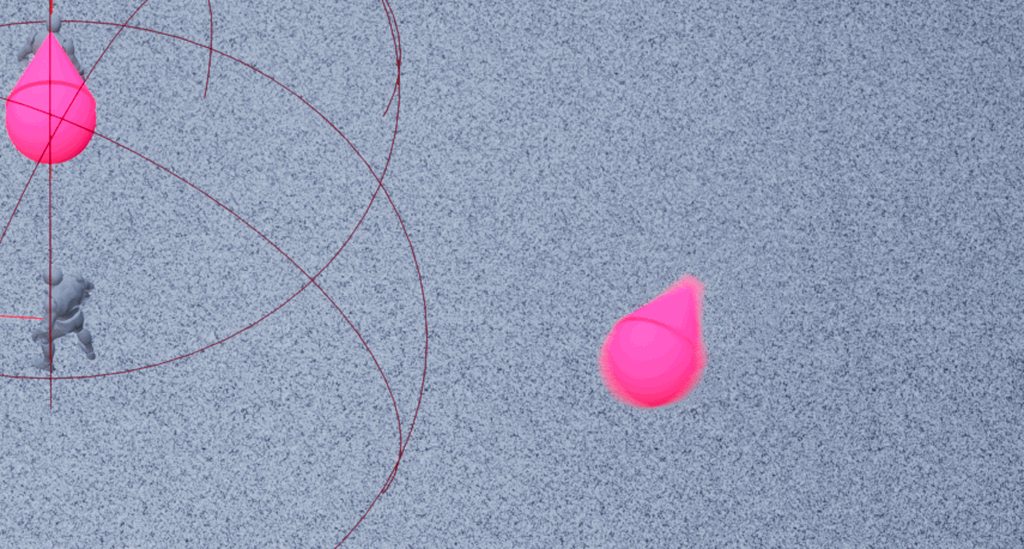
the movement is done through AddMovementInput
kindred widget
Movement shouldn't affect rotation. How is rotation being done? And what class is this?
twin juniper
kindred widget
Movement shouldn't affect rotation. How is rotation being done? And what class i...
{
    FVector DirectionToRotateTo = VectorToInterpolateTo - GetActorLocation();

    UKismetSystemLibrary::DrawDebugLine(this, VectorToInterpolateTo, GetActorLocation(), FLinearColor::Red);

    FVector NormalizedDirectionToRotateTo = DirectionToRotateTo.GetSafeNormal();

    FRotator TargetRotation = UKismetMathLibrary::Conv_VectorToRotator(NormalizedDirectionToRotateTo);


    // Get turn rate
    float TurnRateAttribute = 0.5;

    // Get degrees between the target rotations
    FVector yy = NormalizedDirectionToRotateTo;
    FVector xx = UKismetMathLibrary::Conv_RotatorToVector(
        GetActorRotation()).GetSafeNormal();
    float Result = FVector::DotProduct(xx, yy);
    Result = Result / (xx.Size() * yy.Size());
    Result = FMath::Acos(Result);

    float TimeToPerformTurningDegreesTurn = (0.03f * Result) / TurnRateAttribute;

    FRotator NewActorRotation = FMath::RInterpConstantTo(
        GetActorRotation(), TargetRotation, DeltaTime,
        ((Result * 180.0f) / 3.1416f) / TimeToPerformTurningDegreesTurn );
    NewActorRotation.Pitch = 0.0f;
    NewActorRotation.Roll = 0.0f;

    SetActorRotation(NewActorRotation);
}
this is how the interpolation of the rotation is done, the sphere/cone character inherits from ACharacter
The pasted function is called on local Tick()
VectorTOInterpolateTO is the replicated vector sent to the server
kindred widget
CMC might be fighting the rotation while moving somehow. Instead of setting actor rotation, you might make the character use it's control rotation and set that on the controller instead.
twin juniper
hmm let me try, I didn't know player controllers were replicated to other clients too
kindred widget
Oh, that's fair. They won't be, you'd have to do that on server, so that's not really an option.
twin juniper
hmmm
twin juniper
kindred widget
Oh, that's fair. They won't be, you'd have to do that on server, so that's not r...
Any idea of how would I go about fixing it?
If you have an example/resource I could take a look and see why mine's not working
kindred widget
Are you using OrientRotationToMovement settings by chance?
twin juniper
kindred widget
Are you using OrientRotationToMovement settings by chance?
nope
not using controller rotation either
kindred widget
I wonder if you could use the UseControllerDesiredRotation setting, and set the rotation on the server for that instead of replicating the point. I'm semi certain that still rotates smoothly on clients.
twin juniper
let me give it a go
twin juniper
kindred widget
I wonder if you could use the UseControllerDesiredRotation setting, and set the ...
using SetControlRotation on server, but it isn't rotating
winged badger
is your debug drawing correctly? whats VectorToInterpolateTo?
and you're generally overcomplicating the function
twin juniper
winged badger
is your debug drawing correctly? whats VectorToInterpolateTo?
VectorToInterpolateTo is the end of the red debug line and it's correct
winged badger
first 4 lines can be replaced with either with a single GetLookAtRotation or MakeRot call
why you're calculating dot and angle is also beyond me
twin juniper
it's an implementation of the Turn Rate feature of Dota 2, that's why I'm doing it like this
winged badger
SetActorRotation(FMath::RInterpConstantTo(GetActorRotation(), TargetRotation, DeltaTime, RotationSpeedPerSecond));
that replaces your bottom 2/3rds of the function, and works
as i said, overcomplicating there
const FRotator TargetRotation = UKismetMathLibrary::MakeRotFromZX(FVector::UpVector, VectorToInterpolateTo - GetActorLocation());
that will also nuke your pitch and roll to 0
which cuts the entire function to 2 lines of code
twin juniper
winged badger
which cuts the entire function to 2 lines of code
cries in dropout... but seriously it looks like it's not jittering anymore
with the changes you made
 polar urchin
float ABaseCharacter::GetSpeed()
{
    return Speed = GetVelocity().Size();
}
``` So I have that function that returns speed which I'm using in a c++ animinstance to drive an animation the problem is that I can't wrap my head around how to properly replicate speed so that the animation plays on all clients connected to the dedicated serverthis is still happens when the character moves https://imgur.com/a/zFbD463
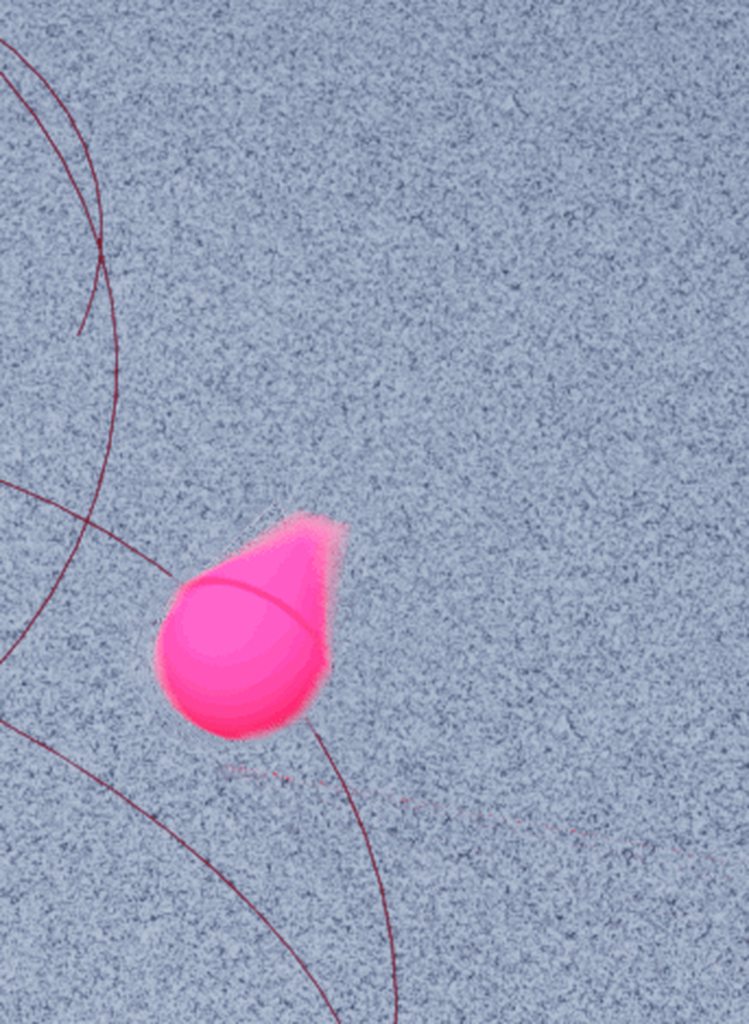 twin juniper
orient to movement is not set
polar urchin
polar urchin
```cpp
float ABaseCharacter::GetSpeed()
{
return Speed = GetVelocity().Size(...
On the client the animation plays perfectly
winged badger
one of automatic rotation handling options is
 charred crane
I have a server side replicated actor setting its position based on a timeline. The timeline is set to replicate as well. The object's do not appear on the client. Anyone know why?
winged badger
don't replicate timeline
just replicate that it started moving along the spline and let the client timeline run its own thing
 shy kelp
Since using root motion with multiplayer is a dumb idea with players, can u still use it with AI?
twin juniper
winged badger
one of automatic rotation handling options is
I'm not using controller rotation, nor orient rotation to movement, is there another variable I should look at?
winged badger
the GameplayTasks can handle MP root motion @shy kelp
charred crane
winged badger
just replicate that it started moving along the spline and let the client timeli...
The object is spawned on the server and the movement is done on the server. Shouldn't the position just update to the client accordingly?
winged badger
client can simulate in deterministic manner
so no
its cheaper, smoother and just as accurate
shy kelp
winged badger
the GameplayTasks can handle MP root motion <@!517818541190414355>
No clue what that is, but I'll see
I use bp so yeah
winged badger
that might be a problem
shy kelp
Ok, so should I just use in place theb
charred crane
winged badger
its cheaper, smoother and just as accurate
I'm not really concerned about the cost or anything. I'm trying to figure out why this isn't working.
shy kelp
I can do either, it's just root motion is significantly easier to use lmao
winged badger
@polar urchin your CMC should have speed synced at all times, otherwise you'd get horrendous jitter
so just pull the speed from CMC
@charred crane you can go and have a read at UTimelineComponent code
im not sure it was meant to replicate, it does have the option because its an ActorComponent
charred crane
winged badger
im not sure it was meant to replicate, it does have the option because its an Ac...
Well i mean it doesn't have to replicate. I'm using SetActorLocation from the server. The timeline is running on the server. The server sees the actor's position update. The client does not. The object actually disappears when the timeline would begin on client.
I know the client is not calling the code that does the timeline, so it seems like somehow the resulting actor location is not being replicated to the client
twin juniper
twin juniper
this is still happens when the character moves https://imgur.com/a/zFbD463
if anyone has idea about this I'd appreciate the help
charred crane
twin juniper
if anyone has idea about this I'd appreciate the help
Your character is jittering when you turn?
kindred widget
@charred crane Not sure why it's disappearing, but normally movement is only replicated one of two ways. Either a vector is replicated and an onrep or tick function used to move it, or you have ReplicatesMovement checked. Otherwise you should be able to move a replicated object anywhere and it shouldn't do anything different on other machines.
charred crane
kindred widget
<@!156228017318789122> Not sure why it's disappearing, but normally movement is ...
Yeah I'm pulling my hair out about it. I know it's movement is replicating because I give it an initial velocity (which the client sees) before I let the timeline take over
twin juniper
charred crane
Your character is jittering when you turn?
I'm setting a vector on the server, replicating it to clients so they interpolate the rotation (with SetActorROtation) locally, it works when not moving, but it jitters and has the wrong rotation when moving
meager spade
@charred crane TimelineComponent can be replicated
as long as obvs actor and component is set to replicate
charred crane
meager spade
<@!156228017318789122> TimelineComponent can be replicated
Yeah, just not sure if that matters since server is doing all the work right?
meager spade
i mean you say the object does not appear on client
that would be the first thing to solve before the timeline
charred crane
It appears on the client until the timeline triggers on the server
meager spade
yeah but are the values set right?
i mean it could have just moved to some random spot
charred crane
The server sees it operating as expected
meager spade
i mean the client
print on tick
the location of the actor
and see if they both match
charred crane
Maybe something in this image will explain the problem.

Client does not see LogThis output, so it shouldn't be doing any of the resulting logic either, right? (LogThis is just a more elaborate print string)
I think it's possible that the object is somehow having it's position moved like you said, but I don't understand how that could occur
meager spade
and how does client know the locations?
charred crane
I have replicatesMovement enabled
charred crane
Oh, currentlocation is set before the log to the actors current location and target location is passed in when the object is spawned
 vivid seal
Saw GameplayTasts mentioned above, are those related to AbilityTasks, or just another name for them?
I've been looking at trying to do something similar to AbilityTasks but without using GAS
charred crane
meager spade
and try again
It works now. Thanks! Guess I don't understand replication as well as I thought I did.
The objects are really jittery wile they're moving now. Could that be due to the timeline not replicating or something?
twin juniper
twin juniper
I'm setting a vector on the server, replicating it to clients so they interpolat...
still need helps with this : D
 crystal crag
@twin juniper Unfortunately it is very common for people to pretend that they don't see your question here Wuhie. It's like they randomly pick all at once to ignore someone and then they commit to it.
eternal canyon
It's usually because there is either already a conversation going on or the question doesn't give enough information
they're not trying to be rude
or anything
😅
crystal crag
Which is fair, but regardless of the reason, I know I've gone on a several month streak of asking questions, with no one ever responding to it what so ever. The last question I asked did get answered and was helpful, but that was after probably three or four months of asking a question here and there, to hear crickets chirping.
vivid seal
i've found the more specific your question, the less likely anyone wants to put in the effort to understand your code base. if you post a small snippet of code with an obvious error people will help you out, but if you ask questions about architecture of a system or really niche behavior in part of the engine people don't tend to use, you rarely get someone who wants to take the time to figure out what you're talking about. can't blame people for that really
meager spade
The biggest issue is when people say "Help my code is not working" and not actually show any code but give you a small bit of text and assume you can see there code and know the issue. Second is when people have specific problems with there code, which is specific to there game, yet are unwilling to provide any information or show code. If you ask a question and no one replies, maybe re-format your question and provide additional information. More likely to get someone who will help if they can understand your issue better.
eternal canyon
^^
meager spade
or maybe no one who saw your question can answer it, because its not their area of expertise, or they are too busy 😛
also @twin juniper i recommend doing that rotation inside CMC PhysicsRotation function
 lost inlet
uh sorry to be that guy, but *their
meager spade
its 4am, my grammar/spelling brain is turned off 😄
lost inlet
didn't see any code with that issue either
meager spade
tho if that is not a CMC character, then its likely that you have replicate movement but are not smoothing the simulated proxies
and if you have replicated movement on, server is likely also correcting the client
hence the fighting
as ReplicateMovement will send the servers position which is different to the clients, and you will see that stutter
oh that is rotation only, damn i need some sleep 😦
charred crane
meager spade
turn off replicate movement
When I did this, the object disappeared again. Maybe it's jittering because the timeline is no longer replicating?
charred crane
That was it! Needed those 2 vars to replicate + replicates movement + timeline replicating. Thank you UKaosSpectrum! Why does the value that is being used server side (the locations) need to be replicated to the client when the server is moving the object? I thought that this issue would only arise if the client would try to move the object with non-replicated values.
twin juniper
meager spade
also <@456226577798135808> i recommend doing that rotation inside CMC PhysicsRot...
I'll give it a try
I guess I'll have to read what it does
{
    if (!(bOrientRotationToMovement || bUseControllerDesiredRotation))
    {
        return;
    }
My character doesn't OrientRotationToMovement nor UseControllerDesiredRotation so I guess I can't use this function?
vivid seal
is it possible to use RootMotion Ability Tasks (from GAS) without using GAS? I have my own ability system and while its like 90% functional, I have no idea how to tackle predicting movement specifically. prediction of everything else is handled by my ability component, but I don't really know how to deal with the CMC
thin stratus
meager spade
<@!94211915902889984> i was tinkering around with keeping all AI stuff as soft c...
So I'm still not convinced that this is needed. I made 2 new Actors. One that just a Box Mesh in it for visuals and is replicated. And one that Spawns the BoxMesh one.
I only Soft Ref the Class in the Spawner, nothing else and nowhere else is that Actor referenced.
I load the class on the Server before spawning.
Result: Client spawns the Actor just fine.
In standalone that is, so same where the original bug appears.
meager spade
hmm, when i tested using SoftClassPtr and only loaded it on server, it failed on the client cause the asset was not loaded
thin stratus
I expected that too with the information I have. But I can't repro it like this
meager spade
unless they changed something in the networking code to load soft references, but that would make it blocking and i don't think epic would let something like that happen?
thin stratus
[2021.04.16-07.19.09:852][887]LogUObjectGlobals: BeginLoad(/Game/WIP/Cedric/Blueprints/BP_TestActor) is flushing async loading
This printed on the Client
When I spawned the Actor from Server-side
So yeah, I'm not sure why the other scenario fails to spawn the actor.
Guess I have to further investigate the bug itself.
meager spade
so it does sync load it
interesting
tho i would prefer not to block the game thread during things like that 😄
thin stratus
Yeah of course, but that's sadly not the problem
It seems to be perfectly able to find the softreferenced class when getting the replicated task to spawn the actor. So something is really odd with that other actor/ai in our game.
meager spade
yeah
 wind lance
Can somebody tell me what is the difference between DOREPLIFETIME_WITH_PARAMS and DOREPLIFETIME_WITH_PARAMS_FAST and when should I use what?
 rose egret
I used to test with my colleague by launching editor as client . everything was OK weeks ago but currently the second PC get disconnected 2 seconds after joining game server.
and server prints the following error:
[2021.04.16-07.45.13:766][496]LogNetTraffic: Error: UChannel::ReceivedRawBunch: Bunch.IsError() after ReceivedNextBunch 1
[2021.04.16-07.45.13:767][496]LogNetTraffic: Error: Received corrupted packet data from client 192.168.1.239.  Disconnecting.
UE4 version and project are exactly the same BTW.
🤔
empty axle
meager spade
tho i would prefer not to block the game thread during things like that 😄
I think there is some setting to change it to async load, but we had some troubles with that IIRC
I believe it was net.AllowAsyncLoading
which is by default set to 0 probably for some reason 😄
thin stratus
meager spade
yeah
I looked into it a bit more and wanted to share some info cause you helped me in the past and maybe that interests you or helps you in the future.
I haven't figuted out my issue yet but I followed the code around.
The client does indeed get a path from the server for the object, registers that, without loading the object, to a NetGUID, Object lookup map.
Then it tries to get the object from the map which will indeed load it. There is even support for async loading. Taking a break atm but can give you some filenames and lines later.
thin stratus
empty axle
which is by default set to 0 probably for some reason 😄
That is correct. Sorry didn't read that message before typing away. That var constrols it and seems to be 0/false by default
chrome bay
Does it load it sync if that's false?
chrome bay
Does it do that via a streaming manager or does it just call SoftObject.LoadSyncronous()?
thin stratus
There is also one for halting rpcs if they rely on those packages
chrome bay
I recently learned the latter was not good 😦
thin stratus
I will double check once I'm back at my pc
PackageMapClient.cpp is the file that handles most if not all of this stuff
winged badger
all of it, iirc
thin stratus
I think. I should really wait till I'm back at my pc
I think the issue with our enemy not working on the client comes from the server already sending bad info
But yeah will need a lot more staring at source code to figure that one out
winged badger
@thin stratus does this happen only in standalone?
thin stratus
Standlaone and builds
And seems fixed if I hardref the specific class but also happens for other classes. Hardreffing the class should not be needed though
winged badger
hardref was a good step to check if you're on the right track
but its not a solve, agreed
polar urchin
So if i load into the engine and use the default untitled map the ue4 generates for you. Set up my player starts and use gamemode override to set the gamemode all replication and animations are playing on all clients as it should. However if i make a new level and set everything up the same way only movement replicates and i have no idea why
This doesnt happen if i move things to a new project
What i figured it out
for some reason the blockouttools plugin causes it
?
polar urchin
no
thin stratus
Then you gotta ask the creator
thin stratus
thin stratus
I looked into it a bit more and wanted to share some info cause you helped me in...
if ( bIsPackage )
{
    // Async load the package if:
    //    1. We are actually a package
    //    2. We aren't already pending
    //    3. We're actually suppose to load (levels don't load here for example)
    //        (Refer to CanClientLoadObject, which is where we protect clients from trying to load levels)

    if ( ShouldAsyncLoad() )
    {
        if (!PendingAsyncLoadRequests.Contains(CacheObjectPtr->PathName))
        {
            StartAsyncLoadingPackage(*CacheObjectPtr, NetGUID, false);
            UE_LOG(LogNetPackageMap, Log, TEXT("GetObjectFromNetGUID: Async loading package. Path: %s, NetGUID: %s"), *CacheObjectPtr->PathName.ToString(), *NetGUID.ToString());
        }
        else
        {
            ValidateAsyncLoadingPackage(*CacheObjectPtr, NetGUID);
        }

        // There is nothing else to do except wait on the delegate to tell us this package is done loading
        return NULL;
    }
    else
    {
        // Async loading disabled
        Object = LoadPackage( NULL, *CacheObjectPtr->PathName.ToString(), LOAD_None );
    }
}
Seems to just use LoadPackageInternal in UObjectGlobals
chrome bay
Ooo. I wonder if that flushes async too
thin stratus
It does
chrome bay
sadness noises
thin stratus
void BeginLoad(FUObjectSerializeContext* LoadContext, const TCHAR* DebugContext)
{
    check(LoadContext);
    if (!LoadContext->HasStartedLoading() && !IsInAsyncLoadingThread())
    {
        if (IsAsyncLoading() && (DebugContext != nullptr))
        {
            UE_LOG(LogUObjectGlobals, Log, TEXT("BeginLoad(%s) is flushing async loading"), DebugContext);
        }

        // Make sure we're finishing up all pending async loads, and trigger texture streaming next tick if necessary.
        FlushAsyncLoading();
    }
    if (IsInGameThread() && !IsInAsyncLoadingThread())
    {
        GGameThreadLoadCounter++;
    }

    LoadContext->IncrementBeginLoadCount();
}
@thin stratus its a bit of a long shot
do you have redirectors for the problematic classes?
longshot because i am unsure how it would break in a packaged build. but it would break standalone
thin stratus
Will check
 drowsy belfry
Hello, I’m having some trouble with actor spawning on a multiplayer game.
I have actors that are set to replicate and when spawned on the server side they take a lot of time to appear on clients. At first I thought it had to be something related to the netupdatefrequency or the netpriority which I had previously reduced on the spawned actors so I added a ForceNetUpdate after the spawn, something like:
AActor* pSpawnedActor = GetWorld()->SpawnActor<AActor>(ActorType, Position, Rotation, spawnParams);
pSpawnedActor->ForceNetUpdate();
But it still doesn’t work, the network is not saturated and the ping is ~50ms but it takes from half a second to several seconds to spawn the actors on the clients. The actors spawned aren't too big either and they are instantly spawned on the server so it’s not that it takes too much to spawn them, it has to be that the RPC is arriving late for some reason but I’m unable to find why.
fierce grove
Hello guys, Do you know why Clients receive an "error Bad unique net id" , it's fine on the server any clues?

Im casting this from the game mode
 unkempt wing
Quick question about RPC's: I'm using turn-based mechanics in part of my multiplayer game. Players take turns taking an action and I use an RPC that executes on the server for it. The _Validate function checks if it's the player's turn (the input on the PlayerController won't send the RPC call if the client doesn't see it's their turn). Do I need to worry about client latency messing up this flow and the players getting kicked out for waiting until the end of their turns for this action?
 marble gazelle
you can also test that, unreal allows to simulate latency and package loss issues
unkempt wing
Oh, that's perfect! Thanks for the tip
marble gazelle
for the question it self, I suggest doing some sort of flow chart to visualize the calls, that can help to identify such issues
 indigo path
Hey everybody, which is the best way to go to have client-side prediction in a click to move setting? Is it possible without using any proxy pawn?
twin juniper
I'm in need of a bit of assistance, I'm sending VectorToInterpolateTo (which is the location of the cursor) to the server and replicating VectorToInterpolateTo to other clients, and calling InterpolateToCursorLocation on clients in order to interpolate a character's rotation locally. Because if I interpolate it on the server, it's jittery. It works when the character is idle, but when the character is moving this happens
{
    UKismetSystemLibrary::DrawDebugLine(this, VectorToInterpolateTo, GetActorLocation(), FLinearColor::Red);

    FRotator TargetRotation = UKismetMathLibrary::MakeRotFromZX(FVector::UpVector, VectorToInterpolateTo - GetActorLocation());

    SetActorRotation(FMath::RInterpConstantTo(GetActorRotation(), TargetRotation, DeltaTime, 1000.0f));
}
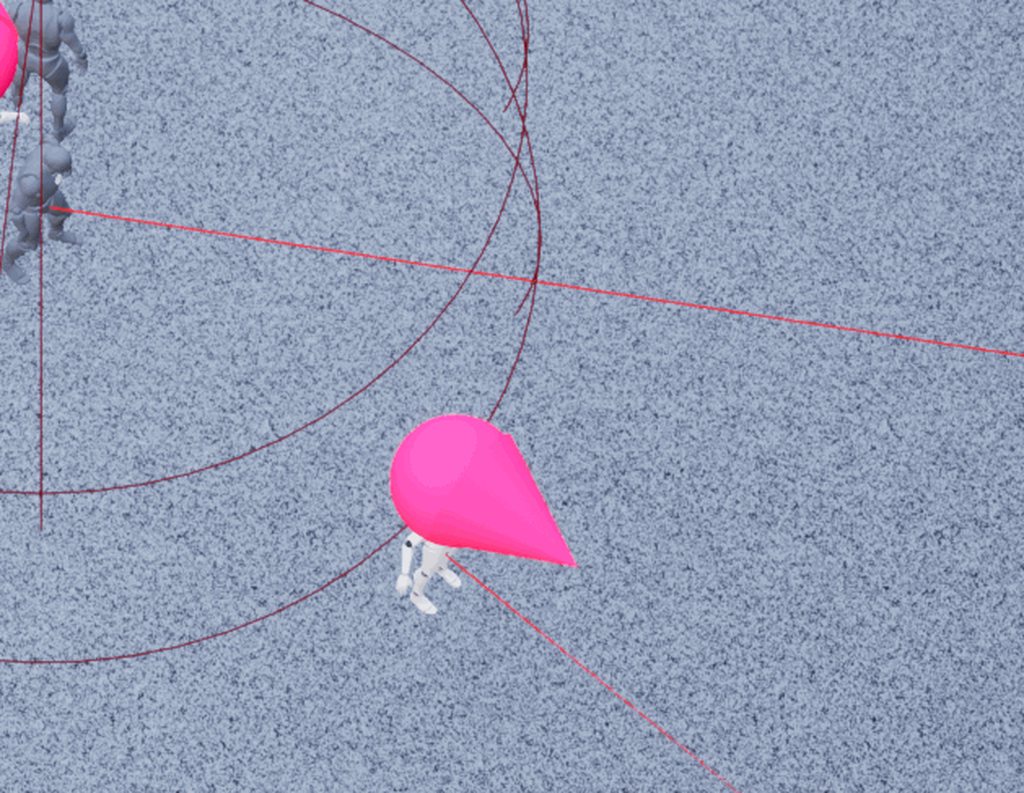
 final rover
Has anyone made anything with the network prediction plugin? Would be nice to see what people have made and hopefully learn from their code
chrome bay
started toying with it but waiting until they wrap it up first
most interested in the physics integration but Chaos still isn't really production ready IMO
fierce grove
fierce grove
Hello guys, Do you know why Clients receive an "error Bad unique net id" , it's ...
No one on this ? Not possible to send a net id from GM to clients ?
unkempt wing
The RPCs are reliable, I'm more worried about them getting to the server too late due to latency and the Validation function kicking players out for no reason.
Do reliable RPCs happen faster or in higher priority? I'm not overly familiar with them.
kindred widget
@fierce grove GameMode does not exist on clients. So no, you cannot send a multicast from it. GameMode is not actually replicated.
You also definitely should not be running a client event after a multicast. Multicast is sent from server to all machines. So you're already on the clients in most all cases. Therefore client RPC is unnecessary.
fierce grove
The controllers receive the event. I’m just trying to find the best way to make my lobby HUD receiving event from who’s is connecting / leaving . I managed it but I know it’s hackish as hell !
kindred widget
Well, they receive it because the game mode's multicast is still run on the server. So that may as well be a non RPC event that in turn calls the client events on the controllers. Better handling might be some bindings in GameState to handle calling functions when people join/leave to update UI. People joining is automatically replicated in GameState through the Players array of PlayerStates. Not sure how much easy access BP has to those overrides though.
Then there's no extra networking involved either.
fierce grove
I have to make a call to the game state and maybe do an event dispatcher for joining and leaving session
unkempt wing
That makes sense. Thanks for all the help!
kindred widget
If you're using C++, just override these and make a binding that the override calls, and let your UI bind to it to update themselves.
 fierce grove
Um I see
kindred widget
If you're using blueprint. Cache the PlayerArray in AHUD, and make a similar binding, and check if cached array is identical on tick. Call binding if changed and then update.
Not the prettiest method, but it'll work. 🤷♂️
fierce grove
I do it even based by the player controller catching the player array from the game state and adding only the ids not in the serialized net ids I fill ...
dark edge
final rover
Has anyone made anything with the network prediction plugin? Would be nice to se...
No I haven't messed with it but I'm interested especially if it's kind of a generic property prediction type of thing and not just tied to movement
dark edge
fierce grove
Hello guys, Do you know why Clients receive an "error Bad unique net id" , it's ...
You shouldn't be doing it like that. Who is in what party is state, that should live on the game state. Or each player State can contain what party they are in, equivalently
So the game State can have a list of parties and who's in them, or each person can have what party they're in
 lime wren
Hello its possible to "compile" a dedicated server without sources ?
 quick musk
lime wren
Hello its possible to "compile" a dedicated server without sources ?
quick musk
lime wren
Hello its possible to "compile" a dedicated server without sources ?
You need Source Code in order to enable builds for dedicated servers
lime wren
Yeah ok because is very long to do this, for .. every builds
 merry pebble
Anyone know why my client is still snapping back and forth when trying to fly? Any ideas on how to fix this code?
 eternal canyon
there are many many things wrong with this
and i recommend you watch a tutorial on the basics of multiplayer😅
as that would definetely help you out
and btw inputs are local only
so that switch has authority is useless
and also input axis' are running on tick technically
so ur server function shouldnt be reliable
merry pebble
Ah, i just threw this together to see. But ight, I appreciate the swift response 😄
eternal canyon
and also real movement in multiplayer with lag compensation can only really be done in c++
merry pebble
Yeah I know its gonna lag but it looks like the client and server have two different ideas on if the player should be moving or not
lime wren
merry pebble
Anyone know why my client is still snapping back and forth when trying to fly? A...
 eternal canyon
Well I mean I would; reccomond inheriting from UCharacterMovement in C++ and setting it to a custom movement mode that sets velocity up
so then it would be predicted
and woudlnt snap u back
quick musk
merry pebble
Anyone know why my client is still snapping back and forth when trying to fly? A...
hm no clue what you're doing(not trying to be mean, i swear!) but this is my simple thing i have that enables me to move up and down for my flying component and no lag
 merry pebble
Yeah I have that currently
I tried it on server
then multi
then both
I have been trying to figure it out on my own before I asked lol
lime wren
merry pebble
Yeah I know its gonna lag but it looks like the client and server have two diffe...
Basically, "Characters" are automatically replicated (movement, rotations ...) so you dont need to pay attention for this
quick musk
well you're trying to replicate it for w/e reason when movement capabilities are automatically replicated
^^ that
eternal canyon
lime wren
Basically, "Characters" are automatically replicated (movement, rotations ...) s...
Not exactly
quick musk
well mostly
eternal canyon
There locations and rotations and scale are but adding to that isnt done automatically
lime wren
you just keyboard -> add movement input
eternal canyon
and a few basic movement mdoes
eternal canyon
but for most cases its better to just inherit from UCharacterMovment and do the logic there
instead of doing these hacky solutions
😅
merry pebble
Didn't know
Good to know now ig
Ur talking about going into the C++ of the Ucharactermovement?
eternal canyon
Whatever works I guess tho for u🤷♂️
eternal canyon
merry pebble
Ur talking about going into the C++ of the Ucharactermovement?
yup
quick musk
i mean u wouldnt need to do c++ to do that flying component
merry pebble
Im just trying to understand and try to do it as best as possible lol
quick musk
like i said what i have seemingly works fine with no lag in my testing
merry pebble
quick musk
hm no clue what you're doing(not trying to be mean, i swear!) but this is my sim...
You talking about this?
quick musk
yeah
merry pebble
I would like to get into C++ with UE4 lol
If I was to go into the C++, what would I do then?
merry pebble
now im getting infinite loop with jumping
lime wren
show
quick musk
hmm no clue where to ask for this, but does anyone else have issues when trying using LineTraceByChannel and being above another player's pawn/character 
dark edge
quick musk
hmm no clue where to ask for this, but does anyone else have issues when trying ...
What would the issue be?
quick musk
dark edge
What would the issue be?
im honestly still trying to deduce the issue, but what's been happening if the player im controlling is above another character, they just can't do damage to them (the other character)
dark edge
quick musk
im honestly still trying to deduce the issue, but what's been happening if the p...
start with using debug on your line trace to see if it's even hitting
also print string or use a breakpoint on the event hit to see if its firing
quick musk
dark edge
start with using debug on your line trace to see if it's even hitting
everything is seemingly firing properly and using breakpoints they all stopped the debugging as they all fired off
 modern swift
what is the good choice of network solution for UE4 , the net engine should include function for matchmaking, ,login, packet encryption compression, easy to extend , I only know KBEngine , Agones, EOS, Photon. Any suggestion for a solid solution for multiplayer game with security control?
final rover
chrome bay
started toying with it but waiting until they wrap it up first
What exactly did you try out when testing it? Did you get anything working? I'd like to switch my character to use network prediction for movement instead of relying on cmc for network synchronization. I'm a little new to multiplayer stuff though, so I'm feeling a little lost on where to start
bitter oriole
modern swift
what is the good choice of network solution for UE4 , the net engine should incl...
The default engine + Steam ?
modern swift
bitter oriole
The default engine + Steam ?
but I am not sure the default engine can encrypt the packet and I want it work in mobile, not only steam
bitter oriole
Pretty sure the Steam socket driver encrypts data, but if you need mobile, then you probably need something else
modern swift
bitter oriole
Pretty sure the Steam socket driver encrypts data, but if you need mobile, then ...
maybe on pc console steam is the most easy choice
anyone know what fornite use for network solution, is it custom solution that didnt disclose to public?
bitter oriole
Steam isn't available on console
And Fortnite uses what's in the engine, of course
Plus the Fortnite version of EOS for authentication & matchmaking
Since EOS is derived from the Fortnite services
modern swift
EOS currently seems only support P2P encryption? I am not sure if it support if I want host a dedicated server for each room for matchmaking
bitter oriole
I'm not sure what you're asking. Dedicated servers are unrelated to matchmaking and UE4 doesn't do P2P so Fortnite doesn't either
As to encryption I'm not sure Fortnite does it or why it would
modern swift
bitter oriole
As to encryption I'm not sure Fortnite does it or why it would
I think fornite must have a encryption solution to avoid people simply download a hack tool to hack the server
bitter oriole
That's not how this works
Plus any encryption between client and server is always "hackable" by client or server
Encryption simply prevents tampering by a third party on the way
modern swift
bitter oriole
Plus any encryption between client and server is always "hackable" by client or ...
yes, if they want to hack it will ultimately hack in the server, I just wondering fornite have a server architecture like gateway/frontend to distribute the packet to other server like game server and login server
bitter oriole
The usual architecture for a game like Fortnite (competitive, dedicated based, with persistent progression) is
- dedicated game servers that only handle playing the game
- database servers that handle storing the player's progress
- the online service that does authentication/matchmaking (Steam/EOS/PlayStation/whatever)
Players can access the DB server with an HTTPS socket, so can the game servers, only game servers can change progression
Your DB server can be 300 lines of Python with a basic HTTP server that reads json commands
Your online service can be whatever
modern swift
if I use EOS to do matchmaking , when all the player join room, can ask EOS to open a unreal instance on dedicate server to let player to join, is this approach workable?
bitter oriole
Most games will have a pool of dedicated servers that are always up and monitor the player population to start or stop servers
It's not like your game will need 200 servers
modern swift
bitter oriole
Most games will have a pool of dedicated servers that are always up and monitor ...
that mean if I create a pool of dedicated server and ask EOS to choose one server is not unused to let player to join , does that work?
bitter oriole
Or you can simply let dedis create the sessions when they boot, have players search and join the session and join the server when enough players are there
Many ways to do this really
EOS does matchmaking, it doesn't manage your servers
modern swift
bitter oriole
Or you can simply let dedis create the sessions when they boot, have players sea...
but for the default engine, does the packet have encryption by default or I need to enable it ?
bitter oriole
As far as I know, the default engine doesn't slow down networking by encrypting multiplayer traffic
There's no point doing that really
modern swift
Thanks understand now
unkempt wing
Does anybody know a way to make clients connect and spawn with the PlayerStart's rotation into account too? When I test the level in standalone it works but PIE as a client connecting to dedicated server (the setup I'll be using in release) the players spawn with 0, 0, 0 rotation.
kindred widget
@unkempt wing Consider trying to set the controller's control rotation to the same rotation as the playerstart's world rotation. Once the pawn is possessed, most rotations will be overridden by their controller's ControlRotation.
unkempt wing
Would I do that in the GameMode then? I'm not familiar enough with movement over multiplayer but my guess is that I'd set the control rotation on the network authority
I just tried it in OnPostLogin and it didn't work
meager spade
post login is too early tho
you need to do it when the controller possesses the pawn
kindred widget
I meant someplace more like where you're spawning the pawn for the controller. I'm uncertain how that works with networking directly though because I know ControlRotation isn't directly replicated.
unkempt wing
I can try OnPossess on the PC
meager spade
control rotation sets the pawn rotation (which is replicated if using a CMC) and Control Rotation is enabled on the pawns CMC. I did nothing special to get the rotation to work, except make my cmc use Control Rotation, disable Orient to Movement and disable Control Rotation Yaw in the pawn
they spawn at player start rotated properly
unkempt wing
Oh hmm. I'm using the DefaultPawn class for this part since this is where the players select their character classes. I'll try making a random pawn class with those settings
Also APlayerController::OnPossess didn't work
kindred widget
SpawnDefaultPawnFor, is where I normally handle that sort of stuff. In GameMode.
You have access to create the pawn you want, at the location you want, and access to the controller to set control rotation.
Either that, or you could likely handle it where ever you're calling possess on the Pawn.
unkempt wing
This is just the default entry when players connect to the server. I'll try SpawnDefaultPawnFor though that sounds promising
It's how I use the character class selections anyways
 muted glacier
Hey guys.
I was wondering what the best way would be to create custom server settings like damage and hp multipliers, so that its possible to read and write to like a file on a server through blueprinting?
dark edge
@muted glacier how you implement it will depend on your damage and ability architecture, but in general it would be a save game file written to and loaded by the game mode
It could then Grant a buff to everybody if you use buffs, or in some other way set damage multiplier and health multiplier on everything
kindred widget
Also depends on the implementation. Game like ARK for instance, just use INI settings, which are likely loaded into variables that runtime code can check when something is damaged. But that doesn't work so well if you're not doing a server admin style setup.
dark edge
Quick question, does starting a session turn a standalone instance into a listen instance or do you need to explicitly open a map as listen and then start the session?
Basically the desired effect is that you can be playing single player, invite a friend, and seamlessly have them join. No loading of any map.
No loading from the host perspective. Of course the client will have to load when it joins
lime wren
build from source is obligatory to get a dedicated server ? 😢
bitter oriole
Yes
charred crane
I have an actor that I spawn and add impulse to. On the server it works fine, but on the client, the objects don't even appear. When I disable simulate physics the objects appear for the client. So physics simulation is probably launching them somewhere weird, right? For some reason the objects are spawning at the origin for clients.
kindred widget
If you are simulating physics on the root component, it may be a relevancy issue. Unsure though.
 sullen kernel
Any idea why in an ActorComponent's BeginPlay, the player controller will be null on server side? I'm able to get the player pawn by using the templated version of GetOwner<AMyCharacter>(), but when I call the templated version of MyCharacter->GetController<AMyPlayerController>() I am getting null on the server.
I need my ActorComponent to bind to a delegate on my PlayerController and trying to find the best place to do that.
winged badger
because both Character and PC BeginPlay gets called before Possess
with default flow
crystal crag
I'm studying someone's "framework" and something has thrown me off

Wouldn't you want to call the play montage on the server?
Why would you call play montage first on the client, and then after a certain event, try to play the montage on the server?
aren't montages networked by default anyway? If I play a montage on the server, doesn't that replicate and play that montage for all clients as well?
kindred widget
I'm semi certain that montages are not replicated by default. They're animations, and animations are meant to be handled client side. So if the server wants all clients to play a montage, it needs to multicast that, or set a repnotify variable and do it in the notify function.
crystal crag
Hm... ok. I just never remember doing that. I know that animations by themselves are not replicated, but I thought playing a montage was replicated. I haven't had to look at animations for a bit though.
meager spade
also you likely don't want to use multicast
we use a replicated struct that keeps track of the current play time of the montage, so late joiners see the animation in actor
action*
rather than see nothing cause they missed the multicast
winged badger
its not just late joiners, its also players that walked into relevant range
merry pebble
Anyone any good with replication? I looking at replicating this for clients and well I've been trying with no luck... What information will I need to let the server know of, and what do I need to multicast?
 meager spade
first of all you can combine that to be a lot cleaner
second what actor is this called on?
secondly none of those events are replicated
merry pebble
This is on the parent character, and yes nothing is replicated. I undid everything I attempted to just start fresh
meager spade
well multicast can only be done on the server
merry pebble
oh ight
meager spade
and you can make that a lot cleaner
merry pebble
maybe run on server the first event and then multicast everything else
crystal crag
@meager spade Yeah I remember you mentioning that. Ok, so I must just be seeing my montages play with no issue as a side effect of how I am using the gameplay ability system.
But still, wouldn't you first play the montage on the server, and then have the server play the montage as a multicast? Without worrying about late joiners that is
I wouldn't think that you would first play the montage on the client, and then have the server multicast it
meager spade

 fallow shadow
Hey, does anyone know how to do a sphere trace for objects in multiplayer BP?
meager spade
multiplayer has nothing to do with sphere traces
maybe explain what you are trying to do
fallow shadow
oh okay, i am just trying to do a sphere trace. It works on single player but not on multiplayer(i am trying to trace how many enemies were hit by a blade)
meager spade
well it being multiplayer will not affect your traces
traces are all done locally
show your nodes?
fallow shadow
well, i can tell you it's not working lol
meager spade
or code?
fallow shadow
yea sending pics


also that code is inside an actor component but i tried moving it into the character BP, didn't seem to have any effect though
tranquil yoke
How would i add a component to a Pawn, which has dependencies to a plugin and plugin is not being packaged for server. each time that pawn gets spawned , it throws an error regarding that.
sullen kernel
I see, any suggestions on how to bind my ActorComponent to a delegate in the PC? If the PC is not available on the server in the ActorComponent's BeginPlay?
tranquil yoke
@sullen kernel wait for it to get valid ?
sullen kernel
Yes, that's what I'm wondering. Where would it be valid and allow me to bind it
I usually used BeginPlay() with GetOwner() to bind to player delegates, but it seems that might not work here now that the delegate is on the PC
tranquil yoke
ideally, i dont do everything on Begin play, I create a sequence, Where there is master Manager, then Sub Manager then Individual classes.
So master Calls Initialise function of sub then sub calls it for individual classes.
quasi tide
So - trying to setup my HUD (not class - UMG Widgets). In the On Possess event, I am cast to my character and then running a Run on owning Client event. This works, however, I do plan on allowing my controller to possess another pawn. So I created an interface, check if the possessed pawn implements that interface, and if so, call an event on the PC that is Run on owning Client. This event will call the interface method.
The first approach works as expected, the second does not and I do not understand why. I thought that the PC would be owned by the client, so then it could run the interface function on the pawn that the client owns as well. Is it just a matter of the pawn not being owned by the client just yet?
charred crane
I hope someone can help me solve this. I am spawning a number of objects. If I use the code the way it appears in the picture, the objects spawn at the actors location on clients. When I use the red line to input the rotation, the objects spawn at the origin on clients. "Do the thing" loops through the transforms and spawns the objects.
 lime wren
charred crane
I hope someone can help me solve this. I am spawning a number of objects. If I u...
lime wren
charred crane
I hope someone can help me solve this. I am spawning a number of objects. If I u...
and whats the problem ?
charred crane
lime wren
and whats the problem ?
Plugging in that logic for rotation causes the objects location to become the origin instead of the passed in actors location.
 charred crane
The question is very clear. Why does setting my objects rotation modify its location from somewhere in the world, to the origin?
lime wren
charred crane
The question is very clear. Why does setting my objects rotation modify its loca...
maybe the pivot point ?
charred crane
lime wren
maybe the pivot point ?
I'm batch spawning objects with different rotation values passed in. It would be highly unlikely for one object to somehow have a pivot point to magically get it EXACTLY at the origin of 0.00000, 0.00000, 0.0000, but for 12 objects? That's basically impossible.
charred crane
lime wren
and this
What about it? It's just taking 3 floats and making a rotation out of it.
charred crane
it's not multiplying, its "make"ing it's just converting it
lime wren
your passing a vector to a rotator
its not like this
you need to make things like
"Make rot from X Vector"
 timid moss
When using push model, I've noticed the starting value of my replicated pushmodel property is replicated. Does push model automatically replicate at the start of the game even though I haven't marked it dirty yet?
 barren patrol
am I reading the documentation correctly, that a client can only send an RPC to the server through an actor they own? Like their controller?
My use case is that I have a map manager object that needs to coordinate things between client and server, but it's a neutral actor within the level. It seems that a client RPC attempted on this actor would be dropped?
sullen kernel
Yes, I believe your understanding is correct @barren patrol . So the example given in the UE4 Network Compendium is opening a door which has been placed in the scene (and owned by the server). In that case, you would create a Server RPC on the PlayerController and let that call Open() on the door.
barren patrol
Thanks for confirming 🙂
It seems like the PlayerController class is going to get really bloated in that case
sullen kernel
If you don't have the UE4 Network Compendium pdf, I would recommend getting it. But it sounds like you are already understanding how it works.
barren patrol
I've read it before 🙂 but forgetting the details sometimes...
Still putting some concepts to practice for the first time (coming from Unity)
sullen kernel
My PlayerController class is a bit bloated as well. But unless my understanding is wrong, it seems like a necessary evil sometimes.
barren patrol
I'm using the Gameplay Ability System, which takes care of a lot of these concerns through that abstraction.
For example I have an Interact ability and objects just need to implement the Interactable interface to execute a "door open" logic on the server side.
But right now I'm working on some level streaming stuff, which is outside the scope of the ability system. So I'm going down the path of making a new actor component for the PC that can do these RPCs, I guess.
sullen kernel
It's been a little while since I've worked with that system. But I recall that on the ability you have the option to choose where it executes (server only, server initiated, etc). But yeah, in general I believe your understanding is correct.
barren patrol
Yeah, it takes care of initiating the ability across both sides. Then a simple HasAuthority check and you can do stuff just on the server, but initiated on the client. its actually a really nice system for the most part.
 merry harness
Hiho i have a little problem with my Minimap. On my Minimap. In the right top Corner is my Client01, actually the Minimap Arrow is working fine. Yesterday the Arrows was moving around by Client01 but the arrow was trun around if other clients was running.
After starting the Engine now that problem isnt ...
So my next problem ist only Client01 have the Minimap Arrow and the other "players" dont have his own Arrow...
Is there a way to give every client a Player ID to change that?

Is a different Player ID fixing my problem?
The Get Ad ID Count is only an example. If im Moving Client05 the arrow is follow him but no rotation. The Rotation is only working if im moving Client01 xD
lime wren
merry harness
Hiho i have a little problem with my Minimap. On my Minimap. In the right top Co...
Widgets are only on client, no server
= no server rpc etc on widget
on your minimap just make a thing like "get all players" and display it
merry harness
Ok but that will see all players also player how i shouldnt see like pcp enemys or NotInTeam Player. So all my Widgets (Healthbar, Minimap, Inventory) are not working? Should i use a HUD to fix that problem? Or how can i fix it for servers?
lime wren
To show things like healthbar you need to bind values in the widget, the server doesnt know widgets
You can filter players, just make a thing like « get all actor of class » and display it if the team is blue for example
Also, try to read a little of this : https://cedric-neukirchen.net/Downloads/Compendium/UE4_Network_Compendium_by_Cedric_eXi_Neukirchen.pdf
It explain replications, access etc
merry harness
Ah ok thanks.
My game should be a multiplayer game so i have not to see all Players but ever Player should see and habe his pwn arrow. To see other Players is only important of im in a Gruppe with other Players. A Server doesnt know widgets, So i have to usw a HUD and Not a Mainwidget, Don't i?
I will read this PDF. Trank you.
Sorry Auto Correct to german 😋
lime wren
How your healthbar actually works?
merry harness
my healthbar and my Mini have a widget and this widget is linked to that main Widget, so i think i have to change the main widget to a HUD
lime wren
but widget = hud..?
And to display the player health tho
Like how are you handling this
merry harness
widget = hud?
I know this as widget

and this as HUD

Ok, just a quick explanation:
The server does not know any widgets but the client does know widgets.
You have two different levels.
The server only gives out Player ID 12, Life 1000, Mana 500, Level 3, worldposition X: Y: Z
The client will get this information and will set variables Health = 1000 Mana = 500 and so on Spawn X: Y: Z
lime wren
Ok just quick explanation about this
For example
You have the health value
In the PLAYER
, replicated
And the widget (healthbar) get their player health variablz
As simple
lime wren
merry harness
and this as HUD
Wtf never used this
merry harness
ok ^^
merry harness
but server dont know widgets xD
lime wren
Dont do complex things, just « understand » and its really simple
Yeah
Wait i will show you an example
merry harness
ok multiplayer is complete new world for me ^^
lime wren
it was the same for me 1 year ago
but finally its really easy
just need to understand the bases
merry harness
ok
lime wren
so for example
here is my player blueprint

i made a "health variable" which is REPLICATED
so everbody knows about it
(basically)

here is the player hud
merry harness
i did this too
 merry harness
yes my health, mana and so on is replicated but i dont use bindings ^^
merry harness
everyone was saying dont use bindungs 😦
lime wren
but bindings is logic
like its local
it can get players variable
so i dont know why people says to dont use it
 lime wren
how do you pass the health to the widget ?
merry harness
in the main widget?
 merry harness
in the main widget is no code
merry harness
ok i have a health widget there is the code and to combine at one screen Health, Minimap, Inventory, menues and so on i have created a main widget
the main widget is only handling where is witch widget displayed
merry harness
this is my Character health, Mana and EXP widget with all the code

and this put into the main widget to config the position of the widgets
This means that I only need to create the Create Main Widget in cer cHaracter_BP and not each widget individually.
Create Heath_wigdet, Create, inventory, Create Minimap and so on
lime wren
merry harness
This means that I only need to create the Create Main Widget in cer cHaracter_BP...
this is a good idea
but you dont reply my question 😂 how your health widget get the player's health
merry harness
^^
lime wren
like screen ur code
merry harness


He will get the health Max and Current health form the server
So the Health i working until i have a server with a Character_Stats_Database
actually i only heave the Unreal Engine as dedicated server
This is a function in the character_BP
 merry harness
In the blueprint tab (also in original Unreal Podcasts, Tutorials) everyone was saying dont use bindings, its better für the server to create your own code... thats why i heave deleted my old game and created the newone -.-
ok at first i will read the pdf about networking
lime wren
bindings works perfectly so i dont know why people say that


Unreal Engine Forums
Ok I know that But the host do right? I mean if the server is hosted by a player, this player have an GUI right? (also, GUI = HUD no?) So in the HUD, I do the following? (see the picture) I don’t get this part sorry 🙁 if you can explain it differently ^^ Oh ok, thanks for the advice 😃
merry harness
im also reading xD
lime wren
oh 😂
merry harness
 lime wren
yeah

for performance
i see why now
Yeah its true because binding tick everytime, so its not good for the player
So
If you want performance you can send the new health when, for example the player lost health
merry harness
yes
merry harness
or you can check every second and not every tick
merry harness
a hit animation is slow and need 1-2 seconds
lime wren
it will be shift
if the player lost health
it need "10 seconds" to the player to know it
so bad solution
merry harness
what i mean is tick is too mutch ^^
lime wren
i think you cant change that
merry harness
i did in my HP Reg
lime wren

The same princible applies if you work with C++ (which you should :P), the interface between C++ and the UMG blueprint would be the BlueprintAssignable delegate.
Unfortunatelly I don't have Windows Movie Maker anymore so this is only in 720p :(
merry harness
 lime wren
https://www.youtube.com/watch?v=CEMzBjLW1V4
lime wren
lime wren
https://www.youtube.com/watch?v=CEMzBjLW1V4
he explains the performance issues
merry harness
ah i know that video. The minimal have to be updated by tick 😦
lime wren
yes
so like you want
but for now dont change this
learn the basics of multiplayer and after, improve it 😉
merry harness
yes i will do !
ok Thank you after reading i will have questions xD
so i will come back ^^
lime wren
np 😉
merry harness
ok wow 111 sides, i will come back later ^^
lime wren
for now dont need to read everything
just read the fundamentals
like who have access to what
and how to do things
 kindred widget
@merry harness @lime wren UMG bindings are also disliked because they incur extra overhead. For instance say you have a RPG stat widget with three different resource bars. Health, Stamina and Mana. If you bind all three of these individually, you end up with three functions being called on the object that each incurs overhead. One binging == one tick in this regard. So if you have three stat bars, three bindings is wasting performance that you would actually save by just updating those same bars on tick. And that is just for the function call before anything is done. This doesn't include multiple validity checks for the object you're getting the values from, etc. For instance, if you pull three values from the same character, why bother wasting two validity checks on three functions when you only need to check it once? Now, for simpler widgets, or one off widgets, this is fine. But then people get used to this method, and they start doing these bindings in places like large list views. Placing bindings on an informational widget that needs to update six things, per item and there can be dozens to hundreds of items.. and now you have lets say 50 items.. with six stats, 50x6=300bindings all being updated every single frame. When in reality it probably just needed updated once on construct when the widget was displayed.
That is a lot of unnecessary overhead for something as simple as displaying an inventory. UI tends to end up taking a fairly dumb amount of gametime from the CPU. Better habits now means either a better game or a potentially larger audience later.
lime wren
kindred widget
<@!277965216573030410> <@!240056832490602498> UMG bindings are also disliked bec...
Yeah you're right
but for people who start multiplayer, i dont think the need to know how to "improve" for now
but yes you're right, binding ticks a lot
afterwards, these "ticks", are local
so it doesnt affect the server
kindred widget
Depends on the setup. If you're using a listenserver, it has it's own UI, and that UI can easily take time away from the rest of the game.
lime wren
yes
 wheat magnet
is there any other way to run my game on separate computer?
i only have one computer and i want to test my game over internet
that's why i was using vmware
and in vmware my game isn't running, it say dx10 require to run the game
hybrid zodiac
Hi everyone, I've noticed that max player counts aren't being enforced on our servers, we had 24 people playing on a 12-person server last night. We are using the advanced sessions plugin and setting NumPublicConnections to the correct amount, does the sessions plugin not enforce player caps by default? Are we supposed to do something in InitNewPlayer?
lime wren
wheat magnet
is there any other way to run my game on separate computer?
i only have one comp...
Install dx10
wheat magnet
i'm using vmware workstation
it have basic adapter display graphics by default as a primary gpu
 errant glen
Hey can someone guide me to something on how i can create global leaderboards (trackmania style) where everyone can see his time on a list compared to others
Id gladly pay someone if someone wants to create it for me
meager spade
#instructions if you are looking for someone to help
errant glen
Alright will check it out thanks @meager spade
meager spade
oops
 mighty zinc
Hey, i have a problem in my game can i dm someone? I do not want to share it here
Private project
wheat magnet
@jolly siren need your help, few days ago you mentioned that the shooter game will work over internet
i tested in two separate computers, and it didn't find any server on other computer
 jolly siren
Did you test through steam?
wheat magnet
@jolly siren

no i tested directly, just opened the game.exe and host server on one computer
and try to find session on other computer
wheat magnet
jolly siren
Did you test through steam?
how to test with steam
i already have installed steam
jolly siren
I told you that you have to use an online subsystem, like steam to use sessions.
jolly siren
yes
 quasi parrot
Hi, did someone have good information about beacon in UE4, it does not say such thing as the timeout or other good informations.
wheat magnet
so it mean i need to add online subsystem to shooter project manually? does it by default steam?
does this project have steam subsystem by default?
wheat magnet
jolly siren
I told you that you have to use an online subsystem, like steam to use sessions.
please explain, because does the shooter game have steam subsystem by default? or i need to do it manually
jolly siren
Please stop asking the same question over and over again
wheat magnet
so it means that this project works on local multiplayer, i want to test over internet, you mentioned that this will works over internet in two separate computers using listen server, it doesn't works.
jolly siren
yes, it has steam built in. But you need to change the steam app id to 480 (or an id that you own)
wheat magnet
thank you very much @jolly siren, i will try this and let you know if it works
jolly siren
np
crystal crag
Do you have to do anything special (within the context of multiplayer) with the ability system to play a montage with root motion enabled?
I heard they fixed the bugs surrounding the ASC's ability to handle RM, but I just tried it and I am getting some weird jittering.
hm... maybe it isn't an ASC problem. Maybe it is the way root motion is handled in general combined with how I am setting up the PC / pawn rotation
the jittering doesn't seem to be noticeable if the pawn is facing the same direction as the controller.
(I setup strafing movement in a similar manner as to the witcher)
 rain ledge
So I will Make a Game with listen server and would use World Composition.. So i host a game with server travel and the world load but when the client now joints the world dont load, had anybody the ame problem and now how to fix it ?
fierce grove
hello guys, do you know a way to make the steam invite pop in game ? Like rocket league...?
tried with advance steam sessions but it doesnt seem to handle this use case
jolly siren
@crystal crag #gameplay-ability-system
crystal crag
I believe the ShooterGame has an example of this.
I think I recall it having a set of invite handlers in there at least
fierce grove
ummm ill have to dig into it
crystal crag
Hold on, I have it on my machine already. Let me confirm super quick.
Yep, from what I can tell it does:
 sullen kernel
Just curious.. for dedicated server games. Does the client getting a list of dedicated servers available happen through the online subsytem?
kindred widget
AFAIK the OSS is responsible for detecting sessions regardless of whether it's listenserver or dedicated.
rain ledge
rain ledge
So I will Make a Game with listen server and would use World Composition.. So i...
so i found this https://github.com/spatialos/UnrealGDK/issues/610 and PIE means Play in Editor or ? so if i packed the game, the world composition should load if the client joins ?
jolly siren
yes, PIE means play in editor
rain ledge
okey thank, sso i pack it to see if its realy so 😄
fierce grove
@crystal crag Well I need to test with 2 PCs if it does work with steam invite
fierce grove
I think that the "online framework" plugin, all CPP is handling pending invites
 young spoke
Right so I have this damage vingette that appears when to a player when their health is below a certain point. But for some reason it only appears on the server. Here is the code. Any idea on how to make it appear on the correct player?


Take damage is called on the player recieving the damage
Hence the widget should be added to their viewport
But for some reason it always and only appears on the servers'
lime wren
young spoke
https://cdn.discordapp.com/attachments/714928089104122027/833431392213270538/unk...
because you execute this on the server
young spoke
I made an event
lime wren
(the widget)
lime wren
You need to add the widget IN your player controller
with an Run On Owning Client
rpc


 lime wren
you have an server rpc ?
young spoke
not sure
lime wren
show me more left
lime wren
in multiplayer is obligatory
but basically, in your player controller create an RPC owning client and add the hud
In the server code
get your player pawn -> get controller -> and the rpc you created before
young spoke
Ill send more left once the svn update finishes
lime wren
k
crystal crag
Does rotation not sync with the default character movement component?
I am facing a situation where, when playing in single PIE (no server), I don't observe any problems with locking on to the right target. If I play w/ dedicated server and execute the "lock on nearest target in view" logic, then it is all janky and never seems to work right
lime wren
character automatically replicates movement and rotations
lime wren
how did you created it ?
crystal crag
I have a method that I call, which grabs the nearest target I am facing, and then sets orient rotation to movement as false and then sets bUsePawnControlRotation as true. I then have my character strafe around the enemy target.
if (IsCameraCurrentlyLocked)
        {
            if (!WasLockedPreviousFrame)
            {
                URaevinCharacterMovementComponent* RCMC = GetCharacterMovementComponent();
                if (RCMC != nullptr)
                {
                    UE_LOG(LogTemp, Warning, TEXT("Was NOT locked during previous frame, and we now are locked onto a target. Setting CMC's orient rotation to movement to false."));
                    RCMC->bOrientRotationToMovement = false;
                }
            }
            AActor* LockedTarget = CameraLockArm->GetTarget()->GetOwner();
            const FRotator NewRot = UKismetMathLibrary::FindLookAtRotation(GetActorLocation(), LockedTarget->GetActorLocation());
            SetActorRotation(NewRot, ETeleportType::None);
        }
cpp its not for me sorry :/
crystal crag
Ah, no worries. At least I only am observing the behavior when using a dedicated server. That means somehow the client/server are not in sync for some reason
young spoke
lime wren
k
 lime wren
put all on server
young spoke
 lime wren
do what i said ^
lime wren
