#multiplayer
1 messages · Page 616 of 1
 chrome bay
Generally you want to predict as little as you can get away with, i.e. only things that can affect the feel/input of the game for the local user. Anything else should be left up to replication.
 rocky topaz
what are the ports that need to be forwarded to be able to let users from an external network to connect to a server?
I tried 7777 in both UDP and TCP but it seems to not be enough
rocky topaz
nevermind it's working
CanYouSeeMe isn't getting any answer I assume but game clients get it
 odd iron
Hello bro @bitter oriole I used DefaultSubsystem = Steam same cant find servers and also i wrote DefaultSubsystem = Playfab it shows me error Module [ Playfab ] Failed
so idk there must be a something for crossplatfrom sessions
 twilit radish
chrome bay
Generally you want to predict as little as you can get away with, i.e. only thin...
twilit radish
chrome bay
Generally you want to predict as little as you can get away with, i.e. only thin...
Isn’t hitting and knocking back an enemy a perfect example of needing prediction?
 bitter oriole
odd iron
Hello bro <@!223305281700888576> I used DefaultSubsystem = Steam same cant find...
bitter oriole
odd iron
Hello bro <@!223305281700888576> I used DefaultSubsystem = Steam same cant find...
You have to use Playfab on all devices obviously
odd iron
i will keep trying 😦
bitter oriole
Look
Strop trying Steam
Steam can never work with mobile matchmaking ever @odd iron so forget about it
Read the Playfab doc and get the Playfab OSS working
Start with two playfab PCs, and once that work, move on to PC + mobile
odd iron
Yes i've tried one time with Steam
i have a suspicious About register Game its need the ip of the Session hoster so i think because im writing the localhost its wont show on other devices
Also i tried to look for EOS plugin its nearly 1k$ now xD
 lucid vault
@odd iron For me, Steam would not work until I installed the Steam client on my dedicated server
bitter oriole
Steam is off topic here
It can never work for @odd iron 's purpose
Forget about Steam entirely
odd iron
Yes it is
lucid vault
I'm randomizing my character's skeletal mesh components on the server, does anyone know how I can replicate the changes to clients?
The only thing that I can think of is having separate replicated variables for each skeletal mesh. Replicating the skeletal mesh component's doesn't seem to sync the skeletal mesh changes
Which is fine, I just feel like there should definitely be an option in the engine to replicate skeletal mesh changes
odd iron
i havent reach this level yet xD
@bitter oriole So is EOS supporting the thing i need ?
using C++ 😦
bitter oriole
You need to focus
Are you using Playfab or EOS now ?
@lucid vault There is no option to replicate skeletal meshes.
 vocal cargo
any decent tutorials on state sync/properly replicate/smooth pawn movement?
I did KrakyKarts like an year ago on GameDev.tv but having an hard time putting it back together
vocal cargo
I just got it again and it's behaving very weirdly
perhaps because it's 3 years old and some of the stuff has changed?
bitter oriole
Possibly yeah
Also the tutorial isn't perfect, IIRC it doesn't account for framerate differences between client and server
bitter oriole
Sure, I just mostly know of that one
 random nymph
Any way to get the player ip address?
 teal sundial
Is there a way (without having a dedicated server) that when someone host a game lobby, if he alt tabs, the lobby doesn't lag for the rest of the players?
 lost inlet
through the player controller you can get their UNetConnection which should allow you to get that
and then GetRemoteAddr on the UNetConnection
bitter oriole
Is there a way (without having a dedicated server) that when someone host a game lobby, if he alt tabs, the lobby doesn't lag for the rest of the players?
A lobby level should not rely on the host for anything, tbh
For gameplay, no, there is no way
 uncut schooner
Hello, how are you all doing?
I got a question, for some weird reason every time I try and make a session it breaks here:
And I set public connections to be greater than 2
uncut schooner
Where is Debug, in the dir of the proj?
I got DebugGame
Also here is the code
Wow, am I bewitched, Now it works
Since yesterday like 6 pm, it didnt work, tried on new projects same crash
Thanks though
random nymph
Is it possible to use steamnetdriver and ipnetdriver at the same time?
I'm thinking of a setup where we would have dedicated servers for our ranked/main gamemode and connecting to that would happen with ipnetdrivers. And then we would have user hosted casual lobbies using steamnetdriver
Or would it just be wisest to store the lobbies to some external database and use that database to transfer the lobby/connection info to other clients?
 loud mountain
Is there a way to force a property to replicate? (I do manipulate TArray values without modifying the TArray itself & the RepNotify gets called pretty late)
 hollow eagle
random nymph
Is it possible to use steamnetdriver and ipnetdriver at the same time?
I'm think...
hollow eagle
random nymph
Is it possible to use steamnetdriver and ipnetdriver at the same time?
I'm think...
You can use steam for dedicated servers.
 limber gyro
random nymph
Is it possible to use steamnetdriver and ipnetdriver at the same time?
I'm think...
limber gyro
random nymph
Is it possible to use steamnetdriver and ipnetdriver at the same time?
I'm think...
you can change the source code to allow connections to regular servers
its not very hard to do, its in the gamemode base class
unreal basicly does a check to see if your uniquenetID is of the same type of the server
so if you skip that you can connect to whatever
uncut schooner
Hmm, it is still crashing somehow, when I have no internet connection it seems, could it be becouse I am in offline mode?
@bitter oriole Is this what you meant, dunno where that folder is?
limber gyro
have you tried commenting all the array related stuff and trying again?
uncut schooner
Hmm, isn't that important stuff tho?
limber gyro
i meant in your code
uncut schooner
uncut schooner
Hello, how are you all doing?
I got a question, for some weird reason every time...
This is unreals code
uncut schooner
uncut schooner
Where is Debug, in the dir of the proj?
I got DebugGame
This is my code
limber gyro
you only have that? nothing else?
uncut schooner
Yes
limber gyro
well thats strange
uncut schooner
It keeps messing me arround
Ikr
It works while I am connected to the internet
but if not it crashes
limber gyro
visual studio should have an option for you to go back in the code
well if it works while you are connected
then it is probably working as intended
try checking the code of that create session node
my best guess is that steam is not being initialized and it is trying to do something with steam inside of an array somewhere
uncut schooner
Im sure its meant to work without internet, how do I acess that, not sure I can get that
limber gyro
u can right click the node
limber gyro
isnt that from the advanced sessions plugin?
uncut schooner
Nope, base unreal
uncut schooner
Okay, thanks I will do that
limber gyro
i mean, if its the base template
theres nothing much you can do besides trying to fix the bug yourself
you can try to do the same in previous versions
and see if the crash still exists
if it doesnt it is 100% a bug
it is probably something that just sliped, because people now a days are not connected to the internet... ever.
uncut schooner
Sadly I dont have previous engine builds...
random nymph
limber gyro
so if you skip that you can connect to whatever
Okay, i'll try to override that next week. Would be awesome to be able to still join simply by ip but also create sessions with listen servers
uncut schooner
Does it work for you offline?
limber gyro
random nymph
Okay, i'll try to override that next week. Would be awesome to be able to still ...
it should be doable i think
ive never tried sessions tho but i have steam on and i connect through IP so that 100% works
limber gyro
uncut schooner
Does it work for you offline?
i dont use sessions
uncut schooner
Okay thanks
random nymph
limber gyro
ive never tried sessions tho but i have steam on and i connect through IP so tha...
Could you share your prelogin function override code?
limber gyro
gimme a sec
uncut schooner
limber gyro
ive never tried sessions tho but i have steam on and i connect through IP so tha...
Is this more reliable, is there a tutorial somewhere?
random nymph
I got ip joining to listen server working, but it required opening the 7777 port and I would not like for clients to need to do that
limber gyro
uncut schooner
Is this more reliable, is there a tutorial somewhere?
theres no tut as far as i know, took me like a week to figure this out
i did leave some info on the playfab forums
limber gyro
random nymph
I got ip joining to listen server working, but it required opening the 7777 port...
you always need that, steam does nat punching for you so thats why you dont need it when doing it through steam, still trying to find the class
{
    // Login unique id must match server expected unique id type OR No unique id could mean game doesn't use them
    const bool bUniqueIdCheckOk = (!UniqueId.IsValid() || (UniqueId.GetType() == UOnlineEngineInterface::Get()->GetDefaultOnlineSubsystemName()));
    if (bUniqueIdCheckOk)
    {
        ErrorMessage = GameSession->ApproveLogin(Options);
    }
    else
    {
        ErrorMessage = GameSession->ApproveLogin(Options);
        //ErrorMessage = TEXT("incompatible_unique_net_id");
    }

    FGameModeEvents::GameModePreLoginEvent.Broadcast(this, UniqueId, ErrorMessage);
}```i basicly call the same thing in both paths
and i changed the uniquenetid somewhere
to an empty one
oh ye
in your games game mode
when u call super on the prelogin
Super::PreLogin(Options, Address, FUniqueNetIdRepl(), ErrorMessage);
FUniqueNetIdRepl()
that will just put an empty ID wherever
the server will probably keep it around
random nymph
Okay
random nymph
Well that will get things started. Thanks mate
 wheat magnet
need help : #blueprint message
hollow eagle
controllers don't exist on clients, except for the local player's controller
ai controllers will therefore only exist on the server
wheat magnet
so how i can get blackboard on client side
because i want to set blackboard value on client, so behavior tree run on client
when i try to get ai controller on client, it retutn null
hollow eagle
design things so that you don't... you shouldn't be running ai on the client
wheat magnet
so what is the solution for that
hollow eagle
the solution for what
wheat magnet
how i can set value as black board on client side
hollow eagle
You don't... AI should only exist on the server
if you have to interact with something in the AI, you do it through the local player's controller (or something else that's owned by the client) which can RPC things to the server
wheat magnet
is it correct? but in blackboard the value is still false
 nimble parcelBOT
:triangular_flag_on_post: g33k360#5490 received strike 1. As a result, they were muted for 10 minutes.
 solemn junco
Hi y'all, has anyone managed to get the Advanced Locomotion System working in multiplayer? https://youtu.be/ru1--3wP-F8?t=83
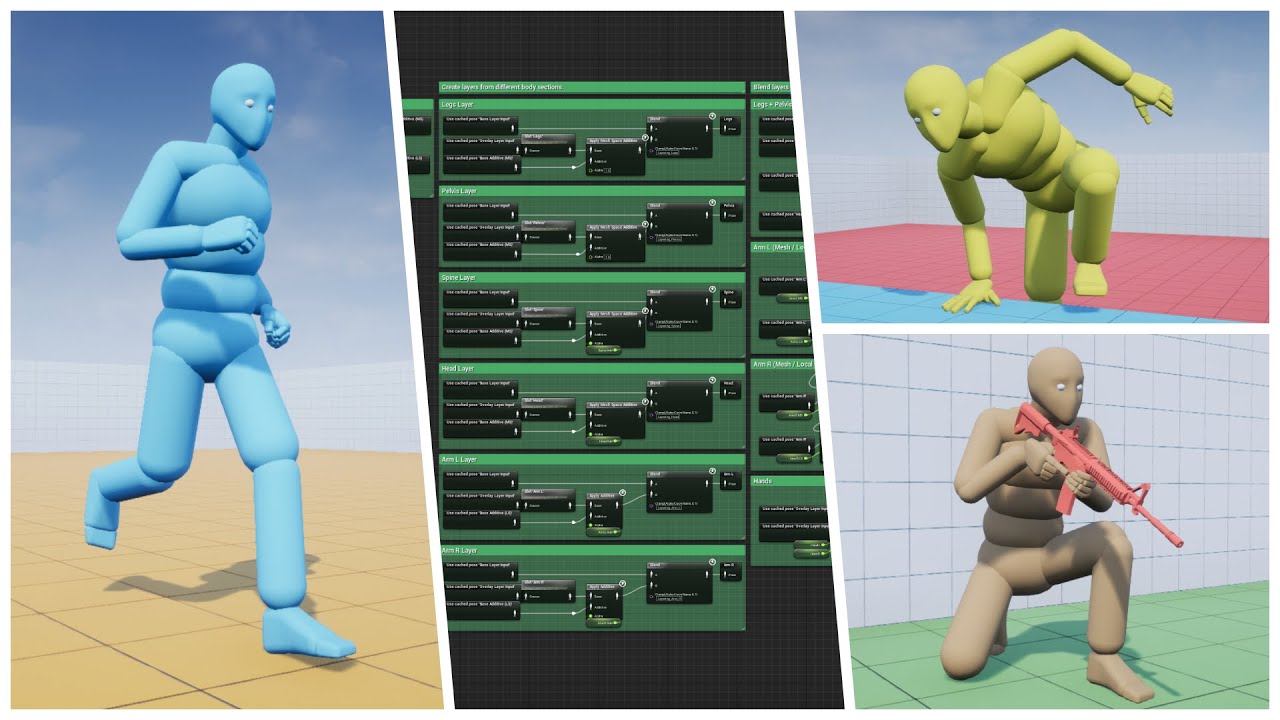
Well, as the saying goes, "If you love something, set it free"...So I did. Please enjoy the biggest update yet :)
Store Page - https://www.unrealengine.com/marketplace/advanced-locomotion-system-v1
Discord - https://discord.gg/wYYMHFu
 waxen quartz
solemn junco
Hi y'all, has anyone managed to get the Advanced Locomotion System working in mu...
waxen quartz
solemn junco
Hi y'all, has anyone managed to get the Advanced Locomotion System working in mu...
search github for it someone made it already
Can timers not be set for clients in a multicast function? Let's say I have a multicast function on an actor owned by the server, it executes on all clients, and then I run GetWorldTimerManager().SetTimer() in that function. The function set to execute in that timer will only execute in the server. Is that normal?
 meager spade
that does not seem right
Multicast is ran on all clients
if that actor is not replicated, then that could be the issue?
waxen quartz
meager spade
Multicast is ran on all clients
Yeah the multicast definitely runs, I have it print to the screen. It's the function I bind to the timer in that multicast function that isn't being run on the clients.
meager spade
well i set timers on clients just fine from a RPC
so maybe you need to show your code
waxen quartz
nvm for some reason it started working now 🤦♂️ I swear to god lmao
 fossil zinc
Hey guys, I'm trying to setup a basic login by creating and finding sessions. I remember I got it working in the past but now it can't find any sessions locally. I tried to join using my local IP and worked fine. Is anything else I need to setup before?
I'm using 4.25 btw
 quick flint
Is there a smart way to set this up on multiplayer sot hat it cannot be easily modified on the client side:
I'm using custom render depths to render team players behind walls. But it would be unfortunate if players just modify this on the client side.
It looks like it has no replication by default either.
The goal I had in mind was to enable it in the OnPossessed method for each individual player, and loop through all Characters of my type on the map and check to see if it's on the same team as me, if it is, enable this boolean. However, OnPossessed is only called on the client side, so I would need to use a Client RPC obviously.
So I should just give up?
How can I implement this in a safer way
 fathom grotto
^
Checks to see if this actor is relevant for a specific network connection
Information about Actor relevancy and priority
You'll need to get really fancy with actor relevance to prevent any kind of hacks like that mattering clientside. That article and that function will be your best friends in your mission (unless you want to write a rep graph).
quick flint
fathom grotto
You'll need to get really fancy with actor relevance to prevent any kind of hack...
yeah i already know about this, but there's no way to make something relevant once its been not relevant
Once you return false on IsNetRelevantFor() that function is never called again
Lol
It's always not relevant moving forward
 pallid canyon
Maybe one of you know. I packaged my server for a build with Oculus OSS. When I run my build on my local machine it works, I get
LogOnline: Display: Oculus: FOnlineSubsystemOculus::InitWithWindowsPlatform() LogOnline: OSS: TryLoadSubsystemAndSetDefault: Loaded subsystem for module [Oculus]
When I run the build on my windows server I get
LogOnline: Display: Oculus: FOnlineSubsystemOculus::InitWithWindowsPlatform() LogOnline: Warning: Oculus: Failed to initialize the Oculus Platform SDK! Failure code: -5
And it's literally the same build. Aren't all dependencies packaged into the pak?
fathom grotto
quick flint
Once you return false on IsNetRelevantFor() that function is never called again
Then something else is wrong. IsNetRelevantFor() is called roughly once a second, and it is called for every actor vs. every connection regardless of whether it was relevant or not previous check.
quick flint
Strange
pallid canyon
pallid canyon
And it's literally the same build. Aren't all dependencies packaged into the pak...
Failure -5 is "ovrPlatformInitialize_UnableToVerify." Really hopin there's someone with Oculus OSS experience who knows lmao
fossil zinc
Anyone here has used Seamles travel? Im getting duplicated pawns when I arrive.
 twilit stump
Like your player controlled pawn is being duplicated?
fossil zinc
Yeah, when I Travel to a map Using Server Travel There are 3 pawns in the new level
twilit stump
You’re registering the pawn as a persistent actor before seamless travel?
Via APlayerController::GetSeamlessTravelActorList
fossil zinc
Well, no
The thing is it wasn't spawned yet
I have a map where the controllers spawn like a lobby, when all the players are there then I make the Seamles Travel
They arrive to a Map that has a GameMode that sets the Controller Pawn Class based on the number of players each team has.
What I found is that apparently they spawn, they are Restarted in the controller when the new pawn class is set, and then hey unpossess their pawn and found a new one.
Because in the lobby level they have another pawn actor that I don't want to bring to the other map.
The only half solution I found was to check after the Map loaded if there were Pawns without controller and deleting them. Not ideal for sure.
twilit stump
So I think in GameMode, you can override the pawn that gets spawned by default
Other than the override property I mean
There’s a step where after a controller connects, it gets a pawn to possess. I want to say “find player start”
It could be your pawn change is happening after the default behavior and the left over pawns are the default pawns
fossil zinc
It's likely, but weird. Because I'm calling RestarPlayer on the PlayerController, and that shouldn't spawn another Pawn. If I comment that line no two pawns are spawn, but again the whole thing just breaks apart.
twilit stump
RestartPlayer probably does spawn a new pawn
fossil zinc
twilit stump
Via APlayerController::GetSeamlessTravelActorList
Btw, how do you register a pawn as persistent? Maybe that'll solve the issue, who knows.
On C++ I mean.
twilit stump
Also there’s a transition map the player hits before getting to the final map, so if you’re restarting it you’re probably getting a pawn spawned from the transition map and the new map, giving you three pawns
In c++ you should be able to override GetSeamlessTravelActorList
Or whatever the native code it’s running
fossil zinc
Gotcha.
Also, just realized. My lobby map is the same Transition map. The transition map should be an empty one?
twilit stump
Your lobby is set to your transition map?
fossil zinc
Yeah, sounds like a bad idea now that I say it out loud.
twilit stump
Yeah idk what happens there
If you’re doing that you might as well do a persistent travel instead
fossil zinc
Gotcha. I'm gonna try those things tomorrow and see. Worst case scenario I have that only half fix.
Thanks for the help man, really appreciate it.
 covert gorge
Hi! I have a question regarding port forwarding, and i would love if someone could bring me some light about it. The thing is that i have managed to create a dedicated server game and publish it to steam (using Steam online subsystem), but in order to be host, you have to forward ports 27016/27015. The question is, is there anyway to bypass this process? I cant remember the last time i had to do it for a real game, how do they manage to implement it? Am i missing something?
covert gorge
oh sorry! i meant dedicated server
the thing is that my dedicated server instance doesnt appear on the internet unless one of those ports is open
 rapid bronze
Hello everyone,
I was wondering if anyone knows something about SteamSockets
It's stated that SteamSockets works only for Listen servers, so if i wanna set up a dedicated server i would have to use the normal SteamNet
Anyone knows if there's any problems if my client uses SteamSockets but the Dedicated server uses SteamNet?
Thanks in advance!
bitter oriole
Yeah dedicated server is completely different @covert gorge and yes you'll need to open ports
"real games" never release dedis though
The point of dedicated is to host it in a datacenter
covert gorge
bitter oriole
Yeah dedicated server is completely different <@!191516353042055168> and yes you...
oh ok, thank you so much for your help
covert gorge
bitter oriole
The point of dedicated is to host it in a datacenter
it makes sense
 potent cradle
bitter oriole
"real games" never release dedis though
potent cradle
bitter oriole
"real games" never release dedis though
🤔
Steam allows for releasing your dedicated servers binaries for folks to host their own, right?
bitter oriole
Context : " cant remember the last time i had to do it for a real game, how do they manage to implement it?"
My answer is that most commercial games don't have dedicated servers to run yourself
potent cradle
Valid 😄
covert gorge
my bad 😄
bitter oriole
And yes, Steam does allow you to release stuff, no one's preventing it really
covert gorge
you are the best!
twilit radish
So I'm reading through http://cedric-neukirchen.net/Downloads/Compendium/UE4_Network_Compendium_by_Cedric_eXi_Neukirchen.pdf and I see being mentioned that Widgets (UMG) are only locally available for a client. But what about widgets that are actually placed inside the world?
 dark edge
bitter oriole
The point of dedicated is to host it in a datacenter
dark edge
bitter oriole
The point of dedicated is to host it in a datacenter
Many source games do tho like TF2 or GMod
bitter oriole
Yes, I'm very aware
I've hosted some of them before
I was just sharing context on why OP didn't have to open ports recently
TF2 would require opening ports for example
odd iron
Hello guys
So steam using a socket netdriver to make their servers public right ?
In OnlineSubsystemSteam condition
bitter oriole
I don't understand your question.
odd iron
I mean steam using Ipnetdriver to make the game's server public for other players right ?
So if we are using custom onlinesubsystem cant we just use ipnetdriver to make the servers public 
bitter oriole
You are confusing fundamentally distinct elements
Your "servers" (assuming dedicated servers running in a datacenter somewhere) are public by nature, really most of the Internet is public
odd iron
Am i wrong understand their work xD
bitter oriole
I presume you are still asking about sessions
odd iron
Yea same subject
bitter oriole
Not at all really
odd iron
Ah well
bitter oriole
Sessions are entirely unrelated to the servers or the net driver, they are a fundamentally different concept
odd iron
So i misunderstand the way it works
The problem is there arent alot of discussion about that or tutorial so im bothering other people by asking and searching xD
bitter oriole
You should explain your issue
odd iron
You know it same i cant find the session ive created on Pc on Android
Tried to use different onlinesubsystem
bitter oriole
So why are you still asking about Steam ? I explained that Steam sessions cannot possibly ever work on Android
odd iron
No im not asking about steam
bitter oriole
I mean steam using Ipnetdriver to make the game's server public for other players right ?
bitter oriole
You can't use the Steam net driver on Android
Steam does not exist on Android, and the net driver is entirely unrelated to sessions anyway
odd iron
Yea i thought its something related to UE4 not to steam
Ok
Anyway i was installing the EOS i will try with EOS maybe works
The Session registiration
So i can retrive the server info on other devices easily
 eternal citrus
Why isn't this working?
i am getting "Error accessed none trying to read property PlayerState" error
 lament sinew
which one gives you error accessed none trying to read property?
lament sinew
is it valid?
eternal citrus
it seems that no it is not
twilit radish
When are you calling this method?
eternal citrus
event begin play
bitter oriole
Probably player state did not replicate yet
Do this on tick rather than begin play, or when the player state replicates for a the first time
eternal citrus
ohh
ok so how do I check if it replicated
?
cause i don't want to call it on the event tick
lament sinew
there's a little bit of delay actually
if you try to get it on beginplay it will return false because it was invalid
buut if you use "M" button for example to perform the action after begin play it will work
you can try to make a button to set the player name
like so
twilit radish
That would work for testing yeah, but ideally it should work automatically when the player state is valid. You don't want a user to press the 'M' button for everything to work 😛
bitter oriole
@eternal citrus Try seeing if the player state has a replication event in the player controller
bitter oriole
override OnRep_PlayerState in the Player Controller
Or ClientInitialize in the Player State
Don't think any is exposed to Blueprint
eternal citrus
in my custom player state?
bitter oriole
Yeah
twilit radish
I was searching for a BP variant, but I also can't really find anything.
bitter oriole
The BeginPlay event for the player state should also work client-side
That much is BP enabled
eternal citrus
ClientInitialize is Net Load on Client right?
eternal citrus
eternal citrus
no I use bps
bitter oriole
Then
Try the PlayerState beginplay when client
Well, when the owning player is locally controlled, specifically
That should give you a decent "player state is ready" event
eternal citrus
bitter oriole
Well, when the owning player is locally controlled, specifically
how expensive would it be if I call it on every tick?
also
is there a way I can check how many ms does a function cost?
bitter oriole
Blueprint Tick is somewhat expensive so I wouldn't recommend it
C++ ticks are much much cheaper
And yes, it's called the profiler
CPU profiler specifically
bitter oriole
stat startfile, stat stopfile commands
And the tool itself is in session frontend window of the editor
eternal citrus
can u send a screenshot please?
 cinder quartz
you can use timer and simply stop it when no longer needed
eternal citrus
i think i tried it but It didn't work
but it is possible i did something wrong
wait I will try again
eternal citrus
thanks
bitter oriole
Wrong link, this one is the correct one : https://docs.unrealengine.com/en-US/TestingAndOptimization/PerformanceAndProfiling/Profiler/index.html
An overview on the Profiler Tool used to monitor game performance.
That's after you've captured gameplay with the stat commands
Preferably outside editor
eternal citrus
thanks again
lucid vault
Has anyone gotten server-side generated VATs working with Vivox?
I don't understand whether I need to generate the VATs in my c++ code with authority, or on a separate server through a custom API (in php for instance). The docs doesn't seem to make this clear to me
You wouldn't want the secret for signing VATs to get leaked, so the secret needs to be outside of client game code.
There are two ways of doing this in my mind:
-
You would store the secret in a file on the dedicated server, and you would access that secret file through UE4 filesystem with authority checks. You would then generate tokens and replicate them in each player controller
-
You would have a separate API in say, PHP, that would contain your secret and generate tokens. Although, this would require some way to authenticate with the API, versus the Unreal solution which you can use the PlayerController to authenticate with
When making an API call to the PHP server to quest a token, I don't quite understand how you would authenticate if using Steam for your game (ie no username and password login system for your game). How would you let the server know that you are who you say you are?
Method one seems easier. But, I can't find any docs on it at all
pallid canyon
My server machine is unable to start the Oculus OSS, has anyone had success with deploying to a dedicated vm that could lend a hand?
My local machine has no problems with deploying the same package
 waxen socket
Hello. Quick question for those who know. If I add an element to a replicated array on the server, and that element already exists, will that trigger the OnRep function on the clients?
Cheers.
pallid canyon
Could probably test that pretty quickly with a string array and a delay loop
pallid canyon
pallid canyon
Maybe one of you know. I packaged my server for a build with Oculus OSS. When I ...
HA! The oculus app has to be installed on the windows server. It wont work mind you (oculus app can't reach oculus service), but it needs to be installed at minimum in order for ovr calls and the Oculus OSS to run on your unrelated server.exe
 clear sand
Hey guys, why after upgrade to 4.26 I have my dedicated server runs everytime I PIE ?
 young spoke


I have a linetrace for shooting but the client's shots are offset and I cannot figure out why.
The server's is correct, the offset is consistent wherever the client aims
The line trace is done on the server
And it makes 2 line traces when I tell it to do only 1
pallid canyon
clear sand
Hey guys, why after upgrade to 4.26 I have my dedicated server runs everytime I ...
If you select run as client it will always run a dedicated server
clear sand
pallid canyon
If you select run as client it will always run a dedicated server
Is there a way to prevent it from running? I have my own instance of dedicated server running, so its just a waste of resources and boot time
pallid canyon
run offline and connect to the server with console command "open 127.0.0.1" or whatever matchmaking/connect logic you have running. If you run it offline and you have server logic setup in gamemode, the client at that point will believe it is a "server" just as an fyi. You can also run the game in a standalone mode
clear sand
In standalone mode it runs dedicated server anyway.
PS: I got you wrong. When I switched network to standalone - it seems to be what I want
twilit radish
young spoke
I have a linetrace for shooting but the client's shots are offset and I cannot f...
If you stand still for something like 3 seconds, while not moving / looking somewhere else and then start to shoot and then wait until you see the result before moving / looking somewhere else again, do you then get the correct trace? (So no weird offset)
eternal citrus
Hey guys, I want to have a reference of my ui that I am creating in player controller but I don't know how, any help?
Also I want to reference it in my player character to update health and stuff like that
clear sand
@meager spade what would be correct way to prevent dedicated server to run with Play As Client mode on?
meager spade
You can't
Not that incan remember. I know you can make the ded server external
In editor ofc
clear sand
That means I have to wait until dedicated spins up every time I hit PIE?
on 4.25 I had my dedicated server running until I manually restart it, so my boot time was a matter of 1-2 seconds, not I wait at least 7-10 more seconds for built in dedicated server to boot up
I'll probably stick to standalone for development, as it works fine for me(I connect manually to my dedicated server)
dark edge
Is there any way to join a multiplayer session without a hard cut?
dark edge
I mean a hard cut in the visuals. Like say you had a spaceship game, could you zoom out to some sort of view like a Faraway view of the planet, do the join, and then zoom back into your new location?
bitter oriole
Connecting to a server requires a hard travel so a loading screen needs to fix that
dark edge
So assuming the last camera location, the loading screen, and the first camera location that you see after joining all show the same thing, it would be fairly seamless
Static but seamless
bitter oriole
That likely won't work well, the camera setup when you join will be very difficult to get to work without any cut
A good old loading screen is safe
pallid canyon
when I run my packaged server build it gets stuck (no error or crash) at:
LogGameMode: Display: Match State Changed from EnteringMap to WaitingToStart
When I run as a test server from PIE or something, it does not get stuck:
LogGameMode: Display: Match State Changed from EnteringMap to WaitingToStart LogGameState: Match State Changed from EnteringMap to WaitingToStart
Obviously something is getting stuck in the game state communication from the game mode. Anyone have any ideas?
pallid canyon
I have a CustomGameMode based on GameMode, even though I'm using GameState, is it unhappy that I have to passthrough a CustomGameMode to see the parent GameMode? I know you cant mix GameMode and GameStateBase and vice versa, is it something similar?
 rigid zinc
How would I access the location of the other player in a 2 players multiplayer game? I'm currently using tags and iterating through the list of actors, but I was wondering if there was a better way
pallid canyon
you have to ask the server for location of pawns, what you're trying to do with location information kinda dictates how you do that.
or rather, the most efficient way to
dark edge
@rigid zinc once you've got a reference to the other pawn you can save it so you don't have to keep getting it again.
rigid zinc
So in the Controller I would add the other player's controller as reference variable in the begin play, but would it keep the location updated at each frame during play?
Or should I do a location variable and keep it updated with rep notifies / events through listeners?
 floral crow
If Player2 replicates movement for Player1, then do what Adriel says and store a reference to Player2 somewhere and use that to access its location directly
rigid zinc
Sounds good, does it make sense for that reference to live in the player controller, or is this something that should be in the Player / Game State?
floral crow
Btw when you say player location, you refer to its pawn right? Then, the reference you want to store is the Pawn's reference.
floral crow
rigid zinc
Sounds good, does it make sense for that reference to live in the player control...
Depends on where you want to use it. Store as close to its user as possible. If PlayerController uses the other player location then store it there
rigid zinc
Awesome, thank you for the help!
 shy aspen
May I validate an idea with you folks that are way smarter than myself? 😅
I'm rebuilding my inventory system and I need the server to be able to randomize various stats on an item. Items vary from weapons and armor, to consumables and placeables.
I'm trying to use composition to build my objects since their stats differ (bows have damage, armor has defense, not damage, etc.) so structures don't work for what I want to do. Not only because the stats differ, but because the data is static. I was only using item ID's on the server to minimize network traffic and manually passing the structures to client to do table lookups for whatever scenario (inventory thumbnails, meshes, etc.)
I've settled, or so I currently think, to use UObjects since they offer the flexibility I need to randomize, inherit, build custom structures, etc. However, they're not replicated. Looking through the 12 pages of "Replicated UObject" search on discord and the various conversations (and no success in getting it working myself), does anyone have a similar system setup that has been used in production? Is there a better solution that I'm completely overlooking?
Avoiding actor components because after spawning 200,000 of them, I went from a capped 120fps to 60 (no tick). I know 200,000 is a ridiculous amount, but that's not the point. Preferably I'd like to use replicated ubjects but am curious to know what some of you seasoned devs think.
Appreciate your time.
meager spade
i would not even use Replicated UObjects
in my pet project, i replicate a struct of FKaosItemEntry via FastArray, and create a UObject locally
this has a GUID which i use and can be used from anywhere to get the item in question.
the UObjects are only created on server and owning clients
rigid zinc
I have a listen server, and I'm trying to have two players (one is the server/client and one is the remote client). I noticed that when I press play, there is a delay before the client appears in the game. I would like to disable movement for the pawn while there is only one character and enable it for everyone when both players are in the game.
I tried the following code without success:
Basically after possessing the pawn, the controller checks if there are 2 players. If so, it calls the InitTeammateEvent (Which runs on server)
The server then multicast to everyone with the InitTeammateRPC and should (if I understand multicast right) run that function for all clients, and re-enable movement
But in practice, the print string appears once and only the second client gets its input re-enabled
How can I enable it for both players with a event sent from the second player?
 cloud ledge
meager spade
i would not even use Replicated UObjects
cloud ledge
meager spade
i would not even use Replicated UObjects
this
cloud ledge
shy aspen
May I validate an idea with you folks that are way smarter than myself? 😅
I'm...
I feel like you want to make your own little replication & database system that is tailored to your use case. Specifically, this system would:
- Keep a database of all item stats (so objects can reference the stats with a simple easy handle)
- Transmit this database or portions of it as required
If you have that many unique items 😄
A "database" in this case can be as simple as an array (a fast array if you may)
meager spade
i have randomly generated weapon stats
but i just pass a seed along in the fastarray (only replicated once)
and client runs the same logic, ends up with the same result
but that is very game specific
cloud ledge
Yeah, that's a good way to go about it
If your stats are procedural/can be predicted from just a seed
cloud ledge
If your items have a natural variation in their parameters and aren't simply randomized, then consider this: https://en.wikipedia.org/wiki/Box–Muller_transform
You can use gaussian distributed random values to give a more natural variation, so you specify the average and the spread instead of min and max
Err, there's probably this already in UE4 somewhere 😄
shy aspen
an example would be a bow, I'd like the bow to do 5 damage for example and then have some sort of affix on it that gives it an additional X1-X2 for each stat (attack speed, accuracy, damage, etc.)
meager spade
Gameplay Ability System 😄
shy aspen
I just got stuck on the structs part - ideally no replicated objects would be nice but couldn't figure out how to make the pawn rebuild exactly what the server has
meager spade
well that is what i use, i mutate the Attributes
shy aspen
so what do you store your items as at the end of the day? like what does your array list consist of? ID's and seeds?
meager spade
though, mine is kinda mutated by weapon level (for damage), but additional modifiers can be applied (like increased headshot damage, increased accuracy)
all items in my game have a Definition Primary Data Asset
then i pull the stuff from datatables/curve tables
so a bow is a bow, but that bow might have a tag, say Mutation.Accuracy.Positive
then i pull the accuracty mutator
shy aspen
and are you able to give that accuracy mutator a range? like can apply +5 - +10% accuracy?
meager spade
FYI, my system is not fully fleshed out yet, its still very early WIP
shy aspen
is it playable? 😂
meager spade
yes but not publicly
so i have an AttributeSet called WeaponSet, that the player has
when the weapon is increased, it will apply a +5 or +10 accuracy increase to this attribute set
that value is determined by the seed that generated the weapon
my weapons are fully random (ie, you can't select stuff)
you can re-roll it, but you can't say i want 10 percent this, 5 percent that
shy aspen
yeah, that's exactly what I was going for (minus the re-roll)
meager spade
my definition for that weapon holds the curve table row for the mutators
i simply roll random with a generated seed
but as its WIP, that might change in future, but one thing i did not want to do, was replicate UObjects
shy aspen
just to cut down on traffic or?
meager spade
and server load
shy aspen
ah
meager spade
with a FastArraySerializer
if i add/modify/remove an item, i explicitly tell the FAS, and it only sends that one piece of information
and it has client callbacks for Added/Modified/Removed
shy aspen
sounds like I need to learn waht FAS is
shy aspen
gonna check it out, thanks man.. I appreciate the feedback
makes me feel better now that I've spent 2 days tryna replicate uobjects - it wasn't feeling right either but I didn't know what else to do
meager spade
thing is for simplicity, replicating UObjects is ok
we do it in work game, but we don't have a lot of items
and its only 8 players
and none of them are random
shy aspen
do you think the load would be too much for ubojects that are only replicate to owning clients? it would be specifically inventory only
well.. that's a lie.. I guess when the item is dropped it would have to retain it's stats so the UObject would still exist
meager spade
not really, but you need to define they are replicated to owning client (ie via an actor that is only relevant to owner)
shy aspen
or it could be passed to an actor I guess
meager spade
see that is where the beauty of my fast array system
I drop an item, and spawn a Pickup actor (replicated)
this literally holds a tiny struct (FKaosItemEntry)
new player picks it up, creates the exact same item
shy aspen
inside that itementry, do you store the seed you had originally generated?
meager spade
yes
shy aspen
so this random seed is simply picking a spot on a random curve for your "bows"?
meager spade
its a CurveTable, mapped 1-10
and it does a RandRange(1-10)
using the seed on that curve table
you could just do it using a min max
ie min of 0 (you don't get that stat), max of say +40
and just roll a random
or use weights, ie more chance to get that stat or not
my first roll is always a weight table roll, this determines what modifiers the weapon is getting
then it rolls the actual percentage for each modifier
shy aspen
ah yes, that's the idea
meager spade
i also do the same with attachments for random guns (like what sight it will get, if it has aiming laser, etc)
shy aspen
so I guess I gotta check out FAS and GAS - is GAS necessary or can FAS and Data Assets get the job done?
meager spade
GAS is good if your making a multiplayer game, want to do predicted stuff, want to adjust player/weapon stats at runtime, etc. Not required at all. Just a really nice system to save you a lot of work
shy aspen
alright, I guess I gotta face my fear of the UE under-the-hood magic eventually lol
cloud ledge
My little side project has a stupid way of replicating items
It actually pretty much implements the "UObject based replication" haha
In that game, an item is always an actor and always exists in the world. So all data can be synced through that point
But don't do that
shy aspen
yeah, trying to avoid spawning / getting the server to ask
"should I replicate it yet?"
"should I replicate it yet?"
"should I replicate it yet?"
.. as much as possible lol
 potent token
anyone facing weird bug, regarding gamepad or virtual joystick
im using virtual joystick, with multiplayer (Using default 3rd person template)
when i using WASD to move my character it work as expected for each character
but if im using virtual joystick to move, they will controll the same character
https://www.youtube.com/watch?v=AO7oaysI9Uk
thats similiar problem

Hello. I'm working on multiplayer android project. The problem is that virtual joystick of all clients send events to client #1. I saw such problems since UE4.14 even with example (template) projects. How to solve this problem?
 kind ember
Using replication graph, got this error in dedicated server but not in editor?
pallid canyon
pallid canyon
when I run my packaged server build it gets stuck (no error or crash) at:
`LogGa...
This seemed to be due to have a "Default Server Game Mode" set in project settings. I think.
fossil zinc
Has Anyone got a crash on build while doing a ServerTravel but not in Launch Game?
Getting Something like this
[2021.02.09-03.52.10:265][984]LogWindows: Error: === Critical error: ===
[2021.02.09-03.52.10:265][984]LogWindows: Error:
[2021.02.09-03.52.10:265][984]LogWindows: Error: Fatal error!
[2021.02.09-03.52.10:265][984]LogWindows: Error:
[2021.02.09-03.52.10:265][984]LogWindows: Error: Unhandled Exception: EXCEPTION_ACCESS_VIOLATION reading address 0x00000038
[2021.02.09-03.52.10:265][984]LogWindows: Error:
[2021.02.09-03.52.10:265][984]LogWindows: Error: [Callstack] 0x00007ff77803ed35 CTFTask.exe!UnknownFunction []
[2021.02.09-03.52.10:265][984]LogWindows: Error: [Callstack] 0x00007ff77bd0eb2d CTFTask.exe!UnknownFunction []
[2021.02.09-03.52.10:265][984]LogWindows: Error: [Callstack] 0x00007ff77862c369 CTFTask.exe!UnknownFunction []
 rich ridge
@fossil zinc this is null pointer, attach debugger and see which variable is null.
rich ridge
if its windows dedicated server , i m sure you can directly launch server from VS or Rider in debug mode
and then connect your client from editor
fossil zinc
You mean like attaching the build to the visual studio using attach process?
Because I did that and got this log
[2021.02.09-04.18.29:056][565]LogGameMode: >> GameMode::HandleSeamlessTravelPlayer: PlayerController_2147482435
Exception thrown at 0x00007FF7F5F7C8AD in CTFTask-Win64-DebugGame.exe: 0xC0000005: Access violation reading location 0x0000000000000038.
Bu doesnt say an specific line, says DebugGame.pdb not loaded
rich ridge
fossil zinc
You mean like attaching the build to the visual studio using attach process?
I don't mean attach process, I mean in VS you can directly launch instance with debugger attached
attaching debugger to a process might not work.
in VS i think its F5
fossil zinc
Ohhh ok. But no, If I do that or do Launch Game it works fime
The problem is on the build
Those errors are from the logs
rich ridge
so is your server crashing or client?
rich ridge
yes launch the editor in debug mode and you are done, it will hit the fatal crash point .
fossil zinc
The thing is that I can really test it in the Editor. I'm first doing a Create and Find Sessions, jumping to a lobby level. On the lobby will make the server travel when the Client connects. If I try to do this process in the editor wont really work, as many times doesn't find sessions. So I tried it using Launch Game on the uproject and there it works.
So I can't use the Debug mode of the editor because won't really do login
rich ridge
I understood your point.
but you should be able to Create and FindSession in the editor and you should fix that problem rather than going the long and un-traditional way to doing things by launching game using uProject
just think for how long you will rely on testing your game by launching it via uProject and it wastes a good amount of time
fossil zinc
Well, I read that when testing LAN was kind of the only way, because the editor will always create a server and client that were already connected.
I though was normal
rigid zinc
How can I replicate a jump action on every player in the game? Say I have two players, and when one press on a button, both jump in the air
I tried replicating with multicast / RPC on the PlayerController but it only jumps the player who pressed on the input (and it appears in both screens, so it is replicated, but it's not what I'm looking for)
Do I need to use a repnotify or is there another way through events?
rich ridge
@fossil zinc If I remember correctly epic changed things in editor regarding server in version 4.24, https://docs.unrealengine.com/en-US/InteractiveExperiences/Networking/TestMultiplayer/index.html
Set up the Unreal Editor for testing multiplayer games.
there is an option to disable server in editor.
fossil zinc
rich ridge
there is an option to disable server in editor.
I Read it used to be, but I couldn't find it. I'm on 4.25 btw
rich ridge
what is your default multiplayer mode?
fossil zinc
Play as Listen Server
rich ridge
it should be stand alone, because at first you are creating session and then finding session
rich ridge
fossil zinc
Play as Listen Server
if you are already launching as listen server, then your clients already connected to that listen server
then there is no point of creating and finding sessions
rich ridge
try without changing that.
fossil zinc
Give me a seec
rich ridge
listen server mode -> should be used if you want to bypass your session thing locally and its wonderful for in editor quick testing.
fossil zinc
Yeah, stand alone works without issue
rich ridge
cool
fossil zinc
Also, I just tried by changing the destination of the ServerTravel to an empty map an seemed to work.
Maybe is something in there
rich ridge
now you should be able to debug your crash
rich ridge
nice
rich ridge
rigid zinc
How can I replicate a jump action on every player in the game? Say I have two pl...
jump replication logic is already there in Character class.
fossil zinc
rich ridge
nice
Yeah, the issue is that I need the build tho.
rich ridge
then use the packaging option to create build.
rigid zinc
rich ridge
jump replication logic is already there in Character class.
Yeah but that's not the behavior I'm looking for
I'm using Jump as a simple example
But I want BOTH players to jump when ONE of them press the jump button
What the default jump replication does currently is when someone jump, it tells the other characters that this person jumped and show the effect visually, but it does not affect the current player who did not jump
rich ridge
@rigid zinc is it fair to assume that both players are linked?
Player1 is controlling Player2?
if all of the above is true, this is how I would do.
override the Jump function.
          Super::Jump();
          if(isControllingOtherPlayer()){
                 val ref = GetOtherControllingPlayerReference();
                 ref->Jump();
          }
}```What do you mean by linked? As in, they have a reference to each other?
Oh yeah, I was looking for a way that does not imply a direct connection to each other
Basically, playerA would send a notice to the server "Tell everyone to jump" and the server would make everyone jump
rich ridge
what you told is that other player will jump automatically when PlayerA jumps.
just override the jump function and check for conditions when other players should jump and then get reference of other and call jump.
rich ridge
potent token
anyone facing weird bug, regarding gamepad or virtual joystick
im using virtual ...
what do you mean by this?
but if im using virtual joystick to move, they will controll the same character
rigid zinc
rich ridge
just override the jump function and check for conditions when other players shou...
but isn't there a way for the server to tell every client to do something? Without having reference to specific ones, just broadcasting an event (like a dispatcher)
And anything that is bound to that event would trigger the jump
oh it gives me an idea actually, my previous try with dispatchers didn't work but I think the problem was with how I called them in the controller
rich ridge
as far as I know there isn't any broadcast for jump, you need to implement that.
rigid zinc
Not for the jump specifically, I'm just using Jump as an example to demonstrate the issue
rich ridge
i got your point.
rigid zinc
It's more like: CharacterA send notice to server -> Server broadcast to ALL characters a message of such "Trigger behavior X" and each character would trigger that behavior for itself
rich ridge
do you use GAS?
potent token
rich ridge
what do you mean by this?
ah i fixed it, damn,
look like the problem only exist on PIE
rich ridge
cool
potent token
i need change some config to make virtual joystick working on PIE
rich ridge
rigid zinc
It's more like: CharacterA send notice to server -> Server broadcast to ALL char...
if you use GAS, PlayerA will apply effect to the PlayerB, and upon receiving effect PlayerB will do actions, example PlayerA will apply JumpEffect, AttackEffect , etc to playerB and when that happens PlayerB will get callback for effect applied PlayerB will jump, attack , etc based on applied affect.
and GAS is server authoritative and predicted.
I m just telling you one more way to do it.
rigid zinc
Awesome, I'll give that a try! Thank you 😄
 hasty yoke
rich ridge
as far as I know there isn't any broadcast for jump, you need to implement that.
hasty yoke
rich ridge
as far as I know there isn't any broadcast for jump, you need to implement that.
hey wondering if you could give me some pointers for that
do you know where i could start to implement that type of broadcasting?
 chrome quest
rigid zinc
Awesome, I'll give that a try! Thank you 😄
chrome quest
rigid zinc
Awesome, I'll give that a try! Thank you 😄
You ever done anything with GAS?
rich ridge
hasty yoke
hey wondering if you could give me some pointers for that
create one delegate and override the jump function and broadcast to that delegate and all the observers will get notified
dark edge
Why are you trying to make everyone jump?
Why not just get all characters and call jump on them lmao.
rich ridge
dark edge
Why not just get all characters and call jump on them lmao.
the guy gave Jump as an example, in game it could be any action which should be duplicated by other character
its kind of PlayerA is doing mind control on playerB
so whatever PlayerA does PlayerB also needs to do same
 open wadi
Does the text on a widget component or the textrender component added to a character require different methodology than the normal repNotify? I ask because I've struggled with getting my nameplate to correctly display on every character joining dedicated server - it only displays properly for characters that join after.
I added the female mannequin, set up the same process I used for the nameplate, and that works when joining the dedicated server. You can tell which character chose the female mannequin or the male mannequin regardless of whether they joined before or after another character -- whereas the nameplate widget OR the TextRender component do not.
I even set up a input key to tell me the character's name stored on the player state and that works ... but nameplates still retain the default text value instead of the correct value for characters on the server prior to your joining.
 thin stratus
open wadi
Does the text on a widget component or the textrender component added to a chara...
thin stratus
open wadi
Does the text on a widget component or the textrender component added to a chara...
Depends on what you are actually doing there.
There are a few problems you can run into:
- PlayerState exists before PlayerCharacter
- PlayerCharacter exists before PlayerState
- PlayerCharacter BeginPlay is too early to perform any "GetController" or "GetPlayerState" calls, as the PlayerCharacter might not be possessed yet.
Stuff like that.
The actual RepNotify of a Name into setting it on the Widget should not be a problem
Unless you aren't handling the cases above
open wadi
First: Thank you for your network compendium guide. I would be even more lost without that.
thin stratus
This is one of those situations where using C++ would solve this a lot better.
As you have a RepNotify for the PlayerState on the Pawn iirc. So you would know exactly in your Character when you can access the PlayerState and set the name.
thin stratus
open wadi
First: Thank you for your network compendium guide. I would be even more lost wi...
No biggie, glad it helps!
 wicked lodge
So I've been playing around with vehicles, boats specifically, and I've been using the new 4.26 water plugin, now I manage to get everything working except I get this issue where the waves are not syncronized and on clients side the boat goes underwater at times due to different waves. Is there any method to syncronize the waves from the server to all players so this issue doesn't occur?
open wadi
I use the same process for the nameplate widget as I am using for setting which mannequin to use.
open wadi
thin stratus
- PlayerState exists before PlayerCharacter
- PlayerCharacter exists before Play...
Here's (as brief as i can be) the issue:
A) Client One sets name to "Tony" selects "Male" and joins dedicated server.
B) Client Two sets name to "the Tiger" selects "Female" and joins.
C) Client one sees nameplates and character mannequins correctly.
D) Client two sees only their own name plate correctly but sees both mannequins correctly.
I use the same process for the nameplate widget as I am using for setting which mannequin to use.
If a Client Three joined, One & Two would see them correctly, but they'd have no clue on the nameplates of 1 & 2.Here's (as brief as i can be) the issue:
thin stratus
The code that you use to do this would be essential to help debugging this.
I'm hopping into a meeting soon, so won't be available, but if you post your code, properly formatted and commented, then others can probably help too
open wadi
I appreciated the time you've given. I will post screenshots of the blueprints.
 fluid mica
What would be the proper way of changing a clients pawn (online, not split)?
open wadi
Alright. Sorry about the incoming wall of screenshots, but here goes.
First the TextCommit for the UI_SetName Widget from log-in:
The Handle Enter Commit from said TextCommit
The Character Actor "Survival TPC" Begin Play:
The Character Actor "Survival TPC" (RPCs?) from Event Graph:
The OnRepNotify for Name to Set:
The Save to Game Instance function to store Name, Gender before joining the Dedicated Server Level Map:
The Name To Set Variable Settings on Character Actor Survival_TPC
and the Set Name function from the Survival_PlayerState that is called in PlayerState's begin play:
Finally, the PlayerState Begin Play
What client one sees:
What client Two Sees
 gritty lodge
What is the best way to make a specific actor on a level disappear on a gamemode event? Like for example if I had a gate actor that is placed in the level and when a player reaches x level the gate (collision and model) will disappear for all players and everyone can access the new area.
For some reason setting ActorHiddenInGame through a reference in the GMB doesnt work but setting the actors EnableCollision does work
 stray oxide
gritty lodge
For some reason setting ActorHiddenInGame through a reference in the GMB doesnt ...
stray oxide
gritty lodge
For some reason setting ActorHiddenInGame through a reference in the GMB doesnt ...
cpp or blueprint??
gritty lodge
I suppose either, but it would be more convenient in BP
stray oxide
instead of setting ActorHiddenInGame, try DestroyActor
hmmm, i have a gate and im working on a multiplayer so let me go test some things and get back to you
twilit radish
The server is always authoritative, should just work yeah. Then there's something wrong with the logic trying to destroy the actor or it's not properly set to replicate.
thin stratus
open wadi
The Character Actor "Survival TPC" Begin Play:
That is pretty bad
open wadi
No doubt. I've only started learning to swim and I started by jumping into an under current, for sure.
thin stratus
- Don't use Delays to counter network stuff.
- You are accessing the GameInstance of each player, cause BeginPlay calls on everyone.
That means you are actively getting the values from every player and in the end the Server will probably always win due to authority. - Replicated Variables on the GameInstance make no sense. i
thin stratus
open wadi
The Character Actor "Survival TPC" (RPCs?) from Event Graph:
Why a Multiplayer if you already have a replicated variable?
 winged badger
actually, odds are everyone will be named the same as client with crappiest internet connection
😄
twilit radish
Are you sure the mesh is on the same actor?
thin stratus
@open wadi There are a lot of things wrong in your code, too much to go into right now.
You should maybe sit back and plan this out once more.
Think about when each player is doing what, when which class is available and what function call where.
You can use GameInstance to move the selected stuff from MainMenu over to the Game, that's fine, but you can't use BeginPlay with a Delay like that.
Use OnPossessed with a ClientRPC, followed by getting the name from the GameInstance, followed by a Server RPC to set the variable on the Server so it can replicate.
winged badger
@gritty lodge if thats gates as in, plural
and you're grabbing them via GetAllActorsOfClass
that thing has no order
worse yet, its likely to grab them in different order on different machines
open wadi
thin stratus
1. Don't use Delays to counter network stuff.
2. You are accessing the GameInsta...
Thank you for your feedback.
stray oxide
is the TestGates blueprint set to replicate? if it is not then the mesh will stay but it wont actually be there on the server, only clients
no worries, glad it works
twilit radish
🥳
fluid mica
What would be the proper way of changing a clients pawn (online, not split)?
thin stratus
fluid mica
What would be the proper way of changing a clients pawn (online, not split)?
You have to give more information. This can be answered in a lot of ways
fluid mica
I have a client joining a server, that is then calling a function to change its pawn. Currently that's a Run on Server call (into "SpawnActor Pawn" into "Possess"). Now I'm not sure how to properly get the correct PlayerController. Tried as a variable, tried to let the server find it via comparison. But I'm doubting this works in the first place.
winged badger
this blueprint?
winged badger
😄
 pallid mesa
fixed that in a recent engine version in a PR xD
winged badger
that was almost a year ago now
pallid mesa
I don't even remember
winged badger
4.22
twilit radish
😂
pallid mesa
winged badger
4.22
if you say so, I trust more you than myself for remembering stuff 😄
winged badger
@fluid mica if the client is changing Pawns in a way that requires input from a player
then that should be done via reliable server RPC in the PlayerController
in which case the server's instance of the PlayerController that received the RPC is the one you want
fluid mica
Mhm, its happening all automatically, or supposed to.
winged badger
so what are you trying to do then?
fluid mica
I'll look at that. I have a separate BP right now handling the stuff. I just noticed (via print string) the server RPC isn't being executed anywhere.
Client joins, and gets a different pawn assigned. Since its switching between ThirdPerson and MotionControllerPawn depending on Windows/Android
potent cradle
To refresh my memory, does the OnRep function still get called once an actor enters net relevancy range, but was outside net relevancy range when the variable was updated?
pallid mesa
yes onrep gets called when actor enters net relevancy range yep
potent cradle
Cheers!
chrome bay
So long as it's different from the default value
pallid mesa
yes! what James say... but, remember what they say multicast for visuals! onrep for stuff that matters for your clients! kinda ~ 😄
chrome bay
onrep for visuals sometimes 😄
potent cradle
chrome bay
So long as it's different from the default value
That's a nice gotcha, noted 😄
winged badger
@fluid mica you should probably send that information when logging into the game
not RPC it after the fact
via options string
fluid mica
ah
winged badger
then check the value you stash it in during HandleStartingNewPlayer
fluid mica
Good point, ty
winged badger
and instantiate the correct Pawn/PC for that interface
fluid mica
I'll try that, cheers
twilit radish
Question. If you want a singleplayer game and a multiplayer game that have the same logic / gameplay in one project. Would you in the case of singleplayer just start a listen server on that client and disallow any incoming requests with bAllowInvites set to false (and I assume setting it to LAN only as well with bIsLANMatch?) in FOnlineSessionSettings, or is this considered bad practice and is there a better way?
winged badger
we use lobbies to setup a game, and allow users to turn theirs private/public/friends only
twilit radish
Sorry, I had to quickly eat. But you host an online server and then allow 1 client to use that or?
winged badger
we use listen servers
twilit radish
Oh like that.
winged badger
but wouldn't be drastically different
twilit radish
I was just a bit confused xD
But basically a private listen server would be the way to go in your opinion?
winged badger
we use steam lobbies
so they are independent of both our listen servers as they would be of dedicated servers if we were using them
its basically a steam hosted chatroom that can share some data in string format
twilit radish
Ah, so that a user can easily update the 'type'? So easily switch between public, private and friends only?
fluid mica
@winged badger Works, that was the bump in the right direction, thanks :)
winged badger
yes, and that works for joining the lobby itself
after you have a full set of players, connecting them all to a dedicated server is trivial
 modern swift
anyone know is that so method like on connect or on disconnect for UNetconnection connect/disconnect to the dedicated server
I want to know when pc Unetconnection is available as I want to get that
winged badger
on server or client?
modern swift
winged badger
on server or client?
on server
winged badger
on clients it would be available in the same frame the PC spawns, on server... i don't remember that code anymore :S
not having a cause to visit it all too often
@finite kettle wdym by UProperty data?
 finite kettle
@winged badger Just the UProperty itself, lets say its going to be GUID or uint
Trying to figure out how to pair client-side predictively spawned actors. I checked the UnrealTournament code, but I don't like the way how they match them.
So I would like to use some kind of IDs, but dont know, if it is possible to send the ID together with SpawnActor bunch
winged badger
all properties set server side before the actor is first replicated to a connection
will replicate in the same package as instructions to spawn the actor
all replicated variables will be set client side and replication notifies called
before client calls BeginPlay
finite kettle
winged badger
all properties set server side before the actor is first replicated to a connect...
awesome, thank you 🙂
winged badger
when you're replicating a NetGUID
that doesn't guarantee that an object whose NetGUID it is has itself replicated at that point
typically, both PC and Pawn have a replicated poitner to PS, but PS is rarely available when they call their first batch of replication callbacks
as PS has a lower NetPriority, it usually comes later
exception to that if its a net guid to actor loaded form package, they will be net addressable and ready before anything replicates
modern swift
winged badger
on clients it would be available in the same frame the PC spawns, on server... i...
if I use set delay node in blueprint and set to 0 to delay 1 frame before I get UNetconnection on server, it works, but do you know it is reliable ?
finite kettle
@winged badger ye, I saw there is a array of unresolved/unpaired NetGUIDs, which will be probably paired later
I dont wanna mess with NetGUIDs right now, dont have enough knowledge. I want to try more "noobish" way with custom IDs. Maybe then I will be able to pair them in better way.
winged badger
what are you trying to do @modern swift
im not convinced you need to detect when connection is instantiated for anything
@finite kettle you're trying to spawn actors on client and server separately then pair them after the fact?
finite kettle
That would be the best scenario. Unfortunately, I don't understand the NetGUID mapping that much.
So I'd like to try it first by spawning client-side actor first, set some ID to it and request server to create the same actor with my custom ID. After the server-side version of the actor is replicated to the cllient, client will find the "fake" (client side) version of the actor and destroy it/interpolate to the server side version and then destroy it
winged badger
if that actor's IsFullNameStableForNetworking is overriden to return true, it has bNetLoadOnClient and bNetStartupActor true, is spawned with exact same name on server and client
and then server turns on the replication
it will probably work
provided you're happy with the following flow
1 - owning client predicively spawns the actor
2 - server spawns the actor, same name, sets it to replicate
3 - simulated proxies just get the replicated version
huh, no that wouldn't work either.... not on simulated proxies
bNetStartupActor affects the last bit of the NetGUID making it static vs. dynamic
clients expect to already have an instance of the static Actor around when they get a package for it
and the owning client will spawn a new one, unless the NetGUID is static
so problem
we use the separate spawning on clients and server only before BeginPlay
and can network everything after the fact
modern swift
winged badger
im not convinced you need to detect when connection is instantiated for anything
what I am trying to do is use the UNetconnection to assign pc to a new create replication graph for specific connection(like a room)
winged badger
you're probably good if you do that in GenericPlayerInit override in GameMode
its the function where engine sends first client RPC to the player (init HUD)
it happens before the Pawn is spawned
and right after PostLogin/HandleSeamlessTravelPlayer
modern swift
what if I need after the pawn spawned
winged badger
then do it after calling super on HandleStartingNewPlayer
which is right after pawn is spawned
and GameMode already sent client RPCs at that point
so connection is good
modern swift
cool thanks
 hollow oasis
why this collision is only working when i am really close to player
like on 1/4 of sword
 polar python
Do someone know ho to replicate a skeletal mesh ?
I'm using modular character customisable skin system but the skeletal is not replicating to all clients
hollow oasis
like when i do print string with other actor name i got the player that im hitting
and i did not understand what u mean 😛
how will channel works
like in multiplayer
pallid mesa
Out of curiosity, why is this a thing? SetRemoteRoleForBackwardsCompat
 dapper spoke
Hello, Is it possible to control which peers receive the Player movement update?
 slow wing
well ue4 uses a server-client framework, where the server's state is the true state. so we can control rpc methods: like client to server, or server to client, or broadcast to all. Most common rpc call is from client to server so that clients action are going into the server game state.
chrome bay
dapper spoke
Hello, Is it possible to control which _peers_ receive the Player movement updat...
No. Relevancy is determined at the actor level only, not per-property
There are some primitive property controls such as Owner / SkipOwner, but that's it
dapper spoke
Yes that's fine I guess
Each actor could just decide which are the peers interested to its own sync data
Let's say I've two rooms, in the same instance: each room contains a different group of actors. Each group of actors see each other but no the other group
slow wing
So the server will replicate any properties that are set to replicate to the clients, when those properties change
uncut schooner
Hello, Hope your all well, anyone here familiar with how the character movement component does client side prediction with server side correction, I'm trying to do anti cheat and understanding it would help a lot.
chrome bay
If you're not using replication graph, you can override IsNetRelevantFor() on the actor, and add your own custom conditions.
If you are using replication graph, you would need to create a per-connection node for each room
dapper spoke
Perfect, I can check those, thanks for the hint!
chrome bay
Network Relevancy isn't immediate though, just bear that in mind. Takes a few seconds to kick in
for general performance/bandwidth reasons mostly
chrome bay
uncut schooner
Hello, Hope your all well, anyone here familiar with how the character movement ...
It's very complicated. You can read detailed docs here:
https://docs.unrealengine.com/en-US/InteractiveExperiences/Networking/CharacterMovementComponent/index.html
Detailed explanation of Character Movement Component
uncut schooner
Thanks, I hope its detailed
chrome bay
Prediction is not really in the same vein as anti-cheat though
cinder quartz
you move locally and tell server you wanted to move, then server moves you in the server, and if the difference is too much, it snaps your client back
you can test it how it works if you make client only sprint function, or disable wall collider on client, and you will see it wont let you do that without insane rubberbanding
if you need more technical answer, you need to dig to source code
slow wing
like with all security, the point isn't to make impossible to stop or prevent, but make it hard to cheat. Like with server rpc validation, yeah they can defeat but it makes it hard since they may not have the server code.
lament sinew
i don't think they can stop cheats like aimbots or wallhacks pubg tried like 5 different anticheats or more lol
now its dying on steam
uncut schooner
Ouch
bitter oriole
Cheating is a fact of life, you only fight it through perfect server code, client-side anti-cheat, a report and banning system
uncut schooner
Welp all you can do is try I guess
uncut schooner
bitter oriole
Cheating is a fact of life, you only fight it through perfect server code, clien...
Yeah
bitter oriole
I always harass people here to tell them not to do competitive games as an indie
uncut schooner
Haha
bitter oriole
It's just not going to work at that scale
uncut schooner
Sigh, but I really want too...
bitter oriole
Yeah we all do
Yeah sure ^ that's a great point
I'm actually doing something a lot like that where I could add competitive play because everything can happen entirely server side
But shooters etc, nope
uncut schooner
Way easier yeah
But for shooters, yeah, I brickwalled my game just because of that
I tried with 250 ping...
Felt like Diep.Io
Haha
lament sinew
there's that kind of wierd cheat in games specially made with unreal
where the clients "cheaters" can manipulate bullets if youu spawn them as actors
lament sinew
nott but i experienced that in pubg where someone shot me and he was not even aiming at me
that's tthe cheat even if spawned by server still can be manupilated
uncut schooner
Im sure the validation code is not good, Look at Overwatch
They pulled it off
The only hacks they get are wallhacks and aimbot
But aimbot is just
Everywhere
bitter oriole
Wallhacks and triggerbots are two very difficult to prevent classes of cheats
chrome bay
You can absolutely fix shooting through walls with a proper setup
uncut schooner
Thats fine
chrome bay
Wallhacks and other client-side cheats you can do nothing about
Not even worth attempting
uncut schooner
No not wallhacks in shooting throug, but looking through walls
bitter oriole
Wallhacks you can do some things - Valorant did
uncut schooner
bitter oriole
Wallhacks you can do some things - Valorant did
Interesting will look into it
slow wing
or you can just prevent the users from playing, no playing means no one can cheat 😛
uncut schooner
...MEME
bitter oriole
Mostly I think the best fix is a social one - make sure people play with trusted people
uncut schooner
That would be amazing
bitter oriole
Like, even CS GO does that. Experienced people are never matched with new accounts
uncut schooner
A client authroritive game, it would save soooo much server calc and alot of bandwidth
Making it more responsive and getting hit behind walls, but that would still be a thing
Ovewatch extraps movement so you run behind the wall if the ping is huge
 lusty sky
its the war of anti-cheat companies and no life kids
basically it never ends
bitter oriole
uncut schooner
Making it more responsive and getting hit behind walls, but that would still be ...
Getting hit behind walls is unavoidable because the alternative is that your correctly aimed shots as a client might not actually hit, which is way worse
The shooter doesn't know the other player dodged because they only dodged 50ms ago, and you don't want to deny the shot based on information the shooter couldn't have
It sucks, but it sucks less than shots that don't connect
chrome bay
Battlefield 4 had major issues with that when they launched because they compensated too much, players felt like they were being shot around corners. But it's always a trade-off between the shooters' POV and the victims
bitter oriole
Destiny solves this by being very okay with kill trading (literally a medal on screen)
Pretty much "lol u got shot behind a wall"
Anyway, my advice for indie competitive shooters is to have clever matchmaking that puts people together based on how long they had the game, for example ; and a report system
lament sinew
ye that kinda makes you want to uninstall they even ruined among us lol
even simple games have cheaters
bitter oriole
PC gaming in a nutshell
It's one of the few airtight arguments in favor of console gaming
uncut schooner
I think the only true way, would be a very good AI to detect hacking
bitter oriole
AI won't help, a triggerbot is impossible to tell from a top end player
Or at least very hard
uncut schooner
Yeah maybe from aimbot it would be near impossible, but for other hacking ye
Aimbot can be done very well depending on the design
Very difficult to detect
bitter oriole
Aimbot is very obvious usually
uncut schooner
Yeah aimbots probs dont need acess to that, but Im not 100% about that one
lusty sky
I wonder how epic bans cheaters for using aim bot lol
based on what information or just players feedback
uncut schooner
lusty sky
I wonder how epic bans cheaters for using aim bot lol
based on what information ...
As in Fortnite and the likes?
lusty sky
yeah
bitter oriole
You can very easily (as far as hacking goes) build a completely hardware based triggerbot that is entirely impossible to detect because it runs outside the computer. FPGA board with HDMI in from your screen, mouse plugged into USB, board acts as mouse, forwards input, except it clicks when you hover a head after a random but very short delay. Expensive, but absolutely impossible to detect.
There's no silver bullet for anti cheat
The only way to curb cheating is to make it a terrible business investment so that no professional Russian developer can make a living from it
uncut schooner
Not sure, but I think using the community as reports and running anti cheat + making your game ban hackers/cheaters when you find them and make it cost something, and make it take alot of time to get to ranked, to discourage hacking and aimbot
lament sinew
you forgot about chinese teams ? i never heard of russians got arrested
bitter oriole
Why would they be arrested ?
lament sinew
for develop cheats
bitter oriole
You think the Russian gov cooperates when US based developers get cheaters on their games ?
They do not
lament sinew
not but i remember bluehole sued 100+ chinese for 5 million dollars or something
hollow oasis
Need help with linetrace in multiplayer
this works on listen server
but not like it should be on client
it works when i am very close to other player
uncut schooner
Well
hollow oasis
but on listen server works as it should be
uncut schooner
...
hollow oasis
i am dump in line tracing and all so yeah 😛
 eternal canyon
hollow oasis
Need help with linetrace in multiplayer
eternal canyon
hollow oasis
Need help with linetrace in multiplayer


 hollow oasis
uncut schooner
But not the client?
hollow oasis
uncut schooner
But not the client?
yeah
hollow oasis
i think yes 😛
lusty sky
oof tick linetrace
bitter oriole
Trace on tick is fine
uncut schooner
Would work wayy better
bitter oriole
Don't force people into premature optimization
lusty sky
but it looks like an rpc on tick
uncut schooner
Okay
hollow oasis
it have the same issue
bitter oriole
RPC on tick is an issue
hollow oasis
that only works when ive been really close to other actor
uncut schooner
Is your end component (Box?) attached statically?
Or does it move dynamically in relationship with whaterver its attached to
chrome bay
Real question is why would you run a Multicast to do a Line Trace then have an Authority switch right after?
hollow oasis
nope, its attached to mesh
uncut schooner
True...
chrome bay
the setup doesn't make any sense at all
hollow oasis
oops 😦
uncut schooner
You should run your linetrace on server then pass in the actor hit to the multicast if really needed
hollow oasis
ok
uncut schooner
but im not sure you need that
Just do it on the server
No need to check if has authority then
Will be authroity
also
Is your actor replicated?
Why are your RPCing the call
dark edge
@uncut schooner you should see my line traces on tick. About 500 of them
hollow oasis
uncut schooner
Is your actor replicated?
yep
uncut schooner
dark edge
<@424326510078459918> you should see my line traces on tick. About 500 of them
Should work okay I think?
Depends what you use the data for
and how you call it
eternal canyon
@uncut schooner The RPC is Also Reliable calling another Reliable Multicast
ON TICK
eternal canyon
THE BUFFER BE SCREAMING
eternal canyon
lmao
dark edge
Really the only thing you should be rpcing on tick is your continuous input or something derived from that. Basically your aim direction and movement direction
pallid mesa
chrome bay
Wallhacks and other client-side cheats you can do nothing about
frustrum culling relevancy woahahahah 😂
hollow oasis
like that?
chrome bay
Frustrum/LOS relevancy doesn't really work that well though - creates a lot of other problems
uncut schooner
dark edge
Really the only thing you should be rpcing on tick is your continuous input or s...
True
pallid mesa
chrome bay
Frustrum/LOS relevancy doesn't really work that well though - creates a lot of o...
yeeah hahaha
popping and whatnot... like relevancy is somewhat even a design thing
uncut schooner
Would be nice to avoid the movement ones though @dark edge , use info derived from charactermovementcomp
dark edge
Well yeah, something somewhere has to send to every frame. And most people's cases, the character movement component is handling that.
And I think add pitch and add yaw on the controller also automatically send it to server. Don't recall right now.
uncut schooner
@hollow oasis Still trynna lauch unreal
uncut schooner
dark edge
And I think add pitch and add yaw on the controller also automatically send it t...
Yeah its stored on server, in character controller, although I doubt they correct cheating because its via add inputs
hollow oasis
ok, it works but if i am not playing animation where sword is moving
line trace is stil in same position
 sweet marsh
Hi guys, can anyone explain to me why overlap events become less accurate or reliable the further away the client is from a listen server, i notice that when the client is in the listen server viewport the overlaps are super accurate. However when the client is far away the overlaps trigger but they don't fully trigger a server funtion, does anyone know why, ?
it seems more reliable when the character is actually moving as well, is there some sort of setting that needs tweaking here
uncut schooner
Strange
cinder quartz
are you using animations/skeletal mesh for the collisions?
sweet marsh
Yes there are collision boxes attached to the character, when the animation plays the box moves with the fist
cinder quartz
might be that the animation is not playing or is at reduced rate when not in servers view
sweet marsh
ahh ok, is there a way to ensure they play
chrome bay
100%. Also means it will be framerate dependant too to some extent
Best approach is to keep gameplay decoupled from the visuals
sweet marsh
Notice the overlaps fire, but the server function doesn't always trigger, which in turn triggers a net multicast
chrome bay
Smoke and Mirrors and all that
sweet marsh
well an attack has to be driven by the animation though, where the fist is is relevant to a valid hit
cinder quartz
there is a option somewhere, something like "always tick poses and refresh bones"
cant remember where it is or what it's called
chrome bay
Not necessarily. You can just define a time and a position at which to perform an overlap query
sweet marsh
@cinder quartz is that on a montage or an individual animation, or even the anim graph?
right, well i have characters with fists, is there anything specific you'd suggest?
if you look at the video its a claw that moves with a collision box attached
cinder quartz
i think it's on the mesh component
This is tick animation frequency option based on this component rendered or not or using montage You can change this default value in the INI file Mostly related with performance
sweet marsh
@cinder quartz That did the trick, thank you so much, this has been beyond frustrating for me!
i thought it was replication, then overlaps issues etc!
cinder quartz
sweet marsh
<@!483986019293855755> That did the trick, thank you so much, this has been beyo...
yeah I had that problem once, where I noticed that my client was just t-posing on dedicated servers 😄
sweet marsh
Well brilliant spot many thanks!
hollow oasis
dark edge
@hollow oasis you need to start from square one, you are in way over your head. First of all, why are you doing the traces on clients?
Choose one, either the server does the trace, or the controlling client does
cinder quartz
you have it backwards
client do trace -> pass hit to server -> server validate hit -> server do damage
or do it all on server
but then it will feel bad to play on high ping
and when you do damage on server, make it reduce HitPoints that is replicated, then OnRep_Notify you can apply visual effects like blood on clients
cinder quartz
it's up to you, right now, when testing, you can just accept it. if you wanna validate, you can trace on server too
shootergame has example of hit validation but it's all c++, they check things like angle etc
meager spade
shivers at that multicast 😄
lament sinew
yeah was wondering how you gonna validate a hit , are you going to do a trace on server then compare?
that dosen't make any sense right
cinder quartz
well, you just check on server if the hit is possible
you can be strict as you want
you can always make function "ValidateHit" that return bool, and implement it later
meager spade
for guns in my game, i do this, Client produces target data (trace result), sends to server, server just does validation (Yaw Angle, simple line trace from start to end to make sure no wall or something blocked the shot client has not seen yet, etc, If all is good, server damages the target, and sends a client RPC back to shooter saying hey your hit was successful, this plays hitmarker effect for shooter. It also sends out the hit effects (i use Gameplay cues, cause of GAS) but its basically a multicast for the damage effects that everyone sees.
same exact thing can be applied to melee weapons
hollow oasis
cinder quartz
well, you just check on server if the hit is possible
thanks for help
cinder quartz
I dont think you need to worry about the validation part now, just get it work now
the whole hit/trace I mean
dark edge
hollow oasis
how to validate hit?
Don't worry about validation right now, just get the damn thing working. nobody's going to cheat at a game that doesn't even work yet
but for future reference calling for validation you would just do some sanity checks like could this character have actually hit this actor, is this character hitting like 100 times a second, etc.
hollow oasis
Yeah it working right know :D
hollow oasis
dark edge
Don't worry about validation right now, just get the damn thing working. nobody'...
I think same right know :p
 shy flicker
HI everyone. I'm trying to set some batch files for server/client connections. On my PC I already have them set, but when I execute them on the laptop they close immediately. I'm pretty sure it's not a problem about the "query", it must be an issue from the .batch files. Even if I add a pause at the end of the file, it doesn't stop. Any idea what the issue could be? Thanks!
hasty yoke
rich ridge
create one delegate and override the jump function and broadcast to that delegat...
Do i need any special settings for the observers? As in whether those functions should be run all on the server
dark edge
shy flicker
HI everyone. I'm trying to set some batch files for server/client connections. O...
Are you talking about using the batch file to launch the game as a server or client?
rich ridge
hasty yoke
Do i need any special settings for the observers? As in whether those functions ...
It depends on your game needs.
hasty yoke
rich ridge
It depends on your game needs.
Its a 2 player game, any other stuff i should factor in?
Networked
rich ridge
It's difficult to predict anything upfront. You may try that and it should work