#multiplayer
1 messages · Page 611 of 1
 fading smelt
 winged badger
in the above example, MissionObjectiveActor being replicated itself
is enough for it to show on clients as well
so minimap system doesn't need to be aware that the game is multiplayer
which simplifies stuff quite a bit
fading smelt
So my minimap manager just receives a info about MinimapComponents (Markers) from server and display them on my map?
winged badger
it doesn't receive anything from the server
if you put a MinimapComponent on an Actor
if that Actor exists on client, its MinimapComponent will register with MinimapManager locally
no networking involved
the only conditions required for an Actor to show on minimap
1 - Actor is either replicated or loaded from the package (preplaced on map)
and 2 - Actor has the MinimapComponent on the CDO (added to its class) or a MinimapComponent spawned and added on server, replicated
spawning them at runtime is rarely, if ever required
 plush wave
How do replicated components on an actor work if they are created dynamically in the construction script?
Should only the server create the components?
plush wave
Ok good to know
if (HasAuthority() && MyComponent->IsSetToReplicateByDefault == true)
{
  // Spawn the component
}
that looks wrong, either you're murdering the naming conventions or IsSetToReplicateByDefault is missing ()
 novel topaz
Can someone help me please ? How can my client connect to dedicated server with program? I had Google around and found that they all mention about console command. Are there any C++ APIs do the same jobs?
I also try console commands such as “open 123.456.789.0” in editor, but it didn’t work.
My dedicated server is on a Linux machine with public IP#
winged badger
that one takes in the port number as well
novel topaz
the default port is 7777 if I don’t specify?
 thin stratus
Unless you start more than one, then it increments
novel topaz
novel topaz
the default port is 7777 if I don’t specify?
The official documents is lack of detail, I can”t event find any command examples in it
winged badger
“open 123.456.789.0:7777”
novel topaz
thin stratus
Unless you start more than one, then it increments
No, I just start one process on server. I do search in the log to make sure the exact port
novel topaz
winged badger
“open 123.456.789.0:7777”
Can I use this in PIE ?
thin stratus
You don't want to connect from PIE to anything outside of PIE
If you need to connect to a packaged server, at least use Standalone
Or just simulate the dediServer in the editor
novel topaz
thin stratus
You don't want to connect from PIE to anything outside of PIE
Thank you, I will try it in standalone
And are there the C APIs can do the same jobs?
thin stratus
Yeah, I think that's done via PlayerController->ClientTravel or so
BPs need the ConsoleCommand one, cause Epic doesn't like BPs people and Multiplayer :D
novel topaz
Where can I find some detailed documents?
Or the only choice is diving into the source code...
 peak sentinel
AnyNonReplicatedFunction()
{
GetOwner()->GetActorTransform().GetLocation(); // returns the location where I am
}

Server_Function()
{
GetOwner()->GetActorTransform().GetLocation(); // returns where I spawned first, even if I am not there
}
Anyone knows why this is happening?
 meager spade
then your server and client version have different locations
likely cause ReplicateMovement is false
and they spawned at different location
peak sentinel
I tried to read how ReplicateMovement is connected with owners transform but couldnt find anything relevant, since I am trying to handle the prediction and smoothing manually I disabled ReplicateMovement. Looks like I need to manually inform server about my location
meager spade
well ofc
server wont move unless client tells it, and vice versa
if client moves, it needs to tell server it moved
server can then relay that to simulated proxies
 dapper spoke
Hello,
For the game I'm working, I need that the RPCs are served through TCP.
I saw that UIpNetDriver is responsible for the RPC communication and it creates the UDP socket, using the function UIpNetDriver::CreateAndBindSocket.
I'm wondering if the correct way to do what I need is override UIpNetDriver and so the function UIpNetDriver::CreateAndBindSocket: then create the TCP socket and that's it.
Is this fine? There is a better/easier way to do it?
 chrome bay
Why would you want TCP?
dapper spoke
It's a long story 🙂
I saw that there is an Android module that uses a TCP socket to send messages: ITcpMessagingModule. Is that used to make the editor communicate with the device?
 silent valley
Sorry - I think I've seen this kind of question before but I can't find a resolution. I'm trying to use server travel for multiplayer testing and the problem is the client disconnects everytime the server travels.
I'm issuing server travel via gameMode->ProcessServerTravel() anyone know if this is the correct method?
fwiw I have dedicated server and client connected
chrome bay
@dapper spoke ultimately you cna't use TCP for game traffic/replication. If you want a custom TCP connection a socket is the way to go
dapper spoke
@chrome bay So I can't convert the current UE4 rpc API to use TCP. Ok thanks.
meager spade
@silent valley you should be using GetWorld()->ServerTravel
silent valley
thanks - yeah I tried that also - I get the same result...
meager spade
and your calling it on server only right?
cause clients should not call it
ah nvm
its GameMode, sorry kinda working and hopping here at same time
so brain gets muddled a bit
normally travel issues throw logs
what does the log say
silent valley
Yeah so I call it on server, then in the log it says LogGameMode: ProcessServerTravel
but then it prints a bunch of LogNet output:
LogNet: UChannel::ReceivedSequencedBunch: Bunch.bClose == true. ChIndex == 0. Calling ConditionalCleanUp.
LogNet: UChannel::CleanUp: ChIndex == 0. Closing connection. [UChannel] ChIndex: 0, Closing: 0 [UNetConnection] Re
LogNet: UNetConnection::Close: [UNetConnection] RemoteAddr: 172.17.36.65:53008, Name: IpConnection_0, Driver: Game
LogNet: UChannel::Close: Sending CloseBunch. ChIndex == 0. Name: [UChannel] ChIndex: 0, Closing: 0 [UNetConnection
then it tearsdown the old map and I get this which looks suspicious:
LogNet: World NetDriver shutdown IpNetDriver_1 [GameNetDriver]
LogNet: DestroyNamedNetDriver IpNetDriver_1 [GameNetDriver]
LogExit: GameNetDriver IpNetDriver_1 shut down
on the client it reports that the host has closed the connection
Maybe I should try this on a new project...
according to the docs World->ServerTravel() is the correct way, but I also tried gamemode->ProcessServerTravel() too - same problem
 marble gazelle
have you setup a transition map?
silent valley
no, as this is for automated testing I thought there was no need for seamless
but maybe Seamless is required to actually work?
I can try and set one up
although seamless travel is false on my gamemode
 bitter oriole
Seamless travel is pretty much required
 hazy herald
does steamworks still require the user to port forward for p2p?
bitter oriole
@hazy herald It never did, AFAIK
Well, "never" is a big word
It hasn't required it for at least a decade
hazy herald
alright thanks @meager spade @bitter oriole i never used it so i was just making sure before i dived in
 gritty pelican
do i need set ComponentReplciated in UActorComponent? if i need to replicate variable?
 dark edge
gritty pelican
do i need set ComponentReplciated in UActorComponent? if i need to replicate var...
dark edge
gritty pelican
do i need set ComponentReplciated in UActorComponent? if i need to replicate var...
I'm pretty sure the component has to replicate for it's variables to replicate.
gritty pelican
okay
 fresh chasm
Hello there, I am trying to get a notification on the server to know when the client has connected and is able to execute code on its end on an ActorComponent. The method I am currently using is to send an RPC from the client, during ActorComponent's BeginPlay. Is this the right method? Or is it possible to know this directly from the server (without using RPC)?
dark edge
There's some sort of function you can override in the connection process but I guarantee you don't want to do it on begin play.
fresh chasm
Something like AGameModeBase::PostLogin ? It is possible that the client did not "create" the ActorComponent at this moment, right?
(I basically need to replicate variables from server to client, to initialize it with the correct values, but I can't use the Variable Replication system because I'm dealing with arrays)
 green moat
Why is dynamodb so popular with ue? I much prefer postgres
 fluid summit
Hi! newbie looking for advice. i want to make an arpg with some building features (top down look like LOL maybe, with upgradeable building, etc) i want to have offline features and later, maybe, add some multiplayer features (like instance dungeons and stuff) should i just start everything on server or build all offline and then adapt it to the multiplayer features?
dark edge
@fluid summit build with multiplayer in mind.
A well-built game for multiplayer can play in single player without you noticing a difference. You just need to architect things in a certain way such that it behaves well whether you are the server or client
 vocal cargo
Can anyone recommend me somewhere I can look that explains how multiplayer should be organized?
i.e., how to divide input/logic, HUD, all that
 tranquil yoke
Anyone had this issue with , SSL Protocol Error, using CloudFront, only on Android ?
green moat
vocal cargo
Can anyone recommend me somewhere I can look that explains how multiplayer shoul...
https://www.youtube.com/watch?v=a8ukx6nPub0&ab_channel=underscore this is a good video series, there's quite a few out there. The graph at 2:15 is particularly good to know when you're first starting and will get you passed some things you will inevitably run into on your own and not know why.

An introduction to multiplayer replication in Unreal Engine 4. In this video, learn some basic techniques to effectively produce multiplayer mechanics involving server and client logic. Topics covered: Blueprint scripting, level blueprints, RPCs (Remote Procedure Calls).
LINKS:
Part 2 - https://youtu.be/TuyLaN3FJGo
UE4 Network Compendium - htt...
green moat
vocal cargo
Can anyone recommend me somewhere I can look that explains how multiplayer shoul...
https://www.youtube.com/watch?v=GcZQ2o6LpDI&ab_channel=RyanLaleyGames and https://www.youtube.com/watch?v=1hzcLMnZ3eI&ab_channel=DevAddict looks cool too

In this series we will be explaining how to add online multiplayer to your games. First we are going to explain how it works, then we will go into creating lobbies etc.
In Part 1 we begin with the basics, explaining how replication works, how to test online multiplayer, and how to add sprinting to your online game.
Support me on Patreon and ge...

Continue learning multiplayer with my Unreal Engine 4 courses right here: https://devaddict.teachable.com
This new Unreal Engine 4.26 beginner's multiplayer tutorial is continuing with the blueprint Platformer game we created in my previous tutorial. However, you don't necessarily need that to learn from this video. But, I do recommend going th...
 fervent yacht
If you do C++ the gamedev one will get you running, but it's rougher than DevAddict. More thorough on the why's though.
 gray scroll
if i launch as 2 players
 slim matrix
How would I make multiple servers under one main server for LAN and detected servers so players that connect join he main level but can travel to sub servers that have different levels
 lost inlet
that could mean all sorts of different things
you might want to be more specific
unless you want a game module or something that's only compiled into dedicated server builds
?
I would get very familiar with the UE4 replication system before you even think about making a dedicated server build
 hollow eagle
The only reason you need source for a dedicated server is because epic decided not to provide binaries for dedicated server builds of the engine
that's it
you don't need a separate project, you don't need to do anything special aside from changing the build config to dedicated server
 quick flint
why is my OnRep function (ReplicatedUsing) not being called
lost inlet
you'll have to show what you're doing
quick flint
UPROPERTY(BlueprintReadOnly, ReplicatedUsing = OnRep_ResourceCount)
    int32 ResourcesCount;

    UFUNCTION()
void OnRep_ResourceCount();```void AHVS_Character::GetLifetimeReplicatedProps(TArray<FLifetimeProperty>& OutLifetimeProps) const
{
Super::GetLifetimeReplicatedProps(OutLifetimeProps);
// Resource Count
DOREPLIFETIME(AHVS_Character, ResourcesCount);
}
{
    UpdateResourceCount();
}```And inside of UpdateResourceCount is a blueprint implementable function
i added breakpoints
nothing gets triggered
@lost inlet
lost inlet
are you updating the value on the client? the client won't call the onrep if the client version is the same as the networked version unless you explicitly say not to do that
and to be sure, you selected "play as client" in the editor right?
 summer tide
So let's say I've a weather system which shows effects and particles to all the players. How could that be modified so that the weather is shown to players who are only within certain areas. Let's say I have trigger voume for different biomes. Based on that diff weather is shown to diff players within diff biomes.
 steel vault
You just answered your own question didn’t you? Trigger volumes to show weather per area.
None of that is replicated. All of it is handled client side when entering the volume.
 spark steppe
Hey everyone, so I'm having trouble replicating attaching a cable to the grappling hook. (Basically I'm spawning a projectile and attach a cable to it) The server attaches the cable with no problem and everyone can see it properly attached but clients can't, they attach it to the origin of the player. It probably has to do with spawning the grapple on the server and not the client but I'm not sure how to fix it so everyone can see each other attached to their own grappling hook. I would appreciate any help!
quick flint
lost inlet
are you updating the value on the client? the client won't call the onrep if the...
void AHVS_Character::AddResources(int32 Amount, class AHVS_ItemPickup* ResourceItem)
{
#if WITH_SERVER_CODE

    if (ResourcesCount >= NumResourcesForLevelUp)
    {
        return;
    }

    ResourcesCount += Amount;
    if (IsValid(ResourceItem))
    {
        ResourceItem->Destroy();
    }

    if (ResourcesCount >= NumResourcesForLevelUp)
    {
        Client_ShowLevelUpUI();
    }

#endif
}```So I have this function which is called on the server
shouldn't OnRep be called every time ResourcesCount is changed?
chrome bay
Everytime it's received, that's the difference
You won't necessarily receive every change to a variable, just the final state of it
OnRep's are also only called (by default) if the received value doesn't match the current value. You can override that behavior to call the OnRep anytime the client receives it though.
 meager fable
spark steppe
Hey everyone, so I'm having trouble replicating attaching a cable to the grappli...
meager fable
spark steppe
Hey everyone, so I'm having trouble replicating attaching a cable to the grappli...
Is your grappling hook actor replicated? Actors only spawn on the clients if they are replicated
quick flint
@chrome bay so in my case, why is it not updating do you think
I've set this up the same way for many other variables
and they all work
I figured it out
 atomic acorn
@chrome bay how do I override this behaviour?
chrome bay
DOREPLIFETIME_CONDITION_NOTIFY(SomeActor, SomeProperty, COND_None, REPNOTIFY_Always);
REPNOTIFY_Always being the key part
atomic acorn
Cheers man
silent valley
bitter oriole
Seamless travel is pretty much required
Setting bUseSeamlessTravel to true has fixed my problem - so apparently non seamless travel just doesn't work anymore
bitter oriole
Well it works, it's just expected to lose clients along the way, if that was the problem
Depending on how fast the server brings the new level up etc
chrome bay
yeah I think in practice hard travel has few use cases
winged badger
seamless is superior in every way, except complexity
silent valley
it would be nice if the docs mentioned this >.<
chrome bay
to be honest most platforms only really work with seamless anyway. Steam for example
bitter oriole
The docs mention it
"It is recommended that UE4 multiplayer games use seamless travel when possible"
Third line on the page that explains the travel system
silent valley
I guess, when I read the Travel page it seemed to me that Seamless travel was a progression, to be explored to improve the experience.
However the reality is it just doesn't work unless you use seamless. I tried it on a brand new project from 3rd person template and it just disconnects the clients.
setting that bool to true is all that's required to fix it though
should just be true by default 😂
bitter oriole
Yes, it does disconnect the clients, that's a given
It's always going to do that
The clients then reconnect
bitter oriole
How did you test ?
silent valley
brand new project on 4.26, Listen server 2 players, server changes map client is left disconnected
bitter oriole
How did you test
silent valley
PIE in this case
bitter oriole
Yeah, try real game instances first
silent valley
console ServerTravel newmap
well I also tried instances and many many other things
over the past day
it was only a couple hours ago I tried on a blank project
bitter oriole
Feel free to report a bug if you think you found one !
gritty pelican
do i need to use Implementation for ReplicatedUsing?
UPROPERTY(ReplicatedUsing = OnRep_QuickSlots, BlueprintReadWrite, EditAnywhere)
        TArray<FInventoryItem> QuickSlots;

    UFUNCTION()
        void OnRep_QuickSlots();
        void OnRep_QuickSlots_Implementation();
void UCPP_InventoryComponent::OnRep_QuickSlots_Implementation()
{
}
no you don't need the _Implementation function in header or CPP
gritty pelican
and for native event to?
UFUNCTION(BlueprintNativeEvent)
        void InventorySlotsUpdated();
        void InventorySlotsUpdated_Implementation();
in that case no need to mention _Implementation version in header, but it must exist in cpp
 shut gyro
Gravity enabled does not work on the listen server's remote proxy for me - which is role authority - why would this be the case?
Let me clarify - it is true but it doesn't move the tanks down on the listen server's screen
bitter oriole
"Remote proxy" ?
shut gyro
There is no proxy on the server, let me rephrase that - it is just set to Role_Authority
The Remote role is simulated proxy
Actually I think it actually is being activated, but for some reason my integrator is making the hover tank go to the desired location very very slowly so its not multiplayer it seems like actually
hollow eagle
There are some performance considerations to think about in dedicated vs listen scenarios (for example, do you really need to run animations on a dedicated server if they aren't gameplay-affecting?) but there's no difference in how you setup your project.
and, provided you aren't doing anything "dumb" like assuming there's always a local client, anything that works on a listen server should just work on a dedicated server
performance considerations like I mentioned are not necessary and are more about making dedicated servers run as lightweight as possible
 ember needle
I'm getting this:
ClientAdjustPosition_Implementation could not resolve the new relative movement base
when the client walks on blueprint meshes. if the server walks on them, all ok. The BP holding the meshes is replicated.
Has anyone seen this behavior? Where can I start looking?
hollow eagle
connecting to a dedicated server isn't any different from connecting to a listen server.
Hosting is different - for a listen server you'd have some ui that loads a player into a level with listen server enabled, a dedicated server would be something hosted by itself on some machine with some configs/command line to tell it what to load.
There are functions to tell whether a process is a dedicated server too, but it shouldn't be that common to change actual game code behavior based on that.
 west oxide
hey everyone, im trying to let a dedicated server generate a random map and then loaded both on server and clients. Problem is i want to use HierarchicalInstancedStaticMeshComponents and i have read that HISMs/ISMs arent replicated and therefore im getting following errors when stepping on HISMs:
UPackageMapClient::InternalLoadObject: Unable to resolve default guid from client: PathName: HierarchicalInstancedStaticMeshComponent_2147482464, ObjOuter: /Game/Maps/Server/Lobby.Lobby:PersistentLevel.HISMActor_2
I also read that using MakeUniqueObjectName could solve this problem but i couldnt figure out how. apparently the server doesnt know the HISMs on client side. is there any way that the server knows the reference? maybe @ember osprey could help? ive seen you had also a replication problem with ISMs
 cunning relic
Quick question: When I call LoadStreamLevel on the server it loads the sublevel on the server and all the clients (which is what I want), but I'd like to have the server wait until all clients have also finished loading the sublevel before continue. Anyone have an idea how to do this?
 ember osprey
west oxide
hey everyone, im trying to let a dedicated server generate a random map and then...
ember osprey
west oxide
hey everyone, im trying to let a dedicated server generate a random map and then...
Yo YO! I had to make an ISM manager to control the instances on each client.
west oxide
ember osprey
Yo YO! I had to make an ISM manager to control the instances on each client.
ok, could you explain that a little bit more in detail?
ember osprey
Yeah, I have an ISM manager actor sitting in the level that creates instances at runtime.
Each one client has its own ISM manager that mimics/simulates what it should be seeing from every other connected client.
 karmic briar
What's ism manager
ember osprey
Its my actor that manages ISMs
west oxide
ember osprey
Each one client has its own ISM manager that mimics/simulates what it should be ...
i have an actor which is placed in the level and creates for both server and clients the instances of HISMs. what do i need to add?
ember osprey
ISMs don't replicate
so why on the server?
Are you creating instances at runtime?
west oxide
because the server calculates the collision i thought?
west oxide
ember osprey
Are you creating instances at runtime?
yes
meager spade
^
we do it by passing a seed the server creates to all clients
and clients build the level, and notify server when its doen
seed means clients build the exact same as the server
ember osprey
Still same principle though
ember osprey
client needs to create the ISM some way
west oxide
yes, but doesnt the server also has to create the HISMs?
meager spade
yes for server side collisions
west oxide
its created the same way on server and all clients
ember osprey
@west oxide so you are doing level creation ISM stuff?
west oxide
yes
ember osprey
ok, I'm not.
But the client needing to create the actual physical representation of the ISM is the same situation.
west oxide
meager spade
and clients build the level, and notify server when its doen
so the clients have to notify the server so it knows that their HISMs are the same?
ember osprey
What Kaos is saying is use the seed from the server and pass it to an ISM manager on each client the client will build an exact match of the level across all clients.
Does this make sense? @west oxide
ember needle
After further investigation, I am stumped. I hope some network gurus can help me out.
I have a replicated BP that contains a static mesh as floor. This BP is inside of a streaming level.
Well... when the instance of the streaming level is generated, for some reason the network guid of the static mesh is not replicated (Unable to resolve default guid from client) so clients walking on the static mesh floor get a ClientAdjustPosition_Implementation could not resolve the new relative movement base actor.
is this known? If I spawn the mesh after the streaming level is loaded all goes well... :S
LogNetPackageMap: Warning: UPackageMapClient::InternalLoadObject: Unable to resolve default guid from client: PathName: /Game/MyGame/Maps/TCELevel_0, ObjOuter: NULL
LogNetPlayerMovement: Warning: ClientAdjustPosition_Implementation could not resolve the new relative movement base actor, ignoring server correction! Client currently at world location X=-1346.734 Y=-140.878 Z=94.150 on base FEC_S_HatchHoleEndFloor
thats what im doing. but somehow the server doesnt know that the HISMs instances on clients are the same as on the server i think
ember osprey
I believe so.
bitter oriole
Yes
ember osprey
UFUNCTION()
virtual void OnRep_MaxStamina(const FGameplayAttributeData& OldMaxStamina);```When you're a listen server, you're a server. Servers don't receive OnRep callbacks unless written in BP, and even then they're probably not supposed to.
It will say above the window
If you mean in code, then you use if checks such as HasAuthority() or what people in here prefer more is a netmode check.
hollow eagle
most of the time checking authority is all that matters
steel vault
I personally have been just fine checking authority.
hollow eagle
netmode is mostly relevant if you're trying to turn certain features off for dedicated servers
99% of the time you don't need to think about that
I said it before - pretty much the only difference you need to worry about with a dedicated server is whether you want to turn off certain things for performance reasons.
and that the dedicated server doesn't have a local player (which shouldn't matter... just don't write code assuming you have a local player)
steel vault
I'd start with HasAuthority() and narrow down cases in the future where it looks like you need more granular checks.
hollow eagle
You're thinking about it wrong
let's say you have an onrep property float MyFloat
it calls OnRep_MyFloatChanged
let's say you want to change MyFloat to some value
don't just set it
instead, have a function SetMyFloat(float NewValue) which does two things
first, it sets the value
second, it calls OnRep manually because the local system, regardless of whether its a client or server, will not have OnRep called
void AMyActor::SetMyFloat(float NewValue)
{
  MyFloat = NewValue;
  OnRep_MyFloatChanged();
}
something like that
in that way, every time you change your property the onrep gets called regardless of whether your a server, client, remote, local, etc
meager spade
I dislike calling onrep but it's so convenient
I normally run that through another function
hollow eagle
You could just have an extra function that onrep (and SetMyFloat) calls
yeah
however you want to do it
comes down to the same thing though
meager spade
Yh
winged badger
the other way around
you have a Set function you call on server, and also from OnRep
while OnRep itself just calls the Set
i prefer that approach, as it keeps the clutter in networked functions to a minimum
and also, breakpoint won't hit OnRep on server, ever, that way
so i don't have to dig for role/netmode or check callstack to know if im on client or server when that breakpoiont hits
which speeds debugging
 odd sundial
Hey all!
I'm having a bitch of a time.... I spawn this hologram actor (have a pointer for it, Holo_Base) on a server RPC.
When I go to destroy it, it only gets destroyed if the player is the server... if a client player goes to have it destroyed (via the HideHologram server rpc), it doesn't.
The actor and the pointer are both set to replicated.
Can anyone help me?
void ASpy::SpawnHologramBase()
{
    Server_SpawnHologramBase();
}

void ASpy::Server_SpawnHologramBase_Implementation()
{
    if (HasAuthority())
    {
        if (Hologram_Base)
        {
            FActorSpawnParameters SpawnParams;

            //spawn the hologram and have Holo_Base as it's pointer
            Holo_Base = nullptr;
            Holo_Base = GetWorld()->SpawnActor<AActor>(Hologram_Base, FVector::ZeroVector, FRotator::ZeroRotator, SpawnParams);

            //attach the hologram base to the left wrist of the spy socket
            Holo_Base->AttachToComponent(GetMesh(), FAttachmentTransformRules::SnapToTargetNotIncludingScale, "LeftWristHackSocket");

            //...begin the hacking countdown
            HackCountdown();

        }
    }
}


void ASpy::HideHackingHologram()
{
    if (HasAuthority())
    {
        Holo_Base->SetActorHiddenInGame(true);
        Holo_Base->Destroy();
    }
    else
    {
        Server_HideHackingHologram();
    }
}

void ASpy::Server_HideHackingHologram_Implementation()
{
    HideHackingHologram();
}```3 backticks suggestion, Kaos? 😄
meager spade
@odd sundial use three ` not a single one, and consider using pastebin for big code blocks
winged badger
edit it
meager spade
😄
odd sundial
Done! 🙂
meager spade
what is ASpy?
odd sundial
It's a character, played by the player
winged badger
why do you spawn a HoloBase only if one already exists?
odd sundial
Hologram_Base is the actor subclass that I want to spawn
Holo_Base is the pointer to the spawned actor
odd sundial
Good point, that makes sense
meager spade
anyway back to the issue at hand, is the hologram actor replicated? Also setting hidden in game before calling destroy is pointless
normally only do that if you SetLifespan
odd sundial
It is replicated, yes. It's set in the actor BP and I also set it via the pointer after it's spawned, just in case
I actually only did the hidden thing in game to see if it had any effect (it doesn't)
meager spade
what happens if you spawn 2 holograms?
one of them will never get destroyed
you have no gating on if a hologram already exists
odd sundial
The hologram only appears during a little hacking minigame and disappears after an animation is done
meager spade
yeah but what if i press input twice
odd sundial
during which it's impossible to go to another place to spawn another hologram
winged badger
why would you RPC it then?
meager spade
one of those holograms will get stuck
winged badger
or keep respawning it?
odd sundial
Pressing input twice is fine, this method of spawning the hologram is called from a completely separate function that starts the minigame
it can really only be spawned once
winged badger
yeah, it should be spawned once the way you described it
odd sundial
winged badger
why would you RPC it then?
I don't understand, I spawned it because it's a multiplayer game and I need it's presence to be replicated to other players
winged badger
around BeginPlay
attached to the character
and just hidden when not required
no point in respawning the thing
odd sundial
Well the actor itself is a series of particles and whatnot, and so I want that particle effect to play out the way it's designed
If I just set it to unhidden, the particles would just appear out of nowhere I think
winged badger
unless you were to reset the emitter
meager spade
i mean spawning actor is fine
odd sundial
Regardless, let's say this was .... anything else.
I'm wondering what the issue is in replicating it's destruction
odd sundial
I mean... it has to have something to do with the fact that if I even set the value to hidden by the server it has no effect
I could try multicasting it's destruction but I know that's not really the proper way
winged badger
well, there is always the possibility that you have more then 1
odd sundial
I will triple check that right now
winged badger
with breakpoints
odd sundial
Yep only one is spawned
Oh wait a second
On my server player it spawns one...
on a client it spawns two
At least there are two in the world outliner
Dammit...
that's it
what the heck happened
Two get spawned during hacking if you're playing as a client, only one if you're a server
meager spade
{
    Server_SpawnHologramBase();
}

void ASpy::Server_SpawnHologramBase_Implementation()
{
        if (HologramClass && !Hologram)
        {
            FActorSpawnParameters SpawnParams;

            //spawn the hologram and have Holo_Base as it's pointer
            Hologram = GetWorld()->SpawnActor<AActor>(Hologram_Base, FVector::ZeroVector, FRotator::ZeroRotator, SpawnParams);

            //attach the hologram base to the left wrist of the spy socket
            Hologram->AttachToComponent(GetMesh(), FAttachmentTransformRules::SnapToTargetNotIncludingScale, "LeftWristHackSocket");

            //...begin the hacking countdown
            HackCountdown();
        }
}


void ASpy::HideHackingHologram()
{
       Server_HideHackingHologram();
}

void ASpy::Server_HideHackingHologram_Implementation()
{
  if (Hologram)
  {
      Hologram->Destroy();
  }
}```Gonna try that fix... I'm sure that'll be the answer... I still don't understand it but
Brutal..
Thank you
Dammmnn that was it
How did this happen?
What a lesson....
thank you
I constantly get red squiggles in visual studio when I’m using RPCs... don’t know why, but I find they eventually correct
peak sentinel
Rider is free until 2021 Jun
 rose dock
How do people usually handle a case like this:
I want to spawn a (replicated) actor in the server, and then immediately (or at least, as soon as possible) call a client RPC with that actor as a parameter?
If I immediately call the RPC, the client receives a null pointer to the actor because it isn't yet replicated
 dull lance
^ have a Replicated Structure / Variable that Replicates using a Ufunction (RepNotify). Set this variable replication condition to Initial Only
@rose dock
The value that you set this variable to is the parameter
vocal cargo
Hey everyone, any idea why I have no issues on the editor but running the game on a dedicated server crashes?
it's complaining about line 278:
no errors or logs in the editor
vocal cargo
this?
I am also getting a bunch of LogModelComponent: Model /Game/Maps/EventLevels/EventLevel.PrivateEventLevel:PersistentLevel.ModelComponent_0 has elements that reference missing vertices. MaxVertex=259, NumModelVertices=0 on the server startup, not sure if it's a problem
meager spade
That would not crash
 cosmic trail
maybe is not actually valid or garbage pointer?
meager spade
Well the cast would have chucked it out
vocal cargo
huh, should I UPROPERTY() it?
meager spade
In the cpp file ?
vocal cargo
doesnt the UPROPERTY() make sure the variables dont get garbage collected?
meager spade
Only on the heap
vocal cargo
but yea, the check should've been enoguh
cosmic trail
just in case, the MainHelmTrigger is checked but MainHelmText is set, check MainHelmText too?
meager spade
Yeah that is what I was thinking
Mainhelmtext is likely null or garbage
I said trigger but I mean text lol
Does it have uproperty above it ?
vocal cargo
    UPROPERTY(VisibleAnywhere, BlueprintReadOnly, Category = Default, meta = (AllowPrivateAccess = "true"))
        class UTextRenderComponent* MainHelmText;
Server can t have that
So you need to take that out on server
Server has no renderer
That component will likely be null on server
vocal cargo
technically
meager spade
Change that if to text
meager spade
That is 100 percent your crash
vocal cargo
I'd just appreciate it would warn me in the editor too 😬
meager spade
Why would it ?
cosmic trail
well it would just work in editor yeah? cuz text always exist
vocal cargo
doesn't it run an instance of the dedicated server?
meager spade
Yes but it does not compile stuff out
When you build dedicated server it strips a lot of stuff out
Special define #WITH_SERVER
cosmic trail
Is there a way to link two actors, each spawned separately from server/client to then bind their replication or something? I have some data heavy initialization that I would just do locally on the client and server, but then still have them replicate from server afterwards
meager spade
Set them not replicated build the data then replicate that actor. One thing tho it must exist on the level for thst to work pr you spawn it with a net stable name and do some hackery
Or override prereplicate and disable replication of properties till a condition is met
Either way
winged badger
net stable hackery is a bit of an overkill here
cosmic trail
Ok, thank you, will try to override pre-rep then
winged badger
or reorganize the data
cosmic trail
yeah I also can cache the data
winged badger
you can pull all static data separately
cosmic trail
and then fill it on rep
gonna check out pre-rep to see how it works more too tho, seems like something to know
winged badger
we do all our abilities, weapons and whatnot
initialized after game starts
and almost nothing actually replicated
cosmic trail
yeah, makes sense for very static data
winged badger
and if its not "very static"
cosmic trail
but have to go out of your way to actually set that up
winged badger
you can just replicate the bit which tells it where to pull from
cosmic trail
the perfromance is worth it for you I assume
winged badger
pairing actors in replication after they have been spawned separately on client and server
not a trivial undertaking
cosmic trail
must have a lot of data/actors haha
cosmic trail
geez ok yeah I can totally see why that would be worth it
winged badger
replicating them by hand would just not work
vocal cargo
really appreciate all the help from everyone in the server especially @winged badger and @meager spade
you guys help a ton of users immensely, I see it all the time
 tidal venture
Hi, I have a problem that I realise I didn't face when playing in client, but I do when playing in listen server and I'm wondering if anyone had this problem before.
I have a problem with attachComponentToActor. My pawn has 2 meshes, one for First person and another for Third person. When my player switch weapon, I call the event on the server which cast to all my client to attach to the correct mesh (either the TPS or FPS).
Whatever I do, when call on the server, the result of the client get override. I know it makes sense since the actor is replicated, but I wonder if they is some kind of way to let the server keep is result and make sure the client doesn't replicate the attachment and keep his own behaviour
silent valley
If you replicate a proxy object (either weapon index, weapon class pointer, etc) instead of the Mesh, then the clients can have an OnRep function and set the mesh themselves based on their current setting.
 cinder quartz
Use 2 weapon meshes, or override OnRep_Owner or OnRep_AttachmentSomething and check if it's local player
tidal venture
@silent valley The mesh is not replicated, the whole actor is
@cinder quartz I didn't consider using two meshes, it might just work! I was already looking if it's local player by the way, the default mesh attach simply get replicated by itself when the actor that hold it is set to replicate
@cinder quartz actually even if I create another mesh, the actor still replicated, so when I attach it, the same behaviour will hapen 😦
I guess I need to make sure the "second mesh" is independent from the actor that is replicated
that could work
cinder quartz
If you have two meshes, you can try attach the weapon actor to 3rd person hand mesh, then attach the first person mesh component to 1st person hand on server
tidal venture
This is already what I'm doing
they respectively get attach to the good socket and SK, the problem is when the server does it, it revert the client
cinder quartz
okay, attach the actor to 3rd person mesh hand, then override OnRep_Owner and then attach the other mesh to 1st person hand in client side
but you need c++ to override it I think, shootergame has example how to do it
tidal venture
I think it might be an obligation, the problem is that it's a full blueprint project for the marketplace :p
cinder quartz
you need to somehow know on client that he just got a gun in his hand, then snap the other mesh to other hand
tidal venture
this logic is running fine technically, the client only receive operation to change according to is situation
may I ask
when you say override OnRep_Owner, I'm not sure I follow you
I don't have any of this or I'm overlooking it
cinder quartz
it's a funtion that gets called when server does "SetOwner(newOwner" https://docs.unrealengine.com/en-US/API/Runtime/Engine/GameFramework/AActor/OnRep_Owner/index.html
Called when owner changes, does nothing by default but can be overridden
so usually when you pick up the gun, you set the gun's owner as the player who picked it up
tidal venture
it only happen on construction, the weapon need to exist everywhere, how this can help me?
tidal venture
technically yes (when I drop I simply spawn a new weapon in the world)
cinder quartz
hmm but then someone else can pick it up and needs to do the attachment stuff again
tidal venture
this scenerio doesn't matter, if I can fix the gun switch, that would imply everything around it
So I know the concept around onRep_notify, but I never use the OnRep_Owner, and it doesn't seem to be available to bp?
cinder quartz
Might not be, I'm not sure actually
tidal venture
can't find anything about it. Anyway, there is no way this can help me, as this only is relevant when the game start on construction and it has nothing to do with the attachment itself
(except for c++)
cinder quartz
well, the logic for weapons usually is: pickup weapon, attach it, then hide it when you switch weapons, unhide when you switch to it again, so you need to attach it correctly only once, unless you want to do stuff like show weapon on your back when it's not in your hand
tidal venture
This is the logic for one skeletal mesh and almost the same for two sk, everything you mention, I'm doing it. It simply get override by the server
take a look
cinder quartz
I know, I had the same problem once, and the solution was to override OnRep_Owner and snap the 1st person meshComponent to firstPersonHandMesh
tidal venture
I can only rely on blueprint for this project. And I'm still not seing in which way that could help me.
cinder quartz
try https://docs.unrealengine.com/en-US/API/Runtime/Engine/Components/USceneComponent/AttachToComponent/index.html on your other mesh
Attach this component to another scene component, optionally at a named socket.
tidal venture
(the variable at the very elft is the pawn)
cinder quartz
note its AttachComponentToComponent, the other one is AttachActorToComponent
tidal venture
I tried both already
it get replicated anyway
(to put you in context, I'm quite use to Unreal, so this small thing make me crazy aha)
cinder quartz
it's just how the engine automatically replicates attachments, sometimes it works against you
tidal venture
I know, have to find out the solution
I have one in mind, but I do not like it.
having a secondary actor that simply old the aesthetic and that is not replicated.
cinder quartz
or just have all your gun meshes as components, attached to firstperson hand and make it visible when you have a gun in your hand
tidal venture
you mean, dissociate the gun mesh from the weapon blueprint right?
I would technically have the same problem since if the mesh is attach to my pawn (which is replicated), the attachToComp would be replicated as well
cinder quartz
I mean, you would have your gun Actor that has one mesh, attach it to 3rd person mesh serverSide, then do the firstPerson mesh stuff client side
 vapid magnet
I've heard that the Character is much heavier on the network than Pawn replication-wise. Is that actually true, and how big is the difference?
meager spade
well it is because it has a bit more stuff
but it also has the CMC which handles predictive movement.
vapid magnet
Im not sure I need all that extra stuff, as I am just working on the typical top-down turn-based RPG prototype.
But I also wont be handling a crazy number of characters at once, hence why I am trying to gauge which is better in my case.
meager spade
if its multiplayer, then you will need to make your own movement system
if you don't use CMC
vapid magnet
I assumed as much, but are there no other in-built replicated movement components?
besides CMC
peak sentinel
In P2P up to 50 CMC's you can have a good time, unless you are doing other heavy stuff on networking
In dedicated with small (or medium) amount of changes in CMC (Kaos can explain better i guess) you can manage to lower the CPU usage of CMC to have 100+ characters
CMC has 7-8 variables (most of them structs) replicated and most of them should be with condition, and prorably more than 5-6 RPCs on Tick
@vapid magnet
vapid magnet
In P2P up to 50 CMC's you can have a good time
assuming they all move/do stuff at the same time?
peak sentinel
Yeah
I am working on a small horde-shooter game which had 50 zombies running around with CMC
From Ukraine to USA didnt have problems
vapid magnet
thats reassuring
peak sentinel
But now I am working on a custom movement component to have 200+ zombies at one time
CPU is still gonna be problem tho, even if you make your own component
Because you run tons of stuff running on Tick
vapid magnet
im going turn-based for now, so it should be fine
peak sentinel
I think you can activate and disable the component between turns
vapid magnet
do they constantly replicate even when stationary?
peak sentinel
Yes
But it has kind of optimizations still
If the difference between client and server location is too small sometimes it skips the Tick function
But replication of variables happens constantly
It just stops sending RPCs
CMC is awesome and very well coded by Epic senior engineers, if I were you I would make a stress test first then decide if to use custom component or CMC
I believe if Epic wouldnt provide CMC for free it could cost more than 10k$ to make it from scratch 😄
vapid magnet
It definitely has some fancy stuff
meager spade
i run 200 zombies on CMC 😄
plenty of CMC optimizations
animation optimizations, etc
 lilac raven
Hi all, my client is not spawning the player, but my server is, gamemode is set fine, and this is after server travel
any idea why this is? thx
vapid magnet
gamemode only exists on the server iirc
also, how/where are you spawning the player?
lilac raven
just through the map gamemodes default pawn at player start, its never failed through this whole project, suddenly it stops working
vapid magnet
well, try to remember what you changed so it stopped working
lilac raven
im just going to pull from VC and hope it works again
peak sentinel
meager spade
animation optimizations, etc
Can you open "animation optimizations"? I need to research those keywords 😄
meager spade
Update Rate optimization and using Shared Animations
peak sentinel
Have you done any customization on the update rate optimizations?
meager spade
https://docs.unrealengine.com/en-US/AnimatingObjects/SkeletalMeshAnimation/AnimationSharing/index.html and https://docs.unrealengine.com/en-US/AnimatingObjects/SkeletalMeshAnimation/Optimization/index.html

Describes methods to achieve more performant Animation Blueprints through optimization techniques.
are good places to start for that stuff
peak sentinel
👀 👍 Thanks
quick flint
Is there a way to set up line of sight replication
So things don’t replicate to the client unless they have line of sight
cinder quartz
Checks to see if this actor is relevant for a specific network connection
you can do any logic you want if you override it
quick flint
@cinder quartz that only gets called once tho
 rose egret
@quick flint depends on your need. IsNetRelevantFor is not per replication tick. maybe IsReplicationPaused is what u r looking for
cinder quartz
bool AThirdPerson426Character::IsNetRelevantFor(const AActor* RealViewer, const AActor* ViewTarget,
    const FVector& SrcLocation) const
{
    UE_LOG(LogTemp, Warning, TEXT("%f"), GetWorld()->TimeSeconds);
    return Super::IsNetRelevantFor(RealViewer, ViewTarget, SrcLocation);
}
put this on your player and you will see it gets called everytime a packet moves
or close to it
maybe not good enough for hiding actors depending on line of sight, its too slow propably, they pop in and out
quick flint
rose egret
<@!745303696413425695> depends on your need. IsNetRelevantFor is not per replica...
So what I’m trying to do is make in so that players behind walls are not network relevant
rose egret
I did it with IsReplicationPaused and GetNetPriority
shooter game was using IsReplicationPaused I guess
though finding occluded characters is not much easy either
thats what I already have
bool ADezCharacterAlpha::IsReplicationPausedForConnection(const FNetViewer& ConnectionOwnerNetViewer)
{
    ADezGamePC* pViewerPC = Cast<ADezGamePC>(ConnectionOwnerNetViewer.InViewer);
    if (!pViewerPC)
        return false;

    ADezGamePS* pViewerPS = pViewerPC->GetPlayerState<ADezGamePS>();
    ADezGamePS* pThisPS = GetPlayerState<ADezGamePS>();
    if(!pViewerPS || !pThisPS)
        return false;

    //we never pause our teammates. we need their location, ..  even if they are too far or behind the wall
    if(pViewerPS->TeamIndex == pThisPS->TeamIndex)
        return false;

    //direction of net viewer to this pawn
    FVector viewDir = this->RootComponent->GetComponentLocation() - ConnectionOwnerNetViewer.ViewLocation;
    viewDir *= 0.01f; //convert to meter
    float viewDist = viewDir.Size();

    if(viewDist < Info->RepPauseConfig.NeverPauseRaduis)
        return false;

    if (pViewerPC->NetOccludedPlayers.HasBit(pThisPS->PlayerIndex)) //is behind wall ?
    {
        return true;
    }

    return false;
}
Do you have to enable that
rose egret
there is no enable/disable function if u return true in this function replication packet would be sent as empty with bIsPuased to true. RPCs still work.
 shadow arch
Any reasons why when i spawn a character actor my clientside movement gets desynced with serverside?
quick flint
@rose egret when is this called? Is it called on tick?
rose egret
@rose egret I guess before the replication. based on tick rate of server NetUpdateFrequency and whether any property is dirty or not
u can refrence that function and see who call it. (if u have source version)
quick flint
I found out that replicated properties are expensive as heck
They are polled every frame, then compared across the other clients, and then it sends changes to everyone
for every single replicated property
.-.
meager spade
they are not polled every frame
quick flint
uh
meager spade
they are polled when that actor is considered for replication.
they recenttly put PushModel in
quick flint
oh
i was reading riot's article for their work on valorant
lol
Unfortunately, it’s also pretty slow. It requires scanning through every variable marked as replicated every frame, then comparing it to each of the 10 clients’ last known states, and then packaging any deltas to send to the client. This is effectively random access across memory and is really cache-intensive, slow work. Regardless of state changes, the variables are still checked. I consider “polling” systems like this a performance anti-pattern.
and read this
meager spade
its not every frame, its every net update
when that actor is consdiered for replication
quick flint
they changed it?
The fix is to utilize another UE4 networking tool: Remote Procedure Calls (RPCs). RPCs allow the server to call functions over the network that execute on one or more of the clients. Using RPCs on state changing gameplay events limit the performance cost to the frame on which the state change occurs. This “push” model is far more performant. The downside is that designers and engineers have to think more carefully about placement of RPCs and handling cases like reconnect. However, we found in many cases changing from a replicated variable to an RPC offered a 100x to 10000x performance improvement!
this is what they said in this riot article
meager spade
its always been like that
quick flint
oh so its still not optimal
meager spade
its ok
cinder quartz
maybe they forgot to change NetUpdateFreq from default 100 when writing that
meager spade
people forget to also use Dormancy on actors
cinder quartz
doesn't Unreal now also have Push thing? or something like that for replication? can't remember the name
meager spade
but PushModel could save a bit of performance, as it does not have to check the property, rather quickly read a bit flag to see if that property is dirty
quick flint
Is it something you have to enable manually?
cinder quartz
where you tell that this variable should be repped now
meager spade
yes
meager spade
Dormancy, just google it
push model, to turn it on Net.IsPushModelEnabled=true in your DefaultEngine.ini under the [ConsoleVariables] section
quick flint
I'm worried about whether or not it should be enabled
How do I know if I should enable it? Are there any downsides?
cinder quartz
do you have performance problems now?
quick flint
Nope
But if it's free performance gains just because it's more optimal code, why wouldn't you use it?
cinder quartz
agree, but only if it free and doesn't slow you down until you actually have a game
meager spade
we put stuff in and then optimized it down the line
quick flint
I don't plan on going down the rabbit hole with this, but if it's as simple as just a toggle, why not turn it on?
meager spade
there is some changes you need to do
like changing a property you need Setter functions
so you can mark the property dirty
dark edge
"Micro-optimizing before you even have it working" should be this server's tagline lol
cinder quartz
you can use it, but you just need to write a bit code than without it. if you are fine with that, you can toggle it, it's just setter for each property
https://docs.unrealengine.com/en-US/API/Runtime/NetCore/Net/Core/PushModel/index.html love the documentation on PushModel
shadow arch
Any suggestions on how to fix "movement not allowed" when you respawn a pawn?
to be specific this is from the SimpleMove node
quick flint
@cinder quartz is this the same 'push model' that riot was referring to tho
cinder quartz
propably not, I think they made their own thing
at least it sounds like it, how they talk about RPC's, but who knows
meager spade
using RPCs to push replicated props
as in the props are not replicated, but RPC's update those props by the looks of it
PushModel that UE4 has seems a lot nicer to manage
meager spade
not worth it
the RPC thing that valorant did
they were optimizing for 60FPS dedicated servers
60hz*
quick flint
yea
Honestly I'm trying to figure out like... How do you determine what to set your tick rate at?
Like I'm not sure what type of decision should be made for that
Does it depend on the type of game?
cinder quartz
low as possible to save bandwidth and performance, then tune it up a bit if feels bad to play
also depends on game, game like Valorant or CS wants to minimize every delay
but on some co-op shooter it doesn't matter as much
quick flint
I think ours is set to 30
Actually lol, it's even lower
It's set to 10 right now 😄
And we haven't had any issues
meager spade
it all depends on how often they need to update there state
quick flint
Yea
meager spade
things that are constantly moving, will need to be updated more
things that affect gameplay alot, etc
peak sentinel
My crowd NPCs are set to 5 and zombies are between 15-40 - dunno if I am using correct values but everything was looking smooth so far
But player controlled things never lower than 80
quick flint
Anyone have any experience with dockerizing a dedi server? I was speaking with someone at riot games the other day and he recommended me to do that closer to when I'm ready to go to production. But I wanted to get some articles, or resources available now.
He told me they have like 100 game servers running on a single docker container
I think it was 100, maybe it was a thousand. I forgot the exact number
 floral bison
I wasn't sure if i should post this in here, animations or blueprints since its all 3 but I am trying to replicate root motion and I am having a weird issue with jittering. I made a video here to show what I mean. If anyone could help I am super new to multiplayer and root motion https://www.youtube.com/watch?v=EFA6dSNJBW0

 lament sinew
@tulip ferry I don't think so because at that point the player controller is not created yet on PreLogin
But it should be called if GameMode::Login failed i think
Also in the docs GameMode::Logout Called when a Controller with a PlayerState leaves the game or is destroyed
quick flint
Replication happens super early in the game, is there a way to delay it until widgets are initialized, and other stuff is initialized
I have an OnRep variable which essentially sets some UI elements on launch, from the server. However, the UMG widget hasn't been initialized at this point.
meager spade
Welcome to replication race issues
 whole urchin
@floral bison is CurrentMovement in CharacterBP replicated ?
and why are you using axes X and Z ? shouldn't you be using X and Y
Z is up
X forward, Y right
quick flint
meager spade
Welcome to replication race issues
How do you handle it in your project(s)?
meager spade
By using engine callbacks and stuff
There is no magic one shield fits all here
Shoe
Replication races are z thing you will need getting a lot
quick flint
Do you happen to know by the way, is there a way to visualize network relevancy ranges, as well as the animations being played on the server, vs the client? Riot games had something like this for valorant in one of their blog posts for animation stuff they showed how the character was in idle on the server side, but on the client it was in a regular animation and this was only during the 'buying phase' of the game.
meager spade
They made that themselves
quick flint
I see
That's what I thought
But I wasn't 100% sure
There seems to be a lot of race conditions in unreal honestly.
For many different things, and there's no way to control the execution order of actors, or ANYTHING for that manner.
Unless I am not aware of some hidden feature.
meager spade
There is a few guarantees
But not many
Ganestate will exist on clients first and playercontroller
That's it lol
quick flint
Yeah
meager spade
We spent a little while getting our hud etc to behave properly under different networking conditions
You will likely do the same
We also split our HUD into specific widgets
quick flint
Yeah that's something I'm finding to be very irritating
meager spade
And it's not just us. Its other stuff
Thing is there is always latency and pkt drops and you can never know how much.
quick flint
Yea
 sand iris
I have an HP bar widget that floats above the head of each client's character. How can I get the location of the owning client from each character's HP bar widget?
I tried this but didnt seem to work:
Or do I have to loop though all player indexes and check which has authority?
or HasAuthority was to check if the character is running on the server only?
 peak star
On of my blueprint delegates events are not being handled any more :( no explanation or error
I set it up exactly the same as before and confirm it is bound
I quit editor and rebuilt project. Now it magically works. Wish I jad tried that before burning an hour trying to fix ut
Actually no it is still not working on clients. Only servers. Which is weird because the onrep is.what calls the delegate
So execution is on the client at that point.
Okay i think the problem was that the bitmask was being set to same.value it already had so it didnt trigger onrep for clients
 errant lance
@sand iris use https://docs.unrealengine.com/en-US/API/Runtime/Engine/GameFramework/AGameStateBase/PlayerArray/index.html to get all players, then use
https://docs.unrealengine.com/en-US/API/Runtime/Engine/GameFramework/APlayerState/GetPawn/1/index.html
To get pawns and use getlocation.
Array of all PlayerStates, maintained on both server and clients (PlayerStates are always relevant)
Return the pawn controlled by this Player State.
 round mesa
Hey guys, how do I log information for my dedicated server? I tried using print string (blueprints) and using the -log flag (which does show logs for my sever), but I can’t see my messages in a cooked server
 rich ridge
@round mesa UE_LOG prints on console
bitter oriole
@round mesa Don't use a shipping build
 gusty slate
Hello everyone,
Just wanted to know if there was a way to properly simulate net saturation? I already know about a couple net commands but those are for each client (PktLag and PktLoss)
bitter oriole
Use clumsy
gusty slate
I'll have a look thanks
rose egret
I feel someone is changing the relative location of ACharacter->Mesh to its CDO after I change it manually when played is down
🤔
I am trying to implement knockdown.
I change the location but its still the same with CDO
rose egret
nvm. found BaseTranslationOffset.
chrome bay
You typically use another online service, such as Steam, which your "hosted" server registers itself with.
FindSessions then asks the platforms' 'Master Server' for available sessions.
If you don't want to use an online service like Steam etc, then you'll need your own master server(s)
Should go without saying but building that kind of backend is far from trivial
errant lance
@atomic dragon you can use this https://github.com/RyroNZ/UE4MasterServer
As temp solution until you make your own or use steam or other backend

GitHub
This is a plugin for Unreal Engine 4 that adds server registration, deregistration etc with a master server. - RyroNZ/UE4MasterServer
 gilded vapor
Hi I am enabling bAllowPhysicsRotationDuringAnimRootMotion in the character movement component.
It seems that this causes some rubberbanding without a very good connection
Does anyone know if this is a good networking practice? (I am using an anim-notify state to enable/disable so this is "freely" replicated)
 frank pecan
I have a multiplayer game similiar to rocket league. So I have a ball that all the players interact with. Sometimes, but not all the time, I'm getting sync issues with the ball where it's jittering all over the place. I'm assuming there's a discrepancy with the ball on the server and the client. What's the best way to fix/troubleshoot this?
meager spade
you using physics for your ball?
bitter oriole
Best way to troubleshoot : dump position of every player and ball on tick to a log file, and use Python with matplotlib to draw yourself a nice graph
Best way to fix : well, multiplayer physics are hell on Earth, so it's going to depend on the results of the troubleshooting
meager spade
i watched a video on Rocket League physics
gilded vapor
@frank pecan RocketLeague has special handling for networking the ball
frank pecan
@meager spade yes I am using physics for the ball
@gilded vapor Is it not reproducable?
meager spade
ofc its reproducable, but you will need to do a bit of physics work
frank pecan
Yea I'm okay with that that's why I'm here, I'm just looking to see if there is a path to go down.
peak star
Is there a way to prevent any additional players from joining a session once the game has started in earnest? Players dropping in mid game would ruin the match because of how this particular gameplay's rules work. Needs to prevent joining by opening direct IP address in execute command node too. Bonus if I can make the game not show up for Find Sessions once it has begun or make it appear unjoinable so people dont try to join and get kicked
I am currently using a child of gamemodebase blueprint
 split siren
I can't get Replication Graph to work/register. Any ideas why?
I have enabled the plugin and in DefaultEngine.ini I have added [/Script/OnlineSubsystemUtils.IpNetDriver] ReplicationDriverClassName="/Script/Scalar.ScalarReplicationGraph"
UScalarReplicationGraph is just a copy of BasicReplicationGraph
 empty axle
@frank pecan https://youtu.be/ueEmiDM94IE

In this 2018 GDC talk, Psyonix's Jared Cone takes viewers through an inside look at the specific game design decisions and implementation details that made the networked physics of Rocket League so successful.
floral bison
whole urchin
<@!110089160437559296> is CurrentMovement in CharacterBP replicated ?
Yeah its replicated and the naming of the vars was just a typo on my part. I changed them to InputForward and InputRight. All 3 vars are replicated and even if I remove the nodes that change the InputForward it is still all jittery 😦
 kindred widget
@hollow oasis That's not actually replication, those are RPCs. It's important to know the difference between the two of them. In this case, replication would be better here. Replicate your casting state from the server and let the client play the effects in an onrep function when their state gets changed by the server. The Animations and particles can all be driven off of that single replication, and the fireball spell should probably be replicated itself, depending on how fast it moves. Then you would only need to spawn it on the server. If it moves too fast for that, you can probably rely on a multicast RPC for that or another replication state variable..
round mesa
Still can’t see my logs. I think it’s because my dedicated server is hanging on “LogInit: First time updating LLM stats...”
Currently, what I’m doing is checking in my main menu game mode if it’s a dedicated server, and if so, jump to the game map and open a session
 mighty tiger
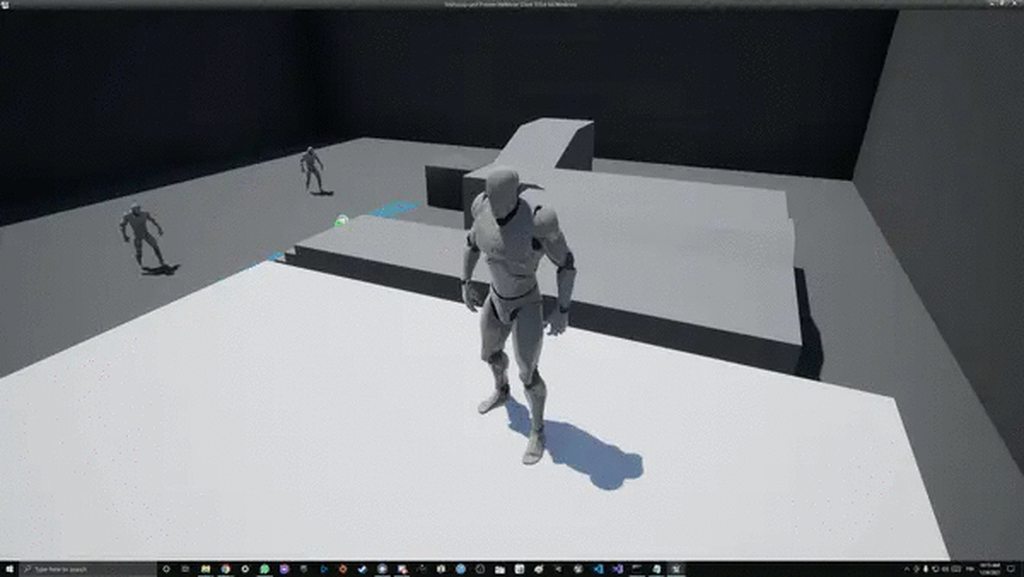
Im running into small network jitters while having clients jump of moving objects.
https://i.imgur.com/WkZwtjd.mp4
Whenever the objects move down i get this jittery jump and when objects move up i feel the clients are flying a bit too high.
Tested today with higher tickrate and couldnt see any difference on clients, on server side this is non existant 😕
Just using out of the box TPS project for client-server testing before adding my own game to it.
Anyone got any ideas what i should be looking at, or any tools , tips I could use to try and find this issue :-)?
 hollow oasis
i am new to multiplayer so
peak sentinel
ServerFunction()
{
  UpdateOnRepVarible()
}

UpdateOnRepVariable()
{
  Num = 1; // replicatedUsing = OnRep_Num
}

OnRep_Num()
{
  SetNumber(Num);
}
Doesnt OnRep functions supposed to work in server too if I change them in server rpc?
For now, client-to-client its working but in server Num is not being updated, even if I change it on Server RPC
lost inlet
In C++, OnReps don't get called on the server unless you explicitly call the OnRep
this is different to the blueprint behaviour which does
peak sentinel
I see, thanks for the info
peak sentinel
Calling the OnRep function directly inside of the server RPC solved most of the issues ✅ thanks sswires
whole urchin
@floral bison i see, can't see what's wrong if i don't see the whole setup
and i will tell you what everyone told me, but i'm no expert
don't use root motion with multiplayer
meager spade
How to call RPC's inside a UObject https://www.thegames.dev/?p=45
I have often seem times where people want to call RPC functions inside a UObject that has an outer ofContinue readingCalling RPC functions inside a UObject
 fossil spoke
meager spade
fossil spoke
meager spade
just provided a bit more information
 tropic snow
How do you disconnect and reconnect to a server when debugging from editor?
Want to see the behavior of clients leaving and reconnecting mid game.
 low vessel
looking at the WIP network prediction plugin (https://github.com/EpicGames/UnrealEngine/blob/release/Engine/Plugins/Runtime/NetworkPrediction/readme.txt), looks like it's using Chaos for rewind and resim (FRewindData::RewindToFrame, etc), since PhysX doesn't support this as easily i assume. i am looking into this because i want to be able to rewind to server state and apply unacked client inputs to predict autonomous proxy state while also using the built-in physics instead of implementing my own.
given that this is a WIP still and chaos is pretty new, does it make sense to try implementing something similar but simplified/specialized to my sim (8 player racing game with box collisions and static world, where accurate collision responses are as important as landing shots in FPS games + lots of jerky movements)? wanted to ask in case anyone else has attempted this or knows more about it
 unborn nimbus
meager spade
How to call RPC's inside a UObject https://www.thegames.dev/?p=45
unborn nimbus
meager spade
How to call RPC's inside a UObject https://www.thegames.dev/?p=45
Does this only work if the owning actor is replicated?
meager spade
it needs to have owner set on the actor that has a owning connection
ie owner being PlayerController or PlayerPawn that is possessed
and for multicast, etc then that actor has to exist on every client
for server/client rpc then only the server/local client needs to have that actor
unborn nimbus
Makes sense
 swift kelp
how could I make this secure?
I am making a poker app and say one player has a network issue and din't get his hole cards.
Is it possible for the player to request from the game-mode their hole cards again without it being insecure.
I sounds like someone who was using CheatEngine could just change their player index and get someone elses cards then switch back by wiping their mem address (of where their cards are) and then re-asking the server for their real cards. Then they would know what both they have and the cards of their villain.
Unless there is a way to prevent this attack.
hollow eagle
The server knows which player is sending an RPC... you can't just change values in the client's memory to change that.
also, the situation you're giving is a bit contrived - stuff like what cards you have should be reliably replicated.
split siren
I have a question about replication graph.. My replicated actors are registered in the SpatialGrid2D graph node, I see them in the ReplGraph.PrintAll, but they are not replicating to client... No movement, neither RPC multicast calls. Any idea what could this be?
They replicate if I mark them "Always relevant" and they go into always relevant node
 barren patrol
@swift kelp use a replicated array of cards on the playerstate and use RepNotify to trigger code based on when they are updated
a replicated array property should make those values eventually consistent even through disconnect / reconnect cycles
Detailed information about how Actor properties are replicated.
Actor property replication is reliable.
Set the replication condition to Owner Only so that others cannot see their cards in any way.
You will need to use some other variable or RPC to broadcast the card values when they turn over their cards though.
swift kelp
@barren patrol thought if the hole cards are replicated on the player state then other players could see each other's hole cards. Are you saying that isn't true?
hollow eagle
It's true. Just replicate it on something that doesn't replicate to other players - like the player controller
or a custom actor
meager spade
The game mode could hold the cards and client rpc to them to the player controller on connect if they exist in his old player state. Player state does not have to replicate them just hold them.would be another way
Gamestate*
odd sundial
Hey all!
I'm trying to launch a gadget forward from the player and at the pitch of the camera rotation (so if camera is looking up, for example, the gadget launches forward and up from the camera)
This works just fine on the server, but the rotation and direction of the launch isn't replicating to the clients and I can't figure out why... anyone have any advice?
if (GadgetMeshComp && DeployedGadget)
{
    //launch the gadget
    FRotator CamRot;
    FVector StartLoc = ThirdPersonCameraComp->GetComponentLocation();

    GetThisPlayerController()->GetPlayerViewPoint(StartLoc, CamRot);
    FVector ShootDir = CamRot.Vector();
    GadgetMeshComp->AddImpulse(ShootDir * GadgetLaunchForce, FName(""), false);
}```This code is called from a server RPC
The gadget actor itself is set to replicate/replicate movement also...
barren patrol
@swift kelp you need to set the replication settings to Owner Only.
swift kelp
i didn't know that was a thing
barren patrol
@hollow eagle does that not work on PlayerState?
hollow eagle
does what not work on playerstate
barren patrol
hollow eagle
It's true. Just replicate it on something that doesn't replicate to other player...
this
barren patrol
couldn't you just use OwnerOnly condition for the replication of that variable?
 sonic jasper
hello, i am getting a jitter on character movement only when going side to side (strafe) and backwards, forward works fine.
Visible on client, listen server can see it, client looking at client cant? Anyone point me in any kind of direction to what might be the cause?
I have checked velocity on server/client its matching, anim blend space seems to be running smooth.
 pallid mesa
ue version?
sonic jasper
4.26
pallid mesa
chaos?
enabled or disabled?
if chaos is enabled and your character is walking on top of an scaled mesh, there are currently some jitter issues
if chaos is disabled and your listen server jitters... that's an old well know problem of ue4
low vessel
is it because of trace issues? i had some jitters with custom physics while moving on top of a scaled mesh
although only when i had substepping enabled
pallid mesa
subtepping in chaos doesn't work currently
pallid mesa
hahah yeah, they are working on it
to add to the conversation

and.. fortnite https://www.thegames.dev/snaps/CHh8gCTj6S.mp4
note how at 30 fps the vehicle jitters
low vessel
haha oh my
when i heard they integrated it into fortnite, i assumed substepping was working 😅
pallid mesa
it's not really a very very hard priority as fortnite runs well in every single computer
so very unlikely someone would go below 60 fps
low vessel
ah i see, yeah that makes sense
chrome bay
If you want rewind/replay in PhysX, you're gonna have a bad time
Chaos has a new API for it, but it's not finished
Probably won't be production ready for many months yet
Expect to see a first iteration in UE5
low vessel
oo i see, yea i've been looking into rewind/replay with Chaos
chrome bay
Best approach for physics right now, if you don't want input lag, is make it client auth
low vessel
why's it not production ready yet?
chrome bay
If you have only a handful of physics objects, perhaps you can store and replay the entire PhysX scene, which is essentially what you need to do (and how Rocket League does it)
But that has a very low ceiling for scalability
low vessel
i only have at most 8 dynamic physics objects, colliding against a static track
chrome bay
Might be okay then
low vessel
mm i see
chrome bay
You can't simulate individual objects in a PhysX scene, you have to step the entire scene
Chaos has a more convenient system for only resimulating objects which moved
But it's still not cheap
And not foolproof either
low vessel
is there anything written about how RL did it? watched the GDC video but didn't find any implementation details. or maybe i just need to learn PhysX and read the UE PhysX integration?
chrome bay
GDC video is all really, AFAIK
You don't really have to work with the physics engine directly, aside from putting objects back where they were once-upon-a-time, then resimulating the worlds physics scene
The hard part is keeping histories, and replaying all that efficiently - but that's all something you'd have to build
pallid mesa
I remember your tales with that back in the day
chrome bay
It's literally not worth it, is my consensus
Unless you're working on a world-renowned massive title with esports heritage, save yourself the hassle
Do it the easy way
Client-auth, with a bit of basic anti-cheat
It feels dirty but the issue of getting physics engines and networked games to play well together has existed since the 90's, and there still isn't a solution really.
low vessel
:x yea that might be the way to go at this point, at least for the first iteration
chrome bay
100% - get something playable, work out the details later 😄
I lost a lot of time on this so this is just my scorned advice, but when you've sold enough copies of something for it to matter, then you can invest time into a stricter model 😄
low vessel
haha yeah that makes sense
although for me i'm a bit blocked on my modelers currently, so i'm spending a lot of time looking into the networked physics (also cuz it's been fun so far)
hollow oasis
i Am new to multiplayer so sorry 😛
i am trying to make that my projectile deals damage
i have this on player bp
and this on fireball bp
 sinful tree
Does your enemy NPC BP implement the same BPI "Event Apply Damage"? If so, all you'd have to do is do is the same BPI call to the other actor on your OnHit on your Fireball BP
hollow oasis
sinful tree
Does your enemy NPC BP implement the same BPI "Event Apply Damage"? If so, all...
sorry 😦 i dont understand what u mean
@sinful tree
sonic jasper
my issue back up was to uncheck below settings, thanks
split siren
Is there a way to destroy actor on client if it stops being replicated?
For example, I have an Actor called TeamPlans, which is relevant only for the members of given team. Once player changes team, it should destroy all previous TeamPlans outside of his new team.
They stop replicating to that player if he changes team, but they still remain in the client world.
marble gazelle
hm Will have a similar issue with stealth, but didn't tackle that yet, maybe send an RPC in first place that requests its destruction?
split siren
@marble gazelle That might not work, because if there is any late replication packet about that actor arriving after the RPC, it would respawn it
I think
marble gazelle
not sure for the order of RPCs and property replication
chrome bay
@split siren You are using replication graph I assume?
split siren
True
chrome bay
Replication Graph essentially doesn't send destroy packets for actors that are far away
But that being said, if an actor is no longer relevant to a client they usually just destroy it instantly
DestructInfoMaxDistanceSquared is the value you can tweak for destruction infos
But I'm 90% sure that that doesn't apply to relevancy... but maybe it does
split siren
Oh, i see.. I think I did my testing wrong then, because when stopped replicating an actor to specific connection, it remained in the client world "frozen" aka (but did not receive any updates).
chrome bay
It's not dormant or something is it?
split siren
It was Spatialize_Dynamic
chrome bay
You can also call SetActorDestructionInfoToIgnoreDistanceCulling()
Right, as it's spatialized perhaps that's the issue
TeamPlans "sounds" like an info actor of some kind that shouldn't have distance-based relevancy
just guessing there
BTW I'd look at the shootergame replication graph
It's a more fleshed out example that maps actor classes to replication policies
split siren
Thanks for the insights! I have that opened, basic rep graph and someones LocusReplicationGraph on Github and trying to understand the flow of the code.
The TeamPlans are actually a TeamBuildingPlans, basically a preview of a house any member of team can see and contribute to. So I am trying to make a baby from Spatialized node and TeamRelevancy node.
chrome bay
Yeah you'll probably need to make your own connection node for that
split siren
And if you are saying the actor should despawn on client if no longer relevant for that client, I have issues somewhere in my code. Which is a big help to know.
chrome bay
Yeah when an actor is not relevant anymore, it's actor channel is closed and the actor is destroyed client-side
At least that's what is supposed to happen. AFAIK, actors being destroyed via relevancy isn't affected by the destruction max distance in rep graph
We would definitely have run into problems by now if that was the case anyway
 ivory lintel
how i need to do to some variable replicate of player A to player B when player B connect on server and load player A?
trying to use repnotify but only run the function on server and own A...player B dont see
bitter oriole
Replicated variables are copied from the server to clients
RepNotify in particular calls a method when the client-side value has been updated
ivory lintel
i set the variable on server and try to see on clients and dont work
bitter oriole
Which class ?
bitter oriole
What's GA ?
ivory lintel
gameplay ability
bitter oriole
^
ivory lintel
after after server set variable in GA...pawn cannot see
meager spade
also, you hardly ever, replicate a gameplay abilitiy
meager spade
yes but why
ivory lintel
this is a class the collect item on multiplayer map
i need some RPC inside the class at this moment
the class are working with RPC but, only if all players are connected on the server
meager spade
this does not sound like a job for a Gameplay Ability
ivory lintel
if player B connect on server after player A get the item...this player dont see the player A using the item
ivory lintel
meager spade
this does not sound like a job for a Gameplay Ability
my GA need to setup some meshes on character to all players when use the ability
where is the best play to replicate this event of set this mehes?
i'm still learning about GAS
meager spade
abilities are to do things at the time, stateful things need to be managed in other ways
 chilly tinsel
Quick question for anyone. If I wanted to use a datatable to add character unlockables and then filled an array based on the datatable and used a save system to keep track of what was unlocked / locked wheres the best place to store that array in a multiplayer game? I initially used the Game Mode but obviously not all clients own one that stops the data driven UMG from the Array working. I'm thinking the Player State?
 prisma vortex
Can anyone help me? I am using a very basic multiplayer system and want to run my menu before the actual multiplayer level as I like both online and offline but I keep getting the same error.
These are the only other levels I have so I have no idea as to why its throwing up an error
lament sinew
look at the error
you trying to travel to ThirdPersonExampleMap
do you have that anywhere in your Maps folder? cuz i don't see it
 flint star
hey anyone else have stopped receiving OnRep_Controller on pawns after 4.26?
any stealth changes?
before, client pawns got begin play while already possessed, this stop happening and the OnRep stopped being called on clients for me
gusty slate
Hello everyone, after a ServerTravel (Non-Seamless) what is the first class that gets initiated on clients?
I notice that the flow with the first connection and ClientTravel (After ServerTravel) is different and the client gets a long time before it starts getting intiated so I'm trying to add a load screen, but I can't find the first class that gets initiated
gusty slate
Basically what I mean is, every time a Non-Seamless ServerTravel (on Packaged build with Steam) happens, there is a delay of a few seconds between the level loading and the first classes getting initiated. The first one I could detect was Controller's construction script (1)
Without using seamless travel, I can't find why or how to deal with that delay there
 inner sand
really need some help hear using ue4 bp session system what is the proper way to shutdown session when one of the clients is acting as server when using destroy session the connected clients will there after no longer be able to join any other sessions as if they are still connected
gusty slate
DestroySession has to be called by the clients as well
You need to do it in a few places to properly handle the closing down of the session
bitter oriole
Why are you not using seamless, btw ?
Is Steam running and connected ?
No idea really, I never worked with dedicated servers, but maybe you can try that
thin stratus
For dedicated servers you must add the steam dlls to the packaged server. Think into the binaries folder is fine
Unless you have done that already
@atomic dragon
inner sand
does anyone know how to get a unique net id for clients
oh nvm found smth in player state
 unkempt tiger
Anyway to make my weapons' LocalRole into Autonomous Proxy if it's net-owned by a certain controller?
meager spade
why would weapons be autonomous?
unkempt tiger
Isn't the character autonomous?
meager spade
yes but why would the weapon be?
unkempt tiger
I see a weapon as an extension of a character
meager spade
what benefit would you gaisn?
unkempt tiger
Probably just an easy check of whether or not I should try to predict stuff
meager spade
GetOwner()->GetLocalRole() ?
unkempt tiger
But I guess I can do it through- yes I suppose, that
unkempt tiger
Way I implemented weapons is essentially another character in many aspects, yeah
meager spade
o_0
unkempt tiger
Nope, my own stuff from scratch
meager spade
:/
unkempt tiger
The way I predict things with weapons is the same flow I predict things with my characters
unkempt tiger
What kind of benefits does it have? Is it very easy to implement?
meager spade
would not say its easy to implement
but i can have like a fire weapon, or ice weapon, without actually creating a new weapon
simply just apply an effect that gives it the ice tag for example 😄
then the benefits of taking in bunch of player attributes, for weapon shots
and calculating final damage
unkempt tiger
It felt quite overwhelming trying to approach GAS honestly, but in retrospect it'd still probably be easier than implement my own system from scratch
meager spade
i like it, might not be for everyone though 🙂
unkempt tiger
Although I'm really happy with mine, maybe for future projects 🙂
 celest sleet
So, I could use some assistance, I have been working on this since November and have made little to no progress. All I want right now is so 2 people can host/connect to a LAN listen server. and both be able to wave at each other in VR. But in my various attempted tests either the host or the client does not seem to be possessing the pawn, they are unable to do anything beyond look around as soon as the client connects But according to EVERY SINGLE THING that I have read It should be working. I read online someone having a similar problem I tried what worked for them and IT MADE IT WORSE. And even then neither of them see any hand movement even though according to things I read online they SHOULD be replicating movement. I have No Idea what to do. I don't know where to even look. I have run out of ideas to try, and things to type into google to find more. I will gladly post any info about what I have in ways of code, settings, defaults, etc. but as I have no idea what is relevant anymore i am not going to just dump absolutely everything here.
tranquil yoke
Hey Guys, I have this super annoying problem to solve, I am building something for Quest and its multiplayer, I want my character to disappear for everyone as soon as i press quit on Quest. I am using Application Lifecycle Component, to get the events, if it is going in background thread, because in Android you never get this Shutdown.
-- So i pass RPC to server, that i have been going in background thread, Remove my Avatar for everyone on server.
Problem, that code never gets called, because Client dies before doing that, i check my code, Client hit the call for background thread but server never received that.
Can someone has a better approach to handle this kind of situation ?
Thanks
celest sleet
I am seriously considering scrapping the year+ of development and start anew in another engine like maybe unity. but if I cant even get the Flipping basics of multiplayer VR in Unreal, How could I expect to do otherwise anywhere else.
I just cant keep going on like this. searching desparatly for any tidbit of info that may or may not apply, to get a glimmer of hope when I find something I have not found a dozen times already. Only to have it squashed when it has no effect or even Breaks things even more.
When I started this project it was fun. and when messing with the art it still is, but this Freaking problem with Multiplayer is not fun anymore, hasn't been for weeks
and as I am not being payed for this at all I am starting to question why I am still trying
I do want to play this game concept, but it is looking more and more like I am unable to make even the Basics Work
unkempt tiger
@celest sleet Please consider powering through it until it's solved. I'm not sure I'm equipped with the knowledge needed to help you, but if you want some guidance from other experts here you should provide us with a minimal question/problem you need solved, along with your relevant code (ideally stripped of anything else not relevant to the problem)
you didnt really make it clear what the problem is
celest sleet
the problems are 1) after a client connects to the listen server, one player or another will not receive input from motion controllers 2) movement from motion controllers are not being replicated
so I have 2 vr buttons one is "host" one is "join"
the first player presses "host" a session is created and it opens the level as a listen server
things are working
the second player presses "join" and they join the session
but then the first player will break, hands no longer tracking and no button input
and I am not sure what is and is not relevant code because according to everything I can find, it should be working
but it is not
unkempt tiger
can you get the same setup to work on the third person template?
celest sleet
I tried to get it to work on the VR template and no it did not work
this is the on activation code for the 2 buttons
like they are connecting, a pawn is being spawned for each player but for some reason one is not recieving input
sinful tree
Can you show what your pawns's input system looks like?
sinful tree
Ok, where is Left Controller and Right Controller being set?
celest sleet
that would be here, called by Event beginPlay