#multiplayer
1 messages · Page 593 of 1
 steel vault
 plucky acorn
im having issues with making a local multiplayer game (keyboard&mouse + controllers) on both:
- despawning
- controller displacements
- lost focus on UI
@ or DM me if you're interested.
 ember needle
@steel vault thanks.
steel vault
Wait, aren’t we making this too complicated? You only need playerstate to be setup so why don’t you override player state and simply create a callback event that notifies the character. Also, I have exactly what you are trying to do in my project, but my voice chat doesnt work before I tried to set up the spacial voice like you are doing so nothing works for me yet.
 rocky totem
any idea why i'm getting errors attempting to use compile with the import subsystem?
const UImportSubsystem* ImportSubsystem = GEngine->GetEngineSubsystem<UImportSubsystem>();
also is there any steps i actually need to register a factory for a custom file type i have the extension declared in get supported file extensions
but i just get the unrecognized extension errr
ember needle
@kindred widget just FYI here's the final setup, hopefully I haven't missed corner cases 🙂 again, thanks
ember needle
steel vault
Wait, aren’t we making this too complicated? You only need playerstate to be set...
What do you mean with overriding Player State?
AFA callbacks there aren't any in BP, which is why I'm creating one
 kindred widget
Nice. I'm semi happy I'm working in singleplayer for now. I love multiplayer design theory, but it's very nice for a first serious project after a year of learning to not have that added complication.
ember needle
kindred widget
Nice. I'm semi happy I'm working in singleplayer for now. I love multiplayer des...
lol I hear you
plus you can get all fancy with root animations
ember needle
steel vault
Wait, aren’t we making this too complicated? You only need playerstate to be set...
well are you sure that your player state is ready? If not, you might stop there on why things are eventually not working
steel vault
Yea I’m thinking more C++ so maybe that’s why, but essentially you would still create a new BP based on PlayerState then assign that player state to your game mode and then bind to an event you broadcast to the character. Yea my stuff is in reset and i print if player state is valid and it always is. I am also creating voiptalker as a component on the character instead of creating it live like the tutorial so maybe that hurts me. Also, just setting up voice without VoipTalker doesn’t work for me. I get some error saying something else is already using my microphone.
The previous step of the tutorial has you setting up voice in the defaultengine.ini and my voice doesn’t seem to work with just that step
steel vault
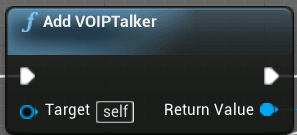
Voice Chat is a staple of modern multiplayer games. Many games include more open world aspects and the majority of players set their focus on having positional Voice Chat. As a result, this audio data is attenuated (lowered in volume) over distance. Contents hide 1 Is VOIPTalker Voice Chat Difficult? 2 Examples of proximity and...Read More
The first requirement link doesn’t seem to work for me. It just errors that my device is already in use
 hidden thorn
I feel you, I might try and get into games but who knows, personally I would love to just be able to make enough out of something I build and not have to get a job (Everyone's dream most likely 😄 )
 toxic lion
Still having trouble with this.
looking for suggestion
When a player picks up an item, I want to spawn it for everyone but themselves in the third person mesh arm socket
Trying to accomplish this via ListenServer
ember needle
why don't you just have the object replicated
and in onrep notify you attach the object to the socket on all clients.
toxic lion
let me give that a shot. not sure how I'll be able to skip the owner however
kindred widget
IsLocallyControlled
If you run that in the client's OnRep, it'll only return true for the owning client. So if you do IsLocallyControlled->Not->Branch, then attach on the true side, it'll only happen for other players than the person who picked it up.
ember needle
why do you want to skip the owner
toxic lion
because I don't want the owner to see the item
FPS style, so he shouldn't see the item spawned in on the third person mesh
ember needle
maybe the question is: why isn't this object everywhere in the first place
not sure i follow but it doesn't matter
you can also spawn it and hide it if player is locally controlled
toxic lion
if a player picks up an item, two should be spawned right?
One in the FPS arms that only the owner can see, and one in the third person mesh that all the other players can see
 twin juniper
If It's Multiplayer You Want, Then I Recommend Epic Online Service's https://dev.epicgames.com/en-US/services

Epic Online Services
Scale your game and deliver the next-generation of connected and immersive social gaming experiences using our fully accessible and open service.
toxic lion
though, maybe not? am I able to just attach the item to different sockets depending if it's the owner, or other players?
ember needle
if it's not replicating position yes
toxic lion
really? that would actually solve my problems if I could go about it that way.
ember needle
though attachtocomponent might not work well if it's replicated
i remember having some issues but years ago, so not sure if that's still the case
toxic lion
i don't think I really need it to replicate position? it just would need to stay attached to the players sockets
ember needle
i would try it out simply at first
use the islocally controlled node to position on TPS and FPS and see what happens
ember needle
toxic lion
i don't think I really need it to replicate position? it just would need to stay...
i would be interested to know if you try it out.
kindred widget
That's how I handle it in my survival coop project. It works fine from all I've seen. Just spawn the replicated item on the server. Set a replicated pointer to the replicated item in the character. Then when that pointer replicates, use it's OnRep to differentiate between if it's the owning client. If it's not the owning client, I attach it to the normal character Mesh. If it is the owning client, I attach it to the ArmsMesh that I created that follows the camera.
rocky totem
is there an easy way to split a tarray at a set index
kindred widget
Actually now that I think about it. You wouldn't even have to do that. Just attach it on the server to the main mesh and on replication, attach it only if it's the owning client to their arms mesh.
toxic lion
don't think I've implemented it right
ember needle
@kindred widget yes but when attaching you get issues.. I'm only running this on server and it gets set for all clients
so to @toxic lion 's point, if you need to attach a replicated object onto different parts locally you will have an issue
toxic lion
ember needle
your attachitemto socket custom event is not replicated
so: if your object is replicated it should work, otherwise not
toxic lion
oh yes sorry, i tried messing it to see if it could work either way
replicated on server shows the same
ember needle
anyway: if your object is replicated, attachtocomponent set on server is enough to set it on clients also
which is kind of the problem because then you need to create a second non replicate object
toxic lion
yeah, then i think i get into the territory of creating that second item
which I don't mind, but then I have issues with the server
if the server player picks up an object, and it should go in his 3rd person mesh, then he can't see it
or he always sees it, one of the two
ember needle
what I did is to have a replicated actor, which creates a second copy of itself upon begin play, but this time NOT replicated.
so basically weapon acrtor has FPWeapon actor as variable
weapon is replicated, while FPWeapon is not
not saying it's the best solution, but then I only hide the mesh that I don't need, while I can still use a single item in inventory
toxic lion
issue is I can't just hide a mesh though
it's a flashlight
I don't think I can hide the light being emitted
toxic lion
ah, yes okay I understand what you mean.
sorry. i was refering to the 'owner only see' and 'owner no see'
okay
though not sure I follow how you are accomplishing it however. let me see if I can quickly go back to the dual approach and mess with the replication
nope. can't seem to wrap my head around this
I've been at this now on/off for ~20 hours
kindred widget
@toxic lion Let me set something up. Flashlight is still a separate actor spawned by the character, right?
ember needle
@toxic lion you do need a replicated actor though, for all the things like turn light on or shoot for a weapon, etc
@kindred widget i'm curious too on your solution
toxic lion
yeah it item base class BP_Item is set to replicates atm.
kindred widget
@toxic lion And to double check. You do not want the owning client to see it. You don't want it attached differently, or anything, just not seen by the owning client on their own character? Or do you want it attached differently on the owning client?
toxic lion
I don't want the owning client to see the third person version of the item (attached to their character mesh). I only want the owning client to see the item attached to their first person arms mesh
kindred widget
@toxic lion The simple replicated pointer seems to work fine from initial testing.
Flashlight I made is just this. Only setting I changed was to make it Replicated.
Did this in the character's beginplay.
Server only. That's behind a SwitchHasAuthority to only run on the server version of the character.
Then OnRep is just this.
Ends up on the foot for both third person meshes, but in the client it's in the hand.
Owning client^
toxic lion
@kindred widget man your example is so clean. thank so much. let me implement and see if I can get that barebones version working as well
ember needle
kindred widget
Then OnRep is just this.
and this works? oh damn. i'm totally sure it didn't use to
i've got to ask though, how do you make in BP the GET node with is valid pins?
kindred widget
Right click it and convert to validated get.
ember needle
ha nice
kindred widget
Theoretically, the server shouldn't ever overwrite the client's version, because the server will do the same attachment. But the server's attachment replication that is probably sent at the same time as the replicated pointer get overwritten by the client's own setting.
kindred widget
Makes me wonder.
Come to think of it, I wonder how you'd handle that otherwise. I can't imagine a condition where this wouldn't work correctly, but if it didn't, I wonder how else you'd do it this easily.
toxic lion
the other solution I've seen is just have two BPs one for first person, and one for third person
in case you want FP item to be a higher detail or just want to set the mesh 'Owner No see' etc
ember needle
well i can tell you because i had to do it
toxic lion
I wanted to avoid that since I wanted to make a ton of props pickupable
ember needle
basically the replicated actor has a non-replicated copy of self, and you hide the one you don't need
the non-replicated gets attached to FPArms, the other to the mesh.
i'm gonna redo this part tomorrow, i'll ping you if it doesn't work 😄
kindred widget
I know ShooterGame has a setup for it and it's supposed to be production worthy. I might just download that later and skim through the C++ to see how they attach the weapon to different meshes.
ember needle
interesting
 potent cradle
Growing grey hair trying to get the test project with origin rebasing working:
https://forums.unrealengine.com/community/work-in-progress/81424-pull-request-world-origin-shifting-in-mp
Unreal Engine Forums
Building something cool? Tell us about it!
Anyone got this working perhaps? Beyond 14.6km, the actor that spawns next to you disappears.
Flipping "always relevant" to true, fixes it.
It's almost as if the net cull distance is being calculated from the origin or something.
Searching through the forums and this Discord regarding this feature is a rather tragic journey, loads of people with issues, little answers.
kindred widget
@ember needle @toxic lion So. Judging by the ShooterGame Example, what Epic does is.. If we stick with the Flashlight method, they'd create two flashlights mesh components. One for first person, one for third. The two of them are in the same actor just as different components, and basically get attached to the two different meshes in the character, and they use the visibility flags for OwnerNoSee, OnlyOwnerSee to differentiate what different clients see. Gonna try to make a simple blueprint example.
toxic lion
ahh I see.
now the problem I forsee is the lights themselves. I had the issue where even though I hid the skeletal mesh, the light was still visible such that I always saw two lights
and unfortunately the lights themselves don't have the OwnerNoSee and the OnlyOwnerSee properties
that and I wish there was an option to propegate that owner no see to all child components
ember needle
kindred widget
<@!369882720349847552> <@!106621971705380864> So. Judging by the ShooterGame Exa...
which is what i do basically...
but the question would be why.
is it for practical reason so that they just hide/show the relevant mesh instead of moving it, or is it because the attachactortocomponent can result in quirks
because i sure do remember positioning issues
also: if you use meshes then it gets really complicated for modular weapons, which is why i actually span a local actor copy under the actor self
kindred widget
My assumption would be because of my initial fear of what happens if the server attaches the component to something else? It should replicate to all clients, including the owner. Also possibly for things like LODs. Third person meshes are often less visibly appealing than a FPS version. Disabled effects, etc.
@toxic lion @ember needle So I managed to replicate it in bluepints. As Amaze was concerned about there was a bit of an issue with the light, but I managed to solve that with a beginplay check and it seems to be working correctly.
Attach function inside of the replicated actor, gets called only on the server version.
Flashlight being spawned in the Character's beginplay.
Fix for the lights in the flashlight's beginplay.
Flashlight component list too.
Basically as far as I can tell. It's just breaking apart the Flashlight actor to attach it to different parts of the Character. I've never considered breaking apart an actor like that, Definitely going to keep that in mind for other applications.
It also occurs to me that you could ditch one light an attach it to the right mesh on Beginplay too.
ember needle
So I have yet another alternative
instead of using two meshes
you can have a single mesh, and eventually all attached components as child of that single mesh
then, you can just attachcomponenttocomponent the weapon/flashlight mesh to the appropriate mesh of the character
depending on whether is locally controlled
kindred widget
True. Definitely an interesting experience.
ember needle
@kindred widget @toxic lion this is the alternative
this is my flashlight
so the actor is replicated
it gets spawned on server only
actor is attached (not necessary, but for practical reasons) and then component is attached to the appropriate mesh
quick result (the T-pose is the FPArms), the two on the right is the current locally controlled player, you see the flashlight on the t-pose for the right and on the mesh on the left (other player)
do you see any downsides to this?
ember needle
kindred widget
<@!106621971705380864> <@!369882720349847552> So I managed to replicate it in bl...
it’s weird that they do not attach the actor to the actor though
you would need that for net culling distance, and it’s definitely more practical as you can use GetWorldTransform on the weapon too
hidden thorn
if I want my game to multiple states just as InProgress, Ended, Voting, Paused etc and at each state I would do something like teleport all the players into a single spot for example.
Would I keep the current state in the GameMode ??
kindred widget
@hidden thorn Depends on what you need the state for? If clients need access to it, for opening widgets or something then probably Gamestate. If you're replicating that some other way, and handling everything related to it on the server, than probably GameMode.
hidden thorn
Yeah it would open some widgets from most likely some delegate calls, yeah I guess GameState it is then 😄
 gritty pelican
how i can kick player in prelogin function inside gamemode?
for example i have function
void ACPP_ExtremeGameMode::PreLogin(const FString & Options, const FString & Address, const FUniqueNetIdRepl & UniqueId, FString & ErrorMessage)
{
}
Correctly?
void ACPP_ExtremeGameMode::PreLogin(const FString & Options, const FString & Address, const FUniqueNetIdRepl & UniqueId, FString & ErrorMessage)
{
    FString PlayFabId = UGameplayStatics::ParseOption(Options, "PlayFabId");
    if (PlayFabId.IsEmpty())
    {
        ErrorMessage = TEXT("Need to specify PlayFabId in options");
        return;
    }
}
 fossil spoke
Simply setting the ErrorMessage will cause the Player to return to the DefaultMap.
Setting the ErrorMessage automatically fails the login process.
If you follow the chain of function calls back from PreLogin you will see that it ends up causing a Network/Travel error
Cant remember which
gritty pelican
do i need to call 'return' after ErrorMessage?
fossil spoke
Up to you. With your above code as it is, the return statement is unnecessary as you will simply return from scope anyway.
You might want to call Super as well...
gritty pelican
right?
void ACPP_ExtremeGameMode::PreLogin(const FString & Options, const FString & Address, const FUniqueNetIdRepl & UniqueId, FString & ErrorMessage)
{
    FString PlayFabId = UGameplayStatics::ParseOption(Options, "PlayFabId");
    if (PlayFabId.IsEmpty())
    {
        ErrorMessage = TEXT("Need to specify PlayFabId in options");
    }
    Super::PreLogin(Options, Address, UniqueId, ErrorMessage);
}
No, usually call Super as the first statement.
Not the last.
Unless you know why you want to call Super later.
gritty pelican
I thought super would be called with empty error message
fossil spoke
Call Super first so that native code has the first opportunity to set the ErrorMessage if it fails.
Then your overridden function will set it if it fails.
gritty pelican
thanks
And if I have two values in options, how can I pass them to the controller?
fossil spoke
PreLogin is to early, the PlayerController hasnt been created yet. You probably want to override Login instead.
We do the same thing for GameLift as what your doing now.
Just instead of in PreLogin, we do it in Login as the PlayerController exists then.
gritty pelican
Can I set errorMessage in login function?
fossil spoke
Yes, it operates the same way as PreLogin
gritty pelican
If I set "ErrorMessage" value, will the player kick from the server? And how can I get this message already on the client after it is kicked
fossil spoke
Yes
You can access the message in the GameInstance
    UFUNCTION(BlueprintImplementableEvent, meta=(DisplayName = "NetworkError"))
    void HandleNetworkError(ENetworkFailure::Type FailureType, bool bIsServer);

    /** Opportunity for blueprints to handle travel errors. */
    UFUNCTION(BlueprintImplementableEvent, meta=(DisplayName = "TravelError"))
void HandleTravelError(ETravelFailure::Type FailureType);```These are called by the GameInstance when PreLogin/Login fails.
gritty pelican
thanks. This is what I needed
fossil spoke
Both PreLogin and Login are called from UWorld::NotifyControlMessage
(Login is actually called from SpawnPlayActor which is called in UWorld::NotifyControlMessage)
gritty pelican
Will this function return me ErrorMessage from Login?
https://docs.unrealengine.com/en-US/API/Runtime/Engine/Engine/UGameInstance/HandleGameNetControlMessage/index.html
Handle a game specific net control message (NMT_GameSpecific) this allows games to insert their own logic into the control channel the meaning of both data parameters is game-specific
fossil spoke
You could use that, its up to you, its an empty virtual function.
The MessageStr parameter may contain the Error.
gritty pelican
Okay, thanks
fossil spoke
Ive never actually used that function.
gritty pelican
i will try
How can I pass values to UPlayer* NewPlayer?
right?
if (ACPP_ExtremePlayerController * ExtremeControllerPtr = Cast<ACPP_ExtremePlayerController>(NewPlayer->GetPlayerController(GetWorld())))
{

}
or i need to call super first?
APlayerController* NewPlayerController = Super::Login(NewPlayer, InRemoteRole, Portal, Options, UniqueId, ErrorMessage);

if (ACPP_ExtremePlayerController * ExtremeControllerPtr = Cast<ACPP_ExtremePlayerController>(NewPlayerController))
{

}
Super gives you the new PlayerController
It will be nullptr if there was an Error during Super::Login
gritty pelican
then first i need to check this?
APlayerController* NewPlayerController = Super::Login(NewPlayer, InRemoteRole, Portal, Options, UniqueId, ErrorMessage);
if (!IsValid(NewPlayerController))
{
    ErrorMessage = TEXT("NewPlayerController Invalid");
}
You dont have to do that.
Super::Login will already set the ErrorMessage if it fails.
if (ACPP_ExtremePlayerController * ExtremeControllerPtr = Cast<ACPP_ExtremePlayerController>(NewPlayerController))
{

}```This is fine
gritty pelican
okay, thanks
fossil spoke
Some reason i cant post our code lol
@gritty pelican This is our Login code to handle managing our GameLift PlayerSession IDs.
Basically same thing your doing with PlayFab by the looks of it.
gritty pelican
Yes, it's the same)
 summer tide
How do you transfer players from lobby to gameplay level?
 winged badger
seamless travel
gritty pelican
@summer tide
FString Port = FString::FromInt(Result.pfServerDetails->Ports[0].Num);
FString URL = Result.pfServerDetails->IPV4Address + ":" + Port + "?PlayFabId=" + PlayFabEntityKeyID;

GetWorld()->GetFirstPlayerController()->ClientTravel(URL, ETravelType::TRAVEL_Absolute, false);
example
summer tide
in BP
gritty pelican
ClientTrave ip:port
winged badger
you just need to enable seamless in deperating game mode
and execute console command
summer tide
Which game mode the lobby or gameplay game mode?
winged badger
departing, that would be lobby
gritty pelican
for steam you can use
ExecuteConsoleCommand```` and inside open serversteamid:port```
winged badger
in PB you won't have a fine control over seamless travel
but it will work
BP*
ServerTravel MapName?listen
in ezecute console command
it can also tolerate additional argument to override the GameMode set on play level
 quick flint
Anyone here mind taking a look at some code i've been trying to get working all week
summer tide
I got the server travel console command inserted. How do I enable seemless in gamemode though
winged badger
you can paste it and see if you get any replies
there is a boolean for it on class defaults @summer tide
also @summer tide seamless travel will transfer clients to new level without reconnecting
so PostLogin and stuff won't get called
common execution path between hard and seamless travel is HandleStartingNewPlayer
where you can do whatever you would normally do in PostLogin just fine
summer tide
So do I have to spawn player manually or do I just set the player pawn in gameplay game mode
winged badger
HandleStartingNewPlayer by default will spawn the DefaultPawn
if you override it, you need to call the Parent function to get that default behavior
you can also override GameMode::ReadyToStartMatch
to return true when NumTravellingPlayers is 0 (if you're using GameMode, not GameModeBase)
which will delay Worlds on all machines calling BeginPlay on Actors until all players have finished travelling
something i highly recommend doing
quick flint
what do i do when im stuck and have no idea how to progress
and all the stuff ive tried has failed to work
summer tide
@winged badger My level won't load using servertravel
winged badger
pie?
summer tide
In Pie it won't load the gameplay level and if I launch game using right click. it won't join session and start game for server
winged badger
seamless travel doesnt work in pie
 rustic hound
from what i recall, server travel doesnt work in pie either
you'll need to run in standalone mode
summer tide
I have seemless enable and using servertravel /game/level1?listen
rustic hound
i'd say putting in the folder is fine, just to be safe
oh, misread that
it CAN take the folder name/directory as well
at least in 4.25
winged badger
just level name is sufficient, and simpler is better
rustic hound
fair point
on an entirely different note, could someone point me in the right direction on a game im working on atm?
its designed to be an online 4-player coop game with 1 of the players being the host/listen server
but im not sure which online service I could use to achieve that (that includes NAT punching)
I've done some research on Playfab, AWS, Photon, Epic Online Services and GameSparks but I'm still unsure which one caters better to my games design
fossil spoke
@rustic hound Probably EOS would be best if you need crossplatform play and Steam is out of the question.
Steam would be ideal.
GameLift (AWS) isnt really meant for Listen Server hosting.
Not sure what Playfab or Photon offers.
GameSparks is pretty obsolete, its no longer being worked on as far as im aware.
gritty pelican
yes
@rustic hound PlayFab is perfect for you
They have a great matchmaking system. You can customize commands like
Team Murderer (MinPlayers = 1, MaxPlayers = 1)
Team Survivals (MinPlayers = 4, MaxPlayers = 4)
Also for p2p connections you can use PlayFab Party
You can also configure automatic server deployment
rustic hound
@fossil spoke i'd like to avoid steam as its a student game project, so I'd prefer not to throw in too much cash (if any at all) into this
i've been trying to implement EOS but i cant seem to wrap my head around it but I'll give it another try
@gritty pelican I read that PlayFab doesn't come with NAT punching. Is there anything I can implement alongside Playfab then to solve this?
gritty pelican
I do not know this
But you can use dedicated servers.
on PlayFab
The free plan will allow you to use 750 hours for free
rustic hound
750 hours should be more than enough for this one-time project hahaha
gritty pelican
It is very comfortable. There is also a free plugin in the marketplace, which contains all the functions
I think this is what you need
rustic hound
oh, I thought that setting up the Playfab servers was actually a very hard/detailed procedure
fossil spoke
He said Listen Server so i assumed that wasnt by choice.
Otherwise i would have suggested GameLift or PlayFab
rustic hound
I know it does seem cheap of me to not want to fork up the $100USD but since its a student project, there's a good chance I won't be working on this game soon afterwards
gritty pelican
But of course, steam is best for Listen servers.
rustic hound
I'm not too stuck with the Listen server thing.
was mainly going for that because I've built the game so far on a listen server design but if my options are that limited, I'm okay with changing things to work around a dedicated server design
fossil spoke
So your against simply making it a requirement to ensure ports are forwarded etc
If not you can just simply do direct IP connections
rustic hound
yeah
I did try that method but then I came across the whole firewall/NAT punch thing
and realized players generally wouldnt want to bother reconfiguring their routers/firewalls just to play a game
fossil spoke
But its a student project im sure you only need it to work when its being graded?
If its a MP/Coop game how are they meant to grade it without multiple people anyway.
gritty pelican
I can't understand how the Spectator pawn works. Do I need to create another controller for it? Do I need to replicate it? Do i need to change the spectator state on the server side or on the client side or multicast?
rustic hound
im not too sure how my lecturers plan to grade it but from what I heard, they're pretty lenient about it
however, I'd still rather try to make the game more easy to install & play for the players because I feel thats the proper way to go about it and it also provides for a better learning experience for myself
also, they do get other students from our degree to playtest our game
rustic hound
gritty pelican
I can't understand how the Spectator pawn works. Do I need to create another con...
I think the Spectator is attached to a controller on spawn already
at least, when I run a game mode with "delayed start"/"start players as spectators", they'd instantly enter the level as spectator pawns
but thanks anyway, both of you for your responses
I've got a better grasp on my options now
gritty pelican
How i can specify options for test? PlayAsClient
fossil spoke
The Spectator Pawn isnt Replicated at all, its invisible therefore doesnt need to as its Client side only.
gritty pelican
Okay, but how i can set player as spectator? for example in GameMode login
gritty pelican
if (!bIsPlayer)
    {
        ExtremePlayerControllerPtr->PlayerState->bIsSpectator = true;
        ExtremePlayerControllerPtr->ChangeState(NAME_Spectating);
        return NewPlayerControllerPtr;
    }
or it will
ExtremePlayerControllerPtr->PlayerState->SetIsSpectator(true);
ExtremePlayerControllerPtr->PlayerState->SetIsOnlyASpectator(true);
okay, it work
summer tide
@winged badger So i customize the players in the lobby. Then would I be able to transfer them
winged badger
i do too
winged badger
@summer tide i have a struct in playerstates
that i can instantiate the player pawns from, fully customized
i don't have same GameMode, Controller, or PlayerState types in lobby and ingame
i CopyProperties over that struct to IngamePlayerState
then instantiate and configure that character
with seamless travel, even if you are changing PS class between lobby/game
there is a point where both old and new PS exist at the same time
summer tide
@winged badger So I have SK meshes that I change in lobby before jumping in the game. So I guess I save the SK meshes in the lobby player state then after the game level is loaded I transfer the info
winged badger
PS has CopyProperties function available in BP
that gives you a pointer to both old and new PS at the same time
the data/playerstates will persist the level transition on server's instance
summer tide
Thanks
So I assume have to store all the SK meshes and their mats in a variable in player state. Is there a way to take whatever player meshes I have in the lobby then save the entire thing.
winged badger
make a struct
and a function to pull the data from lobby and populate it
as well as a function to pull the data from struct and apply it
you get an extra bonus in that 70% of the work for saving and loading setups is also done when you finish that
summer tide
@winged badger So In my lobby playe state I created a variable with hte custom struct type. Whenever I customize the player I update that variable. So from the In-Game player state I guess I use the EventCopyProperties then cast to the lobby playerstate to access the data.
winged badger
in this case
its better to have a base player state
with that struct
and copy properties
that both your lobby and ingame playerstates derive from
then you don't need to cast anything
and don't need to add the struct variable twice
and have a single place to copy properties
summer tide
Do I have to use replicated event in the PS
 vivid prawn
Hi guys, what's the proper way of destroying session when leaving the game?
I'm using advanced session plugin, every time host leave the game, it freezes all the clients instead of destroying their session and bring them back to the menu
summer tide
@winged badger I did.
https://gyazo.com/034a0f59dbbfee5eac9f8f7c98bec01d

Would this work for all players? That's in-game player state
winged badger
not quite how copy properties is used
your PlayerState will survive level transition
your Character won't
so
when you hit a button to go to game level
you make sure your Lobby PlayerState has all the data correct
then when copy properties hits
you just (since Lobby and Game PS have the same base class with the data struct)
copy the data struct from old base PS to new base PS
and thats it
summer tide
Then apply the SK meshes in my player BP
winged badger
you can do that in HandleStartingNewPlayer
you have PC reference then
you can access your new PS
which will have all the data you need
Parent call will spawn the Pawn, then just apply the meshes
summer tide
HandleStartingNewPlayer in BP?
Also lol this doesn't make sense. when you said copy. https://gyazo.com/8e21f60bc4816a68348aeffe9a5db533

 steep flame
Is it possible to replicate variables inside an Animation Blueprint? I tried to replicate a variable to simulated proxies that triggers the death animation, but it doesn't work.
steep flame
okay, thank you Zlo
summer tide
@winged badger So what's in BP for HandleStartingNewPlayer?
winged badger
thats in gamemode
vivid prawn
okay when client leave, it's working fine
but when host leave, rest of clients are freezing
when host leave, Should I loop through all the controllers and ask them to leave? or there is a built in function for that?
 vivid prawn
@winged badger but I am destroying session, also if i don't direct the players to main menu level, how game know where players have to go when session is ended
winged badger
you have to call the parent function for HandleStartingNewPlayer first @summer tide
or you won't have the pawn
unreal knows how to "gracefully" exit to main menu (default starting level) if connection to host is lost
@vivid prawn
winged badger
right click the node
the event
add call to parent function
handle starting new player has a default c++ implementation
when you override it you are replacing that implementation
unless you add a parent call
and that implementation is what spawns your pawn
summer tide

 steel fractal
Quick question, what’s easier to replicate, the 1st person template or the 3rd person for an fps
Rn I’m doing true first person but I’m curious if it’s easier to just go regular first person and add legs
vivid prawn
FPS = First Person Shooter
if you want to make shooter type of game, in both cases you have write the same structure, the different between 1st person and 3rd person is the Camera
vivid prawn
I'm about to pull my hair!! why when host left the session, rest of players are not leaving the session!! does anyone can help me with this?
 signal lance
They should leave after some time, if I remember correctly it takes like 20 seconds
This is so the clients don't get disconnected instantly if they have packet loss for example or the server froze temporarily and it's not responding
Btw the clients leaving might not work in editor but I'm not sure about that
vivid prawn
@signal lance is there any specific place that i can set the period? I actually didn't wait that long, let me try
nope, they are still freezing
it's very strange, the character and movement etc all freezing, but the UI still clickable
 chrome bay
Well they would freeze because they're no longer getting packets from the Server, so that makes sense
But yeah there is a brief timeout
vivid prawn
@chrome bay i see... how do you setup a proper destroy session? do i have to destroy controller one by one when host is leaving? or there is a specific setting that i need to set so it can manage the destroy session automatically?
even when i try to destroy session for each controller it return "failed"
chrome bay
If your listen server is closing down the game then yeah you should at least try to notify the clients through gamecode first, telling them to go back to the menu or something
vivid prawn
specially when i'm running it in gamemode
chrome bay
How do you mean destroy a session for each controller?
Sessions are local
players/machines manage their own sessions locally
vivid prawn
oh wow... okay!! i thought they all connected to one session
chrome bay
Well they do in a sense, but a "session" is just an abstract thing
But the session you are in etc. is something the local machine controls - so servers shouldn't be telling clients to destroy their sessions
BTW ShooterGame, assuming you are using C++, has a full source code example of session management
vivid prawn
i see... okay, I'm using Blueprint now, but let me look it up, is the UnrealTournament from EpicGames github package?
oh this one
okay, thanks for the info
chrome bay
prepare to be mind blown
it's old as hell
but it's by far the most comprehensive multiplayer sample
I don't know why Epic don't put attention on it anymore
Especially considering almost every sample released since has precisely zero multiplayer support.
Even Action RPG, which was a let down tbh. The community has done a better job there
vivid prawn
i see... I have no idea
@chrome bay also another question, when i'm running Session Fronted i'm getting all these errors
it like right away the moment i start host the game
and i'm using Advanced Sessions Plugin to host
chrome bay
Can't really help there tbh, it's going wrong somewhere I guess
It's worth pointing out that testing multiplayer only in editor is pretty fruitless
hidden thorn
@vivid prawn Can you link me the Shooter Game project as I can't find it on the market place.
chrome bay
There's no substitute for getting two physical machines to connect to each other
It's on the Learn tab @hidden thorn
hidden thorn
chrome bay
It's on the Learn tab <@!146007366180012032>
Thanks
vivid prawn
i see... i wont get all those errors when client host the game but they appear the moment server host or join an existing server
even though all of them hosting LAN
but thanks again for information
@hidden thorn yeah, it's in Learn tab
https://docs.unrealengine.com/en-US/Resources/SampleGames/ShooterGame/index.html
Documentation for the C++ example game project ShooterGame
 rocky night
Hi which serversystem Pavlov VR uses? Listen Server or only Dedicated Server?
 bitter oriole
You should ask them
But the game lists "Dedicated Servers" on their Steam page
So unless they're lying about it, that's what they use, I guess
rocky night
Okay i wondered about how the matchmaking works
chrome bay
That's a question only they can answer I suspect
potent cradle
Hey Jambax/Stranger, I broke my head yesterday trying to sort out an issue with replication range & distance from origin. Have any of you had issues with actors disappearing when further away than 14.7KM from the world origin? That is to say, the player that spawns next to you disappears, as if the server decides it's not relevant for replication. Collision still works though, server seems to be perfectly aware of it.
Figured if anyone knows, one of you two might
( Setting the actor to always replicate works fixes it, but that's a bit dirty 😄 )
potent cradle
Yes sir
chrome bay
In that case no, not unless the players' controller or viewpoint is also at the world origin
potent cradle
(it's not the bounds issue)
chrome bay
The server uses the player controllers view location to determine what is/isn't relevant to them
So I suspect it's at origin on the Server even if not on the Client
potent cradle
I was going through this test project here: https://forums.unrealengine.com/community/work-in-progress/81424-pull-request-world-origin-shifting-in-mp
And I can confirm also in my own project, if I go farther than 14.7KM, say 16KM from origin, weird stuff starts happening like I described.
Unreal Engine Forums
Building something cool? Tell us about it!
(I simply spawned 16KM from origin with 2 players while running PIE dedicated, and had the same issue)
potent cradle
chrome bay
So I suspect it's at origin on the Server even if not on the Client
Then I wouldn't get a collision correct from the server when I walk into the invisible actor, which does happen. Right?
chrome bay
No you would, everything is always relevant on the Server
So if you walk into something that isn't visible client side, the client essentially mispredicted the movement so will snap back
potent cradle
But if it's at the origin on the server, then how come I get a collision 16KM away from the origin?
potent cradle
chrome bay
So if you walk into something that isn't visible client side, the client essenti...
Right, that's precisely my point 🤔
The fact that I get a collision means the actor isn't at the origin, it's right next to me, also 16KM away, where it's invisible
chrome bay
So if it's invisible, then for whatever reason the Server thinks it's not relevant to your client
Which leads me to think that the server is not aware of where your clients' actual camera view location is
You linked the origin rebasing thread - so are you using WOR for the clients?
potent cradle
chrome bay
Which leads me to think that the server is not aware of where your clients' actu...
Right, this is an interesting point 🤔
potent cradle
chrome bay
You linked the origin rebasing thread - so are you using WOR for the clients?
I turned on the multiplayer origin rebase tickbox in the project settings, and turned it off in the world settings
There's other people in that thread too though, seems to be a common issue
I had a friend of mine try as well, he had the same problem
We find issues like this all over the web, but no solutions
It's rather quaint
winged badger
    /** If PlayerCamera.bUseClientSideCameraUpdates is set, client will replicate camera positions to the server. */
    // @TODO - combine pitch/yaw into one int, maybe also send location compressed
    UFUNCTION(unreliable, server, WithValidation)
    void ServerUpdateCamera(FVector_NetQuantize CamLoc, int32 CamPitchAndYaw);
Oh dear lord
winged badger
this is how server decides where you are in the world
potent cradle
So it's not being replicated rn?
winged badger
it is under the hood
i will point out that the location vector is compressed
player controller calls this on its own
potent cradle
I wonder if something is going wrong there
chrome bay
It's also worth pointing out that using WOR in multiplayer is massively more complicated than ticking a box 😄
winged badger
funny thing
chrome bay
Is your player controller at world origin?
potent cradle
chrome bay
Is your player controller at world origin?
It should follow me, no?
Does it not?
winged badger
when we had camera attached to a Pawn attached to our Player
chrome bay
By default no IIRC
winged badger
ServerUpdateCamera didn't happen
potent cradle
Oh lord
winged badger
because its optimized
so it updates only if you gave it manual inputs, doing RMB to move to loc doesn't count
chrome bay
Come to think of it we do have that disabled in HLL so why does our game work 😄
potent cradle
chrome bay
(there's a bool to disable it btw)
Strange, I can't find that in the class defaults, maybe C++ only?
winged badger
you bypassed distance based relevancy alltogether?
potent cradle
chrome bay
Come to think of it we do have that disabled in HLL so why does our game work 😄
Hmm 🤔
chrome bay
bAttachToPawn = true; in PlayerController... maybe that's why we're ok
potent cradle
winged badger
you bypassed distance based relevancy alltogether?
I tried making it always relevant, that does fix it
chrome bay
yeah at least you know it's a relevancy thing then
chrome bay
The bUseClientSideCameraUpdates is a member of PlayerCameraManager btw
winged badger
chrome bay
Come to think of it we do have that disabled in HLL so why does our game work 😄
ours only updates position once per second, no matter what happens
chrome bay
But yeah we have it off
winged badger
not only that, but we also mangle the location
as camera can split from pawn
we cap the location we send to server to within 6k units from the pawn
😄
potent cradle
winged badger
we cap the location we send to server to within 6k units from the pawn
For optimisation?
chrome bay
to smash them hackers I bet 😄
good idea too
It looks to me like ServerUpdateCamera isn't implemented 100% correctly to deal with WOR
They're rebasing the received location server-side... which makes no sense
winged badger
its RTS controls, single unit
so it can go 6k out, with relevancy that gives you ability to spot something 21k out
chrome bay
Oh wait NVM, they do rebase to zero before sending
winged badger
while keeping your own pawns surroundings relevant
potent cradle
chrome bay
They're rebasing the received location server-side... which makes no sense
Knowing that, can you see a fix for it? I also wonder why you didn't have the issue in HLL 🤔 Maybe the map is smaller?
chrome bay
Ignore that, I forgot to look at the call site, but it looks ok
potent cradle
Oh 🤔
chrome bay
The other question ofc - if you disable WOR, does the issue go away?
potent cradle
AFAIK not, but lemme try
chrome bay
WOR is impossible to use in multiplayer without using CPP
Since none of the rebasing functionality is exposed
So everytime you send a vector to the server or something, it's in client space
potent cradle
chrome bay
The other question ofc - if you disable WOR, does the issue go away?
Same issue
potent cradle
chrome bay
So everytime you send a vector to the server or something, it's in client space
Oh 🤔
chrome bay
Oh NVM, they do apparently expose the rebasing functions in BP
Yeah that too 😄
World Limit is 20K
winged badger
is 800 km^2 not enough?
potent cradle
winged badger
what are you doing 17km from origin?
Would be nice to be able to fit within a 32x32km space, even if not all of it is playable/loadable. But just being able to be far away from the origin would help.
chrome bay
Problem you have is the Server is always going to be restricted to the world limit anyway
WOR in multiplayer is only useful if you're on a dedicated server, and the clients have visual issues
chrome bay
Well the Server is always operating in zero-origin space
potent cradle
Right, so accuracy issues would happen too far away?
chrome bay
yeah definitely
potent cradle
How bad would that be? It seems hard to get a definitive answer on this
Some games seem to have rather big worlds, like ARK
chrome bay
It's hard to give one to be honest, I mean I find physics objects basically unusable around 4-5k from origin
And well, I've seen the ARK modkit
I will say no more
potent cradle
Oh I don't really use much physics, that could be a trade off
But something that would be fixed with world origin rebasing, no?
Am I seeing that wrong? Doesn't that fall under client visual issues? As physics aren't replicated anyway
The update call seems to happen 🤔
chrome bay
Well an object that replicates physics may well be replicated (e.g vehicle)
character movement might be okay, but I would still expect more corrections once you get far enough from the origin just because of small floating point errors building up
potent cradle
Hmmm, right. I should keep that in mind and test as well, though from what the demo project seemed to show, that wasn't much of an issue
The CMC that is, I didn't try a vehicle
The only issue that seems to be screwing with me right now is the relevancy thing
chrome bay
tbh the only reason we used it is because our animations started to jitter at the edges of the map
Though on reflection, I wish we'd figured that out instead cus WOR has been a thorn in my side forever
 rich ridge
chrome bay
The server uses the player controllers view location to determine what is/isn't ...
rich ridge
chrome bay
The server uses the player controllers view location to determine what is/isn't ...
How does server knows the player's view.. does server use Camera manager?
chrome bay
I think it's based on the ViewTarget of the player too, I can't quite remember
rich ridge
I have checked that this ACameraActor exists on server too.
But I later I moved my logic to GAS Target datw
So I couldn't debug more
winged badger
its the last position RPCed by the ServerUpdateCamera
from the PlayerController
its also your location for distance based relevancy
rich ridge
winged badger
```
/** If PlayerCamera.bUseClientSideCameraUpdates is set, client will repl...
Does this have any network bandwidth issues.. why asking because it's disabled by default?
winged badger
i haven't noticed any
we staggered ours to send an update only once every second
as we only need that for relevancy location
rich ridge
Ohh
potent cradle
winged badger
its also your location for distance based relevancy
Is it though? I added a screenie, the update seems to happen, but pawns still disappear 🤔
Here's a recording of the position that's being RPC'ed by 2 pawns, situated next to each other
Seems like those two should be in relevancy range
Yet, they do not seem to be, once you move far enough away from origin, evident by the fact that the player that spawned next to you disappears
 meager fable
Sup guys, I'm having 2 problems with my multiplayer game, the first is that clients movement is terribly laggy and gets corrected very often(doesn't happen with the servers movement on the client side) and the other is with an actor i launch with the code on the picture. The actor gets it's location constantly corrected. I'm thinking this could be caused by bad code optimization. The movement part probably is but I'm wondering why would the fireball get its location corrected if it's launched with the same velocity on both the client and the server? Also how do I check if my networking code is badly optimised?
bitter oriole
Both issues come from the client and server having different behaviour
There's nothing to work on for the first one but the second problem described in the pic is clear, you're using physics @meager fable
UE4 physics aren't deterministic and will never work well in multiplayer
Not until Chaos is really production-ready and if it really is deterlinistic and rollback-friendly
meager fable
Is there a way to achieve a simillar effect that will work in multiplayer?
kindred widget
I always did things like a fireball with ProjectileMovementComponents. Spawn it on the server with a start location, desired velocity direction and let it go. You can correct it a little bit with some replicated vectors if the clients are largely out of sync, but in the end nothing really fixes bad lag.
bitter oriole
Stuff like projectle movement if it's a projectile thing
General physics isn't possible
meager fable
okay I'll try working with projectile movement component
my pawn movements are currently bein calculated and if checked in the controller class(not my code don't blame me for a bad placement) and added via addMovementInput node
and it uses character movement component
there are a few RPC's running on tick but none are reliable
but there is a lot of other code in ticks and I'm using a listen server now
 thorny summit
Hello, I have literally just joined this Discord so apologies if this is in the wrong place, although from what i read this seems to be the right place to post this. I’ll keep it brief. I’m looking for a tutorial or someone who can help me to use a phone as a controller within UE4. I want to be clear however, the important note is that I don’t want the phone to be used as the main screen, it is to be a separate display only used to control the main screen.
At the moment all I want to do is press a single button on the phone to make a cube move forward slowly, then press another button to make it stop. The next step if this is possible, is to have more than one phone controlling the same cube.
Thanks in advance to anyone who replies!
(To be honest it surprises me that this doesn’t seem to be an option for people who don’t want to buy a controller or have broken them and need a temporary replacement, but I suppose companies want to sell controllers, lol)
rich ridge
@thorny summit do you want this feature imolemeted in editor?
thorny summit
Sorry i'm new to UE4, what do you mean?
rich ridge
Editor mean unreal engine in edit mode.
thorny summit
Oh, yes 🙂
rich ridge
So you want this feature to be used for level editing?
thorny summit
Ooooh, sorry, now i understand. No, this is to control a character within a game
rich ridge
So you want to use Android or iOS as controller for game
thorny summit
Yes 🙂
kindred widget
@thorny summit Instead of looking for a UE4 solution, I'd probably search for how to connect a phone to a PC to use as a gamepad for normal game usage. Then figure out how UE4 handles normal gamepad input.
rich ridge
Engine already has device driver .. you may want to write interface
thorny summit
That would be fine if i just wanted a normal controller, but i want to design a unique interface
rich ridge
You need to understand the protocols of these controllers
And I guess they follow a common standard including PS 4 or xbox
If you could make a device driver interface following those standards.. then your android controller will work with any game , any engine , etc
rich ridge
thorny summit
Could i have custom buttons?
You can have , but needs game to do integration around it
Need to develop plugin for each engine
But developing device driver is very tough
thorny summit
Hmm. Starting to sound way out of my league
rich ridge
And that too you want wifi based device driver
I think you should find a guy who is kernel developer and he can best answer it..
I have very little experience with kernel development
So I can't tell in depth
thorny summit
You've been very helpful regardless, thanks! 🙂
I shall go looking for a kernel developer then, lol
rich ridge
Welcome
bitter oriole
@thorny summit The reasons developers don't do this are many :
- You likely want a unique application for each game, which means an entirely new development in a different language, different platforms to ship on, on mobile stores that typically take weeks to review a single update
- Connectivity is hard - USB, Bluetooth, Wifi ? None of these are technically easy to support on the game side
- Do people really want it ? Most PC gamers are fine with a mouse and keyboard as a temporary replacement, if they really need to play right now and not wait for a few days to replace it
rich ridge
@thorny summit https://developer.android.com/things/sdk/drivers/input
Have a look at this doc by Google for development of device drivers
Android already has HID
@bitter oriole regarding the connectivity, it's entirely handles by OS and device drivers.. game client is not worried about handling the controllers.. the game client only worries for source of input and not it's implementation and handling right?
bitter oriole
We're talking about creating a custom Android app to serve as a controller to a PC game
Nothing about this is even vaguely OS related
rich ridge
In that case he needs to define interface which the client needs to integrate
And this approach is not agnostic
bitter oriole
He needs a simple UDP socket sending input commands from the client app, which the game acting as a server would read
No driver, kernel, anything OS level needed
rich ridge
Even I was thinking the same
bitter oriole
It's just incredibly painful to do because of the reasons I outlined
thorny summit
I'm taking a look online at various options and it does seem like Unity can do it quite easily. I may have to switch engines but i always try to explore all possible options 🙂
Thank you anyway for your help, i appreciate the input and it gives me things to think about. This is for my final year university course, so hopefully i can find a fairly easy way to do this, but if not i will just have to pursue a different idea 😅
 empty axle
The fairly easy way is the way that Stranger suggested with the UDP approach
bitter oriole
Doing it as a demo without production constraints is easy enough
I suspect building an Android app with five buttons, a background and a socket is a day's work
Building a full game around it takes a lot more work than will generally makes sense imho
empty axle
there is also a plugin for that but I have no idea how robust it is
https://www.unrealengine.com/marketplace/en-US/product/remote-control-android-and-ios

Unreal Engine
Play the game from your mobile device without waiting long package time or launch-on.
 cosmic marlin
How to create a multiplayer structure for a mobile game in which player joins the game using a code given by the host?
For instance
bitter oriole
You would use your own matchmaking servers where the host tells your master server "I'm A737B and here's my IP", clients connect to the MS asking where A737B is, MS telsl them IP, client use "open <ip>"
rich ridge
@cosmic marlin this is something your OSS should provide.. so choose your OSS accordingly
EOS do provide attribute based matchmaking and searching
You can look at that for sure
But it lacks Android support for now.. they have promised to release for Android , when no one knows
cosmic marlin
You mean Online Subsystem, right?
rich ridge
Yes
gritty pelican
I am trying to set additional values for a lobby member (steam). Am I doing it right?
FString PlayFabId = UGameplayStatics::ParseOption(Message, "PlayFabId");
if (!PlayFabId.IsEmpty())
{
    const char * Key = "PlayFabId";
    const char * Value = TCHAR_TO_ANSI(*PlayFabId);

    SteamMatchmaking()->SetLobbyMemberData(Data->m_ulSteamIDUser, Key, Value);
}
 plush wave
Can a listen server pause a network game?
gritty pelican
If I am not mistaken, this is in GameMode or GameState @plush wave
There you can set pause rules
gritty pelican
The GameModeBase defines the game being played.
Check functions and variables here @plush wave
plush wave
Hmm ok thanks for the reference
Looks like SetPause() is maybe the function to use
Wonder if it is already implemented for the network
 tawny talon
Hi nice people, I've encounter a problem relating to listen server, thank you in advance! My problem is that my blueprint that derived from player controller can't get the game mode. I believe (still a new comer to Unreal, this might be wrong) that player controller is on both server and client end, so that it should be able to access the game mode which is server only, am I right?
when I run the game, and set the playmode(players to be 2 and listen server), the server windows can successfully get the gamemode yet the client end can't (the get gamemode node is in playercontroller blueprint). Is it normal, or I just didn't do some settings?
 orchid pollen
@tawny talon you may wanna give this a look:
http://cedric-neukirchen.net/Downloads/Compendium/UE4_Network_Compendium_by_Cedric_eXi_Neukirchen.pdf
tawny talon
thanks!
orchid pollen
but i would recommend going over the document just, super helpful if you wanna know whats actually happening
not sure how outdated it is at this point though, but most of it would still be applicable i imagine
hidden thorn
Just wondering is it possible to join a steam session via the console??
 lofty lark
Has anyone worked on replicating physics with a physics handle? I have characters picking up props, just wanted some advice on how to go about doing this
bitter oriole
@lofty lark You can't really replicate physics
You can simulate physics on server and smooth the replicated state (transform + velocities) on clients
But then it won't be interactive
Epic are making their own physics engine for that purpose (Chaos), 4.26 release might start some progress on that front
Ask on #legacy-physics if you want some more up to date feedback
lofty lark
What do you mean by smooth the replicated state?
bitter oriole
Interpolate on tick between replication events of the server-computed physics state
lofty lark
With a client side simulation?
bitter oriole
There will be no client side simulation
Like I said, in UE4 right now, multiplayer physics means server does physics, client see a delayed non-interactive reproduction
Assuming you program that yourself
Hence my initial comment that you can't really replicate physics
lofty lark
Physics isn't disabled for clients in my testing
bitter oriole
It should be
lofty lark
If I call a function within a character, is there a way to tell if that character is owned by the player on that client?
tawny talon
This is kinda weird, that shooter game get the game mode from the player controller. yet in the chart, the player controller can't talk to game mode
lofty lark
I guess it should be disabled if you are doing server side sim. I'd like to have client side sim. Wondering if I could disable the physics on the prop for all clients except the owning one. I'm not creating a competitive game so I don't think I need to worry about cheating.
bitter oriole
UE4 does not have deterministic physics so client and server simulations will diverge, wildly, immediately
lofty lark
I would disable server side sim too if the client owns the prop
bitter oriole
You'll then end up with different collision for players, which means players will become non-deterministic too
aka teleporting all around
lofty lark
I mean disable physics for the prop only
bitter oriole
As long as you never create conditions where collision is different between clients it'll be fine
Just be aware of what happens if you run physics concurrently
 unkempt tiger
Speaking of physics, did anyone try and go for the smoothed-simulation-less reproduction for clients method with their own custom solutions? Interested in how many props you managed to squeeze in
kindred widget
@tawny talon The content example you're looking at probably gets game mode from the Server version of the PlayerController. It's not about the class, it's about which machine that class is running on.
tawny talon
so say I want the player to click a button on widget(that linked to the client player controller), and fire the event to the server end on game mode, to create the character, this is not possible?
kindred widget
@tawny talon For example. When you create a game as a ListenServer with two players, there are not two player controllers, there is three. One on the client, Two on the server. One on the server and one one the client belong to the client. This is the 'same' actor on two different machines that is 'owned' by the client.
It's entirely possible. Your PlayerController should have an event in it that is a ServerRPC. You widget should GetPlayerController0, which will return the only player controller that is on that client. Cast that to your custom player controller type and call the server RPC. This uses the client version of that controller actor, to get to the server version of that controller actor. Now that you're on the server version, you can contact the GameMode.
tawny talon
oh got it!
this is the missing step!
I need to use the client playercontroller to get the server player controller first, then call the game mode from the server player controller, correct?
kindred widget
Correct. I'm going to add an extra event as a step just to showcase really quick.
tawny talon
Thank you so much!
kindred widget
If this is your button click. This gets ran on the client the widget is on.
Er. Forgot a step.
tawny talon
this make sense, but my getgamemode is null
tawny talon
yes
the second one is on server
which means the local one is on local client
but the get game mode, if I understand it correctly, can't get the game mode from client end?
kindred widget
Sort of. The non marked one can run on the server too. It just means that it won't RPC to another machine.
tawny talon
which means that the top green 'isValid' is always going to be false?
oh i got it
which is the expected behaviour
thanks!
kindred widget
As long as it is ran from a client window. That same print would print true if ran on the Listenserver's window.
Where as the second print would be true no matter what because it's on the server. Unless you somehow deleted your GameMode, which is.. unadvisable.
tawny talon
thank you, this makes so much sense!
kindred widget
You'll pick up networking pretty quick. It's fairly easy once you get the basic understanding of RPC vs Replication.
tawny talon
then just a quick question. since the event 'begin play' doesn't have the setting for server/client, it means it can only run on the default end, which is client/listen server? (depending on which window it is)
kindred widget
It is called on every version of the actor. It is called once per actor per machine.
So. Three players means nine characters. Three characters on each machine, and three beginplay calls per machine with a total of nine beginplay calls.
tawny talon
make sense
thanks! I'll take a deeper look at my problem now, hopefully this time I can fix it!
kindred widget
@nocturne iron I'd probably pose that in CPP. Dudes there are pretty good with that stuff.
kindred widget
Haha. I remember that feeling.
@tawny talon But yeah. Now that you get that. In short there are two native AActor classes that deal with network stuff that are different. First you just ran into, is GameMode. This is the server's decision making station that does not exist on any clients.
The other is the Player Controller. This class exists only on the server and the owning client. Thus client 2 cannot get a hold of client 3's controller without going through the server. So if there are three players on a listenserver setup, there's five controllers. One for the listenserver, and two more on the server for the clients, and then one controller on each of the clients.
Everything else by default is fairly normally replicated. One on the server, and one on each client.
This is also a good time to point out client owning connections. You cannot RPC from any actor that a client does not own. You can only set ownership on the Server. By default for each client this is their Controller and their possessed Pawn. But if you spawn a replicated actor on the server, and set a client's server version of their controller or Pawn as the owner, that client can then RPC through that new actor.
tawny talon
Oh got it, so after the setting on server, the client synced and then be able to rpc through the new actor?
Wait a minute. The process is that on the blueprint there should be a server code that set the settings, then the client can use the new setting to communicate
Is it right?
kindred widget
How do you mean with the client can use the new setting to communicate?
tawny talon
That's a very good question that I'm not quite familiar right now. I'm not exactly clear on the communication yet thus why I used this ambiguous word setting, though this would be the general process, am I right?
kindred widget
Basically to give a client ownership of an actor and to allow that actor to communicate from the client to the server version of itself, you just have to set it's AActor* Owner variable on the server.
tawny talon
Got it
And by default that owner is the player controller, right?
Emmm I feel that I'd better read the pdf manual first to have a better understanding before I throw more questions
Now I'm confused simply because I don't know what to ask XD
kindred widget
Well, default is that there is no Owner. You can set it to whatever you like. But to RPC, an actor must have it's Owner variable set to be either the local PlayerController, or an actor that's own Owner is the player controller, or some chain linking back to the player controller.
tawny talon
Got it
Player controller is kinda like the ultimate interface to rpc from client to server, right?
And vice versa
kindred widget
Imagine something like this. Client controller asks it's server version to spawn a gun for it to use.
Of course you'd also probably want to set some replicated pointers to access it from the client and all, but if the client can get access to that replicated gun, it can now call RPCs from it, while no other client can.
kindred widget
Basically speaking, your PlayerController is your client's gateway to the server. Clients cannot do anything with other clients at all. The one and only thing a client can do is a ServerRPC.
Servers do things like ClientRPC to contact the client that owns an actor, or Multicasts for doing something once on all clients, or the absolute most important thing, which is replication. Setting replicated variables on the server for replication back to clients.
tawny talon
ahhhh
kindred widget
The chart halfway down in this can clarify that a bit better.
https://docs.unrealengine.com/en-US/Gameplay/Networking/Actors/RPCs/index.html
tawny talon
so the damage, etc, should all happen on server end. Make perfect sense now!
unkempt tiger
Anyone got an idea what a mismatch read error is?
Error LogNet ReceivedRPC: ReceivePropertiesForRPC - Mismatch read. Function: Client_ReceiveSnapshot, Object: PhysicsPropSnapshotChannel /Game/Levels/UEDPIE_0_Test_Room.Test_Room:PersistentLevel.PhysicsPropSnapshotChannel_0
As soon as that happens the entire game's networking basically ceases to work
Is it possible that I return true / set bOutSuccess to true on some net serializer while it should have been false?
kindred widget
Not finding much on that. Old forum posts that lead no where.
 meager spade
if that property when serializing/unserializing when being sent, ends up wrong (ie not expected) you will get that
winged badger
best guess is
you did a custom NetSerlalize and its broken on either Loading, Saving, or both
and if both, not in the exact same way
 blissful remnant
Hey, is it normal that the player pawn isn't getting deleted when its owner player disconnects if I use APawn instead of ACharacter as the DefaultPawnClass?? I'm working on a lobby, so I'm just using a simple Pawn instead of a Character. (I've overrided nothing in the Pawn class) 🧐
Oh my god, just as I posted this as a cry for help, I realized that I didn't call Super for the pawn's BeginPlay...
unkempt tiger
What is the purpose of returning a boolean in NetSerialize? What should determine if true or false is returned?
signal lance
true if it was handled successfully
unkempt tiger
Mhmm that's sensible
Is it interpreted as a hint on when to ignore a segment of a packet or something?
And in this case why not just return bOutSuccess?
unkempt tiger
Anyone got an idea how this guy is doing seemingly hundreds of replicated physical cubes and here UE4 can barely do 20 replicated physical props before networking dies? https://youtu.be/jYBzS6NKANY?t=149

Unity 2020.1 is officially production grade and ready to use (https://blogs.unity3d.com/2020/07/23/unity-2020-1-is-now-available/). So, we made immediate use of it in a physics demo with a bunch of instantiated boxes falling and tumbling around. Oh yeah, did I mention it is all networked too!? Well, it is and the insane part is how simple it ...
(dont play with sound)
I'm kind of stumped by this, is it just because he's got deterministic physics or something?
There isn't any direct input being applied here, so you could say that apart of the cubes spawning themselves the simulation isn't interactive
Or, is it just that UE4 is really constrained next to some of Unity's networking solutions?
Like what are we missing, lol
kindred widget
To be fair. That doesn't even look that crazy. It's only like a few dozen things moving at once. You can get the same kind of feel in Unreal by replicating a struct that is Location, Rotation, LinearVelocity, and AngularVelocity nearly on tick from the server, and letting the client also simulate a little, then only replicating that on the condition that it's moving. The moving condition would keep your network from overflowing, and there is some movement math that your client can do with replicated values to correct their own object nearly into place without it seeming jumpy.
unkempt tiger
I've never seen anyone do this in UE4, if its more than 20 props it's either extrapolated meaning lots of visible jitter when a new state arrives (which that Unity video doesn't have), or interpolated, meaning there is a significant delay (which also wasn't there in the video)
His client's visuals were 100% jitter free, the physical movements looked convincing without any weird shifting
and also, you could see other old cubes moving when newer cubes collided with them, so its probably more than several dozen
kindred widget
@unkempt tiger That's before any form of optimization. It's easily possible. If I spent a week or so on it, I could probably trim down an insane amount of bandwidth and cpu power.
I thought it looked fairly decent, considering it was thrown together in a half hour.
unkempt tiger
@kindred widget woah, that does look good, I'm pleasantly surprised!
how did you go about implementing this?
also, was this captured with network emulation?
It'd be really awesome if you could share your implementation/approach, I would love to study it
kindred widget
All that particular test was, was what I mentioned before. Just a struct of data gotten from the server and set to be replicated, and a tick function running to interp the client version from their current values towards the replicated value. It keeps the client from snapping too much. Of course I'd expect a lagging client to sway a little. But without deterministic physics, you can't really do much else. Setting them like this allows the client to simulate between the replicated frames on it's own, but also remain close enough to server to be similar. This wouldn't hold up against gameplay standards without a lot of optimization, but it's far from unachievable.
struct FPhysicsData
{
    GENERATED_BODY();
    FPhysicsData() {}
public:

    UPROPERTY(EditAnywhere, BlueprintReadWrite)
        FVector Location;
    UPROPERTY(EditAnywhere, BlueprintReadWrite)
        FRotator Rotation;
    UPROPERTY(EditAnywhere, BlueprintReadWrite)
        FVector LinearVelocity;
    UPROPERTY(EditAnywhere, BlueprintReadWrite)
        FVector AngularVelocity;
};```Replicated data I was using to interp.
unkempt tiger
I see! How are you interpolating it in the tick function?
Are you timing the interpolation in any special way?
kindred widget
Turned on network emulation and set it on "bad" profile. Pretty similar results with slight lag.
Server replication
Same tick function for the client's interping.
Actor set to replicate, single static mesh cube as the root, spawned on server.
Cube set to simulate physics.
unkempt tiger
I have to say, the simplicity here is really refreshing, I think I over-complicated my own solution to oblivion compared to yours
The idea of setting the replicated state as a separate variable and then interpolating to that in a tick function
Now that's epic
a needed reminder I've got a lot to learn, thanks for the lesson dude
kindred widget
Haha. I know how that feels. I started learning coding and game development last November.
unkempt tiger
Welp
Implemented this approach in C++ and shot a couple of projectiles in a 50 ms net emulated in-editor game, the results weren't really what I was hoping for https://gfycat.com/UnconsciousSnivelingAmericanwirehair
fossil spoke
@unkempt tiger Are you using the ProjectileMovementComponent?
unkempt tiger
I am not, I'm doing what @kindred widget suggested above
I'm only testing this implementation as gun projectiles, but they should be normal physical objects in the world in the actual game
fossil spoke
You could cut down the bandwidth requirements by using quantized vectors instead of normal ones
unkempt tiger
Gonna do that now
I feel like UE4 is throttling the bandwidth to extreme levels
Maybe because I'm doing it in editor?
kindred widget
@unkempt tiger The default bandwidth is 10,000 bits per second or about 1250 bytes. So like 312 vectors, assuming zero overhead. Realistically probably more like 200-250 vectors per second). I'd point out that that is only about a fifth of what an old dial up connection is capable of. With what I was doing above, you're not going to get too many replicated objects before it dies. Without optimization, if you assume each actor takes up 4x4bytesx30UpdatesASecondx8ForBits, that's 3,840 bits per second per actor. Default settings are going to choke up fast.
Add these lines to the end of your project's DefaultEngine.ini. It'll bump up the 10,000 limit to a megabit. With the same numbers, that two and a half objects goes to over two hundred objects.
ConfiguredInternetSpeed=1000000
ConfiguredLanSpeed=1000000

[/Script/OnlineSubsystemUtils.IpNetDriver]
MaxClientRate=1000000
MaxInternetClientRate=1000000```I'm not sure how good the quantized stuff is. But I'm sure you could trim a lot of the use down too. I mean the rotations can be turned into one or two bytes. You don't need a full float for that. 256 or 65,536 angles would be more than sufficient for most rotator updates. Compressing each float in a rotator down to one or two bytes. Haven't looked at the values much on the velocities. It's possible that the location could be somehow localized to it's spawning point with some smaller numbers too. So that could cut down quite a bit.
 earnest moss
Is there a way to have clients on separate maps? I've got multiple planet maps and I want players to be able to traverse the universe independently instead of travelling in a group. Similar to how minecraft has an overworld and a nether running at the same time.
Currently its a group vote to travel to a new map.
kindred widget
@earnest moss Are your worlds small enough to consider level streaming them into the same map?
earnest moss
Potentially, but I was rather hoping there was a better solution than laying them all out on the same worldspace
20*20km means laying them all out, and lets say my maps are around 5x5km, I'd have a total of 16 maps.
Doable
kindred widget
Generally speaking, the server can only have one persistent map open at a time. If you want multiple worlds, you'll have to either consider some form of third party connection between two different servers, or do something like ARK did and open two server instances on the same machine that use the same savepaths, and let one server write data to the other server's savegame files to 'transfer' the player's data from one map to another, and then connect that client to the new server it just wrote it's data to.
earnest moss
Thats cool, are there any write-ups on how they managed it
This is most appreciated by the way. I'm here looking for leads on how this gets done and that sounds perfect.
kindred widget
Not a clue. I only know vaguely how it's managed because I've played it with my wife and have dealt with the hassle of setting it up. They didn't really implement it that fluidly. All I know is that you start two different dedicated server applications on the same machine, each one opens a different persistent map, and when you use the server transfer UI, it writes that character's data into a save file. Likely with account connectors somehow. Basically the same thing as saving a character on a single server and respawning it when you log back in, except one server writes the data into another server's save file.
Alternatively. I imagine you could just make one major save file for both, maybe. Let the servers save their own other stuff in their own save files, but have a "Hub" file where players can always pick their characters from based on account connections.
unkempt tiger
@kindred widget Oh damn https://gfycat.com/FrayedMetallicBream
(right is client)
That increase is insane... I I've been told about before but.. I'm not sure why I never got around to setting it
kindred widget
Haha. I struggled with that when I was trying to replicate tree locations for lumberable trees. I do it in pretty much any multiplayer project I start now. I think I've settled on the fact that if I ever did make a multiplayer game, I'd assume they would have a network from the last decade. Still surprising that setting is so low by default. I definitely get why it's there, just not why it's so low.
Couldn't fathom why a whole 2,000 vectors was taking seconds to be updated on a client while testing in editor.
winged badger
editor has a lot of overhead
unkempt tiger
I was borderline losing sanity over trying to figure out how other games manage their networking
@winged badger what do you mean?
winged badger
i mean you editor is running, its running several instances of the game
and uncooked content to boot
unkempt tiger
Oh, right
winged badger
our procedural generation workd like crap if we start MP PIE
unkempt tiger
So networking is even worse
winged badger
on a deployed build (as long as nobody decides to play on old laptop) we have 33k Actors procedurally spawned and networked in 12 or so seconds
for 8 players
kindred widget
Still faster than Ark's default non modded loading screen.
winged badger
we do spawn the level from a seed on each machine separately and network it after the fact
 rose egret
how do I version my releases ? is there any MACRO config ... ?
looking for an standard way
kindred widget
I do feel like that limiter setting should be in the editor though. It's kind of left in the background and not really mentioned that often. I only ran into it by luck on a four some year old forum post after a while of searching. I mean it's not really protecting anyone to keep it hidden, anyone dumb enough to try and publish a game that needs a 100Mb/s speed really isn't going to be that successful to begin with.
winged badger
think its defaultengine thing
unkempt tiger
@kindred widget By the way, I found that by adding the location and rotation differences to the new velocity targets during ticking, jitters in between interpolations (you know, the ones that happen because when the prop is further from the target the interpolation effect is bigger) are practically gone
Although with the new bandwidth limit, that will probably never really be an issue lol
winged badger
is sceptical about the idea your packets are limited by bandwidth
kindred widget
How do you mean, Zlo?
winged badger
in my experience, more Actors being evaluated for replication then can be replicated in a Tick is cause for most network issues
server can't spend any amount of time figuring out what it should replicate and to whom
bandwidth is by default set fairly ridiculously low
and can be increased, as long as your target audience doesn't still use dial-up
kindred widget
Right, like with the ini settings up above.
winged badger
yeah
we noticed improvements by allowing more bandwidth only after we curbed the number of considered Actors by 60-70%
and it wasn't much of an improvement
kindred widget
In @unkempt tiger's case, or the case of interping an object like that from network data, it's mostly just about the replication bandwidth for testing. He ticked one of my pet peeves with the original video though. The Unity being able to do something Unreal can't. Haha.
winged badger
unreal doesn't have deterministic physics
unkempt tiger
;)
winged badger
replicate identical scenario to start with, with all the forces and intertias matching
and you won't get the same result
unkempt tiger
I just know I'm gonna be sleeping better from this day on
winged badger
well, rumor mill has it that chaos physics is deterministic
unkempt tiger
Finally the idea i've got doesn't feel like that big of a stretch
unkempt tiger
winged badger
well, rumor mill has it that chaos physics is deterministic
I am indeed looking forward to seeing what Chaos will be like
With the simplicity of the new solution, I wouldn't feel so bad scratching it for a replacement
 tawny mason
Hi guys, do you know if it's at all possible to have some sort of loading screen while joining a listen server? (sorry for interrupting your ongoing discussion)
winged badger
yeah
slap it from GI when you start transition
have arriving HUD remove it on BeginPlay
kindred widget
I know the current system can to it to... but I want Choas just for destroying things so very easily.
winged badger
as one of the simplest approaches
tawny mason
But does that mean seamless travel has to be on?
winged badger
no
tawny mason
It's my understanding the world gets destroyed when joining a networked session
winged badger
your LocalPlayer, GameInstance and Viewport remain the same
tawny mason
Oh
winged badger
World, sure
tawny mason
The viewport too
winged badger
it belongs to local player 😛
 wide stream
Has anyone tried to package Epic's ShooterGame as dedicated server and actually succeeded? By "succeeded" I mean did you manage to join the dedicated server. In my case the engine isn't even callingAGameSession::RegisterServer even though I packaged the server according to this guide.
https://docs.unrealengine.com/en-US/Gameplay/Networking/HowTo/DedicatedServers/index.html
How to set up and package a dedicated server for your project.
 grizzled stirrup
Any reason why GetMesh()->SetWorldScale3D(FVector(FMath::RandRange(EnemyScaleMin, EnemyScaleMax))); doesn't replicate to clients?
It's only being called on the server and as far as I can see, RelativeScale3D is replicated
winged badger
replicating scale by default inside transform would be pretty inefficient for most games/use-cases
you rarely want to replicate the scale
grizzled stirrup
Say you want to randomize the scale of an enemy when spawning on the server
Should I just do a multicast RPC instead?
winged badger
its not hard to manually replicate it
winged badger
its part of the FTransform
but i'd just put FVector EnemyScale and OnRep it
multicast not great with relevancy
grizzled stirrup
Ok will do that thanks
Will InitialOnly be enough?
since it happens at begin play
winged badger
doesn't really matter if you're not changing it
grizzled stirrup
Or will it need to be replicated normally for clients to get it
I'm always unsure if clients get InitialOnly properties
If you change them
On begin play (on the server)
If it's fully reliable for them to get it even in laggy conditions then I'll set it to that
winged badger
they'll arrive with the bunch that spwans the client then
so its as reliable as it gets
grizzled stirrup
But as you said since I'm not changing it maybe it's fine to be a normal replicated property
winged badger
only case where it fails is where actor itself fails to spawn
grizzled stirrup
Never changed = no bandwidth used
I'm just a bit confused why it doesn't work as OnRep_Transform() does appear to be replicated
Stuff like hiding and showing actors works automatically without making another onrep, was just making sure that I'm not making a redundant extra replicated property
winged badger
i suspect that is one of ninja optimizations unreal does
meager spade
@grizzled stirrup if you spawn it deffered
then iirc the transform will rep initially just fine
think there is caveats to the transform
(maybe Replicate Movement has to be true) ? i dunno will need to take a look again
 wheat magnet
does anyone uses photon multiplayer with unreal engine
hidden thorn
Is there a reason to use it?
toxic lion
I'm having some trouble passing the character class to the widget
After the player is spawned, it appears that the Controller class loses reference to the variable 'PlayerCharacter'
hidden thorn
Pass the character through the event as a parameter
toxic lion
ah good point. let me give it a shot.
For future reference though, should I be worried that the controller class loses the reference?
hidden thorn
I've never head of the controller loosing reference to be honest, that seems like an odd behaviour
toxic lion
unfortunately passing the character through the parameter didn't seem to work. I may not have things set up correctly then
This is the GameMode events
and the GM class defaults
as well as the world settings
hidden thorn
I am unsure as I never had to spawn it myself, but also what you can try and do is add a delay before spawning the widget see if its a simple case of not being available yet.
toxic lion
yeah. I have some text that appearsthat is constant "UI DISPLAYED", and a random number generator to test to see if each ui is unique
the name of the player is supposed to be displayed as well, but it appears it only works for the server
yeah evey with delays everywhere I can think, it doesn't work corectly
even with extremely long delays
hidden thorn
Do you need the SwitchAuthority as the HUD should be local, doesn't that check if you're the server?
toxic lion
darn. didn't work. unfortunately same behaviour
It's mostly there because I tried various things/ways of getting it to work
kindred widget
What are you trying to have happen?
toxic lion
spawn the players when the game starts with UI (this works atm, but the following doesn't)
But I'm also trying to pass in my character (BP_Player) information into the HUD
This is in an attempt to display information about the player, such as health, weight, etc
kindred widget
You can do this easily one of two ways. But both are done on the owning client with no networking involved.
hidden thorn
toxic lion
spawn the players when the game starts with UI (this works atm, but the followin...
Why not just grab the PlayerController from within the Widget and do all the stuff from there, this way you don't need to pass it the Character
kindred widget
First is have a class like HUD tick and update whether the local player character is valid, if it is, and it wasn't before, add the widget and start checking for when it's not valid to remove it. Alternatively, the event driven way is to add the widget on the character's beginplay, and then remove it on EventEndPlay. Both should be behind IsLocallyControlled
For example, a great way to do this might be...
toxic lion
@kindred widget second option seems easier, last time I did that all widgets overlapped on each other, but i didn't add the IsLocallyControlled. let me give it a shot
@hidden thorn This just returns nothing for everyone but the server
toxic lion
and GetPlayerController only gets whatever the player index it specified. i have to manually specify what index I want. for some reason I don't understand, 0 is not the local player
kindred widget
0 is always the local player if you're using a Listenserver.
hidden thorn
You will prob have to spawn it as @kindred widget suggested via BeginPlay, also GetPlayerController[0] will always be the local player which is what you are after as the HUD is not replicated
toxic lion
with it set to 0 it returns this
kindred widget
But where are you calling that from?
hidden thorn
Are you spawning in BeginPlay from the Character?
kindred widget
Okay. All GetPlayerController/Pawn/Character with index 0 does is get the first player controller in the list of controllers that exist on a machine. If you call this on a listenserver, it will be the listenserver's player controller. If you call this on any client, it will return that client's controller. If you do this on a dedicated server, it will return the first to connect client's server version of their controller.
toxic lion
okay. I got to make a note of that since I keep running into that issue. thank you for the eli5
kindred widget
People will tell you to avoid it, and for networking stuff you probably should, but if you use it correctly, it's perfectly usable for UI or local client only stuff in a networked game.
hidden thorn
Why would you avoid using it?? If its used to actually grab the local player from that specific machine isn't it reasonable to use it?
toxic lion
oh I see your Strategy class is actually a HUD class. I was trying to stay away from those since the compendium stated that widgest replaced HUD most of the time
kindred widget
You should avoid using it when dealing with things often involving RPCs or Replication. There's probably a better way. But avoiding it for local client only stuff is just shooting yourself in the foot.
Lolol
I love that rumor, that HUD is deprecated.
hidden thorn
What would be the alternative if not that?