#multiplayer
1 messages · Page 293 of 1
 reef bison

 sharp mason
can you tell me why ?
reef bison
it didnt work very well for me because once the root motion ends the server is still moving the character on their side so re-enabling smoothing will cause a small rubberband that was bothering me
it probably wont matter for you because you wont enable it again
 nova wasp
yeah I think ideally it's "done with" after this
sharp mason
reef bison
it didnt work very well for me because once the root motion ends the server is s...
oh i see
nova wasp
I suppose the client could tell the server with an rpc "I am 100% moving them this way" and the server could correct... itself
as long as it started in a somewhat similar location (validation not needed, but it might help to keep it not too far off)
It would be difficult to make a perfect 1:1 simulation on client and server if they are moving quickly but sending results should be somewhat doable... it might force delaying things a bit on other sides though
or it might be good enough
reef bison
even if the client tells the server the correct direction or the exact trajectory you still have a rubber band on the end because of latency
the movement stops first on the client and it will reenable the server corrections, so it will rollback to the server's position relative to the latency of the client from when they started the attack
i tried a lot of different solutions but couldnt come up with anything that didnt look very brittle
like adding a delay to the server correction so it could catch up with the client
i might give it a try again in the future
sharp mason
reef bison
it probably wont matter for you because you wont enable it again
for this case i think it wont be a problem, but i can see the problem in the future when not using death root motion animations
well for now it worked like a charm
@nova wasp @reef bison thank you very much guys, i guess the next problem will be as you said to enable it again, but that is a problem for another time
reef bison
np
i just thought about 2 approaches that i didnt try that might work

the knockbacks in my game are very small so instead of playing it on the server i can just "teleport" the enemy to the final destination and play it on the client, so there would be no corrections at the end since the server is already in the final position
or i could speed up the server version
or i can make the server stop sending corrections to the predicting player while the rms is playing, once it ends both versions will be in sync
none of these sound robust so i will need to do some tests with different scenarios but thats gonna be far in the future
sharp mason
well i hope that i can fix this the same way i fixed my player dash using compressed flags and SavedMove_Character
 loud drift
So I've been trying to enable multiplayer with steam. Changed the ini, added the steam plugins required, even compared my setup to another devs working setup. Have been having the most ungodly time trying to figure this out, I'm looking for someone that has genuine first hand experience with this that would sit down and work with me on it. This is not me asking for a handout I've done the work over and over. I think that I may just be missing one piece left of the puzzle just can't figure out what it is. Anyways thank you
 nocturne quail
any diea why is UAccessoryItem::OnRep_bEquipped() not guaranteed for late clients?
first late client don't see accessory attach to weapon, but second late client can see, again third late client can't see it...
its like random desync...
void AWeapon::UseAccessoryItem(UAccessoryItem* AccessoryItem)
{
    if (!IsValid(AccessoryItem) || !AccessoryItem->SupportedWeaponTypes.Contains(WeaponType) || !WeaponOwner->GetInventoryManager()->FindItem(AccessoryItem))
        return;

    if (!HasAuthority())
    {
        ServerUseAccessoryItem(AccessoryItem);
    }
}

void AWeapon::ServerUseAccessoryItem_Implementation(UAccessoryItem* AccessoryItem)
{
    if (!IsValid(AccessoryItem) || !AccessoryItem->SupportedWeaponTypes.Contains(WeaponType) || !WeaponOwner->GetInventoryManager()->FindItem(AccessoryItem))
        return;

    AccessoryItem->UseAccessory(this);
}

void UAccessoryItem::UseAccessory(AWeapon* NewWeapon)
{
    AttachmentOwner = NewWeapon;
    OnRep_AttachmentWeapon();

    if (NewWeapon && NewWeapon->HasAuthority())
    {
        if (NewWeapon->GetEquippedItems().Contains(AccSlot) && !bEquipped)
        {
            UAccessoryItem* AlreadyEquippedItem = *NewWeapon->GetEquippedItems().Find(AccSlot);
            AlreadyEquippedItem->SetEquipped(false);

        }

        SetEquipped(!IsEquipped());
    }
}

void UAccessoryItem::SetEquipped(bool bNewEquipped)
{
    bEquipped = bNewEquipped;
    OnRep_bEquipped();
    MarkDirtyForReplication();
}

void UAccessoryItem::OnRep_bEquipped()
{
    if (!IsValid(Weapon))
        return;

    if (bEquipped)
    {
        UseActionText = LOCTEXT("UnequipText", "Unequip");
        Weapon->EquippAccessory(this);
    }
    else
    {
        UseActionText = LOCTEXT("EquipText", "Equip");
        Weapon->UnEquippAccessory(this);
    }
}
is it a race condition between two onreps?
OnRep_AttachmentWeapon(); and OnRep_bEquipped();
 lost inlet
you cannot rely on OnReps being called in any sort of deterministic order. in addition, if its value matches the value from the CDO, you won't get an OnRep at all
 quasi tide
You can change that behavior though 👆. For the DOREPLIFETIME macro, use the version that has the _CONDITION_NOTIFY afterwards. Then the last arg is the rep notify behavior. So you can use REPNOTIFY_Always in this case.
nocturne quail
quasi tide
You can change that behavior though 👆. For the DOREPLIFETIME macro, use the ver...
Tried already but no luck, behaviour is same
some late clients can see update and some not, for some late clients weapon is not valid
quasi tide
It won't change the order of the onreps - just makes sure that they always fire
nocturne quail
switching to fast array, maybe it will solve it
inventory items are already fast array
this equipment state I think also needs fast array, I found they are very reliable in unreal replication
 dark edge
nocturne quail
any diea why is `UAccessoryItem::OnRep_bEquipped()` not guaranteed for late clie...
dark edge
nocturne quail
any diea why is `UAccessoryItem::OnRep_bEquipped()` not guaranteed for late clie...
race condition with Weapon
just have both the weapon and accessory equipping onreps check for the other.
Weapon shows up 2nd, it looks for accessories to attach.
Accessory shows up 2nd, it looks for Weapon to attach to.
nocturne quail
dark edge
just have both the weapon and accessory equipping onreps check for the other.
We...
it will work but I am switching to fast array which will absolutely eliminate these desyncs
dark edge
All you are guaranteed is that the replicated state will eventually be consistent between server and client. You need to design your code such that it doesn't matter which order the state variables are updated in.
Fast array of.... what
nocturne quail
dark edge
Fast array of.... what
making a seperate EquippmentComponent which will work with inventory component
so inventory replicate items, equippment replicates the state of equipped/unequipped [slots]
dark edge
You're still not guaranteed any ordering
You'll still have the same problem, how to handle an accessory being equipped before a weapon is.
nocturne quail
nocturne quail
dark edge
You'll still have the same problem, how to handle an accessory being equipped be...
equippment state for weapon/accessory both will be handles by the the equippment component
I had this issue before with character cosmetics, I solved it by fast array, but it was not done cleanly like in a dedicated component
had to refactor the whole inventory system once and forever
nova wasp
nocturne quail
any diea why is `UAccessoryItem::OnRep_bEquipped()` not guaranteed for late clie...
as mentioned before you are still early-returning on things not being valid with 0 ensures, logging or ability to breakpoint the line
if things can randomly be null there then you must re-apply the same thing once the intended pointer arrives
having random separate properties = more and more permutations of random properties arriving
if you ask "why doesn't this work"
and I see this

my first question is going to be... why should I ever trust that you actually made sure this wasn't just returning here
remember: we can only see what you show us
as I explained last time please at least add ensures/error logging in here
there is no need to guess ever
but yeah I agree with adriel
if the order is random, the last one must apply it (which means both must check)
nocturne quail
nova wasp
if the order is random, the last one must apply it (which means both must check)
I maked sured if weapon was invalid by logging it was not a guess, and it was invalid for some late random clients
nova wasp
nocturne quail
I maked sured if weapon was invalid by logging it was not a guess, and it was in...
remember: we can only see what you show us
nocturne quail
now I have a centralized EquippmentComponent which does handle this using fast array, and works fine
nova wasp
nice to hear... sorry if I was digging up an old question
I didn't know it all changed
nocturne quail
nova wasp
remember: we can only see what you show us
I mentioned it before that weapon was invalid
nocturne quail
nova wasp
I didn't know it all changed
its fine to dig old questions, for me every opinion is a lesson to learn from
nocturne quail
nova wasp
was it like a week ago or something?
a day ago
nova wasp
ah fair, I missed it
 tardy fossil
is it normal for a actors rotation on a client to be off by like 0.001 degrees? even with net.QuantizeActorRotationOnSpawn=0? is that just an unavoidable FP precision thing?
nova wasp
tardy fossil
is it normal for a actors rotation on a client to be off by like 0.001 degrees? ...
I would assume it's probably just quaterion/rotator conversion not reproducing the exact result both ways here but I can't see what is actually being applied
tardy fossil
oh.. also the server is using a map file to read position / rotations for actors its spawning.. and i just noticed the ones that dont completely match up have angles with wayyy too many decimal places, like 45.675346772888 lol i think i just need to get the server to round to the nearest 2 decimals
nova wasp
tardy fossil
oh.. also the server is using a map file to read position / rotations for actors...
scene components do not use euler rotations internally
they are all quaternions
the euler rotation that shows there is to make it human readable
it is not the real final value
a lot of the gameplay framework is converting back and forth
tardy fossil
ah yea, and it seems like the server converts back to rotator to send spawn rotation
too bad GetActorRotation isnt a virtual or i could just have that return the original euler angles it got from the map file
nova wasp
you CAN send quaternions over the network but it's generally easier to send euler rotations as they will tend to be much easier to compress as most gameplay actors will tend to change yaw only etc and have zero tilt/pitch
nova wasp
tardy fossil
too bad GetActorRotation isnt a virtual or i could just have that return the ori...
you could probably do something evil and zero the rotation to fool it into packing it down more and then use a separate property
you should have a decent amount of control in actor channels but I'm more familiar with the iris route here
another option could be to sort of... scew up the rotation on the "ground truth" in the exact same way just to make them similar
effectively quantizing on both sides and hoping it looks okay is doable for some things
tardy fossil
i think quantizing on both sides is the way to go tbh.. the angles dont need to have lots of precision.. just match up
nocturne quail
using fast array we really need to call this manually?
    if (UActorChannel* Channel = Character->GetNetChannel())
    {
        Channel->MarkDirty();
    }
I think it automatically handles it, no?
AI is confusing me 😄
nova wasp
for what?
adding an element? changing one?
I can't see what the fast array is here, I can't seer where you add an element to it
read the fast array header for examples
I don't think you need to ever manually mark the channel dirty but you cannot ignore following how to use a fast array
read engine examples IMO
they will show how you mark the array dirty directly for adding, removing and updating elements
If you find it's not being sent down maybe ForceNetUpdate() on the actor but I don't really think you should have to
one engine example : FActiveGameplayCueContainer::AddCue
note how they call MarkItemDirty
they add to the tarray in a funny way but MarkItemDirty is the important part
nocturne quail
nova wasp
read the fast array header for examples
EquipItem() calls SetSlotItem(), which directly modifies the EquipmentSlots.Items array and calls MarkArrayDirty()
nova wasp
I can only see the code you show me
nocturne quail
void UEquipmentManagerComponent::SetSlotItem(EEquippableSlot Slot, UEquippable* Item)
{
    if (!GetOwner()->HasAuthority())
        return;

    if (FEquipmentSlotEntry* ExistingEntry = EquipmentSlots.FindEntry(Slot))
    {
        ExistingEntry->Item = Item;
        EquipmentSlots.MarkItemDirty(*ExistingEntry);
    }
    else
    {
        FEquipmentSlotEntry& NewEntry = EquipmentSlots.Entries.AddDefaulted_GetRef();
        NewEntry.Slot = Slot;
        NewEntry.Item = Item;
        EquipmentSlots.MarkArrayDirty();
    }

    UpdateCacheFromSlots();
}
FindEntry?
is this an array?
I can only see the code you show me... I have to go though
nocturne quail
TArray<FEquipmentSlotEntry> Entries;
nova wasp
I would suggest wrapping the add/remove calls in the fast array struct to avoid mistakes
nocturne quail
FEquipmentSlotEntry* FindEntry(EEquippableSlot Slot)
{
for (FEquipmentSlotEntry& Entry : Entries)
{
if (Entry.Slot == Slot)
return &Entry;
}
return nullptr;
}
nova wasp
nocturne quail
```c++
void UEquipmentManagerComponent::SetSlotItem(EEquippableSlot Slot, UEquip...
I believe this is incorrect... see my previous message

reading the engine header for fast array serializer is more or less mandatory here
the engine is trying to help you
let it help you
fast arrays are frustrating because you don't get a lot of direct feedback on what is wrong when things fail but you have direct examples of how to use this
nocturne quail
nova wasp
fast arrays are frustrating because you don't get a lot of direct feedback on wh...
True, and I like them for some reasons
reliable in replication
don't have issues reading a sub container inside another replicated container
 fallen fossil
Where should I store local data from Game state? I want to store Set of actors, so its not replicatlbe and I am thinking of storing in gamestate anyway :d
and Rpc add remove each one of them
 jovial ravine
I think you would store them in GameInstance.
 dark parcel
Store it on the component that is responsible for loading / saving.
It doesnt matter if you store it in a repkicated object, just make the data not replicated.
nocturne quail
Server:
1. Pickup creates Item (Outer = Pickup)
2. Inventory::AddItem creates NEW Item (Outer = Character)
3. EquipmentManager::EquipItem stores Item in Fast Array
4. Item->MarkDirtyForReplication() increments RepKey
5. EquipmentManager::ReplicateSubobjects sends the Item to clients
6. Fast Array replicates Slot → Item reference

Client:
1. Receives Item via ReplicateSubobjects (Item object created on client)
2. Receives Fast Array with Slot → Item reference
3. OnRep_EquipmentSlots called
4. Item pointer is VALID because it was already replicated!
5. AttachGearVisual called successfully
this rep work flow is correct?
nocturne quail
nocturne quail
any diea why is `UAccessoryItem::OnRep_bEquipped()` not guaranteed for late clie...
for everyone in future will have this issue, the fix is very simple!
It was actually an issue because `onrep` gets called before `beginplay`...
I was initializing the slots tmap on beginplay
when onrep get called for late clients, the map is empty and they gets no visual update!
solution is to initilize the tmap in PostInitializeComponents()
nova wasp
I appreciate you sharing your solution
 slate phoenix
Hello everyone,
How can I disable these warnings? Normally, HISM instances don’t replicate and that’s why this warning appears. However, I implemented my own replication system.
It doesn’t affect the game, but these warnings keep appearing in the logs, which makes it hard to track other logs properly. Sometimes it keeps spamming, sometimes it stops.
How can I disable this warning?

 fossil spoke
slate phoenix
Hello everyone,
How can I disable these warnings? Normally, HISM instances don’...
fossil spoke
slate phoenix
Hello everyone,
How can I disable these warnings? Normally, HISM instances don’...
If you added your own replication system, how on earth could we possibly give you guidance?
You could turn off LogNetPackageMap as a log category...
But thats just masking the issue.
slate phoenix
fossil spoke
If you added your own replication system, how on earth could we possibly give yo...
When I close the actor's replica section, the warnings disappear, but then the replica section stops working.
nova wasp
slate phoenix
Hello everyone,
How can I disable these warnings? Normally, HISM instances don’...
if you actually want to solve the problem you can see why the log is created and try to make that codepath not happen
nova wasp
slate phoenix
When I close the actor's replica section, the warnings disappear, but then the r...
what does "close the actor's replica section" and what exactly is your own replication system?
slate phoenix
fossil spoke
If you added your own replication system, how on earth could we possibly give yo...
Actually, it might make more sense to ask this:
I have an actor that controls my HISM instances. In the Details panel, there is a Replicates checkbox. When I disable it, the warnings disappear, but then I run into replication issues.
Is it possible to handle replication while Replicates is set to false?
nova wasp
you are using unreal's replication system
you are not making your own replication system if you are using unreal's replication system
fossil spoke
🤦♂️
nova wasp
it's fair to say you are working on netcode I suppose but this is not a new system for replicating objects and properties
fossil spoke
Might be a language barrier maybe?
nova wasp
yeah I assume so
you can absolutely still replicate information about something without replicating that specific object if the information to get the same result is on both sides
fossil spoke
slate phoenix
Actually, it might make more sense to ask this:
I have an actor that controls m...
The HISMs themselves do not support replication.
As Megafunk mentioned just now, you would setup a mechanism for replicating changes to HISMs over the network yourself.
nova wasp
you could send information about where the instances are on a separate object maybe?
I don't know what the goal is here I suppose
slate phoenix
Sorry, my English is not very good. I’m writing using translation. I’ll take proper notes and review what you said.
And I will write to you in a clearer way (if I can’t, I will try again).
nova wasp
that's okay, I get it
I think it would help to describe what you are trying to make (what are these HISMs doing?)
nocturne quail
nova wasp
I appreciate you sharing your solution
Thanks
slate phoenix
nova wasp
I think it would help to describe what you are trying to make (what are these HI...
I'm building a sandbox MMO similar to Growtopia. The world is made of blocks (50x50x20 grid). Each block type is rendered using HISM for performance. When a player breaks or places a block, I use Server RPC → Multicast RPC to notify all clients, and each client updates their local HISM instances. The block data is stored in a MySQL database via a Node.js backend. So the HISM actor itself doesn't need to replicate - only the block changes need to be synced, which I'm already doing through RPCs. The warning appears because the HISM actor has Replicates enabled, but I'm not sure if I can safely disable it without breaking my RPC chain.
3D game
fossil spoke
Of course he is
nova wasp
slate phoenix
I'm building a sandbox MMO similar to Growtopia. The world is made of blocks (50...
you probably want to send RPCs with a way to point to each HISM instance locally
for example you could send their coordinates and map to that on the local client
you don't need to send the RPC to the HISM instance, it could be something on the gamestate or whatever
it just needs to represent the information
slate phoenix
nova wasp
you probably want to send RPCs with a way to point to each HISM instance locally
Actually, I'm already sending RPCs through the PlayerController (BP_TopiaCharacter), not through the HISM actor itself. When a player breaks/places a block, the PlayerController sends a Server RPC, which then calls a Multicast RPC. Each client receives the coordinates and block type, then updates their local HISM instances. The WorldGenerator actor only handles initial world loading and HISM management. So the RPC chain doesn't depend on the HISM actor's replication. My issue is just that having Replicates=true on the WorldGenerator causes these HISM warnings, but I need it enabled because some initial setup functions run through it. I'll try disabling Component Replicates on individual HISM components instead.
reef bison
a multicast rpc sounds like a bad idea, what about clients joining after a block is added/removed?
nova wasp
slate phoenix
Actually, I'm already sending RPCs through the PlayerController (BP_TopiaCharact...
why keep the setup functions on them?
and yeah an RPC here is going to require having a way to track which version each client received
people who connect later will not see these rpcs unless they are given them somehow and you need a way to track that
it would probably be easier to use some kind of compressed byte buffer on some manager actor for each chunk imo
some things will probably be better off as normal "actors" in the world but for the regular blocks I don't see why it can't be like a fast array or something
reef bison
i use HISM instances for my folliage that can be added/removed, the HISM itself isn't replicated, i have a fast array with all objects for a specific chunk and i replicate this array instead. then each client "listen" for changes in the array and update their own local HISM
nova wasp
that's a great way to do it
slate phoenix
Our game logic is a bit different, but think of it like this:
There is one main server, and players can create worlds (like a public lobby that anyone can own). However, I cannot use child processes inside a single server in Unreal Engine, so each world runs as a separate process on different ports.
For example, if a player creates a world named "oyun123", anyone can create similar worlds.
Now, when player A joins the world "oyun123", I load all the blocks into RAM and keep them there. If players B, C, and D join later, I make sure they don't receive missing blocks while loading.
To handle this, I use both:
RPCs during gameplay
Additional validation while streaming/loading blocks
This ensures that players who join later do not experience any missing blocks.
Also, there can be 20–30 processes running at the same time, and each process represents one world.
My original question was just about suppressing the HISM replication warnings in the logs, since the HISM components don't need to replicate but the actor needs Replicates=true for RPCs to work.
I will research what you said; perhaps it will be helpful to me.
dark parcel
30 process running on listen server, what?
 summer spade
Hey folks, anyone here a wizard with GAS and EOS in C++? I'm hitting some nasty network lag on my UE 5.6 project and can't quite figure out where my setup is going wrong. I've been looking at the Network Profiler but could really use some advice on optimizing GAS replication over the EOS NetDriver. Happy to share code snippets or logs if anyone has a few minutes to help me troubleshoot!(im not sure where the error is so posted it in the cpp channel)
fossil spoke
summer spade
Hey folks, anyone here a wizard with GAS and EOS in C++? I'm hitting some nasty ...
You are best to describe exactly whats happening.
Show relevant code.
nova wasp
why is it suspected of being network lag? what is the apparent behavior here?
summer spade
Okee here is a code snippet of a lunge ability (like apollo in deadlock), when i test it out using a eos lobby(using the dev auth tool) , the dsync is too high , but today i tested out the lobby with my friend and the dsync was even with the movement sometimes , so im not sure if its a ping issue or what is a better way to move forward
nova wasp
what does "the dsync is too high" mean
remember: we can only see the information you tell us
we cannot assume
summer spade
like the network correct and rubberbanding is too high
nova wasp
a short video might help
summer spade
will get one
nova wasp
take note GAS does not handle predicted cmc movement for you
it predicts abilities in a different component and the character saved moves sent to the server are not always going to be in the same packet as the information for this gas ability starting
summer spade
nova wasp
it predicts abilities in a different component and the character saved moves se...
i think i did setup my cmc with new flags and custom modes properly , but i havent thought about how it interacts with the packets
summer spade
nova wasp
it predicts abilities in a different component and the character saved moves se...
this makes sense
nova wasp
see my previous message: we can only see the information you tell us
summer spade
yeah im recording a video😅 , sorry its hard for me to explain in text
nova wasp
I feel like leaving out you have a custom cmc setup earlier is not helping
that is context we kind of need to see if it is part of this lunge thing
have you tested this with network emulation in PIE?
what bandwidth rate, ping, loss etc was the EOS server seeing for the connection?
what tickrate were all peers running at?
https://dev.epicgames.com/community/learning/tutorials/ywD1/unreal-engine-best-practices-for-networked-movement-abilities-cmc#55rootmotionsources this section about root motion sources is probably relevant here
summer spade
yes i do have a custom cmc that didnt have any issues with PIE network emulation (even at bad preset) but im running into the error while i use rootmotion tasks in abilities
ping is 30-40 ,network connection tick is 0.02ms,outrate in bytes is around 3000.framerate on client was 75-80fpps
sorry bit new to solving and debugging network so thank you for your patience
nova wasp
summer spade
yes i do have a custom cmc that didnt have any issues with PIE network emulation...
I asked about the framerate on both client and server here
you have also not described if this is a listen server or a dedicated server setup
nova wasp
is this one single dash or like 3 in a row here?
it looks like it fails to stay consistent at the beginning and end but I can't tell
is the ability happening at the right time on the server with the same state?
the end position of the first one seems to be way off which gives the impression that the timing there and target state is not being consistent
you are going to need to use debugging tools to compare what happens over time to see who was too early or late here.... I would suggest just visual logging the states over time during this and when each side decided to do something
summer spade
its three dashes in a row , but in a time frame , and its changes distance bassed on the timing of the input relase , yeah it doesnt stay consistenat end, so i should check if its the same state as it is in the server too. will try using visual debugging
nova wasp
also lots of early returns with no ensure/logging in the code so I can't even say if this ran on the server
null ptrs should not silently succeed
you do not want randomness here
    AZeroLockCharacter* Character = Cast<AZeroLockCharacter>(GetAvatarActorFromActorInfo());
    if (!Character) return;
stuff like this is very very bad because you will have a hard time following when this fails
you can't breakpoint this line directly afaik
at least ensure or log
    AZeroLockCharacter* Character = Cast<AZeroLockCharacter>(GetAvatarActorFromActorInfo());
    if (!ensure(Character))
    {
       return;
    }
you could castchecked to make it just crash, log etc
it is incredibly tedious to find bugs caused by these being null if it just goes on as if nothing happened
also not sure why the CMC is being set to movement mode falling directly... what was it doing before?
summer spade
cmc was set to flying at the start so player doesnt have gravity , should i not directly set it to a different mode?
or is it better to use a tag to change it so it replicates to the server to?
nova wasp
you are going to need simulated proxies to be aware of this somehow
I'm not sure if root motion movement can disable gravity here or not but if if not movement mode flying makes sense I suppose
also this is not related to the actual coding problem but I would recommend against naming things in your game after existing games directly if you intend to sell it
summer spade
im not selling it , its just a passion project , to learn more about networking
nova wasp
that's fair
summer spade
let me try and test out the things you have recommended to see if i can pin point the issue or better solve it myself,thank you for your help
will let you know how it goes
nova wasp
if it helps there is a replacement for the cmc (Mover) but it's very new and experimental
which makes it considerably easier to add new movement code in a predicted way
the CMC is solid though if you actually correctly using saved moves though
definitely read that article
you can indeed consider just... not correcting movement during this dash as well
if it proves difficult to do consistently
summer spade
sounds good, i have heard about mover will check it out too
 grand kestrel
nova wasp
if it helps there is a replacement for the cmc (Mover) but it's very new and exp...
grand kestrel
nova wasp
if it helps there is a replacement for the cmc (Mover) but it's very new and exp...
You'd be crazy to use it for production atm. Probably fine for a learning project
 nocturne quail
Server:
1. Pickup creates Item (Outer = Pickup)
2. Inventory::AddItem creates NEW Item (Outer = Character) Item->MarkDirtyForReplication() increments RepKey
3. EquipmentManager::EquipItem stores Item in Fast Array
4. Item->MarkDirtyForReplication() increments RepKey
5. EquipmentManager::ReplicateSubobjects sends the Item to clients
6. Fast Array replicates Slot → Item reference

Client:
1. Receives Item via ReplicateSubobjects (Item object created on client)
2. Receives Fast Array with Slot → Item reference
3. OnRep_EquipmentSlots called
4. Item pointer is VALID because it was already replicated!
5. AttachGearVisual called successfully
step 4 in server is necssary?
according to my understanding the inventory already does ++repkey , and item should be available for clients
but late clients doesn't see it if I don't do ++repkey twice
UItem* UInventoryComponent::AddItem(class UItem* Item, const int32 Quantity)
{
    if (GetOwner() && GetOwner()->HasAuthority())
    {
        UItem* NewItem = NewObject<UItem>(GetOwner(), Item->GetClass());
        NewItem->UniqueID = Item->UniqueID;
        NewItem->World = GetWorld();
        NewItem->SetQuantity(Quantity);
        NewItem->OwningInventory = this;
        Items.Add(NewItem);
        NewItem->MarkDirtyForReplication();
        return NewItem;
    }
    return nullptr;
}
void UItem::MarkDirtyForReplication()
{
    ++RepKey;
    if (OwningInventory)
    {
        ++OwningInventory->ReplicatedItemsKey;
    }
}
bool UInventoryComponent::ReplicateSubobjects(class UActorChannel* Channel, class FOutBunch* Bunch, FReplicationFlags* RepFlags)
{
    bool bWroteSomething = Super::ReplicateSubobjects(Channel, Bunch, RepFlags);
    if (Channel->KeyNeedsToReplicate(0, ReplicatedItemsKey))
    {
        for (auto& Item : Items)
        {
            if (Channel->KeyNeedsToReplicate(Item->GetUniqueID(), Item->RepKey))
            {
                bWroteSomething |= Channel->ReplicateSubobject(Item, *Bunch, *RepFlags);
            }
        }
    }

    return bWroteSomething;
}
basically two different rep paths
InventoryComponent                    EquipmentManagerComponent
       │                                       │
       │ ReplicateSubobjects                   │ ReplicateSubobjects
       │ (checks ReplicatedItemsKey)           │ (checks Item->RepKey)
       │                                       │
       ▼                                       ▼
    Inventory Items                        Equipped Items (Fast Array)
reworked the whole system, now only depending on Fast Array delta replication
no ReplicateSubobjects any more
 limber gyro
if im playing with 2 players in the editor and 1 is the server and the other one is a client and i call "UGameplayStatics::GetPlayerController(GetWorld(), 0)" i will always return the PC of the server right?
nocturne quail
limber gyro
if im playing with 2 players in the editor and 1 is the server and the other one...
it will return the pc of the player it is called on
dark edge
limber gyro
if im playing with 2 players in the editor and 1 is the server and the other one...
Barring any PIE shenanigans that returns the 0th PC on the local machine that calls it
for a client it's their own, for server it's probably the hosts but I wouldn't rely on it
 tulip kiln
what is the best for replication . Launch character or * Apply root motion constant force* ?
nova wasp
for what?
fossil spoke
nova wasp
for what?
Bandwidth maybe?
Eitherway, seems like a bit of a silly question.
 charred island
is there any way to instruct unreal to choose a new spawn point if its first choice presents a collision with an already spawned player?
i have 4 spawn points and very often it will just choose the same one for 2 players
nova wasp
charred island
is there any way to instruct unreal to choose a new spawn point if its first cho...
I would suggest looking into the gamemode restart flow if you are using that
I can't think of an immediately obvious step that could look for collisions off of the top of my head but you should have a large degree of control over the start position with overriding things
it would be simple to add if there wasn't one there already that does what you expect
charred island
i had some code to handle this at some point but i think it was buggy
 knotty marlin
charred island
is there any way to instruct unreal to choose a new spawn point if its first cho...
knotty marlin
charred island
is there any way to instruct unreal to choose a new spawn point if its first cho...
the default behavior of FindPlayerStart in GameModeBase already does this, I believe it tries to spawn at an open APlayerStart first and if all of them are occupied it spawns at an occupied one as close as possible without colliding. You could override the process in your gamemode in any one of a few different places like FindPlayerStart or even SpawnDefaultPawnFor and implement your own logic.
charred island
knotty marlin
the default behavior of FindPlayerStart in GameModeBase already does this, I bel...
yeah thats what i had to do
for whatever reason the default behavior was not properly finding the next open spawn point if one was occupied
maybe my collision settings on my pawn are wrong or something and it isn't detecting the overlap
i just did a distance check to all pawns and it works now, but i'll try to come back later and figure it out properly
 crisp shard
i've asked this in the AI section a bit, but im curious on people's takes for pooling AI in a "mmo" like open world, w multiple zones that would only be active if players are near (active would mean the zone's AI would be spawned and active as actual pawns / controllers).
personally, the spawning/destorying is happening so rapidly that i dont think spawning and estroying is actually the right idea and i get a noticeable hitch for both actions at scale. im using currenlty an async load and queue spawning, but this isn't enough to make things smooth enough.
im thinking pooling would be the move as long as i stay within a "max" budget which i'll hvae to figure out , but that's only if the idea of pooling is a fathomable one. as well with this question, what is the typcial way to handle controllers when pooling AI pawns? do you pool the contorllers too?
nocturne quail
crisp shard
i've asked this in the AI section a bit, but im curious on people's takes for po...
just disable AI controller when they are not in range I guess
- teleport will also help, just teleport AI to another location near players 😄
crisp shard
yea just made a little something.... have no idea if it will work but will update if it does work.. lol
essentialy doing the most minimal work possible to pool these, but have around 600 for the start test. i made a subsystem that handles the pooling, and it basically intilizes each class type and it's pawn in a Tmap to make the pool and i have zones that "request" the ai when needed, and when needed would be when any player is in vialbe range of that zone , which currently im doing a distsquared cehck every 15 seconds in the world subsystem on all the registered players. which is not ideal, i'd like to figure out a simpler approach than that but it's fine i guess to see if things work. then, each spawer subscribes to this timers event which is a delegate glboabl proximity check for all the zones (there's around 10 zones right now). and they all do their own checks based on their home location points and their activation radius. if not active already (no players were in zone recently) it will "activate" the zone by grabbing it's own spawner/zone config and this bascially grabs the necessary AI from the pool by class type and amount. then those pawn are woken up / enabled. my current enable / disable logic is quite extreme, im not sure if it's all necessary but i essnetially tried to turn off everything possible and disable anything that could poassibly do anyting and set dormancy to intial when sleeping them (which might not be extrmee enough but should work). and smae for controller bbut the controller i never "unpossess", i just leave them paired, whcih im hoping is simple enought o work. but yea if not active it activates, when players leave zone and it's active, it'll start a deactivation timer which slowly deactives it and if players reenter, jsut stops that funciton.
not sure if that explains the current jist but i am about to see if any of thisworks lol
 formal path
crisp shard
i've asked this in the AI section a bit, but im curious on people's takes for po...
formal path
crisp shard
i've asked this in the AI section a bit, but im curious on people's takes for po...
just pool the characters
dark parcel
How to check if a player state is locally controlled? I don't want to route through controlled pawn as they may not have a pawn yet / never.
oh nvm, it has ptr to the controller.
PlayerState->GetOwningController->IsLocalController
 short arrow
dark parcel
PlayerState->GetOwningController->IsLocalController
short arrow
dark parcel
PlayerState->GetOwningController->IsLocalController
Playerstate has a GetOwningController() function? That's interesting because the owner of the playerstate is the controller
so usually it's just Playerstate->GetOwner()->CastToPlayerController
dark parcel
@short arrow
class AController* APlayerState::GetOwningController() const
{
    return Cast<AController>(GetOwner());
}
it does, yeah.
which is the same thing
short arrow
we have the technology
 ashen badge
Hey everyone, I’m looking for help with a Steam multiplayer join issue in UE5.7.
Setup
• Advanced Sessions plugin
• Steam App ID configured correctly
• Online Subsystem appears to work (Steam overlay + game activity)
• Using Steam Sockets P2P (no dedicated server)
• Implemented standard fixes recommended in DefaultEngine.ini
It works fine when running in the editor as a standalone game, but fails in the packaged build launched via Steam. Although the host can successfully create a session and can be found by a client, the client joining the session results in a PendingConnectionFailure error.
Has anyone else run into a similar problem, especially when it comes to 5.7 specifically? Any help or pointers would be greatly appreciated.
nocturne quail
Why is fast array callback not logging about client?
Playing as client in Editor
LogInventory: Error: [Inventory] SERVER: TryAddItem: Item_Bagpack_C_0 x1
LogInventory: Error: [Inventory] SERVER: InternalAddNewSlot: Item_Bagpack_C x1 (ID=323F37464BB7C6C1543E63909A28CB1C)
LogInventory: Error: [Inventory] SERVER: EquipItem: Item_Bagpack_C_0 to slot 7
LogInventory: Error: [Inventory] SERVER: InternalSetEquipped: Item_Bagpack_C bEquipped=1
LogInventory: Error: [Inventory] SERVER: RecalculateCapacity: Weight=500.0, Slots=500
LogInventory: Error: [Inventory] SERVER: RecalculateCapacity: Weight=500.0, Slots=500
LogInventory: Error: [Inventory] SERVER: TryAddItem SUCCESS: Item_Bagpack_C_0 added with ID 323F37464BB7C6C1543E63909A28CB1C
LogInventory: Error: [FastArray Container] PreReplicatedRemove on SERVER: 0 slots removed
LogInventory: Error: [FastArray Item] PostReplicatedAdd: Item_Bagpack_C x1 (ID=323F37464BB7C6C1543E63909A28CB1C) bEquipped=1 WeaponSlot=255
LogInventory: Error: ═══════════════════════════════════════════════════════
LogInventory: Error: [FastArray Container] PostReplicatedAdd on SERVER: 1 slots added
LogInventory: Error: ═══════════════════════════════════════════════════════
LogInventory: Error: [FastArray Container] PostReplicatedChange on SERVER: 0 slots changed
void FInventoryContainer::PostReplicatedAdd(const TArrayView<int32>& AddedIndices, int32 FinalSize)
{
    const bool bIsServer = Owner && Owner->HasAuthority();

    UE_LOG(LogInventory, Error, TEXT("═══════════════════════════════════════════════════════"));
    UE_LOG(LogInventory, Error, TEXT("[FastArray Container] PostReplicatedAdd on %s: %d slots added"),
        bIsServer ? TEXT("SERVER") : TEXT("CLIENT"), AddedIndices.Num());

    if (!Owner)
    {
        UE_LOG(LogInventory, Error, TEXT("[FastArray Container] FAILED: Owner invalid!"));
        return;
    }
}
 silent valley
ashen badge
Hey everyone, I’m looking for help with a Steam multiplayer join issue in UE5.7....
nocturne quail
nocturne quail
Why is fast array callback not logging about client?
**Playing as client in Edi...
silent valley
ashen badge
Hey everyone, I’m looking for help with a Steam multiplayer join issue in UE5.7....
nocturne quail
nocturne quail
Why is fast array callback not logging about client?
**Playing as client in Edi...
This issue is resolved [Closed]
 fleet swallow
silent valley
https://discord.com/channels/187217643009212416/850816436082966588/1433804742995...
fleet swallow
silent valley
https://discord.com/channels/187217643009212416/850816436082966588/1433804742995...
Thanks @silent valley! We've fone through all of this already with @ashen badge and we still get that "Pending Connection Failure"
silent valley
fleet swallow
Thanks <@485009514253516800>! We've fone through all of this already with <@1361...
Did you package as Development or Shipping?
fleet swallow
silent valley
Did you package as Development or Shipping?
Team confirms Development
We have the correct fallback driver + ICE renabled) and it still gives the exact same “Pending connection failure”. We’ve already eliminated the top 80 % of causes (wrong NetDriver, ICE disabled, missing steam_appid.txt, lobby/presence broken, SDR status bad)
 daring folio
Hey peeps, if someone has a good grasp on the Network Prediction Plugin that could help me I am trying to figure out why the server is running very far behind the client leading to high lag for remote players. I am using mover with the NPP backend, with average/bad network conditions for testing if I press jump on 1 client at frame 50 (for example), this jump will be played by the server at its frame 50 like half a second later, and then another half a second this jump will be seen by the second client, I just don't know where exactly that "lag" is coming from, you can see this in the GASP example too so nothing that seems specific to my project
 fiery olive
Hey guys, the game i’m working on is supposed to be a 4 player coop (on one machine) but we recently moved to 5.7 and now the game crashes consistently when all 4 players play. I get these errors in the output log, I also have my code. Any suggestions?


 rocky totem
Does anyone know why UFUNCTION(Server, Reliable) only generates const pointer params?
 verbal ice
Can't modify the data in an RPC
rocky totem
ahhhhh i guess that makes sense. spent 5 hours trying to figure out why my replicated setters were only generating a const pointer variant
 kindred widget
rocky totem
Does anyone know why UFUNCTION(Server, Reliable) only generates const pointer pa...
kindred widget
rocky totem
Does anyone know why UFUNCTION(Server, Reliable) only generates const pointer pa...
Never seen this happen with a pointer. Arrays are always const in RPCs. Clarity that it's read only. You can't affect the thing on this machine anymore at the point of an RPC.
Oh. Scrolled. 👍
rocky totem
kindred widget
Never seen this happen with a pointer. Arrays are always const in RPCs. Clarity ...
yeah I was asking in the cpp chat and we couldn't figure out why it was generating code that didn't match the UFUNCTION it was attached to which was breaking everything
 gilded vapor
rocky totem
yeah I was asking in the cpp chat and we couldn't figure out why it was generati...
gilded vapor
rocky totem
yeah I was asking in the cpp chat and we couldn't figure out why it was generati...
Was the definition class a data asset?
rocky totem
A primary data asset yes
gilded vapor
I think that's why its getting flipped to const~~
Similar to how arrays have special-handling
 sinful tree
fiery olive
Hey guys, the game i’m working on is supposed to be a 4 player coop (on one mach...
sinful tree
fiery olive
Hey guys, the game i’m working on is supposed to be a 4 player coop (on one mach...
The large set of warnings/errors relates to GetOverlappingActors somewhere in your Character blueprint. We'll need to see how that's being called to diagnose that.
In your animation blueprint, you should be pulling the character movement node from the reference you've set rather than trying to pull it off the intialize section as per my attached image.
What ends up calling Spawn Players and what class is it in? The errors relating to a local player already exists indicates you're trying to call this function multiple times somehow.
 fiery olive
sinful tree
The large set of warnings/errors relates to GetOverlappingActors somewhere in yo...
fiery olive
sinful tree
The large set of warnings/errors relates to GetOverlappingActors somewhere in yo...
Spawn players is set up in a game mode it’s just hooked up to an event begin play
sinful tree
fiery olive
Spawn players is set up in a game mode it’s just hooked up to an event begin pla...
Do you only get those errors when you transition to new maps? Ideally you'd only create new local players if you needed them and they do persist through level transitions.
Oh, I'd also change the "As Third Person Character P2" reference in your animation blueprint to a validated get, just to make sure its not trying to access the velocity or character movement component without it being valid first.
fiery olive
sinful tree
Do you only get those errors when you transition to new maps? Ideally you'd onl...
I think I get it on level start and the start of sim but that’s because my main menu is also a level.
sinful tree
fiery olive
I think I get it on level start and the start of sim but that’s because my main ...
So I'd remove the creation of local players in the Spawn Players function.
I'd maybe change it to look like the attached image. This way you're looping through the number of players present in the game, and spawning a character for each of them at the different player starts.
The creation of the local players doesn't need to happen on begin play of the game mode since transitioning to a new level would end up calling for it again. You'll probably want to handle creating the local players before launching into the actual game from your menu so you can move to the level and the local players will already exist.

 meager path
Hey! Is there any way to change the "perspective" from which i can inspect actors in the outliner?
If I detach the controller and select my character (which is on the server) i see this in the details panel (Should be aoutonomous proxy).
And If I inspect a replicated actor (which the server owns but has some fields that are not replicated and clients fill out), everything is empty (pic2). And they should be looking like this (pic3) for the server


 thin stratus
meager path
Hey! Is there any way to change the "perspective" from which i can inspect actor...
thin stratus
meager path
Hey! Is there any way to change the "perspective" from which i can inspect actor...
Yeah you can select the world it shows in the settings of the outliner
meager path
i think im blind
 charred island
is there any method for splitting the world into multiple servers covering different areas? (kind of like server meshing for star citizen).
nova wasp
charred island
is there any method for splitting the world into multiple servers covering diffe...
the engine is slowly adding "remote objects" as a feature but short answer: no
you could code an entirely custom netcode system yourself if you wanted to but that is your problem
sinful tree
Yea, nothing natively.
nova wasp
the engine has many built in features that help prioritize network objects near players and filter them by distance etc
but all on one machine
I would suggest not trying to make an MMO if you are new to networking
charred island
yeah, i'm just trying to think of how i might scale this very high
is there any method for calling CUDA code?
nova wasp
I'm not sure what this has to do with CUDA
charred island
oh, just scalability
nova wasp
technically yes there are compute shaders
charred island
i have a bunch of very similar computations that i could write CUDA code to handle lots of objects
nova wasp
how many and have you tried just... tasking them out?
charred island
not yet, it just seems like an obvious optimization for my purposes
nova wasp
which are unknown and beyond my understanding
have you tried just... a for loop in a parallel for? you are going to pay a lot for gpu latency etc afaik
charred island
nova wasp
have you tried just... a for loop in a parallel for? you are going to pay a lot ...
have not, no, did not know that was a thing
yeah even on CPU that would be pretty big
nova wasp
you are going to want to have a basic understanding of what happens in the frame in order to make performance decisions
charred island
lol, i have been working on that
nova wasp
what are you doing that requires this perf? remember: we can only see what you type into here
charred island
one sec
fossil spoke
Why would you jump straight to something like CUDA as a vector for optimization? I think you need to slow down a bit and try and research and understand what mechanisms exist within the Unreal ecosystem first before going out left field.
charred island
fossil spoke
Why would you jump straight to something like CUDA as a vector for optimization?...
its just what i'm used to
but yeah
fossil spoke
Ive seen so many people get frustrated with Unreal, because they try to fight it instead of working how its designed to.
nova wasp
if you are used to this stuff why is the idea of a parallel for a new thing?
charred island
because i know i could do it on GPU even faster, but yes
nova wasp
you have yet to describe exactly what is going on here besides "I want to make star citizen"
well, server meshing tech specifically
fossil spoke
If you have to ask a question like that, you probably arent ready for attempting to develop that kind of game...
charred island
i have a hybridized physics system where part of the motion is calculated via normal physics, and then the other part of motion is calculated from kepler equations. all objects in the solar system are calculated by traversing the tree from the player as a root, figuring out the relative location/velocity of the edges, and then position things based on that
nova wasp
oh yeah, the space thing
charred island
i have it seamlessly recalculating the kepler orbits based on input from the physics system to create perfectly smooth motion
but recalculating new orbital parameters, and then calculating relative position/velocities based on these parameters could get pretty heavy
nova wasp
could get?
charred island
they would be very easy to parallelize, though
nova wasp
you have neglected to mention the number involved here but this seems like it would be pretty cheap to do in parallel
charred island
i haven't tested it heavily, but yeah, thats on the todo list
nova wasp
a for loop over some simple soa thing will easily smash though thousands of these
charred island
i just finally got it seamlessly handling the motion
and re: our conversation the other day
i think i found a solution to handling this over the network, too
since i now have it smoothly recalculating the orbital data every frame, i can now just send over the orbital parameters
no need to send a tree at all
everyone will have the same tree of static objects that is synced on server time
nova wasp
https://www.forrestthewoods.com/blog/tech_of_planetary_annihilation_chrono_cam/ yep (not orbitals specifically here, but the idea of sending curves)
charred island
and all objects just calculate their motion relative to those
nova wasp
I think that makes sense to me
as long as they can derive the same result is should work fine
charred island
yeah, this way there aren't any dynamic nodes in the graph other than the actors themselves
so no issues with syncing
@nova wasp https://www.youtube.com/watch?v=onOq3Oi7slI
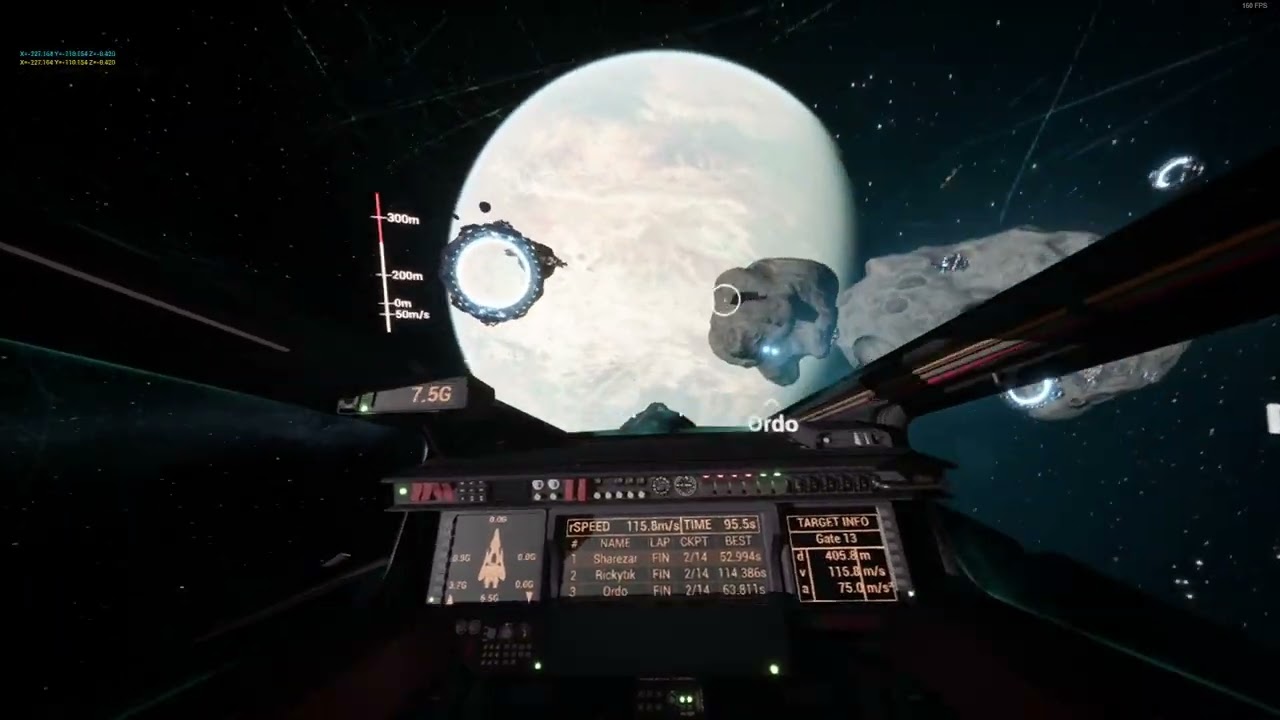
here's some older footage
that netcode worked pretty well, but it wasn't using the hybrid physics system
so everyone was forced into the same frame of reference
nova wasp
I feel like the prioritization could easily be just the orbital bodies near the player here to reduce the number of things to pull down
charred island
oh for sure
nova wasp
as for the raw ship movement that will be a more typical game netcode problem
charred island
but the server still has to do it all
nova wasp
it's just doing some math eqaution for every orbiting body? that seems pretty trivial to me if you allocate it correctly
charred island
every edge on the orbital "tree", yeah
and then additionally recomputing the orbital parameters every frame
for the pawn
nova wasp
have you profiled this?
charred island
nope, lol
nova wasp
okay, you implied earlier you were familiar with this
charred island
i may be overestimating the perf impact, but the math is pretty hairy
once you get into "newtons method" it starts triggering some warning bells for me lol
nova wasp
math is not expensive, memory access is
charred island
well, good thing on that front that its very memory light
should fit in cache, if not registers
but yeah
nova wasp
the issue here I guess is the hierarchy which I don't really understand but this doesn't seem like it needs to be expensive
unless every body is talking to every other body etc, I don't know
charred island
i get you though, stress testing it is what needs to be done
there's just several more pieces that need to be implemented before i can even do that
i can stress test static objects (no orbital parameter recalc, just location/velocity calculations)
but dynamic objects like player pawns will be a little different
nova wasp
I assume the dynamic stuff like ships and whatnot that get pushed around during gameplay are replacing their offset to the frame?
as for those it's regular unreal replication here
charred island
they're pushed from one coordinate system to another
so i cant naively send them over
nova wasp
the important part is reproducing the position on the other side
you don't need to use actor transform replication if it doesn't fit
charred island
yeah
again, i think i have this part covered
i can just use the same technique in the video i posted
basically just does a delta of the position and sort of rubber bands it to the correct location
nova wasp
with enough buffering you can make almost any shitty situation smooth
nova wasp
I mean you can definitely prototype a lot in there even with the lack of control
you more or less get onreps and enough arbitrary data to at least try simple things
charred island
yeah it worked fine
but i refactored it along with 90% of my systems in the last couple of months after not touching it for a year
my dream would be if i could scale all of this to handle things on the individual projectile level in the hybrid physics system
because then projectiles would actually follow orbital paths and whatnot
could do trickshots around the planet
 unique forge
1 quick question
you guys start play as listen server
or clients
to test like flashlight or camera rep
 halcyon ore
I mean, depends.
Is your game gonna be listen, or dedicated.
But, I always prefer dedicated.
Then fixup any later issues for listen/ standalone.
(hard to add replication when there is none sort of thinking)
unique forge
halcyon ore
I mean, depends.
Is your game gonna be listen, or dedicated.
But, I always pref...
horror multiplayer with some levels, idk lol
 olive briar
I’m normally using a game engine that’s different from Unreal Engine and its multiplayer system, and I’d like to ask you a few questions because I’m very inexperienced with multiplayer—especially when it comes to servers and clients.
First of all, my understanding is that the main purpose of servers is to receive incoming data, validate and correct it, and then send data back. In other words, they mostly handle data tables, APIs, and calculations. The client, on the other hand, processes the data received from the server and renders the visuals accordingly.
For example, if I use League of Legends as a reference: the servers would only handle things like player positions, items, gold, turret health, game time and logs, minions, player hitboxes, and all related calculations. Meanwhile, on the client side, the visuals are synchronized based on the positions received from the server.
Also, for latency, I assume there is client-side prediction for the player.
--I translated from ai beacuse my english is not good :d (except this sentence)
and I apologize for the length
halcyon ore
50/ 50.
Yes the server receives data, and does stuff with it.
(that be validating, apply damage, healing, killing, etc)
But, its not data tables, and API's really.
The server on Unreal Engine is a full copy of the game/ map.
It doesn't edit data tables.
it edits its own local copy of the heros stats, positions, and etc.
Every end has a copy of the actor (or anything), and they share info back and foruth to keep them in-sync
lost inlet
unique forge
horror multiplayer with some levels, idk lol
listen server = 1st PIE window is ROLE_Authority, rest are clients
play as client/dedicated = all PIE windows are clients, emulates dedicated server setup
with a single PIE client, a listen server won't be discernible from singleplayer
lost inlet
I don't know what you mean
a single PIE client in listen server mode won't be testing replication at all
unique forge
so play as client is the better solution for every stuff for replication blabla
olive briar
halcyon ore
50/ 50.
Yes the server receives data, and does stuff with it.
(that be validati...
In that case, for example, if a player is going to buy an item, it would first appear on the client side as if the purchase is possible (or this doesn’t have to apply to everything). Then the client sends a purchase request to the server. The server checks the player’s gold, processes the transaction, and returns the result. Depending on the situation, it either sends the update only to that player or broadcasts the change to all players.
so this is hard
 lost inlet
unique forge
so play as client is the better solution for every stuff for replication blabla
lost inlet
unique forge
so play as client is the better solution for every stuff for replication blabla
most of the time yes, but if you plan on supporting listen servers then you should test stuff with that setup with multiple clients now and again
halcyon ore
olive briar
In that case, for example, if a player is going to buy an item, it would first a...
Pretty much.
The general idea at least.
But, stuff like variable replication will handle most of that for you.
No need to keep manual sync, UE does that for you.
Server handles buy request.
If it can be bought
-100 gold var
- 1 item array entry
Default replication will handle telling players of the -100 gold, and +1 item entry.
olive briar
halcyon ore
Pretty much.
The general idea at least.
But, stuff like variable replication wi...
I didn’t know exactly how it works in Unreal Engine, because I had only seen it done manually through APIs.
And doing it manually with just APIs is really frustrating.
halcyon ore
yeah, a ton of it (at least for a basic game like League)
Is auto handled by generic variable replication.
Cuz, at the end of the day, League is like 10 vars if you really think about it.
(health, coin, items array, level, and team or something)
olive briar
what exactly is automatic in UE?
halcyon ore
Variable replication.
By default it will keep it in sync for you.
You make the health var replicated.
All server has to do is change the var.
and, it will automatically be told to whoever is valid for it.
(in a game like league, that'd be everyone)
No need to manually keep the health sync'd (like you may be thinking?)
You just change it, and by default UE does it all for you.
olive briar
halcyon ore
Variable replication.
By default it will keep it in sync for you.
You make the h...
ok very thx for you spend your time 🙏
dark parcel
unique forge
or clients
You cant just test in one. The mechanic has to be working on both cases.
dark parcel
olive briar
so this is hard
How? You already got the right idea.
halcyon ore
I don't think they realized UE handled vars and stuff for them.
So, they thought they'd need like 50 RPC's to keep each 1 var in sync, for late joins, constant changes, and etc.
halcyon ore
dark parcel
You cant just test in one. The mechanic has to be working on both cases.
Or, like I said.
Test the case your gonna use.
A multiplayer horror game is not gonna be on a dedicated server machine.
One of the players will be the host.
halcyon ore
I know, thats the point.
But, they didn't know that.
unique forge
quick question
i tried with play as client to test
flashlight with spotlight blbabla
when 2 players, both works, but more than 3 it just break
like
player 1 und player 2 can enable flshlight and spotlight can see blabla
but when more than player 2, then player 2 and 3 cant use the flashlights and spotlight but can still see the spotlight from host/server/player 1
is this even right or just editor bug
sinful tree
Is your flashlight a separate actor from your player? Are you sending RPCs to the server to turn the lights on?
@unique forge
unique forge
sinful tree
Is your flashlight a separate actor from your player? Are you sending RPCs to t...
well
i googled
3 pie wont work
like 3 clients
idk
sinful tree
Ok.... So.... How are you communicating to turn the lights on?
unique forge
a
its weird
i start play as client yk
client 1 works flashlight spotlight blabla
client 2 too
but when client 3 comes in, then it doesnt work for him
sinful tree
You're not answering the question. I understand its not working, but no one will be able to help you if you can't explain or show what you're doing to turn the lights on in the first place.
unique forge
sinful tree
You're not answering the question. I understand its not working, but no one wil...
Idk tbh
I don’t even know why it’s working
You got a plan or method how flashlight works?
normally with repnotify etc
sinful tree
Player pushes button > Sends RPC to Server > Server sets flashlight boolean repnotify variable
RepNotify > Turns light on or off based on boolean value.
nova wasp
also make sure you are not accidentally only using one player controller or something on the server
and yes if you can't describe what is being done here in terms of whether it's an rpc etc then it is not possible to help
we can only see the information put into here
dark parcel
unique forge
You got a plan or method how flashlight works?
Post the code
dark edge
Trying to "idk tbh yolo" your way through multiplayer game code is like playing Dark Souls by spamming buttons. Yeah you might make something happen, but you'll get much better results by being deliberate and understanding what you're dealing with.
dark parcel
dark edge
Trying to "idk tbh yolo" your way through multiplayer game code is like playing ...
quiet tricky if people follow youtube guides instead reading the network bible.
 unkempt pollen
Quick question, can clients in a server trigger custom events from the Game Instance?
verbal ice
unkempt pollen
Quick question, can clients in a server trigger custom events from the Game Inst...
wdym
what are you trying to do
unkempt pollen
I am making a function where it leaves a server and gets put in a offline map
It's also an local event
dark edge
unkempt pollen
Quick question, can clients in a server trigger custom events from the Game Inst...
Any network traffic has to go through something that's not the GameInstance since it's not replicated
What's the actual gameplay here, explain what the player experiences.
unkempt pollen
dark edge
What's the actual gameplay here, explain what the player experiences.
A player clicks a button on their UI to leave a multiplayer match, a fade out sequence occurs and then put into a offline map.
dark edge
unkempt pollen
A player clicks a button on their UI to leave a multiplayer match, a fade out se...
Yeah ez
That can all be local depending on if you need the server to know they did that vs just disconnected and disappeared.
unkempt pollen
Thanks, just making sure 👍
sharp mason
Hi Guys, how can i test the Network insights on the editor ? i could only make it work using stanalone game, but when i launch it with 2 players one player goes directly to the map and the other goes to the menu. Is there a way to play using PIE ? do i need another setup something to play listen server using Standalone game ?
nova wasp
sharp mason
Hi Guys, how can i test the Network insights on the editor ? i could only make i...
yes, startup the editor with network profiling in the startup args
-NetTrace=4
-tracehost=localhost
-trace=net,default,task
etc
 hazy vortex
Should I choose GASP or ALS for a multiplayer game? I plan to buy the animations and combat systems from the market. I thought ALS would be better in this respect, as I considered it a more established system. I'd like to hear your opinions as well.
sharp mason
nova wasp
```
-NetTrace=4
-tracehost=localhost
-trace=net,default,task
```
etc
do i put them on DefaultEngine.ini under [ConsoleVariables] ?
nova wasp
sharp mason
do i put them on DefaultEngine.ini under [ConsoleVariables] ?
nope, these are startup args for the exe
I use Rider EZArgs but you just need to run the editor exe with these args
sharp mason
nova wasp
nope, these are startup args for the exe
oh i see, now it works, thank you very much
nova wasp
it is definitely a bit more confusing in a PIE profile as you could see multiple server connections collected
I have found sometimes it only works after completely stopping and starting pie/the trace
sharp mason
nova wasp
it is definitely a bit more confusing in a PIE profile as you could see multiple...
Is there some guidance about package sizes or what should i be aim at ? i checked Networking Insights on documentation but is more a how to use and not what do i do with this data
nova wasp
sharp mason
Is there some guidance about package sizes or what should i be aim at ? i checke...
honestly I don't have a really great idea of the exact bandwidth you are aiming for for the average game
this gives you the tool to at least see what is being sent and received and proportionally how much each field is taking
it's kind of up to you to decide which information is more relevant for the players to receive
for example you might find something needs to be sent very often because it changes a lot... maybe you can consider sending it less often by reducing its network update rate or even changing how it works to be cheaper for bandwidth
for example if too many things need to be sent to a connection some of them will have to be skipped
if you skip sending information too much things that are more sensitive to constant updates like the posiitons of moving things, characters etc might start to get larger spaces between receiving info
unreal has built-in bandwidth rate limits that are quite low that you can tweak a bit but I am not sure how they factor in to like, steam connections etc
If you want an example of a common networking situation
consider something like sending the transform of an object... this is quite expensive to send raw
what you can do for actor replication is actually reduce the quality of the information so that it is less precise, but takes less bits to send
by default most of them already will be quantized a bit
sharp mason
nova wasp
consider something like sending the transform of an object... this is quite expe...
fair enough, its my first multiplayer game so i am trying to make less mistakes and also figuring out what i should be aware of, thanks for the tips
nova wasp
I personally do not really know of a really great way to decipher which objects were omitted from a packet due to bandwidth limits
I think there probably is a way that I am just not aware of
generally speaking it's easy to see when the bandwidth starts capping out visually as you will get stuff that actually starts "lagging"
 cinder quartz
What's a way to integrate gun recoil safely for online play?
Obviously it's not needed to be fully replicated, but I wanna make it work correctly regardless of connection latency or client performance... So the angle getting constantly modified by a lot of factors at all times kinda worries me that a simple RPC can't sort by itself. I already had to fight HARD to make camera pitch replicate somewhat ok enough for basic gameplay purposes.
dark parcel
@cinder quartz wdym by a simple rpc cant sort by it self?
Remember the only way for client to communicate with server is through server rpc and nothing else.
nova wasp
cinder quartz
What's a way to integrate gun recoil safely for online play?
Obviously it's not ...
what does safety mean?
I would suggest simulating locally and predicting for something that is this sensitive to timing
you have not given any details about what this rpc does or means (when does it apply?)
cinder quartz
dark parcel
<@1118969537161855037> wdym by a simple rpc cant sort by it self?
By that I meant more so, any extra steps or considerarions.
cinder quartz
nova wasp
you have not given any details about what this rpc does or means (when does it a...
As for this, the idea is replicating the effects of recoil on the player controller, with rough visuals and most importantly sending the correct position and orientation when spawning the bullet.
I think it should works but I am a bit concerned by whether or not potential performance issues or latency drops could cause problems if I do the current method I do where I just grab a transform, calculated in the client, and sent to server to make the bullet.
dark parcel
really depends on how you want to design the game.
You should be able to describe the system in plain english before even diving into the coding implementation.
latency will always be an issue
easiest mode is to just trust the client and have some checks.
let client inform the server, hey I shoot, on this direction.
cinder quartz
Well that's simple. When the player fires, the gun rapidly applies forced aiming upwards and sideways with a strength based on the type of gun and how low they have been firing.
Then if they stop firing, this forced influence is removed up to a maximum value.
However, if the player tries to counteract the recoil mid firing, this effect is diminished accordingly. So if you fight the recoil and stop firing, the reticle would not try to move much.
dark parcel
so which part are you struggling with?
I would just let the client tell the server which direction it ends up firing.
if they cheat, then oh well.
cinder quartz
Eh cheating may not be a huge issue for my use case
dark parcel
the recoil just get calculated locally right after firing. Client only need to tell the server the final direction it's shooting.
Yeah then just network the result to the server and have the server replicate to other players.
cinder quartz
I do wanna learn about the ideal method for most of what I do though
So that if I sometime I have to work on a competitive game thing I am not as aimless
dark parcel
well think about ways to prevent people from cheating or at least make it harder.
just with plain english, forget about implementation in unreal.
For one, you can do a bit of math to see if the shooter shoot with almost no recoil.
anyone that is "too good" can be flagged.
cinder quartz
I suppose I could make a margin of error based on input value changes
Could be fun to figure out sometime
dark parcel
what error and what inputs?
what use is to track people mouse
just look at how close the shoots are to each other. If near perfect all the time, they are probably cheating.
Also client can just send RPC with some manipulation, so checking the time between the shooting RPC can also be done.
#2024 #shorts #shortvideo #short #games #gaming #rpg #2025
dark parcel
isn't visibility already replicate? it could be fighting the boolean OnRep.
unique forge
dark parcel
isn't visibility already replicate? it could be fighting the boolean OnRep.
no idea why
dark parcel
/** Whether to completely draw the primitive; if false, the primitive is not drawn, does not cast a shadow. */
    UPROPERTY(EditAnywhere, BlueprintReadOnly, ReplicatedUsing=OnRep_Visibility,  Category = Rendering, meta=(AllowPrivateAccess="true"))
    uint8 bVisible:1;
Yeah it's replicated.
unique forge
dark parcel
```cpp
/** Whether to completely draw the primitive; if false, the primitive is ...
what should i do?
dark parcel
Just send a server RPC with a boolean param, which set visibility of the replicated scene component (the spotlight)
delete your bFlashlightOn.
that's what I would do.
hmm but not sure if you have access to OnRep_visibility in blueprint.
cuz if that's the case, then you can keep your boolean but don't make your scene component (spot light) replicated.
@unique forge Yeah, just do this.
Keep your boolean and logic, but don't make the spotlight 1 replicated. Untick replicate in the detail panel, that should fix it.
unique forge
dark parcel
<@905524360436125746> Yeah, just do this.
Keep your boolean and logic, but don't...
a
dark parcel
?
unique forge
just noticed
dark parcel
im not sure what you noticed
unique forge
client 2 (player 2) window spotlight is normal
but others see something else
the spotlight yk
dark parcel
what changes have you made? worry about the transform later.
just make sure that the spotlight is on and off accross all machines.
unique forge
yk why this is happening, when i add my level assezs from other level, then it doesnt show
when in this level is no assets or something else
then it does show
thats the only thing i noticed
what causes this mystery
dark parcel
I dont know what adding level asset from other level mean.
also u are not answering the question, so it's really hard to help.
unique forge
dark parcel
what changes have you made? worry about the transform later.
what you said about spotlight1 replicate off
i did
this is works on level basic
dark parcel
k and?
unique forge
its tricky and complex
no idea why
in this level there are like postvolumes, lightmassimprotancevolume etc
dark parcel
can you print something on the OnRep function
then take another recording.
need to see if the OnRep is actually being called on the problematic machine.
unique forge
I just think this level is haunted or something
dark parcel
could be transform issue, how is the spotlight set up?
it might be facing different way on Client 2.
I saw your screen shoot and it's an issue already.
unique forge
dark parcel
I saw your screen shoot and it's an issue already.
okay
camera/spotlight problem?
dark parcel
for one the camera comp transform will only update on the local machine, it's not replicated nor replicate to other machines.
unique forge
okay
dark parcel
I would attach the light to the capsule component.
you will have to replicate the pitch though.
unique forge
dark parcel
you will have to replicate the pitch though.
later
i went to basic level again, on there it works butter
on this level, it just doesnt work
could it be maybe rebuild light?
dark parcel
I have no idea at this point. how are the characters spawned?
unique forge
the auto receive input on both are disabled
 unique forge
dark parcel
btw how is the light become On and Off?
unique forge
dark parcel
btw how is the light become On and Off?
the on off is the material
youll see on video
bad video for showing on off
that glow light is the On material
incase if you still dont know, there are these 2
dark parcel
I can't replicate the issue on my end.


yeah looks like transform issue.
Shouldnt attach the light on the camera, at least for the one to be networked.
unique forge
dark parcel
I can't replicate the issue on my end.
did you tried with 3?
for me only works for 2 players (server and client)
dark parcel
yeah I did, you can see on the screen
unique forge
but 3rd joins in, its a chaos
dark parcel
1 server and 2 clients. All work fine.
unique forge
okay
dark parcel
try testing on another level maybe.
unique forge
dark parcel
try testing on another level maybe.
is must be level issue or something, this level is haunted
i tell you
dark parcel
🤷♂️
unique forge
i must have added something in this level that causes this problem
but no idea what causes this
dark parcel
check if you got anything on the level bp and if the game mode is the same.
other than that, no idea.
 cold mesa
Testing out Chaos Mover - I must be missing some setting right? The positions are way off on simulated proxy.
Using Resim on simulated proxy basically gives the best result (haven't tested that much since it makes no sense in my mind, Simproxy should interpolate which i figured it always did for Resim anyway? We have the auth state, why would we resim?)
Tried setting Interpolate manually when initalizing the chaos mover comp and that got rid of the overshoot issue for simproxy (I really dont think i understand how the physics prediction works for simproxy, how can it ever overshoot? it should be behind)
Also tried the example version of using a Network Physics Settings comp and asset, setting the simproxy to interp and setting up input decay. The Correction limits seem plausible, but daaaaamn everythings so out of sync, we are talking 100s of uu at times with network simulation settings set to average.
Setting the pawn to replicate movement will get it in the right spot, but with horrible effects and that defintely can't be intended right? then we're replicating the movment twice and just clobbering it.
Granted it's WIP but i still feel like i must be missing somthing basic here cause it can't be THAT WIP that it doesnt even really work for networking when that kinda is it's intent?
cold mesa
cold mesa
Testing out Chaos Mover - I must be missing some setting right? The positions ar...
This sorta ends up being the end state after a move where blue/red is Auth and Autonimous Proxy and Blue is Simproxy, and it just stays there

 ruby lodge
I am currently deep diving a bit into Client prediction and rollback again since a long time. Is this correct for a change in movement state?


 meager spade
blueprint doing this is not a great idea
this isnt really that predictive, and tbh, this is fragile
also owning client never changes the state
on "rollback"
and mixing replicated props with RPC's like this
is a recipie for disaster
 old dirge
i'm having an issue where whenever i enable Component Replicates on a component in my character the client can no longer move or do anything (veggified) while the host can the same stuff, but when i turn it off it goes back to normal then i can move and do the same stuff that the host can do. any help would be lovely?
ruby lodge
meager spade
blueprint doing this is not a great idea
In case of lag, the client prediction part does its job ig
ruby lodge
meager spade
on "rollback"
On Rollback it resets the state to what the server had
Could you explain how else to approach it in blueprint?
That would help a lot! I have seen others do client prediction somewhat like that, but they rarely also do rollback
 mild canyon
Does anybody have any recommendations for making a reliable timer for a round based gamemode. Currently my replicated one runs into an issue where the clients seems to lag behind by 1 second due to a multicast.
halcyon ore
Just replicate an end time.
Profit.
No need to constantly update 1 second left, 5 minutes left
mild canyon
so I would run local timers for each client. I just multi cast when it starts and ends?
halcyon ore
You really only need/ care about end, you don't care about start (at least networking wise)
Cuz, you just gotta say 20 seconds left
mild canyon
Yeah that makes sense. I did leave out, I do use a kind of coutndown feature. Where I ahve a stopgate that prevents player from moving before the round has started
Preferrably I need this to be 1 to 1, do you have any recommendations in a case like that
halcyon ore
Same thing.
Replicate the end time.
When is play allowed, essentially.
mild canyon
ok. I think I understand... I will give it a shot to remake this. Thank you for your help.
halcyon ore
Yep
ruby lodge
meager spade
on "rollback"
The OnRep variable has the SkipOwner condition to not be called twice on the client in the top event. But as it's being called only on the client in the rollback event, its only set for him
meager spade
but why do others need toknow then
whats the point in replicating it?
only server and owning client needs to know the mode
i wouldnt even replicate them
just do the rpc's
dark parcel
https://www.youtube.com/shorts/H60Ir7dUtlI?feature=share
Are there any reason to have the hitbox like this? Networking related?
 gilded vapor
dark parcel
https://www.youtube.com/shorts/H60Ir7dUtlI?feature=share
Are there any reason t...
gilded vapor
dark parcel
https://www.youtube.com/shorts/H60Ir7dUtlI?feature=share
Are there any reason t...
Maybe its the mesh smoothing into the actual-location due to latency?
lost inlet
yeah I would bet. this looks like sv_showhitboxes 1 so the hitboxes are showing the server location
but source does have a pretty robust lag compensation system
and source engine networking is a subject that a lot on yt get extremely wrong
quasi tide
and
source enginenetworking is a subject that a lot on yt get extremely wrong
Agreed
 robust shell
this might be a very basic question but why can't I see my other characters when testing with multiple instances? are there more stuff I need to do other than ticking replicate on the char mover blueprint?

 karmic viper
hi everyone is here anyone that could sugest / help me please? im struggling with getting item from inventory, any ideas how can i do it? i have a simple set up like that on picture 1 and on host it runs perfectly but not on client, client can have item but when interacting (check for item) it just gives false all the time any idea how to get the item? the idea is for example to check if player have a key and once he do it unlocked the doors. please help!
just to mention, the client have the item in inventory so it looks like the server cant retrieve it from client? i might be barking at a wrong tree (photo 2 and 3 is host and last one client )


 karmic viper
robust shell
this might be a very basic question but why can't I see my other characters when...
karmic viper
robust shell
this might be a very basic question but why can't I see my other characters when...
you need to turn on listen server to see each other
 sinful tree
karmic viper
hi everyone is here anyone that could sugest / help me please? im struggling wit...
sinful tree
karmic viper
hi everyone is here anyone that could sugest / help me please? im struggling wit...
You'll have to show how the client's inventory gets populated with an item, as that too would need to happen on the server.
karmic viper
sinful tree
You'll have to show how the client's inventory gets populated with an item, as t...
thank you 🙂 i have manage to find out finally 🙂
that was my solution, preaty much i forgot check "is locally controlled"
 sinful tree
karmic viper
that was my solution, preaty much i forgot check "is locally controlled"
sinful tree
karmic viper
that was my solution, preaty much i forgot check "is locally controlled"
This isn't right either.
Checking whether something is locally controlled or not should not play a role in the server or client determining whether a certain player can interact with an object.
If "Check For Key" is run on a client, then you also have the problem that you're allowing the client decide whether something should be taken from their inventory or not, while also calling to run on server something else - essentially, a client could call that RPC at any point. It also makes little sense that this RPC exists on a BP_Door object as it would most likely not be something owned by a client, and thereby, they wouldn't be able to call that RPC in the first place.
If it's actually running on the server already, then it would return false for most characters since only the server's player character would be locally controlled, and that also means that "Open Server" shouldn't be an RPC as a client could technically call that without first checking for a key.
Ideally this should be more along the lines of:
On Client (or listen server):
Interaction Event (key press?) > Determine the actor they want to interact with (a chest?) > RPC To Server to begin Interaction with an input of the Actor they want to interact with.
On Server:
Validates whether the input Actor on the RPC is valid, and can be interacted with by the character then passes the rest to the actor itself to then handle the interaction. In this case, you'd then have the server run Check for key > Remove Key > Begin Opening
 magic smelt
what environements do you guys use to test multiplayer? Ive used sandboxie and it seems to always bug out with two steam accounts.
quasi tide
We just test it with a closed group and ourselves
ruby lodge
meager spade
i wouldnt even replicate them
Because all players need to have the correct value to know how fast the player is moving or do you mean for the others its sufficient to know from the replicated location?
Just saw your messages now
Generally, assuming the variable is not replicated anymore. The client prediction, server check and rollback is good like that then?
 delicate shard
Hello 👋 I had a quick question regarding the "Load Stream Level" node for a multiplayer game. Is it possible to use this node only locally? It works fine on the clients, but whenever the hosting client calls it, it loads the map for everyone. Any way to prevent this?
delicate shard

 knotty bane
delicate shard
Hello 👋 I had a quick question regarding the "Load Stream Level" node for a mul...
knotty bane
delicate shard
Hello 👋 I had a quick question regarding the "Load Stream Level" node for a mul...
If you execute it on the owning client you should be good, otherwise you run it as server authority
knotty bane
magic smelt
what environements do you guys use to test multiplayer? Ive used sandboxie and i...
I've done it with running a VM on the same computer, so similar to sandboxie, now i just use a cheap scrap pc as a second device
tardy fossil
knotty bane
If you execute it on the owning client you should be good, otherwise you run it ...
might not be that easy.. server needs to load it too for collisions unless movement is client authoritative
 twin vessel
Cmc question:
if we receive a correction and in the same frame we also receive an acknowledgment for the move right after the corrected one, then our last acknowledged move is no longer the one from the correction, but the one after.
This makes it so now we freed the saved move right after the one that got corrected.
Now, when we replay the moves on client, we start from the first saved move, which is no longer the one after the correction, but the one after that.
This means that we will end up in a non correct position and trigger another correction, since we now are missing a move.
What am i missing here?
delicate shard
knotty bane
If you execute it on the owning client you should be good, otherwise you run it ...
I’ll try this after work and let you know
delicate shard
tardy fossil
might not be that easy.. server needs to load it too for collisions unless movem...
It might be, I’m using smooth sync plugin instead of UE’s default movement replication, collisions only need to be client sided. I only replicate the players location/rotation
sinful tree
Is everything pretty much client sided? Actors placed in those streaming level also wouldn't be replicating.
delicate shard
For these levels, yes
this persistent level is mainly hub worlds, kinda of like a lobby where you can edit your loadout. Think of it like old gen Monster hunter villages/gathering hubs
but also as mentioned im not using the default replication system, I'm only replicating the player's location and rotation in the persistent world, so anything collision and else don't matter here
If I were to see the other players in another world thats not loaded, they would only be appearing floating
sinful tree
Are the separate levels supposed to be actual play areas or is it part of the hub?
delicate shard
different hub worlds
the play areas will be in another persistent level and I'll travel all the players at once, when they ready up
sinful tree
Why the need to separate them and trying to make it so only clients that are present in them have them loaded? Surely it wouldn't be gigantic if it's not used for play?
delicate shard
in the scenario where all players are on a different part of the map, I don't need all the levels to be loaded into memory if they're not there
like I mentioned this works fine for clients (shown in screenshot), but is there a way to turn off replication for the listen server momentarily while I call the Load Stream Level node so that it only executes on their side and not all clients?
sinful tree
Unless those levels are absolutely huge, which by your description of what they would be used for would probably not be, using level streaming just so all players don't need to load what they're not present in seems overcomplicated for minimal gain, especially if these levels are static and would be the same for anyone else that also goes to the location of that level.
From what I understand of level streaming, it is not possible to have the server load a level and it not also load on clients -- hopefully someone else may be able to pipe up about this. You could have clients hide the level so it isn't visible to them, but they would still end up loading it if the server loads it.
delicate shard
Yeah I figured that might be the only way, but still exploring to see if I can just load it client side for everyone first, this will determine if I'm limited in map size for the future
 meager sage
Hey all,
Is is legit to add a const FSstring& to reliable RPCs that are called one-shot? (Like they should not be repetitive)
The point is to add flexibility and respond to the strings
nova wasp
meager sage
Hey all,
Is is legit to add a `const FSstring&` to reliable RPCs that are call...
what does "legit" mean here
what is in the string
what are the range of different values? (well, what is in I guess)
if you send a string it is forced to serialize it as the entire string, this is expensive but totally fine if it's rarely sent
but it depends on the actual thing sent
meager sage
nova wasp
what are the range of different values? (well, what is in I guess)
Hmm I can limit how long the string can be?
Yes to paint the picture, it's multiplayer support for a UI indication system. So for example I want to be able to broadcast adding UI locally and then if the string has some other instruction, I can grab it and apply ity on the Indicator UI
nova wasp
meager sage
Hmm I can limit how long the string can be?
Yes to paint the picture, it's mult...
that does not actually describe the range of unique values
it sounds like you want to send a range of different "instructions" somehow and parse it on the other side
meager sage
nova wasp
it sounds like you want to send a range of different "instructions" somehow and ...
Exactly
nova wasp
how many unique instructions are there?
meager sage
nova wasp
how many unique instructions are there?
So I thought I would leave it open because it's for a plugin and I want it to be flexible. But what I'm getting from you here is that it might be better to make some kind of enum instead?
nova wasp
I think one way to let users add more but keep it fairly cheap to send would be using gameplay tags or fnames
not sure why a string is needed here but you have not actually describe what these look like yet
meager sage
nova wasp
I think one way to let users add more but keep it fairly cheap to send would be ...
Oh FName is actually lighter to sned? For some reason I was sure it's the other way round
nova wasp
meager sage
Oh FName is actually lighter to sned? For some reason I was sure it's the other ...
why would an fname be more expensive than a string?
in Iris they are sent as a network export too, in the old network backend I forget if they ever export the string to a mapping
in the old network backend gameplaytags would be cheaper here
meager sage
nova wasp
not sure why a string is needed here but you have not actually describe what the...
I'm not sure a string is needed at all, I just assumed it's the standard way because I saw some built in networking functions that take strings like level transitions and all that
nova wasp
meager sage
I'm not sure a string is needed at all, I just assumed it's the standard way bec...
the reason they take strings is because they are designed to point to random assets
and they are also ancient 90s unreal code
which isn't to say it's bad I suppose, just generally speaking you don't need to rely on strings here... we have much easier things to use
meager sage
Oh damn I see 😅
nova wasp
it sounds like you want the UI indicator to point to a specific UI element
meager sage
nova wasp
which isn't to say it's bad I suppose, just generally speaking you don't need to...
I have so much to learn, thank you so much 🙏 🍺
I think I will start by looking into FNames and GameplayTags to see how they are sent etc. My fear is coupling it to gameplay tags becasue I want to sell it, and some users might not be familiar with them.
nova wasp
I'm not sure if it's like the "type" of UI element or a specific UI element in a list of them etc
meager sage
nova wasp
I'm not sure if it's like the "type" of UI element or a specific UI element in a...
So I believe I got it figured out, I do send in the RPC the actor to point to and a soft ref to the asset to load (I guess this is like sending a string already?)
nova wasp
GameplayTags here would work pretty well because it would let users add more and even show them in the editor, it's very common to send GameplayTags around because they are cheap to send (a limited number of them so they get turned into a smaller ID)
the only downside is GameplayTags must kind of be defined ahead of time, so for things that are truly dynamic dynamic information is needed
nova wasp
meager sage
So I believe I got it figured out, I do send in the RPC the actor to point to an...
sending assets HAS to send the stable path name even if it was a pointer to the asset
at least once
but the cool part is it can resolve the path on the other side and have a smaller shared ID that the server can send (at least in iris)
this happens basically magically for you in the background but I am more familiar with Iris... I am not sure how soft refs get sent but I would assume they need to send by path as well
If you want you can measure how your packets look with network insights
you need to start the game or editor exe with these startup args:
-NetTrace=4
-tracehost=localhost
-trace=net,default
I'm inexperienced with Iris ufortunately. Hope my solution will be robust enough, I think I will end up with FNames or GameplayTags eventually. They are only optional too, so..
meager sage
nova wasp
If you want you can measure how your packets look with network insights
you need...
Oh cool, thank you, and then what should I lookout for?
nova wasp
meager sage
I'm inexperienced with Iris ufortunately. Hope my solution will be robust enough...
I'm honestly a bit of a weirdo in this area due to being one of the few who has used iris in production more so than the current networking backend... which means I am a bit biased in the information I give
Iris has a few major upsides but it is totally fine to use the regular networking backend as from the gameplay code perspective things will be largely the same
(and some downsides, Iris serializers are a bit of a headache when you need them but you will VERY RARELY need to make one)
nova wasp
meager sage
Oh cool, thank you, and then what should I lookout for?
generally how large your rpc is
it it isn't being split into multiple packets etc it might not be a big deal
to be clear there's no way to avoid needing to send large data, but you can get a good idea of how large it is in proportion to typical unreal rpcs
and you can see how each part of the rpc is serialized per-member
along with receiving data for replicated propreties and packet header info
as for "what would be good or bad" it's going to depend on bandwidth constraints and if you can avoid the problem or not
sometimes sending giant mega rpcs is required
meager sage
nova wasp
generally how large your rpc is
So I read the wrong data in a prev message, it's actually 253 bytes with the current string version (I know it depends on the length of the string but I see it's actually not the most significant part. I also pass an FName alongside it and they weigh the same.) Either way I will move to an FName or GameplayTag, but would you say it's okay to stay within the 200-250 byte size?
nova wasp
that's a realtively large rpc but 253 bytes will easily fit into a single packet
also consider that users could spoof sending this info
you don't want to like, parse the string and execute random stuff if possible
nova wasp
meager sage
So I read the wrong data in a prev message, it's actually 253 bytes with the cur...
can you give an example of what a string looks like? you can obfuscate things etc if needed to not reveal project info
in your rpc I mean
meager sage
nova wasp
can you give an example of what a string looks like? you can obfuscate things et...
Yeah it's just something I started to play around with just now, it's definitely possible not to use a string. I just need something generic on the receiving end to extend the function. In this specific example, I added the string "AsyncDistanceNode" which I check for equality in an example blueprint, to show that it can be used to create some async node that has some handy distance based exection pins. It's really not a must to use a string, it was just my first thought becuase I saw it used before
meager sage
nova wasp
in your rpc I mean
I hope it's okay with you to check out the insigts. Don't hesitate to tell me to go look for help elsewhere, I can feel that I might be going too far. Sorry about that.
If you could tell me what you think should be my main focus I would appreciate it, I'm sure that I'm not reading this info correctly
 nova wasp
meager sage
I hope it's okay with you to check out the insigts. Don't hesitate to tell me to...
nova wasp
meager sage
I hope it's okay with you to check out the insigts. Don't hesitate to tell me to...
okay, so this chart shows "incoming" packets on the client
you can change that in the dropdowns in the top and by default it makes two conveneint tabs, one for server and one for client iirc
in the editor you might see more than one connection for each client/server listed as they might have seen multiple PIE sessions
what is the definition of this rpc?
meager sage
nova wasp
what is the definition of this rpc?
    UFUNCTION(Server, Reliable, BlueprintCallable, Category = "World Indicator|Multiplayer",
        meta = (DisplayName = "Broadcast Add Indicator (All Players)", AdvancedDisplay = "5"))
    void Server_AddIndicator(const UWorldIndicatorDataAsset* IndicatorData, USceneComponent* TargetComponent,
        FName SocketName, bool bAutoShow = true, bool bAddUnique = false, const FString& Message = "");
Like in code?
nova wasp
also you might want to see what happens if you send the same information multiple times
so for example, in this case
UWorldIndicatorDataAsset is being sent over the network as a path to the object because it is an asset
sending USceneComponent* TargetComponent is going to require that it is network addressable somehow, which I am not sure of here (if it's receiving okay on the other side, it's fine)
meager sage
nova wasp
sending `USceneComponent* TargetComponent` is going to require that it is networ...
I mean I saw it works in a shipping build but only in LAN
nova wasp
what does LAN mean here?
you could test this in the editor and you would immediately see if it worked
meager sage
nova wasp
what does LAN mean here?
I used 2 pcs on the same network connected them with the ip address
nova wasp
that's fine, it won't change how serialization works
the packets don't care about what the ip is
meager sage
nova wasp
the packets don't care about what the ip is
Oh okay, yes I also thought it's weird that it works. Maybe it depends if the target component belongs to a replicated actor?
nova wasp
meager sage
Oh okay, yes I also thought it's weird that it works. Maybe it depends if the ta...
for dynamic things, I think yes but I'm not 100% clear on if the component itself must be replicated. Generally speaking I would recommend against randomly making components replicated without a good reason
unless they truly change state in a way that isn't simple to represent
also just for sake of argument, you can see sending booleans is basically free lol

these are 1 bit each!
so this is actually sending a network GUID for "export" , which I think means that ensuing rpcs of the same value will be sent as a smaller id

if you can it would be interesting to send this rpc with the same target pointer twice, just for demonstration
basically what I am expecting to see is that the second RPC will be VERY small due to having a shared ID which is just a tiny number that the client and server agreed upon
meager sage
nova wasp
basically what I am expecting to see is that the second RPC will be VERY small d...
Yes it looks like exactly what you've described

 nova wasp
now unfortunately in the default replication setup the FName is still sent as a string
but tbh... 200 bits isn't bad if this is not sent every frame?
meager sage
nova wasp
but tbh... 200 bits isn't bad if this is not sent every frame?
Nope, it's meant to be sent manually when an indicator is added/removed. So my assumption is that it will not be used very often. (Added/removed in the sense of created destroyed, not hidden)
nova wasp
of course you can't really predict what socket names people will use but you could make some simple setup where the information is sent is which "kind" of socket is used
nova wasp
meager sage
Yes it looks like exactly what you've described
kudos for actually getting network insights going as well... I often say "profile it" in here but rarely do I see people actually try to do so
meager sage
nova wasp
kudos for actually getting network insights going as well... I often say "profil...
Haha thank you so much, it's indeed my first time using insights. I'm beyond grateful for your time and help
nova wasp
Network insights only really shows you the raw packets without much context for the current sort of... limits and priorities so it's more useful to find outliers or the overall "pattenr" of sent information at least for me personally (I'm sure I am missing something)
if it helps I would HIGHLY recommend using regular unreal insights as well with named events on at least once just to see the "shape" of how a game frame looks
you don't need to understand everything unreal is doing, but seeing what order things happen in will helpa avoid a LOT of confusion and help visualize their cost proportionally
for example insights will show the rpcs being received, and when they are sent out
insights is not just useful for finding why something is slow, but to just understand wtf is happening in general
and to be clear the editor will be a bit of a weird case (PIE single-process multiplayer ticks each world back-to-back and will tend to have more slower extra stuff enabled) but it will largely be equivalent to the running game in a general overview sense
meager sage
nova wasp
insights is not just useful for finding why something is slow, but to just under...
For sure, I watched an insights walkthrough by Ari Arnbjörnsson a while ago and my eyes were bleeding. But even this small experience you gave me will help me understand it better, I should try to watch again soon.
I'm gonna call it day for now, will be back on it tomorrow.
My plan is to move the message string to a gameplay tag because think I saw that after the first call it becomes completely zero cost (I will need to verify that).
So I will be left with mostly the socket name which is also optional and consts 0 when not passed. So if the user can make a scene component just to house the indicator and avoid the socket name we get a pretty nice and optimiszd rpc call (at least after the initial call) >> Maybe I can force them to do so 😈 .
Thank you truely!!!  🙏
🙏
nova wasp
fwiw gameplay tag replication being nicer might require some extra setup without iris
https://tomlooman.com/unreal-engine-gameplaytags-data-driven-design/#networking-replication
and this REQUIRES the server and client to have exactly the same gameplay tag list which is going to be sensitive to tags being added after startup
meager sage
nova wasp
fwiw gameplay tag replication being nicer might require some extra setup without...
I'll read it before attempting anything, thanks again
jovial ravine
delicate shard
I was trying this recently and couldn't get it to only load for one client. A.i. says: No, you cannot natively load a streaming level for only one client in Unreal Engine’s default multiplayer setup. The engine hard-codes level streaming replication, meaning if the server loads or unloads a stream level, it automatically replicates that state to all connected clients.
delicate shard
yeah it seems like it
nova wasp
jovial ravine
I was trying this recently and couldn't get it to only load for one client. A.i....
just load a level instance?
delicate shard
you lose connection to the session if you do
oh you mean create the level like that
nova wasp
this will generally be easier to get going with the server being aware of the collision primitives with the default movement setup
delicate shard
This is what I was trying

I'm not using default replication, I dont need server collisions
nova wasp
delicate shard
I'm not using default replication, I dont need server collisions
be specific
delicate shard
I'm only replicating the players position and rotation in space
nova wasp
I am referring to the default character movement component which relies on local prediction with all peers doing partial forward prediction with a small rollback sim on the server
delicate shard
yeah I disabled that, I'm using smooth sync plugin
nova wasp
if you do a custom setup for sim proxies that are in an "unloaded" cell locally that might work okay
but you will probably want to override the onreps directly
delicate shard
my only issue is load stream level loading the map for all client when called from the listen server
nova wasp
 nova wasp
delicate shard
could I get accurate coordinates each time?
nova wasp
delicate shard
could I get accurate coordinates each time?
what does this question refer to?
what would be "innaccurate" here
delicate shard
if you spawn the level at a specific location and rotation, for 2 different players, will it align perfectly? in the scenario they both have it loaded
I giess I could set some sort of object in my persistent level and spawn it at that location
nova wasp
to what degree must this be perfect on both sides? perfect bitwise determinism here is going to require controlling floating point math down to every single step of anything that can possibly affect the result of the frame... yes you can send a transform to another client and expect it to be 1:1 if you don't quantize it
delicate shard
Essentially trying to replicate the load stream level behaviour. My maps have a set physical location in the persistent level
The idea behind loading these levels locally only is to prevent having 4 levels loaded in memory in case all players are finding themselves in a different location. This is just for the "lobby" part of the game. Players can travel to different areas during loadout phase essentially.
nova wasp
Even using a non-instance level doesn't appear to induce a disconnect... I am really curious what is actually disconnecting here
I must be missing something that only exists in a fully built cooked game?
delicate shard
I thought you meant open level at first, my bad
nova wasp
delicate shard
The idea behind loading these levels locally only is to prevent having 4 levels ...
was there an actually measured performance issue for the server here?
delicate shard
not now but planning ahead
nova wasp
delicate shard
I thought you meant open level at first, my bad
not sure where I ever specified "open level". to be clear I am just messing around with these BP calls

in c++you can have a lot more control over a level streaming object depending on how much painful boilerplate you want to add... I am not sure why a disconnect is induced here
delicate shard
theres no disconnection with these nodes, like I said I thought you meant open level node at first
nova wasp
openning a level is not the same as loading a streaming level
generally speaking an "open" call is tantamount to basically starting a new level from scratch with it as the persistent level
delicate shard
yeah I know
I simply wanted to know if there was a way to prevent the listen server from executing the LoadStremaLevel node on all clients. But I'm guessing there's not, so I'll work around it
nova wasp
delicate shard
I simply wanted to know if there was a way to prevent the listen server from exe...
it does not seem to do this
are you doing something to induce updating the replicated level visibility?
delicate shard
yeah I'm building a system that will be basically load the level if a player travels to it and no one is there yet or set the visibility to true if already loaded in. Then when they move out, check if there's remaining players, unload the level or hide it locally if there's still players
nova wasp
delicate shard
yeah I'm building a system that will be basically load the level if a player tra...
that describes what you want to make, I am asking what you are actually doing
it helps to know the goal but I am wondering what specificly happens to load the level on the server, for example
delicate shard
I was just messing around with it but rewriting the component at the moment
initially I was using the LoadStreamLevel node but the server would spawn the map on all clients, like shown in the screenshot
nova wasp
you can set bClientOnlyVisible to true on the level object created by level streaming
delicate shard
yeah I know, I was trying to prevent the level being loaded entirely in memory for all clients
nova wasp
otherwise it the client and server will pass info back and forth about the levels loaded and their status (for normal level streaming
delicate shard
I will handle the loading/unloading of the levels on the server only
and handle visibility client side
nova wasp
delicate shard
I will handle the loading/unloading of the levels on the server only
do they need to be normal streaming levels? level instances seem to pretty much just do what you want
delicate shard
Yeah I'll expirement with it tomorrow, but I'm having the streaming setup for the actual gamemode where the gameplay happens and will have replicated/synced enemies and such
nova wasp
replicated objects need to be handled on the server the normal way
delicate shard
yeah
nova wasp
so you can't have any streaming setup for the "actual gamemode"
clients can absolutely only receive information for nearby objects, but the server would have to have them loaded for clients to receive replicated data
delicate shard
yeah during gameplay/combat gamemode the players will be restricted to the same "zone" before loading the next area in a way
I'll figure it out then, but thanks for the tips!
 tidal cloak
Hello. I got a weird situation.
I have a game instance subsystem which handles backend messages. when a message comes from backend server it fires an appropriate function in specific class. Think of it as subsystem listens for message and based on message it broadcasts a specific delegate.
Now i have a player controller that says "Hey subsystem if "abc" message comes execute a function named "xyz" that is defined in me".
Now suppose there is a listen server host. a client connected to it. then due to connection error client disconnects , client goes to starter map.
now in subsystem invocation list the object ptr is stale. so on message from backend bound function does not gets called.
I Thought of rebinding function to delegate on PC's beginplay. but the thing is on network error i think player controller survives when going back to starter map. because begin play does not gets called.
TLDR : Host and client -> client disconnect -> Goes back to starter map -> in subsystem delegate invocation list loses ref to PC.
thin stratus
tidal cloak
Hello. I got a weird situation.
I have a game instance subsystem which handles b...
PlayerController doesn't survive. But you should also not keep any World references in your GameInstance to begin with. If your PC needs to know about the mesage, then the PC should Bind and Unbind it.
tidal cloak
thin stratus
PlayerController doesn't survive. But you should also not keep any World referen...
So maybe Beginplay not firing could be UE bug. I need to find a event that fires in PC on network failure level switching.
thin stratus
tidal cloak
So maybe Beginplay not firing could be UE bug. I need to find a event that fires...
PC won't fire BeginPlay on SeamlessTravel if the PC Class is the same on Source and Target GameMode.
But that's the only case.
 elfin holly
I think there is something wrong with the Steam Sockets plugin with 5.7.4 ? Anyone else confirm they are unable to build with it enabled?
jovial ravine
nova wasp
just load a level instance?
I was using Load Stream Level by object reference or by name and couldn't get it to work. It would spawn the levels for all clients. I don't think I tried instance. If it works that's awesome. I used this:
jovial ravine
jovial ravine
I was using Load Stream Level by object reference or by name and couldn't get it...
 nova wasp
jovial ravine
I was using Load Stream Level by object reference or by name and couldn't get it...
nova wasp
jovial ravine
I was using Load Stream Level by object reference or by name and couldn't get it...
the words you are quoting say "level instance"
load a level INSTANCE
jovial ravine
nova wasp
the words you are quoting say "level instance"
Thanks!
nova wasp
a level instance is similar to a streaming level but they let you load more than one out of the box
they are a bit more convenient for stuff like this
slate phoenix
Hello everyone,
I’m planning to implement a trading system between two real players (not NPCs). However, I’m not sure where I should implement it. Should I create a component or an actor?
At first, I considered putting it in the Controller, but I don’t want to do that because players might manipulate it. Instead, I thought about spawning an Actor when one player sends a trade request to another, and destroying it when the trade is finished.
I’d like to hear your opinions. What would you recommend?
(Note: I’m not asking how to build the trading system, only where it should be implemented.)
I’m developing a MySQL-based MMO sandbox game.
 haughty ingot
@meager spade
 ashen plume
slate phoenix
Hello everyone,
I’m planning to implement a trading system between two real pla...
ashen plume
slate phoenix
Hello everyone,
I’m planning to implement a trading system between two real pla...
limited mmo and ue5 experience, but my gut says spawn an actor, for my understanding of how authority and relevancy works, which is lost with components or controllers on players
dark parcel
ashen plume
limited mmo and ue5 experience, but my gut says spawn an actor, for my understan...
Component lives inside actor.
dark parcel
slate phoenix
Hello everyone,
I’m planning to implement a trading system between two real pla...
Wdym by player manipulating? How is it possible that the player manipulate the trade unless a bad design choice was commited?
The items are in the server. It doesnt matter what the client says.
slate phoenix
dark parcel
Wdym by player manipulating? How is it possible that the player manipulate the t...
Since the PlayerController runs on the server, a player could more easily access or exploit it if they wanted to hack.
dark parcel
slate phoenix
Since the PlayerController runs on the server, a player could more easily access...
The controller exist on the server and a client gets a copy. This is true for all replicated actor. Can you be more specific on "access and exploit"?
The only way for client to communicate to server is with server rpc and nothing else.
slate phoenix
dark parcel
The controller exist on the server and a client gets a copy. This is true for al...
A PlayerController and an Actor are not the same. If I implement it in the PlayerController, each player would have their own trade system, which could be easier to manipulate. The same applies to using a component.
That’s why I’m considering using an Actor. When a player sends a trade request, it wouldn’t be tied to a specific player—instead, an Actor would be spawned and the trade system would be handled within that Actor.
The PlayerController is mainly for player control, not everything. Please don’t shift the topic elsewhere.
Honestly, I wasn’t sure, so that’s why I asked this question. I’ve been thinking about where it would be better to implement it or how I should design it, but I couldn’t decide. That’s why I’m asking which approach makes more sense. Just answering this question is enough.
Maybe my thinking is wrong.
Thanks for the suggestions everyone. I decided to handle all trade logic on the backend (WebSocket + MySQL). The UE5 side only handles UI and RPC bridging — no trade storage or logic on the client/server. Since the backend validates everything (item ownership, swap via atomic DB transaction), the Actor vs Component debate doesn't really apply to my case. I'm going with a Component on the PlayerController just for sending RPCs and managing the trade UI. Appreciate the help!
meager spade
websocket and mysql
looks at rest api as more secure
thats how our backend system works
just a bunch of rest api calls
delicate shard
yeah that's how I'd approach it as well. Have server validation when a player selects an item to trade to make sure they have it in inventory and such
limber gyro
Im having a bit of an issue with clients missing when they are suposed to hit, this doesnt happen in the server, most likely because the server is seeing the actual game and not the delayed version.
My question is, whats the term used to describe the fix for this? projectile server prediction? i think the server has to store some seconds of data so that it can rewind acording to the clients delay, how do you do this? does unreal have anything for this out of the box? could some one point me in the right direction please
haughty ingot
limber gyro
Im having a bit of an issue with clients missing when they are suposed to hit, t...
Generally the advanced solution for this is for the client to send a packet of data containing what they’re claiming they hit, and at what time. The server receives it, rolls back a frame buffer they have containing all relevant information about the game state at that time stamp, and then validate the hit on their end. Confirming that the players were in normal positions, and the hit player was in fact at (or relatively near) that position at the time the client says they shot.
It’s not a perfect solution, interpolation introduces some variation, but that’s generally the technique
Valorant has a good video out about it somewhere, they run some animations on the server to get very precise hit confirmations
limber gyro
so its a client authoritative hit with a server check
haughty ingot
Not client authoritative, never client authoritative. The server is not changing any game state based what the client tells it without confirmation. The client is just sending the data it’s claiming to have happened, there’s a lot of complexities because you have to account for round trip ping time in the rollback
Clients will just generally do some VFX predictably
A common trick is that hit markers are the actual confirmation the client gets back from the server, confirming the hit
limber gyro
lets say i store all the nescessary info like animations and meshes and what not, how do u do the collision check manually in the server? is there like a function to check for hits against meshes in the projectile that we can call? or do you have to code that yourself?
haughty ingot
Actual projectiles are harder, this is more for hit scans
Projectiles are typically done by spawning a local client instance, and then a server instance. When the client finally receives the server’s instance, it will interpolate its client local projectile to the servers
limber gyro
isnt that what the projectile movement component does?
haughty ingot
Hit scans are simple because you’d already have the hit position that was claimed and if you’ve kept track of animations on the server you can rollback the hit boxes and try to confirm it was possible
No not at all
Unreal Tournament has the code for this in the Epic repo
limber gyro
but if im just interpolating then im not really check if the client hits right?
haughty ingot
You’re interpolating the client’s local projectile to the authority projectile, to try to have to client’s visual accurate to what is actually happening on the server
The server’s projectile is still the authority
limber gyro
ok so i dont check i change the projectile position and the player adapts
doesnt seem like a very good solution
haughty ingot
It’s a solution that’s good enough for most AA and AAA titles including Unreal Tournament 
limber gyro
haughty ingot
It’s a solution that’s good enough for most AA and AAA titles including Unreal T...
ye but unreal tournament doesnt have very fast projectiles, and the ones that were faster like the rocket launcher had a very big splash radius
overwatch for example fakes fast projectiles with hitscans
haughty ingot
Yeah but I explained how hit-scans work too
limber gyro
tracer for example shots small pelets that travel very fast, but they arent actual pelets, its a bunch of traces and the pelets are just vfx
haughty ingot
Then I’m not really sure what you’re asking, I explained a way to deal with hit-scans, and then a way to deal with actual projectiles. You can use either or
limber gyro
ye, i understand that and thank you for the explanation, its just that the projectiles in my game are faster than unreals but they are not hitscans, so they are in between, so i might have to change a bunch of stuff, not rly happy about that
i was hoping there was a better solution
haughty ingot
Unreal Tournament forced open the actor channel for their fast traveling projectiles
dark edge
limber gyro
ye, i understand that and thank you for the explanation, its just that the proje...
Depending on how crazy you're trying to get with it I'd just have client say "hey I hit that guy" and server do a sanity check.
If you're not making counter-strike then don't bother with rollback.
sanity check not being "did they hit that guy on the server" but "could they have presumably hit that guy on the server"
limber gyro
dark edge
If you're not making counter-strike then don't bother with rollback.
well im trying to make something with competitive play in mind, altough thats probably just a dream
also, wouldnt that be the same as just increasing the hitboxes a lot?
dark edge
Kind of, yes. It'd rely on client saying they hit them but yes a cheating client could effectively have bigger hitboxes.
If you have rollback then you can just say "projectile X hit hitbox Y at time Z" and roll back and check, although that'd be gobs more work. It's really no different from hitscan though. All a projectile IS is a short hitscan per frame that moves through the world if you think about it.
My projectile system has zero differentiaition between hitscan and projectile, hitscan is just a projectile with an effectively infinite speed. But they are also not actors, just structures.
If your projectiles are pretty much deterministic, meaning given the same launch position and launch velocity, they trace the same path through the world, then server and client can agree on that. What they WONT agree on is when and where colliders are, especially the colliders that are on other characters. By definition, at a given time snapshot, your screen, the server, and the enemies screen ALL disagree on where your projectiles and their hitboxes are. That's the fundamental problem that you have if movement is predicted (which it should be for a snappy game).
limber gyro
dark edge
If your projectiles are pretty much deterministic, meaning given the same launch...
adding a delay = ur ping*2, wont that fix most of the desync issues?
dark edge
limber gyro
adding a delay = ur ping*2, wont that fix most of the desync issues?
Do you want shots to be delayed?
limber gyro
dark edge
Do you want shots to be delayed?
well, if the delay is not noticeable and it can fix the issue in a simpler manner
dark edge
You'll have to delay all movement too and then you're back to not making a shooter
limber gyro
if the spawn time is syncd i assume that you would only have issues in weird network conditions
limber gyro
dark edge
You'll have to delay all movement too and then you're back to not making a shoot...
didnt think about that
dark edge
Even if the spawn time is perfectly synced, where you see another player, where they see themself, and where the server sees them are by definition different places.
Basically at synced real time T, you see the player at T + YourRTT/2 + TheirRTT/2, the server sees them at T+TheirRtt/2, and they see themselves at T
because movement is predicted.
limber gyro
how much work is it to code those rollbacks? im trying to figure out if its worth the hassle
dark edge
If you have to ask, a lot
limber gyro
figured
dark edge
If the confirmation can be "the shot coulda hit the other characters capsule" then it's easier
limber gyro
would make for great portfolio work tho
dark edge
but if you need to roll back to the EXACT same hitbox locations driven by animations, pretty hard.
limber gyro
dark edge
If the confirmation can be "the shot coulda hit the other characters capsule" th...
ye but thats not a good aproach, for something like that i could probably just get away with making my collision really big and lowering character movement a bit
dark edge
It's a plenty good approach for some games. You are severely underestimating how hard this is.
limber gyro
hwo realistic is it to have the client decide when to hit and then have something like game guard to deal with cheaters?
limber gyro
dark edge
It's a plenty good approach for some games. You are severely underestimating ho...
i am not, thats why i didnt start coding the thing
and i am exploring every option
dark edge
Dunno, probably easier, def. less load on the server.
Big games spend millions on this and still have cheaters.
limber gyro
capsule option might be the better option here tbh
from what ive read saving all the info nescesary eats up ram quickly
cinder quartz
Need some feedback for my logic.
I have a weapon that fires shots via 3 functions
FireWeapon which kicks it off first detecting the input
ShootProjectile which checks, client side, for ammo and attempts to spend it, and issues new shots to fire if the weapon is auto and the player doesn't let go of the input
Then ShootProjectile_Server which sets up and spawns the projectile, then controls the timing by grabbing WorldTimeSeconds and setting the time for the next shot beforehand.
Here are my two isses: First, I need to add a condition for the process where a shot is not attempted if the player has a specific GameplayTag
Then, I realized that grabbing server time seconds may not be reliable given the desyncs that may happen.
Some advice on this could be helpful...
crisp shard
cinder quartz
Need some feedback for my logic.
I have a weapon that fires shots via 3 function...
if refering to this node, then im pretty sure this is sync'd on client / server

by pretty sure, im 99.99p
cinder quartz
crisp shard
if refering to this node, then im pretty sure this is sync'd on client / server
I used World time directly, not game state... I will use game states and update then
limber gyro
When using steam for sessions, when u join a session you also join a lobby, is this by default or am i missing something here?
 lament flax
crisp shard
if refering to this node, then im pretty sure this is sync'd on client / server
lament flax
crisp shard
if refering to this node, then im pretty sure this is sync'd on client / server
no, it can have severe latency if you want precise time
check this for examples to implement a more precise clock for clients https://vorixo.github.io/devtricks/non-destructive-synced-net-clock/
Devtricks
Do you want to have a better synced clock in Unreal Engine without removing the default “synced” clock? This is your post!
 shrewd ginkgo
I have a multiplayer issue with ragdoll physics. When my character dies, I enable ragdoll simulation, but the corpse ends up in different positions on each client.
kindred widget
shrewd ginkgo
I have a multiplayer issue with ragdoll physics. When my character dies, I enabl...
You can't really help that. If you want to sync it a bit, you could replicate a couple of bone locations, but unless you want to pay some expensive net costs, it'll still be off slightly on each machine. A bone or two replicated and positioned will get you in a similar ballpark though.
nova wasp
some people do a setup where they replicate a sort of invisible anchor where the clients all try to chain the ragdoll to that
to keep it roughly in the right area
replicating the entire pose would be absurdly expensive but TBH if you did it in separate pieces it's definitely doable if you don't need a billion of them a frame
and quantized it down a bit
if it was okay for it to teleport a bit to the final pose you could definitely replicate the full pose even if it's just the physics asset relevant ones like major limbs
lost inlet
lament flax
check this for examples to implement a more precise clock for clients https://vo...
The game state one is fine for most use cases
It used to update fairly infrequently resulting in pretty bad clock drift, but that was changed at some point in the latter UE4 releases
lament flax
it was written in 2022
i assume it took into consideration the fixs you are talking about
lost inlet
Well it does work with a frequent update rate
You don't always need to account for half RTT
lament flax
lament flax
no, it can have severe latency if you want precise time
.
engine clock is fine in most cases
if you are not at 0.XX precision
lost inlet
It was set to update the replicated clock every 100ms, previous default was 5 seconds
lament flax
damn
crisp shard
lament flax
check this for examples to implement a more precise clock for clients https://vo...
Interesting, I may give that a go. But yea the one I mentioned is supposed to be synced, as close as anything else out of the box that is
Just read the above as well, nice
limber gyro
In the game mode is the function Logout called when you leave for the mainMenu for example?
assuming the main menu has a diferent game mode
sinful tree
limber gyro
In the game mode is the function Logout called when you leave for the mainMenu f...
In multiplayer, gamemode only exists on the server so if it's called, it's called only on the server. When a player leaves the server, regardless of reason, OnLogout would be called and it gives you reference to the playercontroller that left.
limber gyro
sinful tree
In multiplayer, gamemode only exists on the server so if it's called, it's calle...
i forgot about it being in the server only, guess im gonna have to send an rpc
it would only work on the player hosting the session
sinful tree
Can't rely on that for all reasons a player may leave... Like... If tehy lose connection, they wouldn't be able to send the server an RPC.
Or the server to the client for that matter.
limber gyro
if they lose connection wont logout get called the same?
sinful tree
Yes, but you're saying you'd need to send an RPC.
limber gyro
im trying to leave a steam lobby when they leave a custom game, so if they lose connection the they are probably gonna timeout from the lobby
im assuming that case wont be an issue
sinful tree
What is the RPC for tho?
limber gyro
to tell the client to leave the steam lobby
sinful tree
If the client is disconnected, they wouldn't get that RPC.
limber gyro
the only way i can see it not working is if they have some sort of packet loss or connection gets interrupted for a few seconds and they go back to the main menu with a disconect but dont disconect from steam
sinful tree
Right. Which can absolutely happen. There's no reason to send an RPC to handle that.... Ideally you'd just have the client manage it themselves without the server having to tell them to do it.
limber gyro
well, i had it like that before but its ugly, i had to set a bool when the client joined a custom game and then when they left check that bool and make them leave the lobby
theres gotta be something more elegant
sinful tree
OnLogout on the game mode is mostly to handle cleaning up anything after a player leaves on the server end of things. Like, maybe it resets the server to a waiting mode after all players have disconnected, resetting scores, or other things that need to be handled with a player leaving the game that may change based on the type of gamemode used. All of this can be done without an RPC from the client.
There is a NetworkError and TravelError events in the GameInstance that you could leverage on clients to handle connecting or disconnect problems, which you could then call DestroySession on. You can have code on the client when you choose to manually disconnect to leave the game, like if you were to go into the menu and select "Leave Game", that can also just call DestroySession which will cause them to leave the game and if everything is set up right, return to your main menu.
shrewd ginkgo
I'm simulating the character's physics at the moment of death, but the body ends up in different places for each player. It doesn't have to fall exactly the same way; I just want to make sure the body stays in the same spot for all. How do I do that?
They should die with the ragdoll effect and end up in the same spot.
tardy fossil
the skeletal mesh ragdoll needs to be root component for it to replicate properly.. could just spawn in a new actor with the skeletal mesh as root or try and change it on the players pawn actor
another way is to set all bones except pelvis to simulate physics so it doesn't detach from the players collision capsule, but i've never been able to make that look decent
 chrome bay
There are lots of ways to do it, what fits you depends on the game etc - but nothing about rag-dolling characters will stay synchronised out of the box.
shrewd ginkgo
kindred widget
You can't really help that. If you want to sync it a bit, you could replicate a ...
All I want is for them to fall in the same spot. As long as everyone sees the body in the same place, it doesn’t matter how the body is lying on the ground.
shrewd ginkgo
nova wasp
some people do a setup where they replicate a sort of invisible anchor where the...
How can I do that anchor thing
nova wasp
shrewd ginkgo
How can I do that anchor thing
create an anchor on the authority that also applies to clients local version of the ragdoll. Replicate down the anchor position which is far cheaper
I believe it could be a typical constraint
 wary spade
Hello everyone , can anyone help me with this
https://forums.unrealengine.com/t/separate-server-and-client-execution-for-listen-server-host/2718290

Epic Developer Community Forums
Hello everyone currently I’m working on a multiplayer system in UE5 and running into an issue specifically with listen server behavior. I have a function that should behave differently depending on where it is executed: If called on server → run server logic (e.g. multicast / replication) If called on client → run client-only logic ...
fallen fossil
Ayo, is it ok to RPC Data assets as pointers? would it be better and smaller packets than TSoftObjectPtr path? 🤔 , they always exist on client side sooo, technically ok? or will fail if not loaded
nova wasp
wary spade
Hello everyone , can anyone help me with this
https://forums.unrealengine.com/t...
GetNetMode
nova wasp
fallen fossil
Ayo, is it ok to RPC Data assets as pointers? would it be better and smaller pac...
same thing
they must be sent as package exports either way afaik
fallen fossil
"Package Exports" ?
nova wasp
sending an asset pointer will force it to be loaded in most cases
nova wasp
fallen fossil
"Package Exports" ?
a string that is turned into a local ID for more effecient bandwidth later
which is how most assets are sent
fallen fossil
I knew they do that internally, but I though it some more effective way, okey thanks
nova wasp
fallen fossil
I knew they do that internally, but I though it some more effective way, okey th...
fwiw you can just network profile it, I am not 100% sure if soft class paths change what they do based on loading state honestly