#multiplayer
1 messages · Page 269 of 1
 reef hearth
 dark edge
Yeah you're stuck with CMC's opinions here.
reef hearth
dark edge
Yeah you're stuck with CMC's opinions here.
Who is CMC and what is their opinion 😂?
reef hearth
Understood, maybe I’ll abandon the AI controller and try to get the character moving through means other than character movement component
dark edge
CMC is the easiest way to get predictive movement. If you're ok with client authoritative than anything can work.
 neon stone
At least with C++ you can always expose it to BP, is there a comprehensive API for client-side replays anywhere?
 willow adder
Load a level in Standalone Playercontroller not posses on both Screen. Start level direct in Standalone without loading works. Does anyone know what can cause this. BP
 granite valley
is 4 or 5 better for simplifed styles for mulitplayer? i plan on having 30 - 50 players a game, i wanted to know which one is better at handling that even for people with bad computers
 rare hatch
Hello, I'm having issues replicating fast movement such as when doing a character launch.
I'm currently using the default character movement component and calling LaunchCharacter on the client and also the server RPC which basically executes the same code.
So even with low latency, the server will lag behind the client and send corrections that cause the client to teleport around.
I'm trying to figure out how to do this, what I want to achieve is basically the effect that setting "bIgnoreClientMovementErrorChecksAndCorrection" would have, so the locally controlled client will not see any corrections and the server/other clients will just see the launch a bit later in time.
However, due to various factors, if I keep bIgnoreClientMovementErrorChecksAndCorrection on the client, it will soon enough be totally out of sync with the server, so I'd like to, at some point, resync it without causing major jitter.
I was also thinking about a way to keep client/server always in sync even at high ping by doing a "faster" launch on the server, for example by using the difference in time with the client (with ping for example) to speed it up. But that would make the (high ping) player move faster also on the other clients, which is not what I want (but if it's the only way it's ok).
Do you know what is the correct way to do this? I don't care about LaunchCharacter I could also use SetActorLocation or RootMotion, I just need to know what is the right way to do this.
Thank you
 kindred oyster
I did some tweaks and also an Update to 5.6, now when i Test with multiple Players ( in PIE) Play as listen Server i Run into the Problem that i can't Focus one of the Windows ... I need to hold the Mouse on the Windows and can then move via Keyboard or gamepad but as soon as i don't Press Mouse on the Window IT lost the Focus. Someone Had such Problems in the past?
 crisp shard
i have a single camera on an actor made up of multiple parts. when a client interacts, i'd like this camera's location to be set on the target item that the player interacted with.
how can i make the camera's location be set for only each autonomous client? when doing this w an on rep set to autonomous only, it doesn't work and simulated only sets it for all the players/clients so if two at once are interacting with two seperate things then the camera will move to the most recent selection. is there another method to pull this off?
 frosty helm
How can I, as a client, trigger a Gameplay ability only on the server?
In my case, I want the client to notify the server that I want to interact with something, and then execute the interact logic only on the server. Does that make sense to do?
frosty helm
Nvm, I figured out that I couldn't trigger a server only ability using Gameplay Events.
If I instead use the TryActivateAbilitesByTag instead then it works.
 blazing bear
frosty helm
In my case, I want the client to notify the server that I want to interact with ...
blazing bear
frosty helm
In my case, I want the client to notify the server that I want to interact with ...
So to interact with something like, say, a door, you have a whole GA for that?
Just curious
blazing bear
I don't know. 🤷♂️ I haven't had any problem with having an interaction interface
Client presses E -> checks if the actor hit by the ticking trace implements the interface -> Calls Server RPC -> Server double checks what the client did -> Server calls the interface function Interact(...)
frosty helm
That also sounds like a good approach. 👍
 mystic estuary
rare hatch
Hello, I'm having issues replicating fast movement such as when doing a characte...
mystic estuary
rare hatch
Hello, I'm having issues replicating fast movement such as when doing a characte...
I once made wall jumps by re-using UCharacterMovementComponent::DoJump, and it worked correctly across the network with 100~ ping.
I pretty much did a LaunchCharacter away from the closest wall, which was computed predictively, so client and server had to find out what's the wall the character should base the jump on based on existing context
 twin vessel
Does anybody know if FFastArraySerializerItem are replicated atomically when marked dirty or if they are replicated the same way UObjects replicate them?
Also if i remember correctly a replicated TArray will just replicate the delta, but if a replicated struct wraps that array, is is still the case, or the whole array is sent?
 north jacinth
so I've been experimenting with networked physics/mover, with predicted interpolation on simulated proxies, how would I get the server physics frame number for the given actor? (for rewind hit registration purposes)
 pseudo wagon
twin vessel
Also if i remember correctly a replicated TArray will just replicate the delta, ...
pseudo wagon
twin vessel
Also if i remember correctly a replicated TArray will just replicate the delta, ...
Whole array is sent.
twin vessel
Ok thanks!
So i would want to use a fast array for the array inside the struct, cause a delta serializer decides what to send by itself.
Right? (Just double checking)
twin vessel
Tho aren't TArray replicated by using UArrayProperty::NetDeltaSerializeItem already?
So why would the whole array be replicated?
(https://ikrima.dev/ue4guide/networking/network-replication/detailed-network-serialization/)
NetSerialization.h:
pseudo wagon
twin vessel
Tho aren't TArray replicated by using `UArrayProperty::NetDeltaSerializeItem` al...
Hmm, I can not find any method UArrayProperty::NetDeltaSerializeItem
twin vessel
Weird...
Do you happen to know how i can track the replication of a variable to see how much data was sent? So hopefully i can test it directly
Networking Insight tool is the best choice for this i guess
twin vessel
Here is my results:
SETUP:
USTRUCT(BlueprintType)
struct FXInvU_ItemStack
{
    GENERATED_BODY()

    UPROPERTY()
    TObjectPtr<UXInvU_ItemDefinition> ItemDefinition = nullptr;

    UPROPERTY()
    int32 Count = 0;

    UPROPERTY()
    TArray<FXInvU_StackableFragment> Fragments;

    template <typename T>
    T* FindFragment();

    bool TryStackWith(FXInvU_ItemStack& OtherStack);
};
USTRUCT()
struct FXInvU_StackableFragment : public FXInvU_ItemFragment
{
    GENERATED_BODY()

    UPROPERTY(EditAnywhere)
    int32 MaxCount;
};
On character class
UPROPERTY(Replicated)
TArray<FXInvU_ItemStack> TestInv;
I filled the TestInv array with 4 ItemStacks, each with 4 StackableFragment.
I then execute the following tests twice in a row separated by 0.5s delay.
- increased by one the MaxCount of the first StackableFragment of the first ItemStack of the array
- increased by one the MaxCount of the last StackableFragment of the first ItemStack of the array
- increased by one the MaxCount of all the StackableFragment of the first ItemStack of the array
The result is that in the first and second test only the MaxCount of the modified fragment was replicated (contained in the outgoing packet), in the third test the MaxCount of all fragments was replicated. other properties were not replicated.
Worth noting that instanced structs do not seem to delta serialize at all. Very disappointing.
FFastArraySerializer (instead of TArray<FXInvU_ItemStack>) does seem to serialize unnecessary stuff, for example if i perform the third test then the second twice, the first time the second test is run then max count of all 4 fragments is replicated, the second time only the changed one replicates.
In conclusion structs do delta serialize even if deeply nested and array in structs do delta serialize too, same happens for the structs contained by arrays (even in the array is in a struct itself).
 tender solar
twin vessel
Weird...
Do you happen to know how i can track the replication of a variable to...
tender solar
twin vessel
Weird...
Do you happen to know how i can track the replication of a variable to...
OnRepUsing?
twin vessel
tender solar
OnRepUsing?
no i needed to know how many bites were being replicated. i used the Networking Insights tool
 tardy fossil
im guessing the comments are super old because its not NetDeltaSerializeItem(), its NetDeltaSerialize()
 fiery ermine
crisp shard
i have a single camera on an actor made up of multiple parts. when a client int...
fiery ermine
crisp shard
i have a single camera on an actor made up of multiple parts. when a client int...
Sounds to me like setting the camera shouldn't be replicated at all
crisp shard
fiery ermine
Sounds to me like setting the camera shouldn't be replicated at all
After I sent that message I actually did find a solution but yea you’re probably right I just had it on an actor that is interactable and the main interaction event firing was on server but I made a fake owning client event by multicasting the camera movement only to the local interacting player and multiple players could be interacting with other items on that actor
I like the solution as I changed ultimately no code and it scales well to any item I’d like to highlight inside the actor. But for my use case it requires me to have pre set transforms for the camera locations. I tried to do it dynamically but all the instances are quite random in their own transforms so was hard to find the correct math to make it always work but instead check instance type and index and get it from an array of pre setup transforms for each instance. That part isn’t great for scaling quickly but works
 light scarab
Heyo.
As I'm slowly delving into the world of multiplayer, I have a quick question about "auhtority" of a given mechanic.
I've implemented your typical "Sprinting" mechanic, in which the client can initiate the sprint, calling a cunction on the server to set the correct values.
Furthermore, the character has your standard stamina, limiting sprinting.
Now, when the stamina runs out, the sprinting should stop. The implementation is rather simple, as I can simply call a StopSprint function on my movement component.
One thing I'm not sure of, is how this should be handled in a client/server setup. I do not want to trust the client, and expect that I should implement the function on the server, calling a RPC on the client, asking it to stop sprinting.
Would this be the correct way to implement this?
 haughty ingot
light scarab
Heyo.
As I'm slowly delving into the world of multiplayer, I have a quick questi...
haughty ingot
light scarab
Heyo.
As I'm slowly delving into the world of multiplayer, I have a quick questi...
Generally it would be utilizing the logic available in the CharacterMovementComponent, using the saved move. The process has changed a bit now and you get more freedom outside of just a few extra bits left over that you used to. But it requires C++ obviously.
mystic estuary
light scarab
Heyo.
As I'm slowly delving into the world of multiplayer, I have a quick questi...
You can call it both server and client side. If you do that server-side, you pretty much not rely on client to stop it. Doing that client side would make it immediate. Make sure that the client isn't able to restart sprinting if they don't have enough stamina though, so you would need to check your stamina anytime you would get client's request to sprint
 outer coral
hello guys i need some help yesterday my friend told me about this "We are trying to stream realtime data and have the "simulation" react to that real time data and sync that across multiple devices.
So looking for anyone who has built custom modules in unreal" so anyone kknow how to approch this problem or solve this, if somone knows then reply to me
 thin stratus
outer coral
hello guys i need some help yesterday my friend told me about this "We are tryin...
thin stratus
outer coral
hello guys i need some help yesterday my friend told me about this "We are tryin...
That sounds a lot like a post that should go onto the job-board via #instructions instead.
outer coral
thin stratus
That sounds a lot like a post that should go onto the job-board via <#7805599516...
noo its not a post, i just said his words that he told me so i am looking if someone knows
thin stratus
And then?
We would rather see actual questions being asked. If you are looking for an individual to help with your problems, beyond simply asking your question/problem, it's still a job-board thing.
outer coral
thin stratus
We would rather see actual questions being asked. If you are looking for an indi...
oh well i am new in this server
thin stratus
outer coral
oh well i am new in this server
Which means you spent the time reading the #rules which even talk about this :D, right?
Get your friend to write a proper job-listing. There are options for free ones etc. Def better than asking here, cause barely anyone here will react to this if it's not an actual question/problem.
outer coral
thin stratus
Get your friend to write a proper job-listing. There are options for free ones e...
ohh ok maybe i asked wrongly let me rephrase it
My friend is trying to stream realtime data and have the "simulation" react to that real time data and sync that across multiple devices, so me i am new to ue5 but i want to know if anyone knows these things
thin stratus
Hm. That's pretty vague tbh. What simulation? What real-time data?
outer coral
thin stratus
Hm. That's pretty vague tbh. What simulation? What real-time data?
well the thing is i can't say maybe i will be mute for that or warned there is person who do competetion so they track through microsoft and now they want to make Unreal engine 5 custom module
thin stratus
"Unreal Engine 5 module" is what then? Like, the term "module" usually only comes up when talking about C++ where Project or Plugins can have modules to organize code.
Maybe you mean a custom plugin and not module?
outer coral
thin stratus
Maybe you mean a custom plugin and not module?
yeah a custome plugin maybe, but i am still discussing with him to make me understand fully, before they have done but manually now they want a custom plugin, now he told me and i was like i dont know i am still in learning process
thin stratus
Pretty sure if you google how to create a C++ plugin for UE, you'll find answers quicker than here. Also this doesn't necessarily seem about actual #multiplayer , so maybe #plugin-dev is better for this.
outer coral
thin stratus
Pretty sure if you google how to create a C++ plugin for UE, you'll find answers...
but the thing i am asking its related to multiplayer and simulation type things, if you don't mind can i DM you
thin stratus
I do mind. Don't have the time for personal support.
outer coral
thin stratus
I do mind. Don't have the time for personal support.
oh hey sorry i didn't mean that, i just can't explain what am saying
thin stratus
But yeah, sure, you could say that's multiplayer related. But the traditional multiplayer of UE is already built in and doesn't really need a custom plugin.
outer coral
thin stratus
But yeah, sure, you could say that's multiplayer related. But the traditional mu...
ok its just beyond my scope so i am not pro and i never worked with multiplayer so thats why i can't explain
thin stratus
If you need to "stream data" to something, let's say UE, then you probably need to open a socket on UE's end and have whatever wants to stream data to it connect to that.
outer coral
thin stratus
If you need to "stream data" to something, let's say UE, then you probably need ...
yeahh thats what i am tyring to say
thin stratus
And later down the line, if you want that data to then also get synced to other machines, have that initial machine be a listen server or dedicated server, and the other ones be the clients, and use UEs built in replication for that. Does require to translate whatever you receive on the socket into something that UE can understand and replicate.
outer coral
well i asked a.i it says for that you will have like websocket or something from where the data will come and then use niagara
thin stratus
Hard to give a lot of suggestions with that little info
outer coral
thin stratus
And later down the line, if you want that data to then also get synced to other ...
yeahhh thats what i was trying to say
thin stratus
outer coral
well i asked a.i it says for that you will have like websocket or something from...
Niagara probably only comes up cause you used the word "Simulation".
Niagara is Unreal Engine's VFX system.
Probably not what you are looking for.
outer coral
thin stratus
Hard to give a lot of suggestions with that little info
but i don't know how to do that cuz i am just beginner still i never complete game
outer coral
thin stratus
Niagara probably only comes up cause you used the word "Simulation".
ohh ok ok yeah, i think a.i gave wrong answer
thin stratus
outer coral
but i don't know how to do that cuz i am just beginner still i never complete ga...
No one here will explain this to a degree that you will walk away with a functioning setup. If you are a beginner and you struggle a lot with this, then you might want to drop this and learn the basics first.
outer coral
thin stratus
No one here will explain this to a degree that you will walk away with a functio...
yeahh i agree with you 100%, its not my scope thing but i wanted to help him
thin stratus
There ain't no shortcut.
Your friend is probably capable of simply asking this themselves here. Maybe they also can explain what they actually need in more detail.
outer coral
thin stratus
Your friend is probably capable of simply asking this themselves here. Maybe the...
yeahhh well i ask him to ask and explain more, but i am new here don't know who to ask
 snow crypt
Hey guys quick question, I am working on a replicated roulette and rn I spawn the ball and am trying to have the physics be synced with the server and the clients but am running into issues where the physics are not the same as server vs client. Any ideas?
 tepid plank
@grand kestrel how would i reduce stamina when jumping with your predicted movement plugin? I tried some methods but it said it would cause dysnc. Is this something id need to do in c++ adding onto your system or is it possible to do this in blueprints
 grand kestrel
tepid plank
<@96182038511509504> how would i reduce stamina when jumping with your predicted...
grand kestrel
tepid plank
<@96182038511509504> how would i reduce stamina when jumping with your predicted...
OnJumped->AddStamina(-Cost)
Jump is routed through the prediction system already
If the jump gets corrected away the stamina should too
snow crypt
@grand kestrel any idea on my question?
 lament flax
physics is a hard networking problem
tepid plank
grand kestrel
Jump is routed through the prediction system already
oh okay thanks for clarifying. I thought that meant something entirely different
@snow crypt you could try to look at the smoothsync plugin, i know it replicates physics to the best it can
grand kestrel
tepid plank
oh okay thanks for clarifying. I thought that meant something entirely different
Just test it and see if it de-syncs or not
tepid plank
grand kestrel
Just test it and see if it de-syncs or not
seems to be

i also noticed if i jump and it brings the stamina down to 0, it doesnt enter drained state
 grand kestrel
tepid plank
seems to be
grand kestrel
tepid plank
seems to be
That isn't what I said
Use the OnJumped event
Your input is not predicted
snow crypt
tepid plank
<@863201794997092372> you could try to look at the smoothsync plugin, i know it ...
ok maybe Ill try that
tepid plank
grand kestrel
That isn't what I said
Use the OnJumped event
oh sorry, this seemed to fix perfectly thank you
tepid plank
snow crypt
ok maybe Ill try that
physics are always difficult to get right in MP, the way i would do what you want is to animate the ball moving rather than physics, then simulate physics towards the end, so if there is a mismatch, it will be minimal
i think thats what they did for GTA 5, or maybe its just a full animation
twin vessel
If i want a component with stably named replicated sub objects (IsNameStableForNetworking returning true) can i use as name FName(GetName().Append(FString::FromInt(i)));? (GetName refers to the component, and i being the index of the object, which does not change)
oh actually IsNameStableForNetworking means an object can be referred to its path name (relative to outer) over the network. Does this mean that i can just use whatever name as long as i make sure two objects with same outer have different name?
thin stratus
twin vessel
oh actually `IsNameStableForNetworking means an object can be referred to its pa...
iirc it basically goes up the Outer chain until it finds one that is already known. Once it has that it calls GetPawnName(KnownOuter) on the object, which constructs a path relative to that known Outer.
GetPathName should recursively call GetPathName until it reaches an Object that has KnownOuter as its own Outer (which is the signal to stop recursing). Then it starts appending the current Object Name to the result string.
In cases where the current Object isn't the one that has the KnownOuter as direct Outer, it will put either a . or a : between its name and the Outer's name.
Could be that there are slight differences between server and client figuring out the name, but doubt that matters here.
I'm not entirely sure what the difference is between IsFullNameStable and IsNameStable, other than the obviously different code. IsFullNameStable checks recursively if its Outers' names are also fully stable.
I assume that if you tell the engine that the name of the object is stable, then it expects it to be stable on its own. If you tell the engine that the full name of the object is stable, then it expects the name to be stable if it's seen relative to its outers.
Based on the functions I would assume that you don't need to change anything about them, but simply ensure that your SubObjects have a stable name compared to the other SubObjects of the same Outer.
So if you simply name them MySubObject_1 MySubObject_2, etc., you should be fine.
 dark parcel
Is there a way to check if a controller is Listen server's controller?
So I'm trying to interact with an object in the world right now. But I want to check if the character is owned by Listen server or remote client.
That way, I can bypass the interaction distance tolerance check on server.
oh wait, there's HasAuthority. That should do it.
twin vessel
thin stratus
iirc it basically goes up the Outer chain until it finds one that is already kno...
Nice, thanks!
thin stratus
dark parcel
oh wait, there's HasAuthority. That should do it.
Yes and no. HasAuthority will be true if you are on the Server (let's ignore all the details about how HasAuthority doesn't always mean Server). But it won't mean you are on the Server's PlayerController vs the Client's.
You need the combination of HasAuthority and IsLocalPlayerController. That will both be true only on the ListenServer's PC.
dark parcel
thin stratus
You need the combination of HasAuthority and IsLocalPlayerController. That will ...
Yup, thanks 🙂
 honest bloom
What's the legal way to find out about some popular titles and learn from their netcode ?
haughty ingot
GDC usually has good talks
 unkempt tiger
I need a seed for some cosmetics and I'm trying to avoid networking it
Is there some synchronized net ID of an actor or a component I can repurpose for a random stream seed?
Preferably one that isn't recycled so it's a different int every time
thin stratus
unkempt tiger
I need a seed for some cosmetics and I'm trying to avoid networking it
What's so bad about networking a single int?
unkempt tiger
Nothing, ended up doing it, I just have the habit of networking something only when there is no other way
 teal heath
I watched a video About replication and the guy said I need to use RepNotify instead of event tick, which is understandable, but if I need to check a variable that should be calculated every tick on each player instance what do I do?
lament flax
Dont cross post
dark parcel
teal heath
I watched a video About replication and the guy said I need to use RepNotify ins...
You use RepNotify when you want to have a callback when a variable is updated.
use tools where they are needed. Evaluating locally on tick is fine as well if the context make sense, look at ground speed / velocity from anim blueprint.
light scarab
mystic estuary
You can call it both server and client side. If you do that server-side, you pre...
Thank you for the reply Tony.
A follow up question: Considering this is a competetive shooter, I can't suppose rely on the client, but triggering an RPC on the server does rely on the connection, which could result in a correction on the client side, if the client is still sprinting though the server already stopped it.
I suppose I'd need to replicate the 1) stamina and 2) current movement mode (running vs. sprinting), and then handle everything on the server, instead of relying on the client - does that make sense? Would that be an appropriate solution? I guess I could implement it both on the server and the client, making the client execute the functionality aswell, but still rely on the server for authority.
mystic estuary
light scarab
Thank you for the reply Tony.
A follow up question: Considering this is a compe...
If you're using CMC, all of that is already handled by you. You would pretty much use their existing flags to pass character's will to sprint or not. No need for any additional RPC.
which could result in a correction on the client side, if the client is still sprinting though the server already stopped it.
Which means that they're in desync, and it should be fixed before it causes more desync, so correcting the client is unavoidable and correct.
I suppose I'd need to replicate the 1) stamina and 2) current movement mode
Yes for stamina, no for current movement mode. The movement mode is already handled by the CMC.
and then handle everything on the server, instead of relying on the client
In case you want to have seamless sprint, you have to allow clients to start and finish it. You have to rely on clients to make the game feel seamless, yet you have to verify and correct their actions when needed
 marble arrow
Hi, Isn’t rotation information already replicated? Why does it stay same on client but change on server when I modify it with ServerRPC?
UFUNCTION(Server, Reliable)
void ServerWakeUp();

void WakeUp();
void DoWakeUp();

void ACoopCharacter::WakeUp()
{
    DoWakeUp();

    if (!HasAuthority())
    {
        ServerWakeUp();
    }
}

void ACoopCharacter::ServerWakeUp_Implementation()
{
    DoWakeUp();
}

void ACoopCharacter::DoWakeUp()
{
    ACoopPlayerController* PC = Cast<ACoopPlayerController>(GetController());
    if (!IsValid(PC) || !IsValid(PC->SpawnerPlayerStart))
        return;

    FVector WakeUpLocation = GetActorLocation();
    FRotator WakeUpRotation = GetActorRotation();

    int32 SpawnerSceneIndex = PC->SpawnerPlayerStart->SceneIndex;
    if (SpawnerSceneIndex > -1 && SpawnerSceneIndex < 2)
    {
        WakeUpLocation.Y += 150.f;
        WakeUpRotation.Yaw -= 45.f;
    }
    else if (SpawnerSceneIndex > 1 && SpawnerSceneIndex < 4)
    {
        WakeUpLocation.Y -= 150.f;
        WakeUpRotation.Yaw += 45.f;
    }

    SetActorLocation(WakeUpLocation);

    SetActorRotation(WakeUpRotation);
}

https://discord.gg/uQjhcJSsRG
In this video I am introducing a series I will be making which explores the character movement component and how you can extend it in depth.
0:00 Intro
1:00 What is the CMC?
2:00 Do you need a custom CMC?
5:35 What does the CMC provide?
7:10 Outro
light scarab
mystic estuary
If you're using CMC, all of that is already handled by you. You would pretty muc...
Wonderful. Then my thoughts on the implementation is a sexpected. Thank you for verifying though 👍
Yes for stamina, no for current movement mode. The movement mode is already handled by the CMC.
It's a custom "submode" of the movement modes in CMC. "Sprinting" is part of a custom UENUM that lives within my custom CMC derived from the default CMC.
UENUM(BlueprintType)
enum class EWalkingSubmode : uint8
{
    MOVE_Default UMETA(DisplayName = "Default (walking)"),
    MOVE_Sprinting UMETA(DisplayName = "Sprinting")
};

class MY_API UMYCharacterMovementComponent : public UCharacterMovementComponent
{
  // ...

  UPROPERTY(BlueprintReadOnly, Category = "Character Movement: Walking|Submodes")
  EWalkingSubmode WalkingSubmode;
}
I imagine this isn't automatically replicated through the CMC, but that I need to set this up to replicate manually as it's a custom class member, yes? Juuuust to be sure I'm not misunderstanding something 🙂
light scarab
dark parcel
<@1132011632411807784> https://www.youtube.com/watch?v=urkLwpnAjO0&list=PLXJlkah...
Ah wonderful! Thank you 🙂
dark parcel
marble arrow
Hi, Isn’t rotation information already replicated? Why does it stay same on clie...
Server RPC = Client telling server to run a function on the server machine.
Changing anything locally as client will only reflect on that client machine as replication only work from server to client.
mystic estuary
light scarab
Wonderful. Then my thoughts on the implementation is a sexpected. Thank you for ...
Don't introduce new replicated stuff into CMC unless you can't re-use existing data. Watch what ColdSummer has linked, it'll cover all of that in detail. They also implement sprinting there, so you should be able to see how it's properly done in CMC
light scarab
mystic estuary
Don't introduce new replicated stuff into CMC unless you can't re-use existing d...
Alright gotcha. Thank you for your time 🙂
mystic estuary
I imagine this isn't automatically replicated through the CMC
Yes, things don't replicate automatically unless you tell them to. Note that CMC isn't marked as replicated, it's replicating its data through the ACharacter
marble arrow
dark parcel
Server RPC = Client telling server to run a function on the server machine.
Cha...
I know this, but since rotation and location are already replicated, shouldn’t I automatically see my rotation change? Because the server is modifying this value
 crude yoke
Hey there having an issue on 5.6 where when I put my game on steam none of the multiplayer lobbies are showing
crude yoke
 light scarab
dark parcel
<@1132011632411807784> https://www.youtube.com/watch?v=urkLwpnAjO0&list=PLXJlkah...
light scarab
dark parcel
<@1132011632411807784> https://www.youtube.com/watch?v=urkLwpnAjO0&list=PLXJlkah...
This is a really great resource, thank you very much! I did not know that this was a thing, but it makes sense that movement has to be handled in this complex way, as this is relevant for each frame, meaning it needs to be optimized as much as possible, whereas one-off functions via RPC's are much easier to handle as it's a one-time fire.
Thank you very much for the resource!
 junior glade
crude yoke
junior glade
crude yoke
I had some issues, and I added some lines to my .ini from an unrealm forum and it seemed to work for me, you could try this:
!NetDriverDefinitions=ClearArray
+NetDriverDefinitions=(DefName="GameNetDriver",DriverClassName="/Script/SteamSockets.SteamSocketsNetDriver",DriverClassNameFallback="/Script/SteamSockets.SteamNetSocketsNetDriver")

[OnlineSubsystem]
DefaultPlatformService=Steam
bHasVoiceEnabled=true

[Voice]
bEnabled=true

[OnlineSubsystemSteam]
bEnabled=true
SteamDevAppId="480"

SteamAppId="480"
bUseSteamNetworking=true
bAllowP2PPacketRelay=true

[/Script/OnlineSubsystemSteam.SteamNetDriver]
NetConnectionClassName="OnlineSubsystemSteam.SteamNetConnection"```pretty sure this is the same as what I already have?
junior glade
crude yoke
pretty sure this is the same as what I already have?
these two lines:
bUseSteamNetworking=true
bAllowP2PPacketRelay=true
is what I added on mine
crude yoke
junior glade
these two lines:
bUseSteamNetworking=true
bAllowP2PPacketRelay=true
ill give it a try, can u check what I posted and see if u think anything else is missing
junior glade
crude yoke
ill give it a try, can u check what I posted and see if u think anything else is...
rest looks the same to me
crude yoke
junior glade
rest looks the same to me
not working
works fine in editor but not steam
junior glade
hmm not sure then sorry, that was the only thing that worked for me
crude yoke
junior glade
hmm not sure then sorry, that was the only thing that worked for me
ah ok
someone help ahhh 💔
 zealous wigeon
question about iris/replication graph and actor tags. can tags be selectively replicated to clients so that aactors can have tags for the dedicated server to easily use, but the client would never see those tags?
 chrome lotus
Hey everyone! 👋
I’m working on a multiplayer game using Unreal Engine 4, but my PC is low-end, so building or hosting a dedicated server is tough for me.
I’m wondering — is it possible to build a multiplayer game using listen servers instead of dedicated servers in UE4?
Also, I’d like to avoid using Epic Online Services (EOS) if possible. Can someone guide me on how to:
Use listen servers for multiplayer
Host matches using player machines
Connect players over LAN or internet without EOS
Any tips, tutorials, or advice would really help. Thanks a lot!
 latent heart
UE4 comes with listen server support built in.
It just works.
You can't really explain the other things without going into a lot of detail about online subsystems and such.
But why the aversion to EOS? Going to use Steam instead? They're both very helpful.
If you want a complete basic approach, you can just send the 'open mapname?listen' console command. And then 'open ip' to join that server from another instance.
chrome lotus
Thanks for the info! Yeah, I know UE4 supports listen servers out of the box, which is great for simpler setups. I’m just trying to understand how to do it without relying on Epic Online Subsystem (EOS) because my PC is low-end and I want something lightweight.
I’m not planning to use Steam, so I’m hoping to handle hosting and joining purely through UE4’s native commands like you mentioned (open mapname?listen and open ip).
Would you have any tips on handling things like NAT punch-through or making sure players can connect over the internet without extra middleware?
Really appreciate your help!
latent heart
The OSSs aren't going to add "weight" to anything.
chrome lotus
I want to use Unreal’s listen server for multiplayer, but I don’t want the Epic Games login screen to show up in my Android game. Is there a way to do multiplayer without requiring the Epic Online Subsystem login?
latent heart
Does EOS require a login? I'm not sure. Also hosting games on a mobile device is going to be shaky. Not everyone has perfect internet on their phone. Or they might go through a tunnel, etc.
What sort of game is it?
chrome lotus
Yes, EOS does require players to log in, which I’m trying to avoid to keep the user experience smooth.
My game is a multiplayer action game with 10 players per match, similar to AAA titles.
I’m aware hosting on mobile can be unstable due to connectivity issues, so I’m exploring options like listen servers over the internet or using minimal dedicated hosting.
Do you have any suggestions for handling this kind of setup without forcing EOS login or requiring players to host on their devices?
latent heart
Listen servers are players. If that player is on a mobile device, there is no way around it being on a mobile device, except for dedicated servers.
chrome lotus
Hey! Thanks for the clarification earlier.
I understand now that listen servers on mobile devices are limited since the host is also a player.
🙏 But I really want to make a multiplayer game on Android using UE4 — and my PC is low-end, so I can’t run a dedicated server 24/7.
Is there any way to allow mobile players to host and play without using Epic Online Services or Steam?
I'm okay with using a listen server if there's a reliable workaround (like port forwarding, relays, or anything you’d recommend).
crude yoke
Hey there having an issue on 5.6 where when I put my game on steam none of the multiplayer lobbies are showing
 latent heart
chrome lotus
Hey! Thanks for the clarification earlier.
I understand now that listen servers ...
latent heart
chrome lotus
Hey! Thanks for the clarification earlier.
I understand now that listen servers ...
That really sounded like chatgpt lol
chrome lotus
latent heart
That really sounded like chatgpt lol
No bro
mystic estuary
chrome lotus
I want to use Unreal’s listen server for multiplayer, but I don’t want the Epic ...
EOS should have anonymous accounts for cases like this
latent heart
That's what I thought.
mystic estuary
Redpoint EOS docs, but still valid
https://docs.redpoint.games/docs/auth/configuration/#available-authentication-graphs

Choose how you want to authenticate players in your game.
 pure viper
Anyone know how ro make a game multiplayer?
latent heart
open mapname?listen in the console
 lost inlet
And for the most abstract interpretation: you don't make a game that already exists into something multiplayer. You have to build in all those assumptions that come with multiplayer everywhere in your game
It's much easier to make something built with MP in mind into something that also works in SP
latent heart
It is, in fact, extremely difficult to do the reverse.
 tender idol
There are plenty of tutorials on YouTube and many assets, examples and learning on the documentation.
Multiplayer adds exponential complexity. I also recommend multiple PCs to be able to test.
 late surge
Hey guys, what is the flow to handle player disconnect? For active flow I can understand it myself (player press disconnect -> clear session -> return to menu level). But for passive flow (the listen server disconnects and the clients automatically return to the menu), I cannot find anywhere to listen for this disconnection event and clear the session myself. As the result, the player cannot host or join another game, since the stale session still alive.
dark parcel
late surge
Hey guys, what is the flow to handle player disconnect? For active flow I can un...
You can always just clear session before hosting / join. Typically just do this in the main menu.
late surge
dark parcel
You can always just clear session before hosting / join. Typically just do this ...
Yeah, that the last way If I can't do anything. But it really affect the player presence. Since they will still technically in that session until they host / join a new game. However, force clear session at the main menu for me still not a optimal solution since the host can still navigate around the main menu with the session active (like CSGO party).
 chrome bay
There are callbacks you can bind to in the game instance to deal with disconnects etc.
dark parcel
elaborate and show code
chrome bay
OnPostLogin is only called on Server
thin stratus
The whole GameMode only exists on the server. :D
Client RPC
Pinned messages -> Network Compendium
lost inlet
an RPC in the other direction
the gamemode doesn't replicate
and server RPCs only work through an actor the client has net ownership of (examples are the player controller, the player state, the pawn they're possessing)
the compendium should be required reading, from cover to cover
?
changing of the goalposts a little bit
you originally said to "store the playercontrollers". the server already knows what the player controllers are
you might need to be clearer on what you're wanting to achieve
"fatal crash" isn't very specific
well I don't have that context
late surge
chrome bay
There are callbacks you can bind to in the game instance to deal with disconnect...
What callback I might ask? There's a callback in GameInstance but it's blueprint implementable function. I cannot implement it in C++.
 chrome bay
late surge
What callback I might ask? There's a callback in GameInstance but it's blueprint...
chrome bay
late surge
What callback I might ask? There's a callback in GameInstance but it's blueprint...
GEngine->NetworkFailureEvent
dark parcel
what things?
To show sequence for a joining player? certainly not.
Game state is a replicated object (everyone have a copy) that contain the state of the game.
e.g Team score
Beginplay runs whenever the object is spawned to play.
so it will execute both on server and client.
it's not client side only thing.
Picture a character that server spawn for a player.
The moment that character is spawned in the server, begin play is called in the server.
Then eventually the client gets a copy, it will run begin play on that client.
No, that's not what replication is about.
Every machine have their own instance. E.g the host and the players.
each running their own code.
RPC is a way for machine to communicate to each other.
yeah, normally you do have to read the compedium dozens of times, practice , fail , repeat until it all make sense.
once it click, kinda easy, and for multiplayer replication is the easy part.
I'm always at the verge of giving up on multiplayer, it's not easy for me.
You can do Client RPC
Client RPC = Server tell the client to run a function. As simple as that.
Server RPC = Client telling server to run a function.
there are things to remember, always look at the compedium. If you are not aware of ownership, then look into that because you can't just call RPC as client on actor that it doesn't own.
as to play a sequence when the player join
PostLogin -> Grab the controller -> Client RPC (the function will live inside the player controller)
you don't?
Client RPC is not multicast
Multicast = Server telling everyone that own the actor to run the function.
read the compedium and practice. Just do some print string.
right click on empty space -> add custom event
alriite, my time is up. You should be able to figure them out.
marble arrow
Hi, Inside a Server RPC I change the position of my character’s (Template ThirdPerson character) mesh. It works for myself, I can see the change, but on the server it stays the same. What could be the reason?
If the server’s character makes this change, clients can’t see it either. Same situation — whoever makes the change is the only one who sees it
In C++
zealous wigeon
actor tags... can they be hidden from the client? or is there a better way to apply a persistent id to an actor so it can be obtained from it? i think i read that iris has the ability to conditionally replicate actor tags to the client?
 kindred widget
zealous wigeon
actor tags... can they be hidden from the client? or is there a better way to ap...
kindred widget
zealous wigeon
actor tags... can they be hidden from the client? or is there a better way to ap...
You can kill the array in an init function if they're not a server. But tags won't replicate normally. It's not a replicated field.
 dry pebble
new iris news 🙂 https://www.youtube.com/watch?v=K472O2rVvG0
In this session recorded at Unreal Fest Orlando 2025, we dive into the design behind the Iris replication system, an opt-in replication system that works alongside Unreal Engine's existing replication system.
You'll learn about the compromises made during design to remain as backward-compatible as possible, and about the most efficient path fo...
 tender idol
So cool
 normal jacinth
Hi, I'm trying to make a multiplayer game where all players only use the host's save file. But I'm having trouble when the clients connect and try to get the save data.
I'm doing this in the GameState. The host loads the data fine, but the clients get nothing when they connect.
How would you do it?
 lament flax
that isnt how you should do it
server should read it, apply to all actors/objects on server
clients will receive updates through property replication
this avoids missing updates for lagging clients or player joining later
normal jacinth
lament flax
server should read it, apply to all actors/objects on server
clients will receiv...
Could you explain that more for me please? I'm testing with the inventory for example, which is a variable in GameState. How can the server apply that in a way that players who join later will see?
 exotic wasp
normal jacinth
Could you explain that more for me please? I'm testing with the inventory for ex...
exotic wasp
normal jacinth
Could you explain that more for me please? I'm testing with the inventory for ex...
like what are you saving? if you're saving the health of a monster of something, just have the server set the monsters health. the monster then replicates to clients. as opposed to the server sending the whole save
normal jacinth
The inventory is a variable in GameState. It's a Map, which can't be set to replicate
exotic wasp
oh. is the inventory shared by all players?
 normal jacinth
exotic wasp
oh. is the inventory shared by all players?
normal jacinth
exotic wasp
oh. is the inventory shared by all players?
Yeah
exotic wasp
why a map then?
lament flax
normal jacinth
The inventory is a variable in GameState. It's a Map, which can't be set to repl...
GameState is a replicated actor
normal jacinth
A map was convenient for inventories, I could change it I guess
lament flax
you mean that you are using the Map (dictionary) type for inventories ?
this wasnt a good idea as default TMap isnt replicated
exotic wasp
you basically want the global inventory to not be owned by anyone but be replicated. gamestate is fine I guess
normal jacinth
OK I'll replace the variable and try again then, thanks
exotic wasp
any manipulation of it will have to be done through server RPCs from an actor or component the player owns
inventory sadly can be as complicated as you want it to be. or as simple as possible. depends on needs
normal jacinth
yeah that worked, thanks for the steer
 dry dove
Someone arldy compiled dedicated server for ARM ?
 tacit furnace
Is there a way to attach an actor to different meshes for the client and server? So, can the actor playing and the actor seeing him see the actor in different places?
blazing bear
tacit furnace
Is there a way to attach an actor to different meshes for the client and server?...
Not if you want the actor to be replicated
zealous wigeon
kindred widget
You can kill the array in an init function if they're not a server. But tags won...
oh ! so default is actor tags are not replicated to client, that makes life easy ! thx
kindred widget
zealous wigeon
oh ! so default is actor tags are not replicated to client, that makes life easy...
Note that they will still exist on the client, if they're defaults from the class. But if the server is dynamically adding tags at runtime, the client won't get them.
zealous wigeon
exactly what i was hoping for !! thx !!
 crystal depot
getting a wild issue (wonder if it's specific to 5.6?):
- I've got a client and a listen server
- listen server seamless travels to a new map, client successfully follows
- 2 player controllers and pawns are spawned for both listen server and client
- listen server sets replicated var on client - client doesn't get the change. RPC events on the other hand work
- I'm tearing my hair out trying to understand what's going on here
doesn't happen in non-seamless travel btw
it actually seems to me like somehow the client loses a connection to the listen server during the seamless travel. What I'm noticing is that the server can see the client moving around, but the client is not receiving any updates from the host (host pawn is visually stuck at where they started)
chrome bay
tacit furnace
Is there a way to attach an actor to different meshes for the client and server?...
Perfectly possible but you would need to handle the client-side attachment. Just don't replicate movement, problem solved.
However, relevancy etc. is always computed from the Servers' position. Keep that in mind.
Not really sure why you would want to do this ofc
honest bloom
so that players can scam each other lol
chrome bay
I mean in fairness there's really nothing stopping a client doing that anyway, but relevancy gives some minor security
thin stratus
@chrome bay idk if you are aware of the fact that Actor Attachment is replicated without the need to replicate Movement. So without C++, attaching an Actor to two different meshes (e.g. a Weapon to FP Mesh vs TP Mesh) is actually not that easy or possible.
A workaround for this could be done by not relying on actor attachment for something like weapons or items, but to simply spawn a mesh component locally and extract the needed mesh. But that setup requires the item system to play along.
 twin juniper
Hey, anybody have experience with custom backend for standalone - not using epic or steam servers etc?
Basically need system for 12-32 player world instances.
What is approx time required to set it up, what is generally the cost for work + runtime cost monthly for lets say 100 concurrent average people?
latent heart
Depends what features you want. A basic server list is very simple, probably take a week.
kindred widget
thin stratus
<@150632829909336066> idk if you are aware of the fact that Actor Attachment is ...
~UE Tournament walks into the room with it's 1p and 3p meshes~

 ember vine
using fast array serializer with a struct and about 4 props on it (actor ptr, dur timestamp, buffid and enum) should have no issues scaling for 200actors ~ 10buffs each right ? about 100kb in total and even with alot of churn its only reporting deltas
for a networked status effect/buff system
thin stratus
ember vine
using fast array serializer with a struct and about 4 props on it (actor ptr, du...
The ActorPtr is only gonna be expensive the first time I guess.
The Timestamp is something you could alter to be an int and then scale it down, but even that is probably quickly going up to an int32 anyway.
BuffId is probably also just a small int I guess. Enum is uint8?
Can't recall what the ActorPtr takes in terms of bits after the first time.
If we ignore the ActorPtr for a second, then a full update of it would be something around 72bits or so? Not sure how often you are going to create deltas for that, but 200 actors with 10 buffs, if they all replicate at once, would be 144.000bits. I would, however, hardly wonder why all of those would replicate at once.
kindred widget
thin stratus
The ActorPtr is only gonna be expensive the first time I guess.
The Timestamp is...
Btw, do you know if static assets differ with this somehow? I'd need to reprofile to get data again. But I swear some of our earlier netprofiles were showing a property replicating to the same client hundreds of times, costing the full path length every time. And it was a property that can hold 4 types of data assets.
ember vine
thin stratus
The ActorPtr is only gonna be expensive the first time I guess.
The Timestamp is...
im gonna assume the actr ptr is a fnetworkedguid under the hood which i think is a int64 ? could be completely wrong with that though
the actors wouldn't have a lot of buffs but what im worried about is basically if you were to throw a big poo poo bomb of big buff into a huge pack of mobs and it makes a big lag
i was considering just having a single bitmask enum on each actor but it adds architectural limitations
thin stratus
kindred widget
Btw, do you know if static assets differ with this somehow? I'd need to reprofil...
Hm. I actually don't know. I would assume if you replicate an asset pointer (a loaded asset), then it will only cost the first time. But I don't know if that's really 100% true or if it always sends the fullpath cause it doesn't know if the other side unloaded it by now.
thin stratus
ember vine
the actors wouldn't have a lot of buffs but what im worried about is basically i...
I would be more scared of the ms than the bandwidth.
exotic wasp
thin stratus
Hm. I actually don't know. I would assume if you replicate an asset pointer (a l...
I was under the impression it was always a path?
thin stratus
exotic wasp
I was under the impression it was always a path?
Could be, I would really need to check.
lament flax
I dont see why the servers wont send each time the object/class path
It doesnt know (without the client RPC'ing back) it it exists on client
Netguid is a instance thing
 humble idol
lament flax
I dont see why the servers wont send each time the object/class path
humble idol
lament flax
I dont see why the servers wont send each time the object/class path
Assuming it's delta-based, the underlying data of the pointer itself wouldn't change between replication procs. This is assuming that that's how the delta calculation works 
ember vine
hmm ok, thanks
thin stratus
lament flax
It doesnt know (without the client RPC'ing back) it it exists on client
Why does it need to know though? It doesn't know the actor still exists either. If both agree on the NetGuid pointing to a given asset, then the client can just sync load it if it's not loaded yet.
At least in theory that is
exotic wasp
Seems silly that there would ever be a reliance on the client to tell the server if it's loaded or not
If the guid is stable then it doesn't matter if it's loaded or not
thin stratus
There isn't fwiw. Client sync loads the asset by default.
You can even enable it async loading with a cvar iirc
lament flax
thin stratus
Why does it need to know though? It doesn't know the actor still exists either. ...
it doesnt, i was just saying why it needed to send the path (so the client can spawn the object if needed)
exotic wasp
My little understanding of it is that the guid goes to a lookup table and resolves from there. Whether it immediately gets the ptr to the asset or loads it and gets the ptr
thin stratus
Sure but if it sends the path + id once, then it should be fine or?
lament flax
exotic wasp
My little understanding of it is that the guid goes to a lookup table and resolv...
yup
exotic wasp
Would there ever be a path?
There's no guarantee the client doesn't just immediately discard after the lookup and destroy it
lament flax
thin stratus
You can even enable it async loading with a cvar iirc
net.AllowAsyncLoading
exotic wasp
So it would either always be a path or always a guid
exotic wasp
Yeah, that's for spawning
thin stratus
An argument could be made that assets that are stably named by default could have their soft path assigned to a guid by default when cooking.
exotic wasp
thin stratus
An argument could be made that assets that are stably named by default could hav...
I mean I feel like that's just what it has to do?
thin stratus
Idk, would really need to just check a trace or breakpoint. I never paid attention to asset replication in that regard
lament flax
exotic wasp
Would there ever be a path?
 thin stratus
exotic wasp
I mean I feel like that's just what it has to do?
thin stratus
exotic wasp
I mean I feel like that's just what it has to do?
Yeah, I only really know how it works for dynamic instances of objects
exotic wasp
lament flax
Again, that looks like it's for spawning
lament flax
FInBunch has the data, idk more tho
thin stratus
lament flax
Yeah that's the spawning of an instance right?
exotic wasp
If it's dynamically spawned the client knows literally nothing about it
lament flax
exotic wasp
Again, that looks like it's for spawning
just to be sure, your question is: are we sure that the path is passed each time ?
exotic wasp
Yes
And without looking too deep into it I think the path is only passed when spawning a new thing at runtime
Stably named wouldn't require that
lament flax
well, as we said above, the server DOESNT know if an UObject instance exists on the client.
so since it cant tell that, it passes the path (used to spawn the instance IF needed)
thats my POV, cant really dig in source to verify tho
exotic wasp
lament flax
well, as we said above, the server DOESNT know if an UObject instance exists on ...
It knows if it's stably named
Well, would assert that
lament flax
how does this change how it gets the class ?
exotic wasp
I'm not sure I follow
thin stratus
Not even sure if Stably Named is really the right condition here, but the point is that server and client know there is an asset on the disk that is referenced by a path. And that asset more or less HAS to exist on both ends, even if not loaded.
So sending the full path every time feels strange, as that probably more bits than just an assigned Id.
lament flax
same here, im kinda tired
thin stratus
For runtime spawned objects and actors, it only initially sends the path so the specific class of the object can be found and spawned, before it then maps the Id to the instance (as opposed to the asset that is the class).
exotic wasp
Maybe baked is a better word
lament flax
thin stratus
Not even sure if Stably Named is really the right condition here, but the point ...
for me sending full path is probably not what UE would do, but i wonder how it gets the info anyways
exotic wasp
It probably does that for runtime spawning
Or at a minimum an outer
And a name
And guid
thin stratus
It def serializes the path to the class if it's runtime spawned.
You can see that for the initial replication in Insights traces.
lament flax
thin stratus
For runtime spawned objects and actors, it only initially sends the path so the ...
how is this communicated with Bunchs ?
between "hey, the server spawned this actor" and "hey, im the server and i edited this var on this actor (that doesnt exist on client yet but server doesnt know about it)"
thin stratus
The Guid only comes up in any form of replication after the initial one.
thin stratus
lament flax
how is this communicated with Bunchs ?
between "hey, the server spawned this act...
You'd need to read through the code. This might also be very different in Iris in the near future in terms of how they map a property that points to something that hasn't been spawned yet.
exotic wasp
Doesn't iris mostly use RPCs and replicated properties as legacy support anyway?
thin stratus
I did go through the code that spawns the actor a few years ago, cause there was a bug with guid mismatch if you seamless servertravel a few times
thin stratus
exotic wasp
Doesn't iris mostly use RPCs and replicated properties as legacy support anyway?
Those will never go away.
The main thing Iris does is abstract away the game.
It takes all the data from the game and turns it into someting that in Iris land doesn't even really point to an object anymore.
It's written in a way that you could take Iris and use it with a different game engine.
More or less.
exotic wasp
I kindve prefer that design
lament flax
 exotic wasp
Very narrow interfaces between game and network
thin stratus
That's also what makes Iris a lot faster than traditional replication, because it iterates over a small set of primitive data and figures out if that data is interesting for a connection, which in return is also just a single bit somewhere.
Accessing UObjects that are placed randomly in the memory is slow af
lament flax
seems like an archive can have flags saying "hey, i got the path you need to load the object class"
thin stratus
So having that data in some array, nice and compact, and being able to iterate the full list of stuff you want to replicate, is a lot faster.
 quasi tide
thin stratus
It's written in a way that you could take Iris and use it with a different game ...
quasi tide
thin stratus
It's written in a way that you could take Iris and use it with a different game ...
 thin stratus
quasi tide
https://tenor.com/bRlpD.gif
thin stratus
quasi tide
https://tenor.com/bRlpD.gif
You stay the f with us, until we all go down with the Verse ship.
exotic wasp
Verse: coming to godot
quasi tide
Nah - no need. Godot can use C#
thin stratus
lament flax
iirc InternalLoadObject goes down the path of potentially spawning the actor.
Freaking PackageMapClient haunts me.
We had AI Pawns not spawning on Clients anymore after a few Seamless ServerTravels in 4.27 in The Ascent.
It took me ages to understand why and to get Epic to throw some kind of fix at me on UDN.
lament flax
fun fact: this is where the net.AllowAsyncLoading cvar is used
 thin stratus
Ultimately, it was due to the mapping desyncing, and the Server was sending GUIDs that made no sense on the Client. Only way to fix that back then was to enable that the PackageMap is rebuild from scratch every ServerTravel.
exotic wasp
How does async even work? Just delay the rpc or something?
thin stratus
With non-assets, no clue.
tbh, it's often quite redundant anyway. The whole soft-ref stuff works well to stop hitches, but only if you don't start loading things only when they are JUST NOW needed. So if you turn that on because you have some expensive class syncloading when the Server spawned it will just move the problem. At that point you are better off making the class more performant or loading it before even entering gameplay.
lament flax
exotic wasp
How does async even work? Just delay the rpc or something?
its a mess in many places in the engine
you can start by looking usages of UPackageMapClient::MustBeMappedGuidsInLastBunch and FNetGUIDCache::ShouldAsyncLoad
 torn hull
Hello, I’m doing research for my first multiplayer game. It’s going to be pretty simple, with about 5–8 players per match. There won’t be heavy calculations on the server side. The pace will be medium, it’s not a shooter, but more about running and catching each other. I’ve learned that you can use Steam as a server for lobbies, and I have a few questions:
1. Steam is only for connection, right? It’s still peer-to-peer?
2. Is it possible to join random players through Steam’s servers? For example, could I join my friend’s lobby, and then together we search for a match with random players?
 halcyon ore
- From my understanding steam does some weird stuff, so its not 100% peer to peer? Or, perhaps that was epic, since overall direct peer to peer ain't the best.
- You can join random players, but I don't believe its directly supported to have essentially a server, join a server.
You'd need to do some weird, search, make sure the search results match, make the players auto quit, then auto join.
 split ridge
Very common question I can guess, but for 5.6, is it best to choose Online Subsystem or Online Services?
^ Mentions it's beta as of 5.1. Most resources though are geared toward Subsystem.
kindred widget
split ridge
Very common question I can guess, but for 5.6, is it best to choose Online Subsy...
I'm not sure there's really a huge difference. Not as far as I understand it anyhow, but it's been a bit since I've glanced at it. I understood Online Services as more or less a rewrite of the OSS stuff. They still pretty much function the same way. Generic API to manage whatever platform you're running on. I just looked at it as a clean way to update a lot of the per platform online stuff with backwards compatibility.
That said I don't think a lot of people are using the V2(Online Services) stuff yet?
Would love to be corrected though if anyone else has further insight to their differences.
 torpid lantern
When I move my character using CMC and suddenly change the max walk speed from 400 to 220 or from 220 to 400; I observe a jitter. This only happens in a prod environment or when I emulate average latency via PIE.
I am pretty sure it is server correction as the issue is not observed when ignore correction is enabled. When I print velocity on both server and client, they are not at parity.
I've tried the following things with no success:
- f interp the set walk speed
- f interp the velocity in my anim BP, which drives the anim blend space
- set an OnRep var "MovementSpeed" and then set client's max walk speed as part of the OnRep function
- set max walk speed on client and server at the same time
As a note: I am using GAS and driving most of the logic through abilities and effects (ability applies effect, effect changes attribute, attribute change triggers CMC set walk speed)
What am I missing here?
quasi tide
torpid lantern
When I move my character using CMC and suddenly change the max walk speed from 4...
You need to mess with FSavedMoves in a custom CMC to properly do this. C++ required.
torn hull
halcyon ore
1. From my understanding steam does some weird stuff, so its not 100% peer to pe...
And is there a better and easier solution? All I need is ability to play with you friend and join some lobby with randoms. Its not mandatory to make real lobby with friend before joining randoms
torn hull
quasi tide
You need to mess with FSavedMoves in a custom CMC to properly do this. C++ requi...
Ou, I will definitely have this issue in my game as I have abilities that are modyfying movement speed etc. In this scenario using GMC would solve this problem? Im wondering if I have to invest in this plugin
tardy fossil
by peer to peer you mean player hosted servers right? not actually peer to peer
lost inlet
with Steam and EOS you can use P2P as a transport, but that still has one player being the host
torn hull
tardy fossil
by peer to peer you mean player hosted servers right? not actually peer to peer
Yeah, I meant listening servers, that was just shorthand, sorry. I just don’t want to put time or money into any dedicated AWS servers. It’s also definitely outside my skillset, so I’d need to hire someone. Plus, it’s not a ranked or competitive game, so I’m not really worried about cheaters or anything like that.
If the game does well, I could always hire someone to migrate it to AWS or whatever later. For now, I just want the simplest setup possible so people can play with friends and join some randoms, matches will be like 6 to 8 players.
lost inlet
listen servers should be mostly fine for that
but it's good to use Steam or EOS's P2P support, it doesn't make your game P2P but it allows you to host games without messing with your router configuration or anything like that
since it essentially acts as a NAT punchthrough
tardy fossil
ah yeah, steam does have relay servers which lets players host a listen server without the need to forward ports.. but you might need to install the Steam Sockets plugin
or it might just be built in now
or maybe the relay servers were the old way to do it
lost inlet
relay servers are still relevant. EOS also has relay support
you can even tell EOS to only use relays since that completely hides IP addresses at the cost of some latency
tardy fossil
i like the idea of nat punchthrough better than relay servers but i was never able to get it to work for some reason lol
lost inlet
https://dev.epicgames.com/docs/game-services/p-2-p it's pretty detailed about how it works. the "allow relays" mode attempts a direct connection, but in the case of a strict NAT it'll fallback to a relay
torn hull
Yeah, using Steam for that is basically a must in my opinion. Nothing's more annoying than not being able to join friends because of NAT issues. My main question was whether Steam lets you join randoms with friends, cuz all the tutorials I’ve seen are just about joining friends directly through Steam. I couldnt find anyting about this "matchmaking" and to joining random lobby with your friends
tardy fossil
ah yeah pretty sure theres no actual built in matchmaking.. gotta use the IOnlineSession interface to do the create/search/join for matchmaking
i hear advance sessions is pretty good if you're using blueprints
torn hull
Nice, Im not very c++ only some basic knowledge, more theoretical and related to OOP in genreal. So that would be awesome, I will cdefineitelly check it, thanks
lament flax
split ridge
Very common question I can guess, but for 5.6, is it best to choose Online Subsy...
Big diffs on the background.
Online Services (also called as OSSv2) is the "new" target for UE but is WIP and not finished (for example last time i checked in 5.5 there is no out of the box voice chat support)
OSSv2 gives you way more control on the c++ side
@quasi tide @kindred widget
Epic recommends using OSSv2 for new projects
But expect some source changes depending on what you are targeting
(No need for custom engine, just override the plugin)
lost inlet
the voice chat implementation for EOS is in a separate module
lament flax
You cannot make voice lobbies in 5.5
lost inlet
I implemented Vivox too and that wasn't dependent on too much OSS functionality
lament flax
Option is //TODO
lost inlet
I wouldn't really make the jump to OSSv2 unless you're an early adopter and don't mind potentially using a source build to fix stuff
there isn't a native Steam OSSv2 implementation
that would rely on using the OSS adapter plugin
kindred widget
Doesn't phase me at all. It's mostly a switch for me. We use CommonSessionSubsystem, so.. 🤷♂️
 woeful ferry
Are PDA references stable to replicate?
lost inlet
woeful ferry
Are PDA references stable to replicate?
if this is a TObjectPtr<UMyPrimaryDataAssetType>, then that networks as a path to the asset. by default, if the client doesn't have it loaded then it sync loads unless you enable the cvar to async it.
woeful ferry
lost inlet
if this is a `TObjectPtr<UMyPrimaryDataAssetType>`, then that networks as a path...
Awesome, thanks! 😄
dark parcel
torpid lantern
When I move my character using CMC and suddenly change the max walk speed from 4...
https://www.youtube.com/watch?v=17D4SzewYZ0&t=170s
as mentioned, C++ required. There's no blueprint solution to networked movement with CMC.

https://discord.gg/uQjhcJSsRG
In this video I setup a new project and create a custom character movement component. I also implement movement safe sprinting which works at any ping.
https://github.com/delgoodie/Zippy
0:00 Create New Project
1:02 Setup File System
02:50 Create Custom CMC
04:43 Saved Move Class
08:37 Compressed Flags
13:35 Client...
doing it with OnRep certainly NOT the way to do it. Client predict their movement, it will be packed to a struct (FSavedMove),
quasi tide
torn hull
Ou, I will definitely have this issue in my game as I have abilities that are mo...
GMC would solve it only as far as you don't need C++ to do it properly. But GMC also might not play well with GAS itself. Not that CMC does all that great either, but GMC just has a different approach to things. That said - there is a GMC GAS-like thing that the community works on as well. That relies on GMC's handling of networking.
torn hull
quasi tide
GMC would solve it only as far as you don't need C++ to do it properly. But GMC ...
Damn now Im wondering what would be harder, using GMC but without GAS, or using GAS but learning some c++ to edit CMC, than you for warning, I wasnt aware of this limitation
quasi tide
torn hull
Damn now Im wondering what would be harder, using GMC but without GAS, or using ...
The question is - do you actually need GAS? It isn't the end all be all. That said, for multiplayer in Unreal, it is pretty expected to be able to do C++ to actually get it working properly in a lot of cases.
C++ in Unreal is far more approachable than regular C++
torn hull
Yeah, I enjoy programming, but I’ve only been using Python and VEX in Houdini for years. I'm mostly just worried about the time. I’m wondering what would be more time-consuming, it seems like learning some basic C++ is unavoidable anyway
quasi tide
Rewriting GAS would be more time consuming
You can pretty much copy delgoodie's stuff wholesale and it'll be fine for a lot of scenarios
#multiplayer message
thin stratus
There is also the option of using both and not caring about some small corrections. That would be somewhat the standard at which Epic ships stuff too.
And that's not even meant as a negative comment towards Epic.
reef hearth
I am trying to have my client, control an AI Character, are there any glaring issues with my code? (Ai Character has a custom AI Controller). The AI Character is properly receiving ALL the movement input but is stuck in place:
``void ACollectorPlayerController::ServerMoveAIPawn_Implementation(FVector2D MovementVector, FRotator CameraRotation)
{
AIController->Move(MovementVector, CameraRotation);
}
void AAIPlayerController::Move(FVector2D MovementVector, FRotator CameraRotation)
{
// Check if we have a valid pawn
APawn* ControlledPawn = GetPawn();
if (!ControlledPawn)
{
return;
}
// Calculate movement directions
const FRotator YawRotation(0.f, CameraRotation.Yaw, 0.f);
const FVector ForwardDirection = FRotationMatrix(YawRotation).GetUnitAxis(EAxis::X);
const FVector RightDirection = FRotationMatrix(YawRotation).GetUnitAxis(EAxis::Y);

// Apply movement input
ControlledPawn->AddMovementInput(ForwardDirection, MovementVector.Y);
ControlledPawn->AddMovementInput(RightDirection, MovementVector.X);
}``
example gif of the issue (the far right character is controlled by a client but is an AI Character)

 bright summit
torn hull
Yeah, using Steam for that is basically a must in my opinion. Nothing's more ann...
bright summit
torn hull
Yeah, using Steam for that is basically a must in my opinion. Nothing's more ann...
Actual version (for 5.6) of Steam Advanced Sessions supports inviting and joining to the session via steam UI. NAT shouldn't be an issue
torn hull
thin stratus
There is also the option of using both and not caring about some small correctio...
Yeah, I would not care about small correction however example in this blog doesnt look like that https://reznok.com/how-not-to-use-gas-gmc/
 nocturne quail
what are the best practices to avoid getting trapped by pitfalls of timers?
torpid lantern
dark parcel
https://www.youtube.com/watch?v=17D4SzewYZ0&t=170s
as mentioned, C++ required. T...
This is exactly what I needed, thank you!
I don't fully understand the compressed flags business. I tried mushing in a float so that I could direct set the max walk speed; but no luck.
In any case, delgoodie's tutorial has given me two movement states without jittering and he does a great job in explaining wtf he's doing.
@torn hull - Give this video a watch when get to that point. I was looking at GMC but that price tag is silly. I did observe that the smooth sync plugin masked the jittering; but I believe you would lose all server authority if used.
nocturne quail
torpid lantern
This is exactly what I needed, thank you!
I don't fully understand the compress...
GitHub
Third-person Survival Game for Unreal Engine (Sample Project) - tomlooman/EpicSurvivalGame
ember vine
anyone ever gone about adding secondary collisions to the cmc ? seems like a huge pain to do
thin stratus
ember vine
anyone ever gone about adding secondary collisions to the cmc ? seems like a hug...
Secondary collision?
blazing bear
torn hull
Yeah, I would not care about small correction however example in this blog doesn...
Not sure about GMC, but at least with CMC, it's very much possible to have it and GAS work together in a clean way without the problems described in the blog. You just need to understand well how both of the systems work.
thin stratus
blazing bear
Not sure about GMC, but at least with CMC, it's very much possible to have it an...
The problem, which the blog post is talking about, exists with the CMC as well.
it's very much possible to have it and GAS work together in a clean way
Yes, which is probably the same setup that GMC would also use, and any other MovementComponent with an inner prediction loop.
The core problem is that Movement and GAS are running two different Prediction Simulations, with each their own set of features, and in this case even their own definition of "Prediction".
blazing bear
thin stratus
The problem, which the blog post is talking about, exists with the CMC as well.
Isn't that only a problem if stamina cost is ran through GAS? If stamina is in CMC instead it'd be checked by the server
thin stratus
Yes, but that's the core problem of this whole topic.
blazing bear
that is, if you're talking about the cheating problem
thin stratus
No, I talk about how they aren't compatible
CMC/GMC/XYZ all have a Prediction Simulation which work like this:
The client, every frame...
- ... collects input from the player.
- ... performs move locally based on input for prediction.
- ... stores input and move result locally for reconciliation.
- ... sends input to server.
The server then, with every ServerRPC that arrives...
- ... performs the move based on the received input.
If we want to throw NPP and Mover into the mix, then the above differs slightly in what data is sent and who does the "Should Reconcile" check.
CMC sends the result of the move, in the form of the final location, in step 4 of the client part to the server. The server checks the result in a new step 2. and sends an ACK or a Correction.
NPP/Mover doesn't send the result. Instead, the server replicates the new state of the simulation at all times in a new step 2. Whenever the client receives that data, it will check what it did for that move and if that differs, it will correct itself.
GAS has a Prediction Simulation that works like this:
The client, whenever it wants to do something, like activating a predicted ability ...
- Creates a PredictionKey that is valid inside a PredictionWindow.
- Activates the Ability locally and performs anything that supports prediction (e.g. adding a GameplayEffect or Cue) - aka side-effects - within that Prediction Window.
- Sends a ServerRPC to the Server to do the same.
The server, once it receives the RPC...
- Tries to activate the Ability under the context of the passed along Prediction Key.
- If it succeeds, all is good, and the inner stuff like GEs and GCs will be processed the same way. If it fails, it will tell the client to roll back the GA (which might already have finished), as well as the predicted side-effects.
- Potentially handles GEs being predicted wrong and what not the same way.
The core differences are:
- One is sending RPCs every frame with the current input, the other only when needed.
- One is keeping track of a local state for reconciliation, the other does not (+- side-effects to rollback, but not for replaying "moves").
- One handles corrections via sending the whole correct state from server to client, the other only tells the client to undo what it did.
- One allows sending "input" and "state" to the server to check against for corrections, the other does not (at least not before activating the ability).
The big problem that always comes up is that if GAS modifes something inside its own Prediction Simulation, the CMC doesn't know shit about it. The replication isn't guaranteed to be linked and aligned.
Even if we would assume that activating a GAS ability that modifies a MovementSpeed attribute is properly linked in terms of TIMING to the CMC, you run into a huge issue on corrections.
Anything within GAS is not part of the locally saved Moves of the CMC and won't be "replayed" when a correction comes in.
And that freaking thing will always lead to only one way of solving this: Have Movement-related properties, such as MovementSpeed, Stamina, and such stuff, live inside the CMC and not be an Attribute on GAS. OR accept the correction problems.
NPP doesn't solve this either and never will.
And even if you put the MovementSpeed into the CMC, the CMC is only built to support predictive changes if the INPUT of the player can lead to the same result on both sides.
Which means, if you want to "buff" MovementSpeed, then you are generally screwed.
blazing bear
What about having the variable (Stamina for example) as its own thing in CMC, and create GAS attributes that affect the variable like StamRegenRate etc? I managed to do something like this and it works smoothly at around 200ms even. I'm not really knowledgeable about cheating, so I'm not sure if it's possible to cheat this. At least my use case isn't a competitive game so it's fine but I wonder.
thin stratus
Doing it through GAS via an Attribute + GA + GE, will cause the problem I just mentioned. You might be lucky that it lines up that Server and Client tick the CMC simulation at the same time that the attribute changed on both sides.
But once you get a correction there is history of the Attribute living in the CMC, so replayed moves won't use the "old" value and you get some really straneg correction stutter.
blazing bear
blazing bear
What about having the variable (Stamina for example) as its own thing in CMC, an...
Frankly on high ping it may cause a correction if the player spams the input
thin stratus
Doing it through the CMC comes with the problem that CMC has no concept of predicting value changes like this. The client would need to send the change to the server alongside the other input (more or less actually meaning hardware input here, but there are some other properties, like ControlRotation that count into it, but at most times it's all actually coming from an actual hardware input), but that allows cheating, as the Server has no way to validate this.
thin stratus
blazing bear
What about having the variable (Stamina for example) as its own thing in CMC, an...
You run into the same issue. The StaminaRegen, if it changes through GAS, is not being tracked properly and you might not have the StaminaRegen line up properly.
blazing bear
I see. I still don't deeply understand how differently prediction works on GAS versus CMC, I really appreciate the explanations you wrote just above!
I'll give them a more thorough read when I can as I gotta go to bed : p
thin stratus
There is also a bigger issue with the CMC if one doesn't know how to work with it.
The server only compares the FINAL LOCATION of the move to what the client sent.
Why is that an issue? It's an issue because the client could be having a faulty state locally that still results in the same location, while it shouldn't.
Example? Stamina for Sprinting could be 100 on the client, but 50 on the server.
As long as the client or the server aren't disagreeing on being able to Sprint, leading to a different FINAL LOCATION, they won't cause a correction to get the stamina in line.
blazing bear
thin stratus
There is also a bigger issue with the CMC if one doesn't know how to work with i...
But that's only if you don't override the cmc functions to include Stamina as part of the correction no?
thin stratus
blazing bear
I see. I still don't deeply understand how differently prediction works on GAS v...
No worries. This is a really heavy topic that is hard to understand until one runs into all those problems. The NPP wanted to solve this, but the way it is structured and the way it handles state makes it often a very bad fit for anything but your traditional Movement Simulation, where stuff happens every frame.
thin stratus
blazing bear
But that's only if you don't override the cmc functions to include Stamina as pa...
Correct, but I can tell you that most people don't know that.
The CMC exampels pinned to this channel include it by now I think.
But @grand kestrel also spent ages getting this stuff properly set up.
blazing bear
So I guess there isn't a perfect solution to all this huh?
thin stratus
There is a world where you can cheat, as the dev, to get around some of this.
Vaei has some predicted movement buffs going, but they are also only cheating around the problem.
They allow the client to desync a bit.
 nova wasp
you can increase the forgiveness of network corrections or turn them off outright in some cases
blazing bear
nova wasp
you can increase the forgiveness of network corrections or turn them off outrigh...
Won't that cause players to be in totally different places to the server? I never tried turning it off outright
thin stratus
There is a MOBA I worked on where we had GAS Buffs for Movement Speed and CMC for Movement, with the Attributes living in GAS. That's why I know first hand how annoying this is.
nova wasp
"some cases" here generally means you turn it off for short periods for like dash moves and the like
thin stratus
A developer on that project solved the Movement Speed part, but it was a nasty coding adventure.
nova wasp
after the "fast" move is over you return to regular cmc movement etc
thin stratus
Also, there is one thing in the GMC post that is not correct when dealing with the CMC.
You can in fact have Movemenet Code in a GA via the RootMotionSources.
nova wasp
blazing bear
Won't that cause players to be in totally different places to the server? I neve...
fwiw I mean for very short periods here when things happen that are difficult to bake into a saved move or just really fast
thin stratus
We used them a lot on The Ascent.
thin stratus
blazing bear
So I guess there isn't a perfect solution to all this huh?
There probably is, but not in UE atm. Epic is moving "Mover" (no pun intended) towards Chaos (Physics Sim) and does little work on NPP.
They want the Vehicle and Physics Sim to go through Chaos, and GAS will probably never be altered to support that.
blazing bear
nova wasp
fwiw I mean for very short periods here when things happen that are difficult to...
oh yes I did hear about doing this, haven't had a case that needed it yet but I'll keep it in mind, I wonder how fine it works
thin stratus
The problem will remain and your best bet is to patch around it.
NPP was Dave Ratti's idea for something that can support lots of Simulations with a core and central prediction system that knows about all those Simulations, no matter if Movement, Abilities, etc.
blazing bear
I see. I haven't checked Mover at all honestly, I feel fine on CMC for now.
thin stratus
But the setup shows that different Simulations need different Predictions, the same way I listed the differences between GAS and CMC
nova wasp
yeah I would suggest just sticking with the cmc for now because Mover is still very early on
thin stratus
blazing bear
I see. I haven't checked Mover at all honestly, I feel fine on CMC for now.
Yeah stay away from Mover :D
blazing bear
Ahah I thought I was missing out for a sec!
nova wasp
I will say that the CMC does not make it easy to change it but the actual raw math in it is extremely solid and I would say hard to beat
thin stratus
I'm working with it on a large client project, and we basically pulled it onto project level and made huge changes to make it properly work.
nova wasp
it's quite a good result (very little jitter over wacky meshes) and allows for quite a lot of parameters as is
thin stratus
Same with NPP.
grand kestrel
nova wasp
I will say that the CMC does not make it easy to change it but the actual raw ma...
Yeah I've been writing a platformer movement component from scratch, it makes you appreciate CMC a lot more
It is easy to take CMC for granted, but it is a beast (both in terms of size, but also how much it gives you out of the box)
nova wasp
Mover does have one nice thing going for it that it splits up something similar to the CMC into some small static functions
not so great for extending with virtuals but you can just.... read them
thin stratus
The thing that the dev on the MOBA did to get predictive buffs and debuffs going was basically this.
- Listen for GEs being applied to the AbilitySystemComponent within the CMC.
- Whenever a GEs got applied that affects a Movement related Attribute, grab the Attribute, calculate it and push it into the SavedMove locally.
And that's the really simple explanation. There is a lot of extra code that was needed to make this line up, because the Client, for example, can't even predict STACKING of GEs (at least back then) nor the REMOVAL of GEs.
nova wasp
I also love how GE removal cannot be predicted
so you have to get... weird
negative effects for example
thin stratus
Apply the inverted for example.
I think what the dev on the MOBA did, iirc, (it's been a couple years) was to communicate the "end time" properly and allow for some margin of error between server and client. The change the GE applied then ran out in the CMCs SavedMove/copy of the change and got synced once the actual GE got removed. Something like that.
It's been long since I read the code. It was a good idea and it made buffs/debuffs work between GAS and CMC with high ping and what not.
twin vessel
If i had an integer number that is sure to be between 0 and 3, can i serialize it as
Ar.SerializeBits(&MyInt, 2);
Or is there something else i need to do?
thin stratus
But the result was a frankenstein CMC that had to hold duplicated data of the Attributes.
thin stratus
twin vessel
If i had an integer number that is sure to be between 0 and 3, can i serialize i...
No, that's fine.
twin vessel
Cool thanks
thin stratus
I would just be aware of the fact that Iris will come around sooner or later.
And custom serializers aren't gonna be fun to refactor.
nova wasp
Iris doesn't change how bits work (yes this serializer will be annoying to replace though)
thin stratus
Yeah it's only about the NetSerializer. I know it doesn't change how bit works :D
nova wasp
as a really good fallback I would suggest just using a uint8 for now as it will Just Work in both cases and be quite small
thin stratus
We had tons of them for the Mover NPP states. Each custom State Struct had one.
Wasn't fun to fix after ACTUALLY adding a proper NPP setup that works with Iris.
That's also a good point on why to stay away from Mover :D
Doesn't support Iris on ue5-main last time I checked.
nova wasp
also Iris's enum serializer is aware of the actual size of the enum
honestly the default struct serializers will work for 99% of stuff
where it gets weird is polymorphic stuff and custom quantization (or sending unique containers)
they really need to take another pass at making an iris serializer boilerplate setup that isn't... this rough
also fun fact: iris polymorphic serializers will force 0 init non replicated fields to mimic how the old ones work (GAS expects this for some reason)
thin stratus
Bigger fun fact: Iris has problems with FastArrays :D
More specifically, FastArrays that have NonReplicated properties in them.
twin vessel
I read iris does not allow structs to send delta replication (at least without some extra work), please tell me it is not the case. It would be pretty annoying
nova wasp
twin vessel
I read iris does not allow structs to send delta replication (at least without s...
where did you read this?
that is not correct... iris has a very specific delta serialize setup that kinda works more or less with most types
twin vessel
I don't remember, but glad to hear it was wrong
nova wasp
all you need to do is add the root object as a delta serialized type in the ini... it will send a mask for changed members and whatnot
thin stratus
Depends a bit what you actually mean here. It def supports Delta Serialization.
nova wasp
implementing a custom per-member delta serialize is kinda optional and many types don't have enough data to merit it
but ints and whatnot come with it built in
thin stratus
The only thing that will be more annoying is that Iris throws that Boilerplate hell at you if you want to write a custom serializer.
nova wasp
and yeah making an iris serializer is REALLy annoying
but I will say this: 99% of the time you can just make a replicated struct and just unpack it manually in c++
there is rarely a really serious need for a true iris serializer
thin stratus
Yeah, Delta Serialization of a lot of types gets pretty redundant pretty fast.
Even integers often barely profit from it.
nova wasp
want to pack a type into a uint8 or something? then just sned a uint8 and make a function that turns it into the result... you really do not need a custom serializer if you can just turn it into a POD type that is already serialized
thin stratus
The biggest gain via Delta Serialization will always be Arrays and fwiw Struct Properties. But Struct Properties should be handled and Arrays have FastArrays.
+- the Iris bugs around that.
nova wasp
Iris Arrays delta serialize without needing to be fast arrays too, but I'm not sure about the exact rules there
thin stratus
nova wasp
want to pack a type into a uint8 or something? then just sned a uint8 and make a...
There is one thing that I'm missing, tbh. Conditional Replication.
But they are aiming to add markup for that.
nova wasp
fast arrays are still useful in iris because they add callbacks
nova wasp
thin stratus
There is one thing that I'm missing, tbh. Conditional Replication.
you can just make things 0 lol
blazing bear
thin stratus
The thing that the dev on the MOBA did to get predictive buffs and debuffs going...
That's actually exactly what I'm having and is why I was saying it works quite well for me, cool to hear that it's a thing someone did too. One thing I haven't gotten into adding yet is predicting the removal of GEs but that's feasible
nova wasp
if you need a branching path of 20 bitflags you need a custom serializer but 99% of the time it's just... 0 for the default
which iris does for you!!
like seriously you can even just send a Tarray<uint8> and have ANYTHING in it
thin stratus
@nova wasp True, but I can also tell you that we have a lot of conditional stuff for NPP/Mover that doesn't easily allow "0" as a value, or that really should be stripped completely. The custom serialziers (non-Iris) made this pretty easy.
twin vessel
nova wasp
implementing a custom per-member delta serialize is kinda optional and many type...
Lets say that i had a struct with inside an array of structs. If only a property of a struct in the array changes, only that one is replicated with normal serialization (or at least that is what seem to happen looking at networking profiler), does the same apply with iris by default, or do i have to implement a serializer for both the outer struct and the one contained by the array?
thin stratus
We also had role-based conditions, where some data should not be replicated to e.g. SimProxies but AutoProxies and other way round.
And they live in the same property due to how NPP works.
nova wasp
if it really is that bad I would suggest following the HitResultNetSerializer
it is the best example of a simple "just serialize things conditionally" struct
or you can do something extra cheesy: make the "tree" of things being set or not a series of nested structs
thin stratus
I think my wife ultimately added support for role-based serialization to NPP/Iris on the clients project, but yeah.
nova wasp
value unchanged? leave the struct defaulted
the struct member descriptor will implicitly bitflag each level of the types
thin stratus
Defaulted Structs still send bits.
We are talking 100 players, 99 SimProxies per player in worst case. Every bit counts 99 times.
nova wasp
they should send 0 if they are unchanged... what did you default them to?
thin stratus
It ain't that easy in larger games.
nova wasp
yeah at that playercount you are going to want much more hand made packets for sure
I can see the need there
thin stratus
If Condition A can be 1 bit that removes the need of sending 20 bits, then that's the better option.
But Epic is adding support for it, so all good.
nova wasp
Also don't ever discount the power of just zipping the data
you can instantly shave off 50% of the bandwidth by just zipping
"yeah but oodle does that-" no... it's dictionary based and relies on you filling it out iirc (at least afaik)
a zip just works every time
that said a correctly filled out oodle compression setup will probably be nicer
but zipping I have found is great for arbitrary floating point data etc
there are a number of insane ways to pack a lot of floats down too but I would say life is easier just rounding down and sending them as integers (quantize100 etc)
for example I would suggest never sending a full double unless you actually need to
unless your game is legit 20km squared of game area I doubt you need to waste the bits
nova wasp
thin stratus
If Condition A can be 1 bit that removes the need of sending 20 bits, then that'...
I would like to see a network profile showing it actually sending the defaulted data for no reason on a type that is ideally also marked for delta serialization...
It might be based on how the replicated object is created too... I can look into it but network profiling is really fickle and I have some engine changes to fix things on it
FWIW not trying to say "prove it!!" here... I'm legit confused that it does this for no reason and I think you are probably right
thin stratus
nova wasp
I would like to see a network profile showing it actually sending the defaulted ...
It's mostly NPP tbh. If you aren't fully aware of how they handle the data and replicate it, then that's fine. There is a reason it isn't compatible with Iris by default.
nova wasp
ah yeah NPP is sending RPCS though, no?
nova wasp
I made a godawful input buffer compressor that just basically makes input + num
not for NPP, more custom stuff that is like the NPP but basically the entire game sim
thin stratus
The NetworkPredictionComponent has multiple "Proxies". Let's focus on one of them, the one that Replicates to SimProxies.
When the Component registers itself with the actual NPP system, NPP will assign a Lambda to a "NetSerializeFunc" function ref living within that Component.
Whenever the Component calls its actual NetSerialize, it will call the fake lambda.
The Lambda will reach deep down into the DataStorage of NPP that holds the FrameData of the given Simulation. It will utilize a Templated "Replicator", that holds NetRecv and NetSend functions, which do different things depending on being used for AutoProxy, SimProxy, ServerRPC, or Replays (that's the Proxies more or less).
These Replicators call Templated functions, which ultimately call FAKE NetSerialize functions on the actual data you wish to replicate.
nova wasp
Oh yeah, I forgot if I mentioned that Iris can make sending mapped data to ints basically a single template
basically sending names and gameplay tags works a bit like this:
full sized name string -> client
client sends ID of that name to server
now the server can send just the shared ID of the full sized name string to save on hundreds of bits
most network traces will have a huge spike early in the game world as sending package paths is huuuge but they will dissappear quickly
nova wasp
thin stratus
The NetworkPredictionComponent has multiple "Proxies". Let's focus on one of the...
that... that is something Iris would have no idea about
without some changes
thin stratus
Exactly.
That is why NPP/Mover, on ue5-main, has absoltuely no Iris support.
We have solved this by now, cause my wife added a proper Iris Serializer for this, including a new data layout for the Proxies and what not.
NPP/Mover is more and more nothing anyone should bank on. Chaos Mover maybe, but that's a different story.
And we had a lot of conditional replication in those inner structs, especially for replicating only some of the data to SimProxies.
Because the inner structs aren't sorted by Proxy. The Server calls NetSerialize on them in all cases. The only thing that handles the roles are the Proxies being DOREPLIFETIMEd differently in the Component.
But the inner struct doesn't know, so it would always send all data. The fake NetSerializers have a "Target" property that can be used to filter, but that obviously died when we swapped properly to Iris.
It works by now again, but was a buttload of work.
CMC doesn't have that issue. CMC replicates SimProxy data through the Character (bIsCrouching) and doesn't replicate the State at all times but specifically sends an RPC for Movement Corrections to the owning Client only.
We have a feed set up for Mover and NPP changes on ue5-main GitHub.
I can tell you from the history of that over the last couple months that NPP Mover isn't going anywhere. The absolute majority of changes on Mover are Chaos Mover related.
Which, tbh, is good, because interaction between Chaos Vehicles and a non-Chaos prediction simulation is also pretty annoying.
nova wasp
thin stratus
NPP/Mover is more and more nothing anyone should bank on. Chaos Mover maybe, but...
I have lost track of how many NPP attempts we are at now
it's just a really hard problem I think
trying to marry fixed ticking and regular unreal gameplay code is not nice
thin stratus
We have FixedTicking working. The main issue is generally marrying two simulations.
Even within NPP, two Simulations can't properly talk to each other.
Even two Instances of the same Simulation (e.g. two MoverComponents) can't do this properly.
The only somewhat good thing about NPP is that we have a combined re-simulation/reconciliation going for Mover and a second Simulation we are using.
But communication between them is still annoying. Mainly due to how NPP handles the scope of when data of said simulation can be changed.
By default, the Input and Output of a Simulation Tick are only really allowed to change within that Tick. And that's fine and makes sense, but it doesn't handle the case where you would want to affect the State of Simulation B within Simulation A's Tick.
It has some support via functions for OOB (Out Of Band) changes, but even these are something to be careful with, as the data these functions alter isn't always what you expect them to be, based on when you are calling them.
Maybe one day I find the time to write a blog post about all of this.
nova wasp
crossing between simulations does not seem simple to do no matter how you do this
even in my completley from scrach setup it's still very much one-way
thin stratus
Yeah. It makes one even more aware of how difficult it is to get something like CMC + GAS to be happy with each other.
The inherent problem is that all of these things are their own systems, made to be used by gazillion developers with different requirements.
A project that needs something like a simulation that takes all of that into account would in theory be better off writing it from scratch
But who has time and money for that if everyone expects UE to work out of the box
nova wasp
In my setup I just have all rendering state be interpolated and ALL game code is fixed tick
the only thing that runs in the game thread every frame is the camera rotation, which is anchored to an interpolated object
thin stratus
Overwatch for example still suffers from a lot of this and they have an ECS that bundles all of this into one system.
thin stratus
nova wasp
In my setup I just have all rendering state be interpolated and ALL game code is...
Yeah that's also probably the way to go
nova wasp
they don't really get there from just using an ECS... they have a custom domain specific scripting node language for abilties
they are also deterministic and can replay the entire match from raw input
at least to a certain extent
thin stratus
I recently rewrote projectiles in the client project to be fixed tick. However they are fixed tick per projectile, as they can be refired between fixed ticks and it was easier to convert them to fixed tick per projectile instead of one fixed tick for all
nova wasp
oof... yeah that is a weird one
thin stratus
nova wasp
they are also deterministic and can replay the entire match from raw input
Yeah yeah I meant more that they have a custom setup and still have some of those issues
nova wasp
I think my personal hot take is that you could jsut subtick the first initial position of the projectile based on the rate to sort of mimic it being fired in-between and still have 1 holy fixed frame
thin stratus
As a counter argument to my own comment about it potentially needing to be a custom setup
thin stratus
nova wasp
I think my personal hot take is that you could jsut subtick the first initial po...
You could, you just need to know when the projectile should have fired and then simulate that partial tick before fully ticking it as usual
But it was easier to not do that in an existing code base. I only needed them to be fixed tick for resimulation on the server, so it's fine that they have no holy fixed tick
nova wasp
I think an interesting usecase for this is Spelunky 2's presentation on their netcode
the big "oh shit, that's smart" takeaway for me was that they actually have 2 copies of the world, notably one that exists ONLY to represent 100% correct input from both sides that serves as the baseline for all prediction and as the rollback basis
this way you don't need to juggle 2000 crazy custom containers for buffering game state (like I do)
thin stratus
Is there a video of that?
thin stratus
Cheers
nova wasp
Also see Photon Quantum for a unity plugin that uses fixed point math that has an unreal plugin
it is kind of madness because it even implements navigation in fixed point math lol
thin stratus
I was thinking about a second world for projectile hit validation in UE, but it's not that straight forward and adds a bunch of cost.
nova wasp
and by second world here I mean doing it in such a way that isn't... as insane as that would be in unreal
thin stratus
Right. World in UE is usually bound to a lot of extras if taken as UWorld
nova wasp
ideally your game state can be small and something purpose built
thin stratus
I did find some video that showed how to have those different worlds on clients to allow seamless server swapping. That was pretty cool and also not that difficult
But different topic
nova wasp
and FWIW personally I think full 100% deterministic is just really really hard and not worth it for non rts or fighting games... I think the ideal is something similar to what NPP does where they try to basically make a discount CMC out of the game sim BUT more restrictive when needed
thin stratus
nova wasp
ideally your game state can be small and something purpose built
A lot of projects/ideas that require some mad setup are better off not using UE. Or at least require the dev to be aware of constraints and what of UE they have to replace/give up on.
nova wasp
yeah I am basically using unreal as a renderer and editor at this point
thin stratus
nova wasp
and FWIW personally I think full 100% deterministic is just really really hard a...
The problem remains that not everything works well within the same definition of prediction simulation.
NPP is very much a movement prediction backend
It doesn't work well if you want to put an inventory into it
(just one example)
nova wasp
also like I say every time: for a co-op game I INSIST if you are a small indie project to just client authority it
chrome bay
NPP is all high frequency, small packets. Any substantial amount of data in there is a death sentence.
nova wasp
it's just massively insane how much easier life is when you just sim on the client and send it
thin stratus
NPP would need some sort of additional layer that handles these "once in a while action that modifies data that replicates once in a while"
nova wasp
one interesting trick I noticed some of these use is that they actually quantize BOTH sides of the simulation
so if you send state that should be replayed on both sides... why not quantize it on your side as well so you get a similar number?
chrome bay
CMC also does that FYI
nova wasp
of course this only makes sense when the quantization is decent enough to not look bad
oh huh, I never noticed
that makes sense
chrome bay
acceleration input is "rounded" to match the quantized vector they send over network
thin stratus
nova wasp
also like I say every time: for a co-op game I INSIST if you are a small indie p...
Yeah there is no gain in making it server auth. Coop should see the server as a means to distribute information, not to guard against cheaters
thin stratus
nova wasp
so if you send state that should be replayed on both sides... why not quantize i...
You actually need to. CMC and Mover do this too.
nova wasp
yeah it might be a "duh" moment to some and probably is done in all quake style replication setups but it was news to me
thin stratus
There is no way to have a correction free sim if server and client sim with different values. Especially if the data is rounded quite a lot, such as the rotator being pushed into 2 uint16 iirc
nova wasp
I will say rotator as short is plenty for character aim rotation
I would recommend sending it at that
a byte is way too small though unless third person only
chrome bay
Remember when Epic shipped an update and replicated movement defaulted to "bytes" for rotation and everyone wondered why their actors were suddenly snapping.
Pepperidge farm remembers
thin stratus
nova wasp
I will say rotator as short is plenty for character aim rotation
There is an annoying thing here which are the quantized vectors
They only quantize when you send the data.
nova wasp
I have tried making a custom serialized rotation that tries to pack the "common angles" into a lower range
thin stratus
But if you grab it again it's still the full vector.
Which is super annoying if you need them to align
nova wasp
basically if 99% of the time you are staring forward... why not base around that number and only send more bits when you aim more up or down?
the simple thing is to just make your own scuffed quantized type or just mimic how the quantized ones work
a lot of them have staitcs that convert
thin stratus
Yeah you can be smart about a lot. The only thing to be aware of is that the more rules and conditions you add the higher the chance you run into bugs that you didn't account for
And that grows quickly into an edge case hell
nova wasp
I had to make a new quantized vector for the physics lib I use because it uses a 1m = 1 unit which is not done well by any existing quantized vector
I really could have just sent it as some ints honestly but it was fun to make
thin stratus
I made some vector structs that do the same thing that FVector_Quantized does, but it does this when setting the Vector and not only when serializing it. That way I can set it on the server and can be sure the values I get from it are the same the client will get
nova wasp
I think you can get away with a lot given the iris built in types are so well packed
thin stratus
Removes the need of wrapping them into setters and getters in every place you use them
nova wasp
for example you could just rotate the rotator on both sides to make 0,0,0 the neutral position and instnatly make the average number of bits go down by a few
if it now uses lower numbers on average for the pitch component
no real chance of this breaking as it's just changing it by 90 degreees or so
unless that can wrap around somehow
this of course relies on the way they send the short using a bitflag for if it is using the last half of the bits etc
a very complicated balance between "saying something is here" and the fact you did being more data
the real madness is with quaternion compression though lol... they basically guess the final component because it can be derived
I also tried some insane wtf-tier floating point compresson by making the mantissa of a grid square (in world coordinates) mapped to an ID
it actually is kind of promising if your game is far away from world origin but otherwise is kind of insane nonsense
but it's VASTLY easier to just map out the max and min values and range into that
the potential savings only really get crazy if you send a lot of similar areas in one packet...
thin stratus
Also depends a bit on the actual context of that data. You can over-optimize that rotator and then lose 10x more bits on something else that replicates way more often to all clients.
nova wasp
yes this kind of crazy stuff only works when you have perfect knowledge of the range of values
and their statistical averages etc (in a vague sense)
the more you try to cheese and turn stuff into patterns the more extra branches you add to serializing it etc
there's a lot of interesting stuff in research/articles about this
but I would say for the average game just... try to use the quantized types when you can get away with it
torn hull
Wow, that was a lot of information. I’ll definitely come back to this topic, thanks guys for all this info!
What’s confusing for me is that it seems like it’s basically peak engineering just to get GAS working in multiplayer, while boosting things like stamina feels like a basic ability.
How is it possible that it’s so widely recommended for multiplayer use when even simple tasks come with so many problems?
I thought it was created mainly for multiplayer in the first place
nova wasp
you don't need peak engineering if you just turn off corrections
the reason it's widely recommended is because it makes some common gameplay things easy to make work in multiplayer out of the box with some GAS knowhow
using GAS does not force you to only work with attributes... you can make external things just add or look at loose gameplay tags too
Just because GAS was made for multiplayer doesn't mean it works for certain situations it wasn't intended for
remember it was made for Paragon, a third person MOBA with fairly slow movement speed for the most part and fairly specific "targetted" abilities
abilities have levels and whatnot... you can mostly ignore stuff like that but it's ultimately oriented around that problem
I find in practice it tends to just add more complexity from complicated tag/effect state machines people try to make but I would say it's still probably easier than rolling your own for many parts
one advantage is that many industry unreal people are already aware of how GAS works
so you hire a new programmer and they are already 50% of the way there to understanding how your game works
to a certain degree
I would personally love to work on a project for once that didn't use it but it's really hard to discount how insanely fast you can get new abilities doing stuff
I think the whole "even designers can make new abilities" is a bit of a false claim because those designers have to be REALLY aware of how GAS works in the project once a project goes beyond the prototype stage
generally I find engineers have to fiddle around with the effects in practice because it's just too complicated
that said once it's set up I think designers could probably be given the "just change the magnitude" or something
ember vine
thin stratus
Secondary collision?
the CMC only seems to do collision on the hardcoded capsule it has, i'm trying to introduce a secondary collision with a different size for a different set of objects. Doesn't seem particularly easy to implement, currently trying to hook into MoveUpdatedComponentImpl..
chrome bay
Also, the honest truth is that even though they don't work together flawlessly, it is perfectly good enough for the vast majority of games - at a certain point you just have to stop caring about a perfect solution unles you want to be buried in tech debt.
Also probably explains why Epic just didn't even attempt to use it when they were milling about with that UT project. For something that fast/twitchy where movement is king and the scope is tightly defined, bespoke solutions are still supreme IMO.
 hybrid zodiac
Hi all, is there anyone with a bit of knowledge of the UMoverComponent system? (NOT CMC). I have implemented jumping in the way the example UCharacterMoverComponent has set it up, which is in the mover component's pre simulation tick delegate it will queue an instant effect if the player is holding jump and they are able to (i.e. on the ground):
TSharedPtr<FBSMoveEffect_Jump> JumpMove = MakeShared<FBSMoveEffect_Jump>();
JumpMove->JumpForceGround = JumpForceGround;

QueueInstantMovementEffect(JumpMove);
The jump move effect generally works the same as the character mover examples: It applies an upward thrust velocity and sets the output state movement mode to falling.
However the issue I'm getting is I'm seeing corrections coming in from the server on autonomous proxy quite frequently (maybe 25% of the jumps I do) which causes a very noticeable and ugly "jitter" at the point of jumping. I'm just wondering if anyone can advise me on where the issue might lie as I'm not sure what I've done wrong here.
It's a little confusing, because even within Epic's own Mover examples, they have 3 different ways of doing jumping, including queuing the effect within the movement mode itself, and also doing it via a transition check
 unkempt elk
Hello!
I am having issues with camera lag on my physics driven pawn when I play in client network mode. (I use UE 5.6)
I hope this is the correct place to post this, but I figured I‘d try here since it’s only an issue in network mode.
I built a custom physics system that drives my tank pawn around (mostly through Apply Force At Location" at the contact points of . I'm using a spring arm to attach a camera to it. Everything works and runs smoothly, until I activate camera lag on the spring arm, then it turns choppy and jittery.
Here's an example, sadly filming and uploading made the first part without lag look a bit choppy as well, but I think you can still see the difference:
https://imgur.com/a/EV9ULjl
I believe that the camera lag adds a lot to the feeling of driving the tank, so I'm determined to get this to work. So far I have tried:
Changing the tick group of the arm and camera to "Post Physics" (for both) and "Post Update Work" (also for both), hoping that it might run after all physics and get a definitive position. That didn't work.
Attaching the Spring arm to a visual root whose movement I manually interpolate between its last position and the current tank body position, so that the arm isn't attached to a simulating physics body that might be affected by corrections. Same issue.
Making a separate actor "Camera Rig" that follows the tank around and does the same as the visual component, hoping that the complete detachment might help. No change, it pretty much replicates the behavior of the spring arm camera lag, including the jitter.
I experimented with the rig, only setting a new target position every 10th tick and interpolating towards that during these 10 ticks. This somewhat helps the problem, but if I do it slow enough to make the jitter disappear, it feels off.
At this point I have no idea what else I could try. I'd have thought that this would be a very common issue, but I barely found anything about it through Google.
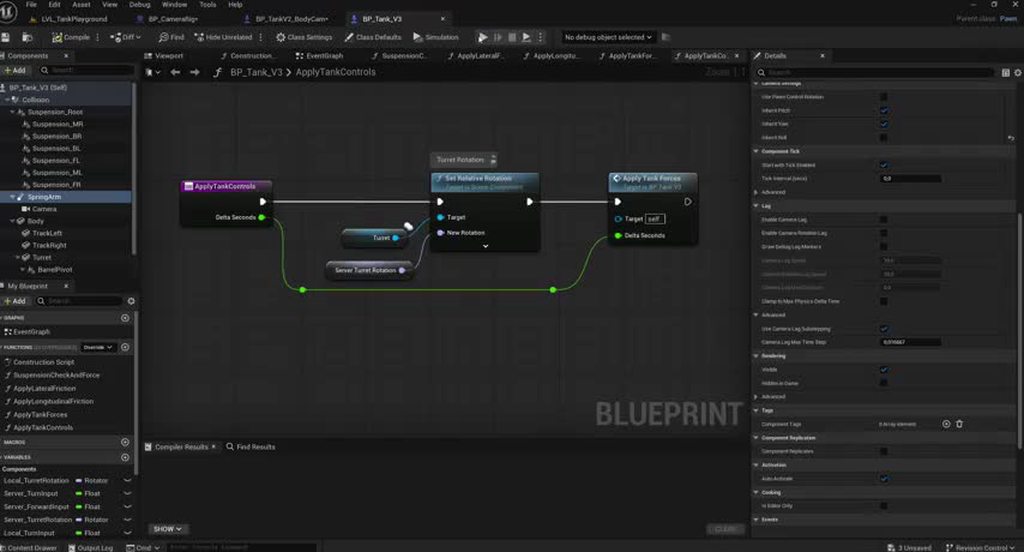
I‘d be super grateful for any help you can provide!
 covert hawk
thin stratus
CMC/GMC/XYZ all have a Prediction Simulation which work like this:
The client, ...
covert hawk
thin stratus
CMC/GMC/XYZ all have a Prediction Simulation which work like this:
The client, ...
Hello, thank you for sharing this information. I am trying to learn about proper replication but it is very hard to find good information. I am researching to decide what best to learn (CMC/GAS/Mover/GMC). Since I am not so good at C++ I am interested in GMC. After reading your explanations I wrote to the developer of GMC about the problems you explained and he said that GMC solves them. He said that it's explained in the documentation but I do not understand anything lol. https://grimtec.net/gmcv2-doc-beginners-guide-networking-introduction/
He also said the GMC Ability System (GMAS) does not have the problems that GAS has? Why hasn't Epic bought GMC yet if it solves all the problems??? I don't know if I should buy it as it is quite expensive but I have read only good things about it..
 valid imp
How to not destroy your framerate when Unreal Network floods your channel?
UChannel_ReceivedSequencedBunch calls greedily take my whole frame!
I know it wants to send things as fast as possible but damn, no way to slow it down or at least delay rep of low priority actors?
dark edge
Is there a way to have a replicated actor but without a bunch of data crossing the net? Like the opposite of TearOff? I have some seed based procgen so the end result will be the same on both machines.
 fossil spoke
dark edge
Is there a way to have a replicated actor but without a bunch of data crossing t...
fossil spoke
dark edge
Is there a way to have a replicated actor but without a bunch of data crossing t...
Just mark properties as InitialOnly?
Why would you need a Replicated Actor, but then not allow anything to be sent across the network?
dark edge
fossil spoke
Why would you need a Replicated Actor, but then not allow anything to be sent ac...
I mean not having a ton of initial state or even the fact that they're spawned. It's PCG
the one seed determines everything, but I'd want some replicated state after the fact like doors being open etc. Just as if it was a replicated actor that existed on the level at editor time
dark edge
unkempt elk
Hello!
I am having issues with camera lag on my physics driven pawn when I play...
That's the camera being jittery, not the tank
async or sync physics?
 verbal ice
dark edge
I mean not having a ton of initial state or even the fact that they're spawned. ...
verbal ice
dark edge
I mean not having a ton of initial state or even the fact that they're spawned. ...
I'm currently researching this too
I want to send a level's "rooms" manually to a client, and have the server's version and the client's version act like they've been loaded from the map
with stable names and all
Haven't figured it out yet
thin stratus
covert hawk
Hello, thank you for sharing this information. I am trying to learn about proper...
No clue about GMAS, but afaik GMC doesn't reinvent the wheel. The fundamentals of how prediction for movement is done doesn't change with the GMC. It probably does a better job at making it easier to extend movement compared to the CMC, but that might be all.
What I heard about GMAS is that it drives the whole stuff through the GMC prediction logic, which helps syncing up Movement and Ability System, and is also what a lot of people do to get CMC and GAS to work more smoothly. This might solve some of the headache but at the same time wouldn't make me purchase any of that.
Epic has never really purchased any larger or more complicated Plugins. They send out some grants for it but that's about it. They don't want to take over an unknown code base and then support it if someone else already does that for them. Epic also has no need for these solutions as they simply work around the problems like everyone else does. The goal of no corrections is a naive one and a waste of development time. A lot of this can be hidden and a lot of games don't really need any of this.
For your decision about what to learn: Learn C++ if you can and stick with GAS and CMC. If you can't, ensure GMC and GMAS do what you need, to 100%, and without the need of you fixing their stuff in C++ and buy that stuff I guess. Don't touch Mover for another few months as it's not ready yet (also doesn't solve any of the GAS stuff).
I would go with C++ and sticking to the CMC and GAS option.
unkempt elk
dark edge
That's the camera being jittery, not the tank
I don’t think the video shows it all that well, but when actually playing, the tank has ghosting around it, but that’s the only thing that looks weird. If you ram one of the cubes that are placed there and send it flying, those look fine next to the jittery tank. Physics are standard sync, I haven’t played around with async at all so far.
late surge
I have a weird bug where when the host exit the game (leave the session) in the middle of seamless travel. It doesn't disconnect other players, they just sitting in the lobby forever. I though they have some kind of time out mechanism to kick them out of the session when the host isn't there anymore?
covert hawk
thin stratus
For your decision about what to learn: Learn C++ if you can and stick with GAS a...
thank you for your insights!
 nocturne iron
I am facing a replication issue with a component added by an "Add Components" game feature action. Are there any caveats with adding components this way, in relation to replication, net ids, owner, etc?
lost inlet
Are you enabling the GFP on both client and server?
zealous wigeon
anyone seen this before and have ideas on how to implement it? https://youtu.be/O6XcATwKQ3Q?t=35

Today is a quick one, mainly for new players wondering about the difference in line of sight between 1st & 3rd person view.
✅ Become a Channel Member here https://www.youtube.com/channel/UCIEglRT5n5YADgA0n9dYLlA/join
✅ Come join the Community Discord - https://discord.gg/jEAHJCrT2F
If you enjoyed todays video give it a like, smash that subsc...
nocturne iron
lost inlet
Are you enabling the GFP on both client and server?
Yes. Maybe it just works and my problem is something else, just wanted to know if I need to investigate the game feature add comp.
tardy fossil
zealous wigeon
anyone seen this before and have ideas on how to implement it? https://youtu.be/...
this is very likely just being hidden client side.. could probably just do a simple line trace from the players head to nearby players to see if they have an unbroken LOS
zealous wigeon
tardy fossil
this is very likely just being hidden client side.. could probably just do a sim...
thoughts on how to send the hidden model's position via replication? if client is hiding it, then cheaters could use the received data for wallhacks? which begs the question, is it even feasible since valorant and other games have issues with wallhackers but don't use conditional replication to limit position data
tender idol
anything sent over a network can be hacked.
zealous wigeon
is it not feasible to conditionally replicate position info? (latency requirements or something?)
tardy fossil
yeah its just not feasible for the server to control what the player sees for fast paced games.. (besides distance based relevancy) mostly due to latency
zealous wigeon
thx ^^
think iris would make it more feasible (i assume valorant is using replication graphs, not iris)
lost inlet
you've always been able to control relevancy
but I wouldn't be surprised if this was just client
thin stratus
Since when does Valorant not use NetRelevancy? Didn't they have a blog post about their fog of war?
quasi tide
tardy fossil
yeah its just not feasible for the server to control what the player sees for fa...
This is actually what valorant literally does
They only send the location of people close
If I recall, they have a voxelized version of the map in memory with all possible Line of Sights precomputed. Then that is their fog of war. And a little bit before a player can see another player according to the server, they'll then send the location update.
lost inlet
this is what the good ol' Source Engine called PVS
exotic wasp
quasi tide
If I recall, they have a voxelized version of the map in memory with all possibl...
and they say the guy with a 32gb data table was insane
quasi tide
 zealous wigeon
yeah.. precomputing an open world is not possible. tho val is all about latency, first to server wins.
so purrhaps my usecase would allow for validating LoS serverside, like AIPerception does for npcs
 warm plover
What would be the best way to go about making a DayZ type inventory that works in multiplayer ?
exotic wasp
warm plover
What would be the best way to go about making a DayZ type inventory that works i...
loaded question. but decide on requirements for how dynamic you want it to be, and how to want to make new items
make a wish list for it and then refine it from there
inventory systems are as dumb simple or as insanely complex as you want them to be
exotic wasp
zealous wigeon
yeah.. precomputing an open world is not possible. tho val is all about latency,...
It's still possible
it explodes in complexity with map size
but open world being split into large chunks allows great optimization
if you have really long lines of sight in a big open map it can be pretty tough though
 gritty warren
Does anybody know if the Network Prediction Plugin is still under development, or is Epic focusing on Iris? I read that Fortnite switched over to Iris sometime last year, and that there were no future plans for NPP, but I have no idea if any of this is true or not.
I'm asking primarily because I'm curious about the roadmap for Mover 2.0, which currently uses the NPP, as well as GAS. Currently it seems like if you really want to do Mover 2.0 with abilities and server side rewind, you can't really use GAS, and you have to roll your own solution using NPP. But I'm wondering if learning how to do all that is even worth it if Iris is going to be the focus going forward.
Or if I'm totally misunderstanding and Iris / NPP are actually totally compatible (which I read they weren't due to differences in net serialization approaches or something like that), feel free to tell me that too
quasi tide
gritty warren
Does anybody know if the Network Prediction Plugin is still under development, o...
Just consider NPP dead. Mover is focused on the Chaos networking backend.
gritty warren
quasi tide
Just consider NPP dead. Mover is focused on the Chaos networking backend.
The chaos networking is kinda rough tho it seems like. At least in the default example, running into blocks and stuff results in a ton of desyncs
for the block itself I mean
gritty warren
quasi tide
All will embrace the FN plans
FN plans?
quasi tide
Fortnite
gritty warren
I thought their plan was Iris?
quasi tide
Yes?
gritty warren
Does the Chaos networking backend use Iris?
quasi tide
Iris is its own system entirely
gritty warren
yeah thats what I thought
quasi tide
Because it is dead
gritty warren
doesn't that mean NPP does actually care if it is Iris or?
I'm a wee bit confused aha
quasi tide
Yes. Old code has limitations. You got me on that. I concede.
Just remove NPP from your mind. Act like it doesn't exist.
Chaos mover is the future
Because that's what Fortnite needs
gritty warren
hmm
i will consider this. I have received opposing advice, but its really hard to argue with what you're saying lol
gritty warren
Yeah!
Just from people who are currently using it for their games and such. I recognize that it can be dead but still useful because its still 'done'.
quasi tide
Can't say I've really heard anything good about it
And pretty sure Cedric has had to do some big fixes for it.
gritty warren
quasi tide
Can't say I've really heard anything good about it
really? we have different algorithms it seems lol
quasi tide
My algorithm is my discord feed, lol.
I don't care much about what Reddit says.
Or Youtube for that matter
Just the various gamedev servers I'm in.
gritty warren
quasi tide
My algorithm is my discord feed, lol.
mine too though, I was mostly just making a joke
gritty warren
quasi tide
Because it is dead
so just to be clear, you maintain that it is dead even though its receiving updates on 5.7?
quasi tide
I haven't seen the updates but yes. I wouldn't put my trust in it.
Because the needs of Fortnite will always outweigh the needs of seth
And Fortnite wants Chaos mover.
It really depends on the update. Because even Paper2D technically has additional commits to it and some fixes here and there.
But that is super dead
gritty warren
quasi tide
Because the needs of Fortnite will always outweigh the needs of seth
Who said otherwise? this is oddly combative lol
Sorry if my questions made you upset man, didn't mean to do that!
thin stratus
@gritty warren Using NPP + Mover for the past year on a larger (up to 100 players) project. Needs tons and tons of changes and fixes. Iris works but you gotta rewrite parts of NPP for it, otherwise it can't work, as NPP has a really annoying setup with a custom NetSerializer on the top level that calls fake NetSerialize functions low-level.
Epic hasn't done much about NPP during all those months and most of the commits to the Mover plugins are for Chaos.
And Mover (with or without Chaos) is also far from done. I would suggest sticking with the CMC.
gritty warren
Hmm good to know. Okay, much appreciated!!!
thin stratus
Also GAS isn't compatible with NPP and probably never will. It's two different predication system, same issue the CMC and GAS have. Chaos Mover and GAS will also not work.
You can pay money for that GMC + its GAS version that routes stuff through the GMC, or you just use CMC + GAS like everyone else.
gritty warren
thin stratus
You can pay money for that GMC + its GAS version that routes stuff through the G...
I gotcha, I do have GMC and quite like it, this is actually me trying to figure out how to do a movement system that can go along with animations I'm making lol. Not even for a game, just want to be able to sell animations and a movement system along with it
well I am also interested in increasing my knowledge here too so i guess that's not totally right
but yeah that's much appreciated advice / input, thank you!
thin stratus
Can't give advice on that, only my own opinion: I would much rather purchase a pack of Animations without Code/BPs that are cleaned up and ready to throw into whatever I want, with RM and non-RM versions etc., and then combine that with my own stuff, or if I really would have to, purchase a second system that focuses on that "movement" part without requiring animations, so I can combine stuff.
gritty warren
thin stratus
Can't give advice on that, only my own opinion: I would much rather purchase a p...
definitely going to have them separated, going to be: Animation Packs, an ABP with a default / unarmed movement set, and hopefully a movement component eventually that can quickly get you up and running in a singleplayer or multiplayer game
Mover seemed great for this because you can easily create an animation pack for a new kind of movement mode (e.g., snowboarding or something) and then drop the Mover mode in there with it. But alas, maybe its not time for that yet
thank you!!!
dark edge
Has anyone tried tackle a generic prediction framework? Is that even a product that exists?
verbal ice
doubt it'd be one size fits all
dark edge
I mean the general form is you have properties, events, boundary conditions, and dependencies. It feels shitty that CMC predicts and GAS predicts and whatever else predicts but they operate in separate worlds
RPCs and replicated properties seems to be a fairly one-sized technique to state synchronization in general. It doesn't seem out of the question for generic networking to have prediction stuff. It'd be hard for sure though.
mystic estuary
Hello, how do people go about GetPlayerViewPoint on non-locally controlled players?
I have a bunch of camera modifiers for various reasons that change my view point, so I use that rather than getting camera location + rotation to compute what the player is looking at, so that the target location for the grabbing. More specifically, I need to know where the player is looking so that I know what they're trying to drag towards to try to predict some of that. I'm dragging human bodies by limbs, and only replicate their root position+rotation to have somewhat similar simulation across the network.
Forgot to mention, but I shouldn't be able to use the GetPlayerViewPoint since it makes use of player camera manager which should be only valid on locally controlled player controllers
dark edge
mystic estuary
Hello, how do people go about GetPlayerViewPoint on non-locally controlled playe...
Why not just spam an AimPoint or AimDirection at the server and call it a day?
mystic estuary
dark edge
Why not just spam an AimPoint or AimDirection at the server and call it a day?
I wanted to predict it for the server and simulated proxies to save some bandwidth in the first place, so spamming just the server ins't really enough, since I also need to do that for simulated proxies. If there's nothing I can do about it, I would need to roughly predict those camera modifiers, and go off my first person camera location + forward, and hope that it works
 obsidian ermine
mystic estuary
Hello, how do people go about GetPlayerViewPoint on non-locally controlled playe...
obsidian ermine
mystic estuary
Hello, how do people go about GetPlayerViewPoint on non-locally controlled playe...
You need the server to replicate Base Aim Rotation and Camera Manager -> Camera Location to its simulated proxy counter parts.
You can then access those directly from your Autonomous proxy if needed.
Autonomous and Authority proxies only have them by default. So simply create a replicated variable BA_Rotation in the character class.
Then on Tick update it.
Tick Event -> Is Server [branch: true] -> Set BA_Rotation.
Obviously do the same for camera location vector.
I'd use an Interface call on the controller to return it.
in character: Get Controller -> Get Camera Location [interface]
In the controller open the interface "function" and simply Get Camera Manager -> Get Camera Location... pipe that vector to the function return.
mystic estuary
Alright, will try it out
obsidian ermine
mystic estuary
Alright, will try it out
Just make sure you get the camera manager from player controller.

 quartz star
thin stratus
<@195262904956747785> Using NPP + Mover for the past year on a larger (up to 100...
quartz star
thin stratus
<@195262904956747785> Using NPP + Mover for the past year on a larger (up to 100...
Would you have any concrete examples on that?
covert hawk
dark edge
Has anyone tried tackle a generic prediction framework? Is that even a product ...
I think GMC might have that? I talked to developer and they said something like that but I am still learning and researching about proper replication so i don't know for sure.
dark edge
covert hawk
I think GMC might have that? I talked to developer and they said something like ...
I'm talking about predicting movement, and debuffs, and health values, all within the same framework
covert hawk
I thought that is what GMC + GMAS is because they somehow use the same replication system, not like CMC + GAS. I might be wrong..
thin stratus
quartz star
Would you have any concrete examples on that?
Of required changes and fixes?
thin stratus
dark edge
Has anyone tried tackle a generic prediction framework? Is that even a product ...
That's what NPP tried to be but pretty much failed. The way it works is mostly suitable for CMC like prediction and different simulations and instances still fail to properly interact with each other, even with fixed tick.
quartz star
thin stratus
Of required changes and fixes?
Yes, or generally what are the major reasons to not use mover in your view
 shadow aurora
Anyone have any suggestions on how I can get a gamemode derived from GameModeBase to just proceed immediately to creating UI, etc. regardless of expected players' travel status? Currently seeing behavior where the server host is sitting without its UI if clients take too long to seamless travel, and in this very specific case we don't really care and want them to go through the flow quickly.
 jaunty hazel
Hey guys I am trying to fix a problem im having. whenever I host a session, It kicks me back to the lobby and I cant find it in another server browser.
 mighty trout
HEY I HAVE A NON REPLICATED VARIABLE AND AND I AND I AM ATTACHING ON THE SERVER AND ALL CLIENTS CAN SEE THE ATTACHMENTS DONE ON THEM AND WHEN I DROP THE ATTACHMENT AND TRY TO PICK IT UP IT DOESN'T WORK IT ONLY WORKS ON THE SERVER
verbal ice
show code
mighty trout
void UCombatComponent::EquipWeapon( AWeapon* weapon )
{
if (weapon==nullptr)return;
if (CombatState!=ECombatState::ECT_Unoccupied)return;
if (weapon->GetweaponType()==EWeaponType::EWT_Flag)
{
character->Crouch();
IsbearingFlag = true;
    weapon->SetWeaponState(EWeaponState::EWS_Equipped);
    AttachFlagToLeftHand(weapon);
    weapon->SetOwner(character);
    flag=weapon;
}
void AFlag::OnEquipped()
{
SetWidgetVisibility(false);
Getsphere()->SetCollisionEnabled(ECollisionEnabled::NoCollision);
FlagMesh->SetSimulatePhysics(false);
FlagMesh->SetEnableGravity(false);
FlagMesh->SetCollisionEnabled(ECollisionEnabled::Type::NoCollision);


EnableCustomDepthPass(false);
UE_LOG(LogTemp,Warning,TEXT( "flag  is equipped  and property has been set "));
}
void AFlag::OnDropped()
{
if (HasAuthority())
{
Getsphere()->SetCollisionEnabled(ECollisionEnabled::Type::QueryOnly);
}
FlagMesh->SetSimulatePhysics(true);
FlagMesh->SetEnableGravity(true);
FlagMesh->SetCollisionEnabled(ECollisionEnabled::Type::QueryAndPhysics);
FlagMesh->SetCollisionResponseToAllChannels(ECollisionResponse::ECR_Block);
FlagMesh->SetCollisionResponseToChannel(ECollisionChannel::ECC_Pawn, ECollisionResponse::ECR_Ignore);
FlagMesh->SetCollisionResponseToChannel(ECollisionChannel::ECC_Camera, ECollisionResponse::ECR_Ignore);
FlagMesh->SetCustomDepthStencilValue(Custom_Depth_Blue_Value);
FlagMesh->MarkRenderStateDirty();
EnableCustomDepthPass(true);

UE_LOG(LogTemp,Warning,TEXT( "flag  is dropped and property is set "));
}
Consider ondropped and onequipped as multicast
obsidian ermine
The Server should be doing all the attaching/dropping etc. The attached "Actor" should be set to replicate.
That alone will replicate everything needed for all players to see the attachment/drops etc.
Use custom sleep time and set a 10+ multiplier for the drop physics. This will put it to rest faster.
mighty trout
i don't want implementation part just want to know that when we first time attach the actor on server it attaches properly and all clients can seet it and when i drop it and detach it from the actor and then again attaches it on the server then it only worked on server not on any client why?
obsidian ermine
mighty trout
i don't want implementation part just want to know that when we first time attac...
Because the actor being attached is replicated most likely.
mighty trout
THEN WHAT HAPPENS AFTER DETACH?
obsidian ermine
mighty trout
THEN WHAT HAPPENS AFTER DETACH?
depends on what you want to do.
If it's a looter shooter game like fortnite or pubg you typically have the server detach, update inventory then destroy the actor.
Then the server spawns a replicated prop actor. Either spawn it directly below the character on the ground or spawn it in air w/physics enabled and let it drop.


simple example
verbal ice
I wonder if you could fool the engine into thinking an actor spawned at runtime was loaded from the level
if you ensure it has a stable name
verbal ice
dark edge
Is there a way to have a replicated actor but without a bunch of data crossing t...
Sounds like what you're trying to do
Did you end up finding anything?
verbal ice
Might be possible if you make it bNetStartup = true
As long as you guarantee the name is stable for networking (same name on server and client), it looks like it'll assume it's loaded from the map
dark edge
verbal ice
Did you end up finding anything?
nah but haven't looked that hard
It's procedural generation, I'll first see how much data it is and if it's worth dealing with
verbal ice
I'd also just do bNetLoadOnClient = true
Additionally, I'd make sure the actor does not replicate to the client until it's spawned on the client and stable there. Seems like the engine's a bit finnicky if the client opens an actor channel before the actor is available on the client. At best you'll get UActorChannel::ProcessBunch: SerializeNewActor failed to find/spawn actor. spam on the client and Actor channel failed spam on the server
In theory this should work, or at least is a good start towards getting that kind of stuff working
UNetDriver::ServerReplicateActors_ProcessPrioritizedActorsRange seems to skip closing a channel if it's a net startup actor

I guess it just doesn't send data through that channel but keeps it open as long as it still exists on the client
How Iris handles all that is a whole other thing though, probably would need some more/different work
Iris might do the same
Did a quick read through its calls to IsNetStartupActor and all, looks like it has its own version of the UPackageMapClient and is able to see those kinds of actors as static as long as their full name is stable for networking
i'll look more into it later
verbal ice
verbal ice
i'll look more into it later
later is now, and Iris seems to behave the same way as above
If it's a """static""" actor (or well, the engine thinks it is) and the actor isn't actually destroyed, it sends a bit saying not to destroy the object
On the receiving end, it seems like it just "detaches" the object from the replication bridge
but doesn't destroy the object/actor
guess I got a nice dive into Iris' internals sooner than anticipated
 dark parcel
Does anyone use AddReplicatedLooseGameplayTags from GAS?
Calling this func, doesn't replicate the tag on my end.
hmm seems like GetOwnedGameplayTags doesn't get the replicated loose tags? It's stored specifically in
/** Container used for replicating loose gameplay tags */
    UPROPERTY(Replicated)
    FMinimalReplicationTagCountMap ReplicatedLooseTags;
?
 karmic briar
You can tey calling add loose with setloosetag function
Sometime you need set tag as well
dark parcel
I did use the function but other machines are not getting the tags when I call GetOwnedGameplayTags
it only adds the tag locally. Doesn't matter if server or client call the function.
karmic briar
Maybe you need to override GetOwnedGameplayTags and make sure its appending the value from ASC GetOwnedGameplayTags?
Happened to me in early stages of my project
karmic briar
If not then one last resort to check either you use loose tag or gameplayeffect as loose tags notorious for this
The only "fix" i found is like i said call AddLoosetag and also setloosetag together
If that also not work, i have no idea
jaunty hazel
Alright. I have listen as a option when loading a level but it just pushes me back to the lobby after loading the level for a second. I can't even find the server in the browser. Anyone know why its failing even through it loads.
I click host game with the listen command. loads map, after a second. it kicks me back to the lobby. Why?
thin stratus
jaunty hazel
I click host game with the listen command. loads map, after a second. it kicks m...
No clue tbh. Check your logs please.
 fiery wadi
Hi , I am trying to refresh my memory with multiplayer basics and I have a billboard with a changing number which syncs to all clients and am trying to do a when the client press E it stops for that client but continues on the others until they press E. This is what I have so far which seems to be working with changing the number on server and all clients.

This is what im doing on the ThirdPersonCharacter IntBill is a reference to the Billboard Actor in the world.

I am guessing that because the server started the Timer Event it means that it has authority over the timer handle and clients cannot stop it at anytime?
dark parcel
fiery wadi
Hi , I am trying to refresh my memory with multiplayer basics and I have a billb...
what's the purpose of Client RPC here?
what does the server requires the client to run? absolutely nothing in this context.
Client just get the replicated value via OnRep
everything else should be handled and exist only in the server (e.g the timer).
For example.
Start the timer as soon as the billboard is spawn.
Event Begin Play -> Switch has Authority -> Create timer -> Set Int Value with notify.
OnRep (the number) -> Set Billboard text to the number.
That's it as far as synchronizing.
If you want the client to have the ability to stop the timer.
StopTimer Function -> Switch has authority -> If Authority -> Stop timer
If Remote -> ServerRPC -> Stop timer.
that's assuming the client own the billboard though. Otherwise you need to route the Server RPC.
fiery wadi
Ahh oik i think i understand that thanks for the reply! I,ll try to put that 🙂
 austere sierra
https://www.youtube.com/watch?v=17D4SzewYZ0&t=372s&ab_channel=delgoodie
Hey guys, I followed the guide to make a sprint system and it works almost perfectly. The only issue is that when I enable network latency, the higher the latency gets, the slower the animations play for other players. Any ideas?
https://discord.gg/uQjhcJSsRG
In this video I setup a new project and create a custom character movement component. I also implement movement safe sprinting which works at any ping.
https://github.com/delgoodie/Zippy
0:00 Create New Project
1:02 Setup File System
02:50 Create Custom CMC
04:43 Saved Move Class
08:37 Compressed Flags
13:35 Client...
quartz star
thin stratus
Of required changes and fixes?
I guess my message got lost...
^ yes thats what I meant.
reef hearth
Question: How can 1 player control 2 characters simultaneously in multiplayer (on client)?
I’m tearing my hair out over this. In Unreal Engine multiplayer, it seems super strict around 1 controller = 1 character.
What I’m trying to do:
I want a single client/player to control two characters at the same time (not switching, but actively controlling both).
The characters are supposed to be identical.
What I’ve tried:
The only approach I’ve come up with is having one character be AI-controlled, then sending RPCs from the client to drive it.
The issue is that this introduces noticeable lag, since inputs aren’t as responsive compared to directly possessing the pawn.
The problem:
I need both characters to feel equally responsive, but can’t find a way around the strict controller-to-pawn limitation.
Question:
Is there any way to bypass or work around this so one player can directly and responsively control two characters simultaneously in multiplayer?
fiery wadi
dark parcel
that's assuming the client own the billboard though. Otherwise you need to route...
This seems to work when client 1 presses E it stops generating numbers but Client 2 continues to generate until they press thers.
 tacit furnace
What is the true way replicate "Attach Actor To Component"? I try do this in another actor from character
nova wasp
replicate the attachment
attachment replication should already do this for you if movement replication is enabled (movement replication is not required, woops)
but I would say making your own onrep will work just fine too... you might not need to send the offset for example if you know about the offset on both sides already and save some bandwidth
0 context for what you are actually doing though I guess
thin stratus
nova wasp
attachment replication should already do this for you ~~if movement replication ...
Iirc attachment replication doesn't even need movement replication
obsidian ermine
tacit furnace
What is the true way replicate "Attach Actor To Component"? I try do this in ano...
The Actor being attached needs Replicates ticked.
The Server does the attaching. That's it.
Movement replication is not needed.
tacit furnace
I solved thanks
nova wasp
huh, I assumed it was only handled in AActor::GatherCurrentMovement
oooh, it enters that block if it has an attach parent
obsidian ermine
nova wasp
oooh, it enters that block if it has an attach parent
If the parent (attached to class) has authoritative movement, then it will replicate the movement.
 gritty nebula
hello friends. is there a delegate that activates whenever the GameState's PlayerArray updates? I am trying to have a widget that shows the number of players and I want a way to efficiently update this value whenever a player leaves or joins
kindred widget
gritty nebula
hello friends. is there a delegate that activates whenever the GameState's Playe...
There's not. Cause no one likes UI. So why bother giving useful delegates for it.
Sourness aside. If you're in CPP, it's virtual so you can add your own. If you're not in C++, you can usually get away with your PlayerState's Beginplay running a delegate on your GameState.
torn hull
Hello. I’ve just started a multiplayer course and I’m starting to wrap my head around it. Is this the correct way to do it? It’s working, but I’m wondering if it’s optimal or if there’s some stupid mistake.
I’m using a stealth component which stores the stealth amount and is responsible for increasing/decreasing its value. When a key is pressed, I want the character to hide (if the stealth level is higher than some number). To do this, I trigger an event that runs on the server (im using listening server), and then from the server I use a multicast to update the variable, and hide the actor. When pressed again I want to unhide the character and stop timer from decreasing stealth level, This is on character pawn class
Is this an optimal/safe way to do it?

 kindred widget
torn hull
Hello. I’ve just started a multiplayer course and I’m starting to wrap my head a...
kindred widget
torn hull
Hello. I’ve just started a multiplayer course and I’m starting to wrap my head a...
I'd recommend separating the actual hidden state and the player's intention to hide.
Or maybe not in your case if you're keeping it as a single button press.
The multicasts make me curious. I'm a little lost why you need them. You have replicated state. You should use OnReps for them. You're having clients track a lot of authoritive state in those multicasts rather than simply setting the state only on the server and letting it replicate back to clients.
torn hull
kindred widget
The multicasts make me curious. I'm a little lost why you need them. You have re...
I left it like that cuz previosuly I was spawning sound at location for everyone when player was hiding and I couldnt make it work without multicast. I will try to create it with onreps tomorrow cuz I dont need sound anymore
 pliant cypress
Hi. I have a question.
If I have a heavy object in the world such as a Stone or Wooden log and I want the player to lift it and move but only if 2 players are lifting.
Can someone explain how this can be achieved?
In my opinion, I think the heavy object will be a C++ class where it contains 2 Boolean called bLeftSidePick and bRightSidePick and once both true, a multicast will be hit to play the lifting animation and change the state of Stone.
dark edge
pliant cypress
Hi. I have a question.
If I have a heavy object in the world such as a Stone or...
Start with thinking about how you want lifting and moving things to work at all to begin with
If 2 players are holding the log and walk in different directions, what should happen?
dark edge
torn hull
Hello. I’ve just started a multiplayer course and I’m starting to wrap my head a...
What does stealth level mean here?
What is the state, at any given moment in time, what is the data representing how hidden the thing is?
dark parcel
torn hull
Hello. I’ve just started a multiplayer course and I’m starting to wrap my head a...
What a shit course you are following...
something hidden is a state, multicast shouldn't be used here.
Deffinitly teach people the wrong way, I hope you don't pay money for it.
pliant cypress
dark edge
If 2 players are holding the log and walk in different directions, what should h...
Cancel eachother movement.
pliant cypress
dark edge
Start with thinking about how you want lifting and moving things to work at all ...
Mission is like
You pick a part of antenna and set it in the system of antenna to fix it but the part is heavy so required 2 players
dark edge
pliant cypress
Cancel eachother movement.
You are in C++ territory.
And I'm guessing if the log runs into something that should also stop the movement?
It'd be trivial to do with physics but with character movement component, yeah I think that's going to be pretty hard.
Now if instead you said that the movement of the characters is completely unaffected, but they drop their half of the log. If they move too far from the end of the log, then that is much much much easier to do
pliant cypress
dark edge
Now if instead you said that the movement of the characters is completely unaffe...
I mean, we can connect via socket and if both player movement direction is opposite it'll cancel.
But one is moving left and other right, from the center of object. It's rotating like a tank does when right track moves and left backward.
pliant cypress
dark edge
You are in C++ territory.
C++ isn't a problem for me, the logic is something I want to understand so I can implement
obsidian ermine
gritty nebula
hello friends. is there a delegate that activates whenever the GameState's Playe...
Normally you'd run an event in the GM off OnPostLogin/OnPostLogout. Those are official joins and discos.
optionally you could also create an OnRep Int in the GS and use OnPost Login/Logout to update it.
Then use the Onrep function in the GS to do what you need to do.
gritty nebula
obsidian ermine
Normally you'd run an event in the GM off OnPostLogin/OnPostLogout. Those are of...
thanks for pointing out where i can put the stuff! i am using steam so for now i am putting it inside some delegates in the steam plugin im using, but ill definitely switch later to the places you mentioned!
torn hull
dark parcel
What a shit course you are following...
Nah, it’s not part of the course. That was just me trying to do/break things on my own after the first chapter, without really having a deep understanding yet. I had problems with spawning Niagara/sound together with the state change (which wasn’t covered in the course yet), so that’s why I used multicast. I had no idea it was such a bad option for this, so thanks for the warning!
austere sierra
Hey guys, are any of you familiar with client prediction animations being played slowly, is there any way to fix it?
dark parcel
austere sierra
Hey guys, are any of you familiar with client prediction animations being played...
predicting the animation shouldn't slow or make the animation faster.
do you see this behavior in Editor or just purely on shipping?
austere sierra
dark parcel
do you see this behavior in Editor or just purely on shipping?
by enabling latency in PiE the higher the latency gets, the slower the animations play for other players
 red mantle
So i have this here for hosting and joining but when they try to connect it always fails at join session
 dark parcel
austere sierra
by enabling latency in PiE the higher the latency gets, the slower the animation...
dark parcel
austere sierra
by enabling latency in PiE the higher the latency gets, the slower the animation...
what node are you using? latency shouldn't matter too.
if you get stuttering it's normally tied to how listen server tick the animation.
red mantle

No description provided
austere sierra
dark parcel
what node are you using? latency shouldn't matter too.
https://www.youtube.com/watch?v=17D4SzewYZ0&t=372s&ab_channel=delgoodie just did it by this tutorial
https://discord.gg/uQjhcJSsRG
In this video I setup a new project and create a custom character movement component. I also implement movement safe sprinting which works at any ping.
https://github.com/delgoodie/Zippy
0:00 Create New Project
1:02 Setup File System
02:50 Create Custom CMC
04:43 Saved Move Class
08:37 Compressed Flags
13:35 Client...
dark parcel
austere sierra
https://www.youtube.com/watch?v=17D4SzewYZ0&t=372s&ab_channel=delgoodie just did...
I did that tutorial too, latency shouldn't matter at all.
if you get stuttering it's normally tied to how listen server tick the animation.
can't tell if this is your issue, unless we see something
dark parcel
the issue only apparent in shipping though
maybe you can take videos and show what goes wrong.
austere sierra
dark parcel
the issue only apparent in shipping though
but before this tuto using a simple multicast the animations were fine, but of course capsule got jittering. For now, the sprint system works fine as it should. As I said testing in PiE with no latency makes animations being played correctly, 5 network latency makes them a little bit slower, then 30 makes them even more slower and the higher the latency is the slower every animation gets. Haven't tested this in shipping build tho. The videos that you've sent were made after implementing the sprint system or before? Like was the problem in your case "if you get stuttering it's normally tied to how listen server tick the animation."?
dark parcel
it sounds like the problem is else where. no latency or 5 latency shouldn't make your animation play slower.
Show your code or videos?
austere sierra
dark parcel
it sounds like the problem is else where. no latency or 5 latency shouldn't make...
and ofc animations locally are fine, other players see them as laggy
thin stratus
There is only one case where Animations looks shite by default, and that's the ListenServer's view of SimProxies.
But Clients looking at other Clients shouldn't have any problems in theory.
dark parcel
austere sierra
and ofc animations locally are fine, other players see them as laggy
yeah this is what exi described
austere sierra
lament flax
the LS when watching clients ?
Yeah,I had tested it only from host prespective on other clietns and host watched the client
austere sierra
thin stratus
There is only one case where Animations looks shite by default, and that's the L...
So, is there any way to fix this?
thin stratus
afaik you can toy around with the smoothing settings
dark parcel
might have to combine this with some settings in the .ini
thin stratus
Doing that code alone won't do much. It might even make things worse.
The CMC ticks the Pose through the RPCs that come in. If you flip that boolean you basically cause it to tick more than once.
thin stratus
Pretty sure you just need to adjust some of the smoothing settings now-a-days.
lament flax
copied Kaos net settings to fix this, tldr; clients dont have capped frame RPCs so they spam the server so the LS is updating to much the animations
dark parcel
Yeah, I used his settings for the .ini too.
lament flax
so solution should be clamping listen server tick rates
austere sierra
will try that out, thanks a lot, guys
seems like a lot of people have this problem
dark parcel
austere sierra
seems like a lot of people have this problem
yup, and it stresses me out for a while.
@austere sierra #multiplayer message
austere sierra
lament flax
https://notes.hzfishy.fr/Unreal-Engine/Networking/Types/Character-Movement-Compo...
after adding this to my default game it made the animations much better, but still when client looks on another client's animations they are approximately 1.5x faster than what the host sees
austere sierra
dark parcel
<@547830149786370048> https://discord.com/channels/187217643009212416/2217993856...
so basically it helped, but not fully. Is there anything else that could help?
dark parcel
austere sierra
so basically it helped, but not fully. Is there anything else that could help?
can't say. Still can't visually see anything from your end.
I don't even know what you have changed or do different.
austere sierra
dark parcel
I don't even know what you have changed or do different.
I don't know what you want me to show you. The animations are still slower on host perspective. Could the reason be that I am testing it in PiE and not in steam?
austere sierra
austere sierra
I don't know what you want me to show you. The animations are still slower on ho...
because, i may be wrong, but the main functionally to fix this issue is written in SteamSockets category and it shouldn't work in PiE(??)
thin stratus
Steam has nothing to do with this.
marble arrow
Hi, i have a replication issue can you help me please
When I press spacebar, I change a variable on server, and based on that my character’s ABP plays a certain animation. For example, when I’m sleeping and I press spacebar, bIsSleep changes and it switches to another idle animation. But I don’t get why another player in my world is also affected by this. Nothing changes on server. If the server player presses spacebar, then everything goes back to expected
void AMPPlayerController::OnRep_bIsSleep()
{
    GEngine->AddOnScreenDebugMessage(-1, 3.f, FColor::Cyan, TEXT("OnRep_bIsSleep"));

    if (!IsValid(GetPawn()))
        return;

    AMPCharacter* MyChar = Cast<AMPCharacter>(GetPawn());
    if (!IsValid(MyChar))
        return;

    if (bIsSleep)
    {
        // uyumaya gectiysem
        MyChar->Sleep();
    }
    else
    {
        MyChar->WakeUp();
    }
}
InputComponent->BindKey(EKeys::SpaceBar, IE_Pressed, this, &Character::PreWakeUp);
void AMPCharacter::PreWakeUp()
{
    AMPPlayerController* PC = Cast<AMPPlayerController>(GetController());
    if (IsValid(PC) && PC->IsLocalPlayerController())
    {
        // Bu benim kontrol ettiğim karakter

        if (HasAuthority())
        {
            // ben sunucuyum
            WakeUpMovement();
            PC->bIsSleep = false;
            WakeUp();
        }
        else
        {
            Server_WakeUp();
        }
    }
}

void AMPCharacter::Server_WakeUp_Implementation()
{
    AMPPlayerController* PC = Cast<AMPPlayerController>(GetController());
    if (!IsValid(PC))
        return;

    WakeUpMovement();
    PC->bIsSleep = false;
}

void AMPCharacter::WakeUpMovement()
{
    if (!HasAuthority())
        return;

    AMPPlayerController* PC = Cast<AMPPlayerController>(GetController());
    if (!IsValid(PC))
        return;

    if (!IsValid(PC->SpawnerPlayerStart))
        return;

    FVector WakeUpLocation = GetActorLocation();
    FRotator WakeUpRotation = GetActorRotation();

    int32 SpawnerSceneIndex = PC->SpawnerPlayerStart->SceneIndex;
    // 0~1 -> soldaki 2 yatak
    // 2~3 -> sagdaki 2 yatak
    if (SpawnerSceneIndex > -1 && SpawnerSceneIndex < 2)
    {
        WakeUpLocation.Y += 150.f;
        WakeUpRotation.Yaw -= 90.f;
    }
    else if (SpawnerSceneIndex > 1 && SpawnerSceneIndex < 4)
    {
        WakeUpLocation.Y -= 150.f;
        WakeUpRotation.Yaw += 90.f;
    }

    SetActorLocation(WakeUpLocation);
    SetActorRotation(WakeUpRotation);
}

void AMPCharacter::WakeUp()
{
    //if (IsLocallyControlled())
    //{
        FPSCamera->SetActive(true);
        SleepCamera->SetActive(false);
    //}
}

void AMPCharacter::Sleep()
{
    if (IsLocallyControlled())
    {
        SleepCamera->SetActive(true);
        FPSCamera->SetActive(false);
    }
}
Side note. Enhanced Input is a thing.
austere sierra
thin stratus
Steam has nothing to do with this.
[/Script/SteamSockets.SteamSocketsNetDriver]
NetConnectionClassName=/Script/SteamSockets.SteamSocketsNetConnection
ReplicationDriverClassName="/Script/TwinStick.RTS_ReplicationGraph"
ConnectionTimeout=80.0
bNeverApplyNetworkEmulationSettings=true
InitialConnectTimeout=120.0
NetServerMaxTickRate=60
bClampListenServerTickRate=true
MaxNetTickRate=30
KeepAliveTime=0.2
MaxClientRate=120000
MaxInternetClientRate=120000
RelevantTimeout=5.0
SpawnPrioritySeconds=2.0
ServerTravelPause=4.0
I thought that this code wouldn't work until i am connected to steam, otherwise in PiE it won't work, am I wrong?