#multiplayer
1 messages · Page 259 of 1
 thin stratus
And what config does the server use? DevEditor? Testing? Shipping with logs?
You shouldn't really mix packaged with editor/standalone
 odd hamlet
How do you guys handle the hp variable for a co op game in order to handle the death animation and the hp widget?
Its something normal to make it on rep?
 latent heart
Sure, why not?
 tame sapphire
I think this is the part thats stumping me as to how
??? -> make sure you're on server -> set InteractingPlayerState (replicated, repnotify) - DONE
Onrep_InteractingPlayerState -> do stuff - Done but this is where i was kind of at before with player controllers its now states as recommended but If its an actor on the server and its in the onrep of this actor isnt this all on the server?
As in how can the player state change its color for all but the interacting state? shouldnt setting the color happen elsewhere in this instance? (Potentially in the controller when interacting) Im UK so not ignoring if you do reply but thanks in advance
 nova wasp
Bp onreps run on both authority and client
There is nothing stopping you from just calling the same function on both sides though
 dark edge
tame sapphire
I think this is the part thats stumping me as to how
??? -> make sure you're on...
dark edge
tame sapphire
I think this is the part thats stumping me as to how
??? -> make sure you're on...
Do you know how onreps work?
just make sure the server is setting the value, then in the onrep you can do whatever needs to respond to the value
the onrep runs everywhere and most importantly, when the value CHANGES
Say it was "push button to highlight what you are looking at"
Pawn:
InputEvent -> figure out what you're looking at (trace) -> call a Run on Server Event inside the pawn, sending over a ref to the thing
RunOnServerEvent -> set the thing's PlayerStateSelectedBy to self's PlayerState
Thing:
OnRep_PlayerStateSelectedBy -> is PlayerStateSelectedBy valid? -> yes -> is PlayerStateSelectedBy a local playerstate? -> yes -> be yellow
-> no -> be unselected -> no -> be red
That'll handle selecting, you'll have to handle unselecting the same way, setting the thing's PlayerStateSelectedBy to be nothing
 latent nest
I have a line trace that gets the end locaiton. I then have a projectile fire at that location. It works on the firing client but not the other client. It fires but in a random direction I have it set to fire on a multicast. Is there something I should hcange?

 dark edge
latent nest
I have a line trace that gets the end locaiton. I then have a projectile fire at...
dark edge
latent nest
I have a line trace that gets the end locaiton. I then have a projectile fire at...
how would the server know what start pitch and end pitch are?
latent nest
dark edge
how would the server know what start pitch and end pitch are?
Does it need to. If so what do I run on the server, then on the multicast
dark edge
latent nest
Does it need to. If so what do I run on the server, then on the multicast
Sure it does, how would anyone else know in that case?
Just add 2 vector parameters to those RPCs
latent nest
Still trying to learn this whole multiplayer aspect
latent nest
dark edge
Just add 2 vector parameters to those RPCs
to which?
dark edge
both in your current setup
you need to at least send the parameters to the server, there's other approaches from there but in your current setup you need to forward the pitch start and end to server then it has to multicast them out
latent nest
dark edge
you need to at least send the parameters to the server, there's other approaches...
Something like that or no
 dark edge
latent nest
Something like that or no
dark edge
latent nest
Something like that or no
gotta send them to the clients too unless the ball is a replicated actor
latent nest
dark edge
gotta send them to the clients too unless the ball is a replicated actor
should i do, client -> server -> multicast or differnt order
dark edge
latent nest
should i do, client -> server -> multicast or differnt order
That's the order
 magic vessel
Second thing I noticed was why are you spawning the baseball actor in the net multicast?
 autumn marlin
I want to create a special code for the server and allow other players to join with this code. How can I do this?
magic vessel
I assume you mean like jackbox right?
In which case, you generate a random number (preferably a really large number) and express it in something like base64 and give that to your players
If you're using EOS, I have in the past used that number as one of the keywords, so the players can easily search for it
If you use it as the server name, it can prevent duplication and ensure that it is unique
 hoary timber
hey, im having an issue, where I travel into level in multiplayer scenario, and the sequencer is playing in post-login logic, the sequencer causes the client to be kicked out. from the logs I gathered that is that connection times out after 60s, and the client is stuck on loading. skipping cutscene/loading without sequencer doesnt cause the issue. any ideas?
it looks like sequencer is somehow blocking the evaluation on hosts side?
 worldly needle
I hope its not post login of gamemode. Because it exists on server only.
If I were in your shoes, I would be triggering it on when hud started
or, inside of character when its ready
hoary timber
worldly needle
I hope its not post login of gamemode. Because it exists on server only.
well, I was trying different things to sort this out, but right now I did it from gamemode, as in post login and calling a client function on controller to initialize the cutscene. actually calling it from a character when that's ready might solve this whole thing
it's just a level intro cutscene, hence I thought to do it as soon as level loads
worldly needle
that cutscene is for client who joins game on t moment
if that cutscene involves in level do it when you have control of actors where exist in level. You can close the gap with short loading screen on front when HUD has been created.
or you can have real loading screen where you clear loading screen on thread when the experience is ready.
plenty way of doing it, but not post login.
hoary timber
@worldly needle adding that logic inside a player character did the trick! thanks for suggesting it! 🙌
hoary timber
i take that back, didnt solve it
thin stratus
Sequencer shouldn't cause you to disconnect though. I've used Sequencer in the past for cutscene and what not in multiplayer games.
thin stratus
hoary timber
<@194540171113398272> adding that logic inside a player character did the trick!...
Where in the Character did you add this?
hoary timber
thin stratus
Where in the Character did you add this?
Just in begin play, maybe something from the sequencer itself is the issue then
thin stratus
hoary timber
Just in begin play, maybe something from the sequencer itself is the issue then
BeginPlay is wrong though.
For one, that calls on everyone. And if you were trying to limit it to the local player, then BeginPlay is too early.
hoary timber
So what would be the right moment to start that sequence?
thin stratus
OnControllerChanged in the Character and then checking if the NewController is a LocalPlayerController would be one way.
At least in Blueprints.
hoary timber
Thanks I’ll have a look
 spare mortar
What's the best way to synchronize client/server bUseControllerRotationYaw? I have a "Free look" where i toggle this on and off and am making a server RPC to set this bool when it's set on the client too, but is there a better way that's more in line with the CMC?
hoary timber
thin stratus
OnControllerChanged in the Character and then checking if the NewController is a...
did that, and even though it didnt solve the problem itself, it's good to know, and have it in the better spot. that being said, I did find out what the problem is - kinda. it's the level sequence itself. not sure why yet, but when i created new sequence, and replaced the old one, it works perfectly fine
tame sapphire
dark edge
Pawn:
InputEvent -> figure out what you're looking at (trace) -> call a Run on S...
I think I know how onRep works and i have it mostly working as you have mentioned. Yes it can and does run a function when the value changes. (I had this previously when using the bool)
I think my confusion comes from getPlayerState as it has an index and I thought that was unique however 0 seems to be almost working. The issue I have now is that for client 1 and server0 it seems to the same? client 2, 3, 4 are fine and work as intended (Have a yellow selection whilst everyone else sees red)
https://blueprintue.com/blueprint/vd_1pb5u/
Is this a quirk of netmode listen server or do I have something wrong?
thin stratus
tame sapphire
I think I know how onRep works and i have it mostly working as you have mentione...
The GetPlayerXYZ(Index) nodes USUALLY return the LOCAL player's XYZ.
If you play with splitscreen or couch coop, you'd have more than one local player.
In most other situations you have exactly one, so using that is somewhat fine.
(DedicatedServers have none**!**)
There is a problem with this specific node though. GetPlayerState(Index) does NOT use the LocalPlayer array on the GameInstance**!**
It uses the PlayerArray on the GameState, which has all PlayerStates in it. The problem is that this PlayerArray is not guaranteed to be sorted.
So the entry at position 0 could be a different player's PlayerState**!**
What you can do instead is call GetPlayerController(0) and from that get the PlayerState property. That should then work, as the GetPlayerController(Index) node uses the LocalPlayer array as first attempt.
Corrected myself here. UE works in random, shitty ways.
tame sapphire
@thin stratus @dark edge Thank you both. this is working as expected now.
 amber stone
I was wondering if anyone could help me with this. I feel like its relevant here. #ue5-general message
hoary timber
hoary timber
did that, and even though it didnt solve the problem itself, it's good to know, ...
yeah nevermind, when i started changing things in the new sequence same thing started happening, im losing my mind with this lol
hoary timber
hoary timber
yeah nevermind, when i started changing things in the new sequence same thing st...
and on debug build it just doesnt happen, no idea what the hell is going on with this 😦
dark edge
amber stone
I was wondering if anyone could help me with this. I feel like its relevant here...
What triggers the effects, animation notifies?
amber stone
@dark edge Multicast from the server
I have both my client and server running the collision detection system.


I linked the three pics if you wanted to stack trace it down from tick
all the way
but the last picture is the HandleHit, that triggers the multicast for the VFX
I intend to implement some more client side predicition systems right here in order to roll back on the client if the server detects a different hit than the client.
thats not implemented yet of course, im just trying to get the VFX across in a way in which I dont have to have the server constantly observing the sim proxies on its end for them to properly multicast to the the Autonomous proxies.
It seems to work the way I intend for it to work, if the character the server is spawning at boot is looking at them or not.
I have this set up like this so I can get instantaneous visual feedback for the effects, but will send reconciliation data via a "client" implemented RPC, for rollback/reconciliation.
dark edge
amber stone
<@127902729677963264> Multicast from the server
Yes but what triggers that multicast?
What is the thing that's ticking that sometimes triggers a multicast.
I'm guessing the animation is not being ran when not visible
amber stone
the server side representation of the character is actually launching the multicast
dark edge
from what?
an anim notify?
a hit that relies on anim notify to enable collision?
The animation not running is probably your problem, or rather the skeleton not updating
Mesh->Optimization->Visibility Based Anim Tick Option
amber stone
dark edge
Mesh->Optimization->Visibility Based Anim Tick Option
You nailed it
that seems to be exactly what it was
I needed it to be set to
 dark edge
In your case homies were just T posing to assert dominance whenever you weren't looking
amber stone
lol awesome
thin stratus
amber stone
Checking World on Tick is redundant. It's the world that is being ticked after all.
thin stratus
amber stone
And you should use int32
amber stone
ill remove the world check then
thin stratus
amber stone
And please don't pass all your function params as copies. The Vector and the String can be const&
amber stone
but elaborate which int you are referencing
thin stratus
amber stone
but elaborate which int you are referencing
All of them. It's int32, not int
int doesn't necessarily mean that it will be int32 on all platforms.
 quasi tide
Curious - have you worked on any of the major platforms people care about where int wasn't 32?
thin stratus
Also follows the rest of UEs code base
thin stratus
quasi tide
Curious - have you worked on any of the major platforms people care about where ...
Don't think I ever worked on a major platform without the project using int32
So I never had to worry about that
quasi tide
Bleh
thin stratus
I think UE itself says that using int is fine in cases where the width doesn't matter.
But I would just not even want to deal with the bugs this COULD produce.
amber stone
ill make note of this for the future. Ill switch all the int's to 32's
and you are right I should be passing those vectors and strings as const refs
just for efficiency
 fossil spoke
Even just from a coding style consistency point of view, you should be using int32.
amber stone
pass the pointer instead of afull copy
fossil spoke
I would crucify any of my team members if they were using int throughout our code
amber stone
All the stuff you are seeing is completely unoptimized, and is purely testing keep in mind.
quasi tide
fossil spoke
Even just from a coding style consistency point of view, you should be using int...
Eh, I don't agree with Epic's coding standard anyway. And I like it being obvious what is my code versus what is their code.
thin stratus
amber stone
All the stuff you are seeing is completely unoptimized, and is purely testing ke...
Yeah, can't know that. Feel like it's still better to just point things out.
amber stone
yeah im all about trying to keep things within standards.
If this is more SOP than what I'm doing I want to know about it
fossil spoke
quasi tide
Eh, I don't agree with Epic's coding standard anyway. And I like it being obviou...
Whether you agree with it or not is neither here nor there when working on a project that isnt your own.
If there is a standard in place, you should be using it.
quasi tide
Well yeah - but that isn't the topic
My project isn't Epic's. So it follows my standards.
fossil spoke
Sure
amber stone
I got my issue solved at least, but I enjoy ANY constructive criticisims I can get
quasi tide
FEAR IT
quasi tide
 fossil spoke
Seriously though, I think people go way to far with auto
 quasi tide
I think people don't go far enough!

 modest crater
Anyone have any really useful or important tips for creating a whole dev cheats system that works in a networked context as well?
If I am not mistaken I know there is a way to exec commands from the client on the server but I mean in general, more useful tips?
I know I can use FAutoConsoleCommandWithWorldAndArgs to get the current world in relation to the caller, but how about which Player is actually calling it for example,
I plan on making this pretty robust so I would appreciate tips from people who have done this before
Even the cheat manager isn't very robust here, just returns the first local player of the game instance, this wont work for client -> server unless I then make a bunch of RPCs on my cheat manager right? Not to mention cheat manager cheats are annoying in that I can't hierarchically nest their names IE Proj.Cheats.Weapon.Give
 nova wasp
modest crater
Anyone have any really useful or important tips for creating a whole dev cheats ...
nova wasp
modest crater
Anyone have any really useful or important tips for creating a whole dev cheats ...
serverexec
Also if it needs to be per player
Just use a controller component I think
modest crater
yep perfect that was it, only issue is I like the nature of nested stuff in the console so I know if something is a project specific or a cheat, DisplayName doesn't work for functions in console via Exec/Server Exec
I think I'm going to mix the two concepts, local console command -> gets first local player -> parse params for some kind of Server keyword (or something similar) -> decide if I execute locally or via RPC -> either way I then get the function and trigger it with the args
For example Proj.Cheats.Weapon.Give Weapon.AR.AK (weapons are ID'd via gameplay tags hence the second nesting) this would execute locally, or here Proj.Cheats.Weapon.Give Server Weapon.AR.AK It RPCs the command name and args and then on the server it executes the same command, I think once its setup it will be pretty robust, only issue is needing to deal with duplicated functions I think, IE console command which forwards to the cheat manager of the player in question but eh, should be fine
modest crater
Chat we cooked
my flow is as simple as:
-
Define a cheat command via macro IE:
bfCHEAT("Cheat.Weapon.GiveWeapon", "Gives a weapon to the player, should be in the form of \"Weapon.AR.AK\""); -
Define a UFunction on the cheat manager that has its name correspond to the last
.Thingand takes in an array of string args, so in this case I would have
UFUNCTION()
void GiveWeapon(const TArray<FString>& Args);
from there I implement the logic inside of GiveWeapon and it has all the contextual info required since its called on the callee (client or server version) since I also support the whole Server or Client part of the cheat (this just hooks into two RPCs on the player controller to forward it to the cheat manager on their instance)
Only gotcha is clients dont have a cheat manager but I rectified that by just overriding where its created to do it on all instances which is fine since its stripped in shipping anway
Here chat
#define bfCONSOLE_VAR_STRIPPED_COMMAND_ARGS(CommandName, Description, ECVF_Flag, CommandFunction) \
  static FAutoConsoleCommandWithWorldAndArgs bfCONCAT(ConsoleCommand, __COUNTER__) ( \
    TEXT(CommandName), \
    TEXT(Description), \
    FConsoleCommandWithWorldAndArgsDelegate::CreateLambda(CommandFunction), \
    ECVF_Flag \
)

// Cheats should ALWAYS have a matching function of the commands last .Thing, for example `Cheat.Weapon.GiveWeapon` Should have a UFUNCTION
// function named GiveWeapon.
#define bfCHEAT(CommandName, Description) \
    bfCONSOLE_VAR_STRIPPED_COMMAND_ARGS(CommandName, \
    Description, \
    ECVF_Cheat, \
    [](const TArray<FString>& Args, UWorld* W)\
    {\
        auto* Controller = GetFirstPlayerController(W);\
        USMOF_CheatManager* CheatManager = GetFirstPlayerControllerCheatManager(W);\
        if (!IsValidCommand(W, Args, true) || !IsValid(Controller) || !IsValid(CheatManager))\
        {\
            return; \
        } \
\
        FString ParsedCheatFuncName = TEXT(CommandName); \
        int32 Index = INDEX_NONE; \
        ParsedCheatFuncName.FindLastChar('.', Index); \
\
        if (Index == INDEX_NONE) \
        { \
            bfNOENTRY(); \
            return; \
        } \
        ParsedCheatFuncName.RightChopInline(Index + 1); \
        FName FuncName = FName(ParsedCheatFuncName); \
\
        EExecutionContext Context = EExecutionContext::Local; \
        for (auto& Arg : Args) \
        { \
            if (Arg.Equals(TEXT("Server"), ESearchCase::IgnoreCase)) \
            { \
                if (!Controller->HasAuthority()) \
                { \
                    Context = EExecutionContext::Server; \
                } \
                break; \
            } \
\
            if (Arg.Equals(TEXT("Client"), ESearchCase::IgnoreCase)) \
            { \
                if (Controller->HasAuthority() && !Controller->IsLocalController()) \
                { \
                    Context = EExecutionContext::Client; \
                } \
                break; \
            } \
        } \
\
        switch (Context) \
        { \
            case EExecutionContext::Local: \
                { \
                    struct \
                    { \
                        TArray<FString> Args; \
                    } FuncParams; \
                    FuncParams.Args = Args; \
\
                    CheatManager->ProcessEvent( \
                    CheatManager->FindFunctionChecked(FuncName), \
                        &FuncParams); \
                    break; \
                } \
            case EExecutionContext::Server: \
                { \
                    Controller->Server_ExecuteCheatOnServer(FuncName, Args); \
                    break; \
                } \
            case EExecutionContext::Client: \
                { \
                    Controller->Client_ExecuteCheatOnClient(FuncName, Args); \
                    break; \
                } \
        } \
    } \
); \
(some stuff missing but you can fill in the blanks, IE the enum, helper GetFirstBlah and wht the RPCs do, spoiler it just calls the same thing as the Local case on the switch but for the cheat manager from the controller)
nova wasp
nice one, I often find adding new cvars is annoying
I might yoink some of this macro if you are okay with that
one thing that you can also do is override autofill commands too iirc
if you want to do something like make a command for every item or weapon etc
modest crater
nova wasp
if you want to do something like make a command for every item or weapon etc
ooh that might be useful, I was going to just use a widget to display all weapons an select one that then filled out to the command but auto filling might also be really nice
 woeful ferry
fossil spoke
Thats the style
woeful ferry
fossil spoke
Thats the style
I mean you don’t have to follow their style to 100%. Many cases are just because their codebase is so large, like they love doing forward declarations inline with the member variable.
Doing that to your own project too is just cargo cult programming, without knowing the intent behind why you they do it
fossil spoke
woeful ferry
I mean you don’t have to follow their style to 100%. Many cases are just because...
I'm making a broader argument for if you are on a project with an established style, you should be following it. Generally speaking it would be expected of you. Obviously style choices come in varying degrees of importance.
Deciding to use int over int32 just because you prefer it, which is what started the convo, isn't a good enough reason IMO.
In personal projects, obviously people can do whatever they like.
I wasn't making the case that using int32 over int because the engine uses it is the sole reason to do so.
For people new to programming, its best they follow convention.
woeful ferry
fossil spoke
I'm making a broader argument for if you are on a project with an established st...
Of course, you should follow most of Epic’s standard and especially your own studios’. I agree on that. But following all of Epic’s standard without knowing the intent, could be misleading since some things are only due to a huge codebase, like the inline forward declarations
fossil spoke
woeful ferry
Of course, you should follow most of Epic’s standard and especially your own stu...
For sure, and people who know better can make that determination within reason for themselves. Since I believe the initial conversation was with someone relatively new to programming, they are still best to follow standards as they are in my opinion.
 lament flax
nova wasp
nice one, I often find adding new cvars is annoying
lament flax
nova wasp
nice one, I often find adding new cvars is annoying
idk for large scale teams, but as a solo dev its a simple copy paste
void ClearTrackedPrefabReferenceComponents() {}
FU_Console::FFUAutoConsoleCommand CClearTrackedPrefabReferenceComponents("Editor", "ClearTrackedPrefabReferenceComponents", "Clear all tracked components", ConsoleCommandDelegate::CreateStatic(ClearTrackedPrefabReferenceComponents));

// utility thing in my plugin

/**
     *  @return "ProjectPrefix.Catepgry.CommandName"
     */
    static FString BuildFullCommandString(const FString& Category, const FString& CommandName)
    {
        return FString::Printf(TEXT("%s.%s.%s"), TEXT(FU_CONSOLE_PROJECTNAME), *Category, *CommandName);
    };

    /* No world, no args */
    struct FFUAutoConsoleCommand : private FAutoConsoleCommand
    {
        FFUAutoConsoleCommand(const FString& Category, const FString& CommandName,
            const FString& HelpDescription, const FConsoleCommandDelegate& Delegate)
            : FAutoConsoleCommand(
                *BuildFullCommandString(Category, CommandName),
                *HelpDescription, Delegate,
                ECVF_Default)
        {}
    };
 grizzled stirrup
lament flax
```c++
void ClearTrackedPrefabReferenceComponents() {}
FU_Console::FFUAutoConsol...
grizzled stirrup
lament flax
```c++
void ClearTrackedPrefabReferenceComponents() {}
FU_Console::FFUAutoConsol...
Is an exec func different to a cvar?
    UFUNCTION(Exec)
    void DebugFunc(int32 SomeNum);
I guess the cvar needs to be stored and loaded / saved?
nova wasp
I am kind of using command and cvar interchangeably here
cvars and commands created the static way are kinda similar
lament flax
grizzled stirrup
Is an exec func different to a cvar?
```
UFUNCTION(Exec)
void DebugFunc(...
Very different, by default they cant be declared on any type
With cvars you can have them anywhere
You can also have bound auto cvars to static vars
hoary timber
hoary timber
and on debug build it just doesnt happen, no idea what the hell is going on with...
@thin stratus @worldly needle since you were helping me with my issue, and also I finally solved the issue once and for all. I moved all the cutscene logic to the host side, along with initializing it for the client, and now it doesn't disconnect. Before I wanted to have it run from the client to not have to use network for that, but apparently It's been the incorrect approach, or maybe I did screw up something else in the project, but well, it works now as it is, so I won't complain
 olive kraken
Hey, question!
If I add an actor component (ProgressionSystemComponent I call it for context) to the playercontroller class, and inside this component I cast to the game instance and then cast to the save file, will I always get the local save file and local game instance?
What I'm trying to do is to save local progression to the local player in a multiplayer environment. I know I can do it using the PC, but I'm wondering if components within the PC follow the same rule.
Thank you!
latent heart
On the server, you will always get the server's local game instance. Clients only have their own player controller, game instance and save files.
olive kraken
So casting the game instance within the playercontroller = local game instance
Then, casting the game instance within a component in the player controller, will be the same? = local game instance?
Don't know if it is the correct wording, but I'm wondering if the components inherit the network framework of the owner class?
latent heart
You're using "cast" wrong there, but yes.
You only ever have access to your own local game instances.
Components use their owning actor's network channel for communication, yes.
olive kraken
Ok, I see. Thanks! The reason I cast is to make sure that I get the local save file, and not the server save file, when called from the client. Maybe is a nasty practice to get the local save file in multiplayer.
Maybe is local player controller would filter out server in the same way?
This is how I usually do it:

(PC)
latent heart
Isn't the server also going to have a crete game instance?
Casting doesn't change the object you get, it only checks to see if the object you get is of a specific type.
olive kraken
yes, but its own game instance.
So far, this save progress of each client or listen server, independently.
latent heart
Is this function:

Available on the base game instance class? (didn't see the lack of connection)
olive kraken
I suppose it is
latent heart
Then your cast is pointless.
All it could do is tell the difference between 2 different types of game instance, so if you somehow used a different type on the server, it might be useful?!
olive kraken
I'm not calling the function in the GI, the GI cast does nothing else than filtering out server.
latent heart
But the server also has a game instance...
olive kraken
Yeah, get it.
latent heart
It would only be useful if you had a separate game instance type set up for the server.
olive kraken
I'm trying to remember, but if I remove the cast, I will save that slot both in client and server
I can't figure out how I arrived to that conclusion 
latent heart
Why is it even triggering on both the server and client?
olive kraken
Yeah, most likely the bad code happened one step before.
 iron pollen
- I am making a multiplayer game with Unreal engine 5.5, I made the lobby system, but I cannot select a character in the lobby and transfer the selected character to the level of the game, can you help?
- If I need to elaborate on the subject, I did not use a classic lobby system, it assigns players to a level where they can travel and have fun, and when the server starts the game, it assigns them to the level where the actual game will be played, but when 1 player switches to team a, this is not the same at the level where the game will be played at the lobby level, it assigns him to a different team (default team)
 subtle kernel
Guys. I'm just wandering. Can prediction be applied for competitive games?
quasi tide
Of course
subtle kernel
Competitive should defacto has good connection. And low latency. If it's not, then picture you see is not what actually happens. So, does it really make sense?
Like even movement
quasi tide
You can't guarantee that people will have low latency in a competitive game
subtle kernel
Yes, but at the same time they can't compete against players with good connection
it just brings grief
quasi tide
They absolutely can
 humble idol
Destiny 2 uses prediction.
subtle kernel
Well, from my experience no. Efficiency is compromised.
quasi tide
Quas (from League of Legends) literally become a pro player because he was regularly beating top ranked people while he was playing with 400 ping
I've won tournaments myself while at like 140 ping and the opponents were at like 20-30
subtle kernel
what if it would be 500? the outcome any many situations wouldn't be good
quasi tide
You can't make that assumption
It highly depends on the game and the player.
Should you account for them? No, mostly not.
At least not until your game is crazy big I guess.
subtle kernel
Yea, it's more theoretical question. I'm just experiencing huge impact on my gameplay in the finals for example. On the screen it looks all smooth and good but you suddenly can't hit anything 🙂 And you have that red sign that shows that you lag.
I'm talking about the finals since it's unreal engine, but maybe it's irrelevanty regading the prediction
humble idol
You're concerned about the "integrity" of your game, which is a good thing to be aware of. Just know that players are more concerned with the game's performance; they can't really tell if the integrity is compromised from millisecond client-side adjustments.
dark edge
subtle kernel
Guys. I'm just wandering. Can prediction be applied for competitive games?
You need to have prediction for anything remotely twitchy
 exotic wasp
if a game does server side hit detection, it'll always feel bad with really high ping and packet loss for the lagging player
if you trust the clients result and just verify it on the server, you'll get better results for the lagging player but the victim will feel cheated
 bright summit
latent heart
bright summit
latent heart
how can I get these nice looking nodes? is it some sort of plugin?
exotic wasp
bright summit
how can I get these nice looking nodes? is it some sort of plugin?
probably electric nodes?
bright summit
darker nodes, thanks
 hollow crater
I am trying to get a foot into multiplayer with cpp, and I just cannot get my UI to get properly created in the PC and then is referenced to the PlayerCharacter... I limit the widget creation to the local controller, so that every controller creates its own widget, and the server cannot. But somehow when testing (listen-server), the debug tells me that the client fails the IsLocalController() check... is there a workarround or do I misunderstand something? (I call it in OnPossess btw)
dark edge
hollow crater
I am trying to get a foot into multiplayer with cpp, and I just cannot get my UI...
OnPossess is serverside I thought
bright summit
dark edge
OnPossess is serverside I thought
it is
dark edge
you need the clientside thing that happens on possession
hollow crater
oh, so that was why... Thanks a lot! 😃
 rain condor
How can i replicate yaw rotation for aimoffset?
nova wasp
Just add a new replicating property that does that?


 nova wasp
there is no need to dereference this there
that is redundant outside of complex nested templates
 nova wasp
also why is it an rpc?
I kind of thought aim rotation comes in through the existing character rpcs
If it's not in there I might have missed something
amber stone
If it is, I missed something too
and this I know works
is unreliable rpc
at least
rep notifies arent nearly as fast as multicast calls from what I've been able to test.
so it works nice enough to just get some head movement on my characters
nova wasp
amber stone
If it is, I missed something too
FCharacterNetworkMoveData::ControlRotation
fossil spoke
amber stone
rep notifies arent nearly as fast as multicast calls from what I've been able to...
RPCs are sent immediately, Rep vars are sent based on the NetFrequency of the Actor they belong to.
amber stone
its jsut something else I need to clean up then about this old code
nova wasp
also you can replace what aimpitch does by overriding the character's get aim rotation etc
amber stone
nova wasp
FCharacterNetworkMoveData::ControlRotation
Is this thing halucinating on me?

Im just looking into stuff you guys have been telling me, cross comparing jank from gpt
nova wasp
amber stone
Is this thing halucinating on me?
not trying to be rude here but... why should I validate random chatbot output?
the code in the engine is pretty straightforward to just see usages of
this gets written in FCharacterNetworkMoveData::ClientFillNetworkMoveData
alongside the other parts of a saved move
My reasoning for wanting to use this instead of an external new rpc is to save on wasting cpu and bandwidth sending the same thing twice
if you have more information that must be added alongisde it and it's something that is separate from the character moving you might want to split it off, the controller will actually send aim locations in rpcs while spectating even without a pawn just so the server is aware of where they are looking to manage relevancy etc
also 2 different rpcs = no atomicity
they can arrive at different times (unless they are both reliable but... that's a bit of a waste of a reliable)
which might not matter for not super high speed changes
 frank tinsel
Can someone take a look at this and help me figure out why only the light green (0 value) isn't replicating to clients?


 sinful tree
frank tinsel
Can someone take a look at this and help me figure out why only the light green ...
sinful tree
frank tinsel
Can someone take a look at this and help me figure out why only the light green ...
Because you're multicasting, each client can end up setting their own local value rather than utilizing the value from the server.
The better way to code this is to:
Begin Play > Has Authority > Set W/ Notify
This way, when clients receive the value, the rep notify will automatically be called rather than you telling each instance to set their own value when they receive the multicast.
frank tinsel
sinful tree
Because you're multicasting, each client can end up setting their own local valu...
Okay. I'll try that. I thought I gave that a try and it wasn't actually changing any material on clients.
But maybe I had a different configuration then
sinful tree
If you are finding that it's still not changing on clients, then the actor likely isn't marked to replicate.
 fluid prawn
Anyone have experience getting FastArray Replication working?
TLDR: I set up the class struct entry element and the struct that wraps the array itself however it doesn't OnRep even after marking the item dirty
nova wasp
fluid prawn
Anyone have experience getting FastArray Replication working?
TLDR: I set up th...
if you want help we need more than a tl dr
fluid prawn
One theory is that the entry struct I am using has a TArray inside that which is just a UPROPERTY that might not be suported?
So for example
nova wasp
Does it work without the nested tarray? I don't think that would cause much of an issue as it's just going to serialize it afaik
also not interested in guessing, so show the code if you want help
fluid prawn
I setup the typetraits for netdeltaserialize and all that fudge, however when I modify and entry then mark it dirty nothing happens on the clients. I noticed the ItemMap is empty doh.
Yea for now I am not optimizing netserialize do I need to actually implement netserialize for it to work
nova wasp
did you implement the NetDeltaSerialize?
it just has to call the template
no you do not need to make a custom net serialize
read the header for the fast array to see an example
fluid prawn
USTRUCT()
struct Some_API FSomeInfoArray : public FFastArraySerializer
{
    GENERATED_USTRUCT_BODY()

    UPROPERTY()
    TArray<FSomeEntry> Entries;

    /** Implement support for fast TArray replication */
    bool NetDeltaSerialize(FNetDeltaSerializeInfo& DeltaParms)
    {
        return FFastArraySerializer::FastArrayDeltaSerialize<FSomeEntry, FSomeInfoArray >(Entries, DeltaParms, *this);
    }
};
This typical boiler plate I mean
FSomeEntry inherits from FFastArraySerializerItem
nova wasp
so does the item have PostReplicatedChange?
nova wasp
how is the fast array declared in the header?
nova wasp
I don't know what that means in this context
you don't have any inlined stuff in this thing you sent (besides it just being in the header)
fluid prawn
nova wasp
I don't know what that means in this context
I just made like a NetworkDataType.h file basically with my structs inside with their type traits etc. Then I just include it with the actor that uses them
nova wasp
show the replicated uproperty
and no I do not mean describing it
I think I spend too much time on here asking people to just send code
fluid prawn
TFastArray right
fluid prawn
how its declared in the actor
sec
UPROPERTY(ReplicatedUsing = OnRep_FastArrayUpdated)
FSomeInfoArray InfoArray;

void ASomeActor::GetLifetimeReplicatedProps(TArray<FLifetimeProperty>& OutLifetimeProps) const
{
    Super::GetLifetimeReplicatedProps(OutLifetimeProps);

    DOREPLIFETIME(ThisClass,InfoArray);

}
I added the DoRep for context
I am running logic on HasAuthority during begin play to seed the array data. Then I have a client RPC call ask for a rep so I mark it dirty there
fluid prawn
💀
nova wasp
I feel like we could have skipped this entire thing if you just show the code instead of slowly describing parts of it
also is this push based? I you should mark it push based
nova wasp
    FDoRepLifetimeParams RepParams;
    RepParams.bIsPushBased = true;
    DOREPLIFETIME_WITH_PARAMS_FAST(ThisClass, ThisClass, RepParams);
I tried that also but I can try it again to see
nova wasp
push based should be what you do anyways I guess, I'm honestly not sure but I prefer to not guess that it's push based or not
so yeah hopefully not trying to have it be onrep based helps
also most of the time people have like the owner component in a ptr inside the fast array
not replicating of course
fluid prawn
Can you have a client request to make it dirty
nova wasp
so you can have it get things called on it from callbacks
nova wasp
they could rpc something to the server to ask it to force net update but... they should never have to
it is a replicated property
unless you are finding it's sending too slowly due to prio/repgraph I don't know etc
giant fast arrays can cap out bandwidth limits if you go really crazy
fluid prawn
Yea I am wanting to initalize stuff
from it when the client connects basically
I'll keep cooking
and update you on my progress
nova wasp
the frustrating thing is if you don't do the template functions perfectly there is 0 feedback
afaik
but the postadd/change ones are all optional
you can even use the ones in the fast array type itself if you prefer dealing with them in aggregate
it will pass in the list of changed indices
fluid prawn
I had to throw a break point on tick to see if the data even gets filled
just sits empty
nova wasp
does this actor replicate other properties just fine?
fluid prawn
I did use the macro
Mark Dirty
seems redundant
I will try with it off to see
because you have to mark the element dirty then the rep dirty
its double dirty
nova wasp
yeah I think you do not need the member-based macro dirty
nova wasp
do regular properties replicate fine?
also is this Iris or old networking?
with Iris the only difference would be the new IrisFastArray instead of the regular FastArray as the struct parent
nova wasp
that's fine, you can ignore it for now
frank tinsel
sinful tree
If you are finding that it's still not changing on clients, then the actor like...
Okay so I changed it and still the same problem. ONLY the material set in the Zero slot isn't replicating for clients.

These meshes are all the same. 6 copies of the same mesh being assigned an int between 0 and 3 that dictates what material gets selected.

1, 2, 3 are all being replicated to clients no problem. Only value 0 (light green) is not being repped to clients
fluid prawn
@nova wasp Looks like you may need to enable push model on the system settings?
frank tinsel
frank tinsel
1, 2, 3 are all being replicated to clients no problem. Only value 0 (light gree...
I just added a 4th pin and set 0 to print an error and set the variable to a random number between 1-4. Fixed the issue
 void nest
Hello. I'm encountering an extremely odd problem that I have never encountered in over 8 years working in Unreal with multiplayer code. For some mysterious reason a run on server event that is set to RELIABLE sometimes does not fire. The event is fired from a controlled pawn and I made absolutely sure the controller owns the pawn. The event actually fires sometimes, seemingly random, sometimes it doesn't. What on God's green Earth could be causing this? I'm going mad.
I have never had this happen with a run on server node and I've used over thousands in the code I created for multiple games.
My test setup. It literally couldn't be simpler.


Tf is going on? 😢

 pseudo wagon
void nest
Hello. I'm encountering an extremely odd problem that I have never encountered i...
pseudo wagon
void nest
Hello. I'm encountering an extremely odd problem that I have never encountered i...
I am not sure UE4 has this cvar but you can check it: net.MaxRPCPerNetUpdate
 pseudo wagon
Nice.
 neon thistle
in my game the clients have a secret codeword, that the listen server player is supposed to guess, there isn't a way that a rpc could be triggered by one of the cheating clients without the server having made its guess to tell the server? an rpc that is supposed to be triggered after the server's guess?
frank tinsel
Sorry guys. I'm still having trouble getting this. I'm trying to spawn a map tile. All players will be able to spawn them. Server is spawning them and showing to clients, clients are spawning them and showing them to other clients so that's all good.
When clients spawn however, it spawns where the server is looking instead of where the client is looking. I'm confused on how to tell the server that I want to spawn where the Client is pointing.

 sinful tree
neon thistle
in my game the clients have a secret codeword, that the listen server player is ...
sinful tree
neon thistle
in my game the clients have a secret codeword, that the listen server player is ...
Run On Server (Server RPCs) can be called by clients at any time on actors that they own.
Run On Client (Client RPCs) can be called by the server to RPC to a client that owns that actor (like their PlayerState, PlayerController, Controlled Pawn)
You can gate logic that runs on either side to prevent your own code from running the logic when not appropriate, but ultimately since you have limited control of a player's computer, that player can send RPCs at any time with or without your code blocking it and they can spoof the data that is sent in them, so really, your client could signal the server's guess was wrong even if it was right, and they could send Server RPCs at some point in time that you wouldn't want the client to send the RPC - and same thing if you're using a listen server host - they too can send the RPCs whenever with whatever data, so they too could change a variable or send an event when you're not expecting them to.
The only "fair" ways to have this play out is to either allow both sides to cheat, or to use a dedicated server that neither player controls host the game so the players submit the code and the guess to the server, and since you would be in control of the server, no cheating should be able to happen as you can then appropriately control the flow of the game and validate everything without exposing the submitted code directly to the other player.
 gloomy smelt
Can anyone help me? I am learning multiplayer and testing it in a "Play as Listen Server" setup with a player count of 2. I want both players to have different random colors. To achieve this, I created a material and a material instance with a parameter called "Character Color." In the character blueprint's Begin Play event, I created a dynamic material, stored it in a variable, and checked if the switch has authority. If it does, I connected the node to a server event. In the server event, I generated a random color using "Make Linear Color," stored it in a float variable, and connected it to a multicast event. In the multicast event, I used "Set Vector Parameter Value" to change the color, specifying the parameter name, target, and value. The issue is that in Server Net Mode, I can see two different colors (X and Y) for the server and client, but the server's player color is not visible in the client area, while the client's player color replicates correctly.
dark edge
frank tinsel
1, 2, 3 are all being replicated to clients no problem. Only value 0 (light gree...
because 0 is the default for the int
the onrep won't fire because nothing changed
either set the default to be -1 or manually trigger the update on begin play
dark edge
neon thistle
in my game the clients have a secret codeword, that the listen server player is ...
As long as you know the host won't cheat you can do things, but if the host wants to cheat then who's there to stop them?
fluid prawn
@nova wasp bAlwaysRelevant = true; this apparently was the issue for no replication :/ These actors I am using are not owned by a client (No PC). So they're sim proxies
thin stratus
gloomy smelt
Can anyone help me? I am learning multiplayer and testing it in a "Play as Liste...
You are dong it somewhat wrong.
But since you are learning that's expected.
- State (Color is a state!) should be using RepNotify properties with the OnRep_ methods, not Multicasts.
- Multicasts can be used for one-time events, that are only relevant for players that are connect and relevant right that moment.
- Players who connect later or aren't relevant (out of range for example) will not have the Multicast call again.
- The OnRep function on the other hand will call when the color properly is received, so even late joiners or players that become relevant will have that trigger to set the color.
- If you use "SwitchHasAuthority", "HasAuthority", "NetMode == ListenServer or DedicatedServer", or any other method of filtering out the Server, you don't need to, afterwards, use a "server event", assuming you mean a ServerRPC with that.
- ServerRPCs (or RPCs in general) are meant to call on the other "side". If you imagine two physical computers next to each other, where one is the Server and the other is the Client, calling a ServerRPC on a client-owned Actor on the client's computer will make the function/event actually execute on the server's computer.
- ClientRPC is the other way round and Multicast calls it on everyone (relevant).
- So just a normal function/event is enough, since the SwitchHasAuthority already filtered for the Server.
- Note: Authority doesn't actually mean Server. An Actor that is spawned locally, on the Client, will return Authority = true for the Client. If you really want to filter for the Server you should use the NetMode instead.
 sturdy girder
hello sir i am new here. can anyone help me. i can't find use Dedicated in create advanced sessions
 thin stratus
sturdy girder
hello sir i am new here. can anyone help me. i can't find **use Dedicated** in c...
thin stratus
sturdy girder
hello sir i am new here. can anyone help me. i can't find **use Dedicated** in c...
If you can, please use proper screenshots and not smartphone photos.
The node you are posting is from a plugin called "Advanced Sessions". Unreal Engine's default Session node won't have that setting.
sturdy girder
thin stratus
If you can, please use proper screenshots and not smartphone photos.
im using plugin advanced session
 thin stratus
gloomy smelt
Can anyone help me? I am learning multiplayer and testing it in a "Play as Liste...
thin stratus
gloomy smelt
Can anyone help me? I am learning multiplayer and testing it in a "Play as Liste...
I can see two different colors (X and Y) for the server and client, but the server's player color is not visible in the client area, while the client's player color replicates correctly.
That's because you are using the multicast. The Server will execute this on its own Character before the Client fully connected. They connect slightly after each other, as the Server has to "host" first.
If you change this to the RepNotify property it will start working.
thin stratus
sturdy girder
im using plugin advanced session
Where do you see "Use Dedicated Server" then?
Like, what is the reason you are searching for that?
The Node has a "Is Dedicated Server" checkbox.
And you shouldn't use that, because your code is clearly meant for a Listen Server.
After all you are creating a Session from a Widget and afterwards open a level with "LISTEN" as an option.
sturdy girder
thin stratus
After all you are creating a Session from a Widget and afterwards open a level w...
i saw it in the tutorial. so if there is no such thing it is also okay. thank you sir for answering my question
 latent flicker
Is the ping on the player state Half the round trip time or the full round trip time? You would think they would comment that somewhere but no they don't.
 sullen sail
Hi everyone! I'm working on a multiplayer project with a dedicated server setup.
I’m encountering an issue where root motion animations stutter on the autonomous proxy (owning client), even though the character movement is set to client-authoritative (for example, on dash or punch animations). On the server side, everything seems fine, and the simulated proxies also look okay.
 formal solar
Noice, adding single player to multiplayer game only took 3 days to get working
thin stratus
latent flicker
Is the ping on the player state Half the round trip time or the full round trip ...
Should be RTT.
thin stratus
sullen sail
Hi everyone! I'm working on a multiplayer project with a dedicated server setup...
On the server side, everything seems fine, and the simulated proxies also look okay.
Are you use you are playing the Montage on the Server?
Also what does "stutter" mean? Can you please explain what exactly stutters, because there can be FPS problems, rubberbanding, corrections, just the animation/mesh looking like stop motion, etc.
sullen sail
thin stratus
> On the server side, everything seems fine, and the simulated proxies also look...
It's not a montage, the animation is in the blendspace. So, its a locomotion
thin stratus
You usually don't play RootMotion via Sequences in Blendspaces.
You use Montages for that.
sullen sail
Is it not a good thing to use that? I thought it helps to smoothen the translation of the movement
thin stratus
I'm relatively sure that RootMotion is only extracted from active AnimMontages.
The CMC uses that extracted Transform then.
// Grab root motion now that we have ticked the pose
if (CharacterOwner->IsPlayingRootMotion() || bWasPlayingRootMotion)
{
    FRootMotionMovementParams RootMotion = CharacterMesh->ConsumeRootMotion();
bool USkeletalMeshComponent::IsPlayingRootMotion() const
{
    return (IsPlayingRootMotionFromEverything() || IsPlayingNetworkedRootMotionMontage());
}
I guess you can get RootMotion from Sequences too, if you set the mode to RootMotionFromEverything?
However
/** Root motion is taken from all animations contributing to the final pose, not suitable for network multiplayer setups. */
RootMotionFromEverything,
Comment suggests that's not an option for Multiplayer.
/** Root motion is only taken from montages, suitable for network multiplayer setups. */
RootMotionFromMontagesOnly,
So you gotta use Montages for this.
Montages have BlendIn and BlendOut settings too.
 fringe escarp
Hi everyone! Could somebody suggest please, whether you encountered the following problem:
I have an animation that plays on both server and client. It has AnimNotifyState which I use to enable damage window for some collision component.
In my code I have something like:
void UAnimNotifyState_DamageWindow::NotifyBegin(USkeletalMeshComponent* MeshComp, UAnimSequenceBase* Animation, float TotalDuration)
{
    // cast the owner to the attacker interface
    if (ICombatAttacker* AttackerInterface = Cast<ICombatAttacker>(MeshComp->GetOwner()))
    {
        // Check if has authority to start the damage window
        if (MeshComp->GetOwner()->HasAuthority())
        {
            // Start the damage window with the specified attack part
            AttackerInterface->StartDamageWindow(AttackPart);
        }
    }
}

void UCombatComponent::StartDamageWindow()
{
    if (GetOwner()->GetLocalRole() == ROLE_Authority)
    {
        HitActors.Empty();
    }
}
The problem that I'm running into, is that when I play as a server and play this animation, everything is fine, AnimNotify gets triggered only once. But when I play as a client, AnimNotify is triggered multiple times (it seems to be random - sometimes 2 or 3 times), and everytime when it's called, it passes the Authority check! I've been trying to debug it, but I just have no idea how it works. If I run animation only on the client, the check never passes at all. Are notifies always executed only on the server? Any help will be appreciated 🙏
 quaint roost
sorry for interrupting the convo. Does anyone know the standard for reconnecting players? I prefer to keep the pawn alive in the world while they are disconnected like in MMOs
also i have some important state in PlayerState (ASC) that i need to save. is there a way to not destroy player state? Or do we need to copy it
thin stratus
quaint roost
also i have some important state in PlayerState (ASC) that i need to save. is th...
PlayerState is usually made "Inactive" for a while and uses "OverrideWith" to allow transferring the data. But that is usually meant for something more simple, like some stats in an Arena Shooter cause the player had a disconnect.
For something like the ASC I would highly recommened saving the data and loading it when needed. You also need to restart the Servers once a while (best daily) to ensure everything runs without floating point errors.
thin stratus
quaint roost
sorry for interrupting the convo. Does anyone know the standard for reconnecting...
Don't think there is a standard. You can override, in C++, that the Pawn shouldn't be destroyed when the Controller leaves. Aside from that, you need something to uniquely identify the player. Otherwise, you have no way to know which save data and which pawn is of which player.
If you aren't using the usual suspects for your OnlineSubsystem (Steam, EOS), then you will need to figure that part out on your own. If you are talking about an MMO (although I don't know any MMOs that keep your character alive longer than maybe 30 seconds after logout), then you probably need a proper database setup anyway.
thin stratus
fringe escarp
Hi everyone! Could somebody suggest please, whether you encountered the followin...
You are literally blocking the clients with the HasAuthority condition.
The Notifies execute on whatever is running the AnimationSequence/Montage.
There is no "always" or "never". It's conditional based on the AnimInstance ticking.
fringe escarp
@thin stratus yes, I know, but it's executed multiple times on the server
thin stratus
ListenServer? And how many clients? It could be, that it triggers multiple times on the Server, due to how the Pose is ticked by the CMC. But I wouldn't immediately see why.
fringe escarp
Yes, listen server. And it's always the same number no matter how many clients are there
thin stratus
Not sure, I usually don't use AnimNotifies for this.
You could create Sections in your AnimMontage and use UAnimMontage::GetSectionIndex(FName InSectionName) paired with UAnimMontage::GetSectionStartAndEndTime(int32 SectionIndex, float& OutStartTime, float& OutEndTime to grab the timings and simply use a timer alongside the PlayMontage stuff.
You can't really trust that the AnimNotifies trigger at all, or exactly where they are placed.
fringe escarp
Thanks for the suggestion! I'll try to use this as an alternative. This behavior from anim notify was very surprising to me
thin stratus
Yeah I'm not sure why they would trigger more than once.
You can also simply block the whole code if the window is open
To prevent it from calling more than once.
void UCombatComponent::StartDamageWindow()
{
  if (GetOwnerRole() != ROLE_Authority)
  {
    return;
  }

  if (bDamageWindowOpen)
  {
    return;
  }

  bDamageWindowOpen = true;

  HitActors.Empty();
}

void UCombatComponent::EndDamageWindow()
{
  if (GetOwnerRole() != ROLE_Authority)
  {
    return;
  }

  if (!bDamageWindowOpen)
  {
    return;
  }

  bDamageWindowOpen = false;
}
Other than that, break point the call to StartDamageWindow in your IDE and check the callstack. Maybe you can see where the individual calls come from. @fringe escarp
fringe escarp
I've tried this approach, but the issue is that EndDamageWindow is also called multiple times, and each is called before next StartDamageWindow call, resetting the flag 🫠
This is super weird. Maybe there is a mistake somewhere on how I setup everything, but I spent like 4 hours today and just can't see where the issue could be
I'll try to investigate it more, at least to figure out why it works like that. If it won't work, I'll try your approach with sections. My assumption was that NotifyState is designed pretty much for this use case 😕
@thin stratus thank you!
thin stratus
fringe escarp
This is super weird. Maybe there is a mistake somewhere on how I setup everythin...
Hm, you shouldn't do more than playing a Montage with a single event.
You'd need to share that part.
My assumption was that NotifyState is designed pretty much for this use case 😕
It kinda is and isn't. It's not super reliable sadly. I use AnimNotifies on my current customer's project similar to the Section stuff, where I scan the AnimMontage for the Notify and grab the TriggerTime from it.
fringe escarp
Yeah, that's how I do it. Just add it in a montage to the NotifyTrack. And it works perfectly on a server pawn. I'm currently not at my workplace, but I can share this part later
If I understand correctly how approach with sections will work, it should be as time efficient as approach with notifies, so now at least I have a plan B 🙂
thin stratus
We had a similar annoying issue where Animators used an AnimNotify within a DeathMontage to capture a Pose towards the end of the Montage.
That was sometimes not working, so the Character ended up without a valid Pose after the DeathMontage finished.
That's where I coded a function that returns the TriggerTime of a given AnimNotify class. And then use that TriggerTime to capture the Pose by hand (luckily that is a thing).
Could have done it with Sections too I guess, but AnimNotifies in that case are easier to grasp for the Animators when they already use them for that.
 tardy fossil
changing montage tick type to branching point might also help
 vivid seal
thin stratus
That was sometimes not working, so the Character ended up without a valid Pose a...
vivid seal
thin stratus
That was sometimes not working, so the Character ended up without a valid Pose a...
I’ve noticed similar issues at work where sometimes an animnotify will just not fire. Any idea what the root cause of that is?
thin stratus
vivid seal
I’ve noticed similar issues at work where sometimes an animnotify will just not ...
Not really. The naive approach how this would be handled would assure that animNotifies trigger if the previous position and the new position cover the trigger time. How that can fail sometimes, not sure. At least for Montages. Blending could be a reason I guess
 crisp shard
i have a situation where an enenmy player can "pick up" a dead player to take them back to their base. is there a way to accomodate that dead players movement being updated by the enemy pawn without the correcting? it looks fine from other clients screens and the enemy player but the actual dead player's screen is pretty much just correction into correction, as they aren't controlling their movement.
is there any way to reduce the movement correction effect on that clients screen that is getting carried ? the "dead" player of course has no movement in this situation
 brazen anvil
I am using GetBaseAimRotation().Yaw for updating simulated proxies yaw in an aim offset. I notice it is a little jittery. Is the fix for this to just add interpolation?
 dark parcel
brazen anvil
I am using `GetBaseAimRotation().Yaw` for updating simulated proxies yaw in an a...
dark parcel
brazen anvil
I am using `GetBaseAimRotation().Yaw` for updating simulated proxies yaw in an a...
interpolating simulatex proxies is un-avoidable to address the jitter.
Simply the server can't send the values fast enough for the proxies to show smooth animation.
say the server updates 30 times a second.
For the receiving clients with 140 fps or more, that will be very choppy.
For Simulated proxies just interpolate between Current Rotation to Incoming rotation
brazen anvil
Ok. I just wasn't sure what the values would be in the interpolation. Thank you
dark parcel
@brazen anvil ```cpp
void AAGPlayerCharacter::AimOffset(float DeltaTime)
{
if (IsLocallyControlled())
AO_Pitch = GetBaseAimRotation().Pitch;
/** Gets proxies characters in server that server don't control. /
if (GetBaseAimRotation().Pitch > 90.f && !IsLocallyControlled())
{ /* map pitch from [270, 360] to [-90, 0] because of compression */
const FVector2D InRange(270.f, 360.f);
const FVector2d OutRange(-90.f, 0.f);
float L_AO_Pitch = FMath::GetMappedRangeValueClamped(InRange, OutRange, GetBaseAimRotation().Pitch);
AO_Pitch = FMath::FInterpTo(AO_Pitch, L_AO_Pitch, DeltaTime, 15.0f);
}
else
{
AO_Pitch = FMath::FInterpTo(AO_Pitch, GetBaseAimRotation().Pitch, DeltaTime, 15.0f);
}
}
What's on my end, if it helps.Thanks. I will give this a shot if what I am about to try doesn't work like I want it.
latent nest
Whats the best way to store things like a score for the game. Im making a baseball game ,where I want to store the runs each player has. Game state?
 river bobcat
Depends how long you want to keep it
latent nest
just throughout the session
river bobcat
So gamestate sounds okey
latent nest
is gamestate universal?
worldly needle
each players individually, player state,
as team game state
latent nest
Say I select a setting in the main menu before hand
river bobcat
You mean persistant between levels?
latent nest
Ok thank you!
worldly needle
you can pass player state with
APlayerController::GetSeamlessTravelActorList, if you want.
Guys I've been looking for some documentary, what is the best design pattern for passing animation data in multiplayer game.
Example, I'm always staying between querying from Anim state VS have an interface and update accordingly. Do you have some document as suggestion ?
 fair halo
Has anyone had any experience with a GAS predicted Montage with root motion generating net corrections?
I've been wracking my brain to try and understand why, with a basic montage with baked in Root motion, played via a GAS, we're seeing net corrections spamming during the translation similar to if you'd try to move an actor outside of the CMC ecosystem.
thin stratus
fair halo
Has anyone had any experience with a GAS predicted Montage with root motion gene...
Are you playing it directly when the ability activates or do you have some form of delay between the activate and the play montage code?
thin stratus
worldly needle
Guys I've been looking for some documentary, what is the best design pattern for...
If you have multiple AnimInstances that need the same data, then you can create a setup where you fill the data before hand in a central place, like a Component on the Character, and then use that data in all AnimInstances. If not, then just getting the data in the specific AnimInstance should be fine
You will want to post how you are trying to persist the inventory
fair halo
thin stratus
Are you playing it directly when the ability activates or do you have some form ...
Directly when the ability activates. I've stripped it back to a bog-standard "just play a montage on activate" using the PlayMontageandWait task.
But with a modest amount of sim'd lag (the 'average' preset) I'm seeing a smear of net corrections. Surprised that it's behaving this way since we've already had success with using the Root Motion Source tasks following the Lyra style without corrections.
thin stratus
fair halo
Directly when the ability activates. I've stripped it back to a bog-standard "ju...
Make sure you don't enable package loss when testing. That will always produce net corrections in one way or another
fair halo
Ah, yeah. Noted- though in this case I did actually turn packet loss to 0, but am still seeing the smear.
thin stratus
There isn't much to it regarding playing montages. GAS flushes server moves before activating the ability. If you'd delay the playing of the montage you would need to do that by hand. The only other thing you might need to do is sync the location first. CMCs ServerMove RPC isn't in sync with the activate GA RPC I guess.
Is your ASC on the character?
fair halo
Hrm, that's a good idea. I can try to set up a test to just toss the exact location/rotation over and see if it still generates corrections.
But yeah- it's a pretty standard setup. ASC on the character with minimal modifications to the CMC.
thin stratus
Are you moving when triggering the GA or standing still?
fair halo
Standing still
thin stratus
Hm you could print the transform to see if it's even different
More than one initial correction shouldn't really happen as the server will send the client the correct position of the montage etc
fair halo
Yeah, the part that's surprising is that it's behaving as though the move isn't being ack'd or predicted at all

I was under the impression one of the core strengths of GAs were handling these kind of dumbfire baked in root motion montages, so I'm wracking my brain at what might cause it to be so badly out of sync.
thin stratus
For tutoring you'd best go through the website and thus email, yes.
thin stratus
fair halo
I was under the impression one of the core strengths of GAs were handling these ...
CMC and GAS are still wildly out of sync. GAS doesn't do much here. CMC is the thing that does all the work.
You mainly need to make sure the player is a valid state before triggering them.
Epic often disabled corrections for the time the montage plays
I'm not the biggest fan of that
Any work related inquiries would best just go via contact form or email.
fair halo
thin stratus
You mainly need to make sure the player is a valid state before triggering them.
Disabling/enabling corrections for the duration of the motion does seem like a janky workaround.
But is the expectation, then, that if a basic root motion enabled montage is played in a GA that we'd see these kinds of net corrections? I was under the impression the root motion was still being communicated to SavedMoves etc
Appreciate the perspective here, btw. It's tough to know what's breaking down because of something I did, vs. because it's just a limitation of the system
thin stratus
I would need to try this myself to give you a better answer. Last time I worked with this setup was on a MOBA and we had similar problems. However, our problems came from playing the montage after a buildup delay, which required us to expose the FlushServerMoves function and to recreate the prediction window via a sync node
fair halo
Ahh, appreciate it regardless. I'll keep hunting on my end to see if I can find any working examples of root motion driven montages out of a GA
 teal heath
Hello, could somebody please explain custom events and how i can call them on each player that interacts with an item (grenade for example) to lets say pick it up from the ground, what custom events i need to add and where (and which to be multicast / run on server etc )
 knotty bane
Hey guys,
What do you guys use for VOIP systems, is VOIP talker still relevant? cause i have so much trouble with that or are there plugins or premade systems that are better?
 pulsar olive
now i already have a idle and walking animation on her
but i need to add this idle where she has the arms lifted up to hold the box
dark parcel
Not multiplayer related but you can use layered blend per bone to have 2 seperate animation playing.
So one would be holding the box while the other is your usual locomotion.
 twin juniper
hey, im planning to have local multiplayer in my game and i have some base logic for the game itself n i kinda wanted to make sure i have multiplayer somewhat useable before i get too far in, planning to have 4 players in total, but some minigames are single player and some are two player. i jsut wasnt sure what the best way to go about doing it would be, very much trying to recreate the way mario party/wii party does multiplayer where it can change depending on the main game/minigame mode selected. but in total is a 4 player game n hopefully to add some form of cpu players later on down the line for single player wanting to play 4 player games https://youtu.be/-hoKBN7JEiI https://youtu.be/GVf3knJQoq0


We play Board Game Island with 4 players on Wii Party for Nintendo Wii. Jop and Danique are back for some Board Game action! Who will reach the treasure first?! Enjoy!
Enjoy watching and subscribe for more Wii Party!
Played with Rik, Maurits, Danique and Jop.
#WiiParty #BoardGameIsland #Dice #NintendoMovies
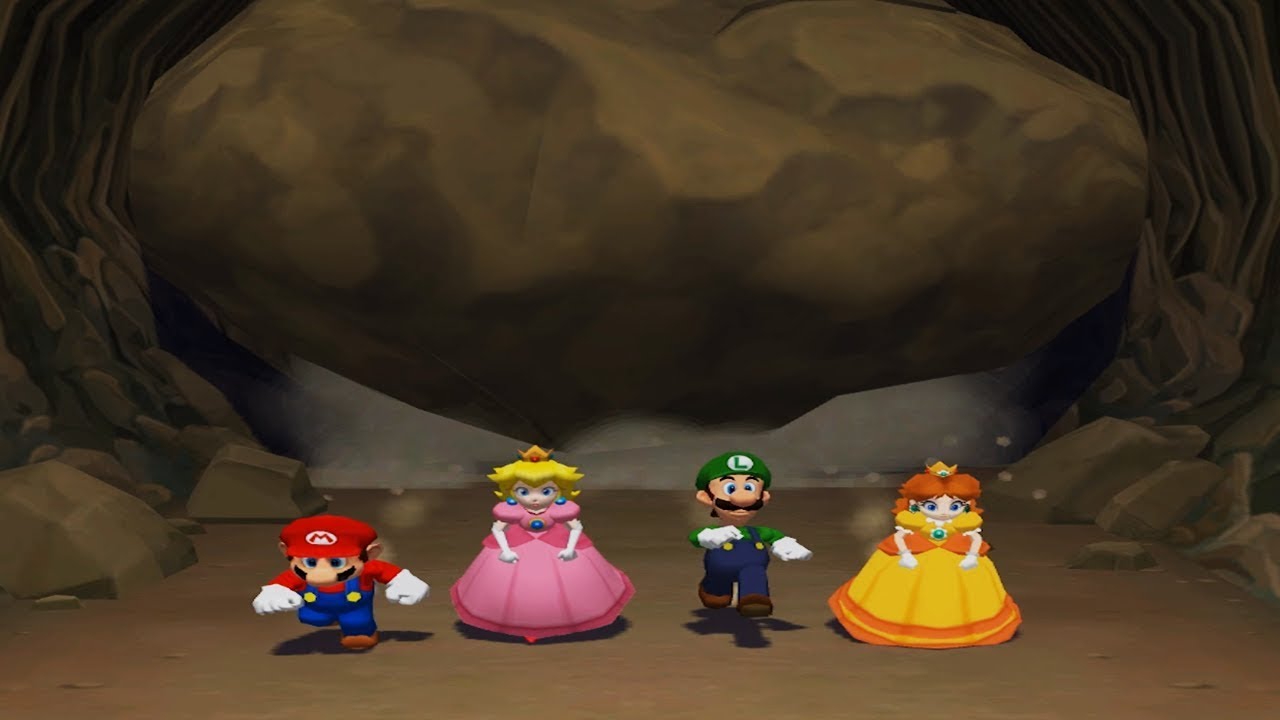
A Compilation of all of the 4 Player Minigames in Mario Party 6 for the Nintendo GameCube.
Subscribe to NintendoCentral: ► https://www.youtube.com/c/NintendoCentral
For more Mario Party Videos: https://www.youtube.com/playlist?list=PLJY2r98E0ngL-v9HcXBFW8vaPjarcJ5ir
 opal gyro
Hey all, really basic question here. I'm working on an inventory system and am adding functionality to drop an item to the world by spawning an actor that can then be looted. When looting the actor, I am calling a server RPC that destroys it (it's a replicated actor so destroying on the server would destroy for everyone), but I'm running into a problem with RPC only running when initiated by the listen server player. I believe this boils down to an ownership issue? What should I set as the owner of the item actor so RPCs work for everyone?
dark edge
opal gyro
Hey all, really basic question here. I'm working on an inventory system and am a...
run the rpc in the pawn
opal gyro
dark edge
run the rpc in the pawn
that was my workaround, but it'd be a lot cleaner for the world item to be able to just have a loot function so I can keep interaction generic.
twin juniper
twin juniper
hey, im planning to have local multiplayer in my game and i have some base logic...
the minigames ive made rn are just individual levels that have blueprint actors that hold the minigame logic, but planning to add main game modes that can call the minigames when/if needed for like play for position rounds etc. the minigames are picked randomly by another blueprint actor that displays an explanation screen about the minigame before starting the minigame. rn everything is using a third person character bp as the character bp i just didnt want to get too deep into things using it and have to redo a shitton for multiplayer
dark edge
opal gyro
that was my workaround, but it'd be a lot cleaner for the world item to be able ...
you want interaction to hit the server
opal gyro
dark edge
you want interaction to hit the server
makes sense. i've been meaning to fix my interaction system anyways
so ig i can put a loot function on the world item and have the interaction on the server call that function
thanks
 gray hemlock
twin juniper
hey, im planning to have local multiplayer in my game and i have some base logic...
gray hemlock
twin juniper
hey, im planning to have local multiplayer in my game and i have some base logic...
Look up RPC's and their methodologies, and also dabble in understanding server travel with player controllers, outside of that the goal is pretty straight forward
twin juniper
dosnt sound very straight forward 😭 but ok lol
nova wasp
gray hemlock
Look up RPC's and their methodologies, and also dabble in understanding server t...
I think they mean more local multiplayer?
gray hemlock
nova wasp
I think they mean more local multiplayer?
Ah yeah, overlooked that, local multiplayer is even more straight forward..
nova wasp
twin juniper
dosnt sound very straight forward 😭 but ok lol
you can ignore RPCs and whatnot for local multiplayer as it will all be on 1 machine
gray hemlock
^
nova wasp
all good
gray hemlock
Also if it's the same device rendering this, setup split screen
nova wasp
@twin juniper you might be able to use different pawns for different gamemodes that have distinct ways of the player moving around etc
and when I say different gamemodes I mean more minigame
the gamemode in unreal is something that is kind of set once per game world
having the minigames as something you can create dynamically is a great idea
gray hemlock
Assign each player their own player controller value, and simply maintain a reference list in an array. // Avoid shared static or global variables // store each players data in player state // if you need saves use player index or controller id's unless you are using some sort of an account system //
in regards to variables, also gain a solid foundation of interfaces I'd suggest
nova wasp
that's good advice, you should try to find each player from their actual objects whenever you can
twin juniper
nova wasp
<@456226577798135808> you might be able to use different pawns for different gam...
i didnt mean the actual like game mode bp i meant that as a term like, how mario party has board game mode, minigame mode etc
twin juniper
nova wasp
having the minigames as something you can create dynamically is a great idea
they are
rn i just have a third person bp that ive been testing with most my minigames have been all single player. sofar any change in movement happens in the bp or in the minigame logic itself
twin juniper
gray hemlock
in regards to variables, also gain a solid foundation of interfaces I'd suggest
i understand interfaces slightly ive just not touched multiplayer before. most of my stuff has been single player platformers
twin juniper
gray hemlock
Also if it's the same device rendering this, setup split screen
i have split screen setup
nova wasp
twin juniper
i didnt mean the actual like game mode bp i meant that as a term like, how mario...
I know, just trying to be clear on my end
twin juniper
the game mode i have one of ive set it and its been ok, the minigames all take place in their own levels and their own blueprints
fair halo
thin stratus
I would need to try this myself to give you a better answer. Last time I worked ...
In case you were curious re: the Montage issues- this is actually a problem that I'd only noticed after we had followed the feedback of some advice to override the natural behavior of the CMC to set "bOnlyAllowAutonomousTickPose = true" for Autonomous Proxies on Listen Servers.
If we don't override this behavior the Root Motion Montages from GAs no longer produce network corrections, BUT... we're back to square one in terms of the Listen Server play experience.
(Out of the Box CMC set to a Listen Server only updates the Autonomous Proxies in sync with the client updates, and seems to always have done so.)
Unfortunately that means that, even in the simplest repro case of the Third Person template, an Autonomous Proxy on a Listen Server with any network emulated lag looks choppy and animates at an incorrect speed.

Epic Developer Community Forums
I guess this has to do with “replicate movement” option of character class because when I disable that option everything goes fine, but this means the character’s position is not synchronized anymore. Also I found some related C++ code in the engine source but don’t really know how to modify it.
thin stratus
fair halo
In case you were curious re: the Montage issues- this is actually a problem that...
Ah yeah, so server and client are async in terms of their animation ticking. Hmpf
I wonder if the CMC needs to start using the same logic the Animation Budget Allocator taps into. SkeletalMeshComponent has an External Tick system (aside from the one you mentioned) which should also allow for interpolation between poses.
In theory the pose only needs to be the same on each of the updates but guess that would also break cause server can't predict
Do you have the option to use RootMotionSources instead?
fair halo
It's wild that I can find posts about the exact issue dating back to 2018, but the prevailing wisdom seems to be to set that override in the character and suppress Ticking in the CMC when not playing root motion.
It superficially appears to solve the problem, but really borks up root motion from montages.
Root Motion Source nodes still seem to work as expected, though.
thin stratus
Yeah they are not ticked via animations
They are just a fake root motion via a struct basically
fair halo
It's almost like the perfect world would just be to extract the root motion from the montage so it's not relying on ticking the Pose to consume the root motion.
Consuming the root motion combined with seems to work fine at the client update rate. It feels like there should be a way to allow visual ticks that don't compound that.
p.NetEnableListenServerSmoothing 1 seems like it might smooth out the root motion a bit, but definitely isn't fixing the update rate issue in the animation. (Or the bigger issue, which is that looping animations like run cycles in the ABP are straight up playing back at reduced speed compared to what clients see)
thin stratus
fair halo
It's almost like the perfect world would just be to extract the root motion from...
If you unlink them you'd run into the issue that the montage doesn't look like it's in sync with the transform
fair halo
thin stratus
If you unlink them you'd run into the issue that the montage doesn't look like i...
Hrm, I was imagining it wouldn't be much different than doing an RMS dash that performs a dead reckoning on client starting a locally predicted montage + parallel RMS task with identical inputs on the server side.
thin stratus
For the dash it might work, but other stuff could break. I have that issue with Mover cause there the RM is extracted by NPP ticks in addition to the Montage being ticked by the normal Tick. And climbing montages run into the issue that the Mesh sinks into the floor slightly as the animation expects that the bone already moved upwards a bit but it's out of sync
I would suggest you try to simply use the RMS instead for now
Especially for a dash this should be fine
fair halo
Ahh, yeah. That does make sense.
In our case the main benefits would be for melee attacks to layer motion warping over, and for things like "Staggered" / stun animations that we want to stumble players back slightly.
thin stratus
Yeah I get it. It's also cleaner. Epic isn't so concerned about listen servers
fair halo
I do wish I could figure out what Lyra had done to work around this problem. As far as I can tell Lyra listen servers don't have the update rate issue, but can still use root motion montages.
 meager spade
@fair halo what is the acutal issue
lyra uses root motion animations? where?
iirc all its animations are inplace
including things like Dash
formal solar
I am getting the error 'Warning: No game present to join for session' in my standlone log. My current setup is clients first load into a single player level (the 'game default map' in project settings) before searching for a lobby or creating one and the lobby is a separate level. I changed the 'server default map' from the Engine map 'Entry' to my custom single player level (to try and remove the error) and now it just doesn't load?
fair halo
meager spade
<@113505148885618688> what is the acutal issue
Yo! So to tl;dr.. The root problem was originally the experience of being a listen server observing anims on an autonomous proxy.
Out of the box Unreal Character / CMC, autonomous proxies viewed by a listen server when network emulation is enabled have very noticeably degraded animations. They appear to only update with no smoothing when the client sends an update, and as a result walk cycles etc play back slower than they should for those autonomous proxies as viewed by the listener server.
There’s a bunch of suggestions to override this behavior (bOnlyAllowAutonomousTickPose) to improve the listen server experience. But when enabled, this breaks some assumptions about how the CMC can evaluate positions during root motion montages between a listen server and client, resulting in a lot of net corrections during a root motion montage, even one called locally predicted via a GA.
I’ve checked in Lyra and they don’t override bOnlyAllowAutonomousTickPose, but for a Listen Server observing a client in Lyra’s ShooterGym it doesn’t have the same issues with choppy/slow animation playback the way a vanilla third person template in UE does.
 rustic ore
I tried to send a struct through RPC containing an actor. When it arrived, the actor is NULL?
Actor is replicated
the struct: ```
USTRUCT()
struct FNetWeapon
{
GENERATED_BODY()
public:
UPROPERTY()
int32 Slot;
UPROPERTY()
AWeapon* Weapon;
FNetWeapon();
FNetWeapon(int32 InSlot, AWeapon* InWeapon);
};

 meager spade
@fair halo so the issue is frameratss
Framerates
Your clients ticking super fast compared to.the server etc
We have had the exact same issue
We solved it by clamping the listen server tick rates
So client doesn't send s ton of movement rpcs
This fixed the issue of the autonomous tick driving the animations and them acting wonky af
Only affects listen server:(
fair halo
In our case the observed behavior is that the Clients see the correct animation rate, and the server sees the correct animation rate for itself, but the server's view of autonomous proxy animations are slowed down, as though they're getting an incorrect delta time or something. :/
fair halo
Yeah, 100% the core of the issue. All the root motion stuff was downstream of trying to fix that
meager spade
The issue is 100% related to the tick rates
Cause we had the same exact issue
When I get few mins ill check our history and what I did to solve it
fair halo
Thanks a ton. This has been the bane of a few projects now. I'd love to know what the "most correct" solve is that doesn't break root motion montages down the line
fair halo
It feels like there were plans for specific handling of this, since there is a virtual "ServerAutonomousProxyTick" already separated out in the CMC, with a tooltip indicating it's for handling of Listen Servers viewing Autonomous Proxies. It just does nothing by default.
fair halo
We're in a bit of a Catch 22 here where we've built up enough it'd be nice to not have to switch to GMC or something.. but it's still the nuclear option on the table if we can't find a good fix for this.
It's great to hear you all were able to get something that works for ya.
 woeful trout
can someone help me with my multiplayer game? (sadenly i cant send a vid cause i dont have the nitro but i will send the code) so when i pick up an item on the server it destroyed and on client as well but on client when i pick up an item it destroyed the first time and the second it deosnt

on the left side (that you cant see i have the collsiion event and i cant to my char)
never mind guys i fixed it!
and as i say always NEVER GIVE UP hehe
gloomy smelt
I have a simple question. I am trying to grab a cube, and I implemented it as follows: On pressing F, I trigger a server event. The server event is connected to a multicast event, which contains the grab code. When I asked ChatGPT, it suggested that a multicast isn’t necessary here and that I should place the grab code directly in the server event. Both approaches work, but the multicast version feels much smoother. ChatGPT stated, “Multicast doesn’t change the actual authoritative state, so remove it.” Am I missing some information here? (Note: bReplicates = true in both cases.)
 bronze mauve
Hey guys, am I correct to assume that OnRep_ functions in Blueprint cannot have the previous value as an input like C++ rep notifies?
Or is it possible and I'm just not seeing how
 bronze glade
If I have an array of team data that is set to replicate, is it going to only send the relevant info that changed or does it replicate all info every time something updates? Trying to make sure I minimize what data is crossing the network to save on server costs (I am sure it's minimal but it builds up over time).
Just wondering if I should separate all variables per team into different arrays instead of one large struct
 thin stratus
bronze glade
If I have an array of team data that is set to replicate, is it going to only se...
thin stratus
bronze glade
If I have an array of team data that is set to replicate, is it going to only se...
I'm sure you are fine with a struct.
bronze glade
thin stratus
I'm sure you are fine with a struct.
In blueprint I just know updating structs is a bit weird so I am concerned that updating a single variable would count as updating the whole struct. If I have 100 teams and this is updating every time someone gains score, it would be a major difference in network cost over time compared to having the score as a separate list and same with other variables. So just wanting to make sure I fully understand before committing to this 😄
thin stratus
Why do you have 100 teams though?
One team per player?
Keep in mind that large numbers in multiplayer will require c++ sooner than later
With that many entries you might be better off using a fast array in c++
Your best bet is to use Unreal Insights network trace channel to profile the bandwidth
bronze mauve
Would I also be correct to assume that you cannot use custom property replication conditions in BP - only C++
I'm assuming: OnRep having the previous (pre-replicated) values as an input, and custom variable rep conditions are a C++ only feature. Anyone feel free to correct me if I'm wrong.
quasi tide
BP has a conditions dropdown for replicated variables.
And no, I don't believe you have access to the previous value in BP onreps
bronze mauve
quasi tide
BP has a conditions dropdown for replicated variables.
Yes, from what I gather online is that you can select Custom from the conditions, but since you can't override PreReplication in BP you must only set the condition from C++
quasi tide
Oh, that's what you meant. The actual "custom" value. Yeah, you can't to my knowledge.
 boreal flicker
greetings fellow unreal engine users, i'm trying to make a dash mechanic in a character movement component. the way i'm trying to do it is to give the character a giant amount of velocity, and then take it away a split second later. i got the applying velocity part working, but the server and client always disagree and desync on the taking away part and the client gets corrected. how do i fix that? i also don't wanna use a compressed flag for this because i have other movement mechanics that might need them.
bronze glade
thin stratus
Why do you have 100 teams though?
Yes the team system is modular so technically it could be 100 teams of 1 player. I will convert to C++ once it’s all working, but just wanted to make sure I understood how replication works under the hood if it’s more efficient for the network to have a large array of structs or a bunch of separate arrays for the individual stats
fair halo
boreal flicker
greetings fellow unreal engine users, i'm trying to make a dash mechanic in a ch...
Are you using GAS, or replicating this internally?
If it helps and you're using GAS, Lyra has a good functional example of a Dash mechanic that plays by the rules of the CMC's system.
grizzled stirrup
meager spade
Server sees autonomous slow and laggy
I was able to fix it with a marketplace plugin but it would be great for Epic to fix it eventually
meager spade
What plugin
@fair halo I haven't forgot not.home yet not sure what time I'll get back
Been held up
And it's nearly midnight here
Gone midnight lol
grizzled stirrup
meager spade
What plugin
I think this one https://www.fab.com/listings/f07eb615-419c-45e2-8b74-6292b742eba1

Fab.com
DocumentationWhat is this?The built in networking solution in Unreal is generally geared towards giving the server full authority over everything; the biggest and most important aspect of this is of course the playable Character’s movement.This plugin reverses that idea, giving each Client full authority over their own Character’s movement.W...
but it is client auth which of course won't work for many game types
meager spade
Yeah it's extreme end of the spectrum disabling server auth but some games it night work fine for
grizzled stirrup
I mean on listen servers anything goes anyway
hosts can cheat very easily so for anything competitive you'd want dedis
hopefully epic fixes the listen host perspective movement pops in the future though regardless
the only other solution that I found worked was by disabling move combining
which ends up sending an rpc every frame, not ideal
but afaik there were multiple things causing this, both a lower anim tick rate and another separate issue of lower interp updates
fixing the lower anim tick rate was easy but couldn't get the movement pops fixed aside from the plugin
meager spade
Movement pops?
Never seen such a thing in any of our shipped games
@fair halo you said lyra doesn't cause it right
Iirc it's cause they set the values for gamenetworkmanager and the net thing in defaultengine.ini and defaultgame.ini
This is the one thing we did first. Fixed a lot ofnournissues
boreal flicker
fair halo
Are you using GAS, or replicating this internally?
If it helps and you're usin...
im not using gas
fair halo
meager spade
<@113505148885618688> you said lyra doesn't cause it right
Yeah, as far as I can tell the ShooterGame looks fine with the default configurations.
Do you know offhand what configs you suspect were the fix overall?
meager spade
Gamenetworkmanager stuff
You can't miss the big blob
And check the netdriver settings
All in the initial files
Ini
Check both lyra and shootergame
See what they are doing
Cause this stuff fixed it to almost playable acceptable levels
Like I said not home so can't point you directly lol
fair halo
Haha, I'll take any hints I can get at this point, appreciate it all the same. I'll copy in the GameNetworkManager settings, though they seem pretty tame:
"[/Script/Engine.GameNetworkManager]
TotalNetBandwidth=200000
MaxDynamicBandwidth=40000
MinDynamicBandwidth=20000"
@grizzled stirrup Did you find that plugin gave you anything useful beyond what we already get by checking the "Server accepts Client Authoritative position" checkbox in the CMC?
grizzled stirrup
meager spade
Movement pops?
It is what you mentioned "server sees autonomous slow and laggy"
grizzled stirrup
fair halo
<@461630350095941633> Did you find that plugin gave you anything useful beyond ...
The plugin rewrites significant portions of the CMC
So yes it is significantly different
No animation stutter and also completely smooth interpolation no matter who is viewing who
by default a listen server host will see clients both with low tick rate on their animations and also hard pops between movement updates
(no interp)
fair halo
@meager spade So far no dice on copying over the Network settings. Been combing through these for a few days but there's a lot in here that rehooks things to be dependent on other Lyra subsystems. :/
meager spade
Can't help you much more atm. Sorry
fair halo
boreal flicker
im not using gas
It still may be helfpul to look at how they handle the dash, for what it's worth!
The high level concept is that you'll want to pick some information to send from the client to the server about the dash (eg: a projected/desired final target position) and have the server use that information from the client with some sanity checking to perform the motion, instead of doing it based on what the server sees.
fair halo
meager spade
Can't help you much more atm. Sorry
No worries. I appreciate the advice regardless
meager spade
@fair halo [/Script/Engine.GameNetworkManager] TotalNetBandwidth=960000 MaxDynamicBandwidth=120000 MinDynamicBandwidth=45000 ClientAuthorativePosition=false ClientErrorUpdateRateLimit=0.015f MAXCLIENTUPDATEINTERVAL=0.25f MAXPOSITIONERRORSQUARED=6.f MaxClientForcedUpdateDuration=1.f ServerForcedUpdateHitchThreshold=0.150f ServerForcedUpdateHitchCooldown=0.100f MaxMoveDeltaTime=0.125f ClientNetSendMoveThrottleOverPlayerCount=3 ClientNetSendMoveDeltaTime=0.0166f ClientNetSendMoveDeltaTimeThrottled=0.0222f ClientNetSendMoveDeltaTimeStationary=0.0166f ClientNetSendMoveThrottleAtNetSpeed=60000 bMovementTimeDiscrepancyDetection=false bMovementTimeDiscrepancyResolution=false MovementTimeDiscrepancyMaxTimeMargin=0.25f MovementTimeDiscrepancyMinTimeMargin=-0.25f MovementTimeDiscrepancyResolutionRate=1.0f MovementTimeDiscrepancyDriftAllowance=0.05f bMovementTimeDiscrepancyForceCorrectionsDuringResolution=true ClientNetCamUpdateDeltaTime=0.066f BadPingThreshold=200 SeverePingThreshold=500 BadPacketLossThreshold=0.05 SeverePacketLossThreshold=0.15
NetConnectionClassName=/Script/SteamSockets.SteamSocketsNetConnection
ReplicationDriverClassName="/Script/TwinStick.RTS_ReplicationGraph"
ConnectionTimeout=80.0
bNeverApplyNetworkEmulationSettings=true
InitialConnectTimeout=120.0
NetServerMaxTickRate=60
bClampListenServerTickRate=false
MaxNetTickRate=30
KeepAliveTime=0.2
MaxClientRate=120000
MaxInternetClientRate=120000
RelevantTimeout=5.0
SpawnPrioritySeconds=2.0
ServerTravelPause=4.0```these are the setting we used
 cerulean lintel
Hey there, does anyone know where can we find the info on status of UNetworkPhysicsComponent? I wanted to check if it’s out beta/production ready
fair halo
@meager spade Amazing, thankyou! I'll try these out.
I'm curious though- what is /Script/TwinStick.RTS_ReplicationGraph" ? I'd noticed that Lyra also had a custom replication driver.
meager spade
fair halo
<@341285849301909506> Amazing, thankyou! I'll try these out.
I'm curious thoug...
just repgraph

Epic Games Developer
Overview of the Replication Graph feature and Replication Graph Nodes.
twin juniper
twin juniper
hey, im planning to have local multiplayer in my game and i have some base logic...
anyone able to help me w this?
fossil spoke
twin juniper
anyone able to help me w this?
You would find more help by asking specific questions. You haven't really done that, you just made a broad statement about what you want to achieve.
Try breaking down the problem into different components
Break those down further until you can see something of those components that you could make a start on.
twin juniper
fossil spoke
You would find more help by asking specific questions. You haven't really done t...
im not entirely sure what id need for this type of multiplayer is why, ive gone through and tried making a player info struct and have a slight ui of choosing how many players and then opens a temp character select screen but thats about it rn. all ik for sure is i need to make a system that the player can select how many people are playing if they hit one player players 2-4 are cpu if they hit 2players 3-4 are cpu and so on. then lead into a character select that essentially just is visual bc i plan for all characters to be the same functionally. and then is saved until they go back to main menu and change it. theres planned to be game modes that can be 4player,1v1,1v3,2v2, and some minigames the same, and then add on scoring and things from ther but first i just wanna get multiple players working before i make too many minigames, rn i have made a few for testing but they are all single player


local multiplayer not online
subtle kernel
twin juniper
im not entirely sure what id need for this type of multiplayer is why, ive gone ...
still no specific question. what is the problem here?
 true estuary
https://www.youtube.com/watch?v=ZeLok2Sq9kI
I am trying to make a game that we can switch between third person to first person while in first person no movement but we can aim while aiming it suppose to turn the character where it is looking at it does on server (of course it does) but in client it doesn’t turn can you guys help ?


 tardy fossil
are you toggling use control rotation when switching from third person to first person?
 upbeat basin
true estuary
https://www.youtube.com/watch?v=ZeLok2Sq9kI
I am trying to make a game that we ...
upbeat basin
true estuary
https://www.youtube.com/watch?v=ZeLok2Sq9kI
I am trying to make a game that we ...
While I can't see why would it behave differently on server and client, that looks like a weird setup. AddControllerXXXInput functions can directly be called from clients, you don't need the "replicate to server if remote" logic for that
upbeat basin
tardy fossil
are you toggling use control rotation when switching from third person to first ...
Was that a replicated bool or requires to be updated on both server and client? Considering the logic works on the server maybe it's toggled but only on the server? But I want to say that it could be replicated too
tardy fossil
yea thats what im thinking, the server might not know when a player is in third person or not
or other way around
upbeat basin
UPROPERTY(EditAnywhere, BlueprintReadWrite, Category=Pawn)
uint32 bUseControllerRotationYaw:1;
Oh it's not replicated, that got to be the issue then
But wait how does the client see server character rotating with controller input, still doesn't make sense to me
tardy fossil
pretty sure clients dont care about use control rotation unless its their own pawn, so the server is either replicating the rotation or not
upbeat basin
Oh because server is rotating the actor, the rotation is being replicated
tardy fossil
true estuary
https://www.youtube.com/watch?v=ZeLok2Sq9kI
I am trying to make a game that we ...
also, probably not part of the problem, but i notice you are replicating the mouse delta's which mean your RPC's have to be reliable or it will get desynced.. which is a lot of rpc sending since the mouse move event gets called every frame
i'd suggest sending the clients control rotation in full as an unreliable rpc
upbeat basin
Even that is not necessary, parameters are only being used to call AddControllerXXXInput which can be called from client already
true estuary
@tardy fossil @upbeat basin I can send you the project via github
upbeat basin
No need for that. Issue is you're setting UseControllerYawRotation only on the owning client (probably what comes after the camera switch upon input action being triggered). You probably need to do that on server
true estuary
upbeat basin
No need for that. Issue is you're setting UseControllerYawRotation only on the o...
ohh i understand
upbeat basin
You can also keep the owning client logic to not make them feel any input delay as well
true estuary
upbeat basin
You can also keep the owning client logic to not make them feel any input delay ...
Yeah its going to helpful
true estuary
upbeat basin
You can also keep the owning client logic to not make them feel any input delay ...
Thanks man it helped a lot ive been looking answers for 3 days classic game developing error research 👍
twin juniper
subtle kernel
still no specific question. what is the problem here?
again the problem is that i dont know what im doing or if im going in the right direction bc all the tutorials im finding online are not the kinda of multiplayer im trying to do. so im trying to figure out how would i do this? idk how else i can explain, ive written it out, ive sent video reference. i cant make it clearer what im trying to do. im lost and idk if ive been wasting my time trying to figure out how i was doing it in the screenshots i sent. which is why im asking for help. there hasnt been a specific question bc again ive been trying to see if im even going in the rijght direction bc i cant find shit ab doing multiplayer like this online. another specific question. how do i make local multiplayer, how i have described. thats what im tying to accomplish.
 jade ibex
twin juniper
again the problem is that i dont know what im doing or if im going in the right ...
jade ibex
twin juniper
again the problem is that i dont know what im doing or if im going in the right ...
tutorials arn't going to get you anywhere you specifically need. They potentially can teach you building blocks to get you one step closer to where you specifically need, but that's it. It's up to you to stack those building blocks together and achieve what you want.
twin juniper
i understand. but when i have no idea of where i need to go w this. thats where i went and found not rly anything for this
jade ibex
start from the ground up, understand each thing at its core
it becomes a bunch of puzzle pieces, so you know where to start
twin juniper
again. what things. the multiplayer im trying to do isnt how im seeing people do it online. so idk where id start..
quasi tide
twin juniper
again. what things. the multiplayer im trying to do isnt how im seeing people do...
I just caught up - so you want to make a Mario Party style game with no actual online component? Just pure local? Which part are you actually getting hung up on?
Just the general flow that you're going with?
twin juniper
quasi tide
I just caught up - so you want to make a Mario Party style game with no actual o...
just adding in the actual multiplayer aspect i have the flow rn working w single player but i wanna add multiplayer minigames and game modes but i didnt wanna add too much before i have multiplayer even functioning. the minigames are all their own levels. the minigames rn are called randomly by another level that has a bp actor called minigame manager. it picks from a data tree and shows the player the explanation screen for that minigame. when the player hits start they are sent to the level for the minigame and the minigame actor handles the logic from there. till they get sent back to the level that has the manager bp at the end of the minigame timer. i wanted the game to have you pick how many people are playing. it sends u to a character slect screen after that like mario party/smash bros does. then after all players select a character, sends u to the main menu to pick a game mode. then ig the only other way to describe is just how mario party does it
thin stratus
twin juniper
just adding in the actual multiplayer aspect i have the flow rn working w single...
Fwiw, adding Multiplayer, may it be online or offline, to an already existing Singleplayer flow will usually lead to the Singleplayer flow being basically replaced and built from scratch. Too many aspects are different when handling one vs multiple players.
That said, you are specifically looking for guidance on local multiplayer where up to 4 players use the same game?
No online or lan gameplay between 2 to 4 games?
twin juniper
thin stratus
That said, you are specifically looking for guidance on local multiplayer where ...
yea
twin juniper
thin stratus
Fwiw, adding Multiplayer, may it be online or offline, to an already existing Si...
thats why i wanted to get multiplayer figured out and working before i got in too deep
twin juniper
thin stratus
No online or lan gameplay between 2 to 4 games?
no. i want local co op like the same feeling of playing on console but on pc
fair halo
grizzled stirrup
but it is client auth which of course won't work for many game types
Thanks for this recommendation btw. After digging into this, I think we are just going to commit to client auth.
What we’re building is fundamentally a co op game with no public matchmaking, so there’s not really an incentive to cheat.
I figured it’d be worth asking though- are there any gotchas or caveats with the switch that you know of?
It looks like we’d have to replace our RMS nodes in our GAs at least. Does it still play nicely with stride warping etc?
grizzled stirrup
fair halo
Thanks for this recommendation btw. After digging into this, I think we are just...
Even if you have public matchmaking I haven't found it to be an issue since it's co op
There were no gotchas for me personally once I got the code working
I cherry picked some of the CMC functions to the bare minimum for what I needed
thin stratus
twin juniper
no. i want local co op like the same feeling of playing on console but on pc
That's what you'll need to look for then though. Most "Multiplayer" tutorials and such will guide you through sessions and what not.
Local Multiplayer is simpler but has its own problems to overcome.
The reason why you aren't getting proper help here at the moment is that you are basically asking how to build a house with a pool, a garage and a balcony.
This will cause peeps to tell you to first learn what tools you need, what materials, and to build something "smaller" first.
Well, that's as far as my metaphor goes. The point is, however, that barely anyone here is in the mood to explain you the big thing.
That's why they ask you for specific problems. If you were building the garage and you have trouble with the garage door, that's when you would come here and ask for help.
Otherwise, all you'll get a vague suggestions and some keywords.
The main things you need to learn for Local Couch Coop are:
- How to create and remove "Local Players".
- Check for the Create/Remove Player nodes, try around how they work.
- How to enable and disable "Splitscreen" on the fly if needed.
- Check the Project Settings and check if there are functions or console commands/variables for it.
- How to identify the "Primary Player" (the first one, that usually has more rights when controlling UI elements).
- Check if there are functions for it or think about another smart way.
- How to handle multiple Local Players interacting with the same UMG Widget/HUD/Menu.
- Check how to have multiple players have different "hover" or "selected" effects if they are selecting something. E.g. different colored borderes in a grid-based character selection.
- How to handle multiple Local Players interacting with each their own UMG Widget/HUD/Menu copy.
- This is specifically something to pay attention to when creating UMG logic. You have to ensure each created Widget has the proper "Owner" as the PlayerController of the given Local Player. Otherwise, they won't be able to properly focus the elements if needed.
- The difference between User Focus and Keyboard Focus in UMG.
- Check what each does and when to use which.
- The right way to handle the Input Mode in case none, one of multiple, or everyone have a menu open.
- Check which Inptu Modes exist and try to understand when you need to enable which.
quasi tide
twin juniper
just adding in the actual multiplayer aspect i have the flow rn working w single...
Sorry - got pulled away for a work meeting and then had some lunch. Looks like Cedric got to you though.
thin stratus
- How to design UI to still be visible even in splitscreen.
- E.g. splitting per-player UI up properly and call AddToPlayerScreen instead of AddToViewport, while adding combined UI, like a MatchTimer, to the Viewport.
- How to properly reference the correct PlayerController, Pawn, PlayerState, etc.
- People often use "GetPlayerController(0)" and similar. Unlike online and LAN multiplayer, local coop needs you to always stay "relative" to the context you are working. Otherwise, you end up grabbing the first player all the time.
And possibly a few more things.
Those are the puzzle pieces you will need to figure out first. Once you are comfortable with all those concepts and you got figured out how they work the way you need them, you can think about the next steps.
And those will probably be the overall flow of your MULTIPLAYER (couch coop) game, which might be different than the Standalone Singleplayer one.
- Think about when and where to create the Players (and also how).
- One tip I can give you is that, by default, your additional Gamepads have nothing to send input to. So pressing a key to join the match requires something already existing. You might need to create the players upfront and mark them as "participating" if they join. If you then start the game, destroy the ones that weren't marked as participating so they don't spawn a Pawn and PlayerState later on.
- Ensure that you have a proper setup for the Game Framework Classes.
- Especially with so many mini games, you need a proper inheritance chain classes like GameMode, PlayerState, PlayerController, GameState.
- You might also need to think about using a bit of "Composition" instead of "Inheritance", especially for the Minigame GameState/GameMode/etc., as you otherwise might run into a lot of duplicated code for similar Minigames.
- Make sure you have a clear cut between MainMenu, Lobby, Gameplay and Minigame. As well as any other "thing" you still plan on having.
- Figure out how you can move data between the different levels.
- You are going to open levels all the time, which will load a new World and destroy the old one. Almost all Actors and Objects you usually know of and have access to in Blueprints will get destroyed with them.
- If you have "Coins" and "Stars" stored in the PlayerStates (which you should), learn how to properly transfer them between the PlayerState Instances when switching levels.
- Look into CopyProperties and OverrideWith functions of the PlayerState class.
- You might also need to dynamically spawn the right character back into the game every time you switch the level. So the selection of the Charater also has to be saved.
- Similar to the PlayerState, the PlayerController can also move data to its new version.
- Check the GameModes OnSwapPlayerControllers function for this.
- Overall think about the layout of which of your classes in your Inheritance chain for the GameFramework classes needs to hold what data.
- Tip: The Minigame and the Gameplay one, and potentially even the Lobby one, probably need a common parent for Coins and Stars.
--
And now you see how much is to this. And these are only notes and tips. Imagine how much I would need to write if I were to explain you exactly what you need to do.
Please learn the things I posted about. Try them in a fresh project fwiw, or in an empty setup in your game. Plan this whole thing out before starting to throw code into blueprints.
Think about what classes need what properties and what functions. Keep Inheritance in mind and don't forget to consider Composition if inheritance can lead to a diamond shape that needs you to duplicate code.
twin juniper
thin stratus
--
And now you see how much is to this. And these are only notes and tips. Imag...
i have been planning.. im not just throwing code thats why i asked if i was going in the right direction.. but im assuming im not and i wasted my time trying how i was
thin stratus
I haven't checked the stuff you posted. This is just a generic list of things.
twin juniper
well i did ask like three times ab what i sent specifically if i was going in the right directions but told i wasnt being specific lmao😭
thin stratus
twin juniper
well i did ask like three times ab what i sent specifically if i was going in th...
The struct stuff you are doing is not the right way, no.
When you create LocalPlayers, they will also receive a PlayerState instance.
All those properties that are per Player should go into that (if everyone should have access to them) or the PlayerController (if only the local player needs them).
Although that only really counts for online games, but it's good to keep it divided like that anyway.
twin juniper
im confused then. all the properties im setting are per player in the struct planned all the players have the same info like that
thin stratus
Unreal Engine already has a "per player" concept called PlayerState.
PlayerState even has a PlayerName property already.
PlayerState also offers you the ability to move data between level changes between the old and the new PlayerState.
You'd place your properties into that, and then also divide them into different subclasses of your PlayerState, as not every GameMode (which you should also have multiple of) will need the same PlayerState with the same properties. The one where you select the Character probably doesn't need Coins and Stars.
The one of a specific Minigame probably needs additional properties.
twin juniper
thin stratus
You'd place your properties into that, and then also divide them into different ...
game mode as a term not the actual bp
thin stratus
GameMode as the actual Blueprint Class.
twin juniper
thats not what i meant tho
thin stratus
That's what I meant though?
The Unreal Engine GameMode term almost directly translates to what you call Minigames, but it's also used for Lobby, MainMenu and what not.
twin juniper
yes but u said that i have multiple game modes. which i do. but not multiple blueprints
thin stratus
Yeah, and I'm saying that in theory you should have multiple GameMode Blueprints.
Utilizing Inheritance.
twin juniper
even if the player dosnt have differing like abilities from game mode to game mode. like all it would need to be is changing if anything inside the minigame itself not in the game mode
thin stratus
I'm not sure why you are asking for help on the design to then argue against someone with 10+ years of experience in UE offering you advice.
twin juniper
im not arguing i am asking a question bc jm confused but ok
thin stratus
There is no questionmark :D
tame sapphire
Hi, at a bit of a loss, as i understand it i need to run an event on the server in my player state to update a variable to that it can be used for others howeverthe following blueprint seems to be returning the servers playercontroller or something that doesnt contain the event "EventPlayerStateUpdateIsDead?"
https://blueprintue.com/blueprint/vshcu4ho/
However from the screen shot unless i seriously messed up the event is there


No description provided
thin stratus
Unreal Engine more or less needs and wants you to utilize its existing Gameplay Framework Classes.
PlayerController, Pawn, Character, PlayerState, PlayerCameraManager, GameState. And those are always defined via a GameMode class. The Pawn/Character can be spawned dynamically fwiw, but the others are more or less locked in with the GameMode you are defining.
And since for a game like yours you would want different PlayerController, PlayerState and GameState classes for the different parts of your game:
- MainMenu
- Lobby
- Board/Overworld
- ~Each MiniGame
you'd have multple of those.
twin juniper
why would i want mutliple of those tho is my question. if nothing about the player is changing aside from possibly in a minigame disabling movement or something like that
thin stratus
And potentially some in between class that holds shared properties and functions. Like Board and Minigame might have a Gameplay one that holds Coins and Stars.
thin stratus
twin juniper
why would i want mutliple of those tho is my question. if nothing about the play...
Because your Minigames might have different properties they track. Amount of times the player spammed the key. Distance they traveled. Correct guesses in a quiz. Or the GameState might hold information about the teams, what there score together is etc.
Not every Minigame needs the same data. Having it all in one Class doesn't scale and is a horrible design.
thin stratus
tame sapphire
Hi, at a bit of a loss, as i understand it i need to run an event on the server ...
Where is that key located?
Ah, I see, don't use GetPlayerState(0) in Online/Lan Multiplayer.
twin juniper
thin stratus
Because your Minigames might have different properties they track. Amount of tim...
how does it change from game mode to game mode then just by storing the info inside of it? its not all in one class all of the minigames are their own things rn
thin stratus
Unlike GetPlayerController(0), GetPlayerState(0) uses the PlayerArray on the GameState and the order in that is not guaranteed to have the local player's PlayerState in the first entry. @tame sapphire
In what Blueprint is that DebugKey located?
tame sapphire
thin stratus
Where is that key located?
If im in the player controller calling that i thought it would return as if id connected the get player controller node first?
thin stratus
tame sapphire
If im in the player controller calling that i thought it would return as if id c...
No, GetPlayerState(0) is a static function.
tame sapphire
ooh my bad
thin stratus
You can all that from anywhere. It's not relative to the Controller you are in.
If you are inside a PlayerController Blueprint, just get the member property called PlayerState directly.
tame sapphire
so self > get player staTE
thin stratus
That will be the PlayerState of that PlayerController.
Yeah
Doesn't need "self" connected as most of these will fall back to "this" (which is "self", but in C++).
It should also say that in the pin of the node.
thin stratus
twin juniper
how does it change from game mode to game mode then just by storing the info ins...
GameModes define the GameState etc. classes that they use.
If your Minigames are always tied to a specific level, then you can simply assign the custom GameMode to the level. Otherwise, it's also possible to force UE to load a specific GameMode with a given level by using ?game=GameModeShortCode where GameModeShortCode can be defined in the ProjectSettings under Maps and Modes. That's usually used when you have multiple maps that you want to use different GameModes for. Like a map that can use TeamDeathmatch but also Capture The Flag. Bit oldschool.
twin juniper
rn i have them as seperate levels.
thin stratus
tame sapphire
Thats the second time its caught me
Yeah it's usually good to always stay "relative" to the context you are working in. If whatever classes you are in already represents a Player (like PlayerState, PlayerController, Pawn/Character, the HUD, a specific Widget, etc.), then it's usually the best idea to get one of the other player-related classes via methods of the class you are in, or via properties (e.g. the Owner of the PlayerState is the PlayerController). That way you ensure that you aren't accidentally grabbing the wrong one.
tame sapphire
Lastly sorry, if im setting the player state as a var in the player controller afterr having casted to class does the new var still need to be replicated or does that not matter now?
thin stratus
tame sapphire
Lastly sorry, if im setting the player state as a var in the player controller ...
If you grab the native PlayerState class and you cast it your own and then set that as a new Variable with its type being your custom class, then you'd still need to mark that property/variable as replicated if you want other players to use it. And you need to make sure to set it on the Server, as it otherwise doesn't replicate.
I do want to give you the advice, however, to not cache properties like this.
The overhead of the PlayerState cast is so damn small (basically non-existent), that casting to it is not gonna hurt in any shape or form.
On the other hand, if you cast and cache the property (not necessarily the PlayerState, but any other one fwiw), and the native property changes without you noticing, then you now have an outdated chached property and a potential bug.
tame sapphire
ok,, ill update. thank you
twin juniper
thin stratus
GameModes define the GameState etc. classes that they use.
If your Minigames are...
so atp if my single player shit is gonna be hard to just add multiplayer too, and im already having issues w adding it in anyways. should i just restart the whole project file like ive wasted enough if my time im not trying to waste more
thin stratus
twin juniper
so atp if my single player shit is gonna be hard to just add multiplayer too, an...
Buh, I don't really want to answer that. I don't know how much is in your project at the moment and how complex whatever you have already is.
I can tell you that any form of multiplayer (I think I already wrote that) is simpler to be done from the start, as singleplayer is basically just multiplayer with only one player, while other other way round often requires big changes and doesn't forgive wrong design decisions as easily.
twin juniper
twin juniper
just adding in the actual multiplayer aspect i have the flow rn working w single...
ive said all i have done already💀😭
thin stratus
twin juniper
ive said all i have done already💀😭
Kira, I have no clue about your code. You sent a few screenshots, that's all. I'm talking literally about how many Blueprints, Nodes, connections, Widgets, Levels, etc. you have. I don't know that, neither do I necessarily want to know.
I don't think you know at this point what parts of your project even have to be altered to properly work with couch coop, so I'm unsure if even you can judge if redoing it from scratch or altering would be faster.
twin juniper
wow thanks😭
quasi tide
Don't worry - I gotchu' Kira. Restart the project.
thin stratus
If you want someone to take that decision from you then yes, redo it, this time with couch coop in mind from the start. Start with the MainMenu, continue with the lobby, then the board and then the minigame flow. Keep inheritance etc. in mind.
That's all I can give you. I think at this point I have given you a sh*t ton of info.
twin juniper
and a “shit ton of info” is supposed to just make me not be confused anymore and not have more questions? 💀💀
thin stratus
What do you exactly expect me or anything here to do?
twin juniper
what exactly is wrong w me asking questions
bc thats all im doing
im trying to understand this shit… and have been
thin stratus
Nothing, but the questions so far require a huge amount of explanation and teaching. More than most people here are willing to invest.
You saw how much I wrote just giving you initial information of what to research.
I've been typing for over 1.5h by now.
Please take the list I posted and research that information.
These are all the puzzle pieces you need to get started.
No one here will exactly explain how you need to code your Mario Party clone.
twin juniper
thin stratus
Nothing, but the questions so far require a huge amount of explanation and teach...
thats not my fault? thats how asking questions works… idk this shit. u have said you do. idk why you act like ive like done this awful thing
twin juniper
thin stratus
No one here will exactly explain how you need to code your Mario Party clone.
not asking for it to be explained exactly
im asking more questions as this goes on… bc im trying to understand bc im confused. so again. whats the issue
twin juniper
thin stratus
Please take the list I posted and research that information.
i litteraly noted this down and put it in my notes for my project.
thin stratus
As far as I can tell, your questions so far were answered.
twin juniper
then what is your issue?
all ive done is ask questions. whats wrong about that..
i havent once asked for it to be explained exactly for me . i said i wanted to see if i was going in the right direction.. and said that like three times. didnt say hey how exactly would i do this i said i was lost and hadnt done anything w multiplayer..
thin stratus
That's why I gave you the list of things you need to do what you want to do.
twin juniper
and then got shitty w me.. over nothing
told me i was arguing for asking more questions when i was confused
thin stratus
The arguing part was mainly cause the way you wrote your answers merely read as statements against what was written before that. There was no direct question in it, no request to clarify.
twin juniper
i did ask to clarify by asking that but ok
thin stratus
Yap. Either way, you can post about any specific struggles with your fresh attempt and peeps can give advice on the smaller parts of the whole game.
twin juniper
u sure? would want to be “arguing” w anyone again just for asking questions
thin stratus
You can of course also choose to get hung up on that. Whatever makes you happy.
Either way, good luck with your project. I'm gonna head out now.
twin juniper
im not i just think its kinda shitty to say when i was asking questions bc i was confused 😄
crisp shard
if i switch pawns in game, would the new pawn have the same player state?
or would the old pawn at least have ref to it's player state?
quasi tide
It should (to the first question). Would have to look at the possession code to see see if the player state updates its pawn reference as well. Or maybe the playerstate binds to some delegate and updates itself.
crisp shard
quasi tide
It should (to the first question). Would have to look at the possession code to ...
it seems like it was working fully like this, but im noticing a null refernce to a component on the player state when sending that pawn as the dmg causer. i basically just get the pawns player state but seems to be giving a null refernce to a component*. but also, the functions works as it should, but this could be for a few reasons i suppose. and another later check, also definitely seems to be working with the same logical setup of using the new pawn to get to the overall player state
ok nvm, it definitely does in fact travel with it. the mistake was becauase i was also overlapping with the original pawn (i had it hide after switching) so that was giving a null refernce, but othersie, it works as it should
 left marsh
I'm dealing with a networking bug in blueprint. To summarize:
- The blueprint has a variable Current State of type Enum. It's set as RepNotify.
- OnNotify_CurrentState calls the function ChangeState that does the actual useful work.
- However, the AI is calling ChangeState without actually changing Current State, meaning the client never gets the change.
So my question: if I edit ChangeState function to alter CurrentState, will that cause some kind of infinite loop? Or will the OnNotify_CurrentState only call if the value is different?
left marsh
The bug is that another designer is only calling ChangeState function, which is not replicated.
dark edge
left marsh
The bug is that another designer is only calling ChangeState function, which is ...
ok so they need to not do that
left marsh
I'm asking if having ChangeState also set CurrentState would cause a bug.
left marsh
It runs some animation code that both client and server need.
dark edge
that should be called OnStateChanged or whatever
meager spade
i smell bad code, not a bug
left marsh
Probably.
meager spade
like why is AI calling ChangeState directly
and the OnRep calling ChangeState, without changing the state?
left marsh
So the preference is to just set CurrentState directly and rely on the Replication to do the function?
dark edge
Sure, or have a function ChangeState which does exactly what it sounds like, and have another function OnStateChanged that does what it sounds like.
meager spade
^
dark edge
It's up to you, how do you want state to actually be changed, by calling a function, or by just directly setting the enum?
left marsh
Ah I see. So if a character comes in late the replication will still take care of them.
Turn it into three parts instead of two.
meager spade
yes you dont want to mix logic flows like this
dark edge
yes, and I see no reason why the onrep has to call another named function unless it's doing a lot of work
meager spade
clear concise single responsibility
left marsh
Probably just bad semantics causing issues.
dark edge
One reason to have the onrep just call something is so you can call that same somethign to do initial setup on Beginplay
meager spade
i tend to do OnRep calling functions but mainly cause C++ doesnt call OnRep for server
so i have the OnRep call the same flow server goes through
via a special function
dark edge
at least in C++ you can just manually call the Onrep anyway right? It's just a plain old function
Can you do that in BP?
dark edge
i mean for beginplay
dark edge
Yes I'm talking about the initial setup case
meager spade
the Rep will still fire if the value is changed
wont fire if it isnt changed (Unless you mark it RepNotify_ALways
dark edge
I mean when not changed
say you had a bunch of stuff that wants to know what team you're on
BeginPlay -> set things based on team
OnRep_Team -> set things based on team
meager spade
sure properties are initially replicated before beginplay on replicated actors
dark edge
I'm talking for the default case
meager spade
this is why you should have special functions
and not have logic inside the OnRep
OnRep calls say SetupTeam
BeginPlay calls SetupTeam
all cases covered
left marsh
Hmm. It looks like OnRep_CurrentState is not being called on the server when I change CurrentState?
dark edge
Show your code
left marsh
I'm trying to ensure that both client and server run certain code when the state changes.
dark edge
show the code
left marsh
It's blueprint. Not easy to show.
dark edge
screenshot
dark edge
left marsh
Hmm. It looks like OnRep_CurrentState is not being called on the server when I ...
You sure it's not just being changed on a client?
meager spade
100% RepNotify fires for both client and server in BP
left marsh
I'm starting with just running with one player in listen server.
Oh! I had turned off replication for testing and forgot. One moment.
dark edge
lmao
left marsh
Okay. All good now that I've adjusted the flow. Thanks for the insight.
Now, ChangeState just sets the enum value, and all side effects are done in the OnRepNotify.
Thanks dudes.
Or dxdes if you dont swing that way.
dark edge
meager spade
also i hate the fact BP calls RepNotify on server
That's because it's an OnPropertyChanged hack right?
meager spade
i normally do SetSetBool(Bool) -> OnBoolChanged() on the server, then client via OnRep calls OnBoolChanged()
yeah
this is my flow for OnRep stuff
i never do SetBool(bool) -> OnRep_Bool() on the server
cause it feels bad
OnRep is a special function i shouldnt be manually callling
dark edge
meager spade
OnRep is a special function i shouldnt be manually callling
I won't tattle
left marsh
I also favor not putting all my logic in direct bindings/replication.
meager spade
we scald anyone calling OnRep directly haha
dark edge
You'd think it'd be able to be enforced by UHT or something
left marsh
meager spade
we scald anyone calling OnRep directly haha
"Scald". 😱
meager spade
hehe
but seriously, it wont pass code review
we have static analysis and non unity checks before comitting any code also
dark edge
What's a non unity check
dark edge
oh idk even what unity build is, is it on by default?
left marsh
BTW I checked and my initial plan would indeed cause an infinite loop.
 limber rune
I really struggle with implementing Turn In Place (TIP) for a first-person character in C++. I haven’t been able to finish it or find a good tutorial on the subject. Does anyone here have experience with TIP in a first-person setup, or maybe some source code to share? My goal is: when the character reaches a rotation offset of 40 degrees, then should turn in place to face the target direction.
dark edge
limber rune
I really struggle with implementing Turn In Place (TIP) for a first-person chara...
What should turn in place?
What things rotate along with the view?
nova wasp
dark edge
oh idk even what unity build is, is it on by default?
Yes
It clumps files together in compilation
nova wasp
limber rune
I really struggle with implementing Turn In Place (TIP) for a first-person chara...
What happens to the one I showed you?
Or is the math more the problem
exotic wasp
limber rune
I really struggle with implementing Turn In Place (TIP) for a first-person chara...
@grand kestrel made a open source plugin iirc
nova wasp
I'm not sure if their issue is networking or more just... the math to measure how far they have turned in the yaw axis
limber rune
nova wasp
What happens to the one I showed you?
I wanted to implement in to my project, but that plugin looks good... idk
Sorry, I'm just learning it
nova wasp
you can just copy pasta the parts of the plugin you want to change
limber rune
OK thanks
crisp shard
i have an onrep array that doesn't seem to be firing on the server, but im not sure if there's a weird caveat that im missing
nova wasp
crisp shard
i have an onrep array that doesn't seem to be firing on the server, but im not s...
why would any onrep fire on the server?
is this a blueprint onrep? (in which case yes it should fire when changed on the authority)
crisp shard
nova wasp
is this a blueprint onrep? (in which case yes it should fire when changed on the...
yes
fossil spoke
What is the scenario in which you are using it?
nova wasp
how is it being changed?
fossil spoke
How are you modifying it to where you think it should be calling OnRep?
crisp shard
i have an int array that gets added to when a particular pawn overlaps a box collision, i have a switch has uathority at the beginning of the overlap
image of beginnign of event, where i do the switch


then the second pic just where im doing the logic

this is where it gets added to
it does fire, but only on the client
nova wasp
I mean the simple thing here is to just call a function manually that the onrep calls
I don't think AddUnique sets with notify here
fossil spoke
Wonder if it starts working again if you just call Add instead of AddUnique
nova wasp
it's not a Set w/ notify
fossil spoke
Also keep in mind, AddUnique will stop it from adding elements that already exist with that value
nova wasp
the solution is to not rely on set w/ notify and to make your own simple "on changed" event
imo
there is no need to make this complicated
you can just call a function
crisp shard
i do feel a specific on changed event would have been easier lol i did try to big brain it w the onrep array
nova wasp
honestly a bit frustrating there's no fast array support for bp I guess
that way you could listen for individual elements
bp multiplayer is a bit spartan in features
fossil spoke
nova wasp
honestly a bit frustrating there's no fast array support for bp I guess
Ehh, I would think at that point you shoudl just be using C++
crisp shard
fossil spoke
Ehh, I would think at that point you shoudl just be using C++
lmao, im slowly learning. but yea cpp has all the good stuff
nova wasp
yeah for sure bp multiplayer is never going to be as configurable as C++ but the restrictions often seem a bit pointless
sometimes it's intentional to avoid the footguns but other times it's like... you could just add a checkbox lol
thin stratus
nova wasp
I mean the simple thing here is to just call a function manually that the onrep ...
While adding a method that is called by the Server and the OnRep would work, it would be nice if OnReps would be callable in Blueprints ): Even if just by a custom node.
exotic wasp
c++ fast array just requires a lot of strange boilerplate
fossil spoke
exotic wasp
c++ fast array just requires a lot of strange boilerplate
I wouldnt call it strange, it makes sense, tedious maybe. But even then, if you use it enough you understand what it requires at a minimum and it just becomes second nature.
exotic wasp
iirc I would do the same thing to fast array serialize any array that I want to do that to
so a little confused why it isn't just a TArray type parameter or something
sullen sail
I'm working on a multiplayer project using a dedicated server setup. In the GameMode class, I'm calling SetActorLocation using a custom event that's marked as Run on Server, but my actors are not moving at all.
As you can see in the blueprint (screenshot attached), I'm getting the player’s controlled pawn and trying to set its location depending on the team ID. Everything is happening inside GameMode, so it should be server-side already. Also, teleport is checked, and actors are replicated.
Anyone know what I might be missing?
Do I need to disable physics? Is the authority still an issue even inside GameMode? Appreciate any ideas!

I'm also using client auth plugin with my character class
tardy fossil
maybe stick some prints at the end of those to verify its actually getting called
dark parcel
sullen sail
I'm working on a multiplayer project using a dedicated server setup. In the Game...
Running rpc in game mode is pointless as it only exist on server.
sullen sail
I'm using this plugin, maybe this is the one that caused the problem here?
 sullen sail
tardy fossil
maybe stick some prints at the end of those to verify its actually getting calle...
sullen sail
tardy fossil
maybe stick some prints at the end of those to verify its actually getting calle...


 chrome bay
You can literally tick a checkbox to make character movement component client auth
chrome bay
lol
 lost inlet
a paid plugin for that lol
 prisma snow
LOL
chrome bay
Fab continues to deliver
prisma snow
I feel so stupid for not becoming rich through such kind of plugins
lost inlet
all you need to do is just have better defaults and treat it like it's some revolutionary thing
prisma snow
yeah lol
lament flax
chrome bay
You can literally tick a checkbox to make character movement component client au...
what does it changes in the replication behavior ?
no checks/rollbacks from the server ?
chrome bay
bServerAcceptClientAuthoritativePosition
Or AGameNetworkManager->ClientAuthorativePosition
Also bIgnoreClientMovementErrorChecksAndCorrection
voila, instant client-auth character movement
prisma snow
xD
I mean that I think Fortnite had client auth movement, I am pretty sure somebody mentioned it here.
But idk how they achieved it
chrome bay
Oh I know they had client auth vehicles/physics for a while
Whether that's still true IDK
I'm guessing no given all their recent movement on that stuff
prisma snow
interesting
I would imagine that IF they had client auth it would have additional checks to protect about cheating etcv
exotic wasp
it's probably predictive?
woeful trout
hey did someone knows here about ui replication?
when i pick up an item i want to show what item i picked up with an icon (the pick up system it works corectly replicated) when i pick up an item with a server it shows the corect icon the same with the client 1 BUT with client 2 and 3 it doesnt show the icons but the pick up sys works and the curious here is whene i pick up an item with the client 1 (and i already have an item with the client 2) it shows the icon to the clients 3 and 4 in the same time,crazy huh?!
can someone help me with that plz
meager spade
Ui and replication are not a thing
Ui is local only
And it's only crazy when you don't understand the fundamentals of replication
woeful trout
bruh,i know uis its not replicated lmao but and thats why i made a custom event conect the code there and replicated into my char but the problem is unusual