#multiplayer
1 messages · Page 251 of 1
 dark parcel
Why is it called OnRep_ToggleDoor? Is toggledoor a variable?
Shouldn't you onRep the boolean?
 nocturne quail
dark parcel
What does your OnRep toggle door do?
nocturne quail
dark parcel
What does your OnRep toggle door do?
void ADoorBase::UpdateDoorRotation()
{
    if (!IsValid(Character))
    {
        return;
    }

    FVector PlayerLocation = Character->GetActorLocation();
    FVector DoorLocation = GetActorLocation();
    FVector DoorToPlayer = PlayerLocation - DoorLocation;
    DoorToPlayer.Normalize();
    FVector DoorLeft = FVector::CrossProduct(DoorMesh->GetForwardVector(), FVector::UpVector);
    DoorLeft.Normalize();
    FVector PlayerForward = Character->GetActorForwardVector();
    PlayerForward.Normalize();
    float DotProduct = FVector::DotProduct(DoorLeft, PlayerForward);

    if (FMath::IsNearlyEqual(DoorMesh->GetRelativeRotation().Yaw, 90.0f, KINDA_SMALL_NUMBER) ||
        FMath::IsNearlyEqual(DoorMesh->GetRelativeRotation().Yaw, -90.0f, KINDA_SMALL_NUMBER))
    {
        TargetRotation = FRotator(0, 0, 0);
        if (DoorCloseSound)
        {
            UGameplayStatics::PlaySoundAtLocation(this, DoorCloseSound, GetActorLocation());
        }
    }
    else
    {
        if (DotProduct < 0)
        {
            TargetRotation = FRotator(0, -90, 0);
        }
        else
        {
            TargetRotation = FRotator(0, 90, 0);
        }
        if (DoorOpenSound)
        {
            UGameplayStatics::PlaySoundAtLocation(this, DoorOpenSound, GetActorLocation());
        }
    }
    DoorMesh->SetCollisionEnabled(ECollisionEnabled::NoCollision);
    DoorTimeline->PlayFromStart();
}
IsDoorOpened using OnRep_ToggleDoor
dark parcel
@nocturne quail so are you playing the animation locally by events or are do you replicate the door rotation?
nocturne quail
ofcourse replicated
dark parcel
It sounds to me as you are executing functions to open door where the late joiners don't execute.
nocturne quail
onrep is doing all this stuff on clients/server
nocturne quail
dark parcel
It sounds to me as you are executing functions to open door where the late joine...
for late joiners the state of door is updated correctly on server
if that's the case, server would not update too
onrep executes updates only on server for late joiners which is a bug in my case
void ADoorBase::OnRep_ToggleDoor()
{
    UpdateDoorRotation();
}
 dark edge
Why the fuck does a door opening depend on a character being around
nocturne quail
dark edge
Why the fuck does a door opening depend on a character being around
overlapping character
dark edge
If you don't want phantom doors playing sounds and animations for late joiners just do this.
Server: ??? -> set a replicated onrep struct with timestamp and door bool
Onrep -> if timestamp is recent, play timeline and sounds etc ending with door in correct angle. If not recent, just snap to correct angle
dark edge
nocturne quail
overlapping character
Why is that a concern when it comes time for the onrep? All the stuff that depends on character happens before the state of the door (the bool) is authoritatively set by the server.
If you're a late joiner, all you care about is whether the door is open or closed. That's it. You don't care about any overlaps, you don't care about any characters, none of that
The state that should be replicated out from the server is just, is the door open or is it not?, and optionally when was the state changed so you can know whether to play an animation and sound or just be open.
That's assuming your doors are binary, either open or closed. If they can be partially opened or whatever then their state would be encoded by a float.
nocturne quail
dark edge
That's assuming your doors are binary, either open or closed. If they can be par...
Thanks for the input, I think You just solved my issue... i was not focusing on character check 😄
 cerulean barn
https://gyazo.com/ec1ab1dc9d08f3397f3b981210f02ab9
does anyone know what can cause this rubber banding?

 exotic wasp
cerulean barn
https://gyazo.com/ec1ab1dc9d08f3397f3b981210f02ab9
does anyone know what can ca...
exotic wasp
cerulean barn
https://gyazo.com/ec1ab1dc9d08f3397f3b981210f02ab9
does anyone know what can ca...
are you simulating any network latency?
really rapid acceleration like that will probably cause rubber banding even with low latency me think
 quasi tide
Are you sprinting?
exotic wasp
cerulean barn
nvm
what fixed it?
cerulean barn
rubberbands with this on
 cerulean barn
exotic wasp
what fixed it?
cerulean barn
exotic wasp
what fixed it?
i thought it rubber banded with it off, but it doesn't
i still would like to know how to fix even with this on though...
slight rubber banding even with off.... https://gyazo.com/8d771d47c9df677393d23fcd5b7866d5
 cerulean barn
exotic wasp
what fixed it?
cerulean barn
exotic wasp
what fixed it?
any clue?
 sage lance
Hi wondering if anyone knows if this is an inherent limitation. I have a basic BP for effects so that I can easily swap between Niagara and particle systems in a modular way. My multiplayer setup is for coop with one client hosting using eos. The actor replicates perfectly if I set the default particle system. However, dynamically changing the effect through construction (as shown) or attaching to the actor at runtime does not replicate. So my BP_Effect_Base actor appears perfect on the client host but the effects wont replicate to my remote client. I know that i can get it working by creating children of the effect base for every single one of my effects. Wondering if anyone knows something simple im missing?

 dark edge
sage lance
Hi wondering if anyone knows if this is an inherent limitation. I have a basic B...
dark edge
sage lance
Hi wondering if anyone knows if this is an inherent limitation. I have a basic B...
They would replicate, except construction already happened before replication.
On the client
Is this a short lived effect?
 chrome onyx
Component properties don't all automatically replicate
So one way to do it would be to have a replicated variable on your BP actor that determines what effect to use
Or like you said you can make different child actors that you decide to spawn (but that's a lot of overhead)
Basically only some components (and some properties of those components) replicate automatically - and unfortunately it's just experience to figure out which ones
But as a general rule they don't replicate in the vast majority of cases
 lost inlet
I think the only surprising one was the static mesh asset on UStaticMeshComponent does
The "replicating a component magically means everything about is replicated" has been a common misconception in this channel
dark edge
sage lance
Hi wondering if anyone knows if this is an inherent limitation. I have a basic B...
If it's transient why don't you just multicast the spec?
sage lance
dark edge
Is this a short lived effect?
I have 100s of different efx some long some short its not time based. I had originally tried spawning the efx attached on beginplay and the same result.
sage lance
chrome onyx
Basically only some components (and some properties of those components) replica...
So the effect variable that im using to set the efx isnt replicating even though the actor is replicated?
chrome onyx
yeah - if the effect variable was a replicated property on your replicated actor directly, it would be
but components decide what properties will ever be replicated, and almost all of them aren't
which is not super clear haha
sage lance
No it makes sense its my custom actor and im not replicating its variables

lets see if this works
😄
no difference unfortunately
sage lance
dark edge
If it's transient why don't you just multicast the spec?
theres no difference for me when trying to multicast vs running it on the server
dark edge
sage lance
So the effect variable that im using to set the efx isnt replicating even though...
you need to replicate the DATA

That is, the stably named references to the actual things you're applying
exotic wasp
maybe subclass the niagara component and make a replicated property that is the effect? dunno if that's stupid or not
dark edge
sage lance
Hi wondering if anyone knows if this is an inherent limitation. I have a basic B...
What are those validated gets, show those variables. Are they variables you declared?
sage lance
sage lance
yes this is one of them
dark edge
replicate those
sage lance
yeah just tried
dark edge
It's just like a static mesh component, you don't modify the component to make the mesh it has be replicated, you replicate the data that feeds it (a ref to the mesh asset)
sage lance
 dark edge
sage lance
dark edge
sage lance
is ParticleEffect replicated, and where is it set?
sage lance
its exposed on spawn and i use it for spawn actor heres an example
 dark edge
idk why you're doing all this when you could just make hundreds of fx assets and just replicate a 32 bit pointer or whatever an asset reference is and call it a day
unless they're meant to be combinatoric, i.e. mix and match
sage lance
So i wrap it in an effect base because alot of the particle systems we not destroying themselves properly and its a lot easier to clean up actors
also allows me to spawn the same actor type but use any particle effect
dark edge
is an effect spec static or would it sometimes be fireball with sound A or fireball with sound B
sage lance
in the case of the event its static currently
dark edge
Do you have hundreds of effects or 10 effects and 10 sounds and 10 durations
sage lance
i have alot
dark edge
I'd just make them all as data only bps or data assets (same thing really i think) and then you can just say "do Fire12"
sage lance
yeah so make children for each effect
dark edge
I mean it's either that or effectively do that at the call site, which is what you're doing
sage lance
yeah forsure
dark edge
something somewhere has to say what happens when dude gets healed, whether it's at the healing code or it's just an asset the healing code invokes
sage lance
just have to rework some stuff
dark edge
Then the only thing crossing the network is "spawn Heal_01 effect" not "Spawn an effect with heal particles and this sound and that other thing and this and that"
sage lance
more efficient totaly
thanks for the advice looks like i just have to do this overhaul
dark edge
welcome to multiplayer
sage lance
funny enough i taught network security for a few years (as a TA) but unreal definitely has its caveats
 frail barn
i make some test, and yes, you are correct, its because of a session is created as listen server, second client, who's actually join the session, dont have this issue (it have another, so looks like i need to rewrite a code, to not to base server/client branches on "switch has authority" node)
but main question is - how to create session not as listen server, but as dedicate server?
(i create\join session this way now works fine)
i read some texts about this topic, and they mostly says about how to create dedicate server in Epic Online Service infrastructure, but not about how to run dedicate server instead of listen server in editor, for testing
so, is it possible, and how to, then


 sinful tree
frail barn
i make some test, and yes, you are correct, its because of a session is created ...
sinful tree
frail barn
i make some test, and yes, you are correct, its because of a session is created ...
Since dedicated server instances are headless you usually need to automate their initial session configuration. You could do something in the game instance init or in your game mode begin play by checking "IsDedicatedServer" and if true, make some logic specifically for the dedicated server to create its own session.
As far as testing in editor, set the netmode to play as client - this will ensure that a dedicated server is launched in the background. Unfortunately, your client will automatically connect, so you'll need to disconnect them which you can do by having a means of travelling to your main menu (Maybe an exit to main button in your menu that opens your menu level) and only then attempting to search for the session created by the dedicated server and joining it.
 lusty palm
Hey guys, what is the best location to handle multiplayer stuff (session creation, joining, deletion), I was thinking game instance?
 molten vine
Fair enough, yeah, everything I've made works perfectly on listen servers. But something's bugging out when I try to get it to work on Listen Servers. And people who get it on the asset store will want it to work with listen servers, so I guess it's time to go diggin lol
nocturne quail
will a world placed actor will execute the beginplay when a player actor joined a game?
so when 50 players joined at once, the world placed actor will execute beginplay for each player seperately?
 fossil spoke
nocturne quail
will a world placed actor will execute the beginplay when a player actor joined ...
fossil spoke
nocturne quail
will a world placed actor will execute the beginplay when a player actor joined ...
All Actors will execute BeginPlay.
The GameState handles this.
When it is Replicated.
nocturne quail
fossil spoke
When it is Replicated.
This means i can use the actor beginplay instead of relying on onrep methods right?
fossil spoke
Not sure what you mean? Can you be more specific?
nocturne quail
fossil spoke
Not sure what you mean? Can you be more specific?
Like if i use onrep to open/close door.
I can instead use CachedYawRotation and set it on beginplay when a new player joins for the door in a ADoorBase class
since it will call the beginplay in any case and i can take advantage of it
fossil spoke
If CachedYawRotation is replicated, you could use BeginPlay to update the state of the door yes.
nocturne quail
fossil spoke
If `CachedYawRotation` is replicated, you could use `BeginPlay` to update the st...
yes it is replicated
fossil spoke
This is just effectively initializing the door to its current replicated state.
nocturne quail
Thats great and can be very useful in my case
fossil spoke
You could be even more efficient if you wanted to. If the you know the Door has a fixed open/close time, you could just replicate the last open/close time as a timestamp. Then calculate in BeginPlay where the door should be based on that timestamp.
Instead of replicating the Yaw directly
Which would have to be updated every frame.
I would just replicate the open/close state though.
nocturne quail
fossil spoke
Instead of replicating the Yaw directly
I have it as a seperated float
setting it on a delegate oninteract
fossil spoke
Right, I assumed you were updating/replicating it every frame as the Door was opening/closing.
nocturne quail
fossil spoke
Right, I assumed you were updating/replicating it every frame as the Door was op...
I was doing it every frame a year ago I think and later fixed it when I realized it was a mistake 😄
my current door class looks like this
exotic wasp
nocturne quail
will a world placed actor will execute the beginplay when a player actor joined ...
beginplay will be called on every client for every actor
im not entirely convinced that all properties will be correct if they are replicated
fossil spoke
exotic wasp
im not entirely convinced that all properties will be correct if they are replic...
This is something you should watch out for.
exotic wasp
i feel like I remember it being guaranteed that all initial properties of an actor are guaranteed to be right. but nothing changed after
like if you spawn something and change a property at the same time a player connects, you will probably have some weird behavior
nocturne quail
now instead of float , i am using a replicated bool to set the state on beginplay
void ADoorBase::BeginPlay()
{
    Super::BeginPlay();
    InitializeDoorRotation();
}

void ADoorBase::InitializeDoorRotation()
{
    if (bDoorOpened)
    {
        DoorMesh->SetRelativeRotation(FRotator(0, 90, 0));
    }
    else
    {
        DoorMesh->SetRelativeRotation(FRotator(0, 0, 0));
    }
}
sorry for repeating myself I woke up 2 minutes ago
nocturne quail
it works perfectly, door is setting its state correctly
and oninteract just doing: bDoorOpened = !bDoorOpened
exotic wasp
seems valid for some sort of state machine. dunno if it'll work if your door opens really slowly or something though.
nocturne quail
exotic wasp
seems valid for some sort of state machine. dunno if it'll work if your door ope...
the animation timeline only plays on interactor viewpoint
new join player will not play animation or any other fancy stuff, the door rotation will just be the replicated one applied
 cerulean escarp
hey y'all, got a question about networking. I noticed when calling a server rpc from my playercontroller that the server sees the playercharacter reference as null, but the client has a non-null value for it. This results in an exception access violation when trying to call a server RPC from a client playercontroller. I understand why the exception access violation occurs, but I don't fully understand why the playercharacter reference is set to null in the server's instance. My multiplayer test settings are standalone, listen server, 2 players. Is it null because the server is never told which playercharacter is being controlled by the client playercontroller?
Also this is in C++, not blueprints
fossil spoke
cerulean escarp
hey y'all, got a question about networking. I noticed when calling a server rpc ...
Probably best to post some code.
The information you have given isnt enough to make any suggestion as to the problem.
cerulean escarp
Alright one sec
I'm setting the CrewCharacter (playercharacter) reference in the BeginPlay() function, then using it here in the Interact_Implementation() function (UFUNCTION(Server, Unreliable)
{
    if (CrewCharacter)
    {
        FVector StartVector = CrewCharacter->Camera->GetComponentLocation();
        FVector EndVector = StartVector + (CrewCharacter->Camera->GetForwardVector() * InteractDistance);

        FHitResult HitResult;
        FCollisionQueryParams CollisionParams;
        CollisionParams.AddIgnoredActor(CrewCharacter);

        if (GetWorld()->LineTraceSingleByChannel(HitResult, StartVector, EndVector, ECC_Visibility, CollisionParams))
        {
            if (HitResult.GetActor())
            {
                //DebugItems
                //GEngine->AddOnScreenDebugMessage(-1, 5.0f, FColor::Green, FString::Printf(TEXT("Hit %s"), *HitResult.GetActor()->GetName()));
                //DrawDebugLine(GetWorld(), StartVector, EndVector, FColor::Red, false, 5.0f);

                if (ICC_Interactable_Interface* Interface = Cast<ICC_Interactable_Interface>(HitResult.GetActor()))
                {
                    Interface->Interact();
                    GEngine->AddOnScreenDebugMessage(-1, 5.0f, FColor::Blue, FString::Printf(TEXT("Player interacted")));
                }
            }
        }
    }
    else
    {
        //CLIENTS DON'T HAVE A VALID CREWCHARACTER REFERENCE
        GEngine->AddOnScreenDebugMessage(-1, 5.0f, FColor::Blue, FString::Printf(TEXT("CrewCharacter reference is NULL")));
    }

}```this function is called from the SetupInputComponent() function:
{
    Super::SetupInputComponent();
    if (ACC_PlayerController* PlayCtrler = Cast<ACC_PlayerController>(this))
    {
        if (UEnhancedInputComponent* InputSubsystem = Cast<UEnhancedInputComponent>(InputComponent))
        {
            if (MoveAction)
            {
                InputSubsystem->BindAction(MoveAction, ETriggerEvent::Triggered, this, &ACC_PlayerController::Move);
            }
            if (LookAction)
            {
                InputSubsystem->BindAction(LookAction, ETriggerEvent::Triggered, this, &ACC_PlayerController::Look);
            }
            if (JumpAction)
            {
                InputSubsystem->BindAction(JumpAction, ETriggerEvent::Started, this, &ACC_PlayerController::Jump);
            }
            if (CrouchAction)
            {
                //Maybe set this to ETriggerEvent::Ongoing for non-toggle crouch?
                InputSubsystem->BindAction(CrouchAction, ETriggerEvent::Triggered, this, &ACC_PlayerController::Crouch);
                InputSubsystem->BindAction(CrouchAction, ETriggerEvent::Completed, this, &ACC_PlayerController::UnCrouch);
            }
            if (SprintAction)
            {
                //Maybe set this to ETriggerEvent::Ongoing for non-toggle sprint?
                InputSubsystem->BindAction(SprintAction, ETriggerEvent::Started, this, &ACC_PlayerController::Sprint);
            }
            if (InteractAction)
            {
                InputSubsystem->BindAction(InteractAction, ETriggerEvent::Started, this, &ACC_PlayerController::Interact);
            }
            if (AttackAction)
            {
                InputSubsystem->BindAction(AttackAction, ETriggerEvent::Started, this, &ACC_PlayerController::Attack);
            }
        }
    }
}```@cerulean escarp Its likely that the CrewCharacter is not available when BeginPlay is called, therefore causing it to be set to nullptr
You should be caching something like that when a Pawn is possessed.
Not at BeginPlay
cerulean escarp
Ah that would make sense. I remember that sort of thing happening on BPs when I messed around with those. I'll give it a try, thank you
 zenith osprey
Anyone got any ideas as to why my client side projectile hits things but my server side projectile does not. They both run the same code basically where trajectory traces are done on the physics thread via AsyncPhysicsTick. But i just cant figure out why the traces hit stuff client side but not server side. My first thought was its a replication issue but if that was the case in theory the damage code should still work since thats exclusively server side.
The trace im doing is FPhysicsInterface::GeomSweepMulti since trying to make everything thread safe. Its just been really confusing me
fossil spoke
zenith osprey
Anyone got any ideas as to why my client side projectile hits things but my serv...
There are a family of AsyncTrace functions, you probably should be using those instead.
UWorld::AsyncLineTraceByChannel
zenith osprey
would this be executed on the game thread of physics thread? Cause basically my setup is the AsyncSync stuff is purely trajectory detection traces where the normal Tick on the game thread updates the projectiles location with no traces
i will defo look into those though
fossil spoke
They offload it to a worker thread.
The drawback is they are a frame late.
So you initiate it on frame 1, the result of the trace will return on frame 2.
zenith osprey
Makes sense but does the trace detection presumingly happen on Frame 1 theatrically speaking. Since its a fast moving projectile i just wanna make sure it doesnt miss when it should of hit
fossil spoke
What on earth do you mean by "theatrically".
fossil spoke
It captures the state of the world in frame 1, offloads it to another thread, processes it, then waits for the game thread to move to the next frame, then it returns its result.
zenith osprey
right ok thats fine then, ill look into trying that out thank you
cerulean escarp
fossil spoke
You should be caching something like that when a Pawn is possessed.
I moved CrewCharacter = Cast<ACC_CrewCharacter>(GetCharacter()); from the BeginPlay() function to an overridden OnPossess() function, but the reference still shows as null on the client. Am I wrong in thinking OnPossess() would be called when the server spawns a playercharacter and tells the playercontroller to possess it?
fossil spoke
OnPossess is only called on the Server side.
You need to also use an equivalent function that is called on the Client.
cerulean escarp
fossil spoke
You need to also use an equivalent function that is called on the Client.
Got it working by adding an override for BeginPlayingState(), thanks for the pointers!
dark edge
zenith osprey
Anyone got any ideas as to why my client side projectile hits things but my serv...
Why do you need to do all that, how many projectiles do you have flying around at a given time?
 gritty nebula
i noticed when setting visibility of a replicated actor on the server it also changes the visibility of that actor on clients. is there a way to make it so it doesnt replicate to clients
 tardy fossil
i am pretty sure if you use SetHiddenInGame instead of SetVisibility it wont replicate
gritty nebula
actually ye i just found fix I do Actor->RootComponent->SetHiddenInGame
 nova wasp
gritty nebula
i noticed when setting visibility of a replicated actor on the server it also ch...
nova wasp
gritty nebula
i noticed when setting visibility of a replicated actor on the server it also ch...
could also directly remove the replicated property replicating with DISABLE_REPLICATED_PROPERTY(ATheClass, MemberName);
which is... yeah just use the other function lol
tardy fossil
ok this is a weird one... when my pawn is a simulated physics vehicle and i go outside of relevancy range as a client, actors get destroyed like normal.. but when i go back into range, they don't respawn.. and its only when possessing a simulated vehicle.. normal kinematic players works fine
i jump out of the vehicle and it repossesses the player pawn, everyone pops back in
weird how its tracking the location to know when im too far away but doesn't know when im close and in relevancy range..debuggin time
zenith osprey
dark edge
Why do you need to do all that, how many projectiles do you have flying around a...
Hard to judge right now but want it to be optimised for least 30 people with automatic weapons. Doubt we'll have that player count limit will probably be less but still. Whats this question in regards of anyhow as to why im using AsyncPhysicsTick or?
 chrome bay
Well it makes sense that they would hit different things, it's not like all actors in the world integrate deterministically even if you do use async physics
you're receiving updates about each actors' transform at different times because of replication prioritisation/bandwidth limits etc. In the case of characters, your local character is in a completely different frame of reference altogether (ahead of the server, everything else is behind)
zenith osprey
that is true but its the fact it doesn't even collide with a wall
its what i meant with the traces are not hitting anything but its only the server projectile, where client does hit things
imma be debugging it more today anyhow but yeah
chrome bay
If it's simulating physics it's probably because you don't have CCD enabled, so at low enough framerates objects may phase through walls
The reason non-physics projectiles don't have that issue is because they sweep rather than teleport
But CCD can be costly too
If they aren't physics-simulating then you shouldn't have that issue if they are sweeping or doing traces, could try the chaos visual debugger to figure it out
zenith osprey
im currently using FPhysicsInterface::GeomSweepMulti and the "physics" for the projectiles is just recursive traces with calculated locations. I'm also doing two traces per "move" by doing a trace from current location - next location and then previous location - current location. Its custom projectile movement
so CCD would not be of any use in this case if i understand it correctly
chrome bay
Should only need one trace no? From current -> next
But yeah in that case, CCD doesn't come into play
zenith osprey
yeah but its more of a backup cause of how fast these projectiles are, cause before i had it sometimes where hits weren't being registered in special cases and doing that fixed it
or least made it more reliable
chrome bay
If you're doing traces/sweeps it shouldn't matter how fast they are because the raycast from curr->next will always hit whatever is in the way.
And it just stops at the first blocking hit, so you only do a single trace instead of needing to multi trace
zenith osprey
yeah ill have to have a relook at that stuff at some point just wanna figure out first why nothing is being hit with the server projectile
i'll figure something out, just baffling me why it hits stuff client side but not server. Thanks for the tips though, though some I should of known anyhow but i suppose you sometimes forget the basics when you get deep into something for a while debugging
 young inlet
can someone help me understand how to pass an array of player character bo actors through a for each loop so i can update the players ability indicator location? its only working for the 1st player. but they are both children of the parent player character
sinful tree
young inlet
can someone help me understand how to pass an array of player character bo actor...
Can you show what you have currently?
dark edge
zenith osprey
Hard to judge right now but want it to be optimised for least 30 people with aut...
Why are you tracing async, you can very easily just trace synced then it'll be easy breezy
 dim trail
Since simple move to pawn navigation doesnt work in a dedicated server context, has anyone here tried to re-create pseudo pathfinding using the CMC?
My thought is; calculate the path points on the server, and use CMC (simple move to) to go to the navigated points. Of course there wont be run-time nav fixing but it could work
 prisma snow
dim trail
Since simple move to pawn navigation doesnt work in a dedicated server context, ...
prisma snow
dim trail
Since simple move to pawn navigation doesnt work in a dedicated server context, ...
Iirc the AiController has methods for that already
dim trail
Youre talking about RequestDirectMove?
dark edge
dim trail
Since simple move to pawn navigation doesnt work in a dedicated server context, ...
why wouldn't it work on a dedicated server?
sinful tree
dim trail
Since simple move to pawn navigation doesnt work in a dedicated server context, ...
Simple Move To works fine in a dedicated server context, but it only works on the server because it's for AI Controllers which normally would only exist on the server. --- I take this back, Simple Move To can work on a client if you enable client side navigation.
In the project settings there is a toggle for allowing Client Side Navigation which can then allow you to use some of the other pathfinding logic on clients, but if you're using the CMC, you'd need to have the player use add move input and have them move towards generated waypoints using the nav data.
I had made something like this myself some time ago, but I can't find the project now T_T
dim trail
sinful tree
I had made something like this myself some time ago, but I can't find the projec...
Did it work alright?
sinful tree
Yeah it worked really good that I recall... Better than Simple Move To as it could actually navigate around walls and up ramps and stuff properly since it used waypoints
dark edge
There is built-in physics replication support that does smoothing for you, it's pretty good and has been in the engine forever. It's the default if you just replicate movement on a physically simulating actor. Problem is its default settings are very strict so it does a lot of hard snaps but it's pretty tunable. No prediction though, of course.
 meager spade
i dont need custom serializers for structs with Iris do i?
cause im noticing some structs are not replicating data
nova wasp
meager spade
i dont need custom serializers for structs with Iris do i?
Not unless they use the old custom serialize in a unique way
Also how are they replicating? Fast array?
meager spade
Wondering why this struct isnt repping it's data
Is push model broken?
Just a struct property
 marble cedar
why is my client returning both authority and remote on an overlap event?
dark parcel
marble cedar
why is my client returning both authority and remote on an overlap event?
how do you test that you come to such conclusion?
dark parcel
show the code
 dark parcel
because the overlap happend in all machines
But the one that prints remote is only client
where the server would print Authority
So you should see
Server : Authority
Client : Remote
 thin stratus
meager spade
i dont need custom serializers for structs with Iris do i?
thin stratus
meager spade
i dont need custom serializers for structs with Iris do i?
No, I would even advise against it most of the time.
meager spade
I'm having a hard time with iris right now lol
gritty nebula
is there any way the server can set the scale of a replicated actor without it replicating?
thin stratus
meager spade
I'm having a hard time with iris right now lol
Difficult to help without knowing what the exact setup is that you struggle with
I looked into Iris just a few days ago and it was working quite fine for a couple of example setups
meager spade
Yeah it's just random stuff breaking randomly
Worked on a test project but will it work in the main project nope lol
 civic storm
Did you ever find that time? Would be interested in seeing more of your approach or any limitations/obstacles you found since then with trying to make hard travels seamless
dark parcel
in the context of GAS, how can I have the client react to being damaged?
Damage is server exeucution, sure the client will get the replicated Attribute with the OnRep,
But I want to specifically know when the character is being damaged, not when the character is healed for example.
Context, I want to display HP bar when the enemy is attacked on client.
I could use Client RPC, but I rather not deal with any networking if possible and to just inject on something.
dark parcel
meager spade
Ppl get scared of rpcs for some reason
coding alone all my life, sometime I need validation.
thanks for the input though, I am going to RPC it.
meager spade
I mean we send lots of rpc a second
dark parcel
I used to be that person that keep saying stop using multicast, until I actually make my own game and run into many casses where I need MC 😄
any event = RPC I guess
OnRep for stateful changes.
 kindred widget
TBF though, it's still a good thing to tell new people to networking. Learning replication is critical. Throwing around RPCs can be bad until you get a good handle on managing them.
RPCs are good for hit reacts though. Better than replication. You need instant validation(or as instant as networking allows). It's not "critical state", so it's fine if it gets dropped or arrives out of order. Cause it's usually just a UI blip and a montage or similar.
dark parcel
That's exactly what I'm dealing with Right now 
Things like playing U.I animation when a character is alerted.
chrome bay
yeah unreliable client RPC is honestly fine IMO, reliable even
99% certain you'll see exactly the same code in UT
dark parcel
@chrome bay Can I ask what you use for your floating text in here?
https://www.youtube.com/watch?v=4cb8nUyyR2c&ab_channel=Jambax
If I'm to use UUserWidget, for like hundreds of text, do you think I am approaching it incorrectly? I need animation like your texts.

Prototype for a multiplayer battle arena game - [Soundtracks are from NUMusic and Timothy Seals. They're placeholder only, as is all the audio.]
Started this project in March last year but it's been on hold since January, it's the result of 10 months of solo work by yours truly - really pleased with how much I've done in that time. Searching fo...
chrome bay
It's done with SMeshWidget
Each glyph in the text is one instance, and the texture is a distance-field font essentially. The text/animation etc. is all driven by looking up curves in the material
The same is true for all the projected widgets there I think, and the screen edge-arrows
I'm 99% sure I got the idea from Paragon
dark parcel
hmmm that's something I never touched and may be the hardest thing that I have to do :D.
Thanks for the reply!
chrome bay
SMeshWidget is cool but does require some galaxy brain thonking to figure out sometimes
There is a niagara UI plugin on marketplace that uses it extensively I think though
can't vouch for it tho
kindred widget
dark parcel
<@150632829909336066> Can I ask what you use for your floating text in here?
htt...
It's worth a note that you can do the same thing with a struct array and a UserWidget. In it's NativePaint function just draw text and images. I'm still working on mine, but it's essentially a registration call to like a subsystem that the widget can read from. Pass along a location or scene component and whatever else you need for the draw. Offsets, images, text, font styles, etc etc, draw time, velocity. Your subsystem can occasionally remove old entries. And the widget can draw hundreds with very little cost due to the lack of overheads like prepass and such.
dark parcel
kindred widget
It's worth a note that you can do the same thing with a struct array and a UserW...
that's what I really want to do. I guess I will start with the subsystem first. GameInstance subsystem or WorldSubsystem you reckon?
kindred widget
LocalPlayerSubsystem. It's UI Related and belongs to the player. Two players in the same machine may need different floating texts.
dark parcel
kindred widget
LocalPlayerSubsystem. It's UI Related and belongs to the player. Two players in ...
Thanks! I will give this ago.
each machien only have 1 player, I hate split screens / local co-op.
kindred widget
Yeah fair. 😄 I just always consider that kind of stuff for any sort of generic system. I never know when I'll hate myself later for things I didn't consider today.
 rotund sail
The documentation for dedicated servers is awful, wtf is epic thinking lol
rotund sail
I can't get my client to connect to the dedicated server; ports are forwarded and open on the dedi, the server is running, and Im trying the correct connection string, to no avail. What am I missing? Though the client logs indicate that the connection is timing out?
frail barn
i'm trying to fix start game from main menu, but have an issue, which i never seen before
when i start testing game in editor from battle mode, player controller and controlled character prints messages correctly (scr 1) but, when i start game from main menu, after chosen character spawned in battle stage, printed messages looks different (scr 2)
why its going like this, how to fix it, or how to understand, where code running actually, client or server?

 sinful tree
frail barn
i'm trying to fix start game from main menu, but have an issue, which i never se...
sinful tree
frail barn
i'm trying to fix start game from main menu, but have an issue, which i never se...
The second screen isn't showing the "Client" and "Server" messages because it is running in standalone mode - it's not connected to a server or acting as a server.
If you're trying to use sessions and join a server that is live, then you need to find the session and join it rather than opening the level.
If you're hoping to have this screen act as a listen server, then you need to use the ?listen option when calling Open Level.
When playing in the editor, you'll sometimes see client and server messages on the same screen, and those denote where your print messages are executing, but it's not an indication that the instance that the window is running is the server or a particular client, only that the print strings are happening on a particular client or the server.
frail barn
sinful tree
The second screen isn't showing the "Client" and "Server" messages because it is...
i start main menu level as a client
so, when i create a session, it switch to standalone mode from client mode?
(if i use "listen" command, it creates listen server, i can find a session and join, but i need a dedicated server to test)
how to prevent this switch from client to standalone then?
 sinful tree
frail barn
i start main menu level as a client
so, when i create a session, it switch to st...
sinful tree
frail barn
i start main menu level as a client
so, when i create a session, it switch to st...
Play As Client means you're starting a dedicated server in the background and the server itself will be on the same map as whatever you're starting from in the editor, and your client will automatically join it.
If you make the client go to the main menu through an "Open Level" command that means it will disconnect from the server, but the server will still be running in the background.
If you want to re-join that server, then you need to make sure that server has properly created its session, then while the now disconnected client is in the main menu, you'd need to find that session and call Join Session.
frail barn
sinful tree
Play As Client means you're starting a dedicated server in the background and th...
so, for proper testing, i need to go backwards?
start from battle stage, then go to main menu, which will be standalone, and reconnect to battle stage, which is still running in a background, as a dedicated server?
sinful tree
It's a way of testing it.
Start play while on Battle Stage with "Play as Client" selected. This starts the dedicated server up and it will be on the Battle Stage.
Open Level on the client to the main menu. This disconnects the client and moves it to standalone mode as it transitions to the main menu while the server continues to run on Battle Stage.
With the Client on main menu, find the dedicated server session and join it, it'll then be reconnected as a client to the dedicated server.
frail barn
sinful tree
It's **a** way of testing it.
Start play while on Battle Stage with "Play as Cli...
ok, thank you, i'll try it this way
cerulean barn
i know i need to set the current weapon somehow i just dont know how...


basically im doing if their current weapon doesn't exist.. set the current weapon to either pistol or rifle
i just dont know how
frail barn
sinful tree
It's **a** way of testing it.
Start play while on Battle Stage with "Play as Cli...
i dunno why, "find session" dont find a session in this case, but i can rejoin by "reconnect" console command
so, this way is worked, and, most important, both clients dont have any issues, which i have previously, with client\server branches of code
so, i think, its a good way to make testing for now, thank you sensei 🙏🏻
 sinful tree
frail barn
i dunno why, "find session" dont find a session in this case, but i can rejoin b...
sinful tree
frail barn
i dunno why, "find session" dont find a session in this case, but i can rejoin b...
Did you make sure to have your dedicated server create a session for you?
frail barn
sinful tree
Did you make sure to have your dedicated server create a session for you?
you right again
i fix it
now i create a session proper way, and can find it and join it from main menu
👍🏻
 neon summit
cerulean barn
basically im doing if their current weapon doesn't exist.. set the current weapo...
neon summit
cerulean barn
basically im doing if their current weapon doesn't exist.. set the current weapo...
Gotta spawn it and then you can set the variable
 white smelt
hey peeps!!!,
im playing around with mover and just messing with it!!!! completely turning it upside down breaking and fixing some of its issues!
here is what i have gotten so far this is standard mover the follow up clip is going to be the adjustments i made and what they cause! bad default net settings clients and server!:
this is with the code changes!:
both are bad honestly, anyone played around with it and has gotten better looking results? id love to see something
nova wasp
what exactly did you change?
white smelt
first of i did change the Trajectory logic to handle collisions half assed, the main purpose for that change mainly was Motion Matching, noticed it helps with the prediction alot!
the generator in MoverComp
second was changing the SimulationTickEvent.
i record and save physics buffered snapshots, then interpolate or snap the location based on the desired position error, if it overshots we snap.
then again blend out positional error overtime.
nova wasp
sounds similar to the source style setup https://developer.valvesoftware.com/wiki/Source_Multiplayer_Networking#Entity_interpolation
it works very well in my experience but can kind of force you to delay visuals a lot
white smelt
i do think something like that is needed
movers replication honestly is the wierdest ive ever seen
so much teleportation
also the prediction ends up way to far ahead to where the character would be
thin stratus
I can tell you that whatever you are doing there shouldn't be needed.
For MotionMatching you only need to progress a local SyncState based on the current one.
E.g. take the current one, copy it into a local one, run the GenerateMove of the current MoverMode, take the OutSync state and apply it to the local SyncState, repeat for x prediction samples.
white smelt
thin stratus
For MotionMatching you only need to progress a local SyncState based on the curr...
oh im aware but i kinda got carried away with this networking stuff
nova wasp
it uses NPP so it will be pretty unconventional I think if it's based around input buffers and playback rather than just raw state
white smelt
especially these teleportion problems
thin stratus
And not sure what the Physics Buffered Snapshots are about. Mover's original physics implementation is not gonna happen anymore. Epic is working on a Chaos-based version of it. Mover as of right now, should only be used in its normal vector math, fake phyics way.
The teleporting you show in your original video shouldn't happen. Never seen that before and I've worked for months with Mover now.
Might be a setup issue or you didn't configure NPPs settings a bit.
nova wasp
I'm curious what the network emulation settings are and what the physics settings are
thin stratus
I'm not gonna comment on the changes, cause those seem redundant
Mover does need a lot of code changes, but not for the things you are showing.
nova wasp
I kinda assumed it was built with state<>state interp built in given its async fixed tick based
thin stratus
Depends on what you mean with async.
nova wasp
but of course if you starve states you need to smooth somehow
white smelt
it seems to me that whenever a move gets simulated and replicated to other clients the acceleration does not match and add up, its confusing
nova wasp
are you using Iris?
thin stratus
white smelt
it seems to me that whenever a move gets simulated and replicated to other clien...
Is this your own MoverMode setup or did you just use the examples that ship with it?
white smelt
thin stratus
Is this your own MoverMode setup or did you just use the examples that ship with...
im currently on the main branch and use the latest, also just the example mannypawn
thin stratus
nova wasp
I kinda assumed it was built with state<>state interp built in given its async f...
NPP simply replicates almost all state at any time. Which is also why it's pretty expensive on the bandwidth if one doesn't make sure to cut down on the bits in the Sync (and Aux) States.
During the WorldManager's different Tick functions, it eventually picks up on recent replicated data and sorts it into local frame buffers. And then also handles interpolation between the last and the current data.
white smelt
nova wasp
I'm curious what the network emulation settings are and what the physics setting...
mostly untouched!
 thin stratus
You'll want to change those values iirc.
Also not sure how far Epic's FixedTick local smoothing is.
Try Independent Tick for now.
We are moving back to it currently as FixedTick introduces too much input lag.
nova wasp
emulation settings?
thin stratus
That's all just dependening on the interpolation settings.
nova wasp
thin stratus
We are moving back to it currently as FixedTick introduces too much input lag.
I rolled my own fixed ticking setup and originally I had it entirely async where it could launch a frame with input and read it back later
silly in retrospect... it forced an entire fixed tickrate/ of delay for every input
I think bare minumum camera rotation should never be frame async but I feel like movement being n frames slow is fine... a lot of games have 6+ frames of input latency that don't even do anything fancy with it
white smelt
im super new to Networking!, i am a technical animator/ gameplay programmer thus im playing around with mover since everyone done did suggest to move to it :/
thin stratus
If you are new to networking and you aren't a fully fledged C++ programmer with experience in this, stay the f away from NPP and Mover.
It's absolute horse shit compared to the CMC.
white smelt
thin stratus
If you are new to networking and you aren't a fully fledged C++ programmer with ...
well c++ is no problem
networking is 😂
thin stratus
Even for good networking peeps, NPP is really difficult to wrap your head around.
We have really really large changes in NPP and Mover to get it where it needs to be and it's still not 100% there.
There are tons of features completely missing in it.
nova wasp
the actual code for the movement queries is so awesome though
it's a breath of fresh air how dumb and straightforward it is
thin stratus
Which one?
nova wasp
the regular physwalking equivalent
white smelt
move utils?
thin stratus
Right, well I would generally suggest just altering the CMC to match this.
nova wasp
yep
yeah seriously you could just hollow out PhysWalking and fill out the floor results and call it a day
the cmc math is quite fine as is though (just very tedious)
thin stratus
Just keep the CMC in PhysCustom and route the call through a StateMachine, similar to Mover.
white smelt
thin stratus
Right, well I would generally suggest just altering the CMC to match this.
honestly im not even concearned for multiplayer right now, i tend to get carried away in my privat projects
thin stratus
Even without Multiplayer, Mover and NPP are really experimental.
white smelt
thin stratus
Even without Multiplayer, Mover and NPP are really experimental.
standalone no problems at all
thin stratus
It's a hobby/weekend project of one developer that should probably have died.
It's a cool concept but it needs a couple years to grow and be refined.
thin stratus
white smelt
standalone no problems at all
The problem is the lack of features, not the networking.
You have no RootMotion support for example.
And Epic's attempt at this via LayeredMoves doesn't work.
I tried that cause I had to fully implement RootMotion into Mover.
It has to be injected into the core loop of the StateMachine.
white smelt
thin stratus
The problem is the lack of features, not the networking.
it does all i need it to!, move a pawn and im in full control
that differs compared to using cmc
nova wasp
well we are talking about multiplayer I guess
thin stratus
I'm trying to ensure you aren't comitting to something that will 100% bite you. The CMC is absolutely battletested and in almost all categories superior. The only thing I give Mover is the modularity. ¯_(ツ)_/¯
nova wasp
if the movement capsule sweeps alone fit your stuff and you don't need MP this seems like a fine idea... I imagine it might have some different behaviour for depenetrations or some of the weirder floor check cases
white smelt
yea multiplayer concearns id stay with cmc.
thin stratus
Welp, we shall talk again when you need to use RootMotion/Sources, which is pretty common.
white smelt
nova wasp
does that projected area in front actually do extra queries? ruh roh
that looks... relatively expensive but probably fine at low scale
white smelt
not that expensive, but tbh if you want to predict properly it has to be done, if we dont do no collision checks and walk into a crowd or similar we would have a big problem readjusting the pawn in a networked environment
also that is a crucial feature if working with motion matching systems
nova wasp
I am not talking about simulating the local pawn, I am talking about doing that 20 times for things that haven't happened yet
I guess I can see why the trajectory would be useful to have as you would generally get a good estimation of the path the object takes
makes sense for motion matching but man that seems ambitious for running on 1 thread
unless it's all async queries in which case ignore me, I don't know how this actually works and haven't traced it
white smelt
nova wasp
I am not talking about simulating the local pawn, I am talking about doing that ...
honestly yea i think that could become costly in larger scale multiplayer games, but more feasible for something like 16 players on the screen at the same time shouldnt be a problem
white smelt
nova wasp
unless it's all async queries in which case ignore me, I don't know how this act...
single threaded
nova wasp
yeah, it should be fine for lower scale situations
it does seem a bit silly to not do that async as frankly its not writing anything external
afaik
white smelt
i could trace it now give me a second!
only thing i found traceable was simtick
its currently running at 0.1ms~
what does it normally run at?
and that if being called 4 times
0.4 ms for the trajectory
but sim tick goes crazy 63 calls
good thing no replication for me🤣
oh so each trajectory sample reruns simulation
that is crazyyyy
but honestly for bad net replication its working prettyyy well
nova wasp
white smelt
only thing i found traceable was simtick
that is not an insights trace
if you mean the graph in the center
white smelt
nova wasp
that is not an insights trace
i know it aint i like to use stat counters to profile!
nova wasp
generally not useful for understanding what is happening
except at a surface level for things you can assume are happening the same count each frame
they don't do a great job of adding trace macros, hard to see if it has 1 or more frames in a given tick

mostly just BP overhead in my case but I don't think I have the same predicted trajectory
white smelt
one think that may help in your case could be adding cycle counters aswell as ticking StatNamedEvents in your settings

but you may already have done that
in mover if you have your own local copy in your project folder add the following at the top in your cpp file: cpp DECLARE_STATS_GROUP(TEXT("Mover"), STATGROUP_Mover, STATCAT_Advanced);
then in your SimTick add this at the top cpp DECLARE_SCOPE_CYCLE_COUNTER(TEXT("SimulationTick"), STAT_MoverSimTick, STATGROUP_Mover);
not sure if you can run into shipping build errors doing so, if it does cause you problem make them editor only
so far the changes are solid
still default npp settings
nova wasp
white smelt
one think that may help in your case could be adding cycle counters aswell as ti...
there are stat named events in the screenshot I linked
it's pretty easy to just add the trace macros where needed anyways
here's what it would look like without named events

a different situation as there are 2 players now but notice how there's no STAT events
white smelt
true!
5.6 round the corner
i just noticed that check this out:

anyways

add scope cycle counters it will give you more insights if you really do need that
i filtered by highest count, which did you look for?
thin stratus
white smelt
i just noticed that check this out:
Be aware that this can crash if you weren't tracing the channel from the start of PIE. There is some stuff that NPP wants to initialize and skips if the trace channel isn't set, and if you start tracing afterwards and open the trace it will crash cause the data is faulty.
white smelt
thin stratus
Be aware that this can crash if you weren't tracing the channel from the start o...
oh yea i would assume people would not runtime change trace settings
this window a new addition or was it there before? havent had that one pop up on me ever
thin stratus
white smelt
oh yea i would assume people would not runtime change trace settings
That's not what I meant.
thin stratus
white smelt
this window a new addition or was it there before? havent had that one pop up on...
The Window is part of the NPP plugin and is linked to the "Network Prediction" trace channel.
It opens up alongside the rest of your Insights Trace.
 formal solar
Hi I'm working in a C++ project Unreal 5.0.3, I updated my project from 4.27 which had a bug with both normal steam subsytem and the advanced sessions, 5.0.3 has a different bug (!) but there is a workaround online which only allows the normal steam subsytem to be used but not the advanced (basically I am forced out of advanced subsytems unless I want to update the engine which at this very late stage of my project I don't want to do). However ordinary subsystem doesn't have blueprint functionality to make session undiscoverable (ideally unjoinable but I already have some code to kick excess players in the worst case). Does anyone have any pointers about how to go about making session undiscoverable in C++? I believe it's just turning off the bShouldAdvertise bool but I'm quite new to C++ and not sure how to go about working with the subsystem in code. I have a blueprint function library set up already so I would just like to make a suitable function.
nocturne quail
I added this to my defaultengine ini and it solved many client crash issues because of low ping.
[/Script/Engine.GarbageCollectionSettings]
gc.TimeBetweenPurgingPendingKillObjects=40.0
does it have some bad sides or is it normal to use it?
thin stratus
nocturne quail
I added this to my `defaultengine ini` and it solved many client crash issues be...
This, as usual, sounds like you have bugs in your code which you are solving via strange means. Crashes due to low ping? What does that even mean.
Never had to set that value to 40.0 or similar to solve client crashes.
nocturne quail
thin stratus
This, as usual, sounds like you have bugs in your code which you are solving via...
testing with local friends with good ping the game works perfectly, and they don't have any crashes
once someone from outside world like from another country joins, they got crashed after 10 minutes with some gc related error GC Failed to initilize this object in a popup window on their screen
I can't give them pdb files to attach to debugger
thin stratus
I would recommend a Sentry setup to properly receive crash callstacks from your game of players.
High pings shouldn't cause crashes
nocturne quail
thin stratus
I would recommend a Sentry setup to properly receive crash callstacks from your ...
it means i have to I will invest sometime in it
 grand kestrel
thin stratus
I would recommend a Sentry setup to properly receive crash callstacks from your ...
grand kestrel
thin stratus
I would recommend a Sentry setup to properly receive crash callstacks from your ...
+1 for sentry, and its free as a solo dev I think it is
nocturne quail
to make that Sentry system
grand kestrel
It would be nice if sentry had a tier between developer and team tho, like very small team up to 3 lol
But I guess you don't need it until late in development where money tends to be needed/gained anyway
nocturne quail
grand kestrel
+1 for sentry, and its free as a solo dev ~~I think~~ it is
it supports fab

and i am using null subsystem
grand kestrel
nocturne quail
it supports fab
You'll still need to make an account with them and pay if not solo to use the fab plugin tho
thin stratus
nocturne quail
and i am using null subsystem
What does that have to do with anything? :D
You'd probably just pick the GitHub release anyway.
nocturne quail
thin stratus
What does that have to do with anything? :D
I think github version only support 4.27 according to the docs
https://docs.sentry.io/platforms/unreal/
thin stratus
4.27 and newer
No, it should just work. There was something that we had to change the Engine for. I think the Crash Reporter's title or so.
But despite that I think you can fully set it up without much trouble.
We host our Sentry version internally though. Idk if they have a cloud version.
I don't like Cloud Services :P
nocturne quail
Thanks very much for this guide, i will work on it i really need it
formal solar
Could anyone elaborate on the syntax and includes needed when using the UpdateSession() function? Any help would be appreciated. I just want to set bShouldAdvertise=false and expose this 'set' to blueprint
 opaque forge
Where's the best way to put global, client-only data? I'm trying to make a scenecapture load balancer, which needs to be global like a gamemode, but only needs to happen on the client.
 verbal ice
opaque forge
Where's the best way to put global, client-only data? I'm trying to make a scene...
verbal ice
opaque forge
Where's the best way to put global, client-only data? I'm trying to make a scene...
GameInstance/GameInstanceSubsystem
opaque forge
verbal ice
GameInstance/GameInstanceSubsystem
Is this appropriate for things that need to reference components in the scene?
verbal ice
opaque forge
Is this appropriate for things that need to reference components in the scene?
Shouldn't be an issue as long as you use weak object pointers
or handle actor endplay well
There's an overridable function you can use to make your subsystem only be created on clients and not servers too
opaque forge
verbal ice
There's an overridable function you can use to make your subsystem only be creat...
If I do that, how do I ensure I only try to access it from clients?
Also, unrelatedly, can subsystems tick?
verbal ice
Just make sure your code only tries to access it if they're a client
You can check the net mode
 latent heart
Everything can tick. If you want it to.
verbal ice
NM_Client or NM_ListenServer (for a client that's also the host)
There's a tickableworldsubsystem but you can also just use FTSTicker to add ticking to anything
which you should probably do for your GI subsystem
latent heart
Or extend from FTickableGameObject (I think was the name)
opaque forge
verbal ice
There's a tickableworldsubsystem but you can also just use `FTSTicker` to add ti...
What are the pros and cons of these approaches?
latent heart
They basically all do the same thing in the end, it's just how you want to arrange your code.
I guess specifying tickgroups could be a difference. Not sure on that part.
opaque forge
Are subsystems automatically registered or do I have to instantiate them?
latent heart
They're created for you and share the lifetime of their associated objects.
E.g. a new world subsystem for each world created.
dark parcel
latent heart
Or extend from FTickableGameObject (I think was the name)
Yeah it's as simple as this and overriding the virtual tick function
 cedar tangle
Sorry if this seems a little heavy.
Been doing a dabble of C++ UE network code here and there.
I was wondering has UE got throttling built in for RPC calls.
Like for example, the dedi is in production on a cloud server and a client revs up the RPC requests.
I could imagine UE would have some protection of this?
I will have a search now, but wanted to know if anyone has tested?
Ok it has some limits built in see list below, but I could also use _Validate to implement my own logic.
oh well, answered.
Multicast RPC, Reliable‐RPC Queue Limits, Actor Replication
exotic wasp
it throttles clients if they are spamming afaik. data limit per channel
validate is for checking that a client can call an rpc, so it's been received and is running on the server
failing a validate disconnects the offending client
 crisp shard
Random question but curious about how you’d make a RuneScape-like combat system or more or less interactive system that seems to be based on a global tick system? Idk if anyone knows more about it just curious on how that functions and what you might have to do to replicate that kind of thing in unreal
cedar tangle
exotic wasp
it throttles clients if they are spamming afaik. data limit per channel
Got to test that out because I am not 100% sure.
cedar tangle
exotic wasp
failing a validate disconnects the offending client
The code that may run after the validation could be heavy.
So monitoring activity is a good idea.
Monitoring everything network related is a good idea.
cedar tangle
Ah ok fixed amount of active players per dedicated server.
And paid accounts, even if its just $2, it makes an attack expensive to attempt in comparison to free accounts.
I am battle tested with DDoS attacks and I know people develop bots to find vulnerability.
Fully aware HTTP requests, Websockets are not the same as RPC.
Was interested in possible info from someone who has been running dedis in production.
Now I think of it a dashboard of stats is a very good idea.
cedar tangle
crisp shard
Random question but curious about how you’d make a RuneScape-like combat system ...
Can not say much about the combat system as in the logic to drive it.
But if the game is an MMO and it seems to be, then the server simulates the combat and update the connected clients.
The client plays the animation, sounds, effects and receives updates from the server.
The mining interaction is possibly a a better example of that client/server architecture/logic in action.
Think of the mining as, client asks server to start mining, server validates if that is the case. client starts looping animation,
sever updates clients account with gold over x amount of loops.
The server has full control over the client so after x amount of loops it can stop the client from mining.
Also it wouldn't use loops it would use time.
cedar tangle
exotic wasp
it throttles clients if they are spamming afaik. data limit per channel
Oh ok, I see what you mean, I thought the validation would stop the implementation from processing.
Hang in a moment, _Validate returns false if it fails. The _Implementation surely can not still run after that.
Are you pulling my leg ha.
I think maybe you mean is the RPC is still received to be validated and better way to go about it is to use a data limit per
channel as it stops the server form accepting the RPC from the client when that limit is reached.
rotund sail
Are there any guides on steam sockets lo?
Im just having a lot of trouble figuring out what I need to call to get a connection established, what callbacks to listen for, etc.
kindred widget
rotund sail
Are there any guides on steam sockets lo?
What do you need them for?
rotund sail
a dedicated server setup
kindred widget
But why steam sockets in particular? Without knowing what your use case is, it's hard to recommend things, but beacons are also a thing.
rotund sail
- I didn't want to use the older steamnetworking api.
- im using steam as a distribution platform
- I want to run dedicated servers using a custom allocation service (a python flask web api)
thin stratus
You wouldn't necessarily use the API directly to do the connection stuff
The sockets have a NetDriver you enable
That handles things for you
rotund sail
I see
thats using the DefaultEngine.ini config right?
[/Script/OnlineSubsystemSteam.SteamNetDriver]
NetConnectionClassName="SteamSockets.SteamSocketsNetConnection"```?Yeah but you also need to add the driver in the ini
The one for steam sockets specifically
On unreal engines side you will continue to create and join sessions, as well as connect the same way you always do
Your allocation service just needs to tell the player what server to connect to
rotund sail
Ah okay that would be where im running into trouble, I was trying to use the steamsockets connection API
like CreateListenSocket and so on 😅
thin stratus
Na, that's not needed usually
If you use steam for the client you also have to use steam for the server. Otherwise you get problems with the net id type of the server and client not matching. If you need cross platform stuff then you need to use EOS instead.
And only auth the player via steam then
But either way, connecting to the server would still run through the same ClientTravel command.
Usually via whatever id the server got from steam
So you'd basically do what the JoinSession Proxy class does automatically after joining the session, but by hand
rotund sail
hmm okay
cedar tangle
Took me a while to get my head around that.
@rotund sail so you have a dedicated server that steam users can log into?
The flask api is local to the dedicated server host?
Apparently “stream sockets” map directly onto UE’s built-in FSocket API.
But I would have to test it out to be sure. And I am not going to do that right now 🙂
rotund sail
cedar tangle
Took me a while to get my head around that.
<@366085925337300992> so you have a...
yeah thats the idea.
cedar tangle
thin stratus
If you use steam for the client you also have to use steam for the server. Other...
Maybe my misunderstanding here, but how can a dedicated server be a steam server or is it a layer in between?
Authentication and data access layer maybe? I will shut up now.
rotund sail
its more so a layer inbetween if im understadnign correctly, some of this is a little over my head lol
cedar tangle
rotund sail
its more so a layer inbetween if im understadnign correctly, some of this is a l...
Hmm, been there. brake it down to a simple boiler plate. Take your time.
Something configuration is possibly not syncing.
rotund sail
sounds like a good plan tbh
cedar tangle
rotund sail
sounds like a good plan tbh
Sometimes stepping away for a while and doing something else resolves the issue.
Some possible ideas tho, one moment, thinking.
your doing this all via C++?
Possibly creating BP_ instances within UE5 of the C++ classes?
It could be something as simple as a clean and rebuild.
i would try that first.
I haven't worked with the steam so is an unknown area.
thin stratus
@cedar tangle @rotund sail
It's just wording it a bit "simple". SteamServer and DedicatedServer are two different concepts and things.
A DedicatedServer is a headless process that listens on a port for connections and has no rendering.
A SteamServer is a GameServer registered with the SteamBackend via their SteamAPI, which UE usually handles for you if you create a Session marked as DedicatedServer.
That said, I don't think that, in UE, a ListenServer (so a Player listening for connections) can become a Steam GameServer. They call that Lobby or so.
Terms sadly overlap a bit.
Ultimately you can just write it all down as: Using Steam as the OnlineSubsystem in your Unreal Engine project.
cedar tangle
I think I get it, SteamAPI interfaces with UE network layer. Possibly is a trial and error approach to get it all hooked up.
rotund sail
Yeah, I get you. Maybe itll help if i give a bit more detail:
My setup is a game instance subsystem that has a client and server interface, 1 of which is init, depending upon which build we're on. This is meant as an abstraction layer for game code to interact with to simplify things. The client and server interface deal with the online subsystem directly, calling whatever is needed to manage either side.
Right now the server interface initializes thru a setup() call which inits the game server on steams backend, basicalyl notifying the master server of its availability. However a dedicated server is spun up as requested from the client (thus calling setup()), via a web service api (written in python on flask that exists on the dedicated machine). Its pretty simplistic for now, but most of that is working.
Its mainly getting the client to connect that im having issues with. But I was trying to use listen sockets before instead of sessions
so i think thats maybe the issue, ill have to refactor here (which im in the process of doing) and test ASAP.
cedar tangle
rotund sail
Yeah, I get you. Maybe itll help if i give a bit more detail:
My setup is a gam...
hang on now?
depending upon which build we're on
rotund sail
yeah like i use EPlaformProperties::IsServerOnly() to determine if its the client or server build. I said build becasue you can't use that function call in an editor build (ie from the editor)
or EPlatformProperties::IsClientOnly()
thin stratus
It can be a bit frustrating to do something like this with just Steam.
It would be a bit easier if you wouldn't have to use Steam on the DedicatedServer, and you would just use SubsystemNULL on it.
Then you could simply directly connect via IP to it.
rotund sail
hmm yeah hey
thin stratus
The problem is the UniqueID not matching up.
Server will use the NULL one and Client the Steam one.
You can disable that mismatch check fwiw
I just don't know the implications.
rotund sail
yeah eh, okay. Ill see what I can whip up.
thin stratus
The problem with Steam for the Server is that Steam doesn't like connecting directly via IP.
So you always have to connect via the Steam ID, but I don't think that was really straight forward with a Game Server.
You'd need to read up on that part.
It's a lot simpler to just connect via IP of course.
cedar tangle
@rotund sail are all those things in sync?
thin stratus
I know that you can use the SteamAPI to Ping the Server fwiw.
Which should retrieve you the ID of it.
rotund sail
hmmm
thin stratus
That's how I got around that years ago
rotund sail
yeah thats smart
thin stratus
Using steam on both ends can be good, but you usually handle the Game and PlayerSession with your own Backend if you do something like this.
Which makes Steam's Sessions redundant.
rotund sail
yeah
thin stratus
I assume there is a middleground, given that Counter Strike has a similar system.
rotund sail
I guess i gotta go back to redesigning and thinking about this a little bit more. I've been in the weeds for days lol
thin stratus
But I don't know how much of it actually uses Steam's Sessions.
Yeah it's pretty difficult.
I had to set this up a couple years ago and it's not fun.
void AGameModeBase::PreLogin(const FString& Options, const FString& Address, const FUniqueNetIdRepl& UniqueId, FString& ErrorMessage)
{
    // Login unique id must match server expected unique id type OR No unique id could mean game doesn't use them
    const bool bUniqueIdCheckOk = (!UniqueId.IsValid() || UOnlineEngineInterface::Get()->IsCompatibleUniqueNetId(UniqueId));
    if (bUniqueIdCheckOk)
    {
        ErrorMessage = GameSession->ApproveLogin(Options);
    }
    else
    {
        ErrorMessage = TEXT("incompatible_unique_net_id");
    }

    FGameModeEvents::GameModePreLoginEvent.Broadcast(this, UniqueId, ErrorMessage);
}
That's where the ID check is placed fwiw.
virtual bool IsCompatibleUniqueNetId(const FUniqueNetIdWrapper& InUniqueNetId) const { return (InUniqueNetId.IsV1() && InUniqueNetId.GetType() == GetDefaultOnlineSubsystemName()); }
Which is why mixing Steam and NULL won't let you connect by default.
But you could just override PreLogin and ingore it.
rotund sail
I see okay
cedar tangle
thin stratus
`virtual bool IsCompatibleUniqueNetId(const FUniqueNetIdWrapper& InUniqueNetId) ...
Ouch
Just released I actually come on here to ask a question but completely forgot what it was.
@thin stratus why is NULL returned is it a timing issue?
Ah, think I worked it out one moment.
Your single line check it not going to detect the issue.
removed by me OatMan, did a snip paste and the location was bad.
@thin stratus think the check needs to be able to throw a shed tone of errors when it fails.
cedar tangle
Ok I see now it was just an example of the check method.
Probably returns only one of two values.
rotund sail
I think I might just end up using advanced sessions. Designing my own solution is burning too much time lol.
thin stratus
rotund sail
I think I might just end up using advanced sessions. Designing my own solution i...
Advanced sessions only exposes the API to Blueprints fwiw.
rotund sail
Yeah, I guess that'll do for now.
I probably wont be able to use my custom allocation service tho ofc
My plan was to expose certain functions to blueprints via the subsystem i was working on, to allow for UI code to interact with steam and whatever else
 thorny ore
Can you cast to / get the game mode from a client player controller to have the server call an event?
Or I guess to be more specific, I want an event that unpossesses/possesses a different pawn to be called in multiplayer to switch between two characters.
Do I just need to do a run on server event?
dark parcel
Possess and unpossess is something that the server must execute.
And no, you can't get game mode from client.
A copy of the GM doesn't exist in client machine. It is not replicated.
What you can do instead run a server rpc to request the server to do something on the server machine game mode.
thorny ore
So If I want an input to unpossess/possess a pawn, like, say press 1 or 2 in mutliplayer, would I put that run on server code in the player controller?
My big problem is just not knowing, even with research, where to put the possess unpossess code.
I know it needs to run on the server...
and I know that the Game Mode can do it...
But I can't figure out how to get from input to code. I'm just not sure where the code should be called.
dark parcel
Run server rpc from any actor the client own. (PC or pawn)
Pc -> UnpossessCharacter (SERVER RPC) -> unposssess
thorny ore
Ok. So run on server from a playercontroller can do the possess code? and I'd just put the possess/unpossess logic in the player controller.
dark parcel
Server rpc = hey server, run this function in your version of this actor.
dark parcel
thorny ore
Ok. So run on server from a playercontroller can do the possess code? and I'd ju...
You can do that. Where you do it isn't an issue as long the client is able to tell the server to execute the code. ( that is you run a successful server rpc by calling it on actor owned by the calling client )
thorny ore
Thank you. I thought I had to run the code from the game mode, but I couldn't figure out how to get an owned client to get code to the game mode...
I felt like simulated proxy rpcs make a lot of sense, but that's probably all an extra step.
dark parcel
Client can never access the game mode. It doesn't exist in their computer.
Press 1 -> has authority-> remote == client
On remote pin, run server rpc.
The server rpc function.
-> server is running this function at this point, it will have access to w.e in its machine, including game mode.
thorny ore
Yeah. So then I was trying to like.. send it to game state and have gamestate call game mode and it was all a wreck.
dark parcel
Again, client calling server rpc = hey server, run this function in your computer.
I don't know what you want to do but why do you need GM or game state to possess or unpossess.
thorny ore
I don't think I do. I think that I'm just stuck in like... unreal forum hell of people saying Game Mode needs to possess unpossess... and understanding how to call it from a simulated proxy but not without interacting another actor.
I'm sure it's just me misunderstanding rpc information despite reading a lot of documentation.
dark parcel
You can't and shouldn't call from proxies as client.
You have no authority nor ownership
That's just bad design even if you can.
Route what you need to communicate from actor you own.
E.g your player controller.
Send a server rpc to request to possess X pawn.
thorny ore
If I do a run on server event from the player controller, do I need to call that event from elsewhere? Or should the server just take care of it from there?
dark parcel
Server then execute the posses function and you will possess the pawn you requested.
dark parcel
thorny ore
If I do a run on server event from the player controller, do I need to call that...
Say client player controller.
Server would have a copy of it yeah?
thorny ore
Yes
dark parcel
So if you run a server rpc from your CLIENT player controller
The function will get executed on the server's copy of your player controller
It's as simple as that.
thorny ore
Thank you so much.
thorny ore
dark parcel
Press 1 -> has authority-> remote == client
On remote pin, run server rpc.
Th...
Oh. Is - Has Authority splitting the server and client versions of the player controller? So remote is doing nothing because the client side can't?
dark parcel
thorny ore
Oh. Is - Has Authority splitting the server and client versions of the player co...
Has authority check the current actor if the machine executing the node has authority or not
99% of the case server is authority, the only time client is authority is for an actor spawned locally on client, which in that case won't exist on server anyway.
But yeah, that's how you split codes between server and client.
Just understand the context.
 brazen anvil
If I had a variable that I wanted to replicate just as much as actor rotation, is there somewhere I can add this? Or would I just create a normal replicated variable?
I remember watching Delgoodie videos about the CMC and how there was a byte that indicated what movement mode you are in and it had room for like 4 more bits to do whatever you wanted. Wasn't sure if something like that existed.
thin stratus
brazen anvil
I remember watching Delgoodie videos about the CMC and how there was a byte that...
That's very specific to the CMC. You usually replicate variables with your own properties
brazen anvil
thin stratus
That's very specific to the CMC. You usually replicate variables with your own p...
Yeah but the mechanism at which that variable was replicated is what I am interested in.
thin stratus
brazen anvil
Yeah but the mechanism at which that variable was replicated is what I am intere...
It's just an enum variable. Not sure what you exactly mean. You can read the source code fwiw
brazen anvil
thin stratus
It's just an enum variable. Not sure what you exactly mean. You can read the sou...
The CMC movement mode was just an example. It is a variable that is replicated but leaves room for extra data to be added. I was wondering if something else like that existed. Say for example some structure of some sort is replicated but a value in it is never used. Would I be able to hijack that and use it for my own purposes.
sinful tree
brazen anvil
The CMC movement mode was just an example. It is a variable that is replicated b...
The CMC flags are there because if you were to replicate separate bools they would be a byte each and Epic decided that they'd save a few bytes and convert the bools to bits within a single byte (probably not the entire intention, more like, they designed it knowing that people may want more movement modes), and since they only needed to use 4 bools themselves within the CMC, they made the remaining 4 bits available for your own use. It's still always replicating a byte, but you have 4 bits to insert what you want. At the end of the day, it's still just an RPC being sent every frame with a byte value whether or not those extra bits are set.
If you needed to replicate a rotation every frame, there's likely no free available spot to replicate that data to "hijack" to insert your own values as it would be a waste to replicate 3 floats to begin with every frame if it's not being utilized somehow. You may as well just make your own RPCs sent when you need them with whatever data and use replicated properties with the values you need rather than trying to find if there's any obscure places you could try and insert your values into.
dark edge
thorny ore
Oh. Is - Has Authority splitting the server and client versions of the player co...
Yes, sorta
A listen server is both server and client
 wintry crane
Qustion, what are known working ways to make client side prediction in ue5? ive recently watched some video and happened to see terms like rollback networking and client side predictions, ive read more and from my understanding, unreal does not have those implemented? If they do, how does it work, and if not what are solutions that people came up with?
 lament flax
- some UE systems implements their own network prediction systems (chaos, CMC, ...)
- a general network prediction plugin called NPP exists but its not really good nor recommended (aka, better to make your own)
so to make it short: implement your own prediction system, depending on what you want it can be fairly simple to implement or hard
wintry crane
Are we talking about replacing ACharacter, and making custom movement component?
lament flax
wintry crane
Are we talking about replacing ACharacter, and making custom movement component?
not if possible to avoid custom CMC is very a very long task, specially if you want to network it
sinful tree
wintry crane
Qustion, what are known working ways to make client side prediction in ue5? ive ...
Yep, client prediction is kind of limited in UE.
What the process usually entails is:
Do thing on Client > Send what client did to Server > Server validates based on information client sent and what it knows about the world & if any problem, tells client to rollback to what the server thinks is appropriate.
wintry crane
lament flax
what do you want to predict ?
anything custom, anything that is not ue created
lament flax
thats not helping us to give you a real answer
is it movements ? interactions ? states ?
a door opening ? a player moving ? a car moving ? a chest inventory ?
basically anything in a networked game can be subject to prediction
wintry crane
wait just so im not confused, the guy in the video gave an example of simple sprint, he showed that as datura said, thing is send to server and then to client and so there may be the delay that may look clunky
lament flax
yeah sprinting is a basic thing your want predicted
wintry crane
okey, so
sinful tree
Replicated Sprint to be done properly with a "Character" using the CMC needs to be done through the CMC's prediction system otherwise it will be clunky.
lament flax
so here we are talking about movements, and since you're using the CMC, the best is to use its framework to add your own data (here, the sprinting stte)
wintry crane
alright so cmc has prediction system that can be used on anything that cmc already has, like crouching sprinting, flying and so on
what if i want to have idk, climbing and so on then?
lament flax
let me find back a very good series a video of a guy explaining at a high level how the CMC works to predict movement
as well as adding predicted sprint
wintry crane
thatd be helpful
lament flax
this requires c++ btw
wintry crane
ah
sinful tree
wintry crane
what if i want to have idk, climbing and so on then?
Climbing is relatively easy as you can make use of the "flying" movement mode to handle it.
wintry crane
i think i know what you will send
lament flax
doing network prediction (or using the CMC) is almost impossible with BP alone
wintry crane
lament flax
this requires c++ btw
is it delgoodie guy?
lament flax
yes
wintry crane
so what you are trying to say is, as long as it is capable of doing in cmc i dont really need custom movement component?
lament flax
after checking the CMC architecture video this is a good way to implement and understand how its done
https://www.youtube.com/watch?v=17D4SzewYZ0&list=PLXJlkahwiwPmeABEhjwIALvxRSZkzoQpk&index=3

https://discord.gg/uQjhcJSsRG
In this video I setup a new project and create a custom character movement component. I also implement movement safe sprinting which works at any ping.
https://github.com/delgoodie/Zippy
0:00 Create New Project
1:02 Setup File System
02:50 Create Custom CMC
04:43 Saved Move Class
08:37 Compressed Flags
13:35 Client...
wintry crane
lament flax
after checking the CMC architecture video this is a good way to implement and un...
thank you ill watch it
lament flax
wintry crane
so what you are trying to say is, as long as it is capable of doing in cmc i don...
in CMC you can add almost whatever states you want
but there is some limitations and workarounds are possible but PITA
but making custom networked CMC is multiple weeks (or months) of work
if you start from scratch
wintry crane
thats fine ig, im still trying to undestand those concepts better hope the video helps
also are you familiar with gmc?
lament flax
from the same guy you have this which is way more complicated than the sprint video but allows you to pass whatever data you want
UE Custom CMC Network Data

Google Docs
2 &Custom CMC Network Data Discord Permalink This document will cover how to use and send custom network data between the server and client through the Character Movement Component, beyond just custom flags. This could include sending additional compressed flags, additional input vectors, etc. ...
wintry crane
ill check it out
lament flax
wintry crane
also are you familiar with gmc?
no, but it seems decent
but if you just want to add a few states to your CMC using GMC is overkill
GMC is next level of customization (also if you want to change the collision shape)
if you feel adventurous you can try to use Mover instead of the CMC
a new movement component thats seems promising but is still in its early days, some people had a lot to little issues, depends on your usage
exotic wasp
isn't GMC like 1000 dollars anyway
brazen anvil
i think its around 600 usd
wintry crane
£500 for me
wintry crane
https://www.youtube.com/watch?v=YB_ew3j_HFw&t=487s btw this is the video im refering to, the guy made me concerned but i think i understand it better now
Wishlist our game Spanky! https://store.steampowered.com/app/1732420/Spanky/
GMC: https://www.unrealengine.com/marketplace/en-US/product/general-movement-component?sessionInvalidated=true
Smooth Sync: https://www.unrealengine.com/marketplace/en-US/product/smooth-sync
In this video we address the topic of multiplayer games made with unreal engi...
you eased my concerns a bit, thanks yall
lament flax
i mean money always gets you faster to where you want
learning how to make it possible with c++ and CMC is fine
makes it faster to understand/implement whatever is next
wintry crane
im not gonna lie i think spending some weeks to make custom movement component is a good idea as you mentioned, better to gain some knowledge along the way
lament flax
to make it quick, what kind of movements do you want ?
if its stuff like sprint, dash, climb and so on its pretty trivial and there is a lot of example over the itnernet
wintry crane
ill follow the series youve send me, i saw some clips of him having sliding climbing, sliding on walls
lament flax
but the more you add, the more careful you must be when those system overlaps
sinful tree
wintry crane
https://www.youtube.com/watch?v=YB_ew3j_HFw&t=487s btw this is the video im refe...
Just a heads up about this video, from what I remember of it, what he's showing there isn't really client prediction, this is client authoritative, meaning the client can basically just say where it wants to go and the server will always be ok with it.
Late Edit: He had 3 parts to the video and one stuck out like a sore thumb in my memory, which was the SmoothSync part, and that plugin isn't necessarily client prediction as some of it seems to be set up around the client being able to dictate where they are which is client authoritative. He does cover a little bit on C++ and modfying the CMC and also talks about the GMC both of which would be client authoritative if done correctly.
lament flax
from this guys youtube channel i wouldnt trust much what he says about complicated stuff
wintry crane
sinful tree
Just a heads up about this video, from what I remember of it, what he's showing ...
is this one of those instances where cheaters can do whatever cos server will approve it?
sinful tree
Yep
lament flax
sinful tree
Just a heads up about this video, from what I remember of it, what he's showing ...
Are you talking about delgoodie video ?
sinful tree
No the Rory one.
lament flax
(For delgoodie vid)
Yeah the sprinting state is set from input, just like regular movements.
If you want special stuff that blocks the sprinting like stamina there is multiple safe ways of doing so to prevent cheating
wintry crane
alright
also i double checked with the ai what you guys said and it confirms it

makes me at ease
lament flax
Dont rely on AI for complex systems
wintry crane
why not?
sinful tree
That's not 100% accurate.
The server decides if there is a correction required and will send it to the client if there is a problem.
lament flax
wintry crane
why not?
Because AI is rarely right
In UE
To complex
And they dont have access to source so anything it say's comes from online posts
If you have time read this
https://notes.hzfishy.fr/Unreal-Engine/Extra/The-issues-with-Large-Language-Models-(LLMs)-and-Unreal-Engine
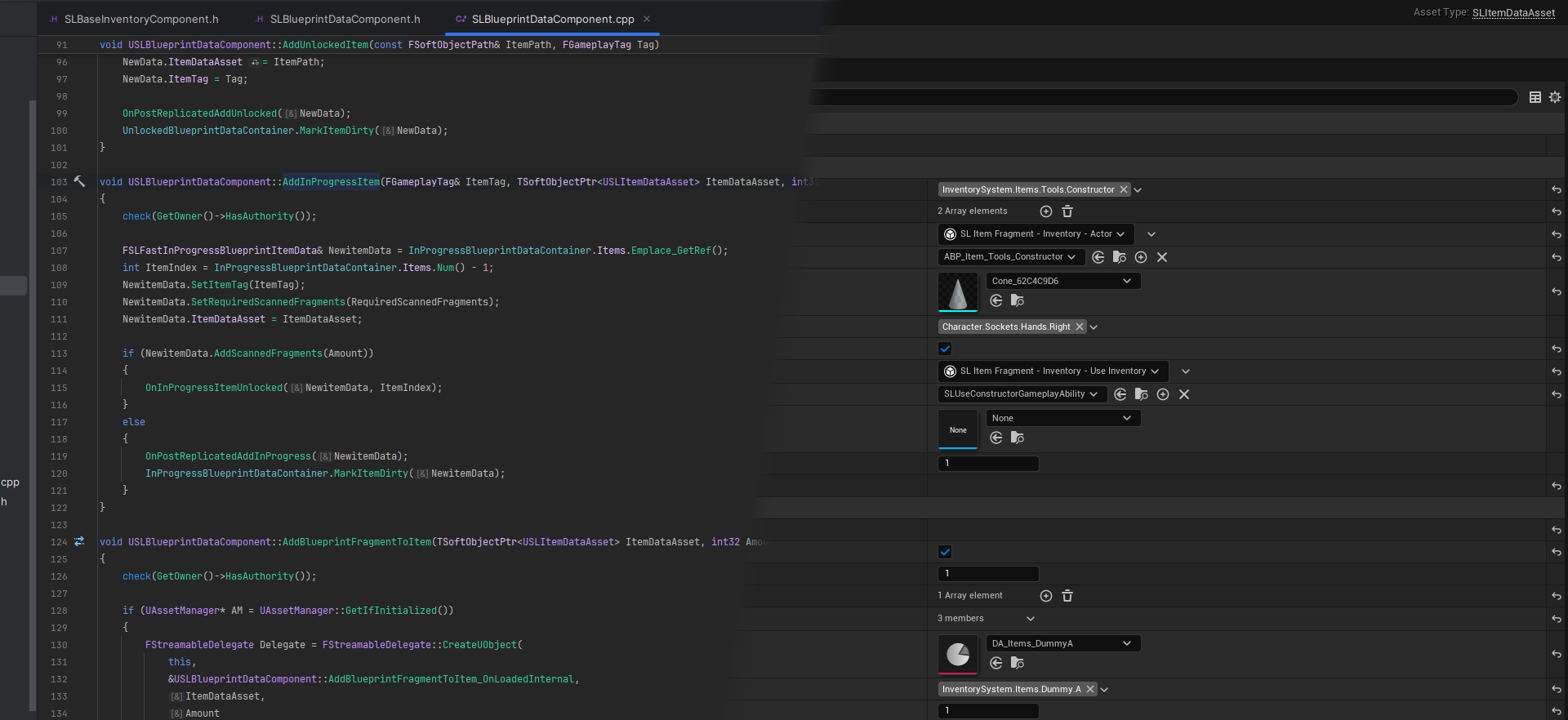
Almost the same could be told for Unity or any other complex engine/tool TLDR I (and most experienced people on the Unreal Source Discord server) recommend not using any LLMs or AI assistants, ...
wintry crane
lament flax
If you have time read this
https://notes.hzfishy.fr/Unreal-Engine/Extra/The-issu...
damn good catch
lament flax
I only use AIs for maths because im having a hard time to keep in mind stuff
sinful tree
AI is pretty nice for helping with small bits of code... But that only helps if you already kind of know what should be happening and can figure out what it's actually getting you to do. XD
Yea same here... Sometimes my brain just farts and asking an AI to make the function can make it start puttering again.
wintry crane
sinful tree
That's not 100% accurate.
The server decides if there is a correction required a...
just to make sure there this means that if we use client side prediction it is fine as long as there is too much of a lag right?
sinful tree
wintry crane
just to make sure there this means that if we use client side prediction it is f...
The entire idea of client predictions is allowing the client to do things without having to wait for the server to do it. If you have a lot of lag, you're going to have a bad time regardless as things can end up going very far out of sync that can't be properly accounted for even with prediction.
Like..... I could start moving forward on my client, but maybe on the server's end a wall moved in front of me before I moved forward so by the server's account, I shouldn't have moved at all.
wintry crane
yeah so from what ive read we do it locally and then we check with server if it lines up, if it doesnt we have problems
thats the whole concept of client side prediction
instead of sending it to the server so it can approve it and then we move
 violet gull
Reposted from Blueprint:
Hi guys. I'm working on a multiplayer game using GASP-ALS as a template, and I have an ability where a player can possess an NPC. This works fine on the server, obviously. For the clients, it requires an RPC to the server, but in that case, the client player's camera doesn't move automatically to the new pawn, and stays attached to the old pawn.
Is this expected behavior, and if so, is there a node to manually move the camera over in GASP? Or is this just a replication issue?
_ _
https://cdn.discordapp.com/attachments/221798862938046464/1366220498664423424/image.png?ex=6810277e&is=680ed5fe&hm=c5a99d126604d57e4db8f10b9f196c6a773509b439569f9d5b1664551a6de30d&

 opaque forge
What would be a good place to start trying to combine local multiplayer and online multiplayer? (Each connected client can supply multiple players)
I looked it up, and I found someone showing off they did it but not how.
fossil spoke
opaque forge
What would be a good place to start trying to combine local multiplayer and onli...
What do you mean by that exactly? Can you elaborate?
fossil spoke
Interesting, ive never come across this personally.
My first impression is that it would be a nightmare to deal with lol
opaque forge
I think Rocket League does that
You can have splitscreen players in online matchmaking
Although my project doesn't have any account login stuff
thin stratus
brazen anvil
The CMC movement mode was just an example. It is a variable that is replicated b...
In the ultra rare case that you find something that is replicated but only used partially, yes. However, that's usually not the case.
@opaque forge @fossil spoke I haven't tried it in a while, but the Engine should natively support this out of the box. Every locally created player will be "logged in" into the Server. There is code to handle all of that. In theory, all you need to do to try this is to have 2 Players (actual Games) and have one be an "online" (can also be lan for testing) ListenServer (open the gameplay map with ?listen).
The other player then needs to call CreatePlayer somewhere to create a local second player, followed by code to join the ListenServer. For lan testing it would be enough to just call "open 127.0.0.1" in the console.
In theory you should end up with 3 players on the server
fossil spoke
Thanks, good to know. I figured if it was supported it would be something simple like that.
sinful tree
Really? Woah.. Thought it would be tougher than that XD
thin stratus
I can be tough if epic doesn't use it and it has some bugs no one ever fixed. But that's something I wouldn't know cause I never use this
I just know that the code all exists
fossil spoke
Its certainly niche to say the least.
thin stratus
Yeah. It's also probably less fun to do on a console.
There, players are usually mapped to profiles and devices. I think we had to fix some stuff on Bears can't drift (by Arran Langmead) for that. Can't remember if it was for online split screen though. My wife helped with that a couple years ago, so I would need to ask her.
If I find the time later I will try this setup quickly. I'm curious now too
cedar tangle
rotund sail
I think I might just end up using advanced sessions. Designing my own solution i...
Sorry was getting to into the code logic. And making it more confusing.
cedar tangle
fossil spoke
My first impression is that it would be a nightmare to deal with lol
@opaque forge
Each client is connected to cloud based service.
Or each local network acts as one big data package.
Possibly 2 players per machine.
Multiplayer couch gaming maybe, can see that being a thing.
People have big ass TV's 🙂
@thin stratus I will show you some of my defensive af network code in a few weeks. Um maybe months, so gd busy these days.
Ah, I just noticed is a mix of BPs and C++ here.
I thought network logic was all C++.
But I can see in some situations maybe BPs can be used.
Hmmm, is there not a set of C++ network classes pre-made, where the BPs can be instanced from?
If not then maybe this is something I could create as a GIT repo.
thin stratus
cedar tangle
Ah, I just noticed is a mix of BPs and C++ here.
I thought network logic was all...
Depends on what network logic you need. You can develop multiplayer games in pure Blueprints up to a specific point. That point depends on the game and what it needs. Some may never find themselves in the need for any c++ only features and others might need it from the get go.
And not sure what you mean with pre-made network classes. Network is a first party feature in UE. All of the Gameplay Framework classes you have access to in Blueprints support multiplayer in one way or another.
opaque forge
cedar tangle
<@294623637481193473>
Each client is connected to cloud based service.
Or each...
For context, I'm creating a "game" of sorts (more of a tech demo) where like 8 devices use pixel streaming to control various characters in one world. Because of performance limitations, it's not viable to run all views on one device, so there will be a few computers in a networked multiplayer game.
cedar tangle
thin stratus
And not sure what you mean with pre-made network classes. Network is a first par...
Yeah maybe thinking to fast here. I am doing everything in C++ so I am one with the UE arch. For example I have C++ classes for GameMode, PlayerCharacter, PlayerController then additional classes to handle things such as SpawnSystem that inherits UWorldSubsystem. I am sticking with UEs authoritative first architecture where and when it is used.
opaque forge
So it's all running over lan. (I've done networked multiplayer before in any case, so that's a non-issue)
cedar tangle
opaque forge
So it's all running over lan. (I've done networked multiplayer before in any cas...
Oh I did not realize it was your work. It is very interesting and must have been challenging. I am not familiar with pixel streaming?
thin stratus
cedar tangle
Yeah maybe thinking to fast here. I am doing everything in C++ so I am one with ...
Most of that is available in Blueprints. Also don't do the mistake of doing everything in C++. UE isn't meant to be only used with C++.
opaque forge
Oh the video's not mine lol
It was just an example.
In any case, for all intents and purposes, it's the same as splitscreen
I'm just trying to avoid the XY problem
thin stratus
So you want e.g. 16 "players" with 8 devices, where each device runs a game with 2 Split Screen players?
opaque forge
yeah
cedar tangle
thin stratus
Most of that is available in Blueprints. Also don't do the mistake of doing ever...
I actually prefer C++ as the source of the BP instance I use. For learning and experimenting the C++ approach feels right (*to me, possibly a personal opinion).
I am inheriting from the base classes for example AGameModeBase . I think it is a bit early for me to clearly see if instancing from the C++ classes in a generic use for any project, would work in how I think it would.
What I mean by instancing from the C++ classes is this (see image):
 thin stratus
cedar tangle
I actually prefer C++ as the source of the BP instance I use. For learning and e...
thin stratus
cedar tangle
I actually prefer C++ as the source of the BP instance I use. For learning and e...
You can follow a rule of thumb here:
-
Processor intensive work should go into C++.
-
Core Systems of your Game should go into C++.
-
Structs, Enums and generally types you wish to use across C++ and BPs should go into C++.
-
Utility classes, such as function libraries, for you and your team should go into C++.
-
Anything that has a custom BP graph should most likely be somewhat utilized in Blueprints:
- User Widget Designer
- AI Behavior Tree
- State Tree
- Animation Blueprint's AnimGraph
- etc.
- NOTE: This doesn't include the BP EventGraph part of those if they have any. Those should most likely remain in C++ if possible. AnimBP's EventGraph can be driven by variables and functions of its C++ parent. UserWidgets Designer can be driven through C++ too, with "BindWidget" specifier even in a way that added Widgets in the WidgetTree are easily accessible in C++.
-
Data and "setup" of specific classes should usually be done in the Editor
- Either through BPs that inherit from your C++ classes
- Or through smart usage of DataTable, DataAssets, etc.
-
Whenever you need access to an Asset, such as a Texture, Audio, InputAction, InputMappingContext, Material, StaticMesh, another Blueprint class, DataTable, your own DataAsset, etc., etc., you should have a BP that inherits from a C++ class which exposes a TSubclass, TObjectPtr, TSoftObjectPtr/SoftClassPtr/etc. and you should fill the property in that BP.
cedar tangle
thin stratus
You can follow a rule of thumb here:
- Processor intensive work should go into ...
Thank you for that info I saved it local for future ref. That is the idea. Even though I have not touched on some of those key areas yet.
cedar tangle
opaque forge
yeah
Not sure if this is of any use to you at all. But thought I would drop the info in-case.
From a architectural prospective it could be easier to develop, if each player is as a single connected client over the idea the local network being one group of 2 or more players.
You may have doen it that way already. If not tho, it maybe worth projecting structure of both to see what one plays out as the more maintainable and or easier do develop while maintaining your sanity.
Also the XY problem (if I understand correctly) may be solvable with the idea of a UI accordion to work in the limited vertical space.
Or have the UI to be responsive to screen width. I do a lot of web stuff and not sure if the responsive UI is a thing in UE, would think it is tho due to mobile device support.
thin stratus
Also the XY problem
The XY problem simply describes the act of a user trying to solve X while they should actually solve Y (or other way round). As in, the user doesn't know exactly what they need to solve and are getting lost in the wrong problem.
cedar tangle
thin stratus
> Also the XY problem
The XY problem simply describes the act of a user trying t...
oh, ok, thought that may be what is was. Just noticed the screen issue in the video.
thin stratus
E.g. the lightbulb in your kitchen isn't turning on anymore.
Instead of replacing it (X), you spent hours analyzing the wires in your walls, the breaker, etc. (Y).
Usually the XY problem comes up when things get very technical and the user is lacking a base understanding of the topic they deal with.
opaque forge
Yeah
In this case, I'm fairly confident of what I need
I just like to be thorough.
thin stratus
@opaque forge @fossil spoke
So I took a bit of time out of my morning to test this in my Lobby Kit.
The Lobby Kit isn't at all set up to support this, so I had to fix a few things first and the UI is really not meant for being used in half the available screenspace, so keep that in mind.
Despite that, it works quite fine out of the box:
opaque forge
That looks awesome! How'd you do it?
fossil spoke
thin stratus
<@294623637481193473> <@223322728424407042>
So I took a bit of time out of my ...
Nice. Not that I think I would ever need it. 🤷
thin stratus
There isn't much to it. If we ignore the bug fixing, all I had to do was:
- Go to "Project Settings", search for "Use Splitscreen" and enable it.
- That is optional though, as it only controls the actual "split" of the screen.
- Add the ability somewhere to add/remove LocalPlayers (top right corner of my UI).
- See image. I disable the button if there is only one player. Don't want to destroy the main one :P .
And that's kinda it.

Additionally you can control when the screen gets split (if the Project Setting is enabled) by calling this (see image). I call that functions on BeginPlay of my MainMenu PlayerController to disable it, and then on BeginPlay (locked to LocalPlayerController due to Multiplayer) of my Gameplay PlayerController to enable it.

The bug fixing mostly resolved around me not taking into account that there is more than one Local PlayerController. Things I had to fix:
- MainMenu UI being created twice due to being created on BeginPlay of the PlayerController. Second local player thus also created one, but I only wanted one.
- Adding the UI via
AddToViewport, which is not correct if you have splitscreen support. One needs to useAddToPlayerScreento ensure the UI is added to the individual player's section of the viewport/screen. - Code assuming there is only one PlayerController. That's usually cases where one calls
GetPlayerController(0), which I was doing in parts of my UI. That's generally not a good idea, even without multiple local players, but here it really bites you. You usually want to use whatever gets you the "relative" PlayerController. E.g.GetOwnerin the PlayerState,GetControllerin the Pawn/Character,GetOwningPlayerin a UserWidget. And it's also important that theOwningPlayerorOwnerpin on nodes that have it is properly supplied. Otherwise, you can't really get the "relative" PlayerController.
And more Lobby Kit specific:
- Ensure the "Hat" MeshComponent on the Preview Pawn in the Lobby is marked as "Owner Only See", so that even though both local players spawn that Preview Pawn in the same location, they aren't visible to each other.


 thin stratus
There isn't much to it. If we ignore the bug fixing, all I had to do was:
- Go ...
thin stratus
thin stratus
There isn't much to it. If we ignore the bug fixing, all I had to do was:
- Go ...
@opaque forge ^
opaque forge
thx
 mild prism
Hi guys, does Blueprint use this multiplayer command to assign which view to enter upon exit? I would like to set it up so that when a user enters, I pass them the first view without initializing the others.
 thin stratus
mild prism
Hi guys, does Blueprint use this multiplayer command to assign which view to ent...
thin stratus
mild prism
Hi guys, does Blueprint use this multiplayer command to assign which view to ent...
What do you mean with "which view to enter upon exit"?
mild prism
thin stratus
What do you mean with "which view to enter upon exit"?
I need to determine how to assign a player to the window he sees so I can identify which player is playing or attempting to use which window.
thin stratus
mild prism
I need to determine how to assign a player to the window he sees so I can identi...
What window?
You mean the editor windows that open?
rotund sail
So I'm using advanced sessions, and I can get the server to appear in the server browser and can connect off a local host, but it doesn't seem to appear when I host off my dedicated machine (which is in another city at a server farm lol).
Im guessing its something on the server farms side, as Ive configured windows firewall on the dedicated machine to have open ports and so on.
mild prism
thin stratus
What window?
This windows
 thin stratus
mild prism
This windows
thin stratus
mild prism
This windows
Sure but what you are asking is still confusing. UE opens new windows for each additional player. And an initial one for the first player if you aren't playing in the viewport directly.
If you want to know which player is which window, put a widget up that prints their PlayerState's PlayerName or so
mild prism
thin stratus
Sure but what you are asking is still confusing. UE opens new windows for each a...
Ok, if I wanted to open those windows instead, how do I inform the first player to see an actor on stage in a specific position in the world, and when player 2 enters, he sees actor 2 in another specific position, and so on?
thin stratus
mild prism
Ok, if I wanted to open those windows instead, how do I inform the first player ...
You don't open those windows manually. What are you trying to achieve here?
If 2 players are connected and the actor is replicated and its location is replicated then they will both see the actor in the same location
If you want to artificially desync this then you need to not replicate movement on the actor and set the location locally
mild prism
thin stratus
If 2 players are connected and the actor is replicated and its location is repli...
Ok, but if I duplicate the actor I'm using and assign the duplicated actor to the second player, isn't it better?
thin stratus
mild prism
Ok, but if I duplicate the actor I'm using and assign the duplicated actor to th...
Please explain what your goal is. The terms you throw around make no sense and I wonder if your base knowledge of UE and Multiplayer isn't severely lacking.
You can spawn an actor per player, that is what the PlayerController, PlayerState and fwiw the Pawn/Character already is. But those are usually synced in one way or another unless you spawn them locally only, but then other players can't see them and you can't communicate to the server through them
mild prism
thin stratus
Please explain what your goal is. The terms you throw around make no sense and I...
I can tell you that it is lacking. I just wanted to know in general if the thing I asked was feasible.... I'm doing a test project to start getting to know first-hand how multiplayer works in Unreal, and I wanted to ask in general if it was possible to do this step that I'm explaining?
thin stratus
mild prism
I can tell you that it is lacking. I just wanted to know in general if the thing...
The problem is that I have a hard time understanding what you are trying to achieve.
Having an Actor in two different places for two different players can be done in multiple ways. It depends a bit on why you want this.
If you are new to multiplayer, then I would recommend reading the Network Compendium that is pinned to this channel
mild prism
thin stratus
If you are new to multiplayer, then I would recommend reading the Network Compen...
Thank you very much again for your availability.
 round glacier
How do I get a reference to the currently controlled player's camera?
I'm adding a stencil material so that you can see your teammates behind cover. I'm having a hard time conceptualizing how to add the blendable to the currently controlled character's camera. I feel like Lyra does this by default but my other designers have mucked around so I'm a little confused.
- When I'm assigning teams, inside the LyraCharacter (pawn) subclass, I create a dynamic stencil material. This function runs on my simulated proxy for my teammate (that mkaes sense so far, the teammate's pawn should own the material).
- I need to add the blendable to the camera component, but since this is running in the teammates pawn, there's no real reference. Could I get a reference to the local client's camera? Or send an event so that the pawn of the controlling pawn (not the simulated teammate pawn) can add the teammate's material to the camera component?
 thin stratus
round glacier
How do I get a reference to the currently controlled player's camera?
I'm addi...
thin stratus
round glacier
How do I get a reference to the currently controlled player's camera?
I'm addi...
GetPlayerCharacter is in theory what returns you the locally controlled character.
There are cases where it's reasonable to use it
round glacier
It's a tiny bit inception-y because this is from inside the blueprint of the pawn of the other character.
I'll take a look! This functionality works in base lyra but, again, my coworker has rewired all the team selection logic so 🤷
 meager aurora
Hi, what's the approach for handling RPC calls on actors that belong to world? Let's say a chest I and other player can see contents of
Should every interaction set the owner of the current player? How about situation when 2 players interact with same chest then?
thin stratus
round glacier
It's a tiny bit inception-y because this is from inside the blueprint of the paw...
That's fine though.
thin stratus
meager aurora
Should every interaction set the owner of the current player? How about situatio...
You can't even set the Owner on the Client. You'd need an RPC to set the owner to then perform RPCs.
That's only reasonable if the Actor is solely owned by one client.
Interacting like this is done by running the RPCs through an already owned actor. Or a component on such.
thin stratus
meager aurora
Should every interaction set the owner of the current player? How about situatio...
That situation wouldn't work with setting owner cause there can only be one owner.
So yeah, leave the owner what it is and run the RPCs through something else
meager aurora
So yeah, leave the owner what it is and run the RPCs through something else
Any recommendations? I wrote solution that works like that, an actor has a inventory component which stores item data and replicates it (work fine when attached to players) and a widget which connects to inventory to render tiles, intercept drag and drop events to trigger rpc.
 ancient adder
meager aurora
> So yeah, leave the owner what it is and run the RPCs through something else
An...
ancient adder
meager aurora
> So yeah, leave the owner what it is and run the RPCs through something else
An...
You call the RPC on the InventoryComponent that is on the player, The RPC takes the InventoryComponent you want to operate on(Chest actor's component in this case). Something like UInvComp::TakeItem(UInvComp* FromComp, SomeType Item))
lament flax
you can also check Blueprint_Network level in the Content Examples project
meager aurora
ancient adder
You call the RPC on the ``InventoryComponent`` that is on the player, The RPC ta...
So, player handles interaction and owns it via component such as adding, requesting items, an actor just stores items, like that ?
 maiden abyss
I have a replicated UObject. I'm running into an issue with push model. When trying to MARK_PROPERTY_DIRTY_FROM_NAME, inside my custom UObject, I get a bunch of compiler errors, one of them stating that GetNetPushID() is not a member of my object. I can't find any info on that function on Google, or any info regarding push based replication in UObjects. Any ideas?
ancient adder
meager aurora
So, player handles interaction and owns it via component such as adding, reques...
I guess yea, You setup the component to be used as a proxy for writing data. All functions/RPCs takes UInvComp TargetComp as parameter and you do stuff on TargetComp's data
All operations(add, remove, edit..etc) will be handled by a player owned inventorycomponent
meager aurora
Thank you very much ❤️
opaque forge
thin stratus
<@294623637481193473> ^
Are there any issues with a non-authoritative client trying to add a second player?
formal solar
Man the default steam subsystems in blueprint is so useless
I can't use advanced sessions because I'm working in 5.0.3 and it's bugged with that
I wanted to learn C++ at some point but this is being thrown into the deep end xd
All I want to do is hide my steam sessions from being found once they are full. Everything else in my project I've tackled with blueprints
thin stratus
opaque forge
Are there any issues with a non-authoritative client trying to add a second play...
Hm, yeah, could imagine that might not work well. But would need to test.
They can join with multiple but I don't think they can Add/Destroy after that
 trim onyx
Do you guys know if it's possible to define replication conditions for struct members out of the box?
For example I have 2 vars in a struct and want to make one replicate to everyone (COND_None) and the other only to owner (COND_OwnerOnly).
EDIT: Nvm it's probably a bad idea.
cedar tangle
best time of the day, UE networking time.
 mystic estuary
formal solar
Man the default steam subsystems in blueprint is so useless
I can't use advanced...
mystic estuary
formal solar
Man the default steam subsystems in blueprint is so useless
I can't use advanced...
Don't FindResults tell you how many users are there? If so, why don't you simply not create widgets for those that are full?
formal solar
How do I know if they are full? Find Sessions just returns every session regardless of whether full or not
dark parcel
formal solar
How do I know if they are full? Find Sessions just returns every session regardl...
You would have the data of each session.
Just store the one that isn't full in an array if you need some filtering.
formal solar
I know how to get max players
I dont know how to get number of players
I thought not BP exposed?
dark parcel
You can expose a lot of data through the args
Update them via update session if you are using advance session
formal solar
yeah exactly the point i was making, 5.0.3 is bugged and you can't use advanced sessions with it
only the standard is available
dark parcel
I am not aware of any bug regarding advance session in any version
Using 5.1 here though
formal solar
yeah, 5.0.3 is bugged. doesn't work with advanced sessions,.
dark parcel
Consider, upgrading then? Or get working version and look at how advance session implement their end.
formal solar
Yes I could upgrade but I don't want to at this late stage
dark parcel
if you have a lot of self imposed limit ( bp only / not using the working version (assuming the bug is real), then you kinda pay the price.
imo do what you have to do to solve your problem.
formal solar
well it's just frustrating because it's only a small thing i need to do
but just need a lot of knowledge of C++ syntax
dark parcel
perhaps it's time to learn cpp. It's not "I just want something simple",
actually it's easy to hit the bp limit and your only way to attain the other side is by doing what you have to do.
you don't need a lot of knowledge to start doing basic operation. I don't know any enginered stuff my self.
Just spend 2 weeks and you should be able to start exposing stuff to blueprint.
mystic estuary
formal solar
I dont know how to get number of players

 woeful wagon
Does anyone have any documentaion on doing turns for a turn based multiplayer game
thin stratus
woeful wagon
Does anyone have any documentaion on doing turns for a turn based multiplayer ga...
Puh, I don't think I know any so I would also need to search the web, but I can give you some guidance for what I would start with it.
-
First of all, you should definitely make sure that you have a clear idea of the flow of your turn-based logic.
- Maybe write down first what the different "stages" are that you want to go through. What should happen during the turns and what features you want to support.
- E.g. you might want steps like "PreTurn", "StartTurn", "PostTurn", or even more, to prepare a turn and do anything after the turn.
-
The GameState (not the Base version!) is a good place for the logic of your turn-based logic.
- If you want to keep your GameState class small, you can use an ActorComponent and place it on there.
- You can also use the GameMode (not the Base version!), but if you want to replicate any of the information you'd need to have those information inside the GameState at least.
-
You'd want to keep track of what the current round is, e.g. via an Integer Variable.
- That Int is probably going to be the backbone of your turn-based logic, so make sure it stays the only source of truth and base all the other logic on it.
- I highly suggest building a good set of functions to modify the Int, to ensure you aren't duplicating too much code or modify it in the wrong places:
- Probably want to have said Int (only if located in the GameState or an ActorComponent on it) marked as RepNotify and have a Delegate/EventDispatcher call from within the OnRep to notify other systems in the future.
- Depending on how much info you need you can also have a Struct serve as the Int, which has the Int and other values in it. Just keep in mind that Blueprint Structs can break, so C++ for that is preferred.
thin stratus
woeful wagon
Does anyone have any documentaion on doing turns for a turn based multiplayer ga...
-
Depending on who can all take turns (Players, AIs, etc.) you'd probably want to place those candidates into an array, sorted by the order in which they should perform actions.
- If the order can change throughout turns (e.g. someone buffs their initiative or so), you'd want to make sure you have a good set of functions to modify that array.
- You can use the turn Int to determine who's turn it is. A simple % (modulo) operation would ensure that you can have the turn Int increment beyond the size of the array and have it loop to the front again.
- When a new Turn starts you can grab whoever is next from that array and maybe set that on a second variable that is also an OnRep property.
- You could choose to replicate the Array to show the order to the players. Then you would not need to replicate who's turn it is directly, cause players can infer it via the Array and the Int.
- Depending on who's turn it is (AI vs Player), you can either notify the given AI to start doing its thing, or you can notify the Player. The OnRep Int would do this already though.
-
The whole combination of Int and Array (or property that determines who's turn it is) can be used on players to enable/disable UI, and gameplay features, as well as filter on the server to ensure no one else can easily cheat and perform a turn that's not theirs.
And that's kinda it for the start. Anything else would need to be adjusted to your actual game.
woeful wagon
thin stratus
- Depending on who can all take turns (Players, AIs, etc.) you'd probably want t...
Thank you for the speedy response I do believe I have here what you were describing. This is going through the game mode. I have all the players entered into an array on post login then each controller is able to interact when their turn is up. However on occasion the cycle will just stop and for some reason I can't pinpoint where in my code the cycle is getting messed up! Do you have an Idea?

 exotic wasp
trim onyx
Do you guys know if it's possible to define replication conditions for struct me...
exotic wasp
trim onyx
Do you guys know if it's possible to define replication conditions for struct me...
confirming that sounds bizarre
thin stratus
woeful wagon
Thank you for the speedy response I do believe I have here what you were describ...
Just a few notes:
- If this is in the GameMode, as you said, then replicating the variables is redundant. GameMode doesn't exist on Clients.
- If you want to support AIs, PlayerController array might be the wrong choice.
- If you want to show the order of who's turn is when to the players, then a PlayerController is wrong, as the PlayerController class doesn't replicated to other clients, only to the owner.
- PlayerState array would work better here. That can also support AIs better, as their AIControllers can have "WantsPlayerState" set to true.
And for your problem:
You don't seem to handle that your Turn index can go beyond the Array size.
woeful wagon
thin stratus
Just a few notes:
- If this is in the GameMode, as you said, then replicating t...
Just to clarify i am not making Ai that has turns but I will try the playerstate things because each player isnt aware of whos turn it is they just are aware the world around them changes
thin stratus
exotic wasp
confirming that sounds bizarre
@trim onyx Only thing you can do is mark properties as NotReplicated iirc. The whole Struct will be replicated based on its Condition.
If you want control over who you replicate what to, then you can implement the NetSerialize method and handle serializing the properties yourself.
thin stratus
woeful wagon
Just to clarify i am not making Ai that has turns but I will try the playerstate...
These were just hints, cause I don't know what your game is about.
The replication part stands though.
woeful wagon
thin stratus
These were just hints, cause I don't know what your game is about.
also how would i go beyond the array size limit?
thin stratus
woeful wagon
also how would i go beyond the array size limit?
Well, your PlayerTurnArray has a specific amount of Players in it. e.g. 5.
That means the only valid indices are 0 to 4.
woeful wagon
thin stratus
These were just hints, cause I don't know what your game is about.
I tried to do it in game state before with the same result but maybe the array is at fault?
thin stratus
woeful wagon
I tried to do it in game state before with the same result but maybe the array i...
The Array itself is fine, in theory. It's the index. You should be getting errors after a few turns in your output log or message log.
woeful wagon
thin stratus
Well, your PlayerTurnArray has a specific amount of Players in it. e.g. 5.
That ...
correct I have a different piece of code that resets it to zero if number of players is exceeded
unless i am going about it wrong
thin stratus
woeful wagon
correct I have a different piece of code that resets it to zero if number of pla...
Where though? The images only show you incrementing it and then accessing the array.
Given you increment before starting a turn, the first turn would already increment the index, so the default value needs to be -1, as the first actual round would increment it to 0.
If you increment the int 5 times, you'd end up at 4, if you increment again you are at 5, which is out of bounds.
woeful wagon
funnily enough I have it in the game state
 thin stratus
Hm yeah, I would suggest you clean this up and don't have logic in two places.
If you don't care about the information being replicated to Clients, then keep it in the GameMode. Otherwise move it to the GameState, or at least place replicated versions of the important things there and keep them in sync.
Stop replicating variables in the GameMode, as that's wrong.
It's hard to help you debug your code if you have it all over the place and if you only share some of it.
woeful wagon
thin stratus
It's hard to help you debug your code if you have it all over the place and if y...
If you want to hop in a call id be down to stream it to you this is the last part that just wont fix lol
thin stratus
woeful wagon
If you want to hop in a call id be down to stream it to you this is the last par...
Yeah no, I won't have time for that much support :D
woeful wagon
thin stratus
Yeah no, I won't have time for that much support :D
figured it wouldnt hurt to try lol
but yeah ill take what you said and ill implement it tomorrow thanks for the help!
 uncut citrus
Unreal 4.27
I get this Warning in my dedicated server. Any Idea why?
LogNetPlayerMovement: Warning: ServerMove: TimeStamp expired: 108.037811, CurrentTimeStamp: 110.488312
nova wasp
huge packet delay can cause that
it's kind of to be expected if someone has a bad burst of bad connection issues afaik
 hollow adder
Hello. I've been working on implementing predicted stamina based on Vaeis PredictedMovement project and I'm looking into expanding it a bit.
I would like to add stamina drain/regen levels so the player can drain less stamina/regen faster based on their actions in game. The level is just an integer.
I think the server should apply the change since it wouldn't happen too often and would be difficult to predict. The question is how would I go about replicating it?
Can it be done externally like using GAS (wouldn't it cause corrections?) or part of the CMC?
verbal ice
hollow adder
Hello. I've been working on implementing predicted stamina based on Vaeis Predic...
You can use replicated properties for stuff like that
You don't need to predict leveling up
And a lot of the times the drain/regen difference can probably just be corrected without even feeling it movement wise
Especially if you level up through a menu or something
Not like you're going to be moving at the same time
 karmic briar
<@&213101288538374145>
 slate veldt
So does EOS simply not allow you to query another player's display name if they're not in your session?
 proven pagoda
Is there any good documentation about how to use IRIS properly? I'm sitting here messing with settings and values in a test actor of a Mesh and it seems regardless if I use IRIS or not the only things I need to do is mark the Actor bReplicates = true and the Mesh->SetIsReplicated(true) and then it replicates just fine. I don't have the property registered in GetLifetimeReplicatedProps and it doesn't matter if I use the UE::Net::FReplicationFragmentUtil::CreateAndRegisterFragmentsForObject(this, Context, RegistrationFlags); regardless if I use that or not the Mesh replicates just fine to clients when the mesh changes. I know that creating the fragments in the util returns the value of how many fragments were created, but every log I print is 0 fragments created. I know IRIS is working because it's giving me other warnings about having to generate Descriptors because my FFastArraySerializer has incompatible members and custom serialization, but I just don't seem to understand how to use this properly perhaps and I google IRIS and there's nothing out there I can find that's in front of my face worth anything as far as I've looked.
I look through the GAS files and I see in the GameplayAbility class, GameplayTask, GameplayEffect they all just call that generic CreateAndRegisterFragmentsForObject function but I don't see what else they're doing so special for IRIS in those classes either.
Do I just slap that on my PlayerState and magically it's now using fragments instead and I can have increased player count lol
hollow adder
verbal ice
Not like you're going to be moving at the same time
I actually was thinking about leveling while moving. Eg. Level up depending on the distance the player travelled, similar to GTA5. It would update rarely though so maybe its not worth it to go through CMC
verbal ice
hollow adder
I actually was thinking about leveling while moving. Eg. Level up depending on t...
Depending on the correction, it should be fine
Correcting the current stamina shouldn't cause movement changes unless you were sprinting when you couldn't
So more often than not players won't feel a thing
hollow adder
I see, what about some quick timed buffs?
verbal ice
Server initiated?
hollow adder
Eg player pick somthing that grands a boost to drain/regen fora short amount of time
Maybe both
verbal ice
If it can't be predicted, you might need to find a way to predict it on the client
Depends on the systems you use, I haven't tinkered much for it on the CMC/GAS side since I use GMC/GMAS and they support server initiated gameplay effects that get predicted on the client
hollow adder
Alright, thanks.
 proper pagoda
Hello! For people that are familiar with the Mover and the Network Prediction plugin. I'm wondering how you would handle spawning actors using this network model. I think have a rough idea of how it should work (i.e. Spawn the actor on the client with a specific prediction key, and then calidate that on the server when it reaches the timestamp where the spawning happens).
But I'm wondering if there is a "formal" way of doing this with the NPP, aswell as what to do with the actor when performing rollback?
 devout sonnet
is there no way to name a game session on unreal engine 5?
 proper pagoda
devout sonnet
is there no way to name a game session on unreal engine 5?
proper pagoda
devout sonnet
is there no way to name a game session on unreal engine 5?
You can by using the Session Settings
 undone needle
Been trying to find info on this, can someone confirm if this is true?
In other words, passing an AActor* instead of his ActorComponent* would be more efficient?
 thin stratus
proper pagoda
Hello! For people that are familiar with the Mover and the Network Prediction pl...
thin stratus
proper pagoda
Hello! For people that are familiar with the Mover and the Network Prediction pl...
While I've worked with it for months now, I would not try to predict actor spawning.
If you want to do that, then you need to keep track of these actors in the SyncState so you can properly roll them back.
And you'd need to do that with some form of ID, potentially the NetID for the replicated version and some other ID for your locally predicted one (since you will have to destroy your predicted one when the replicated one arrives).
There isn't much difference to how you'd predict spawning an actor outside of NPP.
dark edge
undone needle
Been trying to find info on this, can someone confirm if this is true?
In other ...
This is talking about a structure
AAnything* is basically as small as a thing can get, it's just a pointer
Even though my house is bigger than its contents, it's a lot easier to send you my house's ADDRESS than it is to send you any amount of my stuff
fossil spoke
undone needle
Been trying to find info on this, can someone confirm if this is true?
In other ...
Not quite sure who this person is, but I wouldn't be listening to their advice in the future.
Its just flat out wrong.
undone needle
yeah figured that was straight up wrong but wanted to confirm anyway, thanks
 viral hearth
hey there, im currently trying to make a shared screen (NOT split screen) multiplayer game and for some reason the second player doesnt register any input
i have 2 gamepads and a mouse/keyboard connected, so i would expect mouse/keyboard+gamepad 1 to control player 1, and gamepad 2 to control player 2, but for some reason player 2 doesnt register ANYTHING
in my level blueprint i get both my player controllers and add a enhanced input system mapping context to them, this also happens successfully (i do this in the level bp because player 1 and 2 have different controls, but use the same character blueprint. they are separate instances of that blueprint though)
after that player 1 moves as expected, and player 2 doesnt
the controllers themselves arent the problem, if i unplug them, and plug them in again, so they switch device IDs, the other one works. it is ALWAYS player 1 that works
viral hearth
sometimes the second gamepad controls the engine instead...like moving the focus to other parts of the engine, selecting assets etc
but i never got it to actually control a player
viral hearth
i also just checked, the second player is correctly registered with controller ID 1
i also read a post that this behavior means that the second gamepad is not assigned to a controller but treated as generic input device
 torpid crest
General question.
Should I use HUD in multiplayer?
What I've been doing is adding widgets to the player controller, which works fairly well, but I guess a cleaner way would be to use HUD?
chrome bay
HUD is just a very convenient place to manage them
Can be helpful to avoid polluting the controller
Can also be exchanged for different gamemodes, so you can change your HUD without changing your controller.
I still use it personally
torpid crest
yeah my controller is polluted with functions to display different widgets 😄
prisma snow
undone needle
Been trying to find info on this, can someone confirm if this is true?
In other ...
No and in general if you know C++, you'll know that it's passing pointers for example so any pointer will be the same size regardless of what is pointing to. In regards to RPCs, replicated objects also have network IDs that are also equal in size so it doesn't make much sense. Sending a struct through an RPC will be more or less constly depending on the struct content and how frequently is called, and it's also very dependent on wether the RPC is reliable or not.
quasi tide
chrome bay
I still use it personally
My main reason for stopping using it before is because I noticed that when I was doing UI stuff, I was just ferrying all my stuff through the PC anyway (networking stuff that is). So it felt redundant.
 high lotus
viral hearth
i also just checked, the second player is correctly registered with controller I...
high lotus
viral hearth
i also just checked, the second player is correctly registered with controller I...
did you try this:
disable Auto routing gamepad to the player 1
 viral hearth
high lotus
did you try this:
disable Auto routing gamepad to the player 1
viral hearth
high lotus
did you try this:
disable Auto routing gamepad to the player 1
i tried it but it didnt help, also i still need gamepad 0 for the first player
one problem was steam was using the second gamepad and doing weird stuff with it
then i also set the second controller to "Set Input Mode Game Only" and most of the stuff started working
its still not ideal, but for now it works
high lotus
viral hearth
i tried it but it didnt help, also i still need gamepad 0 for the first player
...
weird! Any way to punch in start on p1 and the p2 on startup to get the correct assignments?
 pure brook
Hey, does anyone know why when i pickup a replicated actor with physics handle and smash it into another replicated actor the hit event fires on server which is perfect, but when i try to run a multicast from it, it doesn't fire for any clients 🤕 fires only on server.
dark edge
pure brook
Hey, does anyone know why when i pickup a replicated actor with physics handle a...
show code
 willow adder
Is there a way to get On Component Hit ( SkeletalMesh) Event Replicated over Network etc. I use Listener Server or Client , can Anyone show me how or where i find a Example of it
dark parcel
You gotta make up your mind first which machine triggered the event should dispatch the info over the network.
Saying you "use listen server or client" sounds like confusion.
Write on paper who should send the info and when.
Would it be just the server? Or the locally controlled character?
The on component hit may or may not happend across multiple machines. You gotta know who's gonna send the data.
willow adder
THX for Help @dark parcel may i not have much Experience in MP , the Situation is every Time i hit i both of them get Damage. I try send Events with Multicast,Server and Client etc.
dark parcel
The naive approach for damage is to just check the hit component event on server only.
Client does 0 logic.
Hit component -> has authority -> get damaged actor -> set hp
The more advanced way is to apply server rewinding as delay exist.
So when the client shoot, it may look like it hit the target but in server it may not hit the target.
There's a paid tutorial covering how to do that, not bp ofc. But unfortunately shooting game ain't that simple.
If you gonna use the server rewinding technique then you do check the hit component on client then send rpc to server, where the server will rewind player position and check if the hit is valid.
willow adder
Ok Thanks i will try it all what you write.
 ebon rapids
Hi if anybody has experience with replicating gameplay events or doing some other alternative I would appreciate some advice. Apparently gameplay events are not replicated and so even sending them between different gameplay abilities doesnt work on multiple clients. Does anyone know how I can replicate this event to all the other clients or is there a better form of communication with gameplay abilities that is replicated?
 stable grotto
anyone know why my dedicated server just stops logging or being active after being running for more than a day? ill try debugging with a print string every second in the game mode it might be active but not accepting connects or something... if anyone has experienced an issue like this before please share ❤️
proper pagoda
thin stratus
While I've worked with it for months now, I would not try to predict actor spawn...
That's pretty much what I was thinking.
I ended looking into NetSim cues and it seems like they're a promising avenue for the type of spawning that I'm going to need.
I'm wondering. Are you aware of the differences in implementation between Sync states and Aux states? The NPP recommends using aux states for things that don't change that often, but I notice that the mover plugin doesn't implement any sync states, even on things that it would make sense to use. (I feel like the ziplining example could have used an aux state instead of a sync state).
The examples in the NPP use aux states for things like MaxStamina or Cooldowns.
sinful tree
ebon rapids
Hi if anybody has experience with replicating gameplay events or doing some othe...
What is it that you are trying to communicate?
proper pagoda
ebon rapids
Hi if anybody has experience with replicating gameplay events or doing some othe...
Gameplay abilities (and gameplay events) are built in a way that only the Autonomous Proxy (or owning client) and/or the Authority (the server) can activate and execute said ability. If you want something that replicates to other clients that is either because you want to affect them (so you can use either gameplay effects or activate their own ability through the server) or you want a visual feedback (in which case you might want to look into gameplay cues).
ebon rapids
sinful tree
What is it that you are trying to communicate?
I need to pass in some action values from an input, do some small calculations and decide whether to call a function basically. It's an attack animation basically but using a blendspace. Ideally when the ability is active I basically tell it using the triggered pin of the input to do this. However only the client shows that the event is received (tested using a print statement) and the other clients do not. I basically want to know if there's a better way to tell an ability to do something and have that replicated to all clients.
ebon rapids
proper pagoda
Gameplay abilities (and gameplay events) are built in a way that only the Autono...
Thank you for your detailed response, it's given me a clearer idea about how this works. It's an attack animation basically so mostly visual but I'm not sure if that fits the cues or effects category. It's really just that one thing that isn't replicated, all the rest of the ability is. There must be some way, I saw someone multicast the gameplay event which seemed a bit sketchy the way they did it but I'm open to ideas. Maybe I could get away with just like a replicated bool and a branch and then somehow keep triggering it but idk.
proper pagoda
Hmmm, usually attack animations are replicated montages - and then it's up to the animation system to handle what happens
ebon rapids
Actually I got all that handled it's just about the event
I'm just using property access on some replicated variables to drive the animBP and it works fine
It works like 99% it's just this one little part of it
lament flax
proper pagoda
Hmmm, usually attack animations are replicated montages - and then it's up to th...
Dont use animation notifies as the authority of any attack system
They have a some important issues (so not reliable), they should only be used for local stuff like FXs
proper pagoda
quite possible, I have little experience on attack system
On the flip I do know that using root motion animation to drive replicated motion is quite common
proper pagoda
lament flax
They have a some important issues (so not reliable), they should only be used fo...
Though I'm not sure why you say that animation is not reliable outside of local elements, could you expend on that point?
lament flax
proper pagoda
quite possible, I have little experience on attack system
On the flip I do know ...
Animation shouldnt drive important gameplay actions
For obvious lag and cheating protection
lament flax
proper pagoda
Though I'm not sure why you say that animation is not reliable outside of local ...
Anim notifies are not reliable
lament flax
Anim notifies are not guaranteed to be fired Good explanation by Vaei: “Don’t use notifies for important events. A lot of the time they simply don’t fire, you’ll start seeing then when testing game in actual production.
proper pagoda
Ahhh that makes a lot of sense
lament flax
But in a MP context i would never (or not without a good reason) use anim notifies for important stuff (even if all notifies always fire)
proper pagoda
Yeah, notifies I get. You can see the way they're built it's practically made for visuals/audio
ebon rapids
lament flax
But in a MP context i would never (or not without a good reason) use anim notifi...
I don't really have a choice because I'm using a blendspace I use the anim notify to indicate the end of an animation but I haven't noticed any problems
Unless there's a better solution for reaching the end of an animation
I guess I could use a delay or timer or something but that's kind of scuffed
thin stratus
proper pagoda
That's pretty much what I was thinking.
I ended looking into NetSim cues and it ...
Pretty sure on native the AuxState is doing the exact same thing as the SyncState. That part was never finished.
On our version I finished its implementation but replaced its logic with custom DeltaSerialization which works on both SyncState and AuxState.
Which makes the AuxState a bit redundant in the end.
grand kestrel
ebon rapids
I guess I could use a delay or timer or something but that's kind of scuffed
That's what my system does under the hood. When a montage starts it looks for the notify times, starts a timer for them, then does a callback. Eventually I'll look at making them work like traditional notifies instead of outputting a tag with the callback, shouldn't be too hard just have bigger priorities atm
ancient adder
I just noticed PlayerController Replicates is not checked and it seems it doesn't need to be
I was under the impression that it has be to checked for any actor we want to replicate. Is PC a special case?
dark edge
ancient adder
I just noticed ``PlayerController`` ``Replicates`` is not checked and it seems i...
It's certainly a special case that it's only replicated between the server and the OWNING client
 steady onyx
I'm in a stage of testing the steam online features in my game and it's getting quite tiring to build and send for other people to test with me, is there a way I can use 2 accounts on the same computer to test it?
rotund sail
How would I go about replicating a uobject in a nested struct? I have a FInventoryData with two TArrays,FInventoryContainerData and FEquipmentSlotData which both have uobjects I want to copy across the network to the client (in the case of the equip slot, 1 uobject, and in the case of the container it holds a TArray of uobjects). Im familiar with the registered subobject list Im just uncertain of where to register them and so on.
 last furnace
Just learning replication: I have a character blueprint with a post process material on the camera. I also have an event that changes my players colour on a DMI, and a param in the PPM. it replicates the DMI param correctly, but the ppm changes on both client and server, hoping someone can push me in the right direction. This is my set-up:
Everything to the left of "Outline" comment works correctly, but the param in the "Outline" comment is for the ppm and is happening on every player


I also tried adding the ppm to a post process component rather than the camera but got the same results
Ironically, it's the other player (not the one I trigger) that ends up having the correct outline, but only in the trigger players side
dark edge
last furnace
Just learning replication: I have a character blueprint with a post process mate...
vanish alpha should be a replicated variable with repnotify
the repnotify is where you put the logic that depends on vanish alpha
server sets vanish alpha, everyone updates translucency based on vanish alpha. There is 1 float that goes across the network
last furnace
dark edge
server sets vanish alpha, everyone updates translucency based on vanish alpha. ...
like this?


oh wait. I forgot my reading comprehension
Like This?

 dark edge
last furnace
Like This?
dark edge
last furnace
Like This?
that won't work on clients as inputs are local only
The general form is:
Input -> run on server event
run on server event -> set replicated var
onrep -> do what replicated var means
IA_Vanish -> ServerVanish
ServerVanish -> can vanish? -> play timeline -> set float
OnRep_Float -> apply what the float means
last furnace
dark edge
IA_Vanish -> ServerVanish
ServerVanish -> can vanish? -> play timeline -> set fl...


Getting the same results with this unfortunately. Should I be setting up my DMI on the PPM differently?
I appreciate the help so far!
dark edge
last furnace
that'll work assuming Vanish Look does what you expect it to
last furnace
hmm ok. Vanish look does what I want it to locally, but breaks during replication
dark edge
last furnace
Just learning replication: I have a character blueprint with a post process mate...
why construction script and not begin play?
put print strings, figure out where it's breaking
try print vanish alpha in the onrep
last furnace
dark edge
why construction script and not begin play?
I've been switching between while troubleshooting. I've just moved it to beginplay but same results :/
last furnace
If I disconnect anything to do with the ppm the DMI's on the meshes work correctly replicated
dark edge
might be a race condition setting up the PPM
last furnace
everything before the Outline comment works correctly as long as I break that connection


(Ghost references):

Which I've also moved to begin play
dark edge
last furnace
everything before the Outline comment works correctly as long as I break that co...
why is delta time the lerp alpha?
that's not delta time
this is sus, just lerp based on alpha

thats a thing that maintains an internal alpha based on timestep and speed value
not at all what you want here
last furnace
I wasn't sure about that but it works on the EyeColour param, was gonna come back to that later
dark edge
it's 100% wrong to feed an alpha to this
last furnace
If I remove that ler and just set the glow colour to a random value it's still all the same problems
so just a side fuck-up I guess
another question for another time
dark edge
so what's the actual problem right now, vanish outline material doesn't exist?
last furnace
I'll try to get something together to help demonstrate
This is how it looks before and after locally, with the vanish outline, which in this case is correct (For the sake of troubleshooting I've disconnected some nodes, it won't actually look like this in the end)


this is the after during multiplayer, triggered from the fully red one on the right

right is server, left is client
If I disconnect the Outline Param, this is before and after locally


and multiplayer; everything replicates correctly
 dark edge
There should only be one replicated thing, the alpha
everything else is local
so you need to figure out why the alpha being the same on all machines does not result in the look being the same on all machines
but first confirm that the alpha IS 100% being synced correctly, print string it