#multiplayer
1 messages · Page 222 of 1
 dark parcel
 twin juniper
dark parcel
Grab the target pawn.
If the caller is server, it would have access to the pawn'...
twin juniper
dark parcel
Grab the target pawn.
If the caller is server, it would have access to the pawn'...
'target pawn' ?
That code runs on the enemy itself to determine where does it go (attack a player or just wait for them to be closer..)
dark parcel
twin juniper
'target pawn' ?
That code runs on the enemy itself to determine where does it go...
A player controlled pawn would have a controller, if the server is the one running the codes.
twin juniper
dark parcel
A player controlled pawn would have a controller, if the server is the one runni...
yes, tho I don't want the enemy to only go to the server's pawn (which is GetPlayerCharacter(0)), but the closest enemy.
dark parcel
How do you relate get player character 0 with closest enemy?
Just get the closest actor?
Regardless if it's a player or not
twin juniper
dark parcel
Just get the closest actor?
can you do that with a specific actor type?
because I don't want to get a tree... but only players
 shrewd ginkgo
I made a system to drop the gun if I shoot an innocent person but there are some problems. first problem is that if someone drops the gun and someone else picks it up there is a replication problem. the other problem is that if I shoot an innocent person and pick up the gun it drops the gun again when I shoot anywhere.
 dark parcel
shrewd ginkgo
I made a system to drop the gun if I shoot an innocent person but there are some...
dark parcel
shrewd ginkgo
I made a system to drop the gun if I shoot an innocent person but there are some...
this is soo cursed beyond words, especially for multiplayer game
using dozens of booleans is alarming but what's more alarming is the use of delay in multiplayer
Death should be handled by the server
client can react to changes it needs to do via OnRep
 ember vine
@dark edge the RPC replicates the actor ptr, it's fired after the actor is spawned. But somehow the clients were getting the rpc before the actor got replicated. I assumed actor replication would be sequential with a reliable rpc
 full gate
hello. I am creating a chat system through a dedicated server. When you press Enter in the chat UI, an RPC is sent to the server, but since the server does not have a UI, it tries to call the RPC function in PlayerState.
However, since this situation can occur other than the UI at this time, I am trying to organize the code by creating an RPC-specific component for each part, but I am curious if this is a commonly used method. Also, if there is a better way, please let me know!
shrewd ginkgo
dark parcel
this is soo cursed beyond words, especially for multiplayer game
is this better? I put my graph in to on rep healt


 dark parcel
shrewd ginkgo
is this better? I put my graph in to on rep healt
dark parcel
shrewd ginkgo
is this better? I put my graph in to on rep healt
I think you will have a hard time going forward with this codes tbh
a lot of race conditions to be addressed and I can't really see any clarity on which functions runs on who
shrewd ginkgo
dark parcel
a lot of race conditions to be addressed and I can't really see any clarity on w...
the variables can take gun, equipped gun, have gun and is reloaded should affect the person with the gun. have gun checks if he has a gun, equipped gun checks if he is armed, can take gun prevents him from picking up the dropped gun for 5 seconds and is reloaded checks if the magazine is reloaded. is dead applies to the person shot, is murderer also checks if the person shot is a murderer. if the person with the gun shoots an innocent person, he should drop the gun and not be able to pick it up for 5 seconds, but there are too many mistakes in the dropping and picking up parts
This is how linetrace is triggered
 dark parcel
Yeah seems like a total headache to me sorry. Like why would every body do the line trace. Why if player 2 shoot, does other than player 2 and server line trace matters.
not to mention everyone would yield different result because of latency
 wicked stone
On my multiplayer game I want to add an arrow on top of the each player in the game like an indicator that clamps to the edge of the screens so that the players know the direction of the other players like the image. How can I do that?
 shrewd ginkgo
dark parcel
Yeah seems like a total headache to me sorry. Like why would every body do the l...
shrewd ginkgo
dark parcel
Yeah seems like a total headache to me sorry. Like why would every body do the l...
sorry to bother you but this is all I can learn from the videos. if you have time can you help me blueprint.ue or in a different way.
just teach me how to make this graph and I'm sure I can learn more than what you did. i would be very grateful
dark parcel
shrewd ginkgo
sorry to bother you but this is all I can learn from the videos. if you have tim...
Learning multiplayer from youtube videos will be your downfall, especially for blueprints.
Reason being, most of them are just straight up wrong. Not trying to be in a high horse here, I am multiplayer newbie too but hold enough information that most youtube mp tutorial out there is pure bullshit
you can ask other to attest if you think it's just me.
as for learning multiplayer, I would recommend reading exi's compedium and Wizard multiplayer tips and trick pinned in this channel dozens of time.
then start from basic like, opening a door and basic interaction
NO MULTICAST for Stateful behavior.
shrewd ginkgo
My level of English is not enough to read most sources.
dark parcel
if you don't have enough understanding on which code should run on what machine, then you will not be able to go forward
shrewd ginkgo
I've never done replication correctly except for opening doors.
dark parcel
try google translate, but if you can write like this I am sure you will be fine.
shrewd ginkgo
I use deepL but I often get confused because it translates the English nodes in unreal engine while translating the sources.
I apologize again for bother you. I'll try to do it another way.
 torpid crest
is there anything specific that you need to do if you want swap skeletal mesh?

I can see that value is changing to man_rig2 and components is set to replicates
but no visual change on client or listen server 😄
torpid crest
or do I have to change ABP?
 crisp shard
probably a loaded Q, but is there any genreal rule of thumb for what kind of actors need tick enabled vs don't ?
 quasi tide
crisp shard
probably a loaded Q, but is there any genreal rule of thumb for what kind of act...
quasi tide
crisp shard
probably a loaded Q, but is there any genreal rule of thumb for what kind of act...
Yes. Actors that need to be ticked need it enabled. Actors that don't. Don't.
Glad I could help
crisp shard
legend
quasi tide
It is kind of a lame answer - but that is it.
crisp shard
lol i feel you, i knew it was either loaded or simple , but prob still unquie per actor
i just am thinking of like "shops"
wher a player can interact with it and it has info
in it, but nothing is ticking
quasi tide
You can probably deactivate tick on most things
crisp shard
quasi tide
You can probably deactivate tick on most things
this is kinda what i thought, i'll try this on actors that don't do things that have explict tick related things and will report back if any things pop up
 stray bridge
I can't seem to figure out this authority stuff:
GetCharacterFromActorInfo()->IsLocallyControlled()
I'm calling this in a local predicted game play ability and it always returns false on server and client. I'm trying to check if on server by checking this is false but it doesn't work since itsalways false on client and server.
any ideas?
full gate
void UHBPlayerWidgetComponent::Server_RequestSendMessage_Implementation(const FText& Message, uint32 PlayerID)
{
AHBGameModeBase* GameMode = Cast<AHBGameModeBase>(UGameplayStatics::GetGameMode(this));
if(GameMode == nullptr)
{
UE_LOG(LogTemp, Display, TEXT("GameMode Invalid"));
return;
}
someone can tell me why serverRPC gamemode is null???
actually, i just called Server_RequestSendMessage_Implementation,,,haha

 honest bloom
 odd locust
these?
odd locust
these?
online subsystem
odd locust
honest bloom
online subsystem
That it?

do you know why this doesnt join the session then?
i get the session created string
but nothing past the "2 Prressed" on the join bp
 dark edge
Show code
 queen escarp
hey how is the best way to profile you game since the "listen server´s fps is 20-30" but clients is 70+ and how do i test that on my own best any advice?
dark edge
queen escarp
hey how is the best way to profile you game since the "listen server´s fps is 2...
You can profile a certain instance
queen escarp
dark edge
You can profile a certain instance
can i profile while im playing a build game ?
 whole topaz
How foolish is it to try to avoid running UE dedicated servers and instead roll your own implementation? Game will by a car driving/racing game, so FPS replication won't be needed or useful, so I wanted to cut some overhead to allow for bigger playercounts and also it seems unclear if chaos vehicles can be replicated by default at the moment. The downside would be that when writing a standalone server, that I can't really validate physics too closely (especially thinking about exporting heightfields to do simple collisions). Anything else that I could forget?
(We're coming from a unity prototype where we had to roll our own physx/netcode anyway)
dark edge
whole topaz
How foolish is it to try to avoid running UE dedicated servers and instead roll ...
Pretty foolish
Do you already have a standalone car physics simulator?
whole topaz
well, not standalone because embedded in Unity but using a standalone physx 5 binding and it's own update loop etc, yes
dark edge
It'd be a hell of a lot of work to have a Unity server with Unreal clients
If you have your own system why do you care about Chaos vehicles?
whole topaz
dark edge
It'd be a hell of a lot of work to have a Unity server with Unreal clients
not exactly a unity server, also keep in mind we only prototyped so far anyway. The backend is rather a set of microservices but the question now is about spawning a dedicated server process per lobby/session and basically seamlessly connecting to them or if we can abstract that away too, since we don't need a lot of other things (maybe the most fancy part being animation syncing).
whole topaz
dark edge
If you have your own system why do you care about Chaos vehicles?
Because I fear it's even worse trying to integrate physics into Unreal as rendering engine
 misty birch
Can't figure out how to get a reference to the server spawned actor on the client
 misty birch
had to use repnotify
 umbral terrace
Hiya Everyone,
Been stuck on a really big problem with grenade logic over the past couple of weeks in Dedicated servers and would love to know if anyone else has these problems. Our grenade implementation is currently as follows;
Actor set to replicates & replicates movement., with Static Mesh comp, Collision sphere and a Projectile movement Component.
The expected behaviour is the following ;
Player starts throwing grenade,
Throws grenades,
Spawns on server and applys physics with desired velocity through the Projectile movement component,
Timer is set on Begin Play of the Actor, for X time,
Once timer is up, trigger a multicast to play SFX & VFX,
following this a server call to deal damage to all those in radius of the Grenade.
All of the expected behaviour works up until the server cast, & dealing damage to the player. What seems to happen is, VFX are played properly through the multicast at the current transform client side due to the multicast, and the damage is dealt at the original transform of the actor pre-physics calculation, which is still server side. Anyone might know why this could be happening, that the movement isn't happening on the server?
This only happens on a Dedicated server, not p2p or listen server and client in editor.
This link contains the blueprint for all the relevant grenade logic. It would be awesome if anyone could chime in with info on this.

No description provided
 soft flare
Guys what is the optimal way to use play montage node replicated?
i wanna play an animation localy so it doesnt jitter but the notify should send to the server
Like button press -> play montage -> send to server -> play for everyone elsebut not for owner again

the problem is for everyone else the animation plays once, but for the client it plays twice, the play anim on server is supposed to play it only for the others
 sinful tree
You can multicast it, but then check if the character is locally controlled, if not, then play the montage again.
 honest bloom
odd locust
That it?
honest bloom
odd locust
That it?
I mean .. for some reason those built-in nodes doesn't just work. (epic's problem)
depending on whether you're gonna use steam subystem or EOS .. you might wanna get some additional open source plugins if you wanna keep it only at blueprint.
If you're gonna use steam subsystem google "steam subsytem kekdot" and probably follow his tutorial series to understand how subsystem works
As for EOS, I heard there is a paid thing in the marketplace that does the job .. otherwise you'd have to jump to some code as I did (there might be some free plugins, but I haven't searched much myself)
 warm sparrow
how can i check if this 'on rep function' is running on the client that owns the player state?

 thin stratus
warm sparrow
how can i check if this 'on rep function' is running on the client that owns the...
thin stratus
warm sparrow
how can i check if this 'on rep function' is running on the client that owns the...
Get the owner. It's the controller. It's invalid on everyone but server and owning client. Cast it to controller or PlayerController and check if it's a local player controller to filter the server call on other clients
IsValid check on owner of course
You could also change the rep condition on the variable itself to owner only btw. Unless you want to simply branch and do something else for auth and sim proxies
warm sparrow
thin stratus
Get the owner. It's the controller. It's invalid on everyone but server and owni...
thanks!
warm sparrow
thin stratus
You could also change the rep condition on the variable itself to owner only btw...
yeah i also forgot about those
before the match starts im trying to assing every player a number starting from 0 and want to make sure the clients receive and know their own player number before the match starts. I am planning on having the local client send a message back to the server letting it know it received its own player number. Do you know if there is a built in way to handle this rather than manually doing all that?
thin stratus
There is no built in way to do that. You'd need to send a RPC back, yeah
warm sparrow
thin stratus
There is no built in way to do that. You'd need to send a RPC back, yeah
i see
sinful tree
warm sparrow
before the match starts im trying to assing every player a number starting from ...
Whats the player number used for?
warm sparrow
sinful tree
Whats the player number used for?
its a two player table game and there are components on either side of the table who serve the player with their given player number

for example i set the info screen player number to 0 and 1 on the other side. At the beginning of the match it retrieves the player state with the given player number and displays information about that player state
sinful tree
warm sparrow
its a two player table game and there are components on either side of the table...
Could you not possibly assign ownership of the required objects to the playerstate or controller when they've spawned in rather than assigning an arbitrary number?
warm sparrow
sinful tree
Could you not possibly assign ownership of the required objects to the playersta...
but wouldnt i still need a system to be able to know which of the objects will be owned by which player state? Its gonna be either player 0 or player 1 thus requiring a player number for each player state?
or maybe the gamemode has a list of every object for each side of the table and when a new player joins it assigns the ownership of every single object to the correct player state. then for example the info screen could get its owner, and then the player state connected to that owner and then subscribe to its events to display info. I guess thats another way of doing this? If i havent already invested time into building the game around every player state having a number lol
thin stratus
warm sparrow
or maybe the gamemode has a list of every object for each side of the table and ...
In theory you'd only have needed to assign the Controller or PlayerState upon joining. First player gets the first set of Objects, second player that joins gets the second set. With Objects being owned by a Player you can also stop the whole actor from replicating to the other player (if ListenServer setup it's not as useful, cause the ListenServer still has the Actor, but useful either way).
In terms of how the Objects are determined a set etc., you can probably just have two variables in the GameMode, FirstSet, SecondSet, and have whatever handles and spawns the Objects get the GameMode on BeginPlay (AuthorityOnly!) and set the references. If whatever spawns the Objects can be an Actor placed at either site of the Table, you could even expose a simple int variable as InstancedEditable and set it to 0/1 on the instance in the level.
Or instead of BeginPlay, with just 2 Actors and it needing to be ready when the GameMode wants to, it would probably even be fine to use GetAllActorsOfClass these two times that you need to grab that magic Actor (if you have a setup like that)
odd locust
honest bloom
I mean .. for some reason those built-in nodes doesn't just work. (epic's proble...
Thankyou so much man
 unkempt slate
how can i delete server from server list steam, i currently deleted all files steam cache and config but the server is still on the list i think 4-5 days.
unkempt slate
i have no idea how this server still exists since i shut it down a long time ago. Its been on the server list for 5 days now. I even set it up as a LAN server in the Blueprint (Event Init), and i used "Destroy Session" both at the beginning and in the (Event Shutdown). So how can I permanently remove this server?
 thin stratus
unkempt slate
i have no idea how this server still exists since i shut it down a long time ago...
thin stratus
unkempt slate
i have no idea how this server still exists since i shut it down a long time ago...
And they are 100% yours? Also are they actually online/joinable or just old entries?
Steam contacts the Server via the QueryPort (don't know which one that was). If the Latency updates when you refresh, it must mean the Server is still online.
Do they go away if you shut down the device you started them on?
Sometimes the Server process is still active if you started it without a -log command and you might not be aware of it.
If that's just an old entry in the list and these Servers are otherwise "dead", you might want to check if you can find them on different device, if not, then that's probably just a local history you can ignore.
unkempt slate
thin stratus
And they are 100% yours? Also are they actually online/joinable or just old entr...
yes, its definitely my server but i no longer have the project files and i deleted it, yet the server still exists. I remember creating the project and its possible that i ran it without the -log argument but the issue is that this server appears on the main Spacewar server list even on a second PC connected via Ethernet to my main PC. so even on a second PC with a different steam account i still see this server you might also see it. This is a very strange problem because i dont know how to remove it or if I should just ignore it as you suggested.
The bigger issue is that now i cannot create a dedicated server on steam as it doesnt show up on the server list in the standalone version of the game when steam is connected. It only finds a non-steam server when I run the game without the standalone version and without Steam.
umbral terrace
Heya,
Got an issue with Projectile Movement Component, it simulates physics on the client, but not on the server in a dedicated environment, works on p2p and in editor as listen and standalone process. Anyone else had this behaviour?
thin stratus
unkempt slate
yes, its definitely my server but i no longer have the project files and i delet...
Not sure what you mean with the Standalone stuff.
Steam is usually disabled during the PIE or inside the Editor in general.
If you want to test Steam, you usually need to either launch your Game as "Standalone" (e.g. right click the UPROJECT file and hit "Launch Game" for a Client, or via a .bat file that adds -server -log), or package it and run the packaged executable.
Dedicated Servers not showing up in the official Steam Game Servers list is usually due to the Query Port not being open on the Host Machine, or can also be due to false setup for custom AppIDs. For Spacewars that should "just work" though.
The Server still being listed is a different story. If the ping is actively updating and Steam doesn't show the Server as offline/down/can't connect, then the Server is still running. A running Server means there is a process with the name of the game/project running in the Task Manager. If there is none, or the Host Machine is even shut down since you started it (cause it won't restart the Server process, unless you actively added that to your Linux/Window device on purpose at some point), then it can't logically still be listed as online with a changing ping.
thin stratus
umbral terrace
Heya,
Got an issue with Projectile Movement Component, it simulates physics on t...
You mean actual SimulatedPhysics? Not just the "fake" Physics from it doing simple Vector Math for Bouncing etc.?
Usually you don't want to use actual Physics.
umbral terrace
Actual simulated physics. It stays in the same location, and origin point on the server but moves on the clients.
Cedric, what do you think the best way to implement a grenade system would be?
unkempt slate
thin stratus
The Server still being listed is a different story. If the ping is actively upda...
yes, i am launching the game in standalone mode when i want to test it with steam. Ive also packaged the game as a server and i usually start it using FireDaemon or directly with a shortcut like: mygameserver.exe -log. However my main concern right now is how to remove these servers that keep showing up. I have already shut down all applications related to the host, disconnected the lan cable and even turned off the internet connection. I checked from a third pc and the server is still listed even though i have no console or server process running anywhere. Do you have any suggestions on how i can forcefully remove this server from the list?
 thin stratus
unkempt slate
yes, i am launching the game in standalone mode when i want to test it with stea...
thin stratus
unkempt slate
yes, i am launching the game in standalone mode when i want to test it with stea...
That's a Steam Issue then, probably best to start looking into the Steam Documentation.
unkempt slate
thin stratus
That's a Steam Issue then, probably best to start looking into the Steam Documen...
I think so too, 3 hours ago i sent an email with a question to Steam otherwise thank you for your support!
 surreal fox
hey I am working on my first multiplayer game. I have a one doubt. Currently I am not much experienced with making multiplayer games and I am writing blueprint code majorly in character blueprint. When I saw some tutorials, they using, gamemode, player controller, game state. and I could not get it where to write which mode in multiplayer, but it works fine in the editor. My question is, if I kept on writing code in maybe wrong class will that break my game? What should I do?
 gloomy ibex
Im having an issue with widgets replicating, Im using the white dot as a wdget that appears when a player can interact with an object, but it is showing on both client and server when one player does it?

 lament flax
gloomy ibex
Im having an issue with widgets replicating, Im using the white dot as a wdget t...
lament flax
gloomy ibex
Im having an issue with widgets replicating, Im using the white dot as a wdget t...
widgets dont replicates, they are 100% local
you need to change how your code create the widget and adds it to the player

 gloomy ibex
lament flax
widgets dont replicates, they are 100% local
gloomy ibex
lament flax
widgets dont replicates, they are 100% local
^
lament flax
gloomy ibex
instead of using beginplay, check if locally controlled
same for tick
i also would like to see the rest of your code
 gloomy ibex
lament flax
same for tick
gloomy ibex
lament flax
same for tick
This seems to have worked
 umbral terrace
thin stratus
You mean actual SimulatedPhysics? Not just the "fake" Physics from it doing simp...
umbral terrace
thin stratus
You mean actual SimulatedPhysics? Not just the "fake" Physics from it doing simp...
Ah realised what you meant, not actual simulated physics. The Fake physics that the movement component does. My bad.
shrewd ginkgo
level start is triggered at the end of the event handle new start. killer and detective should be different people but for some reason the same person can be selected


 hot pine
To my fellow multiplayer game devs: has anyone here found a good solution for log files during play tests etc? Right now we’re just asking folks to share them on slack or jira but tbh that really sucks.
 vestal shale
hot pine
To my fellow multiplayer game devs: has anyone here found a good solution for lo...
vestal shale
hot pine
To my fellow multiplayer game devs: has anyone here found a good solution for lo...
What do you mean ?
Do you mean to share play test logs with other Dev's remotely ?
Then you can just have an SQL server and add logs to it, on the other side Dev's can query it
 tardy fossil
i dunno what the general opinion is on the sentry plugin, but it does that
hot pine
vestal shale
Do you mean to share play test logs with other Dev's remotely ?
Yes exactly
hot pine
vestal shale
Then you can just have an SQL server and add logs to it, on the other side Dev's...
Isn’t there some commercial offering for this for example?
vestal shale
hot pine
Isn’t there some commercial offering for this for example?
Not that I know of
But you can easily make it
Create table as per your log level and details
And populate it, query it from the other end
quasi tide
@lost inlet Might know of one. I forget the name of it.
 bitter swift
If I make a UObject replicate, like they do in GAS. How does that work in terms of Net Priority? UObjects don't have Net Priority or Net Update like actors do. So if you create a replicated UObject, destroy it, or mark it dirty, how does that work in terms of net priority?
Are they required to be owned by a replicated Actor similar to actor components?
 verbal ice
bitter swift
If I make a UObject replicate, like they do in GAS. How does that work in terms ...
verbal ice
bitter swift
If I make a UObject replicate, like they do in GAS. How does that work in terms ...
Replicated subobjects are replicated with their outer actor
So it would be impacted by the outer actor's replication settings
 lost inlet
quasi tide
<@166299757151649793> Might know of one. I forget the name of it.
lost inlet
quasi tide
<@166299757151649793> Might know of one. I forget the name of it.
Bugsplat, but that's for crashes. Though I do find logs that aren't crash related a bit pointless to collect
thin stratus
hot pine
To my fellow multiplayer game devs: has anyone here found a good solution for lo...
Sentry?
Pretty sure that can be set up to also push logs.
 exotic goblet
Can someone please help me with my problem with replectation. I made a interaction bp and everting is fine on the server, but the rotation of the camera is not working is expected on the client, the client cant look up and down when interacting


 thin stratus
exotic goblet
thin stratus
exotic goblet
Just an upfront fyi: The way you set up the RPCs will introduce a full round trip time of delay for the local client before their Interact Key Press actually does anything.
If you want to also run code on the local client, it's often better to have the trace/Interact code in a non-replicated function, and then call it from the Key Press in addition to the ServerRPC.
And have the ServerRPC call the non-replicated function then too. Or Multicast into non-replicated, but then you will need to filter the local client via "IsLocallyControlled", to not have it execute twice for them.
For the Rotation, who is actually failing to have the correct rotation? Your image s look like the Client is seeing it correctly, but the Server is tracing wrong.
Try using "GetBaseAimRotation" for the Rotation instead of the Camera Rotation.
exotic goblet
I did that and it still does not work
exotic goblet
thin stratus
Just an upfront fyi: The way you set up the RPCs will introduce a full round tri...
 dark parcel
gloomy ibex
This seems to have worked
dark parcel
gloomy ibex
This seems to have worked
but do you understand why it creates duplicate earlier?
begin plays get called when the object is finished spawning.
So if you join a world where there are 4 player characters, you are calling begin play on each of them. This means you end up with 4 extra widgets
dark parcel
exotic goblet
Read Exi's compedium pinned in this channel.
*Only server can call multicast RPC
*Why are you using multicast for interace? why should every machine do a line trace? Why would it matter on other machines?
*Trace locally if you want responsiveness and doesn't care about cheating or just let the Server trace with Server RPC
exotic goblet
can you give a example because am new to unreal and still learning
exotic goblet
dark parcel
Read Exi's compedium pinned in this channel.
*Only server can call multicast RP...
.
dark parcel
@exotic goblet #multiplayer message
#multiplayer message
better if you understand how to call RPC and how to filter codes in machines
showing you example when you don't understand the basic is pointless. For a start, if you play as client in the code above, the interact input will do absolutly nothing as the RPC will just get dropped.
hot pine
thin stratus
Sentry?
Too much focus on crashes for my taste, you can’t do things like merge logs (client/server), filter for log categories etc afaik
 nocturne vault
Am I suppose to set a player to turn in place on the server so other players can see it?
I got it set up so the player can see themselves turn, but not others. I suppose it would work if I actually set it on server but that seems bad.
 short arrow
nocturne vault
Am I suppose to set a player to turn in place on the server so other players can...
short arrow
nocturne vault
Am I suppose to set a player to turn in place on the server so other players can...
There's no other way, you can make it as efficient as possible though
nocturne vault
I was thinking maybe I could do it with get base aim rotation in the AnimBP since that seems to be replicated
short arrow
Base aim rotation being replicated does pretty much what you were thinkin
Your client is telling the server where you want to rotate or where, and the servers replicating it
I'm guessing you're using cmc?
nocturne vault
yea
short arrow
Baseaimrotation should do fine
nocturne vault
Having a tough time figuring out the logic since it displays a 360 circle depending what way you're facing
short arrow
But the same rule applies even without it, you have to tell the server where you are looking, and the servers gotta tell everyone else, no alternative
short arrow
nocturne vault
Having a tough time figuring out the logic since it displays a 360 circle depend...
Yeah can't help you there, maybe #game-math 😅
nocturne vault
yea, I've been doing a lot of trial and error with print strings for the last hour haha
 halcyon flicker
What should I do if I have an event and I only want ~half of it multicasted and the other half server/local?
Is there a scenario where that is even valid?
short arrow
halcyon flicker
What should I do if I have an event and I only want ~half of it multicasted and ...
Do the multicast, and further separate your logic with sequence nodes, has authority nodes, and is locally controlled branch nodes
dark parcel
@short arrow do you use GAS? I am banging my head rn 😅
I have an ability which is client predicted. It will play montage with montage and wait.
If it's setup just like that, then no problem soo far but I want to send the player
's direction input, so the character will face the input direction before committing the montage.
I got de-sync on client side when not playing the montage on activate ability since I am waiting for the input direction to arrive.
Wonder if anyone have done something simmiliar and can give pointer.
short arrow
I have only dabbled with GAS like once or twice, and that was like 2 years ago. So sadly no I couldn't give any advice on it 😔
Lol
dark parcel
thanks anyway 🙏
dark parcel
halcyon flicker
Is there a scenario where that is even valid?
You need to be aware of the chain of responsibility.
Like who does what and working them out before tackling helps.
E.g. on flow chart.
If client press interaction input, trace on his machine.
Send the trace data / hit actor to server.
Server process the hit actor, if door, check to open or close. Then inform all other players of the state change.
Also beware of using multicast, it's abused and used incorrectly 95% of the time to someone new to multiplayer.
If it's something stateful (has to be in sync) then multicast has no place.
 cedar spoke
hi, Anyone here knows how to do a dedicated PlayFab Server build ? I am using PlayFab GSDK and getting this Error Always
No one in the Tutorial section or in the PDF had this problem . I am Using Unreal Source 5.3 as base and Downloaded the GSDK from github. I am Also Using Marketplace PlayFab. Configured correctly as i can send Login Req from client in my Editor and if i make a Client Build.
I am really at a bind here, i am stuck with this for about 2 weeks now. Anyone here who have Dedicated server Experience ? With Playfab and can help me for a bit ?

 bright summit
@thin stratus sorry for bothering you but what I can see you are strongly into Mover and you are dealing with it. I want to migrate from CMC (expanded and properly networked) to Mover in my game. I read what you wrote - if you do not must, don't use it - I get it. BUT, my project is heavliy coop game directed into puzzles. Mover has proper physics interaction which would be great in my game. What I can see the physics interactions while multiplayer editor is behaving strange - it is stopping to replicate the player or the physics object. Is it a bug of editor or mover plugin it self? I watched the video about jitter which can be easliy fixed. I want to migrate mainly for physics but I am wondering if is it worth or if it would work properly. Can you say something about it? thx in advance
 coarse patrol
{
    if (bWasSuccessful)
    {
        GEngine->AddOnScreenDebugMessage(-1, 5.f, FColor::Green, TEXT("Session Created Successfully"));

        // Get the current World
        UWorld* World = GetWorld();
        if (!World)
        {
            GEngine->AddOnScreenDebugMessage(-1, 5.f, FColor::Red, TEXT("World is null!"));
            return;
        }

        // Try to travel
        const FString MapPath = "/Game/GummyBears_NLL/Levels/PersistantMap_2";
        const FString TravelURL = MapPath + "?listen";

        GEngine->AddOnScreenDebugMessage(-1, 5.f, FColor::Yellow, FString::Printf(TEXT("Attempting to travel to: %s"), *TravelURL));

        bool bSuccess = World->ServerTravel(TravelURL);

        if (bSuccess)
        {
            GEngine->AddOnScreenDebugMessage(-1, 5.f, FColor::Green, TEXT("ServerTravel initiated successfully"));
        }
        else
        {
            GEngine->AddOnScreenDebugMessage(-1, 5.f, FColor::Red, TEXT("ServerTravel failed!"));
        }

        /*FString URL = "/Game/GummyBears_NLL/Levels/PersistantMap_2?game=/Game/GummyBears_NLL/Core/Blueprints/BP_GummyBearsGameMode.BP_GummyBearsGameMod?listen";
        GetWorld()->ServerTravel(URL);*/
    }
    else
    {
        GEngine->AddOnScreenDebugMessage(-1, 5.f, FColor::Red, TEXT("Session Creation Failed!"));
    }
}```

guys here servertravel bool is true still server travel map doesnt loadcan anyone pls help what could be the issue
thin stratus
exotic goblet
Pretty sure you shouldn't multiply the Rotator directly, but the Forward Vector made from it.
thin stratus
bright summit
<@94211915902889984> sorry for bothering you but what I can see you are strongly...
We never used the Physics part of it. We removed the Physics part from NPP and on Mover only used the normal implementation. And that was already a good chunk of work. You are free to use it and try it out. If you read my posts you know by now that it's a gamble and most users are better of waiting for now.
thin stratus
coarse patrol
```void UGummyBearGameInstance::OnCreateSessionComplete(FName SessionName, bool ...
Why are you traveling twice.
EDIT: Ah nvm, it's commented out. Can you maybe not have commented out code in the code you share? Makes it harder to read it and see what is actually going on.
shrewd ginkgo
level start is triggered at the end of the event handle new start. killer and detective should be different people but for some reason the same person can be selected


 thin stratus
shrewd ginkgo
level start is triggered at the end of the event handle new start. killer and de...
thin stratus
shrewd ginkgo
level start is triggered at the end of the event handle new start. killer and de...
When you call "RANDOM" on an Array, make sure to save the result and use that.
Every connection there will generate a new random entry.
Even the Print can generate a new random entry due to the way pure functions work
bright summit
thin stratus
We never used the Physics part of it. We removed the Physics part from NPP and o...
Thanks for reply, I understand but I am in early stage of development so if more I will done in old character movement component the more I will have to rewrite to mover:D that's the reason I consider to switch
 vital barn
On the BeginPlay for my GameState, I randomise the GlobalSeed on the server. When each player joins, they create a widget in the BeginPlay of their pawn, that widget gets the GlobalSeed through an interface.
For the server, it sets the seed correctly, however, on the client it gets the default value (0) instead. If I put a 2 second delay on the OnInitialized to get the Global Seed, it suddenly works.
What could be the problem?


(Ignore the unconnected SetRandomStreamSeed, it was fixed after an unrelated to this problem
 hushed sierra
I have a strategy game where I would like to pass player orders from the client to the server via an RPC that I'm sending through the player controller. I would prefer to only have 1 function that sends a payload of an object that contains all the information that is in the order. I'd prefer to use inheritance so that I don't have to write all the data for every payload, but it seems both UObject and AInfo objects for this ends up with a value of NULL on the server, even after they're marked for replication. Is there a correct way to do this, or should just suck it up and use structs instead?
shrewd ginkgo
thin stratus
When you call "RANDOM" on an Array, make sure to save the result and use that.
ty I was trying to figure out what I was doing wrong for a while
dark parcel
vital barn
On the BeginPlay for my GameState, I randomise the GlobalSeed on the server. Whe...
race condition, when the widget gets initialized, global seed have yet to be replicated
vital barn
dark parcel
race condition, when the widget gets initialized, global seed have yet to be rep...
Aha, I am kinda new to this. What could be a way I can guarantee the widget only gets initialized when Global Seed is replicated? :o
dark parcel
You can create a function that update the global seed
or use event dispatcher, sounds cleaner....
OnRep-> broadcast Global Seed value changed
vital barn
Aha I see. This is a variable that is used by a lot more actors than just that widget, is there possibly something else?
oh
Yeah event dispatcher sounds good
dark parcel
So on widget init, you bind to the delegate right away
dark parcel
vital barn
Aha I see. This is a variable that is used by a lot more actors than just that w...
yea forget what I said earlier, I would totally use event dispatcher
just beaware that timing is not guaranteed in multiplayer, so there will be cases where the seed already replicated BEFORE the widget is created or AFTER the widget is created
the workflow I tend to use is.
On init -> Get the current value -> Bind to the delegate
OnRep-> broadcast -> My widget gets updated.
at the end of the day, the client will sync to the value send by the server
vital barn
Yeah I think I am doing something wrong, the even I bound it to never gets triggered :(


 dark parcel
vital barn
Yeah I think I am doing something wrong, the even I bound it to never gets trigg...
dark parcel
vital barn
Yeah I think I am doing something wrong, the even I bound it to never gets trigg...
the time is never guaranteed. Latency is something you have to address. It can already be replicated before the widget init or it may be replicated after the widget init, depending on latency and when you create the widget.
So on your init, you want to get the value of the global seed as well
the point is, which ever get called, the client will eventually get the replicated value.
Btw why would the cast to your game state failed... that shouldn't happend.
I would just get rid of the re-trigreable delay
vital barn
dark parcel
Btw why would the cast to your game state failed... that shouldn't happend.
It does happen when running locally. It fails at least twice before continuing to run so I have it as a safeguard
Or rather, when I test in the editor
since there is a delay sometimes
vital barn
dark parcel
the point is, which ever get called, the client will eventually get the replicat...
You mean like this?

Im not exactly sure how that helped since it just gets the old value.
dark parcel
vital barn
You mean like this?
well, I dont know if the interface gonna work or not because you said the cast failed sometime
vital barn
Yeah
dark parcel
0 is probably just the default value since the interface failed to return the actual value
dark parcel
I would just get the global seed without the interface
thin stratus
bright summit
Thanks for reply, I understand but I am in early stage of development so if more...
I guess. My main concern is that Mover really might require you to pull the Plugin into Project Level and modify it (you can do that and UE will use the Project version instead of the Engine version, so no need to use a Source Engine) and same for NPP.
Someone who just wants to benefit from the new cool Mover might have a shitty time with it atm. I'm sure it will improve over time though, but I will personally probably stick to the CMC for a longer while.
wicked stone
I'm working on a multiplayer game and I'm trying to set up an off-screen arrow indicator for players when they go out of the viewport. I want the arrows to stick on the edges of the screen to show the relative position of other players.
Now the arrow indicator partially works, it only appears on the left and top edge of the screen if one player is on the right side, but if a player is supposed to be off-screen on the right side or on the bottom, no arrow shows up on the right or bottom edge of the screen. Can someone help me tell me the bug in my blueprint?

 bright summit
thin stratus
I guess. My main concern is that Mover really might require you to pull the Plug...
bright summit
thin stratus
I guess. My main concern is that Mover really might require you to pull the Plug...
I started creating new classes deriving mover and I noticed that I will need to rewrite all old ACharacter class functionality for example spectator system, controlling, respawning etc xD I forgot about that ACharacter was providing these. So I will stick to old CMC because it would be a lot of work
thin stratus
bright summit
I started creating new classes deriving mover and I noticed that I will need to ...
AI Navigation stuff too :D
wicked stone
wicked stone
I'm working on a multiplayer game and I'm trying to set up an off-screen arrow i...
can someone please take a look at this>
 round glacier
Is there a debug command I can use to visualize or log network corrections on a spawned actor? I'm trying to figure out why my homing projectile is jittery, even at very very low speeds.
 daring gorge
is it possible to set variables on server using savegame
thin stratus
round glacier
Is there a debug command I can use to visualize or log network corrections on a ...
No, only if it's actively built in. Make sure your Projectile has two Components, Root for Collision (e.g. Sphere) and the Mesh as a Child. Then set the Interpolated Component on the ProjMoveComponent to the Mesh.
Not sure if there was more to do, but otherwise you won't have the mesh smoothing.
thin stratus
daring gorge
is it possible to set variables on server using savegame
Can't really answer that. No clue what you are trying to do.
It's like asking if you can start your computer with a stick.
daring gorge
thin stratus
Can't really answer that. No clue what you are trying to do.
It's like asking if...
is it possible to run a load game from slot on a player controller, does the variable set on server or would we not get the value since save games exist locally?
thin stratus
daring gorge
is it possible to run a load game from slot on a player controller, does the var...
If the SaveGame is locally on a Client, then loading it will only happen on the Client and you'd need to send the data to the Server.
If the SaveGame exists on the Server, then the loading will happen there and it works automatically of course.
daring gorge
thin stratus
If the SaveGame is locally on a Client, then loading it will only happen on the ...
what class should i use to send it to the server? would player state work to load clients data and send to server or would i have to use smth else
actually nvm i think i understand what i need to do
thats a dumb question
i just realised what i asked
nocturne vault
I'm confused why clients can't see turning animations when I set it through AnimBP using get base aim rotation. I was under the assumption that it is replicated
round glacier
thin stratus
No, only if it's actively built in. Make sure your Projectile has two Components...
Omg I bet that’s what it is!!
round glacier
thin stratus
No, only if it's actively built in. Make sure your Projectile has two Components...
Can I set that target in the editor? I remember seeing it in the cpp but I’m not seeing any fields exposed.
thin stratus
round glacier
Can I set that target in the editor? I remember seeing it in the cpp but I’m not...
The function for the Interpolated component should be exposed
Just on BeginPlay or so is enough
round glacier
If I’m setting the homing target on the server after spawn, do I need to do something on the client to wait for that to prevent desync?
(Homing target isn’t something you can pass in to spawn, right? I feel like I saw that in the source)
stray bridge
so I have a server spawned projectile with a collision component. the hit event only happens on the server but I also want this to occur on all the clients ( I want the hit event on clients to be responsible for particle system etc while the server is only responsible for damage).. is this possible or do I need to do an rpc on the server to the clients?
ok so this is sometimes working now with
CollisionComponent->SetIsReplicated(true);
I think the issue is that the server is destorying this projectile actor in the on hit. So sometimes theres a race condition where it gets destroyed before the clients can spawn particle systems and stuff.
Is there a better way of doing this? Or should I like hide the mesh and set a timer to actually destroy the actor?
so this sort of works.. I used set life span to 0.1 instead and it stays long enough that theparticle system is spawned. Still would like to know if this is a totally incorrect way of doing things or it's ok
sinful tree
stray bridge
so this sort of works.. I used set life span to 0.1 instead and it stays long en...
That should be ok. Another way is to use something like TearOff() which will finish up any remaining replication the actor has, and then removes the replication from the actor which then allows you to manage the lifetime as you need on clients individually without the server destroying the actor on all when it is done with it.
stray bridge
sinful tree
That should be ok. Another way is to use something like TearOff() which will fi...
oh this sounds like a better method thanks!
 slate falcon
do u know anything about the jumping bug.
since it seems like i have this exact bug
happens on listenserver in editor and also on a dedicated server
gloomy ibex
So I am trying to change the colour of a character when they interact with an actor. This logic is inside of the actor bp. The material change works fine but it doesnt replicate. Ive tried the same code inside the character bp on a key press which works fine but not when i do it through the actor bp, any ideas?
 slate falcon
looks like u use an Actor and the Server seems to have ownership on it. u cant call RPCs to the server from clients when they dont own it or have authority (not sure which is the correct thing here), i will take a look
u can call RPC to the server on the Playercontroller
also on the Character/Pawn the player controlls
gloomy ibex
slate falcon
also on the Character/Pawn the player controlls
what would i change in that blueprint graph then, im still learning multiplayer
slate falcon
a simple example would be APlyerController::Server_Interact on (lockeractor) -->then on the server_interact:: lockeractor--interact
this is a very very simple example, usualy u want to use interfaces.
u should look youtube tutorials about that
This compendium is meant to give you a good start into multiplayer programming for Unreal Engine.
gloomy ibex
im using a blueprint interface for the interaction if thats what you mean
slate falcon
Other ways for Replication are so-called “RPC”s. Short form for “Remote Procedure Call”.
again u cant call Server RPCs on actors owned from the server
so u have to it on the playercontroller for example
gloomy ibex
ok i'll look into it thank you
slate falcon
👨🏫 My Patreon link:
https://www.patreon.com/kekdot
Download Project Files | Premium Tutorials | Courses
🕹️ Get our Game on Steam | The Anomaly Project:
https://store.steampowered.com/app/2960770/The_Anomaly_Project/
🧑🏻🚀Get the project files here on Patreon: https://www.patreon.com/posts/66842088
In this video we take a look at the basi...
 iron mirage
Im attempting to use implement NetSerialize on a struct inheriting from FFastArraySerializerItem. This is my first time using both the fast array and net serialize. Here is my declaration:
USTRUCT()
struct CONTROLLABLEPROPERTYMODIFIERS_API FReplicatedControllableProperty : public FFastArraySerializerItem
{
    GENERATED_BODY()

public:
    UPROPERTY()
    TSubclassOf<UControllableProperty> PropertyClass;

    UPROPERTY()
    FName Identifier;

    FControllablePropertyValue* BaseValue;

    UPROPERTY()
    TObjectPtr<UObject> Instigator;

    bool NetSerialize(FArchive& Ar, class UPackageMap* Map, bool& bOutSuccess);

    void PreReplicatedRemove(const struct FReplicatedControllablePropertyArray& InArraySerializer);
    void PostReplicatedAdd(const struct FReplicatedControllablePropertyArray& InArraySerializer);
    void PostReplicatedChange(const struct FReplicatedControllablePropertyArray& InArraySerializer);

    void UpdateFromControllableProperty(UControllableProperty* InControllableProperty);

    // Default constructor.
    FReplicatedControllableProperty();

    // Full armument constructor.
    FReplicatedControllableProperty(UControllableProperty* InControllableProperty);

    // Begin UObject interface.
    void BeginDestroy();
};

template<>
struct CONTROLLABLEPROPERTYMODIFIERS_API TStructOpsTypeTraits<FReplicatedControllableProperty> : public TStructOpsTypeTraitsBase2<FReplicatedControllableProperty>
{
    enum
    {
        WithNetSerialize = true
    };
};```

It does not seem that my NetSerialize function is ever being ran. Attempting to breakpoint or UE_LOG inside the function never produces a result. It does seem that the structure is replicating though as the ``PostReplicatedChange()`` and other functions are being called.
- Does this implementation of NetSerialize look correct?
- Can I even use NetSerialize on a struct inheriting from FFastArraySerializerItem?Ownership
Client can't call rpc on actor they don't own. Read exi compendium
Also delete that multicast 😒 . You don't use multicast for anything stateful. Reason also stated in compendium pinned in this channel.
crisp shard
if you set a struct to rep notify, will it send that event anytime any variable in that struct get's changed ?
seems unreasonable to do that if so
dark parcel
crisp shard
seems unreasonable to do that if so
What's the reasoning behind thingking it's unreasonable?
If the struct get modified then you want to be informed, no?
crisp shard
yea i just am thinking of how that repnotify function would have to work
i haven't tried it really so just imagining it, but say it's a large struct, i would essentially be making a switch on what is getting checked for each one and then doing the logic probably in it's own function i guess. maybe it could work lol
 pallid mesa
anyone knows why this piece of code is on SimulateMovement on CMC? It's skipping the update of a movement mode server side.. Kind of annoying... got a workaround but ye

 meager spade
slate falcon
do u know anything about the jumping bug.
meager spade
slate falcon
do u know anything about the jumping bug.
Looks like it's part of the engine
Though we just override the jump count thing. Can't access the code ATM
meager spade
Yeah cause the jump count gets stuck
Happens during corrections
If you was to breakpoint or log the jump count
You will see it will be stuck on 1 on the cloent
slate falcon
ye
exatly didnt inspect the problem in deep, but i suspected that it gets stuck on the client on 1
added a button to trigger resetjumpstate on client and server
meager spade
Well debug it make sure
slate falcon
and will see if it fixes that
mmmmh not sure i want to put so much work into that at this point
if its a engine bug i would rather just create a new template project
and then jump around.. not sure if its tath easy cause we use a dedicated server, but it should work also with listenserver right?
well im pretty sure its different on client and server
not sure the side where it is, since i just used the callstack and logs etc to see where the code run on
but ye it seems to be exactly that error
 regal otter
Hi! What would be the right way to setup client-only sub-level lighting (sky/box, directional light, etc) for a persistent world? So for e.g. clients could separately be in different sub levels with different sky setups.
Am I right in thinking I would need to replace/modify the main sky/lighting of the persistent world to have an affect on the sub-level? And then make sure that isn't replicated?
slate falcon
mmh no idea about lightning
but cant u just load a sublevel on the client
might be possible that u can stream levels only for the client ?!
im using streamed levels and when i want to spawn one i have to call it on client and server so the actors gets created on client and server
when i dont call it on the client, u can run into actors aka their collisions but ucant see them
but might be more difficult with lightning stuff
regal otter
Thanks. The lighting is where I'm struggling. Because a sub level is still part of the persistent world it still has the main sky setup applied. And I want sub levels with their own particular sky/lighting. I don't think I can stack them or only apply within volumes or something (?), so seems the only way is to replace/modify the main sky.
These sub levels are completely detached from the main landscape with their own sky box that contains them. Struggling to keep them isolated :/
slate falcon
pretty sure u can add lightning actors to sublevels
i have levels content and lightning actors sepereated in different sublevels
and in the persistent level there is almost nothing
but i dont know again how it is with baked lighning etc
but it should be possible. also u would have to load these streamed level dynamic on the client only
regal otter
I think I was having trouble with stuff such as sky atmosphere and directional light. As soon as the sub level was loaded with its own sky/light, it affected the persistent level, and without any light it is affected by the sky/light in the persistent level.
I'm loading the sub levels dynamically.
 cyan bane
when a client joins multiplayer using join session, how can i tell the server what platform it is, because i want it to spawn the pawn differently if the client is VR or PC.
lament flax
I load a new map with the ?Listen option, and inside the ShouldCreateSubsystem the netmode is never NM_ListenServer
any ideas ?
 vague spruce
has anyone gotten server initiated impulse to work correctly? my character keeps snapping back with nasty corrections. https://streamable.com/k3k536
i'm starting the impulse on the server but i'm guessing i need to somehow predict it on the client as well. is there a way i can smoothly interpolate this movement on the client somehow?

 humble wadi
I'm seeing a weird issue in the 3rd person template project where if there's one player playing as listen server and the other as client, then if the client's framerate is higher than the configured NetMaxTickRate on the NetDriver (I've set it to 30), then the client's animation will look choppy/slowed down on the listen server.
I've done some reading on this channel and found out that @meager spade and @fair latch has encountered the same issue before and solved it with some config/replication settings modifications.
I've tried to do the same but the issue is still there. Has anyone encountered this before and managed to fix it without requiring a dedicated server?
Here's a video of the issue i'm seeing.
Also, sorry for the mentions.
Edit: .mvk did not seem to work as expected so readded the video as an .mp4
Btw, this is UE 5.4, just made a new Third Person Template project to verify if the issue affects 'clean' projects as well.
thin stratus
@humble wadi it's because the Character Movement Component ticks the Pose on the Server to ensure that any Animation relevant events stay in sync. And that only happens once per received move RPC
Not sure why it would get worse if the client sends more, I think it's mainly the 30 that you set that makes it less.
humble wadi
thin stratus
<@783240867942367242> it's because the Character Movement Component ticks the Po...
Yes, I've read that you can disable bOnlyAutonomousTickPose (or something like that) to let the server tick it locally instead of waiting for client RPCs but that would also cause some issues with anim notifies and stuff that we heavily rely on in our game.
From what I've read, Kaos solved this without actually disabling bOnlyAutonomousTickPose and only with some .ini modifications.
Also, I've tested this with MaxNetTickRate set to 60 and the issue still occurs, although the client now needs to run with an FPS that's higher than 60. Even at 61, I get the same behaviour.
thin stratus
I can't tell you how to resolve this nowadays. A few years ago I used to basically undo what CMC does. Comment out the ticking of the pose in it and not set the mesh to only tick on auto proxy (which iirc happens in the possessed function of acharacter)
dark parcel
I won't call mine resolved, actually just got back from work and now gonna tinker with it some more.
It was all working fine for me until I have to play montage with GAS.
thin stratus
Idk if net update rates can fix this
If the client has lower fps or shitty Internet you gonna see it again
dark parcel
thin stratus
If the client has lower fps or shitty Internet you gonna see it again
Even if they are normal fps and good internet, I still see the effect on shipping.
I think the path of least resistance for me is just to use dedicated server. This keep haunting me over and over
thin stratus
I would probably just remove the setup from epic and let it tick normally. I never saw a problem with animations and events and I usually just make sure my animations don't trigger any gameplay effects directly. And even with like an animation that enables some collision on a weapon for an attack or so I had no issues
At least not beyond the standard desync
humble wadi
thin stratus
If the client has lower fps or shitty Internet you gonna see it again
That is true, although we don't really care about low FPS at the moment. What baffles me, is why is this even an issue on the server if the client is above MaxNetTickRate. Kaos mentioned something along the lines that the client's sending lots of updates to the server which essentially causes it to update the pose very frequently, which will eventually result in the jittery movement but it seems to me that the bClampListenServerTickRate is what's supposed to counter this, i.e. don't tick the pose faster than we actually allow it to be ticked even if client has super high framerates.
thin stratus
I never looked further into it. Epic doesn't make listen server games
And for all we know they might have totally altered it for fortnite already
dark parcel
is this the issue you are facing? refer to the first video
humble wadi
An alternative option we've thought about is to set NetMaxTickRate to 60 and also clamp the max FPS in the game to 60 (although I'm pretty sure some people would riot). I'll give your suggestion a try and see if we get any issues by disabling the autonomous tick code.
dark parcel
@humble wadi
thin stratus
NPP and mover don't have that kind of Tick through Simtick stuff. Would probably also be really nasty with fixed tick and would need additional ticking during finalize frame or so
I'm unsure if this whole requirement they added ages ago is even still valid
Pretty sure that comes partially from UT times
dark parcel
@thin stratus sorry for the ping, I am in desperate need of pointer.
Is it normal to be desync when client activate ability that plays the montage, the server don't play the montage right away as it has to wait for target data to be replicated
if the server play the montage on activate ability then no de-sync even with high lantecy.
but the moment, I tell the server to wait for target data to be replicated, the client get constant correction
thin stratus
GAS abilities are only in sync on Activate. If you delay anything you'll need to recreate the PredictionWindow via NetWaitSync
And for root motion stuff probably need to expose FlushServerMoves and call it before the montage
That's what Activate does in cpp
dark parcel
😭 I've tried to use netwait sync too but didn't resolve the problem.
I will try to look at flushing the server moves, thank you
thin stratus
Both need to wait
humble wadi
dark parcel
<@783240867942367242>
on your side, you doN't seem to have this slomo effect on anims 😄 the 'Low-framerate' feeling is still there but it looks much better than what i'm seeing in the 3rd person template.
dark parcel

 thin stratus
If the server is the only one that delays due to the target data then the client has to wait artificially via the net sync node
And you need to counter the wait time with a local windup Animation
dark parcel
humble wadi
on your side, you doN't seem to have this slomo effect on anims 😄 the 'Low-fram...
I had that too. Forgot what I meddle with though, I was all over the place when trying to patch the animation with listen server
there is even time where the character run faster or slower depending on the client fps
lament flax
I load a new map with the ?Listen option, and inside the ShouldCreateSubsystem the netmode is never NM_ListenServer
any ideas ?
 chrome bay
lament flax
chrome bay
lament flax
thanks !
i managed to solve my issue by checking for atandalone
because i forgot i was starting my "Start" level as standalone, and starting it as listen server was incorrect
what happens if you crete a session then open another level ?
does the engine do a seamless travel to all connected player controllers ?
yeah i need to find some resources abotu sessions
vague spruce
vague spruce
has anyone gotten server initiated impulse to work correctly? my character keeps...
bump here. does anyone know how to get impulses on the server happening without major client corrections? video attached
lament flax
how different is it when making a game working with OSS Null and OSS Steam ?
is it a complete rewrite ?
im wondering if i should dev and test in UE PIE, then in steam API. or if should directly test with steam
vague spruce
lament flax
im wondering if i should dev and test in UE PIE, then in steam API. or if should...
how close are you to releasing on steam?
lament flax
none, i just started working on sessions
but if working on steam is a complete rewrite, i rtaher start now
vague spruce
lament flax
none, i just started working on sessions
sessions are the last thing to worry about
this question is better suited for #online-subsystems but you really do not need to worry about sessions in the beginning of creating your game. you should make your game first, worry about the online subsystems in the future. if you've created an entire game and are ready to release it, an online subsystem is the least of your worries
lament flax
whats the other stuff ?
lament flax
vague spruce
this question is better suited for <#850816436082966588> but you really do not n...
everything else is almost done
vague spruce
oh, you said "none"
lament flax
my game is already almost fully networked
lament flax
vague spruce
oh, you said "none"
you asked about steam
im not close to release, but im far in the production stage
vague spruce
lament flax
im not close to release, but im far in the production stage
worry about sessions when you're ready to release on steam
lament flax
i forgot about #online-subsystems , thanks
vague spruce
and just use the steam subsystem, don't worry about null or rolling your own if your game has simple server functionality
lament flax
vague spruce
worry about sessions when you're ready to release on steam
i cant fully test my game without having at least null sessiosn working
or the steam one
vague spruce
lament flax
i cant fully test my game without having at least null sessiosn working
ah, you're using listen servers?
lament flax
yes
vague spruce
if you're going to release only on steam just use the steam subsystem
you can also look into EOS and use their own subsystem
vague spruce
AFAIK null subsystem literally means "no sessions". there's also the possibility that you roll your own subsystem but that's overkill if all you're doing is releasing on steam
idk, maybe EOS is the way to go nowadays. but the point is don't roll your own subsystem. use whatever is easiest
lament flax
vague spruce
AFAIK null subsystem literally means "no sessions". there's also the possibility...
NULL is the default UE system
mostly used for editor stuff or LAN
vague spruce
lament flax
NULL is the default UE system
yep and it has no session functionality whatsoever. it doesn't do anything
lament flax
dont thibk its meant for other usages
lament flax
vague spruce
yep and it has no session functionality whatsoever. it doesn't do anything
well it does since i could of tested sessions already
vague spruce
? lol
you can always just host a listen server btw and have ppl connect to your IP address using a open command
that way you don't have to worry about sessions just for play testing
lament flax
not the same as when working with sessions, thats why im working on it rn
vague spruce
gotcha ok gl
lament flax
vague spruce
that way you don't have to worry about sessions just for play testing
i already finished that part
thats why im going on next stage
lost inlet
WITH_EDITOR is not runtime
it's compile time
IsValid check should really be enough
the usually happens when the client and server have different online subsystem configurations
you'd have to test with a standalone client which will also use steam
there's probably some config magic you can do to run the standalone server as null OSS though -customconfig= works in uncooked iirc
 crystal crag
If you attach an actor to another actor, do the replicated properties and multicasts still work or are they disabled once attachment occurs?
I would think it would, so long as the owner is replicated.
vague spruce
vague spruce
has anyone gotten server initiated impulse to work correctly? my character keeps...
bump on this. does anyone know how to initiate motion on the server and not have these kinds of corrections?
 quiet yarrow
So im having a weird issue with some physics based objects not updating location for late joiners. If they are still moving or "not sleeping" sorta thing, they do update. I am using ownership to smoothly move them around with my characters at the moment. Anyone know what could be causing this?
So when the physical object is moving when they join, they do update. But if a late joiner arrives when they are sleeping I suspect this is when the location is not updated to late joiners
nvm this seems to only be an issue for objects that are a part of the map. Do these need to be spawned in a special kind of way?
to have the new location be replicated for late joiners?
 frank creek
Hello everyone, I'm creating a peer2peer racing game 1v1. I have replication mostly set up, I'm not using any repnotifies, i have custom events that run on the server and then carry that into some multicast nodes, the replication works very well, I have all the movement synced up. But what I notice is that only the client (not the host) the movement is a tiny bit jittery. At first I noticed its the spring arm component because it had camera lag turned on, but when I turn that off the car still kind of stutters through the world, anyone know why this could be?
My guess is it would be something having to do with the server stopping the client from doing something, but im not entirely sure where to look for that
 exotic wasp
why not use replicated variables instead of multicast rpcs?
frank creek
In the following example, the right is the host, the left is the clienthttps://i.imgur.com/jRlkJWy.gif
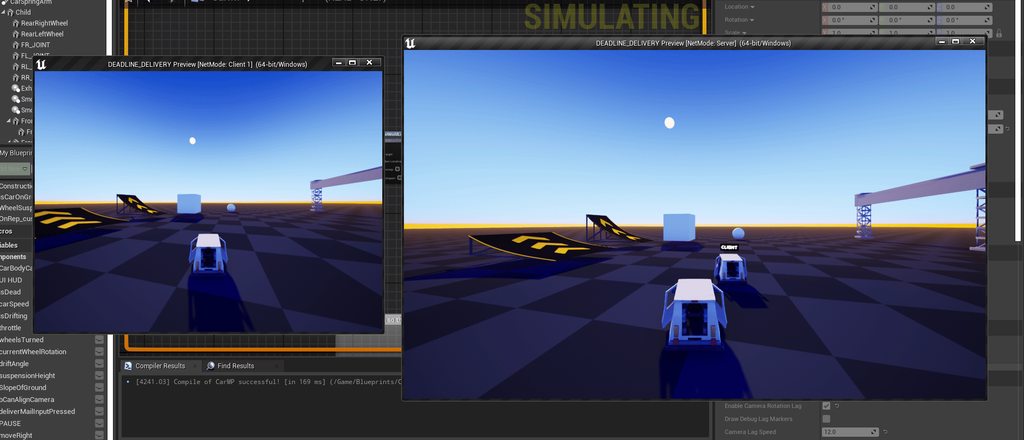
@exotic wasp I'm quite new to this, can you explain how that could potentially fix the problem?

this is pretty much my current system for doing everything
I have 1 custom (server) and 1 custom (multicast) events that basically send the information through
exotic wasp
you can also just enable replicate movement on the actor and not have to multicast at all
frank creek
@exotic wasp if I'm not mistaken, wouldn't only using replicated variables not work if I wanted my game to have more than 2 players? since you need multicast events for that
for reference, this is a completely custom actor pawn
I tried that originally and the movement was not replicating
exotic wasp
frank creek
<@203333751223091201> if I'm not mistaken, wouldn't only using replicated variab...
nah. replicated variables are what you want to use for things that are permanently changing state. this could be color, score, if a door is open, position, etc
frank creek
gotcha
so in this case, I'm using a "InputAxis MoveForward" that outputs a float axis value
would I create a custom variable off of that axis value
and just use that?

this is my cars movement system without any replication for reference
so where would I build off of here?
because I'm converting the float axis value into a vector that adds force
exotic wasp
variable replication only goes from server->client. so you would still have to send the input to the server through a server rpc
exotic wasp
if you want it to look smooth youll have to use prediction, though. currently if you turn on network simulation and turn the latency up, i imagine it delays all your inputs
exotic wasp
frank creek
and when you say replicated variable, do you mean just replicated or repnotify?
if you want it to change the position after receiving the new one, repnotify
i think just using replicate movement is probably best here though
frank creek
well what I was thinking was, for this racing game, having the players movements look realistic on their screen, but on other users screens it doesn't have to be exact or necessarily super smooth
since I can use their finish value and send that to the server
the movement is jittery on the clients end, when I play as the client, it's jittery
but as the host its not
its not that when Im watching the client drive around as the host that its jittery, no, it's AS the client that it's jittery
exotic wasp
i imagine its because you are getting the input on the client, sending it to the server, then the server is telling the client how to move
frank creek
I think that's correct
exotic wasp
also, if you're just keeping things in sync by use of force, things are going to desync over time. if the positions, velocities, or acceleration of the vehicles are ever slightly different between client and server, they will start to drift apart
good client movement is very difficult to do 🙂
frank creek
gotcha
how would you handle this?
or how would you say is the best method for me to do this
using this example

what should be the repnotify variable?
the axis value or the vector for the add force
exotic wasp
if you dont care about cheating (its a simple 1v1 racing game) you can do something like this.
enable replicate movement
on client, disable replicate movement if local role is autonomous proxy.
on client, when you input a move, do the move on the client, and call a server RPC to update the position and velocity on the server. this will do the move instantly on the client, update position on the server, and then any other potential clients will have the position updated due to replicate movement being on
frank creek
i do care about cheating
there’s gonna be leaderboards
and it’ll be maybe even like 5-10 people racing against eachother
exotic wasp
then you either need to implement client-sided prediction with server authority (hard), or do all movement on the server (easy, but feels awful for clients and gives the server a significant advantage)
frank creek
this is peer to peer though @exotic wasp so when u say server do u mean the host
exotic wasp
yes
if you are doing peer to peer, not sure why you would care about cheating? nor why someone would in a small game? theres nothing stopping the host from declaring that they instantly finished the race and being on the leaderboard for 0 seconds
no matter what, the host will always be able to cheat
frank creek
it’d be nice to have a world record leaderboard in multiplayer that’s why
round glacier
I'm trying to track down a behavior... if I call ExecuteGameplayTagWithParams On Owner from the server, shouldn't that multicast to all clients (autonomous and simulated) as well? I've traced as far as NetMulticast_InvokeGameplayCueExecuted_WithParams but then it looks like that's fully compiled (or I'm just misremembering how to use LLDB from 20 years ago).
frank creek
i don’t want dedicated servers cause no $$$ so peer to peer it is, so with that being said would you say it’s best do for me to just do all the movement on the server?
exotic wasp
frank creek
i don’t want dedicated servers cause no $$$ so peer to peer it is, so with that ...
i guess. the host can still cheat and it will be significantly easier for them to play
where do you plan on hosting the leaderboard?
frank creek
free tier amazon aws
exotic wasp
unless you host your own dedicated servers, theres nothing stopping someone from uploading a cheated score
vague spruce
vague spruce
has anyone gotten server initiated impulse to work correctly? my character keeps...
hi, want to bump this in case anyone here knows: how do i stop these corrections? the movement is initiated on the server
verbal ice
You can't really. A workaround is to have the server tell the client to apply an impulse, within a movement context (so cmc's movement update) and tell the server it did so the server can apply it when it applies the same movement
vague spruce
ah okay so i was doing a variation of this, but it sounds like i need to defer the server movement until the client receives the multicast and THEN reliably communicates to the server that the movement is going to happen
verbal ice
You can RPC it to the client but the client needs to apply it in a CMC movement update. You need to set a flag or something in the move data so the server can apply it when running movement
You can't RPC it to the server or you'll run into the same issue basically
vague spruce
okay so instead of a multicast (so that both autonomous and simulated proxies receive the data) it sounds like i need to do a client RPC from the server and then apply the movement in the character movement component. got it
dark edge
frank creek
i don’t want dedicated servers cause no $$$ so peer to peer it is, so with that ...
You are putting the cart way before the horse
get a replicated cube to slide around with no bugs first
Your options are pretty much
- Server authoritative without prediction. (Easy, everyone sees the same thing, ping lag for clients)
- Client authoritative. (Medium, no ping lag but clients can trivially cheat and there are a lot of bad edge cases with inter-car collisions)
- Server authoritative but predicted (Hard as hell)
BTW there is the old built-in replicated physics system, and the new one. Figure out how they work before trying to reinvent the wheel.
vague spruce
trivial question (sorry) if I replicate a struct and update a value inside of it, will that value be sent to the client if using a ReplicateUsing method on the owner of the struct?
twin juniper
dark edge
Your options are pretty much
1. Server authoritative without prediction. (E...
"Server authoritative but predicted" Is it really hard? I never was able to find docs about it
vague spruce
twin juniper
"Server authoritative but predicted" Is it really hard? I never was able to find...
thus why it's hard
dark edge
twin juniper
"Server authoritative but predicted" Is it really hard? I never was able to find...
Yeah it's really hard, that's what the new network prediction plugin and networked physics stuff is meant to help with
it's fundamentally a very hard problem
twin juniper
dark edge
Yeah it's really hard, that's what the new network prediction plugin and network...
like how the CMC is built?
dark edge
Yes but imagine that instead of a capsule sliding around without being able to be moved by anything, it's a physics scene with all the chaos that entails
twin juniper
dark edge
Yes but imagine that instead of a capsule sliding around without being able to b...
like the rocket league ball 🧠
dark edge
or the cars
twin juniper
yea, just copy them, then easy
dark edge
It's a fundamentally hard problem.
Say you got 2 clients and they are facing each other and move forward at the exact same real time.
Time 0
|A -> <- B|
At Time 1, Client A sees this (they are ahead because there's ping lag before they see B's movement
| A B|
At the same Time 1, Client B sees this
|A B |
So, who really made it to the center?
Or for a racing game, if it's "tied", then everyone sees themselves in the lead.
twin juniper
the server calculates it
dark edge
since they see themself NOW, but everyone else in the past
dark edge
twin juniper
the server calculates it
But both clients already saw themself in that spot, or crossing the finish line, or hitting the ball in rocket league
100ms ago
twin juniper
vague spruce
thus why it's hard
then I could write a blog about it, I know quite a lot about it
dark edge
It's hard enough to hide the corrections with a character, and characters don't really move that fast.
vague spruce
twin juniper
then I could write a blog about it, I know quite a lot about it
do it, i need it
dark edge
with vehicles, it just gets rediculous
vague spruce
thus: #multiplayer message
dark edge
I decided with my project just to completely ignore prediction. There's ping lag for all of your vehicle controls.
but there are no corrections
twin juniper
dark edge
but there are no corrections
does it look good tho when a lot of people lag?
dark edge
twin juniper
does it look good tho when a lot of people lag?
looks great, everyone sees what the server sees
plus for my project, super fast response times aren't really necessary. It's more like Kerbal Space Program, not like Forza
twin juniper
dark edge
looks great, everyone sees what the server sees
do collisions feels good?
twin juniper
but ig you dont have to make it like rocket league
dark edge
yeah rocket league has snappy movement and great collisions
twin juniper
dark edge
that's the thing that not predicting gets you
yes but someone might think they are first but not actually
dark edge
twin juniper
yes but someone might think they are first but not actually
nope
everyone sees the exact same thing
twin juniper
dark edge
nope
yes lol, if you go supper fast, it takes like 40 ms for the new data of the other player to arrive so you see yourself first
dark edge
twin juniper
yes lol, if you go supper fast, it takes like 40 ms for the new data of the othe...
It takes the ping delay to see anything
that's the whole point
twin juniper
dark edge
that's the whole point
even for the player itself?
dark edge
the ping difference is between input and result rather than own result and other peoples results
twin juniper
so there's an input delay
dark edge
yes
twin juniper
oof
dark edge
it's fine for a Kerbal World of Tanks type project like mine
twin juniper
what about competitive rocket league?
dark edge
twin juniper
what about competitive rocket league?

In this 2018 GDC talk, Psyonix's Jared Cone takes viewers through an inside look at the specific game design decisions and implementation details that made the networked physics of Rocket League so successful.
its hard yo
twin juniper
dark edge
https://www.youtube.com/watch?v=ueEmiDM94IE
already seen it but thx!
twin juniper
dark edge
https://www.youtube.com/watch?v=ueEmiDM94IE
Do you know some articles that I could base my blogs about for a Server authoritative but predicted system?
frank creek
dark edge
Your options are pretty much
1. Server authoritative without prediction. (E...
how would I do 1 in this case?
repnotify?
or just the custom events
@dark edge I've recreated it with just the car body, simple as hell this time, and it still stutters

this is my current blueprint (the simplified one)
just moving forward and backward, no turning, and the stuttering still happens
this is the only stuff in the blueprint
im assuming i may want to use a repnotify variable
twin juniper
how are you replicating that object? did you enable replicated movement?
frank creek
yes
I do want to add, the way this car system works is its a sphere that you are essentially adding force to
and there's a car body inside (attached to a spring arm) that controls the forward force of the sphere
the movement is really nice and something I want to keep
would that affect this system?
dark edge
frank creek
Start by replicating some state.
don't use multicasts here
get rid of them
The very basics of your sim is this right?
Tick -> add forward force based on SomeValue
twin juniper
dark edge
don't use multicasts here
i thought that was a Server RPC
dark edge
multicasts are rpcs but that has no use here
dark edge
twin juniper
i thought that was a Server RPC
That is, you still need that

but just have it set a replicated variable
frank creek
dark edge
The very basics of your sim is this right?
Tick -> add forward force based on So...
yes that's literally it
just adding force to the sphere
dark edge
so how the old physics replication works is that it runs the sim on server and sends results to client, the client corrects smoothly towards the server state, hard snapping if it has to
So assuming you have replicate physics to autonomous proxies turned on for the thing, and every machine is doing this:
Tick -> add force based on ReplicatedVariable
It should work
Input takes this path
Input -> server RPC
Server RPC -> set ReplicatedVariable
You'll have to tune the physics replication settings, they are way too strict by default
frank creek
wait so should I keep it as is with the RPC's? and just try tweaking the physics replication settings here?

when I set "Net Update Frequency" to like 10,000 the stuttering completely stops
but is that reasonable though?
that seems extreme
@dark edge let me know, I set it to 100,000 and the stuttering COMPLETELY stopped but that seems extremely excessive and not the way to do this
dark edge
frank creek
wait so should I keep it as is with the RPC's? and just try tweaking the physics...
get rid of the multicasts
you don't want to apply forces when the multicast happens, you want to apply forces every frame
you want to rpc your inputs to the server as fast as possible, and let it set replicated variables.
Then tick -> add force based on replicated variables
Typical replicated variables might be floats like Throttle, Brake, SteerAlpha, and ints like CurrentGear
frank creek
even the "MoveForward on Server" get rid of that?
i'm a bit new to all this, so am not sure how I would go about doing this, with a RepNotify?


this approach seems to work, let me do some more testing
the flickering is gone I think
does that look right?
@dark edge okay this works smooth like butter, will this approach work for if there's like 5 players?
or do I still need to sync with server and multicast
on top of this approach
dark edge
frank creek
or do I still need to sync with server and multicast
Delete all multicasts from your project until you know you need them
dark edge
frank creek
does that look right?
no
frank creek
this approach works though
the one I put above
for 2 player
but when there's 3 players it doesnt work
the movement is smooth
dark edge
it doesn't work for the client either
or rather, the client moves on their screen and server doesn't see anything
inputs are local. you NEED a Run on Server Event to send anything to the server
Just set it up like this.
Input -> Run on Server Event
Run on Server Event -> set replicated variable.
Tick -> add force based on replicated variable
frank creek
@dark edge here's what i did and it still flickers
 quiet yarrow
anyone know why I might be seeing a moment of rubber banding when switching ownership of a physics based object?
frank creek
does anyone know how to open a streaming level with ?listen ?

load stream level doesnt have it, is it a console command?
 upbeat basin
Streaming a level doesn't change the world hence no options I believe?
It's more like making a hidden part of your world visible
What are you trying to achieve?
If you want to load the level on everyone, all clients should do it on their own, as far as I know
frank creek
Well I have this really nice persistent level streaming system set up with loading screens and everything
@upbeat basin that's for singleplayer
for multiplayer, I want to host a session and stream load in the level
but i need to somewhere have it be a listen server, but not sure if its possible
is there a way to have a loading screen system that actually waits for the level to load without level streaming?
like Open Level and wait for it to actually open and in the meantime show a loading screen, is that possible?
from what I've read, it's not
upbeat basin
If I understand you correctly what you're looking for is seamless travel, not streaming levels
frank creek
yes
100%
with a loading screen that actually waits for the level to load
no fake loading screens
I already have my persistentlevelstreaming system built out for singleplayer, so i'd prefer to use that for the multiplayer level loading system but if i can't then its fine
upbeat basin
For the loading screen part I'm not so sure. I also checked for it a few months ago and what I understand is game thread still freezes during a map load, whether seamless or not (from the name this feels like not correct but idk). I've seen a plugin solving this by using media player (apparently it's not working on game thread) to show the widget on top of the frozen screen
frank creek
yeah but from what im aware of, persistentlevelstreaming is the way to go
upbeat basin
I want to believe that I'm mistaken and it's possible to have a real loading screen by now (it's nearly 2025 come one), but I don't know how unfortunately
frank creek
how is the ?listen executed with normal Open Level?
is that just executing a console command?
upbeat basin
open level should be doing an absolute travel
you need a seamless one
In theory it should load a transition map from your current map and hold you there until your target map is loaded
I just realized I haven't mingled with this enough to see if it's possible to put a widget on screen on the transition level
 magic karma
Hello, sometimes when I launch my game it goes to the game default map (which I want), but most of the time it goes straight to the multiplayer level I have set in project settings. I have no client code saying to open the multiplayer level, but clients go to it DIRECTLY, skipping past the game default map.
Some information that might help: I'm using the redpoint EOS implementation, and I'm running as standalone-client. My dedicated server DOES run code to open the multiplayer map, and it's using an open level node WITHOUT the listen modifier.
So if anyone knows why clients go straight to the multiplayer level, let me know!
tardy fossil
dark edge
https://www.youtube.com/watch?v=ueEmiDM94IE
dang this is actually a pretty great high level overview on prediction
 thick patio
Hey, idk if I should put this here or in blueprints, but since it's about replication I'll post it here. I've got a pickup actor that's basically a static mesh with a sphere collision, entering the sphere collision with a character triggers an interaction, sending away an interface message to inform about the item being picked up, and a Alive bool repnotified is set from true to false. In the On Rep Alive, I print hello to test who runs the logic and then I destroy the pickup actor.
My problem is that only the server runs the On Rep Alive logic (aka only the server prints "Hello" and destroys the actor), when I expected it to be ran by everyone. Removing the authority switch allows a client to see the actor get destoyed if it is logged in, but clients logging in afterwards will see the actor still existing. Did I do something wrong here?


If it helps, this is tested with one listen server and one client
dark parcel
is the pickup actor a replicated actor?
why is everyone instructed to delete their own copy? if it's a replicated actor, only server should call destroy actor.
thick patio
dark parcel
is the pickup actor a replicated actor?
I have made a severe mistake. Thanks for the help, I completely forgot about ticking that box 😅
And yes with replication enabled I don't need a repnotify anymore
dark parcel
well repnotify is used to run a function when the variable is updated (on client only with c++ OnRep)
but destroy and spawning is handled by the server
if it's a replicated actor
calling destroy actor on client, will just make the client destroy the actor in it;'s own machine.
thick patio
Yes, it's just that I completely forgot about the replication box, so I ended up overcomplicating things as always
 flat night
hey guys, this is my code for adding and removing a Loading Screen, I think I saw it somewhere online
void UDynamicFunctionLibrary::AddWidgetToViewport(UGameInstance* GameInstance, UUserWidget* Widget, int32 ZOrder)
{

    UGameViewportClient* client = GameInstance->GetGameViewportClient();

    client->AddViewportWidgetContent(Widget->TakeWidget(), ZOrder);
}

void UDynamicFunctionLibrary::RemoveWidgetFromViewport(UGameInstance* GameInstance, UUserWidget* Widget)
{
    UGameViewportClient* client = GameInstance->GetGameViewportClient();

    client->RemoveViewportWidgetContent(Widget->TakeWidget());
}
I add it to the Game Instance and it works fine, only that the host has a small flash when they enter the level. I don't know what's happening, but the screen flashes and you can see the map and then the Loading Screen reappears, but it's not that it gets removed and brought back
Any ideas about this and also is there another way that you handle loading screens between levels (server travel) ?
 analog yarrow
I am making a plugin, and i dont imagine this is done in the constructor, where should i be doing the following code?
// Fill out your copyright notice in the Description page of Project Settings.


#include "MultiplayerSessionsSubsystem.h"
#include "OnlineSubsystem.h"
#include "OnlineSubsystemUtils.h"

UMultiplayerSessionsSubsystem::UMultiplayerSessionsSubsystem()
{
    IOnlineSubsystem* OnlineSubSystem = Online::GetSubsystem(GetWorld());
    if (OnlineSubSystem)
    {
        SessionInterface = OnlineSubSystem->GetSessionInterface();
    }
}
Warning:
Call to a virtual function inside a constructor is resolved at compile time : 10
verbal ice
analog yarrow
I am making a plugin, and i dont imagine this is done in the constructor, where ...
If it's a USubsystem, Initialize()
analog yarrow
verbal ice
If it's a USubsystem, Initialize()
I guess it is, as its under UMultiplayerSubsystem and for my gameinstance.
I think its weird that the guy im following on a course dosent mention this
🤨
In the course he also writes that binding delegates should be done in constructor initializer list, but shouldnt that also be done in initialize(), like this:
void UMultiplayerSessionsSubsystem::Initialize(FSubsystemCollectionBase& Collection)
{
    Super::Initialize(Collection);

    IOnlineSubsystem* OnlineSubSystem = Online::GetSubsystem(GetWorld());
    if (OnlineSubSystem)
    {
        SessionInterface = OnlineSubSystem->GetSessionInterface();
    }

    CreateSessionCompleteDelegate = FOnCreateSessionCompleteDelegate::CreateUObject(this, &UMultiplayerSessionsSubsystem::OnCreateSessionComplete);
    FindSessionsCompleteDelegate = FOnFindSessionsCompleteDelegate::CreateUObject(this, &UMultiplayerSessionsSubsystem::OnFindSessionComplete);
    JoinSessionCompleteDelegate = FOnJoinSessionCompleteDelegate::CreateUObject(this, &UMultiplayerSessionsSubsystem::OnJoinSessionComplete);
    DestroySessionCompleteDelegate = FOnDestroySessionCompleteDelegate::CreateUObject(this, &UMultiplayerSessionsSubsystem::OnDestroySessionComplete);
    StartSessionCompleteDelegate = FOnStartSessionCompleteDelegate::CreateUObject(this, &UMultiplayerSessionsSubsystem::OnStartSessionComplete);
}
Add a new UFUNCTION specifier "Remote" that turns the function into a unicast RPC that can be invoked on either clients or servers and executed on the remote side of the net connection. These functions will only execute remotely and only on net-owned actors.
New in 5.5
exotic goblet
The rotation of my flashlight does not replicate on the servers side from client when the server looks up or down. Can someone please help me with this problem.
dark parcel
exotic goblet
The rotation of my flashlight does not replicate on the servers side from client...
Rotation don't get replicated magically, you have to send rpc from the client and have server updates the data to other client.
Btw that's the wrong way to activate your flashlight. Don't use multicast at all until you know when to use them.
Anything stateful shouldn't be using multicast. Any players joining late or outside relevancy will not necessarily see the same flashlight activated or not.
Use rep notify for your flashlight activation.
dark parcel
flat night
hey guys, this is my code for adding and removing a Loading Screen, I think I sa...
It sounds like they just add a widget before opening a level (which get destroyed on hard travel) then re adding it as soon as the other map open.
If you want to keep widget alive across level, you can make it a tsharedptr inside game instance.
exotic wasp
i would probably rpc the rotation to the server and then use replicate movement
you can disable replicate movement on the owning client so it doesn't fight what the server tries to replicate
flat night
dark parcel
If you want to keep widget alive across level, you can make it a tsharedptr insi...
I shall look into that
dark edge
exotic goblet
delete that multicast
flashlight being on is state, make it a bool and use repnotify
also there is already a replicated pitch that comes from ControlRotation, I think GetBaseAimRotation is what you want
frank creek
@wanton kraken heyo, I heard you're trying to figure out persistentlevel streaming in multiplayer, I'm having the same issue, would love to talk it out
 nocturne quail
is it a good idea using that GetBaseAimRotation() to replicate pitch?
FRotator APawn::GetBaseAimRotation() const
{
    FRotator POVRot = Controller && !InFreeCam()
                      ? (Controller->GetPlayerViewPoint(FVector(), POVRot), POVRot)
                      : GetActorRotation();

    if (FMath::IsNearlyZero(POVRot.Pitch))
    {
        POVRot.Pitch = BlendedReplayViewPitch != 0.0f
                       ? BlendedReplayViewPitch
                       : (const UWorld* World = GetWorld(),
                          const UDemoNetDriver* DemoNetDriver = World ? World->GetDemoNetDriver() : nullptr,
                          (DemoNetDriver && DemoNetDriver->IsPlaying() &&
                           (DemoNetDriver->GetPlaybackEngineNetworkProtocolVersion() <
                            FEngineNetworkCustomVersion::PawnRemoteViewPitch))
                           ? (RemoteViewPitch * 360.0f / 255.0f)
                           : FRotator::DecompressAxisFromByte(RemoteViewPitch));
    }

    return POVRot;
}
I think that's a bit too extreme to entirely disable movement replication.
If you don't want to fight over it, just use the Rep_Condition as skip owner
exotic wasp
can you specifically set a replication condition for movement?
meager spade
nocturne quail
is it a good idea using that `GetBaseAimRotation()` to replicate pitch?
```c++
...
why did you modify the engine code
this is disgusting
nocturne quail
meager spade
why did you modify the engine code
it works the same, i just refactored it using ternary
 grand mica
has anyone tried to host a server or their system using port forwarding?
sinful tree
Sure.
exotic wasp
yeah
 lusty kelp
um okay finally
i was trying to search for an answer
port forwarding i believe u sould not do
seeing as not everybody have access to their router website base
@grand mica
sinful tree
Some people don't even know how to access their router, let alone how to port forward anything.
lusty kelp
lol
well i mean if u need help i can help the op who made the question
i port forward but years ago
but to answer to the topic is yes it is indeed
Port forwarding have website access to most customers of their providers
so therefore if u do not have access like T mobile then u cant do it
Quite simple knowledge if you know about routers
once again delete if not allow and my bad again for no cropped
in the video which u click to download showcasing connected player transfer over to the different map
dark parcel
Huh? I thought only the host need to port forward
Why would your client need to port forward unless they r hosting
And if that's the case then omg , just use steam or other online services. This is 2024, who portforward to host games these days.
thin stratus
dark parcel
And if that's the case then omg , just use steam or other online services. This...
There are still a lot of dedicated servers for games that don't use any OSS and simply need ports forwarded and the IP shared. But it's also the special case of a game having a dedicated server for clients. Usually some sort of survival game I guess, where the server is online for everyone to progress whenever they want. Satisfactory too fwiw.
dark parcel
thin stratus
There are still a lot of dedicated servers for games that don't use any OSS and ...
Yeah that make sense, but I would assumed dedicated host would know how to port forward.
I was just taken aback on the day where I have to portforward to play rise of nation, war craft 3 etc.
thin stratus
dark parcel
Yeah that make sense, but I would assumed dedicated host would know how to port ...
A lot of people never touched their Router or maybe don't even have access to them cause they are still living at gome6
Home*
lusty kelp
or just use a simple plugin called master Server
upbeat basin
dark parcel
If you want to keep widget alive across level, you can make it a tsharedptr insi...
Is keeping widget alive here referring only to keeping the object alive or does it also keep the widget on the viewport? Or is it on us to re-add after level change?
dark parcel
upbeat basin
Is keeping widget alive here referring only to keeping the object alive or does ...
Widget stays on the viewport for me
I'm gonna scrap what I have though, cuz I want my loading screen not running on game thread
upbeat basin
Is it actually that hard to make a real loading screen or am I just not finding the useful resources
I didn't know keeping the reference alive would keep it in the viewport as well, to me world change was a reset on viewport as well
If you could share any resource or ideas on having a "seamless" loading screen out of game thread I'd love to learn about it. That's something I couldn't nail since the beginning of my ue journey
dark parcel
I'm totally gonna scrap what I have. What I did atm was slap a widget to viewport, async load a level (XD) then remove the screen on level loaded
Gonna follow the advice given by other by stealing lyra loading screen
But I'm struggling with something else atm, so that can wait.
upbeat basin
I see, I might need to spend more time with Lyra I guess
Is there a way to load the game thread to simulate a heavy map change though, it's hard to see on an empty project Okay this is not so much #multiplayer related I'm gonna keep my questions to proper places when I get to the point of trying it, thanks for your insights
dark parcel
You would know more than me tbh
upbeat basin
frank creek
with a loading screen that actually waits for the level to load
Pinging because above discussion might help you as well, if you're still looking for ideas
 lament cypress
Hello Guys,
I was having a question that how many maximum players can join simultaneously in one server in a game?
Thank you in advance.
frank creek
upbeat basin
Pinging because above discussion might help you as well, if you're still looking...
i ended up fixing my issue completely
i made a C++ class that uses the movieplayer thread to display a widget while it waits for the level to load
it works perfectly
dark parcel
lament cypress
Hello Guys,
I was having a question that how many maximum players can join simul...
No one can answer that. It depends on your hardware, network, and how much bandwidth your project needs.
But in general if you are doing listen server, good luck going past 15 players.
And if you need other reference, game like fortnite handle 100 players.
lament cypress
dark parcel
No one can answer that. It depends on your hardware, network, and how much bandw...
So, is it possible if I want to make a game having 277 players in a one server?
what things I need to take care of?
dark parcel
lament cypress
So, is it possible if I want to make a game having 277 players in a one server?
...
If you have to ask you probably are not ready to make a project that scales with that many players.
And don't ask me, I wouldn't know
lament cypress
Okay
dark parcel
I know some info regarding crucial part of networking in unreal.
If you are using character movement component for your movement solution. It's probably going to be difficult to scale with dozens of players.
Heard it's consuming a big chunk of the performance
lament cypress
Thank you for the info.
 glossy galleon
Want to show my chistmas multiplayer game:
https://www.youtube.com/watch?v=Z_rDMgtvJVE&ab_channel=HUMBLEZOMBIE


HO-HOP - Christmas Board Game 29 nov. on steam
https://store.steampowered.com/app/3339600/HOHOP__Christmas_Board_Game/
 silent valley
Hi, I'm starting a new project and I'm curious how you guys would implement sprint in the latest engine. In 5.5 is Mover suitable for production?
Assuming not and I'm sticking with CMC, it's still a case of extending the CMC, adding a custom saved move type, etc?
What about sprint with stamina? I've seen it done with GAS, but not sure I want to go down the GAS route yet...
dark parcel
silent valley
Hi, I'm starting a new project and I'm curious how you guys would implement spri...
you will have to work with the CMC framework if GAS or not if you are using CMC.
Look for delgoodie character movement component tutorial. He covers spriting and beyond.
 fossil veldt
silent valley
Hi, I'm starting a new project and I'm curious how you guys would implement spri...
fossil veldt
silent valley
Hi, I'm starting a new project and I'm curious how you guys would implement spri...
GitHub
CMC extended for predicted abilities. Contribute to Vaei/PredictedMovement development by creating an account on GitHub.
flat night
dark parcel
It sounds like they just add a widget before opening a level (which get destroye...
but making it a TSharedPtr means it can't be a UPROPERTY that I can assign the actual widget to be a WBP
is there any way to get around that?
dark parcel
flat night
but making it a TSharedPtr means it can't be a UPROPERTY that I can assign the a...
This is my declaration
/** A reference to the loading screen widget we are displaying (if any) */
TSharedPtr<SWidget> LoadingScreenWidgetSharedPtr;
and how it's displayed
void UAGLoadingScreenSubSystem::DisplayLoadingScreen()
{
    UGameInstance* LocalGameInstance = GetGameInstance();
    //** If Loading Screen Not Valid, Create a new one **//
    if (!IsValid(LoadingScreenWidget))
    {
        LoadingScreenWidget = Cast<UWidget_AGLoadingScreen>(UUserWidget::CreateWidgetInstance(*LocalGameInstance, LoadingScreenWidgetClass, NAME_None));
    }
    if (IsValid(LoadingScreenWidget))
    {
        LoadingScreenWidgetSharedPtr = LoadingScreenWidget->TakeWidget();
        // Add to the viewport at a high ZOrder to make sure it is on top of most things
        UGameViewportClient* GameViewportClient = LocalGameInstance->GetGameViewportClient();
        GameViewportClient->AddViewportWidgetContent(LoadingScreenWidgetSharedPtr.ToSharedRef(),10);
        LoadingScreenWidget->ShowLoadingScreen();
        FadeOutAudio();
    }
}
if you are trying to implement loading screen, I would just look at Lyra loading screen plugin.
I'm gonna scrap mine and attempt to steal lyra's code
flat night
okay, thanks, I will have a look!
meager spade
nocturne quail
it works the same, i just refactored it using ternary
but why?
it wont be any faster lol
lost inlet
"but why" can sum up most of missty's posts
meager spade
maybe ternary makes it faster, something i am unaware of
Misty knows better than the compiler
lost inlet
if it's more readable, then the hackers win, or something
meager spade
:/
lost inlet
doubt it'll make much difference to the actual compiler output
meager spade
she thinks the hackers will see that code
it wont, the compiler will optimize it
regardless, and hackers wont see it in any human readable form
nocturne quail
meager spade
but why?
because i just don't like nested if's, and i am setting the pitch value on tick, so its a good idea using something more optimized on tick calls
lost inlet
how is that supposed to be more optimal?
you do know that the logic inside a branch isn't executed if the branch conditions aren't met, right
nocturne quail
lost inlet
how is that supposed to be more optimal?
ternary is faster in case if i want to make it potentially easier to read for me
lost inlet
I swear you make this stuff up as you go along
nocturne quail
lost inlet
I swear you make this stuff up as you go along
for me i am sure that ternary is more maintainable compared to nested if's
or i could keep the original code, and make a copy member GetReplicatedAimRotation_Custom(); under the pawn class and use it
 velvet current
Is there a best practice for handling collision on attached, welded actors, who inherit the parent collision on a third person pawn to avoid that object clipping through walls? Examples such as picking up a gun or a ball that cannot go through the wall by any means, as other players could steal the object from you in the right conditions
 cobalt notch
velvet current
Is there a best practice for handling collision on attached, welded actors, who ...
cobalt notch
velvet current
Is there a best practice for handling collision on attached, welded actors, who ...
How will they steal it through the wall?
velvet current
cobalt notch
How will they steal it through the wall?
They wouldn’t. I wish I were still home so I could share video. But pretend you’re holding a ball inside of a box. When the player picks up the ball and the object attaches and welds to the player, it loses its collision, so when they are holding the ball and walk to the wall, the ball clips through the wall and now other players can’t steal the ball. Additionally, if the player now drops that object, the ball is now on the other side of the wall, which breaks the game.
There are some YouTube videos about doing some camera rendering tricks in first person, but I don’t think this is viable in multiplayer or third person
cobalt notch
velvet current
They wouldn’t. I wish I were still home so I could share video. But pretend you’...
Yeah this is a tricky issue with several bad solutions. There's one way with materials a bit similar to the rendertarget method. Otherwise Increase player capsule radius if you do not want to be precise. Problem solved. Otherwise another way is to like detect collision on the item and then lower the weapon if it overlaps a wall.
cobalt notch
velvet current
They wouldn’t. I wish I were still home so I could share video. But pretend you’...
Is this a basketball sort of game with walls? Usually they can't grab it 'cos you disable the thing from interacting with others unless it's rugby with walls or something like this.
velvet current
cobalt notch
Is this a basketball sort of game with walls? Usually they can't grab it 'cos yo...
I guess it’s more like rugby with walls. You can throw the ball also. So I ran into a situation where when I’m holding the ball, I can clip through the wall and then press the throw button and then the ball gets thrown through the wall, yeah I figured capsule collision increase would do it, but, I think I’m gonna run into other problems in tight spaces. If the collision sphere is big enough enough to envelope them holding the ball, it might be tough for other players to get close enough to steal it, or to stun the ball carrier.
I had one temporary solution in the past where I had a sphere collision on the ball working on tick, and it would impulse in the opposite direction if the player was moving into the wall, or stationary but spinning into it. It made for an interesting game mechanic where you could spin and it would bounce you all over the place, butdon’t know if it’s quite right
cobalt notch
velvet current
They wouldn’t. I wish I were still home so I could share video. But pretend you’...
You can put a collision on the item which checks for overlap with the walls. You can use collision profiles if you want to get fancy. Then onoverlap lower the ball, play a montage or something like this. You'll have to do this on the server too. Moving the player is harder to do without feeling wierd.
cobalt notch
velvet current
I had one temporary solution in the past where I had a sphere collision on the b...
That's an interesting mechanic, you can just apply an impulse whenever the player capsule hits a wall, along a normal or launch character, otherwise they can only bounce off walls with the ball.
velvet current
cobalt notch
That's an interesting mechanic, you can just apply an impulse whenever the playe...
Yeah options are limited. Thanks for talking through it. Just making sure I wasn’t missing something obvious. It’s funny how it’s so hard to extend an additional capsule or collision shape to a pawn
cobalt notch
velvet current
Yeah options are limited. Thanks for talking through it. Just making sure I wasn...
It's a bit tricky to do Multiplayer for a high paced sports game in a laggy environment.
nocturne quail
set clip plane to 1 and use
SpawnParams.SpawnCollisionHandlingOverride = ESpawnActorCollisionHandlingMethod::AdjustIfPossibleButAlwaysSpawn;
the object will not go through walls and if you drop them they will be dropped near wall but not under wall or the other side
cobalt notch
nocturne quail
set clip plane to `1` and use
```c++
SpawnParams.SpawnCollisionHandlingOverride...
That's just gonna hide the walls I think 🤦
nocturne quail
nah it will not hide, i am using it from long time
to test: take an object and go near to wall and try to drop the item under wall, it will be adjusted
cobalt notch
nocturne quail
nah it will not hide, i am using it from long time
Yeah but you're spawning those so it's avoiding the wall due to this and the clip plane would just hide the wall.
velvet current
You’re telling me.
General movement component does a realllly good job with predictive movement. So aside from this ball clipping it’s mostly all set though
nocturne quail
larger value = issues
velvet current
nocturne quail
the object will not go through walls and if you drop them they will be dropped n...
Does this destroy and respawn the ball?
velvet current
nocturne quail
clip plane will block any clipping in wall
The ball itself needs to actually collide and stay in bounds though. It’s a server object that all players see
nocturne quail
velvet current
Does this destroy and respawn the ball?
i don't read it in depth but it works
velvet current
I’ll give this a try but idk how that would work when the object is welded to another parent capsule
nocturne quail
velvet current
I’ll give this a try but idk how that would work when the object is welded to an...
yeah test it, i am sure it will work
and later check that enum how it works ESpawnActorCollisionHandlingMethod::AdjustIfPossibleButAlwaysSpawn;
velvet current
nocturne quail
and later check that enum how it works `ESpawnActorCollisionHandlingMethod::Adju...
Idk if this will change much if I grab the ball in bounds, it attaches to the pawn. Then I go over to the wall and clip. Unless you just want the ball to despawn when it overlaps with the wall, and then respawn unattached to the wall
nocturne quail
velvet current
Idk if this will change much if I grab the ball in bounds, it attaches to the pa...
this could be a neat solution, gameplay tags is waiting to be used in this case
give a tag to all walls wall and check if the ball hits an object with tag wall and do the stuff for respwning
velvet current
The other option I played with was physics constraints but it looked pretty bad and didn’t stay glued to the players hand like I would’ve liked
nocturne quail
velvet current
The other option I played with was physics constraints but it looked pretty bad ...
i guess there is a powerfull plugin for physics constraints that handles all the complex stuff, not remember the name right now
i once used it for vehicle wheels, and it works perfectly
velvet current
nocturne quail
i guess there is a powerfull plugin for `physics constraints` that handles all t...
Good thing we have a shiny new marketplace that is super easy to search, use, and read useful reviews
meager spade
how the f is ```FRotator APawn::GetBaseAimRotation() const
{
FRotator POVRot = Controller && !InFreeCam()
? (Controller->GetPlayerViewPoint(FVector(), POVRot), POVRot)
: GetActorRotation();
if (FMath::IsNearlyZero(POVRot.Pitch))
{
    POVRot.Pitch = BlendedReplayViewPitch != 0.0f
                   ? BlendedReplayViewPitch
                   : (const UWorld* World = GetWorld(),
                      const UDemoNetDriver* DemoNetDriver = World ? World->GetDemoNetDriver() : nullptr,
                      (DemoNetDriver && DemoNetDriver->IsPlaying() &&
                       (DemoNetDriver->GetPlaybackEngineNetworkProtocolVersion() <
                        FEngineNetworkCustomVersion::PawnRemoteViewPitch))
                       ? (RemoteViewPitch * 360.0f / 255.0f)
                       : FRotator::DecompressAxisFromByte(RemoteViewPitch));
}

return POVRot;
}more readable thanFRotator APawn::GetBaseAimRotation() const
{
// If we have a controller, by default we aim at the player's 'eyes' direction
// that is by default Controller.Rotation for AI, and camera (crosshair) rotation for human players.
FVector POVLoc;
FRotator POVRot;
if( Controller != nullptr && !InFreeCam() )
{
Controller->GetPlayerViewPoint(POVLoc, POVRot);
return POVRot;
}
// If we have no controller, we simply use our rotation
POVRot = GetActorRotation();

// If our Pitch is 0, then use a replicated view pitch
if( FMath::IsNearlyZero(POVRot.Pitch) )
{
    if (BlendedReplayViewPitch != 0.0f)
    {
        // If we are in a replay and have a blended value for playback, use that
        POVRot.Pitch = BlendedReplayViewPitch;
    }
    else
    {
        // Else use the RemoteViewPitch
        const UWorld* World = GetWorld();
        const UDemoNetDriver* DemoNetDriver = World ? World->GetDemoNetDriver() : nullptr;

        if (DemoNetDriver && DemoNetDriver->IsPlaying() && (DemoNetDriver->GetPlaybackEngineNetworkProtocolVersion() < FEngineNetworkCustomVersion::PawnRemoteViewPitch))
        {
            POVRot.Pitch = RemoteViewPitch;
            POVRot.Pitch = POVRot.Pitch * 360.0f / 255.0f;
        }
        else
        {
            POVRot.Pitch = FRotator::DecompressAxisFromByte(RemoteViewPitch);
        }
    }
}

return POVRot;
}```
😕
grand mica
sinful tree
Some people don't even know how to access their router, let alone how to port fo...
I have done that but only the connections within the same network are able to connect. Connection timed out for the rest. Maybe I have done something wrong. @lusty kelp
Tried to turn off all the firewall stuff but no help
😦
 maiden flame
@grand mica You set up a port forwarding rule on your router? What online subsystem are you using?
Also, for one of my ISPs I had to put the host machine in a DMZ.
cobalt notch
maiden flame
<@464834010259128322> You set up a port forwarding rule on your router? What onl...
You bought servers in North Korea?
maiden flame
Haha, I hosted it myself, but for one of the houses/ISPs I hosted it in, it was the only way I could get it to work.
cobalt notch
maiden flame
Haha, I hosted it myself, but for one of the houses/ISPs I hosted it in, it was ...
I'm picturing this
 maiden flame
It's actually quite useful for security in general, when accepting any incoming connections to your private network.
cobalt notch
maiden flame
It's actually quite useful for security in general, when accepting any incoming ...
it's easy to see why all your connections are getting refused by the firewall.
 cobalt notch
maiden flame
It's actually quite useful for security in general, when accepting any incoming ...
cobalt notch
maiden flame
It's actually quite useful for security in general, when accepting any incoming ...
You probably do need a subsystem like steam 'cos otherwise the routers can't talk if they're not directly connected I think.
Network to Network usually requires discovery like they can't see the public ip so you'll need the online subsystem
maiden flame
That's why I asked what online subsystem he is using, because that's the ports he need to forward for.
cobalt notch
maiden flame
That's why I asked what online subsystem he is using, because that's the ports h...
He's probably not using any subsystem is the problem.
maiden flame
Could be, yeah
cobalt notch
 nocturne quail
meager spade
how the f is ```FRotator APawn::GetBaseAimRotation() const
{
FRotator POVRot...
nocturne quail
meager spade
how the f is ```FRotator APawn::GetBaseAimRotation() const
{
FRotator POVRot...
for me its more readable, don't know why but it is
exotic wasp
but you're changing engine source code for no reason
 upbeat gale
Has anyone checked out the new MultiServerReplication plugin? Can anyone share some info about it?
grand mica
maiden flame
<@464834010259128322> You set up a port forwarding rule on your router? What onl...
i am also trying to host it myself lol
so i dont have to pay for testing the builds xD
maiden flame
grand mica
i am also trying to host it myself lol
Ye, that's fine, but what port did you forward, and are you using an online subsystem at all?
grand mica
7777 which is by default port for unreal. I forwarded that
maiden flame
You don't have to forward that actually. And what about the subsystem?
grand mica
i am not using a subsystem. Got an extra machine where I can host and test some builds myself
or maybe i am not sure what a subsytem is
maiden flame
That's why then. The default subsystem only works for testing on your internal network, and doesn't do stuff like NAT traversal for you.
grand mica
what do i need to do then
maiden flame
Use an online subsystem like EOS or Advanced Steam Sessions, depends what platforms you want to test your game on.
grand mica
so there's no way i can host it all by myself? @maiden flame
nocturne quail
exotic wasp
but you're changing engine source code for no reason
this is how i learn, by just reading other people code is not effective to learn, you have to refactor it and change how it was written while keeping the functionality
exotic wasp
nocturne quail
this is how i learn, by just reading other people code is not effective to learn...
id argue that far more often you do have to read sometime else's code and just use it instead of changing it
you've basically made a branch of the engine that your project now depends on
nocturne quail
exotic wasp
you've basically made a branch of the engine that your project now depends on
i have my custom version of the engine
exotic wasp
why
maiden flame
grand mica
so there's no way i can host it all by myself? <@271258013896146945>
You'll still be hosting it yourself, but the host and other players will have to authenticate through a platform like Steam for example.
nocturne quail
exotic wasp
why
security
grand mica
maiden flame
You'll still be hosting it yourself, but the host and other players will have to...
yeah but I think I can avoid that too if I allow some ip to join?
through firewall settings or something?
maiden flame
I don't think the default subsystem allows direct connections if the machine is behind NAT, which many are.
grand mica
maiden flame
I don't think the default subsystem allows direct connections if the machine is ...
isn't that the reason I am making a virtual server under NAT
 maiden flame
I believe NAT forwarding is akin to port forwarding, and doesn't handle NAT traversal.
ember vine
can you replicate tmaps yet
sinful tree
Not directly. You could replicate an array of a structure of a key/value pair and then build the TMap on the other end when the array replicates. Bonus points if using a FFastArraySerializer.
ember vine
yeah thats what i normally do but its ugly and long
 glossy kettle
my UE v rusty but can a plugin add custom replicated types ez or is that too buried in the engine/UHT somewhere
ember vine
yeah should be easy to do in a plugin
dark edge
meager spade
how the f is ```FRotator APawn::GetBaseAimRotation() const
{
FRotator POVRot...
It uses less semicolons, therefore, it's better. Q.E.D.
misty birch
Setting a controller variable with rep notify on the server, rep notify gets called, "Leader" is null and unknown on client, but is a controller on the server.

 latent heart
Controllers aren't replicated, except to thr owning client.
So other clients won't know about it. Hence null.
misty birch
ah that would make sense then, ty - this threw me off

 rustic sable
I have an actor living in the world that does debuffs (doesn't have an owner.) When players are in range they get added to its array (server) and after some time I want to spawn a debuff widget for each player in range. I was trying to do this with a client call on the actor, then look at all the players in range (this array is replicated) then for each one get the player controller and (if local) spawn the widget with the controller, add it to viewport. This doesn't work and I'm not sure if it's an ownership issue or how to go about doing this
sinful tree
rustic sable
I have an actor living in the world that does debuffs (doesn't have an owner.) W...
Client RPCs only trigger for owning clients.
If you want the client to do something in response to being added to the array, then your Array should be set up with an OnRep and that OnRep can be used to facilitate something happening on those who receive the change.
dark edge
rustic sable
I have an actor living in the world that does debuffs (doesn't have an owner.) W...
what IS a debuff in your system?
vague spruce
misty birch
ah that would make sense then, ty - this threw me off
is this a plugin? this looks useful
vague spruce
misty birch
Setting a controller variable with rep notify on the server, rep notify gets cal...
are these wires also a plugin?
dark edge
You should set it up a bit more like this:
Debuffs (some replicated property on a character) are shown on UI
This debuffer actor just debuffs characters that come in range (serverside, clientside it does like nothing)
That's it. The debuffer doesn't talk to the UI directly at all, it just does its job, which is to apply a debuff to characters that come close.
rustic sable
sinful tree
Client RPCs only trigger for **owning** clients.
If you want the client to do so...
makes sense, I kept coming back to the fact that client RPCs will only happen on the owner but didn't see a way around it, OnRep might be an option
sinful tree
vague spruce
is this a plugin? this looks useful
This is part of the engine. When you're running the game in editor and you have a blueprint window open you can select a specific instance to troubleshoot and use breakpoints with.
rustic sable
dark edge
You should set it up a bit more like this:
Debuffs (some replicated property on...
good point
frank creek
a lot of movement / HUD stuff is doubling up for me. I’m handling pretty much everything on my Pawn, is that a bad practice? could that be why? should I instead handle all the movement and hud stuff in the player controller?
like i’m adding the HUD in the pawn itself, and when another player joins, it doubles up
lost inlet
If only there was a perfect place for HUD widget management already
One that's owned by the player controller
latent heart
That'd be fantastic!
lost inlet
I would say movement is fine on the pawn. Anything that's not fine is stuff that extends beyond the lifecycle of the pawn
frank creek
for some reason the HUD doubles up for me
when another pawn joins
cause i’m adding the HUD on beginplay so it’s calling twice
and i’m using a run on client event too
so it shouldn’t be happening
and i’m adding the widget to the player controller
lost inlet
I'm not sure how you would expect it to work
On BeginPlay, it's not guaranteed possession has happened yet
It's why AHUD is there, makes for a perfect widget manager
frank creek
what’s AHUD?
latent heart
An actor class. A sublcass of AHUD is defined on your game mode and created on your player controller.
People use it to manage HUDs.
lost inlet
A silly relic of the pre-UE4 era just turns out to have a perfect lifecycle
quasi tide
My main gripe with AHUD is that, in multiplayer, I often found myself just creating an RPC in the PC that would just ferry in the info into the AHUD.
So it just felt like an extra step.
 fossil spoke
Just set it to Replicate and do the RPCs directly in there?
quasi tide
Definitely lol
lost inlet
Ferry what info?
 nova wasp
FFerryRepInfo
fossil spoke
Im guessing maybe choices made in the UI up to the Server?
lost inlet
The greatest letdown in the engine is there being no delegate for the player state being valid on the client
nova wasp
Also yeah I'm a bit amazed you can just replicate an AHud without issue, that's surprising
fossil spoke
lost inlet
The greatest letdown in the engine is there being no delegate for the player sta...
Yeah this has always perplexed me.
quasi tide
lost inlet
The greatest letdown in the engine is there being no delegate for the player sta...
Isn't there an onrep in the PC for that though?
lost inlet
Yes so you can add one
But nothing built in
Which is annoying when you want to do something generic
But there's a possession delegate called clientside which is handy
vague spruce
lost inlet
The greatest letdown in the engine is there being no delegate for the player sta...
i actually agree with this. i have wasted so much damn time evaluating valid player state. i use OnRep_PlayerState but i've had to resort to other things
quasi tide
fossil spoke
It should be obvious
Just one of those things that doesn't really "click". Like, we know it is an actor - but because we associate it with UI directly, we just don't think about it really.
vague spruce
lost inlet
But there's a possession delegate called clientside which is handy
yep i also use OnPossess
lost inlet
And if you create your HUD in BeginPlay then game state is guaranteed to be valid
fossil spoke
quasi tide
Just one of those things that doesn't really "click". Like, we know it is an act...
Probably dont realize you can use the LevelBlueprint in the same way lol
vague spruce
to overcome this massive pain in the ass i subclassed UUserWidget and that subclass has virtual methods that handle all of the different things. for instance OnPlayerControllerReady or OnPlayerStateReady. and then all of my widgets inherit from that subclass. this way i only have to figure this out once and it works everywhere. but holy hell was it a pain to set that up
quasi tide
fossil spoke
Probably dont realize you can use the LevelBlueprint in the same way lol
Nah - I just don't use that at all 😈
quasi tide
ALevelScript if I recall
nova wasp
fossil spoke
Why? Its an Actor lol
I guess it's just... I assumed something would cry fowl about the context of being on server etc
lost inlet
Why would you need a player controller ready? The widget is owned by the player controller so they're already "ready"
vague spruce
lost inlet
Why would you need a player controller ready? The widget is owned by the player ...
i didn't say i was a great UE dev 😛
nova wasp
lost inlet
The greatest letdown in the engine is there being no delegate for the player sta...
This and the hilarious situations of Thing beginplay from replication -> things that set it as a pointer don't get set until right after
Doing things inside of an onrep for example often cause funny situations where there IS a playerstate but the pawn doesn't know about it yet... The spaghetti matrix of Pawn/PlayerState/Controller take a bit to get set up
quasi tide
Also seems like they don't want to encourage you to replicate the AHUD
 fossil spoke
quasi tide
Also seems like they don't want to encourage you *to* replicate the AHUD
fossil spoke
quasi tide
Also seems like they don't want to encourage you *to* replicate the AHUD
Which makes sense, but obviously doesnt stop you overriding it in C++
Defs an advanced use case
nova wasp
If it acts weird the simple thing is to make a player controller component
It gets replicated just to who needs it, shares a lifetime with the player controller etc
quasi tide
But then they have an RPC in the public API lol
 quasi tide
 fossil spoke
Ive never used SealedEvent lol
quasi tide
Same
fossil spoke
Guessing it just makes the _Implemention non virtual
nova wasp
makes sense
I'm kind of glad they don't use it much because _Implementations being virtual has saved a loooot of engine changes from having to be made
for example: changing how parent onreps work
fossil spoke
For sure
quasi tide
fossil spoke
Im guessing maybe choices made in the UI up to the Server?
@lost inlet Don't know if you saw this. But yeah - this. Think like, a player entering in a keypad combination. Would go to the server to validate and then the server would tell the PC to hide the UI, which just tells the AHUD to hide the UI and nothing else really. Or having the server tell the client to show the keypad UI (I know you don't have to have the server tell the client and they could do it locally)
 ripe lotus
is there an "easy" and built-in way to animate objects becoming net i/relevant? or do i have to detect myself and act accordingly?
fossil spoke
ripe lotus
is there an "easy" and built-in way to animate objects becoming net i/relevant? ...
AFAIK there isnt any way to distinguish between an Actor becoming NetRelevant again and it being initially spawned.
fossil spoke
ripe lotus
is there an "easy" and built-in way to animate objects becoming net i/relevant? ...
Just to be clear, BeginPlay is called again when an Actor becomes NetRelevant.
ripe lotus
fossil spoke
AFAIK there isnt any way to distinguish between an Actor becoming NetRelevant ag...
thanks . yeah that's all right to me.
i was looking for something to be doing some fading. like the culldistance fade.
i managed to toggle the relevancy with IsNetRelevantFor but adding the animation is a bit of extra code that id like to not do if possible.
thin stratus
Does anyone know what the new Remote meta specifier does?
It reads like it can be used to ensure that an RPC only triggers remotely, so if a Client RPC is called on a Server owned Actor it wouldn't go through?
quasi tide
thin stratus
Does anyone know what the new Remote meta specifier does?
It's like a multicast, but doesn't execute on the machine that calls it.
thin stratus
So server to clients only?
thin stratus
Seems pretty unnecessary hmpf
quasi tide
Use case that was given to me was a cosmetic thing that is called on a dedicated server
thin stratus
Yeah that's pretty much it, but everyone until now just filtered the server at the start of the multicast
nova wasp
thin stratus
So server to clients only?
or client to server
it flip flops based on context
to the "other" side
thin stratus
Hm
nova wasp
I think it makes sense for passing acks back and forth
quasi tide
thin stratus
Yeah that's pretty much it, but everyone until now just filtered the server at t...
Yeah, that's what I said. But they said it can still save cpu cycles. So it can help in those cases.
thin stratus
That makes it a bit more interesting
quasi tide
nova wasp
or client to server
Yeah, but this is literally just a server rpc
thin stratus
If they now could add RPCs for specific connections that aren't owned, that would be lovely
nova wasp
I think it's kinda useful but just adds another thing we have to explain now lol
thin stratus
They make me having to update my compendium
Can I PR a removal of that thing?
Less work.
thin stratus
I kinda hope this doesn't make it to BPs.
The amount of confused beginners ..
I can already see people putting remote on everything that is a server or client RPC without understanding that it supports both ways
And the matrix seems to suggest it only works as client RPC, not multicast?
Is the matrix incomplete or is the dedicated server example wrong? Confusion max.