#multiplayer
1 messages · Page 217 of 1
 plucky prawn
so these hand things are like unit spawners in the game?
 daring egret
casting the owner is exactly what get player controller would do fyi, there's nothing wrong at all with that
 stable marsh
No, the player clicks a zone/point and a unit spawns (for now)
plucky prawn
daring egret
casting the owner is exactly what get player controller would do fyi, there's no...
ye right... cpp class APlayerController* APlayerState::GetPlayerController() const { return Cast<APlayerController>(GetOwner()); }
stable marsh
the red lines on the left are debug lines for tracing from player
daring egret
plucky prawn
ye right... ```cpp
class APlayerController* APlayerState::GetPlayerController() ...
yeah figured as much tbh
stable marsh
Just consider the hand a unit as well
plucky prawn
so whats this menu for then? because depending on what you are doing you can significantly reduce the complexity of how you replicate data
stable marsh
Prototyping for card/unit selection. You have x options of unit types, you select a unit you want to spawn, you then place the card (or select the point) that they should spawn
That all seems like it should be client side until the unit actually gets spawned
or at the very least, work -_-
plucky prawn
right but what does this menu belong to? is it the hands or that weird mangled blue thing or the player?
stable marsh
the camera (your screen/player controller)
daring egret
rts rock paper scissors? haha
stable marsh
yup lol
stable marsh
If I select hand, when I select a tile, a hand will spawn there. If I select rock, then I select a tile, a rock will spawn there, etc...
So the UI tells the player controller what int to use here:

 plucky prawn
but this is supposed to be replicated? so if player A selects a hand and player B clicks on a tile it will spawn a hand?
stable marsh
nope it retains the logic correctly, except for the client. The problem I'm having is the UI, specifically on the client (player 2) is not changing the unit to whatever player 2 selected - so when they click on a tile, the default int (in this case happens to be "1") spawns a hand... always
plucky prawn
so this isnt a network issue but a widget issue?
stable marsh
I guess? But when I debug to see "who am I!?" the values are correct. Until the spawn logic/function occurs
The server/client is PlayerController_C_0, the client is PlayerController_C_0, when I do things on the hud it says I'm affecting PlayerController_0 (which makes sense because it's local). What doesn't make sense is this:
 plucky prawn
why isnt the unit type a parameter of the function
 plucky prawn
this is purely a design nit-pick but generally your "setter" functions will take the value being set
so Set Unit Type (unit type) would be your function
where is your unit type being set
Unit int or whatever it says
stable marsh
I was copy pasting from rep w/notify generated by the widget lol
to test on a Set Unit Type function instead of Rep W/Notify here:
(the Unit Int was replicated instead previously)
 stable marsh
plucky prawn
where is your unit type being set
stable marsh
plucky prawn
where is your unit type being set
on the widget
plucky prawn
then you send this to the server to spawn it right?
stable marsh
I thought so - this being the server RPC right?:
(Ignore the name - like I said, I've tried changing to server, multicast, client, etc on the flag/replicates property)
 plucky prawn
remember when i said this
you also can not call a multicast event from the client and have it do anything of value
multicast will only execute to all clients from the server
stable marsh
correct, what should I set it to (I've done every one of them)
plucky prawn
Set Unit Type on your player controller should be a server replicated event
and remove the replication from your CLIENTACTION_SetUnitType
stable marsh
 plucky prawn
thats not what i said
stable marsh
Oh I'm sorry, I don't understand
plucky prawn
plucky prawn
and remove the replication from your `CLIENTACTION_SetUnitType`
do this
stable marsh
remove replication on this?
 plucky prawn
thats also not what i said
stable marsh
=/
plucky prawn
the previous picture you sent me with the red box and the blue box
click on the red box and where it says Replicates in the details change it to "Not Replicated"
stable marsh
Okay I've done this:
(Note the name CLIENTACTION_ is just what I named the custom event)
 plucky prawn
good
now double click on the blue box
do the same thing as the red box except make it "Run on Server"
stable marsh
I might be mistaken but only Events (red boxs) can be replicated in BPs... I don't see that option in blue
 plucky prawn
now double click on the blue box
plucky prawn
plucky prawn
now double click on the blue box
did you do this
stable marsh
yes which enters me into the function graph here:
 plucky prawn
convert that function to an event
you should also really be sending the Unit int with the RPC
stable marsh
did that prior and didn't work but I can change that again

and as for converting it
plucky prawn
it doesnt need to be replicated
plucky prawn
plucky prawn
click on the red box and where it says `Replicates` in the details change it to ...
once you convert that function to an event do this
plucky prawn
plucky prawn
you should also really be sending the `Unit int` with the RPC
probably this too
stable marsh
when you say sending with the rpc... I can only make RPCs on the events in BPs, right? So do I need to have a separate event for every time I have a request like this (e.g. the int?)
plucky prawn
not sure what you mean but your RPC is really a special kind of function internally. give it a parameter so you can call it with different data each time
otherwise in your current set up you will need an RPC to set Unit int then another RPC to actually set the class of the unit to spawn
stable marsh
 plucky prawn
click and drag the Index pin on the Select node and drop it into the black area in the event node
stable marsh
 plucky prawn
click on the red box and where it says `Replicates` in the details change it to ...
plucky prawn
plucky prawn
click on the red box and where it says `Replicates` in the details change it to ...
now do this
oops not that one
make it Run on Server
stable marsh
makes sense, okay done
stable marsh
doesn't work
wait one sec
WHY DOES THAT WORK
Thank you!
Does something like get lost in thread execution and that's why it doesn't work?
It's the same order so I don't understand why that info wouldn't propagate
 stable marsh
Omg I've misunderstood execution this entire time
I guess I thought since the only way to get to that function was from an event, that it therefore meant it was in the same replication state (if that makes sense)
Didn't realize a function call is independent (i.e. local) - even if it is called by (executed from the event). Thank you so much
 rough dock
question if i want an actor thats in 2 different places depending if its locally controlled like a weapon in the first person arms of the client but to everyone else its in their third person mesh's hands do i have to turn off replicates in the class defaults? having toruble trying to set this up
plucky prawn
yes your FPS arms should not be replicated
basically you would have 2 weapon meshes unless you are doing "true first person camera"
 exotic wasp
rough dock
plucky prawn
yes your FPS arms should not be replicated
exotic wasp
rough dock
plucky prawn
yes your FPS arms should not be replicated
no my fps arms arent replicated
im talking about the weapon bp that gets spawned when the player gets possesed
plucky prawn
right. you would have 2 meshes. one replicated which is your "world" mesh and one not replicated but parented to your FPS arms
rough dock
yeah i understand that concept im doing that
im having trouble attaching the weapon bp depending if your looking in first person or someone else is looking at you
plucky prawn
you would just do both. make sure your FPS arms and FPS weapon are only owner see and your world mesh is owner no see or whatever its called
usually your weapons would define which meshes they use for first person and world meshes
rough dock
so i need 2 different meshes or bps?
i was thinking i could use the same one and attach it different places
plucky prawn
meshes
 thin stratus
rough dock
i was thinking i could use the same one and attach it different places
thin stratus
rough dock
i was thinking i could use the same one and attach it different places
Heads-up, Attachment of Actors is replicated. If you attach a Weapon Actor on the Server it will override anything locally.
 sour dragon
thin stratus
Heads-up, Attachment of Actors is replicated. If you attach a Weapon Actor on th...
sour dragon
thin stratus
Heads-up, Attachment of Actors is replicated. If you attach a Weapon Actor on th...
And thats great because thats how i managed to use only one Class for local Firstperson / Thirdperson and for Simulated Proxies, so thers just one single class actively in the world that hosts soft references of one single model that is distributed based on if the player is locally controlled, if yes it spawns the model in his firstpersonhands mesh, if not it spawns it on the thirdperson mesh on someone else's game instance
Meanwhile the best paid tutorial that i bought 1 1/2 years ago had to use seperate FP/TP classes per each weapon actor
thin stratus
If the Attachment of the Weapon Actor is replicated, how do you attach it differently on different players? The replication part would make it follow one truth. This would only work if you have just one Mesh Component.
There are games where the main mesh component is used for TP and also for the FP body
And pretty sure at that point it's not so great anymore that it replicates 😅
 tardy fossil
when i was doing seperate weapon models for FP/TP I just spawned both of them and set first person model to "Owner only see" and third person model to "Owner no see"
well technically i replicated a data asset variable that would spawn them client side with an OnRep
sour dragon
tardy fossil
when i was doing seperate weapon models for FP/TP I just spawned both of them an...
thats exactly how i did it too, but it switches when thirdperson is activated
sour dragon
thin stratus
If the Attachment of the Weapon Actor is replicated, how do you attach it differ...
 thin stratus
And?
sour dragon
oh actually you are right
thin stratus
tardy fossil
when i was doing seperate weapon models for FP/TP I just spawned both of them an...
"Weapon Models" are meshes though?
sour dragon
im multicasting the equip
thin stratus
I'm talking about Actor Attachment
 thin stratus
Yeah, that's why it works for you then. Replicated Actors would replicate their AttachParent, Component, etc.
So if you have 2 different MeshComponents that you attach the Actor to, then the Server's Replicated AttachInfo would override whatever you try locally.
thin stratus
sour dragon
im multicasting the equip
Keep in midn that Multicasting the Equip can lead to problems for HotJoiners and peeps that come back into relevancy that never got the RPC.
Equipment is in theory a State, so that might better as a RepNotify variable.
sour dragon
Yeah i will use a repnotify
Im basically currently initializing the equip for the local player and then for the sim. proxies, a lot of is rough and i used casts instead of bpis, but as far as my prototyping went im pretty happy with how good it works
Im just not sure if i really need a actual Actor for my interactable items such as firearms and melee at this point, because i already made a Equipable Component and i used data assets, which hold a ref to the actor class, so i think about completely getting rid of the actor class and just adding it to the main dataasset or creating a child data asset that holds the stuff that i currently store in the actor blueprint. Because i mean in the end im not doing any logic in the blueprint, so its also just a data container at this point. Not sure if i will bite my ass later for that if then suddenly need to do logic in a actor bp.

dataasset :
 tardy fossil
yeah depending on your use case, you might not need to spawn a whole seperate actor. I use a dedicated mesh component on my pawn just for weapons that gets the model from the data asset in an OnRep function
doesn't work too great if you want weapons to exist without a pawn though.. like if you want people to be able to drop them
sour dragon
For dropping i already found a simple solution, on drag operation it gets the current item properties from a struct (such as curr. hp, curr ammo, curr texture etc.) at inventory slot index and creates a seperate actor object that is only alive for 20 minutes in the world, on interaction it gets added as new inventory item with the existing properties from a struct inside my droppable actor.
So theres only a tickable object in the world as long as a dropped item exists, when multiple items are dropped in near vicinity they get added to a array of items and transfor to the first dropped item, so its like a completely new container that holds items this prevents spamming, and its only one single ticking actor that can handle multiple items of the same type
tardy fossil
sounds like a good way to do it
 worn wagon
Has anyone worked with the CommonUser plugin, specifically the CommonSessionSubsystem? Maybe I'm crazy, but the CleanupSessions method sets the bWantToDestroyPendingSession property to true, and then it only gets reverted to false if a session gets destroyed. If no session exists, it stays as true and when the user next wants to start session it's immediately destroyed. I feel like I'm overlooking something and I don't want to go modifying the plugin without a full understanding, but I can't find anything else.
Lyra calls the CleanupSessions method in the main menu which makes sense, if you travel back it should clean the session up. But this softlocks hosting a session for me 😅
I've been making use of the CommonGame plugin, which depends on the CommonUser plugin, so it's hard to just ignore it and roll my own system because its all so interlinked.
 rain slate
what can prevent my postlogin from working, I have a postlogin method in my gamemode to add the player controllers to an array in my gamestate I put debug in it and it never fires I don't know where this can come from, I use steam sessions in a game instance for my menu with a button to join a created session. Once the session is created I use a server travel to join a lobby map and this is where I get all the player controllers but when I test my array remains empty 😦
 split siren
rain slate
what can prevent my postlogin from working, I have a postlogin method in my game...
split siren
rain slate
what can prevent my postlogin from working, I have a postlogin method in my game...
PostLogin is quite an important part of joining a server, so if a player connects to the lobby it indicates it actually ran.
Is it possible you are checking your array on a client? All PCs exist only on server and each client get's replicated their own, but not others.
thin stratus
@split siren @rain slate ServerTravel for Steam has to be done Seamless (Boolean on the GameModes). And Seamless traveling doesn't call PostLogin as the Clients are expected to already have logged in.
split siren
thin stratus
<@375669024408731649> <@206857180572418049> ServerTravel for Steam has to be don...
Didn't know that, thanks for the info.
thin stratus
You need a different event, there some like PlayerInitialization or whatever it is called that gets called from PostLogin and PostSeamlessTravel. Not sure what is available in Blueprints.
rain slate
thin stratus
You need a different event, there some like PlayerInitialization or whatever it ...
Thanks for your help i'm not using Blueprint for this part, I'm doing it mostly in c++
thin stratus
GenericPlayerInit or something like that should be the event that calls for both
 brazen anvil
If a data asset is replicated from server to client, is it possible for this to be modified/cheated in any way?
thin stratus
I never had to put a PlayerController array anywhere though
They don't replicate to clients anyway and the PlayerArray is already a thing for PlayerStates which do replicate to everyone
thin stratus
brazen anvil
If a data asset is replicated from server to client, is it possible for this to ...
Clients can modify everything locally. Server and other clients still have their own version, so it wouldn't matter
You just shouldn't send anything to the server:P
brazen anvil
Yeah thank you
rain slate
thin stratus
They don't replicate to clients anyway and the PlayerArray is already a thing fo...
I want that Array to create a ready system, so everytime a player change their ready status the gamestate is checking all player controller and their ready boolean in their gamestate
thin stratus
rain slate
I want that Array to create a ready system, so everytime a player change their r...
Yeah I still just use PlayerStates and PlayerArray for that
Ready Boolean being in the PlayerState
Can always be marked as owner only when replicating
Yeah can of course make that all PlayerController depending. Just sharing another more build in way
rain slate
thin stratus
Yeah I still just use PlayerStates and PlayerArray for that
To get your PlayerArray do you have to fill it manually or is it store somewhere automatically ?
thin stratus
PlayerArray is already a thing on the GameState. It's not replicated but gets filled by GameState and PlayerStates automatically. Order might be out of sync but that's about it.
In my UI I just grab the PlayerState, send an RPC that I toggled the Ready Button (+- some prediction) and in the RPC I flip the Boolean on the PlayerState, grab the GameState, check if everyone is ready (which sounds pretty State related :P) and then tell whatever needs to that we start doing whatever should happen. E.g. The GameMode to start the game.
rain slate
thin stratus
PlayerArray is already a thing on the GameState. It's not replicated but gets fi...
Oh thank you ! I will give it a try
 sturdy sand
why is the built in net cull distance relevancy so slow? It takes a long time for the unrelevant actors to get destroyed.
thin stratus
sturdy sand
why is the built in net cull distance relevancy so slow? It takes a long time fo...
There is a config variable to lower the time but there are hard coded values with some randomized parts to not evaluate every frame, especially when the actor could flip flop between relevant and not.
sturdy sand
Gotcha. Is the variable called net update frequency or is it in the project settings?
I was thinking it was net update frequency but it doesn't really work
it's fine though I don't need it anymore since I understand why it's delayed
 vague spruce
anyone know how to attach the debugger to a server that's running on a separate process? i'm attaching to the process directly but it looks like no breakpoints are going to be hit
thin stratus
sturdy sand
I was thinking it was net update frequency but it doesn't really work
It's not, no
It's only settable via config for the whole project
I don't know the name without looking it up
sturdy sand
I assumed. No worries. If I'll need it I'll find it
thin stratus
vague spruce
anyone know how to attach the debugger to a server that's running on a separate ...
Usually just selecting the process
vague spruce
thin stratus
Usually just selecting the process
doesn't work but it's ok, i just switched back to running under one process for debugging
thin stratus
vague spruce
doesn't work but it's ok, i just switched back to running under one process for ...
Oh you mean in the editor?
vague spruce
yep!
vague spruce
yeah so i'm using rider to debug in the editor. i can open a separate server process in the editor, but i can't attach to it and debug breakpoints
i confirmed that i'm selected the right process
thin stratus
Never done that. I usually start the extra server standalone if I need that
Then it should work to attach
But no blueprint breakpoints of course
vague spruce
anyone know how to disable the camera for spectators? i'm starting players as spectators but i don't want them to be able to see the world before i've had them possess their pawn
thin stratus
vague spruce
anyone know how to disable the camera for spectators? i'm starting players as sp...
Usually by manually plugging a loading screen in.
vague spruce
thin stratus
Usually by manually plugging a loading screen in.
damn i was really hoping to avoid having to create a UI element for this... but it looks like i have no choice
for some reason there's a default camera that UE will always present
thin stratus
Pretty sure you can also handle that via PostProcess fwiw
If you don't want actual UI
thin stratus
Well, that's cause UE doesn't use "Camera" for its rendering
The CameraComponent you plug onto Actors is just an Offset + Settings.
The "ViewTarget" is the thing that counts as a "Camera".
And that gets set to the Pawn when possessing
vague spruce
ah but if i set the view target to nullptr it still renders
vague spruce
okay cool i like the idea of using a post process effect
thin stratus
If you want a more low-level change you can try and see if there is anything in the PlayerCameraManager, or GameViewport(Client)
That you can alter to default to "black" or so
But honestly. That's a pretty shitty user experience :D
I would give them either a LoadingScreen or alter the Camera Transform via the PlayerCameraManager to show some level overview or so until possessed.
In prototypes I usually have some rotating Actor in the Scene that just shows a birds eye view of the map while they aren't possessed yet.
vague spruce
i really like the idea of a post process effect
thin stratus
Yeah you can try that
vague spruce
i just have no assets so the loading screen would literally be black lol
thin stratus
Can use a MaterialParamCollection or so to Set some Float from 0 to 1.
thin stratus
vague spruce
i just have no assets so the loading screen would literally be black lol
I mean the post process is also gonna be very limited
Without textures and what not
vague spruce
where is the loading screen usually controlled? the game instance?
thin stratus
Depends a lot
The general idea of covering the Loading of a Map is done via some generic PreLoadMap and PostLoadMap callbacks that exist in the GameInstance but could be istting everywhere.
That can be used to create a Slate-based LoadingScreen via the MoviePlayer module.
The MoviePlayer module, however, literally blocks all threads and ticks the GameThread manually. So that can be a problem. It will also auto hide once the level is loaded.
For everything before and after that, you are kinda on your own
Before the Level Load you can probably do it wherever your logic starts to start traveling.
vague spruce
that's ok i'll forego using the movieplayer module. i can just add a UI element to the viewport on map preload, no?
thin stratus
For after the Level Load I would start with maybe BeginPlay of the PlayerController (although that can not call due to SeamlessTravel) or any other early call.
Maybe PostSeamlessTravel or so if that exists
thin stratus
vague spruce
that's ok i'll forego using the movieplayer module. i can just add a UI element ...
Probably not.
HardTravels will probably nuke the UMG Widget
You can try though I guess.
vague spruce
surely there's ways to do it though? not looking to make a production grade loading screen but i've seen interesting transitions in some modern games on UE5
 haughty ingot
thin stratus
HardTravels will probably nuke the UMG Widget
haughty ingot
thin stratus
HardTravels will probably nuke the UMG Widget
I think it works, it’s definitely not ideal because it will be blocked during any actual game thread work. But I’ve seen people do it
haughty ingot
vague spruce
surely there's ways to do it though? not looking to make a production grade load...
Honestly just go into Lyra and grab the CommonLoadingScreen plugin
brazen anvil
I am equipping a weapon and then based on the weapon I am changing my character pose. I am using a GAS ability for weapon switching and my character pose is a replicated variable. Should this only be set by the server? Or can I set it as the client and server and then it will be sync'd when it replicates down? Trying to figure out how client prediction on this would work.
Or if I should just not worry about it. I would just hate for someone whos on like ~200 ping push a button to switch and it just lag. But maybe thats just the price of high ping.
haughty ingot
brazen anvil
I am equipping a weapon and then based on the weapon I am changing my character ...
Client prediction at its core is the client doing something predictively in the assumption that the server is going to agree with the clients change. Rollback is the implementation of what happens when there’s a disagreement. It all depends on how your game is structured and what your end goal is in terms of authority.
Really simply the current weapon you’re holding could be a RepNotified variable, the client will predictively set that variable on themselves, and run any logic they need to do locally such as input. Then RPC to the server that they’ve swapped weapons, and the server will set the RepNotified variable, and everyone will get the change statefully, and update anything required such as a linked animation layer, visuals, etc. You could set the RepNotified variable to SkipOwner, or only SimulatedProxies. Or you could leave it and just confirm that there is no delta between the server and the local client. But it really depends on what your needs are.
 queen escarp
hi


im getting access none from the "player hud WB"
it works but giving access none errors :/ ?
haughty ingot
queen escarp
Before your cast, check to make sure the controller is locally controlled.
queen escarp
oh
brazen anvil
haughty ingot
Client prediction at its core is the client doing something *predictively* in th...
Ok yeah that was how I was going to do it. Does doing it this way leave it open for any sort of cheating? I guess where would I be able to check if the server version is the same or different than whatever the client set it to? Because wouldn't the OnRep already be updated to whatever the server changed it to?
queen escarp
haughty ingot
Before your cast, check to make sure the controller is locally controlled.
hmm still same error tho
haughty ingot
Send a picture
queen escarp
 haughty ingot
brazen anvil
Ok yeah that was how I was going to do it. Does doing it this way leave it open ...
haughty ingot
brazen anvil
Ok yeah that was how I was going to do it. Does doing it this way leave it open ...
Yes, as long as you didn’t have a replication condition to skip the local player
 sinful tree
queen escarp
im getting access none from the "player hud WB"
sinful tree
queen escarp
im getting access none from the "player hud WB"
That means you're trying to access Player HUD BP before you have a value set in it.
queen escarp
hmm
sinful tree
So your begin play of this may be firing before you have created your widget blueprint.
haughty ingot
Just remember UI related classes only exist locally, Beginplay fires on relatively everyone, so they’d be accessing something that didn’t exist for them
And a race condition problem like Datura is saying
queen escarp
well

its the controller that holds the widgets
and when controller is valid then im setting it and getting the hud
sinful tree
Ideally, you wouldn't have game logic updating your widgets. You can work the other way around - have your widgets listen for events.
haughty ingot
Yeah, and BeginPlay fires for the server too
queen escarp
since i got the controller the hud is created
haughty ingot
sinful tree
Ideally, you wouldn't have game logic updating your widgets. You can work the o...
That’s a losing battle trying to explain that one I’ve found 
queen escarp
well game locing is creating a widget really im not sure if thats in the same are as "updating the widgets" but i guess so
haughty ingot
He means you shouldn’t really ever need a direct reference to a widget from game code
But this is getting more into the realm of regular UI workflows then Multiplayer
queen escarp
ah okeyu
haughty ingot
Just remember this simple trick:
UI -> Game Code 
GameCode -> UI: 

 haughty ingot
queen escarp
haughty ingot
queen escarp
Well this still doesn’t care if it’s locally controlled, and your server probably doesn’t have a valid object for PlayerHud, and you probably have some race condition since you’re calling a client RPC to set the widget. I don’t know your whole workflow, but that’s probably where your two errors are coming from
queen escarp
aye this is something weird
haughty ingot
Not really, just a bit of a misunderstanding is all. Server doesn’t have a valid object for your clients widget, and it won’t
queen escarp
but widgets reff cant be replicated right :/ ?
haughty ingot
No
sinful tree
queen escarp
aye this is something weird
No it isn't. You have a variable that you're trying to use before it's actually set with a value and then you're setting that value (which is null) into another variable (leaving it null)
Begin Play doesn't happen on everything everywhere all at once.
You have a begin play somewhere that is creating a widget. That creation is happening after the Begin Play where you're setting the widget reference here.

The fix is to not store a secondary reference to the widget in another place like this. Let the widget retrieve the values, and create event dispatchers that the widget can then bind to and listen and do what it needs to when you want it to - then the widget can just handle itself without your game code telling the widget to do things.
queen escarp
aye im creating the widget in the player controller first (as i understnad it player controller is first in the flow)

then from the player controller im setting the "player characters (Player_Hud reff)"
 sinful tree
^ is that screenshot also on begin play?
queen escarp
no
after the in the line of the event begin play from the player controller

No description provided
its however an event thats run on "owning client"
sinful tree
Which is triggered on what event?
sinful tree
So you're calling a client RPC on begin play of the player controller?
sinful tree
You're marking it as "Run on Client' makes it an RPC.
queen escarp
oh ok
sinful tree
And if you're calling that Begin Play, then you're still making it do this on begin play before the spawned actor likely exists.
 queen escarp

well i mean im spawning the actor right before on the server
i have a 1 sec delay, it might be to short ?
sinful tree
You can't guarantee when the RPC will be done by the server.
thin stratus
Don't use Delays ...
If you want to know when the SpawnedActor is valid, make it an OnRep
And execute depending code in the OnRep function of it.
queen escarp
 thin stratus
Buddy
Delay/Timer/Whatever artificial time between A and B you can come up with
All of that is shite
Use RepNotify
 prisma snow
thin stratus
Don't use Delays ...
prisma snow
thin stratus
Don't use Delays ...
very important, I had to rewrite parts of our mp code because it used delays and it was a pain, and it gets worse down the line even if it works initially
queen escarp
im having a hard time understanding how to use repNotifie´s correctly ./
thin stratus
Any kind of FPS or Network Lag, or the Engine deciding for it to take longer due to Priority of other Actors can break delays
thin stratus
queen escarp
im having a hard time understanding how to use repNotifie´s correctly ./
You use them whenever you need to be notified when a Property Replicated to a Client.
And when its a property defining "State"
That's kinda all there is to it
Want to change the Color of a Light on everyone? -> RepNotify
Want to show that a Player is a Ready in the UI? -> RepNotify
Want to set a StaticMesh of a StaticMeshComponent on everyone? -> RepNotify
Want to know when a given property is valid on the Client? -> RepNotify
Want to play a one-time event that plays some sound? -> RPC
Want to tell a Client to do XYZ in that moment? -> RPC
queen escarp
hm imma save these lines tbjh
thin stratus
Everything that needs to replicate that alters any kind of State of something should be a RepNotify.
Cause an RPC would not call again for people that join late or come back into relevancy range.
Which means your Light's color wouldn't change for them anymore.
The RepNotify would however call properly and thus apply the change to the Light. etc.
You are here for quite a while, and you read the Compendium I assume. You really need to start getting the basics into your head before making bigger Multiplayer Systems.
If you have any kind of delay/timer/wait time in your Project to overcome the time it takes for something to replicate or become valid, you should fix that.
There are only a handful BP only cases where it's somewhat "okay" to use a FrameDelay (not a timed one, just 1 frame at a time) to check if something is valid.
And that's usually if the property is coming from C++ and you have no way to get an OnRep going for that.
queen escarp
yeah well, i kinda always solve my issues without repnotifies so far but yeah you are right,
hm imma mess about some more and se if i can solve it
omggggggg
ok this is so stupid
ok so everything worked as i wanted it to all along, however i had added more player characters on the test map just for visual rep... and im tracing for player characters if hit create widget stuff but they were controlled by nothing ... so thats where the error came from
-.-''''
thin stratus
You still need to resolve the usage of your delays/timers/etc.
queen escarp
yeah i get what ur saying
 proven pagoda
I have 1 delay timer in my game and I'm sure there's a way to solve it but I'm not sure how. If my player dies and respawns, the BeginPlay has a LocallyControlled check and all clients return false even if Player 0. I put a 1 second delay, but I'm not sure what property I'm waiting for it to change to be recognized as locally controlled
thin stratus
proven pagoda
I have 1 delay timer in my game and I'm sure there's a way to solve it but I'm n...
BeginPlay of the Character?
proven pagoda
thin stratus
BeginPlay of the Character?
Yeah inside my character BP
thin stratus
Yeah that's cause the BeginPlay most likely calls before the Client knows that the Character is possessed.
What are you using that for?
thin stratus
The BeginPlay of your Character is used to load the game?
proven pagoda
Why is that surprising
thin stratus
Well for one we are in #multiplayer so loading the Game is usually done by the Server, which means IsLocallyController wouldn't even matter.
And then Loading the Game is also usually done outside such classes, cause the loaded game would spawn said Character.
It feels/sounds a bit inverted
Unless this is just a small portion of your load system and it's specifically to initially something locally saved for said character
proven pagoda
thin stratus
Unless this is just a small portion of your load system and it's specifically to...
I have little bits of data saved on each actor I need saved, and the timing of save and load is different on each one really
And I can't call save to disk on the server
I don't have dedicated yet I save to disk
thin stratus
So each Player saves their stuff locally?
proven pagoda
Yes
thin stratus
Are you sending the Data to the Server after loading?
proven pagoda
Well yes the actual setting the values is sent to authority then replicated back to clients
thin stratus
Well, either way, if you need an Entry Point in the Character for when to know if Locally Controlled or not, override the "ControllerChanged" function (not 100% sure it's called like that anymore). It gives you the new and old Controller.
It calls on Server and owning Client.
proven pagoda
thin stratus
Well, either way, if you need an Entry Point in the Character for when to know i...
I've never heard of that override but I'll look for it thanks
 hushed sierra
I have a World UI that I use the mouse to click on. Both the client and server see the UI, but only the server version responds to any sort of input (clicks/hovers etc). The client doesn't respond to any sort of interaction at all. Does world space UI not work the same way in multiplayer? I've checked that the Player Controller has enabled mouseover & click events, and the UI has Receive Hardware Input enabled.
vague spruce
haughty ingot
Honestly just go into Lyra and grab the CommonLoadingScreen plugin
i've been looking into the lyra plugins and they look good (all the common ones)
sinful tree
hushed sierra
I have a World UI that I use the mouse to click on. Both the client and server s...
All UI is local only. Changes you make to it would only happen locally unless you replicate data about it to the server, and in order to send data to the server about what a client did requires you to route the RPCs to the server through an actor that is owned by the client.
 vagrant hamlet
I'm trying to set an actor cull distance, but it's not working. I've set NetCullDistanceSquared to 100, bAlwaysRelevant to false, bNetUseOwnerRelevancy to false, and the actors are being spawned on the server. They are still visible at a very far distance
What else should I try?
hushed sierra
sinful tree
All UI is local only. Changes you make to it would only happen locally unless y...
They each have their own local version of this widget. Shouldn't a client be able to press their own local button to trigger something locally?
thin stratus
Might just be a problem with the WidgetComponent then
 quiet yarrow
im using async physics.
Heres my current network profiler results while moving ~100 physics items by a client or server.
I've compressed the position/rotation/velocity to halves and my send rate down to 5, but its not enough for real world scenarios

ill look into using that method. Looks like its entirely on the server which is impressive. I wonder how that scales tho
 daring gorge
quiet yarrow
im using async physics.
Heres my current network profiler results while moving...
daring gorge
quiet yarrow
im using async physics.
Heres my current network profiler results while moving...
damn you actually have a lotta stuff, i only have vehicles and at max in single digits, however 4.26 works weird, atleast when i use skeletal mesh vs static mesh with physics, ive never profiled before and i plan to test in real world scenario by packaging, but i also think just general engine version varying makes differences, especially using 5
daring gorge
quiet yarrow
ill look into using that method. Looks like its entirely on the server which is ...
all the best, lmk how it goes!
 woven bramble
How can I ensure that physics replicate identically on both the server and the client?
In the game, I have a ball with physics (the ball is replicated, and 'simulate physics' is enabled), but when I interact with it, the ball moves to a different location on the server and accelerates differently on the client.
quiet yarrow
woven bramble
How can I ensure that physics replicate identically on both the server and the c...
ownership is good trick
quiet yarrow
woven bramble
How can I ensure that physics replicate identically on both the server and the c...
set ownership to the client for the ball when they interact with the ball. The physics will behave as you would expect. Just make sure when you set ownership that is being replicated and synced with the server and other clients
thin stratus
Not using physics is probably the better idea. You can get away with a lot by using the Projectile Component instead
It has some smoothing build in for sim proxies
quiet yarrow
nah physics are a great way to spice up your game. I think more games could benifit from using a small dose of it. If you can deal with ownership its really not that bad
woven bramble
quiet yarrow
nah physics are a great way to spice up your game. I think more games could beni...
'Set owner' didn't seem to work. If I understand correctly, what you mean is that when the character touches the ball, run the set owner function and make the character that touches the ball the new owner. Is it right?
quiet yarrow
yeah
woven bramble
thin stratus
Not using physics is probably the better idea. You can get away with a lot by us...
oh, this is the first time I've heard of this method. I'll try this if the set owner doesn't work.
quiet yarrow
are you setting owner on server?
woven bramble
First I tried SetOwner by doing RunOnServer, then multicast. it didn't work in both methods. I made sure that the 'new owner' is the client (so who touchs the ball)
quiet yarrow
are you using smooth sync?
woven bramble
No
Did you advise me to add a collision inside the character and make a Set Owner through the ball that touches it?
quiet yarrow
however you want to approuch it
not sure how you are interacting with it
as long as the ball gets the client that is interacting with it
woven bramble
'RunOnServer'
it not worked
 quiet yarrow
is that inside your controller or pawn?
woven bramble
 woven bramble
quiet yarrow
is that inside your controller or pawn?
woven bramble
quiet yarrow
is that inside your controller or pawn?
controlled character pawn
quiet yarrow
plug in the cast to the target for set owner
right now your code is targeting yourself and setting yourself as owner to yourself lol
woven bramble
lol
I don't quite understand. Should I do this in the character or in the ball BP?
oh
sorry, i see
quiet yarrow
you can do it in the controller
woven bramble
I see now
woven bramble
is it correct, not worked (it's inside the character blueprint)
 quiet yarrow
is your basketball generating overlap events?
woven bramble
quiet yarrow
is your basketball generating overlap events?
yes
woven bramble
I tried Multicasting too
and just runonserver
Do you recommend I try RepNotify too
quiet yarrow
you sure all the data is getting there?
woven bramble
I did debug print string reflects
The ball is moving, but there's a difference in location, like I said. Physics is different in both universes.
weird
quiet yarrow
so the physics feel reactive now?
woven bramble
Physics was always working anyway. but the problem is still the same, the locations are different.
 subtle kernel
Guys, can somebody explain how to programmatically rotate character with CMC? So the rotation would be replicated on all proxies. 🙏
quiet yarrow
woven bramble
Physics was always working anyway. but the problem is still the same, the locati...
do you not have rep movement?
woven bramble
quiet yarrow
do you not have rep movement?
I have Rep Movement
woven bramble
quiet yarrow
is this an actor?
It was an actor who had Skeletalmesh, yes. I'm creating a new actor, add a static mesh and try it now, thanks
woven bramble
quiet yarrow
it needs to be a staticmeshactor
The ball throws me, or like a wall even if it moves. It's like I'm hitting a 100-pound ball. That's my collision settings:
 quiet yarrow
whats the mass?
woven bramble
quiet yarrow
whats the mass?
I'm used to doing it from within the skeletal mesh. Sorry, I'm changing it immediately in actor settings and try it
woven bramble
quiet yarrow
whats the mass?
I tried it at different weights. At a weight of 0.1, yes, it flies when I touch it, but when it stops, it shows a vibrating behavior in the Client. I mean, it stands still but it vibrates. And when I hit it, it throws me.
 quiet yarrow
seems like its replicating. Sounds like you need to do more testing to get the physics to behave how you want. By default the physics are should be fine. Just try not to have too low or too high mass if you want realistic physics
make sure the character touching it is the owner at the time of pushing it
rough dock
thin stratus
Heads-up, Attachment of Actors is replicated. If you attach a Weapon Actor on th...
so the only way i could fix this is unticking replicates on the parent weapon bp?
woven bramble
quiet yarrow
seems like its replicating. Sounds like you need to do more testing to get the p...
As you said with static mesh, the problem was solved. But I left it because there were some collision problems that I could not solve. In the actor with skeletal mesh, I set RepNotify to Owner Only, increased the Net Relevance settings a little bit and installed Smooth Sync.
It works flawlessly now. Thanks for your help.
haughty ingot
rough dock
so the only way i could fix this is unticking replicates on the parent weapon bp...
If you know C++ OnRep_AttachmentReplication is virtual.
rough dock
haughty ingot
If you know C++ OnRep_AttachmentReplication is virtual.
i know a little bit of it and i have vs studio do you think it would be easy to fix for someone with a small amount of c++ knowledge?
its working on the client so i know the code is good
haughty ingot
It’s not really a fix thing. It can just give you more control over what goes where for different connections. If you don’t have a solid grasp of C++ it probably won’t be as much use
rough dock
well i really wanna make this change so ill give it a try, do you think you could point me in the right direction?
haughty ingot
Yeah, just attachment is replicated using an OnRep (that way it’s stateful). So just override the virtual function and decide to do different things for the owner/local player
rough dock
thanks ill give it a shot
also this means im gonna have to reparent my master bp class right?
thin stratus
rough dock
so the only way i could fix this is unticking replicates on the parent weapon bp...
Yeah so basically what Dr. Elliot said. You'd need to override that function in C++
And yes you'd need to reparent the weapon BP to that new C++ class
 primal summit
anyone know how to have an in-game invite/team system? I am working on a MMO style survival game and wanted to have a popup show on another player's screen when you click invite, then add them to the team. I am having difficulties on replicating this logic properly
thin stratus
primal summit
anyone know how to have an in-game invite/team system? I am working on a MMO sty...
After they are already connected to the server?
 jade scroll

this is a engine bug
for 4 players. in another project with same code- server print 4x and clients 12x
on other porject with same code sometimes i print 7x client sometimes 9x client sometimes 6x client etc etc
this is a eninge bug i cant find the issue
thin stratus
You might want to show what you are actually printing there and when that is being called.
jade scroll
its event begin play in character
event begin paly character another project with same code has no issue
thin stratus
Show the whole code path of that please.
 thin stratus
BeginPlay will call once per replicated Character.
jade scroll
correct is : 4x server 12 x client
in this project sometime 7x cleint soemitmes 5x cleint sometimes 8x client etetc
i cant find the issue
thin stratus
With a ListenServer I assume?
thin stratus
Are all those Characters in relevancy range when they spawn?
jade scroll
its a eninge bug 100% sure
thin stratus
If you are sure about that, report it to Epic via their Form with proper repro steps etc.
jade scroll
relevancy range?
they spawn from controller
serverside
every start he print another count of clients
thin stratus
Yeah, the Range between a Client's ViewTarget and the given Actor that controls if the Actor is relevant to the Client or not.
Not being Relevant (too far away) would cause the Character to not be replicate to said Client.
You can try printing on Tick too, to see if it's different amounts there too.
If it prints the same amounts on Tick as on BeginPlay for a given test, then the Characters aren't being replicated to those clients.
jade scroll
i dont know waht range? mean?
thin stratus
Range means Distance
thin stratus
Idk, maybe your other project has a big Map and it spawns the Characters far away from each other.
jade scroll
its small map and small project
thin stratus
You aren't really providing any info on what the setup here is. So I can only do some guess work
Check via Tick if you see the same amount of Prints per Player.
jade scroll
it is i already checked
thin stratus
Then the Characters did in fact not spawn at all for the given Client.
jade scroll
if event begin paly print 6x cleitn it will be 6x
thin stratus
So it's not a problem with BeginPlay, it's a problem with your Characters not replicating to the Clients.
How are you spawning them again?
jade scroll
they spawn at beign play thats all?
thin stratus
BeginPlay of the PlayerController?
jade scroll
yes
thin stratus
Are you limiting that to Authority?
thin stratus
Can you please share that code.
jade scroll
when i start with gameplay made its works fine
when i start from lobby then the problem comes
thin stratus
Ah
jade scroll
what can lobby do with my spawn coe from palyer?
thin stratus
Do you use the same class for your PlayerController for Lobby and Gameplay Map?
thin stratus
Same or different class?
jade scroll
both are player controllers
thin stratus
I know that UE does not call BeginPlay on PlayerControllers if their Class is the exact same after a SeamlessTravel
That could have an effect
jade scroll
i dont use seamless travel
thin stratus
Well, you should, but that's a different topic then
Is this in the Editor or Standalone/Packaged with Steam?
jade scroll
on other project same code it works?
thin stratus
The code itself is not the problem then. It just means that the Project's have different code that affect this.
jade scroll
waht do you mean different class? they are both player controlles? xD
thin stratus
You can make Blueprints of APlayerController
If you make 2 different ones, they are 2 different classes
If you make Child Blueprints of your Blueprints they are also different Classes
jade scroll
yeah i have 1 lobby controlelr ad 1x game controller?
thin stratus
And they are two different Blueprints?
jade scroll
yes.
thin stratus
If you aren't using SeamlessTravel then that's maybe not it anyway.
Do you test this in Editor or Standalone/Packaged?
jade scroll
i already test all
im sure100% its engine bug. or someone hacked me
idk waht can i do now -.-
thin stratus
Welp, then good luck with the Engine bug. Report it to Epic.
No one here can help you with Engine bugs.
 lament flax
jade scroll
im sure100% its engine bug. or someone hacked me
lament flax
jade scroll
im sure100% its engine bug. or someone hacked me
stop locking yourself in those assumptions
jade scroll
maybe save game is the problem?
thin stratus
Idk, maybe the lightbulb in your leaving room is
That's as random of an assumption as yours
Try to reproduce it in a new project, that has no changes at all, and only spawns the Characters.
thin stratus
Idk, I was trying to figure that out but you always fall back to "It's an engine bug"
jade scroll
i sttr from lobby its not working
thin stratus
If it's an Engine bug, why are you here?
jade scroll
what can do lobby for my spawn code in palyer controlelr?
thin stratus
A lot of stuff. If you aren't using SeamlessTravel, players would be actively reconnecting after travel.
Do you even see the other characters in the level?
jade scroll
yes
its all working fine
everything
its just someitmes he print 7x then 8x then 9x etcetc
the exact is 4x server 12x client
the player statr the game tsart the player spawn my character
what can lobby controlelr do if the code start?
lament flax
jade scroll
its just someitmes he print 7x then 8x then 9x etcetc
can you be sure you count correcly
and you didnt miss any
jade scroll
yes
 thin stratus
Hm, why is that printing Client 0
Shouldn't that print 0, 1 and 2?
Given you start with 4 players.
 thin stratus
Epic's localization team for Lighting must be rebuilt should also revisit their translations..
 lost inlet
I'm surprised it even has German localisation
jade scroll
weaht has lighting to do with my spawn? xD
jade scroll
when i satrt from gameplay map it works allways correct
allways 4x server adn 12x client
but when i statr from lobby its printing everytime another
thin stratus
What I don't get is why it's saying Client 0. Shouldn't it say "Client 0" 4 times, "Client 1" 4 Times and "Client 2" 4 Times?
Maybe that's misleading, not sure
jade scroll
i spawn the character from my controller in run on server event
thin stratus
You shouldn't use an RPC
BeginPlay of the PlayerController with a SwitchHasAuthority is enough
That's why I asked you to share a screenshot of the code.
...
jade scroll
i cant
can the prolbme come from game instance?
but waht has game instance to do with my character?
 pseudo wagon
Create a counter in your BP, in begin play increase it and print out the value. Check if it is greater than 1.
jade scroll
counter? and then?
its all working fine when i satr the game but when i start from lobby it wodn work anymore 😄
waht can lobby do? why should they not spawn correctly 😄
thin stratus
jade scroll
i cant
Why?
Also I already said get rid of the RPC setup for spawning. It's wrong.
If you don't share info we can't help. Repeating that it's working without the Lobby isn't going to change that.
Either provide the info we ask for and perform the test we ask for or leave it.
It's exhausting to repeat our attempts at helping you the whole time.
jade scroll
i have shredd my full game until jsut a few events
i could solve the problem when i delete all " set memebrs" node and all "break" nodes from strucuters
and it worked.
so i know its aengine bug#
but wah cna i do???
how can i work on my project -.-
 cloud crown
ok so montages which is supposed to be played across the server it only plays on owning client and server
i tried multicasting resulting in playback at the owning client
what to do
UE5 CMC custom movement mode playing montage
 soft relic
cloud crown
ok so montages which is supposed to be played across the server it only plays on...
soft relic
cloud crown
ok so montages which is supposed to be played across the server it only plays on...
Multicasts must be called from a server to work properly
If you want to skip that multicast playing on the owning client, add a Is Locally Controlled branch before playing the montage
cloud crown
yes its called it actually works main problem is the playback on the client happens twice
cloud crown
soft relic
If you want to skip that multicast playing on the owning client, add a Is Locall...
ook
soft relic
So client locally calls PlayAnimMontage and also calls Server, server multicasts and multicast only plays if NOT locally controlled
cloud crown
lemme see
cloud crown
soft relic
So client locally calls PlayAnimMontage and also calls Server, server multicasts...
void UNewCharacterMovementComponent::Multicast_PlayVault_Implementation()
{
    if (!CharacterOwner->IsLocallyControlled())
    {
        PlayVaultMontage();
#if WITH_EDITOR
        if (GEngine) GEngine->AddOnScreenDebugMessage(-1, 5.0f, FColor::Yellow, FString::Printf(TEXT("HMulticasting")));
#endif

    }
}```like that right
worn wagon
worn wagon
Has anyone worked with the CommonUser plugin, specifically the CommonSessionSubs...
🙃
soft relic
Yeah, but I would make a generic play anim montage function I suppose, otherwise you'll need a unique function for every different anim montage you want to play
cloud crown
soft relic
Yeah, but I would make a generic play anim montage function I suppose, otherwise...
not working still though
😭
{
    if (UpdateVaultWarpLocations())
    {
        PreInitializeVault();
        if (VaultData)OnVaultInitialize.Broadcast(VaultData);
        if(CharacterOwner->HasAuthority()) Server_PlayVault();
        else PlayVaultMontage();
        SetMovementMode(MOVE_Custom, CMOVE_Vault);
        OnVaultStart.Broadcast();
    }
}
void UNewCharacterMovementComponent::PlayVaultMontage()
{
    if (CharacterOwner && CharacterOwner->GetMesh())
    {
        UAnimInstance* OwnerAnimInstance = CharacterOwner->GetMesh()->GetAnimInstance();
        if (OwnerAnimInstance)
        {
            if (!VaultData)
            {
                PostInitializeVault();
                return;
            }

            UAnimMontage* VaultMontage = VaultData->AdvancedMovementMontage;
            if (!VaultMontage)
            {
                PostInitializeVault();
                return;
            }
            float VaultPlayRate = VaultData->MontagePlayRate;
            float VaultStartPosition = VaultData->MontageStartDuration;
            OwnerAnimInstance->Montage_Play(VaultMontage, VaultPlayRate, EMontagePlayReturnType::MontageLength, VaultStartPosition);

            // Bind to the montage blend out delegate
            FOnMontageBlendingOutStarted MontageBlendingOutDelegate;
            MontageBlendingOutDelegate.BindUObject(this, &UNewCharacterMovementComponent::OnVaultMontageEnded);
            OwnerAnimInstance->Montage_SetBlendingOutDelegate(MontageBlendingOutDelegate, VaultMontage);
        }
    }
}
thats all the implementation i have done
 frail barn
in multiplayer set actor rotation works not every time
it can set rotation for one component, and forget another, like mesh or 2d sprite
delay not fix it
standalone mode does not have this issue
i search through web and dont find the answer
any ideas?

 wet nymph
Hi, I'm confused by the Unreliable RPC, shouldn't it be dropped if I had a packet loss? Why is being resent?
 haughty ingot
thin stratus
It's exhausting to repeat our attempts at helping you the whole time.
haughty ingot
thin stratus
It's exhausting to repeat our attempts at helping you the whole time.
He's always like that, argues with absolutely everyone who tries to help him.
"How do you do X?"
"You do Y"
"no u don't"
"ok".
lament flax
frail barn
in multiplayer `set actor rotation` works not every time
it can set rotation for...
are you setting the rotation on client or server?
and on what type of actor
frail barn
lament flax
are you setting the rotation on client or server?
server
character
lament flax
how are you sure its server ?
is it inside a RPC ?
and are you sure the node gets executed
since the camera of the client is controled by player input, its possible that the client moves its mouse, forcing the camera to move, so the server rotation is "overidden"
to test this, make sure you dont move your camera at all when the node gets called
frail barn
lament flax
is it inside a RPC ?
this video show it's runs as a client
set actor rotation is inside a server rpc
u can see mesh component and a 2d paper sprite component at minimap is forgotten sometimes
projectile spawn point component is rotated correctly everytime
lament flax
if its a server RPC its called on server not client
frail barn
lament flax
if its a server RPC its called on server not client
yes
primal summit
thin stratus
After they are already connected to the server?
Yes
I'm trying to build a group system while connected to the server
 rustic sable
how can I get HTTP calls to work on my server when it's not localhost?
For example when FHttpServerModule runs in my packaged server I can call
curl -v -X GET localhost:8080/get
from cmd and it works but when I try the call from the client to the actual server IP, for local it becomes something like http://192.168.1.44 locally or the remote host then the connection is refused
    TSharedRef<IHttpRequest, ESPMode::ThreadSafe> HttpRequest = FHttpModule::Get().CreateRequest();
    HttpRequest->OnProcessRequestComplete().BindUObject(this, &MyClass::OnServerInfoResponse);
    HttpRequest->SetURL(url);
    HttpRequest->SetVerb("GET");
    HttpRequest->ProcessRequest();
I can connect to these IPs (local or remote) when joining a match and see them in my lobby but can't get the http calls to work
the request url looks like this
FString url = FString::Printf(TEXT("http://%s:%d/get"), *server.Address, 8080);
 crisp shard
is doing a "freeze" effect on another player feasible with only blueprints? i ask due to usually nything with movement isn't usually that great but considering making a frozen state and im not sure if completely stopping the players movement inputs / disabling movement would essentially be enough
 verbal ice
crisp shard
is doing a "freeze" effect on another player feasible with only blueprints? i a...
verbal ice
crisp shard
is doing a "freeze" effect on another player feasible with only blueprints? i a...
Stop Movement Immediately -> Set Movement Mode to MOVE_None -> Disable Input on the PC
crisp shard
verbal ice
Stop Movement Immediately -> Set Movement Mode to MOVE_None -> Disable Input on ...
incredible, thanks, will update
sinful tree
rustic sable
how can I get HTTP calls to work on my server when it's not localhost?
For examp...
You need to ensure you have ports opened through any firewalls that may be active, and if on a different network or behind a different router, ensure that port forwarding is set up to ensure that any communications to the IP address and port is forwarded to the desired computer's local IP Address.
quiet yarrow
Hey im brand new to using the networking profiler. Any tips or notes of things I should be on the lookout for when trying to find bottlenecks/excessive rpc calls? im trying to make sense of it all atm so any help would be appreciated 🙏
rustic sable
sinful tree
You need to ensure you have ports opened through any firewalls that may be activ...
Yes, I temporarily disabled the windows firewall locally and set up port forwarding with no luck.
 worthy oak
rustic sable
Yes, I temporarily disabled the windows firewall locally and set up port forward...
worthy oak
rustic sable
Yes, I temporarily disabled the windows firewall locally and set up port forward...
Is the client/server in the same network
rustic sable
worthy oak
Is the client/server in the same network
When running the server locally yes when trying it on a remote host no
worthy oak
Your using the public ip address of the server then?
And ensuring the router is forwarding traffic to your local ip and desired port?
rustic sable
worthy oak
Your using the public ip address of the server then?
Yes
rustic sable
worthy oak
And ensuring the router is forwarding traffic to your local ip and desired port?
I thought I was on the local testing but something hasn’t quite picked up yet. As far as when I deploy remotely I’m not sure what to set up. The remote firewall is disabled for now so and I’m using docker so not sure if I can forward through the docker compile
rustic sable
On a different server
worthy oak
If your using docker did you expose/map the internal port to external?
rustic sable
Not yet, pretty new with docker
worthy oak
That’s probably it
Docker has its own internal network which by default is gonna block everything
You have to specify which ports should forward
Either by exposing them or mapping them when you run the container
rustic sable
Ah ok
worthy oak
For docker compose if memory serves me right it should just be “Expose 80”
Or whatever your port is
rustic sable
Ok, do I have to forward the public IP traffic to anything or should that be enough?
worthy oak
On your router level yes you would need to forward your public ip and port to the private ip and port (whatever you exposed on docker)
rustic sable
Router level… hmm not sure how that translates when it’s just a vm
worthy oak
If it’s a hosting service that would be a security group
Or the settings for that specific VM
rustic sable
Ah ok, I’ll dig for that then,
worthy oak
the VM also needs a public IP assigned which should be default most of the time
Is this AWS? Oracle? Something else?
rustic sable
worthy oak
the VM also needs a public IP assigned which should be default most of the time
Yes that it is, I can connect to matches over 7777 like I said just not http calls
worthy oak
Got it ok perfect definitely have a public IP then
rustic sable
worthy oak
the VM also needs a public IP assigned which should be default most of the time
Just digital ocean with nakama running on 1 instance for server registration
worthy oak
gotcha ok
I haven’t used digital ocean in a minute but it would be on your droplet settings
And under security
Either security group, forwarding rules something like that
rustic sable
Ok cool, should be easy to find then
Basically before I join a match I wanted to get some info from each server, ping, name etc
sinful tree
(which you should be able to do VIA sessions)
 vapid gazelle
- How feasible is it for someone to implement a basic, non-fancy, coop-oriented (not esports-grade) client-side prediction system for abilities, assuming one is not using GAS?
I realized that right now every ability my character is using are first run by the server for confirmation, therefore introducing a delay before the client executes those abilities. Ideally the client triggers them right away, and rolls back if the server doesn't agree. I'm guessing this is somewhat tricky to implement from scratch and most just stick to GAS?
- I'm also exploring trusting the client in their actions because this is a super friendly cozy non-esports coop title and there's zero need to police clients, as long as the game doesn't completely desync across the network and now everybody's got their own custom view of health, positions etc. Curious if anybody's ever written or youtubed about this topic, I think almost everything I've seen written on UE multiplayer was server-authoritative.
rustic sable
sinful tree
(which you should be able to do VIA sessions)
This is EOS? I’m on a deadline to exhibit at GIC, but I’ll loop back around and see if this if something I can leverage. Long term we really need a backend person for this kind of work.
split siren
Any idea how to use ERotatorQuantization ? I want to quant a FRotator to 8 bits per component.
jade scroll
guys i have a mysterios problem
when i satrt the game i have event begin play print string : self.
4 players... server print 4x string clients print 12 string
verbal ice
rustic sable
This is EOS? I’m on a deadline to exhibit at GIC, but I’ll loop back around and ...
Ping not really, name is definitely possible
jade scroll
but when i move the player start to anotehr palce it dont work anymore -.-
verbal ice
split siren
Any idea how to use `ERotatorQuantization` ? I want to quant a `FRotator` to 8 b...
Seems like it's only used by FRepMovement
You can check how they use it and implement your own serialization with it
But basically depending on the ERotatorQuantization it uses a different function to serialize
8 bits per component would be YourRotator.SerializeCompressed(Ar);
split siren
verbal ice
8 bits per component would be `YourRotator.SerializeCompressed(Ar);`
Thanks, FRepMovement is a bit too deep rabbit hole but I ended up doing exactly what you suggested. Haven't tested it, but it's very similar to the Vector quants so I hope it will work.
Still weird there is no quant FRotator in the engine by default.
USTRUCT(BlueprintType)
struct FRotator_NetQuantize_8bit : public FRotator
{
    GENERATED_USTRUCT_BODY()

    FRotator_NetQuantize_8bit() = default;

    explicit FORCEINLINE FRotator_NetQuantize_8bit(EForceInit E)
    : FRotator(E)
    {}

    FORCEINLINE FRotator_NetQuantize_8bit(double InPitch, double InYaw, double InRoll)
    : FRotator(InPitch, InYaw, InRoll)
    {}

    FORCEINLINE FRotator_NetQuantize_8bit(const FRotator &InRot)
    {
        FRotator::operator=(InRot);
    }

    bool NetSerialize(FArchive& Ar, class UPackageMap* Map, bool& bOutSuccess)
    {
        SerializeCompressed(Ar);

        bOutSuccess = true;
        return true;
    }
};
Just confirming it works well
 modest crater
split siren
Thanks, FRepMovement is a bit too deep rabbit hole but I ended up doing exactly ...
modest crater
split siren
Thanks, FRepMovement is a bit too deep rabbit hole but I ended up doing exactly ...
Because you dont normally need entire type just to dictate how its data is serialized, TRotator already defines a net serialize which calls SerializeCompressedShort
bool UE::Math::TRotator<T>::NetSerialize(FArchive& Ar, class UPackageMap* Map, bool& bOutSuccess)
If you want to control how its being packed the standard way is to just have it held within a larger struct that holds other data too and then your NetSerialize on that struct would handle packing the members
jade scroll
i found the problem with the print strings.
when the player starst from tema a and b are near al works correctly... when i increase the map and make the layer start longer way it dont work anymore
what can i do?
 willow topaz
I have an issue I have never ran into before and I am hoping someone knows what is going on. I have a multiplayer level where the instanced meshes are loading with different texture resolutions on different clients. On one machine it will look normal and the the other it is pixelated. When you instance a mesh in multiplayer, is it somehow effected by 1 machine? This is a dedicated server model if that helps.
sinful tree
jade scroll
when the player starst from tema a and b are near al works correctly... when i i...
This likely has to do with network relevancy. In order to conserve bandwidth you don't normally replicate all data about all actors in the world, including player pawns and the engine by default does this for you VIA network relevancy. If you have data about a specific player that you always want available to everyone, you want to store the data on the PlayerState which is marked as Always Relevant so it always replicates, but it's slower.
jade scroll


when palyer start near middle point 000 all works fine
player start away from middle point and it dont work anymore
how is this possible -.-
wow i solved the problem 😄
and all wha tpeople told me here was totally wrong like allways xD
 kindred widget
jade scroll
wow i solved the problem 😄
kindred widget
jade scroll
wow i solved the problem 😄
What was the problem?
jade scroll
xD i dont post here sorry
verbal ice
jade scroll
and all wha tpeople told me here was totally wrong like allways xD
If you're gonna be an asshole don't bother asking
Every time you talk here it's to be a prick
No wonder nobody wants to help you
verbal ice
Cryptic messages don't help, can't help when your info is all over the place
rustic sable
it's called learning
 upbeat basin
Why is it not possible to create replicated components on clients (without wanting it to be replicated/networked for that case)? Or is it possible and I am doing something wrong? I want an effect to work locally and creating the component on the target client's character. Then that client gets kicked from the server due to
[2024.10.15-06.29.39:027][959]LogNetTraffic: Error: ReadContentBlockHeader: Client attempted to create sub-object. Actor: BP_Character_C_2147480482

and

[2024.10.15-06.29.39:028][959]LogNet: UNetConnection::SendCloseReason:
[2024.10.15-06.29.39:028][959]LogNet:  - Result=ContentBlockHeaderInvalidCreate, ErrorContext="ContentBlockHeaderInvalidCreate"
[2024.10.15-06.29.39:028][959]LogNet:  - Result=ContentBlockHeaderFail, ErrorContext="ContentBlockHeaderFail"
[2024.10.15-06.29.39:028][959]LogNet:  - Result=ContentBlockFail, ErrorContext="ContentBlockFail"
This is a child class of an effect class which is replicated. I tried setting replicates to false in the constructor with the hopes of solving this problem but still getting kicked
 grave widget
UPROPERTY(Replicated)
TArray<TObjectPtr<AActor>> SpawnedActors;

void ULyraEquipmentInstance::GetLifetimeReplicatedProps(TArray<FLifetimeProperty>& OutLifetimeProps) const
{
    Super::GetLifetimeReplicatedProps(OutLifetimeProps);

    DOREPLIFETIME(ThisClass, Instigator);
    DOREPLIFETIME(ThisClass, SpawnedActors);
}

#if UE_WITH_IRIS
void ULyraEquipmentInstance::RegisterReplicationFragments(UE::Net::FFragmentRegistrationContext& Context, UE::Net::EFragmentRegistrationFlags RegistrationFlags)
{
    using namespace UE::Net;

    // Build descriptors and allocate PropertyReplicationFragments for this object
    FReplicationFragmentUtil::CreateAndRegisterFragmentsForObject(this, Context, RegistrationFlags);
}
#endif // UE_WITH_IRIS
Is this replication of TArray<Actor*> SpawnedActors Iris only method?
I copy these code without Iris , but the SpawnedActors are not replicated.
These instances are in a replicated struct in LyraEquipmentManagerComponent which is an actor component. The instances are replicated but the subobjects of instances are not
bool ULyraEquipmentManagerComponent::ReplicateSubobjects(UActorChannel* Channel, class FOutBunch* Bunch, FReplicationFlags* RepFlags)
{
    bool WroteSomething = Super::ReplicateSubobjects(Channel, Bunch, RepFlags);

    for (FLyraAppliedEquipmentEntry& Entry : EquipmentList.Entries)
    {
        ULyraEquipmentInstance* Instance = Entry.Instance;

        if (IsValid(Instance))
        {
            WroteSomething |= Channel->ReplicateSubobject(Instance, *Bunch, *RepFlags);
        }
    }

    return WroteSomething;
}
DOREPLIFETIME(ThisClass, SpawnedActors); should work in both Iris and current replication system.
Make sure that the actual Spawned Actors are replicated on the clients. You might need to explicity switch from Iris to test it.
grave widget
The spawned actors is replicated. It is a weapon can be seen. and i make a multicast event in blueprint , the event fire successfully on all clients.
but I cant make the pointer of actor replicated through the subobject of a subobject of a actorcomponent.
I doubt if it is a Iris support function cause there are some Iris code in Lyra
split siren
grave widget
I doubt if it is a Iris support function cause there are some Iris code in Lyra
AllowActorComponentToReplicate is needed in the current system if I am not mistaken
 hallow cliff
hi everyone im developing a co op multiplayer game and im planning it publish with steam subsystem. is anyone published game with this or anyone can recommend to me another online system?
lost inlet
Please don't crosspost your question
 narrow prairie
recent steam subsystem is broken i think
lost inlet
Yeah because of course, there are no Steam UE5 games
narrow prairie
if u can get a connection going lemme know
lost inlet
define "a connection going"? connecting to a game server?
narrow prairie
im not that far in development to use game servers, i just wanted to try it trough advanced steam session. in the test modus
i wasnt able to connect with 2 steam accounts
it would find the session but on listen server it was not going to lobby
lost inlet
well I haven't used Advanced Sessions so I'm not sure I can help you there
narrow prairie
its np
as i said, im to early in development
its prolly something on my end as usual lol
for now i use direct ip to test
lost inlet
That's usually fine for testing. And yeah, it usually is something silly. Though in the past I've had the advantage of a) a source build b) dealing exclusively with dedicated servers
tardy fossil
theres no way to set a different default NetCullDistanceSquared is there? default value is really low
like globally, not per actor
tardy fossil
i'm surprised the AActor::NetCullDistanceSquared variable isn't marked as config
lament flax
i would just make a base actor class for that
and anything else that is "basic" for your project (that cant be done in config)
 cold cipher
how to make client call the server to fire apply damage?
from client, hit is printed but hurt is not
 proven pagoda
@thin stratus Thank you for the override tip. I was able to take my only delay out of the game and replace with Event Receive Controller Changed and it looks so much cleaner loading up clients
thin stratus
cold cipher
how to make client call the server to fire apply damage?
from client, hit is pri...
You can't and shouldn't do it like that.
There are two things wrong about what you are trying to do.
- You generally can't connect wires to a node from somewhere else like this. The Damage, Direction, Source, and DamagedActor only exist on the Client. After your ServerRPC you are on the Server, where those Variables aren't filled. If you want to tell the Server to Damage someone, you need to pass those variables along with the ServerRPC as parameters.
- You should not let the Client tell the Server to damage an Actor. That allows cheating. Whatever you are doing to find that Actor should already happen on the Server. Only the stuff that the Server can't know about should use the RPC. In most cases that's the Key Input that triggered whatever in the end deals the damage. I can't see the rest of your code, so not sure what that is. It can also be that, in cases where the Server knows about everything already (e.g. an Overlap), that you don't need a ServerRPC at all.
 vagrant grail
General question :
I'm watching a tutorial bout Multiplayer and the guy shows an example with a non-replicated chest, the raycast happens on the server and the chest opens (animation) on the server but not on the client which is as intended.
My question is this : In a real game where the server isn't a listen server, would the developer still play the open animation of the chest on the server too even tho there's no player behind it ? 🤔 Or leave that part only to clients ?
cold cipher
thin stratus
There are two things wrong about what you are trying to do.
1. You generally ca...
I wanted to prevent no-reg so I make it so when the client shoots, it shoots 2 bullets, one is fake (seen by other players) the real bullet on the client can hit players and apply damage
as for the cheating, it's not like cheaters can't change the values if they are patching the game already
crisp shard
when people do blood splatters on client screens (like a vignette, not VFX), are they doing this via a simple widget ? or are they using post process / something more ? and what would be a better option really ?
 twin juniper
vagrant grail
General question :
I'm watching a tutorial bout Multiplayer and the guy shows an...
twin juniper
vagrant grail
General question :
I'm watching a tutorial bout Multiplayer and the guy shows an...
Good question, I thought there wouldn't be any player visuals on the server but I know nothing about it so I'll wait for someone else's reply.
cold cipher
thin stratus
There are two things wrong about what you are trying to do.
1. You generally ca...
here's what happen when I spawn projectiles in server instead of client
twin juniper
do you think it would be fair of passing the entire hit struct to the Modify HP since I also want to have the direction of the hit so that maybe the mesh bounce in the corresponding direction...
vagrant grail
cold cipher
here's what happen when I spawn projectiles in server instead of client
my ears 👂
rustic sable
worthy oak
gotcha ok
I'm starting to think this is an engine problem. The IHttpRequest binds to 127.0.0.1 instead of 0.0.0.0 with no way to change it. I've set up port forwarding but to no avail, There was no setting in digital ocean to do this, they said to do it on the server itself.
sudo sysctl -w net.ipv4.ip_forward=1
sudo sysctl -p

sudo iptables -A INPUT -p tcp --dport 8080 -j ACCEPT

sudo iptables -t nat -A PREROUTING -p tcp --dport 8080 -j DNAT --to-destination 127.0.0.1:8080
on the linux server I can issue the http calls fine but this still won't connect from the outside world. Out of ideas on this one :/
worthy oak
Where are you seeing its binding?
 rustic ore
Is it okay to do a multicast RPC from server to notify a client that they're dead?
    if (Health == 0.0f)
    {
        TryDie();
    }
void UHealthComponent::TryDie()
{
    if (GetOwner()->HasAuthority())
    {
        Multicast_Die();
    }
}
void UHealthComponent::Multicast_Die_Implementation()
{
    Die();
}
void UHealthComponent::Die()
{
    IsDead = true;
    OnDie.Broadcast();
}
 bitter robin
It's better to just replicate IsDead and do repnotify from there. Of course you can use a multicast too (it kinda depends on your purpose though, like if dead bodies remain around then replicating IsDead is pretty much a must)
jade scroll
waht is this error? and waht cna i do?
 worthy oak
jade scroll
waht is this error? and waht cna i do?
worthy oak
jade scroll
waht is this error? and waht cna i do?
I Don’t Know everyone gives you wrong info here 🤷♂️ Google it
jade scroll
i googled nothing found
worthy oak
Also this is multiplayer
worthy oak
jade scroll
i googled nothing found

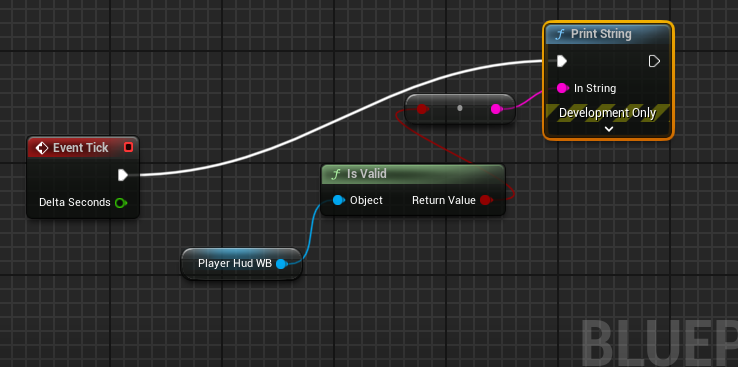 worthy oak
rustic sable
I'm starting to think this is an engine problem. The IHttpRequest binds to 127.0...
worthy oak
rustic sable
I'm starting to think this is an engine problem. The IHttpRequest binds to 127.0...
So couple things here sorry should have pinged ya. Usually the host level firewall in Linux is disabled by default so that should not be an issue and those commands would relate to that. The binding could be a thing, curious where you seeing that however when your routing it shouldn’t matter to much if your running it in a docker container
rustic ore
bitter robin
It's better to just replicate IsDead and do repnotify from there. Of course you ...
By any chance, is there a difference in terms of 'which one gets to the client first' when using multicast rather than property replication?
rustic sable
worthy oak
So couple things here sorry should have pinged ya. Usually the host level firewa...
sorry I actually goofed when I said that, the Nakama instance is running in docker, not the server instances 😅 yes ufw isn't even installed in this test environment.
worthy oak
Gotcha ok. Yes usually it’s disabled and you would manually have to enable it
Which side tangent wouldn’t really bother with
worthy oak
rustic sable
sorry I actually goofed when I said that, the Nakama instance is running in dock...
So when you ssh into your droplet you can obviously do http requests
rustic sable
this is what they have to say on the topic which is what I thought I did
worthy oak
But nothing outside the droplet
rustic sable
correct, and I can ping the IP but the calls dont route
worthy oak
And you are allowing traffic through to that port?
cold cipher
how to get another player's pawn/actor's server copy?
worthy oak
Like on the droplet side
rustic sable
really not sure why the unreal FHttpServerModule is 127.0.0.1 instead of all interfaces, wether this is by design or broken.
rustic sable
worthy oak
And you are allowing traffic through to that port?
afaik, I dont see a way to set it in the panel
worthy oak
rustic sable
really not sure why the unreal FHttpServerModule is 127.0.0.1 instead of all int...
Kinda depends it doesn’t always matter
worthy oak
rustic sable
afaik, I dont see a way to set it in the panel
I would check there first you will need to forward it on your digital ocean panel
I would look there before messing with the system
rustic sable
under droplet>networking you have the gateway, ipv4, private IP, and firewall which is disabled nothing about ports
rustic sable
no worries, I appreciate the input
let me dig around some more
maybe even drop them a support ticket, 1 eternity later...
worthy oak
Yeah I would say if you haven’t messed with that in the droplet side that’s what I’d check first before figuring the system out
because in my own experience I’ll
Mess with the system and then realize I didn’t open the firewall on the VM 🤣🤣
rustic sable
yeah totally but there doesnt seem to be much to check and there own docs for forwarding say to do it in linux so 🤷♂️
worthy oak
Interesting it’s entirely possible they have changed it and I’m spewing BS lol
rustic sable
eh, as it goes, these things are never up to date so I'll ping them as well
was hoping to have this done by gic.gd I actually was selected to showcase my project
so was hoping to add a few bells and whistles
worthy oak
Oh sweet!!
rustic sable
thankfully I still have the stable build 😅
vagrant grail
vagrant grail
General question :
I'm watching a tutorial bout Multiplayer and the guy shows an...
anyone please ? 🙂 ☝️
rustic sable
vagrant grail
General question :
I'm watching a tutorial bout Multiplayer and the guy shows an...
only if you need the timing of the opening for smth, say once the opening animation is done smth is triggered
so depends
vagrant grail
rustic sable
only if you need the timing of the opening for smth, say once the opening animat...
what ?
worthy oak
Not understanding what you mean, not sure why you would want the animation only server side
rustic sable
you're asking if this should happen on a dedicated server?
vagrant grail
worthy oak
Not understanding what you mean, not sure why you would want the animation only ...
no that's not my question
twin juniper
why would the server render the player, is this needed?
worthy oak
Definitely not understanding
worthy oak
twin juniper
why would the server render the player, is this needed?
It wouldn’t if it’s dedicated
rustic sable
twin juniper
why would the server render the player, is this needed?
render no, but know bone positions potentially yes
vagrant grail
rustic sable
you're asking if this should happen on a dedicated server?
no, the opposite, like I don't see a reason for the animation to happen on a dedicated server, so my question is if I'm correct on this, and a chest animation shouldn't be played on a dedicated server. It should only be played to clients
worthy oak
vagrant grail
no, the opposite, like I don't see a reason for the animation to happen on a ded...
Correct yeah
On a dedicated server rendering doesn’t happen it strips a lot of thet and just “crunches the numbers”
So the animation call would not play on a dedicated server cause there isn’t anything to render
vagrant grail
worthy oak
On a dedicated server rendering doesn’t happen it strips a lot of thet and just ...
does it do that automatically for us or we still have to handle that ourselves ?
vagrant grail
oh interesting
worthy oak
It’s just how it’s compiled
Cause with a listen server it’s your game client + whatever the server needs
Dedicated server is just that. What’s needed for your server
vagrant grail
yeah
twin juniper
worthy oak
Automatically
uhh, are you sure?
worthy oak
Mhm just how it compiles cause it isn’t compiling a game client
It’s just compiling the server
with no client
vagrant grail
worthy oak
It’s just how it’s compiled
source ?
vagrant grail
worthy oak
Yes you need a source engine for dedicated servers
no 😄 I mean do you have any sources to back up your claim ? 😄
worthy oak
Oh oh gotcha haha 🤣 I can try and find one if you would like but that’s one of the differences between dedicated and not
You can test this by trying to run for example a UI call on the server
rustic sable
look at the packaged sizes of a client vs dedi server
worthy oak
You will get an error of it being null
vagrant grail
worthy oak
Oh oh gotcha haha 🤣 I can try and find one if you would like but that’s one of ...
yeah but where I'm not sure it's about the "automatically" part 🥲
twin juniper
vagrant grail
yeah but where I'm not sure it's about the "automatically" part 🥲
I think unreal engine does most of it under the hood, which isn't really automatic
worthy oak
You aren’t compiling the game client
So what’s left is just what’s required to run the game server
vagrant grail
twin juniper
I think unreal engine does most of it under the hood, which isn't really automat...
yeah but that's what I call automatically, like we don't have to do that ourselves as UE handles that for us behind the scenes 🙂
vagrant grail
worthy oak
You aren’t compiling the game client
your bio made me laugh 🤣
worthy oak
Hahah good 😁😁
worthy oak
vagrant grail
yeah but that's what I call automatically, like we don't have to do that ourselv...
Yes and this is kinda what I meant 🤣 like you don’t have to do anything special for it just compile a dedicated server
Maybe Automagically is better 🤣
 hollow eagle
Assets on dedicated servers won't be set to null, but anim sequences and other assets may opt-out of saving their derived animation data. So the asset will exist, it just won't contain the actual animation data aside from some metadata like animation length.
Whether they do that or not is controlled by settings in both the project itself and on the asset.
twin juniper
vagrant grail
yeah but that's what I call automatically, like we don't have to do that ourselv...
sure but not for dedicated server stuff
worthy oak
Ah nice there ya go 😁
vagrant grail
twin juniper
sure but not for dedicated server stuff
what do you mean ?
rustic ore
CMIIW there's a setting in skeletal mesh component to tell dedicated server to play animation for keeping track of bones transform
hollow eagle
the animation itself still needs to contain the data to update bone transforms, which is not controlled by the component
it's controlled by a project setting and settings on the asset
rustic ore
it's this property IIRC
 hollow eagle
That controls whether bones are being updated, not whether the animation data exists.
rustic ore
Oh sorry, I think I misunderstood the question 😁
 ember slate
vagrant grail
General question :
I'm watching a tutorial bout Multiplayer and the guy shows an...
ember slate
vagrant grail
General question :
I'm watching a tutorial bout Multiplayer and the guy shows an...
- There are real games where the a listen server is used
- In the case of a dedicated server, the animation won’t play, but you still need to replicate that the chest opened so other clients know
vagrant grail
ember slate
1. There are real games where the a listen server is used
2. In the case of a de...
- I know that
- I know, here I was referring just to the animation of the chest
ember slate
vagrant grail
1. I know that
2. I know, here I was referring just to the animation of the ches...
It really depends on your game btw, but its unconventional to replicate animation data, though your game might depend on it
Its all up to you, you may even do no replication at all and have the chest completely client sided
vagrant grail
ember slate
It really depends on your game btw, but its unconventional to replicate animatio...
The question was more if that's handled by the engine behind the scenes or do I still have to do it my self by checking if when we're on the server if that server is a dedicated then do not play the animation
 latent heart
What's the "best" way for a client to detect another client has left a server? Is there an event or something? APlayerState::OnDestroyed() seems reasonable?
proven pagoda
My primary weapon TObjectPtr<AWeapon> has mysteriously stopped replicating. The OnRep_PrimaryWeapon repnotify is not hitting any breakpoints, however I still have the DOREPLIFETIME(ABaseCharacter, PrimaryWeapon) established, and the ReplicatedUsing=OnRep_PrimaryWeapon. I put breakpoints I see my Character_2 on the server is spawning the weapon and all the data is valid, but no clients ever get a replicated value and the OnRep_PrimaryWeapon never triggers either
This was not an issue yesterday and I've only been working on lag compensation in an actor component and I restarted the editor and it won't replicate now
proven pagoda
nvm
prisma snow
Can a On_Rep function be called more than once even if the server value only changed once?
I have a boolean value, upon change I want to run a function in clients. Gameplay-logic wise, there is no need to check if the value and the previous value are the same.
However, if the On_Rep would "accidentally" fire more than once, it would be problematic.
rustic sable
latent heart
What's the "best" way for a client to detect another client has left a server? I...
how long does it take for the state to be destroyed in case of a disconnect?
latent heart
A good question. That's my worry.
There's a log out function on game mode, so you could send a multicast or something to say they've disconnected.
But we're trying to keep unnecessary network stuff out
lament flax
prisma snow
Can a On_Rep function be called more than once even if the server value only cha...
Its only called if the server changed the value
And by default, if its a different one
lament flax
latent heart
What's the "best" way for a client to detect another client has left a server? I...
Why dont you use a netmulticast on the logout server event ?
latent heart
Because I think taht information is already being sent to the clients somehow and I don't want to double up.
If I can avoid it.
I just don't know how yet. 🙂
lament flax
All i know is that the server gets a event for any client, the client locally has a event for himself
But i dont see why there would be something between clients
latent heart
Well the server has to tell the other clients that the client's pawn is dead or removed, right?
As well as their player state.
prisma snow
lament flax
Its only called if the server changed the value
excelent, thank you - it's what I expected but wanted to be sure
lament flax
latent heart
Well the server has to tell the other clients that the client's pawn is dead or ...
Well this would be replicated ?
But a pawn/player state destruction can be linked to something else than a disconnect
 unkempt tiger
ive been trying to get my player characters to initialize properly (so the very first frame, simulated proxies will appear in their correct state, holding the right weapon, aiming towards the right direction, with valid animations) for so long
with no success
i wana die 😅
unkempt tiger
true, tho i mean like, when players respawn into the match
and you're running around next to their spawn points
looking at them, there are like 5 different jitters before it falls into a stable state
unkempt tiger
its also hellish to test since I have to record my monitor with some slow motion camera to try and figure out what the hells going on. (well, I don't have to, it's just what im defaulting to)
latent heart
Make them invisible for a moment.
vapid gazelle
Could use some advice. What's the best practice way to trigger in-game sounds in a multiplayer context? Do most people just stick to multicast calls, or is there a more idiomatic way of making sure that a non-2D sound "e.g. an explosion, or footsteps, or something being hit, or maybe a jump" is played across the network?
I remember someone suggesting using animation notifications in certain cases, which would save you the need to explicitly use RPCs
 fossil spoke
There isn't really a best practices when it comes to cosmetics, other than, execute them from whatever you can deduce on the Client already.
What I mean by that is, for example, the CMC has events for when you "land" that is managed in all network contexts. You would use that event to play cosmetics (like a sound) locally, instead of using the Server to Multicast that.
If you have a Weapon system, where by, when you switch Weapons, the new Weapon is replicated to the Client as the "current" Weapon, you can play cosmetics (like a Weapon switch/equip sound) from that event, instead of sending another RPC along with it.
For any cosmetics you cannot execute from already existing events, you will want to use an Unreliable Multicast RPC.
Using AnimNotifies is irrelevant in this context, since they need to be told to play at some point by the same data you would use to trigger sounds to play.
Like a Weapon firing animation for example.
That Anim needs to be told to play by some replicated event/data on Simulated Proxies at some point.
So using that same event to play sounds doesnt change anything.
vapid gazelle
I see, appreciate that explanation. Sounds like the rule of thumb is "is there already an existing path to run cosmetics across the network? If so, you might want to re-use that. If not, you will have to manually trigger this through a new path"?
fossil spoke
Pretty much.
quiet yarrow
daring gorge
damn you actually have a lotta stuff, i only have vehicles and at max in single ...
managed to get several hundred more in. Turns out my networking settings were throttling it quite a lot by default. Had to increase to a more modern level. I think by default the limits are set for something like mobile games
daring gorge
quiet yarrow
managed to get several hundred more in. Turns out my networking settings were th...
what settings did you change?
quiet yarrow
daring gorge
what settings did you change?
In the defualtengine.ini
ConfiguredInternetSpeed=8 Mbps
ConfiguredLanSpeed=8 Mbps
TotalNetBandwidth=8 Mbps
MaxDynamicBandwidth=1.28 Mbps
MinDynamicBandwidth=0.16 Mbps
MaxClientRate=6.4 Mbps
MaxInternetClientRate=6.4 Mbps
these arnt the offical names or values, but this is what they end up being in a simple format. This might be a bit more than needed, but my game is very physics heavy so a high network speed is needed
[/Script/OnlineSubsystemUtils.IpNetDriver]
[/Script/Engine.GameNetworkManager]
[/Script/Engine.Player]
If you want the raw .ini settings I used I can send them
daring gorge
quiet yarrow
If you want the raw .ini settings I used I can send them
do you have any resources for info on these settings and what would be optimal for a normal pc game?
im not having many physics actors however i might need em after i test my current set of actors i have : )
thank you for sharing this too irrespectively!
also what engine version are you using?
quiet yarrow
tbh not a lot of documentation I could find on these settings
daring gorge
i see, not a problem
i shall search and i have screen shot what you sent as a reference to look back into
quiet yarrow
daring gorge
i see, not a problem
i shall search and i have screen shot what you sent as a r...
One thing I still cant confirm is what the value they expect to be given in the config. My current assumption is that its bytes. So thats why I converted it to 8mbps for ease of reading. So just keep in mind when you change those settings you gotta convert the mbps into bytes
btw im running 5.4.4
daring gorge
i see, ill keep that in mind and ah lucky! you get to use GAS and other stuff like physics prediction
im using 4.26 and its being buggy with actors with root as skel meshes
quiet yarrow
not sure if its a thing in 4.26, but staticmeshactors are req to simulated+replicate any actor afaik
not sure if thats whats causing it to be buggy for you tho
daring gorge
its skel meshes thats being buggy, when attaching anything to a static mesh it works fine, however if skel mesh is simulating physics and i attach smth to it, it goes through some weird delay
quiet yarrow
you mean like they lag behind when the skel mesh moves?
daring gorge
yeah
quiet yarrow
I had that issue in my version as well
but I got it working even using constraints
are you sure its due to the version?
daring gorge
i dont know, its weird cause the code works perfect with any actor that uses static mesh as the root, however if i use static mesh as root and have skeletal mesh attached to it// use skel mesh as root it behaves differently
quiet yarrow
keep in mind im not using predictive physics or any of the fancy new physics async tools anymore. Just SmoothSync
daring gorge
im only using smoothsync
i changed root to be static mesh and attach player to it and it works fine but im yet to go and test all this in real world
daring gorge
no, i didnt need to because im only attaching player to a vehicle and passing input to the vehicle.
i did try possession and ownership however it didnt work, my vehicle(for instance my boats) start to bounce around in water everywhere for god knows why
quiet yarrow
hmmm
im guess for this boat you want other players to enter it aswell?
So why dont you set the owner of your skeletal mesh player to the boat?
then when you exit set it back
daring gorge
hmm could, however i made a simple component that does the attachment on server and it works fine as of now, no jitter or lag or corrections either.
it also is a good plug and play component for me, i can pretty much just drop it at any actor and it becomes a vehicle so why touch something that works unless it doesnt behave in the real life test
quiet yarrow
so what lag scenerio are you talking about?
daring gorge
this is before i did the component, i tried to possess the pawn and set the ownership
and attachment being with component but with skel mesh on the vehicle
quiet yarrow
ah gotcha, well im glad you got it resolved. If you got any physics issues im starting to learn some of the quirks of this engine
so I might be able to help
daring gorge
i shall connect with you in dms as for now if thats okay : )
quiet yarrow
for sure
wet nymph
quiet yarrow
managed to get several hundred more in. Turns out my networking settings were th...
I'm facing a similar problem, I increased these limits and it works for developments builds, but shipping versions doesn't seem to be affected by these changes, happened something similar to you?
quiet yarrow
wet nymph
I'm facing a similar problem, I increased these limits and it works for developm...
Havnt tried shipping builds yet
wet nymph
Oh, ok, thanks anyways
quiet yarrow
but im pretty sure if you can get it working in dev there is a way to get it working in shipping
wet nymph
Yeah, but it's hard debugging a shipping build
quiet yarrow
but im not worrying about the shipping build until I wanna do a demo or get closer to publishing
quiet yarrow
wet nymph
Yeah, but it's hard debugging a shipping build
ah, yeah I bet. Lmk if you end up finding something!
vague spruce
i think i know the answer to this but figured i'd ask anyways. can a server function live within a local player subsystem? i have to assume no because the subsystem does not live on the server?
 nova wasp
it must be something replicated... I would suggest a controller component if you want to keep things separate code wise but for one player only
you can just have the local player subsystem call the other replicated object?
 static owl
Hey guys! So here is my Health, and Death code. My issue is that whenever my player dies, the Death Widget is spawned on all clients. How can I spawn it on only the client that died?


 west bluff
Hi!
I am having an issue implementing a basic root yaw offset (based on Lyra). When it enters the 'accumulation' phase—where the character’s model should remain still—it visibly shakes and jitters. The greater the delta yaw, the more noticeable the shaking. It's worth noting that this only happens with remote players; locally, the character remains still.
Interestingly, Lyra works as intended without any noticeable changes to my code. I have tried increasing net sync, server tick rates, and replicating root yaw offset, but all have yielded the same result.
I would really appreciate any help with this, as it’s driving me crazy!
Thanks
nova wasp
west bluff
Hi!
I am having an issue implementing a basic root yaw offset (based on Lyra). ...
investigate if they change pawn view rotation in their custom character pawn
west bluff
You mean, like toggling bUseControllerRotationYaw ?
nova wasp
no, things like GetViewRotation etc
you need to understand what values are actually being used for the rotation and where they come from
raw-replicated properties most likely will need to be smoothed somehow if they aren't already
the controller would not exist for sim proxies anyways if that helps, you only have their pawn and playerstate to get information from as a sim proxy
west bluff
ah, yes, it is calculated from GetActorRotation, computing the delta yaw from last update
they do in the anim bp
nova wasp
then it might depend on if something else smooths their characters actor rotation on sim proxies
they may be using a different cmc interpolation mode
west bluff
ah that would make sense, since smoothing the RootYawOffset reduce the jitter but no solve it, it oscillates side to side
nova wasp
you may want to override PostNetReceiveLocationAndRotation or something to catch when new rotations arrive
west bluff
thanks for help, will dig a bit more following your advice!
nova wasp
You could even send rotation in another separate property if you like but I would argue it's better off in one single actor position replicated property to keep changes happening at the same time
west bluff
but is rotation already replicated by default, right?
nova wasp
if you replicate the actor transform, yes? you may want to actually confirm this is happening as you expect
west bluff
I see, thanks for help. Will perform some tests and see if could solve this. Will comeback if no :P. Cheers
 tiny mauve
When should i be using the reliable checkbox for replication
 chrome bay
If it's a) an infrequent call and b) the game would not recover if the request is dropped
rustic sable
worthy oak
because in my own experience I’ll
Mess with the system and then realize I didn’t...
Thought you may find this interesting but tech support from digital ocean said everything is setup correctly but the unreal web server needs to be bound to all interfaces (0,0,0,0) instead of 127.0.0.1. Afaik there is no way to do this with the FHttpModule so looks like this is hosed 😅
lost inlet
I'm not scrolling through the lore, but you're hosting a web server using the HTTPServer module?
because with that you can absolutely change the bind address, it's read from Engine INI here: https://github.com/EpicGames/UnrealEngine/blob/ue5-main/Engine/Source/Runtime/Online/HTTPServer/Private/HttpServerConfig.cpp#L17
"localhost" is the default value for the default bind address
https://github.com/EpicGames/UnrealEngine/blob/ue5-main/Engine/Source/Runtime/Online/HTTPServer/Private/HttpListener.cpp#L64
it can be set to "any" or a specific binding IP
 lavish junco
wet nymph
lavish junco
wet nymph
There is a way to throttle the number of RPCs sent per second or it can only be controlled by the RPC caller?
rustic sable
lost inlet
because with that you can absolutely change the bind address, it's read from Eng...
awesome, thank you. Just discovered that it runs an UpdateConfigs function pointing to the GEngineIni. Also lol @ the lore 😅
 balmy gazelle
Got a general question for multiplayer experts:
The game have a manager that's an actor basically, it have a seed for random values that's shared across all players, this thing calls world actors that are the same for all players, just call what component is visible on each as the manager changes them, those actors aren't intractable just on their collisions and visibility to the player.
Whats the best way to approach this, having the manager on each player manage all on each client or replicating the state of each actor and just run the manager on the server ?
thin stratus
balmy gazelle
Got a general question for multiplayer experts:
The game have a manager that's a...
I would probably run the manager on the server and replicate individual state. Could help with relevancy stuff. You do get an overhead for all the different actor channels I guess.
 final bluff
woven bramble
As you said with static mesh, the problem was solved. But I left it because ther...
final bluff
woven bramble
As you said with static mesh, the problem was solved. But I left it because ther...
Hey! , i just installed smooth sync and its working great . Curious though , I am runnin into issues trying to "Set actor Location" on a smooth sync pawn. Have u came across this issue?
wet nymph
Why are my actors on the "NetworkObjectList" if they aren't replicated, is it normal?
 balmy gazelle
thin stratus
I would probably run the manager on the server and replicate individual state. C...
balmy gazelle
thin stratus
I would probably run the manager on the server and replicate individual state. C...
Thank you Cedric!
wet nymph
wet nymph
Why are my actors on the "NetworkObjectList" if they aren't replicated, is it no...
My game is crashing because it's keeping a lot of invalid references 🙁
twin juniper
I have a TSubclassOf<GameplayEffect>, tho, to apply it, I must transform it into a GameplayEffect*, how would that be done safely?
kindred widget
twin juniper
I have a TSubclassOf<GameplayEffect>, tho, to apply it, I must transform it into...
Apply it? Do you mean give it to the ability system or activate it?
Oh, Effect.
No, you don't need a pointer. There are helpers for that. ApplyGameplayEffectEtcEtc
 twin juniper
kindred widget
No, you don't need a pointer. There are helpers for that. ApplyGameplayEffectEtc...
twin juniper
kindred widget
No, you don't need a pointer. There are helpers for that. ApplyGameplayEffectEtc...
I'm in C++ tho
these would be really helpful
kindred widget
twin juniper
I'm in C++ tho
Then check UAbilitySystemComponent::BP_ApplyGameplayEffectToSelf. You'll see all it does is get the CDO for the effect. That said I recommend doing your abilities in BP quite a bit. That was one of the intended things was to allow scripters easy access to make abilities.
twin juniper
I get that but I really only need to apply it and nothing else is needed
static owl
static owl
Hey guys! So here is my Health, and Death code. My issue is that whenever my pla...
Is anyone able to help with this?
static owl
static owl
Is anyone able to help with this?
SOLVED: ACTUALLY, just gonna leave this here: you only need to create a custom event in the player controller, and then upon death have it call that event. I was calling it in the character blueprint before which was the issue.
kindred widget
static owl
Hey guys! So here is my Health, and Death code. My issue is that whenever my pla...
This code is exceptionally convoluted. Apply damage doesn't need a ServerRPC. AnyDamage won't run on a client to begin with and so you'll always be on server here.
You should not multicast anything death related. It's all state. Server sets health and a flag like IsDead. Both of these should be replicated, probably OnRep.
In the IsDead onrep. if Islocallycontrolled is true, and IsDead is true, then you do things like say they're dead, disable controls, etc and pop up a widget. You can also choose to put this behind a ClientRPC too when the server sets IsDead to true.
Regardless of IsLocallyControlled in IsDead's OnRep, you set ragdolls and such, the death state. Because everyone needs to see this regardless of late join and whatnot.
None of this should be a ServerRPC or a Multicast though since it should trigger on server and be told to clients. And it's state based so no multicasts.
 serene sand
does anybody know if an actor with expose on spawn replicated property will consistently replicated and ready when the replicated actor trigger begin play?
fossil spoke
serene sand
does anybody know if an actor with expose on spawn replicated property will cons...
Yes, they should, they will be sent with the initial bunch.
If their values are different from the default
serene sand
thanks!
 vapid latch
Hello, new to UE5 and was doing a multiplayer starter project with a friend, but running into an issue with nonhost user velocity. Don't want to spam the channel with wall of text but happy to provide more details.
TLDR is we have rooms individually spawned (using SpawnActor), and some of these rooms are rotated (through spawnactor input transform). A nonhost user is able to move fine, but when they enter the boundaries of a room that was rotated the nonhost's velocity is altered by the same transform the room was. The nonhost is unaware of the issue until they perform a syncing action (jump atm). We tried to troubleshoot through blueprints to no avail. We looked through the cpp, and think it has to do with APawn::AddMovementInput or APawn::PostNetReceiveVelocity. Our next TODO troubleshoot is to override APawn::PostNetReceiveVelocity with a custom subclass for more insight/visibility, but the project is very simple atm so we suspect it's more likely we are missing something.
nova wasp
vapid latch
Hello, new to UE5 and was doing a multiplayer starter project with a friend, but...
when a character stands on a moving object that object becomes their movement base
this is to support things like moving elevators and things
the server may have decided they moved based on the rotation of the room (weird, but I imagine it might get stuck somehow)
 gloomy pebble
Hey I have a weird VOIP question. I have integrated Vivox into my UE5.4 game, but now I want to extend it to model things like walkie talkies that still work if dropped into the level. any ideas? I've thought about having an actor component "listen" to the positional audio channel and retransmit onto a non-positional channel and then retransmit the other way at the receiving end. Has anyone done this before or have any advice?
subtle kernel
guys, how do you test disconnected client case in dedicated server? I want to keep player avatar in game for some time if connection is broken. Is there any built in functionality for that?
twin juniper
i am the left player in the main viewport and when i attack the player in the right side in the main viewport it works normally and reduces health as per i want

but when i am the right player in the viewport and i attack the left player, in one hit it is registering as double hit and reducing health twice

this is my main problem
btw i am using blueprints
 glass crescent
Hey guys ,
Need help in the replication movement , i moving my Character derived plane, then on changing the transform there is a lot of lag on the client side .
