
#multiplayer
1 messages · Page 199 of 1
 sharp hamlet
the player camera manager class seems to only work for the server only
thus i m using this camera cache pov, but this is basically from the camera shake class of ALS
 twin roost
which commands do you guys use for setting ping and simulating extremely unstable network conditions?
 modest crater
twin roost
which commands do you guys use for setting ping and simulating extremely unstabl...
modest crater
twin roost
which commands do you guys use for setting ping and simulating extremely unstabl...
NetEmulation.PktLag && NetEmulation.PktLoss, lag usually around 50-60 but if extreme testing ill go 150-180.
You can also do from the project settings without using the console
twin roost
modest crater
`NetEmulation.PktLag` && `NetEmulation.PktLoss`, lag usually around 50-60 but if...
so these two commands and the ping value after them to set it right?
modest crater
no you would do it like this one by one in the console
NetEmulation.PktLoss 2
NetEmulation.PktLag 80
note that you might want to make the loss 0 or 1, its unlikely you need to test with it high at all
twin roost
modest crater
no you would do it like this one by one in the console
```
NetEmulation.PktLoss...
got it, thank you very much, I will now test how my project handles 69420 ping for no specific reasons
 tardy fossil
most networked things would just timeout with ping that high lol
twin roost
tardy fossil
most networked things would just timeout with ping that high lol
is there a way to disable or increase the timeout?
tardy fossil
for development only i think you can use DefaultEngine.ini like:
[/Script/Engine.NetDriver]
bNoTimeouts=true```awesome, thank you very much
 frozen palm
Hi! How would you guys set up an interactable object that needs to show a widget only to the host or client who is interacting with the object? To my understanding clients can't own external actors and I tried setting the call for widgets to player controller but since the actions happening in the interactable object are going thru the server, it seems that the widget call is still happening for both (the listen server host and the joining client both get the widget message).
For example: One player presses button (interactable object), both need to see the button being pressed but only the player pushing the button should see a widget popping up like "Hmmm... I wonder what this button does?"
Any ideas would be greatly appreciated.
modest crater
frozen palm
Hi! How would you guys set up an **interactable object** that needs to show a **...
When player A interacts you have it spawn the widget either through some event or directly by just using the interacting object like Action->SpawnInteractionHUD, you can protect it with things like IsLocallyControlled to ensure only the interacting client would ever get it but widgets are ONLY spawned client side in fact and its normal to own them locally so if you didnt have some OnRep that would cause a client to also run it for a proxy then it would be fine to just spawn the widget
twin roost
frozen palm
Hi! How would you guys set up an **interactable object** that needs to show a **...
and when you want both players to see that the buttom was pressed, run an event which is server only which communicates to both player that the button was pressed
twin roost
frozen palm
Hi! How would you guys set up an **interactable object** that needs to show a **...

example of code to run on the player controller
frozen palm
Ah. Thank you! This might be just what I'm looking for.
twin roost
I'm currently watching a tutorial on youtube and this popped up right after you asked the question xD
amazing timing
frozen palm
Indeed! 😄
Ah damn... Still the widget appears to both. Not sure if it's because:
A. The host and client are currently on happening on the same PC. As in, if that "is local player controller" means it literally, then it would only be an issue when testing on same PC.
B. The host (server) is still firing off those initial logics for the interactable object with the server -> multicast pipeline and when the widget happens after, we are actually firing it as a server->multicast call.
twin roost
frozen palm
Ah damn... Still the widget appears to both. Not sure if it's because:
A. The ho...
can you screenshot the code on the player character and on the button interaction
frozen palm
Yeah just a sec.
twin roost

the call Update HUD is bounded on normal code on local players with no specific checks
the CallUpdate event is multicast and is ran after a server only event
frozen palm


This is just a super simple proxy setup straight from YouTube just for figuring this problem out (well... some of those BPI calls are from my "official" system) . The actual system is a bit more complex and of course doesn't use any "Cast"-nodes.
twin roost
why is it so complicated?
frozen palm
I felt like this was super simple.
But as you can see in the final image, I have bound key "6" to test the widget thing. And of course, it works just fine. Only shows the widget to the player pressing number "6".
twin roost
so you have 2 checks to see if both the object can be interacted with and the player can interact with objects
frozen palm
So it must be a thing where in the "interact child" image, the whole thing is now happening on the server, including the widget.
 wintry forge
Hello everyone, GetSocketLocation is not working properly on dedicated server. can anyone help please?


 frozen palm
twin roost
so you have 2 checks to see if both the object can be interacted with and the pl...
frozen palm
twin roost
so you have 2 checks to see if both the object can be interacted with and the pl...
Yeah that's super silly in my opinion too. Like I said. I took this super simple setup "straight from YouTube" just to test this widget problem that I have.
twin roost
frozen palm
Yeah that's super silly in my opinion too. Like I said. I took this super simple...
so your code goes from local player to server, to sever to server again? Then checks again if the character can interact
a 3rd time
frozen palm
twin roost
so your code goes from local player to server, to sever to server again? Then ch...
Like I said. I took this super simple setup "straight from YouTube" just to test this widget problem that I have.
My actual setup is similar but without casts or weird stuff like that. But it still does the same thing.
twin roost
frozen palm
Like I said. I took this super simple setup "straight from YouTube" just to test...
I feel like that setup was quite questionable or made for a specific use case
frozen palm
Yeah. My "official setup" just has the same problem where the object needs to do something that everyone can see (server -> multicast) but then right after doing that, it needs to show a widget but just for the player that "did the thing" but the widget happens as a server->multicast.
tardy fossil
wintry forge
Hello everyone, GetSocketLocation is not working properly on dedicated server. c...
try setting your Skeletal Mesh Component's VisibilityBasedAnimTickOption to "Always Tick pose and refresh bones"
wintry forge
tardy fossil
try setting your Skeletal Mesh Component's VisibilityBasedAnimTickOption to "Alw...
Thank you, but I am using static mesh, what should I do in this case?
tardy fossil
i dont think static meshes can use sockets
frozen palm
@twin roost As seen in the final image with the controller. That testing with "Key 6" works just fine and shows the widget to just the player pressing the number "6". But when it goes thru the Interactable Object which needs to call things using the server->multicast method, the widget thing will also be called like that.
wintry forge
tardy fossil
i dont think static meshes can use sockets
They can use it with Socket Manager.
 tardy fossil
ohhh i meant on the characters skeletal mesh, not the weapon
twin roost
frozen palm
<@229158656208273408> As seen in the final image with the controller. That testi...
what code executes from the dialogui teksti event from the last picture?
frozen palm
It's just a Blueprint Interface call to avoid casting (used in my official system). So in this case, in the "Interact Child" image you can see it being called (circled in red). What it does inside the Controller is that it checks if such a widget already exists and deletes those before opening up a new one.
twin roost
-
also, when a player interaction results in only that player getting a UI notification, not specific code is needed, just create widget and add to view port
-
When it results in all players getting a new UI element, call an event which is run server only, and in that server event code, use a multicast event into code which adds a widget to the viewport like in case 1)
frozen palm
And as said, it works perfectly fine when doing it straight from inside the controller (with the test key "6" as seen in the image). So that narrows the problem down to just "how to call it without calling it via as server-multicast since it happens after things that are being called as server-multicast".
Basically I can't call it in the interact blueprint at all because by that point the controller is no longer the owner of anything and the things are happening on server. Maybe I should take the "original player controller" along for the ride by creating a variable and all the way from the trace it should carry the information about who was shooting the trace. Then take that into consideration for the widget creation.
twin roost
frozen palm
Basically I can't call it in the interact blueprint at all because by that point...
you should handle "original player controller" code and "all players" code seperately
 lavish sierra
hi everyone, how to make clients controlling the same widget in unreal engine 5?


 twin roost
lavish sierra
hi everyone, how to make clients controlling the same widget in unreal engine 5?
twin roost
lavish sierra
hi everyone, how to make clients controlling the same widget in unreal engine 5?
widgets are local to each player, you mean how to synchronise widgets across players?
frozen palm
twin roost
what code executes from the dialogui teksti event from the last picture?
Oh and yea... Forgot this:
 frozen palm
twin roost
widgets are local to each player, you mean how to synchronise widgets across pla...
frozen palm
twin roost
widgets are local to each player, you mean how to synchronise widgets across pla...
Yeah that's why I made the widget to happen on player controller because it should be local. But if I call it to happen after server-multicast-things, it's no longer local but instead used by the host (server) and therefore it shows the widget to both players instead of just the player who threw the original line trace.
lavish sierra
twin roost
widgets are local to each player, you mean how to synchronise widgets across pla...
yes please❤️
frozen palm
Ah... 😄 Hussin has the opposite issue.
twin roost
frozen palm
Yeah that's why I made the widget to happen on player controller because it shou...
then at that point knowing who was original player is useless, unless you'd want to avoid the original player getting the "all player" widget
twin roost
lavish sierra
yes please❤️

In this series we will be explaining how to add online multiplayer to your games. First we are going to explain how it works, then we will go into creating lobbies etc.
In Part 9 we explain how to get the player's HUD to display their health and score which is replicated across the server and client.
SUPPORT ME
Patreon I https://www.patreon.co...
frozen palm
I did that tutorial back when it was in Udemy many years back.
twin roost
lavish sierra
yes please❤️
watch the whole tutorial if you can, it is very helpful for understanding the basics
frozen palm
Ah... 😄 It was for Hussin. Sorry.
twin roost
frozen palm
I did that tutorial back when it was in Udemy many years back.
just when you thought you got away from it, it always comes back xD
lavish sierra
twin roost
watch the whole tutorial if you can, it is very helpful for understanding the ba...
ok i will but if i didn't know how to do it could you please help me ?
twin roost
lavish sierra
ok i will but if i didn't know how to do it could you please help me ?
sure, but make sure to copy the stuff in the tutorial and then try to experiment and test your knowledge after some trials, and after that you can ask here for any problems
lavish sierra
twin roost
sure, but make sure to copy the stuff in the tutorial and then try to experiment...
ok thank you so much ❤️
 surreal fox
hey I new to multiplayer, I am getting confused when to use RunOnServer and when to use Multicast events. Here is a example:
When I spawns a actor using RunOnServer event, it spawns it for all the clients too but as the event says it only runs for server but still it spawns for everyone.
On the other hand when I try to change its material OnServer, it only change it for the server not for all the clients then I have to multicast it.
Its so contradictory and I can't understand when to use what. And sometimes I have to use playerstate to spawn the actor because it dont spawn when I use actor class.
frozen palm
modest crater
When player A interacts you have it spawn the widget either through some event o...
Oh it totally missed this. Thank you. Will try it out!
lavish sierra
twin roost
sure, but make sure to copy the stuff in the tutorial and then try to experiment...
ok ,so after watching the video i did what he have done , but it is not replicating to the client from the server


 long magnet
sooo.. I have been following a guide for setting up multiplayer.. but wanted to do team select instead of character select, and thought I would be able to work it out myself. Pretty sure I've made a damn mess of my whole file now trying to get the widgetswitcher in my playerslist to update. Think I have duplicated a load of variables and got in a bit over my head! If anyone would be kind enough to have a look at point me in the right direction it would be much appreciated. If someone does have time, please send me a PM and I will send link to project
lavish sierra
lavish sierra
ok ,so after watching the video i did what he have done , but it is not replicat...
@twin roost
 mystic estuary
Hello, I'm trying to make a text chat that would work in different worlds.
We have a backend capable of receiving and sending messages. We do know how to send them, we use VaRest for that, but we don't know how to receive them using events. We were looking at SocketIO, but it doesn't support Xbox or PS.
Does anyone know how to listen for an event from a backend server on all the major platforms -- Windows, Mac, Xbox and PS?
 lost inlet
websockets?
isn't socket.io uses websockets for its transport too
since it's just a protocol
so I don't know why you couldn't implement it for console
mystic estuary
Their Github is saying that it's untested and they failed to build it for those platforms. I have no clue why, but that's how it is.
Are websockets already builtin in the engine? Are they extremely minimalistic? Would we need to wrap it out with our stuff?
lost inlet
yes, it's just libwebsockets
mystic estuary
Alright, thank you
lost inlet
if this is an Unreal plugin, I don't know why you couldn't fix it up
especially if it piggybacks off the built-in websockets stuff
there's an Unreal plugin that wraps a similar protocol, SignalR but I didn't use it
mystic estuary
Yeah, I found it, looks like the thing that I'm looking for
I'm still looking for some websockets examples though
lost inlet
it was pretty simple from when I looked at it once upon a time
mystic estuary
Yeah, but I can't find an actual usage of it 😛
lost inlet
the server side is used in the remote control plugin, but the client isn't really used in the engine
it was used in the legacy websocket networking for wasm
but it's pretty simple
mystic estuary
Does it support Xbox and PS though?

@lost inlet
You said that it does, but I don't see anything related to that. Is it sent to you with their SDK?
lost inlet
I'm not sure what this is meant to prove, but look at the WebSockets module
also NDA platforms use a different directory structure
 ember jasper
Hello there,
The subject :
Door opening and closing every 0.6s (when broken), killing any player on the way.
My deepest desire :
Having the door open and close at the same time for both clients and server despite ANY **lag **or delayed Relevancy.
My theorical solution :
Replicating both the broken State, the brokenTime and the door intialOpeningState.
OnRep_bBroken calls a looping SetTimerByEvent every 0.6s with an **InitialStartDelay ** calculated as follow:
0.6 - ((GetTimeSeconds() - brokenTime) % 0.6)
And forcing door starting position the opposite way (open/close) if :
((GetTimeSeconds() - brokenTime) / 0.6) % 2 >= 1
My question :
Am I insane or does it look like a perfectly viable solution to have a synchronised opening/closing across all players ?
Don't mind the formulas, all I wanna know is if you'd have suggested something simpler (and yet optimized).
PS : My multiplayer gives clients authority for their movement.
mystic estuary
lost inlet
also NDA platforms use a different directory structure
Gotcha, makes sense, thank you
 proven pagoda
Idk what my issue is but on clients the character movement isn't correcting, just at certain movespeeds my animations stutter. The character movement isn't stuttering my character moves smoothly but the edges are jagged in the anims unless you're moving forward it's smooth or if you're moving at certain walkspeeds it's smooth. I use motion matching tho I'm also wondering if there's something I need to do with motion matching for multiplayer idk
surreal fox
surreal fox
hey I new to multiplayer, I am getting confused when to use RunOnServer and when...
bump!
ember jasper
@surreal fox Hi !
I understand the confusion. Multiplayer is really tough to get into.
Don't worry though, it all comes down to logic.
The reason why your actor get spawned for everyone when using a Run On Server RPC is because the actor is set to replicate.
It's gonna be the same thing for every variable you ask the server to set.
Let me illustrate.
ember jasper
If you spawn an actor from a client -> Only exist on the client.
If you spawn a non-replicated actor from the server -> Only exist on the server.
If you spawn a replicated actor from the server -> Exist on the server and each client.
If now you want your character to get it's new material from everyone's viewpoint, you need the server to set it and replicate it down to every client.
Since this is a permanent change, you don't want to use an RPC for that.
You have to be aware every actor is either relevant to you, or not.
If an actor is not relevant to you when you cast an RPC (because he is too far away for example), you will miss the change of material.
Stateful changes such as the change of player's material for example, should be done through replicated variables.
In the case you need an action following the change of a replicated variable, RepNotify is very handy !
When you set a variable to RepNotify it creates a function OnRep_MyVariable.
That function is called everytile the variable changes. So, in the case of a material change you would for example have a :
- OnRep Enum variable playerColor
- OnRep_PlayerColor function setting the player's material to whatever material you chose to match the different possible playerColors
- Have either the server change playerColor directly or have your character call a RunOnServer reliable RPC to ask the server to change the variable for you.
There are so many things to say. And I realize I didn't use the simplest examples..!
Time is ticking for me but here are two veryyy useful documentation links :

WizardCell
Good practices to adopt, and bad habits to avoid when doing online multiplayer in Unreal Engine
This compendium is meant to give you a good start into multiplayer programming for Unreal Engine.
surreal fox
ember jasper
If you spawn an actor from a client -> Only exist on the **client**.
If you spaw...
Thanks for your brief explanation dude. Really appreciate it. I understood the example very well and surely I'am ganna read those documents
 rapid lodge
Anyone having problems with generating overlap events in multiplayer? All the overlap stuff works for the host character, but no any other character on the server unless the host character is actively looking at them. I have no idea how turning the camera around on the host can affect overlap (that have nothing to do with the camera).
 dark edge
rapid lodge
Anyone having problems with generating overlap events in multiplayer? All the ov...
dark edge
rapid lodge
Anyone having problems with generating overlap events in multiplayer? All the ov...
show your code and settings
rapid lodge
void ASkeletonEnemy::BeginPlay(){
    Super::BeginPlay();

    if (HasAuthority()){
        if (RightHitbox == nullptr) {
            UE_LOG(LogTemp, Error, TEXT("ERROR: Right hitbox missing for skeleton enemy."));
            Destroy();
            return;
        }

        if (LeftHitbox == nullptr) {
            UE_LOG(LogTemp, Error, TEXT("ERROR: Left hitbox missing for skeleton enemy."));
            Destroy();
            return;
        }

        FScriptDelegate RightCollisionDelegate;
        RightCollisionDelegate.BindUFunction(this, "RightHitboxOverlap");
        RightHitbox->OnComponentBeginOverlap.Add(RightCollisionDelegate);
        RightHitbox->AttachToComponent(GetMesh(), FAttachmentTransformRules::SnapToTargetIncludingScale, "SocketRightHitbox");


        FScriptDelegate LeftCollisionDelegate;
        LeftCollisionDelegate.BindUFunction(this, "LeftHitboxOverlap");
        LeftHitbox->OnComponentBeginOverlap.Add(LeftCollisionDelegate);
        LeftHitbox->AttachToComponent(GetMesh(), FAttachmentTransformRules::SnapToTargetIncludingScale, "SocketLeftHitbox");
    }
}
Setting up hitboxes
void ASkeletonEnemy::EnableRightHitbox(){
if (RightHitbox == nullptr) return;
HitActors.SetNum(0);
RightHitbox->SetCollisionProfileName(Enemy::OverlapAllyProfile);
}
void ASkeletonEnemy::DisableRightHitbox(){
if (RightHitbox == nullptr) return;
RightHitbox->SetCollisionProfileName("NoCollision");
}
void ASkeletonEnemy::EnableLeftHitbox(){
if (LeftHitbox == nullptr) return;
HitActors.SetNum(0);
LeftHitbox->SetCollisionProfileName(Enemy::OverlapAllyProfile);
}
void ASkeletonEnemy::DisableLeftHitbox(){
if (LeftHitbox == nullptr) return;
LeftHitbox->SetCollisionProfileName("NoCollision");
}
Setting collision profiles
Collision settings used

Left is used on the hitbox, right is used for the player
Everything works fine for the host character or in standalone
@dark edge
 tired current
In Visual Studio when debugging breakpoints is there a way to see if the code is running on the client or server like u can in BP?
lost inlet
add UnrealEditor-Engine!GPlayInEditorContextString to watches
rapid lodge
void ASkeletonEnemy::OverlapLeftHitbox(){
    TArray<AActor*> OverlappingPlayers;
    LeftHitbox->GetOverlappingActors(OverlappingPlayers, APlayerCharacter::StaticClass());
    for (int i = 0; i < OverlappingPlayers.Num(); i++) {
        UE_LOG(LogTemp, Warning, TEXT("Overlapping player"));
    }
}
Doing something as simple as this, which is ran every frame on the server only logs out if the host character is looking at the client character.
 thin stratus
Probably the SkeletalMeshComponent visibility update tick thingy that I can never remember the damn name of
rapid lodge
The code to enable/disable is called from an anim notif. The code runs, but it seems like the collision change does not happen until the enemy is rendered. Changing collision settings from the tick alternating between NoCollision and OverlapAlly seems to work.
thin stratus
rapid lodge
The code to enable/disable is called from an anim notif. The code runs, but it s...
Hm, there is a setting on SkeletalMeshComponents, it#s a dropdown that talks about when a Pose is ticked
You must set that to always tick pose and update bones or something like that
Otherwise the Server won't update the pose of clients if not looking at them
rapid lodge
I will try that. However, none of the code is running on the client. Everything happens on the server.
thin stratus
The point is that the SkeletalMesh Pose/Bones of Clients on the Server don't update without looking at them
rapid lodge
I see
That seems to have fixed it. Tick pose was enabled but not bone transforms. So the issue was that the hitboxes never overlapped because the bones never moved.
Thank you kindly @thin stratus
thin stratus
No worries. Every once in a while this comes up :D
 lean girder
Would using a Client RPC to have an object bind and unbind inputs to a player be the right way to go about it?
lost inlet
A client RPC on what
I would assume this is more of a state thing
But almost zero context
lean girder
It would be for a weapon. I was thinking its state related so I could/should use replication (is what I've read).
thin stratus
Point of the "State" stuff is that you should do that via OnRep/RepNotify, not RPCs
lean girder
Thanks, after more research I get why it'd make sense to use replication for this case.
tired current
lost inlet
add `UnrealEditor-Engine!GPlayInEditorContextString` to watches
Thanks! Where can I find watches? Is this inside a config file?
tired current
Thank you!!
 zenith wyvern
my player pawn is spawning actors for abilities, and i was hoping these abilities would be able to fire rpcs, but they dont seem to be able to, which means i have to put their functionality all into the pawn?
 sinful tree
zenith wyvern
my player pawn is spawning actors for abilities, and i was hoping these abilitie...
sinful tree
zenith wyvern
my player pawn is spawning actors for abilities, and i was hoping these abilitie...
As long as an actor is marked as replicated and spawned by the server, RPCs can be used on them. If you're trying to use server or client rpcs, they'll only function for whichever client you've made the owner of the actor.
lavish sierra
why the widget is not replicating?
 sinful tree
lavish sierra
why the widget is not replicating?
sinful tree
lavish sierra
why the widget is not replicating?
Player Controllers exist only on the server and the client.
Inputs are always local to the machine where the input is pressed.
Client RPCs only execute on the owning client, namemly it would be whichever player actually pressed the input anyway, so it wouldn't really replicate to anyone.
If you want it so when the listen server presses the button all clients react to it, then you'd take the input like you have it with your branches, and either set a replicated variable or multicast through a replicated actor that all clients would have, like the game state.
lavish sierra
sinful tree
If you want it so when the listen server presses the button all clients react to...
like that ?
 sinful tree
lavish sierra
like that ?
sinful tree
lavish sierra
like that ?
No - your game state won't take inputs and there is normally no owning client of the gamestate.
Inputs are normally handled on the player controller or their controlled pawn, so you had it fine in your player controller.
Once you have that input triggered on the player controller, you need to communicate to the gamestate and either have it multicast or set a replicated variable w/ notify to then have other clients create the widgets.
lavish sierra
like that ?

 lost inlet
what are these names
and I fail to see how this will do anything, unless Q is designed to be pressed by the host player only
lavish sierra
i just want to get the job done 🤡
lavish sierra
lost inlet
and I fail to see how this will do anything, unless Q is designed to be pressed ...
yes i want that
but still not working 🤡
 lost inlet
what's with the obsession with the clown emoji?
also the variable "game state" is likely never set in the PC BP and there's a redundant cast
sinful tree
lavish sierra
like that ?
Close. Seeing as you don't know how to use references though, I think you should probably steer clear from multiplayer for now.
Get GameState > Cast to your custom game state > call the event.
lavish sierra
sinful tree
Close. Seeing as you don't know how to use references though, I think you shoul...
the cast is is failing
 sinful tree
lavish sierra
the cast is is failing
sinful tree
lavish sierra
the cast is is failing
That's because your variable doesn't have a value in it. Use the node "Get Game State".
lavish sierra
ok now its replicating the event creat widget,but creats a diffrent widget to the client and i wanted to creat the same widget

 sinful tree
lavish sierra
ok now its replicating the event creat widget,but creats a diffrent widget to t...
sinful tree
lavish sierra
ok now its replicating the event creat widget,but creats a diffrent widget to t...
Widgets themselves don't replicate so it can't be the "same" widget. You can replicate data through some other actor and have the widget represent that data, but it's always a local representation of what data the client has.
lavish sierra
so now i make another widget to the client and get the date from the main widget ?
sinful tree
You don't use widgets to contain game state data. You use some other actor to contain the data and have the widgets represent that data. Any replication of that data then happens on that actor. When new data is received, you'd update your widgets with the new data.
lavish sierra
I thank you very much, my friend. How can I return this favor?❤️
 twin juniper
lavish sierra
I thank you very much, my friend. How can I return this favor?❤️
twin juniper
lavish sierra
I thank you very much, my friend. How can I return this favor?❤️
20$ right now 😂
 torpid lantern
How can I debug the CPU utilization of my dedicated server process?
Something I am doing in-game is causing a spike from 6% to 45% CPU in my prod environment. I don't observe the spike in PIE nor do I see hitches when running the server in standalone on my local machine. I don't see anything concerning in the logs.
The spike subsides after ~60 seconds. I've refactored the surrounding code and I don't see anything obviously wrong or taxing.
For some context:
- Player smacks a tree or rock
- When hit, server spawns an actor that begins tracking a GAS attribute (CurrentHp ) and manages the resource's state
- When CurrentHp < 0, server sets an OnRep state enum
- When the OnRep triggers, the resource (which is a PCG ISM) is repositioned -5000
- After the OnRep, I call a multicast to tell clients to tip the tree over or blow up the rock
The only correlation between the ~60 second CPU spike that I see is the "tree fade timer" - however I still get the CPU spike if I mine a rock instead of a tree - which does not trigger the timer. It is also strange as I figured that multicast is only calling client processing.
The spike appears to happen around step #3.
Interestingly, the CPU spike is not compounding. As soon as I mine one rock, it'll spike to 45%, but subsequent rocks do not eat any more CPU.


 fossil spoke
Are you sure its not the GC running?
torpid lantern
What is GC?
modest crater
torpid lantern
How can I debug the CPU utilization of my dedicated server process?
Something I...
You could build your server client in development and use unreal insights if you are able to reproduce the spike causing event. I'd test the server build just locally with the client but if you must I suppose you could also run insights in the environment
fossil spoke
Garbage Collection
Yeah, you need to profile it with Insights
It also kinda sounds like its loading stuff.
Interestingly, the CPU spike is not compounding. As soon as I mine one rock, it'll spike to 45%, but subsequent rocks do not eat any more CPU
This sounds like loading
torpid lantern
Would moving a PCG ISM trigger a load?
modest crater
PCG is done async isnt it? It shouldnt but I suppose it might. Profile.
Guessing is guessing, it'll only lead to guesses
torpid lantern
Fair enough. I am a profiling noob, but wanting to learn. Any suggested resources?
modest crater
- launch insights and have it set to auto connect
- launch server/client with these flags
MyGame.exe -log -NetTrace=3 -trace=log,bookmark,frame,cpu,gpu,loadtime,file,net -statnamedevents
you can remove -NetTrace=3 and some of the flags like net if you dont care about network packet profiling
its really not that difficult, then quit the server/client when you are ready and double click on the profiled captured data and bobs your uncle
modest crater
You need a development build, I think Test also might keep in the debug stuff but just use development, its the closest to shipping you can profile easily
Good luck 🫡 and perhaps check the pins inn #profiling if you still have issues
 chrome bay
Dedicated Servers are single-threaded so if PCG usually runs on a different thread, it'll be blocking your game thread instead
 latent heart
Talking of networking, is there a way to send/receive from an actor's network stream easily? 🙂
(directly)
 sharp sparrow
Is there any good multiplayer tutorial YouTube playlists I can follow along to that's easy to understand? Thinking of making a simple multiplayer game for my degree
Just so I have an idea of how to make my own one ✌️
modest crater
chrome bay
Dedicated Servers are single-threaded so if PCG usually runs on a different thre...
do they really run single threaded? Why are they not taking advantage of hyper threading
latent heart
Probably so you can run as much stuff on it as possible without destroying the entire box
modest crater
I had an old build with a quick profile script to launch insights, long story short the server on insights says it has threads?

You might be confusing single core with single threaded but even then servers dont typically have a single core (unless thats all that gets VM'd off to them)
chrome bay
FApp::ShouldUseThreadingForPerformance() limits you to one thread if the app is running in dedicated server mode
But, if you're running perf captures, I imagine that enables threading for that purpose. IDK
modest crater
chrome bay
FApp::ShouldUseThreadingForPerformance() limits you to one thread if the app is ...
    /**
     * Checks whether the application should run multi-threaded for performance critical features.
     *
     * This method is used for performance based threads (like rendering, task graph).
     * This will not disable async IO or similar threads needed to disable hitching
     *
     * @return true if this isn't a server, has more than one core, does not have a -onethread command line options, etc.
     */
    static CORE_API bool ShouldUseThreadingForPerformance();
This will not disable async IO or similar threads needed to disable hitching
Maybe some threads are trimed but I feel like this means we keep a few (like in the image above)
yeah, there are a lot more threads here on the clients profile
 rustic sable
What else could be causing a component overlap not to fire on the server? It works on clients and I've checked that the collision and overlap is enabled and profile correctly set on both client and server.
 thin stratus
sharp sparrow
Is there any good multiplayer tutorial YouTube playlists I can follow along to t...
thin stratus
sharp sparrow
Is there any good multiplayer tutorial YouTube playlists I can follow along to t...
You mean one that explains you the basics, or one that holds your hand making a full game?
sharp sparrow
both would be preferable, i want to learn as much as possible so im more confident in developing multiplayer games
thin stratus
rustic sable
What else could be causing a component overlap not to fire on the server? It wor...
ListenServer?
rustic sable
no, dedicated
thin stratus
sharp sparrow
both would be preferable, i want to learn as much as possible so im more confide...
So, the only thing I can really suggest you is the Compendium I wrote. I don't really have any Multiplayer Youtube Tutorials at hand, despite maybe one that goes over the basics.
thin stratus
rustic sable
no, dedicated
Is the Collision coming from an Animation?
rustic sable
yes
thin stratus
Right, did you set your SkeletalMeshComponent to update Bone Positions when not rendering?
rustic sable
it triggers when the item is still on the ground, not when equipped
thin stratus
sharp sparrow
both would be preferable, i want to learn as much as possible so im more confide...
sharp sparrow
oh awesome! thank you!
thin stratus
rustic sable
it triggers when the item is still on the ground, not when equipped
Not sure I follow.
thin stratus
sharp sparrow
oh awesome! thank you!
This is very theoretical and if you are better with learning it hands on, I would suggest you create a Project and simply test some of the stuff I write about direclty there, without focusing on making a game.
sharp sparrow
will do, this is good stuff i appreciate it
thin stratus
sharp sparrow
will do, this is good stuff i appreciate it
On top of that, you can watch these two videos. The first is less about Multiplayer, but should make you feel a bit more comfortable with the terms that come up during development and add some understanding of what is even going on with the Engine:
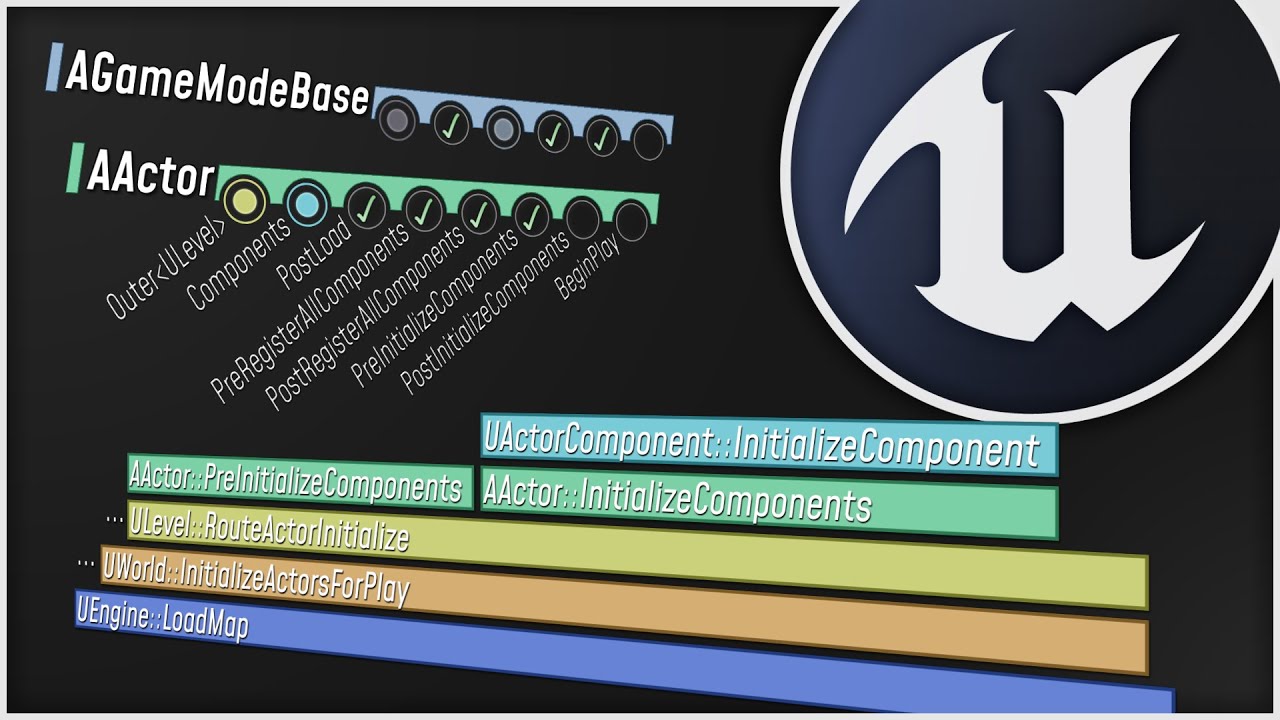
What happens when you start up your Unreal Engine game? This video is a guided tour of the Engine's initialization process: along the way, we'll glimpse the high-level structure of the Engine (modules, game instances, local players, and viewports) and we'll see how all the different parts of the Game Framework (game modes, game states, player co...
And then we got this one, which more or less does the same as the Network Compendium if I recall correctly, but I don't know anymore if it covers the same, more, or different topics, so I would suggest going through both:

An overview of the essential concepts for writing multiplayer game code in Unreal, in under 25
minutes or your money back.
Sample project: https://github.com/awforsythe/Repsi/
Patreon: https://patreon.com/alexforsythe
Twitter: https://twitter.com/alexforsythe
00:00 - Introduction
01:24 - Net Mode
03:33 - Replication System Basics
05:13 - Acto...
Despite that, I don't really have anything video tutorial like for games. I can tell you that the majority of stuff you find on Youtube, while very nice of the peeps to share, might teach quite the crap. So if you are into Youtube Tutorials, I would suggest you watch multiple, and maybe only follow along in theory and digest the 13 different ways where maybe all 13 ways are wrong of, to do whatever they want to do.
There are Video Tutorials from Udemy that you could use, but I think they are C++.
sharp sparrow
im saving all these links to watch later this is great stuff for me thank you
idm too much about c++ because i have basic knowledge in c++ already but im meaning to be able to use it with unreal engine anyway soon
ty for the tips and info 🔥
thin stratus
Actually, forget Udemy. I was talking about the Tom Looman course, but I think he only sells it himself on his page by now.
thin stratus
sharp sparrow
im saving all these links to watch later this is great stuff for me thank you
id...
Well let's just say this upfront: You need C++ if you want to do a proper Multiplayer Game.
Doesn't really matter the size or complexity. You will hit limits in Blueprints sooner or later.
Lots of people ignore this statement at the start, cause they think they know better, but the truth is that Blueprints only have a very limit part of the Engine exposed in terms of Multiplayer. A lot of stuff can be worked around, but the majority is probably gonna be hacky and not as "correct" as it would be done in C++.
rustic sable
thin stratus
Right, did you set your SkeletalMeshComponent to update Bone Positions when not ...
is this the 'visibility based' - always tick pose and refresh ? that one is enabled
sharp sparrow
yeah i thought this would be mentioned, im a little aware that C++ gives you more freedom to change things in UE
which is why im planning on converting to hybrid c++/bp projects ASAP
thin stratus
sharp sparrow
which is why im planning on converting to hybrid c++/bp projects ASAP
Yeah that's good
thin stratus
rustic sable
is this the 'visibility based' - always tick pose and refresh ? that one is enab...
Yeah it needs to sit on the highest option
The one that says Update Bones or whatever on top of Tick Pose
But it might not be your problem then
It's usually a problem when people need SkeletalMesh Based Locations
E.g. if you have an AimOffset or if the Animation would swing the sword
rustic sable
yeah unfortunately, what I meant before is when the shield is sitting on the ground I tested that the collider fires on the server, when it is equipped and swung around on the arm the overlap doesn't happen (client yes, server no)
tried setting replicates movement just for kicks but that wasn't it
thin stratus
rustic sable
yeah unfortunately, what I meant before is when the shield is sitting on the gro...
But that would be what the setting could fix
Cause the Server might not update the location
You might want to print the location on tick and see for yourself if it updates the location when the swing happens on both ends
rustic sable
yeah I'll give it a shot, I was trying a 'HasAuthority' debug sphere but wasn't able to get this to work yet
rustic sable
oh yeah, you would have to get the position with authority then multicast to actually display it
frozen palm
I have a system where I can drop items from my inventory. It works fine and all the players can see the items being dropped. But if a player joins in a bit later they can't see the items on the ground because there's no RepNotify anywhere. I was wondering if setting the transform of the item on RepNotify would do the trick. Does this look ok or am I doing something wrong here?

 torpid herald
Experiencing some unexpected behavior, I have a Server function, called from the client but it simply does not run (checking with logs). The actor that contains the function is replicated. Im calling the server function from begin play after !HasAutorithy
thin stratus
frozen palm
I have a system where I can drop items from my inventory. It works fine and all ...
Your problem is that you use a Multicast to communicate State. If you have stuff that should only happen for relevant players the moment they are in relevancy range, then it's fine to use a Multicast, but if there are any changes to the State of the Actor, then you gotta use RepNotify variables.
thin stratus
torpid herald
Experiencing some unexpected behavior, I have a Server function, called from the...
What Actor are we talking about?
torpid herald
thin stratus
What Actor are we talking about?
is just an actor on the world, not a player
thin stratus
You can't perform Server/Client RPCs on Actors that aren't owned by the given Client that wants to Server RPC, or the one the Server wants to target with the Client RPC.
The Actor in the World is owned by the Server.
Ownership can be assigned when spawning the Actor on the Server via the Owner pin, by supplying it with the PlayerController or something that is owned by that.
Or by calling SetOwner, also on the Server, and supplying it with the same.
Means either way, you gotta ServerRPC in an existing Client-owned Actor
torpid herald
Oh I see, thing is now I have a player GAS ability, that looks for this world actor 'GetActorOfClass for then to call function from the world actor. How should I do it properly then
 woven basin
torpid herald
Oh I see, thing is now I have a player GAS ability, that looks for this world ac...
woven basin
torpid herald
Oh I see, thing is now I have a player GAS ability, that looks for this world ac...
call it from the player and pass along a reference to that actor
thin stratus
The GAS Ability should already run on the Server and owning Client though
So both sides should be able to find that Actor
frozen palm
thin stratus
Your problem is that you use a Multicast to communicate State. If you have stuff...
Thank you for your input! So... Should I skip the multicast and just tell the server to perform everything and keep the rep notify as it is? I fear that if I do that the clients who drop the items don't see their items being dropped and being all physical and stuff. What would you suggest? (Don't feel the need or rush to answer, I'm not in a hurry) 🙂
thin stratus
You split your logic into Multicast and OnRep Variable stuff
 charred lark
Hey Guys! I have a weird problem. In my FPS Shooter Game i have set up a physics asset for the player. with collisions for head, pelvis etc. But now when i shoot a line trace (on the server) and get the hit bone name it should give me the correct result for for example "head". Everything works fine when i play with x clients and a server (listen server configuration) but as soon as is play without listen server (for example with 2 clients) the hit results are wrong. it shows me different bone names... Is there a huge difference between listen server and only clients? ^^
I calculate line trace start and endpoint on the client...then i call n rpc on the server to line trace by channel with these inputs.
I found out that the hitboxes are above the player when its on a non listen server config. And i let them drop onto the map... So its not refreshed on the dedicated server because it does not render or something?^^
torpid herald
thin stratus
The GAS Ability should already run on the Server and owning Client though
Yes just tested this. if I call a function that prints somethings, it will print to all clients , however when I attempt to change the material of a component of the world actor, that only updates for the client that called the function
And its code within the same function, so Im really confused
thin stratus
Print isnide the GA almost certainly will not print on anyone but Server and OwningClient
Don't confuse "Prints on everyone" with "Prints in every PIE window"
If you alter the State of that World Actor, you gotta do that via OnRep variables in said WorldActor
torpid herald
im printing from the same world actor function, geengine
thin stratus
charred lark
I found out that the hitboxes are above the player when its on a non listen serv...
Set VisibilityBasedAnimTickOption on your SkeletalMeshComponent to always tick and update bones.
thin stratus
torpid herald
im printing from the same world actor function, geengine
Either way, GA runs on Server and owning Client usually. If you modify some outside Actor you have to handle the replication of the state in that Actor.
 thin stratus
That's the only thing that is usually related to that
Anything else might be your code
torpid herald
thin stratus
Either way, GA runs on Server and owning Client usually. If you modify some outs...
Alright, then what I should do if when a call a function from a world actor from a Gameplay Ability, so this function that runs on the world actor Changes the material of the world actor for all clients. Im using rep notify on the material interface
thin stratus
torpid herald
Alright, then what I should do if when a call a function from a world actor from...
That's kinda all. You the OnRep_Material would then set the Material on the MeshComponent and that's it.
Make sure your WorldActor is replicated.
 flat night
hey guys, how would you handle this issue
I have a game that everyone uses the same camera and I want to the same type of widget that will hold information about every player in different parts of the screen - their hp, name, and other stuff. How do I associate each one of them with the given player, so that they get their information right?
 torpid herald
thin stratus
That's kinda all. You the OnRep_Material would then set the Material on the Mesh...
torpid herald
thin stratus
That's kinda all. You the OnRep_Material would then set the Material on the Mesh...
my onRep is tied to the materialInterface UPROPERTY, maybe this is not right ? I mean because Im not referencing the actual material variable
thin stratus
Share your code
torpid herald
wait, i Should be using the rep notify on the Component thats going to change material ?
thin stratus
flat night
hey guys, how would you handle this issue
I have a game that everyone uses the s...
By storing the data in the PlayerState and adding Widgets to the Screen via the PlayerState BeginPlay (and remove via EndPlay).
thin stratus
torpid herald
wait, i Should be using the rep notify on the Component thats going to change ma...
No..
Your custom Material variable only
The one inside the replicated WorldActor
flat night
thin stratus
By storing the data in the PlayerState and adding Widgets to the Screen via the ...
so they'll be separated from the Widget I have above basically?
torpid herald
void OnRep_MaterialChanged() { Cube->SetMaterial(0, ReplicatedMaterial); Cube->SetMaterial(0, ReplicatedMaterial); ServerSetMaterial(); ServerRPC(); MulticastRPC(); ClientRPC(); }
thin stratus
torpid herald
`void OnRep_MaterialChanged()
{
Cube->SetMaterial(0, ReplicatedMaterial);
...
What the f*ck are all those RPCs
torpid herald
thin stratus
Share your code
the rpc stuff was for testing
like I tried to make it work somehow
thin stratus
That shows really really bad understanding of Multiplayer I gotta say
torpid herald
I know it should only be the first line
thin stratus
Please share your code via this:
```c
Your Code
```
And then please share the Header and Cpp if that class
thin stratus
flat night
so they'll be separated from the Widget I have above basically?
Widgets should (almost) never hold logic or state of the game.
And they are not part of any multiplayer concept.
So they exist locally only and you gotta put the State of the Players/Game into other classes that are replicated and meant to hold the data.
 humble wadi
Has anyone ever tried adding NetSerialize to a FastArraySerializerItem?
I basically have a struct (FMFInjuryData) that inherits from FFastArraySerializerItem and I use it in a FastArraySerializer as expected. However, due to some requirements, I would sometimes need to send the items in another replicated struct (FMFGamestateRepInjuryResolutionInfo) that uses atomic replication. I've tried adding a TArray<FMFInjuryData> to this repped struct but when it comes to the implementation in its NetSerialize() function, I obviously don't have anything I could call to make sure I can serialize the FMFInjuryData. I could add type traits and make sure FMFInjuryData has NetSerialize() or << implemented but I'm worried it might cause problems for the fast array serializer.
thin stratus
humble wadi
Has anyone ever tried adding NetSerialize to a FastArraySerializerItem?
I basic...
Been a while but I'm relatively sure I once had a setup where my Item had NetSerialize overridden to do some extra stuff when it's loaded/saved.
charred lark
When i do listen-server config it also shows me this behaviour when i look up on the client:
is there any issue that fits to my problem with the bones update?^^
 thin stratus
torpid herald
thin stratus
torpid herald
And you are setting the ReplicatedMaterial directly from within the GA?
torpid herald
thin stratus
And you are setting the ReplicatedMaterial directly from within the GA?
no, from ga I call the StartDeviceInteraction function
thin stratus
I see you added some Logging, where does the Logging all call if you place it into the GA::OnActivate, then part where you set the Material variable and the OnRep?
torpid herald
i commented it out there
thin stratus
torpid herald
no, from ga I call the StartDeviceInteraction function
Your StartDeviceInteraction isn't setting the Material variable though
void AWorldActor::OnRep_Material()
{
    if (Cube && ReplicatedMaterial)
    {
        Cube->SetMaterial(0, ReplicatedMaterial);
    }
}

void AWorldActor::OnRep_MaterialDeactivated()
{
    if (Cube && ReplicatedMaterialDeactivated)
    {
        Cube->SetMaterial(0, ReplicatedMaterialDeactivated);
    }
}
Also this stuff is nasty if you have both values changed.
I would suggest you only have one RepNotify variable responsible for communicating the MaterialState
Also please use IsValid(...) for your UObject based properties.
Just testing for nullptr isn't enough
torpid herald
thin stratus
Your `StartDeviceInteraction` isn't setting the Material variable though
Im using SetMaterial from there
thin stratus
torpid herald
Im using SetMaterial from there
Yeah which is wrong though?
You need to set the ReplicatedMaterial variable somewhere
Otherwise how do you expect that to replicate and call OnRep?
torpid herald
Wait so does SetMaterial ties the material of the component with a variable ?
My materialInterface asset is set from bp
thin stratus
torpid herald
Wait so does SetMaterial ties the material of the component with a variable ?
There is no "ties to"
SetMaterial sets the internal Material to whatever the Pointer you pass in points to.
That's all
This doesn't magically bind the ReplicatedMaterial variable to the Component or stuff like that.
torpid herald
Well, ReplicatedMaterial is using an asset assigned on bp, is not set on cpp
thin stratus
You need to set ReplicatedMaterial to the Asset, and then in the OnRep use the ReplicatedMaterial variable, which now points to the Asset, to set the Cube's Material
thin stratus
torpid herald
Well, ReplicatedMaterial is using an asset assigned on bp, is not set on cpp
ReplicatedMaterial is supposed to hold the State of the Material on the Cube.
You only use that if you want to update the Material Ptr.
If you never intend to change the Material then this is wrong
But that also explains your doubled Material setup with the Deactivated one
The setup should be this:
/// WorldActor.h

virtual void BeginPlay() override;

/// Called when bActivated changes. Only calls on Clients.
UFUNCTION()
void OnRep_Activated();

/// Replicated "Active" state of the Actor
UPROPERTY(Transient, ReplicatedUsing=OnRep_Activated)
bool bActivated = false;

/// "Activated" Material, used when the Actor is Activated
UPROPERTY(EditDefaultsOnly)
TObjectPtr<UMaterialInterface> ActivatedMaterial = nullptr;

/// "Deactivated" Material, used when the Actor is Deactivated
UPROPERTY(EditDefaultsOnly)
TObjectPtr<UMaterialInterface> DeactivatedMaterial = nullptr;
/// WorldActor.cpp

void AWorldActor::BeginPlay()
{
  Super::BeginPlay();

  /// Gotta call this to ensure the changes done in OnRep_Activated are also applied when OnRep calls before the Actor HasBegunPlay
  OnRep_Activated();
}

void AWorldActor::OnRep_Activated()
{
  if (bActivated)
  {
    Cube->SetMaterial(ActivatedMaterial);
  }
  else
  {
    Cube->SetMaterial(DeactivatedMaterial);
  }
}

void AWorldActor::CompleteDeviceInteraction()
{
  /// [...]

  /// Will cause OnRep_Activated to be called on Clients
  bActivated = !bActivated;
  /// Optionally call if you have a ListenServer that needs to update too
  // OnRep_Activated();
}
If you need more flexibility with multiple Materials and not just an "On/Off" state you can also use an Enum for the bActivated boolean instead, or change the bActivated boolean to be the ReplicatedMaterial and set that to ActivatedMaterial, etc.
flat night
thin stratus
Widgets should (almost) never hold logic or state of the game.
And they are not ...
I managed to get it working on the Server like this by putting the different Widgets into an array, getting the Players from the Game mode and Looping through the Widget and assigning names. Works on the Server, but not client, so I am wondering if something needs to be replicated somewhere.
Considering that I'll need to put more stats on that afterwards like Health and whatnot, probably something needs to replicate
 torpid herald
thin stratus
If you need more flexibility with multiple Materials and not just an "On/Off" st...
torpid herald
thin stratus
If you need more flexibility with multiple Materials and not just an "On/Off" st...
I really aprreciate the help, however the material is still only updating in the local client 😦
thin stratus
flat night
I managed to get it working on the Server like this by putting the different Wid...
You shouldn't use the GameMode for data that needs to be available on everyone.
That's the GameState's job. The setup in your Image is really not great.
Your UI should be created locally for each Player in their PlayerController (BeginPlay -> IsLocalPlayerController -true-> CreateWidget).
The GameState already has a list of Players, called PlayerArray. It holds all PlayerStates.
In your Widget, you can get the GameState and the PlayerArray on EventConstruct to loop over and add Entries per PlayerState.
To catch Players that join after EventConstruct already ran, use the BeginPlay method of the PlayerState, get the local Widget via GetPlayerController(0)->CastToYourPlayerController->GetYourWidget->AddPlayer.
You should also add a call to Remove widgets in the EndPlay of PlayerState to ensure cleanup when players leave.
flat night
ah got it. I am already creating the Widget locally, so just getting the data from the Game State fixed the issue
 thin stratus
flat night
ah got it. I am already creating the Widget locally, so just getting the data fr...
thin stratus
flat night
ah got it. I am already creating the Widget locally, so just getting the data fr...
Just be aware that this is not the only thing you gotta do. New Players that join won't be added if this is the only thing you add.
flat night
I don't plan to have people join post starting the game, so it should be fine
But I do need to add the EndPlay thing
 gusty slate
Hello,
There is no way to replicate a TMap is there? I really enjoy the easiness of querying specific type -> Data of a TMap but I need it to be replicated :/
thin stratus
flat night
I don't plan to have people join post starting the game, so it should be fine
Bu...
That's not what I mean
Player2 is already joining AFTER Player1
There are also some gotchas when getting the PlayerName, because the PlayerName is set after BeginPlay of PlayerState calls (due to not being spawned deferred), so the ListenServer might not have the correct PlayerName if you grab that on BeginPlay.
It's a bit of an annoying thing to set up if one doesn't know all the gotchas :D
thin stratus
gusty slate
Hello,
There is no way to replicate a TMap is there? I really enjoy the easiness...
You can replicate it via <<, but that won't call the internal NetSerialize methods of the properties iirc.
Better to have some Struct that manually replicates the TMap as 2 Arrays and reconstructs it, all within its NetSerialize method.
gusty slate
hmm interesting
When I think about it, I have 2 TMaps for this system (TypeA -> Data), one can only be used by the server for computation, which updates the second variable
I can just make the second variable a TArray and replicate that
save myself some hassle
gusty slate
thin stratus
You can replicate it via <<, but that won't call the internal NetSerialize metho...
the struct method, each time I update the TMap, I would request its replication to update by editing the struct?
thin stratus
You'd more or less just replace the TMap instance with your Struct
So where you do MyTMap.Add you do MyStruct.ItsTMap.Add
torpid herald
thin stratus
```c
/// WorldActor.h
virtual void BeginPlay() override;
/// Called when bActi...
really confused on why this didnt work
thin stratus
And then have MyStruct marked as replicated etc.
Basically just a container for your TMap
thin stratus
torpid herald
really confused on why this didnt work
You probably want to add some logging to it and check where it all calls
flat night
thin stratus
It's a bit of an annoying thing to set up if one doesn't know all the gotchas :D
at the moment with all the other stuff I have set up for getting player info, it seems to be working when I test (need to test on Steam later), but yeah, maybe I am missing something still
gusty slate
thin stratus
Basically just a container for your TMap
If I understand correctly, I'll then for example get the proper index from the Type array and edit the value array using that?
Overload cedric with questions 😂
flat night
ah, I see what you mean though -> what I am doing in the game mode is waiting for all players to join and then I create the widgets. So if I just test locally in the map, sometimes the Client doesn't join fast enough and the name doesn't appear like you said. But if I test it via my Lobby, it seems fine
gusty slate
gusty slate
If I understand correctly, I'll then for example get the proper index from the T...
If I'm correct here, this is actually an amazing solution for not being able to replicate TMaps. Two arrays, one for the types, one for the values, make sure to maintain index integrity and rebuild on NetSerialize
could even not need a TMap at all like you said
thin stratus
gusty slate
If I'm correct here, this is actually an amazing solution for not being able to ...
Yeah, James posted something recently about that. You can probably search for it
But tbh, I usually get around needing a TMap to replicate
gusty slate
it definitely makes my life easier using a TMap for processing, just easier to fetch stuff, but the double array is very useful too
gusty slate
thin stratus
Yeah, James posted something recently about that. You can probably search for it
Ty very much 🙂
thin stratus
gusty slate
ty you're a legend 👍
thin stratus
Check the messages below. He coded some wrong stuff into that Pseudo Code :D
gusty slate
That code is a NetSerialize on a TMap variable?
basically serializing/deserializing the TMap into the FArchive
thin stratus
gusty slate
That code is a NetSerialize on a TMap variable?
It's a NetSerialize on the Struct that wraps the Map
gusty slate
oh yeah true x)
gusty slate
first time doing serialization, my map key being a TSubclassOf, this is how I would serialize it based on that pseudo-code? Itr.Key().Serialize(Ar);
and the value being a struct made of 2 ints, how should I add that to the archive?
thin stratus
Either via << or via that structs own NetSerialize function
thin stratus
gusty slate
first time doing serialization, my map key being a TSubclassOf, this is how I wo...
That should probably be NetSerialize or << instead?
gusty slate
hmm not getting a NetSerialize
does << automatically call NetSerialize on certain types?
or serialize it basically
thin stratus
It doesn't automatically call NetSerialize afaik
gusty slate
isn't it the same code apart from the Emplace?
 karmic gust
I have a weird scenario. When I play with more than 1 player and as a listen server or client (multiple windows in Standalone doesn't do this) the window takes on the settings I have assigned in the advanced settings in the second image here show, and it spawns initially like that, but after processing it, it enters a weird fullscreen state. It's still windowed, but it takes up my entire 'screen' As shown in the third image. I have reset all my UE5 settings, but this persisted. I haven't done anything intentionally to adjust resizing windows or anything, and I'd love to understand why this is happening if anyone else has ever experienced this. The fullscreen appears as windowed, but is not resizable, and actually overlaps my task bar, so it's using my entire screen somehow


 waxen socket
Hello, I have a question about PrintString() during PIE multiplayer. 👋
It used to be that when printing strings during multiplayer in the editor, the messages would be prefixed with "Client 1", "Client 2", etc. Now in 5.4, the prefix has changed to "Client 134224080" or another random, long number. What's stranger is that this number is the same for all clients where the message is printed.
Does anyone know why this is or if it can be changed back to useful numbers?
Any advice would be appreciated. 🙂
Cheers.
 lusty yarrow
are subsystems used in multiplayer contexts or do you generally prefer stuff like GameState/PlayerState etc? I want to store a list of all spawned actors at runtime somewhere and I can't decide if it should be in a subsystem only on the server or in the game state.
gusty slate
thin stratus
It's a NetSerialize on the Struct that wraps the Map
"Maps are not supported for Replication or RPCs. Map 'CapacitiesMap' in 'FValuableCapacities'" was I not supposed to have the TMap itself inside of the replicated struct? how would that work lol
I'll just do your first suggestion and shift to the TwoArray version
I won't have that many entries anyway
latent heart
If it's really just a few entries, a single array and a linear search isn't too bad.
(really small #)
thin stratus
gusty slate
`"Maps are not supported for Replication or RPCs. Map 'CapacitiesMap' in 'FValu...
You probably marked the TMap UPROPERTY or even Replicated?
Idk
gusty slate
it is a uproperty, which I technically don't need
gusty slate
Worked 😮 you know if replication will still work? haha
 solar stirrup
The map won't replicate no
tired current
I want to replicate setting a scalar vector param on a instancedynamic material and I am trying to do this through a multi however it is not working
void UFlashComponent::Multi_Flash_Implementation()
{
    for (UMaterialInstanceDynamic* mat : FlashMaterials) {
        mat->SetVectorParameterValue(FName("FlashVector"), colorToFlash);
    }
}
Any advice?
Flash Materiasl is also replicated
 young lagoon
Ho everyone, I am trying to recreate a chained together chain system between two characters and characters can't get out from eachother with blueprint. What do you think about how I can create this mechanic. Do you have any ideas?
I have tried to use physics constraints between characters but it seems not working. I also tried to launch characters but it did not give us quite a good result.
I haven't try to add force to character movement component. I will try to test it too
What do you think chained together's developer created its effect.
 heady wolf
HI guys, I have a small question. Is it more efficient to call an unrealiable RPC on tick to update a position and a rotation (a VR hand)? or two replicated variables that are set also on tick?
gusty slate
solar stirrup
The map won't replicate no
I think I'll just do the sensible thing atm and shift from using a TMap, playing on 2 clients in Editor, and trying to edit the map on the client boots him out of the game lol
solar stirrup
That's pretty weird, what's your code look like
gusty slate
Might have done something wrong in the NetSerialize?
bool NetSerialize(FArchive& Ar, class UPackageMap* Map, bool& bOutSuccess)
{
    bool Temp;
    int Num = CapacitiesMap.Num();

    if (Ar.IsSaving())
    {
        for (auto Itr = CapacitiesMap.CreateIterator(); Itr; ++Itr)
        {
            Ar << Itr.Key();
            Itr.Value().NetSerialize(Ar, Map, Temp);
        }
    }
    else if (Ar.IsLoading())
    {
        for (int i = 0; i < Num; i++)
        {
            TSubclassOf<class ACraftingItemCPP> Key;
            FValuableCapacityEntry Value;

            Ar << Key;
            Value.NetSerialize(Ar, Map, Temp);

            CapacitiesMap.Emplace(Key, Value);
        }
    }

    bOutSuccess = true;
    return true;
}
Key = TSubclassOf<AActor*>
Value = Struct containing 2 ints, had to give it a NetSerialize too
solar stirrup
You need to serialize the amount of values in the map
Clients will get booted if they don't read the exact same amount of data the server writes
gusty slate
oh true I'm using the local amount of elements on the client which would be different
Thank you I'll give that a go tomorrow
solar stirrup
Np
 limber gyro
So unreal doesnt have prediciton(is this the right term?) out of the box, as in a shooter if you have a too much ping you have to lead your shots to hit the target, what are my options to fix that, and is the network prediction plugin a viable option?
tired current
lost inlet
add `UnrealEditor-Engine!GPlayInEditorContextString` to watches
I tried this but i get identifier is undefined
 solar stirrup
tired current
solar stirrup
tired current
Try {,,UnrealEditor-Engine.dll}GPlayInEditorContextString
tired current
solar stirrup
Try `{,,UnrealEditor-Engine.dll}GPlayInEditorContextString`
also undefined
solar stirrup
Hmmm
tired current
 solar stirrup
are you running in the DebugGame Editor configuration
tired current
yes
tired current
solar stirrup
are you running in the DebugGame Editor configuration
its hard to see but i looked b4 i ran it is DebugGame Editor
 tired current
ah darn
solar stirrup
tired current
its hard to see but i looked b4 i ran it is DebugGame Editor
What engine version
solar stirrup
You can also try just GPlayInEditorContextString
tired current
solar stirrup
What engine version
5.3.2
solar stirrup
Should have it then, try the above
lost inlet
do you have the symbols installed?
tired current
solar stirrup
You can also try just GPlayInEditorContextString
also does not work :/
tired current
lost inlet
do you have the symbols installed?
let me check
ah nope thats it, i gotta get the 80gb >D
 solar stirrup
Have fun
 twin flint
Is there a way to set net.AllowPIESeamlessTravel by default on editor start? I tried executing in begin play but it doesn't work. Total pain in butt to have to remember to set this constantly
solar stirrup
twin flint
Is there a way to set net.AllowPIESeamlessTravel by default on editor start? I t...
[ConsoleVariables]
net.AllowPIESeamlessTravel=1
should work
in your DefaultEditor.ini mayhaps
twin flint
solar stirrup
```ini
[ConsoleVariables]
net.AllowPIESeamlessTravel=1
```
It worked. Thank you so much
 past flicker
I'm having an issue with the CMC at 200ms 5% loss. Sometimes on client a jump is corrected straight to the ground but the jump counter doesn't reset. I don't think I've touched anything that would interfere, is this a known issue? I did wrap jump in a GAS ability, might that be the problem?
tired current
I have a server rpc calling a multicast rpc, but the code only runs on the server. Very confused as to why this would be happening?
solar stirrup
Is the actor on clients
fossil spoke
Is the actor set to Replicate?
tired current
fossil spoke
Is the actor set to Replicate?
yes
tired current
solar stirrup
Is the actor on clients
created on the server
solar stirrup
What type
tired current
listen server
tired current
yes
tired current
solar stirrup
What type
its a custom type i created inheriting from actor
solar stirrup
Is it meant to be always relevant to players
solar stirrup
When are you firing the RPC
tired current
one of the clients PC shoots a raycast, if it hits the object it should call a method on the object which calls the ServerRPC which calls the MulticastRPC
solar stirrup
On what actor are you calling the server rpc
tired current
so I call the rpc but then destroy the actor. If i dont destroy the actor after the rpc still runs, so it seems like there must be some time after the rpc is called to execute adn the actor gets destroyed?
solar stirrup
Yes, if you destroy it you might not get the RPC
If the RPC is only when the actor gets destroyed anyway, you can use EndPlay to fire an event instead of using an RPC
tired current
solar stirrup
If the RPC is only when the actor gets destroyed anyway, you can use EndPlay to ...
oh interesting, will endplay be called on clients as well?
solar stirrup
Yes
When the actor is destroyed for any reason
Could be destruction, could be it's not relevant anymore
tired current
worked great thanks!
 prisma shadow
I am having a strange issue in server travel where players with certain role are server travelling very fast which leads to joystick and camera not working after they completed server travel. I researched about this issue in forums and found out it is because client is travelling faster than server but couldn't find solution to this issue. I am working on blueprints.
 gray thistle
anyone know why this might be crashing my packaged dedicated server?
Assertion failed: DefaultTexture [File:C:\Users\user\Documents\SourceUE5\UnrealEngine\Engine\Source\Runtime\RHI\Private\RHITextureReference.cpp]
sinful tree
Assertion fails typically mean that something is checking to make sure a value is set, and causes a crash if not. Dedicated servers don't usually have visuals included in their package so if you happen to be doing something with textures or materials on the server that could be causing the problem.
torpid herald
thin stratus
```c
/// WorldActor.h
virtual void BeginPlay() override;
/// Called when bActi...
Just got back at this. So this will work when on lister server mode for the server player (material updates on the client player 2). But it doesnt work at all when using full clients. Right now Im making a bunch of test function in a effort to see what works
Alright so if I call a Client function from the GA, the log will pass to all clients, however the SetMaterial function doesnt execute on other clients
 stable grotto
in editor when the net mode for playing is play as listen server which opens up server and client windows
how do I know i know if the player controller is for the listen server?
because I want the listen server to only spectate and not to execute the client logic
sinful tree
stable grotto
in editor when the net mode for playing is play as listen server which opens up ...
Is Local Controller && IsServer
stable grotto
sinful tree
Is Local Controller && IsServer
thanks ❤️
torpid herald
Im very confused, just tried to test something different, a simple Spawn actor call from the GA. it doesnt work. Im very confused because I see other code from GA that have the same spawn actor code and it works for all clients there
Just to be sure I recreated gthe same exact code on the other GA and it works, so looks like it has something to do with the specific GA
Finally found the issue
it was the Net Execution Policy setting
charred lark
Hey Guys! When I start playing my game as 2 clients (no listen-server netmode) my bones of the mesh wont be updated, I guess? I already ticked this method...but the head of the character is still above the seen mesh

So i shot on the head and it does not show "head" but in listen-server netmode it does.
When i show collisions everything looks fine...but i guess the bones wont update because of some reason... :/
Weird is when i shoot above the player it shows head oO
i dont know why:
 thin stratus
charred lark
Hey Guys! When I start playing my game as 2 clients (no listen-server netmode) m...
thin stratus
charred lark
Hey Guys! When I start playing my game as 2 clients (no listen-server netmode) m...
Your Trace itself might use a Rotation that the Server doesn't know about?
The origin of the line trace on the Server looks correct, so possibly just the aim offset rotation that is wrong?
surreal fox
hey can someone tell me which class is more and less secure for storing the data and what kind of information I shouldn't keep thier.
I could have read the documentation but I just want to know the security context of those classes
charred lark
I Calculate the line trace on the client like so:

and then i send the start/end to the server rpc
thats the Fire on Client:

and this parameter gets the wrong bone:

idk whats wrong. when i do listen-server config and start the game both players can hit the head like normal...
the orange is the server view or something...its like this:

I removed offset and everything...did a linetracre from the followercamera instead of the gun actor etc.
but line trace on the serverside is the correct way, right? or should i line trace local and send the hit actor to the server rpc? 🤔
 dark parcel
Seeing that delay will always exist, I wouldn't count on lime trace on server as the server don't neccesarily see the same view. Especially on moving yarget
Most of the time, the shooter gets favour. Let them trace in their machine and send the result. If their ping is acceptable you can accept it or ignore it and fall back to server check if ping is too high.
This allow cheating ofc, if you want server authorities hit, workout network clock, let client send data to server with time stamp.
Server rewind and simulate data on its machine then validate the hit result
charred lark
So I calculate the line trace on the specific client and send the hit actor with bone etc. to the server and it does the rest? Yeah this would be possible but yeah ofc it allows cheating. but what do u mean with workout network clock...? i send the line trace and the hit with a timestamp? and then the server checks if time now difference to the timestamp is not tooo high?
if its not too high it accepts?
dark parcel
You should read some articles regarding network shooting
charred lark
Yah, i think I will 🙂
dark parcel

Approaches and obstacles to implementing backwards reconciliation using UE5 replication
charred lark
Ah, that looks interesting 🙂 I will check that out! Thanks guys for your help 🙂
"backwards reconciliation" - sounds awesome again...Im pretty new to UE development and everyday i see some new crazy stuff 😄 Haha
"many games employ client-authoritative hit detection instead, including Epic’s ubiquitous ShooterGame and Lyra samples. In essence, the client sends a message to the server that says “I shot this guy, trust me.” - haha
dark parcel
That's the path of least resistance especially if you are using blueprint
don't bother with trying to make a competetive shooter without cpp, hence my suggestion to just let the client do the line trace then tell the server, Hey I hit this guys. Trust me bro
and allow cheaters cuz well, that's what you can probably get away with using blueprint
you can make it more bareable by not over compensating when some players are lagging like hell
it would be frustating to die when you already take cover behind a wall for some good time
charred lark
Easy: If a players lags...just kick him haha 😄
charred lark
dark parcel
it would be frustating to die when you already take cover behind a wall for some...
Jap true
Valorant 😄
But i will check that out and go for now with the client line trace...Thanks man! 🙂
I logged the bone transform for the clients and server and this is what I noticed:
There you can see that the server does not get the correct bone transform^^

Z on Client: 163
Z on Server: 253
I discovered when i not use this method both are synced:

this is what i call in gamemode before the game starts
charred lark
Atfer all players spawned...i triggered crouch on each player. everything works fine now 😄 It seems to update the position? ^^
tardy fossil
Is there any way to replicate map asset references? Replicating them as a UWorld pointer doesn't seem to work quite right
im assuming a container data asset is probably the way
lost inlet
And did you try a soft ref?
tardy fossil
hmmm no, only tried TObjectPtr and a raw pointer.. i'll try a soft ref
 tidal temple
Hi! This is probably a question that has been answered a hundred times, but I couldn't find the answer in the search, sorry if I'm repeating other people again. How do I add more than 4 custom flags to a movement?
I only found a link to this documentation, but I was wondering if it's still relevant and if there are any implementation examples I could look at? Thanks!
NVM! I'll just leave a link for a tutorial that resolved the problem: https://youtu.be/ZrPr20s4rvY
thin stratus
tidal temple
Hi! This is probably a question that has been answered a hundred times, but I co...
There is a Container type you can define now-a-days
In there you can add more fwiw
tidal temple
thin stratus
There is a Container type you can define now-a-days
Sounds interesting, thanks! Are there any code examples/more detailed documentation?
thin stratus
Not sure. It's relatively straight forward in theory. There might be code examples pinned for the CMC that use the Server version of the container
You can then mimic that.
young lagoon
How can I pull a server character from a client character?
tidal temple
thin stratus
Not sure. It's relatively straight forward in theory. There might be code exampl...
I'll try, thanks again.
thin stratus
young lagoon
How can I pull a server character from a client character?
"Pull"?
young lagoon
Yeah, pull effect, I try to give an effect like the character can get away from each other
I need to add force towards characters but I can add force from client side correctly
 upbeat basin
As a similar (I guess) question, I'm wondering what would be a good approach on implementing a mechanic similar to left 4 dead's jockey, where one player "possess" another and mingle with their movement controls
solar stirrup
Server tells the client which direction to force input
Client can fight back (a little)
upbeat basin
solar stirrup
Server tells the client which direction to force input
By sending server RPCs for key press/releases from the possessing player?
solar stirrup
Yeah
In theory you should be able to send a 2d vector on an interval
Frequently enough and you'll just want to use unreliable RPCs
upbeat basin
Got it, thanks for ideas
gray thistle
anyone know why this is crashing my dedicated server?: LogWindows: Error: Windows GetLastError: The system could not find the environment option that was entered. (203)
lost inlet
gray thistle
anyone know why this is crashing my dedicated server?: LogWindows: Error: Window...
A call stack would be helpful
 opal pulsar
whats a good way to wait for multiple delegates to be called before doing something in response? like say I had 3 delegates that I need to all go off before I can set some flag to true, what would you guys recommend?
solar stirrup
opal pulsar
whats a good way to wait for multiple delegates to be called before doing someth...
Either have the three delegates check three flags (you set them to true when a delegate is called)
or use coroutines with a lib like UE5Coro
since you can co_await delegates
opal pulsar
solar stirrup
since you can co_await delegates
ideally I would have done that but its a game instance SS that loads upon start and coro uses world SS for latent callbacks an whatever else so I cant use coro here. I need a smart way to have a kind of a WaitForAll function that I could re use.
I'm thinking something like a heap allocated struct with a callback and int, each other callback decrements the int and when hits 0 it calls its callback and deletes itself from the allocation. I cant think of a better generic way to go about it...
my advice is to read PhysWalk and see how it handles collisions and if they do anything special for if its a pawn, if not thats where you'd override and extend
fossil spoke
opal pulsar
whats a good way to wait for multiple delegates to be called before doing someth...
This isnt a #multiplayer question
Ask in #cpp perhaps?
opal pulsar
lol?
but if I said its related to delayed client callbacks and waiting for them all to go off before proceeding it would be relevant. I figured MP was a great place to ask an async related question.
fossil spoke
My game is multiplayer, that doesnt make all questions I will ever have relevant to this channel.
opal pulsar
Makes both of us?
fossil spoke
Im trying to point out that its the content of the question itself that should dictate which channel is most appropriate.
opal pulsar
I did originally #cpp message but I get this response like I was incapable of coming up with something that complex myself then no one else replied, I left it almost a day an thought Id try here
fossil spoke
Why didnt you just lead with that...
🤦
If you have already asked elsewhere thats fine, you can ask in another channel.
opal pulsar
more fun this way, more exposition 😉
fossil spoke
opal pulsar
ideally I would have done that but its a game instance SS that loads upon start ...
Try that structure and see how it works out.
Sounds reasonable to me.
opal pulsar
Alright, could use some templates for different delegate types and callbacks but for now I just want this to be a simple no param callback.
struct FWaitForAll
{
    FWaitForAll(int32 Count, FSimpleMulticastDelegate::FDelegate&& OnComplete ) : RemainingCount(Count), bAborted(false)
    {
        debugEnsure(RemainingCount > 0 && OnComplete.IsBound());
        OnComplete.Add(std::move(OnComplete));
    };

    void OnCallback()
    {
        if(bAborted)
            return;

        --RemainingCount;
        if (RemainingCount <= 0)
        {
            OnComplete.Broadcast();
            delete this;
        }
    }

    void Abort()
    {
        bAborted = true;
        delete this;
    }

    int GetRemainingCount() const { return RemainingCount; }
private:
    int32 RemainingCount;
    FSimpleMulticastDelegate OnComplete;
    bool bAborted;
};


template<typename... D>
TSharedPtr<FWaitForAll> AwaitAll(FSimpleMulticastDelegate::FDelegate&& OnComplete, D&... Delegates)
{
    static_assert(sizeof...(Delegates) > 0, "Must have at least one delegate to await.");
    int Count = sizeof...(Delegates);
    TSharedPtr<FWaitForAll> Waiter = MakeShared<FWaitForAll>(Count, std::move(OnComplete));
    ((Delegates.BindLambda([Waiter]() { Waiter->OnCallback(); })), ...);
    return Waiter;
}
General idea around this is mostly just 3 parts auto MyPtr = AwaitAll(MyCallback, DelToWait1, DelToWait2, DelToWait3);
- The complete callback
- The n amount of delegates we wait on
- The shared pointer which we can optionally store when using this so we can cancel incase our callback is related to an actor or something, if we have the possibility to get destroyed while waiting we can just use OnDestroy to call
myptr->Abort()
fossil spoke
Id probably also add a function that lets you add new delegates after the Waiter is already created.
But otherwise it looks good.
opal pulsar
I have a dependency issue, the last one that gets called might trigger the structs callback before the other intended callback
gray thistle
lost inlet
A call stack would be helpful
here is full log and call stack at bottom
 chilly haven
With seamless travel, controller does not endplay/beginplay. Is there another notification he can use to reset stuff?
Or do I have to intercept gamemode PostSeamlessTravel myself and iterate controllers?
 worthy knot
motion matching template will have official multiplayer support by UE 5.5 ?
lost inlet
gray thistle
here is full log and call stack at bottom
You are trying to load a sparse volume texture on a server.
Did you cook content specifically for the server?
charred lark
Hey Guys! I have a problem. When I play as listen-server configuration and the client looks up and down its like the image below.
I have a springarm attached to the Mesh and attached to this is a camera component. i tried every combination with inherit pitch/use pawn control rotation etc. is there something i missed to replicate?^^

Aaaah "Use Controller Rotation Pitch" was active...That was the Issue...Works now...Weird...I try for hours and then i post it here and few minutes later i got it... Must be the "Unreal-Source-Aura" 😄 haha
 lament flax
random question
if i replicated FTexts, for each client, it will still translate to the client local language region ?
solar stirrup
lament flax
random question
if i replicated FTexts, for each client, it will still translate...
yes
lament flax
okay thanks
thin stratus
lament flax
random question
if i replicated FTexts, for each client, it will still translate...
You gotta question yourself though why you need to replicate them.
Given they need to translate, they should already exist locally.
You might want to check if you can simply infer what text should be shown by replicating something else, that is potentially more lighweight
lament flax
thin stratus
You gotta question yourself though why you need to replicate them.
Given they ne...
basically i got a scanning door
if it finds some items of certain types, i want to show all the found items display name on a widget
so i either rep the item, the get the display name, or directly the display name
repping the whole item seems not needed here
thin stratus
Yeah that's fine then
You could also just rep some identifier that identifies the item
solar stirrup
If the item is already on the client it's cheaper to replicate it though
8 bytes over replicating a text namespace & key
thin stratus
solar stirrup
If the item is already on the client it's cheaper to replicate it though
That's with the assumption that the Item is a UObject, right?
lament flax
its a uobject
thin stratus
A replicated one?
lament flax
that is already reped to the client
thin stratus
Then just rep the UObject. It will just send a NetID to match it back up
solar stirrup
It's 8 bytes
lament flax
you said FText is 8 bytes to
solar stirrup
no?
solar stirrup
The first time a UObject is replicated to a client, its full path is sent alongside a network id
lament flax
i first understood that text namespace & key = 8 bytes
lament flax
solar stirrup
8 bytes over replicating a text namespace & key
here
solar stirrup
ah yeah nah
text namespace & key depends on how long the namespace & key are
they're just strings
 silver lagoon
Sorry for the perhaps trivial question, I am setting up a dedicated server with a custom AGameModeBase; however, the PostInitializeComponents or BeginPlay methods are never called. The map is empty because I intended to use it only as a starting point to create the session. I’m starting to doubt that the lifecycle of an AGameModeBase within a dedicated server is different from a normal game. Can anyone give me some tips? (it works from the Editor)
thin stratus
silver lagoon
Sorry for the perhaps trivial question, I am setting up a dedicated server with ...
Make sure you don't mix AGameMode with AGameStateBase or other way round.
silver lagoon
thin stratus
Make sure you don't mix AGameMode with AGameStateBase or other way round.
I'm actually only using AGameModeBase
 quiet pulsar
Hi all
im tryna access a component inside my player pawn from its HUD widget. server works fine but the issue is that client returns a null value. what am i doing wrong here
thanks in advance
 lost inlet
there is no guarantee you'll be possessing the pawn when the widget is created
that's why you usually react to possession changes
IsLocalPlayerController will always be true there
quiet pulsar
lost inlet
there is no guarantee you'll be possessing the pawn when the widget is created
Ahhh i see
thank you ❤️
silver lagoon
silver lagoon
Sorry for the perhaps trivial question, I am setting up a dedicated server with ...
well in the end the only thing I needed to do, from the Editor, before running the server was Package and not just Cook, once I did that the server / custom gameModeBase started working as expected 🤨
 leaden cedar
Hello, I'm trying to switch my inventory over to a dedicated replication from a client owning co-op type of inventory system. Does anyone have some good documentation I can sort through, I know it's a bit of work but I want to make the Inventory server authoritative which I'm guessing I push through the server to client but I just want to understand it better. Thanks
 amber stone
Hi people, im a bit new to unreal engines semantics. Im currently in the process of designing a multiplayer game. I have everything with my online subsystems working fine. I can query for sessions, find them, and then join them over the internet through steams subsystems. My problem is that im a little fuzzy on the exact semantics I need to follow once Im actually connected to the dedicated server im joining.
I know that everything derives itself out of the "GameMode object" that I have set from the levels details in the editor, and I know when the dedicated server is running the level, that the GameMode class ONLY runs on the server and not the client. I have my "PostLogin" override adding my playersState object to a list. My problem is, is I dont know exactly where I should start from this point? The very next thing on my agenda, as soon as the level loads on the screen, is that the server spawns you a basic pawn/character, and connects your controller to it. I just do not know which blueprint or which objects I should be doing the first initialization set up with?
I assume I need to start inside of one of the objects that is set up with the GameMode

Bear with me, Im still learning all the ins and outs of the networking subsystems and the sequence flow/boot order of the engine classes that are attached to the GameMode
proven pagoda
amber stone
Well if you just want to start next steps I'd say open your map, put a few player starts in the world, and in your game mode, the default pawn is going to be the player class that spawns as soon as they connect to the server and login. You shouldn't have to come up with manual spawn logic unless you're doing something unique
The PlayerState you have on PostLogin so you have several ways to access whatever information you need to connect to the player
proven pagoda
Well also now I'm not even sure what netmode you're using. If you're doing dedicated ignore me I've only ever done listen servers
 distant badge
Does anyone know why this might be happening? After several transitions from one level to another,
objects spawned on a host stop replicating to a client. I see this in the logs (with VeryVerbose turned on):
On the host I see that an actor has been serialized:
[2024.07.19-12.10.12:821][140]LogNetPackageMap: SerializeNewActor END: Finished Serializing. Actor: BP_SomeActor_C_2147439364, FullNetGUIDPath: [3531]/Game/Levels/L_SomeLevel.[3529]L_SomeLevel.[3527]PersistentLevel.[9562]BP_SomeActor_C_2147439364, Channel: 156, IsLoading: 0, IsDynamic: 1
On the client I see a bunch of errors regarding this actor:
[2024.07.19-12.10.13:748][270]LogNetPackageMap: VeryVerbose: SerializeNewActor START
[2024.07.19-12.10.13:748][270]LogNetPackageMap: UPackageMapClient::SerializeNewActor BitPos: 0
[2024.07.19-12.10.13:748][270]LogNetPackageMap: VeryVerbose: InternalLoadObject loaded NULL from NetGUID <9562>
[2024.07.19-12.10.13:748][270]LogNetPackageMap: VeryVerbose: UPackageMapClient::SerializeObject Serialized Object NULL as <9562>
[2024.07.19-12.10.13:748][270]LogNetPackageMap: VeryVerbose: InternalLoadObject loaded NULL from NetGUID <147>
[2024.07.19-12.10.13:748][270]LogNetPackageMap: Warning: InternalLoadObject: Unable to resolve object. FullNetGUIDPath: [147]NOT_IN_CACHE
[2024.07.19-12.10.13:748][270]LogNetPackageMap: VeryVerbose: UPackageMapClient::SerializeObject Serialized Object NULL as <147>
[2024.07.19-12.10.13:748][270]LogNetPackageMap: VeryVerbose: InternalLoadObject loaded Level /Game/Levels/L_SomeLevel.L_SomeLevel:PersistentLevel from NetGUID <3527>
[2024.07.19-12.10.13:748][270]LogNetPackageMap: VeryVerbose: UPackageMapClient::SerializeObject Serialized Object /Game/L_SomeLevel.L_SomeLevel:PersistentLevel as <3527>
[2024.07.19-12.10.13:748][270]LogNetPackageMap: Error: UPackageMapClient::SerializeNewActor. Unresolved Archetype GUID. Guid not registered! NetGUID: 147.
[2024.07.19-12.10.13:748][270]LogNetPackageMap: Error: UPackageMapClient::SerializeNewActor Unable to read Archetype for NetGUID 9562 / 147
[2024.07.19-12.10.13:748][270]LogNetPackageMap: SerializeNewActor END: Finished Serializing. Actor: NULL, FullNetGUIDPath: [9562]NOT_IN_CACHE, Channel: 156, IsLoading: 1, IsDynamic: 1
[2024.07.19-12.10.13:748][270]LogNet: Warning: UActorChannel::ProcessBunch: SerializeNewActor failed to find/spawn actor. Actor: None, Channel: 156
 elder sable
Hi, is it possible to have 2 players from US and EU using the 480 app id for joining sessions ?
gray thistle
lost inlet
Did you cook content specifically for the server?
how can i do that exactly? instead of windows would i cook windows server?
lost inlet
yes, you do a separate cook for the server
I'm not entirely sure how you package the server right now
proven pagoda
So I'm used steam advanced sessions. I make a lobby and have a UI button that on click it just calls server travel to my arena map. That's all working fine. My issue is when I trigger the arena fail condition and try to server travel again back to the other lobby map, on my host machine it travels back to the other map but all the clients crash and say LowLevelError: Failed to Spawn Actor and all I'm doing is calling ServerTravel again back to the other map. Am I not allowed to Server Travel more than one time per session?
It seems to also be breaking the session entirely
proven pagoda
And this also only happens in shipping builds. In editor server travel like puts my server machine back into the other map but doesn't crash anything
 maiden flame
elder sable
Hi, is it possible to have 2 players from US and EU using the 480 app id for joi...
maiden flame
elder sable
Hi, is it possible to have 2 players from US and EU using the 480 app id for joi...
I'm almost certain Steam's 480 app ID is region locked, but you can try.
Oh, apparently changing the download region in Steam's settings can work.
gray thistle
lost inlet
yes, you do a separate cook for the server
Im doing a seperate cook for the server using the server.target.cs however it still gives me the same error
amber stone
Can anyone here think of a reason why when I select my testing level in the editor and play it directly, my controller and mouse input work fine, but when I start my dedicated server and use my client to connect to it, it creates the character and everything fine when I join the server, but I get no movement at all from my controller/character.
I have the controller and the character C++ set to replicate, and the the BP character that derives from it has its bReplicates property set to true
and the BP controller has its checkbox marked for Replicates, as well.
Just a little more info.


The spawn player method is a blueprintimplmentedevent
I feel like its a wacky replication issue im not dealing with correctly
any help would be appreciated.
elder sable
maiden flame
Oh, apparently changing the download region in Steam's settings can work.
Ok will try thanks
gray thistle
gray thistle
Im doing a seperate cook for the server using the server.target.cs however it st...
i just dont think dedicated servers support svt so i just deleted them and its working now
 summer rivet
ok I think I am just overthinking this or something stupid is happening but.. listen server. say I have input in the player controller, when input happens ON THE CLIENT I want the client to do something and then the server do something which works fine since I just rune code and then do a run on server RPC and bingo it works. Now the opposite is my issue. ON THE SERVER I want the server to do something which works fine since its just running code locally as a normal function but now I want the client version of the player controller to do something. How am I not getting this to work? Im not trying to use replication (but that might be the only way?) I am just trying to have the client version of the player controller run code that the server version of the player controller tells it to
proven pagoda
amber stone
Can anyone here think of a reason why when I select my testing level in the edi...
I've had issues with Enhanced Input giving control, so I have adding the mapping context both in BeginPlay and OnPossessed in the player and that resolved my issue idk
lament flax
summer rivet
ok I think I am just overthinking this or something stupid is happening but.. li...
Could you add some context ?
If you want the server to tell the client to execute a function, you either use replicated properties or a client RPC (depends if its a one time thing or a state)
And, if the "starting point" of where the server does stuff, and the client does stuff is called on server and client, you dont have to use an RPC and just use a branch like HasAuthority
summer rivet
client pushed button, player controller sees the button is pressed as input, player controller tells the controlled pawn on the client side to play an animation, then the client does a server RPC to play the animation which then plays it on the server
now the opposite, the listen server pushes a button, player controller sees it and does the animation (on the listen server side). I dont have a client rpc to tell the client version of this player controller to do the animation
the server owns the player controller, so i cant do owning client.
lament flax
Afaik You can do client and server rpcs on player pawn and player state and player controller
But here, using a rpc to tell the player on server and client to play a animation sounds weird
torpid lantern
modest crater
Good luck 🫡 and perhaps check the pins inn <#1014245197623869491> if you still ...
So it took me a few days to figure out how to run a local container which emulates the PlayFab prod environment and another day to figure out how to connect traces to a local Linux container.
I am now able to replicate locally and I've finally got data flowing in to Insights, but I am not quite sure what I am looking for with regards to CPU consumption. I think I want to be exploring the timing track on the GameThread, would that be correct?
I don't see any funky patterns in the colors, but I also really don't know what bad looks like. Any advice?
@fossil spoke - you suggested a possible load issue - I presume this would be visible in the Insights also, yeah?
latent heart
A client function should work just fine when called on the listen server's client.
 gloomy rose
Trying to make respawning in multiplayer after wave ends of my wave style game. This is inside the game state. I am attempting to get all players that are connected and check if they are dead. And if that is true then proceed with the respawning logic. Any idea on what i can do to make this work. As of now there is another pawn that is spawned and possessed with one of the players being switched to said new character and the old character begins to fire there weapon non stop at whatever direction the old player character was facing...

 glad robin
After procrastinating months I am setting up all the animations in my golf game and I am completely lost on what is happening here with my AnimNotifcations. I just threw it together really quick to test how I should handle and don't understand what I did. All characters are reacting to an AnimNotify that one character plays.
So Golfer sets up their swing, plays through little mini games, and then plays an Swing AnimMontage with my UAnimNotify_LaunchUGABall.
In my UAnimNotify_LaunchUGABall::Notify() I just broadcast a delegate AnimNotified_LauncUGABall.
Inside my golf ball's AUGABall::BeginPlay() I do this to bind launching the ball to my anim notification.
if(OwnersGolfSwingAnimMontage)
{
const auto NotifyEvents = OwnersGolfSwingAnimMontage->Notifies;
for (auto AnimNotifyEvent : NotifyEvents)
{
if(const auto LaunchNotify = Cast<UAnimNotify_LaunchUGABall>(AnimNotifyEvent.Notify))
{
LaunchNotify->AnimNotified_LaunchUGABallDelegate.AddUObject(this, &AUGABall::TempLaunchBallCallFunction);
break;
}
}
}```
So now when the golfer runs through process and acts out their swing it works how I want. But if I have two golfers out and one plays their swing anim montage, both their balls get launched. nova wasp
glad robin
After procrastinating months I am setting up all the animations in my golf game ...
nova wasp
glad robin
After procrastinating months I am setting up all the animations in my golf game ...
anim notifies are stored per-asset
so if you need them to do per-running-skeleton things they need to grab something more specific from their owned skeletal mesh component
when your anim notify has a member variable that is stored per animation asset that has that anim notify
they are not instantiated for a new animation playback, they just kind of exist with the asset
glad robin
nova wasp
anim notifies are stored per-asset
So roughly to get an idea. If I moved my AnimNotified_LaunchUGABall delegate from the AnimNotify into my UGACharacter. Then instead of my anim notify broadcasting the delegate I had it get the owning UGACharacter and broadcast it from there. Then that would be closer to what I am trying to do?
nova wasp
well... the code inside of the anim notify executing has to find your UGACharacter from the skeletal mesh
which should be simple enough, I assume the pawn is the owner of the skeletal mesh that gets passed in
glad robin
Yea but rougly I could just go MeshComp->GetOwner()->Blahblahblah (casted obviously aha) and then it would function how I was originally planning correct.
nova wasp
I think so if it called AUGABall::TempLaunchBallCallFunction
or whatever the "do thing when anim notify" is
glad robin
Ahh ok I definitely misunderstood the whole per-asset and per-skeleton thing when I was roughing out what to do aha.
Will do a clean version tomorrow and I imagine it'll work aha
Thanks!
nova wasp
void UBHitBoxAnimStateState::NotifyTick(USkeletalMeshComponent* MeshComp, UAnimSequenceBase* Animation, float FrameDeltaTime,
    const FAnimNotifyEventReference& EventReference)
{
    Super::NotifyTick(MeshComp, Animation, FrameDeltaTime, EventReference); // just calls bp?

    if(ABattlementCharacter* OwnerPawn = Cast<ABattlementCharacter>(MeshComp->GetOwner()))
    {
        OwnerPawn->DoStuff();
    }
a rough example
so you can definitely still have member properties of an anim instance
but those are designed to be settings you tweak for that animation notify instance on the asset
like "which bone does this use to draw a hitbox on?"
if you need dynamic state about the game and who the anim notify is playing on it must be derived from the things passed in here like MeshComp
glad robin
Yea I definitely get it now aha. my original thought process was I didn't want to directly link/couple the animation notify to the UGACharacter so I thought the delegate & broadcast inside notif would work, but I was misunderstanding how it handles them
nova wasp
you could also make a custom skeletal mesh component that you can cast instead, I dunno
FAnimNotifyEventReference might have some more stuff in it but I haven't really bothered to figure out what it does in detail
coupling is unavoidable in gameplay code imo
glad robin
Aha I was looking through FAnimNotifyEventReference when trying to figure out what was happening and did not like it too much lol
nova wasp
yeah I think it might be more of an editor conceit... beats me
I wonder what fills out NotifySource
 shy gust
a question about camera's in multiplayer , I have a Camera actor, in my scene as the default "prematch" scene view (think , a camera that previews and shows the level before your pawn is actually spawned in) its just one local camera.
and i figured i could just bind it to the local player when they load , but it seems like multiple players cant use the same camera? even if its local? i just dragged the camera in, disabled by default , and bound it to the local player and enable it when they spawn, and it seems like when the message gets back to the client that the host spawned and is viewing the camera, it updates and takes the camera away from the clients.
tldr , does anyone have insight on sharing camera views in multiplayer
nova wasp
shy gust
a question about camera's in multiplayer , I have a Camera actor, in my scene as...
The camera is loaded with the level if you just added it to the saved level
how exactly are they viewing the other camera?
is it being found in GetAutoActivateCameraForPlayer?
shy gust
off beginplay in my player controller, im doing a local player check before this shown here, then find the camera actor and set the view target.

it works for the host , but for clients i see them connect to it , but then disconnect to having no camera
nova wasp
this is setting the view target locally
the server is concerned with which actor you are viewing, if it changes on the server the server will send an rpc that forces you to view the same thing as the server
one way you can work around this it to keep viewing the same viewtarget, but use a different camera by changing how the player controller gets camera views or adding a camera component that is where you want in the world
or just set the viewtarget on the server only, which will maintain the idea of them sharing the same viewed actor
shy gust
oh i see, so since the servers player controllers that arnt local arnt getting a camera
the connected clients arnt getting the camera
nova wasp
but they still view their pawn when they spawn, which will be bonked back onto clients
shy gust
right
nova wasp
I just realized there is bClientSimulatingViewTarget which could be set during your in-between camera view state (on the server before they are "in the match?")
I suppose
shy gust
thank you , ill see what i can do with that, ill try having the server controllers also view the scene camera instead of just the local player
shy gust
nova wasp
I just realized there is bClientSimulatingViewTarget which could be set during y...
i dont think i saw that as an option in blueprint? ill double check
nova wasp
this is in the camera manager actor (APlayerCameraManager)
shy gust
ah okay I can give that a try as well with some proper research tomorrow, I havent gotten into much Camera work in my studies so far.
thanks a ton for the help and insight, its deeply appreciated
ember jasper
Hi !
I'm shocked I didn't figure this out earlier :

That blueprint above doesn't call the OnRep function of the Listen Server

This DOES.
And in both cases, all clients OnRep functions are called
nova wasp
I guess I'll mention onreps on authority is only a blueprint thing, in C++ you would need to manually call the onrep with the normal setup
sinful tree
ember jasper

(reverse the values in the select as needed)
This likely has to do with how the increment and decrement nodes work, namely the code for setting the value happens in C++ and as Megafunk just mentioned, you wouldn't normally get the OnReps to trigger for the authority when you change a value in C++. When you're doing the "SET" portion in blueprint, then it will trigger the OnReps on the authority.
ember jasper
Thank you very much both of you ❤️
Makes it a lot clearer ! 👍
Hopefully I'll remember not to use these nodes with OnRep variables in a distant future 😅
gusty slate
Hello,
If i set the value in BP of a repnotify variable that was declared in c÷÷ do I need to call the repnotify function for the server?
gusty slate
👍 Ty I'll give it a test
 tame kraken
Hello, I'm trying to use the PreLogin method in the Game Mode to prevent players from entering into the level, but how come it's not behaving reliably?
When I do: enter into level as listen server -> then have the clients enter one by one, it prevents them from entering if the number is greater than max players
but if I do server travel into the level or have multiple players into the level subsequently, the method fails to prevent the extraneous players from entering
mystic estuary
tame kraken
Hello, I'm trying to use the PreLogin method in the Game Mode to prevent players...
PreLogin is called when the player is conecting to the server for the first time. If you seamlessly travel from one world to another, the function is not going to be called for the players that were on the previous server
tame kraken
mystic estuary
PreLogin is called when the player is conecting to the server for the first time...
Ah but we go into different Game Modes, so shouldn't it execute anew for each different Game Mode?
mystic estuary
I don't think so. If you look at the PreLogin function calls, you should see that it has nothing to do with travelling, but rather entering the actual server
tame kraken
I think it gets called but I was having problem with counting the players with the GetNumPlayers()
it seems it is working as I desire when I keep track of the player count manually through a member variable
Ultimately I want to ensure that the players don't enter into the session if they are more than its intended capacity, so this is what I'm testing now
mystic estuary
GetNumPlayers uses PS's as the counter. However, when a player joins, the PS might not be created right away. For players, it's created on PostSeamlessTravel or PC's PostInitializeComponents. In case of PostSeamlessTravel, I'm not sure whether it's called immediately after seamless travel or not. However, other players might connect while the server hasn't instanciated any old PC/PS.
I assume that you need a) halt any incoming/new connection while you're in seamless travel b) store the player count before seamless travel, and use it as the current player count up to the point everyone finishes seamlessly travelling to the new world
I'm not sure how it goes for laggy clients though. What if it takes like 30 seconds to load a new map for some specific player? Would its PC/PS be created? I feel like it would, but it's better to be double check that somehow
tame kraken
Ok thanks for the heads up. I will investigate and see how it goes, taking those pointers into account
lavish sierra
hi , my custom event here is replicating the code from server to the client but not from the client to the server and i want to do both can anyone help ?


 mystic estuary
lavish sierra
hi , my custom event here is replicating the code from server to the client but ...
mystic estuary
lavish sierra
hi , my custom event here is replicating the code from server to the client but ...
To call a server RPC your client must own the actor. If it doesn't, the function will be executed only locally. You either make the client own the actor in question, or pass your RPC some other way, either through character, player state, player controller or anything like that
lament flax
i wished there was some kind of possibility to do OnRep from clients to server
because i dont like doing a server RPC from client using Unreliable since you have to add extra workarounds to know if it was succesfully received
lost inlet
how does that make sense? clients don't replicate variables back to the server
but then you mentioned RPCs anyway?
lament flax
lost inlet
but then you mentioned RPCs anyway?
Yeah the issue is that RPC can be dropped
And in some cases i dont want to use reliable because its not a super important thing
But if it got droped, kinda breaks things
 little pumice
lament flax
But if it got droped, kinda breaks things
little pumice
lament flax
But if it got droped, kinda breaks things
not super important
breaks things
lament flax
little pumice
> not super important
>
> breaks things
<:Jokerge:1065494579463327744>
i dont want to use reliable so the client can tell the server whats the new SelectedSlot
since its changing through input
little pumice
the thing about replicated props is that Server can skip some clients during relevancy check, but it never the case in "Client -> Server" scenario, so it has no diff from RPC
lament flax
people with high ping will get kicked for a small thing
little pumice
you can impl custom ack to make RPC "medium reliable" 
lament flax
yeah
is there any blog post talking about such implementation
i am not aware about all possible caveat
latent heart
I made one based on unreliable rpcs. Not sure about caveats either, but it was fun to do.
lament flax
rn the only idea i got is
- client sends RPC until "SomeBool" is true
- when server received it, do stuff then set SomeBool true
-SomeBool is replciated
little pumice
I guess there should be some kind of "current bandwidth load" and if it's high/critical you have to deffer/inc interval of your ack system
latent heart
Pretty sure you'd have to get really high bw for that to be an issue.
lavish sierra
mystic estuary
To call a server RPC your client must own the actor. If it doesn't, the function...
how to make the client own the actor ?
mystic estuary
If you spawn it using SpawnActor, specify the owner of that actor. It has to be anything the client owns -- their character, player controller/state
latent heart
lavish sierra
how to make the client own the actor ?
SetOwner on the server?
lavish sierra
what do you mean ?
lavish sierra
mystic estuary
If you spawn it using SpawnActor, specify the owner of that actor. It has to be ...
like that ?
 lost inlet
how does this specify the owner exactly?
 glad robin
Trying to plan my work for tonight while Im at work. No need for specifics, just kinda looking for ideas for handling.
So golf game, When acting out the swing the player runs through some mini games using a GolfSwingUserWidget which has sliders and handles all that usual golf swing style game stuff.
But because it's user widget When one player is playing through the little hit minigames all the other players are just spectating idle golfer.
How would you guys go about faking the UI on the other clients?
I imagine I could just send the slider value and use it on the clients to move it on their side. Wasn't sure if this would look weird/choppy in some cases so figured I would check other ideas.
 kindred oyster
Hey, I test my actual MP Behavior and Functions within the editor and set my Emulation Profile to Average. There is 1 % Packet Loss. Is this realistic?
Some stuff feels laggy with this 1 % - I don't know if this is "normal" or worst case
also the movement sometimes jitter a bit
thin stratus
kindred oyster
Hey, I test my actual MP Behavior and Functions within the editor and set my Emu...
PackageLoss is useful if you want to know if your system can recover from lost packages. Despite that it's somewhat expected that things break
kindred oyster
Actualy all Things are working, but it is annoying. I only want to know If this the expected "gameplay feeling" or a exception that can Happen in MP
For this Moment I only can Test IT with Editor. Maybe i should implement a rudimentary Network Test for a build
Some gameplay functions executed From server feels also a bit more delayed with package loss. Without they feels smoother.
 azure hull
Hi, has anyone ever encountered with many enemies a lot of RepAnimMontageInfo & ReplicatedMovement calls to a network? Picture of a single Network Insight Sequence.
Those two tanks network quiet a lot.


 little pumice
azure hull
Hi, has anyone ever encountered with many enemies a lot of RepAnimMontageInfo & ...
little pumice
azure hull
Hi, has anyone ever encountered with many enemies a lot of RepAnimMontageInfo & ...
I guess it's expected behavior, according to sources it may rep often (position changes)
 azure hull
little pumice
I guess it's expected behavior, according to sources it may rep often (position ...
azure hull
little pumice
I guess it's expected behavior, according to sources it may rep often (position ...
Is SetMontageRepAnimPositionMethod applied on the ASC and then actor with this ASC would perform in set ERepAnimPositionMethod for all abilities? Or this needs to be set in the Ability level itself?
Haven't touched on this, so I'm not fully familiar with this
little pumice
not sure, I guess at ASC level
lavish sierra
can someone please help me with this ,its not replicating

 glad robin
lavish sierra
can someone please help me with this ,its not replicating
glad robin
lavish sierra
can someone please help me with this ,its not replicating
What are you doing here exactly?
lavish sierra
trying to replecate this custom from server to the client and from client to the server
i deleted the event beginplay part and replaced it with that
 glad robin
I'm kinda dumb and don't read no good so will take me a second (also I never really use BP). So this is an actor spawning another actor correct?
But I can handle spawning stuff haha
lavish sierra
ok , now i am not spawning it be event beginplay
lavish sierra
glad robin
I'm kinda dumb and don't read no good so will take me a second (also I never rea...
ok i am waiting for you
glad robin
If I pieced together from the photos. You are doing some card game and you are spawning the clickable card on screen, correct?
lavish sierra
yes
glad robin
I ask because I don't completely understand your interaction with having an actor and a button vs a user widget with button aha
lavish sierra
glad robin
If I pieced together from the photos. You are doing some card game and you are s...
not the clickable card , i am spawning the button that Switching cards
lavish sierra
glad robin
I ask because I don't completely understand your interaction with having an acto...
ok, to make sure you understand me so well, the custom event is doing the Switch part but it is not replicating to other s
glad robin
In like 13 minutes, if you have a minute we can go into one of the rooms so you can stream screen so i can fully understand and point in direction if you want aha.
Otherwise, I believe maybe you want a NetMulticast RPC to call the function from Server so it runs on all clients
shy gust
nova wasp
this is setting the view target locally
Hey , I never could get to the true bottom of this issue in my testing , but just disabling the automatic view target control in the player controller did fix it. Dunno what kind of future issues this could create but it fixes my problem for the time being + its probably better to just have full control over my camera's anyway.
lavish sierra
glad robin
In like 13 minutes, if you have a minute we can go into one of the rooms so you ...
ok when you are ready tell me
glad robin
lavish sierra
ok when you are ready tell me
Sure wanna just go in the slackers room
nova wasp
shy gust
Hey , I never could get to the true bottom of this issue in my testing , but jus...
the simple thing is to breakpoint the viewtarget set event
and see when and why viewtargets are changing
lusty yarrow
Hey is it normal for actor to actor attachment hierarchies to be broken through net relevancy? Do we always have to reconstruct them ourselves? For example if a child actor becomes relevant before the parent it won't get attached properly.
modest crater
lusty yarrow
Hey is it normal for actor to actor attachment hierarchies to be broken through ...
might be a use case for overriding IsNetRelevantFor
lusty yarrow
modest crater
might be a use case for overriding `IsNetRelevantFor`
Could you expand on that please? I've never used it before
modest crater
lusty yarrow
Could you expand on that please? I've never used it before
To be honest I also have not had a massive use case for this function yet but its what deems something to be relevant so you can have the parent have some kind of check here that returns true if that attached child is relevant , then it may happen at the same time? I really hope someone else has a better solution or explains it better though because i'll be honest, this is somethng I am aware of but just havent used personally
    /**
     * Checks to see if this actor is relevant for a specific network connection
     *
     * @param RealViewer - is the "controlling net object" associated with the client for which network relevancy is being checked (typically player controller)
     * @param ViewTarget - is the Actor being used as the point of view for the RealViewer
     * @param SrcLocation - is the viewing location
     *
     * @return bool - true if this actor is network relevant to the client associated with RealViewer
     */
    ENGINE_API virtual bool IsNetRelevantFor(const AActor* RealViewer, const AActor* ViewTarget, const FVector& SrcLocation) const;
 amber vale
Does anyone know how loading skins during runtime it typically handled? Whenever a player wants to get a weapon, you need to find out which skin they have equipped and load that skin, not just them, but for everyone in the server, before you can actually spawn the weapon. Are there any common practices for doing this?
modest crater
amber vale
Does anyone know how loading skins during runtime it typically handled? Whenever...
its kind a PITA, long story short any item that can be customized has a tag for each customization, so for a weapon I could have 4 tags for 4 slots and 2 tags for the weapon camo and attachment camo, I then more or less replicate those tags around with the weapon.
There are more advanced ways and more efficient strategies but that's more or less the idea, just send around that relevant information with the weapon
as for loading you can start an async load through like an OnRep when you get the "key" that is associated with the data or you can force sync load it if its important
amber vale
So the player requests a weapon, you determine which data they'll need for it, replicate that data, async load it, and spawn the weapon when it's finished?
modest crater
I dont personally, I share all relevant data upfront before the server calls client begin play which is just a concept I tacked onto beginplay where I delay clients actually starting until I go into the ClientBeginPlayState, anyway all data is shared to all clients and async loaded before or as the game starts in my own setup.
Each setup is different and has different requirements, the only thing I want you to take away is
- Try pair data to some cheap representation of it (in my case I love FGameplayTags and some TMap<tag, data asset> in some subsystem
- Be smart about the replication timing and how you handle loading it for a client who hasnt had a chance but got the tag already (I usually display the default and when its loaded I change it instantly) or you can delay displaying the weapon or item until that reset of the data is also loaded locally on the client
amber vale
Cool, thanks!
 ember vine
whys this so poo in UE
sinful tree
ember vine
whys this so poo in UE
Because where the character is locally is not the same place as it is on the server.
ember vine
yeah, but there's nothing out the box for dealing with this ? pretty poo
i thought modifying the correction smooth values might make it a bit less jarring but they don't seem to do too much
little pumice
do you simulate "poor network"?
ember vine
this is on 0 ping
not got any network emulation enabled, just testing on a barebones project atm as well
nova wasp
how is the cmc supposed to know the other cmc has ended moving upon colliding? is the order they tick enforced?
I assume this is the result of having two different moving objects ticking independantly
little pumice
btw in barebones project you cant move another player, bc characters are kinematic ones, it looks like custom movement logic
ember vine
im not pushing* him, hes just got a AddMovementInput forwardvector * -1 ontick on a HasAuthority && !IsPlayerControlled
its not custom movement logic
ember vine
nova wasp
I assume this is the result of having two different moving objects ticking indep...
i thought it was something to do with the tickrate of the server and the client prediction
its fps dependant as well, on different values you can get some pretty egregious levels of correction
but if the fps is the same tickrate as the server there's not as many
im not actually too sure whats the best way to fix this, so far the best solution i got is just having a seperate capsule which forces velocity matching with an angle and distance check on overlap
but seems pretty scuffed to me
nova wasp
you are comparing the results of 4 different tiny simulations of where the character ended up
I think for starters it's pointless to even try to make these two capsules end up remotely in the same position if they are ticking at random orders
and sliding together
if the one being slided into ticks before or after it will be further away and let the other one move more towards it or bounce off etc, and the simulation diverges
also even at 0 ping sim proxies will have to wait a frame late to see the cmc state
0 ping still means the replicated state will be sent and received one frame later by my understanding
ember vine
yeah thats my understanding as well
but whats the solution to not having the auto prox just rubberband when facehugging someone ?
feels terrible in first person
i could disable correction at that distance* but thats sus
nova wasp
or smooth the translational changes as the result of corrections
motion matching does it...
ember vine
hm yea, i got halfway through attempting to smooth it
are the values in the cmc that you can configured supposed to be able to smooth corrections ? i tried playing with them but didnt seem to do alot
nova wasp
yes... your best bet is to just read the source
ember vine
im abit confused by SmoothCorrection and ClientAdjustPosition_Implementation, looks like the latter just set world pos, where is the smoothing applied ?
little pumice
actually I haven't seen any issues on the video, movement works pretty solid for such case, Your character just moves faster than scripted one
btw discord sucks at playing video for some reason, so I was able to enjoy it only after downloading file locally 
ember vine
the issue is in fpp running into someone causes a jarring rubberband effect because of the corrections
nova wasp
ember vine
are the values in the cmc that you can configured supposed to be able to smooth ...
I think most of them are for sim proxy smoothing though
ember vine
so if smoothing is the answer rather than attemptign to improve the simulation accuracy then will try that
ahh right
that'd make sense
little pumice
some games just disables collision between players
nova wasp
sure, but I think it's clear they want that to happen somehow
I think a simple thing would be to make the collision "soft" like that angle matching you mentioned earlier
but also I guess to me if you tick things at random orders... why would you expect the same result
I don't know if cmc ticking is enforced
ember vine
even if it was ticked in a normal order it'd still happen anyway in a networked environment tho right ? because the server pos will always be diff to teh client pos
especially if they have diff hz
nova wasp
I made a mass multithreaded cmc and inter-capsule collisions were a bonanza as of course they could move INTO one another as the state was never seen until they merged threaded tasks 😛
I would have had to make a physics island gather style step to make them bonk together on a single task
it's less crazy than it sounds... just copied out the physwalking sweeps
and did them on other threads
0 networking support, it was all local with a fast array serializer replication attempt that died instantly from trying to send 1000 fvectors
ember vine
is the async thing on the cmc not for multithreadign ?
nova wasp
it is but it's basically some guy at epic copying the entire cmc and trying to wedge in making it all thread safe and self contained
I tried using it but the smart pointers needed to go to fit inside of my threaded things (they could be moved/copied by stuff)
ember vine
interesting
nova wasp
there isn't a reason to me you can't just do a move and slide inside one function
the mover component's simple helper library is the ideal imo where the math is self contained and simple
just let me pass in the data and bonk it...
ember vine
ive not had a look at mover yet
been avoiding getting my head around the 10k lines in CMC but gonna have to start learning it today 
lavish sierra
hi, I have a problem that the event does not run on the client, but when the server runs it, it works. can anyone help?

 little pumice
lavish sierra
hi, I have a problem that the event does not run on the client, but when the ser...
little pumice
lavish sierra
hi, I have a problem that the event does not run on the client, but when the ser...
gamemode is server-only entity
also you cant run server rpc on random actor (BP), it has to have "net authority" like player controller does. So I'm not sure if your call from "E" hotkey would work
lavish sierra
little pumice
gamemode is server-only entity
ok so what is a client only entity ?
lavish sierra
little pumice
also you cant run server rpc on random actor (BP), it has to have "net authority...
no i dont need it
i was just testing something
lavish sierra
little pumice
gamemode is server-only entity
like that ?
 little pumice
lavish sierra
like that ?
little pumice
lavish sierra
like that ?
looks good, check it
lavish sierra
It didn't work
little pumice
how do you call event?
lavish sierra
 little pumice
are you setting owner on server?
also print "Get Local Role" before calling rpc
inside BP of actor that owns RPC
so maybe wrap it in another function
cuz now you call it from widget I guess
roles:
 lavish sierra
little pumice
are you setting owner on server?
lavish sierra
little pumice
are you setting owner on server?
how to do that ?
lavish sierra
little pumice
roles:
how to do that in blueprint?
lavish sierra
little pumice
cuz now you call it from widget I guess
you want me to call it from anthoer actor not from a widget ?
little pumice
lavish sierra
you want me to call it from anthoer actor not from a widget ?
create another function in cards_rep and put rpc call there
so your widget would cal new function
this way you will have a chance to run debug logic inside cards_rep before rpc
little pumice
lavish sierra
how to do that in blueprint?
screenshot just to demonstrate possible results from mentioned get role node
lavish sierra
ok wait and lets do it step by step ,first i am doing the new function on cards rep to call the on se custom event and call the new function from the widget right?
thin stratus
I mean, the whole setup is very straight forward in theory.
- Whatever Actor you spawn needs to have the Client that wants to run the ServerRPC as its Owner
- Owner can only be set by the Server, either on the SpawnActor node, or afterwards via SetOwner
- The Actor has to be marked as replicated
- The Owner must be the PlayerController, or something owned by the PlayerController recursively
After that, it doesn't really matter from where you call the ServerRPC on the Actor.
It does of course have to be on the owning Client, but it doesn't matter if the call comes from a Widget or not.
Your VariableNames and usage of GetAllActorsOfClass, does however show that you are lacking a lot of basic knowledge about coding, and that makes me wonder if Multiplayer is currently the thing you should learn.
little pumice
extra function needed to debug stuff, not to fix issue
well maybe you can get local role though ref to actor
in widget
thin stratus
You can just print the LocalRole on tick in the Actor you want to call the RPC in if that's really just what you want to debug.
lavish sierra
thin stratus
Your VariableNames and usage of GetAllActorsOfClass, does however show that you ...
i just want to end it and learn more about mutiplayer
lavish sierra
little pumice
extra function needed to debug stuff, not to fix issue <:Jokerge:106549457946332...

 thin stratus
Why do you even need that GetAllActorsOfClass there?
Is Cards_Rep placed into the level or spawned by you?
lavish sierra
spawned by me
little pumice
 lavish sierra
thin stratus
Why do you even need that GetAllActorsOfClass there?
Is Cards_Rep placed into th...
lavish sierra
thin stratus
Why do you even need that GetAllActorsOfClass there?
Is Cards_Rep placed into th...
i need it so that i can call the custom event
thin stratus
lavish sierra
spawned by me
Where? And why aren't you adding it to an Array that you can then easily get?
thin stratus
lavish sierra
i need it so that i can call the custom event
You need it cause you didn't code the Card stuff properly. There is 0 need for GetAllActorsOfClass here.
lavish sierra
little pumice
where do i put that?
thin stratus
There is also no need to call SetOwner on BeginPlay. If you are spawning the Cards, you can simply provide the Owner on the SpawnActor node.
little pumice
lavish sierra
where do i put that?
instead of new fuction from your last screenshot
lavish sierra
thin stratus
Where? And why aren't you adding it to an Array that you can then easily get?
how to do that exactly ? and like why ? i mean get all actors is the problem?
lavish sierra
little pumice
instead of new fuction from your last screenshot
ok wait
thin stratus
lavish sierra
how to do that exactly ? and like why ? i mean get all actors is the problem?
It's not the problem, but your code overall shows A LOT of bad practices. And with that it smells heavily like you are doing something really wrong somewhere, cause the RPC part that you struggle with is super straight forward in your case.
little pumice
lavish sierra
how to do that exactly ? and like why ? i mean get all actors is the problem?
a lot of redundant work for CPU
thin stratus
Somewhere you are spawning your Cards, so you said. There you have a "SpawnActor" node, which you can pass in an Owner, and the return of the SpawnActor node can be added to an Array you can create.
Idk where you spawn the Cards, which makes it difficult to further suggest things, but in theory all you need is to:
- Spawn Card Actor on Server
- Provide PlayerController as Owner on the SpawnActor Node
- Add spawned Card Actor to a Replicated Array
- Get that Array in your Widget
- Call RPC on an element of it
lavish sierra
thin stratus
Idk where you spawn the Cards, which makes it difficult to further suggest thing...
spawn it like that ?
 little pumice
btw if you card is available to many players, then you need more robust solution, cuz other players (player controllers) won't be able to call that RPC. In that case you need utilize RPC over PlayerControllers which will "redicrect" action to some other entity/manager on server
thin stratus
lavish sierra
spawn it like that ?
What the hell is "online"?
Buddy you gotta improve your Variable, Function and File Naming
This is really shit
That's the level I expect from a Beginner in school
lavish sierra
thin stratus
What the hell is "online"?
level blueprint
lavish sierra
thin stratus
That's the level I expect from a Beginner in school
bro shell
thin stratus
Spawning it on BeginPlay of the LevelBlueprint without SwitchHasAuthority will cause a local duplicate
little pumice
 thin stratus
You will have the Replicated Version and a Local Copy
You are most likely getting the Local Copy with your GetAllActorsOfClass, which is why your RPC doesn't work, even after Doggo made you add the SetOwner stuff.
lavish sierra
thin stratus
Like what is the purpose of it?
To pass variables to it
 zealous knoll
Physics Replication: ¿correct way to avoid jittering?
thin stratus
lavish sierra
To pass variables to it
Put "SwitchHasAuthority" in front the SpawnActor Node
Only the Server should spawn this Actor
 thin stratus
Try your RPC again
Make sure that Actor is actually marked as Replicate
Actually
That doesn't work what you are doing there
You are spawning 1 single Actor for everyone
Even if you set the Owner to be one of the Clients, no one else would be able to call the ServerRPC
Is this an Actor that should exist per Player?
lavish sierra
thin stratus
Make sure that Actor is actually marked as Replicate
that is done
lavish sierra
thin stratus
Is this an Actor that should exist per Player?
yes
thin stratus
lavish sierra
yes
Then you should spawn it somewhere else
Do you have your own PlayerController Blueprint?
lavish sierra
yes
 thin stratus
Okay, then do this:
- On BeginPlay of your PlayerController
- SwitchHasAuthority
- SpawnActor CardRef with "Self" as Owner
- Create a new Variable "CardRef" in your PlayerController, mark it as Replicated
- Set the variable to the return value of the SpawnActor node
- And remove your SpawnActor stuff from the LevelBlueprint
Then:
- In your Widget
- Call "GetOwningPlayer"
- Cast the return value of that to your custom PlayerController
- Get the "CardRef" variable from that, which you created in the step above
- Call the RPC on that if it's valid (IsValid check)
lavish sierra
thin stratus
Okay, then do this:
- On BeginPlay of your PlayerController
- SwitchHasAuthor...
all good?
 thin stratus
I think so, yes
Now the Widget part
And don't forget to clean the stuff from the LevelBP
lavish sierra
ok in which widget exactly?
thin stratus
lavish sierra
ok in which widget exactly?
In the one that you were call the RPC to begin with
You'd remove the GetAllActors stuff
And do what I wrote
lavish sierra
like that ?
 thin stratus
lavish sierra
like that ?
thin stratus
lavish sierra
like that ?
Yeah
See if that works. Relatively sure that should be fine.
lavish sierra
ok first the actor is not passing the same variables of the button style Second guess what the button still not working on the client 🥲

 thin stratus
You would want to print in the RPC to see if it propery calls
lavish sierra
ok please dont be mad but where is the RPC?
thin stratus
In the CardRef Actor BP
thin stratus
lavish sierra
ok please dont be mad but where is the RPC?
I'm not mad. I'm just slightly annoyed that there are way bigger construction sites on your basic knowledge for coding, yet you try to tackle multiplayer.
And that makes it a lot more difficult for us to help, and costs us more of our free time, which I don't think is fair, do you?
little pumice
@lavish sierra https://dev.epicgames.com/documentation/en-us/unreal-engine/actor-owner-and-owning-connection-in-unreal-engine
Epic Games Developer
Actor owner, owning connections, and what this tells you about an actor for Unreal Engine network replication.
lavish sierra
will it be fair if i write your name in the credits of the game ?
thin stratus
No, that doesn't matter.
lavish sierra
so what maters?
little pumice
lavish sierra
so what maters?
just go and eliminate knowledge gaps, maybe ask for corresponding education materials (links), although it's not easy to suggest ones, cuz nobody knows you better than yourself.
 meager spade
and name your blueprints properly
online_, cards_rep, etc
either lazyness or dont care attitude
dark parcel
first time I see variable names with asterisk
lavish sierra
meager spade
and name your blueprints properly
Guys wtf is wrong with my names if i understand them so they are good 😂
 half iris
Just wanted to validate something; If I set a replicated variable on the server, it will automatically communicate the value of that variable to its version on the other clients right? No need for me to make specific RPC calls for this?
thin stratus
half iris
Just wanted to validate something; If I set a replicated variable on the server,...
Correct, no need for an RPC
half iris
thin stratus
Correct, no need for an RPC
Thanks for the confirmation 🙂
half iris
thin stratus
Correct, no need for an RPC
And just to make sure I also understand why; This is because the server is authoritative right? If I set this same replicated variable on a non authoritative instance (client), this would not work right?
thin stratus
Correct
half iris
thin stratus
Correct
Nice, I suppose that makes me a networking god now 😎
gusty slate
Multiplayer always humbles you 😂
half iris
gusty slate
Multiplayer always humbles you 😂
Its the absolute mind blowing experience of being stuck on something for days on end and then all of a sudden you get it AND you understand why something works the way it does. Its the best drug in the world
rapid lodge
Does anyone know if you replicate a subobject using subobject list on Actor A, and then remove the subobject from A and add it to Actor B, will the replicated reference on the client still be valid, or will adding the subobject to a new subobject list replicate a new subobject?
zealous knoll
Did somebody use Iris replication? can somebody list cons and pros?
is it? Im using 5.4.2 too
lament flax
since the input is client side, is the movement of the character client authority ?
like, if you want to change stuff like bUseControllerRotationYaw, does changing it only on client suffice to make all clients see the correct rotation on the player ? (from my testing it looks like its the case)
gusty slate
I don't know about rotation but movement is server authoritative, if you change movement speed for example I noticed that if it isn't applied on both you'll get jittery movement
sinful tree
lament flax
since the input is client side, is the movement of the character client authorit...
No. There is client prediction of movement built into the Character Movement Component that allows the client to move its character locally first, and it sends the moves to the server, the server validates if the character is in an ok place to be, and if so, it allows the movement and replicates it out to everyone else. If the server doesn't like the move that is made, the server corrects the position of the character on the client that is moving it.
lament flax
lament flax
like, if you want to change stuff like `bUseControllerRotationYaw`, does changin...
coming back on that, i didnt debug properly, you need to rep it
sinful tree
Using controller rotation is separate from this. There is a replicated value already handled for rotation in the form of a function you can use - Get Base Aim Rotation. You can use this to help set the rotation of what you need on other clients.
lament flax
im want to change bUseControllerRotationYaw to true while player aims
i was just wondering if i should set it only on server (if it replicates) or if i should change it on client and server
dark parcel
For rpg or fps game, what sort of latency is considered too laggy? Was wondering if someone found the threshold from play testing.
For the context , I don't want to process damage request from clients that are too laggy.
sinful tree
250ms+ is like you're still using dialup
nova wasp
dark parcel
For rpg or fps game, what sort of latency is considered too laggy? Was wondering...
It depends on how well you can hide it I think 😛
dark parcel
nova wasp
It depends on how well you can hide it I think 😛
I don't mind players dying after they take cover, but dying 2 seconds after they take cover might be too much
nova wasp
there will be some things that should just be server authoritative, like moving items around between inventories I imagine
and things that are better off predicted if you can do it, like player movement
dark parcel
Ahh yeah that's fine, I would probably not do any prediction for interaction either. E.g opening a door
nova wasp
but even those two are my thinking of the generic case... I'm not making your game