#multiplayer
1 messages · Page 195 of 1
 sinful tree
 dark parcel
You should cache your widget tho, you never removed the instance. Remove from parent doesn't remove the instance , so everytime you press esc, you will create another widget object.
@sinful tree do widget get garbage collected if it's never referenced?
 frank bane
dark parcel
You should cache your widget tho, you never removed the instance. Remove from pa...
frank bane
dark parcel
You should cache your widget tho, you never removed the instance. Remove from pa...
would that be a problem?
dark parcel
I would assumed so, you do be making 10 escape menu after you press esc 10 times.
I can't consciously let something like that dangle
Better way is to create the widget once and just add it to viewport again whenever you need to bring up the menu
frank bane
so should I code something that checks if widget is already created or no>?
dark parcel
frank bane
so should I code something that checks if widget is already created or no>?
That's totally something I would do
Press esc, if esc menu is valid, add to viewport
frank bane
dark parcel
Better way is to create the widget once and just add it to viewport again whenev...
yeah I can do that in the main widget where ammo and health bar is there
dark parcel
If not valid create one and set the ref
frank bane
just toddle the visibility
sinful tree
dark parcel
<@218956378654507008> do widget get garbage collected if it's never referenced?
I'd imagine so.
dark parcel
I will test when I'm done with work
Well like we can create widget and it will stay alive even if we never reference it
frank bane
I tried clicking esc 1-15 times but when I close it it goes from the parent
and after debug when I saw in graph esc key doesnt work if widget is already there
frank bane
dark parcel
I would assumed so, you do be making 10 escape menu after you press esc 10 times...
so ig its default unreal engine wont let player create multiple widgets if there is already one in the game
sinful tree
dark parcel
I will test when I'm done with work
Yeah it does... If nothing else referencing that widget exists, it gets destructed.
frank bane
in multplayer 1st casting is in team one and 2nd in team 2
it is working well no errors even when I played in client
sinful tree
It works, but it's not the best.
Further, this overlap detection could be happening on both the server and the clients, you may only want the detection to be happening in a certain place.
frank bane
Yes , whats the best approach?
sinful tree
Would need more context as to what it is this overlap would be doing.
frank bane
sinful tree
Would need more context as to what it is this overlap would be doing.
character node is there
that's it
sinful tree
Ok, so then you probably only need single cast, namely to Character.
To ensure that it's only happening on the server you can use a "Has Authority" node and use the "Authority" path before the cast.
sinful tree
Yep
frank bane
sinful tree
Yep
yeah thank you it worked I didnt used that earlier coz in lift (timeline) this wasnt working properly
thank you! have a nice day
 summer tide
When I play with 2 players in PlayAsListenServer, I get stopped at line 2703. Any idea why?

 nova wasp
looks like you are trying to replicate an object from the other pie instance world? Is that what this ensures in?
summer tide
nova wasp
looks like you are trying to replicate an object from the other pie instance wor...
For example?
I don't understand how that works
nova wasp
neither do I, you are the one with uworld replication happening between uworlds
I assume you have something static trying to share things in PIE
 cold temple
Hi, I have a component that has a data asset which is attached to a vehicle. This data asset is used for all the vehicles. In online mode, I used duplicateobjects to duplicate some properties in the data asset into the vehicle's component, and this duplication is done on both client and server which means both client and server has their own set of data asset's properties in their component. In this case, will the server and client property in sync? E.g. when the server updates some property, will it update the client property? Even though both created their own set of same properties
 vital furnace
is this appropriate to use game instance to transfert data from game mode lobby to game mode map1 ?
dark parcel
vital furnace
is this appropriate to use game instance to transfert data from game mode lobby ...
I don't see why not, though there are other methods such as passing param on the "option" when opening level.
You will have to google that tho, as I don't remember exactly how.
 visual widget
summer tide
I don't understand how that works
visual widget
summer tide
I don't understand how that works
you should use direct dedicated server to see when you don't require any replicate vs case you use replicate to understood really you need replicate or not or when you really need replicate, don't try to image one feature is have or not use replicate, write feature as it is never use replicate, so what happen, if it is still don't have effect as you want regardless of changed codes many times, it still not worked, so it maybe you need replicate approach way
This is my approach, so replicate it is still confuse for my mind now and now no idea for replicate when I need it
if too hard to image, you can download UE source code and try to understanding the code related to "replication" both API C++/Python and docs of UE and from forum of UE or from other gits or from ask-answer of AI, so no idea for now
dark parcel
visual widget
This is my approach, so replicate it is still confuse for my mind now and now no...
Read the pinned resource 8 times, practice, fail, repeat.
 mellow hatch
how much network prediction does a fast paced ability based game need
or i guess would be a better question, should you apply prediction to as many things as you want? or just things you need
 woeful ferry
mellow hatch
how much network prediction does a fast paced ability based game need
woeful ferry
mellow hatch
how much network prediction does a fast paced ability based game need
depends on the game
if it doesn't feel responsive, look into prediction
mellow hatch
where would i look into prediction
woeful ferry
mellow hatch
where would i look into prediction
GAS?
woeful ferry
gas has prediction
mellow hatch
i'm literally just trying to feel out for a direction to go in right now
so if my questions seem stupid they probably are
dark parcel
I'm looking at prediction in gas, gonna need a long time wrapping my head around prediction window and key
dark parcel
mellow hatch
where would i look into prediction
If you understand the concept, why not trying to apply it
mellow hatch
yeah i was just gonna say, i guess i should
i just feel like i'm missing something
idk what, and it's making me hesitant to try, but i guess i just will
dark parcel
Like?
mellow hatch
it's like one of those gut feelings you get sometimes
dark parcel
One example you can try imo is to display ammo to your UI.
Make the client deduct the ammo, as soon as it fire the gun
Test the game with 300 ms or more
If you don't predict (deduct happend on server only) you will end up reducing your ammo count after seconds have passed.
And that's not acceptable for fast pace game
Even firing effect should take place right away.
 tardy fossil
even at 150ms ping the delay of waiting for the server can be quite noticable
visual widget
UE have dedicated server, it is responsible for world map of player, you only need connect world map node
dark parcel
You need to join session first before Opening a level with ?listen
vital furnace
dark parcel
I don't see why not, though there are other methods such as passing param on the...
i use server trave to switch level
dark parcel
vital furnace
i use server trave to switch level
server travel can only happened after the client is already in a server.
There is at least one time a hard travel must occur, that is when client joining a session then opening the world for the first time.
vital furnace
dark parcel
There is at least one time a hard travel must occur, that is when client joining...
but how can i bring the array of team that i store in game state lobby to game state map1 after travelling to map1 ?
dark parcel
vital furnace
but how can i bring the array of team that i store in game state lobby to game s...
I think I've listed the options above
vital furnace
dark parcel
I think I've listed the options above
excuse me i didnt understand
dark parcel
visual widget
dark parcel
I think I've listed the options above
I think replicate is automation in default scenario, in several case, you need talk that it need replicate several things together replication automation, so you maybe only need traveling it, if you test have or not your game state (not replicate in properties) is really replicate automatic, if not, you need o replicate declaration, I think it is not how, you need test replication is work or not, if not then add it, and when add it, how to use after it
dark parcel
visual widget
I think replicate is automation in default scenario, in several case, you need t...
sorry, are you using google translate? English is not my first language I don't get what you mean. If you need help with replication, the pinned resource is your best material.
visual widget
if it is not replicated, so code would not work as expected, i don't know, i also confused
dark parcel
visual widget
if it is not replicated, so code would not work as expected, i don't know, i als...
pinned resource!
visual widget
dark parcel
sorry, are you using google translate? English is not my first language I don't ...
Sorry, my en language is not good
Sometime I write with several words missed
dark parcel
no worries but it's hard to explain multiplayer briefly, it takes quiet some time to wrap the concept and the written guide is your best source to learn.
visual widget
dark parcel
https://discord.com/channels/187217643009212416/221799385611239424/2810420375019...
I know the this link
visual widget
dark parcel
https://discord.com/channels/187217643009212416/221799385611239424/1087100980816...
The this link is new for me. Good article
 ember vine
what happens if you try to have a TSubclassOf< as a replicated property? any susseries to be aware of
visual widget
ember vine
what happens if you try to have a TSubclassOf< as a replicated property? any sus...
why you ask this?
 chrome bay
Works fine
 empty matrix
Hello everyone, I used the player controller m C++ spectator system, However, I have a question, how can I get the name of the player I'm watching in widget?
I'm trying to use this but I'm not getting results

 kindred widget
empty matrix
I'm trying to use this but I'm not getting results
kindred widget
empty matrix
I'm trying to use this but I'm not getting results
That would likely be null. You can't get the other player's controller. Just get their PlayerState.
empty matrix
kindred widget
That would likely be null. You can't get the other player's controller. Just get...
From within the get owning player?
Like this?
 kindred widget
Not quite. I'm assuming GetSpectatorPawn gives you the pawn this controller is spectating. So GetOwningPlayer->GetSpectatorPawn->GetPlayerState->GetPlayerName
The issue is that playercontrollers only exist on the owning client and server. So Player2's widget cannot get Player3's controller as it won't exist on that machine.
empty matrix
kindred widget
Not quite. I'm assuming GetSpectatorPawn gives you the pawn this controller is s...
this is returning null
 empty matrix
I'm trying to use this but I'm not getting results
empty matrix
empty matrix
I'm trying to use this but I'm not getting results
in reality, it is returning the name of the player himself, and not the one I am viewing
kindred widget
Reading code, I'm not sure GetSpectatorPawn is what you're after here.
 thin stratus
Na, that pawn is for when you, the local player, is a Spectator flying around
It's not the person you are looking at
If you spectate someone, they are usually your current viewtarget
empty matrix
thin stratus
If you spectate someone, they are usually your current viewtarget
Yes, I know, but I didn't find any node in BP that gave me the current view target, something like GetCurrentViewTarget
thin stratus
Assuming you are using that setup where the Pawn you are spectating is in fact the current ViewTarget, you should be able to do GetViewTarget on the Controller

 quasi tide
Glad I could help
kindred widget
Don't go through the controller.
thin stratus
That looks wrong
kindred widget
Get the playerstate directly from the pawn.
empty matrix
kindred widget
Get the playerstate directly from the pawn.
the get view target return actor
thin stratus
GetOwningPlayer->GetViewTarget->CastToPawn->GetPlayerState
kindred widget
Then cast it.
If you try to get another player's controller on a client and not a listenserver, it'll be invalid.
empty matrix
Ah, ok, thanks again
 sinful marlin
If you set a sceneComponent to be replicated, but the actor it's attached to isn't replicated, does the component still get replicated..?
I imagine not because the thing it's attached too isnt.
kindred widget
Yes. But you'd probably get errors. I vaguely recall some asserts around that.
 summer rivet
I beleive one of the first things it does is check to see if it replicates, the actor that is, as an early out for doing anything else
kindred widget
To be more clear. What is attachment in this sense?
Because I took that as literal attachment. As in SceneComponent hierarchy.
sinful marlin
Ah, it'd be the root component
 solar stirrup
sinful marlin
If you set a sceneComponent to be replicated, but the actor it's attached to isn...
solar stirrup
sinful marlin
If you set a sceneComponent to be replicated, but the actor it's attached to isn...
It won't
Components are subobjects of an actor - so they only replicate if their outer actor replicates
sinful marlin
This is what looking at:
USceneComponent* SceneBaseComponent =  CreateDefaultSubobject<USceneComponent>(TEXT("BaseComponent"));
SceneBaseComponent->SetIsReplicated(true);
RootComponent = SceneBaseComponent;
Then yeah, what Erlite said.
sinful marlin
And yeah, I expect the component to not be replicated since the actor it's attached to is not being replicated
kindred widget
Any object that is a subobject, including Components, require their owning actor's ActorChannel to replicate. So if it's owner doesn't replicate, it cannot replicate.
sinful marlin
Alright cool. This raises a lot more questions to me but that's one mystery solved 😅 Thanks
And level actors don't default to being replicated, correct?
kindred widget
You mean actors placed on a level?
sinful marlin
Yeah
bNetLoadOnClient strictly lets the actor be loaded on client, but does not enable replication, yeah?
kindred widget
They can. But on clients they are created differently.
They're still "Replicated". But they're just preloaded on client. Because they're serialized into the map and can be created with a stable name.
 worthy knot
wanted to know the difference between simulated and autonomous proxies, autonomous proxies are the ones that are controlled by you as the player, and simulated proxies are basically other players ?
chrome bay
essentially yeah
If you are the Server and the Controller though, you are the authority, not autonomous
Auto proxy somewhat implies client controlled
worthy knot
chrome bay
If you are the Server and the Controller though, you are the authority, not auto...
if you join a dedicated server session as a client, then you are an autonomous proxy?
sinful marlin
kindred widget
They're still "Replicated". But they're just preloaded on client. Because they'r...
I guess what I'm asking is if the class has bReplicates default to false, and I place an actor of that class in the level (with bReplicates still defaulted to false and not being changed anywhere by my code), it still won't be replicated, even with bNetLoadOnClient = true, right? The fact that it's an actor placed into a level, regardless of the state of bNetLoadOnClient, doesn't change the behavior, right?
Just because it's an actor placed in the level doesn't mean RPC's can be called on it, replicated properties are, well replicated, etc.,
quasi tide
worthy knot
if you join a dedicated server session as a client, then you are an autonomous p...
Autonomous proxy - the client's machine is controlling this
Simulated proxy - a different machine is controlling this
sinful marlin
I understand that with bNetLoadOnClient, the actor's will exist on Client as well. But that's not what I'm trying to get at.
worthy knot
quasi tide
Autonomous proxy - the client's machine is controlling this
Simulated proxy - a ...
oh alright thanks
chrome bay
worthy knot
if you join a dedicated server session as a client, then you are an autonomous p...
Locally yes
The roles would (should) look like this:
Role = Authority

Controlling Client:
Role = AutonomousProxy

Third-Party Client
Role = SimulatedProxy
They wouldn't replicate any properties and have no network impact, but you can still "reference" them over the network since they are stably named.
 twin juniper
chrome bay
The roles would (should) look like this:
```Server:
Role = Authority
Controllin...
twin juniper
chrome bay
The roles would (should) look like this:
```Server:
Role = Authority
Controllin...
Isn’t it SimulatedProxy for remote role as controlling client ? SetReplicates is apparently setting the RemoteRole to it
worthy knot
quasi tide
There are some confusing parts of Unreal to be fair
Oh yeah a lot…
chrome bay
tbh I virtually never need to look at the remote role in practice
worthy knot
quasi tide
Like...`Owner` 😈
This one too yeah
chrome bay
Just gonna update that..
sinful marlin
chrome bay
They wouldn't replicate any properties and have no network impact, but you can s...
They wouldn't replicate any properties and have no network impact
So RPC's wouldn't do anything when called on the non-replicated actor still?
you can still "reference" them over the network since they are stably named.
Just to make sure I'm understanding this, say I have a replicated actor that is calling a NetMulticast RPCSomeFunction(SomeLevelActor*), whereSomeLevelActor*is pointing to an actor that was placed in the level. The clients would then still be able to find that actor, despite it not being replicated, thanks to it being stably named?
chrome bay
While you can call RPC's on a non-replicated actor, you wouldn't be the owner of any in-world actors, so they would fail anyway.
And yes to #2
kindred widget
SimulatedProxy would be Client2's character on Client1's machine.
AutonomousProxy would be Client2's character on Client2's machine.
Authority is Client2's character on the Server machine.
sinful marlin
chrome bay
While you can call RPC's on a non-replicated actor, you wouldn't be the owner of...
Gotcha. Thank you!
worthy knot
kindred widget
SimulatedProxy would be Client2's character on Client1's machine.
AutonomousProx...
When you said authority is client 2s character on the server machine , what about client 1ns character in this case ? And what if there are more clients like up to 4 or 5 ?
chrome bay
Server would always be Authority for all characters
RemoteRole in that case would be AutoProxy if they are possessed by human players, or SimProxy otherwise
sinful marlin
you wouldn't be the owner of any in-world actors
I may have jumped the gun because that clarification has again raised another question. If you did something weird like, SetOwner(GetFirstPlayerController()) on the client, you would now be the owner and able to run RPC, yeah?
chrome bay
You could call it on your end, but it would be ignored by the Server
thin stratus
No, you can only call SetOwner on the Server
sinful marlin
Ahhh thank goodness.
chrome bay
Even if you did manage to fudge the owner client-side, server would ignore it
thin stratus
Yop
sinful marlin
That's really good to know.
That's all the questions I got for now. Thanks for the clarifications y'all.
Questions for here at least. I've still got a lot of questions about the code I'm dealing with 😅
kindred widget
sinful marlin
> you wouldn't be the owner of any in-world actors
I may have jumped the gun be...
That probably allows that client's local machine to SEND an RPC through the actor. But when it reaches server, it can't reconcile that so the RPC is dropped.
chrome bay
Authaer is on another temporal frame 😄
kindred widget
Not even sure if the client will send. Might be other checks besides just that pointer.
chrome bay
ye it would send, server would just reject and log a warning
similarly, if the server calls a client RPC but the actor isn't owned client-side, that RPC would be dropped by the client
kindred widget
Been there, done that one. 😂
chrome bay
usually not an issue.. but can be 🥲
iris should "fix" it I hope since it supposedly guarantees property vs RPC ordering, so theoretically the owner property would be up to date before any pending RPC's are processed
Isn't networking fun
quasi tide
iris has been getting worked on as long as Nanite & Lumen it feels like 😭
Or did it first get noticed in 5.1? 🤔
kindred widget
Ugh. Networking. Few days ago I networked a set of actors. Got it all set up, but didn't test it because I only needed the singleplayer stuff working at that time moment and other pressing things happened... Went back today to finalize it because I realized it wasn't working on clients. Prepared to set up the replicated properties, callbacks etc... Read through. All that was already done... Literally didn't set the actor's replication property. :/
Also is Iris enabled by default in 5.4.2? I caught this the other day.
 quasi tide
kindred widget
Ugh. Networking. Few days ago I networked a set of actors. Got it all set up, bu...
quasi tide
kindred widget
Ugh. Networking. Few days ago I networked a set of actors. Got it all set up, bu...
I rewrote my lobby system. Couldn't connect to the game after the rewrite. Was stuck on it for a month (didn't actively work on it to be fair). Issue? I forgot to open the map for connections 😒
I went from using the Open level call to just converting the current map into a listen server.
Sooooooo - I forgot to activate the "Listen" part 🤣
kindred widget
Haha 😄 Brutal.
thin stratus
If you really want pain, use NPP + Mover in FixedTick and try to hook it up with stuff that doesn't live in NPP.
quasi tide
 kindred widget
Will be interesting to enable it and see all the pitfalls. 😄
mellow hatch
Is there a way to test with variable/fluctuating ping
 graceful lynx
I'm grasping at threads here, attached is 3 logs, the first is the last few lines from my server, the second 2 are each client's.
After a projectile destroys itself after usage the clients appear to ask for disconnection? Any idea why this is happening?
 maiden flame
mellow hatch
Is there a way to test with variable/fluctuating ping
maiden flame
mellow hatch
Is there a way to test with variable/fluctuating ping
I believe there is a PktLagVariance console command, but also there's software like "clumsy 0.3".
graceful lynx
The map opening seems to be coming from Event End Play though:

So the question really is "Why am I getting Event End Play when a projectile is destroying itself?"
sinful tree
graceful lynx
So the question really is "Why am I getting Event End Play when a projectile is ...
Because it's ending play.
Begin Play - Actor starts existing.
End Play - Actor stops existing.
If you've destroyed the actor and assuming it's a replicated one seeing as you're checking IsServer, clients would then receive the notice the actor has been destroyed and call End Play.
graceful lynx
I should have clarified, the above code is not coming from the projectile
OH
So this will fire on every actor for any other actor that gets destroyed?
Because the above code only sits on the playercharacter not the projectile
sinful tree
This code would fire on the actor that was ending play if it was destroyed.
graceful lynx
Okay so clearly when the projectile is destroyed it's destroying its parent then?
sinful tree
Parent?
graceful lynx
Owner*
not parent
I mispoke
As I must have thought the proper spawn param for the projectile was to set the character as an owner
sinful tree
Yeah that should be fine. But destroying a projectile shouldn't be destroying its owner. What seems more likely is that you may be destroying the thing that was hit by the projectile which could be the character.
graceful lynx

This is the code that's causing the end play
And it's also ending play if the lifespan of the projectile is met
That's what's been so frusterating obviously haha
I fire a projectile which has a lifespan of 30, then once it deletes itself the game suddenly ends haha
sinful tree
Do you have a blueprint for your projectile that has anything on its EndPlay?
(You'd have to check your hierachy too if you have one)
graceful lynx
nope, nothing on it's end play
graceful lynx
Infact it's blueprint is entirely empty
 broken roost
Does anyone here know why using EnableInput/DisableInput doesn't play nicely with client connections? I have some interactable objects in my world where I would really prefer to be able handle interaction-related input actions within the objects themselves. Using EnableInput/DisableInput works fine for standalone games or for the server user on a listen server, but clients just don't seem to successfully bind the actor's input component to their player controller. Anyone have any advice?
I've tried just about every combination of RPC type and location of calling the RPCs I can think of
kindred widget
broken roost
Does anyone here know why using EnableInput/DisableInput doesn't play nicely wit...
It will work fine assuming you're running this on the client's controller on the client's machine. As all input is local only.
broken roost
kindred widget
It will work fine assuming you're running this on the client's controller on the...
That's what I would have thought but it's simply not working for me.
What I'm trying currently is that when a player is looking at an object it can interact with, it enables input on that object. The interactable object can then listen for and respond do interaction-related input actions on its own. All of that is happening inside the player controller itself, so its definitely running on individual clients. But for some reason it simply will not work for client connections. Could it have to do with me testing it in PIE/MultiPIE?
 rustic sable
should this work on server in begin play of an AI or player controllers might not be ready?
APlayerController* PC = GetWorld()->GetFirstPlayerController(); not sure how to grab the local PC getting null
thin stratus
I possibly just fixed a pretty stupid crash in NPP
The Proxy is initialized in InitializeComponent, but uninitialized in EndPlay...
EndPlay won't call if bHasBegunPlay is not true, but it can totally have called InitializeComponent.
And that then leaves a pending kill Driver Component in the Instances Array and will crash the next time a Service ticks.
@hollow gate You probably would love to know about the above ^
thin stratus
rustic sable
should this work on server in begin play of an AI or player controllers might no...
Who's PC do you want?
Is that a ListenServer or a Dedicated one?
rustic sable
might be a better way to do this in general but each minion has a health widget, I just want to rotate it in world space towards the player. screen space isnt ideal since it shows through everything
 hollow gate
thin stratus
<@396299599654027265> You probably would love to know about the above ^
hollow gate
thin stratus
<@396299599654027265> You probably would love to know about the above ^
you just made initialize in begin play? that's alright?
thin stratus
You can probably move Initialize to BeginPlay. I went the other direction and put the EndPlay call (after renaming it) into UninitializeComponent
thin stratus
rustic sable
might be a better way to do this in general but each minion has a health widget,...
But what does that have to do with the Question of "should this work on server in begin play of an AI"?
hollow gate
thin stratus
You can probably move Initialize to BeginPlay. I went the other direction and pu...
that sounds better. thank you for letting me know 🙏
thin stratus
hollow gate
that sounds better. thank you for letting me know 🙏
It's a really nasty crash, and it took a bit to find out why. it's almost always only the SimProxy that fails and it mostly fails in situations where the Character fails to spawn for whatever reason.
rustic sable
thin stratus
But what does that have to do with the Question of "should this work on server i...
The idea was to grab the controller for the local instance of the AI on the server then get the pawn location and set it to an OnRep variable, then I could just rotate the widget in the onrep
thin stratus
We have like one automation test that always triggered it, which made it easier to find
kindred widget
rustic sable
might be a better way to do this in general but each minion has a health widget,...
Why not just use screen space widget?
thin stratus
rustic sable
The idea was to grab the controller for the local instance of the AI on the serv...
Why so complicated? Why not just do that locally on the Client?
rustic sable
kindred widget
Why not just use screen space widget?
screen space shows on top of everything and havent found a way to around it, looks pretty bad
thin stratus
If your AI has a Widget Instance on the Client, you can just grab the PlayerCharacter (why even Controller?) there
For ScreenSpace that shouldn't "overlap everything" you would need to manually perform visibility tests in the scene and toggle the widget based on that
rustic sable
currently the tick of the AI runs server only since it's server spawned, I suppose I could set it to replicate but seemed less costly to just rep a variable... anyway the issue really seems to be of the timing of when the controllers are available
kindred widget
TBF I would get the controller just to get the camera manager to use it's functions since they represent the player's actual viewpoint.
rustic sable
kindred widget
TBF I would get the controller just to get the camera manager to use it's functi...
yeah that's fair actually
thin stratus
rustic sable
currently the tick of the AI runs server only since it's server spawned, I suppo...
Oh well that's something unique then I geuss
Most peeps have their AI replicate. :P
rustic sable
why tho?
seems heavier, everything that needs to replicate already does and just MC the montages
thin stratus
Why would that be heavier?
In its base form, all you replicate is a NetId
You gonna have to replicate the data somewhere anyway
Unless your enemies are invisible to clients
rustic sable
more bandwidth ? idk enough about it yet tbh just trying to make light where possible
thin stratus
Yeah but you are still replicating data to move them on the Client and update the health and teh location for the widget and all of that
Like what you are actually saving here? Seems like you make your life a lot harder
rustic sable
eh, the meshes replicate already anyway without anything happening on my part
thin stratus
o.o
I'm pretty confused of your setup tbh haha
Nothing should "just replicate" if your Actor isn't replicated.
If you have Enemy Actors that are not marked as replicated, I assume you'll be spawning them either locally or have them placed in the level already.
But you would still need to handle their Transform Replication etc. to move them.
Don't know enough about your game, but sounds pretty strange
Either way, it's usually done by just grabbing the Character in the Widget that your Enemy brings with it on the Client and that's somewhat it
Or even in the Actor itself
rustic sable
I pretty much assumed an AI spawned on the server just replicated it's meshes automatically which seems to be what is happening. I don't have my characterbase of AIcharater set to replicate and it just works.
thin stratus
No that's not how it works
If you want an Actor that is spawned by the Server to also exist on Clients, it has to be marked as Replicated
If it's not marked as Replicated and the Clients still see it, then you are doing something else.
kindred widget
broken roost
That's what I would have thought but it's simply not working for me.
What I'm t...
Not likely. But I recommend not going this route. It's going to end up getting very convoluted.
Where your route will end up:
- Player looks at thing and enables input on it.
- Player presses F/E and runs a function on that actor.
- We're on the client version of the actor so we need to RPC to server to do anything meaningful, but we can't RPC through ourselves since we're not client owned. So we do some function through the player controller.
- We get the local controller with the intention of doing an RPC to the server's controller, passing self through as a parameter.
- RPC arrives on server, uses the self of the interacted actor to call a function on it's server self
- Finally run a function on the server.
rustic sable
thin stratus
If you want an Actor that is spawned by the Server to also exist on Clients, it ...
yes, currently they are placed in the level, let me try with a spawn camp. Not a huge change at any rate
thin stratus
rustic sable
yes, currently they are placed in the level, let me try with a spawn camp. Not a...
Placing them in the Level loads them from Disc. So that's not really "Spawned by the Server" :P
broken roost
kindred widget
Not likely. But I recommend not going this route. It's going to end up getting v...
I see your point. Thanks for the clear and concise explanation.
So best bet is probably to have those InputActions in the player controller. Use RPCs within the player controller to call matching functions on the interactable object.
thin stratus
broken roost
I see your point. Thanks for the clear and concise explanation.
I would suggest you create yourself an Interface for Interaction and handle all of the stuff that isn't actually logic of the actor you interact with on something in your Controller or Character.
thin stratus
broken roost
So best bet is probably to have those InputActions in the player controller. Use...
Yeah
I'm not a fan of Input on the PlayerController if it's meant to only be used when you have a Pawn/Character
PlayerController shouldn't hold any of that Input. Only the opposite: Input that doesn't require a Pawn/Character, such as opening the Pause Menu.
if you want a clean setup you can always write an InteractionComponent, plug it onto the Character and run the IMC and Binding code in there (possibly C++ only)
But the idea of handling all the Input + RPC in the Character (or fwiw Controller, but well) is correct.
And then after the RPC you can interact with the Actor through an Interface. What your RPC actually calls is up to you. Can be a LineTrace to find an Actor, or take the best Actor from an Array of overlapping ones. Whatever is your choice of Interaction System
If you don't care about cheating you can also send the "perfect actor" via the RPC.
broken roost
thin stratus
I would suggest you create yourself an Interface for Interaction and handle all ...
I was effectively trying to do that 'the easy way'. The interactions that I need to handle are pretty numerous (many more than just "walk up and press 'E'") and I was hoping to use the EnableInput/DisableInput method to just let the InputAction events live in the object being interacted with and avoid all the boilerplate. Would work great in a singleplayer game but for multiplayer it seems like the boilerplate is still the best option
thin stratus
No, that doesn't work. It's one of the most common pitfalls of beginners.
It's why I like asking beginners to solve the "Door Problem".
Aka, interact with a Door so it opens for everyone. Doesn't need to be perfect, but they usually all run into what you tried.
Maybe not with Enable/DisableInput, but they try to RPC in the Door.
broken roost
thin stratus
Maybe not with Enable/DisableInput, but they try to RPC in the Door.
Yeah I get why that doesn't work
thin stratus
It's an Ownership problem, and learning about Ownership is annoying and takes a bit.
broken roost
The door doesn't have an owner chain leading to a Player connection so the RPC gets deopped
thin stratus
Correct
broken roost
PlayerCharacter/PlayerController does, so do the RPCs there. Other logic can still happen in the door, but the part where you're telling which client to do what has to be able to replicate
I've read through all of the multiplayer documentation so I'm familiar with everything, still just trying to internalize it better
thin stratus
At least by default those are some of the classes you can use, yeah
broken roost
That part just takes time and experience
thin stratus
PlayerState also allows for Server/Client RPCs
And replicated Components on them too fwiw
Also Actors that the Server spawned with the Player as the Owner in the Spawn Node/Function, e.g. a Replicated Weapon
Not so much for the door anymore
Or actors that the server set the player as an owner on
I used to set the Owner runtime on a Ball that got picked up by one Player at a time.
So they could call RPCs on it.
broken roost
But yeah - every interaction related input action is just gonna need to have an associated "ProcessXAction" function on the interactable object.
thin stratus
broken roost
But yeah - every interaction related input action is just gonna need to have an ...
Yeah you usually do that via an Interface function that each Interactable can implement and do what it wants to do.
If you have more than one "Interaction Type", then you can either make a handlful of functions in the Interface or use an enum or so.
Or a GameplayTag
Most common Interaction Systems are something like:
Press E -> ServerRPC -> LineTrace -> InteractionInterface::Interact(HitActor)
kindred widget
I use a set of components for all of my interacting. A exists on the pawn. B exists on interactable things.
A on pawn allows the pawn to interact with things whether it's an AI or player.
B on other things allows them to be interacted with and it houses the state of interactions.
Since A exists on the pawn the player is possessing, it allows interaction intention to be used through it via RPCs.
Since B components is on actors, actor can use the percent changed or completed callbacks to do specific things. Allows multiple users to use the same thing at the same time to increase use speed. Similar to say two people opening a gate instead of one. and it's all generic code til it gets to the actors.
thin stratus
Yeah the B Component is a good idea to implement any kind of state that is always needed on interactable actors. The Interface-only version can't really do that and would only make sense if all you want to do is react to a function call.
broken roost
I'm eventually going to stuff the interaction code I have in the PC into a component that can actually be dropped onto a specific Pawn. But for prototyping it just lives in the controller for now.
The "B component" doesn't quite work for me since the interactibles are actually individual components on an actor - so I have special static mesh and skeletal mesh classes that handle the interactions internally.
Actors that have differing numbers of interactables that need their own state/behavior etc
So a single component on the actor handling all the interaction things doesn't make as much sense imo
kindred widget
It's fine in the controller if you like it there. I put it in the Pawn or PlayerState(in RTS games), because I subclass it and do game specific interaction related replication. EG showing other player's where someone's mouse cursor is.
broken roost
kindred widget
It's fine in the controller if you like it there. I put it in the Pawn or Player...
Pawn is really where it ought to go in my case. Eventually the PC will be able to possess pawns that shouldn't be able to interact with stuff. But while those other pawns don't exist it just lives in the controller
rustic sable
thin stratus
Placing them in the Level loads them from Disc. So that's not really "Spawned by...
cool thanks, yeah definitely better to spawn them in for testing . What I'm seeing is the character mesh inherited from ACharacter, interesting looking at some of the settings Mesh->AlwaysLoadOnClient = true; Mesh->AlwaysLoadOnServer = true;
broken roost
Crazy thought - what if I have an AInteractableManager actor in the level that Owns all Actors with an interactable component? If the manager is AlwaysRelevant then any interactable actors can always route their own RPCs through it.
Bah I should just suck it up and build the boiler plate
But being able to handle the input actions inside each interactable component class would be so nice 😭
thin stratus
broken roost
Crazy thought - what if I have an AInteractableManager actor in the level that O...
That actor is still not owned by a client
So you'd need to ensure it's owned
And then you need one per client
And you are back at the same but now having yet another actor
broken roost
Bah you're right
I repeat my sentiment "I should just suck it up and build the boilerplate" 😂
The good old trap of spending too much effort trying to be lazy
 terse karma
hey guys trying to sort out an issue i cannot find an answer to. Im new to multi player setups and managed to get a working barebones seamless travel set up working from the docs but on seamless travel my players widgets are being destroyed. Im working in blueprints by the way and cannot figure out how to get them to either be created again or retain them as it doesnt seem that Begin play is being called again on the character after it travels. any help would be appreciated
 meager spade
Begin play should be called on seamless travel
terse karma
meager spade
Begin play should be called on seamless travel
the widget is setup to be created on the parent class of the player controller. its created in the "lobby" but as soon as the countdown timer i have reaches 0 it starts seamless travel and once the players are connected the HUD widget is gone. cant seem to figure out why
 kindred oyster
Hey I rework my actual Base functions for Multiplayer Support / Multiplayer possibility. Thanks to this group I made huge progress in the last few days. Now I Come to my Central Element before I start the rework for MP. I saved my Global Stuff (Money, SaveGame Vars, Time, Weather) in my Game Instance - with Single Player in mind this seems okay. Now With multiplayer in mind it doesnt make sense because the players have shared Money, there is only 1 Weather forecast etc. My Question: I want to move this stuff from my GameInstance to GameState - is this legit?
Or is it better to use GameMode, both Players should be Able to get Values from it to display them on his widgets
 oblique condor
kindred oyster
Or is it better to use GameMode, both Players should be Able to get Values from ...
oblique condor
kindred oyster
Or is it better to use GameMode, both Players should be Able to get Values from ...
If you want the clients to see it, use gamestate. GameMode is not replicated to clients iirc
kindred oyster
Okay, thanks 🙂
kindred oyster
I run into a Problem, on My Gamestate I have an array
I want to add a Item to this array from client
is this possible?
seems to doesnt work, even with Server Call
 willow adder
Best way to make Hitboxes and Hurtboxes in Multiplayer Melee Freehand Fight (On Component Begin Overlap) i see is not a good Option if you Spawn the same Class it detect anytime the owner self however it try many ways .....also exclude myself not working with a Branch, what about Trace Hit does anyone know about or any other Solution?
kindred oyster
I do it with Interface of PlayerController
willow adder
kindred oyster
I do it with Interface of PlayerController
Thank you Natsu , if you mean me can you explain a little bit more about
willow adder
ah ok sorry
kindred oyster
sry
I will read your question (stoped after multiplayer melee freehand) xD
puh that looks complex
maybe you can post the BP?
if it is BP
willow adder
Ok thank you , really it is complex because it is the same class 😆
kindred oyster
In my opinion there must be a way to exclude owner
willow adder
Ok i will try it
kindred oyster
Post BP sometimes help
to see how you build it and get a idea
maybe there is a way to compare hit actor with own pawn?
or maybe you set a tag
on the ignored actor

Epic Developer Community Forums
I tried with other actor different then my character but it didn’t work
maybe you found a way there 😉
the only combat tests I made was very rudimentary and based on Trace Hits
willow adder
Yo , get owner is a good way , i get Player controller 0 and 1 on Print String , i will looking on it thank you again
kindred oyster
And you will make multiplayer?
I work on multiplayer since 3 or 4 days, but I read about beware of get "Player Controller" Function -> you can also found info about that under pinned posts

WizardCell
Good practices to adopt, and bad habits to avoid when doing online multiplayer in Unreal Engine
willow adder
Ok thank you i read it sometimes and Cedrics too, this is also really helpfull . https://dev.epicgames.com/documentation/en-us/unreal-engine/networking-overview-for-unreal-engine?application_version=5.1
Epic Games Developer
Setting up networked games for multiplayer.
kindred oyster
yeah the multiplayer stuff f... me up 😄 I redo all my code but also optimize some stuff so its okay and I learn every day new things
willow adder
What i can prefer too is this plugin here really it can be help you a lot with States (especially Anim Montage ) https://logicdriver.com/docs/guides/network/#connections-and-actions
Network replication can be configured for state machine actor components.
kindred oyster
But it Looks so that tomorrow I have migrate my actual stuff so far that all things work as expected
willow adder
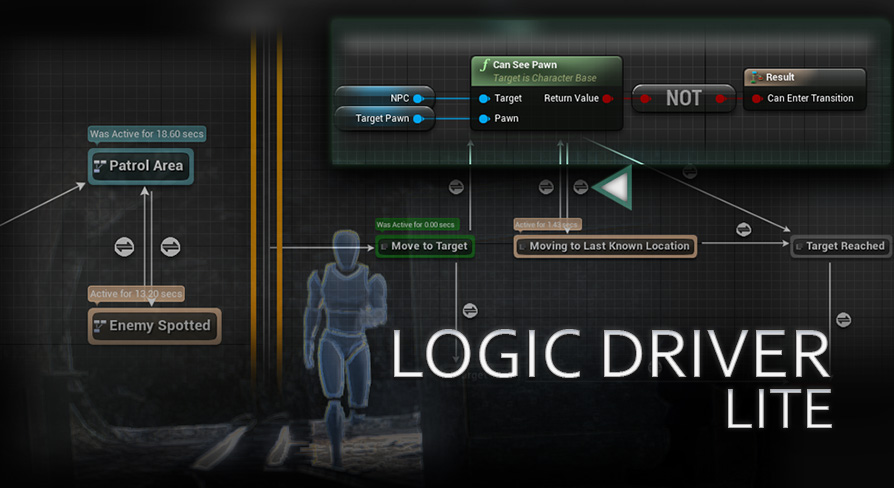
Unreal Engine
Create visual hierarchical finite state machines that execute blueprint nodes with an editor similar to unreal animation state machines. Quickly create gameplay logic -- great for prototyping and for production!
kindred oyster
Ok, I will take a look at this
 modest crater
kindred oyster
I do it with Interface of PlayerController
modest crater
kindred oyster
I do it with Interface of PlayerController
If you call a Server RPC from your local client through the controller then it will run the function on the server, only reason it wouldn't is if it was unreliable and dropped while being sent.
So if your controllers RPC is a server RPC and the function modifies the game state and that thing that is modified is also replicated, then yes, all clients will get that update
 round mist
Where's the best place to house a global inventory for all players who join a listen server? Game state?
kindred oyster
modest crater
If you call a Server RPC from your local client through the controller then it w...
At the start I Run the function directly in Game state
The Client cant Run functions there, or I'am wrong?
 rough scarab
I remember UE 4.26 launcher engine version cant build projects as dedicated server u need source code for that is this change in 5.4 ?
kindred oyster
round mist
Where's the best place to house a global inventory for all players who join a li...
I would say yes
 worthy oak
rough scarab
I remember UE 4.26 launcher engine version cant build projects as dedicated serv...
worthy oak
rough scarab
I remember UE 4.26 launcher engine version cant build projects as dedicated serv...
it has not still need source
round mist
Still need source, yeah. The first time is a pain, but once you've done it once, it's not too bad to set up a source build of the engine.
round mist
kindred oyster
I would say yes
Thanks!
rough scarab
round mist
Still need source, yeah. The first time is a pain, but once you've done it once,...
I knew this day will come soon or later
round mist
rough scarab
I knew this day will come soon or later
Ha ha I was dreading it for a while as well, but it's not as scary as it sounds. I did get a lot of help from people who knew what they were doing though. The first time. I've done it since a couple times now on my own.
modest crater
kindred oyster
At the start I Run the function directly in Game state
you need to own the thing you are calling RPCs on, so your controller could have a server RPC that on the server will access the game state and modify it
you dont own the game state, you do own your own controller and pawn though
kindred oyster
modest crater
you need to own the thing you are calling RPCs on, so your controller could have...
Okay, yeah this ist the way I got IT worked. I thought Something Like that
Thx for explanation
 woven basin
kindred widget
I use a set of components for all of my interacting. A exists on the pawn. B exi...
woven basin
kindred widget
I use a set of components for all of my interacting. A exists on the pawn. B exi...
Was this something you came up with, or is it based upon a blog/tutorial? I'm doing some early work on some systems, and interaction is one of them. This approach sounds close to a rough idea I had in my mind, so just wondering if there was somewhere to expand on it?
 charred island
Anyone have a vague idea of how games like EliteDangerous or StarCitizen handle multiplayer? As I understand it, physics based movement in multiplayer is very difficult, which is the motivation behind the resimulation tech included in 5.4. Is that likely what they are doing?
kindred widget
woven basin
Was this something you came up with, or is it based upon a blog/tutorial? I'm do...
Just something I made for my own stuff. I started using it in our latest project at work though. General reasonings were that I really hate interfaces. And I wanted a system I could largely put into any game to allow either a player or AI to interact with things and I didn't want to have to copy code to manage that.
It isn't really a complex system though. Has a couple layers of inheritance because I wrote the originals as barebones basic handlers with generic functions. It's up to the project to subclass that and implement their specific usage. Also worth noting that Component A is actually a subclass of Component B.
Component B's intention is to allow any other component B to interact with it. Allows another Component B to begin interaction with it. Depending on the settings, it'll either finish immediately, or register that component into an array and set a timer. If it allows more than one user, a second Component B can register too, which will update the timer. Has settings to control how many people can use it at a time. A curve table to set the effectiveness of multiple interactors, some other loose settings for things.
Component A inherits from B. It's goal is to be an interactor for the player and also be a Combonent B. I also put selection code in it. In an FPS for example it works by selecting one actor at the center of screen in the crosshair. In an RTS it allows an array of actors to be selected. I do general selection filtering by seeing if it has a Component B of any kind on it. It has functions to iterate over and run functions on selected actors, and UI can bind functions to it to update when selected actor(s) change. It has BIE's for selection changed as well. It runs once on each actor when it's selected and unselected, and we use this to set material parameters and CPD values generically on the actors from BP. Does highlight effects and such that designers can affect.
woven basin
So all Characters have a Component B, and all Actors like Chests, Doors, Switches etc have a Component A
kindred widget
woven basin
So all Characters have a Component B, and all Actors like Chests, Doors, Switche...
Other way around, but yeah.
mellow hatch
https://vorixo.github.io/devtricks/non-destructive-synced-net-clock/
hey i read this article and i'm still extremely new to multiplayer coding so it's probably not the best thing to be reading, but I kind of just like reading and learning so I've been absorbing a lot of info in between testing stuff out in my own projects.
this is a really interesting article to read but it doesn't necessarily give examples of when/if you should implement it? can anyone give me an example of when/why i would want to use a better clock? is it just purely for more accurate multiplayer since the new clocks are closer to the actual server clock? or is it only really desired or even necessary for faster games with more stuff happening at once, or what?
Devtricks
Do you want to have a better synced clock in Unreal Engine without removing the default “synced” clock? This is your post!
mostly just trying to learn rn i don't have any actual intention of implementing this, i'm still figuring out best practices for the most basic stuff. again, i just like reading
kindred oyster
Hey, I belief I run into a mistakes of thinking. I migrate my loot of plants Logic for MP. I interact with my plant actor, send Infos of interacting actor to PC with Interface and there I run Server event to add the Item to inventory (BP component on Player character) of the interacting actor and deleted the actor after this. IT works for the Server Bot doesnt for the client
Some ideas where the mistake of thinking is,?
Maybe the Server cant Access the BP inventory component of other Player characters?
kindred oyster
If the client runs a interaction (add item) to the bp inventory component and there add item runs a server replicated function with add item it also lands into clients inventory? I thought that running on server means that the item adding to servers inventory. But it seems this isnt the case? Hm it seems that I didnt understand how this works , finaly.
maybe I overthinking it
visual widget
kindred oyster
If the client runs a interaction (add item) to the bp inventory component and th...
add one item is add one event to call to run on server, server will add item to db of player on server
after this, it will return to client that it is add success or not, if success or failure, it call one event on-refy to cause to call one client fucntion to render the item to be add to your UI of inventory or only refresh it from server
all change of player is run by server, unless you don't server do it, but it is when you don't want multiplayer or you want your game is not secure
kindred oyster
Till now I thought I have to think of the servers instance if I run on Server. I don't know if you know what I mean
but it doesnt seems so
visual widget
kindred oyster
Till now I thought I have to think of the servers instance if I run on Server. I...
server can access any players connected to server instance that own the these players
but you must write code to do it
or even can access to players of other server instance if you design to communicate each other direct or via many appoach
this is when you want develop code to do this
But it need code and knowledge to write code and it is compicated
You only need focus how to write code is compiled into client, and what code is compiled into sever
but it is not secure, you need to change the approach to make no client to call direct to server
kindred oyster
actually I do it with blueprints
and follow some guides (here pinned) and tutorials I found
 proven pagoda
Setting timers for a few frames is the solution to so many of my client problems it's not funny
visual widget
kindred oyster
actually I do it with blueprints
BP is the way to use with less write code, you can modify this code to make it work
kindred oyster
because of latency?
visual widget
kindred oyster
and follow some guides (here pinned) and tutorials I found
So it is from IDE of visual studio, BP would refrence any c++ included
So a lot effort to make it, try learn both c++, bp to overcome
kindred oyster
alot of years ago i started with c++
actually I am able to write php and js
but understand behaviors within ue is the first step, if I understand these good enought maybe I can run into c++ stuff
visual widget
I am almost don't write code, my first code is c++ but small, i only write c# on Unity, but small, and now i must write python for AI application, and now I must learn both c++ and BP to make game on Unreal Engine, no experience for code at now, but understood the way to implement to client-server on UE, but still bad for write c++ or bp, so slow in search api and thinking function codes - a lot to learn and design and write and test and failed
kindred oyster
hm some client side prediction would be nice ... it works but the difference between server player and client player annoying me 🙂
visual widget
kindred oyster
hm some client side prediction would be nice ... it works but the difference bet...
server player is player is run on server, the code is run on server
client player is player is run on only client, the code is run on client
for example, your ui is only seen by you, so it is only client
if your ui is need to be seen by other player, it is run on server
dark parcel
UI is always local
Server and client can exchange information, UI job is to read those info locally
visual widget
dark parcel
Server and client can exchange information, UI job is to read those info locally
exactly

so theory is as expected, but writing code is not easy even I can distinguish what code is run client or server or multicast
dark parcel
Write it on paper, what should run on server, what should run on client
the architecture should be clear by design.
Whom run what and their responsibility
visual widget
Sorry the "if your ui is need to be seen by other player, it is run on server" is misleading, my ui that I say it is info for ui supply by run of server, not ui, the ui is rendered on client based on info from server
dark parcel
UI just read the value that the current machine have, what ever it is
kindred oyster
Yeah, this is actually the last thing I have to do
Link the UI Widgets
and the player stat
seems to work 😄
but new bug arrives
pause 😄
 gleaming marten
Any idea on how to fix this movement stutter? it happens on multiplayer only and single player works fine, this happens when i move right/left and backwards only
kindred oyster
Is this a individuell movement Controller?
Or component
Is this on Client or Server? Is this done by BP?
visual widget
kindred oyster
Is this on Client or Server? Is this done by BP?
only video, not sure context to answer, lag??? server or client, limit, bug, missing somethings
 ruby lake
in terms of best practices, its better to make a feature then replicate, or do both at same time?
gleaming marten
kindred oyster
Is this on Client or Server? Is this done by BP?
The movement stutter happens on both client and listen server but for some reason the movement stutter in listen server is low and is not even close to whats in the client
gleaming marten
gleaming marten
Any idea on how to fix this movement stutter? it happens on multiplayer only and...
This clip is on the client
gleaming marten
kindred oyster
Is this on Client or Server? Is this done by BP?
What is done by BP? the replication ? the movement is already replicated by default
gleaming marten
kindred oyster
Is this a individuell movement Controller?
im not sure what you mean but maybe this?
 gleaming marten
Any idea on how to fix this movement stutter? it happens on multiplayer only and...
gleaming marten
gleaming marten
Any idea on how to fix this movement stutter? it happens on multiplayer only and...
btw there is 2 players/clients but i didnt show the other one bc i forgot and the stutter happens in both clients
gleaming marten
gleaming marten
btw there is 2 players/clients but i didnt show the other one bc i forgot and th...
 gleaming marten
visual widget
only video, not sure context to answer, lag??? server or client, limit, bug, mis...
gleaming marten
visual widget
only video, not sure context to answer, lag??? server or client, limit, bug, mis...
Movement stutter, its obvious
 gloomy axle
If you have game data players rely on that are slower to make/generate than the players spawning, is it sound enough to have a "isGameReady" lock gate on event tick? With a "didPlayersSpawn"?
on the gamemode blueprint
so if isGameReady is true and didPlayersSpawn is false, then spawn players. Set didPlayersSpawn as true
does that sound fine
like this
 gleaming marten
kindred oyster
Is this on Client or Server? Is this done by BP?
gleaming marten
kindred oyster
Is this on Client or Server? Is this done by BP?
yes everything is done with bps
kindred oyster
Hm for me IT doesnt Look as a lag or Something Like this
Does this also Happens with ue Mannequin Models?
Are the Animations custom or ue defaults?
But iam new to ue, maybe someone can also Take a look
gleaming marten
kindred oyster
Does this also Happens with ue Mannequin Models?
Yes
gleaming marten
kindred oyster
Are the Animations custom or ue defaults?
No its custom anims, also the ue default anims has this weird movement stutter
gleaming marten
kindred oyster
Then we have to wait for more expietienced devs to awnser
alright
gleaming marten
kindred oyster
Sry 😦
no its ok, thank you for the help
proven pagoda
gleaming marten
no its ok, thank you for the help
Can I ask what your blendspace looks like compared to your character movespeed values? I wonder if it's having issues deciding which anim to use on that axis
gleaming marten
proven pagoda
Can I ask what your blendspace looks like compared to your character movespeed v...
alr
the stutter doesnt exist in singleplayer btw
in standalone
gleaming marten
proven pagoda
Can I ask what your blendspace looks like compared to your character movespeed v...


i just adjusted the run speed to 550 but still stutters
 lilac sage
does anyone know if PCG spawn actor doesn't work on dedicated server multiplayer?
Works fine on editor but I'm not getting actors spawned when running a packaged server
static meshes spawn fine through PCG
kindred oyster
Haha -.- When you think you're done, something new always comes along
proven pagoda
gleaming marten
That's a 1D blendspace where are the anims for left right axis
Damn and idk where my blendspaces are because I switched to motion matching

the 2D has the anims for moving left and right
But also in single player movement isn't locally predicted either
In multiplayer on clients character movement is locally predicted and if the server doesn't agree with it you get that stuttering
Something doesn't like the speed you're moving at to the side whether it's the anims or your movement component
gleaming marten
proven pagoda
In multiplayer on clients character movement is locally predicted and if the ser...
how do i fix it then?
gleaming marten
proven pagoda
Something doesn't like the speed you're moving at to the side whether it's the a...
i played my character in the scene without anims and it still stutter
 gray sparrow
hey
proven pagoda
Every time I have seen someone with stuttering in multiplayer on clients but not in listen server or single player it's usually character movement issues
gray sparrow
i have problem
team red adn yello
vs team green and blue
when yellof walks into the box he should be invisble for team green and blue
how can i do this?
hide for enemy
gleaming marten
proven pagoda
Every time I have seen someone with stuttering in multiplayer on clients but not...
tbh i have tweaked the settings for the movement component a little too much
gray sparrow
and when the enemy walk into the box they can see yellow
gleaming marten
but i changed them to something normal
idk if i missed something and i didnt change it
gleaming marten
proven pagoda
Every time I have seen someone with stuttering in multiplayer on clients but not...
what do i do now ?
do i make a new charcter blueprint ?
gray sparrow
can someone explain me how to hide for enemies and but not for teammembers?
gleaming marten
with vanilla cmc settings
proven pagoda
idk maybe
I hate remaking BPs like that unless they're corrupted by something
but who knows
gleaming marten
alr i will try it out and change the pawn from the gamemode
kindred oyster
any idea how to get players controller on game instance?
 kindred oyster
but I thought this kind of player controller access isnt save in multiplayer?
gray sparrow
can someone help me?
how can i hide character in triggerbox but teammember can see... only hide for enemys...
any idea?
kindred oyster
hm
maybe this article can help?
Epic Developer Community Forums
Hi there, I’m trying to work on making actors/components only visible to specific players, and only under specific conditions. I’m trying to make it work in a way that - The actor/component does not need to be owned by a specific client, or spawned only for a specific client. The actor/component has visibility control specific to a client and...
gray sparrow
there is no solution
kindred oyster
" Thanks for the answer… I tried searching for a solution using different wording a bunch of times and came across a thread with the answer I needed. Unfortunately I can’t find it again, but I’ll just lay it out here in case anyone has similar issues.
If you want something to exist regardless, but want to hide it from a specific camera, you can use the HiddenActors list on the player controller class (The controller you want to hide it from). It’s only available through C++ as far as I know… But it will prevent a player controller from seeing actors on the list.

Keep in mind, this does not remove the actor. If it has collision and you walk into it, you will hit an invisible wall. If you set up interactions, you can still interact with it. All it does is remove the mesh and shadows from being rendered by the player controller that has said actor listed in it’s HiddenActors list.

My simple solution was too create a player controller c++ blueprint as a parent, put in the functions to add and remove from the list, and then make the functions blueprint callable so you can pass references through blueprint variables."
 orchid eagle
gray sparrow
how can i hide character in triggerbox but teammember can see... only hide for e...
orchid eagle
gray sparrow
how can i hide character in triggerbox but teammember can see... only hide for e...
how do you handle the teaming?
like how would you know that this is a enemy team or not ?
kindred oyster
it is an approach
gray sparrow
i want to hide the yellow and red character from the enemies in the box
and when the enmyes( blue and green) walk into the box they can see yellow and red
like the bush hide system in league of legends
for example
orchid eagle
i see what you need
still how do you know this is a enemy and this is a friend?
orchid eagle
great
thin stratus
Btw, if you need that Cheat-Proof you gonna need C++ and potentially a small Engine change. I implemented that a couple weeks ago for a MOBA.
kindred oyster
@thin stratus have you experience with client side prediction?
orchid eagle
you can do a for each loop and check all the players that has vision on you and if they are enemies you would set the visibility of your character to hidden and store a ref of the hidden character somewhere so when the enemies overlap with the box they would know that there is someone there hidden and then the visibility would be set to visible to only this enemy that entered the box
orchid eagle
gray sparrow
there are in different teams
.
gray sparrow
when i set somehting hidden they will be hidden for all
orchid eagle
gray sparrow
when i set somehting hidden they will be hidden for all
we can jump in a call and see how you did it and maybe i would be able to help if you want to
thin stratus
Hidden is in fact replicated (:
orchid eagle
yeah sure
orchid eagle
Egypt
thin stratus
Hiding it for one will hide it for all if you do that on the server
Proper solution needs C++, but I'm sure that's not an option
orchid eagle
thin stratus
Hiding it for one will hide it for all if you do that on the server
i think he should be doing that on the client
thin stratus
Correct
Well
For BPs
C++ you would override IsNetRelevantFor which will ensure the Server doesn't replicate the Actor anymore to the client. Also prevents cheating
Only headache is the build-in small delay.
orchid eagle
i have to start learning C++ huh already done with C# 
thin stratus
For Multiplayer in theory yes
BP multiplayer very quickly reaches its limits
As for example here with the LoL brush logic
At least if you wanna do it properly and more or less cheat proof
gray sparrow
can someone exlplain me how to set bush hide system like league of legends
i have no diea
orchid eagle
thin stratus
At least if you wanna do it properly and more or less cheat proof
yep you are correct
gray sparrow
cedric you geran?
 dark edge
Just played HLL for the first time last night. Looked at the clock, it was 3:45 AM.
Damn good game IMO.
How did you do vehicles?
gray sparrow
german?
orchid eagle
thin stratus
For Multiplayer in theory yes
im working on a hug mixed game (Multiplayer and single player) 2 game in one
im almost done but it wasn't easy at all with BP
thin stratus
dark edge
Just played HLL for the first time last night. Looked at the clock, it was 3:45...
Cursing 37 times a day and finishing it with "fuck it, client auth it is".
Jokes aside, I think they are just server auth with no prediction or so
dark edge
I mean they're no F1 cars so lots of techniques are available to you in the slow lumbering vehicle scenario.
Yeah I thought as much, server auth is great if you don't need to be twitchy.
thin stratus
I'm sure he can give you the correct answer. Mostly answering from memory
He did post here about it a couple of times in the past. But discord search...
thin stratus
orchid eagle
im working on a hug mixed game (Multiplayer and single player) 2 game in one
im ...
I believe you. Would never tackle multiplayer games in BP only
orchid eagle
that's true im working my way to C++ now as i already started to need it in a lot of stuff
dark edge
thin stratus
I believe you. Would never tackle multiplayer games in BP only
I would under one condition, if it was turn based.
multiplayer AutoChess or Into the Breach or a turn based RPG wouldn't be too bad
gray sparrow
is it possible to make a moba only in blueprints? like league of legends
thin stratus
Imo, no
Like 100% no
But who am I to say that with my mere 10 years of UE experience. You may try and find out the hard way. :P
dark edge
gray sparrow
is it possible to make a moba only in blueprints? like league of legends
no
thin stratus
dark edge
I would under one condition, if it was turn based.
Probably still not. There are too many useful functions in C++, even for tiny games.
dark edge
I mean, you could maybe duplicate old school Dota with zero prediction
proven pagoda
thin stratus
Like 100% no
My current project is an open world MMO in Blueprints am I doing this right
dark edge
proven pagoda
My current project is an open world MMO in Blueprints am I doing this right
no
unless you really love jank
proven pagoda
No
thin stratus
proven pagoda
My current project is an open world MMO in Blueprints am I doing this right
Like, probably not. But that's on you.
proven pagoda
Was totally not real
thin stratus
It's not like that scenario doesn't exist
proven pagoda
I'm making an online coop shooter I would never MMO
dark edge
I mean I could see Dayz being implemented in BP but it's also janky as hell so not that high of a bar
"Tries to walk"
"Falls off roof and breaks ankle"
thin stratus
Idk. The Jank part is what shouldn't be accepted
You need C++ for movement for example
As soon as you want to properly implement sprinting
proven pagoda
After learning some C++ for Unreal I do like 90% in C++ I only go BP for GAS things and other small stuff
thin stratus
There is the part where you can work around problems of BPs not having access to some useful stuff
And then there is the part where you just can't do it in BPs
proven pagoda
Lambdas
thin stratus
And with can't I mean properly
You can code sprinting in BPs
And all kinds of other shit
dark edge
Just limit inputs if you're not sprinting, totally not cheatable 🤡
thin stratus
But it will be breaking apart under ping and corrections
proven pagoda
There is no problem you can totally make a game in only BP
dark edge
gray sparrow
why i cant make a game only wiht blueprints?
You can, but it's painful in multiplayer, and you're very gimped in what you can do Correctly™️
thin stratus
But I had my fair share of arguments with BP lovers and C++ haters and I stopped caring I guess. Never heard from any of them again, so yeah.
kindred oyster
I have a onRepVariable on Gamestate (which I changed through server event from player controller)
actually the OnRep seems to only fire on client
proven pagoda
kindred oyster
actually the OnRep seems to only fire on client
Because repnotifies are for clients?
kindred oyster
only?
thin stratus
It's always the same conversation.
- You need C++ to do it correctly.
- No, I did it in BP just fine
- Yeah, but it's impossible to do it correctly, you will have issues with it
- No, it's all working
- Ok, good bye
 frail barn
i create on a stage an actor with a sprite, to ping teammates commands (like "help" or "retreat")
it`s invisible by default
then i set visibility of a sprite component
i need it to be visible to a players from same team only
but when i test, another client, which even not possess a char and dont join a team, can see these pings
so, how to set this sprite component to be visible for a clients from the same team only?
looks like my check for a team does nothing, and i dont know, how to do it another way
 gray sparrow
why i should get problem multipalyer game only with blueprints?
thin stratus
gray sparrow
why i should get problem multipalyer game only with blueprints?
Cause Blueprints has only a small fraction of stuff available to it that is needed to make proper Multiplayer games.
Sooner or later you run into issues reaching the limits. Your LoL brush is one of those.
proven pagoda
My server side rewind in my Lag Compensation Component uses TDoubleLinkedList that's only in C++ and idk how else I could provide a mechanic like that without that C++ only Type
thin stratus
You can't even use a lot of the cool stuff without c++
dark edge
proven pagoda
My server side rewind in my Lag Compensation Component uses TDoubleLinkedList th...
Why not just an array?
thin stratus
CMC, GAS, Mover, NPP, lots of existing OnRep functions, lots of existing functions in GameFramework classes that are not exposed, etc etc
proven pagoda
dark edge
Why not just an array?
Save hitboxes per frame and call rewind on the linked list and find the frame the client supposedly locally predicted hit from 50ms in the past
dark edge
proven pagoda
Save hitboxes per frame and call rewind on the linked list and find the frame th...
Why can't you just do that with an array tho?
proven pagoda
Idk how to then
thin stratus
proven pagoda
Save hitboxes per frame and call rewind on the linked list and find the frame th...
NPP has some Sparse Array for the data and some map for the Sim to Sparse Array index
And that sparse Array holds the frames and more
proven pagoda
Can I read about that somewhereü
thin stratus
Just fyi
proven pagoda
I would like to read this
thin stratus
In the source code of the NetworkPredictionPlugin
proven pagoda
Oh
dark edge
I get spooked seeing linked list even though modern stuff probably is all just an array under the hood
thin stratus
Yeah most stuff is a TArray actually
Just with a manager like class around it
Sparse array is the same
thin stratus
It's nice that it handles the whole "fill empty index first" thing
kindred oyster
@thin stratus are you words basicly for all mp games?
actually I doesnt know If I want to implement MP. I want to prepare my functions and code and I learn a bit about the handling
dark edge
I use it for graph stuff, giving a Things that modify DataStruct an index into the DataStruct it modifies, has to zoom since there's hundreds of these doing their thing many times per frame.
kindred oyster
But I want to make maybe 2-4 players MP modus with a relative small world. Its basicly a Harvest Moon / Stardew Valley like game
so no competition, no pvp, its totaly cozy
thin stratus
kindred oyster
<@94211915902889984> are you words basicly for all mp games?
Kinda. It's just from experience. Once you know about all the C++ stuff for multiplayer you kinda wonder how it worked without that before
dark edge
kindred oyster
But I want to make maybe 2-4 players MP modus with a relative small world. Its ...
That's doable in BP if you're ok with losing certain functionality
thin stratus
There is probably a handful of game designs that can be done in BPs
dark edge
if it's just walking and interacting with stuff in a non-predicted way then sure, go for it.
If it's Harvest Moon with Devil May Cry combat, then no
kindred oyster
I doesnt completly fear c++
combat comes later but I will orient it on Zelda SNES Games
thats my plan
thin stratus
You can try until you reach the point where someone will tell you that the specific thing you have issues with is not doable in BPs
dark edge
Even stuff like "hitting an enemy with a sword knocks them back" can be tricky in BP multiplayer.
kindred oyster
And than it is possible to implement c++ stuff?
thin stratus
kindred oyster
And than it is possible to implement c++ stuff?
Yeah you can add stuff later fwiw
kindred oyster
ok
kindred oyster
dark edge
Even stuff like "hitting an enemy with a sword knocks them back" can be tricky i...
because of latency?
dark edge
kindred oyster
because of latency?
OK if it was single player, it can be this simple.
Hit something -> was it a Character? -> yes -> call Launch Character
proven pagoda
That's how I do it
dark edge
in multiplayer it's a whole different thing because now you need to think about if the hit was on the client or server, and then there might be a misprediction between client and server, and stuff like that
dark edge
Client hitting AI might work with BP, but then you want to add Client / Client combat, and now you have rubberbanding all over the place
thin stratus
The truth is that stuff is always gonna have delays anyway. AI are server auth, you can't predict the knockback.
And other players are even worse to deal with
thin stratus
Yeah generally speaking
kindred oyster
yeah my idea for boss fights are gone after this words
but maybe I will dive into c++ but I image this c++ multiplayer stuff is really hard
proven pagoda
GAS helps with a lot tho if you venture into C++ and it leaves quite a bit to BP
kindred oyster
But yeah 🙂 my core functions seems to working actually
this group are awesome
Without you I wouldn't have been able to do it so quickly
gray sparrow
can i make a game like league of legends onnly in blueprints?o.O
 reef bison
you have been answered like 3 times already
 brittle ledge
reef bison
you have been answered like 3 times already
brittle ledge
reef bison
you have been answered like 3 times already
 kindred oyster
I think all complex mp titles that are also compative arent possible
Since 4 Weeks started with Unreal and made this small "feasibility study" for myself
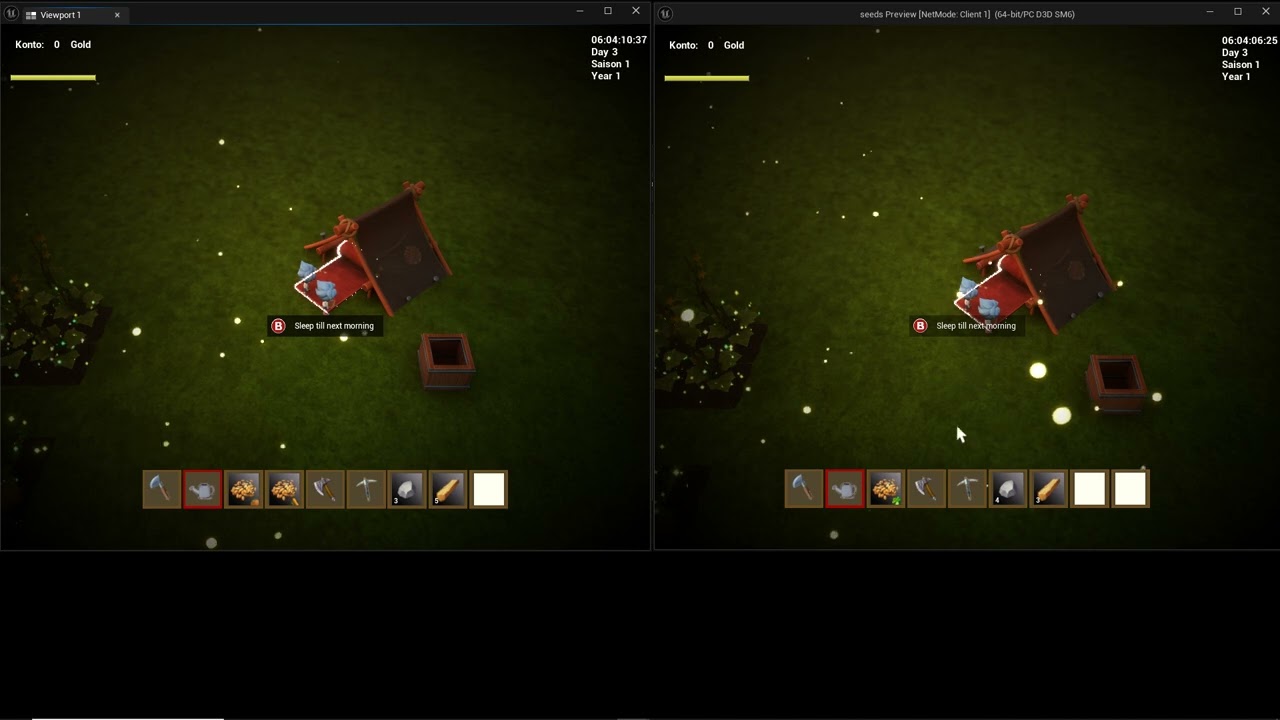
maybe someone are interesst in
this assets are all from marketplace
I'am totally surprised about this result after 4 weeks with No experience ue
gray sparrow
der natsu are you german?
kindred oyster
Yeah
gray sparrow
kannst du mir auf deutsch erklären wie ich einen character unsichtbar mache im busch? aber sichtbar für mein team
exakt wie in league of legends
ich verzweifel daran
kindred oyster
Da kann ich dir nicht helfen habe für so ein Szenario zu wenig Erfahrung. 😦
kindred oyster
@gray sparrow adde mich mal
gleaming marten
proven pagoda
Every time I have seen someone with stuttering in multiplayer on clients but not...
You are right
i made a new character blueprint and it worked perfectly
visual widget
gleaming marten
im not sure what you mean but maybe this?
I think you replaced actor for ue, i think that your actor is using locomotion
the BP is not correct, you use one actor with locomotion, while this bp is assumed on plane xy, with no include of locomotion
locomotion is not right for this bp, and lomotion is shift with other rates while is shift with other rates
So it updated in one way of stutter
this BP is use scale, do you see you have no scale value here?
You use one blank with this bp, and make it on terrain mesh x,y,z complicated and focus on right+left
gleaming marten
all i did to fix this was to Make a new character blueprint>replace the skeletal mesh and adjust it to fit in the capsule>add the anim class> copy the movement input exactly like this in the picture> replace the default pawn in GameMode >and thats it
 visual widget
move match is hard for both locomotion and motion, it need match
gleaming marten
gleaming marten
all i did to fix this was to Make a new character blueprint>replace the skeletal...
this is literally what i did and it got fixed
gleaming marten
visual widget
I think you replaced actor for ue, i think that your actor is using locomotion
Thanks for the help tho!
visual widget
gleaming marten
Thanks for the help tho!
You fixed it, haha, not me
gleaming marten
visual widget
You fixed it, haha, not me
ye i know but someone helped me and you tried to help and i appreciate that
visual widget
gleaming marten
ye i know but someone helped me and you tried to help and i appreciate that
As I know movement of character is based on animation of motion - so motion of animation decide the movement amount of character, you test on ground mesh for this bp, such as slope up, slow down, i think it make you move forward
gleaming marten
visual widget
As I know movement of character is based on animation of motion - so motion of a...
idk, but i played with the old character blueprint movement component settings too much and i think i broke it, so thats why i made another new character blueprint and it worked!
visual widget
gleaming marten
idk, but i played with the old character blueprint movement component settings t...
I never test movement BP for terrain ground mesh, do you have plan to test this?
 neon mango
So does add local offset not get replicatred when the static mesh has replicates movement to true?
visual widget
neon mango
So does add local offset not get replicatred when the static mesh has replicates...
Replicated is referring the sync between client and server, it is replicated to be sync between client and server
neon mango
visual widget
Replicated is referring the sync between client and server, it is replicated to ...
I'm having the server change a replicates movement component which other wise does have its rotation and location replicated but when I make an event server side to adjust rotation via Add Local Rotation I'm not seeing that client side
visual widget
neon mango
I'm having the server change a replicates movement component which other wise do...
it is send to client? server is call client?
neon mango
visual widget
it is send to client? server is call client?
So first thing if an actor spawned on server has replicated movement, then if server does a Set or any Function call to change the rotation, shouldn't that get repliocated to all clients?
visual widget
neon mango
So first thing if an actor spawned on server has replicated movement, then if se...
No! You must call multicast to all clients, server would replicated after this, if you don't fire mulicats event, the variable is marked is replicate would not replicate, UE automatic replicate when you fire event: run on sever or replicate from client to server to run on server, run on client or replicate server to client to run on client, multicast is replicating server to all client connected to run on all client
visual widget
neon mango
So first thing if an actor spawned on server has replicated movement, then if se...
you must write one event for change rotation and fire replicate
worthy oak
Whoa hang on that’s not what multicasting is
a variable marked as replicated will replicate to relevant clients when the value changes
Multicast is for firing “fire and forget” code too all relevant clients
worthy oak
neon mango
So first thing if an actor spawned on server has replicated movement, then if se...
So the answer to this is yes. If the server spawned it, movement would be replicated to clients
dark parcel
I don't know what's replicated by default but pretty sure rotation isn't one of them.
worthy oak
Yeah I think I do recall something about that
dark parcel
Or maybe it is and I'm just talking about character context lol
Not sure about static mesh, I never touched it
worthy oak
but to be clear multicast is NOT for keeping something in sync
it is for telling all the clients "hey do this"
dark parcel
Yeah the advice for multicast to replicate rotation or position is not correct
Maybe if the rotation doesn't have to guaranteed to be in sync it's okay?
If that's the design choice 🤷♂️
Probably cheaper than updating all the time
I could think of one for directional light day and night system
Server just tell clients the current rotation then clients can do their own simulation after
dark parcel
visual widget
No! You must call multicast to all clients, server would replicated after this, ...
Anyway this is 100% wrong info
visual widget
dark parcel
Anyway this is 100% wrong info
Why?
 dark parcel
Because it's wrong, how do you connect the dots with RPC call to replicated variable?
Replicated variable will replicate regardless of any rpc call
I don't know how to say this politely so I'm sorry in advance but I think you are confused
Marking a variable as replicated will allow the server to inform the client of the variable value every netupdate
visual widget
dark parcel
Marking a variable as replicated will allow the server to inform the client of t...
Oh i got it
Sorry, i have several mistake
dark parcel
No one can get everything right, I'm proven wrong many times too
visual widget
dark parcel
No one can get everything right, I'm proven wrong many times too
Maybe i need test replicate haha

visual widget
frail barn
i create on a stage an actor with a sprite, to ping teammates commands (like "he...
So you set it disable it if player is not join the team
 fossil veldt
Does anyone know how you host / search a session with a custom name with CommonSession?
Or even just host with some form of metadata that is searchable would work aswell
Ah nm I see
 mellow hatch
Is there a character movement prediction plugin or tutorial that I can follow
This seems like something I dont want to fuck up just because it's my first time doing multiplayer
 vivid seal
tbh character movement component multiplayer stuff is probably the hardest thing to understand as far as "core functionality you'd expect in every game" if you're new to multiplayer. I would recommend Delgoodie's videos and discord, he has channels specifically dedicated to CMC questions and while the videos are probably not perfect, they do a good job of explaining the setup imo.
 crimson ore
ye CMC is hard , but it makes sense
vivid seal

https://discord.gg/uQjhcJSsRG
In this video I am introducing a series I will be making which explores the character movement component and how you can extend it in depth.
0:00 Intro
1:00 What is the CMC?
2:00 Do you need a custom CMC?
5:35 What does the CMC provide?
7:10 Outro
crimson ore
and if you are doing multiplayer for first time , I'd suggest you learn basics first like RPC and replicated properties
otherwise CMC won't make sense
vivid seal
it does once you understand what's going, but from personal experience, figuring out what was going on took me quite a while even after getting the basic "save moves to replay them later" concept stuck. there's just so many functions that all have names that are some variation of "Move" that you really have to map everything out to know where you should be putting things
crimson ore
New comers should start with theoritical overview first before diving into code , the code names may appear cryptic if you don't know what the idea behind CMC is at design level
crimson ore
vivid seal
https://www.youtube.com/watch?v=urkLwpnAjO0&list=PLXJlkahwiwPmeABEhjwIALvxRSZkzo...
alongside that give the following a read too , it kind bridges the gap between code and design
https://docs.unrealengine.com/4.27/en-US/InteractiveExperiences/Networking/CharacterMovementComponent/

Detailed explanation of Character Movement Component
@mellow hatch
vivid seal
https://omniacdev.github.io/CMC-Wiki/Guides/CustomNetworkData/introduction.html also this is pretty good explanation of usnig custom network move data
In-depth wiki for UE5's CMC
mellow hatch
I've been looking into this and it's overwhelming but I'm understanding it bit by bit. Taking a little at a time each day to help better commit it to memory. I started with some replication and RPCs and testing on high latency from the start and... everything sucks lmao. Very jittery very rubber band-ish. From my limited knowledge the solution is prediction, or one of the solutions rather, which is why I asked.
Thank you for he resources though, I do like having as much info as I can get
I'll take it slow from here it's just hard to know what you need to go from novice to actually being able to do things
vivid seal
if youre still getting the hang of rpcs and replicated properties, i would maybe save movement stuff for later down the line and get some other mechanics working well in multiplayer under latency first. the default walking/jumping/crouching stuff just works out of the box so i'd do other things to get used to how to handle prediction, how to handle join in progress, making sure everyone is synced up, etc. before trying to dive into the character movement component.
nova wasp
mellow hatch
I've been looking into this and it's overwhelming but I'm understanding it bit b...
make sure you are aware of how high the latency actually is both ways
unreal's network emulation "average" is actually fairly awful irl
like 1% packet loss is a LOT
visual widget
mellow hatch
I've been looking into this and it's overwhelming but I'm understanding it bit b...
So you make movement prediction based on ?
woven basin
Is there a name for this type of implementation - routing RPCs through the PlayerController using Lyra message system rather than specific RPCs commands?
If we have PlayerController like this:
void Server_SendGenericRPC(FGameplayTag MessageChannel, const FSampleMessage& InMessage, AActor* OptionalTargetActor)
{
      MessageSystem.BroadcastMessage(MessageChannel, InMessage, OptionalTargetActor)
}
Then any actors can subscribe to listen for RPCs?
So rather than have all different types of RPCs on the player controller, it can just route anything on behalf of non-owned Actors, or the UI etc? For example - perhaps I left click on a merchant actor on the UI to buy something - I could route a message inside the actor:
GetLocalPlayerController()->Server_SendGenericRPC(Buy_Item, MessageSpecifics, this);
Then the merchant actors could subscribe to that event, and check if they are the intended actor, and handle it if they want?
 still saddle
mellow hatch
200-300 at most?
still saddle
mellow hatch
200-300 at most?
I'd say 300-350, recently I've tried to play with my friend in Russia from Thailand, and the ping was 330
dark parcel
Depends really, it's not like your game should accommodate for 300 ms player.
Testing in that ping however is easier to see some issues with prediction etc, because your eyes can catch it.
gray sparrow
can someoen tell me how to code a bush hide system like league of legends
when my character sta in bush my teammembers see me but the enemys dont see me
how can i do that?
gleaming marten
visual widget
I never test movement BP for terrain ground mesh, do you have plan to test this?
im not sure what you mean
rustic sable
any clean way to let the server know when a multicast niagara system finishes on the clients? Best I can come up with is to manually plug the length of the effect into a timer
dark parcel
Have 2 Mesh components
1 without the head (set OnlyOwnerSee)
another one with the head
dark parcel
I am casting fire bolt in my multiplayer game. Right now the spawn is handled on server when an anim notify is fired.
Under high ping, the spawn delay is very noticeable =(. Should I spawn one locally for client?
hmm maybe for the locally controlled character, i will just let him see his own version
just thingking what to do when the server make a copy for the locally controlled character since it's a replicated actor
maybe make it invisible and have the client copy interpolate to it's location? I don't know sound very hacky
 nocturne quail
does it make sense if i use default cmc ?
void AArmaCharacterBase::MoveForwardKey(float Value)
{
    if (!HasAuthority())
    {
        Server_MoveForward(Value);
    }
    PawnMoveForward(GetControlRotation(), Value);
}
i want to achieve server authoritative movement , yes i have my own CMC which can possibly do it, but how about the default CMC comes with character?
afaik Epic for some reason replicated it, but why?
kindred oyster
@dark parcel What do you think about Client Side prediction for actor spawning? Ob my Client IT feels actualy a bit laggy (mit so much) but actualy I also doesnt have Animations so with Animations I will be able to adjust the "how IT feels" a bit
dark parcel
kindred oyster
<@1050954229902213150> What do you think about Client Side prediction for actor ...
I'm not the right person to ask lol. But if you spawn as client, that actor is spawn locally
no other players know about the actor that the client spawm
If you want an actor that is spawned and can be seen by everyone (replicated to each machine), the server has to do it.
kindred oyster
Yeah IT May complicated to sync that stuff with alot of Problems come with
dark parcel
For things like dropping item etc
I won't even bother with prediction
let the laggy client deal with it
but I am having issues my self with projectiles
I need to predict it but every scenario I think of have draw back.
anddd it's bed time. Gonna cry my self to sleep and face this another day.
kindred oyster
dark parcel
I'm not the right person to ask lol. But if you spawn as client, that actor is s...
Oh, I know this Situation -.-
Last days I have around 4-5 hours of sleep
kindred oyster
Yep 🙂 I know this Kind of Situation
Yesterday I geht all my basics to work on Client and Server ( Goal was 2-3 days earlier) every day a new Problem comes up
dark parcel
k, fk it. Im just gonna spawn locally on client since it's shooting straight. There shouldn't be much issue but will see how the gameplay feels after test.
dark parcel
kindred oyster
Yesterday I geht all my basics to work on Client and Server ( Goal was 2-3 days ...
Multiplayer is hard (said the devs here). I'm sure my struggle is only a start
kindred oyster
Combat will be Horror for me
dark parcel
PvE for me
kindred oyster
Ah, for me to
dark parcel
PVP is even harder imo
kindred oyster
Yeah thats my hope
I will tackle Combat later, after I have the First own assets and Basic functions a bit more worked out
dark parcel
I saw your game, if I were to do it. Im just gonna jam some really nice soothing music and expand on the farming system
kindred oyster
Yep
dark parcel
combat can wait yeah 😄
kindred oyster
Thats the plan
gray sparrow
can someone say me how to make a bushhidesystem for multiplayer like league of legends? that people dont see enemy in bush but teammembers
when they get self in the bush they see the enemies
dark edge
gray sparrow
can someone say me how to make a bushhidesystem for multiplayer like league of l...
There's a million ways to do it
gray sparrow
can you say me the easiest way? or jsut 1 way?
dark edge
A really simple way would be to drive visibility of character by if char is in bush and or local char is in bush
Bush state changed -> if in bush and local character not in bush -> invisible
thin stratus
This is pointless. You've been asking this a few times now. And every time someone gives you somewhat of an answer you just say that all players don't see the other ones.
You are doing it wrong and no one here should give you a spoonfed solution. Debug your issue and start sharing code.
thin stratus
What you want to do is complex. It would take quite long to explain this step by step.
We don't even know all the requirements, cause LoL for example has a lot more going on than what you are describing. Teammates and other Entities that share a team with your may or may not make the enemy visible. LoL also has Fog of War, so even if in the same brush you can't see them if the line of sight is broken.
This is complex.
Yeah, cause on a base level, this is "just" turning on and off visibility.
Which is totally cheatable, but you know that by now cause I already said that to do it properly you need C++
There is also a big base level of knowledge needed to even understand the thoughts behind any kind of implementation to this.
And you only saying "It hides it for everyone." shows that you are probably not at a point where you should try to make this system, but rather learn.
To make this in Blueprints, you need to set the Visibility of a SimulatedProxy Character based on the State of the Brush they are in and based on the AutonomousProxy also being in the Brush.
Which means whenever either of the two changes its BrushState, whatever that is in your code, and that Replicates via RepNotify property on a Character, you gotta check if the LocalPlayer (AutonomousProxy) is in the same Brush or not and change visibility based on that.
That means every Character needs to also be notified if any other Actors enters or leaves the Brush they are in
This is not straight forward to answer, cause even the above is already not really covering all the issues.
No one here even knows how far you are with the Brush system in general.
Or any other requirements.
quasi tide
If I recall, I believe LoL doesn't even actually send any position data if the hero is in fog of war
thin stratus
Yeah, which you can't do with BPs
frail barn
i create an actor (not replicated) with a Paper Sprite component (not replicated) by (executes on Owning Client) Custom Event
all is fine, this Client can see Sprite, another client - not
then, i add this Sprite comp to Scene Capture Component 2D, using Show Only Component (this is a shared for all clients minimap)
and this Sprite on a minimap is visible for all clients
How it is possible? and how to prevent it?
is all components in a Show Only list becomes replicated?
 static sable
gray sparrow
can you say me the easiest way? or jsut 1 way?
static sable
gray sparrow
can you say me the easiest way? or jsut 1 way?
virtual bool AActor::IsNetRelevantFor(const AActor* RealViewer, const AActor* ViewTarget, const FVector& SrcLocation) const;
RealViewer - is player controller. On the level of an actor you decide if it can be shared with specific player controller
thin stratus
static sable
virtual bool AActor::IsNetRelevantFor(const AActor* RealViewer, const AActor* Vi...
BP only (:
chrome bay
dark edge
Just played HLL for the first time last night. Looked at the clock, it was 3:45...
Yeah Server auth physx vehicles with some customised sims. You can def feel the input lag with them but its kinda hidden behind the general vehicle clunkiness tbh
 upbeat reef
Do you guys know of anyway of keeping Unreal Processes at full speed even of out of focus in multiplayer ? Task manager does not seem to help. weirdly enough, if none of my local standalone instance do have the focus, they run at stable framerate. Only when one of the unreal window get the focus (typically, to test with inputs), the framerate of the other unreal process drops significantly..... this make multiplayer testing very difficult.
 plucky prawn
If you are talking about in the editor there's a checkbox I think in editor settings to keep it at full framerate
Edit->Editor Preferences->Miscellaneous and disabling the Use Less CPU When in Background

Epic Developer Community Forums
Nice, it works! Sadly it’s only on or off. Currently if it is On – it limits FPS to roughtlly 3 FPS. When not throttling Ubnreal editor consumes 30% of my 8 core CPU. Would be nice to limit when in background to 12-24 FPS or something. Ideally to have option to specify number instead of just checkbox.
 gritty warren
in the Lyra Sample Project (and in any other shooter games), how is the pitch of the character's aim replicated?
From what I understand, the controller only exists on the client and server, but in Lyra and other sample projects, the pitch is definitely replicated to simulated proxies.
This seems super trivial, I just haven't learned it yet. How are those values passed around?
 fossil spoke
gritty warren
in the Lyra Sample Project (and in any other shooter games), how is the pitch of...
fossil spoke
gritty warren
in the Lyra Sample Project (and in any other shooter games), how is the pitch of...
APawn has a RemoteViewPitch variable.
It is used in APawn::GetBaseAimRotation
It is not exposed to Blueprint
It is set via APawn::SetRemoteViewPitch in APawn::PreReplication to the Control Rotation.
gritty warren
fossil spoke
It is set via `APawn::SetRemoteViewPitch` in `APawn::PreReplication` to the Cont...
Hmm, in the Lyra Character (parent class is essentially ACharacter), I see nothing relating to RemoteViewPitch
fossil spoke
Because its "exposed" via the GetBaseAimRotation function.
gritty warren
Which is also not in the character, hmm
gritty warren
Yes that's exactly my goal here
fossil spoke
Thats its typical usecase.
gritty warren
I notice that it did not work in my own little setup, but did work in Lyra, so I wasn't sure where that was being set
fossil spoke
Eitherway, I would be surprised if Lyra didnt use this.
Its literally what its for
Why reinvent the wheel.
Though i guess Lyra does a lot of that anyway lol
gritty warren
If they do, I just don't know where it would be called. You said that's usually called in the AnimBP, is that right?

 fossil spoke
I literally told you why
gritty warren
You literally said it has a variable that is set in this function
fossil spoke
fossil spoke
`APawn` has a `RemoteViewPitch` variable.
Re-read this
No I didnt say that at all.
gritty warren
fossil spoke
Because its "exposed" via the `GetBaseAimRotation` function.
I have, and I also read this. You said it was 'exposed'
fossil spoke
GetBaseAimRotation outputs the rotation of the "view" which includes Yaw and Pitch
The Pitch comes from RemoteViewPitch
Which is a replicated variable...
gritty warren
Ah I see, so when you said 'exposed', you didn't mean in the sense that it's something you set
You meant it like... well I don't know how you meant it. But you meant to indicate that 'GetBaseAimRotation' is replicated.
fossil spoke
No, i put it in quotes in the hopes that you would read between the lines
Of what I meant
Its not literally exposed, its indirectly exposed through GetBaseAimRotation
gritty warren
Right on, well I appreciate the help at the very least
fossil spoke
Yaw typically just drives the Actor Yaw Rotation
So it doesnt need to be replicated in the same way.
Treating Pitch the same doesnt make sense
Because you dont want to rotate the Pitch of the Actor
You want to rotate the Pitch of the Aim (which is typically part of the Skeletal Mesh instead).
So it has to be replicated separately.
gritty warren
Thanks!
 tired current
Is it okay to override an RPC? if so, if I want to call the base classes Server_DropObject would I call the implementation?
UFUNCTION(Server, Unreliable)
virtual void Server_DropObject(FVector directionToLaunch) override;
virtual void Server_DropObject_Implementation(FVector directionToLaunch) override;
You dont mark the Server function as virtual
You would only ever override the _Implementation function
For which you would call Super::XXX_Implementation
tired current
thank you
gritty warren
I'm trying to build some intuition. Is replicating a single transform every frame a big deal, or is it not worth considering ways to remove the need?
fossil spoke
gritty warren
I'm trying to build some intuition. Is replicating a single transform every fram...
You should always try to consider how you can cut down on bandwidth usage.
gritty warren
I'm trying to replicate a camera transform, and while I think I can do it another way, it will cause me to lose some animation fidelity
fossil spoke
Replicate the minimum required data.
gritty warren
Right, I get that, but my question still stands on if replicating a single transform every frame is a big deal. I'm not sure what that equates to in terms of bandwidth
nova wasp
gritty warren
I'm trying to build some intuition. Is replicating a single transform every fram...
It depends if you quantize it, default double vectors are not small
fossil spoke
On the face of it, replicating a transform every frame isnt going to kill your FPS
nova wasp
You are asking a vague question but in general the answer is: profile
fossil spoke
But, you dont really consider things like that in isolation
Getting familiar with the different profiling tools is a must with multiplayer.
gritty warren
Okay, thanks!
dark parcel
The pitch from GetAimRotation is compressed afaik. Have to map the compressed value for proxies characters
And you will have to interpolate too since the network not gonna update fast enough to show a smooth motion
fossil spoke
dark parcel
The pitch from GetAimRotation is compressed afaik. Have to map the compressed va...
No its already decompressed in the function.
RemoteViewPitch is compressed
else
{
   // Else use the RemoteViewPitch
   POVRot.Pitch = RemoteViewPitch;
   POVRot.Pitch = POVRot.Pitch * 360.0f / 255.0f;
}
I see, good to know
 primal trellis
Good night guys
Could you help me with guidance or tips on how to solve a problem? Currently players can create a lobby (creating a session on Steam) and invite friends. But I wanted a way to "combine different lobbies/sessions", so different groups of friends would join together in the same match. (I do everything using blueprint)
I was trying to do it a certain way, but I'm kind of stuck. When they are in the lobby and press play, I use find session advanced to check the list of servers, if there is a server that players can play on, they join that session, otherwise, they travel to the map (since every session starts private, and after Travel it becomes public)
However, I can't find a way to compare the server of the players in the lobby and the other servers. To make players able to join other servers, not the one they are already on
If anyone knows another correct way to do this, I accept and thank you for your help
fossil spoke
primal trellis
Good night guys
Could you help me with guidance or tips on how to solve a proble...
Not sure what the issue is here exactly.
Just because a Player has joined a Session doesnt mean they cant search for others at the same time.
primal trellis
fossil spoke
Just because a Player has joined a Session doesnt mean they cant search for othe...
When I use find sessions, they always end up joining the server they are already on, because they find it in the list instead of either traveling to the next one """creating a server""" or joining another server
fossil spoke
FindSessions just returns a list of sessions that exists.
It doesnt force you to join anything
So you must have setup functionality that causes you to do that
You need to revise that
tired current
Hey so I have a component that I am trying to set renderCustomDepth buffer on and have it replicate to clients. I have the component set to replicate, but it seems this value does not replicate to clients, as the changes only appear on the server. I figure since this is a stateful change, does it make sense to create a bool and use a repnotify to change update this value and call SetRenderCustomDepthBuffer based on the bools value?
fossil spoke
tired current
Hey so I have a component that I am trying to set renderCustomDepth buffer on an...
Well seeing as bRenderCustomDepth is not a replicated variable on its own. If you need that to be reflected on Clients as a stateful change, then yes, you would need your own OnRep to manage that.
 neon bluff
Hey yall! I purchased Asymmetric Multiplayer Template and I am trying to add a character select screen. Anyone want to walk me through it?
I can screenshare?
modest crater
fossil spoke
neon bluff
Hey yall! I purchased Asymmetric Multiplayer Template and I am trying to add a ...
You are better off contacting the Author of the content
They are required to provide support
modest crater
These "plug and play" marketplace stuff will often leave you struggling more than if you just made it yourself, especially if you aren't super advanced with unreal because it forces you to read their blueprint implementations and bad coding practices
neon bluff
Yeah, that's the template. I purchased all the other asymmetric horror templates too. I did reach out to the project author and let's just say he was less than helpful
fossil spoke
Unfortunately it is very unlikely that anyone here has used that same content.
neon bluff
I totally understand!
This was my last ditch effort before watching a tutorial that's 24 eps long
Is it better to start with c++?
Or just stick with blueprints?
fossil spoke
Multiplayer in Blueprints alone is like pulling hair for anything complex.
Blueprint is not designed to be used alone for multiplayer.
Like, its possible, not advised.
You are better off learning and utilizing C++
For multiplayer.
neon bluff
Ahh! So I know that Chat GPT, paid version, knows some coding language, would it be beneficial to help me?
neon bluff
Copy copy! Thank you!
modest crater
neon bluff
Ahh! So I know that Chat GPT, paid version, knows some coding language, would it...
If you are serious then do learncpp.com until like chapter 25-26 (I think thats where people say stop), then after id dive into c++ in unreal.
Lots of great beginner pins in #cpp and my total bias opinion is that you should know c++ if you intend to make a multiplayer game in unreal
neon bluff
Thank you! To the both of you!
sinful tree
neon bluff
Ahh! So I know that Chat GPT, paid version, knows some coding language, would it...
ChatGPT can only help you if you can actually understand the code it's giving you and see where it made mistakes.
It can do some heavy lifting, but it won't always be the right way to handle things or even be code that can be compiled without errors.
visual widget
sinful tree
ChatGPT can only help you if you can actually understand the code it's giving yo...
I only use copilot and gemini, for specific, copilot are enough best/good, for general, gemini is enough good/best
 ripe steeple
anyone know why this is happening?
ripe steeple
ripe steeple
anyone know why this is happening?

Epic Developer Community Forums
OnPostLogin passes as an input the controller of the newly created player so do not use GetPlayerPawn 0 but the incoming controller of the newly logged in user.
and this?
ripe steeple
ripe steeple
and this?
Epic Developer Community Forums
Do you own the Pawn or is the server the owner? You can be sure that the player controller is owned by the player but if the pawn is spawned on the server then it might own it. Did you posses the pawn with your player controller during AGameMode::PostLogin ?
neon bluff
sinful tree
ChatGPT can only help you if you can actually understand the code it's giving yo...
Thank you!!!
sinful tree
ripe steeple
https://forums.unrealengine.com/t/is-this-an-engine-bug/1921321/2
Game Instance only exists on the local running copy of the game . You wouldn't be able to access the game instance of the player joining the game to pass along the player name they may have stored in the Game Instance.
Game Mode only exists on the server, so any of the events within it will only trigger on the server itself. This means using "Get Player Pawn 0" is inappropriate as it will always attempt to get whatever the first player pawn is on the server.
PostLogin may be too early to get the player pawn from the controller as it may not have been spawned or possessed yet by the player which could be causing the accessed none errors.
As for the pawn not moving, there could be a lot more to it than the code you've pasted. Using an incompatible Game Mode and Game State for example (If you used GameModeBase for your game mode for example, you must use a GameState based on GameStateBase)
 devout sonnet
Short Version: why do I need the Construction Script for the Server?
Long Version: I'm a little confused on if I'm doing this right. I got this through trial and error so there is probably a better way to do it? Begin Play on the gameMode, the server spawns the actors that are assigned the Enum of Rock, Paper, or scissors. When the actor is Constructed, it checks to see what Enum it is, and sets its appropriate image. And i guess I HAVE to do this for the server so they can see the images. When the Enum type is changed, It calls OnRepCardType and does the same thing as the construct scrip. When the FrontImage is changed, it calls OnRepFrontImage and creates a dynamic material instance and changes the parameter to the value of the image.
I don't understand why I have to do this on the construction script? shouldn't the OnRep functions be enough for the server AND the client?!


 thin stratus
devout sonnet
Short Version: why do I need the Construction Script for the Server?
Long Versi...
thin stratus
devout sonnet
Short Version: why do I need the Construction Script for the Server?
Long Versi...
So, in C++ the OnRep wouldn't even call for the Server. In BPs it calls cause it's a PropertyChangedNotifier more than anything else. For that you need to call the SetXYZ node of the variable though. If you set it on the SpawnActor node I can imagine that it's not counting as such and the server just doesn't need to call it cause the variable hasn't changed.
You could use BeginPlay too. That would count for all of them. If you aren't changing the enum runtime after spawning it doesn't need to be an OnRep anyway
mellow hatch
is the client's movement when testing PIE listen server supposed to be going at like, 20fps?
what is that specifically and is it natural and/or should i be immediately bothered by it/moved to try and fix it
kindred widget
mellow hatch
is the client's movement when testing PIE listen server supposed to be going at ...
You mean the client's character on the server is updating slower than the fps of the game?
kindred widget
It's "intended" as far as I'm aware. Something to do with making the character stay at the same animation rate as the client's FPS. It's dumb. Most people just put a second mesh in the character and use it instead of the "broken" one that comes with the character by default. That said someone else might have a better answer.