#multiplayer
1 messages · Page 177 of 1
 naive umbra
 glad robin
How exactly are you spawning this UFO?
naive umbra
glad robin
How exactly are you spawning this UFO?
By Playing as server
glad robin
So UFO is set to replicate and the Server is the one spawning it?
naive umbra
glad robin
So UFO is set to replicate and the Server is the one spawning it?
wait ..Can you tell how to set to replicate?
I think its default in case of manequin
In case of UFO which I've created separately we need to set replication right?
glad robin
ACharacter is but I wasn't sure about APawn. In constructor I think bSetRepliacte() or something. Can also search it in the details of BP just to see
naive umbra
okay thx
glad robin
naive umbra
okay thx
Did u manage to get working?
naive umbra
glad robin
Did u manage to get working?
I've tried to change blueprint class settings but did'nt get desirable result
movement is not replicating in case of client side
 sinful tree
Because it's multicasting the possessed event on a character blueprint. If that character exists on other clients, they would receive the multicast, anyone but the possessing player controller or the server would end up getting an invalid reference from "Get Controller" which then gets fed into the cast, so then the cast fails, delays until next tick, tries to get the controller again which isn't valid so the cast fails, delays until next tick and tries to get the controller again... etc.

So it ends up becoming an extra "tick"
glad robin
sinful tree
Because it's multicasting the possessed event on a character blueprint. If that...
Ah I didn't think it would keep trying to get the controller that's why I was confused aha. Thanks!
 neon summit
naive umbra
movement is not replicating in case of client side
neon summit
naive umbra
movement is not replicating in case of client side
since no movement component gonna have to replicate movement yourself.
Just on tick set transform with a server rpc
 orchid eagle
hey there
so im having a weird issue
im firing a event inside a macro that event is fired just once but it gets processed as if it was fired 2 times
here is a video that explains it more
anyidea why is that ?
 valid frigate
hey, it happens in a packeged game. I also claim that it wasn't always like this, but I'm not 100% sure.
orchid eagle
tried to fire it from the ABP but still the same thing
glad robin
Wow I am going to have a stroke I have to be misunderstanding something.
So right now I call, SendSessionInviteToFriend() and I get notification/invite on steam. Now when/where/how is the FOnSessionInviteReceived delegate sent out? I have it bound to function but it has never actually run.
Does just receiving the invite not mean that this delegate will fire, is there more to it?
sinful tree
glad robin
Wow I am going to have a stroke I have to be misunderstanding something.
So ri...
The Steam Online Subsystem may not necessarily implement it.
Read from here:
#online-subsystems message
 vital furnace
@sinful tree Good evening. This message is a request for help addressed to experienced developers working with Unreal Engine. I am currently working on a multiplayer soccer game (similar to Rocket League). I’ve developed the multiplayer aspect using the Steam plugin and some YouTube tutorials, but I’m facing challenges because I’m trying to do something different from what I see in those tutorials.
The issue I’m encountering is that I want to organize players who join the game into teams. One idea that came to mind is to create a variable within the Extra Settings that serves as a counter for each team. Another idea was to create an array of Player Controllers for each team. However, I’m unsure how to modify variables within the Extra Settings once the session has already been created.
I would appreciate hearing about your approach to solving this problem and, if possible, any blueprints, videos, audios, or links that could help not only with this specific issue but also with the broader scope of the project.
 nocturne fiber
Hello, someone can Help with a problem? I have a 2 player environment and need to use a widget menu to teleport the client player to another floor, but doesn't work.
It briefly disappear but remain in the same floor and position.
I even tried to replicate with custom event, thinking that would need this, but same result.
Here are the screenshot of the focused parts:


Help is appreciated
I may return the help with 3d graphic knowledge
nocturne fiber
😦
 normal viper
Simple question. Should I actually have different BP_PlayerController for when player is in for example Lobby, and then assign different PlayerController when it's in the Game? So like I have already 2 game modes, and these game modes also should have different player controllers basically? What I'm thinking about is, where do I put Widget / User Interface for the player when it's yet in the lobby? I mean where do I create Widget? PlayerInstance maybe? (I don't have that created/overwritten yet)
or do I create different AHUD?
neon summit
I personally create widgets on the controller
normal viper
and then you have different player controllers depending on level?
or do you have 1 and you just switch based on level or something like that?
neon summit
One for main menu and one for in game
normal viper
makes sense
neon summit
Controller is the owner of pawn so when you do widget stuff use owning client rpc
YouTube
This tutorial is mostly about how to setup a multiplayer framework in Unreal Engine 5, we're going to look at replication, what classes we can use on the ser...


 normal viper
neon summit
https://youtube.com/playlist?list=PLzykqv-wgIQXompUswD5iHllUHxGY7w0q&si=jBQiiLMx...
normal viper
neon summit
https://youtube.com/playlist?list=PLzykqv-wgIQXompUswD5iHllUHxGY7w0q&si=jBQiiLMx...
Lovely, thank you!
Last question before I go to watch, I'm not sure what I did but after clicking button Host Session, it doesn't want to open the level.


and this is widget
 neon summit
Not sure I use create session and join session nodes
normal viper
ohh wait... so I clicked Host Session on the 2nd window and it worked
normal viper
neon summit
Not sure I use create session and join session nodes
Ok, I will watch video before I ask more questions. thank you for your time!
hope it will clear up some things 😄
 rustic sable
for multiplayer is there a way to retrieve the HUD stored in my GameModeBase, I know GetAuthGameMode won't work. Is there a better way to handle this?
neon summit
rustic sable
for multiplayer is there a way to retrieve the HUD stored in my GameModeBase, I ...
Why are you storing hud on gamemode?
rustic sable
legacy code really, someone told me to put it there when the project was still single player
neon summit
In multiplayer the game mode only exists on the server
You want to store on the controller

👨🏫 My Patreon link:
https://www.patreon.com/kekdot
Download Project Files | Premium Tutorials | Courses
💦 Get our Game on Steam | Kekdot Center:
https://store.steampowered.com/app/1487180/Kekdot_Center/
🧑🏻🚀Support us on our 💲Patreon for awesome benefits: https://www.patreon.com/kekdot
In this video we talk about the Unreal Engine Multi...
rustic sable
fair enough, I've been putting off this project because I know it will cause a landslide of issues 😅 I guess I'm feeling brave finally
neon summit
Widgets only exist locally for each client.
rustic sable
makes sense, and all the data gets pushed out to them I suppose
this is where it was, I was following along with Stephen's multiplayer course and he's putting it in the game mode
 neon summit
I may have misinterpreted what you meant I thought you were creating a widget on the game mode and saving the variable there
I personally don't use the hud class
So ignore what i said then lol
 lost inlet
but the HUD class is kinda nice for widget management, it's spawned by the player controller
 queen escarp
hi
what would be the best way to rotate target towards target ?
timelining with rpc
or ?
 ember jasper
Hi fellow Unreal devs,
In my game, I have a breathability for each room that can vary from 0 to 1.
Below 0.8 the player can’t run.
Below 0.3 the player begins suffocating.
Breathability can vary up and down depending on various external factors such as a fire.
Since maps can’t be replicated, I provided each room with a unique ID from 0 to X and made an array of floats containing the breathability of every room ordered by said ID called displayedRoomsBreathability.
This will allow players to check breathability of a room at any given time without delay.
The server possess a more complex and more frequently updated structure (which encompasses rooms interconnexions among other things).
That structure is used to update displayedRoomsBreathability once every second, which automatically replicates to the clients.
It is also used to call CL_SetPlayerBreathabilityState on a player's character. Leading to slow / impending death / reset whenever a player’s room breathability state changes.
Does it seems to you to be a « correct way » to proceed ?
Thanks by advance. Always learning. 🙂
 dark edge
queen escarp
what would be the best way to rotate target towards target ?
dark edge
queen escarp
what would be the best way to rotate target towards target ?
Tick-> interpolate towards target
queen escarp
@dark edge hm using a normal event tic
 misty sentinel
Do regular events always fire on server first?
queen escarp
@dark edgedo you have a sample of that i could see :/ ? i remeber someone said that a while ago also but i never solved it
lost inlet
misty sentinel
Do regular events always fire on server first?
what do you even mean by "regular events"
non-RPC events don't have networking so it being the server or client is pretty irrelevant
misty sentinel
lost inlet
what do you even mean by "regular events"
Yeap you are right. I just checked what is really going on there. Basically I have multicasted event from server. This event contains two events E1 and E2. E1 is multicast (if server) reliable, E2 is regular. Since first multicast is from server its immediately multicasts E1. Is it it true that on client reliable event E1 will be executed first and only then E2?
Basically client wait before E2 for execution of multicasted E1 on it?
orchid eagle
sorry for this long video but im having an issue and i really need help
im stuck in the same spot for over a month and i can't figure it out
im willing to pay for the help if that will be needed
i can join a voice chat and share my screen for a better view of what is going on and to see how the code works
i really do appreciate any help
im in the Public Boole voice channel if anyone have time to assist
 undone needle
misty sentinel
Yeap you are right. I just checked what is really going on there. Basically I ha...
undone needle
misty sentinel
Yeap you are right. I just checked what is really going on there. Basically I ha...
Depends;
Reliable are reliable, they will be processed in order, that is true for all RELIABLE requests. the RPCs will be sent again if no confirmation of it arriving was made, (packet loss). It always going to go through at some point, but before other RELIABLE requests.
Unreliable though, are not reliable, your unreliable request could end up being called before your reliable request even though you sent your reliable request first. It's not always going to happen, but it could if you're experiencing packet loss, they might even end up being processed by the server in the same frame (though rare and unexpected behavior). Just assume that an Unreliable call can happen anytime before or after a reliable request, even if the reliable was technically call before.
 tiny pier
i get "Unable to build while Live Coding is active. Exit the editor and game, or press Ctrl+Alt+F11 if iterating on code in the editor or game" when packaging servers
nothing in task manager
misty sentinel
undone needle
Depends;
Reliable are reliable, they will be processed in order, that is true fo...
Thanks for the answer. I understand this but I still not sure about the ordering. If multicasted reliable event is called after a HasAuthority branch or even in separate server rpc. The client will wait for its execution?
 lost inlet
misty sentinel
Yeap you are right. I just checked what is really going on there. Basically I ha...
lost inlet
misty sentinel
Yeap you are right. I just checked what is really going on there. Basically I ha...
A bit hard to wrap my head around but here goes. Calling a client RPC from server should not have any expectations about what is "first", you are essentially queuing an event to be called and that gets to the client in an unspecified amount of time, it doesn't wait
A multicast will be called locally instantaneously first
undone needle
@lost inlet does server keeps track of sequence though?
tiny pier
tiny pier
i get "Unable to build while Live Coding is active. Exit the editor and game, or...
disabling live coding does brings up the same issue, ue never fails to amaze me
lost inlet
Why would you ever disable it
lost inlet
Packaging where? The editor?
tiny pier
dedicated servers
lost inlet
undone needle
<@166299757151649793> does server keeps track of sequence though?
You should have no expectations about receive order
misty sentinel
misty sentinel
Thanks for the answer. I understand this but I still not sure about the ordering...
from my tests the client enters event do some stuff before this switch then reliable event is executed on it and then client go further the switch, in this case print string. But still not sure if it constant behaviour
lost inlet
tiny pier
dedicated servers
I said where not what
tiny pier
yes in the unreal editor
tiny pier
how do I do either one of those
lost inlet
Google, UFE = UnrealFrontend
BuildCookRun is how a build server would do it. It's commandline
tiny pier
aight thanks, i'll check it out
misty sentinel
misty sentinel
from my tests the client enters event do some stuff before this switch then reli...
@lost inlet
so it's just a coincidence?
undone needle
misty sentinel
<@166299757151649793>
so it's just a coincidence?
Is your MainEventMulticast reliable in this instance?
misty sentinel
no
undone needle
In that case SomeOtherStuff could be called before
lost inlet
It's kinda hard without seeing it, y'know
Also how do you test multiplayer?
play as client, network emulation set to average sort of thing?
misty sentinel
play as listen server
I just checked with main event reliable the other stuff is executed before the second reliable multicast
undone needle
Effectively see it like this, if you have 3 server calls; ReliableA, ReliableB, Unreliable called in the code in this order, here are the different possibilities the server could receive it;
Unreliable ReliableA ReliableB
ReliableA Unreliable ReliableB
ReliableA ReliableB Unreliable
ReliableA ReliableB PktLoss
Reliable calls will always be ordered and arrive at destination, but this might create latency
Unreliable can arrive at anytime in any order.. and sometimes not arrive at all
misty sentinel
I see thanks. I have one more question. What is the use case of unreliable functions? From what I read they used for cosmetics stuff but from its description it may not arrive so the sound or some niagara system just wont spawn? For me it doesn't make sense
lost inlet
misty sentinel
play as listen server
one thing to note with listen server mode is that the FIRST "client" will be the host. client RPCs (in the context of anything they own) and multicasts will not use networking for that player
 cloud crown
Ok So I'm a newbie at multiplayer ue 5 I have some doubts like how to do some c++ stuff and also blueprints
undone needle
I would ask the opposite if I were you, What is the use of Reliable, ideally you want to stay away from Reliable as much as possible, otherwise you'll create lag. Imagine 10 000requests made by players on the server all telling the server that theirs needs to go first before the remaining can process
cloud crown
Where to store data of inventory of player in game save instance or gas
undone needle
And a good exemple of Reliable that comes to mind would be player trading items, because imagine you make it unreliable so one has his packetloss and not the other, so one get his items but not the other, that would be awkward
misty sentinel
undone needle
I would ask the opposite if I were you, What is the use of Reliable, ideally you...
I am confused in fact that they may not arrive and there is no intermediately option to arrive but without saving order. Currently the use case that I see that If I have some one off FX like explosion then I probably should use reliable but when I spawn a lot of regular FX I use unreliable
undone needle
misty sentinel
I am confused in fact that they may not arrive and there is no intermediately op...
FX are unimportant period. if it doesn't make it through... well shit happens, don't jam your Reliable queue for cosmetics
of course, it really depends on the scenario
misty sentinel
lost inlet
one thing to note with listen server mode is that the FIRST "client" will be the...
May I also ask about client RPC? I was a little bit confused with this table https://dev.epicgames.com/documentation/en-us/unreal-engine/remote-procedure-calls-in-unreal-engine?application_version=5.3#clientrpc. From my understanding client rpc mostly used to execute on the Owner (or just I use them for that) and that's the first row case? It says Owning connection: Owning connection which basically says that if server is the client that owns actor then it's executed on it? However in reality if server calls client rpc the event executed on owning client even if server isn't this client.

Epic Developer Community
Call functions on remote machines across a network in Unreal Engine.
undone needle
At this point there's so many factors to take into consideration that no one can really help you decide what should be and shouldn't be reliable. Depends on your game, server budget if any, how many requests the server will have to process per seconds, how many players in the game, how many replicated variables at all times, host bandwidth etc..
lost inlet
misty sentinel
May I also ask about client RPC? I was a little bit confused with this table htt...
What was the question exactly? The owning connection is just the player that has ownership of a particular actor. When a player is controlling a pawn, they're the owner of it
If you are a listen server host, then any client RPCs will just be instantenously be called locally, no networking
(on stuff you own)
If there's a client RPC and it's a remote player, then the implementation won't be called
It'll be called on that remote client instead
misty sentinel
lost inlet
What was the question exactly? The owning connection is just the player that has...
If client rpc called on the server its executes on the owning client if it exist? If so why then in the table specified that client rpc called on owning client if the server is the owning client only
lost inlet
Well if a player doesn't own an actor, then client RPCs aren't going to do anything
And I'm not entirely sure what you're trying to say
misty sentinel
lost inlet
Well if a player doesn't own an actor, then client RPCs aren't going to do anyth...
From the table if client rpc called on any non server client it executes on this client
lost inlet
yes? and that doesn't use networking
misty sentinel
and if it is executed on server then it will send event to the owning client or if the server is owning client it executed just on it?
undone needle
yes
misty sentinel
I am just confused with this statement Owning Connection: Owning Client. Because in other two tables there is just a Owning Connection: Client in this cell. And its sounds like if the owner is the owner client then execute on owner client and not just if the owner is the client then execute on owner.

 torpid whale
Hello, a question, when my AI makes a parry, I want to execute a montage to the player to whom it made a parry, for this I have to access the player through the controller, right?
tiny pier
lost inlet
Google, UFE = UnrealFrontend
tried this but still have same error
lost inlet
so you have the editor completely closed and are using UFE?
you'll get the live coding message if LiveCodingConsole.exe or UnrealEditor.exe is running
orchid eagle
orchid eagle
sorry for this long video but im having an issue and i really need help
im stuc...
any help ? please😢
lost inlet
it's ALL BP too
oh my
I think the tl;dr is it's a double up of a multicast? I'm not sure
 quasi tide
Explain what you're trying to do, how you're going about it, and what doesn't appear to be working
@orchid eagle
orchid eagle
quasi tide
You want someone to watch a 7 minute video in order to help you
not all of it also i can share my screen to show the issue
simply im making a combat system and im trying to add a collision so i can apply damage to the other actors
the thing is the collision event fires only once but it gets processed as if it was fired 2 times
also i tried to run it on server the whole collision event but i see that of this 2 times it get processed one is on server and the second one is on client
this doen't happen when i play as listen server only when i play as client
undone needle
orchid eagle
not all of it also i can share my screen to show the issue
simply im making a co...
The fact that your bug only happens on the cleints and not on the server tells me that your issue might be coming from an event that is declared as multicast when it shouldn't
 calm harness
This is a question not really about unreal's way of doing something.
A while ago there was something called Spatial OS, that was going to (never did) going to release a sdk/gdk/plugin for unreal engine. It aimed to spread the world across multiple servers so you could build worlds with 1000's+ of players. They could all see and interact with each other. I see star citizen is building something like that called server meshing / replication.
Anyone know of any links to information explaining how something like that could work?
undone needle
You mean under the hood?
calm harness
well in broad strokes would be fine
i have an idea how something like that could work
but never really found details on how it did work
undone needle
here's an idea on how it can work
https://www.youtube.com/watch?v=LTopxLqh5wE&ab_channel=SpaceTomato

The biggest hurdle to Star Citizen's success is currently in public testing, and as server meshing progresses the stability, scale, and depth of Star Citizen will increase. But how does server meshing work? And what makes it different from other implementations?
Server Cap Update: https://youtu.be/1XXKkLjK4Vc
Exclusive videos every month: http...
calm harness
I guess I want something with a bit more detail then that 🙂
nocturne fiber
nocturne fiber
Hello, someone can Help with a problem? I have a 2 player environment and need t...
please someone good in multiplayer replication could help me solve this issue?
lost inlet
nocturne fiber
please someone good in multiplayer replication could help me solve this issue?
well ain't this some weirdly cropped screenshots, but first thing's first: widgets do not and cannot replicate
nocturne fiber
so how can I authorize a teleport actor
from a blueprint?
for client
cause doesn't work
for server does
lost inlet
well obviously it works for the server because they have full authority
to send anything to the server to a client it has to be through an actor the client owns
that could be their pawn, player controller, or a custom actor that they own
as well as a component on an actor they own
naive umbra
anyone know how to replicate custom movement component between client and server
I've made my own movement controls and I want to replicate
 fallen brook
naive umbra
I've made my own movement controls and I want to replicate
fallen brook
naive umbra
I've made my own movement controls and I want to replicate
do you have replicate movement checked on the character?
naive umbra
fallen brook
do you have replicate movement checked on the character?
can I show you demo if you can join vc?
fallen brook
naive umbra
can I show you demo if you can join vc?
sure join an empty one ill hop in
tiny pier
tiny pier
i get "Unable to build while Live Coding is active. Exit the editor and game, or...
anyone able to help me with this, I restarted PC and still nothing
 ashen plume
quick question, does add mapping context (client only node) cause nodes past it to also being client only?
undone needle
Is it me or command PktIncomingLoss doesn't seem to work properly?
Net PktIncomingLoss=100
glad robin
I only breifly glanced at it aha but I just wanna make sure first. HasValidPawn is returning true right?
Whats your contorller BeginPlay() look like?
 tardy fossil
sending inputs as RPC's like that wont work if you're using the character movement controller
get rid of the RPC and it should work
the movement controller will handle sending the inputs to the server and replicating them
 twin juniper
Hey guys. I have recently been making all my variables and important events/functions server-sided for my mmorpg game and it got me thinking. My question for you guys is, what makes dedicated server games hack-able such as popular fps games. You hear about aimbots and other type of hacks for server-sided games, how is that possible? Are they accidently giving clients too much control?
as in not enough "Switch Has Authority" node equivalents
tardy fossil
ah well then you've got a second problem before you will hit that one lol
undone needle
twin juniper
Hey guys. I have recently been making all my variables and important events/func...
This is a massive and broad subject but to give you an answer, no they don't. Let's take aim bot in FPS which one of the easiest to grasp;
In multiplayer, whenever a character enters my range, I am made aware of that character position right? I mean, I need to know where this player stands so that I can shoot at him. Simple. Now that means that the player character position has to be stored locally on my PC, there's no way around that, the server communicates to me where he is and my GPU renders his character. Once again simple. Now, since I have my world position, but also have that player character world position in my RAM, how easy is it do you think to call the function that moves my gun around in the game when I mouse the mouse, after calculating the difference between my position and his position so that I can aim directly at his head? It's relatively, very easy to do
twin juniper
Ok so aimbots cant really be stopped because its using information that the client HAS to know?
 obtuse epoch
twin juniper
Ok so aimbots cant really be stopped because its using information that the clie...
obtuse epoch
twin juniper
Ok so aimbots cant really be stopped because its using information that the clie...
Well nothing is foolproof, but you can do stuff to prevent and make it harder to cheat. For example with the location. Before giving damage, check if the location the client said the hit was is close to the servers location. That way the client at least can’t move the players locally. But preventing aimbot is hard because as anarcx said, the client has the location of other players in the memory and can just adjust its aim to match the other players location
undone needle
There's plenty of ways for devs to detect someone cheating and stop them. Like I said, It's a very broad subject. But reverse engineering and creating those cheats is a pain in the ass. But someone that wants it bad enough will find a way to do it. People that want it bad enough typically have something to gain out of it, for example, money
 hot scroll
Thanks for the help everyone.
I spent a good 15-20 minutes typing up the question I'd ask and vetting the different areas, which led me to learn the thing that was probably blocking me.
Which is just y'all rubber ducked my problem without me actually saying anything, but I still give credit to the audience in those cases.
twin juniper
Nice i appreciate the info guys. I'm just trying to wrap my head around ways to make hacking very hard like we see in WoW. I feel like no one has ever really hacked that game effectively and i want something like that
undone needle
twin juniper
Nice i appreciate the info guys. I'm just trying to wrap my head around ways to ...
You would be very wrong to think that nobody ever hacked WoW x)
twin juniper
haha oh dang i didnt know that
it seems like a game that is super safe when it comes to that
undone needle
Bots that teleport between gathering sources, Players building an invisible tunnel in WSG to move the flag from one base to another, one shotting bosses, duplicate items... It was a lot easier back then then it is now I'll give you that, but its because everytime one of those cheats were discovered and exploited, the devs made it harder to exploit... anyway 🙃
twin juniper
interesting and good to know ty!
sinful tree
hot scroll
Thanks for the help everyone.
I spent a good 15-20 minutes typing up the questio...
You have no idea how many times I've started typing questions on this discord only to end up answering myself. 😛
 meager spade
anyone messed with mover yet?
 urban crystal
I'm testing my networking with the PIE network simulation is there a way to make a debug method run on the server/client instantly
meager spade
no
glad robin
Curious what's going here with my UI. So currently I have a user widget for my matchmaking UI setup in my multiplayer subsystem. It's created and the owner is set to the opening player controller. Now when I travel to level?Listen, if I go to open the menu again, the widget exists but I cannot see it unless I call MenuWidget->AddToViewport() again. Why exactly is this? (PController persist?)
 thin stratus
meager spade
anyone messed with mover yet?
thin stratus
meager spade
anyone messed with mover yet?
Yes, why
thin stratus
glad robin
Curious what's going here with my UI. So currently I have a user widget for my m...
How are you traveling?
PC only persists on SeamlessTravel and only if it's the same class
glad robin
Ahhhh ok
 brazen anvil
if you call a client rpc from a client, is that the same thing as if it was a normal function?
sinful tree
brazen anvil
if you call a client rpc from a client, is that the same thing as if it was a no...
Not necessarily. Depending on the actor its called on, it may not execute on the client. Owned actor? it should be fine. Unowned actor? I think you get a warning indicating there was no owning connection.
brazen anvil
I think it is a unowned actor.
Its for like a interaction/inventory system. When you go to an item and look at it, the interact window spawns and it calls a client RPC.
Oh actually if it is unowned it gets called on the client
https://cedric-neukirchen.net/docs/multiplayer-compendium/remote-procedure-calls/
The chart shows RPC invoked from a client for a unowned actor will be ran on the client
i ninja edited the server to client
sinful tree
yea
 outer sphinx
Hello guys, I'm doing a combo of melee attacks, the only time I'm emptying the array with the targets' hits is when they finish the hit animation, but I realized that if they don't finish it, the array is never cleaned And if I make it clean in addition to when it is finished, when it is interrupted in a single pass it gives me many hits, do you have any idea what I can do? thank you

 final wigeon
I'm trying to replicate a TArray of objects any time an element of the array is updated. So far I was able to get the OnRep to fire when a value of the array is updated by using REPNOTIFY_Always where it seems to try replicating an array of correct size, but filled with NULL instead of anything it actually contains. Is there something I may be doing incorrectly or is this just not a viable approach?
glad robin
You were right, I didn't have the plugin activated so worked in packaged but not editor haha
tardy fossil
final wigeon
I'm trying to replicate a TArray of objects any time an element of the array is ...
Sounds like the objects in the array aren’t set to replicate
Base UObjects won’t replicate without extra work
final wigeon
tardy fossil
Sounds like the objects in the array aren’t set to replicate
Ok hm that's likely the issue then. Out of curiosity can they be sent via RPC more easily?
tardy fossil
I dunno about UObjects but structs can be as long as they are USTRUCT and the variables you want to replicate have a UPROPERTY macro
orchid eagle
undone needle
The fact that your bug only happens on the cleints and not on the server tells m...
i tried really much with everything i know and every possible way i can
but still i can't seem to find why is that happening
here is another video with the issue
 wanton bear
orchid eagle
also i tried to run it on server the whole collision event but i see that of thi...
wanton bear
orchid eagle
also i tried to run it on server the whole collision event but i see that of thi...
yeah this is how it should work. a client character has a local copy on their machine and one on the server (and one on every other clients machine)
if it should only run on the local character you need to do a branch with "is locally controlled"
orchid eagle
i kinda get it but at this point i tried every possible way but still can't get it to work
i would really appreciate any help i can get in voice chat and stream incase someone want's to see better the code and test with me
and im willing to pay for help if needed
orchid eagle
wanton bear
if it should only run on the local character you need to do a branch with "is lo...
its running on the local character afaik that AttackCollision that should be running on server gets processed as if it was fired 2 times which the problem why is that even happening
wanton bear
orchid eagle
its running on the local character afaik that AttackCollision that should be run...
youre doing a multicast and playing the animation correct?
orchid eagle
wanton bear
youre doing a multicast and playing the animation correct?
yep
wanton bear
multicast is telling every copy of that character to play the animation which is probably what you want
but youre using a notify within the animation montage i assume which would trigger on client and server copies because both are playing the animation?
oh i see your mistake
you're using has authority
both the owning client and server would have authority IIRC
you want "is server" node
and use that in a branch
hmm nope, i checked only server
ohh!
wanton bear
orchid eagle
yep
you've set the event to run on server, so the owning client is making a RPC to the server, you're essentially running it as the server and sending a message from the client to the server to run it again
both events in that case would have authority because theyre both the server
 worthy oak
Switch has authority fires true if your the server in a server context, are the host in a listen server, or if your the client in standalone no 🧐
sinful tree
final wigeon
Ok hm that's likely the issue then. Out of curiosity can they be sent via RPC mo...
UObjects don't replicate at all by default, so even if you try to pass a UObject reference that hasn't been set up to replicate through an RPC, the reference will not be valid on the other side.
 hollow eagle
worthy oak
Switch has authority fires true if your the server in a server context, are the ...
hollow eagle
worthy oak
Switch has authority fires true if your the server in a server context, are the ...
No. It tells you whether you have authority. Which for a non-replicated actor even a client would.
hollow eagle
yes
wanton bear

hollow eagle
which is usually more important/definitely more common.
You can check the netmode to see if you're on the server, but that's less common to need.
worthy oak
Gotcha ok makes sense
 nova wasp
netmode is more per-world in a sense
(per-connection but generally you have one connection per game world in my guess)
orchid eagle
wanton bear
you've set the event to run on server, so the owning client is making a RPC to t...
the fix didn't has anything to do with the events actually
i had to change the visibility based anim tick option in the mesh to always tick pose and refresh bones

 crude kelp
Hey if I have steam sessions plugin I cannot join from steam others dedicated home ade servers any idea'?
 glossy veldt
Has anybody worked with the UNetworkPhysicsComponent? It is mentioned in the Networked Physics Overview (https://dev.epicgames.com/documentation/en-us/unreal-engine/networked-physics-overview) and I found it in the engine source code, but there is very little documentation on how to use it.

Epic Developer Community
Overview of networked physics in Unreal Engine.
 unique ferry
how to set game paused multiplayer and why the node doesnt work
worthy oak
unique ferry
how to set game paused multiplayer and why the node doesnt work
Well the concept of that doesn’t make a whole lotta sense 😂
 kindred widget
worthy oak
Well the concept of that doesn’t make a whole lotta sense 😂
kindred widget
worthy oak
Well the concept of that doesn’t make a whole lotta sense 😂
Why?
kindred widget
unique ferry
how to set game paused multiplayer and why the node doesnt work
The GameplayStatics call doesn't network. If you're in BP only you can try using the Console Command node and do "Pause".
 pallid mesa
glossy veldt
Has anybody worked with the UNetworkPhysicsComponent? It is mentioned in the Net...
pallid mesa
glossy veldt
Has anybody worked with the UNetworkPhysicsComponent? It is mentioned in the Net...
yes
i'll likely post an article soon
tardy fossil
unique ferry
how to set game paused multiplayer and why the node doesnt work
im not sure how it works in blueprints but in c++ the server needs to add playercontrollers to a list of allowed players to pause the game through the GameMode class
https://dev.epicgames.com/documentation/en-us/unreal-engine/API/Runtime/Engine/GameFramework/AGameModeBase/SetPause?application_version=5.3

Epic Developer Community
Adds the delegate to the list if the player Controller has the right to pause the game.
kindred widget
You don't really need to care about the GameMode for the call unless you need to change the pausing implementation. The calls to pause all exist on the player controller, which is all you need to care about for a client.
glossy veldt
pallid mesa
i'll likely post an article soon
Sounds good. Until you post your article, can you tell me, what are the basic steps to integrate/use it?
meager spade
@thin stratussorry went bed lol, what was your approach to implement crouching?
thin stratus
meager spade
<@94211915902889984>sorry went bed lol, what was your approach to implement crou...
I didn't do the ground movement. Mostly worked on Swimming and Ladder Climbing.
What parts are you wondering about exactly for crouching?
 timid breach
Hello, I have read a lot of topics about IsSpatiallyLoaded (WorldPartition) checkbox, but still cannot get the point.
In my multiplayer game, actors does not loads if IsSpatiallyLoaded active, I need to deactivate it.
Is it correct?
 thin stratus
meager spade
what the approach was really
thin stratus
meager spade
what the approach was really
Pretty sure we just have a stance in the walking mode for the different options, such as Crouching. And then we alter the capsule size in Sim Tick as well as in one function that gets called for SimProxies which I forgot how it's called
 crisp shard
does anyone have any experience using Firebase as data storage for say, player profiles? really just curious if there's something i will run into later that might be an issue. essetnially just creating a seperate database for player profiles and certain info that i need to store that will be used in multiple differetn games/levels
meager spade
@thin stratus you using physics or prediction?
 dark wing
I'm encountering an unusual bug in Unreal Engine 5.4.0 where IsLocallyControlled() is returning true for both local and remote players.
Additionally, when I log the output, all clients are labeled as 'client 0'
Has anyone else experienced this issue?
 thin stratus
meager spade
<@94211915902889984> you using physics or prediction?
thin stratus
meager spade
<@94211915902889984> you using physics or prediction?
Non Physics, FixedTick
thin stratus
crisp shard
does anyone have any experience using Firebase as data storage for say, player p...
I think Firebase is generally limited in some ways
Like not being able to run queries on more than one field etc
meager spade
@crisp shard we use CouchBase
 karmic briar
thin stratus
Pretty sure we just have a stance in the walking mode for the different options,...
karmic briar
thin stratus
Pretty sure we just have a stance in the walking mode for the different options,...
do you have an exmaple on you you manipulate the capsule on tick? im currently experimenting on this for something like bipedal or legged character
*not the size per say but capsule shape.. didnt figure out that part yet
- or is stuff related with capsule must be done on simulation? m confuse really on where to use some of mover stuff
timid breach
looks like actors with IsSpatiallyLoaded (WorldPartition) checkbox, does not loaded at the server side.. maybe anybody know why?
 karmic briar
my understanding if i want to implement sprinting:
make a sprinting mode-> make a moverdatastruct to store the data like bissprinting or bispressed-> in produce input i think, get the resul -> in finalize frame, store the input from auxstate -> i think at this point i have maybe to use the datas tore, in this exmaple bissprinting to start sprinting(this maybe be wrong as i never get it to work at this stage)
i think this setup is from moverexamplecharacter i think what i have in my project
crude kelp
Hey if I have steam sessions plugin I cannot join from steam others dedicated home ade servers any idea'? The plugin added to game build
 mental star
So, if I'm trying to create a global game state machine for a tennis sports game.
Is AGameStateBase the actual state machine itself?
Or are those individual states I can add to the state machine?
Whats the interaction between that and GameMode?
crude kelp
Gamemode
Is server side only
While game state is client and server instanced
Guess what then vuddy
thin stratus
karmic briar
* or is stuff related with capsule must be done on simulation? m confuse really ...
Everything relevant to the simulation should happen in SimTick
thin stratus
mental star
So, if I'm trying to create a global game state machine for a tennis sports game...
You can code the StateMachine into the GameState (don't use Base fwiw). Or make generic reusable one and use it in the GameState
mental star
So, GameState is the State Machine itself
mental star
thin stratus
You can code the StateMachine into the GameState (don't use Base fwiw). Or make ...
And sorry, I'm coming at this from Godot / Unity experience
So, I tend to make state's GameObjects the machine parents etc
thin stratus
mental star
So, `GameState` is the State Machine itself
GameState is just a class that can be used to track the state of the game
GameState is not a StateMachine
mental star
Goottcchhaa
thin stratus
And trying to apply Unity and Godot logic to UE will make things confusing
Try to forget that stuff and learn UE from a blank state
mental star
Ye, that's been a goal of mine 😅
thin stratus
You can read my Compendium. It has some explanations about the different framework classes
It's pinned to this channel
UE has a bunch of pre defined classes that are relevant and important to learn and use (especially for multiplayer)
mental star
Ye I've been learning that overtime
So, given a tennis game. I want to have global game states like say SERVE, VOLLEY, SCORE etc. What kind of design should I look into with Unreal for something like that?
Assuming its an online multiplayer game.
thin stratus
I'm not so good with tennis. Are those just values?
Are any of those per player? Or per match?
mental star
Just states the game would be in. SERVE one of the players has the ball and is about to launch it out.
VOLLEY the ball is bouncing back and forth between players
SCORE the ball landed and the score counter is changed
thin stratus
You can write your own state machine as e.g. a replicated component and plug that into the GameState
And have that go through the states. States can just be GameplayTags
queen escarp
hey ive got this bugg where my player in game indicator Widgets only gets spawned on the server not the clients

No description provided


No description provided
sorry for the spam just wanna be clear*
crisp shard
meager spade
<@769234399367397386> we use CouchBase
do you recommend? im looking for a place to store profile data that will essentially be the place for long term use in multiple games. i'd love if it had a plugint hat i could use w it too if it has one
also what does multiple queries mean?
twin juniper
backend server.. that's what I thought
sinful tree
queen escarp
This variable is not needed. You have a Players Array on the gamestate that is a locally managed list of playerstates. When a playerstate joins the game the Begin Play fires on clients, when they leave, its endplay fires. These events can be used to trigger UI changes.
crisp shard
meager spade
we use external server
i think this is something i need to use or at the least understand
would using firebase for a player profile storage across multiple games be efficient?
twin juniper
crisp shard
i think this is something i need to use or at the least understand
can you afford them?
crisp shard
twin juniper
can you afford them?
nots ure what you mean
queen escarp
@sinful tree yeah thanks for info i found my misstake it was related to that image
twin juniper
crisp shard
nots ure what you mean
well a server is not free
crisp shard
twin juniper
well a server is not free
yea i mean that part i understadn lol
 storm zealot
Greetings
Client is crushing when I trying to load level instance.
Im working on dungeon generator, and every room is a level with few prop variations.
When I load PV (prop variation) level that was a part of spawned room, client is crushing.
But if I will delete all sublevels from room level, everything works fine
WTF?


We cant load level instance that is the part of another level?(
unique ferry
kindred widget
The GameplayStatics call doesn't network. If you're in BP only you can try using...
Hi that's a great idea except the node does not work, only if I input it directly into the console, do I have to set a specific player?
unique ferry
worthy oak
Well the concept of that doesn’t make a whole lotta sense 😂
You must have started game dev last week, really useless comment but thanks for your input.
Yes it absolutely does
Just pause the game, no further info required.
Pause the game.
Just pause it.
I think I have been detailed enough
Thanks for your input once again.
Useless as always.
Alrighty
Get out
You did not try to help.
No point deleting shit now
You've been reported
Yeah keep deleting
kindred widget
unique ferry
Hi that's a great idea except the node does not work, only if I input it directl...
🤷♂️ I tested this and it seems to work fine in Listenserver 2 players. Calls it only on the client's controller. Pauses the game.
 unique ferry
kindred widget
🤷♂️ I tested this and it seems to work fine in Listenserver 2 players. Calls i...
unique ferry
kindred widget
🤷♂️ I tested this and it seems to work fine in Listenserver 2 players. Calls i...
I found the issue in the end, sorry, the node does work 🙂
It was something else in my game that wasn't
pallid mesa
glossy veldt
Sounds good. Until you post your article, can you tell me, what are the basic st...
you might not believe me, but i was writing a reply all this time https://vorixo.github.io/devtricks/phys-prediction-use/
 loud bough
Hi, I'm going to start testing some things using a dedicated server setup to people who are a little less tech savvy. I'm curious what methods you guys use to distribute your client build? I think getting non-devs to set up TortoiseSVN to get the latest patch is out of the question.
kindred widget
Steam mostly. 🤷♂️
loud bough
Hmmm, even pre-release? It's in alpha stages at the moment.
kindred widget
We have an alpha version and a release version. Alpha testers just get keys to the alpha version to download and play like the normal game except that it's the debug builds. Which is nice because it lets you also test deployment and such, less surprises there.
loud bough
Awesome. Thank you for the input. I will look into that. It was between Github private repo and Google drive until you gave me that idea. Appreciate it.

 carmine field
Hi all, I'm in need of some help.. so I'm working on a top down shooter game , where when entering buildings the roof will change material so can look inside.. but.. for multiplayer this isn't what it needs, since 1 player enters building and roof material will be transparent for all... What's the best way of handling such a thing, so it's only transparent material for players that actually trigger the collision box ? Any suggestions
carmine field
meager spade
it doesnt need any replication
Hmm 🤔 could it be that this thing has replicate by default? Or maybe my definition wasn't clear.. So i have CPP class that detect if user enters the box collision around the house , if so, all materials of roof and top floors are changed to transparent material
 charred wasp
Hey guys! Newbie to multiplayer here. I'm implementing a FPS and I'm stuck on understanding client-side prediction and server-side rewind (just like in Valorant https://youtu.be/GO6MIboHDiY?si=KJysOJaUJpk7f4uV&t=828). During my studies on client-side prediciton, I've come to know that the client should be ahead of server so when a prediction comes, the server simulates it and sends back the response so client can replay the state and check if they agree. However, in order to server-side rewind be possible, the server needs to be ahead of clients, right? So server can check a client event on its past states through the rewind. Thus, if I were to implement, let's say, a gun firing: In my mind, I should use client-side prediction to avoid the client waiting for server to register the fire event and let it predict the hit, the VFX, sound, etc.. However, I also think that I should use server-side rewind for responsive play due to a better hit registration. My question is: Does this make sense? Should I (and how) use both techiniques? Or should I only use one of them throughout my game?
meager spade
carmine field
Hmm 🤔 could it be that this thing has replicate by default? Or maybe my definit...
if your changing materials in PIE, it will change for everyone
test in standalone
@thin stratus i don't get why mover is broken in network mode

works fine in standalone, but as a client, im just hovering in air
carmine field
meager spade
if your changing materials in PIE, it will change for everyone
Yes, currently it's hard changing the actual materials of the meshes to a transparent one.. any other suggestions on how I should handle this to be able and keep it for local players only?
No need full guide just a hint into the right direction of where to look for
carmine field
That didn't really ring a bell for me 😅 just update the applied material 😅
meager spade
you create a MID and update the material properties
carmine field
Thanks 🙏🏼 will dive into the MID to fix this
meager spade
MID

Epic Developer Community
Dynamic Material Instances allow for the same functionality of a constant Material Instance at runtime. Dynamic Material Instances will enable us to cha...
@carmine field

Hierarchical material relationships that allow modification of properties to alter behavior and appearance of child materials without shader recompilation.
carmine field
Thanks for the guidance ☺️
Much appreciated
brazen anvil
When I equip a weapon with a sight on it, I calculate the sight transform location offset from the camera so that when I aim, it appears in the middle of the screen. I have it setup so that I can support multiple attached sights and keep an array of these offsets. I also keep track of the current sight index.
When testing on a 2 client, 1 dedicated server I run into an issue. If I am on client 1 and I aim, it works on client 1. However when client 2 looks at client 1 while client 1 is aiming it is messed up. I know this is a replication issue however I am not quite sure what needs replicated in this scenario.
worthy oak
brazen anvil
When I equip a weapon with a sight on it, I calculate the sight transform locati...
Stab in the dark to help walking through it. You would need to replicate the offset transform and the method setting that offset.
If it’s referencing just a transform, then you might be able to just do a replicated variable with that transform
 gaunt cliff
Question... If I'm running single player and a "server" isn't running, "run on client" doesn't actually execute does it?

Like if I want to use RPCs to make sure my player UI(settings, etc) only runs client side... if I haven't started a server yet (if i want to copy my multiplayer code into single player because that's easier than making 2 versions) then it won't run?
I'm seeing the text "...To Owning Client (if server)" implying if it's not a server, that function will not work right?
sinful tree
gaunt cliff
Question... If I'm running single player and a "server" isn't running, "run on c...
Don't mark RPCs for things to indicate that it is going to run on client, only mark events RPCs for things that you actually need to communicate to or from the server.
That said, Client RPCs should still work in single player to have the local player execute them.
Even in a single player game, the game can be considered "the server".
gaunt cliff
sinful tree
Don't mark RPCs for things to indicate that it is going to run on client, only m...
One reason I brought this up is that a while ago I created a very basic settings menu, and decided to be clever and store an instance of the widget to pass to other blueprints. When I run on single player, or stand alone this works fine. The moment I ran a listen server, the game freaks out saying the server can't store instances of client widets or something. (I forget the exact context of the error) So, I started learning how in a server there's a client player controller, and a server player controller. Just printing "hello world" on event begin play prints several times if you have 3 players. So, I found the node "is local player controller" which seemed to fix the issue. It felt weird though... I can't remember why I just decided to stop storing widgets in variables. Anyway, I learned about how you can have a custom event setup to "run on owning client" and that made me curious again, if that would allow me to avoid the error where a listen server freaks out about having an instance of a user widget stored in a variable.
It makes me wonder how many other things I should probably switch over to running only on the client side... no idea how many other things are running twice without me knowing.
Nothing is crashing yet.
I toyed around with unreal engine off and on for half a year, but only really started getting serious about 2 months ago. I've pretty much being doing tutorials and making various projects for 2 months straight. So... I'm still fairly new.. but no 100%
very very comfortable with blueprint nodes, starting to dabble in c++, have steam multipalyer fully working to connect players, settings menu all setup
so now I'm taking time to really learn about replication, rpcs, multicasting, rep notify... etc
it will become important... very quickly 😅
sinful tree
gaunt cliff
One reason I brought this up is that a while ago I created a very basic settings...
Yea that's not what the point of RPCs are. They're a means to communicate to and from the server.
You can have the client do things automatically without the server telling it to do it, like creating the UI.
For example, "Begin Play" on say the PlayerController - this will execute on the server (as the server creates it) and then it can also run on the client as it gets replicated to them, but not to any other clients. Checking if locally controlled on Begin Play for the PlayerController ensures that your code would only execute on the machine that is actually in control of that player controller and would be the one you want maybe some UI created on.
gaunt cliff
sinful tree
Yea that's not what the point of RPCs are. They're a means to communicate to a...
How does unreal engine know not to setup my UI on the server and only on my client? For example, if I'm not running a listen server, but 2 clients connecting to a dedicated server. It seemed to run just fine and not bug out.
But I never explicitly told it "run this ui create widget ONLY on the client"
I just ... put it off begin play, but begin play runs twice
and yet... my ui only is created once
sinful tree
Depends on where you called to create it. Guaranteed if it was on begin play of the palyercontroller while running as client you got an error message in the log.
Begin Play of the HUD class? That's local only to begin with 🙂
gaunt cliff
all error/warning messages pop up when you close the game, i usually only run PIE windows, so I can see them. Running stand alone I don't always see the logs pop up
gaunt cliff
sinful tree
Depends on where you called to create it. Guaranteed if it was on begin play of...
In my player controller class, off to the left is the "event begin play" event. What you are seeing on the screen... how does unreal engine know to only run this on my client? Or does it run it on the server too? I don't have any logic checking if "is local player contorller" and I get no errors or warnings.

What I'm getting at is how do I know when it's necesarry to use "is local player controller" to prevent errors, vs just knowing unreal engine is ok with it running on client and server
also, how I'm playing is running 2 PIE windows in stand alone mode, then creating a server, and having the client connect to the other one through UI actions
@sinful tree also really appreciate your time, I see you are typing quite a lot, I thank you for helping me to understand this stuff lol
sinful tree
gaunt cliff
What I'm getting at is how do I know when it's necesarry to use "is local player...
It depends on the event and where the code is running to determine that.
There's a few issues:
- Multiplayer means you can have a single instance of an object that exists on both the server and client, otherwise known as an object being "replicated" wherein the server is the authority of that actor and changes are replicated from the server to the client(s).
- Some replicated objects are not replicated to all clients (Like the PlayerController).
- Not all replicated objects exist on all clients at all times - Almost any replicated object can also stop existing on clients if they are outside of net relevancy. PlayerState is marked as Always Relevant, so it should always exist on all clients so long as it exists on the server.
- Some Objects are not replicated to any clients (GameMode for example).
- Objects can be spawned client side and would not exist on the server, even when marked as replicated. Widgets are a good example of this.
- Dedicated servers don't have a viewport and normally have "widget" classes stripped from their builds to make them lighter weight - so you can't create and add widgets on dedicated srevers.
So this then means:
Some events can fire on...
- a single client.
- only the server.
- on multiple clients.
- multiple clients and the server but not necessarily all of them.
- all clients and the server
- on a single client and the server.
So you basically need to program your code in such a way that you know for certain that your functions will only be called exactly where you need them to run. Some events have indicators to mark out if it's cosmetic (ie. not client only, but not on dedicated servers) or authority only (note it's not server only, as clients can have authority on actors they spawn). Any other event, you need to check whether something is locally controlled, whether the machine has authority, if its the server or not. etc.
Unfortunately, most of the time it comes with experience to know where and when thing are executing.
You use "is locally controlled" only on the player controller or on the pawn to know whether or not it is being controlled by the current machine running the code.
You use "Has Authority" to know if the current machine running the code was the one who spawned the object.
gaunt cliff
You have given me a great deal to think about, I'm actually going to copy that message and put it into my google docs as I do with other notes lmfao
One thing I did recently was add a variable to the player state called "host_id" ... the setup works the way I wanted it because I have it replicated properly... but the whole reason I did that was so the first player on the server fills the "host_id" variable with their unique ID, and that value replicated to all clients. Then... in the pause menu, the button that reads "disconnect" reads "end session" for the host so they know disconnecting will kick everyone else. I run a check to see if the host_id matches the current player Id. There was a far better way to do that by using multiplayer widgets and showing a different widget for the host... the server should be the one that keeps track of the host id... not each player.
It works... but you can see how I can sometimes go down a different rabbit hole XD
 quaint tendon
Is there a regionalizer tool that makes it possible to determine which continent/region the player's ip is in for multiplayer matchmaking? i.e. US-West/EU-West? Trying to setup GameLift matchmaking.
 dawn crow
Question here, I am totally hopeless haha
I am making really good headway on a multiplayer game. Things are going really well but I am having mouse input issues specifically on Listen server Clients (host is fine).
Essentially, my game is a 3D side scroller, and players can use their mouse to turn left/right, as well as to aim up and down.
The problem is that clients need to have a mouse input actively pressed for them to be able to aim.
The host doesn't have this issue, and doesn't need to hold down the mouse button to aim, and can aim freely as intended.
What baffles me with this, is the fact that in-editor, standalone, new PIE window etc, everything works fine. The issue very specifically seems to only exist for clients on Steam builds.
Does anyone have any thoughts as to why this might be happening or where I should look?
Cheers
 obtuse field
What is the safest method to get player controller at the listen server, and at another thread?
 fathom aspen
UGameInstance::GetFirstLocalPlayerController()
 opal pulsar
obtuse field
What is the safest method to get player controller at the listen server, and at ...
opal pulsar
obtuse field
What is the safest method to get player controller at the listen server, and at ...
uobjects (especial actors) arent thread safe so there is no "safe" way in that context, nothing will stop GC happening
not that its likely to happen but its worth saying
obtuse field
opal pulsar
uobjects (especial actors) arent thread safe so there is no "safe" way in that c...
I don't need to edit it, just get a pointer and compare it with other pointer
obtuse field
How does unreal distinguish between connected clients from the same ip? I mean, at the low level. Because if it sends data, it has to send it via some port and to some ip. If 2 controllers connect from the same ip, then in theory it should send same data to both of them, but in practice its not happening
opal pulsar
obtuse field
I don't need to edit it, just get a pointer and compare it with other pointer
thats not what thread safe means
means its just not safe on another thread, for any use case not just assignments
opal pulsar
obtuse field
How does unreal distinguish between connected clients from the same ip? I mean, ...
each instance will have their own port
sinful tree
obtuse field
How does unreal distinguish between connected clients from the same ip? I mean, ...
While you establish a connection to a specific port on the server, the engine will negotiate a random port number to continue communications with. First image shows PIE server starting on port 17777. First client on 61783 and second client on 59426


 obtuse field
Understandable, thanks @opal pulsar @sinful tree
thin stratus
meager spade
<@94211915902889984> i don't get why mover is broken in network mode
Do you have the same issue in the examples?
glossy veldt
pallid mesa
you might not believe me, but i was writing a reply all this time <https://vorix...
Thanks a lot! I only just read the article and it cleared up a lot of confusion about how to use the NetworkPhysicsComponent. I will try to understand the sample code you provided and then see how I can use thr component in my own project.
meager spade
thin stratus
Do you have the same issue in the examples?
yes
thin stratus
That's strange. Maybe wrong NPP Config settings?
 acoustic meteor
Hi guys! can someone help me with a Spectator system after death and Respawn? with this code, the problem is that the one who dies last after being revived cannot move, I don’t have much experience and I tried everything I could and nothing worked, can you help with this please? If necessary, I can send you any screenshots if it helps

 pallid mesa
glossy veldt
Thanks a lot! I only just read the article and it cleared up a lot of confusion ...
pallid mesa
glossy veldt
Thanks a lot! I only just read the article and it cleared up a lot of confusion ...
haha as you saw ur question wasnt easy to answer with just a couple of lines
gl with it and happy coding!
glossy veldt
pallid mesa
haha as you saw ur question wasnt easy to answer with just a couple of lines
Yeah thats what I thought tbh 😄 But its good to have some sample code to refer to now.
normal viper
If I have 2 players and 1 BP_Unit base. How do I make each player see red decal under unit? Like I kinda know how to make it, but what is the best place? PlayerController with cast to unit? Anyone can give any hint?
Nvm, I finally got it! 😄
dawn crow
Am I handling Client Mouse input wrong somehow??
Essentially, my game is a 3D side scroller, and players can use their mouse to turn left/right, as well as to aim up and down.
The problem is that clients need to have a mouse input actively pressed for them to be able to aim.
The host doesn't have this issue, and doesn't need to hold down the mouse button to aim, and can aim freely as intended.
What baffles me with this, is the fact that in-editor, standalone, new PIE window etc, everything works fine. The issue very specifically seems to only exist for clients on Steam builds.
Does anyone have any thoughts as to why this might be happening or where I should look?
Cheers
kindred widget
dawn crow
Am I handling Client Mouse input wrong somehow??
Essentially, my game is a 3D s...
That's a very hard question to answer without seeing the implementation.
 round bobcat
How do you make a Party ID or Party code that other players can use to join your party. I already created an ID generator once the player clickes the create party button, but I can't make it so other players can join the party using this party ID. Here is all my code.
partyinfocomponent: https://dpaste.org/cHRXa
menu widget cpp:
void UMenu::PartyIDTextboxButtonCommited(const FText& Text, ETextCommit::Type CommitMethod) {
    FString PartyIDString = PartyIDTextbox->GetText().ToString();

    AttemptedPartyID = UKismetStringLibrary::Conv_StringToInt(PartyIDString);

    PartyIDTextbox->SetVisibility(ESlateVisibility::Collapsed);

    GEngine->AddOnScreenDebugMessage(-1, 50.0F, FColor::Yellow, "Actual " + UKismetStringLibrary::Conv_IntToString(PartyID));
    GEngine->AddOnScreenDebugMessage(-1, 50.0F, FColor::Yellow, "Attempted " + UKismetStringLibrary::Conv_IntToString(AttemptedPartyID));
}
 mystic zodiac
How can i add Hierachical static mesh instances On Client? i use a linetrace on server to get some random points in box, and svae the impact transforms.
than i want to use these transforms for adding the instances but if i play as client a cant see all of the instances some of them areent shown but on server all instances ar there as expected
i have added a debug Node that show the Transform array on server has always a valid length(last number of string) but on client mostly not always its 0
for the Transform i use a Replicated Struct of a static mesh and a transform

 visual mountain
Having a slight issue where my replicated object cannot return values inside it when the client interacts. I thought since the actor was replicated this would work but apparantly not. Does anyone know of methods to have touch events work for online multiplayer? Im currently having some code fire off inside the interacted objects and that is where the connection seems to break.
 clear copper
Did this link replace the old PDF? Is it just the net doc now?
kindred widget
visual mountain
Having a slight issue where my replicated object cannot return values inside it...
Are you trying to ServerRPC from the interacted actor?
visual mountain
no, im not sure how, but you've given me a direction to go to, so ill look it up now, thank you
thin stratus
clear copper
Did this link replace the old PDF? Is it just the net doc now?
Yeah, the PDF is no longer available. I thought about generating a PDF from the page, but I haven't had a minute to even try to think about how to do that for months now.
clear copper
thin stratus
Yeah, the PDF is no longer available. I thought about generating a PDF from the ...
Sounds good. Appreciate the effort! It's been awhile since I've delved into multiplayer, were there any significant changes made when you converted it to the site that 5.x introduced?
kindred widget
visual mountain
no, im not sure how, but you've given me a direction to go to, so ill look it up...
It's not a good direction. 😄 I was asking because that sounds like the common pitfall of clients interacting with actors they don't own not working.
thin stratus
clear copper
Sounds good. Appreciate the effort! It's been awhile since I've delved into mult...
Not really. The basics remain the same.
visual mountain
gotcha
the object is replicated, which I thought would be enough for interaction but im obviously still not fully understanding replication
lost inlet
thin stratus
Yeah, the PDF is no longer available. I thought about generating a PDF from the ...
meh, why bother? it's much easier as a webpage
thin stratus
lost inlet
meh, why bother? it's much easier as a webpage
A lot of people actually told me that they liked using the PDF offline.
Epic in the early days also wanted a printable version.
I would also probably just leave it a website fwiw.
thin stratus
visual mountain
the object is replicated, which I thought would be enough for interaction but im...
Read the Ownership part of the Compendium a few times and play around with it in the Engine
visual mountain
thank you, I will do that now.
 mystic estuary
What are the instances a client RPC might be executed server-side? I'm getting a weird bug that makes it a thing
kindred widget
@mystic estuary Top level, right column.
 mystic estuary
kindred widget
<@322346506571218967> Top level, right column.
mystic estuary
kindred widget
<@322346506571218967> Top level, right column.
Brilliant, I forgot about it, thank you
glossy veldt
@pallid mesa I have a quick question about your blog post. Do I have to use the RigidHandle to apply forces etc, or can I also use the BodyInstance? I am really new to Chaos, thats why I am not sure. My current setup just uses PrimitiveComponents. Thanks in advance!
pallid mesa
you gotta use the rigid handle if you want to to apply forces async
glossy veldt
pallid mesa
you gotta use the rigid handle if you want to to apply forces async
Alright thank you. Another thing: In your post you do not keep track of any state. In my case however I am building a kart racing game similar to mario kart with the Space Dust Racing suspension physics. I therefor have variables such as CurrentBoostCharge etc. Would these be things that go into the state?
pallid mesa
yeap! In fact ur lucky cuz chaos modular vehicle has boosting, so you can look there to see how they are doing
funny that you mention that, my other monolithic vehicle from the same repo is based off space dust :D
glossy veldt
pallid mesa
yeap! In fact ur lucky cuz chaos modular vehicle has boosting, so you can look t...
Okay I might look into that, thanks for the tip!
glossy veldt
pallid mesa
funny that you mention that, my other monolithic vehicle from the same repo is b...
Yeah it is basically the only good video about how to do an arcady physics vehicle. Another one i found was for VeryVeryValet (in Unity but the same principles apply). That one was more complicated and also not what I wanted for my game but also very well done.
pallid mesa
btw i added to my vehicle sample some other neat additions, like stabilization, sticky wheels or predictive landing, take a look in case you want to add that to your game, might be handy (although its not replicated)
glossy veldt
Another thing: I am working with booleans (is acceleration/breaking pressed?). I hope that when they are pressed for longer intervals, they get replicated properly. Otherwise i may have to resort to using integer counters as you did for jumping.
pallid mesa
i recommend you to do it based on input streams like the chaos vehicle does
my jumping solution is a bit iffy hahaha, its what i could think of without breaking my neck with input buffers
glossy veldt
pallid mesa
btw i added to my vehicle sample some other neat additions, like stabilization, ...
I already took a look at it and I may take some inspiration in the future. My main problem at the moment is getting the multiplayer physics part working correctly for my prototype. When that works correctly I may implement more advanced handling mechanics.
pallid mesa
perfect! step by step
glossy veldt
pallid mesa
i recommend you to do it based on input streams like the chaos vehicle does
What do you mean with input streams? I though for each physics frame the client applies physics based on their inputs and then gives these inputs to the server to also apply physics. Then correction happens if both are too much out of sync
pallid mesa
well by input stream i meant.. probably what ur doing already. I thought u were doing ur brake with a counter haha (as a one-frame event)
glossy veldt
pallid mesa
well by input stream i meant.. probably what ur doing already. I thought u were ...
At the moment I am doing it just with a boolean (is right trigger pressed or not). Mainly so you are able to hold a drift.
glossy veldt
pallid mesa
but you dont reset it on the client 👍
What do you mean by resetting it on the client?
pallid mesa
the issue i mention with the jump in the post 😅
glossy veldt
pallid mesa
the issue i mention with the jump in the post 😅
Ah now i get it 😄
@pallid mesa Thanks a lot for your help regarding all this!
pallid mesa
:> anytime
glossy veldt
@pallid mesa One more thing 😄 : Currently the wheels for the vehicle suspension are SceneComponents attached to a BoxCollider on the Pawn (the Box Collider is the root component). I then do line traces from the SceneComponents down to the ground (depending on the angle of the BoxCollider). Can I use the same approach with the MovementComponent, or do I need a different approach?
pallid mesa
you do need to have ur movement historic record in an actor component
the unetworkphysicscomponent enforces u to do it that way
glossy veldt
pallid mesa
you do need to have ur movement historic record in an actor component
So I cannot use a SceneComponent for the Start of the "Suspension"? Can I still use a BoxCollider for the collision?
pallid mesa
you can use scene component for the start of the suspension, but you need to wrap your movement state/input in an actor component
so you can do some composition, as long as u fulfill the requirements ordered by unetworkphysicscomponent
glossy veldt
Okay so I could have my pawn with the box collider and scene components and then pass them to the movement component during construction as references? Or can I give them to the movement component itsself ?(probably not i guess)
pallid mesa
glossy veldt
Okay so I could have my pawn with the box collider and scene components and then...
whatever you feel more comfortable doin
glossy veldt
Alright i will just try to get the system working and then worry about that later 😄
glossy veldt
@pallid mesa I got my old code working (barely), but the physics are now very different. When I spawn the suspension does not really balance itsself out and then either after driving forward a bit, or just by itsself the vehicle rolls. I only try one client in PIE so I should be fine regarding the erratical movement you desribed in your post.
pallid mesa
thats very likely because the substepping settings
take a look in the physics settings of your project and adjust them to your needs
glossy veldt
I took the same settings you had in your post. I sadly do not know what settings I should tweak based on my needs 😅
 glossy veldt
Yeah with a timestamp of 1/120 it seems to be better. Thanks for the tip!
pallid mesa
1/120 is a lot LOL
u often would like to keep that value bigger
its performance sensitive
glossy veldt
I will try different values but I know it could be too much 😄
pallid mesa
my vehicle was tweaked to work at 60 fps
and it worked fantastically on physx substepping
when i rewrote it at chaos i had to tune it down quite drastically
and i had pretty much to re-tweak all variables
glossy veldt
I think 60 is more reasonable. Thanks for all your help!
rustic sable
I need to redo a subsystem that was previously a UGameInstanceSubystem for handling inventory but now I need this once per player, would ULocalPlayerSubsystem be a reasonable object for the task? Assuming all the correct variables are replicated and RPCs set up?
sinful tree
rustic sable
I need to redo a subsystem that was previously a UGameInstanceSubystem for handl...
LocalPlayerSubsystem is only created on the machine that has the ULocalPlayer and doesn't have replication available, but you could build a replicated object that feeds them the data they need. Otherwise, yes, it is a subsystem instanced per player on the local machine.
rustic sable
ok, hmm. this might need a significant rework then. I am passing in a container from the player AddItem(TArray<FItemSlot>& _container, ... which as far as I understand will always have a unique ID. Maybe a better approach would be to just write a server side thing that process these requests? Sorry, I have a whopping 2 days of replication experience so far 😅
then again this might bottle neck like crazy 🤷♂️
sinful tree
Typically inventories are done VIA Component.
Then you can give it to almost any actor.
rustic sable
you know, I had a really good reason for making this a subsystem a year ago, (over a component) really don't remember that reason now
think I was having some lifetime issues but I'll give it another look
 nimble heath
Hey. I’m trying to figure out the best way to destroy client sessions when the host quits and destroys the server session. Currently when this happens the clients that were disconnect can’t join new games because they are still in a session. As a workaround I delete the session on construction of my main menu widget - which feels a bit hacky. Is there a way to iterate over all the connected clients and destroy their sessions too when the host quits? Thanks
 magic vessel
This is on my UI, I get why the Player Controller is 0 (as it is a client's screenshot) but not the player state. Shouldn't the player state be incremented due to the number of players in the game being more than 1?

If I press the same button on my listen server pkayer, I get the exact same IDsfor the Player State
 ocean jacinth
nimble heath
Hey. I’m trying to figure out the best way to destroy client sessions when the h...
ocean jacinth
nimble heath
Hey. I’m trying to figure out the best way to destroy client sessions when the h...
I’ve had this same issue. Have you tried getting each player controller from the server when joining? Then the server can use a while loop that runs a client-side leave-session event for each controller in the array
And there’s an event for when the server is closing
nimble heath
ocean jacinth
I’ve had this same issue. Have you tried getting each player controller from the...
Thanks! I’m using blueprints and couldn’t figure out how to get each player controller from the server but I’ll do some research. Thanks for putting me on the right track
kindred widget
nimble heath
Thanks! I’m using blueprints and couldn’t figure out how to get each player cont...
GetAllActorsOfClass.
nimble heath
kindred widget
GetAllActorsOfClass.
Oh! And I just target my controller class? Awesome!
sinful tree
nimble heath
Hey. I’m trying to figure out the best way to destroy client sessions when the h...
You also need to handle when the server loses connection, not just when the server decides to quit (ie. game crashed or alt-f4's or network dies).
I think the GameInstance has an event for network errors and you should be able to destroy the session on that as well.
kindred widget
You could also indirectly go through the PlayerArray in the GameState. PlayerState's owner is an AController of some kind, player or AI. But for APlayerController, they will only ever belong to players and they're killed off immediately on player's disconnecting, so.
nimble heath
sinful tree
You also need to handle when the server loses connection, not just when the serv...
That’s a really good point thanks. I’ll test it out
nimble heath
kindred widget
You could also indirectly go through the PlayerArray in the GameState. PlayerSta...
Awesome!
Thank you all so much for the help! Truly appreciated 🙏
kindred widget
@nimble heath Look for ReturnToMainMenuHost from GameMode actually. This seems to be BP exposed for a host leaving the game back to main menu.
This is odd. Disconnect already seems handled?
UWorld::TickNetClient should broadcast it. It should end up at UEngine::HandleDisconnect
mystic estuary
Is it possible to make so that an OnRep is fired even if the property didn't change its value?
charred wasp
Use DOREPLIFETIME_CONDITION_NOTIFY(Class, Property, COND_None, REPNOTIFY_Always); or somesort of it
Guys, kind new to multiplayer here, I have a character look movement that uses AddControllerYawInput(). If I want to the server to also execute camera rotation, so when I execute line traces from the camera, the camera have its rotation in sync with client, how do I do this? Calling AddControllerYawInput() on server seems really odd.
sinful tree
I believe it is already replicated. There is GetBaseAimRotation() that I think can give you the value you need.
mystic estuary
charred wasp
Use DOREPLIFETIME_CONDITION_NOTIFY(Class, Property, COND_None, REPNOTIFY_Always)...
Oh yeah I absolutely forgot about that one, thank you
charred wasp
sinful tree
I believe it is already replicated. There is GetBaseAimRotation() that I think ...
Hmmm right, it does seems like it. Just so I know tho, what is happening here? I call AddControllerYawInput() on client, but how does unreal update the server version? Isn't it trusting client?
sinful tree
Well, you kind of need to trust what the client is telling you its rotating itself to. How would the server know otherwise?
It's like trusting a client to press a button
That's not to say that you coulnd't lock their aim rotation either.
In term of what is happening in the background, I'm not actually sure. In the APawn class it eventually sets a RotationInput value which is used in UpdateRotation() on tick which then sets the control rotation.
charred wasp
Hmmm, Makes sense
I set NetEmulation.PktLag 1000 here, and by logging the GetBaseAimRotation I can see that server does take 1s to update to new rotation. Is this a case to use client-side prediction?
Or should the client-side prediction be on the weapon firing instead? This make more sense to me
Predicting client's control rotation seems too fine-grained
hollow eagle
You can't reproduce a client's rotation on the server with any kind of accuracy without the client simply telling the server what rotation it had at that point.
The server pretty much has no choice but to accept the direction a client is looking. And separate from normal control rotation, any kind of traces initiated by a client really need to send a rotation alongside the trace because there's no guarantee the usual control rotation update will happen at the same time.
charred wasp
That makes a lot of sense
Just to be sure, can I just call on client:
  PawnOwner->AddControllerYawInput(InputValueAs2DVector.X);
  PawnOwner->AddControllerPitchInput(InputValueAs2DVector.Y);
and there is no need to worry here with manual replication or client-side prediction (on controll rotation-wise)?
I'm just scared to only do this and later finding out that should be something more complex
hollow eagle
you don't need anything more complex
charred wasp
Cool 😄 thanks both of you!!!
Just so I know, does the same apply for AddMovementInput?
 surreal fox
Can we use EOS for free using c++?
 twin flint
surreal fox
Can we use EOS for free using c++?
twin flint
surreal fox
Can we use EOS for free using c++?
I plan on using this. it has a free opensource version. https://eik.betide.studio/

EOS Integration Kit is an easy to use EOS SDK Implementation for Unreal Engine 5.
 keen dune
👋
 chrome quest
@keen dune does "Client" print at all?
keen dune
Nope
twin juniper
(the widget isn't connected)
 twin juniper
does beginplay gets called?
chrome quest
Where are these nodes?
keen dune
GameMode
chrome quest
GsmeMode only exists on server
twin juniper
do it in the HUD
keen dune
twin juniper
do it in the HUD
?
chrome quest
twin juniper
do it in the HUD
Nah, let's start from PC first. Hud only exists on the Client. And it's an extra class to deal with
twin juniper
well, is that wrong?
chrome quest
Create the widget in the PC, pass in itself as the outer/owner. Then store the result in a variable on the PC
chrome quest
chrome quest
Create the widget in the PC, pass in itself as the outer/owner. Then store the r...
@keen dune do this first
I thing a proper understanding of multiplayer concepts is needed first lol
twin juniper
learn more first
trust me bro
keen dune
I guess I have to create my own PC, can't browse to it it seems
chrome quest
keen dune
I guess I have to create my own PC, can't browse to it it seems
Yeah. It's usually one of the first things you create in a new project lol
twin juniper
that's AAA level, not mine
chrome quest
You're evil tank
You can as well do it in the character and make it even more easier.
All depends on preference

twin juniper
So in multiplayer c++, I understand that I should literally use HasAuthority() everywhere, right?
keen dune
OnPossessionPawnChanged? Cause I'm not seeing OnPossessed
chrome quest
twin juniper
So in multiplayer c++, I understand that I should literally use `HasAuthority()`...
Nope. If you do multiplayer right, you'd rarely use it
twin juniper
if it's on both server and client
chrome quest
keen dune
OnPossessionPawnChanged? Cause I'm not seeing OnPossessed
Maybe? I'm not sure the exact function. But should be that
twin juniper
what's the difference between GetWorld()->IsNetMode(NM_Client) == false and HasAuthority() ?
chrome quest
keen dune
OnPossessionPawnChanged? Cause I'm not seeing OnPossessed
Look for just Possess
chrome quest
keen dune
Holy shit bat robin it works!
Already done? That was fast
twin juniper
chrome quest
Nah, don't beat your self up. Just a lack of information
keen dune
Unreal wants you to work a specific way it seems and I'm just learning on the fly. 😎
chrome quest
Lmaooo
keen dune
@dull lance Nah fam, lecture me
chrome quest
Yeah you don't
keen dune
I like getting it done right
twin juniper
this would have save you the day
https://dev.epicgames.com/documentation/en-us/unreal-engine/gameplay-framework-quick-reference-in-unreal-engine?application_version=5.3

Epic Developer Community
A quick guide to commonly used gameplay framework classes in Unreal Engine
chrome quest
keen dune
<@705455535465693225> Nah fam, lecture me
You'd have created the widget earlier, possibly on begin play. Then just bind the widget on Possess
twin juniper
Tank, can I dm you? (for networking private questions)
chrome quest
Yeah, that's true
twin juniper
what books should I read to understand networking 100%?
chrome quest
The One and only network compedium
twin juniper
chrome quest
The One and only network compedium
ccan you link these?
worthy oak
twin juniper
what books should I read to understand networking 100%?
That’s the neat part of computers you won’t . Cause it will just change in 6 months 😂
chrome quest
twin juniper
ccan you link these?
This compendium is meant to give you a good start into multiplayer programming for Unreal Engine.
twin juniper
no but actual networking
chrome quest
And other pinned messages
worthy oak
Was trying to be optimistic XD
chrome quest
Iris only matters if it lets me make my BP only mmo
worthy oak
twin juniper
no but actual networking
I mean networking is a broad term. You could look at CCNA videos but that’s like networks.
twin juniper
worthy oak
I mean networking is a broad term. You could look at CCNA videos but that’s like...
can you link it?
canj you link it?
worthy oak
twin juniper
can you link it?
YouTube network chuck. Some pretty good videos to get your feet wet
twin juniper
I want to undertand server meshing too
twin juniper
I'll implement mine
chrome quest
😆
How's them Star Citizen folks coming along. They just dropped off the radar
Stonks
Gotta milk that cow
worthy oak
Noob question….there are?? For server meshing???
chrome quest
I doubt it's true server meshing. That shits hard af
worthy oak
chrome quest
I doubt it's true server meshing. That shits hard af
Well sure I watched the star citizen video and my brain about exploded
chrome quest
worthy oak
Well sure I watched the star citizen video and my brain about exploded
Meh, I came up with a similar design when doing independent research.
worthy oak
concept makes sense to me, and I really wanna get into it
twin juniper
I don't find it, tank
chrome quest
It's cool and all and they have the manpower to implement it. But it's basically just syncing a bunch of sql databases
worthy oak
It tbh for the idea I wanna try I think shard would be more than sufficient
chrome quest
Communicating between different databases.
worthy oak
chrome quest
It's cool and all and they have the manpower to implement it. But it's basically...
Ah ok
twin juniper
chrome quest
It's cool and all and they have the manpower to implement it. But it's basically...
what's sql databases ?
chrome quest
Each database represents a world. Then there's a master server that handles moving entities between worlds when they cross the boundary. Another server(or the same) handles sending some data from multiple databases to the client depending on proximity and network relevance
worthy oak
twin juniper
what's sql databases ?
Gross. Jokes aside it’s a language for talking to databases.
twin juniper
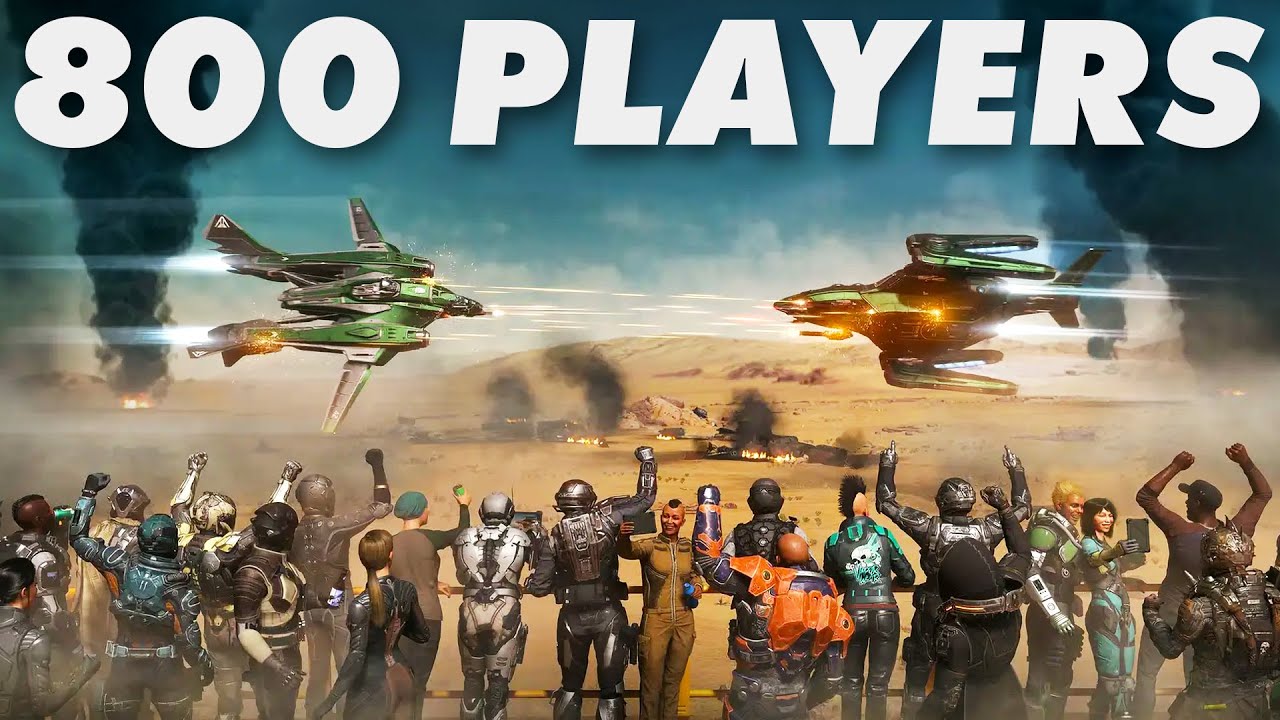
Go to our sponsor https://betterhelp.com/levelcapgaming for 10% off your first month of therapy. Thank you to BetterHelp for Sponsoring this video.
Star Citizen just tested Server Meshing and 800 player servers, which is one of the game's biggest milestones ever...
chrome quest
Don't get me wrong, it's crazy impressive tech. And it's a huge feat for them to implement it. But I think it's not at novel as they made it out to be. Nobody else just gave enough of a shit to actually sit down and do it
worthy oak
chrome quest
Each database represents a world. Then there's a master server that handles movi...
Huh for some reason I thought it was something else. It’s not merely sending data directly to the server?
Again I haven’t looked enough into it
More super high level
chrome quest
worthy oak
Huh for some reason I thought it was something else. It’s not merely sending dat...
Not really.
Nah, very very easy to understand
chrome quest
Yeah, the main thing is that the game simulation is moved from a master server to multiple smaller servers. So the load is split.
All the master server is doing is handling communication and data transfer
worthy oak
I see ok 🤔
chrome quest
Dual Universe also has a similar system, but with dynamic scaling based on player count.
Star citizen has fixed server counts with each server responsible for a certain section of the world
worthy oak
chrome quest
Star citizen has fixed server counts with each server responsible for a certain ...
Gotcha ok
chrome quest
SC is trying to implement dynamic scaling, but with new server instances based on "rooms" instead of player count.
So basically when a player enters a room, it spawns a server for that room, when there are no players, it despawns the server.
I just don't like that they use fancy buzzwords for basic shit. Their persistent inventory and worlds bs, is just moving the data storage to sql databases and storing objects transforms as well.
And the entire community was praising it like the second coming of world of warcraft
I can do the same thing with flecs. Just serialise the entire world, lmao
worthy oak
well i think that’s just what a lot in the tech side do. Use fancy words to sound smarter
Like photosynthesizing your game instance 😂
chrome quest
Precisely 😂
keen dune
worthy oak
Like photosynthesizing your game instance 😂
You mean to tell me you don't?
worthy oak
keen dune
You mean to tell me you don't?
I WOULD NEVER. Often. Try not too….
chrome quest
When they were describing the persistent inventory, I was remarking to myself that I accidentally implemented the same thing for myself when I moved my inventory system to use an ECS
I serialise everything, including object transforms and all the runtime data that's needed.
worthy oak
😂
keen dune
Out of curiosity, can unreal have the player play locally on a simulated server on build?
i.e. Keeping code relatively the same between Singleplayer and Multiplayer. @chrome quest
Otherwise I'd probably need to do some sort of check if I'm running on a server and store that locally I think.

I wasn't sure if "Is Server" is used for P2P as well.
 twin juniper
How to create a dedicated server?
 fossil spoke
twin juniper
~~How to create a dedicated server?~~
fossil spoke
twin juniper
~~How to create a dedicated server?~~
This is a well documented process and easily accessible through a quick search online.
chrome quest
keen dune
Out of curiosity, can unreal have the player play locally on a simulated server ...
You just can't do it in a multiplayer game. You can't have the same code for single player and multiplayer. That's why we always say its better you start your game as multiplayer of you're ever doing to do multiplayer.
But, your multiplayer code works as normal if you run in single player. For the most part
So, code as multiplayer. Then you can use it as multiplayer and single player
keen dune
👍
twin juniper
chrome quest
You just can't do it in a multiplayer game. You can't have the same code for sin...
but the trick is that multiplayer is way harder than singleplayer..
chrome quest
Yep. For obvious reasons
keen dune
Trial by fire baby
chrome quest
Try writing a data request system by hand because you can't replicate your entire inventory system database.
worthy oak
twin juniper
but the trick is that multiplayer is way harder than singleplayer..
Nah just check the box what could possibly go wrong!!! 😂
chrome quest
Then you use a DSL because you can't write a function for every single data combination
keen dune
Oof.
chrome quest
if (IsSingleplayer())
{
    SetIsMultiplayer(true);
}
Boom easy
keen dune
@chrome quest Btw the reason I bring it up is because
In Standalone you are Authority
And when it comes to HasAuthority checks
I was thinking about whats used to determine if you are in a single-player session.
Since in multiplayer, you're remote
Unless P2P I believe
chrome quest
Why do you want to distinguish that?
keen dune
There's not a case where I would?
fossil spoke
Why do you need to know if you are SP or MP?
What does that information help you with?
hollow eagle
There are situations but it's pretty rare. And you use the netmode for that, not authority.
And even in those situations you generally want to know whether you're a dedicated server or not to avoid purely visual stuff that a DS doesn't need to run.
chrome quest
Hmm... can't think of it really. If you're in SP, just treat the game like a listen server. And a listen server is one that is also a player.
So, the hud thingy and all, you also run it on the server. If it's a dedicated server, it'll get ignored anyways.
keen dune
Ah
chrome quest
Obviously, make sure to check your references are valid or you'll get a crash
twin juniper
I've noticed that everything (mostly) in C++ can be made in BP, is that also the case for movement prediction for multiplayer purposes?
hollow eagle
I mean for that stuff you usually check IsLocallyControlled or related.
so it's not authority or netmode.
worthy oak
twin juniper
I've noticed that everything (mostly) in C++ can be made in BP, is that also the...
As with everything yes probably. But just cause you can do it doesn’t mean you should
fossil spoke
twin juniper
I've noticed that everything (mostly) in C++ can be made in BP, is that also the...
You have far less control in BP.
chrome quest
twin juniper
I've noticed that everything (mostly) in C++ can be made in BP, is that also the...
Nope. Most things in C++ can't be done in BP, that's why C++ is used just as much, if not more than BP
fossil spoke
Complicated things like that should remain in C++
keen dune
C++ being faster anyways it should be used more.
After getting used to the engine in BP
twin juniper
👍
chrome quest
keen dune
C++ being faster anyways it should be used more.
It should be used for what it's meant for. Same with BP
 nimble parcelBOT
:question: Should I use Blueprints or C++?
Use whatever is comfortable. But seriously: use either one, or both. It depends on the scope of the project and the size of your team. Check out this guide from Moth Doctor to learn more.
keen dune
chrome quest
It should be used for what it's meant for. Same with BP
My opinion is BP is more power to the artist and designers, C++ being used to create the systems that drive the game and made to allow input/configuration.
twin juniper
nimble parcel
:question: **Should I use Blueprints or C++?**
[Use whatever is comfortable](<ht...
I recommend the popular video called BP vs C++
keen dune
i.e. Quest System in C++, creating the data configuration and a few other things managed in BP
fossil spoke
Lets not get to far offtopic here.
chrome quest
Yep. Back in #programmer-hangout if you wanna continue
 harsh ice
hi can anyone help me why my cast is failed and how i can fix it

 sinful tree
harsh ice
hi can anyone help me why my cast is failed and how i can fix it
sinful tree
harsh ice
hi can anyone help me why my cast is failed and how i can fix it
The instigator controller from "self" may be null. Check what it is.
harsh ice
This is based weapon
So i am using a player character and spawn weapon then apply damage in the base weapon
sinful tree
But what actually is the instigator controller you're feeding into the apply damage node?
Like print out its display name.
See what it actually is, make sure it's not null
 buoyant wedge
Hello. I have problem when I try to join on session in editor. The engine crash with some TSharedPtr problem that i don't understand


 sinful tree
harsh ice
I think it's null
sinful tree
harsh ice
I think it's null
But is it actually null? If it is null, then that's likely not what you want to feed in to the instigator as it may not have been set on "Self" when spawning this actor.
sinful tree
buoyant wedge
Hello. I have problem when I try to join on session in editor. The engine crash ...
It's telling you that an assertion failed of IsValid on line 48 of your MultiplayerGameInstance.cpp file.
That usually means that you're attempting to access something that isn't valid at the time that this function is being called, and the only object you appear to be accessing is "SessionSearch".
How do you actually set a value into your "SessionSearch" pointer?

 obtuse field
Is there a way to switch from standalone to listen server without realoading the map? Something like Minecraft's "open to lan"
fossil spoke
obtuse field
Is there a way to switch from standalone to listen server without realoading the...
In PIE?
obtuse field
fossil spoke
In PIE?
in packaged game
fossil spoke
obtuse field
in packaged game
Typically you will just run the game as if it was a Listen Server anyway and only generate a Session when you want people to connect.
obtuse field
fossil spoke
Typically you will just run the game as if it was a Listen Server anyway and onl...
By session, you mean like normal/advanced sessions, or are there some special kind of sessions just for the listen server?
fossil spoke
obtuse field
By session, you mean like normal/advanced sessions, or are there some special ki...
They are the same
obtuse field
ok, thanks
buoyant wedge
@sinful tree Im continuing to debug my problem and i see that Session search is invalid for some reason 😦

 violet sentinel
buoyant wedge
<@218956378654507008> Im continuing to debug my problem and i see that Session s...
violet sentinel
buoyant wedge
<@218956378654507008> Im continuing to debug my problem and i see that Session s...
is the game instance the same object which get joinserver called on ? pay attention to this when setting breakpoint in joinserver and there
opal pulsar
at least they're making an effort!
opal pulsar
Okay - ForceNetRelevant is basically just a ForceNetUpdate wrapper with 1 distinction; If its remote role is ROLE_None that means its not set to replicate so it will enable replication for that actor before calling ForceNetUpdate.
buoyant wedge
@violet sentinel Can be when i create the session is not registred on the session result? Because Session result it's every time NULL
 violet sentinel
buoyant wedge
<@203202200615387136> Can be when i create the session is not registred on the s...
violet sentinel
buoyant wedge
<@203202200615387136> Can be when i create the session is not registred on the s...
if they're two different gameinstance objects it is possible. thus i mentioned to pay attention to this address
buoyant wedge
@violet sentinel what is this?
violet sentinel
look at variables panel when debugging and not the tooltips
buoyant wedge
@violet sentinel you are right. this is MultiplayerGameInstance_0 on create session and MultiplayerGameInstance_1 on find :/
what happen?
violet sentinel
you run a server and a client? so you get 2 GI
violet sentinel
createsession running on server GI_0 is correct
join and onfindsessioncomplete should happen on client so GI_1
buoyant wedge
ok so it's correct. But didn't find any session
violet sentinel
your joinserver call for happens on server instance , sets field
your onfindsessionscomplete happens on client instance, reads field and sees null because it was never set
 dark blade
Hey everyone,
I have a TMap that I need to replicate (store / inventory that is a list of resources type and qty for a RTS)
I know we can't so I'm trying to change the way I'm doing it
Before:
I was having a struct with the TMap and I was replicating the struct.
Now I'm trying to find a good solution for DX and also for the networking.
I tried having a Struct with two TArray but I can't have helper functions in the struct so the DX is not the best and I need to make the functions in a BPFunctionLib(addresources, delResource, basically just redo map helpers)
I tried creating a DataAsset with two TArray(Key and Values) and all the helpers functions but every actor is sharing the same data and I want Blueprint to have its own store.
I want to try with a AInfo or AActor but it means that I need to instanciate it, does not look like the best for DX.
My current IDEA is doing an actor component with the two TArray, so I can have all the helper function I want.
Let me know if you are having any resources for that / good idea for best practices.
buoyant wedge
@violet sentinel the problem should be the widget?
 violet sentinel
dark blade
Hey everyone,
I have a **TMap** that I need to replicate (store / inventory that...
violet sentinel
dark blade
Hey everyone,
I have a **TMap** that I need to replicate (store / inventory that...
do you have a lot of different resources?
data asset is for read-only data. if you need an object to store data - inherit uobject and replicate it.
actor component would be a nice thing as you can have all resources logic aggregated in single place and attach it to whoever will hold the resources (like playerstate or gamestate)
obtuse field
Is there a better way to check if code should be run at listen server by a local player than checking if controller is local controller?
dark blade
violet sentinel
do you have a lot of different resources?
data asset is for read-only data. if ...
For now not a lot but probably 20 max.
UObject does not support replication today if I remember well
 violet sentinel
buoyant wedge
<@203202200615387136> in BP all work. I really don't understand where is my mist...
violet sentinel
buoyant wedge
<@203202200615387136> in BP all work. I really don't understand where is my mist...
verify how you acquire SessionInterface
buoyant wedge

 modest crater
dark blade
For now not a lot but probably 20 max.
UObject does not support replication toda...
modest crater
dark blade
For now not a lot but probably 20 max.
UObject does not support replication toda...
You can if you add that uobject to be replicated through an actors channel, its how components work with replication - Just incase you wanted it https://dev.epicgames.com/documentation/en-us/unreal-engine/replicated-subobjects-in-unreal-engine
 normal valley
New to using AWS Gamelift... I've managed to deploy my fleet and have succesfully started a gamesession. What is the intended way to connect to the server? Currently I am manually passing ip:port as commandline arguments, but that wouldn't work with a release build?
dark blade
modest crater
You can if you add that uobject to be replicated through an actors channel, its ...
Thanks
worthy oak
normal valley
New to using AWS Gamelift... I've managed to deploy my fleet and have succesfull...
You will do much the same, you would query gamelift to get the ip and port then run that in the game. Now how you are going to do that is going to depend on the kinda of game your after. You could use matchmaking to pick which fleet and session you want, then return that in your game.
There are a few plugins on the marketplace that expose the API into blueprints to aid this workflow. Keep in mind best practice is to never store access keys on anything client side. Best way would be either an API, cognito (AWS user pool) and authenticating users/requests, or a combination of both
Once you have that information in either c++ or blueprints you can just do an open level call with the ip:port info
buoyant wedge
@violet sentinel if i use the original BP create session node and try to find session with my find session on C++ it's work. So i suppose the problem is on create the session but i don't undestand the problem 😦
normal valley
@worthy oak thanks! alright so i found these tutorials for setting up Aws Lambda + API.
I guess that is the way to go? I.e. there's no automagical api in the Gamelift plugin already
Welcome to Building Games on AWS, an AWS Game Tech YouTube series where we teach you how to use AWS to build games! Building Games on AWS will cover a variety of topics, including analytics for games, AI/ML for games, hosting game servers, game engine integration, and more.
This second series will be about integrating Amazon GameLift with Unrea...
worthy oak
normal valley
<@146745258703585281> thanks! alright so i found these tutorials for setting up ...
That would be the way I would do it and tie it to some kinda of authentication
Ideally you don’t want players to query gamelift directly with the exception being a matchmaking request
normal valley
yeh they have cognito users as part of their tutorial series
cool cool
Thanks! Then I know I am not missing something obvious and it's not a crazy way of doing it 🙂
worthy oak
Yeah of course! 😄 best of luck!
 errant mulch
i was about to ask a question that i did not even consider for a second it would have something to do with a multiplayer problem, then, i added an rpc and it solved.
my advice from what i learned on this experience, is that if you have a multiplayer problem, add an rpc, 8/10 times it will solve your issue
the other 2 its because you forgot to check the replication box ya dummy
modest crater
Just be aware of the cost and try to implement things with that in mind and try group functionality or even get it for free sometimes with OnReps
surreal fox
twin flint
I plan on using this. it has a free opensource version. https://eik.betide.studi...
thx is there any other free option for blueprint?
twin flint
surreal fox
thx is there any other free option for blueprint?
I'm not aware of any. I think that's the selling point of all the premium ones.
surreal fox
twin flint
I'm not aware of any. I think that's the selling point of all the premium ones.
ohk, btw what would happen if I use steam subsystem and don't release my game on steam?
twin flint
Just use the interface and that way you can configure different subsystems. I am not to the point where i have done much with the online subsystem stuff though.
surreal fox
okay
twin juniper
Anybody that knows how i should implement the HUD for a local multiplayer join screen?
Something like the image?
How can i make certain parts of the HUDonly react to a certain connected controller?
I Suspect each player controller will have some sort of FSlateUser?
If so how can i access that an build arround that?
 thin stratus
Anyone using Mover and its Transitions?
I'm a bit lost on how to clean up the State left behind by the previous MoverMode, if I don't have a freaking OutputState to work with.
thin stratus
twin juniper
Anybody that knows how i should implement the HUD for a local multiplayer join s...
When creating Widgets you can usually supply a Controller in the CreateWidget node.
That should set up most of the underlying code to only route that user to that widget.
 swift bay
Hey everyone,
I was wondering if someone could point me in the right direction with this issue.
I have a variable "JoinedChannel" that is replicated using OnRep in the PlayerState. When a player joins a channel this value is properly replicated and every client knows in which Channel a player is.
Now I am currently trying to implement Player-Visibility depending on the JoinedChannel. So when two players are in the same channel, they should be able to see each other, if they are in different channels, they should not be able to see each other.
I was trying to invoke my method that handles that Player-Visibility in that OnRep_JoinedChannel function. For that I got the OwningPlayerController of the PlayerState and invoked UpdatePlayerVisibility(). Well this doesn't work for all clients because this OnRep function is, as far as I understand it, invoked on the PlayerState-Copy other clients have. But I basically want to invoke this method on all remaining PlayerController.
So I was wondering what the best course of action would be. Should I use a Multicast to invoke this on all clients? Or maybe invoke a ServerRPC from the owning client (ROLE_AutonomousProxy) that invokes this UpdatePlayerVisibility? Or a completely different approach?
thin stratus
swift bay
Hey everyone,
I was wondering if someone could point me in the right direction w...
IsNetRelevantFor might be better?
Keep in mind that Players in the same room, even if in different "Channels", will have Collision enabled on Server-side
So they might still run into invisible people if your characters can collide.
Even if you use IsNetRelevantFor and fully stop the replication of them (which is probably better), they will still cause corrections if ran into on the server.
swift bay
Good point, I'll have a look into that, thanks!
For my understanding: Regarding the Server-side collision on a dedicated server: NetRelevantFor returns false if IsHidden is true and collision of the rootcomp is disabled. If I do this only on the client side, the server would still register the collisions and this would lead to the client having mismatched locations, which the server then has to correct, which leads to rubberbanding/teleportations?
If so, how could I prevent this?
 hollow gate
@thin stratus Hello , I wanted to let you know the network prediction plugin fork has all critical features completed. the last 2 submits contains all changes to both NPP and mover in separate commits with comments detailing the change list.
Features Added :
- Smoothing
- Client Time Dilation To Remove high input buffering
- Bandwidth usage optimization
- replay support
https://www.youtube.com/watch?v=g8_JyUdrOLs
https://github.com/TrueKaizoku/UnrealEngineNPP/tree/5.4-With-NPP-Features

In This Video , I Cover The Network Prediction Plugin for unreal engine with a brief explanation. Talk about its missing features and showing the result of implementing said features.
These changes are available for everyone to use. you just need to be part of epic organization on github. to access it.
Becoming Part of Epic Organization On Git...
hollow gate
thin stratus
I'm a bit lost on how to clean up the State left behind by the previous MoverMod...
can you tell me the use case? what you mean by "clean up the State " ?
thin stratus
hollow gate
can you tell me the use case? what you mean by "clean up the State " ?
So I have a general Transition to start Swimming. This simply checks the ImmersionDepth.
Now a child of that is used to Transition from climbing a Ladder to Swimming, cause we want some more control over it.
When climbing a Ladder, we set the Player to ignore the Ladder Collision while moving, as well as set the current Ladder Actor in the SyncState.
When performing any kind of transition off of the Ladder from inside the MovementMode, we clear the Ladder on the SyncState and reenable the Ladder Collision while moving.
On top we also broadcast that we stopped climbing the Ladder.
That can happen by reaching bottom or top of the Ladder, or by reaching the floor, as well as manually jumping off via SpaceBar.
I sadly can't clean up the SyncState of the Ladder Climbing properly when using a Transition, cause I have no access to the OutputState.
I'm considering adding it to "DoTrigger", cause I don't see why not.
thin stratus
hollow gate
<@94211915902889984> Hello , I wanted to let you know the network prediction pl...
Awesome (: thanks a lot!
thin stratus
swift bay
Good point, I'll have a look into that, thanks!
For my understanding: Regardin...
NetRelevantFor is Server-side only. Server stops replicating the Actor to the specific Client.
There are many reasons for that and you can override it per actor to add your own.
How you resolve that the Actors still can collide on the Server? No clue. Disable the collision on them in general I guess? Figure something out where they have different profiles or so? Probably difficult with limited amount of CollisionObjectTypes.
hollow gate
thin stratus
So I have a general Transition to start Swimming. This simply checks the Immersi...
you can't not have the sync state anymore? like ziplining does it? the ladder movement mode adds its own sync state to the output when it tick. and copies from the input before modifying it. if you are not in that movement mode that sync state will be gone. this does mean you'll have to check for ladder actor in the movement mode tick when you first enter it from a transition because it will be null. you can enable and disable collision in transitions i suppose.
And Yes, The output should probably be a part of the transition do trigger. logically transitions triggering should be able to effect the state. it's a change i would like to see too.
thin stratus
Transitioning onto the Ladder is a bit different
There is a Transition (Mover) that sets some Blackboard Struct with information.
Then goes into Ladder MovementMode. That MovementMode then checks if the TransitionInfo is set on the Blackboard and transitions. At the end of the transition it sets the Pending Ladder on the SyncState.
So that should be fine.
I guess the SyncState of the Ladder MovementMode cleans itself up like you said.
Then I would only need to grab the current ladder from the StartState and remove it from the IgnoreWhenMoving list.
swift bay
thin stratus
NetRelevantFor is Server-side only. Server stops replicating the Actor to the sp...
Alright, thanks for the replies!
thin stratus
That MovementMode then checks if the TransitionInfo is set on the Blackboard and transitions.
That said, I would have loved a way to actually tick the Transitions.
Feels a bit half-done atm.
hollow gate
thin stratus
I guess the SyncState of the Ladder MovementMode cleans itself up like you said....
that would work yes. if there's no ladder state , there shouldn't be any ladders ignoring movement
thin stratus
hollow gate
that would work yes. if there's no ladder state , there shouldn't be any ladders...
I still have to actively clear that, but that's fine. I can do that via the Params that I have available in the Transition.
hollow gate
thin stratus
> That MovementMode then checks if the TransitionInfo is set on the Blackboard a...
transition do tick. you mean effecting the state i guess
thin stratus
Where do they tick?
They call Evaluate and if that returns a valid name they call Trigger once.
thin stratus
Yeah but that doesn't single out the transition
I want to say "This Transition is Active" and then only tick that until it returns "Done" and then move to the next Mode.
Cause currently I have to handle the Transition over Time onto the Ladder in the Climbing MovementMode
hollow gate
sometimes it's simpler to not use transition with some modes. like in this case. would be a lot simpler to check if you should exit in the tick of the movement mode, and clean up then set next movement to what you want.
thin stratus
Yeah I do that for almost all cases, but Ladder -> Water
I could move that too, but at that point I could just not use Transitions in general
hollow gate
i found transition most useful as global transition from multiple modes to a certain one. they are not useful for 1 to 1 . from specific to another specific mode. that can just be in the mode tick.
thin stratus
A lot of transitions on our end are specific with some general shared part
Will see how this developes. Still exploring the best ways to use mover.
hollow gate
Do trigger should have output state though
thin stratus
I assume for the Ladder State I want to disable the CopyFromPrevState part
thin stratus
hollow gate
Do trigger should have output state though
Doesn't on our end. Maybe outdated?
hollow gate
thin stratus
Cause currently I have to handle the Transition over Time onto the Ladder in the...
that's what layered moves are for
thin stratus
It's not really a move. it's a fixed animation sort of from current to a specific point on the ladder
It's fine atm. I just tick it in the MovementMode. Probably won't change
thin stratus
thin stratus
I assume for the Ladder State I want to disable the CopyFromPrevState part
WELL, then I need to manually add the Ladder OutputSyncState I guess
Not sure that's nicer
Ah, something for tomorrow. I worked enough on Mover for today sigh
twin juniper
thin stratus
When creating Widgets you can usually supply a Controller in the CreateWidget no...
okay so i should basicly get all the connected controllers and make that ammount of join Widgets
hollow gate
thin stratus
Doesn't on our end. Maybe outdated?
i meant it should. but it doesn't.
thin stratus
twin juniper
okay so i should basicly get all the connected controllers and make that ammount...
Sounds reasonable. You can also set the Owner after the fact I think, but not sure how well that calls into the Widget stack
thin stratus
hollow gate
i meant it should. but it doesn't.
I think so too
hollow gate
thin stratus
It's not really a move. it's a fixed animation sort of from current to a specifi...
for ladder , i would have an entry transition this transition checks for entering ladder conditions and if they are met, it gets mover component and queue layered mode of type move to ladder location (child of move to) for example. you can fill in target location and duration and queue it.
mover will start this layered move which in its evaluate you check if it's time for it to end when its duration passes this frame , you can propose ladder movement mode in the layered move. which would trigger the movement mode that doesn't need to have a persistent state at all and can be just like ziplining mode. it adds its own state to output and copies from input if it finds it in input. if doesn't find it in input means it's first frame of mode. all exit rules of the ladder are checked and performed within ladder mode tick.
thin stratus
How do I stop the current MovementMode from generating a ProposedMove ontop of the TransitionLayeredMove?
I will see tomorrow if I can move it. It's already working, so I rather focus on the broken stuff first.
hollow gate
thin stratus
How do I stop the current MovementMode from generating a ProposedMove ontop of t...
if the layered move is override, it will override all movement modes proposed move
twin juniper
thin stratus
Sounds reasonable. You can also set the Owner after the fact I think, but not su...
hmmm does not work : (, Even if i create my widgets with a different owner all of my controllers are able to press those buttons
surreal fox
can I use steam subsystem for my mobile game
cause I've heard that games using steam subsystem are only allowed to be launched in steam
 calm isle
When i press stand alone the steam didn't pop up and when i package it shows this warning is it because i set my ini wrong?


 pearl bear
When developing a game that has both a single player story mode and a multiplayer mode, will writing the code for multiplayer create problems in terms of single player development?
surreal fox
surreal fox
can I use steam subsystem for my mobile game
I gatta start implementing the subsystem today, can somebody answer it for me?
quasi tide
Is Steam on Mobile?
If the answer is no - then you have your answer.
Steam only deals with Steam.
Idk what you're trying to do, but if it is network stuff - use a different service, like #epic-online-services
There is even this https://github.com/betidestudio/EOSIntegrationKit that you can use. Nice & free.
surreal fox
quasi tide
Idk what you're trying to do, but if it is network stuff - use a different servi...
yeah I just need to create and join sessions, nothing else but if steam doesn't allow this then I think EOS would greate choice.
surreal fox
quasi tide
There is even this <https://github.com/betidestudio/EOSIntegrationKit> that you ...
Yeah I know about this but I am trying to do it with c++ to make game faster.
Thanx buddy
 solar stirrup
Sanity check - can you replicate a non-replicated actor reference if it's loaded from the map on server and client?
thin stratus
@surreal fox Steam is "Desktop" only (if we ignore stuff like SteamDeck and what not). If you need Mobile either use the matching Mobile OS if it has Lobbies/Rooms/Sessions, or use EOS and auth with the Phone on EOS.
surreal fox
thin stratus
<@567265654911270913> Steam is "Desktop" only (if we ignore stuff like SteamDeck...
ohk I got the answer, I was preferring it cause it has many tutorial on yt but no problem. Thank you
modest crater
solar stirrup
Sanity check - can you replicate a non-replicated actor reference if it's loaded...
Yeah it’ll be its path the first time and then after it will be assigned a NetGUID so further attempts to address it will be cheaper, assuming I understood your question
solar stirrup
Yeah kind of, just wanted to see if I could just replicated the actor reference instead of the path
if it works, cool
 real ridge
Guys what is best system or easiest system to make Level (xp) system in multiplayer game, progress in missions and stuff like this ?
maybe in future some skins or achievements
quasi tide
You're asking for big system on Discord. All of these are different things. And there is no "best".
modest crater
quasi tide
You're asking for big system on Discord. All of these are different things. And ...
$5, best I can do
dark edge
real ridge
Guys what is best system or easiest system to make Level (xp) system in multipla...
- Try to do it
- Realize you've done it badly
- goto 1
real ridge
dark edge
1. Try to do it
2. Realize you've done it badly
3. goto 1
brah
 mystic hazel
Does anyone know how to set the window tick rate? When my window is unfocused in standalone mode the FPS drops. Already tried unchecking Use Less CPU in background.
real ridge
Another "hard" question, if you wanted make game and have game on steam or epic maybe multiple platforms would you use EOS for multiplayer or rather something else like playfab?
 rose pollen
using the "play montage and wait" node in from a server initiated gameplay ability when the "Anim Root Motion Translation Scale" is set to 1.0 everything looks great, but when it is set to a lower value (eg. 0.5), the owning client of the player whose character is playing the montage has a lot of jitter during the movement as though it is being correctly by the server (other players viewing that player have no jitter). Is there a way to make the "Anim Root Motion Translation Scale" property replicate smoothly so that there is no jitter on the owning client? Its wierd that the problem only occurs when the "Anim Root Motion Translation Scale" is not 1 and the jitter is worse the further from 1 that value is.
The root motion in the animation is very simple, so i can work around the issue by disabling root motion in the animation and then using apply root motion constant force and everything works, but it would be nice if i could have the translation scale property just work, I've used that property on a different ability that is client initiated and it worked fine.
queen escarp

hm this is run on player controller
but its not working on the client side,
i though if i play it on "owning client" it would work on the clients also :O?
kindred widget
What event is it from?
 kindred widget
And it doesn't work on the client running it? O.o
queen escarp
nope
kindred widget
It is running on that client though? The input event?
queen escarp
yupp
oh wait
my bad
it works i just set what audio on the server
but dident replicate

however im getting access none on the "set current music being played" on client side
this is on a component on the player.. ??
:/ ?
 uncut orbit
Hi! So i have a problem. I'm trying to connect to my friend (locally) and the friend is in a map called "FirstPersonMap" and it looks like its trying to connect me to the main menu of the other machine? I'm very confused so any help would be greatly appreciated. When I click the join button nothing happens and I get this in my log
[2024.05.06-20.05.26:875][983]LogGameMode: Display: Match State Changed from InProgress to LeavingMap
[2024.05.06-20.05.26:875][983]LogGameState: Match State Changed from InProgress to LeavingMap
[2024.05.06-20.05.26:875][983]LogGlobalStatus: UEngine::Browse Started Browse: "192.168.1.12/Game/FirstPerson/Maps/MainMenu"
[2024.05.06-20.05.26:875][983]LogNet: Browse: 192.168.1.12/Game/FirstPerson/Maps/MainMenu```Hello, I have a Pointdamage event that my AI receives when my character hits it, there I pass my character's Controller, I would like that when my AI makes a parry, my character executes a montage, I have to execute this on the side from the server and through the controller of the character that does the damage, right?
normal viper
torpid whale
Hello, I have a Pointdamage event that my AI receives when my character hits it,...
https://www.youtube.com/watch?v=-i65hG3eh0I Just watched this, didn't help with my problem but maybe will help with yours

How to replicate animation montages from Behavior Tree Tasks (only existing on the server) to all clients.
Footage is from my current project: https://twitter.com/TheBornlessGame.
Email me on my channel if you want to work together
==========================================================
Popular UE4 Products:
🛍️ Endless Random World Tut...
torpid whale
But I don't need my AI to do the setup, the character who does the damage has to do it
this is the parry event
 lost inlet
Well it's an incredibly broad question but for non-competitive low player count games, listen servers are going to be fine
well "listen server" is more correct than p2p since it's not really p2p, but yes the host player will be authority and know the entire game state
that's why I said non-competitive
since for competitive, the host always has an advantage
yes, they know everything. they're the server
twin juniper
including deleting everything
fossil spoke
They are more expensive than running Listen Servers yes.
twin juniper
fossil spoke
They are more expensive than running Listen Servers yes.
Are Listen Servers even expensive? Aren't they free?
fossil spoke
twin juniper
Are Listen Servers even expensive? Aren't they free?
Yes
Thats a common approach.
With EOS you can also do normal Match Making based on whatever criteria you like.
Deep Rock Galactic is a good recent example of a nice way to do Listen Servers.
Its simple, effective.
Exactly how you described it.
However they provide a Server Browser as well
To which you can then join public sessions.
You will typically just join on friends though.
lost inlet
yes but you would need access to those platforms
fossil spoke
There is A LOT you need to consider for crossplay. But you should learn how to walk before you can run
Forget crossplay, just build a good game that works on your initial target platform.
lost inlet
and that was the short answer
twin juniper
lmao (me 2.0)
lost inlet
as long as you don't have cross-buy, now that's a nightmare
twin juniper
lost inlet
as long as you don't have cross-buy, now that's a nightmare
what's that?
fossil spoke
Use Unreal, use EOS. Thats about as good a preparation you can do without thinking about it as you go.
lost inlet
twin juniper
what's that?
it allows you to use your purchased mtx across different platforms linked with the same account
thankfully I did have to try and implement that, but Sony is very strict about it
hot scroll
I have an idea for how I want to structure some of my multiplayer client-server communication behaviors and would like second opinions.
Each client creates a Replicated Actor. This means they will be replicated on the server, but not each client. Other clients don't need to know about them.
The clients will need data from the server.
Clients would ideally specify individual string or int Ids. This triggers OnReplicated calls on the Server.
The server would then put data onto the replicated actor for the clients.
When the clients get updated data, they do OnRep calls and act on the new data
Could I do that with a single actor?
Is that a reasonable pattern? Or is there a better better to do this?
fossil spoke
hot scroll
I have an idea for how I want to structure some of my multiplayer client-server ...
Use the PlayerController?
lost inlet
that really is just reinventing the player controller with extra steps
fossil spoke
As you have described it, thats exactly how the PlayerController is setup, it is only available to the Server and the Client that owns it.
lost inlet
"Each client creates a Replicated Actor" though that part wouldn't work
hot scroll
fossil spoke
Use the PlayerController?
Relevant context I forgot to include: This would be a plugin for handling a niche behavior.
Can there be multiple player controllers for the client-server relationship?
lost inlet
delightfully vague. the player controller can have components
so that's one approach
you can spawn your own actor that is only relevant to a single player if you really needed to
fossil spoke
Sounds like a component would work best here as suggested by sswires.
hot scroll
Okay, so dev has their normal PlayerController.
Part of plugin setup attaches MyPluginComponent to it, then use the normal procedures for PlayerController.
Haven't dived into that yet. Was thinking about RPC vs Replication vs REST (since the server will be doing REST stuff to get external data from a web resource)
I appreciate the help!
twin juniper
what's REST?
fossil spoke
hot scroll
Okay, so dev has their normal PlayerController.
Part of plugin setup attaches My...
Please review the Network Compendium linked in the pinned messages here. You really need to read and understand it.
 sick zinc
twin juniper
what's REST?
sick zinc
twin juniper
what's REST?
REST (representational state transfer) is a software architectural style that was created to guide the design and development of the architecture for the World Wide Web. REST defines a set of constraints for how the architecture of a distributed, Internet-scale hypermedia system, such as the Web, should behave. The REST architectural style empha...
hot scroll
twin juniper
what's REST?
Primary way a lot of web technologies talk to each other. Not really useful for games since it is stateless and games are inherently full of tons of state.
hot scroll
fossil spoke
Please review the Network Compendium linked in the pinned messages here. You rea...
Cedric's ones? They've been really helpful overall!
Been reading through those but didn't dive into PlayerController since it didn't seem on the surface like what was relevant for my needs.
It looked more focused on control-input rather than data-case input. I didn't expect I could piggyback through it.
fossil spoke
hot scroll
Cedric's ones? They've been really helpful overall!
Been reading through those ...
Read the entire thing 3 times, how can you know what is or isnt relevant if you have no idea how they work?
Read it, understand it. Then judge what you think is relevant.
Then come back here to be shown how to do it 😛
Experience and knowledge on these things takes time to accumulate.
It doesnt happen overnight.
You will get there.
 native warren
Hi everyone, I'm new to Unreal multiplayer but not to programming....I'm hoping someone could help me with an issue around animation variables not being triggered on the proxy client of a listen server. I've been doing due diligence searching here & elsewhere and I see that there are some idiosyncrasies around the animation tick with listen-servers, is this related? Thank you for your time.
quasi tide
AnimBP doesn't replicate. Replicate through the Pawn and read from it.
nova wasp
also your animation ticking may only occur while in view with default settings
native warren
Yes. In this case I'm using a rep notify in my character blueprint, set on the server, and responding in the notify function by locally setting the animation bp variable. Debug shows the rep notify comes through fine for all concerned, but the proxy client on the listen-server does not respond to the local triggering of the anim bp variable.
native warren
nova wasp
also your animation ticking may only occur while in view with default settings
right, I was reading about that. In my test level all the client characters are in clear sight of each other.
nova wasp
BP onreps are called whenever a value is set, C++ on the other hand is different and has certain rules you may need to look up
the server does not replicate to itself
and replication is one way (server to clients)
native warren
yes, I did see that little gotcha with c++ vs bp, I am using blueprints at the moment and am seeing the replication notify come through on the client proxy and hit the logic that sets the local animation blueprint variable, but for some reason it doesn't trigger the animation state change.
nova wasp
oh, in that case you may need to try debugging the anim bp
you might find that some of your animation bp isn't actually storing the data you expect, you should be able to select the running instance with the anim bp open
not a multiplayer question per se
native warren
yes it could come down to a pure animation issue. What confuses me though is the other clients, that is the non-listen server client windows in the editor, see the animation play out fine.
native warren
Hi Cedric, I surely can. Let me preface that by explaining what I'm seeing in the editor:
I open 3 player windows, 1 x listen-server + 2 x clients. On the listen server I kill a client proxy, which should trigger a death animation. I see the death animation play out on the 2 x clients, but not the listen-server.
The death animation is set up as an animation state triggered with a bool in the abp.
I'm working in blueprints.
My logic is as follows: player death is handled on the server, which sets a rep notify bool. In the rep notify function I access the local abp & set the animation bool. My expectation, which is backed up by debugging, is that the rep notify is received by all. However for whatever reason the animation bool is not being set on the server proxy client.
It could be a pure animation issue, but as I say, the animation plays out fine on the clients. I was wondering if it's some listen-server idiosyncrasy


the left hand screenie is server code, Set Dead is called from server logic
the right hand screenie is the rep notify
neon summit
native warren
Hi Cedric, I surely can. Let me preface that by explaining what I'm seeing in th...
I think you need to get the rep notify bool and do a not boolean when you set the repnotify variable. As I understand it doesn't fire unless the value has changed
I'm guessing it has changed so nevermind
native warren
the issue doesn't appear to be the rep notify - that works fine. However the client proxy on the listen-server's abp is not responding to the setting of the animation variable. I guess I'm not necessarily asking about rep notify, but rather is there any known issues with animation state triggering on a listen-server client proxy
thin stratus
@native warren One thing aside, you should get the Boolean inside the AnimBP
Or at least use a Delegate
But that's besides the point
Did you debug print the Boolean in the AnimBP
Did you check the AnimGraph of the Server Instance of that client ?
native warren
well interestingly here's some debug:
where I am checking if both client & server (on the listen-server) are getting the rep notify & hitting the anim bp calling logic
and they appear to be

 native warren
it's messy I'm sorry, but gist of it is I'm responding with debug to the setting of the abp boolean in the abp event graph here, according to the authority of the owning actor, and it seems to show only the client is being set.

 native warren
thin stratus
<@379843790677999620> One thing aside, you should get the Boolean inside the Ani...
native warren
thin stratus
<@379843790677999620> One thing aside, you should get the Boolean inside the Ani...
by this do you mean I should check the character bool in the anim bp tick and set the anim bool internally rather than setting the anim bool externally in the character bp? I can change that np.