#multiplayer
1 messages · Page 170 of 1
 thin stratus
 visual sail
I'll try to get minimalist with that hud stuff now
make the player decide if they want to see everything at the same time
thin stratus
That's probably a good idea
There is also the concept of "show UI only if it matters"
E.g. hiding Health when the player is at full health.
Optional of course
visual sail
yeah I really liked that option when I was on Elden Ring
If i recall there's an option there that just display the hp/stamina bars if your character goes in action
thin stratus
fwiw there is also Bears Can't Drift as an example. That's from @red skiff iirc.
Also shows how minimalistic the UI can be for Splitscreen stuff.
https://store.steampowered.com/app/338040/Bears_Cant_Drift/
Of course a racing game, so totally different requirements, but UE. Just remembered that cause I think we did something on that project. Can't recall what anymore. Think some bug fix for console profile stuff.
General idea I guess is: Big and Readable + Not too much info
 lost inlet
flashbacks to when we were experimenting with splitscreen like 7 years ago
the only evidence it exists in the final product was there were two HUDs, a full screen one, and a per-player one
thin stratus
Yeah, that further proofs that, depending on the game, you gotta at least adjust the layout for the different splitscreen versions, if not even the whole UI.
We somewhat learned that the hard way too hehe
Somewhat logical though
lost inlet
the things that were full screen were an objective dock and the round timer
pretty much everything else was on the per-player "layer"
thin stratus
Right. I didn't write that earlier I think, only somewhat implied it.
Information that is the same between all players can totally go into one Widget that is added to the GameViewport. Such as a RoundTimer that sits in the middle of 4 Players.
You can also get creative with these, like instead of a timer, it's a burning down fuse or so.
Depends on the game of course. Definitely a work of art to make proper UI for different splitscreen layouts. Glad I only have to code stuff and not design it.

 honest rain
hello Everyone ! 😀 I am trying to learn a specific thing I never tried before : replicating an event only to one specific client ( damage numbers in this case ) and I am having trouble 😅 damage is being applied correctly from the player controller to the actor enemy on server and clients, but no damage number is being displayed :
 lost inlet
honest rain
hello Everyone ! 😀 I am trying to learn a specific thing I never tried before ...
lost inlet
honest rain
hello Everyone ! 😀 I am trying to learn a specific thing I never tried before ...
well isn't this on the victim? so... yeah
I imagine damage numbers are supposed to be seen by the attacker
honest rain
yes indeed, and yes it is spawned on the actual enemies ( the numbers )
thin stratus
 dark edge
Just make a text adventure
@honest rain
- Don't change the Owner of the AI to the PlayerController
- Don't place the RPC into the AI
- Place the RPC into the PlayerController
- Call the RPC on the InstigatedBy (after casting) PlayerController (if that's what you pass in there)
- Success
 sinful tree
"Run on Owning Client" means "Run on client that owns this actor". If it's not a client owned actor, which it usually wouldn't be if it's a computer-controlled actor, then no one receives this kind of RPC.
thin stratus
I'm not sure what InstigatedBy actually is
 lament flax
its been half a day and i still cant find out why my component isnt destroyed
the SM is still visible
 thin stratus
depends on what is passed in, but either way from whatever that is, you want to get the PlayerController
dark edge
honest rain
hello Everyone ! 😀 I am trying to learn a specific thing I never tried before ...
ooh don't do that
don't make the damager the owner of everything they damage
Encode it as a message
Dear Client,
please show a damage popup at the location of this actor, for this amount of damage.
Thanks,
The Server
Put a run on client event with that signature on the player pawn or playercontroller
whatever is being passed as Instigator most likely
 pine cedar
I'm making a small multiplayer mobile/pc game. when I minimise and close the game on android the game doesn't disconnect even though the app is closed anyone got anything which might help?
honest rain
thin stratus
<@290156232898117634>
- Don't change the Owner of the AI to the PlayerControll...
thank you !! 🙂
honest rain
dark edge
Dear Client,
please show a damage popup at the location of this actor, for this...
Thanks ! 😄
 red skiff
thin stratus
fwiw there is also Bears Can't Drift as an example. That's from <@29713563910144...
red skiff
thin stratus
fwiw there is also Bears Can't Drift as an example. That's from <@29713563910144...
The minimalism was driven mostly by laziness and incompetence. And it was connecting profiles to controllers for the xbox release. Very much saved my bacon 🥓
 glad robin
Too impatient to wait for upload/download to finish. I'm testing steam online subsystem and just have the default SpaceWar stuff setup. Now when running on a separate PC and different steam account, does this other account also need to be signed up for Steamworks?
 dark parcel
glad robin
Too impatient to wait for upload/download to finish. I'm testing steam online su...
dark parcel
glad robin
Too impatient to wait for upload/download to finish. I'm testing steam online su...
No
Just pass the game via hard drive. Have steam open. Then just run the exe
 vagrant grail
Hey general question :
I'm watching a stream of someone playing the game "We Were Here Forever" and there's a puzzle where players needs to move "pawns" around to match them with their corresponding icon. 1 is controlling "Round shaped pawns" and the other player is controlling "Square shaped pawns".
There's a bug occuring when both players move their pawn together in the same place and it's not supposed to happen and was wondering what kind of solution would make that never happen as both players are pressing at the same time so sending a sigal through the network to not allow the other player not doing that would take too much time I guess?
Here's the clip https://youtube.com/clip/UgkxEX-fFZqoUBd4NsCAEiH3KRnUNkHFWjgK?si=FFhdPgEDSWJ9GpnL

YouTube
20 seconds · Clipped by Diversity · Original video "We Were Here Forever - Partie 1" by Snakou VOD
vagrant grail
Why does the print "HELLOOOOO" in my GM_Werewolf in my OnSwapPlayerControllers event (override) not print ? When I go from my lobby level (having the GM_Lobby gamemode inherited from GM_Core) to the Mansion level (having the GM_Werewolf gamemode inherited from GM_Core) using "seamless travel".
The GM_Werewolf : BeginPlay print is being called without any issue and GM_Core : BeginPlay is being called as I use Parent:BeginPlay node so that's all good but somehow the OnSwapPlayerControllers causes an issue because it's not being called for some weird reason.

 icy jetty
Well, are you actually swapping player controllers?
vagrant grail
icy jetty
Well, are you actually swapping player controllers?
Yes, the lobby has a player controller called "PC_Lobby" and the mansion level has a controller called "PC_Werewolf"
icy jetty
vagrant grail
Yes, the lobby has a player controller called "PC_Lobby" and the mansion level h...
Did you print string in PC_Werewolf beginplay?
vagrant grail
icy jetty
Did you print string in PC_Werewolf beginplay?
nope let me try
vagrant grail
icy jetty
Did you print string in PC_Werewolf beginplay?
it does print

 oak flower
Is it possible for a weak computer to not be able to replicate some variable simply because it is weak?
When I test my multiplayer game with my best PC being the HOST/SERVER, and my notebook(low budget pc) being the CLIENT, everything works perfectly for both sides. But when I set my notebook to be the HOST/SERVER, my client machine (which is now my best PC) has a lot of bugs, a variable is not being replicated back.
 fossil spoke
oak flower
Is it possible for a weak computer to not be able to replicate some variable sim...
fossil spoke
oak flower
Is it possible for a weak computer to not be able to replicate some variable sim...
Yes, the hardware of the Host will affect the overall experience for all Clients.
If it has very bad hardware then it is unlikely to be able to handle hosting sessions with other Clients.
oak flower
fossil spoke
If it has very bad hardware then it is unlikely to be able to handle hosting ses...
Is there a way to "Minimize" this? Increase NetUpdateFrequency or something, I don't know...
fossil spoke
Minimize what? The more efficient and performant your game is, the better it will run.
Increasing NetUpdateFrequency will likely cause even more problems
oak flower
fossil spoke
Minimize what? The more efficient and performant your game is, the better it wil...
For example in my game, when the HOST is a low budget PC, an important variable is not replicated correctly
fossil spoke
Its probably being deprioritized because your hardware is struggling and its ability to process network updates is limited
You have 2 options
Make your game and network code more optimized
Stop allowing that level of hardware the ability to host sessions.
fossil spoke
Disable that players ability to host a session?
oak flower
Detect the computer's "hardware level" and prevent it from being a host
fossil spoke
There are functions for accessing hardware information
How you prevent it from hosting is on you
I dont know how your game is setup
Disable the “Host session” button??? 🤷
oak flower
fossil spoke
There are functions for accessing hardware information
Can you send me a link with this information so I can study better?
fossil spoke
Google is your friend? I am on my phone so its not easy
vagrant grail
vagrant grail
Why does the print "HELLOOOOO" in my GM_Werewolf in my OnSwapPlayerControllers e...
anyone please ? ☝️
 hoary spear
I think swapcontroller is invoked as part of possession and owner shifting...
You gotta dig a little
@vagrant grail
The sooner you get used to that the better experience you'll have
vagrant grail
hoary spear
The sooner you get used to that the better experience you'll have
In the parent I have a function to spawn the character and possess it but still the OnSwapController isn't called even after changing my code to this 🤔

 hoary spear
/**
 * used to swap a viewport/connection's PlayerControllers when seamless traveling and the new GameMode's
 * controller class is different than the previous
 * includes network handling
 *  @param OldPC - the old PC that should be discarded
 *  @param NewPC - the new PC that should be used for the player
 */
 woven basin
oak flower
For example in my game, when the HOST is a low budget PC, an important variable ...
woven basin
oak flower
For example in my game, when the HOST is a low budget PC, an important variable ...
This could be a sign of a different issue; that your game is not actually multiplayer coded correctly to handle lag. There’s lots of articles around about how lag and timing changes things that you don’t see in a PIE session. So when your low hardware device is server, the lag is higher, and it’s just unmasking issues that are already there.
I.e. your calling RPCs on things not yet ready etc
vagrant grail
hoary spear
```
/**
* used to swap a viewport/connection's PlayerControllers when seamless...
I think I found the issue, it doesn't work in "Editor New (PIE)", the test must be done in "Standalone Game" ... These kind of informations should be mentionned when hovering over that node 😤
hoary spear
Always test outside editor to verify
thin stratus
It's not directly the node that is at fault
hoary spear
Its a common thing with network stuff really
thin stratus
PIE by default doesn't allow SeamlessTravel
There is a console variable to enable it but it might just crash
hoary spear
Ouch ^ 😅
vagrant grail
thin stratus
PIE by default doesn't allow SeamlessTravel
How am I supposed to know that information ? 🤔 To me they should definitly mention that when you hover over that node as I'm pretty sure alot of people have the same issue and will look for hours to find out (if they do) it's related to "New Editor (PIE)" 🥲
thin stratus
They are not going to write that into every description of every node or function or variable that remotely has to do with seamless travel
vagrant grail
thin stratus
They are not going to write that into every description of every node or functio...
how many are they ?
thin stratus
This limitation exists since the engine got released afaik. Relatively sure I mention it somewhere in my compendium too
thin stratus
vagrant grail
how many are they ?
If you count c++, enough to not duplicate it that much
hoary spear
And earlier in this convo
thin stratus
You get a log warning when trying to seamless travel in editor
Also New Editor Window isn't at fault. Play in Viewport has the same
You can try the console variable fwiw
vagrant grail
thin stratus
You get a log warning when trying to seamless travel in editor
yeah but it's hidden with the 5000 other logs, that's why I didn't see it. It would be better if it was printed on the screen
 hoary spear
🤷♂️
thin stratus
You are free to report it to epic or go into c++, fix it/add it and make a PR
hoary spear
Always wrong i guess
thin stratus
Logs in our games aren't littered with tons of other logs. It's a good idea to limit logs to warnings+ or disable logs that aren't useful to you by default.
Also keeping your logs almost without warnings in general should help.
As in fixing the warnings
And of course errors
vagrant grail
thin stratus
Logs in our games aren't littered with tons of other logs. It's a good idea to l...
That's what I did by keeping only my logs, but it looks like it's not enough 😄
thin stratus
In BPs you don't really have the option to properly log I guess
In C++ it's way more common to make custom log categories for systems
 flat night
hey guys, I have an AI that has an Enum with a OnRep function that I use for it's states like attacking, walking, etc
I am making a child class of that AI that I want to handle only one of the states differently. In that case when the OnRep function is being called, do I have to copy paste the entire code and just change the one State I want differently, or is there a more elegant solution to this?
thin stratus
And to set stuff that logs often to verbose or very verbose
So they don't print by default
thin stratus
flat night
hey guys, I have an AI that has an Enum with a OnRep function that I use for it'...
You just have to change the code that you want changed.
If that code is inside a lot of other code, put that part into its own function
Und override that function
Or get your state stuff generally out of the AI into their own objects or so. But that's of course more involved
flat night
thin stratus
You just have to change the code that you want changed.
Okay, so it is how I assumed. It's not a huge issue, but I was just wondering
 sweet sage
Why using Iris on PlayerCharacter BeginPlay the controller is null?
thin stratus
sweet sage
Why using Iris on PlayerCharacter BeginPlay the controller is null?
Controller being null on PlayerCharacter BeginPlay on Clients is not Iris fault
sweet sage
thin stratus
Controller being null on PlayerCharacter BeginPlay on Clients is not Iris fault
It only happens when i enable iris
thin stratus
Then you were lucky. You aren't supposed to use the controller on BeginPlay
The act of possessing the Pawn replicates after it was spawned usually
Use ReceiveControllerChanged instead
Call for Server and a local Client
 simple oak
How do you replicate properly from a BP a player variable that gets updated every tick client side, without sending too much network messages ?
 frosty crag
Hi guys I was wondering what is the best approach to code a swipe attack, half of circle in front of you ? I was thinkking maybe have a 3D I could use to trigger overlap collision ?
woven basin
simple oak
How do you replicate properly from a BP a player variable that gets updated ever...
what type of variable? if it is input, that is heavily optimised to be sent to the server
if it is anything else, you can just start the 'logic' on both client/server, you dont need to replicate it each frame if it is deterministic
woven basin
frosty crag
Hi guys I was wondering what is the best approach to code a swipe attack, half o...
basically do a line or sphere overlap trace at the point of the attack, and loop all actors hit
simple oak
woven basin
what type of variable? if it is input, that is heavily optimised to be sent to t...
it's related to player input as it's where each player is looking at
but i don't think it's something handled by the CMC
woven basin
For this - because the callbacks are not the same as "on_rep" - does the logic of client only getting the callback still apply the same way only clients get on_rep in c++?
So if I have listen servers, I need to manually call the same callback the fastarray would call on a client on the listen server to ensure listen server UI also updates?
 vital barn
Are there any examples of PCG being done at runtime for multiplayer? I want the game to randomly generate and place foliage when the level is loaded.
woven basin
@fathom aspen - all your links are down? Github pages is throwing 404 for all of them saying nothing exists anymore. Did you mean to take your site offline?
thin stratus
woven basin
For this - because the callbacks are not the same as "on_rep" - does the logic o...
That I actually don't know. It is true that OnRep needs to be manually called, or at least the stuff in it that the ListenServer needs.
woven basin
thin stratus
That I actually don't know. It is true that OnRep needs to be manually called, o...
No probs - I'm building out the system now with FastArraySerializer etc - I'll just test the callbacks and see what happens when I get there. Thanks
sinful tree
simple oak
How do you replicate properly from a BP a player variable that gets updated ever...
Send it every frame if necessary (ie. the value is extremely important to gameplay in some way), otherwise, send it only periodically and let everyone else other than the owning client interpolate from the previous value to the new one. Not sure if you'll be able to do this in BP alone.
simple oak
sinful tree
Send it every frame if necessary (ie. the value is extremely important to gamepl...
That's the part i'd like to know how to do properly, the "periodic replication"
I was going for a manual RPC every 0.x seconds but it felt dirty
sinful tree
Set a timer, send the RPC on the timer's event.
Server sets the value via OnRep variable.
OnRep triggers on other clients, use the current value from wherever it is being used, and use some kind of interp node on tick to blend from the current value to the newly received value.
simple oak
so there is no var replication update rate or something, manual rpc calls is the proper way ?
sinful tree
If you're sending an RPC from the client there is no update rate you'd do other than how often you manually send it.
simple oak
yes i meant an update rate to set on a replicated variable
to avoid the boilerplate of timed RPCs
sinful tree
That wasn't your question though.
simple oak
"so there is no var replication update rate or something"
sinful tree
You originally asked "How do you replicate properly from a BP a player variable that gets updated every tick client side"
That sounds like you're updating a value on the client and want to send it to the server and if that is the case, how often you send it is something you will manually need to manage.
simple oak
thank you for your help
 brazen anvil
If movement speed is something that changes during gameplay, it would need to be included in the savedmove of the CMC correct?
hoary spear
Still wondering why sprinting isnt implemented in base cmc
Sounds like such a common thing
Or a bit more generic with SetMovespeedMultiplier
oak flower
woven basin
This could be a sign of a different issue; that your game is not actually multip...
I thought that only the internet connection influences the lag
dark parcel
oak flower
I thought that only the internet connection influences the lag
well I mean, if you are doing listen server and the host can only handle 20 fps
woven basin
oak flower
I thought that only the internet connection influences the lag
Yes. But if the more powerful PC does this faster than the less power server, it might do “begin play” earlier than the other device. So the problems only appear because of failed RPCs due to things not actually been setup correctly.
dark parcel
that do be an issue, I guess
woven basin
You can test this using network emulation on your computer with fake pings and see if you can replicate.
oak flower
woven basin
You can test this using network emulation on your computer with fake pings and s...
I already tested emulating with 500 ms, and this problem doesn't happen
Since in PIE, only the "fake connection" will count, but all instances will be running on the same computer (the best one)
Maybe it's really the fact that my notebook can't reach 20fps in my game, much less being a host
 upbeat basin
If we consider the basic multicast PlayMontage(Montage) RPC to play the montage on all clients, it feels like async loading might cause synchronization issues between clients. Would it be a common sense to send server start time for that animation, so if a client already have the animation on the memory but the other takes 2 seconds (trying to exaggerate) to load it, they can adjust the time according to server time?
oak flower
upbeat basin
If we consider the basic multicast `PlayMontage(Montage)` RPC to play the montag...
client side prediction/server reconciliation
upbeat basin
oak flower
client side prediction/server reconciliation
Is the sending server start time to clients, clients playing the animation from the remaining time according to server start time and current server time an example of it? Or are there better ways to do it?
I'd love to see if there is any posts about this with explanation and examples, without just the concept or just the code
 boreal wadi
Have you guys done any multiplayer tests with packaged builds on multiple devices? I'm using EOS and Listen Servers and I swear in the editor with network emulation turned on and set a bit below what is considered bad my game plays fine with minimal desyncs. Testing in a packaged build is another story. Just moving the client with no abilities or sprinting, just walking is lagging and rubberbanding. I want to know if its just me or is this something others are experiencing as well.
(I haven't tried dedicated servers yet but I feel like that could potentially be a solution.. although expensive)
hoary spear
Havnt had any issues with packaged builds yet, tested from europe to canada
Unsure of the actual ping
Was pc to pc tho. No EOS, just direct ip connection
 tiny pier
My players are connecting to separate instances of "Lobby" & aren't connected when opening levels. i've tried calling from server only & calling from multicast. The function is in a game state base class and called from the player blueprint
 tiny pier
where is server travel
boreal wadi
hoary spear
Was pc to pc tho. No EOS, just direct ip connection
Yea that’s a low latency set up similar to conncting to a dedicated server
 chrome bay
boreal wadi
Have you guys done any multiplayer tests with packaged builds on multiple device...
chrome bay
boreal wadi
Have you guys done any multiplayer tests with packaged builds on multiple device...
Games usually run at much higher framerates outside of the editor, which can put more strain on the network if you aren't careful. Character Movement will start overrunning it's saved move buffer for example.
boreal wadi
chrome bay
Games usually run at much higher framerates outside of the editor, which can put...
That’s where the game network manager class comes into play correct, By throttling send and receive rates for the client and server?
chrome bay
Sometimes
But if you have RPC's sending on tick etc, might not have been a problem in editor, might be a problem now.
Only way to find out is to start profiling and see what's going on
 fathom aspen
woven basin
<@393501253184913418> - all your links are down? Github pages is throwing 404 f...
fathom aspen
woven basin
<@393501253184913418> - all your links are down? Github pages is throwing 404 f...
Expiry date season... my Github Pro plan has expired beneath my radar, and I can't go with the Free plan since my repo is private.
Thanks for letting me know... should be fixed soon, sorry for the inconvenience 😉
boreal wadi
No rpcs on tick. lol that’s what everyone keeps saying too it’s like the only tips you get. I’m using pushed based replication all event driven for actions in game.
hoary spear
boreal wadi
Yea that’s a low latency set up similar to conncting to a dedicated server
The host (me) was on wireless so a tad sub optimal was it
 half iris
For anyone that has done voice chat, there is an issue I am facing in regards to voice data transmission:
When push to talk on server: Stat Net shows me that voice data is being sent. The client does not receive any voice data.
When push to talk on client: Stat Net shows the client that they are receiving voice data, but not sending any. This is the opposite of what should be happening.
Anyone any clues as to what might be going on here?
half iris
half iris
For anyone that has done voice chat, there is an issue I am facing in regards to...
Ah, this is fixed by setting up seamless travel for the connection process.
If I launch the game in 2 standalone clients, and focus on controlling one of those 2. Would I still be able to hear sounds (like voice data) being received on the other un-focused standalone client? (They are connected to eachother and exist in the same world.)
Because, at the moment, even though I am both sending and receiving voice data, I am unable to hear myself from the other un-focused standalone window.
 unique ferry
hi. this works in singleplayer but there is no montage playing in multiplayer, anyone know what I am doing wrong?
 unique ferry
Thanks, does that mean behaviour trees might not be the best option for mp? :/
I have a few other BTTasks that rotate the enemy which works
unique ferry
Do you know why the rotation task works in mp tho?

This one works fine for some reason
 quasi tide
Because you're rotating - and the transform of the pawn is replicated
unique ferry
Okay, thank you for clarifying, I will try to move my tasks within the actual enemy bp
 pseudo schooner
General question about replication:
I have a replicated object that I set in say the GameMode. I then create an actor that replicates, and I reference the GameMode object. Are the clients guaranteed to get the replicated GameMode object before processing the Actor or do I have a potential race condition here
 hollow eagle
none of the above if it is a subobject of the gamemode, gamemodes don't replicate and therefore neither will their subobjects.
in general terms, the order of object replication is almost never guaranteed.
pseudo schooner
I meant GameState, sorry. Second part answers my question, thank you. I have another way of dealing with this that ensures the replicated data is present but its quite a few more hoops to jump through
 worn raven
Hi, im just trying to make the third person template of unrel 5.3 into multiplayer, i just build a dedicated server and im connecting the clients to the server via console comando open 127.0.0.1 when i do that for the first client all works well but when i try to connect the second client it became wierd, the character seens like it is falling and the world is black

anyone know wtf is happening here?
 ruby lodge
Now I know rpc's and I know repNotify but both have big disadvantages imo. RPC's won't get called if not relevant or if the player joins later on. RepNotify needs the variable to be changed. How can I set up a replicated function that get's called for everyone like RepNotify does but without having to set a variable?
hollow eagle
you don't, the question doesn't really make sense
if something needs to happen the moment an actor comes into relevancy then you use BeginPlay.
if something needs to happen at a specific moment and not any other moment you use an RPC.
if something needs to happen as the result of a state change you set a variable and use a RepNotify.
there isn't really room for another option there.
 dusk fable
hey did anyone impliment a voice chat feature in their game and tested it for multiplayer and it worked ? (hopefuly a free one)
 kindred widget
dusk fable
---------
hey did anyone impliment a voice chat feature in their game and tested...
kindred widget
dusk fable
---------
hey did anyone impliment a voice chat feature in their game and tested...
Not sure about on PC, but we implemented it on consoles. Steam or EOS may have it's own default that you could use similar to what Sony and Microsoft offer on consoles.
dusk fable
i see , the thing is i found few about steam ones , but each tuto is different , and apparently alot face problems with those for multiplayer
and was just wondering about the "good enough" way of doing it for multiplayer
kindred widget
Hard to say without just implementing it. If you have problems, you fix them. 🤷♂️
 rocky kestrel
Hello, do you have idea what could cause delay on dedicated server for example when shoot -> apply damage? I have profiled that it is not cpu and it is not bandwidth.
kindred widget
Really depends on what is delayed. Your test setup matters a lot. And you can't really get around latency, you're always going to have a minor lag even at great 30ms conditions.
rocky kestrel
kindred widget
Really depends on what is delayed. Your test setup matters a lot. And you can't ...
Okay thank you! I will do more profiling
ruby lodge
hollow eagle
if something needs to happen the moment an actor comes into relevancy then you u...
what? Is everything you do in beginplay replicated completely?
hollow eagle
no
BeginPlay is fired when an actor becomes relevant on a client.
The properties that are available depend on which ones are sent in the initial bunch, but that shouldn't matter - if there are any properties that can change then you also have to think about the situation where the server changes a property a moment after the actor becomes relevant to a client.
ruby lodge
I need something to happen but not when a state or variable are changed. So like an onrep but without changing a variable. I want to apply the selected clothes to the character bp when he spawns and for everyone to see as well
oh wait, the array of the players in the lobbys changes
hollow eagle
But how do you know what the right clothes are
ruby lodge
I could use that
ruby lodge
how am I supposed to do that on beginplay?
hollow eagle
what do you mean how
hollow eagle
again, begin play is called on clients when the actor becomes relevant
begin play is not server-only
ruby lodge
begin play of any blueprint?
hollow eagle
of any actor, period
how are actors supposed to run initialization logic if there's no function that runs when they are initialized
BeginPlay is that
ruby lodge
Okay I will try that later on, thank you
ruby lodge
@hollow eagle I either did it wrong, it doesn't work how you explained it or we have a misunderstanding xD
I called the function now on begin play inside the bp of the player controller
so after it spawns on the game mode, it should load the correct clothes in begin play on the player controller
hollow eagle
if the character is what needs clothes why are you doing this in the player controller
ruby lodge
it works for the servers view but not for the clients one. He can't see his own selection nor the ones of others
ruby lodge
hollow eagle
if the character is what needs clothes why are you doing this in the player cont...
Because I am handling spawning in the player controller due to possession and everything. It calls an event which calls the spawning on the game mode
hollow eagle
But why aren't characters doing this themselves
player controllers replicate only to their owning player
not to anyone else
this design is inherently flawed
ruby lodge
hollow eagle
But why aren't characters doing this themselves
Now everyone can see their own clothes but not the ones of the others
so it was not replicated
hollow eagle
What wasn't replicated though
ruby lodge
the blueprint library function i am calling which takes the selection from the saved game and applies them to the pawn
hollow eagle
BeginPlay isn't "replicated" - it runs when an actor pops into existence in the world. Regardless of whether that's client, server, animal, mineral, or vegetable.
It is much more likely that the data you need to know what to put on each pawn is incorrect for everyone but the owning client.
You just said save game
how are other clients supposed to access your saved game
Unless you have done the work to replicate data in the save game from the server, no one has access to that data except you.
so I'll go back to this: #multiplayer message
How do you know what the right clothes are
ruby lodge
Well if there was any replication whatsoever the newly joining players would have gotten the same clothes like I chose for myself
i.e. the ones in my own saved game, don't they?
Now it's just spawning the basic naked look
hollow eagle
I don't know how you wrote the function. And again: BeginPlay is not replicated. It runs everywhere. Period.
Debug your function. Place a breakpoint. See where it fails.
ruby lodge
I know where it fails
it fails at the point that there is no replication. THe reason I came here is that i wanted to know a OnRep kinda solution but without having to change a variable
hollow eagle
what has no replication
if the actors exist on a client then BeginPlay has been called on those actors for those clients. BeginPlay is called everywhere, this is a core tenant of actors.
The specific properties you care about - if marked for replication - might not have replicated by the time BeginPlay has been called. Which is why you'd use an OnRep for those properties to know when they have been set.
hoary spear
Sounds "a bit" strange with client driven savegame loading , per client
Each client would need to RPC their data to the server, for it to replicate it to everyone
hollow eagle
And that data would need to be replicated in... a property. Probably with OnReps so that other clients know when the data is set or has changed.
hoary spear
Which ofcourse is unorthodox at best
hollow eagle
Eh, depends on what it's used for.
ruby lodge
Okay, look. I have a blueprint library function that I call to load the meshes and assign them to a provided pawn. Now, I want this to function to run when a player joins so that everyone sees that. In BeginPlay it only runs for the own character, not the others. That's why a player can only see the own clothes right now. The only only thing I want to know is, how can I run this without having to setup a onRep variable that I need to set and change it's value each time a new player spawns just for the OnRep function to be called?
hollow eagle
BeginPlay
I've said this so many times
If the function is not doing what it is supposed to then that is not because BeginPlay isn't what I'm saying it is, it's because your function isn't doing the right thing on other clients or you've left out information.
hoary spear
hollow eagle
Eh, depends on what it's used for.
I suppose there's usecases where it could be a valid approach
hollow eagle
So again: place a breakpoint on your function. You will see it called not just on the server but everywhere that your actor spawns.
hoary spear
Never given it much consideration as it instictively goes again one of the core phrases.. "dont trust the client"
ruby lodge
hollow eagle
BeginPlay
You mean to not call the function from begin play but instead call an event that runs on the server from the begin play?
hollow eagle
No.
I mean to call the function from BeginPlay.
BeginPlay runs on the server and all clients that know of the actor.
Which is what I've been saying this whole time.
ruby lodge
No it does not. I just put a print string at the start of the begin play of my pawn and just the client printed it
although they can see and play with each other
so apparently they know of each other
hollow eagle
That would be your error then.
I can't see your graph
or your pawn
I can only tell you that BeginPlay runs everywhere.
You might have a subclass that doesn't call its parent's BeginPlay as far as I know
Or you might have a HasAuthorty switch somewhere
Your denial of it does not change a core tenant of how the engine works.
ruby lodge
anything wrong with the replication settings of the pawn class?
 hollow eagle
Given that you said the print only happens on the client, it sounds more like whatever actor you placed the print into is being spawned by the client rather than the server. Which means it is not replicating at all.
ruby lodge
hollow eagle
You might have a subclass that doesn't call its parent's BeginPlay as far as I k...
I do not. It's structured the same way the third person blueprint is
hollow eagle
Because again: beginplay runs everywhere. Which would include the server.
ruby lodge
hollow eagle
Given that you said the print only happens on the client, it sounds more like wh...
The actor is being spawned on the server, specifically on the game mode
hollow eagle
Is it, though? Because if that were the case you would see a print on the server too.
Assuming you don't have a branch somewhere taking execution away from the print string.
ruby lodge
hollow eagle
Is it, though? Because if that were the case you would see a print on the server...
It is and the reason it wasn't printing was because for everyone besides the owning client this here is not valid

I really had to put it right at the start
Anyways, Apparently now I need to replicate the saved game stuff
hollow eagle
So exactly what I said.
I did mention that player controllers only replicate to the owning client.
Anyway, you now have to replicate the saved game stuff to everyone so congrats, you have values you can OnRep with.
ruby lodge
hollow eagle
So exactly what I said.
Yes like you said 👏
dark parcel
hoary spear
Never given it much consideration as it instictively goes again one of the core ...
I don't have any other way. No data base, no dedicated server. So I'm keeping save files locally on each machine.
Ppl can cheat and modify it sure, but not sure how else I can handle it.
When the player join someone game, it will send server rpc to load cosmetic etc 😅
ruby lodge
hoary spear
Which ofcourse is unorthodox at best
What would be a better way to have it done for this purpose? I need it stored in a save game anyways so that the players selection is kept for the next time when he wants to play. I was thinking of instead of running it through a property maybe get the meshes from the save game to the player state on begin play and then output them from the player state to the function? I don't know if this would lead to a better way but I doubt so.
I don't even know if big games store a selected character or cosmetics on dedicated servers. I think that would be a waste of resources as this is generally unimportant
The most important thing is that I make sure it's not none, otherwise the player would be invisible which obviously would lead to chaos 😛
dark parcel
ruby lodge
What would be a better way to have it done for this purpose? I need it stored in...
Save the data locally. When client join, send a server rpc containing any info you need to pass. The server update and replicate the change to all clients
 worthy oak
Or use a database. Save the information there usuallly item IDs, load them in a class like player state and replicate when needed
ruby lodge
dark parcel
Save the data locally. When client join, send a server rpc containing any info y...
So the on rep is on the server?
 cursive steeple
worthy oak
Or use a database. Save the information there usuallly item IDs, load them in a ...
cursive steeple
worthy oak
Or use a database. Save the information there usuallly item IDs, load them in a ...
Might be overkill for hobby projects, but for commercial products operating with dedicated servers this is the best way.
dark parcel
ruby lodge
So the on rep is on the server?
Wdym
On rep on client
Only way for client to talk to server is via server rpc
worthy oak
cursive steeple
Might be overkill for hobby projects, but for commercial products operating with...
Maybe database are not too bad to pay for but I can understand the not wanting to pay a monthly sum to keep your game running
Lot of database give you a generous amount of storage for free
ruby lodge
So you mean the client runs a on rep inside a run on server event node?
dark parcel
worthy oak
Maybe database are not too bad to pay for but I can understand the not wanting t...
In a world where cheating don't matter and a project for people who haven't publish mp, I think it's worth it to skip database
ruby lodge
dark parcel
In a world where cheating don't matter and a project for people who haven't publ...
Why would you cheat your cosmetics
dark parcel
ruby lodge
So you mean the client runs a on rep inside a run on server event node?
Client join, get the save file, pass it via server rpc
dark parcel
ruby lodge
Why would you cheat your cosmetics
It's not just cosmetic
worthy oak
dark parcel
In a world where cheating don't matter and a project for people who haven't publ...
If you aren’t concerned about cheating, sure. Don’t really need server authority
dark parcel
I will be doing the same for everything
After all how u gonna pull the data?
U don't have cloud or data base for the server to retrieve your data
worthy oak
ruby lodge
Why would you cheat your cosmetics
To gain cosmetics you don’t actually own
ruby lodge
dark parcel
After all how u gonna pull the data?
What data do you mean
I only need to share cosmetic infos
worthy oak
Or damage done 😂
cursive steeple
ruby lodge
Why would you cheat your cosmetics
so that you dont need to buy it from the shop to use, even better if everyone gets to see it too 😉
worthy oak
“Never trust the client” 😂
ruby lodge
dark parcel
What about level? Attributes, items
I don't have these in my game. Only level, yea, but I will save this on steam.
ruby lodge
cursive steeple
so that you dont need to buy it from the shop to use, even better if everyone ge...
I will check for if the character owns the cosmetics he is sending over
dark parcel
ruby lodge
I don't have these in my game. Only level, yea, but I will save this on steam.
Have u looked into this feature? I would like to know if we can store and retrieve data from steam
ruby lodge
I know steam offers an inventory database, yea
You can see who has what items in what amount and stuff
Everything
dark parcel
Cool
ruby lodge
The cosmetics will need to be unlocked of course so you won't have all from the beginning but I will try to store them on steam and check if the player actually owns what he sent over
And most importantly, if it's none
Cause If I was to cheat, I would send over none to be invisible
worthy oak
You will want some kind of server authority for that most likely
Probably a dedicated server, API, or database
dark parcel
Well he said steam provide some sort of data base
ruby lodge
dark parcel
Client join, get the save file, pass it via server rpc
About that again, this wouldn't work though if a player joins later. He won't see the other players cosmetics
worthy oak
Yes but steam isn’t an authority
dark parcel
ruby lodge
About that again, this wouldn't work though if a player joins later. He won't se...
Ofc it will
I've successfully sync my cosmetic
ruby lodge
Do you store that in an array or so that runs over everything that was given over?
dark parcel
A struct with on rep
ruby lodge
So you get all save game slots and put them into the array. Then when another one gets added the on rep fires and runs it for all?
dark parcel
Get all save game slot?
Let's talk about the flow
U join
As client and u have your save file in your local machine
ruby lodge
Yes
dark parcel
Onacknolwedgepossession (this run on client) you send a server rpc, passing your save data
Server receive your save data and set variables appropriately
Then it get replicated on client and set via on rep
ruby lodge
So the on rep is on the server
dark parcel
Wdym by that
On rep only get called by client in cpp btw
It shouldn't even run on server, make no sense
worthy oak
On rep is a form of an RPC that fires when a variable is set or changed
So yes the server fires it, but the client can “request” it
ruby lodge
I work with blueprint mainly, struct would probably be better within cpp
dark parcel
worthy oak
So yes the server fires it, but the client can “request” it
Only in bp
worthy oak
dark parcel
Only in bp
Uhhh no?
dark parcel
On rep is not called on server in cpp
worthy oak
Or what do you mean
dark parcel
Which is how it is supposed to be
worthy oak
The network authority is the one making the call no?
dark parcel
ruby lodge
I work with blueprint mainly, struct would probably be better within cpp
For sure
ruby lodge
Do you do all that in the pawn bp for cosmetics?
dark parcel
worthy oak
The network authority is the one making the call no?
I'm not following
cursive steeple
worthy oak
The network authority is the one making the call no?
Is there a call tho? I thought when the client receives the updated data it's just called locally (with certain conditions)
worthy oak
cursive steeple
Is there a call tho? I thought when the client receives the updated data it's ju...
Right yes
dark parcel
On rep in bp behaves like , call this function when variable changes
When in cpp, it's like . Call it when I receive update from server
worthy oak
Network authority sets variable>tells everyone variable is set>clients update to what the server has
cursive steeple
dark parcel
On rep in bp behaves like , call this function when variable changes
Yeah in BP it's just a listener for changes
dark parcel
cursive steeple
Yeah in BP it's just a listener for changes
This 100%
cursive steeple
dark parcel
This 100%
Technically not even a change is required just setting the var value again.
going off topic tho soz
dark parcel
cursive steeple
going off topic tho soz
Not at all, it's totally mp related
ruby lodge
dark parcel
Then it get replicated on client and set via on rep
Could you maybe show that visually? I am a bit confused I must say 😂
dark parcel
That's why I don't like bp on rep anyway
ruby lodge
cursive steeple
Technically not even a change is required just setting the var value again.
Nope, it needs to change
That's what I hate about onrep
cursive steeple
ruby lodge
Nope, it needs to change
I'm pretty sure for arrays and structs you dont actually need to change the content in BP
ruby lodge
Idk but for bools it was at least I can remember
dark parcel
ruby lodge
Could you maybe show that visually? I am a bit confused I must say 😂
7% battery and gtg but it's like this.
You are host, I am client.
I join your game. I possessed a pawn, then I send data to you , the server about my cloth.
You receive the cosmetic data, u set the mesh using that data.
That mesh will be replicated to all client
cursive steeple
ruby lodge
Idk but for bools it was at least I can remember
Yeah for basic types youre surely right, consistency all the way 💯
dark parcel
I mean if u can't do this, try to change a color of a ball and have it synch with all machine, including late joiners
Then work your way forward
ruby lodge
dark parcel
7% battery and gtg but it's like this.
You are host, I am client.
I join your ...
Yea so the server rpc event receives the info and calls the on rep variable
Cause only the server should change replicated variables
dark parcel
ruby lodge
Cause only the server should change replicated variables
Depend on what context
But for cosmetic, you do want the server to set the variable
Setting on client will just change the value for that client machine
ruby lodge
Yes, alright, this was what was confusing me in this entire discussion haha
I need to call the on rep in the run on server event
Fine
dark parcel
Server on rep with your client data
ruby lodge
Thank you all for the cooperation in making me a tiny bit smarter today
dark parcel
Hey server , I have this data. Set this in your machine and replicate the change to all clients
ruby lodge
Yup
dark parcel
Opens up way for cheating
But if u don't want to get your feet wet yet with data base, this will suffice for me personally
If they cheat is their lost. It's not a competitive game
ruby lodge
Well, it does not really if you check for if they actually own it + if it's not none
dark parcel
Yea but how can I know if what u actually own is valid?
worthy oak
If you are running a dedicated server or you trust the host you can also just do checks in your server functions for some basic checking to make sure client has his ducks in a row XD
dark parcel
Unless I can cross check it with some data on the internet
ruby lodge
worthy oak
If you are running a dedicated server or you trust the host you can also just do...
Yea exactly
worthy oak
All depends how you treat validation
In peer to peer only it’s likely fine to trust the host 🤷♂️ if your running an online competitive game you probably want something controlled by you doing the checking
cursive steeple
I'd say skip the validation for now, make sure the data gets replicated to everyone properly, then you can add all the complexity for checking later on
one step at a time
worthy oak
Indeed
ruby lodge
I mean, actually my game is supposed to be competitive. But unless I print some cash I will not be able to get servers running so I will stick to some trust and running it as an alpha Version so people don't take the competitiveness too serious
worthy oak
make it work first then break it again 😂
ruby lodge
Also not rewarding too much in the alpha version
ruby lodge
cursive steeple
one step at a time
True
cursive steeple
lower it to making an mmo
dark parcel
Competitive and blueprint doesn't go hand to hand
cursive steeple
c:
dark parcel
U can't even do validation on rpc with bp right?
cursive steeple
dark parcel
U can't even do validation on rpc with bp right?
nop 😄
dark parcel
Pretty sure that's cpp only
 gloomy tiger
dark parcel
U can't even do validation on rpc with bp right?
gloomy tiger
dark parcel
U can't even do validation on rpc with bp right?
Not even with C++
dark parcel
gloomy tiger
Not even with C++
Oh I thought we have _validate, or something
But again I know nothing about mp
gloomy tiger
Ah, you meant that kind of validation; yeah, alright.
dark parcel
Ahh yeah that's what I mean
There is even a handy helper to kick the cheating *ss afaik
cursive steeple
dark parcel
There is even a handy helper to kick the cheating *ss afaik
doesnt it auto kick if you fail a validation?
ruby lodge
Now, no matter what, without a lot of money you won't be able to run dedicated servers. If people like the game concept on a listen server basis and want it to become an actual competitive game, they can fund.
worthy oak
There are ways to do it cheap but yeah running dedicated servers involves money haha
gloomy tiger
ruby lodge
Now, no matter what, without a lot of money you won't be able to run dedicated s...
You don't need a lot of money. You need lots of money to scale it if you go big, but you can start on a budget.
worthy oak
Yep you don’t need to start the support with a lot of players. If you blow up you can suffer from success as you scale XD
cursive steeple
gloomy tiger
You don't need a lot of money. You need lots of money to scale it if you go big,...
technically you can even host one at home
ruby lodge
gloomy tiger
You don't need a lot of money. You need lots of money to scale it if you go big,...
Well, it's hard to start with servers in the main locations at the same time like USA West and East, Europe and Asia. This only talking about one each, so 4
Even if it's on a low scale
gloomy tiger
ruby lodge
Well, it's hard to start with servers in the main locations at the same time lik...
Nah
Back in 2018 we were paying like $60/mo for GameLift
ruby lodge
ruby lodge
Well, it's hard to start with servers in the main locations at the same time lik...
Isn't it like 1k a month that way?
gloomy tiger
And we were able to run servers for like 50 people simultaneously
Nah
Put some Playfab into the mix and be happy
Back in the day we were using GameSparks
Although I fully anticipate
It's tempting, but ultracomplex
ruby lodge
gloomy tiger
And we were able to run servers for like 50 people simultaneously
Is gsmelift easy to set up?
ruby lodge
I looked into game lift before but maybe I set the wrong parameters. What would it cost for let's say 500 At a time globally?
Approximately of course
gloomy tiger
Have no idea
But the thing about GameLift is that you pay as you scale
If you have the need for 500 players simultaneously
You have the money to afford it
ruby lodge
Does it scale fluently
gloomy tiger
You put your credit card
Set the maximum amount you are willing to pay
And it's going to give you servers up to that amount 😛
worthy oak
ruby lodge
Does it scale fluently
Short answer is yes
It’s pretty magical when you go through the setup
gloomy tiger
It can
The thing is
It's going to give you servers as you need. The amount of players one server can host depends on how well you optimize your game.
That's why I said 'i have no idea'
If your optimization is sh-t, your bill can be 1k per 100 players
If you do a good job, you can go 1k per 1000 players
ruby lodge
I see okay
cursive steeple
ruby lodge
I see okay
for optimization for 500players you'll need quite some skills to write custom code btw
gloomy tiger
Yeah, forget Blueprints, forget building for Windows and embrace Linux builds etc etc
It's a long ride
ruby lodge
It's not 500 in one lobby it's 500 in many different lobbies
gloomy tiger
Not lobbies, servers
And this is an important distinction
But, yes
And another thing about GameLift
It shutdowns servers when you don't need them
And turns them on as you need them so you only pay for what you need
ruby lodge
gloomy tiger
Yeah, forget Blueprints, forget building for Windows and embrace Linux builds et...
Whhy wouldn't it work with windoes
gloomy tiger
But GameLift is like, top notch infrastructure and is much more expensive than having a standard ec2 etc but you don't have to worry about your fleet of servers
gloomy tiger
ruby lodge
Whhy wouldn't it work with windoes
Hahaha
Have you ever seen licensing for Windows? I mean, the cost of it
worthy oak
ruby lodge
Whhy wouldn't it work with windoes
It will work it’s just hilariously unoptimized and expensive XD
gloomy tiger
IIRC it's like tirple the price
ruby lodge
gloomy tiger
Not lobbies, _servers_
One server would run all the lobbies where each there are maybe 20 players
Right?
gloomy tiger
worthy oak
It will work it’s just hilariously unoptimized and expensive XD
Optmization is the same pretty mich; Windows Server is good
worthy oak
gloomy tiger
Optmization is the same pretty mich; Windows Server is good
I’ll agree to disagree XD
gloomy tiger
ruby lodge
One server would run all the lobbies where each there are maybe 20 players
Lobbies don't require dedicated servers
I mean
Wait
You can host your lobbies on Steam, PlayFab, whatever
ruby lodge
Yea i am hosting on steam
gloomy tiger
So yeah your lobbies don't go on GameLift - all it does is running a headless server for ya
worthy oak
ruby lodge
One server would run all the lobbies where each there are maybe 20 players
This is why the distinction is important. That would mean 500 players on a single server
worthy oak
gloomy tiger
Prove me wrong
The overhead of GUI? The increased pricing?
gloomy tiger
worthy oak
The overhead of GUI? The increased pricing?
wut
what gui
also
pricing yes
but less optimized?
worthy oak
I don’t think I’d run a windows server unless I had too
ruby lodge
gloomy tiger
So yeah your lobbies don't go on GameLift - all it does is running a headless se...
Isn't that what it's supposed to do?
gloomy tiger
ruby lodge
Isn't that what it's supposed to do?
Lobbies and servers are different things
ruby lodge
I know
gloomy tiger
GameLift only rents you a machine to keep the game running, it acts pretty much like the host of a listen server
ruby lodge
A server is the dedicated server or so. A lobby is a match basically
ruby lodge
gloomy tiger
GameLift only rents you a machine to keep the game running, it acts pretty much ...
So it can run only one game at a time?
gloomy tiger
ruby lodge
So it can run only one game at a time?
It can run as many games and you can fit into a single machine
ruby lodge
Cause a host of a listen server only runs one at a time
gloomy tiger
It gives you a machine
ruby lodge
Aaaaahhhh I see. That's why you say optimize
gloomy tiger
You do whatever you like with it
ruby lodge
If the game is optimized, the machine runs more games
gloomy tiger
Yes
But all the backend goes beyond GameLift's scope
So you use PlayFab, Steam, whatever
ruby lodge
So is there a problem if I use steam with that?
gloomy tiger
(I mean, I'm talking about 2018 GameLift; don't know if Amazon is offering a backend solution whatever)
gloomy tiger
ruby lodge
So is there a problem if I use steam with that?
0
worthy oak
ruby lodge
So is there a problem if I use steam with that?
It’s going to come down to how your game operates
gloomy tiger
Think of GameLift as a fleet of machines hehe
worthy oak
If your going with peer to peer you likely don’t even need gamelift just steam
gloomy tiger
Just like the machine you have in your house - it does not replace steam etc
ruby lodge
worthy oak
If your going with peer to peer you likely don’t even need gamelift just steam
It's a competitive shooter
cursive steeple
I'll be the party pooper, but if you havent released a game yet, I'd say a steam-only listen server based game is easier to ship than dealing with dedi servers and hosting
gloomy tiger
ruby lodge
It's a competitive shooter
No matter, it can be p2p
worthy oak
Right so break that down
Are you just having players join players
Or are they joining a server
ruby lodge
cursive steeple
I'll be the party pooper, but if you havent released a game yet, I'd say a steam...
Oh I have already shipped a listen server game. But wasn't too complex
worthy oak
cause steam gives you p2p listen servers out of the box…mostly lol
gloomy tiger
ruby lodge
Oh I have already shipped a listen server game. But wasn't too complex
I am with Grimstrike. Don't go the competitive shooter route if you don't know how variables replication work, hehe...
ruby lodge
worthy oak
Or are they joining a server
Basically call of duty just with a different style and some other things to distinguish and give it an own character
gloomy tiger
ruby lodge
Basically call of duty just with a different style and some other things to dist...
Oh boy
worthy oak
ruby lodge
Basically call of duty just with a different style and some other things to dist...
Like old call of duty
quasi tide
🫡
ruby lodge
worthy oak
Like old call of duty
What do you mean by old?
worthy oak
Older call of duty generally used peer to peer with support for dedicated
So when you joined a match you were joining someone else running the game
ruby lodge
Nah I mean the modern ones. Basically you search for a game and join
quasi tide
As a note - UE does not support peer to peer. You would need to do custom networking for that.
gloomy tiger
ruby lodge
Nah I mean the modern ones. Basically you search for a game and join
asfasf
worthy oak
Modern would be dedicated servers and matchmaking
ruby lodge
Right now it's listen server based and works as intended
worthy oak
quasi tide
As a note - UE does not support peer to peer. You would need to do custom networ...
With steam it does or EOS
gloomy tiger
worthy oak
With steam it does or EOS
Nah
dark parcel
I know a solo dev that use AWS
gloomy tiger
It's him being picky w words
cursive steeple
quasi tide
As a note - UE does not support peer to peer. You would need to do custom networ...
yeah I think peer to peer is getting mixed up with listen servers abit
quasi tide
worthy oak
With steam it does or EOS
No it doesn't. UE's default networking is only listen-server or dedicated server
quasi tide
cursive steeple
yeah I think peer to peer is getting mixed up with listen servers abit
It is. Very very common to do.
worthy oak
Alright terms change fine fine
ruby lodge
worthy oak
Modern would be dedicated servers and matchmaking
Yes basically
worthy oak
Yeah my bad listen server not peer to peer
ruby lodge
Now is matchmaking such a BIG thing to do?
worthy oak
yes
gloomy tiger
ruby lodge
Now is matchmaking such a BIG thing to do?
the least of your problems
ruby lodge
With dedicated servers
dark parcel
It's using Server to client model
quasi tide
At its core - no. Doing it fairly? Yes.
dark parcel
won't P2P is a huge pain anyway? not that I know
ruby lodge
quasi tide
At its core - no. Doing it fairly? Yes.
No, I mean at it's core. Not intending to do it fairly anytime soon
ruby lodge
Would probably just look for levels
gloomy tiger
you don't have to do anything
playfab gives you done, you just tweak some variables nd boom
worthy oak
if ya mean find 20 players and throw them in a lobby then nah that’s easy
gloomy tiger
5 minutse you have matchmaking
ruby lodge
gloomy tiger
the least of your problems
What is the biggest then
gloomy tiger
making a multiplayer game
quasi tide
Having a playerbase
ruby lodge
gloomy tiger
making a multiplayer game
It does already work for listen server
A shooter
dark parcel
A shooter in bp >_>
and u were thingking about competetive
I think that can go out of the window
quasi tide
PVP indie games are a huge risk. It's pretty much expected to have dedicated servers.
dark parcel
the competetive part at least
gloomy tiger
quasi tide
Having a playerbase
this is harder
cursive steeple
and do we have network prediction and rollback? and all the other stuff thats required for competitive mp games
ruby lodge
dark parcel
A shooter in bp >_>
Is that really so bad?
gloomy tiger
ruby lodge
Is that really so bad?
yes
dark parcel
yes
the lack of feature make it next to impossible to have a nice experience in a fast paced game with bp
i want to say impossible but I might be wrong
so trying to be diplomatic
ruby lodge
Due to lower fps in bp?
dark parcel
no
gloomy tiger
ruby lodge
Is that really so bad?
the reason why you don't see a call of duty releasing on steam every day is not just a coincidence =p
cursive steeple
ruby lodge
Due to lower fps in bp?
lack of control and access
dark parcel
lower fps is a factor, performance is a factor but that's not the biggest reason
worthy oak
C++ is faster slightly than BP
dark parcel
the lack of feature is what gated Multiplayer
ruby lodge
Well the fps are good in my case
dark parcel
worthy oak
C++ is faster slightly than BP
not slightly, depend
ruby lodge
dark parcel
the lack of feature is what gated Multiplayer
Features in what sense
worthy oak
You can do a lot with BP but when you start getting custom…like matchmaking BP won’t help
dark parcel
can be many many times faster, depending on the context
ruby lodge
The shooter works as intended
gloomy tiger
dark parcel
the lack of feature is what gated Multiplayer
tbf, the lack of features required to build a performant multiplayer
so in a nutshell, it's all performance
and even so
dark parcel
gloomy tiger
tbf, the lack of features required to build a _performant_ multiplayer
True
worthy oak
dark parcel
can be many many times faster, depending on the context
Sure depending on type of game
dark parcel
worthy oak
Sure depending on type of game
yea but I wouldn't do FPS in bp
no rollback, no server rewind
worthy oak
dark parcel
yea but I wouldn't do FPS in bp
Eh if it’s a small scale why not
ruby lodge
Well but you can get the blueprint parts that are better made in cpp and make them in cpp
worthy oak
ruby lodge
Well but you can get the blueprint parts that are better made in cpp and make th...
Certainly yeah
ruby lodge
Its not like that would take a year
gloomy tiger
worthy oak
Eh if it’s a small scale why not
any shooter you sell with fire rate <= 0.2 with bps is likely a scam, this is why not I guess?
cursive steeple
Competitive players will notice the difference and lack of polish when it's made by BP. It's fine to make shooters in BP, but "competitive" shouldnt be the selling point then
gloomy tiger
when it comes to shooters
ruby lodge
If it works already in bp, it's easier to transfer it to cpp
dark parcel
gloomy tiger
any _shooter_ you sell with fire rate <= 0.2 with bps is likely a scam, this is ...
Sprinting in bp is also a scam
gloomy tiger
dark parcel
Sprinting in bp is also a scam
never tried 👀
worthy oak
gloomy tiger
any _shooter_ you sell with fire rate <= 0.2 with bps is likely a scam, this is ...
Hence why I said depends on the game. My point is C++ isn’t required for everything
gloomy tiger
worthy oak
Hence why I said depends on the game. My point is C++ isn’t required for everyth...
but if we spyral into relativity, nothing makes sense
we are all atoms
we can say it depends for absolutely 100% of the things
dark parcel
gloomy tiger
never tried 👀
The youtube tutorials sprint in bp are all scam because they didn't use the CMC framework which is only possible in cpp
worthy oak
Welcome to the industry lol
gloomy tiger
which leads us to non-answers
ruby lodge
Alright, I will keep all that in mind and dive into this realm a bit deeper to find my path haha. Thank yall
dark parcel
so they show this "working" video but they test it with 0 lag
the moment there is 1 ms, the jitters make it unplayable
worthy oak
Ouch
gloomy tiger
dark parcel
The youtube tutorials sprint in bp are all scam because they didn't use the CMC ...
ah
cursive steeple
ruby lodge
Alright, I will keep all that in mind and dive into this realm a bit deeper to f...
peacing out before it's too late heh xd
gloomy tiger
youtube tutorialists
dark parcel
idm using bp only for turn based game
gloomy tiger
cursive steeple
peacing out before it's too late heh xd
i lold
dark parcel
or anything that doesn't depend on lag
cursive steeple
all you need to start a civil war is to drop the bp vs c++ topic
dark parcel
@ruby lodge imo, if you are doing mp anyway, just learn enough cpp to do what you can't do in bp
the rest can be in bp still
even tiny bit of it, makes a lot of difference
gloomy tiger
how it started vs. how it ended

 cursive steeple
gloomy tiger
how it started vs. how it ended
cursive steeple
gloomy tiger
how it started vs. how it ended
😂
and I'm pretty sure he's not even closer to figuring out what he wants 🫠
gloomy tiger
we went full downhill, poor poor FutureCake
cursive steeple
we'll retry tomorrow
gloomy tiger
we shall
ruby lodge
dark parcel
<@352423729063657472> imo, if you are doing mp anyway, just learn enough cpp to ...
That's very helpful. Thank you. I made some cpp already with gpt 4 and it worked just fine. Also learning my way through that, so not letting it do everything. Do you maybe have some resources that show what is actually much better done in cpp?
I am thinking of dropping the shooter modes atm and just transfer the zombie mode over to cpp for the alpha version first. That is a lot less complex
Then I transfer the shooter to cpp and launch it for the beta version
One step at a time I guess
ruby lodge
gloomy tiger
we went full downhill, poor poor FutureCake
Honestly just fell into a tiny depressive hole 😂. Anyways, so I know I can't meet the standards of any aaa or aa studio or studio probably whatsoever but I would like to try it anyways. My game got stuff that makes it absolutely unique as well, so why wouldn't I give all my best to make the rest work?
dark parcel
ruby lodge
That's very helpful. Thank you. I made some cpp already with gpt 4 and it worked...
if you are using CMC, sprinting for example require cpp
in network environment
Keep moving forward, if you really like game dev. I am still sturggling too everyday
so not to shut it down but chat GPT is not helpful
most common advice by #cpp guys is to learn the first 26 chapters in learncpp.com
ruby lodge
dark parcel
if you are using CMC, sprinting for example require cpp
Yea i do use the character movement component.
dark parcel
i am still in that stage >_>
ruby lodge
Oh okay
dark parcel

https://discord.gg/uQjhcJSsRG
In this video I setup a new project and create a custom character movement component. I also implement movement safe sprinting which works at any ping.
https://github.com/delgoodie/Zippy
0:00 Create New Project
1:02 Setup File System
02:50 Create Custom CMC
04:43 Saved Move Class
08:37 Compressed Flags
13:35 Client...
ruby lodge
dark parcel
so not to shut it down but chat GPT is not helpful
Tbh it is if you give it the entire idea what it shall do
It knows syntax and functions, libraries and everything
dark parcel
ruby lodge
Tbh it is if you give it the entire idea what it shall do
that's what I tell my self too. I can only speak from first hand experience
ruby lodge
It's just not updated and pretty stupid in finding own solutions
dark parcel
I used chat GPT too
well used to
until it keep spouting non existance function
A.I will get better for sure
ruby lodge
Oh yea i hate that
dark parcel
but chat GPT isn't trained to code for unreal, it's a language model
it's job is to whisper you sweet words that make sense
ruby lodge
That's true as well. It does good python though I must say
Anyways, I will look into it. But from what I have understood it's that if the game works well in cpp, I get Linux through de dual boot or so (don't want a second PC 😭) and then setup gamelift
ruby lodge
Anime style, nice
ruby lodge
I usually jump into cold cold water
And try to learn it all. So far it worked in life
But can be very challenging at times, mentally at least
dark parcel
Well at least I know I don't struggle alone 🐱
ruby lodge
Oh no worries, you definitely don't
Sometimes I look back and think how stupid I must have been to not understand certain things. Guess, experience does help, huh!
Anyways, gtg now. Nice talk we had here haha, good night
hoary spear
dark parcel
I don't have any other way. No data base, no dedicated server. So I'm keeping sa...
As siliex said, its probably more reasonable than I thought innsole cases. I've litteraly not considered itnor given it any thought. If this was purely some cosmetic things or 'coop' game where cheating isnt a big factor then I guess theres little reason to care^^
Plenty of multiplayer games using local save files with all sorts of info in them
dark parcel
OOOF Lmao
i would probably consider data base if I care then
from what I read, even if we encrypt it. If people want to, they can decrypt it anyway
hoary spear
Yepp 😆
Any half serious / competitive mp game with actual cheating prevention would prob do full dedicated servers and DB hosting for savefiles
We're likely ending on local saves aswell, just so thats said
Not sure if we're gonna bother with any tricks to make it harder
dark parcel
Those who want to cheat will cheat, remember your game must decrypt whatever format you put your saved game in, and if your game can do it a player can do it with some grim determination and a debugger. Spend your time on good gameplay instead, and maybe bundle some modding tools, do the opposite and encourage people to mess with the game.
This make perfect sense 😛
hoary spear
Not sure what d2 did but for a while those modded weapons were incredibly fun 😆
Was somethingnwith a hex editor and stuff i guess.
Not sure if there was public modding tools by blizzard, or if some modders just made it
worthy oak
dark parcel
Yeah, baldur;'s gate is one of them
Baldurs gate to be fair is a game where you are playing with people you know and yeah in some cases online. Cheating/modding isn’t a concern there as it’s “your game” so yeah certainly depends on the style of game and how much you care of a player changing the rules
I wouldn’t want the same leniency in something like destiny, an online mmo, or say a shooter like call of duty though 😂
 amber vale
I'm making an online game with some other people. In the future, we'll be using some OSS for connections. But for now, is there any way to connect directly to each other on different networks? My router makes port forwarding really difficult, so I'm wondering if there's any alternative.
 quaint roost
is it possible to set an Actor property in it's constructor only if its being compiled for server?
more specifically Client, Server or Editor
or if anyone knows how to set VisibilityBasedAnimTickOption dynamically depending on runtime environment that would also help a lot
GetNetMode() does not work in constructor due to a lack of world object
and I don't want to put it in BeginPlay(). afraid of startup races
I want my dedicated server, local editor server and standalone mode to use AlwaysTickPoseAndRefreshBones but client use OnlyTickPoseWhenRendered
amber vale
quaint roost
is it possible to set an Actor property in it's constructor only if its being co...
wrap the initialization in a #if WITH_SERVER_CODE macro.
thin stratus
 crude kelp
Hey did anyone ran dedicated unreal dedicated server on cell phone?
crude kelp
Hey did anyone ran dedicated unreal dedicated server on cell phone?
While I assume this might be possible, I doubt the phone would be strong enough to properly run the server for longer times.
Even with no rendering it still has to handle the GameThread.
thin stratus
amber vale
I'm making an online game with some other people. In the future, we'll be using ...
Without an OSS that has a MasterServer, you are locked to LAN, LAN via stuff like Hamachi (if that still exists) or Direct IP connection (which would require open port 7777)
It's a lot more sane to just setup e.g. Steam as OSS, even if you just use the 480 test AppID
Although if you plan to release on it anyway I would suggest just setting it up properly and paying the $100 for the custom AppID
quaint roost
amber vale
wrap the initialization in a #if WITH_SERVER_CODE macro.
is there an equivalent for editor?
sorry i mean PIE
whatever that runs
amber vale
quaint roost
is there an equivalent for editor?
Not that I know of, sorry. Since it uses the build configuration to determine whether WITH_SERVER_CODE is true.
thin stratus
PIE or not can only be checked via GetWorld(). Not really something for Constructor.
 shrewd tinsel
how do i do NON-seamless travel? https://dev.epicgames.com/documentation/en-us/unreal-engine/travelling-in-multiplayer-in-unreal-engine

Epic Developer Community
An overview of how travelling works in multiplayer.
(blueprints)
dark parcel
shrewd tinsel
how do i do NON-seamless travel? https://dev.epicgames.com/documentation/en-us/u...
open Level
if u are hosting as listen server, make sure to add ?listen in the arg
shrewd tinsel
great! that will change the level for everyone (clients will disconnect and reconnect) ?
worthy oak
shrewd tinsel
how do i do NON-seamless travel? https://dev.epicgames.com/documentation/en-us/u...
I believe non seamless is the default. But there is a checkbox you can hit that turns it on and off in game mode
worthy oak
Then perhaps it’s not the default 😂
shrewd tinsel
just one checkbox away
dark parcel
Well, hard travel (non seamless) is unavoidbable as your article mention when a player load map for the first time. (When hosting or when joining a server)
but once the server load the map, you should use seamless travel
worthy oak
Seamless vs. non seamless is determine whether data is passed through or “reset” on travel
IE starting a new match you might want non seamless so the game starts over
But for an MMO seamless would make more sense to Persist data/connection to the next level
dark parcel
Unreal Engine doesn't even support Multi world
all MMO made in Unreal Engine have their own implementation
everyone basically running their own instance and just communicate directly to the custom back end made by the dev
Out of the box, you can only have one map open at a time
U can't have player 1 in Jungle map and player 2 in the dessert map
worthy oak
Yes that’s right?
dark parcel
Seamless travel is called by the server to move every player to certain map
i don't think they use this for MMO
worthy oak
I don’t think we are talking about the same thing
Was merely discussing why you might choose one or the other
Assuming your online subsystem gives you such luxuries XD
MMO also usually have dedicated servers in between the backend controlling flow, logic, and rules. It isn’t exclusively backend
shrewd tinsel
dark parcel
U can't have player 1 in Jungle map and player 2 in the dessert map
what about level streaming?
dark parcel
shrewd tinsel
what about level streaming?
no comment, no idea
shrewd tinsel
you can kinda have different people in different maps with level streaming
dark parcel
for mmo, from what I heard, they have a series of dedicated servers. Each server will host a map. If you are going to different map, you will go to different server
I think it's the sane solution
anyway I know nothing about mmo or how they work
not really for plebs like me to tap
shrewd tinsel
you know i bet there are million different ways
but mmo would be a good example to check out for networking
with world partition and double precision large worlds in ue5 i bet you dont even need no streaming stuff or multiple servers
dark parcel
I don't think it's worth to think about it, unless you work with software engineers
or get paid to do it
Im a hobbyist, doing mmo is impossible
shrewd tinsel
its good to know various techniques, they come in handy often
you hear something someday and two years later an opportunity presents to dig that info up
houdini discord has good channel "#today_i_learned"
bunch of bite sized useful info
sorry for offtopic
waiting for packaging 😄
dark parcel
All good, but I still don't think it's worth to look at mmo stuff for me. Learning Unreal networking gonna take sometime already by it self
I would be happy if I can complete this mini project at all
shrewd tinsel
oh yeah
 visual mountain
would using the "is valid Index" at -1 be a valid check for if an array is empty?
lost inlet
visual mountain
would using the "is valid Index" at -1 be a valid check for if an array is empty...
no? -1 will always be invalid, and what is this to do with MP?
IsValidIndex(0) or Num() > 0 would tell you that,
 tardy fossil
or just if(array.Num())
 maiden flame
visual mountain
would using the "is valid Index" at -1 be a valid check for if an array is empty...
maiden flame
visual mountain
would using the "is valid Index" at -1 be a valid check for if an array is empty...
There's an "Is Empty" Blueprint node also, if you're using that.
visual mountain
thanks for the help and suggestions. greatly appreciated.
 torpid lantern
On which object / event can I use to trigger logic when the player disconnects from the dedicated server?
Would that be an end play, of the player controller? Or is there something better?
lost inlet
::Logout on game mode is an appropriate place
shrewd tinsel
hey guys. how do i know when a variable has been replicated to current state? i want to know when is the gamestate (on client joining the listen server) fully synced with server
shrewd tinsel
i dont know
maybe
will that work for a struct?
does onrep fires only on clients?
maiden flame
Are you using C++ or BPs?
hoary spear
I mean, i know onrep works, but if you got replicated instance pointers in there they might cause hickups for complete replication
dark edge
shrewd tinsel
hey guys. how do i know when a variable has been replicated to current state? i ...
You don't know
Or do you mean when it's at least valid and it's subobjects are valid?
hoary spear
Ohhh, when the actual Gamestate is fully synced. Gotcha. Yeah no
 peak trench
hey guys
I have a server RPC that is called when pressing a button. On the server side, is there any way to know which server triggered the RPC?
 solar stirrup
peak trench
hey guys
I have a server RPC that is called when pressing a button. On the serv...
solar stirrup
peak trench
hey guys
I have a server RPC that is called when pressing a button. On the serv...
If you mean client, only the client that owns the actor can call a Server RPC
so you can grab the owner of the actor
peak trench
solar stirrup
If you mean client, only the client that owns the actor can call a Server RPC
yeah client, sorry about being a bit vague
hmm yeah forgot about this
I have kinda of a specific use case, I have a component that I attach to a player controller and also to some objects inside the map
the client can "interact" with his own component and also to the component of those objects through some UI
what I did is pretty much sending a server RPC when the client clicked on that UI
but I kinda need to know which player triggered the event
did not yet tested what happens when I trigger this event on the other actors, but I would assume it does not work right?
solar stirrup
peak trench
yeah client, sorry about being a bit vague
hmm yeah forgot about this
I have kin...
Yeah Server RPCs don't work if you don't own the actor you're calling it on
peak trench
got it
are you aware of some solution for this kind of behavior?
kindred widget
peak trench
yeah client, sorry about being a bit vague
hmm yeah forgot about this
I have kin...
You already have your component on the player controller. It should handle your RPCs and determine what it's interacting with. EG if you interact with a door, you RPC through that component and interact with the door on the server. It's up to the door to relay it's new state back through replication and such.
peak trench
thanks for the help guys, really helpful
I got it, anyways needs to redesign the stuff a bit
peak trench
kindred widget
You already have your component on the player controller. It should handle your ...
yeah the use case is for some inventory : I have the inventory on myself and on some other objects in the game
so I have 2 separate flows : if I open my inventory and click on an item, I want to use it, but when I open a chest and click on that item, I want to add that item on my inventory - also, multiple players can open the chest at the same time
kindred widget
peak trench
yeah the use case is for some inventory : I have the inventory on myself and on ...
I do this by just always using an inventory associated with the player. Either it's on their PlayerState, or their Pawn. I call the initial RPC through their inventory and pass along pointers and intentions to move items via that RPC. It arrives on their server version of the inventory, and then can affect whatever inventory was passed through the RPC data.
peak trench
yeah, I was thinking about something similar when Erlite remembered me that you need to own the actor to call the server RPC
thanks again for the fast help, now I do not have to waste a lot of time on debugging this :))
kindred widget
It's largely this. AttemptItemTransfer is called on the local player's component. FInventoryTransferRequest is just a struct of what the player's transfer intentions were. To which inventory, or which slot, for which item and it's count.
void UInventoryComponent::AttemptItemTransfer(FInventoryTransferRequest TransferRequestData)
{
    if (!TransferRequestData.IsValidRequest() || !TransferRequestData.ToInventory->bCanAcceptNewItems)
    {
        return;
    }

    ServerAttemptItemTransfer(TransferRequestData);
}

void UInventoryComponent::ServerAttemptItemTransfer_Implementation(const FInventoryTransferRequest& TransferRequestData)
{
    if (!TransferRequestData.IsValidRequest())
    {
        UKismetSystemLibrary::PrintString(this, "UInventoryComponent::ServerAttemptItemTransfer - Client validation succeeded, but server validation failed. Check component and item replication.");
        return;
    }

    if (!TransferRequestData.ToInventory->bCanAcceptNewItems)
    {
        return;
    }

    ItemTransferInternal(TransferRequestData);
}```Then ItemTransferInternal does the actual item altering, which just gets replicated back.
peak trench
kindred widget
It's largely this. AttemptItemTransfer is called on the local player's component...
amazing
got it, thanks
 proven robin
Why can't i find the multiplayer compendium, when i am on my phone? Could someone please be kind and dropna link?
peak trench
proven robin
Why can't i find the multiplayer compendium, when i am on my phone? Could someon...
This compendium is meant to give you a good start into multiplayer programming for Unreal Engine.
 keen condor
Hello , I have a gameplay ability , in it i'm spawning a replicated fireball server side. In my fireball i handle collision , but what am i suppose to do with the collision event. Let's say i wan't my fireball to stop when colliding with something(stop moveement niagara and collision) , after that i wan't it to play a NiagaraSystem (the onhit one ), and destroy it 0.5 seconds after stoping my fireball. I know how to do that but i don't know which part should be played on the server and which part on the client , what is the proper way to do that ? here is my code rightnow
void ANiagaraProjectile::BeginPlay()
{

    Super::BeginPlay();

    if (NiagaraEffectComponent)
    {
        if (UNiagaraSystem* niagaraEffect = NiagaraEffectComponent->GetAsset())
        {
            NiagaraEffectComponent->SetAsset(niagaraEffect);
            NiagaraEffectComponent->SetActive(true);
        }
    }

    ProjectileMovementComponent->Velocity = ProjectileMovementComponent->Velocity.GetSafeNormal() * Speed;

    float Lifetime = MaxRange / Speed;

    FTimerHandle LifetimeHandle;
    GetWorldTimerManager().SetTimer(LifetimeHandle, this, &ANiagaraProjectile::MaxRangeHandle, Lifetime, false);


}


void ANiagaraProjectile::CustomDisable()
{

    if (NiagaraEffectComponent)
    {
        if (HasAuthority())
        {
            NiagaraEffectComponent->SetActive(false);
            ProjectileMovementComponent->Velocity = FVector(0.f, 0.f, 0.f);
            SphereCollisionComponent->SetCollisionEnabled(ECollisionEnabled::NoCollision);
        }
    }

    FTimerHandle handle;
    GetWorldTimerManager().SetTimer(handle, this, &ANiagaraProjectile::AfterDelay, timerToDestroy, false);
}
void ANiagaraProjectile::MaxRangeHandle()
{
    CustomDisable();
}
void ANiagaraProjectile::HitHandle()

{
    CustomDisable();
    UNiagaraComponent* SpawnedSystem = UNiagaraFunctionLibrary::SpawnSystemAtLocation(
        GetWorld(),
        MyNiagaraSystem,
        this->GetActorLocation(),
        this->GetActorRotation(),
        FVector(1.0f),
        true, // Whether the system should auto-destroy when its playback is completed
        true, // Whether to auto-activate the system upon spawning
        ENCPoolMethod::None, // Pooling method, None means no pooling
        true // Whether the system should be placed in the world or be a component
    );

}
void ANiagaraProjectile::AfterDelay()
{

    Destroy();
}
 ripe lotus
is there a simple way to make all the clients go to a map, but let the server stay in its own map? (then make the players go to another map)?
fossil spoke
ripe lotus
is there a simple way to make all the clients go to a map, but let the server st...
No, out of the box Unreal does not support multiple worlds on a single instance.
 frigid fox
void ASeniorProjectCharacter::Move(const FInputActionValue& Value)
{
// input is a Vector2D
FVector2D MovementVector = Value.Get<FVector2D>();
if(Controller != nullptr && GetCharacterMovement() != nullptr)
{
    // find out which way is forward
    const FRotator Rotation = Controller->GetControlRotation();
    const FRotator YawRotation(0, Rotation.Yaw, 0);

    // get forward vector
    const FVector ForwardDirection = FRotationMatrix(YawRotation).GetUnitAxis(EAxis::X);

    // get right vector
    const FVector RightDirection = FRotationMatrix(YawRotation).GetUnitAxis(EAxis::Y);

    if(!bIsSprinting)
    {
        GetCharacterMovement()->MaxWalkSpeed = DefaultWalkSpeed;
    }
    else
    {
        GetCharacterMovement()->MaxWalkSpeed = SprintSpeed;;
    }
    // add movement
    AddMovementInput(ForwardDirection, MovementVector.Y);
    AddMovementInput(RightDirection, MovementVector.X);
}
}
I have this default move function for my player. I try to change movement speed of player while it's running or not but on the client side it is jittering and doesn't work properly. Can anyone help?
sinful tree
frigid fox
void ASeniorProjectCharacter::Move(const FInputActionValue& Value)
{
// inpu...
If this is using the Character Movement Component, replicating sprint is a bit more complicated than just changing the movement speed. You'd need to insert a sprint flag into the CMC move list so that the server knows exactly when to modify the speed so the client can predictively sprint and the server accepts the movement. There's several tutorials about how to properly replicate a sprint using C++ while using the CMC.
glad robin
So I have Steam multiplayer set up and it functions, but in the editor plugins menu I don't have the OnlineSubsystemSteam enabled. Would enabling this just give me access to BP stuff? I handled everything in C++ so I'm curious.
ripe lotus
glad robin
So I have Steam multiplayer set up and it functions, but in the editor plugins m...
never used the steam one. but you can access session stuff on cpp. so not sure in your case.
just wanna be sure. if the server is on a map with a specific gamemode, then i do ServelTravel to another level which on the editor has another game mode. the new gamemode replaces the old one right?
 mint dove
I wanna record a "replay" file of inputs from the player. Then after the player finishes a level to submit a high score, I would send that replay to the server to verify if those inputs really would finish the level. Is there anything like that built-in the engine? Or would I have to build that myself? I looked at the built in "demo" thing, but it seems to be about recording the position of actors instead of inputs, which wouldn't help me. How do I spin a dedicated server without a client just to verify a replay and ensure server starts at the exact same state the player was before the server starts trying to replay the inputs?
fossil spoke
mint dove
I wanna record a "replay" file of inputs from the player. Then after the player ...
That sort of thing is going to be all on you.
Its a very out of the box usage. Not something you would typically do with Unreal.
 fossil veldt
Bit late now but this might be helpful
https://github.com/daftsoftware/GameStateSubsystem

GitHub
Replicated Subsystems for Unreal Engine 5. Contribute to daftsoftware/GameStateSubsystem development by creating an account on GitHub.
 rancid wren
I am encountering a bug maybe, in the editor and using play as listen server. it always doubles the NumPlayers from AGamemode regardless the Number of players
flat night
hey everyone, my game is still in very early stages, but when I test with friends, it seems to be quite heavy. We tested on Steam deck and one of my friend's PC also got overworked. Is this due to Framerate settings? I currently have default on, I am wondering if I should use Fixed Frame Rate or if it's some graphics thing that needs to be toned down.
 fossil spoke
flat night
hey everyone, my game is still in very early stages, but when I test with friend...
fossil spoke
flat night
hey everyone, my game is still in very early stages, but when I test with friend...
Profile your game.
Make optimizations where bottlenecks are occurring.
You dont just magically give your game more frames.
The higher your performance overhead, the better hardware you need in order to run it at respectable frame rates.
Reducing your performance overhead (by making optimizations) enables lower grade hardware to be able to run the game.
flat night
But I just wonder what optimizations there are in such an early stage? I literally have a character and a few enemies spawning on a single level that has a static camera.
fossil spoke
flat night
But I just wonder what optimizations there are in such an early stage? I literal...
Thats on you to determine, only you know your game. Only you can Profile your game.
kindred widget
flat night
But I just wonder what optimizations there are in such an early stage? I literal...
The issue is that the amount of info missing in that question is staggering though and you could spend an hour writing relevant into here before anything stands out. For starts FPS issues can be both CPU or GPU.
If they're GPU, there can be a ton of things going on. Too many thing casting high poly dynamic shadows, really heavy shaders, bad lod settings, etc.
If it's CPU, you could be accidentally checking each the meaning of life for 12 AI each tick.
There really is no easy answer to "Low FPS" regardless of project stage. Unreal is already complex from the moment you start a new project. You need stats and profiles.
flat night
Okay, thank you for the answer, I will look into it!
 reef bison
I am reading the RPC doc page and this is written at the start:
The primary use case for these features are to do unreliable gameplay events that are transient or cosmetic in nature. These could include events that do things such as play sounds, spawn particles, or do other temporary effects that are not crucial to the Actor functioning. Previously these types of events would often be replicated via Actor properties.
By "previously", does it mean that unreal didn't have RPCs before or does it mean that as an alternative of RPCs? if it didn't have RPCs in the past how could you trigger a function in the server e.g. by pression a button if you can't replicate a property from the client to the server?
vagrant grail
why both players (client and host) spawn but I'm not controlling them for some reason 🤔 ? In that level I use GM_Werewolf and PC_Werewolf.


 worthy oak
vagrant grail
why both players (client and host) spawn but I'm not controlling them for some r...
worthy oak
vagrant grail
why both players (client and host) spawn but I'm not controlling them for some r...
It looks like you might possibly not be possessing them? Where are you telling the player controller to attach to your character?
vagrant grail
worthy oak
It looks like you might possibly not be possessing them? Where are you telling t...
 vagrant grail
worthy oak
It looks like you might possibly not be possessing them? Where are you telling t...
vagrant grail
worthy oak
It looks like you might possibly not be possessing them? Where are you telling t...
And here are the prints
 worthy oak
ok from that screenshot at least it does not look like its calling your function? not seeing the print screen for that
vagrant grail
worthy oak
ok from that screenshot at least it does not look like its calling your function...
which function ?
worthy oak
spawn player
vagrant grail
worthy oak
spawn player
it does but it's not shown in the screenshot above
 worthy oak
got it my mistake
Im not sure if this matters but what netmode are you using? and how many players?
ie is this local multiplayer, listen, play as client ext
sounds like you were using listen since you said server/client?
vagrant grail
worthy oak
Im not sure if this matters but what netmode are you using? and how many players...
listen, standalone game, 2 players
worthy oak
Ok, ill ask the dumb question you already likely thought of. You are focusing the window right?
vagrant grail
worthy oak
Ok, ill ask the dumb question you already likely thought of. You are focusing th...
Nope
worthy oak
If thats the case you wanna click the window you are trying to control when it pops up the two windows
or alt+tab since it acts a little funny sometimes
vagrant grail
worthy oak
If thats the case you wanna click the window you are trying to control when it p...
oh if you mean that, then yeah definitly
vagrant grail
but you can see that the issue is something else as the camera are way off behind, the hearts are all black while they're supposed to be full and can't move the characters. Here's how it looks line in the Lobby

Just by adding this "SetFocusToGameViewport" node, somehow now I have the hearts on the client but the camera is now somehow in his pelvis, and on the host side it's still not working and in both cases I can't move them

 worthy oak
oh dont worry about that I might have misspoke on that
looking at your log you posted, whats the "move disable" "look disabled"?
looks like that happens around the time you spawn in?
vagrant grail
Nope I don't call it anymore
 worthy oak
hmm ok. Im sorry I am not sure. Might have to wait for someone smarter than me. The logic looks correct to me.
you could, in your actor for a sanity check add an "on possess" function to make sure its getting the player controller
that would not really solve it most likely
The only thing I can maybe think of, is when you spawn the actor in setting the owner to the player that will eventually possess it
vagrant grail
worthy oak
The only thing I can maybe think of, is when you spawn the actor in setting the ...

 worthy oak
yeah its def doing the thing
 spice skiff
vagrant grail
spice skiff
vagrant grail
What starting function calls this function? Also does your character have “placed in world and spawned” ticked?
 grave widget
If I uncheck this box , can I make Characters controlled by players not replicate location info from CMC and make players stay at different location in each clients?

 nocturne quail
Why other clients don't see i am moving forward?
void ARMAPlayerController::MoveForward(float Value)
{
    if (GetLocalRole() < ROLE_Authority)
    {
        ServerMoveForward(Value);
    }
    if (Value != 0.0f)
    {
        APawn* ControlledPawn = GetPawn();
        if (ControlledPawn)
        {
            FVector Direction = FVector(1.0f, 0.0f, 0.0f);
            ControlledPawn->AddMovementInput(Direction, Value);
        }
    }
}

void ARMAPlayerController::ServerMoveForward_Implementation(float Value)
{
    MoveForward(Value);
}

bool ARMAPlayerController::ServerMoveForward_Validate(float Value)
{
    return true;
}
in this case you would just spawn a local actor on the client without CMC or anything - because you would just be applying some premade moves to it
it wouldnt even be a pawn - the user is not possessing it etc
hoary spear
woven basin
in this case you would just spawn a local actor on the client without CMC or any...
Thats a fair point !
Havnt yet tried such a scenario but wssnt sure you could just spawn stuff locally without interference . Makes sense that one can tho
grave widget
chrome bay
No, Server will still correct your pawn
I want to use character possesed pawn as lobby display character ,and the player's own character is always in the middle in his client. (Just do not want to write a new display pawn with a lot of cosmetic and animation layer stuff)
 quiet pulsar
Greetings all!
i want to play this level sequence inside an actor on beginplay. i tried replicating it but its not playing. i have extremely limited knowledge on multiplayer so what am i doing wrong here
Thanks in advance ❤️


 mystic estuary
quiet pulsar
Greetings all!
i want to play this level sequence inside an actor on beginplay. ...
mystic estuary
quiet pulsar
Greetings all!
i want to play this level sequence inside an actor on beginplay. ...
Sequences support replication out of the box. Check the properties you can find under the sequence actor, and it should contain it. I don't have UE open, so I can't tell you exactly the name
quiet pulsar
mystic estuary
Sequences support replication out of the box. Check the properties you can find ...
thank you, i will check it
frigid fox
sinful tree
If this is using the Character Movement Component, replicating sprint is a bit m...
Sorry for late answer. I did what you told to me. Tutorial helped me to fix it, thanks!
dark parcel
frigid fox
Sorry for late answer. I did what you told to me. Tutorial helped me to fix it, ...
can I see the tutorial?
lament flax
is it excpected behavior that, when i set a variable value on server from one BTT, and try to get it on another BTT, the value is none ?
the variable isnt replication
i thought that setting a variable not replicated on server side would make it set on server side only
proven robin
Hey ppl -
So i wanted to test something out and bumped my head into a pickle here
I am trying to interact with an actor and only make logic run on server (in this case print a hellp but only from the server to all clients)
So i have this Interact function implementation on my Character, which comes from an interact interface.
I have another implementation of that on my dropship (the actor i want to interact with)
If i use a standard On Component Begin Overlap event, and Switch has authority, and let only the server print a Hello, it works as inteded. Whenever a Client walks throught that collision box, the server prints a message, and all Clients can see that message.
HOWEVER! - If i instead sends a message to the interact function on the dropship, the interact function and then switches on authority and expected to print from the server, but all clients sees it. It ONLY prints on the server and not the CLient.


I can not figure it out, besides that it has to do with the behaviour of the Standard On Component Begin overlap event, that works in a way that need to be setup in a custom function?
frigid fox
dark parcel
can I see the tutorial?
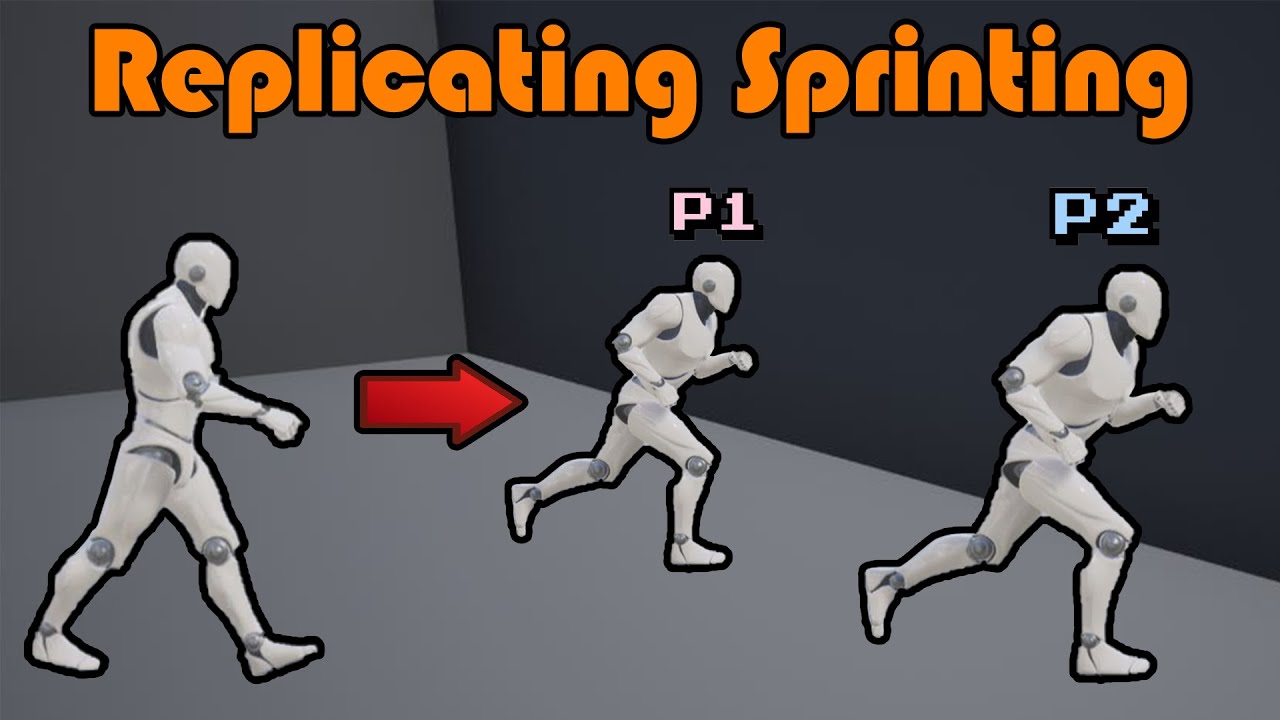
Hey guys, in today's video, I'm going to be showing you how to replicate sprinting for your online multiplayer game. This will replicate the movement, speed, and animations.
More Replication Videos: https://youtube.com/playlist?list=PLQN3U_-lMANOaPmzSGLDhyWzKzwgKDz9V
#Ue4 #UnrealEngine4 #Ue4Tutorial
____________________________________________...
but it's only blueprint
you can adjust as how you like it
kindred widget
proven robin
Hey ppl -
So i wanted to test something out and bumped my head into a pickle h...
The issue is that the dropship's version prints on client machines as well?
nocturne quail
frigid fox
sure here
https://www.youtube.com/watch?v=gG_ggXUiB_Q&t=334s
don't replicate it using multicast, do it on-rep-sprinting
frigid fox
nocturne quail
don't replicate it using multicast, do it `on-rep-sprinting`
can I ask why could you explain?
nocturne quail
frigid fox
can I ask why could you explain?
for packet saving reason
lost inlet
lol that's really not the reason
nocturne quail
there could be other reasons sure, but perfect choice is on-rep for sprinting
lost inlet
well the main reason is sprinting is state
nocturne quail
tutorials on inet don't think about best/good practices, they just focus if things are working everything is good 😄
lost inlet
rich coming from you lol
proven robin
kindred widget
The issue is that the dropship's version prints on client machines as well?
SO my expected result would be that the server prints to both clients, regardless of who triggers the event (server or client) which is also the case when doing the Switch on authrity withj the On Comp. Begin Overlap event. But i want the interaction to happen with a key pressed, thus my implementation on the character. But when i do this, and sends a message to the dopship Bp interact method, it only works on the server and not the client
frigid fox
nocturne quail
tutorials on inet don't think about best/good practices, they just focus if thin...
you're right 😅
proven robin
Testing on Listen Server
kindred widget
That's what throws me. I don't understand what you mean by "prints to both clients." You're just printing a string, not actually sending an RPC with a message.
lost inlet
it's probably just the misleading nature of PIE
since they show on all PIE windows
though I'm trying to wrap my head around that interact interface
proven robin
kindred widget
That's what throws me. I don't understand what you mean by "prints to both clien...
Let me try and rewrite my question 😛 - I think i am confusing myself as i am writing it.
I want a door to open for all players:
When i do a On Component Begin Overlap event -> Switch has Authority - > Print String " Hello"
The String gets printed on all players as this "Server: Hello"
Regardless of whom is walking into the collision box, Client or server
When i on the other hand implements a custom event fired by Key "E" Input on my character that checks if i am overlapping with an Actor containing a interact interface. And then fires the interact function on the targeted actor (in this case my BP_DropShip)
IF i fire the event when playing as the Server window, it prints "Server: Hello" on both the clients. BUT if i fire the same event from the Client window, nothing happens.
So to sum it up, why does it behave differently when using the On Comp. Begin overlap event?
Both ways uses the Switch has authority, and only authority calls the Print String function.
kindred widget
Because with the overlap, it happens on the server regardless of what machine you're playing on. Even if you're a client, there's still a thing for the client that overlaps on the server.
The interact event on the other hand only happens on one machine, and because of the switch does not work when used on a client but does on a server.
lost inlet
proven robin
I want a door to open for all players:
When i do a On Component Begin Overlap ...
it says "Server"
so it's only happening on the server
if it was a client it would show "Client 0", "Client 1", etc
kindred widget
He's confused by why it always prints a server message with the overlaps though but doesn't with the interact interface.
proven robin
lost inlet
so it's only happening on the server
So i should use some kind of Repnotify event or the classic Server calls a Multicast event?
kindred widget
It's just because even as a client you're still causing something to happen on the server by moving because you still move on the server as a client. So the overlap still triggers even if you didn't RPC it.
lost inlet
???
proven robin
kindred widget
It's just because even as a client you're still causing something to happen on t...
MY BRAIN GETS IT
lost inlet
well I guess we never saw what called BPI Interact's Interact function
weird that the character implements the same interface
proven robin
lost inlet
weird that the character implements the same interface
It was just a quick test ^^
So with the custom interact function, fired by key doiwn
I should use a multicast event, on the server or maybe Repnotify?
kindred widget
Not quite.
proven robin
hmmm. Then i don't quite get how to make the door open/close toggle a server authorative event
dark edge
proven robin
hmmm. Then i don't quite get how to make the door open/close toggle a server aut...
PawnClient:
Input -> RunOnServerEvent
PawnServer:
RunOnServerEvent -> InteractMessage to Thing
ThingOnServer:
InteractMessage -> logic -> change a repnotify variable
ThingEverywhere:
OnRep -> do stuff to reflect the state
kindred widget
The issue is that you need to get the intention from the client to the server where the real state exists. And clients can only RPC through things that they own. By default that is your Controller and things it owns, which is the PlayerState and any possessed Pawn.
This means the RPC needs to generally come from an actor that your PlayerController owns, or a component inside of one of them. In this case it's usually the pawn or a component in the pawn.
This pawn or component does a serverRPC with the intentions of the interact, the actor or component, or whatever and sends that to it's server counterpart, which then tries to interact on the server.
That interaction sets state and replication happens to let clients know what happened.
dark edge
I'm assuming interact is an interface, if it's meant to be specific to some single class of thing then it'd be different but that's the general form
proven robin
kindred widget
The issue is that you need to get the intention from the client to the server wh...
Yeah.... I need to finish the Compendium by eXi....
But basically from my understanding, i forgot to make my interact event on the character Run on Server (how else would server know duuuuuuuuuh)
And THEN the interact event on the dropship, can switch on authority, and if it has authority, run some logic, and as @dark edge Wrote make a repnotify. and reflect the state of the game.
kindred widget
proven robin
Yeah.... I need to finish the Compendium by eXi....
But basically from my unde...
Also do be careful with SwitchHasAuthority. You can confuse yourself if you run it on a non replicated actor/component on accident. As a client can have authority on it.
You can always know it's on server behind a ServerRPC, it will never run on a client.
proven robin
So instead of Switch on A, just make it "Run on server" to not confuse myself later

Instead just make Toggle Hatch run on server?*
hoary spear
Cant do that from a client if its not owning the hatch
And if the interact already is ran on server then you wont need an rpc for the hatch
 storm grove
How would I go about client side prediction for something like spawning an actor, lets say I had some kind of item that I wanted the player to possess and that item needed to be replicated and kept in sync, if I do thing and wait for the server to spawn it and do its thing then it would have felt delayed and laggy
kindred widget
proven robin
There would be a ServerRPC before the interact. After that nothing needs to be RunOnServer
quasi tide
storm grove
How would I go about client side prediction for something like spawning an actor...
Oh, this one is a PITA imo. Spawn on both, but then the client side needs to have the same net addressable name and something else. I just can't remember the other one. Zlo has explained how to do it in the past. I typically avoid client spawn prediction to be honest.
proven robin
kindred widget
There would be a ServerRPC before the interact. After that nothing needs to be R...
aaaaah cuz i ofc. already knows that it is ofc. only running on server cuz its a ServerRPC
storm grove
quasi tide
Oh, this one is a PITA imo. Spawn on both, but then the client side needs to hav...
Alright thats something to look into thanks
quasi tide
@chrome bay May also be able to help clarify 🙏
proven robin
Thanks @kindred widget and @dark edge
I really appreciate you guys taking the time to lecture my potato brain ^^
quasi tide
storm grove
Alright thats something to look into thanks
Pretty much, spawn them and then look up how to link a client spawned actor to the server spawned actor. It has something to do with the NetAdressableName
kindred widget
It just needs to have the same name as the server has and the same outer. If it's client predicted, you probably dont' need to do the extra step of making sure it doesn't replicate too early, since it'll already exist on the client before the RPC even reaches the server.
chrome bay
Yeah the FName's have to match so that IsNameStableForNetworking returns true
storm grove
How would I do that? Rename()?
chrome bay
You pass in the stable name to NewObject
Rename() and replicated objects usually never ends well tbh
storm grove
Its an actor though
chrome bay
SpawnActor takes a Name param too
storm grove
Hmm, I am spawning it locally with a name and then calling a server RPC with the FName and on the server side spawning the same actor, when I do it I am emulating pklag in order to produce latency and the client is getting a second copy a second later when the lagged packets get sent through
They both have the same being printed from the console
void AMyFoo::ServerSideSpawnCube_Implementation(FName n)
{
    if(HasAuthority())
    {
        FActorSpawnParameters p;
        p.Name = n;
        p.Owner = this;
        auto* a = GetWorld()->SpawnActor(cubeClass, &GetActorTransform(), p);
        CLOG_ARGS("- Server Name {0} : Actual Name {1}", p.Name, GetNameSafe(a));
    }
}

void AMyFoo::ClientSideSpawnCube()
{
    if(!HasAuthority())
    {
        FActorSpawnParameters p;
        p.Name = FName( FString{"FooBoo" + GetName() + FString::FromInt(FMath::RandRange(0, 1000))} );
        p.Owner = this;
        auto* a = GetWorld()->SpawnActor(cubeClass, &GetActorTransform(), p);
        CLOG_ARGS("- Client Name {0}: Actual Name {1}", p.Name, GetNameSafe(a));
        ServerSideSpawnCube(p.Name);
    }
}
After running it twice in a session I get this
LogTemp: Error: - Client Name FooBooBP_PlayerCharacter_C_0835: Actual Name FooBooBP_PlayerCharacter_C_0835
LogTemp: Error: - Server Name FooBooBP_PlayerCharacter_C_0835 : Actual Name FooBooBP_PlayerCharacter_C_0835
LogTemp: Error: - Client Name FooBooBP_PlayerCharacter_C_060: Actual Name FooBooBP_PlayerCharacter_C_060
LogTemp: Error: - Server Name FooBooBP_PlayerCharacter_C_060 : Actual Name FooBooBP_PlayerCharacter_C_060
but the client has its original cube and the server spawned one a half a second later
chrome bay
You'd also need to mark the actor as being a map startup actor, essentially you have to trick the engine into think he client already has that actor
storm grove
Is that a flag?