#multiplayer
1 messages · Page 159 of 1
 hoary spear
You wanna get the class of that Damage Type instance
And compare it to a class if anything
 lost inlet
And the legacy damage system?
 sullen plover
I swear the way replication works is driving me up a wall, I still can't properly grasp when to do server, when to do multicast and when to do server -> multicast
lost inlet
sullen plover
I swear the way replication works is driving me up a wall, I still can't properl...
So do you have a specific problem you want to discuss? The different RPC types aren't too difficult to grasp, and a multicast runs on all clients an actor is relevant to providing it's run on the server, a multicast function on the client will only run locally
hoary spear
 sullen plover
lost inlet
So do you have a specific problem you want to discuss? The different RPC types a...
sullen plover
lost inlet
So do you have a specific problem you want to discuss? The different RPC types a...
So I'm working on an interaction system (using both a contextual "quick-interact" and menu-based interactions), doing stuff like examining objects, triggering dialogue conversations, pushing/pulling objects, picking up items, etc.
Basically the interaction starts from the player pawn (handling any player-specific stuff the actual entity very likely doesn't need to worry about) -> interaction component on the entity itself that determines any generic behaviour based on a specific interaction type, then -> the parent interactable actor via interface to handle any actor-specific behaviour
lost inlet
And the struggle part is?
sullen plover
A bunch of things, really, so far examining and holding objects works (most of the latter is handled by the pawn), but right now I'm trying to get items picked up by the client to destroy themselves and nope not happening

 noble sentinel
Should I destroy killed actors and give people new pawns as spectator or let people continue using that pawn and access spectator menu from there?
lost inlet
sullen plover
Usually in this case it's either because the actor isn't replicated, the component isn't replicated, or the player doesn't actually own the actor the RPC is going through
If it's the latter you'll typically get an error or warning in the output log
sullen plover
It was working before, so...
Oh, great, it's the third issue
Here's the problem with starting the server RPC from the player character, though: it breaks a whole lot of UI stuff
hoary spear
Sorta sounds like a borked UI chain
sullen plover
It's making me wonder if I should move all of the logic on the interactable component to the pawn's interactive handling component instead
The issue is mostly that I have UI functions on the player controller that handle custom subtitles and interaction messages, and I want interactables to be able to generate the latter as they see fit upon being interacted with
hoary spear
Not seeing the conflict herez sorry
sullen plover
When the server-side interaction starts from the player pawn, basically the widget that's meant to be the container for the messages returns null when an interaction is handled via the client
 mystic estuary
Hello, does anyone now whether calling SetMovementMode() client-side changes the movement mode server-side? Reading the UCharacterMovementComponent::DoJump() looks like it does, but it doesn't seem to do anything in reality. I'm trying to change my movement mode to flying when player triggers a input, but it resets back to walking almost immediately
lost inlet
sullen plover
When the server-side interaction starts from the player pawn, basically the widg...
what returns null? it seems like this is a very weird dependency
sullen plover
lost inlet
what returns null? it seems like this is a very weird dependency
Blueprint Runtime Error: "Accessed None trying to read property InteractionSubtitlesList". Node: Add Subtitle Graph: EventGraph Function: Execute Ubergraph BP Player RTISComponent Blueprint: BP_PlayerRTISComponent
Basically calling this particular function on a player controller component

Just tells a specific widget to create a new subtitle
lost inlet
Well I don't like writing major gameplay systems in BP for a lot of reasons, but I don't understand what the issue is here
so the subtitle list is just a widget?
sullen plover
Yeah
lost inlet
why is the dependency that way round rather than the widget just listening for some delegate to be broadcast from the component?
sullen plover
Well, the problem is I don't want the widget to generate a subtitle every time a player does something, just only in response to what the local player does
 thin stratus
Then only broadcast a local one
sullen plover
Howso?
thin stratus
Not so striaght forward to answer
There are a bunch of ways you can ensure that, such as checking IsLocallyControlled on Characters or IsLocalPlayerController on PlayerControllers
Before or after broadcasting
idk how your system is set up
sullen plover
I'm not sure a delegate is the right call, I'm looking for a many-to-one solution, delegates are more one-to-many
thin stratus
Right
sullen plover
Like, I don't think I can create a single delegate on the widget that other entities can broadcast to
sullen plover
Yes, when a client triggers an interaction
Since the server RPC needs to happen on the player pawn
(Unless there's some other way to handle RPC ownership that doesn't require that)
thin stratus
No, that is correct
You have to communicate the Key Presses ultimately via a ServerRPC
But if you client has to see the widget, you either have to predict the interaction on top of that, which is not that easy
Or call a ClientRPC later down the line
To get back to the Client
sullen plover
Personally I'm thinking it'd be more straightforward to just move all the logic that's on the interactable component to the player character, since it's all generic interaction handling anyway
Much easier to resolve the RPC order of operations that way
thin stratus
I mean, you can have such component on the Character
sullen plover
I'm already using an interactive handler component on the character as it is, and the interactable component is for storing generic variables for the entity being interacted with
thin stratus
Yeah so the RPCs would be both in that Handler
 karmic briar
hey folks i want to ask, what is the recommended way to integrate steam into your UE project and use its features like matchmatching, hosting and joinning session,etc and i want to open a game page account early. how do the process of that work?
im confused since there lots of info on the internet and i dont know which to follow..
For the game side, i tried looking at Epic documentation but it seems like thats old? or steam have a documentation on working with steam with UE5?
For the opening steam game page side, do i need to open up steamwork account? like opening a steam account and link it to steamwork?(https://partner.steamgames.com/)
any of yalls that have experience with this? would love to hear your inputs 🙂

Steamworks is a set of tools and services that help game developers and publishers build their games and get the most out of distributing on Steam.
thin stratus
karmic briar
hey folks i want to ask, what is the recommended way to integrate steam into you...
- For most of the standard functionality you use Steam via the OnlineSubsystemSteam. OnlineSubsystem being an interface that "forwards" generic calls like "CreateSession" to the currently active Subsystem. That's useful if you release on more than just Steam.
There might be things that aren't exposed to the OnlineSubsystem and Steam specific, for which you need to either find a Plugin that exposes it or use the steamapi directly in C++. - You don't need to create a Steam Application to start testing, you can use AppId 480, which is Spacewars, or whatever it is called.
- If you want your own AppId (which you ultimately need) you need to create a partner account with Steam.
karmic briar
thin stratus
1. For most of the standard functionality you use Steam via the OnlineSubsystemS...
i see..
1.I dont mind at all implementing stuff in c++ but the most general approach i've seen on internet is by downloading advancedsessions plugin and settings up some .ini stuff for specific platforms.. and if i want to implement steam features itseld, there lots tutorial on BP but not much in C++. i want to utilise both BP and C++ in this case since i know lotys of onlinesubsystemstuff is not being exposed in BP and doing it in c++ can give me more flexibility
- ah i didnt know that i thought you have to get your steamid for the parnetprogram to start testing..
- when i eventually going to open up a store page, do i need to have a playable build first before partnering up? can i just open a store page but dont have any playable build yet? i remember even signing up to the partner program you have to pay $100 up front to even fully finished the registeration program
thin stratus
- I never use Advanced Sessions. I code Session stuff in C++. So there's that.
Keep in mind that Steamworks is in theory under NDA
karmic briar
thin stratus
1. I never use Advanced Sessions. I code Session stuff in C++. So there's that.
ah i see
thin stratus
You aren't allow to share it
karmic briar
oh my bad
thin stratus
- You don't need a playable Build. You also won't be opening the Page to public.
You do need to pay the $100 dollar. I'm not sure anymore if you also need to set up the tax shit. But I'm not from the US, so that's always an extra step
thin stratus
Most peeps start with 480 until they have a prototype
karmic briar
thin stratus
1. I never use Advanced Sessions. I code Session stuff in C++. So there's that.
is there like any documentation on setting it up? i saw epic one and thats not useful at all 😦
thin stratus
If you are commited to continue and ship, you can get your actual id
karmic briar
thin stratus
If you are commited to continue and ship, you can get your actual id
ah i see..
thin stratus
karmic briar
is there like any documentation on setting it up? i saw epic one and thats not u...
I mean that's different things. Setting up Steam itself is mostly the .ini file stuff and enabling the Subsystem as a plugin iirc. You def find tutorials about that.
The Session stuff in C++ you can find pinned in #online-subsystems
karmic briar
thin stratus
I mean that's different things. Setting up Steam itself is mostly the .ini file ...
i'll probably try skim over reading the source code to see what everything is first
thank you for responding 🙂
 west kite
Hello multiplayer channel I have a question 🙂 Has anyone experienced this/know what to do? So I have a level I build client side. When I play as a listen server, and a client joins, then I can see the level load, and the main window(server) can move around and do everything. The client player can see the other player open doors and the level loads. But the second player has no controls, I cannot move or look around. I use OnPostLogin to get an array of all the controllers, and then I build the level for each client(I have it like this cause I have some culling I want to be client-sided.), and doing a print string here I can see that it detects all the controllers and I can see the level building.
hoary spear
Any reason GameState would not be avaliable for a client who's PlayerController/PlayerState already exist ?
hoary spear
Another ugly delay .. guess ill get back to that later
 dark wing
hoary spear
Any reason GameState would not be avaliable for a client who's PlayerController/...
dark wing
hoary spear
Any reason GameState would not be avaliable for a client who's PlayerController/...
Do you have replicates ticked on the game state BP?
Or the class itself, is it marked as replicated
noble sentinel
Is there any easy way to start pie server and client with different actors?
Like one with monster and one with human
noble sentinel
noble sentinel
Is there any easy way to start pie server and client with different actors?
using posses with a cheat key solved this
 olive crow
Is there a way I could pass some information using function parameters for an RepNotify method in C++? I need to pass it a specific FVector when an array gets updated so that I know what to do locally when the update has been received? Or if that's not possible, can there be a way to ensure the variable is replicated before calling a NetMulticast method? Like make it a priority that the variable needs to be received on the clients first and then they receive the method call?
 fossil spoke
olive crow
Is there a way I could pass some information using function parameters for an `R...
fossil spoke
olive crow
Is there a way I could pass some information using function parameters for an `R...
No thats not possible.
You would generally make a Struct that you can pack the extra info into and replicate that instead.
 quasi tide
And this could be a handy article to read as well: https://vorixo.github.io/devtricks/atomicity/
 daring gorge
is it viable to do vehicle movement without possessing the vehicle in a multiplayer scenario?
fossil spoke
What is the appropriate pattern within a NetSerialize function for serializing an Array of structs?
I have a Struct, which contains some properties, one of which is an Array of Structs.
When overridding the NetSerialize function for the container struct, how do I properly serialize the Array into the Archive?
struct FContainerStruct()
{

    int32 SomeProperty;

    TArray<FSomeOtherStructType> SomeStructArray;

    bool NetSerialize(FArchive& Ar, class UPackageMap* Map, bool& bOutSuccess);
}

bool FContainerStruct::NetSerialize(FArchive& Ar, class UPackageMap* Map, bool& bOutSuccess)
{
    Ar << SomeProperty;

    // Ar << SomeStructArray; // Not as simple as this?
}
 ripe lotus
how do i add the " server" target on my sln or uproject to build a dedicated server? im using a cpp project but it' s not a clone of lyra
 brittle path
@dark parcel So should I do it like that?

 dark parcel
Perhaps but Wether it work or not depend on your code
I mean u got bool and stuff
Need to check if the server actually have the intended value
 mild lynx
I'm setting the Player Name from Unique ID on Steam, and on Listen Server it works instanly on Spawn, but on Client, it doesn't Get the name until Respawn. How could I fix this?

 brittle path
dark parcel
Perhaps but Wether it work or not depend on your code
brittle path
dark parcel
Perhaps but Wether it work or not depend on your code
Yeah.. it still teleports only the first player
dark parcel
Check your get overlapping actors, loop and print the character that is detected. Work your way from there
brittle path
I did the print and it prints only one player, it should but idk why it doesn't
I did some other ways and it still doesn't work :/
dark parcel
Work your way from there. Check the box size, check the collision channel of the collision and the players etc
U r the only one that can debug from your end
brittle path
oh my god finally something is about to work
Apparently for each loop fires only once when theres set actor location, I removed it and now it detects more players
but how am I suppost to teleport players now
 solar stirrup
fossil spoke
```cpp
struct FContainerStruct()
{
int32 SomeProperty;
TArray<FSom...
solar stirrup
fossil spoke
```cpp
struct FContainerStruct()
{
int32 SomeProperty;
TArray<FSom...
I generally just serialize the number of elements and then loop
Calling the serialize function on each element
fossil spoke
solar stirrup
Calling the serialize function on each element
Can you give an example?
solar stirrup
On my phone but sure.lemme type
solar stirrup
fossil spoke
Can you give an example?
int32 Size = SomeArray.Num();

Ar << Size;

if (Ar.IsLoading())
{
    SomeArray.Empty(Size);

    for (int32 Idx == 0; Idx < Size; ++Idx)
    {
        auto&  Element = SomeArray.Emplace_GetRef();
        Ar << Element;
    }
}
else
{
    for (auto& Element : SomeArray)
    {
        Ar << Element;
    }
}
I'm sure the loading variant could use something like SetNumUninitialized or something of the sort but I haven't tried that yet
But this will work probably as well
fossil spoke
That assumes the Archive supports << for the element type.
I said explicitly that the type I am using is a Struct,
solar stirrup
USTRUCT()?
fossil spoke
Yeah
solar stirrup
I'm not certain but I'm pretty sure UHT generates those
If not: you can write your own tbh
Or check FInstancedStruct::NetSerialize
If the underlying struct doesnt have a custom net serializer it uses the rep layout of the struct iirc
fossil spoke
Ill have a look
fossil spoke
solar stirrup
```cpp
int32 Size = SomeArray.Num();
Ar << Size;
if (Ar.IsLoading())
{
Som...
NetSerialization.h has these helpful template functions for this, ive just seen.
SafeNetSerializeTArray_Default
SafeNetSerializeTArray_WithNetSerialize
solar stirrup
Oooh good to know thank you
 short arrow
Anybody know where I can find the code that stops clients from not creating UAISystem? Or the code that causes them to destroy the UAISystem?
I'm not really sure which one is happening, I just know clients don't have a valid UAISystem, and I need to change that
short arrow
Found it in AISystemBase
It has a globalconfig variable named bInstantiateAISystemOnClient
[/Script/Engine.AISystemBase]
bInstantiateAISystemOnClient=true
 olive mason
anyone know how to create a split screen multiplayer game i tried skipping assign to player 1 but it still assigns it to player 1 i tried using some other methods which worked but it now have issues with the widget making me feel like i have to start all over and try to figure this out, because the widget won't run on both player screens it only stay on one and won't assign the custom player controller to the new player that is in the game. i really need help on this
hoary spear
dark wing
Do you have replicates ticked on the game state BP?
yeah it's marked as replicated
so I guess that could be it, replication of Playerstate is done before gamestate
but then how does the playerstate know when to add itself to the gamestate
Ohh
It iterates the world and adds them itself
 violet sentinel
ripe lotus
how do i add the " server" target on my sln or uproject to build a dedicated se...
violet sentinel
ripe lotus
how do i add the " server" target on my sln or uproject to build a dedicated se...
get a source engine, add server target.cs, regen project
hoary spear
How does one ensure that the gamestate is finished replicating on a client? Is there some delegate one can bind to?
Currently i do some weird Beginplay shenanigans on the Gamestate, but i dont approve at all. Any delay solution also rubs me the wrong way 😅
sullen plover
Okay, so moving all of the interaction stuff to the character actually works pretty well, now I can move on to fixing some other issues
Mainly stuff about how the use, lock/unlock and push/pull actions only seem to work server-side
Well, now I got the push/pull action replicated, for the most part
It's just that right now I can't figure out how to do something as basic as replicate a door opening lol
 woeful ferry
hoary spear
How does one ensure that the gamestate is finished replicating on a client? Is t...
woeful ferry
hoary spear
How does one ensure that the gamestate is finished replicating on a client? Is t...
We have a loading screen that waits for game state to be replicated before we spawn the client
Among other AInfo classes
hoary spear
woeful ferry
We have a loading screen that waits for game state to be replicated before we sp...
Right, but how does it actually wait, and know when its there? Constant checks?
woeful ferry
hoary spear
Right, but how does it actually wait, and know when its there? Constant checks?
Yes
Running on tick, looking for stuff to wait for. If nothing to wait for, stop showing loading screen, spawn player
hoary spear
Hmm alright , thanks for the insight 🙂
violet sentinel
woeful ferry
We have a loading screen that waits for game state to be replicated before we sp...
1 tick calls trychecknotify
2 onrep/postrep calling trychecknotify, trychecknotify checks state of fields of importance and fires delegate when all green
 tardy fossil
if you're waiting for a playerstate specifically, APawn's PlayerState has a OnRep function OnRep_PlayerState which is virtual so you can override it
tardy fossil
ah yea GameStateSetEvent from the UWorld class should work
 chrome bay
Keep in mind that on the server only, that function is called before the GS is initialized 🙂
Brought to you by: Epic
chrome bay
On the Server, or Standalone, GameStateSetEvent is called before AGameMode::InitGameState.
hoary spear
Hmm, I thiink that's gonna be fine
chrome bay
So if you actually want it once it's been initialized with defaults for the match, you'll still need to do your own thing. Clients of course behave differently, because multiplayer just isn't hard enough apparently.
hoary spear
I just need to instantly hook up to some delegates
void AMyGameState::AddPlayerState(APlayerState* PlayerState)
{
    Super::AddPlayerState(PlayerState);
    PlayerStateAdded.Broadcast(PlayerState);
}

void AMyGameState::RemovePlayerState(APlayerState* PlayerState)
{
    Super::RemovePlayerState(PlayerState);
    PlayerStateRemoved.Broadcast(PlayerState);
}
Let's see if this works...
Yey! 🎉
chrome bay
yup, pretty common thing to do tbh
hoary spear
I'd imagine ^^ very usefull
 strange apex
When client 2 joins then everyone gets teleported back to spawn, what's causing this ?
"i create session which opens map"
"player 2 joins session " - and it teleport everyone back
hoary spear
I would think thats your logic speaking
quasi tide
hoary spear
How does one ensure that the gamestate is finished replicating on a client? Is t...
GameState is what calls beginplay, so beginplay
hoary spear
quasi tide
GameState is what calls beginplay, so beginplay
Yeah i saw that too, but binding to UWorlds GameStateSet did the trick perfectly
Atleast so far...
I wonder if it holds for high ping connectors
 steep wolf
is there a function for generic struct replication to FArchive
or just to serialize it
theres definitely one but i don't know what the name is
 shrewd ginkgo
is this good way to make replicated door?


I tried to do it in different ways but only this one works properly
quasi tide
Use onreps for doors
shrewd ginkgo
can you explain with photos if you have an replicated door
Im a little dumb I cant figure out
quasi tide
shrewd ginkgo
can you explain with photos if you have an replicated door
No. Because I don't have UE open. But you do a server RPC to open the door. The door just changes the boolean "Is Door Close and that should be a onrep replicated variable. Then inside of the onrep, you do your logic on opening and closing the door.
Read the network compendium that is pinned to get a better understanding of the flow.
 dark edge
shrewd ginkgo
can you explain with photos if you have an replicated door
dark edge
shrewd ginkgo
can you explain with photos if you have an replicated door
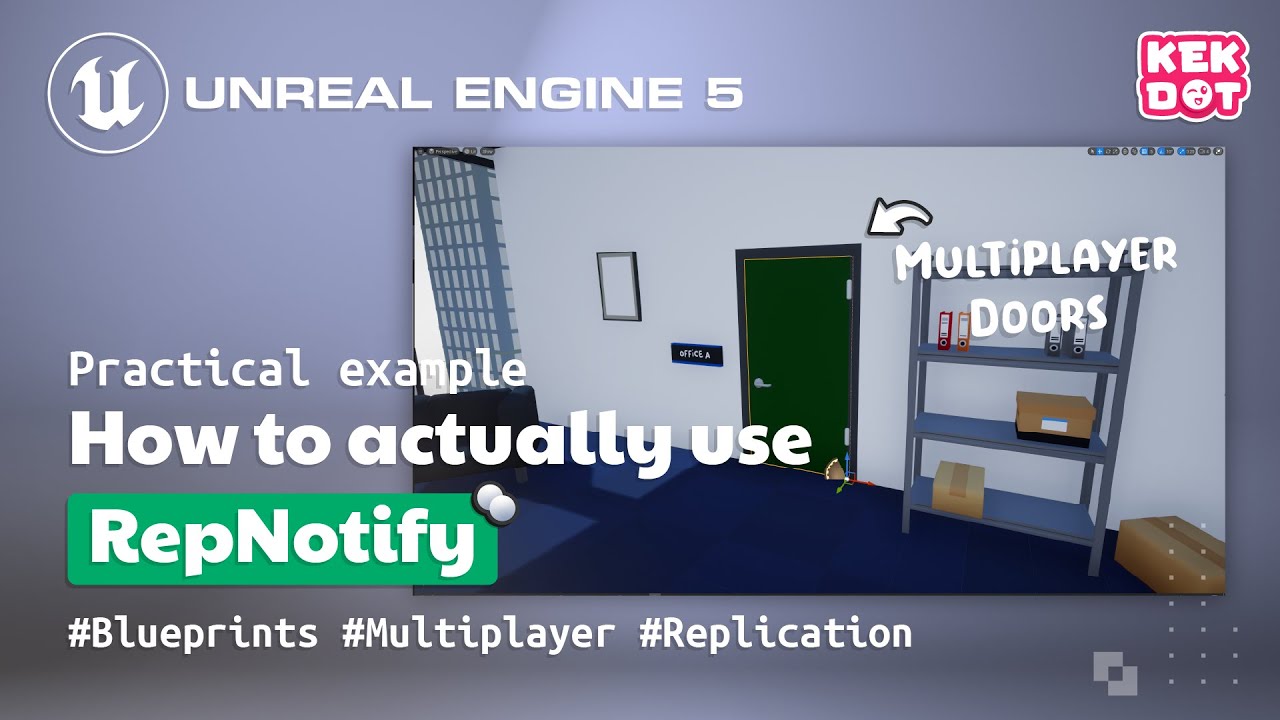
👨🏫 My Patreon link:
https://www.patreon.com/kekdot
Download Project Files | Premium Tutorials | Courses
💦 Get our Game on Steam | Kekdot Center:
https://store.steampowered.com/app/1487180/Kekdot_Center/
Part 1 link: https://youtu.be/jtWhd4ugPW0
In this tutorial (PART 2) I explain how you RepNotify works and how you can use it / what the...
 tiny pier
Is source code required for a multiplayer game or can you work around it, I don't really need dedicated servers idk if listen servers need source as well
solar stirrup
tiny pier
Is source code required for a multiplayer game or can you work around it, I don'...
Blueprints should be fine for listen servers
chrome bay
You don't need to compile the engine from source unless you're a) making engine changes or b) packaging dedicated servers.
 nocturne iron
How do I make actor stop replicating attachment, DISABLE_REPLICATED_PROPERTY_FAST(AActor, AttachmentReplication); does not seem to work.
tiny pier
chrome bay
You don't need to compile the engine from source unless you're a) making engine ...
alright, was originally going to use dedicated servers but might have to just use a listen server, thanks
 sturdy moat
I'm running a print node from the Event Tick event in my Player blueprint that prints a certain value. If I run this with two players as client it seems that each player prints the value for themselves and also that for the other player (as seen in the screenshot). How do I make it so that each player only prints its own value?

Simplified Setup:


Its also a bit weird to me that all clients print as Client0
solar stirrup
sturdy moat
I'm running a print node from the Event Tick event in my Player blueprint that p...
They're printing for themselves
probably
Assuming the player controller is what's passed, since clients only see their own PC, they all think they're Client 0
sturdy moat
that makes sense for why they print as client 0 then
but how are they only printing for themselves but then each value is shown twice? There is only two players but 4 prints of Client 0: and 2 are always the same value
shrewd ginkgo
I'm doing the same as in the video but it doesn't work. What's wrong here. even the server can't open the door.


 ripe lotus
violet sentinel
get a source engine, add server target.cs, regen project
ripe lotus
violet sentinel
get a source engine, add server target.cs, regen project
thanks a lot.
tiny pier
when building dedicated servers, do i need to rebuild every time i make an update?
shrewd ginkgo
I added implement interface to both but message is not working

 dark edge
shrewd ginkgo
I'm doing the same as in the video but it doesn't work. What's wrong here. even ...
dark edge
shrewd ginkgo
I'm doing the same as in the video but it doesn't work. What's wrong here. even ...
Where in the chain of cause and effect does it fail?
is the trace hitting the door?
is the interface call happening?
is the open door event firing?
is the onrep firing?
shrewd ginkgo
open door (message) after sphere trace firing but event open door not firing
dark edge
print the hit actor
that message will fire on the hit actor no matter what as both paths from your bool go there
but what did it actually hit?
shrewd ginkgo
its ok now but client still cant open door


 dark edge
shrewd ginkgo
its ok now but client still cant open door
dark edge
shrewd ginkgo
its ok now but client still cant open door
You need a run on server event in there somewhere
I'd put it between the input and the trace
Input -> tell server
Server -> trace -> interface call
Interface call -> set with notify
shrewd ginkgo
ty
dark edge
You can either say "Hey Mr. Serverside, I pressed a button!"
OR
"Hey Mr. Serverside, I interacted with this actor"
You can see how the 2nd is cheatable
mild lynx
Is there a reason this Cast would fail when a Player first joins the server? If there is any delay it works fine.

My Rep Notify is working perfectly without it, it's just this Get User Widget Object that's causing trouble.
 native tapir
Can server recive UObject Pointer which exist on only client? (Using RPC)
 umbral grove
Hi all. I've got Lyra working where I'm able to join my own game started by another client on the same computer using EOS. However, what I'd really like to do is join a game via an IP address directly (ideally running on a friend's machine). Can anyone instruct me on what's necessary to do this or point me in the right direction?
 amber vale
Hey y'all, does anyone know if you can replicate delegate broadcasts from the server? I want to broadcast data when the player's "Health" attribute changes so it can do things like display an indicator showing the direction the damage came from. But attribute changes only occur on the server, and only the attribute's value is replicated. Is there an efficient way to broadcast this information to clients, or do I just have to call an RPC from the server that broadcasts the delegate?
 graceful flame
amber vale
Hey y'all, does anyone know if you can replicate delegate broadcasts from the se...
graceful flame
amber vale
Hey y'all, does anyone know if you can replicate delegate broadcasts from the se...
Repnotify instead of replicated for the variable. Then whenever it changes you can have some logic run.
amber vale
graceful flame
Repnotify instead of replicated for the variable. Then whenever it changes you c...
The variable does use a RepNotify, but there's other information that won't be replicated. The server changes the value, which will fire a RepNotify on the clients, but I don't know of any way to send information like "Instigator" when the replicated variable is updated.
graceful flame
Are you using the event AnyDamage? Should have the damage dealer in there
If you use apply damage and pass it in of course
amber vale
I'm using attributes in the Gameplay Abilities System, which is abstracted from built-in structures for things like damage
graceful flame
Oh I don’t use GAS, can’t be bothered
Maybe try asking over there #gameplay-ability-system
 lucid badger
Isn't gamestate guaranteed to be synced prior to any other actors firing begin play?  or something like that
I'm getting a None from Get Game State 
Quite a while after joining and loading, the pawn is already beginplay even
But it's intermittent
As if the order is inconsistent
Like sometimes GameState arrives after the Pawn but... I thought it was guaranteed to already be there
Yeah seeing lots of comments like this in the search
dark edge
I wonder if theres a plugin that just provides event EverythingIsHereNow,ProceedNormally
it'd be dummy simple wouldn't it?
lucid badger
Specifically I am trying to bind to an event that is on the Game State 
Blueprint Runtime Error: "Accessed None trying to read property CallFunc_GetGameState_KlassikerGameState". Node: Assign On Item Removed from Owner Graph: EventGraph Function: Execute Ubergraph BP Player Blueprint: BP_Player
This binding is occurring it a custom function that only fires after the local player's controller AND pawn have replicated over
So... that's at least most of the server's actors replicated over yet I'm pulling a none ~20% of the time
I have quite a lot of other stuff relying on the guarantee of GameState existing already and all of that works
Must be something quirky about event binding specifically?
Do things need to have done BeginPlay before you can bind to their events? 
 dry cloud
I would love to know which, maybe I can fix them
lucid badger
Okay, so. Somehow client's PlayerController has a chance of calling AcknowledgePossession before GameState IsValid
My understanding was that BeginPlay would be the first thing that happens (immediately) when an actor is first replicated to clients
But I guess not
So the guarantee that GameState is replicated before BeginPlay, but it's not Valid (sometimes) in AcknowledgePossession, means that AcknowledgePossession can happen before BeginPlays are called and before GameState even exists on client 
I guess the Pawn and Controller can arrive and possess before their begin plays are called? 
quasi tide
Yes
hoary spear
lucid badger
I guess the Pawn and Controller can arrive and possess *before* their begin play...
Sounds similar to the issues i had. Currently solved by binding to worlds OnGameStateSet delegate
lucid badger
Oh I didn't know about that delegate
In this instance I was actually able to just do the operation in BeginPlay
hoary spear
Thats also an alternative
lucid badger
Nice to know about that event though
lucid badger
Does GameState BeginPlay happen to fire before any other BeginPlays?
Is that part of the guarantee? Or just that it'll exist before any of them fire
fossil spoke
lucid badger
Does GameState BeginPlay happen to fire before any other BeginPlays? <:hmm:86609...
The GameState literally initiates the call to BeginPlay for all other Actors
So it MUST exist beforehand.
lucid badger
Right
But when it fires beginplays for all actors that includes itself (as a single operation) right? Like it's not guaranteed to be first? 
fossil spoke
lucid badger
But when it fires beginplays for all actors that includes itself (as a single op...
No, it is not first.
lucid badger
Oh sorry I meant on the client
Specifically
From what I can tell beginplay on client fires as things arrive
fossil spoke
void AWorldSettings::NotifyBeginPlay()
{
    UWorld* World = GetWorld();
    if (!World->bBegunPlay)
    {
        for (FActorIterator It(World); It; ++It)
        {
            SCOPE_CYCLE_COUNTER(STAT_ActorBeginPlay);
            const bool bFromLevelLoad = true;
            It->DispatchBeginPlay(bFromLevelLoad);
        }

        World->bBegunPlay = true;
    }
}
The GameState calls this function
Which iterates over ALL Actors in the world.
Including the GameState
lucid badger
Okay that's kinda what I figured. Including itself
fossil spoke
To call the BeginPlay function
lucid badger
But this is for the server right?
This is just the initial beginplay when teh server loads?
fossil spoke
void AGameStateBase::OnRep_ReplicatedHasBegunPlay()
{
    if (bReplicatedHasBegunPlay && GetLocalRole() != ROLE_Authority)
    {
        GetWorldSettings()->NotifyBeginPlay();
        GetWorldSettings()->NotifyMatchStarted();
    }
}

void AGameStateBase::HandleBeginPlay()
{
    bReplicatedHasBegunPlay = true;

    GetWorldSettings()->NotifyBeginPlay();
    GetWorldSettings()->NotifyMatchStarted();
}
Or does gamestate manage all of the beginplaying for stuff that spawns later too?
Oh interesting
fossil spoke
The GameState replicates a bReplicatedHasBeginPlay flag for Clients to initiate their calls to BeginPlay
HandleBeginPlay is called by the Server
OnRep_ReplicatedHasBegunPlay is called on Clients
lucid badger
On the client then this can end up replicating and firing before the client's game state has done BeginPlay possibly?
fossil spoke
This is literally what causes the Client to have BeginPlay called on every Actor, including the GameState.
Other Actors might have their BeginPlay called before the GameStates BeginPlay.
There is no guarantee of order
On the Server or Client
For calls to BeginPlay
The only guarantee is that when BeginPlay is called for any Actor, the GameState will exist.
lucid badger
Things that spawn or arrive after this initial mass beginplaying I assume just have the beginplay called by whatever handles the spawning?
fossil spoke
lucid badger
Things that spawn or arrive after this initial mass beginplaying I assume just h...
Actors manage that on their own
They check if the world they are in has already had BeginPlay called before
If they have, they call it themselves.
Otherwise they will get picked up by the automatic call made by the GameState we discussed above.
If you are curious, replicated Actors are spawned via UPackageMapClient::SerializeNewActor
lucid badger
I am very curious, thanks for the lead! 
 crude comet
Hello everyone! Is it possible for replicated structs to have their properties be repped in two batches, not in one? Even though I could change the properties in the same tick on the server. As far as I understand, structs should comply atomicity. But is it possible to send replicated properties in two batches, not in the same one? (I'm not considering NetSerialize for now, but I know, that when I'll use it, every time a property changes, the whole struct will be repped)
chrome bay
If you change them in the same frame, they should be sent together. Bunches may be split into multiple packets but will be combined on the receiving end. Struct atomicity is not strictly guaranteed though.
You can quite easily have states on a client which never existed on the server across multiple frames
That's not unique to structs though, that applies to any two properties
crude comet
Is there a possibility, that I changed every property of the struct in the same tick on the server and then properties were split into two different packets and repped to the client at different time? Also, is it possible to lose some data during such replication? E.g. I have a struct with property1 and property2 they were repped from the server on the same tick, but were reaching client in a separate timing. Property1 after reaching the client triggered OnRep function, but property2 was lost somewhere along the way. I also know that if replicated property were lost along the way, it will be replicated again (because client should sends ACK to the server when it got data, if I'm not mistaken, and if it wasn't send, the server tries to replicate again), am I right? I guess I'm missing something, here https://vorixo.github.io/devtricks/atomicity/ it says that due to packet loss PropertyA wasn't replicated. But it is strange, because that PropertyA should be replicated again later on, so that data wont be missed, otherwise there is no way to keep consistent state, between client and server. (Note: I'm not considering NetSerialize)

Devtricks
In this post you’ll learn the principles about atomic replication with a simple example, a Struct.
I'm curious how to make sure, that every property will be delivered appropriately at some point at a time, not loosing any data. I want to change properties once on the server, and make sure that they will reach client altogether, and allow client to have consisten state relative to the server
chrome bay
You will never lose data, they will eventually catch up. The issue here is that of ordering. The engine doesn't buffer or order the changes you make to properties, so they are applied as soon as they are received. What this means is that if you drop an interim packet, the properties might be in a collective state that never existed server side.
There should really be another image in that chain that shows PropertyA being received after PropertyB
crude comet
so, If I have a packet loss, then some state won't be consistent between client and server, but eventually they will line up
chrome bay
Yeah
crude comet
chrome bay
There should really be another image in that chain that shows PropertyA being re...
yeah, that what i was saying) thx
chrome bay
Property changes do have to be acked, so it will catch up.
It's more of an issue when the code relies on two properties being atomically synhcronised. If your code relies on that, you have to serialize them together.
crude comet
so, it means, for example, If I have OnRep for my struct, and one propertyA wasn't delivered (lost), OnRep were called for propertyB only (propertyA on the client is in inconsistent state), but later on OnRep will once again be called, when propertyA will be eventually replicated, right?
chrome bay
yeah
crude comet
chrome bay
It's more of an issue when the code relies on two properties being atomically sy...
yeah, you outlined everything very clearly, thx) It is what my mind is thinking, but I need someone or some resource, to say that it is correct way of thinking)
hoary spear
Guess i just gotta avoid packet loss to avoid issues
Is there any built in stuff for using IP multicasts btw? Id imagine large MP setups would benefit from this
Seems there is some support for it.
crude comet
@chrome bay FYI, I just had a bug in game with customization data inconsistency, and I though that something were fishy, because the code itself weren't dependent on atomicity synchronization, I could handle OnRep for different properties of a struct separately, but something were not exactly right. I was preoccupied with this issue responsibility, I also have a back end dev on my team, and i gain data from backend for game server and then replicate it to client, thought that the issue were with replication itself, but the code looked okay. I guess I can tell my bode backdev to check things thoroughlyon his side) Or even if it is my mistake, then I should check OnRep property logic handling, not fill my head with replication itself) Thx once again
strange apex
is Sprint the only movement input which has to be replicated?
 silk wedge
Hi may I ask for help here - can anybody point me to a source how to use the MARK_PROPERTY_DIRTY_FROM_NAME_STATIC_ARRAY_INDEX macro?
My problem is that I can do push replication, but I would not know how to replicate a TStaticArray, given that it is not recognized as UPROPERTY. And these macros all check if something is replicated, so I am stuck...
I also created a question in the forum for it for reference
https://forums.unrealengine.com/t/mark-property-dirty-from-name-static-array-index-how-to-use-that/1731460

Epic Developer Community Forums
Hi all, does anybody can point me to an example how to use MARK_PROPERTY_DIRTY_FROM_NAME_STATIC_ARRAY_INDEX? It is only relevant for TStaticArray - but exactly that static array I cannot really replicate as it would not be recognized as UPROPERTY() I use a replication push model and it work nicely - but I am stuck how to use that in theory qu...
 modest crater
silk wedge
Hi may I ask for help here - can anybody point me to a source how to use the MAR...
modest crater
silk wedge
Hi may I ask for help here - can anybody point me to a source how to use the MAR...
The examples in PushModel.h shows a raw c++ array. You lose the built in functionality of it being a TArray class but eh
MyType foo[n]
can be reflected
idk why TStaticArray isnt though, seems odd
silk wedge
My bad - should have looked into PushModel.h! You are right, a standard array works and can be referenced - testing how the replication works now. Thx a lot - will refer to your answer in the forum to solve it
shrewd ginkgo
I want to give random mesh to everyone who joins the game on the listen server, but there are a lot of problems when I do this. Firstly the set skeletal mesh does not replicate and secondly the same mesh can be given to more than one person. does anyone know how to fix these problems?
 modest crater
How I would do it, have some predefined mesh map and associate each mesh with an ID - either gameplaytag or int id, doesnt matter, have the server pick the random key and then store that key in a replicated variable somewhere on the character.
Then the clients just respond to OnRep_MyRandomID and it indexs into the map and selects the skin. - The illusion of replication is infact replication
The reason I say replicated variable rather than something like an RPC is because if someone joins late or that unreliable multicast RPC gets missed or whatever , there is no recovery, variables however will stay up to date when relevant
dark parcel
@shrewd ginkgo Multicast is almost the wrong choice
silk wedge
modest crater
`MyType foo[n]`
Some more testing from my side - and stuck again:
When I follow the PushModel example, I define a
UPROPERTY(Replicated)
int32 MyStaticArray[4]; ** // works!**
Then I want to register it for pushing:
void UBA_IM_ObjectArray::GetLifetimeReplicatedProps(TArray<FLifetimeProperty>& OutLifetimeProps) const
{
Super::GetLifetimeReplicatedProps(OutLifetimeProps);
FDoRepLifetimeParams Params;
Params.bIsPushBased = true;
DOREPLIFETIME_WITH_PARAMS_FAST(ThisClass, MyStaticArray, Params);
}
=== > does NOT work:
1>D:\3D\Unreal_Projects\BA_InventoryManager\Plugins\BA_IM\Source\BA_IM_Core_Objects\Private\BA_IM_ObjectArray.cpp(28): error C2838: 'MyStaticArray': illegal qualified name in member declaration
1>D:\3D\Unreal_Projects\BA_InventoryManager\Plugins\BA_IM\Source\BA_IM_Core_Objects\Private\BA_IM_ObjectArray.cpp(28): warning C4311: 'type cast': pointer truncation from 'const int32 *' to 'int32'
1>D:\3D\Unreal_Projects\BA_InventoryManager\Plugins\BA_IM\Source\BA_IM_Core_Objects\Private\BA_IM_ObjectArray.cpp(28): error C4302: 'type cast': truncation from 'const int32 *' to 'int32'
===> regardless what type you use, it seem to want to cast that to int32???
Later on, I want to change and invalidate
MARK_PROPERTY_DIRTY_FROM_NAME_STATIC_ARRAY_INDEX(ThisClass, MyStaticArray, Counter, this);
=> this compiles, but does nothing as the registering for push cannot compile...
Any more hints what I would do wrong? ("NetCore" is included, other types such as dynamic arrays or int32 do push replicate)
Got it - the example in PushModel is outdated - you have to use DOREPLIFETIME_WITH_PARAMS_FAST_STATIC_ARRAY instead of the shown DOREPLIFETIME_WITH_PARAMS_FAST
tardy fossil
thats a mouthful of a macro
 long bone
I know that UE Client game can be connected to one dedicated server. I don't know any possibilities how to connect UE Client to two Dedicated servers at the same time where every server update state and send updates to clients.
Any thoughts about that? How to implement system where state of world that player see on client is updated by data from two or more dedicated servers? Any Clue, Hint?
does exist solution where standard replication system of UE were modified to do that?
modest crater
Something like this? https://youtu.be/fAbcr35_Teg?si=TUggsL4O9te8dqw_

Demonstration on the progress made so far on server meshing and the replication layer which will massively improve Star Citizen's gameplay from a reliability and PES (Persistent Entity Streaming).
Use My Referral Code To Get Extra Starting Credits - STAR-B46N-NG7M
Don't miss out, subscribe for more content - https://www.youtube.com/channel/UCr...
If so that’s incredibly complex and requires modifications to the engine
silk wedge
I honestly would go outside of Unreal for that and e.g. store what you need from multiple parties on something like DynamoDB or a similar webservice. No way to rebuild that scalability and replication worldwide from within the engine
long bone
modest crater
Something like this? https://youtu.be/fAbcr35_Teg?si=TUggsL4O9te8dqw_
yes, like that
I thought about client connected to dedicated server and also connected to some sort of dedicated saervers but via websockets and just listenng updates and update state of some objects via custom network replication. but it's so complicated to write custom replication client-server system.
Or dedicated server exchanges state of neighbour zone(dedicated servers) via websockets, create copy of objects and they will be replicated to clients via standard replication system
 snow trail
hello, i have this piece of blueprints that is fired from a Run On Server event
im trying to attach an actor to a component and reset its relative transform to 0, but it works only on the server
do i need to multicast those two nodes, or one of them, for it to be replicated to all clients? i thought movement changes were already replicated by default since its the default character movement component
maybe i just need to multicast the attach node?

 blazing spruce
snow trail
hello, i have this piece of blueprints that is fired from a Run On Server event
...
blazing spruce
snow trail
hello, i have this piece of blueprints that is fired from a Run On Server event
...
Does none of it work on the client at all? if you're gonna do anything its prolly better to use a RepNotify
snow trail
blazing spruce
Does none of it work on the client at all? if you're gonna do anything its proll...
the possession works
its just not moving the player to the new location
or attaching it, one of the two
or both
blazing spruce
snow trail
the possession works
its just not moving the player to the new location
It prolly either needs to be multicast but you should use OnRep instead of multicast OR it needs to just be updated locally for the client, try set up the multicast/onrep and see if that works first
snow trail
onrep to what?
blazing spruce
snow trail
onrep to what?
You could try making your possessed variable a RepNotify and then inside the On Rep function do all the stuff you want replicated to everyone
snow trail
can Replicated variables only be changed by the server?
i have a variable set to replicate that im changing from one of the clients, but the server still reads it as default value
if i try to do the opposite, meaning i change it from the server, the clients read it like they should
dark edge
snow trail
can Replicated variables only be changed by the server?
i have a variable set to...
Yes
I mean, you can change it on client, but nobody else will know
snow trail
yeah, i see
i was trying to have my own makeshift client-authorative movement like this
(note: i made it work like i intended by just calling an unrealiable run on server to set the network transform, but im a bit worried about network performance)

what else should i try?
should i just go server-authorative and wait for mover 2.0?
sturdy moat
sturdy moat
I'm running a print node from the Event Tick event in my Player blueprint that p...
Anyone know why this happend and how to prevent it? Its definitely both clients printing their own value for themselves as well as the value for the other client. I did some more testing and found that when moving out of loading distance of one client it stops printing each value twice. How do I make it so that each client only prints their own value?
hoary spear
sturdy moat
I'm running a print node from the Event Tick event in my Player blueprint that p...
block by "is locally controlled"
Event tick will run on all instances of the BP in all instances of the world on different clients / server
 dim trail
does an rpc from server->client cost as much data as client->server
dark edge
dim trail
does an rpc from server->client cost as much data as client->server
Yes but the other direction
fossil spoke
dim trail
does an rpc from server->client cost as much data as client->server
Assuming they have the same data
ripe lotus
im running my game on editor specifying the numbre of players.
both windows seems to connect on the network automatically, by the logs messages.
Is that correct?
sturdy moat
hoary spear
block by "is locally controlled"
Thanks that fixes things. I still dont fully understand tho. I get that Event tick runs on all instances but why would each instance execute its own code on the other instances? Why dont the other instances just execute their own code on themselves? Cause if each client is printing every clients value that means each client is also running the calculations for all other instances (clients). This doesnt seem like that should be the case and in no multiplayer tutorials have I seen the is locally controlled node be used to ensure the code is only run by every instance on itself.
lucid badger
sturdy moat
Thanks that fixes things. I still dont fully understand tho. I get that Event ti...
There's a lot of things you DO want the client to predict for the other client's pawns. IsLocallyControlled gating is how you specify that you do not want to do so
sturdy moat
lucid badger
There's a lot of things you DO want the client to predict for the other client's...
I guess that makes sense.. So for example all clients should predict the movement and aim locations of the other players in case of bad connection to the server? This is the first project I'm working on so I dont really know what the networking standards for multiplayer games are.
and thats why tutorials dont use that node in the movement and weapon code?
lucid badger
Specifically what should/shouldn't be predicted is above my paygrade lol but yeah in my (limited) experience so far the IsLocallyControlled is mostly for client-side-only stuff like UI and such
Also familiarize yourself with HasAuthority if you haven't already
That's for checking if you are server vs. client
Since a loooot of stuff is only done on server side
sturdy moat
lucid badger
Since a loooot of stuff is only done on server side
Yea Im running everything on server in terms of firing the weapons, the player only gives the input. I just thought this was weird cause I some debug code client side and suddenly saw it draw and print multiple times per client so I was confused.
thanks for all the advice and your help (:
lucid badger
Basically think of it like, every pawn "exists" on your client so they're gonna run the same code as your pawn--unless you use a gate like IsLocallyControlled
lucid badger
sturdy moat
thanks for all the advice and your help (:
No worries good luck 
 glad robin
This is probably a dumb question I am overthinking but I want to check so I stop thinking about it haha. When I have a UFUNCTION(Server) this function is called on the Client and run on Server. Should I still check for HasAuthority() in said function? Or because it is UFUNCTION(Server) is that done somewhere else and I don't have to include?
fossil spoke
glad robin
This is probably a dumb question I am overthinking but I want to check so I stop...
It can be called in any context, but will have different effects based on if its a Client vs Server.
If called on a Client, it will send an RPC to the Server, the Server will execute the body of the function.
If called on the Server, it will just execute the body of the function.
No RPC needed, since the context is already the Server.
The Client will not execute the body in any capacity.
You can get the Client to execute the body by directly calling the XXX_Implementation function itself.
glad robin
Ok I think I get it a little more. In my head I was thinking maybe because I just have that server function it maybe could be altered by client/passed wrong information but I am probably safe aha
snow trail
what would be a solution to handling players in entirely different maps? is it even possible?
basically, the players in my game should be able to seamlessly travel to entirely different maps
ive looked a bit and it doesnt seem like thats possible, but im asking to double check
alternatively, is it possible to fake this with async level streaming or something like that?
fossil spoke
snow trail
what would be a solution to handling players in entirely different maps? is it e...
Out of the box a single server instance only ever supports a single World.
Players must therefore travel together with the server to different levels.
It does not instance different levels for different players.
Thats not possible out of the box.
snow trail
i see... what options do i have outside of modifying unreal's code?
fossil spoke
snow trail
i see... what options do i have outside of modifying unreal's code?
Send each Player to a different server which is running the level they need to be in?
fossil spoke
Then they can just travel themselves to the level they need?
snow trail
sure but wouldnt they be disconnected?
fossil spoke
Yes
I said above that a single instance cannot support multiple worlds.
So they would have to disconnect from the current server in order to move to a different level
fossil spoke
Are you looking to create like instanced Dungeons or something?
snow trail
baaasically the game takes place in space, and space is huge, so of course i'd get floating point precision errors if i just actually moved the players around
my thought of solution was, since the player is going to be Jumping between places anyways, to have each place be a different map
that would work in singleplayer, but because of everything you just explained, it doesnt in multiplayer
if i was running dedicated servers, as you said, i could just run a server for each map and call it a day
but i literally have no budget so i wouldnt really be able to host a lot of servers, not to mention the game is meant to be played with friends, so lobbies are pretty small (< 10 players)
im a bit stumped, since im struggling to think of anything else
fossil spoke
OriginRebasing helps with float precision
Also i believe that everything went to doubles with UE5
So its even less of an issue now.
I could be wrong on that
So dont quote me.
Honestly, it really depends on what your game is and how you need it to operate.
You might need to constrain your gameplay systems within the restrictions applied to you by the engine and your budget.
snow trail
OriginRebasing... is that the world partition origin shifting thing? i think i saw it somewhere
fossil spoke
Yeah probably
Im still in UE4.27 so not sure what they call it with WP
Do some research on it
snow trail
but then again, if players are on opposites sides of the map, origin rebasing would fix precision issues on a client but wouldnt the server still have trouble calculating stuff for the other player?
fossil spoke
Its not a perfect system.
But see, you are trying to push the limits of what the engine is capable of out of the box.
Therefore you are limited to the solutions available.
snow trail
i see
fossil spoke
If I was you, I would rethink the type of game/gameplay you want.
snow trail
worst case scenario i can just force players to jump as a group with the host, then
theres not really any need gameplay wise for the players to split up, i just thought it could be kinda cool and could help save time in some situations
fossil spoke
No body wakes up and just goes out and makes Star Citizen or EVE Online without immense effort.
snow trail
lol, yeah
fossil spoke
My point is, perhaps you are aiming to high given your limitations.
snow trail
this was really the only problematic feature, the rest of the game is pretty simple by itself
well, thank you for clearing my ideas then :D
glad robin
In my golf game I have whoever is not currently golfing set to spectate the active golfer. This is done with just:
SetIsSpectator(true); bPlayerIsWaiting = true; ChangeState(NAME_Spectating); and then a call to SetViewTargetWithBlend() and just the default SpectatorPawn.
Now this is almost functioning how I want, but is there a way to allow the spectators to control and orbit around the view target, seperate from the active golfers control? Or do I need to change it up and make my own system?
lucid badger
snow trail
sure but wouldnt they be disconnected?
I wonder if you can rig it up (somehow) so that when a player 'leaves' to a different world, they become the 'host' of that world and a link is maintained so other players can then join them as the host of that world?
snow trail
lucid badger
I wonder if you can rig it up (somehow) so that when a player 'leaves' to a diff...
i was thinking the same, and it is probably possible in some way
it would just complicate things though, since the game is saved on only the original host's computer so you'd have to load the entire host's save and then apply it locally to host the server, and when you want to save, youd have to save it back on the original host's machine
instead, making all the players have to jump together, since its a game meant to be played with a couple friends anyways, seems like the easier solution that doesnt entirely disrupt the gameplay, so i think ill go with that lol
 toxic lion
I'm trying to have ui update when inventory changes
bool UInventoryComponent::RemoveItemAtSlot(int32 SlotIndex, const int32 Quantity) {
    if (!Items.IsValidIndex(SlotIndex) || Items[SlotIndex].ItemData == nullptr) return false;

    FItemStack& ITemStack = Items[SlotIndex];
    int32 ExistingQty = ITemStack.Quantity;
    int32 MaxAbleToRemove = FMath::Clamp(ExistingQty - Quantity, 0, ExistingQty);
    ITemStack.SetQuantity(MaxAbleToRemove);

    if (ITemStack.Quantity <= 0) {
        ITemStack.Quantity = 0;
        ITemStack.ItemData = nullptr;
    }
    CallInventoryUpdated();
    return true;
}
The CallInventoryUpdated() method is just a client RPC
I have this bound in a UMG widget
Although the delegate does get called, it doesn't appear that the item isn't actually removed the same frame.
If i add a small delay after the listener runs then it works
how can i fix this so that I don't' need to add a delay?
 fossil spoke
toxic lion
I'm trying to have ui update when inventory changes
```cpp
bool UInventoryCompon...
fossil spoke
toxic lion
I'm trying to have ui update when inventory changes
```cpp
bool UInventoryCompon...
Is the Items property replicated?
Im guessing its just a regular TArray?
toxic lion
fossil spoke
Is the `Items` property replicated?
yes
        // inventory .h
    UPROPERTY(Replicated, BlueprintReadOnly, VisibleAnywhere, Category = "Inventory")
    TArray<FItemStack> Items;
and I'm calling the DOREPLIFETIME(UInventoryComponent, Items); macro in GetLifetimeReplicatedProps
fossil spoke
You probably want the Delegate to be called via the OnRep for that property instead of it being RPCed
toxic lion
ah that's smart.
fossil spoke
However Im not sure if OnRep for TArray is called when an element is modified
It may only be called when an element is added or removed.
You probably want a FastArray for this, as it gives you much finer control and exposes much more granular functions for handling these types of events.
I have a Itemization plugin you can check for reference.
Though, it is far more complicated than your current setup.
The point being, you may find a FastArray more useful.
toxic lion
fossil spoke
However Im not sure if `OnRep` for TArray is called when an element is modified
after some rudementary trials, it does look like it's working when the element is modified, withuot having to explicitely call the OnRep
I haven't used FastArray before, but thanks let me look into it.
fossil spoke
There is a much better example in the NetSerialization header.
toxic lion
fossil spoke
I have a Itemization plugin you can check for reference.
thank you for sharing. going to take a minute to digest FastArray and your plugin
fossil spoke
toxic lion
thank you for sharing. going to take a minute to digest FastArray and your plugi...
Hopefully it helps.
umbral grove
Hi all. I've packaged Lyra and am running it on a remote server, trying to connect to it from my laptop. I've verified that I can send UDP packets to the remote server and have the server receive them, and I've even verified that when I try to join the server's public IP address packets are sent from my laptop, but when the game server is running it never writes any kind of log that would indicate a player is trying to join, and the client never successfully joins. Does anyone have any ideas about what to trouble shoot? Joining a local server works just fine.
 sterile plaza
are the propert ports open?
 viscid monolith
Hi, are UWorldSubsystems owned by server?
Also, is there anything needed to replicate Struct and it's members, or are they get replicated automatically?
 meager spade
@viscid monolithwhat do you mean are world subsystems owned by the server?
they are not replicated, nor can you replicate anything in them
they are created unique for each client/server
viscid monolith
Ah, yes, you're right, didn't think about it
May I spawn an Actor from Subsystem on server, and will it get spawned on all clients?
thin stratus
If the actor is replicated, sure
viscid monolith
Good, thanks
Is GameState any good for containing and working with big team-related structures, when there's info, that other teams should not see ideally?
I wanted to use PlayerController or PlayerState initially, but then i understood, that they are unique for each player, and i can't use them, obviously
Now I need to somehow store data for a team, but ideally, only the players of a team, should get team data
fossil spoke
What information would you not want to "see" on a Team object?
viscid monolith
As it's RTS, something like resources, money, something like this
fossil spoke
A Team would be a collection of participants, are you planning on them having pooled resources as part of the Team itself?
Otherwise that should be handled by the PlayerController.
viscid monolith
fossil spoke
A Team would be a collection of participants, are you planning on them having po...
Yeah, all resources are shared between everybody in the team
So I need to store these resources in some kind of structure, that would only be visible to the owning team
fossil spoke
You might want a Struct like TeamState which is set by the Team on each of its owned PlayerControllers
thin stratus
There are a bunch of ways to solve that
If I have to deal with slightly complex Teams and I have c++ available I usually go for the TeamState and override IsNetRelevantFor
But that's a nudge more advanced than it has to be
viscid monolith
Sorry, im a newbie, so i don't quite know everything about unreal net yet.
How can I choose TeamState to exist/replicate for specific players only?
thin stratus
In C++ you could
viscid monolith
I use c++
thin stratus
Then you could, yes
fossil spoke
There are many different ways to handle that as Cedric mentioned
thin stratus
It depends a lot on the complexity of the teams
viscid monolith
Im kinda afraid of race condition, that may arise if you need to sync them
thin stratus
If it's shared then syncing that might be a bit of a pain, yeah
A place that is representing one team might be nicer. You could have a struct per team in the GameState too, but that will replicate down to everyone
viscid monolith
Can i use AActor::IsNetRelevantFor(...) to check if AActor* RealViewer is a PlayerController of a team, and then return based on it?
thin stratus
That is precisely what you would do
fossil spoke
Assuming the Team is an Actor
thin stratus
Given you have an array of PlayerControllers and or PlayerStates on that team actor
fossil spoke
You probably want the Team and TeamState to be separate Actors
viscid monolith
I was thinking to create ATeamState : AInfo class
thin stratus
Could split that, yes
viscid monolith
Good, thank you very much!
native tapir
Does client cannot use cheatmanager exec function?
If it's impossible, Is there anyway to trigger ServerRPC using console command?
chrome bay
Put ServerExec before the command
native tapir
chrome bay
Put `ServerExec` before the command
WOW your my life saver thanks!
 harsh ice
Hi I created a hit marker but it's showing in client and server both. How can I implement this for only client who gave damage
And i am using projectiles
@thin stratus
 blissful wind
Hello, my Player Controller's BeginPlay function only fires on the server, it does not fire on any connected clients, I have also noticed this with an Actor's Tick function as well as affecting input handling functions, both in C++ and BP. Neither of them fire on client. It worked 2-3 days ago, I even tried to rollback my codebase, no luck. (For the Tick function I have an actor with replication off that only spawn for the player, here the Tick function did not fire on connected clients, only on listen-server as well)
Has anyone stumbled upon this as well?
short arrow
blissful wind
Hello, my Player Controller's BeginPlay function only fires on the server, it do...
Beginplay and tick should both be firing on playercontroller for clients, but as for beginplay it can be a little tricky for clients, it's often a grey area between BeginPlay and Client On Possesed
Possession of a controller happens at anytime, and can happen multiple times. Because of that most of our beginplay logic is actually on "OnPossessed"
I believe there's already a native node for alerting clients when they've possesed a controller
however, we just do it the old fashion way. Wait for the server to call on possess and then RPC to the client with a custom event "On Client Possessed" or whatever
strange apex
Is there any good tutorial or Documentation on Multiplayer SaveGame? local saves and Cloud saves
blissful wind
short arrow
Beginplay and tick should both be firing on playercontroller for clients, but as...
Yea, all of the functionality I had set up used to work, I do not know where it went all wrong. Will attach a video later today.
strange apex
strange apex
Is there any good tutorial or Documentation on Multiplayer SaveGame? local saves...
From what i understand, The host would keep saves of the world and their own inventory, but what about the guests? do i also save their data on my savefile or do they create their own data for my server? and if so is it locally or cloud based
short arrow
strange apex
From what i understand, The host would keep saves of the world and their own inv...
everyones data get's saved on the server's savegame file
you can make it so that all clients save and load their own data but you likely know the consequences of that
strange apex
short arrow
you can make it so that all clients save and load their own data but you likely ...
yeah
strange apex
short arrow
everyones data get's saved on the server's savegame file
but how would I save others data ?, multiple save games per person ? or would i use something like an aray?
as in i don't understand how 1 save game would keep multiple users ?
if i have a variable " player level" i dont want client 1 to override clients 2 level for example
short arrow
strange apex
but how would I save others data ?, multiple save games per person ? or would i ...
create a struct for everything you want to save, and then inside of your savegame object you make an array of that struct
one entry for every player
usually you use like a token to allow clients to access their file when they come back online
if your game is on steam then you'd use their steamID as the token
so your struct would be something like
- Steam ID
- Actor Transform
- Inventory Items
and then you'd add that to the array, and save it
when someone logs in, you pull their steam ID, and then loop through the array to find whichever one matches
No one's data would be overridden if you used an array of structs
strange apex
by struct you mean structure BP? or a variable or something different ?
otherwise thanks for all the info, its quite informative.
short arrow
yes, a structure in blueprints, I think it's called a UStruct in c++, I can't remember
though most people would recommend creating a c++ struct over a blueprint struct
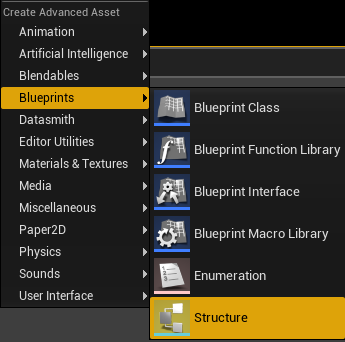
this thing
strange apex
yep got it
also because you said to use STEAMid, what if i am testing the game in LAN or non packaged? the struct wouldn't work then right? ( as i wont have any steamID )
short arrow
strange apex
also because you said to use STEAMid, what if i am testing the game in LAN or no...
really, all you're storing is a token, a way to uniquely identify people. You don't even have to use a steamID
you can have clients generate their own token, save it to their own savefile, and then send that token to the server to be used for their login.
however if you did that they could potentially account share
as they could send someone else their savefile (token)
strange apex
short arrow
you can have clients generate their own token, save it to their own savefile, an...
aha, alright so it would be the "best" to just use the SteamID anyway.
short arrow
yeah, but for testing purposes, you could just type automatically make the first controller steamID be 1, and then second controller steamID be 2, and so on and so forth
this way in testing in the editor, loading up as 2 clients will always load 1, and 2 or whatever
that's actually what we do
strange apex
inside the Structure_BP what would be the Variable type for Steam ID?
short arrow
Steamcore returns the SteamID in what get's converted to a string, so for that reason, we made the SteamID a string
and I don't see why you would make it anything else
it's not like you're going to be replicating it
strange apex
ah, okay makes sense
short arrow
anything I plan to use for coding purposes is automatically a string, unless it's ridiculously large or complicated
 vital girder
hey guys, I'm having a small issue when making an ADS system following this tutorial
basically there are two guns rendered, one for the first person and one for the third person (mine is a multiplayer game). The third person gun is hidden by default because it should only show to other players. The first person gun is what is shown only in first person and to that client in specific and is hidden from the other players. When aiming and switching to the gun cam, the third person gun stops being hidden and is shown. So now there are two guns being shown that overlap each other. Also, I have an aim offset, but only for third person (note: third person and first person are separated, this is not a True FPS Game). For first person I use the pitch control on the character camera, so when I am I can't move on the Y axis. How can I solve this issue?
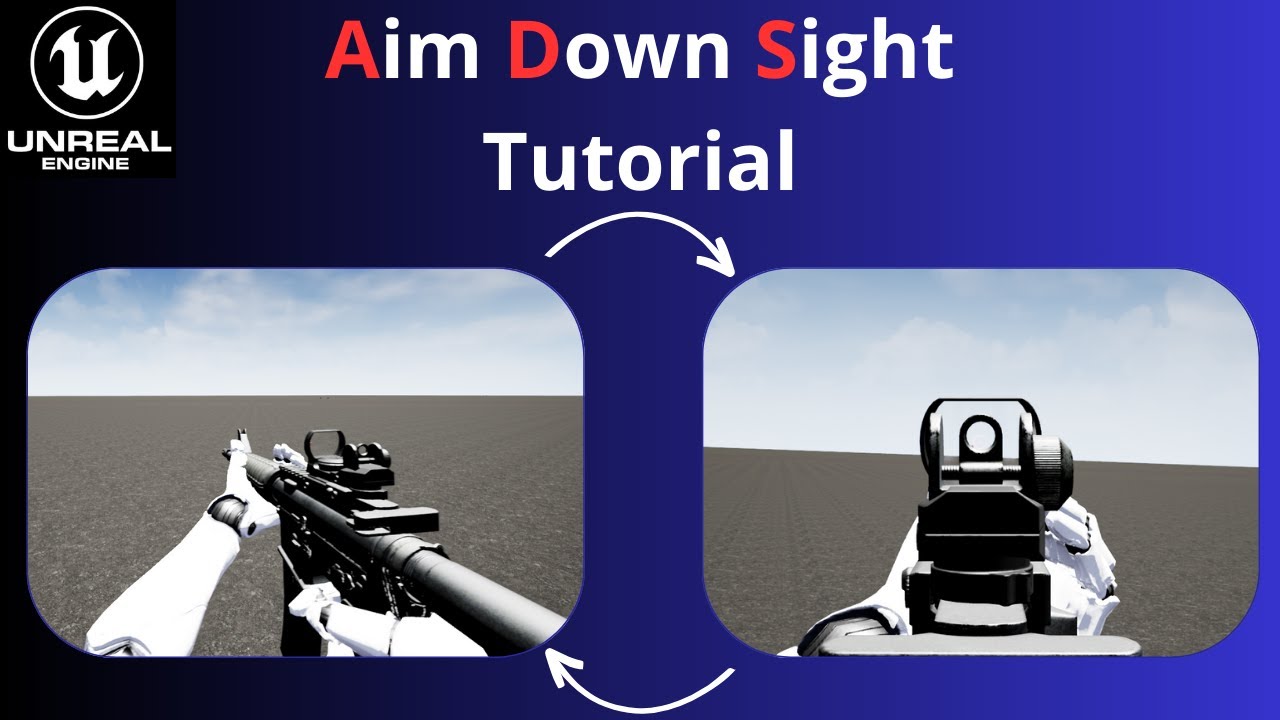
Unreal Engine Tutorial: Aim Down Sight
In this comprehensive Unreal Engine tutorial, we'll guide you through the process of implementing an "Aim Down Sight" (ADS) mechanic in your game. Whether you're creating a first-person shooter or a third-person action game, mastering ADS can take your gameplay to the next level. We'll cover everything you...
 torpid orchid
Hey everyone. I am using the Top Down template. Just noticed the MoveTo nodes in the Player Controller arent working for clients. I have moved the move to node to be fired by a server RPC but still nothing. Any idea why this would be happening?
umbral grove
sterile plaza
are the propert ports open?
Yes, the proper ports are open. When I try to join the server, I've verified that the server receives UDP packets from the client. However, "nothing happens" in terms of the server recognizing any request by a player to join the server
harsh ice
Does anyone know about the multiplayer hit marker. How can I implement this
blazing spruce
harsh ice
Does anyone know about the multiplayer hit marker. How can I implement this
You'll need to post your code setup for anyone to help
 primal trellis
Hi guys
What would be the most recommended way to create a loading screen system in a multiplayer game? Like, how will I know that in multiplayer everyone has finished being able to load the next level? So after that I take the screen off
umbral grove
primal trellis
Hi guys
What would be the most recommended way to create a loading screen system...
I don't know about most recommended, but you can use the Lyra sample to see how they do loading screens there, though they don't wait for everyone to join a match before starting
primal trellis
umbral grove
I don't know about most recommended, but you can use the Lyra sample to see how ...
Okay, I'll take a look at it, thx!
dark edge
harsh ice
Does anyone know about the multiplayer hit marker. How can I implement this
Hit happen -> show marker
There's not much more to it.
Either the client can detect the hit, or it can be told about the hit by the server.
 weak linden
Hi, does anyone have any examples on using C++ OnReps with the previous value overload, I can't seem to find any full examples (including across the Engine source), I additionally need to execute the behaviour on the server, so I presume I'd need to get the current value to a temp variable, set the new value, then pass the temp variable to the explicit OnRep call as in my screenshot?
 lost inlet
weak linden
Hi, does anyone have any examples on using C++ OnReps with the previous value ov...
lost inlet
weak linden
Hi, does anyone have any examples on using C++ OnReps with the previous value ov...
what are you looking for with an example? also yes, you would have to do this serverside
solar stirrup
weak linden
Hi, does anyone have any examples on using C++ OnReps with the previous value ov...
If you need to call the on rep manually yes
For the server at least
On clients it'll do it automatically like always
native tapir
Which way is good to implement Item class?
My Item will be sent across network (RPC)
This Item class has pointer (To pointing asset)
And various informations (Another structs for attributes)
To make this class able to replicate across network, which way to implement?
Make UItemData Class Inherit by UObject
Make ItemData to Using USTRUCT
weak linden
lost inlet
what are you looking for with an example? also yes, you would have to do this se...
Was just looking for a general example of how the OnRep is declared, implemented and called, if my screenshot is correct for the server side, then I guess I don't need an example.
@solar stirrup Thanks 🫡
 vagrant wraith
Hello folks!
I am packaging an early version of the client where there is only the character and vehicles and an empty open world, for the sake of tests.
Architecture is Client only + dedicated server
For now I am testing with the editor server ( i choose client only, then run, editor creates a server to test with)
The editor client connnects to the editor server with no issue,
The packaged client however connects briefly to editor server then closes connection
when searching through logs i found this when the connection close events start:
[2024.03.06-13.57.43:648][750]LogNet: NMT_CloseReason: (Server Disconnect Reasons) 127.0.0.1:7777
[2024.03.06-13.57.43:648][750]LogNet: - MissingLevelPackage
The client has the map packaged ( in settings, and also, the same packaged client that throws that error actually renders the level and when connection closes, it stays on the level with camera stuck at z=0 )
I dont know where to look anymore. PS: there were some RPC issues regarding the pawn right before the connection close. Project is BP only btw
weak linden
lost inlet
but it's using reflection
I figured most of it would be done under the hood, I just couldn't find a general example outside of the ones in the AbilitySystem and GameplayTasks components, those seem to be just for client side notification (which I know the previous value is automatically provided for), just needed some clarification on the server side.
Thanks for the help!
lost inlet
alright. on the server it's just a normal function call
weak linden
Sweet, I've used OnReps where the behaviour should also happen on the server before, but not with the previous value overload, should have been obvious I just manually provide the prev value but I'm running at about 5% brain capacity today 😂
noble sentinel
Do you guys think it is better to destroy player actors after they die and give them spectator pawn, or let them keep their pawns and use spectating from inside their characters?
solar stirrup
Probably cleaner to separate
Unless it's part of your game's mechanics to keep your original pawn as a ghost or something :^)
 bold tinsel
Is this an unrealistic design goal from the start? In short I've been trying to create a stable way to to have a rideable train in multiplayer that follows a spline. The idea is the train cars are like a home base that players can walk around in until it stops at the next area of interest. If it is feasible what are some methods to get decent replication. Thanks!
glad robin
bold tinsel
Is this an unrealistic design goal from the start? In short I've been trying to ...
What exactly is happening in the video? When you jump its moving you forward then bringing back?
bold tinsel
glad robin
What exactly is happening in the video? When you jump its moving you forward the...
Yeah maybe its extrapolating when the character leaves the ground? idk. Just one of the many funky desyncs I encountered as the client during my early tests
glad robin
When jumping on Server it's fine right?
bold tinsel
If I remember correctly it was fine, this was from a little while ago tbh but I'm taking a crack at it again
 ornate niche
Could it be something to do with replication prediction?
glad robin
I am just going off top of my head but I imagine it has to do with how the character movement comp handles replicating, obv cant test anything becuase I don't have project haha. Just off my head the easiest by kinda hacky way would be to just fake the train movement by moving the land but otherwise would need to get more into the movement. Does walking on the train also cause issues?
glad robin
ornate niche
Could it be something to do with replication prediction?
Im thinking the prediction as well
bold tinsel
glad robin
I am just going off top of my head but I imagine it has to do with how the chara...
First off thanks folks, yeah faking it has been on my mind but more as a last resort since I'd like to have the some players riding and some on the terrain. Maintaining contact on the platform and walking is fine for host but client seems to just be falling but also moving with it
fossil spoke
You may need to disable Server corrections when you initiate a Jump and reenable corrections when you land?
glad robin
I just saw a bIgnoreClientMovementErrorChecksAndCorrection in Character Movement comp
Comment just mentions moving at extreme speeds but iunno maybe works haha
or help 😛
bold tinsel
glad robin
I just saw a bIgnoreClientMovementErrorChecksAndCorrection in Character Movement...
I will def take a look, thanks
fossil spoke
glad robin
I just saw a bIgnoreClientMovementErrorChecksAndCorrection in Character Movement...
Thats what Im referring to.
glad robin
I didn't watch this at all, but I was thinking about fortnite and how they added the train and saw this video on youtube

Simple train system in Unreal Engine.
#unrealengine #how #ue4
Didn't watch at all but maybe useful haha
Fortnite train sounds like exactly what you want
glad robin
bold tinsel
I will def take a look, thanks
I'm just procrastinating now. Don't do that video it didn't mention at all haha
bold tinsel
glad robin
I'm just procrastinating now. Don't do that video it didn't mention at all haha
Oh XD, ok
graceful flame
If a player disconnects then reconnects before the "round/match/level...etc" is over do they automatically get the same PlayerState variable values or is that something I need to handle myself?
I'm currently halfway through setting up some logic using EventOnLogout to store a copy of the leaver's player state inside of GameState but I don't know how to set it back without doing a manual 1:1 set of all the variables.
 wicked spade
Hi, just wondering if an actor's transform is automatically replicated by anything other than ReplicateMovement?
I have that set to false but the transform still seems to be replicating
fossil spoke
@graceful flame If you use AGameMode this is already handled for you.
AGameMode::FindInactivePlayer
AGameMode::PostLogin
PostLogin calls FindInactivePlayer and assigns it back to the PlayerController if they already had a PlayerState when they left.
AGameMode::Logout calls AGameMode::AddInactivePlayer
The Inactive list is cleared when the level is changed
graceful flame
So if I have a custom player state ArenaPlayerState with a bunch of score data in there, its all going to magically be restored when a player reconnects?
fossil spoke
Theoretically yes
graceful flame
woohoo
fossil spoke
If
You use AGameMode
Instead of AGameModeBase
As the functionality is in AGameMode which is a child of AGameModeBase
graceful flame
yea im using #include "GameFramework/GameMode.h"
fossil spoke
Cool. Then it should work.
fossil spoke
fossil spoke
The Inactive list is cleared when the level is changed
This is wrong, sorry. It lives for 300 seconds
graceful flame
ahhh i see
fossil spoke
// delete after some time
NewPlayerState->SetLifeSpan(InactivePlayerStateLifeSpan);
Default is 300 seconds
So sticks around for 5 mins
graceful flame
Right otherwise if tons of players connect then disconnect thats basically a memory leak
fossil spoke
Also, it will only keep track of 16 Inactive players at a time
By default
    InactivePlayerStateLifeSpan = 300.f;
    MaxInactivePlayers = 16;
These are obviously configurable to your needs.
graceful flame
yea
fossil spoke
But I would say something is pretty wrong if you need more than 16 Players for longer than 5 mins each.
I guess, in high population servers it probably would need to be higher.
But there are very few games that would want to retain PlayerState upon reconnect anyway.
Outside of a network error or something
🤷
graceful flame
I haven't decided yet if I want anyone to join a match already in progress or only the players who were there at the start.
wicked spade
wicked spade
I have that set to false but the transform still seems to be replicating
Solved my problem, it will replicate transform if you have the rootcomponent set to replicate
 warped oxide
Man I'm hitting a wall lol, I'm really not finding my way around making a multiplayer inventory system. I really get stuck on things like replicating an inventory multiple clients are looking at.
Does anyone know of any resources I can reference to help learn about these kinds of systems? Or about best practices for this kinda thing? If so I'd be really thankful!
glad robin
warped oxide
Man I'm hitting a wall lol, I'm really not finding my way around making a multip...
I referenced this before but not for inventory just something small. Might as well check out tho as I believe there is something in there for it. It looks like theres documentation pages for each section (2 says inventory) and I believe videos somewhere but I am not sure. Might as well check out aha https://github.com/tomlooman/EpicSurvivalGame
GitHub
Third-person Survival Game for Unreal Engine (Sample Project) - tomlooman/EpicSurvivalGame
warped oxide
glad robin
I referenced this before but not for inventory just something small. Might as we...
Gotcha, thank you I'll check it out! I appreciate it
 crisp shard
can someone tell me if these testing setting are overkill or not? i get some severe lag spikes on certain movements and really just walking in general sometimes.

im simply just trying to test for real-world conditions w the above settings ^^
 misty geyser
how it should look

when the cloud changes and the lighting change

so i got this problem in my split screen where the lights completely stops for p2 on a event where the clouds make a big move ........ I searched and I found that it calls light shift problem but i didn't find a fix for it ....any ideas how to fix it
 twin juniper
can i use TSet in RPC function?
is invalid replicating TSet variables?
fossil spoke
twin juniper
can i use TSet in RPC function?
is invalid replicating TSet variables?
TSet and TMap are not replicated
So you cannot use them for RPCs or Replicated properties
twin juniper
fossil spoke
TSet and TMap are not replicated
Thank you!
 dark robin
Is FText localized over network?
chrome bay
I've been told recently that it is yes, so long as you have an intact FTextHistory
 vagrant grail
What's the name of the node to get the player who hosts the game please ?
 heady nacelle
Hi! I've been sitting with a movement replication issue on listen server for quite some time and I can't seem to get it working no matter what I try. I'm calculating where the target position should be and I use Set Acter Location until I reach the position. In the editor everything works great on both server and client but when I play on two computers with a packaged build the client's player moves very slow/jittery. I've tried sending RPC's (Run on server & multicast, checking for authority and such), I've tried letting the target position be a RepNotify variable that I've either set normally or set in a Run on server rpc but that worked even worse than the rpc approach, I've tried setting the position locally before I send the request to the server for some kind of prediction but that hasn't worked either. All of the replication-related code are placed inside the Character component where I have the CMC. The video shown is how it looks on the client-computer.
Question 1: does anyone have any ideas what I could be doing wrong or know of something I should do and are there certain packaging-settings that are commonly used when it comes to replication?
Question 2: Since it works great in the editor, do you think it would work as good or atleast better if the two computers just played in the editor instead of on a build of the game?
I would really appreciate the help!! 🙏 (and sorry for such a long message)
hoary spear
Looks like corrections
heady nacelle
hoary spear
Looks like corrections
could you explain further?
hoary spear
It kinda looks like a mismatch between client and server locations
So client gets corrected by server
heady nacelle
currently I'm not doing any predictions of the movement on the client but do you think it could still be corrections? and if so do you have a suggestion to what I could do to fix it?
hoary spear
So movement is server driven only?
heady nacelle
yeah
hoary spear
Id imagine relying in setactorlocation for this would not yield a great result
Id probably try to do mivement/animation ckient side based in the onrep locationg
heady nacelle
I've tried using repnotify on the location but that worked even worse, but maybe I used it wrong, could you give an example perhaps on how you would use a location onrep variable? I tried both setting the variable without using any rpc's and setting it on the server
 nimble sky
trying to figure out where to store custom names on a player owned actor (horse) I have it so my characters spawned in have there own unique ID now im trying to spawn a horse for each player that each horse is unique to each player anyone done anything like this?
hoary spear
heady nacelle
I've tried using repnotify on the location but that worked even worse, but maybe...
Only the server can trigger onrep for everyone. A client setting it would at best just trigger it locally
So the server would set the variable , often through some RPC triggered by a client

whenever the variable has finished replicating, it will trigger the OnRep for that variable

 lament flax
Im new to multiplayer concepts on UE5.
For widgets shared for all clients and server, where should be the creation and management of those widgets ?
hoary spear
server (unless server is also client) doesnt have widgets
widgets are local only
and reflect the state of things as seen from that client
Normally you'd use something like Playerstate for player specific things as those are replicated to all clients
or Gamestate for the wider scoped variables relevant for the current state of the game
lament flax
so the HUD class is on all clients only
hoary spear
yeah
lament flax
ok ty
ripe lotus
is there a specific way to spawn a replicated actor? that lives on the server and client?
this says to use the bReplicates flag on AActor and spawn on server https://cedric-neukirchen.net/docs/multiplayer-compendium/replication
What is 'Replication'?
heady nacelle
hoary spear
whenever the variable has finished replicating, it will trigger the OnRep for th...
thanks for helping me! I have done what you showed but I think I'm doing something wrong when calculating my target position so I'm digging deeper into that!
 trim thunder
ripe lotus
is there a specific way to spawn a replicated actor? that lives on the server an...
trim thunder
ripe lotus
is there a specific way to spawn a replicated actor? that lives on the server an...
Looks like you've answered your own question
 bronze glade
Hey everyone! I have a replicated array of structs (TeamInfo) with a value inside called TeamName and one called RoundWins. In my GameState I have a function that updates the RoundWins for a given TeamName. For some reason it works on the server every time, but on clients it replicates every time except the first. Does anyone know why this could happen?


I am calling it via blueprint in my GameMode when the mode determines a team should win. Everything replicates properly for every win except the first. So the client GameState is always 1 win behind the authority if I print out the struct values for RoundWins in the GameState
 ripe lotus
ive noticed that the outline sometimes change from one client to the server or to other client. is there a way i can manually change to one of them? running on pie, one process.

 velvet kettle
@bronze glade you need to change it to a ReplicatedUsing = {SomeFunction} (BP equivalent of RepNotify) then when it changes it will broadcast it using that {SomeFunction}, in your BP bind to the broadcast event to receive updates including the latest update when a player connects
solar stirrup
bottom right of the outliner, you can choose the world. or top right, don't remember, should be a cog
bronze glade
velvet kettle
<@329904704190545921> you need to change it to a ReplicatedUsing = {SomeFunction...
I'm not exactly sure what I need to put in the broadcast or function. Do I need to manually set the client array each time a value changes on the server side?
 wraith venture
My team are working on an online multiplayer moba like game.
I realize that I need to send all sorts of player stats per player controller to a hud so everyone can be updated on important variables. But I'm kind of loss on the right way to do this.
Should I be sending all these variables in one place? If so would it be the game mode or instance?
I'm kind of wondering what kind of system people typically do for a multiplayer game
fossil spoke
wraith venture
My team are working on an online multiplayer moba like game.
I realize that I ...
Use the PlayerState
It is replicated to all Clients
Every Client has every other Clients PlayerState
So they know important information about that Player via their PlayerState.
wraith venture
ok interesting that might be what's missing
fossil spoke
Things like, Kills, Deaths, Score etc would be on the PlayerState.
wraith venture
and I'd have a way to reference each players different player state?
so I could just pull that in the HUD and update accordingly?
fossil spoke
The GameState has a list of all the PlayerStates
So your HUD would access that list on the GameState to create whatever per Player entries you need on the UI
The PlayerController and possessed Pawns also have the PlayerState of the Player they belong to.
(Keep in mind though that the PlayerController is only relevant to the Server and the Client that owns it).
You should take some time to look through the Network Compendium
It is the first link in the Pinned Messages
For this channel.
wraith venture
ok thank you
yeah honestly this replication is a new way of thinking so i've been lost on a lot of it
and I'm not sure the rest of the team knows everything they need about it either
I'll read the compendium thanks for sending me in a dirrection
 latent ivy
Client Widgets NOT showing in packed build. How can I fix it?
 elder belfry
Hi guys, I'm trying to disable the move/look input once a player connects to a game session but I'm having trouble getting this working on connecting clients, but it's working fine for the server-client.
The player controller triggers the pawn to be spawned on the server within the game mode class, and I'm trying to call TogglePlayerInput() on the connecting controller to disable input. I'm aware that the game mode only runs on the server but I'm having difficulties getting this to work using alternative methods e.g. client RPCs. Does anybody have any ideas on the best way to implement this? I've included some of my code for the controller/gm for reference. Any help is much appreciated because I'm going mad 😄

 ornate niche
elder belfry
Hi guys, I'm trying to disable the move/look input once a player connects to a g...
ornate niche
elder belfry
Hi guys, I'm trying to disable the move/look input once a player connects to a g...
if (GetLocalRole() < ROLE_Authority)
Would this ever fire? Isn't ROLE_Authority the highest, or does it start at 0?
lost inlet
UENUM()
enum ENetRole : int
{
    /** No role at all. */
    ROLE_None,
    /** Locally simulated proxy of this actor. */
    ROLE_SimulatedProxy,
    /** Locally autonomous proxy of this actor. */
    ROLE_AutonomousProxy,
    /** Authoritative control over the actor. */
    ROLE_Authority,
    ROLE_MAX,
};```it's in this order
you don't want to every skip calling the Super BeginPlay
I don't really get what's going on though. Why does the client get the say over spawning their own character?
elder belfry
ornate niche
`if (GetLocalRole() < ROLE_Authority)`
Would this ever fire? Isn't ROLE_Authorit...
My understanding is that (GetLocalRole() < ROLE_Authority) will be triggered as it is called from the client on BeginPlay() - and the client is < ROLE_Authority
bronze glade
Beginner question, I've seen it mentioned a few times that RepNotify/ReplicatedUsing is good for players joining mid session. Does the regular Replicated not properly set when someone joins late?
elder belfry
lost inlet
you don't want to every skip calling the Super BeginPlay
It works with that uncommented, forgot to add it back in after testing something
lost inlet
bronze glade
Beginner question, I've seen it mentioned a few times that RepNotify/ReplicatedU...
Of course they get set. I think you misinterpreted the advice
It's more for state which has visual effects
elder belfry
lost inlet
I don't really get what's going on though. Why does the client get the say over ...
I did it this way so the client controller persists throughout the game and the player respawns can be called from the controller
bronze glade
lost inlet
It's more for state which has visual effects
Okay, that's what I thought. I just wanted to make sure. Thank you!
bronze glade
bronze glade
Hey everyone! I have a replicated array of structs (TeamInfo) with a value insid...
I asked a question here earlier and my advice was to change it to ReplicatedUsing instead. I don't understand what that would change since it's just setting a replicated variable. Would you mind looking at this issue?
 oak sorrel
Hey guys, I'm kinda new to multiplayer stuff and I'm practicing with this task:
You need to create a static mesh actor again but this time it will not have two states. Any of
the clients can click it from the viewport.
The clients should have a counter widget in the UI (just a text is fine).
When it is clicked from any of the clients, it will modify a counter that starts with 0. Clicking
with the left mouse button adds 1 to the counter while clicking with the right mouse button
subtracts one. This counter should never reach values below 0.
This counter value should be displayed in the UI widget mentioned earlier and both clients
should be able to see it in real time.
Bonus: While the player has the SHIFT key down the left and right mouse buttons will
add/subtract 10 points to the counter instead of only 1.
I've set up the editor to "play as client" and I have two players. I have a variable in the PlayerCharacter called bShiftPressed that should be set to true while I hold down the shift key and false when I release it. When it's client 0 doing it, everything's fine, but the variable doesn't update correctly on client 1. Any idea what might be going on?
lost inlet
bronze glade
I asked a question here earlier and my advice was to change it to ReplicatedUsin...
Well I don't know how you were verifying this exactly, but for refreshing things like the UI I would recommend using an OnRep anyway
and the OnRep would broadcast a delegate to update the UI and stuff
it won't change how frequent the data gets updated or whatever
bronze glade
I was thinking it would be better for the UI and I will probably do that, but the issue is the actual GameState itself has the value 1 point behind the server value when I print it on client vs server (nothing to do with UI or anything). I don't think OnRep is the solution to the actual issue, right?
lost inlet
bronze glade
I was thinking it would be better for the UI and I will probably do that, but th...
and where are you printing it?
bronze glade
lost inlet
and where are you printing it?
After increasing the win count on the GameMode I call a function on the GameState to print out the team name and its wins. After the first win, clients are 0 - 0 while server is 0 - 1. Then for future wins they update properly, making it client 0-1 server 0-2 -> client 0-2 server 0-3 etc. This print function was just for debugging, I'll delete it later


Is this just because I need a RepNotify?
lost inlet
I don't know how you would ever expect that to match 100%
the updated value can be replicated AFTER the RPC is received
bronze glade
That makes sense, I will make it a RepNotify and connect the dispatch to the print function. I'll let you know if they align or not 🙂
glad robin
bold tinsel
Oh XD, ok
Hey don't know if you fixed train issue yesterday but I am in the UCharacterMovementComponentright now and just saw this property bServerAcceptClientAuthoritativePosition which "If true, and server does not detect client position error, server will copy the client movement location/velocity/etc after simulating the move. This can be useful for short bursts of movement that are difficult to sync over the network...." Probably could help aha I saw the one I said yesterday and this was right under
bronze glade
lost inlet
the updated value can be replicated AFTER the RPC is received
This was the issue, thanks. I do have a question though, since the replicated value is a struct, is it possible to have a different OnRep for each variable of the struct? I'd like to run something different depending on what is actually changed. For example if the score changes I don't think I need to update all UI relating to the other variables of the struct. I'd like to only dispatch to update something when it needs to be updated
Or is it not much overhead to send a broadcast to a bunch of stuff that doesn't need it?
lost inlet
bronze glade
This was the issue, thanks. I do have a question though, since the replicated va...
Short answer for this is no. In the past I've even had a separate AInfo-based actor for teams. I don't think the performance penalty here is worth worrying about since it'll be so negligible
bronze glade
Okay. So even if just a single value is updated it's still better to broadcast as if every variable changed
lost inlet
Unless you have a lot of variables (and I mean a lot) then it's not going to be a blip on the radar. But if you want individual field updates then you can do something similar to what I suggested or have separate team components within the game state
bronze glade
lost inlet
Unless you have a lot of variables (and I mean a lot) then it's not going to be ...
Okay, thank you for all of the help I appreciate it
 flat halo
Hi Tisbury, sorry for the ping.
I followed your discussion since I am having the same issue you had with VoipTalker and Seamless ServerTravel.
You claim you overcome the issue here:
"The fix was just to pause all incoming packet processing (the same as muting a player, but global) and unregister all talkers and clear the voip packet buffer. After that, no issues."
I am calling ToggleSpeaking 0 for all clients before initiating the Travel, but I am not finding how to mute global, unregister all talkers and clear the packet buffer. How can I do that?
Thank you!
velvet kettle
bronze glade
Okay, thank you for all of the help I appreciate it
sorry i disappeared on you, still working
bronze glade
velvet kettle
sorry i disappeared on you, still working
That's okay! I got it working with your suggestion. I was just asking for some extra clarification from others while you were gone. Thanks a lot 🙂
velvet kettle
Glad to hear it.
 gleaming kite
flat halo
Hi Tisbury, sorry for the ping.
I followed your discussion since I am having the...
gleaming kite
flat halo
Hi Tisbury, sorry for the ping.
I followed your discussion since I am having the...
the issue lies in receiving, not transmitting. I made some source modifications in the voice interface so I can just call a single function that pauses packet processing and clears the remote packets buffer. Thats all you really have to do. The pausing functionality was something I easily added and clearing remote packets is as simple as clearing the array. You just want to make sure theres no packets for the synthetic voice component to process as you travel.
This of course will require your own version of the engine forked from source and basic c++ knowledge.
flat halo
gleaming kite
the issue lies in receiving, not transmitting. I made some source modifications ...
Is there an alternative that doesnt involve modifying the engine source?
gleaming kite
i mean i suppose you could write your own version of the VOIP talker that doesnt use the synthetic voice component. But the fix i outlined is pretty simple. There could be something im totally missing with this bug, but I spent a few days on it and this was the only workable solution.
or just dont use seamless travel and use non-seamless or level streaming if you need seamless behavior
flat halo
ya, I would lean towards non-seamless travel for now if that works. I guess it would destroy everything, and then in the new level create the voip talkers for all players again as it is. As long as there is a way I can pass some data about the players from one level to the other, I am fine with doing non-seamless travel.
All I am using seamless for right now is to pass some data in the PlayerState from one level to the other.
gleaming kite
You could serialize whatever data you need and map it to the players unique net id, then save it before travel.
flat halo
will go that route. Thank you very much!
ripe lotus
if i have a UFUNCTION(Server) that calls another UFUNCTION(Server). is that inefficient? or does unreal calls the 2nd function directly?
fossil spoke
ripe lotus
if i have a UFUNCTION(Server) that calls another UFUNCTION(Server). is that inef...
Any UFUNCTION(Server) that you call on the Server, will just call the _Implementation directly, there is a slight overhead due to the thunk but it does not incur any other cost.
ripe lotus
fossil spoke
Any `UFUNCTION(Server)` that you call on the Server, will just call the `_Implem...
thank you!
fossil spoke
Multiplayer is a massive component of any game.
Your question is almost unanswerable.
vagrant grail
Multiplayer is hard. Did you make at least 1 solo game before ? Do you understand multiplayer concepts like Networking, Client Predicition, RepNotify, RPCs, ownership, etc... ? Do you know c++ because you will need it to use GAS as it's a system developed to build MOBAs.
And "without a plan", you're already shooting a bullet to your foot because MOBAs are hard to do because you will need to write alot first before even diving into code. You will need to make a design document explaining all the rules, your goals, the game loop, how many heroes, etc...
Then you will need to come up with ideas for heroes, abilities, etc...
vagrant grail
So the plan is already done ... but ... you don't have specific pla to add multiplayer... but you're asking questions related to multiplayer ... ? A non mutliplayer MOBA ? 🤔 I'm kinda confused
Then big mistake then, because multiplayer had to be taught from the beginning because now you have to rewrite 90% of your code 🙂
Because developing a multiplayer game is a whole another story in terms of programming because you have all the concepts I explained above that you need to take care of + take care of cheating + optimizations, etc...
What did he tell you ?
vagrant grail
First learn the basics of multiplayer by making a small side project like a plateformer or something similar and simple and you will see that the way you code games in multiplayer isn't the same as singplayer at all.
warped oxide
Best to do your learning in a project you dont mind is bad
learning from mistakes is good
vagrant grail
For me, the person who explained Multiplayer (with some funny moments) is BRY but there are only 4 videos unfortunately so after watching these you need to find other ones https://youtu.be/TEojA3VBXG8
❗ DISCLAIMER: Re-uploaded due to the original video being somehow magically deleted (I didn't do it..) 😭
👋 Welcome to the Replication Series! This series covers how Unreal Engine handles Replication from the ground up starting with what replication is and how Unreal's Client-Server model works and then moves on into more advanced topics.
📹 ...
ripe lotus
how can i have an actor, spawned on a playercontroller (server), that only replicates to that player controller (server and client)?
velvet kettle
bOnlyRelevantToOwner
glad robin
Check out Tom Looman's stuff. I posted his github page where he has a multiplayer survival game with pages to explain/teach every part. I havn't really looked at that project but I did a course of his before and I feel like I learned some stuff. Just search From: Bleep.Bloop on top discord page to find.
(Is all C++ tho I believe. His other projects may have bp but unsure.)
glad robin
I just need to be verified/validated here haha. So turn based game.
- I am fixing up this character which currently has a UFUNCTION(Server, Reliable) MoveToNextLocation() which does some calculations then moves the character to new location.
- This is called in that characters EndTurn().
- Now the GameMode has an OnEndTurn(ACharacter* TurnEndingCharacter) that is run after the character broadcasts OnTurnEndDelegate passing itself.
So in this case would it be neater/better to instead remove the server RPC and just make it a public MoveToNextLocation() then in there add a check for HasAuthority() and call it from the GameMode? Both these ways function fine but I feel like this project has a lot of Server RPCs that could be handled differently.
thin stratus
glad robin
I just need to be verified/validated here haha. So turn based game.
- I am fixi...
Depends on what the RPC is called by. If the EndTurn RPC is called by a button press of the Player, then this is fine as it is
glad robin
thin stratus
Depends on what the RPC is called by. If the EndTurn RPC is called by a button p...
It's called on the PlayerCharacter through a delegate when their golf ball comes to a stop. It's a teleport called a single time not regular movement and I ended up changing it to be handled in the GameMode for separate reasons but I was more just wondering if ideally I should be trying to remove these Server RPCs and handle them directly from Server unless not possible. I personally thought I should be but I could just be overthinking haha.
 unique kelp
Any tips on semi-reliably synchronizing something like RNG so that a client can predict critical hits, etc ?
I was thinking of keeping a random stream per client connection, and somehow replicating its state to its client in regular intervals, but this is the first time I'm doing anything RNG in multiplayer, so I am not aware of the best practices
 upbeat basin
Is it logical to set custom character movement as replicated to store replicated variables in it? Our current use case is for movement speed multipliers, a replicated array to multiply the maximum walk speed with. Or should it be handled some other way?
viscid monolith
upbeat basin
Is it logical to set custom character movement as replicated to store replicated...
Technically, you can, but i think there may be better ways to do this. If you have more such modifiers to other players' abilities, I would also recommend looking into Gameplay Ability System, it is multiplayer focused from the start, and is very handy.
viscid monolith
unique kelp
Any tips on semi-reliably synchronizing something like RNG so that a client can ...
You may use pseudo-random generation, which works on seed. Generate seed on server, replicate it to client.
Also you can precalculate RNG, so client would already know future outcome
There are also tools to replicate such data only to one client, not others, so nobody, except target player would know.
unique kelp
viscid monolith
There are also tools to replicate such data only to one client, not others, so n...
that i am aware of
but isnt it essentially the same as keeping a stream synced per player state?
precalculating I mean
Thanks anyway, I think I need to experiment a bit now
viscid monolith
Pretty much yeah
thin stratus
glad robin
It's called on the PlayerCharacter through a delegate when their golf ball comes...
If it's triggered by something that the Server knows about, then you don't need an RPC, that is correct
The Server can react to the Ball stopping just fine.
olive mason
i've been having a issue where the widget that suppose to be used for a split screen multiplayer game won't copy itself and attach it to the second player? it keeps saying that the player controller is not being attached to the second player yet when i tested it in a standalone game the character is moving with the second controller, yet when i tested in the engine the character doesn't move at all. so i don't really know what to do, the controller should be there any thoughts?
 plush mauve
I'm not entirely sure that it's as impossibly difficult as Diversity is saying. It really depends on your game. I agree that it's definitely simpler to start your game with multiplayer in mind right from the beginning, but I don't agree that you'll have to "rewrite 90% of your code". I think that's some serious hyperbole right there. Unreal Engine has a huge amount of multiplayer functionality that is ready to go. Of course it would be much easier if you were already familiar with that functionality. But the documentation is not too bad. Take a look at some of the many multiplayer tutorials, and go from there.
hoary spear
There will be a bunch of rewriting code and structure tho if you didnt have this in mind at all (and possibly dont even know what it entails)
Like replacing all those "get player X (index)" with valid methods of aquiring the correct references etc
plush mauve
For sure. Lots of work 🙂
But I'm constantly surprised by all these open world survival games that are being released as single player games, simply because it's a small team and someone screamed "Argh! Boogie man!" at them if they even mentioned multiplayer. It's simply not true that multiplayer is impossible. At least if you're talking about the 20-50 players arena that most UE games multiplayer games release as.
dark parcel
Single player and multiplayer architecture is different. Multiplayer can be played single player but not vice versa
U will end up redoing your game from scratch
plush mauve
dark parcel
U will end up redoing your game from scratch
What do people keep saying that? It's complete nonsense.
dark parcel
Not at all
plush mauve
I'm far from an expert, but my own experience says that is completely false.
And I wish people would stop saying it, because all it does is put people off having a go, and in many cases they would find it a lot more achievable than people would have them believe.
dark parcel
I disagree , I'm also far from expert but my personal experience says otherwise
So I listen to experts opinion
And they all reach the same conclusion
If u gonna do a mp game do it from scratch
Turning a completed sp game to mp will need a lot of rewrite and destroying the incompatible systems
 urban moth
do you know the exact place in the engine where server check whether certain property get's change and should be replicated?
mystic estuary
urban moth
do you know the exact place in the engine where server check whether certain pro...
You might wanna take a look into GetLifetimeReplicatedProps() and DOREPLIFETIME_CONDITION()
lost inlet
mystic estuary
You might wanna take a look into `GetLifetimeReplicatedProps()` and `DOREPLIFETI...
Oh I interpreted that question as in where low level in the networking code does the property compare happen
mystic estuary
lost inlet
Oh I interpreted that question as in where low level in the networking code does...
I mean, you can find it out by following these high level method/macro. Since they add some of your values to some structures, you can see what these structures are used in, and find out what actually uses them to replicate
lost inlet
Though you can follow the chain around FRepLayout::CompareProperties
and I'm sure things will change again when Iris is the default
mystic estuary
lost inlet
Though you can follow the chain around FRepLayout::CompareProperties
Oh, didn't know about it. Yeah, seems to be the exact function
tardy fossil
Hey, if I made my own custom GameNetDriver that uses my own relay server, would I also need a custom subsystem if i wanted to use sessions and stuff? can I make a GameNetDriver work with multiple subsystems? like cross play between oculus and steam, but both using my custom GameNetDriver and relay servers?
lost inlet
tardy fossil
Hey, if I made my own custom GameNetDriver that uses my own relay server, would ...
You'll probably find very little info, if any. But if it works with the IPNetDriver then I imagine you'll be mostly fine. EOS has a p2p socket implementation in the engine which uses relays for NAT traversal
tardy fossil
awesome! and yea there is literally no info on how to make a custom net driver.. luckily oculus has this little plugin in their SharedSpaces demo
https://github.com/oculus-samples/Unreal-SharedSpaces/tree/main-5.x/Plugins/PhotonNetDriver
which seems like it uses the bare minimum to get a net driver to work.. so im gonna reference that

GitHub
Oculus multiplayer showcase demonstrating basic multiplayer functionality in Unreal, including Oculus Platform Social APIs, Photon as the transport layer and UE replication. The Oculus SDK and othe...
harsh ice
Hello everyone. My cross is not visible on the server. It's only visible on the client. I have created a custom event that is replicated on the client when I don't replicate it's not visible
woeful ferry
harsh ice
Hello everyone. My cross is not visible on the server. It's only visible on the ...
Cross?
mystic estuary
Hello, does anyone know how to predictively set a movement mode in CMC? That's what I have tried (links), but it fails in a lot of cases with >50 ping. The main issue is that the client tries to fly locally, the server might get it in time before it tries to correct the client; if it does correct it, the client will simply abort flying, and the server will never know about it. The same applies to the flying deactivation: if client tries to deactivate the flying, the server might adjust them saying that they're still flying, even though they don't want anymore. Can someone point out what's wrong? I thought that FSavedMove should register the fact that the character starts flying, and send it to the server at some point, but it might be discarded for some reason 🤔
Header https://pastebin.com/3G8inH5M
Source https://pastebin.com/H6wMWb44
harsh ice
Not cross platform but my host is server
lost inlet
harsh ice
Not cross platform but my host is server
Yeah, but what does cross even mean in this context
harsh ice
Cross hair widget
lost inlet
yeah and what calls this event? and why is this a photo of a computer screen?
harsh ice
I created his event in the player controller and called in the character blueprint to begin play
lost inlet
Well in the character isn't going to be reliably posessed at BeginPlay
harsh ice
lost inlet
yeah and what calls this event? and why is this a photo of a computer screen?
showing event
woeful ferry
harsh ice
showing event
take screenshot, not a shot of a monitor
harsh ice
- I have created a custom event in the player controller and created a widget and add to the viewport.
- In the character blueprint when on begin play I cast player controller and call the event
this


The widget is only visible when i play as a client
mystic estuary
mystic estuary
Hello, does anyone know how to predictively set a movement mode in CMC? That's w...
Bump
lost inlet
harsh ice
this
Well like I said, the controller on the client has likely not acknowledged posession by this point. HUD management should ideally be done by the player controller alone
This is kinda what everyone makes the AHUD class into
urban moth
lost inlet
Though you can follow the chain around FRepLayout::CompareProperties
well thank you sir.. this is what I looked for
urban moth
Is there a useful example of how to use a PushModel?
lost inlet
urban moth
Is there a useful example of how to use a PushModel?
PushModel.h
urban moth
lost inlet
PushModel.h
nice 🙂
 muted reef
How can I know player controller is Host or Client in listen server ?
solar stirrup
muted reef
How can I know player controller is Host or Client in listen server ?
IsLocalPlayerController()
urban moth
you guys look quite skilled, so one more question - what's the deal with AGameNetworkManager? I am trying to figure out max Bandwith per second so I found GameplayNetworkManager where are variables like AdjustedNetSpeed, Max, Min, TotalBandwidth but I cant find any usage of those variables in Engine. So I wonder what are these numbers for and where i can find the "real" check of Bandwitdh boundaries?
 inner hearth
hi, is any way to set actor Owning Client without possess to PlayerController?
viscid monolith
Hi, are there ways to somehow replicate data of a class, that comes from third party library and have nothing to do with unreal, so i can’t just UPROPERTY(Replicated) it?
To give more context, im trying to enable Flecs(Entity Controller System) to work with multiplayer
solar stirrup
viscid monolith
Hi, are there ways to somehow replicate data of a class, that comes from third p...
What does the data look like
solar stirrup
Might have to wrap it in a USTRUCT() or just refactor the lib you're trying to use to make it Unreal friendly (probably hard)
 velvet meadow
Hi everyone! Do ya’ll recommend the Smooth Sync plugin?
dark edge
inner hearth
hi, is any way to set actor Owning Client without possess to PlayerController?
set owner
dark edge
viscid monolith
To give more context, im trying to enable Flecs(Entity Controller System) to wor...
What part of the data will actually have to be replicated?
What are you actually trying to do? You might be able to get by with just replicating a small subset of the data, not all of it.
vagrant grail
Somehow my character spawns for the host but not clients joining after him even if I set in "World Settings" to be the "BP_ThirdPersonCharacter", does anyone know why please ?
 snow trail
vagrant grail
Somehow my character spawns for the host but not clients joining after him even ...
snow trail
vagrant grail
Somehow my character spawns for the host but not clients joining after him even ...
are they all spawning at the same location?
vagrant grail
snow trail
are they all spawning at the same location?
nope
there are 4 spawn points and my test is with only 2 players
snow trail
try to change the spawn handling type on all 4 spawn points to always spawn
just to be sure
vagrant grail
snow trail
just to be sure
Nope still the same issue

For info, it's happenning when I come from the main menu where I create the game with a UI for the host and making him join. Then on the client in the menu I can look for a session and when I find one I can join it.
dark edge
vagrant grail
Somehow my character spawns for the host but not clients joining after him even ...
Do you have anything in GameMode messing with spawning?
vagrant grail
dark edge
Do you have anything in GameMode messing with spawning?
No, this is all I have in my gamemode.


 dark edge
vagrant grail
No, this is all I have in my gamemode.
dark edge
vagrant grail
No, this is all I have in my gamemode.
This is probably the problem
When is SpawnPlayer called
Why are you not overriding the built-in gamemode functions?
vagrant grail
dark edge
This is probably the problem
How ? As I don't use the SpawnPlayer method. I was before (some weeks ago) but found issue and went for the standard approach of just setting it in the world settings
vagrant grail
dark edge
When is SpawnPlayer called
never
vagrant grail
dark edge
Why are you not overriding the built-in gamemode functions?
Which ones ?
dark edge
ChoosePlayerStart etc
if you're sure your code there isn't running then it's not the problem
What pawn do the players get handed if not the default one?
vagrant grail
dark edge
ChoosePlayerStart etc
I never learnt about that
vagrant grail
dark edge
What pawn do the players get handed if not the default one?
only the default one
dark edge
So do they get one or not? What's the actual problem?
vagrant grail
dark edge
if you're sure your code there isn't running then it's not the problem
I used the "Find In Blueprints" tool to look for where that function is called and there's none besides the definition of that function
 vagrant grail
dark edge
So do they get one or not? What's the actual problem?
vagrant grail
dark edge
So do they get one or not? What's the actual problem?
The host does get one, but clients joining after him don't
dark edge
vagrant grail
The host does get one, but clients joining after him don't
so what do they get?
vagrant grail
(I tested with 2 players only right now) I will try with 3
vagrant grail
dark edge
so what do they get?
No player character, so they're flying like they're in spectating mode or whatever the default pawn is

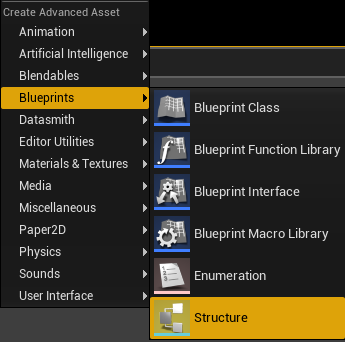 vagrant grail
I guess yeah, but why don't they get the BP_ThirdPersonCharacter like the host ?
dark edge
hell if I know, dig around
but I'd start by figuring out what they actually are getting
vagrant grail
dark edge
but I'd start by figuring out what they actually are getting
Just printed the name of the pawn they get and effectively it's the spectator pawn
the thing is I don't know what and where to look for after that
 brazen chasm
Is there any good tutorial/ strategy to go about making a 4 player co-op game?
dark edge
brazen chasm
Is there any good tutorial/ strategy to go about making a 4 player co-op game?
Not really, just make it. That's an insanely general question.
Learn about RepNotify and use it
Start with 2 players and a door that either one can open and close
hoary spear
vagrant grail
I guess yeah, but why don't they get the BP_ThirdPersonCharacter like the host ?
Is there one char preplaced in the map?
 warm lintel
There's Agones (agones.dev) which is open source
tardy fossil
from my experience, having a game rely on multiple protocols always ends up being a PITA.. i'd suggest looking into ChunkDownloader before resorting to that
https://docs.unrealengine.com/5.3/en-US/implementing-chunkdownloader-in-your-gameplay-in-unreal-engine/

How to integrate ChunkDownloader into your project, using Visual Studio and Blueprints, and how to test out the system on your local machine.
thin stratus
Relatively sure the ChunkDownloader was a Mobile Solution
But maybe it's more generalized by now
But that's also not really for updating Dedicated Servers, or?
tardy fossil
i'm actually not 100% sure lol i was under the impression its just a generic thing that downloads pak files from somewhere and installs them
thin stratus
I think this originally came up due to Mobile Stores not allowing large applications, so the bigger part of it had to be downloaded inside the app
urban moth
is Actor spawn/BeginPlay order guaranteed on client? e.g. on server I iterate list of 10 managers ordered by their dependencies and spawn them. like
server>
spawn manager actor> A B C -> order of begin play A B C
can UE guarantee that I get same order on client?
 bold fjord
Hi guys so I am trying to find info on how to build a simple multiplayer lobby similar to outlast trials where players could move around and interact with certain nps or even trigger the "Play" function by entering their own hosted game
Is there any docs or tutorials that anyone know who could point me in the right direction? I have been searching the internet for weeks and still can't find any info on this
meager spade
@urban mothno
urban moth
meager spade
<@419080048260415489>no
Oh boy, so that basically means I have to bypass default ue actor's lifecycle completely, wait till all actors will be replicated and then order them on my own
solar stirrup
Yep
 obtuse field
If I start game in the editor with separate server, can I somehow logout the player, without closing the server?
vagrant grail
hoary spear
Is there one char preplaced in the map?
No
solar stirrup
obtuse field
If I start game in the editor with separate server, can I somehow logout the pla...
Define logout
obtuse field
solar stirrup
Define logout
close client, or kick it from the server
solar stirrup
Probably not unless you run the game in a standalone window
Then you should be able to kick the player
Closing the client might close the server but not sure
 hollow oriole
have to use standalone. standalone initaites them seperately from the editor.. so if you close the clients, the dedicated server stays open
sullen plover
So I'm trying to do a push/pull interaction that causes the player to be positioned in a specific way to the object being pushed/pulled if needed by a specific object

No description provided
Everything up to this set of nodes works perfectly as far as I can tell

For some reason the client pawn doesn't change position or rotation, it works for the server pawn
hollow oriole
then you're not relaying your change from server to client
are you checking for IsAuthority prior to the move to make sure its authoritative on the server? if thats the cas you need to push the servers movement down to the client else it'l only run on the server
sullen plover
The event is server-executed
(Though it doesn't show that in BlueprintUE for some reason)
hollow oriole
yes.. so its executed on the server (only)
so the client will never see it. unless you tell the server to tell the client its changes
bronze glade
How do p2p servers typically migrate hosts and keep all of the game data properly?
solar stirrup
They don't use Unreal
Or they have a very very heavily modified version of the engine
bronze glade
solar stirrup
They don't use Unreal
Dang 😆 I figured it was hard but I had hoped it was something I could do
There's a plugin on the marketplace for "Host Migration System" but it is only for UE4-UE5.1
After seeing this I had hope I could do something, but I probably can't lol
shrewd ginkgo
how can I replicate set skeletal mesh
latent ivy
Client Widgets NOT showing in the packaged build. How can I fix it?
snow trail
bronze glade
How do p2p servers typically migrate hosts and keep all of the game data properl...
maybe you could like copy all the data you need from the current host and then just disconnect and start hosting from the new host and have the others connect
bronze glade
That's what I was thinking. But I feel like there has to be issues with that or inefficiencies, otherwise it would be more common. Most stuff I see online says it's impossible to migrate in UE5 or they strongly suggest not to try
I'll probably give it a try when I get to that point
 hollow eagle
It's not impossible, it's just a massive amount of work for something most games don't need.
Technically doable without engine modifications if designed correctly, but requires external services to handle "matchmaking" the new host and reconnecting everyone to it.
What would require engine modifications is making it seamless. There's no way out of the box to prevent the engine from simply traveling back to the default map on a disconnect.
And when I say "designed correctly" I'm talking about a massive amount of work, you need to be replicating everything about game state to all players or an external system (rather than just what is necessary for each client) so that any client can potentially pick up if the host unexpectedly disconnects.
You'd probably have a better time finding some sort of third party networking solution. Or not going after host migration at all.
bronze glade
Sounds good. Thanks for the thorough advice 🙂
Ideally I would just do dedicated servers but unless the game does well and starts making income it's not really viable lol. I'll probably just not do migration and hope we can do dedicated servers in the end
 torpid girder
hi, i am struggling to trigger the the replication
    UPROPERTY(ReplicatedUsing = OnRep_Currencies)
    TArray<FCurrencyValue> OfferedCurrencies;
i was wondering, if i want to get this to replicate, should i avoid updating the array element and simply create a new array and then set it?
latent ivy
latent ivy
Client Widgets NOT showing in the packaged build. How can I fix it?
Following up
 nova wasp
torpid girder
hi, i am struggling to trigger the the replication
```c++
UPROPERTY(Replica...
nova wasp
torpid girder
hi, i am struggling to trigger the the replication
```c++
UPROPERTY(Replica...
if you want a nice onrep style array you are probably better off with a fast array as it has events for each add/write/remove per index etc
I'm actually not sure what onrepping an array does
setting up fast arrays is fairly advanced and will require reading some engine code examples etc (I think kaos made an example on his blog?)
torpid girder
nova wasp
if you want a nice onrep style array you are probably better off with a fast arr...
its a very small array, nothing that needs to do anything very advanced
i just can't get the onrep to trigger after updating it
i could sent a client rpc call but
gleaming kite
Is there an easy way to fix up redirectors caused by renaming a c++ class?
hollow eagle
make a core redirect
gleaming kite
yeah but then after, is there an easy way to fix all actors so you can remove the redirector? I know you can go in and resave everything that references that class but thats tedious
hollow eagle
don't bother
you can either resave everything, or just leave the redirector around because it doesn't really affect anything anyway
if you really care run the resave all packages commandlet once a year
and don't look in the engine's redirector list
gleaming kite
haha alright, thank you. Ive always been curious as my year old project has a couple of class redirectors. Ill resave everything in the future
vagrant grail
Guys, is it necessary for me to destroy the exiting player's controller or does Unreal do that for me behind the scenes ?
 hollow eagle
player controllers are destroyed automatically.
why are you storing them anyway, the engine already maintains a list of player controllers
vagrant grail
hollow eagle
why are you storing them anyway, the engine already maintains a list of player c...
where ?
hollow eagle
Like just... in general. Unless you very very specifically need an array of them you can retrieve them from the various Get Player Controller functions that are available globally.
vagrant grail
hollow eagle
Like just... in general. Unless you very very specifically need an array of them...
I need them at some point where I need to do stuff on all the players or choose randomly some players over the whole list of players
hollow eagle
you can do that with the available functions though
or use the player state array on the game state
vagrant grail
what do you mean "the available functions" ?
vagrant grail
hollow eagle
or use the player state array on the game state
I'm not familiar enough with the game state yet
hollow eagle
I mean all of the functions that come up if you right click in a blueprint graph and search for "get player controller"
and the game state has a property on it called PlayerArray that contains the list of all player states. Which you can use by themselves or get their controllers from as needed.
vagrant grail
Nothing really interesting here
 hollow eagle
...literally all of those functions though
want to get a random player controller? Choose a number from 0 to Get Num Player Controllers and feed the result into Get Player Controller
want to iterate over the list of players? Similar deal, or use the player array I already mentioned.
vagrant grail
Oh interesting
Then why on the tutorial I followed he created this array called AllPCs ? 🤔
hollow eagle
because it probably isn't a very good tutorial
hollow eagle
There are very few people who are actually experts in unreal and spend a lot of time writing beginner tutorials.
vagrant grail
Like who ? 👀
vagrant grail
hollow eagle
I don't have any examples.
Then those peoples are fairy tales then ... 👀
hollow eagle
It's mostly a response that you shouldn't be surprised when a tutorial does something badly.
vagrant grail
But the thing is it looks like every tutorial does things badly, so the big question is "Is there somewhere tutorials that don't make mistakes" ? or at least as few as possible ? 🤔
nova wasp
you can definitely still take advantage of them as examples of a "good enough" solution
it's just too case by case to call
vagrant grail
But it would be nice to have a reference of someone who makes good tutorials for us to learn to transmit to new learners the appropriate way 🤷♂️
nova wasp
I guess https://www.youtube.com/@AlexForsythe/videos gets pretty close to the ideal
but he doesn't do "make an mmo in two days" stuff so people don't really consider this helpful (even though it is)
vagrant grail
nova wasp
I guess <https://www.youtube.com/@AlexForsythe/videos> gets pretty close to the ...
Somehow I'm already subscribed to him, but I remember watching one of his video and it was so boring because it was theory only and he didn't dive into the engine to show how to properly implement that
nova wasp
sometimes I think about what it would be like to make my own youtube gamedev channel
hollow eagle
To be clear I'm not advocating to avoid all tutorials (or even to only watch "trusted" individuals) - there's bits and pieces you can get from just about anyone. Just saying that it shouldn't be surprising when a tutorial gets things wrong - anyone can make one, doesn't mean everything in it is good or right.
vagrant grail
nova wasp
sometimes I think about what it would be like to make my own youtube gamedev cha...
Please do 🙏
nova wasp
it would be only for very specific things, and I doubt I would really make it fun or interesting
one channel I love that's not unreal related but gamedev in general: https://www.youtube.com/@BobbyAnguelov/streams