#multiplayer
1 messages · Page 151 of 1
 quaint roost
 frail temple
Anyone have any idea on how to replicate a split screen like It Takes Two or A Way Out? I'm currently testing a render target + 2D scene capture component but that is currently having it's own issues. Any/All split screen stuff I find seems to be directed at local play and not online play, any assistance is welcome
 dark edge
frail temple
Anyone have any idea on how to replicate a split screen like It Takes Two or A W...
dark edge
frail temple
Anyone have any idea on how to replicate a split screen like It Takes Two or A W...
Wait you want a split screen with with only one local player?
frail temple
Yup @dark edge Similar to It Takes Two & A Way Out
I've done it as a Render Scene right now, it's a squashed image. That is like the only method that I know of from previous projects. I'm not sure if there is another way to render the other persons camera view
 open wave
is it an unreal 5.3 issue that all clients are now client 0 in prints anyone have the same issue
 late iris
So uh, a basic Boolean isn't working for the server.
(But for the client 100 work accurately, so this on the client reads false)
In the debugging menu for both the client and the server.
The top variable reads 0, and the bottom reads 2. But specifically for the server, the Boolean reads true for some reason.
The part that stumps me is that the debugging menu reads it as those variables on both client and server perspectives, which means those variables are synced right?

 fossil spoke
late iris
So uh, a basic Boolean isn't working for the server.
(But for the client 100 wor...
fossil spoke
late iris
So uh, a basic Boolean isn't working for the server.
(But for the client 100 wor...
I wouldnt trust the Blueprint Debugger. You should print the values and verify they are actually what it thinks they are.
 blissful raptor
If I send an RPC to an object on the server and MarkAsGarbage it, will it always be garbage after the RPC on the client?
at same frame
fossil spoke
Nothing that occurs across the network can be the same frame, you have to deal with latency.
If you send an RPC to the Server, that will take X amount of time to reach the Server.
If you then say, Destroy an Actor on the Server from that RPC
The call to Destroy the Actor takes Y time to reach the Client
X+Y
Is the time it takes to ultimately destroy the Actor on the Client
late iris
fossil spoke
I wouldnt trust the Blueprint Debugger. You should print the values and verify t...
Interger Variables are correct, print string comes up with the variable number of 0 and 2 for the screenshot (Had it already checked with a different print string, BUT also just created two more print strings to double check.)
fossil spoke
late iris
Interger Variables are correct, print string comes up with the variable number o...
Print the == as well, its likely that the debugger is giving you a false positive
blissful raptor
fossil spoke
If you send an RPC to the Server, that will take X amount of time to reach the S...
Oh, I was referring to the situation where the server is handling RPCs and MarkAsGarbage at the same time.
Both are sent from the server.
If I do an RPC(to Client) and MarkAsGarbage on the server, will it always happen in the same order on the client?
fossil spoke
blissful raptor
If I do an RPC(to Client) and MarkAsGarbage on the server, will it always happen...
There is no guarantee
blissful raptor
fossil spoke
There is no guarantee
ok thank you
late iris
fossil spoke
Print the `==` as well, its likely that the debugger is giving you a false posit...
So, i ran the script to check, and now the debugger is giving both as 'false' and both as 'true' accurately. (it's swapped from the client being accurate to the server, which is fine, i can deal with that replication later)
But, the "less than" node, in the exact same set up.
is doing the same thing lmao, where it's being true on the client, but not on the server. (servers Print string is accurate for the variables. including the Boolean)
I'm gonna restart the engine and see if it helps lmao
late iris
Thanks for the debugger advice!.
(helped me find the actual issue lmao.
After a restart it helped too lmao.)
 wet nymph
Hi, I'm facing a strange problem, when I play the project with two players the server player camera start looking to the horizon, the game has basically no logic running, It's only a pawn with a camera and two player starts on the scene

 bronze glade
Hey everyone! I have a quick question I can't find an answer to online. When I use server travel to go to a new world with a different gamemode, my host is changing to the new playercontroller on the gamemode, but the client is keeping the playercontroller from the original gamemode. How can I fix this?
 rose pollen
Has anyone done any performance benching marking of the built in CMC vs the GMC just for basic movement (run/jump/etc) that the CMC supports, is there a notable difference in speed/quality?
 cosmic trail
I get this assert in replication(I think has to do with fastarrayitem) when I delete and create maybe 200 actors at once, and the deleted actors are all uproperty referenced in a fastarrayitem and the new actors are beng added to the same fastarrayitem:
DataReplication.cpp
ValidateRetirementHistory(...)
{
...
checkf( Rec->OutPacketIdRange.First >= LastRange.Last, TEXT( "Invalid packet id range (First < LastRange.Last). Object: %s" ), *GetFullNameSafe(Object) ); // Bunch merging and queuing can cause this overlap
}```
Anyone have insight into this? twin juniper
What does "replicating actor" essentially mean?
Does replicating an actor essentially give it the ability to synchronize its data with the server actor?
If I set only the basic actor's replication = true, what will happen?
How does the engine use binary data (packets of bits) to change the properties of client actors?
Is this a dumb question? Should I start with basic networking theory?
 chrome bay
Essentially, yes to all.
The networking system links the actor instances together by assigning an ID to them, so when it sends/receives data, it knows which actor instance on the local machine to apply the data to.
twin juniper
chrome bay
The networking system links the actor instances together by assigning an ID to t...
could you recommend books or site to me?
 empty bluff
I have a Projectile actor which is set to replicate and during construction i set StaticMesh depending on some settings. I do this by setting a StaticMesh variable that is RepNotify.
When im on a client machine and shoot for the 1st time, I get this error. Any ideas what I can be doing wrong:


hmm. something strange is going on.. I moved the logic to a MultiCast RPC and then it was bitching over the same thing with the material
chrome bay
twin juniper
could you recommend books or site to me?
For low level stuff no not really, can't thnk of any. For general networking there is Cedric's compendium. Any resources will be pinned in this channel
empty bluff
Alex Forsythe did some sort of deepdive videos on the engine a year ago... could have a look on YT
empty bluff
then i moved the material to a Multicast too and now it doesn't get shown on the client!?!

what the heck am i up against here? the weird thing is that once it happends, the engine stalls a sec or so. Sometimes however it results in (if playing as a client), that the client is booted. Then after that, it works fine, absolutely no errors.
empty bluff
unless someone has experience something similar, i guess i will try and work with seperate ProjectileActors instead of one universal.
nope, that doesn't make any difference either...
 lost inlet
empty bluff
nope, that doesn't make any difference either...
lost inlet
empty bluff
nope, that doesn't make any difference either...
small suggestion, I'm not sure why you don't replicate the least amount of data that gets you the data you want, which in this case looks like the DT row name
empty bluff
yeah i actually changed that after i sent the screenshot 😉
lost inlet
though not the biggest fan of DTs since it's not actually a tabular editor for some reason
 loud pike
For multiplayer what is the best way to spawn a spawner ? Just place it into the world ?
 quaint knot
empty bluff
quaint knot
empty bluff
how did you get that script stack what, that's cool
empty bluff
just checked the log
 tardy fossil
empty bluff
I have a Projectile actor which is set to replicate and during construction i se...
tardy fossil
empty bluff
I have a Projectile actor which is set to replicate and during construction i se...
Maybe the client receives the actor and the replicated variable at the same time making It RepNotify not called on the client
empty bluff
didn't do anything in particular
tardy fossil
Maybe on the client you need to check on beginplay too
empty bluff
hmm, could try
tardy fossil
Yeah do a print of your replicated Mesh variable on begin play, I bet it’s already replicated on spawn
empty bluff
you mean the static mesh variable?
tardy fossil
Yeah the variable that’s supposed to call that onrep function when changed
But if the actor spawns with the variable already replicated then it never “changes” from the client POV and onrep doesn’t get called
 empty bluff
no i blieve your two parameters on that method is declared as byRef
 scarlet nova
oh yeah, it says Pass By Reference, but can't untick it. Do you know why?
empty bluff
because arrays are byref always i guess hmm
scarlet nova
interesting, so I can't basically send arrays
aight, gonna find another way of sending them then
empty bluff
i feel like it's possible, but can't pin it on anything precisely
scarlet nova
I put the array in a struct, now it doesnt throw the error
this is the way probably
thanks for the help
empty bluff
ah yes that's it
thanks for reminding me

this prints 1M_Cube_Camfer which is my default/designtime box
empty bluff
ok, so i got rid of the errors in the projectile
actually by using two seperate Multicast calls 😦 if i try to use just one, other things fail for strange reasons
but it does not end here... when you get hit by a projectile, i transfer some debuffs to the player

and now oddly enough i get this error


 latent pelican
Hi all im having trouble with multicast for my selected weapon ive got it to spawn properly on the client using spawn defult pawn for but that does not show up on the client any advice would be appreciated to get the weapon to show up on both

 empty bluff
So as I read the error, the AudioThreadCheck fails deep into the engine somewhere, and it indicates that I should not call this unless im on the AudioThread?
empty bluff
latent pelican
Hi all im having trouble with multicast for my selected weapon ive got it to sp...
can't read your graph, can u zoom it
when calling a multicast, you have to make sure you are on the server
either guard it with a HasAuthority check
or make a Server_DoSomething that calls Multi_DoSomething
latent pelican
okay so my best option would be to add has authority at the start of the weapon mesh selection

 empty bluff
actually... you probably want to stick to RepNotifiers
if someone joins in late in game, there's no way they will know what weapon existing players are holding
latent pelican
thats not a problem this is going from a local character selection where everyone has to be ready first then they all spawn in at the same time at the start
im a little bit noobish when it comes to multiplayer blueprinting
empty bluff
better invest some time into experimenting and reading up on it... there are lots of strange pitfalls with it
lost inlet
empty bluff
it helps to install engine symbols and use the debugger
empty bluff
80gb though
lost inlet
yes, and?
empty bluff
Its just alot
About that error i get. Is there a way to easily execute code on thw audiothread?
 crisp shard
is there any method to check client side if a server event fired? basically im trying to check if a client dealt the dmg that they are assuming they will hit (if hit on client), but if server event doesn't fire for some reason i'd like to have an event check on client if that dmg actually went through, i've tried a few things and im struggling to find how i can do that
i get enemy health prior to attack and then i get health after the attack but it seems like the numbers get "off" at some point if there is a missed event
enemy health is replicated (repnotify) but if that never fires, health should be the same, meaning no dmg, but client somehow doesn't get this info in time
chrome bay
Client sending damage to the Server is asking for trouble
The log should tell you why it wasn't sent/received
I suspect ownership
 snow trail
hello, does anybody know how i can replicate something like this custom movement i have here?
i currently set the player actor and the mesh component to both replicate, and it works fine on server, but it definetely does not on the client
it looks like its trying to simulate locally but the server is sending it back to being still
i wonder if i should just convert my movement to the server and have it work there, or if theres a way to do it with client authority?
server sounds like the best for anticheat and stuff but then wouldnt the movement feel sloppy and delayed? (edit, tried the run on server approach and yeah movement is laggy and weird)
 lost tinsel
how bad is it passing a UTexture2D through an RPC?
should I instead pass something else and get the reference to that or I can't worry about straight sending it
crisp shard
chrome bay
Client sending damage to the Server is asking for trouble
im not actually using the client dmg , just using the same dmg calulation for things that effect V/Sfx related to the enemy health. as well, im trying to just have a "miss" widget appear if the server essentially rejects the clients assumed dmg, but the server is the one doing the actual dmg calculation that would be used (if hit)
crisp shard
chrome bay
I suspect ownership
yea that might be it, im getting hte health of the enemy in a weird way at the end of the attack, essnetialy taking the local hit actor and using an interface message to get the health
the inital (which is the same function, but maybe a better way of getting the actor), is working everytime tho
snow trail
snow trail
hello, does anybody know how i can replicate something like this custom movement...
aaalright update on the situation
i did some more research and found out blueprints have nothing to automatically do client prediction or whatever
so running the stuff on server is really easy, but then the client feels laggy cause it has no authority and its not trying to predict the movement either
i do have smooth sync from an ancient free marketplace sale...
dark edge
lost tinsel
how bad is it passing a UTexture2D through an RPC?
Are you sending the texture itself or just a ref to a texture asset?
lost tinsel
dark edge
Are you sending the texture itself or just a ref to a texture asset?
I didn't even try tbh, I sent the player state since I needed one more information from it
snow trail
is this makeshift client prediction? lol

im just steering on the client and on the server too
 kindred gazelle
snow trail
is this makeshift client prediction? lol
kindred gazelle
snow trail
is this makeshift client prediction? lol
Gotta be careful with stuff like this. Assuming ROS Steering sets things on the server which immediately replicates back to client, if there is too much latency you will be rubberbanding
 worldly shore
Update on this, as I think I saved the RMS implementation:
The problem was that I was setting the dynamic RMS's force from an ability task, rather than letting the RMS itself query character rotation. The tick rate was desync'd between server and client, so the force would get updated at different times and cause divergences. Additionally, this approach was not stateful, nor did the CMC know anything about the ability task (why would it?), so net corrections would lead to using the wrong force value when replaying old moves.
Now the RMS pulls rotation data from the CMC directly in PrepareRootMotion, so on playback it's using the same state info as the CMC's physics movement. This has eliminated most of my net corrections at 200-350ms ping and 20hz server tick rate.
lost tinsel
snow trail
im just steering on the client and on the server too
well put the high latency thing
and see what happens 🙂
simulate lag for both incoming and outgoing packets and you'll see if rubberbanding is occurring or whatever you're trying to resolve
 ruby parrot
I have a savegame object that i store everything in like health, position and name etc.
Would I,in an actor component,lets say its for health, have a "current health" variable or just point to SaveGameObject->CurrentHealth?
(tag in response please 🙂 )
 upbeat basin
Is the way to check if we're currently in authoritive context from a UObject checking GetWorld()->GetNetMode() != NM_Standalone && GetGameInstance()->GetFirstLocalPlayerController()->HasAuthority()?
kindred gazelle
ruby parrot
I have a savegame object that i store everything in like health, position and na...
You probably shouldn't use the save game object for mechanics like that. Make a component instead, and when you want to save the game, have the component THEN write to the save game object.
ruby parrot
kindred gazelle
You probably shouldn't use the save game object for mechanics like that. Make a ...
this way i would have the "CurrentHealth" in two separate areas,no?
empty bluff
lost inlet
yes, and?

anything that stands out or could explain it? I still understand it as it requires me to be on the audiothread?

hmm.. and i see there's a RPCReliableBufferOverflow for some reason at the end too?
kindred gazelle
ruby parrot
this way i would have the "CurrentHealth" in two separate areas,no?
I suppose, but not really. Usually you will want to have your current health be "copied" into the save game object. The save game object is basically just a perfect copy of a game, it shouldn't be used for logic outside of saving/loading
lost inlet
empty bluff
anything that stands out or could explain it? I still understand it as it requir...
what would explain it is actually using the debugger
empty bluff
lost inlet
what would explain it is actually using the debugger
sorry, i've never done this before
ruby parrot
kindred gazelle
I suppose, but not really. Usually you will want to have your current health be ...
i guess. but i just like to keep it super clean. having the "same" variable in two places is a little meh for me 🙂 but ill keep thinking about it.
snow trail
kindred gazelle
Gotta be careful with stuff like this. Assuming ROS Steering sets things on the ...
it looks fine even with more than 100 simulated pktlag
only issue ive been having is when the two cars collide together they become both jittery
and also i havent managed to do the same thing with the suspension calculation
it almost seems like the suspension calculated on the server is completely different from the client, but thats just a guess
i would like to move on to a more proper system though, but we dont have 350 euro to spend for the GCM component
making my own system would probably be fine too but cant find much on the topic online
i thought about C++ however
does it handle this stuff automatically unlike blueprints? or is it the same deal?
kindred gazelle
snow trail
it looks fine even with more than 100 simulated pktlag
only issue ive been havin...
I'm no cpp expert but I don't believe it does it automatically. I think the only thing that does it automatically is the movement component really
You can always build your own prediction. That's what I did. I worked from this https://ruoyusun.com/2019/09/21/game-networking-5.html
Specifically the rollback section
snow trail
kindred gazelle
Specifically the rollback section
ill look into it when im back home, many thanks!
 thin stratus
@snow trail fwiw, you could wait for 5.4 if it release Mover 2.0
Might still require C++, but at least it's basically the CMC without the whole capsule requirement
And offical from Epic
Mover 2.0 is the "replacement" of the CharacterMovementComponent coming with 5.4
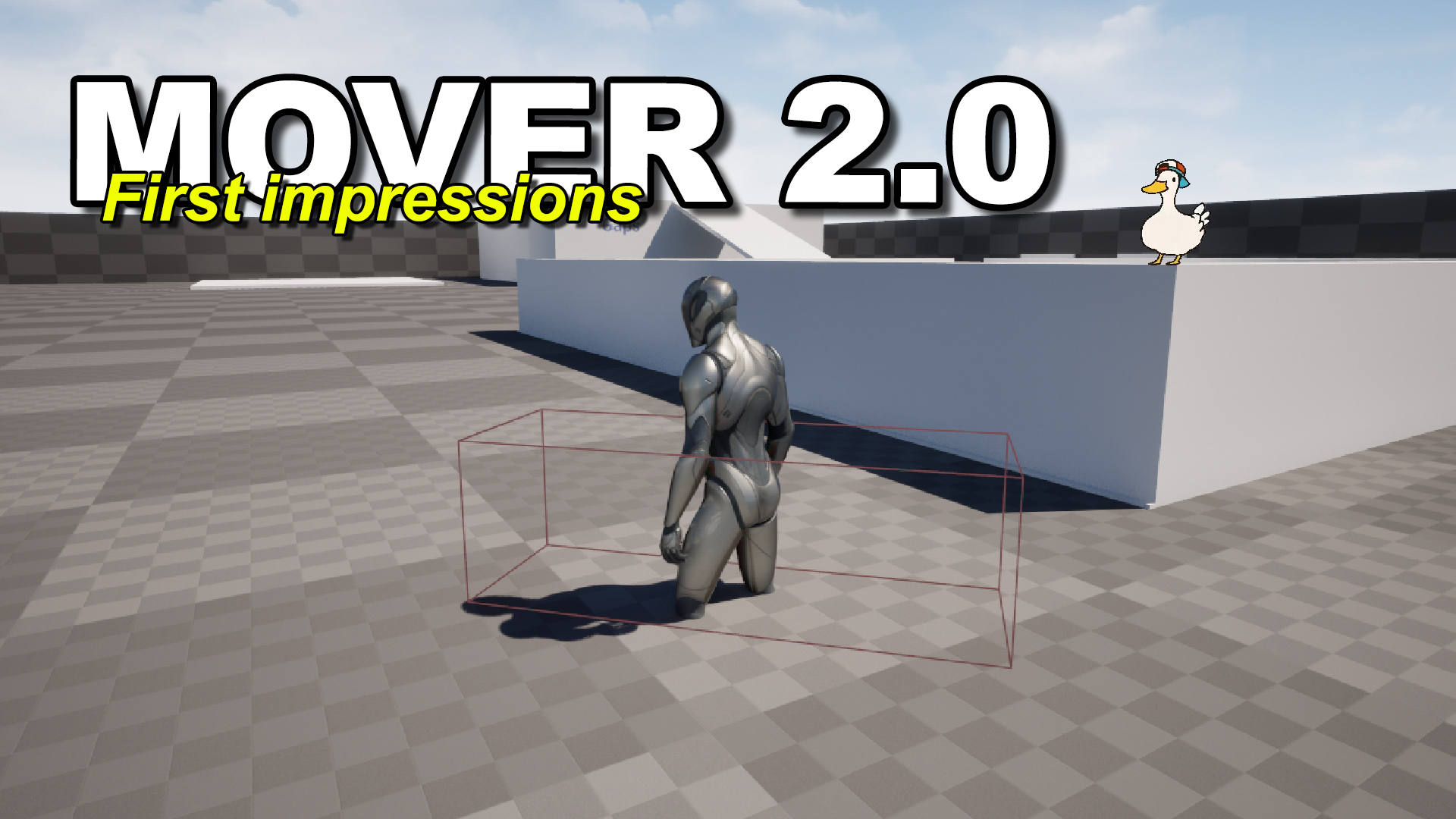
Devtricks
In this post we’ll see the current state of the Mover Plugin in UE 5.4.
Because CMC will most likely continue to exist
Mover uses the Network Prediction Plugin though afaik
Which is nice for debugging
Will most likely have to work with it on the next project I join
Bit hyped to learn all the ins and outs of that system
 vague spruce
say i have a game mode in which i have to wait until all players have connected. how do i start the server with that expected number? can i pass a parameter to the server on launch with the configuration? also how would i set this up in development? probably in here i'm guessing (SS1)?
 snow trail
thin stratus
<@437597266069684225> fwiw, you could wait for 5.4 if it release Mover 2.0
snow trail
thin stratus
<@437597266069684225> fwiw, you could wait for 5.4 if it release Mover 2.0
sounds interesting, do we have any info about 5.4's release date?
 grand kestrel
snow trail
sounds interesting, do we have any info about 5.4's release date?
grand kestrel
snow trail
sounds interesting, do we have any info about 5.4's release date?
Nope its not even on roadmap
thin stratus
You gotta count the NPP lines too :P
thin stratus
grand kestrel
Nope its not even on roadmap
Guess as usual is GDC
 vital barn
I have a bool stored in my playerstate that is IsCarryingFlag (it defaults to false)
When the player picks up an item, I set IsCarryingFlag to true (SetFlagOnServer)
When the player takes enough damage and dies, I fire from the actor (BP_FirstPersonCharacter) a function (IsCarryingFlag?) on the Player Controller (BP_FirstPersonPlayerController)
If the variable on the player state (IsCarryingFlag) == true, then it will drop the item and set IsCarryingFlag to false (SetFlagOnServer)
The playerstate in the second to last screenshot is set on begin play
For some reason, I cannot get it to read the IsCarryingFlag variable correctly, and it just defaults to false meaning nothing get dropped on the client. On the server however, it drops it correctly.
Why could this be?


 vague spruce
say i have a game mode in which i have to wait until all players have connected....
vague spruce
vague spruce
say i have a game mode in which i have to wait until all players have connected....
it's UGameplayStatics::ParseOption
 nocturne quail
if the base item class set to replicated true, it will apply to all of its child classes?
dark edge
snow trail
it looks fine even with more than 100 simulated pktlag
only issue ive been havin...
First off, how are the cars moving and what's doing the networking for them?
 solar stirrup
nocturne quail
if the base item class set to replicated true, it will apply to all of its chil...
solar stirrup
nocturne quail
if the base item class set to replicated true, it will apply to all of its chil...
yes
snow trail
dark edge
First off, how are the cars moving and what's doing the networking for them?
the car is a pawn with basically just a static mesh and a custom component i made for the vehicle movement
the static mesh component is set to replicate
the component really just applies a bunch of forces to do everything; suspensions, acceleration, braking and steering
the way i'm handling things right now is very sketch and i definetely want to replace it (which iis where im lost), but i'm just running the simulation both locally and on the server
it does rubberband a slight bit though and i generally dont like it
i also tried implementing it for the suspension but i instead left it non replicated
i dont know why but even without running the suspension calculations on the server, they still work on the client and are replicated correctly
if i try to do otherwise, the suspension completely breaks
 dark edge
snow trail
the car is a pawn with basically just a static mesh and a custom component i mad...
dark edge
snow trail
the car is a pawn with basically just a static mesh and a custom component i mad...
So it's physics, and probably using the default physics replication system
What's probably happening is the sim is running on both ends, and the servers results are being replicated to the client through the default physics replication system
snow trail
dark edge
What's probably happening is the sim is running on both ends, and the servers re...
yup, thats what's happening right now
and iit honestly mostly works
thin stratus
Introduce latency and you are lost
snow trail
i tried with 100 pktlag and iit worked
but yeah i can see why youd say that, its probably true
thin stratus
¯_(ツ)_/¯
snow trail
again, i dont like the system im using right now
i would love to move on to a more proper system, im just lost on how to actually do that
thin stratus
If you don't have a prediction system, then I would suggest just doing the phys locally and sending the server the result
Otherwise it's half-as'd
As soon as you involve the Server, you will get weird corrections, cause you have no proper prediction, or even reconciliation going
snow trail
thin stratus
If you don't have a prediction system, then I would suggest just doing the phys ...
client authority then?
wouldnt it look jittery to other clients though?
otherwise, how hard would it be to make a simple client prediction system for this kind of movement?
dark edge
prediction with physics is a monster of a problem
you probably have half-assed prediction right now
Basically the sim is running independently everywhere with some sort of synced inputs (your controls etc), and the built in physics replication system is keeping the client somewhat in sync with the server
That's what I use and it works great, but prediction is not really a thing like that
snow trail
i see
dark edge
My system is generally like this:
Input -> Run on Server Event
Run on Server Event -> Set replicated variables
Tick -> use replicated variables to do physics
It works pretty much perfectly, but you do have ping lag between your inputs and seeing results. It's fine for my system.
snow trail
hmmm
what replicated variables are we talking about? and how do you do physics with those?
is it just velocities?
i thought that was replicated already though
vital barn
vital barn
I have a bool stored in my playerstate that is IsCarryingFlag (it defaults to fa...
Anyone? 😭
open wave
anyone else running 5.3? and successfully having the clients have their own number not just have client 0 on all clients
 sinful tree
open wave
anyone else running 5.3? and successfully having the clients have their own numb...
sinful tree
open wave
anyone else running 5.3? and successfully having the clients have their own numb...
Can you clarify? Printing strings while running in PIE will result in whatever client is currently executing the code printing the value to display Client#: on all screens.
open wave
so i have started a new project i went to the map blueprint and on tick made print. this gives me client 0 on all clients
if doing this in 5.2 i get client 1 and client 0
 languid igloo
I'm in the middle of a multicast. But I need to update the HUD, but only for the client that is possessing the character. (Instead of ALL the clients, as is currently happening. Causing a bunch of updates overwriting each other.)

Is there a check I can do before updating the HUD, that prevents it from happening on all the other clients at the same time?
 open wave
you woudlnt do a multicast just owning client I believe
languid igloo
open wave
you woudlnt do a multicast just owning client I believe
Yeah, I get that. But this function is doing a bunch of other stuff as well. Updating the GUI is just a part of it.
sinful tree
IsLocallyControlled into a branch
languid igloo
sinful tree
IsLocallyControlled into a branch
That sounds like a solution. Just gotta get a reference to the Character of which this BP is a component, and I'll give it a try.
sinful tree
GetOwner > Cast to Pawn > IsLocallyControlled
languid igloo
sinful tree
GetOwner > Cast to Pawn > IsLocallyControlled
Really? I thought Owner was purely a replication thing?
sinful tree
Components are Owned by the actor they are attached to
languid igloo
sinful tree
Components are Owned by the actor they are attached to
Doesn't look like GetOwner is returning anything.

 woven bramble
After players have been playing the game, rarely (some players) experience a bit of lag and then get kicked. How can I debug for a multiplayer game? Additionally, what do you think could be the most obvious cause of this issue?
sinful tree
open wave
so i have started a new project i went to the map blueprint and on tick made pri...
Out of curiosity, are you getting a warning in your log that says something along the lines of "Not enough login credentails for all PIE instances"?
sinful tree
languid igloo
Doesn't look like GetOwner is returning anything.
You said the component is attached to the character, no? The error message indicates otherwise - it looks like it's within BP_Launcher which doesn't sound like a character or a component.
languid igloo
sinful tree
You said the component is attached to the character, no? The error message indi...
It's like this. It's odd that it's not returning anything. Google says it should.
 sinful tree
Ok, so that's a child actor component... That might not work the same way as the actor itself that is spawned by the child actor component isn't a component so calling Get Owner on that actor won't get you the reference back to the actor that holds the child actor component.
languid igloo
sinful tree
Ok, so that's a child actor component... That might not work the same way as the...
Worst case, I can just set a reference. But I'll do some googling first to see if there's a cleaner solution.
languid igloo
sinful tree
Ok, so that's a child actor component... That might not work the same way as the...
This worked. Apparently GetAttachParentActor() is the Character object that has BP_Launcher as a component. God knows what happens if you have multiple layers of components.
But the IsLocallyControlled() node worked for isolating my HUD updates to the local client only.
Thank you very much!

This works as well, so I don't need to cast. But I don't know what an instigator is, so I guess I have some learnin' to do.
 snow trail
hello, i'm trying to increment a variable in the player state whenever the player (a car) passes through a collision box
how do i know which player state to get though?
 sinful tree
snow trail
hello, i'm trying to increment a variable in the player state whenever the playe...
sinful tree
snow trail
hello, i'm trying to increment a variable in the player state whenever the playe...
You can't reliably use the index getters in online multiplayer. If you want the player that started the overlap, then "Other Actor" from the overlap event would likely be their controlled pawn, in which case you can cast it to pawn, and from that get the playerstate.
snow trail
sinful tree
You can't reliably use the index getters in online multiplayer. If you want the...
got it, thanks!
open wave
sinful tree
Out of curiosity, are you getting a warning in your log that says something alon...
where would i check this i feel like ii have seen that once
sinful tree
open wave
where would i check this i feel like ii have seen that once
When you stop play, it should pop up in the message log.

If you don't see this when hitting stop then this has nothing to do with it 😛
open wave
nar no errors like that
upbeat basin
When I try to travel to a listen server on the internet with the connection string I get from online session (steam.[SteamID]:7777), it's timing out. But it works when devices are on the same network. Is there anything I should be doing extra in order to make this work?
open wave

 rocky kestrel
Hello! I have question about CheatEngine Speed hack. It makes deltatime faster? How I can protect my game from it?
twin juniper
chrome bay
For low level stuff no not really, can't thnk of any. For general networking the...
i will try it thank you!
 glad cloak
Hey guys, I’m making an inventory system using a custom replicated Uobject class, if I make child blueprints of that replicated UObject, will they also replicate?
woven bramble
Would something like this create performance issues, do you think it's appropriate?

The inside of this Door RepNotify

 vagrant grail
Is it possible to hide the head of my imported skeleton mesh on the client without having to create 2 identical squeleton with 1 having no head for the client, while for other have the whole boddy ? So I want to have 1 single skeleton and change the visibility of the head for the client only.
fossil spoke
vagrant grail
Is it possible to hide the head of my imported skeleton mesh on the client witho...
Only the Client, you would just hide the Bone below the Head on the Skeletal Mesh
This would be done in the Blueprint where the Skeletal Mesh exists
You can use the IsLocallyControlled node to check if its the Client that needs the head hidden.
Assuming its a Character
vagrant grail
fossil spoke
Only the Client, you would just hide the Bone below the Head on the Skeletal Mes...
I'm not sure to understand, why would I hide the bone below the Head (which I assume will hide the whole body) while I need to hide the head to avoid my Camera glitching with the Head mesh on the head socket ?
And what's the node to do that please ?
fossil spoke
vagrant grail
I'm not sure to understand, why would I hide the bone below the Head (which I as...
You hide the one below the head because that causes it to hide all the bones above it in the bone hierarchy.
I cant remember the function name off the top of my head
Maybe do some research on how to Hide Bones
vagrant grail
fossil spoke
You hide the one below the head because that causes it to hide all the bones abo...
So the bone below my head is the Torso bone, but hiding it wouldn't make that bone alos hide the torso itself ?
fossil spoke
vagrant grail
So the bone below my head is the Torso bone, but hiding it wouldn't make that bo...
You should be hiding a Neck bone of some kind
Not the torso
vagrant grail
fossil spoke
You should be hiding a Neck bone of some kind
The issue is I don't have the neckbone 😬
the head is directly connected to the torso
 fossil spoke
Ok well then just hide the head bone then
 rich crag
Does anyone possibly know how to spawn an instanced static mesh into the foliage actor for multiplayer? I can't seem to get the replication right. It either sets the right mesh but also swaps other trees to that mesh, sets the wrong mesh, or sets an invisible mesh (that is still there because I have collision logic that still detects it).
 wintry crane
guys do you have any good source that i can learn from about rpcs and their usage
 fast mason
Hey guys! Just if anyone knows.. I'm still debugging the issue that the DS hangs on some thread or something without log.
Just by curiosity, I checked the dedicated server running threads and found the following:

agsSetDisplayMode & png_get_io_chunk_name calls.. no idea why a dedicated server console would call those..
agsSetDisplayMode is related to HDR and D3D device.. why on earth does the DS creates a D3D device xD
I am missing something? Something that maybe I should change on config?
nvm, its start Address + offset
 woven basin
wintry crane
guys do you have any good source that i can learn from about rpcs and their usag...
woven basin
wintry crane
guys do you have any good source that i can learn from about rpcs and their usag...
Check pins for the Network compendium
wintry crane
thx
fast mason
any way to detect deadlocks on DS?
i dont know really what else to do.. the DS hangs, kicks all the players, if I press Ctrl+C it displays INTERRUPT CTRL+C, but never closes, it just hangs there.
thin stratus
vital barn
I have a bool stored in my playerstate that is IsCarryingFlag (it defaults to fa...
Idk if someone answered you, but I just saw the message.
BeginPlay is too early to access the PlayerState. And it should also not be accessed via GetPlayerState0
 keen hound
is this the correct way to search for dedicated servers

 nova wasp
fast mason
any way to detect deadlocks on DS?
nova wasp
fast mason
any way to detect deadlocks on DS?
running a profiler on it to see which event happens and continues unabated could catch what its hung up on
Insights, superluminal etc
upbeat basin
If the listen server closes the server/opens a level in standalone (I don't know the terminology here), do clients need to listen for games intance's network error and manually leave from the online session?
Well, or would it be a proper solution to use AGameSession::KickPlayer for everyone just before calling DestroySession in and override APlayerController::ClientWasKicked_Implementation to leave the session?
 blissful wind
Hello, I am trying to spawn an actor only on the client, my Blueprint class has bReplicates = false, but as soon as the actor spawns the bReplicates value gets changed to true. I have used the workaround of setting it to false right after it spawns but not knowing why this is happening is infuriating. Any ideas why this could be happening?
Code for spawning: https://ass.drison64.eu/z6Bs7NWm4LcJ
BP being spawned (TowerPreviewClass): https://ass.drison64.eu/r9CeSKLxPaat
Thank you in advance!

 chrome bay
If you spawn the actor client-side with bReplicates it doesn't matter, it won't be replicating to anyone
All you need to do it make sure you spawn it clientside, not server side.
blissful wind
Yes, that works when a client spawns it, but when the host does (listen server), the actor gets replicated to the clients.
chrome bay
Why bReplicates would be true IDK, perhaps something in your class modifies it after it's spawned, but so long as Replicates is off, it won't spawn on clients
blissful wind
Should I create a forum post for this instead? Or is it okay to send few lines (38 to be exact) of code here?
oh did not know that, good to know
chrome bay
tbh unless anybody else is having a convo at the same time, it doesn't matter too much
But my guess atm, is somewhere in your AGameTowerPreview class (or a parent of it) is setting bReplicates/SetReplicates after spawn
blissful wind
GameTowerPreview.cpp
// Fill out your copyright notice in the Description page of Project Settings.
#include "GameTowerPreview.h"
#include "VRFinalProject/Player/InGamePlayerController.h"

AGameTowerPreview::AGameTowerPreview()
{
    bReplicates = false;
    bNetLoadOnClient = false;
}

bool AGameTowerPreview::IsGrabbable_Implementation()
{
    return true;
}

void AGameTowerPreview::OnRelease_Implementation(APlayerController* HoldingPlayer, ABaseCharacter* HoldingCharacter)
{
    IGrabbable::OnRelease_Implementation(HoldingPlayer, HoldingCharacter);

    FVector ReleaseLocation = GetActorLocation();

    this->Destroy();

    if (!HoldingCharacter || !HoldingPlayer || !HoldingPlayer->IsLocalController() || !TowerClass) return;

    AInGamePlayerController* PC = Cast<AInGamePlayerController>(HoldingPlayer);
    ABaseCharacter* BaseCharacter = Cast<ABaseCharacter>(HoldingCharacter);
    UWorld* World = GetWorld();
    if (!PC || !BaseCharacter || !World) return;

    FHitResult HitResult;
    World->LineTraceSingleByChannel(HitResult, ReleaseLocation + FVector(0, 0, 200), ReleaseLocation + FVector(0, 0, -1) * 2000, ECC_Visibility);

    if (!HitResult.GetActor()) return;

    PC->SpawnGridElement(TowerClass, HitResult.ImpactPoint);
}
Construction script as well the even graph are completely empty. No nodes, no nothing.
chrome bay
Ok. And what's the parent of that?
Unrelated but I would probably move that this->Destroy(); call to the end of that function btw.
blissful wind
chrome bay
Ok. And what's the parent of that?
AGameGridElement
// Fill out your copyright notice in the Description page of Project Settings.
#include "GameGridElement.h"

// Sets default values
AGameGridElement::AGameGridElement()
{
    bReplicates = true;

    SequenceManager = CreateDefaultSubobject<UTemplateSequenceManager>(TEXT("SequenceManager"));
}

bool AGameGridElement::IsSupportedForNetworking() const
{
    return true;
}

// Called when the game starts or when spawned
void AGameGridElement::BeginPlay()
{
    Super::BeginPlay();

    if (!HasAuthority()) return;
    if (!IdleAnimation) return;
    SequenceManager->Server_PlaySequence(IdleAnimation);
}
 chrome bay
Ok, you don't need the IsSupportedForNetworking() override, that's always true for actors
Can't see anything obvious, so I would drop a breakpoint in UWorld::AddNetworkActor and see where/why it's being called for your actor
Also, are you certain the actor that is being spawned on clients (for the listen server) is actually a replicated actor, and it's not just some error with the where/how they're being spawned?
blissful wind
Will try, my class is just starting, so I wont be able to respond for a while now. Is it okay if I come back in 20 ish minutes? Also could verifying the engine files help?
chrome bay
Verifying engine won't do anything here, this is just a code error somewhere
blissful wind
Okay, thank you. Gotta go now, will be back in a bit.
blissful wind
chrome bay
Can't see anything obvious, so I would drop a breakpoint in UWorld::AddNetworkAc...
 chrome bay
called it 😄
lost inlet
weirdly inconsistent this-> usage
lost inlet
all their game services are free? and there is a dedicated EOS channel here
 unborn drift
lost inlet
all their game services are free? and there is a dedicated EOS channel here
unborn drift
lost inlet
all their game services are free? and there is a dedicated EOS channel here
sorry, didn't notice there were dedicated channel
thin stratus
@grand kestrel Yo, I just noticed something on the Move Prediction Repo
void UStaminaMovement::ClientHandleMoveResponse(const FCharacterMoveResponseDataContainer& MoveResponse)
{
    if (MoveResponse.IsCorrection())
    {
        if (!MoveResponse.bRootMotionSourceCorrection && !MoveResponse.bRootMotionMontageCorrection)
        {
That stuff. We don't need to use ClientHandleMoveResponse
Which means we also don't need to check all the additional stuff below that snippet
One can override ClientAdjustPosition_Implementation (which is called if the two booleans above are false)
And just do const FStaminaMoveResponseDataContainer& StaminaMoveResponse = static_cast<const FStaminaMoveResponseDataContainer&>(GetMoveResponseDataContainer());
And handle the correction in there
Idk anymore why we override ClientHandleMoveResponse, but my original reason, when the MoveResponse stuff was just patched in, was that there was no access to the Container further down
But one can always access that (same for the ClientData one) via the getters
Similarly, the Server calls PerformMovement for 3 different Move Datas. And every time it sets the current one via SetCurrentNetworkMoveData, which can then be freely accessed in the "scope" of that PerformMovement Call.
But that one about the Server you already know.
lost tinsel
so I'm experiencing a problem of rubber banding and I need some hints, the problem arises when I'm lagging and I start pressing the shift key back and forth (for sprinting), when I sprint I set the stuff locally (handling animation and speeds stuff) and then I send the RPC to the server, in order to execute the stuff there aswell, but if I'm lagging and press the shift key as fast as possible I experience a lot of rubber banding ( the problem doesn't arise when I don't do that behaviour)
should I try to work around this or not let the user spam the shift key? I mean he's lagging really bad, and it's comprehensible that it's rubber banding since it's sending those RPCs back everytime, maybe I can replicate the movement only when the user didn't spam the shift key for a x amount of time? let me know your suggestions please 🙂
grand kestrel
thin stratus
<@96182038511509504> Yo, I just noticed something on the Move Prediction Repo
I'll have a look tomorrow in the morning, almost midnight here. Feel like doing a PR by chance? 🙂
thin stratus
@lost tinsel Sprinting outside of CMC C++ will always rubberband
lost tinsel
thin stratus
<@235742381566066688> Sprinting outside of CMC C++ will always rubberband
CMC as in Character Movement Component?
grand kestrel
Cedric might know a repo you can use for CMC sprinting tho 😛
thin stratus
grand kestrel
I'll have a look tomorrow in the morning, almost midnight here. Feel like doing ...
Might not have the time, might be easier for you to just copy paste to the other function
thin stratus
lost tinsel
CMC as in Character Movement Component?
Yes
grand kestrel
thin stratus
Might not have the time, might be easier for you to just copy paste to the other...
All good, I'll look tomorrow then, thanks for the info
thin stratus
All good, have a nice sleep!
lost tinsel
thin stratus
Yes
I'm setting the speed on that component with
Character->GetCharacterMovement()->MaxWalkSpeed = bIsSprinting ? SprintWalkSpeed : BaseWalkSpeed;
if that's what you mean
thin stratus
( we are 12 hours apart, damn )
thin stratus
lost tinsel
I'm setting the speed on that component with
`Character->GetCharacterMovement(...
Check this repo: https://github.com/Vaei/PredictedMovement/tree/main
GitHub
CMC extended for predicted abilities. Contribute to Vaei/PredictedMovement development by creating an account on GitHub.
Specifically the Sprint example
There is more to it than just setting the speed
thin stratus
grand kestrel
Btw can you add me as a friend, I want to DM you a link
You can DM me without that iirc
lost tinsel
thin stratus
Check this repo: https://github.com/Vaei/PredictedMovement/tree/main
okay I'll read this, thank you
thin stratus
I have DMs open due to being a mod
grand kestrel
thin stratus
You can DM me without that iirc
I actually can't

 fierce fiber
Having a little issue. I've put this in multiplayer as I thought given I'm trying to test something multiplayer using 2 screens, It might correlate to my issue. The above video I think showcases all of whats going on, and the error at the end correlates to the image attached. Im very lost and not too sure why the splashscreen widget isn't showing for the client, given that this is just the main menu loading up, which would be entirely client side. The image is from the widget you can see working on the right screen, this image just shows what the error is potentially talking about as it doesn't provide context

If anyone has any ideas I'd be grateful!
thin stratus
grand kestrel
I actually can't
What the f

Doesn't apply to Servers I joined in the past. How does one then apply that?
Also others can contact me just fine
I can add you, but I usually only have real-life friends on Discord
thin stratus
fierce fiber
Having a little issue. I've put this in multiplayer as I thought given I'm tryin...
Care to explain why you start the Game as ListenServer in the MainMenu?
Mostly asking so you solve that thing yourself.
Cause it's really straight forward what you are doing wrong.
lost inlet
why does your game need a menu to work in a multiplayer environment at all
lost tinsel
lost inlet
why does your game need a menu to work in a multiplayer environment at all
sorry I'm interested in understanding aswell since I'm new, what's the matter with this?
lost inlet
I'm not sure what you mean, usually the menu just opens on the client before they're connected to a server
which means it can just run in standalone
no networking required
fierce fiber
thin stratus
I'm pretty sure this is just a brainfart
Oh god dont say that
lost tinsel
lost inlet
no networking required
oh true
fierce fiber
Have I been blueprinting too long again
lost tinsel
I see what you mean now
lost inlet
it's not like you're going to connect to a game server to present a few buttons and settings
fierce fiber
and just cant see the issue
lost tinsel
lost inlet
it's not like you're going to connect to a game server to present a few buttons ...
yea yea you're right, thanks for explaining it anyway
lost inlet
fierce fiber
and just cant see the issue
the issue is that there is no issue. you wouldn't be accessing the main menu as a client connected to a server anyway
fierce fiber
Yeah just realised actually, so I decided to play test as a client instead

Still the same problem
lost inlet
that is not what is being said
lost tinsel
fierce fiber
you're still connecting to it as a client, read the win names
lost inlet
you would use standalone with a single player
lost tinsel
you should run it in standalone
fierce fiber
Ah I see
lost inlet
that's how every main menu is in every game, whether it's multiplayer or not
lost tinsel
it's plausible, you don't want your menu to be lagging if you have bad ping
fierce fiber
Ok, I've started to see the error of my ways, thanks guys and sorry you had to deal with my brain hahaha
woven bramble
Would something like this create performance issues, do you think it's appropriate?

The inside of this Door RepNotify
 lost tinsel
so this is executing for everytime you change the value of the door angle with the timeline? and thus sending a rep notify since it's attached to the door angle (which is replicated) ?
I'm not used to blueprinting since I'm mainly c++ so correct me if im wrong
woven bramble
lost tinsel
so this is executing for everytime you change the value of the door angle with t...
Yes, exactly. When I open the door, the rotation value is being executed via RepNotify (naturally, via the Server). I made some changes in the Config, resolved some connection issues, but on the Client side, there are some hitches when opening the doors. It seems like they're opening with lag (although there's no lag). This might be a very detailed question, but does adding the following code to the DefaultEngine.ini help reduce the workload by limiting the appearance of certain processes on the Client side? It's like saving resources.
TotalNetBandwidth=200000
MaxDynamicBandwidth=40000
MinDynamicBandwidth=20000
ClientAuthorativePosition=false
ClientErrorUpdateRateLimit=0.015f
MAXCLIENTUPDATEINTERVAL=0.35f
MaxClientForcedUpdateDuration=0.60f
ServerForcedUpdateHitchThreshold=0.150f
ServerForcedUpdateHitchCooldown=0.100f
MaxMoveDeltaTime=0.125f
ClientNetSendMoveDeltaTime=0.05
ClientNetSendMoveDeltaTimeThrottled=0.066
ClientNetSendMoveDeltaTimeStationary=0.0833
ClientNetSendMoveThrottleAtNetSpeed=10000
ClientNetSendMoveThrottleOverPlayerCount=24
bMovementTimeDiscrepancyDetection=true
bMovementTimeDiscrepancyResolution=true
MovementTimeDiscrepancyMaxTimeMargin=0.25f
MovementTimeDiscrepancyMinTimeMargin=-0.25f
MovementTimeDiscrepancyResolutionRate=1.0f
MovementTimeDiscrepancyDriftAllowance=0.10f
bMovementTimeDiscrepancyForceCorrectionsDuringResolution=true
ClientNetCamUpdateDeltaTime=0.066
BadPingThreshold=200
SeverePingThreshold=500
BadPacketLossThreshold=0.05
SeverePacketLossThreshold=0.15

[/Script/Engine.Player]
; These numbers should match TotalNetBandwidth
ConfiguredInternetSpeed=200000
ConfiguredLanSpeed=200000

[/Script/OnlineSubsystemSteam.SteamNetDriver]
NetConnectionClassName=OnlineSubsystemSteam.SteamNetConnection
bNeverApplyNetworkEmulationSettings=true
MaxClientRate=25000
MaxInternetClientRate=25000
bClampListenServerTickRate=true
NetServerMaxTickRate=30
MaxNetTickRate=30

[ConsoleVariables]
net.MaxRPCPerNetUpdate=10
net.PingExcludeFrameTime=1
net.AllowAsyncLoading=1
net.DelayUnmappedRPCs=1```ideally you don't want to do that, imagine sending a RPC for each degrees of angle of the door, you're sucking up the bandwidth for that cosmetic effect?
like, is that really important that you want the server-client to be synced up on the degrees of that door?
woven bramble
lost tinsel
ideally you don't want to do that, imagine sending a RPC for each degrees of ang...
I will do all these operations as Animation, I think this is the best.
lost tinsel
yes but aren't you sending a rep notify for each degree?
if you're saying it looks like it's opening with "lag" it could be some rubber banding idk
woven bramble
lost tinsel
like, is that really important that you want the server-client to be synced up o...
Actually, it's not really important at all. I'm just curious if the above code creates any processing efficiency. Because I had some connection problems in my game, added the above code, and it seemed to solve the issue, but I couldn't understand it well, as I need to test it with a lot of people. However, after adding the code, the doors started to open with lag. Do you think these codes have a feature to save on processing load?
So here, the door is just a test tool for connection kick-out purposes for me. I'm going to remove this system.
woven bramble
woven bramble
```[/Script/Engine.GameNetworkManager]
TotalNetBandwidth=200000
MaxDynamicBandwi...
It seems like the only person who would understand this is @meager spade
chrome bay
Replicating the door angle will look bad. Replicate a timestamp of when the state changed instead.
Interpolate that on clients when they get it
AGameState::ServerWorldTimeSeconds will be plenty accurate enough for this
lost tinsel
that's what I'm saying, if it's a cosmetic effect why would you send so many notifies and occupying the bandwidth with useless information?
chrome bay
Presumably a door opening isn't just cosmetic either
lost tinsel
yes that's why I said, it depends on how important it is
chrome bay
Also, in a "real" game, you'll be lucky to get one or two updates to that variable
lost tinsel
but either way, even if it's important, you don't want that, you can just send a RPC to the server and get some ACK back and open the door on the client aswell
lost inlet
game networking is usually getting the point across in as little words as possible
chrome bay
You sure as hell won't get a stream of them at 60fps or whatever
woven bramble
Yes, it seems like the most correct and effective way is to simply replace all of this with a .fbx animation.
By the way, actually my intention for asking the question was different. Previously, some processes were being executed flawlessly (like opening doors), but there was a connection and kick-out problem. I added the above code, the issue got resolved but the doors are opening with lag. This question is completely unrelated to the door. I'll change the door, of course, there's no need to bother with cosmetics.
woven bramble
chrome bay
You sure as hell won't get a stream of them at 60fps or whatever
Do the above codes save processing load in this case?
woven bramble
woven bramble
```[/Script/Engine.GameNetworkManager]
TotalNetBandwidth=200000
MaxDynamicBandwi...
.
 ancient root
Hey guys, so Im working on quite large in-game collaboration based project. There is a central system within the enviroment that all players interact with. This system is quite large in scope (in terms of functionality) and is responsible for managing all of its attached children.
The problem i currently face, is that in order for the RPC to run on this system, i obv need to give it an owner. However the system needs to be able to execute its internal RPC functions when called by any player not just by the owner. What would be the best way to achieve this ? Without wrapping each function in the base player or player controller classes
chrome bay
woven bramble
Do the above codes save processing load in this case?
Not really, but even if it did, why would you want to throttle everything
The issue with replicating a float every tick isn't going to neccesarily be the performance, it's just a poor approach and looks terrible in a "real" online game
chrome bay
ancient root
Hey guys, so Im working on quite large in-game collaboration based project. The...
Ultimately, you can't call RPC's on something you don't own. Route the calls through something you do own, whether that be the player, a pawn, a component on the pawn/player etc.
woven bramble
chrome bay
The issue with replicating a float every tick isn't going to neccesarily be the ...
Thanks!
chrome bay
This sounds like a generic "interaction system" problem tbh, the solution is to just pass the target and the required data through a generic RPC elsewhere
ancient root
chrome bay
Ultimately, you can't call RPC's on something you don't own. Route the calls thr...
To do that i would have to wrap it all up, I guess i could use String and UOBjects to create generic method caller with generic params within said UOBjects..but then same issue that that needs to be owned by something...What about the game state ? Thats tech owned by the server
chrome bay
You need to use somethng that's ultimately owned by the controller, so the controller, or a pawn etc.
nova wasp
a component on it can help not have one omega object
chrome bay
void ServerInteract(UObject* Target, const FGameplayTag InteractionType, const FInstancedStruct& InteractionData)```Yeah but again that doesn't help me. because its a cenetral system that needs to be interact with all players. So the base playercontroller or pawn etc needs wrap all the functions of said system
chrome bay
Unless you can abstract the system like I showed above, then yes, you have no choice
But the above is basically exactly how my interaction system works
ancient root
Yeah the system is absteracted. To give more context, this is digital twin, each DT has an cenetral class and then tons of children that are either part or assembly...These classes are all in C++ and are composite so they'e made up of multiple interafaces, dynamic comp etc etc
chrome bay
None of that really matters, all you need is a common way to call a predefined function, optionally with some params. You must know ahead of time what those functions are and be able to ID them somehow.
nova wasp
nova wasp
a component on it can help not have one omega object
(a component on something OWNED by the player) I should add
chrome bay
To give more context:
void ServerInteract(UObject* Target, const FGameplayTag InteractionType, const FInstancedStruct& InteractionData)
{
    IInteractInterface* IFace = Cast<IInteractInterface>(Target);
    if (IFace)
    {
        UInteractionProcessor = IFace->FindInteraction(InteractionType);
        if (UInteractionProcessor)
        {
            UInteractionProcessor->Process(this, InteractionData);
        }
    }
}```^ essentially the basis of any multiplayer interaction system
ancient root
No that doesn't help, anyways we've already got a reletionship with epic, ill pop an email to speak to a dev team...I cant expect help without giving out more detail, but too much NDA's. Thank you anyways
chrome bay
The rules are basically the same either way, you can't call an RPC on something you don't own, and that's not bypassable
So unless you can abstract the problem into something that can be called "generically" like the above, you'll have to provide callsites on something you do own
nova wasp
FInstanced structs already give an insane amount of polymorphism here and things that work like this basically just use the same pattern but with bespoke serialization
thin stratus
In the CMC, inside a PhysCustom function, if I do:
CurrentValue += SomeValue * DeltaTime;
Shouldn't I be able to expect CurrentValue to line up between Server and Client?
I can see that Client is combining moves, so it sends one RPC per 2 moves, but the result of the Server performing 1 Move for the 2 the Client did doesn't line up.
thin stratus
Yeah but DeltaTime would be combined, right?
thin stratus
If each move is 0.1 apart, the Server should move with 0.2
[5.755257] [Client - Before PhysSplineTraveling] - Distance: 740.473267
[5.755257] [Client - After PhysSplineTraveling] - Distance: 737.284319[5.768134] [Client - Before PhysSplineTraveling] - Distance: 737.284319
[5.768134] [Client - After PhysSplineTraveling] - Distance: 730.917134[5.768134] [Server - Before PhysSplineTraveling] - Distance: 740.473267
[5.768134] [Server - After PhysSplineTraveling] - Distance: 734.106082
First Number is the Client Timestamp
Maybe this is triggered by the initial Move being combined 🤔
Movement is so difficult that I run into these issues every time I touch the CMC.
It's not like I don't understand them, it's just so annoying to remember all the edgecases
RElatively sure MovementMode changes stop combining
Let me check
Yeah they do
So the initial one, given I change MovementMode (so the Move before I switch + the one after) should not be combined
I could disable MoveCombining while traveling along a spline, but I don't see why yet
All it does it increment a double
Well or decrement in the example above. You can travel both ways
    // Combine times for both moves
    DeltaTime += OldMove->DeltaTime;
Very very strange. I'm missing something obvious
nova wasp
well, does it not serialize that or something?
 grizzled stirrup
Should you destroy sessions before calling ConsoleCommand("Quit"); or does it not matter?
thin stratus
Doesn't matter in theory. But doing so would ensure the Session is properly cleaned up on the Server side for a leaving client
grizzled stirrup
Ok will do it just in case, thanks!
thin stratus
It would probably time out eventually
Maybe :D
So
DeltaTime doesn't seem to be used in general. It's the Timestamp property that is send along
nova wasp
ancient root
Hey guys, so Im working on quite large in-game collaboration based project. The...
also if you need a "client calls RPC to server for other client" thing you can just pass over their playerstate ID as part of the RPC (on their owned actor) and have it do stuff to the other player on the server, even another RPC
if that makes more sense... It's not easy to explain without examples
the player ID would not be much different than just passing over the PlayerState actor pointer though I guess. The restrictive nature of RPCs is frustrating but easier to think of if you stop needing them to just act on the actor alone
Your system being large or unwieldly is beside the point... You can just add a component to them with the RPCs for this new thing if that makes your class look nicer
chrome bay
yeah pretty sure server DT is calculated as the time between packets
or between timestamps rather
thin stratus
How do I do this properly then
If I can't use the DeltaTime
The resulting value is used to get the Location along the Spline
If it differs it will cause a correction due to wrong location
nova wasp
perhaps you can work backwards, where you know the result will be fowards by another dt
you increase the spline-using value while combining as you know the DT will be some consistent amount
as for how to make that close enough, I don't really know
thin stratus
The thing I don't get is
If I move in straight line, just in PhysWalking, it will combine the moves.
Which means the PhysWalking stuff is called the same way my code is called, with a DeltaTime that is not the same
Which will move the Character in the end
Which would result in the same difference and cause a correction
So I'm missing something
Let me check what PhysWalking does again
sigh I need Mover 2.0 in my life
nova wasp
Mover 2.0 is more impactful than most 5.0 features to me lol
like that is a revelation in actually making mp games
grizzled stirrup
I wonder will mover 2.0 also bring opt in features to make CMC over many characters a bit more peformant
Often the bottleneck in scenes with many chars
thin stratus
The CMC bottleneck iirc is not the CMC
As stupid as that sounds
The bottleneck is the recursive updating of scene components
chrome bay
yeah, it's just moving components most of the time
grizzled stirrup
Oh interesting so minimizing any additional comps on your character is actually the way to go?
chrome bay
Minimising comps on literally anything that moves
thin stratus
Even a single comp can kill your ms xD
The Ascent had so many components that were just for "Locations"
NUKE THEM ALL
grizzled stirrup
Damn, I have a few situational niagara comps attached so I guess they are being taken on a useless and expensive ride!
chrome bay
To give some idea of how CMC just isn't the issue, we were resimulating complete moves for all 100 players
thin stratus
Yeah don't add FX Components if you can avoid it
grizzled stirrup
I'll move to a create an attach only when actually in use system
Not available always and often not used
It's handy for things like ambient FX and such where many chars have it
But if it's not on everything no point adding cost
nova wasp
thin stratus
The bottleneck is the recursive updating of scene components
it fights this with some scoped scene move updates at least...
but yeah it's hard to stress enough how nasty scene components are, they are just insanely insanely slow
given the actual work done
thin stratus
Wasn't there a better approach of just calculating the relative offset instead of literally updating the components?
grizzled stirrup
I guess some are kind of unavoidable like health bars but trying to think of a cleverer way to do them
nova wasp
thankfully turning off overlaps gets through the worst of it
grizzled stirrup
Yeah I've had overlaps off since day one 😄
thin stratus
grizzled stirrup
I guess some are kind of unavoidable like health bars but trying to think of a c...
HealthBar is avoidable unless you mean literall 3D widgets
nova wasp
who says you need them to transform stuff? it's like 3 lines of code to transform a local transform
thin stratus
We NEVER use WidgetComponents
chrome bay
Overlaps should be off by default change my mind
grizzled stirrup
thin stratus
HealthBar is avoidable unless you mean literall 3D widgets
I'm using widgetcomponent with HealthBarWC->SetWidgetSpace(EWidgetSpace::Screen); is there a faster way? 😮
thin stratus
There is a lot that should be off yeah
thin stratus
grizzled stirrup
I'm using widgetcomponent with `HealthBarWC->SetWidgetSpace(EWidgetSpace::Screen...
We usually calc that ourselves
With a Layer in the UI that Actors register Widgets to
nova wasp
the hard part is when you want editor support, specific rendering features, collision etc
thin stratus
And then we calculate the World -> Screen stuff ourselves
WidgetComponents were mostly created for VR stuff
chrome bay
Part of the reason scene updates are slow is the amount of time it spends chasing indirections, locking the physics thread the push updates etc.
grizzled stirrup
Ah that makes great sense, especially if you have lots of characters with health bars that are only visible when damaged, lots of wasted perf
chrome bay
Scene components with no collision data update much, much faster
thin stratus
It also allows you to handle all your screen widgets together
And code some "Overlapping avoidance" shit
If you want to
WidgetComponent doesn't really give you that chance
grizzled stirrup
Yeah that's much nicer! Are there any resources online to create a similar system to get started with?
I'm using a lot of widget components for stuff
thin stratus
chrome bay
Part of the reason scene updates are slow is the amount of time it spends chasin...
Yeah I wonder if that will ever be improved
chrome bay
I've got a plugin comin' for it 😬
thin stratus
grizzled stirrup
Yeah that's much nicer! Are there any resources online to create a similar syste...
Not sure, google I guess.
The math is on the net
chrome bay
Really, truly, desperately need to get around to pushing to git
grizzled stirrup
thin stratus
Not sure, google I guess.
Am I looking for something like "UE4 multiple screen space UI without widget component" or similar? Will get searching thanks!
thin stratus
Your HUD Widget would have a UserWidget with a CanvasPanel I believe, not sure anymore.
That Widget is then your "Container" for World->Screen widgets.
Then you can have an array of registered Actors. Actors can register on BeginPlay, passing in themselves and a WidgetClass.
For most of it, AActor is fine, if you need more info you can add an Interface to get info from the Actor.
Then you can calc the ScreenLoc from the WorldLoc
And position it
If you use CommonUI you could have a custom layer for it I guess
But I haven't worked much with CommonUI. Someone else fights that on our team
grizzled stirrup
Ok that's amazing thanks for the explanation. So basically I'd spawn a sub health bar widget (for each actor in the array) in my gameplay UI that's which then on tick updates the positions of these subwidgets from the actors, still ends up being much cheaper than them all having their own WC?
I'm not using UE5 so no commonUI
 peak lintel
Hi. I have a question. Each time, even when I start the main menu, or when I open the map, a default camera is showing a random spot from the map and only after 1 (or half a second) the widget is triggered. This happens only if I play as a client. As a standalone play, it's working.
Does anyone knows how to solve this? I'm trying to show a loading, before possing the player's camera, but that random camera is triggered first.
chrome bay
It'll usually be world origin
A common solution is to have your player camera manager search for a pre-placed camera in the world if you don't have a controller/pawn etc.
Since those things will take time to replicate to you
If you're doing stuff in Pawn/Controller begin play it's too late
thin stratus
grizzled stirrup
Ok that's amazing thanks for the explanation. So basically I'd spawn a sub healt...
It will be cheaper cause they aren't affected by the whole recursive update call stuff
And you'd only spawn in your register function
peak lintel
chrome bay
If you're doing stuff in Pawn/Controller begin play it's too late
Thank you! I'll give it a try!
grizzled stirrup
Also I assume even audio components pay the nasty CMC cost too? Will get rid of those
I assume the solution is instead of having an audio component defined in the constructor with CreateDefaultSubobject, I just define a
    UPROPERTY(Transient)
    UAudioComponent* InfrequentAudioAC;
and then in the source when needed do
if (InfrequentAudioAC == nullptr)
{
  InfrequentAudioAC = UStatics::SpawnSoundAttached
}
and clean up when finished with
            InfrequentAudioAC->Deactivate();
            InfrequentAudioAC->DestroyComponent();
            InfrequentAudioAC = nullptr;
Then the components are only attached for the duration that they need to be
chrome bay
You can also just mark them as absolute
Saves constantly adding/removing them
Just leave them in-place when they finish (or detach, etc)
grizzled stirrup
Ohhh that's a great idea
chrome bay
fairly sure cascade particle systems already did this, might be wrong tho
nova wasp
Audio arguably needs a real-time 3d position for some things
grizzled stirrup
chrome bay
*fairly* sure cascade particle systems already did this, might be wrong tho
Just by doing this when not needed anymore? Audiocomponent->SetAbsolute(true, true, true);
chrome bay
yee
chrome bay
To clarify it's not CMC - it's just moving the actor
grizzled stirrup
Then the inverse when needed to be updated again Audiocomponent->SetAbsolute(); (as the default is false)
Ah ok!
upbeat basin
Is it unsafe to loop over player array, kick them all and then change map as listen server? I'm using GEngine->Browse() to change the map and it has a function call named ShutdownWorldNetDriver(). Which makes me consider that in case of a lag or dropped packet kick RPC might not be received by clients?
chrome bay
Recommend not doing that for any primitive components though, since that would enlarge the actor bounds
grizzled stirrup
chrome bay
Recommend not doing that for any primitive components though, since that would e...
What counts as a prim component in general? I mainly have niagara, audio and widget comps
grizzled stirrup
Ok thanks, in this case it would seem Niagara would fall into that category so maybe best to update them the Deactivate / Destroy way
Also I'm assuming UActorComponents don't pay any cost when moving the actor right?
Since they don't have a transform
grizzled stirrup
nova wasp
Audio arguably needs a real-time 3d position for some things
Ideally would only set aboslute when the sound has finished playing
And the component is idle, instead of paying the cost to constantly update position when not needed
thin stratus
I think I know my mistake
That's the second time I fell for it
I need a checklist somewhere
nova wasp
A sort of on-demand child component update
thin stratus
nova wasp
Audio arguably needs a real-time 3d position for some things
I remember when someone was feeding the actual location of the player to the audio WWise system
And the Camera was the one that defined the "ear" location
💀 💀 💀 those two differ slightly when walking left/right
STEREO FLIP FLOP
Yop
Fixed my issue
So, this is the second time that I forgot that I have to include data that is changed by DeltaTime in the SavedMove, even if it's not being send to the Server
Because the Client executes moves twice when combining
It performs Move X, then tries to perform Move X + 1, tries to combine, combines, and then performs it, passively performing Move X twice
Result is that the TravelDistance gets modify by DeltaTime of X and then by DeltaTIme of X and X + 1 combined
So one gotta save the "Start" value of whatever is modified (here travel distance) and then reset it inside of CombineWith
void FSavedMove_Character_JJC::CombineWith(const FSavedMove_Character* OldMove, ACharacter* InCharacter, APlayerController* PC, const FVector& OldStartLocation)
{
    Super::CombineWith(OldMove, InCharacter, PC, OldStartLocation);

    const FSavedMove_Character_JJC* JJCOldMove = static_cast<const FSavedMove_Character_JJC*>(OldMove);

    UJJCCharacterMovementComponent* MovementComponent = Cast<AJJCCharacter>(InCharacter)->GetJJCMovementComponent();
    MovementComponent->SetCurrentSplineTravelDistance(JJCOldMove->StartSplineTravelDistance);
}
That way, the combined move will work with the value that was used BEFORE Move X
Only applying Move X once
Now it is smooth as butter
I hate Multiplayer Movement
thin stratus
The sad thing is, I'm the one who posted about it last time, that all lead to the GitHub repo to be created, which does the same thing for Stamina
Cause Stamina is, even if in concept different, the same case
But it's so difficult to keep that checklist of stuff one has to do for specific movement features in mind
grizzled stirrup
😄 I have come across many old posts asking for help BY ME and had forgotten the answer, I can only imagine how much it happens to you
grizzled stirrup
chrome bay
To clarify it's not CMC - it's just moving the actor
Would a projectile actor with a projectile movement component have the same rules here? Avoid any extra components than necessary? I think one niagara component is essential for visuals but can probably remove any others
And when looking to profile this is the best way to do stat StartFile and spawn like 200 projectiles and look for Updatecomponent or something in the profiled file?
Or is there a better way to compare before / after gains?
thin stratus
Any Actor
Doesn't matter which one
Testing it can be done by spawning a lot, that is correct.
grizzled stirrup
And best place to compare before / after would be using stat StartFile and looking for things in tick that relate to updatecomponent? Thank you so much learned a lot today 😄
thin stratus
Best place is to use UnrealInsights
grizzled stirrup
Ok thanks, not sure how fleshed out it is in 4.27 but I think they had the CPU stuff in first
It makes sense that widgetcomponents were mainly made for VR, they are usually blurry and weird in 3D space at certain scales, makes way more sense to do that stuff in 2D space also. Can't find any tutorials for similar setups (they all go for the basic add widget comp to actor) so far but I think there's enough info here to get that system away from components
Nvm Tom Looman saves the day: https://courses.tomlooman.com/courses/1320807/lectures/32515407

Master Unreal Engine C++ Game Development with this university-grade course.
His method is slightly different to the one mentioned before but seems to do the same thing, he's spawning a 2D widget in each character (but not a widget component) and then that widget manually updates position on tick. Assuming this is still cheaper than having a widget component
chrome bay
game code managing hud sigh
tardy fossil
tbh it seems like reinventing the wheel, is it really that much cheaper than a widgetcomponent set to screen space?
grizzled stirrup
Yes considering the hefty cost that updating any scene comp appears to add
Instead updating a widget in 2D space is much cheaper
chrome bay
when done properly you can separate game and UI logic, which is the real goal tbh
grizzled stirrup
Ah Tom is great I wouldn't say he falls into the bad rep
chrome bay
but yes it does improve perf, again when done nicely
grizzled stirrup
Comparing him tothe GameDev tv courses it's at least 100x better but yes
But he is one who can!
He's got plenty of great actual cool examples and gameplay stuff made
I hadn't seen those, surely not in any of his recent stuff?
lost inlet
a tick bad perpetuator, dang
grizzled stirrup
Right but it's rare that a comprehensive course is both cool AND generally high quality, the gamedevTV ones are them bumbling around the engine for the first time
Very hard to find a course that is generally very good
rich crag
many people don't realize, nor do the people making the tutorials tell them, that what they are learning are prototyping skills, not game making skills.
grizzled stirrup
I haven't done this latest course but the original Udemy one he did was very good, can't remember any hacks or tricks and it was all thought out and well designed but I may have been too nooby to notice anything else
But aside from him I don't think there are any other "good" courses at all
That actually go over creating something more substantial than a one off feature
rich crag
Speaking of multiplayer...
Can anyone tell me why I can RPC directly from my character to a foliage static mesh component and successfully run a replicated UpdateInstanceTransform, but I can't chain the RPC through another actor, I cannot have the gamemode do it because the multicast update doesnt run, I can't run the logic inside the component and have it properly replicate... I'm going nuts.
lost inlet
rich crag
Can anyone tell me why I can RPC directly from my character to a foliage static ...
game modes aren't replicated, so.... yeah. client->server RPCs only work if the player owns that actor (or the owning actor if in a component)
tardy fossil
clients can only call RPC's on things they are the owner of
lost inlet
might help to show what you're trying to do
rich crag
I am trying to replicate an updateinstancetransform. Currently what i have is the painted foliage that is native to unreal, I created a static mesh component and assigned it to the trees. When my axe detects a static mesh instance, it gets the instance, the mesh and the transform, spawns an interactable tree and runs UpdateInstanceTransform to shrink the mesh instance to 0 scale. Everything works to this point. I'll add my hacky blueprints in a moment.
Ugh, blueprints are a mess from trying a million things lol
rich crag
lost inlet
game modes aren't replicated, so.... yeah. client->server RPCs only work if the ...
"server RPCs only work if the player owns that actor" Right, so the RPC is on the character including the multicast that spawns the tree actor (on the server), then the server runs the multicast, also on the character, that runs updateinstancetransform. I want to get the logic off of the character for modularity. i would like to have a generic SetResourceTransform that takes an input of a transform, and an instance index and just updates the transform, but replicated.
lost inlet
wait why are you saying multicast here?
rich crag
the updatetransform doesnt require multicast?
lost inlet
it's just easier if you show what you're doing
rich crag
I will restore a version before the mess and give screenshots
grizzled stirrup
thin stratus
Testing it can be done by spawning a lot, that is correct.
Interestingly with 200 projectiles being spawned with 1 Niagara component and 1 audio component, the audio component is only taking a tiny fraction of the cost to update transform (0.001ms for the audio components compared to 0.1ms for the empty niagara components) so there may be some audio component specific optimizations going on there. Honestly is very fun to profile this stuff
upbeat basin
Is there a way to check if an actor is destroyed due to relevancy? EndPlay reason only says Destroyed
thin stratus
iirc he made one of the earlier VR Templates for UE, or?
 true stream
So I just found out that if I dont check reliable on my multicast the clients wont receive it, is this normal?
when I read about it I thought it was like, in case you really need it, check that.
but not that is required
thin stratus
I can't forget the code where the "Teleport Arc" was handled. There was a comment saying something along the lines of "Idk why I have to do Num - 2 for the end index in this loop." while doing "GetXYZ(Current)" and "GetXYZ(Current + 1)" a node later.
tardy fossil
rich crag
"server RPCs only work if the player owns that actor" Right, so the RPC is on th...
you could always make a replicated TArray of FVector positions for the instanced static mesh instead of using RPC's
thin stratus
true stream
So I just found out that if I dont check reliable on my multicast the clients wo...
It's not normal, but it CAN happen, once in a while
If you don't get ANY non-reliable RPC anymore, then the chance is high that you are perform reliable RPCs on tick
true stream
thin stratus
It's not normal, but it CAN happen, once in a while
in my case all I have is an actor spawned by the server that has a multicast event with a print, if I dont check reliable clients never get it.
tested it like.. 7 times.
grizzled stirrup
Also raise your bandwidth limits from the defaults if you haven't already @true stream . At least in UE4 they are set very low
rich crag
tardy fossil
you could always make a replicated TArray of FVector positions for the instanced...
Can you point me toward a resource that explains this concept?
thin stratus
Pretty sure the Server gives 0 f*cks about the Client having spawned the Actor when the RPC is unreliable
true stream
grizzled stirrup
Also raise your bandwidth limits from the defaults if you haven't already <@3858...
for 1 message with nothing?
grizzled stirrup
true stream
for 1 message with nothing?
You may be flooding your bandwidth elsewhere
true stream
thin stratus
Pretty sure the Server gives 0 f*cks about the Client having spawned the Actor w...
the server spawns it.
grizzled stirrup
Like character movement
thin stratus
Yeah
thin stratus
The RPC is not reaching the CLient cause the Client doesn't have the Actor yet
As strange as it sounds
If you need a callback for Actor being spawned, use BeginPlay
true stream
nani
thin stratus
Any replicated Data set before spawning the Actor (DeferredSpawn or ExposeOnSpawn) will be available on BeginPlay of the Client (+- if such data is another Actor that isn't on the Client yet)
thin stratus
You said your Server spawns it
true stream
yeh
thin stratus
Which means it's not there from the start
true stream
I feel like I would need an ELI5 here.
thin stratus
I'm relatively sure that the Server doesn't care about the fact that the Actor just got spawned when you use unreliable.
It will just not be able to route the RPC
The reliable one is probably being resent
true stream
you mean this? this is how I spawn the actor that calls the multicast later on
 thin stratus
A replicated Actor, being spawned by the Server, takes time to be replicated to the Client.
The Client has several reason for not having the Actor in general, such as Relevancy.
If the Server tries to RPC in an Actor that doesn't have a replicated counterpart yet, it will just fail.
Reliable only fixes this cause it will retry
rich crag
OHHH Ive done the array of vector/ transform. That's not the issue. The issue is replicating the visual change of the transform. From anywhere but the character.
thin stratus
But in general an RPC on a freshly spawned Actor is usually redundant
grizzled stirrup
rich crag
OHHH Ive done the array of vector/ transform. That's not the issue. The issue is...
Have it done on a sever owned manager or something similar
true stream
Right, but if I understand correctly you are saying that the actor is not yet replicated, but it is, I see it on both screens. @thin stratus
 ornate crescent
Hi guys, see that Throne and liberty are made with Unreal Engine 4.
I think is a custom dedicated server, instead of use UE dediated servers
any know if any have test with a multiplayer game with small quantity of replication to know how many play3ersw are online
rich crag
grizzled stirrup
Have it done on a sever owned manager or something similar
Exactly what conclusion I came to, but for some reason it sets everything, the clients and servers all report success, but there is no change on the client visually.
thin stratus
- If the RPC has no values with it, BeginPlay is enough.
- If the RPC sends values with it that are defining State, they should be done via Replicated variables, so having Replicated (OnRep fwiw) variables, setting them before Spawning (Deferred/ExposeOnSpawn) and using them on BeginPlay is adviced
- If the RPC sends values that don't define a state, I would suggest using an Actor that is already knowingly available, but at that point it usually makes sense to mark it reliable. Just shouldn't happen often that you spawn an Actor that needs non-state data reliably.
thin stratus
true stream
Right, but if I understand correctly you are saying that the actor is not yet re...
Send the RPC delayed by 1-2 seconds with a delay node
See if it works unreliable
Again if no unreliable RPCs reach Clients, then you are probably doing something reliable on tick somewhere
tardy fossil
tbh i dont think you even need deferred spawn for a replicated variable to show up in beginplay as long as its set right after creation.. unless you want that variable to show up in beginplay on the server side too
true stream
thin stratus
Again if no unreliable RPCs reach Clients, then you are probably doing something...
I probably am.
thin stratus
tardy fossil
tbh i dont think you even need deferred spawn for a replicated variable to show ...
Could be true yeah
I do a lot of deferred spawning lately for other reasons. might misremember
tardy fossil
yeah id think in 99% of cases you'd want the server and client to match on beginplay
lost tinsel
hey @thin stratus sorry for bothering you, the topic you sent to me earlier sounded too overwhelming since I'm still a beginner, but I kept it in my fav so I can check it out when I have more experience.
For now the player is not able to spam the shift button and so experiencing the rubber banding, so there is a small timer that prevents the spamming and the result is fine, for no reason a player should be spamming the shift button each second
rich crag
OK, here is my trace, checks for mesh and if its a static mesh instace, runs the variable assignment and then gets the hit component on the server and spawns an interactable tree. It then multicasts to remove the instance. All works. The tree actor, runs a timer and if it hasn't been damaged in a period of time, it attempts to reverse the process with the same RPC's that the Character used, but no good. I'm aware the logic is messy, and tidying things up is what has things so weird. Several different times and several different configurations I have had the server and all clients tell me that everything works, but there is no visual reversal, so there is something wrong with my replication.


I really want to move the logic to a resource manager but, with experimentation, I cannot make the resource manager make anything happen that properly replicates. Clearly a knowledge gap
fast mason
nova wasp
running a profiler on it to see which event happens and continues unabated could...
its my next step, thanks!!
rich crag
OK, so I created a resource manager actor to respawn the static meshes. Here is the logic. The problem i have is that while it does add a replicated instance back into the place that the tree actor was, it also swaps a random number of other trees to the same mesh.... what am i doing wrong?
 crisp shard
If I want to store a dynamic material instance to use for effects, how should I replicate this? Create on server and replicate back to clients via RPC? Or make the variable/property replicated and get it on clients that way?
 deft onyx
Hi, does anyone know why so many co-op top down shooters, e.g. helldivers or alien swarm, limit the client players movement to the host's screen? And what kind of network method is used for consoles in this case?
 jade ibex
alien swarm doesnt limit to the host screen
not sure how console would be any different but you just establish who the host is and focus the local player camera to their location
jade ibex
crisp shard
If I want to store a dynamic material instance to use for effects, how should I ...
im not familiar with dynamic materials, but if its just an effect that does not contribute to any gameplay desync possibilities (for most cases, they are cosmetic so they should not be causing desync) you can just trigger it on client
from an event triggered by the server replicated to the clients
crisp shard
jade ibex
im not familiar with dynamic materials, but if its just an effect that does not ...
yea it works great on client so far, but im either getting it on client or server depending on how im setting the dynamic material instance. which right now, is on event begin play
jade ibex
ok... so no problems?
 sweet sage
are Compressed Flags replicated to simulated proxies on unreal?
jade ibex
also does anyone know how the Allow Join In Progress bool works on a session? Like what makes a session considered to be in-progress? does the host gamestate have to run start game or something? (it does)
crisp shard
jade ibex
ok... so no problems?
lol no im saying that when im setting it , i have tried setting on server on event begin play and also just locally and both results in a different outcome. the local obviously allows me to get it locally just fine but when i try to replicate that it's invalid on the server. so then i tried to put it on the server and replicate that back to the clients but the client doesn't get it then for some reason it's invlaid. i might need to create a dynamic material instance upon attack instead of event begin play? all characters will have to have a ref to the material instance
jade ibex
i see. why do you need to pass the material around anyway? cant it be stored on both and triggered by an event - going from server to client
crisp shard
jade ibex
i see. why do you need to pass the material around anyway? cant it be stored on ...
that's what i figured as well, it's really just not working like other variables would from what i've tried
jade ibex
Im not familiar with the technicals but replication isnt meant to be passing around assets like that - it doesnt need to anyway
every game client will have it all
so you just need to trigger it
and host will assume that the material is the same on both itself and the clients
thin stratus
deft onyx
Hi, does anyone know why so many co-op top down shooters, e.g. helldivers or ali...
Possibly to not have them walk too far away and cause lots of stuff to load that the Host has to replicate
Not sure why though. Pretty sure we had not restrictions like that on The Ascent
@crisp shard You can't replicate a dynamic material
You replicate the values that you are setting on it
Everyone would have their own local version of it
Treat it like UI :P
crisp shard
thin stratus
<@769234399367397386> You can't replicate a dynamic material
that makes me feel better lol. so would need i to "create dynamic material instance" on the multicast of that effect ? instead of passing it through
thin stratus
Does the DynMat only exist when the multicast hits?
What is this for?
I'm sure you can create the DynMat already when whatever uses it comes into life or?
Also modifying a DynamicMaterial, in most cases, is a State change of said material
And should be done via OnRep and not RPCs
Which adds to the "Create the DynMat when the owner gets created."
sweet sage
@crisp shard is that what u are doing? the yellow effect?
crisp shard
thin stratus
What is this for?
it's for a sprite flash fx, im setting params on the sprite material when characters get hit
crisp shard
sweet sage
<@769234399367397386> is that what u are doing? the yellow effect?
very simialar
thin stratus
Then the DynMat can already exist when the Character gets created or not?
You should be able to just create the DynMat on the begin play
And then flash it quickly via the RPC
sweet sage
crisp shard
very simialar
I do create the dynamic material a single time and save as local variable on hit
sweet sage
thin stratus
And then flash it quickly via the RPC
It will increase draw calls a lot
crisp shard
thin stratus
You should be able to just create the DynMat on the begin play
yea this is exactly what im doing, but it's invalid on server
crisp shard
sweet sage
I do create the dynamic material a single time and save as local variable on hit
yea i thought to maybe do this
thin stratus
sweet sage
It will increase draw calls a lot
We never had any issues with that. One can optimize later.
Either way, RPC here is fine I guess, cause it's no lasting state change
crisp shard
sweet sage
I do create the dynamic material a single time and save as local variable on hit
do you destroy or forget that material after that or just create a new one and set it each hit, leaving the last one in there
thin stratus
Server not having the DynMat is a bug in your code I guess
I don't see why creating it on BeginPlay would cause that
sweet sage
Server don`t need that, do it?
thin stratus
ListenServer?
crisp shard
maybe i am doing something wrong somewhere, i would like it to become a rep notify but the issue is the health of the charcter is in a struct, and i dont want to set that whole struct to repnotify
 thin stratus
Can also hook it up with a Timeline fwiw
crisp shard
sweet sage
yea i was going to do this but thought it was more cleant o do on event begin play but yea
crisp shard
thin stratus
Can also hook it up with a Timeline fwiw
that's what i have currenlty
thin stratus
fwiw, I can't say creating the DynMat on BeginPlay and keeping it alive would be any worse or better
crisp shard
\
 thin stratus
We shipped large titles with that, never had issues with it
sweet sage
It is working for me, i have no problem also
thin stratus
crisp shard
\
And where are you creating the ref?
crisp shard
thin stratus
And where are you creating the ref?
event begin play
thin stratus
Show it please
open wave
what would you use as is valid or for if a player has been here no other player can.
crisp shard
thin stratus
Show it please
 thin stratus
open wave
what would you use as is valid or for if a player has been here no other player ...
thin stratus
open wave
what would you use as is valid or for if a player has been here no other player ...
Sorry, can you rephrase that and explain your actual problem?
thin stratus
crisp shard
💀 Why are you getting the Controller on BeginPlay
And then not even guarded by anything
Yeah it's a bug in your code buddy
open wave
so if i am online i tame creature. with player 1 but if i go to that same creature i want to not be able to tame as well becasue its already owned
thin stratus
Please move the CreateDynMat away from any IsValid checks @crisp shard
And also move that Input code out of BeginPlay
OnControllerChangedEvent -> IsLocallyController -> INPUT STUFF
Please do that
crisp shard
thin stratus
OnControllerChangedEvent -> IsLocallyController -> INPUT STUFF
will do immeditally
thin stratus
Stop using BeginPlay in Pawns/Characters in Multiplayer to access stuff that is only valid if the Character is actually possessed
crisp shard
legit had that for ages, never changed it
thin stratus
💀
crisp shard
thin stratus
Stop using BeginPlay in Pawns/Characters in Multiplayer to access stuff that is ...
makes perfect sense
and also makes sense why the mat wasn't working
thin stratus
The Subsystem is probably invalid for the Server
open wave
🙂 nice i will make sure i dont do that tooo ahha
thin stratus
Cause the Controller that is most likely valid for the Server (maybe) can't get the local subsystem of another player
So that IsValid fails
crisp shard
?
 thin stratus
open wave
so if i am online i tame creature. with player 1 but if i go to that same creatu...
thin stratus
open wave
so if i am online i tame creature. with player 1 but if i go to that same creatu...
Assuming your Taming code is properly running on the Server, you can always save the Player who tamed the Creature
Just a simple Character Reference fwiw
If that is already valid when you want to tame it, it fails
thin stratus
crisp shard
?
Yes
That runs on Server and Owning Client
So make sure to guard it with IsLocallyControlled
open wave
thin stratus
Assuming your Taming code is properly running on the Server, you can always save...
well you could be assuming wrong :S hahah ill double check this
thin stratus
And fwiw check if NewController is valid
crisp shard
do i do anything w the old controller?
would that be the controller coming from my main menu level for example*?
that would make snese
 dark parcel
sweet sage
<@769234399367397386> is that what u are doing? the yellow effect?
dark parcel
sweet sage
<@769234399367397386> is that what u are doing? the yellow effect?
U got the feet recovery working?
sweet sage
dark parcel
U got the feet recovery working?
Yes
dark parcel
Does it work in multiplayer? what did u do?
I'm still trying to figure out why my stop anim don't work Client to Client
sweet sage
It does works
on multiplayer
It is based on "AnimNotifyState_DisableRootMotion"
But with more code
sweet sage
I disabled root motion at a certain point on ability if user requested to mvoe
dark parcel
So it's a montage?
sweet sage
It is a montage, yeah
dark parcel
Ahh ok, ty2
I'm trying to get it to work with just anim but I might have to try montage
crisp shard
thin stratus
And fwiw check if NewController is valid
yo, im attempting to change this up but not sure what exactly is happening. it gives me the old controller and new controller, would old controller be like a controller coming from a main menu level? and is new controller what i would set my inputs to?
thin stratus
crisp shard
would that be the controller coming from my main menu level for example*?
No but if you unpossess it might be the controller that previously possessed it (:
But you can ignore that one
Check if the NewController is valid. Then check if the Character is locally controller
Then do your Input stuff
The MainMenu controller is long dead. Long live the gameplay one.
crisp shard
lolol love it, will update in a sec
sweet sage
dark parcel
Ahh ok, ty2
crisp shard
thin stratus
Check if the NewController is valid. Then check if the Character is locally cont...
??

ok that works great
unless something i don't know happens later haha
but i like this method much better i'd just like to understand it slightly better. is this firing the second any input comes in from the character?
thin stratus
crisp shard
but i like this method much better i'd just like to understand it slightly bette...
No, it fires when the Controller Variable changes
And you need a valid controller to check if the character is locally controlled
And you want to check that cause only the local player of a given pawn (the owner that controls it) should set up input
Otherwise every player tries to do this for every pawn/character
A freshly spawned character is unpossessed. And even if it instantly gets possessed it will replicate to the client and call BeginPlay before the possess stuff happens
So high chance the code would simply never work
crisp shard
thin stratus
So high chance the code would simply never work
the old code that was there or this new one
dark parcel
Would appreciate any input before I have to fall back to other methods
sweet sage
Use distance matching
dark parcel
sweet sage
Use distance matching
I will read about that, ty
rich crag
Apparently i just don't understand the way the instanced foliage actors and mesh components work. If i try to remove a single instance of a mesh and respawn it with RemoveInstance / AddInstance, the remove works as expected, but the add instance adds an instance and at the same time swaps all the alike meshes, as seen here:
https://www.youtube.com/watch?v=iGqlQHz5Huk&ab_channel=randopixel
solar stirrup
Can confirm that UObject inventories that contains a fast array of items w/ FInstancedStruct
Has to be the hottest way of doing an inventory and item system in UE5
It just works, UObject inventories to move inventories around, item instances that hold a map of FInstancedStruct so that all your items use the same basic struct for instances, but can hold different data
I use a TMap<FName, FInstancedStruct>: wanna know if your item is stackable? Check if its data map contains your stackable FName. No looking up data assets, 100% data oriented solution
Lightweight as fuck too
thin stratus
solar stirrup
It just works, UObject inventories to move inventories around, item instances th...
From what I heard FInstancedStruct is not the best thing to replicate though. At least for inventories
solar stirrup
How so
thin stratus
@chrome bay would need to explain that
Also, if you already have UObjects why not just use those for the items
Gives you inheritance etc too
solar stirrup
Lots and lots of item instances at a time, went from structs for that reason
UObject for inventories = no copying of item arrays when transferring an inventory between actors
Inheritance is done through item data assets
item data asset has a CreateItemInstance() function, each deriving item asset can add more data to the created item instance struct :3
thin stratus
I mean stick with your setup. That's all fine. I just got told FInstancedStruct for this is not a good idea
But I can't explain why
I didn't code that type
sweet sage
are lots of UObjects slow for a mmorpg backend? where each item is a UObject?
thin stratus
Highly doubt. UObjects are pretty lightweight
sweet sage
what about garbage collection?
solar stirrup
Mostly a pain to deal with outers etc for replicated subobjects
 twin pendant
Were you ever able to fix that issue? Or anyone else? 😄
solar stirrup
whereas here the only outer i have to handle is the inventory's
thin stratus
Replicated Subobjects are pretty straight forward though
dark parcel
twin pendant
Were you ever able to fix that issue? Or anyone else? 😄
I applied the bandaid reddit suggest
thin stratus
Not sure what you struggled with
sweet sage
I`m using UObject because some items can have OnHit callbacks, OnConsume callbacks
dark parcel
But i have to disable the bandaid when playing montage or I get all kinds of error
solar stirrup
Nah replicated subobjects are fine - until you play with outer changes
dark parcel
So my montage still look somewhat jittering for the listen server but the rest of anim are fine
thin stratus
solar stirrup
since outers don't replicate heh
twin pendant
dark parcel
I applied the bandaid reddit suggest
eh which one, would you have a link for me eventually?
twin pendant
dark parcel
But i have to disable the bandaid when playing montage or I get all kinds of err...
damn, why is something that important so hard to fix
solar stirrup
thin stratus
https://discord.com/channels/187217643009212416/221799385611239424/1200372512115...
My item instances all replicate atomically anyway by design
I'm not worrying about it
they're pretty lightweight
dark parcel
twin pendant
damn, why is something that important so hard to fix
Easiest fix is to go dedicated imo
thin stratus
I mean he added those FInstancedStruct. I trust him when he says they are shite for Inventories. ¯_(ツ)_/¯
solar stirrup
oh yeah you definitely have to be careful
thin stratus
Also I still don't see the need. For me a UObject is all I need
solar stirrup
but I didn't mind about the atomicity because I didn't want desync between props
thin stratus
struct FInventorySlot : public FFastArraySerializerItem
{
    UDataAsset* ItemDefinition;
    uint32 StackCount;
    UObject* ItemInstance;
};
^ that's James' InventorySlot
And that's how I would probably also always design it
But that's a choice of course
dark parcel
thin stratus
+- some changes based on requirements of course
solar stirrup
yeeee
for me not all items are stackable
so i save on bandwidth by having stack data be part of the instanced structs map
twin pendant
dark parcel
<@288212880573202433> https://www.google.com/url?sa=t&source=web&rct=j&opi=89978...
ty! reading through the post right now. what solution have you applied there?
solar stirrup
- makes it easy to check if an item is stackable (stack data in data map? stackable, else nope)
don't have to lookup the data asset or anything else, it can all be inferred from just the struct data
thin stratus
solar stirrup
so i save on bandwidth by having stack data be part of the instanced structs map
But you still replicate that data?
Stack Info would be in the ItemDefinition
Which is mostly a Guid
thin stratus
You mean the StackCount?
thin stratus
Just.. don't serialize it if the ItemDefinition says it's not stackable?
Maybe I don't see the problem
solar stirrup
the item definition asset has the function to create an item instance
if the item definition asset reads that the item doesn't stack, it just wont add stack data to the data map
if it does, it will
dark parcel
@twin pendant w.e independent bee said is what I applied
thin stratus
Well, that's also all besides the point. I was mainly trying to ensure yo uare aware that the FInstancedStruct migth be a bad idea
solar stirrup
I will defo keep it in mind
So far no issues
I'm a bandwidth fanatic, I already replicate as little as I can and infer what I can
thin stratus
How many players will the game have?
In one Session of course
Given that Iris and RepGraph are somewhat locked to ~100
I assume something similar?
solar stirrup
Yeah 100 max for my project
Maybe one day I'll switch to Iris
if it's stable
it'll probs help
thin stratus
Right, yeah then it's probably a good idea to keep teh footprint small
If you would have said 5-10 I would have probably said it's barely worth it
thin stratus
The amount of sh*t we replicated in The Ascent for 4 players didn't even remotely reach any bandwidth limits
And that's a looter shooter
With hords of enemies
solar stirrup
so like the inventory fast array serializer item holds item instance data and whatever is relevant to inventories like position
thin stratus
It's quite surprising how much one can get away with now-a-days
solar stirrup
yeah, not like before where you'd crash your player's router if you were not careful

thin stratus
I'm more worried about ms
Even RAM is mostly a joke with newer consoles
Wasn't fun work for the last gen of consoles though..
solar stirrup
Haven't worked on consoles yet
Work hasn't given me a devkit for Path of Titans cause i don't handle console stuff on the project
good cause i barely have space in my room
I'm happy staying on sane platforms 
twin pendant
dark parcel
<@288212880573202433> w.e independent bee said is what I applied
Thanks a lot!
solar stirrup
Additional optimisations I was thinking about for my project's items are to strip the FPrimaryAssetId and change it for a simple FName
No need to replicate the primary asset type it never changes
and maybe switch the TMap<FName, FInstancedStruct> for TMap<uint8, FInstancedStruct>
thin stratus
solar stirrup
Additional optimisations I was thinking about for my project's items are to stri...
Yeah the Type is probably redundant. Only the unique per asset part would make sense.
I usually create GameplayTags for those that I pull the FName from. Not sure that's good for highly optimized replication of them though
Does however make it very organized 😅
solar stirrup
I wish Epic added a way for us to replicate FNames as their index like engine ones
kinda sucks there's no way for us to add to theirs
I guess I could modify the engine but ehhh
thin stratus
I think they are sent as FStrings right?
Quite yucky
Would mean my GameplayTag doesn't hurt though
At least not more
nova wasp
solar stirrup
I wish Epic added a way for us to replicate FNames as their index like engine on...
gameplay tags
thin stratus
nova wasp
gameplay tags
Are they not just handled as FNames and thus share the same ?
solar stirrup
yeah but it adds more work
now i gotta create a data asset + a new gameplay tag, eh
crisp shard
i've got everything working great now, just setup a new variable that essetnailly just equals the player health and on rep'd that and created a dynamic material instance off of all the sprites
nova wasp
if one macro is more work I guess
solar stirrup
also prone to gameplay tag load order issues
if i wanna support modding in the future
nova wasp
true enough
solar stirrup
that's why i skipped gameplay tags
crisp shard
for the record, the creating of the dynamic material instance each hit seemed to be the thing that solved it
thin stratus
So, FGameplayTag replicates like a normal FName by default or?
As far as I can see, the boolean controlling that is false by default
thin stratus
crisp shard
for the record, the creating of the dynamic material instance each hit seemed to...
It would have solved it if you create the Dynmat properly on BeginPlay too
Instead of behind some random IsValid check :D
crisp shard
lmfao yea that def was a solid find in the midst of this
thin stratus
thin stratus
As far as I can see, the boolean controlling that is false by default
UGameplayTagsManager& TagManager = UGameplayTagsManager::Get();

if (TagManager.ShouldUseFastReplication())
but i did do that and it was successfully being created on event begin play and i still could not get the material to pass throug
not sure why
but the sprite passes through fine
thin stratus
crisp shard
but i did do that and it was successfully being created on event begin play and ...
Pass through?
crisp shard
then i make it from that
crisp shard
how would i have gotten that fx to show for other clients observing? they weren't getting the instance i had to create it to fix ti
even with it being set on begin play
thin stratus
Eh
If you create it on BeginPlay
Everyone would have that locally
There is no need to send it via an RPC
It's completely redundant and wouldn't work
The only thing you have to replicate is the value that you change
Or fwiw the event that triggers the change
crisp shard
yea i mean i really feel that's what i was doing, just getting the material that i had stored from event begin play, but on the other clients it was always invalid
this was on a multicast event, and was not firing for the owning client , that was being done seperately but i changed it all to happen on a repnotify
but when i first did the repnotify, i still did not see the flash fx , and was getting invalid on the material
but when sending just the sprite, it worked
same logic/code
then i just created the instance off of that sprite instead of getting it from the begin play variable
solar stirrup
thin stratus
So, FGameplayTag replicates like a normal FName by default or?
i think so yeah
but ticking that bool is free bandwidth if you don't do weird load order things
thin stratus
Well, I'm sane enough to not develop Multiplayer Games for myself
I'm not gonna have to tick that box
Maybe on client projects
 thin stratus
Most certainly
thin stratus
At least not sane enough
thin stratus
can't wait for Mover 2.0
thin stratus
can't wait for all the half broken things that take 8 versions to fix
thin stratus
Pretty sure you can use Iris already
solar stirrup
I played the current season for a while and they are extremely aggressive in the replication
thin stratus
Just not really documented
solar stirrup
like, anyone not in your city has low update rates and they get culled pretty close