#multiplayer
1 messages · Page 145 of 1
 untold egret
 high lotus
you should probably replicate the camera and create the texture both places
 dark edge
untold egret
some one know how i can replicate a texutre ? i must get pv_Camera from a playe...
dark edge
untold egret
some one know how i can replicate a texutre ? i must get pv_Camera from a playe...
you don't do that
you just replicate the camera transform
 scarlet nova
Hi there! I am calling an RPC function which adds a skeletal mesh component to Character for visual purposes, such as an armor. There are 3 characters on the map currently, 1 is the client player, 1 is the host player and 1 is the AI player. RPC call works only on the client player one, so the client can't see other players armors, only can see himself.


Server can see all others armor naturally, while client can't. I have been trying to solve this for hours, but no progress. Client doesn't receive the call. Any ideas?
I forgot to add prefixes to functions:
Spawn Skeletal Mesh on Char = RPC
Spawn and Attach Item = Server
 sinful tree
In order for this to work correctly, you have to make sure you're running on the server when requesting the multicast, if you're not running on the server then it won't replicate to others.
This also probably isn't something you want multicasted, but done via repnotify instead. Multicasts are fire and forget and state is not saved, so if your characters go out of relevancy, they won't have the component with the new mesh when their actor gets respawned when its relevancy returns.
scarlet nova
It already runs on server, which I can confirm with debug logs. But gonna check Repnotify thing, haven't heard of it before
sinful tree
Then the other problem could be that you happen to be calling the multicast before the client actually has the actor so it doesn't receive the mutlicast.
ie. Doing it on begin play.
 flat night
hey, can I ask what a good way to handle character customization setup is? In my main menu I select a skeletal character mesh that I save to the ACharacter class and I tried running this code on Possess of the Character when the level starts and both players spawn, but so far it seems that everything works except the Client not seeing the correct mesh of the Server. Maybe my order or functions are wrong or perhaps this needs to be done in another way?
void ACluckPlayerController::ClientCharacterCustomization_Implementation()
{
    FString CharacterString = "Character";
    if (UGameplayStatics::DoesSaveGameExist(CharacterString, 0))
    {
        UCluckSaveGame* SaveGame = Cast<UCluckSaveGame>(UGameplayStatics::LoadGameFromSlot(CharacterString, 0));
        if (SaveGame)
        {
            USkeletalMesh* CharacterMesh = SaveGame->Character;
            ServerCharacterCustomization(CharacterMesh);
        }
    }
}

void ACluckPlayerController::ServerCharacterCustomization_Implementation(USkeletalMesh* CharacterMesh)
{
    if (HasAuthority())
    {
        MulticastCharacterCustomization(CharacterMesh);
    }
}

void ACluckPlayerController::MulticastCharacterCustomization_Implementation(USkeletalMesh* CharacterMesh)
{
    ACluckCharacter* CluckCharacter = Cast<ACluckCharacter>(GetPawn());
    if (CluckCharacter)
    {
        CluckCharacter->GetMesh()->SetSkeletalMesh(CharacterMesh);
    }
}```Same problem as Yakhmet - if it's something stateful, it should be done via repnotify, not multicast.
 tardy quarry
I've only been part of this community for a couple days, but I've seen a lot of questions related to Client/Multicast RPCs where using replicated state with RepNotify would be a much better choice. @flat night yours included. @sinful tree do you have an example of when using a Client/Multicast RPC would make sense? Personally we very rarely use these.
scarlet nova
 solar stirrup
Chat messages
solar stirrup
Chat messages
do you basically add RepNotify to the list of messages, so when it changes you get notify of it
solar stirrup
I'd use RPCs
They don't need to be stateful, send them to players currently connected and forget about them
flat night
tardy quarry
I've only been part of this community for a couple days, but I've seen a lot of ...
So call a Server function and do a RepNotify?
sinful tree
tardy quarry
I've only been part of this community for a couple days, but I've seen a lot of ...
Server RPC: When you want the client to be able to tell the server to do something or pass the server data. State is not saved. This can only be done on actors owned by the client, otherwise it won't go through (eg. Player Controller, their controlled pawn, playerstate, or any components of these actors)
Client RPC: When you want the server to have only the owning player of an actor do something or pass it some data. State is not saved.
Multicast RPC: When you want the server to communicate to everyone that has the actor the multicast exists on relevant, but is a fire and forget kind of thing. State is not saved. Think things like playing a sound effect or a montage, or yes, chat messages.
Rep Notify Variables: When you want something to be stateful and for others to know the value. Rep Notify provide you with a function that gets called on clients when a new value is received, allowing you to do something when that value changes. Good examples would be like setting a skeletal mesh for your character, or changing a player's name.
scarlet nova
I feel like Rep Notify is not a preferable thing for my case, I have no variable for items. I just push them as skeletal mesh components to character mesh, and forget about them
but sounds like a good toy for variables
sinful tree
An example of why you want to use Rep Notify:
The example above where someone wants to use a skeletal mesh for their character. There is a thing called relevancy which culls actors on clients as an optimization so the server isn't having to send all actor data all the time if the client is far away or just doesn't need to care about the actor. If you use a multicast and the actor is outside of relevancy, then the client never receives the multicast, so then they'd never set the skeletal mesh. If the client does receive the multicast, then it should work, however, if that actor goes outside of relevancy and comes back in, that mutlicast won't fire again, so then that skeleetal mesh wouldn't be recreated on the client.
tardy quarry
@scarlet nova think of it this way, if I late join into your server is it intended that my client know about that mesh? Late joiners will not get that RPC, but they will get the replicated variable.
sinful tree
The only way around this is to use a RepNotify variable indicating what visual changes you want applied.
Then the RepNotify will be called when the new value is received on clients, even when re-entering relevancy, and thus you can have it update the visuals with the newly received value.
scarlet nova
I got the point, so it's basically:
RepNotify Variable, a.k.a stash that every client will be able to access. An items list maybe.
OnValueChange function => Add item skeletal mesh, render all items equipped
so any player, in any period of the game will have the same items rendered on their screen
ok it's pretty much applicable to my case
 woven bramble
I want to display the children in this widget in another widget exactly as they are, sort of like just reflecting them. The process you see in the second picture didn't work well. (I implemented a 'kick' system when clicking on these, and this kick system is tied to the index. However, when done as shown in the second picture, all their indexes become 0. That's why I want to reflect them as they are.)


 tame kraken
Hey, Is it true that the dedicated server doesn't get a player controller?
 quaint rain
Any Linux pros here? I'm a command line noob, but I've got my Uneal dedicated running in an EC2. I'm logged into the server command line and I see a streaming log of my game's activity - everything is working splendidly.
But I want to 'minimize' this process and poke around elsewhere on the server. Is there a way to do this? I don't even know what to search for in terms of solutions.
sinful tree
tame kraken
Hey, Is it true that the dedicated server doesn't get a player controller?
Correct. Dedicated servers are considered headless and all players would be clients.
tame kraken
sinful tree
Correct. Dedicated servers are considered headless and all players would be cli...
Ok I just learned that.
In that case, how can the server manually communicate with the clients then?
sinful tree
tame kraken
Ok I just learned that.
In that case, how can the server manually communicate w...
Not sure what you mean.
tame kraken
Ok let's say I created a game and I hosted a session for players to join in.
The game is up and running, and at some instance, I as the server owner want to cause something in the game.
It can be whatever: spawning an actor or launching the characters....etc
 manic prairie
I have an issue where i have an inventory component and i have a delegate on it. when i host a session as a listen server everything works fine but when someone joins the game the host's delegate gets unbound and i have no clue why it is happening
(the inventory retains the items it had meaning it either replicated a new one but the binding messed up during replication or it was simply unbound for another reason)
sinful tree
tame kraken
Ok let's say I created a game and I hosted a session for players to join in.
The...
If you "created a game and hosted a session" are you meaning you're acting as a listen server?
Either way, it would be no different - you send an RPC to the server, the server does the things. If you want some sort of authorization system set up, that's not something built in.
tame kraken
sinful tree
If you "created a game and hosted a session" are you meaning you're acting as a ...
No I mean I am the owner of the dedicated server, as in it's physically mine.
I'm still getting to learn about dedicated servers and how they work.
What I want to know more about is:
are dedicated servers just meant to be static as in build them once then forget about them, and whenever you want to do anything within the game, you edit the code and repackage again,
or are we able to dynamically interact with the game through the dedicated server?
flat night
sinful tree
Server RPC: When you want the client to be able to tell the server to do somethi...
thank you, I am still new to C++, but I put the code in my OnRep_PlayerState and it works great!
I will try to keep understanding when it's best to use RPCs, I know they need to be limited as much as possible and use OnRep for stuff
sinful tree
tame kraken
No I mean I am the owner of the dedicated server, as in it's physically mine.
I...
Yea, you'd edit the code and repackage again. I don't know what you mean by "dynamically interact with the game through the dedicated server". A server is just something that is listening for instructions and sending out data. If you have a client connect to it, you can have that client send it instructions. You can have your dedicated server set up to listen for other types of connections or make other types of connections to receive data as you see fit.
Eg. You can have the server open up a socket connection to some other server, and have instructions sent on that socket connection from some external source that isn't a client.
tame kraken
sinful tree
Yea, you'd edit the code and repackage again. I don't know what you mean by "dy...
In a simple example I bind a key to do a certain thing, like get all characters and launch them, and I somehow call that as me the server owner
but if it doesn't have a player controller, then it's not able to listen for any key events right
sinful tree
That's not what that means. Player Controllers are created on the server, and replicated to clients, but there is no player controller created for a dedicated server. There would be one for a listen server as the host is a player and the server.
tame kraken
yes I'm aware of that, but I am thinking how one would go on about doing such an example with a dedicated server
sinful tree
So when a client connects to a dedicated server, the server would create a player controller fro them, replicate it, and then the client can communicate to the server through that player controller.
tame kraken
ok but how can I, who own the dedicated server and see the players joining into my session affect the game?
sinful tree
You would send an RPC to the server.
If you want authorization before allowing certain things to happen, then that's completley separate and not built into the engine.
tame kraken
I want to clarify that I'm not playing the game with the players, so in truth I'm only seeing the unreal engine command line right
sinful tree
Ok, so then it boils down to what I said earlier - you'd need something that can connect to the server that isn't a game client. So this would mean using something like a socket server that either your server connects to, or you have the server act as that socket server as well, and accepts incoming connections on a different port.
Then you get the fun task of building how you want that connection to handle any communications sent on that socket.
tame kraken
Hmm what I understood from you is that we can do something like:
bind some event to a key press, like number 4, and have that to only executed on the dedicated server, to do something like get all characters and launch them,
then we'd find a way to send that key press into the dedicated server's unreal engine's command line interface?
sinful tree

This would effectively require you to create some external application to communicate through that socket connection, and the server needs to be built to respond to whatever commands you send through the socket connection.
You can pass data back and forth as you want.
tame kraken
Ok thank you for providing the graphic.
I need to work or see the dedicated server's unreal engine command line and know the scope that I have in interacting with it to implant the understanding more firmly in my mind 😅
sinful tree
You can't do anything with the dedicated server's command line other than terminate the game. You wouldn't be able to feed in commands when the server is running (ie. when you're seeing the logs) unless you somehow manipulate the engine source to facilitate that.
There are some plugins that may provide some forms of remote control, including at runtime. The one included with the engine that I can see is "Remote Control API" that is in beta in 5.2 (not sure about 5.3). Again, this may require you to actually contstruct something that can communicate to that API and ensure that the server responds to commands sent through it.
dark edge
quaint rain
Any Linux pros here? I'm a command line noob, but I've got my Uneal dedicated ru...
screen can do it
tame kraken
sinful tree
You can't do anything with the dedicated server's command line other than termin...
Ok thanks for the information and resources.
From what I get then that it isn't trivial or customary to influence the game from the dedicated server at runtime
 dark wing
tame kraken
Ok thank you for providing the graphic.
I need to work or see the dedicated ser...
dark wing
tame kraken
Ok thank you for providing the graphic.
I need to work or see the dedicated ser...
The server command line will popup if you add the "-log" param to the server exe shortcut launch options
but yet, it just outputs logs, you can't write any commands into the command line
In near future,i will add the ability to write some console commands through command line and let the server process them, just like you are writing commands through the in-game console and add a new pull request on github, so they merge it in later versions
 native tapir
If i create actor in server and set the owner to playercontroller, Can I send a server rpc through this actor?
 versed prawn
anyone has a guide on how to update every player stats on the widget like health, stamina, etc...
i have all those variables in player state and they are replicated
dark wing
native tapir
If i create actor in server and set the owner to playercontroller, Can I send a ...
If the actor is owned by the client who is invoking this RPC to the server, then yes
dark wing
versed prawn
anyone has a guide on how to update every player stats on the widget like health...
You need to follow some tutorials
 lost inlet
A lot of them on that topic are pretty bad though
dark wing
for example you have a text "HP"
you can create a function on the widget bp, that returns the HP value on the character as text
and bind the Text to that function
lost inlet
But kinda vague since that topic isn't particularly multiplayer exclusive
native tapir
dark wing
If the actor is owned by the client who is invoking this RPC to the server, then...
Does just calling SetOwner on an actor result in the client owning this actor?
dark wing
lost inlet
But kinda vague since that topic isn't particularly multiplayer exclusive
exactly yeah
dark wing
native tapir
Does just calling SetOwner on an actor result in the client owning this actor?
yes
call it on server side only
native tapir
dark wing
yes
Thanks
versed prawn
dark wing
for example you have a text "HP"
you can create a function on the widget bp, tha...
i have some functions on the widget bp to update the text and stuff
what im trying to achieve is to pass all the data from player state to widget
just can't find a proper way to do it to update every single client widget
dark wing
dark wing
for example you have a text "HP"
you can create a function on the widget bp, tha...
Actually there is many ways
one of them as i said
dark wing
lost inlet
Oh lord not UMG bindings
but i think ssswires here saying UMG bindings is bad, i think he is saying that because maybe the binding is updating per tick?
I'm not sure but i will check if its called on tick
though there is another way you can do
versed prawn
im thinking about onrep with interface at this point
dark wing
No
If you have OnRep function on these replicated value
from there you can get the reference to the widget -> Text HP -> set text
Can you show me how are you adding the widget to viewport?
versed prawn
i add the widget thru player controller
dark wing
after adding the widget, are you setting the reference to that widget?
I guess, adding/hiding the widget from the player character bp would make more sense
versed prawn
yes i have ref to that widget
i can't add it to character bp because the game is RTS
just a little bit unique for the game constantly changing character and RTS gameplay type
thats why i put it in the controller instead
lost inlet
dark wing
but i think ssswires here saying UMG bindings is bad, i think he is saying that ...
Yes, bindings are run per frame, some are even multiple times per frame
There's a reason there's a project setting to disable them
dark wing
Didn't know actually it runs per frame
lost inlet
Event driven updates are superior
dark wing
dark wing
for example you have a text "HP"
you can create a function on the widget bp, tha...
then i take my word
Create some functions on the Widget that sets each text you want
and expose the Text as variable
lost inlet
But the OnRep should have no knowledge of the UI
The OnRep will ideally call a delegate that the UI subscribes to
Avoids potential circular dependencies too
dark wing
Yeah, and that delegate will be called for local player
versed prawn
what im thinking is OnRep then call interface function to update the widget
lost inlet
Please use delegates or as they're known in BP land, event dispatchers
They're a powerful tool
dark wing
^
lost inlet
I'm also looking forward to UMG MVVM maturing
So you can make event driven UI updates in a more UMG bindings style
 thin stratus
lost inlet
I'm also looking forward to UMG MVVM maturing
thin stratus
lost inlet
I'm also looking forward to UMG MVVM maturing
Right next to UMG Style Sheets
lost inlet
Yep, much better than "make a blueprint class with style info" approach of CommonUI
Mover 2.0 and generic prediction
A lot to look forward to
dark wing
lost inlet
I'm also looking forward to UMG MVVM maturing
Viewmodel ?
lost inlet
Yes
dark wing
i will check it out 😄
 young spoke
say you have a unit receiving a damage multicast rpc in a multiplayer.
depending on the damage type (physical, magical, poison) you play an emitter ( blood, lightning, green gas) on all clients.
assume there are a lot of units and this multicast is being fired 50 times per second (1 per second for 50 units).
do you prefer sending an extra enum byte for dmg type in rpc or writing a separate rpc signature for each damage type?
do you follow any rule of thumb for determining when it's worth writing more rpcs (e.g. don't care about sending 1 extra byte, but care about sending 16 extra bytes)
 dire cradle
Seperate rpcs for each damage type doesn't sound very good from a readability/expandability standpoint, I imagine if you need that level of network optimization cutting off an extra byte off of a damage type enum might not cut it anyway
 fossil spoke
young spoke
say you have a unit receiving a damage multicast rpc in a multiplayer.
dependin...
fossil spoke
young spoke
say you have a unit receiving a damage multicast rpc in a multiplayer.
dependin...
Write it and profile it.
You also might find that its more performant to batch them together.
young spoke
dire cradle
Seperate rpcs for each damage type doesn't sound very good from a readability/ex...
yes i agree. i contrived the 1 byte example just to frame the question, how much extra data would create a meaningful difference to warrant a separate rpc, in your experience.
in this example, 50 bytes per second of extra network traffic is minuscule to bandwidth for modern nic
 forest reef
I have a replicated variable being set by a netmulticast function. the parent class has the variable and the child's function sets it. When I try to use it in the parent's functions it does not work. I'm not sure what im doing wrong. Any ideas?
        //variable in base character
    UPROPERTY(Replicated)
    class AItem* EquippedWeapon;

        //function to set the variable on the child class, log works
        void ARobotA::NetMulticast_EKeyPressed_Implementation()
{
    AItem* WeaponFound = Cast<AItem>(OverlappingItem);

    if (WeaponFound && !EquippedWeapon)
    {
        EquippedWeapon = WeaponFound;
        UE_LOG(LogTemp, Warning, TEXT("%s"), *EquippedWeapon->GetName())
    }
}

        //on the parent there is a function where it breaks.  It sees EquippedWeapon as null
    UFUNCTION(Server, Reliable)
    void HandleFire();

        void ABaseCharacter::HandleFire_Implementation()
{
    if (!HasAuthority() || !EquippedWeapon) return;

    if (EquippedWeapon) UE_LOG(LogTemp, Warning, TEXT("found wep"));

}
For sure i would go with an extra enum byte in a single RPC
dark wing
forest reef
I have a replicated variable being set by a netmulticast function. the parent c...
    //variable in base character
    UPROPERTY(Replicated)
    class AItem* EquippedWeapon;

    //function to set the variable on the child class, log works
    void ARobotA::NetMulticast_EKeyPressed_Implementation() {

      AItem* WeaponFound = Cast<AItem>(OverlappingItem);

      if (WeaponFound && !EquippedWeapon)
      {
          EquippedWeapon = WeaponFound;
          UE_LOG(LogTemp, Warning, TEXT("%s"), *EquippedWeapon->GetName())
      }
    }

    //on the parent there is a function where it breaks.  It sees EquippedWeapon as null
    UFUNCTION(Server, Reliable)
    void HandleFire();

    void ABaseCharacter::HandleFire_Implementation() {
      if (!HasAuthority() || !EquippedWeapon) return;

      if (EquippedWeapon) UE_LOG(LogTemp, Warning, TEXT("found wep"));
    }
now i can read it
@forest reef , are you sure the NetMulticast_EKeyPressed_Implementation() is called?
add
UE_LOG(LogTemp, Warning, TEXT("EKeyPressed Multicast Called"))
before
AItem* WeaponFound = Cast<AItem>(OverlappingItem);
and compile, check if its being called or not
basically debug it
and is this line being logged?
UE_LOG(LogTemp, Warning, TEXT("%s"), *EquippedWeapon->GetName())
 lucid badger
If I have an Array of Pointers that replicates, and onrep I wanna do some stuff (read values from) with those objects, what's the go-to pattern for handling the (frequent) case where those objects have not yet arrived from the server (i.e. pointers not yet valid) by the time the pointers replicate? 
I could do something like 'wait' the event--just have it try again once per second until all pointers are valid
Is that too crude? 
I can't just reject and wait until the pointers are replicated again, because that might not happen for a while
And the objects don't know they are members of this list, so I can't do it on their end (nor have I found a way to do a general "OnRep" for an object's existence)
fossil spoke
@lucid badger What do you mean?
You want to know when the Array of Pointers has finished sending its entire state?
lucid badger
No, on the receiving end, I want to react when the Array itself changes, but sometimes the pointers arrive before the object that is pointed to
The array syncs before the things that are pointed to
fossil spoke
Objects dont arrive, they are created.
lucid badger
The UObjects are replicated via replicated subobjects list
fossil spoke
Are you using a FastArray?
lucid badger
No the lists are very short so I haven't looked into that yet 
fossil spoke
The Objects should most certainly be alive when the OnRep is called.
lucid badger
Like 11 members max
If the server creates an Object and immediately adds it to the list
The list syncs before the object exists on the client some % of the time
fossil spoke
So you add a new UObject to the Replicated SubObject list, then add a pointer to a different Array which is replicated?
That Array replicates before the SubObject list makes the Object on the Client?
lucid badger
Yea sometimes. Is that not to be expected? That replication order is not deterministic?
fossil spoke
Im not actually familiar with the new SubObject list replication in UE5 (im still stuck in UE4 😦 )
lucid badger
I see
fossil spoke
That just doesnt seem right though
lucid badger
You know I literally call the add to array before I add to subobjects list, though they are immediately adjacent in the same scope... Am I correct in assuming that the order of those two things on the server doesn't necessarily mean they sync in that order? Because it's like per frame I think?
fossil spoke
You cannot rely on replication order
lucid badger
Right
Well, you're not including "Object created on client" as " replication" are you
fossil spoke
I am, that is replication
lucid badger
But then why is it surprising that you can't rely on the objects being created on the client prior to the list of pointers being reppd
 hollow eagle
You need to hook the creation of the object on the client and also respond to that.
lucid badger
That seems logical to me
lucid badger
hollow eagle
You need to hook the creation of the object on the client and also respond to th...
I mentioned but the object does not know it is a member of this list
So it can't go in that direction
lucid badger
Hmm, I guess that's true. But it means every single object triggers the "updated" event when I really want the event to trigger once
hollow eagle
I believe there is also an interface for actors to implement that let them know when a subobject they own is replicated
hollow eagle
lucid badger
Hmm, I guess that's true. But it means every single object triggers the "updated...
your onrep doesn't tell you what changed either
in both cases you need to check for changes
lucid badger
But the onrep has OldList from the call
So it can compare. But yeah like you pointed out I can just use outer
fossil spoke
A FastArray would be a better option here if you need to compare
lucid badger
Is it not feasible to just have the list owner itself delay the operation until all pointers are valid?
lucid badger
fossil spoke
A FastArray would be a better option here if you need to compare
Is this worth the trouble even if the lists are usually very short?
We're talking like 20 elements maximum but usually no more than 7 or 8
lucid badger
lucid badger
Is it not feasible to just have the list owner itself delay the operation until ...
This way the operation only fires once per list update
But yeah if I was using FastArray which I believe lets me get a per-member callback for changes that would solve that
hollow eagle
That's the wrong way to look at things
You're waiting for two things to happen: the array to be updated and the item to be created
on either of those operations you check if the other is done and react accordingly
a fast array lets you get notified about specific entries changing but doesn't solve this for you
"waiting" for the array to be updated is just a worse way of checking the array again after the object was created
 violet ridge
For setting max ground speed in a server authoritative multiplayer game, is this the best way to set it? First run on server and then have the server run a multicast event with the same command or can I just call the multicast event without the need for a runs on server event
 lucid badger
hollow eagle
"waiting" for the array to be updated is just a worse way of checking the array ...
lucid badger
hollow eagle
"waiting" for the array to be updated is just a worse way of checking the array ...
So I'd need some way on the List owner for each Object to register 'hey I am ready to go as soon as the others are here' and when the last one arrives, fire the thing then clear the registry for next time sort of thing?
Doing it on a timer is just a lazier way of doing that yeah wouldn't be too complicated though. Just hold a list of the invalid pointers and when a thing arrives it can remove itself from the list, and if list is empty... 
Re: fast array, am I correct that it's not worth using for small lists? My loose understanding is that certain things can actually perform worse if collection size is too small (i.e. maps vs. lists)
fossil spoke
lucid badger
Re: fast array, am I correct that it's not worth using for small lists? My loose...
FastArray gives you per element change callbacks.
It is still a TArray
lucid badger
Sure I just meant map as a metaphor. Asking if it has any extra overhead that would be wasted on small lists (the way maps do)
 torpid lantern
BP Player Unit is an actor spawned by the server, the "CombatSystemTags" are replicated. Why can't I see these replicated values when I run this logic from my PlayerController?

From AC Combat System prior to my PlayerController logic:
 torpid lantern
Guessing I'd need a multicast to update this var on all clients; if this is indeed a variable that I need to expose.
lucid badger
I was testing to confirm how something works, I made a UObject but only replicated a pointer to it, and the pointer is valid on the client
I didn't add that uobject to any replicated subobjects lists...
Not just valid, but initial state is correct (of course, changes are not reflected)
So UObjects automatically propogate to clients when constructed?
 nova wasp
how was it constructed?
lucid badger
nova wasp
how was it constructed?
NewObject<>
Nevermind 
Well ok this still raises an interesting question. I was constructing it on the client side too ( ). I was populating the pointer from the client side too.
But the interesting question is: Why did the pointer synced from the server point to a valid object at all?
If Server Populates Pointer with Object A, then Client Populates local pointer with its own Object B, since Pointer is replicated, doesn't server override the Client's pointer with a pointer to Object A (which is not valid) ?
How is the server's pointer pointing at an object created on the client?
The server's pointer must not be overwriting it for some reason
If server sets a replicated value, then after replication the client sets it to a new value, does not the server try to replicate its value again?
Or does server only replicate when server changes
 vestal shale
Why LineTrace doesn't work on server function?
 finite goblet
How does speedhacks in unreal work for the character movement ? When the server has absolute authority on velocity and location of the player and is verifying every move call from client?
sinful tree
finite goblet
How does speedhacks in unreal work for the character movement ? When the server ...
A few ways:
- Not every game uses the character movement component that unreal has provided. If someone rolls their own custom solution for movement, then there's no telling what kind of security they have.
- They allowed clients to pass movement information to the server somehow. eg. there is an RPC open somewhere that allows a client to request a movement to a location.
- They allow clients to directly control the movement speed variable through an RPC. eg. They have a "sprint" RPC that takes a float input which tells the server the move speed to use, thus allowing the client to determine how fast they move.
- They kept the max movement speed at a high value while controlling the movement input only on the client. Eg. I could set max walk to 10000 on the CMC, and have it set so that the movement inputs going into AddMovementInput are set up in such a way that they use only 10% movement scaling. Example below in the screenshot where you would feed in the direction and also a scale of how fast you want to move. This node is used on clients to send the movement to the server.

Scale of 1.0 = move at max walk speed. Scale of 0.5 would == half the allowed max walk speed. So if I coded it in such a way that I manually keyed in 0.1 into the scale, that wouldn't stop clients from necessarily modifying their client's memory and sending a scale of 1.0 and move faster than everyone else.
untold egret
ok i don't explain good sorry , but i need replicate what camera of headset see, (hololens 2 o htc elite) and in hololens i can get the Texture of what camera see, but i don't know how send this too another player
 past flicker
What's a good place to set something in PlayerState? BeginPlay doesn't always work on clients because PlayerState hasn't replicated yet, OnRep_PlayerState doesn't work on server. Is the answer to setup a timer in BeginPlay and wait for state?
lost inlet
past flicker
What's a good place to set something in PlayerState? BeginPlay doesn't always wo...
this is a little broad, set what exactly? something that's only set once? is the server setting this or the client?
past flicker
I'm trying to ps->AbilitySystemComponent->ReplicationMode = EGameplayEffectReplicationMode::Mixed on every PlayerState that needs it.
past flicker
Yeah I'm starting to realize I don't actually understand how this is supposed to work which is why I can't figure out where to set the mode.
 true stream
Question, Im facing the following, wanna know if Im doing something wrong or if its expected behavior:
1- I spawn an actor on the server (listen-server), on a specific location.
2- on begin play I modify that location by adding some world offset.
3- the actor is spawned correctly in the server, adding the correct amount of offset.
4- on the client on construction script the actor already comes with the offset added, despite calling the RPC with the same location.
5- on the client on begin play the offset is added again, resulting in twice the update in location.
So, what I get from that is that the spawnActor takes the current location of the server's info of the actor I want to spawn, not the values I pass to the method.
Is this correct?.
 sturdy sand
hey. Got a question. Do I need to make my project from the unreal engine 5 source code to package the server without getting this error? "Server targets are not currently supported from this engine distribution."
 quasi tide
Yes. Dedicated server's can only be made from source builds.
sturdy sand
quasi tide
Yes. Dedicated server's can only be made from source builds.
I'm assuming I made a big mistake with making a project from epic games?
quasi tide
No.
Just download source and then build the dedicated server
Not like you're locked into only using the launcher version of the engine.
sturdy sand
I made a project on epic games a while ago. I've done some coding in there. Now I want to make it a server. If I understand you correctly I just need to get the source code and launch the server in there? No project code needed?
sturdy sand
oh and by the way I'm doing this with aws gamelift. I've seen some people doing it without doing all this I think. I might be wrong
quasi tide
That doesn't matter. You still need to create the dedicated server
sturdy sand
ok
 hollow bridge
Anyone managed to contact gportal/nitrado? Trying to get more details about their dedicated servers service but no answer, maybe because im not a big studio
 ashen plume
with average network emulation and default character settings, the lag comp and and prediction looks and feels awful, any fix or changes I need to do?
 marsh shadow
hmmm anyone has an idea why i can't overwrite the MaxPlayers for the dedicated server
I modified it in the BaseGame.ini in the engine config and the defaultgame.ini in the project
[/Script/Engine.GameSession]
MaxPlayers=16 to even 1 or 100
solar stirrup
ashen plume
with average network emulation and default character settings, the lag comp and ...
Send a screenshot of your network emulation settings
 cosmic badge
quick question, hopefully someone has a quick answer, how can I force a net relvency update on a pawn, I'm aware that the actual movement controller normally handles this but I have a vehicle with multiple seats that are each pawns so they can do various different actions, but the relevency breaks because it sees no 'movement' for those pawns as they are just attached to a bigger vehicle pawn.
when I say force relevency, I mean the perspective of the player of other actors, not its relevency to others
 queen mortar
Hey I have a question. If I want to make a multiplayer game, where there will be no more than 7 players playing together, but also in general, is it recommended to make it in cpp or can it be made only in blueprint without any problems?
ashen plume
solar stirrup
Send a screenshot of your network emulation settings
default profile settings
 solar stirrup
ashen plume
default profile settings
solar stirrup
ashen plume
default profile settings
Don't set it to Everyone or you're just doubling lag
Try Clients Only
ashen plume
solar stirrup
Don't set it to Everyone or you're just doubling lag
still looks and feels awful, half of the jumps dont get shown, the hitching/stuttering of the movement is awful, and the clients both experience rubber banding
solar stirrup
Send code
ashen plume
solar stirrup
Send code
 ashen plume
for jumping

thats all, other than that the scene is a floor and the default characters, i have to assume people are changing something in the the replication to get anything even close to smooth
solar stirrup
feels weird if that's all your code
ashen plume
is there a good example of network emulated movement with bps?
not even code or settings, just a game view clip?
solar stirrup
i mean your code is the simplest movement with the movement component possible
should be fine
ashen plume
it aint, ill grab a vid in a sec
i cant say that this is average connection gameplay
 loud pike
Is it common that when testing with 3 players on listen server 1 client could replicate but the other wont ?
 whole iron
Can't tell if this is part of the CMC or something else, sorry if it isn't part of the CMC.
Anyone know how to make it so players dont cause physics interactions with each other [my suspected culprit]? My characters can crouch and walk around, but if they crouch walk into someone who isn't crouching they end up "launching" the standing player [which isn't intended].
Essentially my characters accidentally launch each other when crouch walking into someone
whole iron
ashen plume
still looks and feels awful, half of the jumps dont get shown, the hitching/stut...
https://www.youtube.com/watch?v=urkLwpnAjO0
My friend I bestow upon thee the god tier tutorial

https://discord.gg/uQjhcJSsRG
In this video I am introducing a series I will be making which explores the character movement component and how you can extend it in depth.
0:00 Intro
1:00 What is the CMC?
2:00 Do you need a custom CMC?
5:35 What does the CMC provide?
7:10 Outro
complete with the github repository to boot if you dont want to follow it all
loud pike
whole iron
Can't tell if this is part of the CMC or something else, sorry if it isn't part ...
Having the same problem here, and the worst part is I guess physics are donce client side so when you get launched or a NPC gets launched his launch isnt replicated
whole iron
loud pike
Having the same problem here, and the worst part is I guess physics are donce cl...
I think the physics are all done server side and client side with client side prediction (at least my CMC etc) so technically they're done on the server side and I believe would rubber band back to the place it should be at I think? I dunno I need to test now I didn't think about that
regardless I'm going to try to figure out how to solve it (my best guess is making it so the player capsules dont cause physics interactions with each other or rather they just act like walls to each other but I dunno how to do that)
you are literally the only person who has responded let alone have the same issue if you know of a solution or find one plz lmk (and if you want I'll do the same n let you know cause this is driving me insane lmao)
loud pike
whole iron
I think the physics are all done server side and client side with client side pr...
So what happens for me is the guy gets launched client side. But the mesh is actually invisible but still same place, and when it gets launched again and approved by server the mesh reappers
whole iron
im booting up my project rn gonna test this
are you using client prediction or a custom CMC ?_?
loud pike
I don't think I touched anything CMC wise
https://forums.unrealengine.com/t/character-collision/1158539 found this on the forum, might help a little

Epic Developer Community Forums
I have the collision presets for the character mesh and capsule componet all set to pawn. but when my character collides with an enemy. i go flying through the air, sometimes it just pushes me a little… but other times its pretty intense lol. Not sure how to fix it, ive tried setting it to different presets/custom presets but its just all the sa...
loud pike
whole iron
im booting up my project rn gonna test this
are you using client prediction or ...
I'm surprised nobody answered since it seems to be activated by default in UE5 and messes a lot with gameplay so ...
whole iron
loud pike
So what happens for me is the guy gets launched client side. But the mesh is act...
your right! for me its only client to client though, server and client interactions (listen server n client, and client n listen server) dont do it
thats so weird.
loud pike
Idk seems to me like physics prediction client side, that are not updated instantly, until next server physic simulation
but if only the characters didnt launch themselves there wouldnt be any problem ...
whole iron
loud pike
https://forums.unrealengine.com/t/character-collision/1158539 found this on the ...
im going to read this now
whole iron
loud pike
Idk seems to me like physics prediction client side, that are not updated instan...
also thats a good idea, although im a little confused although ig if the character doesnt move it wouldnt need to update?
loud pike
I mean, it's purely visual
That's whats even weirder I guess (for the replication of launching you character client side, since the mesh is launched but the collision is still here 😦 // Or maybe only it's the skeletal mesh being problematic and the capsule is fine)
whole iron
loud pike
I mean, it's purely visual
desync is desync/purely visual until someone abuses it lmaO
loud pike
Did you try deactivating collision on the skeletal mesh ?
whole iron
loud pike
That's whats even weirder I guess (for the replication of launching you characte...
if you turn on capsules it shows the entire model going there
ill try that now
if its not already off
did nothin
loud pike
the skeletal mesh ?

 whole iron
i tihnk whats happening
loud pike
Well I tried to launch a guy with Overlap all and No collision didnt happen yet
whole iron
is the client is predicting its own movement into the capsule of the other player, causing it to launch only on the client side
loud pike
seems to limit it
loud pike
whole iron
is the client is predicting its own movement into the capsule of the other playe...
Yep I think that's what it is
Its stupid physics simulation client side
whole iron
loud pike
Its stupid physics simulation client side
any ideas on where i could possible ask/look for a solution etc? cause i dunno how to not break the client physics prediction system lmao
ik this desync is like 0.1% chance of happening in a game but its like forbidden knowledge now lmao
lucid badger
I have a UObject attached to an Actor.
The actor is outer for the object, and the object is in the actor's rep subobjects list. The actor is replicating, always relevant, and bReplictesWithSubObjectList. This all works as expected, a repped pointer to the Object is valid and can access the object which replictes.
However, if I take this Object, and change its outer to another actor, and remove it from the first actor's SubObjects and add it to the New Actor's SubObjects
It... makes a new object
My pointer is invalid
I put a log out in the constructor for the uobject
And it indeed makes a whole new object
On the client, that is
loud pike
whole iron
any ideas on where i could possible ask/look for a solution etc? cause i dunno h...
Honestly I don't know normally this discord is a good place lol
My advice would be to fidle with all the physics related options
But I'm far from an expert
lucid badger
This seems to make it impossible to have objects move around to different relevance contexts because they're not actually moving, it's making a new copy which breaks all pointers on the client, but the server doesn't know they are broken and won't rep new ones unless something changes server side
I think it's specifically the renaming/changing of the outer
Because I experimented with just moving an object from one subobject list to another and that didn't break pointers
Perhaps I can just outer the world or gamestate... as long as outer isn't important to the concept of relevancy/subobject replication
ashen plume
whole iron
https://www.youtube.com/watch?v=urkLwpnAjO0
My friend I bestow upon thee the god...
a little bit too surface level for what im looking for, this didnt include any information on the network settings, like the error checking etc
im more interested in a tutorial that goes over replication and network settings
the absolute most important part being that the game is tested or shown with network emulation under poor conditions, meaning high latency and some packet loss
unfortunately after searching all of today it seems that there are no deep dives, tuts, or particular documentation on the character movement component's lag comp and prediction, simply recommendations for marketplace plugins like gmc or smoothsync
whole iron
ashen plume
im more interested in a tutorial that goes over replication and network settings...
how far into the playlist did you look?
because
it specifically does that
it sets up custom movement built on the CMC system that is client predictive and replicated properly making up for network lag and packet loss
whole iron
ashen plume
unfortunately after searching all of today it seems that there are no deep dives...
I was having the same issue, that tutorial series is what fixed it for me, I also found a couple things on hit reg and rewinding time
ashen plume
what I gleaned from this is to just totally rewrite the component and use my own solution, which is what his tutorial is doing
ashen plume
whole iron
I was having the same issue, that tutorial series is what fixed it for me, I als...
his video for the base movement is a total rewrite, i wouldnt exactly call this fixing what there when it gets completely bypassed https://youtu.be/17D4SzewYZ0?si=cRO5FElyKWRQQtvf&t=826

https://discord.gg/uQjhcJSsRG
In this video I setup a new project and create a custom character movement component. I also implement movement safe sprinting which works at any ping.
https://github.com/delgoodie/Zippy
0:00 Create New Project
1:02 Setup File System
02:50 Create Custom CMC
04:43 Saved Move Class
08:37 Compressed Flags
13:35 Client...
however what was very helpful was the crouching, as thats about as far as i am into my character, the crouching doesnt use the comp or prediction apparently
whole iron
ashen plume
his video for the base movement is a total rewrite, i wouldnt exactly call this ...
you dont rewrite the component, you expand upon it and use the framework they have setup to enable custom movement alongside client prediction syncing and replication
you use the CMC as a base while adding custom functionality (like sprinting)
whole iron
ashen plume
however what was very helpful was the crouching, as thats about as far as i am i...
crouching is the one thing they do that actually is a default engine thing, other then walking
whole iron
ashen plume
unfortunately after searching all of today it seems that there are no deep dives...
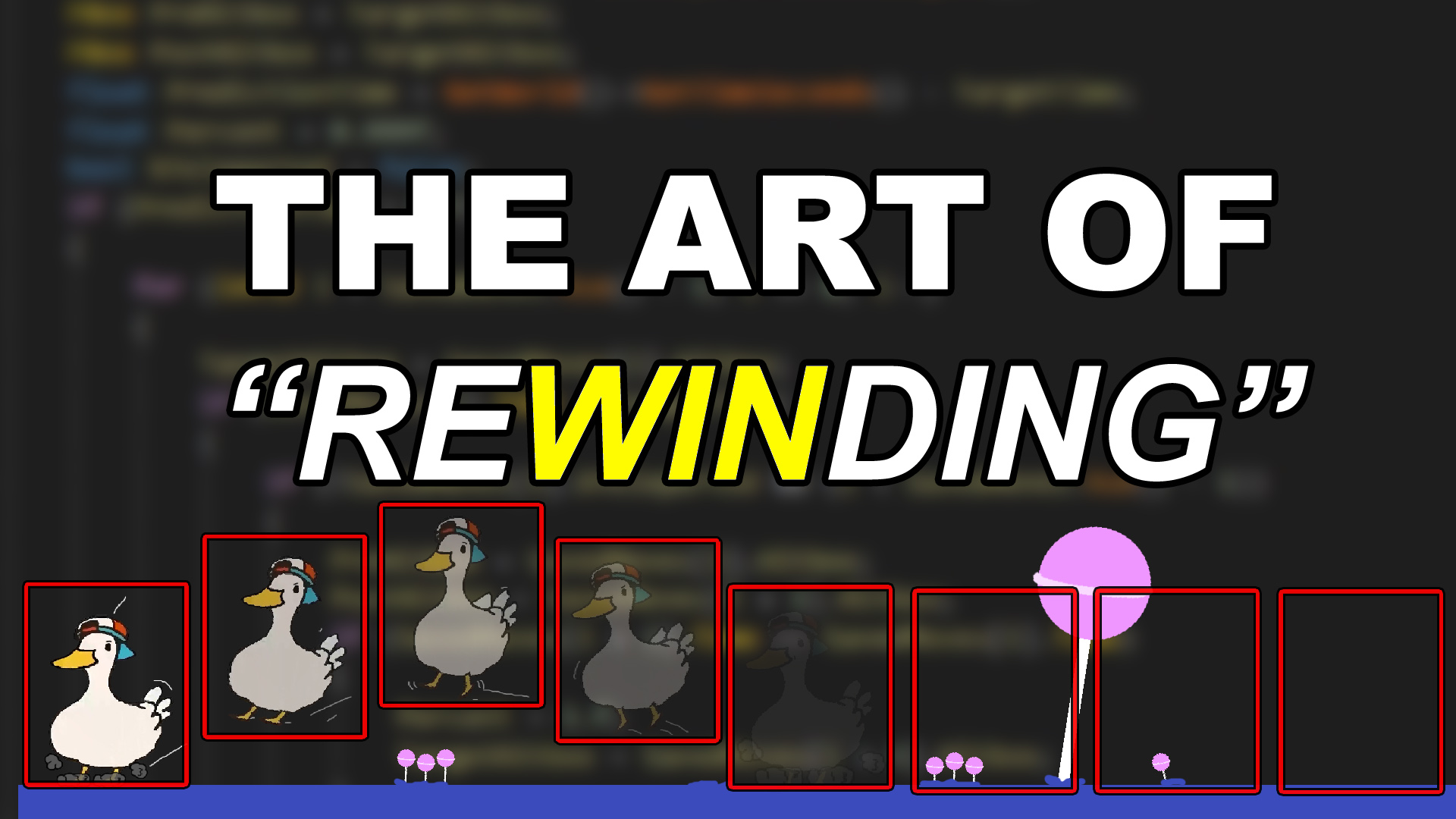
https://vorixo.github.io/devtricks/simple-rewinding/#rewinding-a-networked-game
https://vorixo.github.io/devtricks/non-destructive-synced-net-clock/
I haven't done these ones yet/gone through and tested it (and obviously its just a base) but they look to be good, well thought out and explained (I have them saved on my todo when I can finally get back to coding)
Devtricks
Do you want to have a better synced clock in Unreal Engine without removing the default “synced” clock? This is your post!
Devtricks
In this post you’ll learn the principles about network rewinding, and we’ll provide a very simple reconciliation implementation for Unreal Engine.
valorent ends up having a collision cylinder that enables the server to only rewind objects that are necessary/could have blocked it (in regards to hitscan/rewinding etc)
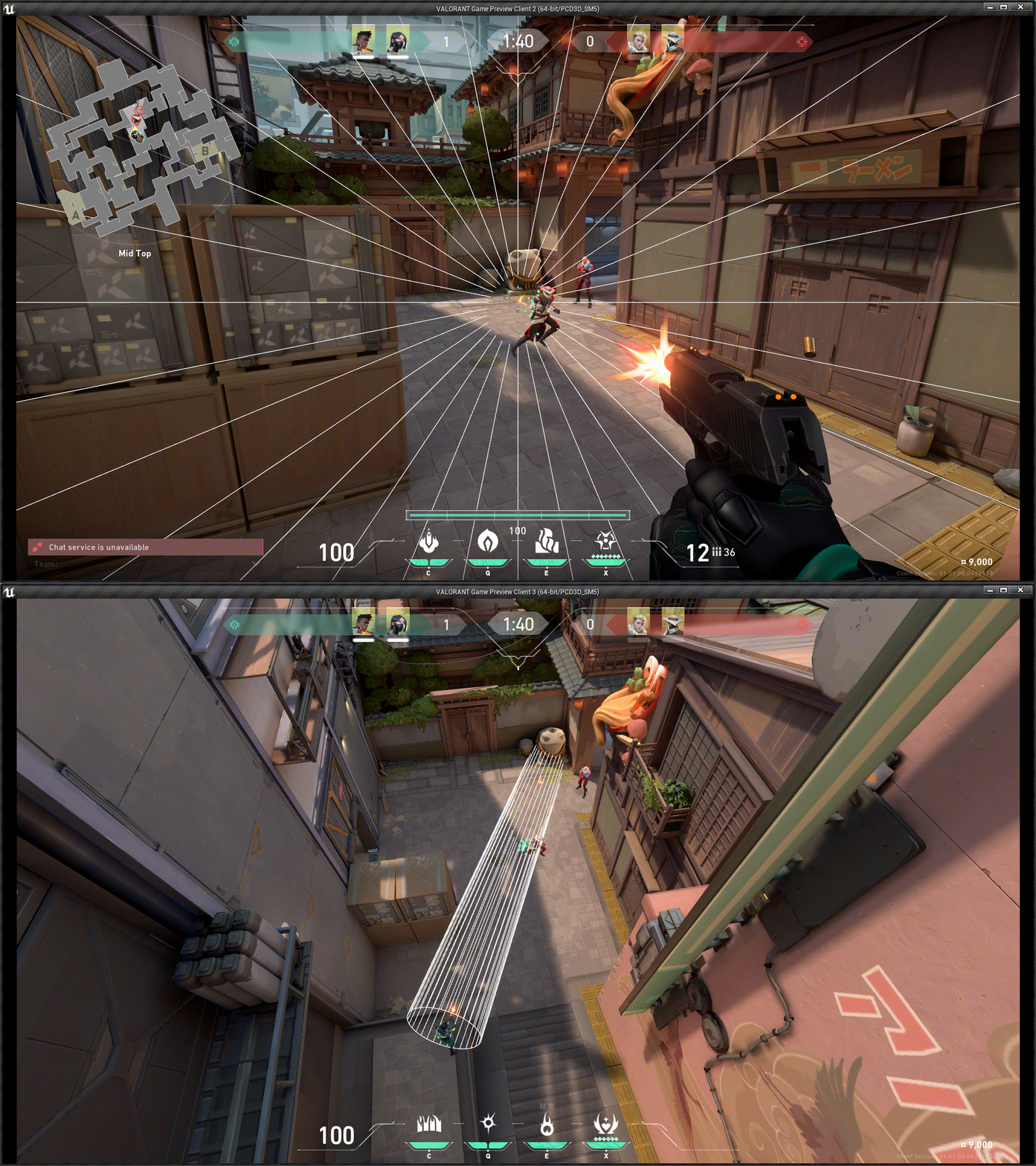
regardless dont trust what im saying do your own research, just as someone who bashed their head against a wall for a bit this is what I found n thought might be useful
whole iron
whole iron
you dont rewrite the component, you expand upon it and use the framework they ha...
as was being discussed earlier though I'm having a bug I dont really know how to solve where if a client crouches into another client theres a chance the client prediction will cause their capsules to go inside each other (only on the moving clients side) and cause desync where the character gets launched a bit [this however is immediately overwritten/resynced if the launched character moves etc n is only visual for when they let go of all their input which will be incredibly rare but still existent]
no idea how to prevent this because obviously client prediction makes the game run smoothly so its annoying when it causes an issue like this lmao
ashen plume
whole iron
regardless dont trust what im saying do your own research, just as someone who b...
all good, i highly appreciate the information, i'll assuredly find relevant bits and pieces, and even just a change of pace is usually enough
ashen plume
whole iron
as was being discussed earlier though I'm having a bug I dont really know how to...
for that, its hard to imagine the prediction is failing only on crouch, but that might be due to the change in speed that can't exactly be predicted
i don't know how to do it exactly in unreal, but you could have a secondary collider that only checks against players that is slightly larger
 dark parcel
ashen plume
for that, its hard to imagine the prediction is failing only on crouch, but that...
dark parcel
ashen plume
for that, its hard to imagine the prediction is failing only on crouch, but that...
Wdym the crouch is not predicted?
It's predicted and works for me
The crouching totally used the cmc , same goes with sprinting. Except crouching is easier than sprinting because the flag is already there by default and as well as the necessary function to crouch
And the tutorial already cover client prediction, no player have to wait for the server before they can start crouching or sprinting
Tested with 200 ms and still butterfly smooth
ashen plume
dark parcel
Wdym the crouch is not predicted?
the crouch speed change, your speed is likely getting halved, or whatever your crouch speed is getting set to
so the predicted position if they werent crouched would be inside the player, but they did crouch so the server has to catch up
or i guess in this case the client
dark parcel
The client is always ahead of the server
It send time stamps to the server along with its necessary data Fmovedata
whole iron
ashen plume
for that, its hard to imagine the prediction is failing only on crouch, but that...
i think the issue is with both normal movement and crouched, its just its more noticeable with crouched because your capsul is at an angle (and thus launches them) while otherwise its just like wall on wall
dark parcel
Where it contains the replicated variable and move data
Server just run its own simulation to verify if the move is valid
It's all explained in the tutorial you linked
ashen plume
so if its client authoritative it wouldnt make sense ya
ashen plume
is this with network emulation?
dark parcel
U are given some autonomy to move around ahead but thr server will always correct you if the data you give doesn't match , hence rubber band
Like I said 200 ms and still butter smooth
Jump crouch sprint walk
ashen plume
just because the movement looks smooth doesnt mean the positions are sync 100%
dark parcel
There is no 100%
ashen plume
any latency is going to cause positions to desync
dark parcel
Even in small latency u can always have micro desync but players won't notice it if the diff is too small
The correction interp the position
ashen plume
true, but doesnt the character do prediction by default
so they are actually always slightly ahead
dark parcel
Ye
ashen plume
so theres at least one machine that thought the player was going to end up inside the other player
because they predicted the player would be there
dark parcel
If Ur latency too high, then that can't be helped imo, I could be wrong on this tho
So problem I have atm is when playing with friend across the continent
Everything look smooth except when we sprint and bump into each other
He will get rubber banded
Playing with another computer in the same region tho, I have no issue
ashen plume
yes that would be the latency of each player, remember they are simulated from the server
at 200 latency, thats 1/5th of a second of delay
dark parcel
200 to send data to server another 200 for the data to arrive to other clients
That's why with such high ping, I am content with the result
sinful tree
ashen plume
just because the movement looks smooth doesnt mean the positions are sync 100%
This is correct, but in the end the positions will be synchronized. If the server disagrees with the client, the server moves the actor where it thinks it should be.
Case: You have two clients, one of them is 3000ms behind (exaggerated, but you'll see why), the other is 10ms behind. Both players are trying to move into a doorway but only one player can fit. When the 3000ms player starts moving he doesn't see the other player in the doorway and moves through it entering the room and stops. Meanwhile within that 3000ms, the 10ms player moved into the doorway and stopped before entering the room, which would prevent the player with 3000ms from moving into it. The server recognizes that the 10ms player moved into the doorway first since that player is faster response, so then the 3000ms client would be pushed back (rubber banded) to the location where the server thinks they should be which would be in front of the door behind the 10ms player. As both players have "stopped" moving, they are now in sync, and they would both be in a server authoritative position.
dark parcel
ashen plume
his video for the base movement is a total rewrite, i wouldnt exactly call this ...
Just to clarify its not a complete rewrite, the tutorial is the opposite of that. It extends cmc and override function as the system intends you to use it.
It's not possible to do it in bp if you are looking for a solution there. Multiplayer using bp is very limited
whole iron
dark parcel
If Ur latency too high, then that can't be helped imo, I could be wrong on this ...
thats the confusing part I cant tell if it can be helped or not, cause on one hand its solely on the client/its a visual client desync it serves no purpose and will only INCREDIBLY rarely happen wherein a player isnt moving their mouse, their keyboard, etc, and another player walks into them at such a perfect angle that the prediction accidentally moves their capsule into the other one causing them to get launched/desync client side
can this be helped at all? It's not even like a hitbox issue its the client prediction allowing it to go inside another capsule for like 1 frame I think lmao
sinful tree
whole iron
thats the confusing part I cant tell if it can be helped or not, cause on one ha...
If the predicting client doesn't know about what is there, there would be no way to prevent the collision. All you can do is modify how the server corrects the client's position as the server's copy of the game is the actual real copy of the game that matters. I think it comes down to how much time you'd be willing to invest in trying to smooth out issues like that when it's something that is likely happening to a small subset of players who just happen to be having poor latency/network connection at the time. If they always have poor network conditions, you shouldn't be responsible for trying to fix that for them.
whole iron
sinful tree
If the predicting client doesn't know about what is there, there would be no way...
Worry is that it's happening with no latency I think I forgot to try
 rain condor
Io, any idea how can i test audio in multiplayer?
 fair latch
Wat audio? Most of them can just be played on event base locally
Like a foot step or when the door opens
 queen escarp
Hey im using steam advance session pluggins and it all works greate and all that, but when im playing the game it says ”space wars” on steam how do u change that ?
Oh thats the appid just read it
native tapir
How can I replicate a UStruct that contains a UObject?
I created a structure named FItemDataMap containing
UPROPERTY() int32 Index,
UPROPERTY() UItemData*
When I tried to replicate this FItemDataMap, the Index replicated correctly, but the UItemData* did not replicate properly. How can I resolve this issue?
 barren surge
Replicated actors that are bound to sequencer should replicate to clients when sequencer manipulates replicated properties right?
thin stratus
Don't think I ever used sequencer like that. Sequencer has its own replication for its sequences, but beyond that not sure.
In theory I would say yes, it would replicate those values
barren surge
thin stratus
Don't think I ever used sequencer like that. Sequencer has its own replication f...
Yea i saw that it syncs its play head time.
thin stratus
Quite well actually
barren surge
but it seems like its creating proxies of the bound replicated actors with those expected to appear on the client just via sequencer playing on both sides...
thin stratus
Yeah that's somewhat what I meant
barren surge
do you know what necessitates sequencer using proxies vs the bound object?
 inner cove
What am I missing here? Why this prints on every client and the server? Should't it only print on server? This is on a projectile actor btw (imagine a bullet) and is not actor replicated, an actor is spawned for every client

Is it because every client spawns it's own instance so it has authority?
inner cove
inner cove
Is it because every client spawns it's own instance so it has authority?
In that case how can I know if its running on server or client?
 crimson ore
Is making a component replicate significantly more expensive than having the value replicate through the owning actor?
solar stirrup
inner cove
What am I missing here? Why this prints on every client and the server? Should't...
Clients have authority over the actors they spawn locally so yeah
What you're doing is probably a bad idea
If you still wanna go with it, you can just try to get the gamemode - it only exists on the server
That way you'll know if you're the server or not
quasi tide
Orrrrr just check if your server?
inner cove
Thanks @solar stirrup I changed my way, now i set the actor to replicate and its okay. The reason I didn't do this from the first place is because projectile movement component doesnt replicate velocity and the clients were seeing wrong rotation (with rotation follows velocity enabled) but now I made it work like that, not sure if it's the best way or it will cause issues when a lot of projectiles are spanwned but it works for now, thanks 🙂
 inner cove
quasi tide
Orrrrr just check if your server?
inner cove
quasi tide
Orrrrr just check if your server?
Yeah that true, don't know how this passed over my head, but I think it's better that it did cause I found a better solution (or atleast I think xD)
quasi tide
inner cove
Yeah that true, don't know how this passed over my head, but I think it's better...
Right now - the HasAuthority check is completely pointless. You're running the exact same code in both branches.
inner cove
quasi tide
Right now - the HasAuthority check is completely pointless. You're running the e...
It might seem the same but the authority is setting a variable called velocity on the bullet actor and then the remote is setting the variable velocity on the projectile movement component
quasi tide
Ah. I see it now. That is a wee hard to see.
Do note - HasAuthority being Authority or Remote can be different depending on how the actor is spawned
 gloomy tiger
UPROPERTY(ReplicatedUsing=OnRep_MyEnum)
EMyEnum MyEnum;

UFUNCTION()
void OnRep_MyEnum();
On clients, I'd like to capture the previous value of MyEnum before the new value is assigned to the variable. How would I go about it?
lost inlet
gloomy tiger
```cpp
UPROPERTY(ReplicatedUsing=OnRep_MyEnum)
EMyEnum MyEnum;
UFUNCTION()
void...
add a parameter to your onrep, that's the old value
gloomy tiger
Like...
UFUNCTION()
void OnRep_MyEnum(EMyEnum Prev);
?
lost inlet
yes
gloomy tiger
Oh, okay. That simple. Thanks!
solar stirrup
Anyone know what exactly the SpatialBias of UReplicationGraphNode_GridSpatialization2D does
Kinda confusing
seems like it doesn't support LWC 
what's the point of using rep graph with LWC then
 twilit anvil
sounds fancy for sure
 cinder goblet
Is it possible to have one button handle creating a session and joining sessions? I’m trying to work with a restriction that instead of host/join, I need to handle connecting players after they click a singular “Play” button.
sinful tree
cinder goblet
Is it possible to have one button handle creating a session and joining sessions...
Click Play > Search for Sessions
No available sessions > Create Session
Available Sessions > Determine which from the list to join > Join Session
cinder goblet
@sinful tree Okay, I’ve been trying that so I guess I’m making mistakes. Did the level already need to be opened with listen for the above to work? Also, what is the best way to await the results from looking for sessions? I’ve been checking if the index of my results are -1, and if so going to the next step.
Finally, does a for loop with a delay not work? I have a for loop I’m certain will run 10 times and begins with a second delay, but immediately goes to complete. Thinking about it, maybe a looping timer would be better for checking for servers every second for 10 seconds.
 graceful flame
Which is more performant for the network? A character with 50 replicated / repnotify booleans or a character with 50 Gameplay Tags? I asked ChatGPT and it seems to say that booleans are more lightweight but I wanted to see if anyone here can confirm or deny that information.
 olive kraken
Hi! is there a reliable solution or workflow to load level instances in multiplayer? Having all the actors of the level instance replicated properly?
dire cradle
I'm having a problem with replicating physics.
It works fine until the client moves about 1km away from the host, after that the transforms become out of sync.
You can still see the other player and all the effects/animations are correctly replicated, only the transforms are off for some reason.
Closing the distance doesn't re-sync once it's broken.
I'm using stock "Replicate Movement" on the skeletal mesh that has its physics enabled only on the host.
Only solution I found was to manually replicate the transforms from the server to clients each tick, which solves the sync problem but doesn't seem like the best option.
What might be the likely cause?
It's strange because the clients aren't simulating physics on the mesh, yet they can have different transforms than the server all while having collisions/forces work on their screen.
I wonder if it's an engine thing that I'm not aware of.
sinful tree
graceful flame
Which is more performant for the network? A character with 50 replicated / repno...
bools = 1 byte. FGameplayTags are 12 bytes each, but an FGameplayTagContainer is 32 bytes and is supposed to have some magic built into them that doesn't necessarily use the same 12 bytes for each tag.
It would be far less strenuous on the network in general to only have to worry about a single gameplaytag container than it would to worry about 50 separate bools.
sinful tree
cinder goblet
<@218956378654507008> Okay, I’ve been trying that so I guess I’m making mistakes...
Typically you create the session and when the session is confirmed as created you'd have the player that is hosting the session open the level with the ?listen option.
You can't use a delay in a for loop.
 thin spear
Hey folks!
I would like to ask for someone to clarify my knowledge on multiplayer.
I have created a multiplayer peer to peer TPS shooter before. I have used steam advanced sessions. If I have want to make a multiplayer VR game, I have seen to use PUN on meta official communications.
My question revolves around that I would like to understand networking a bit better.
Why use PUN; how is it different than the online subsystem; Does programming with pun changes on how to write game logic? Etc…
My dm-s are open I would be really interested in having a conversation about the topic thank you!
graceful flame
sinful tree
bools = 1 byte. FGameplayTags are 12 bytes each, but an FGameplayTagContainer i...
Interesting....so what would be the general process of converting bools using repnotify to drive logic into Gameplay Tags? How can I setup something similar to repnotify with those?
sinful tree
Create a single FGameplayTagContainer, mark it as repnotify.
When the tag container changes, the OnRep would be fired, but you'd have to have logic to check each tag and what to do if the tag is present or not.
graceful flame
ahh that makes sense, thanks
sinful tree
thin spear
Hey folks!
I would like to ask for someone to clarify my knowledge on multiplay...
If PUN is "Photon Unity Networking", it probably isn't for Unreal.
Based on a quick glance of PUN's site, it sounds sort of like a BaaS, and also provides all the features for networking a game. They don't have an SDK for Unreal, only XBox and Unity.
 pallid mesa
graceful flame
Interesting....so what would be the general process of converting bools using re...
pallid mesa
graceful flame
Interesting....so what would be the general process of converting bools using re...
you can enable FastReplication for your FGameplayTags to replicate by index, which requires the list to be identical in server and client - which likely is if done properly although doesnt allow server patches without updating your client
I did write a while ago an article about encoding gameplay tags in a very packed manner... ie: a bit per tag presence/absence https://vorixo.github.io/devtricks/gas-replication-proxy/#21-define-the-replication-proxy-struct
Look for ServerFlags
pallid mesa
dire cradle
I'm having a problem with replicating physics.
It works fine until the client m...
Which Unreal version are you using?
Unreal Engine 5.4 (mainline) improves very drastically replicated physics using the new physics prediction framework, the code path is quite different and its a production solution used for Epic's internal projects, I would advise to take a look
dire cradle
pallid mesa
Which Unreal version are you using?
5.3.2
dire cradle
pallid mesa
Unreal Engine 5.4 (mainline) improves very drastically replicated physics using ...
So it's a version specific problem? Engine related?
dire cradle
pallid mesa
Unreal Engine 5.4 (mainline) improves very drastically replicated physics using ...
I'll try upgrading to 5.4 to see if it changes anything. Do I need to adjust any existing code to use this new framework?
hollow eagle
It's more that there wasn't any kind of fancy physics replication in the engine - it's just replicating basic movement which isn't nearly enough to keep complex physics interactions consistent. 5.3 introduced a new physics replication mode but it was/is very experimental. 5.4 improves it. It also isn't on by default because there's overhead that games shouldn't have to deal with unless they need it.
And 5.4 will require a source build of the engine, fyi. It's not released, you have to build it yourself from github and it won't be stable.
dire cradle
Does that mean just manually replicating the transform is my best option? Until that new framework gets released
hollow eagle
Manually replicating the transform is what should already be happening.
It just doesn't give particularly good results.
Any deviation in the physics simulation between client/server will result in physics objects teleporting around.
dire cradle
What's the best practice method to approach this?
I was avoiding to multicast the transforms each tick because I thought it may be excessive, is it ok as it is or is there anything I can do to make it better?
nova wasp
there's also the smoothsync plugin on the marketplace
which just does some simple inerpolation but works a lot better than the built in setup
native tapir
How to make ActorComponent variable to replicated?
I have InventoryComponent and There's TArray<UItemData*> ItemDataArray variable in UMyInventoryComponent class.
I've setup all about replicate setup for this variable.
The actual pointer is collectly replicated and OnRep_ItemDataArray function is called.
But pointer's data isn't replicated. There's no valid data in this pointer.
But in server, the data is valid.
In this cases, how to replicate actual data correctly?
 dusty river
Is there ANY blueprint event that gets called** on the client** when a controller possesses a pawn?
Losing my mind.
Should I be looking for when its owner changes instead?
dire cradle
dusty river
Is there ANY blueprint event that gets called** on the client** when a controlle...
On Possess?
You can call an Run on owning Client rpc from that
dusty river
dire cradle
You can call an *Run on owning Client* rpc from that
That's what I was doing, but I was running into issues when the player first connects. On possession is called on the server, then calls the RunOnOwningClient RPC, but the possessed pawn doesn't exist yet on the client?
 thin lichen
Hey guys, question about a problem my team and I are facing. We are trying to make a 3D side scrolling platform game with a local multiplayer system (like co-op mode) and we are running into an issue where when we play in editor on our pc individually, the inputs control both player characters rather than just the character they are supposed to be controlling. Does anyone know why this is and a work around or fix for this issue?
dire cradle
dusty river
That's what I was doing, but I was running into issues when the player first co...
There's also an event in the controller On Possess
looks like that isn't exclusive to the server
 scarlet pivot
so on listen server, server travel from lobby to main game seems to be working fine. but when integrated with dedicated server on aws gamelift, player just keep disconnecting when server travels? why is that? how can we fix it?
 tawny parcel
I'm curious if there is a way to pick and choose which players receive replication? Basically after a round starts, there are 4 players in Group A and Group B.
Group A has "objectives A" while Group B has "objectives B".
Group B would STOP receiving replication updates from players in Group A, while players in Group A would STILL receive replication updates from Group B.
So the server would be picking who gets to receive what. Just not sure this can be done out of the box Unreal?
 jaunty zephyr
hey guys i need some quick help,
I am using GAS but i think this is a multiplayer issue.
i have a UStateComponent that is supposed to go to the server and replicate on the clinet,
but when i run the game on server listen on the instance that acts as a server it does not seem to update the widget that i am using to update the score and everything but on the clients it seems to be fine.
void UCTFGameStateComponent::GetLifetimeReplicatedProps(TArray<FLifetimeProperty>& OutLifetimeProps) const
{
    Super::GetLifetimeReplicatedProps(OutLifetimeProps);

    DOREPLIFETIME(UCTFGameStateComponent, RedTeamScore);
    DOREPLIFETIME(UCTFGameStateComponent, BlueTeamScore);
    DOREPLIFETIME(UCTFGameStateComponent, roundStatus);
    DOREPLIFETIME(UCTFGameStateComponent, CurrentTimer);
    DOREPLIFETIME(UCTFGameStateComponent, CurrentRound);
}
I don't want to use the attributs right now. I already got started on this late and i feel bad 😢
thin stratus
Ups
Discord is so buggy man. I quoted the message before
And it took the next one while I was typing
jaunty zephyr
hahahab xD
thin stratus
tawny parcel
I'm curious if there is a way to pick and choose which players receive replicati...
Look into IsNetRelevantFor
thin stratus
jaunty zephyr
hey guys i need some quick help,
I am using GAS but i think this is a multiplay...
How are you updating the widget?
OnRep?
thin stratus
OnRep doesn't call for server in c++
jaunty zephyr
... Fudge i knew that and i completly forgot.
thin stratus
The BP OnRep is not a true OnRep. It's a property changed event
Which calls even if the client locally changes the variable (for himself)
jaunty zephyr
I should do that on both has authority and on rep
thin stratus
As well as for the server
jaunty zephyr
right ?
thin stratus
In c++ it's a true OnRep
thin stratus
jaunty zephyr
I should do that on both has authority and on rep
You do it where you set the variable
And in the OnRep
You can call the OnRep by hand fwiw
jaunty zephyr
okay, so ... i have to do on auth what i do on rep which is basically this and a Stupid question is incoming BTW
void UCTFGameStateComponent::OnRep_UpdateScore()
{
    OnScoreChanged.Broadcast(RedTeamScore, BlueTeamScore);
}

void UCTFGameStateComponent::OnRep_RoundStatus()
{
    OnTimerChanged.Broadcast(CurrentTimer, CurrentRound);
}
can i just call OnRep_UpdateScore() where i update the score ? in authority ?
rather than this deligate again ?
i don't know exactly what the standard is for OnRep if calling it in the server side is a good idea or now
not*
thin stratus
void UCTFGameStateComponent::SetRedTeamScore(int32 NewScore)
{
  if (!HasAuthority())
  {
    return;
  }

  const int32 OldScore = RedTeamScore;
  RedTeamScore = NewScore;
  OnRep_RedTeamScore(OldScore);
}

void UCTFGameStateComponent::OnRep_RedTeamScore(const int32 OldScore)
{
  OnRedTeamScoreChanged.Broadcast(OldScore, RedTeamScore);
}
Something something
thin stratus
jaunty zephyr
i don't know exactly what the standard is for OnRep if calling it in the server ...
It is up to you tbh
You can also extract the code that the OnRep calls into yet another function
And call that instead of the OnRep on the Server
but I find that redundant
jaunty zephyr
thin stratus
but I find that redundant
me too
thin stratus
If there is anything happening that shouldn't happen on DedicatedServer, you can still filter that, but since you only broadcast and the Dedi has no UI to bind, it should be fine
jaunty zephyr
firstly , Thank you. And i just realized i may have created a lot of wierd bugs that create wierd server side issues. Like even though everything working but ... it does not tend to update removing the stuff on the server XD
well! win some loose some.
too bad i cannot right now tell someone to just create a Jira ticket for it cause this is for an interview XD
sturdy sand
hey. I'm trying to connect to a dedicated local server but I'm getting this.


it's a completely empty game and server btw. Line no assets no player spawn. Is that the reason?
At the moment I'm using the packaged server to run the local server and I'm using the editor run the game
I kinda want to have 2 seperate projects one for client and another one for the server
anyway to do that?
 scarlet radish
Is there something I'm misunderstanding here?
I'm trying to create an inventory system, I can pick up items locally, all works fine, but my client cannot see their inventory, despite it being replicated.
I have my Inventory items stored in a replicated array
UPROPERTY(Replicated, VisibleAnywhere, BlueprintReadOnly)
    TArray<TObjectPtr<UItem>> Items;
You would later simply package your client as the normal game
Development-wise, you use ONE UE project for Server and Client
thin stratus
scarlet radish
I have my Inventory items stored in a replicated array
```cpp
UPROPERTY(Replicat...
UObject's can't replicate by default.
You need to add them to the SubobjectList of the Actor
sturdy sand
thin stratus
Development-wise, you use ONE UE project for Server and Client
well people say it's best if I seperate the projects one for client and one for the server. It seems like if you do it that way it's a little more managable and secured
thin stratus
sturdy sand
well people say it's best if I seperate the projects one for client and one for ...
Idk who says that
But that's a weirdly terrible advice
Like, I can get behind that if your Server is totally something else
Like something coded outside of UE
But for a UE Server, your best bet is to stay in one and the same project
sturdy sand
yeah it's cause I was planning to make a project from the ue source code for the server and then a normal project created from epic games
thin stratus
That still doesn't need 2 Projects
I can't stress enough how much you don't want to split this into 2 UE Projects :D
sturdy sand
it's to make it organised and for server authority and performance and stuff
it's for scalability aswell
inner cove
sturdy sand
well people say it's best if I seperate the projects one for client and one for ...
On other game engines I have seen this recomendation as well, which personally I still dont think its the best solution but espescially for unreal I have never seen this.
it's to make it organised and for server authority and performance and stuff
I believe unreal's built-in multiplayer system is capapable enought for that
inner cove
sturdy sand
it's for scalability aswell
Can you give an example?
sturdy sand
and for optimization since the server doesn't really need the player related code
thin stratus
Ultimately, you can do whatever you want. No one here is going to stop you, but you should consider it if enough people tell you that's it's really not common to do so with UE.
To be precise, UE even stops you from Connecting if you have 2 different projects
And I'm also not entirely sure what happens if you have Classes that both need
Such as a Weapon taht replicates
You'd need the BP in both projects
And then I'm not sure if that even properly loads the class, unless you mirror the path exactly
At which point, you don't really gain anything
You can exclude C++ code from Client or Server with #if WITH_SERVER
If that is your concern
sturdy sand
yeah you got a point
thin stratus
Let alone the fact that for anything that both need, you'd need to somewhat mirror the repo
sturdy sand
it's more time consuming
thin stratus
Otherwise you need to fix code in 2 places
BPs can't have split code for Server and Client
quasi tide
This sounds like a nightmare
sturdy sand
not using bps at all btw
thin stratus
Yeah it does, the more I write about it haha
thin stratus
sturdy sand
not using bps at all btw
That's another bad take xD
If you use UE, you are supposed to utilize both
quasi tide
Because this is exactly how Godot used to expect you to handle dedicated server setups
Having 2 projects that is
sturdy sand
code sync especially is gonna be a struggle I just realised
quasi tide
Don't do it. It is a horrible dev experience and maintenance nightmare.
thin stratus
After years and years of UE and shipping titles, I can tell you:
- Don't split the Server and Client into 2 different Projects
- Don't only use C++, Blueprints have their reason and use-cases
You can take that advice and ignore it or build your own opinion, that's up to you.
I gotta head out now, doggo needs walking.
sturdy sand
yeah I ain't doin it. I'm assuming I have to still create the project from ue source code and then create 2 target files. One for client and another one for server
idk but I just prefer coding than blueprints
quasi tide
If you know you have server specific stuff, you can put all of that in one module if you want and then don't ship the module in client builds.
sturdy sand
quasi tide
If you know you have server specific stuff, you can put all of that in one modul...
wait what
hows that done?
quasi tide
Then of course, there is that preprocesser that Cedric mentioned as well, for the bits that are interweaved with other classes. #multiplayer message
inner cove
sturdy sand
I'm assuming you would cover the whole player class with #if WITH_CLIENT
a player character actor ?
sturdy sand
yeah
inner cove
The server must know about the player character
solar stirrup
You're going to make your work extremely complicated though by doing it this way
If it even works, as per what PanTrakX just said
if you have code that should run on the server only, either only call it on the server or wrap it in #if UE_SERVER
That's assuming you only support dedicated servers
sturdy sand
ight gotcha
hate the fact that some documentations or forums that isn't unreal engine docs lead me the wrong way
but it's my fault. I keep trying to confirm if I'm planning it right
inner cove
@sturdy sand My advice, don't try to (over)optimize right from the start. Learn and create a multiplayer game first and then you gonna see what needs optimization.
sturdy sand
ok
 gusty slate
Hello,
I have a case where I need to spawn trees on the map at runtime, and they need to grow slowly from Scale X to scale Y.
Is it going to overload the network if these actors are spawned by the server and they get spawned on clients through replication? These will be a few hundred to a thousand tree actors, very lightweight but actors still
Thing is, I know the locations already, so I was at the beginning making a system to spawn them locally from those locations. But I do need replication.
thin stratus
@gusty slate should be fine tbh. If you spawn them all at once then that's another story, but you can always stretch it over multiple frames
Fwiw you can go more complicated by replicating the important info via some FastArraySerializer
gusty slate
Yeah my spawner system already splits it into multiple frames
thin stratus
And then spawn locally from that data
gusty slate
I honestly will only replicate the scale (so only on the duration of growth, updating slowing) and health, if players want to break them
I was mainly worried about using the replication to spawn these on clients
this honestly makes it easier x) because I was in the middle of making a system to track spawned/remaining trees to spawn when a client joins "mid spawning"
Alright, ty Cedric
Any tips on making this as lightweight as possible? Some settings on dormancy for ex, or something of that sort?
inner cove
@gusty slate Btw you can check also Replication Graph (https://docs.unrealengine.com/5.3/en-US/replication-graph-in-unreal-engine/) but haven't used that so don't know if that's the best solution for your scenario or if it will an overkill
gusty slate
ty I'll have a look
thin stratus
Replication Graph is not the best idea
It will be redundant with iris afaik
But I leave that decision up to you
gusty slate
I feel like my actors are going to be quite lightweight for me to require it
What i'm debating now is seeing that the growth cycle is like 0.5s ish, if I should bother making these dormant and using FlushNetDormancy or ForceNetUpdate
when incrementing the scale of the actor
wait 🤔 does scale automatically replicate if the statis mesh component is set to replicate?
thin stratus
Could be
But you would need to check that
I know that Actor Scale should be replicated iirc
dark parcel
@thin stratus https://www.reddit.com/r/unrealengine/comments/a0n455/listen_server_host_sees_clients_jittering_fix/
^ The article still the legit fix for Listen server Issue. Haven't try with root motion yet tho, gonna check that now
Reddit
Explore this post and more from the unrealengine community
ok my root motion anim broke now 😦
k got it working, so the only TickCharacterPose we have to override is the one in MoveAutonomous()
inner cove
What a common/best practice to replicate event dispatchers from the server to clients?
This is my current implementation but I am wondering if there is a better solution than this
 solar stirrup
inner cove
This is my current implementation but I am wondering if there is a better soluti...
solar stirrup
inner cove
This is my current implementation but I am wondering if there is a better soluti...
You wouldn't use RPCs but replicated variables with a rep notify
inner cove
solar stirrup
You wouldn't use RPCs but replicated variables with a rep notify
Ok, I know about rep notify replicated variables but in this case I don't have a variable to repnotify, kills/deaths are stored on player states and this functionality on the screenshot is on the game state thats why I need to use event dispatcher
solar stirrup
why is it on the game state then
You can update the scoreboard when player state updates
inner cove
solar stirrup
why is it on the game state then
Cause the game state is the responsible class to increment the kills/deaths for the killer's and then victim's player state and after than I want the game state to inform the clients that the "score" of the game has changed, I don't like the idea of the player state having this responsibility
 gloomy tiger
you probably dont need this

and i dont know the design of your game and your needs/requirements, but to me, there's some smell here
it lacks atomicity
also this:
I don't like the idea of the player state having this responsibility
I think I feel you, but remember - this RPC has its own (extra, avoidable) costs
inner cove
gloomy tiger
it lacks atomicity
Yeah, I realized that my solution was very bad, because player state net frequency is not very high the "Call On Scoreboard Change" was getting called before the kill/deaths was getting replicated so the clients updated their scoreboard with the previous data, now I have made the Kills and Deaths varialbes to rep notify and they call the "Call On Scoreboard Change", which I don't like that much but works better and won't have "race condition" (If i can use this term here) problems
gloomy tiger
I don't want to put you in a rabbit hole, but am giong to just plant a seed
if you want the rpc approach, i'd say it's wiser to just pass the updated score as variables to it, make the rpc reliable and set the variables when they arrived on multicast
another idea is to have an array of structs like FPlayerScore where you a couple properties like APlayerState Player, int Deaths, int Kills, etc and you replicate this array of structs
and if you're into c++, you can go with fastarrays to make it blazing network-fast
then you have atomicity, performance, reliability, etc etc
inner cove
gloomy tiger
if you want the rpc approach, i'd say it's wiser to just pass the updated score ...
Yeah I thought of that but currently on the WBP when there is a change on a score it will iterate all the player states and get the kills/deaths data from there and consturct new widgets, not the best solution but havent found a better yet
inner cove
gloomy tiger
another idea is to have an array of structs like `FPlayerScore` where you a coup...
Thats an interesting solution
jaunty zephyr
hey guy, I am using gas in multiplayer but for some reason on my server listen the Gameplay cue does not deactivate but it's fine for all my clients
its wierd as shit can you help me ?
void ULyraGameplayAbility_DropFlag::ActivateAbility(const FGameplayAbilitySpecHandle Handle, const FGameplayAbilityActorInfo* ActorInfo, const FGameplayAbilityActivationInfo ActivationInfo, const FGameplayEventData* TriggerEventData)
{
    Super::ActivateAbility(Handle, ActorInfo, ActivationInfo, TriggerEventData);

    if (!HasAuthority(&CurrentActivationInfo)) { return; }

    RemoveCueTag(lyraCharacter);
}
void ULyraGameplayAbility_DropFlag::RemoveCueTag(ALyraCharacter* lyraCharacter)
{
    UAbilitySystemComponent* ASC = lyraCharacter->GetLyraAbilitySystemComponent();
    if (ASC)
    {
        UE_LOG(LogTemp, Warning, TEXT("Removing flag"));
        ASC->RemoveGameplayCue(TAG_GameplayCue_CaptureTheFlag_FlagPickup);
    }
}
I think nothing would change in your WBP, actually. You still; would have this MC_ScoreboardChange multicast RPC, and the server would feed it with the data you need, then the responsibility of setting kills and deaths would become of each/every instance
👆 this is not the best solution, it has its own problems, but one that would solve your problem if you want to go w RPC
inner cove
gloomy tiger
I think nothing would change in your WBP, actually. You still; would have this `...
Ohh now I got what you mean
Yeah well I think I will use the solution with the struct, sounds the best for me
gloomy tiger
jaunty zephyr
hey guy, I am using gas in multiplayer but for some reason on my server listen t...
gotta say i faced something similar in the past, however i don't remember how i fixed it 🤔
anyways, i guess your best bet to get an answer would be in #gameplay-ability-system
jaunty zephyr
damn it ! i thought i was doing somehting netowek wrong but cool
gloomy tiger
inner cove
Yeah well I think I will use the solution with the struct, sounds the best for m...
yea that solution is nice - give it a spin 😄
inner cove
gloomy tiger
yea that solution is nice - give it a spin 😄
With this solution I find some things to be more reliable but at the cost of this xD
Meaning that I have to iterate the player scores array everytime in order the find the score struct for a player
 dire cradle
What's up with the Game State Base?
If I create and call any event inside it (without overriding anything) it causes ANY actor in the clients to not fire Begin Play
If I keep the events but not call them, Begin Play events on actors work in clients.
So strange
I'm using UE 5.3
hollow eagle
Sounds like you are indeed overriding something. Probably BeginPlay without calling Super::.
dire cradle
I tried not touching BeginPlay on the GameStateBase, instead created my own event and called it from elsewhere, still caused the problem
Nothing is overriden
if i dont call it it works
dire cradle
This is the entirity of the gamestatebase
Calling the GenerateInstances breaks every other actor in clients
Calling it from the server only, once
hollow eagle
uhh, trying to reliable multicast a 1000 entry array will cause issues, yes
dire cradle
Oh damn yes
I totally forgot about to change that
was testing in standalone before
Yep that was indeed the cause, it was totally destroying the server and I overlooked it
gloomy tiger
inner cove
With this solution I find some things to be more reliable but at the cost of thi...
unless you have like 1k+ players simultaneously in that array, really, don't worry
(that is, if you're talking about performance)
inner cove
gloomy tiger
unless you have like 1k+ players simultaneously in that array, really, *don't wo...
I wasn’t talking about performance, 20 people will be max (probably) so I don’t think there will be any performance hit, I was talking about readability and organization of the code 😄 But it’s okay, I don’t mind sacrificing readability for a more reliable solution.
 plucky prawn
You could make a custom event to break the loop which would help with readability. Otherwise this is one of the trade off's with blueprints
dire cradle
inner cove
I wasn’t talking about performance, 20 people will be max (probably) so I don’t ...
Turning the score array into a map might make it a little better for readability
Player State as key, it saves you from manually looping to find the correct player state
inner cove
dire cradle
Turning the score array into a map might make it a little better for readability
This was my initial thought but AFAIK maps can’t replicate
dire cradle
You can always update them manually, which is kind of a tradeoff
plucky prawn
Which is crap if you need other players to know this data. Best bet would be storing the data you need inside the player state itself
Since its already replicated to everyone
dire cradle
Depends on what you need it for, if you need to keep track of the total scores then you'd now have to loop over each player to retrieve their scores.
If individual scores are more important then storing them inside the players states is more preferable though
inner cove
plucky prawn
Which is crap if you need other players to know this data. Best bet would be sto...
This was a discussion we had earlier, you can read from here #multiplayer message
dire cradle
The easiest solution would be to just turn the loop into its own function and return early
lucid badger
dire cradle
Player State as key, it saves you from manually looping to find the correct play...
Correct me if I am wrong but I think 20 elements is too few to be worth using a map?
inner cove
dire cradle
The easiest solution would be to just turn the loop into its own function and re...
Yeah that’s what I’m gonna do
inner cove
lucid badger
Correct me if I am wrong but I think 20 elements is too few to be worth using a ...
Map is not about the element size
dire cradle
lucid badger
Correct me if I am wrong but I think 20 elements is too few to be worth using a ...
It hardly affects performance in this scenario so it's up to preference
lucid badger
It absolutely is. Maps have extra overhead compared to lists
inner cove
lucid badger
It absolutely is. Maps have extra overhead compared to lists
Ohh I didn’t know you was talking about performance
lucid badger
dire cradle
It hardly affects performance in this scenario so it's up to preference
I mean it's either worth it or it's not. Nevermind preference
There are right answers to this stuff
I'm not sure which is right but I know there is a right answer 😛
inner cove
lucid badger
I'm not sure which is right but I know there is a right answer 😛
The right answer is the opposite of left 
gloomy tiger
lucid badger
Correct me if I am wrong but I think 20 elements is too few to be worth using a ...
nah
the overhead is irrelevant
unless he's doing lookups in an event tick nonstop with some timers in-between - but even so, i think it wouldn't matter
lucid badger
So is having to exhaustive search a 20 element list 
dire cradle
Depends on how strictly best-practice you want to make your project, 20 elements in maps vs arrays that update once in a while it's really no big deal
Computers are not toasters anymore
gloomy tiger
i'd go with maps
uniqueness, ergonomics, for this use-case he doesn't care about the order of the items, etc
BUT he's right - maps cant be replicated so array ftw
lucid badger
Yeah the lack of replication has me stuck using arrays even when I WOULD prefer a map 
gloomy tiger
you can always give you the trouble to serialize your thing etc so you can use maps, but i wouldn't bother honestly lol go w array and go next
re: readability
gloomy tiger
inner cove
With this solution I find some things to be more reliable but at the cost of thi...
yikes, its ugly, indeed
but man
if youre doing multiplayer to support up to 20 ppl in the same network and going blueprints (specially without blueprintassist), gotta say, you brave
(tell me it's a turn-based game)
inner cove
Right now it’s meant to be dedicated but I’m reconsidering since I saw EOS supports p2p and would be a better option
inner cove
gloomy tiger
if youre doing multiplayer to support up to 20 ppl in the same network and going...
20 players is not final, maybe I will do less but you dont think bps are capable for that many players?
dire cradle
It is very much capable, all the character movement replication is done in C++ by default anyway
gloomy tiger
inner cove
20 players is not final, maybe I will do less but you dont think bps are capable...
look, we're creating a co-op game listen-server; fps real-time and all. started to support up to 4 players but reduced it to 3 max - simply b/c we couldn't make it go full optimal; and we have our own netgraph and sh-t
gloomy tiger
dire cradle
It is very much capable, all the character movement replication is done in C++ b...
nope
not very much capable; sorry, i disagree here
shooting is intense
making it play smooth is a nightmare
gloomy tiger
inner cove
With this solution I find some things to be more reliable but at the cost of thi...
of course, counting score etc, isn't a problem for blueprints at all
if you make your shooting mechanics in c++ it's another story; like, making the less heavy stuff in blueprints, its alright - but going full blueprints here is way more complicated
dire cradle
4 players at max!? Then there must be some larger issues unrealated to bps!
I have played some very complex real time games made only in bp with 16 players, bps are absolutely capable
gloomy tiger
dire cradle
4 players at max!? Then there must be some larger issues unrealated to bps!
I ha...
listen server? where you rely on your player's hardware to take care about the network sh-t AND the entire rendering pipeline?
if so, give me the link, please - am buying it straight away
inner cove
@gloomy tiger have you used blueprints nativization on your project?
dire cradle
Most heavy stuff realated to networking is already handled in C++ by the engine, character movement, physics etc.
What is it there that can drasticly reduce network performance you can add in bps?
gloomy tiger
inner cove
<@120921141622603781> have you used blueprints nativization on your project?
that's not the thing; the thing is because you don't have access to must-have features such as FFastArraySerializer
gloomy tiger
inner cove
With this solution I find some things to be more reliable but at the cost of thi...
this thing is not diffing, for example; it replicates the entire array altogether, always, regardless of what changed or not
this thing is probably irrelevant to count scores - but when it comes to shooting and real-time, unpredictable mechanics, things go deep
gloomy tiger
dire cradle
Most heavy stuff realated to networking is already handled in C++ by the engine,...
give me the link to this 16 player full-bp game, please
I doubt it, sorry
gloomy tiger
dire cradle
Most heavy stuff realated to networking is already handled in C++ by the engine,...
and I said it: shooting
I am with you; it's 'easy' to put 16 players in the same map when you're using CMC etc
but when these 16 guys are shooting at the same time
things go intense 😉
dire cradle
unless you rpc for the each bullet from an smg it doesn't?
gloomy tiger
regardless
then you put p2p/listen server at the middle of the equation; a player with unknown hardware is hosting the game
dire cradle
I agree you on the listen server hardware though, that does have an effect
But not 4 players max!
gloomy tiger
what I'm saying is: it's not impossible to ship games full-bp multiplayer (I did that, twice) - what's impossible is you need tools only exposed to C++ to make it run smooth
gloomy tiger
dire cradle
But not 4 players max!
4 players max
roboquest has this cap of 2 players exactly because of that =p
hollow eagle
It really depends on the game.
And the network tech being used.
and min specs.
Need to support a base xbox one hosting a listen server? You're going to have a hell of a lot less you can do.
gloomy tiger
long story short: op was talking about a real time fps shooter up to 20 players in the same network blueprints-only, listen-server
hollow eagle
I mean it's technically doable. Not going to be a particularly good experience.
gloomy tiger
that's exactly what I am saying this entire time =p
dire cradle
I agree on that
gloomy tiger
you can write code that puts a beacon on the moon with blueprints
hollow eagle
Blueprints are way too restrictive - even ignoring their performance characteristics there's a massive amount of networking tech that simply isn't exposed to blueprint.
gloomy tiger
you can create websites with blueprints
and i'm not even touching the event tick story, vm stuff and all - am exclusively talking about the lack of the tools you need to create a game that runs smooth
inner cove
What about the event tick?
gloomy tiger
custom netgraph? nope
ffastarrayserializer? nope
custom conditional replication policies? nay
^ and these are just to name a few
inner cove
Then adding c++ looks mandatory
gloomy tiger
inner cove
What about the event tick?
there's this overhead of blueprints running on a vm and all - I don't know the nitty-gritty and all technical details, but i know it's there because it makes sense to be there (cc @peak sentinel)
gloomy tiger
inner cove
Then adding c++ looks **mandatory**
no
you can go with blueprints
but if you want to make it perform smoothly, you're going to need c++
but then listen server comes into the equation - even with hardcore c++ knowledge, there's one thing you cannot control: the end-user machine hardware
^ this in the 20 player real time fps context
inner cove
The gameplay is very simple, I wonder how bad can it be
 peak sentinel
#blueprint message re: event tick
gloomy tiger
problem: hardware
gloomy tiger
inner cove
The gameplay is very simple, I wonder how bad can it be
the problem is: shooting
trust me; shooting is really difficult to get it right
no matter how simple your gameplay is
99% of the other things don't matter more than shooting
inner cove
The only things that concerns me is that it’s a full projectile shooting instead of line trace like most of the fps games
gloomy tiger
oh boy
picture this
20 players in the room with their smgs shooting at the same time
not sure how you're going with the projectiles - if you're pooling them w an objectpool or whatnot
but this is yet another twist that makes things even more complicated lol
inner cove
Well I thought, if Roblox can do it, why can’t unreal? Basically I am inspired from a Roblox game that it works very well
gloomy tiger
do they have automatic weapons?
inner cove
Yeah
gloomy tiger
when you mod roblox, you use their netcode - which is extremely optimized
and your game - does your game have automatic weapons? smgs, assault rifles, etc?
inner cove
Yeah, automatics are 20~30shots/sec
gloomy tiger
aw man
i mean
c++ won't solve the projectile problem
you need to go a different route here; consider an object pool et cetera
there are various things you'll need to optimise before needing c++
but to get your 20 pals shooting smoothly, you better learn yourself some c++
dire cradle
inner cove
Yeah, automatics are 20~30shots/sec
Forget listen server even in singleplayer having 20 characters shooting 30 projectile shots/sec will destroy your performance
 limber minnow
hey guys can you give me a light here

Im trying to spawn multiple characters in the multiplayer world, but its spawning 2 characters at the same time
inner cove
gloomy tiger
but to get your 20 pals shooting *smoothly*, you better learn yourself some c++
I know c++ but didn’t want to dive there, wanted to avoid as much as possible lol
gloomy tiger
inner cove
I know c++ but didn’t want to dive there, wanted to avoid as much as possible lo...
gotcha
yea i feel ya
check this out: https://en.wikipedia.org/wiki/Object_pool_pattern
👆 this is for your projectiles
dire cradle
limber minnow
Im trying to spawn multiple characters in the multiplayer world, but its spawnin...
Where are you calling this?
limber minnow
its inside the gamemode function, but called in the player controller run by server
begin play it passes the variable player controller
and calls the function from the gamemode

that one from player controller
dire cradle
What do you need this for? It spawns the character for you by default
To manually set spawn locations?
limber minnow
yes set the spawn location and also to set the player controller because by default the second character doesnt get any pawn
the spawn location are saved from a main server which gets location by sql query
inner cove
gloomy tiger
check this out: https://en.wikipedia.org/wiki/Object_pool_pattern
Thanks 🙏
limber minnow
socket server
dire cradle

There are many functions in the gamemode you can use to override the spawn position for a new player
limber minnow
what about the index of the player controller its not changing by default, the next player gets the default index
then the previous player looses the pawn
dire cradle
Is this a splitscreen game?
dire cradle
player controller index is used for local split-screen, it's always 0 locally for each player in multiplayer.
If you need to get a player by index then they're stored in the GameState
 limber minnow
I will have many world maps, and when I pack the server, the servers are running outside, then I have to connect on the server using open ip:port command console, then when the player connects to the server for changing the map connection only the first player gets pawn, when the second connects the first player looses the pawn somehow
giving the pawn for the second
Im playing as standalone or packing the client both didnt work
dire cradle
You're using the create local player node, it's for split-screen games
inner cove
limber minnow
I will have many world maps, and when I pack the server, the servers are running...
This functionality is the default, are you overriding something or is there this need?
I mean for the server to spawn a pawn to each player when connected
dire cradle
He wants to set the spawn positions manually beforehand if I understood correctly
limber minnow
now Im not overriding nothing, I removed the function to spawn from gamemode and now Im using only the default settings of the world to spawn the player character
but as I said when the second player spawns, the first looses the pawn
 dire cradle
that's odd
limber minnow
 inner cove
Some code is messing it, does the second player posses the first spawned pawn or the first pawn is lost?
And then what does the first player connected sees?
Showing a video and some of the code would help
@limber minnow
limber minnow
Im trying with default settings, none function as I said without any functions from gamemode or player controller
inner cove
Ok, maybe the top down characters have any functionality in them?
Is this unreal’s top down template? @limber minnow
limber minnow
yes
inner cove
Unreals top down template works out of the box as shown here, or at least partially as said but not the issue that you described
https://youtu.be/QtBAQNDz8Xs?si=9PkLveDVVzt_dCk_

How to setup the top-down controller properly for a multiplayer game in Unreal Engine 5.
limber minnow
if I use the node create local player, the both players get a pawn, but spawning 2 characters each
without using the node or any function the first player looses the pawn
inner cove
It would be helpful to record a video or screenshots to show this in action and some of the blueprints so we can’t better understand what’s going on
limber minnow
player controller :


gamemode:

and the other case I tried, is to spawn without using those functions
but only with the world settings to spawn the character
should not be that difficult
past flicker
What's up with listen servers? Any weird gotchas with them that might be causing my issue where montages initiated on the listen server are buggy on client? Client initiated montages are playing properly.
 wicked hawk
hi I make own ability system component and Initialize with PossessedBy and OnRep_PlayerState but when use GiveAbility function
ABILITY_LOG(Error, TEXT("GiveAbility called on ability %s on the client, not allowed!"), *Spec.Ability->GetName()) i have this log and because of IsOwnerActorAuthoritative is true how too fix it?
Kenny
I haven't tested this yet but for the beam spell find closest targets challenge: I wanted the chain to affect the next closest enemy to the current target instead of next closest to the original origin. I'm fairly confident this will work outside of some small tweaks in testing but feel free to shoot any advice to clean it up! Updated: c++ void UAuraAbilitySystemLibrary::GetClosestTargets(int32 MaxTargets, const TArray<AActor*>& Actors, TArray<AActor*>& OutClosestTargets, FVector OriginLocation) { if(Actors.Num() <= MaxTargets) { MaxTargets = Actors.Num(); } for(int32 i = 0; i < MaxTargets; i++) { double ClosestDistance = TNumericLimits<double>::Max(); AActor* ClosestActor = nullptr; TArray<AActor*> ActorsToCheck = Actors; if(Actors.Num() == 0) break; for(AActor* Actor : ActorsToCheck) { const double DistanceToActor = (Actor->GetActorLocation() - OriginLocation).Length(); if (DistanceToActor < ClosestDistance && !OutClosestTargets.Contains(Actor)) { ClosestActor = Actor; ClosestDistance = DistanceToActor; OriginLocation = ClosestActor->GetActorLocation(); } } OutClosestTargets.AddUnique(ClosestActor); } } (edited)
 icy jetty
 gusty slate
Hello,
Is there a command or some way to know the count of replicated actors at runtime?
 bright fern
Hello everybody,
Is there a way to know when the player is connected to the server and the map fully loaded?
I'm looking at all the events and delegates and I can't find a way to know this
is the postlogin method of the gamemodebase called after the player is connected to the server?
 grim wind
Hey guys i either ran into a weird bug or changed a setting somewhere, but i can't seem to repair the mess. Simply put my player character can't look around anymore. I've checked all the settings they all seem fine, i've deleted things like the character and controller bp, inspected the enhanced input so on but can't seem to fix this. Please help.
gusty slate
bright fern
is the postlogin method of the gamemodebase called after the player is connected...
Yes it is
at that point the map should be fully loaded and the controller is created, hence the event gets called
bright fern
@gusty slate thank you for your answer, I'll do more research on this way
gusty slate
No worries, good luck 🙂
inner cove
bright fern
I'm looking at all the events and delegates and I can't find a way to know this
https://docs.unrealengine.com/5.3/en-US/API/Runtime/Engine/GameFramework/AGameModeBase/PostLogin/, FYI there is also PreLogin and Login
bright fern
@inner cove thank you
 magic vessel
wicked hawk
hi I make own ability system component and Initialize with PossessedBy and OnRep...
magic vessel
wicked hawk
hi I make own ability system component and Initialize with PossessedBy and OnRep...
Might have better luck posting in #gameplay-ability-system
Best advice I could probably give here is when you are giving an ability, make sure that you are doing so on the Server. This can be done with an HasAuthority check, and if you are on the client the simplest way to give an ability is to make an RPC to the server then attempt to give the ability
gusty slate
I'm having a certain issue. I have a lot of replicated actors (Thousands), that need to replicate but not often at all, so what I do is I set them to be dormant with DormantAll.
I was under the impression this would mean they don't get considered at all, but I am getting like 12ms extra on the host CPU in the function that considers actors for replication
and Stat Net is showing them counted in the Num Actors Considered 🤔
is this normal behaviour?
 wispy ingot
Hi everyone ~ I am having some trouble understanding how to work with Listen Servers. I have some experience with writing logic for Dedicated Servers and have a much easier time separating client and server code.. but I get really lost when it comes to listen servers where the host is also a client, etc; even spawning a widget correctly becomes really confusing. Is there a good resource I can look at to understand how to set things up? Any tips?
gusty slate
Check the pinned messages there's a lot of good resources there
limber minnow
inner cove
It would be helpful to record a video or screenshots to show this in action and ...
I've recorded a video showing the problem Im facing with spawning a character with topdown template >> https://www.youtube.com/watch?v=Kr_cwHwZskw
bright fern
Sorry to bother you again, in fact my problem is to know when a ClientTravel end?
Is there events or delegates called at the end of a ClientTravel?
inner cove
limber minnow
I've recorded a video showing the problem Im facing with spawning a character wi...
ok, will take a look later
past flicker
past flicker
What's up with listen servers? Any weird gotchas with them that might be causing...
lil bump because I'm rapidly losing sanity.
past flicker
At this point I just want to hear from somebody using a listen server that is replicating animations. Have you had no issues?
 unkempt tiger
Trying to return true on my ShouldCreateSubsystem iff it's the authority server
bool UMyWorldSubsystem::ShouldCreateSubsystem(UObject* Outer) const
{
    if (!Super::ShouldCreateSubsystem(Outer))
    {
        return false;
    }

    if (const UWorld* OuterWorld = Outer->GetWorld())
    {
        return OuterWorld->GetNetMode() < NM_Client;
    }

    return false;
}
This seems to work, at most times, however I noticed it doesn't during seamless server travel, where clients momentarily think their netmode >= NM_Client and end up initializing the subsystem
Any better way of doing this?
welp i see this was asked several times already with seemingly no robust solution
past flicker
I fixed it. Set PlayerState (which has ASC) NetUpdateFrequency higher. Only took a couple man days to figure out. I'm sure it gets easier from here, right? For search purposes this fixed jittery, inconsistent animation montage replication issue on Gameplay Ability System PlayMontageAndWait.
unkempt tiger
past flicker
I fixed it. Set PlayerState (which has ASC) NetUpdateFrequency higher. Only took...
I don't even use GAS but I'd still like to thank you for posting your fixes/findings
I'm going to do the same
unkempt tiger
unkempt tiger
Any better way of doing this?
This is the way to get your subsystem to init properly only on authority - you'll have to return true in ShouldCreateSubsystem though
void UMyWorldSubsystem::PostInitialize()
{
    Super::PostInitialize();

    if (GetWorld()->AreActorsInitialized())
    {
        DoAuthorityStuffIfNeeded();
    }
    else
    {
        GetWorld()->OnActorsInitialized.AddUObject(this, &UMyWorldSubsystem::HandleActorsInitialized);
    }
}

void UMyWorldSubsystem::HandleActorsInitialized(const FActorsInitializedParams& ActorsInitializedParams)
{
    GetWorld()->OnActorsInitialized.RemoveAll(this);
    DoAuthorityStuffIfNeeded();
}

void UMyWorldSubsystem::DoAuthorityStuffIfNeeded()
{
    if (const bool HasAuthority = IsValid(GetWorld()->GetAuthGameMode()))
    {
        // Do authority stuff
    }
}```Do you need to have a client.target.cs file aswell? Or is it not needed. I've seen someone use build target on the server. But not for client.
limber minnow
how can I replicate the blueprint animation instance, I need to cast to bp top down character to get some variables of the player, but the casting always fail for the replicated player
 solar stirrup
You don't replicate the animation instance
limber minnow
Ive tried also with the object try get pawn owner but also didnt work
I replicate only the variables
but need to take those variables from topdowncharacter class
but its not casting to the correct player
so I should not cast like that ?
should I cast from player to anim instance for changing its variables ?
solar stirrup
limber minnow
but its not casting to the correct player
Oh yeah no you're grabbing the first player
You need to use Try Get Owner Pawn iirc
and then cast to your character class
 fallow kettle
Hi!! I am getting a bit confused with the replication... so this is how my project is set up:
- listen client server
- multiple players join the session
- on clicking the Play button, the server spawns some balls of random color from the Player class.
- 4 buttons denoting different colors
- when the ball spawns, based on the color, it is bonded to an event dispatcher in the player class which will move the balls of the specific color to the location
the problem is that the player who spawns the balls are the only ones who can move them... I want that every player in the session can move them too.
the events are fully replicated and I am spawning the balls on the server as I thought was how it should be.
what am I doing wrong here


 limber minnow
solar stirrup
You need to use `Try Get Owner Pawn` iirc
limber minnow
solar stirrup
You need to use `Try Get Owner Pawn` iirc
hey Erlite its working my replication of one boolean variable if the player has gun, but the second boolean variable for basic attack isnt working do you know why ? the basic attack works for one client but doesnt replicate


they have the same settings
-_-
solar stirrup
limber minnow
hey Erlite its working my replication of one boolean variable if the player has ...
You can't replicate stuff on the anim instance
You want to replicate it on the player character
and get the values from there
limber minnow
without replicating from the anim instance not even the has gun works now
maybe the casting is the problem then
 twin juniper
Is there a way to change the TransitionMap at runtime? From looking into the code it gets the map from the CDO, but in my local tests changing this value at runtime doesn't seem to do anything
FString TransitionMap = GetDefault<UGameMapsSettings>()->TransitionMap.GetLongPackageName();
 spare cloak
for future ref for anyone struggling to get Lyra working for LAN, this solution worked for me 🥳

 wicked whale
Hello everyone. I have a question about subsystems and multiplayer games.
I started my own game a while back (at the same time I started learning Unreal Engine, so feel free to point out if I'm on the wrong direction or my understanding about something is fundamentally incorrect).
I was creating some of the game systems (such as QuestManager, Inventory, etc) as LocalPlayerSubsystems because
1 - It really helped me keep things organized
2 - Subsystems have a lifetime that aligns more with what I want - for example, I don't want to have to recreate/reload the quest state when player switches levels
But then I started facing issues when introducing support for multiplayer, since LocalPlayerSubsystems are coupled to LocalPlayers and I wanted this systems to exist on the server for each player.
So I then switched to storing these things as actor components on the player state and all that, but the lifecycle thing really bothers me. I know I can copy from the old player state to the new when switching levels, but that seems a bit... unnecessary - all I wanted is for a couple of things to be preserved when switching levels, but on a per player fashion.
As an example of what I'm trying to achieve, consider a game like Borderlands or Diablo, where you have co-op support and each player has their own inventory.
So my question is: are there alternatives I didn't consider? Maybe something like creating my own subsystem?
limber minnow
solar stirrup
You can't replicate stuff on the anim instance
somehow it was fixed by itself when I restarted unreal engine
and also works good without replication of the anim instance variables
before didnt work at all
lucid badger
wicked whale
Hello everyone. I have a question about subsystems and multiplayer games.
I st...
Why are you assuming that the games that you have mentioned are not functioning the same way?
They could just as well be copying values to new objects 🤔
wicked whale
maybe they are. I just want to make sure that's the recommended approach
 simple crow
Just wanted to check here that my understanding was correct. You cannot guarantee the order of replicated properties right? EX. I have a replicated pointer to a data asset for initializing an actor, and a random integer "seed", If I tell the server to set the pointer, and then the seed.. I cant guarantee that rep notify will always first notify the data asset has replicated, and then that the seed is replicated. If I OnRep the seed.. and then want to use the data asset to pull random options from.. i could potentially run into a null ptr issue in mplayer?
If all my assumptions there are correct...
Is the work around to replicate those two parameters bundled as a replicated struct? Then when the RepNotfiy comes in.. I can be assured that both fields have replicated before doing my randomization?
fossil spoke
simple crow
Just wanted to check here that my understanding was correct. You cannot guarante...
All or that is correct.
simple crow
thank you very much!
Trying to create a giant horde of enemies and just replicate the minimum amount of properties.. figured instead of replicated arrays of Custom primitive data floats and stuff, i would just replicate a seed, and the source of the data.. and let all the clients come to the same "conclusion" about the randomization for everything.
fossil spoke
That is generally the approach you should take with most stuff that you can get away with. Minimal replication of data across the network and deduce the rest on the client.
dark edge
simple crow
Trying to create a giant horde of enemies and just replicate the minimum amount ...
Sure, as long as getting to that conclusion is deterministic or deterministic enough for your usage.
That's how a lot of RTS work, everyone simulates locally and only commands are synced. Which can work, but the game has to be deterministic
torpid lantern
What's the deal with net cull distance? My game is top-down and the units/actors are server-owned. I've having an issue where my actors will vanish from play if they get too far from 0,0,0.
I thought replication was based on the location of the viewport. So why are my dudes being removed from play?
"always relevant" appears to mask the issue, so I'm thinking it's an issue with that 0,0,0. I suppose the short of my question is: specifically what object should I attach to my camera's location so that replication uses the player's camera location?
torpid lantern
As an update: net cull is not 0,0,0; but instead locked to the world location of the initial camera spawn - which says to me the camera's movement/location is not being replicated.
torpid lantern
Alrighty, for any future-folk who do a search for "netcull camera not working", the solution was to re-parent my camera pawn to a "Character". Looks like the camera needs character movement for its position to be replicated. My camera was on a "pawn".
thin stratus
torpid lantern
Alrighty, for any future-folk who do a search for "netcull camera not working", ...
In theory, NetCullDistance is calculated between the ViewTarget and the Actor in question.
ViewTarget can be the Actor that is possessed, such as the Pawn or Character, but also additional Actors if someone sets the ViewTarget by hand.
Pawn vs Character shouldn't matter, since it's not calculated from the Camera offset, but from the ViewTarget iirc.
rain condor
Io, i have a camera shake when i fired a weapon. The issue is that plays in all clients. I think i have to use switch has authority. Any idea?
 cursive steeple
rain condor
Io, i have a camera shake when i fired a weapon. The issue is that plays in all ...
cursive steeple
rain condor
Io, i have a camera shake when i fired a weapon. The issue is that plays in all ...
You can play a local camera shake through the camera manager (on each client) instead of world camera shake if you only want it to be visible locally instead of everyone (when played on the server).
wicked whale
Hello. I know we can have conditions to replicate actor properties such as COND_OwnerOnly. But is there something like that for controlling ActorComponent replication? I have some components that need to replicate, but are only relevant to the owner
rain condor
cursive steeple
You can play a local camera shake through the camera manager (on each client) in...
In user play space rot i need to take actor rotation?
cursive steeple
rain condor
In user play space rot i need to take actor rotation?
that's if you wanna define a custom (user defined) space, leave blank/default if using local/world
 copper pendant
Is there a way to make this work ?
server image is updating but on the clients nothing is happening, why?
 flat night
Can I ask what exactly I am missing or doing wrong in order for this to not work?
I am testing it now, before getting it in C++
In a Lobby, I am spawning a character and each player has a save data with different models. When they join, I fire the PostLogin function that plays a Server spawn and I am setting the OnRep character var that then gets the value from the save and assigns it. So far the Server sees the changes, but the Client only sees its own character change, the Server character is still the same. Do I have to do something additional for the Client to see the right character of the Server?


 crisp shard
these options tend to confuse me as i feel some are redundant , but this is my character BP, and im curious do i need to replicate movement on my character ?
as well as for components/mesh/sprites (if 2d), do they need to be explictly set to replicate if the actor/character is already replicated? does anything else need the movement to be replicated?

 chrome bay
Well you need to replicate movement if you want other clients to see that character moving.
As for sub-components, they only need to be replicated if they have replicated properties of their own. Things like sprites generally don't.
If not sure use the defaults
 golden condor
Hey i was wondering how games like candy crush manage their server, so everytime someone play a new game they create a new session on a dedicated server ? Like opening a new port ?
cursive steeple
flat night
Can I ask what exactly I am missing or doing wrong in order for this to not work...
Solved it? I'd probly do it abit differently
Quite abit actually
flat night
cursive steeple
Solved it? I'd probly do it abit differently
Nope, how would you do it ?
cursive steeple
flat night
Nope, how would you do it ?
I'll avoid a walltext here, DM me and I'll help you through c:
 wanton bear
is it an unreal 5.3 issue that all clients are now client 0 in prints
 ember vine
any guides about that deal with global time dilation and synced network clocks ?
sinful tree
You probably don't want to handle it this way anyway.
You're effectively allowing a player to spawn any item at any location as you're letting the client tell the server what item it is to spawn and the location of where to spawn it.
Multicasting the spawning of the item means it's not a replicated actor, which means their locations wouldn't necessarily match up on clients and server.
That said, what you have should at least make items appear on the client. My only guess is that there's some values that are not being passed through your structure correctly and when the client receives the multicast they don't have what is needed to properly spawn the actor.
sinful tree
copper pendant
Is there a way to make this work ?
server image is updating but on the clients n...
- Widgets do not replicate. You can't call RPCs in them or use replicated variables defined in them. You have to use some other external actor that is replicated to pass along values.
- Your multicast would likely be received on the client before the URL is received. If you need something to happen when the URL is replicated, then you should set the URL variables as a RepNotify variable and have the generated function handle what happens when a new value is received.
copper pendant
sinful tree
1) Widgets do not replicate. You can't call RPCs in them or use replicated vari...
1)thank you so much!
2) i was thinking about that too but i cant download img inside RepNotify function cus its node is async and cant be placed inside
sinful tree
copper pendant
1)thank you so much!
2) i was thinking about that too but i cant download img in...
Have the function call an event that then calls that async node.
copper pendant
sinful tree
Have the function call an event that then calls that async node.
good idea, i forgot that i can call it from inside func
rain condor
cursive steeple
that's if you wanna define a custom (user defined) space, leave blank/default if...
I fix it using custom event(owning client )
dark edge
copper pendant
Is there a way to make this work ?
server image is updating but on the clients n...
URL might not be replicated yet
use a repnotify if URL is meant to be used for only this one specific thing
copper pendant
sinful tree
Have the function call an event that then calls that async node.
Trying to do that but keep getting ref error when i press download img button 😟


 sinful tree
copper pendant
Trying to do that but keep getting ref error when i press download img button 😟
sinful tree
copper pendant
Trying to do that but keep getting ref error when i press download img button 😟
Are you sure the replicated actor exists before you're constructing your widget?
copper pendant
sinful tree
Are you sure the replicated actor exists before you're constructing your widget?
i tried to do 4sec delay before widget and other way around
copper pendant
sinful tree
Are you sure the replicated actor exists before you're constructing your widget?
he is placed in the level
copper pendant
sinful tree
Are you sure the replicated actor exists before you're constructing your widget?
can i use level blueprint for replication?
inner cove
@copper pendant Can you explain in high level what you want to do? Maybe there is a better solution from what u are trying to do
copper pendant
inner cove
<@156533592095326208> Can you explain in high level what you want to do? Maybe t...
I want to set url path press download map button and change map for me and all connected clients
 sinful tree
copper pendant
can i use level blueprint for replication?
sinful tree
copper pendant
can i use level blueprint for replication?
You can but you probably don't want to.
Do this... try putting a print string immediately after this part and trying printing the display name of the actor. If it prints "None" then that's an indication that you don't have that actor existing when you're constructing the widget.
 copper pendant
sinful tree
You can but you probably don't want to.
Do this... try putting a print string im...
copper pendant
sinful tree
You can but you probably don't want to.
Do this... try putting a print string im...
it prints out empty name

thats nice but how to fix it
copper pendant
inner cove
I mean screenshot
of what blueprint?
inner cove
The print how you have plugged it
copper pendant
inner cove
The print how you have plugged it
 inner cove
The problem seems to be that a replicator actor does not exist the moment that this Widget is getting constructed
copper pendant
inner cove
The problem seems to be that a replicator actor does not exist the moment that t...
thats wierd, he in the level
inner cove
copper pendant
thats wierd, he in the level
Why? How this actor does get spawned?
copper pendant
inner cove
Why? How this actor does get spawned?
he is already there
 inner cove
copper pendant
inner cove
copper pendant
Try to move this logic on the level blueprint and see what it prints
@copper pendant So? What did it print?
copper pendant
inner cove
<@156533592095326208> So? What did it print?
how to get level blueprint reference for widget?😅
 sinful tree
copper pendant
how to get level blueprint reference for widget?😅
sinful tree
copper pendant
how to get level blueprint reference for widget?😅
You cannot get a reference to the level blueprint.
Try this... Put a print string on begin play of your "Replicator Actor". If it prints, then you know the actor exists. That might also be a better time to create the widget if you need the actor to exist before the widget is constructed - if you want only the server to display it, then use something like "Is Server" into a branch and only if true create the widget.
copper pendant
sinful tree
You cannot get a reference to the level blueprint.
Try this... Put a print stri...
omg omg omg!! IT WORKED

i can see picture chaged on the client as well!
inner cove
What was the issue? How did u fix it?
sinful tree
Multiplayer takes a little more thought into the order of operations of things. "Begin Play" isn't necessarily the right place to handle certain things as it can fire more than once and it can fire at different times. If you have something that relies on something else existing, you need to make sure that thing actually does exist before trying to use it, and that can mean moving the logic to a place where you know for certain it must exist - in this case, Begin Play of that "Replicator Actor" can make sense.
An alternative to creating a separate actor would have been to use something like the GameState. There is normally only 1 that exists between all clients and the server, it is guaranteed to exist on the server before any player controlled actors exist, and I'm fairly certain it'll replicate to clients before any other replicated actors do. It's always relevant, and its begin play will only ever fire one time. The name itself also lends itself to what you appear to be doing - you want a particular "map" to be downloaded between all clients and the server, so that's something that is a state of the game 🙂
inner cove
sinful tree
Multiplayer takes a little more thought into the order of operations of things. ...
Couldn't agree more
copper pendant
inner cove
What was the issue? How did u fix it?
by placing creating widget inside of replicator actor
i just tested with my friend and its working, but only in one way Server->Client
but when he is pressing the button, and downloading the picture i dont see it for some reason
copper pendant
sinful tree
Multiplayer takes a little more thought into the order of operations of things. ...
thank you !
torpid lantern
Game is online top-down, I've got the cull distance set pretty small but there will be times the player pans the camera away from their units.
I've got some hud elements that I want to use to track my actor's location when they are out of replication range -- player clicks unit portrait and the camera snaps to the unit's location.
To accomplish this, I feel like I need the unit's server object reference on that hud widget. As my client's objects are removed from play when the camera pans away.
Question: Is there a clean out-of-the box way to get the server reference from a proxy object at the time of object creation?
copper pendant
sinful tree
Multiplayer takes a little more thought into the order of operations of things. ...
btw, maybe you know how to make it work Client->Server as well ?
sinful tree
copper pendant
btw, maybe you know how to make it work Client->Server as well ?
Replication only works from server > client. If you're setting the URL on the client, the server woudln't get it. You'd have to send an RPC to the server on a client owned actor (like their player controller, controlled pawn or playerstate) with the URL that you want to use, and then have the server set the value on the replicator actor.
copper pendant
sinful tree
Replication only works from server > client. If you're setting the URL on the c...
thank you, tomorrow ill try to understand this, right now its sleepy time
copper pendant
sinful tree
Replication only works from server > client. If you're setting the URL on the c...
something like this?
 sinful tree
copper pendant
something like this?
sinful tree
copper pendant
something like this?
Yes, but not on the Replicator Actor as it wouldn't be client owned.

 sinful tree
You'd have to send an RPC to the server on a client owned actor (like their player controller, controlled pawn or playerstate)
copper pendant
not on the Replicator Actor ? you talking about some other new actor for clients?
copper pendant
sinful tree
You'd have to send an RPC to the server on a client owned actor (like their play...
oh.. ok
inner cove
@copper pendant Some actors on a multiplayer game are owned by the client (almost) so they can send RPC's to server, you need to use such actor, would suggest to use player controller for this case out of the three that @sinful tree mentioned
copper pendant
inner cove
<@156533592095326208> Some actors on a multiplayer game are owned by the client...
thank you, you guys are magical 🫶 , you really helped me to understood this complex topic, and now i feel i can do any multiplayer game or program in unreal  👍
👍