#multiplayer
1 messages · Page 134 of 1
 dark parcel
 ocean dust
dark parcel
What actually go down when u call it? Like which part don't work
ocean dust
dark parcel
What actually go down when u call it? Like which part don't work
The game freezes, the Transition Map is never loaded, SwapPlayerControllers is never called, and intended Actors are not moved over but instead respawned. It is identical to a hard travel call.
dark parcel
😔 well hope someone experienced have the answer for you.
I will have to deal with it eventually, so maybe if it work for me, I will let you know
ocean dust
What? Then why use an engine at all? It's supposed to provide an easier way to do things like multiplayer.
dark parcel
Can't tell if you are trolling or not tbh
ocean dust
What LOL ok, dude
What? I have no idea what you're going on about. Seriously is this a chat bot? Their response for Seamless Travel issues is "Multicast it, bro". And then tells me to fuck off and use Unity instead. I legit have no idea what's happening here...? @dark parcel Any ideas?
dark parcel
ocean dust
What? I have no idea what you're going on about. Seriously is this a chat bot? T...
Just someone with no wisdom, ignore him and let's channel our energy to improve our game 🦾
@ocean dust have u enabled seamless travel in game mode?
 ocean dust
dark parcel
<@173494229148893185> have u enabled seamless travel in game mode?
ocean dust
dark parcel
<@173494229148893185> have u enabled seamless travel in game mode?
All of them at this point. I'm trying to get it to work.
Even though some of them probably shouldn't have it enabled in the future, I'm trying everything
ocean dust
dark parcel
<@173494229148893185> have u enabled seamless travel in game mode?
GASP I got it working! I had to clean out the Intermediate and Saved and other folders, restart editor!
UGH
Ok, great, thanks!
dark parcel
ocean dust
GASP I got it working! I had to clean out the Intermediate and Saved and other f...
Dayum that's soo weird
 sinful tree
Nice
ocean dust
So far only works with Main Menu -> Game Level, but progress is progress
This dude is so toxic and nonsensical
at the same time. It's really something else
Yeah still doesn't work for Game Level -> Game Level
Will report back when I have more findings, thanks!
sinful tree
<@&213101288538374145>
 north stone
rule number 1:
Be excellent to each other
Don't harass, threaten, or impersonate others. Don't encourage hate or violence. Don't engage in public shaming or witch hunts. Keep discussion civil and thoughtful. In general: Act in good faith, assume good faith in others, and be constructive.
ocean dust
I got it to work! I had a bad cast for my Get Game Mode, so I was calling on None, so it wasn't working in my Game Level. With that fixed, it now WORKS!
Similarly, I'm happy to report that I found something REALLY HELPFUL: Seamless Travel now works in PIE! But it is disabled by default. You can enable it by starting PIE, opening the console (with the ~ key), and typing in net.AllowPIESeamlessTravel 1
 grand kestrel
@ocean dust Just ignore him, he came here last night to troll
He's trying to get people wound up
ocean dust
(I'm using UE 5.3.2, btw, so the net.AllowPIESeamlessTravel thing may not work for earlier versions, but works for latest)
 true stream
is there a way to detect potential desyncs?
to check if Im replicating everything I should
other than eyeballing it of course
 twilit radish
Probably not. Not replicating certain properties could be a valid approach in one game while it isn't in a different one.
It's also extremely context dependent I guess.
dark parcel
true stream
is there a way to detect potential desyncs?
depends what u checking I guess
there is a way to visually check for CMC De-sync
it will draw the error and corrected sphere for you
Forgot the command tho
true stream
dark parcel
depends what u checking I guess
its an RTS of sorts game and I wanna check if all my entities are in sync
also to learn if I need to replicate all the things
or not
dark parcel
you probably pick the hardest genre, best of luck
 twilit radish
@dark parcel The CMC can potentially correct based on packet loss despite not having an actual issue regarding everything being set up. Not sure I would rely on that 😛
grand kestrel
true stream
other than eyeballing it of course
p.netshowcorrections 1
true stream
grand kestrel
`p.netshowcorrections 1`
whats that
 grand kestrel
When any desync occurs it will draw capsules showing where it occurred (red) and where it corrected to (green)
true stream
should I be seeing this error corrections while testing on my PC?
or can I cause them somehow if not
basically I wanna make sure Im not seeing a version of the game other players are not
grand kestrel
You can use network emulation settings to simulate normal network conditions (with latency), and you can introduce pkt loss too
true stream
and to avoid some weird zoom call with screen sharing
dark parcel
true stream
and to avoid some weird zoom call with screen sharing
wdym
grand kestrel
You will find them here
 dark parcel
Just emulate some lag like Vaei said
true stream
dark parcel
wdym
if Im not sure if Im doing the things correctly, checking if what I see in my game is the same as the other guy, helps
true stream
I do
sinful tree
p.netshowcorrections will display when a replicated character position is corrected by the server. I don't think it'll help with an RTS.
dark parcel
true stream
then I would start seeing the error correction right?
That command is for character position only afaik
true stream
sinful tree
p.netshowcorrections will display when a replicated _character_ position is corr...
I dont have characters
sinful tree
Exactly :/
dark parcel
you have to elaborate on "error correction"
true stream
only units and buildings that are all actors at most
true stream
dark parcel
you have to elaborate on "error correction"
the green and red capsules
dark parcel
Afaik for Position correction on CMC only
true stream
position correction, what about hitpoints/alive/dead correction? is that a thing
dark parcel
Have some widget that show those attributes
true stream
that makes sense
grand kestrel
Oh, you're not using characters, guess that should have been obvious with RTS, sorry 😦
If you're using pawns then you'll need to build all that functionality yourself
They're not even going to desync until you build the functionality for them to do so
sinful tree
if you're using replicated actors with replicated properties, then there can never be a guarantee that their values will always be in sync as there is always going to be some network delay involved and under bad network conditions it could take longer for some replicated properties to arrive. That said, the server would be the authority in regards to replicated actors, so whatever the server has is the real value.
If you're talking about actors that are not replicated, then they don't technically exist other than on the instance of the game that spawned them, so there's no appropriate way to reference them between the different instances to even know if their values are out of sync or not and since each instance is spawning their own copies there's no means to know what the correct value should be as each has their own version of the value. All you could technically do is as Cold Summer suggested and maybe visually see what the values are yourself.
 quartz iris
Why do the player name tags only work properly for the server?


this is the gamestate
 sinful tree
quartz iris
sinful tree
quartz iris
widgets don't replicate, so even though you may be setting the text in the widget on the server, other clients wouldn't necessarily know to do the same. Unless you have similar code in an OnRep on a replicated actor then clients wouldn't know what to set the value to in the widget.

 dark edge
They both are integers at the end of the day but names are more for, well, naming things while enums are basically for an extension of booleans or representing state.
It's a lot easier to add/remove names than enums
quartz iris
sinful tree
widgets don't replicate, so even though you may be setting the text in the widge...
how can I properly replicate the 3d widget?
dark edge
quartz iris
how can I properly replicate the 3d widget?
don't
dark parcel
quartz iris
how can I properly replicate the 3d widget?
you can't
dark edge
replicate what DRIVES the widget
Where does the Name variable live?
I'd guess playerstate or pawn
quartz iris
pawn yeah
dark parcel
Read Only
dark edge
I'd start with just polling for now
quartz iris
 dark edge
onrep it later
true stream
sinful tree
if you're using replicated actors with replicated properties, then there can nev...
Right, what I dont want to happen is to exist a snowball effect where a miniscule difference becomes a completely different scenario a few seconds later
but if the listen-server can take care of that, no problem
dark edge
quartz iris
don't have replicated variables in your widgets. They do nothing
dark parcel
true stream
but if the listen-server can take care of that, no problem
that's all on the designer (you)
a lot of bad things can happend in multiplayer
it's hard™
quartz iris
dark edge
don't have replicated variables in your widgets. They do nothing
How can I do it then?
A different method?
sinful tree
quartz iris
This is fine, you jsut don't need replicated variables within the widget. You use replicated variables in replicated actors which then can change the widget 🙂
dark edge
quartz iris
How can I do it then?
 true stream
dark parcel
that's all on the designer (you)
true stream
dark parcel
that's all on the designer (you)
you mean that even if I replicate all the things I can still have desyncs?
dark edge
true stream
you mean that even if I replicate all the things I can still have desyncs?
yes
you're always desynced
how much is up to the design
dark parcel
Your biggest enemy is latency
dark parcel
Is it possible to detach from client prediction and server rewinding completly in a networked game?
sinful tree
I'd argue that Maru doesn't need prediction either since its an RTS they're going for... There's still latency inovlved, but you'd only ever be seeing what played out on the server.
dark parcel
I mean for a specific game
dark edge
sinful tree
I'd argue that Maru doesn't need prediction either since its an RTS they're goin...
Plus you hide it with the click animation, or at least that's how some of them did it
dark edge
dark parcel
Is it possible to detach from client prediction and server rewinding completly i...
what do you mean by detach?
true stream
Tower A shoots projectile towards tower B, which also shoots a projectile to tower A, in 1 client the projectile arrives for some reason faster, causing one tower to die in one client and be alive on the other
dark parcel
dark edge
what do you mean by detach?
like not using prediction at all in a network game
true stream
what kind of situation would that be
sinful tree
dark parcel
Is it possible to detach from client prediction and server rewinding completly i...
From the CMC yea, there's a couple of bools you can disable.
dark edge
Civilization
dark parcel
Oh yeah ofc
sinful tree
Also makes the CMC client authoritative if you do so 😛
dark parcel
but like, lets say you click a button to add resource, you don't really want to wait 2 seconds before the resource update right? Assuming u are under intense lag
quartz iris
sinful tree
This is fine, you jsut don't need replicated variables within the widget. You u...
I fixed it but it still seems to not work for the client
 sinful tree
true stream
Tower A shoots projectile towards tower B, which also shoots a projectile to tow...
sinful tree
true stream
Tower A shoots projectile towards tower B, which also shoots a projectile to tow...
If the projectile was replicated, along with all other actors, you'd only be seeing it exactly as the server played it. It can still be out of sync mind you... And again, this doesn't really apply for predicted actors.
true stream
sinful tree
If the projectile was replicated, along with all other actors, you'd only be see...
those are great news then, nothing to worry about ezpz
sinful tree
Like... I may have 300ms latency while you only have 50ms. So what you see is vastly more recent than what I see.
 modest coral
ocean dust
I got it to work! I had a bad cast for my Get Game Mode, so I was calling on Non...
modest coral
ocean dust
I got it to work! I had a bad cast for my Get Game Mode, so I was calling on Non...
congrats your very clever i like that , i would had help but i got accused by toxic administers that i am a troll for days ...? nah i rather keep to myself now
dark edge
sinful tree
If the projectile was replicated, along with all other actors, you'd only be see...
Yup. In my mind it's much easier to just show what the server saw with ping delay then to try predict user-built vehicles
vehicle vs vehicle collision is insanely hard to predict anyway, ask PUBG (bad) and Rocket League (good)
modest coral
they seem upset i made online injection of coins also not that i am flexing 😶🌫️ for my mmo
true stream
sinful tree
Like... I may have 300ms latency while you only have 50ms. So what you see is v...
oh, recent dont care
true stream
dark edge
Yup. In my mind it's much easier to just show what the server saw with ping del...
when do you need to use prediction?
dark edge
true stream
when do you need to use prediction?
When you want stuff to happen instantly
CounterStrike
vs chess, when a little delay is fine
a FPS without prediction would feel like absolute ass
an RTS without it feels fine, you don't even notice
true stream
dark edge
When you want stuff to happen instantly
so.. if I have a spell of sorts that kills a bunch of RTS units instantly, that requires prediction?
dark parcel
I would do damage on server side
you can do the effect instantly
the blood etc
But let server decide if they deserve to die or not
dark edge
If you want them to die INSTANTLY on your screen vs ping ms later when you click
sinful tree
I can remember talking with someone making an ARPG on here, and they were saying they didn't want to use prediction.... I was a bit confused.
modest coral
@ocean dust at times you may get a player drop when a player hosting travels another map that gets fixed by ,...
dark edge
for an RTS though just go without prediction, it's fine.
that's why they have the "roger roger" voice lines and the animated click arrows etc
true stream
Dota/LoL for example, it shouldnt be using prediction
dark edge
to hide it
LoL uses prediction but I'm pretty sure Dota doesn't
but dota is slower paced so it's fine
dark edge
idk if it's just for movement or for everything
dark edge
Probably the most impressive netcode in my mind is Path of Exile
dark parcel
true stream
in Dota you click, then move X ms later
They have correction too when you lag or have packet lost
It depends on the game design
true stream
can the server "revive" actors if something got fucked up
or its always about properties, like position, etc
sinful tree
Client Prediction:
Allowing a client to do something immediately and letting the server correct/rewind if it disagrees with what you were trying to do.
Server Authoritative:
Clients can only request to do something and the server then plays out that request. Would always take your ping*2 to get any response.
dark parcel
Imagine shooting without prediction, and u have 0.5 sec lag. Your grenade launcher will spawn ball 1 second later after you click a button
for an FPS game, that's not playable or acceptable
true stream
sinful tree
Client Prediction:
Allowing a client to do something immediately and letting the...
alright, so if my actions work under my own latency, and that is fine for the game (unlike games like FPS) then I wouldnt need any prediction
got it
dark edge
true stream
alright, so if my actions work under my own latency, and that is fine for the ga...
And your game is 10x easier to design the netcode for
modest coral
why you guys flood useless nonsense ?
true stream
great news then
dark parcel
ye another troll begging to get hammered
true stream
modest coral
why you guys flood useless nonsense ?
idk its helping me, you have a different opinion?
modest coral
no seriously why dont u go private ?
dark parcel
He is trolling
true stream
these kind of quick talks are very useful for people without vast knowledge
some things are very hard to google
modest coral
dark parcel
He is trolling
i think to say that you need to be a little higher then me
i unmask a advice not good after i try help
first of all you put a map far far away you have 2 post process to deal with and one sky sphere ?
dark parcel
modest coral
i think to say that you need to be a little higher then me
I don't do drugs so that never gonna happend
modest coral
dark parcel
I don't do drugs so that never gonna happend
i also on fiver dude
dark parcel
Nah, Im a trash bag. Never released a game
Too much skill issue. Working on it
modest coral
sorry i not reply or engage with or to lower developers
not mis directions other either they can come to me for advice if want see ya
true stream
I always enjoy reading a good troll, but this is not up to the task.
lower troll... smh.
modest coral
ocean dust
Similarly, I'm happy to report that I found something REALLY HELPFUL: Seamless T...
great job remember also player controller and possession and if there is to big a map make a in between place to land and use a loading screen if needed for those big big worlds good luck
 gritty lantern
I've got a dynamic multicast delegate FMyDelegate that's declared as a UPROPERTY(BlueprintAssignable) FMyDelegate Delegate. It's assigned in a blueprint and both the server and the client call Delegate.Broadcast() but only the server triggers the code in the blueprint. Is that expected behaviour?
sinful tree
gritty lantern
I've got a dynamic multicast delegate `FMyDelegate` that's declared as a `UPROPE...
Delegates don't replicate. You'd need to RPC it or use an OnRep and then call the delegate on the clients as well. (Sorry, just realized you said that you're having the client call it... I'm running on 3 hours of sleep) @_@
gritty lantern
right, but I have a function called on both the client and the server that calls Delegate.Broadcast(), but only the server's blueprint event handler gets triggered. Not the client
go to sleep lol
sinful tree
It is on a replicated actor that is relevant to the client?
There really shouldn't be any problem with delegates if you've bound them on both the client and server, and you're calling the broadcast on both, and yea, assuming it's a replicated actor that is currently relevant.
ocean dust
gritty lantern
right, but I have a function called on both the client and the server that calls...
Have you verified that your Bind code is run on the client as well?
gritty lantern
ocean dust
Have you verified that your Bind code is run on the client as well?
That I'm not sure about. It's bound in Blueprint
ocean dust
gritty lantern
That I'm not sure about. It's bound in Blueprint
Good place to start with some breakpoints and print messages
gritty lantern
What I'm seeing though, is that on both the client and the server:
template <class UObjectTemplate>
void ProcessMulticastDelegate(void* Parameters) const
{
    if( InvocationList.Num() > 0 )
    {
InvocationList correctly contains the bound function, so I assume so?
ocean dust
Can you place a breakpoint in the BP on Bind Event to ...?
gritty lantern
sinful tree
It is on a replicated actor that is relevant to the client?
I believe so 🤔
ocean dust
And verify that is called on both the client and the server?
gritty lantern
It's a BlueprintAssignable delegate that's on a component, so the actor that owns the component just has it...there, like how you can assign something to OnComponentActivated
like this
 modest coral
maybe i did not replicate the coins well but i seeing mario and lugi one one side as GM and other side as Gm also
gritty lantern
OKAY I found my problem. It was being called correctly on both client and server, but there's an if statement somewhere down the line that was checking for something that wasn't replicated and it's empty on the client so it returned early
thank you for being my rubber ducks
modest coral
oh shucks glad to help good luck to all mmo 😂
 magic vessel
Is it possible to get a return value from a RPC?
sinful tree
magic vessel
Is it possible to get a return value from a RPC?
No.
You can send an RPC, and then have the other side send an RPC back, but it's not technically a return value.
magic vessel
I'm getting this error:
LogNet: Warning: UNetDriver::ProcessRemoteFunction: No owning connection for actor
It's for an actor that should be server owned as it is in the level
sinful tree
You're either trying to send a client RPC or send a server RPC from a client that doesn't own the actor.
magic vessel
It's a Server RPC from a client
sinful tree
Can only send RPCs to the server on client owned actors.
sinful tree
Controller, their controlled pawn, or their playerstate, or any replicated component owned by one of these actors.
magic vessel
Good job the next task was refactoring then
 compact flame
Can someone help me why does this not work in multiplayer?


 fossil spoke
compact flame
Can someone help me why does this not work in multiplayer?
fossil spoke
compact flame
Can someone help me why does this not work in multiplayer?
Is your Actor set to Replicate?
If not, it wont be able to process RPCs
 pseudo wagon
When IsNetRelevantFor return false , in client, it take several second to destroy actor, do you guys know why. I don't think it delay for that long.
fossil spoke
pseudo wagon
When `IsNetRelevantFor ` return false , in client, it take several second to des...
Its delayed to avoid constantly closing and reopening the Actor channel if relevancy changes quickly.
pseudo wagon
fossil spoke
Its delayed to avoid constantly closing and reopening the Actor channel if relev...
Oh, that make sense.
fossil spoke
Imagine you are sitting right on the NetRelevancy Distance value and you pop in and out constantly
That would be wasteful
So it waits to close it just to make sure you really are going to stay out of relevancy.
pseudo wagon
So there is any parameter control that delay. I can not find it anywhere.
fossil spoke
Not that I am aware of, you likely do not want to change it if it exists.
 echo snow
Do I call the normal function or the _Implementation of an RPC or does it not matter?
pseudo wagon
Does LoadLevelInstance work on multiplayer, I use LoadLevelInstance on Server, it works but client see nothing.
 lethal blade
Did anyone help me out to replicate PCG seed from host to all clients ?
 raw thunder
Hello everyone,
I am trying to make a projectile using the ProjectileMovement component but I'm struggling a bit on the replication part.
I spawn the projectile on the server and replicate it on the clients. It's works great but when I try to change the initial speed it does not work. How am I supposed to do it correctly ?
I can't put the set initial speed on the constructor since the property has not replicated yet on the client.
Should I overrite the speed directly on the client ?

 upbeat basin
I have two design related questions
- There are 2 different player roles in the game and I would like to store their specific state related variables in PlayerState so we can use
CopyPropertiesandOverrideWith. However I don't like the idea of having a single PlayerState and having 2 different set of variables where one of the set won't be ever used for that PlayerState. What is the common solution for this, is it possible to have different player states for different players? Is it logical to do that if it's possible? Should I go with another way? - Related to above question, there are components which kind of defines the actions and abilities of players according to their roles. On the demo we added those components to Character, since that's the Actor with mesh that players interact with. Howerver they also store some state variables in them, Inventory for example, holding references to items that player carries. And we would like them to be handled on reconnection as well. Would it be better to add those components to PlayerState? Or should there be a variable/struct that stores that information about those components on PlayerState and we should assign them back to the components on Character once player reconnects?
 carmine canopy
Wondering, what's the best way to handle game wide events (singleplayer) that can be triggered by other (singeplayer) players.
E.g. similar to messages in elden ring (where players can leave messages for other players)
Dedicated server with beacons for setting the data or some kind of other solution?
upbeat basin
carmine canopy
Wondering, what's the best way to handle game wide events (singleplayer) that ca...
My personal thought is, it's a backend requirement. Game servers feel like for more real-time player interactions and the number of players that you can connect to a single server is limited. But again, I'm making this comment with my limited knowledge, I don't know anything about online beacons
 drifting heath
Starting to think it's not the replication that's the issue.. Still digging.
Got it. It was my save/load file - Save wasn't saving the stats.
sinful tree
carmine canopy
Wondering, what's the best way to handle game wide events (singleplayer) that ca...
You wouldn't need to use an Unreal server to do that and would actually be kind of wasteful, and not well set up for the task.
You'd need some kind of system that calls an external API to both retrieve and post messages. That API would likely call into a database somewhere to retrieve and save messages.
While I'm not super familiar with elden ring or any of the dark souls games, I imagine you only come across messages sporadically, so you wouldn't want to download them all. This also means you probably would want messages to be stored by "Areas" and the messages have a TTL so they don't persist forever in the database.
So then it would end up being something like, a player wants to write a message, so your game calls out to an external web address where your API resides, making a POST request, including the "Area" and "Location" (literal X, Y Z position, possibly even Yaw) of where the message should exist. The API saves the message to the database with a 2 hour TTL or something like this, however long you want messages to persist.
When players are playing the game and they enter an area, you make your game to request from the API to get some messages indicating they are in "Area A" - the API could return a number of active messages in a random assortment for the area, and includes their location. The game can choose how many messages it wants to display, and loop through the messages provided, ensuring they are in valid locations, not overlapping too closely with an existing message that's already been spawned and making sure they are spawned on the floor so you don't have any floating messages in the air.
You probably could use some of the functionality of a BaaS provider like BrainCloud or PlayFab to do something like this without having to set up hosting of your own database and API.
 fiery wadi
Can someone tell me why the "Client" returns none for InteractionWidget please.

It works perfectly server side but the client creates the widget and then it wont remove itself when the player is no longer in range of the NPC.
Or do i need to do DestroyWidget (Execute on Owning Client) ?
 strange frigate
pseudo wagon
So there is any parameter control that delay. I can not find it anywhere.
strange frigate
pseudo wagon
So there is any parameter control that delay. I can not find it anywhere.
It's probably
RelevantTimeout=5.0
under [/Script/OnlineSubsystemUtils.IpNetDriver] section in the Engine.ini
Or whatever for the net driver you use - like [/Script/SteamSockets.SteamSocketsNetDriver]

 sinful tree
fiery wadi
Can someone tell me why the "Client" returns none for InteractionWidget please.
sinful tree
fiery wadi
Can someone tell me why the "Client" returns none for InteractionWidget please.
There's not really enough context in this screenshot to pinpoint what the problem could be.
What call is causing the actual None error? How does it get to that point?
fiery wadi
You can see on the Blueprint that I posted that the widget is created and then a Variable is set to the new Created widget and when the Widget is removed from the parent the Widget Variable is set to none.
It works for the Server but the Client creates the InteractWid Var (Which is not replicated) I think i might have realised my error.
hmm nope now the server clones the widget automatically to clients.
I thought Execute On Owning Client would only Execute on the Client who initiated it ?
sinful tree
It executes on the client that owns the actor.
fiery wadi
So if the Actor is a Client it should only run on itself, Is this correct?
sinful tree
A client isn't an actor.
fiery wadi
Ok im thinking about this wrong i think xD
sinful tree
So this is a "Character" blueprint based on the target being "BP Top Down Character".
The "Character" can have an owner which can be a client, for example, if the character is possessed by a player controller.
 fiery wadi
Ok.
sinful tree
If you aren't possessing this character with a player controller, then you'd have to assign ownership if you want a specific client to own that actor. Once ownership is established, then "Run on Owning Client" events will execute for that particular client (if called from the server of course)
fiery wadi
When i run Listen Server it shows me 2 players who are both using the same player controller class, The server "player" works and InteractWid sets and clears correctly But the client displays the widget but fails to "set" the variable which is what im not understanding
sinful tree
 mossy helm
I keep getting this error for some reason
mossy helm
I keep getting this error for some reason
These errors don't relate to the blueprint that you've posted. It indicates that it has to do with a branch and a property called "Owning Pawn" which aren't present in your screenshot.

 mossy helm
sinful tree
These errors don't relate to the blueprint that you've posted. It indicates tha...
mossy helm
sinful tree
These errors don't relate to the blueprint that you've posted. It indicates tha...
yea, when I looked it up, this error is mainly about multiplayer, something is trying to access the variable when it's null, and it usually heppens on the server, but I am not sure what exactly is causing this in my code, these are also the two variables that keeps being null

the begin quest node that exists in the first img will call this begin task event
I was trying to make a quest that will run on the server and client
sinful tree
fiery wadi
You can't do this.
If you need that data sent to the server, you have to have it as an Input in your RPC to the server. This also not required to have a client call to the server just to call back to the client. The client can do things clientside if so desired without requiring the server at all.
Additionally, the run on server event would also only work for a client that owns the actor, so it can work on the server as the server would always be able to call to itself, but not for any other client that either doesn't own or is posssessing the actor.
 fiery wadi
Ahh ok
So this Widget could only be done "ClientSide" as no other player needs to see it only the player interacting with the current NPC.
sinful tree
Yes.
fiery wadi
That makes sense!
sinful tree
mossy helm
yea, when I looked it up, this error is mainly about multiplayer, something is t...
You can use an isvalid check before trying to use those properties.
If they're not valid, they shouldn't be used 😛
fiery wadi
LOL just when i think i got it i get stuck again xD
mossy helm
sinful tree
If they're not valid, they shouldn't be used 😛
they should always be valid, there is a logic built on them in the plugin
fiery wadi
Server is on NPC
 sinful tree
mossy helm
they should always be valid, there is a logic built on them in the plugin
sinful tree
mossy helm
they should always be valid, there is a logic built on them in the plugin
It's obvious they're not. You're getting a messaage indicating they're "None" which means they aren't valid.
fiery wadi
Client is on NPC
 mossy helm
sinful tree
It's obvious they're not. You're getting a messaage indicating they're "None" w...
mossy helm
sinful tree
It's obvious they're not. You're getting a messaage indicating they're "None" w...
so there is no problem in the first img code that might be causing it?
fiery wadi
I haI have it all being created clientside as its not replicated. XD
 sinful tree
mossy helm
so there is no problem in the first img code that might be causing it?
sinful tree
mossy helm
so there is no problem in the first img code that might be causing it?
No clue. None of the nodes are indicating "BPT_GoToLocation" as a target.
The problem is because this variable is attempting to be accessed when it has no value set in it, which means it is invalid when it is being accessed.
 mossy helm
sinful tree
No clue. None of the nodes are indicating "BPT_GoToLocation" as a target.
mossy helm
sinful tree
No clue. None of the nodes are indicating "BPT_GoToLocation" as a target.
it's the Begin Quest node, quest class, there is the task being used/executed
mossy helm
sinful tree
The problem is because this variable is attempting to be accessed when it has no...
ah yea
 winged vault
I’m trying to play as a listen server with 2 players but the second player doesn’t spawn the pawn

The pawn being the ship of class Pawn
echo snow
I get these lines from replicated simulated objects when I enable NetShowCorrection. What are these lines supposed to be showing?


 nocturne quail
what sound is best on network travel?
mono or stereo?
sinful tree
Can you rephrase the question? Not sure what network travel has to do with sound.
Especially in regards to stereo or mono.
nocturne quail
sinful tree
Can you rephrase the question? Not sure what network travel has to do with soun...
I mean i have two sounds for the weapon fire.
1: Stereo 187kb , needs to be played for the owner only
2: Mono 90kb, needs to played for other clients
sinful tree
These are assets you've imported to the engine yea?
nocturne quail
i want to know if this don't make any big difference to use the stereo for owner and client
nocturne quail
sinful tree
These are assets you've imported to the engine yea?
I have once sound for the weapon fire which is stereo and 197kb in size, so make a copy of it and edited in audacity to optimize it for network
want to know if this is a good practice
sinful tree
That's not how the engine works in regards to assets.
You wouldn't replicate the entire sound file every time.
You'd be replicating a reference to the asset which is only a few bytes.
And even then, you don't necessarily need to replicate that reference to the asset.
And if you did, you should only ever do it once.
nocturne quail
hmm, so the size of the files don't matter right?
sinful tree
It does in terms of how big your packaged game would be, but not in terms of replication time/costs.
nocturne quail
thanks very much, i got it )
sinful tree
Take this as an example.... No replication of the asset required as the BP_Gun actor itself is defining the asset to use for the sound. All that's replicating is the event to actually make the sound play locally on a client.

If you did it this way, you would be making the server tell the client what sound should be playing, but it's somewhat pointless to do this. In this instance I believe it's about 80 bytes for the first time the asset is referenced, and then it'd be only like 4 bytes every other time it's replicated. The above example uses effectively 0 bytes in regards to the sound.

 feral spear
I'm designing a game that will have up to 50 players in a single level. Each player can produce a lot of units (pawns) they can control. I was wondering how hard on a technical level will be this to implement using Mass while running smoothly on multiplayer.
I was researching on how Stormgate achieved it and they claim to be using a custom solution based on GGPO/Rollback, common in fighting games.
Anyway, anyone with the expertise and time/patience to explain to me how to combine Mass + Rollback on UE5 and if it is at all possible? Or it is too ambitious to have that many entities on a single instance.
nocturne quail
feral spear
I'm designing a game that will have up to 50 players in a single level. Each pla...
will you host on steam?
 twin juniper
Hey I managed to fix this before but I can't rember can y'all help me this is in the gameplay blueprint I have made. it will get rid of the widget (NewVar 1) on the servers but not clients and when trying to remove it from the clients it just removes it from the servers instead
 dark edge
feral spear
I'm designing a game that will have up to 50 players in a single level. Each pla...
dark edge
feral spear
I'm designing a game that will have up to 50 players in a single level. Each pla...
Wait, you want 50 players + units + prediction / latency compensation?
true stream
when it comes to updating widgets that all players should see, through events that run on the server only, whats a good practice?
I'm reading something about using PlayerState/GameState
to pass this information to the clients
does that make sense?
sinful tree
It depends on the context of what the widget is associated to and whether what you're doing is tied to a replicated property.
true stream
sinful tree
It depends on the context of what the widget is associated to and whether what y...
A health bar on actors that are like units in a RTS
I'm replicating the float health property
But unsure how to update the widget
sinful tree
So then all that should be needed is your health property being set to OnRep.
When the OnRep function is fired, you can have it update the health bar.
sinful tree
You mark the property as Replicated W/ Notify.
Doing that will create an OnRep function for that variable - it gets called on clients and the server when the new value is received.
true stream
Ah great
dark edge
Specifically in BP it fires whenever it changes.
In C++ it's triggered by actual replication and does not run serverside
true stream
sinful tree
Doing that will create an OnRep function for that variable - it gets called on c...
wheres that?
ah nvm saw it
true stream
dark edge
Specifically in BP it fires whenever it changes.
In C++ it's triggered by actual...
nice, so repNotify is like RPC but I should use it whenever I need to communicate to clients something that only runs on server, something like that?
sinful tree
You use RepNotify variables for any variables that clients need to know about that should also trigger some functions on the client side.
You technically don't need to use an OnRep and could just use plain replicated variables, but then you don't have a function that gets trigger when the value changes, which means you'd need something running all the time if you need to do something based on the value changing.
true stream
Ah great then for this case is a good fit
feral spear
dark edge
Wait, you want 50 players + units + prediction / latency compensation?
I know people reached up to 20 players doing this. Just wanted to know how far can it be pushed while maintaining a smooth experience.
dark edge
feral spear
I know people reached up to 20 players doing this. Just wanted to know how far c...
so with prediction or without?
with prediction, good luck
without, probably not too bad
feral spear
dark edge
so with prediction or without?
should be with if we are using rollback
dark edge
I wouldn't want to try do that but if you can do it then great. If you're a good enough programmer to make a rollback system that works with that many units then you're good enough to make it performant
feral spear
dark edge
I wouldn't want to try do that but if you can do it then great. If you're a goo...
fair enough, I'm a designer though, but trying to design with this in mind so I don't ask the programmer for something ridiculous to do
dark edge
Its kinda rediculous
but if they know their stuff they'll tell you if it's impossible or not
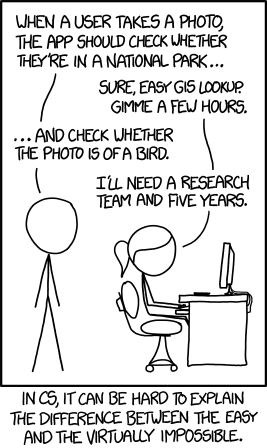
In the 60s, Marvin Minsky assigned a couple of undergrads to spend the summer programming a computer to use a camera to identify objects in a scene. He figured they'd have the problem solved by the end of the summer. Half a century later, we're still working on it.
feral spear
dark edge
but if they know their stuff they'll tell you if it's impossible or not
so w/o rollback it is more feasible then?
modest coral
so i am not sure do i solve it with log in ?
dark edge
I can't think of why you'd need rollback anyway but I don't know where your design is on the action -> RTS spectrum
modest coral
i mean it does not make sense
dark edge
Welcome back
feral spear
dark edge
I can't think of why you'd need rollback anyway but I don't know where your desi...
rollback is not a requirement, I just saw that Stormgate went that way and were able to make it work and actually had better results using it
to be fair, James Anhalt is a pretty good programmer to say the least
feral spear
nocturne quail
will you host on steam?
too early to tell
modest coral
why does it load mario if game 2 does not ?
well the issue is your connecting to my server that has Mario even you don't have it you some how loading Mario on your side ?
 meager spade
Please keep your random chatter out of this channel.
true stream
meager spade
Please keep your random chatter out of this channel.
Is there a prison system
modest coral
so yeah like i was saying do you load character on the server side ?
mossy helm
any good multiplayer blogs?
I have a problem that I mostly understand every concept alone but I still don't get how everything connect together and work
fossil spoke
Try looking through the Pinned Messages here
twin juniper
I'm stumped  so when the client dies it is supossed to remove the HUD right? well no it removes the servers HUD (Not good) and when the server dies only the server loses its HUD (Good) anyway to fix that?

I've reposted this to many times to count I'm desperate please help someone 😭
twin juniper
twin juniper
I've reposted this to many times to count I'm desperate please help someone 😭
I dont care when/or how you tell me just tell me please
 burnt wadi
Hey guys, I was wondering what is the most common solution people use to get dedicated servers running on player request? (for example playfab)
sinful tree
twin juniper
I'm stumped <:old_man_yells_at_unreal:989354160925327400> so when the client die...
All this indicates is when you call the interface, it'd reduce the Current Amount of Players -1, and then attempt to call the Multicast which if executed by clients would attempt to remove the "The HUD" widget from the screen of the client that received the multicast.
That said, Multicasts can only be called by the server. The actor itself needs to be spawned by the server and marked as replicated for it to go through - guessing this is a GameState based on the name you have for it so this should be fine. "The HUD" variable would also need to be populated with an actual reference to a widget on the client, and if the multicast is successfully being called, but it's not getting removed, you'd probably have an error message indicating "None Accessed".
 quasi tide
You also really only need to be removing the HUD locally. As it is an entirely local thing.
fossil spoke
burnt wadi
Hey guys, I was wondering what is the most common solution people use to get ded...
What do you mean? This is such a broad question. Its impossible to answer specifically.
burnt wadi
fossil spoke
What do you mean? This is such a broad question. Its impossible to answer specif...
Services like aws gamelift, microsoft playfab provide automatic deploying of servers on client requests right? so like i was wondering out of many solutions for these type of services out there and which ones do beginners use or like are most begginer friendly
 lost inlet
Though cloud is expensive so there are other game server companies that do their own custom thing too
burnt wadi
lost inlet
Though cloud is expensive so there are other game server companies that do their...
cloud is expensive yeah...but doing custom solutions for this type of thing for solo devs... 🥹
 plucky prawn
You can probably get away with a vps to host your server. They are cheaper than a whole dedicated server, not sure how they compare to other services like playfab though. This is usually something you look at scaling once you have a product and a decent player base.
modest coral
anyone know a solution for player joining host loading the wrong players it seem my problem maybe comes from maybe character settings ? i don't have character selection maybe that will solve it ?💡
lost inlet
plucky prawn
You can probably get away with a vps to host your server. They are cheaper than ...
Pretty sure they just use normal ass Azure compute
But we definitely used a bunch of Vultr and DigitalOcean early on
Though Vultr once terminated one of our instances because of sustained high CPU usage and probably thought we were mining crypto
echo snow
Is this a normal interaction between a client charcter and a simulated physics cube?
The cube has Replicates and Replicate Movement checked. The client character gets stuck on it constantly when trying to push it

It's just a cube with these settings. There is no other logic, I don't understand why correction would happen unless unreals replication system can not handle physics

No special code going on in the character either. its the default character
carmine canopy
sinful tree
You wouldn't need to use an Unreal server to do that and would actually be kind ...
Thank you so much for the detailed explanation.
 queen escarp
hey guys im still looking for a solution for this when im rotating my actor (client side) its verry stuttery
im RPCing the action, but the problem being as i was told is that the server cant catch up to it to the same time the client is doing it, but then the PMC is repliacted how would i use the PMC to rotate istead of RPCing like this ?
 sinful tree
queen escarp
hey guys im still looking for a solution for this when im rotating my actor (cli...
sinful tree
queen escarp
hey guys im still looking for a solution for this when im rotating my actor (cli...
This doesn't seem like a great idea as you're attempting to add a delta rotation which would likely result in things being out of sync across clients as there's no guarantees of when the multicasts will be received or that they would be received at all. Rather than multicasting, make the desired rotation a RepNotify property that ignores the owner for the replication condition, and rather than using a delta world rotation, just determine what the actual rotation should be, replicate that to the server and have the server set that value into your replicated property so that in the OnRep function it can just set the actor world rotation to what it should be -- as the property won't replicate to the owner, their own rotation will not be modified so they should be able to freely rotate without any stuttering.
queen escarp
hm
 untold grove
Hi all, there is a problem with multiplayer. In the engine everything works, but here I throw the build to friends, sessions seem to be created, but they are not looking for others

 queen escarp
@sinful tree ok im going to try that erhm
@sinful tree but how would i erhm
how would i ignore the owner ?
replication "skip owner" ?
sinful tree
There's "Replication Conditions" on properties. Yes.


 unkempt tiger
echo snow
Is this a normal interaction between a client charcter and a simulated physics c...
unkempt tiger
echo snow
Is this a normal interaction between a client charcter and a simulated physics c...
How do you want the interaction to go about? what are you trying to do?
 native tapir
I'm planning to creating mobile game using unreal engine.
My game will contain multiplay contents and I want to know which services is good to implement about my cases.
- Authentication (Android)
- Session support (for P2P)
- admob and in app purchase
In this cases, which services is good to go?
I'm testing EOS (Epic Online Services) right now but I don't know this services is good for android and ios..
twin juniper
sinful tree
All this indicates is when you call the interface, it'd reduce the Current Amoun...
No it is an actual widget....
It removes the servers HUD when clients die (bad)
 tardy fossil
twin juniper
No it is an actual widget....
tardy fossil
twin juniper
No it is an actual widget....
you could pass the dying player as an argument to the notify player death and move the RemoveWidget to be a client RPC on their player controller blueprint
twin juniper
tardy fossil
you could pass the dying player as an argument to the notify player death and mo...
Sounds good will try when I'm home!
 thick vector
I have some enemies that only run on server, they are always relevant but when the client player is far from server player animation curves attached to enemies become null and GetCurveValue retuns 0 on server, I don't know why this happen and how the network culling works for the client, can someone give me a clue?
modest coral
thick vector
I have some enemies that only run on server, they are always relevant but when t...
same here i am seeing a player that's not on the client and loads on the server
tardy fossil
thick vector
I have some enemies that only run on server, they are always relevant but when t...
if you check out your class defaults in your blueprint for your actor, you should see NetCullDistance, which controls the distance actors get culled.. if you want that to just never happen you can set AlwaysRelevant to true
thick vector
tardy fossil
if you check out your class defaults in your blueprint for your actor, you shoul...
The enemies are close the client player but far from server player, but the comment of NetCullDistanceSquared point that it is related to client's viewpoint!
Also the enemies already checked Always Relevant
tardy fossil
hmmm it might be something else other than culling causing it then
thick vector

Epic Developer Community Forums
I would like to use animation curves for providing control information to custom pawn movement component (using blueprint). When I call GetCurveValue on server for character who is far from listening-server’s character (out of sight), the blueprint returns 0. For example, if I use it as multiplier for rotation speed, it can’t rotate. So, all cli...
Epic Developer Community Forums
It appears as if dedicated servers don’t have access to the curves defined in an AnimMontage. Create an AnimNotifyState BP which has a tick function in it. The tick function looks up the curve value and prints it out. GetAnimInstance(Mesh Comp)->GetCurveValue(“Test”)->Print String. Create a Montage with any animation and add the above AnimNoti...
Both without answer!
echo snow
unkempt tiger
How do you want the interaction to go about? what are you trying to do?
I want the client to be able to walk into physics objects and push them around without stuttering
echo snow
So I found a workaround that produces less jittery results for the client without any code. I just wrapped my character capsule with another capsule that only collides with physics actors on the server side. This gives plenty of time for the client to move towards the object without actually colliding, but still applying force to that object

problem happens when there is no space and the physics actor is between the capsule and a wall so the client thinks there is room to move but there isn't
twin juniper
I'm attempting to set up a replicated UObject. I have a property that successfully replicates to clients when set through cpp. When I set this property through blueprint script however, it will not replicate to clients. Should I be expecting replicated variables setup in cpp, but set through blueprint to replicate properly? Or is there some sort of special code I would need to implement to allow a replicated variable on a UObject to replicate when set through blueprints?
Here is code from the meant-to-be-replicated objects header file. CounterTest is the property that will not replicate when set through blueprints.
// ControllablePropertyManager.h
    // Add replication support.
    virtual void GetLifetimeReplicatedProps(TArray< class FLifetimeProperty >& OutLifetimeProps) const override;
    bool IsSupportedForNetworking() const override;

    UPROPERTY(BlueprintReadWrite, EditAnywhere, Replicated)
int CounterTest;```Here is code from the meant-to-be-replicated objects cpp file.
// ControllablePropertyManager.cpp
void UControllablePropertyManager::GetLifetimeReplicatedProps(TArray<class FLifetimeProperty>& OutLifetimeProps) const
{
    Super::GetLifetimeReplicatedProps(OutLifetimeProps);

    DOREPLIFETIME(UControllablePropertyManager, CounterTest);

    // Add any Blueprint properties
    // This is not required if you do not want the class to be "Blueprintable"
    if (const UBlueprintGeneratedClass* BPClass = Cast<UBlueprintGeneratedClass>(GetClass()))
    {
        BPClass->GetLifetimeBlueprintReplicationList(OutLifetimeProps);
    }
}

bool UControllablePropertyManager::IsSupportedForNetworking() const
{
    return true;
}
Here is code from the class which creates the meant-to-be-replicated ControllablePropertyManager. This is in its header.
// ControllableCharacter.h
protected:

    // Called when the game starts or when spawned
    virtual void BeginPlay() override;

public:

    // Controllable Property manager. This is how I will replicate the object that is created on the server, over to the client.
    UPROPERTY(Replicated, BlueprintReadOnly, VisibleAnywhere, Category = "Controllable Properties")
    TObjectPtr<UControllablePropertyManager> ControllablePropertyManager;

    UFUNCTION(BlueprintCallable, BlueprintNativeEvent)
    void InitializeControllableCharacter();

    // Add replication support.
    virtual void GetLifetimeReplicatedProps(TArray< FLifetimeProperty >& OutLifetimeProps) const override;
    void TestPrint();
};```Here is the code from that cpp file.
// Called when the game starts or when spawned
void AControllableCharacter::BeginPlay()
{
    Super::BeginPlay();

    InitializeControllableCharacter();

    // Test if counter test is able to replicate via cpp code.
    if (HasAuthority())
    {
        FTimerHandle TimerH;
        GetWorldTimerManager().SetTimer(TimerH, this, &AControllableCharacter::TestPrint, 8.0, false);
    }
}

void AControllableCharacter::InitializeControllableCharacter_Implementation()
{

    // Construct the loadout manager.
    LoadoutManager = NewObject<ULoadoutManager>(this, ULoadoutManager::StaticClass());

    bReplicateUsingRegisteredSubObjectList = true;
    // Construct the controllable property manager.
    if (HasAuthority())
    {
        ControllablePropertyManager = NewObject<UControllablePropertyManager>(this, UControllablePropertyManager::StaticClass());
        ControllablePropertyManager->CounterTest = 12;
        AddReplicatedSubObject(ControllablePropertyManager);
    }
}

void AControllableCharacter::GetLifetimeReplicatedProps(TArray<FLifetimeProperty>& OutLifetimeProps) const
{
    Super::GetLifetimeReplicatedProps(OutLifetimeProps);

    DOREPLIFETIME(AControllableCharacter, ControllablePropertyManager);

    // Add any Blueprint properties
    // This is not required if you do not want the class to be "Blueprintable"
    if (const UBlueprintGeneratedClass* BPClass = Cast<UBlueprintGeneratedClass>(GetClass()))
    {
        BPClass->GetLifetimeBlueprintReplicationList(OutLifetimeProps);
    }
}

// This code successfully updates and replicates the CounterTest variable.
void AControllableCharacter::TestPrint()
{
    ControllablePropertyManager->CounterTest = 20;
    UKismetSystemLibrary::PrintString(this, "Updated");
}
In blueprint script, all im doing is this. This code exists on a subclass of AControllableCharacter.

This variable set does not replicate. Even though if i do the same in cpp, it does replicate.
Checking the variable with this simple hotkey.
 queen escarp
@sinful tree got any feedback 🙂 ?
sinful tree
queen escarp
<@218956378654507008> got any feedback 🙂 ?
Yea that's about right, but you may want to set it so it's only replicating the yaw if that's what you're using rather than replicating a whole rotator.
queen escarp
@sinful tree how would i do that ?
sinful tree
Change the variable type to a float rather than a rotator.
queen escarp
ah true
hm its not doing anything tho


what am i missing :/?
hm the value is changing but its not rotating :/
magic vessel
Maybe the actor rotation needs to be set on the server as well?
magic vessel
What do you mean? That this behaviour doesn't work on a listen server?
queen escarp
hm yeah so its working on the listen server but not for the clienjts
should i rpc the function also ?
 versed prawn
Where do you usually store each player resources?
Player state, controller, or character
magic vessel
Depends on who you want to be able to see those resources
Player state and character are replicated to all clients (plus server)
Controller only exists on server and owning client
 regal moat
need help with a homing projectile. It does home but only towards its self when fired by the person who host and to the host when fired from whoever joins. I know how to switch it to the parson who joins but I thats if I change a 0 to a 1. the problem is I dont know how to change this depending on who fires. Im still researching things about it but If anyone has good advice Im more than willing to listen. currently Im thinking of using an array of locatplayers and going from there:
AActor* AAdrian_Projectile::FindTarget()
{
    TArray<ULocalPlayer*> LocalPLayers;

    if (HasAuthority())
    {
        APlayerController* PlayerController = UGameplayStatics::GetPlayerController(this, 0);
        APawn* PlayerPawn = UGameplayStatics::GetPlayerPawn(this, 0);
        if (PlayerPawn)
        {
            ACharacter* PlayerCharacter = UGameplayStatics::GetPlayerCharacter(this, 0);

            if (PlayerCharacter)
            {
                SetInstigator(PlayerPawn);
                return PlayerPawn;
            }
        }
    }
    else
    {
        APlayerController* PlayerController = UGameplayStatics::GetPlayerController(this, 1);
        APawn* PlayerPawn = UGameplayStatics::GetPlayerPawn(this, 1);
        if (PlayerPawn)
        {
            ACharacter* PlayerCharacter = UGameplayStatics::GetPlayerCharacter(this, 1);

            if (PlayerCharacter)
            {
                SetInstigator(PlayerPawn);
                return PlayerPawn;
            }
        }
    }
    APlayerController* PlayerController = UGameplayStatics::GetPlayerController(this, 1);
    APawn* PlayerPawn = UGameplayStatics::GetPlayerPawn(this, 1);
    if (PlayerPawn)
    {
        ACharacter* PlayerCharacter = UGameplayStatics::GetPlayerCharacter(this, 1);

        if (PlayerCharacter)
        {
            SetInstigator(PlayerPawn);
            return PlayerPawn;
        }
    }

    return nullptr;
}
this method is called in Tick() whenever a projectile is fired
magic vessel
I'd recommend looking to into Net Roles, cause Player index 0 will always return the host when on the server. If you are calling this on the client, then their (client) player index will always be 0
So by doing it this way, if authoratitive target the host, if remote then target the host (assuming 2 players 1 host 1 client)
You could hold a ref to the targetted actor as a member property that is set on the server, and remove this entirely
So when you fire the missile, it passes through which actor to target
Cause by doing what you are doing each frame, never mind the networking, is going to be a massive performance hit
queen escarp
@sinful tree yo got a sec to se where im doing it wrong 🙂 ? it works as listen but on clients nothings happening
raw thunder
Hello everyone,
I am trying to spawn a projectile with a InitialSpeed parameter.
Is it possible to replicate a variable with along the spawn of the actor? Such as the variable is already replicated when calling let's say PreInitializeComponents.
I spawn my projectile like this on the server:
ARPGProjectile* URPGGameplayAbility_Projectile::SpawnProjectile(TSubclassOf<ARPGProjectile> ProjectileClass, const FTransform& Transform,
    const FGameplayEffectSpecHandle& DamageEffectSpecHandle, AActor* Owner, APawn* Instigator, float MaxPredictionPing, float InitialSpeed, float Range)
{
[...]
    ARPGProjectile* Projectile = GetWorld()->SpawnActorDeferred<ARPGProjectile>(ProjectileClass, Transform, Owner,
        Instigator, ESpawnActorCollisionHandlingMethod::AlwaysSpawn);
    Projectile->DamageEffectSpecHandle = DamageEffectSpecHandle;
    Projectile->SpawnOnOwningClient = Role != ROLE_Authority;
    Projectile->InitialSpeed = InitialSpeed;
    Projectile->FinishSpawning(Transform);
[...]
}
And need to set the property InitialSpeed on the ProjectileMovementComponent before Begin Play, else it does not work. So I did it in the PreInitializeComponents
void ARPGProjectile::PreInitializeComponents()
{
    Super::PreInitializeComponents();
    ProjectileMovement->InitialSpeed = InitialSpeed;
}
Maybe my way of doing things is not right, can someone help me on this?
 thin stratus
@raw thunder if you just mark the variable as replicated it should at least be correct on BeginPlay
Not sure about PreInit
raw thunder
thin stratus
<@200010785815134208> if you just mark the variable as replicated it should at l...
Yes it's getting properly replicated at BeginPlay
Maybe I'm over-complicating stuff here. I just want to replicate a projectile on other clients, do you know how I can do it? With a InitialSpeed parameter
My Owning client has a Dummy projectile and do not see the "real" projectile which is spawned on the server. But I have issues with other clients
(The server is fine)
Maybe I should use the "Replicate Movement" on the projectile actor itself instead of the Projectile Movement on the other clients?
Ok here I managed to move the InitialSpeed on the BeginPlay updating directly the Velocity of the projectile and it seems to work fine. I can't find a good exemple on how to do it properly online :x Kinda new on this stuff.
void ARPGProjectile::BeginPlay()
{
    Super::BeginPlay();
    ProjectileMovement->Velocity = ProjectileMovement->Velocity.GetSafeNormal() * InitialSpeed;
}
 swift turret
Any ideas why i have multiple different replication problems after server traveling (changing map) few times? Breaks many things, destroyed on server actors stays on client, some variables are not replicated. But overall all players still can play, shooti, win, loose. Its like only some things broke? There are never any issues with replications at the start of game, only after changing map few times (at least 6)
thin stratus
You probably have NetGUID related logs
More and more people are fighting this. It's been an issue since at least 4.26 or so
thin stratus
raw thunder
Maybe I'm over-complicating stuff here. I just want to replicate a projectile on...
You can override ReceiveVelocity or whatever it is called and set the ProjectileComps velocity with the actors
 quiet cairn
hey folks, is it possible to blacklist certain console commands so they're not read from the ini files? i'm trying to prevent cheating in multiplayer
thin stratus
quiet cairn
hey folks, is it possible to blacklist certain console commands so they're not r...
For example?
quiet cairn
thin stratus
For example?
r.Tonemapper.Gamma or r.Tonemapper.Quality or anything tonemapper related, really.
right now players can abuse it and make the night time maps look like daytime
thin stratus
quiet cairn
r.Tonemapper.Gamma or r.Tonemapper.Quality or anything tonemapper related, reall...
Are you sure the ini files for ConsoleVariables even work in Shipping?
quiet cairn
thin stratus
Are you sure the ini files for ConsoleVariables even work in Shipping?
yes. people are putting them in the Engine.ini under [ConsoleVariables]
thin stratus
quiet cairn
yes. people are putting them in the Engine.ini under [ConsoleVariables]
Hm not sure, if not then you could try to listen to the change and simply undo
Bit dirty but might work
quiet cairn
thin stratus
Hm not sure, if not then you could try to listen to the change and simply undo
the problem with that would be that i don't know the default values for the tonemapper. it's different based on the map and what equipment you're using. there wouldn't be a change at game start when the user has already altered the ini file before launching the game 
 blissful island
hi, im currently trying to make on the firstperson template shooting function to work on both the server and the client, but it doesnt seem to shoot from the client side. not sure if i need to do more than what i have but here is what i have currently in my c++ code. any ideas?


 raw thunder
thin stratus
You can override ReceiveVelocity or whatever it is called and set the Projectile...
raw thunder
thin stratus
You can override ReceiveVelocity or whatever it is called and set the Projectile...
Thanks a lot for your answer. PostNetReceiveVelocity maybe? I am not sure what you mean by that.
queen escarp
Hey guys Question, how would i make a Custom event that RPC, not fire on client also ? in this chase when i wanna play a montage and use the notify begin i think rpcing the montage to the server but localy use a nonrpc action or how would i do it ?

to optimize
thin stratus
You can't really. You can only locally filter to not play it twice
mossy helm
how do I generally remove a widget in a multiplayer game?
I want to remove it just for one player, the one who created it
not sure if this is right, but it's not working

 dark edge
mossy helm
not sure if this is right, but it's not working
dark edge
mossy helm
not sure if this is right, but it's not working
Widgets aren't network aware and your server shuldn't care about them at all
What is the ACTUAL trigger to remove the widget? You want this widget to go away..... when?
mossy helm
dark edge
What is the ACTUAL trigger to remove the widget? You want this widget to go awa...
here

I was just making a box, when I touch it, it shows UI, when I go away, UI gets deleted
dark edge
Only for the local client right?
mossy helm
yes
dark edge
Then gate by that, IsLocallyControlled
mossy helm
dark edge
Then gate by that, IsLocallyControlled
it's printing false now

 echo snow
Is creating a component just for a single float a good idea?
For example I would write a class that has a replicated float and call it UReplicatedFloatComponent, then add it to my character and treat it as a stamina or health bar. And I can add as many components to my character as I need without having to write code for replication for each variable
I can maybe even create delegates to add extra functionality for when variable changes and for validation?
twin juniper
echo snow
I can maybe even create delegates to add extra functionality for when variable c...
It would be better to create a single componet called StatManagerComponent. This component would manage/replicate an array of different character stats.
dark edge
All roads lead to GAS at the end of the day
echo snow
it really does, I think I should start learning GAS
thin stratus
queen escarp
like so ?
Of course not. You do that in the RPC..
queen escarp
@thin stratus

aye that makes sense -.-*
ty and im gussing is locally controlled is the one ?
thin stratus
Yes
queen escarp
also eXi- i did as datura suggested but im not getting it to work on the client side with the rotation, and im guessing he dont have time do you se what im missing ?https://gyazo.com/9bbe4be6572c096db3dd3c3673d7c6b7


its about the rotation
he suggested to use a repNotify and change it on the server only
it works for the host(listenserver) but not for the clients
thin stratus
Didn't I already say that a Character with a CMC uses the ControlRotation?
And that this is basically already replicated?
queen escarp
yeah well i dont get how i would use that tho :/?
queen escarp
well its not being replicated tho :/


the CMC components are set to replicate also*
thin stratus
CMC doesn't need to be set to replicate. It replicates through the Character
What are you even trying to do? the Character should replicate Rotation just fine if using ControlRotation
That's how every First and Third Person character works by default
queen escarp
im just trying to change the rotation of the character
basicly move and steer with rotation instead of axis i suppose
i dont get it then why is it not being replicated tho rotation,
dark edge
queen escarp
im just trying to change the rotation of the character
Start with figuring out where the character rotation is coming from right now
is it using ControlRotation?
queen escarp
no
dark edge
What is it using?
queen escarp
its using my system or rather nothing atm then
thats the thing im using set actor rotation , thats it
and it works on host, not clients
dark edge
It'd be a lot simpler to use control rotation and NOT use it for your camera or whatever you're using it for right now
Do you only need the yaw or is there more to a characters rotation?
queen escarp
well basicly ive done a "world of warcraft controller" where using A,D rotates the charcter based on its own rotaion
and if you hold down RMB it rotates the camera and then rotates the actors Yaw based on cameras X,Y
dark edge
keyboard turning! nooo
jk
I'd use control rotation for the char
and something else for the camera rotation
queen escarp
i mean
well ive got everything working on the host side its just that it dosent work on the client side thats the issue
since i was RPC it before it was verry stringgy stuttering rotation on the clients
then i was suggested to use Rep notify to "set rotation" inasted

the weird thing is

the values are changing
(first one is Client) 2nd (server)
adn the repNotify is Skiping owner as condition,
hm.. if i changed the "skip owner" it acctually works
but verrrrry stringy
this is client
dark edge
I have a feeling you're fighting with ReplicateMovement probably
queen escarp
you know what.... i think i solved it
almost
since im repNotifying but skipping self
then i set the actor rotation locally ofc
then it worked for the running around and rotating
but the standing still with keybord input to rotate is not hmmm
dark edge
I think you're fighting the system too hard and should use ControlRotation for the character orientation and handle camera rotation on its own (optionally replicated if you must replicate a look direction)
queen escarp
well ive tried that but was unabvle to get that to work to -.-'
but i mean this runs smootly
just need to figure out why this standing still part wont work:/
its rotating on the server the client just not on the client for some reason
ok ill try the control rotation i suppose

use controller desired rotation only right ?
and pawn use rotation yaw* ?
dark edge
That should do it
queen escarp
yeah well that kinda cleared it
altho
if i need to add controller yaw,roll,pitch at the same time
is there a node to handle them all ?
dark edge
queen escarp
if i need to add controller yaw,roll,pitch at the same time
You can just set control rotation
why do you need roll and pitch?
does your character lean over?
queen escarp
no

this part
im setting rotation based on 2 axis from the spring arm
so i need to include them when rotating
queen escarp
y
ill show u

so if i rotate the camera and then wanna start walking
it needs to rotate towards camera angel
basicly
dark edge
Mouse -> update SpringArmRotation
Tick -> is RMB held down? -> ControlRotation = SpringArmRotation
A/D -> add control rotation yaw
queen escarp
yeah i mean i got everything working
i just cant find the Set controller ?
set controller rotation
only each one individually ?
dark edge

target is controller
not pawn
get controller -> set control rotation
only on locally controlled of course
Tick -> locally controlled? -> get controller -> set control rotation
dark edge
queen escarp
still not 100%
Which part isn't?
queen escarp
i mean the rotation is abit cluncky
dark edge
the camera or the control rotation?
the control rotation should be butter smooth everywhere
 dark edge
Make sure you'd doing nothing with rotations beyond that
you should'nt have anything replicated etc right now
queen escarp
yeah im not
dark edge
basically default 3rd person character but you feed the values into ControlRotation differently
with RMB held down it's 100% the same
queen escarp
yeah some other stuff could be interfearing ill have to look at that but ty for help Aw
this is way better then be4 😛
last thing tho


its not showing on the client :/..
ideas?
dark edge
queen escarp
Show more of what feeds this
queen escarp
Hm i have to go now ill try and solve it 2morrow otherwise ill dm u 🙂 thanks for the help !
echo snow
Is replicating a number of individual floats the same as replicating a TArray<float> with the same number of elements?
Does TArray send the entire array on change, or just a float?
fossil spoke
Arrays will only send what gets changed
There is no guarantee that the arrays layout will be the same on client/server.
Never rely on that
echo snow
Where can I read about how tarray replication works?
fossil spoke
echo snow
Where can I read about how tarray replication works?
The engine source code
You should also probably read up on Fast Array serialization
magic vessel
What's the first stage on the player pawn that guarantees a valid player state on the server?
I know OnRep_PlayerState exists, but what's the equivalant with authority?
magic vessel
I'm having trouble with my widget component replicating
fossil spoke
magic vessel
I'm having trouble with my widget component replicating
Widgets do not replicate
They are cosmetic only
And exist locally
magic vessel
I know widgets don't replicate, I'm trying to replicate a widget component
In world space
fossil spoke
Well a Component will generally speaking follow its attached to Actor
If that Actor isnt set to replicate
Then the Component wont be either
magic vessel
Sorry if I come across a bit frustrated
It is the player pawn that it is attached to and both are set to replicate
I'm setting some variables on the widget component's widget instance, and that is what isn't replicated
fossil spoke
Ok well I just mentioned above that Widgets are not replicated.
I'm setting some variables on the widget component's widget instance,
Thats your problem
magic vessel
How can I update the widget on all clients, ideally without a multicast?
fossil spoke
Depends on what your trying to update I guess.
magic vessel
Player Name
fossil spoke
Why isnt the Widget reading that from the PlayerState?
magic vessel
It is, I have a component that holds that information
fossil spoke
You shouldnt need that, given the PlayerState already has functionality for PlayerName
Which is replicated
magic vessel
Here is the code that I'm using. It's being called on PossessedBy
if(HasAuthority() && GetPlayerState()->Implements<UPlayerProfileComponentInterface>())
    {
        UPlayerProfileComponent* ProfileComponent = IPlayerProfileComponentInterface::Execute_GetPlayerProfileComponent(GetPlayerState());

        if(IsValid(ProfileComponent))
        {
            UPlayerProfileWidget_Base* ProfileWidget = Cast<UPlayerProfileWidget_Base>(PlayerNameWidget->GetWidget());

            if(!IsValid(ProfileWidget))
            {
                UE_LOG(LogDevExercise, Error, TEXT("Profile Widget on [%s] is Invalid"), *GetNameSafe(this));
                return;
            }

            UE_LOG(LogDevExercise, Display, TEXT("Profile Widget  Cast to PlayerProfileWidget_Base"));
            ProfileWidget->SetPlayerProfileComponent(ProfileComponent);
        }
        else
        {
            UE_LOG(LogDevExercise, Warning, TEXT("Profile Component is not Valid"));
        }
    }
    else
    {
        UE_LOG(LogDevExercise, Warning, TEXT("Player State does not Implement Player Profile Component Interface"));
    }
You are going about this backwards.
Your Pawn should not be managing the state of the Widget.
The Widget should be able to handle updating itself given the context it understands it to be being used in.
As a side note, why on earth are you using an Interface to get a Component, when there is literally a FindComponentByClass function.
magic vessel
fossil spoke
As a side note, why on earth are you using an Interface to get a Component, when...
Well it makes it easier for me to work with, and I prefer to loosely couple my classes
magic vessel
fossil spoke
The Widget should be able to handle updating itself given the context it underst...
That's what I'm trying to do here. It should be able to handle itself, once it has a reference to the Player Profile Component
fossil spoke
magic vessel
That's what I'm trying to do here. It should be able to handle itself, once it h...
The Widget is already attached to a Pawn, so the Widget already knows about the Pawn.
It also understands what Player its attached to

Your widget shouldnt need anything more complicated than this
mossy helm
how can I send data from server to client?
are there different ways? what are they?
I knew the OnRep one, not sure if there's something else
fossil spoke
@mossy helm A multicast RPC.
Or a Client RPC
You should read the Network Compendium
Its likely linked in the Pinned Messages for this channel.
 silk thunder
Hello! I'm a little bit confused about player states, I currently have a variable for "AssignedTeam" in the player state, is there a way for one client to get the "AssignedTeam" value of a different client?
echo snow
With Fast Array, should I call MarkArrayDirty after I empty the array and repopulate it or right after I empty it (before I repopulate it)?
And does marking the array dirty eliminate the need to use MarkItemDirty?
fossil spoke
silk thunder
Hello! I'm a little bit confused about player states, I currently have a variabl...
You need to mark that property as Replicated
Then other Players can use each others PlayerStates to read the value of that property
@echo snow Good questions. I would think that just simply calling MarkArrayDirty at the end might be sufficient.
However, if that doesnt work, just call the relevant functions in order they expect.
MarkArrayDirty after you empty it, and then MarkItemDirty as you add the new elements.
echo snow
I'll try thank you
When we say the replicated array order might not be the same for client and server, do we mean that the network can screw up every now and then and not match up, or will it frequently be different from each other
silk thunder
fossil spoke
Then other Players can use each others PlayerStates to read the value of that pr...
The "Assigned Team" Variable I have is being replicated, but when I try to access the PlayerState from my player controller, it returns null :/
fossil spoke
echo snow
When we say the replicated array order might not be the same for client and serv...
Order is just simply not preserved when transmitting across the network, its not a consideration.
It might be in order, it might not be
echo snow
Oh I see, it's literally not even considered
fossil spoke
Nope
fossil spoke
silk thunder
The "Assigned Team" Variable I have is being replicated, but when I try to acces...
Then you should try and work out why the PLayerState is empty 🤷
echo snow
Replicated variables are sent to clients when they are changed on the server, does that mean I have to rely on RPC's from the client to initiate change in these variables?
fossil spoke
echo snow
Replicated variables are sent to clients when they are changed on the server, do...
An RPC is the only mechanism that Clients have to talk to the Server
And by extension, affect change in variables that replicate to others, yes.
Clients can still change replicated variables on their side, but it is a local only change.
It will also only remain that way until the Server updates that variable again (because it changed on the Server).
echo snow
Thank you for the explanation 🙏
silk thunder
fossil spoke
Then you should try and work out why the PLayerState is empty 🤷
Thanks! It seems that the player state is null at the moment I was calling the function, but after a couple frames it fills itself
fossil spoke
silk thunder
Thanks! It seems that the player state is null at the moment I was calling the f...
Yeah, that happens. Welcome to networked multiplayer.
Replication isnt instant
echo snow
Does calling a Server RPC from the listen server use bandwith?
fossil spoke
echo snow
Does calling a Server RPC from the listen server use bandwith?
No.
Why would it?
echo snow
I'm not exactly sure how it works behind the scenes so it could've been either way as far as my knowledge goes
fossil spoke
The Listen Server is the Server. So calling a Server RPC on the Server just simply calls the function body.
fossil spoke
👍
 nocturne fog
Hello. I'm making a multiplayer game. On joining a session, only the host is responding to the input, not the clients. On top of that, both the client and host have the same character selected.
I'm maintaining the selected character in the game instance. Can anyone help me with this issue?
echo snow
Setting mobility has effects on server??
I have an area that deals damage when players walk into it. I was observing that only the client was taking damage. Setting the mobility of the sphere collision (the area of damage) fixed the problem and started dealing damage to the listen server as well. Why is it behaving like this?
thin stratus
nocturne fog
Hello. I'm making a multiplayer game. On joining a session, only the host is res...
Not without you posting code and results of your own debugging attempts.
You need to place breakpoints and print strings in places where you expect a certain value and see what and why it changed. We can't really help otherwise.
upbeat basin
nocturne fog
Hello. I'm making a multiplayer game. On joining a session, only the host is res...
I'll make a random guess since there isn't any code, if you're testing on a listen server and using advanced input there might be a problem with its setup, I had a similar problem like that
upbeat basin
I'm still looking for an answer or pointer to my design related question for PlayerState #multiplayer message
queen escarp
Can Someone explain to me how this works ???
i have a function that checks for accuracy Int value roll, if "Random int in range" is heger then true otherwise false,

but it always trues no matter what ??
or dose each line taken from the function calculate their own ?=
 kindred gazelle
Each line is a new random int
nocturne fog
thin stratus
Not without you posting code and results of your own debugging attempts.
You ne...
So sorry. I was unable to find any meaningful results with my debugging, hence I did not mention them. Here is a demo of the issue
queen escarp
@kindred gazelle omg is that really so,,, so i have to store the value then
kindred gazelle
only for pure functions, impure it will be the same
 nocturne fog
So sorry. I was unable to find any meaningful results with my debugging, hence I...
nocturne fog
nocturne fog
So sorry. I was unable to find any meaningful results with my debugging, hence I...
These are the blueprint segments for creating and joining sessions.


As demonstrated in the video, while playing as standalone games, it works fine. As soon as I join the session, the client loses its HUD and controls. Only the host is retaining it's state.
nocturne fog
upbeat basin
I'll make a random guess since there isn't any code, if you're testing on a list...
No I'm not testing on a listen server. I'm testing in standalone mode and using Unreal's inbuilt session system.
upbeat basin
queen escarp
this woill work ?
They meant storing the result of "Rand int in range" node. If there is no execution pin (white ones), it's a pure function. And pure functions are executed for each result pin connection. So the random int used on print and comparison might be different. If it's not a pure function (have execution pins, like your GetMeleeAccuracy function) the result (at the execution point) will be stored and will be the same value all the time. So if you want to debug your random integer you need to store that. Coming at your problem though, none if these are related with that, you need to debug and see what your accuracy and random int are to decide what's wrong
queen escarp
@upbeat basin thanks for explaining, however it was related to that since my print value was not the same that occured so its fixed now 😉
nocturne fog
nocturne fog
No I'm not testing on a listen server. I'm testing in standalone mode and using ...
I don't know if it helps, but somehow, when I was testing it in "listen server" mode, both the client and server were working fine. The only issue now is that the client was not having a HUD.
tardy fossil
is there a way to make a level thats loaded without the ?listen url become a listen server without reloading the map?
 drifting furnace
can sm1 pls tell me in simple words when i should just do Run on Server and when i should do both Run on Server and Multicast
dark edge
drifting furnace
can sm1 pls tell me in simple words when i should just do Run on Server and when...
Do you want the code to run on the server only or server + everyone?
 river swallow
Is there an easy way to create a LAN between an android/oculus and a PC listen server? Just need one user of each, just a small
thin stratus
river swallow
Is there an easy way to create a LAN between an android/oculus and a PC listen s...
With just the NULL Subsystem and direct IP connection it should work just fine.
 mystic estuary
Hello, has anyone implemented game pausing in multiplayer? I'm trying to do this for my game, but I have found an edge case. So, as I understood due to the latency server usually tells the clients the time the game needs to be stopped at. As I understand it's the UTC time, or something that we can rely on time wise. However, what if some client doesn't get the RPC notifying them about the pause in time? So, if I have some system that tells that the game will be stopped after 3 seconds, what if the RPC doesn't get to the client within that time limit? What will happen if the game will be stopped after it actually needed to be client-side? Might it break anything?
 graceful flame
mystic estuary
Hello, has anyone implemented game pausing in multiplayer? I'm trying to do this...
graceful flame
mystic estuary
Hello, has anyone implemented game pausing in multiplayer? I'm trying to do this...
You can just make it a reliable RPC I suppose
mystic estuary
But what I'm saying that it might not get in time if the player connection becomes extremely bad just for that moment. It's just hypothetical btw
graceful flame
but if its marked as reliable they will get it (eventually)
that's kinda the point of reliable, just remember not to use reliable on all your RPC events especially ones bound to user inputs or else they'll overflow the reliable buffer and cause themselves to disconnect
mystic estuary
I do understand that it'll get to the client at some point, but I'm asking what would happen if the client doesn't pause the game at the same moment as others?
graceful flame
So in other words its okay to use reliable RPC on events that MUST happen but not okay to use them on events that don't really need to happen and can probably be dropped without it affecting the game too much
What do you mean what will happen? Since the server is authority of what the game's state is all the connected clients are simulating whatever the server says. So if a client requests a pause via RPC and the server performs the pause you can multicast it out to all other clients using a reliable event. So therefore they all get paused.
mystic estuary
I don't wanna sound rude, but I do know how RPCs work, so you can avoid explaining them to me. So, I'll change my question a little bit. What will happen if the server pauses the game without notifying the clients?
graceful flame
Desync
The clients will try to keep playing but the server will keep issuing corrections so expect lots of jittery character movement
 echo bough
iirc, client would chug hard
mystic estuary
graceful flame
The clients will try to keep playing but the server will keep issuing correction...
Jittery character movement means that they try to walk, but get teleported back everytime since the server world is paused?
echo bough
yeh
mystic estuary
But how is that a thing? Isn't the server paused? How would it rollback the clients position?
graceful flame
The frames keep running though
graceful flame
Gameplay is paused but ticks are still going
graceful flame
The client's character transform would be different and so on the next frame the server would be like "hold up...you're cheating! I'm going to roll you back to the correct position".
winged vault
How do I replicate buoyancy smoothly? It works fine in standalone, but when I run it in a netmode client it's all jerky
mystic estuary
Is there any good way of testing the pause properly? I've tried to test in viewport PIE, but the clients get paused regardless, even if I don't send any RPC
graceful flame
I haven't really dug all that deep into pause but I think client's can pause their own simulation but in a multiplayer environment other connected clients would see that paused client in an unpaused normal state.
aka desync
So that's why most multiplayer games don't allow clients to pause themselves
Because its just a pointless desync me button lol
mystic estuary
bool APlayerController::SetPause( bool bPause, FCanUnpause CanUnpauseDelegate)
{
    bool bResult = false;
    if (GetNetMode() != NM_Client)
    {
        AGameModeBase* const GameMode = GetWorld()->GetAuthGameMode();
        if (GameMode != nullptr)
        {
            bool bCurrentPauseState = IsPaused();
            if (bPause && !bCurrentPauseState)
            {
                // Pause gamepad rumbling too if needed
                bResult = GameMode->SetPause(this, CanUnpauseDelegate);

                if (AWorldSettings* WorldSettings = GetWorldSettings())
                {
                    WorldSettings->ForceNetUpdate();
                }
            }
            else if (!bPause && bCurrentPauseState)
            {
                bResult = GameMode->ClearPause();
            }
        }
    }
    return bResult;
}
Doesn't seem to be the case
I mean, clients cannot pause
graceful flame
I thought there was some project settings override for it? maybe not
mystic estuary
Yeah, but still GameMode has another SetPause function, and GM exists server-side only
graceful flame
Maybe that's for singleplayer games then, that's probably what I'm thinking of
thin stratus
Server itself can't pause, unless ListenServer. Pretty sure there is a ServerRPC somewhere though. Game can only be paused for all or none and the pausing player is saved
mystic estuary
Pretty sure there is a ServerRPC somewhere though.
APlayerController.h

UFUNCTION(reliable, server, WithValidation)
ENGINE_API void ServerPause();
Are you talking about this one?
 native sparrow
sorry if this is a basic/common question but... in UE4, are all communications done on a single thread? is it different in UE5?
 fathom aspen
Afaik it's all done on the game thread. Iris is trying to do it in such a way where replication is on a separated thread
native sparrow
fathom aspen
Afaik it's all done on the game thread. Iris is trying to do it in such a way wh...
i'm wondering if all those objects are being synchronized over a single threaded communications substack
and with a multiplayer game, all those updates are going thru the central point that is the server
which group would be the best group to post to regarding synchronizing objects across multiple clients?
fathom aspen
Group? You mean channel? This one.
You don't need to go low level to understand how to do synchronization. Unreal engine already has an inherent support for that. All you need to do is read through the channel pins to know how to do it properly
fathom aspen
tardy fossil
is there a way to make a level thats loaded without the ?listen url become a lis...
There has been a rumor that u can't do it without reloading the level, but no you can. Literally GetWorld()->Listen
native sparrow
fathom aspen
Group? You mean channel? This one.
You don't need to go low level to understand...
my concern is with object synch across numerous clients without lagging. currently, UE4 lags pretty bad, usually as players log in and it seems to get worse as the number of user placed in-game objects increases
my understanding is the communications are done over a single thread, which would definitely bog down if not optimized
fathom aspen
Of course, since why you need to integrate some optimization techniques. Unreal engine peformance multiplayer optimization doc page is a good start.
modest coral
anyone know about index replicated to a different client?
 frozen wraith
Do I need to pay the fee for a game in order to use the Steam SDK just for testing with friends etc?
modest coral
sorry cant explian any better is just out the box to much to explain
i even del the BP and as soon i join host shows both
if it load from the host always then i cant do this and wont ever work
another way to see it if, i have 5 guys one client another client will have 4 ...who ever does the host decide the char to be chosen ?
and amount...
from my testing
but i want...host 5 and player client that has 4 wont use 5 ....that!!!!!
.. the end
dark parcel
frozen wraith
Do I need to pay the fee for a game in order to use the Steam SDK just for testi...
If you just want to host and join you don't need to pay Steam fee and use their public app id 480
dark edge
winged vault
How do I replicate buoyancy smoothly? It works fine in standalone, but when I ru...
How are you doing the buoyancy?
winged vault
dark edge
How are you doing the buoyancy?
Just added the buoyancy component and 4 pontoons and that’s it
dark edge
Is your water surface perfectly flat or dynamic?
frozen wraith
dark parcel
If you just want to host and join you don't need to pay Steam fee and use their ...
ah yea that's basically what I want to do. So would I need to upload a packaged build to steam or just make sure my friends have the exe?
winged vault
dark edge
Is your water surface perfectly flat or dynamic?
I just drag and dropped the WaterBodyOcean actor from the Water plugin and by default it has the Gerstner Wave wave source so it has wave and isn’t perfectly flat
dark edge
winged vault
I just drag and dropped the WaterBodyOcean actor from the Water plugin and by de...
It's either the waves aren't synced up so server and client disagree on the state of the water at any given time, or even if they did, the physics replication settings are so strict that it would still hard snap a lot
turn waves off, get it to work with perfectly flat ocean for now
the physics replication settings in project settings are what you want to tune, they are very strict by default
Does it look like it's hard snapping/correcting all the time?
winged vault
dark edge
turn waves off, get it to work with perfectly flat ocean for now
It works fine with the waves off coz the buoyancy doesn’t need to adjust the actor again and again… it is hard snapping
dark edge
Try waves off but dropped from a height so it does some drastic movement
like you just dropped a boat from 2 floors up
winged vault
It’s not correcting. It’s just jerky rather than smooth
dark edge
show your physics replication settings
winged vault
dark edge
like you just dropped a boat from 2 floors up
With that, it’s smooth when falling from the sky but jerky as soon as it lands in the water
dark edge
I'm assuming this system replicates through the physics replication settings, dont' quote me on it
winged vault
dark edge
show your physics replication settings
The one for the boat?
 versed atlas
how would i get this to work on my other client?
 dark edge
versed atlas
how would i get this to work on my other client?
dark edge
versed atlas
how would i get this to work on my other client?
Button click -> talk to some client-owned object (pawn, playerstate, playercontroller) -> it calls a run on server event -> server side version does the important stuff
Widget can't network, client can't possess.
You need to go Widget -> SomeClientOwnedActor -> ServersideVersionOfThatActor
winged vault
dark edge
for the project
 dark edge
winged vault
dark edge
winged vault
yup start by turning down the error per linear/angular
This is basically an error-based system that nudges the local bodies to align with the replicated data from the server over time
true stream
Question, I notice many variables I add to actors I need replicated dont need to be marked as replicated, it works just fine, so, in which cases do I need to explicitely mark a variable as replicated?
dark edge
true stream
Question, I notice many variables I add to actors I need replicated dont need to...
like what
give an example
winged vault
dark edge
yup start by turning down the error per linear/angular
Yup that worked... I should probably read up more on this coz no idea how it works
But thank you
true stream
dark edge
like what
damage, maxHitpoints
dark edge
winged vault
Yup that worked... I should probably read up more on this coz no idea how it wor...
I don't think anyone does but whatever intern wrote it, it's super undocumented and even has a typo "Physic Error Correction" lol
But it works pretty well.
dark edge
true stream
damage, maxHitpoints
Probably not actually replicated, just happens to be the same on both machines
If Mario always spawns with 100 hp, it's not suprising that he has 100 max hp on both machines
but it's not guaranteed to be in sync, he may miss a buff locally but get it on the server, giving his serverside version more max hp than the local one.
true stream
dark edge
Probably not actually replicated, just happens to be the same on both machines
I see, so whats the rule of thumb?
or depends on what my game does
for example if I want my currentHealth to update the widget hp bar I need it to be repNotify
something like that
dark edge
I'd always replicate what needs to actually be kept in sync and has some mechanic to actually change
true stream
dark edge
I'd always replicate what needs to actually be kept in sync and has some mechani...
right, so currentHealth would be a candidate
what about current position? is that replicated by default?
Im moving the actors on tick
seems to work fine without it
dark edge
true stream
what about current position? is that replicated by default?
if replicate movement is turned on it is
I would certainly replicate position in some way unless you're doing some sort of deterministic lockstep thing
true stream
dark edge
if replicate movement is turned on it is
I haven't touched
So I guess by default it is


 dark edge
versed atlas
i guess i didnt understand <@127902729677963264> ahahaahaha
dark edge
versed atlas
i guess i didnt understand <@127902729677963264> ahahaahaha
nope sure didn't
versed atlas
player controllers are client owned though right?
dark edge
ok first step, in the on clicked event, call some event on the local playercontroller
 lethal girder
Hi, I'm tring to add a float or int32 value (instead of flags) to my custom CMC network data, did anyone already managed that?
I tried adding my var to FSavedMove, pushed the int onto the serialization array then in MoveAutonomous i've updated the server side int with the one coming form the network data, but still not getting it...
There are any blogs or tutorials? Thx
 cosmic badge
alright, I finally hit my breaking point with this crap, I can't get seamless travel to work correctly, it seems related to this bug, and I applied there solution, but still when I join a session, I don't move to the correct level, and then it eventually just times out, I'm using 5.2, anyone got a clue how to fix this?
heres the solution/thread about the issue: https://forums.unrealengine.com/t/ue-5-1-steam-sockets-problem/696726/32
Epic Developer Community Forums
It looks like an issue has been opened for this. UE-174140 Unreal Engine Issues and Bug Tracker (UE-174140)
for context, my specific issue is I join a session, I see the player connect on the server in the log, but they never get a controller or state, and the client never loads in the servers level, just sits on the main menu and reports timeout errors
scratch that, now I can't seem to get ANY travel to work.
fossil spoke
@cosmic badge Make sure that you are calling Super:: in all your functions. These sorts of oddities can be caused by the most inocuous issues. Such as forgetting to call Super::
cosmic badge
fossil spoke
<@92055566347698176> Make sure that you are calling `Super::` in all your functi...
not even using a c++ game mode anymore as things like that did enter my mind
ugh, god ignore me, I'm stupid
my second computer didnt recompile source
what a headache, at least it works now
something to note ,those cvars were required to get it to work so yea steam socket is messed up in 5.1-5.3
 hollow saffron
any way to get DestroyComponent to propagate in multiplayer?
calling DestroyComponent on the server doesn't remove the component on the clients
dark edge
hollow saffron
calling DestroyComponent on the server doesn't remove the component on the clien...
Is it a replicated component?
hollow saffron
yea
dark edge
show your code
hollow saffron
` UStaticMeshComponent* InitComponent = NewObject<UStaticMeshComponent>(Outer, Name, RF_Public | RF_Transient);
InitComponent->SetStaticMesh(StaticMesh);
InitComponent->SetIsReplicated(true);
InitComponent->SetCollisionProfileName(FName(TEXT("Lootable")));
InitComponent->Mobility = EComponentMobility::Movable;
InitComponent->bNavigationRelevant = false;
InitComponent->ShadowCacheInvalidationBehavior = EShadowCacheInvalidationBehavior::Rigid;
InitComponent->SetGenerateOverlapEvents(false);
InitComponent->SetupAttachment(ParentComponent);
InitComponent->RegisterComponent();`
i see it on the client, so it's replicating
stepping through the code, I'm not even seeing anything that looks like it would be responsible for propagating the deletion of a single component of an actor
 keen thorn
Anyone has experience in how to make a character vs physics simulated object feels smooth across network? I have tried fixed timestep as well as the new physics prediction experimental feature. But whenever i run towards a box client side it would stop my character then a bit later shoot the cube flying. When playing standalone the cube gets pushed smoothly as expected.
native sparrow
keen thorn
Anyone has experience in how to make a character vs physics simulated object fee...
have you seen how it looks from another client?
if it looks normal from the bystander-client then you're seeing the object created (2*server-ping) ms after you fired it.
mossy helm
I made this code and it's working, but I don't know why/how it's working, can someone please explain to me what does it exactly do?

the begin quest ros event is being fired from a button in a widget (on click button event)
 latent nest
Any tips on how to do multiplayer using steam. I’ve followed basic tutorials and stuff to get it where you create servers yourself and look for servers, but I want to get more advanced. I want to make it like all the big games, where you search and that’s it. How do I do this?
keen thorn
native sparrow
have you seen how it looks from another client?
Its same across all clients
keen thorn
native sparrow
if it looks normal from the bystander-client then you're seeing the object creat...
Also the cubes were placed in lvl not spawned later...
and i test in editor as well
lost inlet
latent nest
Any tips on how to do multiplayer using steam. I’ve followed basic tutorials and...
Matchmaking servers are usually custom services, either using something off the shelf (eg. PlayFab) or proprietary.
In the past I've seen a quick play button pick a dedicated server based on player count, ping, etc which doesn't require any specific infrastructure, but you'd usually give the player a server browser in this instance and most players will just use that
frozen wraith
dark parcel
you will have to play via steam
so I can host it via the engine and they can join via a streamed game sort of? If I understand it correctly.
modest coral
frozen wraith
so I can host it via the engine and they can join via a streamed game sort of? I...
i have a solution come see me
lost inlet
frozen wraith
so I can host it via the engine and they can join via a streamed game sort of? I...
that wasn't vaguely the hint. you can integrate the steam SDK and then give the packaged game in a zip file to test if you're using the space war app ID
but if you want to pay the $100 you can have your very own app ID and distribute via steam
frozen wraith
lost inlet
that wasn't vaguely the hint. you can integrate the steam SDK and then give the ...
Im starting to grasp It I think. However, arent there blueprint nodes for finding, making Steam sessions etc? Or is it pure C++ because I cant find any BP stuff.
lost inlet
there aren't any OSS BP nodes built into the engine, and I would class it as a C++ job, but there are third party plugins like advanced sessions
frozen wraith
lost inlet
there aren't any OSS BP nodes built into the engine, and I would class it as a C...
Ah gotcha! Also, I've seen some warnings for using 5.2 engine with multiplayer, which is what I'm running.. should I install 5.3 instead? 🤔
 cunning moat
So I have a few questions as I am working on a design document though not super familiar with several of the new things that UE5 brings, With the new level streaming and nanite landscaping. At what point would a multiplayer game like say rust/ark become to much for it to handle or would it at this point be solely on how good the server is? (I guess I should ask this here as well.)
lost inlet
frozen wraith
Ah gotcha! Also, I've seen some warnings for using 5.2 engine with multiplayer, ...
Being vague won't help
frozen wraith
lost inlet
Being vague won't help
vague?
cunning moat
I guess I should also be less vague lol I'm worried specifically on player/npc count
frozen wraith
ah, well I kinda just spotted them as I was reading through some forums on this whole steam ordeal and I've kinda forgotten what it said exactly. But I guess if it's not a wide practice to not use 5.2 for multiplayer it may not be as big of a issue. I'll see if I can find the page where it stated the issues though
lost inlet
frozen wraith
ah, well I kinda just spotted them as I was reading through some forums on this ...
there are games on every major version of the engine on steam. that's why it's helpful to have specific warnings/errors if you do run into issues
but 5.3 has a hotfix or two so it should be safe enough to upgrade, just as long as you use source control
frozen wraith
lost inlet
there are games on every major version of the engine on steam. that's why it's h...
Ah I see. Good to know for the future!
frozen wraith
lost inlet
but 5.3 has a hotfix or two so it should be safe enough to upgrade, just as long...
Is Source Control called Revision Control now since I can't seem to find SC? I've seen alot of people talk about SC but I've never dwelved into it.
frozen wraith
lost inlet
every day you don't look into it, the greater the risk
greater risk of ?
frozen wraith
so what source control should I use ? I have Github but I'm newb at it lmao. I see a bunch of different options when I google it 😅 overwhelming lol
 rich dune
Hey, I'm running into a strange issue with animation changes in Multiplayer. I have simplified it as much as possible for testing. A Player in an Multiplayer game can get knocked down and changes the pose. Other players should be able to kill him or revive him.
The issue is, the hit boxes are sometimes messed up. If the player knocked down did not move while getting knocked, everything works fine. If he moved, it's not possible to kill him or revive him as the hitboxes seam to be totally of (HitBoxes = Physic Asset).
The strangest part is, sometimes it does fully work.
Any ideas whats going on?

 lost inlet
git or perforce
frozen wraith
lost inlet
git or perforce
git bash?
lost inlet
for git, azure devops has a better offerring than github
frozen wraith
I can't afford to pay anything atm tho, I didn't see any free plan with Azure
lost inlet
it's free for 5 users
frozen wraith
ahh
frozen wraith
lost inlet
for git, azure devops has a better offerring than github
but git bash is the exe for git isn't it?
lost inlet
I'm not sure how that is relevant. people use gui clients, some people use the cli
frozen wraith
well in UE, git needs a path for git exe
lost inlet
I guess using the in-editor integration is a bit more optional since you can just stage the files from your normal git client
it's a bit less optional for perforce
frozen wraith
starting to feel like daily backups is way less of a pain than this 😅
rich dune
rich dune
Hey, I'm running into a strange issue with animation changes in Multiplayer. I h...
Checked more and there are chances to hit the other player but it does not line up at all
upbeat basin
I have two design related questions
- There are 2 different player roles in the game and I would like to store their specific state related variables in PlayerState so we can use CopyProperties and OverrideWith. However I don't like the idea of having a single PlayerState and having 2 different set of variables where one of the set won't be ever used for that PlayerState. What is the common solution for this, is it possible to have different player states for different players? Is it logical to do that if it's possible? Should I go with another way?
- Related to above question, there are components which kind of defines the actions and abilities of players according to their roles. On the demo we added those components to Character, since that's the Actor with mesh that players interact with. However they also store some state variables in them, Inventory for example, holding references to items that player carries. And we would like them to be handled on reconnection as well. Would it be better to add those components to PlayerState? Or should there be a variable/struct that stores information about the components on Character and we should assign them back to the components on Character once player reconnects?
lost inlet
frozen wraith
starting to feel like daily backups is way less of a pain than this 😅
How? You just commit periodically. Also backups aren't revision control
Since you only have a snapshot
So if something breaks without you realising when you make a backup, how do you track the culprit?
frozen wraith
well setting up perforce and azure proved more than a challenge and overwhelming to me. I got SC sort of working with github, my files just won't appear in my repo
like I got git to connect to SC, I connected it to my repo url but no dice
frozen wraith
not sure, is this done in UE? is it the Submit Content option?
yea i've done it a few times. still can't see anything on the repo though. I'll move over to that channel.
 azure vessel
Hey Guys! I'm trying to make one, randomly selected character out of 3 display a ui widget. I'm a beginner and right now it looks like this- sometimes returning 1 or 2 random selects or none at all..
 mystic estuary
azure vessel
Hey Guys! I'm trying to make one, randomly selected character out of 3 display a...
mystic estuary
azure vessel
Hey Guys! I'm trying to make one, randomly selected character out of 3 display a...
RandomIntegerInRange would return a value between 0 and N, where N is the amount of present player, and that's inclusive. What it means is that if you have 1 players, it would return either 0 or 1, whereas 0 is a valid index in that array, while 1 is not, as you only have 1 element which is at index 0.
btw there's a Random node in the array
 azure vessel
mystic estuary
RandomIntegerInRange would return a value between 0 and N, where N is the amount...
azure vessel
mystic estuary
RandomIntegerInRange would return a value between 0 and N, where N is the amount...
Ah okay, thank you! Do you mean like this?
 mystic estuary
Yeah, that will work. Did you understand the part about the indices though?
azure vessel
mystic estuary
Yeah, that will work. Did you understand the part about the indices though?
I'm not sure, is it that I should remove one from the array? Right now all the characters are displaying the event every time
mystic estuary
azure vessel
I'm not sure, is it that I should remove one from the array? Right now all the c...
You were trying to random a number between [0, N], but the valid indices are [0, N), i.e. they do not include N.
When you have 2 players, player 1 will be at index 0, and player 2 will be at index 1. Following the code from the first screenshot RandomIntegerInRange would get 2 input values - 0 and 2, and in would return 0, 1 or 2. 0 = player 1, 1 = player 2, 2 = none.
azure vessel
mystic estuary
You were trying to random a number between [0, N], but the valid indices are [0,...
Ah, is it like that even if i have 3 characters? If i subtract one and use that method, all of the characters are displaying the event.. Same as when i tried using that random array node you sent :/
mystic estuary
The original approach has the same flaw regardless of the amount of players.
Subtracting one from the Length would yield the same result as using Random node, which is just more convenient/shorter way of doing what you were trying to achieve.
azure vessel
mystic estuary
The original approach has the same flaw regardless of the amount of players.
Su...
Okay. Do you know how it can be that all characters gets the widget (the event)?
because i thought that i'm only selecting one controller out of the array
mystic estuary
I don't get you. Do you want every player to receive some UI on the screen?
azure vessel
mystic estuary
I don't get you. Do you want every player to receive some UI on the screen?
No i'm trying to make one player have a role, shown with assigning a specific ui than the others. Like in among us that one person becomes the impostor, randomly on every begin play
mystic estuary
There are many approaches to do that depending on your needs.
One way of doing that is by having different character blueprints. In that case you would need to spawn players manually rather than leaving it up to the engine. You would need to remove a default pawn from the game mode settings, and make so that at some point in the game, which can be the game mode begin play, you would iterate though all the present players in the game, and assign them a character class (create a character class property in the controller). After you do that, you would need to somehow make use of that, which could be GetDefaultPawnClassForController in the GameMode.
After the randomization is out of the way, all you are left with spawn wise is spawn. All it takes is calling RestartPlayerAtPlayerStart, which is a GameMode function, with every player.
However if you aren't familiar with the Unreal framework yet, you shouldn't be trying to make multiplayer games, as it has a pretty high entrance level. It's too frustrating for a beginner to deal with multiplayer
azure vessel
mystic estuary
There are many approaches to do that depending on your needs.
One way of doing...
Mm okay. I have a character customization in place so i didnt want to mess with several character blueprints on top of that.. but activating a ui widget on one out of all players seem simple enough to me 🤔
mystic estuary
Oh, all right, I didn't mention the core idea. Following my "separate character blueprint per character type" (which can be edited anyhow you like, I'm just trying to give a clear idea) you would have CreateWidget with the UI related to that character type on its BeginPlay.
Using one single character blueprint for every character type supports that approach as well, but it has to be edited. Here's a dead simple example. It's far not the best, but it's meant to give you an idea 😄
 azure vessel
mystic estuary
Oh, all right, I didn't mention the core idea. Following my "separate character ...
azure vessel
mystic estuary
Oh, all right, I didn't mention the core idea. Following my "separate character ...
I will try this! Is it in the gamemode?
mystic estuary
It's the character blueprint
azure vessel
mystic estuary
It's the character blueprint
where would you put the randomisation of the character type?
mystic estuary
Anywhere that works for you. Since it's something all characters initialization related, perhaps it should be inside the game mode. When the game starts, you iterate though all the players, and assign them a role
The role should be assigned either to the player controller or the player state depending on your needs. If only the owning client and the server needs to know the role, the player controller should have it, as it's not replicated to others. If everyone should know that, then player state is the right place, as it's replicated to every player
However the example I sent would make the project difficult to extend exponentially. If you'll have 10 character types, you would have a switch with 10 different output for everything, not just UI.
A far better approach is creating data assets called CharacterDefinition or something containing the character related data, and then dispatch it in the character blueprint or anything that suits your needs. The CharacterDefinition would have the widget class the player should see upon starting, what skills the character has etc.
Again, it all depends on your very own project
azure vessel
Yeah, i'm only having two different types, so i will keep it simple 😅
 honest bloom
anyone has an idea how can I Auto-respawn my character when out of bounds ?
 frank birch
from just a server authoritative teleport to a server authoritative kill the son of a gun and respawn it 🤔
mystic estuary
honest bloom
anyone has an idea how can I Auto-respawn my character when out of bounds ?
When the player is out of bounds call RestartPlayerAtPlayerState in the game mode. It must be done server-side only
honest bloom
uuhh .. but I really wanna do it from the game mode as the player should only stop respawning if he died X number of times
I could easily just trace or use the onDestroyed on the actor as you said, but I wanna try making it properly
unless this is one of those cases where there is no proper way of doing it
 shrewd ginkgo
are there anybody knows turkish? If you know can you pm to me? I dont have good english
honest bloom
shrewd ginkgo
are there anybody knows turkish? If you know can you pm to me? I dont have good ...
try this, its really good at translation than google trad or smth
https://www.deepl.com/en/translator
shrewd ginkgo
ty
mystic estuary
honest bloom
uuhh .. but I really wanna do it from the game mode as the player should only st...
You can always add your custom logic before calling the function. When player dies, you can increase some integer value on the its controller, and then, on the GM, check whether it's less than a certain threshold, and if it is, do the respawn, otherwise do something else
queen escarp
Question About Rep Notify


if i call a Rep Notify like this but the function is empty inside
Will it set the "target Actor" variable to server/rpc anywayws ?
 pallid mesa
Variable replication isnt related to RPCs, RPCs is one thing, variable replication another
If you dont need logic to fire when the variable replicates to the client, dont make it an onrep, make it a normal replicated variable
and yes, even if its empty, it will set the target actor in the client and server, as long as u set this variable in the server
queen escarp
ah ok thanks
yeah im just testing around since im debugging
but i think i found the issue
i have a Actor Commponent on a Parent class, and both the "server/Client" is getting the reff to the same character

wich is weird since im doing on owning client :/
and that worked for me before
pallid mesa
there are 2 things wrong in your code
beginplay already gets called in the client so no need to RPC anything
and 2nd, you shouldnt set replicated variables in the client
queen escarp
hm