#multiplayer
1 messages · Page 128 of 1
 pseudo kernel
 fossil spoke
You want to catch as much as you can for as little you can get away with, it gets into the deminishing returns territory very quickly
If this is a smallish project (both in scope and resources) your time would be better spent actually making the game than trying to solve a difficult problem like this, that would only apply to a small subset of your audience
pseudo kernel
Yeah I'm starting to really feel that
Been stuck here for several days trying different things, not to say I haven't learned in the process
fossil spoke
You need to be constantly evaluating this for much of what you do
pseudo kernel
but the wall is pretty close at this point
fossil spoke
To many people get stuck trying to perfect something that in the final analysis makes very little difference.
Given their circumstances
III and AAA can afford to do it. Indies and hobbyists cant.
pseudo kernel
Yeah totally fair
 humble wadi
Sorry, I may have explained it wrong. The difference i'm referring to (0.0001) is related to montage positions when the CMC is extracting root motion (translation deltas) out of the anim montage. While both server and client seem to be stepping through the montage with the same delta times, I can occasionally see a difference in montage positions, although extremely small so it might be irrelevant.
As for position deltas, MAXPOSITIONERRORSQUARED is set to 4, so only position deltas greater than 2 cms will kick off corrections.
Also, root motion logs (LogRootMotion) seem to indicate another difference that comes from the velocity of actors.
Here's a short section from logs I've captured today. I've added some headers for clarification:
CLIENT_EXTRACT_RM
LogRootMotion: CurrentStep: 0, StartPos: 0.008, EndPos: 0.019, Anim: N_DiveTackle_F_P2_Exaggerated_Miss DeltaTransform Translation: V(X=0.15, Y=2.77), Rotation: R(0)
LogRootMotion: UAnimMontage::ExtractRootMotionForTrackRange RootMotionTransform: Translation: V(X=0.15, Y=2.77), Rotation: R(0)
LogRootMotion: FAnimMontageInstance::Advance ExtractedRootMotion: V(X=0.15, Y=2.77), AccumulatedRootMotion: V(X=0.15, Y=2.77), bBlendRootMotion: 0CLIENT_MOVE
LogRootMotion: UCharacterMovementComponent::TickCharacterPose Role: ROLE_AutonomousProxy, RootMotionMontage: AM_N_DiveTackle_F_NoPhysics, MontagePos: 0.018838, DeltaTime: 0.012529, ExtractedRootMotion: V(X=0.13, Y=2.36), AccumulatedRootMotion: V(X=0.13, Y=2.36)
LogRootMotion: ConvertLocalRootMotionToWorld LocalT: V(X=0.13, Y=2.36), LocalR: R(0), WorldT: V(X=2.36, Y=-0.13), WorldR: R(0).
LogRootMotion: PerformMovement WorldSpaceRootMotion Translation: V(X=2.36, Y=-0.13), Rotation: R(0), Actor Facing: V(X=1.00), Velocity: V(X=188.23, Y=-10.49)
SERVER_EXTRACT_RM
LogRootMotion: CurrentStep: 0, StartPos: 0.008, EndPos: 0.019, Anim: N_DiveTackle_F_P2_Exaggerated_Miss DeltaTransform Translation: V(X=0.15, Y=2.77), Rotation: R(0)
LogRootMotion: UAnimMontage::ExtractRootMotionForTrackRange RootMotionTransform: Translation: V(X=0.15, Y=2.77), Rotation: R(0)
LogRootMotion: FAnimMontageInstance::Advance ExtractedRootMotion: V(X=0.15, Y=2.77), AccumulatedRootMotion: V(X=0.15, Y=2.77), bBlendRootMotion: 0SERVER_MOVE
LogRootMotion: UCharacterMovementComponent::TickCharacterPose Role: ROLE_Authority, RootMotionMontage: AM_N_DiveTackle_F_NoPhysics, MontagePos: 0.018838, DeltaTime: 0.012529, ExtractedRootMotion: V(X=0.13, Y=2.36), AccumulatedRootMotion: V(X=0.13, Y=2.36)
LogRootMotion: ConvertLocalRootMotionToWorld LocalT: V(X=0.13, Y=2.36), LocalR: R(0), WorldT: V(X=2.36, Y=-0.12), WorldR: R(0).
LogRootMotion: PerformMovement WorldSpaceRootMotion Translation: V(X=2.36, Y=-0.12), Rotation: R(0), Actor Facing: V(X=1.00, Y=0.00), Velocity: V(X=188.27, Y=-9.67)
As to why velocity starts deviating... I have no clue.. I can observe corrections in a clean (3rd person template) project too regardless of how I build the the dash/dive action (be either via compressed flags in the CMC, gameplay ability from GAS, or just plain and simple RPCs firing the montages on both sides).
 south crane
Hi! I have an issue with Chinese letters not displaying correctly on a property string with Advanced Sessions plugin.
To determine session name I add a Session Property String while creating an advanced session and then retrieve this setting to display the session name on the browser. This works great with regular letters but Chinese letters show question marks.
1st image is how it appears on my server browser.
2nd image is a print string when using "get property string" so it's not an issue with the font or anything it just returns it as question marks. Has anyone experienced this before?


This is how my host session thingy looks like

And this is the session result child widget I add to the session results scroll box

I think for some reason the property string only supports english characters?
 tranquil yoke
south crane
Hi! I have an issue with Chinese letters not displaying correctly on a property ...
tranquil yoke
south crane
Hi! I have an issue with Chinese letters not displaying correctly on a property ...
Use correct fonts if you want to support different characters, Chinese is not supported by default so? add chinese font and you will see it correctly
south crane
yesyes its not a font issue like I mentioned
the font supports chinese letters
when i get session property string and print it immediately even the print string returns as ???
tranquil yoke
print string will show ??? because that also does not have fonts, In the font can you check if character Range is set correctly
I had same issues with my fonts too, it turns out the Character Range needs to be set correctly.
south crane
ok so here

I call this event from a widget
print string shows the chinese letters as intended
tranquil yoke
send a screen shot of your font ? where you have set you character range for Chinese
south crane

its definitely not a font issue
i have tried creating a fake session result widget with chinese letters and it displays correctly
but when i use "get literal property string" any chinese letters will return as ???
 tranquil yoke
I had to add all of these, because some characters were missing.
it can be that function is doing something to the string, you are saying print string is also showing ??? after getting it from get literal property string ?
 south crane
yes basically, i print the string while adding it to sessions extra settings and it prints correctly
but when retrieving with get literal property string then it prints ?
tranquil yoke
can copy the string after you get it from GetLiteralPropertyString, maybe check that ???? string online on Google Transale, if that is not showing correctly, This function is doing something to the string,you can check the source maybe figure out what is wrong there
south crane
yes its definitely something with the function
i will try to figure it out thanks for trying to help!
 hybrid crown
Hum, Networking Insights is still something in 5.3 ?
can't achieve to open the tab, no matter what i do
grayed out.
 echo bough
how can get the string for debug log on which client its triggered from again?
 elder sable
Hi, what should be the net owner to enable rpc with a beacon connection ? I have a beacon client actor that can make rpc but an actor with this beacon as owner can't call rpc
 proud badger
hello Unreal experts. i was wondering if anyone has advice on replicating livelink facial animation in multiplayer.
i am wondering if there is any documentation about doing that? I am trying to replicate livelink face from listen server to client.
many thanks in advance folks
tranquil yoke
proud badger
hello Unreal experts. i was wondering if anyone has advice on replicating liveli...
each live link facial animation is a morph right ?
tranquil yoke
elder sable
Hi, what should be the net owner to enable rpc with a beacon connection ? I have...
I used player controller i think
elder sable
tranquil yoke
I used player controller i think
Ok thanks !
elder sable
tranquil yoke
I used player controller i think
Hm how did you get the player controller from a AOnlineBeaconClient ?
tranquil yoke
i think i got the net owner from AOnlineBeaconClient, I will have to check what i did, it was long time ago.
elder sable
tranquil yoke
i think i got the net owner from AOnlineBeaconClient, I will have to check what ...
Well the net owner of a beacon client is null so i guess that's something else :p
proud badger
tranquil yoke
each live link facial animation is a morph right ?
yes, is seems like it, we have tried replicating each animation component/morph seperately but there are too many (for instance 20 ish only for the mouth). I was wondering if there is a better method to replicate each stack. like replicating mouth, eyes, forehead... instead of each single element
 solar stirrup
Iris is apparently approaching beta stage
 bright drum
Is there any licensable anti cheat that is as good as faceit's or valorant's vanguard? EAC is so easy to bypass... even if it's kernel mode just like the others..
 quasi tide
solar stirrup
Iris is apparently approaching beta stage
quasi tide
solar stirrup
Iris is apparently approaching beta stage
Did a commit happen or somethin'?
solar stirrup
quasi tide
Did a commit happen or somethin'?

Tune into the Unreal Fest 2023 Livestream coming direct to you from New Orleans!
Schedule (In Central Daylight Time)
Wednesday, October 4
00:00 Day 2 Schedule
00:04:30 Ascendant Studios: Building a Big-Budget UE5 Game from Scratch - Ascendant Studios Panel: Tyler Sparks, Mark Maratea, Julia Lichtblau, Daniel Chuang, Shawn Lucas
01:34:08 The Bri...
has a talk about engine developments
solar stirrup
for some reason the new character mover component is marked as "5.4+"
dunno if that means experimental release in 5.4 
quasi tide
idk - it's a huge undertaking. I wasn't expecting it for quite some time.
solar stirrup
They did technically start it a long time ago
 serene kestrel
humble wadi
Sorry, I may have explained it wrong. The difference i'm referring to (0.0001) i...
serene kestrel
humble wadi
Sorry, I may have explained it wrong. The difference i'm referring to (0.0001) i...
The velocity should be getting directly set from the root motion translation (at least thats the normal behavior for how it works). There is a lot of complicated logic around reverting and reapplying that velocity on the Client during corrections, but in this case, that shouldn't matter since you shouldn't be getting corrections in the first place. I think you're close to figuring this out, I would add more debugging along the code paths for setting velocity to see at what point things start to diverge and see if you can find which inputs are causing that
 round acorn
For the life of me I cannot figure out why my autonomous proxy is rubberbanding even at "average" setting for simulated latency. I disabled everything on Tick in the character BP. I checked my movement input and it's fine I think. CMC is set to everything at default except "Component Replicates" is set to true. I disabled my animation blueprint completely so we're just t-posing around and rubberbanding.
 ember vine
@round acorn is there some client / server speed mismatch ? average settings are really bad tho
"average" it's literally like ungodly amounts of lag
round acorn
well F me, I had set my capsule component to replicate somehow, who knows when
that was really causing issues
rubberbanding is totally gone
ember vine
i hide basically all of the replication settings from BP coz hard to track them down if accident
 real ridge
guys
does anyone know difference between EOS and new plugin for networked games in 5.3?
round acorn
How bad is it to pass along a player controller object reference via RPC to stop a multicast from playing on the originating client (e.g. I don't want to play an anim montage a second time as a result of multicasting, so I pass along the player controller and if it's the same one I don't execute the True side of the branch)

 hearty plank
dont know if the anim montage was just an example. But if it is not, then you can check if the montage is already playing and then not play it.
solar stirrup
round acorn
How bad is it to pass along a player controller object reference via RPC to stop...
You can just check if IsLocallyControlled() and return if so
No need to pass a controller
ember vine
anyone knoiw why the cmc server movement vibrates like hell in PIE ? but then if you t.maxfps 60 its fine ?
behaves normally in standalone / packaged game aswell
 frank birch
vibrates? 🤔
are you getting many server corrections?
 sonic heart
Hello! I have a question about the add mapping context. So I have a multiplayer game for a school project where the m,ultiplayer itself works but my problem is that the add mapping context only works for the host and not the client who joined. So the host can move and the client can't. So I wanted to ask how I could fix this.
quasi tide
Add the mapping context on the client when it gets possessed. There is a client event that happens. That's how I handle it.
sonic heart
What client event do you mean? Because for the add mapping context it already says that it is client only
 dark parcel
sonic heart
What client event do you mean? Because for the add mapping context it already sa...
dark parcel
sonic heart
What client event do you mean? Because for the add mapping context it already sa...
You probably add mapping context in event begin play. For clients, that will be a problem since they are not possesed yet, thus it failed to add the IMC
Do what Duroxxigar says
Move your AddMappingContext logic to a function
Event on Possesed -> Run that function
 kind star
Trying to play an AnimMontage on a NPC Actor on-demand from a local player action. Getting the 'No Owning Connection for Actor' error, not sure how to work around it
The NPC shouldn't be possessed by any player controller, so I can't possess it. How can I initiate a montage (passing through montage and variables) on another actor without possessing it?
Tried making a local passthrough event to initiate the server RPC on the player controlled character but no luck
 ember vine
@frank birch no corrections, im literally testing on a blank project
 sinful tree
kind star
Trying to play an AnimMontage on a NPC Actor on-demand from a local player actio...
sinful tree
kind star
Trying to play an AnimMontage on a NPC Actor on-demand from a local player actio...
You can only call RPCs on actors that are owned. So if there's no player controller possessing this character, you'd still have to mark it owned by that particular playrer controller. Alternatively, you RPC through the player controller, passing along the reference to the character and then letting the server call to the character and do what is necessary.
kind star
sinful tree
You can only call RPCs on actors that are owned. So if there's no player contro...
Perfect, that's exactly what I was missing, I've called a Server function on the Player's PlayerController passing through the info and it all works well, thanks Datura! ❤️
 sinful tree
kind star
Perfect, that's exactly what I was missing, I've called a Server function on the...
sinful tree
kind star
Perfect, that's exactly what I was missing, I've called a Server function on the...
Just keep in mind, doing this means that a client can call this function at any time and the server will execute it on any MMOCharacter.
So you might need some logic to prevent them from actually doing things on MMOCharacters they shouldn't be able to.
ember vine
@frank birch https://youtu.be/atmIlspuXU4 this is a recording of it - it's only in PIE the cmc appears to behave this way, and i cant seem to figure out why

i assume its some difference between the PIE server hz and the client tick ?
but doesnt explain the affect on the debug draw lines
kind star
sinful tree
Just keep in mind, doing this means that a client can call this function at any ...
Ok good to know... In it's current implementation, its only to play animation dialogues on other 'MMOCharacters', so nothing gamebreaking
But are you warning that cheaters / hackers could leverage this pathway to call this function at any time passing through any variables?
 queen escarp
Hey guys abit of issues here
 sinful tree
kind star
Ok good to know... In it's current implementation, its only to play animation di...
sinful tree
kind star
Ok good to know... In it's current implementation, its only to play animation di...
Yep
queen escarp
the Item Model is info im getting from a Widget on a event on Owning player i get a print and it exist
then i send it to the "set what weapon blablal" and its get null ?
sinful tree
What is the source of the Item Model reference?
queen escarp
its a widget
kind star
sinful tree
Yep
Helpful to know, thanks buddy. Dealing with cheaters is definitely a future TigerRoll problem 
queen escarp
i know it dosent replicate
thats why im getting the info from it before on owning client and sending That Info
it worked yesterday <.<
sinful tree
What type of reference is it? Like a static mesh?
queen escarp
exactly
sinful tree
Ideally you wouldn't let your client tell the server that anyway.. Should be something the server could figure out by some other selection means, lest you have a cheater that decides to pass in a reference to your building mesh.
Then all of a sudden they have a 50' building attached to their back or whatever 😛
queen escarp
well sure, but cheaters gonna cheat either way >)
but this is the way ive structured it
and it worked yesterday..., or even this morning
so idnno whats up
sinful tree
It could literally be because it's a reference that's being passed rather than a pointer to the object itself...
But you said it was working.... Hmm.
queen escarp
yeah well i tried sending the pointer be4 that dident work since the pointer is a "widget" so then i tried getting the info before sending it wich worked...
sinful tree
If you disconnect the Item Model from the input, are you able to select a mesh in the RPC call directly from the drop down and see if the server gets it?
queen escarp
ill test
yeah
that worked .o

oh
seems to be the problem
wtf i tried it before -.-
ok this is weird at the start of the event where its sending the Item im getting a ref not on the end tho 😮
or acctualy im getting a Ref for the Widget but the variable is empty for some reason
ok so could it be related to i did Rename "ItemModel" before this happened...
okkk Renaming it on the parent Blanks it on all the children O.o ???
yeah that was the issue...
zzzZZzz
sonic heart
dark parcel
Event on Possesed -> Run that function
I tried it but it still doesn't work. I have two actors of different blueprints that are created and then 2 controllers possess these characters. And then the host could move abut the client still couldn't
 twin juniper
I'm trying to allow player's in my Unreal Engine game be able to build their own local dedicated server and also allow anyone to connect to it using the host's ip and a port number. I know how to setup the server build, but how would I go about connecting a client to the server based on the ip and port?
I know you can directly connect the client to the server like this, but how could I allow the player to connect to the server using blueprint and a nice interface within the game instead?

Sorry if this is a silly question, I just came from unity and I have no idea how networking with dedicated servers works in UE5.
quasi tide
All you'd do is create a UI that has them enter in the server information and then when they press connect you connect to it.
twin juniper
quasi tide
All you'd do is create a UI that has them enter in the server information and th...
What is the method that i'd use to connect to it?
quasi tide
For starters, you could just do OpenLevel and then pass in the ip stuff they put in
twin juniper
well
do I need to build the client for my game? or can I just connect to the server automatically without the client build?
idk what im doing in UE5 so
twin juniper
Well
quasi tide
twin juniper
do I need to build the client for my game? or can I just connect to the server a...
What do you mean? Yes, you need to give your players the game.
twin juniper
quasi tide
What do you mean? Yes, you need to give your players the game.
well yeah
In the tutorial I'm watching he has to actually build/package the client, but isn't that the same as the game running on the player's computer itself?
or do you need a separate client build to connect to a server
quasi tide
Yes. You need a dedicated server build and a non-dedicated server build
And you need a source build to make a dedicated server
twin juniper
quasi tide
Yes. You need a dedicated server build and a non-dedicated server build
the non-dedicated server build being the source build?
or the client build?
help me understand this, you need a source build, a client build, and a dedicated-server build?
quasi tide
You cannot package a dedicate server with the version of Unreal you download from Epic Game Store. You need to clone the repo and build from source yourself.
You can package a client build from the store version. But you're already on source build at that point anyway, so just use that.
Source build is referring to the build of the engine. Not what you're giving the client.
twin juniper
so source build = client build
quasi tide
No
twin juniper
oh
quasi tide
Source build is you cloning the repo of Unreal and building it with Visual Studio or Rider
twin juniper
so the client build is the game the player is running itself?
if you were to open a game on steam for instance it runs the client build which connects to the server build for multiplayer, both of these created from the source build?
quasi tide
Yes
twin juniper
it does this automatically?
quasi tide
Packaged from the source build btw
quasi tide
twin juniper
it does this automatically?
No. You still have to tell it to connect to a server
twin juniper
quasi tide
No. You still have to tell it to connect to a server
yeah ik
quasi tide
Just like any other game
quasi tide
Yes. So is the dedicated server build
The dedicated server build just doesn't have visual stuff
twin juniper
but the dedicated server build replicated to all of the clients
yeah
i think i get it
one last question
to i have to package the server and client builds everytime i make changes to my game?
quasi tide
Yes
quasi tide
Yup
twin juniper
unity is easier for that but im coming to unreal for the other benifits
quasi tide
You'd have to package in Unity as well. How else will you upload this stuff to Steam and let your players download the update?
 gleaming kite
When does the game state become valid for a client? I am getting some edge case errors trying to access the game state on begin play
 latent heart
It should be the first thing to begin play.
But there are no guarantees.
If you want to access the game state on a client, do it on teh begin play of the game state on that client.
If the other things you want to access aren't ready then, check for that and do teh same checks when that thing beginplays.
And so on until all objects are ready.
gleaming kite
Ah, yeah thats smart, thank you. Would OnRep_Playerstate also be safe for characters?
Or do playerstates sometimes replicate before the gamestate is created?
latent heart
latent heart
But there are no guarantees.
⬆️
gleaming kite
haha of course, thank you!
quasi tide
latent heart
It _should_ be the first thing to begin play.
No it shouldn't. Because it doesn't call begin play on itself before just calling AWorldSettings to do the BeginPlay calling.
latent heart
Ah. I thought it would beginplay on itself as the first thing to be beginplayed when it deos that.
quasi tide
You'd think. But apparently Tim didn't.
¯_(ツ)_/¯
(It's probably done this way so it doesn't double call it maybe?)
But then there is that hasbegunplay flag that actors have if I recall
Which I know exists on the world
The only certainity is that there is no certainity.
latent heart
And I thought this was Epic, not Paradox
 red musk
SetActorHiddenInGame seems to affect its replication status, i.e. do things not replicate if hidden or something?
latent heart
Actors are only replicated if they are erm
Important? I forget the word.
To the client.
Relevant!
There is an always relevant setting, not sure if that gets around the relevancy with the visibility setting, though.
red musk
I am surprised visibility would impact its relevancy, I can imagine wanting an invisible actor that is still doing logic
dark parcel
sonic heart
I tried it but it still doesn't work. I have two actors of different blueprints ...
For a start, you can post your function.
If you are not showing your bp/code you are making it hard for people to help you
 compact flame
how do i replecate this?
 twin juniper
I have done some debugging test on my controller c++ class
1 player: 1 OnPossess, 0 OnRep_Pawn
2 players: 2 OnPossess, 3 OnRep_Pawn
3 players: 3 OnPossess, 6 OnRep_Pawn
4 players: 4 OnPossess, 9 OnRep_Pawn
I don't see any pattern relate to the amount of players here, do you guys know?
 torn gulch
I use a lot of Random, randbool and FMath::FRandRange in my code.
A friend of mine told me this will be a mess when doing the multiplayer part, because what is random in one machine, will be different in the other.
So he said that a deterministic algorithm is better.
Should i implement this already, or is all this random stuff okay somehow?
twin juniper
torn gulch
I use a lot of Random, randbool and FMath::FRandRange in my code.
A friend of mi...
That is not very hard, i have done it, you input a seed into a "random stream" and use that to create similar random generations.
torn gulch
twin juniper
That is not very hard, i have done it, you input a seed into a "random stream" a...
yup
what i did in the past was just creating an array of random numbers
and use that in every case
so its always the same
looks random, but its not 🙂
 sour dragon
I have a question, is Replication something i should do alongside my normal development process or after im done with the base game (SP) ?
 undone chasm
if you do it as you go, you'll fix your future life problems today 😉
if you put it off and maybe do it later, then you may have to rebuild large sections like your animations and handling weapons and aiming
sour dragon
Thank you, so its better to learn it now before i even start to lay the foundation for my game?
undone chasm
yep
 tribal terrace
Hey guys i want to make a Co-op game in UE5, is there anything like photon server which used in Unity
 hoary spear
Listenserver ?
twin juniper
hoary spear
Listenserver ?
Yes, it is.
hoary spear
Print the pawn display name on OnRep_Pawn
twin juniper
hoary spear
Print the pawn display name on OnRep_Pawn
Ok, let me try that.
 graceful mango
If i call NetMulticast function on local client, will it be executed like normal C++ function?
undone chasm
Call Server and have Server do the multi
graceful mango
Yes, but before that i need simulate call on local client for clientside prediction
undone chasm
right so you're trying to deliberately not have it send to other clients
iirc calling multi on a client will just trigger like a normal event
graceful mango
I mean, for example, i cast ability -> simulate that cast on client and same time sending rpc to server -> server sends to all clients
undone chasm
as long as you have no Authority switches
graceful mango
Alright, how do i send multicast from server except issued player (player that owned ability and already simulated cast)?
undone chasm
this is to do with your issues you were asking about in #GAS channel yesterday? with your aiming issues on clients when not fired from Server?
undone chasm
ah ok, someone was asking something similar
why do you want to fake it on client then tell server, then have server tell everyone but client ?
undone chasm
maybe check their anim montage currently playing and if it's the same one ignore the call
unless it's doing something not related to an animation
you could add a boolean test and clear it on a delay, or make a do-once and set a boolean at the end of the function, and clear based on the boolean
but if your multicast doesn't get replicated you're multicast is locked

dark parcel
undone chasm
why do you want to fake it on client then tell server, then have server tell eve...
that's called client prediction. Not implementing that in multiplayer is like making unplayable game.
Imagine waiting for the server to open the door or move your character when server say okay
Play animation on local machine straight away -> Tell server you are playing the montage -> Server replicate the event to everyone but the local client
Personally to play montage, I would use repnotify. Gas uses that so I assumed that's what the industry people would use over RPC
undone chasm
yea sounds pretty good, RepNotify works great
 chrome bay
Anyone have experience writing a custom FFastArraySerializer that sends different subsets of items to each connection? I basically want custom per-item relevancy, which looks feasible, just wondered if anybody has done it?
south crane
How exactly does network emulation work like? You can set client and server to lag or only client to lag.
When testing average ping conditions lets say for a 40 ping client experience, do I need to set both server and client to lag with 10ms incoming 10ms outgoing lag so 20ms overall on the client and 20 ms overall on the server with a total of 40ms?
It confused me quite a bit and would love any insight thanks!
 wild dome
I’d like to know that as well.
twin juniper
I set my pointer to PlayerController, PlayerState, PlayerCharacter, in OnPossess().
Is this an event that i can guarantee my set will be success? I am using Listen Server.
 polar wing
Hey there, folks! I finally finished my free UCharacterMovementComponent course. Episode 3 covers a pretty cool approach to blueprint network-predicted movement code. Let me know if this helps anyone bash out a multiplayer prototype, especially people who might be a bit allergic to C++. Check it out:
https://youtu.be/Kt0fwYADit4?si=8o0ceGQGMZqhohRe
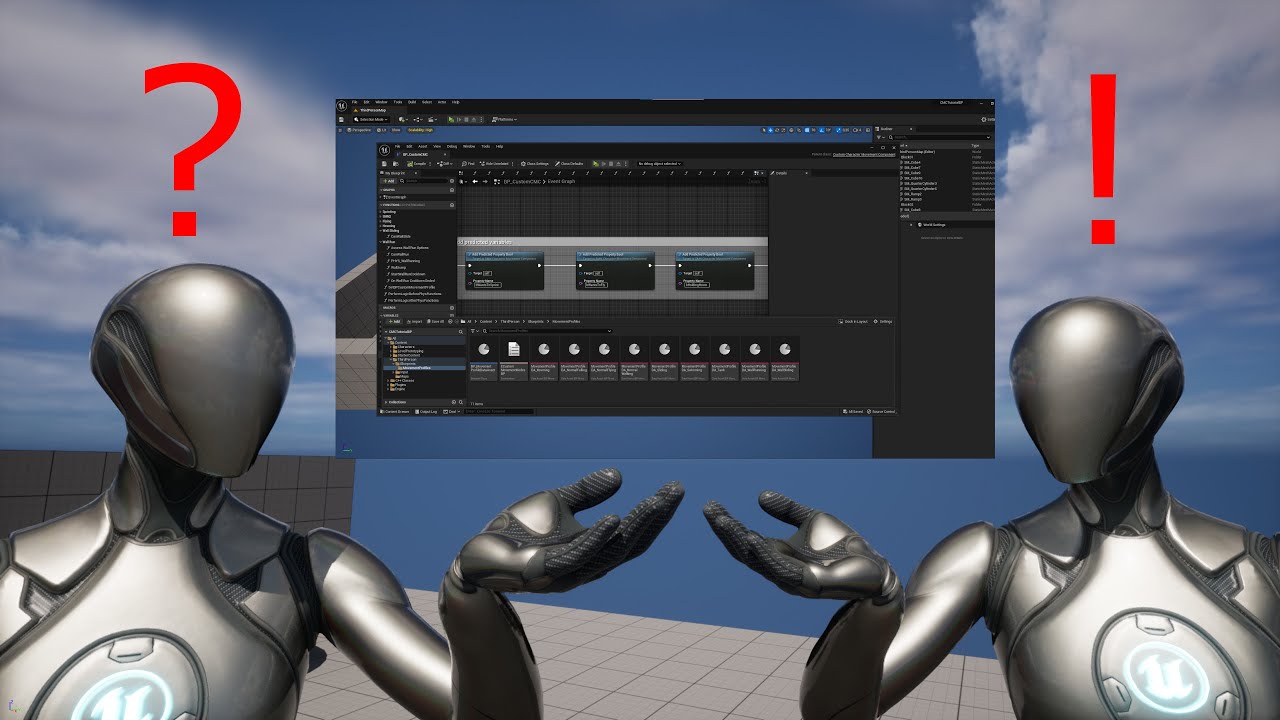
Episode 3 is here!! In this tutorial, we take a look at a way to create network-predicted code entirely in Blueprints. Sounds impossible, you say? Well, thanks to a plugin from Reddy-dev, and a bit of backend knowledge, we can get something pretty great up and running in no time!
Project Source Files
https://github.com/PixelatedChaos/CMC_Tutor...
 cyan bane
Is there a way to temporarily stop replication actor position for 1 client?
 gilded thorn
Is Tom Loomans GAS and multiplayer course worth it?
https://courses.tomlooman.com/p/unrealengine-cpp?coupon_code=COMMUNITY15

Master Unreal Engine C++ Game Development with this university-grade course.
quasi tide
Tom Looman is, in general, a pretty decent teacher. But that course doesn't teach GAS itself, but instead teaches the concepts of GAS while building your own little mini-GAS framework.
gilded thorn
so its around GAS with with like his own wrapper and not super multiplayer focused?
Im looking for more of a Multiplayer and GAS course
I am i was trying to find something focused
ok sounds good thanks! ill restart with the Epic tutorials and the GAS Documentation someone compiledhttps://github.com/tranek/GASDocumentation

GitHub
My understanding of Unreal Engine 5's GameplayAbilitySystem plugin with a simple multiplayer sample project. - GitHub - tranek/GASDocumentation: My understanding of Unreal Engine 5'...
 fathom aspen
That with debugging GAS code was able to get me running
quasi tide
It's pretty much the defacto documentation on GAS
fathom aspen
Oh nice, so less boilerplate™️ in 5.3
quasi tide
Finally - it is usable
fathom aspen
One line per project, is many lines in total 😄
Handsome, to a degree where they are not Good Looking?
 vestal monolith
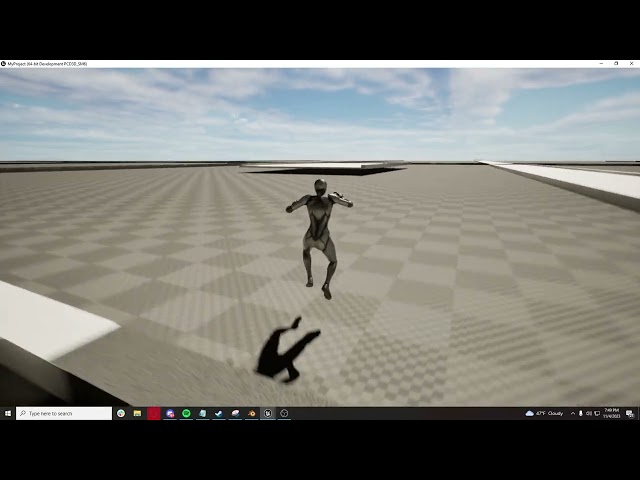
i have a tool i made for road splines, u add a list of meshs and then chose a mesh for the spline. for some reason the collision with one of the meshes is all types of funked up, but its fine in singleplayer. so i just duplicated the bp and made it so its just the mesh with the funky collisions, and its still messed up. but its fine for the other splines using a different mesh. but when i just place a random spline not in the road path it works fine?? i thought maybe it was from the world partition and it being on a region line or something but that didnt seem to be the case, any ideas? heres a video of it: https://youtu.be/EiftJBb8QUY
 limber fox
where does validation happen
on server or where ever its called
vestal monolith
i just have it on the construction script, i was under the impression that static meshes were just auto replicated
 quasi tide
Server
limber fox
tyty
 crude quail
What replication options are necessary to make an actor server-only? Am I better off spawning an actor directly from server-only code or do I have some way of setting a spawned actor to only spawn server-side (when placed in editor)
vestal monolith
vestal monolith
i have a tool i made for road splines, u add a list of meshs and then chose a me...
turns out its from the splines being rotated towards the y axis, i guess ill just re export the for it to work in the y direction?
quasi tide
crude quail
What replication options are necessary to make an actor server-only? Am I better...
Net Load on Client
crude quail
That's it? Sweet, easy 👍
crude quail
Semi follow up question, I'd like to "push" an actor from my server to a client, but I'm not super sure what approach to take.
void APlayerCardDeck::PlayerDrawCard()
{
        //Server block
    if(PlayerCurrentDeck.Num() <= 0) return;
    auto DrawnCard = PlayerCurrentDeck[0];
    PlayerCurrentDeck.RemoveAtSwap(0);
    DrawnCard->SetReplicates(true);
        //end server block

    PlayerHand->Draw(DrawnCard); //Multicast code
}
Assuming that Draw adds the drawn card to a ptr array, I'm worried I am potentially racing the replication code for the actor. Is this the right idea?

 keen hound
why do two of my player characters spawn instead of one for client?
my code


hold on a moment

No description provided
multi is multicast
the regular spawns are on Server
it's spawning another character that isn't controlled

nevermind, old forum posts save the day
 karmic briar
keen hound
my code
karmic briar
keen hound
my code
What in the world is that background
keen hound
keen hound
nevermind, old forum posts save the day
for future reference, I added a "Switch has authority" before the get all actors of class
and set it to authority
keen hound
why is my server build giving my server provider this error: A D3D11-compatible GPU (Feature Level 11.0, Shader Model 5.0) is required to run the engine
 plucky prawn
is your GPU and/or graphics driver ancient?
 cedar finch
Can anyone give me an overview of what I would need to do in order to make characters able to walk around while standing on a moving actor? For example a moving platform, vehicle, (train, boat, truck etc.)
I'm not asking for someone to do it for me. I just want to know what would be needed. For example would I need to rewrite sections of the Character movement component?
keen hound
plucky prawn
is your GPU and/or graphics driver ancient?
It's not me
its the server provider
they said the servers dont have graphics cards
how could I run the server as headless (iirc thats what it's called)
plucky prawn
ye thats what its called. i also didnt mean you literally but whatever system its being run on. if this is for building from your source, maybe try the #automation channel or #engine-source
keen hound
plucky prawn
ye thats what its called. i also didnt mean you literally but whatever system it...
my bad, I'll ask there
dark parcel
the variable is not replicated but the function run on both server machine and client machine
twin juniper
dark parcel
the variable is not replicated but the function run on both server machine and c...
So how should i test this behavior of variable replication?
dark parcel
twin juniper
So how should i test this behavior of variable replication?
if you need multiplayer exercise, why dont you make a switch that can open door
dark parcel
The color not replicated
that's a good exercise too
you can try using 2 methods. RPC and repnotify
undone chasm
maybe he just meant your 2 images showed 1 view with different coloured boxes

📹 Part 4 of our replication series unlocks limitless potential with Multicast and RepNotify! In this video, we dive deeper about how Unreal Engine's Actor Replication really works as well as introduce ourselves to a variable replication and how combining the power of variable replication with an event driven design can help us build a multiplaye...
top memer, much information
twin juniper
undone chasm
https://www.youtube.com/watch?v=KsORRtBOJYc&t=444s
That's very funny.
undone chasm
just don't get attached to Pinky
 supple vapor
Facing this problem in 5.2!  Looks like Epic still didn't fix it
The UDN fix if I understand it correctly, still leaves the CurrentCount incremented by 1 so if you have double jump then you can't double jump when that sequence happens
sinful tree
A multicast when called by the server will execute on all clients that have the actor where the multicast is being called is relevant.
Since this is in your Character, and they're close to the other character, it will be relevant, and so when the multicast is received by the client when it is called by the server, and the instruction says to update the cube's static mesh.
The replicated setting on an actor indicates that when the actor is spawned on the server, a copy of that actor can appear on clients and have its position sent to clients. There's a few other things that are replicated when you turn on this setting. Marking something as replicated allows RPCs to be sent through it as well.
The replicated setting on variables means the value when set on the server will be sent to any clients that have the actor relevant. If the actor isn't relevant the value will still be stored on the server so when it does become relevant to a client, they will receive the latest value the server has. If an actor isn't marked to replicate, then replicated variables will not work either as the actor reference wouldn't exist on clients.
 blazing sinew
guys, do u have any idea on how to spawn character with different colors (for example, only one player can have red)? Like OnPostLogin maybe I have to set a random color for each one, but there would be event the problem of updating the player color when another player joins the session
Idk if I have to use playerstate or not
sinful tree
blazing sinew
guys, do u have any idea on how to spawn character with different colors (for ex...
You use a replicated variable set by the server either on PlayerState or the Character itself. If you mark the variable as "Rep W/ Notify" that then gives you a function that is called when an updated value is received by a client. That function could then be used to set that color where you want to use it.
Using an OnRep will ensure late joiners will also see the appropriate color.
twin juniper
sinful tree
The replicated setting on an actor indicates that when the actor is spawned on t...
The problem is, i didn't mark it with replicates, but the RPC is still going through.
sinful tree
twin juniper
The problem is, i didn't mark it with replicates, but the RPC is still going thr...
What didn't you mark with replicates?
twin juniper
sinful tree
What didn't you mark with replicates?
I didn't mark my color cube, or anything else.
sinful tree
You're not running anything replicated through the cube - you're multicasting on your character, which is likely marked as replicated, and then the instructions from that multicast are to reference the cube and set the color.
Multicast = Send event to all relevant clients and then perform the instructions of the multicast on those clients.
twin juniper
But why replication is an existing option when i could just multicast everything? What does it actually do?
sinful tree
Multicast = A one time message sent to all clients that have the actor relevant.
Replication of Actor = The actor is spawned across the network and a reference to that actor is consistent between server and clients. Some details are automatically sent as well. An actor marked as replicated is the only way for something to even have RPCs sent.
Replicated Variable = Values that when set on server are sent to clients that have the actor relevant.
Multicast should only be used for fire and forget type of things.... Like playing a sound or VFX.
In order to send a multicast on a particular actor, the actor you're calling it on must be marked as replicated, otherwise the clients won't know about it.
If you want anyone to see something visual changed about an actor, even people who join the game later, or were too far away and didn't have the actor relevant, you use a replicated variable (typically w/ notify)
You're pressing an input that sends that multicast, though it will only ever work when the server presses it as only the server can call multicasts.
The multicast will be received by the clients that have the character you called it on relevant as that's where the mutlicast is called. The clients then receive the event and change the color of the cube as you've defined.
If I were to join the game later on, I would still see the cube as it was when it first gets spawned as the material of the mesh isn't something that is replicated and you mutlicasted the change which happened only at that one point in time.
blazing sinew
sinful tree
You use a replicated variable set by the server either on PlayerState or the Cha...
I tried doing it inside the character, the problem is of course that I should make an array with the available colors and remove the item when player "gets" that color (so that only one player can have that color, idk how to make a "common" array that gets updated automatically in each client, especially when the player joins so that it can set one of the available colors)

 sinful tree
I'm not sure I'd do the creation of DMIs in the construction script. That may be filling up your arrays there any time you move around the actor.
And yeah, you'd probably want an array to keep track of available colors, choose one, then remove it from the array, etc.
twin juniper
sinful tree
You're pressing an input that sends that multicast, though it will only ever wor...
Great explaination! How can I test that behavior of you joining the game and still see the cube as white (original color), without implementing such a complex joining system?
sinful tree
twin juniper
Great explaination! How can I test that behavior of you joining the game and sti...
Easiest way to see it in action is to have a second client. Move the second client very far away, then have your server press the button to change the color, then move your second client back to where the cube is - if it was out of relevancy range, it wouldn't have received the message to update the color.
blazing sinew
sinful tree
I'm not sure I'd do the creation of DMIs in the construction script. That may b...
I could use the game mode to store the colors in the array, onpostlogin get new player character and set the color
that seems to be working (in game mode, onpostlogin)


at the moment I set index 0 to the array just to test
the only problem is that idk how to get the player index (to get the player character) OnPostLogin from newPlayer controller
undone chasm
could put a timer/delay and do it after it's been running a bit, make the players have a "loading" material till it's time to assign colours, then use the Server to msg all Controllers from the player list, then your colour list just needs to be as long as your max possible player size
this won't work with hop in/out though, so you'd need to ask the server from the player what their index is which is in the GameState or something
blazing sinew
infact that's setting the color only to the player with index 0
I should retrieve the player index from the controller maybe?
or the gamestate
sinful tree
blazing sinew
the only problem is that idk how to get the player index (to get the player char...
OnPostLogin gives you a reference to the player controller joining. From that you should be able to get their controlled pawn, which you can then cast to your character.... I can't remember if by PostLogin the character is valid or not, but worth a shot.
Avoid using the indexed static getters in multiplayer.
Player Controller has a reference to controlled pawn & playerstate.
Playerstate has a reference to Pawn and Player Controller (Owner of PlayerState is the controller)
Pawn has a reference to PlayerState and Controller
These are the 3 types of actors that are most often used to reference a player and using these built in references are what you should use for multiplayer.
You technically could use the static getters if you know for certain you're running on a client in which case 0 should always be their local, but if you're running a listen server where the host is technically also a client, then it may not be accurate on the host.
blazing sinew
that's working now

thanks!
now OnLogout I should add to the array the color of the player is leaving
so I have to cast to the character getting the controlled pawn and get the color var in it, then add it to the array
 quartz star
Does anybody know how to replicate physics smoothly?
using the default replication it works fine except that on the clients the physics update with ~10 fps which makes it look very jerky
blazing sinew
also I have another problem, if two players join the session at the same moment the colors changes only to one player and not on both
sinful tree
blazing sinew
also I have another problem, if two players join the session at the same moment ...
In a real life scenario it'll never happen at the exact same moment and beyond that, each call of OnPostLogin should be the unique controller - so long as there is nothing delaying the execution of setting the color then it should be going to the appropriate character.
blazing sinew
sinful tree
In a real life scenario it'll never happen at the exact same moment and beyond t...
I tried joining the session ~1 sec late and it seems like that the cast to one player is blocking the other player call
sinful tree
blazing sinew
I tried joining the session ~1 sec late and it seems like that the cast to one p...
Sorry, don't do DMs. Yes. A delay will cause a problem because the event isn't instanced per player joining as it exists only on the game mode and therefore, there is only a single instance of it. So if you delay during OnPostLogin and OnPostLogin gets triggered again the controller reference provided from the event would be changed to the controller of the now currently joining player rather than the one that originally triggered into the delay, and the second call of OnPostLogin would basically stop when it reaches the delay that is currently delaying.
So while the OnPostLogin event is a good place to know when a player has joined into the game, it's definitely not a place to have any latent logic - it should happen during that or call into something else that can delay.
The way around this could be to use the Begin Play of your character. You can check if you're running on the authority, and if the character has a valid player controller controlling it, and if so, then reach out to your game mode to retrieve the color and then set it in your character. It may even be better to not use begin play but the OnPossessed event.

 meager spade
@supple vaporlet me see how i fixed it
supple vapor
thanks, it's interesting that everyone's bug is only when invoking through a GAS ability (LocalPredicted) - I've tracked it down to 2 rpc's being sent out (1 for ability activation and 1 for CMC jump flag) and that means the bPressedJump input can be set out of order on the server
not sure if anyone has managed to repro it without GAS ability
the jump state can't reset if bPressedJump is messed around with
 supple vapor
 halcyon totem
add the symbols to your package to get proper names - seems like you've have a UObject constructor somewhere that's doing something to make the class default object creation fail
sour dragon
Basic question. Most people say doing an MMORPG in Unreal as a Solo dev is impossible. I have a hard time understanding what an MMO is. My plan is to have a Dedicated Server (host is a normal windows pc, so no licensing for server hosters or anything like that, pretty much the way CS 1.6 and CS:S handled the situation). That Dedicated Server should host a server of max 50 Players, each server has its own start and end, and no stats or anything like that is linked to each other. So what happens on one server does not translate to another server, every server has its own stats, own database etc. No global stats saving. Eeach servers database is only dedicated to that one server. The database saves only locally on that dedicated server, so if it crashes theres no backup. Is this a doable task for a solo dev or is this way too much?
Imagine it like dayz minus the persistent character. You join a server = all your progress/stats are only saved on that server
for maximum simplifciation and least amount of work
supple vapor
sour dragon
Basic question. Most people say doing an MMORPG in Unreal as a Solo dev is impos...
If you package the third-person project in dedicated server mode, you get what you're describing already
sour dragon
Oh well, so its seems reasonable to do?
supple vapor
That part is easy enough, general networking know-how is where things get complex and might not seem reasonable
UE doesn't have the best guard-rails when doing networking so plenty of ways to mess up
sour dragon
I'd like to store player level, kills, deaths, Xp etc. on each server seperately, inventory and items too. Im just asking because theres so many people who want to do MMORPGs and everyone says its absolutely not doable and completely out of this world, but i did not understand what they even mean with mmo, i guess mmo is where there is a global stat database which communicates with all gameservers right? So it has a insane complexety
 true goblet
I would think MMOs are more complex because the ability systems, the amount of players, the story and amount of content required (worlds etc), tho obviously something like wow has hugely complex networking
 pallid mesa
Unreal's networking model and vanilla components wont scale to the thousands - if anything, hundreds (~150) (speaking about ACharacter, Controller.. ect)
and that number is already pushing Unreal's replication model limits
supple vapor
there's instance based mmo's where the servers aren't directly talking to each other (like Lost Ark) and then there's proper connected mmo's like Black Desert online where your client will have multiple connections to different servers at the same time
UE is mostly geared towards instance based
Instance-based mmos are generally easier to do
sour dragon
Yeah i'd call my project instance based then. Except i want to avoid any difficult mechanics, so no items bound to the account, no marketplace, no global stats or databases. Simple databases in container form on the dedicated server, auto update and save them every few minutes
supple vapor
@cunning relic tracked this UDN https://udn.unrealengine.com/s/question/0D54z000071IG1SCAW/jumpcurrentcount-incorrect-on-air-correction from the github post to your CL that then got merged to mainline 
any clues on why this could happen?
 cunning relic
supple vapor
<@258765723558477824> tracked this UDN https://udn.unrealengine.com/s/question/0...
cunning relic
supple vapor
<@258765723558477824> tracked this UDN https://udn.unrealengine.com/s/question/0...
Says the page can't be found
Maybe it logged me out one sec
Nah still says cant be found
 mental crag
Question about EOS and Unreal's Client Policy:
- With the Trusted Server option for the Client Policy, you cannot make the user log in.
- With the Custom option for the Client Policy, you can make the user log in, but you can't enable Connect features.
Is there a way around this? I want to make a Trusted Server that makes the user have to log in for security.
supple vapor
supple vapor
Facing this problem in 5.2! <:wtfboi:922705028752494633> Looks like Epic still ...
@cunning relic needs UDN account, if you follow this reply - you can see Kaos discussing the problem years ago
cunning relic
supple vapor
<@258765723558477824> needs UDN account, if you follow this reply - you can see ...
What are you asking me about? I dont understand ur question
 dawn tendon
is Multiplayer less awful in Unreal engine compared to in Unity?
supple vapor
cunning relic
What are you asking me about? I dont understand ur question
Sorry, it's about this CL https://github.com/EpicGames/UnrealEngine/pull/7103 - the screenshot shows the problem
 cunning relic
What is CL
supple vapor
oof I mean pull request on github (getting perforce CL changelist mixed up)

isn't that your github pull request?
cunning relic
Ah, yes from a while ago
supple vapor
right, the screenshot is discussing a problem with those changes where the jump can get permanently stuck - I'm facing the same problem in 5.2. Kaos also documented the problem here in 2021
cunning relic
That change was way back in like 4.25 or something. Wouldnt surpised me if something changed since then to break the jumping again. the networked jumping code is terrible
supple vapor
it is, do you think JumpCurrentCountPreJump should always be 1 less than JumpCurrentCount (clamped to zero)?
it seems like that's the main thing the UDN post is trying to do
sinful tree
sour dragon
Yeah i'd call my project instance based then. Except i want to avoid any difficu...
What you are describing is more akin to a standard multiplayer session based game, and wouldn't be looked at as an MMO.
cunning relic
supple vapor
it seems like that's the main thing the UDN post is trying to do
I'm not sure anymore, i know the networking code has changed quite a bit since i made this fix. Maybe the fix I added can be removed completely? I put repro steps on the task you linked me, you can try removing my change and running the repro steps again
Otherwise Id have to debug the issue myself
supple vapor
cunning relic
I'm not sure anymore, i know the networking code has changed quite a bit since i...
ok, this was a long shot to see if there's a quick fix. The repro steps are useful
cunning relic
call it from where?
i dont see why u couldnt call it from a client if thats what u mean
sinful tree
Better to separate the logic into a discreet function if you want to call it on clients and then have clients call that function on their own and have the multicast call that function.
It makes it easier to follow and understand the intent and the engine doesn't have to do any checks trying to multicast something that shouldn't be multicasting.
blazing sinew
sinful tree
So while the OnPostLogin event is a good place to know when a player has joined ...
thanks! solved it using OnPossess on playercontroller
 mental crag
Does EOS allow you to use dedicated server?
 boreal scarab
I'm gonna be trying to set up my project to connect to a game server, so it's not just local host.
Is there a class or component you usually override to set that up? Or a place you normally hook up to a server sdk?
sinful tree
boreal scarab
I'm gonna be trying to set up my project to connect to a game server, so it's no...
"Connect to a game server" is somewhat ambiguous. Unreal has built in support for multiplayer and you can build multiplayer "dedicated game servers" that you can then run on whatever hardware you want.
boreal scarab
sinful tree
"Connect to a game server" is somewhat ambiguous. Unreal has built in support f...
Sorry lemme try again heh, specifically I'm trying to hook up to Accelbyte's SDK. Just wondering where general network configuration stuff goes. Like.. player stuff goes in PlayerState/PlayerController/etc, is there something like that for networking?
sinful tree
boreal scarab
Sorry lemme try again heh, specifically I'm trying to hook up to Accelbyte's SDK...
Based on what I'm seeing, Accelbyte has their own SDK and provides you with what you need to connect to their API within Unreal. I'm not 100% sure on this, but I don't think they give you a "game server" system, but instead a means for a backend for hosting your game servers that you want to run. Eg. You'd still build your game using Unreal and Unreal's networking system, and then you'd deploy your built Unreal Game Servers (either with Accelbyte or on some other host) but they can utilize Accelbyte's backend for things like matchmaking, databases, leaderboards, etc.
boreal scarab
Yeah, that's kind of how I understood it as well. They provide things like auth and user-associated-data server storage as well. I guess mainly what I'm asking is, what's a good pattern for setting up integrations with an SDK like that? Do you just.. create a class called "AuthHandler" and just call those functions in your login menu (basically, whereever the heck you want)? Or is there a "UE provided" strong suggestion on where to put that kind of stuff?
And then I guess followup question.. what service to people typically use for physical game servers that you can deploy to?
sinful tree
boreal scarab
Yeah, that's kind of how I understood it as well. They provide things like auth ...
Closest thing is usually an OnlineSubsystem which you would then use to call into their API.
Their SDK may have that already built for you (I'm not sure myself 🙂 )
boreal scarab
haha okay, makes sense 🙂
sinful tree
boreal scarab
And then I guess followup question.. what service to people typically use for ph...
There's all sorts of them... AWS, DigitalOcean.... I think Accelbyte has a means for hosting for you too?
boreal scarab
sinful tree
There's all sorts of them... AWS, DigitalOcean.... I think Accelbyte has a means...
I'm really hoping they do, that was my impression. I'm just getting started diving into their stuff. They use AWS so I'd think so? If not its good to know of ther ones. I haven't heard of DigitalOcean, I'll check them out
boreal scarab
Ah, yeah they do but.. they want $1500/mo minimum lol. I guess their target audience is established operations. I can still use them for auth though I think. Honestly I might just run my own "dedicated server" for now. Can't be that hard right? For a small amount of people connecting at a time?
limber fox
how is movement handled in multiplayer
do i just use the UFUNCTION(Server) thing on the movement function also
 dusk orchid
limber fox
how is movement handled in multiplayer
do i just use the UFUNCTION(Server) thing...
dusk orchid
limber fox
how is movement handled in multiplayer
do i just use the UFUNCTION(Server) thing...
are you using a Character actor?
characters have a movement component which handles replication by default
quasi tide
Most common reason this happens these days is because they're not receiving any input
limber fox
the player controller exists on server and owning client right?
so shouldnt this work?
 undone chasm
so you've added BaseMappingContext to the LocalEnhancedInput, did you bind any inputs to that/rep states of when they trigger?
limber fox
i have this
and the inputs put in on the bp controller

its just the client not moving
server is fine
undone chasm
are you trying to make a Host/Client adhoc server? cause if not you should change your Net Mode to play as client

if you program things with "the server works" you'll have a nightmare of a time
Time to throw in some events in your BPs with InputActions and print strings and see if your Client gets any inputs
limber fox
the print says theres input
limber fox
i just did this and ran on client
 undone chasm
right, but on MP when you do a print string
UE adds Server: Client:
in front of it for you
limber fox
oh
ya client has the number
undone chasm
great so client is getting inputs
then your Input events aren't matching an InputAction object or you're firing the wrong ones
all of your InputAction objects are stored in your MappingContext with the keys and triggers and modifiers?

 undone chasm
idk why but AddMovementInput is handled in the Character in BPs for the CapsuleComponent ref probably
oh nvm you're in character


CallMove is your OnRep ?
and you're calling Move from CallMove?
 undone chasm
maybe throw in a debug print and make sure you have a PossessPawn and it enters there
or print the Value in Move to make sure it's replicated
and it's not 0.f
undone chasm
it does but it may have happened at the wrong time
although I just saw a thing saying OnRep_PlayerState may be the clients and OnPossess my be the Server
have to see if @sinful tree is awake
he knows more
sinful tree
w̷͒͑h̵̒͒ò̵̃ ̵̔̊s̷̊͠ủ̵̍m̶̔mons me?!
sinful tree
OnPossess doesn't run on clients.
undone chasm
that makes sense why this guy said Server, then Client for this then
 sinful tree
The controller has an event that can let a client know their pawn changed... One sec..
Nope it is on the pawn... NotifyControllerChanged()
sinful tree
There is AcknowledgedPawn() on the controller - clients get this.
sinful tree
yeah that's probably better to go with.
undone chasm

limber fox
now another question lol
is there an easy way to replicate the control rotation to clients
cause i can only see the head movement of the client on the server
 worn wagon
I am replicating an activeweapon pointer when players switch weapons. There seems to be some odd behaviour, which might be some behind the scenes optimization with the pawn class. The variable does not seem to replicate as responsively if the player is standing still/not doing much. I tested it and I found that if I kept moving constantly it will always replicate the active weapon seemingly instantly (testing on LAN in editor). Whereas if I remained still it would often be delayed by half a second (not always but maybe about 1/4 times). For further context the replicated property is on an actor component that sits on the character.
Should I raise the min net update frequency?
Seesms like it gets throttled down (from 100.f by default on a pawn) to seemingly down to almost the minimum of 2.f (base value on actors)
undone chasm
this guy reckons 30.f for net updates
 worn wagon
That's on playerstate, but even so yeah around 30 seems like it might be a good minimum
I'm surprised I haven't noticed this issue sooner, and it seems strange that the MinNetUpdateFrequency isn't raised higher by default on pawn derived classes.
 left lance
I have an OnRep function that'll update some stuff and then maybe trigger a sound effect depending on the state of the stuff it changed. That's a big no no right? I should figure out a way to move the Sound code into a multicast instead that the server triggers when it receives the OnRep?
That way sound doesn't get played for late joiners/those who become relevant
I'm just stuck because the sound is tied to the state of the stuff that gets changed, and that stuff would still get changed when a later joiner joins/a player becomes relevant... So, to me it doesn't seem like a big deal if I leave the sound firing in the OnRep
I also want the sound to occur right after the change - not be delayed by an RPC
worn wagon
left lance
I have an OnRep function that'll update some stuff and then maybe trigger a soun...
Yeah, use unreliable multicasts/client rpcs for things like visual & sound effects. You're correct that late joiners would trigger whatever effect would occur based on the current value of the replicated property.
Just to let you know, the server doesn't receive onreps, only clients do. You need to manually call the OnRep function if you want the server to do the same logic.
left lance
worn wagon
Just to let you know, the server doesn't receive onreps, only clients do. You ne...
Yep - I am
worn wagon
left lance
I also want the sound to occur right after the change - not be delayed by an RPC
the RPC won't delay anything, it will arrive just as fast as a replicated property
Unreliable rpcs are the "standard" way to send things like effects to clients, where it doesn't matter in bad network conditions if the rpc gets dropped
left lance
worn wagon
the RPC won't delay anything, it will arrive just as fast as a replicated proper...
Yes - for everyone else. I have a weird situation though where I have an actor that is owned by a player, and that actor can effect a part of a server owned actor. (I manually make sure state remains consistent). Currently, I have it so the player can see their changes right away, but now for the sound they'd have to wait for it to get to the server and then back to them. There's not an easy way unfortuantly to play it locally first because it's on an actor they don't own
TLDR: I broadcast an event dispatcher inside an OnRep so other classes can listen in to that OnRep. That's why I can't (at least not a way that I see) play the sound locally
worn wagon
If they can see their changes right away why can't you also play the sound right away?
left lance
Hmm.. let me try explaining this way:
Player Owns Dial Actor
Player turns Dial, updating OnRep value. Then I manually call OnRep and then tell server to call OnRep for everyone else. OnRep broadcasts event that Cannon actor listens to. Cannon Actor then updates aim, and updating aim broadcasts an event that plays a sound.
I don't know how, on the Cannon Actor to determine who called the aim update to play the sound locally
worn wagon
Hmm, kind of hard to make sense of it just from that. But if the sound is the cannon "aiming" like I am imagining, and the cannon aiming is done by the server, which has to be replicated back to the client anyway (unless you are predicting it locally), doesn't it make sense for the sound to be delayed and in sync with the cannon?
Not enough info for me to say much else
left lance
Ya, saying the cannon is being predicted is probably the best way to think about it
With the sound being in the OnRep chain, it gets predicted too, but obviously, will also be called for late joiners/those who become relevant
worn wagon
When you manually call the onrep on the local client, it triggers the event and updates the rotation of the cannon actor on the client before the server does it?
So the updating of movement & sound is both done in the onrep?
left lance
Correct
It's a VR game, so really trying to make it so people 'feel' the feedback right away. Thus the worry about the sound being delayed
worn wagon
Sounds like it makes more sense to do all of this with RPCs and have the instigating actor as a parameter, which solves your problem of not knowing who did the aim update, and use that information to determine whether to play sound effects. You can have onreps for late joiners that only sets the cannons aims but doesn't play any sound effects.
left lance
I suppose I could have the Dial OnRep (the one that triggers this) check if its the owner and if so, broadcast a special event that does all local prediction, sound, visuals, etc. And then if it's not that player, it just does the state stuff and lets server multicast the non-state stuff
worn wagon
Then you can play the FX locally, and when the multicast rpc reaches the local player, if it's equal to him he ignores and doesn't play the sound effect for the second time
and same with aim
worn wagon
Could also replicate a struct with both the instigating actor (the player who turned the dial) and the new cannon aim value, if you need both of those in an onrep.
worn wagon
Many ways to skin a cat 😄
 hollow eagle
yet another option is to not replicate anything additional at all, simply only play the sound if something changed as a result of the OnRep
this also handles the case where the server disagreed with the prediction, playing a sound as the cannon updates to match what the server thought it should do instead
left lance
Something would change for a late joiner, would it not? Therefore they'd get a sound when the event techically happened X time ago
Or a recent relevant actor
hollow eagle
not necessarily, I believe initial OnReps fire before BeginPlay so you can check that as a case (and should probably be doing so regardless)
HasActorBegunPlay is a useful thing to check in many OnReps
hollow eagle
sure it would
left lance
But the match is already started?
hollow eagle
if the actor wasn't relevant and wasn't loaded then it won't even exist on the client, becoming relevant will go through the whole actor spawning process as usual.
Are you thinking of dormancy?
relevancy is not the same as dormancy
left lance
Ah, maybe
If you're relevant and then go dormant (not-relevant anymore?) and then come back - does that trigger BeginPlay?
hollow eagle
dormant isn't related to relevancy
if you're relevant and then become not-relevant then the actor is destroyed on that client
therefore it goes through a whole spawn again when it becomes relevant
left lance
Ah..
hollow eagle
Dormancy is where you effectively disable replication of an actor entirely without actually deleting it. It's usually for actors that need replication but you know won't be changing at all while in some specific state.
But that affects the replication of the actor to everyone, so it isn't really relevant here.
left lance
Good to know
hollow eagle
left lance
Appreciate it!
 zenith kestrel
can anyone tell me how we can make power for character in a 1v1 game so that it recognizes who used power and it should only affect the enemy, not the own player.
 surreal plaza
I have an issue with the timing of initializing a replicated value. I have a budget for my game mode that players can spend on ammo that is returned to them automatically (not via pickups). That is a replicated value controlled on the server and it works great. There is a scene element that displays this value for them and is updated on repnotify. The only problem is that I cannot for the life of me get the initialization to setup the initialized value. That value will be setup currently pulled from the game mode. But setting it on game play doesn't cause it to fire. (It is default 0, then gets set afterwards, so it does change.) Where is the proper place to guarantee an initial replication has occurred and I can set that value. Or, should I just call that method manually?
tranquil yoke
Why not intial value will be the value you want to display so you dont have to wait for any replication ?
tranquil yoke
surreal plaza
I have an issue with the timing of initializing a replicated value. I have a b...
If you know you will always change the intial value to be something, why not that value be defaulta and everything will be defaulted accordingly ?
And when you say your intialization setup is not working correctly, what is wrong with it, is it not calling the RepNotify Function ?
surreal plaza
Because it will depend on the game mode, or potentially be overridden by the players who might support a larger budget, for example.
tranquil yoke
surreal plaza
Because it will depend on the game mode, or potentially be overridden by the pla...
so it can change ?
surreal plaza
Right. Repnotify works properly all of the other times, just not for the initial call.
Right, so when people setup a multiplayer game, it would depend on those values.
tranquil yoke
Function is not being called or the value is also not changing ?
If Value is not changing where is the RPC , which sets the value ?
tranquil yoke
surreal plaza
Function not called the first time.
What about value, is it changed correctly ?
On Both server and client
surreal plaza
Let me run it again, just a second. I will verify that the first time repnotify is called that the value is at the default.
tranquil yoke
Is the RPC to change the value on server is inside the actor ?
surreal plaza
The server is changing the value on the actor, which has a replicated value.
surreal plaza
I have tried it on begin play and it doesn't work.
tranquil yoke
No I am asking, how server is changing the value , are you making a RPC call to the Actor, that change the ammo value or Server is doing it when server is ready to do stuff ?
surreal plaza
The server is changing it through server functions.
tranquil yoke
Server is calling server functions ?
surreal plaza
For subsequent in game calls, the client is calling server functions that change the replicated values. For the initial call, I am trying to set it using begin play. Right now, the replicated reference to the budget uI component is null for the client. So there are 2 players, the listen server and client 1. At begin play, the listen servers display is properly updated on the server AND on the client. So from Client 1, I can see the servers display and it is updated. But my own display is not updated.
Does that make sense?
tranquil yoke
the server function is inside the Actor ?
surreal plaza
Yes.
tranquil yoke
Do you have setup the owner of the actor correctly ?
 upbeat basin
Is the proper way to check authority on an actor component GetOwner()->HasAuthority()?
tranquil yoke
surreal plaza
Yes.
yes its ownership of the actor, i just tested the same scenario
surreal plaza
That is what I am trying to figure out maybe. So it is like this......Gun -> Repnotify where repnotify, checks that GunDisplay != null. If it is good, it updates the display. But on beginplay, GunDisplay is null. So I feel like it is just called too early? Like if PostInit or something guaranteed the syncing of those references, I could safely call i then.
tranquil yoke
Is this Actor Spawned ?
tranquil yoke
upbeat basin
Is the proper way to check authority on an actor component `GetOwner()->HasAutho...
Yes
tranquil yoke
surreal plaza
That is what I am trying to figure out maybe. So it is like this......Gun -> Re...
you need make sure GetOwner is valid on server if not first set the owner then call the server function,
Player controller can be the owner or pawn
@surreal plaza
 surreal plaza
tranquil yoke
you need make sure GetOwner is valid on server if not first set the owner then c...
surreal plaza
tranquil yoke
you need make sure GetOwner is valid on server if not first set the owner then c...
Thanks, I will give this a shot.
 agile pelican
Hello, I am trying to add a minimap to Lyra, but it only functions on the Server and not on the client. Does anyone know what I am possibly doing wrong?
dusk orchid
well I think we'd need a bit more info 🙂 post your minimap code
blazing sinew
hi guys, I have a question... how can I retrieve a variable in the character bp after the player logout from the session? I tried this but the cast fails, I think cause the player has left the session and you can't get the controllled pawn

do I have to create an array of characters bp and add item to it when the player joins? how do I get the player character item from the array (with index?) when leaving?
 cyan lynx
blazing sinew
hi guys, I have a question... how can I retrieve a variable in the character bp ...
cyan lynx
blazing sinew
hi guys, I have a question... how can I retrieve a variable in the character bp ...
Yeah, the Character already is unpossessed by the time Logout is called and would be destroyed thereafter. Should definitely be using the OnEndPlay event in the Character instead.
blazing sinew
cyan lynx
Yeah, the Character already is unpossessed by the time Logout is called and woul...
something like that?

I bind this event OnBeginPlay
blazing sinew
blazing sinew
something like that?
why does the gamemode cast fail?
maybe because the GameMode is only present on the server
cyan lynx
blazing sinew
why does the gamemode cast fail?
Gamemode isn't valid on the client, only server. Just add a 'Has Authority' switch and you should be good. You also shouldn't need to bind on BeginPlay, this should work:
 blazing sinew
cyan lynx
Gamemode isn't valid on the client, only server. Just add a 'Has Authority' swit...
blazing sinew
cyan lynx
Gamemode isn't valid on the client, only server. Just add a 'Has Authority' swit...
that works even without the "Has Authority" switch for me
 hoary spear
It works on the server as the cast succeed. It works on client as the cast fails
Makes sense 🙂
surreal plaza
I have a particle system that I am turning on on the server by called 'Activate.' This is a replicated component, but is not turning on for the clients. Is there a better way to do thi?
cyan lynx
surreal plaza
I have a particle system that I am turning on on the server by called 'Activate....
Emitters aren't replicated automatically, so you'd have to call a multicast from the server to the clients to activate.
 sweet sage
Is there any command do debug netcode corrections on movement?
 sweet sage
i tried this: p.NetShowCorrections
but nothing is showing
 fair latch
Did the server tried to correct the client?
Try to jump on slopes under emulated ping or spikes
It should spawn a debug capsule to show the correction afaik
fair latch
It should show a colored capsule debug where the correction happend
 compact plume
Is Character->GetBaseAimRotation() replication supposed to be a perfect 1:1 sync using the default character movement component? I'm seeing some slight inaccuracies when logging between player and client, but I thiiink this is supposed to be using FVector_NetQuantize100 and thus shouldn't be happening
(i'm not doing any custom networking of the character rotation, so it should just be the out-of-box character movement component networking)
[2023.11.06-18.30.42:877][887]LogTemp: Display: Base aim rotation is R(P=25.03, Y=-11.02)
[2023.11.06-18.30.42:878][887]LogTemp: Display: Base aim rotation is R(P=25.31, Y=-11.02)
^^ after a bunch more testing, its consistently off by up to 0.5deg, which can compound pretty significantly if casting traces based on character rotation
compact plume
Update: theory is that this is because the implementation uses the controller, which doesn't exist on the client. So when its logging the server player's rotation on the client, its estimating using the actor(?) instead of the controller which doesn't exist there
theory further supported by the fact that the client BaseAimRotation is actually entirely accurate on both machines
 limber gyro
im having a bit of a trouble understanding the workflow of steam + unreal with sessions and parties, from what i gathered lobbies in steam are used as parties but if u join a session in UE u are also joining a lobby in steams backend?
im just a bit lost
 shy gust
just trying to get some clarification for some troubleshooting im dealing with , do repnotify's not fire on autonomous proxies at all ? including rep notifys with no replication condition?
I have some logic set up that just doesnt run on autonomous proxies if the variable is a repnotify even tho I have no replication condition set.
sinful tree
If you're spawning the actor VIA a multicast that's typically not the way to do it as that results in a unique actor being spawned on each client individually that cannot be referenced over the network. The correct way to spawn a replicated actor would be to spawn the actor on the server and ensure the actor's class is marked as replicated.
Same difference. Spawning locally == not replicated.
You technically would have to use something like an OnRep on some other replicated class (like on GameState or something) if you wanted it to be spawned locally for late joiners.
 clever hound
@hushed rain How is chaos replication? Is it doable yet?
Good to hear. It would be nice to use on VR.
upbeat basin
Do I have to give the old value argument for an OnRep function by myself when calling it manually for the server?
upbeat basin
Got it, thanks
sonic heart
dark parcel
For a start, you can post your function.
If you are not showing your bp/code you...
Sry for the late response. But here is the blueprint where I Possess the different actors I have and then I am trying to add the mapping context when the actor is possessed which then doesn't work for the client


 mellow solstice
Hi, what is the correct way to return to a 'lobby' in a dedicated server session after the game mode's match end? When attempting to travel back by loading the lobby screen, new clients are unable to connect because it doesn't recognize the connection of the user. Or would I be looking at restarting the actual server process?
tranquil yoke
mellow solstice
Hi, what is the correct way to return to a 'lobby' in a dedicated server session...
When you change the level locally it will disconnect you from server, If you do server travel then everyone will be moved.
And if everyone is going to lobby on client, and server is left with no client, not sure what methods you are using to handle server session, you should check if session is valid then rejoin the same IP, otherwise just restarts
 low trellis
Hey, I have 2 trigger boxes 1 spawning a pet another one removes it. When I play multiplayer it spawns for everybody but removes only for 1 player
 sinful tree
low trellis
Hey, I have 2 trigger boxes 1 spawning a pet another one removes it. When I play...
sinful tree
low trellis
Hey, I have 2 trigger boxes 1 spawning a pet another one removes it. When I play...
- Don't take wires from one execution path and use them in the other. You can't guarantee order of when things are executed which can result in "Access None" errors. You also cannot do this when using RPCs as you need to pass the reference or value through the RPC if you want the receiving end to know the value.
- Using the level blueprint is usually not a great idea as it's not reusable. Anything you may code in there could usually be better created somewhere else so you can reuse it.
- The level blueprint isn't owned by a client, so you cannot use "Run on Owning Client" events.
- When detecting overlaps, they can occur on the server and the client independently. Usually you'd want to use a Has Authority (Authority) > check to ensure that whatever code happens next is executing on the server and replicating what should happen to all clients.
mellow solstice
tranquil yoke
When you change the level locally it will disconnect you from server, If you do ...
Right, so I am looking at the issue where the server session is left empty (ie: all players left the active match). During this my game session receives 'OnEndSessionComplete' which happens through the 'ReadyToEndMatch_Implementation' of the game mode, where I load the lobby screen using 'GEngine->BrowseToDefaultMap' (lobby is the default). With restart do you mean the server process, because Restart on the GameSession class is just an empty virtual method. Slightly confused whether this is still a valid session as it does appear in the server browser, but connecting to it gives the error `SteamSockets API: Warning Ignoring P2P signal from, unknown remote connection. Edit: I probably answered my own question here, my derived gamemode class ends up calling 'AGameMode::EndMatch' which closes down the session. I will try this logic without calling the base and else restart the server process itself, thanks!
quartz star
Im using the default character movement component.
But when i play with someone else the movement is jittery on both server and client.
Are there some settings i can change to improve this?
Right now im on default settings
limber gyro
Hey guys, im trying to understand how steam lobbies work with unreal, from what i understand when u join a session u also join a steam lobby in the steam backend, is this intended behaviour? can this be avoided? im trying to use steam lobbies as party groups, from the documentation thats how they are suposed to be used, at least that is what i understood, but with this behaviour, everytime i join a game my party gets disbanded.
serene kestrel
quartz star
Im using the default character movement component.
But when i play with someone ...
define what you mean by "jittery". What networking conditions are you targetting? Do you have anything else happening in your sim affecting movement?
quartz star
serene kestrel
define what you mean by "jittery". What networking conditions are you targetting...
well jittery means that the movement is not smooth. It looks like its updating with 5fps.
And no there is nothing else going on. Just basic movement
dusk orchid
quartz star
well jittery means that the movement is not smooth. It looks like its updating w...
are you running client/server locally or over the internet with someone?
quartz star
dusk orchid
are you running client/server locally or over the internet with someone?
I tried both, 2 pcs in my local network or with someone over the internet.
Both gave me the same results.
Except in the editor itself it runs smoothly
dusk orchid
hmm well post your movement code else theres not much to help with
you can also emulate bad connections from the client and server and then see if the same type of jittering is happening
in the editor
quartz star
dusk orchid
you can also emulate bad connections from the client and server and then see if ...
oh how?
dusk orchid
i belive its in project settings if you type networking it should show up

Emulate network packet lag and loss in Unreal Engine.
quartz star
dusk orchid
hmm well post your movement code else theres not much to help with
its just that
 quartz star
dusk orchid
i belive its in project settings if you type networking it should show up
quartz star
dusk orchid
i belive its in project settings if you type networking it should show up
with these settings it really got worse.
isnt there something such as predicted movement which can help if there is a bad connection?
 sinful tree
quartz star
its just that
sinful tree
quartz star
its just that
Event Tick fires on both the client and server. If this is within your character this may be messing things up a bit. Try putting an "Is Locally Controlled" node connected to a branch and if true add the movement input.
low trellis
sinful tree
1) Don't take wires from one execution path and use them in the other. You can'...
You are the best 🖤
quartz star
sinful tree
Event Tick fires on both the client and server. If this is within your characte...
What exactly is the "Is Locally Controlled" ?
sinful tree
quartz star
What exactly is the "Is Locally Controlled" ?
In terms of a pawn/character it is checking whether or not the local computer's player controller is the one possessing the pawn.
Technically event tick fires on all clients and the server, so the IsLocallyControlled connected to the true branch will make it so anything on that true branch will only execute if the pawn is controlled by the local player, so it should only execute if the local player is the one in control of the pawn.
quartz star
sinful tree
In terms of a pawn/character it is checking whether or not the local computer's ...
okayokay thank you
quartz star
sinful tree
Event Tick fires on both the client and server. If this is within your characte...
okay i tested it, it got better but it still looks like this
still jittery
limber gyro
is that going through the CMC?
 limber gyro
no idea then
quartz star
limber gyro
did u mess with very high or very low numbers?
with w/s the movement speed increases or decreases
limber gyro
it looks like a discrepancy between the client and server either because of speed or acceleration
but im just wild guessing here
are u calling any RPC's to change those values?
quartz star
limber gyro
are u calling any RPC's to change those values?
yes, wait i will show you
limber gyro
also ur idle boats also look like they are jittering
so i think u might have a diferent issue
quartz star
they arent idleing
they move on the exact same speed
except the third one is faster
limber gyro
i see
 limber gyro
are u calling those on tick or something?
i think ur suposed to change acceleration in the CMC
u dont need to be changing it all the time
im just going by ur functions names tho
i dont know what exactly u are doing
quartz star
limber gyro
i think ur suposed to change acceleration in the CMC
this thing?
 limber gyro
for example yes
quartz star
limber gyro
i dont know what exactly u are doing
well when i press W the ship should start moving slowly and getting faster until it reaches max walk speed
same for S just backwards then
limber gyro
ye, thats all done internaly
u just have to mess with those values
u dont need to change them urself
quartz star
i will try that again but i think i already tried that in the past.
It worked just the problem was when i change from moving forward to backward it instantly moves backwards.
limber gyro
thats becaus u didnt change all the nescessary settings
theres also a setting for that
quartz star
do you know how its called?
limber gyro
not at the top of my head but probaly something like drag or friction
quartz star
limber gyro
not at the top of my head but probaly something like drag or friction
yes there are some settings
Ground Friction
quartz star
limber gyro
not at the top of my head but probaly something like drag or friction
it actually does work, however there is always a catch.
For example when i rotate my ship the movement immediatelly stops
limber gyro
well, u probably have to mess more with the settings
quartz star
yes im doing that right now, but huge thank you already
limber gyro
np
quartz star
limber gyro
np
just asking but the CMC is fully multiplayer ready right?
limber gyro
ye
quartz star
it just got worse somehow
limber gyro
did u turn off ur custom acceleration stuff?
quartz star
yes
quartz star
i think i will just try to create a new ship class and recreate the movement again
quartz star
limber gyro
its suposed to work out of the box
i made a new bp and just implemented the movement logic
still the same horrible jittering
i dont know if thats just my network but even the 3rd person template guy is jitterring/lagging hard
limber gyro
a clean project?
if its happening in a clean project than its probably not a code issue
 wheat niche
Hey im using the advanced sessions plugin with steam as the subsystem and i called the show friends ui function the ui opens but the problem is that i only can invite friends to watch why?
 crisp shard
trying to make a replicated elevator system
is it supposed to be this hard? lol does anyone have any recommendations for me on this?
 faint eagle
Remind me pls does the OnRep fires for each replicated property for players who've just connected? Or should I apply OnRep logic for them on BeginPlay?
cyan lynx
faint eagle
Remind me pls does the OnRep fires for each replicated property for players who'...
Yeah it fires when connected, can test it with the late join under advanced settings.
faint eagle
cyan lynx
Yeah it fires when connected, can test it with the late join under advanced sett...
yep OnRep fires or i should manually call them on BeginPlay? 🙃
I know that I can test, but I'm programming right now and the project launches pretty slowly
k, got it, thanks

 magic vessel
I need some help setting up my fast array. I keep getting this error: FastArraySerializer.h(399): [C4430] missing type specifier - int assumed. Note: C++ does not support default-int
I've double checked the includes
#include "CoreMinimal.h"
#include "FReplicatedInventoryItem.h"

#include "Engine/NetSerialization.h"
#include "Net/Serialization/FastArraySerializer.h"
#include "UObject/Class.h"

#include "FReplicatedInventory.generated.h"
and the declaration
USTRUCT()
struct FReplicatedInventory: public FFastArraySerializer
{
    GENERATED_BODY()

    UPROPERTY()
    TArray<FReplicatedInventoryItem> Items; /** Step 3: You MUST have a TArray named Items of the struct you made in step 1. */
    /** Step 4: Copy this, replace example with your names */

    bool NetDeltaSerialize(FNetDeltaSerializeInfo& DeltaParams)
    {
        return FFastArraySerializer::FastArrayDeltaSerialize<FReplicatedInventoryItem, FReplicatedInventory>( Items, DeltaParams, *this );
    }
};
Make sure you define the traits too. Eg:
struct TStructOpsTypeTraits<FReplicatedInventory> : public TStructOpsTypeTraitsBase2<FReplicatedInventory>
{
    enum
    {
        WithNetDeltaSerializer = true,
    };
};```I dont know why it's deleting the steam_appid.txt
magic vessel
You might find better luck in the online subsystems channel 🙂
magic vessel
chrome bay
Make sure you define the traits too. Eg:
```template<>
struct TStructOpsTypeTrai...
Didn't work unfortunately
crisp shard
attempt 2
has anyone successfully made a replicated elevator system?
limber gyro
Hey guys, im trying to understand how steam lobbies work with unreal, from what i understand when u join a session u also join a steam lobby in the steam backend, is this intended behaviour? can this be avoided? im trying to use steam lobbies as party groups, from the documentation thats how they are suposed to be used, at least that is what i understood, but with this behaviour, everytime i join a game my party gets disbanded.
magic vessel
magic vessel
I need some help setting up my fast array. I keep getting this error: `FastArra...
So I opened up a separate project that does not implement a fast array. Turns out I have corrupted my version of the engine and that's why it won't work xD
 teal frost
crisp shard
attempt 2
has anyone successfully made a replicated elevator system?
teal frost
crisp shard
attempt 2
has anyone successfully made a replicated elevator system?
Event dispatchers are the most efficient way I think.
Otherwise what's the problem you're having?
teal frost
limber gyro
Hey guys, im trying to understand how steam lobbies work with unreal, from what ...
Are you using open level when trying to load the party into a game?
teal frost
magic vessel
So I opened up a separate project that does not implement a fast array. Turns ou...
On epic go to the engine and select verify
magic vessel
teal frost
On epic go to the engine and select verify
Already done, I'm just checking if that has worked now 🙂
limber gyro
teal frost
Are you using open level when trying to load the party into a game?
im not trying to load the party into the game, the party at this point only works in matchmaking
but when i create a session i do call "open level" bp node
after it is created
teal frost
And on join?
teal frost
limber gyro
but does that have something to do with steam lobbies?
It has to do with you saying the party gets disbanded.
If the host of the party joining doesn't run the right command and instead just opens the level it will separate them from the party which disbands everyone else as natively I believe the steam subsystem runs as a listen server from the host.
limber gyro
so what would be the correct command and where can i learn more about this? i have been trying google for a while now and nothing
project is still opening up btw
its open
gimme a sec

i am indeed opening
joining is just normal i guess

 solid river
How to show logs only for server in Output Log window?
The following screenshot shows logs for both server and client.
 sinful tree
If I'm using a FFastArraySerializer and I'm adding all the items in the array that will ever exist before replicating and they will never be removed only changed, will their order be maintained?
cyan lynx
solid river
How to show logs only for server in `Output Log` window?
The following screensh...
Could make a separate log category (https://dev.epicgames.com/community/snippets/Qg/defining-custom-log-categories-in-c) then send the log messages depending on the authority.
shy gust
is this number persistent, as in based on the number of players connected in a session entirely , or specifically just the ones loaded into the level?
for example would this be good enough to check if all connected players are loaded into a level before starting the game ?
 sweet sage
UGameplayStatics::OpenLevel(WorldContextObject, FName(TEXT("ThirdPersonMap")), true, *(FString::Printf(TEXT("?Token="), *AccessToken)));
i need to call PreLogin event on my GameMode after using OpenLevel (from login screen)
How do i do that?
Can anyone please help?
I`m creating a mmorpg and i have a login screen but not sure how to do that and still have a dedicated server while in PIE
tranquil yoke
sweet sage
I`m creating a mmorpg and i have a login screen but not sure how to do that and ...
Not sure to do what
sweet sage
tranquil yoke
Not sure to do what
Start on LoginMap then click play (on editor).
Click Login button and Open another map (GameplayMap)
receive a PreLogin message inside GameplayMap GameplayMode to check options of the "OpenLevel" called on LoginMap
UGameplayStatics::OpenLevel(WorldContextObject, FName(TEXT("ThirdPersonMap")), true, *(FString::Printf(TEXT("?Token="), *AccessToken)));
I need to process the "Token" Inside "GameplayMode" that belongs to ThirdPersonMap here
tranquil yoke
What is the issue
 tranquil yoke
There should be only PreLogin, where you getting the PreLoginAsync ?
sweet sage
PreLogin is not called too
tranquil yoke
virtual void PreLogin(const FString& Options, const FString& Address, const FUniqueNetIdRepl& UniqueId, FString& ErrorMessage) override;
sweet sage
Async version of PreLogin that MUST call OnComplete when done, otherwise incoming client connections will hang or timeout.
Both PreLoginAsync or PreLogin are not called at all
tranquil yoke
You are overriding the function in your game mode ?
and you are using the game mode as your default GM ?
sweet sage
Yes
It is called if i start on "ThirdPersonMap" inside editor
but not if i start on LoginMap
(then move to thirdpersonmap after a successful login on my web server)
tranquil yoke
You need to show code, maybe you have made a mistake ? because its pretty simple, Prelogin gets called automatically in a game mode when Client joins
there is no additional setup you need to do
sweet sage
Yes, it does and it works 100%
But look that

I have a login screen
This is not just click and play
From this login screen it will move to another map (after a click on this button)
tranquil yoke
Honestly i dont see any PreLoginAsync Inside GameModeBase Class
Only
     * Accept or reject a player attempting to join the server.  Fails login if you set the ErrorMessage to a non-empty string.
     * PreLogin is called before Login.  Significant game time may pass before Login is called
     *
     * @param    Options                    The URL options (e.g. name/spectator) the player has passed
     * @param    Address                    The network address of the player
     * @param    UniqueId                The unique id the player has passed to the server
     * @param    ErrorMessage            When set to a non-empty value, the player will be rejected using the error message set
     */
    virtual void PreLogin(const FString& Options, const FString& Address, const FUniqueNetIdRepl& UniqueId, FString& ErrorMessage);
I have tried PreLogin
This is not the problem, i1m 100% sure

just for reference it is on line 299 for UE 5.3
GameModeBase.h
sweet sage
Yes
tranquil yoke
and when client gets inside the server you dont get Prelogin ?
queen escarp

 queen escarp
how would i get "owner of Widget" as object for the player state ?
sweet sage
But my GameMode constructor is called
tranquil yoke
sweet sage
do you get post login ?
Super::PreLogin(Options, Address, UniqueId, ErrorMessage);
you must call super
and for PreLoginAsync it says you must call OnComplete
sweet sage
tranquil yoke
do you get post login ?

Yes
PreLogin is not called at all nor PreLoginAsync (to call Super::...)
tranquil yoke
Try Pre Login with super
sweet sage
tranquil yoke
Try Pre Login with super
I tried yeah, but it is not even clled by itself to have a chance to call super
The first line is not ran

This line is never executed (24)
tranquil yoke
World.cpp 6075 is calling the PreLogin ?
tranquil yoke
This PreLogin, is being called on server from World.cpp, what is your default server map ?

 tranquil yoke
You are testing inside editor ?
PreLogin will be called inside Editor, if you are testing with dedicated Server, so if you start as Standalone, it will never call Prelogin for first map,
and In Editor when joining the IP address I am not sure if it is going to join the Correct map for the server instance.
sweet sage
tranquil yoke
PreLogin will be called inside Editor, if you are testing with dedicated Server,...
I`m testing on editor using Play as Client
It works when i click play and ThirdPersonMap is selected but don`t work when i use OpenLevel
OpenLevel is the key here
tranquil yoke
you need to run a server instance outside Editor then test open level
sweet sage
This is really bad to iterate.
:c
Will make development a lot harder
Is that the only way?
tranquil yoke
server travel with login and stuff i was never able to test locally, Run a server instance then test your Level Join logic,
But you dont need server instance when you are testing other server stuff, like replication and stuff in the same map.
tranquil yoke
because i think when you start with LobbyMap as client or whatever, its just create server instance for that map, it does not know anything about the second map, so run a server instance for second map, then join ip address and it should join, thats how i have tested my server joining logic.
sweet sage
I see but can i debug on visual studio this server?
How?
Unreal dedicated server build
queen escarp

Hey guys im getting Error on Clients side on the "cast to player character
is get owning player <player state < get pawn not viable ?
tranquil yoke
sweet sage
I see
maybe playing with these settigns will help, never tried it but seems like we can override the server map from here
 sweet sage
I will try that
tranquil yoke
queen escarp
when creating widget did you set the Owning player to be player controller
tranquil yoke
yes, The original widget where you running this code, must set the owning player
 tranquil yoke
You are taking owning player of some other widget, but does that widget has player controller as owning player
queen escarp
yeah just realized that, how can i get the owning player of this "component" wich we are in
tranquil yoke
dont take owner player of the component, Widgets want Player controller as there owning player
 tranquil yoke
you are sending widget to server ?
queen escarp
no
tranquil yoke
you creating widget on server ?
queen escarp
no
the equipping part happes on the server
but the creating is done locally
thing is if im picking up an item from the ground everything works, this is me trying to create "starting items"
directly into the invenctory basicly
tranquil yoke
what is the issue you are facing ?
queen escarp

i mean on the server side it works
on the client sides it gets created
but not fully since the referense to the owner dont work
 tranquil yoke
queen escarp
but not fully since the referense to the owner dont work
tranquil yoke
queen escarp
but not fully since the referense to the owner dont work
if its on client side why not get the player state directly ?
queen escarp
wdym
tranquil yoke
instead of getting the player state from GetOwiningPlayer, just get is from GetPlayerState() ?
queen escarp
idnno now it just worked -.-'
weird
nope now it dosent work again
whattahell is this
yeah i just thought of that to
yeah that fixed it i tihkn
queen escarp
nice i got most working now, however
since im spawning items on player at start etc i need to update the visual aspect for all players when they join/leav so if the clients join late then the already ingame players need to update their visuals to the server
i am doing it now and it only works for the clients not the server
the left & right screen are clients

midd one is listen server
why is it not updating the server one :/ ?
impossible to answer without code i know

this is basicly how im updating the visuals to the server.
 latent basin
Hey what are the correct or best prefixes for multicast and on server custom events
I.e. if im running a custom event on server what prefix should i use, like SVR_XYZ
 blissful island
hi, how can i make a multiplayer game that can connect me and another player from another place/house/land with in the same region. when i have worked with mulitplayer in the past but i have reliased that i couldnt connect with someone if they arent in my house/have the same network. why is that?
queen escarp
@blissful island are u using built in sessions ?
blissful island
queen escarp
<@610063862154264586> are u using built in sessions ?
i have used the "host session"
queen escarp
if u wanna connect to other persons outside of the same "ip" then u need another sub system, since Unreal eninge´s built in only works for same IP (sub system like "Steam") connects ppl to same ip server
otherwise u have to join via IP
listen server/dedicated
u have to unlock ports i think its7777-7778
in your router to be able to host
host session then u have to be on same IP
if im not misstaken
or rather connected to the same IP with all the clients
im a newbie the big boys here can explain it better i suppose
if u wanna be able to Host from home and let a firend Join Use this :

he simply joins via your IP
blissful island
i have used steam sub system, but for some reason it doesnt work. (could be that i have done somewhere wrong when trying to make the connection through steam) but in steam, it kind of was like steaming for the player. something like teamviewer
queen escarp
oh ok, well never used any sub systems so 0 clue there
probably missed something i would bet
blissful island
damn, but the code looks pretty neat so ill save it and test it.
so if i were to wanna make so that people can join. i need to open the ip port?
queen escarp
yeah

This video will show you how to open ports (port forwarding) for Unreal Engine multiplayer and explain why it is required for online connections.
Unreal Engine Multiplayer Tutorial: https://youtu.be/1MA9_U3XRZs
IP Protect: https://elias-wick.com/portfolio/programming/ip-protect
- Links -
Website: https://elias-wick.com
Patreon: https://www.pat...
blissful island
so does that also mean that other if other people would liek to host, their ip ports needs to be open aswell?
blissful island
ahaa ok, i see now. thanks for explaining, very good information
queen escarp

queen escarp
hmm iu dont get it why is it not being Rpc´d 😮
tranquil yoke
queen escarp
hmm iu dont get it why is it not being Rpc´d 😮
what not
queen escarp
ill show u

1st one is server 2nd one is clients
again when equipping stuff on ground everything works
but the prespawned items dont show
and im updating each time someone is joining
No description provided
tranquil yoke
you need to indicate what is not spawning in the example,
What do you mean prespawned, Items which was already spawned by someone, or items placed in the world ?
queen escarp
the starter items*
sec ill try and show u

so im using the same logic when i first add the items to inventory, same function" equip" blabal
bbut since clients can join after player have equipped stuff
then i have to update the visual part for the joining client
and thats what im doing with the code i just sent
but its not showing the listenserver for the clients
but all the clients se eachother update

here u can se it updaing on the clients but not the server updaes*
 dark yew
I'm new to coding and ue5. I'm starting easy with a Tower defence game. I want it to be co-op/multi-player. Should I work to make it that way from the start or can I just make the game and make it mp later?
queen escarp
i would advice u to do singleplayer game at first
if u gonna do MP u have to do it from start
u cant remake it to mp lateronb
or u can but thats like making a new game
dark yew
Alright, thanks. And the pins seem to have some good rss for that
 signal harbor
Guys, I am making right now multiplayer game. Can you give me advice how to realise stun mechanic in my game?
 copper skiff
Hi everyone! Is there any way to make the “Was Recently Rendered” work on the client side? If not, what would be a decent alternative to make something similar that works for client?
tranquil yoke
dark yew
I'm new to coding and ue5. I'm starting easy with a Tower defence game. I want i...
Start learning MP first, because creating a single player and creating a multiplayer is two different beasts.
tranquil yoke
copper skiff
Hi everyone! Is there any way to make the “Was Recently Rendered” work on the cl...
this one should work on client
 tranquil yoke
queen escarp
then i have to update the visual part for the joining client
tranquil yoke
queen escarp
then i have to update the visual part for the joining client
if you have issues with player joining late, so there are different ways to do this, I create a repNotify for inventory struct so if the value is changed, and new user will join, it will call the repNotified function and you can do everything there
queen escarp
yeah i kinda solved it
yeah i also have a repNotif
but there was to much happening if ppl joind at the same time
so i had to delay some stuff
teal frost
signal harbor
Guys, I am making right now multiplayer game. Can you give me advice how to real...
Trace
Cast
Disable movement
Timer
Enable movement
sinful tree
Seems like you're not getting any session results back. I mimic'd what you have on my end and it seems to work fine.
echo bough
is both of the IsLan set to true? if you are testing locally
works fine on my side..
not too sure, maybe a sanity check with a new project?

2 player, standalone net mode
 quaint flame
Hello, I have created a dedicated server and client.
Server opens fine.. but when clients try and connect nothing happens.. the server log doesn't even showing them trying to connect?
echo bough
any clues from output log? 🤔
teal frost
Change from standalone to client.
Make sure the host who opened the level/created the server created it with the listen option unless you already have a dedicated server
sinful tree
Have you implemented some settings to use Steam or EOS or something?
Yeah just curious due to that login credentials message.
teal frost
So you haven't added the necessary code to the engine. Ini yet? Or am I misunderstanding
sinful tree
It shouldn't be necessary. I'm starting with a fresh project and can get sessions to display where Sweaz can't.
teal frost
sinful tree
It shouldn't be necessary. I'm starting with a fresh project and can get sessio...
I thought it was necessary. They didn't populate for me before I added the code so that makes it even more strange to me lol.
I don't use Lan on that set up but I doubt it would be the issue.
Oh wait
teal frost
sinful tree
It shouldn't be necessary. I'm starting with a fresh project and can get sessio...
Were you running it through the widget like they are?
sinful tree
No and it shouldn't matter. You should be able to call find sessions and get results from it regardless as long as you have a session running.

Press page up, first window, it moves them to the new level.
Press page down on the second window, get a 1 printed.
teal frost
The second error on his list is griping the game instance. I was taught to rub session stuff through there personally.
I figured it was worth an ask if you were using the vase game instance when you were trying his set up.
Sorry for the spelling issues.
sinful tree
All that error is is that the widget is attempting to read index 0 of the array when the array has no values and the widget just happens to be created in the game instance.
teal frost
sinful tree
All that error is is that the widget is attempting to read index 0 of the array ...
Last thing I can think of atm is
Would he need to have steam running?
sinful tree
Not with this set up. Just trying to get sessions working without anything can still work.
I literally just created a brand new project, nothing different, added the bit of code above to my character and I can create and join the session while running 2 windows set to standalone or client
What version of unreal are you using?
Ok I've been running 5.2.1... I've started to install 5.3.2 which should take about 15 minutes or so and then I can check again.
sinful tree
No difference... Works just fine :/
I got the same message coming up too

but it does still work
faint eagle
does vislog work for clients when testing in editor in listen server scenario? for some reason there are no text logs for client 🤔 testing on character so the actor exists on both server and client
 honest rain
Hello Everyone ! 🙂 I have a question ! I am using the play as listen server functionality, with 3 players. When starting the game, all 3 players spawn correctly and possess their assigned third person character, however, only the 2 clients can move around, and the 1 server with the character can't move at all. Only way to fix this and being able to move around with the server is by assigning a default pawn class in my game mode, but this will spawn an additionnal ( 4 th one ) third person character in the game. Would you know what went wrong ?
clever hound
I have a level where the players in that dedicated server can see each other. I want the players to be able create and travel to a new instance of another level like a "dungeon". I imagine you have to somehow create another server instance to that same physical server and after that you OpenLevel and set the ip + port but... idk. If you have any features or keywords for me to check out since it is quite complex matter.
honest rain
clever hound
I have a level where the players in that **dedicated server** can see each other...
did you try to 'open' a new map just on one client and see what happens ?
clever hound
honest rain
did you try to 'open' a new map just on one client and see what happens ?
Dedicated server only hosts 1 level as far as I know
clever hound
honest rain
did you try to 'open' a new map just on one client and see what happens ?
So when you do it like that the player actually disconnects from the server and starts running it locally
honest rain
oh right :/ well there is probably a way to run an instance indeed inside a same session
clever hound
clever hound
I have a level where the players in that **dedicated server** can see each other...
Probably the easiest solution to this is to make the "dungeon" instance area a P2P connection and host the level that way. WIth that I think the community area can still be a dedicated server. This solution should be doable maybe but idk if it is the most optimal since it is P2P so if there is an alternative I would like to hear it
surreal plaza
Inside of my server side function called by the client, how can I get the relevant player controller of the caller?