#multiplayer
1 messages · Page 119 of 1
 knotty aspen
 dark edge
knotty aspen
Hey Im new to multiplayer and my question maybe has a simple solution. I have a ...
dark edge
knotty aspen
Hey Im new to multiplayer and my question maybe has a simple solution. I have a ...
I'd send AimPoint or AimDirection to the server
send whatever the client actually directly controls
knotty aspen
Oh thats a good one, im going to try that. Thanks!
 solar halo
Anyone have any information on UE-173306 for keyboard and controller for 2 clients?
 hoary spear
Well true, i sorta expected it to have some... 'optimization' for assets, not created at runtime so to speak
pure guesswork ofcourse. Gotta do some testing i guess
Found a post that i interpret as confirming my suspicion, but that may be a fault of mine
 fiery wadi
I am currently reading throuhg the compendium, Slight confusion https://cedric-neukirchen.net/docs/multiplayer-compendium/common-classes/playercontroller
The class APlayerController might be the most interesting and complicated class that we come across. It's also the center for a lot of client logic since this is the first class that the client actually 'owns'.
Im doing the exercise where it says "So starting with our goal, the GameState. It gets a normal event that increments a replicated integer variable:" So i made an integer in the GameState and chose Replicated

and followed the rest of the instructions but the button in the widget doesnt seem to work.
 latent heart
How are you calling your increase value event?
fiery wadi
this is inside the button i was about to try steppign through. 🙂

this is the event in the player character

Widget -> Cast to PlayerCharacter -> Cast to GameState and Increase Replicated Integer Value (Score) i think is the basics.
in his example hes casting to the player controller maybe thats why Im casting to a character not a controller.
i just noticed that.
Im sorry if im being really dumb 😦
 zinc canopy
Calls from widgets and UI are derived from the client so to change a replicated variable you need to run a server call somewhere along the path.
the Server_ event is not actually run on server as it needs to be set in the property settings, not the name
fiery wadi
When you enter the GameState isnt that all Run On Server anyway ?
In his images theres no Run On Server called on any event during the process, Sorry if i apepar rude just confused 🙂

Do appreciate the help!
zinc canopy
Technically but the call stops as the gamestate is not accessed, so the cast fails (I think).
fiery wadi
Ahh hang on "we use the ServerRPC in our PlayerController to get to the server side" seems that BlueprintUE maybe doesnt add the RunOnServer things to the nodes
zinc canopy
if you click on Server-Increase value and go to properties
that needs to be changed to RunOnSever
fiery wadi
like this?
 zinc canopy
Thats how I would set it up yes.. 🙂
fiery wadi
Didnt seem to work no number printing 🙂
zinc canopy
fiery wadi
Ahh hang on "we use the ServerRPC in our PlayerController to get to the server s...
Maybe, looks a bit off to say Server_ but not actaully run on server
is the Server_IncreaseValue it in the character or controller?
fiery wadi
Character
BP_ThirdPersonCharacter
Can a character send requests to a server? or does it have to be a Controller?
zinc canopy
It should be possible if the character is controlled by a playercontroller (but I might be wrong)
Have you set the correct gamestate in the gamemode?
fiery wadi
Just trying to see if it,s nto being overwritten when the game starts in the world outliner.
I cant find the GameMode in the Outliner when the game is running.
Says GameStateBase0 in the outliner but my gamestate is called GS_TestMP
 thin stratus
Then you probably didn't set the GameMode
Also make sure to not mix up the Base version with the non-Base version
E.g. GameMode and GameStateBase or GameModeBase with GameState.
For Multiplayer I would always recommened starting from GameMode/GameState and not using the Base versions.
dark edge
fiery wadi
Can a character send requests to a server? or does it have to be a Controller?
Anything owned by a client can talk to the serverside version of itself
typically that's the controller and currently possessed pawn
probably PlayerState too
fiery wadi

This is it set in the settings.
So not sure why its loading GameStateBase0 and not GS_TestMP.
thin stratus
What is set on the level itself?
fiery wadi
Aha found it for some reason my World Settings tab has disappeared.

Looks like the world is "Overriding" whatever is set in the maps and modes.
thin stratus
Yeah, that's normal
Cause each level can have a different GameMode
And tha can also be changed runtime when loading a level
fiery wadi
Yup i knew about that setting just forgot where it was xD
 soft flare
Yo guys i need help im losing my mind here. so here is my problem
I have a skilltree array wich makes so that when you spawn as example it sets your HP to 100 but then checks the array and adds it on top. so say you have skilled hp 100 then it makes your hp 100 + the 100 from the array var. so far all good now the applying where it sets your hp happens on the server, but for some reason running it on the server doesnt make it change for both ends, and multicasting it only makes it work for the client but for the server he still has 100 hp. i really dont understand wtf is happening, all my variables are replicatet (max hp etc)
 woven bramble
There are two options, Multiplayer and Singleplayer.
How can I 'get' if the current game is singleplayer or not?
 fathom aspen
Checking the size of PlayerArray from GameState should do the trick
 pallid rampart
is it ok to get the first player controller in a multicast? i know u should avoid getting the player controller that way usually in multiplayer but in this case would it be ok??
fathom aspen
I hate it, but yeah it should be ok
 sinful tree
soft flare
Yo guys i need help im losing my mind here. so here is my problem
I have a skill...
sinful tree
soft flare
Yo guys i need help im losing my mind here. so here is my problem
I have a skill...
If you're setting a value on the server and it's a replicate variable, then that will be the value that it should be. What it sounds like may be happening is you're not actually running on the server, possibly because you're attempting to call on something that isn't replicated or not client owned.
soft flare
Hm very wierd
The client increases his hp from a ui
wich does a cast to player and then modifys the HP
 wanton cedar
hey im dumb and im trying to design a basic af main menu. host session, find session, quit life button..
heres the game mode, and controller_bp. My issue is that for some reason the way i have this, all 3 clients and L.server get assigned the same controller..
i'm unsure the right way to have (in my editor) all the clients and server get assigned a single controller each?
(gmode)

(controller)

someone told me it shouldn't be RPC'd but it functions right doing it this way( i didn't knwo i wasn' tsupposed to RPC hu'ds cuz the TDM tutorial i followed did the health UI this way)

sorry, im a nub. im almost to where i understand but this simple thing eludes me
ill read anything linked
sinful tree
wanton cedar
hey im dumb and im trying to design a basic af main menu. host session, find ses...
Player Controllers only get replicated to the owning client, so on the owning client it can be the only one, hence identifying itself as "0" on a client. The server has all of them, and if it's a listen server, then it usually gets assigned #0 for itself first, any others that log in afterwards would have an incrementally higher number on the server.
If you're wanting to idenfity players across clients, then usually the playerstate is the best thing to use.
 worn rose
To all the Starfield fans 😉
fathom aspen
worn rose
To all the Starfield fans 😉
But starfield has no #multiplayer 
 royal mica
Has anyone had success with local multiplayer using keyboard + gamepad? The gamepad keeps getting assigned to player 1, and the "skip assign to player 1" setting doesn't work - edit for those who search for this: 5.3 currently is broken for this, use 5.0
 green moat
Which EndPlayReason is used when a client crashes or disconnects from the server due to internet outage?

I'm assuming Quit?
 fossil spoke
A Client will always use Destroyed
green moat
What would the server use in those cases?
ie EndPlay for the player controller is called on the server when the client crashes
fossil spoke
Quit will only be called for Actors that remain during normal shutdown.
LevelTransition is only used for Actors that persist across map loads
EndPlayInEditor is called for every Actor when PIE is finished
RemovedFromWorld is possibly something to do with Level Streaming
Everything else will use Destroyed
green moat
Ok thank you!
fossil spoke
Why do you ask?
green moat
I was hoping to use that enum to determine whether or not to terminate a player session
so that they could reconnect
fossil spoke
After a network interruption?
fossil spoke
If a Client crashes or loses network connectivity, their UNetConnection will be terminated after the timeout period.
This causes their PlayerController to be removed.
green moat
Is there an event for an unintended network interruption?
 fossil spoke
Thats called on the Client
Not sure if there is a pathway on the Server
The server just sees it as a normal disconnect I think
green moat
Ok, I'll just leave the player session as active unless they use one of my defined routes to exit/transition and make game sessions time out after a period
fossil spoke
If the Player reconnects again in time you should be able to reuse the same Player Session
Are you using GameLift or something by chance?
 keen imp
fossil spoke
Thats called on the Client
keen imp
fossil spoke
Thats called on the Client
Well, it has the Is Server flag and Outdated Client. Seems to have intended server stuff
fossil spoke
green moat
I am actually lol
Yeah as long as you reconnect in time you can reuse the same PS
fossil spoke
keen imp
Well, it has the `Is Server` flag and `Outdated Client`. Seems to have intended ...
Yeah I missed that
Im going to look at how thats called
green moat
Yeah I'm really just trying to make sure a user can only log in on one instance
Currently I can launch my client from the same epic game store account from two separate PCs at the same time
and if they DC or log in on another they just get sent to whatever session is active
fossil spoke
@green moat We dont support instant reconnects, so we just setup a system where the Server just periodically checks each Player record to see if they are still around and marks their PS as terminated if they arent.
That sounds more like an issue of disabling the ability to login with multiple devices
Which is something I wouldnt allow.
fossil spoke
It might be a setting?
On the EOS Dashboard
🤷
It might be a query you need to make as well
Not sure
green moat
I've been trying to find some docs to point me in the right direction but maybe my verbage is wrong
wanton cedar
sinful tree
Player Controllers only get replicated to the owning client, so on the owning cl...
i chose to drink, tbh. ill come back in the morning
ive wrecking too many things after t he bottles open. now if i drink i wont touch my UE things lol.
 pulsar tendon
worn rose
To all the Starfield fans 😉
pulsar tendon
worn rose
To all the Starfield fans 😉
Real
 stable grotto
I haven't touched profiling yet, which profiling tools are important for multiplayer?
fossil spoke
stable grotto
I haven't touched profiling yet, which profiling tools are important for multipl...
All the profiling tools are important
"Multiplayer" is a very broad topic.
Which involves pretty much every aspect of the engine.
Therefore all the profiling tools would be important.
You might want to be a bit more specific as to what you mean.
fiery wadi
I found out another issue I had I was mixing GameState and GameModeBase it appears that UE doesnt like you mixing and matching the 2 so for anyone else who has issue with their game not working with custom gamestates and gamemodes (check they are both the same GameModeBase + GameStateBase or GameMode + GameState) Just thought I would put it here for a future tip in case it helps anyone.
Whilst reading this compendium and looking at this image I have a couple of questions.
1 : Is any event within GameMode which is triggered is automatically Run On Server(Execute On Server)?
2 : Owning Client is this a technical term for the computer that is running the executable same as localhost?
3 : AGameState has Communication between Server and ALL Clients so do events within this automatically replicate to other clients and server (as long as replication is enabled)
4 : If you enable replication for an Actor does that automatically replicate any components attached to the actor?
Hope these questions are pretty clear, Thank you for any replies. 🙂
 fossil spoke
@fiery wadi
1: The GameMode only exists on the Server. So therefore anything run on it, is by definition being run on the server.
2: You can think of it that way sure.
3: Events are not replicated, properties are replicated, events are RPCs. All replicated properties on the GameState would be updated to all clients (if modified by the Server)
4: The components that are attached must be marked to replicate as well (bComponentReplicates)
fiery wadi
@fossil spoke Thank you for the concise answers!
On WizardCell site it states "Be Aware that Blueprint-only Multiplayer is Limited" as a beginner how are we supposed to know what is "possible" with Blueprints Only and what we need C++ for ?
I mean for example a Super Mario Clone, possible in Blueprint Only? Or something like CS:Go, or even something like The Division from Ubisoft, World of Warcraft(Ofc never going to make massive games like this solo) but just how far does the rabbithole go as far as Blueprint Only multiplayer.
Maybe i want to do a flappy bird multiplayer game surely something which feels quite basic like this should be doable in BP only.
LOL i,ve seen this in some MP examples
"At which point, you falsely realize that you should delay your retrieval, which also seemingly stinks" using delay nodes to ensure retrieval.
hoary spear
Blueprint multiplayer simply doesnt grant you any fine grained controls on when what replicates to whom etc. It's hard to say any hard line where it falls short, as it all depends on the criteria of your game
I'd say any competitive multiplayer game requires c++
if its casual, you might get away with it being bp only
fiery wadi
Ah ok so the limitations are not "super" limited but any competitive game where you need every bit of bandwidth, but something like say Left4Dead where 2 ppl shoot zombies is fine.
hoary spear
super mario multiplayer (Sackboy ?) probably also works fine for multiplayer, from a bp only perspective
fiery wadi
@hoary spear Thank you for the reply's, Its hard trying to get your head around MP but I guess it gets easier the more you attempt it. 🙂
hoary spear
No worries. Yeah for sure
just sucks if you're in a bp only project, wasting hundreds of hours, only to realize it will never work in multiplayer xD
fiery wadi
This is where the issue also lies WizardCell says "Delaying to get MP info stinks but in the Multiplayer Template on Marketplace"
 hoary spear
My first MP project now, luckily i dipped my toes in c++ a bit before this, so i'm paving my way forward as i learn
hoary spear
fiery wadi
This is where the issue also lies WizardCell says "Delaying to get MP info stink...
personally i dont have much trust in most stuff even on the marketplace
fiery wadi
I done a wave based zombie shooter (Original i know) but it was in BP only then my nephew said "can we play together" so i was like should be able to but now realised i need to rewrite the whole thing for MP.
hoary spear
there's some good stuff, but its flooded by .. less good stuff
fiery wadi
Ye it feels like that, Feels a bit like aminefield when trying to learn MP ;D even the course on Udemy i was doing was using Delay nodes. xD
Plz epic release a 5.3 Multiplayer Book (Noobs Guide to MP) xD
hoary spear
fiery wadi
Ye it feels like that, Feels a bit like aminefield when trying to learn MP ;D ev...
Delays in mp stuff instantly makes me cringe 😕
fiery wadi
So far my progress after about 1 week of non stop researching nearly whole days I manage to get a Score variable to increment on the Server and a button that each player can interact with.
with a lot of help from the kind people on here.
This is what I discovered also Sorry if this is super basic but it feels like im slowly trying to decode the da vinci code xD
 hoary spear
Comment is a bit infactual
Switch simply prohibits client execution
replicated vars can only be set (and replicated) by server
If client sets it, it's only for the local version of it and no replication happens
next time server updates it, the client(s) is updated with the latest value
fiery wadi
the comment is just what i experienced when using it, so it could quite possibly wrong XD
 upbeat basin
Is it normal to get No owning connection warning while trying to call a server RPC from an actor after using SetOwner? I can print and see the owner with GetOwner but still can't call RPC
latent heart
Are you calling setowner on the server? Not sure if that'll do what you expect on the client. (This is just a guess)
 humble wadi
Hey there!
Question regarding multiplayer development as a team. The company I'm working for has been on a rather large project for a while. Lately, we've been struggling with our development methodologies and I'm wondering if anyone has been in a similar situation and has found a solid approach to multiplayer development as a team.
So basically, we have gameplay developers working on gameplay features and then network developers working on the multiplayer aspects of the game.
Gameplay programmers are responsible for the implementation of gameplay features with pretty much zero consideration about multiplayer.
Network programmers are tasked with adapting these to a multiplayer environment.
The problem I (we)'ve been struggling with is the fact that it's simply too much for network devs to work with. Literally, every single feature we receive needs a complete rework for multiplayer. If it's a small patch/polish pass on something, then it's also very likely that it'll break something in multiplayer. As you can imagine, this leads to a never ending cycle of fixing something in multiplayer only for it to break a few gameplay commits later (we have no code reviews so that's also a huge huge issue).
So the question is, how do you solve such issues? To me, the only workable approach seems to be that all gameplay devs should be educated in the Unreal network framework and those who work with movement should be pretty knowledgable in the CMC. Same applies to those devs who touch gameplay abilities. I don't see how someone could work with gameplay abilities and not factor in the networking behind it when changing stuff. It's just destined to break. I've also though about ways to encapsulate networking as much as we can but it just seems so intertwined into the core functionality of abilities, for example, that I've found no reasonable way to do that so far.
Any opinions, suggestions on the matter?
 lime ledge
humble wadi
Hey there!
Question regarding multiplayer development as a team. The company I'm...
lime ledge
humble wadi
Hey there!
Question regarding multiplayer development as a team. The company I'm...
I feel your pain!
IMO your intuition is correct. When working on a multiplayer game everyone on the team is making a multiplayer game whether they like it or not. MP needs to be considered at all points and for all features; that starts from design all the way through the implementation and post ship.
Making features and then "porting" them to MP seems like wasted effort and sounds like it would cause an unnecessary amount of friction between the teams.
Easier said than done, especially if you do not have the power to drive this sort of change in your company, but if I was you I would start having everyone who creates multiplayer gameplay start caring about it. Not something you can fix over night.
Start with some UE Multiplayer 101 to help people with the basics of replication/corrections/latency etc. then you will likely need your MP experienced team members to work with the inexperienced. e.g. when creating a new Gameplay Ability, have a MP savvy people be available for consultation/help/feedback while they are building it, and work together to make it work in MP from the get go. Over time people will learn and knowledge will spread.
humble wadi
lime ledge
I feel your pain!
IMO your intuition is correct. When working on a multiplayer g...
Thanks for your answer! I believe your ideas and suggestions are spot on and I will start incorporating that into our daily routines. You're right on the part that I don't have the power to drive this sort of change, though, I'll attempt to reason with management so they can understand that the problem will never go away unless we change our workflow.
fiery wadi
Kind of starting to get a small understanding of MP , I get that the Server owns everything and if the server decides to open a door that it can be replicated and broadcasted to all other clients via repnotify but how do Clients tell the server "Hey I opened this door" or does this need to go through a Multicast Custom Event so the client says "Hey mr server I opened this door and tells all the other clients "Player 1 opened Door"? This is where im tripping up atm
RepNotify (Replication Notification I guess it means Update the server value for this property and then from the server broadcast the new value)
When i was writing a messenger style app I had to code the server and client logic seperately which is why this is a little confusing as it,s basically like toggling on and off replication within the same client xD
Client Connected to Server -> Server Process Client-> Get all connected clients -> Update Friend lists and associate lists -> Listen for Client Activity (In basics)
 pseudo ermine
Is there a variable I can watch on visual studio that shows where the code is currently running i.e. "Dedicated Server" ? I remember using it I think is was a FString
fathom aspen
It's in this channel pins
 unborn nimbus
Can you send an RPC with a UObject* as a property?
unborn nimbus
unborn nimbus
Can you send an RPC with a UObject* as a property?
yes, just override IsSupportedForNetworking
unborn nimbus
fiery wadi
Kind of starting to get a small understanding of MP , I get that the Server owns...
the client calls a server RPC to open the door. Server calls an Multicast RPC to tell the server and call relevant clients the door to open
 old knot
hey guys, i got this "LogGameMode: FindPlayerStart: PATHS NOT DEFINED or NO PLAYERSTART with positive rating". can anyone explane what should i do?
fiery wadi
unborn nimbus
the client calls a server RPC to open the door. Server calls an Multicast RPC to...
When you say a Server RPC is that basicaslly an Event which says Execute on Server ? and then the Server does a Multicast? I see a lot of tech terms being used so trying to break it down into more understandable pieces 🙂 thank you for the reply 🙂I have the Open and Close door logic inside the player character would this belong in the GameState as its an actor ALL clients can interact with ?
 woven basin
fiery wadi
When you say a Server RPC is that basicaslly an Event which says Execute on Serv...
woven basin
fiery wadi
When you say a Server RPC is that basicaslly an Event which says Execute on Serv...
have a read of that
fiery wadi
I have read that whole article, So either I am completely dumb or it,s not presented in a way thats easy for beginners to understand.
I am beginning to think its the option A : Im just dumb lol
unborn nimbus
fiery wadi
When you say a Server RPC is that basicaslly an Event which says Execute on Serv...
yes
fiery wadi
unborn nimbus
yes
Thank yuo for that clarification, a Server RPC is a a Execute on Server event. I kept thinking a Server RPC event would fire ON the server AND the server would automatically update all clients but it ONLY updates the server correct, But now I understand that you have to tell the server to Update with a Execute on Server and then run a Multicast Event ON the server to update all clients with the new information
Thats a good example of what I mean a Server RPC is not very descriptive to someone who has not used the terminology's before but all it means is a Custom Event Node with Execute on Server enabled.
 edgy escarp
Am I missing something when it comes to sending a data asset through an RPC? I have two data assets, both children of PrimaryDataAsset, yet only one of them is replicating.
The only difference is the one that's failing has its parent made as a blueprint data asset.


 lavish sluice
Anyone using the Multiplayer with Blueprints (AWS) Plugin?
https://www.unrealengine.com/marketplace/en-US/product/aws-cognito-dynamodb-gamelift-lambda
I'm trying to build it for a custom 5.2.1 we have here but it keeps asking for me to include the AWS c++ sdk. I've downloaded it but i'm not sure if i'm pointing to it correctly in VS, can someone shed a light?

Unreal Engine
The easiest way to make a multiplayer game. Save years of work by building your multiplayer system with Blueprints.
wanton cedar
sinful tree
Player Controllers only get replicated to the owning client, so on the owning cl...
I'm confused on what you mean by this? shouldnt each connecting player get a playerstate and after get an individual controller per client that gets matched to character? I was kind of assuming I shouldnt be using the player index, and local player controller would somehow come into play
my thinking was game mode > has each playerstate load level, then level tells each controller > load mainmenu widget
sinful tree
wanton cedar
I'm confused on what you mean by this? shouldnt each connecting player get a pla...
Your original message said
i have this, all 3 clients and L.server get assigned the same controller..
That's not what happens. The server spawns a player controller for each client, and those replicate but only to the client that owns them. The server has reference to all player controllers, but clients only have a reference to their own.
Printing out the display name may indicate they're named the same, but that only happens because on clients they only have the one player controller, so it gets named that way
 limber gyro
does any 1 know exactly in what function/class the character class is spawned?
dark edge
limber gyro
does any 1 know exactly in what function/class the character class is spawned?
GameMode
You mean the pawn right? It doesn't have to be a character. Whatever is set to be the default pawn gets spawned for players.
 quasi tide
These two functions handle it. The actual spawning happens in SpawnDefaultPawnAtTransform

 hoary spear
Known issues with softassetpointers and PIE testing?
It seems whoever of PIE's goes first (and loads the asset) gets the actual asset, while the others get nullptrs, while they can still actually access the data... superodd
 twin juniper
does load / unload level stream effect all players connected or just for the player who triggers it?
nvm just figured out i can play in PIE as a listen server and it unloads/ loads the levels for everyone. Is there a way on a listen server to have them only load for the player triggering it?
or is there a way to say "if player in level, do not allow unload" ?
 fathom aspen
The first part of your question makes little sense. Imagine a sublevel only loaded for client and not for host. What would happen if the client pushes against an actor placed in that exclusivly loaded sublevel?
Answer: the client will just start going sideways and keep getting corrected... that's literally why level streaming works the way it works.
Now for the other part of your question, that's literally how it already works, a sublevel won't be unloaded while there is a player in it.
 deep shore
I am having a major issue that I can’t seem to solve! when I test a dedicated server in the editor, everything works fine. If I upload it and try to test the real thing, the client immediately disconnects and is kicked to the main menu. Here is the segment of the server log that records the disconnect.
 twin juniper
Is there any documentation or videos about setting up rust style servers?
fathom aspen
deep shore
I am having a major issue that I can’t seem to solve! when I test a dedicated s...
Seemingly you are not properly manually net serializing that RepRootMotion struct param
deep shore
fathom aspen
Seemingly you are not properly manually net serializing that RepRootMotion struc...
hmm, this character is not meant to move around, it’s just a placeholder while the player manages their menus…i suppose i will try disabling everything movement related
and thank you for the reply
fathom aspen
Or the server and client versions mismatch
If server and client builds mismatch (code or data wise) the game's behavior is literally undefined
And usually results in an early disconnection for client
deep shore
I don’t know how a mismatch could be the case, I always package them both together without making any changes 🤔
one after the other i mean
fathom aspen
Then it should be fine™️
But again back to my earlier statement that struct if it's yours, you might be missing something when serializing/deserializing
deep shore
I just had a thought, could it be possible that the server is spawning this character out of relevancy range, and it’s destroyed locally before it is posessed
fathom aspen
I have no idea, neither that i a clue how it realtes to the logs above
twin juniper
fathom aspen
The first part of your question makes little sense. Imagine a sublevel only load...
if a player teleports into another level and triggers their previous sublevel to unload while there is a player in it, it unloads and the player still in previous level falls into void in my 5.3 been trying to do something like this in level blueprint to compensate but havent got it
 fathom aspen
triggers their previous sublevel to unload
This is done by you, and not vanilla unreal
This become itsyourproblem.png
twin juniper
eh
if all players leave a level , it doesn't unload
where in vanilla are levels set to load and unload automatically?
fathom aspen
It should if we are speaking about streaming volumes and sublevels bound to them
I'm not sure if World Partition has become the new standard in your version and if it messes with things
twin juniper
oh i forgot about those. thanks. i'll try them out
fathom aspen
Didn't got the honor to test it yet
fathom aspen
twin juniper
where in vanilla are levels set to load and unload automatically?
That's literally unreal's source code
Streaming volumes are checked on tick
twin juniper
fathom aspen
Streaming volumes are checked on tick
GD thanks wizard i was fiddling with this for over an hour and already got it working how i want it i think. You wizard you
green moat
fossil spoke
Im going to look at how thats called
Now that I think about it, this is probably for a listen server situation and wouldn't apply to a dedicated server
 dapper nest
Hi folks,
Myself and my team have been setting up Steam Networking for our game using both Advanced Sessions & the Online Steam SubSystem on UE5.3, however we are only experiencing 1 issue and thats getting others to join the active session(s) through the "Join Session" node. The node is triggered by button press however this is not putting the client into hosts session and the map is not changing.
When creating an advanced session the "listen" option has been added to the open level node. This session can be seen when finding session node is triggered.
Sequence of Events:
- Host creates session
- Host loads map with option "listen"
- Client searches for session, Hosts session is visible and displaying correct information (Session Name, Players & Ping)
- Client presses join session button.
- Client fails to join hosts lobby, no error messages.
Attached are Blueprints of the Create Session and Join Session functions.


 slim mist
Hey all, where would I use Server_ or Multicast_ in this chain of events?
AVehicle (owned by server):
   UJoystick
   UVehicleStateComponent
   UVehicleMovementComponent

APlayerPawn (owned by player)
AVehicle can contain multiple APlayerPawns inside of it and they all can interact with UJoystick. For example, the player grabs the joystick and moves it to the left. I believe the APlayerPawn is made owner of the UJoystick while they grab it.
UJoystick sends its left/right state (-1 to 1) to UVehicleStateComponent.
UVehicleStateComponent broadcasts an event with the -1 to 1 value
UVehicleMovementComponent is subscribed to this event and turns the vehicle, which every player sees.
fossil spoke
slim mist
Hey all, where would I use `Server_` or `Multicast_` in this chain of events?
`...
Typically AVehicle would also be an APawn which the "Driver" would possess and control.
The UVehicleMovementComponent should already be able to handle replicated state.
Unless this is a custom component you made?
slim mist
fossil spoke
Typically `AVehicle` would also be an `APawn` which the "Driver" would possess a...
Yeah. This is a VR game. Also, both players have their own sets of joysticks to use.
slim mist
fossil spoke
Unless this is a custom component you made?
My custom movement component inherits from UCharacterMovementComponent
fossil spoke
So you want multiple Players to be able to control the vehicle at the same time?
slim mist
fossil spoke
So you want multiple Players to be able to control the vehicle at the same time?
yep
fossil spoke
Ehhh
slim mist
the vehicle inherits from ACharacter
fossil spoke
Yeah thats not going to work.
slim mist
my usage of the word vehicle was misleading here, apologies
fossil spoke
Characters are designed to be possessed and controlled by a single Player.
Why arent you using the already existing Chaos Vehicles?
 fossil spoke
Do they perform different functions?
slim mist
nope
fossil spoke
That doesnt make any sense honestly. Why would you let both players determine if it can move in any direction?
slim mist
because the requirements of the game are that both players have the opportunity to equally control the mech
obviously both players cant grab their respective joysticks that influence at the same time, when player A grabs their turning joystick, player B's turning joystick becomes locked
fossil spoke
Why not just separate the functions? One pilot can turn the "turret" the other controls the movement
That would simplify this so much
slim mist
fossil spoke
Why not just separate the functions? One pilot can turn the "turret" the other c...
That would make my life easier but, as said, these are the requirements that I need to implement
fossil spoke
Given that your going to have a hard time getting ACharacter to work with 2 Players
I think your only choice here would be to make the ACharacter AI controlled and the 2 Players send input requests to it, and it manages the movements
slim mist
fossil spoke
I think your only choice here would be to make the `ACharacter` AI controlled an...
I think your only choice here would be to make the ACharacter AI controlled and the 2 Players send input requests to it
This is currently what I am doing 🙂 I just do not know where in the chain of events I should placeServer_andMulticast_
fossil spoke
Server_ and Multicast_ for what??? Why would a Multicast be involved?
That type of a question is very unusual without more context around why you think you need those?
And for what specifically
slim mist
fossil spoke
`Server_` and `Multicast_` for what??? Why would a Multicast be involved?
I need to replicate the inputs and I am not sure which action in these chain of events should be called to the server or multicasted
fossil spoke
You would likely want to send all Inputs from their source to the Server as an Unreliable RPC
Multicasts are from Server to Client, not Client to Server
There should not be a Multicast involved anywhere in this
slim mist
Let me know if I understand this correctly:
The player, owning APawn, gains ownership of the UJoystick when they grab it, and the UJoystick is then calling UVehicleStateComponent::Server_SetJoystickInput?
fossil spoke
Well no, that wont work.
Im guessing "gains ownership" of the joystick simply means they are providing it with input via their hand?
slim mist
nope, I mean UJoystick's owner becomes the APlayerController that owns APawn
by that I mean the APlayerController that owns APawn gains authority
fossil spoke
Ok, sure. That might work.
fossil spoke
In order to send an RPC
An Object needs a NetOwningConnection
So your UVehicleStateComponent needs to be owned by a Player
Im assuming the Joystick owns that?
slim mist
nope, AVehicle owns UVehicleStateComponent
fossil spoke
Ok well then it wont work
The Pawn should really be the one sending input
Thats literally their job
slim mist
The APawn is sending input to UJoystick
fossil spoke
No, its providing input
slim mist
hmm, I dont understand the difference
fossil spoke
Sending input to the Server is what the Pawn should be doing
If the joystick is pushed left, it should be using the Pawn as a proxy to send that "left" input to the Server
Because the Pawn has a NetOwningConnection
slim mist
APawn::SendInputToJoystick(UJoystick* Joystick)
{
    Server_SendInputToJoystick(Joystick)
}

APawn::Server_SendInputToJoystick_Implementation(UJoystick* Joystick)
{
    Joystick->SomeInputThing();
}
like this?
fossil spoke
So is the Joystick manipulated by the VR hand thingy?
slim mist
yessir
fossil spoke
Ok so then the Joystick knows when its manipulated?
slim mist
yep
fossil spoke
It also knows which Pawn manipulated it?
slim mist
yep
another scenario is a button that the player presses where the button does not know about the player
fossil spoke
Then when the Joystick detects its been manipulated, it would call the function on the Pawn to send the delta of the manipulation to the Server
The server would then forward that to the vehicle to be consumed as input
JoyStick->Pawn(->ServerRPC)->Vehicle
slim mist
I'd need to think how to have the pawn aware of the vehicles implementation, I'm nervous to couple the pawns implementation to the vehicle as there are multiple kinds of vehicles
slim mist
slim mist
another scenario is a button that the player presses where the button does not k...
what about in this scenario?
fossil spoke
Well the Player knows they pressed the button? So they can forward that themselves.
slim mist
I really appreciate the help btw
So are you saying that Pawn->Joystick->Vehicle, with a ServerRPC somewhere in that chain, will not work?
fossil spoke
slim mist
I'd need to think how to have the pawn aware of the vehicles implementation, I'm...
Im sure you can manage setting up a mechanism by which the Pawn knows what vehicle its in
fossil spoke
slim mist
So are you saying that Pawn->Joystick->Vehicle, with a ServerRPC somewhere in th...
Generally speaking you want to generate inputs on the Client and send those to the Server, you dont want the server deciding what the inputs are, it only processes them as it sees fit.
slim mist
in the case I had envisioned, the Pawn is telling the server the state of the joystick
or the Pawn is telling the server that it is sending an input to the button to trigger it
fossil spoke
(Client) -> Joystick Manipulated -> Pawn sends RPC with Joystick input to Server -> (Server) Server processes that Input on the Vehicle
fossil spoke
slim mist
in the case I had envisioned, the Pawn is telling the server the state of the jo...
Thats exactly what im describing to you.
You dont send the Joystick itself to the Server, you just send the input that it reported to have during the manipulation on the Client.
slim mist
I think we are talking about two slightly different things, I was envisioning Pawn(->ServerRPC)->Joystick->Vehcile
fossil spoke
Ok so the reason you dont do that is because of accuracy and latency.
The Client has the most accurate knowledge of the input
You want to send that to the server at a constant rate.
slim mist
so if the client has authority on the joystick, could it do this? Pawn->Joystick(->ServerRPC)->Vehicle
fossil spoke
Sure
slim mist
sweet! 🙂
fossil spoke
Thats what I described at the start
slim mist
I see, I must have overlooked it or misunderstood
fossil spoke
Assuming you set its owner first
fossil spoke
If it doesnt work, all you need is a proxy RPC in the pawn
Pawn->Joystick->Pawn(RPC)->Vehicle
slim mist
I see
fossil spoke
Which you could just avoid by having the Pawn query the Joystick input anyway
So when the Pawn takes ownership of the Joystick, it would just start sending input to the Server with its current value.
But encapsulation would make more sense for the Joystick to do that
Assuming it works
slim mist
🙂
for funsies here is the responsibilities of the state component:
USTRUCT(BlueprintType)
struct MYCOOLGAME_API FMyCoolStateComponent
{
    GENERATED_BODY()

    UPROPERTY(BlueprintReadWrite)
    FFeetState FeetState;

    UPROPERTY(BlueprintReadWrite)
    FEngineState EngineState;

    UPROPERTY(BlueprintReadWrite)
    FApuState ApuState;

    UPROPERTY(BlueprintReadWrite)
    FElectricalState ElectricalState;

    UPROPERTY(BlueprintReadWrite)
    FWeaponState WeaponState;

    UPROPERTY(BlueprintReadWrite)
    FTgpState TgpState;

    UPROPERTY(BlueprintReadWrite)
    FSensorState SensorState;

    UPROPERTY(BlueprintReadOnly)
    FActorState ActorState;

    UPROPERTY(BlueprintReadOnly)
    FMfdState MfdState;

    UPROPERTY(BlueprintReadOnly)
    FControlsState ControlsState;

    UPROPERTY(BlueprintReadWrite)
    FChairState ChairState;
};
the movement component being a very small subset of things that subscribe to the state component
fossil spoke
You should probably look at the Chaos Vehicle implementation
Especially taking note of how they deal with sending input to the Server
slim mist
sweet 🙂
 clear kite
Hello, does anyone know how to predict knockback(root motion) for NPC?
 shrewd reef
clear kite
Hello, does anyone know how to predict knockback(root motion) for NPC?
shrewd reef
clear kite
Hello, does anyone know how to predict knockback(root motion) for NPC?
GitHub
Allows pawns to push each other, uses GAS to prevent desyncs that often occur when colliding with AI due to lack of net prediction between Characters. - GitHub - Vaei/PushPawn: Allows pawns to push...
 vital glen
Hi, I am trying to use "Load Level Instance" via Game Mode's OnPostLogin. Essentially when a player joins a host via ClientTravel, I want the client to load their environment with them to the new level.
I tried it in Character BP as a test from the client and it works, but from Game Mode, it does not, what should I do?
green moat
vital glen
Hi, I am trying to use "Load Level Instance" via Game Mode's `OnPostLogin`. Esse...
GameMode only exists on the server, so any client RPCs will have to exist on the player controller or other actors owned by said player controller
vital glen
green moat
GameMode only exists on the server, so any client RPCs will have to exist on the...
Thank you for your answer. How do I approach this logic then? On player connected to server I need to Load Level Instance but from where?
green moat
OnPostLogin provides the player controller that is connecting as an argument. Write your function on the player controller blueprint and call it via interface or by casting the argument to your blueprint and calling it directly.
vital glen
green moat
`OnPostLogin` provides the player controller that is connecting as an argument. ...
Thanks a ton, I will try it out. Cheers
 viscid tapir
Hello ! I'm having this error and I can't find a solution for it (i'm a client on the listen server) :
LogNet: Error: ReceivedRPC: ReceivePropertiesForRPC - Mismatch read. Function: ClientSetReplicatedTargetData
UFUNCTION(Client, Reliable)
void ClientSetReplicatedTargetData(FGameplayAbilitySpecHandle AbilityHandle, FPredictionKey AbilityOriginalPredictionKey, const FGameplayAbilityTargetDataHandle& ReplicatedTargetDataHandle, FGameplayTag ApplicationTag, FPredictionKey CurrentPredictionKey);
// And its used server-side from the callback of a FHitResult here :
FGameplayAbilityTargetDataHandle TargetDataHandle(new FGameplayAbilityTargetData_SingleTargetHit(SweepResult));
MyASC->ClientSetReplicatedTargetData(GetAbilitySpecHandle(), GetActivationPredictionKey(), TargetDataHandle, ApplicationTag, MyASC->ScopedPredictionKey);``` kind grove
where would be best practice to implement spending resources-like logic onto? gameMode?
 grave lynx
Hey, question, I have 2 different clients hosting a session, both hosting the same map. One client is trying to join the other player via steam invite, the JoinSession() seems working but there is no travel. It's working fine if the players who wants to join is not on the same map. Do you have any idea?
 kindred widget
kind grove
where would be best practice to implement spending resources-like logic onto? ga...
kindred widget
kind grove
where would be best practice to implement spending resources-like logic onto? ga...
Highly depends. Generally the GameMode shouldn't care about resources unless they determine a state of the game. The resources should simply be affected by the system housing them. Other things should call into that system to affect them, which should usually be gated behind authority/server checks.
kind grove
kindred widget
Highly depends. Generally the GameMode shouldn't care about resources unless the...
so I guess then I can just store them in the character or whatever and the playerController do both server/client logic. I'm still wrapping my head around one single bp doing both things 🤣. Thanks!
kindred widget
I would also recommend a more generalized resources component or something that can be independent of your specific actors.
kind grove
yeah then the logic of resource handling wouldn't be coupled with the character, makes sense! thank you 🙂
vital glen
Is it possible to connect to a host via P2P while staying in the same environment? I understand that there must be a ClientTravel, but can the client travel without changing the level and for players not to meet?
 stoic lake
For some reason the yaw of my camera is not replicated. Any ideas on how to fix this?
quasi tide
By replicating it like any other thing.
(Can't remember if it's replicated by default)
stoic lake
the camera component is set to replicate
quasi tide
That just means that it can replicate things. Not that things will automatically replicate

 rocky kestrel
I have problem with online game distances. I have big open world and when I play it with my friends on server and I equipt item or something it uses RepNotify and and it works except I'm too far away from other players. Then I walk to see other players they doesn't see my equipted items. What is good solution for that?
Should I make timer from beginplay and every 20 seconds it equipt my items again or something?
hoary spear
When you manually call OnRep for listenserver/standalone, how do you provide the old array ?
Or do you simply not?
 manic trail
Having issues with sessions if anyone is available for help
Can host and join sessions within editor, but after packaging and opening game, i cant host.
vital glen
manic trail
Can host and join sessions within editor, but after packaging and opening game, ...
The game might be using the NULL Subsystem instead not OSS
Do you have EOS setup?
manic trail
I believe i started to but i never fully set it up no
vital glen
It won't work if it is not fully setup
The game will revert to NULL Subsystem if anything fails
vital glen
I'll try
 short arrow
 vital glen
short arrow
https://dontasktoask.com/ <:joe_HEHEHEH:1030796062044209183>
vital glen
short arrow
https://dontasktoask.com/ <:joe_HEHEHEH:1030796062044209183>
Can I ask if I may ask?
short arrow
absolutely!
vital glen
😆
Actually I do have a question, how does Warframe make its sessions without having other players see each other and stay in their orbiters?
 clear bay
vital glen
I'll try
clear bay
vital glen
I'll try
So
i want to replicate a vehicle
and make multiple players seat in one vehicle in multiplayer
i have done some basic code but got stuck
as the code sometimes work sometimes it doesnt
can you help?
vital glen
clear bay
as the code sometimes work sometimes it doesnt
Show the code
clear bay
vital glen
Show the code
ok
short arrow
vital glen
Actually I do have a question, how does Warframe make its sessions without havin...
You mean instances? it typically remains on the same server but I'm pretty sure some don't. Tera for example would allow you to do instances with people from different servers... Meaning you would actually server travel to all be in the same instance. When the instance was over everyone would be sent back
vital glen
short arrow
You mean instances? it typically remains on the same server but I'm pretty sure ...
No not instances, when they make a party or matchmaking. Since it is P2P, how come they connect to the host but stay in their orbiters? Does the host load their ships but in a different part of the map?
clear bay


 short arrow
vital glen
No not instances, when they make a party or matchmaking. Since it is P2P, how co...
short arrow
vital glen
No not instances, when they make a party or matchmaking. Since it is P2P, how co...
I have no idea tbh I've never played warframe
so I don't know what you're talking about unfortunately
clear bay
@vital glen
vital glen
short arrow
do you have an example?
Imagine you are the host in your ship, you start matchmaking or a party, you are still in your ship and other players are still on their ships but connect together. The game launches when all players are connected.
Essentially, I assume there is ClientTravel, then ServerTravel is initiated when all players join.
My question is how do they stay on their ships while traveling to the host without changing the map?
soft flare
Guys im still on the same problem for the last 3 days can please someone help me out?
short arrow
vital glen
Imagine you are the host in your ship, you start matchmaking or a party, you are...
That's a question of whether or not they're using unreal engine out of the box or not
soft flare
I have a hp stat that inceases from a widget ui, its running on the server and the variable is replicated, for some reason the client cant use it
short arrow
different game engines can do different things, and to my knowledge, in unreal engine currently, being connected means being in the same level.
If you download unreal engine source you can modify these things yourself and or even use API calls to receive information about the people you're in a party with
from there it's a simple UI update
vital glen
short arrow
different game engines can do different things, and to my knowledge, in unreal e...
My current approach is to use World Partition and use coordinates and pass "Load Level Instance" where I make all levels "ships" Level Instances. What do you think?
Without modifying engine code, that is way too dank for me. If we were to work around what we currently have
short arrow
I have no idea about world partition, that's out of my work field. But you could do it with API calls pretty easily I think, no need to modify unreal engine
if your game uses steam for example you could achieve the same thing through their API directly
you can create steam parties and create a UI to display those you're in a "party" with
without ever actually connecting to a server
Steams API is very advanced though, xsolla doesn't have nearly as much... I'd imagine other game hosting services are also lack luster
vital glen
short arrow
Steams API is very advanced though, xsolla doesn't have nearly as much... I'd im...
I am using EOS, and as far as I know, lobbies makes you connect without registering in the backend since it is done for you. But you can't pass other players' data without having them in your GameMode, therefore, they need ClientTravel
clear bay
@vital glen Hey Can You Help?
vital glen
clear bay
<@1034849301886677152> Hey Can You Help?
So you are saying sometimes it works and sometimes not?
clear bay
vital glen
So you are saying sometimes it works and sometimes not?
no i mean
when the server sits in the car
and then client goes to sit in the car in other seat it does not work
but when i try it with empty car like no one is seated both the client and server works
i can share screen
short arrow
vital glen
I am using EOS, and as far as I know, lobbies makes you connect without register...
ah see, I've never used EOS, it makes sense you wouldn't be able to receive their game specific details, but you should be able to receive their Epic Games information like their username, and whether or not you're friends I'd imagine
if you wanted to see more detailed ingame information, you'd have to make your API for that, where the clients could send/receive information to whatever matchmaking host you're using
that's not something steam or EOS would ever provide
soft flare
Like i have a load game that runs on a multicast and then loads the files and applies the stats on the server, now when i run it on server the stats wont load for both and when i multicast it only works for the client (i know yall are busy rn just read that when youre done)
 vital glen
clear bay
i can share screen
vital glen
clear bay
i can share screen
Try asking the people at the voice chat channels, where you can screen share and they will help you
clear bay
vital glen
Try asking the people at the voice chat channels, where you can screen share and...
Ok Thanks A Lot 😄
short arrow
In a nutshell, you'd need to have game specific data outside of the game in an external source that party members could have access to through API calls
vital glen
clear bay
Ok Thanks A Lot 😄
No problem, sorry about the delay, but there is a lot to look at
clear bay
vital glen
No problem, sorry about the delay, but there is a lot to look at
ok no problem
which vc should i join?
vital glen
Try the most populated one first xD
vital glen
short arrow
In a nutshell, you'd need to have game specific data outside of the game in an e...
All I want is to make the players join the host and move their levels and not see each other XD
short arrow
vital glen
All I want is to make the players join the host and move their levels and not se...
I mean you could set them to just be invisible
but you'd still end up with the transitioning phase
where you can see the map being reloaded
vital glen
Bummer
short arrow
you can cover it up with a UI
vital glen
soft flare
I have a hp stat that inceases from a widget ui, its running on the server and t...
Are you using GAS?
soft flare
wym?
vital glen
Gameplay Ability System
short arrow
soft flare
Like i have a load game that runs on a multicast and then loads the files and ap...
shwo your code
soft flare
it might be from the save/load system, how exactly should you save and load?
I know that save should run on owning client
But how about load? seems like the server never gets the info when i load my data
short arrow
client needs to load the data first, and then send the data to the server
soft flare
So first run it non replicated and when its done run it again on the server?
short arrow
you can't send savegame object packets
no
If it's the client saving it's own data, then the client needs to be the one to load that data, and then send the returning variables to the server
I think you're confused on how save game works :)
what's your code looks like
soft flare
one second
Ik messy code but just try to follow me here

So when you start the game
load fires off
Wich takes infos for the variable "skilltree"
now
skilltree does apply the stats to all the variables (this here runs on the server=
 short arrow
alright
soft flare
For the client this works perfect
short arrow
that's too much
soft flare
Server*
soft flare
I have a hotkey where you can save for yourself or wym
i made something like this wait

To make client and server have diffrent save datas
short arrow
I will make an example for you
soft flare
Alr thanks ^^
short arrow
soft flare
Alr thanks ^^
do you have time to join me the voice chat, you can mute yourself if you like
clear bay
Can Anyone Help Me


 short arrow
begin playground
short arrow
clear bay
Can Anyone Help Me
you're not really explaining anything
 queen escarp
haha xD
i know that feeling bro
you just wanna let the world know its not working
wanton cedar
im confused about what i need to do, to be honest. i keep watching things but im lacking some basic info.
I made a mainmenu, has options, a host/join session and quit button. the problem im having is, only the host gets input controls i guess? if client1 hosts, and server/client2 join client1's session, the input controls dont work for them. do i need to posess when joining sessions?
i honestly dont understand the beginning process of when game mode is read, then playerstates initiated , how a controller gets assigned
nothing in my graphs points to index
oddly, when trying with 2 clients, going into options, client1 options control client2's window
and i have 0 idea why they aren't given individual controllers
i wasn't sure if i needed to package the whole thing, then try to do this on 2 pc's or what the right process is, but any advice is appreciated. If i just load the firstpersonmap then input controls work for every window, so im just dum i think
thin stratus
@wanton cedar One thing I want to point out is that you should not start the Game connected in the MainMenu
You Window Titles already suggeset that you selected Play As Listen Server and 2 Players
If you start from the MainMenu, you want to set that to Play As Standalone with 2 Players
Your Host and Join Session Code will do the Server/Client part then
For the issue at hand, it's tricky to give much help. The Client not being able to use Inputs can mean that you simply didn't set that part up properly.
I assume you are using EnhancedInput, so you'll want to show us where you actually Add the Input Mapping Context for the individual player.
i honestly dont understand the beginning process of when game mode is read, then playerstates initiated , how a controller gets assigned
If you want a really good understand, even if it's C++ (you can just ignore the "code" part of it), watch this:
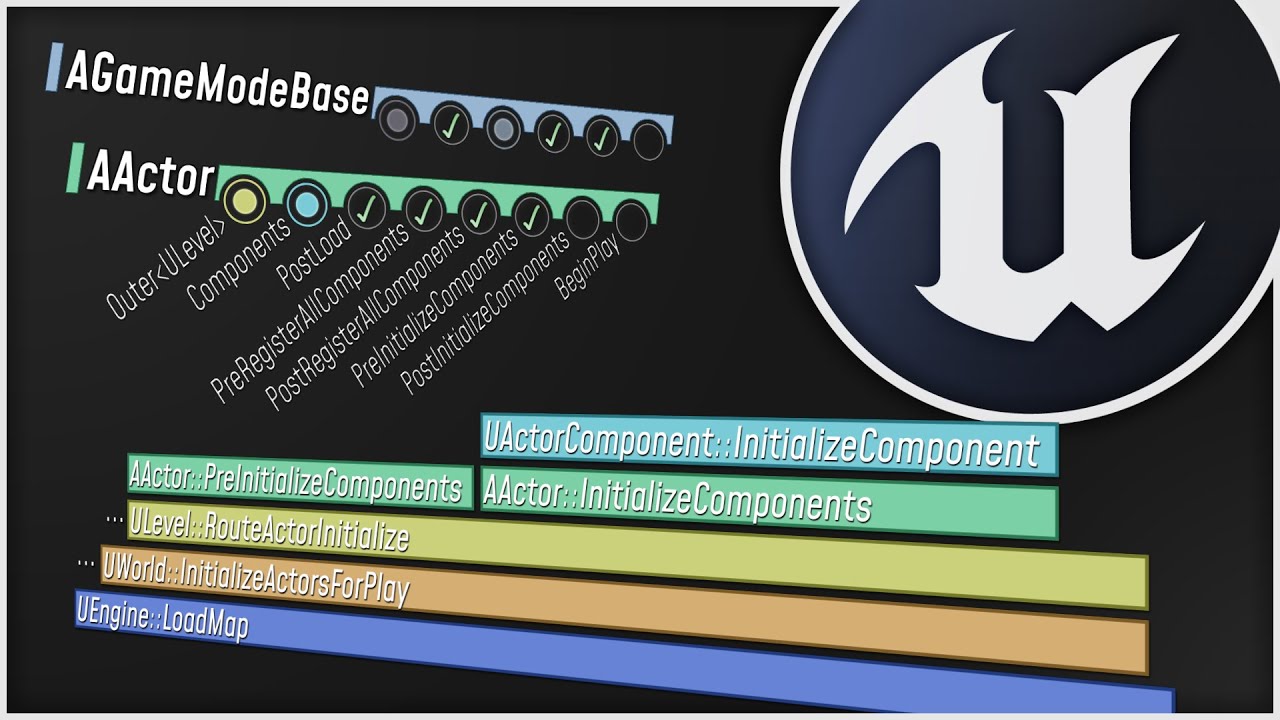
What happens when you start up your Unreal Engine game? This video is a guided tour of the Engine's initialization process: along the way, we'll glimpse the high-level structure of the Engine (modules, game instances, local players, and viewports) and we'll see how all the different parts of the Game Framework (game modes, game states, player co...
Somewhere it starts talking about the GameMode, Player, etc.
short arrow
Alex Forsythe, the gem that disappeared
thin stratus
I would suggest watching it fully though
short arrow
thin stratus
I would suggest watching it fully though
5x
thin stratus
oddly, when trying with 2 clients, going into options, client1 options control client2's window
That's very vague. If you talk about MainMenu options, then that's probably cause you actually are connected in the MainMenu, which I already said you shouldn't do.
Some options might also affect both games cause of how PIE works
and i have 0 idea why they aren't given individual controllers
Pretty sure they are getting their own
wanton cedar
thin stratus
Your Host and Join Session Code will do the Server/Client part then
OOOOOOOOH
for like 3 days i've tried to figure out how to exec it so it acted correctly. smh.
wanton cedar
thin stratus
For the issue at hand, it's tricky to give much help. The Client not being able ...
thats added on the character_BP. i tried to keep the template as true to 1stPersontemplate as possible to understand engine basics
your few comments, to be honest, were a huge help. ill try to absorb and return when drowning later
viscid tapir
Hello ! I'm having this error and I can't find a solution for it (only client on a listen server has that problem) :
LogNet: Error: ReceivedRPC: ReceivePropertiesForRPC - Mismatch read. Function: ClientSetReplicatedTargetData
UFUNCTION(Client, Reliable)
void ClientSetReplicatedTargetData(FGameplayAbilitySpecHandle AbilityHandle, FPredictionKey AbilityOriginalPredictionKey, const FGameplayAbilityTargetDataHandle& ReplicatedTargetDataHandle, FGameplayTag ApplicationTag, FPredictionKey CurrentPredictionKey);```
The function is never called client-side apparentlyYou will need to share where exactly. Screenshots. This is not enough info.
thin stratus
viscid tapir
Hello ! I'm having this error and I can't find a solution for it (only client on...
So you call it from Server to Client and it never arrives?
viscid tapir
Yes exactly
That error : LogNet: Error: ReceivedRPC: ReceivePropertiesForRPC - Mismatch read is not really well documented
happens rarely apparently
soft flare
Yo guys quick question, so there are enemys on my lvl like a horde of enemys, and thoose enemys launch my actor, now this works fine with the server but when the client gets launched by one of the zombies he starts to stutter into the direction. i was reading some stuff and someone saied i should add an delay when someone gets launched, wich i did but it still stutters like hell.
wanton cedar
thin stratus
You will need to share where exactly. Screenshots. This is not enough info.
going back over things in my head, i realized something so simple. input mode wasn't set to game mode after joining, but was on the host session flow

all the prollems went away with that. i was sooo confused for a while, i simply needed to slow down and review with a clear mind
thin stratus
wanton cedar
going back over things in my head, i realized something so simple. input mode wa...
That's not theb est way of doing that btw
Because now this only works through your flow
And already introduced your bug
You can use CommonUI for example to have the HUD as an Activatable Widget set the InputMode.
Or simplar, your Gameplay Map PlayerController (assuming you properly split your GameMode/PlayerController/etc. between MainMenu and Gameplay) can set this on BeginPlay (IfLocallyControlled)
wanton cedar
i've tried to keep most things im doing as basic as possible, to simply learn and understand
on widget load, show cursor, input mode UI only, on host/join > game mode only unless esc pulls up the pause menu
this was my thinking
viscid tapir
I think I found the isssue. Calling RPCs is okay from where i was doing it (from an UAbilityTask) but my specific function was problematic.. Actually 1 parameter which is the const FGameplayAbilityTargetDataHandle& TargetData. So my question is : why would this parameter be the issue ? Is it the const reference ?
wanton cedar
i had 0 idea the complexity of things stepping into this 2 months ago lol
 rose pollen
I am getting jitter when a player walks only for clients playing on a listen server. They see their own first person mesh and weapon as jittering. The first person mesh is not replicated but does follow the leader component of the third person mesh (its the same mesh without a head basically) which is replicated. On a dedicated server it fine and smooth. On a listen server from the perspective of other players there is no jitter and things look smooth. When the player is swinging their sword or doing anything with an animation it seems smooth as well and for the host everything looks good (both his own character and other players). This didn't used to be an issue, I'm using the default CMC and can't think of anything that I changed that could cause this, but I did update to 5.3 recently. Any suggestions on how to debug?
thin stratus
viscid tapir
I think I found the isssue. Calling RPCs is okay from where i was doing it (from...
You can try doing it by value fwiw
If it still comes up then it's probably due to the type itself
thin stratus
rose pollen
I am getting jitter when a player walks only for clients playing on a listen ser...
Just to confirm, the ListenServer sees other players jitter?
rose pollen
thin stratus
Just to confirm, the ListenServer sees other players jitter?
no the from the listen servers perspective things look great. Its only a client looking at their own screen, I've isolated it down to the first person mesh which is set to "only owner see" if i delete that the jitter goes away both for the FP mesh and for the owner looking at their own weapon, so i guess maybe it is colliding with something?
thin stratus
Could be
rose pollen
but it is set to no collision
thin stratus
The FP Mesh is a Child Component of the normal Mesh?

 thin stratus
Hmmm not sure then atm
rose pollen
with FP mesh in the game, there both longsword and fpmesh jitter on the owners screen only, with fpmesh deleted sword does not jitter
viscid tapir
thin stratus
You can try doing it by value fwiw
Nevermind. I'm scared of saying what was the problem since its REALLY dumb 😂
thin stratus
I mean, it's always worth posting it for others to read the solution
queen escarp

How bad is it to use the Tic function in the UI section ?
to check for stuff
if im doing it in like 200 places ?
viscid tapir
thin stratus
I mean, it's always worth posting it for others to read the solution
I was indeed calling InitGlobalData in my asset manager.. but forgot to set it as the one chosen by engine
not a big deal
 rose pollen
I am getting jitter when a player walks only for clients playing on a listen ser...
rose pollen
rose pollen
I am getting jitter when a player walks only for clients playing on a listen ser...
it seems to actually be related to a difference in client vs host fps, if I cap the client FPS to less than the host FPS in my case everythign is smooth on the client.
Is there a setting in the .ini file to cap client tick rate only when playing on a listen server?
soft flare
yo quick question, so on event death i want the boss to call an event on my player to finish the quest and then drop a random item to their inventory. The item is randomized and is getting taken from the game instance. someone here know why the clients never get items?

The game instance is not getting edited its just like a item list so i can easily add items into the game
manic trail
rose pollen
it seems to actually be related to a difference in client vs host fps, if I cap ...
its a thing you have to disable hold up
modeling effect tool something rather
simple plug in creates the issue
rose pollen
wtf
thin stratus
manic trail
any help?
Code?
rose pollen
really?
 rose pollen
k trying it now, thanks
manic trail
np
thin stratus
soft flare
yo quick question, so on event death i want the boss to call an event on my play...
Not sure what the RPC is for. The Death Event should already be on the Server, right?
manic trail
thin stratus
Code?
what do you mean code?
thin stratus
Share the code of what you are doing

 soft flare
thin stratus
Not sure what the RPC is for. The Death Event should already be on the Server, r...
soft flare
thin stratus
Not sure what the RPC is for. The Death Event should already be on the Server, r...
It runs on server
i think i make a event for getting an item in the character thats beeing called
seems like thats working
soft flare
it both doesnt work
thin stratus
manic trail
Seems fine so far. Does this always happen?
soft flare
Not replicated and run on server both doesnt work
thin stratus
I know, I'm just saying the RPC is redundant
You should start putting PrintStrings into your code
To check what part is calling and what values
As well as using Breakpoints
manic trail
thin stratus
Seems fine so far. Does this always happen?
Every time, cant host at all
soft flare
thin stratus
As well as using Breakpoints
alr alr thx
 daring arch
Hi!
My character has picked up a Weapon (an Actor).
I want to send RPCs to the server, through this Weapon.
Does this mean I must assign ownership of the weapon to the controller currently possessing the character?
something like a
myWeapon->SetOwner(myCharacter);
Yes, ServerSide though
rose pollen
what does "bClampListenServerTickRate" do exactly?
daring arch
Gotcha!
Now that I'm the owner: does that mean that my role has been switched to Autonomous Proxy?
I did not spawn the gun (so I'm not RoleAuthority) but I am its current owner now.
thin stratus
Hm, I can't recall if that's the case. AutonomousProxy was, iirc, something somewhat reserved for Pawns/Characters
But that's just guessing atm
:P I simply forgot
daring arch
Riiight- I'll do some testing then. Thank you for the help! Let's see if this works...
quasi tide
I've never seen, encountered, or felt the need for my weapon to be auto proxy
daring arch
Hmmm
quasi tide
So w/e you're doing is weird to me
thin stratus
We tried to force that once to have an ASC do predicted Abilities on the Weapon
Ultimately dropped that idea
quasi tide
Setting the owner is fine, obviously, but trying to change the proxy? A bit weird imo
daring arch
Here's another question then: what's the ideal way to do hitscanning on the weapon?
I don't care about cheating so it's okay IMO to do hitscanning on the client and just telling the server that something got hit.
Is this ideal?
quasi tide
But much like Cedric, I really haven't paid much attention to that side, lol
daring arch
Do I do hitscanning on the client or on the server?
quasi tide
Just do it on the client
Regular ol' linetrace and then do a server RPC of the hit or miss
thin stratus
If cheating doesn't matter then do client side
daring arch
That's my current plan
thin stratus
Will be shitty for the person that is shot, but w/e
quasi tide
That's literally what I do as well. Pure co-op game though.
I genuinely don't care if they want to headshot everything on the map at once
viscid tapir
Isn't recommanded to do the traces client side and validate the data server-side ?
quasi tide
Yeah. But if you don't care about cheating, validation is utterly pointless
Just a waste of resources
daring arch
You see, in my attack routine, I have a split depending on the client's netrole:
- If I'm RoleAuthority, i subtract ammo. Ammo is a replicated property.
- If I'm RoleSimulatedProxy, i handle hitscanning and recoil. I'm the weapon wielder.
- Then I play all FXs and Sounds, for everyone but the RoleAuthority (they're the server- no need)
Does that make any sense?
This is why I wanted to turn the weapon wielder into a RoleSimulatedProxy
but maybe this is the wrong way to handle things?
thin stratus
If you need to know the "local" person, check the Owner (that you know is the Character) for IsLocallyControlled
daring arch
Hmmm. This does raise a question:
My weapon is not aware at all of its wielder. As in, it has no properties that refer to the wielder.
From an architectural standpoint, what's the recommended way to define a relationship between "Item" and "Wielder" so that both of them are aware of each other?
Do I just slap properties on each other (add a Wielder var to Weapon & Weapon var to my Actor) and call it a day?
queen escarp

How bad is it to use the Tic function in the UI section ?
to check for stuff
if im doing it in like 200 places ?
quasi tide
Pretty gross
queen escarp
aye and preformance wise ?
quasi tide
Pretty gross
thin stratus
daring arch
Do I just slap properties on each other (add a Wielder var to Weapon & Weapon va...
Yop, you could do that
quasi tide
daring arch
Hmmm. This does raise a question:
My weapon is not aware at all of its wielder....
My preferred approach is for the character to know about the weapon but the weapon doesn't know about the character. But if it did need something from the character, it's just a GetOwner() call away
So character would just be like weapon->BeginAttack();
When you press the attack input
(Obviously with safety checks mind you)
daring arch
Gotcha.
GetOwner sounds reasonable.
Thank you! I'll do some testing with the new info.
hoary spear
quasi tide
I genuinely don't care if they want to headshot everything on the map at once
perfectly fine way to go as long as it's on purpose, and you know the 'risks'
for any casual co-op i just wouldnt bother worrying about cheating
same goes with single player games really
quasi tide
hoary spear
perfectly fine way to go as long as it's on purpose, and you know the 'risks'
Yes. Which is why I do it this way. As well as why I told that person to just do it that way because they said they don't care about cheating
hoary spear
Trying to avoid cheating ends up in some sort of rabbit hole anyways
 fluid summit
Does anyone know if i can have a replicated BlueprintNativeEvent? or do i need to use the BNE as a proxy for the RPC?
soft flare
Yo guys i have a problem with replicating a launch ony my character
for some reason when a client gets launched repeatedly he stutters like hell
fluid summit
maybe your movement is not predicted and you are getting slingshotted?
soft flare
Idk someone saied i should put a 0,2 delay on the launch and it should fix it but nope
Like there is a on hit event that launches me and when i get hit by multiple things fast as client it just jitters like crazy
fossil spoke
fluid summit
Does anyone know if i can have a replicated BlueprintNativeEvent? or do i need ...
Not sure to be honest, try it and find out.
I usually have a proxy function though
Overriding RPCs directly is icky
fluid summit
I tried but couldn't get it to work, maybe some sage in a cave had a way : (
fluid summit
soft flare
Like there is a on hit event that launches me and when i get hit by multiple thi...
a video or something would help, can't figurate out what is the problem from that description
soft flare
alr second
fossil spoke
@soft flare Launches arent predicted, so the Server is correcting you
fluid summit
yeah, it seems like the server is correcting your position. Try to call it both on Client and server at the same time to predict the movement change
soft flare
So do the launch on a multicast or how do you mean?
this launches the player

on overlap
fluid summit
https://www.youtube.com/watch?v=gG_ggXUiB_Q
this is your problem, but with launch instead of sprint
Hey guys, in today's video, I'm going to be showing you how to replicate sprinting for your online multiplayer game. This will replicate the movement, speed, and animations.
More Replication Videos: https://youtube.com/playlist?list=PLQN3U_-lMANOaPmzSGLDhyWzKzwgKDz9V
#Ue4 #UnrealEngine4 #Ue4Tutorial
____________________________________________...
soft flare
Okay i watch that quick
thx
like this then?

Still the same :/
do i need to replicate the character movement component?
fluid summit
more like OnOverlap
HasAutorithy->Launch
Else->Launch
soft flare
Ohh
okay i try this
what is hasauthority for? many people recomended it and it often saved my problem
fluid summit
HasAutorithy will tell you if you have network authority over that actor, it's mostly used for "Am i on the server?"
it's related to the server authoritive model that unreal uses

 fair latch
soft flare
fair latch
soft flare
Are you playing as client or server?
soft flare
The problem is on the client
for the server everything is fine
So yea im playing on the client rn
i did something like this now
 fair latch
Why do u add delay?
soft flare
Someone in the forums saied it would reduce the stuttering
 graceful flame
If has authority is false there’s no point in applying damage because that’s a server side function anyways. You can tell by the server icon in top right of the node.
Client only nodes have a computer monitor looking icon.
soft flare
Ohhh
yea i see it
But the false is going into server bcz
there is a do once node to reset
 graceful flame
If your event is on a replicated actor but you haven’t specified if it’s running on client only or server only it’s run on both by default. However this is only the case for blueprints which exist on both client and server such as player controller or game state and others. A common mistake is not knowing the ownership of a given blueprint. Thengame mode for example is server side only.
soft flare
I cant 100% follow but i kinda get what you mean
this all runs on an actor ai
both of his collision boxes launch

But both collison boxes dont replicate
 graceful flame
Read the compendium and watch the video in the pinned messages. Then you’ll have a much better understanding of how to work with multiplayer.
soft flare
I mean i have watched it but idk how the video is helping me
If you mean the sprinting video
graceful flame
The first two messages on top of pinned message list.
graceful flame
Also not sure why you have two collision capsules on the character.
soft flare
Thats bcz
The first collision box only overlaps but doesnt collide with players wich causes him to launch the player, however some larger enemys have allot of space inside wich often results in me beeing able to hide inside of the enemy
Its like if you try to hide inside the enemy the second collision box wich doesnt deal dmg and launches further comes in
soft flare
soft flare
Thats why there is 0 dmg
graceful flame
Why apply 0 damage? Why not just skip that damage node entirely?
soft flare
Bcz this zombie is the parent and in case i wanna apply dmg on that hitbox in the future
But yea i can remove it aswell
graceful flame
Ideally you want to minimize the amount of nodes in your blueprints to improve perf. Every single node no matter how small is yet another step the code has to process.
soft flare
Yea ik i need to clean up the nodes one day
pallid rampart
is it possible to connect to a server without traveling to to the map?
graceful flame
Like a beacon? Something to fetch meta data like how many players, ping, time remaining etc?
pallid rampart
ty, ill look into them 🙂
soft flare
I watched the video but i still have really no idea how to fix that
i think i go to sleep and see tmrw how to fix that
still thanks for the vid tho!
 toxic lion
I'm trying to replicate objective states to all players. For isntance to update UI
At the moment GameState receives a server RPC to update it's score value
I'm trying to fire a Server delegate that the players UI is subscribed to, so that it can update accordingly
The delegate only updates for the server, not the clients (understandably)
If I instead fire that delegate via a netmulticast, then it works correctly, but I'm worried about relevancy. Is this a concern?
Is this the right way of going about this? Or is there a better way of handling this objective system?
dark edge
toxic lion
I'm trying to replicate objective states to all players. For isntance to update ...
Repnotify?
toxic lion
dark edge
Repnotify?
 yeah that might work
List of objectives and once they are updated, call the OnRep on the list which fires a general ObjectivesUpdated delegate that subscribers can listen to
dark edge
toxic lion
<:rooThink1:580614815408586762> yeah that might work
List of objectives and onc...
The OnRep will automatically fire when things change
that's the whole point
toxic lion
dark edge
The OnRep will automatically fire when things change
not in c++ it wont 
dark edge
toxic lion
not in c++ it wont <:AngryArthur:841621524816461844>
well yeah just call the onrep manually when you set the thing serverside
The point being, if what you want is a function that calls when something should update, an onrep is where you should be going with it
fossil spoke
toxic lion
not in c++ it wont <:AngryArthur:841621524816461844>
Thats only for the Server. Its called automatically on Clients.
grave lynx
I can't understand why JoinSession return false if 2 Host already hosting the same map and 1 is trying to join the other one
 small grail
grave lynx
I can't understand why JoinSession return false if 2 Host already hosting the sa...
small grail
grave lynx
I can't understand why JoinSession return false if 2 Host already hosting the sa...
You need to make sure the client has quit the current session
You can't have two game sessions
small grail
grave lynx
a destroy session should be enough?
Should be. Just give a try. ( I didn't touch the sessions stuff since 4.25, so can't say 100% sure
 lethal blade
Basic multiplayer question. I am using GCP for dedicated server build. So should I go with internal IP or external IP address ?

 livid gale
Just a quick question. I'm no where near this point yet, but I want to avoid potential pit falls later on down the line. Does anyone know when setting up multiplayer, if you can hide specific components of a blueprint of other players in the session? I have a plane set up below the player for smooth mouse look but would want to avoid the local player's mouse from being affected by other's in the session. Thanks.
quasi tide
Just create the plane at runtime, only on the local client
livid gale
exactly what I was looking for thank you.
soft flare
am i the only one with discord errors?
so im dooing a horde survival system and when there is allot of enemys the fps are kinda fine but go higher when i reduce the graphics, However when i joins as a client and play, no matter wich settings i allways have 30-25 fps. must be something with replication but i cant find what, the only nodes running on the actors are AiMoveto and thats it. The fps only drop after the enemy horde spawns and when its an empty lvl without enemys its same fps as server. Do i need to replicate less or idk? someone here knows?
 queen mortar
Hey any suggestions on how I can make only one player see a ceratin thing? For example I want player to see a widget when he overlapps with a component but it shows on player who isn't overlapping with the object. I tried to do it with run on owning client function but it didn't work
 nocturne quail
is this the right way to check if PC is nullptr in MP game?
void ASurvivalCharacter::Turn(float Yaw)
{
if (Controller == nullptr) {return;}

    if (Yaw != 0.f)
    {
        AddControllerYawInput(Yaw * 0.5);
    }
}
sometime the game is crashing on line if (Controller == nullptr) {return;}
with error message that this was nullptr.
upbeat basin
Is it possible to somehow bind OnRep/RepNotify functions for replicated variables of engine classes that don't have OnRep/RepNotify function?
quasi tide
I feel like there might a macro or something. I've seen someone ask it before. Or maybe WizardCell has a blog post about a workaround
quasi tide
upbeat basin
Is it possible to somehow bind OnRep/RepNotify functions for replicated variable...
upbeat basin
Ah that should do it, thanks for the pointer
 rigid wyvern
Has anyone had listen server crashes when too many RPCs are called?
 chrome bay
If you call too many reliables and overflow the buffer, then yes it will kick the client usually.
 gusty hedge
I have found that HISMs aren't replicated so if I try to remove a static mesh instance from the server, it will not remove it on the client.
short arrow
Is it really necessary for RemoteRole and Role to be replicated? In cases where I have unimportant replicated actors that are owned by the server
 lament garnet
guys if i implement an inventory similar to the one that lyra has where i instantiate objects and replicate them through a component, would i be able to make use of 'copy properties' in order to make the inventory persist across seamless travels?
im pretty sure instances will persist but will they replicate correctly?
 limpid bridge
So net cull distance. I was thinking about this and I'm wondering about how information is updated to the client when they are within the net cull distance. I've had issues with replication where the client never receives the replicated information if they aren't within range. How do you guys handle these sorts of issues? Does anyone know anything about it?
quasi tide
I've had issues with replication where the client never receives the replicated information if they aren't within range
Yes...that's the point of the culling. So information doesn't get sent where it doesn't need to.
 whole solar
limpid bridge
So net cull distance. I was thinking about this and I'm wondering about how info...
whole solar
limpid bridge
So net cull distance. I was thinking about this and I'm wondering about how info...
Simple decision is set bAlwaysRelevant = true
Or you can override IsNetRelevantFor()
rocky kestrel
I have lot of stuff like A LOT in beginplay of my character. Should I use always situations like this is locally controlled branch to reduce network load when I spawn? Also If I call event after locally controlled and then call Server RPC does it work?
 limpid bridge
whole solar
Simple decision is set bAlwaysRelevant = true
limpid bridge
whole solar
Simple decision is set bAlwaysRelevant = true
Right but it's still smarter to optimize it. So I'm wondering for things that need culling, how to go about that.
let's say I want to cull some things but not others, but also how to cull but then still get those updates when in range.
whole solar
limpid bridge
let's say I want to cull some things but not others, but also how to cull but th...
Override IsNetRelevantFor()
rose pollen
on my dedicated server sometimes clients will see "ghosts" of enemies that aren't actually there, I think it happens if they switch which part of the world partition they are in and come back, it will just be a stationary version of the enemy pawn that doesn't move, has no collision, etc anyone encountered something like this? when it happens it will only be for a single client, from the perspective of other players and the server everything is fine. If the client disconnects and reconnects its fixed
whole solar
rose pollen
on my dedicated server sometimes clients will see "ghosts" of enemies that aren'...
Maybe one character is not relevant for other and its movement don't replicate.
rose pollen
whole solar
Maybe one character is not relevant for other and its movement don't replicate.
hmm, that makes sense but shouldn't it become relevant again and update itself when the player comes back within a close range?

I believe the player is moving outside of the net cull distance when it happens, but then when they return inside the net cull distance they see a ghost
 hushed rain
Is there a way to look at wireframe while in "play as client" mode? It only seems to work while in play as listen server mode. (the F1 hotkeys)
Or does simulate(with wireframe visuals on) and play as client accomplish this?
dark edge
rose pollen
I believe the player is moving outside of the net cull distance when it happens,...
define "see a ghost"
 sharp vigil
My understanding is widgets are client only. What happens if you want a a widget displaying health to show to another client? Maybe Im confusing myself and lost in the multiplayer sauce
thin stratus
sharp vigil
My understanding is widgets are client only. What happens if you want a a widge...
You create the Widget on everyone that needs it and use a Replicated Health inside of e.g. your Character to drive the UI
sharp vigil
Right, but I was thinking if it was client only it wouldn't display to other clients.
thin stratus
It just means that it has no replication. Each instance is per client, not connected to any other
fiery wadi
This might be a silly question is there a way to name a Session in Multiplayer rather than doing a Find Sessions and it showing DESKTOP-78972592737298-NIHPHFDUIH and 500 other different characters?
latent heart
The roundabout answer would be to change your computer's network name 😂
(sorry, I have no idea)
fiery wadi
LOL
I was thinking maybe I could use a Struct and Add a Blueprint Session Result and pass a String with a user created name "MyGame" but Create Session doesnt return anything kind of sends the session off into the nether xD
{DESKTOP-748374834-GUGKFDK, MyGameSession} so something like this.
Oh looks like you need a plugin to do it. https://www.youtube.com/watch?v=BJj1GzlKmWk&ab_channel=Risensy

Advanced Session Plugin #1 | Server Name | Random Server Name | Multiplayer Blueprint
Advanced Session Plugin - https://forums.unrealengine.com/t/advanced-sessions-plugin/30020
[Music]:
- Unexplored
- Provided by Lofi Girl
- Watch: https://youtu.be/Gn92YKpDHfU
thin stratus
@fiery wadi You use Session Settings when creating the session
Unreal's native nodes use the player name which is your PC name with subsystem null. Would be your Steam name if you use Steam etc.
If you want to freely name it you need to use c++ or advanced sessions plugin
fiery wadi
Ahh ok thank you @thin stratus
fiery wadi
Can someone tell me why this doesnt work please, I am storing the newly joined player when they join the map the 1st person gets a controller assigned and a character spawned but the second one doesnt seem to get a characetr or controller assigned for some reason.
 kindred widget
fiery wadi
Can someone tell me why this doesnt work please, I am storing the newly joined p...
kindred widget
fiery wadi
Can someone tell me why this doesnt work please, I am storing the newly joined p...
Few questions. Why are you having the GameMode set an InputMode for a player? That's a local call that should be handled based on the data the client has.
Why are you going from the controller, to the PlayerState, to get the controller? You already have the controller. OnPostLogin returned it and you set it and that's what you're getting the player state from. You can just cast it from Controller to PlayerController without the indirection.
Also how are you testing their lack of a controller? They should always have a controller.
rocky kestrel
Could this be good way to fix relevancy thing when you change anim state far away from other players. Update it every 30 seconds. Also Wear clothes again.


 pallid mesa
no need the RPC begin play already has server flow
rocky kestrel
pallid mesa
no need the RPC begin play already has server flow
Okay thank you.
pallid mesa
just add a hasauthority
before setting the timer
and you are settled
@rocky kestrel
rocky kestrel
I ill do that thanks
rocky kestrel
pallid mesa
just add a hasauthority
But overall Is this good way to do that? fight against net cull distance.
pallid mesa
to be honest it might not be, but what problem are u trying to solve, mind to elaborate?
rose pollen
dark edge
define "see a ghost"
a stationary version of the enemies skeletal mesh and its weapon (which is a static mesh attached to a socket) that doesn't move, animate, has no collisions and is actually floating in the air a bit (because the enemy is spawned a bit off the ground) and then falls. It seems like the client was aware that something spawned there but then never updated any information about the entity, but the spawn actor call is only done by the server with authority and presumably happened when the client was out of relevancy range for the spawned enemy (not 100% certain on that part).
 real ridge
guys what is best way to replicate Pawn? I am using pawn for plane but suddenly I am facing problem with jittering did not have it before maybe I broke something.
My replication was just sending transform of mesh to server and then server to multicast so basically RPC it worked perfectly my planes were replicated but now I am facing some jittering idk why so I came to idea if I cant use character with cahracter movement component which should be replicated naturally by unreal but then I am facing one more problem can I make plane from it ?
or maybe give me a tip how to properly replicate pawn maybe ?
thin stratus
The only option to replicate a Pawn in BPs is to make it fully client auth
What part of the pawn is jittering? Locally or other clients?
If you do the ServerRPC -> Multicast you need to ignore the local client for that
Other than that, there aren't many or any alternatives
The CMC is pertty complex and nothing that you can quickly teach or even do in BPs.
real ridge
thin stratus
What part of the pawn is jittering? Locally or other clients?
when I join 2 planes in game I see my coo-player jittering client is smooth but before I had also client jittering but somehow I fixed it now I am strugglig with fixing I am already lost what is broken haha 😄
I know cmc is complex also its only in character, cant use character
reason 1 = capsule,makes me nervous
reason 2 = i had problems with my control system which on pawn works perfectly
real ridge
thin stratus
If you do the ServerRPC -> Multicast you need to ignore the local client for tha...
wdym ? I was doing this self, get actor transform sending it to Server smooth call (executes on server) then calling Multicast Smooth from it sending transform and my player there and Set actor transform
that was my setup for replicating pawn worked very well but now I broke something

 fiery wadi
kindred widget
Few questions. Why are you having the GameMode set an InputMode for a player? Th...
fiery wadi
kindred widget
Few questions. Why are you having the GameMode set an InputMode for a player? Th...
Good question about the Input Mode being set in the GM. 🙂 I changed it from the player state and i made a few errors with the joining session node too >.> thank you for the reply ! 🙂
thin stratus
real ridge
wdym ? I was doing this self, get actor transform sending it to Server smooth ca...
I mean that the Multicast should skip the local client
Otherwise you are applying a Transform from a few ms ago
real ridge
thin stratus
I mean that the Multicast should skip the local client
Does I understand right in my multicast I need somehow exclude my client?
you can see my solution on screens above
also I noticed on my side I get jittering when I tick at pawn "replicated"
when its not ticked its ok
thin stratus
Eh, without it ticked I'm suprised you can send RPCs?
You kinda require the Pawn to replicate
And yes, you have to exclude the local client
A branch with "IsLocallyControlled" and then either a NOT or use the FALSE pin
real ridge
thin stratus
Eh, without it ticked I'm suprised you can send RPCs?
yea I really can 😂😂 shouldn't I? I mean I had to untick it on my mesh
real ridge
thin stratus
A branch with "IsLocallyControlled" and then either a NOT or use the FALSE pin
ah okay okay
real ridge
thin stratus
A branch with "IsLocallyControlled" and then either a NOT or use the FALSE pin
like this ?

with or without authority there?
or maybe will be better send rotation , velocity splited ? hm
game should be just 5vs 5 max
btw what do you think honestly about this approach to replicate position and rotation of my "player" like this?
kindred widget
real ridge
btw what do you think honestly about this approach to replicate position and rot...
IMO, if you don't care about cheating, the simplest solution is just to just the owning player move their pawn as they can, and tick their new location/rotation to the server. Server can set replicated state in a SkipOwner property, and the other clients can interpolate the location on their own tick. Not perfect, but It'll look a bit less jittery in most cases.
real ridge
kindred widget
IMO, if you don't care about cheating, the simplest solution is just to just the...
how could anyone cheat with movement u mean some speed hack or
real ridge
kindred widget
IMO, if you don't care about cheating, the simplest solution is just to just the...
will try
best solution will be find something without any jittering
because when u see planes which is moving towards backwards towards
it looks weird
I am not at pc but I can make video how it looks and maybe it will be more clear 😇
it's not definitely small jitter
thin stratus
The replication of just the Transform will in most cases look shit anyway
The CMC is smoothing Simulated Clients
Cause the rate of replication is not per frame, so simulated clients, if you just set transform, will often lag
Using Pawns loses you a metric sh*t ton of features that the CMC brings.
real ridge
thin stratus
Using Pawns loses you a metric sh*t ton of features that the CMC brings.
but I can't use character for Aircraft.. My movement and control system does not cooperate with character idk why 😦
sharp vigil
sanity check question:
Lets say I have a health component on a character. Is it correct to have the health component check the role of the owner setting it to make sure it's the server? Then I set the health component as a subobject on the character and add it as a replicated sub object?
void UHealthComponent::SetCurrentHealth(float healthValue)
{

    if (GetOwner()->GetLocalRole() == ROLE_Authority)
    {

        HealthUpdate.Broadcast();
        CurrentHealth = FMath::Clamp(healthValue, 0.f, MaxHealth);
        OnHealthUpdate();
    }
}
You don't have to manually add the HealthComponent as replicated subobject fwiw
sharp vigil
Would I just keep the health variable on the component as replicated? No need to replicate the component?
thin stratus
The Component has to be marked as replicated
To replicate Variables
But Components are already properly tracked for replication
Adding Subobjects manually is only really for other UObjects
kindred widget
real ridge
but I can't use character for Aircraft.. My movement and control system does not...
It's possible. You just need to set the settings correctly. CMC has a flying mode.
real ridge
kindred widget
It's possible. You just need to set the settings correctly. CMC has a flying mod...
so in case I can set up properly character then I don't need solve movement replication as it's automatic for mesh on it ?
will give it another chance maybe but last time I failed
:/
ngl
sharp vigil
thin stratus
Adding Subobjects manually is only really for other UObjects
ah okay thanks. That solves one part of my mystery 😄
 stuck yew
Hey everyone, I'm using 'weldTo' to weld physical actors in UE5. I've found that it doesn't replicate at all. The actor appears fine on the server, but it's not connected on the client. Does anyone know how to fix this?
 crystal crag
I started to ask this in the gameplay abilities channel and then realized I was getting away from gameplay ability system logic, so I'll ask here instead. What would be the best way (that would replicate from server to clients), to make a character rotate to face a player character, so that a finisher can be preformed?
Kaos suggested looking into Contextual Anim in UE5, but unfortunately there are almost no comments on that code and I am not familiar with using contextual animation, so that might be a leap too far.
crystal crag
So far that has only dealt with location, not rotation
thin stratus
Hmm
crystal crag
I'm basically trying to make the characters line up so I can have the attacker stab the character in the stomach for the first test
I tried using control rotation on the server, using the find look at rotation, but that doesn't seem to be working out well. Not sure if I am messing it up or if that is just a bad way to go about it.
thin stratus
I'm pretty sure RootMotionSources can rotate
I used that to place a Character on a Platform
crystal crag
Maybe I'm using the wrong method then

Which one of those did you use?
move to actor?
thin stratus
THink MoveToForce
crystal crag
Ok
Haven't tried that one yet
Another question, while I've got the famous eXi here ^^ - if you wanted to be able to pick up a character, and be able to have your character run around carrying them for a few, would that best be a custom movement mode or is there a better way to do it? You only get so many custom movement modes, so I was a little hesitant to go down that route.
Because you basically have to make sure that the player character you are carrying isn't prone to desyncs / fighting the carrying position vs where it thinks the actor should be.
thin stratus
crystal crag
Another question, while I've got the famous eXi here ^^ - if you wanted to be ab...
That's a pain to do
I mean, unless you are fine with no prediction of that
We had that in some MOBA game, but it was constantly breaking due to prediction being too forced and UE fighting Attachment too much
If you don't care about that you can just attach the Character and set its movement mode to none or so
Or maybe flying, would need to test.
I would handle that via some OnRep var in the Character fwiw
 jade ibex
disable client control, set client actor to desired grab location (i.e carrying player's position) through variable replication
is what id do
anyw i was reading up on RPCs and noticed they said that if a client called "too many" reliable RPCs that theyd get disconnected...
how many is "too many"?
what if a client was tap firing a gun 1000 times
that would mean 1000 rpcs
its important that its reliable
or would i need to write up some kind of compensation algorithm
thin stratus
That's the thing though
The CMC doesn't send reliable RPCs per move per frame
They are all unreliable
jade ibex
ok great!
thin stratus
The secret would be writing "some kind of compensation"
Which in theory is always the same
-
Perform Action locally
-
Send all required information that the Server doesn't have, as well as the result of the Action to the Server
-
Let the Server perform the Action and compare the results
-
If the results are the same, acknowledge the action
-
If the results are not the same, send a correction to the Client
The problem comes with the correction though, cause the Client is already much further
So in theory you also need to keep track of the Actions the Client did previously, so that you can pick the one that got corrected, throw everything older away, and reapply the actions that the Server hasn't answered to yet
That's in theory what the CMC does
jade ibex
cmc standing for character movement controller?
i imagine they just interpolated between successful unreliable rpcs (its what they said in the documentation)
but if theres an example in there thatll be useful
thin stratus
jade ibex
cmc standing for character movement controller?
CharacterMovementComponent
thin stratus
That is for Movement
And pretty complex
If you want to just learn the concept, you could check this (looking for the link. 1 sec)
real ridge
exi can I ask honestly something ? did you ever made some airplane demo / game which was multiplayer ? i am still not sure how to move now to which dirrection
thin stratus
real ridge
exi can I ask honestly something ? did you ever made some airplane demo / game w...
Yes and no. I worked on a Game where one can control a Hover Drone and rotate in all directions. But I redid the CMC for that in C++.
thin stratus
jade ibex
thanks for the link
It can totally be that someone else tells you that this is all not needed and they do it simpler
So take in some more opinions
jade ibex
yeah it really comes down to the projects needs like a competitive setting. was more so curious on the limit to reliable RPCs
thin stratus
imo it's already problematic to send 1 per frame
Cause it will fill up the reliable buffer
jade ibex
yeah fair enough
if i ever get to that point anyw, dont think ill be worried about competitive anything anytime soon
how about this situation: if i have a light switch send an rpc to the server to tell it to broadcast that its on/off, and the player spams it, would that be a risk?
reconciliation for situations like this would be a bit overkill unless the buffer was really tight
(not to mention the potentially other reliable actions occurring at the same time)
real ridge
and roughly how much work it was ? + do you think its time confusing make this custom "cmc" for pawn, also why you made own? if I can ask
thin stratus
real ridge
and roughly how much work it was ? + do you think its time confusing make this c...
Cause that was a few years ago and at that time it wasn't really possible to do what I wanted by just inheriting from the CMC. Don't know if that changed by now.
It was multiple weeks worth of work.
real ridge
thin stratus
Cause that was a few years ago and at that time it wasn't really possible to do ...
oh so If I use C++ like I use most of time I can inherit some "replication" from CMC in pawn too?
thx for answers
thin stratus
No, you can only use CMC on Characters
real ridge
I am really curious and feeling deppressed rn how to move on
thin stratus
Yeah multiplayer isn't easy. It takes a lot of time and energy to learn, especially if you hit a wall
real ridge
i still dont understand why such thing like cmc is only on character.... ue ue..
thin stratus
It can totally be that you can do a Plane as a Character with the CMC. I never tried it
Yeah that's something that will probably not change anytime soon
real ridge
thin stratus
It can totally be that you can do a Plane as a Character with the CMC. I never t...
not many resources about it on the internet
like everyone is making some stuff like pubg or fornite but lovers of warplanes like me are forgotten
😦
 static prism
Guys how I finish the game? Do have a specific way todo that ?
thin stratus
At least at some point
real ridge
maybe i will try firstly fix my workaround with pawn replication and pararell try make plane from actor
thin stratus
The Game Industry is not known for sharing complex code bases
thin stratus
static prism
Guys how I finish the game? Do have a specific way todo that ?
Nope, totally up to you
real ridge
one more problem is Iam not using simulate physics but making own kinematics
static prism
thin stratus
Nope, totally up to you
So can i pause the game show widget destroy the session and go to map menu ?
Is this a good way ?
thin stratus
static prism
So can i pause the game show widget destroy the session and go to map menu ?
You could. Pausing is a bit tricky for online. It's better to ensure you have full control over everything, may it be Characters, the GameState progressing, other actors in the scene, and stopping that once the game is over
Despite that you can show a Widget, and then after some time destroy the session and send everyone home
static prism
Is that the game mode have a endgame function so this made me a little confused
thin stratus
Well. The GameMode has a "State" system
In C++ that could also be extended if wanted by adding more states to the namespace
EndGame changes that Named State to PostMatch or so
Which you can use if you want
I have a Client (customer) that does the same and on top has an Enum for the PostMatch state to cut it into multiple states afterwards
Such as "Show Scoreboard -> Show Winner -> Do XYZ -> Restart Game/End Game "
static prism
thin stratus
Despite that you can show a Widget, and then after some time destroy the session...
Its fine
real ridge
thin stratus
The Game Industry is not known for sharing complex code bases
i know
static prism
thin stratus
Such as "Show Scoreboard -> Show Winner -> Do XYZ -> Restart Game/End Game "
Is this a way ? Is like I imagine
Thanks
thin stratus
real ridge
i feel so depressed but thanks for answers
I know it doesn't help you with your problem, but feeling bad about such problems is totally normal. I've faced countless of those, often thought I can't come up with a solution.
The secret was always to just accept that it takes time and to properly learn the system one is using and to step by step plan what has to be done. There is no secret shortcut, as stupid as that sounds
If you are feeling down atm, take a break. Do something that makes you feel better.
Watch something, play something, meet up with someone, order some food, idk.
When you feel better, take pen and paper and think about your options.
Start the CmC/Character version from scratch, write down what problems you are facing (in your language for yourself) and see if you can figure those out one by one.
real ridge
thanks, true
hoary spear
thin stratus
I know it doesn't help you with your problem, but feeling bad about such problem...
Can totally relate to this. I bet most if not all of us have.
crystal crag
thin stratus
We had that in some MOBA game, but it was constantly breaking due to prediction ...
So you actually attached the other player character to the player character doing the pickup?
I would have thought that, that would have been very buggy? Well I guess you went on to say that UE was fighting attachment... did you literally use attach to actor?
crystal crag
real ridge
thanks, true
I can relate to this as well. I have a family, with two kids and another one on the way. I rarely get to study the engine. My goals of making a game are even further out of reach, so it can get really frustrating to get stuck so much. The key I think is, and this is really just saying what eXi said in a slightly different way - try to break down a feature into pieces and try to learn as much as you can, one piece at a time.
Like for instance, I want to make an assassin's creed-like finisher, that works in multiplayer. I want the characters to line up, I want to use control rig to at runtime make the hands have the right placement. I want the character to rag doll and be able to be picked up and thrown around afterwards. No one here has the time or energy to walk me through all of that. So I am asking small direct questions about where I am struggling the most, and then I go back to trying to research different ways to get to my end goal. If I get stuck on any one piece for too long, then I'll switch to another part. Like I started to get stuck with getting the character's to line up, so I moved on to the picking up piece this morning.
short arrow
real ridge
i hope i willl solve my problems
That's been me for the past 3 days trying to figure out why my child can't read a variable from the parent class... Or why I can't override some functions in the replication graph... Or why the UE_LOGS won't print...
Stay strong friend 
crystal crag
Everyone is different, but it also helps to have a sandbox project where you don't care if you write terrible code, or create BP nightmare graphs
If you put it into your real project, then you might spend too much time trying to make everything fit together in an organized way, when you don't even know what the end result will look like. Usually this works against you and you spend more time just staring at the screen.
thin stratus
crystal crag
I would have thought that, that would have been very buggy? Well I guess you wen...
I wasn't the one doing that, but yes
The main problem that was fighting us was the automatic replication
crystal crag
in the CMC, right?
crystal crag
Oh ok
I wasn't aware of that. I thought I'd have to run that on both server and client
That's good to know
Does it help if I don't need the other player character to be able to perform any tasks? This could even be an AI player, where the character picks up and moves the body afterwards and places it in a hidden spot
Or I guess to ask in a different way, wouldn't you want the attachment replicated? You would want the server and client to have the characters attached at the right socket.
and the player being carried wouldn't be able to move